#⛰️┃terrain-3d
1 messages · Page 3 of 1
 winter minnow
Texture painting on terrain is limited by the pixels of the texture, so you will have to compensate by making more blurry transitions between the textures
 modern vortex
how to save Terrain Data asset so that a terrain prefab will work ?
    void Start()
    {
        TerrainData terrainData = GetComponent<Terrain>().terrainData;
        AssetDatabase.CreateAsset(terrainData, "Assets/terrainData.asset");
    }
i tried this but even though it seems the data is there, terrain wont render the tile
i tried assigning some other terrain data (not saved by me) but it wont render the terrain either
a workaround but i let unity create its own terrain file, then opened windows explorer, and deleted it, and renamed my terrain data to be the same as the file i deleted
and it works now
 indigo dawn
i trying to do a underground bunker and why does terrain does this

it pass thru dryway prop
 magic cove
I am trying to paint some grass on my terrain and I added a grass texture and evetrhings seems to work but when I am going to paint the grass on the terrain nothing happens, do someone know how to solve this problem, thanks!

 deep burrow
i have a question, how do i generate grass in a terrain?
cuz i'm gonna make ideas about a player touching grass, and it's gonna be a clicker game
 glad musk
i dont know if this is part of terrain, but uhm what is that green outline and how do i remove it/expand it?

my player can't get farther than the green line for some reason
 static jackal
I've been attempting to implement a variation of marching cubes but altered for a hexagonal voxel grid instead of a square voxel grid, I was having success with the actual geometry generation for a single cell, but started having a lot of trouble figuring out how to start dealing with multiple cells and a whole chunk of cells and stuff, i couldn't get the results i wanted after days of tinkering with it. I'm thinking of simplifying and going back to a square grid system. My main purpose for wanting to use a hex grid was that i thought it would provide for more interesting, more compelling terrain. I don't really know that I have a specific question here, maybe just "has anyone else been in this same boat?"
winter minnow
This was also solved by exiting debug inspector, I assume
 coarse axle
yeah 😔
winter minnow
It's best to amend your questions if they have been solved
coarse axle
winter minnow
It's best to amend your questions if they have been solved
i do have another question, do you know why my terrain texture is super low res?
 winter minnow
coarse axle
i do have another question, do you know why my terrain texture is super low res?
winter minnow
coarse axle
i do have another question, do you know why my terrain texture is super low res?
Assuming this is the terrain component, though I'm not very familiar with it, I think the splat map texture resolution is something you can define when creating the terrain or it will match the terrain's polygon resolution
 steady ravine
Unity's built in terrain sucks for low poly or anything interesting really. So I was going to 3d model my terrain
However, I want to know the tradeoffs of this
If I have one huge model as the terrain, if any of it is in view it'll try and draw the whole thing which isn't optimal, so i'm assuming I model it, then split it into small chunks. Is this the best way to do it?
 solar swan
steady ravine
Unity's built in terrain sucks for low poly or anything interesting really. So I...
solar swan
steady ravine
Unity's built in terrain sucks for low poly or anything interesting really. So I...
What interesting thing can’t you do with unity’s terrain?
steady ravine
solar swan
What interesting thing can’t you do with unity’s terrain?
Well anything underground for one
It just looks ugly and very old school
solar swan
steady ravine
Well anything underground for one
You mean caves? Those aren’t terrain. You’d have to model them with regular meshes indeed, then punch a hole into the terrain at the entrances.
steady ravine
Yeah, i'm just saying that the built in terrain system is hot garbage
So i'm looking at better ways, i.e modelling it myself
But theres most likely pitfalls with this approach I need to know about
solar swan
steady ravine
Yeah, i'm just saying that the built in terrain system is hot garbage
Maybe it’s just a misunderstanding of what terrains are for.
steady ravine
Not really, I just need something that looks better than the current system
I'm going for a low poly look, I can't manage to get that look with the current system
Even programming how the terrain looks it doesn't look right
Meshes however, much easier to make look how I want it to
solar swan
steady ravine
I'm going for a low poly look, I can't manage to get that look with the current ...
That’s a shader problem. You just have to make one that renders it with hard edges
steady ravine
Sure, you could do it in a shader
 shell jolt
steady ravine
However, I want to know the tradeoffs of this
shell jolt
steady ravine
However, I want to know the tradeoffs of this
The tradeoffs mostly related to the instancing, Unity terrain system is doing arbitrary chunking + instancing, which is very useful on a medium-to-large terrain. You'll get small amount of drawcalls
you can do low poly, just make sure your heightmap resolution is low enough
And you'd need to know how to use BrushMask filter to get a sharp edges when painting your textures
..
Also they're working on migrating the terrain system to DOTS, so that's a huge plus
 verbal nest
What is the best way to get terrain like this without having to place 500 assets every m²?

And how can I make ground like this?

With a single ground texture you wont achieve depth like this
shell jolt
verbal nest
And how can I make ground like this?
yes you can..
Unity's Terrain materials support DetailMask
verbal nest
oh that's interesting, Ive never heard of that
shell jolt
verbal nest
What is the best way to get terrain like this without having to place 500 assets...
if you're looking for placing objects every N distance, you can do your own math then programmatically add them to yout terrainData, Terrain has apis to help you do that
verbal nest
Well most of my objects will be interactable (they can be picked up) so adding them to the terrain wont work really well I think
shell jolt
you can still make them interactable just fine even if you're adding them via Unity's terrain
verbal nest
shell jolt
you can still make them interactable just fine even if you're adding them via Un...
Really? But will it make a big difference regarding performance, if I add them to Unity's terrain, compared to just placing them as prefab?
shell jolt
not quite sure what you mean by performance there, the tree tool would just instantiate your trees as prefabs and ofcourse you can do whatever with the lods and such
while the detail terrain would use instancing if you prefer to do so...
 signal cargo
Hi, sorry if it's not the good place for this question :
I'm trying to do a semi-open world game the most optimized possible.
To do that I'm breaking my terrain mesh ( made in blender) in parts to cull them dynamically.
Problem, the newly created meshes create intersections and don't make a smooth rendering like in this image.
I searched for raymarching based meshblending, but I can't find if it's possible to use it on imported complex mesh. Cause everyone use it with procedural meshes.
So is it possible to use raymarching based meshblending or not ? If yes, how ?

 fallow ruin
anyway to convert a unreal model or asset to unity?
solar swan
fallow ruin
anyway to convert a unreal model or asset to unity?
Export as FBX, then import that in unity
 willow echo
Does anyone here have experience with perlin noise generation?
 thin ibex
I'm sure most people have at least passing familiarity. You'll have to ask a more specific question.
willow echo
OK so, I divide the space into a grid, then create the gradient vectors
But then you take offset vectors from "input points". What does it mean? What are those points?
 fierce pilot
verbal nest
With a single ground texture you wont achieve depth like this
fierce pilot
verbal nest
With a single ground texture you wont achieve depth like this
You could try using a tessellation shader
I came across this earlier https://youtu.be/nLOrNOT6Bnw

You can buy the Asset on Unity Asset Store https://u3d.as/2yV9
verbal nest
fierce pilot
You could try using a tessellation shader
Not very performant
Seeing as Im making a 118km² island I dont think its a good choice
 tidal fox
Any way to use the basic terrain tools to make completely vertical terrain?
The default terrain tools have a slight slope
 warm flower
deep burrow
cuz i'm gonna make ideas about a player touching grass, and it's gonna be a clic...
warm flower
deep burrow
cuz i'm gonna make ideas about a player touching grass, and it's gonna be a clic...
The simple way is to fire a ray from your click point to terrain. Then instantiate the grass object on the raycast hit point. Another way is write your own grass system which can sample height/normal from terrain and draw grass via a density map. You can control the density of grasses by manipulating the map pixels.
 earnest current
how do i get rid of this terrain shine?
the reflect / smooth is set to 0 but its still got that shiny reflective effect on every texture i put on it
winter minnow
earnest current
how do i get rid of this terrain shine?
the reflect / smooth is set to 0 but its...
"normal texture should be imported as a normal map" is likely the issue
 lilac current
Hello all. I'm trying to achieve 2 things:
- I want to fade out Terrain Trees when they are obstructing the view of the player (for a 3/4 isometric style camera view). I need to target an individual tree to do this, or somehow use a shader (this was recommended to me, but I'm not sure where to even start)
- Is it possible to also fade out a portion of terrain which is obstructing the view of the player?
 late sedge
 pine pike
In game
pine pike
In game
If it's not too late, select a terrain, go to inspector, terrain settings and then in "Tree & detail objects" increase "Tree distance"
pine pike
late sedge
If it's not too late, select a terrain, go to inspector, terrain settings and th...
Yeah I figured out but thanks for the help ^^
 shell sorrel

very new to unity just figuring stuff out, why are the textures on this asset pack like this?
how do i fix this/what am i supposed to do to apply the textures correctly
winter minnow
shell sorrel
very new to unity just figuring stuff out, why are the textures on this asset pa...
I think either if they're meant for 2D tilemaps, in which case they'd be easy to slice into individual tile sprites
Or if they're for meshes, the whole set of meshes could be UV mapped to use different parts of the same texture
Which would be a good optimization step but doesn't really help you re-use the textures
I'd look around in case the textures exist discretely somewhere in the pack
shell sorrel
winter minnow
I think either if they're meant for 2D tilemaps, in which case they'd be easy to...
i found good textures, thank you for your help in understanding that
 velvet rain
Hey, I just watched a video on how to get started with terrains. In the video, the guy is using shortcuts A S and D to manipulate brushes, but that does not work for me. Also, I cant even change the rotation of my brushes, there's not even a slider. Anyone know how to fix this?
I'm using version 2022.2.10f1
velvet rain
Nevermind I got it to work.
 prisma spoke
How can I make the hitboxes a little sharper

 rancid nimbus
does anyone know how to make the camera lines and the unity lines square lines be in the same line?

I cant properly place my tiles if they arent in the same line since they get cut off
 ivory mauve
winter minnow
prisma spoke
How can I make the hitboxes a little sharper
ivory mauve
winter minnow
prisma spoke
How can I make the hitboxes a little sharper
Sprite editor's custom physics shape lets you regenerate and manually edit the collider outline
winter minnow
rancid nimbus
does anyone know how to make the camera lines and the unity lines square lines b...
You would have to set an aspect ratio from the Game window that precisely matches the grid squares
In this case 2:1
Note that in most cases the aspect ratio will match the end-user's screen size, not your game window size
rancid nimbus
winter minnow
You would have to set an aspect ratio from the Game window that precisely matche...
I see thank you a lot for the help!
 patent narwhal
Hi ! i want to know how can i with code, make a path in the middle of my terrain to make it more precise. It must be a continuous line that runs the length of the field with a width that I define
 vague plaza
hi guys, i'm trying to build an app for the oculus quest 2, i'm having problems with the rendering of the leaves of the trees and the grass, the objects that are not close to the camera make a sort of flicker, do you have any idea to solve?
 hexed dagger
trying to add a normal map overlay to the whole of my terrain using the terrain layer system, is it possible to somehow disable the other aspects of the layer i don't need (smoothness/colour/metallic) so that the original colour shows through

 winged nebula
anyone know if you can rotate the current brush youre using? tryna place terrain with the stamp tool but i havent figured out how to rotate it before placing, and its not under any keybinds
fierce pilot
hexed dagger
trying to add a normal map overlay to the whole of my terrain using the terrain ...
How do you have this setup? You should be able to set the normal map for a terrain layer and that will give you the lighting effects without overriding the diffuse map
hexed dagger
fierce pilot
How do you have this setup? You should be able to set the normal map for a terra...
4 layers & splatmap for the main terrain textures, that blob is a 5th layer with only normal map added (the only effect i want from that layer) - other layers are tiled 10/30/40 times whereas that texture is made to fit the terrain
 native cedar
how can I get probuilder to not use this prototype and use a regular grid
 native cedar
how do i make the background black

 elfin rapids
native cedar
how do i make the background black
elfin rapids
native cedar
how do i make the background black
You can create a new skybox and color it black
native cedar
elfin rapids
You can create a new skybox and color it black
There isn't a skybox in my scene at all
elfin rapids
native cedar
There isn't a skybox in my scene at all
There is the default skybox. For a different one create a new material, in the shader selection pick skybox>cubemap, and then you can change the tint color to black.
native cedar
Ok thanks
 rose sentinel
can anyone tell me how to decrease the opacity of an 2d object in unity
shell jolt
no need for skybox I think, a solid color would be enough
 hexed tulip
Does anyone know how to avoid these shadow rings appear based on the camera distance. See attached video
 meager oak
I dunno much about this stuff, but looks like it's a LOD (level of detail) thing.
There's also a LOD warning in your log.
Edit: or rather, the material it complains about has LOD0 in it's name... looked a bit sus to me.
vague plaza
When i don't wear the visor the gpu goes to 100% and the image is sharp, when i put the visor on the gpu goes down to 50% and the image becomes noisy.
Can anyone help me with this problem?
winter minnow
vague plaza
When i don't wear the visor the gpu goes to 100% and the image is sharp, when i ...
Not really related to terrain
The task manager does not report GPU usage entirely, only "3D" is shown in the first curve
 vestal portal
whys my terrian missing
the material seems to be transparent, is this a shader problem idk

i made another material and it didnt seem to be transparent but the terrian was still transparent
the collison still works though
rose sentinel
Need some help here with the unity terrain system:
It should display a cube with grass, but it doesn't work
it uses drawMeshInstanced, if that's relevant
and Indirect
From here, with a conversion to URP https://github.com/Velorexe/unity-geometry-grass-shader

 rose sentinel
vestal portal
i made another material and it didnt seem to be transparent but the terrian was ...
rose sentinel
vestal portal
i made another material and it didnt seem to be transparent but the terrian was ...
Screenshot the Terrain Settings and send that, please
My best guess is you have Draw Instanced on, and it doesn't support it
 vestal portal
rose sentinel
Try draw instanced as well
vestal portal
rose sentinel
Try draw instanced as well
i did
vestal portal
rose sentinel
any editor errors?
no : also when i made new terrian the textures show up but when i put in the terrian file into the terrian
the terrian is invisble
same thing when i duplicate the terrian
rose sentinel
weird
 weary quarry
Hi. Any ideas why my tilemaps do not have the same origin when they are in all a child of the same grid and they all have the same position (0 | 0 | 0) and the same scale?
 hollow summit
is there anyway to make low poly terrain fit to a grid?
i want to make terrain for a tactics game in 3d with very simple shapes, much like final fantasy tactics
for reference, i think he made his own tool to make landscape like this. im wondering if i can get/ create a tool something like this https://www.youtube.com/watch?v=mZjSmJ3dxHw&ab_channel=t3ssel8r

Date of Recording: 2021-02-21
The tile-based aesthetic of pixel art games is difficult to capture using Unity's default terrain engine, which linearly interpolates a heightmap texture over a variably-subdivided quad. Instead, we opt to build a custom terrain mesh generator that treats the input heightmap as a low-resolution tile map, and transl...
solar swan
hollow summit
i want to make terrain for a tactics game in 3d with very simple shapes, much li...
Probably easier to just generate a normal mesh. A terrain is an optimization for rendering a large/detailed mesh and will force you into a very specific triangle topology that makes it impossible to create sharp edges that aren’t present in it.
winter minnow
Being fit to a "grid" is exactly what makes that kind of ground impossible with Terrain
No two vertices can overlap on the grid
 scarlet vault
can anyone help me with the tree distance
i slide the value up and down
and between 0 and 1 they all disappear
and after 1 nothing changes
they are either all shown or none
unity 3d hdrp 2021
hollow summit
is it then possible to import a custom mesh and then use all the other terrain tools on it?
winter minnow
hollow summit
is it then possible to import a custom mesh and then use all the other terrain t...
No
Terrain tools modify the terrain data that forms the underlying grid
The visible mesh is generated on the fly
I think PolyBrush can modify pre-existing meshes though in somewhat similar way
hollow summit
thanks ill test it out
 prisma niche
Does anyone know of any good assets for automatic terrain texturing based on heightmap or something like that? Basically I want some kind of procedural terrain texturing asset that wouldn't require me to manually pain the texture
solar swan
prisma niche
Does anyone know of any good assets for automatic terrain texturing based on hei...
Microsplat & microverse
hollow summit
im messing around with painting textures with polybrush but cant figure out how the tiling works. in all the tutorials ive seen with the standard shader it should pull textures from the entire image with some kind of offset, but in my case it just keeps repeating the same pattern. what am i missing?
 hollow summit
i found out that the same material does tile the right way when using a in unity created plane. can someone tell me how i can achieve the same on an imported mesh?
 meager oak
It likely has to do with how the UV values on the mesh are set up, it's probably UV mapped as a grid of some sort.
solar swan
hollow summit
im messing around with painting textures with polybrush but cant figure out how ...
This is working as intended. Terrain textures are supposed to tile like this. You can change the tiling factor on a per layer basis though
hollow summit
using polybrush my texture gets weird squares all over it, any way to get rid of those?

this is what its supposed to look like

ah it was the compression, fixed it
 worthy jungle
ok so i messed up more now too cuz i deleted my terraindata accidently
and idk how to creat e anew one
 visual fog
Hi! When browsing the Unity Asset Store, is there a way to filter for seamless 2D textures? I want to set a sky background which moves (to simulate player movement).
 limber merlin
I have never created terrain in my life and I have no idea how to make a simple low poly sand area with the terrain generator
like there's no textures added by default and the only free texture pack I found on the asset store is like 2 GB for no reason, can't I just have a simple sand yellow texture I can paint onto the terrain
worthy jungle
Ye that’s what I did
Just create your own texture
You create a terrain layer
But you can only have a limited about apparently.
limber merlin
I ended up going with this texture pack bc idk how to create textures
https://assetstore.unity.com/packages/2d/textures-materials/handpainted-grass-ground-textures-187634

Elevate your workflow with the Handpainted Grass & Ground Textures asset from Chromisu. Find this & more Textures & Materials on the Unity Asset Store.
Now I'm struggling to just create an underground tunnel
like nothing seems to be even remotely simple in this piece of shit program
worthy jungle
Maybe use like a carver? Idk how that stuff works but it’s just a suggestion for you to google
worthy jungle
limber merlin
like nothing seems to be even remotely simple in this piece of shit program
Kind of agreed ye
limber merlin
I have no idea what that is but I'll look into it thx
worthy jungle
Its like a filter that carves through terrain
worthy jungle
Oh I jusf mean a filter like a overlay idk just something you apply later
limber merlin
right, sadly can
*can't find anything on carving in unity so ig I'll die
I would use a probuilder pipe that attaches to a hole but ofc you can't actually bend probuilder pipes so that won't work
 limber merlin
yeah that's definitely better
just again, need to figure out how to make the pipe bend
maybe that can be done with polybrush? Idk I haven't used it before, guess I gotta learn that for the next hour lol
 solid gust
Hi, i'm using unity terrain (2020.3.37f1) and everything is alright layers are correct, diffuse is working and the normal mapping too (in editor) but whenever i make a build, there is no normal map on the terrain to be seen so it's just flat (albedo works though) anyone has an idea as to why or what i am missing?
 tepid ether
Hi everyone - I'm porting an existing multiplayer game to use a unity client. It already has a server that doesn't use unity. I can import the existing terrain file format into unity with some fairly simple code, but is there a library anywhere to work with unity terrain files in a non-unity project (like this .net 7 server)? Google is failing to find much.
The conversion from old format to unity is "lossy" - we touch up by hand - so we only want to convert once and then use the unity format going forward
 hollow yoke
Hello, I'm trying to add grass to my terrain on 2019.4.31f1. I was able to find the terrain option to add grass on 2020 version and above but I need to be on 2019 to use a shader method. does 2019 have the grass option or am I missing something?
hollow yoke
solid gust
Hi, i'm using unity terrain (2020.3.37f1) and everything is alright layers are c...
so are you are trying to add normal maps to your terrain?
nevermind I was trying to add a brush, I was in the wrong place
 short glade
Im looking to make low poly terrain for my game, any suggestions on the best way to make such terrain?
solar swan
short glade
Im looking to make low poly terrain for my game, any suggestions on the best way...
What do you mean by ‘low poly’ and what exactly do you mean by ‘make such a terrain’? These terms are quite ambiguous
short glade
solar swan
What do you mean by ‘low poly’ and what exactly do you mean by ‘make such a terr...
Such as this
 solar swan
short glade
Such as this
solar swan
short glade
Such as this
Use an external software like blender and a layered shader in unity
This exact look is not possible with a unity terrain, so it has to be a mesh. A unity terrain is fixed to be a grid.
short glade
thx
 opal zenith
hello cuz I have a problem with my textures, its when im close I can see the textures but when I go away a bit, then the texture on my terrain disapears. (im using Terrain Sample Asset Pack)


or it suppose to be like that?
shell jolt
solar swan
This exact look is not possible with a unity terrain, so it has to be a mesh. A ...
it is possible, you can do sharpedges via brushmask filters
it's just Unity for whatever reason never urge people to use it
even the docs regarding that just recently added
solar swan
shell jolt
it is possible, you can do sharpedges via brushmask filters
Those don’t change the fundamental topology of the terrain mesh do they?
shell jolt
it can change it, it's somewhat quite powerful
solar swan
shell jolt
it can change it, it's somewhat quite powerful
Do you have a doc link for that. It seems to me they just affect the height map
shell jolt
solar swan
Do you have a doc link for that. It seems to me they just affect the height map
I can't link them, the docs they just added, I saw it in the release notes of 2023.x
Also, you can make your own custom brushMask filter, there's examples in the reference code
solar swan
shell jolt
I can't link them, the docs they just added, I saw it in the release notes of 20...
Any other source that shows how these generate alternative topology?
shell jolt
I can't remember, you can just peek at the source reference tho
btw the BrushMask filter isn't just a Brush thingy that you may thought it was... it's more powerful than that
solar swan
shell jolt
btw the BrushMask filter isn't just a `Brush` thingy that you may thought it was...
I understand, and I find that intriguing and would like to know more.
you must have some reference for your info. Can’t you share that?
shell jolt
solar swan
you must have some reference for your info. Can’t you share that?
I can't.. NDA thingy... btw we made our own brushMaskk filters here too, lots of them...
the defaults are still useful tho
also while you're at it, you should take a look to what they did with the Stamp tool for the terrain... it's a hack, but a smart kind of hack
solar swan
shell jolt
I can't.. NDA thingy... btw we made our own brushMaskk filters here too, lots of...
Ok, but unfortunate that your tip is useless to me and anyone else then
shell jolt
what can I say, many of my colleagues are here too, even so it's not ethical to share it unfortunately
solar swan
I’m not really sure what you were actually sharing then or why
You got me all excited 😄
shell jolt
just look at the source reference, really
or just playing around with the default brushmask filters
 tranquil elm
Hey, made a terrain with a character when i move it it stays at the last height it got to , how can i fix it ?, thanks
 winter minnow
tranquil elm
Hey, made a terrain with a character when i move it it stays at the last height ...
winter minnow
tranquil elm
Hey, made a terrain with a character when i move it it stays at the last height ...
It sounds like your character controller doesn't implement gravity
tranquil elm
winter minnow
It sounds like your character controller doesn't implement gravity
you mean the script ? or the controller component itself ?
i add a rigid body but it seems to make more issues
winter minnow
tranquil elm
you mean the script ? or the controller component itself ?
Your script which would utilize the component
Doesn't seem like a terrain issue
I'd try #💻┃code-beginner
pine pike
How do I paint roads with the terrain tool?
 tame river
How can I optimize my terrain so it doesnt take up 800k triangles
solar swan
tame river
How can I optimize my terrain so it doesnt take up 800k triangles
reduce its heightmap resolution
tame river
Ok thx
solar swan
shell jolt
or just playing around with the default brushmask filters
alright, looked through the source code and there is after all nothing that would in any way change the inherent topology of a terrain. By topology i mean this grid, which consequently means you cannot make arbitrary sharp edges:

 brave owl
I got my heightmap on the left which is a raw file

but there is no area for me to put it into the terrain toolbox
even after ticking the use raw file box
fixed it nvm
 charred thicket
Anyone know what this error means?
ArgumentException: Texture2D.GetPixels: texture data is either not readable, corrupted or does not exist. (Texture 'heightmapper-1683439264563 (1)')
I downloaded a heightmap off many websites, and none of them work. I even put them in Photoshop and exported them, but it didn't do anything.
 icy bone
how can i avoid that my character is glitching through the walls when i'm walking into a 90° edge? (i hope thats the right channel, sorry if not)
 regal hollow
When I place grasses and go little bit away, I cant see it anymore
 winter minnow
regal hollow
When I place grasses and go little bit away, I cant see it anymore
winter minnow
regal hollow
When I place grasses and go little bit away, I cant see it anymore
Detail distance in terrain settings
charred thicket
Why does the error "The tree island_tree_01_2k must use the Nature/Soft Occlusion shader. Otherwise billboarding/lighting will not work correctly." say to use that shader, but when I try to find the soft occlusion shader its not in the menu?
Is it Legacy?
Or am I doing something wrong?
 scarlet parrot
Ok so i dont understand the terrain is their any videos or documents people suggest to understand painting textures.
dont worry figured it out
 charred gulch
Hey everybody, anyone knows how to export terrain to FBX? I tried but i doesnt show anything
solar swan
charred gulch
Hey everybody, anyone knows how to export terrain to FBX? I tried but i doesnt s...
Do you have the fbx exporter package installed?
charred gulch
yes, even I converted to prefab and FBX but I just see the object into prefab
solar swan
charred gulch
yes, even I converted to prefab and FBX but I just see the object into prefab
Not actually sure if it supports terrains.
But you can convert it to a mesh somehow, maybe with the terrain tools package. At the very least you can export the heightmap.
charred gulch
Well. I found a solution by a c# code in github
 storm gull
Does anyone know the proper way of doing the terrain snapping?
If you are interested, you can answer it in the forums section:
https://forum.unity.com/threads/objects-hover-over-terrain-when-trying-to-place-them-with-ctrl-shift-snap-surface-tool.1435249/


Unity Forum
Hi guys.
This is the result of moving the object with Ctrl+Shift snap surface tool. They significantly hover over the terrain.
Does anyone know the...
 livid helm
Hello friends, I'm a beginner and really struggling to get a decent looking heightmap into Unity Terrain - I was wondering if anyone can assist.
I'm trying to get a heightmap of Old Sarum, here:
You can see, the topography is very pronounced - it's an ancient ringfort made out of the earth and the heightmap shows a 100m difference in elevation from the base to the top.
The image shows you how large it is, the rest of the land is relatively low-lying.
However, when I use websites like heightmap.skydark.pl, the map is never very clear. I'm wondering is anyone able to please download the heightmap and try importing it to tell me where I'm going wrong? This is the first hurdle and I've already fallen over & feeling very dejected


https://www.youtube.com/watch?v=eD2Ojp98UK4
I've just followed this to a tee, here's the settings.
8x8KM square centred on Old Sarum hill. 155m max height
Heightmap PNG included
The heightmap comes out completely flat and absolutely massive.


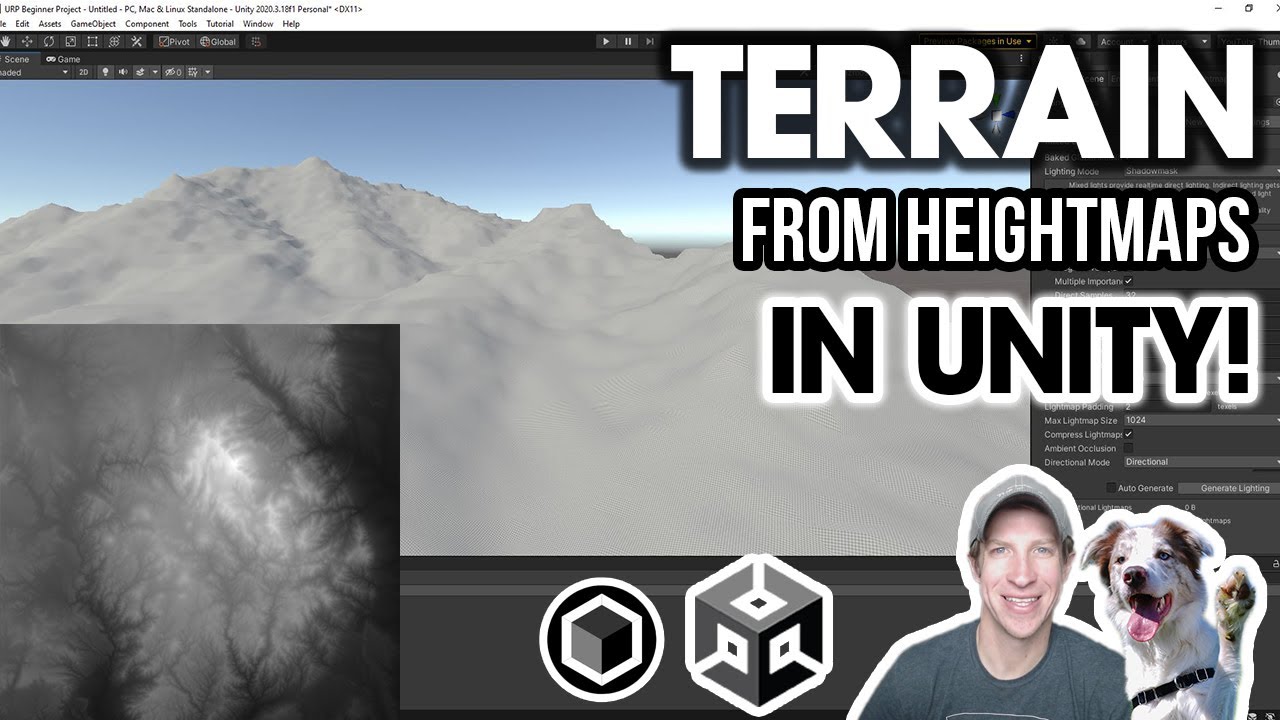
In this video, learn how to use 2D heightmap data to quickly create 3D terrain based on real world locations in Unity!
UNITY TERRAIN TOOLS TUTORIAL
https://youtu.be/sMNY980h5t8
TERRAIN.PARTY
http://terrain.party
SKYDARK HEIGHTMAP GENERATOR
https://heightmap.skydark.pl/
LINKS
UNITY ASSET STORE
http://www.therealtimeessentials.com/assetstore
...
solar swan
livid helm
https://www.youtube.com/watch?v=eD2Ojp98UK4
I've just followed this to a tee, h...
a PNG wont be suitable as heightmap, it has too little color information, you need at least 16bit for example from a geoTIFF, if your elevations are too low, make the height of the terrain bigger or saturate the heightmap in photoshop etc.
livid helm
I found another site last night that gave me a heightmap, but it wasn't perfect. I then threw it in photoshop and just increased the intensity ever so slightly.

You can see that has the definition of the inner & outer bailey
 solar swan
yes, but thats still a png, it will look terrible
livid helm
I'll try this geoTIFF then 😄
solar swan
livid helm
I found another site last night that gave me a heightmap, but it wasn't perfect....
this also looks like quite bad quality elevation data
livid helm
Where can I get it from?
This GeoTiff thingy
Is it not a map viewer I can use much like the cities skylines thing?
solar swan
this is in the UK right?
livid helm
Yes
Immediately north of Salisbury
There's a UK LIDAR thing with 25cm/pixel resolution but I can't work out how to get a heightmap image from it
 solar swan
livid helm
There's a UK LIDAR thing with 25cm/pixel resolution but I can't work out how to ...
solar swan
livid helm
There's a UK LIDAR thing with 25cm/pixel resolution but I can't work out how to ...
where do you get that from?
livid helm
solar swan
this is a hillshade image, if you have that, you can also get a DEM
livid helm
Good luck finding Salisbury with no landmark labels lol
solar swan
the standard site for england LIDAR is this: https://environment.data.gov.uk/DefraDataDownload/
livid helm
In case you want to look, Salisbury is here in the south west
 livid helm
solar swan
the standard site for england LIDAR is this: https://environment.data.gov.uk/Def...
livid helm
solar swan
the standard site for england LIDAR is this: https://environment.data.gov.uk/Def...
It doesn't look like that one is working 😦
"There was an error launching the Data Download app. Please try again
"
solar swan
might work later, this usually has a good coverage
but ofc its not complete, iirc around 80% of england are available as 1m LIDAR
livid helm
That would be super good
Yeah I'd love to start this with a better starting off point - a more accurate map
But this is a huge step for me. Taken 4 hours to finally get a little lump on the middle of the map lmao
solar swan
this kind of thing is always tedious
as a "hack" you can check if google earth/maps has 3D scanned terrain in the area you are looking for, if they don+t have any, your search will be difficult
the data for old sarum definitely exists
 livid helm
Yeah just seen 🙂
It's a popular site and in a built up area so imagine the mapping data is good
 ashen isle
Hi, I'm very new to using terrain and I have ran into a small issue while building my world. When painting textures, It seems to be not so smooth, as seen. What can I do to make it more smooth and seamless to the terrain?
 livid helm
solar swan
this kind of thing is always tedious
livid helm
solar swan
this kind of thing is always tedious
It's annoying that this is the first thing I'm trying to do before I get going with painting terrain & plonking trees & structures down and it's making me want to quit already ahhaha
solar swan
livid helm
It's annoying that this is the first thing I'm trying to do before I get going w...
using real world terrain in a "game" is often very unsatisfying, it would only make sense for simulations/serious games
solar swan
yes, got it
anyway, the LIDAR stuff is usually in excellent quality you can use right away
livid helm
It's just not available yet?
solar swan
the resolution is quite good if you can get 1m
solar swan
livid helm
It's just not available yet?
it should be available, the LIDAR form the national survey is public
livid helm
Sorry, I meant it's not working at the moment 😦
solar swan
it certainly is very slow at the moment
solar swan
livid helm
Sorry, I meant it's not working at the moment 😦
this is the sailsbury tile at 1m resolution https://environment.data.gov.uk/UserDownloads/interactive/ce5b6c120466433295ee05fb8a4c381982508/NLP/National-LIDAR-Programme-DTM-2019-SU13sw.zip
livid helm
Excuse my shocking ignorance lol, thank you for providing the file but the TIF while is just plain white?
solar swan
livid helm
Excuse my shocking ignorance lol, thank you for providing the file but the TIF w...
its a 32bit image, do you have photoshop?

 livid helm
😮
solar swan
if you change the gamma or use the other methods your elevations will be wonky, you can play around with the exposure and adjust the saturation after the toning is applied
livid helm
It's there!
solar swan
technically you don't need to do this, but seeing is believing 🙂
 solar swan
hang on, there is also the surface model with the trees and structures
the difference between these two images are the surface details
livid helm
Super, thank you again very much for the help
That's excellent
Hopefully I can get a nice pronounced & smooth heightmap
solar swan
surface details

anyway, if you filter those two maps with each other you can extract a nice base-splatmap as reference
 dreamy arch
Is there a real solution to the issue with navmesh and terrain placed trees? Other than deleting all trees, baking the mesh and then pressing undo on the delete (which is really janky).
 daring yacht
When you guys use 'create neighbour terrain' do you get ugly seems down it too?

 copper cliff
Somebody knwo how to save info of the terrain in different scenes, because everytime I save changes in the terrain in different scenes the changes are in all of them ;C
 chrome basalt
copper cliff
Somebody knwo how to save info of the terrain in different scenes, because every...
chrome basalt
copper cliff
Somebody knwo how to save info of the terrain in different scenes, because every...
make different terrain settings
copper cliff
how can i do it?
 copper cliff
okay ill try
thx mate im new and its my first year as videogame developer in university
@chrome basalt i created a folder for every terrain data and scene, and changed the name of it, but the changes apply in both of them again
chrome basalt
what changes are you making?
like, are you building on the terrain, or are you changing the settings?
copper cliff
i built on it, but for example in the second scene i put texture on it and when i go again to the first one there is texture too

I have to do a map with every step with different scenes
chrome basalt
did you change the terrain data?
try this
delete that terrain
and put the other terrain data you have in the folder onto it
make sure it's different
copper cliff
okay ill try
copper cliff
i deleted the mountains at all and the second scene, then I created the first terrain and saved it, did a copy of it and changed the name and created a new terrain data but its still happening the same
 solar swan
copper cliff
i deleted the mountains at all and the second scene, then I created the first te...
solar swan
copper cliff
i deleted the mountains at all and the second scene, then I created the first te...
You need to assign the different terrain data assets in the inspector’s debug mode. The field is invisible in normal mode.
copper cliff
how can i assign it?
solar swan
copper cliff
how can i assign it?
Drag & drop. Like any other reference field
copper cliff
you here u mean?

@solar swan and where do i drag and drop the data? cause i think its already assigned or am I wrong?
solar swan
You need to make sure all your terrains have a different data asset
copper cliff
okay
Yess i got it, thx so much I have been asking for days for just doing this
thx thx thx
dreamy arch
Still looking for a good work around terrain trees and the navmesh system. Anyone got any tips?
 amber kernel
Hi there! I have an issue with my background sprites. Unity seems to read them as colliders. I see when I toggle on shaded wireframe a lot of black lines, which are a wireframe outline of the mesh. Which means there's collision on those black lines. Problem is any sprite (even the ground) is detected as a huge collider. It's impossible then for me to add any collider on my scenes, as they drive my player crazy.

Anyone would know how to avoid that? Because here is what happens with a polygon 2d collider that was meant to go around objects in the scene:

With this mesh (black lines) collider, the "normal" polygon 2D collider goes crazy.
My player just can force his way on walls ^^ He meets few resistance.
winter minnow
amber kernel
Hi there! I have an issue with my background sprites. Unity seems to read them a...
Polygon collider reads the physics shape associated with that particular sprite, which can be modified with the sprite editor
winter minnow
amber kernel
My player just can force his way on walls ^^ He meets few resistance.
This is a separate issue and has to do with moving your character using methods that ignore physics, forcing colliders to try to "push" the character out rather than stopping its movement
amber kernel
winter minnow
Polygon collider reads the physics shape associated with that particular sprite,...
Yeah I totally understood that 🙂 My issue was more of "why is there a black mesh on my sprite" when I didn't put any collider, as it conflicts apparently with the normal polygon 2d collider that I put after that.
amber kernel
winter minnow
This is a separate issue and has to do with moving your character using methods ...
What I found today that works was simply... to enlarge more my player collider. To make sure that he won't glitch: when moving too fast, Unity apparently misses the collision, since at a new timestep the player has already passed the collision area...
And my player indeed was just going through walls with few resistance instead of being blocked by the background 2d polygon collider.
(It's rather frustrating as I spent hours trying to understand every collider/rigidbody settings, when the answer was simply to enlarge my player collider).
But thanks for answering! 🙂
winter minnow
amber kernel
Yeah I totally understood that 🙂 My issue was more of "why is there a black mes...
That's the sprite outline, and it's separate from any colliders
Unity only renders meshes, so sprites must be turned into meshes
In that process it's more performant to have the polygons trace the silhouette of the sprite image
winter minnow
amber kernel
What I found today that works was simply... to enlarge more my player collider....
Or move the character correctly according to physics so collision detection can do its thing
amber kernel
winter minnow
Or move the character correctly according to physics so collision detection can ...
What do you have in mind when saying "move the character correctly according to physics"? Is there any settings that is imperative to edit that I wasn't aware off, to set up collision detection in itself?
winter minnow
amber kernel
What do you have in mind when saying "move the character correctly according to ...
Any collider that moves should have a rigidbody, kinematic or not
A nonkinematic rigidbody must only be moved by forces or velocity for accurate collision detection, and in general only using Rigidbody class methods which must be called only in FixedUpdate
amber kernel
winter minnow
Any collider that moves should have a rigidbody, kinematic or not
A nonkinematic...
Ah yes, my player has a 2D rigidbody of course, set to dynamic.
winter minnow
amber kernel
Ah yes, my player has a 2D rigidbody of course, set to dynamic.
That's just the first one of the rules
If you move your rb in say, Update using Transform.Translate() or Transform.position, then it will skip physics and collision detection
 molten bluff
i had a curiousity
like how can i synchronise the size of other game's map with my terrain in unity?
for example , a PUBG map
so , to make a map like that , what should be the Height and width of my terrain?
8000x8000?
 cloud roost
hey folks. weird question but, I want to design terrain globally, but I want to use scenes as zones, is it possible to design one terrain across multiple scenes ?
solar swan
cloud roost
hey folks. weird question but, I want to design terrain globally, but I want to ...
You can reuse the terrain in multiple scenes if you make it a prefab. However, Scenes are fundamentally just a mechanism to load/bundle stuff. So you could have an environment scene with the terrain and then load additional scenes on top, that just contain your active zones.
shell jolt
dont turn it to a prefab, instead copy the terrainData and reconstruct it on runtime
also, pretty sure you can't make a prefab out of Unity terrain especially with terrain instancing toggled-on without breaking things
cloud roost
Yeah I thought I couldn't go the prefab route
Don't I need to copy all the terrain data generated for all neighbours?
copper cliff
Hi, I have a problem with my textures, I painted something wrong but now I cant paint for some reason
 lethal patrol
Hello, I have a few questions.
I've built a procedurally gerated mesh / map by following sebastian lague's tutorials on YT. I want to use 3rd party vegetation authoring (placing).
- Can you recommend such a tool? I found this: https://assetstore.unity.com/packages/tools/terrain/vegetation-spawner-177192 which is free, but was wondering if there's something better.
- It expects a unity terrain in order to perform the vegetation spawning. How do I convert a mesh to a unity terrain?
- What is the benefit of using unity terrains instead of basic meshes for the ground?
After I get that working I intend to use NatureRenderer asset to make it performant. - Can I improve my workflow in any way? Thanks in advance

Get the Vegetation Spawner package from Staggart Creations and speed up your game development process. Find this & other Terrain options on the Unity Asset Store.
solar swan
lethal patrol
Hello, I have a few questions.
I've built a procedurally gerated mesh / map by ...
- Microverse or Gena for procedural placement and shaping, you also need a renderer (Nature Renderer, GPU Instancer, InfiniGrass for the grass/trees/objects and potentially Microsplat for the terrain)
- you generally can't convert an arbitrary mesh into a terrain. Terrains are renderers for heightmaps that construct a mesh procedurally, if your mesh terrain can be converted to a displacement map, you may be able to to convert it into a terrain
- terrains can be much bigger than meshes for the same performance cost
- if your "level" is fairly large, you should use a terrain and terrain tools to populate it, if your level is fairly small a mesh is fine and may give you more flexibilty. Note that sebastian lague's videos are great to get an idea how stuff is done, but they typically end when it actually gets interesting so his stuff doesn't always work well for doing a real project, with gameplay etc.
 zealous cedar
Hey guys, I've started to poke around terrains and I'm trying to convert an old ground I had with tiled textures to terrains... so far I've been able to convert the mesh to terrain without much trouble but I can't seem to find a way to use the same textures on the terrain. Is there any way to achieve this?
this is the texture i have now
 lethal patrol
solar swan
1. Microverse or Gena for procedural placement and shaping, you also need a rend...
lethal patrol
solar swan
1. Microverse or Gena for procedural placement and shaping, you also need a rend...
Hello, thanks for your detailed response. Unfortunately I haven't found any better tutorials or walkthroughs than that of Sebastian L. Can you recommend any production grade procedurally generated terrain tutorials or readings?
solar swan
lethal patrol
Hello, thanks for your detailed response. Unfortunately I haven't found any bett...
Not really, all that comes from primary sources and trying stuff yourself.
 alpine ruin
Why cant I change the height of my terrain without it making everything turn blurry? All my textures are max size 1024, and this only happens in the player view, not in the editor, I cant figure out whats going on xD

 hallow jasper
im A total Noob in unity (i started 2 days ago) can anyone explain why the main player literally crosses through the obstacle and doest move in the direction of my mouse? it did when it was a preset

 normal quarry
I have an issue with the terrain tool... I have a splatmap tahta I made on houdini, but I can't import to unity... how I can solve this?
solar swan
normal quarry
I have an issue with the terrain tool... I have a splatmap tahta I made on houdi...
dreamy arch
Optimisation question. What is better?
1 scene with the full terrain. But this terrain is split into chunks, these chunks are hidden based on player distance
or async scene loading, where each terrain chunk is in its own scene and scenes are preloaded based on distance.
In both cases the terrain is split into the same size chunks and hidden.
I'm guessing just 1 scene is best as I'm not preloading scenes in the background but there's likely to be a frame rate dip when enabling terrain chunks?
what do most people do? Is there a better solution?
solar swan
dreamy arch
Optimisation question. What is better?
1 scene with the full terrain. But this ...
Depending on how big your chunks are, keeping them loaded is not an option (terrain data can be massive and unity will keep it all in memory without compression or streaming). With small chunks/world, disabling some of them for ‘performance’ is pointless. If you additively load scenes with semi large world chunks in them you will have to do a lot of work hiding/avoiding the frame drops whenever you activate the new chunk. Rule of tumb: unity is best when your world is < 1km at human scale. Any bigger and you quickly need to build a lot of custom tools to manage it all. World streaming generally is not something easily done with unity.
 pulsar flare
Hello 🙂
Does anyone use Hybrid Renderer with Grass? Looks like Hybrid renderer does not support grass....?
 dreamy arch
Thank you for the info, is there any resources you can recommend for more Information on terrain? (Other than api)
Was not aware of this 1km rule ill do some googling about that!
So you reckon that hiding terrain chunks is just not worth it it performance wise?
solar swan
dreamy arch
Thank you for the info, is there any resources you can recommend for more Inform...
its a rule of thumb, not a hard limitation or even anything documented, you can do 8x8km terrains like in any AAA game if you really want, but it'll be painful. You could reformulate the rule as: Unity's terrain is not designed to be memory efficient and streamable.
dreamy arch
I see, thanks for the clarification. Appreciate your help
 olive charm
Stupid question incoming -- where do I get textures for the Grass feature of terrain in unity 2023? When I look for grass textures on the Unity asset store, they all seem to be 3D Models, prefabs, or fully shaded Texture2D with no blank space. I just want to make simple billboarded grass in unity.
solar swan
olive charm
Stupid question incoming -- where do I get textures for the Grass feature of ter...
make it yourself, you just need something like this, but its way more common to make clusters of billboards as prefabs and instantiate those (the book of the dead demo has that kind of billboard-cluster-grass), you can also get various grass/foliage atlasses from quixel megascans and cut out the ones you like if you are aiming for photorealism. you also find plenty of these stylized foliage masks on artstation/gumroad and in the various "stylized" assets on the store

 leaden current
hello people so i was trying to sculpt terrain with noise and i m facing this issues

it wasnt there before, i had big terrain but as the given task, i had to bake the lightmaps
so any help with it
its like giving me 10,000 of errors with stopping
 warped scarab
why the ground of my tilemap show sometimes that white lines?
winter minnow
warped scarab
why the ground of my tilemap show sometimes that white lines?
Color bleed from adjacent tiles on the sprite sheet
Adding padding to them (manually or with atlas generation) is a workaround, but using pixel perfect camera component (with pixel perfect workflow) will fix gap issues resolutely
 prime socket
can somebody help me i cant figure out how to use water
 signal marsh
Hey all, I've made a working grass brush in my terrain settings but it paints it a little too low. Is there any way I can adjust the height at which it paints the grass? I want it a little more similar to the example you can see in the top left here
 warped scarab
this crazy lines from the collider in my tile map are normal?
 solar swan
signal marsh
Hey all, I've made a working grass brush in my terrain settings but it paints it...
solar swan
signal marsh
Hey all, I've made a working grass brush in my terrain settings but it paints it...
If you want truly nice grass/trees with features like masking, interaction, seasons, adaptive color blending, SSS etc you need to use 3rd party assets or spend a lot of time on a custom renderer, instancer and shader. (Nature Renderer+Shaders/InfiniGrass/GPU instancer, Microsplat and The Vegetation Engine are commonly used).
 finite otter
unity 3d terrain

 winter minnow
warped scarab
this crazy lines from the collider in my tile map are normal?
winter minnow
warped scarab
this crazy lines from the collider in my tile map are normal?
They are
Physics engines only deal with triangles and quads with polygonal colliders
warped scarab
winter minnow
They are
Physics engines only deal with triangles and quads with polygonal colli...
oh thx
winter minnow
Unity doesn't have pixel colliders so it represents them with polygons
finite otter
i am design low poly city for bus simulator kindly tell me any mistake in my work


i am design low poly city for bus simulator kindly tell me any mistake in my work
 last linden
finite otter
i am design low poly city for bus simulator kindly tell me any mistake in my wo...
last linden
finite otter
i am design low poly city for bus simulator kindly tell me any mistake in my wo...
it looks fine for what you're trying to achieve imo
Hello, i have this problem in this area and can't figure out why


even though the area where i'm trying to create a new terrain is empty it tells me there's already a neighbor there
i have no hidden terrain there i checked
rose sentinel

i can see the red plane
but i cannot see it once i put the 2d button in unity
any idea why?
 clever mica
I tried to search but... I couldn't find anything that I could use, so... How do I make "water" in unity? Doesn't need to be something super realistic, a simple wave effect on a slightly transparent blue 3d object would suffice.
signal marsh
I'm using a prefab to paint grass onto my terrain, but when i paint it's painting below the terrain mesh. anyone have a solution?
 solar swan
signal marsh
I'm using a prefab to paint grass onto my terrain, but when i paint it's paintin...
solar swan
signal marsh
I'm using a prefab to paint grass onto my terrain, but when i paint it's paintin...
Adjust the position of the grass in the prefab relative to the prefab origin
signal marsh
solar swan
Adjust the position of the grass in the prefab relative to the prefab origin
the position option in the prefab editor seems to be greyed out
solar swan
signal marsh
the position option in the prefab editor seems to be greyed out
The grass mesh renderer should be on a child of the prefab root
signal marsh
still having an issue unfortunately

 wooden quail
signal marsh
still having an issue unfortunately
wooden quail
signal marsh
still having an issue unfortunately
make sure the grass mesh renderer doesn't have anchor override nvm, that's not related
 stable nebula
Hey all, basically I want to make mudcracks but scaled up a lot. Like large plateaus of desert with the edges being sheer cliff faces that drop off into shadowy depths. Any kinda tutorial or link to something that could put me on the right track would be wonderful.
 wise hazel
Is there any way to merge Heightmap data with Bathymetry data (to create a unified Heightmap)?
rose sentinel
how do i make terrain bigger i tried hte resize tool but it just moved it
solar swan
rose sentinel
how do i make terrain bigger i tried hte resize tool but it just moved it

 weak burrow
There are plenty of great assets for generating terrain + vegetation within the editor. Has anyone come across anything that works well during runtime/playback?
solar swan
weak burrow
There are plenty of great assets for generating terrain + vegetation within the ...
What exactly do you want to achieve?
copper cliff
hi, while painting the terrain I saw that the brush is only taking reference of the vertical axis, how can I make the brush go horizontal and vertical?
solar swan
copper cliff
hi, while painting the terrain I saw that the brush is only taking reference of ...
You can’t
copper cliff
okay, and for making my vision of the vegetation bigger? cause i cant see it all for some reason
 copper cliff
I mean i can only put for example grass from the top side and being away from the map, and in other projects i could put it being in front of the floor so i dont know
 weak burrow
@solar swan I’m hoping to procedurally generate terrain during playback. Most tooling on the asset store can only do this in the editor. I’m very curious to know if anyone has found an asset that creates realistic terrain at runtime. Does this explanation help?
copper cliff
and the brush is like away from the cursor of the mouse
solar swan
weak burrow
<@544260011430248467> I’m hoping to procedurally generate terrain during playbac...
technically you just need to write new values to the TerrainData heightmap, you can do that at any time in any way you like, the question at runtime is only how you come up with the values as most procedural terrain generation algorithms with realistic results are super slow.
but making for example a digging feature at runtime is not difficult or slow
what people do typically at runtime for terrain generation is to use stamps, i.e. partial heightmaps that are calculated at edit-time and baked into textures and then blend these together at runtime (this is what for example Valheim does in its world generation)
this is obviously also what most terrain tools do at edit time but none of that is limited to edit time, you just need to mask/hide the editing of the height map in a separate thread or behind a screen or clip plane and time-slice it to not cause frame drops
copper cliff
@solar swan do you know how to make the camera vision with more chunks? cause i cant see much of the map vegetation
solar swan
copper cliff
<@544260011430248467> do you know how to make the camera vision with more chunks...
you need to edit the detail/tree render distance on the terrain and potentially far clip plane of your camera
if your instances are too small you need to edit the prefab you are spawing/painting to be bigger
copper cliff
its strange because all the generation like textures and vegetation work only in the Y axis, and i cant be close to the map
solar swan
if the instances are not dense enough you need to edit the detail settings on the terrain to allow for more instances per "chunk"
solar swan
copper cliff
its strange because all the generation like textures and vegetation work only in...
why can't you be close to the map? why do you have to be?
a terrain is mostly optimized to be viewed from fairly close, typically a 1st or 3rd person view in a typical game, so you get long view distance but from a very acute angle
if you paint your terrain you generally do the macro features from far away with a large brush and you just have to deal with it that you can't see the details
weak burrow
solar swan
technically you just need to write new values to the TerrainData heightmap, you ...
Yes, I have written values to Unity terrain before, and it is easy. But in my scenario, I do not want to recreate the wheel inventing transformers for terrain generation (erosion, weathering, rivers). Has anyone come across a tool that can do these things to terrain at runtime?
copper cliff
@solar swan thx
scarlet vault
PAINT HOLES doesnt work when i build the project ... why?????
i just see the terrain for some reason
i pass through it but i see it, i dont want to see it, i want it to be like in the editor
solar swan
weak burrow
Yes, I have written values to Unity terrain before, and it is easy. But in my s...
iirc you can use map magic at runtime
Actual Erosion is largely a fantasy in real-time. But simple/coarse/fake erosion is possible (see unity terrain tools). It’s mostly a memory issue.
 stone flax
hey guys I'm completly stuck on this issue, when I try to paint a detail picute (like gras) nothing happens
unity 2022.2.21, newest urp, new scene, new terrain, just a simple texture, I tried a few different textures, nothing works
Does someone know why?
it seems like the issue goes away when I deactivate the billboard setting
warped scarab
winter minnow
Color bleed from adjacent tiles on the sprite sheet
Adding padding to them (manu...
i just add it a sprite atlas and the package with the sprites and it's fixed thx for the help
copper cliff
someone know how to make the chunks of the camera bigger?
because i can only see the details of the terrain from a close view
 winter minnow
copper cliff
winter minnow
copper cliff
You're probably looking for the "detail distance" field of the terrain component
Ideally your grass mesh and grass texture would be similar enough for the fade to be terribly visible
copper cliff
and how can I expand it?
@winter minnow because I would like to make a video and I need a little bit more vision of the terrain
winter minnow
copper cliff
and how can I expand it?
by increasing the detail distance
copper cliff
@winter minnow do you know where that option is? sorry, im starting in unity 
winter minnow
copper cliff
<@166982635950702592> do you know where that option is? sorry, im starting in un...
should be this one down there
 copper cliff
thx u so much @winter minnow i solved it
 sour totem
🗃️ Documentation
Terrain Tools
Terrain
Terrain Paint Holes
📚 Resources
Blogs and videos
- Authoring Workflows for Terrain and Vegetation
- 2018 Terrain Update: Getting Started
- Terrain Tools
- Terrain Tools video
- Terrain Paint Holes
- Mesh Sculpting for realistic terrain features
Samples
💬 Forums
🗺️ Roadmap
sour totem
sour totem
## 🗃️ Documentation
[Terrain Tools](https://docs.unity3d.com/Packages/com.unity...

 undone lark
Not a terrain question. And no, nobody can answer that without knowing what errors are in your console preventing Unity from compiling.
You can post them in #💻┃code-beginner
copper cliff
Okay sorry @undone lark , I had a question about the gizmos, idk if I can ask here but, I just want to make them invisible for making a video
undone lark
Turn off the gizmos in your game view at the top right of the window (click the Gizmos button)
copper cliff
@undone lark the problem is that I dont see the buttom, sorry im starting in unity
 undone lark
That's your scene view. Click the far right button at the top of it.
 undone lark

 short talon
I've several terrains, adding trees only adds them to one of those terrains. Can I somehow mass place trees on all terrains at once? Or do I have to add every treetype to every terrain and mass place once per terrain
signal marsh
does anyone know much about optimising grass detail meshes? I'm working on an outdoor scene at the moment and concerned about performance when it comes to adding more and more grass. I'm using a 256x256 texture to keep it small, but it still shows performance issues eventually when there is too much grass in a small area. I'm not sure if the detail meshes are compatible with features like occlusion culling, but that would also be a pretty big help performance wise. any other ideas for this would be awesome
 worldly wyvern
It seems like these 2 came out of terrain tools so I'm guessing this is where I have to ask. How do I fix this warning. Ik it's just a warning but it distracts me and I need it gone :P

oh and this error that doesn't do anything but it leaves me confused too

 copper tinsel
hello there. I am pretty new to the terrain stuff. I use the builtin fog (unity 2020.3.24 and URP 10.70) and I just realized that the fog IGNORES the terrain and only affects "normal" meshes. Well it looks terrible. Is that a bug or a feature?
solar swan
copper tinsel
hello there. I am pretty new to the terrain stuff. I use the builtin fog (unity ...
Bug or misconfiguration
solar swan
signal marsh
does anyone know much about optimising grass detail meshes? I'm working on an ou...
Occlusion culling doesn’t work for terrain details, only frustum culling. Texture resolution is irrelevant, aim for meshes with 4-40 vertices
copper tinsel
solar swan
Bug or misconfiguration
I hope it's a misconfiguration!
the question is what could be misconfigured?
solar swan
copper tinsel
the question is what could be misconfigured?
Your terrain shader/material
copper tinsel
you were right. It works: thanks alot 🙂
 final ivy
how can i apply material on terrain
solar swan
final ivy
how can i apply material on terrain
You need to creat terrain layers from materials, then paint them on the terrain
 open token
Pretty new to Unity but I have some experience in Blender. Im creating terrain layers with custom textures. What happens if I dont use a mask map?
solar swan
open token
Pretty new to Unity but I have some experience in Blender. Im creating terrain l...
Flat metalness, smoothness and AO
open token
solar swan
Flat metalness, smoothness and AO
So mask map is just for metallic smoothness and AO and nothing else?
Is smoothness the same as displacement or roughness?
Im going to go ahead and use the textures, they blend well with custom assets. If its bad Ill look around here for making mask maps
solar swan
open token
So mask map is just for metallic smoothness and AO and nothing else?
technically there is also a channel for the detail mask if you use that, smoothness is inverted roughness, displacement/height is a separate texture map
open token
Can I use the paint trees brush to scatter whatever type of objects I want like rocks pebbles etc?
 main storm
hey id like to make some terrain for my car game so i can use road architect to build some maps for it are there any tools to easily generate terrain iv heard abt gaia but its paid and id like to find something free if anyone knows of any alternatives or ill just build everything by hand
 lunar forge
hi i was wondering if someone could help me my grass prefabs dont have textures

 rose sentinel
So I was using Vegetation Studio for auto splat map generation, and I was having issues with it, when I brought this up in their discord they basically told me that they don't really support it anymore and I have to buy VS Pro. This was quite disappointing to hear, and I don't really want to support them any more. This brings me to my question, what are some alternatives for auto splat map and auto texturing generation?
 turbid timber
 vast rivet
hey guys i added a grass texture and for some reason i cant paint the grass
vast rivet
hey guys i added a grass texture and for some reason i cant paint the grass
Have you found the solution yet?
 halcyon patrol
worldly wyvern
oh and this error that doesn't do anything but it leaves me confused too
halcyon patrol
worldly wyvern
oh and this error that doesn't do anything but it leaves me confused too
The warning is just a package distribution error and the the error is a big in the terrain tools package, the window reverts a default shader and causes the error. If you look at the inspector for it there's a drop-down near the top create menu that expands to reveal a terrain material slot. It's that, that errors.
For the most part shouldn't cause any issues, it's mostly just because you have terrain tools docked whilst coming in and out of play mode
open token
vast rivet
no
Are you sure youre even able to paint grass that way? Those are just the textures
Most game grass is a texture on a 2D plane mesh with a material using alphas
Im pretty new to all this btw. Ive scattered grass on 3D software this way though
halcyon patrol
Built in still supports 2D textures, not sure on URP, HDRP does not support 2D
In this instance though the user isn't using HDRP, cause you can even add it that way
The BG sky looks like built-in RP, so I'm going to assume they're on built in.
@vast rivet generally though you need to ensure you have a balance between strength opactiy on the brush settings. And also ensure that your terrain details values ( terrain > terrain settings > details resolution \ Patch) are set up to balance the size as well.
vast rivet
hey guys i tried to create a game in a village and it works good and all but before i did it i have put a little waves of height to the game... but now if im placing houses and more its diffuclt to lower them cause there are kinda a lot and it doesnt look good so my question is can i lower it?
like pressing a button and it will make it flat as it was in the start?
vast rivet
?
rose sentinel
Hey guys, Having a bit of trouble. Everytime I try to paint the grass texture on the terrain, It doesn't cover the whole of the landscape. As you can see there are loads of gaps between each texture even when at full brush size, opacity and target strength. What am I missing?

 azure veldt
Hi I am trying to get some help with terrain trees, they dont seem to respond to the random size tool, they are all the same size, this started happening when I converted to URP.
 opaque rover
vast rivet
?
opaque rover
vast rivet
?
Sorry for the late reply, I don't browse these but there's a ''set height'' function in the terrain tools. Experiment with the height which looks best and just paint it with a brush. That should do it
signal marsh
I'm getting some display issues on my grass detail mesh where grass in the background is displaying in front of grass in the foreground. Does anyone know the issue?

 hot turtle
hey, does anyone know how to fix this? the problem I am having is that the material doesn't show the texture under albedo, but when I create a new texture and put an image as the base map, it works fine. Is there any way that I can get the base map option to show up instead of albedo?
 winter minnow
hot turtle
hey, does anyone know how to fix this? the problem I am having is that the mater...
winter minnow
hot turtle
hey, does anyone know how to fix this? the problem I am having is that the mater...
Whether the shader calls the main texture "albedo" or "base map" depends on the shader
Make sure it's correct for your project's render pipeline
Is this modding or decompiling related? I don't recall seeing a checkers error pattern often
 ebon kayak
rose sentinel
Hey guys, Having a bit of trouble. Everytime I try to paint the grass texture on...
ebon kayak
rose sentinel
Hey guys, Having a bit of trouble. Everytime I try to paint the grass texture on...
have you tried repainting over the existing grass?
signal marsh
ah thanks, i've solved the problem already today by changing back to opaque
rose sentinel
do any one knows whats the best way to populate vegations in unity? is it possible to use vfx graph to populate vegetation on a generated mesh terrain through vfx graph?
Message #✨┃vfx-and-particles
rose sentinel
so i've been trying to get some grass going properly, i've gone through the discord search and I can't really find anything concrete, or maybe I've missed something. I tried using just a billboard texture for grass but then the grass doesn't align with terrain and appears floating. When i use a mesh I bought from a cheap model pack (i'm very economically restricted atm) I get this warning 'the currently selected detail will not render at full strength' and it looks like this in the scene:

One would feel this would happen with minor bushes and other vegetation too but it doesn't. It's only the grass mesh
 hot steppe
I'm having some issues with my terrain system. Whenever I click on the terrain I get this error followed by another one very similar to it. Whenever I use a tool on the terrain the very first click results in two similar errors like just described, then I can use the tool without issue, after I let off the mouse (from painting or sculpting terrain) I get the two errors again

aside from this annoyingly common error, the terrain suite appears to be working normally
 clever timber
Hi all, haven't used unity's terrain system previously.
These lines are visible all over the terrain, I assume it's some sort of shading issue but I can't see any settings that would relate to this...
Any ideas how to get rid of the lines?
 clever timber
there also appears to be a dark circle on the terrain below wherever I position the scene view camera
 winter minnow
clever timber
Hi all, haven't used unity's terrain system previously.
These lines are visible ...
winter minnow
clever timber
Hi all, haven't used unity's terrain system previously.
These lines are visible ...
It looks as if your directional light is being covered by something, so you see the edge of the shadow max distance everywhere
The stripes look like "shadow acne" caused by incorrect or extreme shadow bias values
clever timber
Ah cool, thanks for the reply; rotating my directional light has somehow fixed both issues
 sour grove
internally with urp, what shader does unity use to render grass?
id like to make a copy of it and modify it but not sure what it uses
hot steppe
hot steppe
I'm having some issues with my terrain system. Whenever I click on the terrain I...
Can anyone assist with this issue? Am I posting in the wrong channel?
hot steppe
hot steppe
Can anyone assist with this issue? Am I posting in the wrong channel?
Issue was found to be with the Unity Terrain Tools package, a package uninstall and reinstall resolved the issue
 paper plover
why does when i place the grass mesh on the terrain, it looks different from the original mesh? the settings on the paint details is default

 hot steppe
paper plover
why does when i place the grass mesh on the terrain, it looks different from the...
hot steppe
paper plover
why does when i place the grass mesh on the terrain, it looks different from the...
I can't say for certain but it appears as if it is getting hit with some anti-aliasing that is attempting to smooth out the blocky-ness of the texture
 novel sparrow
paper plover
why does when i place the grass mesh on the terrain, it looks different from the...
novel sparrow
paper plover
why does when i place the grass mesh on the terrain, it looks different from the...
Left image has "Point" texture filtering mode, right - "(Bi/Tri)linear"
 wooden violet
I'm not sure if this counts as "terrain", but I was wondering if it was a good idea to double up planes like this so it's visible on both sides, or if that would mess with textures later on
 winter minnow
wooden violet
I'm not sure if this counts as "terrain", but I was wondering if it was a good i...
winter minnow
wooden violet
I'm not sure if this counts as "terrain", but I was wondering if it was a good i...
It's pretty slow and wasteful to try to build levels from individual planes
You'd prefer to make them in a modeling program or ProBuilder
Quads are also a lot cheaper than planes for when you don't need the extra geometry of planes
wooden violet
winter minnow
It's pretty slow and wasteful to try to build levels from individual planes
You'...
True, but at the same time I've had a hell of a time trying to find tutorials on how to properly use ProBuilder, because I have next to no idea how to use it at all, plus I'm not 100% sure if it works with the Linux version of Unity. I don't see why it wouldn't, but stranger things have happened.
Plus most of the buttons iirc aren't labelled with text, so it's hard to tell what each one does for a newbie; I'd love to use it if I could figure it out though, I've seen some impressive projects done with probuilder before
winter minnow
wooden violet
True, but at the same time I've had a hell of a time trying to find tutorials on...
That I don't know about
Make sure you're using newest supported versions editor and packages and such, beyond that I guess there's just a learning curve
wooden violet
yeah, iirc I have the latest version of Unity that I can get, so that should be pretty good for it
winter minnow
wooden violet
yeah, iirc I have the latest version of Unity that I can get, so that should be ...
Latest Unity editor or latest officially supported Unity editor?
Newest LTS is 2022.3.2f1
wooden violet
Yep, that's the one I got, specifically the editor
winter minnow
ProBuilder isn't much more than a prototyping tool since the meshes it produces can be kind of sub-optimal
But it sure beats placing quads one by one
Learn Blender if you want the most capable tool for the job
wooden violet
Yeah, especially considering the game's environment is planned to be at least 20 times larger than what I have now, and that took me about 3 hours to make ._.
 lofty turret
Hey, does anyone know if the editor has a way to enable spacebar as a "swap" shortcut for objects? like in unreal, where you press space to swap between scale rotate etc.
 echo comet
Is there a way to apply the erosion brush to an entire terrain object at once?
 visual granite
Hello, when i am trying to add a layer its says that i dont have assets but i have downloaded textures for the terrain. Does anyone now why this is happening
 primal vault
not sure if this is the right place
I want to put a large 2D texture as a skybox without any distortions for my space sim game
i'm sure this was asked multiple times before, how do I fix this distorted skybox texture at the poles? I got the texture from skybox.blockadelabs.com. I've tried many things like making an inverted sphere (with different sphere shapes) with the same texture, 6 sided cube. I don't know how to create a texture that would fit a 6 sided cube.
 winter minnow
primal vault
I want to put a large 2D texture as a skybox without any distortions for my spac...
winter minnow
primal vault
I want to put a large 2D texture as a skybox without any distortions for my spac...
Skybox mapping has to match the format the texture is made for
Eg. 6-sided mapping for a 6-sided texture, panoramic for panoramic, etc
primal vault
the image supposedly is equirectangular which is what you need for a sphere projection
but it's distorted as well from where i got it
winter minnow
primal vault
but it's distorted as well from where i got it
What do you mean by this exactly?
primal vault
generates skyboxes
i just don't know how to make the image not distorted i assume there's a method for that
using blender or photoshop idk
winter minnow
Not any kind of simple method
The projection models are only conventions so programs know how to map the skybox
But it has to have no distortion to begin with
You can't in any simple way make a 2D texture into a 3D skybox because the 3D perspective simply doesn't exist, unless it was created with the perspective for a specific projection mapping
primal vault
i see
primal vault
winter minnow
You can't in any simple way make a 2D texture into a 3D skybox because the 3D pe...
one method i found is opening the image in Photoshop, using Polar Coordinates and fixing the distorted sections with Content Aware Fill. At least it's not obvious even though it's not perfect
winter minnow
primal vault
one method i found is opening the image in Photoshop, using Polar Coordinates an...
Is the skybox generator site itself creating the distortorted parts or is that a result of the mapping
If that's not clear then it's something to figure out
primal vault
it's likely a result of mapping
because on the site you can see a preview and it's distorted as well
winter minnow
primal vault
because on the site you can see a preview and it's distorted as well
If I understand correctly, the site that generates the texture should be able to display it natively without any mapping mishaps
 pseudo stream

How to fix this issue where the grass details get way too dark or bright at slopes and hills?
Probs can be fixed by making a small change to the built in grass shader
I want the grass to sorta sample the terrain normals or stuffs and tint itself to blend well with the terrain
But I just never tried shaders at all
Would be helpful to let me know how exactly can that be done
Also is there some open source overall more efficient terrain 2d grass details shader available for mobile, cause the built in grass shaders are very outdated.
Also would it be better to post this issue in #archived-shaders ?
 hybrid tiger
What’s the best way to go about isometric Unity tile map? If each tile is 64 pixels but I have certain sprites that are bigger than 64 pixels, should I just split those tiles into different pieces
Or just change the PPU?
paper plover
hot steppe
I can't say for certain but it appears as if it is getting hit with some anti-al...
oh i see
paper plover
hot steppe
I'm jk, was the anti-aliasing thing able to resolve your issue?
not yet, i am using a custom scriptable render pipeline so that could be a factor to why this is happening
paper plover
hot steppe
ping 9999999 lmao
lmao, i was busy for the last couple of days and i left that part and did other things for the project
hot steppe
I got zero experience with that, if it aint Anti ailiasing its some kind of other visual enhancing effect
hot steppe
paper plover
lmao, i was busy for the last couple of days and i left that part and did other ...
low key thats a big mood
my game has a 3-9 month latency with updates due to conflicting timelines with other projects
paper plover
hot steppe
I got zero experience with that, if it aint Anti ailiasing its some kind of othe...
i believe that's the case, although i am yet to figure out what's really actually causing it + I'm really new to terrain system of unity
hot steppe
can you place the grass prefab on its own without that effect being added?
paper plover
hot steppe
my game has a 3-9 month latency with updates due to conflicting timelines with o...
deyum, i only work on mine just about December last year, but since I have school, the project was like an on/off switch
hot steppe
pretty much the exact same situation here lol
paper plover
hot steppe
can you place the grass prefab on its own without that effect being added?
I haven't done that but I will next thing in the morning!
hot steppe
sounds good, let me know how it goes. If it doesn't have the affect then we will know the terrain is somehow doing it, if else then it's likely some global graphic setting somewhere
rose sentinel
Alright, so I used to use Vegetation Studio, mostly for splatmap generation and auto texturing, but also for the touch reaction on grass and tree placement of course, but its been taken off the store, with no indications its coming back, other than Microverse, what are some alternatives that have auto texturing and splatmap generation at minimum y’all would recommend?
 still shell
Hi, I'm duplicating a terrain at runtime, to a new GameObject, but it doesn't seem like I'm able to apply deformations to that new terrainData at runtime, any idea what's wrong and how to work around it?
 crisp dragon
hey, when creating new neighbors, how do i make it use previous settings? for every neighbor i make, i need to constantly set the material etc.
i tried creating a default preset, but applying this to new neighbors results in undesired tiling behavior, where if i make one change on one terrain, same changes transfer to all other neighbors

 faint fulcrum
is there a way to disable all trees/vegetation during runtime
paper plover
hot steppe
sounds good, let me know how it goes. If it doesn't have the affect then we will...
update: it was on the custom srp itself, although it is fixed now, thank you!
hot steppe
Awesome, happy you were able to get it fixed!
 obsidian bay
Anyone know know why I ca't create a grass texture for the terrain?

I use Unity 2021 and HDRP
lethal patrol
I am not sure if I can ask MapMagic2 questions here but here it goes. If I am using grass as billboard everything works fine, if I use Mesh Vertex Lit / Unlit, the grass does not generate, regardless of what prefab I use. Any ideas why?
obsidian bay
obsidian bay
Anyone know know why I ca't create a grass texture for the terrain?
Answer: HDRP don't support details
 smoky arch
does anyone have any pro tips on how to make a proper forest floor with painting
rose sentinel
Anyone have an idea of why my mesh collider on this map is completely off when i try an apply a mesh collider for colission with my characters?
https://www.models-resource.com/gamecube/spongebobsquarepantsbattleforbikinibottom/model/51644/
GameCube - SpongeBob SquarePants: Battle for Bikini Bottom - Bikini Bottom Hub - The #1 source for video game models on the internet!
novel sparrow
faint fulcrum
is there a way to disable all trees/vegetation during runtime
Terrain.drawTreesAndFoliage
 terse raven
trying to make grass as a texture
imported the new terrain tools
tried adding the texture as a detail
doesnt work
can anyone help?
 worthy canopy
hello!
I am trying to export my gameobject from one project to another project.
I am probably in the wrong channel,
so please direct me to the right one!
winter minnow
worthy canopy
I am trying to export my gameobject from one project to another project.
Export it as a .unitypackage
#💻┃unity-talk if your question is not related to any of the specific channels
worthy canopy
how?
worthy canopy
winter minnow
Export it as a .unitypackage
<#497872424281440267> if your question is not relat...
i dont understand what you mean by export
cuz i try to right click or something
my object is in the hierarchy
winter minnow
worthy canopy
my object is in the hierarchy
You can only export assets
You can make gameobjects into assets by making them into prefabs first
https://docs.unity3d.com/2018.1/Documentation/Manual/HOWTO-exportpackage.html
 inland jetty
interesting problem I just noticed: my terrain is getting some CRAZY motion vectors on it

I'm using a custom shader for the terrain. if I switch to using the default HDRP TerrainLit shader, the ground itself looks fine, but all of the detail objects are still wildly blurred.
This doesn't appear in the scene view, with post-processing enabled

time to reinstall some old editor versions and go back a few commits, I guess
inland jetty
I found someone talking about the same issue on the forum
inland jetty
OK. It happens when the terrain isn't at [0,0,0]
I submitted a bug report with a reproduction.
rose sentinel
Does anyone know if microsplat and the Atlas terrain editor are compatible?
I was going to get microverse, but atlas looks better :p
willow echo
I am trying to apply a texture on terrain, I have this code so far which doesn't seem to apply anything on the terrain
using System.Collections;
using System.Collections.Generic;
using UnityEngine;
public class TextureHandler : MonoBehaviour
{
Terrain terrain;
Texture2D terrainTexture;
Noise noise;
private void Start()
{
terrain = GetComponent<Terrain>();
terrainTexture = new Texture2D(noise.width, noise.height);
terrain.materialTemplate.SetTexture("texture", terrainTexture);
noise = GetComponent<Noise>();
}
private void Update()
{
Color[] colors = new Color[noise.width * noise.height];
for(int i = 0; i < colors.Length; i++)
{
colors[i] = new Color(0.5f,0.75f,0.4f,1f);
}
terrainTexture.SetPixels(colors);
terrainTexture.Apply();
}
}``` sullen storm
how do i make objects not clip into eachother like this?

 ember cliff
Either don't overlap them, or ensure one is in front of the other...
inland jetty
willow echo
I am trying to apply a texture on terrain, I have this code so far which doesn't...
well, i'm not sure that ther's a texture property literally called "texture" on the terrarin material
fierce pilot
Hi guys, I recently open sourced a tool I’ve been working on called Neural Terrain Generation. It uses a network similar to Stable Diffusion to generate 3D terrain. Please check it out and let me know what you think. https://github.com/hayden-donnelly/ntg-unity
GitHub
NTG Unity is a package for running Neural Terrain Generation models inside of Unity. - GitHub - hayden-donnelly/ntg-unity: NTG Unity is a package for running Neural Terrain Generation models inside...
 quaint prawn
Howdy folks! I'm having some issues with grass texture detail in the terrain system. Attached is a video demonstrating my problem.
This is a new Unity URP project. I am able to paint trees and textures on the terrain, and I am even able to paint grass detail meshes. However, although I am able to add new grass detail textures, I am unable to paint them. When I checked the "Tree and detail objects" of the terrain settings, I increased the detail distance to its maximum and this had no effect on the grass texture issue. Additionally, I have tinkered with the "Opacity" and "Target Strength" settings on my paint detail brush, also to no effect on the grass texture issue.
What can I do to troubleshoot this issue more? Is there something that I've missed in my project configuration? I'm at a loss on what I can try next.
 simple vortex
hello, I've seen people building their maps in blender and in unity and I'm confused on which one should I use
my plan is to build a simple school
 shadow geode
simple vortex
hello, I've seen people building their maps in blender and in unity and I'm conf...
shadow geode
simple vortex
hello, I've seen people building their maps in blender and in unity and I'm conf...
same here
 pallid bough
guys how can i download this please
 winter minnow
pallid bough
guys how can i download this please
winter minnow
pallid bough
guys how can i download this please
"Add to my assets", then it will appear in your unity editor's package manager under "my assets"
 hasty juniper
Hello, i downloaded Terrain Sample Asset Pack, when i import it i get this 4 errors

 misty frost
Not sure if this is the right place to ask this, but is there some program where you can make 3d tilesets if that makes sense? Like, is there a way to take small 3d models and put them together to make larger worlds? Something similar to a typical 2d tileset system or how minecraft does it? My map is pretty simple and blocky, so I was wondering if I could do the big terrain in a tilemap-esc way and only add details in unity.
 drifting crown
hasty juniper
Hello, i downloaded Terrain Sample Asset Pack, when i import it i get this 4 err...
drifting crown
hasty juniper
Hello, i downloaded Terrain Sample Asset Pack, when i import it i get this 4 err...
Make sure you are opening it in the supported version, they are listed in the description
drifting crown
misty frost
Not sure if this is the right place to ask this, but is there some program where...
Minecraft creates a mesh of the world for you to look at.
Tilemap supports 3d tiles.
There's also Wave Function Collapse approach. https://www.youtube.com/watch?v=0bcZb-SsnrA

Presentation from Oskar Stalberg (Bad North) at the Breda University of Applied Sciences Everything Procedural Conference 2018.
Bad North is a procedurally generated strategy game about fighting Vikings. Oskar Stalberg will talk about how the Wave Function Collapse algorithm is employed to magically assemble idyllic island dioramas from handcra...
is the terrain at its lowest possible level already?
hasty juniper
drifting crown
Make sure you are opening it in the supported version, they are listed in the de...
alr, how can i delete it now
drifting crown
hasty juniper
alr, how can i delete it now
Start importing again and see what files were added, then delete them.
 jade talon
Hi does anyone have any recommandations on a marketplace terrain system that might be closer to how unreal does its terrian generation. currently when I use unitys stock terrain toolbox isnt accuratly generated the terrian from my heightmap
 marble sentinel
Does anyone know why terrain recieving shadows are different to shadows models recieve?


What disturbs me is:
1,) how the "Terrain Detail - Grass Texture"-Mesh in the first image "pops out" in the shadow area
2.) how the texture color of the terrain feels more towards blueish and feels more "washed out" than the ones of normal 3d models
(Please @ me if someone also encountered this problem and found a solution in the past. I will proceed to try to find a solution as well)
signal marsh
I've got an issue where my grass detail meshes are much darker than the original prefab. does anyone know what the issue could be?


 devout pivot
Hey, question here. This is the most specific channel I could think of:
If I want a 1:1 replica of a massive map (London), how would I go around making sure scale is kept on the map?
For example, for heightmaps, a lot of tutorials say to use https://heightmap.skydark.pl/, but looking at its source code, it does some scaling, and that looks like it could mess up things.
Also a slightly less relevant question, how would I go around optimising such a massive world (I'm only going to model one line from one side of the map to the other but i need some kind of starting point)
 rocky cargo
Unity is crashing when we try to paint textures across a large terrain(s), does anyone know what the issue might be? Is this a memory issue?
rose sentinel
Hi folks, I keep getting this warning when I try to import my heightmap for some terrain -- google gives a bunch of either outdated answers or inconclusive -- can someone please point me in the right direction?

 coarse temple
rose sentinel
Hi folks, I keep getting this warning when I try to import my heightmap for some...
coarse temple
rose sentinel
Hi folks, I keep getting this warning when I try to import my heightmap for some...
https://docs.unity3d.com/Manual/ImportingTextures.html
Ideally, Texture dimension sizes should be powers of two on each side (that is, 2, 4, 8, 16, 32, 64, 128, 256, 512, 1024, 2048 pixels (px), and so on). The Textures do not have to be square; the width can be different from height.
It is possible to use NPOT (non-power of two) Texture sizes with Unity. However, NPOT Texture sizes generally take slightly more memory and might be slower for the GPU to sample, so it’s better for performance to use power of two sizes whenever you can.
You can scale up NPOT Texture Assets at import time using the Non Power of 2 option in the Advanced section of the Texture Importer.
 rose sentinel
Thanks
@coarse temple according to what I read, If i click on the heightmap (raw) file, I'm supposed to get a texture importer screen in the inspector, this is what i get

is there a problem with my file or something else?
coarse temple
rose sentinel
is there a problem with my file or something else?
hmm not sure honestly
maybe because it's a raw file?
rose sentinel
Dunno -- I thought it was supposed to be a raw file
lemme try re-maiking it as a png
@coarse temple that worked -- it didnt like the raw file, but loved the png
 tardy lark
what could be the reason there is no "Add Grass Texture" awailable in HDRP ?

i guess one of these nice unity bugs..
 past anchor
Anyone know of any good procedural generation tutorials/code that has a falloff map and stuff. Looking to make procedurally generated maps in my game.
 grizzled lake
Hey. Did someone ever had a problem after updating Polybrush?
It seems to fucked up all the vertex colors of my terrain and also the vertices of the bushes and trees i placed with polybrush

 floral condor
I'm trying to make a looping 2d background and following this tutorial

#UnityTutorial #Unity3D #Comp3interactive #GameDev In this video we're going to create a super simple but super useful little script which will control an objects texture to force it to loop indefinitely. Perform for endless runner style games like Flappy Bird!!
Join me and learn your way through the Unity Game Engine, the C# language and the V...
but I can't seem to drag the 2d sprite into the plane?
he calls it the texture
are there any difference between them?
 gleaming whale
Is there any tutorial/advice for making terrain from a very large png image? I feel like I've tried everything, including importing as a batch in png and raw file types. Thanks
 past sage
How does Unity terrain compare to Gaia Pro currently? I already own Gaia and bought it before Unity terrain was released. I’m wondering what the difference is now. Does Gaia have more features?
 shut terrace
hasty juniper
Hello, i downloaded Terrain Sample Asset Pack, when i import it i get this 4 err...
shut terrace
hasty juniper
Hello, i downloaded Terrain Sample Asset Pack, when i import it i get this 4 err...
What version of Unity Editor are you using?
 barren oak
past sage
How does Unity terrain compare to Gaia Pro currently? I already own Gaia and bou...
barren oak
past sage
How does Unity terrain compare to Gaia Pro currently? I already own Gaia and bou...
pretty sure Gaia pro is built on top of Unity Terrain
past sage
barren oak
pretty sure Gaia pro is built on top of Unity Terrain
I'm pretty sure it is too tbh, but not 100% sure lol
barren oak
and just adds a bunch of shaders, prefabs, splatmaps, etc to it
past sage
Okay, thanks. Yeah, I was pretty sure that was the case, but wanted to get a second opinion
 sweet delta
I've been searching for how to fade the edges of a terrain, but haven't found out whether it's possible or not. I'm wondering if anyone can help suggest a way to make the edges of my "game board" look better, as right now it just looks like a piece of paper.
Is there a way to either add depth to the terrain (and create a sort of rectangular game board depth like in Final Fantasy Tactics), or alternative fade out the edges into black?

 quiet comet
Apologies if this is the wrong place (and feel free to point me in the right direction), but I am learning terrain editing in Unity, but I cannot decrease the height of flat terrain (to make lakes, etc.) by control-left click. I have looked at several YouTube videos, and have set the terrain height to 100+, but I cannot figure it out.
I can control-left click terrain I have raised to lower/flatten it, so that works correctly - just not already flat terrain to make depressions.
 hallow gust
How do I add a box collider on all the stuff in my tile palette
The coin actually falls through the ground and it's not cool

 buoyant gyro
Any plugins you are aware of which can help in creating golf courses (terrains) quickly? (it would be great if any procedural tools which can ease the creation)
rose sentinel
anyone wanna make me a forest map?
tardy lark
Hello, is there a free shader for mesh grass available?
Just want the mesh grass to wave a little bit
I got one form the assetstore but when i apply it to my mesh grass it gets invisible.
marble sentinel
tardy lark
Hello, is there a free shader for mesh grass available?
i recommend the brackeys tutorial for it. it may be a bit old but should still work since the logic behind it is the same since years
tardy lark
yeah it is really cool, but i think using texture grass is also ok, mesh grass drsticall reduces fps
marble sentinel
well you were asking for a mesh grass shader so thats what I delivered
tardy lark
yeah, thank you anyways. I tested many things but i will for now leave the mesh grass.
 quiet shuttle
The tree tree couldn't be instanced because the prefab contains no valid mesh renderer.
i keep on getting that error when im trying to mass place a tree4
 tacit valley
quiet shuttle
The tree tree couldn't be instanced because the prefab contains no valid mesh re...
tacit valley
quiet shuttle
The tree tree couldn't be instanced because the prefab contains no valid mesh re...
Do you have mesh renderer on your tree prefab?
 tough smelt
hey guys, not sure if this is the right thread but i'll try. I am trying to export something I made in gaea to magic map 2 with the import node but I cannot seem to understand what kind of file magic map needs, has anyone done this before? this is the first time i ever tried importing form gaea
tough smelt
I figured it out
quiet shuttle
tacit valley
Do you have mesh renderer on your tree prefab?
Ye
When i place it normaly it works
marble sentinel
it is possible yes because I saw certain road spline assets do it in the asset store. How? I have no clue but assume that they rebake the terrain height map with some math sorcery involved. Cant give you a better explanation. Just tell you that it is possible.
 humble veldt
hallow gust
How do I add a box collider on all the stuff in my tile palette
The coin actuall...
humble veldt
hallow gust
How do I add a box collider on all the stuff in my tile palette
The coin actuall...
You can attach the Collider component on the tilemap
 upbeat portal
how would one create a river using unity terrain?
ive tried meshes and painting terrain its too many meshes for optimization and didnt look good and painting terrain is well yk flat
 strong frost
is there a way to make the terrain able to be lowered further, and why is there even a cap on it?
my hole bottoms out

 austere iron
Hey so my character is using a ground check like jump mechanic and he is supposed to detect the ground layer, however he is not able to to detect the tileset as ground ,this is prob a dumb issue but still,im open to give more details if needed
(Just in case
Using tilemap Collider 2D[used by composite]
Rigidbody 2D
Composite Collider2D)
upbeat portal
strong frost
my hole bottoms out
so for that you havent lowered the terrain enough so it stopps at zero
you can fix this by leveling you terrain at a higher y level
hallow gust
humble veldt
You can attach the Collider component on the tilemap
When I tried it that day, it wasn't working, but I'll try again later, thank you
 sand harbor
Hey yall! Is there any tools available for free or in the marketplace that lets me generate terrain with randomly scattered objects of my choosing on top of it that is seed based?
 mossy hollow
unity 2023.1.5 what can this blur be? It's only on grass, also with many type of grass and different type of rendering of grass. What can it be? I have no idea
 winter minnow
mossy hollow
unity 2023.1.5 what can this blur be? It's only on grass, also with many type of...
winter minnow
mossy hollow
unity 2023.1.5 what can this blur be? It's only on grass, also with many type of...
Looks like a motion vector issue
mossy hollow
winter minnow
Looks like a motion vector issue
yeah I was thinking the same. Can motion vectors be changed by some assets I have installed? Like gaia? Need to try again in an empty project
winter minnow
mossy hollow
yeah I was thinking the same. Can motion vectors be changed by some assets I hav...
Motion vectors need to be calculated/enabled per-mesh
I'm not familiar with troubleshooting those issues but I assume if the meshes are rendered procedurally or with GPU instancing there may be extra steps required to enable movec calculation for them
mossy hollow
winter minnow
Motion vectors need to be calculated/enabled per-mesh
I'm not familiar with trou...
yeah I don't have this issue with an empty project and same grass... good luck at me at finidng the problem haha
 slate minnow
idk if that the right channel
but do anyone know how to fix this thing
i raised the terrain height a bit and then smoothed it and this happed
tried with height slop tool and still the same

 winter minnow
slate minnow
idk if that the right channel
but do anyone know how to fix this thing
i raised...
winter minnow
slate minnow
idk if that the right channel
but do anyone know how to fix this thing
i raised...
What do you mean by "this thing"
winter minnow
slate minnow
open the image you will find something like terrace effect
I can see moiré patterns which are a graphical illusion from using tight grid or line patterned textures
slate minnow
so its just an illusion
winter minnow
Swap to a solid color texture to confirm that they disappear
winter minnow
slate minnow
btw its just a terrain without any texture
The squares are a texture, even if default
slate minnow
 slate minnow
winter minnow
The squares are a texture, even if default
slate minnow
winter minnow
The squares are a texture, even if default
got it
winter minnow
slate minnow
That's not a solid color, I can still see moiré patterns
But I can also see what looks like some actual terrace effect behind them
So there's likely two separate issues
slate minnow
i tried to smooth again but they keep moving
 winter minnow
Please use a solid color so we can see clearly what's terracing and what's moiré
Anyway, since it seems there really is terracing too, I believe that's because you're running out of bit depth for height
I don't recall if there were different bit depth options for storing height in a terrain, but all that bit depth must fit into the terrain's maximum height regardless
So, either the terrain is set to have too much height that's not used, or the height that's necessary to represent the mountains you have cannot also represent small height variance of those fields

 winter minnow
slate minnow
i dont get what you mean <:atwhatcost:1068114091987718204>
winter minnow
slate minnow
i dont get what you mean <:atwhatcost:1068114091987718204>
Terrain can store height only in a limited number of steps
These steps are the bit depth of the height map, stretched over the total height of the Terrain
iirc the bit depth cannot be modified, but you can tweak the height
Height should only be as high as the tallest mountain you have
And if you have many very tall mountains then you cannot also have any very small changes in inclination especially on plains like those
 slate minnow
winter minnow
iirc the bit depth cannot be modified, but you can tweak the height
Height shoul...
slate minnow
winter minnow
iirc the bit depth cannot be modified, but you can tweak the height
Height shoul...
so i should set the terrain height to be as tall as the the terrains i have ?
winter minnow
slate minnow
so i should set the terrain height to be as tall as the the terrains i have ?
Yes
If your tallest mountain is 300 meters but your terrain height is 500 meters, then there's 200 meters of empty space that has height map depth allocated to it
slate minnow
kindda got it
will see what happens
 tired oak
Can you "cut down" terrain trees? I mean with an ax - how to detect a tree that is being "touched"?
winter minnow
tired oak
Can you "cut down" terrain trees? I mean with an ax - how to detect a tree that ...
iirc Terrain trees are instanced and don't have their own colliders, so figuring out which one was collided with and then modify it are both tricky tasks
It's better to use gameobject trees instead
tired oak
in open world game its good option?
winter minnow
tired oak
in open world game its good option?
You will most likely need a system for loading in and out distant gameobjects based on chunk/proximity, and rendering simple meshes in place of interactable trees over distance
tired oak
something like pooling?
winter minnow
tired oak
something like pooling?
Kind of!
 keen moat
Hi there everyone, can someone help me with this?

why only this range of trees are visibles?

in game mode too
can someone help mee pleasee?
winter minnow
keen moat
Hi there everyone, can someone help me with this?
Terrain has settings for detail and tree distances
keen moat
That doesnt work
winter minnow
keen moat
That doesnt work
You also may need to tweak the other settings in that category
billboard start, fade length, max mesh trees, whatnot
keen moat
thanks
upbeat portal
can anyone send or link good realistic grass textures? I need a battleground and i dont have grass
tardy lark
google will help you
wooden quail
Hi, Does splitting big terrain into smaller terrain have any perf concern?
 somber quest
My terrain somehow got corrupted, i opened my scene which was working some minutes ago without changes and now everything looks like this.. Can i regenerate it somehow or do i have to rebuild the terrain again?
 upbeat portal
whats the easiest way to do this? the cliffs look very square and i have the hexagons models
 gleaming whale
Terrain from large PNG
 mint scarab
i am trying to add grass to paint with but when i click the plus icon nothing comes up

 dark raft
I am painting grass with the Terrain grass painter and added a prefab as 3D mesh. How can I make sure that the scale etc. comes from the prefab and not the original file? Scale just changes when using the imported 3d file and not the created prefab or prefab variant...
2022.3.4f1 URP
 marble sierra
is there a way to change the terrain color, im following a tutorial and my terain seems grey and and him brown ? and im talking whne it has nothing painted
 dusk shale
why my terrain textures are way darker than normal
 verbal nest
How can I make the terrain smooth? I have the exact same settings in my urp project and the terrain is smooth, but in this hdrp project it has these very obvious jagged edges that are just as jagged close up

And even when I increase the heightmap resolution, it wont let me smooth it
the smoothing tools are just broken as well
 copper imp
Hello, so im running into an issue where I am trying to use a Decal Projector that projects this arrow. but the arrow disappears on some of the terrain layers. woulds anyone know how to fix this?

 glacial basalt
how do i add trees and texture and grass?
glacial basalt
can someone pls help
 knotty flume
 hard valve
Hi.
My terrain is taking a lot of performance during the rendering step, >1 ms in many scenes. There is between 4-8 texture layers on each terrain, this likely contributes a bit, but it does not seem to account for all of it? One thing that I've found that increases the performance is to reduce the heightmap resolution to something really small, but that's not really a viable solution as it makes the terrain look terrible.
Is this normal, or is there something I can do to reduce the performance impact of rendering a terrain? I'm not sure what's included in "Terrain.Heightmap.RenderStepX" etc. so I can't really tell where to look to improve it.


 pale palm

 rose sentinel
Is there a way to make any mesh into an editable terrain?
for example: if I have a ring like this, is there a way to change it to become a terrain object and understand it in such a way that I can use the terrain tools on it such as painting
 buoyant gyro
Any plugins you are aware of which can help in creating golf courses (terrains) quickly? (it would be great if any procedural tools which can ease the creation)
tardy lark
where can i get some terrain brushes?
tardy lark
or any tool you know, that creates terrain noise
tardy lark
ok found something , shoudl have not used "unity" too much in the google search since brush is brush ;D
novel sparrow
tardy lark
ok found something , shoudl have not used "unity" too much in the google search...
You can try Terrain Tools: https://docs.unity3d.com/Packages/com.unity.terrain-tools@5.1/manual/index.html
glacial basalt
im trying to make a cave in a mountain but it wont work can i get some help?
tardy lark
novel sparrow
You can try Terrain Tools: https://docs.unity3d.com/Packages/com.unity.terrain-t...
Thank you, i know this asset but it breaks the whole urp project everytime i import it, even if i only import the brushes. Thanks anyways
earnest current
Three questions.
- Is there a good place to commision gaia maps?
- Do most people manually paint textures onto the map afterwards, or is there a process to do it within gaia?
- How do people avoid getting stretched textures on their maps, especially on high vertical cliffs
 modest belfry
wooden quail
Hi, Does splitting big terrain into smaller terrain have any perf concern?
modest belfry
wooden quail
Hi, Does splitting big terrain into smaller terrain have any perf concern?
not necessarily. You may get a lag spike when loading in another part of the terrain though
 warm zenith
Hi guys,
I just toyed around for the first time with the terrain toolbox and wanted to copy a PNG hightmap into a 3D model, as with this tutorial:https://www.youtube.com/watch?v=TTm5SDkXwAc&t=488s
What I get as a result though is this: A weird blue line that seems to have some height data behind it, but doesn't look at all like the required result.
Any ideas how to fix this and where I went wrong?
I tried to
- set the rotation
- Set Camera from orthographic to perspective
So typical beginner shooting in the dark.
Someone here to nudge me in the right direction?


In this video, you will how you can create height map of a selected google map location using https://heightmap.skydark.pl/. How you can import the downloaded heightmap into Unity and split the 18sqkm terrain into small 256 1sqkm tiles for easy terrain sculpting and painting.
 median bolt
I know it's possible to export a terrain as a mesh, but I'm interested in exporting it with the textures I've painted on the terrain and open it in a 3D engine like Blender or 3ds max. Is it possible?
winter minnow
median bolt
I know it's possible to export a terrain as a mesh, but I'm interested in export...
I expect you can export the "splatmap" as well and apply it in your modeling program using their material systems
median bolt
How can I do it correctly, I have obtained this which gives a very poor quality when added to the terrain in Blender
upbeat portal
is anyone availible rn to help me??
i have a terrain by microsplat its the basic example
i upload it to vrc and i assume since its a weird shader it wont render color
basically i wanna turn microsplat terrain into normal terrain
verbal nest
upbeat portal
is anyone availible rn to help me??
Dont expect to get help here lol, unless it's a simple coding question
Does microsplat not have their own discord? You might be able to ask it there, or ask the creator of the asset
 tulip flare
Hello guys,
im trying to bake lighting with a terrain but object shadows doesnt effect lighting on grass and my grass is always in a dark color does anyone know why is this happeneing i even tried removing cast shadow for grass mesh.
this is what it looks like,

this is almost what i want it to look like

the objects to cast shadow on grass
 potent thunder


 agile cliff
So I'm kinda in a rut right now. I've solved all my issues with Tree Painter but all the trees lack variation, i want to use Detail Painter since there are scale and rotation parameters but the trees then don't have colliders. All of the main terrain assets on the store cost a bunch of money too.
any ideas for what I could do?
upbeat portal
verbal nest
Does microsplat not have their own discord? You might be able to ask it there, o...
they do not but the problem is when i upload to vrc it loses all color and i really like color yk?
 sly idol
Hey, what does Tree Density depend on, when using the tree brush? I have it set to 10 (lowest value) yet the trees still seem to be super densely packed together. This doesn't happen when I click once, but it does when I click and drag the brush
modern vortex
i dont understand why the grass blends less and less the further it is from camera
upbeat portal
winter minnow
I expect you can export the "splatmap" as well and apply it in your modeling pro...
wait so i have a splatmap how can i put this on a mesh exactly?
what does a splatmap even do?
winter minnow
upbeat portal
what does a splatmap even do?
It represents the terrain layers you've painted
 hallow timber
Not sure if this is the right channel for this, but what would the performance impact be for a terrain as large as 15000x15000 be? Is it more intensive on RAM than anything else?
 languid island
Is the number exposed by the Vertex ID Node in shader graph the same as the vertex index in "mesh.vertices" ?
 ashen rover
How can I prevent tiling from looking like this? How can I make the textures to look more random?

 unique wagon
larger texture and a smoother pattern with softer contrasts
sly idol
Hey, I have a problem with tree brush on Unity's Terrain. I have made a tree model with LODs, but it seems to have broken the brush - trees are placed super densely. Left one is made with the original prefab (base gameobject with LOD Group and collider components + 2 children objects with mesh filters and renderers). Right one is a simple prefab with just the mesh renderer, filter and capsule collider (basically same as above, but no children and no LOD Group).
Brush tree density is set to 10 (lowest), but when I drag the brush, it places the original prefab trees super densely (and the simple prefab trees are placed correctly).
I cannot stop using the LOD trees, as I need something for billboarding, and the terrain's billboarding system doesn't work with my custom shader.
Why does this happen, and how should I fix that?

 upper flame
so i have a question thats a bit out there but im entirely serious, just getting started with unity and im having an issue with losing quality when changing my world from 1000 units to 256000 which is understandable but how do i fix this mayhem
well i say world, i mean terrain
or do i have to do some programming for that size
earnest current
pretty sure 256000 is bigger than like any game ever
 obsidian pilot
does anyone know why my grass keeps shifting hues ?
 native juniper
Hello, The terrain is on the scene but I can't find terrain data in assets. Can anyone help me pls?

 lucid trench
paint holes: My brush size for this tool is stuck on 367.2827 which is extreme large. No other brush sizes have any problem using the slider to resize. Yes, I've rebooted my computer.
sly idol
alright, was about to ping you
 hollow junco
sly idol
Hey, I have a problem with tree brush on Unity's Terrain. I have made a tree mod...
hollow junco
sly idol
Hey, I have a problem with tree brush on Unity's Terrain. I have made a tree mod...
So im gonna assume your using the default unity tree painter, vs like vegitation spawner, now when it comes to why its doing it in this case i can only come up with a few solutions that aren't fixing it but more like a band aid, you can always you a different brush that is less dense, more black than white, or you could get vegitation spawner which i found to work extremely well, and you can set tree density and size variations, distances the tree has to be from another to be allowed to spawn and so forth, even picking specific layers they are allowed to spawn on. Vegitation spawner is also free
Another problem could be how long your holding you click for sometimes you gotta click once fast to get less dense trees
Now as shaders goes im no expert in shaders so i cant really help you with the billboarding issue
sly idol
I've tried changing the brush size and tree density, as those are the only things I can change with that tree painter. Still, when I click and drag, it places trees super densely (as shown on the left). However if I take literally the same prefab, but remove the LOD Group component, and instead make it just one game object with mesh filter and renderer, then when I click and drag the brush, it spaces them (as shown on the right).
hollow junco
Yea which im also finding fairly odd
sly idol
hollow junco
Another problem could be how long your holding you click for sometimes you gotta...
clicking once obviously works, and spaces the trees, but that's not the point of a brush in my opinion. Especially since for one prefab it works, but not for the another.
sly idol
hollow junco
Now as shaders goes im no expert in shaders so i cant really help you with the b...
Billboarding is not a problem, I have it handled by my other shader
I guess the best idea will be to take this to Unity Forum, or maybe even file a bug report, if they tell me to. But maybe someone here can still help.
hollow junco
Yea, you got a odd case
 indigo notch
I want to get the steepness of the terrain and draw green when it's not steep, and red where it's step, where a value of 0 represents not steepness and 1 "full" steepness.
But i have no ideia how to do it, i've seen stuff about the dot product of the vertex position or normals with it's up direction, but idk how to do it.


 uneven needle
Can you merge dynamic terrain loading with heightmap loading to create a very performant game structure ? Also how would that be implemented in Unity
 strong hazel
How do you change the brush size in terrain? Documentation says it's the brackets keys but it's not doing anything for me?
pine pike
Does anyone know why I cant add a grass texture? The button is greyed out and I cannot click on it
 viscid jacinth
How do I get my terrain to be the same height as a neighbour terrain?

 rocky folio
upbeat portal
they do not but the problem is when i upload to vrc it loses all color and i rea...
rocky folio
upbeat portal
they do not but the problem is when i upload to vrc it loses all color and i rea...
Microsplat does have a discord (can i link discord server here?)
upbeat portal
rocky folio
Microsplat does have a discord (can i link discord server here?)
PLEASE I NEED ASSISTANCE
rocky folio
Yep haha. I'll dm u
rocky folio
Hi all, i wonder if i can ask an artistic opinion here. This is regarding art style of the terrain I'm considering mixing Clayxel (volumetric voxel) with Microsplat mesh terrain
The props/players will be low poly
Will this work nice together?
And Clayxel is not so performant if used for the whole play scene (i'll have 2k units XYZ), so probably gonna use it only for some earth/mud structures (separating the clay containers to where it's needed), but those too can be low poly
So the (art) question is: for a low poly (stylized shading) prop/player, what kinda terrain style would fit?
Is the terrain answer to low poly graphics is to simply get this? https://assetstore.unity.com/packages/tools/terrain/low-poly-world-creation-bundle-246391
Also i'm looking to have a consistent graphics, but graphics is not the focus at all
Clear/indicative visuals via vfx will be the focus. It'll also be more gameplay focused so preferably the terrain/environment will have to accomodate (hence why i'm preferring mesh terrains)
Lo poly is what i can/willing to make for any art asset that needs to be custom made
Pic shown is Clayxel with some lo poly props
https://cdn.discordapp.com/attachments/1141390312628027514/1141397570179059712/image.png https://cdn.discordapp.com/attachments/1141390312628027514/1141397861779640320/image.png


Get the Low Poly World Creation Bundle package from Pinwheel Studio and speed up your game development process. Find this & other Terrain options on the Unity Asset Store.


 grave axle
I'm working on procedurally generating a Perlin noise-based terrain, are there any general advantages or disadvantages to using Mesh vs. Terrain?
hybrid tiger
Does anyone know why I dont have access to animated tilemap in Unity? I have the TileMaps Extra imported from the Package Manager already
 fallen thunder
What sort of simple techniques exist to generate subsea elevations from a height map where sea level is 0?
Say I have real coastal or river heights. The water surface is black, 0. Obviously I scale the heights down by .9 and add .1, but how to I generate nice looking slopes with maybe a curve?
fallen thunder
I should add I'm doing this by hand. I can use an image editor.
 analog blade
Can we share our tilemaps here i just want a small opinion on one i made today for one of my soon to make games
winter minnow
analog blade
Can we share our tilemaps here i just want a small opinion on one i made today f...
Tilemaps are more 2D than Terrain, but feedback requests go into #archived-works-in-progress or #archived-art-asset-showcase in any case
analog blade
thank you spazi
modern vortex
struggling to tell apart terrain from terrain-trees OnEnterCollision

 ashen edge
How can I paint textures when the terrain has a material?
ashen edge
tardy lark
why can´t i paint grass texture for urp?
might be a material
tardy lark
i assigned normal urp material to it.
 tawny crest
How do I change the tiling of a material on a terrain? For the Terrain.materialTemplate
 rigid junco
tawny crest
How do I change the tiling of a material on a terrain? For the Terrain.materialT...
rigid junco
tawny crest
How do I change the tiling of a material on a terrain? For the Terrain.materialT...
In the TerrainLayer
tawny crest
ah cool thank you
 sage cliff
viscid jacinth
How do I get my terrain to be the same height as a neighbour terrain?
sage cliff
viscid jacinth
How do I get my terrain to be the same height as a neighbour terrain?
Did you solve this? Asking for future reference
viscid jacinth
sage cliff
Did you solve this? Asking for future reference
I did yes, thanks!
sage cliff
viscid jacinth
I did yes, thanks!
How? hehe
viscid jacinth
sage cliff
How? hehe
There's a key binding where if you hold control + shift or something like that, you can choose a height to use from somewhere on the scene, and use the brush to make other spots on the scene the same height
uneven needle
generally there's barely anyone who can answer most of the server's questions
 hallow sequoia
viscid jacinth
How do I get my terrain to be the same height as a neighbour terrain?
hallow sequoia
viscid jacinth
How do I get my terrain to be the same height as a neighbour terrain?
copy and paste y position
 halcyon skiff
hey, how do you paint 3D objects in Unity?
I can only put texture on the object but usually it just ends up being a color that paints the entire object. There doesn't seem to be any brush tool that allows you to selectively paint on it
winter minnow
halcyon skiff
I can only put texture on the object but usually it just ends up being a color t...
Usually you do that kind of painting in a modeling program (as well as authoring the UV maps so textures map on meshes properly) but PolyBrush might let you do what you want within Unity
Terrain component has its own painting function as well, but only for the terrain
 potent crown
How do I make my map/terrain more bright and colourful like grass for example
 thick roost
hey so I'm painting trees on a terrain. I have this tree prefab set as a tree, and it normally looks like the dark trees on screenshot1. however, if the trees are even slightly more away from the camera, they turn to a weird color like on screenshot 1 as well. When I enter play mode (screenshot 2), almost all have this weird light color. Is there a reason for that? (also on both screenshots if you notice it, the trees infront of the ocean are transparent for some reason)


 languid horizon
yo how do i makee my terrain a flat matt black all around?
ok nvm i did this by createing a plane and slapping an all black material on it but
why is there a plaer middle square and why do i get a jitter when i walk past it with my character?

 thorny swift
languid horizon
why is there a plaer middle square and why do i get a jitter when i walk past it...
thorny swift
languid horizon
why is there a plaer middle square and why do i get a jitter when i walk past it...
the plane might be too big, default plane is around 10x10m, scaling it to 1000x is about 10km, Unity does not have enough precision to keep those positions stable, coordinate system and most GPU work is by default done max in 32bit fp. Lowering the size and if needed using few more planes instead of one might be better option.
languid horizon
ah okay, thanks
humble veldt
Unfortunately not. Use a 2d texture instead of 3D.

Let's learn how to quickly and easily scatter vegetation on terrain in Unity.
✅Terrain in Unity 2020 | Beginner Tutorial : https://youtu.be/ddy12WHqt-M
✅ Terrain with URP in Unity 2020 | Beginner Tutorial : https://youtu.be/Fhx7t0REfMI
✅A Beginner's Dev Vlog Channel :- https://bit.ly/2FAi5mW
▬▬▬▬▬▬▬▬▬▬▬▬▬▬▬▬▬▬▬▬
☑️[Unity Asset Store links(Affil...
 silver sedge
Is there a way to resize a terrain without it stretching/shrinking, instead having it just cut off a portion? Or alternatively a suggestion for a better workflow?
Im making a golf level and adjusted the terrain height in some areas but now I realize theres a ton of room between this area and the next neighbour terrain. I wanted to adjust the size to get rid of a chunk that was not really used, but changing the mesh resolution (width/length) ends up messing with the currently adjusted height map. Im unsure currently how large each section will be, so now im unsure how to even work since it seems knowing a terrain size beforehand matters.
 jovial tapir
hey everyone! Im trying to texture paint with solid colors, somtheing like in the screenshot of the game ive posted, however even with high texture resolution it doesnt seem possible with unity terratin painting, or is it? Any help is appreciated thanks!

 winter minnow
jovial tapir
hey everyone! Im trying to texture paint with solid colors, somtheing like in th...
winter minnow
jovial tapir
hey everyone! Im trying to texture paint with solid colors, somtheing like in th...
You could do it with terrain painting but you'd need custom terrain shader that processes the splat map in a particular way
First you'll likely want some smooth falloff on the brush itself

Then offset the painted texture by a noise texture or function

Then map it to a gradient / texture as a gradient / smoothstep function

Finally you can overlay it with any ground texture or pattern you want
This all in the custom terrain shader
rose sentinel
I was planning on making a cutscene for my game, where you are flying in a snowstorm over a forest, but I realize how resource intensive that will be since when you land, you won’t need to render that many trees, how should I go about this?
The snowstorm I feel will be helpful, i can hide that im not rendering that many trees, i feel that billboards will probably look bad though
halcyon patrol
rose sentinel
The snowstorm I feel will be helpful, i can hide that im not rendering that many...
Depending the angle billboards can be a little harder to deal with. You could opt for an imposter workflow, these are billboards still but multiple camera angles of the original mesh are captured and combined into an atlas texture, this is particularly useful if you're moving around an object and exceptionally good for distance objects performance.
There are many many ways to set up this kind of workflow so I highly suggest researching the limitations of your render pipeline and this kind of workflow before building or buying a solution.
The rest is as you said culling and the storm itself can help Build a cohesive look
rose sentinel
Arent imposters like billboards stacked and rotated, almost like a cardboard tree?
 bright arch
winter minnow
You could do it with terrain painting but you'd need custom terrain shader that ...
bright arch
winter minnow
You could do it with terrain painting but you'd need custom terrain shader that ...
I was just visiting this thread to ask a very similar question as MINIMA, so I hope you don't mind me piggybacking.
While I've achieved the main goal which was to have a sharp falloff or edge between textures when using the terrain tool and it's painting feature applying a shader graph, I'm lost when it comes to enabling more than 4 textures/layers. I've added another splatmap in the graph, split the channels and connected each one with a texture but I struggle to connect the splatmaps in the end that would allow me to have more than 4 textures in the end. Any idea how that is possible?
winter minnow
bright arch
I was just visiting this thread to ask a very similar question as MINIMA, so I h...
Hmm you should be able to utilize all splatmap channels and texture layers the Terrain does with its own shader as long as you find out how it uses them
I don't recall how it works exactly, so if there's no resources online to tell us, inspecting the default Terrain shader with the debug inspector or its code with a code editor may reveal it
 tepid stirrup
I'm making a retro fps like project warlock and I have a tilemap as the floor and i painted some floor tiles onto it , now i want to paint in wall prefabs using the tilemap system what is the best way to do it?
I tried to create a rule tile and apply a prefab to it but the wall in half way inside the ground ( tile map )

 turbid grail
Grass is visible in Game view but not in Scene view. Restarted Editor, same thing 
2021 LTS

Interesting, it shows in shaded wireframe mode
 turbid grail
Updated to 2022, still not working. Is this engine usable? How to even debug this?
Also what is this? 😕
 turbid grail
So, it doesn't work if billboard is checked.. Why?
 nimble vector
I'm having a problem painting details to my terrain
Whenever I try to paint something, absolutely NOTHING appears
 bright birch

 turbid grail
nimble vector
I'm having a problem painting details to my terrain
Whenever I try to paint some...
turbid grail
nimble vector
I'm having a problem painting details to my terrain
Whenever I try to paint some...
Is that the same as my problem above?
 winged lily
is there a way to paint trees on to an existing plane , i dont want to create a terrain object just to use the futures
winter minnow
winged lily
is there a way to paint trees on to an existing plane , i dont want to create a ...
No
The Terrain is a complicated system of procedural geometry which includes the trees
winged lily
winter minnow
No
The Terrain is a complicated system of procedural geometry which includes the...
ive added these trees in blender and i want to add lod to all of them , but i cant figure out how to do it without having to start from scratch again
 winter minnow
winged lily
ive added these trees in blender and i want to add lod to all of them , but i c...
winter minnow
winged lily
ive added these trees in blender and i want to add lod to all of them , but i c...
If they are instances of a prefab, you can modify the prefab to replace the mesh with another version of it that implements LODs
If they're not instances of a prefab, they should be
winged lily
winter minnow
If they're not instances of a prefab, they should be
they are not , they only share same mesh,
is there a quick fix ?
winter minnow
winged lily
is there a quick fix ?
No
winged lily
winter minnow
No
ok damn... ok lets say i had made a prefab of the tree with lod
how do i spread it without using scripts ,
or am i stuck using copy paste ?
winter minnow
winged lily
ok damn... ok lets say i had made a prefab of the tree with lod
how do i sprea...
https://learn.unity.com/tutorial/scatter-objects-with-polybrush
PolyBrush has a function for scattering prefabs on surfaces
winged lily
winter minnow
<https://learn.unity.com/tutorial/scatter-objects-with-polybrush>
PolyBrush has ...
perfect, you are a savior .. thank you
 dull pecan
I don't see terrain layers when I want to paint

 soft juniper
i saw you can assign logic to tile painting right?
so i could make the brush randomly paint one of these four tiles?
 winter minnow
soft juniper
i saw you can assign logic to tile painting right?
so i could make the brush ran...
winter minnow
soft juniper
i saw you can assign logic to tile painting right?
so i could make the brush ran...
I think the random brush is included in the Tilemap Extras package
https://docs.unity3d.com/Packages/com.unity.2d.tilemap.extras@3.1/manual/RandomBrush.html
soft juniper
oooo it's already made for me?
the video i watched was old so i guess it makes sense, ty
oh i guess it's installed by default, i just need to enable the brush

hm

oh i think the link you posted explains it
kay found it

is there any way to assign weights to specific tiles so they appear more often?
winter minnow
soft juniper
is there any way to assign weights to specific tiles so they appear more often?
Not sure, can you add the same tiles as tile sets multiple times to weigh it?
dull pecan
soft juniper
i saw you can assign logic to tile painting right?
so i could make the brush ran...
yea
dull pecan
dull pecan
I don't see terrain layers when I want to paint
so does anyone know?
 paper violet
Using Polybrush, it doesn't seem to have an option for mesh scatter density. How can I increase this?

Also, I'm unable to edit the tiling of the painted textures like I've seen done in tutorials. Where did they move that option?
 scenic sable
Does anyone know how to use a custom brush for a procedural terrain in Unity? I've been trying all sorts of methods for about a week, but doesn't become anything else than a normal round brush (default I guess). I am trying to lower a terrain spot by using a custom brush (The terrain spot is already raised a bit).
The 2D texture is set to read/write enabled.
For example say I wanted to put a dinosaur foot print into a terrain. How can I use it with greyscale?
I want to do this through code, as if someone invisible is walking behind you.
If someone have code for this I'd be very grateful. Write me here or PM.
 ionic plinth
Hi Im having this issue where I didnt know what I was doing in the beginning, and now basically I need to increase all of my terrain height by about 500, but still keep all of the previous sculpting I have done, which would let me dig deeper into the terrain, I found this solution online but I dont really know how to follow it https://discussions.unity.com/t/can-i-universally-raise-my-terrain-to-allow-greater-sculpting-depth-while-preserving-details/41360, can anyone help?
inland jetty
You would create a script file named RaiseTerrainHeightmap.cs and put the first block of code into it
then attach the new RaiseTerrainHeightmap component to your terrain object
make a folder called "Editor" in your Assets directory. If one already exists, just use the existing folder
make a script file in it named TerrainCustomEditor.cs (name probably doesn't matter here) and put the second code block in it
This should create a custom editor for the component with a button on it
Hitting that button will rewrite the terrain data
It will add a constant amount to each point on the terrain's heightmap
you should make a copy of your terrain data before doing this if you aren't using version control
ionic plinth
inland jetty
then attach the new `RaiseTerrainHeightmap` component to your terrain object
I have created both c# scripts and added in the code, how do i attatch it to the terrain?
inland jetty
presumably you've added a component to an object before..
ionic plinth
I have but i get the message "Cant add script, the script is an editor script"
winter minnow
paper violet
Also, I'm unable to edit the tiling of the painted textures like I've seen done ...
Do you have an example of such tutorial, and does it seem to be a drastically older or newer version of the tool?
I have not used PolyBrush but I'd imagine the options have to be somewhere still
inland jetty
ionic plinth
I have but i get the message "Cant add script, the script is an editor script"
are you trying to attach the RaiseTerrainHeightmap component?
that's the correct one.
ionic plinth
inland jetty
are you trying to attach the `RaiseTerrainHeightmap` component?
Yeah i tried both searching which doesnt show it in the search and drag and drop which gives me that error
inland jetty
any compile errors?
ionic plinth
I dont believe so
paper violet
winter minnow
Do you have an example of such tutorial, and does it seem to be a drastically ol...
It's a Unity official tutorial from a 2019 version, so pretty old. I don't see why texture tiling should be any different.
https://www.youtube.com/watch?v=QHslFO0vlGg

Polybrush is a fantastic tool for Unity, which you can use for level design, scattering prefabs, painting and sculpting meshes! In Unity 2019.2, Polybrush was added to the Package Manager, and introduced the Prefab Scatter mode!
Learn more about Polybrush here: https://ole.unity.com/polybrush
Assets used in this video:
Time Of Day (Sky): http...
inland jetty
ionic plinth
I dont believe so
well, you should be confident! check the console
paper violet
paper violet
It's a Unity official tutorial from a 2019 version, so pretty old. I don't see w...
*yet it is
inland jetty
it should have zero error messages, including a 0 here
 ionic plinth
inland jetty
it should have zero error messages, including a 0 here
ionic plinth
inland jetty
it should have zero error messages, including a 0 here
When opened in vs code it says no problems, and theres nothing in the console no
sorry I have basically 0 experience with the code side of unity 😂
inland jetty
ionic plinth
I dont believe so
I just went and tried it in 2023.1; worked fine.