#🥽┃virtual-reality
1 messages · Page 33 of 1
 storm ether
storm ether
storm ether
Thanks. I'll download it later. Was using GIFs to show my game to Microsoft.
 strange stone
ANy oculus users here?
 pine bison
Yea @strange stone
strange stone
@pine bison , what assets do you recommend for oculus? Locomotion and intercation wise
storm ether
Two good books for Oculus. The instructions are easy to follow. For locomotion, I use a cylinder and Oculus integration locomotion with OVRplayercontroller. But you also have to set the ground to locomotion. I'm trying to figure out Micosoft locomotion. Better than Oculus locomotion.
pine bison
@strange stone we started using VRTK at work and I haven't really looked at much else, though I probably should. It works amazing for multiplatform experiences though, which is why we use it. If you're only gonna use Oculus, then I'm sure you have other options
strange stone
Thanks for info 😃
 solid aurora
Anyone here has experience in Vive Focus, especially in terms of UI buttons?
 tight reef
Has anyone seen this before in Unity 2019 when building an XR app for android:
@strange stone VRTP is also a good one for locomotion (it can intergrate with VRTK) http://www.sigtrapgames.com/vrtp/
SIGTRAP Games create focused, no-filler indie games. Our debut title is Sublevel Zero, a roguelike 6 degree of freedom (6DOF) shooter.
tight reef
also a little confused by the fact that there is Oculus Utlities and there are also the Oculus Packages/Plugins in the PackageManager. Do I need both? Do these need to be sync'ed up / what's the difference? Wondering if anyone can clarfiy
 keen shale
Hey guys, so I am having a hard time building and getting an apk and obb file for my oculus go app. I can build and get them fine but the apk file is 1.27bg and the obb file is 2.13 mb. I need more files in hte obb file because I am trying to upload my app and the maximum file size the store can handle is 1.1gb for the apk
 vast thorn
@keen shale Actually look in oculus developer guide, I think you have to generate asset bundle from your files and change the extension to .obb afterwards
by default unity will only generate obb from streaming assets, resources and scenes with index >0, so if you have everything packed in your startup scene, and none of the assets in SA or resources it will still result in huge .apk size
keen shale
Hey, so @vast thorn / @storm ether I am trying to make a new scene now but when I try to build the program I get this error: https://pastebin.com/D1bQR2x8
 keen shale
Do you know what the solution is?
vast thorn
either somehow lower your build size or increse jvm heap size
in preferences/external tools
Allright, now my turn. How would I go with creating dual grab using VRTK?
I want my user to be able to grab the chainsaw at these two handles, and both handles to hilight independently. You can't pick up the chainsaw with one hand
Is it even possible to do such grab? Because I would have two scripts fighting over the transform of the chainsaw
pine bison
Did you look at the script for the machine gun in the demos @vast thorn? You would probably need a modified version of that
vast thorn
There is a "gun" sample, but it only adds rotation to the object with second grab (and I'm currently working on it), but I'm asking here as well, maybe someone have done a proper two handed grab already
But I'm not entirely sure it's possible too 😄
 sour chasm
you're probably going to want to have the chainsaw interpret it's position rather than having the hands directly control the transform. Each hand is passed in by reference as it "grabs" the chainsaw, and the chainsaw controller could use it's own logic to decide how much to follow each hand
strange stone
Anyone got a good tutorial on how to setup oculus with VRTK?
I mean, I have this tutorial : https://vrtoolkit.readme.io/docs/getting-started , but no matter how many times I do that one, it never works.

VRTK - Virtual Reality Toolkit
A collection of useful scripts and prefabs for building VR titles in Unity 5.
Maybe its outdated? Most of the links on theire page has gone 404
strange stone
This Exception: No shader provided for avatar material. OvrAvatarRenderComponent.CreateAvatarMaterial . Why? Came after I added oculus app id.
vast thorn
@strange stone I'm using VRTK since two days with Oculus (never used it before), and literally what I did is imported VRTK from asset store, and then imported Oculus Integration from asset store (latest versions). No issues whatsoever. Unity 2019.1. Try reimporting all the assets maybe ?
strange stone
@vast thorn and did you setup the VRTK? Manager and setup step?
vast thorn
Not really, I just put the SDK manager prefab in my scene and it works 😛
It automatically detects my Oculus and sets it as default SDK when I hit playmode
strange stone
Hmm
I had to Create an GameObject, add the VRTK_SDKManager to that gameobject. And then I had to create a new GameObject and add VRTK_SDKSetup to that object. THen I had to add OVRCameraRig to that object.
And press a few buttons here and ther eon the manager and setup.
strange stone
@vast thorn , I think I partly got it working. I managed to get the camera working now, by dragging the [VRTK_SDKManager]-prefab into the hiearchy. How where you able to enable movement and grab?
vast thorn
You need to check the examples, there is a VRTK interactible object script which handles grab
And so is for movement (teleport)
There are yt videos as well which are helpful
 leaden radish
Just FYI/fwiw - in my own experience it's better to use VRTK in preproduction only and move on to your own framework later. And if you'd rather start with a lightweight vr sdk that can survive thru preproduction i'd recommend - https://tbutt.net/ by Turbo Button.
I found myself spending way too much time messing with VRTK's features and not enough time working on the features I actually wanted in the game. On top of that the things I made with VRTK were missing a lot of polish in the interaction model that I felt were taking away from my game feel too much.
Just my recommendation around it.

 proper bridge
Any vr game devs interested in work?
strange stone
@leaden radish Ill keep that in mind when Im in need of a lightweighted sdk. Im still at that point that I havent really figured out how Local avatar, visual hands, movement and vision hang togheter 😛
 lone knoll
@proper bridge add me
leaden radish
that should just be the y position of the hmd.
as long as your tracking settings are set to roomscale.
 dusty jetty
Has anyone seen the vids on red matter, how can they achieve that amount of detail ? 🤔
storm ether
it does not look too detailed to me
strange stone
Looks pretty nice, yeah
lone knoll
@storm ether that's some amazing piece of freeware ( shareX )
 spring arrow
Hello There, I am attempting to get a boomerang like effect with a weapon when I throw it. I want to be able to pick it up, chuck it, and grab it out of the air as it comes back. I am still new to unity so all the help I can get would be fantastic.
 real lark
Hey guys,
Got a question about laptops for VR. I'm looking to buy a laptop that is compatible with oculus rift (I have the old rift not rift S) and not slow down tremendously when I have of Unity/Oculus opened
Not too sure if there is any difference between the list of laptops that can satisfies what I prefer, cause if not I might as well buy the cheaper one out of the list below:
-Lenovo Legion Y740
-Lenovo Legion Y540
-Lenovo Legion Y530
-Omen gtx 1070
-17 Alienware
-Predator
-ASUS Rog Zephyrus?
- Or other suggestions would be great!
lone knoll
@real lark depends how good you want the graphics to be, i got gtx1050Ti laptop and it seem to be enough for me so far.
vast thorn
Is there a way to snap second hand grab in vrtk? I want my secondary grab to do rotate grab, but also snap to a secondary collider on my object
real lark
Thanks Wad1m!
 charred socket
Hi guys! When I try to run the unity example scene from the oculus integration "ControllerModels" on the quest, only the Go controller is recognized. Any ideas what I'm missing please? (unity 2019.1.13f1 , oculus integration 1.38.1)
Ah crap, I think i found it:
storm ether
What would u guys suggest as entry for VR headsets for gaming AND developing?
 quasi cradle
vr headsets are all pushing for better resolution displays and employing newer technologies to make them lighter and such, like the oculus rift s uses cameras plastered all over the headset to map your room virtually to detect movement, rather than rely on the light towers the old rift and other headsets use.
i dont think a good choice exists atm for both, devkit headsets are dirt cheap, but the newer stuff right now is quickly going to become the normal level stuff
anywho,
anyone know how i can make my model compliant? it just tells me no, without suggestions or anything
lone knoll
@storm ether newer stuff is preferred, I chose one that meats my budget & current GPU power.
Things to look for in a headset: refresh rate, resolution, field of view, desktop support / standalone, market cap, new-tech ( valve index got them finger sensors, rift s got some fancy cameras ), good choice would be to stay away from Chinese companies ( for now at least )
Edit: also i heard that the valve index sensors don't like mirrors
storm ether
Ok thanks for the input. I'll do some more research.
@quasi cradle Where does it tell you "no" ?
quasi cradle
there
i mean, it just says its not imported as humanoid, it doesnt say how to alleviate the issue or where the error is, how its not compliant, etc
storm ether
Well the yellow icon with a exclamation mark is probably a warning and not an error.
So I am guessing it would work but it wouldn't be optimal.
And it does say what it is about : "not imported as a humanoid rig"
I'm thinking that's for VRChat so they can play animations and do other stuff correctly on the model.
quasi cradle
ill try using it and see how it goes but i suspect this means it wont recognize the hands/feet or anything
storm ether
Maybe it will work but without animations (walk and so on)
Where is the file you imported?
Click on that and look on the inspector. You should be able to change import settings.
 quasi cradle
ive gone through the setup, it seems the script only asks for a jaw, and make sure i get the view height correct, it doesnt ask to set the hands, head or anything else
storm ether
Well I guess either just try or ask the VRChat community.
quasi cradle
yeah, guess ill have to wait
tight reef
qq: is there a way to get the position of a VRTK_UIPointer's cursor on a world space UI Image, and translate that to the local position on the UI Image?
 ember bane
Does anyone know a good asset or an alternative for water that works in VR.
I am developing the game for google cardboard.
storm ether
@ember bane Look into the LWRP boat demo. It has water that you can grab from their scene.
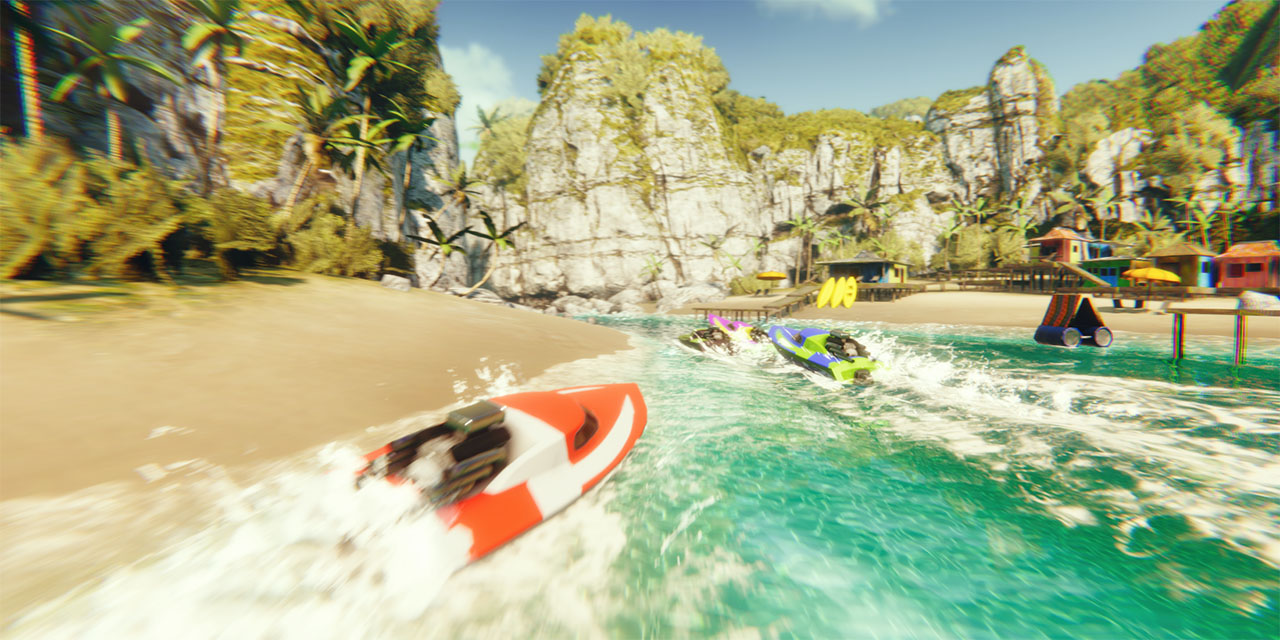
GitHub
Demo Project using the Universal RP from Unity3D. Contribute to Verasl/BoatAttack development by creating an account on GitHub.
 lone knoll
In UnityCsReference ... Modules/XR/ScriptBindings/XRInput.bindings.cs
there is a message:
[Obsolete("CommonUsages.indexFinger is not used by any XR platform and will be removed.")]
for the following variables:
indexFinger
middleFinger
ringFinger
pinkyFinger
Was this message added before the valve index was introduced ? Will it be reintroduced ?
Does anyone here has a valve index and can check those values ?
 thick frigate
i'm trying to build a HUD for a VR app. i built a world space canvas and parented it to the CenterEyeAnchor under the OVRCameraRig, but i'm seeing double. what's the best method to build a HUD in VR?
okay, so the issue was that i'd parented another camera to the CenterEyeAnchor instead of just using the CenterEyeAnchor itself to drive the canvas. however, i originally had a separate UI camera because i needed to make sure the HUD icons drew themselves on top of everything else. is there another way to resolve this?
thick frigate
a decent guide to how to draw screen space icons over objects in 3d space, for VR specifically, would be amazing
strange stone
Could someone please explain to me how Grabber: Snap offset, snap position and snap rotation work? These functions make absolutely no sense to me
storm ether
Is it possible to hardlock app resolution to say 1080p when you're using Google Cardboard? Quad HD framerate isn't that good
strange stone
That snap offset must be the most buggiest thing Ive every tried
How in the world has THAT come into the release version?
 deft hawk
Hey all. How do I make the SteamVR Player prefab's hands visible in the editor?
 tired pecan
They are created on runtime
 wise bluff
 main laurel
hey how you doing guys , anyone has a vr starter guide to recommend that i can follow to learn about this inmersive world 
storm ether
YouTube videos, Google books, Udemy, GitHub, Google for resources
lone knoll
@main laurel what headset you got ?
main laurel
oculus rift
lone knoll
did u try the oculus unity store assets ?
main laurel
ill do that right now thanks!
lone knoll
have a look in the demo framework folder, there are bunch of example scenes👍
storm ether
 torpid ginkgo
 stark vector
im guessing LWRP/HDRP and VR are a no-no for now? I have a friend wanting to do shader graph with VR, but it seems getting LWRP to work with VR is still a song and dance?
 next turret
Hey there! I'm trying to run a small scene in VR (on Oculus using VRTK) with some prerecorded object movement. The prerecorded data was recorded with a very different timeframe than the one I'm using currently and I was trying to force Unity to run the scene at an exact timeframe (that will match the prerecorded data). I have tried changing the QualitySettings.vSyncCount to 0 and the Application.targetFrameRate to a set value but this didn't work. The FPS in stats during play mode is showing a total different FPS. Does anyone have an idea on how to get this to work?
stark vector
as i understand it its not a good idea to force certain timings, its better to let unity/VR decide that themselves. what you could do is interpolate the data - so at every Update(), use Time.time to keep track of how much actual time has elapsed, and based on that, interpolate between the two closest datapoints you have. (can explain in greater detail if needed)
pine bison
@stark vector yea I've looked into it at work but it just creates too many issues. And don't even get me started about AR. You could get the amplify shader editor for the standard pipeline though
stark vector
thanks, i'll look into amplify
next turret
That's a good idea @stark vector ! Thank you! I'll look into it and will get in touch if I don't manage solve it.
 shrewd plinth
@lone knoll hows the input work
lone knoll
Keyboard and mouse, was thinking to use thumb sticks for input, but I'm just too used to surf with a mouse ( @shrewd plinth )
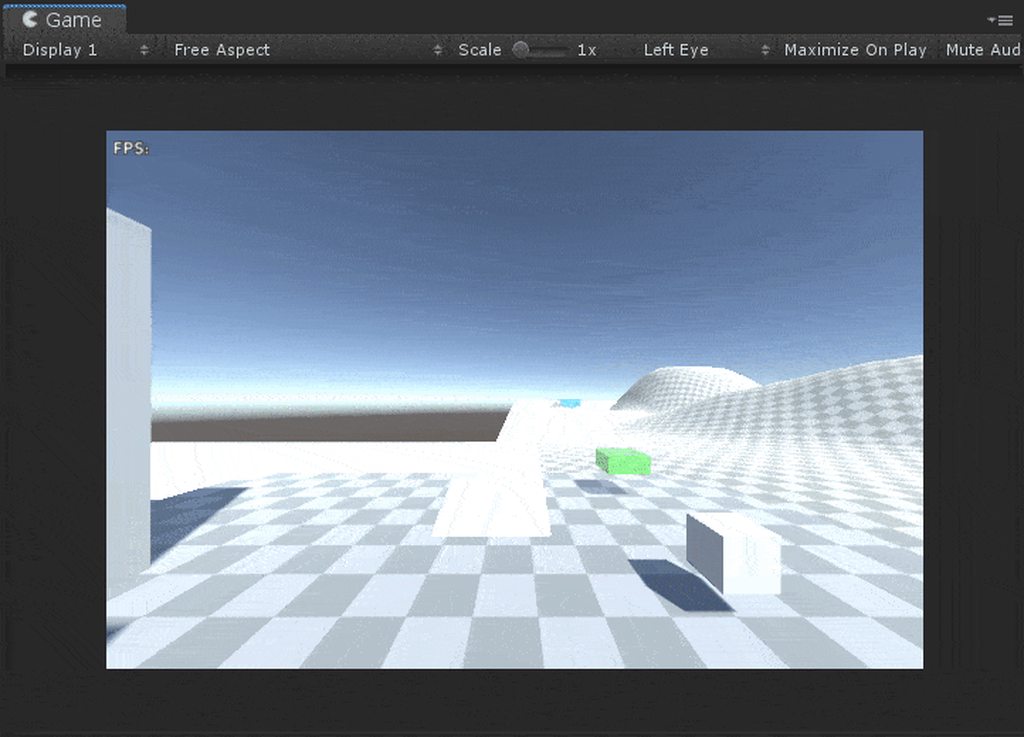
https://i.imgur.com/s1RUdgK.mp4
Here some footage i recorded yesterday, the mouse is locked to rotate only on one axis
 storm ether
HI i try to find out if the thumb pad is touched or not. currentController.TryGetFeatureValue(CommonUsages.primary2DAxisTouch, out b); send always true. i am trying this for days now wat is the secret.
any ideas
😦
lone knoll
@storm ether what's your device, also show a snipper of your code where you use the TryGetFeatureValue
 tiny cosmos
Hey guys! I have a pretty crazy problem with performance.
I'm getting massive, regular framerate drops
For apparently no good reason. I'm running the Oculus Quest
Super simple scene, here's what my profiler looks like. The spikes are entirely attributed to this "other" category (seems like XR.WaitForGPU is the culprit)
Look how drastically that graph changes once you disable viewing that category.
My understanding of that XR.WaitForGPU thing is that it's supposed to act as a VSync if you go over frame time.
So it'd be understandable if my previous frame's calculations took like 16ms, this would spike to skip the following one
But I'm clearly running in at well, under 5ms
(Here's the profiler graph with "others" disabled, "physics" enabled cuz I forgot to turn it on in the last screenshot)
I'm using the LWRP on Unity 2019.1.14f1
If that helps. But basically... what in heck is going on here???
storm ether
I use Gear VR with ALVR in Steam VR . SteamVR controller preview show everything correctly.
@lone knoll
lone knoll
well seems like its a UnityXR issue ( its just a guess tho, i don't have GearVR ) you could try open an issue at github regarding your setup.
Meanwhile until its fixed, you could check if primaryAxis2D return value is not zero and use it to fake moveButtonValue
@storm ether
also have a look at this
Unity Forum
I'm so excited to see there is a new XR input mapping system in 2019.1: https://docs.unity3d.com/2019.1/Documentation/Manual/xr_input.html
But haven't...
( assuming everything worked for you in StreamVR and not in UnityXR )
you might want to describe the behaviour on this tread. The XR devs are currently active on this thread.
vast thorn
Is it possible to set target transform to VRTK_MoveTransformGrabAttach? I want to grab one object but controll the transform of a target, not the grabbed object
Well, it is - just edited the script.
 wet creek
So I was watching this video about unity vr https://www.youtube.com/watch?v=sKQOlqNe_WY and in the comment he said a fix for a problem and said this Some of you have experienced a bug where the player fly when you put your hands under you. A really simple fix is to set the body and the hand to a different layer then in physic settings uncheck the collision between the two layer in the collision layer matrix! 🙂 Hope this will help some of you!" but I dont understand what this means and would be great if someone could help me

This is the first episode of a serie that will cover all the basis of developping a Virtual Reality application which I hope should get you started with any ...
main laurel
you create a new layer for the object and then you go into edit/project settings->physics and in the last setting you can see the collision matrix where you can disable the collision between the objects
that video needs a update since half of that video doesnt work anymore 😭
 paper ridge
heya, question, I'm having an issue where the player is higher up than it should be in the game, and it seems to get worse if I take the headset off and put it back on (quest btw). any ideas why that might be?
like, you hit the real floor before you hit the one in game
 slender quarry
i was having that problem too
i just made a new scene and it was fine on the new scene wish i could help
@paper ridge if you ever figure it out let me know
paper ridge
@slender quarry I think I actually fixed it
slender quarry
how?
paper ridge
make sure the values are this for the OVRPlayerController
then
add a Character Camera Constraint script to it too
and drag the camera rig into that slot
then
under the camera rig, make sure you're using Floor level and not Eye level
slender quarry
i remember messing with floor level and eye level yeah
if it happens again ill look back here thanks
paper ridge
probably the version of unity you're using, i know they were super picky about which to use
you want to use 2017.4.28f1 iirc
@storm ether
paper ridge
ah rip
 outer pendant
Starting on a new project should I be using the SteamVR plugin? UnityXR?
outer pendant
then there is also VRTK?
slender quarry
use oculus integration and vrtk
paper ridge
I mean, depends which headset you have I guess
slender quarry
not really
oculus wont put your app in their store unless you use oculus integration, and vrtk is pretty much an industry standard at this point
outer pendant
I have no interest in releasing on Oculus even if I got to that point lol
slender quarry
but then i cant play it 😦
outer pendant
Quest?
slender quarry
quest, oculus store, etc.
only way it gets on the oculus store is using oculus integration
outer pendant
You can play fine with openvr
slender quarry
only on a rift, not on a portable one like quest
because the quest doesnt have steam
or whatever
outer pendant
Pretty sure you can still stream to the quest with some other application
In any case, I have no interest in being on the Oculus store even if I actually build out the idea I have and the rift works fine through openvr
VRTK looks like more than what I need
slender quarry
streaming loses on the go convenience and incurs latency
outer pendant
Is the quest even powerful enough to run anything that matters?
slender quarry
yeah....
quest has tons of games
most games just reduce the number of shaders or something and it works fine
outer pendant
Until it overheats lol
slender quarry
hey man if you want to hate on the quest then do your thing
open your mind to the possibility that being inclusive and supporting platforms is good
outer pendant
But really, modern PC's get challenged pretty hard by VR, I can't imagine the quest being a great experience in comparison
My choice to not want to support Oculus is pretty final.
slender quarry
how about you try it before you decide it sucks?
you can even have both openvr and oculus integration in the same build and switch based on what's connected
outer pendant
My choice to not want to be on the Oculus store is a moral one not a technical one.
slender quarry
should have said that earlier. i can totally understand that.
outer pendant
I'm a relatively experienced hobbyist programmer, I just need to find my way around unity. I finally have a simple enough idea that I think I can at least build a working version of the game and then see where I wanna go from there.
lone knoll
@outer pendant @slender quarry check this one
it shows one particular implementation for a good game to a bad game when porting to the quest ( robo recall )
Join our community on PATREON! https://www.patreon.com/user?u=711561 And follow me on social media (: ✳ Twitter: http://twitter.com/_lucasrizzotto ✳ Facebook...
WARNNING: ( step No.3 ) backup your project if u want to try those steps, i did them not to long ago on a more recent version of unity and it did tons of problems to the point where i had to reimport everything to a new project
outer pendant
I mean that was interesting but half of it was just "make your game look shittier to compensate for bad hardware" lol
storm ether
lol
 trail hill
how do i make a teleporting mechanism without using any package like steam vr or oculus integration
slender quarry
get the root of the player's position and move it to where you want using transform.position?
you might need to get the difference between the player's position and the root's position and subtract that
trail hill
i ment like the teleport moving thing i still dont know how to get the input from the controller or get the trajectory thing
actuialy ill just use joystick movement telaporting seems too hard but then how do i get the input from the controller
slender quarry
maybe watch some tutorials first before asking for personal help
OVRInput.GetAxis() is your friend
trail hill
mk thanks
outer pendant
if you think teleporting seems too hard and you just give up, I'm not sure how you plan to do the rest of your game without just giving up before implementing every part of the game
lone knoll
^ @outer pendant is right, give it another shot 👍
 covert moon
i rewrote all my XR input into an event system, and so far it's working great.
Now if only Bolt2 would get done so I can subscribe to this stuff with it from a flowmachine XD sooooooon
trail hill
im so confused how the steam vr input system works
i just want to get if the trigger is down or not
outer pendant
with steamvr input 2.0 you generally don't want a specific button but you want to have an action that is bound to the trigger by default, from what I understand.
lone knoll
Use unity XR ?
 glacial patio
How far apart are your guys' palms from your wrists? 3km? Oh cool, me too.
trail hill
hahaha
vast thorn
Hey, I have a problem with VRTK & Oculus - when I start the scene, the Y position of my center eye anchor is -1.65 instead of 1.65
The floor level is set up correctly in Oculus, because if I have empty scene with just the OVR Rig it works allright
I can lift the OVR rig parent up so the level is correct, but then when I use VRTK teleport it will put me back to -1.65 again ;x
nvm, got it - the tracking level needs to be set to floor instead of eye level
 chrome mountain
Hi - Oculus Integration just got bumped to 1.40 but the release notes don't seem to have been updated. Does anyone know what's changed?
 timid sundial
@chrome mountain where did you find 1.40? Since 1.39 Oculus integration doesn't work on like half of our machines
 peak aurora
I'm looking at what changed in the Oculus 1.40 and I'm seeing functions called Colocation_RequestMap and Colocation_ShareMap. This might be platform support for multiuser shared experiences? It could also be for Augmented Reality shared experiences, like ARKit and ARCore added recently? Probably find out more at Oculus Connect.
Also it looks like they will automatically patch the manifest to add the Oculus Quest "headtracking" feature. Hopefully this will avoid the fiasco from the previous update.
Oh, and Oculus Avatars work in ARM64 builds now.
timid sundial
@peak aurora so 1.40 is working for you? For us it works on half of the machines, the other half just doesn't connect to Oculus services anymore since 1.39 and the latest Oculus update
chrome mountain
Sorry for slow reply @timid sundial - you've probably figured it out by now but I got an email from the Unity store informing me of an asset update.
timid sundial
No prob. Does it work for you though? Neither 1.39 nor 1.40 work here with current Oculus updates
chrome mountain
I've not actually installed it yet as 1.39 caused so much pain with the manifest debacle etc.
I haven't done any dev work in the last couple of days (I'm just a hobbyist)
peak aurora
@timid sundial 1.40 and 1.39 are working for me. The only Oculus service I’m using is the avatar. Retrieving the user’s avatar frequently fails in the Editor, but it usually works if I run a second time. There’s a bug in the SDK if there are spaces in your Unity project’s path. Could that be the issue?
When I started doing ARM64 builds yesterday I noticed that you have to toggle "Enable ARM64 Support" in OcculusPlatformSettings on and off when you install a new SDK, because turning that setting on renames some Android64 libraries from *.disabled to *.so. In particular it enables the "Android64/libovrplatformloader.so" that all other platform calls depends on.
timid sundial
Quest Builds are working fine on arm64, running on Oculus Rift from Editor broke. Works on 2019.3 but not 2019.2
peak aurora
You've got Oculus Android and Oculus Desktop 1.38.2 added in Package Manager?
timid sundial
Jup
peak aurora
Sorry. I'm stumped.
Is there anything unusual about the machines that aren't working, like unicode characters in user names? I'm wondering if there's anything that makes them exceptional?
timid sundial
Well, my guess is that Unity+Oculus together just currently broke something with Android/Desktop support. It's difficult to reproduce tho
 icy kindle
hi all, sorry for bothering but was wondering how i would go about getting the velocity of something being held by the players hands? any help/advice is appreciated!
lone knoll
calculate the delta distance of the object position ?
( avarage velocity = distance travelled / delta time )
icy kindle
thanks, will try that now!
peak aurora
I just implemented throwing in my test app. This blog post helped a lot: https://www.normalvr.com/blog/throwing-throw-down/

It's focused on Vive controllers, but the Oculus SDK also has called to get the linear and angular velocity of the hand controllers.
But I still had issues because your hand tends to stop immediately after a throw and sometimes that was the velocity getting copied to the object. Really frustrating when you wind up and throw and the object just falls out of your hand onto the floor. The PhysicsTracker found in Unity's SuperScience github repo helped fix that. https://github.com/Unity-Technologies/SuperScience

GitHub
Gems of Unity Labs for our user-base. Contribute to Unity-Technologies/SuperScience development by creating an account on GitHub.
Also really useful in that repo is the Stabilizr. It keeps things like swords and baseball bats held in your hand from jittering too much. And the GizmoModule is really helpful for visual debugging because the Unity debug drawing methods don't work in VR.
lone knoll
How does your stabilizer work ? I had implemented similar thing, but i was using a simple transform and rotation lerp
icy kindle
in the end i just ended up going with @lone knoll's solution
peak aurora
Stabilizr isn't mine. It's Unity's. It calculates a Lerp between original rotation and target rotation using a bunch of magic math.
lone knoll
magic 🙃
Here is my code
if( lerpPosition )
            {
                transform.localPosition = start_position;
                Vector3 delata_pos = transform.position - last_position;
                transform.position = last_position + delata_pos * W ;
                last_position = transform.position;
            }

            if( lerpRotation )
            {
                transform.localRotation = start_rotation;
                Quaternion delta_rot = transform.rotation * Quaternion.Inverse( last_rotation );
                transform.rotation = Quaternion.Lerp( last_rotation, transform.rotation, W );
                last_rotation = transform.rotation;
            }
no magic here 😃
peak aurora
Stabilizr's is similar. I'm just noticing the Stabilizr code is assuming the headset's framerate is 90hz.
GitHub
Gems of Unity Labs for our user-base. Contribute to Unity-Technologies/SuperScience development by creating an account on GitHub.
I can 100% endorse the PhysicsTracker, but I need more time testing Stabilizr.
lone knoll
ah yea i think i seen this earlier when deciding whether to implement my own solution
it seemed simple enough that i recreated it and included weight
also the pivot point can be adjusted accordingly in my script
 dim ravine
any idea what is causing this borked rendering? the resolution is very low in play mode and everything looks white and the sky doesn't show up. steamvr+hdrp, 2019.2.1f1
if i disable my Volumes the result is... interesting, but not exactly the art stlye i'm going for. and even lower resolution for whatever reason.
this started happening just by opening the project, i didn't change anything
dim ravine
nope
the only model is the grill, the rest is just unity cubes and probuilder, all with standard shaders
even if i remove the model it's still broken
dim ravine
found out the issue: for some reason the camera's volume mask reset to Default. setting it back to PostProcessing layer solved it
storm ether
How do I fix OvrLipSync? Trying to fix but can't find anywhere to fix it
dim ravine
I'm using the Player prefab from the SteamVR plugin, but my hand poses seem to be synced from left to right. How can i make the poses be individual to each hand? I already checked the Hand and Controller scripts for any stray action bindings, but it's all correctly assigned to each hand.
covert moon
Just a heads up, Unity 2019.3.0b1 , using Oculus and the LWRP, i got huge trails on everything when i ran it
the solution for me was to switch from single pass render to single pass instanced rendering, seems to work fine now
storm ether
The VR A.I. bot wanted to fight me behind glass of arena. I setup 2 massive guns behind him and destroyed A.I. bot. Lol
lone knoll
No. 3
chrome mountain
I'm in the very early days of a proof of concept of a Quest game to let you fly like this... However I'm concerned that hands being down by your sides all the time is not going to work with inside-out tracking. Opinions/tricks welcome!
One idea is to force the player to keep checking fuel level or something like that by looking at their hands every 10-15 seconds, but that would probably get annoying pretty quickly...
lone knoll
nimSony did a similar thing
chrome mountain
Oh cool thanks I will see if I can find that
chrome mountain
Oh wow yep that is exactly what I was thinking of, except 1000x times more polished than I could manage
Still I can learn a lot from what he's done. Thank you!
I was going to constrain the physics a lot more than he has, to make it a lot more manageable.
lone knoll
he got a discord server, i bet if you ask he will help you with the physics
invite code : PPX5qcq
chrome mountain
Thanks, I just joined. I won't bother him though because I have not even done the basics of my own homework yet.
lone knoll
wise man , good luck
chrome mountain
Thank you!
storm ether
hello, I am working on a game using the Oculus SDK, where I want to rotate a rudder like on a ship using my hands, I have the hand part working and can grab objects etc., but I find it hard to find examples where you can rotate the rudder to the left/right - I started with making a flat OVRGrabbable cylinder and trying to restrict rotations to around only one (Y) axis, but restrictions don't seem to work. I found out that the OVRGrabber ignores transformation restrictions of a grabbed object. Which direction do I need to go to achieve my goal?
 hard carbon
@chrome mountain sorry for late reply, but I tried a similar thing, and found that it was a lot easier to control if instead of applying the force toward the controller down dir, reverse that. It means the player can instead hold their hands up as if they are gripping a jetpack handle.
thick frigate
I'm struggling to get haptics to play at different frequencies in Unity, using an Oculus Rift S. I can get the amplitude to change, but the frequency is always the same. Is this a limitation of the hardware, or is there some trick to changing the frequency?
using OVRInput.SetControllerVibration(freq, amp, OVRInput.Controller.LTouch)
thick frigate
no matter what i set freq to, it's the same.
charred socket
Hi guys! Please, do anyone have a simple example on how to use the quest controllers in a unity sample scene? I tried one from oculus once, but there was only one controller supported 🤔
 elfin shuttle
im guessing it was only one controller working at a time? if so, try this
Oculus > Tools > Remove AndroidManifest.xml
Oculus > Tools > Create store-compatible AndroidManifest.xml
slender quarry
@charred socket OVRInput.GetButtonDown()
specify the correct mask if you want to differentiate between controllers
charred socket
@elfin shuttle i think i tried this, but i‘ll update and retry thx! @slender quarry thx, but no chance to get it in unity with generic / openvr events?
slender quarry
i wouldnt bother trying because oculus integration is the only way to put it on the oculus store for devices such as the quest
chrome mountain
@charred socket @elfin shuttle The manifest change should not be necessary any more with Oculus Integration 1.40. Here are my notes, tested very recently:```Succeeded! Things to remember:
Oculus Integration 1.39 had an awful problem with manifests, see above.
Oculus Integration 1.40 does not have this problem, but you do need to make sure that Quest is selected as the target in your OVSManager gameobject.
Unity version 2019.2.3f1 seemed to play well with Oculus Integration 1.40.
You don’t need to mess around with the manifest in 1.40.
You need to generate an App ID and put it in the Avatar settings or you won’t get any working hands.
In build/player settings, you should remove Vulkan.
You should have Oculus as the only thing in the list in the XR settings.
You should have API version 19 as the minimum build target.
You need an OVRPlayerController.
You need a LocalAvatar as a child of the tracking space of the above to get tracked hands.
Hope that's helpful!
elfin shuttle
oh nice! great to know!
chrome mountain
🙂
timid sundial
Is it possible to get Valve Index / Oculus Rift finger poses / weights using just the Unity XR integration?
peak aurora
@timid sundial (this is a response to an issue you had earlier this week) I finally had the problem where the Oculus Integration stopped working in the Editor. I kept getting the error "Virtual Reality SDK Oculus failed to initialize." and nothing would work. It seems to be an issue with Oculus Audio spatialization. I managed to fix it by deleting every instance of "AudioPluginOculusSpatializer.dll" I could find. This included deleting "AppData/Local/Unity/cache/packages/packages.unity.com/com.unity.xr.oculus.standalone*", "AppData/Local/Unity/cache/packages/staging-packages.unity.com/com.unity.xr.oculus.standalone" and "Library/PackageCache/com.unity.xr.oculus.standalone*". Then I restarted my machine and opened Unity and everything was working in the Editor again (including sound).
If your're lucky you're having the same issue and can get your machines working again and won't have to abandon the current Oculus Integration.
timid sundial
Oh thanks, that's interesting. Will try that on monday. It seems to be in line with my tests - I got it to work on 2 of 4 machines by randomly pressing the "update integration" button after various restarts. The other 2 refused to work
The workaround I found though is just adding OpenVR - as this "just works", Oculus runs fine through it even if the actual Oculus SDK can't initialize
peak aurora
I considered that, but I'm too dependent on Oculus Avatar and Haptics.
timid sundial
It was really only a workaround to not have the team be blocked from even viewing stuff... I'll try deleting the DLLs, thank you! Btw, I didn't report a bug report yet as this was so random and machine-dependant
peak aurora
There are a few frustrated threads on the oculus and unity forums. Oculus should be aware of it. (but I get the feeling no developers at Oculus pay any attention to the forums) https://forums.oculusvr.com/developer/discussion/63464/virtual-reality-sdk-oculus-failed-to-initialize-why
Oculus
Join the Official Oculus Discussion Forums and talk about Oculus Rift, Oculus Touch, Samsung Gear VR, and virtual reality.
have a good weekend. 🍻
 frail shore
Ok i find one thing weird about occulus start is you need to have made a vr game without a headset
and idk how i would setup controls and such without debugging it
Is vr even worth getting into?
storm ether
Grabbable Admin canvas with onClick buttons.
My app GIF video above is Oculus integration. Galaxy Arena VR, in making! It's definitely worth it!
charred socket
@chrome mountain thank you for the hint!
lone knoll
Anyone here heard about OpenXR ?
lone knoll
I made a small repo for my UnityXR utilities:
https://github.com/nukadelic/UXRU
GitHub
Unity XR Utilities. Contribute to nukadelic/UXRU development by creating an account on GitHub.
 dusk ivy
@chrome mountain Jet Island also does something like that, but the thrusters are backwards: https://www.youtube.com/watch?v=D2xRVq1sijQ
outer pendant
Should I be using the CameraRig or Player prefab from SteamVR?
Idk if it's the better way to go to modify the Player prefab for what I need or to do it from scratch with the CameraRig
outer pendant
Turns out I'm not even gonna use the camera rig probably haha
 river sigil
@lone knoll Very interesting. How to use OpenXR in Unity?
lone knoll
Unity Forum
Hi all,
In March, Khronos released a version of OpenXR. It's purpose is to unify AR/VR development into a platform-agnostic API. I saw that Unity...
From Unity3D side, an application developer will never deal with OpenXR, it is backend abstraction of how Unity talks to devices
i was looking at this hoping to give it a test as well, doesn't seem that anything besides UnityXR will be a thing anytime soon
chrome mountain
Thanks Leonardo!
dim ravine
i'm using the SteamVR skeleton poser. I made a simple pose for holding a cube, but when i go into play mode and grab the cube, it is offset forwards regarding the hand position. I'm using the default Player prefab that comes with the plugin.
this is how it appears ingame
any ideas what can be causing this offset?
lone knoll

GitHub
VR Awesome List. Contribute to Vytek/VR-Awesome development by creating an account on GitHub.
 glass crest
Hi everyone! Here’s a short call to all fellow game dev's developing for VR.
We are a group of VR researchers and always busy developing novel techniques (e.g. locomotion approaches) to make VR development easier and playing more fun. Our newest project is about inventories (in my eyes one of the hardest VR-feature).
Would you maybe do me a favor and fill out a short survey on your personal experience with inventory development for VR-games? We want to learn from you as active devs: what are your problems, how do you use inventories for your games, and how could we help you.
The whole survey just takes like 5 minutes and it would be great if you could share your experience with me: http://134.91.11.207/LimeSurvey/index.php?r=survey/index&sid=226529&lang=en
Thanks in advance!
Sebastian
pine bison
Cool to hear @glass crest, I don't have experience making this kind of system but sounds interesting. Do you have website or something for the work you do?
lone knoll
@chrome mountain i made a jetpack controller today, how about you, did you have any luck ?
glass crest
@pine bison Thank you! Concerning your question: I am working on a broader presentation of our work, currently this is mostely purely academic (e.g. my webpage as phd-student: http://hpc.uni-due.de/cmentowski.html). Maybe this could be interesting for you: My collegue recently made a short summary video of our last research projects illustrating some of our focus areas (there are already some inventories for VR included - we use those to establish a general taxonomy/guideline for developers): https://www.youtube.com/watch?v=8RtaAZMUdQA&feature=youtu.be

An excerpt from our research on virtual reality gaming: 1. A novel navigation approach for traveling large distances in open world VR games. (CHI '19, CHI PL...
outer pendant

can someone help me with this? I'm confused by the unity coordinate system
and the Steam_Behaviour_Skeleton thing shifts the wrist wayyy back and that misaligns everything and I don't understand why
I guess I could attach everything that I need to stay aligned to the wrist but that seems wrong
and the Hand Right gameobject does get moved correctly so the wrist and everything lines up with the actual controller, it's just offset for some reason
 outer pendant
how does that help though
lone knoll
i didn't look at streamVR code, but from the looks of your gif ( the transform is changed in play mode i assume ) it looks like the script will move the hand based on the controller position
i would also try the same thing ( attach* to the hand gameobject ) as the parent gameobject doesn't seem to be effected by the controller position
why does it seem wrong ?
create a empty object at 0,0,0 as the child of the hand and drop stuff into there ?
outer pendant
@lone knoll the parent game object does get moved
it's just that the wrist is shifted way back so everything attached to the parent game object isn't aligned as it is when tracking isn't active
 lone knoll
does it work when tracking is active tho ?
outer pendant
look at the gif?
it's just that the wrist bone is moved by the skeleton script and that misaligns everything from before tracking starts
I could attach everything that needs to line up to the wrist I guess?
so that it gets shifted with it
?
lone knoll
try and see if it works i guess
outer pendant
well yeah if I attach the collider to the wrist instead it gets moved along with it correctly
 lone knoll
nice, those are very smooth gifs, what do you use ?
outer pendant
sharex
it's also very quick to capture them


This is all I need to do to capture a gif
also gifception
lone knoll
handy
pine bison
@glass crest super cool and really inventive stuff!! I love brand new ideas like the ones you bring forward
chrome mountain
@lone knoll Not yet, damn day job! 😉
glass crest
Thanks a lot @pine bison !
timid sundial
For anyone interested, here's a collection of Android + VR + URP + PostFX bugs
https://forum.unity.com/threads/case-1183936-android-vr-postprocessing-bug-collection.744287/
Unity Forum
So for everyone also trying this out, and to help Unity with the current process of manually testing everything for non-Editor-Desktop platforms,...
 quaint moss
Looks like it works right for arachnids
timid sundial
"This is by design, the bug is that you don't have enough eyes"
 full remnant
Hi guys! I'm new here, new to gamedev. Do we have any Final IK / VRIK pros here? Or do you guys know any forum or discord channel to the Final IK or Root Motion community?
outer pendant

Finally got some of my issues sorted out
this is very rough test stuff but it worksssss
SteamVR skeleton behavious and poser are a godsend though
 vital cloud
👍
 lone knoll
lol
glass crest
Hi VR devs!
I am a researcher constantly developing novel techniques for VR games (such as long-distance travel for massive open worlds). If you want to see a short glimpse into our recent work, here’s a short video of our latest projects: https://www.youtube.com/watch?v=8RtaAZMUdQA&feature=youtu.be For the last one (inventories in VR), we are currently interviewing VR game devs to get feedback where they have problems with implementing inventories. It would be super cool if some of you would find the time (like 2-5min) to fill out this short survey (http://134.91.11.207/LimeSurvey/index.php?r=survey/index&sid=226529&lang=en) to give me feedback on your experiences.
An excerpt from our research on virtual reality gaming: 1. A novel navigation approach for traveling large distances in open world VR games. (CHI '19, CHI PL...
dim ravine
@outer pendant i was having a similar issue with the grab offset, how did you solve it?
outer pendant
Before I solved it by just attaching another child with it's own offset
But it turns out the skeleton poser accounts for the offset so if you use that, you end up without an offset
The pose has a .position and rotation on it, if you use that to place the object being held, it will line up.

if you aren't using the poser yet for grabbing objects, you really need to
dim ravine
I am! but it grabs even a simple cube with an offset
dim ravine
outer pendant
are you using the interactionsystem stuff?
outer pendant

GitHub
The Skeleton Poser when set up with an object doesn't seem to respect the offset to that object, either changing after a few seconds of run time, or being wrong from the start. You can see ...
In the pose assets that are generated there are checkboxes for "Ignore Root Pose Data" and "Ignore Wrist Pose Data" under each hand. Uncheck these boxes and the root/wrist pose of your cloned hand model will be respected.
outer pendant
and then you can set up excellent poses like this http://fby.pw/bZkI.png
 lone knoll
@outer pendant SLENDER MAN - returns
 novel moon
can anybody here help me with a problem im having developing for vr?
lone knoll
tip: don't ask a question if its ok to ask a question ... just ask the question
novel moon
lol
ive set up hands and the grabbing physics
but if i put whatever im holding under me i just launch straight upwards
lone knoll
look up collision matrix
- set the objects you are holding and the player body collider to different layers and then disable their collision in the collision matrix
novel moon
alright ive made the player layer, but i cant seem to figure out how to put the player into it
nevermind i figured it out
lol
does this look right?
lone knoll
seems ok, did you try it already ?
novel moon
im about to
im developing for the oculus quest so i need to export the apk every time i want to test it
alright im in
lone knoll
☝ that is why i chose the rift s
novel moon
I figured it out
i shouldnt have put my hands in the player layer
putting the hands in default or grabbables fixed it
lone knoll
nice
novel moon
and it stopped the flying bug
another question, how do i stop people from grabbing something and dropping it into the floor
cause then its gone forever
lone knoll
remove the grabble script from the object so it will prevent them from grabbing it at the first place ?
novel moon
i want people to grab it
but if just the very corner is phasing through the floor and you drop it, it just falls through
outer pendant
depends on how you want your game to work I guess
one good one would to not let it phase through in the first place, also stops your players from cheating by moving things through walls
novel moon
and how would i make that happen?
outer pendant
that depends on how you're handling grabbing right now
novel moon
Im also having a hard time figuring out how to make my character jump
there are no up to date guides anywhere online
 strange hamlet
Hey I have a question, if I want to create a game for HTC VIVE how should I get started? Do I need steam VR(What even is Steam VR????)
lone knoll
- i think u need to install steam vr from steam if its not already there
- create a new project and enable VR in player settings ( last option )
- import steam VR from the asset store and open the demo scene
- @strange hamlet enjoy
strange hamlet
Do I need steam VR?
lone knoll
@novel moon what sdk are you using ?
novel moon
how do i check?
lone knoll
i mean is it oculus is it steam
novel moon
oculus
lone knoll
there might be a demo with cube that don't pass thought walls
that might prevent player from dropping stuff behind the walls
novel moon
im not as concerned about that as i am about trying to get it to jump
lone knoll
oh just add force to rigid body
for this go to the physics channel
@strange hamlet what ?
strange hamlet
what is steam VR used for?
lone knoll
to make stuff for vr ofc
novel moon
what do i add the rigidbody to?
lone knoll
search inside the player prefab and see if any of the objects already got one
should be there
@novel moon check the demo scenes, ask around on the #⚛️┃physics channel , u might get more help there
strange hamlet
@lone knoll what is this? https://assetstore.unity.com/packages/tools/integration/vrtk-virtual-reality-toolkit-vr-toolkit-64131

SteamVR 2 plugin is not officially supported in VRTK v3.3 - There is a community fork that supports SteamVR 2, please ask in the VRTK slack channel for more details.
Full source code and latest up to date version can be foun...
lone knoll
another framework for vr development
strange hamlet
but Im a bit confused because it says "* Supports SteamVR and Oculus SDK"
strange hamlet
doesnt Vive have an SDK?
lone knoll
no
steamVR is used for that
steamVR is used for anything steam
oculus SDK is used when publishing to the oculus store
strange hamlet
i dont want to have anything to do with steam
strange hamlet
well its a school project thing, its not really a game. We are supposed to like show data in a VR enviornment
lone knoll
u dont have to publish to the steam store to use steamVR
but u need steam installed to use it
like u can make an executable on your desktop but if you use steamVR you will need to have steam installed on your desktop
i assume you got the HTC vive ?
lone knoll
do they have steam installed ?
strange hamlet
¯_(ツ)_/¯
lone knoll
find out
u could always use something like unityXR tho
but its not very beginner friendly
strange hamlet
Could I just use the thing I linked instead of Steam VR?
lone knoll
not sure ... i mean VRTK uses steamVR for the Vive ... steamVR is based on top of OpenVR ... you might be able to run your project without the steam installed on the desktop but i am not sure
give it a shot
see if a simple project works, shouldn't take more then 10 minutes to publish one of the demo scenes and try run it on your school computer
glhf, im out
outer pendant
@strange hamlet VRTK is another layer on top of steamvr and Oculus
If your school has a Vive they have SteamVR
SteamVR is built on OpenVR but basically no one uses just OpenVR
strange hamlet
I will need the steamVR plugin from the asset store right?
outer pendant
So just grab SteamVR that's what the Vive runs on
You don't need that part no but it helps with development
It includes assets that make building your project easier
GitHub
OpenVR SDK. Contribute to ValveSoftware/openvr development by creating an account on GitHub.
strange hamlet
thanks man!
outer pendant
Also you might note that OpenVR is made by Valve who, you know, own Steam, SteamVR and designed the HTC Vive.
I'm not even sure there is a way to run the Vive without OpenVR
novel moon
alright now ive got a real problem
if i grab something off of the table i made, everything with a rigidbody nearby just gets launched like a shockwave
if im holding anything, everything nearby just launches across my demo room
lone knoll
@novel moon What did you change so far ?
novel moon
not much
i tried deleting all of the cubes and replacing them just incase i had weird settings
but they are still being weird
lone knoll
- what did you change so far before the shockwave effect
novel moon
i made my hands into distance grabbers
but wheni go backto normal hands it still happens
lone knoll
disable distance grab and see if it fixes it ?
oh
try loading a new project
see if nothing breaks, slowly import your stuff in
novel moon
thats gonna take forever ;/
lone knoll
show code
novel moon
which code
lone knoll
distance grabber
lone knoll
so disable all your custom scripts, something must be causing it
not sure how its possible if you didn't change any default assets
must be your code then
novel moon
the thing is, when I delete the distance grabbing code to change it back to normal hands, it still happens
i think there is some kind of weird collision detection
lone knoll
do the other thing above
novel moon
hold on, unity is launching
lone knoll
tag me when u try that, gtg
novel moon
aight
my visual studios is updating
ill try it and let you know whats happening tmrw
peak aurora
@timid sundial Thanks for posting the LWRP postprocessing bug. I had just (literally same day) run into a similar problem with the Lux LWRP Essentials shader pack. (Recommended for the price, even if some of the shaders are currently broken in VR. https://assetstore.unity.com/packages/vfx/shaders/lux-lwrp-essentials-150355). It looks like when the shader grabs the opaque texture for these postprocessing effects it's grabbing the entire doublewide texture, instead of just the left/right eye portion. As you stack the effects it keeps grabbing the previous borked pass and doubles it.
I'm looking forward to Unity fixing all these XR-related issues with the LWRP/URP so we can actually use it in production on the Quest. Who can we yell at?
timid sundial
Not sure actually. Felipe doesn't seem to be in Discord, otherwise him ;).
I didn't even get an answer to my bug report yet.
 icy nest
Anyone here have issues with changing a steamvr setting using openvr?
I use this method and get no errors
OpenVR.Settings.SetBool(OpenVR.k_pch_CollisionBounds_Section, OpenVR.k_pch_CollisionBounds_GroundPerimeterOn_Bool, enabled, ref read);
And then Do OpenVR.Settings.Sync(true, ref readError); like I am supposed to, however it doesnt change the setting nor makes any difference.
Any ideas? I havent seen anyone do this for this chaperone setting tho.
 grizzled surge
Does anyone know if the planar probes work with vr? I'm having a weird problem where the reflection and the actual object do not meet but are apart in z axis
I'm doing a scene where a displacing object is reflected in real-time Frome the floor plane
 amber nacelle
Can Unity support all the current VR devices in the market without any addons? (Oculus quest, OpenVR, Vive Focus Plus) Or at least an SDK that supports every device?
 stoic charm
@amber nacelle you will want to take a look into that: https://assetstore.unity.com/packages/tools/integration/vive-input-utility-64219

The VIVE Input Utility (VIU) is a toolkit for developing VR experiences in Unity, especially with the VIVE/VIVE Pro but also targeting many platforms from a common code base including Oculus Rift and Go, Daydream, VIVE Wave SDK (e.g. VIVE Focus standalone) and additional VR p...
amber nacelle
@stoic charm do you know if it will work with quest?
stoic charm
AFAIK yes, it does work
amber nacelle
Thank you, I will test it and tell if it works
amber nacelle
It seems I can use it with the headset, but the controller is not working
strange hamlet
Is there a way to try things without a VR headset?
when i click play i get this view
strange hamlet
anyone knows how I really does this?
i dont get the same view when i click play
quaint moss
@coral oracle Hi! Sorry for tagging you - did you manage to solve issues with VFX graph rendering only for left eye? I'm having the same problem...
 sand lotus
Hi! I'm wondering if anybody here has any experience on using a mac for VR Dev with an eGPU. I'm developing with Unity 2019.1.0f2 on a 2017 5K iMac with a Radeon Pro 580, and an HTC Vive and the setup is good enough for what I'm working on right now, but of course performance is awful compared to windows. The thing is that my brother has lent me his eGPU, a Sonnet Breakaway 550 with a Radeon RX 580, and when I tried it on my iMac, best performance that I could get out of it was slightly worse than my integrated GPU... so going through benchmarks found that actually the RX 580 is not THAT much better than the Pro 580 and with the thunderbolt connection working as a bottleneck it made sense that performance dropped under.
So... best GPU that the box can hold as far as official documentation states is a Radeon Vega 56, which checking on benchmarks is between 80 - 100% better than my integrated GPU on overall performance. So I got one... tested yesterday with the same result; slightly worse performance using it for VR than my integrated GPU. So, as far as I understand the best performance that you can get out of these eGPUs is by using an external monitor plugged into the box; since the thunderbolt wire acts as a bottleneck the roundtrip from the computer to the box back to the computer sometimes is a killer. Because of that I ended up using the whole system with a beefy 2018 macbook pro hooked up to a TV as an external monitor, laptop closed... both VR equipment and TV connected to the Vega 56... same thing... slightly less performance than my integrated GPU. I'm baffled. One thing that I notice is that the Vega 56 never seems to be making too much of an effort... it's super silent, and the cooler doesn't seem to be running that fast, that might just be my perception though. Anyway, sorry if this is the wrong place to ask this... since it's VR related and I'm using Unity for this I was wondering if I could find somebody with the same setup / problems, but this being a hardware question I don't know if I should post this up on #497872469911404564. Thanks.
 south light
Hey all, I'm trying to shake off the rust a little with SteamVR for Unity. I was quite comfortable with it back in the day when it was SteamVR 1.x and using NewtonVR. Now it seems like a lot of that interaction is now merged into the base SteamVR package.
Currently testing out the teleportation, which so far has been really easy to setup. However, my controllers seem to do this weird haptic thing after about a second of runtime. The trackpad will highlight in game with a Teleport UI, and the haptics vibrate for about a second and then pulse for several seconds, and repeat. Is this normal behaviour? How to I turn this off?
 tranquil spear
Hi guys, im wondering is there anyone know how to sync LocalAvatar for Multiplayer VR?
Im working on running project using Photon Classic and Oculus Integration. I've done following tuts here https://doc.photonengine.com/en-us/pun/current/demos-and-tutorials/oculusavatarsdk but it seems that for Photon v2
Photon Unity Networking framework for realtime multiplayer games and applications with no punchthrough issues. Export to all Unity supported platforms, no matter what Unity license you have!
I've done something similar for HTC Vive before using VRTK and Photon classic and I was successful. but somehow for Oculus SDK I'm stucked 😒
 crisp magnet
So I wanna make an avatar for vrchat. I got the model working in the game. I just want to make an animation that makes the model fade in and out with an emote/s. but I have no clue how to make an animation or how to make objects fade, I looked at tutorials on youtube but it doesn't really tell me anything related to the problem I have. Any sort of help would be nice. Thanks!
south light
@crisp magnet try #🔀┃art-asset-workflow or #🏃┃animation
tight reef
VRTK_UIPointer question:
Is there a way to block ui raycast from vrtk_uipointer to a panel (within a vrtk_uicanvas) with many ui elements on it? I've tried simply putting an image that has raycast target set to true on top of the panel ; but that does not block the ui elements below it from being interactable
 chilly root
I'm working on the latest unity version and experience a ton of crashes when clicking play. any similar experiences right now from you guys?
peak aurora
@chilly root I've been working in 2019.2 with an Oculus Rift and I've been experiencing a lot of lockups for a while. I've just accepted the fact that I'll have to restart Unity about 5 times a day. It seems like something's leaking, because it degrades over time. If I leave Unity open overnight it will almost certainly lock up the first time I compile or run in the morning.
This doesn't seem to happen in projects that aren't using VR.
chilly root
@peak aurora They're doing the same shit they did with 19.1. Making a bunch of updates that just make the editor more unstable and eventually they fix it in the LTS versions... It just crashed again when I wanted to stop playmode. It's a bad joke by now. When I look in the error logs it seems to be a memory access violation, however that's too low level for my understanding. I'm working with SteamVR so when you are working with Oculus, it sounds like a Unity problem... of course 
And I cant sent a bug report cause the packing times out 
chilly root
https://gist.github.com/Salzian/c972b3c673d4fe9f75f7fdae46d8ce83
Here a small time saver to automatically copy the backup into the Assets folder before opening unity again. Safe the .bat file in the project root.

Gist
Unity Backup Copy Batch Script. GitHub Gist: instantly share code, notes, and snippets.
chilly root
Super helpful
@peak aurora Short question since I saw something similar on the issuetracker. You're not using RenderTextures or Video Players by any chance?
 sinful nacelle
@chilly root If you load up the crash.dmp into Visual Studio 2019 (I assume you are on Windows here) and debug as native and look at parallel stacks in the debug window you MIGHT get a clue as to what is causing the problem. In my experience this only helps rarely but occasionally it gives a big help.
Also check the call stack.
chilly root
Well then at least I might have a clue what is causing it. Thanks for the tip. I never loaded a dmp file into VS before but I'll try when it happens again.
sinful nacelle
Last time this happened to me I found out that I was actually running out of memory. The crash was in Wwise and the call stack indicated a memory problem. Things get very weird when you exhaust memory...
chilly root
it is some sort of memory issue, but I dont have the crash log anymore. I'll look into it again next time.
sinful nacelle
Of course this is a bit like diagnosing your car engine blowing up by looking at the broken pieces of engine and realizing you ran out of oil. It's better to monitor oil pressure instead.
chilly root
And it happened 😄
sinful nacelle
You can do the deep profile and look at memory.
chilly root
I've loaded teh dmp into VS. Now click "Debug with Native only"?
Read from location FFFFFFFFFFFFFFFF caused an access violation.
That doesn't soundd like a save address...
Well well well... what do we have here?
sinful nacelle
It's a clue!
chilly root
I've just updated to 2.6 which is not even in the Hub yet. Until now... no crashes... 
timid sundial
@chilly root if you want to report bugs with large projects, what you can do is just report them without any project attached and ask the Unity QA person for an upload link. That is far more reliable for large projects
chilly root
@timid sundial thanks! I already got an answer on twitter from unity but I'll look into it in the future. Didn't knew that works.
peak aurora
@chilly root I’m not currently using render texures or video player in my app. Just Oculus integration and lightweight render pipeline.
 quaint sentinel
When selecting "Occlusion Mesh" and running a scene in the editor, it works fine. When creating a build it "falls off". Can this be added to a build?
peak aurora
Some good news for the people in here struggling with LWRP: I previously mentioned that there were some issues with the Lux LWRP shader pack (available in the asset store) when used in VR. Looks like the author has fixed them in the next release. 🤞
https://forum.unity.com/threads/released-lux-lwrp-essentials.712619/page-4#post-4988708
peak aurora
Lightweight Render Pipeline. The potential is that you get a nice performance improvement in exchange for (slightly) less accurate shadows and lighting. The reality is it's pretty broken when working in VR.
 weary elk
my guess is it is mainly used for making mobile games?Because I know performance is a lot harder to get on a mobile device...
storm ether
Cricket anyone? Working dart board, throwable darts, and grabbable score (with freezed values in rigid body).
weary elk
is that gameplay recording?
storm ether
That's my game, I'm making. Galaxy Arena VR. Made a gif video from my cell.
tiny cosmos
Anyone going to OC6?
 thick horizon
hey so I'm trying to use the steamvr plugin but the "SteamVR Input" window menu option isn't there
chilly root
We for example used LWRP cause of the shader graph. We wanted some cool effects but when I encountered the issues with LWRP I wished I told the artist "no".
vast thorn
Hey, I'm having some problems with Vive Pro, the linkbox won't stay on, after 1sec it turns itself off. I've reinstalled drivers and done everything I could do on windows, but this isn't driver problem, but with the link box :/
It was perfectly working on friday when I was at the office, but today when I tried to run it, the green diode just shuts down automatically after starting the linkbox
 unique dagger
Do you require a headset to be connected to start up VRWorks?
atm im just getting this message when launching vrworks: VRWorks: Not supported or GfxPluginVRWorks DLL was not loaded properly.
 exotic edge

 jaunty canyon
hi all!! I have a question: I'm migrating my project from 2017 to 2018 and the vr doesn't work.....
I made this in 2017: in the project settings I added in order as VR:
- nothing
- oculus
- openvr
and by code (reading a configuration) I enable the selected element....
but seems that in 2018 it doesn't work
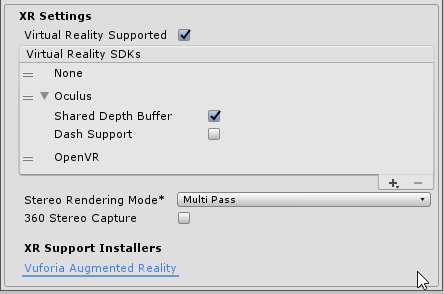
at the startup I use this code:
    /// <summary>
    /// load the device
    /// </summary>
    /// <param name="newDevice"></param>
    /// <returns></returns>
    IEnumerator LoadDevice(string newDevice)
    {
        if (String.Compare(XRSettings.loadedDeviceName, newDevice, true) != 0)
        {
            XRSettings.LoadDeviceByName(newDevice);
            yield return null;
            XRSettings.enabled = true;
        }
    }
where as newDevice I use "Oculus" or "OpenVR"
the strange thing seems that the code XRSettings.enabled = true; doesn't work for example... seems that everything is 'read only'
 coral frost
That's pretty odd, since when I'm running the exact same code with StartCoroutine(LoadDevice("OpenVR")); it works fine for me. (2019.2.0f1)
Which exact version of 2018 are you running @jaunty canyon ?
jaunty canyon
hi @coral frost I'm using 2018.4.9f1 LTS
coral frost
Is VR by default disabled until you specifically want to use it, or is it always enabled?
jaunty canyon
by default is like the shot: vr supported but 'none' sdk used
coral frost
I'm going to try to see if it still works on your engine version, give me a couple of minutes 🙂
jaunty canyon
whoa! thank @coral frost
coral frost
So it seems to be working for me on your version with the following code.
public class VrInit : MonoBehaviour
{
    private void Update()
    {
        if (Input.GetKeyDown(KeyCode.A))
        {
            StartCoroutine(LoadDevice("OpenVR"));
        }
    }

    private IEnumerator LoadDevice(string newDevice)
    {
        if (string.Compare(XRSettings.loadedDeviceName, newDevice, true) != 0)
        {
            XRSettings.LoadDeviceByName(newDevice);
            yield return null;
            XRSettings.enabled = true;
        }
    }
}```with the same settings
https://gyazo.com/6b1d676a4387197db28311722201d6f6


Are you sure that the code is being called?
jaunty canyon
yes.. I'll try tonight with your sample with keys
coral frost
Alright! 😄
jaunty canyon
@coral frost now seems to work!
I disabled xr settings
reenabled and the manifest.json has magically
    "com.unity.xr.oculus.standalone": "1.38.3",
    "com.unity.xr.openvr.standalone": "1.0.5",
Good to hear! 🙂
 edgy river
Can I make a VR game without an oculus rift or any other VR headset or do the card board and just the regular phone headsets work? Also are Like the “basic” VR games like job simulator ( a single level maybe ) easier to make than other games (3D or others)? Sorry for asking a lot of things, I’m just starting out with making games
coral frost
Can I make a VR game without an oculus rift or any other VR headset? Do the card board and just the regular phone headsets work?
That really depends on what you want to add in your game, if you want tracked motion controllers in your game you'll need something that has those. Then you also have the part that PC's are a lot more powerful than a mobile phone, so you'll have to really keep that in mind. But still then do you have people with computers that are on the edge of working or lagging.
Also are Like the “basic” VR games like job simulator ( a single level maybe ) easier to make than other games (3D or others)?
That depends on what kind of game you're making, VR and flat screen both have their ups and downs in certain situations.
Take for example height, in a general flat screen game you can just work with any height you want the player to have, this is much more difficult with VR because people (assuming they're standing) have different heights.
In general it just really depends on what your needs are and what you'd like to create. @edgy river
edgy river
Oh. Ok. So if I wanted to create a motion tracking game that would have prop hunt or something similar to that. Would I still need a real headset? Also what do you mean by flat screen?
coral frost
With flat screen I mean just a regular monitor. 🙂
edgy river
Oh ok
coral frost
And if you want to do something with your hands, well you don't need the most expensive headset. But you'll need a headset that has those controllers.
Making a game with tracked motion controllers without the controllers simply isn't going to work if you ask me.
If it's even possible to do without.
Which I highly doubt
edgy river
Ok. So witch least expensive but good quality headset would you recommend?
coral frost
Well, to be fair you shouldn't take my word for that. In the end it's you paying for it. Besides that I only own 1 headset 🙂
So google around a bit, watch some video's about the topic. Perhaps even try to look for a place where you live where you can try a VR headset.
 latent cape
@coral frost If you have a good simulator (example Magic Leap) then it is feasible, but yeah definitively better to work with some hardware
edgy river
Ok. Thanks for your help @coral frost
coral frost
But @latent cape how on earth are you going to fake motion controllers lol
latent cape
@coral frost the simulator is handling this job for you
at least in the ML simulator
coral frost
But then again, imagine I'm making a shooter. How would it know where I want to shoot?
That doesn't seem possible to me without tracking of some kind
latent cape
Didn't said it was easy, just said feasible
coral frost
Oh well 😂
@edgy river Just make sure you really want this. Because I've had loads of moments where I was like "I really want this", and the second day I already forgot about it. Since this can be a bit of an expensive joke if you're not going to do anything with it after some time. Just saying 🙂
edgy river
Ok. I’ll really think about it before getting the VR stuff and the game
 open condor
Hey everyone! I've been developing with unity since 2013 and got into VR Dev 2 years ago, and programming for 20 or so years. Ran into an issue I think is rather important for the platform and was hoping for your help.
Upvote so this gets fixed
https://issuetracker.unity3d.com/issues/screenpointtoray-is-offset-when-used-in-vr-with-openvr-sdk?_ga=2.129412681.47864621.1569363684-554818330.1542656936
I've tried many, many workarounds for this, and there seem to be none whatsoever and is incredibly frustrating.
Steps to reproduce: 1. Download and open the attached project 2. Enter playmode in VR 3. Set aspect ratio to "Remote" if not done au...
 shell kayak
@open condor I assume you mean you'd like to know the direction towards a certain pixel of the mirror view shown in the game view?
open condor
No, i intend to keep the view separate from the VR view
it still follows the VR view's transform, but does not use the same display or viewport
shell kayak
So you have a separate camera and calling ScreenPointToRay on this separate camera is offset when there's a VR camera also in the scene?
open condor
correct
shell kayak
That sounds like a different issue than the issue you linked
open condor
both are controlled by a Tracker, in this case the HMD itself's transform
so i'm clicking on the game view in the editor
and expect to get a ray from that camera
specifically the camera I have chosen, which coincides with the view
if i set Game display to "Display 1" and have my "Display 1" cameras on, which are not VR at all, the ray is still incorrect
only when the HMD is inactive is it correct
shell kayak
I'm not seeing that issue from testing it right now
open condor
are you using OpenVR?
shell kayak
Yes
open condor
Oculus + SteamVR by chance?
shell kayak
Valve Index
open condor
hm
shell kayak
I mean, ScreenPointToRay when called on the VR camera is totally wrong, like the issue describes
shell kayak
But if I have a non VR camera and calling ScreenPointToRay on that, that works fine, regardless of whether theres a VR camera active or not
You absolutely sure you're calling ScreenPointToRay on the non VR camera and not the VR camera?
And when we say non VR camera, we both mean Target Eye set to None (Main Display), right?
open condor
yes
to the last part
and yes, i have a warning in place if that occurs
so its definitely the correct camera
                        Ray ray = cam.ScreenPointToRay(Input.mousePosition);

                        transform.position = cam.transform.position;
                        transform.LookAt(ray.direction);
And the Debug.DrawRay was also showing the wrong ray?
open condor
yep
shell kayak
How are you getting cam?
open condor
setting it in the Inspector
shell kayak
What headset are you testing on?
open condor
CV1
shell kayak
If it really is a bug in Unity, I imagine you could probably recreate the function yourself
open condor
thats what i was thinking as well. Thanks for your help
peak aurora
I went to OC6 this week. If you didn't go, a lecture you should watch out for on YouTube is "A New Architecture: Unity XR Platform." It was unfortunately light on concrete details (and dates), but there are new systems coming for building cross platform XR content in Unity. They'll have a bunch of prebuilt utilities to make grabbing, teleporting, and interacting with Unity UI easier. It looks like you'll need 2019.3 to use the packages.
Also, toward the end of the lecture they presented specifics about why URP/LWRP isn't working on Quest. It's kind of relief that they're acknowledging the problems, but they didn't provide any timeline for fixes. 😫
The best lectures I saw were product postmortems. So look for "Beat Saber: Creating a Winning Rhythm," "SUPERHOT VR on Quest: From 100W to 4W in 12 Months," and "Designing for Delight in Social VR: Fireside Chat with Max Weisel." I'm pretty sure they're going to try to release videos of all the lectures.
covert moon
@peak aurora thanks for the tip, here's the talk

Unity developed a new architecture that improves how we support current and future developments at Oculus. Learn about the technology under the hood, the res...
peak aurora
Here's the Beat Saber chat. I thought Beat Saber was an Unreal game for some reason, but it's Unity.
https://www.youtube.com/watch?v=oF67b3y0hLM&list=PLL2xVXGs1SP78z-KC3S1ZYV_67gT7Sk9i&index=14
Here's the Delight in Social VR one. It's about the game Half + Half and the stuff they learned while building their multiuser avatars.
https://www.youtube.com/watch?v=pnIB1PQNVM0&list=PLL2xVXGs1SP78z-KC3S1ZYV_67gT7Sk9i&index=35
I'm worried the Superhot one won't be released because the projector broke 3/4 of the way through so they took audience questions instead. They went DEEP into how they reproduced the look from the PC VR version. The look isn't as simple as you think and they found crazy innovative solutions to get it looking and performing as well as it does.
 untold furnace
@peak aurora Also, toward the end of the lecture they presented specifics about why URP/LWRP isn't working on Quest.
URP/LWRP does work on the Quest, they explained that you will have to modify it though, as the defaults (at least the URP/LWRP template) causes a lot of "resolves" (thing that causes lag or something).
They also mentioned that turning on FFR makes the FPS worse than keeping it off when using URP/LWRP
 vale knot
Hi, is this the right place to post questions about rendering in VR?
 thin forum
yes
vale knot
Cheers, You'll have to excuse me as I'm very new to a lot of this so I might not have the right terminology a lot of the time.
I've been writing my own raymarching shader (well cobbling it together from tutorials,
open source snippets and pure guess work) That can render raymarched distance fields and the regular
Unity scene together, intersecting and occluding each other. On a typical 2D screen this works fine,
but once it goes stereo with the VR headset it become problematic.
In multi-pass mode the raymarched SDFs look good (if a little flat) but any standard mesh objects
appear doubled up. Turning off the raymarcher snaps the meshes back into focus so I'm guessing that there
is some discrepency between the stereo convergence(?) of the raymarched camera and the unity scene,
i.e. my eyes are strugglign to make sense of what they should be focusing on.
In single-pass things get a little funkier.
The white cube is a standard unity primative. In VR the scene pretty much looks exactly like
it does in the screenshot, black bars and all. It also distorts a lot.
The way the code works is in my camera script I create a frustum based on the FOV of the camera, I then
pass that frustum matrix to the raymarching shader and use it to cast my rays out.
Like I say, pretty cobbled together and my level of udnerstanding isn't amazing (all the comments are
there for me.)
Even if people just have suggestions for what I might look into or topics I could research to understand
what is going on that would be massively appreciated.
Thanks.
untold furnace
Don't really know anything about rendering stuff like that, but I remember reading some stuff on single pass things:
https://docs.unity3d.com/Manual/Android-SinglePassStereoRendering.html
Don't know if this will help though
vale knot
Very much appreciated mate, thanks. Is it work me X-posting this to #archived-hdrp ?
untold furnace
I think that's more talking about LWRP/URP and HDRP than stuff that you descirbed
maybe #archived-shaders ?
vale knot
cool, I'll do that, thanks again
 clever wyvern
Guys just help me out a bit... Do i buy s8+ or s9+ for Vr
Samsung gear vr
Which would you prefer and why?
pine bison
neither now that it's being put down haha
untold furnace
Yeah, I would just save up for an Oculus Quest
storm ether
Flyable space craft through out the universe. Cockpit attached to avatar. Lol
Side view of space craft cockpit. With a hexagon collider shield.
 deft gyro
How do i access the steamvr joysticks without adding a new binding? I want to write the code for it once and have it work for all VR controllers
i guess it's not possible huh
timid sundial
@untold furnace your remark is about the Superhot OC6 talk if I get that right from the context?
(note: I'm using URP on the Quest with those hacks removing the resolves, and using FFR is essentially a 40% performance boost. It hugely depends on whether a game is fragment or vertex bound.)
untold furnace
@timid sundial it was referring to the Unity XR talk, also I'm using URP, but I have no idea how to remove those resolves, I just have URP working on the Quest somehow lol
also someone else said that you couldn't use URP on the Quest, and I was just saying that it was possible
timid sundial
Can you link it here?
To remove the resolves and get FFR working until Unity fixes their rendering path: https://forum.unity.com/threads/fixed-foveated-rendering-on-oculus-quest-not-working.686662/#post-4694618
(Note: MSAA does only break in Editor, not on device)

Unity Forum
I have not had any luck getting OVRManager.tiledMultiResLevel working on Quest. With an older Oculus SDK I got the error "Tiled-based Multi-resolution...
timid sundial
Ah guess I found it, people already posted it in the exact thread I posted above 🙂
untold furnace
also with FFR reducing framerate (in URP), I got that info from the Unity XR video near the end
https://www.youtube.com/watch?v=PUK2-GzXuso
Unity developed a new architecture that improves how we support current and future developments at Oculus. Learn about the technology under the hood, the res...
FFR works, but does the opposite of increasing framerate according to the video, haven't tested it so idk if it's true or not
timid sundial
I can tell you it's not true 😉 But, again, it hugely depends on what your app is doing with vertex+fragment
untold furnace
Well I don't plan on using FFR just yet, mainly cause I don't know how to use it yet and rather be able to see everything I guess lol
peak aurora
@timid sundial @untold furnace In the lecture they're talking about the situation where you're blitting a finished frame to a final texture that's set up for foveation. That's when FFR will actually hurt performance, because there's nothing it can do, but it still has to try. When Herbst's hack is in place FFR works with LWRP, and improves performance, but apparently you can't use any effects that would cause an intermediate resolve.
When I said LWRP doesn't work above, I just meant it's not ready for production on the Quest. Which to me is the same as not working, since it's nearly impossible to ship a 72hz game with it in its current state. I don't like having to manually hack it when Unity is claiming it's out of preview.
timid sundial
Sure, that's basically "not using FFR at all" if you render everything into a RT and then blit to backbuffer
Our Quest app is on steady 72fps with FFR, but of course I would be way happier to not having to resort to hacks. I talked to everyone at Unite CPH I was able to grab about that 😉
covert moon
heads up, XR Manage package 2019.3.4 + URP = rendering trails for me. Similar to what happened when 'Single pass' rendering was enabled by itself, rather than 'Single pass (instanced)'. So, I went back to not using the XR Manager package for now, to keep URP working.
untold furnace
@peak aurora Thanks for clearing that up, still very new to graphics related stuff! Do you happen to have any good resources (preferably video tutorials) on stuff like FFR and Unity rendering stuff in general?
peak aurora
@untold furnace This OC5 talk from last year has a bunch of solid tips for getting good performance on Quest: https://www.youtube.com/watch?v=JvMQUz0g_Tk&list=PLL2xVXGs1SP6KJXPd8n1Sxj8IpEQpOyy_&index=15
And this Brackeys tutorial introduces a really useful feature of the LWRP, custom renderers. You can use this technique to implement all sorts of custom effects in LWRP, like a selection outline on grabbable objects, just by changing the object's layer: https://www.youtube.com/watch?v=szsWx9IQVDI
untold furnace
Thanks! I've seen that OC5 talk a few times, still need to wrap my head around how stuff is rendered (I vaguely understand how it works), been looking for stuff like that Brackeys tutorial a lot too, if you have any more of those, I would love to know!
 distant zealot
Anyone got any clue how to set Fixed Foveated Rendering ( FFR ) through the built in Unity integration of Oculus Plugin on the Quest/Go?
Even if it's when using the new XR subsystems, the APIs aren't documented
https://forum.unity.com/threads/xr-plugins-and-subsystems.693463/#post-5018549

Unity Forum
Platforms Supported Thus Far
Oculus (Released June 11th 2019)
Windows MR VR (Released June 19th 2019)
Windows MR AR (Released July 2nd 2019)...
vast thorn
Anyone using VRTK and MoveTransformGrabAttach? I have a problem with changing the axis limits in runtime, the values do change in the inspector but they are basically not updating and I can still move my object with the starting limits instead of the new ones.
vast thorn
I think I fixed it, in the MoveTransformGrabAttach there is a protected method SetupOrigin, I wonder why it's protected since this is the place where it initializes limits with the public values from the sript, so if I change them I need to call the method again (which I couldn't before due to protected).
So far didn't break anything so I'm gonna stick with this.
distant zealot
Created a new URP template in 2019.3.0b5, used the new XR Subsystems and added a tracked pose driver to the main camera.. this is what I get on the Oculus Quest (Using multi-view rendering).
Certainly not impressed, was this even tested before it was pushed?! Ridiculous
strange hamlet
how do you use the 2D debug mode?
peak aurora
@distant zealot That screenshot looks like what happens when you've got the OVRCameraRig set to "Tracking Origin Type" = "Eye Level" instead of "Floor Level". I don't know how you adjust that with the XR Subsystem. I think it's way too early to try developing cross platform VR using Unity's provided stuff. Especially when you need access to really new platform-specific features like foveated rendering or Valve Index finger tracking.
peak aurora
@untold furnace I've just started getting into this, but another useful tool to help you understand how Unity is doing rendering is the frame debugger:
https://www.youtube.com/watch?v=4N8GxCeolzM
This video is kinda old. The tool is now found under Window->Analysis->Frame Debugger. This lets you step through a frame to understand where all of your draw calls are coming from and the steps the GPU goes through to build each frame. For example this morning it helped me realize that moving my UI textures into an atlas reduced a simple UI's draw calls from 24 to 8.
There's also a tool called RenderDoc that let you analyze frames as they're being rendered on the Quest. I've just started this guy's talk from OC5, and it's already helped me:
https://www.youtube.com/watch?v=CQxkE_56xMU
 onyx ibex
I'm trying to use the Oculus sample framework's LocomotionTeleport example to teleport my character inside a house, but the charactercontroller stays on the outside of the house because of the colliders on the walls.
How do I teleport inside of a box with colliders?
peak aurora
All of the examples in the Oculus sample framework should include the warning "These are half-finished thoughts written by an intern two summers ago and have been abandoned." There are a bunch of posts on the Oculus developer forums with people having similar issues with broken teleportation and grabbing. They might have come up with fixes.
untold furnace
@peak aurora Thanks for those, I've seen and attempted to use those tools, but had no idea what I was doing, so those are probably exactly what I need
@onyx ibex Here's a tutorial on teleporting (it's for all Oculus platforms - PC and Mobile), I recommend going through all his VR videos and reading the first comment for known bugs and fixes
https://www.youtube.com/watch?v=r1kF0PhwQ8E&list=PLrk7hDwk64-Y7ELKfkw8ox8TaT9y3gNpS&index=7

Step by step tutorial to teleport in vr for all oculus devices !
don't know if it'll solve your issue, but I've found that tutorial series very helpful when using the Oculus Samples
onyx ibex
Thanks @untold furnace I'll check it out, for a temporary solution I'm disabling the colliders on my house before teleporting then re-enabling, it's not the best solution but it gets me inside right now
 brisk wasp
Hey, does anyone here have any experience with VRTK 4?
I have a problem with the rotational drive. Somehow, it knows how fast it is moving.
It should only read from the attach follow and the fake velocity tracker for the spin after letting go.
But I have a wheel on a moving boat, and it starts snapping to 180, it's maximum value.
So I was wondering if anyone knows how VRTK 4 Rotational Drives would be listening to how fast they are moving.
The stack trace I tried led me down a very lengthy rabbit hole.
distant zealot
@peak aurora This example was not using any platform specific SDK crap like Oculus Integration, just the built in Unity Legacy XR Input Helpers - Tracked Pose driver placed on the camera as 'center eye'. By default the Oculus Quest returns its room tracking space type as 'Stationary' or something which means the head starts in the floor :/
But you are right, it is quite early to even think about using XR Subsystem which is a shame.
On another note, the Single-Pass Rendering option has been replaced by Multi-View and Multi-Pass which is confusing and both exhibited terrific rendering issues. Glad I didn't update an existing project to this system. In the Multi-View rendering, the eyes are cross-eyed, which my screenshot doesn't quite show. In Multi-Pass, only the left eye renders
You can kind of see the weird offset on the right eye (it's like someone has squished the eye in) when rendering in Multi-View mode on the Oculus Quest through the new XR Subsystems
@brisk wasp You should try the VRTK slack channel and help forum, they are super responsive there
 safe dragon
I'm still using VRTK 2 and it's very good one
coral frost
Still uses Unity it's build in tools 😄
 quick cave
Anyone know of a realtime ambient occlusion effect that actually works well for Oculus Quest? I've tried some, but with bad results. Is this a lost cause?
-
Unity's Post-Processing stack's scalable AO only works in multipass, and also slows the framerate down drastically. And it is not consistent between the different eyes.
-
HBAO asset - doesn't even compile for Oculus Quest
-
Volumetric Ambient Occlusion asset - not tested for mobile devices, and only worked in multipass, and made the otherwise 72 fps scene into 24 fps.
shell kayak
@quick cave It's unlikely you'll find any realtime AO effect that doesn't crush performance on Quest. It's a limitation of the tiled renderer most mobile chipsets use. You'd have to find something that doesn't use post processing, which I don't think exists. So baked AO is the only alternative.
quick cave
@shell kayak Thanks. I thought so.
 pine mortar
anyone here using a quest for development testing? been using a vive for testing for a while but looking at getting a quest in for the new hand detection stuff coming but don't know how easy it'll be to iterate on the quest
 reef beacon
It'll probably be really easy once link comes out
Now you need to make an android build
timid sundial
@distant zealot make absolutely sure that you a) disable PostProcess rendering on the camera b) turn off postprocessing everywhere you can find it, this might help you around the cross-eye issue.
distant zealot
@timid sundial you're right on that, post processing was on by default in the example scene for URP(!!!)
safe dragon
It's unlikely you'll find anything good looking not crushing performances on quest 😂
I mean there is no GPU inside come on
I mean it's PS2 gpu so well... No gpu
distant zealot
I'm triggered that URP keeps post-processing set to 'on' even when VR is enabled.
Post processing doesn't work in VR on URP 😦
timid sundial
VR works, yes. PostFX in VR doesn't.
Unity says URP is production ready (since January actually). Yes, that's a problem.
safe dragon
😏
I really want to bring my VR on the HDRP to have good use of the VFX graph. Does someone know if that's compatible yet ?
strange hamlet
how do you check if a button has been pressed in code?
coral frost
If you're not using any framework and just plain Unity you can take a look at these.
https://docs.unity3d.com/ScriptReference/XR.InputDevices.GetDeviceAtXRNode.html
https://docs.unity3d.com/ScriptReference/XR.InputDevice.TryGetFeatureValue.html
There also was a discussion on the Unity forum about it somewhere, but I can't find it right now.
strange hamlet
im using Steam VR
strange hamlet
all I literally want to do is check if a button is pressed 😦
 wraith shale
Virtual reality (VR) and augmented reality (AR) are powerful tools for storytelling, but poor execution can negatively impact consumer reactions and engageme...
strange hamlet
Hello
When i add interactable to aan object in runtime i get a lot of errors when i try to interact with it
I get 2 errors in the interactablr file
It days object reference not set to an instance of an object
And i get 2 errors inside throwable script saying the samr thing, object reference not set to an instance of an object
Im using steam vr btw
Anyone knows whats going on
 tiny rose
Does anybody know a way to create a mirror in LWRP + VR project?
quaint moss
@tiny rose https://youtu.be/-7UmfKUb1Zg

a tutorial of making a refractive glass shader using shader graph this was made in unity 2018.1 LWRP Buy my asset to support me! https://www.assetstore.unity...
tiny rose
@quaint moss Thanks, I'll try it
shell kayak
@tiny rose @quaint moss But that's refracting the background, not a mirror
tiny rose
I'm sure, I'm not the first one with this need, but I can't find any source about it, and legacy solutions don't work
shell kayak
@tiny rose What legacy solutions did you look into?
tiny rose
@shell kayak Vive Stereo, for example.
quaint moss
That example contains both reflection and refraction iirc
shell kayak
They're using reflection probes to capture the scene, which is pretty inefficent if done in realtime
quaint moss
Yeah, that's for static reflections
shell kayak
For a VR mirror, it's going to have to be realtime if you want any stereo parallax
@tiny rose It's definitely possible, but if there isn't any solution that exists you'll have to make it yourself. How experienced are you in graphics programming?
tiny rose
@shell kayak so-so...
I'm thinking about this asset, but I'm not sure, if it works with Vive headset: https://assetstore.unity.com/packages/vfx/shaders/urp-lwrp-mirror-shaders-135215

VR Beta is here:
Tested with Oculus Rift - Single Pass and Single Pass Instanced .
Thanks to "Preston Jong" for his great support for "Rift".
Universal SRP & Lightweight SRP shaders to create reflective materials (for flat objects) for your games or demos. Forum is HE...
shell kayak
@tiny rose Do you want something like this reflective floor or do you want a perfectly reflective mirror?
A perfectly reflective mirror can be done in a much more performant way.
tiny rose
Mirror, so I could see myself
shell kayak
@tiny rose The basic idea doing a mirror is to have a second camera rendering behind the mirror, looking through the mirror towards whatever is in front of it. And you want to position the second camera so it matches the position and rotation of the main camera, just mirrored.
You can render this second camera to a render texture and display it on a quad, but you can also skip render textures completely and render the second camera directly to the screen, like the main camera does. You'll just have to make sure the second camera only renders on the pixels that the mirror occupies. You can achieve this using the stencil buffer or the depth buffer.
As an example, Portal 1 used to render their portal cameras into render textures, but Portal 2 used stencils to improve performance and memory usage. Mirrors are really just portals that are back to back.
tiny rose
@shell kayak I can't figure out, how to position and rotate the mirror camera, so reflection would be correct
Also, does this method work for VR as well?
shell kayak
@tiny rose Yes, I've done something similar for VR
Since you're just rendering another VR camera on top of the screen, it'll automatically work for multi-pass, single-pass, single-pass instanced, whatever
If you go the render texture route, you'll need to add some more code into the mirror shader to support single-pass
tiny rose
@shell kayak I'd like to render it directly to the screen, but I'm not familiar with stencil and the depth buffers
tiny rose
It doesn't work with SRP
strange hamlet
How do you get trackpad input
Im trying to use the addonaxislistener but it doesnt work
 chrome helm
Anyone else having constant crashes in 2019.3 beta with HDRP and OpenVR?
I have tried the previous version and latest, all related versions of HDRP, it will either crash or play with a black screen. It happens on projects old and new.
 dense token
@tiny rose used this VR mirror asset on a couple of projects now, easily worth the $20:
https://assetstore.unity.com/packages/tools/particles-effects/magic-mirror-pro-recursive-edition-103687
peak aurora
The problem is @tiny rose is trying to use LWRP, and a lot of these mirror solution were developed for the standard pipeline. So there's a big risk that any custom shaders used will be broken.
dense token
ohh! well sure, makes sense
still haven't touched any pipeline stuff myself, seems way too risky
chrome helm
it wasn't but now it is... 😦 URP showed up out of nowhere and quite a few things are up in the air once more.
 granite palm
I wish the OVR (Oculus Integration) came with shaders that actually worked in the Universal Rendering Pipeline..
we are in a pretty awkward shader phase
peak aurora
LWRP/URP are so difficult for third parties to support right now.
Problem 1: There's no scripting define when someone includes the LWRP/URP package so you can't have code that conditionally compiles to handle the fact that the shader property "_MainTex" has been replaced with "_BaseMap".
 forest marlin
Hey everyone, I released some XR-related Unity plugins as open-source today. There's a post on reddit here with more details: https://www.reddit.com/r/gamedev/comments/dczi9y/today_i_decided_to_give_back_to_the_game_dev/

reddit
These projects were originally released in early 2015 as part of my initial exploration of VR. After being hired by Owlchemy Labs (Job...
distant zealot
@chrome helm if anything it should be slightly easier in some ways to write your shader for a mirror effect in Shader Graph, I would urge you to check youtube for any tutorials on it, or ask in a different thread which has more to do with shaders 😄 you won't be the first to try it
I expect we will see more redundancy of the built-in renderer later this year/early next year which will wreak havoc for most asset store content using shaders
distant zealot

Learn how to create a portal effect in Unity's Lightweight Render Pipeline and Shader Graph. Download the free sample project here: https://ole.unity.com/lig...
thick frigate
Is there a way to offset the camera translation and rotation in the Oculus SDK? I can't seem to add a parent transform to the CenterEyeAnchor... something in the SDK overrides this can just generates new eye anchors to compensate. I need to essentially be able to "detach" the camera so that the user can pan and roll the view (and roll in the local space/pivot of the camera!) without moving the entire VR rig.
I've tried using OVRPlugin.SetHeadPoseModifier() as well, but only the translation seems to work well... the orientation always seems to be relative to the origin, which really screws up the idea of doing a local orientation change.
thick frigate
i'm open to using the newer UnityEngine.XR stuff to get inputs but i can't really find any documentation on how to do the simplest things like getting the position and orientation of each hand
the oculus built-in OVR rig works great until i want to customize anything
peak aurora
If you want to pan and roll you should be moving the tracking space, not the camera.
coral frost
@thick frigate If you want to use plain Unity for the inputs and are on 2019.2 take a look at these.
https://docs.unity3d.com/ScriptReference/XR.InputDevices.GetDeviceAtXRNode.html
https://docs.unity3d.com/ScriptReference/XR.InputDevice.TryGetFeatureValue.html
https://docs.unity3d.com/ScriptReference/XR.InputDevice.html
thick frigate
much appreciated
@peak aurora normally i would move the tracking space, but in this particular simulation the camera needs to move while the hands stay locked in place. i was manually applying an offset to the hand controls when in "clutch" mode like this so that only the camera moves. the effect is like taking your head off and moving it somewhere else.
peak aurora
@thick frigate Yipes. Here's what I'd try: On the OVRCameraRig is a bool "Disable Eye Anchor Cameras". Enable that and the scene stops rendering through the standard OVRCameraRig cameras. Add a second camera that's parented to the transform you're going to move around. When you're done disable second camera and re-enable OVRCameraRig's camera.
thick frigate
hmmm... the offset is permanent, though... re-enabling the OVRCameraRig would undo any transformations, right?
maybe i'm missing something obvious here, i'm fairly new to dealing with the oculus SDK
peak aurora
Yeah when you re-enable of OVRCameraRig cameras you're back to rendering normally. The other camera seems to behave like a 3DOF camera that you can move around by moving its parent. I predict it'll make people really nauseous though.
thick frigate
it's an actual feature for a robot i'm simulating... there is a clutch control that enables the camera to be panned around without moving the "hands".
it can be a little off-putting but it's a necessary feature for repositioning/reorienting when visibility is blocked
so the offset does need to be "permanent." it's motivated by user input, so it's a little less stomach-churning than it would be normally. you squeeze both grips, the clutch engages with a little haptic "click", and then you more or less move the camera like you were pushing a handlebar around.
the positioning was working fine with just the OVRInput.SetHeadPoseModifier() command, but i also need to be able to handle roll.
peak aurora
I only tested translation in my quick test. Hope roll works too.
storm ether
im am tring to make a shooting gun in vr. HTC vive, how should i do this?
hard carbon
@storm ether Your steps are:
- Make gun follow controller
- Register trigger event to a function
- Either instantiate a bullet, or perform a raycast to "shoot"
- Add whatever sound/sfx you want
- $$$
If you google these individually (or even just google "Unity VR Gun tutorial") you will definitely be on the track.
storm ether
ok thanks
vast thorn
Hi, does SteamVR has something like Oculus "allow recenter"? I have a scene where you sit in a cockpit and I'd like to always start in the cockpit, no matter that the person moved a bit in the real world.
And I still need positional tracking so you can lean in the cockpit, look out the window etc
shell kayak
@vast thorn Technically, SteamVR does have a seated mode which you can recenter if you hold the system button and click recenter in the menu that pops up.
storm ether
Im developing for the oculus quest and im having this weird graphical gltch where the screen flickers and doesnt render fully

Unity 2019.2.6f1 LWRP 6.9.1
Starship through the wormhole! Galaxy Arena VR in making, Game/Social Media VR!
peak aurora
@storm ether It almost looks like something is moving in front of the camera. Do you have particle effects or a post processing effect going on in that scene? Those might not be working correctly on the Quest.
storm ether
no post processing and all particle effects are disabled
hard carbon
hey guys
Im working on a VR telekinesis mechanic. My current system is to feed the hand velocity to the item during FixedUpdate. This then moves the target position for the item, which uses rb.MovePosition to move towards it. I will paste my main snippet below. My problem is, when I move my controller, the item is moving and then returning back to its original position. This is over time, its not just snapping back. Any ideas?
Snippet ```cs
public void Move (Vector3 handVelocity)
{
holdingPosition += handVelocity * targetMoveSpeed * Time.fixedDeltaTime;
rb.MovePosition(Vector3.MoveTowards(rb.position, holdingPosition, objectMoveSpeed * Time.fixedDeltaTime));
rb.MoveRotation(transform.rotation * Quaternion.Euler(new Vector3(25, 52, 16) * floatingRotationSpeed * Time.fixedDeltaTime));
}
Note, the MoveRotation is just to make it do a telekineticky rotate in the air. Because I am moving in world units, it shouldnt affect it (i think?)hand velocity is just last frames position compared to this frames position
figured it out 😛 was setting lastPos (used in hand velocity calculation) in LateUpdate. Changed it to the end of FixedUpdate and we are good!
 high wagon
Anyone have a good solution an artist can use to setup triggers for animations? the tutorials ive followed give me errors.
id like to trigger certain things by walking into certain areas. like doors opening for example.
thick frigate
use a Collider component in Trigger mode, applied to an invisible volume like a cube that you would walk into. then use the OnTriggerEnter event of a Collider to actually call a function or dispatch some other signal
 tiny kiln
Hey VR friends, I noticed that oculus touch start button is not detected as “joystick button 7” on Unity 2019.1.14 (it worked fine on Unity 2017). Has anyone seen that too ? I am using the standard unity input class to control buttons and I’d like to stick to that
 rugged acorn
@tiny kiln go into project setings, player, other. and look for inputs. change it to (.net 4) or something like that. should fix the issue
tiny kiln
You mean scripting runtime and API compatibility level ? It’s all .net4 already.
Active input handling is set to input manager
rugged acorn
send a screenshot from your player/other settings please
tiny kiln
Every other oculus button works fine (same as 2017), it’s just the start button that seems broken
rugged acorn
oh
tiny kiln
Pretty odd... didn’t anything about that in the change logs
rugged acorn
does it even detect it. try a debug.log on button press
to check if its even detected. if its not. try the button outside unity to see if it works in general. if it does then the problem is with unity. if it does get detected but doesnt do what you want it to. then you know that something is wrong with your script,etc...
basic debuging
tiny kiln
Did all that
Same project with a simple debug.log
Works fine in 2017. Broken in 2019.1.14
Will try to submit a bug report
distant zealot
Check it lines up with the bindings in the table here (I know it's super obvious to suggest but this table helped me out a lot in new engine versions)
https://docs.unity3d.com/Manual/xr_input.html
tiny kiln
Yeah that’s where I got the mapping from
distant zealot
also, the Oculus Integration package seems to set up some bindings when imported, worth trying that super quick in a new project, and if that falls over too then definitely use that for the bug submission
tiny kiln
In fact our game is out for over a year and worked just fine. Until I tried to migrate to unity 2019.1
Will try to check the oculus integration
It’s just a pain, as I need to support vive, WMR, index
So much more convenient to use input class in unity
(as long as it works as advertised of course)
distant zealot
2019.1 has been out for a while so it would be horrendous if oculus integration's default bindings were broken in this
I wouldn't advise using any platform specific SDK, my project is using Native unity such as the legacy XR tracked pose drivers and the XR input system etc
tiny kiln
In fact it might very well be a oculus decision To remove support for the start button, as they use it for other stuff
Yeah I’m doing native XR also. So much easier to maintain
distant zealot
But I did look at the bindings in the Oculus Integration to see what their default settings were and copied them, thus far it works on WMR, oculus headsets, vive
tiny kiln
Oh well, as a last resort, I can always change my in game pause to another button... 😉
It’s just frustrating when things stop working for no clear reason
distant zealot
Let me know what you find out as I imagine I'll be using that button too
Are you sure it isn't Joystick Button 6? I assumed Joystick Button 7 is the right handed controller menu button, while 6 is the left one
tiny kiln
Well it was 7 on unity 2017
Would be odd that it became 6 in 2019, but I’ll give it a shot
distant zealot
Would make sense, our bindings are like so, the left hand on the Oculus Quest is the only menu button that works with our app, the other didn't return anything as it's the home button for the Quest
Just pop a quick debug in, I can share a script I made that checks what headset is in use if you need to switch up your mappings for the Oculus headset only but that would be odd. Is the mapping Joystick button 7 for your other headsets like WMR, Vive etc?
tiny kiln
Damn it! You are right!!!
It used to be button7 in 2017, now it’s button6...
But it seems the online doc was never updated
Thanks, man! Never figured I should look for another mapping than the one in the documentation (and why should I? 😉
distant zealot
It sounds to me like Oculus might have disabled any menu button functionality on the right controller, to me it has always been the left controller in VR is the one I can rely on to get the menu button working. Happy to help 🙂
as in disabled the right menu button to match it up with the Oculus Quest controller layout :/
pine bison
right menu button brings up the Oculus dash on Rift, and home screen on Quest
distant zealot
Similar functionality with the WMR/Vive controllers. I was never able to use the right menu button for anything on those platforms. Only on the Oculus Go I guess there needs to be some kind of workaround due to there only being one controller and one menu button 🤔
distant zealot
Is anyone else getting loads of odd shader errors with Shader Graph 7.1.1 and above in VR projects using UniversalRP? I'm banging my head on the wall here when making materials. Sometimes these shader errors prevent me from building, or the project builds and my shaders render with horrendous glitches, often appearing as a sheen of dots that flicker in a successful build
See the glitched shader here
strange hamlet
Hello Im using steam vr and when I do stuff in editor it works fine but when I build the game my inputs dont seem to work, anyone knows what could be causing this
peak aurora
@distant zealot I’m still back on 6.9.1, but I’ve also seen those weird dots on the screen using certain (non-shadergraph) shaders. I’ve been testing out shaders from the LUX LWRP Essentials pack and I think glass refraction or decals were causing this. I’m guessing you’re trying to grab the depth texture? Seems to be hosed.
Also, I think that “stereoeyeindex” error may be related to this: https://forum.unity.com/threads/case-1183936-android-vr-postprocessing-bug-collection.744287/#post-4986968
The macro that helps shaders grab the left and right halves of the double wide VR texture is missing from LWRP/URP.
Unity Forum
So for everyone also trying this out, and to help Unity with the current process of manually testing everything for non-Editor-Desktop platforms,...
Also, how did you fix that issue in 2019.3 where your VR head was stuck in the floor?
distant zealot
@peak aurora The annoying thing is, that shader has been working fine for me in various versions of URP prior to recent releases which is super annoying
also, the VR head stuck in the floor issue was the tracking space type not being room scale, my temporary fix for my test scene was to set the Camera tracked pose driver to 'rotation only' and also the warped right eye error was due to post processing being on somewhere in the renderer settings. It looks like post processing for mobile VR is being fixed up though
as in, set the tracking space type through the usual unity XR apis, I can give an example from the docs but cant remember off the top of my head. It is related to an issue I have reported where the Oculus Quest by default sets its tracking space to 'stationary' and not room scale
distant zealot
Today's update of the URP/ Shader Graph progress from the main repo.. now my water is a glorious shade of pink and different Shader Graph errors have surfaced. When can I finally stop worrying about things breaking due to other fixes
 potent escarp
hello dear fellow developers. I have an issue, maybe someone can help me out. when i build a a game to Oculus Quest, mechanically wise it works well, but its only a black screen and 2 small quads of camera view. im not sure, but can it because im using single pass rendering?
storm ether
Single pass has been working fine for me
Hard to say what the issue is but i don’t think it is single pass
potent escarp
Thanks for answering. I tried building a very simple scene of just a main camera and some cubes for reference of look rotation.
when i started unity, even from the logo before the game, it is still black screen with 2 quads advertising unity
but the camera works fine, as i said. it is just not directly on my face, but somewhere else..
storm ether
I’d go through the checklist again
potent escarp
one more thing, i had first had the project working on standalone, pc
and switched it to android
and i still have openvr in the xr settings, as a secondary device
 little veldt
hello, is it complex to setup unity/drivers/necessary tools to start ? I can obtain all the hardware, but can't find an updated documentation of where to start/what to install
peak aurora
@potent escarp It is because of Single Pass. https://forums.oculusvr.com/developer/discussion/81201/unity-2019-2-6-quest-build-with-lwrp-single-pass-does-not-work
Oculus
Join the Official Oculus Discussion Forums and talk about Oculus Rift, Oculus Touch, Samsung Gear VR, and virtual reality.
@little veldt Also, here's a useful guide for setting up Unity Quest development. https://www.bradleynewman.io/consolidated-setup-for-quest-dev

Bradley Newman
I'm an immersive experience designer with over 17 years of experience in Mixed Reality research and development.
Sorry, replied to wrong person on first post.
 frozen grail
Hi
I'm looking for a way to make a VR experience of a physical store
would unity be the way to go?
frozen grail
Enjoy the videos and music you love, upload original content, and share it all with friends, family, and the world on YouTube.
something like that
pine bison
Unreal and unity, both work. If you're gonna have interactions other than grabbing and teleporting I would go with Unity. If you just need it to look nice I would choose unreal
frozen grail
which one would require less technical work like coding?
pine bison
Well it depends on what you want to do. Unreal is easier overall if you don't want to code. But if you only want some more VR interactions then we use a Unity plugin called VRTK which makes it a matter of drag-and-dropping. You might wanna check that out @frozen grail
frozen grail
Okay cool thank you so much!
 wide nacelle
Hi, using XR.* I'm having problems matching the floor to a basic camera rig. for Quest. Advice please!
grizzled surge
I've been really banging my head against the reflections in VR and HDRP.
I tried using the planar reflection probe and it just projected the reflection so that it doesn't match the morphing object on top of it.
It is like it is physically further away.
With SSR I got it to work somehow but with some glitches.
In the scene I have a morphing object and a reflective floor. I am lighting the scene with HDRI.
I am trying to exclude the reflection from the HDRI in the floor material but keep it reflecting the object. I've googled to moon and back but with no good answers.
Should I just wait for the 2019.3 and for the HDRP pipeline to be out of preview or is there something I could do?
vast thorn
Hey, I'm having a problem with VRTK and UI (UI Pointer, VRTK UI Canvas). I have a menu scene, where I click a button to run a scene with a minigame. When I finish the minigame and go back to the menu - the canvas buttons no longer work. The pointer works allright, is blocked by the canvas collider, but clicking on the button doesn't start the onclick event. (I even tried setting the events in code instead of inspector, but it didn't help)
distant zealot
@wide nacelle matching the floor to the rig.. as in where the floor is in it's height to the real world height outside of VR?
Or as in height issues with where the XR Rig starts in the world scene
wide nacelle
@distant zealot I just want it so when I put the controller down, it is on floor level, however for Quest it's pretty random where it thinks the device is depending if you start sitting or in roomscale.
currently wharver I try will be offet along Y in a bad way, so I'd like to simply calculate where the headset actually thinks the floor actually is...
btw this all works fine with OVR stuff
not XR
Unity Forum
The fixes for the quest manifest issue are on their way to all Unity releases (2017.x, 2018.x, 2019.x).
What is it today? With 1.40, Oculus removed...
distant zealot
@wide nacelle use this set to room scale, on your rig, ensure that it is set up with the 0,0,0 of it directly at the world space 0,0,0. Go from there, I can't remember if moving the rig around is suitable but you can alsp use those XR API's to reset the world tracking to the player position I believe with tracking origin mode
https://docs.unity3d.com/ScriptReference/XR.TrackingSpaceType.html
wide nacelle
How do I call that?
distant zealot
That is the tracking origin mode ∆
wide nacelle
I see, so you posted at some point, if I recall, with code for that but it always returned false for me
distant zealot
XRDevice.SetTrackingSpaceType
Worth reading the scripting API docs to see what's there, it is usually documented but not so much explained in it's real use
Should also be XRDevice.SetOriginMode, or similar
wide nacelle
I have read them all but there's so much misinformation for example the XR that's built into unity doesn't function when you have package manager XR?
hard carbon
anyone used airsig with quest?
distant zealot
Errr yeah things are changing, I can share a base example project I have that's all native unity
@wide nacelle
 turbid valve
anyone else getting issues with Windows Standalone builds using the new input system methods like InputDevice.TryGetFeatureValue(CommonUsages.trigger, out float value);?