#🥽┃virtual-reality
1 messages · Page 9 of 1
 north path
It's hard to find good info on sadly. I will be making a tutorial series on YouTube during the next half year, but that's not out yet sadly
 daring patio
understand. you are also right. However, it's interesting for you to make videos about it in the future.
 celest grove
Oh this channel exsists!
I'm using Valems XR tutorial and for some reason my hands (AKA the cubes) are in front of the controllers. Anyone know why??
All things are in 0,0,0
https://www.youtube.com/watch?v=HhtTtvBF5bI&t=306s&ab_channel=ValemTutorials

The first episode of the tutorial series that will teach you everything about VR development.
▶ PATREON : https://www.patreon.com/ValemVR
▶ DISCORD : https://discord.gg/5uhRegs
-LINKS-
EVERYTHING YOU NEED TO GET STARTED :
https://youtu.be/i3DbJwy0R6E
Download Unity : https://unity3d.com/get-unity/download
NEXT EPISODE : https://youtu.be/8PC...
 slender belfry
How do I publish my game to app lab?
Or just how do I publish my game
(preferably to sidequest)
 severe saffron
Is anyone using reflection probes? (I would imagine someone is right?!)
if so, have you experienced horrible seams in all cardinal directions?
if so, do you know the fix? if so @ me because that would be dope.
got a lot of shiny objects in my game, but there's a horrible cross/seam in each direction. And yeah, I disabled compression on the cubemap, and checked the "fixup edge seams" checkbox. What else could I be missing?
Is android/quest just not capable of rendering a cubemap without seams?
 alpine ledge
How do i download my game on my quest under "unknown sources" and test it directly from there so i dont have to use a cable or air link
north path
@slender belfry
App lab: go to the oculus dev site, follow instruction
Sidequest: go to sidequest site, follow instruction
north path
severe saffron
Is android/quest just not capable of rendering a cubemap without seams?
Is it only on android?
Which unity version?
URP or built in?
north path
alpine ledge
How do i download my game on my quest under "unknown sources" and test it direct...
You can't, you need to sideload it via adb.
If the app is on app lab you can use that instead
alpine ledge
north path
You can't, you need to sideload it via adb.
If the app is on app lab you can use...
can i set it to private on app lab?
untill its finnished
north path
I think so?
App lab isn't really that public anyways
But there probably is an option for it
severe saffron
Is it only on android
north path
Quest 2 performance tested on every current unity release

Across 2 scenes per version
It's fps - gpu % - CPU %
Bug report is filed for it
 icy spindle
Does anyone here at all know how to build to android phones and VR at from the same project?
Has been a sticking point for a few days now
north path
icy spindle
Does anyone here at all know how to build to android phones and VR at from the s...
Don't tick enable xr on startup and only initialize xr when a VR headset it detected?

 pine bison
 white briar
can someone help me
white briar
can someone help me
Make sure you're building to a path that doesn't contain any spaces or special characters
white briar
?
icy spindle
north path
Don't tick enable xr on startup and only initialize xr when a VR headset it dete...
Cheers for the response, yes I have tried that. If you look at the screenshot of the forum post from the user with the same issue, that doesn’t work unfortunately. I’m trying to find a workaround for that if you have any other suggestions
 north path
Maybe make a system without oculus dependancies (via openxr)
@icy spindle
Otherwise you have to modify oculus code
 raven elbow
It took me about 4 hours to get this to work. I'm just trying to get the GameObject that gets set inside the XR Socket Interactor. What I'm wondering is, is there a simpler way?
    [SerializeField] private GameObject notchSocket;
    private GameObject arrow;


    public void PrepareArrow()
    {
        XRSocketInteractor socket = notchSocket.GetComponent<XRSocketInteractor>();     //Get the XR Socket Interactor from the Notch
        IXRSelectInteractable obj = socket.GetOldestInteractableSelected();             //Get the Interactable object thats in the socket

        arrow = obj.transform.gameObject;   //The Game Object *arrow* that was loaded into the socket

        Destroy(arrow);
    }
 jaunty nexus
Is there an example of how to make an object interact with a ray from a controller in a specific way when it is hovered?
I thought an "XR Simple Interactor" would work... but I needs to have "something" that i don't understand yet to know that a ray is over it
icy spindle
north path
Otherwise you have to modify oculus code
We got it woking, which is great. It seems to be an error with mac android builds. We tried on a pc today and there was no issue.
One other question though:
Do having more assets and frameworks in your project affect the performance of the builds? My team mate and i have brought in VRIF, a VR asset, into our project to use in some scenes. However we have noticed a marked difference in framerate on the normal builds since bringing in VRIF, even when when its not in the scene. Why would this be?
jaunty nexus
for the new Input System, there is UnityEngine.InputSystem.InputDevice .... but I found for OpenXR inputs is UnityEngine.XR.InputDevices which is not the same. How would I get the UnityEngine.InputSystem.InputDevice for OpenXR?
var inputDevices = new List<UnityEngine.XR.InputDevice>(); UnityEngine.XR.InputDevices.GetDevices(inputDevices);
For performance stuff open the profiler. Is is not active it shouldn't affect build performance
 torpid ginkgo
@spring shuttle And don't spam multiple channels
 forest roost
Is there any way to make a overlay camera show in VR?
(Canvas with the Overlay mode)
pine bison
No, the equivalent would be a camera space canvas
forest roost
pine bison
No, the equivalent would be a camera space canvas
well ye but that doesnt work
my camera isn't in the scene from the start so I can't use the hierarchy to assign it, so I'm using this:
using System.Collections;
using System.Collections.Generic;
using UnityEngine;
using UnityEngine.UI;

public class SetRenderCamera : MonoBehaviour
{
    void Start()
    {
        Canvas canvas = this.GetComponent<Canvas>();
        Camera camera = GameObject.FindGameObjectWithTag("MainCamera").GetComponent<Camera>();
        canvas.worldCamera = camera;
    }
}
(the camera comes from a different scene with DontDestroyOnLoad())
^this script assigns the camera fine, but it doesnt show it. neither on PC nor on VR
no text no nothin


 tawdry anchor
Whenever i click play on my vr game in unity it just gives me the loading screen on oculus link and crashes my unity i have tried multiple times and restsarted my pc idk what to do it does it every time i make a vr game
I have checked yt and can not find anybody else with the same issuer
issue
forest roost
tawdry anchor
Whenever i click play on my vr game in unity it just gives me the loading screen...
can you try clicking play without having the oculus app open and no quest linked?
if the issue still persist, you probably have a script that causes an infinite loop or something, which then crashes unity
tawdry anchor
Its fine when my headset is off but when its on it crashes
 tawdry anchor
Its still not fixed and its really starting to annoy me it does it on every vr prodject i make and i followed a tutorial but nothing is working
 obtuse imp
celest grove
I'm using Valems XR tutorial and for some reason my hands (AKA the cubes) are in...
obtuse imp
celest grove
I'm using Valems XR tutorial and for some reason my hands (AKA the cubes) are in...
You could try and move it around the play test then copy component
forest roost
white briar
help me
not broad enough, learn C# and how to show errors properly.
pine bison
forest roost
no text no nothin
The distance here is 41 meters away, meaning it will be behind the environment. Try setting it to something like 1
forest roost
pine bison
The distance here is 41 meters away, meaning it will be behind the environment. ...
How can I access that via code
the plane distance property isn't showed without a camera referenced
oh nvm it's just canvas.planeDistance
 gray estuary
Hi, I'm having some struggle with VR and Photon.
I'm using the example of Fusion shared project and try to implement XR Toolkit. When I grab an object, I have to grab before the collision with the object.
I only send position and rotation to my custom avatar who only have network object and network transform.
The bug doesn't happen during the few seconds I'm offline, but when it log in and the avatar spawn, something mess with my interaction.
Any idea ?
 crude glen
Hi I’m building a vr game for fun and I was trying to build a bolt action rifle, I’m looking for a good tutorial to get me started on building it from scratch and not using an asset from the asset store preferably. Thank you for any help in advance! Feel free to ping me🙂
forest roost
crude glen
Hi I’m building a vr game for fun and I was trying to build a bolt action rifle,...
Different game objects with grab interactables, use sockets and stuff.
Making a gun shoot is as simple as instancing a ray cast
Then you can just have a Health script on the opponent and make the Hit.GetComponent<Health>() -= damage
 night quail
Having issues with my game, im a new developer and when I hop in my hands are doing the wrong animation. I dont even have a thumbs up animation in the game yet they do it and when I press the trigger they ball up but the thumb has no corilation to the trigger at all. I am working with a custom animation, hand model, and everything excluding XR interactions. Any help on where to start debugging.
night quail
I got it now down to where it will do all the other hand positions correctly such as pointing and pinching but still the hand is stuck closed and wont open.
 tiny niche
night quail
Having issues with my game, im a new developer and when I hop in my hands are do...
tiny niche
night quail
Having issues with my game, im a new developer and when I hop in my hands are do...
if the animation is playing, its clearly included in the game
 mossy frost
so i tried uploading a vrchat model , and it wasnt quest compatible at first, i managed to make it quest compatible but now it no longer works for windows, does anyone know how i can get it to work on both platforms? performance level is good.
pine bison
mossy frost
so i tried uploading a vrchat model , and it wasnt quest compatible at first, i ...
!vrchat
 ornate questBOT
Join the growing VRChat community as you explore, play, and create the future of social VR! https://discord.com/invite/vrchat
 autumn pewter
Is there any impact of putting high values of gravity and mass in to the virtual object ?
 storm ether
Please can someone help my unity project has just disappeared and I've got so many errors

 tawny pilot
Any idea why grabbable objects are flying around my VR hands like crazy when I try to hold them?
I'm using Open XR and the XR Grab Interactable component set to "Velocity Tracking." It still happens even after adjusting Angular Velocity, Drag and Angular Drag (Rigidbody), and setting an Attach Point.
 sick moat
i need help i try to build my game to my headset but i am missing the recommended android sdk tools and android ndk
north path
sick moat
i need help i try to build my game to my headset but i am missing the recommende...
Install it in unity hub and after go to preferences - 3rd party tools in unity and select use installed with unity
north path
tawny pilot
Any idea why grabbable objects are flying around my VR hands like crazy when I t...
Maybe collision is still enabled?
north path
storm ether
Please can someone help my unity project has just disappeared and I've got so ma...
Install the Input System package from the package manager
north path
autumn pewter
Is there any impact of putting high values of gravity and mass in to the virtual...
Yes? They get more gravity and act with more mass in physics interactions?
night quail
tiny niche
if the animation is playing, its clearly included in the game
The open hand animation wasnt, I just ended up caving in and using the oculus hands and remodeling them.
tawny pilot
north path
Maybe collision is still enabled?
Thx for getting back to me. Can you explain what you mean? They both have colliders on them. Rigidbody is set to Continuous Dynamic collision
tawny pilot
Tried turning off the hand colliders while holding the object, and it doesn't affect it at all
tawny pilot
sick moat
i mean how do i install it
I think it is under Unity Hub > Installs > then click the gear and click add modules
storm ether
Why doesn't "Enable Fly" work for XRI Toolkit?
Steps:
New empty project.
Import XRIT 2.3.0-pre.1
Drag Complete XR Origin Set Up into scene
Select XR Origin gameobject > DynamicMoveProvider > check "Enable Fly" and uncheck "Use Gravity"
Playtest. Try to fly with Left controller joystick...
Strafe and other movements 'just work'. But not flying. Why?
Docs seem lacking/unhelpful https://docs.unity3d.com/Packages/com.unity.xr.interaction.toolkit@2.3/manual/continuous-move-provider-action-based.html
https://docs.unity3d.com/Packages/com.unity.xr.interaction.toolkit@2.3/changelog/CHANGELOG.html
 rugged hearth
Can peer to peer multiplayer work on the quest two or is it just not capable
tawny pilot
the solution to my problem was that it was colliding with the player capsule collider that was invisible and intermittently wherever i was standing  👌
👌
sick moat
hey zillieness it says they are all installed but it still says it
 buoyant jolt
rugged hearth
Can peer to peer multiplayer work on the quest two or is it just not capable
buoyant jolt
rugged hearth
Can peer to peer multiplayer work on the quest two or is it just not capable
We do a ton of multiplayer on quest 1 & 2, Pico 2, 3 & 4, including peer to peer. No problems with it that I know of.
 dry wigeon
when I go to play my game on my quest
it dosent "immerse" me
it opens a tab for my game
and starts it but Im not in the game nor can I control it
north path
sick moat
it says they are all installed but still wont work
In preferences - 3rd party tools turn on installed with unity
north path
tawny pilot
Tried turning off the hand colliders while holding the object, and it doesn't af...
Maybe the force is too high then? Your description isn't too clear
night quail
Anyone know how to add animations to the valem VR hands? I am having so much difficulty as a new dev and have put almost 48 hours worth of work in and still have yet to get any type of hands working, the closest I have gotten are the valem vr hands but they dont have a point animation, I tried making one but it never would animate properly with the blend tree.
north path
I had success with this one: https://youtu.be/DxKWq7z4Xao
@night quail

What's the best way to animate VR hands using Unity's XR plugin and the new input system? Find out in this video!
Hey guys! If you're like me at all, my hands are the first things I look at when starting a VR game. The model and animations are core to the immersion I feel. They really connect me to the game, you know? So I figured it's the next...
night quail
north path
I had success with this one: https://youtu.be/DxKWq7z4Xao
<@165225613215531008>
I tried that but my hands kept looping and it wasnt the style I was going for, I am wanting that blend tree look where you can have slight pressure on the trigger and like the way it works just dont know why its not working. I got the blend trees working originally but they wouldnt work with my custom hands.
night quail
I DID IT, HOLY CRAP
IT WORKS
You dont KNOW how much sleep deprived I am over this.
FOR A FRICKING HAND
I can finnaly work on the actual game!
tawny pilot
Fist Full of Shrimp on YT also has a hand animations video that shows you how to make custom animations
buoyant jolt
dry wigeon
when I go to play my game on my quest
it dosent "immerse" me
it opens a tab for ...
You are missing or didn't setup the manifest correctly.
storm ether
Does anyone know if it's a good practice (or not) to add the XR directory in .gitignore after installing XR Plug-in Mangement ?
dry wigeon
buoyant jolt
You are missing or didn't setup the manifest correctly.
how would I set it up?
crude glen
I’m trying to output a android build and I keep getting this error could I get a direction on how i can fix it?


 little jetty
crude glen
I’m trying to output a android build and I keep getting this error could I get a...
little jetty
crude glen
I’m trying to output a android build and I keep getting this error could I get a...
You have to copy the details of the error if you want help. Click on the error log item and paste the entire error
 regal mirage
could anyone point me in a direction as to how I could go about making an overlay application like XSOverlay or OVR toolkit? I'm not looking for that exact functionality, more like, trying to overlay specific gameobjects on top of the existing VR view
crude glen
little jetty
You have to copy the details of the error if you want help. Click on the error l...
like this?
FAILURE: Build failed with an exception.
- What went wrong:
Execution failed for task ':launcher:packageRelease'.
A failure occurred while executing com.android.build.gradle.internal.tasks.Workers$ActionFacade
com.android.ide.common.signing.KeytoolException: Failed to read key AndroidDebugKey from store "C:\Users*******.android\debug.keystore": Invalid keystore format
-
Try:
Run with --stacktrace option to get the stack trace. Run with --info or --debug option to get more log output. Run with --scan to get full insights. -
Get more help at https://help.gradle.org
BUILD FAILED in 24s
Picked up JAVA_TOOL_OPTIONS: -Dfile.encoding=UTF-8
UnityEngine.GUIUtility:ProcessEvent (int,intptr,bool&)
 little jetty
yeah, something is wrong with the keystore file. Try looking around here for a solution
https://stackoverflow.com/search?q=Invalid keystore format

Stack Overflow
Stack Overflow | The World’s Largest Online Community for Developers
night quail
So as a new developer here in VR I have a few issues, I have never coded in my life and feel like im just copying all these tutorial videos and learning nothing, sure I might be learning unity but when it comes down to it eventually I am going to have to create my own things for my games and I have no idea how to write code and am going to end up getting stuck since I dont know how to. Anybody have any advice on learning coding for VR and not just learning to copy code?
buoyant jolt
storm ether
Does anyone know if it's a good practice (or not) to add the XR directory in .gi...
Bad, you customize that per project usually. And it won't auto install that component for developers if it is missing.
buoyant jolt
dry wigeon
how would I set it up?
Follow the oculus guide, you want to make sure all your settings are correct.
https://developer.oculus.com/documentation/native/android/mobile-native-manifest/
Describes required Android manifest settings for apps running on Meta Quest headsets.
That's the manifest though
dry wigeon
buoyant jolt
Follow the oculus guide, you want to make sure all your settings are correct.
h...
I went through all this
I think I got it
the xr plugin and oculus where both trying to use the manifest
and it broke
building the test now
buoyant jolt
Yeah, we use a custom manifest because we have other android headsets to support. So it's been a while since we set it up
dry wigeon
yea it worked
dry wigeon
Im trying to get my animated hands working but there not working


am also getting this
 night quail
So as a new developer here in VR I have a few issues, I have never coded in my l...
night quail
night quail
So as a new developer here in VR I have a few issues, I have never coded in my l...
Still have this question btw
severe saffron
Learn to code first. Adding VR is just complicating things for you.
You're absolutely correct that copying tutorials has limited results. You indeed will need to make your own objects, classes, mechanics, etc
Start small.
night quail
severe saffron
Start small.
Where is the best way to learn to code for unity, I already have a general understanding and can read code if its given to me since I already know the arduino coding language and HTML 5 with some basic lua but when it comes to writing my own code in C# I hit a wall.
 storm coral
night quail
Where is the best way to learn to code for unity, I already have a general under...
storm coral
night quail
Where is the best way to learn to code for unity, I already have a general under...
unity learn tutorials. they teach in very small, understandable steps, and teach you the right way to do things
dry wigeon
night quail
Where is the best way to learn to code for unity, I already have a general under...
It should not be that hard if you already know html5 and c++
night quail
dry wigeon
It should not be that hard if you already know html5 and c++
people think arduino is c++ but it really isnt, so technically i only know html.
dry wigeon
night quail
people think arduino is c++ but it really isnt, so technically i only know html.
I use arduino, its a branch of c++ and is very similar, i can use the arduino IDE and subsequently I can also code in c++
its not as good but still Its the exact same concepts
dry wigeon
SO I managed to get tracking working for fb but I cant figure out how to port it to my quest
when I try to open the apk on my quest
I get 3 dots
but it opens fine in unity
this is what logs show
 daring patio
good morning. i would like to solve two simple problems:
In my VR scene, I used two scripts: one I use to teleport to different points in the scene, choosing them from the UI menu. Another is the simple switch between Continuous Turn and Snap Turn.
The first one seems to have the problem that it does not teleport me correctly to some set points.
While in the second script, starting with Continuous Turn, I select from UI Menu the Snap and ok, while going back to Continuous does not activate it for me, it remains disabled.
pine bison
You're gonna have to share code for any of us to be able to help. Use hatebin or something else
storm ether
I am making a VR game / app that allows people to do a diagnosis of someone. I want to try this with a human body asset but would like to know if it is possible to change the asset dynamically on Unity (or before execution thanks to some parameters) ?
pine bison
I mean almost anything is possible, so you need to be more specific about what sort of changes you would like
storm ether
Change the color of the skin of the human body for example, change the color of the veins, of the eyes, make an eye swollen. These kind of things
pine bison
Those are all thing that can be done. Changing materials, using specialized shaders/textures, creating blend shapes for swellings etc
I know of a company that does this https://www.connectthedots.no/en/
storm ether
Thank you, I will check it
 crude frost
anyone good at reading crash logs? My quest 2 game was launching fine last night, but now I keep getting crashing.
 crude stream
Hi, does someone knows if there is a method to detect XR Controller inactivity (like not moving, just on the desk) please ?
I'm using Unity 2021, XR Interaction Toolkit & OpenXR. I'm trying to hide the controller in case it is unused.
crude frost
crude stream
Hi, does someone knows if there is a method to detect XR Controller inactivity (...
with the new input system, you could check the position/rotation inputs, and if they don't change after a certain amount of time, you can hide the controller?
alpine ledge
Why was it deleted
How do i add selectables for the drop down button?
Add all the options
Right now its just blank
It should show options here
 crude frost
its hard to tell what you're asking. Your gizmos are pretty much taking over the whole screen. Does your inspector show the drop down options you're looking for?
alpine ledge
crude frost
its hard to tell what you're asking. Your gizmos are pretty much taking over the...
In game the drop down options dont show for some reason, yes i do have them set in inspector. When i add a new default dropdown it also dosnt have, but everywhere i look its shown that it should auto add them as a template. As for me they dont show.


it also for some reason opens it upwards in game
alpine ledge
alpine ledge
How do i add selectables for the drop down button?
Add all the options
Right now...
also this is the image of the empty dropdown, but it should display - Option A, Option B, Option C
crude frost
its on a world canvas? is it possible its on the other side of the canvas? or the font size doesn't fit?
alpine ledge
Yes its a world canvas. Its not on the other side, ive rotated it many times to try and see and ive looked at it from both sides. Do i requer to input a custom font? - every video i watched on this they didnt need to do so as it just applied a default font.
dry wigeon
What is A in the default xri config?
 ruby wadi
hey guys can you help me i don't why this happing
tiny niche
ruby wadi
hey guys can you help me i don't why this happing
you do wrong
tiny niche
something
tiny niche
well first off you need to isolate the issue to figure out which part is misbehaving and why. Then we might be able to help
 wintry fiber
can someone please help me with my pico 4 hands in unity?
i want to be able to grab objects using handtracking
i've read everything in here but i don't understand anything 😦
https://pdocor.pico-interactive.com/reference/unity/xr/2.1.1/class_unity_1_1_x_r_1_1_p_x_r_1_1_p_x_r___hand_tracking.html#af6196f6e12e0fbeba5e78daba4129cfa
 exotic topaz
After ungrading to 2022.2, I am having problems toggling from VR rendering enabled to non-VR on my camera. When disabling XR rendering on camera, camera stops rendering. this is only in build. Can anybody help? I have made a form post with some more details here: https://forum.unity.com/threads/after-enabling-xr-plugin-management-rendering-stops-working.1401451/#post-8816287

Unity Forum
In a clean project using Unity 2022.2 (any version) I do the following:
Enable XR Plugin Management
Make sure XR rendering on camera in scene i...
buoyant jolt
ruby wadi
hey guys can you help me i don't why this happing
Is it jittering on the headset or only the video? Is the display locked to the eyes or moving but jittering? We can't help if you don't explain the problem better I'm afraid.
Is it looking odd? Yes
 hazy cosmos
ruby wadi
hey guys can you help me i don't why this happing
hazy cosmos
ruby wadi
hey guys can you help me i don't why this happing
I guess it could have to do something with the colliders. Check the option on a mesh collider to see how it looks. Sometimes the mesh colliders don’t bake properly and end up bad
crude stream
crude frost
with the new input system, you could check the position/rotation inputs, and if ...
I'll try it thank you, I was hoping for a particular xrcontroller state like "sleeping" or something else ^^
 radiant turret
forest roost
radiant turret
forest roost
https://gyazo.com/45a38a459b988cf77784260bff48a302
still a small issue, the general rotation & position works but as you can see it's not working on the Z (I think) Axis
using System.Collections;
using System.Collections.Generic;
using UnityEngine;

public class TwoHandMovement : MonoBehaviour
{
    public Transform leftHandTransform;
    public Transform rightHandTransform;

    public float rotationSpeed = 5f;
    public Quaternion leftHandRotationOffset;
    public Quaternion rightHandRotationOffset;

    public float offsetAmount = 0.5f;

    private void Update()
    {
        Vector3 midPoint = Vector3.Lerp(leftHandTransform.position, rightHandTransform.position, 0.5f);
        Quaternion targetRotation = Quaternion.LookRotation(rightHandTransform.position - leftHandTransform.position);

        targetRotation *= Quaternion.Euler(0f, 0f, 90f);

        transform.rotation = targetRotation;

        Vector3 leftOffset = Quaternion.AngleAxis(90f, Vector3.down) * Vector3.up * offsetAmount;

        transform.position = midPoint - leftOffset;

        Debug.Log("Moved");
    }
}
 storm coral
 onyx blaze
woah, impressive 
storm ether
has anyone got a multiplayer LAN VR working with Netcode for Gameobjects? if yes, how was it? Ready to use?
 pearl fable
Hello. I have an issue with UI. When I turn on Anti aliasing all UI in my game view disappears. Have anybody encounter with this problem. Any help and ideas will be appreciated. I'm using latest unity with URP in VR.
north path
Which unity version? @pearl fable
pearl fable
Unity 2022.2.5f1
north path
And on PCVR? Quest? Other?
openXR? Oculux XR plugin? Steamvr?
pearl fable
Quest
north path
Oculus xr plugin? Openxr?
pearl fable
Oculus xr plugin
north path
Quest standalone or via link?
pearl fable
via link
north path
Is oculus xr plugin up to date?
And maybe try 2022.2.7
And is the ui just a canvas in world space?
pearl fable
oculus Xr plugin is up to date, Yep i have world space canvas ui it disappears but also i have camera canvas it also disappears
north path
pearl fable
oculus Xr plugin is up to date, Yep i have world space canvas ui it disappears b...
Camera canvas always is tricky in VR.
But world canvas shouldn't be affected with MSAA (you do use MSAA in the URP asset, right?)
I'd say test in a blank 2022.2.7 project and if the issue is still there make a bug report
pearl fable
north path
Camera canvas always is tricky in VR.
But world canvas shouldn't be affected wit...
yes i used msaa in URP Asset
pearl fable
north path
I'd say test in a blank 2022.2.7 project and if the issue is still there make a ...
I will try that
onyx blaze
storm coral
woah, impressive <:UnityChanwow:885169594879320064>
thanks mate.
Aightee, I’m currently using the Vulcan Graphics API to use the Gamma Color Space. Now whenever I summon AIs or other complex game objects, the game gets unbearably laggy. Is there any way I can mitigate the lag and increase the performance without changing the graphics API? (I’m running a stand-alone Oculus Quest 2 build for unity 2022.1.16f1)
storm ether
Anyone found a keyboard solution that works for XRI Toolkit and Oculus?
Not able to get Quest keyboard working either in playtest mode or built to device using https://github.com/Unity-Technologies/XR-Interaction-Toolkit-Examples#androidoculus

GitHub
This repository contains various examples to use with the XR Interaction Toolkit - GitHub - Unity-Technologies/XR-Interaction-Toolkit-Examples: This repository contains various examples to use with...
dry wigeon
I need help
for some reason
when i look at my hands in the headset
you can only see my hands through the left eye
not the right
north path
dry wigeon
not the right
Then the hand shader isn't compatible with single pass instanced probably
What shader is on them?
 median cobalt
Anybody knows how to do distance grab with openxr. Thanks for help
north path
median cobalt
Anybody knows how to do distance grab with openxr. Thanks for help
Do you use xr interaction toolkit or something else? Or just openxr?
 bronze surge
Im done with my project and it works in unity but in oculus it works for like 3 seconds and the your stuck in one place can only see on angle while the camera is going up and down none stop does anyone know how to fix that?
Is it like a specific setting that is wrong?
 wet jewel
Hello guys, my UI is overlapping with other 3d objects, I found this solution on stackoverflow but can someone explain it more specifically ? How I can add one more camera on top of main camera?

is it asking me to make main camera child of this new camera?
it didn't work

 dry wigeon
north path
What shader is on them?
dry wigeon
north path
What shader is on them?
Not too sure but it's pink so that is the error
north path
dry wigeon
Not too sure but it's pink so that is the error
Then it's a shader issue, not a VR issue. If you put a new material on the hands it should look fine
north path
wet jewel
Hello guys, my UI is overlapping with other 3d objects, I found this solution on...
You could indeed use overlay cameras, or you can use a shader for the UI which always renders on top (which I'd say is preferable)
wet jewel
north path
You could indeed use overlay cameras, or you can use a shader for the UI which a...
sorry to bother you again but how can I use a shader to do it, is there any source I can read to know about it more clearly?
north path
Using URP or built in? @wet jewel
wet jewel
north path
Using URP or built in? <@500263262852743168>
URP
north path
wet jewel
URP
Maybe this?
https://github.com/OSVR/Unity-VR-Samples/blob/master/Assets/VRSampleScenes/Shaders/UIOverlay.shader
GitHub
Contribute to OSVR/Unity-VR-Samples development by creating an account on GitHub.
There's another here:
https://answers.unity.com/questions/878667/world-space-canvas-on-top-of-everyt$$anonymous$$ng.html
Unity is the ultimate game development platform. Use Unity to build high-quality 3D and 2D games, deploy them across mobile, desktop, VR/AR, consoles or the Web, and connect with loyal and enthusiastic players and customers.
Just google this:
urp always render on top world space ui
median cobalt
north path
Do you use xr interaction toolkit or something else? Or just openxr?
I use both
north path
median cobalt
I use both
Fair, but you use XRIT for interactions then? Like how you made your VR okayer
Look for xr interaction toolkit distance grab on YouTube
 west gazelle
In Unity I'm receiving the warning below. I understand what it wants but I don't know where the feature was set or how to set it to MetaQuestFeature. Any ideas what I need to change?
UnityEngine.XR.OpenXR.Features.OculusQuestSupport.OculusQuestFeature is marked obsolete. OpenXR.Features.OculusQuestSupport.OculusQuestFeature is deprecated. Please use OpenXR.Features.MetaQuestSupport.MetaQuestFeature instead.
 visual junco
Vr coding tips
north path
west gazelle
In Unity I'm receiving the warning below. I understand what it wants but I don't...
In XR Plugin Management - OpenXR - Android
Here check MetaQuestFeature (or uncheck and recheck)
Or if you call this checkmark in code update it
north path
visual junco
Vr coding tips
Most is the same as flatscreen except more colliders and less keypresses

 lone storm
Hi, dunno if it's a shadder issue or a VR issue but my skybox works fine in scene, but is void in VR

 west gazelle
north path
In XR Plugin Management - OpenXR - Android
Here check MetaQuestFeature (or unch...
west gazelle
north path
In XR Plugin Management - OpenXR - Android
Here check MetaQuestFeature (or unch...
unchecking/checking didn't make a difference but I found what might be contributing to it.

Don't know if there is a way to remove this from the project
I suspect this might be a false positive hit from Odin as the library appears to be a dependency of the MetaQuestFeature Android
wet jewel
north path
There's another here:
https://answers.unity.com/questions/878667/world-space-can...
Hey there, I was following this solution, I am stuck at the step where it ask to set "clear flags" to "depth only" and I can't find it in here, can you help?
 north path
wet jewel
Hey there, I was following this solution, I am stuck at the step where it ask to...
north path
wet jewel
Hey there, I was following this solution, I am stuck at the step where it ask to...
Any reason you didn't try the shader method which I recommended?
And it's the background type if you want camera stacking, but I suggest shaders for performance reasons
wet jewel
north path
Any reason you didn't try the shader method which I recommended?
Actually I don't know how to use shaders, I have copied the code, but I don't know what to do next!!
north path
wet jewel
Actually I don't know how to use shaders, I have copied the code, but I don't kn...
Made a shader (right click in project, create, then any shader (unlit is fastest)), then open that, then replace all code with the copied shader, then use that shader for the ui materials
wet jewel
north path
Made a shader (right click in project, create, then any shader (unlit is fastest...
When you said, UI material, My canvas doesn't have any material component
do I have to add one?
north path
It's not a component
You probably can add it somewhere, not sure right now where exactly, since I'm not behind my laptop
wet jewel
north path
You probably can add it somewhere, not sure right now where exactly, since I'm n...
I have added mesh collider component to add this material but still it is not adding, I am not in hurry, I can wait for your answer and thanks for guiding me this far
north path
That's correct, colliders don't have non physics materials.
If I forget ping me in a few hours haha
 vestal otter
can we connect hc05 bluetooth module to oculus, if yes then How?
north path
wet jewel
I have added mesh collider component to add this material but still it is not ad...
 north path
vestal otter
can we connect hc05 bluetooth module to oculus, if yes then How?
north path
vestal otter
can we connect hc05 bluetooth module to oculus, if yes then How?
On PCVR, this definitly is possible. On quest standalone, not sure. Id say try and find out like most things
wet jewel
north path
Thanks it works, you are a life savior
north path
Cool!
 zenith pasture
Hi, I have encoutered a very strange issue while using oculus´s one grab rotate transformers
I am making levers, that have constraints and return to the default position when let go
At start, the constraints work just fine, from -25 to 25, but when I let go of the lever and it returns to default, the constraints shift, does anybody have an idea how to prevent this?
a video of the issue for illustration
wet jewel
north path
Cool!
Hello, sorry to bother you again, everything is working fine but texts are not visible just like images, and I don't see any material property where I can use this shader, how I can solve this issue?
north path
wet jewel
Hello, sorry to bother you again, everything is working fine but texts are not v...
Text is even easier. Just go to the used text asset (using TextMeshPro is easiest) and change the shader to overlay
 wet jewel
thanks again!!
tiny niche
 full bloom
but i lost everything
full bloom
but i lost everything
never ever dev without source control
tiny niche
full bloom
whats that
think of it like quick-saves for files
full bloom
ohh
tiny niche
git is the one you want to learn
full bloom
also i have a question
so i made a game for quest 2, just like a test. and when i sideloaded the apk onto my quest 2 it was laggy and i was frozen in the air, but in unity it was fine, someone recommended to delete cubes and model them in blender instead?
like for the map
tiny niche
@full bloom that's probably not going do do anything. a cube is a cube
north path
tiny niche
<@924347761309134948> that's probably not going do do anything. a cube is a cube
Give or take, UVs are a bitch haha
But for performance attatch the profiler and see what the issue is. If its a new 2021+ URP project, check the URP settings and disable SSAO
crude frost
Greetings!
I'm having some OVRLipSync Issues. Works great in Editor, but on Quest 2 Build, its not working.
This is Photon Fusion Project.
Player Network Instantiate's their Avatar.
Then, the OVRLipSync components are added to the avatar.
//OVRLipSync Stuff
OVRLipSyncContext lipSyncContext = speaker.AddComponent<OVRLipSyncContext>();
OVRLipSyncContextMorphTarget morphTarget = speaker.AddComponent<OVRLipSyncContextMorphTarget>();
lipSyncContext.audioLoopback = true;
lipSyncContext.provider = OVRLipSync.ContextProviders.Enhanced_with_Laughter;
morphTarget.skinnedMeshRenderer = avatar.transform.GetChild(0).GetComponent<SkinnedMeshRenderer>();```
Any ideas why it works fine in Editor, but not on Quest 2 build? random lark
anyone has FBX assets of hand poses for VR? oculus only provided the model with no animation
north path
random lark
anyone has FBX assets of hand poses for VR? oculus only provided the model with ...
I suggest just making a blendtree with different poses in unity. YouTube has guides for it (from justin p)
crude frost
random lark
anyone has FBX assets of hand poses for VR? oculus only provided the model with ...
Oculus Hands includes animations and an animator
its possible you're using the wrong one, as they have many things named 'hands'
Because I don't use OVR, and I just use Unity XR Rig, I created a package that just has OVRHands in it for if I want to use it (this is not for hand tracking, its models that react based on controller input)
tiny niche
north path
Give or take, UVs are a bitch haha
But for performance attatch the profiler and...
not when its a unity cube. there's just no way you'll make a significantly more performant cube in blender
tiny niche
crude frost
Oculus Hands includes animations and an animator
not the art pack, only their sdk does
north path
tiny niche
not when its a unity cube. there's just no way you'll make a significantly more ...
True
crude frost
tiny niche
not the art pack, only their sdk does
you can import just the hands with the animator and not grab their whole SDK. i've already seperated it into a nice little unity package if you want it
tiny niche
crude frost
you can import just the hands with the animator and not grab their whole SDK. i'...
sure, where is it published?
random lark
https://developer.oculus.com/downloads/package/oculus-hand-models/
this is the model i use, its rigged but no animation
tiny niche
random lark
https://developer.oculus.com/downloads/package/oculus-hand-models/
this is the m...
whats an mb file?
 digital moth
it's a my bad file
random lark
lol maya binary
crude frost
crude frost
Greetings!
I'm having some OVRLipSync Issues. Works great in Editor, but on Que...
The only clue I get from the logs is OVRLipSyncContextBase.SetSmoothing: An unexpected error occured.
crude frost
It seems to be unable to load OVRLipSync.DLL on the quest 
tawny pilot
random lark
anyone has FBX assets of hand poses for VR? oculus only provided the model with ...
valem tutorials on YT has a great video for this where you get the grab and pinch motions.
omg, I installed URP and added a global volume with like 3 post processing effects. and the jittery stutters in VR are so awful 
tiny niche
tawny pilot
omg, I installed URP and added a global volume with like 3 post processing effec...
well step1 is to remove those 3 effects
if you need something, just keep the bloom
since that's really the major one that you'd normally have trouble doing without
color grading can be compensated for with lights, shadows and assets
random lark
tawny pilot
valem tutorials on YT has a great video for this where you get the grab and pinc...
his dropbox link is broken
tawny pilot
random lark
his dropbox link is broken
oh for real? sorry. it was working a couple months ago 🤷♀️
tawny pilot
tiny niche
color grading can be compensated for with lights, shadows and assets
yeah i guess you’re right. it’s just so much easier to tweak the color look you want with post processing.
tiny niche
tawny pilot
yeah i guess you’re right. it’s just so much easier to tweak the color look you ...
well you can still prototype with it, but i wouldn't ship anything without taking the time to eliminate the need for color grading
 silent root
Can someone help me? I keep getting runtime errors for my Quest Pro in Unity. I am using its eyetracking and have tried disabling all the custom scripts that I made but I have no idea what is causing my runtime error. It was working previously but has been slowly gaining issues. I dont see any errors in the console.
Unless I am missing something, I am pretty sure I am still on the current XRPluginManagement, Oculus Integration SDK, and Oculus Movement SDK. All I get is this generic error message.
 tiny niche
silent root
Can someone help me? I keep getting runtime errors for my Quest Pro in Unity. I ...
tiny niche
silent root
Can someone help me? I keep getting runtime errors for my Quest Pro in Unity. I ...
try a fresh project. if that works, then start adding features until it breaks
sick moat
hi i need help i tried to open my project and there was nothing and i saved it does anyone know
tiny niche
sick moat
hi i need help i tried to open my project and there was nothing and i saved it d...
learn git. you can't do software development without it
 bright cove
Hi guys I have just started on my journey of creating a VR game for my final project for school as this is my dream goal. I am having trouble with how to setup a character capsule collider as I only want to have hands in my game and no body is there a way to setup a capsule collider that the scale is changed due to player height and for if the player wants to crouch so that it doesn't walk through my environment
I wanted to add a capsule collider component but im not sure how to get it to change due to the height of a player
north path
bright cove
Hi guys I have just started on my journey of creating a VR game for my final pro...
Read out the difference between vr player and floor, apply height to calsule?
bright cove
ok thanks all fixed now
lone storm
lone storm
Hi, dunno if it's a shadder issue or a VR issue but my skybox works fine in scen...
Sorry to bother, but I haven't found a solution yet.
 gritty heart
Hey all some good news!
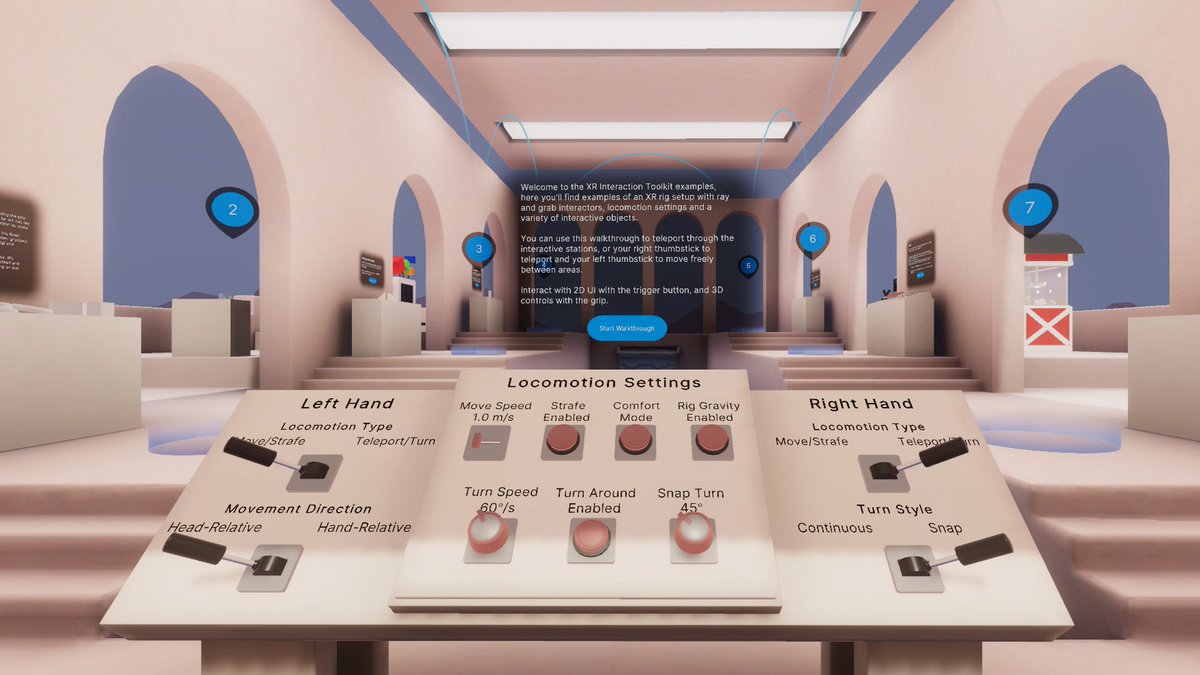
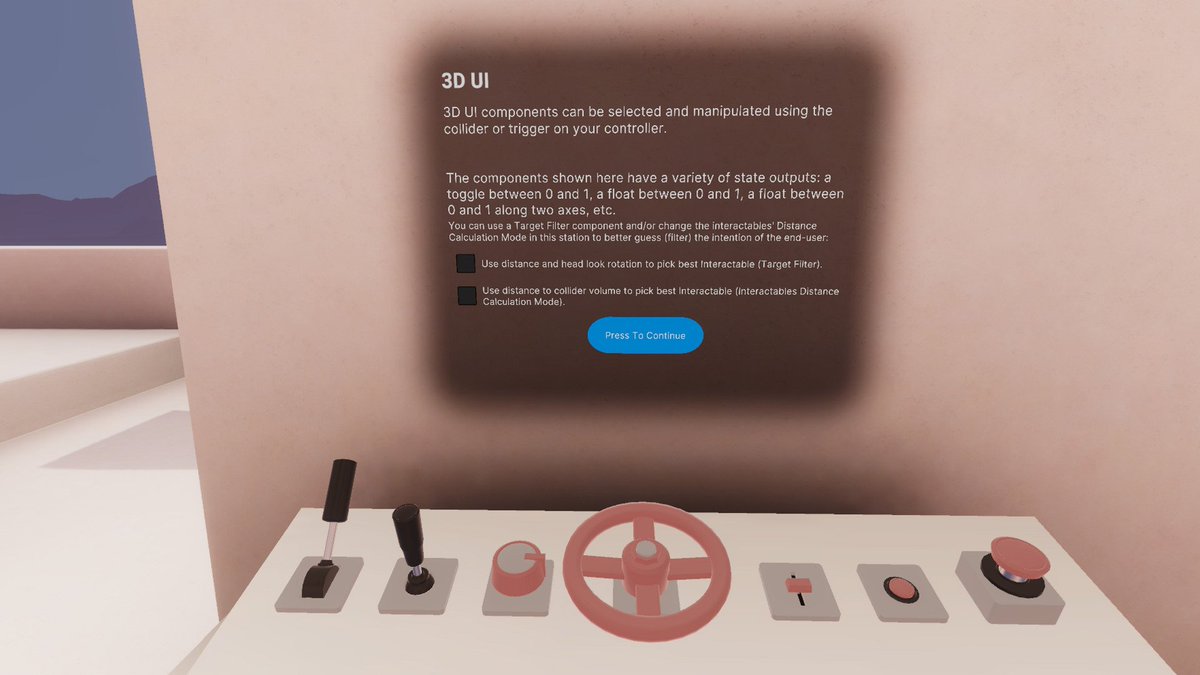
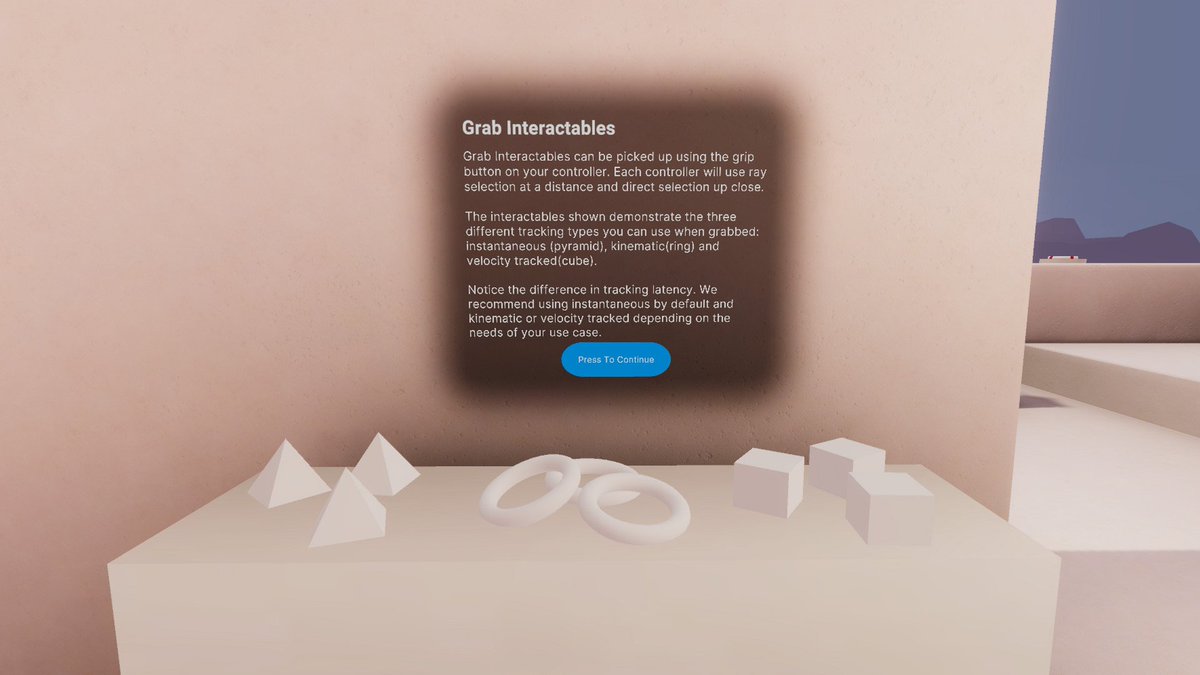
https://twitter.com/prvncher/status/1628899664689827842?s=20

Another bit of good news - the long awaited official example project for the @unity XR Interaction Toolkit has been updated to 2.3.0 with lots of brilliant new samples. #unitytips
https://t.co/X4esPEpgft
 Twitter
·
Twitter
·
 obtuse imp
Y’all I’m trying to make a vr game and I lost the keystore file is there still a way to upload it to applab
storm ether
Y’all I’m trying to fix this vr error

 clever vortex
Anyone familiar with Unity EditorXR?
How can we make runtime-created objects selectable?
So far, the built in support seems to only make existing objects selectable
pine bison
Good to see you here @gritty heart :) I came here to show your other link for people interested in rich hand tracking interactions, including a github repo with examples https://twitter.com/prvncher/status/1628829261640376322

XRI 2.3.0 was is now in official release, and with that comes this wonderful hand interaction sample, and a bevvy of bug fixes and improvement in the hand package.
Support for hands in XRI is constantly improving and I can't wait to see what you all build with it! #unitytips
Likes
220
Twitter
·
pine bison
gritty heart
Hey all some good news!
https://twitter.com/prvncher/status/1628899664689827842?...
Cloned this and played through it, awesome demonstration of the current state of XRIT. I definitely want try to use it now that I can pull prefabs from this scene
north path
obtuse imp
Y’all I’m trying to make a vr game and I lost the keystore file is there still a...
Sadly, no. Look for a backup if you have one. Otherwise contact meta
 shut mica
Hello! I’m like very new to this and want to start making avatars and worlds for people , would anyone know any good tutorials?
Or people who do them
gritty heart
pine bison
Good to see you here <@134314775071948800> :) I came here to show your other li...
Cheers! What’s cool with that example is that if you have the hand sample in your project you can use the hands rig inside it in any xri scene. It’s missing locomotion components but you can readd them at least for controllers.
 main quarry
How to make authentication with oculus without using OculusIntegration package?
I've built all the apps with OpenXR, they are compatible both with steam and oculs
crude frost
I'm still having issues getting OVRLipSync.DLL to load on Quest 2 build.
If you were getting the error DLL Not Found Exeception: Unable to load OVRLipSync.DLL what would be the first 3 things you'd do to try to resolve it?
Here is what I've verified:
- It works in Editor.
- The OVRLipSync Plugin is set to run on all platforms
- I've tried checking/unchecking the 'start on launch' toggle.
crude frost
main quarry
How to make authentication with oculus without using OculusIntegration package?
I have only used cloudlogin.dev and lootlocker.io for authentications. But, maybe this unity article could help you with Oculus uthentication? https://docs.unity.com/authentication/en/manual/SettingupOculusSignin
crude frost
shut mica
Hello! I’m like very new to this and want to start making avatars and worlds for...
I love ReadyPlayer.Me avatars. And I've started a long tutorial series covering using them in VR. https://www.youtube.com/playlist?list=PLSq-rVcJ9fMYAUefBGR_avztQVERcmvjo

YouTube
main quarry
I don't find it online either
crude frost
main quarry
I don't have `Oculus` namespace
You might still need to get the Oculus Integration from unity asset store, but don't import the whole package, try to just import the authentication stuff.
What I'd do, is start a blank project. Import the full Oculus integration into it. Then there is probably a demo scene for authentication.
Right click on that scene in your unity project folder, and choose 'select dependencies'. Then Export as a package (but uncheck the 'include dependencies' checkbox). It should then give you everything you need for just the authentication part.
main quarry
Ok, I'll go this way
main quarry
I'm testing the oculus integration package account example in empty project and it doesn't work


Ok, using the auth code in the empty project with the oculus integration works
now I try to move only the Oculus.Platform dependency
main quarry
crude frost
You might still need to get the Oculus Integration from unity asset store, but d...
the unityproject created doesn't include the library i need... sad, anyway I will manually select them
main quarry
Is it possible to make it working in editor too?
seems not

but the oculus is connected...
 runic holly
hello, I'm trying to figure out exactly what the steps would be to detect input from an oculus quest 2 controller for a webgl project, I've tried pretty much everything there is to it so I assume I'm probably missing a package or something similar, specifically I'm trying to detect when the "A" button is pressed
gritty heart
main quarry
Is it possible to make it working in editor too?
I never got it to work in editor. If you have an old oculus account you can add your credentials to the platform scriptable object, but otherwise you have to test in builds, either windows or android
north path
runic holly
hello, I'm trying to figure out exactly what the steps would be to detect input ...
There is an unofficial webxr exporter on GitHub. Try that.
WebXR isn't officially supported so results might vary
north path
Go to install location (it's in player settings) and change to auto?
 south arch
gritty heart
Hey all some good news!
https://twitter.com/prvncher/status/1628899664689827842?...
south arch
gritty heart
Hey all some good news!
https://twitter.com/prvncher/status/1628899664689827842?...
looks like something i could use thx
 empty lagoon
Someone help me pls
Someone help me with multiplayer
Im use normcore and i want a button to change servers but idk how
Pls help
I cant find any tutorials
tiny niche
@empty lagoon then read the normcore documentation and learn how it works
empty lagoon
tiny niche
<@653787760876060702> then read the normcore documentation and learn how it work...
Stuff makes no sense like at all
 warm whale
Anyone knows why we get "Unable to start Oculus XR plugin" in 2021.3.x LTS version but not in 2020 version. I have tried every resources, all tge workarounds but still not able to get my Quest 2 running in 2021.3 version. Not even in a fresh unity scene with Xr rigs
 tired falcon
Hey I'm trying to start up my vr unity project and anytime I hit play my camera goes flying to the point where the ground isn't even visible any tips?
warm whale
Are there any colliders in xr rig? Also you might want to check the Y position of your rig
lone storm
lone storm
Hi, dunno if it's a shadder issue or a VR issue but my skybox works fine in scen...
help ?
 lone knoll
What are your xr settings ? Multipass / instanced ? Android/ desktop?
Looks like this is a vr issue really
If you got the asset from the store , I would check if it has vr support for Android VR or PCVR for your current render pipeline
 steel coral
anybody know of a way to get a two handed weapon like a rifle work using XR interactables?
 brisk gazelle
Hey yall, I'm trying so send and receive locations from Photon using Photon View and Photon Transform View for a vr game, but it's only sending information from the host of the game, and not from the person that joins. It's a game using both a pc and vr, so if vr connects to the pc, then you can see the pc player moving around from the vr, but not the vr player from the pc. If pc connects to vr, then you can see the vr player moving around from the pc, but not the pc player from the vr. Can anybody help me out here?
Looking further, it appears that Photon Animator View is sending from both sides, but not the transform view.
north path
steel coral
anybody know of a way to get a two handed weapon like a rifle work using XR inte...
On YouTube look for xr interaction toolkit two handed
lone storm
lone knoll
What are your xr settings ? Multipass / instanced ? Android/ desktop?
Instanced on desktop, following a basic tutorial "Procedural Skybox Shader with Clouds in Unity With URP Shader Graph!"
 steel coral
north path
On YouTube look for xr interaction toolkit two handed
steel coral
north path
On YouTube look for xr interaction toolkit two handed
alright thanks
 scenic spruce
when i test my vr game it says xr layer 31 not set to teloport
 proper holly
hey im trying to make a phisics based vr game i was wondering if someone could hop in a call and help me figure it out
 quaint bloom
#🥽┃virtual-reality Hey guys, I have a problem with my VR game that i just cant get past. I have a Craft that i am trying to control using levers. The main craft has a rigidbody which acts as the movement vessel. but then i have two hinges inside the cockpit that are meant to control the speed and the turning. this is all good and well in theory but for whatever reason it does not work how i would like.
When i grab the lever whilst the craft is moving, the lever shoots behind the craft and is dragged until i stop applying force to the craft then it eventually catches up to its original position. I have tried connecting the hinge to multiple different rigid bodies and currently set it to Kinematic. I have also trying seperating the Levers and the main rigidbody on the physics collission matrix but that has had no effect either. please can some one help me
 brittle rock
Im having some issues with touch controls where both the left and the right controllers touchpads perform the actions of both the left and right hand. for example no matter if i touch the left or the right controller trigger both of the hands make a pinching motion not just the left or the right based on whichever controller im pressing. im also not seeing a dedicated left and right touch input option in the input actions bindings for the quest touch controller or the valve index controller
am i missing something?
nvm
i found the right ones
main quarry
Hello, I finally achieve to login with oculus account, but the displayName is empty string
north path
main quarry
Hello, I finally achieve to login with oculus account, but the displayName is em...
What do you mean with DisplayName?
main quarry
    private void OnLoggedInUserCallback(Message<User> msg)
    {
        if (msg.IsError)
        {
            Debug.LogErrorFormat("Oculus: Error getting logged in user. Error Message: {0}",
                msg.GetError().Message);
        }
        else
        {
            _userId = msg.Data.ID.ToString(); // do not use msg.Data.OculusID;
            displayName = msg.Data.DisplayName;
[...]
searching the link of documentation from where i gets the code....
Message and User are from Oculus Integration Platform package
main quarry
north path
What do you mean with DisplayName?
I hope it is the facebook/oculus username of the player that is using his oculus device


I can see the profile thumbnail image
and the profile id, it's different from displayname
loris.toia instad of Loris Toia

I added the permission too in developer.oculus

what i'm missing?
 fleet cargo
Hello I try to put my game on Quest 2 but I've this error, does anyone encounter this one ?
BuildFailedException: Oculus Utilities Plugin with OpenXR only supports linear lighting. Please set 'Rendering/Color Space' to 'Linear' in Player Settings
I cant change my player settings for many reasons
fleet cargo
Ok I've Found ! You just need to change Texture Compression to ASTC in your build settings
 restive lodge
I have a Quest 2, and want to make a game on it. My only problem is the VR headset won't connect properly. It works with building the project, but not on play like I need. Does anyone know why the XR plugin might be acting up?
restive lodge
restive lodge
I have a Quest 2, and want to make a game on it. My only problem is the VR heads...
It says my computer does not have the correct graphic card. Is there any way around this?
 mild igloo
anyone here implementing multiplayer in their project?
crude glen
restive lodge
I have a Quest 2, and want to make a game on it. My only problem is the VR heads...
What do you mean by acting up?
That might help you get an answer🙃
crude glen
mild igloo
anyone here implementing multiplayer in their project?
Are you looking for help in implementing that?
If so and your going down the oculus route it might be helpful checking this out here:
https://developer.oculus.com/documentation/unity/ps-multiplayer-overview/
An overview of the Multiplayer features available to developers.
tiny niche
restive lodge
It says my computer does not have the correct graphic card. Is there any way aro...
you need to do a quest build for quest games
zenith pasture
OVRADBTool adb server version (41) doesn't match this client (40); killing...
- daemon started successfully
UnityEngine.Debug:LogError (object)
OVRADBTool:RunCommand (string[],OVRADBTool/WaitingProcessToExitCallback,string&,string&) (at Assets/Oculus/VR/Editor/OVRADBTool.cs:203)
OVRADBTool:GetDevices () (at Assets/Oculus/VR/Editor/OVRADBTool.cs:113)
OVRGradleGeneration:OnPostprocessBuild (UnityEditor.Build.Reporting.BuildReport) (at Assets/Oculus/VR/Editor/OVRGradleGeneration.cs:374)
UnityEngine.GUIUtility:ProcessEvent (int,intptr,bool&)
can someone help me identify this build error please?
the build finishes, but the apk wont launch correctly - I only see a jittery unity logo
zenith pasture
edit: solved the error, build is still not working
tiny niche
zenith pasture
the build finishes, but the apk wont launch correctly - I only see a jittery uni...
you gotta isolate the issue. revert back to a working commit and compare the diffs
zenith pasture
tiny niche
you gotta isolate the issue. revert back to a working commit and compare the dif...
this is the first build attempt
tiny niche
zenith pasture
this is the first build attempt
i hope you did this at the start of the project
zenith pasture
uh
tiny niche
step1, make sure the foundation is solid 😉
zenith pasture
maaaybe this is a finished project that only needs a few finishing touches
tiny niche
a few finishing touches and potentially a complete rework to run 😉
@zenith pasture but start off by making an empty project and get that to run, then keep adding stuff from your broken project until it breaks
zenith pasture
tiny niche
<@267735246248738826> but start off by making an empty project and get that to ...
turns out that moving stuff to a different scene solved the issue...? strange
storm ether
can someone help me add jiggle physics? all the tutorials arent working
north path
storm ether
can someone help me add jiggle physics? all the tutorials arent working
Many ways to do this. You can use bones and rigidbodies, custom shaders, fluid sim, multiple meshes
restive lodge
tiny niche
you need to do a quest build for quest games
I don't follow? What is a quest build?
north path
He meant a native build on the quest (not PCVR)
Via link you are running the game as a PCVR game. It said your GPU isn't supported, so if you update your drivers and this still shows, your PC probably cannot handle VR
restive lodge
It cannot, is there a workaround of any sort?
tiny niche
north path
He meant a native build on the quest (not PCVR)
Via link you are running the gam...
no, you still need the build to target quest. a pcvr native build wont run on the quest
restive lodge
I'm just a little confused. The quest can build with unity, but the play button refuses to work.
north path
I assume you mean an android build?
restive lodge
Yes if I am correct, not at my computer right now to check.
tiny niche
restive lodge
I'm just a little confused. The quest can build with unity, but the play button ...
your project is set up for pcvr, so when you hit play you try to run it on pc instead of deploying to the device
restive lodge
What would I need to do to fix it and make it display on the device?
tiny niche
restive lodge
What would I need to do to fix it and make it display on the device?
that list is like 5 pages long. your best bet is to follow the manual and start with a quest-compatible template
tiny niche
start as in start trying to deploy
tiny niche
nobody can link up with oculus, they terminated the company
restive lodge
Is there a possible way around this?
north path
Did you update the nvidia drivers? (And if you have an amd or intel iGPU, also update those)
tiny niche
restive lodge
Is there a possible way around this?
like we said, deploy to the device instead of trying to use air link
restive lodge
It has a list of computers compatible with quest 2
restive lodge
tiny niche
like we said, deploy to the device instead of trying to use air link
What does that mean though?
My computer says it's not compatible
tiny niche
restive lodge
What does that mean though?
make an apk and shove it over onto the quest
tiny niche
well i guess you should start by reading up on how mobile dev works
restive lodge
How would I shove it onto the quest?
restive lodge
Is there any tutorials on this?
tiny niche
sure
restive lodge
How would I word it in the search bar?
tiny niche
deploy unity game to quest
restive lodge
I'll check it out, thanks
restive lodge
tiny niche
deploy unity game to quest
Looked it up and don't know what video it would be. Do you have anyone you could recommend?
tiny niche
restive lodge
Looked it up and don't know what video it would be. Do you have anyone you could...
not for this, just pick one at random until you find one that goes through the steps
and skip the first half when scanning videos, cause everyone seems to think we care about who made the video before we've seen it
so its always 50-70% intro
 lapis dawn
hi, i'm creating a warehouse and i would like to use sockets to quickly lay my pallet. my issue is that the socket is working fine for the pallet but the cardboards are not grouped on the pallet (only the pallet is "sucked") does anybody have an idea to fix this ?
 tiny niche
lapis dawn
hi, i'm creating a warehouse and i would like to use sockets to quickly lay my p...
tiny niche
lapis dawn
hi, i'm creating a warehouse and i would like to use sockets to quickly lay my p...
parent the boxes to it
restive lodge
tiny niche
and skip the first half when scanning videos, cause everyone seems to think we c...
https://youtu.be/KHVFGsroHwE found this video for quest, but not quest 2. Don't know where to look.

#meta #airlink #linkcable #vr
Are your pc specs compatible to run the Oculus App? This video goes into the specs and hardware needed to do so, to run airlink or link cable with the Quest 2 and a PC.
CHAPTERS:
0:00 Intro
1:40 Processor & RAM Specifications
3:20 Nvidia Graphics Cards
4:30 AMD Graphics Cards
References:
Meta/Oculus: https://su...
tiny niche
its the same process
restive lodge
Sorry wrong video lol
lapis dawn
tiny niche
its the same process
I would like to be able to remove or add boxes from the pallet, will this still work?
tiny niche
lapis dawn
I would like to be able to remove or add boxes from the pallet, will this still ...
it can
your issue is you want some things physics based and some things not
so you need to code a solution for handling the transition
lapis dawn
tiny niche
so you need to code a solution for handling the transition
how can i do this ?
restive lodge
I may need help finding a video for this, none are coming up that are helpful.
tiny niche
restive lodge
I may need help finding a video for this, none are coming up that are helpful.

In Today's video I walk you through setting up your Oculus Quest 2 with developer mode which means that we will be able to create a Unity3d project and push it to our Quest 2 devices.
📢 Download the Oculus Integration from: (Affiliate Link)
👉 https://assetstore.unity.com/packages/tools/integration/oculus-integration-82022?aid=1101l7LXo
The fol...
clever vortex
Anyone familiar with Unity EditorXR?
How can we make runtime-created objects selectable?
So far, the built in support seems to only make existing objects selectable
storm ether
Anyone know what system splash screen is? I'm guessing it's the image that pops up when you run the game
storm ether
 north path
storm ether
Anyone know what system splash screen is? I'm guessing it's the image that pops ...
north path
storm ether
Anyone know what system splash screen is? I'm guessing it's the image that pops ...
Exactly that
lapis dawn
tiny niche
parent the boxes to it
hi, i don't know how to parent the boxes
tiny niche
lapis dawn
hi, i don't know how to parent the boxes
drag&drop in the scene hierarchy
crude glen
Does anyone have any good tutorials for making guns from SCRATCH? By this I mean they go through modeling, the basic scripting and it’s input into unity and hooking it up. Because all of the tutorials I have found just have you use the same asset instead of actually learning how to make your own thing
lapis dawn
Hi, I have problems when I try to interact with a gameobject placed on the top of another
wintry fiber
so my scene requires big objects, like very big (because of physics), and it happens to be a VR Scene, everything worked wonderfully until i turned on Hand Tracking, now the problem is that the hands are always below me, and not where they should be, it's like everything got scaled except the hands, what can i try? i don't even know what script to show now, it seems that some script thinks that the xr rig's scale is 1 so it overwrites the hands position based on that. i'm using the latest Pico Integration SDK https://developer-global.pico-interactive.com/sdk?deviceId=1&platformId=1&itemId=12
lapis dawn
lapis dawn
Hi, I have problems when I try to interact with a gameobject placed on the top o...
the cardboard is a child of the pallet, i guess this is the problem (this is a screen from xr interaction toolkit, the xr grab interactable file)
 storm ether
uhhhh.... are there no colliders because I used blender?
tiny niche
there are no colliders cause you added no colliders
 worthy crag
storm ether
Anyone know what system splash screen is? I'm guessing it's the image that pops ...
worthy crag
storm ether
Anyone know what system splash screen is? I'm guessing it's the image that pops ...
This is the splash screen When the Unity icon and name appears, you can change the splash screen and put a different one
wet jewel
Hey guys, after importing Oculus Integration package my editor keep crashing, how can I fix it? please help ?
tiny niche
wet jewel
Hey guys, after importing Oculus Integration package my editor keep crashing, ho...
start over
lapis dawn
lapis dawn
the cardboard is a child of the pallet, i guess this is the problem (this is a s...
hi @tiny niche can you help me with this ?
wet jewel
tiny niche
start over
repeated 3 times didn't work
 obsidian marsh
Hello
I need to make a small forest in VR for quest 2
I made a low poly environment
But the FPS is on about 40
Any advice on how to optimize would be great
tiny niche
@obsidian marsh most importantly, turn off all post processing and bake lightmaps
obsidian marsh
thanks, yes I did that but still 40 FPS 😦
tiny niche
did you make the environment static?
and i assume its not running on a potato
and that your low poly assets don't do something silly, like use 4k textures
obsidian marsh
I'm trying to run it on Quest2 standalone
 next quarry
crude glen
Does anyone have any good tutorials for making guns from SCRATCH? By this I mean...
next quarry
crude glen
Does anyone have any good tutorials for making guns from SCRATCH? By this I mean...
I don't know of any tutorials that show the 3d modelling part and the coding part all in one video but there is definitely a lot of 3d modelling tutorial about making a gun, and they probably include how to rig it and make animations. And then you can just follow the coding tutorial but apply it to your own model
north path
obsidian marsh
I need to make a small forest in VR for quest 2
Overdraw probably is killing performance on the tiled quest 2 GPU.
Other than that check the profiler and frame debugger to get draw calls down maybe?
 edgy schooner
Hey, I have a question about scene loading for VR games. For 2D games you can simply put a loading screen and don't care that it takes 5s to load your level and that the screen is actually frozen due to loading. But in VR it's impossible to do it like this, because if the rendering gets frozen you will have the last frame in front of you and either black or even some weird artifacts on the sides, not mentioning that in Oculus requirements it's not allowed to go below certain fps limit even during loading screens. This will happen even when loading the scene asynchronously. How are people dealing with this? What comes to my mind is:
- Use things like SteamVR compositor, or Oculus OVROverlay? But those are platform specific and limited - imagine I'd like a loading screen like in assasins creed, where you are still in controll of player, can move, interact, but the world around you is loading. I'm also not sure if all SDKs have something like compositors?
- Always have empty levels and create a level initializator which will load all your stuff like models, scripts, managers but in a coroutine or something, so that it doesn't try to load everything at once and hiccup? This would obviously increase the load duration.
- Something that's a version of point 2 - having the scene divided into smaller scenes that each only contain parts of the main level like terrain scene, props scene, characters scene, etc. Which is harder when developing because you have to find references dynamically, and what if some scene loads faster than the other which has the reference, etc.
I can't find any good read on this, how are YOU doing this?
autumn pewter
I want to lift an object with controllers with certain speed it started lifting, if anyone wants to lift the object quickly it wont move. Any Suggestions/ videos , how to achieve this?
raven elbow
autumn pewter
I want to lift an object with controllers with certain speed it started lifting...
Unity Forum
Hi. i have recently started making VR games and is working on a puzzle/story driven game just for fun. like in boneworks when i pick up objects i want...
I feel like I'm trying to re-invent the wheel here. I've been trying to scale an Avatar to match the players height/arm span. I've had some short coming's while trying to do so. Does anyone have a good reads on the subject, or a system that's already in place I can use?
fleet cargo
Hello I've a problem with my vr build, it crashed when I launch it in the Quest 2 is it possible to have error logs somewhere to see what going wrong ?
wet jewel
Hey @north path Last time you helped me with UI overlay using a shader material, I have an issue right now. In oculus, left lens shows everything fine but in right lens images are missing. Can you tell me why is that happening and how can I fix it?
 frozen roost
Hey anyone know if it's possible to use the "buffered" haptics mode for Quest 2 with Unity? I tried using OpenXR (and also with the Oculus Integration package), but no luck so far - device capabilities says "supportsBuffer - false" and the methods in the OVRHaptics class don't work either.
north path
wet jewel
Hey <@512275182228865024> Last time you helped me with UI overlay using a shader...
Then that specific shader might not be multiview compatible :/
Sorry for that
That's a btch to edit, so maybe look around for others?
north path
fleet cargo
Hello I've a problem with my vr build, it crashed when I launch it in the Quest ...
Logcat
wet jewel
north path
Then that specific shader might not be multiview compatible :/
Sorry for that
okay thanks
severe saffron
edgy schooner
Hey, I have a question about scene loading for VR games. For 2D games you can si...
recommend looking at this: https://www.youtube.com/watch?v=lpBIbmTPDQc
You can do your getcomponents during build time instead of start/awake, which typically lags asynclevelload
edgy schooner
severe saffron
recommend looking at this: https://www.youtube.com/watch?v=lpBIbmTPDQc
You can ...
Thanks! I'll check this out
 bold parrot
Hi! anyone working on a Vive Focus 3 here? If so, did you manage to get the wrist trackers working in your project?
 stoic finch
I've never done anything in VR. Got a chance to participate in a project. Need help before I start.
It's supposed to be a VR tour thing where you can roam around inside a building. It has multiple rooms, floors, stairs etc.
As far as I understand, VR movement is done by pointing to where you move to(like Half life Alyx). So it is just a raycast to find a ground point to move to and I'll determine the ray/direction based on VR hand forward (is that simply a vector3?)
Maybe there are other complexities I'm missing. How long would this take to do assuming I have no experience in VR(but have made an FPS in unity)?
north path
If you have no experience, don't code everything from scratch. Just use XR Interaction toolkit or ultimate xr (or if you want to use paid assets VR Interaction Framework, AutoHands, or Hurricane VR)
@stoic finch
tiny niche
stoic finch
I've never done anything in VR. Got a chance to participate in a project. Need h...
xr interaction toolkit does that out of the box
raven elbow
stoic finch
I've never done anything in VR. Got a chance to participate in a project. Need h...
Follow this tutorial series, it will help you setup everything you need for VR. He also covers normal stick movement and raycast point and click movement. https://www.youtube.com/watch?v=HhtTtvBF5bI
The first episode of the tutorial series that will teach you everything about VR development.
▶ PATREON : https://www.patreon.com/ValemVR
▶ DISCORD : https://discord.gg/5uhRegs
-LINKS-
EVERYTHING YOU NEED TO GET STARTED :
https://youtu.be/i3DbJwy0R6E
Download Unity : https://unity3d.com/get-unity/download
NEXT EPISODE : https://youtu.be/8PC...
 round mortar
am I doing something wrong where I have the leftEyePosition always return (0,0,0), or is that a known issue?
stoic finch
tiny niche
xr interaction toolkit does that out of the box
Thanks. I also thought that it was basic enough to already be handled by a library.
stoic finch
raven elbow
Follow this tutorial series, it will help you setup everything you need for VR. ...
thank you. Will give that a look.
tawdry anchor
Does anybody have any good tuts on how to make a physics based character like boneworks/bonelab
north path
tawdry anchor
Does anybody have any good tuts on how to make a physics based character like bo...
You can buy hurricane VR and hexabody.
Otherwise I'd say make a checklist feature per feature
north path
round mortar
am I doing something wrong where I have the leftEyePosition always return (0,0,0...
Send the code. Otherwise just use the camera and apply an offset
storm coral
obsidian marsh
Any advice on how to optimize would be great
did you set collision culling properly?
round mortar
north path
Send the code. Otherwise just use the camera and apply an offset
Debug.Log(input.Head.leftPos.ReadValue<Vector3>());
 round mortar
Can someone explain what setting the target eye for a camera actually does. I can't tell if it just draws its image to its target eye or if it also applies an offset.
I also notice that even if a different camera is set to a higher depth than the one in the xr origin, it still uses the xr origin's camera.
round mortar
round mortar
I also notice that even if a different camera is set to a higher depth than the ...
This appears like it was only happening because the other cameras had a target texture so nvm with that, but I would still appreciate an answer to my first question.
 undone seal
someone help please
 round mortar
undone seal
someone help please
round mortar
undone seal
someone help please
I don't know if this would help, but you could give this a look if you haven't already. https://answers.unity.com/questions/1799189/android-sdk-is-missing-build-tools.html
Unity is the ultimate game development platform. Use Unity to build high-quality 3D and 2D games, deploy them across mobile, desktop, VR/AR, consoles or the Web, and connect with loyal and enthusiastic players and customers.
 amber crown
How would I make a particle system follow my hand?
round mortar
amber crown
How would I make a particle system follow my hand?
I would make the object with the particle system be a child of the hand object.
amber crown
round mortar
I would make the object with the particle system be a child of the hand object.
Ive done that but it doesnt work
Actually, it might 1 sec
round mortar
I think that worked for me when I did it.
amber crown
What should I make it a child of?
 round mortar
I'm not entirely sure, as I've never seen that rig setup before, but if the left/rightHand objects are what actually have the hand tracking, then I'd put it in those.
amber crown
This is what is in the right hand
 round mortar
Yeah, I'd put it in there.
round mortar
This is how my rig is set up.
 round mortar
Hmm, would it be possible to send a clip that shows what's happening?
amber crown
Ah, I figured it out
round mortar
Oh, nice.
amber crown
Thanks
 grave kettle
hey guys is it possible to make a render texture display 2 different images for each eye? as in, I want to have a "portal" like effect where I can see three demensions through the camera that the render texture is being projected from
round mortar
grave kettle
hey guys is it possible to make a render texture display 2 different images for ...
I'm trying to do the exact same thing actually. My current workaround for it is to create a left and right texture that I just copy the render texture onto after moving the camera and taking the picture. I haven't yet figured out if there's a way to make a shader actually display the different texture though.
grave kettle
round mortar
I'm trying to do the exact same thing actually. My current workaround for it is ...
I see, I'm wondering if using the 3d volumetric render texture might work. So you say "taking the picture" how exactly do you go about controlling when the frame is drawn because I'm just using the XR template right now.
tiny niche
grave kettle
hey guys is it possible to make a render texture display 2 different images for ...
i believe a better way is to calculate where the eyes should be if you didn't have to look through the portal to see the destination, but before that you render the actual location and have a clipping mask covering the portal
grave kettle
tiny niche
i believe a better way is to calculate where the eyes should be if you didn't ha...
I'm talking more for the purposes of depth perception tho
tiny niche
with a depth bias, you can get the depth buffer to reject a lot of pixels you can't see
round mortar
grave kettle
I see, I'm wondering if using the 3d volumetric render texture might work. So yo...
By "taking the picture", I'm using Camera.Render().
tiny niche
grave kettle
I'm talking more for the purposes of depth perception tho
you'd still get depth perception, since you're not using a render target
round mortar
I'm in Built-In Render pipeline btw.
grave kettle
round mortar
I'm in Built-In Render pipeline btw.
oh damn I'm URP :/
its probably different but if there's a way to actually change which camera position is being projected to the render texture thats all I really need
tiny niche
you always specify camera when rendering to a texture
grave kettle
tiny niche
you'd still get depth perception, since you're not using a render target
honestly I'm not at all versed in clipping masks
grave kettle
tiny niche
you always specify camera when rendering to a texture
oh ye but I mean like
the right eye and the left eye you know? as in, I want a 3d display
like say I had 2 cameras
and the render texture would draw from a different one
depending on which eye the render texture was being drawn from
the retain depth perception
tiny niche
you realize how expensive your renders are gonna get? you roughly multiply the total render cost by 3
grave kettle
tiny niche
you realize how expensive your renders are gonna get? you roughly multiply the t...
my game is very low poly tbh
aswell as the fact that
while in the "portal" mode the rest of your vision will be totally obscured
it will just be you in empty black space peeping through a hole kinda
tiny niche
its not the polycount that'll kill your perf
tiny niche
grave kettle
it will just be you in empty black space peeping through a hole kinda
so why are you even bothering with making a portal? just move the actual camera and do an overlay to obscure the rest
grave kettle
tiny niche
so why are you even bothering with making a portal? just move the actual camera ...
a "portal" is the best way of describing it but its more like a periscope in a submarine. You enter a mode where your vision briefly completely blackens, the game stops rendering the vehicles interior and then ahead of you is the render texture with a crosshair moving about overlayed over the render texture
I realised that
although I could just use a simple 2d render texture
a lot of the game will be through this perspective
and playing a VR game in 2d
is gonna be kinda atrocious for extended periods of time
tiny niche
if its a periscope, you also only need 1 eye
grave kettle
tiny niche
if its a periscope, you also only need 1 eye
but to achieve depth perception I mean
also I wanted to add an old WW2 american range finding system using 2 cameras
tiny niche
normally a periscope would not provide depth perception
grave kettle
Optical rangefinders were an essential tool in all forms of artillery.
This video explores the basic mechanics of how they work.
If you are interested in learning more, these links below provide fascinating insights. Courtesy to them for their valuable research and insights.
http://en.wikipedia.org/wiki/Coincidence_rangefinder
http://www.navso...
its a bit tricky to describe
but essentially, I control the angle at which the two cameras face each other
I can bring it closer, and a static crosshair in the center of each camera
once overlapping
will be able to produce a rangefinding for the target vessel
grave kettle
tiny niche
normally a periscope would not provide depth perception
I know, but considering just how much of the game will be seen through this periscope I think its kinda necessary
like from a players point of view
its a pretty big annoyance
to play large portions of a VR game in 2d
round mortar
Does anyone know what the field of view for each eye is. I know that for the entire camera, it's like 112 verticle and 106 horizontal, but is that different from each individual eye?
tiny niche
round mortar
Does anyone know what the field of view for each eye is. I know that for the ent...
that'd depend on the headset, ipd and if you're using a glasses spacer
 quaint quest
Hi all, I've run into an issue where I can pick up multiple objects with a single hand using XR direct interactor. any recommended way to make it that the user can pick up only 1 object at a time?
quaint quest
quaint quest
Hi all, I've run into an issue where I can pick up multiple objects with a singl...
update: i noticed there was 2 XR controllers attached to my hand therefore i could pick up more than 1 object, my solution was just to remove one of them
round mortar
I'm trying to make portals for vr, but currently my problem is that the image taken by the camera doesn't quite line up with the player's camera, so it looks wrong. I think it's because the render texture that the portal camera uses means that it isn't taking the picture in the way that a vr camera would. Is there anyway to make a vr camera use a render texture?
north path
round mortar
I'm trying to make portals for vr, but currently my problem is that the image ta...
If you use URP maybe use stencils for the portals?
Otherwise maybe mess around with the render texture settings
amber crown
In here, how would I make it so that "When Selected" my particles continue playing until "When Selected" again?

Like a lever sort of
round mortar
north path
If you use URP maybe use stencils for the portals?
Otherwise maybe mess around w...
Do you know if there's anyway to make a render texture include the texture for both eyes?
 dark jasper
anyone know the reason for this as the output to the camera with the XR Origin rig, URP v2021.3.17f1.
moved from the old system to the new origin system and it just rendering this xd
 raven elbow
dark jasper
anyone know the reason for this as the output to the camera with the XR Origin r...
raven elbow
dark jasper
anyone know the reason for this as the output to the camera with the XR Origin r...
Send a screenshot of your inspector for Origin Rig

 raven elbow
I was hoping to see you didn't set up XR Origin script right, it looked good though
dark jasper
yeah xd
my older project using the old stuff still works and that was built in
but this is now the new system and urp
so i wouldnt be surprised if something is still bugged
raven elbow
I added SteamVR to my project a couple weeks ago, then removed it. It fucked everything up. Since my project is small I just started a new one and copied stuff over
I believe it was camera issues
dark jasper
also in the camera, you change target eye to none it renders fine back to the editor display, so it must be something todo with the vr rendering
dark jasper
raven elbow
I believe it was camera issues
yeah this is basically a fresh package
i also disabled all the fancy rendering that might screw it up and nothing changed it
raven elbow
Well I wished I could have helped, I know a good tutorial on setting up XR Origin if u want a link
dark jasper
the global volumes etc and nothing fixed
dark jasper
raven elbow
Well I wished I could have helped, I know a good tutorial on setting up XR Origi...
yeah why not, i checked out one already to see if i was doing it wrong and its pretty straight forward anyways, i didnt do anything different from the guy in the vid xd
raven elbow
The first episode of the tutorial series that will teach you everything about VR development.
▶ PATREON : https://www.patreon.com/ValemVR
▶ DISCORD : https://discord.gg/5uhRegs
-LINKS-
EVERYTHING YOU NEED TO GET STARTED :
https://youtu.be/i3DbJwy0R6E
Download Unity : https://unity3d.com/get-unity/download
NEXT EPISODE : https://youtu.be/8PC...
raven elbow
LOL
dark jasper
yeah i did the same as what he did
its the most basic tutorial every but the xr bit was helpfull to see if i did it wrong
and it should just be a case of import the dependencies then add an xr origin rig and it works
raven elbow
I didn't have any issues, but I was also working with a fresh project when i followed that tutorial
raven elbow
Unity 2021.3.16f1
dark jasper
legit one before mine xd
raven elbow
I've been too scared to hit that update button for the past couple weeks
dark jasper
i doubt its the version then
Repro steps: 1. Open attached project 2. Enable Post Processing on the Base camera 3. Build and Run on Quest Actual: The whole view ...
cos this thread everyone is complaining about it
but its also 2020
so its an old thread and the issue is still here
raven elbow
You on a quest?
raven elbow
Have you played games linked up before?
dark jasper
yeah
raven elbow
cable worked for that i take it?
raven elbow
Use w/e cable was working when playing a game, just incase it is a cable issue
what type of cable is it? MicroUSB or USB-C?
raven elbow
Does is transfer data? Or is it for charging only?
raven elbow
Ah, sorry shooting from the hip here. I only have an Index
dark jasper
yeah no worries
nope same issue with a copper cable
even thoi its 5gbps
so im assuming it must be an issue with something in unity
raven elbow
Send me ur project if u dont mind, it would tell us if its a quest issue or not
dark jasper
sorry i cant do that, ive got paid assets in here i cant distribute
but i will try a completly blank project and test
raven elbow
DM me when ur done, im just curious at this point
dark jasper
yeah no worries, will do
raven elbow
Anyone here have experience scaling an Avatar to fit the players height/arm span in? I thought it was going to be relatively easy but I've run into some issues. Also feels like I'm trying to reinvent the wheel.
dark jasper
raven elbow
DM me when ur done, im just curious at this point
well it worked in a blank project, thats not ideal xd
now ive gotta fix whatever ive done wrong in my main one
raven elbow
well GL man
round mortar
round mortar
Do you know if there's anyway to make a render texture include the texture for b...
I'm just gonna repost because my question is pretty far up. Is there anyway to make a camera's render texture include the textures from both eyes?
dark jasper
round mortar
I'm just gonna repost because my question is pretty far up. Is there anyway to m...
im not sure but an easy way could be to have two cameras rendering to two seperate rt's as your eyes
round mortar
I'd do that, but I can't figure out how to position the cameras properly for the image to line up with what you would see using a vr camera.
dark jasper
round mortar
I'd do that, but I can't figure out how to position the cameras properly for the...
ahh yeah i getcha, not sure tbh
@raven elbow i found my issue, vr really doesnt like to support light scattering ;-;
you try to render these volumetric light rays, it kinda gives up and dies xd
 raven elbow
dark jasper
ahh yeah i getcha, not sure tbh
raven elbow
dark jasper
ahh yeah i getcha, not sure tbh
dang, looks good tho!!!
Pretty sure they pulled it off in Boneworks?
raven elbow
You using the volumetric lights off the asset store?
dark jasper
LSPP

Add depth to your project with os. LSPP | God Rays, Light Shafts, and Volumetric Lighting for URP asset from OccaSoftware. Find this & more VFX options on the Unity Asset Store.
raven elbow
i forgot which one but there is one on the asset store a bunch of AAA games have used. Boneworks was one of the listed ones.
 wild sable
https://www.youtube.com/watch?v=GwozHHQC4Oo&ab_channel=klookiea i made a vr game test... do you have any ideas
 north path
Ideas for?
wild sable
ideas for the game
onyx blaze
tawdry anchor
Does anybody know any tus or websites to make a gun with reloading
Search up VRIF on YouTube
(Class system I made ^)
storm coral
onyx blaze
woah how do you optimize your effects for vr?
also you stuff is as impressive to see as ever, I have so much respect for people who can make stuff in vr lol
north path
storm coral
woah how do you optimize your effects for vr?
Quest 2 or PCVR can handle quite some. Just try to limit overdraw and particle count
tawdry anchor
onyx blaze
Search up VRIF on YouTube
Do you know any ways for free?
 hollow quest
howdy
so the unity xri multi grab is great and all, but one player's hand does not stick to the object like the other does.
How can I limit the movement range of hands while they are grabbing an object
tiny niche
hollow quest
How can I limit the movement range of hands while they are grabbing an object
well you would have to define how the object is supposed to be held. you may need to implement all that on your own
hollow quest
tiny niche
well you would have to define how the object is supposed to be held. you may nee...
Right now I am using dynamic attach
Could you point me in the right direction?
In the future, when this project gets much more work done, I will likely use something like Auto Hand
but for the prototyping stage, I just wanted a quick and dirty fix lol
tiny niche
well start by thinking of how you want the interaction to behave. you would have very different solutions for a ball, sword, bow, rifle and staff for example
hollow quest
I essentially want my player hands to superglue to the object while each hands' triggers are held
tiny niche
yea but that's only half the problem
hollow quest
How so?
tiny niche
you've glued the hands to the object, which solves the visuals. But you haven't defined how the object resolves it's position and orientation
hollow quest
Unity XRI has me covered on that already, 2.2.0 added multi grab support
tiny niche
like where is it if you bend over, grab the object and then t-pose?
hollow quest
my player hands would default to the average distance between my two real hands
tiny niche
hollow quest
Unity XRI has me covered on that already, 2.2.0 added multi grab support
then hide the hands and put new hand models on the object
hollow quest
tiny niche
then hide the hands and put new hand models on the object
here let me take a video 1 sec
so you know what I mean
@tiny niche
You can see here how the second hand does not snap to the surface of the object like how the first hand does
yet, it still has the ability to manipulate the object
tiny niche
well that's normal, they added 2-hand interaction and not multi-grab
hollow quest
they call it multi-grab
dual grab, more specifically
I want the second hand to snap to the surface of the object like the first, but I really can't seem to figure out where to start
not without using a different framework
let alone that the current system of mine only works if its a symmetrical object lol
onyx blaze
storm coral
woah how do you optimize your effects for vr?
It’s particle based, so I make sure the particles are 300 at max
onyx blaze
storm coral
also you stuff is as impressive to see as ever, I have so much respect for peopl...
Also, thanks for the kind input. I love it when people recognize my work
onyx blaze
tawdry anchor
Do you know any ways for free?
unfortunately, all good things come with a price.
lapis dawn
Hi, i have an issue : when I take an object placed on the top of another, everything explode, can somebody help me please ?
tiny niche
well adding an extra camera would be expensive, since its using a completely different render path when compared to the vr cameras
as for the other cameras, unity might be optimizing their rendering, assuming you're even rendering all of them at the same time and at equal resolution to the 1 camera
if you're splitting the render target between the cameras evenly, its a lot cheaper than if you gave each of them their own render target
so my guess is you're doing that and being fillrate capped
texture should what?
north path
tawdry anchor
Do you know any ways for free?
UltimateXR is probably the best VR system which is free
tiny niche
sure, but did you give all cameras different textures and render them all at the same time? or did you assign different textures and only render 1 of the cameras?
and display 1 is giving different back buffers to both camera outputs?
or is it shared?
a gpu debugger would be the best way to be sure
my guess is you have a shared back buffer, meaning you're rendering several cameras for a similar gpu cost and mainly add cpu overhead
and that the main issue is your game hits the fillrate cap when you force it to do a fresh render instead of piggybacking on the compositior to get the image from an eye
the way to avoid it is to use the stock mirror solution
what is not possible? using the stock mirror solution? or having only a first person view?
yes, that's why its cheap
then make your game cheaper to render, so you can afford to render both viewpoints
its not the polys that's limiting you, its the number of pixels on screen
and the amount of overdraw
so, reduce shader complexity, upscale and eliminate overdraw
no
but having a low res backbuffer would
north path
What error?
Which unity version?
Which headset?
Do you use a custom android manifest?
Are all the android things selected as installed with unity in preferences - external tools?
@storm ether
mild igloo
Anyone have any experience using Interaction SDK locomotion or Gestures in general. I am trying to figure out how to make the gestures easier to recognize. Right now the locomotion gesture is hard to pull off for some people
crude glen
Hi everyone back again😅. I’m having issues with my builds in where when I run it in my quest it pulls it up as a window opposed to a application my guess was the xr origin but I’ve redone it three times trying to get it to work with no luck. Any ideas as to why?
Delete the package lock file in i think .android
obtuse imp
crude glen
Hi everyone back again😅. I’m having issues with my builds in where when I run i...
Have you tried Turing it on then off again no but fr it’s the xr setting in unity project settings are look up a tutorial
crude glen
obtuse imp
Have you tried Turing it on then off again no but fr it’s the xr setting in unit...
I just fixed it myself but thank you for trying to put me in the right direction
obtuse imp
Ye
round mortar
Has anyone managed to figure out a way to correctly line up the cameras for vr portals, and if so, would you mind sharing how you achieved this?
north path
round mortar
Has anyone managed to figure out a way to correctly line up the cameras for vr p...
In urp using stencils is quite easy and performant
pine bison
<@&502884371011731486>
torpid ginkgo
!ban 683428717833617458 scam
ornate questBOT
 Gikis#8168 was banned
hollow quest
developing anything in vr seems like such a massive pain
I run into more roadblocks than I do with any other programming problem
Alright, I have a script that spawns an item into the player's grip. When the player is in motion, and tries to throw said item, its direction is skewed. How can I fix such a thing
If it helps, here is a diagram. Black is the player's direction of motion. Green is the intended throwing direction. Yellow is the actual direction

 shell kayak
hollow quest
Alright, I have a script that spawns an item into the player's grip. When the pl...
shell kayak
hollow quest
Alright, I have a script that spawns an item into the player's grip. When the pl...
So the player is moving forward and throws the item straight up, but instead of it going straight up, it ends up behind the player. Does that sound right?
hollow quest
its not just up, but also while strafing
so essentially, yes
think of the diagram as both a top down and a side view
shell kayak
hollow quest
think of the diagram as both a top down and a side view
Because that just sounds like you're not applying the player's velocity to the object. If the player is moving 1 m/s in a direction and throws the object 1 m/s in the same direction, the velocity you should apply to the object is 2 m/s. Whereas if you threw the object in the opposite direction with the same speed, it would cancel out.
Like this classic Mythbusters episode. A cannon firing a ball at the same speed as the truck, but in the opposite direction.

Assuming you're using a Rigidbody, if your using forces/velocity to make the object follow the player's hand, then it should just work when you add the additional throw force. But if you're manually making the object follow the player's hand, like by setting transform.position directly, then you have to calculate the combined velocity yourself.
hollow quest
👁️ the player is grabbing the object, it's a grab interactable
Idk how unity internally keeps the object in your hand
But I do know that I am using velocity tracking which is essentially what you are saying
Since velocity tracking keeps the object in your hand through the physics engine and not your hands transform.position
hollow quest
shell kayak
Assuming you're using a Rigidbody, if your using forces/velocity to make the obj...
🗿 that's why I'm confused
Velocity tracking should be doing all that but it dont
shell kayak
hollow quest
🗿 that's why I'm confused
Is the throwing also handled by Unity or are you doing something custom?
Is the player movement custom or also handled by Unity?
tiny niche
hollow quest
Since velocity tracking keeps the object in your hand through the physics engine...
it sets velocities, which bypasses most of the physics engine as well
throwing something is a bit too intricate for a naïve implementation. You have to compensate for interpolation errors and account for inertia pushing objects out towards your fingertips as you throw
this all results in you adjusting the shape of your hand as you throw, ideally putting the point of pressure on the fingertips as a sphere leaves your hand
a naive implementation is more like having a stiff wrist and throwing something with the palm of your hand
except its even worse than that, since the velocity loss is greater the faster you move your hand, giving you the most error at the end of the throw
this is why in most games an underhand throw appears far more efficient and closer to reality
severe saffron
keep a buffer of previous positions/velocity, average or keep the peak 3 or come up with some kind of method that will "accumulate" the throwing velocity
hollow quest
shell kayak
Is the player movement custom or also handled by Unity?
both are handled by unity
hollow quest
tiny niche
except its even worse than that, since the velocity loss is greater the faster y...
this is why throws don't feel quite natural, but it isnt my problem. I already knew this. My problem is that the player's velocity isn't added to the objects velocity when thrown
it seems like a real pain to fix,
tiny niche
hollow quest
this is why throws don't feel quite natural, but it isnt my problem. I already k...
its all part of the same problem, measuring the velocity at the correct position
hollow quest
tiny niche
its all part of the same problem, measuring the velocity at the correct position
yeah I suppose
Although I have the player velocity thing fixed when it comes to everything but throwing
tiny niche
severe saffron
keep a buffer of previous positions/velocity, average or keep the peak 3 or come...
that doesn't eliminate interpolation errors. if you draw straight lines along positions on a parabola, the straight lines will end up on the inside. now measure the area and you have significantly less area inside the interpolated section than inside the actual curve
problem with throwing is the velocity magnitude goes something like this

so even a near miss of the apex can have a huge impact
severe saffron
interesting...
tawdry anchor
Does anybody know how to make something jump on platers head like a crablet from boneworks/bonelab
Player
hollow quest
tawdry anchor
Does anybody know how to make something jump on platers head like a crablet from...
maybe lookat player and apply a force. then when the head crab thing collides with the player, you snap the model to the players head.
tawdry anchor
Alright thx
 slim hill
Hi, I'm new here and a beginner in unity and using an Oculus Quest 2 for my project. I want to teleport in my scene. I followed the steps of Valem's tutorial https://www.youtube.com/watch?v=9pVdiBogmew but as you can see in my screenshot the teleport raycast is not pointing from the hand to the reticle. If I close my left eye in the VR-Headset it shows only the scene and the hands without the raycast and the reticle, so it only shows on the left lens of the VR-Headset. The teleportation works but I can't aim to the space where I want to teleport. I followed all these steps on a complete new unity project and it works without a problem. Do you have any ideas where is the problem and can you tell me how to fix it?


The fourth episode of the tutorial series that will teach you everything about VR teleportation.
▶ PATREON : https://www.patreon.com/ValemVR
▶ DISCORD : https://discord.gg/5uhRegs
NEXT EPISODE : https://youtu.be/0xt6dACM_1I
PREVIOUS EPISODE : https://youtu.be/0VowAem2aMM
00:00 Intro
00:34 Ray Setup
02:33 Locomotion Setup
04:00 Teleportatio...
round mortar
north path
In urp using stencils is quite easy and performant
Does that work for making a portal that takes you to a different place in the same room (basically like the portal game).
Sorry, I just haven't really done anything with stencils before.
 dreamy iron
what is the DPI for oculus quest 2 ? and if I set the resolution scaling mode to fixed DPI, would that improve the frame rate ?
also should I use Vulkan API or OpenGL ? which is better for quest 2 or it doesn't matter ?
 timber inlet
Hi guys can I develop on quest 2 without using admin account?
north path
round mortar
Does that work for making a portal that takes you to a different place in the sa...
Yep, just instead of teleporting you switch stencils. There are some guides on YouTube
north path
timber inlet
Hi guys can I develop on quest 2 without using admin account?
No, only with link
bold parrot
Hi, does anyone know how to use both hand tracking and controllers at the same time on a Vive Focus 3 using Unity? I can use both on my project but whenever I move my hands the controllers get disabled and vice versa.. anything to bypass this?
torpid ginkgo
@umbral geyser Not a place for ads
 umbral geyser
@torpid ginkgo Sorry!!
 limpid canopy
Is it possible to bring Oculus Quest's virtual furniture into Unity?
tiny niche
limpid canopy
Is it possible to bring Oculus Quest's virtual furniture into Unity?
no, but you can make assets to bring into oculus home
limpid canopy
tiny niche
no, but you can make assets to bring into oculus home
I see, thanks 
 sharp delta
not sure if this is the best place to ask, but I'm having issues updating meta quest IAPs through the developer dashboard. No matter how many times I save, they never seem to update, anyone know why this may be happening?
 tawdry anchor
Does anybody know how to make custom guns with hurricane vr?
tawdry anchor
Or vrif?
north path
@tawdry anchor
VRIF has a wiki page on it: https://wiki.beardedninjagames.com/en/Tutorials/Replacing-Weapon-Models
And I know the last company I worked with made them custom by just taking the samples as reference and clone the placement when needed.
Not sure about hurricane.
Also heard UltimateXR has nice gun support, but haven't tested
tawdry anchor
Thank you
buoyant jolt
It's not an error, it's a warning, saying you don't have VR configured right for your unity version
It's telling you what's wrong with the project though
buoyant jolt
It will keep saying that until the package manager entry for the XR of plugin that was added is removed.
These days though, for a new project, unless you are using an older XR system of some kind (Pico 2 for example or cardboard) you probably don't want that enabled anyways...
wintry fiber
a 3d model won't show up in VR Standalone
i tried connecting with the vr headset to Unity on my PC and it shows up
but when i build the project it doesn't
any ideas?
buoyant jolt
Is the scene added to the build settings? Is it only one object? I'd also look at the logs on the headset.
wintry fiber
how do i look to the logs?
buoyant jolt
If the scene is right, but the object is missing, it could be the culling.
If the scene is wrong, it is probably wrong in the build settings.
Logs depend on the headset, but usually you use ADB or logcat if it's an android headset.
buoyant jolt
If it's an HL2, ML2 etc then the logs are different. Depends on the headset
wintry fiber
Pico 4
i'm instaling logcat
@buoyant jolt

does this have anything to do with the mesh
buoyant jolt
wintry fiber
<@229302061840203786>
I'd filter those errors out, they just look like noise. Pico SDKs tend to make a lot of false flags for errors
Chances are you want Tag: Unity
But just a guess I don't use the Pico 4, we are in Canada, so our clients are on 3s.
wintry fiber

this is all of it
on Unity
the model showed yesterday, if that helps
and the game view ALSO shows the mesh
@buoyant jolt does this information help?
buoyant jolt
wintry fiber
<@229302061840203786> does this information help?
To me it looks like the problem isn't a code issue.
round mortar
north path
Yep, just instead of teleporting you switch stencils. There are some guides on Y...
Sorry last question. Does this require you to make a duplicate of the geometry in your scene?
north path
round mortar
Sorry last question. Does this require you to make a duplicate of the geometry i...
You don't need a duplicate, why would you need that?
 strong cobalt
At this point i cant press the play button on my unity project and have it play on my headset that is plugged into my pc that i know can run pcvr i am using an oculus quest 2 can anyone help?
gritty heart
strong cobalt
At this point i cant press the play button on my unity project and have it play ...
You might not have your xr plugin stuff setup right.
Try downloading this project and seeing if it works for you. Then you can mirror the project settings and packages setup.
https://github.com/Unity-Technologies/XR-Interaction-Toolkit-Examples
GitHub
This repository contains various examples to use with the XR Interaction Toolkit - GitHub - Unity-Technologies/XR-Interaction-Toolkit-Examples: This repository contains various examples to use with...
 lofty carbon

what is the WaitForFrames() Method, and what could cause it to make the game completely freeze up?

 worthy mortar
for some reason, my xr inputs are not being detected, i dont think its an issue with my scripts because everything was just fine a while ago and it works with only one script
north path
@lofty carbon that's VSYNC. The graph looks stable, do you have any issues?
round mortar
north path
You don't need a duplicate, why would you need that?
I'm probably misunderstanding how stencils work, I thought that you have to line up the area that you're looking at through the portal with the portal. Never mind though. Thanks, I'll do a bit more resource into stencils.
 lapis cradle
How can I connect to OBS Websocket server and get the scene into Unity
I noticed that OBS has a Websocket server in-built, which provides us a port and everything. I am thinking if there is a way to access that Websocket server and retrieve OBS Virtual Camera feed directly into Unity, using Video Player or maybe some other component. If this is possible, can someone tell me how to do it ? A basic script would go a long way in helping.
So what I actually want to do is get the transparent cut out of a person into Unity in a live stream
So that I can see VR Passthrough behind the person, And I am thinking that if I can get OBS's green screen background as input into my Unity project using Video Player, I will be able to apply a Render Texture and remove the green screen.
torpid ginkgo
@lapis cradle Do not ping server roles with not server related questions
lapis cradle
How can I get help?
torpid ginkgo
By waiting patiently
lapis cradle
Thanks XD
torpid ginkgo
And read #📖┃code-of-conduct
mild igloo
Hey does anyone know of a shader that would work for VR hands that doesn't have the depth issue when making a fist. I just need to be able to fade it i and out
 flat pulsar
I don't know of a specific shader. but I believe a basic Fresnel shader might not clip into itsself for instance a balled fist
also if you have to use built in vs shader graph you can actually do this https://forum.unity.com/threads/converting-shader-graphs-to-editable-usable-shader-code.709007/ to convert the shader to built in
Unity Forum
I'm trying to make a gradient-lighting/banded-lighting shader that actually uses per-pixel lighting to determine which "band" of illumination to fall...
north path
mild igloo
Hey does anyone know of a shader that would work for VR hands that doesn't have ...
Which depth issue??
mild igloo
north path
Which depth issue??
When making a fist, I can see my fingers through hand when making a fist
 median pecan
Anyone got any tips on working with Joint hinges & grabbable objects? I'm trying to make a paddle that is stuck to the side of a boat with a hinge. But I think since the center of mass of the paddle is on the other side of the hinge, the Velocity Tracking mode of the grabbable moves from center of mass and flips it when I grab.
tiny niche
median pecan
Anyone got any tips on working with Joint hinges & grabbable objects? I'm trying...
take a look at the escape room sample, it has all kinds of hinges
proper holly
hello
median pecan
tiny niche
take a look at the escape room sample, it has all kinds of hinges
Thank you! Will check it out. I tried looking into the possibility to extending XRGrabInteractable but it seems so much is done without abstractions and private stuff one would need to copy the whole thing to modify to once content 😅
severe saffron
I find config joint always makes a better hinge than hinge 🙃
median pecan
severe saffron
I find config joint always makes a better hinge than hinge 🙃
I'm using config joint^
severe saffron
oh welp IDK because Im just a lowly hurricane user
solved so many issues for me I dont have to know how anything works 😛
storm ether
hey can anybody test my multiplayer vr game with me?
buoyant jolt
lapis cradle
How can I connect to OBS Websocket server and get the scene into Unity
I notice...
I'm assuming you just want something like this?
https://www.stereolabs.com/docs/unity/green-screen-vr/
There are a few techniques and plugins for it, but that should help
Here's another example the Vive way
https://arstechnica.com/gadgets/2016/06/htc-vive-mixed-reality-vr-how-to-explained/

Ars Technica
All you need is a camera, a capture card, and one spare Vive controller.
And of course the Quest way
https://developer.oculus.com/documentation/unity/unity-mrc/
Add support for Mixed Reality Capture to your Unity application.
north path
Please vote on this issue to get official pico support in Unity!
Steps to reproduce: 1. Open the attached user's project "VRFearProject.zip" 2. In the OpenXR settings add all of the Interaction Pro...
north path
Get rid of the legacy VR packages in the project and follow a newer VR guide
If you used legacy XR, remove XR plugin.
As the error says now you have both, which wont work
crude frost
Its just kind of a shuffle
slim hill
any ideas?
 buoyant jolt
slim hill
any ideas?
buoyant jolt
slim hill
any ideas?
About what?
slim hill
about the raycast
buoyant jolt
Ok, try using full sentences. What about a raycast?
slim hill
slim hill
Hi, I'm new here and a beginner in unity and using an Oculus Quest 2 for my proj...
here i described everything
buoyant jolt
I haven't used that person's tutorial. I have no idea how good or bad or accurate it is.
But if it works in a new project, then something is wrong in the current project. Be it deferred rendering, or having some transform not centered to the parent properly
My best guess is to change from deferred rendering or vise versa to get both eyes working first. Then try and figure out why the teleport raycast position is mismatching.
slim hill
ok thx
slim hill
buoyant jolt
My best guess is to change from deferred rendering or vise versa to get both eye...
thx solved it
 fathom minnow
reddit
0 votes and 0 comments so far on Reddit
Been trying to fix this issue for a long time any help appreciated
 grave path
fathom minnow
Been trying to fix this issue for a long time any help appreciated
grave path
fathom minnow
Been trying to fix this issue for a long time any help appreciated
My best guess for that is, either the object you are using has some sort of animation that is controller how your player moves which for vr needs to be the opposite unfortunately, or something to do with rigidbodies, I think it might be the former most likely
north path
Or maybe try different physics materials @fathom minnow
 muted bluff
I have a question that required a video if anyone is free to help me- involved spatial a vr platform and unity
storm ether
Hey why do I press play and nothing happens in my headset despite setting up Quest link and all that?
storm coral
storm ether
Hey why do I press play and nothing happens in my headset despite setting up Que...
Did you set your openXR default to oculus?
(if you're using openXR)
storm ether
storm coral
Did you set your openXR default to oculus?
That worked thank you :)
It worked but its stuttering intensely, not sure if unity or headset
fathom minnow
grave path
My best guess for that is, either the object you are using has some sort of anim...
I haven't encountered this issue before and in a project with a different version a while ago it worked with little differences so I'm going to try and update unity to see if it helps.
north path
muted bluff
I have a question that required a video if anyone is free to help me- involved s...
Just ask the question
muted bluff
north path
Just ask the question
dmed you
crude frost
Is there a way to scale a GameObject that is a XR Grab Interactable while it is being grabbed? I've been killing myself trying to figure out why my simple scaling logic isn't working, only to finally just try adjusting scale in inspector while gameObject is grabbed, and it won't let me.
tiny niche
crude frost
Is there a way to scale a GameObject that is a `XR Grab Interactable` while it i...
put it on an invisible parent to the actual mesh, then you can scale the mesh object
 timber umbra
Hi all, I'm trying to work with the SteamVR package (and had it working in an earlier Unity version (which I had to upgrade to work with PlasticSCM).
My problem is that as soon as I install the package from the asset store (I removed the /SteamVR folder first) I get errors right away:
Assets\SteamVR\Input\SteamVR_Behaviour_Pose.cs(157,122): error CS0246: The type or namespace name 'ETrackingResult' could not be found (are you missing a using directive or an assembly reference?)
Assets\SteamVR\Input\SteamVR_Behaviour_Pose.cs(248,47): error CS0246: The type or namespace name 'EVRInputStringBits' could not be found (are you missing a using directive or an assembly reference?)
etcetera.
(using Unity version 2020.3.39f1 SteamVR version 2.7.3)
tiny niche
timber umbra
Hi all, I'm trying to work with the SteamVR package (and had it working in an ea...
does that unity version match what the package needs?
timber umbra
the package just says: Unity 5.6.7 or higher
tiny niche
my guess is the package info is incorrect then
timber umbra
the package was last updated in feb 2021 (so should still work with a 2020 version right?)
tiny niche
maybe
but it might also have package manager dependencies
you want to figure out where ETrackingResult is supposed to come from and dig deeper there
its likely a version mismatch or a missing dependency
timber umbra
I'll look into it, thanks for the help so far
pine bison
This server isn't for recruitment. Look at the links in #📖┃code-of-conduct
bold parrot
Hi, I'm working on a multiplayer VR app using Vive Focus 3 headsets. I have seemingly no issues when only one client is connected to my host (a PC app) but whenever I connect a second client, frame drops start to appear.
It seems like the hand tracking is the root of the problem, but I'm not completely sure about that to be honest. Looks like the lag spikes come when a hand or more is not being tracked anymore. I don't know how that makes the game lag regarding how the hand tracking work and the netcode for it.
Here is both my joint setup and its movement script (each hand is composed of 26 joints).
using System.Collections;
using System.Collections.Generic;
using UnityEngine;
using Unity.Netcode;
#if (UNITY_ANDROID)
using Wave.OpenXR.Toolkit;
using Wave.OpenXR.Toolkit.Hand;
#endif

namespace Wave.OpenXR.Samples.Hand
{
    public class Joint_Movement : NetworkBehaviour
    {
        public NetworkVariable<int> jointNum = new NetworkVariable<int>(default, NetworkVariableReadPermission.Everyone, NetworkVariableWritePermission.Server);
        public NetworkVariable<bool> isLeft = new NetworkVariable<bool>(default, NetworkVariableReadPermission.Everyone, NetworkVariableWritePermission.Server);
        public NetworkVariable<bool> isValid = new NetworkVariable<bool>(default, NetworkVariableReadPermission.Everyone, NetworkVariableWritePermission.Owner);

#if (UNITY_ANDROID)
        void Update()
        {
            HandJoint joint = HandTracking.GetHandJointLocations(isLeft.Value ? HandFlag.Left : HandFlag.Right)[jointNum.Value];
            isValid.Value = joint.isValid;

            if (joint.isValid)
            {
                transform.localPosition = joint.position;
                transform.localRotation = joint.rotation;

                // Show joint when valid
                GetComponent<Renderer>().enabled = true;
                HideHandsServerRpc();
            }
            else
            {
                // Hide joint when not valid
                GetComponent<Renderer>().enabled = false;
                HideHandsServerRpc();
            }
        }
#endif

        [ServerRpc(RequireOwnership = false)]
        void HideHandsServerRpc()
        {
            if (isValid.Value)
            {
                GetComponent<Renderer>().enabled = true;
            }
            else
            {
                GetComponent<Renderer>().enabled = false;
            }
        }
    }
}
Any idea on this issue? Is my netcode setup wrong or something?
 buoyant jolt
bold parrot
Hi, I'm working on a multiplayer VR app using Vive Focus 3 headsets. I have seem...
buoyant jolt
bold parrot
Hi, I'm working on a multiplayer VR app using Vive Focus 3 headsets. I have seem...
To be sure, you can open the profiler and see where the lag spikes are coming from
Just to make sure you aren't chasing a red herring
bold parrot
I'm still kinda new to VR dev, I'll have to look how to get a profiler in an AIO headset
buoyant jolt
It sounds like the frame drops happen in the editor too, you may not need to profile the actual headset. But it is better if you do.
bold parrot
I looked in the editor and didn't notice big drops like in the headsets, I'll double check to make sure
zenith pasture
How well does oculus quest 2 handle lights and emission? Is it possible to have 10+ light sources in a small room with some furniture (150k tris give or take) while using URP?
north path
zenith pasture
How well does oculus quest 2 handle lights and emission? Is it possible to have ...
Is there any reason this needs to be realtime?
If not, you can bake as many lights as you want :P
You can use light probes to also light up dynamic objects in the room :p
Then different lights also have different performance characteristics. Point lights are the slowest, so use wide spotlights where possible. Also disabling shadows helps a lot of course
Only way to say for sure is to try
zenith pasture
north path
Is there any reason this needs to be realtime?
If not, you can bake as many ligh...
The project is a virtual pinball, so they need to be realtime to be enablable as the ball hits different components
My current idea was emissive materials, any idea how demanding they are compared to other sources of light?
north path
zenith pasture
The project is a virtual pinball, so they need to be realtime to be enablable as...
If not all lights are on at once it should be fine.
Emmision is not a light source. It does not do much without bloom. Bloom is very expensive however
shell kayak
zenith pasture
The project is a virtual pinball, so they need to be realtime to be enablable as...
Emissive materials do not emit light in URP. It's a much more complex source of light, usually reserved for raytracing and light baking, but can be approximated with Unity's realtime global illumination solution.
 brazen tundra
How can I make my VR game work with Proton for Linux?
zenith pasture
north path
If not all lights are on at once it should be fine.
Emmision is not a light sou...
I expect at most 5 sources + ambient baked light to be on at the same time
north path
zenith pasture
I expect at most 5 sources + ambient baked light to be on at the same time
Then it's probably fine
Only way to know is to try
lofty carbon
When Building to the Quest 2, what should these options be?
 shell kayak
lofty carbon
When Building to the Quest 2, what should these options be?
shell kayak
lofty carbon
When Building to the Quest 2, what should these options be?
Standard Shader Quality only matters if you're using the Standard shader, which you shouldn't be doing on Quest 2. Most of the other options don't really matter unless you're using them, which for most of them you probably shouldn't be doing. Definitely not HDR.
lofty carbon
shell kayak
Standard Shader Quality only matters if you're using the Standard shader, which ...
wich shaders should i be using on quest?
Mobile?
In that case, my project is supposed to be playable on both PC and quest, do i have to split my project up or do i have to change every material while building?
shell kayak
I don't think there's any good go-to shader for Quest on the built-in render pipeline. There are some legacy ones that are fast, but also very limited.
lofty carbon
hm... so what do you recommend?
shell kayak
I make my own shaders that have only the features I need for my game.
lofty carbon
uff... i don't know anything about shader creation...
._."
lofty carbon
lofty carbon
In that case, my project is supposed to be playable on both PC and quest, do i h...
also that...?
shell kayak
lofty carbon
also that...?
There are a couple of different ways to handle this. Unity has a shader LOD system that allows you to have one shader that has different quality levels that can be changed at runtime. The Standard shader does this, but even the lowest quality one is going to be pretty heavy on Quest, especially when combined with real-time lights.
lofty carbon
oh
shell kayak
But you could also have separate materials or prefabs that are chosen at runtime through scripts.
lofty carbon
mhm...
shell kayak
But I think most multi-platform VR developers just make their game for Quest and then try to beef up the graphics on PC with easy tricks, like post processing, higher texture resolutions, etc...
shell kayak
lofty carbon
so i target quest first and then build up to PC?
That's definitely easier than the other way around. Your PC version probably won't look as good as it could as a consequence, but that's better than the game running at 30 FPS on Quest.
lofty carbon
shell kayak
That's definitely easier than the other way around. Your PC version probably won...
true... i'll tell that my team and continune working, thanks!
crude frost
What is the thumbrest capcitive touch area called in New Input System?
crude frost
I'm trying to get the type of VR controller my user has. This works in editor, but on build, never seems to get past the wait in my coroutine.
private IEnumerator GetDeviceType()
{
    Debug.Log("Getting Device Type");
    yield return new WaitUntil(() => InputDevices.GetDeviceAtXRNode(XRNode.LeftHand).name != null);
    UnityEngine.XR.InputDevice leftHand = InputDevices.GetDeviceAtXRNode(XRNode.LeftHand);
    leftHandName = leftHand.name;
    Debug.Log(leftHand.name);
    switch (leftHandName)
    {
        case string e when e.Contains("Open"): Debug.Log("Probably using Editor"); Editor(); break;
        case string a when a.Contains("Oculus"): Debug.Log("Using Oculus Device."); Oculus(); break;
        case string b when b.Contains("Pico"): Debug.Log("Using Pico Device."); Pico(); break;
        default: Debug.Log("You are probably in the Editor."); Editor(); break;
    }
}
How can I make my VR game work with Proton for Linux?
tiny niche
crude frost
I'm trying to get the type of VR controller my user has. This works in editor, b...
you gotta specify the platform you're building for
 small ingot

would i do weight painting to fix this?
the bones are sticking out of the body
this is probably because i made the arms 2.5 long, and they are connected to the body
im not sure
lmk what to do
this only happens on the quest version, not on the unity editor, as you can see, but in unity, it still has a stretch effect on the body, just not as bad
 lofty carbon
so, i wanna switch my project from 2021.3 to 2020.3 because of performance reasons, what`s the safest way to change versions?
small ingot
this is a massive problem. when someone joins my vr game, i start zooming around uncontrollably. i havent tested multiplayer with 2 oculuses yet, this is one oculus and a pc on unity editor playing, that might be the problem? im not sure, please help, this is a big problem.
using photon vr btw
tiny niche
lofty carbon
so, i wanna switch my project from 2021.3 to 2020.3 because of performance reaso...
git commit, change versions ...revert if errors occur
tiny niche
small ingot
this is a massive problem. when someone joins my vr game, i start zooming around...
you likely did the netcode wrong and have it getting confused about what data belongs to which client
tiny niche
no, you read the photon manual, figure out what you did wrong and remove that part
small ingot
imo, havent made much progress, i think if i reimport photon fully, it would make life a lot easier