#🥽┃virtual-reality
1 messages · Page 4 of 1
 atomic badge
This needs to be more visibile on forums and elsewhere >.<
 severe saffron

 crisp pivot
do u have any openxr documentation?
cant find anything
 north path
Maybe https://forum.unity.com/threads/haptic-feedback-in-xr.1011787/ @crisp pivot
It depends on your VR framework as well

Unity Forum
Hi,
Is there an explanation of how to achieve haptic feedback in XR.Interaction through a script?
crisp pivot
saw this, searched for SendHapticImpulse in vs (entire solution search) but it found nothing
so im missing something, but dont know what

@north path
north path
What toolkit do you ise for VR?
VR Interaction Toolkit? Oculus Integration only? @crisp pivot
crisp pivot
Toolkit? Mean package? Or..
north path
Just how you make you game. With which vr package @crisp pivot
crisp pivot
Im confused
What package?
crisp pivot
north path
Just how you make you game. With which vr package <@400458098612895755>
Could u show what u mean with package?
north path
Follow the unity learn vr pathway maybe
Like what system you use for the interactions in VR
crisp pivot
north path
Follow the unity learn vr pathway maybe
Thats what i did to create the project
crisp pivot
Idk, havent seen any haptics with it
 long berry
Hi, I'm wondering if any XR dev here has any experience using the DirectPreview (with the VIVE Focus 3) feature for the Wave XR Plugin
I can get it working without any problems with a project using the build in pipeline but not for a project using URP
From what i can gather from the WaveXR Unity Doc it should work with URP
Any help/ideas regarding this issue would be greatly appreciated :)
 rapid loom
hey uhhh, i am using the xr interaction toolkit, i want to be able to detect if the left or right hand is grabbing the object (event system on grab interactable) is there anyway i can do that?
for hand posing purposes
crisp pivot
north path
Doesn't that have haptics?
just noticed i havent installed that yet
 north path
How did you complete the pathway then? @crisp pivot
crisp pivot
now im confused again, what pathway?
 tulip anchor
the one you said you followed
 crisp pivot
im not 100% i followed it (started the project 2-3 months ago) but i think i did
but i do know i looked at it as i havent done vr in unity before
crisp pivot
i can not for the life of me find where i can just simply trigger haptic feedback
the only haptic options i can find, is through a manager in the inspector window
not what i need -_-
north path
crisp pivot
but i do know i looked at it as i havent done vr in unity before
Theres a difference between looking at something and completing a complete pathway lmao
north path
crisp pivot
i can not for the life of me find where i can just simply trigger haptic feedbac...
And what manager?
This does it for OpenXR
Unity Forum
I'm currently upgrading our XR systems to OXR, and i've hit yet another roadblock.
I've updated the Haptics code from the old system to using...
And did you google it already?

 smoky wedge
i dont know what's going on but suddenly i have just been plain unable to build any thing to the oculus quest without an error
 dusty burrow
Hi, I'm using OculusInteractionSampleRig and I have to move it away from 0,0,0.
I tried moving the whole prefab first (up on Y axis to 0,7,0), but meshes of tracked hands stayed at 0,0,0 (I'm using hand tracking on the Quest 2).
Same happened when I moved the prefab in hierarchy to an empty parent object.
How can I change the position of the rig without breaking hand tracking?
 crisp pivot
north path
https://forum.unity.com/threads/haptics-in-openxr-how-to-send-a-pulse-to-a-speci...
crisp pivot
north path
https://forum.unity.com/threads/haptics-in-openxr-how-to-send-a-pulse-to-a-speci...
cant get that to work either
i literally have it in my update method and no vibrations at all
i filled in my input action reference and triggered the input action but nothing happens
 north path
crisp pivot
cant get that to work either
i literally have it in my update method and no vibr...
north path
crisp pivot
cant get that to work either
i literally have it in my update method and no vibr...
No errors? Is the script actually in the scene? Does normal input work?
crisp pivot
no errors at all
script is inside one of my gameobjects
everything else works in the script
crisp pivot
and yes, normal input works
north path
Maybe start out in a blank project for now and setup the XR interaction toolkit properly
Otherwise I can't really help you
crisp pivot
ok, what in the actual hell is going on here?
left package manager and visual editor is for my project (no errors)
right package manager and visual editor is for the testing to get haptics (getting input error)
how?

they both have all the same xr packages and both are using the newer input system...
what am i missing?
crisp pivot
north path
Think you're on an old one
the test place is on a newer version than my actual project
crisp pivot
project: 2020.3.25f1
test: 2020.3.30f1
north path
If you can use a new project use 2021.3.11f1
Otherwise 2020.3.40 is the latest 2020 lts
And then make a new project in those
Maybe follow an xr Interaction toolkit guide
crisp pivot
im gonna try something first
atomic badge
Basic Info :
I'm using OpenXR through Unity's XR Plugin Management.
I am testing on an PC and using a Oculus Quest 2 Headset.
I am using XR Interaction Toolkit provided by Unity
Specific problem :
I have a cube with a Configurable joint on it.
This configurable joint has been set up so that it allows the cube to simply slide along an axis. The mass and Drag of the cube's rigid body has been increased so that the cube feels "Heavy" to move when being pushed by the hands.
This all works perfectly.
My colliders on the hand model are very shape specific (depending on the pose of the hand) and cause weird physics bugginess when moving the cube from various hand poses. Anyhow I don't want to rely on blunt hand physics since I plan on adding other objects to my game as well (Drawers, doors, etc..)
Now I tried to use the XR Grab Interactable component to make it so the cube can actually be "Grabbed" and moved around, this way it feels more responsive, my only problem is, the Grab Interactable completely OVERRIDES the Rigidbody and Configurable Joint settings I've put in place to make the object feel "Heavy"
When the user Grabs the cube, they can move it around (still locked to the axis) although it feels completely weightless
Is there any way to make it so the XR Grab Interactable still obeys the Weightiness of the object being grabbed??
 stark haven
Getting this error whenever I try to build and run to oculus. Google isn't much help currently

 void star
Hey guys! I desperately need assistance for my Unity VR project which I'm struggling with a problem.
Everything is normal and rendering okay when I press play in Unity.
I am attaching the images for you to see.
But when I deploy it to my Oculus Quest 2, It fails to render a lot of things like water shaders, skybox, scene objects, etc and there are a lot of dots of the object edges.
I tried trillion of things: decimated geometries, baked merged meshes, even changed the water shaders, assets.
I made it all render by tweaking the render queues once but when I add a game object to the scene for the game, it failed all over again. So it was not the viable way.
What am I missing? It is not heavy on gpu or there are almost no lag.
I'm about to lose my mind please help me 😦


 crisp pivot
@north path if youre interested to know, i continued to google my problem and came across a post on unity forums
there someone from unity shared a very small and easy script for haptics
it works for me, and its not like any of the other methods ive seen from people
north path
crisp pivot
<@512275182228865024> if youre interested to know, i continued to google my prob...
Do share it so others can see as well
crisp pivot

Unity Forum
For example, use the Oculus XR Plugin or Legacy Oculus Desktop, the controller is in the correct position and rotation without any changes. OpenVR...
north path
void star
Hey guys! I desperately need assistance for my Unity VR project which I'm strugg...
I am guessing the shader is not compatible with VR. Can you try the default skybox?
north path
stark haven
Getting this error whenever I try to build and run to oculus. Google isn't much ...
Share the actual errors
north path
crisp pivot
https://forum.unity.com/threads/unity-support-for-openxr-in-preview.1023613/page...
Maybe update OpenXR as well if you have more issues, as this looks to be an older issue from around the version you were using
atomic badge
atomic badge
Basic Info :
I'm using OpenXR through Unity's XR Plugin Management.
I am testing...
bumpy^
crisp pivot
north path
Maybe update OpenXR as well if you have more issues, as this looks to be an olde...
it already is
 north path
crisp pivot
it already is
north path
crisp pivot
it already is
That it doesn't show the new version doesn't mean version 1.5.3 isn't out.
Click changelog...
crisp pivot
 north path
atomic badge
bumpy^
north path
atomic badge
bumpy^
If no one here has a solution I suggest asking on the forums
north path
crisp pivot
And then select the actual latest version top left...
crisp pivot
oh shit
north path
That's the changelog from your installed version
stark haven
north path
Share the actual errors
"UnityEditor.BuildPlayerWindow+BuildMethodException: 3 errors
at UnityEditor.BuildPlayerWindow+DefaultBuildMethods.BuildPlayer (UnityEditor.BuildPlayerOptions options) [0x002da] in <4e64905d831f4883a53259ef37fb023b>:0
at UnityEditor.BuildPlayerWindow.CallBuildMethods (System.Boolean askForBuildLocation, UnityEditor.BuildOptions defaultBuildOptions) [0x00080] in <4e64905d831f4883a53259ef37fb023b>:0
UnityEngine.GUIUtility:ProcessEvent (int,intptr,bool&)" Dont know how much you need, I am quite new with unity
crisp pivot
north path
That's the changelog from your installed version
then how do i get the latest?
i just went into package manager and installed what was there
north path
We gotta know the 3 errors in the logs.
This one kust says there are 3 errors @stark haven
@crisp pivot update unity (still recommend it) and edit the version in package.manifest file
crisp pivot
aha, well its not something i need atm
stark haven
Editor Log says: "UnityEditor.BuildPlayerWindow+BuildMethodException: 4 errors
at UnityEditor.BuildPlayerWindow+DefaultBuildMethods.BuildPlayer (UnityEditor.BuildPlayerOptions options) [0x002da] in <4e64905d831f4883a53259ef37fb023b>:0
at UnityEditor.BuildPlayerWindow.CallBuildMethods (System.Boolean askForBuildLocation, UnityEditor.BuildOptions defaultBuildOptions) [0x00080] in <4e64905d831f4883a53259ef37fb023b>:0 "
Thats from my editor folder in file explorer.
I also found this: "BuildFailedException: Incremental Player build failed!
at UnityEditor.Modules.BeeBuildPostprocessor.PostProcess (UnityEditor.Modules.BuildPostProcessArgs args) [0x00165] in <4e64905d831f4883a53259ef37fb023b>:0
at UnityEditor.Modules.DefaultBuildPostprocessor.PostProcess (UnityEditor.Modules.BuildPostProcessArgs args, UnityEditor.BuildProperties& outProperties) [0x00001] in <4e64905d831f4883a53259ef37fb023b>:0
at UnityEditor.Android.AndroidBuildPostprocessor.PostProcess (UnityEditor.Modules.BuildPostProcessArgs args, UnityEditor.BuildProperties& outProperties) [0x00009] in <5e58a3838afa4e88a08dc92f05003dcc>:0
at UnityEditor.PostprocessBuildPlayer.Postprocess (UnityEditor.BuildTargetGroup targetGroup, UnityEditor.BuildTarget target, System.Int32 subtarget, System.String installPath, System.String companyName, System.String productName, System.Int32 width, System.Int32 height, UnityEditor.BuildOptions options, UnityEditor.RuntimeClassRegistry usedClassRegistry, UnityEditor.Build.Reporting.BuildReport report) [0x000e5] in <4e64905d831f4883a53259ef37fb023b>:0 "
void star
north path
I am guessing the shader is not compatible with VR. Can you try the default skyb...
Thank you for your answer. I tried default skybox but the result is the same. How I can make the shaders compatible?
stark haven
I'm not sure what I did but it finally worked 🤷♂️
smoky wedge
ok... i definitely have no idea what i have done on sunday, but suddenly i am just unable to build to the oculus quest anymore. i even went as far as having a blank unity file and i still get a whole black screen
north path
void star
Thank you for your answer. I tried default skybox but the result is the same. Ho...
That's weird. Latest unity version?
 buoyant jolt
smoky wedge
ok... i definitely have no idea what i have done on sunday, but suddenly i am ju...
buoyant jolt
smoky wedge
ok... i definitely have no idea what i have done on sunday, but suddenly i am ju...
I'm not sure what you mean. You said unable to build to the oculus quest, but there is a blank screen? If you could elaborate it would help.
Complete guess / shot in the dark. Disable Vulcan support, check your android manifest file, and check the Unity log on the device
smoky wedge
buoyant jolt
I'm not sure what you mean. You said unable to build to the oculus quest, but t...
well, at first it was a black screen stuck on loading on the app. then eventually building crashed, so i've been reinstalling unity and unity hub. and now i've already destroyed the project and starting over from scratch 🙃
buoyant jolt
smoky wedge
well, at first it was a black screen stuck on loading on the app. then eventuall...
Got it - yeah most of the time, when one of my team members hits that and I dig into it... it's the manifest or Vulcan support.
Once in a bluemoon they forget to enable the VR plugins.
smoky wedge
ah, i called myself checking all of the player settings, and the xr management settings. but i kept getting nothing
buoyant jolt
Most unity builds have Vulcan support on by default, but also can't use Vulcan on the quest. So it shows a black screen. But music, everything else works fine.
The manifest however if it is busted will 'freeze' at the loading screen or just after and usually drop an error in the log
smoky wedge
ah 
buoyant jolt
If it is bad plugins, you'll usually crash before the loading screen even appears
But stuck on Loading... Is 99.99% of the time just the manifest
smoky wedge
i'll definitely remember that, but i'll have to read up on how to fix the manifest then
 somber salmon
Hi, when viewing in oculus the textures are jagged, but if recorded and played in the pc it looks great, why is this? Can someone help me out please
crisp pivot
@somber salmon might be the distance between the lenses of the headset
Change it and see if it helps
rapid loom
rapid loom
hey uhhh, i am using the xr interaction toolkit, i want to be able to detect if ...
help?
crisp pivot
rapid loom
hey uhhh, i am using the xr interaction toolkit, i want to be able to detect if ...
Dont know how to do it with the interaction kit, but you can use normal collision detection combined with detecting if player is holding the right button down
dusty burrow

Hi, I'm using OculusInteractionSampleRig and I have to move it away from 0,0,0.
I tried moving the whole prefab first (up on Y axis to 0,7,0), but meshes of tracked hands stayed at 0,0,0 (I'm using hand tracking on the Quest 2).
Same happened when I moved the prefab in hierarchy to an empty parent object and then moved that parent.
How can I change the position of the rig without breaking hand tracking?

I also found this in "OVRCameraRig", and changing it from 0,0,0 didn't change anything.
 versed berry
Has there any documentation been done on hand tracking teleportation
I would like to learn how you can teleport with hand tracking, if anyone has ANY knowledge of such. Please contact me
crisp pivot
@versed berry what do u mean by teleporting with hand tracking?
versed berry
crisp pivot
<@808331003687993373> what do u mean by teleporting with hand tracking?
Hand tracking gestures that execute an action, teleportating to a position based on where the ray is aimed at
smoky wedge
Okay so, i'm trying to switch my unity xr plugin for Oculus quest from Oculus XR plugin to the OpenXR mobile sdk.
i noticed they have "Oculus Quest Support"
which would be super for me keeping all of my button inputs universal (such as pressing the pause button on the left hand controller to open a menu)
however, soon as i switch from Oculus to OpenXR and build, i get a black screen 😦
has anyone successfully build openxr mobile to the quest and got it past the black screen?

 smoky wedge
fantastic.. so after i switched back to Oculus my build wants to fail now :x
lol all i did was switch plugin i use 🙃
buoyant jolt
versed berry
Hand tracking gestures that execute an action, teleportating to a position based...
We do this with some of our stroke therapy stuff. Not sure what I can say on the subject, but we just wrote it ourselves based on the gestures, with controller and gaze for fallbacks
buoyant jolt
smoky wedge
Okay so, i'm trying to switch my unity xr plugin for Oculus quest from Oculus XR...
My suggestion is the same as yesterday. Manifest, Vulcan disabled, and logs from the Android OS
smoky wedge
buoyant jolt
My suggestion is the same as yesterday. Manifest, Vulcan disabled, and logs fro...
ok so, about the vulcan, i believe i have it disabled
and i need to get some information what the manifest is
buoyant jolt
Describes required Android manifest settings for Meta Quest and Meta Quest 2 apps and games.
smoky wedge
ty i'll read this up
buoyant jolt
If your still stuck later I can send. Ademo project 🙂
smoky wedge
thanks, i might end up asking for that. but i wanna try for a bit first
i was merely trying to use openxr instead of the oculus xr so i can keep all of my inputs universal without worrying about creating new scripts for a specific platform
well, it didn't crash on build now. but now it's on a black loading screen without even getting to the unity splashscreen :x
smoky wedge
buoyant jolt
If your still stuck later I can send. Ademo project 🙂
yeah ok, i'm a bit stumped. if you could pass me a demo project that would help me a lot in understanding what i am doing wrong here
rapid loom
question, how do i make a automatic gun?

its pretty much brackey's raycast script but modified a bit, but the method he shown for an auto fire mode is for mouse
smoky wedge
rapid loom
question, how do i make a automatic gun?
im assuming the void method, Shoot() is what get called to make the bullet fire
what i'd do is get an update function that gets the button down (so it checks for how long you hold the button down) for the mouse (or any other button) and make a new method to call the Shoot(); void
put a cooldown timer so it doesn't shoot every frame, but wait a couple of seconds.
you could probably turn it into a coroutine if you need to be specific on how the fire rate with something like
Ienumerator RapidFire()
{
  bool _coolingdown = false; //a bool variable just to know when it can and can't shoot
  float _waitTimeBetweenShots = 0.1f; //a float variable could be like as small as you want for how fast you want it to shoot
  while (buttondown == true) //while holding down the button
  {
    Shoot();
    _coolingdown = true; //just so the game knows to not shoot again
    yield return WaitForSeconds(_waitTimeBetweenShots); //waits for a bit
    _coolingdown = false; //say it's not cooling down anymore
  }
  yield return null;
}
also make sure you make a specific coroutine variable so it doesn't create a bunch of them
but this is pretty much what im guessing in my head, so im sure there's a lot of this script that's wrong, like function names and stuff.
im bad at remembering the spelling and capitalization of these kinda things, which is why visual studio is wonderful for me lol
meanwhile... i think i pinpointed what really went wrong with building to the quest..
when i switched the XR platform from Oculus to OpenXR, that caused some files to really get messed up in the worst way. i dont have a cleaner solution to solve this fast, but the only way i can fix this is if i just make a whole new project and copy over all of my assets 😦
smoky wedge
would anyone happen to know of a more simple way to fix this?
 storm ether
i have a problem in VR, as u can see in the video and in the photo, there is these weird artifacts on the edge of the table and on the poster too and in alot of places in my game, and they are flickering or something, its look a million time worse in VR btw, the video not showing it clearly

do anyone knows how to fix that ?
 pine bison
Do you have MSAA enabled in the quality settings @storm ether?
storm ether
pine bison
Do you have MSAA enabled in the quality settings <@456226577798135808>?
i cant find MSAA

 pine bison
Anti Aliasing, you have it set to 4x which is correct
pine bison
Do a quick test where you change the material to one without gloss or metallic, just flat colour
It might be what's referred to as specular aliasing
storm ether
pine bison
Do a quick test where you change the material to one without gloss or metallic, ...
without metallic the problem is gone yes, u can even see that in the bottom left hand side of the video where other objects with none metallic materials dont have this weird artifacts
storm ether
pine bison
It might be what's referred to as specular aliasing
is there is a solution for this ? while keeping the metallic material too
pine bison
It's a tough one :/ but specular aliasing is a term you can search for which could help
The only thing I know is that
- In HDRP they have a feature to avoid this, though I don't know how it's implemented
- The naive approach I've use before to combat this is to create a shader that factors in a Fresnel in the specular, so that you turn down smoothness on glancing angles
storm ether
people seems to be using something called Geometric Specular Anti-aliasing
sounds complected tho 🥹
another problem is, i am using build in render...
buoyant jolt
Usually you just need to reduce the specularity/metallic a bit.
storm ether
but what about the UI poster too, it has the same problem
buoyant jolt
Why have any specularity on the poster at all?
storm ether
storm ether
i have a problem in VR, as u can see in the video and in the photo, there is the...
its just an UI image but it still do this weird thing
as u can see in the video
sprite render*
buoyant jolt
What happens when you put it on a quad or a world space UI?
Small white pixels on a black texture usually alias really bad. Especially in VR. But I'm pretty sure a sprite renderer would make it worse
storm ether
is there is any free Temporal Anti Aliasing online i can use ? i have no idea how to implement that
smoky wedge
I figured out a way to deal with the unity builds breaking. I'll explain soon as I get up...
 gilded wyvern
With the interaction toolkit, is it possible to modify/inherit a class from the socket interactor, so that it only selects an interactable when its dropped in it? Like, when the hand releases it, so that stuff can't just attach to it
Okay never mind, might have a solution
smoky wedge
so with the XR plugin manager, you can't build to quest if you have Quest plugin enabled the android plugin but also have openXR plugin enabled on pc. you have to turn it off, and probably also have to remove both plugins temporarily and enable quest plugin alone first
i still would like to know if it is possible to build and get past the infinite blackscreen with the 3 dot loading screen by building to oculus quest using only OpenXR though.
buoyant jolt
Yes, we have an OpenXR template that lets us build to Vive, Rift, Quest, Pico, and Web without using any third-party plugins or libararies
It took me about a week to get everything to play nicely, a custom manifest that meets the Quest dev requirements, Quest store requirements, and the Pico dev requirements
smoky wedge
yeah, see that's what i was aiming for.
buoyant jolt
Then a while to find a working Unity & OpenXR version that played nicely with the Vive, without breaking all the contorller inputs
smoky wedge
oh lord, nice to know of future hurdles that's going to definitely trip me XD
buoyant jolt
From there, I then needed to find a smart way to handle cross platform non-VR support in the app, get builds working for Android, iOS, WebGL and Desktop as well as VR "automagically" without some random thing being incompatible or failing some store submission
It was not a trivial task. The Quest/Pico mixed support took a while to get right. And the vive/controller support was a real pain.
smoky wedge
ah
lol i really was hoping i can get straight to the making gameplay mechanics rather than fighting with builds for so long T_T
i'm going to borrow my sis's vive to try to make sure i can build to that as well
but i definitely want to get to a point to build to a pico 4, but those don't sell in the US and no one i know has one
storm ether
why when i use multiview for oculus it literally render one eye only and the other eye is complete white and u cant see anything at all
buoyant jolt
What is multiview?
storm ether
 smoky wedge
yeah, just use multipass. that's what generally works for both eyes
storm ether
smoky wedge
yeah, just use multipass. that's what generally works for both eyes
yeah but multipass render the whole scene twice which kill performance
also do anyone knows why unity keep crashing when i set the play mode runtime to oculus and try to go into the play mode ???
smoky wedge
storm ether
also do anyone knows why unity keep crashing when i set the play mode runtime to...
im not 100% sure, but i have been having crashing and build failures because i tried to have both OpenXR and Oculus plugins installed in the XR plugin manager. i want to suggest try disabling one or the other while you're either going in play mode or building
smoky wedge
storm ether
u mean just unchecking it or removing the plug
yeah, after messing with it, unchecking them seems to be doing the trick for me for now
storm ether
are u working with quest 2 ?
i have a problem that, no matter what i do i can't get quest 2 to be running when i am in play mode in unity, i have to build the project every single time i need to test something
smoky wedge
storm ether
are u working with quest 2 ?
nah, i'm doing quest 1 to make sure i can hit the minimal pcvr requirements lol (cause all i got is a gtx 1050 :c)
smoky wedge
storm ether
i have a problem that, no matter what i do i can't get quest 2 to be running whe...
i never used unity's playmode in the editor to run on the quest 2. i always use Build and play or set it to developer mode and patch whatever apk i have still in the quest
i do notice some strange differences that happen comparing between pc's editor play mode and just building to the quest 2
for 1... i have no idea why some of the disabled gameobjects are suddenly forced enabled on the quest but not on pc? 🤔
void star
Hey guys, I have a really weird problem. When I import Models into my project, all of them render fine in play mode. But When I Deploy to Quest 2, some of them are randomly missing/invisible. When I again, this time invisible objects becomes visible and others are disappear.
I tried almost everything, different project, build options, change export settings from blender. But I'm struggling with it for 12 hours.
Can you please help me?
My Build is URP and I tried diffferent shaders also.
buoyant jolt
I don't use URP, but there are a few other possibilities. It could be the cameras culling
rapid loom
i need help, i made a "hand poser" script, and it has a problem, if there is two objects that uses the same script, and a hand holds one of the objects, the hand poses will be enabled in both object.
 storm ether
anyone know any good videos for inverse kinematics were the arms follow the hands?
north path
storm ether
anyone know any good videos for inverse kinematics were the arms follow the hand...

Check out Ready Player Me here! 👇🏽
Main link: https://bit.ly/RPMKinematics
Unity SDK: https://bit.ly/RPMUnityKinematics
Our other Ready Player Me Videos:
https://www.youtube.com/watch?v=ggf-zlgg9Qc&list=PL6VJLOFcTt7YJTSripcRFhy6Y_ZbHXUnE
Repos:
https://github.com/immersive-insiders/ReadyPlayerMe_BodyTracking
Blog:
https://blog.immersive-insid...
▶ WATCH the PART 2 : https://youtu.be/Wk2_MtYSPaM
▶ Get the full Project on Patreon : https://www.patreon.com/ValemVR
▶ Join the discord channel : https://discord.gg/5uhRegs
Hey guys
Download Robot Kyle : https://assetstore.unity.com/packages/3d/characters/robots/space-robot-kyle-4696
Some more info about the Animation Rigging Package :
http...
 daring temple
help with rigid bodies
the first 30 secs are oculus being a jerk so u can skip it
the paddle is a rigid body with a configurable join
https://cdn.discordapp.com/attachments/497874196274348032/1028515283050176532/2022-10-08_20-49-29.mp4
https://cdn.discordapp.com/attachments/497874196274348032/1028515714883133542/unknown.png
https://cdn.discordapp.com/attachments/497874196274348032/1028515715197710406/unknown.png
https://cdn.discordapp.com/attachments/497874196274348032/1028515881728356382/unknown.png


tldr: objects collide but not when high speed
rapid loom
ok so about the hand poser problem.... here's a screenshot

and the script

how do i make it that the pose that activates is only the one that is currently being grabbed?
gilded wyvern
daring temple
help with rigid bodies
the first 30 secs are oculus being a jerk so u can skip i...
Its not a joint issue - you need to set the rigidbodys collision detection to continuous or continuous dynamic
rapid loom
help?
daring temple
gilded wyvern
Its not a joint issue - you need to set the rigidbodys collision detection to co...
they both are
i fixed that issue
i turned up my time thing
but i have a new problem
the paddle is bouncing off bouncy object
this object its bouncing off weighs 0.0097
this

thats the time thing
gilded wyvern
Oh
Oh god
No
Don't do that
@daring temple show me your rigidbody thing for the paddle
 marble kayak
gilded wyvern
Oh
marble kayak
gilded wyvern
Oh
can u help me pls?
buoyant jolt
marble kayak
can u help me pls?
You are going to get banned
gilded wyvern
marble kayak
can u help me pls?
What with? Try not to just @ people when you want something.
@marble kayak stop pinging people for help
storm ether
Ok, I need help, how do you make something slippery when you're using your hands to move?
daring temple
gilded wyvern
<@568566120106426370> show me your rigidbody thing for the paddle
Ok, just a minute
 cunning bridge
Hey! Building an XR setup and struggling to get controllers to show up when I run the scene. attached some screenshots of the tutorial to show where im at. Any help would be great 👀 thanks!


im new 😭
north path
cunning bridge
Hey! Building an XR setup and struggling to get controllers to show up when I ru...
Maybe take a look at the VR pathway on Unity Learn or some OpenXR starting guides on YouTube?
Without seeing the project we cannot help much
north path
rapid loom
help
Is there maybe 1 collider for the whole staircase?
north path
Guessing it's the HandSelect script then. Maybe post that?
Also, GetComponent in Update is a no-go for performance
rapid loom
its already posted
still in early phase of development, might do heavy optimizations later
rapid loom
rapid loom
its already posted
well not the file itself, only a snip
but thats pretty much the whole thing
rapid loom
the script, a really bad one
north path
rapid loom
the script, a really bad one
Why does the handDetector get component of hand detector?
Add some debug logs to see what runs when
rapid loom
well there is this bug
where when i grabbed a object that doesn't have the script, it still shows the pose anyway
 tender zephyr
Hi there, I would like to use the XR Origin (Action based) option but it doesn't show up. Did it change to XR Origin (VR)?? Or is there something I am missing?
pine bison
tender zephyr
Hi there, I would like to use the XR Origin (Action based) option but it doesn't...
Yes, I believe it's changed in recent versions. Plain XR Origin is action based, and the old one is under the device based submenu
tender zephyr
Thanks!👌🏼
tender zephyr
Here I am with another question. After succesfully connecting my quest2 to my pc I have an issue.
I have been following Justin P Barnett his tutorial for 2022 step by step and am 100% sure everything is connected properly.
When I start my unity scene with cable link enabled I have a blank screen like in picture 1, and when I start my unity scene without cable link (and also no air link cause that doesnt work on my wifi) I get just a stationary scene like in picture 2. Whever the blank screen is on, inside of the helmet it displays also a black screen with 3 dots just loading indefinetely
Any tips??

 north path
tender zephyr
Here I am with another question. After succesfully connecting my quest2 to my pc...
north path
tender zephyr
Here I am with another question. After succesfully connecting my quest2 to my pc...
Does link work properly?
Like can you start up a PCVR game?
tender zephyr
north path
Does link work properly?
Like can you start up a PCVR game?
This is what I see when starting up steamVR. Inside of the headset it's still black with 3 dots loading after trying to link. To which I get a windows popup telling me oculus isnt working properly

And that's only after I disabled air link, connected to pc (then it starts loading and black screen inside helmet) Then i start up steamVR and it sais what the picture above sais, but inside of the helmet it stays black with the 3 dots
The tiny preview screen also doesnt move, it's just stationary
north path
Then it's an oculus link issue and not unity issue. Check their troubleshooting steps, like updating drivers, different cable, different usb port
 limber mortar
Hi there, I'm currently trying to make a Quest 2 standalone build for a project I had set up with OpenXR but I'm running into a pretty weird issue. The project is using Unity 2020.3.6f1 and with OpenXR selected as the XR plug-in provider for Android, when I make an Android build then deploy it to my Quest 2 and try to run it, the application starts in a windowed form and no input is tracked at all. As a test (not permanent since project manager wants OpenXR), I tried switching to Oculus as the XR plug-in provider and making a build works and has all the tracking but the controller rotation is at a weird offset. Any ideas why VR fails to initialize for OpenXR on the Android builds?
buoyant jolt
limber mortar
Hi there, I'm currently trying to make a Quest 2 standalone build for a project ...
You'd have to unzip the APKs to compare, but OpenXR as a plugin provider needs Oculus controllers set in the plugin management, and it likely isn't building with the custom oculus manifest.
If you check the final manifests in the APKs, I suspect all the oculus manifest requirements are missing which make the Quest think it isn't a VR app. In which case you likely also need an android manifest file.
It's been a while since I build our framework for it, so I don't remember all the steps. But I did find that 2020 was unreliable at the time for cross platform XR using OpenXR
 cloud herald
is the InputDevices.deviceConnected event supposed to not fire when a HMD has had its link cable unplugged and then re-inserted during the same session? Or is this behaviour specific to the Quest 2? What is the recommended way for dealing with a disconnected link cable such that after relaunching the link, unity detects the device again?
buoyant jolt
cloud herald
is the `InputDevices.deviceConnected` event supposed to _not_ fire when a HMD ha...
I think I saw someone recommend, for the Quest at least, using untit Focus. I think there are some quest specific events not getting triggered by the Oculus runtime layer
And I remember headsets connected being one of them.
I'm pretty sure it's a long unfixed bug on the oculus side.
OnApplicationFocus is called when the application loses or gains focus
I think that convo was over in the Slack group though not on Discord
cloud herald
alright i'll investigate, just wanna know it i'm missing something obvious
i'll synthesize my own event then, thanks
limber mortar
buoyant jolt
You'd have to unzip the APKs to compare, but OpenXR as a plugin provider needs O...
Gotcha, I tried making my own custom AndroidManifest.xml following some forum posts but I'm getting build errors now. Is there something I'm missing here?

 shadow cloud
does openxr in unity added support for finger tracking ?
 unkempt shoal
https://www.youtube.com/watch?v=PPVNqsOBV9g
has anyone ever seen an error like this?
so I'm using the unity interaction tool kit.
at first... when I used grip to teleport the input didn't register. It was resolved by restarting my pc
now it will teleport sometimes. the input seems to always register but it doesn't always teleport and when it does it doesn't always teleport the full distance. the screen seems to jitter when the teleport occurs
there's a teleportation area. i've tried setting it to transform and colider for how it calculates distance
I tried changing the max move distance in character controller as well. I tried adjusting the ray's distance. which fixed the jittering light but it still seems to drop inputs

notes
intially the input wouldn't even register I had to restart the computer
now it registers sometimes. Pressing the button always jitters the screen. teleport will move sometimes often not the full distance
cunning bridge
north path
Without seeing the project we cannot help much
Hey! No worries, I have attached some screenshots of my scene and setup. The problem is I can't get the controllers to work when I build and run the scene (They do not show up at all) no indicator rays or anything I have attached spheres to the controllers as well and they also do not show up. Have a feeling something is missing, followed a few tutorials on setting up a vr game and have come up short. Any help would be great (-:


 smoky wedge
cunning bridge
Hey! No worries, I have attached some screenshots of my scene and setup. The pro...
smoky wedge
cunning bridge
Hey! No worries, I have attached some screenshots of my scene and setup. The pro...
are you building this on the quest or for pc or using the editor?
cunning bridge
building this for a quest 2
cunning bridge
yep could sideload the scene onto to the headset, and look around and see the floor but nothing else
i mean i could see everything and look around but no controllers
smoky wedge
ah, that question was mostly because i tried to build to quest 1 with openxr and it would never get past the loading screen for me. so i always had to resport to simply switching to Oculus on the plugin
but back to your topic.
do some of the buttons work or just not all of them?
oh, it's not tracking controllers?
cunning bridge
i dont think its tracking the controllers at all
no buttons or anything
i know on the vr core the prefabs show up and you can move them around and see them in the headset
but this build was just on 3D
smoky wedge
just to be sure, the controllers you're tracking they don't have any offset parent frame on the transform do it? cause that could actually have your controllers appear way off somewhere else.
cunning bridge
ill double check give me a sec
smoky wedge
sure thing
cunning bridge
nothing seems out of position
smoky wedge
hmm ok
i wanna say check the Action Maps
i'm mostly using default XRI stuff

but make sure Position, Rotation, and tracking state actions are in your action map
smoky wedge
2021.3.11
i considered updating to 2022, but i'm still learning this whole vr stuff myself lol
but yeah, i dont fully remember how to even bring that input binding window back up. but you can double click on one of those XRI input actions and it would bring up that window
cunning bridge
i was just about to ask!
Thanks!
I was going to send you a friend request! but i think i can
i dont*
smoky wedge
yeah, i grabbed the starter assets, which kinda contained just about all of my quest buttons, so i've just been making they work in both the editor and standalone (cause for some reason, the menu button is 2 different buttons depending on the build lol

but that might be because i use the Oculus plugin for quest instead of OpenXR
smoky wedge
yeah, at first i thought since i used the oculus plugin, i wouldn't be able to use all of the different inputs, but they all work together so i dont think there's any reason to worry
but i do wanna say be careful of switching plugins
maybe my issue is unique, but unity would fail my android builds when i switch to oculus plugin without turning off OpenXR plugins on the other platforms
cunning bridge
okay true
smoky wedge
i was told that was a manifest file issue, but i don't have much idea on how to properly edit that to even fix it
 smoky wedge
click on the dropdown for the Position and see if there is any binding properties for the vector 3 fallback
should be something for the first and second parts

 smoky wedge
when im not using the Tracked Pose driver (just another way to get the hand tracking) i'm using the XRI Controller Script. make sure for each hand you set the component preset for the XRI Default controllers to make sure all the inputs are being mapped fine by default


i hope this helps,
Unrelated. i had a really weird question about some of these standalone vr headsets...
if you could compare a vr headset with what you may consider be parallel to a specific game console, in terms of performance (audio, polygon count, graphics cpu and stuff), what would you pair them to?
just spitballing a rough guesstimate lol
for an example, would you say the quest 2's performance as a whole could give you games with the quality of a standard early xbox 360 game?
cloud herald
smoky wedge
Unrelated. i had a really weird question about some of these standalone vr heads...
it has about 75% of the raw performance of a Xbox One but without any of the little performance tricks available on consoles and obviously requiring 3-4x the framerate so effectively you get the visual quality of a PS3 / 360, a Nintendo Switch is probably a good analogue, which has less raw power but also requires less FPS, so in effect the graphics you'd aim for would appear quite similar.
cloud herald
anyone know what would cause a XR HMD (Rift/Quest) render only the skybox with all other shaders as black in one eye and slit-scan like glitches in the other? Works fine in the editor, only glitches in a build.
smoky wedge
cloud herald
anyone know what would cause a XR HMD (Rift/Quest) render only the skybox with a...
only thing i can think of is having multipass disabled. either that or the camera isn't getting both eyes?
not 100% sure on that
smoky wedge
cloud herald
it has about 75% of the raw performance of a Xbox One but without any of the lit...
yeah this was the kind of answer i was hoping to hear lol thanks
cloud herald
smoky wedge
only thing i can think of is having multipass disabled. either that or the camer...
single pass makes one eye render correct and the other render nothing
this is HDRP btw...
smoky wedge
Aaah
yeah then i dont know lol sorry 😅
i need to learn more on that topic
on the other topic, i was guesstimating gamecube would be a good analogue for quest 1 🤔 although i may be selling it short for that one
cloud herald
smoky wedge
on the other topic, i was guesstimating gamecube would be a good analogue for qu...
i was actually surprised how powerful the quest is
 hollow atlas
Hello, I am having a problem with my touchpad on my oculus quest 2 in Unity. I am trying to detect touch on the thumbpad but im not receiving any input. If someone knows how to do it or can send me a link to something that could help me out please let me know. I am trying to rotate a currently selected object using this input.
 wet jewel
Does XRNode don't work anymore? I can't map my position and rotation of Head, left and right hand. Am I doing anything wrong here is the script
storm ether
does anyone know how to find the button code name for the left oculus quest 2 button?
im trying to trigger a piece of code when the button is pressed
its the bottom menu button on the left controller
pine bison
hollow atlas
Hello, I am having a problem with my touchpad on my oculus quest 2 in Unity. I a...
Do you mean the thumb rest? I've never seen anyone use this so I don't know, but the only reference I've seen to it is in the oculus plugin API
pine bison
storm ether
does anyone know how to find the button code name for the left oculus quest 2 bu...
https://docs.unity3d.com/Manual/xr_input.html#XRInputMappings
menuButton is the name, 6 is the legacy input index
wet jewel
is there any substitute of XRNode?
pine bison
wet jewel
is there any substitute of XRNode?
Yes, it's done via characteristics instead now. Examples here https://docs.unity3d.com/Manual/xr_input.html#AccessingInputDevices
The page references XRNode as well but as far as I'm aware that's a legacy feature from the old XR system
storm ether
pine bison
<https://docs.unity3d.com/Manual/xr_input.html#XRInputMappings>
menuButton is th...
so which namespace should i be using to use this menu button?
using System.Collections;
using System.Collections.Generic;
using UnityEngine;
using UnityEngine.InputSystem;
using UnityEngine.EventSystems;
using UnityEngine.XR.Interaction.Toolkit;
public class MenuOpen : MonoBehaviour
{
void Update()
{
if (Input.GetKeyDown(menuButton))
{
Debug.Log("It's about time you got me working!");
}
}
}
im using this but it keeps coming up with the error Assets\Scripts\GlobalEssentials\MenuOpen.cs(12,30): error CS0103: The name 'menuButton' does not exist in the current context
wet jewel
pine bison
Yes, it's done via characteristics instead now. Examples here <https://docs.unit...
characteristics are giving me very hard time to map positions, btw what networking solution you used for multiplayer vr
pine bison
storm ether
so which namespace should i be using to use this menu button?
Use the example for primaryButton at the bottom of the page I linked
pine bison
wet jewel
characteristics are giving me very hard time to map positions, btw what networki...
Both characteristics and roles should work. If you have issues you need to share the specific ones
wet jewel
pine bison
Both characteristics and roles should work. If you have issues you need to share...
I want to map the position and rotation of Head, left controller and right controller. this is how I was trying to do with XRNode, but I don't understand how I can do the same with characteristics. I went to the tutorial you shared but I wasn't able to get it. can you help
storm ether
i need xrmodule to work and someone told me to download it but where?
pine bison
storm ether
i need xrmodule to work and someone told me to download it but where?
It doesn't really sound like you know what you're asking, and that makes it difficult to answer
storm ether
pine bison
It doesn't really sound like you know what you're asking, and that makes it diff...
i need using.unityengine.xrmodule; in my code but it just dosent work
pine bison
wet jewel
I want to map the position and rotation of Head, left controller and right contr...
Did you try the example script in the characteristics or roles sections?
pine bison
storm ether
i need using.unityengine.xrmodule; in my code but it just dosent work
That's not a thing
storm ether
pine bison
That's not a thing
so i have spent 8 hours staring at my screen trying to find a download for something that dosent exist?
pine bison
I have no idea what you're trying to do
But that doesn't sound like a good use of your time
storm ether
pine bison
I have no idea what you're trying to do
trying to fix this
 wet jewel
pine bison
Did you try the example script in the characteristics or roles sections?
wet jewel
pine bison
Did you try the example script in the characteristics or roles sections?
Yes, but the debug log prints nothing with in the foreach section
var leftHandedControllers = new List<UnityEngine.XR.InputDevice>();
var desiredCharacteristics = UnityEngine.XR.InputDeviceCharacteristics.HeldInHand | UnityEngine.XR.InputDeviceCharacteristics.Left | UnityEngine.XR.InputDeviceCharacteristics.Controller;
UnityEngine.XR.InputDevices.GetDevicesWithCharacteristics(desiredCharacteristics, leftHandedControllers);
foreach (var device in leftHandedControllers)
{
Debug.Log(string.Format("Device name '{0}' has characteristics '{1}'", device.name, device.characteristics.ToString()));
}
wet jewel
pine bison
Did you try the example script in the characteristics or roles sections?
That's why I don't understand what's going on
pine bison
storm ether
trying to fix this
Do you have using UnityEngine.XR in the script?
storm ether
pine bison
Do you have `using UnityEngine.XR` in the script?
yes
its not even being used
pine bison
wet jewel
Yes, but the debug log prints nothing with in the foreach section
So if you print the length of leftHandedControllers before the loop, it's 0?
pine bison
storm ether
trying to fix this
Show this line
wet jewel
pine bison
So if you print the length of leftHandedControllers before the loop, it's 0?
yes it's 0
storm ether
pine bison
Show this line
what line?
pine bison
The line where you're calling that function
pine bison
wet jewel
var leftHandedControllers = new List<UnityEngine.XR.InputDevice>();
var desiredC...
Try removing the HeldInHand one
storm ether
if (device.TryGetFeatureValue(UnityEngine.XR.CommonUsages.triggerButton, out triggerValue) && triggerValue)
i dont know how to copy paste code
wet jewel
pine bison
Try removing the HeldInHand one
still 0
pine bison
storm ether
i dont know how to copy paste code
Share your whole script on https://hastebin.com/
storm ether
pine bison
Aha
device is not a string
Youre trying to do the same thing that the two others here are doing
pine bison
wet jewel
still 0
Get all the devices and then print their characteristics to see what they look like.
InputDevices.GetDevices(allDevices);```still 0
pine bison
Where are you calling this code @wet jewel? If you're doing it directly in start it might be failing because XR is not initialized

here I just did a delay of a second before running the code
pine bison
wet jewel
var leftHandedControllers = new List<UnityEngine.XR.InputDevice>();
var desiredC...
This works fine for me btw
wet jewel
pine bison
This works fine for me btw
okay now I get it, just last question to get the position and rotation of Head mounted device, left controller and right controller what should I write in my code
is characteristcs.left enough?
pine bison
device.TryGetFeatureValue(CommonUsages.devicePosition, out Vector3 position);
wet jewel
pine bison
```device.TryGetFeatureValue(CommonUsages.devicePosition, out Vector3 position);...
I am still not able to map position in update function what should I do? Here is the new script, please check if I did something wrong
if you have a better solution please let me know
pine bison
In what way does it not work
wet jewel
pine bison
In what way does it not work
I am making a multiplayer collaboration app, there is only one xr rig in the scene, when ever a player joins the room "Network Player" object with network player script is instantiated, this object has avatar and hand meshes, and script helps to map the position of head and hands to xr rig devices that's why I used xr characteristics to map positions, but it does not map any of the positions, I don't know why can you help
 clear orbit
Hey guys, does anyone know If oculus offers something like On_Demand Resources like the app store does? Here (https://developer.apple.com/library/archive/documentation/FileManagement/Conceptual/On_Demand_Resources_Guide/index.html) where you can download extra assets outside of the original applab download?
Describes how apps use remote on-demand resources.
I know theres a max build size for APKs, locally i could easily just make a streaming assets folder and point the path to there, but If i wanted to deploy this to hundreds of headsets, there must be an easier way to load these extra assets into individual streaming asset folders through the web rather than 1 by 1 plugging them in and dragging them?
north path
clear orbit
I know theres a max build size for APKs, locally i could easily just make a stre...
You can use adressables from a server if needed.
You can also split into .apk and .obb to fix the apk size limitations afaik
clear orbit
ah, thank you so much - ill look into that
pine bison
wet jewel
I am making a multiplayer collaboration app, there is only one xr rig in the sce...
I can't help you with your networking setup, that's out of scope for what I'm able to help with
atomic badge
Any idea on how to fix this error??
It is not causing any real problem, but it is annoying to look at nonetheless
 wet jewel
pine bison
I can't help you with your networking setup, that's out of scope for what I'm ab...
wet jewel
pine bison
I can't help you with your networking setup, that's out of scope for what I'm ab...
I don't think networking solution has to do anything with this, as I was trying to use XR characteristics to map position with other gameobject
pine bison
Alright, so while testing this locally, print out the rotation and position values when you get them to see if they're changing
pine bison
@storm ether this is the code you need. But you also need to make sure your OpenXR plugin version is at least 1.4.1
leftHand.TryGetFeatureValue(CommonUsages.menuButton, out var menuDown);
storm ether
Thanks.
hollow atlas
storm ether
Hi
Hey, do you mind if i add you on discord and we can PM?
storm ether
pine bison
<@456226577798135808> this is the code you need. But you also need to make sure ...
Unfortunately this is not working.
`using System.Collections;
using System.Collections.Generic;
using UnityEngine;
using UnityEngine.InputSystem;
using UnityEngine.EventSystems;
using UnityEngine.XR;
public class MenuOpen : MonoBehaviour
{
void Update()
{
if leftHand.TryGetFeatureValue(CommonUsages.menuButton, out var menuDown);
{
Debug.Log("It's about time you got me working!");
}
}
}`
Is it because theleftHand.TryGetFeatureValue(CommonUsages.menuButton, out var menuDown); needs to be (leftHand.TryGetFeatureValue(CommonUsages.menuButton, out var menuDown)); ? i've tried to fix that and it shows up with Assets\Scripts\GlobalEssentials\MenuOpen.cs(12,41): error CS0104: 'CommonUsages' is an ambiguous reference between 'UnityEngine.InputSystem.CommonUsages' and 'UnityEngine.XR.CommonUsages'
it also shows up with Assets\Scripts\GlobalEssentials\MenuOpen.cs(12,13): error CS0103: The name 'leftHand' does not exist in the current context
pine bison
Remove using UnityEngine.InputSystem;
storm ether
Alright
pine bison
Also sneaky tag
I respect it
The code I shared isn't everything you need, just the code to poll the button. You still need a reference to the left controller device
storm ether
Ight
pine bison
InputDevice leftHand;

IEnumerator Start()
{
  var leftHandedControllers = new List<UnityEngine.XR.InputDevice>();
  var desiredCharacteristics = UnityEngine.XR.InputDeviceCharacteristics.HeldInHand | UnityEngine.XR.InputDeviceCharacteristics.Left | UnityEngine.XR.InputDeviceCharacteristics.Controller;

// wait until the XR system is initialized, then get the left hand
  while(leftHandedControllers.Count == 0)
    UnityEngine.XR.InputDevices.GetDevicesWithCharacteristics(desiredCharacteristics, leftHandedControllers);
    yield return new WaitForEndOfFrame();

  leftHand = leftHandedControllers[0];
}
This is just written in discord cause I don't have unity available right now. But it should do what you need
storm ether
alright thank you so much!
atomic badge
Is there any reliable test to check if the user is "Shaking" any object they have grabbed??
pine bison
I've not done it but presumably it would be similar logic to shaking the mouse, so maybe that's something to help your search
 frosty tusk
Hello :)
I need some orientation, I've got this old project that uses Unity 2018.4 and works for Oculus Rift; now I have to make it work with a Quest 2.
I've builded it already, and when I launch it in the Quest 2 I can hear the music but I can't see or do anything else.
I've already tried some troubleshooting fixes, with no luck :(
In my research I've also found that now there's some Oculus Integration SDK, but it requires Unity 2020.3+
Before I go any further, I wanted to ask you if any of you has had success in building an app like that for the Quest 2, or if the only option would be to update the project's Unity version
I was avoiding that at first because I'd expect things to break, but perhaps it is the only way...
frosty tusk
Appreciate any kind of help, thanks in advance :))
wet jewel
pine bison
Alright, so while testing this locally, print out the rotation and position valu...
position of a device is different from the world position of that device, if I want to map the position of my xr rig with respect to world position what should I do
pine bison
wet jewel
position of a device is different from the world position of that device, if I w...
wet jewel
pine bison
<https://docs.unity3d.com/ScriptReference/Transform.TransformPoint.html>
@pine bison I am really sorry to annoy you this far, but thanks to you now I am able to map my head and hands behaviour but the only problem remains is it doesn't map the position of my controller when I move or turn using snap turn, can you help me with this one please
wet jewel
pine bison
<https://docs.unity3d.com/ScriptReference/Transform.TransformPoint.html>
target.SetPositionAndRotation(transform.TransformPoint(position), rotation);
is there anything I can do for rotation as well?
pine bison
transform.rotation * rotation
wet jewel
pine bison
`transform.rotation * rotation`
Thank you so much for everything it is working now, I owe you a treat!!!!
I think my fundamentals are not clear do you know where I can learn these core things
pine bison
Is this your first proper unity project?
wet jewel
pine bison
Is this your first proper unity project?
yes it is
I did some crash course course on youtube, and dived into development
pine bison
Right. Cause a multiplayer VR project is literally the worst idea I can think of for a first project. You should start with smaller scale projects to get to know Unity, to learn C#, and to understand the game development process
wet jewel
pine bison
Right. Cause a multiplayer VR project is literally the worst idea I can think of...
Actually I am familiar with C# I am a .net developer, my team just can't deny these metaverse projects and in India there are not many XR or Unity developers, to get a deal I have to create a MVP for the clients, got no other choice until we get right developers
pine bison
Doesn't sound ideal but fair enough
 eternal bison
I am using Unity Input System 1.3.0, but unable to get Axis1D values for trigger or grip!
All other button, Axis2D, etc. seems to be working fine... I am using the following syntax (leftTriggerAxis.action?.ReadValue<float>() ?? 0f) to read the float and positive that action is not null.
 storm ether
pine bison
Doesn't sound ideal but fair enough
storm ether
pine bison
Doesn't sound ideal but fair enough
Hey Ole, sorry for bothering you, but I'm wondering why this code isn't working. There is no game-breaking error, but the code isn't showing a debug in the console when I press the specified button. Here's the code, please correct me if I'm wrong.
`using System.Collections;
using System.Collections.Generic;
using UnityEngine;
using UnityEngine.EventSystems;
using UnityEngine.XR;
public class MenuOpen : MonoBehaviour
{
InputDevice leftHand;
IEnumerator Start()
{
    var leftHandedControllers = new List<UnityEngine.XR.InputDevice>();
    var desiredCharacteristics = UnityEngine.XR.InputDeviceCharacteristics.HeldInHand | UnityEngine.XR.InputDeviceCharacteristics.Left | UnityEngine.XR.InputDeviceCharacteristics.Controller;
    // wait until the XR system is initialized, then get the left hand
    while (leftHandedControllers.Count == 0)
        UnityEngine.XR.InputDevices.GetDevicesWithCharacteristics(desiredCharacteristics, leftHandedControllers);
    yield return new WaitForEndOfFrame();
    leftHand = leftHandedControllers[0];
    if (leftHand.TryGetFeatureValue(CommonUsages.menuButton, out var menuDown));
    {
        Debug.Log("You got me working!");
    }
}
}`
pine bison
That if statement should remain in Update @storm ether, not in start
And I guess it should be
if (leftHand.isValid && leftHand.TryGetFeatureValue(CommonUsages.menuButton, out var menuDown));
{
 Debug.Log("You got me working!");
}
 white saddle
Hey all. I am using a VR framework that derives from VRIF and I am using OpenVR. I have made a desktop controller as well, and I want to be able to pass a command line argument that stops XR from initializing and runs the desktop version. I'm having trouble doing this because no matter what I do, XR always initializes!
pine bison
white saddle
Hey all. I am using a VR framework that derives from VRIF and I am using OpenVR....
Do you have "initialize XR on startup" enabled?
Because as far as I know, this initialization is run before any of your own code. So the solution would be to leave it off and run the init manually
storm ether
here’s what’s happening
i haven’t clicked on anything yet and it’s shooting the debugs still
pine bison
Ay nice
{
  if(menuDown)
    Debug.Log("You got me working!");
}```Right now you're printing regardless of whether it's pressed or not
white saddle
pine bison
Do you have "initialize XR on startup" enabled?
I do not. And what's even weirder is that if I run it in editor with "Initialize XR on startup" disabled, XR is not initialized and it runs in desktop mode perfectly.
 unreal merlin
Does anyone know any relevant tutorials for 2021 all the tutorials are off by a bit so they don’t make sense
 brazen lichen
is their a way to editor test with openxr
that way I don't need my headset plugged in?
simliar to vive input manager
wet jewel
Can somebody help why is this happening ??!!!!
pine bison
unreal merlin
Does anyone know any relevant tutorials for 2021 all the tutorials are off by a ...
Unfortunately this is just how it is, since unity has a really chaotic development. Your best option is to just stick to one and tackle any differences when they show up. LIke this one https://youtu.be/5ZBkEYUyBWQ
pine bison
wet jewel
Can somebody help why is this happening ??!!!!
Which shader are you using for the sky?
pine bison
brazen lichen
is their a way to editor test with openxr
I haven't tried the XRIT Device Simulator but it might be worth a try https://youtu.be/d4bTpkvBwrs
wet jewel
pine bison
Which shader are you using for the sky?
I am using an All Sky Unity Asset for the sky, It provides different sky materials which I have assigned in the environment settings
BTW when this jitter happens, my HMD camera also get stuck for some reason
pine bison
See if you have the same issue in an empty scene with just the skybox
 sinful aspen
Does anyone know how to use Oculus Meta Quest Hand Tracking (e.g. presence platform 2.0) without using the Oculus integration plugin?
Or at the very least a way to integrate it with XR Interaction Toolkit more easily?
Someone mentioned a tutorial a while back, but never posted the link
north path
sinful aspen
Does anyone know how to use Oculus Meta Quest Hand Tracking (e.g. presence platf...
Afaik you have to at least use the oculus integration somewhat
sinful aspen
north path
Afaik you have to at least use the oculus integration somewhat
ok that's fine, but how to do it? these components on the OVR hand prefab are totally opaque, I need like a hierarchy of transforms so that I can hook it up to my own rig, add physics, etc... more easily
 pine bison
I got the train example scene up and running without issue when it was released, but you're right it's a bit opaque. And yes you do need the integration
What I've done with the bone hierarchy I've pulled directly from code. See the Get Bone ID section here https://developer.oculus.com/documentation/unity/unity-handtracking/
wet jewel
pine bison
See if you have the same issue in an empty scene with just the skybox
okay so in an empty scene skybox is not flickering like this, what could reason?
pine bison
It looks like your framerate is really poor so it might be related to performance
 leaden plover
Effect OculusSpatializerReflection could not be found. Check that the project contains the correct native audio plugin libraries and that the importer settings are set up correctly.
Did anyone had this error message?
pine bison
Do you have the oculus integration imported?
leaden plover
Yes
leaden plover
it happend after i run a clean build, so its strange
brazen lichen
pine bison
I haven't tried the XRIT Device Simulator but it might be worth a try <https://y...
I will check this out!
unreal merlin
when ever i try to build my test project for the quest it just shows a photo and doesnt let me play
 storm vigil
unreal merlin
when ever i try to build my test project for the quest it just shows a photo and...
storm vigil
unreal merlin
when ever i try to build my test project for the quest it just shows a photo and...
sure that you did add the correct scene to the build settings?
unreal merlin
only 1 scene
 versed quiver
How to do i place an item into the players had when they press the grab button
Like normally you would pick up an item off the floor or something
But I want to be able to pick up an item from anywhere and it just spawns into your hand
Would the way to do it just to have the grab intractable invisible and it appears + turns gravity on when you pick it up
 marble wedge
Hi guys!
Is it correct that the OpenXR plug-in provider doesn't work well with Oculus' Reset View functionality?
When I reset my view, my headset Y-axis position goes from 1.5 to 1.2, which is incorrect.
 trim plinth
unreal merlin
when ever i try to build my test project for the quest it just shows a photo and...
trim plinth
unreal merlin
when ever i try to build my test project for the quest it just shows a photo and...
late reply but did you make sure the VR plugin is enabled in your package manager?
unreal merlin
trim plinth
late reply but did you make sure the VR plugin is enabled in your package manage...
Yep got xr
trim plinth
you got com.unity.xr.openxr AND com.unity.xr.oculus?
 torpid ginkgo
@clever grail #📖┃code-of-conduct for job/collab posts location
north path
Finally!

Learn how to create an XR game in Unity, that targets both Pico 4 and Quest 2 in a single project using OpenXR! It is now SO much easier for developers to support multiple VR devices!
Get the Pico OpenXR plugin here: https://developer-global.pico-interactive.com/sdk?deviceId=1&platformId=1&itemId=7153484514247917573
___________________________...
storm ether
so i am making a VR game and in my game there is that part where the player will take the spoon and take a some of that red substance, it supposed to be like a "red sugar" or something but the thing is, i want the player to be able to take a specific amount in the spoon which mean the red sugar has to be actual physical particles, which also mean its not possible to implement but is there is any way i can make something similar or whatever ? any ideas ?

i never seen this mechanics in a game too so i cant even come up with anything lol
 austere mango
Hello everyone, I have been having issues trying to contact Oculus Developer Support. I was wondering, is there anyone who has been able to contact them or maybe has any info on what might be happening on their side?
pine bison
north path
https://youtu.be/eyHl34vxm3c
Finally!
Oooh nice
buoyant jolt
austere mango
Hello everyone, I have been having issues trying to contact Oculus Developer Sup...
We have a business representative for b2b stuff once we were setup for the start program... I've never contacted their dev support before. But maybe ask on their forums.
buoyant jolt
storm ether
so i am making a VR game and in my game there is that part where the player will...
You could approach it as 2.5d water physics, large particle sets or colliders. Usually something like this I'd fake - so a handful of preset animations, really only tracking a small state of it on the spoon, and a particle effect if it falls off the spoon
But in your case, with the very tiny spoon, you could just do a small particle system on collision.
But VR sand is always a more complex discussion
 short mural
unity vs ue vr game dev. where is it easier? unity has much more tutorials and plugins.
atomic badge
Hello, I am using XR Interaction toolkit and seem to be facing an odd issue
I am using a XR Grab Interactable Component on a "Drill" model
I have embedded a "Grab Point" empty as a child of the drill model itself
and adjusted it so that the drill fits in my hand properly when selected
HOWEVER
it only fits properly in my Left hand.. (it is the hand i used when adjusting the grab point)
Why so :-(
how do i make it fit correctly in both hands
This is my attach transform

or "grabpoint" as i call it
buoyant jolt
short mural
unity vs ue vr game dev. where is it easier? unity has much more tutorials and p...
Subjective question, you should use both depending on the project. And also look well beyond only Unity and UE.
 noble spire
Hi, I'm trying to build a VR project but I keep getting these error messages:
UnityEditor.BuildPlayerWindow+BuildMethodException: 4 errors
at UnityEditor.BuildPlayerWindow+DefaultBuildMethods.BuildPlayer (UnityEditor.BuildPlayerOptions options) [0x002da] in <4e64905d831f4883a53259ef37fb023b>:0
at UnityEditor.BuildPlayerWindow.CallBuildMethods (System.Boolean askForBuildLocation, UnityEditor.BuildOptions defaultBuildOptions) [0x00080] in <4e64905d831f4883a53259ef37fb023b>:0
UnityEngine.GUIUtility:ProcessEvent (int,intptr,bool&)
I get this popup when it says the build fails: com.android.build.gradle.internal.tasks.Workers$ActionFacade
buoyant jolt
noble spire
Hi, I'm trying to build a VR project but I keep getting these error messages:
U...
You need to click on that error and read what the 4 errors are, specifically, in the body of the error message
noble spire
Okay, one minute while I get to that
noble spire
buoyant jolt
You need to click on that error and read what the 4 errors are, specifically, in...
I'm confused, is that not the body of the error message?
What I wrote, I mean
buoyant jolt
noble spire
I'm confused, is that not the body of the error message?
No that jsut says you have 4 errors. The 4 errors will be listed somewhere else, either in the body, or a separate error message
Those 4 errors are what's important
noble spire
Ok, so there's a difference between "errors" and "error messages"?

would I click on one of these? Is this important?:
- What went wrong:
Execution failed for task ':launcher:mergeReleaseNativeLibs'.
A failure occurred while executing com.android.build.gradle.internal.tasks.Workers$ActionFacade
More than one file was found with OS independent path 'lib/arm64-v8a/libopenxr_loader.so'. If you are using jniLibs and CMake IMPORTED targets, see https://developer.android.com/studio/preview/features#automatic_packaging_of_prebuilt_dependencies_used_by_cmake
noble spire
buoyant jolt
No that jsut says you have 4 errors. The 4 errors will be listed somewhere else...
sorry, forgot to hit the reply button so i don't think you were notified. I will stop replying if you choose to bring your attention elsewhere 👍
austere mango
buoyant jolt
We have a business representative for b2b stuff once we were setup for the start...
I see, in my case it is related to submission. It is weird because I got a ticket open for my case and it's been two months since I contacted them. Yeah, I am currently trying their forums, hopefully they will reply me back, thank you for the info!
buoyant jolt
austere mango
I see, in my case it is related to submission. It is weird because I got a ticke...
Oh yea their submission team is terrible. I understand --- good luck! Also check the dev portal, sometimes they post responses there but don't email you
 fossil temple
So I'm seeing this problem which is preventing me from interacting with anything, but none of these actions are here?

 atomic badge
So the problem I'm facing is that of optimization
Context
I have a few Gameobjects which are essentially SpriteRenderes that play a small image sequence / animation controlled by an Animator.
This image sequence is a Bunch of PNG's (about 35) which are cycled through by the Animator by adjusting the Sprite property in each frame of the animation.
Now when testing without the headset, everything works fine, i can enable / disable those gameobjects through the inspector and they animate how they should smoothly.
Now in game this works differently. The gameobjects are otherwise hidden, however when the user moves their hand near them, the icons fade in. I accomplish this by changing the alpha value of the color property.
My problem is that
when i'm testing in game, the game lags massively when it is playing the animation for the first time.. After the animation plays through a few times, the game runs perfectly smooth. This only happens on the FIRST playtest, any subsequent playtests run smoothly throughout.
My Understanding
I think this issue happens because when the animation plays for the very first time (which is essentially 35 different pngs) they are getting loaded and cached onto the VR headset / Unity somewhere and that causes the initial stutter, once it is done however everything works smoothly from then on.
How do I make it so that even the initial stutter of loading the images / animation for the first time is not a problem? Is there a way to have a loading screen / preload these assets???
wet jewel
Hello guys, I need suggestion. I am making a cross platform application where user can join from VR headset and desktop. I have completed most of the VR part and it's controller. Should I make a separate keyboard-mouse controller or should I modify VR controller so that It works on keyboard-mouse as well if it is possible.
 sturdy musk
Hi,
I'm doing a simple menu for Hololens. Following this sample from Microsoft https://github.com/microsoft/OpenXR-Unity-MixedReality-Samples I created 3 scenes :
- main which is an empty scene
- menu which contains the buttons
- cube which is a scene loaded by the menu
The problem I'm facing is when the main scene load the menu, I can see some elements but not the buttons 
Look at this screenshot : n°1 = the empty scene which load the menu, n°2 = the menu scene which contains a blue pannel with two buttons.
To debug I added a cube in the same parents as the buttons, and the cube is visible but not the buttons... Can someone help me out ? 🙏
 gilded wyvern
sturdy musk
Hi,
I'm doing a simple menu for Hololens. Following this sample from Microsoft h...
gilded wyvern
sturdy musk
Hi,
I'm doing a simple menu for Hololens. Following this sample from Microsoft h...
if they're UI buttons, then you need a canvas.
Otherwise, they won't render
#📲┃ui-ux might be helpful for you
sturdy musk
gilded wyvern
Otherwise, they won't render
they comes from the MRTK toolbox
gilded wyvern
hm
 autumn pewter
Hi everyone, I am looking for some pattern login formate , anybody have or know any existing repo, please provide me with the link
atomic badge
Does anyone know how to check wether an object is within the view of a player or not in VR?
or what I should search to get more info on this?
north path
atomic badge
Does anyone know how to check wether an object is within the view of a player or...
Renderer.IsVisible or the better alternative on void BecameVisible and BecameInvisible (so you don't have to loop through all objects every frame)
atomic badge
Perfectt tysm
north path
No problemo
Might have slightly different terms but with this google can prolly help you out
atomic badge
Making stuff for VR is so nice >.< but I swear you run into the weirdest of errors when testing with other people
north path
Fair enough lmao
atomic badge
I am having an issue where the users hands end up stuck inside objects..
north path
That definitely happens. So many more ways to break a game
atomic badge
It happens because when "selecting" an object, I turn off the colliders for the hand
I enable them back on about 0.5s after they release said object
the problem is those 0.5s are good enough for the user to clip their non colliding hand into another object, at which point the colliders turn back on and now the hand is stuck
storm ether
can anyone help? im trying to make the debug.log execute when the oculus menu button is pressed.
`using System.Collections;
using System.Collections.Generic;
using UnityEngine;
using UnityEngine.XR;
using UnityEngine.EventSystems;
public class MenuOpen : MonoBehaviour
{
InputDevice leftHand;
IEnumerator Start()
{
    var leftHandedControllers = new List<UnityEngine.XR.InputDevice>();
    var desiredCharacteristics = UnityEngine.XR.InputDeviceCharacteristics.HeldInHand | UnityEngine.XR.InputDeviceCharacteristics.Left | UnityEngine.XR.InputDeviceCharacteristics.Controller;
    // wait until the XR system is initialized, then get the left hand
    while (leftHandedControllers.Count == 0)
        UnityEngine.XR.InputDevices.GetDevicesWithCharacteristics(desiredCharacteristics, leftHandedControllers);
    yield return new WaitForEndOfFrame();
    leftHand = leftHandedControllers[0];
}
void Update()
{
    if (leftHand.isValid && leftHand.TryGetFeatureValue(CommonUsages.menuButton, out var menuDown));
    {
        if (menuDown)
            Debug.Log("You got me working!");
    }
}
}`
storm ether
do anyone knows what is going on here ? when i look left the everything turns black for no reason it seems like a weird bug, but when i check in the editor and the profiler, literally there is no errors or anything
 balmy gust
storm ether
do anyone knows what is going on here ? when i look left the everything turns bl...
balmy gust
storm ether
do anyone knows what is going on here ? when i look left the everything turns bl...
Just guessing, maybe rebake the lighting. Do you do anything with shaders or using custom ones here?
north path
Or maybe (occlusion) culling?
austere mango
buoyant jolt
Oh yea their submission team is terrible. I understand --- good luck! Also che...
Is the dev portal the oculusdevelopers.zendesk.com? (Just making sure in case I may be using the wrong thing or there is something else I could use)
@buoyant jolt I actually always got quick review approvals (or denials), the problem is the support team that seems to never reply.
storm ether
I’m trying to make a magic based vr game. It’s my first vr game so I have no idea where to start. How can I make a script to cast a spell based on a certain movement?
 solar lagoon
Hey Guys , how are you doing? I am currently doing the Unity learn : Create With VR. And I have a strange performance issue when I am playing the app' on unthered.
I have done optimization like mentioned 'static object' , etc.. I have around 200 draw calls which is supposed to be good enough. But as soon as I compile on the Quest2, I got only 23FPS and therefore it's choppy
Any ideas?
 wintry gull
Hi! I have updated my project from 2020.3 to 2022.2.0b11. I work on a Quest 2. Before I had a solid 90 FPS and after updating I have a framerate of around 65-70FPS. I have compared profilers results from both versions, and for whatever reason the "EarlyUpdate.XRUpdate" call has increased its cost of 3ms to around 6-8ms consistently. Does anybody by chance know why this is the case? (I have deep profile turned on but it doesn't tell me what this call does). I compile the project always with IL2CPP on Master mode. And I use DOTS, which I updated from 0.51 to 1.0. I use Vulkan and use nearly all Vulkan optimizations provided in the project settings.
Before updating:

After:

Also it has a really weird pattern now, which disappears if I toggle the cost from the graph

And I also have a really weird bug with my Quest 2 after the update. In my right eye I get tons of flickering and magenta pixels appearing and disappearing constantly. I tried playing around with the Oculus settings and the Pipeline asset but to no avail.
If anybody can help me with one of the two issues I would really appreciate it! 😋
solar lagoon
@wintry gull : hey 😉 can you look at my previous post. You are more advanced than I apparently..
wintry gull
Gimme a sec
Well the number of draw calls could happen for a bunch of reasons, such as using too many different materials or not having a repeating material have the "GPU Instancing checkbox checked". Also set in the Project Settings > Player > Other Settings > Configuration > Scripting Backend to IL2CPP. It will take longer to make game builds but it has a significant performance increase. My game runs at 40 instead of 70 FPS if I use the standard value "Mono".
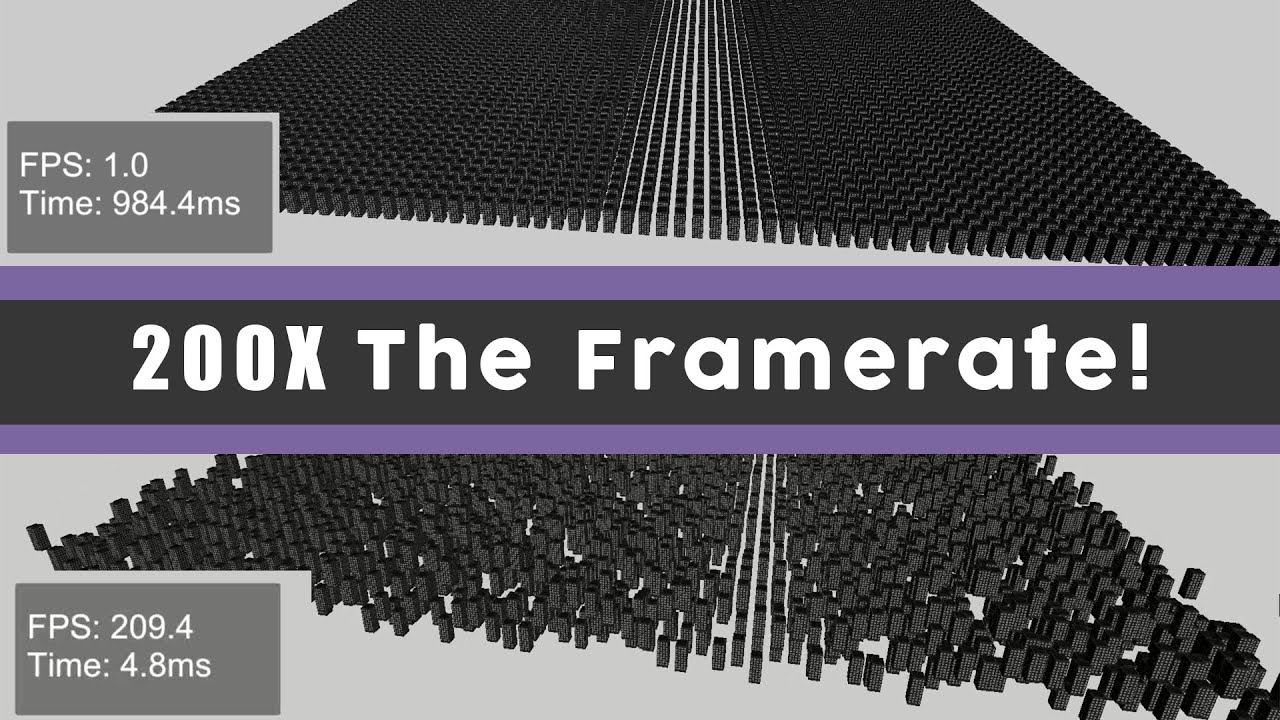
A short video on how to improve your frame rate in Unity. This video covers various optimizations to reduce draw calls such as combining meshes, batching and gpu instancing.
Music Credit: LAKEY INSPIRED
Track Name: "The Process"
Music By: LAKEY INSPIRED
Official SoundCloud https://soundcloud.com/lakeyinspired
Official YouTube Channel:https:/...
This video explains really well how draw calls work
This video also gives pretty good tips @solar lagoon :

Hey Everyone! I have something special for you today. We’re going to be talking about optimizations you can make for your VR project. We’ll be covering models, textures, and a lot of other topics!
This video is also sponsored by Unity, and Arm, so a big thank you to them for their support. If you’d like to learn a bit more about what I’ve cover...
solar lagoon
Thanks for the links. But what is strange is I am using the provided projects file from Unity.
I will have a look. Thx
north path
https://youtube.com/playlist?list=PLjnZTAR0BuTDNeDPy44G4bUpYRHGzy_xh
I also have a series for unity performance, mostly aimed at VR.
Might be worth a look!
Also has a sample project for the quest with settings etc!
@wintry gull @solar lagoon
The quest is tricky to optimize for and Unity has some performance issues with 2021 onwards. 2020 lts has the best performance currently and they're working on 2021lts for better performance on quest

YouTube
wintry gull
north path
https://youtube.com/playlist?list=PLjnZTAR0BuTDNeDPy44G4bUpYRHGzy_xh
I also hav...
Thanks for the info 💪🏻
autumn pewter
Is there any tutorial for gaze menu selection ? Please share . Thanks
solar lagoon
north path
https://youtube.com/playlist?list=PLjnZTAR0BuTDNeDPy44G4bUpYRHGzy_xh
I also hav...
On my side it’s really when untethered that the issue is happening. I ve looked at the profiler but not sure about the problem. The draw calls are not that much.
north path
It can be many things, not just draw calls
Which shaders you use (use simple lit, unlit or baked lit when possible), custom shaders, geometry, overdraw, cpu issues and many more
solar lagoon
it's the sample project from Unity "Create with VR". I am just manipulating an existing project.
can the Profiler help me with the "reason"?
 weak arch
Hey I'm trying to make a VR game that uses Gorilla Tag Locomotion and foe some reason the movement is a little glitchy and buggy when i do certain things I'll float for a sec
Does anyone know how to fix this?
DM me if you know how
 mortal tinsel
Universal Rp is causing compilation errors, anybody know why?
 crude stream
Hi, do someone knows if I can "fake" an input in the XR interaction toolkit teleportation system ? I'd like to implement the teleportation for a version with no xr controller, just by eye targetting.
I currently have a fake xr ray interactor, which is working with a teleport area, but I don't know how to "validate" the teleportation without the XR Controller component
wintry gull
wintry gull
Hi! I have updated my project from 2020.3 to 2022.2.0b11. I work on a Quest 2. B...
Reproduction steps: # Open the user’s attached project “QuestURPPerf2020.zip” # Enable the Metrics HUD in ODH to see App GPU Time an...
Apparently I'm not the only one
Unity Devs are looking into it
solar lagoon
Question, which graph API for Quest 2 build? OPen GLES or Vulkan?
buoyant jolt
wintry gull
https://issuetracker.unity3d.com/issues/meta-quest-performance-loss-between-urp-...
That .b in the version number means it is a beta release for Unity and shouldnt be used for production. That said, URP has always been a make work project. If you optimized properly to begin with, you shouldnt and don't need URP for anything, and there will be no measurable performance gain using it.
But yeah, beta version of unity = unpredictable results. Don't do their QA for them for free. Use stable releases and let Unity pay for proper QA support elsewhere. Imho of course.
wintry gull
Hey, I use URP because I think it's required for DOTS. Also I heavely use shadergraph. This performance issues also happen in 2021.3. I use the beta for Dots 1.0.
buoyant jolt
Yeah that makes sense. We still internally haven't had a single 2021 or 2022 build pass our own teams QA. Maybe one day 🙂
clear orbit
Hey Guys, anyone know the cause/fix for this? trying to push to live channel on AppLab through oculus app distribution on desktop and getting this error.

not finding ***anything *** online
really lost
 jagged reef
Hey guys, im looking to hire for my VR project, where i do look?
storm ether
can anyone help? im trying to make the debug.log execute when the oculus menu button is pressed.
using System.Collections;
using System.Collections.Generic;
using UnityEngine;
using UnityEngine.XR;
using UnityEngine.EventSystems;
public class MenuOpen : MonoBehaviour
{
InputDevice leftHand;
IEnumerator Start()
{
    var leftHandedControllers = new List<UnityEngine.XR.InputDevice>();
    var desiredCharacteristics = UnityEngine.XR.InputDeviceCharacteristics.HeldInHand | UnityEngine.XR.InputDeviceCharacteristics.Left | UnityEngine.XR.InputDeviceCharacteristics.Controller;
    // wait until the XR system is initialized, then get the left hand
    while (leftHandedControllers.Count == 0)
        UnityEngine.XR.InputDevices.GetDevicesWithCharacteristics(desiredCharacteristics, leftHandedControllers);
    yield return new WaitForEndOfFrame();
    leftHand = leftHandedControllers[0];
}
void Update()
{
    if (leftHand.isValid && leftHand.TryGetFeatureValue(CommonUsages.menuButton, out var menuDown));
    {
        if (menuDown)
            Debug.Log("You got me working!");
    }
}
}
 fathom minnow
My game is going to be published on Quest do I need to use "oculus" as the provider or will OpenXR also work?
 mortal tinsel
I am trying to make a game, but for some reason 1 part of the screen is black, when I look there everything turns black (except for my ghost hand which is honestly kinda creepy) and when I look away everything is normal again. Does anybody know what might be causing this?
mortal tinsel
mortal tinsel
Unity VR black screen
weak arch
There's an error when I submit it to AppLab Dev Dashboard It doesn't say why Just Says Error
Please Ping Me if you have an answer
north path
weak arch
There's an error when I submit it to AppLab Dev Dashboard It doesn't say why Jus...
There should be more info about it if it's rejected
north path
fathom minnow
My game is going to be published on Quest do I need to use "oculus" as the provi...
OpenXR also works, but oculus has some more features. Both work with OpenXR under the hood, so you can safely use OpenXR on desktop and oculus on the quest
 vernal thunder
Hello everyone, how do I move and turn in a HMD Unity mock vr?
north path
vernal thunder
Hello everyone, how do I move and turn in a HMD Unity mock vr?
Move mouse and WASD?
You can set it yourself iirc
vernal thunder
Hey, I’ve tried WASD but it doesn’t really move, is there something I’m missing? How can I set this up properly please @north path
north path
vernal thunder
Hey, I’ve tried WASD but it doesn’t really move, is there something I’m missing?...
Device simulator is what you are looking for
vernal thunder
Thanks
storm ether
Hi me and my team are struggling with performance in the early stages of the development. EarlyUpdate.XRUpdate is killing the performance. Any fixes or things we can do?
We use 2021.3.10f1 LTS
north path
storm ether
Hi me and my team are struggling with performance in the early stages of the dev...
What platform?
URP?
What is 'killling' in absolute terms?
 storm ether
Right, but will that show up in the unity profiler, and do we turn it off for each head set we would like to build to?
north path
Thats WaitToBeginFrame, which is the culprit afaik. You can NOT turn off vsync for VR. It's hardware managed
storm ether
mhh so how does one optimize around that,
north path
storm ether
mhh so how does one optimize around that,
Improve performance where possible. You got decent rendering and script chunks as well.
As I already asked, what is the fps set to? (not setting it means 72hz)
Maybe I can help here: https://www.youtube.com/playlist?list=PLjnZTAR0BuTDNeDPy44G4bUpYRHGzy_xh

YouTube
storm ether
We actually watched your videos already haha
north path
Oh nice haha
Then it's the more general 3D optimizations.
Batching, culling, LODs, mesh baking, etc, etc, etc
Or hire me temporarily haha
storm ether
Right, just confusing as online we read the Quest 2 had a performance of about 150 drawcalls and 750.000 triangles per frame. And atm we are below that.
north path
That's only with highly optimized stuff. Real world performance is way lower
storm ether
Okay, thanks for the help, We will see what we can do!
north path
Good luck!
Feel free to ping me if you have any issues
mortal tinsel
I am taking a vr class that said to use the XR origin, but is the SteamVR player better?
north path
SteamVR is better if you dev for SteamVR
XR Origin if you want cross platform support
XR Origin also works on steamvr runtime
mortal tinsel
Do you know a good way to add player movement with the joysticks
north path
Follow Unity Learn VR pathway or look at any XR Interaction Toolkit guide
mortal tinsel
VR development?
north path
yep
mortal tinsel
ty
 crude frost
Is it possible to Use Pico Neo 3 Pro headset in Editor like I can with Quest via link? I've been able to stream SteamVR to the pico wirelessly, but I can't seem to get Unity Editor to send to pico HMD on play (I can build and run to headset fine though)
north path
crude frost
Is it possible to Use Pico Neo 3 Pro headset in Editor like I can with Quest via...
Add the OpenXR plugin from pico and use that for both PC and android :p
weak arch
north path
There should be more info about it if it's rejected
Nope
north path
Then try again maybe from another browser or contact them for support
weak arch
It just says there was an error uploading your project
weak arch
So you can't upload to the browser anymore you have to download a software then put the build in there then it saves to the browser so you can submit it for review
north path
If you tried all of these contact their support
 autumn pewter
Hi , I am unable to get the data from the hand tracking , although getting data in csv through the oculus headset.
north path
autumn pewter
Hi , I am unable to get the data from the hand tracking , although getting data ...
In cvs?
Tried the oculus guide already?
autumn pewter
Yeah in excel file
storm ether
I'm so close to paying someone to make this script for me. I can't figure this out. This is my first vr game and it is just not clicking in my brain
vernal thunder
Hello everyone, I use XR interaction toolkit, please how can I detect if an object is still being held or has been dropped? Thanks
atomic badge
vernal thunder
Hello everyone, I use XR interaction toolkit, please how can I detect if an obje...
You can maintain a boolean variable on the object which updates on select and select exit
Alternatively you can use some function from the XRBaseInteractor class
Or even better. On the grabbale object
You can get a reference to its own XRBaseInteractable. And check using the .isSelected property
Private XRBaseInteractable x => GetComponent<XRBaseInteractable>() ;
.
.
.
if(x.isSelected){
...
}
Depends a lot on the type of movement. You might want to look into somethinf along the lines of VR controllee gesture detection
And probably will be a complicated process..
storm ether
atomic badge
Depends a lot on the type of movement. You might want to look into somethinf alo...
It’s gonna be kinda doctor strange type movement if that makes sense
fathom minnow
I am making a virtual reality game and everytime I try to click play unity crashes and gives this error
Obtained 2 stack frames
RtlLookupFunctionEntry returned NULL function. Aborting stack walk.
<Missing stacktrace information>
 crimson grove
@fathom minnow it looks like there are some versions this is fixed on. this seems to be a relevant issue tracker from Unity; https://issuetracker.unity3d.com/issues/crash-with-missing-stack-trace-information-after-changing-a-scene-view-script
Reproducible with: 2021.2.0b13, 2021.2.4f1, 2022.1.0a16
Not reproducible with: 2019.4.33f1, 2020.3.23f1, 2021.1.28f1, 2021.2.0b12
How to reproduce: 1. Open the attached project from "GizmosBug.zip" 2. Select any GameObject in Hierarchy and open Script "BugScript...
fathom minnow
The thing is I'm on 2021.3.11f1 which isnt listed and is on the "LONG TERM SUPPORT" section for unity
crimson grove
well it is odd that the issue tracker says it is fixed in 2021.2.X but the issue is still found in 2022.1. maybe that is what it means at the top where it says "regression: yes". Maybe there are certain versions the issue regressed on and certain versions it works on?
if you have any Unity versions installed that are in the 'not reproducible with' section for this issue, maybe just try to open the project with one of them to see if that is even the issue.
north path
2021.3.11 works fine for me. What render pipeline? What XR Management providers are enabled? Using dx11? Does it happen in a blank project? GPU drivers up to date?
 heady oxide
Anybody tried camera tracking in Unity before? As in having a live action camera on a set that controlled the camera position in Unity. Been trying to find good resources of hardware people use but can't find anything with substance
 vestal flicker
solar lagoon
Performance in 2020.3f for Quest 2 are way bettert than 2021.3f.
vestal flicker
solar lagoon
Performance in 2020.3f for Quest 2 are way bettert than 2021.3f.
only way to get them to fix it is to submit your bug report, they definitely have several things to fix with URP if you are using it, and it's extremely likely their fix on my outstanding bug report below won't capture everything they've broken, which is why it's important to submit separate reports, or stay stuck in < 2021 forever (or just use standard pipline as well is an option I Guess...)
https://issuetracker.unity3d.com/issues/meta-quest-performance-loss-between-urp-versions-when-built
Reproduction steps: # Open the user’s attached project “QuestURPPerf2020.zip” # Enable the Metrics HUD in ODH to see App GPU Time an...
north path
heady oxide
Anybody tried camera tracking in Unity before? As in having a live action camera...
What's the exact issue?
I've used it in the past
heady oxide
north path
What's the exact issue?
I've used it in the past
hey thanks for the reply!! at the moment i'm under the impression that people use third party tracking devices to capture camera motion, but so far i've only seen the Unity* Live Capture package with the iOS app for it, but no resources for live action camera rigs yet 😔
north path
Oh, I misread tracking for stacking, my bad.
Using stuff like AR foundation (with 6DoF movement) you could maybe sync up the movements?
heady oxide
no worries xD AR Foundation might be a good start then, cheers mate!
 spice sail
Anyone have issue where your SRP batcher works in editor but not on Quest 2 build?
i'm getting 72 drawcalls in editor, 672 draw calls on Oculus Quest build
 mild igloo
How are you guys handling moving platforms
Like how are you handling transitioning from free movement to controlled movement liek an elevator
solar lagoon
What do you mean? I haven’t done it but I played some recent games like Bonelab in which there are elevators
severe saffron
yeah all physics is a fun way to go
 tribal eagle
When I build my scene after following the XR rig turorials, how do I unlock the head? This video is me looking all directions but nothing happens
In VR, it’s a nauseating double vision
north path
tribal eagle
When I build my scene after following the XR rig turorials, how do I unlock the ...
Can you try building natively to the quest first instead of using the unofficial webxr exporter
 last parrot
hello guys do you know a tutorial to put a vr game in pico?
north path
last parrot
hello guys do you know a tutorial to put a vr game in pico?
Use the new OpenXR plugin and export using openxr on android
It's an insane amount easier than the pico integration plugin!
last parrot
I watched this but it comes on the screen
Learn how to create an XR game in Unity, that targets both Pico 4 and Quest 2 in a single project using OpenXR! It is now SO much easier for developers to support multiple VR devices!
Get the Pico OpenXR plugin here: https://developer-global.pico-interactive.com/sdk?deviceId=1&platformId=1&itemId=7153484514247917573
___________________________...
north path
And what didnt work?
last parrot
like not around me only in front
I would like to be in the game not watch it in front of me
north path
Do you mean it looks like a flat screen playing the game?
 north path
- is initialize on startup enabled on android and did you select openxr there? (for me oculus is enabled but for pico you need openxr)

- do you have an actual VR player in the scene or just a regular camera?
Tag me if you reply btw. Im away from my pc for a bit
last parrot
ok
@north path I'm using 2021.3.8.f1 to follow a tuto can I use the last version of unity?

 north path
- Add the pico profile to the interaction profiles in the first screenshot.
- Make sure OpemXR is enabled in xr plugin management
- What is in your scene? Is it just a camera or do you use XR origin or something else?
last parrot
- how do I do that?

- I used a template XR but it's empty
@north path just get a XRRIG camera plane and controller
north path
last parrot
2. how do I do that?
2 tabs above the openxr settings. Not in package manager
north path
last parrot
<@512275182228865024> just get a XRRIG camera plane and controller
Send a screenshot of the expanded hiarchy maybe
 north path
That looks alright
last parrot
north path
2 tabs above the openxr settings. Not in package manager
in the windows?
north path
In project settings
 north path
Did you add the OpenXR profile?
 last parrot
hum do I need to put smt on my pico?
storm ether
i am using this part to get detect if the user pressed on the primary Button in quest 2, but i cant figure out how to detect the release
 tribal eagle
north path
Can you try building natively to the quest first instead of using the unofficial...
tribal eagle
north path
Can you try building natively to the quest first instead of using the unofficial...
I’m getting an “object reference not set to instance of object” error here. I am not a coder to be able to fix
Is there an “official” webxr exporter?
north path
tribal eagle
I’m getting an “object reference not set to instance of object” error here. I am...
No, unity has no official webxr support.
For the error, paste the exact error. I suggest exporting it natively so you can see if the issue is your project or webxr
tribal eagle
north path
No, unity has no official webxr support.
For the error, paste the exact error. ...
Here’s the error below
I had started by following a WebXR tutorial. Is there a way to export for webGL without this? I may have gotten some things mixed up, since that was from the asset store
 north path
Again, try it natively first
On quest or PC for that matter
If you get no issues there, look why you get errors with webxr
Unity has no official webxr support
tribal eagle
north path
If you get no issues there, look why you get errors with webxr
Unfortunately I’m stuck because of this error and not knowing code
I’ve been able to build to Oculus in the past with no issues
north path
tribal eagle
Unfortunately I’m stuck because of this error and not knowing code
I’ve been ab...
What's in Assets/Uma?
You don't need to code in order to read an error message
tribal eagle
north path
What's in Assets/Uma?
You don't need to code in order to read an error message
Lol. This helped. I did not need anything in UMA and deleted it altogether and it built
Everything runs smooth on the oculus build. Any tips for checking into the WebXR errors?
north path
Never worked with webxr.
Third party solutions like backtrace might work?
tribal eagle
north path
Never worked with webxr.
Third party solutions like backtrace might work?
What about WebVR? I don’t need mixed reality exactly, just came across the turorial for it. Does Unity support WebVR instead of XR?
north path
WebVR is a subset of webXR.
Unity had no web based ar or vr solitions that are officially supported.
I just work with native builds uploaded to sidequest or app lab
There are third party solutions, but they aren't always the most stable
https://github.com/De-Panther/unity-webxr-export
Heard someone use this one

GitHub
Develop and export WebXR experiences using Unity WebGL - GitHub - De-Panther/unity-webxr-export: Develop and export WebXR experiences using Unity WebGL
tribal eagle
north path
https://github.com/De-Panther/unity-webxr-export
Heard someone use this one
I’ve used this one too. I’m able to view the environment in VR normally with this, but not able to move. It seems the locked position comes with adding locomotion
tribal eagle
Can anyone tell me why I’m missing “input maps” on my WebXR Controller?
(Tutorial photo with input maps for reference)

 north path
tribal eagle
Can anyone tell me why I’m missing “input maps” on my WebXR Controller?
(Tutori...
north path
tribal eagle
Can anyone tell me why I’m missing “input maps” on my WebXR Controller?
(Tutori...
Maybe check the guides or the documentation?
 crude frost
Greetings. I'm trying to use a 180 Stereoscopic Video in Unity Video Player. It was working yesterday, but not today (i think yesterday I somehow got switched to PC build settings instead of Android). I'm targeting Pico Neo 3 Pro.
I tried transcoding as well, but still no luck. This is my console:
Context: IMFSinkWriter::SetInputMediaType
Error details: The data specified for the media type is invalid, inconsistent, or not supported by this object.
Track types:
   Video Track, type: HEVC

 meager beacon
I'm trying to add a field of grass into my scene, I've tried the terrain builder with a 2d texture it works but looks weird when moving as the grass follows the camera. Now the problem with using meshes, I've tried adding grass that way it's just lagging so much with the oculus quest 2
Any tips perhaps how to create grass that works on the oculus quest 2?
north path
meager beacon
Any tips perhaps how to create grass that works on the oculus quest 2?
Check Acerola on youtube
north path
crude frost
Greetings. I'm trying to use a 180 Stereoscopic Video in Unity Video Player. It ...
Does h264 work?
crude frost
i just got it working again. Used handbrake to convert video to 7200x3600. Filesize is a third, quality seems the same, and editor let me play it.
north path
Ah nice
crude frost
darn. on build, video is super choppy like 1 fps
mortal tinsel
Does anybody know why the red lines are on the floor for me?
now only my left hand has a red line
actually, does anybody know a good tutorial on how to add hands?
 true meteor
Hi
I'm having trouble trying to use my Oculus Quest 2 in play mode
Oculus is enable

My Device is connected

I'm in the Oculus Link on my Oculus Quest 2
My XR Origin has all the inputs

I'm using Unity 2021.3.9f1 LTS Version
All packages seem to be correct

I don't know what is happening, can someone help me, please?
crude frost
true meteor
Hi
Sometimes this just happens. You can try unchecking 'initialize XR on Startup' and rechecking it. Then hit play. If that doesn't work, try quitting unity and reopening.
crude frost
So this video works in Unity Editor. But on Pico Build (android), it plays one frame, then stops.

 crude frost
true meteor
crude frost
true meteor
Yeah. sometimes that happens. If you can see oculus home inside your headset, do the steps I mentioned above
true meteor
crude frost
Yeah. sometimes that happens. If you can see oculus home inside your headset, do...
Yes, i did, but it is same
crude frost
maybe try rebooting computer? that's really weird
true meteor
Still getting the same error
But, in unity 2020 everything is okay
I dont know why
solar lagoon
Have you checked the ‘xr plugin’ configuration in project settings? ‘Enable quest support or something ‘
true meteor
Where?
true meteor
I think is unity
Because unity 2020 lts works
Yesterday, I deleted the library folder and the XRSettings file in a 2021 project and it works
Now I’m trying to replicate, but it doesn’t work
I have also installed Steam VR, maybe there exist a conflict btw oculus and steam?
 tiny niche
true meteor
I have also installed Steam VR, maybe there exist a conflict btw oculus and stea...
tiny niche
true meteor
I have also installed Steam VR, maybe there exist a conflict btw oculus and stea...
should be fine to have it installed on your machine, just don't install it in the unity project
true meteor
I have OpenXR and Oculus
 rigid light
Hi, I wanted to setup Google Cardboard VR (Android). I am completely new to this, I followed the steps from this guide https://developers.google.com/cardboard/develop/unity/quickstart. At the end, when I click on run I'm getting this error (Using the given sample scene ):

 rigid light
Thanks will give it a try
rigid light
true meteor
This worked 👍 Thank you
rigid light
true meteor
to which gameobject should I add this?
true meteor
Any, it does not matter
then when you hit play, hold right click to move aroun
I have a complete tutorial series about Cardboard
But it is in Spanish
rigid light
true meteor
then when you hit play, hold right click to move aroun
I was able to rotate my camera.
rigid light
true meteor
I have a complete tutorial series about Cardboard
Will give it a try
 mortal tinsel
I am watching a tutorial that is using the XR rig with the variable XRRIG, but I am using the XR origin (action based), what is the variable for that?
mortal tinsel
Or how do I change my XR origin to an XR rig
 hollow prairie
Does anyone have a guide for getting a database setup in a VR application?
Planning on using the database to display user analytics on a webpage, unless anyone has a better suggestion?
mortal tinsel
how do I make my hand physically touching a button do something
crude frost
mortal tinsel
how do I make my hand physically touching a button do something
i believe that is a direct interactor component
https://learn.unity.com/tutorial/using-interactors-and-interactables-with-the-xr-interaction-toolkit

Unity Learn
In this tutorial, we’ll explore Interactors and Interactables in the XR Interaction Toolkit. Interactors allow the user to interact with the virtual world. Interactables are GameObjects with which the user can interact.
mortal tinsel
I meant a 2d button on a UI
crude frost
mortal tinsel
I meant a 2d button on a UI
Create the canvas the button is on using the XR Gameobject menu, and create the canvas from there
mortal tinsel
How to make a 2d button on a UI work with you reaching your hand out and pressing it
I already have the button
but the red lines are how I press it
crude frost
if you have it on a XR canvas, and you have the correct interactor componenet on it, i imagine it woudl work with your hand
never tried that though
mortal tinsel
I am using the button component which is on click()
I do not know how to change that
 zenith pasture
I tried building the demo AR scene from oculus integration - am I supposed to see in AR from the start?
if yes then something´s wrong with my quest
fossil temple
For some reason, shadows and lights are only visible on one VR eye. How do i fix this?
crude frost
Good afternoon! Does anyone know if there is a way to install the enterprise firmware on the Pico 4 consumer models?
Another question, on my build, the controller home button won't recenter or bring up pause screen to exit
I added the PXR_Manager to the XR Origin and didn't make a difference
I am using the New Input System
crude frost
I'm having the weirdest bug right now. On my XR Ray Interactor, I have my Raycast distance set to 100, which is more than enough for my scene.
But, at runtime, I have to bump it up to 150 to interact with my objects.
But, if i stop playback, set it to 150, hit play again, 150 isn't enough, and I have to bump it up to 200.
This goes on and on until I'm up to 1000 with the same issue.
Then I start over at 100. Hit play, doesn't work. While playing bump it to 150, and it works. What could be going on? Its a static scene. nothing moves except my controllers when they point at UI elements.
crude frost
So i figured out the last issue there. If I disabled the XR Interaction Manager, and re-enabled it, it would start working. But, that couldn't be the fix. So after trying a bunch of different stuff....it was the EVENT SYSTEM! I moved it from my main scene and made it on my player as do not destroy, and fixed my issues.
weak arch
I need help?\
Well I tried to Upload a Game To AppLab but when i try to Upload The Project/APK file for the game it says that theres an error no reason why there was an error it just says error uploading project I filled out all the info and stuff on the website😢
 split creek
so I got a question regarding how to use the interactive color visual
what I'm doing is rather simple, but for some reason it doesn't want to modify the URP color
zenith pasture
split creek
so I got a question regarding how to use the interactive color visual
could you elaborate please?
split creek
so within the oculus integration package, the interactive color visual is supposed to be used to change color when you're hovering over something and grabbing it, right?
zenith pasture
I suppose, I have never used it, but Im sure someone else has and thats why it is faster to ask the question you need answered right away
googling it found nothing tho
split creek
oh sorry got distracted
but yeah that's what it's supposed to do and just doesn't
and now my colliders teleport
north path
weak arch
Well I tried to Upload a Game To AppLab but when i try to Upload The Project/APK...
Contact their support maybe
split creek
okay I got the thing working
apparently, for some reason
The variable for color is named _BaseColor in URP
 ember gorge
am trying to use openxr with oculus sdk
i need compositing layer from oculus sdk and i need the simplicity from openxr
is there is a way to use both in same time
crude frost
Good morning. I have anti aliasing set up in quality settings, but i'm not noticing it on builds. Is there a guide somewhere on setting up AA in VR? I'm still using Standard/Built In Pipeline
pine bison
crude frost
Good morning. I have anti aliasing set up in quality settings, but i'm not notic...
Make sure you have the same quality tier selected in the player settings that you're building to
crude frost
i have the same AA settings for all quality tiers
pine bison
What platform are you building for?
crude frost
Pico
pine bison
Right, on the pico manager or whatever it's called, there's a toggle for anti aliasing
It says 'use recommended AA' or something but in my experience it just always disabled it, when I turned it off it worked like I wanted
crude frost
ah!, this thing!

@pine bison Any idea why i can't use my home button on controllers to recenter or bring up the exit menu? I thought all I needed was this PXR_Manager component on my XR Origin
pine bison
No I don't know
By exit menu do you mean the standard menu you get when you press the home button? As far as I know there's nothing you can do to change that behaviour
crude frost
yeah. But, the menu doesn't come up if i use the buttons on the controllers. It only works if i use the button on the HMD.
pine bison
Never happened to me
crude frost
latest build its working now 🤷♂️
weak arch
north path
Contact their support maybe
I tried
crude frost
Here is a weird one. On Pico headset, click in a TextMeshPro input field freezes the headset.
north path
crude frost
Here is a weird one. On Pico headset, click in a TextMeshPro input field freezes...
Could you try with the new OpenXR exporter?
Maybe also post on the pico dev forums?
crude frost
north path
Could you try with the new OpenXR exporter?
Maybe also post on the pico dev foru...
What is the openXR exporter?
storm ether
Anyone got any ideas of where I can hire someone to make a pretty complex script for a vr game? Cant seem to figure it out. Let me know if this is the wrong channel to post in
Or if anyone could assist me in making it, it would be very much appreciated
north path
crude frost
What is the openXR exporter?
I mean the new OpenXR plugin for pico instead of pico integration
north path
storm ether
Anyone got any ideas of where I can hire someone to make a pretty complex script...
On the forums or other game dev discords there are job listing pages
storm ether
north path
On the forums or other game dev discords there are job listing pages
You know any discords specifically?
north path
storm ether
You know any discords specifically?
Ask gamedev, brackeys, game dev league, game dev network, dev dunk👀
storm ether
north path
Ask gamedev, brackeys, game dev league, game dev network, dev dunk👀
Thank you very much
north path
No problem
north path
Which unity version?
Any questom shaders?
 daring patio
good afternoon. i would like to connect Quest 2 visor on Unity 3D. However I follow a guide directly on Unity itself however when I have to start the simulation by clicking on Play, in the viewer it does not play.
north path
daring patio
good afternoon. i would like to connect Quest 2 visor on Unity 3D. However I fol...
Is is connected via oculus link?
If so, do other vr games work?
daring patio
I used the Oculus software and Meta quest on smartphones to pair the visor with smartphones and PCs.
Both air link and via cable.
north path
And do other PCVR games work?
Then you know if its a unity or meta issue
daring patio
I honestly haven't tried to start a game or anything else from the viewer itself. But when it goes into Link mode, it opens the Home with the different settings. And it makes me interact with a default Home.
north path
daring patio
I honestly haven't tried to start a game or anything else from the viewer itself...
If you are certain link is working:
- What XR plugin is used?
- How is your VR camera setup?
daring patio
I am asking these things because I need to develop a thesis using the viewer and Unity, starting with an initial modeling (I think a construction site progress) that I then need to import into Unity and interact with the visor.
daring patio
north path
- What XR plugin is used?
- How is your VR camera setup?
As plugin OpenXR
north path
Also, call it an HMD (head mounted display)
north path
daring patio
As plugin OpenXR
Is oculus set as openxr runtime?
daring patio
north path
Is oculus set as openxr runtime?
yes on Oculus software it is setup
north path
Send a screenshot of the setting where it says oculus is the default openxr runtime
daring patio
north path
Send a screenshot of the setting where it says oculus is the default openxr runt...

i'm italian
north path
Okay good
Restarted the PC already?
If so, how is the VR camera/player setup in Unity?
daring patio
Right now I don't have the visor with me, so let's say I couldn't verify. I can say what example project I used to see if it worked, though.
The one related to the chapter of VR Development (directly Learn Unity).
north path
Ask for help when you can actually try things people suggest
daring patio
north path
If so, how is the VR camera/player setup in Unity?
Do you mean for the XR Rig?
north path
Yes
 daring patio
VR simulator I put it in to see if it worked with that and it was all good. Then when I use the visor itself, I disable it.
north path
And arent there any cameras in the imported 3d model?
north path
daring patio
VR simulator I put it in to see if it worked with that and it was all good. Then...
What?
Ohh I get it
daring patio
XR Devicee Simulator, Is used to simulate the viewer with a mouse and keyboard.
north path
north path
And arent there any cameras in the imported 3d model?
This?
Any other cameras in the scene?
And send a screen of the xr plugin settings
daring patio
north path
This?
Any other cameras in the scene?
no. i have imported sample scene taken from the project itself.

 north path
And the OpenXR settings themselves?

 north path
All looks good, usually then it's a case of restarting everything
Sometimes unity doesnt come through and a restart fixes it
daring patio
by any chance can it be a developer mode problem?
north path
daring patio
by any chance can it be a developer mode problem?
Wdym?
Dev mode on the quest shouldnt matter for oculus link. Only native builds
And updating OpenXR and unity might help I guess
daring patio
that is, I have to turn on developer mode on the viewer for ADB Oculus to read it correctly.
daring patio
I tell you this because from here you can read this. I am now sending you the link related to Learn Unity.

https://connect-prd-cdn.unity.com/20220831/e04bb203-c0a3-4ae3-b1f3-28c32794581d/Create-with-VR_2021LTS.zip - this is a project example that I wanted to start
north path
daring patio
As it says, the dev mode is for testing on-device. Not via link
Oculus link is also for non devs
I dont have time to test out projects
Just restart PC when you can and try
daring patio
north path
As it says, the dev mode is for testing on-device. Not via link
But I in fact have to test whether it works on the viewer or not?
north path
HMD*
But yes, to see if it works in the hmd, you need to test it with the hmd
You can also try native builds, but thats not via oculus link
daring patio
so to see it in the visor, I would have to create the app to send to the viewer and start it from there?
north path
If you want to play without pc, yes?
daring patio
I needed the being able to play what I do from PC then on Quest 2, as soon as I clicked play.
while so I generate the app that I then send to Quest 2
 north path
@daring patioLook up what oculus link is. If you want that, than fix that
If you want native builds without PC, build to android. If you want to use the hmd in editor fix oculus link
and TEST IT
Maybe it just needed a reboot
daring patio
north path
<@387372904897183746>Look up what oculus link is. If you want that, than fix tha...
In fact I was reading what the Cable Link was in itself. Because in the All-in-One package in the lab this cable is not present. And so it may be that a regular USB3.0 or USB-C cable is not enough and you need this Link Cable.
Of course the original costs 99.99 euros. So I think I will find something compatible that costs less and does the same thing.
north path
daring patio
In fact I was reading what the Cable Link was in itself. Because in the All-in-O...
TEST IT.
I already said, try a PCVR game. Then you can confirm if it's oculus link fucking up or unity
I use link with a USB 2 cable even when developing
daring patio
okok
Friday I have to test it because the lab is open that day. I will let you know.
And I can't bring home lab items. otherwise I would have done it right away.
 native anvil
i do not have a quest 2 link cable yet and use virtual desktop, is it possible to playtest in unity this way? and what VR platform should I use?
crude frost
native anvil
i do not have a quest 2 link cable yet and use virtual desktop, is it possible t...
Not sure about virtual desktop, but you could always use Oculus Airlink. no cable needed.
daring patio
However, in the meantime I created a 3D project from scratch. And from there I then added what is needed for interaction, XR Origin etc. When I do play now I get "Unable start to Oculus XR Plugin". So that means if I had connected the Oculus maybe it would have started correctly. 😁
I will also do this verification as soon as I can.
native anvil
crude frost
Not sure about virtual desktop, but you could always use Oculus Airlink. no cabl...
airlink doesnt work on my PC
north path
native anvil
airlink doesnt work on my PC
Why not?
If it doesn't virtual desktop also should have issues?
And if your game can run on steamvr VD shouldn't be an issue
native anvil
north path
Why not?
If it doesn't virtual desktop also should have issues?
And if your gam...
Why not?
great question
no clue
doesnt connect at all
virtual desktop has absolutely no issues
north path
Is you turn on airlink in the oculus software and check for it in the quest?
north path
native anvil
virtual desktop has absolutely no issues
Fair enough, VD is quite nice
native anvil
i turned it on on both my PC and quest, then searched for the quest on my PC and searched for the PC on my quest, nothing happened
i did this a couple times
native anvil
then after troubleshooting and nothing working i just bought virtual desktop and didnt have any issues with it
north path
Maybe some security/firewall issue with the router.
For me airlink works great at home but not in office
native anvil
but what im asking is can i use virtual desktop to play the unity game in the editor and additionally what VR headset do I select in unity
severe saffron
native anvil
but what im asking is can i use virtual desktop to play the unity game in the ed...
try it!
I tried it once. Head and hand position was tracking but there was some kind of offset. Didn't exist in a build. I decided not to look any further and switched to airlink which didnt have the problem.
perhaps you wont have the same problem I did
native anvil
what about the 2nd question
there's multiple headsets in there like WMR, oculus standalone, vive i think, index, ect
i dont know which to use or to follow a tutorial for
weak arch
Hey i need my hands to rotate they move with my cotroller but not my rotations?
idk how to fix it


 nimble mango
can someone that understands vr on a good level dm me? I need to ask a thing about a project, please
 toxic valley
nimble mango
can someone that understands vr on a good level dm me? I need to ask a thing abo...
toxic valley
nimble mango
can someone that understands vr on a good level dm me? I need to ask a thing abo...
Just post the question here
toxic valley
ember gorge
Yeah, unity does that sometimes
Force kill and restart
ember gorge
toxic valley
Yeah, unity does that sometimes
Force kill and restart
yea i did but the problem remain even after restart
toxic valley
ember gorge
yea i did but the problem remain even after restart
Could it be that you're trying to enter playmode right when you start unity? It sometimes needs a second
 bleak canopy
how do I get the button inputs on the vive cosmos controller
north path
bleak canopy
how do I get the button inputs on the vive cosmos controller
Using what XR Plugin?
OpenXR?
 wheat grotto
hi guys, I am trying to build a google VR android app, but while building it always gives gradle build failed error
any suggestions please
 bleak canopy
north path
Using what XR Plugin?
OpenXR?
bleak canopy
north path
Using what XR Plugin?
OpenXR?
OpenXR
north path
wheat grotto
hi guys, I am trying to build a google VR android app, but while building it alw...
What unity version?
Any guide you followed?
Do you mean google cardboard?
north path
bleak canopy
OpenXR
What profiles have you selected in openxr settings?
bleak canopy
north path
What profiles have you selected in openxr settings?
HTC VIVE Controller Interaction Profile
No idea where to start for the programming, currently using the XR Rig provided by Bearded Ninja Games VR Interaction Framework. I can’t even identify the scripts that allow the rig to move or interact with objects (I am currently able to use the joystick, grip and trigger but idk why)