#🤯┃augmented-reality
1 messages · Page 13 of 1
 true scarab
 jagged patio
true scarab
I have verified that the same issue exists in `4.1.5`, so it's unlikely a bug in...
jagged patio
true scarab
I have verified that the same issue exists in `4.1.5`, so it's unlikely a bug in...
I was using 2020.3
true scarab
jagged patio
I was using 2020.3
Okay, I used the same version, I checked out a fresh ar-samples from github to ensure that I didn't make any accidental changes, and made just three changes:
- Create an ARCameraBackground
        public ARCameraBackground cameraBackground
        {
            get => m_CameraBackground;
            set => m_CameraBackground = value;
        }
        [SerializeField]
        [Tooltip("The camera background which controls the camera image.")]
        ARCameraBackground m_CameraBackground = null;
-
Hook up that serialized field to the ARCamera in the Unity Editor
-
Check
m_CameraBackground.material.HasProperty("_MainTex") != null
Still getting the same results. Are these the exact steps you followed? If so, perhaps it's an issue with my device, an iPhone 12 Pro - is that the device you're testing on? If the code looks right, perhaps it is a bug and not a mistake I'm making...though I'm still unconvinced of that.
jagged patio
true scarab
Okay, I used the same version, I checked out a fresh `ar-samples` from github to...
wait shouldn't that check be m_CameraBackground.material.HasProperty("_MainTex") != false
true scarab
Sorry, yes, I mistranscribed it when posting on discord. My actual code is:
                var commandBuffer = new Rendering.CommandBuffer();
                commandBuffer.name = "AR Camera Background Blit Pass";
                Debug.Assert(m_CameraBackground.material != null, "m_CameraBackground.material != null");
                var texture = !m_CameraBackground.material.HasProperty("_MainTex") ? null : m_CameraBackground.material.GetTexture("_MainTex");
                Debug.Assert(texture != null, "You must have _MainTex");
which is directly borrowed from the documentation you sent me, plus adding a few Debug.Asserts.
jagged patio
true scarab
Sorry, yes, I mistranscribed it when posting on discord. My actual code is:
```
...
are you hitting the first asset or the second? I was testing on android, can do a quick test on iOS but will have to be a bit later today. I'll post here if I find anymore info.
true scarab
Second assert. In fact, I have an assert just after that with the inverse just to be absolutely sure it's never non-null. It is null on every iteration.
true scarab
jagged patio
are you hitting the first asset or the second? I was testing on android, can do ...
Thank you - really appreciate it!
If it's helpful, I am also trying to get the texture without using ARCameraBackground:
Texture2D texture = cameraFrameEventArgs.textures[0];
and bliting that over, but that doesn't work either.
 nimble fossil
true scarab
If it's helpful, I am also trying to get the texture without using ARCameraBackg...
nimble fossil
true scarab
If it's helpful, I am also trying to get the texture without using ARCameraBackg...
Not sure if this is important, but did you read the docs https://docs.unity3d.com/Packages/com.unity.xr.arfoundation@2.1/api/UnityEngine.XR.ARFoundation.ARCameraFrameEventArgs.html
As they say: The textures associated with this camera frame. These are generally external textures, which exist only on the GPU. To use them on the CPU, e.g., for computer vision processing, you will need to read them back from the GPU.
Seems like this is helping to do it: https://docs.unity3d.com/ScriptReference/Rendering.AsyncGPUReadback.RequestIntoNativeArray.html

I would also suggest looking into accessing the phones camera directly, but since it is occupied by the AR application, I guess, that would not work, just something you could test out.
true scarab
I’m trying to copy from a GPU texture to another GPU texture, not get it on the CPU @nimble fossil .
One thing I could try is to try to copy the texture to the cpu, then display the texture later, so I can debug what is in the texture. That is a good idea, thanks!
 steep cosmos
Hello. I have a question.
Is there any way to get informed about a certain objects in scene was rendered properly, without camera clipping?
I want to make a safe guard in AR. So if camera approaches to the scene objects more then it supposed to, GUI will be turn into red for example
I thought If there are some callbacks for it, it would super.
Or do you think it is a good practice to make it with in update method as calculating the distance between camera and objects?
nimble fossil
steep cosmos
Or do you think it is a good practice to make it with in update method as calcul...
Why dont you just generate a collider and check for oncollisionstay or exit or what not?
 snow geode
Hello hello ! Do you know decent AR libraries for desktop, except Vuforia ? (cloud or not, but preferably offline, 3d sensor or not)
true scarab
jagged patio
are you hitting the first asset or the second? I was testing on android, can do ...
Let me know if you were able to reproduce the issue on iOS
Can you explain a little further? What do you mean by "Augment by their own" - you mean add their own objects to the AR scene?
jagged patio
true scarab
Let me know if you were able to reproduce the issue on iOS
I wasn't able to get to this, let me check now.
jagged patio
@true scarab bad news, I got false on iOS. Good news, it definitely looks like a bug for ARKit / ARFoundation but seems to work on Android. I'll follow up internally and submit a bug report and let you know if I hear any updated.
jagged patio
@true scarab errr, okay I was actually incorrect. We were looking in the wrong place and I didn't understand the Blit. So ARKit / iOS background shader doesn't have a property for _MainTex so that texture is going to be set to null. When you blit you pass in null which is explained here in the docs for Blit() https://docs.unity3d.com/ScriptReference/Graphics.Blit.html
so you don't want to be asserting based on the _MainTex since it's expected to not be there on iOS
true scarab
Ah, thank you. The example makes more sense - why it's okay grabbing null rather than throwing an error. Still, would it be possible to submit a documentation update request to clarify this point on this page: https://docs.unity3d.com/Packages/com.unity.xr.arfoundation@4.2/manual/index.html
I see the other error which prevented progress - I didn't call material.EnableKeyword("_RGBTex");. I have a bound texture now, thank you @jagged patio and others who have helped! I guess I spent too long chasing a red herring with that null check.
Thanks for the support!
jagged patio
true scarab
Ah, thank you. The example makes more sense - why it's okay grabbing null rather...
This is exactly what I requested internally yeah. Hopefully makes it in a future docs update 
 tacit summit
Has anyone used an m1 machine to build a Mars project? I can't get even a 2019.4.22 empty SRD + Mars project to build to device
 next forge
So i am going to develop an AR app for a project, but the only problem is it turns out my only mobile device is not supported for AR. I don't really have any money to afford a new device rn, so what are my options?
I've searched the topic for days and apparently there's ARCore for all but that's deprecated. I can root my phone, and use magisk, but rooting prevents me from a lot of apps due to the anti root protection including my banking app
I'm thinking of emulating a specific device on my android phone? dunno if that works
 tame fjord
Anyone know of Unity official plans to do WebAR?
true scarab
next forge
I'm thinking of emulating a specific device on my android phone? dunno if that w...
Have you considered purchasing an older, outdated phone with ARCore that might be within your budget? You can find an LG G6 on ebay for about $60
jagged patio
tacit summit
Has anyone used an m1 machine to build a Mars project? I can't get even a 2019.4...
I have yes, what platform are you building to and what is the issue?
jagged patio
tame fjord
Anyone know of Unity official plans to do WebAR?
No official plans yet but it's under consideration on our roadmap https://resources.unity.com/unity-engine-roadmap/ar-vr you can mark the importance on there to inform the product team.

Learn more about the tools we're building to help you create great AR/VR experiences.
tame fjord
jagged patio
No official plans yet but it's under consideration on our roadmap https://resour...
Thanks! How do I mark it?
jagged patio
tame fjord
Thanks! How do I mark it?
click on it and there should be an importance label at the bottom you can select
tame fjord
jagged patio
click on it and there should be an importance label at the bottom you can select
Ok it worked! "In a world where we want customers to get to things as fast a possible, it would open huge areas for instant gratification instead of having to make our customers download a new app for the experience. Otherwise they may not or can't download the app at all (because of space etc) and then we end up losing them."
The ARWT project merges Unity and AR.js with good results but development is moving slowly...
 shell python
@jagged patio Is it possible to have body tracking with ARFoundation? I want to place an object beside another person. I know I can do that with facetracking, but can I track the whole body and do the same thing?
jagged patio
yeah body tracking is supported through ARKit in AR Foundation. Here's a small body tracking demo I made last year using body tracking 🙂 https://twitter.com/DanMillerDev/status/1216725207773106177?s=20


Worked on a #ARKit 3D body capture app that can place the capture back in #AR, replay it, and view onion skins of the capture. It can also share the captured data and process it in @unity3d, which creates an animation clip that can be applied to other models. #madewithunity https://t.co/T8Z47bkQGi
Retweets
202
Likes
949
 Twitter
·
shell python
Twitter
·
shell python
Only ARKit, no ARCore? So no Android?
jagged patio
Correct, this feature is only supported on ARKit, ARCore does not have body tracking.
shell python
bummer
 stiff oracle
Is Vuforia outdated ? I was watching a how to and now I can’t seem to make vuforia work on my Mac
nimble fossil
Why are you asking for the Pro specifically? Or just AR in general on iOS?
nimble fossil
@lusty sail afaik, ARKit itself takes care of utilizing it or not, not sure if you can access it, as its the Depth API, but this is utilizing it to generate a mesh from its stuff, so you might look into the meshmanager and get your cut your info from that script: https://docs.unity3d.com/Packages/com.unity.xr.arkit@4.0/manual/arkit-meshing.html
 zenith flint
Quick question, how do I hide the white does that follows your gaze that pops up by default when the MRTK is imported?
I don't want to disable the input system alltogether.
It looks like it's the "CursorFocus" object that is generated by default gaze cursor.
zenith flint
I ended up just deleting the fbx files for all of the cursors.
 slim vortex
Hi guys, i'm looking a method to get a object position in the AR space in AR foundation. How can i do that ?
 latent thunder
@jagged patio That body tracking is impressive! Especially when the tracked person rotated 360. Almost certainly couldn't do with a Kinect. Pose estimation?
true scarab
What is the status of the AR Remoting project? In particular, to speed up development and to ensure reproducibility, I'm hoping to record an AR Session once and play it back (either in the editor or on-device).
Some additional context:
I see a post saying one of the goals is to Record sessions and play them back in the editor: https://forum.unity.com/threads/ar-remoting-simulation.720575/
And an update to that which does not have the Record sessions feature listed in the alpha: https://forum.unity.com/threads/ar-remoting-alpha-user-studies.888136/
I see ARCore has a record/playback feature: https://developers.google.com/ar/develop/unity/recording-and-playback
latent thunder
@jagged patio Any chance you know if its somehow possible to create SDFs from live meshing data?
zenith flint
Does anyone know what Open XR does?
steep cosmos
Hello. how many vertex is too much for an ar foundation scene?
jagged patio
slim vortex
Hi guys, i'm looking a method to get a object position in the AR space in AR fou...
Can you describe what you mean more by 'get a object position` what object are you wanting to get the position of
jagged patio
latent thunder
<@!265675269891686410> That body tracking is impressive! Especially when the tra...
Hard to compare directly, I know the azure kinect made some improvements to body tracking
jagged patio
true scarab
What is the status of the `AR Remoting` project? In particular, to speed up deve...
Remoting work is still in progress, it's a larger effort from the mobile team to overhaul the unity mobile remote in general with support for AR Foundation.
ARCore Record and Playback was recently added in AR Foundation 4.2
It's a more recent thing but we've overhauled our public roadmap and you can see both of those things listed here https://resources.unity.com/unity-engine-roadmap/ar-vr
Learn more about the tools we're building to help you create great AR/VR experiences.
jagged patio
latent thunder
<@!265675269891686410> Any chance you know if its somehow possible to create SDF...
sorry I don't know enough about creating SDF's to say for sure
jagged patio
zenith flint
Does anyone know what Open XR does?
It's a cross platform standard maintained by the khronos group and partners. At a high level it's a platform abstraction that allows developers to target a single runtime and let the platforms handle everything else. In unity we have added support on the VR side for platforms like Window Mixed Reality, HoloLens 2, ect. https://www.khronos.org/openxr/
 jagged patio
steep cosmos
Hello. how many vertex is too much for an ar foundation scene?
jagged patio
steep cosmos
Hello. how many vertex is too much for an ar foundation scene?
If you're targeting all supported devices for ARCore and ARKit it's going to be fairly low, similar to a low end mobile game. If you're only targetting iPads with ARKit you'll have a lot more processing power for example. All that to say it's hard to give exact numbers and probably depends on what type of app or game you're making.
true scarab
jagged patio
Remoting work is still in progress, it's a larger effort from the mobile team to...
Wonderful to hear, thank you - I'll download the 2021.2 alpha!
slim vortex
@jagged patio I'm trying to use AR to place object in 3D space. Like multi image tracking who will serve like anchors between my AR space and my gameplay world space. I have a huge scene so I use a lot ar origin session method "makecontentAppearAt". I know unity turn the origin session and create a empty offset gameobjet. My questions is how to get the AR position of a 3D object not child of my AR session origin. Like I need a deep understanding of what is world position, what is ar position and how ar scale influence that. Do u know if there is somewhere a schemas or draw to really explain this. Sorry for my English It's not my mother tongue :)
jagged patio
slim vortex
<@265675269891686410> I'm trying to use AR to place object in 3D space. Like mul...
Okay I think I understand what you're saying. You should be able to query the object's position for world position https://docs.unity3d.com/ScriptReference/Transform-position.html or local Position for position relative to a parent object https://docs.unity3d.com/ScriptReference/Transform-localPosition.html
For scale If you scale an object that's the parent of the ARCamera it (AR Session origin in AR Foundation) it will scale down the rendering of your content. So 2,2,2 scale with render content at 0.5,0.5,0.5 scale. Does this help?
slim vortex
Not really, but I will progress a little more and I will come back with a more specific questions after.
Thanks for the time :)
 half basin
hello i bet u get this question alot but i just wanted to know i got a new phone and i tried the pokemong go AR+ thingy and it worked so i tought i could make stuff in unity but when i launch the app is just a black screen
and i see that there is a list of compatible phones
my phone is android 9
but is not on tha list
it will not work?
or im i doing something wron on the app?
 wanton turtle
Okay, so, Unity is one game engine that can create AR applications using various AR frameworks.
@half basin I have no idea what AR framework you are using, but ARFoundation is basically just an incomplete wrapper for arcore and arkit. Which only works with certain devices.
There is also vuforia (not recommended), easy ar (no longer recommended) and wikitude, all support many more devices than raw arkit and arcore but cost a lot, are buggy as hell, and not well supported.
So, just because one ar game works on your phone, does not mean that unity & arfoundation will work on your phone
Personally I use arcore/kit and if they are unavailable I fail over to a custom opencv. This way I can use any phone for AR without paying fees per app per user per month
If you want an easier way to do this for free, look at 8thwall for unity (although they have all but abandoned the plug-in)
wanton turtle
Yup!
half basin
and vuforia works with our arcore support? and why is not recomended?
wanton turtle
Vuforia support is terrible. The upgrade path from release to release needs incredibly deep project rewrites. And is overly expensive for what is little more than ARFoundation + OpenCV
It has fallen out of popularity pretty much entirely
MaxST is also an interesting one to look into
half basin
ok thanks im gonna take a look at vforia cause i found a tutorial, and 8wall and maxst
wanton turtle
I’m probably overly opinionated on AR frameworks though :).
half basin
and try to get my hands on a arsuported device
wanton turtle
Yeah you can usually by refurbished google pixels for $100 at best buy which support arcore
half basin
cool
yeah i thinks thats gonna get bigger and more fun in the future so i tought i better start learning
wanton turtle
Yup! About 20% of our projects are AR, 70% VR. Definitely good to learn
stiff oracle
wanton turtle
Yup! About 20% of our projects are AR, 70% VR. Definitely good to learn
I kept trying to use vuforia cuz it looked easy to use but it kept bugging on me , I’m gonna try the ones you recommended thank you
wanton turtle
I'm going to give ARFoundation another try this weekend. But I am still concerned about their lack of solutions for unsupportrd devices.
I don't understand why a company as small as ours can use OpenCV as a fall back for basic AR functionality. But a company the size of Unity can't and won't provide any options in their own framework, while just replicating what ARKit and ARCore already do. It seems so odd to me.

 ancient solstice
wanton turtle
I don't understand why a company as small as ours can use OpenCV as a fall back ...
ancient solstice
wanton turtle
I don't understand why a company as small as ours can use OpenCV as a fall back ...
How hard is it to create an OpenCV app without unity?
wanton turtle
ancient solstice
How hard is it to create an OpenCV app without unity?
Good question, I’ve only written it in Unity. I haven’t done OpenCV outside of it yet
 sacred sage
Has anybody tried putting an arobject into an asset bundle? I am trying to add it to XRReferenceObjectLibrary on runtime using the new API introduced in ARFoundation 4.2 ( https://github.com/Unity-Technologies/arfoundation-samples/issues/535 ) and it doesn't seem to be working properly -- the arobject in question has 820KB in size, yet the resulting assetbundle is only 2KB large. I refuse to believe that the ar object would have such a low entropy as to allow compression to 400x+ smaller size.

GitHub
Dear Team, Currently, ARFoundation doesn't allow to add a reference object at runtime to a library, only to set an existing object reference library to the ARTrackedObjectManager. I need to...
 steel vortex
Pacific Future raised $38M for AR glasses — Tencent Nintendo co-developed 'am box' — Investor sets up $380M fund for developers https://www.reddit.com/r/AR_MR_XR/comments/mjczq6/pacific_future_raised_38m_tencent_nintendo/
reddit
0 votes and 0 comments so far on Reddit
ancient solstice
wanton turtle
Good question, I’ve only written it in Unity. I haven’t done OpenCV outside of ...
I've just made a AR project for my final year of university using unity + ARfoundation + manomotion and it was honestly hell just to get it working 😄
 dull swallow
Hey, I'm in need of some help/suggestions for plane tracking objects. The actual object when placed on the ground was originally half way through the floor (first pic) but was corrected by offsetting the model. I tried to use the occlusion manager script with everything set to fastest, as well as everything set to best, but the plane detection on carpeted floor as well as a hard wood table come up like the gray plane in the picture. Is there any way to get smooth plane detection with the occlusion manager script enabled? I originally tried using the plane detection without the occlusion manager and this caused the application to make a ton of planes that did not make sense.

Additionally, the model for the computer is just a prefab of a ton of parts (hundreds of solidworks assemblies exported as gltf 2.0 files, then converted to FBX files in blender). This being said, each individual part shows up as an object. Is there any way to compress these files (for example make the computer case one single object) while keeping the colors/materials?

This is an example of what my case looks like right now in the hierarchy, and I'm assuming this is what is causing the augmented reality camera view to lag when the camera is facing the model

Any help would be appreciated. Feel free to @ me or DM me
dull swallow
I'm also having problems with the ReferenceImageLibrary


Anyone successfully use the reference image library? I am on version 2020.2.2f1 with ARKit/ARCore/ARFoundation version 4.1.5 with no spaces in the file path. Along with this, the file path has been changed to confirm there is no affliction with the file path and the image is an 800x800 px JPG
wanton turtle
dull swallow
Any help would be appreciated. Feel free to @ me or DM me
Yeah, you need to decimate that down. One easy way is baking of textures onto a low poly variant.
You also want one merged material, and one merged mesh, if possible. Unity does draw calls based on material counts and mesh separation
It’s hard to weigh in in the tracking depth. There is a lot of possibilities there
 hybrid perch
We use Mesh Baker from the asset store to bake multiple meshes into single ones, it works well and keeps your old models untouched
steep cosmos
Hello.
I have some different games in one scene in an AR project. And I turn on off the parent gameobject to turn them out. I wonder in terms of number of the vertices and performance, Is it ok to turn a game object on/off instead of using seperate scenes.
Because transmitting from a scene to another takes time and difficult to anchor the new gameobject
what is the norm? what is the good practice?
wanton turtle
Depends on the complexity, but generally yes I’d do that all in one scene for AR and instanciate the mini game you want as you need them
nimble fossil
steep cosmos
I have some different games in one scene in an AR project. And I turn on off the...
As lloyd says, depends on your prefabs. If you just have little minigames with like some minor scripts and not that much textures going on, it will be fine, but as soon as you put a prefab in a scene, active or not, it is loaded into memory, so keep that in mind, everything will be loaded if its in the scene.
steep cosmos
thanks
dull swallow
@hybrid perch, when I use the Mesh Baker, I am able to see each individual item within the hierarchy.


However, when I try to load the prefab, it is empty


Do I need to save each individual mesh as a game object?
hybrid perch
shouldn't need to. The docs would probably be more helpful than me
dull swallow
Unfortunately I am using the free version
I originally tried the Mesh Baker by KOVNIR and those are the results I got. Going to try the asset by Ian Deane
 young ember
Hey guys! I need some help.
I never used ARkit or ARcore but I have 3D models for AR app (iOS) which I need to convert to .usdz in Reality Converter.. I literally need someone who could do it for me, can be for $ too or explain how to do it. When we convert our files, they have bunch of errors in joints or rig.
Sometimes model looks crashed, sometimes material jumps to another position.
 hard viper
Hi everyone,
I have a question about AR foundation. I am using it for my bachelor thesis and I am a bit stuck with the object display. My UI is built in a way that I have different categories and for each category different objects are displayed on the buttons. When you click on the button it should normally change the object in the InputManager but when I display it on my device, half the times it does after a few clicks but the other times it does not. Does anyone have experience with this ? Because I am really stuck and have already logged everything that could be and this is an essential part of my bachelor thesis. The app is I like the IKEA home app of operation but still somewhat different.


It change if I play it in the simulator but it doesn't when I test it on my device

If someone knows the answer you can always send me in DM.
wanton turtle
young ember
Hey guys! I need some help.
I never used ARkit or ARcore but I have 3D models fo...
I have no idea what Reality Converter is
wanton turtle
hard viper
If someone knows the answer you can always send me in DM.
Your codes a bit of a mess, unfortunately it's not enough information to see what is happening. And I'm not 100% clear on your message what the actual problem is.
You mention UI and selection working intermittently. But later say it works on editor but not on mobile.
I'm take a shot in the dark but I'm assuming your UI is setup funny and on your mobile device your resolution is different and so the UI is just laying out wrong.
If that isn't the case, it's caused by your code for the UI.
Don't forget in your checks for screen touch for AR to check and make sure you aren't over the UI while checking for raycasts.
wanton turtle
hard viper
Example here:
You checked in the first line if the insurance is null.
Then you check again on the second line - why? It's making the code verbose and there is literally no way for it to lose the reference between lines.
true scarab
https://docs.unity3d.com/Packages/com.unity.recorder@2.1/manual/index.html
The Unity Recorder is only available on the editor. Is there any plans to make it available on-device? In particular, I'm hoping to record the output of a RawImage (which is drawn directly via a shader), but not the entire screen. i.e. I want the game recorded, but not the UI elements.
shell python
@jagged patio Is there an example scene in the ARFoundation samples to place multiple different objects in the world? The idea is to place multiple furnitures to decorate a room. I know how to place just one or multiple of the same, but I want different ones. Is there an example scene for that?
jagged patio
shell python
<@!265675269891686410> Is there an example scene in the ARFoundation samples to ...
Not out of the box, but you should be able to use this script https://github.com/Unity-Technologies/arfoundation-samples/blob/main/Assets/Scripts/PlaceOnPlane.cs and then create another script that just changes the placedPrefab to whatever other prefab you want.
So you could have a UI button that sets PlaceOnPlace.placedPrefab = chairObject and then when you tap on a plane it will place that chair object, then click another button and change that reference to a table object or example
GitHub
Example content for Unity projects based on AR Foundation - Unity-Technologies/arfoundation-samples
This demo kind of does that https://github.com/Unity-Technologies/arfoundation-demos#mesh-placement using this script which instantiates different objects based on which UI button is clicked https://github.com/Unity-Technologies/arfoundation-demos/blob/master/Assets/Meshing/Scripts/ClassificationPlacementManager.cs
GitHub
AR Foundation demo projects. Contribute to Unity-Technologies/arfoundation-demos development by creating an account on GitHub.
GitHub
AR Foundation demo projects. Contribute to Unity-Technologies/arfoundation-demos development by creating an account on GitHub.
 torn lantern
jagged patio
Not out of the box, but you should be able to use this script https://github.com...
torn lantern
jagged patio
Not out of the box, but you should be able to use this script https://github.com...
Thanks for sharing this Dan. It actually means a lot to me personally and probably most of the creator community on this page. Although I have yet to make a post I have been reading and learning before beginning my own project, which I would love to share along the way.
shell python
@jagged patio Any progress on this issue we discussed a little while ago? https://forum.unity.com/threads/arfoundation-environment-occlusion-is-glitchy.1061744
jagged patio
shell python
<@!265675269891686410> Any progress on this issue we discussed a little while ag...
No progress yet, might be work adding to the roadmap as a suggestion to get more eyes on it. Under AR Foundation https://resources.unity.com/unity-engine-roadmap/ar-vr
Learn more about the tools we're building to help you create great AR/VR experiences.
shell python
@jagged patio I am trying to run the SimpleAR scene from the samples, but when I tap on the detected plane, nothing shows up
jagged patio
shell python
<@!265675269891686410> I am trying to run the SimpleAR scene from the samples, b...
what is assigned in the Placed Prefab on Place on Plane script?
shell python
a prefab. Nevermind...I don't know what the fuck happened, but I just created a new project from the sample and it worked. Lesson learned, never create an ARFoundation project from scratch
shell python
jagged patio
No progress yet, might be work adding to the roadmap as a suggestion to get more...
Could you please do that?
Am I the only one who every complained about the current state of AR occlusion? ;_;
 solar cliff
@jagged patio does XR Toolkit support input pointers? Are they different from reticles? I want to test it out on VR
in reference to this
true scarab
When iterating over data (on iOS) for TryAcquireEnvironmentDepthCpuImage, it has junk data after row 64 (all values are near -4.316021*10^8). The data from rows 0-63 are read seemingly sanely. The actual size of the texture is 256 by 192.
Any idea why data would be clobbered after row 63?
 rugged lava
Hey all, working with my first ARKit demo just learning. I did the first step so I can see meshing happening all over my furniture. 🎉
I added URP assets so that I can use shader graphs and now the meshing doesn't show up. Is this normal, what did I miss here?
This was created from the start as a 3d project, not URP
rugged lava
No idea what changed, but it's working now. 🤷♂️
shell python
@jagged patio I downgraded a unity project with arfoundation, got a bunch of errors, so I decided to upgrade it back to the version it was before. Now when I tap to place an object on a plane, nothing happens. The object was being placed before, now it's not
I think something broke when I did this
Is there something I need to delete to be recreated or something
I tried reimport all and it didn't work
You can easily replicate the issue on your end: create a 2020.3.x AR foundation project from the SimpleAR sample. Downgrade to 2020.1.x, then upgrade again to 2020.3.x. You won't be able to place cubes on the plane anymore
jagged patio
shell python
<@!265675269891686410> I downgraded a unity project with arfoundation, got a bun...
Downgrading Unity versions isn't officially supported and I wouldn't recommend it. With any issues looking at the device logs is important (Xcode for iOS, ADB / Logcat for Android) as those will usually tell you what is happening or what's going wrong. It's the weekend but I can provide more help / guidance on monday.
shell python
meh fuck it I just created a new project and copied over the scene. I'm making a list of things of what not to do in Unity:
1- Don't create ARFoundation project from scratch, use sample project as base.
2- Don't build with ARM7 option enabled, it can freeze on il2cpp step.
3- Don't downgrade and upgrade again and expect it to work.
If there are any other random things that can screw me over for no reason please let me know
rugged lava
Why #1?
rugged lava
I'm working with the iphone lidar sensor, mapping a room. You hold the phone up and there's nothing for couple seconds while it's building up a significant number of polys. Once it hits a point they all pop into existence. Is there a name for that moment when they all pop in? Can I control when, how many, etc?
dull swallow
Hey, had another quick question. I baked all of the models into single mesh files so that it no longer lags in AR view; however, my model is still in the floor (as it was originally in the included picture). Is there a simple way to fix this?
 hybrid perch
Where's the pivot of the object @dull swallow?
solar cliff
solar cliff
<@!265675269891686410> does XR Toolkit support input pointers? Are they differen...
@jagged patio can you help here?
ancient solstice
is AR foundation an SDK?
jagged patio
solar cliff
<@265675269891686410> can you help here?
I'm not sure what you're asking. XR Toolkit as in XR Interaction toolkit? are you asking about ray based pointers for selecting objects or UI at a distance?
jagged patio
ancient solstice
is AR foundation an SDK?
I'd say it's more of an API, in our marketing we refer to it as a framework
solar cliff
jagged patio
I'm not sure what you're asking. XR Toolkit as in XR Interaction toolkit? are yo...
Yes, exactly. That is what I am asking Dan
jagged patio
solar cliff
Yes, exactly. That is what I am asking Dan
Yes, XRI has a XR Ray Interactor see https://docs.unity3d.com/Packages/com.unity.xr.interaction.toolkit@1.0/manual/index.html#controllerinteractor
true scarab
I believe this is a bug but I could be convinced otherwise...
If you don't use mirrorY as the transformation in this example, it will return an image with only 64 rows of valid data (and the remainder of the data being -4e8): https://github.com/Unity-Technologies/arfoundation-samples/blob/189f6cff825520a39a0608e6f8674d2cdb9e1859/Assets/Scripts/CpuImageSample.cs#L295
Is this somehow expected behavior, or is this a true bug?
GitHub
Example content for Unity projects based on AR Foundation - Unity-Technologies/arfoundation-samples
jagged patio
true scarab
I _believe_ this is a bug but I could be convinced otherwise...
If you don't use...
known issue that's been reported and is in the bugs list 👍
true scarab
jagged patio
known issue that's been reported and is in the bugs list 👍
doh! I lost a day to this, can you point me to where in the bug list? I had searched both tryacquireEnvironmentDepthCpuImage before losing a day, and mirrory after, neither of which have any results on the issue tracker. (1) perhaps I am looking in the wrong place (is the bug list different than the issue tracker?) and (2) it would be great to add these keywords into the bug so it's easily findable - if that's something I can do I'll happily do it.
Thanks for the excellent support on here, Dan!
jagged patio
true scarab
doh! I lost a day to this, can you point me to where in the bug list? I had sear...
https://github.com/Unity-Technologies/arfoundation-samples/issues/761
I don't see it in issue tracker yet but I see it in our internal bug system (fogbugz)
GitHub
Hey there, I discovered a problem when I was trying to access depth images on the CPU, which only seems to work when setting XRCpuImage.Transformation to MirrorY. How to reproduce: Try to build the...
solar cliff
jagged patio
Yes, XRI has a `XR Ray Interactor` see https://docs.unity3d.com/Packages/com.uni...
@jagged patio those small circles focus is what I am talking about
 jagged patio
solar cliff
<@!265675269891686410> those small circles focus is what I am talking about
jagged patio
solar cliff
<@!265675269891686410> those small circles focus is what I am talking about
that is just some additional logic on top of a ray based interactor that puts a circle at the end of the ray, I think you can link into the 'end point distance' value here https://docs.unity3d.com/Packages/com.unity.xr.interaction.toolkit@1.0/api/UnityEditor.XR.Interaction.Toolkit.XRRayInteractorEditor.Contents.html
sacred sage
Is there currently a way to add ARReferenceObjectLibrary (or ARKitReferenceObjectEntry/arobject file) into an asset bundle? I am trying to build a bundle containing an object library, but the resulting file doesn't contain the entry (and is 7KB in size with compression turned off)

According to this thread, it should be possible
https://forum.unity.com/threads/dynamic-xrreferenceimagelibrary-in-ar-foundation.681901/#post-4968719
Unity Forum
Hello, I'd like to start a discussion about how the AR tracked images are referenced in the new AR Foundation system. I'm using Unity 2019.2.0b1 with...
jagged patio
sacred sage
Is there currently a way to add *ARReferenceObjectLibrary* (or *ARKitReferenceOb...
Should be possible but only with the latest version of AR Foundation (and potentially Unity) see: https://portal.productboard.com/brs5gbymuktquzeomnargn2u/c/508-asset-bundles?utm_medium=social&utm_source=portal_share
Support for asset bundles with:
-
Reference image library
-
Reference object library
ARKit reference objects now store their data in the entry asset, which allows them to be used in [AssetBundles](https://docs.unity3d.com/202...
sacred sage
jagged patio
Should be possible but only with the latest version of AR Foundation (and potent...
Yup, I am on the latest preview version of ARKit+AR Foundation (if it makes a difference during asset bundle building process)

Is there an example available that loads an arobject from asset bundle on runtime?
(complete with preparation of said asset bundle, because that seems to be the part I am having issues with, I have already prepared the loading part but haven't been able to test it yet)
jagged patio
hmmmm not that I know of, let me check if there's some other restriction / limitation for creating the bundles.
sacred sage
Thank you 🙂
jagged patio
sacred sage
Yup, I am on the latest preview version of ARKit+AR Foundation (if it makes a di...
For iOS it has to run an XCode process so if you don't have XCode installed (or are running on a windows machine) it will fall back to the old method of bundling. Not sure what your setup is.
sacred sage
jagged patio
For iOS it has to run an XCode process so if you don't have XCode installed (or ...
Thanks, that’s good to know. I have been testing in on Windows, will try running it on macOS tomorrow
sacred sage
jagged patio
For iOS it has to run an XCode process so if you don't have XCode installed (or ...
I have tried running the whole process on a Mac (Unity 2020.3.0f1+Xcode 12.2) both automatically using a custom editor script and via Asset Bundle Browser (with compression turned off) and I seem to be getting the same result (i.e. the scans seem to go missing)


 jagged patio
sacred sage
I have tried running the whole process on a Mac (Unity 2020.3.0f1+Xcode 12.2) bo...
jagged patio
sacred sage
I have tried running the whole process on a Mac (Unity 2020.3.0f1+Xcode 12.2) bo...
I'll look into it. scantest is a .arobject for object recognition?
sacred sage
jagged patio
I'll look into it. scantest is a .arobject for object recognition?
I have named the original arobject “Scan”, what you see on the final screenshot is the resulting assetbundle
hard viper
Hey everyone, does anyone know how you easily can delete an object in your scene I have a 2D sprite button with 3D collider(because 2D colliders doesn't work with 3D objects) and my object in the scene has also a box collider but when there is a collision the object is still in my scene . So does anyone know how i can delete an object out of my scene in AR foundation?
 silent mulch
Hi I am currently getting my rotation from ARFoundation, but I am switching my phone's position from being vertical | (like for example when you position the phone inside a vr headset) to be horizontal - (for example the screen looking down). So I need to rotate the gyroscope,or give an offset somehow
Does someone know how to rotate the gyroscope?
Thanks
 severe fjord
Does anyone know how much is the Vuforia Pro license?
 bright sable
Google it
severe fjord
I did. Can't find a number. Vuforia's website also doesn't list the price.
severe fjord
Thanks. I've reached out to them a few days ago but have not gotten a reply yet. I really hate when companies do this.
severe fjord
Sadly yes, I need their model tracking, none of the other AR frameworks have that
severe fjord
To be fair, their model tracking works amazingly well
 somber viper
does anyone have any examples on how to set up the xr interaction toolkit with addressables? Can I just add a script to load the assets on the placementInteractable? and how do I make the downloaded assets interactable?
dull swallow
Hey, looking for some help with the animator. I have a model named Explode with the animator enabled with the controller Open:

Within the animator, there is a state called open, which controls whether the door is open or closed:

The actual animation is called "Open" as listed in the previous picture
And the Animation Controller is called "Explode"
In the animator, there is a pretty basic boolean function that opens the door when the open button is pressed, and closes the door when the button isnt pressed:

From the UI Canvas feature, using a button On Click (), how can I ensure that the animator is always running, and that the button controls the bool "Open"
I see that the model has the animator tab:

but I'm not sure how to control the bool variable from this list:

Additionally, is there a way that the speed of the animation can be controlled by a canvas UI slider?
Any help would be appreciated
 dark frost
dull swallow
Hey, looking for some help with the animator. I have a model named Explode with ...
dark frost
dull swallow
Hey, looking for some help with the animator. I have a model named Explode with ...
you may have an answer easier if you post your question in #🏃┃animation as it's not related to AR
But anyway, I would say that you need a public function in your script if you want it to appear in the OnClick field
And it must be possible to control your animation speed with un UI Slider, there is a variable for the animator speed : https://docs.unity3d.com/ScriptReference/Animator-speed.html
 short wolf
dull swallow
Additionally, is there a way that the speed of the animation can be controlled b...
short wolf
dull swallow
Additionally, is there a way that the speed of the animation can be controlled b...
For the most cases its good practice to just have the button trigger a function of your script
the with simple button you can set a bool value or a function with a bool parameter to true or false but you can not switch..
thats where your script comes in
 raw parrot
has anyone used kudan AR before? is it good?
sacred sage
jagged patio
I'll look into it. scantest is a .arobject for object recognition?
Any updates on the issue? I am happy to provide more info / example project if needed.
steel vortex

Augmented Reality News: https://www.reddit.com/r/ar_mr_xr
 haughty dune
is there any tutorial for vuvoria and tutorial for making main menu and splash screen, i need to make a AR app to get my 1st degree , please can anyone help me 😦
 reef flower
can someone help me with plane detection its going all over the place
like im looking at the ground and the plane detection thinks there are 2 levels and creates 2 planes overlapping each other
jagged patio
sacred sage
Any updates on the issue? I am happy to provide more info / example project if n...
Looks like a bug, i created a small sample project and am seeing the same results as you. Following up with the team tomorrow. If you haven't already can you submit a bug report and link it here?
sacred sage
jagged patio
Looks like a bug, i created a small sample project and am seeing the same result...
Will do, thanks!
sacred sage
jagged patio
Looks like a bug, i created a small sample project and am seeing the same result...
 rigid bison
hey all im currently trying to do a command line build of ios but am recieving linker errors from arkit as the unityframework does not include the arkit package any ideas im kind of blocked on this
true scarab
rigid bison
hey all im currently trying to do a command line build of ios but am recieving l...
can you build one of the sample ar scenes from the command line? I would try starting there to eliminate any other source of error, then figuring out what the examples do differently from your code
rigid bison
I can im learning its an issue with the build pipeline. issue is i have to turn on arkit programmitcally in xr plug-in managment and that is an async function. so its about pausing the build while that finishes
thinking of just doing a thread.sleep to test
 red palm
Working through the Uaal example with Vuforia. Wondering if anyone has ever run into this build error with Vuforia + Unity + Android: "Your project contains C++ files but it is not using a supported native build system."...
true scarab
How can I detect how fast the user is moving through the world without using their location data? In particular, I believe iOS provides this via CoreLocation.CLLocation.speed but I can't figure out how to access it in Unity. (In general, how do I find whether or not apple APIs are included in the unity API?)
https://developer.apple.com/documentation/corelocation/cllocation/1423798-speed
steep cosmos
Hello.
Can we use quest as hololens. I mean for mixed reality.
I can not afford hololens 2 to dive in. So I though the oculus had also cameras on it. and shows the real world as well.
and hand tracking is working too.
do you know if it possible?
 thin rock
no you cannot
different tech, the cameras on the quest are basic and mainly for passthrough safety
hand tracking works pretty well however but its just VR
hybrid perch
best thing you could do would be to work with MRTK which has Quest hand tracking sopport, which should translate pretty similar to on a hololens
steep cosmos
Thanks
shell python
@jagged patio Hi guys, is it possible to save the objects' positions and rotations after placing them on a plane?
The idea is, I place lots of objects in the world, I close the app, open again and they are all on the same spot
I am saving their transforms after being spawned, but this isn't enough. After I close the app and reopen, the objects appear in the world, but right in front of the camera. For example, if I start the experience looking at a certain point and spawn objects. If I close the app, turn around and start the app again, the object will appear in the world in front of the camera, but they shouldn't. They should show up behind me, because I turned around to start the app. So it's like every time I restart the app, the position 0,0,0 resets to be relative to the new position my phone's camera is pointing at, but it shouldn't.
 slim jasper
Hey Guys,
I'm following this 2017 tutorial online using the vuforia engine..
after the guy imports and image from the database, then lays a quad untop of the image..
He proceeds then to create a material in the resources, then drops another image from the resources onto the albedo for that material.
Then he proceeds to drag that material to the quad. that's where it all stops for me..
The dragging doesn't work.
Any ideas anyone, I'm really new to all of this. thanks
torn lantern
steep cosmos
Hello.
Hi Kurt, MRTK allows you to use an emulator to create the application for Hololens. See docs here: https://docs.microsoft.com/en-us/windows/mixed-reality/develop/platform-capabilities-and-apis/using-the-hololens-emulator
But as Büer pointed out the tech is very different from Quest.

Learn how to use the HoloLens Emulator to test mixed reality apps on your PC without a physical HoloLens.
hybrid perch
That is exactly what it does @shell python, when you start a new ARCameraSession the world origin is set to the location of your camera
shell python
@hybrid perch @jagged patio Is there a way to reset the world origin?
hybrid perch
I don't recall, it's been a while
I know ARKit is able to recognise an area and import objects from a previous/saved AR session. But I don't know if it's supported on android
 bold radish
I'm having problems deploying the mrtk demo to hololens
It seems to load on and when i try to run it, it pops a 2d panel, or if i'm lucky, orbiting orbs, but no actual app for the mrtk tutorial
rigid bison
hey all anyone here have experience turning on arkit using the unity-xr-plugin-managment api?
im currently assigning loader but then lost on how i wait to make sure everything has been initilized
steep cosmos
Hello. I've made this by using stencil buffer. It also uses ARCamerabackground as you guess. My objective is to change white environment to a skybox. Do you know how to do that?
slim jasper
Anybody got Vuforia to work on a linux machine.. specifically a machine based off debian??
steep cosmos
slim jasper
Anybody got Vuforia to work on a linux machine.. specifically a machine based of...
I was waiting for you to answer my question mate 🙂
slim jasper
sorry.. i'm all new to unity and Aug R
 weak totem
steep cosmos
I was waiting for you to answer my question mate 🙂
weak totem
steep cosmos
I was waiting for you to answer my question mate 🙂
not everyone who types here is a pro with coding :)
rigid bison
hey all im currently getting arkit linker errors in xcode after building my project
{
System.Console.WriteLine("ENABLE ARKIT");
string loaderTypeName = "UnityEngine.XR.ARKit.ARKitLoader";
var iosXRSettings = XRGeneralSettingsPerBuildTarget.XRGeneralSettingsForBuildTarget(BuildTargetGroup.iOS);
if (iosXRSettings.Manager.activeLoaders.Count <= 0)
{
EditorBuildSettings.TryGetConfigObject(XRGeneralSettings.k_SettingsKey, out XRGeneralSettingsPerBuildTarget buildTargetSettings);
XRGeneralSettings settings = buildTargetSettings.SettingsForBuildTarget(BuildTargetGroup.iOS);
bool foundLoader = XRPackageMetadataStore.AssignLoader(settings.Manager, loaderTypeName, BuildTargetGroup.iOS);
if (foundLoader)
{
System.Console.WriteLine($"{loaderTypeName}: Found");
}
else
{
throw new System.Exception($"{loaderTypeName}: Not Found");
}
System.Console.WriteLine("active loaders:" + settings.Manager.activeLoaders.Count);
}
var listRequest = Client.List(true);
while (!listRequest.IsCompleted)
Thread.Sleep(100);
System.Console.WriteLine("ARKIT ENABLED");
}``` is still resulting in linker errors in arkit/xcode lime lotus
Great demo with Unity: https://medium.com/echoar/how-to-create-an-ar-makeup-try-on-tool-in-15-minutes-or-less-tutorial-2f29c147960e

Medium
Looking to create a makeup try-on tool to virtually try makeup in augmented reality (AR)? This simple face makeup demo created with Unity…
 brisk creek
Hi guys, Im following a tutorial which uses the ARkit plugin from bitbucket website. Im not able to find it as it is deprecated. Any idea how I can still get the package?
I really want to try to follow that tutorial as Im not sure how to do it with the new ARkit and ARcore.
Thanks in advance
 noble coral
@brisk creek have you tried using package manager? Are you using AR Foundation?
Has anybody here tried to get XR Interaction Toolkit working in hand with AR Foundation's Image Tracking?
I'm getting a weird behavior where the prefab for the tracked image gets tacked to the camera instead of the image that it's supposed to track. I assume it's because of the AR Session Origin, possibly because of the camera?
half basin
I want to create a motion effect on a cube placed on a surface (for example, glitch or wave). I got it working but it's happening full screen (ie my background is also glitching).
How can I do it so that only the cube is glitching while keeping my background video/environment in AR intact?
Currently my motion effect is being done on Shadergraph and I have it applied to a Quad, placed in front of the AR camera when activated.
brisk creek
noble coral
<@!798376858349469717> have you tried using package manager? Are you using AR Fo...
I have just started to work with ARFoundation. Though, is there another way of building AR in iOS besides paying for developer account to use Xcode?
noble coral
@brisk creek are there others? yes. but like, don't.
@brisk creek AR Foundation is a very solid solution. I'm literally working on an AR project right now 🙂
@brisk creek ARFoundation also works on android, so if you have an android device around then there you go! if not; then yes, you will have to get the dev account
rigid bison
hey all when i try and run my game it builds properly but crashes the moment it opens the camera
saying arkit mesh failed
dull swallow
Hey quick question, I have a canvas button that is scripted to play an animation in AR when the button is pressed. I tried the build in 2D first, and the application works fine and correctly begins the animation when pressed. I tried the same build in AR, however my UI buttons in AR while using canvas, event system, AR session, and AR Session origin dont work. Is there something I am missing, can canvas UI and AR foundation not be used together?
Would be happy to hop in a call real quick if anyone can help
torn lantern
@dull swallow Could it be that you may use and implement the correct namespaces for your project, e.g., event system to handle the UI interactions. The two should work but it depends on how you have setup your project.
dull swallow
torn lantern
<@!177233080921227264> Could it be that you may use and implement the correct na...
I mean the actual button is able to be pressed, but it does not activate the animation script
dull swallow
using System.Collections;
using System.Collections.Generic;
using UnityEngine;
using UnityEngine.XR.ARFoundation;
using UnityEngine.XR.ARSubsystems;

[RequireComponent(typeof(ARRaycastManager))]
public class TapToPlace : MonoBehaviour
{
    public GameObject gameObjectToInstantiate;
    private GameObject spawnedObject;
    private ARRaycastManager aRRaycastManager;
    private Vector2 touchPosition;

    static List<ARRaycastHit> hits = new List<ARRaycastHit>();

    private void Awake()
    {
        aRRaycastManager = GetComponent<ARRaycastManager>();
    }

    bool TryGetTouchPosition(out Vector2 touchPosition)
    {
        if (Input.touchCount > 0 )
        {
            touchPosition = Input.GetTouch(0).position;
            return true;
        }
        touchPosition = default;
        return false;

    }

    void Update()
    {
        if (!TryGetTouchPosition(out Vector2 touchPosition))
            return;

        if(aRRaycastManager.Raycast(touchPosition, hits, TrackableType.PlaneWithinPolygon))
        {
            var hitPose = hits[0].pose;

            if(spawnedObject == null)
            {
                spawnedObject = Instantiate(gameObjectToInstantiate, hitPose.position, hitPose.rotation);
            }
            else
            {
                spawnedObject.transform.position = hitPose.position;

            }
        }
    }
}
This is what I'm using for a spawn script, maybe this is interfering with button presses?
torn lantern
If I am reading this correctly, where are you actually specifying the object to load? You've created variables for game objects (inc spawnedObject) but where does the script know where the game object is? I assume the animation is a child of that object. If it was a serialized field, then you could drag and drop the object onto the exposed field assuming you attach this script to an object in your hierarchy. I'm not sure about adapting a project from 2D to 3D unless you've included the appropriate pacakages from the pacakge manager: AR Foundation etc.

Unity Learn
In this tutorial, you will learn how to set up AR Foundation in Unity.
 sharp shoal
Hello
I'm using webcamtexture in my code and I run it on android. It seems that I'm not getting the wideangle I get to see in opencam but I get a more zoomed in image. Any idea, how I could use the more wideangle camera?
brisk creek
Hi guys, how do I fix weird animation looping in my AR character? It seems like it is looping too fast and it loops even before the animation ended.
brisk creek
Hey all,
Anyone familiar with this compiler error?
"Assets/UnityARFoundationEssentials-master/Assets/Scripts/csShowAllEffect.cs(14,12): error CS0246: The type or namespace name 'UIText' could not be found (are you missing a using directive or an assembly reference?)"
Help needed!
true scarab
try adding:
using UnityEngine.UI;
on its own line at the top of the file?
 marsh bramble
Hey, I want to program a map for android where you can enter locations in a map like google maps using GPS coordinates, does anyone have an idea how I could do that with the map?
torn lantern
marsh bramble
Hey, I want to program a map for android where you can enter locations in a map ...
You would most likely need to look into google maps api. Some are free, and although I have never used it before personally, there may be some charging for the use. https://developers.google.com/maps/documentation/gaming/overview_musk

Google Developers
torn lantern
brisk creek
Hi guys, how do I fix weird animation looping in my AR character? It seems like ...
It really depends on how you have built the animation; for instance was it created in Unity or imported using such a method as attached to an FBX? A good way to change the speed is to alter the keyframes of the animation, but it depends on how you have built/imported this. If you made it in unity you can change the speed by manipulating the keyframes. Also maybe try running the animation in a non AR scene and see if the issues persists.
brisk creek
torn lantern
It really depends on how you have built the animation; for instance was it creat...
great, it is resolved! was because i tried to animate a prefab with animation controllers on. Removed it and it works fine
Hey all, how to I change a project that was previously using Vuforia to ARFoundation? I tried to make the XR setting using ARKit. But I am getting some errors on the previous Vuforia script.
"Assets/Scripts/CameraFocusController.cs(14,23): error CS0103: The name 'VuforiaARController' does not exist in the current context"
"Assets/Scripts/CameraFocusController.cs(22,13): error CS0103: The name 'CameraDevice' does not exist in the current context"
if i delete this vuforia script, will it breaks somewhere else?
 tropic cedar
can unity AR Foundation (or whatever) do web based image anchor for mobile browser based AR? i know about 8th wall, but feels like it's above our budget
 stark shore
hey so I just created my first AR IOS app with a simple cube and it seems to work pretty well. but I have a question. how can I control where the cube is being placed and is there a way to move the cube? right now the cube is placed in whatever direction I'm facing when the app loads up. but I want to be able to place and later on move the cube. anyone know how to do this?
 mighty rain
Anybody here experiencing that the sample scenes from the native ARCore sdk works ALOT better then the one provided with ARFOundation?
mighty rain
stark shore
hey so I just created my first AR IOS app with a simple cube and it seems to wor...
Use raycasting against trackables (objects in the real-world that are tracked over time) and perform your logic accordingly to that. If you are very just starting out with AR, you should read up on how AR in general works, like feature points, planes, trackables and so on.
stark shore
does anyone know how to make objects cast shadows onto the ground in AR? like I don't mean you have a visible plane mesh but only a shadow, if that makes sense
torn lantern
stark shore
hey so I just created my first AR IOS app with a simple cube and it seems to wor...
You can use the XR Interaction Toolkit to move objects like cubes using interactions: transform, rotate etc. I would also use touch to create an instance of the cube onto a plane. This is Unity's standard setup when using an AR Scene, although you don't have to follow of course. Having a plane gives the object a surface to attach to.
Unity Learn
In this tutorial, you will learn how to set up AR Foundation in Unity.
stark shore
@torn lantern what do you mean by having a plane to place objects on? how would that work? I mean I don't want to have a visible unity plane in my scene that'll go over the bounds of the AR generated planes. but maybe I'm not getting what you mean?
torn lantern
@stark shore If you use an AR session origin you would probably use a plane in the Plane Prefab field. You can then manipulate an object on top of that plane once it is instantiated by touch position. Then you can use the XR Interaction Toolkit to add interactions for transform, rotate (moving the cube).
stark shore
right now I don't have any plane in the Plane Prefab field. but if I did, wouldn't it make the plane visible? I want to render the world in the background instead of a white unity plane
torn lantern
stark shore
right now I don't have any plane in the Plane Prefab field. but if I did, wouldn...
Is there a way you could turn off the mesh renderer for the plane, or assign a transparent material to the plane? My understanding is that you need something to anchor in the 3D space before you can manipulate the position.
stark shore
torn lantern
Is there a way you could turn off the mesh renderer for the plane, or assign a t...
my idea was to simply place the object based on the AR ray casting like I'm currently doing but instead of placing only once it would to it every frame essentially moving the object. but perhaps it would be better to use a plane to move along instead. but I'm already trying to have a plane that's transparent so I can have shadows but so far I'm not having much luck. but I'll maybe get it to work eventually
 tender cliff
Hello guys, I need help to Unity AR. Im trying to do project, It's my senior project in university. It's name is AR Geometry. I want to do when we see the meshes on camera 3d mesh come to screen I did these, but I want to when I touch the 3d object I want to see 2d version this object open view. How can I do that can anyone help me?
 robust ingot
You can do screen view point to world point and do whatever when you get within the objects bound
Or just put a UI button that covers the object when it is close to the camera
Just make it transparent
 modern sparrow
Hey, I have a problem with detected planes in ARFoundation. I've added a material to it that receives a shadow, but when I place the object, the plane detection is still working and will detect other planes around my placed objects, so in result I sometimes have 2 or 3 shadows.
I am disabling the plane manager after placing the object, but this doesn't help much because the planes can be created prior to placing.
How can I access the plane that I placed the object onto and destroy the rest?
 trim dune
I believe when you raycast and place the object, if you also store the hits gameobject, I would assume that would get the plane
brisk creek
Hey, anyone knows how to resolve this:
Im trying to setup PLayfab login in Unity and added the namespace using Playfab.
error CS0246: The type or namespace name 'Playfab' could not be found (are you missing a using directive or an assembly reference?)
 tulip vortex
brisk creek
Hey, anyone knows how to resolve this:
Im trying to setup PLayfab login in Unity...
tulip vortex
brisk creek
Hey, anyone knows how to resolve this:
Im trying to setup PLayfab login in Unity...
You need to include using Playfab call at the top. Or whatever namespace library name to use to initialize and use Playfab.
 frigid mango
brisk creek
Hey, anyone knows how to resolve this:
Im trying to setup PLayfab login in Unity...
frigid mango
brisk creek
Hey, anyone knows how to resolve this:
Im trying to setup PLayfab login in Unity...
How did you install playfab sdk? It's look like you are missing reference dlls. Are you following this documentation? https://docs.microsoft.com/en-us/gaming/playfab/sdks/unity3d/quickstart
This guide will help you make your first PlayFab API call in the Unity3d engine.
lime lotus
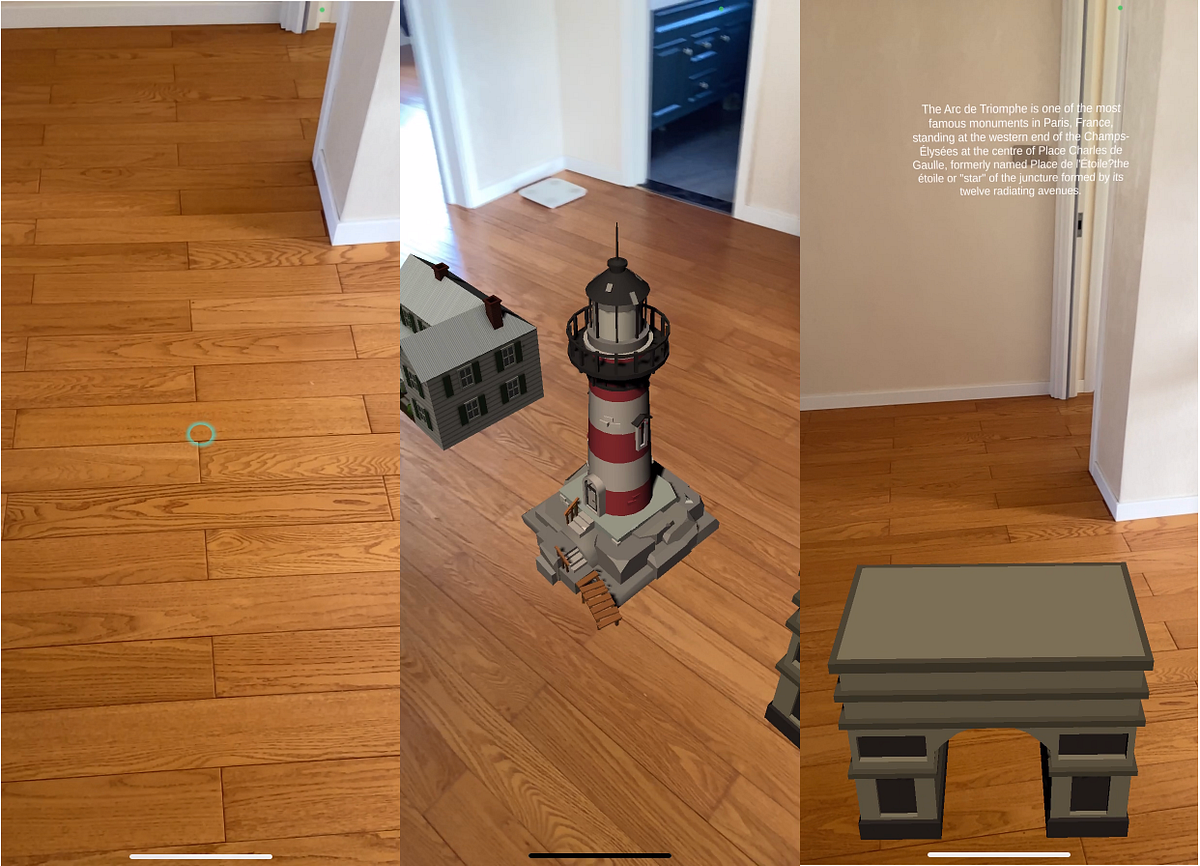
A great demo for AR traveling created with Unity, AR Foundation, and echoAR
Medium
Looking to create your own AR travel experience where you can learn about landmarks and virtually explore exotic locations? This AR…
modern sparrow
Hey, I have kinda big problem. I have ARFoundation project on Unity 2020.2.4 and after adding URP to the project, the XR Plugin Management is well... gone. It doesn't show up in project settings, and the AR Camera doesn't work. It is still in the packages though.
I've googled and some people are saying to downgrade the version of ARFoundation to 3.2.17, and I did so, but during building to phone it somehow reverted to 4.0.1 automatically and broke again...

and the manifest.json still shows that I have 3.2.17

If I hit update to 3.2.17 in the package manager it will recompile something, but it will still show 4.0.1 as the currently installed.
The only option to fix this is to remove everything (ARF, ARCore, ARKit, XR Plugin), and reinstall the versions I want from scratch. Which will then work in the editor, but only until I try to build again
torn lantern
@modern sparrow I follow a lot of Dilmer's work, which is pretty amazing for the AR workflows. Personally I haven't tried URP with AR Foundation. Might be worth having a look at some of this content, hopefully it helps: https://youtu.be/yW34SiaXH7Q

AR Foundation 4+ released in the package manager and many of you reported issues with getting it to work with Universal Rendering Pipeline, today I walk you through the steps needed to convert the standard pipeline to URP, add ar background renderer feature, add an URP material, add ar environment probe manager, and build to an iPhone device for...
torn lantern
Has anyone on here extended the ARPlacementInteractable class, to only instantiate a single object on touch (TapGesture gesture)? Much appreciated 😉
 patent shore
Hey guys! I'm a VR dev but new to AR, I want to make a mobile AR app to overlay the walls and floors of my with 3D models, can anyone steer me in the right directions with some tutorials?
modern sparrow
torn lantern
<@!196360590971764736> I follow a lot of Dilmer's work, which is pretty amazing ...
Unfortunately this is something on Unity's end, and there are few topics on forums, stack, etc. about XR Plugin missing on different editor versions - https://forum.unity.com/threads/xr-plugin-management-tab-missing-after-installation-of-the-package.884218/
Unity Forum
The pic shows it, but basically, after I install the package the tab is just gone and I can't continue with XR setup. I've tried reinstalling Unity and...
rigid bison
anyone here have experience with AR + GPS Location?
 hollow wraith
Hello guys, I need help with something.I am trying to generate Quad or Plane,but i want to do it in three actions.First action to make one spot, then when I pick another spot, and go into high to make third spot,and from these 3 spots (or maybe 4 spots) to make a quad?Is there a way that could be done?
by spot i mean point(or vector3)
brisk creek
hey guys, I need to submit my AR project's source code using Github. Not sure how do I get the source code from Unity. Anyone familiar with it?
 agile basalt
Source code of your project or the whole application, including Unity?
brisk creek
just for the project
agile basalt
In that case you generally just ship the whole project minus the things mentioned in GitHubs Unity gitignore template https://github.com/github/gitignore/blob/master/Unity.gitignore
It will contain everything required to recreate the project from source if needed
Alternatively you can dig .cs files from the project folder if you really just want to send the code
brisk creek
ok let me try this out. Thanks @agile basalt
 lost swallow
@brisk creek you should also include a .gitattributes file that specifies linebreak conventions and enables git-lfs for the binary files in your project
brisk creek
i tried to add gitignore in terminal and git add . after this. but not sure to go from here
 brisk creek
ok I have successfully pushed it to the repository. but it seems like theres only 38 lines? is that correct? because i have pushed the project prior to doing gitignore
brisk creek
can anyone help to share a git link/ screen shot of how the source code suppose to look like? Im really new on using Unity with GIt
Thanks in advance
lost swallow
@brisk creek here's one example https://github.com/Unity-Technologies/EditorXR

GitHub
Author XR in XR. Contribute to Unity-Technologies/EditorXR development by creating an account on GitHub.
brisk creek
Thanks @lost swallow !
 safe bane
Hello All, Looking for someone who can maybe help me to solve the problem "Gradle build fail" - Build failure? i am using Unity 2020.3.8f
 wispy marlin
@safe bane What are you developing for? Android or iOS.
safe bane
@wispy marlin Android.
modern sparrow
Hey, I've got this thing with ARFoundation, where if I'm in AR scene and I load some other scene, the camera turns black before this. This is probably because AR is getting disabled an no longer feeds camera frames to the background, but it looks ugly - you can still see the objects that were placed in the scene on a black background..
Keeping the last frozen frame with camera background until the scene switches would be enough for me
A workaround that comes to mind would be grabbing the last XRCpuImage and placing it behind the UI, but cmon, seems excessive
 opaque adder
Did you guys check our game that supports AR? https://apps.apple.com/us/app/cats-in-time/id1530210409

App Store
Hello explorers!
My name is Professor Tim Edger, and I'm the inventor of the time machine and an avid cat lover! Sadly, I have a problem, and maybe YOU can help me.
You see, my beloved cats are missing. While playing in the lab, they've activated my time machine and ZAP, now they are lost in space…
Works in normal mode as well!
tender cliff
Hello guys, I need help to Unity AR. Im trying to do project, It's my senior project in university. It's name is AR Geometry. I want to do when we see the meshes on camera 3d mesh come to screen I did these, but I want to when I touch the 3d object I want to see 2d version this object open view. How can I do that can anyone help me?
hollow wraith
Hello guys,can someone help me with AR Raycast hit, I want to make it to hit last plane possible?\
 latent patio
I'm having an issue with ARSessionOrigin.MakeContentAppearAt(...), which I assume is because I'm being an idiot. I'm trying to statically place some assets at runtime using it, but no matter what I do with the method it places the asset at the origin position ({0,0,0}). I'm not doing anything special with the assets, just instantiating from prefabs, and I've tried instantiating in global scope as well as using ARSessionOrigin and trackablesParent as the parent transform, but all of them either appear at that same origin or don't appear at all. Happy to provide more info/code, just at my wits end here and hoping for some guidance...
hybrid perch
tender cliff
Hello guys, I need help to Unity AR. Im trying to do project, It's my senior pro...
From what you're describing it sounds like you'd need some sort of object tracking, to be able to tell what you're looking at. The alternative would be using machine vision somehow. I would look up object tracking in AR Foundation if I were you
wanton turtle
hollow wraith
Hello guys,can someone help me with AR Raycast hit, I want to make it to hit las...
You could use the raycast all, and then select it by the furthest Vector3.Distance
hollow wraith
wanton turtle
You could use the raycast all, and then select it by the furthest Vector3.Distan...
Thanks a lot, i ll try that out and give you a feedback.
tender cliff
Hello everyone. I have AR project. I want to do if I touch the object Change object the another one. For example I have a cube image target, cube is coming to my screen when i touch this cube object change and another cube is on my screen.
How can I do that?
hollow wraith
wanton turtle
You could use the raycast all, and then select it by the furthest Vector3.Distan...
I have did it, thanks for your help ! 😄
torn lantern
Has anyone in this group published an AR app to google play - If so, are there any good resources for app compatibility settings (Unity)?
 slim hornet
Anyone every figured out how to (if possible) manage plug in providers manually ? I need ARCore and Cardboard plugin providers in my app, but at totally different time. It seems like the default behaviour is that XRpluginmanagement goes through the list of plugins and loads the first one and then aborts. So when I enable ARCore, Cardboard doesnt function anymore.
I would like to manually load the plugin for cardboard when I need it, and then load ARCore when I need it. I've been looking around the web for a quite a while and couldn't find anything. The closest I got is with the SubsystemManager but it always only returns 1 Display providers. Any help would be greatly appreciated. Thank you. 🙂

 limber tangle
How to check if touch on handheld was on UI ?
 indigo sedge
who has tutorial for phone ar
 copper socket
I would bet the Internet does.
 mystic silo
Hi guys, I have a question regarding about the vuforia engine, is it possible to have multiple model tracking in one unity file(while have different animation for each model)
torn lantern
mystic silo
Hi guys, I have a question regarding about the vuforia engine, is it possible to...
You can use different image targets and attach a different model to each target. Likewise you can add a different animation to each model in your scene.
 shadow flicker
hi guys, im just started creating my ar project. my task is i have to get apk for scanning barcode from an ar app that has been created at unity. do you guys have any suggestions for barcode scanners to use for unity? i want the app to scan the barcode and generate what item does the barcode belongs to.
mystic silo
torn lantern
You can use different image targets and attach a different model to each target....
Ahhh I see, so it would only work with image target not model target?
 worldly panther
anyone learning AR thru this
https://github.com/Unity-Technologies/arfoundation-samples ?

GitHub
Example content for Unity projects based on AR Foundation - Unity-Technologies/arfoundation-samples
since the app required iphone x+ to test, i wonder there is any tips in bulding to ios app and test , or just ... build like normal project ?
 ripe obsidian
worldly panther
since the app required iphone x+ to test, i wonder there is any tips in bulding ...
ripe obsidian
worldly panther
since the app required iphone x+ to test, i wonder there is any tips in bulding ...
- Try to use Vuforia - it has a live preview so that you don't have to build the app every time you make a change. Rule #1 - make iterations faster
- Abstract all of your code - probably at some point you will either want to swith the AR provider - make sure all of your core features are abstracted and the provider classes are doing the work for placing/achnoring/providing planes etc.
- Build first for Android - if you will have a lot of plug-ins/dependencies in you project - you will surely have to come by for the build compile errors - again it will give you an iteration speed by building faster and you will find the missing linkage earthier than with IOS - XCODE
- Be aware of the Unity version you start and maintain your project with - don't update with every new release, stay with what you have. THis also needs to be addressed for rendering pipeline - stick to the one you start with.
- Make actual release feature one by one. TDD - make a feature and test in editor. Test it in build. Refactor. Than new feture
ripe obsidian
- Always use samples and ready Utils/plug-ins/git repos- it will drastically increase the system decoupling and you will gain at least a few month of experience just from using it and understanding how it works. Good luck and be sure to make commits as often as possibly
worldly panther
Thanks for the detailed tips bro!
ripe obsidian
worldly panther
anyone learning AR thru this
https://github.com/Unity-Technologies/arfoundation...
- ALso - make extensions on all of the Math/Transform that you will be doing (and you will do them often!). Make sure that you also will have some sort of the Smoothing component - no AR is perfect
wanton turtle
Id also strongly recommend not using vuforia. It is not a pleasant framework and it has a very diminishing userbase.
We make a lot of money off vuforia projects, because they have a very badly designed upgrade path. And each upgrade version needs large rewriting.
Not to mention they have always over charged users and provided low quality support. I would approach them very cautiously.
ripe obsidian
@wanton turtle could you give more tips/pitfalls working on with AR? What was your experience with them? Very curious to get more info on the problems you’ve solved ( a ton of them )
wanton turtle
@ripe obsidian most of the projects I work on are VR unfortunately 🙂 Mostly Unity/VRTK with a growing number of Unreal projects. I probably have only done a dozen AR projects or so.
ripe obsidian
can onene help: I need to understand how to additivly blend in raw camera feed into the rendertexture (to make the same thing as in the unity AR but the target platfrom - does not have a build in solution, but has a camera)
reef flower
is anyone having issues with plane detection on rough surfaces?
dull swallow
reef flower
is anyone having issues with plane detection on rough surfaces?
Yes actually
I found in order to deal with this, it is easier to have a completely flat surface that is well lit
I understand that isn't always the case though
An easy way around this would be to use the plane detection on an uneven surface (something like carpet) and to not display the detected surface. From here, you can write a script to continuously auto place a small textured plane over the really bad looking detected surface.
It's not a 10/10 solution, as the new created plane will end up looking a bit like minecraft, but in my opinion it is much better than looking at the auto generated plane.
There is most likely a better solution, and if the surface you are dealing with is not carpet you could try using the occlusion manager, but it does indeed work.
ripe obsidian
For anyone who‘a still curious about the problem with raw camera feed, 2 camera setup and command buffers with 3D object floating bug - resolved usin command buffer pass to blit raw camera texture directly to the camera - just be sure the target shaders doesn’t write to depth buffer
zenith flint
Does anyone know if there is a way to stream live video via UDP/TCP/whatever protocol from a computer to an app running on the HoloLens 2? The VLC for Unity plugin does this, but doesn't support the ARM64 architecture
ripe obsidian
WebRTC - you can use different peers - e.g. local peer 0 with mic and holographic video from Hololens2, and another peer for purely Broser Streaming
 neat forge
hello guys does anyone work with vuforia and a hololens 2 device?
nimble fossil
Anyone in here worked with ARKit Reference Objects and libraries, somehow my eventArgs.updated/added/removed always have a guid of 000s
nimble fossil
Anyone? Somehow even if I just copy the list of eventArgs directly^it is giving me zeroes all over the guid when checking for the referenceObject
neat forge
hello guys does anyone work with vuforia and hololens 2 device?
half basin
neat forge
hello guys does anyone work with vuforia and hololens 2 device?
espensive
half basin
neat forge
hello guys does anyone work with vuforia and hololens 2 device?
Halolens 2 
 subtle shale
is anyone here familiar with the HTC Vive SRWorks SDK for developing AR applications ?
neat forge
half basin
Halolens 2 <:z_meow_wow:773137226913284117>
Yeah i know it but i have a project with them and i can't understand some things
 normal yew
XRDisplaySubsystem has no method SetFocusPlane (Unity 2020.311f1)?
At least it does not show up in VisualStudio...what am I doing wrong?
Do I need to instantiate something before?
...of course. It is not a static method
:/
 night loom
Howdy all, I am attempting to only spawn a AR plane if it meets the classification of PlaneClassification.Floor, do anyone know how to do so?
lime lotus

Medium
Interested in interior design? Looking to recreate or design your own room in augmented reality (AR)? This interior design AR app demo…
 bold goblet
Anyone who's interested in collaborating with me to build a unique solution in this upcoming hackathon?
This is my linkedin handle: https://www.linkedin.com/in/swethasree-s/
Feel free to ping me if you want to work together

Eventbrite
A weekend team building and development sprint to move AR/VR applications from concept to prototype, addressing key community problems.
 silk quarry
hellp peeps... Is there a way to recognize the pinch gesture when using the hololens and MRTK?
I want only to use the pinch as a boolean. Once recognised, the code gets a true (or false) and executes some other functions. I am using the PointerHandler but every time I make (and hold) a pinch gesture, the pointer attaches itself to the object and it gets in the way of the player. Any suggestions?
ripe obsidian
silk quarry
hellp peeps... Is there a way to recognize the pinch gesture when using the holo...
it is a click action on interactable component on sample buttons - it is a build into MRTK
silk quarry
ripe obsidian
it is a click action on interactable component on sample buttons - it is a build...
Ok. So are you suggesting to make my object interactable? How will that work when the pinch gesture is not done while hovering an object though?
ripe obsidian
There is a pointer for it - you can get the active one and the action on it - google MRTK subscribe to pointer
silk quarry
ripe obsidian
There is a pointer for it - you can get the active one and the action on it - go...
Ok. I will try it out. Thanks a lot!
neat forge
Hello guys does anyone worked with Hololens 2? I am working on an image tracking AR project with Vuforia. It is simple enough. When the user will see the image target, some objects will activate and user can interact with them. It works ok but i have a small problem. I put some of my objects to activate exactly on image but they activate a little bit above it? Am i doing something wrong? Could anyone help me. I made something like that for android and i didn't have the same problems. Thanks for you time!!
 sturdy hare
Noob question: can anyone recommend a channel for AR beginners?
dark frost
sturdy hare
Noob question: can anyone recommend a channel for AR beginners?
Any specific techno ? For which target plateform , Hololens/leap or mobile Android/ios ?
Vuforia or ArFoundation ?
I think I can recommand Dilmer Valecillos (https://www.youtube.com/c/DilmerValecillos/videos), he did a great overview of everything I think. Hope it can help
sturdy hare
To answer your question iOS and foundation. But thanks I will check that out also
dark frost
sturdy hare
To answer your question iOS and foundation. But thanks I will check that out als...
Ok, it will helps to find more suitable tutorials.
You can also check the samples to discover the lib, most of us learnt with this.
https://github.com/Unity-Technologies/arfoundation-samples

GitHub
Example content for Unity projects based on AR Foundation - Unity-Technologies/arfoundation-samples
sturdy hare
dark frost
Ok, it will helps to find more suitable tutorials.
You can also check the sample...
Awesome thank you very much
 robust sluice
@neat forge hi im not sure how to answer your question, but what are you using to implement that functionality where the user sees an image and something happens?
is that built into mrtk (since your using hololens) or vuforia, im not familiar with vuforia myself
robust sluice
Has anyone done anything simple with head gazing in mrtk?
Id like to see some examples if anyone has
slim jasper
Hi Guys,
Beginner here.
I am creating a simple AR app using Unity3D and Vuforia. Basically, detecting an image target and playing a video upon detection. This is a prototype.
However, I do not like the idea of the app starting up straight into the ARCamera. It even android phone even gets hot after sometime.
Is there anyway I can design a simple UI that the app boots up into and then I could simple press a button to enable the ARCamera.
I'm new, I'd just like some instructions or direction to a tutorial that's similar.
worldly panther
Hi people, is this kit good for developing vr app in unity , or should i buy some other products ( can u recommend me )
https://www.anphatpc.com.vn/bo-nhan-chuyen-dong-leap-motion-vr-developer-bundle_id18557.html
 austere rock
slim jasper
Hi Guys,
Beginner here.
I am creating a simple AR app using Unity3D and Vuforia...
austere rock
slim jasper
Hi Guys,
Beginner here.
I am creating a simple AR app using Unity3D and Vuforia...
You could create a new level with some ui and give the option to open the level that uses the camera
slim jasper
austere rock
You could create a new level with some ui and give the option to open the level ...
New level.. meaning new scene?
I'd like to have a simple UI design on start up and the click a button to go to the ARCamera.
I'm thinking should I do the UI in Scene 1 and then do the ARCamera stuff in Scene 2 and then just switch between scenes.
I'm not sure if I know what i'm talking about, advise would be greatly appreciated please.
nimble fossil
slim jasper
I'd like to have a simple UI design on start up and the click a button to go to ...
From not knowing your project, but if its just a simple arcamera which is not going to be reused heavily, I think you are good to go with 2 scenes honestly. I mean there are ARCameraScripts etc. that you just can turn off and stuff, but if you want to just separate it to be safe, just add the scene dynically or just load the scene, so everything starts fresh without custom coding to reset ar sessions and stuff.
 gentle vessel
i got a question when i import someone ar project must i change the license before i can build it?
dull swallow
Hey I was wondering if Vuforia and ARFoundation can work at the same time. For example, I am using AR Anchor Managers, and Session Origin, but I tacked on the Vuforia Behaviour (Script) as well as the Audio Listener and Default Initilization Error Handler
nimble fossil
dull swallow
Hey I was wondering if Vuforia and ARFoundation can work at the same time. For e...
You are trying to use two camera related things at once, I guess you would have to dig into both APIs to feed them manually with the same feed. Tbh, I would stick to ARFoundation instead of Vuforia, but thats just personal preference.
 loud cargo
Hey all - I am wondering if anyone can help guide me towards the best solution for creating persistent experiences tied to physical locations. I'd like to place objects with <1in accuracy. I've been researching and prototyping for weeks.
Vuforia area targets accomplish this somewhat but are expensive and don't do well outdoors. ARWorldMaps does this, but only works on iOS(?). Other options like easyar, 8th wall, arway, artoolkit, maxst, google cloud anchors, azure spatial anchors, all have some level of this type of thing at various limitations (including expense).
Is it necessary at this point to pay for vuforia for this kind of thing? Could I use 3d scans of an area as huge object targets in ar foundation somehow? What have people found to be the best option at this point?
nimble fossil
loud cargo
Hey all - I am wondering if anyone can help guide me towards the best solution f...
I only worked with iOS so far, but yes, worldmaps is an ARKit only thing. Besides that, I think, ARFoundation should be able to track objects on android too. But what you want with less then 1 inch accuracy is not a thing yet, as far as I know. With lidar on iPad and iPhone Pro, ARKit is using the depth information to higher the accuracy, but the far off you go inside physical space from the origin of your session, the more you get some kind of hinge effect, which will make inaccuracy on origin of maybe 1 degree taking effect some inches offset when you are away from origin like some feet/meter. Maybe you can tell, what you want to track or what your project is trying to accomplish, sometimes just having separate targets that get tracked will make it easier to achieve. You could of course offset your gameobjects and try to calculate your own thing based on different targets, but thats some complex thing to do I am not sure it makes sense for your scope at all.
 loud oar
Hello everyone! I am working on an AR Foundation project and I am just starting out in this field. This is an image tracking project. I wish I could make a prefab disappear when I flash another image. My problem is that when I flash one image then another and return to an already flashed image, the prefab no longer displays. Do you have any advice for me? thank you in advance
nimble fossil
loud oar
Hello everyone! I am working on an AR Foundation project and I am just starting ...
How do you approach the tracking? Any code to look at or how did you setup your project?
loud oar
nimble fossil
How do you approach the tracking? Any code to look at or how did you setup your ...
I have an UpdateImage function which takes a trackedImage as a parameter.
If the trackingState of this trackedImage = None or Limited, I do a trackedImage.gameObject.SetActive (false).
I also tried by doing myPrefab.gameObject.SetActive (false)
nimble fossil
loud oar
I have an UpdateImage function which takes a trackedImage as a parameter.
If the...
I am on mobile right now, but you have to check where your prefabs are instantiated, there is a function to show and hide the gameobject, will look into it later
loud oar
SetActive ?
nimble fossil
loud oar
SetActive ?
https://docs.unity3d.com/Packages/com.unity.xr.arfoundation@3.0/manual/trackable-managers.html this will set the object inactive but does not destroy them, last bit of that page
nimble fossil
Anyone got a suggestion in "good" AR image markers?
 violet owl
Has anyone figured out how to prevent clicking through UI elements when using Raycast?
It's been 3 years and I haven't found a solution
loud oar
nimble fossil
https://docs.unity3d.com/Packages/com.unity.xr.arfoundation@3.0/manual/trackable...
ok thanks i will try with that
 fathom sleet
Hello world, if starting with the AR world, where would you suggest to begin from? mars ? or something else?
 fossil flower
@loud cargo Job/Collab posts location links are in the #854851968446365696
loud cargo
@fossil flower Thanks! I swear I looked for a dedicated forum before posting here haha
 last panther
hi! I'm new to the server. is this the right channel to ask for help on an AR project?
i don't have any C# knowledge (and this is my first time using unity and making an AR project on top of that)
so i heavily rely on video tutorials, but even those dont explain how to do the exact thing i need
so far i have a build that runs on my ios device and tracks the planes of my environment successfully
what i need is for the app to open the camera, look for a specific image (or for an image contained within an image database), and then use that image as the origin point for a specific model that is unique to each image.
so i need it to spawn a 3D model where my image is and then remember that position so that i can still see the augmentation without having to always have the image visible to the camera
i hope that makes sense
copper socket
If you're using the ARFoundations package, it's pretty straight forward to create an image database. Should be able to find a tutorial for "image tracking" on it.
 pine violet
Are there existing source code for a 3D file loader (could be fbx or obj files) while in runtime in an Android app? I have a thesis project for an augmented reality app and I wanted to feature a 3D model viewer in it.
last panther
copper socket
If you're using the ARFoundations package, it's pretty straight forward to creat...
i dont need it to track the image though, i just want it to recognise it and set it as the origin point of a model. it mustnt be dependent on the image being visible because the actual spawned model itself is supposed to be far from the viewer
copper socket
Its capable of that.
last panther
im sure it is, i just have no idea what im doing or even what to look up 😅
 civic obsidian
Hi there folks, does anyone know how to read the fidelity of my environment?
Like, how good the tracking is?
or, the size of each plane
 main quest
Is there any way to improve AR Foundation tracking? I found that on devices that dont have Depth API enabled tracking with AR Foundation is much worse than with vuforia from ptc, any suggestions?
main quest
violet owl
Has anyone figured out how to prevent clicking through UI elements when using Ra...
exclude UI layer
loud cargo
main quest
Is there any way to improve AR Foundation tracking? I found that on devices that...
Whatt type of target are you tracking?
Can anyone help me or point me in the right direction of how to line up a scene with a google cloud anchor? I have a cloud anchor set in a known point. I have a 3d scan of the area around that point. I want to use the 3d scan in Unity to lay out my AR objects, then hide it. In the scene I would have a point that references the cloud anchor in the real world. When the anchor is resolved, the scene is loaded and the reference point is lined up to the real world point. Is this possible?
main quest
loud cargo
Whatt type of target are you tracking?
image tracking works fine, but my app mainly relies on tracking the environment (i think its called air tracking)
main quest
loud cargo
Can anyone help me or point me in the right direction of how to line up a scene ...
https://www.youtube.com/watch?v=EuKW9RjORdk this might help you
In today's video I focus on teaching you how to implement Google AR Cloud Anchors in AR Foundation by using the AR Core Unity Extensions provided by Google. This video also teaches you how to enable Google Cloud Anchor API, how to setup API Keys, how to host anchors, and how to resolve anchors.
Review Google Cloud Anchor documentation:
https://...
main quest
https://www.producthunt.com/posts/rocketxr-augmented-reality-about-space On a side note, what do you guys thinks about my app? Thanks ;D

Product Hunt
It is now upon us to inspire the next generation of explorers - using Augmented Reality tech we are trying to achieve this goal by making spaceflight as accessible as possible and adding that "cool" factor to it.
last panther
yall, please help me. I now have less than 24 hours to make this project and I have no idea how to use unity or write in C#. it's annoying because it feels like a really simple concept but I can't for the life of me figure out how to do it
this is basically what i need the app to do:
- Open camera
- Do nothing. If this one specific image is recognised, track its position in space no matter its visibility (which I assume is what anchors are).
- Set that anchor to be the origin point of a specific 3D model, and spawn it.
That's it. That's all I need it to do
but no matter how hard I look for this approach, I can't find anything to help me out
I would really appreciate any help, but be warned that I'm a complete beginner with unity (I have intermediate knowledge in blender but I realised that doesnt mean shit when trying to use unity)
nimble fossil
last panther
I would really appreciate any help, but be warned that I'm a complete beginner w...
Sorry but there are tons of tutorials out there. Serach for unity arfoundation image tracking and you will find exactly what you just described, track an image, spawn a prefab there, done. The tracking depends on the target system but usually, arfoundation keeps track of images even out of camera view if they are tracked once.

Do you want to become a professional AR developer?
Check out our AR Foundation for beginners course
https://insiders.dineshpunni.com/course/ar-course-title?utm_source=youtube&utm_medium=organic&utm_campaign=arcourse&utm_content=arfoundationdevelopment
Our AR/VR Education Platform offers
✔️ AR/VR Courses
✔️ Private Discord community
✔️ Expert ...
last panther
nimble fossil
Sorry but there are tons of tutorials out there. Serach for unity arfoundation i...
this hasn't worked for me so far though. Once the image leaves the screen, the model starts jumping around and eventually disappears. The reason why this approach doesnt work is because the model i want to spawn is a 2D plane and it has to be pretty far away from the point of where the user is standing
the idea was to do a treasure hunt kind of app, where you would walk around the city, find a code in key locations, scan it with your phone through the app, and it would open a big photo of that location from the past in front of the corresponding building
the way I was planning on doing that is by using camtrackAR on my phone in the real location so I can match the perspective, distance and scale of the 2D plane to the camera view, and then export that plane with its origin point being at 0,0,0 (even though the geometry itself is far from its origin point
hybrid perch
I have a setup like this
last panther
so thats why image tracking isn't what i need. I only need the image for the spawn command, after that, i just need it to lock the model it spawned in space (relative to the camera transform of course)
would you be okay with sharing it with me? maybe in dm's so it doesnt get cluttered here? I'll probably have quite a lot of questions 😬
hybrid perch
I have both plane tracking and image tracking enabled at the same time
 last panther
i'll send you the concept video i made with camtrackar so you can see what im going for a little better
hybrid perch
In Start() on the prefab I spawn on image recognised I store the ARTrackedImage
trackedImage = GetComponent<ARTrackedImage>();
Then I check the state of the tracked image
if(trackedImage.trackingState != lastState && trackedImage.trackingState == TrackingState.Tracking)
Then I spawn a new prefab based on the name of the reference image
trackedImage.referenceImage.name
And after a delay of 1 second (to let the placement stabilize) i unparent the new prefab so that it's no longer parented under the tracked image. This way, it will not just exist as an object in the 3D scene
last panther
gimme a min so i can read it carefully and try to decipher it lol
hybrid perch
If you've gone through the image tracking tutorial this is not using anything you don't know
last panther
I just don't know how to read C#, or work with Unity's structure for that matter
all I know programming-wise is how to make programs in a pseudolanguage, and even that I've mostly forgotten because I only learned it in highschool
so, do you think I'm on the right path? did you see the video btw?
hybrid perch
Yeah it's difficult to say how it would look in use
It's gonna be impossible to get a 1-1 match
If you're not familiar with unity I would spend some time with it first. Jumping straight into AR is not gonna be easy
loud oar
Hi everybody ! I am currently working on a new image tracking project with ARFoundation. I would like to know if it is possible to make several prefabs appear on the same image. The user chooses the model he wants to appear in a menu, then in a second step by scanning the image in question, it appears.
hybrid perch
I'd recommend doing what I shared above, have one prefab that is always spawned, which in turn spawns another prefab based on some condition
loud oar
It's a prefab which contains other prefabs ?
hybrid perch
Yes I have a prefab with a script on it that has a list of possible prefabs
last panther
I think I'm getting something closer to what I want now. Thank you for your help regardless!!
yeah I wish I had more experience. unfortunately this is for a uni assignment (due tonight, as if it wasnt bad enough already lol)
i want to learn more about game engines in general after this semester
loud oar
Ok, a bit like alternative prefabs to an original model if I understood correctly ! Thank's 👍
 last girder
Hello, i've got a bit of an issue with my ARCore app. What I try to do is when i scan an image, save the name of that image and then pass it to database to get some information, however if i return to camera to scan another image, the app maintains the name of the first image i scanned, I dk how I can 'reset' it so it gets the name of the image that is scanned at the time, any advice?
hybrid perch
last girder
Hello, i've got a bit of an issue with my ARCore app. What I try to do is when i...
What's your code for getting the name?
last girder
hybrid perch
What's your code for getting the name?
Hey thanks for getting back I managed to fix it the problem was I was using a static string instead of a class and it kept the first string assigned to it the entire time, I created a class instead and it worked fine, it only took 3 hours to figure out 🤣
But at least I feel a bit more comfortable with using classes now 🤣
hybrid perch
👍 nice
 neat sonnet
Hi
So I am watched a video on creating AR project.
It says click "Vuforia Augmented Reality Supported" in XR
But I am not get such option
when creating new project.
Pl help. 😅
hybrid perch
neat sonnet
So I am watched a video on creating AR project.
It says click "Vuforia Augmented...
You have to install Vuforia support as a module. Close Unity and modify it through Unity Hub
neat sonnet
hybrid perch
You have to install Vuforia support as a module. Close Unity and modify it throu...
thanks. but after this I am able to get "Vuforia Engine" options in GameObject menu
But not the option in XR-Plug In Management
will it still work?
hybrid perch
Perhaps look in the package manager?
 hexed condor
is there anyone from Vuforia?
there is strange crashes on str.len function.
 timber scaffold
Is there anyone here who can help me update my game from old trashy 5.6.7f1 code to the current code?
 leaden loom
how do i get mesh like this and no i tried google

can someone help
im new to unitu
y
copper socket
Mesh like what. Is this even AR related?
nimble fossil
leaden loom
i think so
You should give us more information, Mesh is just an object with a Name "Mesh" there... we do not know anything
nimble fossil
timber scaffold
Is there anyone here who can help me update my game from old trashy 5.6.7f1 code...
Is this AR related at all? Did you just open it in the new version and see what happens?
wanton turtle
Pretty much what I thought but didn’t put time into typing :D.
 quartz lagoon

any way to make this actually look black
cuz to me it dosnt look black
the middle part
nvm got it
wanton turtle
quartz lagoon
im a little new
Yeah. This is the #🤯┃augmented-reality channel, so usually less people reading this one versus #archived-code-general or #archived-shaders - so I was wondering if you were trying to use a metallic object I’m AR, which needs environmental probes to look proper
modern sparrow
Hi there, does anyone know if ground plane tracking is included in the Vuforia basic licence?

there is no info about this in the features side, only image targets, vumarks, multi and cylinder
 tiny shell
can anyboddy suugesst me a good tutorial forr ar in unity
wanton turtle
wanton turtle

Unity Learn
In this tutorial, we’ll configure Unity for AR development targeting iOS or Android.
tiny shell
ok
wanton turtle
This is much more useful though
https://docs.unity3d.com/Packages/com.unity.xr.arfoundation@4.1/manual/index.html
 rich bison
Hi guys someone knows how I can move the Unity Foundation AR Camera in runtime? I try to move it but it does not move i'm using this code, I think it's locked because is using the sensors to calculate its position, I need a way to deactivate them or something to move the camera, but what and where i can do thad? or there is other way?
origin.transform.localPosition = new Vector3(CalculatedPos.x, 1, CalculatedPos.y);
Anyone know of the best distance to collimate UI elements on the HoloLens and stuff like that?
I'm mainly looking at aviation applications so a pretty far distance would be good right
@rich bison Just assign a parent to the camera and move the parent
EZ PZ
rich bison
rich bison
Hi people, someone knows why my AR camera does not move where I want? i'm moving the parent object so it moves, I calculate the difference between the camera pos and the new position I want the camera to be, so the camera end up in the exact position I want, but for some reason the camera do whatever it wants and it end up in a totally different position, i'm using the local position of the camera for the offset, but the "global" position to print where it end up. here is the code.
Vector3 originPosLocal = origin.transform.localPosition;
Vector2 finalPosition = new Vector2(CalculatedPos.x - originPosLocal.x, CalculatedPos.y - originPosLocal.z);
parentOrigin.transform.position = new Vector3(finalPosition.x, 1.8f, finalPosition.y);
 hallow idol
Did anyone managed to get multiple cameras setup working with ARFoundation and URP? I want one camera to render the ar background and the other to render scene contents and no combination of stacking cameras seems to be working for me
lime lotus

Medium
Google Poly was shut down on June 30, 2021, making its 3D assets search and storage service and associated APIs no longer accessible.
modern sparrow
Hey, I remember Unity posted a while ago about acquiring a startup that does foot tracking? Does anyone have a link for the blogpost here maybe? I have a client that wants to display shoes in AR and I'm looking for solutions
 vast stump
Hello! I have a question about AR Foundation, if anyone is familiar.
I am trying to remove a tracked image after it has been found, this is because if it does not match certain criteria, I want the player to be able to find them again later.
I read the documentation here: https://docs.unity3d.com/Packages/com.unity.xr.arfoundation@4.1/manual/trackable-managers.html
And it says that some managers have support for removing a trackable manually, but i cannot understand from that or the ScriptingAPI how i am supposed to do it for TrackedImageManager.
I think i t is a simple solution, just haven't been able to find the information on how to handle this!
modern sparrow
modern sparrow
Hey, I remember Unity posted a while ago about acquiring a startup that does foo...
Found it, it's RestAR, but they actually only offer 3d scanning tech. The foot tracking example was build on Snapchat with Lens studio
Snapchat introduced the Foot tracking feature at their Partner Summit 2020. QReal.io, creates most lifelike models for products and used this new Snapchat feature to place shoes on your foot.
The users can try-on shoes using augmented reality technology just with a click.
any ideas how to bring this to unity?
vast stump
That is cool!
Btw, know anything about removing found trackables?
vast stump
There is a destroyOnremoval Option on the trackable, but i dont understand how i remove it XD
 wide plaza
modern sparrow
any ideas how to bring this to unity?
wide plaza
modern sparrow
any ideas how to bring this to unity?
Detect legs -> Generate rods -> Wrap the image around them 😆
vast stump
I tried to destroy the object, but it remains in the trackables of the manager
loud cargo
Hi friends, I am trying to modify the example for persistent cloud anchors that comes with the ARCore XR Plugin. I want to instantiate my own object instead of the CloudAnchorPrefab that spawns in the example.
I created an object, made it a prefab, added it as a variable to the top of the script, then added a line to instantiate it, but it won't show up. I'm not sure what I'm doing wrong.
I connected my prefab to the variable in the inspector window of my script, but I'm confused about how exactly this works. The CloudAnchorPrefab used in the example has nothing connected to it in the inspector. I don't understand how the variable is getting connected to the game object.

Old line: Instantiate(CloudAnchorPrefab, cloudAnchor.transform);
New line: Instantiate(CapsulePrefab, cloudAnchor.transform);
I also tried leaving both lines, which will allow the CloudAnchor Prefab to spawn. But I can't get the CapsulePrefab to spawn at all.
 obsidian rover
Hi
neat sonnet
So my questions is, how to make an "INTERACTIVE" AR app ?
Are there any guides available for that?
dark frost
neat sonnet
So my questions is, how to make an "INTERACTIVE" AR app ?
What kind of result do you want ? You have few guides for ArFoundation (mobile) or MRTK (Hololens) or Vuforia (Both platform)
neat sonnet
dark frost
What kind of result do you want ? You have few guides for ArFoundation (mobile) ...
The interaction will involve creating and modifying shapes. Like extrude a 2d polygon, rotate, etc.
Basically, a baisc 3d modelling app
dark frost
neat sonnet
The interaction will involve creating and modifying shapes. Like extrude a 2d po...
I gave you the tools we're using depending of the platform (mobile/headset) I don't know if there will be a guide for this exactly but for a lot of interactions. Just need to search your platform and the tool you want to use.
neat sonnet
dark frost
I gave you the tools we're using depending of the platform (mobile/headset) I do...
Is vuforia free to use? Can I test and personal use my created projects for free?
dark frost
neat sonnet
Is vuforia free to use? Can I test and personal use my created projects for free...
there is a personal free use, as a student I used it too 🙂
you can check on their website, but I don't think you will exceed the limitation
neat sonnet
dark frost
you can check on their website, but I don't think you will exceed the limitation
Is it just engine? So my design work will be in unity and the vuforia will enable the AR? Is that how it work?
dark frost
neat sonnet
Is it just engine? So my design work will be in unity and the vuforia will enabl...
you will work in unity, using the vuforia sdk
neat sonnet
Ok. Thanks for help
 eager orbit
With Vuforia, the image tracking seems be fine when playing via editor but stutters or spazzes much more when built onto my Android tablet. Is there some settings that I’m not aware of that could be the culprit? What are the recommended settings when using Vuforia?
obsidian rover
is unity AR any good
i have tried making projects with it and its super buggy
it keeps making new planes over itself
is that why everyone is using vuforia?
 storm lagoon
what is AR? is it like VR?
eager orbit
@storm lagoon AR is where you use your device’s camera (typically from a mobile device) and some tracking functionality to render the 3D elements onto your physical environment. In VR you are completely immersed into the 3D environment.
 raw star
When using AR Core in Unity, is it possible to test the built apk on an emulator ?
From what I've seen so far, it's not as the app is built for arm64 and the Android Emulator only supports x86 etc.
storm lagoon
Ok Thank you 😊
 astral widget
Hello 👋🏽
 sturdy zealot
hi
neat sonnet
sturdy zealot
hi
hi
 gilded wagon
Hi. How to connect midi?
obsidian rover
anyone get planes stacking on top of eachother with the plane manager
?


this constantly happens. seems like a giant bug in ar foundations
eager orbit
When using Vuforia's image tracking, the model becomes shaky and jumps frequently when the "Track device pose" is checked but when disabled the tracking is very good. Why is that? I would like to use AR Foundation's light estimation but when I disabled the track device pose my program almost immediately closes when started on the Android device.
trim dune
obsidian rover
anyone get planes stacking on top of eachother with the plane manager
what i like to do to avoid this is to SetActive all the planes to false when I place something, otherwise I haven't personally found a good way to avoid this
I'm pretty sure it's just arfoundation being unstable
trim dune
neat sonnet
Is vuforia free to use? Can I test and personal use my created projects for free...
you could use Vuforia, which goes through the vuforia service to run, or you can use ARFoundation, which is more code heavy and you have more flexibility with setting up whatever you want
An alternative would be using some AR Glasses which has some of that built in, and some even have hand tracking. Then for 3d modeling you'd have to manipulate the vertices and do some math work
neat sonnet
trim dune
An alternative would be using some AR Glasses which has some of that built in, a...
THANK YOU!
But I'd my project idea even possible?
trim dune
Well what exactly are you doing?
are you trying to tracking in the unity scene itself?
or were those the items you're trying to place down
OH LOL
wait I was looking at the wrong response
but yeah it'd be possible
you'd use OpenGL I believe?
let me double check that
Yeah so with OpenGL you should be able to program the manipulation of 3d objects
but there could be a better way, it's not something I've done much of personally
neat sonnet
My project idea is to develop a CAD application. A basic one.
trim dune
basically you just want some kind of graphics language for unity
neat sonnet
Oh I see
trim dune
and you'll pretty much create the 3d object and then add functionality going after that point
it would be really cool in AR Glasses, personally I've used the NReal and TiltFive to develop with so far and I'll probably be using Goertek in the near future
you could also check out the 3d modeling apps on mobile and there could be some stuff in the descriptions of those describing what they used to make it
the only real difference with AR is the Input and how the objects are instantiated
neat sonnet
Which ar glasses would you recommend?
Also
trim dune
Well the cheapest best ones I've personally used so far is NReal, which just got hand tracking support
the hololens are just plain out expensive and AR technology is being made a lot faster and cheaper now
The TiltFive is cool but it has a lot of limitations since it's stuck to just a board and you have to use a wand
Goertek is also going to be releasing some cool glasses in the near future with a similar price tag I believe
you could also just use your phone to start on it, and use ARFoundation
then if you ever do get glasses, you'd just need to adjust the input and switch the tracking to the glasses tracking
all the main functionality of unity stays the same
loud cargo
I can't tell if I am overthinking this... What is the most straightforward way to align an AR scene to the real world (accuracy ~a few inches?) at the scale of a room, public square, or courtyard with non-static lighting?
I have an iPad pro with 3d scanner and can create scanned environments and point clouds of various formats. Ideally I'd pull an environment into Unity, place my objects all around, hit build and then you'd have an uncle and his name would surely be Bob.
Do I use a point cloud trackable in AR Foundation Do I need to reverse engineer google cloud anchors? Can I just make a ar foundation anchor and save it and bake it into my app somehow? Or should I just be using image targets and only spawning objects near them?
Vuforia area targets basically provide the workflow I am looking for (see here: https://www.youtube.com/watch?v=OZgWKIQEuZ0), but the problem is they don't work well outdoors or in scenes with non-static lighting. So I'm looking for a similar but more robust solution.

In this Unity augmented reality tutorial Matthew Hallberg shows us how to use Vuforia area targets for cross platform indoor localization on Android and IOS. You can scan your house with a lidar enabled IOS device or a Matterport camera and bring the scan into Unity. There you can design the space or create interactions however you want!
Stay i...
 formal raptor
AR Foundation - Plane detection / placement - Having a static content.
I'm trying to make a AR plane detection app with touch control (pan, pinch, twist). Issue is that the content i'm trying to use has to be static (for static batching).
So the camera has to move and not the content. Let's say i achived that, since there are some setting to toggle this behaviour.
But how exactly can i make the touch controls part?
I've been using MakeContentAppearAt. Which seems like the ideal solution.

But the function seems to move the content relativly. So it keeps drifting off it seems.
Anyone had some experience with AR-F and static content while having touch controls?
trim dune
formal raptor
**AR Foundation** - **Plane detection / placement** - Having a **static** conten...
I understand you're doing static batching, but what content do you have that you're trying to move that will make a difference if it isn't static
eager orbit
With Vuforia, when Track Device Pose is enabled the cloud image tracking isn't smooth whatsoever. However, when having that feature disabled the tracking is very smooth. Why is this the case?
Track Device Pose disabled
https://vimeo.com/577814633
Track Device Pose enabled
https://vimeo.com/577815356
Unity version 2020.3.12
Vuforia version 9.8.11

Vuforia cloud image recognition with track device pose disabled.

Vuforia cloud image recognition with track device pose enabled.
limber tangle
How to detect touch on UI in augmented reality
?
formal raptor
trim dune
I understand you're doing static batching, but what content do you have that you...
It's a full model of a house. 150 draw calls without static batching. 90 with. It's not really about this specific usecase. I'm getting prepared to handle unoptimized content which has 250 drawcalls with batching and 400 without.
Regardless of the content. It would be nice to do that because of other things potentially.
Like ... physics, trail renderers, occlusion culling (static ocluders are cheaper then the dynamic ones) and many other aspects.
half basin
Hey I'm beginning to learn AR/VR in unity. Any links/ tutorial suggestions where I can start with?
trim dune
formal raptor
It's a full model of a house. 150 draw calls without static batching. 90 with. ...
well if you need to move stuff around, its gonna be hard for it to be static and seem like stuff is moving
The biggest thing depends on what you're moving
Since it's you moving through a house
I don't see why everything can't be static, and what you would even need to move
the biggest thing to reduce batches is to create texture atlas's for as many things as possible so they all batch together
which is why doing the process of creation from start to finish with optimization in mind is the best way to go, so that you have total control over the models
if you're just trying to pan, pinch, and twist the AR Plane itself, you can actually access all of them by finding each plane in the planeManager and then putting them into an Empty Game object to control the orientation and scale of all of them at the same time
the biggest issue is that when you do that, the tracking becomes different because it won't be the same as it originally was
trim dune
limber tangle
How to detect touch on UI in augmented reality
?
Raycast
ScreenToWorldPoint lets you take the 2D point at which you touched, and find the 3D point at which that spot is
 nocturne ivy
half basin
Hey I'm beginning to learn AR/VR in unity. Any links/ tutorial suggestions where...
nocturne ivy
half basin
Hey I'm beginning to learn AR/VR in unity. Any links/ tutorial suggestions where...
I would highly recommend checking out the ARFoundations project for AR samples: https://github.com/Unity-Technologies/arfoundation-samples
This uses all the available AR Subsystems for ARFoundation in Unity and gives you great examples on how to access the classes  !
!
And all documentation to further your knowledge is right down in the Readme 😄 !

GitHub
Example content for Unity projects based on AR Foundation - GitHub - Unity-Technologies/arfoundation-samples: Example content for Unity projects based on AR Foundation
half basin
nocturne ivy
I would highly recommend checking out the ARFoundations project for AR samples: ...
Wow that's awesome . Thank you so much.
formal raptor
trim dune
if you're just trying to pan, pinch, and twist the AR Plane itself, you can actu...
Ye, bit still new to optimalization in general.
Good point.
Perhaps let's not focus at this specific usecase as well. Imgaine a car without interior instead of a house.
But it seems that it can work. A junior / incubee was working on it and the poor soul had a second camera in the scene which he used for some calculation.
Pan and twist are super easy.
But the pinch will be interesting. We'll just make the content appear more further or closer along the "camera vector". Not sure how that will feel.
But indeed, optimising the content seems more ideal then doing this. But if it won't drift and if it would work well. It feels it is superior to a default behaviour.
Due to easier usage of Physics for example.
Thank you for the reaction, issue was with incorrect calculations parameters. 👍
trim dune
formal raptor
Ye, bit still new to optimalization in general.
Good point.
Perhaps let's not...
Well for optimization the best thing to do is look up optimizations for mobile since almost all AR devices (Glasses or All-In-Ones) are going to run off of the same kind of graphics chips from qualcomm more than likely
Everyone seems to be putting snapdragons in their hardware
 quick quartz
Hi everyone, I was wondering if there is a way to replicate this app for scanning and detection in ARKit iOS native in Unity with the new ARFoundation
https://developer.apple.com/documentation/arkit/content_anchors/scanning_and_detecting_3d_objects
I know this was available as a sample scene in arkit2, but that bitbucket repo got taken down and I am not sure about how to do this in unity again.
The ARFoundation only talks about using an already detected .arobject and placing content on it, but the step to actually create that .arobject is skipped and only the actual Apple documentation is referenced
loud cargo
I am testing my AR app on multiple devices. The LG V30 uses the ultra-wide lens by default and it's not working great. Does anyone know a way to select a different rear camera?
limber tangle
trim dune
Raycast
ohh, thanks for the answer. my question was incomplete. I'm looking for working alternative for IsPointerOverGameObject
neat sonnet
Hi
I am trying to follow a tutorial.

The code is this.
Here the terms "GameObject" "ARRaycastManager" etc. turn Green in the tutorial YT video.
but in mine it doesn't.
line 7,8, etc.
nocturne ivy
neat sonnet
The code is this.
Here the terms "GameObject" "ARRaycastManager" etc. turn Gree...
In the tutorial so they mention a GetComponent?
neat sonnet
no
here is tutorial i am following

This is my first Unity Tutorial video. I have used Unity AR Foundation to create an Augmented Reailty App from scratch.
Please note the package version combined with the editor version is very important. In this case, I'm using:
Unity 2020.1
AR Foundation 3.1.6
ARKit 3.1.8
ARCore 3.1.8
We'll be using a free Spider model from the Asset store: ht...
 mint temple
Hey everyone, hope y'all are doing well. I am very new to unity and I participated in the ar/vr glasses class. I was wondering why I had to use an android phone instead of my linux computer to run the glasses we developed even though my computer has a webcam. Thanks is advance @rocky sinew @little remnant @modern comet @candid plaza @stray dune @gentle scarab
trim dune
mint temple
Hey everyone, hope y'all are doing well. I am very new to unity and I participat...
So if you're using ARFoundation, the reason is because it needs a device that is compatible with ARCore. Which Android has ARCore built into it
For IOS it's called ARKit
ARFoundation merely combines the two into one package, but the support for each one comes from the devices individually
So you could have an android phone that doesn't support ARCore, in which ARFoundation would not work on it
Even if it had a camera
steep cosmos
Hello.
everybody.
We have a launch in few days. and a major blocker.
so, I really like to get help if you have time, Ill be appreciated.
I am a bit stumped since the documentation says the following:
You should never Destroy a trackable component or its GameObject directly. For trackables that support manual removal, their manager provides a method to remove it. For example, to remove an anchor, you need to call RemoveAnchor on the ARAnchorManager.
https://docs.unity3d.com/Packages/com.unity.xr.arfoundation@4.1/manual/trackable-managers.html
But I can't find a method for destroying tracked images in the trackedImage manager, leaving me wondering how I am supposed to actually go about cleaning up AR stuff, if my scene is running for longer periods of time, generating new image markers that should be cleaned up an no longer tracked.
wanton turtle
Not sure the impact of this, but you could remove it from the m_trackables dictionary manually. The only removal methods I saw were in the native access type removal. Another option is to create a new library with the unwanted trackables not included and assigning it. But you don’t want to do that too often
nimble fossil
steep cosmos
I am a bit stumped since the documentation says the following:
You should never...
how are you instantiating the items?
nimble fossil
steep cosmos
I am a bit stumped since the documentation says the following:
You should never...
Well, Ill just give my 2 cents as I wont be online later maybe. You can checkout the state of your trackables here https://docs.unity3d.com/Packages/com.unity.xr.arfoundation@4.0/manual/tracked-image-manager.html . With those trackables you could instantiate your objects as you like and add or remove them to your own list. So the trackable might be there forever if you look at the image but you can manually check for movement or whatnot and then remove the instantiated one if you do not need it anymore.
Also check the tracking state too to be sure the image is out of view for example: https://docs.unity3d.com/Packages/com.unity.xr.arfoundation@4.0/manual/tracked-image-manager.html#tracking-state
haughty dune
i am sorry to ask, is there anyway i can use a virtual button on vuvoria to dirrect me to a url ?
mint temple
trim dune
So you could have an android phone that doesn't support ARCore, in which ARFound...
Thanks for getting back to me. But does AR Foundations work with Linux. Also I’m having trouble signing into the slack
trim dune
I would assume Linux doesn't have ARCore built into it
but let me double check
oh jeez don't get me started on slack, honestly companies just need to use discord
slack sucks imo
It's annoying that I have to sign into rooms separately on different computers
trim dune
mint temple
Thanks for getting back to me. But does AR Foundations work with Linux. Also I’m...
This should help you out, you can read through it https://github.com/Unity-Technologies/arfoundation-samples/issues/195

GitHub
Ubuntu 18.04 Unity 2019.1.9f1 ARCore XR PLugin Version 2.1.0 Unity Hub -> New -> Unity -> Package Manager -> Install ARCore XR Plugin -> Errors Errors: Library/Pa...
mint temple
Thanks a lot @trim dune
 ornate nacelle
hello, does anyone here know what android API level is required to run vuforia image target?
me and my team tried running it on Samsung A12 and it crashes during the camera open
nimble fossil
ornate nacelle
me and my team tried running it on Samsung A12 and it crashes during the camera ...
Maybe its a hardware limitation more than a software API level thing? If something crashes, its usually not an issue with the support but more with the performance requirements, at least from what I know, things just tell you they wont work if they do not support your API
 tight geode
neat sonnet
tight geode
neat sonnet
this VS isn't setup correctly - there are instructions in #854851968446365696 on how to do so
 serene heart
Anyone has a tutorial to get AR to work on Quest2 ?
Tried the ARCore one posted above but it doesn't work, and everything I find on the net is either for other hardware or obsolete with deprecated plugins.
hybrid perch
You're not gonna find a tutorial for that most likely, using the quest as an AR headset requires a lot of hackery and isn't that great since the cameras are warped and greyscale
wanton turtle
We are using OpenCV for the Quest for AR, and no we definitely dont havr a tutorial :D
But we are using it with an intel realsense and point cloud scanner
hybrid perch
wanton turtle
But we are using it with an intel realsense and point cloud scanner
And you're getting a good effect @wanton turtle?
hybrid perch
Hi @crystal dawn, sorry for ping - you've touched upon my exact issue in this thread https://github.com/Unity-Technologies/arfoundation-samples/issues/609 about Android 30 and ARCore version issues. We are using Unity 2018 LTS because this is an older project. Is it possible to fix this issue while sticking to 2018 or will we have to update? Thanks a lot
lime lotus
Medium
Here’s an easy demo for creating a simple measurement application (i.e., AR ruler app or tape measurement app) using AR Foundation, Unity…
wanton turtle
lime lotus
https://medium.com/echoar/how-to-create-an-ar-measuring-tape-app-in-15-minutes-o...
Are you looking for help with that tutorial? I’d fix the materials and UI design too if you are in there. That pink is an eye sore…
Although, you should completely skip that echoAR part if you are already using AR Foundation. It is most likely what is going to break as it is an unnecessary licensing step for something you don’t really need IMO
Yeah, the more I read it, the less I would recommend that ‘tutorial’ as it doesn’t teach anything. It is just a sample project without any documentation. You really don’t need/want online any online server integration for an AR measuring tape. It is a really bad use of online dependencies and an unnecessary framework trying to get a cash grab. This would be a 15min project to make directly in AR Foundation or even in OpenCV. If you need help let me know, I suspect there is a bunch of better AR Foundation direct use tutorials on this 🙂 edit: yup, AR Foundation has a built in example for this already.
wanton turtle
hybrid perch
Hi <@!532367670645882890>, sorry for ping - you've touched upon my exact issue i...
It is probably better to reply to the thread, so the answer can help others 🙂
hybrid perch
yeah probably... just always feels bad to open up threads that have gone silent haha
 ocean briar
HELP🙏
I'm working on a project based on AR Foundation
i need to access images inside the reference library separately, is there any method to do so?
i couldn't seem to find any in the documentation ...
nimble fossil
What do you mean by separately? @ocean briar
ocean briar
i wanted to display all the images in the reference library in a grid
like a gallery view of the reference library
ocean briar
nimble fossil
What do you mean by separately? <@!731774469659689012>
i guess you understand what im trying to say
nimble fossil
ocean briar
i wanted to display all the images in the reference library in a grid
like a ga...
Oh okay, well you can access it with this: https://docs.unity3d.com/Packages/com.unity.xr.arfoundation@4.1/api/UnityEngine.XR.ARFoundation.ARTrackedImage.html
 obtuse moss
Hey all, im trying to setup image markers (or even better objects? is that even possible?) in Unity but I cannot seem to find any inbuilt method for it
is there some recommended plugin/method?
 mild ibex
Hello everyone. We are running into a bit of a head scratcher with our Android build.
The issue we are running into is that despite Depth being set to Optional in our ARCore settings it becomes a requirement in our build, which greatly limits the number of compatible devices. You can see here that com.google.ar.core.depth is listed as a required feature on the Google Play Console:

Despite it being turned off in the Project Settings.

I suspect it could have to do with us using Unity Cloud Build to make our builds, but I can't really understand why that would be the case.
We have tried using a custom manifest that does not have com.google.ar.core.depth in it, and it appears to make no difference.
nimble fossil
mild ibex
We have tried using a custom manifest that does not have `com.google.ar.core.dep...
are you using depth?
mild ibex
Like calling it in code? No I don't believe so, we only use image tracking and anchors.
mild ibex
I made a local build now, and it does not display the depth requirement when uploaded to Google Play, so it's clearly something up with the cloud build. 🤔
mild ibex
Guess I'll try to make a preprocess script to turn Depth off again.
zenith flint
What codecs are available on the HoloLens 2? Anyone know?
I need my application to receive a video feed and display it on the HoloLens 2 from an outside source
wanton turtle
No idea H.265 isn't supported though without installing the codec, H.264 seems to be unreliable at best
https://forums.hololens.com/discussion/6791/hardware-accelerated-video-decoding-on-hololens
"The HoloLens supports H264 hardware accelerated decoding just fine but not VP8 nor H265. It seems it can decode 2 streams in parallel. A 3rd H264 stream will make it fall back to software decoding.
We are using Windows Media Foundation in order to access the HW H264 decoder for our WebRTC streams."
Mixed Reality Developer Forum
The HoloLens has this SoC built-in: Intel Atom x5-Z8100 1.04 GHz There's not much info available about the supported video codecs that run on the chip.
 delicate ore
To those familiar with AR Foundation, does adding an AR Point Cloud Manager help at all in terms of 1) detecting the device's position in the world and 2) detecting planes through the AR Plane Manager?
Just asking because I'm not sure exactly what the default benefit of detecting point clouds is. I've been working on a project using only the AR Plane Manager and found that the plane detection was kind of slow, and it feels like that has sped up since adding the AR Point Cloud Manager, but not sure if I am just imagining it. I've gone through the documentation and it doesn't seem to say anything regarding any kind of interaction between the two managers.
nimble fossil
mild ibex
Guess I'll try to make a preprocess script to turn Depth off again.
I only can tell from iOS, that I had stuff in the cloud build profile that was messing up or missing things, forgot to tick the addressables checkbox and other stuff. So maybe you ar eusing a google play profile there too, which detects something wrong in your project?
nimble fossil
delicate ore
Just asking because I'm not sure exactly what the default benefit of detecting p...
From what I can tell in iOS, which is ARKit used by ARFoundation, all those managers do the same thing in the end, but just give you different approaches of tracking. So either plane or point cloud, both try to estimate visual trackable points to estimate a plane or just show the points they found in the world. It all goes into the ARFoundation current session. So if you save that session and come back later, it might be faster in redetecting the world, as it has more points to check for, but I am not sure if its faster at first hand of detecting the world.
mild ibex
I have gone over the cloud build settings but I can’t find anything that would override the ARCore settings.
The AR settings are their separate scriptableobjects though, so maybe cloud build doesn’t respect them and generates new ones with default values? 🤔
wanton turtle
No, afaik the point cloud manager is just a visualizer.
 scenic talon
Hi! How to remove image after being tracked with AR Foundation??
foreach (var removedImage in eventArgs.removed)
{
// Handle removed event
}
when this is called? please help?
 vague pine
Hi... Does anyone know about Vuforia and Unity as I want help for it.
To Do : I want to do is i want to play a video on a plane.
The problem : the video starts from the first frame of the game without tracking the target image and when it does track it continues from the frame it was going on
PLS HELP ( :
PLS PING ME FOR THE SOLUTION
wanton turtle
vague pine
Hi... Does anyone know about Vuforia and Unity as I want help for it.
To Do : ...
Yes, terrible framework, but yes. Your question though (how to delay playing a video) is unrelated to vuforia
The short answer is, you can use the Video Player to start and stop and rewind videos. You can turn the audio source on and off. You can use a render texture to show a video in a world space canvas. And vuforia has events that trigger when a tracker is found and placed.
So on placement start the video and audio. Until then have it stopped.
 formal quest
scenic talon
Hi! How to remove image after being tracked with AR Foundation??
foreach (var r...
formal quest
scenic talon
Hi! How to remove image after being tracked with AR Foundation??
foreach (var r...
Should be called when tracking is lost if i recall correctly
See https://docs.unity3d.com/Packages/com.unity.xr.arfoundation@4.0/api/UnityEngine.XR.ARFoundation.ARTrackedImageManager.html#UnityEngine_XR_ARFoundation_ARTrackedImageManager_trackedImagesChanged
So ARTrackedImageManager takes care of it
vague pine
wanton turtle
The short answer is, you can use the Video Player to start and stop and rewind v...
Thank you So Much... Now It Works 😃
 solid cipher
Hi everyone,
I'm starting to develop an AR mobile app, I'm trying to find if it's possible to use a 2D background instead of the camera view ?
Thanks for your time 🙂
true scarab
Yes, but then - why use AR features at all?
Just place a RawImage covering the entire canvas
wanton turtle
Just skip the step of using the ARBackgroundCamera or whatever it is called.
 pliant briar
Made a face deformation using a combination of vertex offset, grab pass and multipass shader.
 hard viper
Hey guys, I am doing an AR GPS city explore game with the AR GPS Module but I am kind of stuck with the part where my objects doesn't displayed at the ground or even at the location (bad accurancy)can someone help me how I can fix this ? I already tried to change the altitude values and my main purpose is to simulate footsteps
pliant briar
hard viper
Hey guys, I am doing an AR GPS city explore game with the AR GPS Module but I a...
GPS on phone is notoriously bad for accuracy there is not fixing it. It's also impossible to measure precise altitude. I recommend you to calculate the height relative to user camera position instead.
hexed condor
How to detect if phone support Depth API(Android)/Human Segmenation(IOS).
The controller is AROcclusionManager.
But it returns not supported even on supported device.
In docs there is note, that for that check need to wait initialising. But what initialising? there is no clue.
hard viper
pliant briar
GPS on phone is notoriously bad for accuracy there is not fixing it. It's also i...
I will try it and tnx for the help
nimble fossil
hexed condor
How to detect if phone support Depth API(Android)/Human Segmenation(IOS).
The co...
I think the ARSession needs to be initiailized to load all components so it can check against
hexed condor
nimble fossil
I think the ARSession needs to be initiailized to load all components so it can ...
I think about it. but didnt find the way to check that event
hexed condor
I would like to ask one more question
I have an AR application, where you can select model from 3d gallery then put it on ground and look it in AR.
The content loads from server, so for loading process im putting AR Loader in ground.
In same cases, system in ground recognizes multiple planes with different depths, and hiding my Loader(also shadow of model after loading) under ground, becuase Ar foundations occlusion thinks that the model is farther then ground.
I would like to know, if there is any function to ignore occlusion for specific model. Maybe with help of layers?
thanks.
nimble fossil
hexed condor
I would like to ask one more question
I have an AR application, where you can s...
do you check for the tracking state so you know its safe to place objects? Because if you place objects on to early detected planes and the system keeps recognizing planes, it might merge and offset stuff to fit a stable tracking state and therefore your object might be off in its position.
hexed condor
i putting on normal plane. the issue is that system is not pixel perfect, and it stencil mask(that used to crop) is with offset
 glad roost
Guys I have a problem
When I detect an image with ARFoundation, i spawn a prefab (3D model)
But for the first detection, I have a freeze
How to fix that?
nimble fossil
glad roost
How to fix that?
I guess, your 3d Model is quite big, performance hitting? If thats the case, loading it into memory will give you a short freeze, so either load the model forehand and just set it active and at the right position on detection or try to use addressables
glad roost
thx
 obtuse pasture
hey need help with Ar: when I open my Ar Build for Andriod I have a blackscreen on my device. but I have Andriod version 9PKQ I thought I works with 7 or later. Have anybody an idea what the problem is? pls ping for awnsers thx
btw its not asking me for a camera permission
nocturne ivy
obtuse pasture
hey need help with Ar: when I open my Ar Build for Andriod I have a blackscreen ...
Which version of ARFoundation and Editor?
Newer versions require the loader from XR Management plugin under Player Settings
obtuse pasture
https://github.com/google-ar/arcore-android-sdk/issues/971 oh sh*t thats a problem I guess

GitHub
I would like to ask the developers to give support on the XIAOMI REDMI Note 8, please. Kind regards and HAPPY HOLYDAYS!
nocturne ivy
 obtuse pasture
wait on https://developers.google.com/ar/devices the xiaomi redmi note 8 is listed there

Google Developers
so now i am confused
obtuse pasture
ok i tested an AR App on my device an it worked. i guess my problem is, that my device doesnt ask for a camera permission... Any Ideas how to fix?
nimble fossil
obtuse pasture
ok i tested an AR App on my device an it worked. i guess my problem is, that my ...
Did you check the app settings in settinngs, maybe you did not allow it on accident
obtuse pasture
nimble fossil
Did you check the app settings in settinngs, maybe you did not allow it on accid...
i dont find a setting like that...
nimble fossil
obtuse pasture
i dont find a setting like that...
No android pro, sorry. But in iOS you can open the settings for each app and allow stuff like camera, location etc. Im certain, there is something similar for android
 dapper comet
nimble fossil
No android pro, sorry. But in iOS you can open the settings for each app and all...
dapper comet
nimble fossil
No android pro, sorry. But in iOS you can open the settings for each app and all...
same is there for andriod
dapper comet
obtuse pasture
i dont find a setting like that...
you can go in settings and manage app permissions
obtuse pasture
yeah normaly yes but on my device the permissions are only there, if there is a request for the setting
nimble fossil
then maybe the request is missing in general?
nimble fossil
Anyone knows, if you can switch the camera to be used in ARKit? So lets say, you have an ipad pro, can you take the "better" camera
steep cosmos
Hello.
A weird question:
I have 10 visual image markers and they look like each other in %60 percent.
Do the ARFoundation make confuse with each other?
Is there any possibility?
How close can be images to each other in order not to be confused with each other?
wanton turtle
Depends how far away the user is and what the market detected as points. As little as possible is the short answer.
raw star
Is there any way to press play on Editor and see the build running on an Android Device ? Like I want to see the whole hiearchy too and what happens to it while an AR Foundation app is running on mobile.
hybrid perch
No, this is only possible through the MARS companion app as far as I know, which is a separate subscription service. For what you're describing, there are tools out there to show console and hierarchy on device. There are also ways to connect remotely i.e https://assetstore.unity.com/packages/tools/input-management/cudlr-console-for-unity-debugging-and-logging-remotely-12294#description
dark frost
raw star
Is there any way to press play on Editor and see the build running on an Android...
I heard about ARFoundation remote, but I don't know the quality :/
https://assetstore.unity.com/packages/tools/utilities/ar-foundation-editor-remote-168773

Use the AR Foundation Editor Remote from Kyrylo Kuzyk on your next project. Find this utility tool & more on the Unity Asset Store.
raw star
The fact that there are no established free/unity provided solutions really seems werid to me. At least the got MARS as a product. Thanks for your input.
 cosmic pine
Does XR interaction toolkit work with Hololens?
 unique gale
what is the best solution for AR based location- AZure sptial anchors, google cloud anchors, AR+GPS asset?
hybrid perch
unique gale
what is the best solution for AR based location- AZure sptial anchors, google cl...
I've used AR+GPS it works well enough, placement was correct within 2-3 meters
unique gale
best solution for input interacting with AR objects?
unique gale
hybrid perch
I've used AR+GPS it works well enough, placement was correct within 2-3 meters
yes this is what i decided after bad exprience with cloud anchors and someone who you used Azure said the same
 jovial hawk
I have a scene in my app that is using XR interaction toolkit and for some reason it started crashing the app whenever the scene is opened. I created a basic sample scene to try and figure it out and it's doing the same thing anyone know how to debug it? here is the basic setup using version 1.0.0-pre.5
 hybrid perch
Interesting, still haven't tried the azure one
unique gale
hybrid perch
Interesting, still haven't tried the azure one
with what solution you manipulate your object? fingers, lean or XR toolkit?
or implement it your own?
hybrid perch
I didn’t have very complex interactions so I made my own
 next sail
I am trying to run an ar foundation app on my realme xt but it keeps on crashing as soon as it opens. The app runs as expected on other devices but it crashes only when I use ar scene in apps , if I am using non-ar scene it is working. Also it is happening to all my previous ar apps which were working fine few days ago. However any ar app which I am downloading on my device from playstore works well. Can anyone explain me what's the issue & what can I do to resolve it?
unique gale
hi everyone, i am having difficulty to understand how menus and UI works in AR. how to make them be a part of the world and also position them on runtime in compatibility with object click?
 bitter tusk
Hey guys I bought a macbook air to get my eye rotation but for some reason its not picking up my eyes. When I try to call ARFace.leftEye it just returns null even when a face mesh is detected. How do I turn on Eye tracking? Im using Unity 2020.3.16f1
bitter tusk
building for ios btw using an ihpone 12 pro and ios 14.2 :))
Has anyone successfully built an eye tracking app for ios which can help me with this? Thanks
wanton turtle
unique gale
hi everyone, i am having difficulty to understand how menus and UI works in AR. ...
You either make them on-screen UIs, or world space UIs tied to your anchor
wanton turtle
bitter tusk
Hey guys I bought a macbook air to get my eye rotation but for some reason its n...
var faceManager = FindObjectOfType<ARFaceManager>();
var faceManagerDescriptor = faceManager.descriptor;
if (faceManagerDescriptor != null) {
    Debug.Log("face tracking is supported. To determine supported features, please access faceManagerDescriptor properties.");
} else {
    Debug.Log("face tracking is not supported");
}

foreach (ARFace face in faceManager.trackables) {
    Debug.Log(“found a face”);
    Debug.Log(“left eye found: “ + (ARFace.leftEye != null));
    Debug.Log(“right eye found: “ + (ARFace.rightEye != null));
}
Something like that should help
unique gale
why the canvases in world space are so huge...i dont understand the formula to make them be in a normal size
hybrid perch
1 screenspace unit = 1 meter @unique gale. So a canvas with size width to 1920 is actually 1920 meters wide. To get it to the right size, I usually set world space canvases to be 0.001 in size
unique gale
cool i will try that
 violet canopy
hey guys, i need help to fix a ar app
 short sentinel
Then you have to ask a specific question
eager orbit
Using AR Foundation I'm trying to create a RuntimeReferenceImageLibrary but when I run the app on my Samsung Galaxy S6 Lite it immediately crashes. I already tried setting the backend scripting to IL2CPP with ARM64 and that didn't work. When I remove the script to create a runtime library everything else works fine.
short sentinel
is simply the creation crashing or is it the schedule job part?
violet canopy
short sentinel
Then you have to ask a specific question
i m looking for a freelancer that can do 😉
short sentinel
violet canopy
i m looking for a freelancer that can do 😉
Then you are wrong here. Refer to the last part of #854851968446365696
short sentinel
And you didn't even specify that this is what you wanted
violet canopy
Ok
eager orbit
@short sentinel It seem to crash when I try to create a Runtime Library using ARTrackedImageManager.CreateRuntimeLibrary(), it doesn’t even get to the schedule job to add an image.
eager orbit
When is AR Foundation going to get an “instant preview” feature? Some time ago there was an alpha test of some sort but what happened to it afterwards?
nimble fossil
eager orbit
When is AR Foundation going to get an “instant preview” feature? Some time ago t...
That is not ARFoundation itself, that is unity mars, its out and you can subscribe to it 😉
https://unity.com/products/unity-mars if you mean this

Unity
Create intelligent augmented reality experiences that fully integrate with the real world.
eager orbit
@nimble fossil Well that’s lame that you have to pay $50 per month or $600 per year for a service that includes AR testing within the editor. Figured that this feature would be considered “essential” for AR development, like ARCore SDK (not the plugin) with its instant preview capability.
dark frost
eager orbit
<@144387642140655616> Well that’s lame that you have to pay $50 per month or $60...
I agree, an alternative I found is this one : https://assetstore.unity.com/packages/tools/utilities/ar-foundation-editor-remote-168773
Use the AR Foundation Editor Remote from Kyrylo Kuzyk on your next project. Find this utility tool & more on the Unity Asset Store.
eager orbit
@nimble fossil I already bought that asset but the way it previews the AR is weird, on the editor your 3D elements are on a black background while your device shows your physical environment with debug features but no 3D elements. Also for some reason it causes my WiFi router to reset constantly.
nimble fossil
eager orbit
<@144387642140655616> I already bought that asset but the way it previews the AR...
I think you have other issues than that. In mars you can set up an example scene and test ar content in it. And i am sure its not doing something weird with your router 😉
eager orbit
@nimble fossil I know for a fact that it caused issues to my router because it would reset within a minute or less after using it and when I removed it from Unity my WiFi was fine.
nimble fossil
eager orbit
<@144387642140655616> I know for a fact that it caused issues to my router becau...
Still this might be more of an issue of your scene maybe instantiating something or just your router itself. Dont know your project tho. Maybe its a bug too, just cant think of anything that would cause this
copper socket
@rigid bison Don't crosspost
rigid bison
just said apologies in other channels and said i would live here as its a specific ar problem
but thanks for deleting this one
nimble fossil
So whats your issue?
copper socket
If it's AR specific, feel free to ask it again.
Just keep it to one channel in the future.
rigid bison
say i have a human with different parts all with a mesh renderer. ie body/legs/arms etc. on object instantiation how do i ignore one of the mesh renderers. for example say i spawn this human. i would like the body to be spawned on the plane with the legs below it
none of these mesh renderers have a collider atm. but for some reason it only spawns atms with the legs above the plane. even without a collider
copper socket
You want it, if you show an entire human, to stand on the ground normally. But if you choose to hide the legs, you want it to sit on the torso?
And if you hide the torso, just have the head in the ground for example?
rigid bison
correct
with the other parts being "below the plane"
so say if its on a desk the legs would still be there if they move their camera below the plane
copper socket
Uh, you may need to define the rules of that a bit more. Or hardcore offsets.
You can use the bounds of the mesh to offset the height.
But you'd have to handle edge cases like hiding the head but not the torso.
nimble fossil
Not sure why this is a AR question, like I do not understand it. Can you explain it a bit more?
rigid bison
sure so currently i have a human that is just mesh renderers no colliders
when i go tap to place in ar it spawns the normal human on top of the plane
nimble fossil
ohh okay.
rigid bison
i would like to be able to hide certain parts and put them below the plane
so example ideally i would like to add a layer called belowPlane. and tell unity to care about everything else without that layer/tag
nimble fossil
okay, got it. Well you can dynamically assign Layers to them and just let the camera no trender that layer or you could disable the meshrenderers on your needs.
rigid bison
i would like the objects to still exist though. for example if i spawn this human on a desk
i would like the user to be able to look below the desk and see the legs
because the spawned below the ground in this case
nimble fossil
So you want a plane, that is invisible but still hiding things?
rigid bison
no need to be invisible. the idea would be you can spawn whatever part on the floor and the rest just lives below the plane rendered. as in this desk scenario. so if i say only use torse. the torso is what spawns directly on the plane and the legs just live below it
or if i say spawn head. the head spawns on the plane and the rest lives below it
if that makes sense
my original hope is i could just add and remove colliders but it seems anything with a renderer gets spawned
nimble fossil
I guess you have to set the offset yourself. But to mask everything on a specific y-Level, you have to mask with an invisible plane, this is done with a ZBuffer Shader, that only feeds the depth information and no color.
rigid bison
hmm so the offset is probably the only way you all think?
nothing dynamic persay
is it possible to tell unity to only use the collisions of the colliders instead of everything with a renderer
nimble fossil
I am not sure if you get the setup right. If you spawn in AR, you check for a plane, Unity finds that plane and will instantiate your prefab, right? And what happens inside your prefab is your task
rigid bison
correct. but for some reason i thought that if i only add a collider to the torso it would only spawn at the torso because thats the only thing with a collider
i guess thats whats throwing me off
nimble fossil
Oh so you thought your object just falls down on the ground until it reaches a collider?
rigid bison
pretty much
nimble fossil
Are you going to use physics at all?
rigid bison
wasn;t originally planning on it. but maybe that can be an interesting solution to this problem
nimble fossil
Okay, because if you dont, you dont need to use rigidbody use gravity at all, jus tmake it kinetic and set it to the position you want in offset related to the Anchor that has been place in AR
rigid bison
oh thats interesting
so basically make the collider ie torso have a collider and a kinematic rigidbody and it would then naturally offest
?
apologies still pretty new to all this 🙂
because physics would technically be enabled it would in theory naturally flow
nimble fossil
well if you use gravity, you can put the collider on the rigidbody object to whatever you want size and let the other colliders just ignore collision with the plane. that way you might get that result
rigid bison
thank you twentacle! i found offsetting was the simplest solution. I really appreciate yours and osteels help!
formal quest
eager orbit
<@144387642140655616> I already bought that asset but the way it previews the AR...
Here is our solution if youre still looking for alternatives https://assetstore.unity.com/packages/tools/utilities/ar-simulation-173443
Feel free to ping if you have any questions

Use the AR Simulation from needle on your next project. Find this utility tool & more on the Unity Asset Store.
rigid bison
is it possible to store the data from an arraycast hit as a reference? like grab its transform?
eager orbit
@formal quest Thank you very much, does it support using a usb connected device to use its camera for plane/image detection?
formal quest
eager orbit
<@272528485732450305> Thank you very much, does it support using a usb connected...
No sorry, we're going with full editor simulation (including plane detection and image tracking), but we have no physical device support right now.
The upside is that everyone on the team can run/test the app easily :)
We have environment simulation though (so camera background etc is simulated and can easily added/manipulated in editor, the apartment environment in the first video comes with the package too)
eager orbit
@rigid bison Try doing something like:
ARRayCastHit hit = ...
Transform t = hit.trackable.transform;
I'm trying to use a XRReferenceImageLibrary that was downloaded via assetbundle but when I try assigning to be the reference library for the ARTrackedImageManager the game crashes on my mobile device. I tried creating a runtime library with ARTrackedImageManager.CreateRuntimeLibrary(downloadedLibrary) but still crashes.
 nimble fossil
eager orbit
I'm trying to use a XRReferenceImageLibrary that was downloaded via assetbundle ...
nimble fossil
eager orbit
I'm trying to use a XRReferenceImageLibrary that was downloaded via assetbundle ...
you should debug log on runtime to see, what might be the issue.
rigid bison
@eager orbit found the solution with the new ar foundation you have to use the plane manager to grab the plane you hit then create a reference to its transform 🙂 thank you all. learned a lot yesterday from this discord
eager orbit
@nimble fossil It seems to work fine in the Editor but the image targets disappear when your image targets aren’t in your project but on my mobile device it crashes when trying to assign the library. How do you use Debug.Log when running from an Android device?
 dim stump
Hello! I want to start learning A-R for game development in Unity, can anyone recommend a good smart glass or other developer kit?
nimble fossil
eager orbit
<@144387642140655616> It seems to work fine in the Editor but the image targets ...
Either use android studio while connected or put it in a textfield
eager orbit
@nimble fossil The error shows System.InvalidOperationException cannot load XRReferenceImageLibrary 'ReferenceImageLibrary': library does not contain any ARCore data. So even though I build an asset bundle that contains the reference library and was able to retrieve it from the bundle it doesn't have any image targets registered. On their documentation it says that on AR Foundation 4.2 allows to use libraries in asset bundles, as shown in my earlier image post.
nimble fossil
eager orbit
<@!144387642140655616> The error shows System.InvalidOperationException cannot l...
Maybe you have to reinitialize the system after loading the reference library
eager orbit
@nimble fossil How do you reinitialize the system?
eager orbit
Also, besides arcoreimg tool, is there a way to test the tracking quality of images?
nimble fossil
eager orbit
Also, besides arcoreimg tool, is there a way to test the tracking quality of ima...
I wish there was besides just testing out. You ahve some general rules, like no symmetry and stuff, but its hard to tell, which works the best. More detail on a certain scale and distance is always better.
nimble fossil
eager orbit
<@!144387642140655616> How do you reinitialize the system?
Did you follow this documentation to set it up and check if it supports it? https://docs.unity3d.com/Packages/com.unity.xr.arfoundation@4.1/manual/tracked-image-manager.html
Looks like this is not supported on every device as well as not possible in every case, you cant just hard replace a reference lib at runtime without checking and converting 🙂
 elfin spear
im having a deployment issue and im genuinely not sure which channel is most appropriate for it
but I'm trying to deploy my build to a HoloLens (1st Generation) and each time, the compiler gets to Encoding.cpp and then seems to get stuck. I dont know if it's actually stuck or just taking a stupidly long time



Has anyone else encountered anything like that?
eager orbit
@nimble fossil It’s shown under AR Foundation 4.2. https://docs.unity3d.com/Packages/com.unity.xr.arfoundation@4.2/manual/index.html
nimble fossil
eager orbit
<@144387642140655616> It’s shown under AR Foundation 4.2. https://docs.unity3d.c...
What is shown?
eager orbit
@nimble fossil That you can use reference image libraries in asset bundles but doesn't show how to use it in practice.

 inland ore
Hello , i'm new to AR-VR development on Unity. I will be working on a project to build an app (for Hololens 2) which allow the user to detect an image or QR on a spesific machine , and when the image or QR is tracked there will be a dashboard of information about the machine (the information are stored in the web database). The user will be used this to control the quality and quantity of the production in a plastic spare part factory.
My question : which AR support does have this capability and what is the spesific keyword-tutorial should i be focus on ?
I am using Unity , sorry for the noob question
dark frost
inland ore
Hello , i'm new to AR-VR development on Unity. I will be working on a project to...
Hi, I think you can look in MRTK, ArFoundation and Vuforia, that's 3 library with the content you're looking for. The documentation is nice with a lot of tutorials.
inland ore
im trying looking at https://docs.microsoft.com/en-us/windows/mixed-reality/develop/platform-capabilities-and-apis/qr-code-tracking#best-practices-for-qr-code-detection :" (having a hard time realizing what to do first or how i follow all of these)
lime lotus
A cute demo for Twitter in AR using Unity and echoAR https://medium.com/echoar/how-to-create-a-twitter-hashtag-visualizer-in-augmented-reality-ar-in-15-minutes-or-less-174b3ab424ec

Medium
Looking to build an app where you can visualize tweets from Twitter in augmented reality (AR)? This Twitter hashtag visualizer is a great…
 leaden flicker
Does anyone know if ARKit's Instant AR is supported in AR Foundation? And if so, are there any examples or tutorials on how one would go about implementing that?
Here's Apple's blurb about Instant AR (https://developer.apple.com/augmented-reality/arkit/):
The LiDAR Scanner enables incredibly quick plane detection, allowing for the instant placement of AR objects in the real world without scanning. Instant AR placement is automatically enabled on iPhone 12 Pro, iPhone 12 Pro Max, and iPad Pro for all apps built with ARKit, without any code changes.
silent mulch
Hi! Anyone had success working with arfoundation with a webcam connected to a smartphone?
 kind birch
MARS: Missing the Simulation Controls Panel in the Simulation Scene/Device view toolbar. And can not move in Device View, similar to this issue: https://support.unity.com/hc/en-us/articles/360044409091-How-do-I-move-in-Device-View-
2021.2.0b2
copper socket
@maiden valve Job postings should go on the forums. Links are in #📖┃code-of-conduct.
rigid bison
my ar plane never seems to be 100% detecting my floor and hangs about a couple inches to a foot off the floor. whats the best way to get plane detection/ floor detection? im currently just using a basic ar plane atm
leaden flicker
leaden flicker
Does anyone know if ARKit's Instant AR is supported in AR Foundation? And if so,...
Bump
 crystal dawn
leaden flicker
Bump
crystal dawn
leaden flicker
Bump
This sounds like they're just saying lidar provides better results. There's nothing to "support" in ARFoundation; you should get this automatically.
leaden flicker
crystal dawn
This sounds like they're just saying lidar provides better results. There's noth...
In a traditional ar app workflow, the user moves their phone around to scan the place and then taps to place an AR object one a plane is detected.
My understanding from the description of Instant AR is that this entire process is skipped because the Lidar can detect surfaces super quick (i.e. seemingly instantly), and the object is automatically placed without any user intervention, possibly due to some apple behind the scenes magic/ai that considers the physical size of the 3d model and the mesh of the space to determine the ideal auto placement location. However, if a workflow is built/coded around a user scanning the space and then subsequently tapping to place, then I cannot seem to understand how this behavior would occur with "no code changes".
I also couldn't find anything in the unity docs about this instant AR, which is why I was asking if it was supported.
Am I misunderstanding what Instant AR actually is?
crystal dawn
leaden flicker
In a traditional ar app workflow, the user moves their phone around to scan the ...
I think it's a bit of marketing fluff. If there are no code changes necessary, then what code change would we make? If there's API documentation you could point be too, I'd be happy to be wrong, but this doesn't look actionable to me.
leaden flicker
crystal dawn
I think it's a bit of marketing fluff. If there are no code changes necessary, t...
I think you're probably right. I guess I was just carried away by one of their promo videos introducing lidar on the ipad pro that showed ar objects just snap into place (https://youtu.be/cGBWvSxlAbM?t=22). But now that I think about it, it probably was part of the app's custom workflow rather than something that's handled by an API.
In any case, thanks for clearing that up
dark frost
Hi ! Just a quick question about compatibilities, I wonder if Microsoft Surface device is able to run ArFoundation's projects. I don't see it through ARCore compatibilities, as it's not a Android Os ?
nimble fossil
leaden flicker
I think you're probably right. I guess I was just carried away by one of their p...
From what I see, the user is actually tapping to place it with a preview of the model forehand. Lidar Sensor is just another information/data that ARKit uses to get more detailed information on the position, so the outcome of "my position" will be the same ofr the end API, but the way to this endpoint will be more accurate with image, acceloremeter AND lidar sensor information. So for example, the accelerometer will get my accurate with additional lidar information.
nimble fossil
dark frost
Hi ! Just a quick question about compatibilities, I wonder if Microsoft Surface ...
I do not think, that the builtin arfoundation supports surface, I do not even know if surface as some kind of gyroscope or anything. But yeah, you wont be able to use arkit or google ar features on a totally different device
leaden flicker
dark frost
Hi ! Just a quick question about compatibilities, I wonder if Microsoft Surface ...
Yeah the ARCore platform is specific to Android devices and the ARKit platform is specific to iOS. AR Foundation currently supports ARCore, ARKit, Magic Leap (not for much longer though), and HoloLens.
AR Foundation itself isn't an AR platform itself, but rather a wrapper to the underlying OS's built-in AR capabilities. Since Microsoft doesn't have an AR platform built in to the standard Windows 10 (i.e. not the holographic version on hololens), there would be nothing for AR Foundation to call.
There is a library that implements AR capabilities from scratch that does support Windows devices like the surface that you might want to check out. It's called Vuforia. https://docs.microsoft.com/en-us/windows/mixed-reality/develop/unity/vuforia-development-overview
Use Vuforia to build Windows Mixed Reality applications in Unity.
dark frost
leaden flicker
Yeah the ARCore platform is specific to Android devices and the ARKit platform i...
Thanks, I thought so too, but needed to double check ^^
I know Vuforia but my current application is on ArFoundation 😅
leaden flicker
dark frost
Thanks, I thought so too, but needed to double check ^^
I know Vuforia but my cu...
Another option you could try is running the application on an Android simulator https://developers.google.com/ar/develop/java/emulator

Google Developers
 vagrant root
rigid bison
my ar plane never seems to be 100% detecting my floor and hangs about a couple i...
vagrant root
rigid bison
my ar plane never seems to be 100% detecting my floor and hangs about a couple i...
This is something I'm having a problem with at the moment!
vagrant root
Unity 2020.3.5f1 > Standard render pipeline > ARFoundation 4.1.5 > ARKit 4.1.5 > iPad pro 12 > using ARPlane Manager
kind birch
Been testing Mars for a few days. At that premium pricetag, I'm not all that impressed. Maybe I'm missing something?
Whats really keeping this $80 (mars is 600/y) from being a decent alternative? https://assetstore.unity.com/packages/tools/utilities/ar-foundation-editor-remote-168773
nimble fossil
I am not sure transparent materials can have depth information at all
vagrant root
This also happens with standard materials with no transparency
nimble fossil
Can you describe in more detail, what you expect and what we see in the video not working, maybe I am getting it wrong
vagrant root
I expect that the plane is where the wall is and therefore the human occlusion will also represent me in front of the plane as I am in front of the wall
vagrant root
I'm occluding the back wall with my body, and I'm being occluded by the object directly in front of me
nimble fossil
vagrant root
I'm occluding the back wall with my body, and I'm being occluded by the object d...
To me it looks like the depth information and the real wall are off somehow. It is occluding you, isnt it.
vagrant root
Yeah! I have a version of the video with no transparency in the texture to make it a bit clearer
rigid bison
vagrant root
This is something I'm having a problem with at the moment!
if you find a solution or any workaround please keep me posted! the only thing i can think of is going more in depth into arkit/arcore to take advantage of whatever they might have
nimble fossil
vagrant root
Yeah! I have a version of the video with no transparency in the texture to make ...
Did you like track the position in Unity of your wall and the real world just to be clear, its the offset?
vagrant root
As of yet, with the underwater world I have only been tracking in real time my room and the ARPlane with that material has been working like a charm. As soon as I try to make another plane with a different material with a texture, i.e the space world stuff, it happens.
I'm wondering if there are things I can cherry pick from the shader I was using. I might need a hand with it though. I think it has something to do with using textures in the shader and whether I need to add something to the information of the texture to recreate the same effect.
nimble fossil
hm yeah, I do not know your shader, but you could find some help #archived-shaders too 🙂
vagrant root
Thank you so much, I will try there 🙂
@rigid bison @nimble fossil can track it if you're interested
 queen phoenix
Hello Hello, i am currently dealing with an issue in plane detection. Random horizontal planes will spawn inside my vertical planes. I have set my ARPlaneManager only for Vertical planes. Has anyone dealt with a same issue ?:)
robust sluice
has anyone had trouble with a model drifting in mrtk? If you have, honestly how did you deal with that because im pretty lost.
inland ore
hello , i was deploying an holo app from unity , and there is a development console something in the bottom part, how to get rid of it ? thanks
inland ore
picture is not mine , but it looks exactly like this
 hybrid perch
That's probably a feature from MRTK that you need to disable in the manager
inland ore
is the manager is located somewhere in the MRTK profile which i used ?
hybrid perch
yes somewhere on there
inland ore
thanks, gonna check it out later
lime lotus
rigid bison
my ar plane never seems to be 100% detecting my floor and hangs about a couple i...
Check this out: https://medium.com/echoar/how-to-change-the-floor-of-your-ar-experience-in-15-minutes-or-less-tutorial-cae24d2b9e2

Medium
Here’s a simple demo that lets you change planes or surfaces in AR with Unity, AR Foundation, and echoAR. The full demo can also be found…
 broken temple
Hello!
I've been working on remote assistant AR app with Unity. There's a client and support, I connected both of them with WebRTC video chat from the asset store, client's camera feed shown into support screen, and client can spawn cubes with ARRaycastManager also support can also spawn cubes but they will actually get instantiated on client's device so I'm trying to passing touch position through json but without any like..
Does anyone have any idea?
Any help is appreciated!
ping me
half basin
Hello
I am new to Unity and AR and have been working on a small AR application for android. Instead of android I want to move this to WebAR, is there any way I can do this?
vagrant root
Are there any tutorials/resources on how to write shaders for augmented reality ARFoundation / ARKit with Unity?
 glossy flare
Hello, some HoloLens Dev.
I am building an application for H2 using Open XR and MRTK 2.7.
In unity 2020 everything works perfectly.
I add Microsoft hand tracking. The application compiles.
But when the application runs on the HoloLens 2 I don't have the hand tracking.
Does anyone know why?
And I'm following the Microsoft documentations.

 fallen plover
Hi everyone, I am trying to begin my unity AR development experience and I was wondering whether it was possible to begin building applications without a headset. When I press play, a black screen appears and a warning message saying No active UnityEngine.XR.ARSubsystems.XRCameraSubsystem is available.
I would also like to know whether there is an actual tutorial out there that I can follow, the tutorial from the project itself only takes me to the documentation. I would like to have reference from a tutorial and the documentation if possible.
glossy flare
Use => using UnityEngine.XR.ARSubsystems.XRCameraSubsystem
In your script
fallen plover
I haven't done anything
I think it's the sample scene
nimble fossil
fallen plover
I haven't done anything
I think it's the sample scene
Your error tells you that your computer cant run AR stuff… obviously cause its meant to be tested on mobile or buy MARS
The subsystem is initialized by Apples arkit or googles arcore systems
nimble fossil
Yw 🙂
 twilit stratus
anyone here that has experience with AR and OpenXR? I'm having an issue where the trackable ID becomes a bunch of zero's when I switch scene. When I start up the first time everything is fine. When I then switch to another scene, the trackable id's get a bunch of zero's
