#⚛️┃physics
1 messages · Page 69 of 1
 wet forge
 frigid pier
Secure account and not post unrelated stuff on the server.
 wide nebula
And be more careful what you do on discord.
 steel pewter
I'm only applying two forces to the Rigidbody - thrust and drag - yet the rigidbody slows (accelerates in the direction of drag) even when the thrust is an order of magnitude greater than the drag?
The velocity goes up as expected, but then starts decreasing, even though the magnitude of drag never comes close to being equal that of thrust.
I should mention that I'm not using the builtin drag: I'm using a simplified form of the drag equation. "Drag" in the inspector is set to 0.
Max thrust = mass * max acceleration (which is serialized)
Drag coefficient = Max thrust / max speed^2 (max speed is serialized)
Then the drag itself is calculated as speed^2 * drag coefficient, so that at max speed, drag = thrust. I should note that this same code works fine in 2D. I'm going to work on getting the code snippets, but wanted to post this first in case there's some obvious explanation I'm missing.

 timid dove
steel pewter
I'm only applying two forces to the Rigidbody - thrust and drag - yet the rigidb...
timid dove
steel pewter
I'm only applying two forces to the Rigidbody - thrust and drag - yet the rigidb...
Not seeing any glaring problem so far...
Those are pretty large numbers, but that shouldn't be a huge issue, especially if the mass of the object is also large
steel pewter
timid dove
Those are pretty large numbers, but that shouldn't be a huge issue, especially i...
Mass is 50,000
The following lines are run in Awake (they're actually in separate methods which are called in Awake, but I'm consolidating them for ease of reading)
        maxThrust = MaxAcceleration * rigidBody.mass; // MaxAcceleration is serialized

        /*Fd = 0.5 * p * u^2 * Cd * A
         * Fd = Force of drag
         * p = mass density of fluid
         * u = flow velocity relative to object
         * Cd = drag coefficient
         * A = area
         * Simplify: combine p, A, and the constant 0.5 into Cd; Fd = u^2 * Cd
         * Therefore Cd = Fd / u^2
         * Fd = Thrust at max velocity
         * Therefore Cd = Thrust / max velocity^2
         */
        dragCoefficient = maxThrust / MaxSpeed / MaxSpeed; // MaxSpeed is serialized
The following lines are run during every FixedUpdate (again, as part of a method which is called as part of FixedUpdate)
        currentLinearVelocity = transform.InverseTransformDirection(rigidBody.velocity);
        forwardVelocity = currentLinearVelocity.x;

        // Props
        propThrust = Vector3.right * maxThrust * enginePower; // enginePower = 1 at max power, which is what is shown in the screenshot


        // Calculate linear drag
        linearDrag = Vector3.zero;
        if (forwardVelocity > 0f)
        {
            linearDrag.x = -(forwardVelocity * forwardVelocity * dragCoefficient);
        }
        else if (forwardVelocity < 0f)
        {
            linearDrag.x = forwardVelocity * forwardVelocity * reverseDragCoefficient;
        }

        rigidBody.AddRelativeForce(propThrust + linearDrag); // Note that this is the only call of AddRelativeForce (or any AddForce at all)
This same code works just fine in 2D (the axes are different, and the vectors are Vector2 rather than Vector3), so either I missed an axis/vector conversion, or the problem is not with the code itself. Maybe Rigidbody and Rigidbody2D behave differently in some relevant way?
timid dove
Seems fine at first glance
There may be a small improvement in floating point precision if you do a single AddForce with the sum of the two force vectors but that's not a big deal
🤔
steel pewter
timid dove
There may be a small improvement in floating point precision if you do a single ...
Would that affect behavior during collisions? I guess not, since a collision would change the velocity and reduce the drag instantly.
timid dove
Not really
Id there any chance there's something weird going on here like accidentally having two copies of the script or something
You're logging the two forces, and drag is smaller, and it's still decelerating?
And drag is definitely disabled on the Rigidbody?
And there are no other scripts applying forces to this object?
steel pewter
Yes to all those last three.
I opened every script and searched all open documents for "Force"; the only results are the ones in the script shown above.
 timid dove
Hmm the constraints you have are interesting
Sometimes rigidbody constraints are known to remove energy from the system
For example if part of the force is applied in one of the frozen dimensions
Would it be possible to try without the constraints for a minute?
steel pewter
Turning off the constraints solved the issue.
timid dove
Oooh ok
steel pewter
That's odd, though, since this is the only force application, and it's only in the X axis, so there shouldn't be any energy wasted in the Y axis.
That said, it's an unnecessary constraint, since gravity is off.
timid dove
So we have a culprit at least
It's the local x axis though right?
Does that align with the world x axis?
The constraints are world space axes AFAIK
steel pewter
It should, although I'm seeing very small Y-axis movement as well. I wonder if that's an issue with the torque, since I'm also having trouble with that - I'll comment out the torque lines (should be 0 anyway, since I'm not touching the steering, but who knows) and see what happens.
 timid dove
Well that's definitely where the missing energy was going at least
steel pewter
Still getting small Y-axis velocity even with no torque code.
Edit: The issue was that I had a TerrainCollider, and the bottom of the ship was just contacting it (no gravity). Removing the Terrain object fixed the issue.
 feral pike
Is there equivalent to Mathf.CeilToInt in Unity.Mathemetics.math? It returns the smallest integer greater than or equal to x
The library doesnt have intellicense commants to help what these functions
 viral ginkgo
int CeilToInt(float val){
  return (int)(val + 1.0f);
}
@feral pike
feral pike
Thank you :)
timid dove
feral pike
Is there equivalent to Mathf.CeilToInt in Unity.Mathemetics.math? It returns the...
There's a ceil function
 runic surge
ask ray if he wants to be played with first? @stuck bay
 compact hedge
Anyone know why my wheel colliders let my vehicle fall through the floor? The wheels (which the wheel colliders are assigned to) are children of an object that has a rigidbody
 glossy valve
compact hedge
Anyone know why my wheel colliders let my vehicle fall through the floor? The wh...
glossy valve
compact hedge
Anyone know why my wheel colliders let my vehicle fall through the floor? The wh...
continuous vs discrete collisions
also don't mess with the velocity directly
compact hedge
Anyone know why no matter what direction my Vector 3 is in, the rigidbody never goes forward/backward?
No value in the x, y, or z fields will make it go forward
timid dove
compact hedge
Anyone know why no matter what direction my Vector 3 is in, the rigidbody never ...
you'll have to be more specific about what you're doing with this Vector3
compact hedge
timid dove
you'll have to be more specific about what you're doing with this Vector3
I'm trying to apply forward force to a rigidbody. I'm using rb.addforce(vector3, float, forcemode) to do that

But it always either goes to the left, right, or down
timid dove
compact hedge
I'm trying to apply forward force to a rigidbody. I'm using rb.addforce(vector3,...
what is fDirection set to in the inspector?
compact hedge
it starts off as 1 in the z axis
timid dove
I see that in the code but - what is it set to in the inspector?
compact hedge
Also, it's the same in Update()
timid dove
It's public, which means it's serialized
timid dove
what's the same in Update()
compact hedge
This chunk of code. I cut it from Update() and pasted it in FixedUpdate() to see if would make a difference, but it didn't
compact hedge
2000
It barely moves it when under that
 jovial wraith
you could use transform.forward instead of fDirection if you want it to always be forward relative to the object
compact hedge
I tried that, but it has the same problems
jovial wraith
right now it looks like it is applying a force in the global z direction, rather than the local z direction
compact hedge
jovial wraith
right now it looks like it is applying a force in the global z direction, rather...
If that was the case, shouldn't (1/-1, 0, 0,) or (0, 1/-1, 0) give me the result I want?
jovial wraith
compact hedge
If that was the case, shouldn't (1/-1, 0, 0,) or (0, 1/-1, 0) give me the result...
no. I'm saying it looks like the force is always pointing the same direction, regardless of which direction your object is pointing. If your object rotated 90 degrees, do you want the force to also rotate? Or do you want the force to point in the same direction as it was originally (before the rotation)?
timid dove
compact hedge
If that was the case, shouldn't (1/-1, 0, 0,) or (0, 1/-1, 0) give me the result...
I don't think you've really explained what the result you want is yet
You've explained in abstract terms with a vector and a rigidbody but what's the gameplay thing that's supposed to be happening here?
compact hedge
jovial wraith
no. I'm saying it looks like the force is always pointing the same direction, re...
It doesn't really matter what direction it is in. I just want to know why changing either the x, y, or z values doesn't provide the result I want. Also, I haven't rotated the object at all.
compact hedge
timid dove
You've explained in abstract terms with a vector and a rigidbody but what's the ...
I need to apply velocity to the rigidbody so I can test out this script that is a function of the rb's velocity
timid dove
What's actually happening instead? This sounds like a pretty basic setup but maybe I'm missing something
You said it goes to the left - right - or down... like, directly in those directions, or at weird angles? what
compact hedge
timid dove
You said it goes to the left - right - or down... like, directly in those direct...
Well, now there is a new result. I don't know what caused it, though. I only added a 0 to the force. @jovial wraith https://imgur.com/a/LWfqmZZ
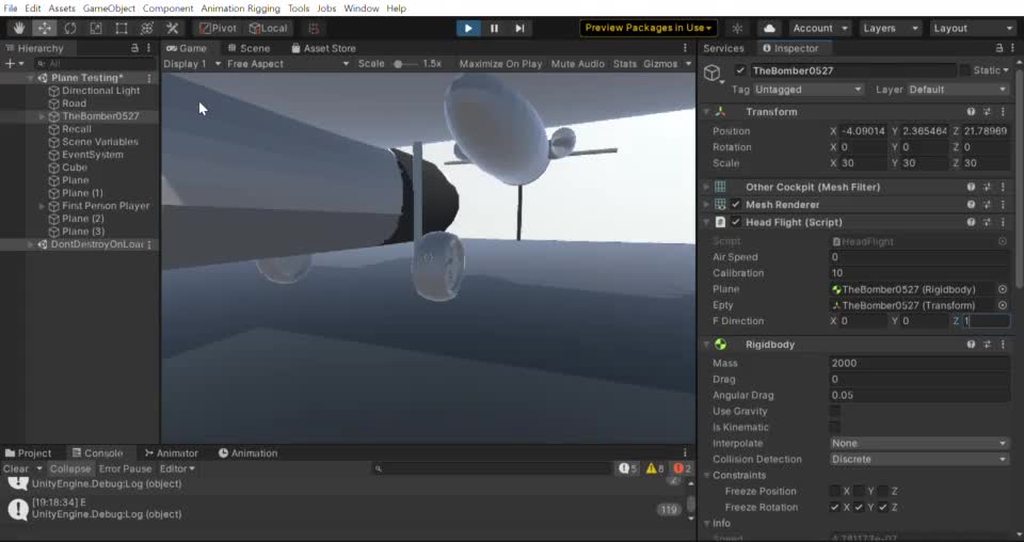
It now only moves left and down
timid dove
compact hedge
It now only moves left and down
looks to me like it's trying to move but it's colliding with something
what's the collider for that thing look like
maybe disable any and all surrounding objects for a moment?
or move them away
compact hedge
Disabled the surrounding walls. There's nothing else in this scene that's not parented to the plane except for the walls and floor
timid dove
compact hedge
Disabled the surrounding walls. There's nothing else in this scene that's not pa...
what else is in the plane hierarchy
compact hedge
Like, things that are not supposed to be a part of a plane?
timid dove
compact hedge
Like, things that are not supposed to be a part of a plane?
I mean...
the children of TheBomber0527
what do they have?
Any of them have Rigidbodies?>
compact hedge
....yes. BUT ONLY because I needed OnMouseOver() to work on some of them
All of them are kinematic
Except for the parent
timid dove
compact hedge
....yes. BUT ONLY because I needed OnMouseOver() to work on some of them
Can you dry disabling them for a little bit
those child objects that have rigidbodies
compact hedge
Yeah, give me a sec
timid dove
since they're kinematic I think they should be ok but... something is off about all this
compact hedge
Same thing. ALL Rigid bodies except for the cockpit have been disabled
timid dove
make a new scene
make a cube with a rigidbody
put your script on it
see what happens
compact hedge
timid dove
see what happens
So, that works.
 finite lance
I want the simulation on the left. I want to simulate two objects and tell one to ignore the weight and velocity of the other object so that it passes through it undisturbed. Is this possible to do in Unity?

I need this because I want a car(blue box) to ignore the velocity of players(red sphere) but not ignore the force from explosions. Is this more complicated than enabling a simple setting on a physics object? Is it even possible?
timid dove
finite lance
I want the simulation on the left. I want to simulate two objects and tell one t...
Make the Blue box kinematic
But you will have to move it manually with MovePosition()
finite lance
Is there an Ignore Collider Input setting?
Also will MovePosition() make the blue box behave like a simulating object?
timid dove
finite lance
Is there an Ignore Collider Input setting?
Wdym
timid dove
finite lance
Also will MovePosition() make the blue box behave like a simulating object?
It will move it where you tell it to move and bump other objects out of the way
finite lance
Because I want to have other objects in the world that the blue box collides with normally
timid dove
But a kinematic rigidbody will not be affected by any forces
If you want it to act like a normal simulated object and still ignore particularly the forces from this Collision you may need to use the contacts modification API
Which is quite new
Lemme find a link

Unity Forum
Hi,
EDIT: A newer build here: #22
tl;dr - here is a custom build with the experimental contact modifications API exposed:...
finite lance
Hmm ok. I wanted to have a physics object in a full simulation that simply ignores the force/velocity of some other specified simulated objects but I guess I will need a kinematic body. Weird, this seems like a pretty important feature that I have seen other people requesting. The same thing is required if you have a character walking into a wall on a boat. If the boat is simulating physics and the character is simulating physics, the boat will be moved with the character, which sucks.
 stuck bay
Hey so having a slight problem with my ragdolls, heres a quick video. This goes on forever, does anyone proficient in ragdolls know how to deal with this. It only happens when head is not colliding with something. Head has a box collider to prevent it from movinh like such on the ground.
Also one way to prevent it is to make head hitbox bigger, however that would pretty much be unfair in a third person shooter
timid dove
stuck bay
Also one way to prevent it is to make head hitbox bigger, however that would pr...
don't necessarily have to use the same colliders for gameplay as for the ragdoll
That would add a bit of complexity though of course
stuck bay
timid dove
That would add a bit of complexity though of course
understood, ty that makes me think of a possible combination 🤔. I'll see how a trigger and a different shaped collider that could collide and rest with the upper torso works then.
timid dove
stuck bay
understood, ty that makes me think of a possible combination 🤔. I'll see how a ...
another option is also just resizing the collider when ragdolled
wish I had a better answer about why it's happening in the first place though
stuck bay
it's all good😅 Honestly it's such a weird problem. Resizing the collider has consequences to where if the ragdoll is not experiencing the problem, then the head floats off the ground because the collider is too big. I'll get it figured out eventually.
 terse gulch
Perhaps this is a beginner question but I am struggling with it for the last hour :). I built a spaceship, as I want to move it around and apply physics to it I added a rigidbody to it. Now i want my player to move within the spaceship. I started off with a character controller to move the player but the player started to move with the rigidbody of the spaceship (even though it is a child component of the spaceship). So I tried to apply a rigidbody to the player, but to no avail as I do still see the player moving it's position when the spaceship is moving. How can I make sure that my player's rigidbody (which is a child of the spaceship), is not affected by the movement of the spaceship's rigidbody? Thanks in advance 🙂
these are my current rigidbody settings on the player. I tried to turn of gravity but then my player starts floating (as expected) when the ship is moving downwards.

 signal basin
terse gulch
these are my current rigidbody settings on the player. I tried to turn of gravit...
signal basin
terse gulch
these are my current rigidbody settings on the player. I tried to turn of gravit...
Have you tried playing with Drag?
terse gulch
I have tried but to no avail, I will give it a few more tries 🙂
signal basin
Hmm, maybe you could play with the masses, so the person inside is much more massive than the ship so the forces don't impact them much
It's not a great solution but might work/get you closer
Er sorry, you don't care about having a rigidbody on the player/having physics on the player, you just want them to stay in one place relative to the ship?
 foggy rapids
it's not beginner it's something that's very hard to accomplish. the way you describe it makes me think the charactercontroller had a rigidbody too.
children without rigidbodies will follow their parent so long as you control them in local space.
terse gulch
I guess I might be mixing up world space vs local space in that case. I will do some more reading in that area. Thanks for the answer
stuck bay
@terse gulch A suggestion via code, is you could increment the player amongst the x,y,z axis in accordance to their vehicle. Lets say the vehicle moves +5 amongst the x axis, then increment the player to move accordingly amongst the x axis +5 as well. Should work as long as the player is positioned in a desired place like a seat before such calculations are made. Just a suggestion.
terse gulch
Thanks @stuck bay . Will take a look at that.
 mighty sluice
is there any way to manipulate the virtual particles of a cloth mesh at runtime? I deeply desire to connect two moving transforms with a visual cloth tether, but it seems like there is no way to actually achieve it
i looked into this before but not too deeply...
 urban crow
I made sprite of a wire (2D), and now im trying to make this sprite look like a real wire, that connects to my character and moves with it and drag across the floor, someone knows?
stuck bay
foggy rapids
it's not beginner it's something that's very hard to accomplish. the way you des...
children without rigidbodies will follow their parent so long as you control them in local space.
just realised how weird unity is without context
 proper sluice
do you need to do something after checking/unchecking boxes in the physics collider settings? i feel like when i tinker around in there sometimes the settings arent taking hold, and things just start working again a little later on
timid dove
proper sluice
do you need to do something after checking/unchecking boxes in the physics colli...
nope it should update right away
 karmic parrot
im having a problem where my character controller isGrounded bool keeps switching back and forth between true and false
 topaz badger
try and increase the ground distance variable
karmic parrot
whats the ground distance var?
topaz badger
wait send me a pic of your code and then maybe i can help you
karmic parrot
I want to say that the jump method is interfering with the CC collider https://pastebin.com/fcU2UcFU
Pastebin
Pastebin.com is the number one paste tool since 2002. Pastebin is a website where you can store text online for a set period of time.
 fallow marlin
Im increasing the scale of an object at runtime (by 0.2), but then its velocity decreases. I tried to reduce its mass but that didn't seem to make a difference . So now Im trying to scale its velocity by the same amount m_velocity.normalized * 0.2F. This isn't quite right either, as it still suffers a speed reduction. What am I doing wrong?
basicaly I just want to maintain a constant velocity after I increase its scale
 sweet snow
Don't cross post this much please
signal basin
Alright so have a mesh collider (no rigidbody), and a moving capsule collider set as a trigger (with a kinematic rigidbody, though it's parent has a non-kinematic rigidbody). I'm only getting OnTriggerStay events when the trigger is on an edge of the mesh collider. If the trigger collider cross an edge and fully goes into the mesh collider I get an OnTriggerEnter (when it begins crossing over the edge), an OnTriggerExit (when it leaves the edge and is fully inside the mesh collider), and no OnTriggerStay events once it's inside. Is this expected behavior with mesh colliders/anyway to make it do what I want?
 fierce swallow
Is there a reason why, my rigidbody in my unity scene and when I build the game are different
they do not feel the same
the phyisic's numbers i set
the build version feels way heavier
timid dove
fierce swallow
Is there a reason why, my rigidbody in my unity scene and when I build the game ...
You might have framerate dependent code
Or sometimes just playing in a different screen resolution feels different
 woeful pulsar
experiencing occasional ragdoll stretching when colliding at medium speed against static geometry
preprocessing is off, projection is enabled
ragdolls are running this
foreach (Rigidbody rb in ragdollRoot.GetComponentsInChildren<Rigidbody>())
{
    rb.solverIterations = 12;
    rb.solverVelocityIterations = 12;
    rb.maxAngularVelocity = 20;
}
Any thoughts how I could further improve to reduce stretching?
 sacred ruin
my enemy jumps high enough, but too fast
void JumpAttack()
    {
        float distanceFromPlayer = player.position.x - transform.position.x;
        if(isGrounded)
        {
            enemyRB.AddForce(new Vector2(distanceFromPlayer,jumpHeight),ForceMode2D.Impulse);
        }
    }
jump height is 7 and gravity on the obejct is 15
 quartz pagoda
sacred ruin
my enemy jumps high enough, but too fast
```csharp
void JumpAttack()
{
...
quartz pagoda
sacred ruin
my enemy jumps high enough, but too fast
```csharp
void JumpAttack()
{
...
Debug.Log
sacred ruin
quartz pagoda
Debug.Log
Wdym
quartz pagoda
sacred ruin
Wdym
ohh sorry I copy pasted the wrong message. Decrease gravity and increase the force for "longer/in time" jumps
you could probably also add/remove from velocity as soon as the player is no longe rgrounded
 pastel belfry
hey guys! so while writing my own custom character controller, I found a collision related issue I don't see any easy solution for. It's also present in unity's own physics system and it's the problem of objects going through slim corridors. Let's say we have a corridor getting slimmer and slimmer, and a capsule or sphere shaped object. As we apply force to the object, it starts creeping into the corridor deeper and deeper, a bigger force results in a faster speed. This is due to how unity handles collider penetrations. As it seems, it only calculates a vector for each collider intersecting, and tries to nudge the collider out one by one. The problem is, that if we have 2 walls facing each other, they are basically playing ping-pong with these two vectors, and only a little of the "nudge vector" remains, which is not enough to stop the object from going deeper (like, in infinitely slim corridors even.) So my question is, is there slower, but 100% accurate solution for this that does not require nasty approximations and multiple iterations? Thank you in advance, even if you just read my waay too long message 😄

(that nudge vector isn't correct lol it's late)
should be pointing from one center to the other
one kinda dirty solution I have in my mind right now is to cast the capsule backwards for like a really long distance, then from there (or where it hit something) cast it back towards it again and if it hits something, put it exactly there, but I'm hoping there is a more elegant fancy math way to achieve this
sacred ruin
quartz pagoda
you could probably also add/remove from velocity as soon as the player is no lon...
Would that be adjusting jump height? Or the player speed in general
compact hedge
timid dove
see what happens
Also, I tried applying force using an unrelated object's forward transform, and no matter what direction the plane is, it will ALWAYS apply force to its left.
I don't know what more information that presents, though
 edgy aurora
pastel belfry
one kinda dirty solution I have in my mind right now is to cast the capsule back...
edgy aurora
pastel belfry
one kinda dirty solution I have in my mind right now is to cast the capsule back...
For my controller i check collisions using capsule casts before the capsule moves to anticipate collisions, then if needed I use overlaps
pastel belfry
edgy aurora
For my controller i check collisions using capsule casts before the capsule move...
yeah that's what I do aswell, it allowes for more accurate force calculations, but I found that you have to have the capsule cast to be slightly slimmer than the actual collider, because if the capsule cast would be touching the collider at it's origin, it misses it
did you found a workaround for this? I also tried casting it a bit away from the actual player capsule, but I had trouble finding that "bit away" vector
edgy aurora
i push the collider back a little bit to prevent that
and i use capsule cast non alloc incase the character moved into a collider behind
pastel belfry
edgy aurora
and i use capsule cast non alloc incase the character moved into a collider behi...
yeah that part I'm doing aswell, then I need to experiment with the capsule cast more, thank you! 😁 ❤️
edgy aurora
np


 gleaming cobalt
collide with:
gleaming cobalt
gleaming cobalt
collide with:
this object can be replaced but i dont know to what i should change it
 static plover
gleaming cobalt
this object can be replaced but i dont know to what i should change it
static plover
gleaming cobalt
this object can be replaced but i dont know to what i should change it
what exactly is the issue you're having?
gleaming cobalt
they do not collide the one is in world space and the other is in canvas space
gleaming cobalt
i cant make it a regular sprite, i can make the regular sprite a canvas object
should i raycast and then to worldspace and see if i hit the object?
gleaming cobalt
solved
 native yacht
Do ridgebody.ignore collisions turn off trigger Dedections?
timid dove
native yacht
Do ridgebody.ignore collisions turn off trigger Dedections?
yes
assuming you're talking about Physics.IgnoreCollisions
I don't know of any Rigidbody.IgnoreCollisions
 vast meadow
how can i check a box trigger for colliders manually?
i cant use a boxcast or anything because it uses cubes i think
nvm
wide nebula
What shape do you think a box and a cube are?
vast meadow
i needed a rectangular prism
but it turns out that it supports those
i was confused by the half extents parameter
 neat stream
If anyone is good with physics and ignoreCollision, please dm me. I just need 2 minutes of help.
static plover
neat stream
If anyone is good with physics and ignoreCollision, please dm me. I just need 2 ...
I meant post your question here, not ask people to dm you 😅
neat stream
I am really lost, the question would take too long to explain, I will just hope for the besr
best*
I know it is a simple solution I just can't find it online
static plover
if its going to take too long to explain its not 2 minutes of help now is it 😛
I suggest just posting it, that way multiple people can see it and help
edgy aurora
the dot in the center refers to the dot product right?
 static plover
edgy aurora
the dot in the center refers to the dot product right?
static plover
edgy aurora
the dot in the center refers to the dot product right?
yes (I think)
 opaque knot
hey i am new and i am struggling with this the right flipper have range outside of intended area and i tried to change the angles and it is still there 😦 any1 knows what to fix it?

 worldly pawn
I have an issue with colliders and I don't understand what is going on. I have a Plane in the shape of a circular polygon, this plan has a Mesh collider and a rigid body on it.
There are moving objects (circles) which have sphere colliders on them.
When a circle enters, the plane changes it material to be opaque, if no circles are in the area then the zone or plane is not visible.
This issue i'm having is that the collider works perfectly, once the zone has been moved in the scene if if just one pixel. But before the zone is moved no triggered events are occurring and I don't understand why.
Any ideas what is happening here? If I start the plane(zone) prefab in the scene it seems to work from the get go. This happens when trying to instantiate the prefab at runtime.
 dapper lichen
worldly pawn
I have an issue with colliders and I don't understand what is going on. I have ...
dapper lichen
worldly pawn
I have an issue with colliders and I don't understand what is going on. I have ...
hmm, no idea's offhand- can you show us the collider config for your zone object? looks like your NOT using rigidbodies.. is that correct?
worldly pawn
dapper lichen
hmm, no idea's offhand- can you show us the collider config for your zone object...
I am using a rigidbody on the zone prefab.
See Image attached image for config.
Thanks
Note: The mesh gets generated in the start script. I did try Collision Detection continuous but that didn't seem to do the trick.
 dapper lichen
@worldly pawn and the spheres- are they ALSO rigidbodies? Sound like not..if so, does giving them RB's help?
worldly pawn
dapper lichen
<@!766445042507448330> and the spheres- are they ALSO rigidbodies? Sound like n...
Yeah the spheres just have Sphere Colliders, and no rigid bodies.
If I add a rigid body to the sphere's it doesn't seem to do the trick either.
In the zone script if I do the following in the Start function it works:
    transform.Translate(0, 0, 1);
    transform.Translate(0, 0, -1);
Seems like a hack, but it's something.
dapper lichen
that is very odd- def should NOT be necessary@worldly pawn hmm does it also work if you disable then enable the collider on the zone (rather than moving it back and forth)?
(after assigning mesh)
@worldly pawn
worldly pawn
dapper lichen
that is very odd- def should NOT be necessary<@!766445042507448330> hmm does it...
I believe I tried that and just enabling and disabling the zone was not enough, it had to move. But I'll test it again to be sure. Will be in about an hour tho, just entering a virtual meeting.
dapper lichen
@worldly pawn oh.. perhaps the cooking options? lots of deets on that here https://docs.unity3d.com/Manual/class-MeshCollider.html ok- ping me with update pls
 woeful pulsar
Trying to further minimize ragdolls stretching, any ideas?
So far I have
- Disabled preprocessing on relevant RBs
- Enabled projection -- using default values
- Raised solver steps + solver velocity steps to 15 on all relevant RBs
- Increased colliders size, made sure they sink in each other by a decent margin
- Got rid of all < 15 degrees limits on joints
worldly pawn
dapper lichen
that is very odd- def should NOT be necessary<@!766445042507448330> hmm does it...
Okay, if I disable and enable the collider in the zone (via the scene ui), then it also works.
@dapper lichen That gave me a thought. Before I was creating the mesh and then immediately setting it to the collider.
mesh = new Mesh();
meshCollider.sharedMesh = mesh;
Then I would update the mesh with vertices and triangles.
So I tried setting the sharedMesh on the collider after updating the vertices and triangles and that seems to have done the trick.
Appreciate the support troubleshooting the issue. Thank you, I believe it's resolved.
 unreal linden
Rejoice fellow physics enthusiasts ! https://github.com/NVIDIAGameWorks/UnityPhysXPlugin

GitHub
Experimental Unity package to enable access to NVIDIA PhysX SDK 4 from within Unity. - NVIDIAGameWorks/UnityPhysXPlugin
 ebon lintel
hey, does someone know if Physics.Raycast is deterministic? - given the case: i move my sphere colliders that shall be hitted by the Raycast, with deterministic code.
static plover
ebon lintel
hey, does someone know if Physics.Raycast is deterministic? - given the case: i ...
Raycast doesn't do any physics calculations/simulations so I assume so
ebon lintel
also when i want to get the hit.point? i am wondering because it uses Vector3 and not some deterministic types
so when i use the result and cast it to a deterministic Vector3 , the code will be deterministic?
viral ginkgo
ebon lintel
also when i want to get the hit.point? i am wondering because it uses Vector3 an...
I see that you are building an RTS and looking to implement deterministic lockstep
I hear Planetary Annihilation doesn't use this kind of an approach.
The server sends back something they call "curve", apperently it tells you the position of the entity and its tragectory prediction.(Which i believe is a simple curve on the surface of the planet, a start and an end position)
After server sends one of these for each entity, as long as the simulation follows the last sent "curve", server doesn't send back anything.
I might be wrong with a good portion of that though, so if you are interested maybe check it out yourself.
stuck bay
Anyone know how to make physics like Totally Accurate Battle Simulator?
Like the way the characters move and how they randomly trip up on the smallest bump.
And when they attack, they throw themselves at the opponent.
viral ginkgo
@stuck bay "Active ragdoll" is the keyword
stuck bay
viral ginkgo
<@456226577798135808> "Active ragdoll" is the keyword
Could you elaborate?
That would just give it the ragdoll effect, yes?
viral ginkgo
I mean, if you search for "active ragdolls" you will get some relevant info
stuck bay
Aight, give me a sec.
viral ginkgo
Your character is a ragdoll and limbs are controlled with forces to try replicating an animation.
Thats what it is. @stuck bay
stuck bay
I'm new to Unity, so could this work with any of the free assets?
timid dove
stuck bay
I'm new to Unity, so could this work with any of the free assets?
Active ragdoll is pretty complicated
I'm sure the TABS guys spent many months perfecting it
stuck bay
timid dove
I'm sure the TABS guys spent many months perfecting it
Yay. Well, I gotta start somewhere.
viral ginkgo
@stuck bay Unity has rigidbody angular velocity limit on rigidbodies by default
You may want to disable that at some point, or you may not perform fast animations with active ragdoll
I think this might save you later on
stuck bay
Ok
This is a bad idea but I'm trying to make a horrorgame with crazy ragdoll physics.
Like the enemy ai can trip up and fall over while chasing you.
Or the other way around.
viral ginkgo
I think ragdolls give the game some randomness, taking the control away from in a way. And I don't think that's a good thing.
I had tried making a parkour game with ragdolls before.
I mean it's probably not a good thing if there's a good chance you'll trip over and player has nothing to do about that @stuck bay
stuck bay
That's the thing. Once you fall over and the enemy catches up, you'll have to get up and face him head on. Absolute beat the shit out of each other.
If you die, then jumpscare. But if you manage to win, you may knock him down for several seconds to get away.
viral ginkgo
https://www.youtube.com/watch?v=62TMK1ggaik @stuck bay
I did something like that to the best of my abilities back in the day haha
stuck bay
I'm just scared that the game would be comedic rather than scary :/
viral ginkgo
Yeah thats bound to happen
timid dove
Well if it looks anything like T.A.B.S. ...
stuck bay
Googly eyes and all. May have to change a few things to avoid copyright though...
viral ginkgo
You better handle the "tripping over" with regular animations
stuck bay
Yeah
viral ginkgo
Some IKs, some head IK movement based on acceleration so it does body leaning as well
It should be good enough
stuck bay
How would you overlap animation with ragdoll physics?
viral ginkgo
Easiest way is starting with two characters
One with kinematic rigidbody limbs
One with dynamic rigidbody limbs
And each limb pair is connected via some kind of a joint
@stuck bay
stuck bay
So combine 2 characters?
viral ginkgo
You make the animated one invisible
stuck bay
I'll look more into it tomorrow.
viral ginkgo
I don't know how would that work though, i didn't try it myself
I don't think tripping over and falling will work nice with this
But you'd get the external impacts nice
stuck bay
K
ebon lintel
viral ginkgo
I hear Planetary Annihilation doesn't use this kind of an approach.
The server ...
thanks for your reply i read about what they do there a while ago, but i decided that deterministic lookstep would be an easyer approche for me since i "only" need to sync the input. right now i am working with this for vector math: https://github.com/Kimbatt/unity-deterministic-physics witch works fine, but its a little difficult do setup the physics for my needs. So i wonder if i just can use the std raycast.

GitHub
Cross-platform deterministic physics simulation in Unity, using DOTS physics and soft floats - Kimbatt/unity-deterministic-physics
 unborn geyser
how do i fix this mesh collider

 waxen edge
Looks like you ticked "Convex" in the MeshCollider Component, if you didn't then I have no idea
unborn geyser
i fixed it up
i added collision in blender and imported then mesh collider is behaving same as before
stuck bay
Where is the mechanics tab?
 tepid sage
guys, when i apply the center of mass to my vehicle this happen:


car flip up, same code of the Unity Learn program
no trouble with the Unity automatic calculation, but i need control on the Com
stuck bay
I can't seem to get my character to even move.
 burnt berry
I'm not sure if this is the right channel to ask, or maybe in 2d-code (?)
So I'm trying to build a prototype for a small roguelike-bla-bla-bla. Top-down view, aim with mouse type of game.
The idea is to be able to have the sword attached to the player with a joint (I used a relative joint 2d), so it can wiggle around and is not all stiff. I got it basically working, but at 90 degrees it does this weird thing:
Any help on how to get this to work completely? (Pls keep in mind that I'm very (read: extremely) much new to c# and unity in general.
Thank you all!
vast meadow
how high can i crank the default solver iterations and still have great performance?
 river summit
can anyone tell me why my capsule is sinking to the ground?
 wide nebula
Is your collider already clipping the ground when you start? It needs to be above.

 wide nebula
I don't see the collider in the new images.
river summit
 wide nebula
Do you have any other components on that object other than the three in your screenshot?
river summit
nope
wide nebula
So a code snippet for how you're moving your object.

 wide nebula
The CC has it's own isGrounded check. My guess is that your manual check is failing and it's allowing the CC to fall.
Try the code from the docs instead:
https://docs.unity3d.com/ScriptReference/CharacterController.Move.html
river summit
ok
 cold rivet
im getting some pretty big lag spikes from just a few simple shapes going down a track. anyone know how to fix this?
 timid dove
cold rivet
im getting some pretty big lag spikes from just a few simple shapes going down a...
timid dove
cold rivet
im getting some pretty big lag spikes from just a few simple shapes going down a...
You appear to be in a physics death spiral
cold rivet
well that doesnt sound good
timid dove
Physics calculation taking too long which leads to lower framerate which leads to more physics simulations each frame
And so on
Too many Rigidbodies too close to each other i suppose?
cold rivet
so by removing their ridgid bodies, that will fix then lag issue?
timid dove
Well... And break your game I assume?
How are you moving these objects
Do they need Rigidbodies?
cold rivet
yeah, im using the rigidbody AddForce fucntion
timid dove
Go find the physics section of the profiler
It will say how many bodies there are etc
Maybe you have a bunch you're not aware of
cold rivet
ok, give me a moment while i launch unity up
its telling me 30 active bodies
73 total
there are 30 enemies in this runtime, so 30 is the correct number
timid dove
Hmm that really shouldn't be so slow
Is your computer weak or doing a bunch of other stuff 🤔
cold rivet
other than discord, unity is the only thing i have open, and i have a 24-core, 3ghz cpu, so that shouldnt be the problem
i mean, although it is 24 core, its only 3ghz, maybe its not utilizing all the cores properly?
i dont know much about software in that regard though
like, im looking at my task manager, and even though im lagging on unity, its only using up 13% of my cpu? i dont get that. why doesnt it just use more of the cpu to process more physics calculations?
timid dove
cold rivet
like, im looking at my task manager, and even though im lagging on unity, its on...
Unity is single threaded
For the most part
I think the physics sim is at least?
Which means it can only use 1/24th of the CPU at best
cold rivet
could that be the problem then?
is a single 3ghz core not enough for 30 triangles and circles?
cold rivet
man, praetor not knowing something? thats rare lol. Im gonna try to look deeper into the profiler tomarrow and see if theres anything i can optimize. im gonna be real sad if my whole game idea is taken down by the fact that i cant have 30 basic shapes taking a corner
signal basin
cold rivet
man, praetor not knowing something? thats rare lol. Im gonna try to look deepe...
Are the colliders all simple circle colliders or triangle (polygon) colliders? Nothing wonky going on with accidentally having some super high vertex colliders or something?
cold rivet
signal basin
Are the colliders all simple circle colliders or triangle (polygon) colliders? N...
the colliders are iether circle coliders or polygon colliders. the polygon collider ended up with a bunch of triangles instead of just one though. give me a minute and ill show a pic of what i mean

i couldnt figure out how to make it just one tri
signal basin
What if you run it with 30 circles?
There's a tip here that might help making the collider simpler though I'm not convinced that will solve your problems https://forum.unity.com/threads/physics-collider-2d-triangle.100884/
Unity Forum
Hey People
I have a simple 2D triangle for a physics stacking game, but I need a proper collider, capsule does not seem todo it. Any suggestions?
cold rivet
signal basin
What if you run it with 30 circles?
sorry for the late reply, had to fix a bug, but yes, 30 circles ran very smoothly compared to 30 triangles, which could barely run at all
signal basin
Yeah try to clean up the collider
In my experience, complicated polygon colliders absolutely murdered my physics performance for 2d
timid dove
cold rivet
Oh wow this is definitely at least contributing to your performance issue
That's a super complicated Collider
 proud nova
@cold rivet Are you doing something in the OnCollision callbacks?
proud nova
cold rivet
sorry for the late reply, had to fix a bug, but yes, 30 circles ran very smoothl...
Oh I guess it is just the amount of geometry 🤔
 summer fog
timid dove
I think the physics sim is at least?
summer fog
timid dove
I think the physics sim is at least?
I'm pretty sure that physx uses jobs now
I'm not sure about 2d
but in my testing I can max my cores out
during the physx calculations
 supple sparrow
summer fog
I'm pretty sure that physx uses jobs now
supple sparrow
summer fog
I'm pretty sure that physx uses jobs now
That's news for me. Do you have a source on the topic ?
summer fog
My source is putting a ton of objects onto a scene and profiling it
At the very least it's utilizing the jobs worker threads
supple sparrow
Ooooh nice. Thanks for the info derekt
 worldly swallow
Hi, having a little trouble figuring out how to add a rigidbody and capsule collider to an enemy via script after a delayed timer.
I have an enemy that ragdolls on death via a script that turns the rigidbodies kinematics off on die() method.
After 5 seconds I want to disable the ragdoll, enable a capsule collider with it's own rigidbody to be used on the dead enemy instead. (I want to still be able to move the bodies on the floor, just not with all the fancy bells and whistles of the ragdoll.)
I'm not sure how to go about doing this without accidentally enabling all the same rigidbodies again. Any ideas?
 radiant thicket
Hi! I'm launching a gameobject (2D) by dragging it from a start position with the mouse and using AddForce() on mouse-releasing. Recently, I have added an EdgeCollider2D to the ceiling and side walls of my level to prevent flying out of bounds. However, sometimes the launched object gets randomly "stuck" in the ceiling and doesn't bounce off the wall. Does anyone know what I might need to change to prevent this from happening?
signal basin
cold rivet
sorry for the late reply, had to fix a bug, but yes, 30 circles ran very smoothl...
Did fixing the collider help on this? I need closure lol
cold rivet
signal basin
Did fixing the collider help on this? I need closure lol
oh sorry, i should have followed up. Yeah! the game is running smoothly now that the triangle collider is only using 1 polygon!
signal basin
great! glad to hear
 slate sorrel
quick question, im using physics 2d with 2 colliders bouncing off eachother,
if collider A is 0.5 bounciness, is there a way to calculate (edit>) bounciness for collider B for a perfect, lossless, bounce
timid dove
slate sorrel
quick question, im using physics 2d with 2 colliders bouncing off eachother,
if ...
Unity's physics engine is built for performance and not 100% perfect physical accuracy
You can tweak it quite a bit, but perfect 100% energy conservation just isn't going to happen
timid dove
np
 thin hamlet
I would like to add "slowing down the fall" after player is almost grounded, something like when rocketship is landing it starts its rockets to slow down the remaining of the fall until it can land safely. The distance from which the slowing will start will be contant, so the force applied to player will need to be higher when he is falling at greater speed so that the overall distance traveled from almost grounded to grounded will be "constant" no matter at which velocity the player is falling. I'm not using rigidbody but character controller, and after numerous tries I'm not able to get it working as intended... (To simulate gravity I basically just use Vector3 velocity.y and then CharacterController.Move() function)
 spare oracle
Quick question I started my first Unity 2D project and made a Terrain with the Tile Palette tool now I added Physiks like this:

My question is now why is the player falling through the Terrain?
stuck bay
EDIT: Nvm it wasnt the collider, it's the actual oneshot sound that plays twice for some reason.
 limpid hornet
@spare oracle Static rigidbodies sometimes don't work the way you'd expect and I'm not sure why. Make it Dynamic but lock all the axes
spare oracle
limpid hornet
<@!292588280304893952> Static rigidbodies sometimes don't work the way you'd exp...
Do you mean freeze the axes?
limpid hornet
yup
 timid dove
spare oracle
My question is now why is the player falling through the Terrain?
timid dove
spare oracle
My question is now why is the player falling through the Terrain?
How are you moving your character
are you doing something physics friendly or just teleporting it
"something physics friendly" would generally be a Rigidbody2D and only setting the velocity of that body or adding forces.
spare oracle
timid dove
"something physics friendly" would generally be a Rigidbody2D and only setting t...
The Character has a Rigidbody2D
timid dove
spare oracle
The Character has a Rigidbody2D
it's not enough for the character to merely have the rigidbody, you have to be moving with the RB's methods
spare oracle
Whats that?
timid dove
This #⚛️┃physics message
spare oracle
Link is not working
timid dove
It's a link to my earlier message in this conversation
 dreamy pollen
I have a non-kinematic continuous rigidbody on a capsule collider that is my player. I'm finding it can pass through some concave mesh colliders with ease... is there something I might have missed that could improve this situation?
timid dove
dreamy pollen
I have a non-kinematic continuous rigidbody on a capsule collider that is my pl...
how are you moving the player
dreamy pollen
timid dove
how are you moving the player
Addforce
vast meadow
when my player is going really fast, not even super fast just kinda fast, they will skid through a trigger and exit before the enter events can happen. both get called, but the exit trigger cuts off the stuff that should happen for the enter trigger
timid dove
vast meadow
when my player is going really fast, not even super fast just kinda fast, they w...
sounds like you need to keep track of the fact that the enter stuff is still being processed and not do the exit stuff if it is
vast meadow
ive tried every possible way to do that
OMG WAIT I KNOW
thank you
it just needed to be put into words
a simple toggle boolean is all i need
ill let you know how it goes
i really need to get a rubber duck
didnt work
vast meadow
i fixed it but i fixed it in a way specific to my purpose
ur fix should work for any other use
 rugged lotus
If im making my own gravity and movement for an object, should i multiply by Time.deltaTime or Time.fixedDeltaTime ?
sweet snow
rugged lotus
If im making my own gravity and movement for an object, should i multiply by `Ti...
You can always use Time.deltaTime
rugged lotus
sweet snow
You can always use `Time.deltaTime`
even in FixedUpdate?
sweet snow
rugged lotus
even in FixedUpdate?
Yep, it will automagically become Time.fixedDeltaTime if called from within FixedUpdate
rugged lotus
hmm i see
Is there any scenario where deltaTime is better?
or are both frame-independent stuff?
dreamy pollen
Time.deltaTime is for update, Time.fixedDeltaTime is for fixed update
rugged lotus
i cant believe i played around in unity for so long and still didnt figure out this lmao
rugged lotus
dreamy pollen
Time.deltaTime is for update, Time.fixedDeltaTime is for fixed update
Ok so if its each frame its deltaTime
dreamy pollen
if you use Time.deltaTime in the wrong spot (fixed update), it automatically converts it for you
rugged lotus
alright so i just slap deltaTime everywhere 
mhm...
Oh @dreamy pollen one specific case...what about an event thats called in FixedUpdate, does it still get changed?
dreamy pollen
fixedDeltaTime is always this number

no matter where it's called
(fixed timestep)
rugged lotus
yeah i found out about that in #💻┃code-beginner an hour ago xD
dreamy pollen
I just use the appropriate one for the job... fixed delta time is relating to the fixed timestep (simulation speed), ergo Rigidbody physics
rugged lotus
yeah what im doing is physics rn
basically making my own physics for a projectile
all the code is running in FixedUpdate event though
dreamy pollen
When you say event, you mean like a delegate?
 dreamy pollen
Yeah that'll be invoked probably 50 times a second, if you changed nothing relating to your fixed timestep
rugged lotus
yup
dreamy pollen
any events that subscribe to it will be called effectively during fixed update
rugged lotus
so normal FixedUpdate and deltaTime will be converted?
dreamy pollen
... no... not necessarily
rugged lotus
🤔
dreamy pollen
Unity automatically converts it inside of FixedUpdate. Just use fixedDeltaTime
there is no reason to try and just use one
use the right tool for the job
dreamy pollen
It's good practice 🙂
rugged lotus
Also is it even wise to have a delegate for the projectiles?
Its literally just the projectile class using that one
Because of that one post about the 10000 Updates
dreamy pollen
I don't know enough about your architecture to comment on that... doesn't really seem like a physics question either?
rugged lotus
well im using a delegate to call FixedUpdate which is assigned to a projectile class which event calls a bunch of simulations
dreamy pollen
Is there a reason the projectile isn't using FixedUpdate() itself?
rugged lotus
10000 Updates post

Unity Blog
and since i have the potential to have hundreds of those projectiles ,maybe even thousands - i decided to go there
dreamy pollen
Oh, so you're using an update manager
That's totally kosher, in fact, I use an update manager myself
dreamy pollen
You can use delegates for that, yeah. They're very performant.
rugged lotus
yup, nice ; so at least i did one thing right hehe
now only left to make the damn things to use object pooling, and then use the DOTS
@dreamy pollen should LateUpdate also use deltaTime?
dreamy pollen
Yes
rugged lotus
alright thanks,s helped me fix several classes haha
sweet snow
You should just always use Time.deltaTime everywhere. Then you never have to reason about this.
dreamy pollen
sweet snow
You should just always use `Time.deltaTime` everywhere. Then you never have to r...
This is not correct
They're invoking a delegate in an update manager
rugged lotus

dreamy pollen
Any function called by that delegate would use delta time, but because the functions are meant to affects physics they should use fixed delta time
Unity would not know to convert this
rugged lotus
I kind of remembered actually using deltaTime when i initially made it into a delegate and it working inconsistently
sweet snow
dreamy pollen
Any function called by that delegate would use delta time, but because the funct...
That's exactly why you use Time.deltaTime. If you do manual ticks through a callback it will be correct, no matter if the callback is sent from an Update or FixedUpdate tick.
rugged lotus
 that doesnt sound right
sweet snow
Thus if you have a method that could potentially be called from either an Update or FixedUpdate callback. The only way you can guarantee the delta to be correct is to use Time.deltaTime
rugged lotus
sweet snow
That's exactly why you use `Time.deltaTime`. If you do manual ticks through a ca...
 dreamy pollen
sweet snow
That's exactly why you use `Time.deltaTime`. If you do manual ticks through a ca...
dreamy pollen
sweet snow
That's exactly why you use `Time.deltaTime`. If you do manual ticks through a ca...
They're not calling a function, they're invoking a delegate
sweet snow
If you use Time.fixedDeltaTime in a method that gets called in an Update callback it will be wrong
But if it is called in FixedUpdate it's correct
So using Time.deltaTime ensures its correct no matter which callback triggered it.
dreamy pollen
sweet snow
So using Time.deltaTime ensures its correct no matter which callback triggered i...
There is 0 reason to not just use the correct delta time. I never call functions from both update and fixed update
rugged lotus
ill just stick to fixedDeltaTime everywhere that uses FixedUpdate 
dreamy pollen
it's always one or the other
rugged lotus
^
dreamy pollen
rugged lotus
ill just stick to `fixedDeltaTime ` everywhere that uses FixedUpdate <a:eyesShak...
I am a proponent of that. It makes sense to be intentional with your code
rugged lotus
plus code consistency
Actually now that im here, might i ask about the gravity formula
velocityVector.y -= Mathf.Pow(gravity, 2) * Time.fixedDeltaTime;
is this the correct one , or do i put the fixedDeltaTime inside the mathf
sweet snow
dreamy pollen
I am a proponent of that. It makes sense to be intentional with your code
"Therefore, to keep the number of FixedUpdate callbacks per frame constant, you must also multiply Time.fixedDeltaTime by timeScale."
rugged lotus
but FixedUpdate arent supposed to be constant
dreamy pollen
sweet snow
"Therefore, to keep the number of FixedUpdate callbacks per frame constant, you ...
I'm not sure what your point is, I'm aware of this fact. I exploit it to use slow-mo in my game
good to be aware of, for sure
rugged lotus
oh wait, yeah
but it should be multiplied by Time.timeScale only if ur changing the timeScale
no?
sweet snow
Hmm it seems they changed the docs at some point regarding this
But they used to say you should always use Time.deltaTime
I know this is old as heck now, but here's from before https://docs.unity3d.com/560/Documentation/ScriptReference/Time-fixedDeltaTime.html
Unity is the ultimate game development platform. Use Unity to build high-quality 3D and 2D games, deploy them across mobile, desktop, VR/AR, consoles or the Web, and connect with loyal and enthusiastic players and customers.
rugged lotus
the example in that theres also fixedDeltaTime inside the Update
sweet snow
"For reading the delta time it is recommended to use Time.deltaTime instead because it automatically returns the right delta time if you are inside a FixedUpdate function or Update function."
rugged lotus
yeah its also for unity 5.6
sweet snow
I'm not sure why they decided to remove this piece of docs, but it's worked the same since then
dreamy pollen
Okay? I'm not sure why you're so adamant about this. They clearly don't say that anymore. My argument is not invalidated by what Unity used to recommend
Without testing, I can't confirm this but I don't think a delegate event uses the correct delta time automagically
sweet snow
Why should it not?
A delegate is a direct method call. It's not like Unity could know where you are calling Time.deltaTime from.
rugged lotus
it is a direct method call, but its not compensating for FixedUpdate, is it?
sweet snow
They only thing they could do would be to set Time.deltaTime = Time.fixedDeltaTime before invoking all FixedUpdates.
dreamy pollen
sweet snow
A delegate is a direct method call. It's not like Unity could know where you are...
I just tested, you're correct -- it appears to return Fixed Delta Time
sweet snow
Anyway, in your case I suppose you could use what you think works best. Only reason I recommend Time.deltaTime is "because it (used to be) recommended". But that brings up another question, why was it removed from docs?
It was removed in the 2020.3 docs actually.
sweet snow
Someone actually asked that exact question and got a pretty good answer (for those interested): https://gamedev.stackexchange.com/questions/192411/time-fixeddeltatime-time-deltatime-in-unity
 primal lance
Im back from yesterday
So Im making a tool where you can simulate a ragdoll and you can stop the ragdoll when its well ragdolling but how do you take that data from the ragdoll position then send it to the actual game
thats where im having issues with
also, the tools uses run time but Im thinking is there any other way to simulate the ragdoll outside of run time
any help is appreciated
 wraith junco
Could someone assist me in creating custom very simple wheel colliders for a car?
I don't need friction or anything advanced like that (I think, at least), I just need it to be able to go up ramps and go over potential bumps
I have no idea where to start
 azure swift
just curious, @wraith junco ... Why don't you want to use wheel colliders?
I'm starting a new project, undecided yet whether or not to use unity's physics / rigidbodies... thing is it is 2d/3d hybrid, 3D graphically, but everything is constrained to the surface of a sphere, unity physics would need to be constantly overridden by custom angle and position constraints... my main concern is that it might end up a fair bit of work to implement collisions properly if I want to do anything more complex than sphere colliders.
 slate olive
There seems to be an issue with my player's box collider. When i hold the left or right key against it, it gets stuck in place. Is there a way to make the player just slide off?
wraith junco
azure swift
just curious, <@!419721391336718336> ... Why don't you want to use wheel collide...
physx wheel colliders are awful for multiplayer
can't use them for prediction and such
need something much simpler
 arctic marsh
wraith junco
need something much simpler
arctic marsh
wraith junco
need something much simpler
Why are they awful, just curious. Besides that, you could leave the physics for the client just to the wheel colliders and just send simplified data for collision checks over the network, so maybe just position and bounding boxes and do your own calculations on the server and send it back to sync with the clients.
wraith junco
arctic marsh
Why are they awful, just curious. Besides that, you could leave the physics for ...
Everything movement needs to be confirmed by the server, and then the client needs to correct the position
so it's always going to be off on the client, by a certain degree.
the other option would be to not do physics on the client, only the server, and just send the positions to the client each tick, but then you have input lag
regardless, I think I found a raycast wheel script on github that might work
arctic marsh
Not sure you are trying to avoid things, that will happen anyway. But I am interested in seeing your solution. Its just my 2 cents, that syncing with server will always have latency and thats why some games smooth it out with an average of local and online and input lag is also just a common thing of multiplayer, if your server corrects the position, because the players movement is not in sync, it will feel like that exactly the same. Curious about your raycast script tho, can you share it? @wraith junco
wraith junco
arctic marsh
Not sure you are trying to avoid things, that will happen anyway. But I am inter...

GitHub
Experimenting with Simple, Alternative Raycast Vehicle Physics for Unity 3D - unity-car-tutorials/SimpleRaycastVehicle-Unity
This looks promising, however the wheels just fall through the map the second they touch the ground
so that's a problem
not sure if I don't just have the right settings or something, maybe someone else can give it a shot while I'm sleeping and let me know what needs to be done
could be that it's pretty old
arctic marsh
Oh ye, 2016
wraith junco
I got raycasts working and everything, it's just I need a way to keep the car from gliding around sideways
I don't really understand friction or how to translate it into a computer, so hoping someone in here can help me
wraith junco
that github I linked actually might work. For some reason it was trying to force rigidbodies on the wheels, which was odd
removed that part of code and it seemingly works
still don't understand friction though, I just wish there were more simple examples of this type of wheel stuff
arctic marsh
Btw, wheel collider is basically doing the same as your custom wheel raycast script, using one raycast to check for ground and stuff. https://forum.unity.com/threads/simulating-a-wheelcolliders-suspension-w-out-using-wheelcolliders-multiplayer-vehicles.479678/
Unity Forum
I have created a multiplayer game where each player has a vehicle.
I found that by leaving the WheelColliders enabled simultaneously for all clients...
 magic mango
Hi, there is a problem where when I shot a bullet, sometimes OnTriggerEnter does not detects a collision. Sometimes when I stand still and shoot it detects every single shot, but when I move my camera a little bit, or move player it does not detects collision. Is there any fix?
primal lance
slate olive
There seems to be an issue with my player's box collider. When i hold the left o...
post ur coded
lol sorry no one got to this and I have to answer 12 hours later
timid dove
vast meadow
why doesnt this collider work?
how are you moving the object
what are the properties of the collider and the object it's supposed to collide with (floor?)
vast meadow
controller.Move
vast meadow
timid dove
what are the properties of the collider and the object it's supposed to collide ...
sry i was doing something im not sure what u mean by this
timid dove
I mean you haven't shared any information about how your objects are set up other than that video
like:
- What components are on the objects and how are those components configured
vast meadow

thats the level
the entire level is one single mesh i made in blender
this is the player

all of the collapsed things arent relevant
 grizzled sapphire
You need a rigidbody to have collision
vast meadow
thats included in the character controller
timid dove
Oh it's a giant blender mesh?
🤔
all kinds of things could go wrong with that
that particular section of floor might not actually be solid
Does the wall have any depth to it? Or it's paper thin?
Which way are the vertices for those triangles oriented? inwards or outwards?
vast meadow
its a plane
but ive never had issues with this before
honestly the normals are all over the place and i wasnt sure how to fix it
so i just ignored it and turned off culling in my shader
my level is a maze so i need the planes to be 2 sided
timid dove
vast meadow
my level is a maze so i need the planes to be 2 sided
as you see - you will run into more problems than just rendering when you have walls that are just planes
you need geometry on both sides of the walls
timid dove
sure
timid dove
There's probably a way to do that and make actual solid, two-sided walls
but I'm not enough of a Blender expert to know how
maybe ask in #🔀┃art-asset-workflow
vast meadow
i cleaned up the mesh but still used planes (i just kept going from the vid i sent) and it works now
so thats nice
 jagged lichen
How to solve this, this is happen when the player collapse with some object or try to do jump
 static plover
jagged lichen
How to solve this, this is happen when the player collapse with some object or t...
static plover
jagged lichen
How to solve this, this is happen when the player collapse with some object or t...
are you objects far away from the world origin? (0, 0, 0)
timid dove
jagged lichen
How to solve this, this is happen when the player collapse with some object or t...
I bet you got a NaN or Infinity into a transform position
via some divide by zero or LookAt operation that looks at Vector.zero or something
wraith junco
arctic marsh
Btw, wheel collider is basically doing the same as your custom wheel raycast scr...
I won't go over how multiplayer works, but when data comes in from the server, you need to be able to directly modify the friction, spring values etc to match the server
can't do that with unity/physx wheels
arctic marsh
Id say you get the position from other cars and unity physix doing the rest locally
wraith junco
the client has to be in sync with the server
so it has to keep updating values and re-simulating the car on the clientside to be in sync
basically every time a tick comes in, server gives the client his position, etc and basically all of the car info if that's what you're doing
client has to go back to that point in time, set the position, velocity, spring data, friction data, etc, and then replay all of the movements until he's back at the present again
since the client is ahead of the server for my matter.
but yeah I would love to use the built-in wheel colliders but unfortunately cannot because of that
jagged lichen
static plover
are you objects far away from the world origin? (0, 0, 0)
nope
static plover
might be what Praetor said then
jagged lichen
timid dove
I bet you got a NaN or Infinity into a transform position
I dont really get it. I just testing movement using rb.velocity
static plover
no errors at all?
jagged lichen
the only errors is when I already run the game adn did the jump or collapse to some object I put on the stage
static plover
jagged lichen
the only errors is when I already run the game adn did the jump or collapse to s...
what are the errors? you should probably fix those before anything else
 inner carbon
Hi. I made a Raycast to check if player can go to a position but if the player goes to some points, He can pass the collider and go to the other side. i tried multiple types of castings but none of them works.
arctic marsh
inner carbon
Hi. I made a Raycast to check if player can go to a position but if the player g...
That sounds like more than one issue here. So what is the desired behaviour you want? Does the raycast miss the collision check or is your player just travelling through walls?
 polar leaf
How does AddExplosionForce force decrease with distance? Is it linear?
arctic marsh
The explosion is modelled as a sphere with a certain centre position and radius in world space; normally, anything outside the sphere is not affected by the explosion and the force decreases in proportion to distance from the centre.
polar leaf
Trying to make an explosion damage script and I wanted it to behave similarly to the explosion force
so if the distance is equal to half the range, it's half the force?
arctic marsh
Sounds like, its a quote from https://docs.unity3d.com/ScriptReference/Rigidbody.AddExplosionForce.html
inner carbon
arctic marsh
That sounds like more than one issue here. So what is the desired behaviour you ...
the collision is calculated good most of the times. but some times when the player is going to some sharp edges he can pass the collider somehow
arctic marsh
Then the raycast might start behind the wall? Or maybe you are moving the player in the wrong place inside your code, before physics happen or you might transform.position move the player instead of velocity, a lot of things that could be
inner carbon
arctic marsh
Then the raycast might start behind the wall? Or maybe you are moving the player...
the player is moving to the right place. but he is standing like half in one side of the collider and half in the wrong side. I tried to use offset but it didn't work.
arctic marsh
How are you moving it? @inner carbon
inner carbon
i'm working with client and server. the problem is with how the server is calculating. every time the player needs to move, the server puts the simulated player in the position he needs to check the collision from. and returning to the player if he can go there or not.
you can think about it like every time the player is in a new place and he needs to check collisions from his place to the point he wants to go (mouse position). if there is no collider in the way, the player can go.
arctic marsh
But you are moving the player himself without actual collision checks, right? You are just using the raycast without any volume on the player?
inner carbon
arctic marsh
But you are moving the player himself without actual collision checks, right? Yo...
yes.
arctic marsh
inner carbon
yes.
So you need to add your volume of the player to the collision check of your raycast or the positioning, otherwise, you just set the player position at the point where the raycasts hit and therefore your player would be half way inside any collider
inner carbon
Thanks. I'll check about it. And why can't I just put the player in the place minus some pixels and get the same result?
arctic marsh
Well if you know how the collider looks like, you might be able to calculate it, but if its for example a corner, you have two edges touching the player for example. You could try to move the player at the point, check if it collides with unity physics engine and then offset it depending on your colliders, but thats some math you gotta do there.
 green void
Hello guys, i am wondering if there's a way to make a 2dBox collider (or colliders rather) change in size and position per Animation sequence? example : my character throws a kick, his hurtbox (a bunch of 2d box colliders) changes the form according to the animation, if there is a way to do that can you please be kind and share that with me, or at least help guide in the right direction, i thank you in advance
inner carbon
arctic marsh
Well if you know how the collider looks like, you might be able to calculate it,...
hmmm... yeah. Thanks for helping!
green void

how is this done
please
how to make the collider's shape change with input/event conditions
inner carbon
green void
how to make the collider's shape change with input/event conditions
You can maybe change it with animation. so when the kick animation happens, the collider will be fitted the sprite
green void
i mean i already created the animation for an attack
and i want a transition from the "idle" animation's collider
to "attack" animation collider
and i kinda have no idea how to accomplish that
actually! i have NO idle animation collider
i have a player object collider
and idle animation happens to be the entry animation in my case
quartz pagoda
how to I counteract current velocity to force a particle into a destination location? So it all particle burst when spawed. I then apply a change of velocity towards a target but that will overshoot in most cases.
directinoToTarget = (Target.position-particle.position).normalized;
particle.velocity = particle.velocity + directinoToTarget * Time.deltaTime * 15f;
arctic marsh
quartz pagoda
directinoToTarget = (Target.position-particle.position).normalized;
particle.vel...
Is the direction absolute or relative to the velocity of each particle?
quartz pagoda
its relative to the velocity of each particle
arctic marsh
And you want to add the velocity to it?
quartz pagoda
I want to make it fly towards player and actually "hit" player
arctic marsh
quartz pagoda
directinoToTarget = (Target.position-particle.position).normalized;
particle.vel...
This line will add up the velocity by itself every frame
particle.velocity = particle.velocity + directinoToTarget * Time.deltaTime * 15f;
this line
quartz pagoda
I am sort of trying to apply force, but that doesnt seem possible 🙂
arctic marsh
Did you try to use AddForce?
quartz pagoda
doesn't exist for particles afaik
arctic marsh
Oh right, no rb there. So you want to let the particles fly to the player, so the destination is the same for ever yparticle you affect?
quartz pagoda
exactly
when they spawn the burst outwards in a circle
then should start turning and then rush towards the same destination
this is what happens now, trying to take a screenshot at the correct time 🙂

this shows the inital spawn
 arctic marsh
I would stop using velocity as soon as you want to take that affect place and just move them smoothly with script of bezier and slerp
feed the first bezier point with the velocity of your particle and the second being the player as target
quartz pagoda
yes
arctic marsh
A Unity C# scripting tutorial in which you will create your own curves and splines.
just take out the right parts and you get your bezier curve ready, ignore the drawlines if you dont need them , just for developing it
quartz pagoda
Ill see what I can do, thank you (might need those lines as well just to know what is going on:D )
arctic marsh
yeah not wrong to use them, but as long as you set the first bezier somehow to the velocity, it will look smoothly translating to the destination 🙂
quartz pagoda
arctic marsh
yeah not wrong to use them, but as long as you set the first bezier somehow to t...
had to take a brake from this but had a thought, will this work if the object moves while the particle has begun moving?
arctic marsh
As long as you feed the direction to it, it should work, yes. Just try it out 🙂
quartz pagoda
recreating the curve at each update?
arctic marsh
yep, and then just lerp the position to the next updated one on the curve from 0 - 100 length along the curve
edgy aurora
if a plane is described by its normal (n) and the coordinates of a point (p) on the plane, how can i find the closest distance (d) from a point outside the plane (e)?
arctic marsh
That question does not make sense to me, distance from e to where? p?
edgy aurora
the closest distance to the plane from e

the plane is described by a normal and some point that lies on the plane
i want to find the closest distance from e to the plane which is the distance d
arctic marsh
then you take e, shoot a ray down the normal vector of your plane by also checking if the max and min vertices of your plane are inside that rayshot range, if not, adapt the vector to at least hit the planes farthest vertices
arctic marsh
phew, good luck with that, but you are in physics here 😉 Might be a better #archived-shaders question I guess. tbh, I think you need to calculate the distance outside of the shader and then pass it in as a value you need in there
edgy aurora
no i just need the equation
there is an equation to find the closest distance from a point to a plane for a plane described by its normal and distance from origin
but i need one that works with the normal and a point on a plane
edgy aurora
no the plane is infinite
edgy aurora
3d
 outer trellis
Was wondering if I could get some help with trying to get a circlecast detection working for a Homing Attack system For unity. I can get the targets properly but I'm struggling to filter out walls and plat forms. This is what I have
            {
                RaycastHit2D hit = Physics2D.CircleCast(targetPoint.position, 3f, transform.right, 10f);
                if (hit.collider != null && hit.collider.gameObject.tag == "Enemy")
                {
                    distance = Vector3.Distance(transform.position, hit.transform.position);

                    if (closestObejct != null)
                    {
                        float currentDist = Vector3.Distance(closestObejct.position, hit.transform.position);
                        if (currentDist > distance)
                        {
                            if (closestObejct.Find("Target(Clone)").gameObject != null)
                                Destroy(closestObejct.Find("Target(Clone)").gameObject);

                            gcs.currentTarget = hit.transform.gameObject;
                            closestObejct = hit.transform;
                        }

                    }
                    if (closestObejct == null)
                    {
                        closestObejct = hit.transform;
                        gcs.currentTarget = hit.transform.gameObject;
                    }
                }
            }
Does anyone know how to make the player move up the slope normally? So like the surface is touching the slope and not the edge.
Heres an example

 quartz pagoda
outer trellis
Was wondering if I could get some help with trying to get a circlecast detection...
quartz pagoda
outer trellis
Was wondering if I could get some help with trying to get a circlecast detection...
can you use layermask to filter?
 hexed crown
20 bucks???
wide nebula
hexed crown
20 bucks???
You want people to offer you their hard work for free? Make your own if you think the amount of time you'd spend trying to figure out is less than $20. My guess is, it isn't.
wide nebula
Well, could have a look online for tutorials on how to achieve it.
hexed crown
ok
quartz pagoda
hexed crown
Ok.

Unity 2D soft body tutorial using rigged sprites, rigidbodies and spring joints. Here I demonstrate how you can create a 2d soft body shapes and use it for your awesome projects. Can be used for Jelly simulation, car tyres, liuid blobs, goo you name it!
Download project: https://drive.google.com/file/d/1RbXJUETBJGwlLFV9Rmnz2AiXLKl7wrgp/view?us...
dunno about performence though but looks freaking awesome
 scarlet delta
slate olive
scarlet delta
slate olive
Use raycasting it has a normal function which you can assign your z axis to
proper sluice
is there some formula i can follow to figure out how fast i can move projectiles without having collision issues? i have a bullet that was 120 speed and having issues regardless what i set the rigidbody to. i lowered it to 50 and it works fine now. i dont want to have to keep testing each value though. my fixed timestep is currently set to 0.01111111
 weary blaze
edgy aurora
if a plane is described by its normal (n) and the coordinates of a point (p) on ...
weary blaze
edgy aurora
if a plane is described by its normal (n) and the coordinates of a point (p) on ...
Should just be d = |e.n - p.n| (assuming n is normalised).
timid dove
proper sluice
is there some formula i can follow to figure out how fast i can move projectiles...
yeah: if the distance your projectile will move per fixed update is greater than the width of the obstacle minus the length of your moving object along the direction of travel, you will have problems
 gilded yew
Hey folks, math question here. Since we don't have a dedicated math section I figured this channel might be most relevant.
https://stackoverflow.com/questions/68108170/how-to-scale-matrix4x4-around-point

Stack Overflow
I'm writing a custom editor window in Unity in which I would like to be able to both scroll in/out and drag the view around. To do so, I've been setting GUI.matrix to Matrix4x4.TRS(offset, Quaternion.
static plover
gilded yew
Hey folks, math question here. Since we don't have a dedicated math section I fi...
#archived-code-general is probably more relevant? don't think many people are using linear algebra here
gilded yew
I tried there a bit back but it gets flooded out within minutes and I expect more people familiar with linear algebra here than there.
slate olive
scarlet delta
Use raycasting it has a normal function which you can assign your z axis to
Ok thnx
 cunning meteor
https://i.imgur.com/01HmHsS.gif why can i just exist inside a rigidbody
screenshoting from beginner help now that i realise this is a better place to get help
 static plover
cunning meteor
https://i.imgur.com/01HmHsS.gif why can i just exist inside a rigidbody
static plover
cunning meteor
https://i.imgur.com/01HmHsS.gif why can i just exist inside a rigidbody
try setting the player to continous dynamic and the pole to continous

 static plover
cunning meteor
colliders def fit
static plover
cunning meteor
colliders def fit
are their collision layers set correctly?
 woeful needle
If I make a bunch of stuff a child of a single gameobject, and then rotate that object's transform around X, will the gravity within all those objects rotate too (ie staying relative to the root GO's "down")?
arctic marsh
woeful needle
If I make a bunch of stuff a child of a single gameobject, and then rotate that ...
If you rotate with transform.rotation you will just "beam" it to new positions, ignoring physics. If you add a velocity/force to it, it might affect the child ones
woeful needle
Thanks. I just want to rotate a game board to look up a bit, but I want gravity to suck all the child objects to the board. Is that doable?
 tight canyon
how do i add bigger hitboxes for this one? i want to be able to hit it even with a slightly bigger because sometimes the hits don't register regarding its animation
 arctic marsh
You might want to use smaller colliders and combine them into one to get collisions for hitting stuff and then just have one big one for the surroundings to work with the animations extend, but tbh, even best games have some clipping sometimes. Another approach would be to use IK and or FK to drive the animation dynamically, but thast another story
 kind wadi
tight canyon
how do i add bigger hitboxes for this one? i want to be able to hit it even with...
kind wadi
tight canyon
how do i add bigger hitboxes for this one? i want to be able to hit it even with...
In your capsule collider component, you can edit your collider size
tight canyon
oh i forgot you can add that
 normal cedar
Hi everyone! I'm having an issue with a boat .io game where it tips over after being driven around. I tried to make it have a very low center of gravity but that didn't seem to fix the problem. I'd appreciate any help on trying to fix this! Thanks! (PS. Please ping me when you respond so I see it)

 devout token
normal cedar
Hi everyone! I'm having an issue with a boat .io game where it tips over after b...
devout token
normal cedar
Hi everyone! I'm having an issue with a boat .io game where it tips over after b...
There's the "angular drag" setting for rigidbodies which would dampen rotation
I used a stabilizing script to just keep an object upright like this
    void StabilizeTorque()
    {
        Quaternion deltaQuat = Quaternion.FromToRotation(rb.transform.up, Vector3.up);

        Vector3 axis;
        float angle;
        deltaQuat.ToAngleAxis(out angle, out axis);

        rb.AddTorque(-rb.angularVelocity * dampenFactor, ForceMode.Acceleration);

        rb.AddTorque(axis.normalized * angle * adjustFactor, ForceMode.Acceleration);
    }
wdym
static plover
cunning meteor
wdym
cunning meteor
everything is activated
if i dont go so fastr it collides
and if the mass is low enough i go through the object but then it realised i collided and then moves
settings
 static plover
hrm, not sure why the continous setting isn't helping then
 halcyon prairie
Hey. Anyone know the best way to out a 2d trigger collider on a 3d player? I dont want it to rotate with the player.
devout token
halcyon prairie
Hey. Anyone know the best way to out a 2d trigger collider on a 3d player? I don...
Hard to imagine the best way without knowing your system
halcyon prairie
Ive got a third person controller on the player, but obviously it rotate, so I'm wondering if I should just have a seperate object that references the players 2d position
devout token
Assuming your player is moving in 3D space, attaching a 2D collider to it is prone to causing weirdness
halcyon prairie
Yeah...i ve definitly experienced that. capsule collider2d seems to be a line
devout token
You could set the position of the collider to player's position, or make it a child and set its rotation to neutral every frame
But mixing 2D and 3D physics is really not going to work out
halcyon prairie
Yes. You are right
I should use a 2d controller
is there a good standard one somewhere?
nvm im sure my package manager has some
 sleek meteor
so im doin a zipline thing, but i want it to work in either direction...i'm thinking, a mesh with a rig thats kinematic on it, and a mesh collider, and like, an existing block with a spring joint on it attached to this, but that will be invisible without renderers. and when i approach said cable, at any point and try to interact, ill just snap my invisible slidey (hook? not sure what to call it but my GO that slides along it's long axis) snap into my players hands position and then connect a config joint from hand to slidey thing onit. Am i approaching this with a good mindset here? is there a more performant way? also, is this something that dot tween is especially suited towards, i've never used it but i do have it
quartz pagoda
proper sluice
is there some formula i can follow to figure out how fast i can move projectiles...
Use rsycast between previous and current position . At least that is what I use for my very fast moving bullets
proper sluice
quartz pagoda
Use rsycast between previous and current position . At least that is what I use ...
I'm a bit of a noobie, do you have any examples of code doing that I can see? Or what it would look like roughly
sleek meteor
proper sluice
I'm a bit of a noobie, do you have any examples of code doing that I can see? Or...
   void Shoot()
        {
            Ray ray = cam.ViewportPointToRay(new Vector3(0.5f, 0.5f));
            ray.origin = cam.transform.position;
            if (Physics.Raycast(ray, out RaycastHit hit))
            {
                hit.collider.gameObject.GetComponent<IDamageable>()?.TakeDamage(((GunInfo)itemInfo).damage);
                PV.RPC("RPC_Shoot", RpcTarget.All, hit.point, hit.normal);
            }
        }

        [PunRPC]
        void RPC_Shoot(Vector3 hitPosition, Vector3 hitNormal)
        {
            Collider[] colliders = Physics.OverlapSphere(hitPosition, 0.3f);
            if (colliders.Length != 0)
            {
                GameObject bulletImpactObj = Instantiate(bulletImpactPrefab, hitPosition + hitNormal * 0.001f, Quaternion.LookRotation(hitNormal, Vector3.up) * bulletImpactPrefab.transform.rotation);
                Destroy(bulletImpactObj, 10f);
                bulletImpactObj.transform.SetParent(colliders[0].transform);
            }
}```thats networked with photon, but, the raycast theories is all there
quartz pagoda
proper sluice
I'm a bit of a noobie, do you have any examples of code doing that I can see? Or...
https://www.programmersought.com/article/23974992156/
Explains it I believe. Dont have access to my code atm
Unity-object speed is too fast to detect collision, Programmer Sought, the best programmer technical posts sharing site.
proper sluice
Thanks
 lone sparrow
Hello everyone! ✋ Here's an interesting case we've been facing these days:
We are trying to cut down the velocity towards the walls when the character is close to the walls to make the movement easier on such maps. We check in which joystick direction is closer and set the velocity to that direction.
It is working as intended expect on the wall edges. A little glitch happens whenever the character follows an "L" shape towards the walls. You may find the related code part and a visual representation below. All helps and suggestions are appreciated and thank you in advance! @wooden tangle
        private void OnCollisionStay(Collision other)
        {
            if (other.gameObject.CompareTag("Wall") && _joystickMoveVector.sqrMagnitude > 0.01f )
            {
                Vector3 left = Vector3.Cross(transform.forward, Vector3.up);
                Vector3 right = Vector3.Cross(transform.forward, -Vector3.up);
                Vector3 parallelVector = Vector3.Cross(other.contacts[0].normal, Vector3.up);
                float angle = Vector3.SignedAngle(parallelVector, _joystickMoveVector, Vector3.up);

                if (angle > -90 && angle < 0) // ccw
                {
                    if (!Physics.Raycast(transform.position + Vector3.up / 2f, right, out RaycastHit _, 0.75f, _layerMask))
                    {
                        _moveVector = parallelVector.normalized;
                    }
                    else
                    {
                        _moveVector = Vector3.zero;
                    }
                    _moveVectorOverridden = true;
                }
                else if (angle < -90) // cw
                {
                    if (!Physics.Raycast(transform.position + Vector3.up / 2f, left, out RaycastHit _, 0.75f, _layerMask))
                    {
                        _moveVector = -parallelVector.normalized;
                    }
                    else
                    {
                        _moveVector = Vector3.zero;
                    }
                    _moveVectorOverridden = true;
                }
                else
                {
                    _moveVectorOverridden = false;
                }
            }
            else
            {
                _moveVectorOverridden = false;
            }
}```Can you explain the issue a bit more? Hard to tell what's going wrong from the video and description you gave
lone sparrow
timid dove
Can you explain the issue a bit more? Hard to tell what's going wrong from the v...
At this very point the character makes a full right turn (90 degrees) and then corrects its rotation. We're trying to achieve a smooth turn
 weary blaze
lone sparrow
At this very point the character makes a full right turn (90 degrees) and then c...
weary blaze
lone sparrow
At this very point the character makes a full right turn (90 degrees) and then c...
Assuming your character's collider is circular, perhaps you want to create parallelvector using the delta between the contact point and the character position instead of the surface normal?
supple sparrow
woeful needle
Thanks. I just want to rotate a game board to look up a bit, but I want gravity ...
Did you consider rotating the camera instead ?
lone sparrow
weary blaze
Assuming your character's collider is circular, perhaps you want to create paral...
Giving it a try, thank you for the suggestion!
 lilac bison
Greetings, i have a game items that i need to place around the world, their origin is not on the bottom of the item.
What i simply want is a "fall to ground" option or button. Clicking this will make a collider fall to hit another collider and sit ontop of it.
I had this back in the oblivion creation engine editor. It's just to place items.
I'm not sure if this counts as physics or not, but its largely about just a box collider needing to check where floor is.
 tired storm
lilac bison
Greetings, i have a game items that i need to place around the world, their orig...
tired storm
lilac bison
Greetings, i have a game items that i need to place around the world, their orig...
There's an asset, physics place in editor or something
lilac bison
ok thanks
slate olive
Somethings wrong with my ragdoll rig. It gets stuck in place when i attempt to move it. Does anyone know what to do to fix this?
nevermind i fixed the issue B)
woeful needle
supple sparrow
Did you consider rotating the camera instead ?
I’ve got a skybox and scenery that I want to stay level. Anyway I just need to Google this, it must be possible.
slate olive
slate olive
nevermind i fixed the issue B)
Updated:
 carmine parcel
I have a question about rigid bodies in 2D. I discovered that 2 kinematic bodies cant collide with each other but how can i make bullet rigid body that should be kinematic and an enemy that will move freely up and down left and right using rigid body velocity?
Kinematic and dynamic can collide but I want to have full control over the movement
This is probably a stupid question but still
normal cedar
devout token
There's the "angular drag" setting for rigidbodies which would dampen rotation
I...
This is really helpful thank you! Also quick question about the addforce / addtorque functions, Are they meant to be run every frame? Just once? and in what method? I've just been a little confused about them recently. Same with Time.deltaTime haha
timid dove
normal cedar
This is really helpful thank you! Also quick question about the addforce / addto...
Depends which force mode you use
ForceMode.Impulse and ForceMode.VelocityChange are generally meant to be "one-off" forces
ForceMode.Force and ForceMode.Acceleration are generally meant to be "once-per fixedUpdate"
The latter two implicitly multiply the force you pass in by Time.fixedDeltaTime
the former two do not
timid dove
carmine parcel
I have a question about rigid bodies in 2D. I discovered that 2 kinematic bodies...
Check out the matrices at the bottom of this page: https://docs.unity3d.com/Manual/CollidersOverview.html
they explain exactly what will and will not cause OnTriggerEnter and OnCollisionEnter messages
 shut pecan
gn
i want to get consistently the last position of some moving object, but sometimes, when colliding, my the last position register as if it went through the collided object for some instant
pic of issue (check transform position and Player component last position)
this happens very randomly, sometimes it works
 timid dove
the rules are the same for 2D
timid dove
shut pecan
gn
i want to get consistently the last position of some moving object, but somet...
You are likely moving your object in a non-physics-friendly way, such as transform.Translate or transform.position =
by doing so, you're bypassing the physics engine and it means objects will freely pass into each other until the physics engine catches up and depenetrates them
shut pecan
im using rigidBody.velocity = new Vector3(direction.x,0f,direction.y)*speed;
in FixedUpdate
normal cedar
timid dove
The latter two implicitly multiply the force you pass in by Time.fixedDeltaTime
ahhh ok my life makes sence now thank u
devout token
normal cedar
This is really helpful thank you! Also quick question about the addforce / addto...
All physics alterations should go into FixedUpdate
You can use any of them every frame, but the functions that set forces or velocity to some value, rather than add or subtract them might yield unrealistic results if used continuously. Unrealistic isn't necessarily bad though. Refer to documentation for more info
Time.deltaTime is simply the time since last frame. As Update() can run any number of times in a second depending on framerate, multiplying by deltaTime allows you to get consistent change over time.
FixedUpdate() runs always a specific number of times per second, so you don't need to multiply by Time.deltaTime.
Time.fixedDeltaTime is that specific interval. It's always the same value as defined in project settings, so you don't need to multiply by it
 severe bay
devout token
All physics alterations should go into FixedUpdate
You can use any of them every...
severe bay
devout token
All physics alterations should go into FixedUpdate
You can use any of them every...
(Unless it's changed or my memory is wrong) Physics functions that affect the rigidbody don't run until the next physics step anyways, so there's almost 0 point in using them outside of FixedUpdate() unless you want to queue something up like with input. From the docs:
Applied Force is calculated in FixedUpdate or by explicitly calling the Physics.Simulate method
jagged lichen
why my sphere got blocked when I give sphere collider as istrigger collider to the enemy
Solved I used navmesh to control my character and seems like the ray hit the collider
 strong spear
lone sparrow
Hello everyone! ✋ Here's an interesting case we've been facing these days:
We ...
strong spear
lone sparrow
Hello everyone! ✋ Here's an interesting case we've been facing these days:
We ...
Hey everyone! Quick update on our previous post:
When we draw rays in the direction of collider contact point, normals around box collider corners are a bit tilted compared to the normals on surface.
We want our character to walk parallel to the walls. We are currently calculating a perpendicular vector the these normals and have our character move in that direction.
Since the normals are a bit tilted, character also tilts a little bit when crossing each piece of wall as you can see in the following video.
Ps: Character has a capsule collider. Walls have box collider, and they dont have space between them. We don't want to merge all walls and have one big collider.
All helps and suggestions are appreciated and thank you in advance!
Here you can see the normals drawn by unity in red
 lone sparrow
 native girder
How can I make something like this?

is there any material or reference I can refer to?
 keen spruce
Like a force directed graph? Try this https://towardsdatascience.com/3d-force-directed-graphs-with-unity-587ad8f7dff
 native girder
Perfect! Thanks alot
 pale lotus
when I use tiles with box colliders that are snapped together, I end up bouncing between tiles, but on a single collider it's fine .Anyone faced this before ?
timid dove
pale lotus
when I use tiles with box colliders that are snapped together, I end up bouncing...
oh yeah
this is an ooooold problem
pale lotus
Cries in Unity 2018.3 cus Unity hub refuses to work
timid dove
I've never found that these settings work perfectly though
I wionder if the new contacts modification API might be able to help with it though
Ah here's the super old thread I remember
pale lotus
Is this prevalent in Unity 2019 and above as well ?
pale lotus
What would you do if needed multiple tiles in a floor though ? XD
timid dove
the high tech way would be to programmatically merge the colliders somehow
lone sparrow
pale lotus
when I use tiles with box colliders that are snapped together, I end up bouncing...
Lol just take a look at the 4th previous message 😄
timid dove
I bet you can hack something together with this though https://forum.unity.com/threads/experimental-contacts-modification-api.924809/
pale lotus
lone sparrow
Lol just take a look at the 4th previous message 😄
brrrrrruuuuuuh
lone sparrow
Just set the "Default contact offset" to a really low number from Physics settings
 lone sparrow
While changing the number it gets set to 0 momentarily so don't mind the warning
timid dove
 bronze widget
can I have help making an item pickup and drop script?
bronze widget
can I have help making an item pickup and drop script?
if you are having specific problems with your approach, feel free to ask for help.
 drifting holly
I have this line: closestPoint = (transform.position - movementPoints[i].position).sqrMagnitude; but how do I get the co-ords of the closestPoint?
sweet snow
drifting holly
I have this line: `closestPoint = (transform.position - movementPoints[i].positi...
The coords are movementPoints[i].position if I'm undersanding your code correctly. So when you find a new closest point, just save the current value of i, or the position, then you can retrieve it later.
timid dove
drifting holly
I have this line: `closestPoint = (transform.position - movementPoints[i].positi...
You should use a separate variable to store it
closestPoint = (transform.position - movementPoints[i].position).sqrMagnitude;
closestPosition = movementPoints[i].position;```or yeah - i
i is a bit better in that you can get the Transform itself with i
drifting holly
but if it's in a for loop will it not get overwritten every time?
or maybe it will get overwritten anyway witht he closest as it goes
        for (int i = 0; i < movementPoints.Count; i++)
        {
            closestPoint = (transform.position - movementPoints[i].position).sqrMagnitude;
            print(closestPoint);
}```Yes it would
So you want to actually store in the "closest" only if: current magnitude < previous stored closest
var closestPoint = null;
for (int i = 0; i < movementPoints.Count; i++)
        {
            current = (transform.position - movementPoints[i].position).sqrMagnitude;
            if (current < closestPoint) closestPoint = current;
            print(closestPoint);
        }
// use closestPoint
``` smthg like thathow did I end up in this channel
drifting holly
supple sparrow
```cs
var closestPoint = null;
for (int i = 0; i < movementPoints.Count; i++)
...
random said earlier you only need that current < closestDistance closestPoint = current; thing if you are checking if it's within a certain distance rather than just seeing whichever is closest
supple sparrow
BUt how would you know which one is closest if you don't compare ?
THe idea is that you iterate every pos with your for loop
drifting holly
closestPoint = (transform.position - movementPoints[i].position).sqrMagnitude; was to find which is closest i thought o-O
supple sparrow
each time checking if your closer than previous one. At the end, you get the closest
(because you assign only if closer)
supple sparrow
drifting holly
closestPoint = (transform.position - movementPoints[i].position).sqrMagnitude; w...
Nope, it's literaly the squared distance between two points
you don't know if it is smaller or greater than previous or next one
thus the capture variable closestPoint
to help you keep track of the best one you found until you reach the end
drifting holly
oh you're right, that's just to get the distance not check if its close
supple sparrow
yup 👌
drifting holly
is doing var closestPoint = null; okay?
like i thoughjt you weren't supposed to do something = null
supple sparrow
I would rather initiate it with smthg like float.MaxValue for a distance
for a pos i dont know, yeah null looks okay to me
naaah i'm being dumb, this won't pass the first check haha
drifting holly
loll
supple sparrow
if (current < closestPoint || null == closestPoint) closestPoint = current;
here you go 😛
you get the idea
drifting holly
I appreciate the help thankyou im gonna try it out
supple sparrow
You're welcome, happy coding
drifting holly
not sure happy is the word :p
supple sparrow
You need to embrace the challenge, you'll be proud in the end 😉
drifting holly
😛 truee
 spiral python
hi, i don't know if there is a known solution for this situation but: i have a projectile moving in a direction and i check for collisions using Phyisics.SphereCast. But if another object is moving in the opposite direction, they will miss each other sometimes cause the other object moves faster than the projectile and is never in the middle of a spherecast. Any ideas on how to go about solving this situation? thanks
timid dove
spiral python
hi, i don't know if there is a known solution for this situation but: i have a p...
damn that's a tough one
how many such projectiles will you have in the scene at a time?
I can think of a few solutions but they wouldn't necessarily be performant
spiral python
from 0 to 50 i would say
timid dove
they definitely need to collide with each other?
spiral python
not the projectiles
but for simplicity, let's say there is a character and a projectile
that are moving towards one another
timid dove
oh there's other moving objects the projectiles need to hit, gotcha
so are you not using RIgidbodies at all?
spiral python
mmm not right now.
but mostly cause i use navmesh and i don't want my characters to collide
but i guess i can make them collide only with projectiles.
timid dove
yes - you can give your navmesh agents kinematic rigidbodies
spiral python
after i posted the questions i made it work with kinematic rigidbodies
yeah exaclty
timid dove
👍
timid dove
np
 knotty saddle
i really don't understand why this is happening.
i have an FPS controller and for some reason it just falls off the map after 251 units?
it just goes through the box collider of the floor
i initially thought it was maybe because of velocity (sometimes my controller falls off the map because of speed)
but i moved it within the editor and it's the same issue
this is on any scene
i've switched from a probuilder cube to a default unity cube and it's got the same problem
outer trellis
Heya, would anyone be able to help me with Raycast detection? Been asking some questions about it over various places including here but I'm stuck
I'm using a Circle cast to try and detect enemies ahead but feel like the implementation isn't right as when I have the filter on it does only detect Enemies but leaves me with the issue that I can detect them through walls which is not what I want.
Removing the Filter allows for other stuff to be detected but due to that it means it messes with detecting the Enemies as it detects everything else too and will not go on to the enemy like I want it to. It will see the Enemy for a second but then focus on another object
Here is my current code:
            {
                RaycastHit2D hit = Physics2D.CircleCast(targetPoint.position, 3f, -transform.right, 10f);
                if (hit.collider != null && hit.transform.gameObject.layer == whatIsEnemy)
                {
                    Debug.Log(hit.collider.name);
                   /* distance = Vector3.Distance(transform.position, hit.transform.position);

                    if (closestObejct != null)
                    {
                        float currentDist = Vector3.Distance(closestObejct.position, hit.transform.position);
                        if (currentDist > distance)
                        {
                            if (closestObejct.Find("Target(Clone)").gameObject != null)
                                Destroy(closestObejct.Find("Target(Clone)").gameObject);

                            gcs.currentTarget = hit.transform.gameObject;
                            closestObejct = hit.transform;
                        }

                    }
                    if (closestObejct == null)
                    {
                        closestObejct = hit.transform;
                        gcs.currentTarget = hit.transform.gameObject;
                    }*/
                }

                else if (hit.collider != null && hit.transform.gameObject.layer != whatIsEnemy)
                {
                    Debug.Log("No target");
                }
}```Can Overlap detect triggers?
wide nebula
Yes, if you define it in the last parameter of the overlap call.
halcyon prairie
wide nebula
Yes, if you define it in the last parameter of the overlap call.
Ok.
static plover
outer trellis
Heya, would anyone be able to help me with Raycast detection? Been asking some q...
Why dont you also add walls to the filter, then just check if the object you're hitting is an enemy?
outer trellis
static plover
Why dont you also add walls to the filter, then just check if the object you're ...
I'll try in a sec, but I can't help but feel ill get the same result
outer trellis
static plover
Why dont you also add walls to the filter, then just check if the object you're ...
It's detecting the Enemy but it's still through the wall
Doesn't even trigger this else if (hit.collider != null && hit.collider.tag != "Enemy") { Debug.Log("No target"); }
static plover
outer trellis
It's detecting the Enemy but it's still through the wall
do the walls have colliders and are they on the same layer as enemies?
outer trellis
I added them to the whatIsEnemy LayerMask Variable I have
RaycastHit2D hit = Physics2D.CircleCast(targetPoint.position, 3f, -transform.right, 10f, whatIsEnemy);

Scratch that just saw that in the screenshot lmao
static plover
lol
outer trellis
Well it sort of a works, seeing that it works depending on whats in the CircleCast first
Hmm or not. Soon as I moved the wall it keeps on the Enemy. I'll add another check
That's kind of annyoying, the wall has to be completely out of the Ray before it can find the enemy
static plover
outer trellis
That's kind of annyoying, the wall has to be completely out of the Ray before it...
what did you want it to do instead?
outer trellis
Set the player to static so I can keep him in the air for my trigger
 static plover
outer trellis
Set the player to static so I can keep him in the air for my trigger
static plover
outer trellis
Set the player to static so I can keep him in the air for my trigger
you can use the other version of Circlecast that returns an array of colliders
outer trellis
Basically when I jump I want it to target the closest enemy within a set range/view of the player. It's so I can do a Homing Attack similar to sonic stuff. So meaning if I jump it will see that wall and remove that target
static plover
then check if one of the colliders is an enemy
it would cause your earlier issue though, since your player would be able to see through walls
static plover
currently your circlecast returns the first thing it hits
static plover
outer trellis
That's kind of annyoying, the wall has to be completely out of the Ray before it...
which is why you're having this issue
outer trellis
Right, I know I used CircleCastAll based on a suggestion from some else before but I'm not sure how well it would work. I got the base system working with that and been messing about trying to get another implementation since
Just trying to figure out how to get it so it will target when the enemy isn't hidden behind the wall
outer trellis
static plover
which is why you're having this issue
Which makes sense given why it keeps saying "No Target" when it's over the wall and the enemy
static plover
getting 2d poses translated to 3d isn't trivial, also this might belong more in #🏃┃animation
still don't see how its #⚛️┃physics related... did you mean #archived-machine-learning ?
what exactly are you trying to do right now? EasyMotionRecorder is 3D, so you are going from 3D -> 2D -> 3D again?
are you trying to train your own NN or what?
you probably should ask #🏃┃animation at this point
mighty sluice
How should I modify PhysX collisions to make them sticky?

toyed with some stuff but I cant seem to get it right...
essentially I want colliders to stick together with some variable amount of force at their contact points....
inverting the normals turns colliders into black-holes, which is funny
not super useful though....
I cant seem to get it right with velocity....
mighty sluice
@lapis plaza Hey sorry to bother you, but would you have any idea how to trick the collision system into performing collisions that "stick"? I feel like there should be a fairly simple way, but I can't quite make it work well... Nvidia even teases sticky collisions through contact modification, but never says how!
inverting the normals, and using an internal shape to keep the objects from fully penetrating, very nearly works
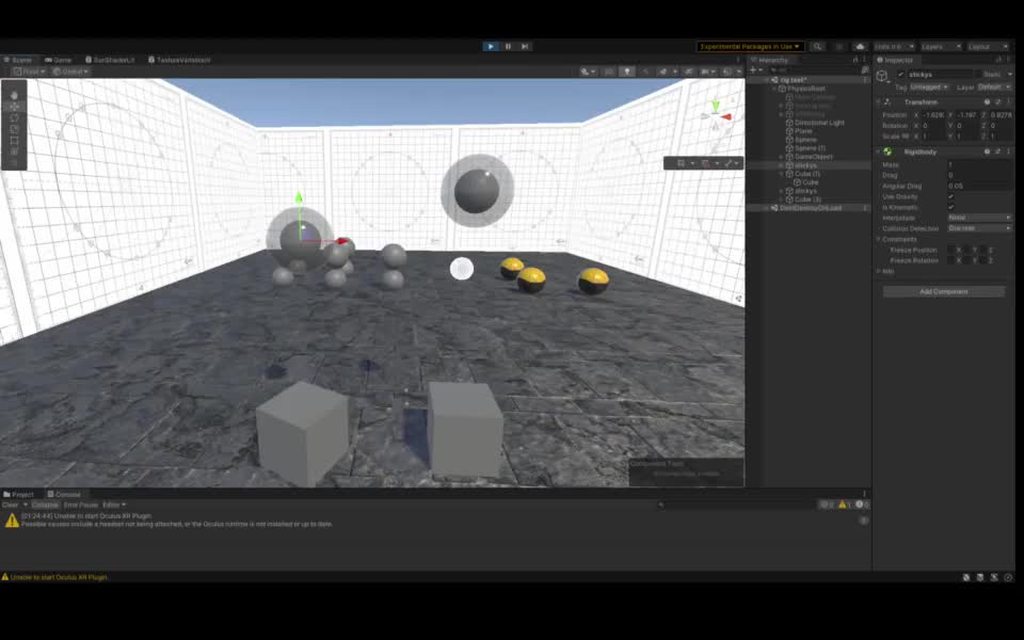
my objective here is to make sticky, but not absolutely constrained, finger physics for joint based VR hands
mighty sluice
should I assume this will only ever work well with sphere on sphere colliders?
arctic marsh
I guess you might have to fiddle around with joints that dynamically change their position based on the collision hit point @mighty sluice
mighty sluice
Thanks for the suggestion, but I'm actually already using that as a standard grabbing system. For this I am looking for a lighter and more dynamic sticky finger mechanic
I really like configurable joints so i dont fear them, but for friction across16 colliders per hand would get extreme
arctic marsh
Okay wait, whats the problem you are having right now? 😄 from the clip it looks not that bad
mighty sluice
it's just not reliable enough to be used on fingers
it tends to send the collider in strange directions and doesn't apply friction right
arctic marsh
Oh so you want like all fingers to affect that collider of boxes for example?
mighty sluice
i need the solver to force the rigidbodies to come to rest at the collision point, but right now im just ham fisting them at eachother
precisely
arctic marsh
Phew, thats something hard to do considering all unity physics querks and stuff. could you do a convex collider dynamically created by the fingers?
mighty sluice
i have a hand made from joints so each finger has 3 rigidbodies
possibly yea, but the goal is to allow for robust digit-object manipulation
this contact system is meant to give the fingers more gripping power
like light adhesion
I can already articulate the hand pretty nicely, the issue is just the collisions and friction

on the right is the 3 fingered hand im testing with
I have also had a similarish problem with my physics agents not having enough gripping power, or cases where i want their feet to be outright sticky
using joints for these cases is sort of nightmarish, although barely feasible
arctic marsh
Out of my scope I guess, sorry if I cant help more here
mighty sluice
i need to look into exactly how unity generates collision normals (for contact points)...
mighty sluice
arctic marsh
Out of my scope I guess, sorry if I cant help more here
it's quite alright. not many people ever need to get this deep into the engine... 0lento is basically the only person I know of that I expect to have insights lol
arctic marsh
yeah, its quite special, but I am looking forward seeing your progress. Are you using VR controllers ore magic leap or quest built in hand tracking? Just curious
mighty sluice
I am using quest controllers at the moment but there's nothing stopping me from making full blown physics hands like nobody has seen before lol
I just need to get the hand tracking working in unity without resorting to the oculus integration API
Already have a ton of neat functionality. Might as well show it here given it's all low level physics
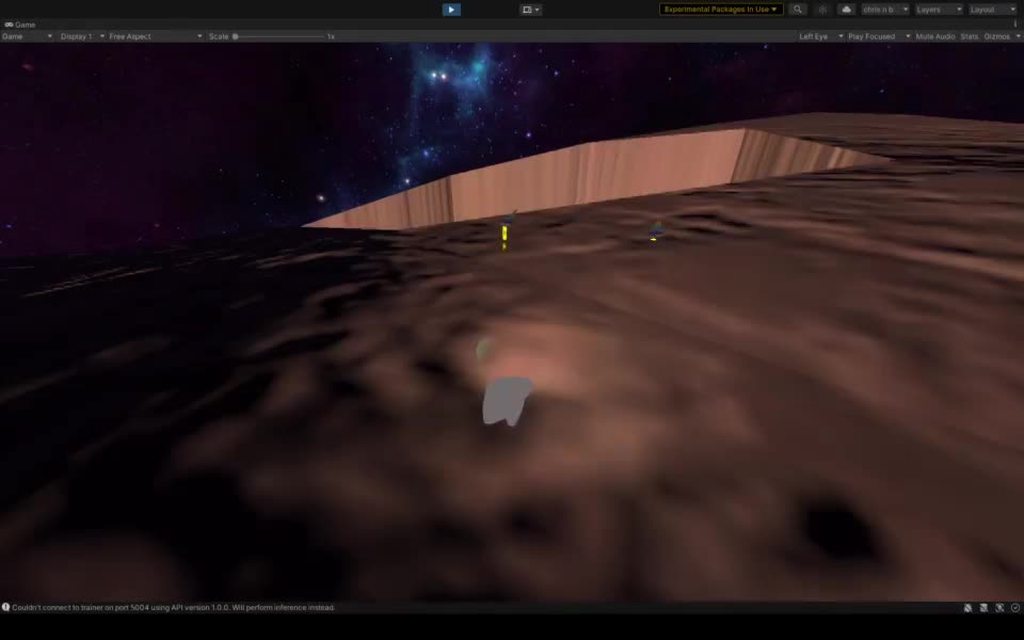
this is gliding (with a booster), or falling with style....
it's using some primitive aerodynamics on the hands for glide control, and a full blown radial playspace which is pretty interesting
(the spherical playspace requires custom gravity, which is fairly trivial)
the hands are simply joints attatched to the main body, which is rotationally constrained but not kinematic
arctic marsh
Dang I would love to fly around with that controls
mighty sluice
the low level physics also allows for all manner of physics-y stuff integrated directly into the player
some primitive grapples...
flappy bird was fun (a precursor to gliding) https://i.imgur.com/YBHJsSv.mp4
this system uses runtime joint creation for hand grip https://i.imgur.com/Lev1GDL.mp4
also for holding objects like swords...
the mobility is extreme
and of course, this full blown physics VR controller was made almost entirely for the purpose of interacting with these things https://i.imgur.com/4lD9Y8G.mp4

physics based robot-like machine learning agents
each centipede is over 100 joints, and there's not a kinematic body in sight, which is just nuts
in a nut shell: physics