#⚛️┃physics
1 messages · Page 15 of 1
 potent nova
i see what your saying now
its one sprite that represents both bands
would it just be easier to have two though?
 woeful pulsar
Easier than?
woeful pulsar
It is the exact same operation, repeated twice for the scenario where you use 2 sprites instead of 1
so not easier nor harder. The same, really.
potent nova
i just want the result so ill do any way
thanks ill try implementing it and let you know
potent nova
whats the best way to calculate force on a 2d projectile
i want it to change with the velocity of the projectile and it's mass
i know force = mass* acceleration from mechanics but how would i translate that when using velocity that works under gravity
 silver moss
potent nova
whats the best way to calculate force on a 2d projectile
silver moss
potent nova
whats the best way to calculate force on a 2d projectile
Like calculate the correct force to hit a target?
While taking gravity, mass, drag etc. into account?
potent nova
silver moss
Like calculate the correct force to hit a target?
The force needed to break an object will have its value set, and then the projectile hitting it would have a variable force taking into account mass and velocity
Idk about drag since I don’t think that’s in my game
silver moss
potent nova
The force needed to break an object will have its value set, and then the projec...
Sorry but it's still really vague to me. Break an object?
force taking into account mass and velocity
In what way?
potent nova
A projectile from a slingshot will be fired
The velocity will change over time due to gravity
If it has enough force, it will break a wall
 gleaming glacier
potent nova
whats the best way to calculate force on a 2d projectile
gleaming glacier
potent nova
whats the best way to calculate force on a 2d projectile
I'm a Unity3D person but i think you would just do the position subtract the last position and then get its magnitude.
potent nova
gleaming glacier
I'm a Unity3D person but i think you would just do the position subtract the las...
That’s what I did when firing it to get the starting velocity
And direction
But how would that work for force
If you could break it down since I’m a newbie
gleaming glacier
Because getting the magnitude is basically getting the Vector2 or Vector3 in float form
So basically its speed
potent nova
gleaming glacier
So basically its speed
The speed when it touches the object I want to break?
gleaming glacier
Yes
potent nova
I will try that thanks
gleaming glacier
After that you can do if its greater than a certain amount
get the velocity magnitude
then compare it to a value
silver moss
gleaming glacier
I'm a Unity3D person but i think you would just do the position subtract the las...
Or just rigidbody.velocity.magnitude
Ah but it's a collision? In that case yes you need to store the last position in a variable and calculate the velocity from that
Or use collision.relativeVelocity
gleaming glacier
silver moss
Or use collision.relativeVelocity
That would work as well
potent nova
silver moss
Or just rigidbody.velocity.magnitude
thanks didn't know that was a feature
potent nova
silver moss
Or use collision.relativeVelocity
is that the velocity just when it collides?
silver moss
Yes
Well, the relative velocity. So if the other object is moving away at the same time, the relative velocity will be smaller
That's how I understand it anyway
But yeah it's what you probably want here
 scarlet egret
Hi, I'm creating a motorcycle racing game but I'm having a lot of problems making the motorcycle steer in a realistic way. I'm actually applying a force directed to the direction of the motorcycle to make it move but it's actually like sliding on ice. Any ideas on how to make the steering better? I would like to use physics to make the bike move and steer
 proper sluice
i have a polygon collider 2d on my stairs with a 45 degree slope so the player can go up and down them, but the character slides down when there's no player input. what should i be doing here to get a good feel/functionality? i didnt really like the bumpiness of having the collider match the block shape of the steps

 timid dove
proper sluice
i have a polygon collider 2d on my stairs with a 45 degree slope so the player c...
timid dove
proper sluice
i have a polygon collider 2d on my stairs with a 45 degree slope so the player c...
A couple options:
- increase friction on the stairs
- have you player controller detect slopes and apply a force in FixedUpdate to counteract the sideways force from the slope (pretty easy to do - you just project the gravity vector on the slope normal, and apply that force in the opposite x direction.
 tender crow
I'm trying to convert this to the unity.physics equivalent: Camera.main.ScreenPointToRay(Input.mousePosition)
any pointers?
Is this correct:
RaycastInput input = new RaycastInput()
{
Start = Camera.main.transform.position,
End = Input.mousePosition,
Filter = new CollisionFilter()
{
BelongsTo = ~0u,
CollidesWith = ~0u, // all 1s, so all layers, collide with everything
GroupIndex = 0
}
};
 simple cloud
Why is the object not being pushed when i walk against it?
 dapper lichen
simple cloud
Why is the object not being pushed when i walk against it?
dapper lichen
simple cloud
Why is the object not being pushed when i walk against it?
I see "isKinematic" checked off on that rigidbody- that would do it.
 bitter spindle
Guys, I have a player with a RigidBody moved via physics; and I have enemies that have also a RigidBody (cause I need them to detect collison with proyectiles and to be pushed back by them) and move via a NavMeshAgent. Both the player and the enemies have non-tigger colliders. But I just noticed that they just get to collide with player if the enemies' RigidBody is set to Kinematic, otherwise they just kinda clip through; shouldn't they just collide if both are RigidBodies with Colliders?
 low edge
Hello all, what is the assumed units for AddForce? Newtons?
timid dove
low edge
Hello all, what is the assumed units for AddForce? Newtons?
Depends on the ForceMode you use.
by default it's newtons (ForceMode.Force)
if you use ForceMode.Acceleration the units are just m/s^2
if you use ForceMode.VelocityChange the units are just m/s
and for ForceMode.Impulse, it's kg*m/s
low edge
so if I have addforce and I want to mimic the F35A at 43000 lbs of thrust disclosed, I would convert to newtons and just use that number? gotcha
timid dove
low edge
so if I have addforce and I want to mimic the F35A at 43000 lbs of thrust disclo...
yes assuming you do so in FixedUpdate with the default force mode.
that being said accurately modeling an aircraft in flight will require applying lot of different forces.
In addition to the thrust of the engine there are lift forces, drag forces, AoA forces and the various pitch/yaw/roll forces of various control surfaces etc
 tired panther
I am trying to make Magna Tiles in Unity, but (without the magnets doing anything) it just kinda turns into a particle accelerator, here is the GitHub Repo if anyone is willing to look into it!
https://github.com/ICOnce/MagnetGame

GitHub
A game for children, inspired by MagnaTiles. Contribute to ICOnce/MagnetGame development by creating an account on GitHub.
low edge
timid dove
In addition to the thrust of the engine there are lift forces, drag forces, AoA ...
I have a nice flight model built out already. I jsut needed to know the units thing
 fossil tangle
Sticky situation ... is there any way to directly teleport a tree of RigidBodies?
All I can find is RigidBody.position --- which doesn't teleport it, instead it queues up possible values, waits a frame, then uses the last one that was set on ANYTHNIG in the Transform hierarchy.
So ... if "child-RB" moves right, but "parent-RB" moves left ... Unity deletes one of those commands (unsurprisingly: it seems to delete all except the last-to-be-submitted), and both the parent AND the child move right.
tired panther
Do you want to move them all the same direction?
timid dove
fossil tangle
Sticky situation ... is there any way to directly teleport a tree of RigidBodies...
Are these Rigidbodies dynamic? kinematic?
timid dove
fossil tangle
Sticky situation ... is there any way to directly teleport a tree of RigidBodies...
Also are you sure you mean RigidBody.position and not RigidBody.MovePosition
afaik the former is immediate, and the latter waits to apply it during the next physics simulation step
 light cradle
why is my gravity so.. floaty, i fall so slow? yes it's the default physic settings, and the rigidbody mass is default... idk what i did but in my other project with the same player prefab it's normal? just another render pipeline but that doesn't make sense...
 blazing acorn
this model has a box collider and a rigidbody but is falling through the floor?

 timid dove
light cradle
why is my gravity so.. floaty, i fall so slow? yes it's the default physic setti...
timid dove
light cradle
why is my gravity so.. floaty, i fall so slow? yes it's the default physic setti...
It's most likely your code
Mass doesn't affect gravity fall speed BTW
If it's not your code it could just be that your objects are very large and you're experiencing the Godzilla Effect
light cradle
timid dove
It's most likely your code
hmmm. i used the code from another projects where it worked fine, because i thought the same. but still the same
light cradle
timid dove
If it's not your code it could just be that your objects are very large and you'...
everything is on scale 1.1.1 (default capsule for player)
timid dove
light cradle
hmmm. i used the code from another projects where it worked fine, because i thou...
Without showing us details from your project we can only make wild guesses
tired panther
blazing acorn
this model has a box collider and a rigidbody but is falling through the floor?
If it's a plane, it might just be clipping through it
I've experienced that sometimes
blazing acorn
tired panther
If it's a plane, it might just be clipping through it
yeah it is ill try and see if thats the issue
blazing acorn
nope
light cradle
timid dove
Without showing us details from your project we can only make wild guesses
Idk which details i could show
timid dove
light cradle
Idk which details i could show
Literally anything and everything?
Your code.
The hierarchy of objects and the inspector of the object
light cradle
timid dove
Literally anything and everything?
Your code.
The hierarchy of objects and the i...
Nah doesn't matter
Just thought there was a setting on or something
timid dove
light cradle
Nah doesn't matter
Just thought there was a setting on or something
Well there's a gravity setting and a time scale setting. Maybe you changed one of those
tired panther
blazing acorn
nope
Is one of them aa trigger?
blazing acorn
nope its fine i gave up on it lol
light cradle
timid dove
Well there's a gravity setting and a time scale setting. Maybe you changed one o...
I already said i didn't
tired panther
Is anyone up for looking into some weird physics shenanigans that is going on in my project?
https://github.com/ICOnce/MagnetGame
The problem is when you spawn a tile it goes bananas
Short video of the Issue
timid dove
tired panther
Short video of the Issue
What are you expecting it to do?
A short review of your code shows several issues:
- Use of AddForce in Update. It should only go in FixedUpdate
- Use of DeltaTime in a force calculation for AddForce, which is never needed
- transform.Rotate WITHOUT deltaTime where it should actually be used
- Mixing Rigidbody and Transform movement and rotation. You should only pick one
tired panther
I will take those into consideration, but also it is doing that (the thing in the video, even if I disable all the scripts, except for the script to spawn it)
So for that video, ideally it should just be still
blazing acorn
using System.Collections.Generic;
using UnityEngine;

public class DoorSound : MonoBehaviour
{
    AudioSource audioSource;
    public AudioClip creak;
    bool isPlaying = false;

    Rigidbody2D rb;

    void Start()
    {
        rb = GetComponent<Rigidbody2D>();
    }

    void OnCollisionEnter2D(Collider2D collider)
    {
        if (collider.CompareTag("Player") && rb.velocity >= 0f)
        {
            audioSource.Play();
            isPlaying = true;

            if (rb.velocity <= 0f)
            {
                isPlaying = false;
                audioSource.Pause();
            }
        }
    }
} ```

I am trying to get a sound to play when this door is moved by the player and stop when it stands still however the console says i cant use >= or <= with a Vector3 and a float, i have no clue what to do.You want to check the magnitude of the vector
Not the vector itself
Think about it
blazing acorn
i only started this stuff a week ago lol i dont know these things
how would i check the magnitude
tired panther
Vector3(number, number, number).magnitude
blazing acorn
blazing acorn
``` using System.Collections;
using System.Collections.Generic;
using UnityEngin...
this block of code specifically where it says audioSource.Play();
is generating a nullreferenceerror and idk what that is
 dim fulcrum
Playing with some destructible props. I spawn premade fragments inplace of props when they're hit. This works great, I like how they bump around, but then my character controller get's stuck on them, especially box fragments with flat surfaces take a lot of walking into them before they slide away. (Using a charactercontroller with a custom push script modeled after starter assets)
I tried lowerinf the mass of my fragments but then they're sent flying when walked into.
(I now had an idea that the custom push script could detect if the collided item is a prop fragment and if yes, push it randomly left or right instead of towards the movement direction?)
fossil tangle
tired panther
Do you want to move them all the same direction?
My goal is to keep all of them in the same place in world space (unmoved) but for one of their ancestors to change its center. With non-RBs thats easy: move the ancetor's center by DELTA, and move the direct children by -1 * DELTA. Happens instantly, all is good. RBs - with position or anything - goes BOOM
fossil tangle
timid dove
Are these Rigidbodies dynamic? kinematic?
Everything dynamic. Yes, I mean RB.position - it doesn't teleport, and if I understand correctly it is not immediate (it instead queues it internally within physics, along with other things, that gets processed towards the end of the frame)
timid dove
fossil tangle
Everything dynamic. Yes, I mean RB.position - it doesn't teleport, and if I unde...
MovePosition queues it up
setting the position directly is immediate
Anyway dynamic Rigidbodies don't respect the transform hierarchy
They won't follow their parent objects
fossil tangle
OK, well, position doesn't teleport - it introduces force.
What I'm looking for is: true teleport (i.e. no forces applied, nothing changes), which would allow me to keep the RBs at same point in space, but move their parent/ancestor's position.
At the moment I have everything working fine if you don't care about the transform offset - but I do care :(.
And Rigidbodies do 'respect the transform hierarchy' - sure at runtime they (re-)position themselves independent of it, but if you move their ancestor transform e.g. in Editor, they move too.
(which is part of the problem - if I didn't care about the UnityEditor things would be a bit simpler)
timid dove
fossil tangle
OK, well, position doesn't teleport - it introduces force.
Definitely not.
timid dove
fossil tangle
What I'm looking for is: true teleport (i.e. no forces applied, nothing changes)...
To leave it in the same world space position you'd simply do nothing.
timid dove
fossil tangle
And Rigidbodies do 'respect the transform hierarchy' - sure *at runtime* they (r...
In the editor is different from at runtime. And Transform position is different from Rigidbody position.
If you want to just move things as if in the editor, move the Transform then call Physics.SyncTransforms()
fossil tangle
I tried SyncTransforms - it didn't make a noticeable difference. Is there something additional necessary?
NB: calling everything from inside FixedUpdate (maybe that's a mistake when trying to do this particular change?)
fossil tangle
timid dove
To leave it in the same world space position you'd simply do nothing.
If I update transform.position of an ancestor object, which can happen in editor, in editor-playtime, and in player ... if it has descendent RigidBodies that are non-kinematic, dynamic ... then things go badly. The specific 'badly' varies based on context.
If I don't also move the child objects, then everything jumps in space.
If I also move the child objects by "-1f * [amount parent moved]" then things explode.
The best I've managed so far iss:
- set everything to kinematic
- update all positions
- wait until at least one more FixedUpdate frame completes (seems like at least 'current fixedupdate + one more fixedupdate' have to complete, but I haven't tried narrowing it down, I eventyally just gave up and started waiting for 200ms, plenty of time for multiple to run )
- set everything back to non-kinematic
If I omit step 3, even if I run SyncTransforms - things still explode.
If I omit step 3, whether I update RB.position, transform.position, or anything else I could finde - things explode.
tired panther
timid dove
What are you expecting it to do?
A short review of your code shows several issu...
Interesting thing I just figured out, the bigger the mass of the big main square, the more it flips out
 quaint birch
fossil tangle
If I update transform.position of an ancestor object, which can happen in editor...
quaint birch
fossil tangle
If I update transform.position of an ancestor object, which can happen in editor...
What are you trying to achive with the nested Rigidbodies? They usually prefer not being nested (unless they're kinematic, in which case you move them as you see fit)
And that's in 3D, right? Because 2D and 3D tend to behave differently.
timid dove
The only typical use case I know of for nested rigidbodies is a ragdoll
fossil tangle
quaint birch
What are you trying to achive with the nested Rigidbodies? They usually prefer n...
Yeah, the underlying problem is that Unity-the-platform (UnityEditor, core APIs, etc) hates non-nested objects - try managing a project with 10,000s of objects without nesting anything (been there, done that, don't want to do it ever again :)).
So I have 10,000+ lines of code that are all 'pure' unity (no physics) that work perfectly - but rely upon nesting in many places. Some of that could be refactored to work without nesting - but some of it would be impossible or very difficult (e.g. all the places that use GetComponentsInChildren<> - some of those would be very difficult to replace - I'd have to re-implement big chunks of Unity itself, write a custom Transform hierarchy system (that doesn't depend on Transform.parent), and I'd have to write all the UI for it - all the EditorWindows, a custom Hierarchy window, etc etc etc).
What I'm doing right now is extending/updating that so that it ALSO plays nicely with physics.
Additionally: my end users 99% of the time want their object-trees to be deformable "out of the box" -- which means one big object, but all the sub-parts have RBs on them.
If I were doing this from scratch, I would have all the sub-parts sit as siblings at the top of the hierarchy (avoiding RBs various allergies to nested transforms) - although then I'd be tearing my hair out trying to figure out how to have a Project that wasn't 10,000 objets in the root.
BUT ... experimentally ... Unity seems fine - 98% of the time - with nested RBs. There's just a few places it goes wrong (this being one of them)
TL;DR: because 98% of this works fine with nested RB's, I'm currently taking the approach "let's see if I can make the final 2% work too - what do I need to change? what APIs do I need to use" ... but if that proves impossible / the hacks become too problematic, I'll consider other approaches. But all the 'other approaches' I've seen so far start with "x months of work to re-design and rewrite everything in ways that breaks all the non-physics use-cases, so requires huge amount of time/design/testing"
quaint birch
fossil tangle
Additionally: my end users 99% of the time want their object-trees to be deforma...
End users of what, if you don't mind me asking? 🙂 Am curious about the context
Also, can you show current code and example of how broken is it with it?
I can try to setup something quick, but setting rb.position should generally be fine, I think... though, perhaps everything should be done through RBs (or everything through transform, I don't remember how that worked), not a mixture of those 🤔
fossil tangle
e.g. without physics, building stuff in-game https://www.youtube.com/watch?v=qfak_-UjIAA
e.g. with Mecanim rigs https://www.youtube.com/watch?v=Rd2M4vPy29U
... then with physics/rigidbodies: https://www.youtube.com/watch?v=TL4gJzNIBJM

(was: SnapAndPlug) Showing a few features from the new NinjaBuilder, waiting for Unity to publish the asset. Especially: live editing in-game, rotation to a joint after it's snapped but before confirming, live break/re-connect, and everything working while cameras are animating etc.

It's all the same asset, just different games built on-top.
quaint birch
Looks very cool! 👍
fossil tangle
Where I am right now:
- RB.position exerting forces <-- I now think: this was probably because I had some interpenetration I hadn't noticed? So although I wasn't moving anything, by the time I executed RB.position changes, an interpenetration was already present, and it wasn't RB.position that added the forces, it was the actual world locatins of everything.
- to assemble things:
- 1 . implemented a replacement for Unity's crappy OnCollisionStay so that I know what colliders are touching each other even when they're sleeping
- 2 . nested RigidBodies, to remain compatible with core Unity -- and so that things like the 'mass' of each individual part are remembered/maintained
- 3 . set everything kinematic
- 4 . use Physics.ComputePenetration to avoid all penetrations
- 5 . use RB.position to move everything to safe places
- 6 . wait a few frames for physics to settle
- 7 . de-kinematic everything
- breaking forces are a pain in my butt - looks like I need to have another "wait a few frames" that waits a lot longer, and converts all joint-break-forces to infinity, then restores them after 'enough time for the physics to settle'
quaint birch
Oof... well, good luck with it! It's a little bit too complex for me to try and help, sorry 😅
fossil tangle
Same trick is working fine for Breaking-forces, so ... yeah, I think this is the solution to all my 'get unity physics playing nicely with rest of unity': 1. go kinematic, 2. fix positions/suspend break forces/etc, 3. coroutine wait for a few physics frames, 4. restore everything
... although point 3 I'd like to try replacing with a manual call to simulatephysics, maybe I can get away with a fixedDeltaTime of 0.0001f or something, just enough for it to notice that 'oh, you've gone kinematic - let me cancel all forces'.
 rare nebula
is setting transform.position instantaneous??
Because I have this code
Vector3 TestingVector3 = transform.position;
Ray TestingRay = new Ray(TestingVector3, transform.forward);

transform.position = new Vector3(0, -100000, 0); // This transform should be moved super far out so that the spherecast should never hit it

RaycastHit[] TestingHits = new RaycastHit[5];

int TestingNumHits = Physics.SphereCastNonAlloc(TestingRay, 10, TestingHits, 1, PlayerLayer);

for (int i = 0; i < TestingNumHits; i++)
{
    TestingHits[i].transform.position = new Vector3(0, 100, 0); // However, the final position of the transform is always 0, 100, 0, not 0, -1000000, 0, implying that the spherecast somehow hit the transform despite being teleported wayyyyy out?????
}
and ?? the spherecast always hits the transform object despite it being teleported far enough so that the spherecast should nenver hit it?
rare nebula
NVM I fixed it
I just had to call Physics.SyncTransforms() after setting the transform position
timid dove
rare nebula
is setting transform.position instantaneous??
Yes it is but the physics engine update is not part of that, and happens later as you found out
fossil tangle
Did the definition of compound Colliders change at some point?
Docs describe (and I am sure this was true for most versions of Unity historically)
- Colliders must be on the same object as the Rigid Body
- Compound colliders must be on children of the Rigid Body
Experimentally in Unity 2022:
- Unity does an equivalent of "getcomponentsinchildren<Collider>" on the Rigid Body - any and all children are counted
...
e.g. (tested just now in 2022-LTS):
- RB with no other components
- Child with no components
- Grandchild with a Collider
<-- is treated as if the grand-child-collider were on the grandparent-RB
but I can move that Collider around, add others anywhere in the Transform tree beneath the RB - even multiple levels deep - and Unity physics still treats it as one big Collider-set
...
And source code I had that originally was written for Unity 5, worked for 2017, 2018, 2019 - is now crashing in Unity 2022, apparently because of this.
(the crashing is fine - I can update it with this definition of "any colliders anywhere in the tree are considered part of a compound collider" - but first I want to check it's actually correct, especially since the docs say different)
"A compound collider is made up of a parent GameObject which has a Rigidbody component, and child GameObjects that have colliders." <-- https://docs.unity3d.com/Manual/create-compound-collider.html
 timid dove
fossil tangle
Did the definition of compound Colliders change at some point?
Docs describe (a...
timid dove
fossil tangle
Did the definition of compound Colliders change at some point?
Docs describe (a...
I'm not sure I understand what you're asking. What is the behavior you believe has changed?
Afaik it has always been that all colliders on the Rigidbody object itself as well as any children grandchildren etc are all part of that Rigidbody
fossil tangle
I believe it used to be: as the docs describe today
Two types: colliders (directly attached) and compound colliders (directly attached to children)
I have ... lots ... of legacy code that goes out of its way to support this, because its what Unity defined. From memory - this is a long time ago! - there were many complaints against Unity because of it, especially because it made it difficult for developers to drag/drop complex meshes into a scene and have them work together - only the "topmost" would get detected and used as compound colliders
IMHO the 'all descendents' is easier to understand and work with, so ... this is better if it's the correct current definition
timid dove
fossil tangle
Two types: colliders (directly attached) and compound colliders (directly attach...
I don't think there has ever really been a distinction between colliders on the same object and colliders on descendent objects
If that changed it was probably back around Unity 5 (around 2015)
fossil tangle
Yep, I remember that coming in, (and I do have some code that predates Unity 5), but I was sure the compound colliders had originally been implemented as children-not-descendents.
I guess I could install some old Unity versions and verify :).
But also: why are the docs wrong, why do they say children not descendents, if it was never the way I thought? Hmm.
timid dove
fossil tangle
Yep, I remember that coming in, (and I do have some code that predates Unity 5),...
I don't think the docs say children and not descendents
I think when they say "child GameObjects that have colliders" they are including descendents in that
they don't say anthing like "only direct children"
 twilit geode
Hey guys, i am using physics to detects when to display some interactable UI
But sometimes that doesn't work, its buggy.
I use two Physics.OverlapBox
One is for close range, the other is medium range.

I need some advices with physics and if OverlapBox is a good choice
I am very bad to explain my issues if you need more informations, tell me 🙂
First of all i didn't call the physics in FixedUpdate, that maybe the cause
twilit geode
twilit geode
First of all i didn't call the physics in FixedUpdate, that maybe the cause
okay thats worse haha

its the 2 OverlapBoxes
timid dove
twilit geode
Hey guys, i am using physics to detects when to display some interactable UI
But...
Simpler just to use trigger colliders / OnTriggerEnter/Exit
twilit geode
@timid dove So just have to add 2 colliders to my player ?
dim fulcrum
omg unity physics is killing me. I have an items layer set to NO collisions with the player, and a targets layer colliding with the player. When I parent an item's transform to a target it's colliders somehow "inherit" the target layer and the item starts colliding with the player. (also I "stick" the item to the target setting it's rigidbody to kinematic, after some time I set the parent to null and set kinematic back to false, so the item falls out of the target and lands on the ground. But if I stand on it before that happens, the player ends up standing on some invisible ghost collider which they were never supposed to be able to stand on (cause its on the items layer). I take it it's just not advisable to change physics objects parents?
timid dove
dim fulcrum
omg unity physics is killing me. I have an `items` layer set to NO collisions wi...
Colliders don't inherit their parents' layers
Show screenshots of your setup, something else is going on
dim fulcrum
timid dove
Colliders don't inherit their parents' layers
I know, but when I set my "target" to the items layer, everything "works" (except the target not colliding with the player) so the target layer definitely affects the object being parented to it physics..
Anyway I just wen down the path of replacing the questionable parenting of objects and instead adding a fixedjoint component. And.. I'm getting the same issue. The item, that is normally not colliding with my player suddenly becomes an obstacle when I connected with a fixed joint to an item that is on a colliding layer. (and that "collider" remains there after I Destroy the joint!)
dim fulcrum
Well it must be something with my setup, cause I just created an empty project to recreate the issue and it behaves correctly, will try to migrate my actual scripts bit by bit to try to pinpoint what's causing the weird behaviour :/
dim fulcrum
@timid dove yes it was something else (of course), thanks for your confidence, which pushed me to try to build a minimal example showing the issue. (it was the simulated "ghost" item, used for a trajectory visualisation)
timid dove
Glad you got it working
scarlet egret
Hi, I'm actually creating an arcade car game and I'm using physics to make cars steer, so I'm applying friction force to car wheels. Everything works fine when the car is moving and when I stop on a plain surface, but I have some problems when I start the game and when I stop on an inclined surface. Do you know how to fix this?
 dim fulcrum
scarlet egret
Hi, I'm actually creating an arcade car game and I'm using physics to make cars ...
dim fulcrum
scarlet egret
Hi, I'm actually creating an arcade car game and I'm using physics to make cars ...
I don't but I'd start with the first line, it's grabbing the velocity vector and zeroing the y component. this makes sense on a flat plane, not so much on an incline. I'd start with grabbing the ground normal underneath you and projecting that vector on that plane.
scarlet egret
dim fulcrum
I don't but I'd start with the first line, it's grabbing the velocity vector and...
Fixing the first line solved the problem, thank you✌️
 naive orbit
hey so I have a character rig with hingejoints and when the character flips (inverted localScale.x) the hingejoints get kinda funky, anyone know why this is happening and how i can fix it? (pictured: same character facing right and left)


i've already tried using a Y rotation to flip the character, same issue
ngl not sure if im in the correct channel
dim fulcrum
I don't know how 2d physics work (or 3d :), but can you elaborate what "wonky" means, are you sure it's because of the flip? are you flipping / rotaging them individually or some parent object (character)?
timid dove
naive orbit
i've already tried using a Y rotation to flip the character, same issue
Y rotation is usually better but yeah it's a bit unclear what you mean by funky.
naive orbit
im flipping the rig by manipulating a parent object and setting its localScale.x to -1
and by funky i mean the hinge joint is upside down
i imagine i could fix it by adding/subtracting 180 to the upper and lower angle of the joint when i flip but i dont know how to access that in C#
scarlet egret
Hi, I'm creating a car racing game and I'm turning using ackermann steering. I'm setting te turn radius from the inspector, but It does not depend on the velocity of the vehicle, so it's not very smooth. How can I calculate the turn radius depending on the vehicle velocity? Is there a formula or what?

I mean, if the vehicle is going faster, the turn radius should be higher
I'm actually calculating the turnRadius like this, but I know this is not a nice way, even if it works hahah

 raven summit
Hi
How to solve the collision problem between two rigidbodies?
I don't want to use layers because there is a limited number of them and there are many objects that should not collide with each other. I also don't want to use Physics.IgnoreCollision because each object has dozens of colliders and switching them would not be optimal. Is there something like Physics.IgnoreRigidbodyCollision that ignores collisions between two rigidbodies?
timid dove
raven summit
Hi
How to solve the collision problem between two rigidbodies?
I don't want to u...
How to solve the collision problem between two rigidbodies?
What problem? You have to explain exactly what you're trying to do before we can suggest a solution. "Many objects" being involved does not preclude the use of layers btw 🤔
raven summit
I have over 300 items that I can pick up, some I can put on others. I want the item to not collide with the other item that is equipped.
timid dove
raven summit
I have over 300 items that I can pick up, some I can put on others. I want the i...
this is very simple to do with layers...
you would only need two layers
raven summit
I tried this already
I created layers "item", "parentItem" and "childItem"
"item" have items that are not connected to each other
Connected items change layer to "parentItem" and "childItem"
And it works well
Unfortunately, if I have 2 objects that have an item on them they also do not collide with each other
timid dove
raven summit
I tried this already
I created layers "item", "parentItem" and "childItem"
"item...
why do you need parentItem and childItem
raven summit
So that they don't collide with each other
timid dove
why not just ItemOnGround and ItemEquipped
ItemOnGround collides with itself. ItemEquipped collides with... well, nothing.
raven summit
I have a sword, two shields, and two spikes for the shield
I want the shield and spikes to not collide with each other if they are connected
So everything has ItemOnGround layer if is not connected
But if I add spike on both shields and change it to ItemEquipped they will not collide with each other
the shield will not collide with the spike of the other shield
The spikes will not collide between each other
quaint birch
I'm not sure I understand the exact requirements for what should and shouldn't collide with what. 🤔
But also, when you say "switching them would not be optimal" - do you mean performance-wise and have you actually profiled it?
 teal summit
how do i disable push force on a rigidbody
timid dove
teal summit
how do i disable push force on a rigidbody
What is "push force"?
teal summit
like when 1 rigid body pushes another
dim fulcrum
raven summit
So that they don't collide with each other
How are you connecting them? I think if you instantiate a FixedJoint connecting 2 bodies, the joint has an attribute for disabling collisions between them.
 grave spindle
I have capsules parented with a character joint, each joint is connected to the parent rigitbody
any ideas when i move a bit a capsule, it goez crazy indefinitly ?
 timid dove
grave spindle
I have capsules parented with a character joint, each joint is connected to the ...
timid dove
grave spindle
I have capsules parented with a character joint, each joint is connected to the ...
Try moving in code via physics rather than with the editor gizmos which teleport then transform
grave spindle
okay ty
 midnight glade
Yoyoyo, I'm having some troubles with managing my forces.
I have my player moving around currently in my 2,5d game with these lines:
var movement = new Vector3(direction.x * HorizontalSpeed, 0f, direction.z * DepthSpeed);
var force = movement - RigidBody.velocity;
force.y = 0f;
RigidBody.AddForce(force, ForceMode.VelocityChange);
This works fine when moving around with my WASD keys, however whenever I add another force (when my player gets hit for example) then it just cancels itself out. Is there a good way to manage both movement from input as well as other forces?
This way makes it as snappy as I want my movement. I've tried adding the movement directly instead but then I get a very non-snappy movement
timid dove
midnight glade
Yoyoyo, I'm having some troubles with managing my forces.
I have my player movi...
This code is adding exactly enough force to get you to exactly whatever velocity you are prescribing here.
In other words you're just doing a roundabout way of directly assigning velocity
Since you're directly assigning velocity it's going to overwrite any other forces
The answer is to change your approach for this movement code
Snappiness is antithetical to allowing external forces, by the way
Basically you need to limit the max amount of force you can add with this code, because currently it's unlimited
midnight glade
timid dove
Basically you need to limit the max amount of force you can add with this code, ...
Hmm I see. I'll do some experimenting
grave spindle
To make cables that interact well with a dynamic environment, what would be the best ?
- using Joints ? What kind of Joints ?
- how would the texture of the cable work ? stretch ? one per mesh used ?
- if the mesh used doesnt connect well (for example i issue capsule colliders), how to make it like there are connected like a real cable ?
timid dove
grave spindle
To make cables that interact well with a dynamic environment, what would be the ...
https://assetstore.unity.com/packages/tools/physics/obi-rope-55579
https://assetstore.unity.com/packages/tools/physics/filo-the-cable-simulator-133620

Get the Obi Rope package from Virtual Method and speed up your game development process. Find this & other Physics options on the Unity Asset Store.
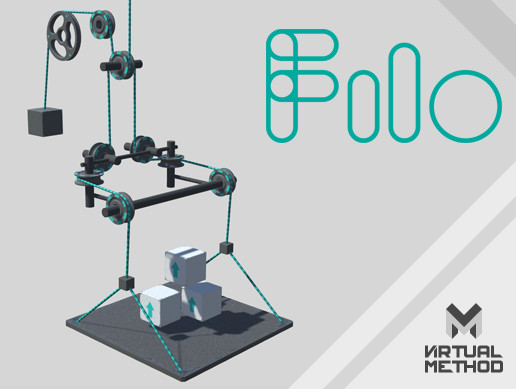
Get the Filo - The Cable Simulator package from Virtual Method and speed up your game development process. Find this & other Physics options on the Unity Asset Store.
grave spindle
ty for sharing, sadly i want to make it without paying
it will not be perfect, but can make it work
timid dove
The easy way is a bunch of connected rigidbodies with joints
But it's not going to be great
LineRenderer to render it
grave spindle
okay ty
grave spindle
im kinda lost between the multiple types of joints
because rn im using character joint, and it looks like i get some issue with gravity, because i cannot make it go further because its stays on the groud
grave spindle
i got the capsule connected to the cube with a joint
the cube is itself connected to other joints.
the anchor of the character joint of the capsule is on the left.
when playing it looks like the cube isnt trying to go at the anchor, its staying a the same distance

 grave spindle
timid dove
Try moving in code via physics rather than with the editor gizmos which teleport...
grave spindle
timid dove
Try moving in code via physics rather than with the editor gizmos which teleport...
if i move to fast using MovePosition on my player rigibody, i got the same issue
 summer timber
Heyy.
Does anyone know if there is a Option to configured the speed of rb.AddForce?
I know that you can multiply the vector2 with a speed float however in my case that's not an Option because this increases the distance traveled.
timid dove
summer timber
Heyy.
Does anyone know if there is a Option to configured the speed of rb.AddFor...
The "speed" of it is determined by the magnitude of the vector you provide and the force mode you use
It's a force, nothing else
The only result of a force is to change the object's velocity
What you said about multiplying the vector not being an option doesn't make any sense
summer timber
This is what I use: rb.AddForce(jumpVelocity, ForceMode2D.Impulse);
If I multiply it [rb.AddForce(jumpVelocity * speed, ForceMode2D.Impulse);] the result is that the jump is further and but necessarily "faster"
the jumpVelocity is calculated to reach a specific position, but as I said it is a bit to slow for me and I didn't find a solution that works yet.
timid dove
summer timber
the jumpVelocity is calculated to reach a specific position, but as I said it is...
It's not ever going to be "faster". That has nothing to do with your jump force really
That's due to the gravity in your game
If you increase gravity you can have a faster jump
Everything after the initial impulse is all gravity not your jump force. Think about the physics involved and which forces are acting on the character at what times
 barren plover
I did this like a million times wtf has happened here in the hierarchy?

I keep adding a cube named invisible guy and essentially its a small invisible platform to guide the player up the stairs
i uncheck the mesh renderer and then I go press "play" to try it out
but it keeps disapearing
I even pressed "saved" and then pressed the "play" button to test the stairs
and that cube object that will guide you upstairs disapeared again 
barren plover
also i just restarted my pc just now and everything was deleted
quaint birch
everything?
 quaint birch
that's not quite normal, assets don't go away by themselves
are you sure you opened the right project? and that you don't have viruses or a failing hard drive? 😐
barren plover
quaint birch
that's not quite normal, assets don't go away by themselves
yep pretty sure everything good in that regard 😛
oh
btw this was saved too..
lol


thanks god lol
barren plover
is saving/loading scene different from saving/loading the project?? as i understand it this might be the case from the quick search i did on some youtube videos
quaint birch
save project is save all
save scene may not save all other assets, but they are saved when you initially create them, so they wouldn't go away
barren plover
i think i accidentally just fixed it somehow
 full briar
My game is stuttering very badly w/ movement and camera, and it's not because of my framerate because im getting 300+ framerate, I also only have 40k tri's and very few models, can someone please help me with this?
 golden olive
I have the same problem and I really want to find a solution 😭
quaint birch
what's stuttering? video or it didn't happen
@full briar @golden olive my guess - camera is not updated in LateUpdate of physics aren't done in FixedUpdate 🤷♂️
golden olive
Alright, I will try that 👍🏻
full briar
quaint birch
<@703757760717652008> <@1077649281525231796> my guess - camera is not updated in...
Physics are done in FixedUpdate, the only fix I've sound so far is settings the Time Step to 0.001, but that's really bad practice and ruins my scripts that use Time.DeltaTime. The camera is updated with LateUpdate, and I am using CinemachineBrain for making some noise, and a CinemachineVirtualCamera on the main camera.
 shrewd umbra
any idea why my player jumps when i let go of the movement keys?
its only when its up and down slopes
quaint birch
full briar
Physics are done in FixedUpdate, the only fix I've sound so far is settings the ...
why would it ruin your scripts that use Time.deltaTime?
also, sounds like you don't have interpolation enabled on rigidbodies or something like that
full briar
quaint birch
why would it ruin your scripts that use Time.deltaTime?
also, sounds like you do...
I have interpolation enabled, also since Time Step is the time between physic updates that means going from 0.02, to 0.001 means almost 10x more physics calculations. That means like 10x more effort on the players computer, so since it changes the physics updates, that changes the time between frames, and thus I would have to increase the numbers multiplied by Time.Deltatime.
full briar
You can see it on the light on the floor, and also when i go sideways its more noticable


Then here is the code for moving around via that rigid body.
This is the player model, with the Cinemachine Brain being outside and set to LateUpdate for the camera movements.
 quaint birch
full briar
quaint birch
full briar
And what object is the Light on? That one's not interpolated maybe? I'd say make physics step 0.2 and see - if problem became ridiculous, then some physics aren't interpolated (either because you move something in FixedUpdate, or because you didn't enable interpolation on some RB)
teal summit
how do i make it so a rigid body cannot be pushed
 scenic thunder
teal summit
how do i make it so a rigid body cannot be pushed
scenic thunder
teal summit
how do i make it so a rigid body cannot be pushed
I think you can tick the Kinematic property, or tweak its constraints
By the way, I have a RigidBody for my character control, and it works kinda well but for example it freezes when it's against a wall in air, instead of continuing falling, and also it clips through walls when it walk toward them. It also sinks into the ground when it encounters inclined objects. I move it by updating directly transform.positon. Does smone know how to fix that, thanks !
teal summit
scenic thunder
By the way, I have a RigidBody for my character control, and it works kinda well...
yes however then it cancels out the collision and does not detect it.
scenic thunder
Ngl I don't know more, sry
teal summit
ok that ok.
full briar
quaint birch
And what object is the Light on? That one's not interpolated maybe? I'd say make...
I just made a whole entire new system following tutorials and it still lagged, I have an RTX 3090 so it's not my CPU or GPU. Also increasing the time step means less calculations, which means less updates so that would make it worse. Everything is interpolated, and I move the character with velocity, its just so broken for me
timid dove
full briar
why are you multiplying fixedDeltaTime into your velocity?
that makes no sense
full briar
I was playing around with it, you're supposed to multiply anything that moves by Time.DeltaTime right?
timid dove
it won't make things stutter but it's equivalent to just diving your velocity by a fixed number for no season
timid dove
full briar
I was playing around with it, you're supposed to multiply anything that moves by...
no
velocity is already expressed in meters per second
you only need to multiply things that are per frame by deltaTime to turn them into per second quantities
full briar
ok let me change it and test it one second
timid dove
it's not going to fix anything to do with stuttering but it's going to make your units make sense
full briar
I still have no idea what the problem is then
full briar
Hastebin is a free web-based pastebin service for storing and sharing text and code snippets with anyone. Get started now.
timid dove
It may have to do with your camera tilting code
 full briar
timid dove
It may have to do with your camera tilting code
full briar
timid dove
It may have to do with your camera tilting code
Yep you found it, it works. I just don't know how to fix it.
quaint birch
full briar
I just made a whole entire new system following tutorials and it still lagged, I...
Less physics calculations should have no effect on it, if things are interpolated. That's exactly what we want to make sure with that experiment!
full briar
quaint birch
Less physics calculations should have no effect on it, if things are interpolate...
Well it was the camera, I want to fix it, and I can but that would remove the Camera Smoothness effect, which I don't know how to keep w/o it breaking.
I have to go but if anybody is willing to try and fix it that would be great.
barren plover
Unity is full of bugs
Im trying to save my project
sometimes it doesnt save
then i try to click " save as "
and no window will start up
sometimes i restart my computer and everything works okay and then quickly after a second it all breaks again
and i have to restart my computer everytime I make a small tiny tiny teeny change in my project (?)
very frustrating
timid dove
I've never seen a bug like that, buit if you can reproduce it, a bug report would be a good idea.
 bleak umbra
is your project on a shared/sync'd folder (onedrive/dropbox/google drive) or a network drive?
barren plover
bleak umbra
is your project on a shared/sync'd folder (onedrive/dropbox/google drive) or a n...
none of that
bleak umbra
what exactly does "doesn't save" mean?
maybe you did expect changes to be saved that inherently cannot be saved? why does restarting "fix" it?
barren plover
because then changes on my project get saved
for example i add a cube in
anyway i think i fixed it somehow by pressing pause (?)
bleak umbra
you cant save in playmode
barren plover
which doesnt make sense but okay
oh so thats why
I was on playmode the entire time

bleak umbra
changes made in playmode are generally reverted when you exit playmode and therefore can't be saved, exceptions are changes to assets (scriptable obejcts, materials, import settings etc)
barren plover
so how do u make sure to exit playmode?
i press pause
and then it takes me straight in the game
bleak umbra
press the play button again?
anyway, this isn't physics related. so you should maybe ask this kind of thing in #💻┃unity-talk
barren plover
bleak umbra
press the play button again?
if i press play button then this shit that i dont want happens
how do i know if im in the playmode or not?
why does it take so long to load when i press "play" button instead of "pause" ?
by pressing pause i just get into the game mode or whatever you call it much faster
but it shows a progress bar when i press play
and it causes problems where changes dont get saved
sometimes
timid dove
you're not "getting into the game mode" you're resuming an already paused playing game
barren plover
ok so thats what happens when you press pause/unpause gotcha. what happens when you press "play" then?
timid dove
it plays the game
barren plover
Ok so i've added a box colider on this yellow 'ladder'

I try to test the colider and go up, i also added a ladder script from the standard package of unity 2018
timid dove
don't crop your screenshots
a ladder script from the standard package of unity 2018
Nobody knows anything about this script
barren plover
using System.Collections;
using System.Collections.Generic;
using UnityEngine;
using UnityStandardAssets.Characters.FirstPerson;
public class Ladder : MonoBehaviour
{

    public Transform playerController;
    bool inside = false;
    public float speed = 3f;
    public FirstPersonController player;
    public AudioSource sound;


    void Start()
    {
        player = GetComponent<FirstPersonController>();
        inside = false;


    }


    void OnTriggerEnter(Collider col)
    {

        if (col.gameObject.tag == "Ladder")
        {
            Debug.Log("TouchingLadderTrue");
            player.enabled = false;
            inside = !inside;
        }


    }

    void OnTriggerExit(Collider col)
    {

        if (col.gameObject.tag == "Ladder")
        {
            Debug.Log("TouchingLadderFalse");
            player.enabled = true;
            inside = !inside;
        }


    }

    void Update()
    {
        if (inside == true && Input.GetKey("w"))
        {
            player.transform.position += Vector3.up /
            speed * Time.deltaTime;
        }

        if (inside == true && Input.GetKey("s"))
        {
            player.transform.position += Vector3.down /
            speed * Time.deltaTime;
        }

        if (inside == true && Input.GetKey("w"))
        {
            sound.enabled = true;
            sound.loop = true;
        }
        else
        {
            sound.enabled = false;
            sound.loop = false;
        }


    }


}
 round hinge
hi. how do you set a rigidbody's acceleration?
the only API I found is AddForce and that doesn't seem to be the right function here, since it adds to previous force
quaint birch
and what is acceleration? 😛
round hinge
quaint birch
and what is acceleration? 😛
the velocity of the velocity
velocity is the change-rate of the final value, and acceleration is the change-rate of the velocity
quaint birch
round hinge
the velocity of the velocity
okay, sorry that was far-fetched 😅 applying force leads to acceleration is what I meant
but... there's rb.velocity which you can change directly like rb.velocity += acceleration * Time.deltaTime;
 eternal sinew
guys the platformer effector isnt working when i press a or d towards the wall it stays stationary dosent fall what should i do?
also do i provide a screenshot or something?
quaint birch
provide a screenshot, yes... it should generally work
maybe you configured it in the opposite direction?
(not sure what you mean by "doesn't fall"... if I recall correctly the effector just allows you to move through things - ignores collisions from certain directions)
round hinge
quaint birch
okay, sorry that was far-fetched 😅 applying force leads to acceleration is what...
ah gotcha. still, we don't have a set for acceleration or force, we can only add to it
timid dove
round hinge
the only API I found is `AddForce` and that doesn't seem to be the right functio...
Adding to the velocity is precisely what acceleration is
 gentle sequoia
Someone help pls , my obstacle isn't seen in the main camera
timid dove
gentle sequoia
Someone help pls , my obstacle isn't seen in the main camera
I mean, it's probably just not in the right position
What's the z position
eternal sinew
quaint birch
(not sure what you mean by "doesn't fall"... if I recall correctly the effector ...
please wait 1 minute
gentle sequoia
timid dove
I mean, it's probably just not in the right position
Oh it was -0.5 , it worked lol thanks
timid dove
gentle sequoia
Oh it was -0.5 , it worked lol thanks
You can look at the game window before you even press play BTW
eternal sinew
quaint birch
(not sure what you mean by "doesn't fall"... if I recall correctly the effector ...

so when i hold a as its moving left it hands on to the wall

heres my composite and effector
the effector is supposed to remove the hanging part
no?
quaint birch
so you want to be going through thta collider when coming from the side?
quaint birch
so, unrelated, you don't need an effector for that, you need to fix your character controller
or... 🤔 or something else, that I can't think of right now, but shouldn't be effector related
eternal sinew
heres the problem in a video
i havent seen any solve for this type of stuff
where should i go
for the fix?
one fix could be that if players falling i disable movement that works
yeah its fixed
thanks
round hinge
timid dove
Adding to the velocity is precisely what acceleration is
i want to use the internal functionalities, not overwrite them
timid dove
round hinge
i want to use the internal functionalities, not overwrite them
AddForce and acceleration are the same thing is what I'm saying
The result of AddForce is a change in velocity
The definition of acceleration is change in velocity
eternal sinew
timid dove
The definition of acceleration is change in velocity
i think he wants it to accelerate to a certain speed maybe
add force isnt acceleration (as far as i know)
it applies a constant kinetic energy on the object
so the avg velocity is always the same
timid dove
eternal sinew
add force isnt acceleration (as far as i know)
AddForce is literally acceleration
Again the definition of acceleration is a change in velocity
AddForce has one effect and one effect only: change in velocity
eternal sinew
timid dove
AddForce has one effect and one effect only: change in velocity
but dosent it set the v to a constant int
if you use add force in a car game object
the car will move at same speed
timid dove
eternal sinew
but dosent it set the v to a constant int
no?
timid dove
eternal sinew
it wont accelerate from 0
It will if you keep adding force
eternal sinew
oh yeah in a for loop or update
timid dove
the result of any individual AddForce call is to change the velocity
eternal sinew
so what was that guy asking ?
that should solve it
using a for loop
or
update
timid dove
I think maybe he's trying to get at the idea that AddForce all gets basically added up until the physics simulation and applied at once
And maybe he wants a way to end-run around that
eternal sinew
I see
round hinge
timid dove
AddForce and acceleration are the same thing is what I'm saying
In ForceMode.Force it adds the acceleration, divided by mass of course. Aye I learned that by hit and miss today. After each physics simulation frame, all accelerations will be 0, so AddForce is just like a setter for force[1], which is a*m , acceleration and mass
[1]: because A+0=A , so AddForce essentially sets the force when it's used the first time
If your rigidbody already has force applied to it when your code is being executed, you can apply a negative force to rb.GetAccomulatedForce() to zero it out and start over
It's still a pain that we don't have direct access to the current force and acceleration, but I think it's because rigidbody doesn't have a definition of force or acceleration internally, so everytime we use it, it converts to another internal representation
round hinge
eternal sinew
the car will move at same speed
This depends on the ForceMode. If you use Force, the acceleration will be force/mass, but if you set it to velocity, you'd be writing acceleration directly and ignoring the mass, so a 63 value would be directly added to velocity in the next physics update.
do note that it's considering you're not applying torque or forceAtPosition to it, because that would complicate things
eternal sinew
i see
timid dove
round hinge
If your rigidbody already has force applied to it when your code is being execut...
Well, GetAccumulatedForce kind of solves the problem no?
grave spindle
i have a cube with a RB and a BC
when i freeze all pos and rot of the RB, i can go through the GO
my player moves with MovePosition
if i remove the RB of the cube, it blocks the player as expected
even with no constraints on the RB of the cube, the player can sometimes go throught it
round hinge
timid dove
Well, GetAccumulatedForce kind of solves the problem no?
Yes. Problem is solved
Thanks
round hinge
grave spindle
i have a cube with a RB and a BC
when i freeze all pos and rot of the RB, i can ...
While I'm not sure what's causing your issue, I can say the recommended solution for what you want (for the box) is to set it to kinematic
kinematic rigidbody doesn't get affected and only affects others
grave spindle
the thing is i would like the player to move the cube at some point
the cube has two states : static and moveable
round hinge
grave spindle
the thing is i would like the player to move the cube at some point
When the cube is movable, either move it manually (it's possible to move a kinematic rigidbody manually), or toggle off its kinematic for the timespan you need it moved
grave spindle
can a kinematic rb be subject to gravity ?
round hinge
Also goes without saying that you should only manually move it once per physics frame
round hinge
grave spindle
can a kinematic rb be subject to gravity ?
No. It doesn't get affected by anything
round hinge
grave spindle
so i will have to apply my own gravity each fixedupdate
If you want it to have gravity then don't use kinematic in the first place
I thought the box was supposed to be static, hence my suggestion to use kinematic
But if you want it to do get affected by physics world while in static mode, then yeah the preferred solution is freezing different axis as you're already doing
grave spindle
Okay ty
gentle sequoia
Help , my player collides the block from the top , but does not stop due to block in front of it
private void OnCollisionEnter2D(Collision2D collision)
{
// Get the Rigidbody2D component of the colliding object
Rigidbody2D collidingRigidbody = collision.gameObject.GetComponent<Rigidbody2D>();
 // Check if the colliding object has a Rigidbody2D component
 if (collidingRigidbody != null)
 {
     // Nullify the velocity in the x-direction
     collidingRigidbody.velocity = new Vector2(0f, 0f);
 }
}
wrote this to stop x velocity
 cursive sparrow
Send screenshot of the inspector.
fossil tangle
How do you reset the forces on a Joint? Or keep them at zero?
I need to move a compound (multiple RBs, multiple compound-Colliders) physics object instantly.
- If I move it using RB.position: Unity generates a huge force on all the joints
- If I set it kinematic, move it using RB, set it non-kinematic: Unity generates a huge force
- If I set it kinematic, move it using RB, run Physics.Simulate for several seconds, set it non-kinematic: Unity generates a huge force
- If I set it kinematic, move it using RB, wait for a few seconds, set it non-kinematic: Unity does NOT generate any forces
The annoying thing here: Unity physics is (apparently) dependent on the frame-ticking - isKinematic isn't honored until/unless real-time frames advance.
(I believe this is a known-design-problem with Physics since ... forever: isKinematic isn't real, it's an 'indicator' that is sampled by the physics engine, and used to update internal physics state at the moment its sampled, so that cahnging it on/off/on/off/on has literally zero effect (since no samples took place) - but changing it, waiting a frame/several, has effect (since it got sampled)
(but presumably there's an elegant way around this?)
It's acting as though "isKinematic" won't be sampled direclty by the physics engine, but instead is sampled by some Unity internal code that runs in FixedUpdate ... somwhere. (I'm extrapolating here based on the knowledge that the only real difference between Physics.Simulate and general ticking is that ticking runs FixedUpdate callbacks and Simualte does not)
fossil tangle
... testing shows that: Physics.Simulate refuses to process/remove 'accumulated forces' on RigidBodies. Currently I'm testing "what if I take every rigidbody, and add a net force that's the opposite of its current force?" before setitng it back to non-kinematic.
timid dove
fossil tangle
... testing shows that: Physics.Simulate refuses to process/remove 'accumulated ...
You probably know this already but if not, this exists nowadays which will make your life easier: https://docs.unity3d.com/ScriptReference/Rigidbody.GetAccumulatedForce.html
another brute force kind of option may simply be storing all the object's relative positions, velocities, rotations, angularVelocities and restoring them manually after the move
fossil tangle
Doesn't work. I end up with:
- set kinematic = false
- set RB.accumulated forces == 0 (by applying inverse of last-known accumulated force) (checked via Debug.Log)
- ... Unity reports net forces on the Joints
So I'm back to squre one: How do you reset the forces on joints? Even removing the forces on all RBs has ... no effect
... OR: is there a way to mark Joints as kinematic? Because my core problem with joints is that Unity is generatnig forces on them when both ends of the joint are kinematic RBs.
fossil tangle
timid dove
another brute force kind of option may simply be storing all the object's relati...
velocity etc are all zero already
timid dove
fossil tangle
... OR: is there a way to mark Joints as kinematic? Because my core problem with...
The fundamental annoyance of unity physics is that none of the components simply have an enabled property
fossil tangle
But these forces on joints (that are created purely as a side effect of moving the parent RB) are non-zero, and I can't see a way to directly zero-out the 'force on joint').
timid dove
Maybe destroy and recreate the joints? 😭
fossil tangle
LOL yeah OK that might work
super hacky but ... I think I have all the info to do it safely
timid dove
Super annoying because there's no good way to properly copy all the properties doing that
fossil tangle
I already have code that copies Joint properties (just a long class of copy/paste code to store everythign into a serializable equiv of Joint) to fix issues in the inspector / configuring joints from scripts.
timid dove
oh nice
fossil tangle
drum-roll please ... let's see if this works...
Ugh. Fails (although this can be solved I think), because of the other super annoying bug in Unity Physics: OnJointBreak is just trash
(OnJointBreak is apparently being called for the old - destroyed! - joint)
(although obviously there's no way to know, since Unity won't allow anyone to know which joint broke)
fossil tangle
OK thanks to @timid dove 's idea to destroy-and-rebuild the Joint eevery time ... this seems to work.
What happens:
- set isKinematic=true
- Modify the RBs
- Verify that all RBs have force == 0 and velocity == 0
- Cry. Because Unity Physics sucks and ignores the "isKinematic" field for processing Joints
- Set all Joints to be infinitely strong
- Add a custom component to every joint that had a break threshold - this is literally "WorkaroundUnityCantImplementBreakableJointsCorrectly.cs"
- Set the custom component to "ignore joint forces for N seconds"
- set isKinematic=false
- watch Unity generate a 160N upwards force on the joint ... for no apparent reason ... then a 250N downwards force on the joint ... for no apparent reason
- watch Unity drop the object ont the ground ..... then rapidly reduce the joint-forces to 12N (which is ... within what I'd epxect given the joint connects two masses of 1kg each)
...what I'm not 100% sure of: were the joint-forces created (but this would still be incorrect) as a side-effect of the object falling (it falls literally 10cm after I re-enable the RBs - so "160N up, then 250N down" really doesn't make sense) ... or were they (also incorrect by Unity) generated as a side-effect of teleporting the RBs (this appears likely: the distance travelled over the timestep would give something in the range of 100's of N)
 errant ocean
cant use character controller as cloth collider?
 white grotto
Hey, does anyone know a way to limit the distance between rigidbodies when using a Spring Joint? Seems weird that there isn't a cap on how distant the rigidbodies can be
 ionic matrix
Hey guys does anyone know why my Physics.CheckSphere is acting as a collider? It's bumping up my player height off the floor making it float. I know the issue is with the Physics.CheckSphere because if I disable it my player is not floating anymore.
Any ideas?
 timid dove
ionic matrix
Hey guys does anyone know why my Physics.CheckSphere is acting as a collider? It...
timid dove
ionic matrix
Hey guys does anyone know why my Physics.CheckSphere is acting as a collider? It...
your CheckSphere call is definitely not acting as a collider
something else is the problem
note that CharacterController has a Skin Width
if I disable it my player is not floating anymore.
It's probably due to your code doing something different when isGrounded is false then
I bet you'd get the same issue if you wrote this instead:
character.isGrounded = true;
ionic matrix
timid dove
note that CharacterController has a Skin Width
Hey thx, changing this value to the lowest possible fixed the issue
blazing acorn
why is my item just phasing through the floor when i drop it?
timid dove
blazing acorn
why is my item just phasing through the floor when i drop it?
tunneling
blazing acorn
whats that
timid dove
blazing acorn
whats that

Game Development Stack Exchange
I have recently had an issue where sometimes a collision would not be detected. Someone told me that maybe I had an tunneling issue.
In the context of game development using physics, what is tunnel...
fixes are:
- turn on continuous collision detection for the moving objects
- make the colliders larger/thicker
- make the objects move more slowly
- reduce the fixed timestep
- do your own manual box/raycasting in FixedUpdate
timid dove
 mint valley
help pls collision not working
mint valley
help pls collision not working
how are you moving your object
doesn't look like you're moving it via physics
looks like you're probably moving it via the Transform, which will ignore physics.
mint valley
timid dove
how are you moving your object
using System.Collections;
using System.Collections.Generic;
using UnityEngine;

public class movePlayer : MonoBehaviour
{
    private Rigidbody rb;
    public float speed = 0.5f;
    private Vector3 moveVector;

    void Awake()
    {
        rb = GetComponent<Rigidbody>();
    }

    void Update()
    {
        moveVector.x = Input.GetAxis("Horizontal");
        moveVector.z = Input.GetAxis("Vertical");
        rb.MovePosition(rb.position + moveVector * speed * Time.deltaTime);
    }
}
oh
timid dove
you're also doing it in Update
which is incorrect
MovePosition should only be used in FixedUpdate
doing it in Update will lead to weirdness/jittering.
you should just set the velocity instead
    void Update()
    {
        moveVector.x = Input.GetAxis("Horizontal");
        moveVector.z = Input.GetAxis("Vertical");
        rb.velocity = moveVector * speed;
    }
simpler and will work better
mint valley

mint valley
yes
timid dove
If you want realistic physics you should be using forces
For example
    void FixedUpdate()
    {
        moveVector.x = Input.GetAxis("Horizontal");
        moveVector.z = Input.GetAxis("Vertical");
        rb.AddForce(moveVector * forceMultiplier);
}```can you do this full?
timid dove
it's pretty much full
mint valley
timid dove
it's pretty much full
well, if you just write it down, it won't work
timid dove
What's not working for you
 oak wave
I am having this weird issue where colliders just slow my player down instead of acting as a barrier
 timid dove
oak wave
I am having this weird issue where colliders just slow my player down instead of...
timid dove
oak wave
I am having this weird issue where colliders just slow my player down instead of...
What's the picture supposed to be showing us?
Explain how your objects are set up and how your player is moving
oak wave
timid dove
What's the picture supposed to be showing us?
Explain how your objects are set ...
The player just phases through a tree that has box colliders attached to it and the player has a box collider too, the player is moving VIA rigid body
Like it slows down the player
doesn't collide
timid dove
oak wave
The player just phases through a tree that has box colliders attached to it and ...
Show the code for the player movement
And show the inspectors for the objects
oak wave
timid dove
Show the code for the player movement
using UnityEngine;

public class PlayerMovement : MonoBehaviour
{
    public float moveSpeed = 5f;
    public float jumpForce = 10f;
    public float fallMultiplier = 2.5f;

    private Rigidbody rb;
    private Vector3 moveDirection;

    private void Start()
    {
        rb = GetComponent<Rigidbody>();
    }

    private void Update()
    {
        float horizontalInput = Input.GetAxis("Horizontal");
        float verticalInput = Input.GetAxis("Vertical");

        moveDirection = new Vector3(horizontalInput, 0f, verticalInput).normalized;

        if (Input.GetKeyDown(KeyCode.Space) && IsGrounded())
        {
            rb.AddForce(Vector3.up * jumpForce, ForceMode.Impulse);
        }

        if (rb.velocity.y < 0)
        {
            rb.velocity += Vector3.up * Physics.gravity.y * (fallMultiplier - 1) * Time.deltaTime;
        }
    }

    private void FixedUpdate()
    {
        rb.MovePosition(rb.position + transform.TransformDirection(moveDirection) * moveSpeed * Time.fixedDeltaTime);
        AlignWithGround();
    }

    private bool IsGrounded()
    {
        RaycastHit hit;
        float distance = 1.1f;
        Vector3 offset = new Vector3(0f, 0.1f, 0f);

        if (Physics.Raycast(transform.position + offset, Vector3.down, out hit, distance))
        {
            return true;
        }

        return false;
    }

    private void AlignWithGround()
    {
        RaycastHit hit;
        if (Physics.Raycast(transform.position, Vector3.down, out hit, 1.5f))
        {
            Vector3 groundNormal = hit.normal;
            Quaternion targetRotation = Quaternion.FromToRotation(transform.up, groundNormal) * transform.rotation;
            transform.rotation = Quaternion.Slerp(transform.rotation, targetRotation, 10f * Time.deltaTime);
        }
    }
}

 oak wave
I found a fix but if you are still willing I'd like to see how you'd fix it to see if it's simpler/more effective
timid dove
oak wave
```
using UnityEngine;
public class PlayerMovement : MonoBehaviour
{
public...
You're moving with MovePosition which doesn't respect colliders
You should move with velocity or forces
There's no reason to use MovePosition for what you're doing, you can just set the velocity
oak wave
Thanks
 echo geyser
Its free and open source!
https://github.com/Ali10555/FakeRopeSimulation

 inner thistle
What's the difference between rope simulation and fake rope simulation?
timid dove
Well instead of creating a real rope in the computer this one only creates a fake rope
fossil tangle
Does anyone know of documentation for RigidBody.position, Colliders, Center-of-Mass, and how they interact together? I'm getting fed up of all the bugs in Unity core physics, all the magic assumptions and calculations that are missing from the main Unity docs (or are simply wrong). I'm playing whac-a-mole to reverse engineer the 'actual, real, docs', but it's painstaking and slow
e.g. moving an RB that has child RB's - Unity does "Crazy Random Stuff(TM)" that sometimes (about 30% of the time) is what you would expect form the docs ... but the rest of the time it just sets CoMs literally ten meters away, explodes the sim, etc.
 lyric remnant
I am having trouble with my player in my first person game going through walls when its not supposed to
Player settings

Wall settings
 fossil tangle
The number of bugs in Unity's RigidBody.position code is just astounding.
- iskinematic is simply not implemented correctly - some actions that happen while kinematic get "remembered" by Unity when objects go non-kinematic
- ...e.g.: Joints get phantom forces (up to 3,000 N) if their RBs do anything while kinematic, even if you zero all the forces on the RBs, the RBs all had 0 velocity, and none of the RBs changed relative position
- ... e.g. rigidbody.position is overwritten by Unity if set while kinematic - it gets some kind of merged value partway between the correct value and the old value
- Moving via rb.position randomly causes Non-zero mass RB's to explode if they have no collider children
- rigidbody.automaticCenterOfMass requires another (undocumented) method if you set it - otherwise physics explodes
This from the current docs is a pure lie: "If isKinematic is enabled, Forces, collisions or joints will not affect the rigidbody anymore"
lyric remnant
lyric remnant
I am having trouble with my player in my first person game going through walls w...
Its weird because the ground has the exact same settings as the wall and it works fine
bleak umbra
fossil tangle
The number of bugs in Unity's RigidBody.position code is just astounding.
* isk...
You can try looking at the underlying SDK docs for more info. https://docs.nvidia.com/gameworks/content/gameworkslibrary/physx/guide/Manual/Index.html
fossil tangle
I believe all the isssues are in Unity, not PhysX. Unity's interpretation layer that customizes how PhysX works is the bizarre thing that acts unpredictably - and PhyX has no notion of things like "Transform", or any other Unity APIs right?
bleak umbra
Speculation
Seems like all your issues occur in situations that aren’t using rigid bodies as intended
fossil tangle
"As intended" would be great if you could refer me to docs on exactly what is intendede
All I can find from Unity officially is vague handwaving of "you'll have to work harder for more complex situations"
bleak umbra
Suppose you have to use common sense in that one. Messing with a rb while using joints is clearly going to mess up the simulation for example
also changing from kinematic on/off during the sim is obviously going to have some issues
fossil tangle
I guess the TL;DR is: "when you have mutiple RBs, and multiple joints, and Unity's center-of-mass calcs go wrong after a time ... and you can manually set the CoM correctly, or manually set the transfom/RB positions correctly - and that 100% always fixes Unity ... how do you do the same thing in script corretly?"
bleak umbra
those are all situations that would need a bunch of checking to solve ‘correctly’ and that would be slow.
fossil tangle
Sure, slow is fine - right now I'd be happy with 'slow but correct'.
I can seem to get Unity to get 4 out of 5 things correct - I can change which is the one that's failing, but can't seem to get all 5 at once
bleak umbra
fossil tangle
I guess the TL;DR is: "when you have mutiple RBs, and multiple joints, and Unity...
Maybe by doing it over multiple simulation frames. Giving the system an opportunity to incrementally deal with your fix.
fossil tangle
That's where the CoM problems bit me - when Unity loses the CoM you don't have multiple frames, you have to act instantly, because otherwise Unity flings things around
(up until that point I was using mulitple frames to let things settle, and freezing some RBs completely, freezing joints completely, etc)
bleak umbra
it seems to me that fixing physics is always a futile effort, so if fixes aren’t trivial, i’d abandon the feature
fossil tangle
In editor, if I hit Pause, then toggle "automatic CoM" off then on again, then UnPause ... all is fine. But trying to recreate the same effect in ode is killing me 😄
bleak umbra
fossil tangle
In editor, if I hit Pause, then toggle "automatic CoM" off then on again, then U...
That’s equivalent of using multiple sim frames
fossil tangle
(according to the docs: that shouldn't have an effect, becaue once CoM is on its supposed to stay auto-updated forever)
bleak umbra
maybe you can ‘catch’ it after being flung and bring it back
fossil tangle
That's where I got into all the pain of RB.position being unrpedictable
bleak umbra
😝
fossil tangle
It seems Unity won't allow you to re-position RBs if they're in a hierarchy
(it sometimes works, but often doesn't, and Unty usually resets things back to a state from multple frames earlier)
(I have no idea why it would do that)
bleak umbra
rb shouldn’t be in a hierarchy
fossil tangle
"shouldn't" is great for toy sims, it doesn't fly for big games. Unless "shouldn't" is "cannot" - but unity staff never say it's wrong
bleak umbra
rb ignore the hierarchy
fossil tangle
I have considered converting everything to no hierarchy - as far as I can see this means breaking most of the rest of Unity though. All the API methods will be gone (Find, GetComponentsInChildren, etc), all the 3rd party code will break, etc.
bleak umbra
If you nest them or move them via parents, you’ll have issues
fossil tangle
I know!
If I could find an official statement from Unity "our code for RBs is knwon broken for hierarchies, sorry, we broke the core Unity archirecture on this one, just don't do it, we're not supporting it" -- fine. But I can't find that anywhere.
bleak umbra
It’s not broken. Rb fundamentally cannot be in a hierarchy
lyric remnant
so nobodys gonna help me
fossil tangle
Instead I find references to "it's tricky" and "it's harder" and "it's less obvious" -- but no concrete statements on what/why
bleak umbra
you cannot solve forces and collisions effectively (with minimal iterations) if you have to respect hierarchical relationships
it’s tricky because it can work sometimes if you know exactly what you are doing but on principle, each force simulated rb must have a static parent that is not a rb.
You can use the hierarchy to organize them, but you cannot touch the transforms
fossil tangle
" it can work sometimes if you know exactly what you are doing" <-- I think this is what I have a lot of examples of now, from my own scenes. It's just ... I have no info on what I'm not allowed to do with them, and so things keep going great then suddenly ... not great.
lyric remnant
Thanks guys
bleak umbra
fossil tangle
" it can work sometimes if you know exactly what you are doing" <-- I think this...
You are not allowed to touch the transforms
fossil tangle
FYI: my core case works 100% for moving, using transforms, reparenting (mulitple times), using physics, etc ... until you remove ssome RB's from the hierarchy. Then Things Go Werd.
So ... if I get you corretly:
- connect all RBs via joints
- throw them into transform hierarchy
- but never again move the transforms in that hierarchy <-- .position, .rotation, etc
- should be OK?
Additionally, by trial and error:
- If I need to move 'everything' (e.g. to recenter in game-world, or e.g. to move to respawn location) -- I've found that Joints go haywire if I use RB.position (I have to destroy all joints, then recreate them immediately precisely as they were before being destroyed)
- If I need to move 'everything' ... I'll have to do it by teleporting just one 'main' RB that is connected to all the others by joints ... and only via RB.position (since: mustn't touch the transform APIs)
?
If that all works ... that would be great, although I'm 95% confident I've obeyed all the above at least once and something still went BOOM - but if you think that list looks correct I'll try writing everything again from scratch and verifying if it does (maybe during my trial-and-error I got one thing differnet from the above, and didn't realise)
lyric remnant
Let me know if anyone else decides not to completely ignore me 🙂
bleak umbra
lyric remnant
Let me know if anyone else decides not to completely ignore me 🙂
Show your code and scene
bleak umbra
fossil tangle
So ... if I get you corretly:
1. connect all RBs via joints
2. throw them into t...
Seems reasonable
fossil tangle
Attaching inspectors doesn't much help without the rest - scene, code, etc. Quick glance suggests your wall is too high and you can walk under it (but without seeing the scene that could be wrong)
bleak umbra
Experience here often is that the asker shows exactly the bits of their setup that don’t contain the issue.
lyric remnant

using System.Collections.Generic;
using Unity.VisualScripting;
using UnityEngine;

public class PlayerMovement : MonoBehaviour
{
    public float playerSpeed;
    public float horizontalInput;
    public float verticalInput;
    public float yRotation;
    public float jumpForce;
    public float playerHealth;
    public bool isOnGround;
    public Rigidbody rb;
    public GameObject playerCam;
    public GameObject ground;

    // Start is called before the first frame update
    void Start()
    {
        rb = GetComponent<Rigidbody>();

        playerHealth = 10f;
    }

    // Update is called once per frame
    void Update()
    {
        horizontalInput = Input.GetAxis("Horizontal");
        verticalInput = Input.GetAxis("Vertical");

        transform.Translate(Vector3.forward * Time.deltaTime * playerSpeed * verticalInput);
        transform.Translate(Vector3.right * playerSpeed * horizontalInput * Time.deltaTime);


        yRotation = playerCam.transform.eulerAngles.y;
        transform.eulerAngles = new Vector3(transform.eulerAngles.x, yRotation, transform.eulerAngles.z);

        if (Input.GetKey(KeyCode.Space) && isOnGround)
        {
            rb.AddForce(Vector3.up * jumpForce);
        }
    }

    private void FixedUpdate()
    {

    }

    void OnCollisionEnter(Collision collision)
    {
        if (collision.gameObject == ground)
        {
            isOnGround = true;
        }
    }

    private void OnCollisionExit(Collision collision)
    {
        if (collision.gameObject == ground && isOnGround)
        {
            isOnGround = false;
        }
    }
}```@bleak umbra
bleak umbra
lyric remnant
```using System.Collections;
using System.Collections.Generic;
using Unity.Visua...
You aren’t using physics/forces to move the character
lyric remnant
how do I do that
bleak umbra
rigidbody.AddForce()
lyric remnant
I changed it to this but its not working
rb.AddForce(transform.right * playerSpeed * horizontalInput * Time.deltaTime);```oh never mind its working the player speed was just as slow as can be
bleak umbra
lyric remnant
oh never mind its working the player speed was just as slow as can be
You should read the docs some
whichever way you slice it, a character controller is a hard problem.
lyric remnant
thanks for your help
lyric remnant
it took an hour but I finally finished movement 💀
 dark wren
Is there a way to detect forceful collisions? I'd like to do a little screenshake whenever my character collides especially hard with something
timid dove
dark wren
Is there a way to detect forceful collisions? I'd like to do a little screenshak...
Sure OnCollisionEnter provides a Collision struct with lots of information about the collision
 zinc terrace
why the wheels colliders are a bit forward of the mesh when i play it?

it doesnt roll up 😭
cursive sparrow
Given that I have linear drag = 25, and apply a force to an object using AddForce with Impulse, how would I calculate the time it takes for the object to go back to it's initial velocity, in seconds? I.E, how to calculate when the object stops after an impulse.
(This is because I'm using add force for knockback, and I'd like the player to be invulnerable to damage while being knockbacked)
blazing acorn
to edit this meshes convex collider would i have to do it in blender or can i edit it in unity?
 timid dove
blazing acorn
to edit this meshes convex collider would i have to do it in blender or can i ed...
timid dove
blazing acorn
to edit this meshes convex collider would i have to do it in blender or can i ed...
You can edit meshes with #🛠️┃probuilder or Blender. Note you can't separately edit a mesh Collider. You'd create a copy of the mesh for a custom collider
cursive sparrow
cursive sparrow
Given that I have linear drag = 25, and apply a force to an object using AddForc...
bump
 lyric cape
hey guys?
i need help with a mesh collider...
i import an model as fbx and put it 2x in the scene...
added both the rigidbody and mesh collider...
but the mesh collider dont work...they fall from the terrain...
if iam lock the Y axes to try the collision between them, then I can go through them...
so...how i can fix it? (its an playerObject, so the convex mode isnt usefull)
quaint birch
lyric cape
hey guys?
i need help with a mesh collider...
i import an model as fbx and put...
mesh colliders are sad and have various limitations... can't you use something more primitive?
lyric cape
quaint birch
mesh colliders are sad and have various limitations... can't you use something m...
well sadly no 😦 its an open world 3D Sci-Fi game...so i need a collider who use the correktly body as collider 😦
do you have any ideas?
quaint birch
is it a convex mesh collider?
quaint birch
lyric cape
well sadly no 😦 its an open world 3D Sci-Fi game...so i need a collider who use...
I don't quite remember the rules about what collides with what... concave mesh colliders don't collide with other mesh colliders... convex ones might be fine
so, first check if yours is convex and mark it as such if not and try again
also keep in mind that mesh colliders are somewhat expensive
lyric cape
quaint birch
I don't quite remember the rules about what collides with what... concave mesh c...
i said before...
i cant use convex mode bcs then isnt used the detail skin
convex mode is just usefull for stones or other objects...but not for player or enemy objects
quaint birch
yeah, so no solution, the physics engine doesn't support concave colliding with anything but primitive and even then it's maybe not a great idea
normally people just use a close-enough shape based of a few primitive colliders for players/enemies
lyric cape
quaint birch
normally people just use a close-enough shape based of a few primitive colliders...
mhh 😦 okk thank you
blazing acorn
why is my imported from blender collision model offset like this?

in blender its just on the world origin
 errant ocean
no edit bounding volume on my second capsule collider?

 quick ridge
how to make nice movable wires 
fossil tangle
fossil tangle
FYI: my core case works 100% for moving, using transforms, reparenting (mulitple...
Actually ... I'm not convinced this is necessary. I think I may have a simpler problem with Unity physics that is confusing the output of RB.position etc.
Paring my project back:
- Object "root" has an RB { mass = 0, CoM = auto, gravity = true, kinematic = false}
- 2 x objects "child1", "child2" have RBs {mass = 1, CoM = auto, gravity = true, kinematic = false, and 1-4 child colliders each}
- In FixedUpdate, "root" does this:
- 3.1: calculates a new position in world space
- 3.2: removes all children (transform.setParent( null ))
- 3.3: sets RB.position to the new world-space position chosen in 3.1 above
- TheEnd.
Debugging shows:
- Root's position is 0,0,0 throughout
- Root's RB.position is changed at 3.3
- Root's RB.position jumps to a (stupid incorrect value close to 0,0,0) in-between the FixedUpdate frames
But ... if I additionally "destroy all joints" before doing anything then ... nothing gets corrupted.
TL;DR: looks like nested RB hierarchices might be fine iff you simply "destory all joints before doing anything" and then "recreate them immediately after doing anything".
NB: supporting that (destroy/recreate all joints) is pretty much a requirement in current Unity anyway, since the joint APIs in Unity are so badly broken/missing (OnBreakJoint, forces, etc). So ... if you're already working around the Joint problems, "destroy and recreate them all" is almost free.
... will continue testing with this in mind, and report back if it works.
 thorny isle
does anyone know how to fix this? ive been stuck on this for so long lol
also
https://paste.ofcode.org/Gpyu9hF7uqzKX2JUKcvgnz sliding script
https://paste.ofcode.org/mxU2LDvGsfnZ6RV3XrXXPy PlayerMovement script
im not sure how to fix it , physics do be hard
 visual gale
I have EdgeCollider2D and a PolygonCollider2D with the same shape. I want to shoot at ray from a point and find the edge intersection point. However, it grabs the poly first. I figured I would use layers, but then it gets lost:
LayerMask mask = LayerMask.GetMask("GenEdge");
eCollider.includeLayers = mask;
RaycastHit2D[] results = new RaycastHit2D[2];
ContactFilter2D cf = new ContactFilter2D();
cf.SetLayerMask(mask);
Physics2D.Raycast(Vector2.zero, p, cf, results);
But no results are returned. If I comment out the includeLayers assignment, both results are returned. What's goin on?
visual gale
I'm going bonkers.
This makes no sense. I have two colliders, one has a mask and one does not. Passing mask into contact filter or any raycast* variant filters both out.
 signal island
thorny isle
does anyone know how to fix this? ive been stuck on this for so long lol
also
h...
signal island
thorny isle
does anyone know how to fix this? ive been stuck on this for so long lol
also
h...
not sure what you're trying to achieve, but after looking at your code, it looks like you aren't checking if the player is grounded before you slide
private void Slide()
{
    if(!pm.grounded)
    {
        return;
    }
  //rest of code here
}```put that in ur slide function
whatever handles sliding
thorny isle
signal island
```cs
private void Slide()
{
if(!pm.grounded)
{
return;
}
...
Yeah but then I won't be able to slide after a jump , someone told me to just set the playerobj and orientation position to 000
signal island
i see
 exotic coyote
Are there any hidden black magic tricks to make collisions feel better with rigidbodies,like some basic rules to follow.Currently it feels like my car is hitting a wet noodle that doesent move
timid dove
exotic coyote
Are there any hidden black magic tricks to make collisions feel better with rigi...
Step one make sure your objects are actually moving via physics and not by teleportation with the Transform
exotic coyote
timid dove
Step one make sure your objects are actually moving via physics and not by telep...
Yea already got that area covered
Only using addforce and addtorque
fossil tangle
Is there a checklist/guide somewhere that lists "all the things we commonly forget/get wrong with Unity physics?" -- I think I know most of them 🙂 but it would be handy to have something I could consult when things go wrong, written from a perspective of "if you already know what you're doing, have solved these problems before - but just need a reminder of common mistakes"
errant ocean
why are my cloth vertecies not showing up when editing cloth constraints?
 rapid knoll
hey im a complete beginner and im tryin to let the ball move to the platform in the right to let them collide and experiment with it. the problem is that if i simulate it my ball gets stuck at this position and is like shaking, bugging and is stuck and will not move further until i tab out and tab in again which does not make any sense does it? 😭
 fossil tangle
RigidBody.position -- I hate it.
bool go = false;
public void FixedUpdate()
{
if( go )
 GetComponent<RigidBody>().position = Vector3.one;
}
... has the effect:
- Body resting on the ground, all is fine, nothing happens. Transform is at (0, 0.5, 0 )
- Enable 'go'...
- Body now sinks slowly, at a rate of 0.4 meters / FixedUpdate, through the floor.
- RB.position is reported as being (1.0, 1.0, 1.0).
- Transform.position is reported as gradually getting lower and lower.
W. T. F?
Why is RigidBody.position so bad?
(FixedUpdate is default - so IIRC 0.02 seconds/frame. So it's sinking at 8cm / second. Why?)
It seems ... setting RB.position without also manually setting transform.position ... gives RB's velocity ... which even if you continuously set RB.position to the same value, Unity's crap physics ALSO runs the 'you have a velocity, so I'm going to move you'.
There is no velocity, Unity.
And then re-run exact same scene, exact same params, and ... it doesn't sink at all.
timid dove
fossil tangle
(FixedUpdate is default - so IIRC 0.02 seconds/frame. So it's sinking at 8cm / s...
I think this actually makes sense.
There's this to contend with:
- FixedUpdate runs, setting the position
- The physics simulation starts
- inside the physics sim, graivty is applied to all objects, increasing their vertical velocity downwards
- objects are all moved according to their velocity
- physics sim ends
- Your object is no longer at 0.5
So this actually makes total sense IMO
because the velocity is accelerating each frame
so each time, by the time you are rendering things, the object will have moved down by a single frame's worth of distance
which keeps increasing because the object is accelerating downwards
setting rb.position doesn't modify the velocity
fossil tangle
That would make more sense if ... re-running the same scene a second time it doesn't happen.
But I agree it would make sense if the rule was "if you want to set RB.position, you must ALSO always manually reset the RB.velocity, because otherwise any velocity you'd acquired previously would be carried along with you and change your position".
But I also don't understand why the position INCREASES each frame
note that the velocity does NOT increase
it's not accelerating down, just... drifting at constant velocity
timid dove
fossil tangle
But I also don't understand why the position INCREASES each frame
because it's accelerating. Why wouldn't the velocity increase?
fossil tangle
Because I left it for 10+ seconds and it was still falling at same rate
timid dove
Eventually it will reach equilibrium if there is drag
fossil tangle
But I am resetting it to 1.0 each frame.
So why does it get 0.1 lower each time:
1.0, .9, .8, .7, .6
when Im resetting position to 1.0 each time?
timid dove
it should accelerate. I guess I'd like to see this in action
fossil tangle
Well. As noted: I hit stop, then play again, and ... it didn't happen 😄
Didn't move at all
quaint birch
because more and more gravity?
timid dove
or perhaps it has picked up some initial velocity somehow (collided with something?) and is not accelerating?
quaint birch
okay, repro it, and then we can talk 😄
fossil tangle
Now it's locked at 1.0 - where I've set the RB position - suspended above the ground
(which is what I expected first time)
(but thanks for the point about drag - it's a good point, I should remove all drag while testing this stuff as it just confuses things otherwise)
Trying to make small repros here, I've got this --- which I expected to do:
- instantiates 2nd object
- places it in midair above 1st object
But in fact does:
- instantiates 2nd object
- places it in the scene 1 meter to the side of the original prefab it was instantiated from
public class AccumulatingRigidBody : MonoBehaviour
{
    public Rigidbody prefab;

    [ContextMenu( "Add wing on top" )]
    public void Menu_AddWing()
    {
        var wing = Instantiate( prefab );
        wing.transform.SetParent( transform, true );

        delayedCalls.Add( rigidbody1 =>
        {
            Debug.Log( "Setting RB.position of prefab = "+wing.name+" to be above RB = "+rigidbody1.name+ "-- i.e. "+(rigidbody1.position + 3f * Vector3.up) );
            wing.position = rigidbody1.position + 3f * Vector3.up;
        } );
    }

    private List<Action<Rigidbody>> delayedCalls = new List<Action<Rigidbody>>();
    public void FixedUpdate()
    {

        if( delayedCalls.Count > 0 )
        {
            Debug.Log( "Starting FixedUpdate calls" );
            foreach( var c in delayedCalls )
                c( GetComponent<Rigidbody>() );

            delayedCalls.Clear();
            Debug.Log( "Finished FixedUpdate" );
        }
    }
}
Hmm. So ... simple experiments suggest:
- calling RB.position on an RB that became nested in that same frame is just ...undefined behaviour. Unity can do the same thing 10 times in a row, then something bizarre instead.
- calling RB.position on a plain RB, waiting one frame, then nesting it ... works perfectly
the problem being 'undefined behaviour' -- if it were consistent (even: consistently failing) I'd not have walked into so many deadends.
quaint birch
generally nesting RBs tends to be imperfect, unless they're kinematic and that too may lead to some weirdness
fossil tangle
From earlier conversations: "tends to be imperfect" isn't helpful, there's many people saying that and waving their hands vaguely. I'm looking for actual concrete statements about what works, what doesn't.
(which I cannot find any documentation from Unity staff on, anywhere 😦 )
quaint birch
fair point... sorry, I've not done enough lately to be less vague... I know I just usually found ways to not nest things... and I recall it somewhat working for what I needed with kinematic RBs
fossil tangle
yeah, sadly I'm waaaaay beyond being able to simple say 'dont nest'
rapid knoll
that was so complex written that i dont even know if you wanted or tried to help me or if this is another subject
tbh
rapid knoll
fossil tangle
RigidBody.position -- I hate it.
```
bool go = false;
public void FixedUpdate()
...
i guess ill try that then
thanks
rapid knoll
fossil tangle
RigidBody.position -- I hate it.
```
bool go = false;
public void FixedUpdate()
...
also i really do like the explanation so thanks alot but honestly it still seems to complex for me 😭
fossil tangle
New update on RB.position and transform hierarchies of multiple RBs....
I've refactored my code enough that I can afford to have a hierarchy where:
- the top-level transform DOES NOT have an RB, only the children have RBs
- all the children are connected to each other / their siblings via joints (this was always the case)
With this in place, the following works fine:
- You teleport a hierarchy of RBs not by using RB.position (it has way too many problems of its own), but instead by transform.position on the root transform (which, note: does not have an RB any more)
- Caveat: Unity's joints have their stupid internal state that's private, so you still have to delete all joints and recreate them exactly the same as they were after teleporting
i.e. I gave up, Unity Physics defeated me. It just sucks too much :). But the compromise of "all Unity code operates on the root transfrom (no RB), all UnityPhysics code operates on the child RB's" seems to be working so far.
Tests have shown that this will randomly 'keep working' or 'go insane' (no way of knowing which - I cannot find any way of predicting, it's just some inherently unstable thing in Unity's code -- it feels like a bug, because it's deterministcally random, so I think it's something messed-up in Unity's internal calcs) the moment anyone inserts another RB as a child of one of the child RBs (i.e. someone adds a 'grandchild' RB). I've looked through a few and I think (fingers crossed) I'll be able to detect those cases and throw Exceptions, with a note to use my custom API call which does the same except moves the grandchild to be a sibling, to workaround Unity's problems with RB.position.
...I've now got one problem left :). Hoping someone has an easy solution to this:
When the root object has non-RB children as well as RB-children ... any movement of the RB's leaves the non-RB's floating in the air. This makes sense: since the root has no RB, there's no direct way for the child RB's to drag the transform of the parent along with them.
It would be theoretically possible to create RBs for everything - but that will increase the number of physics objects in-scene by thousands, for literally no reason (we don't want them to be RBs, we dont want them to participate in physics - they're just passive items along for the ride).
... I'm wondering if there's an easy thing to do that e.g. each frame in FixedUpdate read "change in RB.position since last update" and then apply that change to all non-RB children? Maybe it should delay the change "until next Update() call" so that renderer animates them smoothly - or maybe it shuold happen instantly inside FixedUpdate so that the physics and non-physics stuff moves together?
quick ridge
how to make collider not interact with physical objects but can be raycasted? (for interaction purposes
seems like what ever I am doing is just making the collider inactive, which wont make raycasting it possible
I want to make the collider not become solid, if ok 
timid dove
quick ridge
how to make collider not interact with physical objects but can be raycasted? (f...
Make it a trigger
Or put it on a layer that doesn't interact with any other layers
Or add all layers to the exclusion list on the collider itself
Many options
 scenic niche
Hello, so I was trying to make a game where truck runs off and follows a certain path
and i wrote this code to calculate the steer angle of wheel colliders
        Vector3 ourPos = transform.forward;

        float newSteer = Vector3.SignedAngle(nodeRelP, ourPos, Vector3.forward);
        Debug.Log(newSteer);
        FL.steerAngle = newSteer;
        FR.steerAngle = newSteer;

        FL.motorTorque = torque;
FR.motorTorque = torque;```i am using signed angle on z axis to calculate the angle relative to the trucks rigidbody
but after somer time, the wheel collider is frequenting between -ve and +ve values

What am I doing wrong?
timid dove
scenic niche
```Vector3 nodeRelP = node.position - transform.position;
Vector3 ourPos...
Why do you have vectors called "pos" that are actually direction vectors?
and why are you using Vector3.forward as the SignedAngle axis? Is that always true?
scenic niche
i mean its a cross product between two vectors a and b with the axis defined right?
timid dove
it's not a cross product, Vector3.Cross is the cross product
scenic niche
so i am taking the relative position vector, the forward vector and the z axis
timid dove
why the forwrad vector
Is your car always facing the same direction in the world or something? Can you draw a picture here?
scenic niche
docs said to follow left hand rule to find the angle relative to axis
scenic niche
i see, that can be a problem, and no, the car rotates in the world, freely
so i need to make the forward relative right?
timid dove
then you can't just blindly use Vector3.forward
timid dove
scenic niche
so i need to make the forward relative right?
transform.forward will be the forward direction of the car at the current moment, if that's what you want
or at least carTransform.forward
quick ridge
timid dove
Make it a trigger
trigger is ok
are there consequences to using triggers? also I cant change it to a different layer because I need it for the code
timid dove
quick ridge
are there consequences to using triggers? also I cant change it to a different l...
of course there's consequences, else there'd be no point in doing it
quick ridge
ah, I just realized, every interactable is no longer solid
maybe if I make it have ID, and if it is that id, is Trigger is not check?
 wispy patrol
Hey guys
I have this tree:
"Top and Bottom Half" part of the tree is able to move when the player bumps into it. However, when I remove it's RigidBody, MeshFilter, and MeshCollider; and then activate both "Top Half" and "Bottom Half" game objects part of the tree (which both already have a RigidBody and MeshCollider), those two do not move at all when the player bumps into them

The physics is the same for all three
"Top Half" and "Lower Half" do move naturally, but don't move at all when the player bumps into them.
 orchid path
I tried to rotate rigidbody towards camera's direction, but it either exceeds camera's rotation (causing erratic behavior) or it doesnt reach it. The only way to get rid of over-rotation is to have angle constraints + delayed rotation, but i was hoping for the rotation to match the camera, not be delayed.
Rotation works perfectly if I just do this:
transform.rotation = Quaternion.Euler(0, Camera.main.transform.eulerAngles.y, 0);
it doesnt overshoot, doesnt under-rotate, is not delayed.
But it stops rigidbody movement such as:
characterRigidbody.MovePosition(characterRigidbody.position + movement);
characterRigidbody.position = characterRigidbody + movement;
what can I do here?
 sand ruin
I think this falls under physics so i was just wondering how hard is it to make a zero gravity game like your in space for VR? Like some objects floats and you can push yourself around.
timid dove
sand ruin
I think this falls under physics so i was just wondering how hard is it to make ...
very easy.
Gravity is just a setting you can change to whatever you'd like, including zero
now making a good zero gravity player controller might be a little harder, but the act of removing gravity is very simple.
timid dove
like a script to control your character
 celest abyss
What are layer overrides for? They don't even work.
I set a box collider trigger to the layer I want and the code cannot get it from a physics overlap check
timid dove
celest abyss
I set a box collider trigger to the layer I want and the code cannot get it from...
They are for actual collision and trigger interactions with other colliders
they are not relevant for physics queries such as raycasts and overlaps
your overlap check can be used with a layer mask.
celest abyss
When I set the GameObject layer to my layer then set the colliders and Rigidbody to default, the object did not collide with other instances of itself.
timid dove
celest abyss
When I set the GameObject layer to my layer then set the colliders and Rigidbody...
you said it was a trigger
triggers don't physically collide with anything
they only cause OnTriggerEnter/Exit events
That interaction will also depend on your layer collision matrix settings in physics settings
celest abyss
Sorry I meant when I set that on my non-trigger colliders
I included default and excluded my layer from them
I guess I should just move the trigger to a separate child object
visual gale
Can anyone help me with some math? Given point a and b where a.z > b.z, how can I find c.x where c.z is known and c.z > b.z and is along the line/ray specified by a->b?
timid dove
visual gale
Can anyone help me with some math? Given point a and b where a.z > b.z, how can...
I'd probably do this:
// a Plane at the given Z coordinate, along the x/y axis
Plane p = new Plane(Vector3.forward, knownZ);
Ray r = new Ray(a, b - a); // a ray originating from a in the direction of b

p.Raycast(r, out float enter);
Vector3 c = r.GetPoint(enter);
float desiredValue = c.x;```is that better than some right triangle trigonometry?
timid dove
I don't think it's different from geometry/trigonometry
visual gale
raycast is probably a bit more expensive than that yeah?
timid dove
raycast is just math
this isn't a Physics raycast
it's a Plane raycast
it's just geometry
visual gale
fair enough
sand ruin
I'm making a VR puzzle game and my idea for this puzzle is that it's a handheld cube, and there is a maze inside and a little ball. The idea of it, is that you have to rotate the cube to get the ball out. It is as simple as modelling the cube and then giving both objects a rigid body and obviously make a way so you cant just grab it out, and there is obviously an exit.
 austere sluice
Making sure, the MonoBehaviour.OnAnimatorMove() callback/event function is called during the Physics Update section of the execution order, depending on if the Animator's Update Mode is set to Animate Physics, correct?
Currently experiencing an issue where a Character Controller who uses Root Motion and whose code lives in OnAnimatorMove(), that hijacks the rigidbody's velocity (aka it just sets it outright), is not getting affected by additional forces.
timid dove
austere sluice
Currently experiencing an issue where a Character Controller who uses Root Motio...
Sounds like you have three components all competing to move the character
CC, Rigidbody, Animator
You should pick one of the three basically
A typical approach is CC or RB movement, and then the Animator only animates child objects
austere sluice
timid dove
Sounds like you have three components all competing to move the character
Well... it's an external asset, so I don't have full control over everything. The Character Controller handles all of the Animator state and animations and such, so you could assume CC = Animator in this case and that CC controls the RB, it mostly doesn't touch the Transform, so it's RB movement for the most part other than some corner cases. Reparenting stuff is a good shout out, but considering Root Motion, how that CC takes it and modifies it, I don't think it's a valid solution in this case.
But I think I may have just come up with an idea to try, thank you.
 vague fjord
Hellooo I'm having a little Issue I don't really know how to resolve. I need a bit of brainstorming tbh ahaha
So, I have in my scene objects like a sofa, a desk or a table with objects on top. When hit by a player they shake and play a little animation, and I want the objects on top to fly off, fall or simply jump around.
The objects on top move accordingly but the physics are not enough to make them fall or to fly arround, it's like I need to amplify the forces they receive or something (they react a bit, but they stay on the place)
The image shows the desired behaviour:
 timid dove
vague fjord
Hellooo I'm having a little Issue I don't really know how to resolve. I need a b...
timid dove
vague fjord
Hellooo I'm having a little Issue I don't really know how to resolve. I need a b...
If you're using an animator make sure it's animating physics
if you're doing this animation in code, make sure you're moving the objects via the Rigidbody with Velocity/MovePosition/AddForce
vague fjord
The table is moved with physics, but I would like the objects that are placed on top just to react to the shaking and stuff
I mean I don't know how I would script a natural behaviour
It's just decoration
timid dove
vague fjord
I mean I don't know how I would script a natural behaviour
It should happen automatically assuming they are dynamic Rigidbodies
and that the table is properly moving with physics
vague fjord
So like, they just need to be hit harder or something, to react more when the table is shaken for example
I don't know If I'm explaining myself haha
vague fjord
timid dove
and that the table is properly moving with physics
Yep, they just need to be struck harder
timid dove
the things to adjust would be the physic material of the table and the objects
and how much the table shakes
vague fjord
Mhh I can try that! The thing is that I cannot play much more with the animation as then It will look ugly for the player
vague fjord
mhhh maybe I can try amplify them or something
vague fjord
timid dove
you could always add additional forces if you wish
I found a way! I used the AddExplosiveForce where the central point of the explosion is the collision contact
It kinda sells the effect
 wanton moss
Hey all, I have a hopefully simple question: I have a Player object with a RigidBody 2D and a Box Collider 2D in order to be able to push other players. However I want a separate Box Collider 2D to act as the player's hurtbox, but the issue is that if the hurtbox extends beyond the pushbox, then the RigidBody gets pushed. My question is, how can I make the Rigidbody only apply the pushing physics on the pushbox collider? I can't really use Physics.IgnoreCollision(), because I do still need to know when they collide. Basically, is there a way to have a RigidBody's physics only apply to a specific Collider2D? I have the RigidBody on the Player itself because I need it to move the sprite and whatnot.
timid dove
wanton moss
Hey all, I have a hopefully simple question: I have a Player object with a Rigid...
The hurtbox can be a trigger
also you can put either or both colliders on child objects on separate layers, and use layer based collision
wanton moss
I've been messing with layers but I can't seem to get it to work. I have the pushbox as a child on its own layer with a collider and the RigidBody, but I'm still able to pass right through it.
So what I am confused about I guess is, say I put the RigidBody on the player itself, and then have the hitbox, hurtbox, and pushbox all be children. I would put the pushboxes on their own layer, and so the pushbox doesn't interact with the hurtbox and only pushes the player when two pushboxes collide. But then, if the hit and hurtboxes are on their own layer, how would I allow those two colliders to collide without pushing the player with the RigidBody's physics? Since it seems like the Rigidbody applies to all the children colliders.
timid dove
wanton moss
So what I am confused about I guess is, say I put the RigidBody on the player it...
if you want to detect a collision without pushing anything, you should be using a trigger collider
wanton moss
That works, I have been struggling to understand the Is Trigger checkbox and this just made it click, thank you!!
 pale forge
I'm so confused why this happens
in every sample project with a tilemap and collider and rigidbody2D
they don't get this stuttering and weird behavior on collisions
am I missing something? why does my sprite re-orient on collisions
timid dove
pale forge
am I missing something? why does my sprite re-orient on collisions
Looks like you're not moving your object via the Rigidbody
pale forge
timid dove
Looks like you're not moving your object via the Rigidbody
May I ask what you mean?
timid dove
pale forge
May I ask what you mean?
you're moving the object in a way other than via the Rigidbody.
for example you're moving it via its Transform
pale forge
Ah yeah I am doing that. Is that what causes the stuttering?
timid dove
Yes, you're bypassing the physics engine entirely
and teleporting your object inside other objects
pale forge
Very interesting!
timid dove
then the physics engine has to play catchup
pale forge
Very interesting Is there a reason someone would want to do that?
Bypass the engine I mean
timid dove
Sure there's lots of reasons for lots of things
most of the time they're doing it because they don't know any better
pale forge
Fair enough. Would changing this also fix the issue of how it re-orients the player upon collision
timid dove
no because objects rotate when they collide with things at an angle
If you want to constrain the rotation, you can do so on the Rigidbody2D
pale forge
Maybe I’m doing this all wrong. All I’m trying to do is make it so different “things” happen when my player touches different tiles. But none of those affects are physics-based
Should I be using something else entirely
timid dove
That sounds like a different concern from how you're moving your player
focus on one problem at a time
pale forge
timid dove
That sounds like a different concern from how you're moving your player
Okay so like in a regular platformer, when you collide with a wall, you don’t rotate, even at an angle. Are they using a different thing than rigidbody?
Or are they just restricting it as you said above
timid dove
pale forge
Okay so like in a regular platformer, when you collide with a wall, you don’t ro...
pale forge
Ahhh is that what they do? Okay noted
timid dove
sure, you also want to tackle the main problem here though
which is that your movement code is bypassing the physics engine
pale forge
Thank you! Okay so I assume you instead should do this by applying some force to the player?
timid dove
you can do it by applying forces, or simply setting the velocity
it depends on the nature of the movement you're trying to accomplish
 cedar apex
Is there a way to make my character not clip through slopes or get sent flying when crouching? my box collider's Y is reduced by half, and I have raycasts for the slope, so walking on slopes and crawling on them is fine, but initiating a crouch on a slope with cause me to clip or bounce when i crawl
timid dove
cedar apex
Is there a way to make my character not clip through slopes or get sent flying w...
if you're doing something inherently non-physical like resizing a collider you should make damn sure it's not going to clip through things first
use physics queries to do so if needed
e.g. boxcast/overlapbox
 distant ginkgo
Can someone help me? I need to reproduce this physics simulation in a vertical stack without using joint Link: https://www.youtube.com/watch?v=h5BZPXj-bo8

Noodle Run is a food running game where you control a bowl and collect the ingredients for a perfect ramen noodle soup and feed the boy at the end of each level. How high can it get?
Ramen noodle soup is made by collecting the ingredients on the way. Your mission is to collect as many ingredients as you can to make the highest noodle bowl. There...
woeful pulsar
distant ginkgo
Can someone help me? I need to reproduce this physics simulation in a vertical s...
I think a simple verlet integration with upward force instead of gravity would do the trick just fine
Design it in 2D. XY are defined by the physics and Z is defined by the player current position
distant ginkgo
Thanks
 sonic jetty
What would be the best way to go about a Zero G velocity deceleration? Trying to make a good looking space break but it always results in a instant stop
    private void SpaceBreak() {
        Debug.Log("Slowing Velocity toward Zero");
        Debug.Log("Time: " + Time.deltaTime + "\nVelocity Normal: " + rb.velocity.normalized);
        rb.velocity -= rb.velocity.normalized * brakeDeceleration;
        rb.velocity = Vector3.ClampMagnitude(rb.velocity, 0f);
}```Scratch that 🤦
Got the morning brain cell energy. obv clamping it to 0 would zero it right away lol
timid dove
sonic jetty
What would be the best way to go about a Zero G velocity deceleration? Trying to...
Why not just use AddForce?
Also it's "brake"
sonic jetty
timid dove
Why not just use AddForce?
I could but I wasn't sure whether it would go right past 0 or return to it.
and direction was another thing I was unsure about. But I guess the force value can be based on transform.down* yaxis
timid dove
sonic jetty
I could but I wasn't sure whether it would go right past 0 or return to it.
Depends how much force you add.
For a brake you'd add force in the opposite direction as your current velocity
Which you can also use to determine how much force to apply - limit it based on the current velocity
sonic jetty
What would be the ideal way to find the direction of the velocity. Is that built in?
sonic jetty
just invert it then?
You are right, that works just the same! Though Ima still clamp magnitude because my current velocity is reading 2.479443e-07 when I break to 0
 hollow wind
Hello!
I've discovered something that I can't find a fix for:
- I have a GameObject that contains a SphereCollider.
- This GameObject has a mesh as it's child that uses a SkinnedMeshRenderer.
- For some reason the Skinned Mesh Renderer is triggering the Physics.SyncTransforms() function. Sometimes up to 9 times per frame randomly.
- When I have 5000 of this types of GameObjects the Physics system has a 12-13 ms cost even when I'm doing nothing with the GameObjects.
- If I move the GameObjects with the SkinnedMeshRenderer removed, Physics.SyncTransforms() does get called, but it only costs 1ms.
- Using a Mesh Renderer instead of a SkinnedMeshRenderer does not call Physics.SyncTransforms().
- The SkinnedMeshRenderer does have an Animator in the parent, with "Animate Physics" set to false.
- I've tried removing all components and only leaving the parent Collider and the SkinnedMeshRenderer, but the issue persists.
- I've tried moving the collider to a second child so that the SkinnedMeshRenderer isn't a a child of a collider, still the same issue.
- I've tried setting the Physics Simulation mode to Script and then only call it once per frame a "GameManager" Update void, still same performance issue.
Any help would gladly be appreciated.
Thanks for your time!
 obtuse umbra
im trying to make water droplets, that roll around easily, not having much luck. any ideas?
 obtuse umbra
and if theres not a physics solution is there a shaders solution, so like it looks like a softbody but its actuallly just spheres or smth
obtuse umbra
nvm got it
 river minnow
does Physics2D.OverlapPoint() not work with Tilemaps?
I can't seem to get OverlapPoint or Raycast to detect Tilemap collision
 tiny flame
How can i fix this? this is my throw code;
        if (Input.GetMouseButtonDown(0)) {
            rb.isKinematic = false;
            interactBase.haveParent = false;
            rb.AddForce(transform.forward * throwForce, ForceMode.Impulse);
            transform.SetParent(null);
            didThrow = Teacher.Instance.isTeacherAngry;
        }
- Kinda hard to tell from the video and the code, but maybe the ball is overlapping another collider and it get depenetrated really fast. There is a float called Depenetration Speed that you can change in the Physics settings in Project Settings. Change that value and see if the result is different.
- I love your project idea of throwing stuff in the classroom good job!
woeful pulsar
Is there a built in method to get a layermask from the collision matrix?
bleak umbra
woeful pulsar
Is there a built in method to get a layermask from the collision matrix?
No, you’d have to construct that yourself from individual checks.
 eager olive
I seem to have accidentally broken the first law of thermodynamics with my physics setup
I'm trying to create this wheelchair controller in which you control only the big two wheels on the back

when I play it just rides off into the sunset

this is without applying any torque to the wheels. I find it odd that it's just accelerating out of nowhere.
timid dove
eager olive
I'm trying to create this wheelchair controller in which you control only the ...
The fact is that PhysX is optimized for performance rather than physical accuracy. There's no guarantee that things like conservation of energy or momentum will be honored
tiny flame
hollow wind
1. Kinda hard to tell from the video and the code, but maybe the ball is overlap...
Thanks a lot ❤️ I tried what you said, but it didn't work, I didn't dwell on it much because it was a jam game. Thanks anyway.
 flat canopy
hollow wind
1. Kinda hard to tell from the video and the code, but maybe the ball is overlap...
flat canopy
hollow wind
1. Kinda hard to tell from the video and the code, but maybe the ball is overlap...
Btw What value should it be? Should we increase or decrease? In our case, the value appears to be 10.
hollow wind
Well if you want to make a collider depenetrate another more slowly you must lower the value, and if you want it faster you increase it
I think it’s in meters per second
So you have it set to 10m/s right now, which is quite fast by default
 clever path
why does exiting and entering my unity project fix things? e.g. whenever my physics arent working properly i just leave and reenter and it gets fixed for some reason
timid dove
clever path
why does exiting and entering my unity project fix things? e.g. whenever my phys...
What is the nature of "physics aren't working properly"?
That shouldn't be happening at all. Maybe you have framerate dependent code in your project
fossil tangle
Just needed to say this: I hate (Unity's) Joints. 😂. Whoever invented the logic for .anchor and .axis (and made them invisible in editor, corruptible in runtime, and not directly settable) was a sadist
I think I've just discovered that you literally cannot create Joints except inside FixedUpdate - no matter what settings you give them, Unity runs physics first, moves them a little, then sets the private internal config that is "inferred" from your actual public config. ugh ugh ug
timid dove
fossil tangle
Just needed to say this: I hate (Unity's) Joints. 😂. Whoever invented the logic...
At this point you might be the world's foremost expert in Unity's Joint system
fossil tangle
(which makes sense, but is so horribly non-Unity a wayy of doing things)
This also means: by definition you cannot debug unity physics joints in the editor - as soon as you hit Play, you only have "partial influence" over what happens (since editor does not submit updates during FixedUpdate). Literally broken across the board: physics + editor = fail. You have to write custom inspectors for every joint that do what Unity's inspectors were requried to do, but don't
(this also would explain a LOT of the problems I've seen 1st hand and 2nd hand over the years with 3rd party Unit physics assets, where they go ... really really wrong ... when debugging/editing a game)
All 4 wheels here are - by definition - upright at all times. Only they aren't. The rear ones... OK, the spring force is too weak, so they 'collapse' when having to push out too hard sideways against the ground. But the front ones ... I set the spring force higher in editor, at which point unity aribitrarily instantly changed the 0-angle for some of the joints. https://www.youtube.com/watch?v=DJ0Aq1B5xHU

All the wheel are upright - at all times! - by definition. The rear wheels have too-weak a joint-force, so we accept they 'collapse' when the forces become too strong for them.
But those front wheels - I changed their force to 10x while in play mode, and ... UnityEditor instantly corrupted the joints (known bug for ... 15?... years: joints APIs...
 pseudo marlin
Anyone here able to help out with some physics troubles I am having. I am fighting with colliders and trying to get a slider joint to work right and things are just not lol
Link is to my problem : #💻┃code-beginner message
 flint portalBOT

📢 Collaborating and Job Posting
We do not accept job or collab posts on discord.
Please use the forums:
• Commercial Job Seeking
• Commercial Job Offering
• Non Commercial Collaboration
 opaque relic
Hi all,
I'd like some direction on how to achieve a Sims-like object hover highlighting. When the cursor hovers directly over an object, I'd like to enable an outline.
My first thought is to raycast from the cursor every frame and return any hit objects on the layer I'm interested in.
My issue is the collider shape. The screenshot attached shows a shelf with a mesh collider attached. The mesh is the same mesh used by the shelf, yet it isn't bound to the shelf in the way I'd expect.
So two questions,
- Am I approaching the problem in the right way (raycasting to a collider)? Do games like The Sims work this way?
- If so, how do I make my mesh more precisely outline the object?
Any help is much appreciated, thank you!
 timid dove
opaque relic
Hi all,
I'd like some direction on how to achieve a Sims-like object hover hig...
timid dove
opaque relic
Hi all,
I'd like some direction on how to achieve a Sims-like object hover hig...
- yes Raycasts are used for this
- no you don't need to write the logic for this yourself
- Make sure you have an Event System in your scene
- make sure you have a PhysicsRaycaster on the camera
- Attach an EventTrigger component to your object and add PointerEnter and PointerExit events to it
- Alternatively attach a script to it which implements IPointerEnterHandler and IPointerExitHandler
As for the collider shape if you want a "tight" shape you should uncheck the "convex" box on the MeshCollider. Note that if it's not convex it can't have a dynamic Rigidbody, which is probably not necessary for you anyway
opaque relic
timid dove
- yes Raycasts are used for this
- no you don't need to write the logic for thi...
Brilliant, this community always delivers! I've used the Event System for UI interactions, but was doing my own raycasts for object hits. This approach makes a lot more sense, thanks!
timid dove
opaque relic
Brilliant, this community always delivers! I've used the Event System for UI int...
Yes and the beauty of using the same system as the UI system here is you will get things for free like UI blocking this behavior
 normal wren
so, I have a situation where I have a self contained world attached to a gameobject. That gameobject is moved around by code. I want there to be some physics in that little world. However, it all explodes when it's being translated around by said code. Works fine when that's turned off. What would be the right approach to get around that?
can you look, set a world node transform from which everything is calculated
timid dove
normal wren
so, I have a situation where I have a self contained world attached to a gameobj...
Use multiscene physics
i.e. do the physics for the little world in another scene. Use proxy object children of the world for rendering
normal wren
thanks for the answer, sounds like kind of a pain, any faster options? 😄
(it's just one small instance so very hacky is fine)
 cerulean copper
For a 3d game, with a character, should I use a rigid body or a character controller?
with the character controller the character is "kinda" floating around & the character won't rotate and move according to the terrain (since it's not flat)
I just started learning unity today btw so sorry if this is an abvious one 🙂
 ionic escarp
I am getting a Vector3 from the transform to mouse position then I'm normalizing it and "shooting" an object in that direction, why does the velocity depend on the distance from shooter to the mouse? The further I get the faster the object moves, shouldn't it be the same since I'm normalizing the vector?
timid dove
cerulean copper
For a 3d game, with a character, should I use a rigid body or a character contro...
For a 3d game, with a character, should I use a rigid body or a character controller?
Both have their uses. It really depends on the exact movement style and feel you want. I would recommend getting very familiar with both types and deciding which suits your game the most.
timid dove
ionic escarp
I am getting a Vector3 from the transform to mouse position then I'm normalizing...
Show your code. If you normalized it, the distance shouldn't matter. You probably have a bug in your code.
ionic escarp
timid dove
Show your code. If you normalized it, the distance shouldn't matter. You probabl...
private void Shoot()
{
    // Vector from spaceship to the mouse position
    Vector3 diff = Camera.main.ScreenToWorldPoint(Input.mousePosition) - transform.position;
    // Normalize to length 1.0
    diff.Normalize();

    // Z angle for bullet direction
    float rot_z = Mathf.Atan2(diff.y, diff.x) * Mathf.Rad2Deg;

    // Create bullet object, set position and rotation, and shoot with speed 15 * direction
    GameObject bullet = Instantiate(bulletPrefab);
    bullet.transform.SetPositionAndRotation(gunHead.transform.position, Quaternion.Euler(0F, 0F, rot_z + 270));
    bullet.GetComponent<Rigidbody2D>().velocity = (Vector2)diff * 15;

    Debug.Log("Shooting with direction vector: " + diff);
}```It's because you are normalizing the 3D vector
part of that is a Z distance
you are then ignoring the Z distance in your physics since you are using 2D physics
    Vector2 diff = Camera.main.ScreenToWorldPoint(Input.mousePosition) - transform.position;
    // Normalize to length 1.0
    diff.Normalize();```
try thisAh makes sense, thank you
ionic escarp
timid dove
```cs
Vector2 diff = Camera.main.ScreenToWorldPoint(Input.mousePosition) - t...
Yep that worked
 worldly dome
I want to make a Rigidbody that is ONLY affected by gravity. ONLY. But Kinematics aren't affected by gravity. How can I accomplish this?
 fleet adder
worldly dome
I want to make a Rigidbody that is ONLY affected by gravity. ONLY. But Kinematic...
fleet adder
worldly dome
I want to make a Rigidbody that is ONLY affected by gravity. ONLY. But Kinematic...
A layer that is set to not collide with anything, could work here
You can set the collision matrix in the physics settings
worldly dome
fleet adder
A layer that is set to not collide with anything, could work here
Sorry, I didn't specify: I still want the object to have collision. I pretty much want it to be a Kinematic Rigidbody that is affected by gravity.
oh wait i figured it out
fleet adder
worldly dome
Sorry, I didn't specify: I still want the object to have collision. I pretty muc...
So you want collision, you want gravity, but what do you not want? Do you want it simply not affected by the collisions? Do you want it to never roll after being affected by gravity (as in no sideways movement)? I'm confused
worldly dome
i can just add velocity
worldly dome
fleet adder
So you want collision, you want gravity, but what do you not want? Do you want i...
no all i want is an object that falls when there's nothing under it and that's it
i figured out that I can just make a rigidbody and add velocity downwards equal to the gravity
fleet adder
worldly dome
i figured out that I can just make a rigidbody and add velocity downwards equal ...
Acceleration, not velocity. But yeah that works
worldly dome
fleet adder
Acceleration, not velocity. But yeah that works
👍
 blazing narwhal
Hello guys i have a question what is better to achive ground check on 2D OnCollisionEnter2D or OverlapCircle()?
 gleaming totem
hi, why my character floats if I set the collision correctly?

I aplied rigidbody but the collision is bigger than the debugging
it's not my ground check logic because it's doesn't stop the gravity
timid dove
gleaming totem
your objects are all really small
and Settings -> Physics2D -> Default Contact Offset is a thing
gleaming totem
thanks
fossil tangle
Anyone here used "hasModifiableContacts" and "public void ModificationEvent(PhysicsScene scene, NativeArray<ModifiableContactPair> pairs)"?
It was working perfectly, but then ... it seems to be broken for 'break forces'
i.e. I don't receive any ModificationEvent, but two colliders that overlap get a large force on them... if they don't overlap: no force. But if they overlap: force + no ModEvent. ... whaaa??
...
i.e. this:
joint.currentForce
... appears to be calculated without ever looking at the contacts, and so any attempt to modify the contacts ... has no effect on it 😦
timid dove
fossil tangle
Anyone here used "hasModifiableContacts" and "public void ModificationEvent(Phys...
I've never used it in the context of joints, only to modify collisions. I see you're getting into the deep corners now 😉
fossil tangle
It is ... so close ... to now working (although I've had to accept a lot of trashy behaviour by Unity physics along the way)
Hmm. Actually when I have e.g. "15 child colliders making a compound collider" ... and that object is resting on the floor ... Unity sends 15 copies of ModificationEvent, but ALL OF THEM are between the 'first collider' and 'the floor' ...
That cannot be correct - I think that might be half the problem
I think it's a bug in Unity2022LTS - the modificationevent API just ... fails. The more I think about this: the project used to do what you'd expect (for N colliders, you'd get NxN events, with unqiue pair on each event) ... and it doesn't any more. I haven't changed the code (checked in git), and I've restarted Unity a few times, but somehow the physics subsystem has got broke 😦
fossil tangle
Restarted again - suddenly started working. Unity2022LTS is ... not great.
 vocal jewel
Good morning. Is it possible to minic animations using physics? For instance, if you have a humanoid, could you force the hands to be stuck to a object, and then make it jump?
 hollow basin
How do I add a collider that firs this bridge mesh? I currently have mesh collider component and mesh filter component addded, but the player can still walk throught the bridge. How do I fix this?

 open tusk
yo guys, which physics should i use for a player that he doesnt get dragged down if hes on a hill
timid dove
vocal jewel
Good morning. Is it possible to minic animations using physics? For instance, if...
You'd do that with inverse kinematics
timid dove
hollow basin
How do I add a collider that firs this bridge mesh? I currently have mesh collid...
Are you using 2D physics or 3D?
timid dove
open tusk
yo guys, which physics should i use for a player that he doesnt get dragged down...
Friction or manually add a counteracting force to prevent this when on slope
 runic torrent
I'm not sure I'm going to be asking this correctly, but how would I go about calculating what the gravity decay has to be so that an object will jump up 2m over 1 second given a velocity of (0,1,0) before falling back down?
open tusk
timid dove
Friction or manually add a counteracting force to prevent this when on slope
Friction joint 2d?
open tusk
timid dove
no just friction
isnt there
timid dove
friction is there. It's always there. It depends on physics materials (and there's a default one on everything if not assigned)
open tusk
timid dove
friction is there. It's always there. It depends on physics materials (and there...
cant screenshot how its not there
timid dove
I didn't ask for one
timid dove
It works fine, but it will depend on the details of the situation and your code
also I did suggest an alternative as well
open tusk
so i have to code a second gravity that pulls up the character?
that doesnt maek any sense
timid dove
not up just a counter force to the sideways force created by the slope
that's how real life works
in real life when you stand on a slope, you are pushed sideways, but you use friction to counteract it and stay still
physics in the game engine works the same way
open tusk
timid dove
not _up_ just a counter force to the sideways force created by the slope
how do i use this friction?
i set friction to 50 and bouncy to 0
timid dove
The link I sent explains how to use it
timid dove
If you read the whole page it explains how to use it