#⚛️┃physics
1 messages · Page 11 of 1
 viral beacon
 timid dove
OnCOllisionEnter only works for dynamic bodies
viral beacon
what I tried was constraining all of its axes and making it a transform child, that seems to work
viral beacon
is there any way to get a sweeptest to detect objects that are already intersecting the colliders?
 grizzled needle
(i really can't help but that looks like a very cool movement system)
 royal wind
Hello, Im playing with the new water system to simulate a boat on the ocean.
After following a tutorial I end up with this script for the floaters of my boat :
public class Floater : MonoBehaviour
{
    public Rigidbody Rb;
    public float DepthBefSubmerged = 1;
    public float DisplacementAmount = 3;
    public int FloaterCount = 1;
    public float WaterDrag = 0.99f;
    public float WaterAngularDrag = 0.5f;
    public WaterSurface Water;
    private WaterSearchParameters search;
    private WaterSearchResult searchResult;

    public void FixedUpdate()
    {
        var position = transform.position;
        Rb.AddForceAtPosition(Physics.gravity / FloaterCount, position, ForceMode.Acceleration);

        search.startPositionWS = position;
        Water.ProjectPointOnWaterSurface(search, out searchResult);

        if ( transform.position.y < searchResult.projectedPositionWS.y )
        {
            var displacementMultiplier = Mathf.Clamp01((searchResult.projectedPositionWS.y - position.y) / DepthBefSubmerged) * DisplacementAmount;
            Rb.AddForceAtPosition(new Vector3(0f, Mathf.Abs(Physics.gravity.y) * displacementMultiplier, 0f), position, ForceMode.Acceleration);
            Rb.AddForce(-Rb.velocity * (displacementMultiplier * WaterDrag * Time.fixedDeltaTime), ForceMode.VelocityChange);
            Rb.AddTorque(-Rb.angularVelocity * (displacementMultiplier * WaterAngularDrag * Time.fixedDeltaTime), ForceMode.VelocityChange);
        }
    }
}
Now when I setup the boat with 4 floaters I have this
But when I change the mass of the ship's rigidbody to 0.01 I have better result
The question is, why ? and I feel like I shouldn't change the mass to make it work
(The floaters are the 4 white cubes around the ship)
 coral mango
royal wind
The question is, why ? and I feel like I shouldn't change the mass to make it wo...
coral mango
royal wind
The question is, why ? and I feel like I shouldn't change the mass to make it wo...
Without testing, my guess is that you are putting in way too much force and it is building up so much inertia that throws everything out of whack. Maybe due to doing it in fixed update?
 normal leaf
Hello, I made a ragdoll using Hinge Joints and Colliders but when my ragdoll collides with the ground it starts to stretch downwards. I found this reddit post talking about non-uniform scaling being enabled but i dont know what that is and where to find it. Here is the post: https://www.reddit.com/r/Unity3D/comments/90q92r/hinge_joints_causing_mesh_to_deform_issue/


 normal leaf
Nevermind i fixed it. i just redid the colliders the joints.
 dim fulcrum
I have a character controller (without a rigid body), and some lowering/raising platforms (like a draw bridge or a sideways door). When I stand on the platform it generally works as expected (the platform "scoops" the player), but when I stand next to a door that closes on a timer, (the door is a kinematic rigid body) instead of getting pushed by the door my character get's glitched to the other side, or several meters away. If I stand on the edge of the platform a similar thing happens to a lesser extent.
The door is moved with Dotween. (DoLocalRotate). Why is this happening, how can this be fixed? I think it would work better if my character had a rigid body, but how come this works better for the horizontal platform and not for the door?
 mild thicket
does anyone know why these wheel colliders are appearing so large by default? my test mesh is a completely reasonable size by default but the wheel colliders are huge whenever I add them. it makes them a bit awkward to work with


 sage yoke
can someone help me on this? https://github.com/AoTTG-2/AoTTG-2/issues/453, i'm stucked trying to convert a unity4 game into unity5+

GitHub
The community wants a sequel, and so we are going to make it reality! #AoTTG2 - Issues · AoTTG-2/AoTTG-2
 devout token
A canvas is a procedural mesh
If your missiles share a canvas and one of them moves, the canvas including all the missile images must be recalculated
devout token
 zinc aspen
Good to know
zinc aspen
Good to know
A canvas is useful if you need UI features like scaling, anchoring and interactive menus
Otherwise you'd prefer individual sprites or meshes
Sprites also are procedural meshes with the advantage of adapting to sprite assets' shape and benefiting from 2D sorting layers
zinc aspen
I see
zinc aspen
devout token
A canvas is useful if you need UI features like scaling, anchoring and interacti...
So it would be best if I just left some UI on the canvas and take out the missiles out of it?
Still, the canvas is kinda convenient, with all the anchored positions and RectTransform sizes
devout token
zinc aspen
So it would be best if I just left some UI on the canvas and take out the missil...
Only UI for canvas is a good rule of thumb
zinc aspen
Also, isn't a canvas like, massive in the world space?
Unless I set the overlay to world space I guess
I'd have to somehow transform the anchored position on canvas into world position
also there are two UI elements on my canvas: a scrolling background and some other UI on the sides
the missiles are layered in between them
devout token
zinc aspen
Also, isn't a canvas like, massive in the world space?
Screenspace Overlay canvas treats units as pixels, whereas other systems treat units as meters
zinc aspen
would it be possible to set the layer of the SpriteRenderer in between two UI layers?
devout token
Between two canvases, you could
zinc aspen
Oh, makes sense
I suppose I can choose a layer for the whole canvas, right?
Or something like that
devout token
Screen space overlay canvas is rendered after everything, so you'll need a world space or preferably screen space camera canvas for the one below, assuming your UI will be on top of everything anyway
devout token
Afaik world space canvas doesn't benefit from any UI scaling or anchoring so you might as well use something else
Unless you need buttons or dropdowns or stuff like that in world space
zinc aspen
if the canvas is in world space, is the pivot in the middle of the canvas or in one of the corners?
devout token
zinc aspen
if the canvas is in world space, is the pivot in the middle of the canvas or in ...
Pivot can be defined where you wish
zinc aspen
Oh, ok, nice
then maybe it might not be that bad
once I chose world space overlay it automatically scaled it down to something like 0.01 scale
I guess I can use the same scale and multiply the original positions by it
to get world space positions
devout token
If you don't use a canvas you don't need to do anything to "get" world space positions, rather you don't need to worry about that
Sprites or meshes already are exactly where they should be as part of their respective gameobjects
Screen space camera canvas should be just fine for the background as it always sticks to relative camera space as the name implies
Getting pretty far from physics though
zinc aspen
True
Either way, I'll check it out later on, so far I can Instantiate 2500 missiles at once at around 90FPS and I was about to hop into Jobs and Burst
I'll see how much of a difference will it be once I take the missiles out of the canvas
 carmine basin
royal wind
Hello, Im playing with the new water system to simulate a boat on the ocean.
Aft...
carmine basin
royal wind
Hello, Im playing with the new water system to simulate a boat on the ocean.
Aft...
you're using velocity change as a force mode, that could be doing it
carmine basin
coral mango
Without testing, my guess is that you are putting in way too much force and it i...
physics should be done in fixed update
 swift heath
Heya all. I’m having a weird issue with cloth physics.
I’ve got it fine working in simulation mode, but when I build with it (windows build) it disappears. I’ve tried it in 64 and 32 bit builds.
Initially this was built for VR headset, but right now I’m just doing a windows build.
Hopefully I’m missing a simple tick box or something 😛
sage yoke
Any ideas about what changes between physx 2 and physx 3?
 noble crown
When I assign a ragdoll to a rigged model, the rig points get messed with in a way, so that when I rotate a joint it just rotates around a center point
Without ragdoll:

With ragdoll:
 timid dove
noble crown
When I assign a ragdoll to a rigged model, the rig points get messed with in a w...
timid dove
noble crown
When I assign a ragdoll to a rigged model, the rig points get messed with in a w...
press Z
so that it shows the actual pivot point
not the center

you want that on Pivot, not Center
noble crown
Oh my god thank you
noble crown
timid dove
you want that on Pivot, not Center
Thank you so fucking much I've been struggling with that for DAYS
Yes I know I'm stupid
viral beacon
how do I make a raycast ignore collisions with the object who owns the script that created it?
timid dove
viral beacon
how do I make a raycast ignore collisions with the object who owns the script th...
use a layer mask
viral beacon
doesnt that require me to place my object on a different layer?
timid dove
different layer than what
viral beacon
I need to put it on layer to use for the mask
I guess ill just do raycastall and search for the desired contact
timid dove
viral beacon
I need to put it on layer to use for the mask
yes generally it should be on a different layer than the objects you're trying to hit with the raycast
viral beacon
that would be a problem since I would like this to be able to collide with other instances of itself but not itself
timid dove
viral beacon
that would be a problem since I would like this to be able to collide with other...
- put the object on the ignoreraycast layer
- perform the raycast
- put the object back on the original layer
viral beacon
I feel like that would be unstable when done every fixedupdate
viral beacon
well I also need to get the contact to compare it with the engine contact points so ehh
oh, is there a way for me to construct a contactpoint, I cant seem to find a way to do such a thing.
noble crown
How might I split a bone from the rest of its rig
So that it can move on its own without being connected to the rest of the rig
timid dove
viral beacon
oh, is there a way for me to construct a contactpoint, I cant seem to find a way...
that only comes from Collision
RaycastHit has a point where the raycast hit
timid dove
noble crown
How might I split a bone from the rest of its rig
you need a separate MeshRenderer and mesh at that point
noble crown
timid dove
you need a separate MeshRenderer and mesh at that point
Yeah the pieces I want seperate have seperate meshes, but share a rig
I've already cut the mesh
timid dove
noble crown
Yeah the pieces I want seperate have seperate meshes, but share a rig
then there's not much to do. Give the piece a MeshRenderer, Rigidbody, collider, and let it do its thing
 noble crown
timid dove
then there's not much to do. Give the piece a MeshRenderer, Rigidbody, collider,...
noble crown
timid dove
then there's not much to do. Give the piece a MeshRenderer, Rigidbody, collider,...
This is the situation atm
Not sure what to do
timid dove
noble crown
Well the mesh gets stretched because of the bones
that means you're still using a SkinnedMeshRenderer
noble crown
How do I change that
timid dove
Switch to a regular MeshRenderer on the detached body part
or have all the body parts use normal MeshRenderers in the first place
that probably won't animate quite as well though
so probably a combo between:
- Scale the bone for the body part to very small to hide that part
- create a. new object in its place for the dismembered limb with a regular mesh renderer for just that piece
noble crown
timid dove
Switch to a regular MeshRenderer on the detached body part
I'd prefer to do this. Is there a way to switch to a regular mesh using code
timid dove
what I just said
create a. new object in its place for the dismembered limb with a regular mesh renderer for just that piece
noble crown
timid dove
> create a. new object in its place for the dismembered limb with a regular mesh...
How do I create it with a regular mesh renderer
viral beacon
does anyone know a fix for planes having really weird contact points
timid dove
viral beacon
does anyone know a fix for planes having really weird contact points
explain what you mean by planes having weird contact points
viral beacon
when deeply intersecting an object the normals change to horizontal and the separation distance plummets
 timid dove
viral beacon
when deeply intersecting an object the normals change to horizontal and the sepa...
timid dove
viral beacon
when deeply intersecting an object the normals change to horizontal and the sepa...
not sure I understand what I'm looking at in this picture
viral beacon
also when the object goes further than half way it just completely stops detecting collision

the blue dot is the contact point position, the line is in the direction of the normal scaled by the separation
timid dove
where are tehse contact points coming from
viral beacon
collision.contacts
timid dove
if there's a collision how is it being allowed to sink so far in
this seems like a degenerate case
I guess you've frozen all the rotations and positions and forced it in there?
viral beacon
yes
once the parent object gets movement though I need to handle the case when the wheel sometimes gets pushed into the ground
timid dove
When the objects are overlapping like thiscontact points kinda stop being meaningful
the contact is no longer properly represented by points. It's a 3D manifold
coral mango
swift heath
Heya all. I’m having a weird issue with cloth physics.
I’ve got it fine working...
Are you sure it is the cloth component and not, say, the shader?
Does it still disappear with cloth disabled?
 ornate saddle
does anyone know why a projectile would go through walls even if its collision detection is set to continuous speculative and set to interpolate? I'm thinking it might be because the walls are too thin and its somehow still passing through them, but they're the same thickness as the ones in a different area so I don't know why they interact differently
ornate saddle
nevermind i was just being an idiot
 north summit
Help please.
 gleaming bolt
i wanna simulate an explosion force on a 2d rigidbody depending on where the bomb explodes. the vector etc is all working but the actual force and reaction of the rigidbody doesnt seem right. the character isnt moving to the side a lot just upwards. although the y is less than x force. also the character just kinda teleport instead of moving rather quickyl and slowing down like when just doing addforce with a transform.up vector. doing coroutines help with the teleportation thing but not the higher y influence on the body than the x
viral beacon
If I have a gameobject with a collider and script that is the child of a gameobject with a rigidbody. Is there a way to make it so that collisions detected by the parent call "OnCollisionEnter/Stay/Exit" in the child script?
 storm sparrow
Yo, physics question: I have a cart i'm pushing around with objects in it. The cart has colliders for its "walls" and base, and the objects in it also have colliders. When I push the cart, the objects inside slide on the base of the cart (maintaining its world space position) and properly collide with the walls to stay in the cart once it hits the walls. No matter how much mass or friction I add to the objects in the cart or the carts base collider, the objects inside still slide, maintaining it's world space position until it htis the walls, rather than staying on the base of the cart and just jiggling around a little.
any tips?
storm sparrow
viral beacon
If I have a gameobject with a collider and script that is the child of a gameobj...
if you absolutely had to have the collider living on a different gameobject than the script, then you could make a little helper script for the GO with the collider that raises events for the collision events; then hook up that script to the parent script and listen for the collision events
viral beacon
the collider lives on the same object as the script, the rigidbody lives on the parent of that object.
storm sparrow
ah ok, and you're script isn't able to pickup the oncollision events?
viral beacon
not unless I put another rigidbody on this child object
storm sparrow
ya that makes sense
i think either a rigidbody is needed on the object with the collider or the object colliding with it for the events to show up
viral beacon
the problem is that I need to handle the physics for this object from the script, so to have a rigidbody on an object that doesnt behave like a rigidbody feels really impractical
The only reason I need access to "OnCollisionStay" is to get the contact point as the location to apply forces.
storm sparrow
@viral beacon Just so I understand your setup:
Rigidbody (script that handles oncollisionstay functionality)
|--> Collider
And you're not able to capture oncollisionstay in your script ya?
viral beacon
nah, its
Rigidbody
|--> Collider (script that handles oncollisionstay functionality)
im currently trying to work out something involving computing the penetration of two colliders using triggers instead
storm sparrow
i believe 💪
storm sparrow
storm sparrow
Yo, physics question: I have a cart i'm pushing around with objects in it. The c...
bump >.<
 swift heath
coral mango
Does it still disappear with cloth disabled?
swift heath
coral mango
Does it still disappear with cloth disabled?
Thanks, I’ll test that out, not thought about that.
sage yoke
I'm remaking a game in unity that was originally build for unity4, and for whatever reason when i collide with an object i lose way less speed compared to the original game due to some PhysX changes likely, does someone knows why? (the issue starts at unity5)
devout token
 near locust
how to avoid this behavior?
near locust
how to avoid this behavior?
Lock rigidbody Y axis if you don't need vertical movement, or have your monsters try to moving towards a point in front of the player towards the monster
near locust
If i lock Y i cant move on stairs right?
 stuck bay
So, I've played quite a bit of icarus, and I LOVE how they handle trees, rocks, and walls. Where you hit the spot on the object with the tool, and a chunk of it breaks off, instead of just falling over. I have no clue how I could even begin to develop this however, any ideas?
viral beacon
Could someone verify for me the validity of the following operation.
Given
Vector3 position.
Vector3 point.
Vector3 angularVelocity.
The linear velocity at the contact point = Vector3.Cross(angularVelocity, point-position);
 heavy folio
Hopefully this is the correct channel. New to the server.
For making a 2d donut/ring shape collider would it be easier to use a polygon collider 2d or an edge collider 2d?
The intention is to have an enemy with a damage point in the center of the ring that "leaps" and allows the PC to maneuver under while it "lands."
viral beacon
heavy folio
Hopefully this is the correct channel. New to the server.
For making a 2d donut...
what is the orientation of the donut object
heavy folio
As viewed from above, as circle with a hole in the center.
viral beacon
are you trying to detect a collision inside of the center or only within the "solid" area
heavy folio
Within the "solid" area. The center hole would be "safe"
viral beacon
I think you could just use 2 circle colliders and choose not to execute the "unsafe" logic if the "safe" circle is triggered.
if youre not able access the colliders separately in the collision handling you could make one of them a trigger and the other not.
that way "OnTriggerEnter" represents one of the two and "OnCollisionEnter" represents the other.
heavy folio
Not quite sure how I might handle that. The larger circle would need to be the trigger. Something like turning off the trigger while the enemy is "jumping" and setting an OnCollisionStay to prevent the trigger from causing a damage effect to the player.
viral beacon
I would just store the results from the callback and handle it on the next fixedupdate
heavy folio
Still very very new to scripting. Unfortunately I have not used a callback as far. Will need to research.
viral beacon
heavy folio
Still very very new to scripting. Unfortunately I have not used a callback as fa...
I am referring to "OnCollisionEnter" and "OnTriggerEnter"
heavy folio
I will require research. Since I am not sure how I might arrange that so that if the pc moves out of the collision they would trip the trigger again since they have already entered the trigger.
 autumn phoenix
can I use 2022 version of unity instead of 2021 for this https://learn.unity.com/tutorial/test-the-hair-simulation?uv=2021.2&projectId=635a945cedbc2a39658709de# ?

Unity Learn
In this tutorial, you will use the Hair Simulation System to create and customize hair assets.
 void pelican
hi all, im trying to use the extended limits feature of a hinge joint (added in 2022) which is supposed to increase the max limits to 360 degrees. i have been unable to get it to limit at all when the option is enabled, though, even when using 180 degree limits that is the normal "use limits" min/max. am i missing something or is it just non functional?
in fact its worse than i thought haha, i tried putting the min at 0 and it will stop there, but it resets back to 0 when it hits 180 degrees
ah it resets back to the minimum
 mortal stump
I feel like I'm misunderstanding something here.
If I set a box, to have a mass of 5,000. And 0 Drag, I expect it should fall fast, however it doesn't. Howcome?
 verbal monolith
mortal stump
I feel like I'm misunderstanding something here.
If I set a box, to have a mass...
verbal monolith
mortal stump
I feel like I'm misunderstanding something here.
If I set a box, to have a mass...
Mass doesnt affect the speed of falling in physics
(irl)
mortal stump
Yeah, I kinda figured when I woke up more.
I just said screw it, and coded my own gravity override for that object.
devout token
mortal stump
Yeah, I kinda figured when I woke up more.
I just said screw it, and coded my o...
https://docs.unity3d.com/Manual/class-ConstantForce.html
There's also a component for adding constant forces
 simple hearth
heavy folio
Within the "solid" area. The center hole would be "safe"
simple hearth
heavy folio
Within the "solid" area. The center hole would be "safe"
Do you want to use it's physics or is it just for detection?
if it needs to be detailed, you can just put a polygon collider
if it's for detection, just put two or one circle, as donut's collider itself and the empty middle part's itself
depends on what you need actually
heavy folio
simple hearth
Do you want to use it's physics or is it just for detection?
As I am still new to unity and fitting mechanic implimentations for a concept I am not 100% sure which would be the best route. I believe I may just need it for detection however.
Once I get to the enemy design I should know better what I need specifically.
Still on figuring out player movement and fitting knockback mechanics to it. I made the mistake of following a tutorial and am not sure how to modify the code they used.
simple hearth
heavy folio
As I am still new to unity and fitting mechanic implimentations for a concept I ...
you can ping me over here whenever you get the concept design done, I believe that I can help you on implementing the design
collision stuff won't be a problem in 2d, it's pretty easy after a couple days spent on it
heavy folio
Thank you, I will keep in mind. Just may be a while till I can get to it. Full work days leaves only a couple hours to dev in the evening.
stuck bay
the language is kind of confusing for Physics2D.CapsuleCast
are the parameters capsuleDirection and angle both just changing the orientation ?
not even sure what "the direction of the capsule" is or how it would differ from "the angle of the capsule"
 dense marten
Hello, I'm still relatively new to Unity, and I was wondering what scale I should use for mass. I'm making a game set in space, so there are a lot of things with a ton of mass. I'm trying to stick to realistic values, but that means the range has to be incredibly high, and Unity has a maximum mass. To fit planets within Unity's mass scale, I've had to go up to 1 unit = a yottagram, but then the values for smaller objects are ridiculously small.
normal leaf
Im creating an active ragdoll using force driven movement and my ragdoll is created using Unity's ragdoll wizard. Would it be beneficial if just used configurable or hinge joints instead of the character joints?
 inland jetty
normal leaf
Im creating an active ragdoll using force driven movement and my ragdoll is crea...
inland jetty
normal leaf
Im creating an active ragdoll using force driven movement and my ragdoll is crea...
configurable joints have more options, I ended up using them and just replacing all the character joints
 heavy valve
does anybody have any experience with active ragdolls or procedural animation?
like movement the way its done in TABS, Gang Beasts, and Human Fall Flat
inland jetty
heavy valve
like movement the way its done in TABS, Gang Beasts, and Human Fall Flat
pretty sure all of those do movement very differently from each other. itd be better if you just ask your question, i could replied to what you needed by now 😄
heavy valve
inland jetty
pretty sure all of those do movement very differently from each other. itd be be...
ah okay thank you,
i've followed some YouTube tutorials on active ragdolls and whatnot but none of them seem to work for some reason, i have the character set up with a walking animation and a seperate character set up with ragdoll physics but i think i'd learn to use active ragdolls better if i actually talked with someone who had experience on the subject
inland jetty
heavy valve
ah okay thank you,
i've followed some YouTube tutorials on active ragdolls and ...
setting up a 2nd character with animations and having yours copy the animation as target rotations is fine. You may just have to play around with joints, make sure all the settings are set to "locked" or "limited" except for the center of mass (hips most likely).
heavy valve
inland jetty
setting up a 2nd character with animations and having yours copy the animation a...
im up to the bit where im supposed to have the "ragdoll" copy the "animated" but i have no idea how im supposed to do that
inland jetty
theres no good tutorial i feel for it, it really depends what you want. Setting up the joints for it will kinda suck because you'll have to fine tune every value.
Like some active ragdolls out there use animations on the main ragdoll itself which makes absolutely no sense in terms of human fall flat, gang beasts, TABS.
let me see if i can find one I used
heavy valve
inland jetty
theres no good tutorial i feel for it, it really depends what you want. Setting ...
i had all the joints and collisions set up using the ragdoll wizard
heavy valve
inland jetty
theres no good tutorial i feel for it, it really depends what you want. Setting ...
yeah i feel like someone just gotta do a full like 20-30 minute walkthrough
inland jetty
heavy valve
i had all the joints and collisions set up using the ragdoll wizard
the script used in here to copy rotations is what i roughly used
https://www.youtube.com/watch?v=-pX-PobRLzk
You'll need to determine how you're gonna move the character on top of this. ex: if you just apply force to the character or possibly just move the feet instead. I chose to apply force, which you'll also run into an issue where the feet constantly drag along the floor
so then you either gotta make the feet frictionless or do something else
heavy valve
inland jetty
so then you either gotta make the feet frictionless or do something else
i could probably avoid that by doing a mix between procedural animation in that case
inland jetty
Im also like 4 months into working with active ragdolls, and mine still looks pretty meh tbh. The physics interactions are fun, but Ill tell you that human fall flat has their own custom solution and is VERY different from what I expected
I was thinking about doing the same with the feet, cause mine doesnt look too good since copying the rotations by joints isnt too accurate (compared to the animation). Have yet to actually get that working
heavy valve
inland jetty
Im also like 4 months into working with active ragdolls, and mine still looks pr...
what did they do?
inland jetty
I couldnt even tell because i truly dont know
all I know is they have like 2 configurable joints per body part, and a 3rd on some
I realized that their character isnt so easy to replicate like I initially thought. They have a lot that goes into it, I dont know how many people developed for it but I dont think replicating what they wrote is feasible.
I havent actually played gang beasts or TABS, ive seen some gameplay. i assume TABS movement for 1 character is super easy to replicate because it doesnt rely on super accurate hand placement or whatever
heavy valve
inland jetty
I realized that their character isnt so easy to replicate like I initially thoug...
hold on let me have a peek at the game again
yeah i think i know what they are doing with it on kind of a surface level
inland jetty
heavy valve
hold on let me have a peek at the game again
You can download the workshop pack and actually view the setup in unity. i wouldnt recommend though, I looked around at some of the setup/code and just realized its better if I just make my own which is unique. I also chose not to use grabbing as much in my game as they do after seeing that I have no clue what they did
Like Ill have objects grab via joints, but not on walls/everything
heavy valve
they have a mix between procedual animation and active ragdoll
inland jetty
For some reason their configurable joint settings just dont change either when playing, I dont know if its some weird editor thing they setup or they just fully dont use the configurable joint
heavy valve
inland jetty
For some reason their configurable joint settings just dont change either when p...
probably the latter
inland jetty
If you were interested in how they grab walls though, they dont add a rigidbody to everything, they just add a configurable joint and connect it to nothing. Itll still restrict movement on the hands
thats why the hands have 3 sometimes
heavy valve
yeah alright
i think ik how the movement works though
looking back at some gameplay it seems that the body doesnt actually go up or down when the legs are off the ground
so they probably have some invisible cylinder that hovers above ground with a raycast that shoots at the floor so it always stays a certain height above terrain
and the legs and body do they own active ragdoll things
and on top of that they have a procedural animation going when the camera moves around with the head and arms
inland jetty
I think when I saw, they did have some sphere just sitting there but I dont remember what it was for
heavy valve
inland jetty
I think when I saw, they did have some sphere just sitting there but I dont reme...
that is probably the invisible thing then
inland jetty
In my game I float the hips with force so the feet dont exactly touch the ground
heavy valve
inland jetty
In my game I float the hips with force so the feet dont exactly touch the ground
similar to what they are doing
inland jetty
im not entirely sure if thats what they do tbh but it could be, maybe they just use torque instead
idk really I had no clue what I was looking at when I tried to look at some of the code, things are just calculated in ways I didnt understand
heavy valve
yeah
heavy valve
inland jetty
the script used in here to copy rotations is what i roughly used
<https://www.yo...
gonna try the tutorial linked here, used the ragdoll wizard to set up all the colliders for me though to save time, gonna remove character joints and see if i can freankenstein some configurable joints to the animated character
inland jetty
heavy valve
gonna try the tutorial linked here, used the ragdoll wizard to set up all the co...
the animated character doesnt need anything on it
unless you mean the ragdoll part
heavy valve
?
inland jetty
heavy valve
?
you'll have 2 versions of your character, 1 is the ragdoll and 1 is the animated one
inland jetty
which one are you adding joints to
inland jetty
heavy valve
but how am i supposed to make the ragdoll mirror the animated's moves
he goes into it around 8:30
heavy valve
alright
i already have multiple characters with different combinations attached so i should be fine
@inland jetty i got this error when trying to attach the script to the limbs
 inland jetty
heavy valve
<@119616167894712320> i got this error when trying to attach the script to the l...
inland jetty
heavy valve
<@119616167894712320> i got this error when trying to attach the script to the l...
im not sure what CharacterAnimation is, but follow the instructions in that box. you might have compile errors, or your file name doesnt match the class name
heavy valve
inland jetty
im not sure what CharacterAnimation is, but follow the instructions in that box....
its the script used in the video you linked, i just gave it a different name
okay i renamed it to what he used in the video
wow
it was that easy
nope
nothing happened
he just flops like nothing happened
i rewrote the configurablejoint parts to characterjoint as thats what im using but there doesnt seem to be any errors...

 robust sail
Hello, I have a question: when I apply the "rigidbody" component to my airplane then I can't get it to take off. I tried in many ways but failed and so I wanted to know if anyone could tell me how to do it.
(Little clarification: airplane is the vehicle and plane is the "cube" with y=0)
Optional question 2 🙂 If I have a Gameobject with mesh filter, mesh renderer and box collider and a cube with these things why my Gameobject passes through the cube and doesen't stop?
timid dove
robust sail
Hello, I have a question: when I apply the "rigidbody" component to my airplane ...
probably worth following some basic physics movement tutorials
since it seems you are struggling here with just the basics of moving Rigidbodies
robust sail
thank you 🙂 I started Unity some months ago so I'm not so good at it yet
 true stream
Hello! I am having issues with my game and its performance. I started using profiler to see the issue and it looks like the physics2d usage is off the charts.. with less than 200 enemies I have over 13,000 contacts. im not 100% if this is because of colliders or... here is a screenshot if someone can help me troubleshoot and optimize my game! Thanks so much
 timid dove
true stream
Hello! I am having issues with my game and its performance. I started using prof...
timid dove
true stream
Hello! I am having issues with my game and its performance. I started using prof...
lots of objects touching each other is going to be hell for the physics engine yes
What kind of game is this? Vampire Survivors clone?
true stream
timid dove
What kind of game is this? Vampire Survivors clone?
not really vampire survivors but in essence yes. many enemies running towards player. I thought it was running slow because of 200 sprites, but it is the colliders then. How would i go about fixing this. there arent 13k colliders... only 1 collider per enemy.
timid dove
true stream
not really vampire survivors but in essence yes. many enemies running towards pl...
stop using unity's physics engine
look into boids and dots/ecs
the physics engine is hugely overkill even without going into that
you can do simple quadtree/AABB collisions
true stream
okay thank you for the suggestion
true stream
timid dove
the physics engine is hugely overkill even without going into that
After doing a little research I am a little bit confused. I am curious if I keep a box collider will the onTriggerEnter2D with isTrigger enabled... will the physics engine still be used?
timid dove
true stream
After doing a little research I am a little bit confused. I am curious if I keep...
BoxCollider2D is part of the physics engine
OnTriggerEnter2D is part of the physics engine
true stream
okay thank you! just making sure as i was using OnTriggerCollision2D. Thank you I will look into other options
timid dove
OnTriggerCollision2D isn't a thing
 tall plume
Polygon Collider 2D seems to be blocking other colliders even though it's behind them
true stream
timid dove
`OnTriggerCollision2D` isn't a thing
My bad i meant OnCollisionEnter2D! It says in the docs isTrigger is ignored by the physics engine. But it still uses colliders? https://docs.unity3d.com/Manual/class-BoxCollider.html
 timid dove
true stream
My bad i meant OnCollisionEnter2D! It says in the docs isTrigger is ignored by t...
timid dove
true stream
My bad i meant OnCollisionEnter2D! It says in the docs isTrigger is ignored by t...
Anything to do with colliders whatsoever is using the physics engine
That's a misleading comment it's just saying it won't be physically colliding with things
true stream
okay.. weird.. i got aabb collision working with things like enemy colliding with the player and projectiles colliding with enemies... im just not sure how to get enemies to collide with walls or other enemies. they all just go through each other. i was thinking about maybe using clamp, but that is only for keeping things inside of other things not outside
true stream
timid dove
Anything to do with colliders whatsoever is using the physics engine
Should i try reporting a problem on that unity docs page? Its very misleading....
 cobalt magnet
I've started using Rigidbody (the 3D version) after using 2D for a while, and I can seem to find where you turn on kinematic contacts. If it even exists. Does anyone know if this is possible?
If not a setting, maybe even some way of preventing other objects affecting velocity when using dynamic?
I'm troubleshooting something rn, so this might not be the problem, but it's the only thing that comes to mind
wait nvm i think i figured it out
ok yeah, i was using transform.translate to move my objects, so the velocities were overlapping with each other
 hollow crater
Hey guys quick question and idk if this belongs in the physics section but im trying to add some juice to my game and i have a bomb and when the bomb explodes i want it so if the cameras in the bombs blastradius the camera gets pushed back to the blast radius so it gives the ffect its being pushed.I have that code there for when its pushed but how can i make it add a force to the edge of the blast radius sphere?


mb i meant explosion radius in the code ss

 wary oriole
Hii, I have a 2D game where I need to move and rotate trigger colliders. At the moment I'm manipulating the transform's position and rotation. I've heard this should be done with kinematic rigidbodies for performance reasons. Does this also apply to trigger colliders? :3
 urban hemlock
Can any one help me on how do i stop my character from falling off to infinity from the terrain edge?
 finite mountain
is -5000 to +5000 fine for unity physics? or will i have floating point problems?
is that range only a problem for rendering?
timid dove
finite mountain
is -5000 to +5000 fine for unity physics? or will i have floating point problems...
you'll have floating point problems anywhere after ~2000 and I generally even prefer to stay within ~1000
but... it really depends on your game whether that matters or not
timid dove
Is this a game about a fighter pilot ant who is 1mm long?
Or is this a game about a 50m long space yacht?
The precision issues will matter a lot more for the ant than the spaceship
timid dove
I recommend using a floating origin technique if you can
 still lark
I have some physics objects that occasionally glitch through the walls of some colliders. When these objects glitch through the wall of a primitive or convex collider such as a cube, they get pushed back out to the edge. But when they glitch through the wall of a non-convex collider, they don't get pushed back out and continue to stay inside the mesh. Is there an easy way for me to get my non-convex colliders to push objects back out, the same way (or similar enough to the way) that convex colliders do?
I guess it would probably be a better idea to just split my non-convex colliders into smaller parts that can each be convex or even simplified to primitive colliders... might just do that. Still curious tho!
 void jackal
Can I get rotation of the android phone in its own axis from angular velocity i.e Gyro sensor?
timid dove
still lark
I have some physics objects that occasionally glitch through the walls of some c...
make sure you're moving all of your objects in a physics aware way and that fast moving and/or small objects are using continuous collision detection
you can also try reducing the fixed timestep if your game can handle that performance-wise for more accurate physics simulation
 tepid hearth
Can I get somebody to take some time soon to help me edit a platformer controller to fix an issue with slopes or at least give me some advice?
I would greatly appreciate it
 hexed violet
Hey, I need some help here with some code
private float targetThrust;

private void Update()
{
    targetThrust = Input.GetAxisRaw("Thrust") * 1000f;
}

private void FixedUpdate()
{
    Vector3 force = transform.forward * targetThrust;
    rb.AddForce(force);
}
It's pretty straight forward, this just appies some force
It makes the object reach the speed of 1000km/h
If I decrease the value 1000 (which I consider to be the force), it also decreases the speed
Now, it takes about the same time to reach each speed limit
The mass of the object is 1
The acceleration is insane and it reaches the max speed in about 1 - 2 seconds
What I want is some how keep the 1000km/h speed, but decrease the acceleration
Any sugestion?
DONE
timid dove
hexed violet
Hey, I need some help here with some code
there's nothing here that will apply any kind of speed limit. The only thing that would is if your object has drag on the Rigidbody
if you want to impose a speed limit you can do something like:
private void FixedUpdate()
{
    Vector3 force = transform.forward * targetThrust;
    Vector3 newVelocity = rb.velocity + ((force * Time.fixedDeltaTime) / rb.mass);
    newVelocity = Vector3.ClampMagnitude(newVelocity, speedLimit);
    rb.velocity = newVelocity;
}```No bro, I wasn't aiming to enforce speed limit
I need to play with the acceleration
timid dove
how keep the 1000km/h speed
This is about a speed limit, no?
Acceleration is determined entirely by how much force you apply
hexed violet
this is solution I got:
private float currentThrust;
private float targetThrust;
private float thrustChangeSpeed = 500f; // Adjust this value to control acceleration rate

private void Update()
{
    targetThrust = Input.GetAxisRaw("Thrust") * 1000f;
}

private void FixedUpdate()
{
    currentThrust = Mathf.MoveTowards(currentThrust, targetThrust, thrustChangeSpeed * Time.fixedDeltaTime);

    Vector3 force = transform.forward * currentThrust;
    rb.AddForce(force);
}
I think you're confusing "speed" with "acceleration"
hexed violet
No, I know the difference, I just couldn't achieve the goal making the object to reach the target speed in a longer time
timid dove
you just reduce the force
higher force means faster acceleration aka reaching the speed faster.
lower force means slower acceleration aka reaching the speed in a longer time
the so;lution you posted here changes how much force you're applying over time - you're adding some momentum to the acceleration amount
 woven oxide
hey all! basic question here about kinematic rigidbody and mesh colliders
i have a plane with a mesh collider and a mesh set on it (pic 1) and a player object with rigidbody set to kinematic (pic 2)
but player will move through the plane when translating the transform with keyboard input... is this expected behavior? I could see how the transform would be different scope than rigidbody. is additional scripting required to get this to work or am I missing something?
also sry if this is wrong channel

 timid dove
woven oxide
hey all! basic question here about kinematic rigidbody and mesh colliders
i hav...
timid dove
woven oxide
hey all! basic question here about kinematic rigidbody and mesh colliders
i hav...
Yes it is expected.
- Kinematic bodies do not respect collisions or forces at all. They are "unstoppable forces"
- objects moved with transform.Translate will not respect collisions at all
put the two together and of course it won't care one bit about a collision
If you want your player character to respect physical obstacles you will need to:
- Use a dynamic (not kinematic) Rigidbody
- Move the object via the Rigidbody. That means AddForce or setting the velocity in code.
woven oxide
ah ok guess I had it backwards! thanks a ton
viral beacon
is point velocity equal to the sum of linear velocity and the velocity at a point as the result of angular velocity or is it more complicated than that?
 modest horizon
i honestly do not know where to go to ask for help with this. but the problem is: i am trying to make procedural animation for this model here. i set up the ik and now the colliders wont sync with the mesh. i would have gone for any thing else as a subtitue but perfect colliders are kinda important in this game
timid dove
modest horizon
i honestly do not know where to go to ask for help with this. but the problem is...
it's because you are using a skinned mesh renderer
the skinned mesh is allowed to deform with the skeleton but the mesh collider will not deform. It will only rotate with the bone
or sorry - I think the issue is that your mesh collider is attached to the renderer part rather than the bone
generally the colliders need to be attached to the actual rig bone transforms
finite mountain
timid dove
multiplayer games can and do use floating origin
How?
What do we use for "origin" on server?
modest horizon
timid dove
or sorry - I think the issue is that your mesh collider is attached to the rende...
I tried attaching it to the bone now the collider just goes whever it wants to go
modest horizon
timid dove
the skinned mesh is allowed to deform with the skeleton but the mesh collider wi...
Well are there any alternatives or anything to fix this?
modest horizon
why does procedural animations look so good on other peoples models. and on mine its a freak show

where did the sebastian lague tutorial go? i cant find it anywhere i cant find any tutorial for that matter
timid dove
modest horizon
I tried attaching it to the bone now the collider just goes whever it wants to g...
Not sure what you mean by this
timid dove
modest horizon
Well are there any alternatives or anything to fix this?
Attaching to the bone is the correct way, you don't need an alternative to it
modest horizon
timid dove
Not sure what you mean by this
nevermind i figured out that i attached it to the parent of the bone and not the bone itself
modest horizon
timid dove
Attaching to the bone is the correct way, you don't need an alternative to it
yup thanks
are there any procedural animation tutorials?
i cant find the sebastian lague ones
or any for that matter lol
 fringe heron
Hey, I want to make a ragdoll for these 3 zombies. Is there a way to make ragdoll only once, or should I make 3 times for each?

 mental vine
I'm a beginner and I had a question, does anyone have suggestions or guides that could help in making a 2D game physics feel more satisfying or realistic? I tried tweaking options and sliders here and there but I can't really put my hands on it. I'm talking about basic stuff like controlling the falling speed of the player, its friciton and things like that
If there are any video tutorials and stuff like that that you could suggest
timid dove
mental vine
I'm a beginner and I had a question, does anyone have suggestions or guides that...
First off you'll want physically based motion.
Second, animations do a LOT to add to the organic feel
devout token
mental vine
I'm a beginner and I had a question, does anyone have suggestions or guides that...
"Satisfying" 2D movement is rarely realistic but it could be, really depends on the genre of your game
For example realistic falling speed is rarely different between objects
Do you have examples of what you're working with exactly
 shrewd wave
Hey so is it acceptable that using my rigidbody character controller I just stop movements by using high drag instead of counteracting the force in code? It does normally make them fall slower to have high drag but I just turned off gravity and added it back by adding a downward force in the code so they don't just float down slowly like they would if I used normal gravity, so it isn't very noticeable.
fringe heron
When I hit zombie ragdoll with car, it is thrown away. After that it tries to stand up (Enable animation) It snaps back to origin position, not from where he landed after was hit by car. how can I make it such that when I hit zombie with car and is thrown some meters away to stand up from there / change origin of animation?
timid dove
shrewd wave
Hey so is it acceptable that using my rigidbody character controller I just stop...
If it behaves the way you want it's fine. friction and drag are generally the forces that stop objects in real life too
Unity's drag function is just kind of a black box and not customizable so I tend to avoid it myself
shrewd wave
Okay good. I was just worried because most places recommend no drag but I figured it was the easiest way, even though I had to re-add gravity
sage yoke
is it possible to somehow use an older physics engine in unity?
heavy folio
simple hearth
you can ping me over here whenever you get the concept design done, I believe th...
Hi, I have the start of my enemy design going. I ended up with a top down frog enemy as I posted here: #archived-works-in-progress message
I also made an animation for the frog to "jump" towards the camera. I used a polygon collider given the irregular shape. When in the jump animation the colliders on the enemy turn off, then enable again as it lands. I wish to make a "safe" space in the center of the enemy and have put a circle collider on an attached empty. This may be a scripting question but what might be the best method to have it so the center area does not harm the player in the center when the polygon collider reactivates? As is I have the player being harmed on a trigger enter.
simple hearth
heavy folio
Hi, I have the start of my enemy design going. I ended up with a top down frog e...
for example you can check the safe zone if it collides with the TriggerEnter object or not. If it collides, you can abort TriggerEnter method
you can do that "in safe zone" thing in two ways
the first, make a new script and attach it to the "safe zone". Put OnTriggerEnter, OnTriggerExit
this script will have a list for contained objects
on trigger enter you shall add the enter object to the list
on exit you will remove the object from the list
and on player contact, you will check all members of this list, if it contains player then you will abort
if you don't want to have a special script for the safe zone, I can tell you the second way
heavy folio
I got a suggestion in #💻┃code-beginner to have the safe zone trip a "isSafe" bool and then added an if statement before the damage to not fire if true. It works if the bool is true. But for some reason the safe zone is not currently adding the true statement.
simple hearth
so how do you detect if the zone is safe or not, how do you update isSafe variable
heavy folio
an on trigger enter checking for "safe" tag to make the bool true. and on trigger exit for false.
i realised I used ontriggerenter, not ontriggerenter2d
simple hearth
so does it work in case you change the code to 2d
heavy folio
ah, just realized I can't have two seperate ontriggerenter. Lemme see...
simple hearth
these are methods of implementations, which you use for signals from unity. so due to it's logic, you can only implement one of the same
heavy folio
Fair. I was able to combine the two uses into one and it functions now. Thank you for the alternative suggestion. I will make note for possible future use case.
heavy folio
Will do.
 humble echo
Does Physics.RayCast not work on custom mesh MeshColliders?
im updating the mesh, and MeshCollider.sharedMesh with every update
my Physics.Raycast doesn't hit the custom mesh, but the mesh also works completely fine for regular collisions???

(green line coming through the middle is supposed to turn red if it hits a collider)
timid dove
humble echo
im updating the mesh, and `MeshCollider.sharedMesh` with every update
Note that collider updates don't actually become visible to the physics engine until FixedUpdate (aka the physics section of the frame update)
raycast works fine with all colliders
humble echo
timid dove
Note that collider updates don't actually become visible to the physics engine u...
So worst case scenario should be that the raycast is a frame late?
Shoudlnt make the raycast just... not hit tho?
timid dove
humble echo
So worst case scenario should be that the raycast is a frame late?
there can be any number of frames between physics updates
You can use Physics.SyncTransforms() to force an update
or you can just do the raycasts in FixedUpdate
 obsidian jackal
Hi,
I want to create a projectile movement system that is fired from a mortar. The bullet must hit a moving object that is moving at a constant speed. The current effect that I managed to achieve is shown in the video.
Here is the code:
        Vector3 deltaPos = enemyPosition - transform.position;
        Vector3 xzDelta = deltaPos;
        xzDelta.y = 0f;
        Vector3 shotDir = Quaternion.LookRotation(xzDelta) * Quaternion.AngleAxis(-launchAngle, Vector3.right) * Vector3.forward;

        float time = Mathf.Sqrt((shotDir.y * deltaPos.x / shotDir.x - deltaPos.y) / -Physics.gravity.y * 2);
        Vector3 futurePosition = enemyPosition + ((enemyAgent.destination - enemyPosition).normalized * (enemyAgent.speed * time));

        LaunchProjectile(futurePosition, launchAngle);
    }

    private void LaunchProjectile(Vector3 hit, float LaunchAngle) {
        Vector3 deltaPos = hit - transform.position;
        Vector3 xzDelta = deltaPos;
        xzDelta.y = 0f;
        Vector3 shotDir = Quaternion.LookRotation(xzDelta) * Quaternion.AngleAxis(-LaunchAngle, Vector3.right) * Vector3.forward;

        float time = Mathf.Sqrt((shotDir.y * deltaPos.x / shotDir.x - deltaPos.y) / -Physics.gravity.y * 2);

        float vel = deltaPos.x / shotDir.x / time;

        if(float.IsNaN(vel)) {
            Debug.Log("Impossible Trajectory");
            return;
        }
        GetComponent<Rigidbody>().velocity = vel * shotDir;
        Destroy(gameObject, time);
}```is there any way to make it so that I can assign to a rigidbody velocity and have it keep the value without simulating it?
Im trying to make a custom simulation object which has a lot of similar behaviour to a rigidbody, but its gonna be a bit of extra work to make it able to interact with instances of itself, it would be helpful if I could make a dummy rigidbody to assign values to and access the physics methods
 faint jungle
I have a physics issue. My enemy's layerMask is Enemy. My camera has a hitbox with layerMask SolidIgnoreEnemy. In project settings, I unticked the box for collision between enemy and solidIgnoreEnemy. Colliders have no layer overrides. They still collide. What am I doing wrong?
They have parents with diffferent layer masks. not sure if that makes a difference
timid dove
viral beacon
Im trying to make a custom simulation object which has a lot of similar behaviou...
write your own class
public class MyRigidbody {
  Vector3 velocity;
  public void AddForce(...) {}
}``` etcWhat does "My camera has a hitbox with layerMask SolidIgnoreEnemy." mean? What is a hitbox and what do they do with layermasks?
are you confusing layers with layer masks?
faint jungle
 timid dove
That's a Collider
and the object has a layer
there are no layer masks involved here
why does the camera have a collider?
That's strange
faint jungle
camera has collider to crush player in autoscroll, or keep player in during autoscroll
but should ignore everything else in scene
timid dove
ok so show the enemy inspector and show the physics 2d layer interaction matrix
faint jungle
 timid dove
enemy inspector?
Also are you sure this is the Physics 2D matrix and not the 3D physics one?
faint jungle

it is in physics 3D. I didn't see a matrix in physics 2D
oh, there is a separate tab
nvm. ty lmao
timid dove
yeah you used the wrong matrix
faint jungle
that fixed everything. tyvm
 visual merlin
I have an issue where when I apply a rigidbody to my player it becomes a crackhead and launches everywhere, its kinda funny but im not sure how to fix it
 fleet adder
visual merlin
I have an issue where when I apply a rigidbody to my player it becomes a crackhe...
fleet adder
visual merlin
I have an issue where when I apply a rigidbody to my player it becomes a crackhe...
You're controlling the character by setting transform position. No wonder a non-kinematic rigidbody makes it go crazy
Those two things fight against each other
visual merlin
fleet adder
You're controlling the character by setting transform position. No wonder a non-...
Alright, what do you suggest I should do to solve the issue?
fleet adder
visual merlin
Alright, what do you suggest I should do to solve the issue?
Decide, if you want to control your character using a rigidbody (forces, velocities), or a kinematic rigidbody (moveposition etc). I don't recommend moving things by setting the transform in anything beyond a mockup. It's visually smoother and better in terms of performance to use any rigidbody at all.
And if you're consistent, you won't have problems like these.
 wary ferry
I'm making an airship for my game, and I've tried a bunch of different options for movement but none feel quite right. I thought about using transform.Translate at first but it doesn't work with collisions obviously, so I instead did a rigidbody solution, except when applying torque and forward force, the ship drifts like a car around a turn instead of always moving in the direction the ship is facing. I could use MoveRotation, but this causes stuttering and makes colliding with walls confusing to manage in code. Any solutions for either fixing the drift or suggestions for another method?
timid dove
wary ferry
I'm making an airship for my game, and I've tried a bunch of different options f...
Just set the velocity as desired in FixedUpdate
wary ferry
timid dove
Just set the velocity as desired in FixedUpdate
Wouldn't that still cause the ship to slam into a wall? Like if i wanted to slowly accelerate the ship, I'd have some kind of acceleration variable, and then increase the velocity by this acceleration variable every FixedUpdate. But then, if I crashed into a wall, the velocity would still increase because I've been manually changing the velocity, so it would just push itself against the wall instead of bouncing off. I'm sure theres some way I could use OnCollisionEnter and calculate which way to move it based on the normal of the collision, but this seems overly complicated
timid dove
wary ferry
Wouldn't that still cause the ship to slam into a wall? Like if i wanted to slow...
Wouldn't that still cause the ship to slam into a wall?
If you fly into a wall, you will slam into the wall, sure. Is that an issue?
I'd have some kind of acceleration variable, and then increase the velocity by this acceleration variable every FixedUpdate. But then, if I crashed into a wall, the velocity would still increase because I've been manually changing the velocity, so it would just push itself against the wall instead of bouncing off
You can do whatever you want in response to a collision with OnCollisionEnter or by manually Ray/Box/Spherecasting in front of you
The fact is you are describing some instances where you want "realistic" physics, such as the collision, and some where you don't, e.g. "always moving in the direction the ship is facing"
Since you want some kind of complex hybrid between realism and not, you will have to introduce some complexity in your code
My advice is to think long and hard about what you actually want here. And accept that, in all likelihood, it is going to involve more than just one or two simple lines of code.
wary ferry
timid dove
> Wouldn't that still cause the ship to slam into a wall?
If you fly into a wall...
If you fly into a wall, you will slam into the wall, sure. Is that an issue?
I think I was kinda confusing with my wording, I mean that because I'm continuously adding force to the ship, it would keep pushing itself into the wall so it would get stuck until it "decelerated" enough to allow the player to reverse. From the player's POV, it looks like they fly into a wall and stick to it for like 5 seconds before being able to move. Again, I could zero out the velocity if they touch a wall, but what if they just clip the edge? or what if they're rubbing the side, so they're repeatedly touching and moving away from the wall and they can't turn without bumping it and zeroing their velocity again? That would mean a bunch more checks for all those things.
I've been messing around with it a little, and I think I figured out a way of doing it that wasn't too complicated. All I really had to do was lerp the velocity and the forward vector over Time.fixedDeltaTime, that way it has a tiny bit of drift to make it feel semi-realistic but it won't let the player point the ship forward while moving backwards for example
 vague fjord
Does anyone have any experience with the Hair System Simulation?
viral beacon
How do I set the axis of a prismatic articulation body in script.
 high estuary
My player is getting super jittery when it reaches its max velocity (unrelated note how do I change that). I'm not adjusting anything through script just using the Unity default physics settings. Anyone know why this is happening/how I can fix it?
timid dove
high estuary
My player is getting super jittery when it reaches its max velocity (unrelated n...
Enable interpolation on the Rigidbody
high estuary
I don't have any code for moving it I just have the rigidbody and those settings
I mean I have code for launching it up but that's just adding force to it
timid dove
Can you show that code
high estuary
 timid dove
And where does that run?
high estuary
Every time I click
timid dove
I mean the code for it

 high estuary
Those shouldn't have an effect on the player
timid dove
Perhaps your player is colliding with the bullet
Camera shake also sounds quite suspicious
high estuary
I think I turned that off in the 2d settings with layers
high estuary
timid dove
Camera shake also sounds quite suspicious
Camera shake just adds noise to a cinemachine camera
timid dove
high estuary
I think I turned that off in the 2d settings with layers
You think you did? We should double check


 timid dove
high estuary
timid dove
high estuary
Well first off
Are you sure that's the 2d settings not 3d?
Second - are the colliders actually on those objects and not on child objects for example?
 timid dove
Can you try commenting out everything in that Shoot function except the player knock back for a minute
high estuary
hmm ok that fixed the interpolate thing being weird but even with that it's still being jittery
timid dove
Maybe the particle system has a collider by accident?
Also - can you show how your cinemachine brain and vCam are set up
high estuary

 high estuary
timid dove
Maybe the particle system has a collider by accident?
high estuary
timid dove
Maybe the particle system has a collider by accident?
good idea but unfortunately no
high estuary
yea
timid dove
Kinda dumb idea but...
Have you tried the Framing Transposer instead of the regular Transposer?
Under Body in the vCam
high estuary
idk what that does but didn't work
hmm that's odd i just tried getting rid of the follow and that looks fine now
ok well i increased the damping and that works now so I guess I'll just do that
humble echo
Anyone have a clue why my Raycast wouldn't be hitting my MeshCollider? I'm generating and constantly updating the mesh, but I'm also changing MeshCollider.sharedMesh with each update. Weird part is that regular collisions work just fine - attaching a default Sphere with a Rigidbody makes it land on the mesh with no problem.
Is this just an inherent limitation of Unity?


 dark zodiac
Hello guys,
I have made character controller player, on Jumping upon the moving platform I made my player the child of the platform with the intent to move along with the moving platform, but my player is sliding on the platform what have I done wrong? Please help
 hollow echo
humble echo
https://hatebin.com/mmuceqslny
hollow echo
humble echo
https://hatebin.com/mmuceqslny
Why are you using Two's complement confusing me again as always-1 instead of your layermask?
humble echo
For testing, I don't have many other objects in my scene anymore, and wanted to remove layers as a variable while im having this issue
humble echo
..it's not? oh
hollow echo
~0 is all layers
humble echo
shit, one sec
hollow echo
Physics.AllLayers also exists
Oh, apparently that's -1, two's complement, it's not like floats. I will have to revise my earlier comment then, -1 is apparently also all layers
humble echo
Ah
I'm assuming it's a problem with the MeshCollider itself, bc when I turn on Convex the raycasts hit
hollow echo
Your ray is going up, the collider will only be single-sided iirc, so unless your object is double-sided that wouldn't hit
humble echo
oh god that'd suck, lemme switch the ray direction and see if it works from above
hollow echo
The ball hits because it's falling onto the top, I imagine it would go through if gravity was negative
humble echo
I'm getting some weird results, but it does seem to be the case
hollow echo
Progress 🎉
humble echo
I'm currently generating what is basically a subdivided quad and then moving the individual vertexes up by a range of values
Would I have to add more tris in the opposite direction for it to work properly?
Or is there some value I could flip to make Unity ignore triangle faces
hollow echo
If you wanted it to be double-sided yes, you just add more triangles with the opposite winding order
humble echo
..that's so much extra data
hollow echo
It's not that bad, just integers into the same vertex array
unless you wanted to flip the vertex normals, then you've got to double everything up
humble echo
but i basically need double the triangle array, yea?
hollow echo
Yes, double the indices
humble echo
Idk if this fix works, now it just screwed up my lighting

here's how it's supposed to look
 hollow echo
humble echo
Idk if this fix works, now it just screwed up my lighting
hollow echo
humble echo
Idk if this fix works, now it just screwed up my lighting
The lighting shouldn't have changed at all, as the front faces should be identical to how they were previously 🤔
hollow echo
All you need to do is have what you have previously, but add a copy of the triangle indices (but reversed) to the end of it
Generally easiest if you keep it simple and just separate out the backfaces into a simple loop at the end
humble echo
yeah i just duplicated the loop and changed the order and indexes
humble echo
humble echo
https://hatebin.com/djecivljqt
Here's the function code
hollow echo
Ah I see. I would still just do something like:
int triangleLength = _vertX * _vertY * 6;
for (int i = triangleLength - 1, j = triangleLength; i >= 0; i--, j++)
{
  triangles[j] = triangles[i];
}
which involves a lot less thought imo. Just adding the reversed indices to the second copy
humble echo
oh it's that simple, you just write the triangles array, but backwards?
hollow echo
Yup
In the version with the broken lighting, are the faces correct? if you look from below was it solid?
humble echo
Yeah, it's solid
hollow echo
weird
 humble echo
hollow echo
Ah I see. I would still just do something like:
```cs
int triangleLength = _vert...
humble echo
hollow echo
Ah I see. I would still just do something like:
```cs
int triangleLength = _vert...
copied this in straight up
hollow echo
humble echo
copied this in straight up
I may or may not have written it wrong as I wrote it in discord lol, but hopefully you can see the logic I was going for and figure out where I fucked up haha
humble echo
Ah gotcha xd it's been a while since I had to touch mesh generation, my brain is barely keeping up
hollow echo
Though if yours showed the backfaces fine I really can't imagine what the issue was. Unless it showed the backfaces originally and you're using a double-sided material
which may be the issue?
humble echo
Nope, render face is Front and Double Sided Global Illumination is off
my approach also has this issue
 hollow echo
It's so hard to tell what's going on, it looks like the vertex normals are just nonsense. Either way, this isn't physics any longer and should probably move to one of the code channels
 lime flint
I am trying to make a realistic suspansion system for my car (volumetric wheel collider type) and i couldnt figure it out how to make it. Does anyone have any ideas?
timid dove
lime flint
I am trying to make a realistic suspansion system for my car (volumetric wheel c...
spring joints I guess?
lime flint
timid dove
spring joints I guess?
Thanks, i will researche it:)
 waxen edge
!code 😱
And this isn't Physics related, it should go in #💻┃code-beginner or #archived-code-general
Also, I may be wrong, but you don't have to do ~whatIsCar, it should be whatIsCar (or even a better name like CarLayer or similar)
Aaaand, are you sure you didn't accidently apply the same Layer to the ground?
Collider is set up properly?
I may be wrong with this as well, but I think multiple #if need to be chained by #elif and #else
I also don't see where you're doing the behaviour when it's not a car hit, but that may be because of that "formatting"
 flint portalBOT

Posting code
📃 Large Code Blocks
Large code blocks should be posted as links to services like:
https://gdl.space/, https://paste.ofcode.org/, https://hatebin.com/
https://paste.myst.rs/, https://hastebin.com/
📃 Inline Code
Surround code with three backquotes. Not quotation marks.
To get C# formatting the first line should only contain cs or csharp.
Add a comment with a line number if there is an error message.
```cs
// Your code here
```
Do not share screenshots of code unless requested.
 dreamy fiber
waxen edge
!code 😱
And this isn't Physics related, it should go in <#497874004401586176> ...
dreamy fiber
waxen edge
!code 😱
And this isn't Physics related, it should go in <#497874004401586176> ...
can you please guide about smooth rotation on touch.
As you can see in my attached video, rotation didn't work properly on touch.
waxen edge
@dreamy fiber sorry dude, you completely ignored anything I've written in my previous answer, you could at first make the "effort" to properly format the code you've posted (Discord allows editing messages) or copy the message over to #💻┃code-beginner and delete it in here.
I just have to ask, did you write that code on your own or did you copy+paste it from somewhere?
Your initial problem was that you wanted to rotate the car when itself is touched and rotate the camera when the screen is touched, for "smooth rotation" it would be preferred to watch a video on YouTube, that'll be more helpful then me doing it.
If you tried some of the things I mentioned earlier and your initial problem still persists, then I'm very willing to help you with fixing what you have, but not in this channel, this one is for Physics.
faint jungle
is there a good way to allow a game object to smoothly walk over two colliders which are perfectly level? I know a common solution is to try to make a composite collider, but i’m getting to the point where I want to mix and match colliders from different gameobjects, which need to alingn

 viral ginkgo
@faint jungle Maybe you could just float the green body above ground via ray/sphere casts?
such as if the cast hits the ground within the distance you specify, you translate the y position to just get back to that distance and also reset the y velocity to zero
that way you'll also be able to climb stairs
while still not being able to go through walls and stuff
just make sure the spherecast radius is smaller than the green body so you are not able to awkwardly climb steep angles
faint jungle
ty for the idea
i wound up doing some hardcore refactoring putting an edge radius onto my box collider
 sonic cipher
Can someone please help, I am trying to spawn gamobject blocks and snap them to a grid, so far, I found a script that works as I want, but it only seems to be able to handle one gameobject, so i decided to duplicate the script and change it according to each item, so i tried it with a second block, it worked almost, but the block is not snapping in the right place. I also want to be able to snap the blocks on top of each other.(in the game view, not the scene view) Is there perhaps a better solution to maybe be able to spawn multiple gameobject blocks with one script? here is the script I am using: https://gdl.space/raw/eloguvogaq
sonic cipher
Wait nevermind I solved it, by offsetting the second grid slightly.
 hidden pond
Is this the right channel to ask about DOTS Physics?
My question is about ICollisionEventsJob, which I cannot make it work with default Rigidbody and colliders. I've read somewhere that it only works with PhysicsBody and PhysicsShape, but these components are not in Unity by default anymore. How are we supposed to handle collisions and triggers? Am I missing somethimg or I have to go back to PhysicsBody and PhysicsShape? Would raycast everything be an acceptable answer? Thanks!
 torn dew
Has anyone ever ran into the issue of a Prefab object not rotating with the parent object? running into this currrently while trying to place my player
timid dove
torn dew
Has anyone ever ran into the issue of a Prefab object not rotating with the pare...
Prefabs shouldn't rotate or do anything really. They're assets in the project folder, not objects on the scene
 left void
Would anyone mind helping me figure out these wheelcolliders, I'm trying to make a longboarding game and I plan to implement sliding, anyone got a good recommendations for settings that are near it, been playing with it for 2 hours and havent made progress.
viral beacon
Im facing an issue with articulation bodies where, when set with a large quantity of mass (like 1000) they will spawn lighter than expected, and only behave like the specified mass when any inspector value is changed
does anyone know a fix for this?
viral beacon
ah, it appears to need a collider
 orchid path
i wrote some basic car physics with rigidbody forces but ive been struggling with sliding, going in all directions, etc, instead of driving straight
i noticed high Drag and Angular Drag values work very good as in they stop sliding and random jumps/movements
but it breaks at least one thing, vehicles stop falling properly, they take long time to fall
I probably can just create additional gravity with downward force to make up for it but im not sure if huge drag wont break anything else as well
is there any alternative to drag/to my problem?
timid dove
orchid path
i wrote some basic car physics with rigidbody forces but ive been struggling wit...
Write your own drag handling
left void
left void
Would anyone mind helping me figure out these wheelcolliders, I'm trying to make...
Just bumping my original message
viral beacon
Is there somewhere I can configure the articulation body defaults? It doesnt seem to use the physics settings.
 serene remnant
for some reason my gun is moving on its own, I believe its something to do with the colliders. Anyone willing to help?
 celest meadow
so is there no way to use rigidbody velocity and maintain synchronization?
 glossy gate
celest meadow
so is there no way to use rigidbody velocity and maintain synchronization?
glossy gate
celest meadow
so is there no way to use rigidbody velocity and maintain synchronization?
Context: #💻┃code-beginner message
You basically have two options
- Bare with some differences and fix error over time. This works unless your game is totally input synced.
- Use deterministic physics engine like Photon Quantum or DOTS with Havok
celest meadow
glossy gate
Context: https://discord.com/channels/489222168727519232/497874004401586176/1142...
yeah I just saw that on the thread. So if I want to change to photon quantum, is that a ton of work?
all of my physics are simple rb.velocity statements
glossy gate
celest meadow
yeah I just saw that on the thread. So if I want to change to photon quantum, is...
Yeah second option will be big change
celest meadow
🥹
celest meadow
glossy gate
Yeah second option will be big change
okay , well I aprecitate your help. i'll look into it thanks
glossy gate
celest meadow
okay , well I aprecitate your help. i'll look into it thanks
Yeah good luck
celest meadow
glossy gate
Yeah good luck
one question, do you know if there is a big performacne difference between the two engines?
glossy gate
celest meadow
one question, do you know if there is a big performacne difference between the t...
Not sure, deterministic engine tends to take little more resource but Photon Quantum is more of framework (and requires $ eventually)
You can use any engine including custom one as long as it guarantees determinism
celest meadow
glossy gate
Not sure, deterministic engine tends to take little more resource but Photon Qua...
ok, thank you
 frail girder

GitHub
Contribute to Unity-Technologies/EntityComponentSystemSamples development by creating an account on GitHub.
frail girder
frail girder
https://github.com/Unity-Technologies/EntityComponentSystemSamples/tree/master/P...
What is this sample really do?
orchid path
what is rigidbody.SetDensity doing ?
I thought it will calculate the weight of all child colliders by using their volume and the density parameter, and then it will assign that weight to the rigidbody
but it doesnt assign any mass to rigidbody
i wonder what it does
timid dove
orchid path
what is rigidbody.SetDensity doing ?
I thought it will calculate the weight of a...
it should be changing the mass
yes basically - calculating the volume and then mass = density * volume
noble crown
How do I make chains without using colliders?
 earnest kindle
I have rigidbody items with detection mode set to Continous. When I grab the item it effects the nearby rigidbody objects even though it shouldnt collide with them. Why is that?

Also for testing purposes, I modified the code to set the rigidbody position directly to the hand position without lerping.
I am setting the position using rigidbody.MovePosition
And the colliders on the objects are mesh colliders but I tried box collider, It doesnt change anything
However setting collision mode back to discrete fixes the problem. But I am still confused why this happens on the Continous detection mode
How would the physics system think that It would collide with the nearby object? Continous path from its position to hand position is completly empty.
timid dove
earnest kindle
I have rigidbody items with detection mode set to Continous. When I grab the ite...
why shouldn't it collide with them?
also why not just disable the collider when you pick it up
earnest kindle
timid dove
also why not just disable the collider when you pick it up
Because I want it to collide where it supposed to. In this angle path is clear, it shouldn’t hit on that other object
 mortal bolt
I would like to dynamically alter the tiles in my scene, but I am getting huge lag spikes from the physics engine whenever I attempt to alter any tiles on screen.
I am trying to maximize my world size, so I am currently at 100x100 tiles.
I am currently using the Tilemap with a simple 4-point custom physics shape colliders, as a composite.
is there any hope at adjusting my settings to reduce the lag? or should I steer away from the tile collider entirely? (this would make me sad)

 timid dove
mortal bolt
I would like to dynamically alter the tiles in my scene, but I am getting huge l...
timid dove
mortal bolt
I would like to dynamically alter the tiles in my scene, but I am getting huge l...
does this game actually need to use colliders?
for the tiles at least
mortal bolt
timid dove
does this game actually need to use colliders?
I am building off of the TopDownEngine which heavily relies on colliders for movement, and calling actions.
I could probably remove the collider for the ground Tilemap, and tell it to assume nothing is ground. But I would need to retain it for the Wall and Hole Tilemaps.
timid dove
mortal bolt
I am building off of the TopDownEngine which heavily relies on colliders for mov...
Consider possibly breaking the world into smaller chunks, each a separate tilemap
such that the performance cost of rebuilding the composite collider on the individual chunk is acceptable
 unkempt halo
Hi, I have a bit of a weird thing happening. My rigid body interpolation is set to None in play mode even tho I set it to Interpolate. There is no code changing the interpolation so Im curious what might be causing it
 cursive sparrow
Ok, so I adapted a solution I found online on how to fix kinematic bodies from getting stucks on walls (previously I would just detect the collision and make the character stop, but then I couldn't move again). It works wonderfully (tho I had to do a lot of modifications). The thing is: I cant even begin to fathom what the angles calculations are doing. Could anyone explain them to me if able? What are the purpose of those constants?
This is my script: https://pastebin.com/utYRnJ7x
Pastebin
Pastebin.com is the number one paste tool since 2002. Pastebin is a website where you can store text online for a set period of time.
timid dove
cursive sparrow
Ok, so I adapted a solution I found online on how to fix kinematic bodies from g...
it's just allowing the movement of the player to "slide" along the surface of walls instead of coming to a dead stop
cursive sparrow
Do you know why is it needed to subtract 90 degrees from the angle between the normal and the player?
It caps the range from 180 to 90, but why is that necessary?
timid dove
cursive sparrow
It caps the range from 180 to 90, but why is that necessary?
I have no idea what that part is doing tbh. As far as I can tell:
        float angleBetween = Vector2.Angle(hit.normal, remainingDistance) - 90f;
        angleBetween = Mathf.Min(60f, Mathf.Abs(angleBetween));
        float normalizedAngle = angleBetween / 60f;

        remainingDistance *= Mathf.Pow(1 - normalizedAngle, 0.1f) * 0.9f;```
is all basically equivalent to:
```cs
remainingDistance *= 0.85f;``` because that's what it's almost always going to calculate out to roughlyI'll try it out
timid dove
and i guess it's just a way to slow down the sliding of the objct when it hits harsh angles
cursive sparrow
Do you know a simpler way to make the character slide?
I was thinking on simply projecting the vector onto the surface normal
timid dove
this code is already doing so
timid dove
character motion is complex ¯_(ツ)_/¯
cursive sparrow
yeah, I guess you are right
cursive sparrow
timid dove
and i guess it's just a way to slow down the sliding of the objct when it hits h...
Yes, doing some tests
Without capping to 90, it slides down sharp corners way too fast
To when colliding with surfaces, it's the same
cursive sparrow
Btw, why does it slows down tho?
(I know I could just use dynamic bodies and let Unity handle physics for me, but I really would like to learn)
devout token
Any obvious cause why continuous collision detection rigidbodies are tunneling through solid walls like this
Speculative collision detection causes a severe "ghost collision" problem with projectiles bouncing wildly simply when close to collider edges
hexed violet
Hi there, I got this simple line that of code:
Vector3 force = 1000f * thrustForceMultiplier * thrustAmount * controlPivot.forward;
What it does is to calculate a thrust force based on some constant * a multiplier * the amount based on user input (0 - 1) * the direction
I apply this force to a rigid body with mass of 1 and it reaches the speed of 996km/h approximately very fast
What I want is to some how control the acceleration, while enforcing a speed limit
timid dove
hexed violet
What I want is to some how control the acceleration, while enforcing a speed lim...
So for enforcing a speed limit Unity puts us in an awkward position because AddForce doesn't change the velocity until AFTER FixedUpdate runs. So what I recommend is this:
void CustomAddForce(Vector3 force, float speedLimit) {
  Vector3 velocityChange = force * Time.fixedDeltaTime / rb.mass;
  rb.velocity += velocityChange;
  rb.velocity = Vector3.ClampMagnitude(rb.velocity, speedLimit);
}```This emulates ForceMode.Force. If you want other force modes you can write another function or pass a ForceMode as a parameter and use a switch to calculate the velocity change
I would also recommend getting rid of your magic number 1000 there
hexed violet
ForceMode.Force is the default one right?
timid dove
if you need that factor, include it in your force multuplier variable
yes ForceMode.Force is the default one
hexed violet
Thank you very much, let me try
timid dove
for other force modes you'd do like:
ForceMode.Acceleration:
Vector3 velocityChange = force * Time.fixedDeltaTime;
ForceMode.Impulse:
Vector3 velocityChange = force / rb.mass;
ForceMode.VelocityChange:
Vector3 velocityChange = force;
hexed violet
oh dang
I just noticed
you are modifytin the velocity directly
this will break everything I got basically lol
timid dove
hexed violet
you are modifytin the velocity directly
I'm not doing anything that AddForce doesn't do
hexed violet
oh ok
hexed violet
I see
timid dove
it's not being overwritten
hexed violet
yep
Can the same solution be applied to torque?
I need to steer, roll and pitch the hovercraft
right now it's just simple code like the example I showed you
omg, can't spell
timid dove
yeah torque can use the same kind of thing
hexed violet
ok
hexed violet
hexed violet
Hi there, I got this simple line that of code:
```Vector3 force = 1000f * thrust...
I just pass whatever I calcualte here into your custom method, right?
timid dove
hexed violet
I just pass whatever I calcualte here into your custom method, right?
yes
instead of calling AddForce
hexed violet
kk

I just decreased the force by half and of course the max speed was also decreased by half
I think I didn't made my self clear, but what I am really looking to achieve is to have a max speed that I want the hovercraft to reach, but I want to control how fast or slow the hovercraft rill reach the max speed
hexed violet
timid dove
yes
Have you done something like thata before?
timid dove
hexed violet
I think I didn't made my self clear, but what I am really looking to achieve is ...
that is controlled by how much force you add
f = ma
a = f / m
aka more force = higher acceleration
hexed violet
I see
I found a solution
// Added this line
thrustAmount = Mathf.MoveTowards(thrustAmount, inputHandler.thrustInput - (inputHandler.reverseInput * 0.75f), Time.fixedDeltaTime * 0.7f);
// This line is to calculate the force
Vector3 force = THRUST_FORCE_MULTIPLIER * controlSettings.thrustForceMultiplier * thrustAmount * controlPivot.forward;
// Call your custom method
CustomAddForce(thrustForce, maxFwdSpeed);```
This seems to work pretty goodDo you know if there's a reason Unity does it like that?
timid dove
devout token
Do you know if there's a reason Unity does it like that?
Not really, it's probably due to some implementation details with their PhysX integration
perhaps that's how PhysX does it
e.g. forces are added but the velocity doesn't change until Simulate() is called
orchid path
What are good physics to simulate force needed to bounce a ball from the object it hit?
im trying to decive between using contact point as direction or inverted velocity as direction
(of the AddForce)
eg
rb.AddForce(power * contactPoint.normal, ForceMode.Impulse);
but unsure about it
 tender grove
my raycasts sometimes go through objects?

its weird cuz sometimes they dont
its random
    void Shoot(){

        muzzleFlash.Play();

        currentAmmo--;

        RaycastHit hit;
        if(Physics.Raycast(fpsCam.transform.position, fpsCam.transform.forward, out hit, range)){
            Debug.Log(hit.transform.name);
            Debug.DrawRay(fpsCam.transform.position, fpsCam.transform.forward * hit.distance, Color.yellow, 10f);

            if(hit.rigidbody != null){
                hit.rigidbody.AddForce(-hit.normal * fireRate);
            }
            GameObject impactGO = Instantiate(impactEffect, hit.point, Quaternion.LookRotation(hit.normal));
            Destroy(impactGO, 2f);
            Target target = hit.transform.GetComponent<Target>();
            if(target != null){
                target.TakeDamage(damage);
            }
        }
}``` heres the code for the shootingDoes it hits the object behind it or also goes through infinitely?
devout token
@gilded bay when you look at gameplay of agar.io how much soft body behaviour do you see? Not much
It appears you see the deformation only when you're playing at a very small scale, or when your own blobs bump against the level boundary
Furthermore the effect is used only visually, the collisions between players themselves seem to be purely calculated by radius
 gilded bay
devout token
Furthermore the effect is used only visually, the collisions between players the...
gilded bay
devout token
Furthermore the effect is used only visually, the collisions between players the...
You are definitely correct
The game server only simulates the positions and the radiuses of entities
On the client, especially on vision of each player, I need the softbody effect.
Whatever I use, I need to make agario like softbodies.
Physics ok Shader ok whatever
What do you think is better?
devout token
gilded bay
What do you think is better?
Shaders can't do any of the kind of simulation that you're thinking of, but they can improve visuals in many different ways
You could try out what SDFs can do for you since they're capable of "blobby" things as well
But probably you'll need to implement the kind of simulation Jelly Car has, or something similar
There surely are a lot of resources to be found for various kinds of 2D softbody simulations
gilded bay
okay but I am not sure I can do it
I am making agario like game for fun
I completed the server for entities calculation
I have now moving cells and viruses and pellets are working.
But I could not do jelly physics yet
I have thought they are physical softbodies once
Few days later it seemed that they were shaders.
Now they look like physical softbodies again 😦
Because of my lack of experience in physics and shader
devout token
gilded bay
Because of my lack of experience in physics and shader
I'm 100% sure they are not shaders, if that helps
orchid path
if im creating gravity and not using rb's gravity (for example for games where landscape are planets and thus need custom gravity)
then to make it realistic
should it be in the mode VelocityChange or which one ?
 inner thistle
no, Acceleration
 granite wave
Hello, I'm trying to figure out how to calculate the minimum velocity efficiently for a physics simulation in Unity 3D. In short, a projectile is fired at a certain position with a certain velocity, and experiences a constant acceleration (in the 3 axis directions) due to gravity/wind. I want the projectile to hit a moving target with any amount of time derivatives of position (acceleration, jerk, snap, crackle, etc.).
I haven't been able to come up a solution that is fast enough to compute in real-time. Is anyone able to help with this? Also, can we post links here? I made a few posts on stack exchange that might give useful information.
 silver cliff
granite wave
Hello, I'm trying to figure out how to calculate the minimum velocity efficientl...
silver cliff
granite wave
Hello, I'm trying to figure out how to calculate the minimum velocity efficientl...
I've had a go at something similar using less inputs. e.g gravity and drag, but no wind.
Short answer is that to compute this at run time gets expensive. especially for projectiles that travel far.
What I've seen done, is to build a sort of "range table" and then use nonlinear regression to get accurate results.
granite wave
Yes, but I want to do it in real time. I believe it is possible to obtain an analytical solution since there is no drag.
But I have not been able to find one.
silver cliff
If you're using no drag, and just gravity. it's doable with just this: https://en.wikipedia.org/wiki/Projectile_motion#Angle_θ_required_to_hit_coordinate_(x,_y)
Adding wind get's complicated.
granite wave
silver cliff
Adding wind get's complicated.
With constant acceleration it's very simple, the trouble is when trying to add more derivatives, it gets complicated.
silver cliff
granite wave
With constant acceleration it's very simple, the trouble is when trying to add m...
I've seen an iterative solution that essentially simulates the "physics" on the projectile in each step.
You can use things like RK4 to require fewer iterations.
granite wave
Runge-Kutta?
silver cliff
yes
granite wave
That is still too slow to run in real-time, I've tried...
There is no easy way to do it that way because the path of the target is chaotic.
Therefore, there is no easy approximation to the time to hit the target with the projectile.
silver cliff
So if i'm getting this right, the projectile is under the influence of random wind throughout its flight right?
granite wave
First, I am just keeping the wind as constant acceleration.
To make things simpler.
Perhaps later on I will add higher derivatives.
silver cliff
If all forces on the projectile are constant or not, it's doable with just an iterative solver using runge kutta.
You essentially just plug in each force acting on the projectile.
granite wave
How?
silver cliff
It's still relativley computationally expensive though.
granite wave
How do you ensure that it hits the target?
silver cliff
Heres one using regression that is using a lookup table to base it's angle on. (not unity lol)
granite wave
The target has many non-zero position derivatives.
silver cliff
granite wave
How do you ensure that it hits the target?
You run the iterator within a loop itself, and increase height and lead until it intersects the target.
granite wave
silver cliff
You run the iterator within a loop itself, and increase height and lead until it...
I don't follow.
How will that hit the target?
silver cliff
Throughout each step within the iteration, you have acsess to the data of the theoretical projectile.
time since launch
flight path
etc.
if your projection is under the intersect position (you calculate this based on the time to target) You increase the lead etc. Same for height aswell.
You essentially run the projection within a height increasing loop and a lead increasing loop.
Once the distance between the projection and target is within a margin, you can then use that launch angle to launch the projectile.
But yeah, it's computationally expensive.
Lookup table and regression is less expensive.
granite wave
But how will you ensure that they intersect?
The problem with this method is that they often do not intersect at all, wasting a ton of resources.
And the velocity of the projectile is unknown, it is what I am trying to figure out.
silver cliff
granite wave
And the velocity of the projectile is unknown, it is what I am trying to figure ...
You have the velocity of the projectile because you are projecting its path using RK4.
silver cliff
granite wave
The problem with this method is that they often do not intersect at all, wasting...
I'm fairly certain that aslong as the projectile is within a range, there is always an intercept.
granite wave
No, the minimum velocity of the projectile is what I am trying to figure out.
I am trying to find the minimum velocity that will allow the projectile to hit the target given all the other initial conditions.
silver cliff
Ah i see.
I would guess it would be to add another loop within the height/lead loops, but i'm guessing there would hopfully be a more optimal soultion.
granite wave
What?
That's even more inefficient than my current solution, it would take 7 years to run...
 pine walrus
whats the cause of this ?

 silent berry
I have a game where a ball object bounces around the screen and off blocks. I have the physics down for when it touches one object, but occasionally it will touch 2+ objects in the same frame. I'm wondering how to tell if the ball collides with more than one object. I tried the collision.contactCount but when it touched 2 objects in the same frame, (yes it was the same frame) instead of giving 2, it gave 1 twice meaning that OnCollisionEnter() ran twice.
fleet adder
silent berry
I have a game where a ball object bounces around the screen and off blocks. I ha...
Have an int, that will be incremented every time OnCollisionEnter is called, and reset it to zero on every FixedUpdate. I'm pretty sure contactCount gives you the collision points between the object with the script and the object that's being collided with. Not the general amount of collisions that the object is currently having.
silent berry
Oh thanks
I think someone else was trying to explain that to me but I didn't understand it. For some reason however the way you put it makes sense. I tried it and it worked flawlessly. 👌 Thanks
fleet adder
granite wave
Hello, I'm trying to figure out how to calculate the minimum velocity efficientl...
It's getting a bit late but I want to help. I made some functions that you might find useful.
/// Calculate the end position, given time, and a list of startPos, startVel, startAcc, startJerk, startSnap etc. of arbitrary length
public static Vector3 CalculateEndPosition(List<Vector3> derivatives, float t)
    {
        if (derivatives == null || derivatives.Count == 0)
            return Vector3.zero;

        Vector3 result = derivatives[0];  // starting with initial position
        float timeFactor = 1;
        float factorial = 1;

        for (int i = 1; i < derivatives.Count; i++)
        {
            timeFactor *= t;
            factorial *= i;

            result += derivatives[i] * (timeFactor / factorial);
        }

        return result;
    }

/// Calculate starting position, required to reach endPosition in time t, given a list of startVel, startAcc, startJerk, startSnap etc. Note that here, "derivatives" does not include starting position
public static Vector3 CalculateStartPosition(Vector3 endPosition, List<Vector3> derivatives, float t)
    {
        if (derivatives == null || derivatives.Count == 0)
            return endPosition;

        Vector3 startPosition = endPosition;
        float timeFactor = t;
        float factorial = 1;

        for (int i = 1; i < derivatives.Count; i++)
        {
            factorial *= i;
            startPosition -= derivatives[i] * (timeFactor / factorial);
            timeFactor *= t;
        }

        return startPosition;
    }
}
Unless I screwed up somewhere, this should do what the comments say. They should be super fast. If you combine those three functions properly I think it might help move you in the right direction somewhat. It's 4 am and I'm not willing to think more about it
lmao didn't send the third one
/// you know how this goes by now. derivatives are acceleration, jerk etc.
public static Vector3 CalculateStartVelocity(Vector3 startPosition, Vector3 endPosition, List<Vector3> derivatives, float t)
    {
        if (derivatives == null || derivatives.Count == 0)
            return (endPosition - startPosition) / t;

        Vector3 velocityTerm = (endPosition - startPosition) / t;
        float timeFactor = t;
        float factorial = 1;

        for (int i = 0; i < derivatives.Count; i++)
        {
            factorial *= (i + 1);
            velocityTerm -= derivatives[i] * (timeFactor / factorial);
            timeFactor *= t;
        }

        return velocityTerm;
}```just iterate them over t roughly (first function on target, pass result into endPosition on third function on bullet), and if the distance between target and bullet starts increasing, go back with more precision
actually you don't need the second function, if you're not gonna try to set the start position of the target so that the bullet hits it
hope this helps
granite wave
I already made that, but thanks.
    /// <summary>
    /// Evaluates the kinematic equation for movement vectors over time.
    /// The kinematic equation is integrated using a Taylor expansion
    /// to calculate the position at the specified time.
    /// </summary>
    /// <param name="time">The time at which to evaluate the position.</param>
    /// <param name="movementVectors">Array of derivatives of position in increasing derivative order.</param>
    /// <returns>The calculated position vector at the given time.</returns>
    public static Vector3 EvaluateKinematicEquation(float time, Vector3[] movementVectors)
    {
        int highestDerivativeIndex = movementVectors.Length - 1;
        Vector3 expressionValue = movementVectors[highestDerivativeIndex];

        // Multiply by t/k for k and add (k-1)-th vector from n to 1, which gives
        // the Taylor expansion Sum(t^k*x^(k)/k!).
        for (int derivativeIndex = highestDerivativeIndex; derivativeIndex >= 1; derivativeIndex--)
        {
            expressionValue *= time / derivativeIndex;
            expressionValue += movementVectors[derivativeIndex - 1];
        }
        return expressionValue;
    }
I have a different method, I just re-use the previous functions.
    public static Vector3 CalculateVelocity(float timeToHitTarget, Vector3[] relativeMovementVectors)
    {
        return KinematicCalculator.EvaluateKinematicEquation(timeToHitTarget, relativeMovementVectors) / timeToHitTarget;
    }
The problem is I am trying to hit the target, and I therefore need to find the time and path that the projectile with minimum velocity will take...
That is too slow since I need many iterations, my current numerical method is to use bracketing to find the minimum velocity and even that is too slow to run in real-time... I need an analytical solution with numerical methods, probably.
 spark shoal
Hi, I'm coding a mario galaxy style space game, with custom gravity.
But I'm realizing that constantly applying a force prevents the rigidbody from falling asleep. However, with "normal" gravity, i.e. "useGravity" enable and gravity in the physics settings, the rigidbody is able to fall asleep.
So that means the system is able to apply a gravity force while retaining the optimization that going to sleep allows.
But how do you keep this optimization, but with different gravities on each object?
 toxic coral
Hey People!
I have a problem with the Cloth component. In the clip you can see that the cloak isn't going with the running velocity but is kinda sticking to the legs.
Any idea what configuration I have to go with to make it flutter behind the player?
I added two screenshots showing the contraint weights and the collision capsules on the legs I use.

 woven oxide
would collider related questions apply here?
I have disabled gravity in my top-down 2d project, because I dn't plan on using it and it was causing problems with the player falling through the floor.
I got the colliders to work with the in-game objects like enemies, walls etc.** However, now that I am trying to add isTrigger = true on the Boxcollider 2D, the collisions no longer work and the player passes through the enemy.** I see the collision trigger register in the console, so I know it is working properly. Any ideas?
Suggested answer: Don't use a trigger, use the OnCollisionEnter2D event instead?
The OnCollisionenter2D method isn't being called when they collide now... so that's an issue 😦
It works when the enemies collide with each other, but not when the player collides with the enemy. No clue what the issue is. The player is moving with rb.MovePosition which should be ok I think?
 little heart
I’m really upset about this
timid dove
little heart
I’m really upset about this
Why is it doing what?
Please explain your issue and share relevant details
 sage vine
how can I fix this?
 little heart
timid dove
Why is it doing what?
Please explain your issue and share relevant details
little heart
timid dove
Why is it doing what?
Please explain your issue and share relevant details
It blocks the object and then goes through it the very next second
devout token
little heart
It blocks the object and then goes through it the very next second
So what components do they have? How are you moving the object?
little heart
devout token
So what components do they have? How are you moving the object?
Boxcollider, transform.translate
devout token
little heart
Boxcollider, transform.translate
Moving the transform by its position with .position or Translate() ignores physics entirely
It should have a rigidbody that's moved by .velocity, AddForce() (or MovePosition() if you also do your own collider check to see if movement in that direction is possible)
little heart
devout token
Moving the transform by its position with `.position` or `Translate()` ignores p...
Ok
I clearly used an awful tutorial
 versed oyster
hi. i have a problem/question. my vehicle has 3 joints and 3 parts. if a joint breaks, the part needs to know which of the 2 joints on it broke. But i cant seem to find a way to know that.
 woven oxide
not physics but not code either so idk. I have 2d sprites with sorting layers that work. But, now I have a prefab that is composed of multiple images that is generated and i need to sort that long with the sprites. I don't know how to make it render as one cohesive sprite because it is composed of like 4 base images
tried adding a sprite renderer to it, and it doesnt work because there is no single sprite to input for it in the inspector
sounds like I need a Sprite Merger https://www.youtube.com/watch?v=tdTfgo9_hd8&ab_channel=PhillDev

in this tutorial we look at how we can grab multiple sprites and combine them into a single one! this is great if you need to export the combined sprite for whatever reason. just a tiny tutorial that might be useful to some! :)
Socials!
🐦: https://twitter.com/PhillTalksAbout
📸: https://www.instagram.com/lucernaframeworks/
🏠: https://phillse...
Issue for me is that some of the obejcts in the prefab aren't sprites at all, they are text box UI elements too
so I still am stuck, no clue how to make that into 1 sprite or render it appropriately in the sorting layers.

o, i'll try that
 tired oar
Does someone have a tut on how to make things heavy in VR?
hollow crater
hey guys im trying to make a ragdoll for my 3d game and it almost works theres just this 1 bone i have on my ragdollt hat stay in one spot as it falls so to fix it i added a rigidbody and collider to it and it falls now but now it streches my player out and i ont know how to fix i would sprrciate the help if anybody would help please.the bone that makes my player strech out is 004.heres video and what do you guys recoomend i do?
hollow crater
so iwas wondering how can iifx this or any pottential solutions

heres the bone structure
inland jetty
hollow crater
hey guys im trying to make a ragdoll for my 3d game and it almost works theres j...
do you have configurable or character joints on it? If you just go through the ragdoll wizard, this should setup fine
hollow crater
inland jetty
do you have configurable or character joints on it? If you just go through the r...
Yeah i relized soem of the bones have to be manually connected
inland jetty
the ragdoll wizard will connect those for you, if you want a custom setup with different bones u can always just add them yourself
hollow crater
Oh ok
stuck bay
Hi, im making a racing game but my wheel colliders keep falling through the ground.
stuck bay
stuck bay
Hi, im making a racing game but my wheel colliders keep falling through the grou...
here is a video with the issue and all settings
coral mango
Is there a free cloth solution that supports tearing? I notice that both nvidia cloth and unity physx cloth have removed that feature...
 languid cloak
Hey there, first of all do you guys know a very active place to talk about unity besides this discord?
Second:
Let's say there's a snowboard with a collider attached to it, how do you stop it from colliding with the ground in a way so that it actually gets stuck on corners while keeping it's ability to collide accurately with walls/etc?
Here's some approaches I thought of:
- make ground smoother
- offset collider upwards while keeping visual representation at the ground and use raycasting/ sphere colliders to stay at certain height
- don't use an accurate collider at all??
- deforming collider?? like a softbody?
- something else?
 coral mango
languid cloak
Hey there, first of all do you guys know a very active place to talk about unity...
coral mango
languid cloak
Hey there, first of all do you guys know a very active place to talk about unity...
Well, if you happen to be in Cologne you could visit Gamescom and meet some very active unity devs. 😛
3 is probably the best overall approach, since you will almost certainly need to have custom handling of a few different physics interactions for comfortable snowboard controls. For instance, using a raycast system.
1 is probably a good idea no matter what approach you take for the physics. Use invisible geometry, cheat like crazy if you need to, but avoid stair steps and discontinuities in the collision wherever possible.
granite wave
I implemented a solution I received on Stack Exchange for minimum velocity of a projectile to hit a moving target, but it is only working for very small distances... can someone help?
 worldly swallow
Anybody that can tell me why her skirt keeps clipping through her legs so badly?

IsTrigger is turned off on each collider.
languid cloak
Cloth collison
 brazen echo
Is there a way to disable rigidbody interactions between two object but /not/ the collisions?
Kinematic but only for certain types of objects?
woven oxide
I am INCREDIBLY confused about reference location of various GOs in my scene, some appear to be in the world related transform position, while others appear to be in localPosition referenced to the container (Canvas)
How can I change a particular GOs frame of reference to be localPosition?
This is the object in question, when I place the prefab into the Canvas in my scene, it shows up as these positional coordinates:

& I have no idea why.
If I change the Z coordinate at all, it disappears
timid dove
woven oxide
I am INCREDIBLY confused about reference location of various GOs in my scene, so...
canvas objects (UI) live in canvas space
which is a coordinate system which varies greatly depending on the render mode of the canvas
woven oxide
Sorry I got this figured out, before you go all out
I had the child objects of the prefab with the wrong positions, pretty dumb mistake
 azure cosmos
Hello !
I'm using a rope system, and when the hook at the end of the rope contacts an object, a FixedJoint is created between the hook and the object. My problem is that the object becomes crazy when I put the 3rd FixedJoint... By modifying the parameters, I've seen that changing MassScale and ConnectedMassScale helped me to have 3 FixedJoint, but not a 4th one... Could someone help me please ? I've been looking at the ConfigurableJoint too but there are too many parameters :')
devout token
woven oxide
I am INCREDIBLY confused about reference location of various GOs in my scene, so...
It's best you don't try to mix non-canvas components into canvas hierarchies
You probably want to be in #📲┃ui-ux
brazen echo
brazen echo
Kinematic but only for certain types of objects?
Any ideas on making selective kinematic?
this is all physics based, but the issue is, when the pot stack swings back and hits the player in the face, it pushes them back

If I increase the mass of the player, they don't get pushed back, but the pots do.
If I make the player not collide with the pots they're carrying, then there's a clipping issue
hexed violet
Question: if I combine ApplyForce with MovePosition, will it mess up stuff?
It will, right?
devout token
hexed violet
Question: if I combine ApplyForce with MovePosition, will it mess up stuff?
Depends what you mean by "mess up"
hexed violet
Move position will completely override the velocity, rigth?
Or will it change position but the velocity will be the same?
devout token
MovePosition only changes position, it doesn't read or write to velocity
timid dove
hexed violet
Question: if I combine ApplyForce with MovePosition, will it mess up stuff?
They won't generally work well together if that's what you're asking
MovePosition will move directly to that position without regard for momentum
hexed violet
Yep, thanks for clarifying
 crystal charm
I've been doing some reading up on the character controller and how it deals with step offset and slope limit stuff - I know there is/was an issue with colliders other than box colliders, and I also saw mention that it is recommended to make the movement go down in Y a little to make sure the limits work - with all that said, I'm having a lot of trouble getting the CharacterController.Move method to not allow the entity to go up small obstacles and non-perpendicular slopes. Here's a video example - the collision is all Box Colliders aside from the character controller - with slope limit set to 20 and step limit to 0.1, well below the height of the box colliders on the desk Movement is being set by using CharacterController.Move with a vector that goes slightly down in Y. Anyone have any insight into why the step limit isn't working here?
crystal charm
Similar story here with a box collider at 75 degree angle, which I am able to slowly slide up. Any pointers as to why this is happening would be appreciated, thanks all!
pine walrus
i have a problem where my raycast is shooting to the right
Whenever mario hits the ground the if statement that says detect if anything was hit by that raycast is accessed for some reason.. why ?
Code : ```cs
public static bool RayCast(this Rigidbody2D _rigidbody, Vector2 direction)
{
if (_rigidbody.isKinematic)
return false;
    float radius = 0.2f;
    float distance = 0.15f;

    RaycastHit2D hit = Physics2D.CircleCast(_rigidbody.position, radius, direction.normalized, distance, layermask);

    return hit.collider != null && hit.rigidbody != _rigidbody;

}
The if statement is inside the horizontal movement code which is inside update method
```cs

        if (_rigidbody.RayCast(Vector2.right * inputAxis))
        {
            Debug.Log("Hello!");
            velocity.x = 0f;
        }

i also notice mario hitting the block and his x velocity is reset to zero even though it only resets if the circlecast to the right detects anything. not the circlecast directing upward
im getting collision bugs
timid dove
pine walrus
i also notice mario hitting the block and his x velocity is reset to zero even t...
You're literally calling it with Vector2.right
pine walrus
yes
timid dove
Well you said:
i have a problem where my raycast is shooting to the right
So I assume you're asking why the raycast is going to the right?
If you're wondering why it's hitting something unexpectedly, why don't you do some debugging? For example:
        RaycastHit2D hit = Physics2D.CircleCast(_rigidbody.position, radius, direction.normalized, distance, layermask);
        if (hit.collider != null && hit.rigidbody != _rigidbody) {
          Debug.Log($"Hit {hit.collider.name} with rb {hit.rigidbody}");
        }
return hit.collider != null && hit.rigidbody != _rigidbody;```ohh okay yes im wondering why is it hitting something unexpectedly
ill try this debug trick
 radiant hemlock
what's the best way to go about hair simulation?
saw that there's something unity posted about hair simulation in 2022
not sure if i should use something from github or what
seems like this is still supported
GitHub
An integrated solution for authoring / importing / simulating / rendering strand-based hair in Unity. - GitHub - Unity-Technologies/com.unity.demoteam.hair: An integrated solution for authoring / i...
 shrewd sail
I don't know if this is the right place to put this but how can i stop my bullet rigidbody2D from effect my enemy rigidbody2D. The image shows the method for shoot. It adds a force to the bullet but I don't want this force to be added to the enemy rigidbody2d when it hits? Like in the video shown

I basically want to get rid of the knockback that is happening
timid dove
shrewd sail
I don't know if this is the right place to put this but how can i stop my bullet...
use a trigger collider for the bullet so there's no physical interaction
 buoyant pelican
I'm having a strange issue that I have what seems like a workaround for now.
When I have interpolation turned on for my mobile targets, I have to leave interpolation set to None on the prefab and then turn interpolation on at runtime. If I leave it turned on in the prefab, or turn it on right after spawning, there's a good chance the object will be set to a position of <0,0,0> by the time the object should be moving in the next frame.
Maybe this has to do with my pooling system having instantiated the prefab, instance deactivating as it goes into the pool/instance queue, then getting positioned and activated as it spawns from the pool... all in one frame. I will try adjusting the pooling system to not deactivate new instances if it's spawning it immediately and see if that helps.
Has anyone encountered something like this or can point me to a good resource?
 shrewd sail
timid dove
use a trigger collider for the bullet so there's no physical interaction
shrewd sail
timid dove
use a trigger collider for the bullet so there's no physical interaction
Thank you very much 🙂
 ashen ember
can someone help me to fix this problem?
devout token
ashen ember
can someone help me to fix this problem?<:UnityChanHelp:885169594963214436> <:Un...
Do we have to? I think that's funny
Under rigidbody constraints you can restrict X and Z rotation
ashen ember
alright, thanks for the help🤣
 floral mountain
Hi, I'm writing some rigidbody physics from scratch and my solutions are drifting. I know it's normal but I need help to reduce the drift. If there is anyone who has experience with this kind of stuff, dm me ^^
 gleaming gorge
What is the best practice for cloth physics setup with customizable clothing?
Make both body and cloth in one mesh, then paint the body with cloth physics weight = 0.
Pros: can minimize body from overlapping the clothes by removing body tris under the clothing
Cons: when using colliders, body parts might look swollen since they are treated as cloth physics, also this result in more control points (vertex) need to be calculated (CPU Heavy)
Or
Separate body and cloth mesh.
Pros: Colliders wont affect body part
Cons: There are chance that body parts overlap with cloth mesh, also heavier to render (GPU Heavy)
 formal oak
I want a collider to have isTrigger turned on when interacting with some objects, but have it collide normally with others
Does anyone have a solution?
timid dove
formal oak
I want a collider to have isTrigger turned on when interacting with some objects...
Use two separate colliders and layer based collision
formal oak
It doesn't work, and even if it did work I need the player to completely pass through these colliders
timid dove
formal oak
It doesn't work, and even if it did work I need the player to completely pass th...
it works
I've done it many times
I need the player to completely pass through these colliders
That's why you make the one the player interacts with a trigger collider
formal oak
But they need to be in the same place
formal oak
timid dove
it works
I checked, for some reason those objects fade into each other
timid dove
I have no idea what you mean by that
formal oak
Ok that collider is for the enemy in my game, the enemy is made up of multiple objects
I don't want the objects to pass through each other, but I want the player to pass through them
When I do it like you told me the objects phase into each other while following the player, and they push the player instead of phasing through it
timid dove
formal oak
Ok that collider is for the enemy in my game, the enemy is made up of multiple o...
You have set it up incorrectly then
 cyan drift
 winter berry
Hello people im trying to make a coin pusher but i need help. After some coins are pushed further on the floor they are starting to stack up. And it bwcome a big pile. How can i make the push go further and stop it from piling up
formal oak
timid dove
You have set it up incorrectly then
Should I put both of the colliders on the same object? Like that?

They're part of a prefab btw, it's like multiple objects that make up the enemy in one prefab
timid dove
formal oak
Should I put both of the colliders on the same object? Like that?
Absolutely not, since it won't be possible for them to have different layers this way
formal oak
Oh right
timid dove
Part of what I explained to you was having separate layers and using layer based collision
formal oak
I tried to put both of the colliders in different child objects and put the non-trigger collider on a different layer, still don't work
Like this
 timid dove
formal oak
I tried to put both of the colliders in different child objects and put the non-...
timid dove
formal oak
I tried to put both of the colliders in different child objects and put the non-...
did you set up the layer based collision?
formal oak
Now I did, they still phase into each other and it made some problems with my kill script
 coarse flare
I've got a bug and I've spent hours trying to figure why its happening and absoluetly cannot work out why this stop-start jittering occurs
all the ground tiles are spawned at x and y 0
If it helps the issue was more frequent when collision detection was turned from discrete to continuous
video of the error
timid dove
coarse flare
video of the error
;use mp4 for discord embedding
 junior thicket
how can i efficiently reset/change a rbs position of a rb that has interpolation enabled without making the rb get stuck in walls that wre inbetween the old and the new pos and make it not go crazy ?
timid dove
junior thicket
how can i efficiently reset/change a rbs position of a rb that has interpolation...
interpolatikon is completely irrelevant to actual Rigidbody motion
it is purely visual
junior thicket
are you sure, if i have interpolation it always gets stuck on walls that would be inbetween the old and new pos
timid dove
if you want to teleport the rigidbody somewhere, do a physics query beforehand perhaps to verify that the destination position is not inside a wall
timid dove
junior thicket
are you sure, if i have interpolation it always gets stuck on walls that would b...
how are you moving the object
junior thicket
timid dove
how are you moving the object
i reset the objects velocity then change its transform.position and then reset all velocity again
timid dove
junior thicket
i reset the objects velocity then change its transform.position and then reset a...
don't change transform position
set rigidbody position
timid dove
https://docs.unity3d.com/ScriptReference/Rigidbody-interpolation.html
When interpolation or extrapolation is enabled, the physics system takes control of the Rigidbody's transform. For this reason, you should follow any direct (non-physics) change to the transform with a Physics.SyncTransforms call. Otherwise, Unity ignores any transform change that does not originate from the physics system.
junior thicket
timid dove
don't change transform position
i just cheked, i change the rb.position value
timid dove
junior thicket
what does move position do
it cues up a teleportation to happen during the physics simulation step
coarse flare
I've got a bug and I've spent hours trying to figure why its happening and absoluetly cannot work out why this stop-start jittering occurs
all the ground tiles are spawned at x and y 0
If it helps the issue was more frequent when collision detection was turned from discrete to continuous
as an mp4
happens exactly at the tile meeting points even though everything should be flush and exact
tried overlapping the tile colliders slightly and it still does the same behaviour
timid dove
coarse flare
tried overlapping the tile colliders slightly and it still does the same behavio...
why not just make one really long box collider and remove all the box colliders from your tiles
then there are no collider edges at all to get tripped up on
coarse flare
i want it to be endless so im spawning in and destroying past ones
timid dove
right and
you don't need each tile to have a collider
just make one really big box collider
devout token
The floor collider could be teleporting to move with the player also
 steel ginkgo
Hi i have a dynamic rope made in blending im wanting to attach to an ai that moves around. when attached with a fixed or hinge joint, the ai cant pull the rope, plz help
 hushed hatch
Hi, i was trying to make a tank with a more 'realistic' movement (the tank moves by the wheels that rotate) . I made a script that works just fine, it rotates the 12 wheels based on the input. The problematic part is in game because despite the wheels rotating the tank doesnt move at all, the tank body has a rigid body component with mass 750 (idk if it is too much but lower values make the tank slide and it dont move either) and 12 wheels, each having a wheel collider. When i enter the tank and press W for forward i can see the wheels spinning but the tank is always not moving. I really dont know what to do, i tried everything. I am sure any other collider that the wheel colliders dont touch the ground or anything that could stop it from moving. I increased the wheels grip multiple times but nothing works, i tried to change the drag of the tank to 0 but nothing changes. Thanks for any help.
 sudden hollow
hushed hatch
Hi, i was trying to make a tank with a more 'realistic' movement (the tank moves...
sudden hollow
hushed hatch
Hi, i was trying to make a tank with a more 'realistic' movement (the tank moves...
I wouldn't be moving tanks like that, too much calculation overhead. Tracks, sure, but unless you specifically need to calculate the differing movement between the wheels and track you are just wasting resources.
Besides, 'realistically' the only wheel that moves the track is the drive wheel right at the back - the rest act as suspension and guides
See how it has gears?
 gilded bay
Hello
I have a question which is related with Unity Physics.
This is not a physics problem honestly.
I simulated a physics mechanism for me cells of personal project.
This is all about geometry and math and time and delta time.
So they do not have any built in Unity Physics and Collisions and Rigidbody at all. Therefore it is impossible to have the benefit of Unity built in physics such as collision detection.
The following is the logic what I have implemented.
Every cell has radius.
So, if one cell is inside of radius of another cell, they should be pushed to outside of radius each other. I think this is a clear logic.
So, based on the positions and radiuses of cells, I calculated the displacement vector value that each cell should be displaced when they are inside of radius each other.
Everything was perfect except for the frame rate.
The problem is the frame rate should be infinity in this case theoretically.
In real life, the Rigidbodies can not be inside of each other.
This is because the reaction force is affect the Rigidbodies in real time.
I can not make the frame rate to be infinity.
It is about 60-120 fps.
Because of this, an vibrating effect is occurred.
At [N] th frame, a cell pushed to the north and at [N+1] th frame, a cell pushed to the south, when the cell is in middle of two other cells.
[N+2] th, to the north, [N+3] th, to the south.
This is the vibrating.
I have to eliminate this vibration from my cell.
I have attached to the code part I implemented and a video which is showing the terrible vibrating.
Let's discuss about this, and please help me to overcome this obstacle.
Thank you.
if (aBubbleNumber == (short)(cCellSlotIndex / EntityManager.PIECE_COUNT))// when cells are siblings
{
    if (aCellModel.qCellCoolDown < 0.0f && cCellModel.qCellCoolDown < 0.0f)// when one cell can consum the other cell
    {
        if (aCellModel.mCellMass > cCellModel.mCellMass)
        {
            if ((aCellModel.mCellLocalPosition - cCellModel.mCellLocalPosition).sqrMagnitude < aCellModel.nCellRadiusSquared)
            {
                cCellModel.Change_CellActive(false);

                aCellModel.Change_CellMass(aCellModel.mCellMass + cCellModel.mCellMass);
            }
        }
    }
    else// when one cell can not consum the other cell, they should be pushed each other
    {
        float distance = (aCellModel.mCellLocalPosition - cCellModel.mCellLocalPosition).magnitude;
        if (distance >= aCellModel.nCellRadius + cCellModel.nCellRadius) continue;

        float magnitude = (aCellModel.nCellRadius + cCellModel.nCellRadius - distance) / (aCellModel.mCellMass + cCellModel.mCellMass) * cCellModel.mCellMass;
        Vector2 displacement = Vector2.ClampMagnitude((aCellModel.mCellLocalPosition - cCellModel.mCellLocalPosition), magnitude);

        aCellModel.Change_CellLocalPosition(aCellModel.mCellLocalPosition + displacement);
    }
}

Unity Forum
Hello
I have a question which is related with Unity Physics.
This is not a physics problem honestly.
I simulated a physics mechanism for me cells of...
Google Docs
sudden hollow
gilded bay
Hello
I have a question which is related with Unity Physics.
This is not a physi...
Unity physics run at 50fps, so if your game is running above that then irregular frame rate shouldn't have any impact
A few things to check:
What method are you using to move your game object? If you want to 'translate' your rigidbody best bet would be to use Rigidbody.MovePosition().
Is your move code running in Update or FixedUpdate? FixedUpdate runs at 50fps which is the same as Unity physics so its best to put physics related stuff in there.
What collision detection mode are your rigidbodies set to? If you want accurate collisions set the mode to 'Continuous' however it may significantly impact performance with many cells on screen.
You may also want to set Interpolate to 'Interpolate' for smoother physics visuals
Just read through your message again. Sorry I missed that you didn't want to use Unity's built in Physics
Can't provide much help there I'm afraid, but I would move your code to FixedUpdate so you don't have problems with irregular frame rates.
hushed hatch
sudden hollow
I wouldn't be moving tanks like that, too much calculation overhead. Tracks, sur...
Yeah but how do i recreate a more 'realistic' feeling. I know that the wheels dont actualy power the tank tranc but i feel it is better than just applying force to the rigid body (also i had a problem that i could just fly away when i rolled over)
gilded bay
sudden hollow
Just read through your message again. Sorry I missed that you didn't want to use...
Thank you for your reply.
I will try that
Unfortunately, it did not work
 peak charm
trying to create a custom pong game as my first project
i want to make it so that the angle of deflection of the ball depends on how far it hits the paddle from its center
how do i get the collision coordinates of the paddle?

 maiden belfry
I would figure out the position of the ball in the paddle's local space
So, ballPos = paddle.transform.InverseTransformPoint(ball.transform.position)
The exact numbers you use will depend on the orientation of the paddle in that image
Assuming the paddle's local +Y is facing left, that would mean that we care about the ball's local X coordinate
Since this is not a physically realistic bounce, you'll be adding your own force here
(and you'll also have a lot of leeway when it comes to computing that force)
I might do Mathf.InverseLerp(-50, 50, ballPos.x) to get a number between -1 and 1, then use that to pick a rotation
Vector2 ballPos = paddle.transform.InverseTransformPoint(ball.transform.position);
float t = Mathf.InverseLerp(-50, 50, ballPos.x);
float angle = Mathf.Lerp(-45, 45, t);
var rotation = Quaternion.AngleAxis(angle, Vector3.forward);
Vector3 forceVec = rotation * paddle.transform.up;
Once you have that rotation, you could rotate the paddle's up vector
In the image above, that vector would point to the left
So rotating it around the Z axis would tilt it up or down
then just use that to apply a force to the ball
The second line's values (-50 and 50) were picked arbitrarily. You'll probably need to adjust them.
Those are the range of local positions we care about
maiden belfry
peak charm
trying to create a custom pong game as my first project
i want to make it so tha...
You should also be able to get the exact point the collision happened at
but that's not going to be a huge difference
Actually, you know what
I bet you could do this way more simply
Vector3 ballVec = (ball.transform.position - paddle.transform.position).normalized;
lmao why did I make it so complicated
Apply a force in that direction.
(or just set the ball's velocity to that direction)
peak charm
maiden belfry
```cs
Vector2 ballPos = paddle.transform.InverseTransformPoint(ball.transform.po...
i was just about to try this but saw the updated one you just sent
i'll make an attempt and let you know, thank you
maiden belfry
If the angle is too extreme, you could blend it with the original up vector
ballVec = Vector3.Slerp(ballVec, paddle.transform.up, 0.5f);
This would give you something 50% of the way between the ball vector and the original paddle up vector
I'm not sure if the collision event happens before or after the velocity of the ball actually changes
ah, after
 peak charm
maiden belfry
```cs
ballVec = Vector3.Slerp(ballVec, paddle.transform.up, 0.5f);
```
peak charm
maiden belfry
```cs
ballVec = Vector3.Slerp(ballVec, paddle.transform.up, 0.5f);
```
this isn't scaling the angle down, so if it hits the edge it goes almost completely vertically up/down
maiden belfry
which direction is the local "up" vector for the paddle?
You can check by selecting it in the scene view and making sure you're on Local + Pivot
peak charm
the speed scalar after collision is also extremely low i'll have to figure out how to fix that
maiden belfry
 maiden belfry
peak charm
the speed scalar after collision is also extremely low i'll have to figure out h...
maiden belfry
peak charm
the speed scalar after collision is also extremely low i'll have to figure out h...
You could do rb.velocity = dir * rb.velocity.magnitude;
peak charm
maiden belfry
 maiden belfry
which way is the ball flying in from?
peak charm
sorry just starting out on unity lmao still got a long way to go to getting used to all the physics
maiden belfry
here's a useful thing to remember
peak charm
maiden belfry
which way is the ball flying in from?
left of the paddle in this case
maiden belfry
X - red - right
Y - green - up
Z - blue - forward
OK, so we need the paddle's local -X direction
Which would be -transform.forward
peak charm
maiden belfry
OK, so we need the paddle's local -X direction
ahhhhhh, now it makes sense
maiden belfry
(there's no transform.back)
veryssad
transform.right is the direction that red arrow points
peak charm
mhm
maiden belfry
Vector3.right is just [1, 0, 0]
peak charm
so i'm scaling the angle relative to the X normal to the paddle
maiden belfry
transform.TransformDirection(Vector3.right) is transform.right!
maiden belfry
peak charm
so i'm scaling the angle relative to the X normal to the paddle
you're pulling the vector closer to one that will bounce the ball straight out

oh, this was supposed to be animated
lol
but I think you can see the idea
peak charm
okay so
peak charm
maiden belfry
You could do `rb.velocity = dir * rb.velocity.magnitude;`
this*speedMultiplier which is a modifiable constant i have
now the ball just gradually gets slower after each collision while i wish to have the opposite effect, it should get faster after each collision up to a predefined max velocity
maiden belfry
You'll probably need to handle the speed yourself
The collision is probably not perfectly elastic
peak charm
let's see what i can do
peak charm
alright so this is a little hard to read but it works pretty much exactly how i wanted to work
i changed it so instead of a gradually increasing ball velocity it keeps the velocity in a fixed range from the beginning, similar to it being a constant velocity (not exactly but yes)
float deflectY = ((Vector2)(rb.transform.position - collision.gameObject.transform.position) * deflectionMultiplier).y ;
Debug.Log("Deflect Y: " + deflectY);

rb.velocity = new Vector2(
    rb.velocity.x >= 0 ?
    (float)Math.Max(-Math.Sqrt(Math.Pow(rb.velocity.x,2) + Math.Pow(rb.velocity.y,2)), -maxBallSpeed)/(float)1.4142 :
    (float)Math.Min(Math.Sqrt(Math.Pow(rb.velocity.x, 2) + Math.Pow(rb.velocity.y, 2)), maxBallSpeed)/(float)1.4142,

    deflectY >= 0 ?
        Math.Min(deflectY, maxBallSpeed) :
        Math.Max(deflectY, -maxBallSpeed)
);
basically i'm just making sure the new velocity.x is always the RMS of current velocity (i'm sure there are functions to use for this but i didn't know of any so just did it myself lmao, i'll fix that later)
the (ball.transform.position - paddle.transform.position) does exactly what i wanted with the angle of deflection, thank you
sudden hollow
hushed hatch
Yeah but how do i recreate a more 'realistic' feeling. I know that the wheels do...
Ah I see where you coming from now. Have you created your own physics material for the wheels? You could try having high friction so they 'pull' on the ground.
Another thing you could try is splitting your AddForce into 2, one for each track.
Throw some raycasts so the force is only applied if the track is hitting the ground.
 foggy bison
Hi all, this seems like the best place to ask things joint-related. I'm attempting to make a cabinet in my VR world, however I'm having a really confusing problem where one of the cabinet doors works as expected (hinge joint moves normally), and the other one tracks with my hand (as in, the entire door moves with my hand). I've copied the working components from the left door to the right door, however i continue to get this behaviour.
first image is the working door, second is the non-working door

 hushed hatch
sudden hollow
Ah I see where you coming from now. Have you created your own physics material f...
hushed hatch
sudden hollow
Ah I see where you coming from now. Have you created your own physics material f...
Yeah i think i will because i tried another approach with the wheels and it just isnt ideal...
sudden hollow
gilded bay
Thank you for your reply.
If the only reason your not using Unity's built in physics is because of cell overlapping (as you stated on the forums), have you tried changing layers on rigidbodies that you want to overlap?
gilded bay
sudden hollow
If the only reason your not using Unity's built in physics is because of cell ov...
the count of layers is limited
On the other hands, I should have [256 players * 16 cells per player] cells
This is the first problem if using layers
cursive sparrow
This is one of the best tutorials about movement, and there is a whole section about handling slopes.
https://catlikecoding.com/unity/tutorials/movement/
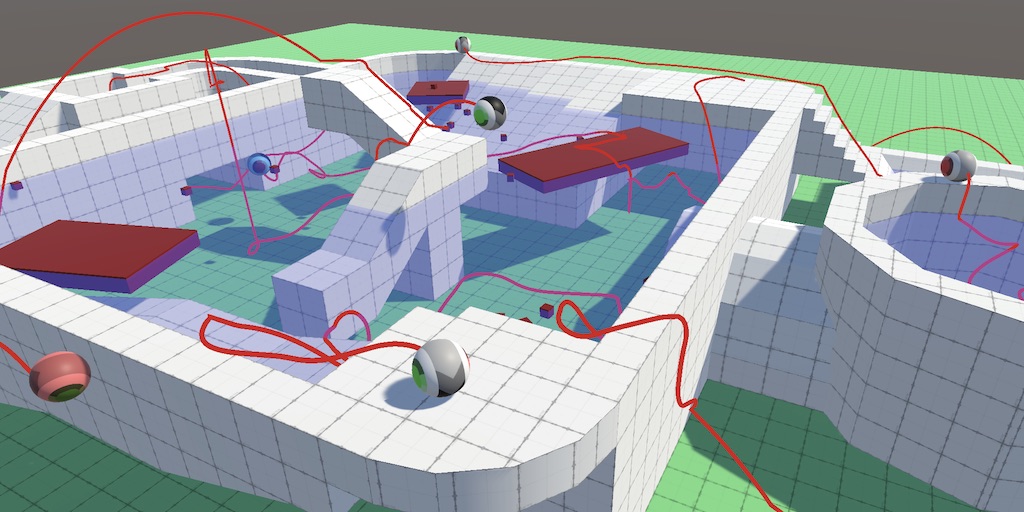
A series about controlling the movement of a character.
It may be a little bit hard to follow as a complete beginner, but it is very complete
viral beacon
Is there any built in functionality to make colliders act spongier? Like some kind of collision force damping?
stuck bay
hello anyone one know how can i make the 2d hair physics like celeste and rain world ?
coral mango
Does Bounds.Intersects only return true on enterint intersection, or is it while they intersect?
devout token
coral mango
Does `Bounds.Intersects` only return true on enterint intersection, or is it whi...
I'd like to assume it's true at all times when they intersect, false when they don't
Since it's not an event