#archived-shaders
1 messages · Page 236 of 1

 low lichen
How far from 0,0,0 are you?
 fresh moss
nvm there still not all alligned.
 manic arch
fresh moss
fresh moss
nvm there still not all alligned.
manic arch
fresh moss
fresh moss
nvm there still not all alligned.
i think i accidentally switched both
fresh moss
thanks
 unique oar
hey, sorry, how do I multiply a direction by a matrix in HLSL?? I've got a ray (written in local space) that's coming from an object, and i'd like to transform its direction using the object's rotation. i have access to its localToWorld matrix.
i tried just multiplying the direction by that matrix and subtracting the object position, but that didn't seem to yield the right value
 dim yoke
I think mul(matrix, float4(direction, 0)) should work (*0, 1 is used for positions)
unique oar
ohhhhhh
omg that makes sense cuz the 1 is used to reposition the object
thank you so much!
oop
wait it's not working
dim yoke
You get error? It gives wrong value?
unique oar
oops im sorry, i was just multiplying in the wrong order :p
im still getting used to matrix operations
thank you!
dim yoke
np
 waxen citrus
Good morning ! I would like to know how to ensure that the textures do not repeat when reducing the size of the texture. But I haven't found anything that really works with HDRP and shader graph. Any ideas ?
 grizzled bolt
waxen citrus
Good morning ! I would like to know how to ensure that the textures do not repea...
grizzled bolt
waxen citrus
Good morning ! I would like to know how to ensure that the textures do not repea...
Use a Sampler State node to the texture to disable repeat
waxen citrus
grizzled bolt
Use a Sampler State node to the texture to disable repeat
Doesn't work... I always have the repeat
 waxen citrus
 grand jolt
in fact I need to repeat the texture but that we do not see repeating.
make it more natural
grand jolt
waxen citrus
make it more natural
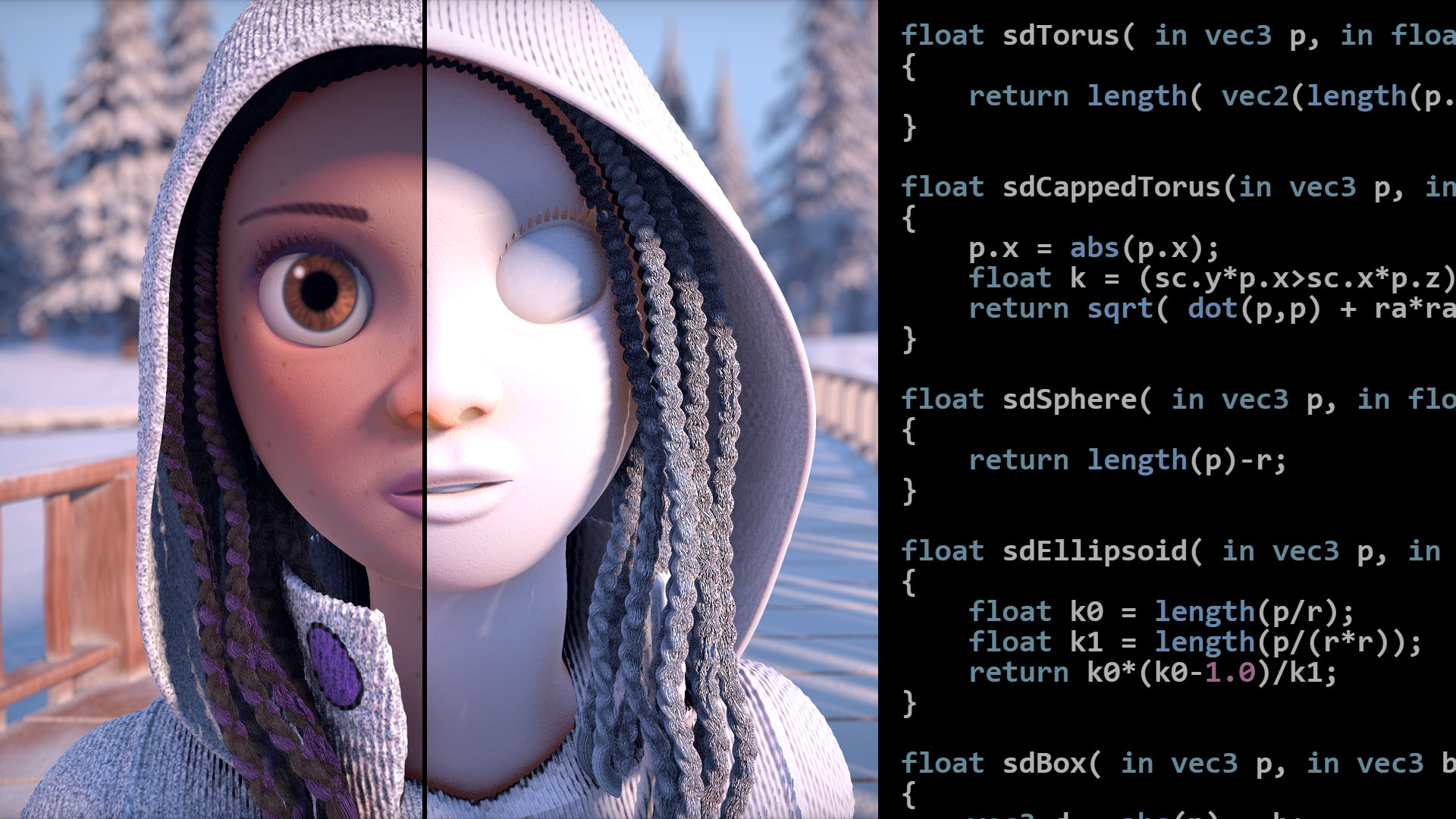
Articles on computer graphics, math and art
There are 3 different techniques here.
grizzled bolt
waxen citrus
make it more natural
Ah why didn't you say so right away
https://blog.unity.com/technology/procedural-stochastic-texturing-in-unity here's one solution from unity
Do consider that there's a dozen different ways to do this, and it always depends on texture and location what's best
waxen citrus
grizzled bolt
Ah why didn't you say so right away
<https://blog.unity.com/technology/procedura...
Oh thx I check that
grizzled bolt
As explained there, uniform patterns cannot be tiled randomly as it breaks the pattern
In case of terrains you'll often be overlaying multiple textures and vegetation so the repeating will usually be hidden anyway
And in most situations it's enough to just author the textures in such a way that nothing sticks out and reveals the tiling
waxen citrus
ok ok thx you for your reply
 thorn tapir
hey can I get an opinion on this water?
which looks better, the first 10 seconds or latter 10 seconds? (open original and switch to HD for best view)

Also, I want to both draw a hard edge along the top of top border of the water, and modify its shape through the shader it it does just looks flat, how would I go about doing this? I'm pretty new to shader graphs
 shrewd dome
can someone help me please
how can i convert a shader from built in render pipeline to urp?
grizzled bolt
thorn tapir
hey can I get an opinion on this water?
which looks better, the first 10 seconds...
I prefer the calmer water version
Feels more at balance with the overall visuals
usually you'll want sharp and rapid motion for elements with visual importance
shrewd dome
 grizzled bolt
shrewd dome
can someone help me please
how can i convert a shader from built in render pipel...
grizzled bolt
shrewd dome
can someone help me please
how can i convert a shader from built in render pipel...
Unless it's one of Unity's default shaders, it can't be converted
You'd have to recreate its functionality using URP's shader format
shrewd dome
oke thx
grand jolt
thorn tapir
hey can I get an opinion on this water?
which looks better, the first 10 seconds...
What font is that?
looks sick
thorn tapir
The font is called CompassPro SDF
grand jolt
Oh its non commercial use
i found something similar tho
or the style at least
i forgot to tell that i like the first one more since it looks cleaner the 2nd one looks more chopped up or however you say it
 sharp carbon
Where do I get to the shader graph for materials?

nvm shader graph wasn't installed
thorn tapir
grand jolt
Oh its non commercial use
it is for commercial use, and free
https://somepx.itch.io/humble-fonts-free
 grand jolt
thorn tapir
it is for commercial use, and free
https://somepx.itch.io/humble-fonts-free
grand jolt
thorn tapir
it is for commercial use, and free
https://somepx.itch.io/humble-fonts-free
oh when i searched compasspro it lead me to some chinese site and thanks for even more cool fonts 🙂

 meager pelican
@half oysterI got some free time and played with that Brackey's 2D tut for fun.
It worked for me. I found that I can ignore the "smearing" on the sampler texture, as long as the result texture was OK.
The input format for the main sprite was a sprite texture. For the emission texture it was "default".
The result worked...I used the "walk1" sprite, didn't bother to set up a complete atlas. Nor did I mess with the "looks" too much, but here's the result.


 tepid agate
Hi, I'm trying to implement a Jump Flooding Algorithm to a render texture but I noticed that the OnRenderTexture() function isn't working in URP. I would have to create a custom render pass to get the render texture I guess. But how do I update the OnRenderTexture() ? This is what I would like to get working -> https://unitylist.com/p/111b/Jump-Flooding-Algorithm

Jump Flooding Algorithm with compute shader in Unity
 tribal sky
Hey,
I'm trying to make a shader, no idea what type... but what I need to do is this:
Triangle Visualisation with colouring.
For each triangle/quad/shape(?!): set a random colour for it.
Is it possible to do for a beginner? (PLease ping me!)
 low lichen
tribal sky
Hey,
I'm trying to make a shader, no idea what type... but what I need to do is...
low lichen
tribal sky
Hey,
I'm trying to make a shader, no idea what type... but what I need to do is...
Sure, this is doable. You can get the ID for the current triangle through SV_PrimitiveID and use that ID as the seed for a random function. Use that to generate a random color.
meager pelican
To this post ^^, I think it was due to having the alpha at 1. Assuming you have alpha set in your texture to 0 where transparent, you need that multiply or to split it off and put it to the alpha in the fragment stage.

 tribal sky
low lichen
Sure, this is doable. You can get the ID for the current triangle through `SV_Pr...
tribal sky
low lichen
Sure, this is doable. You can get the ID for the current triangle through `SV_Pr...
Thank you!
is that how you get all the triangles? and is it possible to just set it to a random colour?
low lichen
tribal sky
Thank you!
is that how you get all the triangles? and is it possible to just se...
You would do this in the fragment/pixel shader. Use SV_PrimitiveID to determine what triangle the current pixel belongs to and use that to generate a random color
 clever saddle
What is the meaning of id in the line "uint3 id : SV_DispatchThreadID" of compute shader
 kind juniper
clever saddle
What is the meaning of id in the line "uint3 id : SV_DispatchThreadID" of comput...
kind juniper
clever saddle
What is the meaning of id in the line "uint3 id : SV_DispatchThreadID" of comput...
The ID of the thread
 silver zephyr
im using the transparent cutout shader on this png but I just want it to overlay on the model instead of making it look see through.


theres this image on the back and you cant see either on either side
clever saddle
kind juniper
The ID of the thread
Then what's the xy here?

 vocal narwhal
the x and y coordinates of the thread
clever saddle
Is the range of x and y fixed?
vocal narwhal
By the [numthreads(x, y, z)] iirc
kind juniper
I'm pretty sure that every tutorial on computer shaders explains that.🤔
clever saddle
vocal narwhal
the x and y coordinates of the thread
It assigned the id.xy which is number of thread to the texture?

😖 Im confusing and mixed all them up
kind juniper
Not 100% sure, but I think that Id max value is a multiplier of threads count and thread groups count that you specify when dispatching the shader in c#.
Either way, all of that explained in most compute shader tutorials.
clever saddle
kind juniper
Not 100% sure, but I think that Id max value is a multiplier of threads count an...
Here.Is the Id's xy is 7,5 or 27,13?

 tacit parcel
silver zephyr
im using the transparent cutout shader on this png but I just want it to overlay...
tacit parcel
silver zephyr
im using the transparent cutout shader on this png but I just want it to overlay...
You can play around with renderqueue, make the overlay render after the bottle
but if it's me, maybe I'll just blit the labels onto the bottle texture instead
 fluid inlet
I came across this texture blending shader which blends been different materials depending on the height of the current fragment but i dont quite understand how this works ```c
_BlendSharpness ("Blend Sharpness", Range(0.06, 4)) = 0.75
[Space(30)]
_Layer1("Layer 1", 2D) = "white" {}
_Layer1Height("Layer 1 Height", Range(0, 20)) = 1
//...
struct blendingData {
float height;
float4 result;
};
blendingData BlendLayer(float4 layer, float layerHeight, blendingData bd)
{
bd.height = max(0, bd.height - layerHeight);
float t = min(1, bd.height * _BlendSharpness);
bd.result = lerp(bd.result, layer, t);
return bd;
}
 amber saffron
fluid inlet
I came across this texture blending shader which blends been different materials...
amber saffron
fluid inlet
I came across this texture blending shader which blends been different materials...
From my understanding, the blendingData is a holder for "the current surface data", and you're supposed to call the BlenderLayer function in chain with as many layer as you have, passing each time the color through the layer parameter, and the height as layerHeight
fluid inlet
amber saffron
From my understanding, the blendingData is a holder for "the current surface dat...
Ah ok! Thank you so much
 unique raven
Anyone know why I can't pass a value from a split into the step node? Attached is a screenshot of my shadergraph, you can see that I'm clicking and dragging from the "G" channel on the middle "split" node, but none of the input options on the "step" node are active and won't take the input.
 dim yoke
unique raven
Anyone know why I can't pass a value from a split into the step node? Attached i...
dim yoke
unique raven
Anyone know why I can't pass a value from a split into the step node? Attached i...
it seems Linear Blend Skinning works only on vertex stage. wouldn't you just use Position node? I think it should get interpolated to fragment shader correctly since you set the Linear Blend Skinning to Position input on vertex stage
 sleek kite
Is it possible to write additional information into the shadow maps that unity generates? Or would I need to run an entirely custom shadowmapping system?
low lichen
sleek kite
Is it possible to write additional information into the shadow maps that unity g...
What kind of additional information?
sleek kite
Basically I am faking 2D drop shadows by "propping up" sprites in the shadow caster pass, but this will obviously not work with shadow receivers, since the shadow is now "on top" of the sprite (even from the sprite itself, meaning I need to turn shadow receiving off, or all sprites self-shadow). My idea was to write the "height" of the sprite into the shadow map, and then sample that against the height of the sprite being rendered, to know if the sprite is actually shadowed. No idea if something like that could work, but that was my idea 🙂
The alternative is another entire pass similar to the shadow mapping pass, with a different fragment shader
low lichen
sleek kite
Basically I am faking 2D drop shadows by "propping up" sprites in the shadow cas...
Can I see what this looks like? I'm having a hard time imagining this.
 tender remnant
I'm doing a projected plane (to sync with where my ground plane stops rendering due to far distance in the camera) in my skybox through a custom shader. It looks perfectly fine in the editor view but in my game camera the fov seems to be misaligned with my skybox :/
anyone know anything about this issue?.., I'm rendering with urp
sleek kite
low lichen
Can I see what this looks like? I'm having a hard time imagining this.
Something like this

I think maybe something that could be easier to combat the self-shadowing would be to check shadow occlusion in the "propped up" state, instead of laying down. Not sure how that would work though
I guess just passing the transformed vertex coordinates in addition to the actual ones to the fragment shader and then using those during lighting calculations could work 🤷
low lichen
Why fake it? Why not have the background/ground plane rotated so the shadow hits it the way you want?
sleek kite
I'm not sure what you mean?
low lichen
Or rather rotate just the ground in the shadow pass, the inverse of propping everything else up.
sleek kite
Wouldn't that change the light direction?
low lichen
You'd have to rotate the light as well, because right now the light is technically below the sprite, but above it when it's propped up.
sleek kite
I'm not sure how rotating the ground would do anything in the shadow pass, since the ground doesn't even cast a shadow
low lichen
You're right, it would have to be rotated for when it receives the shadow.
sleek kite
I think it still wouldn't work, but not because you're wrong
I have a lot of "sub sprites" that are part of the parent sprite (think rayman hands), that need to be offset so their "z-height" in the shadow is correct
Or maybe your approach would work regardless, I'd have to try it 🤷
It works fine the way it is atm though so I'll leave it as is
I'm gonna try passing the modified vertices to the fragment shader for lighting calculations, and see if that solves my problem, thanks @low lichen for bouncing ideas 👍
low lichen
tender remnant
anyone know anything about this issue?.., I'm rendering with urp
Could you share some screenshots and relevant snippets from the shader?
 crude river
Repost from general:
Hey so I am using unity 2020 2d and I was looking to create a toon shader for my game
I have no clue where to even start - my assets are 3d but I'm importing them in to look 2d. They aren't using toon shaders already as I wanted to create that dynamically
Does anyone know how I can do this? Thanks
I am happy to download one
tender remnant
low lichen
Could you share some screenshots and relevant snippets from the shader?
Found the issue!
I made a stupid mistake.., I used a Position node in the shader graph instead of a view direction node. "Position" in a skybox apparently isn't behaving the same between game camera and editor camera.., which in hindsight makes some sense 🙂
sleek kite
Alright, that worked. Very happy I don't have to mess with unity's shadow mapping process after all 😅
 dusty coyote
From UV I can get this gradiant-like line, is there anyway the same can be done with shape nodes, so the result would be the same shaped gradiant?

 trail hamlet
Does anyone know in what folder compiled shaders are saved when running windows build?
grand jolt
Hello!
I've been following Sebastian League's tutorial about how to make an atmosphere shader but I'm completely lost, could anyone help me? I'm new into shaders
I'm trying to get this shader to work without being dependent on other scripts because I just want to make the atmosphere, not to copy all his code
amber saffron
dusty coyote
From UV I can get this gradiant-like line, is there anyway the same can be done ...
Shape node draws a shape, not a gradient ... what are you trying to do here ?
sleek kite
Do shaders automatically strip code that isn't needed? e.g. can I have additional texture used by other functions in an HLSL file without a performance impact?
low lichen
sleek kite
Do shaders automatically strip code that isn't needed? e.g. can I have additiona...
Any code that is never reached is stripped out, yeah
dusty coyote
amber saffron
Shape node draws a shape, not a gradient ... what are you trying to do here ?
I want to get a black to white gradiant from the shape node. For example if I would use a Polygon shape node I could get a polygon shaped black to white gradient like in the lower part of the picture
In case of a Circle shape the result would be something like this
amber saffron
Sooo, basically, you want shape's distance field ?
 amber saffron
There is no nodes for that, you'll have to build your own logic
dusty coyote
Mm, okay I'll try, thanks
 shadow locust
dusty coyote
shadow locust
dusty coyote
looks like some Fresnel, no?
dim yoke
you can take a look at these if you want to get access to some basic shape distance functions https://iquilezles.org/www/articles/distfunctions2d/distfunctions2d.htm
 heavy stirrup
anyone know of platform differences between android and windows that would affect heightmap displacements?
 cinder fiber
Why's there no Pass block in the standard surface shader?
dim yoke
cinder fiber
Why's there no `Pass` block in the standard surface shader?
I think surface shader does that internally in the generated code. standard surface shader also contains 5 different passes so I don't know how that would be implemented in an easy way with Passes everywhere
cinder fiber
Thanks, got it
So surface shader is more abstract and is a combination of other shaders (vert, frag) under the hood, is that right?
dim yoke
the whole point of surface shader is that it allows you to write pbr shaders easily without having to be worried about different rendering paths, shadows etc.
dim yoke
cinder fiber
So surface shader is more abstract and is a combination of other shaders (vert, ...
surface shader is kinda like syntatic sugar for unity shaders that can interact with lighting. the shader code that is generated from the surface shader contains both vertex and fragment stages under the hood. so yes
 lyric oyster
how do i find the y position of my water shaders thing in code, I plan to add boyancy using floater points(using Gerstner Waves by Zicore)
grand jolt
lyric oyster
how do i find the y position of my water shaders thing in code, I plan to add bo...
I think you can just compare the pixel's y position
 sterile wave
how can i see trough object like this without using a a specific material for all objects that get transparent https://www.youtube.com/watch?v=S5gdvibmsV0
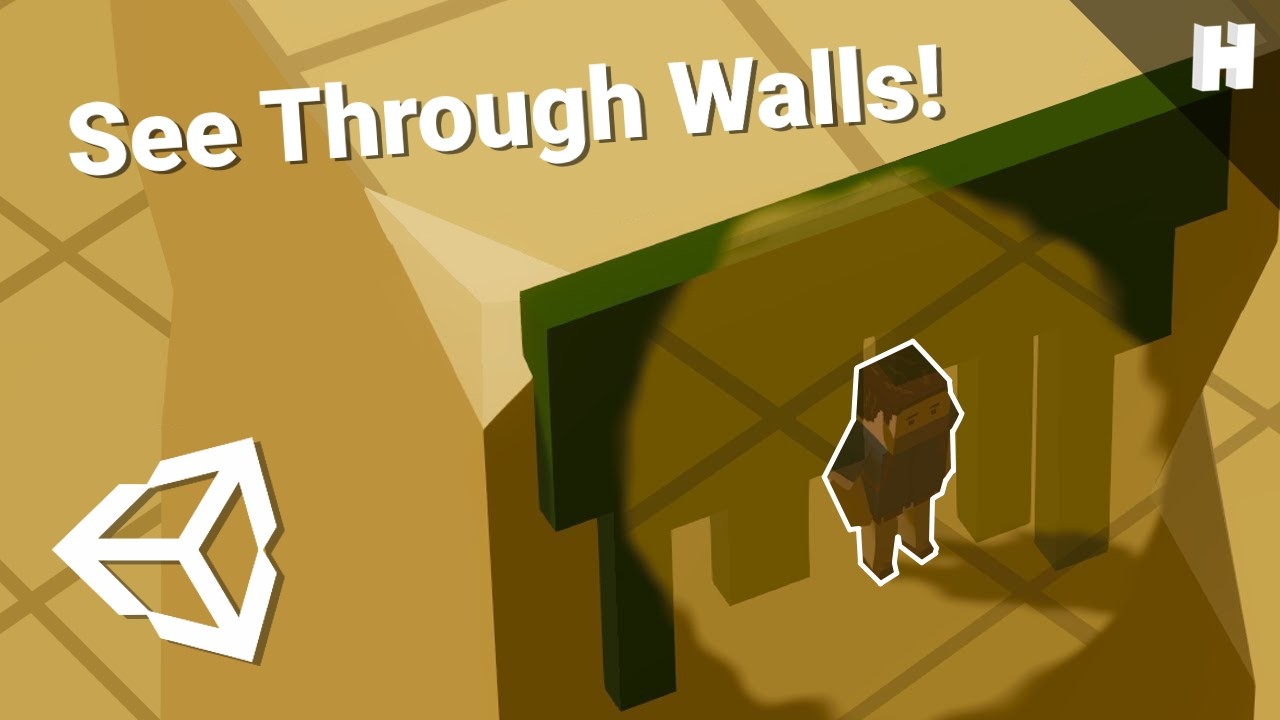
A tutorial on the see-through-objects effect used in my game Treasured. It uses Unity, URP and Shader Graph.
Note: this was created with Unity 2019. It might not work for newer versions since they have not been tested.
Social Media:
Twitter: https://twitter.com/HuntersonStudio
Twitter: https://twitter.com/Casualdutchman
Twitch: https://www.twi...
grand jolt
I'm pretty new to shaders too
dim yoke
lyric oyster
how do i find the y position of my water shaders thing in code, I plan to add bo...
can you just make the same calculation you make for each vertex on c# side to get the height on certain point
lyric oyster
grand jolt
I think you can just compare the pixel's y position
hmm how do i do that with code tho
im quite new to shaders
sterile wave
sterile wave
how can i see trough object like this without using a a specific material for a...
mixing multiple cameras would be possible
grand jolt
lyric oyster
hmm how do i do that with code tho
im quite new to shaders
So you have your input and output structs
First, in your input struct you need a float4 representing the position of a pixel, same thing in your output struct
Then, in the vertex function
lyric oyster
okay
grand jolt
You have to convert it to clip space
lyric oyster
that sounds complicated xD
grand jolt
Lemme write some quick code to show you
lyric oyster
alright thanks
grand jolt
{
    float4 pos : POSITION;
}

struct Output
{
    float4 pos : SV_POSITION;
}

In the vert function, you do this:
Output o;

o.pos = TransformObjectToHClip(i.pos.xyz);

return o;```Something along these lines here
grand jolt
lyric oyster
alright thanks
Np 😄
Is this your first time making shaders?
grizzled bolt
I think the most straightforward way would be to have the same wave function in C# code as is in the shader code, this way you don't have to mess with trying to get data from the shader to the CPU
grand jolt
I meant to reply to that
lyric oyster
grand jolt
Np 😄
Is this your first time making shaders?
yup
grizzled bolt
This is kinda tricky stuff to start with
grand jolt
Then you also have to do a bunch of other stuff for your shader to compile
Are you working in urp?
If that's the case you're gonna have to use hlsl
If you work in the built in pipeline, then cg
grand jolt
Well, hdrp and urp both are a part of srp, templates to be precise
So hlsl is the way to go
lyric oyster
okay
grand jolt
Though you're gonna have to check out unity's github repo regarding the srp
Gimme a sec

GitHub
Unity Graphics - Including Scriptable Render Pipeline - Graphics/com.unity.render-pipelines.high-definition at master · Unity-Technologies/Graphics
Here, check the documentation folder
lyric oyster
This is the WaveDisplacement subgraph if it helps
 grand jolt
Oh so you meant using shadergraph
lyric oyster
grand jolt
https://github.com/Unity-Technologies/Graphics/tree/master/com.unity.render-pipe...
what od i do
grand jolt
I thought you wanted to write shader code
lyric oyster
grand jolt
Oh so you meant using shadergraph
um i mean thats the graph i need to get a position in code
grand jolt
You don't have to do any coding if you are already using shadergraph
lyric oyster
i have the graph, but i need a position in code to know the y so i can do boyancy physics
grand jolt
In shadergraph you can just add a position node and that's it
lyric oyster
yeah
grand jolt
What space do you want it in? ViewSpace, WorldSpace etc
If I'm not mistaken, the position node has an option for exactelly this
lyric oyster
grand jolt
What space do you want it in? ViewSpace, WorldSpace etc
not quite sure perhaps worldspace?
i could send the code but it aint letting me xD
for boyancy
grand jolt
I'm not that good at shaders yet to understand space modes in detail
lyric oyster
this is my code for the boyancy is there an easy way to just get the verexy or smth in there

 regal stag
I think they are trying to obtain the positions on the C# side @grand jolt
@lyric oyster You could probably have another camera capturing the depth of the waves from above and use a AsyncGPUReadbackRequest, but reading data back from the GPU is slow so typically isn't done.
Replicating the displacement code on the C# side instead is another option. (Looks like two others have also mentioned this above but seem to have been ignored 🤷 )
e.g. The boat attack demo uses some C# Jobs stuff to handle their buoyancy implementation, but that's beyond my knowledge. https://github.com/Unity-Technologies/BoatAttack/tree/master/Packages/com.verasl.water-system
lyric oyster
found this on the tutorial im following(sadly theres no boyancy tutorial by this guy, but theres this comment)
 grand jolt
regal stag
I think they are trying to obtain the positions on the C# side <@456226577798135...
grand jolt
regal stag
I think they are trying to obtain the positions on the C# side <@456226577798135...
I thought he meant hlsl side, since I didn't know he was using shadergraph
Also, for some reason I never noticed this:

It's actually quite helpful
grizzled bolt
I recall that using parallel wave algorithms for CPU/GPU is a common approach in these tutorials, but I don't have any at hand
 vale topaz
Hey 👋
Question: Moving/Scrolling a texture in shader, wondering if it's possible to add some padding in shader to prevent immediate wrap around?
 lean lotus
hey why is this
normalize(-float3(-1.0f, -1.0f, 0.0f));
different from this:
normalize(float3(1.0f, 1.0f, 0.0f));
?
oh I think the compiler is screwing with it
if I put it in this
((-float3(-1.0f, -1.0f, 1.0f)).x == 0.0f) ? normalize(-float3(-1.0f, -1.0f, 0.0f)) : normalize(-float3(-1.0f, -1.0f, 0.0f));
its perfectly fine
OK SO
compute shader
in this case
does NOT like it evaluating to -0.0f
so setting that to negative fixes it
alternatively setting that 0 to a very small non-zero number also works
sterile wave
is it possible to make a post processing toonshader?
 naive coral
what does it mean when a function header is assigned a value?
 shadow locust
lean lotus
hey why is this
```
normalize(-float3(-1.0f, -1.0f, 0.0f));
```
different from t...
shadow locust
lean lotus
hey why is this
```
normalize(-float3(-1.0f, -1.0f, 0.0f));
```
different from t...
why wouldn't it be different? Those vectors are pointing in different directions.
lean lotus
but the -float(-1) should be the same as float(1) right?
 spark ledge
Well, I’m using Unity 2020.3.29f1, and I’m trying to work in the Shader Graph.
Weirdly enough I can’t seem to get the shader’s alpha to even function. Whenever I try to add the Alpha value, or node, to the base ‘fragment’ node, it’s just greyed out
Anyone know how to fix this?
 clear burrow
Hello, I am trying to make my sight crosshair glow, and I am using a scope shader off the unity asset store, but im having trouble implementing the glow.

Here is my shader code:
(sorry its a pastebin, it wouldnt let me put my code in here, itt said too many characters)
Im using the default render pipeline, and im on unity 2020.3.19f1
 weary osprey
hey people! unity shader graph is doing this to a simple sprite glow shader im trying to make - thoughts?

this is what appears in game aswell!
tepid agate
weary osprey
hey people! unity shader graph is doing this to a simple sprite glow shader im t...
what's the problem?
weary osprey
the sprite appears like that in game
tepid agate
isn't this what you want?
 tepid agate
Ah you mean the weird effect?
weary osprey
it is distorting / stretching the edges
yea
normally for tex2d thats normal as i understand
but my sprite renderers in game with it appear like that aswell
 tepid agate
oof ok lol hmm
shadow locust
it's almost like... the uvs are being scaled or something
tepid agate
transparency is weird too
you should split the multiply node and make the "a" set to the alpha
weary osprey
okok
also this is the norm map if that helps w understading

never had this problem before
tepid agate
weary osprey
never had this problem before
same xd
tepid agate
it worked?
 tepid agate
it's like all right?
 tepid agate
wow great
weary osprey
lmao what the hell
tepid agate
now finish your game for me
weary osprey
ive never had that problem before tho
thats so weird
normally just rgb is the color and then alpha auto goes
maybe it was using red for the alpha?
tepid agate
weary osprey
ive never had that problem before tho
you were setting the transparency to the red channel of your texture
weary osprey
weary osprey
maybe it was using red for the alpha?
^
yeeee
great minds think alike
tyty
tepid agate
xd now it's my time for my bug
weary osprey
i am very helpful when it comes to programming! not as much when it comes to shaders haha
ill do my best
tepid agate
Hi, I render a URP custom pass during the After Pre Passes rendering event to get a depth texture. After, I render a layer on the After Transparents event. The problem is that the shader graph doesn't have the pre passes texture. So the shader is replacing the texture with the current camera view. This only happens if the shader is rendered after transparents, not if it's rendered with the default renderer.

with the default render it's working
 clear burrow
Hello, I am trying to make my sight crosshair glow, and I am using a scope shade...
clear burrow
clear burrow
Hello, I am trying to make my sight crosshair glow, and I am using a scope shade...
@tepid agate would you mind taking a look at the problem i’m having with my shader? (I’m not using shader graph)
tepid agate
clear burrow
<@!386327267141353476> would you mind taking a look at the problem i’m having wi...
I know nothing about shaders but I can. You want to add a glow effect or you already did but it's not working?
grand jolt
Hey, willing to pay somebody to help me merge 2 shaders
Because I have no idea how they work
I want to move the logic of one shader into the base of another
Because I only 1 blur shader that suits my needs but it’s blur logic is bad, and i just need to move this other shader’s blur logic into it
 tame topaz
@grand jolt You can hire someone via the forums, #📖┃code-of-conduct
grand jolt
Oh crap
Sorry
Could i actually just post both shaders here and someone with basic knowledge could tell me what the difference is between them?
Might do a forum post
tame topaz
Yeah, you can ask any shader related questions here.
 toxic reef
ello! I'm trying to use this cool portal effect from Sebastian Lague's video (https://www.youtube.com/watch?v=cWpFZbjtSQg), but in URP instead of built-in. One of his shaders, which I've attached, seems to be a surface shader, which URP just shows as pink, so I need to convert this to vertex-fragment it seems. I have zero knowledge on how shader code works for Unity, and no forum posts or guides I've found have been helpful to convert this code, can anybody help convert this? Would be extremely appreciated!

Experimenting with portals, for science.
The project is available here: https://github.com/SebLague/Portals/tree/master
If you'd like to get early access to new projects, or simply want to support me in creating more videos, please visit https://www.patreon.com/SebastianLague
Resources I used:
http://tomhulton.blogspot.com/2015/08/portal-rende...
or i suppose a shader graph works as well, which I also have very little experience doing 😅
sterile wave
hey, i tried to use the camera scene depth with custom render feature and post processing, but all it does is blocking the whole camera view(also in editor). if you move the camera it changes the colors somehow. i tried 2 custom render features with different hlsl code but they both just blocking the camera. do i eed to change some settings?
sterile wave
sterile wave
hey, i tried to use the camera scene depth with custom render feature and post p...
 clear burrow
tepid agate
I know nothing about shaders but I can. You want to add a glow effect or you alr...
clear burrow
tepid agate
I know nothing about shaders but I can. You want to add a glow effect or you alr...
I want to add a glow effect to this already existing scope shader
 misty plover
Can TextMesh Pro SDF Shader's letters be used to mask a particle system such that the particles are only visible inside the letters?
Doesn't have to be particles that are masked. Just used that as an example because it's more complex than merely a static texture, which has workarounds whereby getting the masking effect with TMP doesn't require actual masking.
sterile wave
sterile wave
hey, i tried to use the camera scene depth with custom render feature and post p...
i think i dont need custom render feature since i can use "render Object"-render feature and then make use of the scene depth node in shadergraph to draw my outlines for specific objects
tepid agate
clear burrow
I want to add a glow effect to this already existing scope shader
You could set the color to a more intense one and apply a post processing bloom
clear burrow
tepid agate
You could set the color to a more intense one and apply a post processing bloom
ah ok, Ill try that! the current color of that red is 255,0,0 so its as intense as it can go
sterile wave
sterile wave
is it possible to make a post processing toonshader?
i figured that it works, but i wonder about the basemap in the material since its not possible to set an object-related texture to the " render-objects"- material without a second camera and render texture/second shader with scene color node. it works with simple outline shader though... but does it even make a difference in terms of performance if use the shader in post processing/apply it directly to the objects material?
clear burrow
tepid agate
You could set the color to a more intense one and apply a post processing bloom
Ok so I tried to do the bloom method and Its not really giving the desired effect. What way could I go about doing this manually with shaders?
 paper pelican
I was trying to make two custom nodes to get light data in URP but for some reason this function breaks the entire scene if the material using the shader is outside of the light range
{

#ifdef SHADERGRAPH_PREVIEW
    Direction = half3(1, 1, 0);
    Color = half3(1, 1, 1);
    Attenuation = 0;
#else
    Direction = half3(0, 0, 0);
    Color = half3(0, 0, 0);
    Attenuation = 0;

    int pixelLightCount = GetAdditionalLightsCount();
    for (int i = 0; i < pixelLightCount; ++i)
    {
        Light light = GetAdditionalLight(i, WorldPos);
        Direction += light.direction;
        Attenuation += light.distanceAttenuation * light.shadowAttenuation;
        Color += light.color;
    }
#endif
} ```

Anyone that could help me?
Nevermind
apparently the issue was that i was normalizing when in reality i meant to be saturating a dot product

😶
amber saffron
paper pelican
apparently the issue was that i was normalizing when in reality i meant to be sa...
Normalizing a float value would result in either 1 or -1 I guess, while Saturate has a totally different effect 😄
paper pelican
amber saffron
Normalizing a float value would result in either 1 or -1 I guess, while Saturate...
Yeah it was totally my fault on that one 😂
misty plover
clear burrow
Ok so I tried to do the bloom method and Its not really giving the desired effec...
You have to build geometry to hold your blooms, which are textures additively blending with the background. You don't want to go this way. Play with the post processing. Push values harder than you think, and tweak madly. Bloom is not intuitive in Unity, at all.
clear burrow
Ok, I might just switch my project to URP and use a different scope shader ok the asset store lol
for 10 dollars it might just be more time efficient for me
tepid agate
clear burrow
Ok so I tried to do the bloom method and Its not really giving the desired effec...
What does it give? I really don’t know how to do it manually…
clear burrow
Its weird it doesnt glow but it does some weird outline effect
honestly its fine i was planning on switching to URP anyway
misty plover
clear burrow
for 10 dollars it might just be more time efficient for me
in the long run, probably not. Generally, don't do bloom or any other effects and post processing until your game is done. And don't use anything from the asset store. Nor URP.
clear burrow
is URP not good or something?
Im going for a VR game so that why i thought URP might be best
misty plover
clear burrow
is URP not good or something?
It's got lots of odd limitations, and foibles, and puts you into an update loop that's no fun at all, chasing bug fixes. BIRP is far better than it's given credit for, and there's masses of resources for shaders and post processing AND optimisations later on when you WILL need all that.
misty plover
clear burrow
thanks for the guidance 🙂
You can always goto URP as the very last thing you do. But it's almost impossible to come back to Builtin. Also, iteration times with URP are much longer. Whilst making your game, remove ALL packages, so you can hit play and be in the game in 2 secs. Use 2019.4 Unity if you can. Build the game to feature complete, and only then worry about aesthetics and audio
On a n duration project, using this approach will likely save you a whole other n of time, so horrid are the problems with working "fully loaded" in Unity.
 calm rock
Hey folks,
I've got some more HDRP problems. I have a scene that's lit by one directional light and a volume containing a HDRI sky. The skin picks up the HDRI sky fine but they eyes don't appear to, also the shadow maps seem to be causing a jarring stipple pattern (this isn't caused by contact shadows).

without the HDRI sky:

without shadow maps or contact shadows:

What's causing that horrible stippling? It's not like shadow maps I'm used to.
and here's with the sun off but the HDRI sky on - eyeballs don't seem to believe in HDRI maps for some reason (this is using the 'eye' shader output in a HDRP shadergraph)
 calm rock
I've fixed it but no idea how - in the shader I changed modes from 'eye' to 'lit' back and forth, removed a few redundant branches of the shader, plugged and unplugged some nodes and it started working. Not a lot of help sorry to anybody else facing similar issues :/
tepid agate
Hi, I render a URP custom pass during the After Pre Passes rendering event to get a depth texture. After, I render a layer on the After Transparents event. The problem is that the shader graph doesn't have the pre passes texture. So the shader is replacing the texture with the current camera view. This only happens if the shader is rendered after transparents, not if it's rendered with the default renderer.

This is working when the plane is rendered at the same time has other layers. But when the layer is rendered in an other pass, the texture is replaced
 lean lotus
hey if two compute shader kernels share mostly the same data
is there a good way to run both at once?(they dont modify the same data, and could be completely seperate, while having relatively the same input data)
heavy stirrup
Does android re-encode textures? my textures are the wrong color now (HDR texture btw)
 wooden kite
hi guys, can someone tell me how can i make a sprite shader that "blink" ? i've tried doing: grabbing the alpha from the texture, creating a color mask from the alpha, replacing color and multiplying/adding it, but it doesn't works
i wan't basically to replace the sprite color instead of adding/multiplying to it
here's how the shader currently is

when i try to pass the "Replace Color" directly into the Base Color it's supposed to be red (as the _MultiplyColor), but it goes to white

 meager pelican
wooden kite
when i try to pass the "Replace Color" directly into the Base Color it's suppose...
meager pelican
wooden kite
when i try to pass the "Replace Color" directly into the Base Color it's suppose...
What do you want to do?
If you want the sprite to blink, change the transparency so it goes on/off or some degree of that.
If you want to tint it, make it white, and multiply it by the tint color.
wooden kite
meager pelican
What do you want to do?
If you want the sprite to blink, change the transparency...
i basically want the sprite to be able to blink with a solid color instead of just adding a overlayed color to it
however even after making a mask from the sprite and tinting this mask it is not working
grand jolt
wooden kite
when i try to pass the "Replace Color" directly into the Base Color it's suppose...
You can just use multiply function to make it red
Replace Color have many instructions. It makes no sense to use it in this case, because you can simply multiply

Also you do not need ColorMask
Just multiply alpha with color and put it in Base Color
Try this
 grand jolt
I am working on a shaded for my game. I need it to basically act like a skybox but with a screen door effect. I achieved the screen door effect through dither and it is working very well. however for the skybox I just made the base transparent and have a normal skybox in the scene . This wont work long-term however because I need to hide stuff behind the walls that the player cant see (I.e: Im going to have a tunnel and you can see it because its transparent) im not very good at shaders so how could i achieve a skybox effect that would keep the material opaque.
Here is my shader

this is the issue:
 lean lotus
is there a good or fast way to get the inverse of worldToLocalMatrix in a compute shader? I dont want to have to send both worldToLocalMatrix and its inverse to the shader(lot more data sizewise would have to be sent then)
 devout spoke
I'm getting error Shader error in 'Shader Graphs/GraphPointShader': undeclared identifier 'Use_Macro_UNITY_MATRIX_M_instead_of_unity_ObjectToWorld' at Assets/Shaders/GraphPointGPU.hlsl(11) (on d3d11)
Here is code:
#if defined(UNITY_PROCEDURAL_INSTANCING_ENABLED)
    StructuredBuffer<float3> _Positions;
#endif

float _Step;

void ConfigureProcedural() {
    #if defined(UNITY_PROCEDURAL_INSTANCING_ENABLED)
        float3 position = _Positions[unity_InstanceID];

        unity_ObjectToWorld = 0.0;
        unity_ObjectToWorld._m03_m13_m23_m33 = float4(position, 1.0);
        unity_ObjectToWorld._m00_m11_m22 = _Step;
    #endif
}

void ShaderGraphFunction_float (float3 In, out float3 Out) {
    Out = In;
}

void ShaderGraphFunction_half (half3 In, out half3 Out) {
    Out = In;
}
Am I using something deprecated here? Or is this error something else?
 tiny star
Hi guys, I've been struggling with compute shaders hard for like a week straight now, and I need something super simple from someone who has the time so that I can learn since all examples I have found through google results can never give me a straight answer on this and I can't figure it out myself
could someone give me a compute shader where all it does is that takes in a Texture2D<float4> or RWTexture2D<float4> and then has some kind of buffer to output the exact same texture? also, could C# code to read and write the data to the compute shader be included?
I feel bad asking for someone to do this but I'm in a real rut here, no idea what to do after trying for a LONG time, this would be a big learning aid if someone could provide it
tiny star
heres the closest ive got in the last few days, but the output image is just a light grey square with random black/transparent parts and nothing like my original image
https://pastebin.com/rJF2jpwa
https://pastebin.com/QGCcinEX
Pastebin
Pastebin.com is the number one paste tool since 2002. Pastebin is a website where you can store text online for a set period of time.
Pastebin
Pastebin.com is the number one paste tool since 2002. Pastebin is a website where you can store text online for a set period of time.
this code was largely lifted from someone having a similar problem to me btw, not my code, but thats bc my solutions all gave extremely similar results anyway
amber saffron
Throwing some finding here :
You're using the load function in the compute shader to read it.
Load expects pixel coordinates, and since you're normalizing, your end up always sampling the first pixel eveywhere.
You either want to not normalize the coordinates, or use the sample function : https://gamedev.stackexchange.com/a/65853

Game Development Stack Exchange
The question is simply that: What is the difference between texture.Load() and texture.Sample() in DirectX?
I've used a Texture2D to store the depth in a pass of a DirectX Shader (with SharpDX), a...
tiny star
id like to not normalize the coordinates if possible, but im not sure how, since im honestly not too sure what id.xy represents
amber saffron
Secondly, you "copy" the texture using the compute shader, but this is all done on the GPU, the CPU doesn't have the data for writing in a file like you're trying to do. You will need to read back the data using Texte.ReadPixels : https://docs.unity3d.com/ScriptReference/Texture2D.ReadPixels.html
 tiny star
i was under the assumption id.xy wasnt normalized this whole time so thats probably something thats been holding me back
amber saffron
id.xy is related to the dispatch semantic you used :

In your case, it maps to the pixel coordinate from 0 to texture size
tiny star
i really appreciate your help right now but its kind of going over my head, what would i have to do to get a pixel from the input texture2d using the id?
like, as far as i understand, with how manny thread groups im asking for, although in a random order, each group will represent one unique pixel in the input image
amber saffron
Ah sorry, I got confuse with the `float2 coordinates" line, but you're not using it.
So the load part should be working
Now, like I said, your need to fix the texture readback part on the cpu
tiny star
okie doke, so is the problem that using SetTexture() on the output and setting it to a rendertexture defined before this is not actually putting the texture data into that render texture, if that makes sense?
amber saffron
It does put the data into the render texture, but only on gpu side.
Where you do .GetPixels to write the file, the function can only access CPU data, that has not been initialized yet
tiny star
when written to file, the rendertexture used for output is converted to texture2d using this function, which uses readpixels, i dont think i use getpixels anywhere in my code
im not sure how i could "contact" the gpu version of the texture
 amber saffron
On the other side, if you don't actually need an image file, you could just apply this texture at runtime on an object
tiny star
i need the code as is just so i can learn how to use compute shaders for something similar but on a larger scale, i tried the large scale thing first but faced similar issues to now so by scaling back and having the same p[roblem ive concluded i fundamentally am misunderstanding here
amber saffron
Ah, this wasn't in you paste code, but makes sense :/ it should work then
tiny star
would sending the output help you?
through all different methods ive tried for this concept (at least 3 or 4 total rewrites now), i ALWAYS get an output similar to this always featuring:
- mostly light grey/all light grey pixels
- random black bars
i got this result on both hardware at home and at my workplace

the size of the image is exactly right however
tiny star
amber saffron
Ah, this wasn't in you paste code, but makes sense :/ it should work then
also yeah, sorry, forgot that!
amber saffron
A first thing to try would be to apply outputTex to a quad in the scene with an unlit shader, you should then be able to see if it has the expected data
tiny star
okie doke, ill try that out, might take me a bit to program that but ill report back
yep, sadly applying the rendertexture directly to a quad with unlit/texture as it's material shader gives the same result
 amber saffron
Hum.
And what about the texture after your resize step ? maybe it got "corrupted" at this point ?
tiny star
see, you might think so, but the actual beginnings of all this was to convert stuff that alrrady worked in C# to working in HLSL for much faster execution, all the functions used C#-wise are used elsewhere for image manipulation in my code without issue
unless theres some low level details of texture2d im not understanding here
amber saffron
An other way to optimize would have been to multithread the c# code using burst 😄
tiny star
i was taking advice from someone i met in industry, but i could look into that later today if this proves too taxing, as its rly starting to eat into dev time
amber saffron
Or, since you're only working with textures, using pixel shaders and blit commands (like always in programming, multiple solutions to do the same thing)
tiny star
im actually going to be working with WAYYY more than textures later on if the conversion were to start showing signs of functionality, so that wouldnt work for later, but thanks for the suggestion nonetheless
how hard is multithreading anyhow? i have no knowledge of it and id like to seriously consider it
amber saffron
I haven't done it myself for a while now, but using burst it's not so complicated, calling thread loops
But right now, except if it's the resize part before the compute that breaks the texture, I'm out of ideas :/
tiny star
alrighty, well thanks for stickin with me, always appreciate it, ill look into burst compiling now!
tiny star
update: totally understand multithreading, yeah its not too hard, tysm for the recommendation!
grand jolt
Is AlphaToMask an important feature?
What does it do and what does it look like with and without it?
grand jolt
Can anyone direct me to a list of what sort of textures unity uses? I've tried googling it and it seems its changed over the years and i don't kno wwhats relevant
 sterile spire
Hey can anyone help me figure out this viewmodel shader I'm having troubles with?
sterile spire
Unity Forum
Hello, I hate the two camera process which most games have to use to have working view models in Unity. They don't receive any lighting information...
Here's my post in the unity forums if anyone is able to help
grand jolt
Am I reading the documentation correctly that there's only:
Color map
Alpha channel
Normal map
for the textures?
heavy stirrup
hey guys
i set up my graphics api to use OpenGLES3
but renderdoc says Unity is using D3D11 api calls ... any thoughts?
VR
amber saffron
grand jolt
Am I reading the documentation correctly that there's only:
Color map
Alpha chan...
I don't understand the rood of your question : "what sort of textures"
Textures are images, imported into the engine and used for a lot a things.
What is the "real" question here ?
grand jolt
amber saffron
I don't understand the rood of your question : "what sort of textures"
Textures...
So in blender i'm used to working with:
Color map
roughness
Specular
normal
metallic
things like that
but i think unity only uses:
color
normal
alpha?
is that it?
amber saffron
heavy stirrup
but renderdoc says Unity is using D3D11 api calls ... any thoughts?
OpenGLES3 is for mobile platforms (I guess Quest 1 or 2 for vr ?)
Unity editor on your PC will still run using directX/openGL/vulkan (depending on the windows api you've set) and will try to emulate the feature set of OpenGLES3 I guess
grand jolt
I'm trying to get an idea of what my limitations in texturing are
like what unity will render
heavy stirrup
amber saffron
OpenGLES3 is for mobile platforms (I guess Quest 1 or 2 for vr ?)
Unity editor o...
I've set up OpenGLES3 on a separate unity project (without VR, but on Android platform) and it uses the correct api
amber saffron
grand jolt
is that it?
No.
For the standard shader, Unity can use :
- albedo (color map) + alpha
- normal
- height
- metallic + specular
- detail albedo
- detail normal
- emission color
Like said, this is for the standard shader. You can do a shader that suits your needs and use a lot of different textures, like in blender you can customize the aspect of the material using nodes
grand jolt
oh ok cool ty
amber saffron
heavy stirrup
I've set up OpenGLES3 on a separate unity project (without VR, but on Android pl...
Then IDK
 kindred crystal
i'm writing an image effect shader and struggling with depth normals -- for every frag, the normal seems to be (0,0,1) and the depth 0.5. anyone know why that might be?
some fragment shaders. this renders the depth texture as i'd expect:
float depth;
depth = DecodeFloatRG(tex2D(_CameraDepthTexture, i.uv));
depth = Linear01Depth(depth);
return fixed4(depth, depth, depth, 1.0f);
but with the depth normals enabled on the camera, this is all blue:
float  depth;
float3 normal;
DecodeDepthNormal(tex2D(_CameraDepthNormalsTexture, i.uv), depth, normal);
return fixed4(normal, 1.0f);
and this is all medium (0.5) gray:
float  depth;
float3 normal;
DecodeDepthNormal(tex2D(_CameraDepthNormalsTexture, i.uv), depth, normal);
return fixed4(depth, depth, depth, 1.0f);
i.uv is the interpolated uv coordinate from the vertex shader, same in each example
kindred crystal
guh -- ignore all of that, it was a problem (that i sadly don't understand) elsewhere. we have the camera in a prefab variant, and the camera has a post-processing volume / layer as well as the script for this effect. moving the volume/layer from the prefab (where they shouldn't have been) to the variant triggered something that fixed this issue. feels bad haha.
devout spoke
I am using unity_ObjectToWorld variable, but it's giving me an error saying to use macro UNITY_MATRIX_M instead. But looking at shader keywords I don't see just M, I see MV, MVP, VP, V, and P.
I tried just M, but it gives me the same error even though there I replaced unity_ObjectToWorld with UNITY_MATRIX_M
kindred crystal
looks like UNITY_MATRIX_M is defined in UnityShaderVariables.cginc (if you don't know where to look for these files they're in <path to your unity installation>/CGIncludes). should already be available if you #include "UnityCG.cginc".
never had your particular problem tho, can you screenshot the error?
devout spoke
I was injecting this HLSL into shader graph via custom function, it was throwing errors because even though I updated the shader script, the shader graph did not get that change. So it was throwing errors. I fully refresh, I had to setup the node again in shader graph, annoying but seems to work now.
Thanks for the tip though, it wasn't wasted 🙂
kindred crystal
cool, yeah seemed like it was probably an issue of stale state / errors
similar to what i imagine happened to me above 😅
devout spoke
What about this: error in 'Shader Graphs/GraphPointShader': l-value specifies const object at Assets/Shaders/GraphPointGPU.hlsl(11) (on d3d11)
Here is line 11:
UNITY_MATRIX_M = 0.0;
kindred crystal
if that line is in your shader, it means you can't assign to UNITY_MATRIX_M (that's what it means by l-value, the "left" side of an assignment)
because UNITY_MATRIX_M is an alias for unity_ObjectToWorld, which is declared as const somewhere (i couldn't find where)
what are you trying to do?
kindred crystal
what’s the intention of that code?
devout spoke
Shader Custom Function
devout spoke
kindred crystal
what’s the intention of that code?
I basically need to overwrite the unity_ObjectToWorld per vertex. But it's throwing error saying to use UNITY_MATRIX_M instead, and when I do, it throws another error saying that left hand is a constant that can't be changed?
I need to reset the matrix to 0, and just inject my own position and scale into it and leave rotation at q.identity.
regal stag
devout spoke
I basically need to overwrite the unity_ObjectToWorld per vertex. But it's throw...
Given that UNITY_MATRIX_M is a macro, you should be able to undefine (#undef UNITY_MATRIX_M) and then redefine it (#define UNITY_MATRIX_M someMatrix)
devout spoke
regal stag
Given that `UNITY_MATRIX_M` is a macro, you should be able to undefine (`#undef ...
Originally I was attempting to use unity_ObjectToWorld and set matrix to that. Is that obsolete? Or did I setup it up wrong?
regal stag
devout spoke
Originally I was attempting to use `unity_ObjectToWorld` and set matrix to that....
It depends on the pipeline, I've done similar stuff in URP and used unity_ObjectToWorld without problems. But I would assume based on your previous error message that this is in HDRP.
It's not a pipeline that I'm very familiar with but looking at the ShaderLibrary code, unity_ObjectToWorld is still used in HDRP to pass the matrix in from Unity's CPU side, but it seems more of an internal thing - they don't want you to use it. UnityInstancing.hlsl only overrides the UNITY_MATRIX_M macro so that's what you're supposed to use. To prevent using unity_ObjectToWorld, another macro using the same keyword as the variable name is created with the value of Use_Macro_UNITY_MATRIX_M_instead_of_unity_ObjectToWorld (which isn't something that exists, hence it errors)
https://github.com/Unity-Technologies/Graphics/blob/018098f5a605f316f4828098fb616ecaf7052083/com.unity.render-pipelines.high-definition/Runtime/ShaderLibrary/ShaderVariables.hlsl#L518
Technically if you were to do #undef unity_ObjectToWorld it would likely then go back to allowing you to edit the actual matrix variable, but that seems a bit hackish. It would be a little better to redefine UNITY_MATRIX_M as that's what HDRP is already using.
devout spoke
regal stag
It depends on the pipeline, I've done similar stuff in URP and used `unity_Objec...
Thank you for that explanation. Yes, you were correct to assume I was on HDRP, now that I skimmed through all the forums and got a feel for it, I am thinking it's a bad idea for me to dive into surface shaders and compute shaders using HDRP first. It's a shame, I gotten so used to HDRP lol.
I think I will just start with BRP just to get a feel for it and then see about porting manually to HDRP later on.
 patent lily
hi, i wanna get my custom shader srp batcher compatible, but i get this warning "Builtin property found in another cbuffer than "UnityPerDraw"(unity_SpecCube0_HDR)"
 robust flame
Hi everyone,
I'm beginner in Shaders and wonder if there is a way to do the opposite of this :

I want a sphere totally transparent and that become visible through a mask object.
But I'm not sure about the variables I need to modify
 frail seal
anyone knows if theres some shader pack that supports line lights in legacy?
amber saffron
frail seal
anyone knows if theres some shader pack that supports line lights in legacy?

Add depth to your next project with Alloy Physical Shader Framework from RUST LTD.. Find this & more VFX Shaders on the Unity Asset Store.
frail seal
it is sadly very outdated, with some custom importers throwing and inspector code broken
whatever, decided to drop good graphics, doesnt make sense anyway since the majority of the world is averaging on 960 for the foreseable future
lean lotus
So I have a compute shader, and that compute shader has a bunch of stuff in ifdef things, with defining the thing its looking for being a lot more costly(hence why it can be turned off)
But I want to be able to toggle between them on the fly during runtime, without the large performance impact that replacing the ifdef's with [branch]if(UseNEE) {} incurs
This value would be the same between all threads, and would only vary between dispatch calls
is there a way to do this?
wait nvm sorry
Turns out the bool defaulted to on when I told it to be off
simply turning it off manually works
 tulip crest
Hi! I wanted to ask real quick what you guys would look for if you were looking for a tutorial for an effect similar to the shine of the interactable objects in vampyr
(video for reference: https://youtu.be/e1B_JS9_wjQ?t=63 )
or maybe someone knows what you'd use to make something along those lines
maybe use the shader graph? but I don't even know how to access that, I'm a complete noob with unity tbh
Vampyr im Vorschauvideo: Viele neue Gameplay-Szenen zum Vampir-Rollenspiel zeigen Kämpfe, Skillsystem, Dialoge und das düstere London-Setting des Titels. Dazu verraten wir euch, wie sich die ersten Stunden spielen und was ihr von dem neuen Projekt der Life is Strange-Macher erwarten dürft. Vampyr erscheint am 5. Juni 2018 für PC, Playstation 4 u...

 regal stag
 past kraken
can someone explain what are this white stripes
past kraken
can someone explain what are this white stripes
The texture's "Wrap Mode" determines what happens when sampling with UV coordinates outside the texture's range. In this case it's set to Clamp, so it uses the same pixels as on the edge of the texture.
Can try padding the texture's edges with a transparent border if you don't want that. Or mask it using the Rectangle node.
past kraken
regal stag
The texture's "Wrap Mode" determines what happens when sampling with UV coordina...
how to mask it?
regal stag
Probably with a multiply in this case
past kraken
thx
grizzled bolt
past kraken
how to mask it?
Probably best to shrink the star just a little bit in your image editor so the edges are clear
tulip crest
Okay I figured out some stuff myself
is there any way I could have a shader overlay over an already existing material as a sort of transparent glowy effect?
so for example I have this arcade machine and I have this (transparent) shader that I want to add as a sort of glowy effect on it (so you see you can interact with it)
how would I go about that?

 tulip crest
okay so apparently I can have two materials on one object
so I tried to make a material with the shader but that kinda went fucko
it just kind of looks grey


even when applied to an object it still looks weird
lean lotus
if you do mul in a shader between a world_to_local matrix and a point, does it not translate the point?
shadow locust
It should
Assuming it was a world space point to begin with
You should get a local space point out
lean lotus
ok yeah was doing something wrong that works
new issue though
transforming normals from one object space to another
shadow locust
lean lotus
ok yeah was doing something wrong that works
new issue though
transforming norma...
convert them first to world space (with localToWorld), then from world space to the new object's space (with worldToLocal)
lean lotus
so take the normal from the new object, multiply it by the origional objects localtoworld matrix(do I ever need to mess with an objects position? or does the matrix take care of offsets?), then multiply it by the new objects worldtolocal?(isnt worldtolocal the same as localtoworld.inverse?)
Oh also I then need to multiply it by a single matrix in shader representing the new objects space when it rotates
past kraken
Why does my color is semi transparent when I use lerp for blending textures?
past kraken
grizzled bolt
Probably best to shrink the star just a little bit in your image editor so the e...
I just multiplied texture by rectangle and everything is fine
 fading stag
is it allowed to ask modding related questions in here?
i dumped a prefab from a game that i want to reuse in the successor of that game (subnautica and below zero), but apparently the shaders got a bit messed up. im just not sure what exactly the problem is.
for example the external walls are transparent in unity editor (and also in game when i load the prefab). All i know is that others do not use the marmoset shader directly but instead use the default one and then change it in code.


 north raven
[Unity 2D]
I've seen that we can use a render texture and use it as an ui to put a shader on the entire screen but is there a better way to do it than that ?
 lost canopy
Hi. Is this the right place to ask questions about Compute Shaders?
north raven
I imagine so you can just post your question and hopefully someone will answer :)
 mental bone
north raven
[Unity 2D]
I've seen that we can use a render texture and use it as an ui to put...
mental bone
north raven
[Unity 2D]
I've seen that we can use a render texture and use it as an ui to put...
Do you mean a post processing effect ?
You can write custom ones for any pipeline
north raven
Yes but I want to use a shader as a post processing effect (I just use the render texture it's fine actually :)
(ok I just realised I'm replying while having no idea what I'm talking about)
mental bone
I dont understand what you mean. Slappin a render texture in a ui image or raw image wont act as a pp effect
For example bloom is a post process or screen distortion or color grading
north raven
by post processing you mean the one that's used with the post processing package ?
mental bone
Yes
north raven
I just need to look into how post processing works in general because it's probably really different than shaders
north raven
mental bone
Its still a shader
can I just apply the same shader that I add to normal objects to it ?
mental bone
No there are some specifics
north raven
Thank you for the informations :)
mental bone
There is documentation on the subject
lost canopy
Fair enough, thanks. 🙂 I'm new to the server and wanted to make sure to at least respect the rules. I'm working on an AI project which has neural networks, and I was trying to use a compute shader to speed up the processing. Essentially I have a dataset as input (64x64 experiments 700bytes each) and network parameters (size varies but let's say up to one million floats). Each experiment is handled by a thread in the shader. They all compute the necessary adjustments to the network parameters for each experiment, in parallel. This works perfectly. But now I need to actually sum up the adjustments that each thread has calculated and add them to the network parameters and this is where I have no clue how to do that.
basically I have 64x64 threads that each spit out a 100.000 float buffer and I need the sum of that value (as in, the sum of each column, not everything together in one value, obviously). I don't know how to properly approach this.
low lichen
lost canopy
basically I have 64x64 threads that each spit out a 100.000 float buffer and I n...
I'm not sure I understand. You say each thread spits out a float buffer. Do you mean you are creating 4096 compute buffers?
lost canopy
That is the problem. I have a 100k buffer that holds the network parameters. Each thread calculates 100k values that need to be added to the values of this buffer.
(100k floats)
but I have 4096 threads and I have one buffer, because I don't think 4096 buffers of 100k values is even possible.
The threads don't actually buffer those values, they just calculate them on the fly, but I need a way to properly sum them up in a way that is reliable (because I can't have them overwrite each other) and hopefully efficient. Blocking calls do exist, but they seem to only work for integers, and I need floats.
low lichen
@lost canopy I think groupshared memory can help with this, but I have personally never used it so I can't help with that much.
lost canopy
Thanks. I was just reading into it. I might have to dedicate some threads to just performing the additions, and maybe I can use groupshared memory to do that somehow. I will try and make it work. Thanks for the assistance
low lichen
lost canopy
Thanks. I was just reading into it. I might have to dedicate some threads to jus...
@lost canopy Out of curiosity, have you already considered or used C# Jobs + Burst for this?
lost canopy
I had not. Definitely worth looking into, although at this point I'm dedicated to making this work 🙂
I have the whole thing working in c# so I am definitely taking some time later to see if I can speed it up that way.
low lichen
Compute shaders will definitely be faster if you can adapt the problem to that architecture, but it will also always take some time to copy the results back to the CPU, something C# Jobs do not suffer from.
lost canopy
It's a really good idea.
I might even implement that straight away because I do need a break HLSL at this point I think... I know c#. I understand how it works, kind of. With HLSL I feel lost anyway because of how different and unfamiliar it all is. I really appreciate your help, thanks again!
 versed iris
for some reason, when I import materials from blender, they get really dark... this is supposed to be green. Any suggestions?

this happens for some models and not for others, it's really strange
lost canopy
I had similar experiences with importing from Blender. Some models would work and others had inverted normals etc. I wish I had a solution for you, but I only remember my artist messing with the model until it worked in Unity. Sorry.
versed iris
any idea what he did?
lost canopy
Sorry 😦 I take it you've tried different formats for exporting?
versed iris
yes, it still ends up beeing really dark
i guess I'm reasonably early in my project so if nothing works, i should be able to just copy-paste my assets into a different one
 median turret
Why does it disappear at some point?
regal stag
median turret
Why does it disappear at some point?
Dragging a colour (RGBA, Vector4) into the Alpha port which is a Vector1/Float will truncate the vector, taking only the first channel (R). You likely want to use the output before multiplying by the colour. Or use a Split node to obtain the A channel (or Swizzle with "a")
median turret
regal stag
Dragging a colour (RGBA, Vector4) into the Alpha port which is a Vector1/Float w...
Thanks!
lost canopy
Is there any way for me to see when my compute shader has finished executing so I can retrieve the data?
I mean I could have each thread set a buffer value to 1 when it's done and then keep testing whether it's all 1's now, but it feels like there should be a better way.
low lichen
lost canopy
Is there any way for me to see when my compute shader has finished executing so ...
You can either call GetData on the buffer, which will pause your script at that point until the compute shader has finished or you can use AsyncGPUReadback:
https://docs.unity3d.com/ScriptReference/Rendering.AsyncGPUReadback.html
lost canopy
oh, so basically I can immediately read the buffer once I've called shader.Dispatch(..) ? That will halt execution on my script until the shader has finished?
(sorry if that seems basic, I am new at this)
low lichen
lost canopy
oh, so basically I can immediately read the buffer once I've called shader.Dispa...
Yes. If you want the result as soon as possible, that's what you should do. But if you don't want the game to freeze, you need to use async readback.
lost canopy
I understand now. Thanks so much for the help. Shader documentation is ... rudimentary at best.
 lament scarab
How could I use this as normal material on a surface?
It shows as a skybox even if I put it on an object. I'd like the texture to be just the sky part.

GitHub
Skybox shaders for Unity. Contribute to n-yoda/unity-skybox-shaders development by creating an account on GitHub.
 tiny shuttle

Is there a way to remove the mirrored bottom part without changing the UV
Like , adding a black color on the bottom half of the sphere to cover it
low lichen
tiny shuttle
Sure. If you assume the mesh has its pivot centered, you can assume all pixels with an object position Y below zero are part of the bottom half.
low lichen
tiny shuttle
i am a beginner and idk which nodes to tackle
The simplest way would be to use the branch node
tiny shuttle
So if branch is just true or false how to add the logic ?
dim yoke
tiny shuttle
So if branch is just true or false how to add the logic ?
Use position node (object space) > split y component out of it > use compare node to get whether it’s positive or negative > use that in branch node
tiny shuttle
dim yoke
Use position node (object space) > split y component out of it > use compare nod...
Damn it actually worked thanks alot guys , now i will figure out how to gradient for fog effect
versed iris
lost canopy
Sorry 😦 I take it you've tried different formats for exporting?
i think i found the problem, i had to change the color space from linear back to gamma, to then reimport the model... pain
lost canopy
versed iris
i think i found the problem, i had to change the color space from linear back to...
Well I'm glad you could fix it.
 amber canyon
im using an asset to do some kind of teleporting effect and it requires i use it's shader. but the shader loses a lot of detail as you can see on the model on the right vs the left. what can i do about this so i can use the effect but also not have the model look bad?

https://streamable.com/x7yeej i tried swapping out the materials for when i need the effect but it doesnt look very good

 opaque garden
guys what shader type i should use with trail renderer
 lavish stream
does anyone know of any implementation of runtime virtual textures being used to blend objects and foliage into the terrain? this is trivial in unreal engine, so i wonder if there's any 3rd party tool that lets you do this
(i've looked into microsplat, and found it to only work with the most simple of terrain shaders)
 soft jacinth
I would say microsplat is one of the most advanced terrain shaders out there actually.. though you would need a lot of modules to get the full package it's a popular choice as a base for many regardless.
found it to only work with the most simple of terrain shaders
What exactly is it you need microsplat to work with?
 gleaming pagoda
would anyone know of an "underwater" shader
or any ideas to replicate being underwater
soft jacinth
gleaming pagoda
or any ideas to replicate being underwater
post processing is what you're after I think. #💥┃post-processing
aka camera effects.
gleaming pagoda
soft jacinth
post processing is what you're after I think. <#497873924504420362>
thanks
lament scarab
How could I use this as normal material on a surface?
It shows as a skybox even if I put it on an object. I'd like the texture to be just the sky part.
Seems like Unity does something, or maybe an instruciton in the shader that makes it be used as a skybox?
https://github.com/n-yoda/unity-skybox-shaders/blob/master/Assets/SkyboxShaders/Skybox-StarrySky.shader
So I found out Skybox in the name and the tag, is part of it, but even after changing that I still get this when it's placed on a quad, how would I remove the bottom part so it's just the top part?

I think just removing the horizon would do it, but I'm not sure how to do that.
meager pelican
lament scarab
I think just removing the horizon would do it, but I'm not sure how to do that.

Just use the stock cubemap shader.
lament scarab
meager pelican
Just use the stock cubemap shader.
But then it uses an image/texture, not the shader.. :/
grizzled bolt
lament scarab
But then it uses an image/texture, not the shader.. :/
You could bake the sky into a cubemap texture
lament scarab
grizzled bolt
You could bake the sky into a cubemap texture
I just think that it one line somewhere in the shader code that I need to change.. I'm just so unfamiliar with shader code, tried commenting a few things but no success yet
cause like, it's something the shader does that creates the horizon/terrain/ground thing
and i'm just trying to have it render whole kinda
what i'm saying is. i think even if I bake it, it will still have the horizon?
grizzled bolt
lament scarab
cause like, it's something the shader does that creates the horizon/terrain/grou...
Well, yes but if you want to get rid of all the procedural sky features, why would you use the shader in the first place? It would be much easier to find a cubemap of just the stars
meager pelican
Which is what I gave him...no horizon.
GPU's are optimized for texture reads...and the cubemap is optimized
grizzled bolt
Indeed
meager pelican
But if he wants it as an exercise, he needs to rip the horizon code out of whatever shader. But that's him programming. There's a number of ways to do it in a shader, but it probably ends up slower unless you need something special.
lament scarab
meager pelican
Which is what I gave him...no horizon.
GPU's are optimized for texture reads...a...
But it uses a texture, the shader places stars programatically, it's not the same end result
and the amount of stars, their position, the density, etc, can be changed
lament scarab
grizzled bolt
Well, yes but if you want to get rid of all the procedural sky features, why wou...
not getting rid of them!
probably worded it wrong
but it's just the non-sky part i want to remove, the grey part
 meager pelican
GitHub
Contribute to PopThosePringles/Unity-Procedural-Skybox-Shader-No-Horizon development by creating an account on GitHub.
Haven't tried it.
lament scarab
meager pelican
https://github.com/PopThosePringles/Unity-Procedural-Skybox-Shader-No-Horizon
yeah that's a start for sure
seems like they removed a lot tho
if that's what it started from:

GitHub
Unity Built in Shaders. Contribute to TwoTailsGames/Unity-Built-in-Shaders development by creating an account on GitHub.
if I look back at the first github i coded, it's still unclear what i would need to remove comparing theses two
kinda checks out tho.. shader stuff's always hard
grand jolt
Hello. How can I make it so that when light.distanceAttenuation hits the mask (a certain area), the entire object is painted over in a solid color. The closer the light.distanceAttenuation is to the area, the stronger the color.

 runic girder
Anybody know how the data for meshing a texture is typically saved when compiled? the triangles' position and vertex thing
 last dust
does anyone know a good cartoon shader tutorial that isnt outdated?
dim yoke
runic girder
Anybody know how the data for meshing a texture is typically saved when compiled...
What compilation are you talking about and what you mean by ”meshing a texture”?
runic girder
dim yoke
What compilation are you talking about and what you mean by ”meshing a texture”?
I was trying to find where a game saves that info after it's compiled / built / exported whatever you call it
and the texture is reduced to it's shape like cropping while shown in game, when the texture file itself is rectangular
 steel cave
amber canyon
im using an asset to do some kind of teleporting effect and it requires i use it...
steel cave
amber canyon
im using an asset to do some kind of teleporting effect and it requires i use it...
i bet one of your shaders is specular and one is roughness. so like your default shader is able to take your maps correctly and apply the coloring, but i wonder if your dissolve shader is setup with a different pipeline for your textures. I had something similar happen where i was using a shader for amplify that was setup to do specular and i was doing metallic roughness so i had to unconnect some of the nodes and reconnect some nodes for my own textures (which required me to have amplify to edit the shader). so if you are running shader graph / or amplify or whatever and you can edit your shader i'd check to see what it is... also.. there are other free uber shaders for unity that do dissolve / fade / rim lighting / emissions / decals / etc etc etc.. so if you can't get it going i'd swap to one of those shaders
 arctic flame
what do i need to do to get the alpha value on my trail renderer reflected in the displayed material?

 coral tide
what does this mean?
Shader error in '[System 1]Initialize Particle': failed to open source file: 'Packages/com.unity.render-pipelines.high-definition/Runtime/VFXGraph/Shaders/VFXDefines.hlsl' at kernel CSMain at quads-Circle.vfx(19) (on d3d11)
dim yoke
runic girder
I was trying to find where a game saves that info after it's compiled / built / ...
I don’t know but I’m just wondering what you need that for?
 teal breach
Is it possible to make a shader as always included in the build from the shader file? Or is the only route to use the project settings?
I have a bunch of post process shaders which get excluded from the build, would be nice if I could mark the asset itself as something to include
 covert patrol
Hi, could anyone help me with a problem im having with shader graph?
its a problem with my player sprite/material. whenever I make a material from an Unlit Shader Graph and assign it to my player, instead of being an empty white square it deforms the sprite into a weird deformed shape. when I add a Texture2D to the shader graph it shows the correct player sprite but only in that same deformed shape.
grizzled bolt
covert patrol
its a problem with my player sprite/material. whenever I make a material from an...
What kind of "deformed shape"?

 grizzled bolt
covert patrol
grizzled bolt
covert patrol
Looks like this is the sprite outline
Which is revealed when it's not rendered transparently
If you look at your usual sprites in wireframe mode you should see their outlines too, if they have them defined
grizzled bolt
covert patrol
so i have to manually change that?
My understanding is that sprites shouldn't have outlines unless you have manually created them
The default shape should be a rectangle
Dunno if there is a way to reset them without importing the sprite sheet again, or a way to generate multiple at once
regal stag
It depends on the "Mesh Type" when importing the sprite. When set to Tight, unity generates a shape like that so there is less overdraw when rendering. You can set it to "Full Rect" to force it to a rectangle if required.
regal stag
covert patrol
its a problem with my player sprite/material. whenever I make a material from an...
You likely need to change the graph surface mode to Transparent (in Graph Settings tab of Graph Inspector window). Possibly also just change the type to the Sprite Unlit.
Then can connect the A output from the texture sample to the Alpha port that appears.
covert patrol
regal stag
You likely need to change the graph surface mode to Transparent (in Graph Settin...
oh okay, ill try that right now
regal stag
arctic flame
what do i need to do to get the alpha value on my trail renderer reflected in th...
Same as the colour itself, it's passed into the Vertex Colors of the mesh. Split/Swizzle it to obtain the alpha component and multiply it with the current alpha value
covert patrol
regal stag
You likely need to change the graph surface mode to Transparent (in Graph Settin...
unfortunately my problem is still there :(

the texture becomes distorted like in the picture
one thing that might cause the problem is that my sprite sheet has a lot of white space, but im not sure
regal stag
covert patrol
unfortunately my problem is still there :(
The previews in Shader Graph don't show transparent areas, just the RGB data which tends to spread out to avoid artifacts along the transparent edge. But as long as the alpha is connected, it should still look correct in the Main Preview (bottom right) and scene view (but make sure you click Save Asset in the top left)
You may want to connect the RGBA output to the Base Color port too.
grizzled bolt
Full Rect in sprite import settings as Cyan mentioned should stop the "deformation"
covert patrol
wait omg i think it worked
the rect thing definitely stopped the deformation
let me check the shader
regal stag
Yeah though not sure if that setting shows up for sprite sheets, I don't work in 2D often. You shouldn't need to change the outline/mesh shape anyway though, it's meant to be like that to reduce overdraw. As long as you use the alpha channel you shouldn't see it
covert patrol
oh yeah, it doesnt deform when i put it back to tight
ok i think that fully fixed it, thank you so much cyan and spazi
 rustic adder
hey so i made a cloud shader for my game that i want to be visible far into the distance but at the same time i need to keep my far clipping plane for the player pretty low so that it doesnt lag the game
so is there any way to have a high far clip just for the clouds but a smaller value for everything else?
meager pelican
rustic adder
hey so i made a cloud shader for my game that i want to be visible far into the ...
It's an attribute of the camera. You could try camera stacking, with your first camera just drawing a background but you'll lose optimizations, since the skybox is usually drawn AFTER opaque stuff to avoid drawing unnecessary pixels.
rustic adder
meager pelican
It's an attribute of the camera. You could try camera stacking, with your first...
i tried to stack the camera but since the main camera is attached to the player, the entire cloud system starts moving with the player
this is my current camera setup

at the bottom i added a CloudsCamera just for the clouds but everytime i put it as an overlay to the main camera the clouds follow the player @meager pelican
meager pelican
IDK what to tell you, other than have your cloud shader compute some logical world-space offset so it doesn't move relative to the camera.
thorn tapir
hey so I made this shader.... but I'm struggling to figure out how to get it into my 2D scene... also the main preview is blank and I'm not sure what to do about that... if I change it to just an Unlit Master, it shows up in the preview, but thats not exactly what I want for 2d, I dont think?
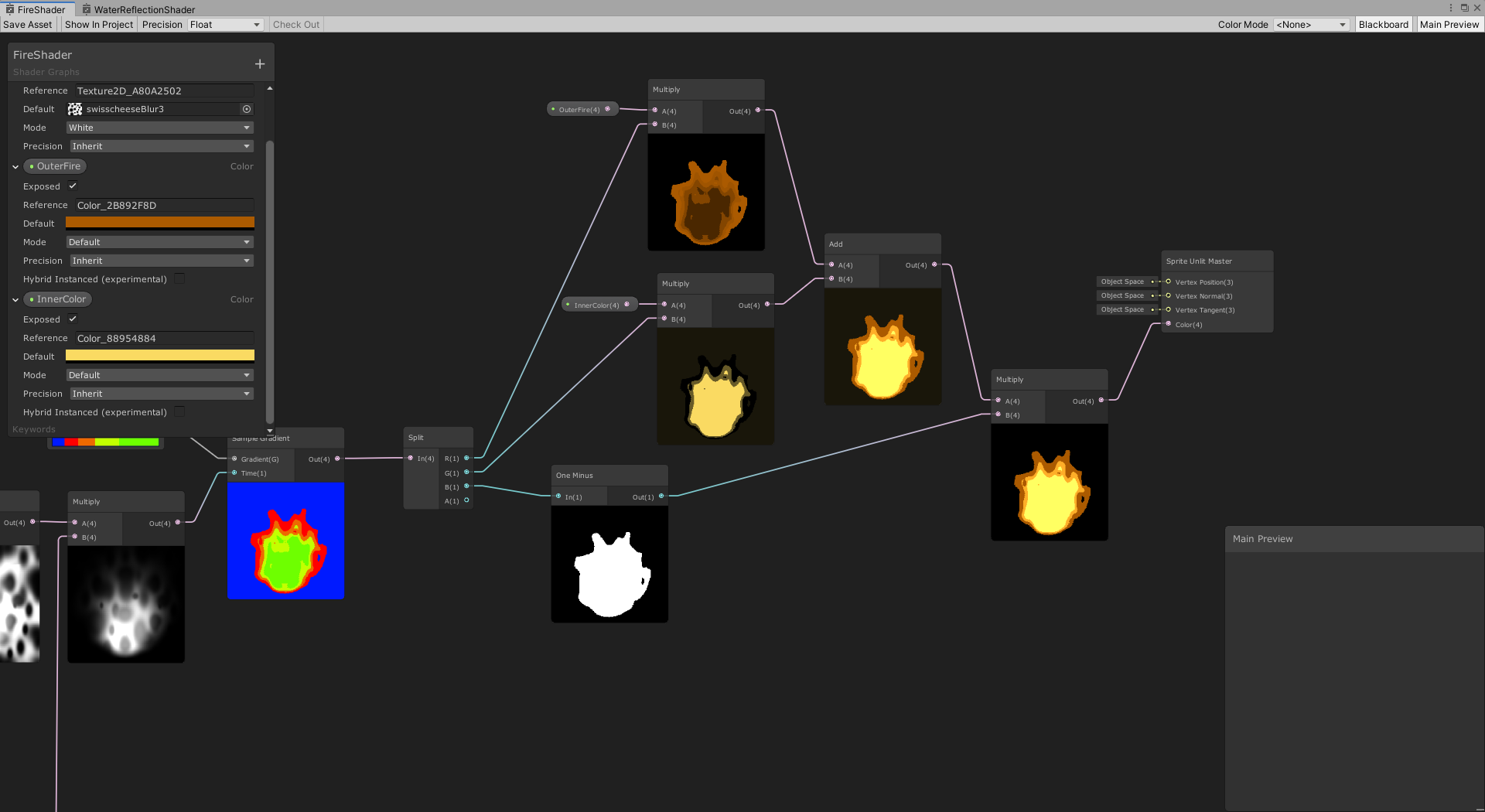

its going to be pixelated later by my pixel perfect camera... but.... yea, how do I actually get this animating like this in the scene?
regal stag
thorn tapir
https://i.imgur.com/y9nu4Yk.png
The alpha channel here is likely completely transparent (0) which is why the main preview is blank.
It's a bit easier to work with the "Sprite Unlit" type in v10+ as the newer master stack splits it into the Color(3) and Alpha(1) ports like the regular "Unlit" has. But for the older master node versions like this you can use a Split node, then recombine the RGB channels using a Combine or Vector4 node, with the A channel set to the output of your One Minus node.
thorn tapir
regal stag
The alpha channel here is likely completely transparent (0) which is why the mai...
oh woops, you right about the alpha part, fixed that
multiplying seems to work just fine
the one minus and the add multiplied into the split unlit master color I mean
anyhow, the problem still persists
I dont knwo how to get it to show up in my scene
I have it applied as the material for a sprite renderer, but its just... nothing
god dammit found the issue...
regal stag
Well the Sprite Lit/Unlit types are mostly designed for the 2D Renderer. I can't remember if the generated shader has regular forward passes so it might not work if you're using URP's Forward Renderer
regal stag
Ah okay
thorn tapir
sweet, got it working...
https://gfycat.com/GlitteringScarceAfricangroundhornbill

now do I leave it like that? or pixelate it...
https://gfycat.com/VigilantCorruptDunlin
 thorn tapir
dear unity devs: WHY are new colors in the shader graph assigned alpha 0 by default
shadow locust
because they're 0,0,0,0 by default
probably because float4 in HLSL is (0,0,0,0) by default
 prime umbra
Hello, I am wondering how to input a shader to a texture
https://www.shadertoy.com/view/XsfSR8
like this ^
I'm trying to add it to this worm
 grand jolt
How do you calculate normals after vertex displacement?
 slow sleet
Hello! i need help!
been trying to make a shader that would show a selected unit with a green square around it, using projector-something
i did what tutorial told me but im getting my shader cast over the whole terrain rather than just around the tank
and i dont know what i did wrong here is the shader code
Shader "Projector/Multiply" {
    Properties {
        _Color ("Main Color", Color) = (1,0.5,0.5,1)
        _ShadowTex ("Cookie", 2D) = "" { TexGen ObjectLinear }
        _FalloffTex ("FallOff", 2D) = "" { TexGen ObjectLinear }
    }
    Subshader {
        Pass {
            ZWrite off
            Fog { Color (1,1,1) }
            ColorMask RGB
            Blend One One

            SetTexture [_ShadowTex]{
                constantColor [_Color]
                combine texture * constant, ONE - texture
                Matrix [unity_Projector]
                }
            SetTexture [_FalloffTex]{
                constantColor (0,0,0,0)
                combine previous lerp (texture) constant
                Matrix [unity_ProjectorClip]
                }
            }
        }
    }

 drowsy linden
How would I be able to make a shader where a single object is rendered one way in one camera but another way in a second camera
 steep creek
is there a way i can access float arrays from shader graphs? It seems really weird that this exists SetFloatArray if i can't access the array
steep creek
for some reason if i do #include "unityCG.cginc" i get a redefinition of _Time error, if i delete the include i get an undeclared identifier UNITY_SAMPLE_TEX2DARRAY error, what do i do?
soft jacinth
I'm painting these cubes based on vertex color of their position fed by noise; so there is a sort of gradient happening but the issue is it's too dark.. I'd like to take the darker vertex colors and paint balance/saturated even hue shift.. any useful nodes or tips on something like this you guys know of?
regal stag
steep creek
is there a way i can access float arrays from shader graphs? It seems really wei...
You can use float arrays in a custom function node (file mode), I have an example here. https://www.cyanilux.com/tutorials/intro-to-shader-graph/#arrays
steep creek
i fugured that out already the current problem is the sample function, it just doesn't want to work
regal stag
steep creek
for some reason if i do `#include "unityCG.cginc"` i get a `redefinition of _Tim...
Use SAMPLE_TEXTURE2D_ARRAY(textureName, samplerName, coord2, index) instead
steep creek
that's what i have currently but this, i have no idea what those even mean

yes it's sebastian terrain generation shader
regal stag
In short it means you have the incorrect number of arguments/inputs, or they are the wrong type
steep creek
    float3 scaledWorldPos = worldPos / scale;
    float3 xProjection = SAMPLE_TEXTURE2D_ARRAY(_baseTextures, ss, float2(scaledWorldPos.y, scaledWorldPos.z), textureIndex) * blendAxes.x;
    float3 yProjection = SAMPLE_TEXTURE2D_ARRAY(_baseTextures, ss, float2(scaledWorldPos.x, scaledWorldPos.z), textureIndex) * blendAxes.y;
    float3 zProjection = SAMPLE_TEXTURE2D_ARRAY(_baseTextures, ss, float2(scaledWorldPos.x, scaledWorldPos.y), textureIndex) * blendAxes.z;
    return xProjection + yProjection + zProjection;
}```is 4 args wrong?
everywhere i looked it said 4 args is right
it was telling me that SamplerState was wrong so i switched it over to UnitySamplerState
regal stag
Hmm it might be the ss input. Try ss.samplerstate instead
Or might be able to do _baseTextures.samplerstate to use the one from the texture. That might only be if you pass the texture into the function though (as UnityTexture2D).
steep creek
now it says cannot implicitly convert from 'float3' to 'struct UnitySamplerState'
shaders are such a pain
there is one thing i can't understand why is it saying that the error is on a random line that isn't even in the code?
like 300 something while the code is only 90ish lines long
regal stag
It's likely the line from the actual generated shader, not just the include file
steep creek
generated code is 274 lines long
or is there an even deeper generated code
that you can't access
regal stag
Maybe, not sure. I've also found the line numbers not that helpful so tend to ignore it
steep creek
float3 triplanaredTexture2 = triplanar(worldPos, _baseTextureScales[layerCount - 1], blendAxes, SS.samplerstate, layerCount - 1);``` here are lines calling the functioni don't think i did any mistake here but still
regal stag
Looks okay to me. The error might just be pointing to the function
steep creek
the material preview is doing weird stuff
 regal stag
Can you post the updated function code?
steep creek
    float3 scaledWorldPos = worldPos / scale;
    float3 xProjection = SAMPLE_TEXTURE2D_ARRAY(_baseTextures, ss, float2(scaledWorldPos.y, scaledWorldPos.z), textureIndex) * blendAxes.x;
    float3 yProjection = SAMPLE_TEXTURE2D_ARRAY(_baseTextures, ss, float2(scaledWorldPos.x, scaledWorldPos.z), textureIndex) * blendAxes.y;
    float3 zProjection = SAMPLE_TEXTURE2D_ARRAY(_baseTextures, ss, float2(scaledWorldPos.x, scaledWorldPos.y), textureIndex) * blendAxes.z;
    return xProjection + yProjection + zProjection;
}```i moved the .samplerstate to the calling lines
it started running now!
but it does this which isn't really better

but still something
also it's not static it acts like a noise randomly changing
regal stag
soft jacinth
I'm painting these cubes based on vertex color of their position fed by noise; ...
If you're using Shader Graph, there are nodes like Hue, Contrast, Saturation (not to be confused with Saturate), or Colorspace Conversion to convert to HSV where you can hue-shift / adjust saturation then convert back to RGB/Linear with another Colorspace Conversion.
soft jacinth
regal stag
If you're using Shader Graph, there are nodes like Hue, Contrast, Saturation (no...
thanks! noticed the saturated node, I will start messing with all that now.
regal stag
drowsy linden
How would I be able to make a shader where a single object is rendered one way i...
If it's just a single object it would likely be easiest to duplicate the object, change it's material and then have both on different layers and set the culling mask on the cameras to only include the one that should render.
steep creek
so i had to regenerate the mesh so the meshGenerator script sent the material data over and now i got this... it only draws the rocky part it seems and nothing else

 primal harness
Does anyone have any information on how to write custom shaders that work correctly with depth priming? (in URP)
teal breach
primal harness
Does anyone have any information on how to write custom shaders that work correc...
I thought, perhaps naively, that it should work out of the box if you don't use a SV_DEPTH output?
calm rock
Hey all,
In HDRP's hair shader, there's an input for 'Hair Strand Direction' which is used in Anisotropic shading. Is this vector in object space or tangent space?
calm rock
steep creek
but it does this which isn't really better
Are you re-creating Unreal's nanite in Unity ? 😄
 hidden axle
anyone got some for a vr game?
arctic flame
does anyone know why my object is moved when i use a shader graph ?
 lean lotus
Is there a way to modify only the beginning X parts of a compute buffer in script to upload to the GPU instead of having to reupload the ENTIRE buffer to the GPU?(currently that large upload is a pretty large performance impact)
arctic flame
and now unity thinks the mesh is in the wrong place
 tiny shuttle
When i edit the shader graph in editor (scene) and add animate the texture it lags , but in game it doesnt lag
 tight phoenix
What are the words to describe to google the type of shader that is like, render X only within Y?
like you have a plane and you render something only when the plane is behind it
I cant find the words to google it but I know its a common concept
regal stag
tight phoenix
What are the words to describe to google the type of shader that is like, render...
Stencil
tight phoenix
regal stag
Stencil
Yess thats the one, thank you 👍
dim yoke
arctic flame
does anyone know why my object is moved when i use a shader graph ?
May it be because you move the vertices in the graph? 😅
arctic flame
dim yoke
May it be because you move the vertices in the graph? 😅
i don't believe so
arctic flame
 regal stag
tiny shuttle
When i edit the shader graph in editor (scene) and add animate the texture it la...
regal stag
tiny shuttle
When i edit the shader graph in editor (scene) and add animate the texture it la...
There's a setting at the top of the scene view on a dropdown to enable "Always Update". It doesn't update every frame to help with editor performance.
arctic flame
dim yoke
I think you did
I didn't.
dim yoke
arctic flame
I didn't.
Are you 100% sure this is the shader your object is using?
 regal stag
Maybe it's just a bug with the prefab view? Does it work like that in scene/game too?
arctic flame
it appears like this in the game as well
dim yoke
Do the graph happen to be saved?
arctic flame
it is saved yeah
in the main preview of the graph view it looks correct
but not in scene
dim yoke
Seems like 50% bug 😂
regal stag
Is the object rendered using a render feature, maybe with a different camera fov /offset or something?
arctic flame
i'm not sure what you mean by that
regal stag
Oh, you're in Built-in, then it's not that either
dim yoke
Maybe shader graph isn’t just working very fluently on birp yet…
arctic flame
:(
dim yoke
arctic flame
:(
Have you tried restarting unity?
arctic flame
not yet
dim yoke
That’s usually the first step when you face a new bug
arctic flame
restarting doesn't seem to fix the issue either
dim yoke
So with standard material it works fine but using newly generated shader graph you get that weird bug?
arctic flame
that's correct
dim yoke
Then it’s definitely a bug
arctic flame
heck
dim yoke
Have you tried creating new shader graph again?
dim yoke
What you mean update?
arctic flame
the shader graph package i have installed labels itself version 12.1.2
regal stag
The package is probably already using the highest version for that Unity version. If you want to update futher you'd probably need to update Unity itself.
arctic flame
on the documentation for shader graph it goes as high as 12.1.4 but the manager doesn't seem to go any higher than this
oh, i see
hm i will try updating unity then
regal stag
Though v13+ will likely be beta/alpha versions currently
 fervent tinsel
@arctic flameSRP related packages have been part of Unity core for a while now.. you only get updates to them by updating Unity itself
2020.3 LTS is last one where you can actually use PM to fetch new versions for SG, URP, HDRP or VFX graph
arctic flame
fervent tinsel
<@!137388492123668481>SRP related packages have been part of Unity core for a wh...
I doubt this is an issue that was caused by versioning then
or will be solved by it
fervent tinsel
considering you are using built-in target, updating to newer version could solve it
built-in support for SG is new on 2021.2 I think and it's not all robust
I filed few bugs on it myself and Unity just closed them as "won't fix"
fervent tinsel
there's a reason why Unity doesn't advertise built-in support on SG... it kinda exists now but it's not great
arctic flame
I didn't investigate that option at length
fervent tinsel
you are using built-in renderer, right?
arctic flame
that's right
fervent tinsel
ASE is most solid node based shader editor for that atm, probably will remain so... paid option though
dim yoke
fervent tinsel
there's a reason why Unity doesn't advertise built-in support on SG... it kinda ...
What are the biggest problems with it and why can’t they just be fixed?
Well actually I’m not sure what is the unitys long term planning with all render pipelines. Maybe they are just going to get rid of birp and therefore doesnt bother updating it 🤷♂️
Atm there’s not really many reasons to choose birp over urp imo
fervent tinsel
@dim yoke it's not priority for them, afaik it exists so people can migrate from built-in to SRPs easier but I'm not really sure how this even helps there 😄
basically built-in target lacked all hardware instancing support when I reported those issues.. this pretty much made it impossible to use on VR as you can't do single pass instanced with SG's built-in target (end result just rendered one eye view)
I can't remember what happened with the regular instancing but that completely broke too... Unity's fix was to just remove the checkbox that let you enable it
Unity doesn't really support VR in built-in properly so the SPI issue didn't really surprise me
for example PP stack v2's TAA never worked in VR SPI and Unity also closed that issue as "won't fix"
then there's also this https://issuetracker.unity3d.com/issues/built-in-shader-graphs-emission-input-doesnt-contribute-to-gi
Reproduction steps: 1. Open user attached Project 2. Edit the Shader Emissive Color property to have the reference name _EmissionCol...
that one they haven't closed ... yet
arctic flame
fervent tinsel
<@!689758471003963472> it's not priority for them, afaik it exists so people can...
generally i like to keep my graphics looking nice as they can so i'm interested in hdrp
however right now i'm not really certain of how mature it is as a thing i can conceivably use to run a whole project
what do you think?
fervent tinsel
depends on your project
you really need things that HDRP offers or would you be fine with URP? built-in could work for you too but I can't recommend using SG with it
ASE is great on built-in though
arctic flame
i'm fuzzy on the differences
fervent tinsel
HDRP is the highest end solution and is most featured out of the box, but it also comes with highest initial overhead which makes it so heavy it doesn't run on weaker hardware properly
also HDRP VR is going to limit your performance a ton
(if you need VR)
for VR, Unity is pretty much pushing you to pick URP
fervent tinsel
URP is good all around pick if you want to use SG and want to future proof your project, it runs also on weaker hardware.. or if you don't want to deal with SRPs, just stick with built-in
arctic flame
srps....
fervent tinsel
by SRP I now mean URP or HDRP
arctic flame
oh, right.
regal stag
SRP = Scriptable Render Pipeline
fervent tinsel
arctic flame
the less mature solution?
answer you get to this depends to whom you ask that
fervent tinsel
URP is supposed to be the general purpose renderer
since you are new to all this, you don't have the baggage of "oh no things work differently than I'm used to doing for past 5 years" so URP could work just fine for you
arctic flame
for me the real concern is just
the likelihood of encountering a situation the pipeline isn't yet ready for
given that i understand it to be a very hefty change to make in the middle of a project
fervent tinsel
normally I'd just recommend trying out the options that feel sensible to you. but that would require you building prototypes on each which probably isn't in the cards now
Unity has some kind of upgrade path from built-in to URP or from built-in to HDRP but that's one way street and you can't swap between URP and HDRP easily once you've setup for one
arctic flame
unfortunately the shader graph generated code is suitably arcane that i can't identify the section i want to copy out for a written surface shader
is there a reference manual for the methods you have access to in shaders?
tight phoenix
Does anyone know how to use the 'Rendering Layer Mask'
I have an effect that I -think- needs masking, but I can't find any documentation on what this is, what it does, or how to use it.
https://docs.unity3d.com/ScriptReference/Renderer-renderingLayerMask.html Official docs say basically nothing
 regal stag
tight phoenix
Does anyone know how to use the 'Rendering Layer Mask'
I have an effect that I -...
regal stag
tight phoenix
Does anyone know how to use the 'Rendering Layer Mask'
I have an effect that I -...
It's basically a way to filter renderers when calling ScriptableRenderContext.DrawRenderers in custom renderer features/passes. https://docs.unity3d.com/ScriptReference/Rendering.ScriptableRenderContext.DrawRenderers.html
The function includes a FilteringSettings parameter, and that contains a renderingLayerMask bit mask. https://docs.unity3d.com/ScriptReference/Rendering.FilteringSettings.html
Afaik it's not really any different from regular layers (and you can also filter with those, using layerMask instead). But since those are tied to the physics system it's sometimes more useful to use renderer layers instead
tight phoenix
I see, thanks for the info
regal stag
Also as a side note, I think URP also claims a few of the renderer layers for the "light layers" in 2021.2+, which allow you to configure lights to only cast on certain renderers. But that's only based on reading the docs, I haven't tried using them yet. https://docs.unity3d.com/Packages/com.unity.render-pipelines.universal@12.0/manual/lighting/light-layers.html
 quartz rune
Hello, I'd like to make my normals point towards the camera in shader graph but I am having a hard time finding out how
my objective is to, lerping between the original normals and the normals pointing to the camera, flattening the lighting to try an stylistic effect
meager pelican
quartz rune
Hello, I'd like to make my normals point towards the camera in shader graph but ...
You could try subtracting the world-space position from the camera's world-space position and normalizing it.
shadow locust
quartz rune
Hello, I'd like to make my normals point towards the camera in shader graph but ...
The camera node can give you the camera's position
quartz rune
meager pelican
You could try subtracting the world-space position from the camera's world-space...
im gonna try this thanks
like this?
 regal stag
May also want to Transform to Object space as that's what space the vertex Normal input expects.
Or could also use the View Direction node (set to Object space), should be the same as that calculation.
regal stag
With the Transform node I mean (World -> Object, Direction mode)
meager pelican
Good point, it depends on where you do the custom-light calc. N dot L is usually world-space. OTOH, if you're using Unity's light calcs (I assumed it was custom in the frag), you're modifying it in the vert() like Cyan just said.
quartz rune
regal stag
With the Transform node I mean (World -> Object, Direction mode)
I think this works nicelyh
standard normals

lerp between flattened and standard

ill be trying it thanks a lot
 drowsy marsh
can anyone identify what i am doing wrong with my shader here? why is it just giving me the default pink material?
 regal stag
drowsy marsh
can anyone identify what i am doing wrong with my shader here? why is it just gi...
regal stag
drowsy marsh
can anyone identify what i am doing wrong with my shader here? why is it just gi...
Since you're using the Universal target in the Graph Settings, make sure the project has URP set up correctly (pipeline asset assigned under project settings). See https://docs.unity3d.com/Packages/com.unity.render-pipelines.universal@12.1/manual/InstallURPIntoAProject.html
Make sure you also save the graph with the button in the top left
drowsy marsh
yeah, it wasn't set up right; thank you very much.
 wide thicket
How do I expose a gradient node?
 proven sail
right click, convert to > property
Hey yall, trying to make a simple snow shader with HDRP and shadergraph. How would I make it so that it also factors in the normal map when deciding where to put the snow? At the moment it just uses normals, but for something like a brick material I would also want snow to accumulate on the top of the bricks.

 drowsy fiber
Hey guys, I have a fragment shader that indexes colors as a post processing effect. It works by choosing the closest color in a palette by distance for each pixel. This is the result:

Does anyone have an idea how I might blend the hard color transitions?
wide thicket
why are my colors completely different than the color I'm picking them as?
 shadow locust
drowsy fiber
Does anyone have an idea how I might blend the hard color transitions?
shadow locust
drowsy fiber
Does anyone have an idea how I might blend the hard color transitions?
take a weighted average of the two closest colors by the distance to each color boundary
wide thicket
here's how it's supposed to look in blender

and here's how it looks in Unity

it's unlit so it comes down to the gradient being HDR, how do I fix that?
i'm able to recreate the bottom in blender by switching the color grading from standard to RAW, so is there a way to change that in Unity/ create a similar effect?
wide thicket
I tried fixing it with LUTs but I can't find whatever default neutral one unity is supposed to provide, so just grabbing them off google images and the results end up like this

i've tried 3 different ones they all go whacky like this
either way i feel im making this too complicated, and there's a better way to do this
just to reiterate what i need help with:
my gradients in Blender look like this, exactly how I want the colors to look

in Unity, it uses the exact same colors but the gradients look extremely different

even the color picker says it's a different color than what it is
steep creek
for some reason my shader only works on the scene view and not the game view. It works fine without a scene depth node (sample set to Eye) but it looks really bad without it. Any ideas on what's going on?

 waxen pewter
guys, what am i doing wrong? why my material white in the editor?
 fervent tinsel
@waxen pewterlook what texture is actually assigned to your material
your texture is a property there so material can override the default value
basically if you made the material before assigning that texture on the SG itself, it is likely to have just blank reference for the texture
 glad siren
Hello, how can I make it so my Shader from Shader graph exposes these properties as well please ?
 amber saffron
glad siren
Hello, how can I make it so my Shader from Shader graph exposes these properties...
amber saffron
glad siren
Hello, how can I make it so my Shader from Shader graph exposes these properties...
This is a capture from the lit material, right ?
If you want to have, let say, the surface inputs properties, you need to delcare them in your shadergraph and bind them to the outputs
glad siren
amber saffron
This is a capture from the lit material, right ?
If you want to have, let say, t...
Do I need to take them all individually ? or is there a Property group to get this ?
amber saffron
glad siren
Do I need to take them all individually ? or is there a Property group to get th...
Individually
 snow stag
Hi!
I've been attempting to follow the answer on this unity forum post, but I cannot get it to work.
https://answers.unity.com/questions/1676725/how-to-have-a-point-light-with-no-falloff-in-unity.html
The post is not clear on where they are putting the custom written shader, but it appears to be usable as a shader for a material for objects in the scene.
I've tried putting this shader on a sphere next to a point light but I can't get the sphere to change colour at all, it just stays white all the time regardless of whether it is near a light or not.
If anyone could help me understand what I might be doing wrong that would be much appreciated.
In the image below I've got a standard shader sphere above and a sphere with the custom shader from the answer to that forum post. The standard shader sphere has a gradient of lighting and the custom shader sphere should have a hard line of light and dark, but instead it displays white all the way around.
 grizzled bolt
wide thicket
i'm able to recreate the bottom in blender by switching the color grading from s...
grizzled bolt
wide thicket
i'm able to recreate the bottom in blender by switching the color grading from s...
Blender by default applies a type of tonemapping which makes everything look different
You would either disable the tonemapping or implement a similar tonemapping in Unity's post processing
waxen pewter
fervent tinsel
basically if you made the material before assigning that texture on the SG itsel...
Yeah, you was right, silly me.. thank you!
snow stag
snow stag
Hi!
I've been attempting to follow the answer on this unity forum post, but I ca...
I figured it out. It was to do with the ambient light in the lighting settings making it difficult to tell if it was working or not because the 2 colours the sphere's shader was using for light and dark were both pure white.
north raven
Currently I'm using render textures to make image effects on what the camera renders (output texture -> canvas) the only problem is that the render texture is locked to a specific resolution is there a way this can be fixed ?
 compact umbra
Hello all, I'm relatively new to game dev and I'm currently working on a 2d platformer and want to add some life to the background. I currently I have a still image for water and I would like to make it seem like it is flowing. Does anyone have a great tutorial they recommend for the material/ shader to go with
tiny shuttle
Shader graph question : How do i gradually change color from color A to Color B , in a looping animation
regal stag
tiny shuttle
Shader graph question : How do i gradually change color from color A to Color B ...
You'd use a Lerp node to interpolate between the two colours. With the T input based on the Time node to animate it. For looping, could use the SineTime output, but remapped into a 0-1 range (use an Inverse Lerp with values of -1 and 1. Remap node works too), assuming you want it to gradually switch between each colour in both directions.
tiny shuttle
regal stag
You'd use a `Lerp` node to interpolate between the two colours. With the T input...
Wow i think that’s it thank you so much
regal stag
Also of note, Converting the colours into different colour spaces before lerping and then converting the result back to RGB might result in better looking transitions depending on the use case. But would be more expensive. Some examples here https://www.alanzucconi.com/2016/01/06/colour-interpolation/
 tiny anvil
Ive assigned a "custom render texture" material to a spriterenderer, but nothing is being displayed?
The shader im using the exact same as the one in the unity docs
What am i doing wrong?
- my "material" has the correct shaderlab shader
- ive put my "material" inside of the field in my custom render texture
So why is nothing being displayed???
wide thicket
grizzled bolt
Blender by default applies a type of tonemapping which makes everything look dif...
tried that, but again since the gradients come through as drastically different colors in the shader graph, it's hard to match the two accurately
any gradient with a darkish purple comes out as a washed out blue or black instead
grizzled bolt
wide thicket
tried that, but again since the gradients come through as drastically different ...
Shader graph's preview is not terribly indicative of the material's appearance, if that's what you mean
It inherits some of the scene's lighting, and none of the post processing, I believe
Tbf trying to get perfect 1:1 conversion from blender viewport to unity scene is probably not worth the effort
In most situations it should be enough to eyeball it, if it looks 15% too bright or washed out, make the texture or post processing 15% darker and more saturated
But probably best to at least get rid of or minimize blender's tonemapping
tiny shuttle
Is blend node expensive? Is it way more expensive than multiply ?
regal stag
tiny shuttle
Is blend node expensive? Is it way more expensive than multiply ?
You can see the example generated code the blend node uses here : https://docs.unity3d.com/Packages/com.unity.shadergraph@13.1/manual/Blend-Node.html
It's definitely more than just a multiply but they aren't really that expensive. Depends on the mode, some are slightly more expensive than others.
tiny shuttle
Where do i see statistics on my shader
dim yoke
tiny shuttle
Where do i see statistics on my shader
what statistics?
tiny shuttle
In unreal engine its called Instructions idk what it is called in unity but generally statistics to know performance and memory usage
dim yoke
I don't think there's such thing in unity. there may be some external tools for that tho
tiny shuttle
What do you generally do to test the performance of your shader if it’s expensive or not
dim yoke
I usually just compare it with other shaders. so make scene with a lot of objects using the same shader and then change the shaders for those objects and see how fps changes
I also like to make meshes like this (it's just ico sphere with individual faces scaled up a lot) to test shader performance so it covers a lot of pixels on screen (and change the shader to transparent so depth testing doesn't cut some work)
 tiny shuttle
Alright thanks alot , Aleksih and Cyan
wide thicket
grizzled bolt
Shader graph's preview is not terribly indicative of the material's appearance, ...
Hey if anyone comes across the Blender to Unity Color LUT issue, I managed to render the Unity LUT in Blender with it's filters, thus adopting it's color profile, you should get pretty close 1:1 colors
Blender_sRGB_Filmic_LUT32

Blender_sRGB_Standard_LUT32

Unity_Neutral_LUT32

 stark canopy
Does anyone know how to make an unlit shader respect the Mask component?
Never mind, I figured it out.
grizzled bolt
stark canopy
Never mind, I figured it out.
Do share when you find the solutions
stark canopy
grizzled bolt
Do share when you find the solutions
By adding
Stencil
{
  Comp Less
}
to the SubShader (I believe it can also be added to individual Passes but I didn't need that here), it then made my shader adhere to the Mask component.
 grizzled shadow
any1 have some experience with amplify shader in unity
im just trying to get this parallax occlusion thing work but im still fairly new
 outer jetty
What's the best particle shader for VRChat?
 acoustic flame
anyone know what's up with the alpha node? for some reason I can't get the PBR master node back so I just tried adding alpha to this one, it's greyed out and I can't use it though

anyone know how to change it back to the PBR master node? i remember specifically changing it to this one so not sure how to bring it back lol
 twilit geode
Anyone know how to modify this shader so that the outline size matches the gameobject and not relative to the screen view

 clever saddle
What's the different between mesh UV and texture UV?
When I wanna draw some color on the mesh in code.Should I assign both mesh UV and texture UV?
clever saddle
Is the mesh.uv used for storing uv's data for texture's uv in use?
 ancient parcel
Does anyone know how I can upgrade this surface shader to a URP shader ? I haven't dealt with shaders a lot and do not really know how they work
 distant river
Do unity developers prepare an analogue of lumen and nanite?
tiny anvil
I've assigned a "custom render texture" material to a SpriteRenderer, but nothing is being displayed?
The shader I'm using the exact same as the one in the unity docs, as found here:
https://docs.unity3d.com/Manual/class-CustomRenderTexture.html
What am I doing wrong?
- my "material" has the correct shaderlab shader
- I've put my "material" inside of the field in my custom render texture
So why is nothing being displayed???
This is my Custom Render Texture:

Any idea why this Render Texture is taking up only the topleft trriangle of my screen?

 tiny gale
Is there a way to efficiently capture the screen and get it into a byte array without absolutely tanking the FPS of my app?
 solar needle
Hello everyone 😁
Quick question here, do you know if its possible to preload a shader (wich is in an other scene) ?
glad siren
Hi all. Doing a runner game and we bought Curved World and have been using it for a while. Unfortunately, this has kept us from updating to more recent non-LTS versions of Unity which have some optimisations we need as well as a Apple Silicone version (which tremendously reduces crashes for us), but we're stuck either Updating and dropping Curved World, or not updating Unity. Curved World is not going to get updated until the editors go LTS, so we're kinda stuck. We tried making our own solutions, and trying those we found on the web, but none is giving us the same result. Would anyone know of a similar resulting effect than Curved World Z-Positive Runner shader ? (with X/Y curves)
 past wedge
hi, I'm trying to compute uv screen position from any arbitrary world position in a fragment shader (orthographic camera), but I'm a bit stuck.. any idea?
Currently I have this, but I'm not sure:
float4 projected = mul(UNITY_MATRIX_VP, float4(worldPos, 1.0f));
float4 screenPos = ComputeScreenPos(projected);
float2 finalUV = (screenPos.xy/screenPos.w) * 0.5 + 0.5;
 graceful pecan
Hey, i'm doing a foliage wind shader with a fade, to make it sway more at the top. it works if i have sprites from different files, but if i use sprites from the same atlas they share the same fade position


the rings are assets from different atlases
regal stag
acoustic flame
anyone know what's up with the alpha node? for some reason I can't get the PBR ...
Master nodes were replaced with this "master stack" in SG v10+, you can't go back to master nodes without using an older unity version afaik. But that stack works the same. The alpha ports are only enabled if the graph is Transparent (or using alpha clipping, in which case both alpha & alpha clip threshold is enabled). Can change this in the Graph Settings tab of the Graph Inspector window (toggled with a button in the top right).
 hazy flare
hello, I use mk toon shader in my builtin project (2019.4.33f1). When I take build for android, some devices renders shaders properly, but some don't. Anyone can help me what is this related to? I tried to change my graphic API settings but that doesnt seems to work
regal stag
tiny anvil
Any idea why this Render Texture is taking up only the topleft trriangle of my s...
My guess would be the other triangle is flipped, so using Cull Off in the shader might show it. Probably depends on how you're applying the render texture to the screen.
regal stag
tiny gale
Is there a way to efficiently capture the screen and get it into a byte array wi...
Maybe with AsyncGPUReadback : https://docs.unity3d.com/ScriptReference/Rendering.AsyncGPUReadback.html
(example : https://github.com/keijiro/AsyncCaptureTest)
regal stag
glad siren
Hi all. Doing a runner game and we bought Curved World and have been using it fo...
I'm not familiar with the Curved World asset but in the past I've done some world bending stuff using this, if it helps. Assuming you're in a pipeline that can use Shader Graph. Same techinque could be applied to shader code though.
 regal stag
past wedge
Currently I have this, but I'm not sure:
```
float4 projected = mul(UNITY_MATRIX...
regal stag
past wedge
Currently I have this, but I'm not sure:
```
float4 projected = mul(UNITY_MATRIX...
Don't think you need the *0.5 + 0.5, but other than that it looks correct
clever saddle
Is mesh.uv only used for storing uv data for texture uv?What if mesh.uv changes,will some changes of texture in model take place?
past wedge
@regal stag I think I'm closer with this (but sill not correct):
float4 screenPos = mul(unity_WorldToCamera, float4(worldPos, 1));
float2 finalUV = (screenPos.xy / screenPos.w) * 0.5 + 0.5;
I'm in a postprocess shader so I don't think I should use ComputeScreenPos :/
regal stag
clever saddle
Is mesh.uv only used for storing uv data for texture uv?What if mesh.uv changes,...
The mesh uv channels (there's up to 8) can store any float4 data. It doesn't have to be used for textures, that's up to the shader. But typically yes, mesh.uv (first uv channel) is used for mapping textures to the mesh.
Unity also uses mesh.uv2 for baked lightmap uvs iirc, assuming the model import is set to generate them.
regal stag
past wedge
<@!357936113983291393> I think I'm closer with this (but sill not correct):
```
...
If UNITY_MATRIX_VP doesn't work, can maybe try
float4 viewPos = mul(unity_WorldToCamera, float4(worldPos, 1);
float4 clipPos = mul(unity_CameraProjection, float4(viewPos, 1));
float2 screenPos = (screenPos.xy / screenPos.w) * 0.5 + 0.5;
Otherwise may need to pass the camera matrices into the shader yourself. e.g. using camera.worldToCameraMatrix and GL.GetGPUProjectionMatrix(camera.projectionMatrix); (I think), with material.SetMatrix / Shader.SetGlobalMatrix
It depends how the image is being applied. Some methods basically use an orthographic projection so overrides the projection matrix (that might only override UNITY_MATRIX_P and not unity_CameraProjection though)
past wedge
@regal stag wow thanks, it's working!
with all these tests with matrices, I forgot the projection matrix in the end... 😢 thanks a lot!
regal stag
graceful pecan
Hey, i'm doing a foliage wind shader with a fade, to make it sway more at the to...
You'll likely need to rely on UV space for the fade, rather than Position (Object space). You can't really rely on Object space for sprites, since multiple sprites using the same texture may get batched/combined and drawn together, it then acts like World space iirc. (Hence why the sprites using the same atlas here are sharing the same fade)
That said, even with UV space you'd still need to know the UV.y values that the texture starts and ends at in order to remap it into a 0-1 range, and pass those values into the material - which means different materials for each sprite (type), which would prevent batching and be more draw calls, so kinda defeats the purpose of even using an atlas.
(Unless you can pass those values into the sprite mesh? Like via an unused uv channel? Not sure if the SpriteRenderer really gives access to doing that though. Could use the color field (vertex colours in shader) since that's currently looks unused)
I'm not all that familiar with 2D/sprites so I'm kinda rambling. But maybe there's another way I'm not aware of, others might be able to help further.
regal stag
solar needle
Hello everyone 😁
Quick question here, do you know if its possible to preload a ...
I'm not all that familiar with preloading. But you might be some info here which can help. Like the ShaderWarmup or ShaderVariantCollection apis. https://docs.unity3d.com/Manual/shader-loading.html
And to obtain a reference to a shader can use a public / serialized private field, or if the shader is in a Resources folder should be able to use Resources.Load https://docs.unity3d.com/ScriptReference/Resources.Load.html
solar needle
Thanks for the answer !
I forgot to update about my search, but yeah i found this solution too
Explain here ;
 amber frost
hi
can anyone tell how to import these materials to blender

i exported models to fbx but when i imported those things into blender, i cant see any textures
full pink, white things
i want wrk this things in blender
 glad siren
regal stag
I'm not familiar with the Curved World asset but in the past I've done some worl...
glad siren
regal stag
I'm not familiar with the Curved World asset but in the past I've done some worl...
Hey thanks ! I actually got one kinda working like I wanted, but yours seems to do the same and is simpler so I've adapted yours to have X/Y curve as well. I just need to create some sort of CurveController as to not have to modify each material curve one by one.
graceful pecan
regal stag
You'll likely need to rely on UV space for the fade, rather than Position (Objec...
Thanks yeah i figured!
yeah one way i'm thinking about is to use the masktexture feature that can be applied to a sprite and then use that as a fade for objects
might try that
grizzled bolt
amber frost
can anyone tell how to import these materials to blender
You can't
amber frost
soo i cant do texturing for those objects??
regal stag
glad siren
Hey thanks ! I actually got one kinda working like I wanted, but yours seems to ...
You can set the graph properties to non-exposed and set via Shader.SetGlobalFloat to easily have all materials share the same value
grizzled bolt
amber frost
soo i cant do texturing for those objects??
Sure, but the formats aren't compatible
You need to recreate a similar material/shader in blender
amber frost
🥲 k ty 4 the reply
 white marsh
ok so earlier i made a super simple water shader which is basically vertex displacement using a noise map. at this point i want things to float on the water so i where thinking getting the vertex posititions and normals in order to have kinematic objects look like they float in the water. but the mesh vertecies do not update from the shader displacement ofc so how can i get the vert positions?
glad siren
regal stag
You can set the graph properties to non-exposed and set via Shader.SetGlobalFloa...
Hmm never done it myself but I'll look into it. I also need to figure out how to give an offset as to not curve immediately, aswell as having the curve be only on Z Positive, and not apply if I look behind 😅
regal stag
glad siren
Hmm never done it myself but I'll look into it. I also need to figure out how to...
Will probably need to remove the Absolute node if you don't want it on both sides. And do some remapping & clamping
regal stag
white marsh
ok so earlier i made a super simple water shader which is basically vertex displ...
You can't easily obtain the vertex positions on the CPU after displacement in the shader/GPU. I think the usual way to do water buoyancy is to recreate the same displacement calculation in C#.
white marsh
hmm, i see. that would make a lot of sense
regal stag
An alternative might be to use an orthographic camera to render the water's depth to a render texture then use a AsyncGPUReadback request to read it back on the cpu. But not sure how well that would perform.
white marsh
i think ill just recreate the calculations in c#, its a fairly simple displacement so it shouldnt be too bad
glad siren
regal stag
Will probably need to remove the Absolute node if you don't want it on both side...
Alright, thanks ! 😄 I don't know but I'll try
dusty coyote
Hi, have a question, I have two shaped that use object scale as input so they scale like I want, but if they are on the same order in layer or don't use two different materials they get warped like on the second picture, I understand that the object scale input they get if in same order in layer is like same for both?


Is there anyway to fix this without changing their order in layer or creating a new material for each new object (i need a lot of objects with different scales)
regal stag
dusty coyote
Hi, have a question, I have two shaped that use object scale as input so they sc...
If these are sprites then this occurs because they get batched when using the same material. You can't rely on things that use object space / model matrix, and the scale here is probably calculated using that.
You might be able to solve this by using a sliced sprite though. https://docs.unity3d.com/Manual/9SliceSprites.html
dusty coyote
regal stag
If these are sprites then this occurs because they get batched when using the sa...
Okay yeah thought I was being clever, I'll use the suggested approach, thank you.
clever saddle
regal stag
The mesh uv channels (there's up to 8) can store *any* float4 data. It doesn't h...
I got it.Thx
What depends the nums of mesh.uvs?And index of mesh.uvs?
glad siren
regal stag
Will probably need to remove the Absolute node if you don't want it on both side...
I got everything working, Curve controller, Positive only, and the offset ! 😄 Thanks a lot.
As a last question, do you know how I can get my Shader to expose basic properties like basemap and all like normal shaders do but for shadergraph, so I don't need to create all the properties everytime ?
regal stag
glad siren
I got everything working, Curve controller, Positive only, and the offset ! 😄 T...
There's no automatic way of setting up those properties. You could create a graph with those set up as a sort of template though, and duplicate that shadergraph file rather than creating a new blank/lit one.
dusty coyote
regal stag
If these are sprites then this occurs because they get batched when using the sa...
I found a pretty stupid solution, I just disabled batching in the shader, are there any cons to this?
I don't use lights
Or is it just a performance thing, don't quite understand
low lichen
dusty coyote
I found a pretty stupid solution, I just disabled batching in the shader, are th...
Sprites are pretty heavily batched. That's the reason you make sprite atlases, just to improve batching.
dusty coyote
low lichen
Sprites are pretty heavily batched. That's the reason you make sprite atlases, j...
And the point is to improve performance?
low lichen
Yes, to reduce draw calls
dusty coyote
Let's say I like 20 objects each using the same shader with disabled batching, how bad is the performance hit?
Like is it a couple of precent or like multiple times worse
Tested like with a 100 of them no noticable difference in my case so i guess it's fine
low lichen
dusty coyote
Let's say I like 20 objects each using the same shader with disabled batching, h...
Worst case, you'll have 20 draw calls there where you could have possibly had 1 draw call, assuming the sprites are in an atlas and a favorable sorting scenario
 odd mauve
dusty coyote
Tested like with a 100 of them no noticable difference in my case so i guess it'...
odd mauve
dusty coyote
Tested like with a 100 of them no noticable difference in my case so i guess it'...
Yeah you probably won't notice a difference unless you get up to many thousands of sprites.
low lichen
Mobile devices generally don't like more than a few hundred draw calls.
odd mauve
Oh that's true, I was assuming you're on a gaming PC.
glad siren
regal stag
There's no automatic way of setting up those properties. You could create a grap...
awhh thats sad to hear, seems like something we'd use a lot ^^
Anyone know the difference between Lit and Simple Lit shaders ? I can't seem to find any recent info on the subject (using URP)
low lichen
glad siren
Anyone know the difference between `Lit` and `Simple Lit` shaders ? I can't seem...
The difference is explained in more detail in the "Simple shading" section.
glad siren
low lichen
This is up-to-date
https://docs.unity3d.com/Packages/com.unity.render-pipelines....
Oh damn, thanks, must have skimmed through it too quickly 😵💫 let me take a look !
glad siren
low lichen
The difference is explained in more detail in the "Simple shading" section.
Hmm, I don't have a "simple shading" section ?
low lichen
This shading model is suitable for stylized visuals or for games that run on less powerful platforms. With this shading model, Materials are not truly photorealistic. The Shaders do not conserve energy. This shading model is based on the Blinn-Phong model.
In this Simple shading model, Materials reflect diffuse and specular light, and there’s no correlation between the two. The amount of diffuse and specular light reflected from Materials depends on the properties you select for the Material and the total reflected light can therefore exceed the total incoming light. Specular reflection varies only with camera direction.
Light attenuation is only affected by the light intensity.
glad siren
low lichen
https://docs.unity3d.com/Packages/com.unity.render-pipelines.universal@11.0/manu...
Oh in the Shading Models, alright alright. Thank you ! Let me read up 🙂
white marsh
white marsh
i think ill just recreate the calculations in c#, its a fairly simple displaceme...
i think ive gotten it to work how i want, but it seems like the waves are offset, i assume this is because the shader's _Time.y is different from Time.time, so i heard that Time.timeSinceLevelLoad should be ok, but it still seems to be off
regal stag
white marsh
i think ive gotten it to work how i want, but it seems like the waves are offset...
If _Time.y & Time.timeSinceLevelLoad doesn't match you could use a custom float property and update it each frame using material.SetFloat (or global float property & Shader.SetGlobalFloat)
white marsh
right ofc, actually i remember i did that on a different shader. idk why i didnt think of that now 
actually, that apparently wasnt the problem, the problem was that i was applying the water displacement position to the object inverted so it went up when it was supposed to go down
 full salmon
In our project we've got a shader that has up until now rendered on top of everything else. If I wanted to change it so that when it's behind a certain type of object it looks different, what sort of thing would I need to look at changing?
distant river
Do you think there will ever be an analogue of nanite for unity? Maybe the developers are thinking about it, I'm probably sure we'll get something similar in the future, do you think?
odd mauve
distant river
Do you think there will ever be an analogue of nanite for unity? Maybe the devel...
I'm sure they're working on something given their acquisition of Weta and ambitions in the film sector.
All those film-quality assets are gonna be useless if Unity can't auto-convert them into runtime assets. But I think Epic have quite the head start...
distant river
odd mauve
I'm sure they're working on something given their acquisition of Weta and ambiti...
Yes I've heard about weta digital, but I haven't heard that they want to do something like nanite, although maybe it's in the early stages, I still think we will get something in the future, probably
odd mauve
distant river
Yes I've heard about weta digital, but I haven't heard that they want to do some...
Oh, nothing has been announced. But Unity are clearly looking to get in on the virtual production sector like Unreal, and to succeed there they need some way to make VFX industry assets usable in a runtime engine, like Epic have. So they will definitely be working on SOMETHING similar.
 verbal jewel

