#archived-shaders
1 messages · Page 235 of 1
 twilit slate
 regal stag
It's already compiled, but pink/magenta means there was either an error or the shader is not compatible with the current render pipeline (target under Graph Settings).
e.g. If it's set to URP, the project must be set up with URP. There's more to just installing the package too, you need to create the render pipeline asset and assign it under Project Settings. See https://docs.unity3d.com/Packages/com.unity.render-pipelines.universal@12.0/manual/InstallURPIntoAProject.html
If you want to use Shader Graph with the Built-in RP there should be an option to target it if in Unity 2021.2+
twilit slate
ok thanks
regal stag
If you're using URP, I've got a Main Light Shadows subgraph here (and even an example graph included that does this) : https://github.com/Cyanilux/URP_ShaderGraphCustomLighting
twilit slate
Ok tysm, it was caused due to the missing RP
 misty plover
If a Sprite has a TextMeshPro object as its child, and the TMP object sits infront of the sprite relative to the camera, how do I create/write a shader that cuts a cookie cutter type hole in the sprite that's the shape of the TextMeshPro text (based on the SDF info of the text shape).
regal stag
If you're in URP I think you can use the RenderObjects feature to do something like this rather than multiple cameras. Not sure about other pipelines though. If it helps there's a twitter thread that Ben Golus posted with various ways to achieve the effect : https://twitter.com/bgolus/status/1471197274994667525
misty plover
with Builtin, try adding a Sorting Group component, and setting the group to higher than anything else.
regal stag
If there's multiple point lights you might want to check the lightFalloff part of the code since you override the value rather than having it additive lightFalloff +=. I can't see any other reason why it wouldn't update really.
The normal vector is also in object space when it should be converted to world (preferrably in vertex shader). Should be able to use worldNormal = TransformObjectToWorldNormal(normal).
misty plover
side question: why not use Unreal to make an FPS? It's basically an entire engine specifically designed for making them. A lot of the work has been done for you.
regal stag
misty plover
If a Sprite has a TextMeshPro object as its child, and the TMP object sits infro...
"cookie-cutter type hole" makes me think of Stencil operations, but unsure if that's exactly what you're asking for.
 grand jolt
regal stag
If there's multiple point lights you might want to check the `lightFalloff` part...
grand jolt
regal stag
If there's multiple point lights you might want to check the `lightFalloff` part...
I was aware of the lightFalloff being overwritten, also I thought about the favt that the normal should be in worldspace but didn't know how to convert it
I'd have tried using mul(unity_ObjectToWorld, though TransformObjectToWorldNormal sounds better
So I'll try that
misty plover
regal stag
"cookie-cutter type hole" makes me think of Stencil operations, but unsure if th...
Probably. Is there a way to read the shape of letters from a TMP SDF shader and "stencil" an appropriate hole into a sprite?
Though I tend to think of stencilling as adding paint, like screen printing a tshirt. Perhaps programmers have come up with an alternative meaning, again 😉
regal stag
misty plover
Though I tend to think of stencilling as adding paint, like screen printing a ts...
In the case of shaders, you can think of it like rendering the TMP object's pixels into a separate screen buffer (stencil buffer). Then you render the sprite testing against the buffer, and it discards pixels that fail the test/comparison.
https://docs.unity3d.com/Manual/SL-Stencil.html
This is a pretty good tutorial that goes over it : https://www.ronja-tutorials.com/post/022-stencil-buffers/
If you're using Shader Graph though, it doesn't have support for stencils (yet). But you can use the RenderObjects feature (in URP) to override stencil values.
 exotic kraken
misty plover
side question: why not use Unreal to make an FPS? It's basically an entire engin...
exotic kraken
misty plover
side question: why not use Unreal to make an FPS? It's basically an entire engin...
Because I enjoy solving problems (read: I enjoy torturing myself)
misty plover
regal stag
In the case of shaders, you can think of it like rendering the TMP object's pixe...
Am using builtin. How do I read a SDF TMP object's pixels into a separate screen buffer. I see how to do it for alpha textures, and geometry, but SDF TMP objects are a bit... special.
regal stag
misty plover
Am using builtin. How do I read a SDF TMP object's pixels into a separate screen...
You'd probably need to look at the TMP shaders, I'm not very familiar with them
Though iirc they might already have some stencil stuff under the "debug"? section on it's material inspector
misty plover
exotic kraken
Because I enjoy solving problems (read: I enjoy torturing myself)
It will be that. Unity is torture when using it for things that it's good at and that you know would be difficult in other engines. I'd hate to be working on something that was almost templated in another engine.
exotic kraken
misty plover
It will be that. Unity is torture when using it for things that it's good at and...
I'm only doing it as an exercise for furthering knowledge of rendering/game mechanics. I'm not actually making an fps
misty plover
regal stag
Though iirc they might already have some stencil stuff under the "debug"? sectio...
Sadly, no. There "masking" is based on their placards, which are quads for each letter. So have to find a way to "read" the SDF output result. I kind of know the TMP shaders, I edit them a bit... but still haven't found a way to read their output
regal stag
misty plover
Sadly, no. There "masking" is based on their placards, which are quads for each ...
That would likely be due to rendering transparent (alpha blended). If you use alpha clipping it should then work. I can't remember if the TMP shaders have that as an option though
misty plover
No, the clipping/masking of TMP is exactly what I don't need, in every way. It's placard based, and determined by an external texture. So you can use a sprite to mask a TMP object, but not get at any info about TMP letter shapes to use them for anything.
If alpha blending were to work (and it should) again the problem becomes "how to read the alpha/content of the TMP object?" so that it can be used as the alpha info to do the cookie cutting into the sprite.
misty plover
regal stag
That would likely be due to rendering transparent (alpha blended). If you use al...
There's been requests for this going back to 2014, but the guys from TMP have never made this kind of masking
regal stag
@misty plover Is something like this what you want?
 misty plover
regal stag
<@!907569901349244988> Is something like this what you want?
misty plover
regal stag
<@!907569901349244988> Is something like this what you want?
Yes, exactly like that!
regal stag
misty plover
Yes, exactly like that!
The TMP shader doesn't annoyingly doesn't expose it's properties for _ColorMask & _StencilOp, and a way to enable alpha clipping (adding UNITY_UI_ALPHACLIP to shader keywords), but I used the debug inspector on the material to hack it.
_ColorMask of 0 means don't write to the colour buffer (makes the text invisible)

Could probably also copy the shader and try to expose options for that but it's using a CustomEditor (bottom of shader), might need to remove that line, or I guess edit the C# script but would probably need to clone the TMP package.
Oh these other two are important too :
_Stencil of 1 here is basically just a random ID, needs to match the stencil pass later
_StencilComp of 8 is "Always", so this object doesn't do any comparison and always "passes"
https://docs.unity3d.com/ScriptReference/Rendering.CompareFunction.html
_StencilOp is what happens when it passes, a value of 2 is "Replace", meaning write/replace the value in the buffer.
https://docs.unity3d.com/ScriptReference/Rendering.StencilOp.html

 low lichen
I think the UI version does expose stencil stuff, to support the built-in Mask component.
regal stag
The white plane is then using the Unlit Shader template, but with "Queue"="Transparent+1" added to tags (to force it to be rendered after the TMP. Could change the queue on that instead). And with this added inside the Pass :
Stencil {
Ref 1
Comp NotEqual
}
(This basically means if the value in the stencil buffer is set to 1, don't render the pixel)
regal stag
low lichen
I think the UI version does expose stencil stuff, to support the built-in Mask c...
As far as I can tell it exposes the _Stencil and _StencilComp but not the others
misty plover
regal stag
The white plane is then using the Unlit Shader template, but with `"Queue"="Tran...
How did you figure all this out???
regal stag
I just know shaders & stencil operations well I guess 🤷♂️
Could likely also set all these properties from C# if that's easier than using the debug inspector btw
misty plover
regal stag
Could likely also set all these properties from C# if that's easier than using t...
Will have to figure out how. I barely know shaders. But know TMP reasonably well... this is 100% TMP:
 regal stag
Nice, I haven't used TMP that much. It can do some pretty cool things though
misty plover
regal stag
Nice, I haven't used TMP that much. It can do some pretty cool things though
THe more I look at and begin to understand what you did, the less I understand how you did it, and how you figured out how to do it!
Massively impressive detective and doing!!!
misty plover
regal stag
Oh these other two are important too :
`_Stencil` of 1 here is basically just a ...
About this, I have custom mods I've made to the TMP shaders, and I have to revert to them each time I load Unity, as the NPM/Cache restores to original each time, and I've never figured out how to get truly unique (own) shaders to work with TMP, only modding the originals... which requires this "Revert" from Rider's local git each restart. ANNOYING!
misty plover
regal stag
Oh these other two are important too :
`_Stencil` of 1 here is basically just a ...
Have never done a stencil pass, so expect that when I'm at this stage I will be asking more questions.
 safe summit
regal stag
If you're using URP, I've got a Main Light Shadows subgraph here (and even an ex...
safe summit
regal stag
If you're using URP, I've got a Main Light Shadows subgraph here (and even an ex...
I'm trying it out, but it doesn't seem to work

 misty plover
regal stag
Oh these other two are important too :
`_Stencil` of 1 here is basically just a ...
misty plover
regal stag
Oh these other two are important too :
`_Stencil` of 1 here is basically just a ...
These keep getting better and better with each edit: THANK YOU!!!
regal stag
safe summit
Hmm what version is this in? I'm trying 2021.2.5f1 (URP) and it seems to still work. Are you sure the white cube is casting a shadow? Maybe try changing light direction
 safe summit
I am using shadergraphs with BiRP, so I assume that is the issue
 regal stag
Ah yeah, built-in works differently
safe summit
I think the "Main Light Shadows" node doesn't work with BiRP
And that seems to be the lynch-pin that is causing it to not show
regal stag
The abbreviation is Built-inRP (or BiRP) technically. "SRP" means scriptable render pipeline which is what URP and HDRP are
low lichen
regal stag
The abbreviation is Built-inRP (or BiRP) technically. "SRP" means scriptable ren...
Built-in Unity Render Pipeline. BURP.
misty plover
regal stag
The white plane is then using the Unlit Shader template, but with `"Queue"="Tran...
Sorry, some super stupid questions: is this a quad? How do I add this Unlit Shader template to it, and add tags to it?
regal stag
safe summit
Well, any ideas on how I can get Main Light Shadows to work with BiRP?
Well as far as I can tell the built-in target is using very similar Shadows.hlsl code to URP. I'm kinda unsure why it doesn't work, though I guess the CustomLighting.hlsl was written for URP and has some includes for urp-specific stuff which might be breaking it.
Maybe BiRP (/BURP) is using the _MAIN_LIGHT_SHADOWS_SCREEN keyword instead? Could try copying the graph to your assets and adding that to the blackboard (as a Boolean Keyword, make sure you edit the reference not just the name, should probably be set to Global and MultiCompile).
If that doesn't help, could also try a Custom Function with a hlsl file containing just this. But given the shader is transparent and not pink, I'd assume the file isn't the problem.
#undef REQUIRES_VERTEX_SHADOW_COORD_INTERPOLATOR
void MainLightShadows_float (float3 WorldPos, out float ShadowAtten){
    #ifdef SHADERGRAPH_PREVIEW
        ShadowAtten = 1;
    #else
        float4 shadowCoord = TransformWorldToShadowCoord(WorldPos);

        #if VERSION_GREATER_EQUAL(10, 1)
            ShadowAtten = MainLightShadow(shadowCoord, WorldPos, half4(1,1,1,1), _MainLightOcclusionProbes);
        #else
            ShadowAtten = MainLightRealtimeShadow(shadowCoord);
        #endif
    #endif
}
Right-click in your assets somewhere and you can create a new shader. Create -> Shader -> Unlit Shader. Edit the code then create a material using the shader, drag it onto the quad
safe summit
I'll test it, also, while searching for a solution I came across your blog post about Shader Graph Custom Lighting Lmao
 analog karma
why does unity do this with the far plane output on the camera node?
safe summit
regal stag
Well as far as I can tell the built-in target is using *very* similar Shadows.hl...
I probably pasted it in wrong but I got this:
Shader Graph at Assets/Resources/Materials/Seccondary Shadows.shadergraph has 1 error(s), the first is: Validation: Could not load Sub Graph asset at "Assets/AssetStore/URP_ShaderGraphCustomLighting-main/SubGraphs/Main Light Shadows.shadersubgraph" with GUID f3ba9248037f69f429d9e52bc2e30940.
UnityEngine.GUIUtility:ProcessEvent (int,intptr,bool&)
Before:

after:
 regal stag
safe summit
after:
regal stag
safe summit
after:
I meant put the code in a new hlsl file not the same one.
Though would also have to swap the Main Light Shadows subgraph out for a Custom Function node (might be a good thing since it seems to be erroring anyway). Also need to add those 3 shadow keywords listed in comments to the graph (see the subgraph for an example). But also with the additional _MAIN_LIGHT_SHADOWS_SCREEN boolean keyword
misty plover
regal stag
The white plane is then using the Unlit Shader template, but with `"Queue"="Tran...
This is causing error: unrecognised identifier "Stencil", do I have to introduce (header) it somewhere?
regal stag
misty plover
This is causing error: unrecognised identifier "Stencil", do I have to introduce...
Make sure you add it to the ShaderLab section of the code (just inside the Pass) and not the HLSL block
These links I shared earlier might provide some examples
https://docs.unity3d.com/Manual/SL-Stencil.html
https://www.ronja-tutorials.com/post/022-stencil-buffers/
misty plover
regal stag
These links I shared earlier might provide some examples
https://docs.unity3d.co...
Argh, up abobve CGPROGRAM... got it. No errors now, jjust not working... will keep fidddling...
safe summit
regal stag
I meant put the code in a new hlsl file not the same one.
Though would also have...
I duplicated MainLightShadows, added the boolean keyword, and made a new hlsl


Still nothing though...
regal stag
Sorry then, no idea how to get it working for Built-in ☹️
regal stag
You might be able to find shader code examples online that can do this instead of using graphs
safe summit
Good idea
misty plover
regal stag
Sorry then, no idea how to get it working for Built-in ☹️
Is there anything I have to enable to cause stencil passes to get processed?
regal stag
misty plover
Is there anything I have to enable to cause stencil passes to get processed?
Nope, the stencil should just work. It can be hard to debug though since you can't really see the values in the buffer.
The Frame Debugger window might help a bit. Need to make sure the objects are drawn in the correct order (TMP first) (e.g. by changing render queue, that's why I used Transparent+1)
exotic kraken
I don't know how to properly code this but I need a shader that renders when the stencil value is 0 regardless of depth testing, and if it's 1, should only render if it passes the depth test
regal stag
exotic kraken
I don't know how to properly code this but I need a shader that renders when the...
You'd likely need to split this into multiple passes
I guess, ZTest Always Stencil { Ref 0 Comp Equal}
and ZTest Less/Greater/Whatever Stencil { Ref 1 Comp Equal}
safe summit
regal stag
You might be able to find shader code examples online that can do this instead o...
:)
 misty plover
regal stag
Nope, the stencil should just work. It can be hard to debug though since you can...
misty plover
regal stag
Nope, the stencil should just work. It can be hard to debug though since you can...
It's now "sort of working" in that it's cutting out the geometry of the TMP objects (the quads of each letter) but not the letter shapes
regal stag
misty plover
It's now "sort of working" in that it's cutting out the geometry of the TMP obje...
Then the last thing to do should be to add the UNITY_UI_ALPHACLIP keyword to the "Shader Keywords" field in the debug inspector on the material
misty plover
regal stag
Then the last thing to do *should* be to add the `UNITY_UI_ALPHACLIP` keyword to...
I'd already done that, but to the TMP object. should this be on the quad's shader?
regal stag
Hmm no just the TMP one
misty plover
regal stag
Hmm no just the TMP one
I can't thank you enough! Got it working!!! It was a typo... spelt UNITY_UI_ALPHACLP without the I clip!
THANK YOU!!!
This opens up whole new realms of creativity for me. CHEERS!!!
misty plover
regal stag
Hmm no just the TMP one
i now owe you. If you ever need any graphics, animations or sound effects... hit me up. I'm at your disposal. THANK YOU!!!
 real halo
why does he have universal but I dont?
 regal stag
real halo
why does he have universal but I dont?
regal stag
real halo
why does he have universal but I dont?
The Universal option would only appear if you have the Universal Render Pipeline package installed. But if you aren't using that pipeline can use the Built-in target instead (if in 2021.2+)
analog karma
can anybody help me why the far plane output from the camera node kinda breaks when switching from an angle?
regal stag
real halo
Oh how do i use the built in one
It'll be an option on that list, if you're using Unity 2021.2+ that is. Previous versions do not support shader graph in the built-in RP, only URP and HDRP.
analog karma
i already shown a screenshot yesterday


 exotic kraken
Can anyone explain why this might be happening? The gun on the left has a standard unlit shader, the one on the right is a custom version of the unlit shader that is only occluded by itself. But there is a brief moment where the pixels of the right gun are occluded but then it pops back to normal
Is this just Unity being Unity?
analog karma
isn't that basically clipping?
real halo
why dont I see built in shader graph?
exotic kraken
analog karma
isn't that basically clipping?
The gun on the right is supposed to be visible through opaque geometry that doesn't have the same material (or stencil value to be specific), but there is a brief moment when clipping through the wall where it is partially occluded but then it corrects itself
analog karma
exotic kraken
The gun on the right is supposed to be visible through opaque geometry that does...
oh yeah i saw that
 broken bobcat
Does emission/intensity not work in universal shader graphs? the color changes but the glowing effect doesnt happen for me
 vocal narwhal
broken bobcat
Does emission/intensity not work in universal shader graphs? the color changes b...
vocal narwhal
broken bobcat
Does emission/intensity not work in universal shader graphs? the color changes b...
Don't cross-post.
Yes, it does. If you're not getting bloom then either you haven't added the post processing effect, your threshold is not low enough, or your pipeline is not using HDR (if you want only values above 1 to bloom bloom)


 misty plover
regal stag
The white plane is then using the Unlit Shader template, but with `"Queue"="Tran...
misty plover
regal stag
The white plane is then using the Unlit Shader template, but with `"Queue"="Tran...
Can I do this to the default Sprite shader?
 worthy rapids
Unity Performance Optimization Ⅰ: Rendering Module
Two Basic Parameters that Affect Rendering Efficiency: DrawCall and Triangle
https://blog.en.uwa4d.com/2021/12/30/unity-performance-optimization-rendering-module/

How to achieve the best balance between excellent visual effects of the scene and smooth running has always been a headache for game designers, artists, and also programmers.
In-depth Analysis of Unity Loading Module Ⅱ: Shader
https://blog.en.uwa4d.com/2022/02/24/in-depth-analysis-of-unity-loading-module-shader/

Continuing from the previous article of In-depth Analysis of Loading Modules, in which we focused on the loading performance of mesh resources, we will discuss about the loading efficiency of Shader resources for you today. Resource Loading Performance Test Code Like the test code proposed in the previous article, we will…
the last shader topic should be the one matched with the server title 🙂
 outer jetty
if I wanted to make something iridescent like this, how would I go about doing that?

 junior delta
I want to get started with coding custom shaders any resource suggestions to get started with?
 old copper
any urp celshade shader:(?
 tame topaz
One of the first hits in Google
https://github.com/Delt06/urp-toon-shader
GitHub
🌔 Toon shader for Unity's Universal Rendering Pipeline. - GitHub - Delt06/urp-toon-shader: 🌔 Toon shader for Unity's Universal Rendering Pipeline.
old copper
this dont work:(
pink texture
all of the urp toon I downloaded have broken texture:(
am I doing something wrong?
tame topaz
Maybe you're not even using URP then.
 solar pecan
Hey guys, a quick question,
Can i get screen texture/color with URP 2D renderer in shader graph?
 ruby pond
As I didn't see a 'texture/material' channel, i'm gonna go with shaders since it's the closest thing. Basically, I want to know how people get very good looking textures, with reflection, displacement and all. I downloaded some high quality textures off of ambientcg.com (previously cc0textures.com), but i'm not seeing any inputs for roughness maps, ambient occlusion maps, displacement maps and metallic maps.
exotic kraken
junior delta
I want to get started with coding custom shaders any resource suggestions to get...
Check out Freya Holmer's videos about shaders. They're a bit unstructured but they have a lot of valuable knowledge: https://www.youtube.com/watch?v=kfM-yu0iQBk

Welcome to my three part lecture on shader coding for game devs 💖 I hope you'll find this useful in your game dev journey!
If you are enjoying this series, please consider supporting me on Patreon!
🧡 https://www.patreon.com/acegikmo
00:00:00 - What are shaders?
00:03:00 - Case study/screenshots from FFXIV, Overwatch & more
00:37:42 - The Struc...
I also have an (incomplete) Google Doc detailing the various uses of different features of shaders that might help: https://docs.google.com/document/d/1lot50tKzuEQrYwRzmeUXDesIfpZ-T_DRenLLKiEBJCU/edit?usp=sharing

Google Docs
Explanation of Shader Terms This document is meant to be an in-depth explanation about what various variables, functions, macros, and keywords used in Unity Shaders mean. It applies to version 2020.3.20f1 of the Unity Editor. All shader code is written in Visual Studio 2022. Shader This is the to...
outer jetty
If I wanted to make it so that a texture was only visible when on a vertex facing the camera (in the same way that a fresnel effect would make a certain color only visible when facing the camera), how would I do that
exotic kraken
You need to convert the normals to camera space. Then when you are adding the texture sample color in the fragment shader, you multiply it by the dot product of the camera space normal and the vector (0,0,1) I think.
outer jetty
exotic kraken
You need to convert the normals to camera space. Then when you are adding the te...
I understood like a tenth of that I'm gonna be real with you
exotic kraken
I'll break it down:
- Convert object normals to camera space
If you don't know what a normal is, it's a vector that specifies the direction a pixel is facing. Imagine positioning a pencil so that it is perpendicular to the surface of a table. That would be the table's normal at that position. That said, the normals of an object are by default in object space, which means the normals are relative to the object (i.e. the mesh) itself. This means that no matter which direction the object is facing, the object space normals don't change. In order to get the normals relative to the camera you need to do matrix multiplication on the normals, but Unity has a helper function I think for doing this quickly.
- Take the dot product of the camera space normals and (0,0,1)
Imagine you are the mesh. In object space (also called local space), your face normal is always pointing (0,0,1) which is forward in Unity. However, if a camera was looking at you so that you appeared to be looking to the right, that same normal would be (1,0,0) relative to that camera. The dot product of two vectors is useful for figuring out how close the facing direction of two objects is. For instance, if the vectors are the same, the dot product is 1. If they are at right angles to each other, the dot product is 0, and if they are going in opposite directions, the dot product is -1. This is assuming both vectors are unit length (also called "normalized"). In other words we are taking the direction you are facing relative to the camera (1,0,0) and dotting it with the direction the camera is facing, which is always (0,0,1). Because they are at right angles to each other, the dot product is 0.
- Multiply the sampled texture color by this dot product
For simplicity purposes, let's assume the shader is unlit (it doesn't use lighting). In the fragment shader, you would just return the raw color of the texture sample. But to get the fresnel effect you want, you need to multiply that color by the dot product we calculated earlier. This in effect, will make the texture color contribute less and less the the more it faces away from the camera
Had to split this into two messages because it was too long
outer jetty
Okay perhaps I should recontextualize my question
I have no clue how to make a shader from scratch
outer jetty
exotic kraken
3. Multiply the sampled texture color by this dot product
For simplicity purpos...
like I've been trying to figure out how to do this using Poiyomi Pro if possible, since I'm making this for a VRChat avatar, but anything in regards to actually coding the thing from scratch is way out of my capabilities
 primal harness
I'm using URP and trying to write a vertex displacement shader from scratch, it works correctly in the game view but for some reason displays incorrectly in the scene view.
Any ideas why? (first tree on the left)
 outer jetty
exotic kraken
I'll break it down:
1. Convert object normals to camera space
If you don't know...
outer jetty
exotic kraken
I'll break it down:
1. Convert object normals to camera space
If you don't know...
Do you know any ways to do this using pre-existing shaders?
exotic kraken
I could write one, but I don't know how it would translate to VRChat. The same principles would apply though. I'll see what I can come up with
ruby pond
Hello, I was wondering how to put all the different maps you get from downloading a texture (displacement, ambient occlusion, metal, roughness) into unity. I'm not seeing any slots for them, only for normal.
exotic kraken
ruby pond
Hello, I was wondering how to put all the different maps you get from downloadin...
You need to use a material that uses a shader that includes all those maps
ruby pond
exotic kraken
You need to use a material that uses a shader that includes all those maps
If you don't mind, what's a shader and how to set it up?
old copper
tame topaz
Maybe you're not even using URP then.
I am using URP- im dumb but im not that dumb
tame topaz
Ok
exotic kraken
ruby pond
If you don't mind, what's a shader and how to set it up?
You don't need to set up a shader, there already exists one that you can use. By the way, shaders are technically just programs that run on the GPU, but more generally they are programs which take in data (like mesh vertices and textures) and produce colors on the screen
exotic kraken
ruby pond
If you don't mind, what's a shader and how to set it up?
I don't know if it's available in all render pipelines, but if you create a new material, by default it uses the Standard shader, which includes support for all those texture maps
ruby pond
exotic kraken
I don't know if it's available in all render pipelines, but if you create a new ...
Oh I think I see, it says it's using HDRP/Lit
So I should be using standard?
exotic kraken
I don't know if it's available in the HDRP, but if it shows up in the dropdown then sure
I am using the built-in render pipeline right now
ruby pond
Makes my material all pink
ruby pond
exotic kraken
Maybe this will help https://docs.unity3d.com/Packages/com.unity.render-pipeline...
Doesn't. hum, so should I recreate my project another way to have it like you?
outer jetty
exotic kraken
I could write one, but I don't know how it would translate to VRChat. The same p...
as long as it works with the standard render pipeline, I'd imagine it would work fine
but actually instead of facing the player, it probably makes more sense for it to only be seen on surfaces reflecting light
exotic kraken
ruby pond
Doesn't. hum, so should I recreate my project another way to have it like you?
Are you sure the HDRP/Lit shader doesn't have the features you want?
ruby pond
exotic kraken
Are you sure the HDRP/Lit shader doesn't have the features you want?
Yup. No slots for the maps I want to use
outer jetty
exotic kraken
Are you sure the HDRP/Lit shader doesn't have the features you want?
"VRChat does not use the HDRP or LWRP/URP rendering pipelines offered by Unity."
oh nvm
thought you were replying to me lol
exotic kraken
That's still relevant lol. It probably uses the built-in render pipeline then
regal stag
ruby pond
Yup. No slots for the maps I want to use
HDRP uses a "mask map" that combines some textures (Metallic, Occlusion, Detail Smoothness) into one. See https://docs.unity3d.com/Packages/com.unity.render-pipelines.high-definition@13.0/manual/Mask-Map-and-Detail-Map.html
outer jetty
exotic kraken
That's still relevant lol. It probably uses the built-in render pipeline then
yeh
ruby pond
regal stag
HDRP uses a "mask map" that combines some textures (Metallic, Occlusion, Detail ...
oh boy that looks complicated. Mind dumbing it down for me please? :/
outer jetty
exotic kraken
That's still relevant lol. It probably uses the built-in render pipeline then
but yeah I guess a more clear way to describe what I'm looking for is like if this was used as the alpha for this

 regal stag
ruby pond
oh boy that looks complicated. Mind dumbing it down for me please? :/
regal stag
ruby pond
oh boy that looks complicated. Mind dumbing it down for me please? :/
It's basically putting each of the greyscale textures into the colour & alpha channels of a single texture.
I've used tools like this to handle it before : https://github.com/andydbc/unity-texture-packer (but not for HDRP specifically, I mostly only work in URP. I imagine the tool should still work in any pipeline though)
Also https://github.com/phi-lira/SmartTexture, but I couldn't get that one to work last time I tried to use it
Alternatively can use imagine manipulation software (Photoshop, GIMP, etc) to combine them manually
ruby pond
Thank you!
regal stag
outer jetty
but yeah I guess a more clear way to describe what I'm looking for is like if th...
Should basically be able to do lerp(baseColor, secondScreenshotColor, firstScreenshot);
ruby pond
It sort of works, wich is better than nothing
outer jetty
regal stag
Should basically be able to do `lerp(baseColor, secondScreenshotColor, firstScre...
like I said, idk how to make shaders from scratch lol
idk anything on the coding side of unity
 zealous stump
How to convert blender materials to unity???
outer jetty
exotic kraken
I could write one, but I don't know how it would translate to VRChat. The same p...
if you're willing to write one, how long do you think it would take to make?
exotic kraken
Should it look like this?
 outer jetty
exotic kraken
Should it look like this?
outer jetty
exotic kraken
Should it look like this?
I think what I was thinking originally would be like that yeah, but I think I should probably have it be relative to the light source instead of the perspective
exotic kraken
You mean that the lighter the pixel is the more opaque it should be?
outer jetty
yeah pretty much
https://youtu.be/gtUQjJXICpI?t=59 this shows the effect I'm after pretty well

Angel Aura Quartz is a beautiful type of crystal coated in precious metals, such as platinum, nickel, gold and titanium. It is then heated in a kiln to facilitate this alchemical process. The holographic tint is due to this alchemical manipulation of a regular quartz crystal.
Angel Aura Quartz works on all chakras due to the rainbow effect
Sh...
with this kinda surface sheen only visible when the light hits it
 exotic kraken
I believe that's called "pearlescent"
outer jetty
Sorta, although pearlescence is moreso a fade from one color to another wheras this would be from transparent to a texture, since the color that reflects off the crystals doesn't change with perspective
exotic kraken
I think a more knowledgeable shader dev would be able to help with that. I just struggled for an hour trying to convert object space normals to view space lol
I'm still learning this stuff myself
outer jetty
Lol my bad, you did a really good job with it tho. Mind if I grab it to see how it'd look with what I'm going for?
outer jetty
exotic kraken
I think a more knowledgeable shader dev would be able to help with that. I just ...
#archived-shaders message would this be able to help in any way?
 regal ivy
Normal map preview is full blue

 lone bone
how do you generate high poly objects? i tried to import Blenders sculpting sphere, but my shaders still treat it as one big vertex
 meager pelican
lone bone
how do you generate high poly objects? i tried to import Blenders sculpting sph...
meager pelican
lone bone
how do you generate high poly objects? i tried to import Blenders sculpting sph...
Maybe ask in #🔀┃art-asset-workflow ?
Or maybe you should post a shader question, if your shader is messed up.
lone bone
meager pelican
Maybe ask in <#497873833043296277> ?
Or maybe you should post a shader question,...
well it has to do with my shader. im trying to make a wave shader that makes the sphere have ripples that go up and down, but yeah your right thats probably a better place to ask
meager pelican
Well, there's no such thing as "one big vertex" so IDK what you're asking, about the shader or the import?
P.S. water shaders often use planes, not spheres.
lone bone
meager pelican
P.S. water shaders often use planes, not spheres.
yeah ik, im trying to make a cool science gun with a shaky sphere out the back. Ive got my shader working on a sphere right now but im trying to import a more high poly sphere so the waves will be smoother. When i try to import one from blender the sphere just scales up and down rather than having waves go across the surface
meager pelican
OK, now that is probably a shader question. Want to post your shader so we can tell what's going on?
You can use pastebin or whatever.
lone bone
sure, how do i post a shader graph to pastebin?
meager pelican
Meh, see above. Most people post a pic.
But it sounds like your shader is applying the same offset to all verts.
However many of them there are. Probably in the right direction though.
So that's a start.
lone bone

this provides this effect

with is nice, but the waves can be "spiky" if you know what i mean
the shadergraph image is clearer if you open it out of discord
meager pelican
The "spiky" thing is partly a function of how many verts your sphere has. But you clearly have several. Also, IDK what the mesh looks like, but not all spheres are created equally. Some are merged at the poles, and others are made out of soccer-ball type of chucks or other polygons.
meager pelican
Then there's the challenge of calcing a new normal based on your adjusted verts
Yeah, that's not a good sphere to use for this, IMO. It's good for other things. Depends on usage.
lone bone
yeah i know, thats the problem. how do i get a better sphere?
meager pelican
Well, blender, but you have to recalc the UVs.
There's https://en.wikipedia.org/wiki/Geodesic_polyhedron

A geodesic polyhedron is a convex polyhedron made from triangles. They usually have icosahedral symmetry, such that they have 6 triangles at a vertex, except 12 vertices which have 5 triangles. They are the dual of corresponding Goldberg polyhedra with mostly hexagonal faces.
Geodesic polyhedra are a good approximation to a sphere for many purpo...
Google is your friend, IDK if blender has that built-in or as an add-in or not.
lone bone
ive tried googling this problem. "Unity how to get high poly sphere" doesnt show anything relevent
meager pelican
Try this
https://thenerdshow.com/domes.html
Blender has a geodesic dome, two would make a sphere.

 rapid oak
Sorry for the interruption, but i got a question. so i'm planing to have vehicles where you can add decals to them like racing stripes. I want them to always have a main material applied to them for the main color (that can be change by the player) but also a decal material layered on top of it that can be changed by the player. i've heard that shaders can do just this so im wondering what would be the easiest way to do this in preferably shader graph?
lone bone
that doesnt seem like a lot of vertices compared to something like this:
 regal stag
Blender has an "Icosphere" which you can use too. Cube-sphere isn't too bad, I doubt you need it quite that tessellated though.
Make sure you UV map it too, or change the shader to use something like triplanar mapping
meager pelican
lone bone
that doesnt seem like a lot of vertices compared to something like this:
The thing is that generally speaking you don't generate meshes in shaders. You can, with geometry shaders and compute shaders and drawProcedural calls, but that's really not what you need here, I don't think.
That's sphere looks like a highly tessellated cube-sphere.
lone bone
meager pelican
The thing is that generally speaking you don't generate meshes in shaders. You ...
ok then im confused, more vertices means a more smooth animation along the surface right? is that not like a LOT of vertices highlighted along the sphere?
meager pelican
Yeah, but define "a lot". 😉 Generally, no more than what it takes to make it look good.
lone bone
but more = smoother = looks good?
 dim yoke
Not automatically. Smooth shading is doing very good job making low poly objects look smooth
lone bone
dim yoke
Not automatically. Smooth shading is doing very good job making low poly objects...
well this discussion began because a low poly object doesnt look smooth
dim yoke
Oh yeah in this case more vertices could look better but I highly doubt youd need that much
Obviously more vertices = more work = worse performance
meager pelican
What's really bad is when a high-poly mesh is off in the distance, where all 3 verts of a polygon merge into one rasterized pixel, or close to that.
outer jetty
#archived-shaders message I'm still stuck on how to get something like this working
meager pelican
Hence the idea of having at least one level of LOD reduction
lone bone
ok, i watched a vid on how to generate UV maps, and now the blender sphere import looks great
meager pelican
Yeah, that explains why you got a same-value expand/contract for your sphere, since all UV's were 0,0.
But you still need a geodesic sphere, IMO.
lone bone
yip, luckily blender has a tool to automatically generate them
lone bone
meager pelican
But you still need a geodesic sphere, IMO.
right, this was just a test, ill look that up
ok, im looking at it, and it looks like a reaallly low poly sphere. like, lower than unitys built in sphere i was using earlier
meager pelican
Are there options?
Or can you sub-divide it?
lone bone
im looking into that now
it seems blender doesnt have a higher one than this

not one i can find at least
dim yoke
lone bone
it seems blender doesnt have a higher one than this
You can change the resolution right after you have created it
lone bone
dim yoke
You can change the resolution right after you have created it
oh youre right, i see the sub menu. i can increase the polygon by increasing the "subdivision" count
hmmm, using the shader on this one makes it look kinda goofy

compared to what the other sphere looked like
 meager pelican
You're getting closer, but like I mentioned above, your normals aren't going to be correct. You have to manually calc them, that's often done by sampling several points (like 3) close around the vert and using them to calc a new normal vector.
lone bone
blender has an option to recalculate normals, im trying that now
meager pelican
Yeah, but you're MODIFYING the vert positions in the shader, so you have to recalc the normal. 😉
regal stag
lone bone
compared to what the other sphere looked like
Can set the mesh to smooth shading. Highlight all faces then use Mesh -> Shading -> Smooth Faces
meager pelican
It's a sphere in blender.....
regal stag
Just referring to fixing the breaks in the mesh in that screenshot. If the shader needs to be lit then yeah you'd want to calculate normals in that too in order to get the correct shading after displacement.
lone bone
regal stag
Can set the mesh to smooth shading. Highlight all faces then use Mesh -> Shading...
that worked. nad yeah the shader is unlit
thanks for the help fellas, ive learned a lot about shapes here
meager pelican
lone bone
that worked. nad yeah the shader is unlit
You want it unlit (mono colored)? If so, you may only need some circle math.
lone bone
meager pelican
You want it unlit (mono colored)? If so, you may only need some circle math.
how do you mean?
meager pelican
I mean, all the "inside" of the thing is the same color....blue in your example. The only thing that varies are the edges of a circle.
But for 3D you'll need some kind of lighting to see waves on the "front" of it.
lone bone
ohh yeah i see your point
meager pelican
Even a simple NdotL, but for that to happen, you need surface normals.
Depends on what you want to achieve.
lone bone
yeah im going to have to expiriment with this
regal stag
If you do want to recalculate the normals in the shader too, this tutorial should provide an example (though it's code not graph) : https://www.ronja-tutorials.com/post/015-wobble-displacement/
It's a similar idea to what Carpe was talking about earlier with sampling points near the vertex (using the tangent and bitangent vectors here). It also uses Sine, but should be able to swap that out for your own displacement. It's the various points and cross product that's important.
lone bone
maybe thatll fix this wierd pizza slice issue im gettting
up hold on, let me convert that to mp4

theres the shader attached to it
regal stag
That's due to seams caused by the UV mapping
lone bone
how would i fix that? for right now im going to try to have blender regenerate them
meager pelican
The other problem you're going to hit....is that there is no way to map a sphere to a 2D square. So IDK what blender is generating for texture UV's. Map makers have this problem all the time, which is why maps are so distorted, or cut up.
 meager pelican
lol. Yeah. That.
lone bone
ok, after regenerating it now looks like this:
 regal stag
If you're doing ripples it might make more sense to use the 3D positions (Position node) instead of UVs
lone bone
i mean, its going into the positions node in shadergraph. is that now what you mean?
regal stag
No, I mean here you use the UV node
 lone bone
ohhh i see
meager pelican
Yeah, if you're not trying to map a texture to it....
If you want a texture, that's where it gets tough.
Otherwise, @regal stag is right, you don't need UV's to just modify the vert pos. But you were using UV's to sample your noise texture. IDK how to map the 3D pos to a 2D noise map.
lone bone
ok, i replaced the UV node with an obkect position node, and the preview in the bottom right looks good, but now the balls are back to pulsing
meager pelican
There's a direction vector from the center of the sphere to the vert position. You can shrink/expand along that.
But how do you decide where to look up the amount in the noise texture. That's where we get back into 3D to 2D mapping.
regal stag
Are you still offsetting the position before using the Length node? If you aren't the ripple would be starting at the center of sphere, hence why the whole thing pulses at the same offset.
lone bone
yeah, it looks like this now
 regal stag
Swap the Vector2 node out for a Vector3, and set it to something like (0,1,0)
That should start the ripple at the top of the sphere then (assuming the object scale is a unit that is, might be 2 if it was using the default scale from blender)
lone bone
it does, but now it goes halfway in a sort of step effect
meager pelican
All this reminds me of those "spherical mini-planets" where they do a height mapped terrain.
There's several tuts for them on youtube.
regal stag
lone bone
it does, but now it goes halfway in a sort of step effect
Probably need to change some values around the time node to make it go further. The step effect might just be because that sphere preview doesn't have enough vertices again (better to check in scene view). And maybe the ripple width is too small. Idk
lone bone
meager pelican
All this reminds me of those "spherical mini-planets" where they do a height map...
this one?
 lone bone
regal stag
Probably need to change some values around the time node to make it go further. ...
lone bone
regal stag
Probably need to change some values around the time node to make it go further. ...
yeah im playing around with it now, the time scale only seems to affect speed, not how far it goes
meager pelican
Sure, that's one. I like his vids.
I don't recall how he did that mapping though.
regal stag
lone bone
yeah im playing around with it now, the time scale only seems to affect speed, n...
Maybe do another multiply after the Fraction node
lone bone
regal stag
Maybe do another multiply after the Fraction node
yup, it goes to the bottom now. But im still getting a pulse effect on my blender spheres
works great on normal unity spheres
regal stag
Perhaps a difference in the scale of the model then
 heavy stirrup
is there a way to use commandbuffer to draw directly to screen (camera render target)
commandBuffer.SetRenderTarget(MainCamera.targetTexture);
commandBuffer.DrawProceduralIndirect(...)
This isnt showing up to screen at all even though Im rendering a fullscreen triangle
regal stag
lone bone
yup, it goes to the bottom now. But im still getting a pulse effect on my blend...
Sometimes when importing Unity likes to default blender stuff to a size of x100. I think unticking the "convert units" on the model import fixes that. (Though I'm sure there's also settings in blender that can be changed)
lone bone
regal stag
Sometimes when importing Unity likes to default blender stuff to a size of x100....
BOOM that was it, looks great now
we now have a smooth beautiful boy
meager pelican
heavy stirrup
is there a way to use commandbuffer to draw directly to screen (camera render ta...
Try replacing the drawProcedural with a drawMesh and a simple shader material, does it draw? If so, it's your draw-procedural that's the problem.
heavy stirrup
the preview on my material looks perfectly fine but yeah i should try that
so does the output texture in renderdoc
meager pelican
heavy stirrup
so does the output texture in renderdoc
Hmmm
Cameras sometimes render to render textures and not the back buffer, but since you set the same render target, IDK.
regal stag
I imagine .targetTexture is only useful if the camera has a Render Texture object set as it's target. If it's just a regular camera rendering to the screen it probably uses a different target.
heavy stirrup
renderdoc capture says my stuff is drawn first and then everything else is drawn so my drawprocedural is probably getting drawn over like it never happened
meager pelican
Oh, obliteration. Not fun, but that would explain it. 😉
heavy stirrup
regal stag
I imagine `.targetTexture` is only useful if the camera has a Render Texture obj...
yeah its render target is null which normally implies render to screen
atleast when you use Graphics.draw commands
meager pelican
IIRC, there's a way to set the render queue number
Or control the order, so that you can do your draw AFTER the camera draws.
regal stag
Maybe try commandBuffer.SetRenderTarget(BuiltinRenderTextureType.CameraTarget)
meager pelican
There are events.
regal stag
meager pelican
Or control the order, so that you can do your draw AFTER the camera draws.
Yeah, assuming built-in RP, Camera.AddCommandBuffer has an event param
heavy stirrup
regal stag
Yeah, assuming built-in RP, `Camera.AddCommandBuffer` has an event param
I'm using universal RP right now
outer jetty
Did anyone ever figure out how to make a shader that only shows a texture where light's shining on the mesh?
regal stag
heavy stirrup
I'm using universal RP right now
Then you'd typically use a Renderer Feature. As long as you don't call ConfigureTarget it should already automatically be set to the camera targets, don't need to use SetRenderTarget.
meager pelican
outer jetty
Did anyone ever figure out how to make a shader that only shows a texture where ...
What does it show when there's no light on it? Transparent?
Black? What?
outer jetty
meager pelican
What does it show when there's no light on it? Transparent?
transparent is the goal yes
meager pelican
OK, use a transparent shader, and for the self-lighting, check the light value and set the alpha accordingly. Conceptually, that's what you'd do.
Now doing that in a lit-shader in shader graph, IDK. But if you're calcing lighting yourself in unlit, you can. Or edit the generated shader.
There's self lighting, and environment lighting. Basically.
So what do you mean by "light's shining on it"? Because there's multiple sources of light. You didn't think this would be easy, did you? 😉
outer jetty
meager pelican
So what do you mean by "light's shining on it"? Because there's multiple source...
in reference to the environment light
meager pelican
And then what about shadows? Will that become transparent?
outer jetty
the shadow is ideally what would become transparent
outer jetty
but it can't be done in shader graph since VRChat doesn't support that
meager pelican
So that means checking a shadow map.
What it sounds like you really want is to make it transparent where it is in shadow. Aka NOT lit. Kind of the logical-reverse of what you asked, if that helps clarify it.
outer jetty
Yeah pretty much
meager pelican
Because that includes shadows from OTHER objects.
outer jetty
#archived-shaders message this shows the effect I'm going after
meager pelican
Yeah, that's different.
I'd research "Gem shaders".
outer jetty
Trust me, I have lmao
All of them use fresnel effects, which are relative to the camera, not the light source
 nimble solstice
if you're trying to do the shimmery sparkly thing you can do it with randomly scattering and scaling uvs and using a particular texture with gradients
meager pelican
Some use refraction, and the screen background, with color effects (to make it whiter-transparent) on top, then there's your rainbow
outer jetty
I'm gonna use refraction as well, but specifically I want the surface reflection
 knotty juniper
outer jetty
All of them use fresnel effects, which are relative to the camera, not the light...
knotty juniper
outer jetty
All of them use fresnel effects, which are relative to the camera, not the light...
the simmering looks like this
https://en.wikipedia.org/wiki/Thin-film_interference

Thin-film interference is a natural phenomenon in which light waves reflected by the upper and lower boundaries of a thin film interfere with one another, either enhancing or reducing the reflected light. When the thickness of the film is an odd multiple of one quarter-wavelength of the light on it, the reflected waves from both surfaces interfe...
outer jetty
someone on here earlier typed something up that's really close to what I want, except they did it with a fresnel effect
 nimble solstice
works best is the surface has smooth displacement on the faces (going the fresnel route in this case)
outer jetty
nimble solstice
works best is the surface has smooth displacement on the faces (going the fresne...
wym, like smoothing out the edges?
nimble solstice
nah, sec
outer jetty
knotty juniper
the simmering looks like this
https://en.wikipedia.org/wiki/Thin-film_interferen...
yeh, if you make the platinum coating on the crystals super thick and not transparent at all it looks like this
 vocal narwhal
well, if you want to pay Alan Zucconi $8 you can learn a bit about thin film interference and get an example shader
https://www.alanzucconi.com/2017/07/15/the-nature-of-light/
I did that once, but I forget what the context was
nimble solstice
Rough and ham fisted

Probably'd do the rough stuff with a normal map rather then actual geo
outer jetty
I don't think I need the normal to be wacky or anything, the texture I linked earlier works fine
also is that made in the standard render pipeline?
vocal narwhal
If you mean Alan's work, yes
outer jetty
Oo, I might check that out then
nimble solstice
If you mean mine its made in blender but shader graph, big boy hlsl can do the same thing pretty easily
outer jetty
nimble solstice
If you mean mine its made in blender but shader graph, big boy hlsl can do the s...
VRChat doesn't support that lol
nimble solstice
ah 🤦♂️ sorry
outer jetty
all good, you were prolly working on it when I mentioned it
nimble solstice
ha, no but I've done similar in the past.
(that's why I banged it out in blender)
outer jetty
oh lol
But yeah this is the shader I got sent earlier, it has the exact look I'm going for, it's just showing the texture in the wrong place ```Shader "Unlit/FresnelTexture"
{
Properties
{
_MainTex ("Texture", 2D) = "white" {}
}
SubShader
{
Tags
{
"Queue"="Transparent"
"RenderType"="Transparent"
}
ZWrite Off
Blend SrcAlpha OneMinusSrcAlpha
LOD 100
    Pass
    {
        CGPROGRAM
        #pragma vertex vert
        #pragma fragment frag


        #include "UnityCG.cginc"

        struct appdata
        {
            float4 vertex : POSITION;
            float2 uv : TEXCOORD0;
            float3 normal : NORMAL;
        };

        struct v2f
        {
            float2 uv : TEXCOORD0;
            float4 vertex : SV_POSITION;
            float3 normal : TEXCOORD1;
        };

        sampler2D _MainTex;
        float4 _MainTex_ST;

        v2f vert (appdata v)
        {
            v2f o;
            //the float3x3 is because we are transforming a normal rather than a point
            o.normal = normalize(mul((float3x3)UNITY_MATRIX_MV, v.normal));
            o.vertex = UnityObjectToClipPos(v.vertex);
            o.uv = TRANSFORM_TEX(v.uv, _MainTex);
            return o;
        }

        fixed4 frag (v2f i) : SV_Target
        {
            float fresnel = (dot(i.normal, fixed3(0,0,1)) + 1) / 2;
            fresnel += 0.05;
            fresnel = pow(fresnel, 10);
            if(fresnel > 1) fresnel = 1;
            // sample the texture
            fixed4 col = tex2D(_MainTex, i.uv);
            col.a = fresnel;
            return col;
        }
        ENDCG
    }
}
}```
vocal narwhal
the color is based on the uv coordinate
outer jetty
yeh I know that lol, I mentioned that it was fresnel based and not light source based
outer jetty
regal stag
Should basically be able to do `lerp(baseColor, secondScreenshotColor, firstScre...
would this be able to fit in the place of anything in this code?
heavy stirrup
regal stag
Then you'd typically use a Renderer Feature. As long as you don't call Configure...
how do you reference scene game objects using a render feature
 lean lotus
hey so sometimes, when I run this, for the first bit above the loop, iter is 0 as it should be, but usually its not, it seems to set iter(in the loop) before the initial compute shader is dispatched(which yes I know does happen), how do I make not do this?
 broken bobcat
How would I get this blurred outline effect?

 serene elk
just an uneducated guess, guassian blur on the texture?
How do I choose to not draw a pixel in a vert or frag function in shader code? Afaik, i have to return a v2f in vert or a fixed4 for frag.
nvm, apparently i can use discard; in frag function
outer jetty
What would the equivalent of UnityObjectToClipPos(); be for light sources?
 plain ridge
All materials from blender appear much darker in unity. How do I fix it?
 lost kernel
is your base color maybe not white?
 vestal stream
I'm trying to make some 2D hexagons be slime blobs, and I'm not really sure how to go about it. I was hoping someone might be able to point me in the right direction for figuring this all out. These slimes will slide along each other, squishing in the process. They should keep a fairly constant volume. Though this is more of a later concern, I also want to be able to apply some very basic physics to them for animation purposes (no actual collisions beyond them squishing against each other slowely, thank god).
I have a bit of experince with shaders, though it's been a while. All I can think of for this though is drawing them to a texture and trying to squish them based on if there's any overlap, and ideally just in general for some smoothing. I could also mimick physics by feeding in velocity information in another texture combined with the squishing they've just done and pulling them based on that. Their face sprites are subject to actual physics, so I could probably leech a lot of the work from that. Does this sound like a good way to go about it? Anyone have any resources I could learn from for something like this?
Here's a gif of the soon to be slimes in action if that helps. https://imgur.com/IvjOoix
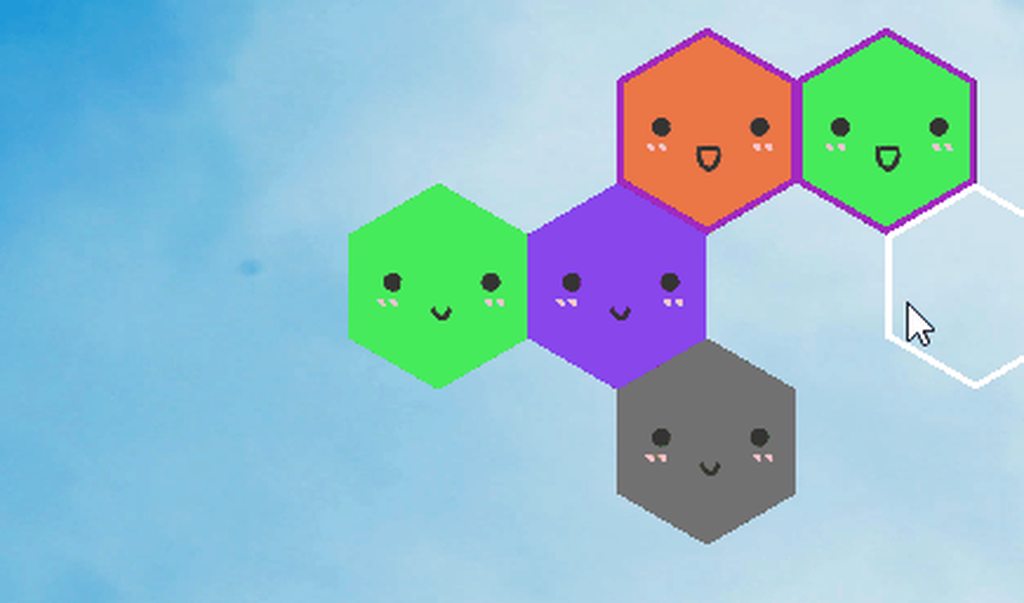
 rancid orbit
hi does anyone know, how to create float array in shadergraph and iterate over it?
nimble solstice
you'd have to write a custom function for that
regal stag
rancid orbit
hi does anyone know, how to create float array in shadergraph and iterate over i...
This should provide an example : https://www.cyanilux.com/tutorials/intro-to-shader-graph/#arrays
 rustic dagger
vestal stream
I'm trying to make some 2D hexagons be slime blobs, and I'm not really sure how ...
rustic dagger
vestal stream
I'm trying to make some 2D hexagons be slime blobs, and I'm not really sure how ...
blobby slimes are often done as metaballs. ever heard of those?
vestal stream
rustic dagger
blobby slimes are often done as metaballs. ever heard of those?
I have not. Is that what water sims are made of?
rustic dagger
vestal stream
I have not. Is that what water sims are made of?
Some use it in some capacity, sure.
It’s used to create that surface tension look between blobs as they approach each other
vestal stream
Ok, well this has given me something to go off of that's more than 'complicated math stuff', or at least it's a well documented complicated math stuff. Thanks.
rancid orbit
Thanks @regal stag
 uncut robin
Hey, I'm having a hard time figuring out how to get my render texture to be in the right sorting order. Is there a way for it to appear in the sorting order than it has initially?
From what I've seen on Google, enabling the depth buffer is supposed to do just that, but it doesn't seem to work for me
rustic dagger
uncut robin
Hey, I'm having a hard time figuring out how to get my render texture to be in t...
if you render to a texture then it's not in the screen buffer, right? it's gonna be in its own texture, that you put wherever you want in the scene, on its own surface. that surface should sort by itself.
are you looking to blend two scenes rendered with different depth buffers?
uncut robin
rustic dagger
if you render to a texture then it's not in the screen buffer, right? it's gonna...
So I'm having to use render texture in order to make my characters fade, as they are PSB (just changing the alpha of each sprite makes it weird since some sprite are superposed). The surface I use is a quad, which for some reason was the only one I could make work.
rustic dagger
then just make sure whatever quad you put your texture on is in the right place in the scene, and uses a depth-aware shader/material
it's easier when it's just 2D objects made of sprites
uncut robin
So basically, all I can get is one surface which is on one sorting order right? I wanted to make an object that's between 2 of the sprites that are gonna be rendered in texture, so that wont work
rustic dagger
you can do that
uncut robin
I'm interested 🙂
uncut robin
rustic dagger
then just make sure whatever quad you put your texture on is in the right place ...
I'm using sprites/default, maybe that's where the problem comes from?
rustic dagger
are we looking at this kind of scene?
C< ATB
where C< is the camera, T is all of your target's sprites grouped together, and A & B are just scene elements
 pastel venture
Hello! any ideas to fix this? I have tried activating/deactivating antialiasing, the same as with dynamic resolution and it is still the same
 rustic dagger
pastel venture
Hello! any ideas to fix this? I have tried activating/deactivating antialiasing,...
rustic dagger
pastel venture
Hello! any ideas to fix this? I have tried activating/deactivating antialiasing,...
aliasing is a very old problem
doesn't have a lot of elegant solutions
outer jetty
https://youtu.be/gtUQjJXICpI Someone yesterday typed up some code that gives me the rainbow-y reflection effect seen in this video except they used a fresnel effect instead of making it in reference to actual light sources. How would I set it up to do that?
Angel Aura Quartz is a beautiful type of crystal coated in precious metals, such as platinum, nickel, gold and titanium. It is then heated in a kiln to facilitate this alchemical process. The holographic tint is due to this alchemical manipulation of a regular quartz crystal.
Angel Aura Quartz works on all chakras due to the rainbow effect
Sh...
uncut robin
rustic dagger
are we looking at this kind of scene?
C< A**T**B
where C< is the camera, T i...

So on the left is scene view, where the fireball is behind the player, and on the right is game view, where the rendered texture goes behind
The player is made out of several sprites
rustic dagger
the fireball object just needs to be deeper into the scene, then, no?
or the quad with the player's rendered texture could be pulled closer to the camera
if they're just sprites in a 3D scene it should just work, unless you got stuff specifically forced a certain render order
uncut robin
I don't actually know how to change the sorting order of the quad
rustic dagger
position along the Z axis
think of it like you're holding a stack of playing cards. your fireball card is at the top of the deck, and under it you have your rendered player character card. you just need to shuffle that fireball card deeper into the deck
it's just a physical position in the scene, distance from the camera
in the most basic 2D configurations it just means a greater Z position value
uncut robin
I guess the problem is that I use the sorting order for everything else except that
rustic dagger
so you do use sort order in your materials?
rustic dagger
probably best not to
you wanna use "physical" positions to automate sorting
that's what my cards analogy kinda visualizes
uncut robin
rustic dagger
then just make sure whatever quad you put your texture on is in the right place ...
I'm just curious about that part, how do I know if a material is depth aware?
Cos I'm pretty sure this setup used to work, maybe I changed something or updated a package and it changed the material
rustic dagger
i think that it depends on the context, but to keep things simple: they almost always are, unless they're some kind of overlay type of effect.
if you use unity's default UI shaders it should work fine (as long as you don't use them in a canvas. canvas does sorting a bit different)
uncut robin
rustic dagger
if you use unity's default UI shaders it should work fine (as long as you don't ...
That might be the problem then
rustic dagger
your game is based on canvas?
uncut robin
I put everything in a canvas without thinking much, I'm pretty sure most of the stuff doesn't need to be in canvas
In the combat scene at least
rustic dagger
yeah, ok, it's not the end of the world or anything, it's just probably pretty inefficient for that purpose.
but that does make some things easier
canvas sorts by order of children in the hierarchy
uncut robin
Yeah, that makes it complicated if some spells have to be above and some behind the players and stuff
I used canvas and overrode sorting when needed to
rustic dagger
and that's why usually it's done using physical positions 😛
uncut robin
So Z axis?
uncut robin
I mean I've done that part more than a year ago and went with it, probably had to at some point
rustic dagger
all a part of the learning process 🙂
uncut robin
(like basically everything I did)
uncut robin
rustic dagger
all a part of the learning process 🙂
True
So I could animate a spell and change its z coordinate and it would basically be able to change its order
rustic dagger
yup
uncut robin
I can see how that might be useful :p
Didn't really plan to redo all that but it is what it is
rustic dagger
stuff gets rendered back to front, so stuff behind draws first, then the closer you get to the camera things start to overlap each other.
this is relative to the camera, i mean
so if your camera's rotation is identity, it is just the Z value
uncut robin
Just one thought tho, how would I make it so a sprite is between 2 of my player's sprite? Would I need to render the texture twice with different z values??
rustic dagger
i think maybe for those special cases you might need to bring those pieces into your player's render texture space
i.e. the camera that renders the player texture will also render that piece you wanna include in between the player's parts
it can get hairy, though, so make sure whatever system you come up with knows how to bounce objects between 2 cameras as needed.
uncut robin
Makes sense, I only have to change the layer of the sprite for it to be rendered
rustic dagger
precisely 🙂
it's funny, very recently i worked on a similar thing. we had a 3D character that we wanted to appear in UI under certain circumstances, so I came up with a render-to-texture system that allowed for smooth transitions and fading through existing UI elements.
uncut robin
rustic dagger
it's funny, very recently i worked on a similar thing. we had a 3D character tha...
What circumstances? I'm kinda curious to know how that's useful
heavy stirrup
mul(vertex, unity_ObjectToWorld) is the correct order right?
 wary horizon
How do i do a shader for a overlay canvas image, that will fade the images left and right, from the center?
low lichen
heavy stirrup
mul(vertex, unity_ObjectToWorld) is the correct order right?
No, the other way
 shrewd crag
outer jetty
https://youtu.be/gtUQjJXICpI Someone yesterday typed up some code that gives me ...
shrewd crag
outer jetty
https://youtu.be/gtUQjJXICpI Someone yesterday typed up some code that gives me ...
some light from gems comes from like interior reflections. it's challenging to fake. have you read about the physics?
low lichen
heavy stirrup
mul(vertex, unity_ObjectToWorld) is the correct order right?
And make sure vertex is a float4 with w set to 1.
heavy stirrup
low lichen
And make sure `vertex` is a `float4` with `w` set to `1`.
thanks
shrewd crag
@outer jetty you've thought about this. sample cubemaps and simulate internal bounces.
outer jetty
shrewd crag
<@!97845830165200896> you've thought about this. sample cubemaps and simulate in...
The reflections I'm talking about are just that, purely reflections. I'm not talking about the stone, I'm talking about the platinum coating
It shouldn't be hard to do for someone who knows unity, since the effect I'm looking for is on basically every shiny thing ever made in Unity with the white sheen they usually get when light hits it
I just need that to be the same thing that reveals that platinum coating texture
Problem is, idk C#
 amber saffron
@outer jetty Are you using a renderpipeline? Maybe HDRP ?
Asking this because it greatly looks like iridescence that is a shader option built-in the HDRP/Lit shader
outer jetty
amber saffron
<@!97845830165200896> Are you using a renderpipeline? Maybe HDRP ?
Asking this b...
standard, making it for VRChat
 analog crest
Hello, would someone know how I can get rid of this ugly reflection spot on my water, or at least make it look better ? ( first screen with smoothness at 1) (Im in HDRP)

smoothness at 0.8 :
 outer jetty
amber saffron
<@!97845830165200896> Are you using a renderpipeline? Maybe HDRP ?
Asking this b...
outer jetty
amber saffron
<@!97845830165200896> Are you using a renderpipeline? Maybe HDRP ?
Asking this b...
I think it is a form of iridescence, but it's tricky because the colors of that platinum coating don't actually change place on the crystal, only transparency
so it's not gonna be something achieved with matcaps
amber saffron
outer jetty
I think it is a form of iridescence, but it's tricky because the colors of that ...
I don't have a solution here, but applying some rainbow(ish color ramp on the specular reflection might do the trick ? But without some knowledge in shader coding that's not an easy task
outer jetty
amber saffron
I don't have a solution here, but applying some rainbow(ish color ramp on the sp...
I'm looking to be able to use this specifically https://assetstore.unity.com/packages/2d/textures-materials/metals/zinc-iridescent-colorful-149135#description

Elevate your workflow with the Zinc Iridescent Colorful asset from Lex4art (Techkind OU). Browse more 2D Textures & Materials on the Unity Asset Store.
Since that's like identical to what the glint needs to look like
amber saffron
analog crest
Hello, would someone know how I can get rid of this ugly reflection spot on my w...
This just looks like a regular specular reflection. You should be able to get rid of it by switching to specular surface type and set the specular color to black, but you will also loose it one the waves themselves.
You can also disable specular lighting on the light itself
outer jetty
For example, there's another variation of Aura Quartz that has so much platinum coating that there's no transparency at all and it's just that texture

But of course that's not what I'm after
analog crest
amber saffron
This just looks like a regular specular reflection. You should be able to get ri...
Worked thanks
amber saffron
outer jetty
I'm looking to be able to use this specifically https://assetstore.unity.com/pac...
So, hum, if you've found this material, why not use it ?
outer jetty
amber saffron
So, hum, if you've found this material, why not use it ?
cuz that's all it is, a texture
well I mean I am gonna use it
but not as is
final product's hopefully gonna look like this
 outer jetty
amber saffron
So, hum, if you've found this material, why not use it ?
outer jetty
amber saffron
So, hum, if you've found this material, why not use it ?
someone yesterday wrote something up for me that does give the coloration I want, but as a fresnel lens instead of in reference to actual light
apparently all I'd need to do is swap out the vector of the camera for the vectors of light source directions, but idk enough about Unity to do that
amber saffron
outer jetty
cuz that's all it is, a texture
Is it really ? It mentions a "material" on the store page :/
outer jetty
amber saffron
Is it really ? It mentions a "material" on the store page :/
It's got the glossy finish and all, it is a material, but it's that solid material alone
let me show you what it should look like
since that fresnel lens one does work
ofc, this is layered on top of a crystal shader as well though
 amber saffron
outer jetty
apparently all I'd need to do is swap out the vector of the camera for the vecto...
amber saffron
outer jetty
apparently all I'd need to do is swap out the vector of the camera for the vecto...
You might want to look into custom lighting in surface shaders : https://docs.unity3d.com/Manual/SL-SurfaceShaderLightingExamples.html
 outer jetty
 outer jetty
amber saffron
You might want to look into custom lighting in surface shaders : https://docs.un...
outer jetty
amber saffron
You might want to look into custom lighting in surface shaders : https://docs.un...
Ima be real with you idk enough about coding in general to figure that out anytime in the next month lol
outer jetty
amber saffron
You might want to look into custom lighting in surface shaders : https://docs.un...
if I sent over this shader, do you think you'd be able to figure out what changes need to be made?
Like, specifically? I know the general changes that need to be made I think lol
analog crest
what causes the water from dissapearing behind my waterfall ?

 lament karma
a mesh is built out of triangles, and the triangles only have one side, the other is see-through. The normal of all sides here are outwards.
even though the shader is transparent, it cannot be rendered unless you're looking at the mesh from where the normal of the surface is.
scratch that, I misunderstood the question.
analog crest
It looks like If I have 2 transparent shader and look trough them, it erase the one thats in the back
 lyric oyster
Hi
Im tryna make the water have a neat transition towards the shore, any ideas on how I could do that? im using Gerstner Waves by Zicore in HDRP. If you have an idea feel free to ping me

 calm rock
Hey,
I'd like to share some code between URP and HDRP shaders but first I'd like to know how to differentiate, in the shader, between one and the other. I can see that a lot of #defines are contained in auto-included files like 'HLSLSupport.cginc' but I can't see anything that'd make it obvious that a shader file is being compiled as URP or HDRP.
regal stag
calm rock
Hey,
I'd like to share some code between URP and HDRP shaders but first I'd l...
HLSLSupport.cginc is more for the Built-in RP.
I'm sure there are various defines included in each pipeline's ShaderLibrary but it may also be easier to define your own keywords. e.g. use #define PIPELINE_URP before the #include ...
calm rock
regal stag
HLSLSupport.cginc is more for the Built-in RP.
I'm sure there are various define...
Not sure how to do that in this case - the base shader is a shadergraph and the file(s) I'm including are custom functions within that.
regal stag
Ah, didn't realise we were referring to shader graph
In that case could try using #ifdef UNIVERSAL_PIPELINE_CORE_INCLUDED
Im not very familiar with HDRP so unsure if there's a similar "core" include that would always be included for a HDRP shader graph. Could check the generated code to see if there's anything useful.
Otherwise could use #else and just assume it's HDRP (but that'll only work if the only targets the graph will use are URP and HDRP)
calm rock
cool, that looks like the #defin I was looking for 🙂
all this would be a lot easier to manage if it weren't shadergraph tbh but that's what my boss wants, so that's what he gets 🙂
exotic kraken
I think shadergraph ultimately gets output as shader code but I don't know where it goes
regal stag
You're using a value of 0 in your Comparison node (coming out from the alpha channel of the main texture sample), so your branch is always true
 nimble perch
so im working on this cloud shader an my alpha channel isnt really working the way I want it to. I put my Alpha on 0, which should make it completely transparent but I can still see it.

how can I fix this
thats the shader
 analog karma
analog crest
what causes the water from dissapearing behind my waterfall ?
analog karma
analog crest
what causes the water from dissapearing behind my waterfall ?
from the words of remy from one of my questions that is basically the sames as yours:
refractions don't stack up
rendering transparent objects is tricky
serene elk
Can you raycast in shader code?
 shadow locust
serene elk
Can you raycast in shader code?
shadow locust
serene elk
Can you raycast in shader code?
Not to the physics engine
serene elk
even in compute shaders?
shadow locust
yes even in "computer" shaders
serene elk
dang
Trying to get a blob shadow always painted with ZTest Always but multiple blob shadow are painted from the projector.
https://streamable.com/enxqsk

thought i could do a raycast to get the blob shadow painted once
also thought i could do distance invariant to discard pixels, but it's still shotty with ramps and meshes close to eachother
would be a big problem on angled surfaces that are deep/steep
analog crest
analog karma
from the words of remy from one of my questions that is basically the sames as y...
would creating a custom pass help ? Ive managed to make the lake render trough my waterfall by using the pre refraction model, but it changes the lake a bit too much.
analog karma
that could help actually
 royal vale
What shader model does Compute shaders use? I want to use some of the intrinsic functions but It's annoying not knowing what I can use
 clever saddle
Anyone who know where to find the API doc of HLSL?
royal vale

HLSL is the C-like high-level shader language that you use with programmable shaders in DirectX.
clever saddle
royal vale
https://docs.microsoft.com/en-us/windows/win32/direct3dhlsl/dx-graphics-hlsl
Is there any page to find some built-in method like “snoise”?
royal vale
The following table lists the intrinsic functions available in HLSL. Each function has a brief description, and a link to a reference page that has more detail about the input argument and return type.
These are the ones that come built in
HLSL is pretty low level compared to most languges so a lot of things will have to be written by you unfortunately
the noise function listed there is not working as of shader version 2 which is really dumb IMO
clever saddle
royal vale
https://docs.microsoft.com/en-us/windows/win32/direct3dhlsl/dx-graphics-hlsl-int...
Thank u!
Is the compute shader and shader same language that HLSL?
royal vale
Yeah compute shaders are written in HLSL, same goes for vertex and frag as far as I know (not very much lol)
clever saddle
Standard shader has something like CGPROGRAM,properties,subshader.Compute shader dont have that.
They all HLSL language,But the way of writting are diff?
royal vale
Honestly I'm not too sure, I only have experience writing compute shaders so I dont think I can help
clever saddle
Well.Thank u anyway
clever saddle
That's initial code of compute shader:// Each #kernel tells which function to compile; you can have many kernels
#pragma kernel CSMain
// Create a RenderTexture with enableRandomWrite flag and set it
// with cs.SetTexture
RWTexture2D<float4> Result;
[numthreads(8,8,1)]
void CSMain (uint3 id : SV_DispatchThreadID)
{
// TODO: insert actual code here!
Result[id.xy] = float4(id.x & id.y, (id.x & 15)/15.0, (id.y & 15)/15.0, 0.0);
}
What's id?
Is that something to loop through a known array? Or just an index increase from 0?
 chrome zinc
Hi, still pretty new with ShaderGraph
How would I go about scaling my Pixel shader based on the scale of the game object?
(I would like a consistent pixel size regardless of the size of the sprite)
I have tried multiplying the scale of pixels with the scale of the object node, but that gave me undesired results.
Below are images of my currently pixel scaled sprite, and the result of when I change its scale.
(Edit) Fixed the issue. If anyone has the same problem feel free to message me.


 royal vale
Is there some sort of way I can copy a RWTexture2D into a 2D array and then set the texture to the array after some manipulation?
Doing cellular autonomy stuff and I need to change the states of the pixels independently
royal vale
*use two textures
serene elk
blows my mind that stencils were a thing back in the day https://youtu.be/kFJWUlC5D7k?t=1103

Ocarina of Time N64 100% - Episode 27 - Shadow Temple
With the Lens of Truth in his hands Link is trying to challenge the Shadow Temple.
We play this game 100%. That means we'll get every collectible in the game. Please subscribe to stay updated and to receive the new episodes in your YouTube subscription box!
Played by Maurits.
 tacit parcel
Since Pastah mentioned about zelda , I remember a question in tigs forum about the zelda skyward sword shader, I'm curious, if one attempt to recreate the shader in unity, what approach do you have in mind?
Take a close look on those 'streaks' on the grass and the trees
Mind you that the game run on Wii which is not too powerful in term of graphics processing, so I dont think kuwahara filter is feasible, not to mention that it yield a slightly different result.
https://i1.wp.com/www.lynkformer.com/template/blog/2011/12/skyward-sword-03.jpg

 last wadi
So I have two Passes that calculate almost the same thing twice, but output different things. I can't combine them without adding a Grab Pass (because of transparency), which I am trying to avoid (performance and compatibility reasons). Is there a way to preserve data between passes? I thought maybe using Buffers or Render Textures might work? (depending on their performance of course, since there is no reason to do so if it worsens the performance.) Are these my only options or is there a better way to achieve it?
calm rock
I'm trying to programatically set the 'DiffusionProfile' of a sub surface scattering HDRP material I've created in a script. Looping through the properties, I can see two uniforms that might be what I want:
'_DiffusionProfileHash' (float)
and
'_DiffusionProfileHash' (vec4)
Thinking I was being big and clever, I printed out the values of these and then tried to set them in code - no dice, diffusion profile still wrong. I imagine there must be a proper way to set these but I can't see it, or any documentation for this.
heavy stirrup
can you use 'const' modifier in surface shaders? I get the following error
Unexpected token const. Expected one of: sampler sampler1D sampler2D sampler3D samplerCUBE sampler_state SamplerState SamplerComparisonState bool int uint half float double or a user-defined type
To reply to this myself - you have to jump through some hoops!
amber saffron
heavy stirrup
can you use 'const' modifier in surface shaders? I get the following error
```c
...
Not sure, but I think the equivalent is "uniform" ?
heavy stirrup
amber saffron
Not sure, but I think the equivalent is "uniform" ?
i mean im using const as a modifier for function parameters not as uniforms or any global vars, e.g. function(in const int a); would throw this error.
only happens in surface shaders
grand jolt
Is it possible for HDRP Decals to have color blending modes like soft light, additive, etc?
 hollow edge
Hello hello!
Does anyone know, why with a Stack Lit shader, the ambient occlusion and specular occlusion inputs might not be working?
I've added simple toggles to slide between zero and one, but the change is having no affect.
Any help appreciated, cheers!
royal vale
if I want to sample a given nxn region of a texture in a compute shader, what's the fastest way I can do so? Right now I'm using a double for loop and it's the biggest bottleneck of my performance at the moment
 cursive jewel
I have a rectangular mesh, i want to bend it as shown in figure. Is it possible with shaders? How hard it is? I am new to shader programming and don't know much.
Any help would be greatly appreciated. Thanks
 nimble solstice
Maybe possible but would probably be easier with a skinned mesh
serene elk
cursive jewel
I have a rectangular mesh, i want to bend it as shown in figure. Is it possible ...
Shaders can decide where vertices are placed, but it aint easy stuff.
serene elk
royal vale
if I want to sample a given nxn region of a texture in a compute shader, what's ...
afaik double isn't even a thing in compute shaders https://docs.unity3d.com/Manual/SL-DataTypesAndPrecision.html
might have to step down to a float
royal vale
*nested for loop
sorry haha
currently using it to sample a square region of a texture
serene elk
show me your double for loop
royal vale
this is called a jillion times per frame, been trying to optimize it

also was looking into alternatives to atan2() since it's expensive I've heard
it samples the pixels and weights them based on rgba intensity, combines them and returns the weighted location of the average within the searching area
*forget the DTime at the bottom I was just messing with random stuff
serene elk
are you sure the bottleneck isn't the transfer of data from GPU to CPU vice versa?
royal vale
yeah buffer is only passed once to the shader and that's it
Not using compute shader in the traditional sense, if I change the bounds of the loop it impacts the FPS dramatically so I assume that's where it comes down
serene elk
What's the datatype of AgentMap? How many elements is it?
royal vale
Sorry actually AgentMap is a RWTexture2D<float4> 1920*1080
my buffer is 1000000 so the loop is going that many times per frame, with the loop of 121 iterations the numbers are very large
so I'm getting the rgba value of the pixel with locAmount = AgentMap[uint2(dx + sensPos.x, dy + sensPos.y)]; and then doing the weighting and stuff given that.
serene elk
so that's roughly 4 bytes * 1920 * 1080 = 8.3 MB I believe
royal vale
yeah whatever (sizeof(float)*4) * (1920*1080) is
royal vale
The size isn't really the issue I think it's just the amount of iterations
I'm not really passing a buffer or anything
serene elk
i'm making sure you're not going through 1 GB of memory per frame
processing that much
royal vale
haha yeah I've checked task manager and I'm okay on it, pretty low usage
crashed my computer a few times accidentally but it's okay
I guess I'm just wondering if there's any other alternative way of doing what my function is logically doing via some faster methods/built in HLSL functions
serene elk
how large are these values? is it possible to normalize the values?
serene elk
i don't think having that nested loop is huge issue if you're doing O(n) everytime
where n is how many pixels you have in your texture
serene elk
that's why i'm wondering what the datatypes you're working with really are and how massive they are
royal vale
so like (1920*1080)*121
they're normalized primitives so it should be pretty efficient I think
I feel like I'm pressing up against the limit of what my GPU can do
So this function is running for every element in my buffer of length 1,000,000, therefore 121,000,000 iterations per frame just in the function. I don't really know much about GPU operations but that has to be pretty stressful
serene elk
I'm confused because i see in your code it's 11 * 11 iterations for each time the function is run
royal vale
yeah? 11*11 = 121 * times called per frame which is 1,000,000
serene elk
you're running this sniff function on each element of an array of size 1,000,000?
royal vale
correct
sounds dumb but it's how the thing im making works haha
Is there some way I can setup my thread/groupsize that would maybe optimize how these are called? Right now I just have
[numthreads(32,32,1)] and shader.Dispatch(updateKernal, agentTexture.width/32, agentTexture.height/32, 1);
serene elk
what is this array of size 1,000,000?
royal vale
It's a buffer of structs that is passed a single time to the shader
structs are pretty lightweight
serene elk
i still don't get what you're doing
royal vale
haha https://www.youtube.com/watch?v=X-iSQQgOd1A&ab_channel=SebastianLague pretty much a copy of this
A small exploration of an algorithm inspired by ants, and some little experiments into simulating some of the behaviour of ants and slime moulds. I hope you enjoy!
The slime simulation project files are available here: https://github.com/SebLague/Slime-Simulation
If you'd like to get support the channel, and get early access to future projects,...
serene elk
you have an array of 1,000,000 of calculated weights but why?
serene elk
cool stuff
royal vale
It do be
lone bone
for some reason i cant output this checkerboard to the vertex position?

ive tried connecting it directly, and even splitting then reconnecting (shown in pic) but the lines wont connect
vocal narwhal
lone bone
for some reason i cant output this checkerboard to the vertex position?
https://docs.unity3d.com/Packages/com.unity.shadergraph@6.9/manual/Checkerboard-Node.html
You can see that the code uses ddx and ddy which are both fragment stage only
lone bone
oh i see, thanks
analog karma
any ways to implement affine texture mapping or vertex snapping with shader graph?
 gilded snow
guys can u help me, i follow a tutorial https://i.imgur.com/eB2rbVq.png and here me https://i.imgur.com/EMLfdye.png my shader alway purple and I dont even know what I'm doing wrong.
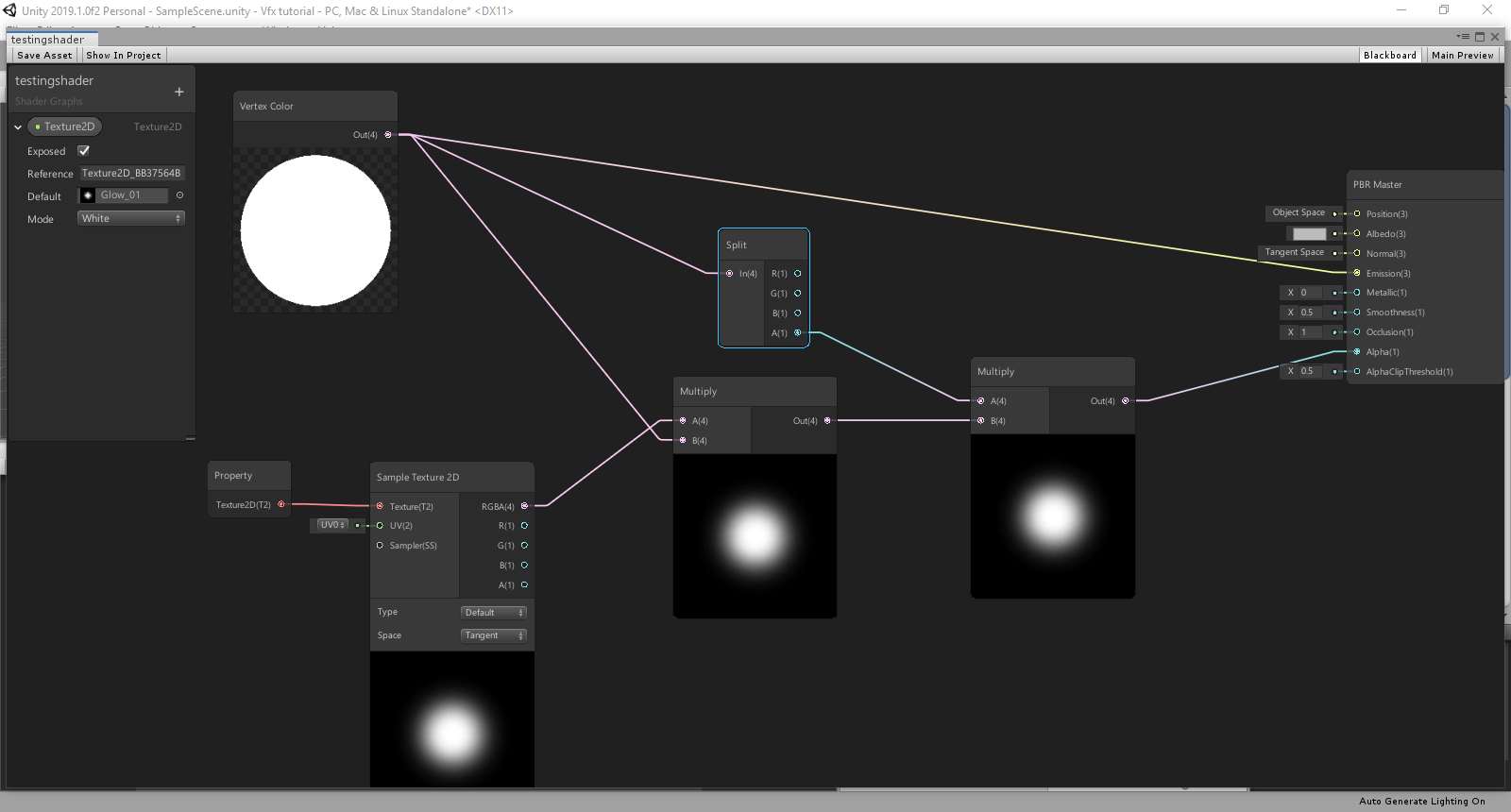
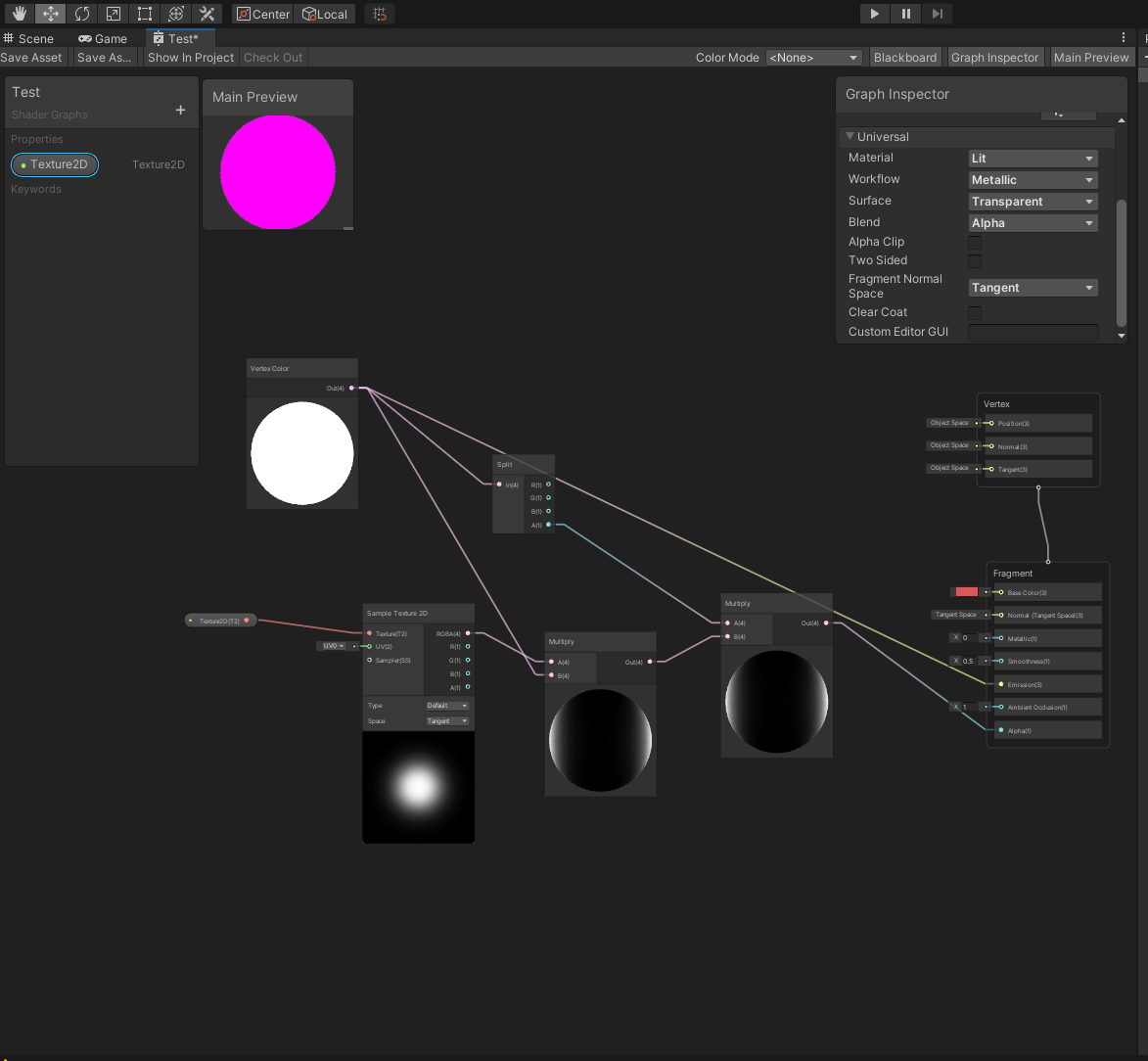 serene elk
gilded snow
guys can u help me, i follow a tutorial https://i.imgur.com/eB2rbVq.png and here...
serene elk
gilded snow
guys can u help me, i follow a tutorial https://i.imgur.com/eB2rbVq.png and here...
go to #archived-urp
most likely need to setup URP properly
gilded snow
serene elk
most likely need to setup URP properly
thanks i fixed it
worthy rapids
Resource Loading Performance Test Code
Shader resources are different from the previous grid resources and texture resources, and their physical size is small. Generally speaking, the physical size of a Shader resource is only a few KB, and the memory is only tens of KB. Therefore, the bottleneck of the efficiency of Shader resource loading is not the loading of its own size, but the parsing of the Shader content. Therefore, in this article, we select the four most commonly used Shader resources in your projects to let you better understand the specific overhead of Shader resource loading.
In-depth Analysis of Unity Loading Module Ⅱ: Shader
https://blog.en.uwa4d.com/2022/02/24/in-depth-analysis-of-unity-loading-module-shader/
Continuing from the previous article of In-depth Analysis of Loading Modules, in which we focused on the loading performance of mesh resources, we will discuss about the loading efficiency of Shader resources for you today. Resource Loading Performance Test Code Like the test code proposed in the previous article, we will…
There is a shader in-depth analysis for you, hopefully this can work out for your projects.
 woven lark


 grand jolt
How do i make grass shader?
 grizzled bolt
grand jolt
How do i make grass shader?
grizzled bolt
grand jolt
How do i make grass shader?
We would first start by googling for ideas and instructions, as always
grand jolt
grizzled bolt
We would first start by googling for ideas and instructions, as always
i did it was not good what i found
grand jolt
grizzled bolt
We would first start by googling for ideas and instructions, as always
How do i space unity terrain grass so it does not lag that much?
 dry sedge
are you able to increase a dissolve shader graph on multiple object instantiates?
dry sedge
dry sedge
are you able to increase a dissolve shader graph on multiple object instantiates...
Actually I just got it working
 sonic quail
help
shaders- standart

 quiet silo
im using a script to set the normal texture but this is what I get (using the normals for albedo to show that its fucked up)

texture is also set as normal map

im also using urp
regal stag
<@&502884371011731486>
tame topaz
!ban 563769328802201610 scam
 echo moatBOT
 jack the hunter#8262 was banned
quiet silo
Fixed it unity compresses normal maps in some smart way so you have to unpack them again
 amber saffron
sonic quail
help
shaders- standart
amber saffron
sonic quail
help
shaders- standart
Looks like the good old error shader here, isn't it just materials using a shader that doesn't compile ?
Qvizy issue
heavy stirrup
is there a way to pass uv coordinates from vertex to fragment shader in shadergraph?
regal stag
heavy stirrup
is there a way to pass uv coordinates from vertex to fragment shader in shadergr...
Shadergraph already handles this automatically for the mesh uv channels. Can obtain the coordinates using the UV node.
v12+ also has Custom Interpolators if that's what you're looking for https://docs.unity3d.com/Packages/com.unity.shadergraph@12.0/manual/Custom-Interpolators.html
amber saffron
heavy stirrup
my mesh has no uv coordinates, it's generated in the vertex shader
Depending on how you do them, you might also be able to generate them in the pixel shader ?
 mortal mason
I would like to make shader for a plane in Unity which can hides everything behind it in Game view
Anyone can help?
amber saffron
mortal mason
I would like to make shader for a plane in Unity which can hides everything behi...
Technically, a plane with a standard shader already hides everything behind it.
What are you trying to achieve here ?
 mental bone
mortal mason
I would like to make shader for a plane in Unity which can hides everything behi...
mental bone
mortal mason
I would like to make shader for a plane in Unity which can hides everything behi...
Do you mean a "invisible" plane that hides stuff ?
mortal mason
mental bone
Do you mean a "invisible" plane that hides stuff ?
Yes!
mortal mason
mental bone
Do you mean a "invisible" plane that hides stuff ?
That’s what I mean
mental bone
Check out stencil shaders thata what you want
amber saffron
An other solution without stencil is to use a shader that writes depth but not color. So here a base unlit shader with ColorMask 0
Might lead into some rendering surprise if the background is not cleared between frames
But else, stencil is the way
rapid oak
so i've been wondering about this for quite a while but any ideas on how to replicate this effect that's playing on the "profile" button? https://www.youtube.com/watch?v=lOGbzxz2Yjc it looks really cool however it does look complex too. seems like particles are included too?
Another Main Menu Themes:
https://www.youtube.com/playlist?list=PLo2f0DnBXQZX7OUoXdjIRjHj7mJwp0LnU
Main Menu Theme from TrackMania Sunrise.
heavy stirrup
anything that would cause unity_InstanceID to not be set in a shader graph lit material? Im using Graphics.DrawMeshInstanced
it works about half the time
if I dont access instanceID at all, there's no error but obv not what i want
mortal mason
amber saffron
An other solution without stencil is to use a shader that writes depth but not c...
Thanks. So I just drag that shader to any material which is on the plane? Sorry I am a bit beginner
mortal mason
amber saffron
An other solution without stencil is to use a shader that writes depth but not c...
I dragged it on Plane's material and it is hidden now but not hide anything
lone bone
im making shaders intended to be applied to spheres. For some reason, they appear to by symmetrical along the middle of the sphere


like, the top and bottom half always look the same
regal stag
lone bone
im making shaders intended to be applied to spheres. For some reason, they appe...
That's because the Gradient Noise is 2D and using the Position node as an input (top left of graph). The position node outputs a Vector3, but the Tiling And Offset is truncating it down to a Vector2. There may be ways to map it differently (e.g. using Arctangent2 & Arcsine) but not really without seams.
Using a 3D noise function would work, I know Remy's library has some. https://github.com/RemyUnity/sg-node-library
lone bone
yooooo you can download custom nodes? i didnt know that was a thing
oh right, its called subgraphs right? ive seen those as menu options
regal stag
Yeah they are subgraphs. But some likely just containing custom function nodes.
lone bone
also, do i import this as a package or just download and put into my assets?
regal stag
Either would work, but it looks like it is set up so that you can install via package manager (using https git url)
lone bone
dope, thanks cyan
i tried the noise simplex 3d noise but the sphere is still symmetrical
 regal stag
lone bone
i tried the noise simplex 3d noise but the sphere is still symmetrical
regal stag
lone bone
i tried the noise simplex 3d noise but the sphere is still symmetrical
The Tiling And Offset is still truncating as it's designed to work with UV coordinates. If you want to apply tiling values to the Position node, use a Multiply node, then for offset use an Add
lone bone
gotcha, ill try to impliment that
hell yeah, looks beautiful now, thanks cyan!

where can i find more subgraph packs like remys?
serene elk
Can you create a wall cutout shader where you don't have to paste the shader code over every wall? I want the player visible through walls.
 torpid sapphire
Is there any reasons why scrolling a noise texture by offsetting it with time would not be working in a vertex displacement shader ? The noise scale directly affect the displacement, but there is absolutely no scrolling happening. yet in the shader graph preview I can see it scrolling properly.
shadow locust
torpid sapphire
Is there any reasons why scrolling a noise texture by offsetting it with time wo...
show your code?
 fleet karma
Just started to really try and learn shaders, I've got a vertex shader working and now I want to make a nice fragment shader.
How do I access the depth buffer/texture from a fragment shader? I've gone to many websites and I cannot seem to find a working solution
serene elk
you don't manage the depth buffer afaik
just utilize ZTest if you want to change how you compare against the depth buffer
fleet karma
Nevermind, figured it out! Just had to pass a variable to COMPUTE_EYEDEPTH
serene elk
can you use a scriptable render pipeline that doesn't make textures go pink?
shadow locust
You have to use shaders that are compatible with whatever RP you're using or you get pink
serene elk
so if i code a shader and say what the frag and vert functions do then it won't work with URP?
serene elk
If I use a scriptable render pipeline, can I make a stencil buffer where all objects have a cutout hole in them to show the player?
shadow locust
probably?
serene elk
i want to avoid using the same shader code on all environment objects
i.e. dragging and dropping the shader code on all those environment game objects
i'm not familiar with shaders and pipelines 100% yet
 tepid agate
Hi, I'm trying to make a shader with shadergraph and I wonder if it's possible to get world space normals using the depth texture of the camera. I know I could use the normal node in shadergraph but it has bad performance since I want to apply the material to all of the scene. So I put a plane on front of the camera. Is it possible like the world space positions? https://docs.unity3d.com/Packages/com.unity.render-pipelines.universal@13.1/manual/writing-shaders-urp-reconstruct-world-position.html
shadow locust
tepid agate
Hi, I'm trying to make a shader with shadergraph and I wonder if it's possible t...
SHould be possible. Follow the same approach as in that article - just with graph nodes instead of code
e.g. to sample the depth texture use https://docs.unity3d.com/Packages/com.unity.shadergraph@6.9/manual/Scene-Depth-Node.html ?
(i think)
serene elk
how can i know what shaders are compatibile with what pipelines?
Like what pipelines is this shader code compatible with? https://forum.unity.com/threads/only-draw-when-behind-object-shader-computation-complexity.1249096/
Unity Forum
How can you make a shader only draw when the object behind another object, is it possible? I want an x-ray shader effect.
So far I already have...
tepid agate
shadow locust
SHould be possible. Follow the same approach as in that article - just with grap...
I really have no ideas how to get normals... the positions are like this
 shadow locust
tepid agate
I really have no ideas how to get normals... the positions are like this
shadow locust
tepid agate
I really have no ideas how to get normals... the positions are like this
I imagine you'd have to get a bunch of neighboring world space positions (maybe the surrounding 8 pixels) and do some interesting math?
not really sure
shadow locust
serene elk
how can i know what shaders are compatibile with what pipelines?
Like what pipel...
I think anything with CGPROGRAM is the builtin renderer. I think all the URP stuff is HLSL?
serene elk
they look so similar
tepid agate
shadow locust
I imagine you'd have to get a bunch of neighboring world space positions (maybe ...
Yeah... I found this but I don't understand xd
 shadow locust
tepid agate
Yeah... I found this but I don't understand xd
shadow locust
tepid agate
Yeah... I found this but I don't understand xd
it's... not simple stuff 😛
serene elk
it's linear algebra, you need to calculate the inverse of a matrix
shadow locust
I don't understand either
I guess I was right about the neighboring offsets thing but that's about as far as I get 😛
serene elk
a matrix provides linear transformation for your inputs, kind of like a filter
get the projection view matrix, then calculate the inverse of it
tepid agate
Oof... All of this to make my caustics work with the sun angle...
 tepid agate
serene elk
get the projection view matrix, then calculate the inverse of it
tepid agate
serene elk
get the projection view matrix, then calculate the inverse of it
in shader graph?
serene elk
i don't use it, wouldn't know but i don't see why not it wouldn't have it
serene elk
tepid agate
in shader graph?
you could calculate manually if you wanted to if there's no inverse function
https://www.cuemath.com/algebra/inverse-of-a-matrix/
shadow locust
there's definitely a matrix inverse in ShaderGraph
tepid agate
The thing is that I don't know what's a matrix lol
 serene elk
a matrix is a grid of numbers you can see them as
but it's actually a collection of vectors you can say
tepid agate
ahhh so it's the neighboring points?
serene elk
no it's like a formula to transform things
tepid agate
but the 4 inputs are the points?
serene elk
kind of like applying quadratic formula on quadratic functions gives you roots
tepid agate
serene elk
kind of like applying quadratic formula on quadratic functions gives you roots
I'm good in maths but only in my class
idk
ok so
serene elk
the 4 inputs is your xyzw I think
tepid agate
what's w 😭
serene elk
it's a 4th dimension i think because of quaternions
because limitations to 3D geometry rotation, gimbal lock
makes things less buggy
tepid agate
I don't understand quaternion but which rotations do I pass to the matrix?
 serene elk
you need to grab the projection view matrix, is that not already a node?
tepid agate
hmm wait
tepid agate
 serene elk
InverseViewProjection
serene elk
yes
serene elk
?
serene elk
i'm guessing you would want to apply the matrix on each vector
like a pixel's location, i.e. it's vector xyzw
then that would give the normal you're probably looking for that vector
tepid agate
so the xyzw output is like the normal
serene elk
otherwise look at the example shader code linked
yeah i think as i'm guessing what you're doing and what needs to be done
serene elk
Material.SetMatrix("_LeftWorldFromView", left_world_from_view);
Material.SetMatrix("_LeftViewFromScreen", left_view_from_screen);
apparently you need to set your view's matrix
tepid agate
is it possible in shader graph
serene elk
i don't know, i never used shader graphs
tepid agate
ah you seem to be good
tepid agate
serene elk
i don't know, i never used shader graphs
As you can see i'm bad
 serene elk
i was wrong, xyzw isn't quaternion based, it's a homogeneous coordinate system
tepid agate
serene elk
i was wrong, xyzw isn't quaternion based, it's a homogeneous coordinate system
So do I have the correct start or...
serene elk
don't know
tepid agate
serene elk
don't know
ppl have nice scripts https://forum.unity.com/threads/world-normal-from-scene-depth.1063625/
tepid agate
serene elk
don't know
?
 mortal mason
I would like to make shader for a plane in Unity which can hides everything behind it in Game view
Anyone can help?
amber saffron
mortal mason
I would like to make shader for a plane in Unity which can hides everything behi...
Like I proposed earlier, here is a shader that you can apply to your plane.
Shader "Unlit/DepthMask"
{
    Properties
    {
    }
    SubShader
    {
        Tags { "RenderType"="Opaque" "Queue"="Geometry-1"}
        LOD 100
        ColorMask 0
        ZWrite On

        Pass
        {
            CGPROGRAM
            #pragma vertex vert
            #pragma fragment frag

            #include "UnityCG.cginc"

            struct appdata
            {
                float4 vertex : POSITION;
            };

            struct v2f
            {
                float4 vertex : SV_POSITION;
            };

            v2f vert (appdata v)
            {
                v2f o;
                o.vertex = UnityObjectToClipPos(v.vertex);
                return o;
            }

            fixed4 frag (v2f i) : SV_Target
            {
                return fixed4(1,1,1,1);
            }
            ENDCG
        }
    }
}
 mortal mason
amber saffron
Like I proposed earlier, here is a shader that you can apply to your plane.
```
...
mortal mason
amber saffron
Like I proposed earlier, here is a shader that you can apply to your plane.
```
...
So I should make a new shader and copy there this code?
amber saffron
Yes
mortal mason
Amazing! Thanks
 plush kindle
hello. im trying to make a shader graph for hdrp, and i cant get teh alpha clipping to work.
i setup a slider property and attached it to the alpha clipping. but when i move teh slider nothing happens.
 mortal mason
amber saffron
Yes
mortal mason
amber saffron
Yes
Remy can you help me with this situation?
I have a model which has tentacles with cool animation. I would like to cut down just one tentacle but keep the animation but the model is not splitted into several parts so I need to cut down it in an external modeling software. How can I do that but I can keep the animation?
amber saffron
plush kindle
i setup a slider property and attached it to the alpha clipping. but when i move...
Where is the alpha value comming from ? It's not clear from the screenshot
amber saffron
mortal mason
Remy can you help me with this situation?
I have a model which has tentacles w...
The key here is to keep the vertex weights data for the animation I guess.
A easy solution would be, in the modeling software, to dupplicate the mesh, on the original one remove the tentacle, and on the copy remove the rest bu keep the tentacle :).
amber saffron
mortal mason
Remy can you help me with this situation?
I have a model which has tentacles w...
This is maybe more a question for #🔀┃art-asset-workflow or #🏃┃animation btw
plush kindle
the alpha itself was supposed to be a fade, where if the player goes under the tree it fades away. so you can still see the player. its an isometric top down type game.
for some reason in HDRP i cant just change the alpha in code in order to make the leaves fade away and then back in once the player leaves.
so im trying to make a shader that can do it.
amber saffron
Alpha clipping is a simple (alpha > clip value)? comparison.
Could it be that the alpha value is always higher than the clip threshold value you set ?
plush kindle
well the original shader that came with the tree asset works just fine with an alpha clip value of 0.5
original material*
does the texture 2d also need to be attached to the alpha slot?
mortal mason
amber saffron
The key here is to keep the vertex weights data for the animation I guess.
A eas...
But with that I lose the animation on the tentacle 😮
amber saffron
plush kindle
does the texture 2d also need to be attached to the alpha slot?
Yes, as I guess that the texture alpha channel was used to provide informations to draw the leaves shape.
plush kindle
yeah im a total noob and i couldnt yield any google search results on the top of alpha clipping
amber saffron
mortal mason
But with that I lose the animation on the tentacle 😮
You shouldn't.
Take time to learn on how to use your modeling software to do that.
plush kindle
i just googled a tutorial on how to do a fade effect when the player walks near an object.
and tried to add the texture to it.
 amber saffron
Are you sure of what you're doing here ? 😅
From what I understood, you wand to hide the leaves in a circle around the player, right ?
Offset beeing the player's position, in screen space ?
Hum, no, offset is a float value, so I don't get what it's used for
plush kindle
i am not sure at all. this is my very first attempt at making a shader graph ever
idk either. i just watched a tutorial and he had an offset.
the range is supposed to be the players range from the game object
but y eah the plan is, when the player gets close enough to the tree. the leaves should fade out as to not block the camera
amber saffron
i just watched a tutorial and he had an offset.
Is this tutorial supposed to do what you want to achieve ? If yes, and you don't have the same result, you probably missed some stuffs
plush kindle
wellt he problem was with the video he wasnt using any texture
it was just a low poly game object with a solid color on it.
so i just copy what he did, and now im tryign to add a texture.
but the texture has this alpha clipping, which idk how that works at all.
amber saffron
If the texture is the only issue, you just have to multiply the texture sample alpha value to your alpha before the stack alpha input.
plush kindle
ok so just add a multiply node and combine them both togther?
sweet that worked
thanks a ton
but yeah the distance check doesnt seem to be working, because i think it checks the camera distance? is there a way to maybe add a collider to the tree, and when the player hits the collider it triggers an alpha change on the shader?
i see there is a boolean property. is it possible to hit that with code?
amber saffron
Everything is possible with more or less effort, but if the effect was working in the tutorial, it should also work on your side, unless you missed something.
For example, I see that you used the alpha value of the screen position, which doesn't make sense to me
plush kindle
yeah, idk what the "screen position" even is.
i can only assume that it checks the screen position of the game object in relation to the camera.
which wouldnt work with an isometric game since the camera is so high in the sky.
i need to use the players position.
amber saffron
It's not an event.
The screen position is "the position on the screen of the current pixel"
plush kindle
yeah, if i could just trigger the change in alpha value with code. with an ontriggerEnter and ontriggerexit.
flip that bool to trigger the fade.
that would prolly be better.
amber saffron
As you wish. Like I've already said, if it worked in the tutorial but not in you project, you probably missed something, the texture alpha beeing a detail here.
plush kindle
if i make a property like a bool, how do i access it in code?
meshrenderer.materials[1].(nameofbool)?
amber saffron
You can use https://docs.unity3d.com/ScriptReference/Material.SetFloat.html with the bool reference name and 0/1.
Internally, material booleans are just floats
plush kindle
ah i see. i hope this works. i tried using SetColor() and it would change the alpha, but ontriggerexit, it wouldnt SetColor() again back to 1f.
grand jolt
Is there a shader like the built-in Particle/Standard Unlit, except it also does light/shadow like Toon/Lit?
 full salmon
quick noob question, hope this is an ok place to ask: when I look at a normal map, it is mostly shades of purple, ie varying values for X and Z and not so much in Y. Why is this? I assume the values are in tangent space, so they're relative to the existing normals, so I guess it doesn't make sense to be spinning a normal on the spot? Is that about right?
amber saffron
full salmon
quick noob question, hope this is an ok place to ask: when I look at a normal ma...
Values in a normal map are not rotations, but a 3D directional vector coodinates, ranging from -1 to 1 in all axes.
As we can't represent negative values with colors, 0 is -1, 128 is 0 and 255 is 1.
Normals are mostly used in tangent space mapping, where the Z axis is pointing "away" from the polygon you are looking at.
So, put all this together, and a normal without perturbation, aka no changing the face normal value, is a vector of (0,0,1), converted to rgb : 128, 128, 255 => a light blue.
This explains why most of the color you see are shades of this, as it's not very often that you will see things pointing parallel to the surface, like let say, (1,0,0) which would be pure red.
full salmon
@amber saffron ah, that really helps, thank you!
wait, wouldn't (1, 0, 0) be (255, 128, 128) which would be pink?
in fact values less than 128 would be really rare since they would mean that the normal would be "inside out" so to speak, right?
 round linden
How can I make the textures nontransparent in unity, I have’n problems in blender?

 dim yoke
round linden
How can I make the textures nontransparent in unity, I have’n problems in blende...
dim yoke
round linden
How can I make the textures nontransparent in unity, I have’n problems in blende...
Maybe its transparent only from one side?
amber saffron
full salmon
wait, wouldn't (1, 0, 0) be (255, 128, 128) which would be pink?
Hah, yes, error on me.
Values below 128 are totally expected for the red and green channel, way less for the blue one.
There is also "object space" normal maps, where the vector value is ... well, in object space, and not tangent, in that case the full range of values is used, including negative values for Z
full salmon
amber saffron
Hah, yes, error on me.
Values below 128 are totally expected for the red and gre...
ah yes, I just did that with pointing fingers and I see what you mean. It would only be blue that if negative would be weird.
analog crest
how can i assign a color to my alpha and to make the black greenish and semi-transparent ?
 tepid agate
analog crest
how can i assign a color to my alpha and to make the black greenish and semi-tra...
tepid agate
analog crest
how can i assign a color to my alpha and to make the black greenish and semi-tra...
Remap the alpha before the combine so that the lowest value is like 0.2
regal stag
analog crest
how can i assign a color to my alpha and to make the black greenish and semi-tra...
If this goes into the master node, you can just connect the Color property to the Base Color port, and one of the float channels for the Alpha port. It's usually easier to keep the color/rgb and alpha parts of the graph separate.
(Optionally also split the Color property, take the A output (or using a Swizzle node with "a"), and multiply before connecting to the alpha port - if you want the property to still affect the transparency too)
analog crest
Thanks a lot for the answers got it working !
lean lotus
There are more uavs (9) than the maximum supported (8) in ComputeShader 'RayTracingShader' kernel 'kernel_shade'.
D:
I thought it was 12
is there a way to set a buffer as read/write for one kernel and as read only for another kernel in the same compute shader?
 glacial lantern
Hey does anyone know how to turn off backface culling on a shader? I don't see the option on the standard shader
lean lotus
hey why does the camera normal texture change as you move? what transform is needed to have that not happen?
dim yoke
glacial lantern
Hey does anyone know how to turn off backface culling on a shader? I don't see t...
Cull Off
 deft frost
SubShader {
        Blend One One
        Tags { "RenderType"="Transparent" "Queue"="Transparent" }
        LOD 200

        ZWrite Off

        UsePass "Custom/Depth Fade/DepthCharge"

    }
I'm trying to use a pass from another shader, but have it use an additive blending instead of a basic transparency. But even tho the "Blend SrcAlpha OneMinusSrcAlpha" is outside of that shader's pass, it still won't override. Can someone help?
 tiny star
hey guys, pretty new to compute shaders, but i need to use them as advised by one of my professors for my project to speed up execution times
im really struggling to get this working, and the key thing ive put it down to for now is that im not reading the pixels of a texture correctly
i have the RWTexture2D<float4>, i set the texture in C#, but then i cant read invididual pixels of the RWTexture2D in the computer shader itself according to the ID of the kernel function, i've tried both a direct access with the index id.xy and I've tried passing id.xy into a call of Load() on the RWTexture2D, but no luck
any help?
tiny star
Update: troving back through this server I'm hearing that for INPUT textures to a compute shader you wanna use Texture2D<float4> rather than RWTexture2D<float4>, i'm trying that now but no change so far
low lichen
tiny star
Update: troving back through this server I'm hearing that for INPUT textures to ...
What have you set numthreads to in the shader and the number threads in the Dispatch call?
tiny star
hold on, lemme get that info for you
my numthreads is set to 8,8,1 and in the dispatch call its:
Mathf.RoundToInt( (float)levelPlan_asRT.width / (float)numthreads_X),Mathf.RoundToInt( (float)levelPlan_asRT.height /(float) numthreads_Y), numthreads_Z
with numthreads_X, _Y, and _Z being the same as numthreads in the compute shader respectively
i do the mathf.roudntoint thing because im unsure how integer division errors happen tbh so i do float division and round the result to int to be safe
low lichen
tiny star
i do the mathf.roudntoint thing because im unsure how integer division errors ha...
That looks correct. How are you determining that the shader isn't reading the pixels correctly?
tiny star
okay, so what im doing is im reading in each pixel in the compute shader, and simply sending that pixel back out into a different structured buffer related to my project
when i read that pixel which hasnt been modified at all in the compute shader, read together with all other pixels, i get an image the same size as the input image but it is entirely light grey, 0.8,0.8,0.8 RGB to be specific
on top is the image im reading and on bottom is what i get


theres more going on in my main kernal function but right now the only data im actually USING in C# is the original pixel colour, it should produce an identical image
low lichen
You could try writing a fixed, hardcoded color in the shader instead. If you see that color, that pretty much confirms it's the read of the original texture that is the problem.
tiny star
well that would detect it but i dont understand how that would solve it, maybe im just misunderstanding
i SHOULD note that when i went through the effort to pass in the texture2d instead as a buffer of float3 values, it read the image kind of fine, it just came out greyscale?
like what i mean is instead of using Texture2d<float4> i was using RWBuffer<float3>
low lichen
tiny star
well that would detect it but i dont understand how that would solve it, maybe i...
I'm not proposing a solution yet, just debugging to confirm where the problem is.
tiny star
ah okie gotcha
so what youre saying is, to debug this, instead of trying to access the textures pixels, i take that line and access a hardcoded colour, and if it still comes out grey then we know more as to the cause?
low lichen
tiny star
so what youre saying is, to debug this, instead of trying to access the textures...
Yes, or wherever you're writing the texture pixel color to the structured buffer, write a hardcoded color instead.
tiny star
gotcha, lemme try that and see what happens
alright, i hardcoded the input pixel colour to pure black, and i got a pure black image, so it is the reading that is the issue
 low lichen
Alright, thanks for testing that. In that case, what texture format is the original texture in? And is it a RenderTexture?
tiny star
the original texture has this for formatting, and it WAS a rendertexture a few hours ago, i could try turning it back into a rendertexture for you now if youd like, the code to make it a rendertexture with enablerandomwrite but still looking like the sourcetexture2d is still in my source, i just need to uncomment it

i tried to post my code for the texture2d to rendertexture thing i mentioned but it got auto deleted fsr :S
ALSO, important, up until now ive been resizing the image in c# before all of this using a more basic version of point filterting i programmed which creates a new Texture2D and does not modify ANY of its formatting, so that could be a problem? i potentially have been going into this function with a Texture2D on totally default formatting unlike the one in the image i posted just now
low lichen
tiny star
ALSO, important, up until now ive been resizing the image in c# before all of th...
Are you calling .Apply() after resizing the texture?
tiny star
yeah, you see the function im running with this computeshader is just a straight conversion from C# to HLSL of a function i already had working, this all works perfectly if i go back to my old function for reading the image
im accessing the pixel of the input image in my compute shader currently with the line:
float4 col_full = levelPlan[id.xy];
and the image is put into the compute shader constants as the buffer type Texture2D<float4>
just to clarify since i did a lot of tweaking about at the start as mentioned
low lichen
tiny star
just to clarify since i did a lot of tweaking about at the start as mentioned
Would you mind uploading the compute shader and script to somewhere like https://hatebin.com/, so I can see the whole picture?
tiny star
yeah sure, itll be amateur as all hell but you can expect that from a newbie like me of course
alright heres your pastes:
https://pastebin.com/2cm10WM2 for the compute shader
https://pastebin.com/NMUgN4MG for the largely relevant c# side of things
Pastebin
Pastebin.com is the number one paste tool since 2002. Pastebin is a website where you can store text online for a set period of time.
Pastebin
Pastebin.com is the number one paste tool since 2002. Pastebin is a website where you can store text online for a set period of time.
sorry if some of this seems nonsense, its contextual within the project, but i can explain anything that seems nonsense from my point of view
of course some of it might ACTUALLY be nonsense given my newbie status with HLSL
oh yes, and this line towards the end of the second paste, im only setting it to the original colour of the image so that i can get a direct copy output through printing the colour set to determine the source of this grey issue
 low lichen
@tiny star Could you post the Texture2DToRenderTexture method as well? According to this paste, you are converting to a RenderTexture currently.
tiny star
oh yeah, i changed that for you preemptive of a request to do so, sorry, ill get that for you now
https://pastebin.com/Dw3dkLFV here ya go!
Pastebin
Pastebin.com is the number one paste tool since 2002. Pastebin is a website where you can store text online for a set period of time.
low lichen
And to confirm, the Texture2D levelPlan being passed into the LevelPlanToColourSet_ComputeShader method is an unmodified texture asset in Unity? Or are you still resizing it manually?
tiny star
it is unmodified when passed into the function, completely as is from the files
all modification on the texture up until that point begins and ends in that function
low lichen
@tiny star It's difficult to say what the problem could be when there's so much going on. You can at least do some debugging to confirm the inputs given to the shader are as expected by using a GPU debugging tool like RenderDoc, which Unity has built-in support for.
tiny star
hmm, okay then, well thanks for taking such a deep dive anyway, ill look into renderdoc and if i come up with anything interesting ill let you know
meager pelican
@tiny star
What's this line supposed to be doing in the compute shader?
colSet_2dAs1d[(id.y * lvlPlan_dimensionX) + id.x] = iterationResult;
It looks like it is setting the struct in the destination RWSB. So, that's where I'd start looking, entry by entry.
grand jolt
Fog wont show up in the build but it shows up in the editor. These are the settings for the fog.

 grizzled bolt
grand jolt
Fog wont show up in the build but it shows up in the editor. These are the setti...
grizzled bolt
grand jolt
Fog wont show up in the build but it shows up in the editor. These are the setti...
Which editor version?
 karmic beacon
Hello guys, I'm newbwee on this server
I'm 1.5 years experience unity game developer. So now, i want to start learning hand-written hlsl shaders. So basically i have 2 questions
- is there any possibility to install intelisence HLSL for rider?
- is this correct channel to ask dumb questions about HLSL scripts?
low lichen
karmic beacon
Hello guys, I'm newbwee on this server
I'm 1.5 years experience unity game deve...
Rider Unity plugin adds support for HLSL and ShaderLab. There's some intellisense. This is the right place to ask questions about shaders in Unity.
tepid agate
Hi, I'm trying to make a custom function in shader graph and my hlsl script in like that. I have an error and I really don't know how to fix it. I know nothing about shaders so someone can tell me what to add in my script? or where is the error?


What do I need to #include?
regal stag
tepid agate
It looks like you've set the precision of the Custom Function node to Half (maybe set to "Inherit" by default), so it's looking for the function named "WorldNormals_half", rather than "WorldNormals_float". You should be able to change the precision in the Node Settings. Or rename / duplicate the function with the appropriate precision.
tepid agate
regal stag
It looks like you've set the precision of the Custom Function node to Half (mayb...
This ?

Ah ok

It's already on Inherit...
When I change it it says this
 regal stag
tepid agate
It's already on Inherit...
regal stag
tepid agate
It's already on Inherit...
Then perhaps it's inputs are using half precision (meaning the custom function would inherit that same precision. Can just use "Single" to override it to float-only if that's what you want.). If it's in a subgraph then Switchable probably means it needs both float and half versions of the function defined to work. That's pretty new so not that familiar with it. https://docs.unity3d.com/Packages/com.unity.shadergraph@13.1/manual/Precision-Modes.html
tepid agate
Ok so I recreated the function and now it says this

"WorldNor_5' used without having been completely initialized at line 297 (on d3d11)"
I tried to set single but it makes me this error now
regal stag
That's good, it means the precision is no longer the problem. That new error might be because you haven't specified it as an out parameter. Try out float3 WorldNor in the function params.
tepid agate
regal stag
That's good, it means the precision is no longer the problem. That new error mig...
Do you know how to convert an unlit shader to a custom function in shader graph?
 fresh moss
Hi I'm using draw mesh instanced indirect, using the example from https://toqoz.fyi/thousands-of-meshes.html, but when I try to add another variable to the "MeshProperties" class that goes into the buffer it all looks blue for some reason. The only things I changed are: Adding a float to the MeshProperties class in the C# script, adding another SizeOf(float) to the size function in the MeshProperties class in the C# script, and adding a float to the MeshProperties class in the shader.
Before

after

Do i need to add something to the compute shader?
if i add the extra variable to the compute shader it gives me this error
Assertion failed on expression: 'index >= 0 && index < paramArray.size()'
thats when i call compute.Dispatch(kernel, Mathf.CeilToInt(population / 64f), 1, 1);
it also (sometimes) shows this Compute shader (NewComputeShader): Property (_Properties) at kernel index (0) is not set
glacial lantern
dim yoke
Cull Off
where is that option? as I said I don't see any option to do it.
dim yoke
glacial lantern
where is that option? as I said I don't see any option to do it.
Its not an option on editor but part of the shader code. You can write it in top of subshader or pass
glacial lantern
dim yoke
Its not an option on editor but part of the shader code. You can write it in top...
oh i see so like in the actual text?
dim yoke
Yes
glacial lantern
Ah okok makes sence
dim yoke
Urp (and maybe hdrp) lit shader should have double sided option already
glacial lantern
I don't have the project open right now but I am very sure I know how to do that
I forget if I am using urp for that project cause I have so many projects
but yeah thanks mate
dim yoke
Standard shader on built-in render pipeline doesn’t have that checkbox on it
dim yoke
Doesn’t matter. Both birp and urp can have double sided shaders but on birp you have to manually add the Cull Off for the shader code
I mean urps lit shader (don’t know about hdrp) has this option on it

 unique oar
hey, how do I create an array of something? I'm trying to create an array of float3's in my shader that I'll set using a script but I just keep getting errors. as usual, google is not being very helpful
i tried float3[3] _floatArray; but it didn't work. let me get the exact error message...
"Hidden/FirstIEShader shader is not supported on this GPU (none of subshaders/fallbacks are suitable)"
(my shader's name is FirstIEShader)
low lichen
unique oar
i tried `float3[3] _floatArray;` but it didn't work. let me get the exact error ...
float3 _floatArray[3];
unique oar
low lichen
`float3 _floatArray[3];`
oh gosh, thank you!
 half oyster
hey my shaders are streching out at the end of the texture and i dunno why ;-;

im not very experienced with shader graphs
meager pelican
@half oysterIt comes from texture sampling, and you MAY be able to ignore it. IDK what your inputs are for the UV or the use-case on an actual model, but you can try messing with the sampler state by creating a sampler state node and plugging that into the SS link on your sample texture 2d node. Like change the wrap mode or filter mode. Also check the range of your UV results.
half oyster
meager pelican
<@!329419950131511307>It comes from texture sampling, and you MAY be able to ign...
alright so i plugged sampler state node into the sample texture 2d thing and it changed nothing. also i have no idea what UV results mean.. I was just following a tutorial for brackeys 2d glow stuff. Heres another photo with the sampler state
 meager pelican
Did you change the wrap mode ?
half oyster
yes i changed the wrap mode to all the other types
meager pelican
OK, you can probably just ignore it as an artifact.
What I mean by "UV results" is if the UV values go below 0 or above 1.0 in range.
But on your latest pic, you show that you're using UV0 as a direct input, not a calc.
lyric oyster
Hi people of the cord,
I am once again asking for shader advice.
I downloaded some Gerstner waves by Zicore. When adding a terrain, it doesn't blend well into it. I saw a couple of other tutorials implementing a way to make the water more transparent as it gets near land. ping me if you have experience with this. Thanks

 manic arch
Does anybody know why my water is jittery?
 half oyster
meager pelican
OK, you can probably just ignore it as an artifact.
What I mean by "UV results" ...
half oyster
meager pelican
OK, you can probably just ignore it as an artifact.
What I mean by "UV results" ...
By artifact you mean the thing were it streches out right? If so the streched out thing is still in-game.
meager pelican
half oyster
By artifact you mean the thing were it streches out right? If so the streched ou...
OK, check the import settings on the texture. Also the texture type.
half oyster
ok i changed the texture type to default now its like this (also i added the other glow stuff)

looks like it is gone
but i can no longer apply the texture to things
meager pelican
half oyster
but i can no longer apply the texture to things
You mean "the material"?
half oyster
the texture
meager pelican
IDK what you mean.
If you take the material that uses this new shader, and put it on a sprite....that's how you apply "the texture".
What do you mean you can't apply it? Do you get an error? Or a hot-pink result, or what?
half oyster
meager pelican
IDK what you mean.
If you take the material that uses this new shader, and put i...
I changed the texture to default here and it fixed the issue inside the shader. But since my object was a sprite i could no longer apply the texture to it.

 meager pelican
I don't do 2D much, so someone else will have to comment. I'd assume PhysgunMaterial would have the texture mapping in it. Or if it won't let you assign it, that you can keep sprite import texture type, but change the advance wrap mode to something else.
half oyster
meager pelican
I don't do 2D much, so someone else will have to comment. I'd assume PhysgunMat...
ok thanks for the help
shadow locust
fresh moss
Hi I'm using draw mesh instanced indirect, using the example from https://toqoz....
You probably:
- didn't adjust the size() function for the struct properly
- didn't adjust the shader version of the struct to match your C# change
Something like that
fresh moss
shadow locust
You probably:
- didn't adjust the size() function for the struct properly
- didn...
im 90 percent shore i did both of those things right EDIT: sry this was overly un accepting I've been talking in a politics discord XD
fresh moss
fresh moss
im 90 percent shore i did both of those things right EDIT: sry this was overly u...
i didn't change it in the compute shader though but I've tried that too and it didn't work
shadow locust
If you didn't change it in the Shader then your buffer will be all misaligned
Leading to stuff like that wrong color
fresh moss
it is changed in compute now though with the same results
meager pelican
fresh moss
it is changed in compute now though with the same results
If you changed the struct, did you also remember to change the stride?
fresh moss
meager pelican
If you changed the struct, did you also remember to change the stride?
probably not because i dont know what that is
meager pelican
Basically, sizeof(struct-name).
fresh moss
oh, yea
meager pelican
¯_(ツ)_/¯
fresh moss
private struct MeshProperties
    {
        public Matrix4x4 mat;

        public Vector4 color;
        public float tex;

        public static int Size()
        {
            return
                sizeof(float) * 4 * 4 + // matrix;
                sizeof(float) * 4 // color;
                +sizeof(float) ;

        }
}```I like that. So you use the MeshProperties.size() when creating the compute buffer.
meager pelican
Uh, you swapped the order of tex and color there.
fresh moss
meager pelican
Uh, you swapped the order of tex and color there.
that matters??!?!!?