#archived-shaders
1 messages · Page 231 of 1
 glacial pond
 worldly drift
glacial pond
How do I add normals onto an .obj?
worldly drift
glacial pond
How do I add normals onto an .obj?
You usually create them with the modeling software th obj is modeled with.
Alternatively you could try setting Normals to Calculate in the models import settings. But I doupt this will create good looking normals
glacial pond
worldly drift
You usually create them with the modeling software th obj is modeled with.
I've been trying to make a model, everything is there but the textures wont load for the model, if that makes sense.
worldly drift
glacial pond
I've been trying to make a model, everything is there but the textures wont load...
Did you add a material and assign its texture to it?
 regal stag
Will want to make sure the model is uv-mapped too if you're applying textures
glacial pond
The materials are in the obj, the textures just aren't applying to the model rn, like
I actually think I might have it
worldly drift
glacial pond
I actually think I might have it
Take a look at the material settings. Is there a texture applied to the texture slot?
Can anybody help me unclutter this matrix mess?
This is what I had to do to make my shader work with multi pass, single pass instanced and for normal cameras:
#ifdef UNITY_STEREO_INSTANCING_ENABLED
#if UNITY_UV_STARTS_AT_TOP
output.positionCS.y *= -1;
#endif
const float4x4 projection = unity_CameraProjection;
const float4x4 inverseProjection = unity_CameraInvProjection;
#else
const float4x4 projection = unity_CameraProjection;
const float4x4 inverseProjection = UNITY_MATRIX_I_P;
#endif
I build the shader so it worked with stereo instancing and than found out that the matrices dont work out in the other cases

 glacial pond
worldly drift
Take a look at the material settings. Is there a texture applied to the texture ...
glacial pond
worldly drift
Take a look at the material settings. Is there a texture applied to the texture ...
Yeah I got it.
 distant sleet

 dense thunder
How do I access the shader graph blend node opacity parameter through c#?
 sullen jungle
dense thunder
How do I access the shader graph blend node opacity parameter through c#?
sullen jungle
dense thunder
How do I access the shader graph blend node opacity parameter through c#?
The Course: https://www.udemy.com/course/unitytowerdefencegame/?referralCode=2C2FB97426D00893A900
Join Our Community: https://student.dapperdino.co.uk/
---------------------------------------------------------------------------------------...
sullen jungle
Hey, I'm still very new to shader development
I am working on a project that has already pre-existing shaders scripts(FlatKit)
I want to create curved world effect which I have already do in Shader Graph but the issue now is that all objects in the scene is using FlatKit but still I want to add my curved world effect to this FlatKit
How can I do this?
One best way I want to try to achieve is by converting the curved world effect to a shader script(Using the compile button in inspector)
Issue is:
- I don't know to write code with shader(Just through shader graph)
- I don't know how to import the
curved worldshader to one of the FlatKit shader
Can someone advise me on what I can google/research on how to implement this and if there's any advice to share with me?
 meager pelican
sullen jungle
Hey, I'm still very new to shader development
I am working on a project that ha...
meager pelican
sullen jungle
Hey, I'm still very new to shader development
I am working on a project that ha...
It looks like FlatKit integrates with the Curved World asset. See the FlatKit "Releases" info section on the asset store.
Short of that you'd have to learn shader programming and convert the various shaders, I'd guess.
(For those interested in what FlatKit is) https://assetstore.unity.com/packages/vfx/shaders/flat-kit-toon-shading-and-water-143368#releases
https://assetstore.unity.com/packages/vfx/shaders/curved-world-2020-173251

Add depth to your next project with Curved World (2020) from Davit Naskidashvili. Find this & more VFX Shaders on the Unity Asset Store.

Add depth to your next project with Flat Kit: Toon Shading and Water from Dustyroom. Find this & more VFX Shaders on the Unity Asset Store.
 spring sparrow
Questing.. has anyone developed a decent parallax shade that uses a 2d photo and its depth map to simulate semi 3d, similar to how Facebook 3D photos works in unity?
 dry oasis
float4 Dither(float amount, float4 screenPosition) // Controls dither.
{
float2 uv = screenPosition.xy * _ScreenParams.xy;
float DITHER_THRESHOLDS[16] =
{
1.0 / 17.0, 9.0 / 17.0, 3.0 / 17.0, 11.0 / 17.0,
13.0 / 17.0, 5.0 / 17.0, 15.0 / 17.0, 7.0 / 17.0,
4.0 / 17.0, 12.0 / 17.0, 2.0 / 17.0, 10.0 / 17.0,
16.0 / 17.0, 8.0 / 17.0, 14.0 / 17.0, 6.0 / 17.0
};
uint index = (uint(uv.x) % 4) * 4 + uint(uv.y) % 4;
return amount - DITHER_THRESHOLDS[index];
}
``` I basically copied this code for a dither from the unity node code. But it wont return a dither?. thanks lusty phoenix
Still compiling shader variants after 32 hours. Anyone had similar problems with long build times?

 neat hamlet
        {
            float2 coords = ScreenPosition.xy / ScreenPosition.w;
            float2 uv = coords * _ScreenParams.xy;
            float DITHER_THRESHOLDS[16] =
            {
                1.0 / 17.0,  9.0 / 17.0,  3.0 / 17.0, 11.0 / 17.0,
                13.0 / 17.0,  5.0 / 17.0, 15.0 / 17.0,  7.0 / 17.0,
                4.0 / 17.0, 12.0 / 17.0,  2.0 / 17.0, 10.0 / 17.0,
                16.0 / 17.0,  8.0 / 17.0, 14.0 / 17.0,  6.0 / 17.0
            };
            uint index = (uint(uv.x) % 4) * 4 + uint(uv.y) % 4;
            return In - DITHER_THRESHOLDS[index];
        }
``` I did the same thing recently, this one works for me @dry oasisthe screenposition is handled differently in shader graph
 sacred trellis
did something happen to the "3d with extras" pipeline? it doesn't look like i have it for some reason
 dim yoke
not pipeline, it's template. is uses build-in render pipeline same way as regular 3d project
distant sleet
Hi, just wondering if anyone uses visual studio as their IDE for shaders
I'm having a problem with UnityCG.cginc
The code runs fine when tested as the file is located and included, but in my IDE its unable to get any of the methods from this file so it always shows errors

Anyone know if theres a fix apart from including the entire UnityCG.cginc path?
 lavish oasis
which side looks better? ||left is the default urp shader, right is custom||

it should look like "Sapele Pommele wood"
distant sleet
distant sleet
Anyone know if theres a fix apart from including the entire UnityCG.cginc path?
Even this still doesnt fix it which is weird, again the code is still running its just an issue with the IDE


 signal niche
Hi, which shader graph should I use to create a shader that will prevent the image from going out of the scrollbar masking?
how come the UI/Unlit/Transparent default shader can work? What am I missing?
 distant sleet
so annoying

the kernel is invalid and I dont even know why because it doesnt see the in built shader functions
distant sleet
Hmm I'm having some trouble with UNITY_SAMPLE_TEX2DARRAY so if anyone can help thatd be great


I think it may be diffuseTextures being a Texture2DArray but I'm unsure what type it should be
Found someone with the same Q and they got 0 answers  https://answers.unity.com/questions/1820814/how-do-i-pass-a-texture-2d-array-into-a-function-a.html
Unity is the ultimate game development platform. Use Unity to build high-quality 3D and 2D games, deploy them across mobile, desktop, VR/AR, consoles or the Web, and connect with loyal and enthusiastic players and customers.
regal stag
distant sleet
I think it may be ``diffuseTextures`` being a ``Texture2DArray`` but I'm unsure ...
Texture2DArray is fine but you also need a SamplerState samplerdiffuseTextures.
There's probably also a UNITY_DECLARE_TEX2DARRAY macro that'll do both for you while also switching to sampler2D for the platforms that use that.
distant sleet
I did that
but I'm passing in the declared tex2d array
But I see, so I need that sampler state
Tysm
let me try it
The errors gone now which is awesome but I have this instead


Kind of a pain when my IDE doesnt know what the functiosn are lol
distant sleet
distant sleet
The errors gone now which is awesome but I have this instead
float3 diffuse = UNITY_SAMPLE_TEX2DARRAY(diffuseTextures, float3(uv, obj.index)).xyz * obj.diffuse;
regal stag
Ah, you need to use the LOD version probably. Don't think you can use the regular samples in a compute shader
distant sleet
distant sleet
obj.diffuse is a float3, and diffuseTextures is a Texture2DArray passed in my main .compute file declared as _DiffuseTextures
distant sleet
regal stag
Ah, you need to use the LOD version probably. Don't think you can use the regula...
Ahh thank you so much!
Man theres barely any examples or documentation on this
Oh so it was because the name of my texture was different in the function params and main compute
so it did generate sample_DiffuseTextures
but not samplediffuseTextures
regal stag
Yea
distant sleet
Hm its really annoying having them in different files so I may pass in the samples diffuse/specular/refl as an argument instead
regal stag
signal niche
Hi, which shader graph should I use to create a shader that will prevent the ima...
It uses Stencils. Shader Graph does not support them yet (and so doesn't have proper support for making UI shaders either). You could generate code from the graph and add them though (but then it's a code shader now and if you want to edit the graph you'd need to re-generate and do this again)
e.g. https://github.com/TwoTailsGames/Unity-Built-in-Shaders/blob/master/DefaultResourcesExtra/UI/UI-Default.shader
In Properties,
_StencilComp ("Stencil Comparison", Float) = 8
_Stencil ("Stencil ID", Float) = 0
_StencilOp ("Stencil Operation", Float) = 0
_StencilWriteMask ("Stencil Write Mask", Float) = 255
_StencilReadMask ("Stencil Read Mask", Float) = 255
then
Stencil {
    Ref [_Stencil]
    Comp [_StencilComp]
    Pass [_StencilOp]
    ReadMask [_StencilReadMask]
    WriteMask [_StencilWriteMask]
}
Its like a hydra

fix 1 error and in return 3 more
Yeah the problem is
if I have them named the same this error wouldnt happen but then
I'd have to declare sampler_DiffuseTexture twice
because if I declare it in my .compute, it says its being redefined
if I dont define it in my cginc, it says unkown identifer
regal stag
Are you declaring it in the .compute before the #include? That should stop it being an unknown identifier
distant sleet
regal stag
Are you declaring it in the .compute before the `#include`? That should stop it ...
Oh its that simple haha
Thanks
Wait but
Wait lemme test it
YES

Hell yeah tysm
@regal stag but I'm kinda confused, I'm including the cginc in the compute and not vice versa
So how come defining the sampler in the compute via DECLARE_TEX2DARRAY also defines it for the cginc?
Or does that function define it in a broad scope that encompasses all the files involved in compiling
regal stag
As long as the DECLARE_TEX2DARRAY is defined before that include, it'll work.
Don't think of the cginc as a completely separate file. It's like, you copy the entire contents and paste it in place of the #include line, then it compiles.
distant sleet
Ah I see, yeah then it makes sense
thats awesome
Man but Ive had this other problem with the damn thing Ive been tryna figure out forever and its so weird.. for some reason
diffuse uses specular textures, specular uses refl and refl uses nothing
I've triple checked when I'm passing it into the shader its really weird
I guess maybe I made a mistake somewhere
signal niche
regal stag
It uses Stencils. Shader Graph does not support them yet (and so doesn't have pr...
Thanks i try it later!
distant sleet
distant sleet
diffuse uses specular textures, specular uses refl and refl uses nothing
Refl uses di what the hell
Yeah i'm 100% sure im passing it into the shader correctly

 distant sleet
Refl uses di what the hell
distant sleet
distant sleet
Refl uses di what the hell
Finally figured it out
In the CopyTexture step when Im copying from all the meshes to a list it ended up mixing them up and I think its because of the function taking a second to execute
distant sleet
distant sleet
In the CopyTexture step when Im copying from all the meshes to a list it ended u...
Yeah I have no clue how to fix this lol
dry oasis
I have this dither outline shader. The outline isn't being drawn (only when its the first pass). I cant fin any fix to this, I'm pretty new to shaders. So I honestly have not really a clue why the stencil buffer wont render the outline.
a powerful website for storing and sharing text and code snippets. completely free and open source.
sullen jungle
Hey
Is there a tool to convert shader graph to shader script(Is it called a shader script?)
Or does the compile button do the job?

 royal jetty
Hey, do you know if this is possible in a compute Shader to take a 3d model as parameter and duplicate it ?
For example if i want to use a compute shader to generate grass, is it possible to take a mesh as input for grass blade and not generate the mesh from code inside the compute shader ?
 late needle
Hi, I'm working on a Hololens project that requires we NOT use the HDRP or URP. So, for a task I've got in front of me I figured out a littel shaderlab and wrote a very simple shader to move UVs around and displace verts. However, I did not write it with Single Pass Instanced rendering in mind, and I can only see the models with that material in one eye when I deploy the app to my device. I'm trying to google this, but I keep finding info on URP and HDRP instead of the default base rendering system. If anybody has a link or something or can dumb down what I've got to do to a fifth grade level that I can understand (:)) I would greatly appreciate it
regal stag
sullen jungle
Hey
Is there a tool to convert shader graph to shader script(Is it called a shad...
Should be a View Generated Shader button at the top of the Shader Graph asset (or for older versions, right-click the master node in the graph itself)
 regal stag
late needle
Hi, I'm working on a Hololens project that requires we NOT use the HDRP or URP. ...
regal stag
late needle
Hi, I'm working on a Hololens project that requires we NOT use the HDRP or URP. ...
The docs here go through the setup : https://docs.unity3d.com/Manual/SinglePassInstancing.html
distant sleet
distant sleet
In the CopyTexture step when Im copying from all the meshes to a list it ended u...
I'm still unsure about this so if anyone could help thatd be great
it isnt 100% related to shaders
the issue is all on the CPU side
late needle
yall are awesome ty so much
distant sleet
Graphics.CopyTexture(ResizeReformatTexture(rtMesh.diffuseTex, TextureFormat.RGBAFloat), 0, 0, _DiffuseTextures, index, 0);
Graphics.CopyTexture(ResizeReformatTexture(rtMesh.specularTex, TextureFormat.RGBAFloat), 0, 0, _SpecularTextures, index, 0);
Graphics.CopyTexture(ResizeReformatTexture(rtMesh.reflectivityTex, TextureFormat.RGBAFloat), 0, 0, _ReflectivityTextures, index, 0);
it's unlit
distant sleet
ResizeReformatTexture alters the texture via copying it to a RenderTexture, altering it and then copying back
distant sleet
but then when i add all of these to the Texture2DArray its all the same picture in each index
distant sleet
distant sleet
```cs
Graphics.CopyTexture(ResizeReformatTexture(rtMesh.diffuseTex, TextureForma...
Its not the resizing thats causing all 3 Texture2DArrays to be the same
regal stag
dry oasis
I have this dither outline shader. The outline isn't being drawn (only when its ...
URP doesn't really do multi-pass shaders. Either just separate them into two different shaders/materials, or provide the second pass with a custom LightMode tag, e.g. Tags { "LightMode"="Outline" }. Then use the RenderObjects feature on the Universal Renderer asset, with Outline as a shader pass tag (under filters) to render it.
 violet olive
Ello.. So I downloaded a free asset, but its all pink.. Looks like it's something to do with the shaders ... is there a shader pretty universal? The model was on standard.. I got a couple working, but some of them remove the albedo.
regal stag
royal jetty
Hey, do you know if this is possible in a compute Shader to take a 3d model as p...
Could probably send the vertices, indices, and other data you need for the mesh in from a C# script. Don't work with compute shaders a lot but maybe look at ComputeShader.SetFloats / SetInts to set arrays.
distant sleet
distant sleet
```cs
Graphics.CopyTexture(ResizeReformatTexture(rtMesh.diffuseTex, TextureForma...
Even using Texture2DArray.SetPixels didnt work (I used Texture2DArray.apply() too)
It still copies the same image to all 3 Texture2DArrays even though they are 100% different

 royal jetty
regal stag
Could probably send the vertices, indices, and other data you need for the mesh ...
royal jetty
regal stag
Could probably send the vertices, indices, and other data you need for the mesh ...
from what I've seen now we use compute shader with buffer to generate geometry, so yeah i think itterating over the mesh vertices and triangles to add their data to the the render buffer may be a solution
Btw i found your blog once by doing research on coding shader on urp, greate ressources !
regal stag
violet olive
Ello.. So I downloaded a free asset, but its all pink.. Looks like it's somethin...
If the model is using the Standard shader and you're in URP you will want to swap it to the URP/Lit shader which is the equivalent. I assume that's what you already are doing. The MainTex property was renamed to BaseTex so you will need to reassign that texture manually.
Could probably also use the "upgrade materials" option to do it automatically. See https://docs.unity3d.com/Packages/com.unity.render-pipelines.universal@11.0/manual/upgrading-your-shaders.html
Or for 2021.2+, https://docs.unity3d.com/Packages/com.unity.render-pipelines.universal@12.0/manual/features/rp-converter.html
violet olive
Ah thanks I just found the URP shader setting. I guess Standard is just for a normal 3d project?
regal stag
violet olive
Ah thanks I just found the URP shader setting. I guess Standard is just for a no...
Yes, Standard is for the Built-in render pipeline / 3D template.
violet olive
I'm sure I'll get to that stuff on the unity learn path eventually.
regal stag
distant sleet
Even using ``Texture2DArray.SetPixels`` didnt work (I used ``Texture2DArray.appl...
If it does the same with both SetPixels and Graphics.CopyTexture, is it the ResizeReformatTexture method that's causing the issue? What does that look like? Might also be a good idea to start a thread so it's easier to follow
violet olive
I've got a bad habit getting carried away with stuff.
regal stag
I don't get paid, just like helping out
late needle
the hero we don't deserve
distant sleet
Attempting to copy 3 textures to 3 Texture2DArrays, all duplicates
Thanks to Cyan being a god like usual I can finally do some texture mapping for my raytracer
Can't wait to implement PBR materials cause they are so simple but look so good
sullen jungle
Hey guys.
Situation:
- Want to implement
curved worldeffect to multiple materials in my scene - The materials in my scene are already using
FlatKitshaders which are shader scripts and not shader graphs - The
curved worldeffect is in shader graph but I figured out how to convert it to shader script
Problem:
- I want to add the
curved worldeffect to all theFlatKitshader scripts like a subgraph so how can I do that?
like making thecurved worldeffect shader script into a sub shader script
Please tag me on response
 grand jolt
I've gotten a lot of shader jobs lately and I'm kinda wondering: do other shader artists always start from scratch without peeking at Shadertoy for ideas? 🤔
sullen jungle
grand jolt
I've gotten a lot of shader jobs lately and I'm kinda wondering: do other shader...
I believe artist gets a better hand at being creative with shaders while like a programmer(code in c# side) like me I need source of inspiration just to get some visual ideas
grand jolt
I see. So it's not cheating 😎
sullen jungle
grand jolt
I see. So it's not cheating 😎
By any chance, do you know how to import/use a sub shader script into another shader script?
My brain is frying trying to find how to do that
grand jolt
Extract your shader passes into separate headers then just include them in each shader.
sullen jungle
grand jolt
Extract your shader passes into separate headers then just include them in each ...
Okay I'll google how to extract the shader passes :p
I'm still new to this and trying to figure things out
grand jolt
That just means creating a new header like MyPass.hlsl. And you cut and paste all the code between HLSLPROGRAM and ENDHLSLPROGRAM into it.
sullen jungle
grand jolt
That just means creating a new header like MyPass.hlsl. And you cut and paste al...
Is there a resource maybe you can share with me because things aren't very clear and simple
I already have curved world shader graph that I turned into a shader script(Used View Generated Shader) and it's full of code
I want to use whatever is happening the curved world shader script to effect the shaders that I imported it into
grand jolt
You could put your curving into a function that takes a position vector, normal and so on packed into a struct and returns that struct with processed values. And put that function into a header.
Then any shader that needs it can #include "thingy.hlsl" and call the function.
sullen jungle
grand jolt
You could put your curving into a function that takes a position vector, normal ...
Does the thing.hlsl have to be an .hlsl file not a .shader file
grand jolt
Yeah. Shader includes are just snippets of code. When you include them the compiler just copies the text from them and pastes into your shader.
sullen jungle
Damn things got complicated
 shadow osprey
I am getrings this phenomena on my water surface created with Gaia. I imported my scene into the „Hurricane VR Physics“ Sample Scene and reassigned all variables. After building the project on my quest2 all looks great besides this and I am getting double vision on my headset when enabling Post Processing on my camera object… Any idea what I can try to fix this?
 umbral mountain
question : for those who use hlsl where did you guys learn it?
distant sleet
normal mapping is op
 distant sleet
I spent 1 hour trying to figure out why my mapped normals looked like this

Until I just realized the solution was literally just transposing a single matrix
just transpose(TBN) was the solution for a 1 hour problem 🤦♂️
spring sparrow
Question.. .. has anyone developed a decent parallax shade that uses a 2d photo and its depth map to simulate semi 3d, similar to how Facebook 3D photos works in unity?
regal stag
spring sparrow
Question.. .. has anyone developed a decent parallax shade that uses a 2d photo ...
Alan Zucconi has a tutorial that replicates that, https://www.alanzucconi.com/2019/01/01/parallax-shader/
spring sparrow
regal stag
Alan Zucconi has a tutorial that replicates that, https://www.alanzucconi.com/20...
yea I saw that, hes the only one but my shader skillz are a bit lacking and he doesnt post the whole code you have to join his patron.
 pliant pond
spring sparrow
yea I saw that, hes the only one but my shader skillz are a bit lacking and he d...
pliant pond
spring sparrow
yea I saw that, hes the only one but my shader skillz are a bit lacking and he d...
its worth learning shaders :) give it a try
 lean lotus
hey is there any way whatsoever of outputting variable values from a compute shader, much like C++ cuda can use printf to output values to console?
trying to debug an advanced thing and the compute shader being a blackbox is irritating
 balmy thicket
I'm following an official unity tutorial on distortion, however no matter what when I use screen position I get no background distortion. I've made sure that all my parameters are identical, does anyone have any experience with this? https://www.youtube.com/watch?v=atPTr29vXUk&t=338s


In this video, we are creating a Distortion Shader using Shader Graph in Unity 2019!
Download the project here: https://ole.unity.com/DistortionShaderProject
Shader Graph in Unity 2019 lets you easily create shaders by building them visually and see the results in real time. You create and connect nodes in a network graph instead of having to...
My shader looks like this in-game
 dry oasis
regal stag
URP doesn't really do multi-pass shaders. Either just separate them into two dif...
dry oasis
regal stag
URP doesn't really do multi-pass shaders. Either just separate them into two dif...
Thx
regal stag
balmy thicket
I'm following an official unity tutorial on distortion, however no matter what w...
Might need to remove whatever you have in the Alpha port, just set it to 1.
 fleet rampart
anyone having experience with adding materials via texcord
i have really big maps and assinging 1000 materials per zone is a bit too much
balmy thicket
regal stag
Might need to remove whatever you have in the Alpha port, just set it to 1.
Tried that too - also from the tut he obviously has some alpha
 grizzled bolt
@balmy thicket is "opaque texture" enabled in your quality settings?
lean lotus
hey does anyone know why this is false:https://cdn.discordapp.com/attachments/931615794104774717/933875793698910258/unknown.png

but this is true:https://cdn.discordapp.com/attachments/931615794104774717/933875916713644092/unknown.png
 dry oasis
regal stag
Might need to remove whatever you have in the Alpha port, just set it to 1.
dry oasis
regal stag
Might need to remove whatever you have in the Alpha port, just set it to 1.
Sorry to bother, but I've added the tag and removed the stencil, I add a lightmode tag and the object stops rendering. But it keeps not rendering even though I have the tag in there? https://paste.myst.rs/1ggvkk40
a powerful website for storing and sharing text and code snippets. completely free and open source.
 daring summit
Hello. I want to use Unity's 2D Lights in a way that when an enemy sprite is iluminated it fades out of view (possibly changing the alpha) It seems a way of doing would be getting the light data from the light object and passing it on to a shader. According to this link https://docs.unity3d.com/Packages/com.unity.render-pipelines.universal@13.1/manual/ShaderGraph.html it is possible to create your own sprite lit shader but I have no idea what kind of node could give the light output. Or maybe I am way of base. What do you think?
 fair spear
Hi, sorry for bothering. I'm trying to make some objects fade when it's too close to the camera (like how in Genshin, there's a dither effect when your character is too close to the camera). I followed this tutorial: https://www.youtube.com/watch?v=rVeS7oh3oug and copied the Shader Graph that Pablo made. The thing is, after tweaking some values, it works on objects close to the spawn point, but after a certain distance, the faded objects somehow show up again even though it's close to the camera (I'll show how it looks like). I've tried tweaking the graph, I've tried changing the MinDistance and MaxDistance values again but nothing seems to be working. I presume it's cause I'm using Cinemachine to operate the camera. Does anyone know what I'm doing wrong here?

A follow up to the previous tutorial, I show you how to use dithering in Shader Graph to fade out meshes when they are close to the camera.
Previous Tutorial
https://youtu.be/iTlSwQ4b-uM
(づ ̄ ³ ̄)づ ~(˘▾˘~)
TWITCH ( ͡° ͜ʖ ͡°)
https://www.twitch.tv/PabloMakes
TWITTER (ಥ﹏ಥ)
https://twitter.com/PabloMakes
₪ ₪ Time Stamps ₪ ₪
00:00 - Int...
Top: How it should look like (and how it looks like on objects close to the spawn point)
Bottom: How it looks like on objects far from the spawn point (there's a sprite hidden behind the wall)


And here's the shader graph I used for those 2 walls and the values


 green holly
Anyone know how to code a ui globe like shader?
I mean the globe should behave like it has a level topped gas-liquid filled inside?
 fringe hound
Coucou ! : )
I have this annoying thing. Each time I move a preset in my shader graph, the volume in the main preview become blue. I have to move it manually in the main preview window so it could show the changes. Is there away this could be updated automatically? Am I doing something wrong or is it this way it works anyway?
 regal stag
fringe hound
Coucou ! : )
I have this annoying thing. Each time I move a preset in my shader...
regal stag
fringe hound
Coucou ! : )
I have this annoying thing. Each time I move a preset in my shader...
It is meant to update automatically, not sure why it isn't. The cyan usually means the shader is compiling but it shouldn't take that long really. Have you tried just restarting Unity?
fringe hound
@regal stag maybe it is because there is a texture containing a video? I have restarted Unity and also upload the lasted version ( 2021.2.8f1 ) in case. It still the same. The strange thing is that nothing happen if I don't move manually the shape on the main preview. It could stay blue all day
regal stag
fringe hound
<@!357936113983291393> maybe it is because there is a texture containing a video...
Maybe, I haven't used a video texture in SG before
It is happens with regular textures too, might just be a bug
fringe hound
regal stag
It is happens with regular textures too, might just be a bug
Might be. Hum..Bug life : )
regal stag
dry oasis
Sorry to bother, but I've added the tag and removed the stencil, I add a lightmo...
The custom lightmode won't render by default. As I mentioned in the previous answer you should use the RenderObjects feature to then render the pass, with the same tag in the pass names, also filtered to transparent since your shader is in the transparent queue.
The alternative is just to split the passes into two separate shaders and apply both materials to the MeshRenderer.
regal stag
daring summit
Hello. I want to use Unity's 2D Lights in a way that when an enemy sprite is ilu...
The Sprite Lit Graph still won't give you access to the lights afaik. You might need to look at how the default Sprite-Lit shader works and replicate that.
https://github.com/Unity-Technologies/Graphics/tree/master/com.unity.render-pipelines.universal/Shaders/2D
https://github.com/Unity-Technologies/Graphics/blob/master/com.unity.render-pipelines.universal/Shaders/2D/Include/CombinedShapeLightShared.hlsl
 covert walrus
hello
can somebody help with grabbing a color from a texture ?
I have a value that fluctuates between 0 and 1 and, I want my shader to grab the color that corresponds to the location in the texture
ColorGradient with Texture
 red belfry
Can anyone recommend a mirror shader for VR that works in single pass?
dry oasis
regal stag
The custom lightmode won't render by default. As I mentioned in the previous ans...
I forgot to mention I was using that, sorry.
dry oasis
regal stag
The custom lightmode won't render by default. As I mentioned in the previous ans...
When I add the light mode tags in the render objects it stops rendering, I’m assuming that’s because I don’t have the transparent filter on
Dont worry about it anymore. I got it to work and the effect looks kind of shitty with the way that I'm doing the outline, Thanks.
 upbeat horizon
I need to make a shader that functions like the sprite mask, but for 3d
and it also needs to work in URP
I have no knowledge on shaders tho
can someone help me with creating this in shader graph?
nvm figured it out
 shadow locust
it's just called Lit graph now
 tropic ermine
Hi, could anyone give me a hint on how to implement gpu LOD with drawmeshinstanceindirect and shader. Is it right that I need 2 drawcalls with 2 lod level?
 tame topaz
@versed iris There's no memes in this discord.
 gritty harness
How do I create a shader graph?
grand jolt
Are there any tutorials of making wind like its blowing out of a fan?
 bronze viper
So I'm making a water shader, and I like it a lot so far, but there's a big problem.
There's an obnoxious white outline around objects not making contact with the water

The issue is caused by the edge detection that's designed to create the edge foam.

How can I hide the thin white outlines on non-colliding meshes?
Weirdly enough, the issue does not present itself in the editor
 lavish trellis
hi all, can someone help me with this issue im having?
i followed this tutorial to create a wobble shader (https://www.youtube.com/watch?v=xDCRah7BbIo) however when trying to apply it to my image it does not display correctly


Bytesize Gamedev is a series of videos featuring tiny tutorials, delivered in 60 seconds or less. In this video, learn how to make a sprite wobble effect using Shader Graph and URP.
This video was previously posted on Twitter: https://twitter.com/daniel_ilett/status/1318598139419480070
Unity 2019.4.12f1, URP/Shader Graph 7.3.1
---...
can someone help me find where i've gone wrong, or if this can be applied to UI images
dim yoke
bronze viper
So I'm making a water shader, and I like it a lot so far, but there's a big prob...
If you use msaa, try to turn it off. msaa often makes edges look weird.
That doesnt happen in editor because editor camera doesnt use anti aliasing
post processing anti aliasing like fxaa should work fine tho.
@bronze viper if you scroll down on this page, youll find bgolus deep explanation to this and some links to fix that https://forum.unity.com/threads/jaggy-white-pixel-artifacts-on-edges-with-specular-and-antialiasing.320984/ . It seems to be quite complicated problem and id probably just use fxaa if possible

Unity Forum
Here's a problem.
You've got a mesh. You apply specular shader. You enable antialiasing in quality settings.
And suddenly a white pixel dots appear on...
 silk sky
is it possible to move an offeset by a certain amount each X seconds via graph?
I'm trying to create a dance floor and want to move the color texture based on the squares
regal stag
silk sky
I'm trying to create a dance floor and want to move the color texture based on t...
You want to Floor/Ceil/Round the time
 tired spire
folks, im wondering how to achieve the effects that the light dots can move along the given paths/roads which could act like the traffic in game. some hints would be awesome https://gfycat.com/criminalquarrelsomediscus
 grizzled bolt
tired spire
folks, im wondering how to achieve the effects that the light dots can move alon...
grizzled bolt
tired spire
folks, im wondering how to achieve the effects that the light dots can move alon...
Depending how distant it is you can fake it by various ways
One that comes to mind is simple light dot particles fired along the roads at various intervals
Another is to make mesh strips following the roads with UV maps set so that when you scroll a dotted texture along its length it creates the illusion of cars moving and making turns
tired spire
yup,i tried using particles system but it could end up costing too much CPU performance,not ideal. scrolling textures probably is the way 🤓 i tried but not looking good at some angles and not realistic cuz all the light move with the same speed
glacial pond
anyone have a problem with a side of a mesh being see through?
shadow osprey
Does anyone know why my water reflections look so shitty in VR and in Game View it looks perfectly fine? Everything looks pixelated on my Quest2 but in game view it looks great. I am using Gaia with XR Support in Unity 2020.3.25f LTS. When I turn post procespon it looks better but I get double/cross vision . I am going nuts please help 🥺
bronze viper
dim yoke
<@414593034806886440> if you scroll down on this page, youll find bgolus deep ex...
So if I remove the specular aspect it should in theory go away?
distant sleet
Ah god I still can't figure out global illumination in path tracing

When I'm returning the "color" for each object, the only one that returns color is the light source
Hence the only way the rest of the scenery is illuminated is that light bounces off it and into the light
I think I need to read more because I'm probably missing something even though it seems correct in theory
Radiosity looks nice though
 wintry summit
Is there still any way to make grass swaying on wind shader in HDRP that doesn't look weird when camera moves? Changing Position nodes to absolute world doesn't do anything
dim yoke
bronze viper
So if I remove the specular aspect it should in theory go away?
no idea tbh
bronze viper
it didn't
dim yoke
@bronze viper atleast you can use something other than msaa
bronze viper
yeah i'm using fxaa
 marble thicket
hey guys i am trying to make a shader, but my shader is white when i put it on top of a material. Why is this happening?

@shadingpeople
regal stag
Make sure you click the Save Asset button in the top left of the graph
marble thicket
Oh my god thank you so much
grand jolt
hello! i downloaded a shader but i dont know how to install it in unity
tame topaz
You don't, it's just a script file. Put it in your project assets folder like you would anything else.
grand jolt
@tame topaz are you here?
ok so i installed the unitypackage file and this folder appeard here

but i dont know what to do next
tame topaz
Make a material that used that shader.
grand jolt
ok
wait
and how is this going to work
i mean
i want everything to change
I mean
The shader changes the graphics
right?
i mean what do i do with that material?
tame topaz
Put it on a mesh.
Surely you know how materials work by now, based on how often you ask for help here.
grand jolt
tame topaz
Put it on a mesh.
So shader doesnt change the whole graphics?
grand jolt
tame topaz
Surely you know how materials work by now, based on how often you ask for help h...
Yes i do know
I thought that shaders changes the whole graphics
tame topaz
Shaders give the materials their functionality to make whatever mesh they're assigned to, appear in a particular way.
 south acorn
Kind of stuck here. New to the shader graph. I know how to make the top brown but how could I make the bottom a darker brown?

 robust wharf
Hey, how does one use sprites in the shader graph? In BluePrints you can just create a 2D texture node and select a sprite from the list or drag in a sprite from the assets explorer, but that doesn't seem to be the case with the Shader Graph.
robust wharf
south acorn
Kind of stuck here. New to the shader graph. I know how to make the top brown bu...
I'm not at my computer to check, but you might try a Rotate and Offset node.
Bring the position node in as the UVs and see if adjusting the Y value for offset doesn't get the green to the bottom.
If it does then you can just use the same methods you used to turn the bottom brown.
south acorn
robust wharf
I'm not at my computer to check, but you might try a Rotate and Offset node.
Br...
In the end I just use a Lerp node with 2 different colours and the Y position in object space as the T since I was only trying to colour the object based on the height and it came out ok I guess. I just forgot to mention it. But thank you!
 grand jolt
tame topaz
Shaders give the materials their functionality to make whatever mesh they're ass...
grand jolt
tame topaz
Shaders give the materials their functionality to make whatever mesh they're ass...
i changed the shader to my material and nothing changed
literally
it looks the same
tame topaz
What was it supposed to do?
 onyx coral
Hello guys
Please, could anyone that knows Shader Graph help me?
I have a "Shockwave" effect
I've created a mat using this shader
I've put this mat as a Renderer Feature thanks to Blit
But now I need to know, how can I "activate" the effect?
in other words, how can I make a boolean that, if set to false, would prevent all the calculations from being made from the shockwave
and how can I make sure that when I put this boolean to true, the shockwave starts from the beginning (instead of it starting mid-"animation")?
 wary horizon
keep the gameObject disabled, and enable it when you want it to do its thing
onyx coral
I don't think it would work tho
Because the shockwave effect won't necessarily start from its beginning
as it uses Time.time
excepted if there's something I'm missing
regal stag
Use your own float property instead of time, then you have full control over when it begins
onyx coral
regal stag
Use your own float property instead of time, then you have full control over whe...
And I would update it by script each frame?
hmm
grand jolt
tame topaz
What was it supposed to do?
idk change the graphics?

GitHub
A Unity Standard Shader hack centered around VRChat compatibility・VRChatとの互換性のUnityStandardShaderモッド。 - GitHub - RetroGEO/reroStandard: A Unity Standard Shader hack centered around VRChat compatibi...
this is the shader
someone told me that it makes the standard pipeline to look better
tame topaz
It says it's the Unity Standard Shader right in the description. What was it supposed do to your materials?
And how does it make it "look better"?
tame topaz
No
If you don't know what look you're trying to achieve, then nobody here can really help. You're just wandering in the dark at this point.
grand jolt
Ah sorry
I already dm you
You can look in dms. I told you everything about my problem
And if i type it here its going to take a while so
 grand jolt
oh
sorry
ill send the messages here then
Hello
My game should look like this with the shader

but mine looks like this

my friend told me to install the shader, and change the material shader to rero standard
and i changed it but nothing happend

what do i do
grand jolt
grand jolt
https://github.com/RetroGEO/reroStandard
here is link to the shader
 vocal narwhal
No idea what you're talking about specifically
grand jolt
i installed a shader
vocal narwhal
Turn down the smoothness if you mean how it's slightly shiny
Add emission to the eyes
tame topaz
Also, lighting your scene to match your reference image is necessary.
vocal narwhal
Again, no idea what you mean specifically
grand jolt
bruh
grand jolt
tame topaz
Also, lighting your scene to match your reference image is necessary.
you see that?
tame topaz
It's lighting, it's post processing, its everything.
grand jolt
wait
post processing
which effect do i need?
i've installed it but i dont know which effect i need
tame topaz
Tinker around with it and find something that works.
grand jolt
i tried
maybe its color balance?

oh guys
it was that simple
i had to change the color space from gamma to linear
 modest spoke
Hey, I'm looking to make a sort of night vision shader, and it's hard to find information on how exactly to do this with a physical object. I'm looking to create something like this, but working in the dark. Does anyone know how to somehow boost brightness looking through the object with a shader?

Sort of like this effect in Boneworks:

for reference, this is what it's like when it's dark
 meager pelican
I enjoyed these articles, and thought others here may as well, so sharing:
https://interplayoflight.wordpress.com/2022/01/22/shader-tips-and-tricks/
https://therealmjp.github.io/posts/shader-fp16/
No warranties, express or implied 😉 Cannot comment on Unity-specific uses/compatibility.

In this post I have collected some random shader tips and tricks for easy access. Most of them revolve around performance improvement, as one can imagine, with a slight bias towards GCN/RDNA and Di…
Those of you who have been working on desktop and console graphics long enough will remember working with fp16 math in shaders during the D3D9 era. Back then HLSL supported the half scalar type, which corresponded to a floating-point value using 16-bits of precision. Using it was crucial for extracting the best performance from Nvidia's FX serie...
grand jolt


I'm so confused
Is it either all or nothing with URP? Not finding any up to date tutorials explaining why it does this and none of the comments related to it
oh apparently probuilder has it's own shaders that URP doesn't know about so it refuses to upgrade them
now i need to fix the textures maniacally flickering
grand jolt
dude, it was a complete ball ache and it took me longer than I'd ever hoped, but these textures look 800000000x better
 grand jolt
Is Vegetation studio Pro better or Nature renderer+Shader?
vocal narwhal
grand jolt
Is it either all or nothing with URP? Not finding any up to date tutorials expla...
If you're using URP you need to use URP materials
 silent sluice
How do i make a window which doesnt get any darker when on other window?

i need the shader file
grizzled bolt
silent sluice
How do i make a window which doesnt get any darker when on other window?
I guess you'll want to look into how to enable ZWrite
gritty harness
why cant i make shader graph?
 grizzled bolt
gritty harness
why cant i make shader graph?
grizzled bolt
gritty harness
why cant i make shader graph?
Which rendering pipeline and unity version is your project on?
grizzled bolt
Shader Graph is only for the universal render pipeline and high-definition render pipeline in all editor versions before 2021.2
 grizzled bolt
Your project currently does not support it
gritty harness
so i can never use it?
grizzled bolt
That's a bit extreme don't you think
gritty harness
so is there a way i can use it or not?
grizzled bolt
Install a rendering pipeline that supports it or upgrade to an editor version that supports it even without the rendering pipeline
gritty harness
what render pipeline is best for trash pc (my pc)?
grizzled bolt
Universal Render Pipeline
gritty harness
ok
grizzled bolt
The install process has many steps so look up instructions before you try
gritty harness
ok
 lament scarab
Hey! Is there a way so that my stencil shader, when behind another stencil shader with a different referenceID, dosen't show?

With a DepthMask I just get a grey square instead.
 lament scarab
Here's the code for it:
Shader "Stencils/Masks/StencilID"
{
    Properties
    {
        _Color("Main Color", Color) = (1,1,1,1)

        _StencilReferenceID("Stencil ID Reference Reference", Float) = 1
        [Enum(UnityEngine.Rendering.CompareFunction)] _StencilComp("Stencil Comparison", Float) = 8
        [Enum(UnityEngine.Rendering.StencilOp)] _StencilOp("Stencil Operation", Float) = 2
        _StencilWriteMask("Stencil Write Mask", Float) = 255
        _StencilReadMask("Stencil Read Mask", Float) = 255

        [Enum(UnityEngine.Rendering.Shader_ColorWriteMask)] _ColorMask("Color Mask", Float) = 0
        [MaterialToggle] _ZWrite("ZWrite", Float) = 0
    }

    SubShader
    {
        Tags
        {
            "RenderType" = "StencilMaskOpaque"
            "Queue" = "Geometry-100"
            "IgnoreProjector" = "True"
        }


        Pass
        {
            ZWrite [_ZWrite]
            ColorMask[_ColorMask]

            Stencil
            {
                Ref[_StencilReferenceID]
                Comp[_StencilComp] // always
                Pass[_StencilOp] // replace
                ReadMask[_StencilReadMask]
                WriteMask[_StencilWriteMask]
            }

            CGPROGRAM
            #pragma vertex vert
            #pragma fragment frag

            fixed4 _Color;

            struct appdata
            {
                float4 vertex : POSITION;
            };

            struct v2f
            {
                float4 pos : SV_POSITION;
            };

            v2f vert(appdata v)
            {
                v2f o;
                o.pos = UnityObjectToClipPos(v.vertex);
                return o;
            }

            half4 frag(v2f i) : COLOR
            {
                return _Color;
            }
            ENDCG
        }
    }
}
 digital vector
Heyo, i'm trying to follow this guide here https://github.com/Unity-Technologies/Graphics/blob/c6ae7599b33ca48852eddd592b3e40f33f2dd982/com.unity.render-pipelines.universal/Documentation~/writing-shaders-urp-reconstruct-world-position.md right now, but all i get is some white noise.
I have both, Opaque-Color and Opaque-Depth enabled in my URP settings, and i can perfectly sample Scene Color. Only the depth is screaming at me in an unwillingness to cooperate
Here is an image of where i copy pasted the attached code into unity (minus thelast depth < 0.001 / > 0.999 check )


GitHub
Unity Graphics - Including Scriptable Render Pipeline - Graphics/writing-shaders-urp-reconstruct-world-position.md at c6ae7599b33ca48852eddd592b3e40f33f2dd982 · Unity-Technologies/Graphics
When i copy paste the thing without modifications, it just remains black

and here a last demonstration of the scene color working (i scrambled the channels)

Ok so it only doesnt work in viewport
... ok no it works in the tiny camera preview, and only there
 digital vector
This is the result of this guide btw https://www.cyanilux.com/tutorials/depth/#reconstruct-world-pos
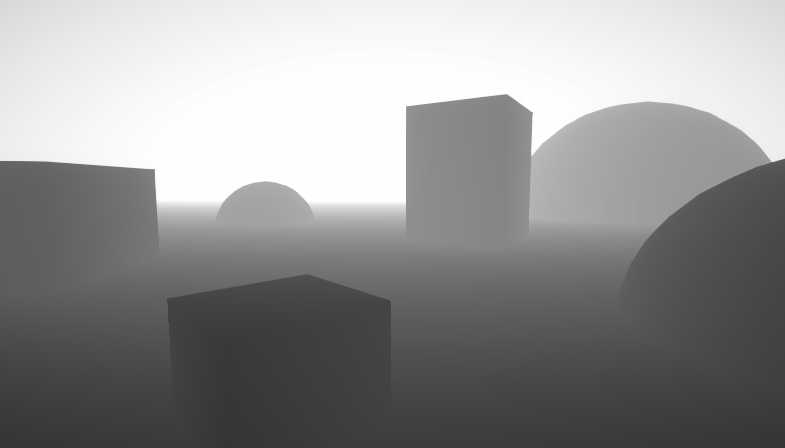
A big post explaining everything about Depth : Depth Buffer, Depth Texture / Scene Depth node, SV_Depth, Reconstructing World Position from Depth, etc.
 inland zinc
im trying to make shadows work with my shader but i cant seem to get it working
i have shadows, shadow cascade and soft shadows on but nothing is working
 digital vector
Looks like my custom shaders arent writing depth as they should... but why does the preview then work
 digital vector
WORKS! Added the depthonly pass and that did the trick

 steel notch
Hey so I'm trying to make a shader where you have some plane that when it intersects with another mesh, only displays the parts where it and the mesh are intersecting. For example if the plane was intersecting a sphere right down the middle, the plane would only display a circle.
neat hamlet
https://docs.unity3d.com/2019.3/Documentation/Manual/SL-Stencil.html
check out the stencil buffer example @steel notch

 surreal oriole
You guys, is there a good tutorial to learning shaders for beginner?
 swift loom
Is there a UNITY_SAMPLE_TEX2DARRAY variant for tex2Dgrad ??
i don't know if it's that big of a deal to use a normal tex2D inside a [loop] for loop
it works 🤷♂️
 south granite
Hi, can you suggest a great tutorial for beginners for Compute Shaders>?
 primal harness
south granite
Hi, can you suggest a great tutorial for beginners for Compute Shaders>?
primal harness
south granite
Hi, can you suggest a great tutorial for beginners for Compute Shaders>?

Let's take a look at how we can use Compute Shaders and Compute Buffers to take some of the work that your CPU struggles with and offload it onto the GPU instead.
Tooltip System: https://www.youtube.com/watch?v=HXFoUGw7eKk
Debug Cheats: https://www.youtube.com/watch?v=VzOEM-4A2OM
Line Renderer: https://www.youtube.com/watch?v=--LB7URk60A
-----...
Does anyone have some example shader code for receiving shadows in URP?
It's hard to find any up to date code for receiving shadows for URP
 wise skiff
hey would it be possible to make a shader that takes the density of a certain particle in an area and based on it, the area is fully filled witha a color?
 silver sparrow
is there a list of functions available for shaders such as clamp, saturate, frac etc.
 slender prism
ok so this is a rly dumb one
but a few months ago i accidently did smth that made everything purple when there isnt a material applied to it
and bloom doesnt work either after i did that
im assuming its a shader problem
but idk
silver sparrow
silver sparrow
is there a list of functions available for shaders such as `clamp`, `saturate`, ...
alright so i found this site: https://developer.download.nvidia.com/cg/index_stdlib.html, does anybody know if this is up to date or the correct site i should be looking at?
umbral mountain
Anyone could have an ideas why my shader is purple in scene & game but it shows the shader in prefab viewer?
regal stag
silver sparrow
alright so i found this site: https://developer.download.nvidia.com/cg/index_std...
I'd say this is more up-to-date : https://docs.microsoft.com/en-us/windows/win32/direct3dhlsl/dx-graphics-hlsl-intrinsic-functions
silver sparrow
aight thanks
regal stag
umbral mountain
Anyone could have an ideas why my shader is purple in scene & game but it shows ...
Magenta means there's an error in the shader. You might have errors in the console / inspector on shader asset.
regal stag
slender prism
ok so this is a rly dumb one
but a few months ago i accidently did smth that mad...
It sounds like you might have tried switching to a different render pipeline? e.g. Built-in to URP or HDRP? They require different shaders so if materials in the scene is still using Standard ones it'll show as magenta. URP/HDRP also uses different post-processing. I don't think there's an automatic way to convert that, I think you need to manually set it up again.
If you want to go back to Built-in RP you can remove the pipeline asset under Project Settings -> Graphics. Should work assuming you haven't converted any materials yet. Can then uninstall the URP/HDRP package.
If you want to switch pipeline look at the appropiate docs (e.g. pinned in the #archived-urp / #archived-hdrp channels) for setup instructions. I'd recommend backing up the project before doing anything.
 pulsar imp
Hi 🙂 I'm working on a sand shader and i got stuck. Is it possible to get rid of these seams (near red marks) between the meshes, something like blending on the border of the mesh? The meshes have the same material.

 daring dew
pulsar imp
Hi 🙂 I'm working on a sand shader and i got stuck. Is it possible to get rid of...
daring dew
pulsar imp
Hi 🙂 I'm working on a sand shader and i got stuck. Is it possible to get rid of...
If your albedo texture is already worldspace, you can use a custom pass (if you are in HDRP) to blur the normal buffer, on sand meshes,
Or you could also override the mesh's vertex normals to make them all point up, in a consistent direction to iliminate the seams.
Or use a single mesh (like a terrain, and paint displacement on it, for everything, instead of using multiple meshes ?
pulsar imp
@daring dew Thank you, could you give me some example custom pass with blur the normal buffer?
 south creek
Added URP shaders to my Udemy shader course https://bit.ly/urpshaders https://youtu.be/9xGCKeec2qE

There is a major update to my highly rated Unity Shaders course. Learn to create URP Shaders. Starting with a simple unlit example, through to a PBR lit clipped shader. 12.6
Learn to use the new helper functions in URP include files. See how to use Renderer Features for custom post processing and stencil effects. The new videos also include tips...
lean lotus
hey is there any way to output numbers from a compute shader, similar to how in cuda you can do printf?
I wanna return numbers for debugging purposes, but idk
shadow locust
lean lotus
hey is there any way to output numbers from a compute shader, similar to how in ...
You can write data into a ComputeBuffer and read them out on the CPU side.
Or use a tool like RenderDoc
lean lotus
oh really?
and I thought renderdoc didnt really like to work with compute shaders?
shadow locust
It might not, there's some tool that does it may or may not be RD, I've never done it personally
lean lotus
computebuffer may be my best bet then thx
shadow locust
I usually debug via ComputeBuffer or via positioning things in my shader in a really hacky way to show values of things lol
lean lotus
fair enough
lean lotus
ugh debugging byte shenanigans in a compute shaders is frickin annoying
 fervent flare
Does anyone know how to get smooth lerping from 0 to 1 and back to 0
in shadergraph ?
I'm playing around with the Time nodes Sine Time output
but that's far from smooth
 white marsh
So ive been learning how to write shaders for a while now, so I wanted to try to write a basic shader with unity's surface shaders. The problem is that i cant get the transparency to work with it. Ive set the render mode and que, set zwrite and blend mode. Only thing missing is to set the alpha but nothing happens. It renders just like normal, unaffected
 south creek
Sin time range is -1 to 1. Use an add node to add 1 and a divide node to divide by 2. Then you get smoothly changing 0 to 1
south creek
white marsh
So ive been learning how to write shaders for a while now, so I wanted to try to...
What's your blend mode?
white marsh
Blend SrcAlpha OneMinusSrcAlpha
south creek
white marsh
` Blend SrcAlpha OneMinusSrcAlpha`
Is alpha:fade part of your surf pragma?
white marsh
Uh no, i guess that is the problem then 
There we go, now it works. I didn't find any documentation on what optional parameters it could have. Is there any list somewhere?
south creek
white marsh
There we go, now it works. I didn't find any documentation on what optional para...
daring dew
pulsar imp
<@!265894553867911170> Thank you, could you give me some example custom pass wit...
You can check out the "Liquid" Pass for more info Here : https://github.com/alelievr/HDRP-Custom-Passes

GitHub
A bunch of custom passes made for HDRP. Contribute to alelievr/HDRP-Custom-Passes development by creating an account on GitHub.
white marsh
thanks 
 burnt wigeon
Wondering. Does anyone have a shader to enable HDRP/URP decals to project on a transparent mesh?
I dont even know where to start looking to get this to work
burnt wigeon
To be more precise, I dont need to rely on the decal feature I am just looking for a way to have blow shadows on URP/HDRP on a transparent surface
burnt wigeon
As a side note, it works on Built in so I am scratching my head a bit
 nimble solstice
Hi is there a keyword or some such directive to make shaders calculate AO?
lean lotus
So it turns out that Vector4 and float4 dont have enough precision(missing by 2 digits max) for a good conversion from 4 Uint32's to Vector4/Float4
is there something else I could use in a struct and easily pass to a compute shader that will have the extra precision that I need?
shadow locust
lean lotus
So it turns out that Vector4 and float4 dont have enough precision(missing by 2 ...
Make your own struct, no?
lean lotus
It’s a list<struct> rn
shadow locust
public struct Vector4UInt {
  public uint x, y, z, w;
}```The struct is 5 float4’s
shadow locust
What struct
lean lotus
It needs to be uploaded to a computer shader via a structured buffer
Public List<NAME> NAME2;
Public struct NAME {
Public Vector4 node_0;
Public Vector4 node_1;
Public Vector4 node_2;
Public Vector4 node_3;
Public Vector4 node_4;
}
Sorry for formatting on phone now
This gets uploaded via a structured buffer to a compute shader with the same struct, but with float4’s instead of vector4’s, and it’s formatted this way to reduce memory things or something that apparently optimized fetches or something
But turns out the floats the vectors are composed of are not precise enough, so I needed full uint’s but unity c# doesn’t seem to have uint4’s I could use instead
shadow locust
lean lotus
But turns out the floats the vectors are composed of are not precise enough, so ...
Right that's why I'm saying make your own struct
so instead of 5 Vector4s
shadow locust
shadow locust
```cs
public struct Vector4UInt {
public uint x, y, z, w;
}```
you make a struct like this
And have 5 of these in your NAME struct
shadow locust
Unity is barely even involved at that point
but no, unity has no problem with nested structs
 steady lintel
Anyone know any good starting points for making a water shader in Unity’s Built-in pipeline? All I see are tutorials for URP or HDRP.
 amber saffron
steady lintel
Anyone know any good starting points for making a water shader in Unity’s Built-...
amber saffron
steady lintel
Anyone know any good starting points for making a water shader in Unity’s Built-...
You can use shadergraph with built-in in 2021.2 😉
steady lintel
amber saffron
You can use shadergraph with built-in in 2021.2 😉
Aight sick thank you
 stiff tapir
So, I've got a BRP Shader I wrote
It does a number of things, but what's important is that it renders a tex2d with screen coordinates
No matter where you look at it from, the texture is always facing you, simple simple
However this shader was written with VR Chat in mind
As in, a lot of people looking at this shader are going to be wearing headsets
Their view of the world is Stereo
I can use a texture space of IN.screenPos.xy / IN.screenPos.w when there's only one camera, but once you throw Stereo vision into the mix, one way or another I need to apply a correction to the texture coordinates to shift them left and right an appropriate amount based on which eye is viewing them
I've been made aware of unity_StereoEyeIndex, which is great, but I don't know how to properly calculate the amount the coordinates need to be shifted based on that information
 toxic fable
Shader beginner here - Is there a way to only render pixels lit by a certain light source?
regal stag
@stiff tapir I'm not familiar with writing shaders for VR Chat (and not very familiar with VR in general), but I would assume they use single-pass instanced rendering if the result isn't looking as expected. There's basically just a bunch of macros that need to be added to custom shaders.
See https://docs.unity3d.com/Manual/SinglePassInstancing.html (and maybe also https://docs.unity3d.com/2022.1/Documentation/Manual/gpu-instancing-shader.html)
regal stag
toxic fable
Shader beginner here - Is there a way to only render pixels lit by a certain lig...
You can use alpha clipping (clip(x) function or if (x < 0) discard;) in the fragment shader to discard (not render) pixels. To determine whether they are lit though will vary based on render pipeline, whether it's forward/deferred, and what type of light it is (e.g. directional point, spot)
toxic fable
regal stag
You can use alpha clipping (`clip(x)` function or `if (x < 0) discard;`) in the ...
Thanks for taking the time to respond. I use URP with forward renderer and the light source is a point light
stiff tapir
Interesting. I'll look into it and continue testing, thanks.
regal stag
toxic fable
Thanks for taking the time to respond. I use URP with forward renderer and the l...
Okay cool, and by "certain light source" we're talking about just one point light, or all?
If it's just one, I'd create a C# script to pass the position and radius of the light into the shader/material.
toxic fable
regal stag
If it's just one, I'd create a C# script to pass the position and radius of the ...
Yes, it is only one light. I'm trying to figure out an implementation of a Fog of War system in 3D environment that would also consider verticality, unlike many other methods that only rely on planar representation of the line of sight.
Short demonstration: https://streamable.com/6k3ojk

I figured a light could simulate the spherical line of sight.
regal stag
toxic fable
Yes, it is only one light. I'm trying to figure out an implementation of a Fog o...
Hmm I see. I guess you also need point light shadows then (would need to be in at least URP v11 / 2021.1 since older versions doesn't support them too)
I'm not sure if you'll be able to use the GetAdditionalLight function in URP's ShaderLibrary specifically as it uses a light-index which I don't think you can obtain. It's mostly designed so you loop though all lights. But looking through the functions in Lighting.hlsl (or RealtimeLighting.hlsl in v12+) and Shadows.hlsl (e.g. AdditionalLightRealtimeShadow) should help piece together how to calculate the additional light and shadow attenuations correctly.
Well, probably don't need the actual light attenuation. I'd still pass the light position and radius into the shader and compare that against the fragment position (both in world space). But you will need to look at Shadows.hlsl to figure out how to sample the shadowmap. e.g. https://github.com/Unity-Technologies/Graphics/blob/c1d9dc44b25e9c192c9c3f190021a74da9cabcf5/com.unity.render-pipelines.universal/ShaderLibrary/Shadows.hlsl#L311
toxic fable
Thank you for the suggestions, I'll look into this. I'm at the stage of figuring out the best possible solution for my usecase so any idea in the pool is a great help. If it wouldn't be of much bother for you, would you happen to have any other idea of how could this be implemented?
I mean, the light solution might not be the best performing, so I was wondering if there are other ways to achieve this effect.
I've been googling for two days and only found a solution involving depth cubemap. While I do understand the concept, I'm not sure how to actually implement it and given the fact that rendering a cubemap is rather expensive task, I'm not sure about this option either
regal stag
toxic fable
Thank you for the suggestions, I'll look into this. I'm at the stage of figuring...
I'm not sure. I don't really understand the verticality here, as I would have assumed every layer above the player should be in fog. Which means you likely don't need a proper spherical line of sight, and might be able to just compare the y positions?
I guess unless an enemy is standing near/on the edge, then you might need to be able to see them? But might be able to handle something like that with raycasts. Idk, I haven't done much with fog of war before.
 clear elm
Hello! I don't know about shaders enough and am having trouble converting a custom shader to single pass instanced for VR. I've done it before following this (https://docs.unity3d.com/Manual/SinglePassInstancing.html)
but this shader doesn't have the same methods and such: https://pastebin.com/VQHj0Uuc
Thanks!
 plush bane
Is there a node in graph that returns if a value is in between 2 floats?
plush bane
Well these I need 2 to check if float is in range
Any idea why this is OK in preview, but doesn't work in editor or runtime?
 shadow locust
plush bane
Well these I need 2 to check if float is in range
shadow locust
plush bane
Well these I need 2 to check if float is in range
Yep, use two of them, with the AND node to combine the results: https://docs.unity3d.com/Packages/com.unity.shadergraph@6.9/manual/And-Node.html
plush bane
 shadow locust
plush bane
Any idea why this is OK in preview, but doesn't work in editor or runtime?
shadow locust
plush bane
Any idea why this is OK in preview, but doesn't work in editor or runtime?
screenshot is much too blurry to read
plush bane
Well this I think is most important part

The alpha test ain't working
Hmm, or object space ain't working
:/
regal stag
If it's based on position the range of values may not be what you expect. The sphere in previews doesn't use the same -0.5 to 0.5 range the default sphere mesh uses, for some reason.
plush bane
regal stag
If it's based on position the range of values may not be what you expect. The sp...
Preview seems to use -1 to 1. I multiplied the object space input by 2. So it should change from -0.5 to 0.5 to -1 to 1. But still ain't working 😦
regal stag
plush bane
Preview seems to use -1 to 1. I multiplied the object space input by 2. So it sh...
If anything you want to divide by 2, not multiply. But the previews range isn't really -1 to 1, iirc it's something like -0.65 to 0.65. It's a bit of an awkward/weird scale.
You could instead provide your Comparison nodes with a Float property (some put through Negate node) so you can control the value from the material. You'd want it set to 0.45 or something instead in this case.
Also instead of doing two comparisons per axis, you could also Absolute the position before splitting it. Then just need to check the positive side - Less than 0.5/float property.
plush bane
Mkay will try tomorrow, tnx
 rustic kite
hello, i'm trying to figure out how to render the first pass of my shader into a sampler that i can use for the second, how do i do this? (using built in render pipeline)
 normal kelp
hey a question about shader graph.
My friend has started a project in 2020.1.10f1 and I already have 2020.3.2f1 installed on my pc. if it's only the shader graph, would we still be able to collaborate or will I need to install 2020.1.10f1 as well
shadow locust
normal kelp
hey a question about shader graph.
My friend has started a project in `2020.1.10...
You need to both use the same version of Unity to effectively collaborate
You should Both upgrade to the latest LTS version ideally
 summer beacon
On the latest version of unity hub, has the option to create a HDRP scene disappeared? The only version i can find is to create the HDRP Sample scene, not a blank new scene.
 shadow locust
summer beacon
On the latest version of unity hub, has the option to create a HDRP scene disapp...
shadow locust
summer beacon
On the latest version of unity hub, has the option to create a HDRP scene disapp...
These are project templates, not scene templates
hdrp sample scene will give you an hdrp project
summer beacon
I remember there use to be a bunch of options you could tick like HDRP when creating a new scene
Is using the HDRP sample scene the only way to do that now or am i just blind?
shadow locust
Creating a new scene happens when you're in the editor with a project open
You are currently in the hub choosing a project template
summer beacon
Oh shit yeah i shouldn't say scene my bad, i mean project sorry
shadow locust
It seems like they may have renamed some of the project templates is all
summer beacon
Hmm im not too sure what to do
grizzled bolt
summer beacon
Hmm im not too sure what to do
It seems your options are to choose the HDRP sample and make a blank scene in editor, or make a project with 3D core and install HDRP manually
Tbh just pick the HDRP sample, make a new scene in editor and ignore/delete the sample stuff if you don't need it
plush bane
Can't figure out what I am doing wrong with this simple XY color interpolation shader
 white marsh
what is the best way to render a geometry shader above another geometry shader? (not using the transparent render que)
swift loom
Does o.worldPos = mul(unity_ObjectToWorld, v.vertex); actually contain a real .z value or is it only x and y and z contains something else?
i was also trying something like this to get the z value of the object being rendered but it seems to never trigger
if(baseWorldPos.z > 0.5){
    return fixed4(1,0,1,1);
}```i figured it out, i changed ztest and now it works, but it still renders some stuff infront of other geometry i dont want it to. so how do i stop this?
plush bane
How do I convert Object position to angles?
 torpid hull
Hi, when including an emissive texture into my shader (standard PBR) i'm getting some weird artifacts in game. It’s like the emissive texture is bleeding into other areas of the UV tiles, so around the edges of my mesh I get a bright outline when veiweing from certain angles. These are static objects that share a texture with other objects. I’ve tried tweaking everything in PP, texture import settings, Map Map settings, Anti-Aliasing settings, camera settings, graphics settings, I’ve even tried increasing margin around my mesh UV tiles and whilst I can improve the issue it is still present. For now, the only way to solve this is to have a separate material set up for emissive areas of my mesh, but that means more draw calls which I really want to avoid. If anyone knows how to solve this, please let me know. Cheers
white marsh
ok so im having a problem where this fernel isnt working properly. here is the script im using. could it be im missing something in #pragma? since it seem like _WorldSpaceCameraPos isnt working but idk

 low lichen
white marsh
ok so im having a problem where this fernel isnt working properly. here is the s...
low lichen
white marsh
ok so im having a problem where this fernel isnt working properly. here is the s...
Fernel usually is added as emissive, not albedo. Is it intentional that you're putting it in o.Albedo?
white marsh
oh, ok ill try that then
that seems to have make it look right, but its not reacting to my camera still. the effect is only applied from where light is hitting
it looks correct from the opposite side but itsnt moving its static to the light


i se there is an option to use interpolateview maybe thats what i need?
o wait, it could be that the view dir is named something else in the surface shaders
low lichen
white marsh
it looks correct from the opposite side but itsnt moving its static to the light
There's something wrong with how you're calculating the view direction. Surface shaders calculate view direction for you, you just have to add it to the Input struct:
struct Input {
    float3 viewDir;
}
Do you have a directional light lighting that side of the sphere?
white marsh
i didnt really get viewDir to work, i might be doing something wrong here
 white marsh
torpid hull
Do you have a directional light lighting that side of the sphere?
white marsh
torpid hull
Do you have a directional light lighting that side of the sphere?
yes
i did make sure to add it in the input struct btw
torpid hull
have you tried tunring off your lights
white marsh
if i use worldreflection it kind of works, but it reacts to how close i am to it
let me se
low lichen
white marsh
i didnt really get viewDir to work, i might be doing something wrong here
No, just use IN.viewDir as V. V is supposed to be the view direction.
white marsh
seems to be the same even without the light
oh, ok. does it need to be normalized tho?
low lichen
And fresnel is just the dot product between the normal and view direction, nothing else.
viewDir should already be normalized by the surface shader
white marsh
oh oki
white marsh
low lichen
No, just use `IN.viewDir` as `V`. `V` is supposed to be the view direction.
ah, there it works, thankyu
result:

 slim steppe
Hi im using a cube with inverted normals for a (unrealistic)atmosphere shader but the shader looks different while you're inside the cube

This is a picture with the outside(bottom left) and the inside(top right)
 torpid sapphire
Hey, I struggle a bit with english terms on this one, but what kind of shader terms should I be looking for. I want the effect to appear on the lens of the camera, like saliva on the cam or someone breathing on it, making some steam/fog on the lens. (The camera being the one of the game)
shadow locust
torpid sapphire
Hey, I struggle a bit with english terms on this one, but what kind of shader te...
Condensation?
Water Droplets. Refraction. Blur. Gaussian blur.
torpid sapphire
Wow thank you, i'll try with these new words, makes more sense than mine 😆
steady lintel
Does anyone have any pointers for making a water shader with Unity's built-in render pipeline? Maybe with shader graph? I can't find any tutorials for it, all I can find are ones for URP and HDRP.
steady lintel
Like, for instance, this one by Brackeys: https://youtu.be/Vg0L9aCRWPE
It's a really good tutorial, but it seems like many of the things he does in it are outdated. (Mentions Lightweight Render pipeline, uses PBR Master in shader graph, etc.)
Are there any tutorials or pointers anyone could lend me that are like this that apply to my situation?

Let's make some simple cartoon water!
82% OFF for Web Hosting and FREE Domain included!: https://www.hostinger.com/brackeys
Coupon Code is "BRACKEYS" for an additional 15% discount.
The shader is based on this amazing video: https://youtu.be/jBmBb-je4Lg
GduX: https://www.gdux.me/
Game Dev Unchained: https://www.gamedevunchained.com/
·········...
plush bane
Anybody know how can I use smooth step to smooth out a alpha map?
dim yoke
steady lintel
Like, for instance, this one by Brackeys: https://youtu.be/Vg0L9aCRWPE
It's a re...
The main functionalities havent changed that much really. Lwrp=urp. Pbg master = lit shader graph. You can watch any of the up-to-date shader graph tutorial to get used to new shader graph and then do that shader from brackeys video. All the nodes should work exactly same way except the master node doesnt exist anymore (Albedo = Base Color, position = Position on the vertex section)
plush bane
In shader graph?
 long shadow
Heya
So I am currently making a simple toon shader. I am following the steps in this video: https://youtu.be/GGTTHOpUQDE.
I have a problem with this

Basically, when I disconnect the Baked light part, everything just looks normal.

But when I plug it in...

Suddenly it becomes blue

What is the problem?
plush bane
Lot's of questions and no answers 😄
long shadow
Shaders are hard, actually
Before shader graph I can only imagine the suffering of dealing with a C like language
plush bane
Anybody know how to smooth out the borders (circle its just an example, it will be different forms)?
 long shadow
plush bane
Anybody know how to smooth out the borders (circle its just an example, it will ...
long shadow
plush bane
Anybody know how to smooth out the borders (circle its just an example, it will ...
How do you want to smooth out the borders?
Like, what do you want to achieve?
long shadow
long shadow
Heya
So I am currently making a simple toon shader. I am following the steps in ...
I solved it, just created another sphere and put the same texture :/
torpid sapphire
@plush bane higher resolution texture or anti-aliasing might help you there
plush bane
@long shadow it an alpha map... so when it cuts the borders are edgy.. like bad or no AA :))
plush bane
torpid sapphire
<@!408225134189740032> higher resolution texture or anti-aliasing might help you...
Its procedural
It think I need some smoothering strategy in alpha generation, not after its generated..
long shadow
plush bane
<@!398256621706280960> it an alpha map... so when it cuts the borders are edgy.....
My little monke brain doesn't understand how to use an alpha map, sorry, I don't think I can help you
plush bane
For now it's 1 or 0.. so it cuts ugly 😄
low lichen
plush bane
Anybody know how to smooth out the borders (circle its just an example, it will ...
Look into using fwidth for anti aliasing.
 near karma
Hi folks, I currently have a compute shader calculating the points on an orbit, and I dump those in a line renderer, but it's cut off since it's so huge that it doesn't fit in scene space. Is there a way I could render the line with a shader instead of a line renderer component? Would that solve my problem?
 bronze tree
First time using shadergraph for sprites, and I'm having a problem where the sorting layer is not being used. Is there something you need to add to shadergraph for that to work?
 sudden crescent
is there anyone that can help in a call with me my shader isn't working the way i want it to
 ionic current
You know in photoshop or html/css, you can do a drop shadow? How would you do this on a sprite?
I'm considering making another spritesheet of the dropshadows, and putting it under the sprite, and using a "shadow" script to scale/offset it based on the Z or Y height.
But, if shader would be better, tell me about it! 🙂
plush bane
Any tips ideas, how to turn a box into 3d ring with shader graph? What I am currently trying works only on a plane.

The result should be like

Form wise
uff
 dim yoke
plush bane
https://preview.free3d.com/img/2019/12/2206097431794288483/6qm83je6-900.jpg
dim yoke
plush bane
https://preview.free3d.com/img/2019/12/2206097431794288483/6qm83je6-900.jpg
sounds like usecase for ray marching
plush bane
Ouh no
dim yoke
@plush bane you can check these for better understanding of raymarching: https://www.youtube.com/watch?v=PGtv-dBi2wE and https://www.youtube.com/watch?v=S8AWd66hoCo . with these distance functions, you would be able to make the ring: https://www.iquilezles.org/www/articles/distfunctions/distfunctions.htm . because raymarching requires loops and stuff, it may not be very optimal to do using shader graph. you can use custom function node to add hlsl code in shader graph tho.
plush bane
dim yoke
<@!408225134189740032> you can check these for better understanding of raymarchi...
I know very well what raymarching is and its way to expensive for what I need here 🙂
dim yoke
plush bane
I know very well what raymarching is and its way to expensive for what I need he...
how would you do that then? you need to somehow get the intersection between the ring and and the ray coming from camera. for such complicated mesh, it would be very hard to get that intersection without ray marching. even ray/torus intersection is extremely complicated thing (http://blog.marcinchwedczuk.pl/ray-tracing-torus)
dim yoke
plush bane
I know very well what raymarching is and its way to expensive for what I need he...
it depends on the case, but ray marching isn't very expensive usually (depends what you compare it with. even very complicated fractals with long for loops inside distance function can be rendered realtime using ray marching). can you explain bit more about why you want to do that and not using 3d mesh for example?
plush bane
dim yoke
how would you do that then? you need to somehow get the intersection between the...
Idk! That's why I am asking. Its probably not possible and I will create the mesh in Blender instead.
plush bane
dim yoke
it depends on the case, but ray marching isn't very expensive usually (depends w...
RayMarching belongs to family of ray-tracing. So its heavy. Otherwise all engines would be using it for fotorealistic rendering 🙂
I'm my self working on a side project, a SDF raymarch renderer in compute shaders. So I know what I am talking about.
Raymarching a single primitive or generic fractal might still be ok for some showcase/demo, but if using in lots of places, it would just kill weaker hardware.
 slender forge
Is there a fix to the tree creator optimized shaders?
 plucky jay
Hi! I am having an (i hope) really simple begginer issue, but I am not finding any solution!
I am trying to make a shader that needs to tile an sprite, but somehow it is not working haha

I have set the tiling from "tiling and ofset" and it seems to work (is streching the image to the left) but instead of repeating the sprite on the other side, it shows it blank
regal stag
The wrap mode on the texture needs to be set to Repeat (rather than Clamp)
dim yoke
plucky jay
I have set the tiling from "tiling and ofset" and it seems to work (is streching...
You have to set the Wrap Mode of texture to Repeat or make on the shader so it repeats the uv coordinate
dim yoke
plush bane
Raymarching a single primitive or generic fractal might still be ok for some sho...
depends on how much is the mesh (the actual 3d model) covering pixels on the screen. on weaker devices id most likely not use ray marching either. if there's no specific reason to use ray marching over 3d model, its just better use 3d mesh. (I don't know any ways to get that kind of shape without ray marching)
 tardy warren
Hi,
There is something in the deferred rendering path (Built-In Render Pipeline) that I can't understand, maybe somebody should be able to answer here. For a specific effect of the game I'm working on, I need to modify the final color based on a mask (for some reasons, I can't use Post Processing for this effect). I use the alpha channel of GBuffer2 which is not used by Unity to write into this mask. In the CalculateLight() function from the Internal-DeferredShading.shader file, I apply a filter to the return value based on this mask.
This works well, but I have trouble with emission that is not apply at this step. Does anybody could point me the shader that apply Emission in the Deferred Rendering Path ? Or is their a better entry point for modifying the output color in deferred ?
Thank you very much !
 muted ridge
Does anyone know how I could construct a cubemap texture at runtime from 6 renderTextures.
low lichen
muted ridge
Does anyone know how I could construct a cubemap texture at runtime from 6 rende...
You can use Graphics.CopyTexture to copy from a 2D RenderTexture to a specific face of a cube RenderTexture. Do that for each face. The cube RenderTexture has to be the same or a compatible texture format and the resolutions have to match.
 coral walrus
Hello (first post here 🙂 ), I have an issue sampling the depthtexture using URP on android. I can read it perfectly in editor (I checked the use DepthTexture option, in the urp settings asset ), but on device it outputs only white on my S6 and S7 (I'm using frac(sceneEyeDepth*10) to make sure I have some data in it) . Any clues would be more than welcome 🙂
const float rawDepth = SampleSceneDepth(IN.screenPos.xy / IN.screenPos.w);
const float sceneEyeDepth = LinearEyeDepth(rawDepth, _ZBufferParams);
 hearty obsidian
do both sides of a branch typically execute or can I use branching to optimize expensive possibly-temporarily-unrequired operations
sudden crescent
can anyone help me with shaders
dim yoke
hearty obsidian
do both sides of a branch typically execute or can I use branching to optimize e...
What you mean by branch? Branch node on shader graph?
hearty obsidian
@dim yoke yes sir
dim yoke
hearty obsidian
<@!689758471003963472> yes sir
Afaik it executes always both sides and combines those without dynamic branching.
hearty obsidian
@dim yoke Ah, so no performance optimizations can be performed this way. This is unfortunate. Thank you for the answer
dim yoke
hearty obsidian
<@!689758471003963472> Ah, so no performance optimizations can be performed this...
Dynamic branching on shaders is usually not better, sometimes much worse
hearty obsidian
I'm lost. Isn't the branch node "dynamic" in the sense that the predicate is evaluated at runtime and will branch according to the value?
plush bane
When using transparent + render face = both + Depth test = always I kind of get the result I want. The shader is always on top, visible from both sides and does alpha clipping. But then when look from sides it starts glitch and blend together. I wonder if there is any strategy to fix this?
Actual

What I want

2nd is with front face only. Its not visible from other side
dim yoke
hearty obsidian
I'm lost. Isn't the branch node "dynamic" in the sense that the predicate is eva...
Yes it is but it doesnt need to choose between two branches. It always executes both sides and uses math to discard the wrong one.
plush bane
Maybe cloning the object.. one render with front face, other with back 😄
hearty obsidian
@dim yoke HAH! I get it, this makes sense. Thank you
torpid sapphire
Hey, it's me again, looking for some insights as to what terms I should be looking for : I want to know how I could achieve an effect where an object would pass in some tree branches and the leaves would move according to the mesh passing through it.
Example : a gorilla is hidden in a thick bushes and exits it.
I'd like to have a natural movement (as much as possible lol) of the leaves and the meshes. What techniques would that be ?
Thank you 🙂
sudden crescent
can anyone help me i am begging
 echo flare
Why do urp unlit shader graphs cast shadows?
echo flare
torpid sapphire
Hey, it's me again, looking for some insights as to what terms I should be looki...
vertex displacement on the mesh with adjustable strength triggered by a collision from a collider attached to both the gorilla and the bushes. Vertex displacement is actually fairly easy https://learn.unity.com/tutorial/shader-graph-vertex-displacement

Unity Learn
In this tutorial, we’ll create a Shader Graph to displace the vertices of a mesh along their normals by an amount controlled with procedural noise.
normal kelp
shadow locust
You need to both use the same version of Unity to effectively collaborate
make sense, thanks for the reply. much appreciated
lean lotus
Is there something like Cudas block in Hlsl compute shaders? Trying to convert a complicated cuda thing into unity but I’m struggling
If it’s even possible to convert this shader, not so sure because I think the thread count available in unity at once is less isn’t it?
sudden crescent
@echo flare i was wondering if you can help me fix my shader i dont understand what is wrong
echo flare
sudden crescent
<@!463524963534635018> i was wondering if you can help me fix my shader i dont u...
what is your issue
sudden crescent
well im trying to add a gradient to a mesh and for some reason the color is pink
iv tried to fix it but i can't find a solution
echo flare
what @sudden crescent what pipeline are you using? standard, universal, or HD?
sudden crescent
i was trying to use universal
echo flare
ok, I'm pretty sure you are attempting to use a standard shader within URP. URP only deals with vertex/frag shaders which you create through the shader graph ui. You either need to upgrade your materials or create new ones https://answers.unity.com/questions/1519382/textures-and-materials-turn-pink-after-installing.html
Unity is the ultimate game development platform. Use Unity to build high-quality 3D and 2D games, deploy them across mobile, desktop, VR/AR, consoles or the Web, and connect with loyal and enthusiastic players and customers.
@sudden crescent try changing the shader of your material to universal render pipeline -> unlit
 sudden crescent
@echo flare
 patent lily
hi, Is there any tools that can transfer build in custom shader to urp ?
torpid sapphire
@echo flare awesome i'll have a look at this thank you. Never heard about collider interacting with shaders but this makes so much sense. Collision hit point is fed to the shader to react accordingly 💡
And i guess in most case a generic vertex displacement triggered by the collision is enough ! Regardless of collision position
 upbeat nimbus
https://pastebin.com/f5DgV1XA This shader creates an outline and I'd like to make it thicker, what do I change?
Pastebin
Pastebin.com is the number one paste tool since 2002. Pastebin is a website where you can store text online for a set period of time.
 snow harness
Hey guys! Im recreating pong right now and I'm trying to have a light that follows the ball around while on Update changing its color to that of the ball. Problem is ball is using a simple shader that changes it's hue all the time. I don't really know how to solve this, and to be fully honest, I'm not even sure how to google this one lol. Anyone knows how to take hue out of a shader into a normal script?
I've tried using Material but it screams at me for saying ball is not using any.
 stark musk
anybody have resources for how you can achieve ambient occlusion in an unlit urp shadergraph?
dim yoke
stark musk
anybody have resources for how you can achieve ambient occlusion in an unlit urp...
if you mean regular unlit shader, i don't think that's possible (atleast easily). ambient occlusion is usually done in post processing because it requires multiple samples from environment to see how dark certain pixel should be.
stark musk
any way to apply that to an unlit shader then?
dim yoke
I'm not quite getting what you want to do and why
so are you trying to add ambient occlusion post processing effect and it doesn't affect the unlit shader graph material or do you want to make unlit shader that adds ambient occlusion into only that shader without using post processing?
for some reason unlit shader graph seems to be lacking DepthNormal pass. you can check this (they suggest some potential fixes there but nothing very good it seems): https://forum.unity.com/threads/adding-depthnormals-pass-to-unlit-urp-shadergraph-feedback-sg-devs.1060646/
 languid zodiac
Hi. Is there in urp global variable which contains shadow distance?
 blissful atlas
does anyone know if there's a way to get the internal camera/view/projection matrix from the GPU in GUI drawing contexts?
I have a strange issue where it seems to silently change under the hood, which messes up some drawing I'm doing with shaders that rely on the matrix being, uh, reasonable
GUI.matrix is consistent, so that's not the one changing
and I can't seem to find a way to get the current matrix in the GL class
basically, when I don't have the scene view open, my rendering looks like this

but when it is open, it looks like this

the shaders I use rely on the view and projection matrix to determine their size in pixels on screen, so somehow the scene view does something to some GUI-related view/projection matrix somewhere for this to happen, but I don't know how to debug it since there's no frame debugger for editor plugins
 lost idol
does unity come with any working shaders that have height maps? seems like they're outdated for some reason
 trail geyser
Is shader graph's dynamic vector type available in URP? can't find it.. using 12.1.3
https://docs.unity3d.com/Packages/com.unity.shadergraph@12.0/manual/Data-Types.html
 regal stag
trail geyser
Is shader graph's dynamic vector type available in URP? can't find it.. using 12...
regal stag
trail geyser
Is shader graph's dynamic vector type available in URP? can't find it.. using 12...
The dynamic vector is used for ports on other nodes, you can't create a property with that type.
trail geyser
Was trying to create a subgraph.. guess I'll have to create 3 more copies for each type 😅
Thank you
amber saffron
trail geyser
Was trying to create a subgraph.. guess I'll have to create 3 more copies for ea...
Or just make a single subgraph with a vector4.
Theorically, the compiler should optimize this afterwards if you only use 1 2 or 3 dimensions
lean lotus
Are there any resources that go beyond basic getting started with hlsl compute shaders? I’m trying to do stuff with compute shaders, but all the resources I can find don’t tend to cover what I need or go deep enough
(Aka, multiple kernels in one shader, groupshared and how best to do that, and most importantly, structured buffers that gets generated by one kernel and used by another)
Also I think I remember there being a way of feeding a structured buffer directly from one kernel to another kernel without passing it back to the cpu first, am I misremembering?
 drifting sail
Hi, I'm having a problem with shader. I'm creating 2D game. And I have a problem with sprites. When they flip (Cause of turning left or right), they become invisible from the other side when I use material on them to make lights work on it. So i downloaded some free doublesided shaders, but problem is the texture doesn't go on the other side. just color. any help please?
 drowsy linden
drifting sail
Hi, I'm having a problem with shader. I'm creating 2D game. And I have a problem...
drowsy linden
drifting sail
Hi, I'm having a problem with shader. I'm creating 2D game. And I have a problem...
Turn off back face culling, somehow. Or flip the texture rather than flipping the object around
balmy thicket
Anyone know if it's possible to create a wear shader that highlights "sharp" parts of meshes?
Pic for reference

Scratch that, seems impossible/infeasible from perusing the forums
 brave cosmos
for some reason when using the "Nature/Tree Soft Occlusion Leaves" shader the trees appear to be glowing even when no lights are in the scene. Anyone know any fixes or solutions for this?


 desert orbit
@deft root Please don't use ableist slurs. No matter how misspelled they are.
 wild dirge
Hi I'ts my first time using shaders, I'm using Unity 2020.3.21 and for some reason when I add a texture I get this weird glitch

that texture is a transparent PNG, but for some reason, it looks very weird
torpid sapphire
@wild dirge I believe the preview displays your PNG colors regardless of the alpha value. There might be these weird color in your png transparent pixels for some reasons. If you use alpha correctly in your shaders, the final display shouldn't display these colors, as they will be transparents.
Also make sure to toggle in the texture import menu that this texture as Alpha (Input texture alpha) and that alpha is transparency
wild dirge
Thanks @torpid sapphire I get it
lean lotus
If I put 3 compute shaders inside 1 shader file as different kernels, do they contribute to eachothers register count, or do they each have their own register count(and thus how many threads/warps they can launch)?
wild dirge

I'm trying to make a shader that adds a pink outline around a texture. But for some reason the final result looks really bad

That pink isn't exactly the pink I choosed at all. Also if I pick the black color, it doesn't even show up...
regal stag
Use a Lerp node, with Texture RGBA in A, Magenta Color node in B, Subtract in T
May also want to Saturate the Subtract output, to clamp between 0 and 1 to remove any negative values
wild dirge
 wild dirge
regal stag
May also want to Saturate the Subtract output, to clamp between 0 and 1 to remov...
wild dirge
regal stag
May also want to Saturate the Subtract output, to clamp between 0 and 1 to remov...
I don't really get how to do that :( (it's my first time using shaders)
regal stag
Subtract node -> Saturate node -> into T of Lerp
 regal stag
Put the magenta Color node directly into the B input, no need to multiply
wild dirge
starting to look better, thank you so much!
 steel notch
Is there any form of standardized "Vertex Color Maps" for meshes? I have a series of values that are supposed to be mapped to each vertex and then converted to come color. I was wondering if there was any standardized approach for this.
balmy thicket
I'm working on a liquid shader and wanted to add some wobble to the top, however I have some issues as you can see with the bottom backface being visible and showing something on the inside of the cylinder (the top) that would be a projection of what's shown at the bottom

Anyone ever done something like this? Seems quite tricky
meager pelican
blissful atlas
does anyone know if there's a way to get the internal camera/view/projection mat...
I don't have a direct answer to your matrix question, unfortunately.
However, it occurs to me that if debugging is a challenge, you can try using the manufacturer's tool-set for your GPU. Both AMD and NVidia have dedicated debugging tools that even let you edit and play with shaders, benchmark, etc. They're a P.I.T.A to install and get going, so you'd have to bite the bullet. But you can get all sorts of neat info, and even edit the shader, IIRC. Full disclaimer, I've not tried it with an editor plugin.
blissful atlas
meager pelican
I don't have a direct answer to your matrix question, unfortunately.
However, it...
I got it fixed in the end!
https://twitter.com/FreyaHolmer/status/1487097610699694081

it's _ScreenParams.xy 🤔 somehow the scene view injects incorrect _ScreenParams into the editor GUI rendering
shader:
frac(i.uv*_ScreenParams.xy/128)

 Twitter
·
Twitter
·

 remote wigeon
Would there happen to be any good place to get materials for URP online? I know asking free is unrealistic, but I’m just curious as to what’s out there
steel notch
Are you unable to give Arrays (like an Array of ints) to Shadergraph or shaders in general?
 simple violet
no
you could technically have a bunch of int properties but that's wasteful
you need to think differently when it comes to shaders
echo flare
remote wigeon
Would there happen to be any good place to get materials for URP online? I know ...
Have you looked at the asset store? Lots of free stuff there
your graph settings need to be set to Transparent and set the alpha clip
sacred trellis
why is my scene stuck with baked textures even though i got rid of the area lights and regenerated the scene (also got rid of static and it's still like this)?

also the scene for some reason shows it without the baked lighting only when i play:
 torpid sapphire
@grand jolt You can use Opaque render type. But you must use alpha clipping.
If I were you I would do this :
Plug the fill color directly into base color.
Use your comparaison that tells you if the current frag (pixel) is in the fill zone or the empty zone to set the Alpha of your frag.
If it is in the fill zone, put alpha to 1. if it is in the empty zone, put alpha to 0
Set Alpha clipping to 0.5 or anything between 0 and 1 (not 1)
This way, you tell unity to discard the frag (clip it) if it is in the empty zone. It will not longer render.
In short : The color is always the fill color, but you may or may not render the pixels depending on wether it belongs to the fill zone or the empty zone.
shadow locust
steel notch
Are you unable to give Arrays (like an Array of ints) to Shadergraph or shaders ...
Shaders in general yes, see computebuffer/graphicsbuffer/StructuredBuffer
Shader graph doesn't have support for it yet
steel notch
What's the reasoning for that?
 little quarry
Probably that it's not implemented
regal stag
steel notch
Are you unable to give Arrays (like an Array of ints) to Shadergraph or shaders ...
Unity shaders support some arrays (float and vector/float4), e.g. https://www.alanzucconi.com/2016/10/24/arrays-shaders-unity-5-4/
As PraetorBlue mentioned, there's also compute buffers.
I've used both arrays and StructuredBuffer before in SG through the Custom Function node, using File mode (acts like an #include) to declare things outside function scope.
trail geyser
amber saffron
Or just make a single subgraph with a vector4.
Theorically, the compiler should ...
Thanks I'll take a look at it!
meager pelican
steel notch
Are you unable to give Arrays (like an Array of ints) to Shadergraph or shaders ...
You can, but they have to be fixed sized arrays. The compiler has to know the size at compile time.
You don't use Unity's Inspector Properties for it though, but you can set it in script.
https://stackoverflow.com/questions/45098671/how-to-define-an-array-of-floats-in-shader-properties

Stack Overflow
I'd like to define an array of floats in my shader, something like this:
Properties
{
_TilesX ("Tiles X", Int) = 10
_TilesY ("Tiles Y", Int) = 10
_TileData1 ("Tile data", Float[]) = {...
 dry granite
Hello everyone! I'm new to unity and writing shader code, but I want to learn and my end goal would be to create something similar to this https://www.reddit.com/r/Unity3D/comments/qsg2ca/custom_terrain_stamping/

It's using a compute shader
I would love to hear an opinion on how complex this seems to you, and if you've got some resources to where I could learn more about compute shaders, specifically about deforming a standard unity terrain with a compute shader
simple violet
Probably need years of experience to replicate and understand everything going on
There's definitely some triplanar shading going on
dry granite
I only want to replicate the part which edits the terrain topology
 deft root
So i have this shader, I was following this tutorial and right now its just blank white

its meant to look like this
 upbeat horizon
quick question
I have this polygon texture being made in shader graph
and I want to remove the black background
how can I do that?

 austere dew
Does anybody else notice shader graph tends to do different stuff per triangle of a mesh? I've ran into this problem many times over various graphs on various meshes, and it sure is annoying.
For example: here unity decided to use the normals on the top left triangle, but just gave up on the rest.
 grand jolt
This might be a stupid question, but how do i add new materials?
austere dew
Right click in "Project" window, Create > Material.
 austere dew
Drag your newly created material to that inspector window.
grand jolt
ok
austere dew
austere dew
For example: here unity decided to use the normals on the top left triangle, but...
I only ever have shadergraph issues per triangle with the normal.
grand jolt
austere dew
Drag your newly created material to that inspector window.
it does not let me drag it
🚫 <---- My mouse turns in to that symbol while im hovering over with the material
austere dew
Are you doing this to a game object in the scene? Can you show all the components in the inspector?
minimize the components for a picture.
dim yoke
austere dew
For example: here unity decided to use the normals on the top left triangle, but...
Im pretty sure this is not issue in shader graph… shaders only interpolate the information they get from vertex shader. Your 3d model may be incorrect in some way (either uv or normal changes between those triangles). You could also show the shader graph youre using so it would be easier to see if something is incorrect there
 tiny wharf
Maybe a silly question (also apologies for interrupting the current convo 🙏 )
Say I want to change the color of a sprite to colorA, but then change it to colorB which slowly fades back to the colorA, how would I go about that? I'm using the same material and shader to change the tint at the moment and that doesn't have the desired results :)
It doesn't look like there's currently a way to attach two materials to a sprite renderer, so my options seem to be
- remove the smooth fade
- create a new object with that sprite and render it directly overtop of the existing sprite and slowly fade it out instead
I'd prefer to keep the fade, but wanted to make sure there wasn't a better way to accomplish this with existing tools :)
For example, let's say there's a square that can be colored differently via the shader. If it takes damage, I want it to flash white and slowly fade that white's alpha value to zero but keep the current color of the square.
 lean lotus
What can make groupshared memory in a compute shader extremely laggy?
trying to use it to speed up a stack for tracing
shadow locust
 fleet flint
Why isn't my main camera capturing anything?
fleet flint
Why isn't my main camera capturing anything?
where's your inspector window?
What's the culling mask on the camera?
How far is it from the cube and what's the far clipping plane?
 upper sphinx
shadow locust
What's the culling mask on the camera?
upper sphinx
shadow locust
What's the culling mask on the camera?
you can select the layers that you want the camera to show. if there are for example gameobjects with the layer name “layer 1” and you remove layer 1 from the culling mask, the camera won’t render them
upper sphinx
shadow locust
How far is it from the cube and what's the far clipping plane?
Clipping plane I don’t know :/
Hey I have a problem. I’m trying to access shader properties from script but it doesnt work. I need a vector3 from a shader graph shader so I coded
playerMaterial.GetVector3(“name of the material”) = new Vector(…);
but I get an error saying that Material does not contain a definition for Vector3
neat hamlet
its material.GetVector, not vector3
regal stag
Also the string should be a property name, not the "name of the material". And not sure why you're trying to assign (the = new Vector(...); part) to a function...
To clarify too, this is only to obtain a value from the material (either set in inspector or set previously through material.SetVector). You can't set values in the shader and obtain it on the C# side.
shadow locust
upper sphinx
you can select the layers that you want the camera to show. if there are for exa...
I know what they are I was specifically asking that person what theirs was set to
upper sphinx
regal stag
Also the string should be a property name, not the "name of the material". And n...
I tried all GetVector, SetVector, nothing worked :/ I’ll look at it tomorrow again
thanks yall
regal stag
tiny wharf
Maybe a silly question (also apologies for interrupting the current convo 🙏 )
...
I imagine you could probably do this in a C# script by lerping between colours and changing the spriteRenderer.color. That way it would also work with default sprite shaders (or any shader that renders with vertex colors) rather than needing to create something custom.
upper sphinx
tiny wharf
It doesn't look like there's currently a way to attach two materials to a sprite...
I’m a noob at coding stuff so I just use animations for stuff like that. you can animate a materials properties
 vagrant pumice
Quick question: If I have an object that's made up of flat colored faces, is it more efficient to have multiple materials, one for each color with no texture, or a texture with the colors mapped out on one material?
tame topaz
A texture would be, especially if you could reuse it for multiple objects.
Just add all your colours to a grid and align the UVs to the proper colour.
tiny wharf
regal stag
I imagine you could probably do this in a C# script by lerping between colours a...
Ah, I tried something similar to that earlier, but didn't get what I wanted. I'll keep trying though.
tiny wharf
upper sphinx
I’m a noob at coding stuff so I just use animations for stuff like that. you can...
I hadn't even thought of that tbh 🤔
 lost kernel
Is it really that hard ... i want a unlit shader that receives shadows , just a color input and thats it , all examples i find seem to don't work anymore
meager pelican
tiny wharf
Ah, I tried something similar to that earlier, but didn't get what I wanted. I'l...
Like Cyan said, Lerp should work.
You'd lerp between the actual-color and White (or whatever highlight color) by passing in a value to your custom sprite shader.
The value is 0 to 1 where 0 would be, say, the normal color and 1 would be fully highlighted (single color). Then it's a result of
float4 finalColor = lerp(pixelColor, highlightColor, amtLit);
So an amtLit of .5 would be 1/2 way between the pixel color and the highlight color (white in your example).
You'd set that amtLit in script per frame.
tiny wharf
Thanks for help! :)
I just got it a bit ago using Color.Lerp correctly. I misunderstood how it worked before :)
Thanks a ton for the help 🙏
fleet flint
shadow locust
where's your inspector window?
inspector window was locked to a material, culling mask was set to everything, clipping planes were set to 0.01 and 1000 (near/far respectively)
fleet flint
shadow locust
How far is it from the cube and what's the far clipping plane?
I got it working by setting the camera's background to solid color for some reason
 eager folio
Is there a straightforward way of having unity not compile every single unused shader and shader variant when building?
 mental bone
eager folio
Is there a straightforward way of having unity *not* compile every single unused...
mental bone
eager folio
Is there a straightforward way of having unity *not* compile every single unused...

 steep creek
how can i find the dot product of a normal and world up. I can't find a way to get a world up direction in a shader.
regal stag
steep creek
how can i find the dot product of a normal and world up. I can't find a way to ...
World up is just (0, 1, 0)
steep creek
how do i create a new float3 tho. like float3 worldUp = what goes here?
i never made one with just values
regal stag
float3 worldUp = float3(0,1,0);
Though you might not even need a dot product. Just using worldNormal.y might be the same result.
steep creek
i need an angle between up and normal so if the angle is above something i can apply the stone material and not a grass one. I'm making a terrain color shader
regal stag
steep creek
i need an angle between up and normal so if the angle is above something i can a...
Sure, but dot(worldNormal, float3(0,1,0)) should be equal to worldNormal.y so could just use that. Both return 1 for faces facing upwards (assuming normal is normalised) and 0 for faces facing perpendicular (also -1 if faces were facing downwards but that's unlikely with terrain, unless it's a custom one that supports overhangs)
steep creek
{``` this for some reason doesn't work literally everything is rockTry with a value of 0.5 instead of 0.
steep creek
it's 0.4 idk why i wrote 0
regal stag
Maybe try with other values. 0.8? Otherwise check how worldNormal is calculated.
steep creek
i tried 0.8 and it seems to be inverted

i found this little patch of grass on a hill
yep i changed > to < and it works fine now
thx for help
shaders are a bit hard for me to understand right now
 stray osprey
Hello there, again!
I'm using MinionsArt's compute grass shader (https://www.patreon.com/posts/54164790) and I have big framerate drops using compute shaders.
I've already talked about this with the shader creator, but this problem is weird because we have almost same GPU (1050 and 1050ti) while getting completely different result, where Joyce can have 100k grass with no problem and I get drops from 120 fps to 50-60 with only 17k grass (and 20fps on 60k grass). I get more than 4ms of delay on "DrawProcedural".
The difference is that MinionsArt uses built-in rp, while I use URP.
I've searched up if there's something up with URP compute shaders, but I found nothing on this topic.
I understand that URP might be more complex on rendering than built-in, but is the difference that bad? Or could the problem be within the compute shader itself?
eager folio
mental bone
Read this https://blog.unity.com/technology/stripping-scriptable-shader-variants
I did; the links on it are dead and the information somewhat outdated. It turns out that the actual solution was to go into the graphics settings and clear the preloaded shaders out.
 vapid heart
Hello. I was configuring a simple skybox shader. I assigned to Side picture the same texture, but it won't be tiling:


And the joint line is visible too
how do I improve that? I may kinda stop worrying by now, ||it's a free project for itch.io||, but... I am really curious
vapid heart
it gets noticeable when I push exposure

 frozen lava
hey all, im trying to get a vertex color shader working (any) but for some reason they all come out pink, im using mesh.colors and they show up using a particle shader - problem is I need shadows also. Any ideas what the pink issue might be? thanks
scratch that, just tried in shadergraph and worked first time lol
dim yoke
vapid heart
Hello. I was configuring a simple skybox shader. I assigned to Side picture the ...
do you use any post processing effects like ambient occlusion?
also because the 6 sided uses cube as the mesh, it will not look cylindrical anyways if those textures doesn't take that into account
not sure why that darker line on the corners appears tho

 meager pelican
stray osprey
Hello there, again!
I'm using MinionsArt's compute grass shader (https://www.pat...
meager pelican
stray osprey
Hello there, again!
I'm using MinionsArt's compute grass shader (https://www.pat...
The 4ms drawprocedural delay wouldn't be from the compute shader part, that would be from a procedural mesh shader call, right? The compute would be from the dispatch call.
stray osprey
meager pelican
The 4ms drawprocedural delay wouldn't be from the compute shader part, that woul...
I guess you're right? I just meant that it's from this compute system. I'm not very good with defining it, don't know much about written shaders like this 
MinionsArt is working on an update for this system but I'm not sure if it'll help much with my performance issue so I wanted to try to get help here
meager pelican
I'm saying it might NOT be from the "compute system", but rather the drawing side of things. I cannot tell from here.
Might be the compute shader, if the draw call is waiting on the compute stage to finish. Not sure.
Or it may be that the compute shader is fast enough, but the draw part in URP is having some...issues...for lack of a better term.
meager pelican
The other ways to debug it, besides what you're probably doing:
use PIX
use your GPU vendor's graphics analysis tools, they can tell you down to the detail where the performance hit is. For example, too many vector registers used to have enough wave fronts to make it performant.
@stray osprey
 keen kraken
I have a question/problem and cant find a solution, been stuck on that almost 2 hours now
thats what it looks like in substance

thats it in cinema 4d

in unity

where did my gold shine gooo
how do i put in the things
 keen kraken
well its not perfekt but putting the metallic smoothness on white and down helped somehow

 velvet solstice
Hey guys and gals, any videos you recommend or any other suggestions or ideas how to approach this? basically I want to make the computer screen (in yellow) to project text or images like a tv or real computer will do, animated text and images, etc.
How have you done this in your projects? Thanks in advance

 oblique oracle
Not sure If this is the right Channel to ask this but i need help, I want to make a Yellow Carpet floor. How would I do that?
 dusk compass
How do I pass data to my shader in shadergraph?
 eternal depot
Guys how do you go about making like a blur/transparent panel?
its like a gradient alpha
 shut flume
hey guys! i'm making a pretty simple multiplayer game thats using defualt unity render pipeline and I wanted to add a effect in my game that would use shader graph and a pbr shader graph to be more specific. will upgrading my game to hdrp mess anything up?
like is there anything that I should be concerned about
vocal narwhal
shut flume
hey guys! i'm making a pretty simple multiplayer game thats using defualt unity ...
Please choose one channel to post in at a time ( #archived-hdrp )
shut flume
sorry i wasnt sure which one would be best
 ivory crest
@regal stag hey Cyan, i found your trail renderer shader graph on google
How do I extend this to make it a sliced line rather than a dotted line?

@hammyxhammy That's true, but the particle trails also have a Tile texture option, so the UVs will already tile!
 Twitter
·
Twitter
·
I have a head and tail of an arrow and would like to extend only the straight line in the center
Also I'm using it in a line renderer
@regal stag was able to make it a single line :D. Still stuck with adding a footer though
nevermind, I guess I can skip the footer since the line renderer draws from the character's point
thank you Cyan 😄
the arrow head is the other way round 😦

I would like to have it at the top since thats my end point
 regal stag
ivory crest
regal stag
ivory crest
Swapping the order of the positions would probably work
ivory crest
@regal stag duh! ofcourse! thank you
plush bane
Hey I still don't understand why I am getting those weird results with Transparent + Alpha + Both + Auto + Always ?!

Its like conflicting with it self
vocal narwhal
Using transparency, within a single mesh the triangles are rendered one by one, and are not sorted by depth. This can cause issues of overlapping geometry within a single object when viewed from some directions.
sometimes strategically separating portions of the mesh can result in a consistent viewing experience where each of the new object's centers will be correctly sorted. But really, the best solution is just to use opaque, if you need transparency use alpha cutout or dithering with cutout
plush bane
vocal narwhal
Using transparency, within a single mesh the triangles are rendered one by one, ...
opaque with alpha clipping produces same problem... i think its the mix with both faces and always depth test
vocal narwhal
That might have the same issue as transparency, yeah
plush bane
vocal narwhal
That might have the same issue as transparency, yeah
So what do I do? I need my object to be always on top (it's kind of a handle/gizmo) and viewed from both directios :/ + alpha
 tame peak
Hello, I've got a complicated shader (Super Fast Grass) that I want to modify to only draw within a certain distance, though I have little shader writing experience and the shader itself seems to be generated from Amplify Shader. Would adding a clip after a certain amount of distance act the same as, say the camera clipping planes, to help with performance?
vocal narwhal
plush bane
So what do I do? I need my object to be always on top (it's kind of a handle/giz...
Just to be sure, when it was Alpha cutout it was marked as opaque right?
plush bane
vocal narwhal
Just to be sure, when it was Alpha cutout it was marked as opaque right?
Yes with Opaque I use Alpha Clipping
vocal narwhal
I'm not sure as to the best fix as this sort of thing can be very confusing. I can only think of spitting the object up into inner and outer faces and forcing the render order.
I have to sleep, so I hope you sort it out or someone else knows!
plush bane
vocal narwhal
I'm not sure as to the best fix as this sort of thing can be very confusing. I c...
Ok, tnx bro
plush bane
The allways option just works bad.. Is there another way to set depth?
Uh, getting nice results when playing with queue
lean lotus
Hey so Im having an issue with compute shaders
basically, im using 1 kernel to write ray directions and origins to a rwstructured buffer that I then use in another kernel
Now if I display the ray directions from the first kernel, immediately after writing it to the RWbuffer as a texture, its fine
but if I then read it in the second kernel, and display that instead, I get this, why is that left side always like that?
Btw the code im using to index into the RW buffer is this:
    uint width, height;
    Result.GetDimensions(width, height);
    int index = id.x + id.y * width;
where id is SV_DispatchThreadID, and Result is the texture that i am writing to as output
and the ComputeBuffer when created on the cpu side has a length of Screen_width * Screen_height
 lean lotus
also why is groupshared memory seemingly slower to access then say, memory declared in a function like this

 dim hemlock
Hey guys. Is there a reason why i cant connect IsFrontFaced as a condition to the vertex normal parameter?
 regal stag
dim hemlock
Hey guys. Is there a reason why i cant connect IsFrontFaced as a condition to th...
regal stag
dim hemlock
Hey guys. Is there a reason why i cant connect IsFrontFaced as a condition to th...
It can only be used in the fragment stage as it's calculated during the rasterisation step between the two stages.
dim hemlock
ahh I see. Thank You 🙂 @regal stag
digital vector
Ayo guys; So i am currently planning to move my grass-geometry shader to a compute shader (as most of the calculations are the exact same every time), but now i'm wondering what would be more efficient:
- Should i store the vertex and triangle data in a mesh/mesh filter after computing and render it using the mesh renderer
- or should i use compute buffers with
Graphics.DrawProceduralIndirect(i think this is the right method? i won't draw the mesh more than once per frame)
 near current
Hya. I havent done any shader writing in a Long time, at least 3 years. Im not using the Built-in Render Pipeline atm, and need to write a shader for a 3d Mesh object that is Unlit, and always renders in front of meshes in a certain layer
Where should I look to do this? What terms should I google? I found stuff about using a Stencil, but that seems to be a ShaderLab command, and I dont think I'm familiar with that
Should I look into the Shaderlab thing? Or is there a way to do it in HLSL? that's what I used a few years back / am used to
digital vector
If you are using URP, then Cyans guides are a great place to start with URP HLSL and Shaderlab https://www.cyanilux.com/contents/
Tutorials for Unity Shader Graph and Universal Render Pipeline
At least they helped me a ton in that matter!
 unique raven
I'm trying to use shadergraph to create a shader that only renders vertices on a mesh if it's below a certain local height(y) - I've got the basics of messing around in shadergraph, but don't quite know how to tackle this, any suggestions?
 marble palm


just learning and... this took me way too long to figure out lol
probably did some dumb things
shadow locust
unique raven
I'm trying to use shadergraph to create a shader that only renders vertices on a...
Alpha clipping:
You can discard fragments (pixels) but you can't discard vertices
 dim timber
Didn’t really know where to ask this as I’m new to unity and making games as a whole. But is there a way to make my 3D game look like road rash through use of shader graphs or something?
 harsh cosmos
Does anyone know why my text is like this regarding text mesh pro? I used hunter asset to clean up my project, and me being me I didnt make a backup before cleaning it. Now all my Text Mesh pro text is like this

Im not really sure if its the textures, or the fonts
im getting a lot of shader errors in my console regarding .cginc
grand jolt
any one here expiranced with shader forge, trying to reverse engineer a shader, it has a flipbook/sprite sheet animation function, ive used amplify and such before for theese things but for the life of me i cant understand why the fuck the order is bottom left up is there anyone who could help me "Flip it to be" Top Left Dowwards


 cloud dust
sup y'all, I made a water shader in URP with Shader Graph, and I'd like to use it in Standard pipeline. I've installed the Shader Graph package, but I still get this message:

Anyone know a fix or is there no way to convert the shader?
 flat herald
Can someone help me with this? I'm trying to make a billboarding shader for my 2.5D game with URP, but for whatever reason it bugs out when I get close to other objects using the same sprite rendering shader
Shader graph

I've looked for other solutions for billboarding, but they either don't work properly or encounter the same issue
 cinder fiber
Hi, I know nothing about shaders, I want to create a window object that can be used to "cut out" holes on my walls by making the walls invisible in the view through the window - I only need to realize this feature ASAP and it's okay if there's a solution that just works without a full explanation or teaching me about shaders at all.
Thanks in advance for any help
amber saffron
cloud dust
sup y'all, I made a water shader in URP with Shader Graph, and I'd like to use i...
Have you added built-in as a target for you shader ?
regal stag
flat herald
Can someone help me with this? I'm trying to make a billboarding shader for my 2...
It's probably be difficult due to the way sprites batch (combined meshes). Might be easier to just rotate the GameObject
 wide bloom
Hey people, can someone help me with a 2D shader for fog? I'm using URP and a 2D renderer. Trying to make fog for my 2D game. The problem is that the fog has no transparency, so if I add the material on a sprite plane, I cant see through the fog. I'm using Unity 2021.1.24f1. This is my shader graph:
 silver sparrow
@regal stag i'm actually really curious as to how you place the Sun and Moon in the sky, are they a gameobject or... https://twitter.com/Cyanilux/status/1316348166665625600?s=20&t=2iAz4MimlfPjEwQoDRZ9YQ

Made some improvements to this stylised procedural skybox shader I've been working on. Day-night cycle by lerping colours (in C# script). Also experimenting with moon phases based on light dir. #madewithunity #shadergraph https://t.co/wz3SyQnYtI
Likes
432
Twitter
·
regal stag
silver sparrow
<@!357936113983291393> i'm actually really curious as to how you place the Sun a...
They are a part of the shader. Basically a Dot Product between the sunDirection & normalized UV.xyz or Position node (they are the same thing in skybox shaders). Then smoothstep / remapped to make it smaller. Can obtain the sunDirection through a custom function returning GetMainLight().direction.
The moon calculation is more complicated (the thread contains some info about it), but it's an empty GameObject with a script to send the direction in, e.g. via material.SetVector("_MoonDir", transform.forward).
silver sparrow
sounds confusing asf ngl, are you gonna write an article about it on your website?
regal stag
wide bloom
Hey people, can someone help me with a 2D shader for fog? I'm using URP and a 2D...
If you want transparency you should set the graph type to Transparent under the Graph Settings, and connect your noise to the Alpha port on the master stack. You don't need to connect it to colour unless you want the fog to also darken in colour.
regal stag
silver sparrow
sounds confusing asf ngl, are you gonna write an article about it on your websit...
It's been on my todo list but unsure if I'll get around to it. There are also some other tutorials for procedural skybox shaders out there already that might help :
https://jannikboysen.de/reaching-for-the-stars/
https://www.patreon.com/posts/27402644
silver sparrow
alright good to know, thanks!
 odd silo
does anyone has a tutorial or a document that i can start writing shaders with?
im getting tired of shader graphs and i want to step up
silver sparrow
btw, the sunDirection you're talking about, is it the Main Light node?
regal stag
Probably yeah
silver sparrow
ohhh
odd silo
odd silo
does anyone has a tutorial or a document that i can start writing shaders with?
anyone?
 wild thorn
You could use this as reference:
But they're not always that easily to read. Besides that, I bet there are some tutorials out there if you google around 🙂
regal stag
odd silo
does anyone has a tutorial or a document that i can start writing shaders with?
Depends on the pipeline. For HDRP it's not really recommended to write shaders from code. If you're using URP I've got an article : https://www.cyanilux.com/tutorials/urp-shader-code/
For built-in there's plenty of shader code tutorials online, I've got a few listed on my resources page under sites/blogs and intro to shaders headings (https://www.cyanilux.com/resources/)
odd silo
thank you ill try to understand that lol
odd silo
regal stag
Depends on the pipeline. For HDRP it's not really recommended to write shaders f...
wow you actually did a really good job with the article im impressed
 dusk cobalt
can anyone help me make procedural noise or something shader like this?
 odd silo
you can generate it with c# and then pass it as a texture2d
 cosmic prairie
Even better, use blender nodes, they already support this kind of stuff 😄
Making a shader to resemble something that does not change is a huge waste, try to avoid it
dusk cobalt
How i can export blender nodes to Unity?
steel notch
Is there any way to set the value of a Gradient in Shader Graph from C# ?
cloud dust
amber saffron
Have you added built-in as a target for you shader ?
I'm not seeing Built-In as an option for active target in the shader, do I need to do something else to get it to show up? Sorry if this is a noobish question with an easy fix, just getting the hang of shaders now
 regal stag
cloud dust
I'm not seeing Built-In as an option for active target in the shader, do I need ...
regal stag
cloud dust
I'm not seeing Built-In as an option for active target in the shader, do I need ...
You may need to update to Unity 2021.2 if you aren't in that already. Previous versions don't support Shader Graph in built-in RP.
regal stag
steel notch
Is there any way to set the value of a Gradient in Shader Graph from C# ?
No, Gradient values get hard-coded in the generated shader.
If you need to be able to edit values from the inspector, use Color properties and Lerps, or store the gradient as a Texture and use the Sample Texture 2D node instead.
 fervent tinsel
they added built-in target in 2021.2, yes
worth nothing that while that exists, it will not support instancing (unless this has changed since)
meaning you can't make VR single pass instanced compatible shaders for built-in with SG
or use shader instancing otherwise
steel notch
regal stag
No, Gradient values get hard-coded in the generated shader.
If you need to be ab...
well that sucks
regal stag
dusk cobalt
How i can export blender nodes to Unity?
You can't convert blender nodes to a Unity shader. But I imagine you can bake the material to a texture. I'm not very familiar with it, but after a quick google this might help : https://www.youtube.com/watch?v=LLQFopN--LY
steel notch
regal stag
No, Gradient values get hard-coded in the generated shader.
If you need to be ab...
how big would you suggest the texture to be?
regal stag
Probably depends on the gradient. Maybe 256x1 🤷
 cosmic vector
So I have an infinite terrain system I'm working on right now and I'm dividing the terrain into biomes using the shader graph voronoi node, Is there any way in c# for me to tell which biome I'm looking at? any help is much appreciated!
heres what its looking like right now
 regal stag
cosmic vector
So I have an infinite terrain system I'm working on right now and I'm dividing t...
regal stag
cosmic vector
So I have an infinite terrain system I'm working on right now and I'm dividing t...
If you need to know the biomes on the C# side it might make sense to just do the voronoi calculations there instead, then send it into the shader through a texture / vertex colours (or I guess as long as the calculation is the same can continue using the voronoi node too)
Can see the code SG uses here : https://docs.unity3d.com/Packages/com.unity.shadergraph@12.0/manual/Voronoi-Node.html
cosmic vector
regal stag
If you need to know the biomes on the C# side it might make sense to just do the...
I'll do this, thank you
cosmic vector
regal stag
If you need to know the biomes on the C# side it might make sense to just do the...
so I've been converting it to c# and i think I've just about got everything besides this line UV = frac(sin(mul(UV, m)) * 46839.32); do you know how I could write it?
 slim tulip
Greetings, is it possible to make a part of the sprite shader unlit?
Working with the lit sprites, and outline messes everything up...

 knotty yarrow
anyone know why is my scene color nodes in shader graph not working
im using the built-in render pipeline shader graph
ive been looking for solutions
but i only found the solutions for urp and hdrp
amber saffron
knotty yarrow
im using the built-in render pipeline shader graph
It's highly possible that this node is not supported (yet ?) in BiRP
regal stag
cosmic vector
so I've been converting it to c# and i think I've just about got everything besi...
I think it would be equivalent to
Vector2 res;
res.x = 15.27f * UV.x + 47.63f * UV.y;
res.y = 99.41f * UV.x + 89.98f * UV.y;

res.x = Mathf.Sin(res.x) * 46839.32f;
res.y = Mathf.Sin(res.y) * 46839.32f;

res.x = res.x - (int)res.x;
res.y = res.y - (int)res.y;
I don't typically work with sprites but it wasn't possible in Shader Graph last time I checked (assuming that's what you're using). I ended up duplicating the sprite and using an separate material w/ sprite unlit shader just for the outline.
May not be the best solution if you need many objects outlined though. Could try generating code from the graph and editing that.
slim tulip
regal stag
I don't typically work with sprites but it wasn't possible in Shader Graph last ...
Since I use outline as "Select unit" logic, yeah, think I can duplicate the object without significant performance drop, thanks!
 deep mason
How to access "Color" field in sprite renderer with a custom shader? _Color("Tint", Vertex Color) = (1,1,1,1)
or _Color("Color", Color) = (1,1,1,1) just creates a new field instead of using the sprite renderer
deep mason
I have a custom shader, but it overwrites my UI like so:

Any suggestions on why? It's code is as follows:
struct v2f {
  half4 pos : POSITION;
  half2 uv : TEXCOORD0;
};

v2f vert(appdata_img v) {
  v2f o;
  o.pos = UnityObjectToClipPos(v.vertex);
  half2 uv = MultiplyUV(UNITY_MATRIX_TEXTURE0, v.texcoord);
  o.uv = uv;
  return o;
}

fixed4 _Color;
half4 frag(v2f i) : COLOR {
half4 color = tex2D(_MainTex, i.uv);
if (color.a == 0.0)
    discard;
return color * _Color;
}
 tight phoenix

im trying to make a fish-eye lense, but it returns just grey
I can't seem to find the problem, googling around this should work, suggestions?
Googling says Scene Color node is just broken / works completely differenty in every single render pipeline?
cosmic vector
regal stag
I think it would be equivalent to
```
Vector2 res;
res.x = 15.27f * UV.x + 47.6...
Thank you very much 🙏
cosmic prairie
tight phoenix
Googling says Scene Color node is just broken / works completely differenty in e...
not broken, you need to enable it in your render pipeline settings
(for performance reasons this is turned off by default, not that it would be that expensive, just not all games need it)
it may be listed as opaque texture
tight phoenix
cosmic prairie
not broken, you need to enable it in your render pipeline settings
Ah that worked, thanks 👍
I got it to render now, but still working on getting to render what is directly behind it, instead of the entire screen
dusk cobalt
regal stag
You can't convert blender nodes to a Unity shader. But I imagine you can bake th...
Thx iam tring to make it in Shader Graph in Unity but i can mix main color with second color with noise
tight phoenix
I am working on a distortion effect.
Correct me if I am wrong but should the effect be changing as the camera moves? The distortion plane is not moving so I don't understand why it changes when the camera moves

entire graph currently

I -think- I want the effect to not change as the camera moves, only as the distortion object itself moves, but I might be mistaken in how this all works
A second problem im having is on top of changing as the camera moves, the distortion also gets more/less pronounced the closer/further the camera is to the distortion plane
The expected behaviour I would expect is that the distortion amount and position is completely unrelated to any of the camera variables
How can I achieve this?
Ah, I solved it, it was because I was adding the screen position multiple times

working grapgh for anyone struggling with a distortion effect like I was
hmm the effect does get more intense the further away from it you are still, but maybe that cant be fixed?

is there a way to correct this so it doesnt get more/less intense based on distance from the effect?
 supple thistle
Does anyone here know how to do shaders and would be willing to help me with something?
im trying to find a doom crucible shader, I would be willing to pay someone to make one
 little widget
I have asked this over in Amplify shader and didnt get an answer. Since many have both ASE and ShaderGraph how does one go about selecting the correct shader tool when trying to edit a shader?
What is everybody doing?
deep mason
I have a custom shader, but it overwrites my UI like so:

Why could this be happening?
 merry rose
Hi, Any idea how can I calculate a tangent while only knowing normal on a quad sphere?
 deep mason
merry rose
Hi, Any idea how can I calculate a tangent while only knowing normal on a quad s...
deep mason
merry rose
Hi, Any idea how can I calculate a tangent while only knowing normal on a quad s...
For a sphere there is only a tangent plane, and it is the plane 90 deg from the normal.
merry rose
deep mason
For a sphere there is only a tangent plane, and it is the plane 90 deg from the ...
I know what it is, but I cannot find normal simple explanation of how to calculate it
lean lotus
hey is there something like the cuda activemask in HLSL?
spring sparrow
Anyone know if you can use the animation timeline to blend between two materials.. the system in using doesnt allow for any scripting to be used just animations
knotty yarrow
amber saffron
It's highly possible that this node is not supported (yet ?) in BiRP
thats unfortunate, thanks for the info
tight phoenix
I am looking into the SRP Batcher and changing a 'color' variable on a shader/material without generating tons of new materials
Does anyone have a link to a working example of this? MaterialPropertyBlocks in the past were able to do this in the past, but ShaderGraph/Unity seems to focus on the Batcher now