#archived-shaders
1 messages · Page 228 of 1
 wraith wing
 shadow locust
Look up Triplanar shaders
 serene creek
Hello, is the cost of Rendering a mesh with scale of zero the same as its renderer being disabled?
 drowsy trail
Does anyone know the URP equivalent of "UNITY_INITIALIZE_VERTEX_OUTPUT_STEREO()"?
ah wait nvm its still the same
wraith wing
shadow locust
Look up Triplanar shaders
ok thank you
 safe knoll
https://www.youtube.com/watch?v=lUmRJRrZfGc&t in the description of this video there is a download for the shader this guy made and when i open the project in unity it works fine but when i try to use it in my project its just pink

Tons of games use a stylised cel-shading art style to help them stand out graphically, including hits like Zelda: Breath of the Wild, Persona 5 and Okami. In this tutorial, we'll unlock the secrets of cel-shading in Shader Graph by using our own custom lighting and end up with an effect that supports multiple lights!
👇 Download the ...
 hidden quiver
Does anyone know why when I change my players material it goes all weird? This is what it looks like normally.

But when I put a custom shader material on it it looks like this

For some reason the sprite looks weird in the shader as well

 wraith inlet
hidden quiver
For some reason the sprite looks weird in the shader as well
wraith inlet
hidden quiver
For some reason the sprite looks weird in the shader as well
your shader is not setting the alpha value. Try just dragging your output into the alpha node (in addition to the base color node)
hidden quiver
@wraith inlet It ended up looking like this
And you can still see the texture is stretching for some reason, like the sprites outline is stretching out

 regal stag
hidden quiver
<@!365978470267748392> It ended up looking like this
And you can still see the ...
regal stag
hidden quiver
<@!365978470267748392> It ended up looking like this
And you can still see the ...
You can't just drag a Vector4 into the alpha (a Vector1) or it'll take the first/red channel. You need to use a Split node first. Then use the A output.
May also want to Saturate to prevent the alpha being out of the 0-1 range which may affect blending.
hidden quiver
I ended up doing this that stopped the weird texture wrapping

But the player still has this black box around it

@regal stagDont know why it works now but it does

 dim yoke
hidden quiver
<@!357936113983291393>Dont know why it works now but it does
dim yoke
hidden quiver
<@!357936113983291393>Dont know why it works now but it does
shouldn't you get the alpha from here? (use split node to get the alpha)

 dim yoke
hidden quiver
No because the material ends up like this
dim yoke
hidden quiver
No because the material ends up like this
well, did you use split node or just connected it to alpha node? If you just connect float4 into float, it just uses the first element (red channel) of it and ignores others
 grand jolt
Hi, I'd like to use the color/histogram from a rendertexture (camera rendering to a rendertexture) to impact another gameobject. Trying to understand the GPU and CPU of things as well as shaders and gfx programming. Is this roughly the approach I'd use? (with further processing of course) https://docs.unity3d.com/ScriptReference/Texture2D.ReadPixels.html
 grand jolt
I am using HDRP. And the Video Player to output to a RenderTexture.
grand jolt
Got it working.
 fast shore
Is step using if-else statement internally? I'm trying to clean up a draft shader and get rid of all branches but some people say step is good, others say not to use it
And I'm not a shader expert to know better
shadow locust
fast shore
Is `step` using if-else statement internally? I'm trying to clean up a draft sha...
No it is not. The whole idea of step is to avoid branches.
fast shore
That's great to hear
Does it also mean I can use >= too?
Since it seems to compile down to it anyway
shadow locust
>= is a simple boolean logic operation, it doesn't have any branches
if and for etc introduce branches
shadow locust
yes, implicit in a for loop is a branch for when to exit the loop
This is a somewhat complicated subject and you've more or less reached the limit of my understanding.
fast shore
I guess just refactor it to the point of not needing a loop 🤷♂️
Just did a quick search and it pretty much says this
shadow locust
if possible, that would probably be ideal, yes.
fast shore
Aight thanks
Oh also one more question
So I read up that geometry shaders have terrible performance
So if I needed to discard a vertex, would it be better to just set it's position to NaN in vertex shader rather than include a geometry?
dim yoke
Also how about clip? When i googled it, they told its same as ´if (x < 0) {discard;}´ (in terms of performance) but is it?
fast shore
Shader programming be wild
 slim steppe
Does shadergraph have a Get Normal from height alternative for the vertex shader @regal stag ?
regal stag
slim steppe
Does shadergraph have a Get Normal from height alternative for the vertex shader...
Nope. The node relies on ddx/ddy which can only be used in the fragment stage. For vertex you'd have to calculate it yourself. There's a method explained in this post that might help (https://www.ronja-tutorials.com/post/015-wobble-displacement/), but it's *3 the cost
slim steppe
ok, thanks!
 rustic adder
Hey im trying to follow this tutorial to make a lava shader: https://www.youtube.com/watch?v=w7qDzz5K8Gg&list=WL&index=27&t=65s&ab_channel=REM118

MY PATREON: https://www.patreon.com/rem118
Графический планшет XP-Pen Deco Pro M: http://ali.pub/57blhv
Графический планшет GAOMON PD2200 21,5 дюйма: http://ali.pub/57fckx
Интерактивный дисплей XP-PEN Artist 22E Pro: https://ya.cc/DpPLM
but for some reason, the time node doesnt work the same way for me as it is in the video
If i just connect time, the material becomes blank and stays static. The only way i can get the flowing effect is by using sine time
I feel since the image the time node is being applied to is not infinite the time keeps increasing and the end of the image is already reached thats why it looks blank but how could i make it endless?
regal stag
rustic adder
I feel since the image the time node is being applied to is not infinite the tim...
The texture they use is probably using the Repeat wrap mode while yours might be set to Clamp instead. (Referring to the texture's import settings, not in shader graph, though you could also override it by connecting a Sampler State to the Sample Texture 2D)
grand jolt
This is so weird.
The docs say CommandBuffer.Blit should set _MainTex.
But on 2021.1 it sets _SourceTex instead.
I literally accidentally stumbled upon the correct texture name.
I think I'm going to not trust it and use my own property name for blit sources from now on.
 fervent tinsel
grand jolt
The docs say CommandBuffer.Blit should set _MainTex.
fervent tinsel
grand jolt
The docs say CommandBuffer.Blit should set _MainTex.
which renderer?
grand jolt
URP.
fervent tinsel
then the recommended way is to avoid cmd.blit
grand jolt
I don't care about VR tho. Never gonna support it.
fervent tinsel
yeah but Unity made a stance recently that even without VR, you shouldn't really use cmd.blit anymore
"CommandBuffer.Blit is the legacy way to blit in Unity and should not be used."
grand jolt
Also they literally provide a Blit method on the ScriptableRenderPass.
Hmm, a Blitter class. Let's see if I have that on my boomer 2021.1 Unity.
fervent tinsel
oh right, you can't use that there yet 😄
grand jolt
Yeah, I don't think 2021.2 is quite there yet, it gives me internal compiler errors.
fervent tinsel
that doc is for 2022.1, since it has same RTHandle setup as HDRP
I guess this explains why they still keep pushing that cmd.drawmesh approach on current URPs
so... the only takeaway from all this is... it's a mess right now
cmd.blit works if you don't need vr but is not recommended, cmd.drawmesh works for all purposes but it requires extra boilerplate code, new srp blitter only works on bleeding edge
so... I guess use whatever works now and reconsider when Unity 2022 is relevant
grand jolt
From what I peeked in the sourcecode, doing blitting with a quad is like 3 command buffer commands.
fervent tinsel
if you use opaquetexture, it can be done with single command, depending what you want from it
grand jolt
Well, I tried doing alpha blending in post processing...
And that boi ain't working right.
So I assume not doing opaque post processing is invalid.
Well, I guess the background texture wasn't bound.
 left monolith
Hey, i'm trying to make an object turn into a different color when hovering over it. Which works fine, however when i have multiple objects with the same material, they all turn blue, is there any way to fix this?
I'm using the shadergraph in unity 2019.4.32f1
fervent tinsel
@left monolithonly change the properties for that specific material instance? I'm guessing you are now trying to change the color through some global setter?
left monolith
    Material material;

    // Start is called before the first frame update
    void Start()
    {
        material = GetComponent<Renderer>().material;
    }

    private void OnMouseEnter()
    {
        material.SetInt("isHover",1);
    }

    private void OnMouseExit()
    {
        material.SetInt("isHover", 0);
    }
this is how i did it, is the renderer.material a global one?
left monolith
no
fervent tinsel
what happens then?
fervent tinsel
huh
left monolith
¯_(ツ)_/¯
left monolith
also in shader graph?
fervent tinsel

 fervent tinsel
don't mind that, it's just newer URP version (tried it on Unity 2020.3)
regal stag
left monolith
Is your boolean property set to be exposed?
left monolith
does it need to be?
i'm only using it through code
i tried it and yes, that's the problem
fervent tinsel
yup
regal stag
left monolith
does it need to be?
If you are setting via material then yes. If you don't have it exposed, SG treats it as a global variable and it should only be set through Shader.SetGlobalX, otherwise you get problems like you are encountering due to batching.
left monolith
kinda annoying that those are connected
 regal stag
It kinda needs to be exposed in the Properties block to work correctly with SRP-batching
left monolith
ergh
regal stag
If you override it like that, it'll break the SRP batcher compatibility
left monolith
welp, ugly editor it is
fervent tinsel
ah
regal stag
(Though, for matrices it's a bit different since they can't be exposed, but SG still treats those as per-material. If you try setting it with Shader.SetGlobalMatrix you actually need to use the override to Global or it just returns seemingly garbage values)
grand jolt
Anybody know how to make 3d wobbly sketch outlines like in Life is Strange?
regal stag
grand jolt
Anybody know how to make 3d wobbly sketch outlines like in Life is Strange?
This is a good list of different outline techniques : https://alexanderameye.github.io/notes/rendering-outlines/
grand jolt
I am familiar with most of em. This case is very particular: I essentially have to run the outline in a screenspace shader but make it so it looks like the outline is a mesh in world space.
regal stag
Not sure which is best for replicating that in particular but if you can get the outline in a separate buffer you could then blit it to the main camera while applying some distortion/noise when sampling to make it wobbly. And offset that distortion by floor(time) to make it jump rather than scroll.
Can also use that buffer to mask the inner parts of the object with a screenspace texture filled with the diagonal lines.
grand jolt
So occluded by depth, wobbling in 3d..
Yeah, the distortion I already came up with. But it's the ughh making it back into worldspace I have no idea about.
So it wouldn't be constant width in screenspace.
Not sure if it's how LiS works.
 static hollow
forgive my lack of knowledge on shadergraph (and shaders in general), but I'm trying to make a shader that applies a texture based off of the light level on an object, I already have the lighting calculation stuff worked out, I just don't know how to make the texture change depending on it.
Here's the lighting:

And here's the texture I want to apply

like the furthest left tile in well lit environments, and the rightmost tile for the darkest environments
any help would be appreciated
 simple violet
Multiply the texture with values of certain range
I think you have to use the step node but im not sure
regal stag
static hollow
forgive my lack of knowledge on shadergraph (and shaders in general), but I'm tr...
I'd probably combine the texture into a single square gradient texture (see below). Can then do something similar to this, assuming the dither is meant to be in screen space. There's also a Dither node which you could use as an alternative (though it's a different pattern)

This is the texture being used (with import settings : Repeat wrap mode, Point filter mode, no compression, mipmaps disabled)

 swift loom
struct VertexInput {
   float4 vertex : POSITION;
   };

struct v2f {
   float4 pos : SV_POSITION;
   float3 worldPos : TEXCOORD2;
   };

v2f vert(VertexInput v) {
    v2f o;

    o.pos = UnityObjectToClipPos(v.vertex);
    o.worldPos = mul(unity_ObjectToWorld, v.vertex);

    return o;
    }
If I do this, will worldPos contain the real Z value of the object, or will the TEXCOORD2 designation mess up the values somehow?
regal stag
swift loom
```
struct VertexInput {
float4 vertex : POSITION;
};
struct v2f {
flo...
Should be fine. TEXCOORDn doesn't change anything, they are just interpolators used to pass values. As long as it's float3 it'll pass the z value.
swift loom
Thank you, helpful as always @regal stag 🙏
 keen sparrow
Heyas,
I'm trying to add a dissolve effect to an existing shader (I have very little shader experience). I found a tutorial online (https://www.febucci.com/2018/09/dissolve-shader/), which asks me to add (among 2 properties):
half dissolve_value = tex2D(_DissolveTexture, IN.uv_MainTex).r;
clip(dissolve_value - _Amount);
//Your shader body, you can set the Albedo etc.
//[...]
}```
Now I managed to figure out that this is for a Surface shader, whereas the shader I'm trying to edit is a fragment shader. The frag function on the shader looks like this:
``` half4 frag ( VertexOutput IN , half ase_vface : VFACE ) : SV_Target {
// Lots of magical shader gibberish
} ```
The error I'm getting is 'tex2D': no matching 2 parameter intrinsic function'; which I'm guessing is a result of the IN variable being of different types in the surface and fragment shaders? Any clues how to fix this (or if I'm even remotely in the right direction)? ionic current
Is it possible to do vertex manipulation of an object in a shader, but have it be independent of other shaders?
So i could still use PBR material
regal stag
ionic current
Is it possible to do vertex manipulation of an object in a shader, but have it b...
Not really. The vertex and fragment shaders are always linked and used together. You can still manipulate vertices in a lit shader though. If you're in the built-in pipeline you probably want to look into using the vertex:functionName compilation directive for a surface shader. There's a few examples on this page ; https://docs.unity3d.com/Manual/SL-SurfaceShaderExamples.html (though with Lambert instead of Standard but it would work for any lighting model)
swift loom
So I have two objects with sprite renderers, and they both have the same texture attached, but when i move them both to the same "order in layer" they both break and the shader no longer does what it's meant to do.
Yet when I keep them on the same order in layer, but switch the texture to something unused, they both start working again.
I assumed this was a batching error, but both static and dynamic batching is turned off. Is this something specific to the sprite renderer that's breaking my shader with how the order works or something?
ionic current
regal stag
Not really. The vertex and fragment shaders are always linked and used together....
I'll look into that. Thanks!
Also reading the unity shader 2021 cookbook so stuff should become more clear soon.
regal stag
swift loom
So I have two objects with sprite renderers, and they both have the same texture...
I think there is a special sprite-batching thing even without using static & dynamic batching, though I could be wrong (I don't use sprites a lot). The frame debugger window would probably tell you if it's being batched or not.
swift loom
well i guess you learn something every day 😩 ill try to check this frame debugger otherwise i guess ill just have to switch to meshes
regal stag
keen sparrow
Heyas,
I'm trying to add a dissolve effect to an existing shader (I have very l...
The type of IN isn't important for the tex2D function, it just needs to contain the UV coordinates. Hopefully the VertexOutput struct already contains them, but if not you'll need to add them first by using an unused TEXCOORDn channel, e.g. (float2 uv : TEXCOORD2). Also the same but using TEXCOORD0 in the VertexInput. Can then pass the variable through in the vertex shader (OUT.uv = IN.uv).
Make sure you also have the sampler2D _DissolveTexture; before the frag function to define the texture itself.
Then you should be able to use tex2D(_DissolveTexture, IN.uv).r
regal stag
swift loom
So I have two objects with sprite renderers, and they both have the same texture...
Out of curiosity what part of the shader breaks? Is it something relying on the model matrix?
swift loom
@regal stag i am writing my own 2D renderer so it's kind of hard to explain without showing all the code. but i have one large mesh where i am reading off a 3D texture to render tiles, and i have some doors as objects that are meant to be inside a building rendered on the big mesh, and hidden behind a wall, but when they are both put on the same sorting order they both become visible. i'm not sure if it has to do with the raycasting loop i am using, or if it has something to do with other variables being shared or something. but something breaks due to the sprite batching.
regal stag
Hm okay sounds complicated
keen sparrow
regal stag
The type of IN isn't important for the tex2D function, it just needs to contain ...
Managed to get it to work with that; thank you very much!
swift loom
yeah it is lol 😄
can i have different _MainTex's on meshes somehow, on a shared material? Via the sprite renderer they all have separate ones but I can't just add a texture to the mesh renderer?
is this where it all falls apart lmao
regal stag
swift loom
can i have different _MainTex's on meshes somehow, on a shared material? Via the...
I guess you could combine the textures into an atlas and use UV coordinates on the mesh to tell which part should be shown. Not sure if I'm understanding the problem correctly though
swift loom
well, currently i am using sprite renderers with my own custom shader attached, and simply adding an image to the sprite renderer will set that as the _MainTex for the object, but they are all still using a shared material.
but with a mesh renderer i seem to be forced to add the texture to the shader itself which sets it globally on all objects
regal stag
swift loom
well, currently i am using sprite renderers with my own custom shader attached, ...
Oh right, sprite renderers probably instantiate materials behind the scenes and set the texture to use the sprite. You could do something similar in a C# script by setting the texture at runtime when using renderer.material (rather than renderer.sharedMaterial which would continue to be global)
swift loom
wont that instantiate the materials though? or would setting the main texture only still keep them shared
im honestly not sure if it would be a problem if they would get instantiated hmm
regal stag
They'd be instantiated yeah. I'm not sure if the same occurs with sprite renderers or if they use some atlas thing
swift loom
the sprite renderer does not instantiate them. i think Unity like turns it all into one big atlas and keeps track of it internally or something? or so think i read. hoo boy this will be special to solve.
thanks though
grand jolt
Is depth something that should receive MSAA?
I am copying _CameraDepthTexture to a temporary depth target that has the same descriptor as the camera target and it starts erroring that bindMS on it is not set if MSAA is turned on.
URP.
 edgy lake
I cannot open the shader graph, it only open in Visual Studio nor access to the Shader Graph Windows, but the package Shader Graph is imported, same for URP how do I force the shader to open in the shader graph window? There's no "open with" option or what
dim yoke
edgy lake
I cannot open the shader graph, it only open in Visual Studio nor access to the ...
shader graph file is different from shader code file. you cannot open shader code file into shader graph.
edgy lake
dim yoke
shader graph file is different from shader code file. you cannot open shader cod...
This isnt shader?
 dim yoke
where did you get that from?
edgy lake

Use the Enviro - Sky and Weather tool for your next project. Find this and more particle & effect tools on the Unity Asset Store.
dim yoke
edgy lake
This isnt shader?
that's shader but not shader graph. this is the shader graph icon
 dim yoke
edgy lake
This isnt shader?
dim yoke
edgy lake
This isnt shader?
shader != shader graph. shader graphs are shaders too but you cannot open shader code on shader graph. this is what shader graph looks in inspector

 silver sparrow
weird af question here, but should i be learning shader graph or learn how to write shaders? or both? would writing shaders still be necessary in the future with shader graph existence?
shadow locust
silver sparrow
weird af question here, but should i be learning shader graph or learn how to wr...
If you're planning on using URP or HDRP, learn shader graph.
For now there's no examples or documentation for writing shaders for those pipelines outside of shader graph
If you want to use builtin render pipeline, you should learn writing shaders by hand.
silver sparrow
ohh
i remember a page Cyan wrote about writing shaders in URP
how different is shader graph compared to writing shaders? is the latter superior of some sort?
 mental bone
Superior no. Shader graph is a visual representation of a shader. You just connect boxes so its I would say very different but the same principles and knowledge applies
silver sparrow
i see i see
sooo shader graph can achieve basically everything we can do when writing shaders?
dim yoke
I think writing shaders by hand makes you really understand how shaders work. if you know how to write shaders, you don't really need to learn shader graph that much. shader graph is just shader in visualized form, knowing the fundamentals of shaders is more important than the form/language you're using
dim yoke
silver sparrow
sooo shader graph can achieve basically everything we can do when writing shader...
pretty much. there's some things that simply just doesn't exist on shader graph but all basic stuffs exist on shader graph too
regal stag
There's a few things shader graph can't do that shader code can, but as others have mentioned the knowledge is mostly the same for either. It's mostly math.
silver sparrow
alright understood
one last thing, what's the method called where we can convert a cube into a sphere through shader coding? i remember watching a video about it and can't seem to remember what the exact method name is called
regal stag
silver sparrow
one last thing, what's the method called where we can convert a cube into a sphe...
Normalize?
silver sparrow
hmmm nope
 vagrant grail
Hey silly question. I'm using Shader Graph version 10.5.1 and I've been looking at the docs here:
https://docs.unity3d.com/Packages/com.unity.shadergraph@10.5/manual/Master-Stack.html
I'm trying to figure out why I don't see a alpha node in the Fragment block?
(I'm following a video that is using an older version where the Master node is still PRB)
regal stag
vagrant grail
Hey silly question. I'm using Shader Graph version 10.5.1 and I've been looking ...
The Alpha port usually only appears if you set the graph to Transparent surface type, or enable Alpha Clipping (which additionally shows the Alpha Clip Threshold port).
You can also add ports manually by right-clicking (or press space) at the end of the list, but it would still be unused (and so greyed out) unless one of the above is set.
vagrant grail
When creating the shader I went
Universal Render Pipeline -> Lit Shader Graph
regal stag
That's fine. But by default the shader is Opaque. You can change the settings in the Graph Inspector window. (toggled with button in top right of graph). (In older versions these settings were on the cog found on the master node)
vagrant grail
regal stag
That's fine. But by default the shader is Opaque. You can change the settings in...
Change it here somewhere in the newer version ?

Oh I think I found it
regal stag
Not Unity's inspector, but the "Graph Inspector". There's a button in the top-right of the graph that toggles it.
https://docs.unity3d.com/Packages/com.unity.shadergraph@10.5/manual/Graph-Settings-Menu.html
vagrant grail
regal stag
Not Unity's inspector, but the "Graph Inspector". There's a button in the top-ri...

Yep there it is, thank you @regal stag
 meager pelican
silver sparrow
one last thing, what's the method called where we can convert a cube into a sphe...
meager pelican
silver sparrow
one last thing, what's the method called where we can convert a cube into a sphe...
Vertex displacement. You'll likely want a highly tessellated cube, not one just made of only a few polygons. And it isn't perfect in terms of spreading the points around the resulting sphere evenly.
As usual, Cyan has the methodology...you normalize the vertex's vector from center of cube to vert. Then you scale it to a radius for the sphere.
And you can lerp between the original cube's vector, and the new vector.
 vast sail
alright fellas noob tier question here. I have a float 2 how do I get the values out of it. I have a float2 called x containing 0.5 and 0.7 x.x doesnt give me 0.5 and x.y doesnt give me 0.7 what will?
meager pelican
Firstly, don't name it "x". Use a real name for it, avoids confusion and also possible compiler confusion (although x should work).
So variable.x should give you the x component.
and .y the y component.
if it isn't, maybe you don't have it initialized like you think you do.
vast sail
admittedly I am trying to port a bit of an outdated shader from another engine to unity. End goal is polar uv mapping
meager pelican
Incidentally, .xyzw are the components of a vector4.
Synonyms are .rgba
So .x and .r are the first component, .y and .g the 2nd, etc.
You can also reference them with index notion like [0] being .r or .x
vast sail
got it, thanks!
ended up making the mistake of trying atan(coordinates.x, coordinates.y)
but the correct syntax ended up being
atan(float2(coordinates.x, coordinates.y));
vast sail
yeah sorry I didnt put this in the actual code but I ended up needing to flip them
hence necessitating the need for a new definition
meager pelican
Or you could use atan(coordinates.yx)
This is called "swizzling"...where you specify the components in a different order. Neat.
vast sail
ah okay sick we can swizzle
meager pelican
And a float1 always has an .x component. So with a swizzle, you can do things like ....say you have a float from 0 to 1 that is some gray scale value, and you want a color (float4) that has the gray scale RGB and a 1 alpha. So you do:
float4 myBWColor = float4(grayscale.xxx, 1);
lol
 wintry mauve
This is probably a stupid question, but I'm trying to get a triplanar shader (using shader graph) to work with normal maps, and for some reason the normals are incorrect in one direction relative to the camera and I can't seem to figure out why. Here's a picture of what I'm talking about. To the right of the camera is correct, but to the left the normals are very off. Anyone have any idea what's going wrong?
 wintry mauve
Yep, stupid mistake. I was adding the normal maps to texture arrays without using linear space
 static egret
I have a problem with imported Svg's. The standard shader on them is unlit, so to have them be affected by 2D lights I need to change the shader, but the colors are displayed slightly off with the lit shader. This is not the expected lighting behavior, as the colors are displayed correctly when I import the Assets as texture sprites instead of vector sprites. What can I do to fix this?


 wary pelican
i got this after i installed visual effects can you hep me?:Shader error in '[System 1]CameraSort': undeclared identifier 'GetWorldToObjectMatrix' at kernel CSMain at Packages/com.unity.visualeffectgraph/Shaders/VFXCommon.hlsl(75) (on d3d11)
 glossy ore
Not sure if this is the best channel to ask but I didnt see a better one. I have issues when trying to recreate my materials from substance painter to unity when they include transparent areas mixed with non-transparent. In unity it looks more.. fully see through and almost like it wants to apply transparency to the whole object. I have read that its best to have transparent objects with their own materials but what if I put text on an object and make just the text transparent, then its not as possible.
What I want to recreate in unity (probably bad angle but the purple is see through)

 lethal steppe
Hi Guys, would you have any hint how to debug/find out what could be the problem with my shader? The issue is, if I do a build, send it to my laptop, nothing is visible which is using that materaial with the shader I wrote. In the PC where I am developing it it works. It is kind of an older laptop, but shader level 45 and I really don't use anything special - just some calculation and a texture lookup. I am using the built in atlas generator, so I assume that the texture should be ok too. Does typical mistakes checklist exist? 🙂
lethal steppe
An addition to my question, I do use something special: Graphics.DrawMeshInstancedIndirect based on this tutorial: https://toqoz.fyi/thousands-of-meshes.html
toqozz.github.io
GPU instancing is a graphics technique available in Unity to draw lots of the same mesh and material quickly. In the right circumstances, GPU instancing can allow you to feasibly draw even millions of meshes. Unity tries to make this work automatically for you if it can. If all your meshes use the same material, ‘GPU Instancing’ is ticked, your ...
shadow locust
lethal steppe
An addition to my question, I do use something special: Graphics.DrawMeshInstanc...
This is a great tutorial BTW! I personally learned most of what I know about compute shaders from there!
Some things to check would be:
Does your laptop GPU support compute? e.g. OpenCL/Cuda? What kind of laptop is it? If it's a Mac there are hard limits on the number of compute buffers you can use and things like that.
Also looks like compute shaders require shader model 5.0 according to this: https://docs.unity3d.com/Manual/class-ComputeShader.html
You can try querying this at runtime to check for sure: https://docs.unity3d.com/ScriptReference/SystemInfo-supportsComputeShaders.html
lethal steppe
Thank you for the help! 🙂
Sorry I did not mention, I am not using the compute shaders part (yet) of the tutorial. So only the DrawMeshInstancedIndirect call being used at this point.
shadow locust
lethal steppe
Thank you for the help! 🙂
Sorry I did not mention, I am not using the compute s...
Compute Buffer itself has minimum requirements as well, although that seems to require only shader model 4.5: https://docs.unity3d.com/ScriptReference/ComputeBuffer.html
Which I believe you said your computer has 🤔
lethal steppe
yeah thx again! I just checked https://github.com/noisecrime/Unity-InstancedIndirectExamples this example - behaves the same as my code. At least the problem is then not in my code, but in the laptop 😄

GitHub
Exploring Unity 5.6 InstanceIndirect Method to render large numbers of meshes - GitHub - noisecrime/Unity-InstancedIndirectExamples: Exploring Unity 5.6 InstanceIndirect Method to render large numb...
probably will have to let it go
shadow locust
yeah unfortunately seems like it might be a hardware limitation
lethal steppe
maybe it does not actually have shader level 45 - I will figure that out. There are some checks like '#if SHADER_TARGET >= 45' this in this example thats why I started trusing the shader level less. (But the [Graphy] - Ultimate FPS Counter asset displayls Shader level 45 😕)
rustic adder
Does anyone know how to make 3D materials?
Like I’m trying to make floor tiles and I want the edges of the tiles to go in a bit
I think it’s with normal maps from what I’ve found online
grand jolt
Another day, another bug 😩 Spent an hour debugging why a shader kept outputting white in playmode but not in the scene view and it turns out the shader compiler somehow borked so the shader never updated for the playmode or something.
 sinful cairn
If I want to grab the RGB of a pixel after it's been lit in the scene, and then change it's values before outputting, can I do that in shadergraph?
My basic plan is to simply round the RGB values of each pixel to simulate it being from a limited 256 colour palette, before rendering
I'm just not sure how to get the RGB of the pixel after it's been lit
meager pelican
OK, terms are confusing.
If it is after it has been lit, it's already been rendered into the gpu "screen buffer".
What you seem to want to do is pass the ?whole screen? and convert all the colors to something from a 256 color palette?
If not whole screen, what do you want to "grab"? What determines the pixel?
sinful cairn
Well say the texture pixel colour is 32,32,192. And it's lit a certain amount by ambient, directional, and point lights, and ends up as something else.
I want the shader to then do some rounding to that value, before it outputs it
meager pelican
What pipeline?
sinful cairn
HDRP
The rounding part of it I figured out already:

I just need to figure out if it's even possible
Or if it's possible to figure out what the various lights would do to the pixel in the shader, do that math, then apply this rounding as the final result
meager pelican
OK, IDK much about HDRP, so...grain of salt.
BUT, you've realized that a lot goes into lighting. And there could be several passes per pixel.
So you want the result AFTER it's all said and done. And the only way I can think of doing that is some form of post processing. So you'd have some stencil bit that "flags" the pixels in question (assuming it isn't the whole screen) and then you'd quantize it into your 256 color result.
Lighting is done in PASSES. Often several.
sinful cairn
From the docs, am I right in that shadergraph can't make post processing shaders?
meager pelican
idk, but you might be able to do it with a blit, but it doesn't support stencils that I know of 😦
sinful cairn
Well, time to abandon this idea for now
regal stag
@sinful cairn I'm also not that familiar with HDRP, but you may want to look into the Fullscreen Custom Pass. I think you can use it for custom post processing stuff, though unsure if it'll work with ShaderGraph in particular or whether you need to use shader code. https://docs.unity3d.com/Packages/com.unity.render-pipelines.high-definition@11.0/manual/Custom-Pass-Creating.html
ionic current
I want to create a bending effect at runtime with a shader. For a proper bending effect i assume i'd need a high resolution mesh, but my art style is going to be low-poly for performance reasons.
Is it possible to, on the small selection of assets/small portion of said asset, to subdivide the mesh in more triangles? So each triangle would become 3 triangles
I'm still reading the shader cookbook atm, but i want to know in advance as i'm starting to make my models in blender.
meager pelican
IDK when you want to implement the effect, and how "global" it is, but you could always "just" swap out the mesh for a higher resolution one.
Or you could look into things like tessellation if your target platforms support it.
If you need to be more selective than that....IDK. "small portion of said asset"? Hmmm.
ionic current
meager pelican
If you need to be more selective than that....IDK. "small portion of said asset...
It would be mainly mobile.
As for small portion of asset, only the triangles currently being bended should be subdivided into a higher resolution mesh
But maybe i'm in over my head and should look for an easier effect 🙂
meager pelican
Yeah, IDK. We'd need specifics/details and then many could comment.
But whatever it is, your description hints at doing something on the C# side. Or...perhaps...with geometry shaders? But I wouldn't touch that on mobile with a 1000 foot pole.
Normally, blending is per-pixel in a frag() shader, regardless of mesh resolution. So maybe that observation will help you, if you have some kind of pixel mask.
ionic current
Oh, i thought bending was done in a vertex shader.
I'll read the unity shader cookbook book first so i'll actually know what i'm asking 🙂
lethal steppe
shadow locust
yeah unfortunately seems like it might be a hardware limitation
fyi if you would be interrested:
unity reports back SystemInfo.graphicsShaderLevel on this call 45 shader level. Which is according to this site is not quite correct: https://www.techpowerup.com/gpu-specs/nvs-3100m.c1468
but SystemInfo.supportsComputeShaders this reports back false, and you need computebufers for DrawMeshInstancedIndirect (even if you use GraphicsBuffer).
So it wont work on this machine, but now I know I can check computeshader availibility to stop the game and report back to the user some message 🙂

TechPowerUp
NVIDIA GT218, 606 MHz, 16 Cores, 8 TMUs, 4 ROPs, 512 MB GDDR3, 790 MHz, 64 bit
simple violet
I'm doing .dofloat on a material it works on one property but not the other
any reason why this would be the case?

darken material works but not start dissolve
wraith inlet
simple violet
I'm doing .dofloat on a material it works on one property but not the other
did you try doing it with the propertyID instead?
simple violet
I'll give that a try
same thing
nvm, just had to asign the material a different way
weird how materials work sometimes
 pale tusk
okay this is probably the most basic question but:
how do i get a transparent shader
i have looked all over, and all i get is some form of translucency
but never transparency
 unreal merlin
Hey guys, i am learning shader code and there are plenty of tutorials that show the basic steps to write a shader but not a strong technical explaination(especially for urp). For instance, they will just say you need to write these keywords to make it work, but not the why. Also it seems there is not much in Unity documentation. I can't even find a list of all the keywords, tags and pass commands and their working (which would be really helpful) So i am wondering where i can learn it with proper explaination.
 echo pier
Cat Like Coding ftw.
 kind juniper
unreal merlin
Hey guys, i am learning shader code and there are plenty of tutorials that show ...
kind juniper
unreal merlin
Hey guys, i am learning shader code and there are plenty of tutorials that show ...
Unity SRP(urp and hdrp) shaders are written in HLSL + some functions imported from unity libraries(not very documented). So if you want to deepen your understanding, you should learn HLSL outside of unity
echo pier
There used to be unity community - unify a few years ago with hlsl and glsl tutorials but it has disappeared. It was a nice resource though.
meager pelican
pale tusk
but never transparency
Well, it's hard to understand your question, maybe you need to give an example.
BUT.... alpha of zero is fully transparent. Or you can clip the pixel and not draw it at all. Such clipping (alpha clipping) has performance implications on some platforms, particularly mobile tile-based GPUs, but can still be done, with eyes wide open.
If you're looking to punch a hole in something, or alpha-clip around a sprite, try alpha of zero or a discard.
You should also mention what pipeline you're using, and if you're using something like shader graph. That would help us answer you.
 storm pollen
Ugh. Question. I made texture RFloat with TextureWrapMode.Clamp. In compute shaders i put one row of 1 to all border pixels. I assumed that if i ask values outside texture like MyTexture[int2(-10, 0)] i will get 1. But apparently not? I got 0. It's confusing. Is it only clamp values if used with sampler?
meager pelican
Probably. I also don't know how negative values are dealt with using your array-index access method. -10? What's index -10?
Samplers will wrap around. But an array index might just be a memory access, and you're out of bounds.
And if you want the index clamped, clap the value yourself before you use it.
storm pollen
Well i figured out that i should clamp values myself. Though i lost couple days to it cause i assumed it works other way and searched for bugs in wrong places. Guess if i'm writing my own sampler i should also add clamping.
meager pelican
storm pollen
Well i figured out that i should clamp values myself. Though i lost couple days ...
Yeah, a sampler is an implemented-in-hardware thing for a GPU. Can be used in a compute shader too, IIRC. So you could just use that rather than reinvent the wheel. But if you want to access your texture byte by byte (well, float by float), I'd suggest staying in bounds.
https://docs.microsoft.com/en-us/windows/win32/direct3dhlsl/dx-graphics-hlsl-to-samplelevel?redirectedfrom=MSDN

Samples a texture using a mipmap-level offset.
storm pollen
meager pelican
Yeah, a sampler is an implemented-in-hardware thing for a GPU. Can be used in a...
Yeah i know. I can make Texture2D<float> and make SamplerState ClampLinear and use it to sample. But not in this case! I'm writing fluid solver right now and though "Hm there is InterlockedAdd. what if fluids moved forward like it should instead of just pointing vector backward and sample". But in this case i should move stuff along vector field and spread it as it is bilineraly interpolated. So it backwards.
Looks cool https://youtu.be/Sup2UIBZ2K0 but with bunch of issues that i did not expect to see and now i'm sitting and fixing it.
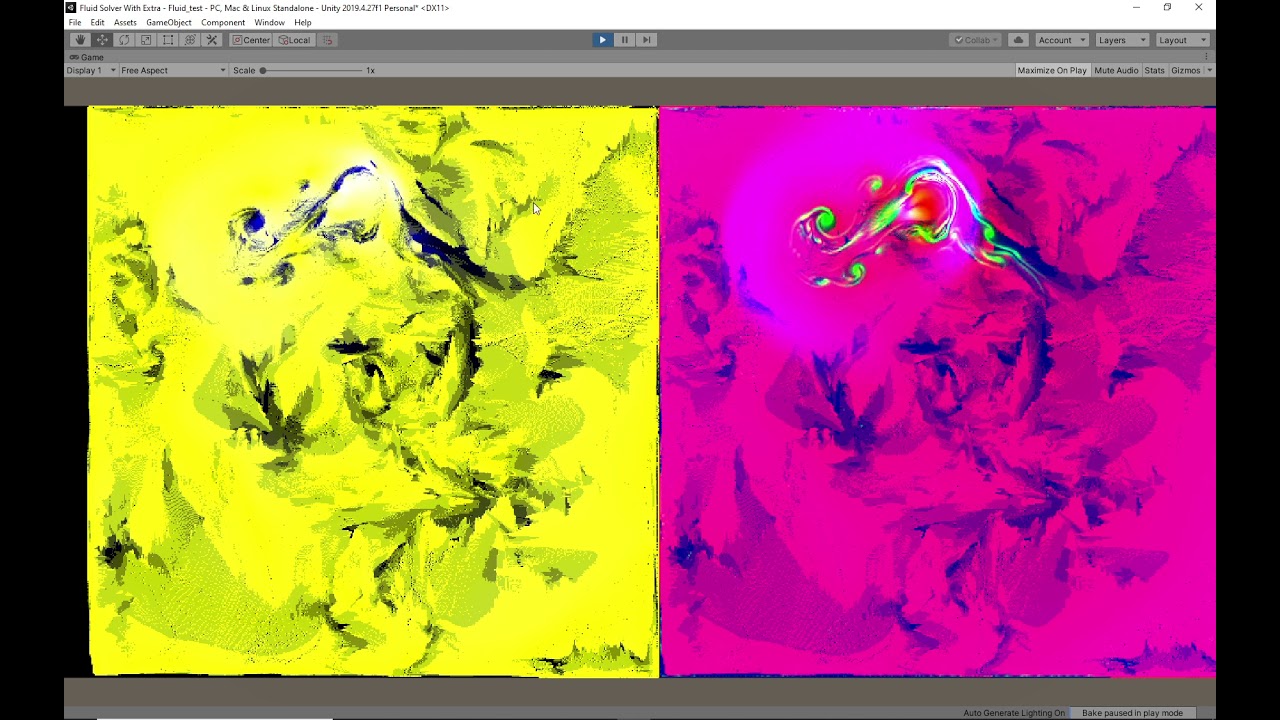 pale tusk
meager pelican
Well, it's hard to understand your question, maybe you need to give an example.
...
pale tusk
meager pelican
Well, it's hard to understand your question, maybe you need to give an example.
...
Dw, I just pulled a 2head move and forgot that I could just delete the mesh renderer component. No shader needed. :D
Ty for the response though!
ionic current
Random question:
Could i potentially write a shader that reacts to the normal of the pixel?
For instance, you have 6 directions, up/down/left/right/forward/backward. I assign a color to each of these 6 directions.
For anything inbetween i linearly interpolate. Perhaps also with a gradient.
this would be for an isometric game.
Still reading a book about shaders, just would like to know the answer to this in advance
This game looks like it would use such a technique, as there aren't any shadows or such. But are using gradients:
 fervent tinsel
pretty sure Jason just assed support for something like that on his Better Lit Shader
there's probably some examples around for such thing
ionic current
I'll have a look. Thanks
dim yoke
ionic current
Random question:
Could i potentially write a shader that reacts to the normal of...
Just out of curiosity: is there something you cant do with shaders?
 burnt pollen
dim yoke
Just out of curiosity: is there something you cant do with shaders?
burnt pollen
dim yoke
Just out of curiosity: is there something you cant do with shaders?
anything with alot of branches often wont work well on shaders
i have a vertex shader i need to output relive to the screen, so for example if i have the point 0,0,_ i need it to go in the middle of the screen regardless of the projection or transformation matrixes. all my attempts seam to have some transform still being applied
grand jolt
This is so cursed... CommandBuffer.DrawRenderer works for me in scene view but not in playmode... Dang URP.
meager pelican
ionic current
Random question:
Could i potentially write a shader that reacts to the normal of...
Most all lit shaders "react to the normal" somehow. The HOW is up to you.
For example, you could just output the normal (maybe remapped) as a color, you'll find that interesting for debugging if nothing else, but it would be similar to what you are asking....each axis would get a value. X would be R, Y would be G and Z would be B. But normals are signed usually, so you remap them to avoid negative values. So instead of going from -1 to 1 for each component of a normalize surface vector, you'd remap it to 0 to 1.
That's done with:
float3 remappedNormal = sufaceNormal * .5 + .5;
IIRC.
P.S. but I don't think those sample images are doing what you think they are.
fervent tinsel
basically yes, you can get world normal even with shader graph and remap it so that you'll get different colors per sides
ionic current
meager pelican
Most all lit shaders "react to the normal" somehow. The HOW is up to you.
For ...
The remappedNormal is interesting. Definitely makes blending easy without if statements 😮
Looks like this will be an easier shader to try and program myself. Wish me luck!
ionic current
fervent tinsel
basically yes, you can get world normal even with shader graph and remap it so t...
Is there any benefit to using shadergraph vs programming it manually?
fervent tinsel
I dunno if I'd make such effect purely on shader, there's a lot of things you may want to handle manually
also when you know your asset constraints, you can make smarter decisions about it vs trying to make some general purpose shader that you just slap on all assets
ionic current
Last time i tried node programming was with Grasshopper in Rhino3d. Never liked it much 🙃
But i suppose shadergraph would allow me do component-ify my pieces
burnt pollen
i think shadergraph is set up to be easy to use and to avoid some pitfalls you make when coding it manually
but you can get more performance out of doing it with code if you know what your doing
dim yoke
Atleast for me, shader coding is also much faster way to make shaders and easier to understand than shader graph (complex shader graphs gets very messy really quick)
Lets say someone sends me image of shader graph and image of shader code. It takes heck a lot more time to make any sense of the shader graph compared to shader code
meager pelican

Add depth to your next project with COLR – Coloring Redefined from Dustyroom. Find this & more VFX Shaders on the Unity Asset Store.
ionic current
dim yoke
Lets say someone sends me image of shader graph and image of shader code. It tak...
I would agree after looking at a shader graph tutorial. 5 boxes just to get a dotproduct of 2 vectors times a color? And do this 3 or 6 times, so 30 boxes.. no thanks
ionic current
meager pelican
<@!261669719881416704>
https://assetstore.unity.com/packages/vfx/shaders/colr-co...
Well what do you know 🙂
Thanks!
Its perfect
 west fulcrum
How can i get an objects angle in relation to 0,0 in the scene in a shader graph? Like if the object is at 1,0 i want 90.
Or radians, whatever is easiest. 🙂 i will plug this into the rotation of an overlay shadow shader i’ve made and 0,0 is the sun location.
 ember sedge
Is there a setting that would cause a render texture to have a very low scale? It's rendering smaller than what the camera is seeing and I don't want to simply increase the size of the object because I am working with pixel art and need it to be the correct pixel scale.

that tiny red dot on the left is the render texture, default settings
kind juniper
Could probably use vertex id. I'd just split the mesh into submeshes and use 2 materials instead. Not sure if that fits your use case though.
Well, it's possible to pass the vertex it into the vertex shader to identify what vertex is being processed.
For HLSL you can see it here in the system-value semantics
https://docs.microsoft.com/en-us/windows/win32/direct3dhlsl/dx-graphics-hlsl-semantics
kind juniper
I believe they are in the same order as in the C# side Mesh.vertices array.
I'm not sure what exactly you're trying to do, so can't really answer that.
wraith inlet
just adding a bit to dlich's suggestion. There are a lot of different ways to do this. If the part of the mesh you want to affect is not changing, you could use a texture and treat different parts of the mesh differently depending on the color of the texture at those uv coords. You could use vertex colors. You could use uv2, kind of like this post is using for AO https://stackoverflow.com/questions/19136494/unity-3d-multiple-uv-sets, and base some decision on the value of the uv you passed in.
I'm not great with shaders, so (1) something I said may be wrong and (2) I can't really tell you which ones of those are good options, but I know there are a lot of options.
 jade hinge
Trying to figure out how i can rotate individual tiles of a tiled texture in shader graph
kind juniper
No, unity does frustum culling as efficient as it can. "Your own culling" might just be inferior and prone to bugs.
Although, it might be good enough for your use case.
Because that's not frustum culling.
Frustum culling is just culling things that are outside of the camera cone(frustum)
What you describe is occlusion culling, and you have to specifically bake it in your scene for it to work.
Also, that question has absolutely nothing to do with shaders...
fervent tinsel
there's a reason why asset store is filled with all kinds of custom culling solutions
and that Unity is actually working on new occlusion culling system
Summary
Burst Occlusion culling is an optimization workflow that improves rendering performance by excluding static and dynamic Scene objects from further processing and rendering when obstructed and not visible from the rendering view. Burst Occlusion Culling is a dynamic culling solution and, as a result, does not have the upfront cost of...
ye
kind juniper
Because occlusion culling imposes other downsides, like increased build size. Not every game needs that. For example, mobile games prefer lower build size.
fervent tinsel
that new burst thing doesn't require offline baking btw, so that would result in lower build size too (at least that's my impression from that)
kind juniper
Yeah, still some scene layouts(huge open areas) wouldn't benefit much from it. Although, I guess they might take that into account.
fervent tinsel
here's some staff comments about that new burst culling if interested: #archived-hdrp message
and tl;dr: it's not available, with some luck we get something to play with in one year or so
and then you add in Unity factor for everything taking year or two more than estimated, should be good to go in 2023
not trying to make fun of them, just trying to set more realistic expectations
personally I'd love to test that stuff already
dim yoke
unity has baked occlusion culling, frustum culling and backface culling already (and depth testing ofc). only realtime occlusion culling doesn't exist yet. the thing is: it's pretty hard (and quite expensive ig) to calculate precisely what objects are behind and what objects are on top of each other. on some games realtime culling system would save barely anything. occlusion culling is best for narrow indoor scenes and worse for extensive outdoor scenes where there's very few things behind others at a time. anyways, it seems unreal has better options for culling at the moment. they seems to provide some sort of realtime occlusion culling (using power of GPU it seems) as well which could be nice feature on some cases.
grand jolt
Does anyone know how URP shaders aren't stripped without being in Resources?
I'm trying to make a reusable package and I kinda need to load a shader for the screenspace effect without user input.
Oh wait, I guess scriptables.
 desert orbit
Addressables perhaps.
grand jolt
Nah, I shall not touch that monstrocity ever again.
 light lintel
Hey I really need help making a vertex displacement shader for the built in pipeline. there seems to be no documentation on it and no tutorials for writing it (only for shader graph) any ideas?
Thanks
 pine arch
Anyone knows how to expose the UV0/UV1/etc.. choice as a property ?
I tried using a Vector2 but i can't figure out what values the node expect to match "UV0" or "UV1"
 regal stag
pine arch
Anyone knows how to expose the UV0/UV1/etc.. choice as a property ?
I tried usin...
regal stag
pine arch
Anyone knows how to expose the UV0/UV1/etc.. choice as a property ?
I tried usin...
You'll probably need to use an Enum Keyword and set each entry to a UV node with each channel.
pine arch
It creates multiple shaders under the hood like branching; right ?
fervent tinsel
or do something silly like this?
 regal stag
Branching doesn't make multiple shaders, but yes. If you don't want multiple variants you could likely also use Booleans and Branches
fervent tinsel
looks horrible though
regal stag
Yeah, and if you want all 4 channels you'll need more branches 😛
pine arch
sounds messy yes 😄
pine arch
and doesn't branching creates variants too ?
Ideally i want the dropdown from the TilingOffset node exposed
regal stag
Well the Branch node isn't a true branch afaik, it's just a ternary which always calculates both sides
pine arch
and simply linked to one node
Oh so it's expensive within the shader but doesn't create variants ?
(i mean expensive depending on what is on both sides)
regal stag
It's not really that expensive in this case since the inputs are just UV nodes, but yeah Branch nodes won't produce multiple variants
pine arch
ok, thanks a lot for the precisions ! 🙂
i'll use some branches until i find a direct way to expose the node property
fervent tinsel
 pine arch
for now i only need UV0/UV1 switch, but if i need more i guess keywords enums will come handy even if it creates variants
regal stag
The keywords / multiple variants probably is a bit overkill tbh, I'd stick to the branches. Can always put it in a SubGraph so you don't have to look at it, or write it as a custom function instead like the above
pine arch
oh ok
regal stag
light lintel
Hey I really need help making a vertex displacement shader for the built in pipe...
This tutorial is pretty good for vertex displacement in built-in, https://www.ronja-tutorials.com/post/015-wobble-displacement/
Can also do the same sort of thing in the vertex shader of an unlit / vert/frag shader rather than surface, just be sure to do it on the vertex position input before converting to other spaces.
 candid jewel
Noob question: I just started messing around with shaders in the URP. What do I need to do to make the alpha/alpha clip threshold accessible?

 vocal narwhal
candid jewel
Noob question: I just started messing around with shaders in the URP. What do I ...
vocal narwhal
candid jewel
Noob question: I just started messing around with shaders in the URP. What do I ...
Enable alpha clipping in the graph settings
candid jewel
Wow I'm dumb. Thank you so much @vocal narwhal
candid jewel
Now I have a new issue. Is there a way to set what the value of Sine Time is when the shader is set to the renderer of an object. I.E. Is there a way to make sure that when I assign the shader, it will begin fully opaque and then go to transparent before the gameobject is destroyed instead of starting at a "random" point in the cycle.
fervent tinsel
@candid jewel your shader doesn't know about gameobject states at all by default, simplest way to do this is to handle the fade on your c# code and sync the wanted alpha value via some exposed shader property
shadow locust
candid jewel
Now I have a new issue. Is there a way to set what the value of Sine Time is whe...
Could pass in the start time as a property, then subtract that from time, and feed the result into a sine node yourself maybe?
 sacred patio
Does anybody have an idea on why this material doesn't react to alpha or color changes in the particle system?
 regal stag
sacred patio
Does anybody have an idea on why this material doesn't react to alpha or color c...
regal stag
sacred patio
Does anybody have an idea on why this material doesn't react to alpha or color c...
Connecting a Vector4 directly to a Vector1 port (e.g. Alpha in this case) always takes the first/red component. You need to Split and take the A output instead.
However, since the graph is named "ParticleAdditive" I'm assuming it's using additive blending, which means the alpha port isn't actually important. Instead outputting a colour of black (0,0,0) becomes fully transparent (since adding 0 doesn't change the colour on screen). If you want the alpha from the particle system to affect the transparency rather than only relying on colour, you could Split, take the A output and Multiply your current colour output before connecting it to Base Color. (Hopefully that made sense)
As for the colour part, I'm not sure why it wouldn't currently change with the particle system. Make sure you save the graph (Save Asset in top left) as there's a "*" on the window tab meaning it hasn't been saved. Perhaps that's why it's not changing colour?
sacred patio
regal stag
Connecting a Vector4 directly to a Vector1 port (e.g. Alpha in this case) always...
Alright so funny enough, the one with split does react to alpha but doesnt react to color, the one without the split, doesn't react to alpha but reacts to color. Getting so confusing when trying to test x)
 regal stag
sacred patio
Alright so funny enough, the one with split does react to alpha but doesnt react...
regal stag
sacred patio
Alright so funny enough, the one with split does react to alpha but doesnt react...
The left one doesn't react to colour because the Base Color is using the one before multiplying with Vertex Color. You want to use the output from the second Multiply instead
sacred patio
regal stag
The left one doesn't react to colour because the Base Color is using the one bef...
Oh sweet, I think I've got it, thank you
Although another difference, both of them have a blending mode set to alpha, but the right one takes the black as transparency but the left one doesn't
I probably have it set to additive somewhere where I forgot about so maybe you have an idea on where else can the blending mode be changed?
regal stag
sacred patio
Oh sweet, I think I've got it, thank you
Although another difference, both of th...
Might be an override for the blend mode on the material if you're in Unity 2021.2
 indigo crow
hi guys, i have this sprite graph shader that moves by an offset to move a voronoi texture and i want to change the offset randomly at the beginning for each line that uses the shader, how do i do that?
 sacred patio
regal stag
Might be an override for the blend mode on the material if you're in Unity 2021....
sacred patio
regal stag
Might be an override for the blend mode on the material if you're in Unity 2021....
I'm on 2020.3, should I look for it in the shader graph?
 hearty obsidian
any hack to sample scene color after transparency was rendered on URP?
 deft prairie
hey guys, i just want to ask y'all what kind of shader are u using for terrain? im using microsplat atm, but i dont really like how it looks
dim yoke
could you share that using codeblock or pastemyst or smth?
oof that's surface shader, surface shaders doesn't exist in urp (atleast yet). there's no way to convert that to urp shader code. you can still try to remake that using lit shader graph which is pretty much same as surface shader
that doesn't seem too complicated shader tho. whould be doable if you're somewhat familiar with shader graph and surface shaders (which i'm not, I have never mady any sufrace shaders, still I managed to convert one surface shader into lit shader graph)
then there's no way (unless you get someone to do that for you)
 glad creek
Has Anyone used 2d Shaders with SVGs?
I Think there is some sort of Problem when i am not using sprites.
deft prairie
so can anyone tell me about what shaders are u using? is it mostly self created from nodes?
slim steppe
@regal stag Why are depth textures not working at screen edges?
 toxic flume
Can you introduce good stuff/movies/tutorials to implement nice cool weapon skins like skins in cod mobile/pubg and fortnite?
I have implemented some skins. They are animated skins in local space.
It seems OK in y-z plane (up/down and forward/backward) but in x axis, I see some stretch in patterns
It is the correct way to create these patterns in local space or it should be in uv space?
The bubbles move from the barrel point towards the butt
 trail scaffold
Hi - I made a library a little while back for procedurally generating guages/scales (think car speedometers). I got stuck and parked it once I realised the performance was shocking. I clearly need to do something with shaders, but am a bit of a loss of where to start. Can anyone guess what kind of shader I should start playing with? It can currently do 2D and 3D lines with ticks.
I can probably generate a strip mesh quite efficiently that bounds the surface I would want to draw on. So I am imagining drawing lines on a mesh surface using parameters handed in. Ideally I don't want to prevent users applying their own textures and effects over the top of the outline/shape I am generating. Does anything seem like an obvious starting point or best choice to use?
 carmine crag
I imported a ripple effect nothings happening when i call it does someone have any idea why its not working ??
candid jewel
Not a great video but I asked about setting the starting point of a shader animation last night through script. I got it working 🙂 https://youtu.be/EIxM_xBMeYM
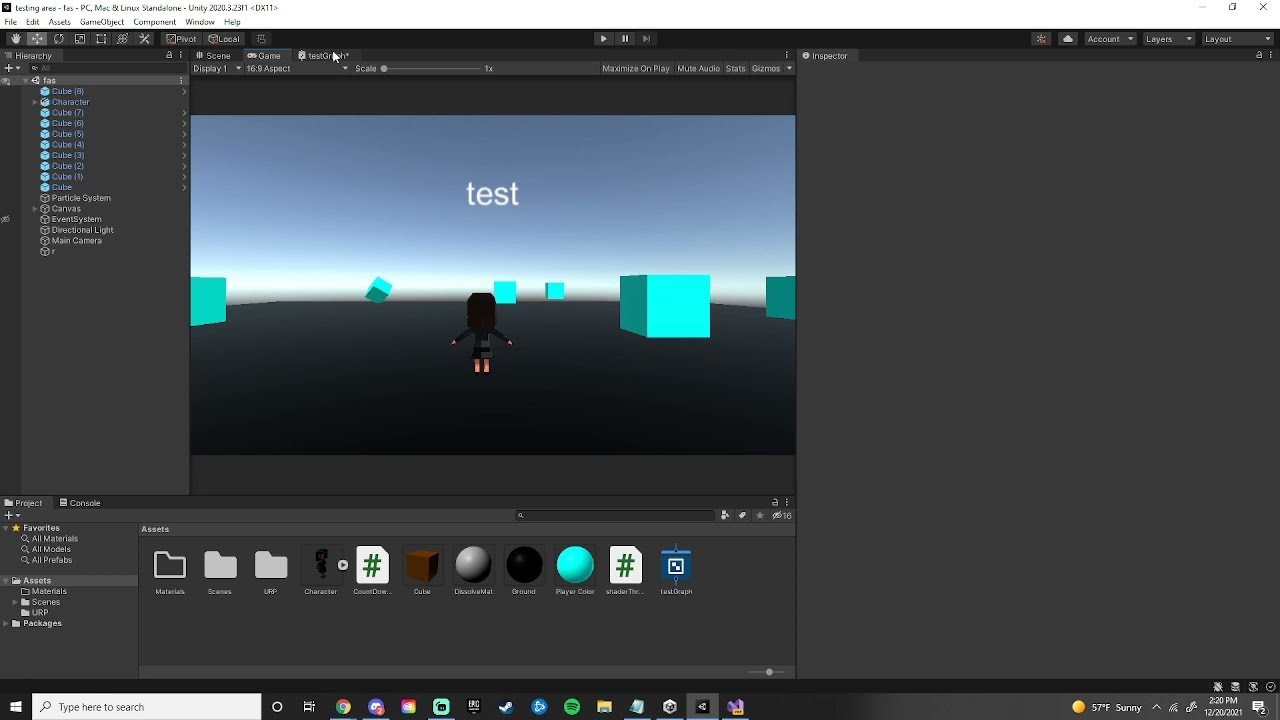
Code presented in this video: https://pastebin.com/vKTZSZFb
If anyone else was curious about it
 long current
Guys
I've just found something funny xd
If you ever make a shader in unity shader graph think deeply about the names
since if you change any name of any property later on you have to re asign this value in every single material it is used in!
i learned it the hard way after making my scene i went to clear up some mess and decided that "albedo" isnt a good name i will try "_BaseMap" maby it will conver materials better form hdrp
SIKE! you cant every materrial in the whole project got black
Thanks unity Very cool
fervent tinsel
well.. not sure what you expected
if you change shader property name, your materials will be clueless of this
long current
fervent tinsel
well.. not sure what you expected
for time before shader graph i was using amplify shader
name chaning was never an issue
so yes i expected quality sorry
fervent tinsel
name change isn't, property change is.. but SG does automate this
you can still manually override the property name under it
long current
btw is there a way to set up autotransfer from hdrp lit shader to shader graph shader
like you know
fervent tinsel
you'd rather have SG give some generated property name that is not descriptive?
long current
so it knows where to put albedo mask and normal
fervent tinsel
yeah, using those same property names
long current
fervent tinsel
you'd rather have SG give some generated property name that is not descriptive?
you could make diffrent types with amplify shader even global values
fervent tinsel
if you map your SG properties to use exact same naming as HDRP Lit, swapping HDRP Lit to your SG will map the properties automatically right
long current
is it possible to do it now?
fervent tinsel
yes, I've done it many times
long current
i assume thew names are
_BaseMap
_MaskMap
_Normal
fervent tinsel
albedo is bit tricky as Unity has swapped the naming convention on it and which one is right depends on your SRP pick, basemap could be right but would need to double check
normal one probably needs Map suffix too
but without having to guess, you can just check these on HD Lit shader
which HDRP version are you using?
long current
2021
fervent tinsel
2021.2?
fervent tinsel
well, they haven't changed this recently so it wouldn't really matter, just trying to get more relevant link for you
you can see all property names there
_BaseColorMap is what you need for albedo texture
 fervent tinsel
you don't, if you change that, it will break existing materials that used that
but if you want to make HDRP Lit swappable shader, using these values would let you swap your SG in place without losing those material refs
this also isn't officially recommended way of doing this, more of a hack. I believe Unity would want to reserve some of these property names for their internal shaders only
there were some things where some of these had some hidden agenda but I don't really remember it anymore
also, if ASE works more like you prefer, why even use SG?
(I really get why some prefer ASE, it's pretty cool tool)
long current
because ASE shaders are not marked as SRP batcher compatible and i dont know how to fix it
fervent tinsel
huh, you'd think their templates would be srp batcher compatible by default
long current
and yes many things are hidden
some time ago i tried making triplanar pixel displacementshader in shader graph and i dont think it is possible
fervent tinsel
have you asked about this on Amplify discord?
long current
fervent tinsel
have you asked about this on Amplify discord?
i dont remember the decision was made like a year ago maby
grand jolt
Hello everyone. So, I'm using a blit material feature to render custom post processing in urp. The effect I want to achieve is a depth based fog and it works kind of, the only issue is that the parts which aren't affected by fog are drawn gray instead of normal

 regal stag
grand jolt
Hello everyone. So, I'm using a blit material feature to render custom post proc...
regal stag
grand jolt
Hello everyone. So, I'm using a blit material feature to render custom post proc...
You may want to share the graph/shader for your Underwater material. Are you sampling the _MainTex?
 pulsar bane
how would i imitate this effect but with a texture?

i dont know how i can explain it but i want it like a sort of projected texture
grand jolt
regal stag
You may want to share the graph/shader for your Underwater material. Are you sam...
Sure, I'm just not on my pc right now 😄
Also, that blit feature is made by you actually @regal stag
 teal otter
I've got a list of angles I'd like to render as gradient circles to represent stars. I'd really like to do it on GPU as a pass on my skymap shader, but there are several thousand points that it would have to check. Would I be screwing my frame rate over having it do a dot product check thousands of times per frame? I need it to rotate as the player changes lat/long, so I'd prefer to do it procedurally instead of baking it into an image.
I'm pretty new to shaders though, anyone have strong feelings about the best approach?
 dry kite
hello everyone, is it possible to make a shader that makes everything when looking at a given direction? I have a room where parts of it looks dark because the light object is facing one direction but the other doesnt from what it looks and trying out point lighting or spot lighting doesnt really solve that for me
 brittle owl
pulsar bane
how would i imitate this effect but with a texture?
brittle owl
pulsar bane
how would i imitate this effect but with a texture?
i think i know what you mean, like the texture moves with the screen and looks like it’s being projected from the viewpoint of the camera?
i believe to do that you input the screen position as the uv for the texture
 narrow flicker
A really weird bug is happening, when I put on a "vrchat/mobile" shader parts of my model becomes black. I looked all around online for a solution but couldn't find anything. Is there a solution to this?


thank you for your time
 clever rapids
Both gameobjects have the exact same material applied, but the lineRenderer (right) has a much darker color, the one on the left is a basic cube. I am not sure why this is and I would like for both of them to be the same color.

I was not sure what channel to place this in
ionic current
can someone suggest me a better shader book?
I’m a couple pages in and finding it lackluster. They just spent a few pages on how add a directional light, plane, and a sphere to your scene…
I’m reading unity shader cookbook
 tardy bobcat
Heyas! Does anyone know much about these grass generating shaders? i cant even begin to get one to work, letalone how i need it to
tardy bobcat
Oooo i sort of got a Botw style grass one to work, but its rendering EVERYWHERE, and i know nothing about making it ranged 😦
kind juniper
tardy bobcat
Heyas! Does anyone know much about these grass generating shaders? i cant even b...
These? Which one?
tardy bobcat
https://www.youtube.com/watch?v=MeyW_aYE82s I have this one working now, but it chonks my PC with all the grass. Im trying to figure out now how to shorten the range they render in

Breath of the Wild's grass is visually striking and helps to break up large areas of ground. In this tutorial, learn how to make stylised grass just like it in Unity URP using geometry and tessellation shaders!
👇 Download the project on GitHub: https://github.com/daniel-ilett/shaders-botw-grass
✨ Roystan Grass Shader: h...
i havnt used unity in over 2 years, im rusty
 shrewd coral
so I made a shader in shader graph, but how do I actually use it? the .shadergraph file its saved in, isn't an actual applicable shader, and i don't see any sort of "save this as a shader" kind of option?
kind juniper
shrewd coral
so I made a shader in shader graph, but how do I actually use it? the .shadergra...
you should be able to select it on the material same as any normal shader.
shrewd coral
one more, new to shaders as a whole. any obvious reason why the results are SO drastically different?
also its not animating...for a reason.
kind juniper
shrewd coral
one more, new to shaders as a whole. any obvious reason why the results are SO d...
Can't say for sure without seeing the shader graph
storm pollen
Syntax question. Can i have sort of generic functions? Like if i set as input Texture2D<float> then function return float. If int2 then it return int2. tried to make it with #define and it ugly as sin
grand jolt
Hello, anyone here knows hlsl? i am trying to include the URP lighting,(i am actually following a tutorial on youtube) but somehow, it doesnt complie, i cant get the light to work!! i've been messing with it for hours now. and this little thing stomped me so hard

 solar sinew
grand jolt
What is kShaderTexEnvCount?
solar sinew
grand jolt
What is kShaderTexEnvCount?
by chance, are you using compute shaders
grand jolt
No.
I just copied the RenderObjectsPass and modified it to draw to a non camera target instead.
grand jolt
Yes.
grand jolt
Yes.
solar sinew
grand jolt
Yes.
one sec I am grabbing some links. I ran into this a month or two ago and discovered zero documentation or forum posts on it but I finally found some resources a few weeks ago
solar sinew
grand jolt
That must be an extremely expletive filled story.
Okay, first a little context you might or might not know.
RenderTargetHandles act as a wrapper for an int id and a RenderTargetIdentifier.
From here forward I'll use rtid as shorthand.
This int id can be thought of as the result of Shader.PropertyToID();
A rtid can then use this id as a pointer for what object it should use.
RenderTargetIdentifier is not the same as a Texture object or a RenderTexture object. It is an abstraction.
RenderTargetIdentifier: https://docs.unity3d.com/2021.2/Documentation/ScriptReference/Rendering.RenderTargetIdentifier.html
Constructor: https://docs.unity3d.com/2021.2/Documentation/ScriptReference/Rendering.RenderTargetIdentifier-ctor.html
RenderTargetIdentifier has a lot of constructors, allowing it to be created using:
• BuiltInRenderTextureType
• string name
• int nameID
• An existing RenderTargetIdentifier
• Texture
• RenderBuffer
For now*,
ScriptableRenderPasses (like RenderObjectsPass) use RenderTargetIdentifiers for their render targets. You can see that here:
*There are changes to simplify this currently in URP 13 and is part of a larger effort that I won't go into for now.
Now I'll send the stuff about the error specifically (sorry 😅 ).
grand jolt
@solar sinew where's the rest of it 👀
solar sinew
grand jolt
<@!347435811223896064> where's the rest of it 👀
OKAY.
TLDR: Don't use RenderTargetHandle.
I got rid of this error by caching my own int id and/or using RenderTargetIdentifier instead of using RenderTargetHandle.
The error is caused by RenderTargetHandle using an id out of range of kShaderTexEnv which seems to be -2.
The only forum post I have found that mentions this is here:
This is RenderTargetHandle
    // RenderTargetHandle can be thought of as a kind of ShaderProperty string hash
    public struct RenderTargetHandle
    {

        public int id { set; get; }
        private RenderTargetIdentifier rtid { set; get; }

        public static readonly RenderTargetHandle CameraTarget = new RenderTargetHandle { id = -1 };

        public RenderTargetHandle(RenderTargetIdentifier renderTargetIdentifier)
        {
            id = -2;
            rtid = renderTargetIdentifier;
        }
If you Initialize RenderTargetHandle with a RenderTargetIdentifier, id is set to -2. You can see this more clearly in the code below.
        public void Init(string shaderProperty)
        {
            // Shader.PropertyToID returns what is internally referred to as a "ShaderLab::FastPropertyName".
            // It is a value coming from an internal global std::map<char*,int> that converts shader property strings into unique integer handles (that are faster to work with).
            id = Shader.PropertyToID(shaderProperty);
        }

        public void Init(RenderTargetIdentifier renderTargetIdentifier)
        {
            id = -2;
            rtid = renderTargetIdentifier;
        }

        public RenderTargetIdentifier Identifier()
        {
            if (id == -1)
            {
                return BuiltinRenderTextureType.CameraTarget;
            }
            if (id == -2)
            {
                return rtid;
            }
            return new RenderTargetIdentifier(id, 0, CubemapFace.Unknown, -1);
        }

        public bool HasInternalRenderTargetId()
        {
            return id == -2;
        }

    // Some other code for RTHandles, which will replace RenderTargetHandles.
    }
You can think of RenderTargetHandle.Init() like this:
private string exampleName;
private int exampleId;
private RenderTargetIdentifier exampleRTId;
private RenderTargetHandle exampleHandle;

private void ExampleSetupFunction(string texPropertyName)
{
      exampleName = texPropertyName;
      exampleId = Shader.PropertyToID(exampleName);
      exampleRTId = new RenderTargetIdentifier(exampleID);

      exampleHandle.Init(texPropertyName);
      // id = Shader.PropertyToID(texPropertyName);
      exampleHandle.Init(exampleId); // Gets type-casted to RenderTargetIdentifier
      // id = -2;
      exampleHandle.Init(exampleRTId);
      // id = -2;
}

private void Execute(CommandBuffer cmd, ref RenderingData renderingData)
{
      ... some use of exampleHandle.Identifier();
      // RenderTargetHandle.Identifier() will return either CameraTarget or rtid depending on the value of id.
      exampleHandle.id;
      // Will return id set in .Init() which may not be using your shader property id
}
An id of -1 is the id used for the camera texture.
The id will be set to -2 which seems to be outside the range of kShaderTexEnv.
Unity Forum
Hi, My compute shader needs to access a temporary rendertexture that was allocated by cmd.GetTemporaryRT(...) from previous frame, but then Unity warns...
grand jolt
Ohh, so .id is not actually the id I need.
solar sinew
Use int id instead
Sorry, I know it is long-winded
but I once solved this and then forgot why it happens and then ran into it again.
grand jolt
Big thanks, I guess I will pass around RenderTargetIdentifier instead.
Oh wait, it doesn't expose the int hash, back to barebones ints I guess.
solar sinew
grand jolt
Oh wait, it doesn't expose the int hash, back to barebones ints I guess.
yep! and if you happen to create an temporary RTs remember that their constructor takes id not RenderTargetIdentifier.
But for functions like ConfigureTargets(); you need RenderTargetIdentifier or you can use id and it will be type-casted.
If you need to connect an id and a RenderTargetIdentifier make sure to do this when it is declared:
    private string                 colorTexName; // Set this string however you want
    private int                    colorIntId    => Shader.PropertyTOID(colorTexName);
    private RenderTargetIdentifier colorTargetId => new (colorIntId);
or something like this in where the RenderTargetIdentifier is defined:
        string textureName;                     // Set this string however you want
        int renderTargetIntId                   = Shader.PropertyToID(textureName);
        RenderTargetIdentifier targetIdentifier = new RenderTargetIdentifier(renderTargetIntId);
Yeah, I just need to use the same pass both for temporaries (which requires an id) and for persistent RenderTextures (so I can bind them to VFX Graph, and requires a RenderTargetIdentifier). So that's why I thought RenderTargetHandle was the way to go.
solar sinew
I'm glad I finally found this info, there is essentially nothing online about this
grand jolt
Yeah, so basically they have 2 abstractions and neither let you to hold either a texture or a temporary AND let you extract the id haha.
solar sinew
grand jolt
Yeah, so basically they have 2 abstractions and neither let you to hold either a...
and the newer RTHandle is a new layer of abstraction which simplifies things and takes into account render textures of different sizes.
grand jolt
I shall see it for myself then when 2021.2 stops giving me 28 compiler exceptions on every domain reload 😅
solar sinew
grand jolt
I shall see it for myself then when 2021.2 stops giving me 28 compiler exception...
btw, if you happen to run into something along the lines of Property has mismatching output texture dimension (expected 5, got 2) (which is an only slightly less frustrating thing to search for).
That is referring to this:
2 and 5 being Tex2D and Tex2DArray

This can happen because of weird behavior with XR macros (I do not make anything XR).
just FYI
 tranquil jasper
Hi guys, does anyone know any method to use the proximity of a game object to modify some value in the shader of another game object? More specifically I would like to make a certain area of an element visible according to the proximity of a character. Preferably by Shader Graph.
shadow locust
tranquil jasper
Hi guys, does anyone know any method to use the proximity of a game object to mo...
sure - just pass in the position of the other object to the shader as a property. then you can check distance of your vertex or fragment to that object.
grand jolt
solar sinew
This can happen because of weird behavior with XR macros (I do not make anything...
I see.
tranquil jasper
shadow locust
sure - just pass in the position of the other object to the shader as a property...
That's sounds like what I need. Can you give me more details? I'm not an expert.
shadow locust
tranquil jasper
That's sounds like what I need. Can you give me more details? I'm not an expert.
In the blackboard you create a property https://docs.unity3d.com/Packages/com.unity.shadergraph@10.8/manual/Blackboard.html
You can make it a Vector3
solar sinew
grand jolt
I see.
basically, TEXTURE2D_X is a macro found in universal/ShaderLibrary/Core.hlsl.
Depending on whether XR stuff is turned on, TEXTURE2D_X will return either a Texture2D or a Texture2DArray. This may sound like something you would never need to know, but you would be surprised at what you run into when writing Scriptable Render Passes
shadow locust
Then you just can set the value of that property on your material at runtime with Material.SetProperty("MyPropertyName", someObject.position); for example @tranquil jasper
grand jolt
Ah, I always throw XR support out when writing custom passes 😎
Only SAMPLE_TEXTURE2D in this house.
solar sinew
grand jolt
Ah, I always throw XR support out when writing custom passes 😎
I was rewriting/copying some HDRP code for URP and mistakenly had left in #multiple_compile DISABLE_TEXTURE2D_X_ARRAY. All my textures were expecting dimension: Tex2DArray because both versions of the shader were being created 
SAMPLE_TEXTURE2D_X() will return SAMPLE_TEXTURE2D() but I just avoid it because XR support can stay away from me

grand jolt
VR market is small, no need to support it 
solar sinew
but anyways that is why you will see SAMPLE_TEXTURE2D_X() and TEXTURE2D_X() in internal code. To support stereo rendering
solar sinew
It's the only way to figure anything out 😩
grand jolt
Have you opened HDRP 👀
I will take reading URP any day.
Certainly beats jumping 4 hlsl headers to find where the shading is.
solar sinew
Oh god, so many global variables. At least QoL fixes in URP and SRP core changes are making them realize how much weird code is in HDRP
grand jolt
Not to mention graphics settings on the asset only being accessible through reflection 😛
Hey everyone, I know I've asked for help before regarding some issues with a depth based fog effect I am trying to make, and @regal stag asked to share the actual shader, so here it is: https://paste.myst.rs/s8j1jn28
a powerful website for storing and sharing text and code snippets. completely free and open source.
I'm a beginner with shaders, and I don't know whether or not the issue is caused by the sahder, or something else
 wicked pine
Hello everyone!
Can someone help me with my sub shader graph? I am trying to expose some variables in my custom node, but I don't know how can I do it. Mi idea is upgrade my node to get global variables and modify them from code.
regal stag
grand jolt
Hey everyone, I know I've asked for help before regarding some issues with a dep...
Might want to link to the original question so it's clearer for others what's wrong with it too, #archived-shaders message
I don't particularly like the use of tex2Dproj in a hlsl/URP shader as I've only seen that used in built-in with sampler2D. It might still work with separate texture and sampler but I'd use SAMPLE_TEXTURE2D(tex, sampler, uv) instead to be safe, with uv as screenPos.xy / screenPos.w to do the perspective division that tex2Dproj does.
You are sampling _MainTex so that's good. If you can't see any colour from the scene it might be that the _FogDistance value is just too small? (Try setting it to 100 or 500 or something). I can't really see anything else it could be
grand jolt
regal stag
Might want to link to the original question so it's clearer for others what's wr...
So I did some research and it turned out it might be due to a bug in 2021.2 in which a blit material feature is glitched
I tried with a few other blit material feature implementations and only 1 out of 3 worked
I'm not entirely sure though
tranquil jasper
shadow locust
Then you just can set the value of that property on your material at runtime wit...
Thanks! I will do some research of how to apply that 😄
regal stag
grand jolt
So I did some research and it turned out it might be due to a bug in 2021.2 in w...
Hmm, I did recently make some fixes to the feature for 2021.2. You may want to download it again to make sure you have the up-to-date one. https://github.com/Cyanilux/URP_BlitRenderFeature
But with your screenshot from before it looked like the feature was changing the view, so I would assume it is working. Unless the blue colour is just the skybox or something.
grand jolt
Yeah, your blit implementation is the only one which worked
Also your post on writing shader code in urp is a life saver, I'm more than grateful that it exists
 soft harness
trying to make this volumetric kinda effect, but the color of the volume is just white instead of the light color, here's my code:
https://pastebin.com/YgMkEDji

 frail ravine
Is there any way to do raycasting in Compute shaders?
 wraith haven
soft harness
trying to make this volumetric kinda effect, but the color of the volume is just...
wraith haven
soft harness
trying to make this volumetric kinda effect, but the color of the volume is just...
if you have more than one light in your scene "_LightColor0" might not be the red one
soft harness
I figured it out. I just set all the colors to value2 instead of value2.r, value2.g, value2.b
indigo crow
pls pls pls can some one help me!
i looked every where
how can i use shader graphs in the ui
while in overlay - renderer mode
silver sparrow
https://youtu.be/L_Bzcw9tqTc?t=893
at this specific timing of the video, is it possible to lerp between vertex colour (such as the R channel) instead of lerping between the Y value of the UV?

Let's learn how to make realistic grass with Unity Shader Graph!
This video is sponsored by Unity
● Download grass assets: https://ole.unity.com/grasssway
● Art That Moves: https://bit.ly/2VW85He
● More realistic vegetation: https://bit.ly/2EAxC5d
● Mesh Generation: https://bit.ly/2u7vee3
♥ Support Brackeys on Patreon: http://patreon.com/b...
shadow locust
silver sparrow
https://youtu.be/L_Bzcw9tqTc?t=893
at this specific timing of the video, is it p...
If you can dream it you can do it
silver sparrow
hm?\
i've only seen people lerping between "black & white" so im unsure if it would work for vertex colour...
shadow locust
You just need two colors and you can lerp between them
vertex colors are generally already interpolated for you in the fragment stage though
not sure what two colors you'd be lerping between yourself
i.e. if you read from the vertex color node in the fragment stage you get a color that's already interpolated from the actual vertex colors based on the barycentric coordinate of your fragment
silver sparrow
ah i see i see
 twin nymph
Anyone seen this when upgrading to ShaderGraph 10.2.2 -> 12.1.2

don't understand exactly how to solve this. if I simply replace the simple noise node, it's still showing the error
if I delete it, my graph compiles fine
 quaint python
Does anyone know the stage at which skinning occurs in the rendering pipeline?
I need to compute some information over the mesh using a compute shader, but it needs to be computed after all deformations have been applied
I'm struggling to find documentation on this - what I've read says skinning occurs in the final vertex/frag shader, but it's not specific
Do I need to pull skinning into a compute shader and run it first if I want to do something like this?
 tropic smelt
Hey uhm, what shader do you guys typically use for binary transparency shaders in HDRP?

Im having some issues with alpha sorting 😅 Didnt think I was gonna have issues with that as my transparency maps are binary (Im using alpha clipping rn)
Is there no like order independent transparency in Unity
like
at all?
^ Created a forum post/question on it https://forum.unity.com/threads/is-there-no-order-independent-transparency-in-unity-hdrp-only-need-it-for-binary-transparency.1215635/
Unity Forum
Hi, Ive been trying to find some mesh surface material that I could use to solve this madness: Imgur: The magic of the Internet [IMG]
Were using HDRP...
fervent tinsel
@tropic smelt#archived-hdrp message
of course the day that actually gets merged, it's like 2022.2 or 2023.1
tropic smelt
fervent tinsel
<@!321374763941494784>https://discord.com/channels/489222168727519232/5171087689...
So that means transparency sorting isnt a thing rn?
fervent tinsel
not afaik
I haven't tested this exclusively on HDRP but I'm under impression it doesn't really handle it gracefully
I know for sure that URP fails big time on that one but I never specifically tested this on HDRP
why do you need transparent material for that btw?
tropic smelt
Right, well is it possible to manually merge the latest master of https://github.com/Unity-Technologies/Graphics into an existing project? Not that I think the guy responsible for the project would ever agree to something that risky, but still

GitHub
Unity Graphics - Including Scriptable Render Pipeline - GitHub - Unity-Technologies/Graphics: Unity Graphics - Including Scriptable Render Pipeline
fervent tinsel
your b&w image wasn't really all that clear on your intent
not to 2020.3 but you can run master on 2022.1 betas
but I don't even know if that branch is functional or if it's even meant for stock HDRP
tropic smelt
fervent tinsel
your b&w image wasn't really all that clear on your intent
Im working on a project where the developers are very poly count aware, they essentially strafe for PS3 polycounts pretty much. So Im forced to be a little creative with finding ways of adding detail anyway
fervent tinsel
since it mentions GPU pipeline, it's probably meant for the new gpu driven batched rendering
tropic smelt
Therefore I use transparent materials to add some detail that I otherwise could never afford, such as this
 fervent tinsel
but at the same time looking at the files, it looks like it's mainly touching regular HDRP files
so would need further testing
if it works or can be made to work, you could probably just squash the commits into one and cherry-pick that on older engine and then handle the conflicts there
tropic smelt
fervent tinsel
but I don't even know if that branch is functional or if it's even meant for sto...
right, its a large project with several houndred C# files and loads and loads of VFX, I guess things would break if we try using that?
fervent tinsel
I still don't see why that has to be transparent
can't you just do opaque with alpha clip for that?
tropic smelt
fervent tinsel
can't you just do opaque with alpha clip for that?
Thats what you are looking at
fervent tinsel
so what you need OIT for then?
tropic smelt
Binary transparency
tropic smelt
fervent tinsel
so what you need OIT for then?
wdym?
fervent tinsel
you get sorting issues if you use transparent shaders
tropic smelt
If youre asking me to cut out the areas on the mesh that are supposed to be transparent, that would blow up my poly counts too much
fervent tinsel
with opaque the order shouldn't be similar issue
tropic smelt
tropic smelt
If youre asking me to cut out the areas on the mesh that are supposed to be tran...
@fervent tinsel is this what you meant?
fervent tinsel
I don't really see how that affects poly counts at all
I'm now talking about opaque shader with alpha clip option, you feed the "cut out" parts just 0 alpha to the shader
stuff that people do all the time with foliage
tropic smelt
fervent tinsel
I'm now talking about opaque shader with alpha clip option, you feed the "cut ou...
This is what the shaders look like rn
 fervent tinsel
doing same thing with true transparent shaders would be crazy expensive, all the overdraw
tropic smelt
fervent tinsel
doing same thing with true transparent shaders would be crazy expensive, all the...
Yep, I def don't want overdraw where I dont need it (which I dont rn) 🙂
fervent tinsel
basically just change your material to use Opaque surface type and enable alpha clip
unless, I somehow misunderstand what you are trying to do here
tropic smelt
fervent tinsel
basically just change your material to use Opaque surface type and enable alpha ...
oh lmao 😄
That simple
Yeah it looks like the sorting issues are gone just switching my materials from transparent to opaque
I just assumed they had to be set to transparent for the alpha clip to work
fervent tinsel
yeah, the ordering issue is typical on transparent materials, it's hard problem to solve there. if you can use opaque you'll be having so much better time
this is why many often do fade out effects with some dithering effects using opaque passes instead of true transparent shaders etc
tropic smelt
fervent tinsel
this is why many often do fade out effects with some dithering effects using opa...
oooo right, does Unity support alpha hashing out of the box?
fervent tinsel
I don't really know the technical details other than it being like this on all engines I've used in past decade or so 😄
some have implemented optional OIT to fix this though
but even that is nontrivial as afaik it comes with it's own burden
tropic smelt
@fervent tinsel I have another (totally unrelated issue) when youre well here
Are there any tricks I could use to hide the shading issues on my bars here? (I know its horrible and that I probably should fix it in my 3D software, but again, Im trying to save polygons to quite extreme levels)

I should probably just make it unlit maybe
fervent tinsel
you'd probably need to bake those normals from high poly for that extreme setup
it's also possible your bars have incorrect mesh normals too but those can do only so much in the end...
 nimble solstice
Hiya, do you folks know of any examples of addative geometry shaders? I've been digging around but haven't found one yet. 😦
fervent tinsel
(Unity can recompute the mesh normals for you as well)
tropic smelt
fervent tinsel
it's also possible your bars have incorrect mesh normals too but those can do on...
I weightened the normals in Blender to minimize the issues lol, those bars are really low poly
 charred sinew
with a strong enough normal map you could recreate that entire ship with a cube thats like 8 poly's
fervent tinsel
yeah, if you don't have enough polys to do that proper, you typically have two options,bake the whole thing from high poly or use some normal map trim sheets.. but considering all the angles there, that option is likely to be way too tedious
of course one could do all kinds of shader trickery too but it's probably just easier to bake the normals
charred sinew
bake everything. make it a habit. even if end result doesn't need it, better to have it in case
nimble solstice
I'd like the back portions to just not appear (as usually works with additive blend modes) but it seems I'm missing something. I'm using Blend One One but to no avail
 narrow flicker
A really weird bug is happening, when I put on a "vrchat/mobile" shader parts of...
narrow flicker
narrow flicker
A really weird bug is happening, when I put on a "vrchat/mobile" shader parts of...
please ping me if anyone has a solution
 cosmic prairie
nimble solstice
I'd like the back portions to just not appear (as usually works with additive bl...
cosmic prairie
nimble solstice
I'd like the back portions to just not appear (as usually works with additive bl...
Maybe it's a negative number and it adds a negative value to it
do a: max(0,color) thingy
 shrewd crag
why doesn't normal from height shader graph node work for tesselation displacement in hdrp
fervent tinsel
@shrewd crag you need LOD type sampler node for vertex stage
meager pelican
nimble solstice
I'd like the back portions to just not appear (as usually works with additive bl...
I assume you mean "black portions" not "back portions", but if so, you're not using additive like you think you are, or they wouldn't appear, as you say.
Maybe pastbin (or whatever) your shader code.
Also, what render pipeline (I assume built in) and/or what render queue are you in?
shrewd crag
fervent tinsel
<@!247793168056057857> you need LOD type sampler node for vertex stage
my objective is to procedurally generate the tessellation
 vernal island
Hello. What is diffrence of surface and vertex/fragment shader? i read only Surface shader is slower than v2f shader. My object is created mesh by datas of color,reflectivity, etc... and i tried to write a v/f shader but i have problem with light (1st time writing the shaders be honest) ... what do you think? stay at v2f shader or try surface?
kind juniper
vernal island
Hello. What is diffrence of surface and vertex/fragment shader? i read only Surf...
Surface shader is a kinda like syntactic sugar by unity that combines both vertex and fragment. It compiles into proper vertex + fragment shaders afaik.
So, if you need more control, you should probably use the vertex+fragment shaders.
 modern fulcrum
is there a way to make a specific part of a skinned mesh renderer glow
dim yoke
vernal island
Hello. What is diffrence of surface and vertex/fragment shader? i read only Surf...
Surface shader is like the lit shader in shader graph and vertex/fragment shader is like unlit shader. Surface shaders are meant to make it easy to make shaders that can interact with lighting correctly. Same way as the lit shader graph, on surface shader you just calculate main color, smoothenss, metalness etc. in the shader and the surface shader takes care of the lighting calculations with those give inputs. If you want to make vertex/fragment shader that needs to be affected by lights, shadows etc., you have to code all the light calculations yourself which is possible but much harder than using surface shader.
dim yoke
modern fulcrum
is there a way to make a specific part of a skinned mesh renderer glow
Assuming you are using sriptable render pipeline, you can make shader graph (on build in rp use surface shader) to make it glow on some parts. The only problem being, you have to somehow specify where that part is. You can for example make a texture that sampled to mesh tells the glowiness or save the glowiness to second uv coordinate for instance. You have to save the glowiness in a way its accessable by shader
dim yoke
modern fulcrum
is there a way to make a specific part of a skinned mesh renderer glow
You could actually just use emission map if you want to use texture to indicate glowing parts https://docs.unity3d.com/Manual/StandardShaderMaterialParameterEmission.html
soft harness
{
    Properties
    {
        [NoScaleOffset] _MainTex ("Texture", 2D) = "white" {}
        _Strength("Strength", Range(0.0, 1.0)) = 0.5
    }
    SubShader
    {
          Tags { "RenderType" = "Transparent" "Queue" = "Transparent"}
            LOD 100
            GrabPass{
            }
        LOD 100

        Pass
        {
            CGPROGRAM
            #pragma vertex vert
            #pragma fragment frag
            // make fog work
            #pragma multi_compile_fog

            #include "UnityCG.cginc"

            struct appdata
            {
                float4 vertex : SV_POSITION;
                float2 uv : TEXCOORD0;
            };

            struct v2f
            {
                float2 uv : TEXCOORD0;
                UNITY_FOG_COORDS(1)
                float4 vertex : SV_POSITION;
                float4 screenUV : TEXCOORD1;
                fixed4 diff : COLOR0;
            };

            sampler2D _MainTex;
            float4 _MainTex_ST;
            float _Strength;

            sampler2D _GrabTexture;

            v2f vert (appdata_base v)
            {
                v2f o;
                o.uv = v.texcoord;
                o.vertex = UnityObjectToClipPos(v.vertex);
                UNITY_TRANSFER_FOG(o,o.vertex);
                o.screenUV = ComputeGrabScreenPos(o.vertex);
                return o;
            }
            fixed4 frag(v2f i) : SV_Target
            {
                fixed4 c = tex2D(_MainTex, i.uv);
                float4 displaced = float4(i.screenUV.x, i.screenUV.y, i.screenUV.z, i.screenUV.w);
                displaced += c;
                displaced = lerp(i.screenUV, displaced, _Strength);
                fixed4 grab = tex2Dproj(_GrabTexture, displaced);
                return grab;
            }
            ENDCG
        }
    }
}
I'd like this window shader to have specular highlights. any way to do that with V-F shaders?
this is what it currently looks like

 eager knot
Hey, I wanted to create a dissolve shader but in a particular direction any idea how can I achieve this
grand jolt
hey guys I pieced together a linux server and am trying to host a ummorpg project on it, but whenever I run the server codes on the computer it gets stuck on shader not supported spam. what can I do about this?
 lethal breach
Is there any document about converting the CGPROGRAM shaders to HLSLPROGRAM I'm really struggling to convert my custom shaders to HLSL
rustic adder
Yo guys im having this weird thing going on with my shader

Im trying to put leaves on my tree and it looks like its applied because the shadow shows the right thing, but for some reason its all pink
I modelled the tree in blender and this is how it should look

heres the shader I put for the leaves: https://pastebin.com/nUsuqNth
Pastebin
Pastebin.com is the number one paste tool since 2002. Pastebin is a website where you can store text online for a set period of time.
nvm i got it
 lone bone
is there a way to have the background have a shader? other that having a giant quad behind everything?
 zealous elm
Can anyone see what I am doing wrong here? The texture is input into the base color why isn't it rendering the preview?
 fervent tinsel
@zealous elm you have URP or HDRP active atm?
(SRP asset assigned to project settings->graphics)
fervent tinsel
installing URP isn't enought to make Unity use it
 vagrant pecan
How to get the 4 "sub samples" of a bilinear-filtered texture read?
I remember this being possible but I forgot how to do this
(So instead of getting the sample value that was averaged from the 4 values, you get the 4 values individually)
vagrant pecan
Oooh I found it! Its "Gather": https://docs.microsoft.com/en-us/windows/win32/direct3dhlsl/dx-graphics-hlsl-to-gather
Gets the four samples (red component only) that would be used for bilinear interpolation when sampling a texture.
 raven hamlet
So I'm a bit confused by what values you can use ddx/ddy/fwidth on. Is it just interpolated values that are input to the fragment shader?
If not, I guess the gpu just needs to synchronize on the calculation of a derivative?
silver sparrow
how would you guys approach making water that flows in a curve manner and splits into separate paths?

https://youtu.be/DIE3qfCGXl8?t=51 i watched this video and i think it is what i am looking for? but i just don't get how the water curves

Resources:
Post containing Waterfall Shader: https://www.patreon.com/posts/40078029
Interactive Setup Legacy: https://www.patreon.com/posts/24192529
Interactive Setup URP: https://www.patreon.com/posts/30490169
Old Waterfall Shader Graph setup: https://www.patreon.com/posts/shader-part-2-24996282
My Github site with all tutorials
https://mini...
dim yoke
raven hamlet
So I'm a bit confused by what values you can use `ddx/ddy/fwidth` on. Is it just...
You can give whatever numbers (float, float2, float4 etc.) you get from vertex shader or you calculate yourself in fragment shader
raven hamlet
yeah I figured that out, thanks... it was just a little unexpected that that would work
dim yoke
Everything is rendered in 2x2 quads so the shader can get differences to those other fragments on the same quad
raven hamlet
yeah, I found it strange that you could compute a random variable and you could get the derivative of it
dim yoke
(Approximated derivative)
raven hamlet
I mean, what if one quad took a branch and the other didn't
I think I realize now that the fragment shader program counters are synchronized on the gpu
raven hamlet
dim yoke
(Approximated derivative)
right
 royal crest
Hi guys, I have an issue where when I overlap my fire effects, I get a kind of "negative color" on the overlapped part. I don't really know what is causing this ( maybe exposure of the color?) so I'm here to ask for some help 😅 Did anyone already have that kind of issue with shaders/materials?
mental bone
silver sparrow
how would you guys approach making water that flows in a curve manner and splits...
Simples solutions is flow maps
silver sparrow
hmmmmm alrightt
i guess the simplest way to create Flow Maps is by using the FlowMapPainter app?
mental bone
Simplest yes possibly. We use houdini to import the geometry and bake out a flowmap for the given piece or terrain
But if that app is what Im thinking of we have used it and it works it just takes a bit more time to paint in good looking results
silver sparrow
alright thanks
 somber chasm
Anyone got any guides on writing HLSL?
Also guides on compute shaders and physics calculations using them?
I know the general gist of it but I don't know where the documentation is or best practices
 hollow talon
Is there a way to write transparent objects into the screen texture in URP?
 brisk shore
Hello, i've created a shader graph and I want to show it "fullscreen", how do i do that?
 hollow peak
somber chasm
Also guides on compute shaders and physics calculations using them?
hollow peak
somber chasm
Also guides on compute shaders and physics calculations using them?
Hey, this might help.
https://www.reddit.com/r/Unity3D/comments/7ppldz/physics_simulation_on_gpu_with_compute_shader_in/
https://developer.nvidia.com/gpugems/gpugems3/part-v-physics-simulation/chapter-29-real-time-rigid-body-simulation-gpus

reddit
247 votes and 21 comments so far on Reddit
NVIDIA Developer
Chapter 29. Real-Time Rigid Body Simulation on GPUs Takahiro Harada University of Tokyo We can easily calculate realistic object motions and produce high-quality computer animations by using physically based simulation. For example, making an animation, by hand, of a falling chess piece is not difficult. However, it is very hard to animate sever...
grand jolt
So ughh my custom URP renderer feature that draws renderers with context.DrawRenderers() into a custom render target stops working in playmode(but still works in editmode) if I also configure a custom depth target. What's up with that?
grand jolt
Upd: turns out if you force msaa sample count on the depth to 1, it gets borked in the playmode.
So I just removed the line where I did that on the depth target descriptor.
Is there a way to enable debug layer for DirectX?
grand jolt
Aaand now I'm getting null destination texture warnings.
Man, graphics programming on URP has become so miserable.
This is like the 3rd issue I have to solve blind.
You'd think 3 blits would work from the start.
 south temple
Hey, i'm pretty new with Unity but I have some experience with openGL
In C opengl, i made a custom vertex layout with some data I need (non related to POSITION, UV, ect...) which is supposed to be used in a geometry shader. But i'm having troubles at making my vertex layout and using it with a shader in Unity.
Do you guys have any ressources on that ?
Here some where i try to just make a layout with position (but nothing shows up)
https://pastebin.com/H4PZthA3
brisk shore
Hello, I'm trying to use Blit to show a shader graph on screen as it was a kind of effet. But how can i "play" the effect when I want to, not using that event thing? Or is there a better way of doing it?
 soft zealot
south temple
Hey, i'm pretty new with Unity but I have some experience with openGL
In C openg...
soft zealot
south temple
Hey, i'm pretty new with Unity but I have some experience with openGL
In C openg...
you need to set the new mesh at the end of it meshfilter.mesh = mesh
 full pier
hi guys, i have a question about rendering queue. i dont quite understand the meaning of opaque geometry. If I have a stage that has a floor and a wall do these considered as opaque geometry?
And also what is the rendering order for different renderer?
Based on the following documentation
https://docs.unity3d.com/Manual/2DSorting.html
What happened to mesh renderer if I am combining 2d sprites and 3d model together
 sly breach
royal crest
Hi guys, I have an issue where when I overlap my fire effects, I get a kind of "...
sly breach
royal crest
Hi guys, I have an issue where when I overlap my fire effects, I get a kind of "...
i suspect its the stacked Blending Mode Alpha that causes this
regal stag
full pier
hi guys, i have a question about rendering queue. i dont quite understand the me...
Opaque geometry is basically anything before 3000 in the render queue on the material, while 3000+ is transparent geometry. Unity renders opaque objects front-to-back (closer to the camera first) since objects behind will be covered up and can be depth-tested to not waste time rendering those pixels. Transparent objects instead might blend with the current pixel colour so it has to render back-to-front instead so the blending is correct.
Not sure what you mean by "stage", but if you're referring to layers, the Layer a GameObject is on doesn't change the render order for MeshRenderers afaik. I'm not too familiar with 2D but Sorting Layers do affect the order Sprites render in. Sprites typically are always in the transparent queue so will render after any 3d opaque geometry. You can use the Frame Debugger window (I think under Window -> Analysis iirc) to see the exact order everything is rendered in (game view that is).
regal stag
brisk shore
Hello, I'm trying to use Blit to show a shader graph on screen as it was a kind ...
If you're using URP and blitting with a renderer feature, you can get a reference to that feature in C# and enable/disable it at runtime iirc. (e.g. https://twitter.com/Cyanilux/status/1275060844355702789). You may want to test it in builds just to be sure though.
full pier
regal stag
Opaque geometry is basically anything before 3000 in the render queue on the mat...
hi cyan, thank you for your explanation. My mistake, for 'stage' i mean scene. i bought some ground model from unity and trying to place my sprite on top of it. like you said, the sprite is render on top of it so i think the rendering order is fine. However for some reason, i dont why this happen but when i change the render queue of my ground to like 2999(because i want it to render first before sprite) and the ground just turned black 0.0
I thought it has something to do with the rendering order for the mesh renderer since the ground uses mesh renderer
royal crest
sly breach
i suspect its the stacked Blending Mode Alpha that causes this
Thanks for you reply! 🙂 Indeed I did some research about this and it looks like the transparency is the issue here, but the solutions seem too difficult for me, I'm fairly new to shaders ( graph only) and I was hoping I could find a solution that wouldn't require coding or at least not rewriting the whole shader in code. Is there no built in solution from Unity for these kind of issues?
sly breach
royal crest
Thanks for you reply! 🙂 Indeed I did some research about this and it looks like...
not sure , can u show the graph / share the file ?
royal crest
@sly breach Sure! it's a pretty big graph so I don't really know which part you need to check 😅

I tried enabling the Depth Write ( I had seen on a thread that this might fix it, but I'm not really sure of what it does) but it didn't change anything
regal stag
royal crest
<@!226789193022570496> Sure! it's a pretty big graph so I don't really know whic...
I'm not very familiar with HDRP so it could be something specific to that pipeline.
If it is a blending issue, I'd try using a Saturate node (clamps between 0 and 1) before connecting to the Alpha.
Maybe also check any post processing settings just in case it's related to that
royal crest
The Saturate node did the trick! Thank you very much, the both of you! 😄 I was struggling with this for days!
 polar ruin
How can I change the background lighting of the preview window in shader graph?
I would like to have a cubemap there to get a better preview
 regal stag
polar ruin
How can I change the background lighting of the preview window in shader graph?
...
regal stag
polar ruin
How can I change the background lighting of the preview window in shader graph?
...
Don't think it's possible with the Main Preview window, but you could use the Scene View to preview it instead.
polar ruin
bummer
grand jolt
Can someone help me convert screen space coordinates to world space?
It is in post processing shader. I want to turn i.uv (flat xy) into world space (xyz)
I mean, world space but projected on far clipping plane? I don't know how its called
brisk shore
regal stag
If you're using URP and blitting with a renderer feature, you can get a referenc...
This actually works, one thing tho. When I play the effect, it doesn't always start from the beginning, idk if u know what I mean. I have set a "shockway" as the effect, but when I play it doesn't always start from the center of the screen, but it's like the effect is always playing in the background and when i enable it, it shows to where it is. Sorry for my bad english
regal stag
brisk shore
This actually works, one thing tho. When I play the effect, it doesn't always st...
If you're using the Time node, swap it out for a Float property. You can then set it from a C# script using material.SetFloat (https://docs.unity3d.com/ScriptReference/Material.SetFloat.html), in Update or a coroutine might be better.
brisk shore
regal stag
If you're using the Time node, swap it out for a Float property. You can then se...
Thank you, i'll try it now
brisk shore
regal stag
If you're using the Time node, swap it out for a Float property. You can then se...
How can I replicate Time with a float? I mean, how much do I have to increase the float every x seconds for it to be similar to time?
regal stag
brisk shore
How can I replicate Time with a float? I mean, how much do I have to increase th...
Use something like += Time.deltaTime
brisk shore
I'll try that
brisk shore
regal stag
Use something like `+= Time.deltaTime`
It works! Thank you a lot :)
grand jolt
Does anybody have the slightest clue how custom depth works in URP?
Why in the world does depth prepass write to some render target with depth slice set to -1.
Why would depth be a 3d texture.
regal stag
grand jolt
Why in the world does depth prepass write to some render target with depth slice...
It might be to properly support VR/XR? Since that would make the target a texture array and -1 refers to all slices (so both eyes) and without it RenderTargetIdentifier apparently defaults to 0 (based on https://docs.unity3d.com/ScriptReference/Rendering.RenderTargetIdentifier-ctor.html)
grand jolt
Holy crap.
Thank you.
@regal stag why is the depth target set as the color target tho?
That makes no sense.

Never made sense to me.
regal stag
Yeah that part doesn't make sense to me either
grand jolt
Makes completely zero sense since that leaves the depth attachment set to BuiltinRenderTextureType.CameraTarget.
So I guess render targets aren't actually 1 to 1 actual textures?
Since you can apparently allocate a color texture that also has depth bits and stencil.
regal stag
Maybe. A couple weeks ago I tried using the depth target instead and it seemed to just flip the Y axis
grand jolt
I tried almost every possible setup for a custom depth target and I had every single issue from black squares appearing over editor scene view toolbar to my mesh drawing upside down.
😄
Oh, and it always throws a warning that the destination target is NULL.
And have I mentioned that scene view and playmode produce different results.
regal stag
grand jolt
I tried almost every possible setup for a custom depth target and I had every si...
Haven't had black squares like that but I've seen glitchy behaviour with stuff like this before that just made the scene view toolbars disappear completely lol.
The upside-down meshes sounds the same as what I was encountering though, seemingly has to be a colour target rather than depth. (If interested this was the convo : #archived-shaders message)
It really does confuse me that even as a colour target it still somehow writes the depth correctly? Like, the DepthOnly pass in the URP/Lit fragment shader it just returns 0 (well back in v10.3)
grand jolt
Yeah, it has ColorMask set to 0.
Also cmd.DrawRenderer is broken on URP.
Only works in scene view.
Sucks.
south temple
soft zealot
you need to set the new mesh at the end of it meshfilter.mesh = mesh
Still not showing, I think it needs triangles indices to draw, is it possible to disable that ?
grand jolt
Another weird thing about depth. If you use a custom color target and a custom depth target at the same time, their msaa samples must match (makes sense, the requirement comes from DirectX, totally normal). But if we render just to a depth target, we need to set msaa sample count to 1 otherwise it will throw a null target warning in game view @regal stag
And like... URP has SMAA, not even MSAA.
regal stag
grand jolt
And like... URP has SMAA, not even MSAA.
It has both doesn't it? MSAA on the URP Asset, FXAA and SMAA on the Camera as they are post-process / image effect based AA methods
grand jolt
Freaking finally.

it works.
2 weeks.
Goddamn.
Successfully drawing 2 passes: 1 is drawing the outlined object into a custom color and depth targets.
And 1 is drawing outline blocker objects into a separate depth target.
And I read both depths in a full screen shader, compare them and cull outline pixels that are behind the outline blocker.
Nvm, when I disable MSAA everything vanishes.
Goddammit.
Aaand it fixed itself after editor restart.
 tidal kite
hey, i have something wrong with my UV when i import my fbx to unity, i have blend a head on a body with blender, and when i import my fbx on unity and use material on different parts it work except for the head, it do something strange with it , any idea?


 glass timber
tidal kite
hey, i have something wrong with my UV when i import my fbx to unity, i have ble...
glass timber
tidal kite
hey, i have something wrong with my UV when i import my fbx to unity, i have ble...
Have you checked that you have a single UV map for the head?
 stray orbit
is shadergraph in the 2021.2 version now also usable for the built in renderer?
 left fjord
Hellow. How can I see numerical representation of output value in Shader Graph? For example, I want to see output value that I got using Remap node.
shadow locust
stray orbit
is shadergraph in the 2021.2 version now also usable for the built in renderer?
No. Shader Graph will never be usable for built-in
Afaik
shadow locust
left fjord
Hellow. How can I see numerical representation of output value in Shader Graph? ...
By looking at the preview things
You won't be able to get like a single number or print a string or something
That's just not how shaders work
charred sinew
i mean, maybe not in Unity lol
shadow locust
If you use something like RenderDoc maybe
left fjord
what value will I get in the remap node?
 regal stag
shadow locust
No. Shader Graph will never be usable for built-in
regal stag
shadow locust
No. Shader Graph will never be usable for built-in
@shadow locust @stray orbit Actually, I think 2021.2+ does support the built-in RP. At least according to a pull request on the unity github and the shadergraph docs mention it in a few places, e.g. https://docs.unity3d.com/Packages/com.unity.shadergraph@12.1/manual/Getting-Started.html
As of 2021.2, Shader Graph is compatible with Unity's built-in render pipeline
I haven't actually tried it out though so can't confirm
stray orbit
yeah, i mostly asked cause it seemed to allow me to target to the built in render pipeline, i had the option to select it
regal stag
left fjord
what value will I get in the remap node?
Given that the remap min/max is the same for both in and out, the result is just the same as the input, (0, 0.5). Meaning the R channel is 0 and G is 0.5 and the resulting preview colour is a dark-ish green. Can probably take a screenshot and use a colour picker to confirm that, though might have some linear/gamma differences too.
If you want to know which calculations nodes do you can check the generated code or the node library docs. e.g. https://docs.unity3d.com/Packages/com.unity.shadergraph@12.1/manual/Remap-Node.html
left fjord
regal stag
If you want to know which calculations nodes do you can check the generated code...
Ok, Thank you)
regal stag
left fjord
Hellow. How can I see numerical representation of output value in Shader Graph? ...
And if you really want a node that can show a numerical value, this ShaderLibrary (https://github.com/RemyUnity/sg-node-library) has a DebugValue node that does that, though it's not always been super accurate. (e.g. I've seen it output 1.9999 when it was supposed to just be 1, because it confused and tried to show 0.9999 and 1 at the same time)
Otherwise, just try to calculate it manually.
 misty stone
Hi guys, I want to remove the black background here but I don't know how to. Any clue how I can go about it? The circle sprite is transparent.
 left fjord
regal stag
And if you really want a node that can show a numerical value, this ShaderLibrar...
left fjord
regal stag
And if you really want a node that can show a numerical value, this ShaderLibrar...
Thanks for the info on this)
regal stag
misty stone
Hi guys, I want to remove the black background here but I don't know how to. Any...
Use the Color property in the Base Color, and A output from the tex sample in the Alpha.
shadow locust
regal stag
<@!179367739574583296> <@!320963967948423179> Actually, I think 2021.2+ does sup...
Wait really? I didn't think that was even on the roadmap
fervent tinsel
yes
but... it's kinda hush hush on purpose
@shadow locust
basically Unity just silently put it there, I guess with an idea that people might be able to move between pipelines easier with this
shadow locust
Seems like a mistake if they're trying to move past builtin
fervent tinsel
but they are not 100% committed on supporting built-in target, it just exists as they could throw it in because of the current SG design
fervent tinsel
for example I reported three different built-in SG target issues during 2021.2 alphas and betas, Unity marked one as "won't fix" (VR SPI mode completely broken), for actual GPU instancing breaking well... they simply removed the option... and only issue report I have open on built-in SG target emissive colors not actually being emissive on baked lights...
that emissive issue is basically Unity failing on exposing the setting that lets you mark the material to affect baked lights but it feels like it's not going to get fixed either
similar issues on URP or HDRP would have been long fixed already
so, my take away from all these issues is that they are really not committed on maintaining built-in RP SG target, it's just sitting there for whatever reason and it's probably why Unity doesn't mention this anywhere
there are other things being worked on too but can't tell what's going on with them since they might be in some limbo atm
like, fullscreen shader graphs, there are PR's on github that enable fullscreen type SG for all three, built-in, URP and HDRP
these also contain custom render texture SG target type
I'd love to see these get merged but these seem to be on some sort of hold atm
last activity on those PRs was on Nov 8th, so 1.5 months ago
it's not unheard of that things that get approved don't get merged asap but it's typically not a good sign
south temple
Is it possible to tell a mesh to render points instead of triangles
Because i have a geometry shader that excepts points (for context)
shadow locust
south temple
Is it possible to tell a mesh to render points instead of triangles
MeshRenderer will render using whatever material(s) are attached to it
How it gets drawn is up to the shader(s) on those materials
south temple
The only thing that refer to points is my geometry shader (shader of the material) that takes point as inputs, and with that the MeshRenderer know that it need to draw points as primitive ?
shadow locust
south temple
The only thing that refer to points is my geometry shader (shader of the materia...
All the drawing logic is determined by the shader
south temple
Ok, then i have a bug in my code x)
wraith inlet
south temple
Ok, then i have a bug in my code x)
it might be helpful to look at a tutorial for how to set up a geometry shader. Here's one that looks decent to me: https://gamedevbill.com/geometry-shaders-in-urp/

Geometry shaders in URP! Learn a trick for generating functional code-shaders in URP, and adding geometry shaders to them
south temple
I know what it is, i've done a lot of thing with it, and I made 2 example for myself
But now i'm trying to port one that i made without unity
And this one use points, and it's the only big difference

The mesh properties show 0 triangles, when it should be 2 points
regal stag
You might want to try using Mesh.SetIndices as you can then set the MeshTopology to Points. https://docs.unity3d.com/ScriptReference/Mesh.SetIndices.html
(Whether Unity will actually render that though, I don't know)
south temple
Also I have this warning
Can't recalculate bounds of a sub-mesh that does not have Float3 position format
```i don't think its problematic but maybe it isIt worked !! that was it !! thanks
charred sinew
Honestly if you just brush up on the newest OpenGL, you're gonna be good to go. Not a whole ton has changed, but a few things have over the last decade or so.
 leaden zinc
I learnt very basic stuff, and most of the content of my courses where really bad structured, thats why now i want to teach myself things with some order and hopefully Unity oriented.
charred sinew
Generic OpenGL: https://learnopengl.com/
Unity Shaders: https://docs.unity3d.com/Manual/SL-Reference.html
https://www.raywenderlich.com/5671826-introduction-to-shaders-in-unity

raywenderlich.com
Ever wondered about shaders in Unity? In this tutorial, you’ll learn what shaders are, how to display vertex colors and how to animate within shaders.
leaden zinc
Highly appreciated 👍🏻
 idle igloo
im getting this weird bug where when my game switches scene my game scene is all black
why is that the case?
fixed!
sly breach
leaden zinc
Highly appreciated 👍🏻
Explains how shader code (ShaderLab & HLSL) is written to support the Universal RP
leaden zinc
sly breach
https://www.cyanilux.com/tutorials/urp-shader-code/
im using the built-in but thank you will check it out!
 clever lynx
Where can I find some reference/examples for screen UV projection at fixed size for the object, meaning the texture tiling stays the same even if we zoom in or out from the object. Any help appreciated!
brisk shore
why is emission in shader graph greyed out?
 umbral hound
Our project has a server build for linux desktop target in headless mode and unity unnecessarily compiles shaders. How can I nuke as many things as possible related to graphics, render pipelines, shader compilation etc. when building for a server? Can it be done with an editor script?
silver sparrow
does anybody know why does the bottom side (double-sided) of the plane is way brighter than the top side when the smoothness is maxed out (1)? how do i make it such a way that the top and bottom side have similar colour and brightness?
regal stag
silver sparrow
does anybody know why does the bottom side (double-sided) of the plane is way br...
I think you need to flip the normals for the back faces. Try this :

(Might also still work if you keep it all in Tangent space, I just used World for this image)
regal stag
brisk shore
why is emission in shader graph greyed out?
Blocks are greyed out in the master stack if they are unused by the settings in Graph Settings (tab of Graph Inspector window). The graph might only use Emission if the graph is set to Lit. For Unlit types you can just add the result to the Base Color instead.
regal stag
clever lynx
Where can I find some reference/examples for screen UV projection at fixed size ...
Can try something like this (first two groups) if the texture just needs to change tiling but can still move around with the camera
 regal stag
clever lynx
Where can I find some reference/examples for screen UV projection at fixed size ...
regal stag
clever lynx
Where can I find some reference/examples for screen UV projection at fixed size ...
If you need the screen texture to also not move, I do this instead :

(In both cases the objects can't be statically batched though)
silver sparrow
regal stag
I think you need to flip the normals for the back faces. Try this :
yea it works
it's still abit whitish on the bottom side though
 tiny lotus
hey guys i have a plane with water shader and i have waves that scale with the plane scale, i want the waves to stay on a specific scale no matter how mush i scale the plane, but idk how to do that.
 lament peak
Uhm I don't know where to put this question but, how can I add an image to a gameObject? Like say adding a face to a head.
Or is the only way to do this with textures?
regal stag
lament peak
Uhm I don't know where to put this question but, how can I add an image to a gam...
Yeah you'd typically do this by UV mapping the model and applying a texture.
shadow locust
lament peak
Uhm I don't know where to put this question but, how can I add an image to a gam...
GameObjects can't hve images or anything
You are thinking of a MeshRenderer
regal stag
tiny lotus
hey guys i have a plane with water shader and i have waves that scale with the p...
Don't base the waves (noise?) on the mesh UV channels. Can use the XZ of the worldspace position instead (sometimes called planar mapping).
 vast ledge
Hiya, I was wondering if anyone knew as to how Genshin Impact shading worked? I’m really confused as to how they do the rim lighting. It’s the same as BOTW wherein they’re consistent in width and does not seem like the geometry’s normals are used to form a fresnel?

 blazing lily
Hello everyone, is anyone in the mood to help me understand a shader im trying to make in shader graph a little
I have this shader idea but idk if its possible or how to approach it
 kind folio
have you looked into any stylized shaders? @vast ledge
they may have hints as they do stuff very similar
kind folio
Anyone know how to do the dissolve shader in Unity Shader Graph? I'm working with Shader Graph v12.1.2.
Please ping me if you do ^
south temple
Is there a builtin function for computing light from directional light ?
 tacit parcel
vast ledge
Hiya, I was wondering if anyone knew as to how Genshin Impact shading worked? I’...
tacit parcel
vast ledge
Hiya, I was wondering if anyone knew as to how Genshin Impact shading worked? I’...
Could it be that it render the mesh 3 times? one for the model it self, one with flipped normal and brighter color for the fake 'rim' and the last for outline
vast ledge
Wouldn't that just be a fresnel
Fresnels aren't consistent in width i'm quite sure depending on the mesh
They use the geometry's normals
wraith inlet
kind folio
Anyone know how to do the dissolve shader in Unity Shader Graph? I'm working wit...
did you search for a tutorial? I'm fairly certain there are a million dissolve shader tutorials out there, and I'm sure at least one of them uses Shader Graph. I just searched, and there's even a Brackey's tutorial on it.
kind folio
Please consider why I would state the Shader Graph version. @wraith inlet
^ It was because there are a lot of changes in Shader Graph since the tutorials that are posted.
wraith inlet
kind folio
Please consider why I would state the Shader Graph version. <@!36597847026774839...
did you even try using another version's tutorial? the fundamentals haven't changed that much. If you're having a problem translating from one version to another, ask about your problems, don't give up on the tutorial completely
kind folio
And yes I have.
Many.
I figured it out with help from other kind community members afterwards
the tutorials were of no help
Any person possessing noticeable intelligence would first check tutorials. It's like you call the customer support about your PC and they ask if you've tried turning it on and off.
Even the most recent one is outdated in comparison to the most recent Shader Graph update.
Anyone familiar with Unity ShaderGraph's Shader Subgraph?

I would imagine it's like Shader graphs; just modules, so one can separate and make cleaner graphs?

however, should I try and import the shader subgraph, I get such an error.
not quite sure what this error is about.
How to reproduce: 1. Open the user-submitted project 2. In the project window, open the Shader Sub Graph "New Shader Sub Graph" (Ass...
Oh apparently it's a well known issue.
 ornate pendant
First time using the ShaderGraph (It has tessellation now!), so probably a silly thing but:
Why can't I connect my output to the Tessellation Displacement?

EDIT: Needed Sample Texture 2D LOD
dim yoke
ornate pendant
EDIT: Needed Sample Texture 2D *LOD*
Oh yes, you need it always you want to connect to Vertex section. Afaik the right lod level selection is based on partial derivatives which obviously doesnt work on vertex shader, only fragment shader can calculate the differences to closes fragments
ornate pendant
dim yoke
Oh yes, you need it always you want to connect to Vertex section. Afaik the righ...
Ty, got it working earlier! Looks pretty good, so glad tessellation is easy in HDRP now. Before I was using a heightmap for the terrain and it got so laggy when operating on it at runtime

Even with low res images it looks so much better than before
dim yoke
ornate pendant
Yeah, tessallation is pretty neat but for this type of stuff, parallax mapping could work too.
ornate pendant
The main purpose is to able to dig small holes (height only) in the terrain, when you dig there's a water plane underneath. Correct me if I'm wrong but I don't think parallax would be helpful in this situation?
dim yoke
Oh, indeed. Parallax mapping is just illusion and doesnt change the geometry itself
Parallax mapping is just cool way to fake bumbiness of surface in a pretty realistic way
 pliant pond
hi im just really confused as to why i get a texcoord mismatch error when trying to pass the particle's center through a custom vertex stream despite having a matching float3 at the propr texcoord channel. sorry for the silly question, im new to particles!
 regal stag
pliant pond
hi im just really confused as to why i get a texcoord mismatch error when trying...
regal stag
pliant pond
hi im just really confused as to why i get a texcoord mismatch error when trying...
You have a TEXCOORD2 float in your appdata struct but the particle streams doesn't use it.
The streams also mention NORMAL which you don't have but that might not be as important.
pliant pond
regal stag
You have a TEXCOORD2 float in your appdata struct but the particle streams doesn...
yeah, because i have other data to send that isn’t particle related. having extra shader only parameters shouldn’t break the parameters that exist in the particle? i can remove Center in the vertex stream, but keep the cord2 in the code, and all is well for example
swift loom
I've asked this before but asking again in case. Is there really no way to disable the sprite renderers built in batching? It's breaking the shader as it's running the same shader code on multiple instances of the same sprite on the same layer when it shouldn't.
maybe i should ask in advanced code too
tiny lotus
anyone know how to fix pink shaders?
swift loom
@tiny lotus usually means it fails to compile from my experience
tiny lotus
swift loom
<@!733469985225179217> usually means it fails to compile from my experience
do you know how to fix that?
swift loom
there's most likely something wrong in your shader code. you can try clicking your shader file and it might show you where the error is in the inspector
tiny lotus
i got this errors in the console

 patent plinth
I make my own frame-by-frame animation by replacing a mainTex and emissionmap all together... the problem is that the emission map causes problem... see video below and only see the 2d animation on a quad there
there's a ghosting issue with the emission map...
simple violet
Seems like it isn't using the other frames
patent plinth
Fixed it, apparently I had to use material.mainTexture instead of material.SetTexture(_MainTex )for main and use material.SetTexture() for emission...
tiny lotus
anyone know why when i download any asset all the shaders are pink?
simple violet
urp?
tiny lotus
simple violet
urp?
yes
simple violet
tiny lotus
simple violet
https://docs.unity3d.com/Packages/com.unity.render-pipelines.universal@7.1/manua...
i get this after i go to Edit > Render Pipeline > Universal Render Pipeline and Upgrade Project Materials to URP Materials
 simple violet
use built in
tiny lotus
what is build in?
simple violet
not urp
tiny lotus
simple violet
not urp
so i need to remove the urp from the package manager?
simple violet
if you want to use those materials
tiny lotus
is there like another way or this is the only way?
simple violet
unless the creator of the asset upgrades the shader to urp
 simple violet
a texture
kind folio
yeah but I'm using Noise for a Dissolve Effect
I'm not entirely sure how I would step over a texture.

Since a texture would output a Vector4
while I just need a float.
simple violet
just get 1 channel from the texture with split node
kind folio
what?
simple violet
what part don't you understand?
kind folio
What channel would I be taking from the noise texture?
The alpha channel? That's the only thing that would make sense since it's a B/W image.
simple violet
don't you know that white color is the combination of all colors?
so basically any of the rgb would work...
fervent tinsel
if it's black and white, all individual R, G and B channels would give the same data
kind folio
True, my bad.
fervent tinsel
no idea on the previous discussion
silver sparrow
are we only limited to using red, green and blue Vertex Color in shader graph? how do i make use of brown, pink, orange etc Vertex Colors? (im pretty new to vertex color and shader graph atm)
fervent tinsel
you can use the color values within the color channel as you wish
pliant pond
might be a silly question but is there a [noticable] performance difference between declaring a shader property before the vertex vs before the fragment if the property is only ever called in the fragment? (kinda wondering like if it has to allocate more memory specifically for the vertex for stuff unneeded, or itll be allocated for the whole shader regardless)
silver sparrow
fervent tinsel
you can use the color values within the color channel as you wish
hmmm how do i do that? after using the split node, what node do i use next?
 prisma fox
Is the Normal From Height node in Shadergraph incompatible with Skybox Materials? Using Editor 202.3.25f1, URP 10.7.0. When I connect any input to the Normal From Height node and then connect the Output to the Base Color of a Shader Graph shader being used as Skybox Material, the result is completely blue in Game and Scene View, but renders correctly in Inspector Preview.


 acoustic lantern
i need to add the shader from blender into unity but i cant figure out how (one on top is unity, the other is blender)


 white cypress
acoustic lantern
i need to add the shader from blender into unity but i cant figure out how (one ...
white cypress
acoustic lantern
i need to add the shader from blender into unity but i cant figure out how (one ...
you can't import blender shaders into unity, you need to recreate it yourself in unity shaders
dim yoke
Yep, dont focus too much on shaders in blender because they are not going to work in unity. Unity and blender uses different rendering engines and therefore the shaders work differently. Unity only tries to import some basic properties from used material such color (texture too?) etc.
 modern compass
@dim yoke @acoustic lantern Wouldn't it be possible to bake the information from blender as Textures and import them into Unity? One would have to invert the roughness as far as I know, though.
Please correct me if I'm wrong.
 stable flare
another try at distortion shader for my sword trail, started with a simple sphere and it just does not look good at all

In this video, we are creating a Distortion Shader using Shader Graph in Unity 2019!
Download the project here: https://ole.unity.com/DistortionShaderProject
Shader Graph in Unity 2019 lets you easily create shaders by building them visually and see the results in real time. You create and connect nodes in a network graph instead of having to...
regal stag
prisma fox
Is the Normal From Height node in Shadergraph incompatible with Skybox Materials...
Have you tried it with the output space in World instead? I'm not sure the skybox mesh has tangent vectors.
stable flare
ok?
 regal stag
stable flare
another try at distortion shader for my sword trail, started with a simple spher...
regal stag
stable flare
another try at distortion shader for my sword trail, started with a simple spher...
Compared to the video you don't have a distortion texture applied (and the property likely defaults to "white" mode (1,1,1) rather than a mid-value like the "bump" mode). Your distortion direction values also might be too large, so shifting the distortion offscreen.
stable flare
i think i kinda located the problem
this is why it stretches

the UV is like stretched at the top
second thing is that i didnt mark this as a normal map

oh wait the vid doesnt have it as a normal map
unusual
ok we getting there

now my question is since i dont know how to do that: how can i make the distortion less visible?
because they didnt show that in the vid
regal stag
Adjust the Distortion Direction property (which also controls stength) to something like (0.1, 0.1) rather than (1,1)
regal stag
If it's a bit blurry that's probably because the Opaque Texture on the URP Asset is set to be downscaled
stable flare
i think i have it set at max but i can check that
also im trying to recreate this effect from FF7 but i am really struggling to make it look good

ohhhh im supposed to make it at none and not the "max" being the lowest thing

im dumb
regal stag
stable flare
also im trying to recreate this effect from FF7 but i am really struggling to ma...
If it helps I recently did a sword slash tutorial though a lot more visible that something like that, https://www.cyanilux.com/tutorials/sword-slash-shader-breakdown/
It's basically just panning textures on a ring mesh. (No idea if that's what FF7 does though)

A shader applied to a ring mesh that pans a texture along it to create a swipe/slash effect
clever lynx
regal stag
If you need the screen texture to also not move, I do this instead :
Thank you so much, I'll try it out asap
stable flare
regal stag
If it helps I recently did a sword slash tutorial though a lot more visible that...
from what i observed its basically a trail with a very small distortion effect
but i will have to make some slashes for normal combo attacks to make them more impactful anyway so thanks for that
it looks awesome
 mint wave
hello friend stay awhile and listen 😉
i've hard time to understand shader graph coordinate, i want to color my mesh at a certain point in y coordinate that's work but when i put 15 as value
this is normalized ??
I don't understand anything anymore ..
I thought everything was mapped between 0.5 and - 0.5 ??
 left fjord
Anybody know why after normalizing X component of Position Node we still have vector infinity space?

I thought that I got some kind of such result

Because all vectors after normalizing have length equal to 1
So we don't cover space outer this 1 value
but we cover and still have infinity space. Why is this so?
Maybe I must research some topics for understanding working with vectors spaces. Can you suggest sources that can help me understand this topic and fine answers to my questions?
silver sparrow
fervent tinsel
you can use the color values within the color channel as you wish
hmm so how do i do that, anyone?
cosmic prairie
left fjord
but we cover and still have infinity space. Why is this so?
I'm not sure what you mean by "infinity space" but when you normalize a vector you get a direction
it shows you which way your point is from the origo
so if a point is at (infinity, 0, 0) in 3D space you'd still get (1,0,0)