
#archived-shaders
1 messages · Page 216 of 1
 meager pelican
 runic pendant
Dam, that makes a lot of sense. So does that mean the fact that variables like unity_LightPosition/unity_LightAtten/unity_LightColor are limited to 4 lights because Unity chose to do so and not because it is an inherit limitation to per-vertex lights?
 safe gate
yeah no


 eager folio
The usual solution is to make your own
 dull pewter
Anyone know if I can change a shader setting in runtime on a tilemap?
gameObject.GetComponent<Renderer>().sharedMaterial.SetFloat("_YourParameter", someValue);
Something like this?
 coral geyser
Anyone know any convenient ways to get the output of a shader graph (Processing a render texture as post-processing) to show up on the display instead of the output from a camera?
 static cave
Guys, how do I use the roughtness map from a blender model when exporting it to unity?
eager folio
@static caveDepends on the shader you are using, but the built-in shaders mostly use smoothness(inverse of roughness) in the alpha channel of the metallic map.
static cave
so the only way is to bake manually the roughtness * -1 into the alpha, right?
im using URP lit
eager folio
not sure what other way you would want? I mean, you can do that or use a different shader with whatever inputs you prefer.
 brittle temple
[newbie, creating an Unlit Graph]
I'm watching this tutorial and they create an Unlit Graph,

but, when i tried to do it in my Unity, it doesn't show 'Unlit Graph'
does anyone know how to get Unlit Graph, or do I have to use a similar one to that?
coral geyser
did you install URP asset
brittle temple
No. do we have to?
is that related to the templates you start with when starting a project?
 coral geyser
You can install it after but it's a fair bit of a pain
if you've already got it up and dont' want to mess with that, let me find a tutorial for you
follow this boi
brittle temple
Alright, I'll check into this.
thanks
coral geyser
Np
now for my issue

one of these things is not like the other
🎵 only when the game is in play mode 🎵
got it nvm
 sonic hawk
Hey everyone, found this super handy tutorial that does exactly what I would like (2.5d shadows), however I read the PBR Graph shader is no longer creatable. If this is the case, how am I to replicate the the PBR graph shader from the tutorial (I have 0 prior shader knowledge, I am just trying to follow the tutorial), or if this is not the case, is it possible to make a PBR graph in 2020.3. Thank you!
 grizzled bolt
sonic hawk
Hey everyone, found this super handy tutorial that does exactly what I would lik...
grizzled bolt
sonic hawk
Hey everyone, found this super handy tutorial that does exactly what I would lik...
I believe PBR Graph was simply renamed to Lit Shader Graph
And some of the settings like transparency need to be enabled in Graph Settings in the new Graph Inspector window
sonic hawk
thanks! Will the rest of the steps be the same?
 distant sleet
im working on a raymarching renderer using HLSL and I have quite a few doubts about graphical effects (ambient occlusion, emission etc) that I probably cant get a definitive answer for here
anyone know a good discord or forum or article on graphical programming?
grizzled bolt
sonic hawk
thanks! Will the rest of the steps be the same?
Nothing stuck out to me but ask if there's a problem
sonic hawk
grizzled bolt
Nothing stuck out to me but ask if there's a problem
Awesome cheers 
distant sleet
I might as well ask one of my doubts here in case anyone was worked with making renders from scratch
Im working on a raymarching renderer, and want to try some cool effects. Reflections were fairly easy but Id like to try emission.
 grizzled bolt
distant sleet
anyone know a good discord or forum or article on graphical programming?
grizzled bolt
distant sleet
anyone know a good discord or forum or article on graphical programming?
"Technically Speaking" discord by Harry Alisavakis has a lot of amazing tech artists who probably would know
distant sleet
I am able to somewhat achieve it by calculating the distance from each sphere to each emissive sphere, getting the inverse of the square of the distance and multiplying it witht he emissive and dot produc
distant sleet
grizzled bolt
"Technically Speaking" discord by Harry Alisavakis has a lot of amazing tech art...
tWill definetly check it out, thanks a ton
distant sleet
distant sleet
I am able to somewhat achieve it by calculating the distance from each sphere to...
The thing is for the actual emissive sphere itself this just makes it full white as expected
does anyone know how Id achieve a more "glowing" effect like a lightbulb?
grizzled bolt
distant sleet
does anyone know how Id achieve a more "glowing" effect like a lightbulb?
That's usually handled by post processing with a bloom effect
distant sleet
But this isnt using Unitys renderer
This is my own one, so I will look into post processing bloom
grizzled bolt
It's a generic concept
You may need to make your own bloom
distant sleet
but I was wondering if the actual initial render could handle that, but I will see
So for example a render of a lightbulb in
lets say blender
the "glowing" effect of the lightbulb is only bloom, right?
Ill look into it
thanks
grizzled bolt
distant sleet
the "glowing" effect of the lightbulb is only bloom, right?
Yes, can't think of many other ways to do it
Even blender's ray trace engine doesn't do any kind of "glare" without a post process filter that's applied separately
distant sleet
Ah I see, its all post processing
I understand, thanks
I was trying to think of it from more of a real life perspective, as that gets the most photorealistic results
but Im guessing irl the glow on emissive objects is caused by dust particles or any other gas being lit up slightly by the surface
Which is too hard to exactly replicate, so post processing approximation with bloom
Yeah, that sounds like its the best course of action
grizzled bolt
Well, dust and fog can make things have a glare, but mostly the glow happens in our eyes, rather than the physical space
distant sleet
Yeah and that has to do with the lens according to wikipedia
So if there was a perfect lens pointed at a lightbulb
itd appear as a yellow surface without glow? interesting
grizzled bolt
So even in real life it's kind of a post process 😄
distant sleet
Yeah thats really interesting
I'd like to also try glass materials
I'm doing reflections rn by just bouncing along the normal
If I were to instead use the fact that IOR = sin i / sin r
grizzled bolt
I guess so
The light bouncing off the retina / light detecting surface and back again inside of the eye / camera can still contribute some glare even with a perfect lens
distant sleet
I think if I refract the light it may work
The problem is the way raymarching works is it moves a certain distance each iteration
and that distance decreases as you get closer to an object
so I think inside an object the raymarcher would refuse to move any more than the floating point min per iteration
so I'll try to tackle that. This is why raytracing is better than raymarching for spheres tho haha
Raymarching doesnt actually get the distance from the camera to the sphere as a vector
but as a float, so that means you cant really find the exact distance to each side of a sphere
Ahh yeah
an opengl tutorial shows that what Im doing is correct

emissive objects without bloom are just solid color
grizzled bolt
Indeed
Except for perhaps volumetric scattering but that usually comes in waay later ^^
distant sleet
I see
Yeah real life "bloom" is a combination of our eyes lens and volumetric scattering Id presume
grizzled bolt
Yes
distant sleet
Oh what the hell its just a blur?
grizzled bolt
Yes
distant sleet
Thats pretty simple lol
Well with raymarching I have the luxury of also obtaining the closest distance the ray hit to a shape
Im wondering if I could make a bloom through that
Let me try that real quick
grizzled bolt
The only important variable for bloom is the emission intensity of each pixel
distant sleet
In the reflection

It kind of works
But for some reason this banding is happening lol, I think its because Im only factoring the closest objects emission
Let me try looping through each object
Same result, hm

Somewhat
Definetly getting somewhere

For some reason despite this object having an emission of 0 its still causing bloom

Though it causes a really cool outline effect

Hell yeah
 distant sleet
For some reason despite this object having an emission of 0 its still causing bl...
distant sleet
distant sleet
For some reason despite this object having an emission of 0 its still causing bl...
turns out its because im adding bloom each iteration and the number of iterations increases as it approaches a surface
 charred meteor
Hey folks, I have a question about shader properties (HLSL).
I have a shader that I am applying (via material) to multiple meshes in my game. I need to pass the dimensions of each mesh to the shader, but I am unsure the correct way to go about this.
Each mesh has different dimensions, but I was concerned that if I used the following method, the shader would execute using the dimensions of whichever script happened to execute last, rather than doing a unique pass for every mesh:
gameObject.GetComponent<Renderer>().sharedMaterial.SetFloat("_YourParameter", someValue);
Essentially what I would like to do is:
- Run shader with dimensions of Mesh A
- Run shader with dimensions of Mesh B
... - Run shader with dimensions of Mesh N
Is this possible?
Or do I just need to used .material rather than .sharedmaterial? 😂
 tranquil bronze
is there any way of passing in a sampler into a function in hlsl
TEXTURE2D(_Tex);
SAMPLER(sampler_Tex);

void func(texture tex, sampler s)
{

}
something like this
distant sleet
are structs inside of a structuredbuffer readonly?
  for (int x = 0; x < numSpheres; x++)
    {
        _Objects[x].closestDist = 1.#INF;
}```I tried this code and it says
l-value specifies const object at kernel CSMain at Raymarcher.compute(215) (on d3d11)
Im guessing because its in CSMain, right
So I can only edit variables initialized in CSMain?
 regal stag
tranquil bronze
is there any way of passing in a sampler into a function in hlsl
```
TEXTURE2D(...
regal stag
tranquil bronze
is there any way of passing in a sampler into a function in hlsl
```
TEXTURE2D(...
Should be able to use void func(Texture2D tex, SamplerState sampler)
distant sleet
distant sleet
So I can only edit variables initialized in CSMain?
This is kind of an issue because
I have a StructuredBuffer of objects in the scene
I need to store the list of the closest each of those objects has gotten to the camera ray
tranquil bronze
regal stag
Should be able to use `void func(Texture2D tex, SamplerState sampler)`
My texture is now in greyscale?
regal stag
distant sleet
are structs inside of a structuredbuffer readonly?
I think StructuredBuffer probably is, but there's also RWStructuredBuffer, could try looking into that? I don't do compute shaders so not that familiar with it.
distant sleet
regal stag
I think StructuredBuffer probably is, but there's also RWStructuredBuffer, could...
RWStructuredBuffer, if thats readwrite that should be good
Thanks! But the problem is
because compute shaders do the pixels in parallel
I dont know if I can change the buffer in the csmain
As I doubt it can change a variable while another pixel si being processed
It no longer throws the error
But I think I have a logic issue
so my desired result isn't there, let me recheck my code
regal stag
tranquil bronze
My texture is now in greyscale?
Sampler shouldn't affect it like that, so probably due to how you are using the texture sample output. Make sure it's float4 / using all channels.
distant sleet
Lol what
 meager pelican
static cave
im using URP lit
meager pelican
static cave
im using URP lit
not alpha. That's for color blending. Unless you want transparency using a roughness value. "Roughness/smoothness" is more about lighting calcs (the resulting color from light and albedo), not about how transparent it is.
meager pelican
distant sleet
anyone know a good discord or forum or article on graphical programming?
There's a bunch of ray-tracing websites and a few free books. Some on Kindle too (and they have a free reader for PCs).
Emission will be "just adding" the emitted light to the ray...I think. Maybe it's really a multiply. As for AO and stuff, that takes more rays to get nearby thing's depth. Maybe you have to construct a depth buffer? Oy, IDK.
Try things like https://raytracing.github.io/
distant sleet
meager pelican
There's a bunch of ray-tracing websites and a few free books. Some on Kindle to...
Will definetly check that github out! I was able to solve emission by doing 2 things
- When lighting the object, loop through every object in the scene and check if they are emissive. If they are, find the dot product beween the object and light and multiply that by the emission and diffuse
That caused this

So the white sphere is lighting the black sphere
But it doesnt look very emissive
so the glow, in order to replicate volumetric bloom
I simply multiply the emission by the distance of the emissive surface to the power of -2
power of -2 due to the inverse square law, light falloff is proportional to the square of the distancew
 distant sleet
meager pelican
There's a bunch of ray-tracing websites and a few free books. Some on Kindle to...
distant sleet
meager pelican
There's a bunch of ray-tracing websites and a few free books. Some on Kindle to...
Oh, i also have access to a depth map due to raymarching
so I willl try to get AO from that
 dusk hatch
Hi,
in shader graph, there is a "blend" node, that offers similar blend modes like the ones in photoshop. I want to apply that to a texture on a canvas so that it blends with the colors behind it (the game view) is there an easy way to do this? right now I notice the blend node requires 2 inputs to blend. One of them being my texture, but how do I get it to blend with "whatever is behind it"?
distant sleet
What's the best way to store an iterable/collection of ints of an indefinete length in HLSL
That I can update in CSMain
Lets say the value of each int must be index * Result.x * Result.y
so it varies for each pixel
compute shader btw
meager pelican
distant sleet
I am able to somewhat achieve it by calculating the distance from each sphere to...
That's cool, and if it works, great.
What I'm confused about (not saying you're wrong, saying I'm unsure) is that since you are ray-tracing photon paths in your methodology, you should just "get" that info as you trace paths/bounces. So why would you have to add additional logic to trace all emissives? Light travels in straight lines (rays), so if a photon would come from an emissive object, it will be detected in your bounces. So eye->your-object->bounce->hits-emissive and adds color->bounce from that to another....to skybox.
distant sleet
What if the ray never comes into contact with the sphere and only goes near it?
In real life, objects dont really glow
They do for 2 reasons (I think correct me if I'm wrong) : The lenses of our eyes / a camera causing bloom
and light hitting the atmosphere and particles
But in my scene there is no atmosphere, its like a vacuum
So if a ray doesnt hit anything and only goes near an emissive, it doesnt have any bounces when in reality it'd be hitting dust particles in the atmosphere
Which is why fog causes lasers to be more visible for example
Bloom can be achieved with post processing which I may do later, as this effect is already quite intense
meager pelican
In real life, object don't glow, they put out photons (rays) and those dang things bounce all over the place!
But that's what you're simulating!
Think of ray-tracing as photon tracing if that helps. Imagine that one photon, doing it's thing, and hitting your eye, where the last thing it bounced off of was that pixel in question. Could be an "air" pixel near where a glowing object is. So there would be some radius of glow around the object somehow. Maybe you have to simulate that by checking all glowing sources. I don't know, that's what confuses me. Maybe you can "just" alter the bounce logic with random bounces or something instead of checking all objects. Or maybe it is faster to check all of them.
IDK, an interesting question. I'll dig a bit, I'm curious now.
distant sleet
Exactly, thats what I'm doing
Check all glowing sources, get the distance from that glowing source
And add color to that pixel!
Cause in real life, that light is bouncing off the air around the source
But this is a vacuum, I don't have billions or trillions of dust particles in my scene
But just assuming that there is a medium where light falls off at a specific amount, I can simulate how real glow looks
Random bounces aren't great because I'd rather simulate diffuse as a solid color randomly than random bounces like irl diffuse
distant sleet
meager pelican
In real life, object don't glow, they put out photons (rays) and those dang thi...
As for digging a bit, as far as I have seen bloom is usually achieved through getting an emissive pass and blurring it
Will that work? Yeah, probably to a similar extent
but then with multiply colors and emissive surfaces in small surfaces it doesnt look as good
Like a candle on a table
I'm still having the issue of getting the distance of the ray to each emissive surface
meager pelican
That's mixing techniques though. The thing is with an emissive blur pass, you're not really ray-tracing, that's for "normal" rendering.
distant sleet
meager pelican
That's mixing techniques though. The thing is with an emissive blur pass, you'r...
Yeah
But if I wanted to really replicate blur
meager pelican
distant sleet
I'm still having the issue of getting the distance of the ray to each emissive s...
Yeah, which you'd have if it was a ray-bounce.
distant sleet
No I dont have the issue of getting the distance
I have the distance
Idk how to store it lol
There are an indefinite number of emissive objects
And it differs for each pixel
distant sleet
meager pelican
Yeah, which you'd have if it was a ray-bounce.
Also, I'm not doing raytracing I'm doing raymarching but its 99% the same. Just a few small added benefits and disadvantages
distant sleet
distant sleet
And it differs for each pixel
So a RWStructuredBuffer didnt work because
meager pelican
distant sleet
There are an indefinite number of emissive objects
How in living hell are you going to check against an infinite number of emissive sources in your lifetime? 😉
distant sleet
Shader error in 'RayMarchingShader': race condition writing to shared resource detected, consider making this write conditional. at kernel CSMain at RayMarchingShader.compute(274) (on d3d11)
distant sleet
meager pelican
How in living hell are you going to check against an infinite number of emissive...
Indefinite not infinite
lol
As in, it can be 2 or 3 or 20
The actual emissive objects are stored in a compute buffer
as Im only changing them with the CPU
meager pelican
Oh, sorry. Misread.
distant sleet
but I cant do that for the GPU
so how do I store a number that differs for each pixel
And there are an indefinite number of thoise numbers? kinda stupid lol
meager pelican
The same way you do....get ready for it...a depth buffer.
distant sleet
But yeah thats the issue with gpu programming, its super optimied
distant sleet
meager pelican
The same way you do....get ready for it...a depth buffer.
Enlighten me
meager pelican
You allocate a texture of the right size per pixel.
distant sleet
But that texture can only store 4 values per pixel
What if I have 10 light sources
distant sleet
distant sleet
But that texture can only store 4 values per pixel
4 values of 1 byte too
meager pelican
JHCA
distant sleet
meager pelican
JHCA
Whats that?
meager pelican
What do you want to store? Can you accumulate it/them?
distant sleet
Basically, in order to replicate dust particles in the air
the position of the visible dust particle
meager pelican
Jesus H. Christ Almighty [help us!] or some other exclamation. It's not really cool, but better than swearing outright.
distant sleet
Is just the closest distance the ray ever got to the emissive surface
distant sleet
meager pelican
Jesus H. Christ Almighty [help us!] or some other exclamation. It's not really ...
Oh lmao
distant sleet
distant sleet
Is just the closest distance the ray ever got to the emissive surface
So lets just say
There are 2 emissive surfaces

And this dot is a ray
The ray needs to get the closest distance it has ever gotten to the emissive surfaces
And store it
So to the white surface it got within 4 meters, black surface 3 meters lets say
This is unique for every ray
And the number of "closest distances" also varied
Right now I am just storing 1 single value
The closest distance to any shape in the scene
Thats how I got this pic
But the problem is if there are 2 light sources
this doesnt work
Or 1 light source 1 non light source
because the closest distance is to any object in the scene, not just to the light
So I need a C# list basically
But that isnt possible
meager pelican
Well, you can fix that latter by using an if.
distant sleet
At the very least the size of the "list" wont change
meager pelican
But for the idea in general
distant sleet
meager pelican
Well, you can fix that latter by using an if.
That causes a weird cutoff

Where the closest distance is next to a non emissive source
dont add bloom
that causes this weird radius
of darkness
meager pelican
You can also build lists in shaders. But it's a PITA.
distant sleet
How?
At the very least the 1 thing is the list is of a definitive size that can be passed in by the CPU
Like _Objects.GetDimensions(x,y) x is the size of the list I need
meager pelican
How did I know that was the next post? lol.
OK, seems like I did something similar with layered transparency and accumulating a "list" of pixels, where if you exceeded a max (4?) then it just accumulated it, otherwise it added it to the list. It was probably 4 due to R, G, B, and A values in some texture.
Oy.
I wanted the top-most layers in the list for some damn reason 2 years ago.
I'm trying to remember...
lol
distant sleet
Im back sorry
meager pelican
Never apologize!
distant sleet
Ahh I see
distant sleet
meager pelican
Never apologize!
Haha aight
Interesting, so its layered textures..?
I have a stupid solution to just add a limit to the light sources and making an array of 100 closest distances but nah
meager pelican
I think it had something to do with Order Independent Transparency (OIT).
distant sleet
I see
Interesting, I'll see if I can try something like that
Thank you so so much for your help
If there was some way to have a structuredbuffer that you could set inside the GPU thatd fix all my problems
but thats not how the GPU works lol
meager pelican
You have the idea, but I wish I had an easy answer. Maybe someone else will.
I still think it is worth investigating other techniques that are unique to ray-tracing paradigms. Like scattering methodologies, and see how they do that. Because I think you'll run into the same issues with things like AO, or smoke/fog, or other things in nature that you might wish to simulate.
So that randomness thing may come up in 10 different ways.
distant sleet
The way most raytracing does bloom is just blurs
meager pelican
Bah
distant sleet
This approach is the most similar to real life
As the dust particle that is most illumintated is the one most close to the emissive source
So Im basically saying well imagine theres a dust particle at that closest distance
This approach doesnt work for fog tho
I think for now Im just going to give up
and make an array of size 150 or so
meager pelican
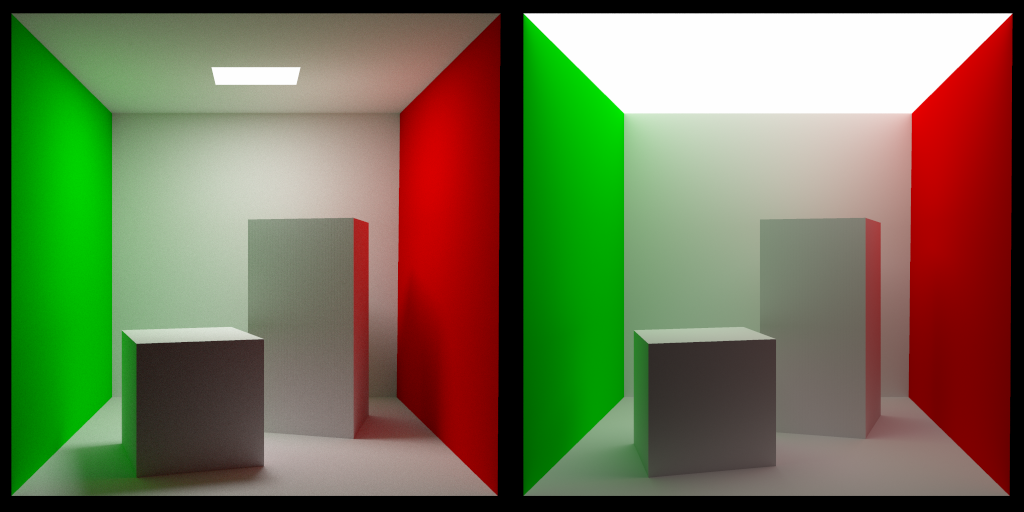
The images below were path traced using 100,000 samples per pixel, using the sample code provided in this post. Path tracing is a specific type of ray tracing that aims to make photo realistic imag…
meager pelican
distant sleet
As the dust particle that is most illumintated is the one most close to the emis...
Sure, due to "square of the distance" effect.
distant sleet
Yep
I can already achieve color bleed, but this will definetly help for soft shadows
Thanks
I can do color bleed if i just change one of the parameters in my material part of the struct
Right now the "reflectiveness" is a single float
Meaning when light bounces off a surface it loses a percentage of its total energy
if I change that to a floar3
I can make the light lose one color more than others
meager pelican
Yeah, it's usually the 3 values, due to that, that you are accumulating.
distant sleet
Yep
meager pelican
Because colors are absorbed.
distant sleet
Right now my renderer doesnt even have shadows lmao
Ill tackle that in a bit
Im interested in glass but due to the method Im using its kind of tricky
meager pelican
You're going to run into that randomness thing all over the place. Soft-shadows are interesting in ray-tracing.
distant sleet
Im using raymarching so I can define a lot more distance functions
But the problem is because raymarching does a step like approach it gets confused when inside objects
Meaning if I want to do refraction its annoying
I'd have to move 0.1 meters until the ray exits the object, but it has a chance of overshooting
Shouldnt be an issue if I move a very small amount thouigh
Same deal with raytracing
You need to move the ray slightly off the object when doing reflections
meager pelican
I seem to remember using SDF's and halving the distance moved until a certain error-level/nearness is achieved.
distant sleet
Yeah raymarching is like that except instead of halving the distance
you move the closest distance frm the ray to the scene
The thing is with raytracing to define the rays path you need to be able to get an objects position and a rays origin and direction
and get a Vector3 from that that is the intersection point
raymarching thats not the case
You jsut need to get the magnitude of said vector
meager pelican
I'm going to dig in later when I get some time. 😉
Enjoy for now. Let me know how it goes, eh?
distant sleet
Definetly, thanks
oh one thing about raymarching is
for raytracing you are limited which is why tris are used
meaning compelx volumetric shapes like fractals arent possible
but they are with raymarching
 meager pelican
k
 charred meteor
Does anyone know if it is possible to have two different game objects that share the same material have different values in their shader properties?
E.g if I had"CubeMaterial" which had a colour property, and the material was used by both CubeA and CubeB, would it be possible to have CubeA display as one colour and B as another simultaneously by setting the value of the property?
distant sleet
distant sleet
I have a stupid solution to just add a limit to the light sources and making an ...
Well damnit
This worked but was so incredibly laggy
Nice

Woah


Less intense
meager pelican
charred meteor
Does anyone know if it is possible to have two different game objects that share...
Check out per-instance properties (material property blocks). But be aware that different pipelines may deal with that...uh...differently.
The name is kind of bad, as it is really "instance property blocks" for a material.
 normal spire
Hello, I've been researching a lot about adding tattoos to my character that change colour and emission.
I found this interesting post where you can literally use "shaders" to literally place the tattoo png ontop of the current mesh and thats it.
https://forum.unity.com/threads/texture-overlay-where-to-begin.141027/
Although I have no experience with shaders, I really need this to work soon, I appreciate any help I can get!

Unity Forum
I am getting a 3d model created for me, and i want a tattoo to appear on my character if the player choses to. How can I go about this, does this...

 charred meteor
meager pelican
Check out per-instance properties (material property blocks). But be aware that...
charred meteor
meager pelican
Check out per-instance properties (material property blocks). But be aware that...
Thanks very much 🙂
distant sleet
Cool they also reflect properly

the problem is now the box is a matte surface

Yet the reflections of the glow aren't diffuse
I guess it kind of makes sense as a specular
charred meteor
meager pelican
Check out per-instance properties (material property blocks). But be aware that...
Sorry to bug you again, I seem to be having an issue updating the value of my exposed property.
I defined and exposed a "color" property within my shader (TestColor), and am attempting to set this via script (with the property block). However, the value of that property is always set to the value defined by the editor inspector tool for the material, rather than the value that I define via script. Is there something specific I need to do to avoid this?

Shader:
    {
        _MainTex("Texture", 2D) = "" {}
        _Color2("TestColor", Color) = (1, 1, 1, 1)
    }```

Script:

```        if (propertyBlock == null)
        {
            propertyBlock = new MaterialPropertyBlock();
            _renderer = GetComponent<Renderer>();
        }

        propertyBlock.SetColor("TestColor", MaterialColor);
_renderer.SetPropertyBlock(propertyBlock);```Oh I think I may need to add [PerRendererData] to the property in the shader
regal stag
charred meteor
Shader:
``` Properties
{
_MainTex("Texture", 2D) = "" {}
...
Your C# script should use "_Color2" instead of "TestColor". It needs to be the name the property uses, not the string used for how it is displayed in the inspector.
charred meteor
Aaaaah, thank you
Damn thats a hell of a gotcha, so I need to look up the symbol name of the property using quotations, not the tag defined with quotations 😂
Thats it working now, thanks @regal stag ❤️
meager pelican
charred meteor
Damn thats a hell of a gotcha, so I need to look up the symbol name of the prope...
Yeah, but what you should REALLY do, is use a propertyID (an INT) to access it rather than use the string name.
https://docs.unity3d.com/ScriptReference/Shader.PropertyToID.html
And you should look the ID# up ONCE< at the start, and hang onto it for all future calls.
charred meteor
Nice, I was wondering about that. Always suspicious when I see strings in a getter/setter
meager pelican
Right. It causes Unity to look it up each time, and is a waste of processing. They've probably improved the caching of it somehow, but still, it's best to use the ID# if you're not writing test code or just screwing around.
distant sleet
I'm kinda new to vector math so I have a doubt
if I had a vector N and vector A, where the angle between N and A is 60 degrees (so dot product is cos(60))
And I want to get vector B which is 180 degrees more to vector N than A, so 240 degrees between them
How would I obtain this vector
Should I make the vector the subject of the dot product formula?
meager pelican
Well, you're in luck if it is 180 degrees, because that's just the reverse direction vector. 😉
meager pelican
oh
distant sleet
Im doing refraction nowe
meager pelican
lol
distant sleet
so ior = sin i / sin r
So I gotta figure out how to translate the ray
I found an equation online to bounce the ray on the normal but idk how to do it for this equation
meager pelican
IDK if this will help or hurt your brain...I wish I could just come up with it out of my head, but:
https://stackoverflow.com/questions/14607640/rotating-a-vector-in-3d-space

Stack Overflow
I am making an android project in opengl es that uses accelerometer to calculate change in specific axes and my aim is to rotate my spacecraft-like object's movement vector. The problem is that i c...
meager pelican
There's several types of formula in that post, not just matrix stuff.
distant sleet
lol we havent even learned matricies in school lemme see what else is nthere
meager pelican
The matrix stuff is 4D math. lol. Makes my head hurt, so I "just use them" mostly.
But you CAN construct such a matrix manually with just rotation in it, and then matrix-multiply. GPU's are built for matrix stuff.
meager pelican
Maybe, or a matrix, Neo.
I mean, start with an identity matrix, and then put in the rotatoins. But if you have to convert to radians anyway, and still do sin/cos then IDK how much math is "costly" that way, vs the other way.
A case for bench-marking the results
You only have to "plug" in 3 values for the rotation...xyz.
Then mat-multiply.
I mean, somehow, Unity construct a transformation matrix with all three rotations (and transform/scale) and passes it for an object.
The C# side even has this (something to ponder):
https://docs.unity3d.com/ScriptReference/Quaternion.Euler.html
charred meteor
If I wanted to have a Vec2 as a shader property (e.g for coordinates), is it more common to have two float properties, or to use a vector property but disregard two of the contained floats? Or is there another property type that would let me store two floats?
distant sleet
I got the basics down but its not actually being rotated properly

just x += 0.1
i cant tell why this is happening though

the ray should pass through
meager pelican
charred meteor
If I wanted to have a Vec2 as a shader property (e.g for coordinates), is it mor...
You can use a float4 and just use the var.xy of it.
Due to the "setvector" requiring a Vec4, is why I assume you're asking.
distant sleet
distant sleet
i cant tell why this is happening though
Ok this is really confusing
for some reason

if I change the rays direction it sees the ball now
but that shouldnt be the case
it should be practically invisible if I dont apply a transformation to passing through rays
distant sleet
smh if shaders can send an image back to the cpu
why cant they send text
itd be a lot easier if I could print variables
charred meteor
meager pelican
You can use a float4 and just use the var.xy of it.
Due to the "setvector" requi...
Yea, thanks thats why I was asking. Didn't know if it was frowned upon to do one or the other
 midnight spade
Guys why are all of the shader tutorials online written in cg? I thought that we're supposed to use hlsl in urp
Am I missing something? I'm having a really hard time finding good ressources/documentation
 dapper spade
in shader graph how do I find the depth of the current pixel of the camera
ik there SceneDepth
but I'm make a custom post processing shader
so I'm using a custom render pass
maybe I can set a texture2D paramter
from my custom render pass
but how do I get the depth from ScriptableRenderContext or RenderingData


 timid shell
dapper spade
in shader graph how do I find the depth of the current pixel of the camera
timid shell
dapper spade
in shader graph how do I find the depth of the current pixel of the camera
You'd need to use an Overlay Camera. According to docs:
At the start of its render loop, an Overlay Camera receives a depth buffer containing depth data from the previous Cameras in the Camera Stack. You can choose this behavior using the Clear Depth property in the Overlay Camera Inspector.
Otherwise you'd need to figure out a way to render the scene depth to a texture and feed it to the next rendering pass.


 regal stag
You probably need to write float3(0, 0, 1);
distant sleet
I need to sleep am I really that damn stupid
Bruh
thank you
this is why i need to sleep at normal times lmao
too much vector math
regal stag
To be fair, I'm surprised just (0, 0, 1) still actually compiles, I guess ignoring everything except the last value
distant sleet
Yeah exactly
so odd
Also
Can someone tell me the return values for sign()
Is it like 0 for negative 1 for positive or
regal stag
It returns -1 for negative values, 0 for zero and 1 for positive
 distant sleet

i think the formula i got for vector rotation
i need to alter the normal axis
better
 midnight spade
distant sleet
I need to sleep am I really that damn stupid
midnight spade
distant sleet
I need to sleep am I really that damn stupid
God damn I was just having this exact same error
Wasted about an hour on it
Why is writing shaders so difficult?
distant sleet
midnight spade
God damn I was just having this exact same error
Lmao
distant sleet
midnight spade
Why is writing shaders so difficult?
hey its worth it for the insane speeds thpo
midnight spade
I've been using shader graph for the last year and it's been so easy. Switched to writing shaders in code now to have more customizability and holy shit it's so hard 😢
I'm hoping it's worth the effort though
midnight spade
Say you want to use a version of the vertex color that has been modified by the vertex shader in your fragment shader
Can you still declare that color like so in the struct? float4 color : COLOR;
Or do you need to use some new semantic like float4 color : TEXCOORD1;
 worldly steppe
I was trying to follow this video & it seems the shadergraph version is incomplete compared to the one shown in the video which was using amplify, can anyone help me to achieve this kind of look? https://www.youtube.com/watch?v=iASMFba7GeI

Here's a tutorial describing the process of using a quadmesh-to-billboards approach for making foliage, and how you set up the content for it to work in your own projects.
This approach offers a streamlined way to make fluffy trees without too much of a complex setup. Once the shader is working, it can easily be applied to any mesh that is unwra...
 distant sleet
Uhhh I think like this is too much

The fact that this bloom isnt post processing
makes the light blending work pretty well
 misty vine
distant sleet
Uhhh I think like this is too much
misty vine
distant sleet
Uhhh I think like this is too much
pretty
but do they emit light onto other objects in the scene? 🙂
meager pelican
distant sleet
lol
I'll explain. See below.
meager pelican
regal stag
To be fair, I'm surprised just `(0, 0, 1)` still actually compiles, I guess igno...
OK.
In C and in Shader-C, the comma is an OPERATOR that separates expressions.
Parentheses is a grouping operator (order of operations).
So (0,0,1) evaluates to 1. A zero, then a zero, then a 1, so the result is a one after you're done evaluating the parens.
And then you assigned the resulting 1 to all components of the result, because the 1 propagates to all members.
Like saying float3 foo = 1;
You get a float3 of 1,1,1.
So it is valid syntax and the compiler cannot catch it.
So Cyan gave you the correct answer, you wanted to do float4(0,0,1,1);
Which is a "function call" (actually a statement of sorts, whatever they call that syntactically, perhaps a type converter).
I should mention that it isn't exactly ignoring the values...I mean if you did this
float3 foo = (bar++, 0, 1);
I assume that bar would be incremented, but foo would have a value of float3(1,1,1);
I haven't checked that though.
 grand jolt
 charred meteor
Hey folks, I have a question about fragment/pixel shaders.
Is there any way to have the shader affect pixels other than the one it is currently doing a pass on?
For example, if I had a simple 2x2 sprite, the shader would be run 4 times for each of the relevant screen pixels. Is there any way, during that execution to affect a pixel outside of those four?
 trail geyser
Guys, can we expose something like this in the inspector using shader graph? a uniform property for texture and color (or tint color)

 twin rose
Are GPU commands from the CPU put in a query (if not the immediate ones)? Specifically, I want to know if executing something like ComputeBuffer.SetCounterValue, or ComputeBuffer.CopyCount are going to force the CPU and GPU to sync, or if it's going to be put in a query of commands digested in the GPU's own clock cycle
meager pelican
I assume you mean queue. And usually they are queued up in sequence, IIUC.
meager pelican
charred meteor
Hey folks, I have a question about fragment/pixel shaders.
Is there any way to ...
Not DIRECTLY, no. You cannot guarantee that an adjacent pixel has been process yet, or is waiting to be processed. So its value is undetermined anyway.
Indirectly, you can use multiple passes to do things that could "know" about adjacent areas at some point-in-time.
There's also group shared memory that allows a thread group to communicate between cores, but that probably won't buy you much since all cores share the same program counter and execute the program in lock-step.
Depends on what you want to do.
 storm pine
distant sleet
storm pine
distant sleet
cool
 nimble solstice
Hi, so there are soft particles in unity from what I understand. Is it possible to apply similar softness to regular meshes as well?
twin rose
meager pelican
I assume you mean queue. And usually they are queued up in sequence, IIUC.
Oh my bad yeah, Queues, work got my mind full of queries lol.
I got a very specific implementation question now, just want your opinion. It's regarding the GPU Tilt Brush thing.
I'm looking at two options. I can make stroke production as parallel as possible by allowing each thread-stroke to evaluate frustrum culling and generate + add points to an AppendBuffer as necessary. Only thread locking would be on atomic append commands of resulting vertices.
Other option is to try to squeeze more culling out by Z-sorting. This would be frustrum culling per thread-stroke, then Z-sorting the results (forcing it into one GPU thread), then generating meshes from that result
Actually, if I'm only doing 1 draw call, does Z-sorting the vertices help at all?
Note: Opaque rendering only (with cutout) and fragment function might be expensive bc cell shading
meager pelican
IDK, you're getting beyond my imagination when I haven't seen any of the code and have to make 1000 assumptions.
But if you have your own depth buffer, you can ignore pixels. But the thing is, the cores operate in lock step, as I just mentioned to another person above.
So all cores in a group are executing the same instructions at the same time. So in the case of an "if" type of logic, say for a z-text you're doing manually in a compute shader, unless all of the cores can skip over a conditional area, many are just "idle" (masked off as inoperative) during those cycles, while the ones that the condition apply to are executing.
That's why you'll see that "ifs are bad in shaders" statement so often, because you usually end up executing BOTH sides of the condition time-wise, but not logic wise.
So in the end, if you manually have to check a depth buffer, or do culling, it's "all on you".
IIUC.
nimble solstice

This is a tutorial on creating an intersection shader using Shader Graph in Unity 2019 alpha which uses the depth scene node
This material is part of the URP Material Pack Vol 2:
https://bit.ly/lwrp-materials-2
Checkout my assets for more Tuts!
...
All depends on how often ALL cores can execute the same side of the if-branch.
twin rose
What I'm getting is that the answer is in testing, that there isn't any hard line or principle/ theoretical system that makes it go one way or the other
meager pelican
What you're getting is that if there are any, I don't understand your use case or simply don't know them. 😉
But yes, always test and bench mark.
charred meteor
meager pelican
Not DIRECTLY, no. You cannot guarantee that an adjacent pixel has been process ...
Thanks for the reply!
What I'm trying to do (Overall) is write a shader to attempt to reduce sub-pixel rendering jitter when my sprites are positioned in non pixel-perfect positions. I have a shader that is able to do this but had some limitations when dealing with texels that were at the "edges" of the overall texture.
Anyway, what I intend to do (at the edges)is to interpolate between the texel colour and a zero-alpha copy of the texel colour, using the position in the texel as the t-value.
So, this all works fine and gives the effect of the pixel fading in/out on the left and top edges, but does not work correctly on the right and bottom edges.
The reason for the error (I believe) is because a fragment is only processed if the "origin" (i.e top left) of the texel is deemed to be within the fragment. This means that (for example) on the right hand side, as a texel moves from left to right, although the left hand edge of the texel would occupy, the origin would not. This means its impossible to correctly do the "fade in" because the pixels requiring the fade are never even processed!
Apologies as its 1.30am here so this explaination probably isn't the best.
Tomorrow Im going to attempt to fix this by doing multiple passes. The first pass will be for the Left and Top edges, and will work as it currently does, the subsequent passes (Not sure how many I need yet, 1 or 2) will offset the mesh in the vertex shader by a distance equal to one texel in the X and Y positions, and then execute my edge-alpha logic in the fragment shader for the Right and Bottom edges.
Im hoping that this will give the result I desire, and will allow me to do the necessary rendering of the pixels outside of the originally positioned mesh's bounds
meager pelican
Interesting, and I'm not sure I've absorbed all that, but one thought is that you may wish to look at the various anti-aliasing methods for how to deal with edge cases and adjacent pixels.
charred meteor
Good suggestion, ill look into that too if this doesn;t work
twin rose
One more question. Are depth-sorting optimizations restricted on a per-mesh granularity? (Nevermind, it looks like depth-sorting is done in the fragment stage, but the mesh is drawn in vertex order so overdraw is reduced if triangles are in order of depth)
charred meteor
To try and super-simplify my issue, if we think about a 1x1 texture moving through the screen from left to right:
It is able to be at any floating point position, but can only be rendered by a single pixel. What I would like to do is render it in all pixels that it theoretically occupies, but with an alpha value that directly corresponds to how much of the pixel it is occupying.
E.g if it lines up perfectly, render it with alpha 1. However if it is 50% in one pixel and 50% in the subsequent, both pixels should render with an alpha of 0.5
Hopefully that makes sense.
The problem is that I can only do the rendering in one of the two pixels, because although theoretically it exists in both, the fragment shader is only executed for one of them. Whichever the "origin" of the texel resides in (Which I believe is the "top left" corner of the texel)
So, if you were to execute what I described above, what you would see as the texture moved from left to right through the game world would be a pixel with full opacity gradually fading out to fully transparent, before another fully opaque pixel appeared in the adjacent position
So my thinking is that if I do a second pass and translate my verticies by 1 texels worth of distance, I could run similar fading code on the adjacent pixels which should let me do what I want to
distant sleet
misty vine
but do they emit light onto other objects in the scene? 🙂
Yep
It's not using unity renderer BTW I made my own so
When I was lighting all objects I did a for loop for all emissive objects
brittle temple
does albedo have a different name in shader graph?
here, theres a thing called 'Albedo'
(from a youtube video, probably a older version of unity)

then on mines,

 vocal narwhal
brittle temple
here, theres a thing called 'Albedo'
(from a youtube video, probably a older ver...
vocal narwhal
brittle temple
here, theres a thing called 'Albedo'
(from a youtube video, probably a older ver...
Base Color
meager pelican
charred meteor
To try and super-simplify my issue, if we think about a 1x1 texture moving throu...
Since I'm not sure what you're doing exactly (but I get your point) I'm not sure how to respond.
Let me ask: Are you concerned about the transparency of the pixels that you sample from a texture, or the underlying color you're blending with?
Because from the example cited, you can "just" sample the texture with slightly different UV offsets to see what the "next pixel" will receive. You may need to know things like the aspect ratio you're rendering into.
You could also oversize your mesh slightly in the screen space in the vertex stage to cover the additional pixels you need to get your right/bottom sides of your texture, but you'd have to account for that in the UV calcs.
There's other things to research, like super-sampling, whereby you actually sample/render at 2x resolution and then later resolve down to the desired resolution, but that's 4x more expensive and has an extra resolve pass.
Then there's aligning the pixels to proper pixel centers in the vertex stage so that you have fewer problems to begin with. Not often done in 3D due to depth variation, but I think it is more common in 2D, and there's even a "pixel perfect" camera in Unity to do that.
Just some thoughts. Again.
What is it that you're doing with this texture? Are you 2D or 3D?
 lunar grove
i'm trying to make a little outline shader on top of the another material but i don't know how to make it "transparent" outside the borders so that the other material shows and doesn't get colored
https://gdl.space/umogecopes.cs
meager pelican

Different techniques for rendering outline effects.
lunar grove
meager pelican
https://alexanderameye.github.io/notes/rendering-outlines/
it seems i'm using the first method with fresnel
can you tell me if it is not a problem that i'm doing this as a Surface Shader?
meager pelican
lunar grove
can you tell me if it is not a problem that i'm doing this as a Surface Shader?
I'm not sure what your question really is, can you rephrase or give an example please?
Maybe it is just too early for me. lol
Need caffeine.
Perhaps you're looking to clip transparent pixels...alpha cutoff?
 fervent flare
Can anyone help me out with this Custom Shadergraph Function node?
I don't know why it's giving me this error:
Shader error in 'hidden/preview/MainLightCustomFunction_35d3009fba7948dc84710fa2acca7076': Invalid conditional expression. at Assets/Shaders/Lighting.hlsl(2)

^ the custom functions hlsl file in question
lunar grove
meager pelican
I'm not sure what your question really is, can you rephrase or give an example p...
i'm trying to make a Shader with Fresnel that has an Outline effect, with my current code the inside of my object is adding a color on top of the other material ( which is not what i want)
fervent flare
I mean line (2) is empty, there's no conditional expression on it 🥲
meager pelican
Lighting.hlsl is probably an include file....
meager pelican
lunar grove
i'm trying to make a Shader with Fresnel that has an Outline effect, with my cur...
Are you talking about transparency blending when you say "adding a color on top of the other material"? What "other material"? The screen background? Are there two materials on the object? What?
lunar grove
meager pelican
Are you talking about transparency blending when you say "adding a color on top ...
I've got a Sword that has default material
i've added another material to the sword that adds the "outline" with fresnel
if you look at my code: https://gdl.space/umogecopes.cs
for some reason when i add the Outline material using the shader in the code above
it adds a color on top of the sword's base texture which smth that i want to avoid
regal stag
fervent flare
Can anyone help me out with this Custom Shadergraph Function node?
I don't know ...
Change #if to #ifdef on the SHADERGRAPH_PREVIEW one
meager pelican
lunar grove
if you look at my code: https://gdl.space/umogecopes.cs
for some reason when i a...
OK, two materials then.
So don't add the color. Use clip() or discard to cull the pixel, or set alpha to 0, if it is not an outline pixel.
P.S. the fresnel effect only works INSIDE the mesh, but you can enlarge the mesh. As I'm sure you know.
lunar grove
yeah, i know
lunar grove
meager pelican
OK, two materials then.
So don't add the color. Use clip() or discard to cull...
i just don't see where to put the clip() / discard sry i'm very noob at shader programming 🙂
meager pelican
Well, I didn't write the code and I'm not loading it in to test, so this is a guess. I would have made _Hit a bool.
But I'd guess that if you have a "hit", then it is an outline, otherwise it isn't.
So near the end, you can do a discard
if (! _Hit) discard;
The code you showed doesn't even use the _Hit variable, it just calcs it. So maybe there's some code missing?
So like starting on line 75....
lunar grove
i see
i wanted to use the Hit but, it seems i will have to change _Hit value from C# script
meager pelican
No, that won't work either. After re-reading, hit always ends up being -1.
lunar grove
yeah, but i'm supposed to change after reading it
meager pelican
Just check the fresnel value and if it is less than some threshold, clip the pixel or zero alpha.
meager pelican
Like around where line 69 is now.
lunar grove
Ok
meager pelican
Oh, and I see it is in the opaque queue, so alpha zero won't work for you.
I suppose you could try NOT using two materials.
drawing it once is better anyway. (Early for me here, where is my caffeine? lol)
 low kettle
so i was wondering if there was a way to have global gradients because in the documentation it has shader.setglobalcolor but no option for a gradient?
meager pelican
Not that I know of. Gradient isn't a native data type in shaders. So how could it?
But you could do several things.
One would be to use an include file(s) to have your shaders calc a common gradient using a function and some variables that are global.
Another would be to us a texture2D to hold the gradient computed in C# side at startup, and then just passed to the shaders and sampled using UV.x as the 0 to 1 value.
Another way might be to pass some form of structured buffer or CBuffer data as the variables to the function calc.
Basically, "Gradient" is a calc, not a data type/value. And there's different ways to make them/calc them.
 slim steppe
Hi my shader should be transparent but isnt
im setting the transperency like this:
Tags {"RenderType"="Transparent"}

...

col.a = _Debug;

...
Hi I have a problem to create a shader graph in unity when I create a custom function an reference my script to it I got a ‚uncleared identifier‘ ‚inverse lerp‘
Picture

Script
const static int maxLayerCount = 8;
const static float epsilon = 1E-4;

int layerCount;
float3 baseColours[maxLayerCount];
float baseStartHeights[maxLayerCount];
float baseBlends[maxLayerCount];
float baseColourStrength[maxLayerCount];
float baseTextureScales[maxLayerCount];

float3 triplanar(float3 worldPos, float scale, float3 blendAxes, Texture2DArray textures, SamplerState ss, int textureIndex) {
    float3 scaledWorldPos = worldPos / scale;
    float3 xProjection = SAMPLE_TEXTURE2D_ARRAY(textures, ss, float2(scaledWorldPos.y, scaledWorldPos.z), textureIndex) * blendAxes.x;
    float3 yProjection = SAMPLE_TEXTURE2D_ARRAY(textures, ss, float2(scaledWorldPos.x, scaledWorldPos.z), textureIndex) * blendAxes.y;
    float3 zProjection = SAMPLE_TEXTURE2D_ARRAY(textures, ss, float2(scaledWorldPos.x, scaledWorldPos.y), textureIndex) * blendAxes.z;
    return xProjection + yProjection + zProjection;
}

void layer_terrain_float(float3 worldPos, float heightPercent, float3 worldNormal, Texture2DArray textures, SamplerState ss, int layerCount, out float3 albedo) {
    float3 blendAxes = abs(worldNormal);
    blendAxes /= blendAxes.x + blendAxes.y + blendAxes.z;

    albedo = 0.0f;

    for (int i = 0; i < layerCount; i ++) {
        float drawStrength = inverseLerp(-baseBlends[i]/2 - epsilon, baseBlends[i]/2, heightPercent - baseStartHeights[i]);

        float3 baseColour = baseColours[i] * baseColourStrength[i];
        float3 textureColour = triplanar(worldPos, baseTextureScales[i], blendAxes, textures, ss, i) * (1-baseColourStrength[i]);

        albedo = albedo * (1-drawStrength) + (baseColour+textureColour) * drawStrength;
    }
} ```
Please Ping meHave you specified a Blend mode in the ShaderLab section? e.g. Blend SrcAlpha OneMinusSrcAlpha https://docs.unity3d.com/Manual/SL-Blend.html
slim steppe
Oh, I didnt know that even existed. Thanks!
regal stag
grand jolt
Script
```
const static int maxLayerCount = 8;
const static float epsilon = 1E-4...
There is no built-in function for inverseLerp in hlsl. You would need to add something like
void inverseLerp(float4 A, float4 B, float4 T, out float4 Out) {
    Out = (T - A)/(B - A);
}
oh thx
regal stag
@slim steppe You should also specify "Queue"="Transparent" in the tags too, to move the shader into the transparent queue
low kettle
meager pelican
Not that I know of. Gradient isn't a native data type in shaders. So how could...
thank you so much!
slim steppe
regal stag
<@!694606707086721134> You should also specify `"Queue"="Transparent"` in the ta...
ok
 molten jasper


As I understand it, Vector 2 is a float2
I've supplied the correct types as far as I can tell
regal stag
@molten jasper Shadergraph uses the newer DX10+ hlsl syntax with separate textures (e.g. Texture2D) and samplers (SamplerState) (texture.Sample(sampler, uv)) rather than DX9 sampler2D objects (used by tex2D function).
To sample a texture in a custom function you should use the ShaderLibrary macros, SAMPLE_TEXTURE2D(texture, sampler, uv2);. You'll need to pass in a SamplerState too as another input and connect a Sampler State node to it. Or alternatively, use a Sample Texture 2D node and use it's RGBA output with a Vector4 input instead of providing the Texture2D and uv.
Also of note, if you upgrade to SG v10.3+ the texture types were swapped out for structs containing both and can be accessed via texture.samplerstate so you would then be able to use SAMPLE_TEXTURE2D(SandTex, SandTex.sampler, uv);
(Bit more info on those v10.3+ changes here if interested : https://www.cyanilux.com/tutorials/intro-to-shader-graph/#better-texture-data-types)
regal stag
It should be cross-compiled, but still requires the same HLSL syntax. Using the macros helps make sure it works in all targets.
grand jolt
How can I convert this shader:
https://pastebin.com/mtXYcBNM
Into a shader graph?
When not how can I recreate it in shader graph?
 kind zinc
If i'm using a shader with a texture array, is it common practice to supply the array-index by uv.w (and thus adding z coordinates to the mesh's uvs)?
(I want different meshs to be able to use the same material, but different textures, to save draw calls)
twin rose
Anyone know why the normals of two shaded, questionably identical meshes look different? The one on the right is from a MeshRenderer, the left is with Graphics.DrawProceduralInstancedIndirect
I checked the normalTS generated before going into the Phong function and they look identical

 royal girder
hello
 vernal island
hello. which shader to use when i want to change color of every vertices by slider/editor (for example). Compute shader is fastest right?
charred meteor
meager pelican
Since I'm not sure what you're doing exactly (but I get your point) I'm not sure...
Sorry for the late reply, I've been away today.
Let me ask: Are you concerned about the transparency of the pixels that you sample from a texture, or the underlying color you're blending with?
I'm not sure I entirely understand the question, but I'll give answering a go:
All the pixels in my texture should be opaque, so transparency in the source texture is not a concern (Aside: There are transparent pixels in the texture, but that's fine. They're not really relevant to the issue at hand). Nor am I particularly concerned with the underlying blend colour.
To try and describe my issue more clearly, lets presume I have a 4x1 (WxH) sprite, and for simplicity's sake, lets presume that 1 Unity unity corresponds to 1 screen pixel, and that also corresponds to 1 texel. (And lets also disregard the Y axis for now, again, just for simplicity)
If I positioned my sprite at position (0) in Unity, this would line up perfectly with screen pixels, and I would have screen pixels 0->3 rendering my sprite, with pixels 4+ rendering whatever the default background it.
If I then re-positioned my sprite at position (0.25), in the game-world my sprite would occupy a space of four units, ranging from 0.25->3.25, however (as I'm sure you are aware) it would not be rendered as such on the screen, and you can't "fractionally render" a pixel. In this instance what would likely be rendered is something visually similar (if not identical) to the first example, with the sprite being rendered in pixels 0->3
Now, what I have decided that I want to do when this situation arises is (using the above example as reference):
- Render Pixel 0 with the colour of Texel 0, but reduce the alpha to 0.75 to accommodate for the (0.25) "offset" from the origin of the pixel (Which I believe to be the left-hand edge of the pixel)
- Render Pixels 1,2 and 3 with the colour of Texels 1,2 and 3 respectively, and do no alpha manipulation
- Render an additional Pixel 4 using the colour of Texel 3, but redcue the alpha to 0.25 to accommodate for the offset.
This would mean that my sprite is now rendered across 5 pixels as opposed to the 4 that it "should" be rendered in, however the increasing/decreasing transparency on the edges should help to soften this.
So, the problem that I'm encountering is that when set up the above scenario, the fragment shader does not activate for pixel 4, as (And this is an assumption/deduction based on my testing) the pixel is not deemed to be "occupied" until the left hand edge of the texel meets the left hand edge of the pixel.
Because of this, I need to find a way to gain access to "Pixel 4" (Or obviously, the equivalent for my actual project). I thought about doing a separate pass with offset UVs, but this breaks batching so I can't do that.
In regards to what you suggested about reading the "next" UV, I'm not sure if that would work (Though correct me if I'm wrong), as in the example, the next "UV" doesn't exist on the texture. I'm not sure how that would be handled. Perhaps differently depending on whether the texture is set to wrap/clamp etc? Regardless, its probably not a wise solution for me as the sprites in question will be on atlases, and so reading the UVs beyond their intended values may result in me sampling another (potentially entirely unrelated) sprite
So I'm interested in Scaling the vertexes now. If I could scale it them to the degree that they occupied an additional pixel's worth of space on the X and Y axis' that would probably get me access, but I'm not entirely sure how I would go about re-scaling the UVs to ensure that I wasn't drawing my sprite any larger than intended
But is it atually just something really simple, like "If I scale the verts up by 10%, scale the UVs down by 10%"? 😛
Edit:
I've figured out a way to do it, I think I'll take this approach and see where I get with it, thanks very much for the suggestion!
midnight spade
Hey guys, me again. I've been using vertex and fragment shaders so far but now I want to add lighting and shadows. Am I better off using a surface shader or can this be done easy enough with vertex+fragment shaders?
All of the tutorials online seem to show how to add lighting from a single light source that you have to define within the shader. I imagine that this would get complicated to do from scratch if I add many light sources.
 stone night
Compute shaders:
I'm working on a pass in my custom raytracing setup to allow tonemapping. There are 3 stages to it that need to be executed in serial. Building a histogram, calculating the average, and applying the expected exposure.
I set these up as 3 separate kernels for each of the steps, and on the CPU dispatch them back to back to get it going.
It seems data is not transferring between these kernels however (uniforms and the like), and some things which have defaults are even being set to zero in different kernels instead of the default values.
For instance I have an exposure which is calculated in stage 2, and used in stage 3 to apply to everything. Simply setting the exposure to 1 in stage 2 does not actually make it to stage 3, if I set it in stage 3 it works perfectly fine.
Any ideas?
https://hatebin.com/tocpvjhfob Compute shader for reference
https://hatebin.com/bfynqjbuqq CPU dispatching for reference as well
meager pelican
midnight spade
Hey guys, me again. I've been using vertex and fragment shaders so far but now I...
Surface shaders basically exist to do things like lighting for you. They have some limits, but if your shader is relatively simple, I'd try the surface shader first, it will generate all the required lighting passes and code. 🙂
You CAN do it manually though. And in fact you could use a basic surface shader, then edit the output to get a vert/frag, since shaderlab surface shaders are basically code-generators for making a vert/frag. It has a ton of "ugly" variations in it, and you may want to clean up some of the generated code, but that's an option. There's other options in many tutorials online too.
But if you can get away with it, just use a surface shader. 2-cents.
meager pelican
stone night
Compute shaders:
I'm working on a pass in my custom raytracing setup to allow to...
I'm not sure you can ever assume that any variable will survive between dispatches. Just set them for each.
If you need to pass data, you'll have to define some buffer, such as a RWstructuredBuffer to hold your data.
stone night
The strange thing is that I am used to having a compute shader with a single kernel, nearly everything persists.
Things I don't think persist are the ones I set every frame since they can change anyways, so I don't know if they do or don't XD
meager pelican
Well, as you've stated, they don't survive between kernel invocations, so some data storage will be needed if it cannot be set/passed directly before dispatch.
stone night
Hmm... Alright
meager pelican
I think variables are set per kernel, granularity anyway, aren't they?
Interesting.
This says constant buffers survive between kernels. Are you talking about constants?
https://docs.unity3d.com/ScriptReference/ComputeShader.SetFloat.html
Or are you changing some variable in the kernel, and expecting to to persist?
stone night
I have calculation of values in one kernel, average in second, usage in third. First and third are full image processes, second is a single thread adding an array and dividing it once.
They are required to run serial due to the nature of the process
meager pelican
You need a data buffer for that.
But the ComputeShader.setWhatever will create a CONSTANT buffer, but it will have the same values for all kernels.
Per that link above.
stone night
So I would need a buffer for the array, but what about a single float I also need to persist between 2-3?
meager pelican
If it's not set in C# via a constant buffer, stuff it into some RWdata buffer, since it is set on the GPU side.
IDK if you can use some shader global data somehow, because I'm stupid. I know it has thread local data. But I can't think of any RW global data (constants, sure).
So if I were you, I'd create a "Persistent data" struct, and put it in a RWStructuredBuffer with 1 record if that's all you need. And make sure it is set for each kernel invocation if you have to.
But I'm not 100% on any of this, obviously.
stone night
Everything was fine when I tried to write a raytracer in compute, reading from a buffer, and writing to single pixels... Then I tried to make it look nicer XD
meager pelican
Yep. lol
stone night
Introducing: Spatial filtering and tone mapping!
meager pelican
Sounds cool 🙂
stone night
It's a pain in the ass XD

 stone night
Warning: 8k screenshot inbound
Used to have transparent leaves, then I realized raytracing triangles is a pain, and going through the leaves and hitting on (what on the outside) is an opaque pixel, caused black pixels in my world:
 meager pelican
BTW, SetBuffer needs a kernel index. 😉
This makes sense, since all kernels may not need to use that buffer.
stone night
Alright, I'll keep that in bind
stone night
I have a.... 1.2gb buffer on the GPU, just that compute shader has 1 kernel XD
meager pelican
Nice shadows. Reflections too? Or not (yet)?
stone night
No reflections yet, everything is considered perfectly rough.
molten jasper
In general, when working with view direction in shaders, how do I prevent this artefact?
 molten jasper
meager pelican
(Voxel)
molten jasper
meager pelican
(Voxel)
(Boxel)
stone night
We call them Bloxels in the voxel community
grand jolt
how do i make a fade in and out shader like the TARDIS dematerializing?
meager pelican
lol
meager pelican
grand jolt
how do i make a fade in and out shader like the TARDIS dematerializing?
You need a Dalek or a time lord.
stone night
God damn it bot
meager pelican
LOL
stone night
FUCK
dg9UDSpx For the voxel community, great people, great projects, if you are interested at all.
meager pelican
grand jolt
how do i make a fade in and out shader like the TARDIS dematerializing?
IDK, man.
First get a simple fade to work (transparent queue, setting alpha over time, probably passed from the C# side as to the value so you can control in from there (easier).
Then, work up an algorithm to do it in waves, like the TARDIS effect, working out the min/max and timing.
But the shader should just get passed the alpha IMO.
Then you can do whatever you want.
grand jolt
meager pelican
But the shader should just get passed the alpha IMO.
i have a basic dematerialization effect but i want it to be better ill send video of the current effect
meager pelican
stone night
dg9UDSpx For the voxel community, great people, great projects, if you are inter...
How do i use the dg9.....???? What is that, a discord?
stone night
Bottom of server list > Add a Server > Join A Server > Paste Code
Since this server blocks Discord invites...
meager pelican
thx
twin rose
Got another compute shader question. In my setup, I assign a section of a compute buffer for each thread to work with.
Ideally the buffer is big enough so every thread gets their own sections, but what if I can't guarantee that all the space is available...
What I now know is that the threads of groups execute in lockstep, but groups can execute whenever they want? As a group is finished, I don't need those sections reserved any more, which means I can let another group use that whole section.
What I'd like to know is, what does execution look like at the group level? Can one finish and others not run yet? Or do they all generally start together but end differently?
molten jasper
Working with view direction, what causes this effect?
midnight spade
meager pelican
Surface shaders basically exist to do things like lighting for you. They have s...
Okay yeah this is what I thought
Thanks
I'm wondering if I'll run into limitations with surface shaders like I did with shader graph. I guess it all depends on how challenging lighting is without it
 ashen elm
Hey, is it possible to have another object as a position reference in shadergraph?
tranquil bronze
How do you use a glossiness / roughness map in a shader
float3 lightReflected = reflect(-light.direction, normal);
                float3 viewDir = normalize(_WorldSpaceCameraPos.xyz - position);
                float4 specular = pow(saturate(dot(lightReflected, viewDir)), 10);

                specular = float4(specular * light.color, 1);
I have the specular shading but I only want it to be applied based on the glossiness map, how would i do that?
 mental bone
Sample gloss map, mul spec value by sample
meager pelican
twin rose
Got another compute shader question. In my setup, I assign a section of a comput...
Group execution is a bit more complicated than just all or none.
If the group is waiting for a result, the cores can run another group's data for a while, IIUC. So they don't "suspend" exactly if they don't have to. You don't want a GPU to stall. You want it to keep working.
So if the threads in a group are waiting for, say, a texture read which can be Sloooow....they'll go off and do some other stuff....and then come back later.
I think. That's what I think I'm seeing in the tools.
So you can't really guarantee that no other group is running, for your use-case. Because it might be, or will be, and then it will come back to the current group again.
 alpine forum
hey everyone idk if i should ask this here but whats the matter here do i have to assign the particle system to a layer or something?

its like cut out if i look at it from an angle
distant sleet
quick question, does a compute shader return float values for textures
probably and if so do RenderTextures have floats for rgba or ints from 0 to 255
nvm I saw RenderTextureFormat
charred meteor
Heyo, just a quick question about efficiency. How bad is doing divisions in shaders? I know that in general we're supposed to avoid divisions wherever possible in regular coding, and I assume the same is true for shaders, however I was wondering if in a practical sense its fairly negligible, or is it going to invoke some nasty performance hit?
 agile smelt
hey
What would a simple shader look like that hides a percentage (as a param) of a sprite top to bottom like so
https://gyazo.com/f90e6ce025b7088e98fe7b8ad9f3c11d
 twin rose
You don't need a shader for that, have your sprite as a mask and add a rest behind it that changes height
 open quarry
are integrals viable in shadergraph?
 sturdy otter
GetComponent<MeshRenderer>().materials[0].SetFloat("__clip", 1f);
this is not working
grand jolt
Can anyone help me? I use Visual Studio for my shaders, yet it indents weirdly. Any idea why?
distant sleet
Hey I dont know if I can get an answer for this here but
If anyone has worked with sample based renderers, raymarching or raytracing or anything
you know that there are artifacts that fade over samples for the first few
like this

But I have a few artifacts that take minutes of sampling to go away


Does anyone know why these white dots form when sampling? and if theres any way to get rid of them
grand jolt
distant sleet
Does anyone know why these white dots form when sampling? and if theres any way ...
i think the dots are like grain from sampling
distant sleet
Yeah exactly
The original grain is fine as it dissapears within second
sbut those white grains are really annoying
Im looking into denoising techniques
I can do stuff like blur areas of homogenous color such as the background plane
grand jolt
anyways i was wondering where i post for help with the particle system
 grand jolt
distant sleet
grand jolt
distant sleet
HOLY CRAP THATS WACK

 shadow locust
distant sleet
like this
shadow locust
distant sleet
like this
It's basically a well known thing with raytracing
There are many "denoising" techniques around - one of which is just moar samples
distant sleet
Yeah true true
Alright the thing is this isnt raytracing its raymarching which is just that but you dont get the exact interception point just an estimate
so thank god its an issue with both of them and not just a niche problem with raymarching
so i can probably find some sources on it
Lots of places mention ai denoising but like no lol
 lean lotus
Is there a place that tells me what kind of code to change, based on what Nvidia Nsight gpu trace says? I dont really know how to interpret what im lookin at for it, but im desperately trying to get greater performance out of a compute shader but idk what to do from here
Looking at overall stats, greatest unit throughput is SM at 52%, with L1 at 52% behind it, but idk what to do about that
In gpu trace analysis, top thing is CS warp launch stalled register allocation at 40%, but I also dont know what to do about that
any tips or pointers with this?
meager pelican
OK, I can't tell much from that, and I'm not an expert anyway. Besides, I use AMD. lol.
So several grains of salt, OK?
Alright, so it's stalled, that sucks. It's waiting on some resource or something, and it's stalled. Depends on what you're reading/writing, and HOW.
Also, your post mentions register allocation. So if you're vectorizing a lot of operations, maybe there's some you can try NOT vectorizing. (although that sounds like a bad idea) or re-using vector variables somehow (the optimizer should be smart, but...).
Or the other way around, make sure you're vectorizing operations if you're not doing it now. Try to free up registers (variables will be assigned to them for calcs).
Also how are you dispatching it and what are the numthreads?
@lean lotus
lean lotus
numthreads is 8, 8, 1, and what do you mean by how am I dispatching?
also throwing the compute shader into shaderplayground tells me the maximum number of VGPR used is 115
also im not sure what/how to free up different registers in code
meager pelican
You're in full "black arts" territory on this stuff. Optimization of that stuff is tricky.
Dispatching is how you call the kernel from C#. 8,8,1 is part of that, so that's 1/2 the info.
115! wow. Sounds high to me.
Let me look up shaderplayground's stats.
meager pelican
This is going to read like Greek, but see the "Latency hiding & how to write code" part near the end of this post:
https://anteru.net/blog/2018/intro-to-compute-shaders/
To give you some ideas.
Anteru's blog is a blog about development, software architecture and 3D graphics.
This search result looked interesting too, he talks about scalarization. https://flashypixels.wordpress.com/2018/11/10/intro-to-gpu-scalarization-part-1/

Note: The following posts are going to be very GCN specific, I hadn’t made that clear enough with my first extension, hence why only this PSA at the top of the post! Sorry if you’ve alr…
lean lotus
hheeckkk
im not sure how to apply this to my raytracing compute shader heh
meager pelican
I don't mean for this to sound flip, just literal.....but if you're ray tracing, why worry too much? It's not designed to be realtime anyway.
lean lotus
yeah ik but im trying to make a realtime one
grand jolt
how do i render a camera output onto a sprite (2d)
 brittle owl
render texture
grand jolt
how?
brittle owl
you should be able to create a render texture asset and then in camera there should be a place to set that render texture asset
and then the camera will render to that texture
grand jolt
no how do i make a TEXTURE render a camera output so the texture displays what the camera sees
meager pelican
Do what he said.
Then map that RT to a sprite or quad or whatever.
Textures don't render, cameras do.
distant sleet
monkey

im pretty happy for this result cause im new to making a raymarcher and whatnot
but its so horribly noisy
meager pelican
Precision?
 outer shuttle
Hi guys, in Compute shaders, is there a way to get the length of a RWStructuredBuffer ?
 low lichen
outer shuttle
Hi guys, in Compute shaders, is there a way to get the length of a RWStructuredB...
low lichen
outer shuttle
Hi guys, in Compute shaders, is there a way to get the length of a RWStructuredB...

Gets the resource dimensions. | RWStructuredBuffer::GetDimensions function
 zinc ravine
How can the graphics format return 87? There isn't even a 87 in the fomat enum
 outer shuttle
Yes, i read that but i do not understand how it works. It asks numStrucs and stride as input and output nothing?
? *
zinc ravine
 low lichen
outer shuttle
Yes, i read that but i do not understand how it works. It asks numStrucs and str...
low lichen
outer shuttle
Yes, i read that but i do not understand how it works. It asks numStrucs and str...
Those are out parameters. You only have to provide variables for the function to fill in:
uint count;
uint stride;
buffer.GetDimensions(out count, out stride);
Oh allright, thank-you 🙂
zinc ravine
zinc ravine
How can the graphics format return 87? There isn't even a 87 in the fomat enum
Anyone knows why this is the case?
I guess I would expect something like UnityEngine.Experimental.Rendering.GraphicsFormat.B8G8R8A8_UNorm
outer shuttle
Yeah it works, thank-you ! 🙂
meager pelican
zinc ravine
I guess I would expect something like UnityEngine.Experimental.Rendering.Graphi...
IDK, but it's listed as "experimental" so it may be in flux.
shadow locust
zinc ravine
How can the graphics format return 87? There isn't even a 87 in the fomat enum
Unity Forum
Is there any way to create a Texture2D that is just a non-readable pointer to GPU memory via C#? Right now, it seems like the only way to create a...
 mint crow
What is the default blend mode for multipass shaders? I feel like unity does some magic behind the scenes. In particular, in the default Skybox (cube) shader https://github.com/TwoTailsGames/Unity-Built-in-Shaders/blob/master/DefaultResourcesExtra/Skybox.shader, if I copy/paste one of the shader passes the result is "smudged"
low lichen
Each pass should be drawn as if the pass were its own shader+material, so if no blending is defined, it will be default no blending
mint crow
Thanks @low lichen - wouldn't that mean the last pass "overrides" each of the previous, and only the last pass is useful (since default = Blend Off)? I am clearly misunderstanding something since that's not what happens.
low lichen
mint crow
Thanks <@!153952447516114944> - wouldn't that mean the last pass "overrides" ea...
Can you upload a screenshot of what you see?
mint crow
This is the shader as-is. Works as expected:

This is the shader if I copy/paste the last pass:
 low lichen
That smudge looks like a clamped texture getting sampled outside of the 0,1 range
mint crow
Right, but the other half is...not even the same part of the texture?
I suspect this is not a blending issue...perhaps only one pass gets selected by culling, but if that were true, why this artifact when copying/pasting one of the passes?
low lichen
Can you upload the whole shader so I can take a look?
mint crow
Sure, let me create a minimal example, one sec.
Essentially:
- Create an empty scene
- Create a skybox
- Use any skybox material (a random one attached)
- Modify the default skybox 6-sided-cube shader https://raw.githubusercontent.com/TwoTailsGames/Unity-Built-in-Shaders/master/DefaultResourcesExtra/Skybox.shader to include another pass
- Notice that now, only one shader pass is used - and the other 5 sides are clamped to repeat the edge of the one pass
twin rose
Anyone know when the length of a structurebuffer will cause problems? I asked on the Unify Forums but haven't had a response yet. Given that a vertex buffer can be billions of vertices long, I don't think there's a hard cap, but instead it's dumped out somewhere if it gets too long.
Mainly I'm wondering if the GPU capacity of a structured buffer is something to be concerned about
vernal island
I read on some forum/overflow. The structured buffer has bigger capacity than other graphicsbuffers.
meager pelican
This topic contains a list of resources that Direct3D 11 supports (specifically feature level 11 or 9.x hardware).
vernal island
So I think it will not cause you some problems but I'm not that experienced
twin rose
Interesting
So I guess that means gigantic meshes are only bad at rendering because of overdraw?
mint crow
low lichen
Can you upload the whole shader so I can take a look?
Shader uploaded above. I also see nothing in the shader that controls where each texture faces (in particular, documentation notes their directions: https://docs.unity3d.com/Manual/shader-skybox-6sided.html)
It seems there is some magic happening outside of the shader - though I have on idea where to look. Does unity treat skyboxes magically? Or is there somewhere I can poke around?
 teal breach
Is there a way to 'ColorMask <nothing>'?
low lichen
teal breach
Is there a way to 'ColorMask <nothing>'?
ColorMask 0
low lichen
mint crow
Shader uploaded above. I also see nothing in the shader that controls where each...
Thanks, I'll check it out
teal breach
the doc says 'Enables color writes to the R, G, B, and A channels.' for ColorMask 0
is the doc wrong there?
0 would be great if so 🙂
huh, yeah, so it is!
Thanks @low lichen , seems like the doc is wrong (https://docs.unity3d.com/Manual/SL-ColorMask.html)
low lichen
Interesting
@mint crow Alright, my guess is Unity is checking if the skybox shader has 6 passes and draws a face for each pass in a cube
And if it has any other number of passes, it draws it with the regular inverted sphere and the passes just overwrite each other.
And you see smearing because whatever texture your last pass is drawing has its wrap mode set to clamp
Because the inverted skybox sphere has uvs in the range -1,1 instead of the standard 0,1 so it can sample cubemaps
mint crow
@low lichen good intuition, thanks!
I'm probably out of luck with this path then - I was hoping to combine ProceduralSkymap with CubemapSkymap (so I can have a nighttime texture + daytime procedural sun). Given the texture mapping, none of the skybox methods are likely if they don't allow extra rendering passes. I'll try to find another way.
 molten violet
Can anyone help me figure out why the shader does not work correctly in runtime/build?
 vernal island
Hello. Is here someone who knows much about shader graph? What is difference between coding shader and shader graph? (I mean which is better to use than the 2nd one) ... It's very hard to code the shaders(I mean I don't understand the computeshader language).
My task is change colours by slider in real time on mesh. Is it possible make it in shader graph? Ty 😃
shadow locust
vernal island
Hello. Is here someone who knows much about shader graph? What is difference bet...
use shader graph
it's very difficult to write manual shaders for the new render pipelines (URP/HDRP)
ShaderGraph is the primary way you are intended to do so
writing shaders manually was easier in builtin RP
molten violet
can no one try help me figure out why my shader is not working? I have depth turned on...
 somber slate
molten violet
can no one try help me figure out why my shader is not working? I have depth tur...
somber slate
molten violet
can no one try help me figure out why my shader is not working? I have depth tur...
what about it doesn't work?
you need to explain the problem to get a solution
molten violet
you can clearly see the problem, in the left the circles are ok, in the right not
I used the same shader in other things and it works
somber slate
molten violet
you can clearly see the problem, in the left the circles are ok, in the right no...
what do you mean by "ok"? what do you want the screen to display that it isn't currently displaying? be very specific.
twin rose
Is there anything that culls submeshes? Seems like a pretty obvious idea to put frustrum culling and depth-sorting at the GPU level on submeshes, but I can't seem to find anything online for it
molten violet
I use the shader to get the intersection, and in the editor windows it shows it fine, in the game/build not
somber slate
molten violet
I use the shader to get the intersection, and in the editor windows it shows it ...
send your shader code
molten violet
it's a shader graph
somber slate
oh ok send that then
molten violet

 molten violet
a sphere with that shader
 tacit parcel
molten violet
Can anyone help me figure out why the shader does not work correctly in runtime/...
tacit parcel
molten violet
Can anyone help me figure out why the shader does not work correctly in runtime/...
does it work if you set camera to perspective?
 pallid bluff
did they remove the gear from the custom function in shader graph?

 neat hamlet
It's now a toggle in the top right corner
grizzled bolt
@languid jay Are your enemies on canvas? If not, I believe modifying a single object's material properties should be very straightforward
In fact to modify them globally there's an extra step
low lichen
mint crow
<@!153952447516114944> good intuition, thanks!
I'm probably out of luck with thi...
You don't need another pass to draw the sun. You can calculate a view direction for each pixel and use that to draw the procedural sun. Each pass/face will do the same calculation and there won't be any seams because view position is in screen space
distant sleet
Hey, I'm working on a raymarcher in HLSL
(its basically a raytracer with some extra steps)
and I want to try some meshes

i got the monkey to work but
it is so so incredibly laggy
like 4 seconds per frame
Does anyone have any sources on optimization for mesh rendering?
 toxic flume
When we do not use SetPass, all passes in a shader run, correct? so if we want to run only one of them, we should set it in the script? what about if we would like to choose multiple passes?
 pine snow
guys i want to make a target in the shader i have everything set up but when i press the "+" it doesn't work idk why, can someone help?

im using the new version of it
if someone can help plz i rly need it
nvm i fixed it by myself
 worldly escarp
why isn't this working?

 amber saffron
worldly escarp
why isn't this working?
amber saffron
worldly escarp
why isn't this working?
Do you have an URP asset assigned in the graphic settings ?
worldly escarp
amber saffron
Do you have an URP asset assigned in the graphic settings ?
No I didn't thanks a lot
pine snow
amber saffron
Do you have an URP asset assigned in the graphic settings ?
how can i do that cuz i searched and i cant find it and i have the same probleme
i installed URP but its not loading
the same probleme
amber saffron
pine snow
how can i do that cuz i searched and i cant find it and i have the same probleme
Create a URP asset in your project (something like asset / create / universal RP / asset(forward renderer) )
And assign it in the default scriptable render pipeline asset field in the graphic section of the project settings.
 distant sleet
I'm not really interested in Image effect shaders but I need one for a specific thing
pine snow
pine snow
?
@amber saffron
distant sleet
I need to add Bloom to the renderer I'm working on
pine snow
distant sleet
I need to add Bloom to the renderer I'm working on
bloom or glowing?
amber saffron
pine snow
<@!532477925250039820>
Look like you did install shadergraph alone ?
pine snow
amber saffron
Look like you did install shadergraph alone ?
ys and then i installed the URP alone
distant sleet
Bloom but its a renderer I mae from scratch
pine snow
idk how to sst it up
distant sleet
so I cant use unities stuff
distant sleet
distant sleet
I need to add Bloom to the renderer I'm working on
So I have an emission pass in the renderer I made

Everything that is black has an Alpha of 0
pine snow
@distant sleet sry idk how..
amber saffron
pine snow
ys and then i installed the URP alone
Just to avoid errors, keep the URP package and remove shadergraph (it will be kept as it is a dependency of URP, but this is to avoid version conflicts)
distant sleet
I need a shader that can take this emission pass, add gaussian blur and the image needs to retain its transparency
ie background is transparent and the blurs alpha is also not 1
pine snow
amber saffron
Just to avoid errors, keep the URP package and remove shadergraph (it will be ke...
and then?
distant sleet
I dont wanna learn image effect shaders for this so if someone knows a gaussian shader online that retains transparency thatd be great
amber saffron
pine snow
and then?
distant sleet
pine snow
<@!296272996442570753> sry idk how..
I already know how
pine snow
amber saffron
look here : https://docs.unity3d.com/Packages/com.unity.render-pipelines.univers...
ill see thnx² lol
distant sleet
I just dont know how to create the shader and I dont really want to because I mainly want to work on the compute shader part so
amber saffron
pine snow
and then?
In the Editor, go to the Project window.
Right-click in the Project window, and select Create > Rendering > URP Asset. Alternatively, navigate to the menu bar at the top, and select Assets > Create > Rendering > Universal Render Pipeline > Pipeline Asset.```im a little confused ;-;
 amber saffron
distant sleet
if someone already knows a gaussian shader like this
amber saffron
distant sleet
if someone already knows a gaussian shader like this
Maybe not the best source, but there is a blur example for HDRP custom passes : https://github.com/alelievr/HDRP-Custom-Passes#slight-blur-effect

GitHub
A bunch of custom passes made for HDRP. Contribute to alelievr/HDRP-Custom-Passes development by creating an account on GitHub.
you could probably get some findings for you case
amber saffron
pine snow
im a little confused ;-;
First one
pine snow
oh
distant sleet
amber saffron
Maybe not the best source, but there is a blur example for HDRP custom passes : ...
Tysm
pine snow
amber saffron
First one
1mn let me do smth
distant sleet
Hopefully this one retains alpha
The problem is most ones I found online didnt so the image just ended up being the blurred sphere and a black background instead of overlaying
amber saffron
I guess the matter is just to also include the alpha channel when bluring ?
distant sleet
Yeah but if this doesnt work Ill try to edit the shaders I found to do that
actually ill just try that assuming that this isnt too different from a hlsl compute
pine snow
@amber saffron ?
 amber saffron
pine snow
<@!532477925250039820> ?
amber saffron
pine snow
<@!532477925250039820> ?
yep

 distant sleet
turns out the shader i found online did retain transparency
and im just uh an idiot
pine snow
?
 pine snow
amber saffron
It points to : https://docs.unity3d.com/Packages/com.unity.render-pipelines.univ...
pine snow
amber saffron
It points to : https://docs.unity3d.com/Packages/com.unity.render-pipelines.univ...
ik ik i tried to fix it
i got the colors
but its
so weird
@amber saffron i hope this fix it

@amber saffron nah its still weird ;-;
amber saffron
Well, we had thumbnail issues for ages now -_- ... It at least it renders properly in the scene and game views, that already nice
pine snow
@amber saffron ik but even the post processing got curropted or smth and the shadows r broken and... anyways thnx² lol ill try to do smth about it
amber saffron
pine snow
<@!532477925250039820> ik but even the post processing got curropted or smth and...
The "old" post processing is no more compatible with the render pipelines, and you will probably need to tweak the shadows for URP.
I recommand to read a bit the URP doc 🙂
pine snow
amber saffron
The "old" post processing is no more compatible with the render pipelines, and y...
hmmm.. oki!! ill do my best to make everything clear
 amber saffron
Simple 4 taps horizontal blur ?
distant sleet
Yeah but
I found unitys postprocessing shaders
Damnit
I imported them from https://github.com/Unity-Technologies/PostProcessing/releases/tag/1.0.4

GitHub
Fixed NaNs with Screen-space Reflections.
Fixed Depth of Field on very low end platforms without float texture support.
Fixed flickering Ambient Occlusion with recent Nvidia drivers.
but it has errors for some reason
Is the blur shader inbuilt
I cant find a good gaussian shader at all
smh
amber saffron
distant sleet
I imported them from https://github.com/Unity-Technologies/PostProcessing/releas...
Tried looking here ? https://github.com/Unity-Technologies/Graphics/tree/master/com.unity.postprocessing

GitHub
Unity Graphics - Including Scriptable Render Pipeline - Graphics/com.unity.postprocessing at master · Unity-Technologies/Graphics
 languid zodiac
How to get WorldSpade Tangent and/or bitangent in Surface shader?
misty vine
In HLSL, is there a way to make a function that accepts a pointer to a specific place in a RWStructuredBuffer? Or array of variable size?
shadow locust
misty vine
In HLSL, is there a way to make a function that accepts a pointer to a specific ...
as for a pointer can you not just use a uint index into the buffer?
misty vine
I'm trying to make a generic big integer library, so in an ideal world I would want something like:
add(uint numWords, uint* destptr, uint* srcptr1, uint* srcptr2)
which would work on both arrays and buffers
and a mix (combination), because sometimes I pull data from the buffer, but have temporaries in a local array
maybe I'm asking too much. I've started working on a code-generating template mechanism so I can generate all the specializations.
 sleek condor
Hi all ! 😄
I want to know if anyone know a way to get _CameraDepthNormalsTexture from shader graph ?
I don't use glsl so I don't how get it from a custom function node ^^
distant sleet
Added subsurface scattering to my raymarcher

Pretty cool
It doesnt work on meshes tho because tris are infinitely thin so the meshes are hollow
hm
twin rose
Nice
meager pelican
distant sleet
like 4 seconds per frame
4 seconds isn't bad at all. In fact, 30 seconds isn't bad. 😉 PER FRAME. Hollywood takes minutes per frame with a render-farm of GPUs.
What people don't understand (someone else mentioned real-time ray tracing too) is that for full ray tracing/marching....the technique just isn't real-time.
Even the NVidia RTX cards only do a subset of the scene and they use AI to fill in the gaps.
It's a completely different thing to ray-trace than it is to do real-time games. More like working on an oil painting, vs gaming's "Snap a photo". 😄
Just my 2cents.
brittle temple
[URP, making material, URP Lit]
When I create a new material, it has the shader: standard and it's fine -- see below.

But then, when i change the shader to URP Lit, it becomes pink and I can't change its colors and whatnot.

Anyone know why?
 devout sun
pine snow
ik ik i tried to fix it
devout sun
brittle temple
Anyone know why?
devout sun
pine snow
ik ik i tried to fix it
devout sun
brittle temple
Anyone know why?
It's not compiling, I recommend you to create the material again an re-assign the shader
brittle temple
I've tried that but, sadly no work. Also, by 'assign', do you mean like re-drag the shader file unto the material?
~
Changing the shader to 'URP/Baked Lit' seems to work.
 white cypress
brittle temple
Anyone know why?
white cypress
brittle temple
Anyone know why?
that is strange. maybe try updating the urp package?
brittle temple
ok, there must've been some missing files like what you guys pointed out.
I created another project from here and made sure to wait for everything to load.

now, it's working
pine snow
devout sun
https://learn.jettelly.com/course/unity-shader-bible/usb-chapter-1/debugging-a-s...
thnxxxx ill see it tmor
brittle temple
brittle temple
Anyone know why?
okeee. I messed around and i found out what went wrong
I needed to keep the 'Settings' folder that loads up with the URP template. Before, I would delete everything cause i thought they were just examples or something.
 frank sigil
hi, is it possible to have VR support only enabled for specific shaders? I'm creating an assetbundle consisting of multiple shaders of which only one is actually used in VR, the others are on the desktop, so I'm trying to optimize here (Assuming this makes a difference, which the compiled output suggests it does)
 silent harbor
Hello, does anyonehave any resources on shader for 2d sprite? I tried to follow one from brackeys but I think it is outdated and the tutorial is impossible to complete. https://www.youtube.com/watch?v=5dzGj9k8Qy8&ab_channel=Brackeys

Create your own 2D Shaders with Shader Graph!
► Check out Zenva's RPG Academy: https://academy.zenva.com/product/rpg-academy/?zva_src=partner-brackeys-rpg-2020-02
● Project Files: https://github.com/Brackeys/2D-Shader-Graph
Free assets used:
● Pixel Adventure 1:
https://assetstore.unity.com/packages/2d/characters/pixel-adventure-1-155360?aid=...
 languid jay
grizzled bolt
<@!667547199302795264> Are your enemies on canvas? If not, I believe modifying a...
languid jay
grizzled bolt
<@!667547199302795264> Are your enemies on canvas? If not, I believe modifying a...
uhh, I think they are on a canvas? It's a 2d game. The material is assigned to a prefab, so all of the enemies use the same material for their sprite.
grand jolt
How can I feather out these edges? I am trying to make a darkness shader
 distant sleet
meager pelican
4 seconds isn't bad at all. In fact, 30 seconds isn't bad. 😉 PER FRAME. Holl...
distant sleet
meager pelican
4 seconds isn't bad at all. In fact, 30 seconds isn't bad. 😉 PER FRAME. Holl...
Hah yeah fair enough, but take blender cycles for example
The thing is for spheres cubes and torus whatever my thing is pretty fast and Im happy with it
but for meshes it doesnt have the necessary mesh optimizations so it loops through every triangle every frame
 rare charm
I have a shadergraph that does some vertex displacement in order to create a ripple effect. I have a shader made with actual code that handles reflections and color and whatnot. How can I combine the two into one?
 slim skiff
grand jolt
How can I feather out these edges? I am trying to make a darkness shader
slim skiff
grand jolt
How can I feather out these edges? I am trying to make a darkness shader
you want to add ramping transparency to a mesh where it intersects with other geometry? same solution as here, more or less: #✨┃vfx-and-particles message (there's some more details above that post as well)
slim skiff
rare charm
I have a shadergraph that does some vertex displacement in order to create a rip...
as far as i know, you have to write one shader that does both things if you aren't already using something like Better Shaders which allows you to stack multiple
 tough silo
Hi there I'm trying to figure out how to correctly reference the "Global" unity_InstanceID in my HLSL function but figure out how to do it, I'm declearing an uint named unity_InstanceID but it's not referencing the "Global" one
 autumn quiver
Hey folks! looking for some advice
I made a shadergraph for my grass with wind movement that works fine. The trouble is that all of the grass meshes are moving in unison.
I need to add an offset to each instance to get a bit of variation, but without breaking instancing so i cant just set a property on each instance.
What I've tried so far is using the world position to add a random number in there, but it doesn't look right.
Any tips?
languid zodiac
autumn quiver
Hey folks! looking for some advice
I made a shadergraph for my grass with wind ...
Are you using world space uv to sample wind noise?
autumn quiver
no mate I'm using vertex colors to mask verts and adding movement that way. I hadn't thought of using UV
@brittle temple What happened there is the built in render pipeline was still active. SRP shaders will be pink unless you set a render pipeline asset in both the graphics settings and quality settings. The template has that already. Hope that helps
grizzled bolt
languid jay
uhh, I think they are on a canvas? It's a 2d game. The material is assigned to...
The process normally is that you get a reference to the specific component that has the material and then you can change that material's exposed shader properties
meager pelican
distant sleet
but for meshes it doesnt have the necessary mesh optimizations so it loops throu...
OK, I'm with ya now.
I did a ray tracer that I added BVH trees too. Bounding Volume Hierarchy. So you have bounding box info that you send in (from C#) for the meshes. AABB's...axis aligned bounding box's...and then you can quickly decide if a tri or mesh is going to be hit or not. Because you need collision detection for your ray, of course.
I don't remember the resources though or I'd give you a link. Note that you want to either find a shader-specific one or you'll have to convert. But be warned, that the BVH tree algorithms are usually recursive, something you can't do right off in shaders.
Instead, you implement your own stack, to track the recursion, and put it in a loop, basically. (Well, sets of functions called in a loop that know about the stack). Only took I think 2 or 3 functions, IIRC. And an array and a "stack pointer" to track what node you're on.
Read up. It will help some, depending on where you're at now...assuming you're not already doing it. 😉
distant sleet
meager pelican
OK, I'm with ya now.
I did a ray tracer that I added BVH trees too. Bounding Vo...
Oh shit thats really smart
Ill definetly look into that
I see.. so it can figure out whether to detect a collision or not
I still need to find a good gaussian blur shader
to blit the emission pass onto the original for post processing bloom
tough silo
Is anyone familiar with HLSL, URP and GPU Instancing? I'm desperate ;-;
regal stag
tough silo
Hi there I'm trying to figure out how to correctly reference the "Global" unity_...
As long as you're using instancing keywords, the URP ShaderLibrary should have already defined it. I think you should just be able to access it, though may need to wrap it in something like
#if UNITY_ANY_INSTANCING_ENABLED
    uint instanceID = unity_InstanceID;
#endif
(as well as #ifdef SHADERGRAPH_PREVIEW if this is for Shader Graph)
tough silo
I'll try this out thank you so much!
tough silo
regal stag
As long as you're using instancing keywords, the URP ShaderLibrary should have a...
It says that instanceID is undeclared, probably because I'm using it outside the #if#endif, what I'm doing is that I'm using the standard URP Unlit ShaderGraph without doing custom Shaders, then since I want to declare a buffer of a struct inside the Shader, I inject a HLSL text file thought Custom Function in the graph declaring the buffer inside of it, the last step should be referencing the InstancedID but it seems that injected HLSL functions don't actually get any properties, so I trying to #include the UnityInstancing HLSL from packages to get the InstanceID reference directly from the source but it didn't work
 raw pollen
Hey guys, I'm getting this weird black spots on my model's texture, does anyone know how to fix this? Thanks
 regal stag
tough silo
It says that instanceID is undeclared, probably because I'm using it outside the...
regal stag
tough silo
It says that instanceID is undeclared, probably because I'm using it outside the...
UnityInstancing.hlsl is already included automatically by Shader Graph, you don't need to define it. But anything based on the instancing does need to be inside the #if UNITY_ANY_INSTANCING_ENABLED in order to use the unity_InstanceID as it is indeed undeclared outside of that.
 digital gust
raw pollen
Hey guys, I'm getting this weird black spots on my model's texture, does anyone ...
digital gust
raw pollen
Hey guys, I'm getting this weird black spots on my model's texture, does anyone ...
I assume your UVs are not setup correctly or you position the texture in the wrong way if you custom wrote it
raw pollen
digital gust
I assume your UVs are not setup correctly or you position the texture in the wro...
What do you mean setup? I imported the model into Unity, one thing to mention is that this model has a lightmap done to it, but then I re-imported the mesh with a tiny modifications and it broke
Maybe I should recalculate the lighting?
regal stag
If you edited the model then it may have changed the generated lightmap uvs. So yeah, rebaking the lighting might fix it.
digital gust
raw pollen
What do you mean setup? I imported the model into Unity, one thing to mention is...
of course you need to rebake it
raw pollen
Well after baking this happens, what could I be doing wrong? The lights are set to baked, the objects in the scene as static...
 raw pollen
Nvm it ended up working, I had more than one light set to baked in the scene, also set to non-directional in illumination settings, cleared baked data and it ended up working.
 tough silo
regal stag
UnityInstancing.hlsl is already included automatically by Shader Graph, you don'...
tough silo
regal stag
UnityInstancing.hlsl is already included automatically by Shader Graph, you don'...
Ok now what I did is declaring the functions uint out side #if#endif and then inside I re-declared uint unity_InstaceID to then assign it to my function uint, this should give me the reference I need right?
Problem is I don't actually know if it's working cause now it reports an error that says redefinition of 'unity_InstanceID' at line where I declare the uint unity_InstanceID inside #if#endif
Sorry I was gone, I feel asleep lol
regal stag
tough silo
Ok now what I did is declaring the functions uint out side #if#endif and then in...
You don't need to declare it inside the #if .., it's already defined by the ShaderLibrary files, just use the variable for whatever you need it for
tough silo
Update : I now have a better understanding of #if#endif and now I wrote inside the function that if instancing pass the new vertexposition else keep the current one, without the need of declaring, it doesn't report any errors but it seems that things are spawning at the same place or spawing just once I'll need to check
tough silo
regal stag
You don't need to declare it inside the `#if ..`, it's already defined by the Sh...
Thank you so much, I'm know able to understand more about this, even if I've coding for a while I still couldn't figure out this language my self and it was very frustrating, you have all of my gratitude
charred meteor
I've heard from a few people that nowadays its OK to put branches (ifs) within your shaders. Is that true, or should I try to work around them still?
meager pelican
distant sleet
I see.. so it can figure out whether to detect a collision or not
Yeah, but if you know the bounding box of the WHOLE mesh, you can skip the whole damn mesh. Otherwise, it's not of much value since you'd already have a fairly quick triangle-hit test (I hope). So it's like skipping all triangles for a 1000 tri mesh. 😄
meager pelican
charred meteor
I've heard from a few people that nowadays its OK to put branches (ifs) within y...
Depends on the condition....
(and always has).
The "don't use ifs" is a generalization, and that's about all it is worth.
charred meteor
meager pelican
Depends on the condition....
As in, its dependent on the evaluation of the condition, or whats contained within the branches?
tough silo
Help my HLSL doesn't work
My operations are wrapped like this
#ifdef SHADERGRAPH_PREVIEW
    #if UNITY_ANY_INSTANCING_ENABLED
    #else
    #endif
#else
#endif
The operations I get are always those in #else after UNITY_ANY_INSTANCING_ENABLED so it's saying that instancing is not enabled but the box is checked and I don't know what's wrong
meager pelican
charred meteor
As in, its dependent on the evaluation of the condition, or whats contained with...
Kind of both, but mostly the former (the condition).
If it is two nothing-ness statements, they're done all the time.
Take for example a simple ternary operation (assume "highlight" is a bool):
float3 color = (highlight) ? float3(1,1,1) : float3(0,0,1);
That's the same as
if (highlight)
   color = float3(1,1,1);
else
  color = float3(0,0,1);```

It's a conditional.  And neither side is "expensive" even if BOTH sides are evaluated by all cores time-wise.  So meh.

Now let's assume that "highlight" is a uniform value passed in by C# side.  So it's either true or false for **ALL CORES**.
You may add a [branch] attribute or not, but the complier will probably catch that it's a uniform.

So if the bool conditional is false, all cores can skip the first part, and only do the else-side.  But if even one of the cores could have a true and some have a false too, the ALL step through both sides because....this is the important part...all cores in a group are working in lock-step and they all share the same program counter.  It's just that if the condition doesn't apply to one core, it is masked off and idle while the other cores it applies to do their thing.

So the # of execution cycles stays the same for the whole group, and it appears that they all execute BOTH sides of the if.  They don't actually execute it, but the time is chewed up.

So it all depends on that condition.  If you pass in a uniform,  and it applies to all cores, you're gold if you [branch].

But if each side is just some minor assignment, who cares? That's probably not where your bottle neck will be, you'll probably be memory bound somewhere else.Thanks for that, very comprehensive
The branching I need to do is trivial computationally, so its probably fine. Its stuff like "a = x > y ? 1:0"
meager pelican
Yeah, pfffft.
That's already an "if". You see ternary operators used all the time in shaders. I mean, computers have to make decisions, and decisions are based on "ifs". 😉
charred meteor
Haha yea I know 😛
Thanks for explaining though, I've done software dev for about 8 years now, just never touched shaders before and had only heard in passing about branch evaluation etc. Then recently heard people saying it didn't matter anymore, just wanted to get some clarification on that
My game is not by any stretch of the imagination a demanding one, but I just wanted to make sure I wasnt going to be doing something inadvertantly silly just because I didn't understand/wasnt aware. Like the equivalent of doing loads of assignments and then falling victim to the GC
meager pelican
It's good that you think about what you're implementing when you do an if.
And it is also common to have some multiplier, but that's often assigned with a ternary, and people think they're clever, but really, that's an if too. lol. Still, you can assume that unless it is a uniform conditional, that BOTh sides will count toward the cost the majority if not all of the time.
charred meteor
I read (and used) some stuff regarding implementing boolean logic functions as well as functions for doing "greater than/less than/equal to etc." that just do some multiplication/division of the passed vales and return 0:1
But sometimes that can get a little convuluted when actually trying to apply that result to something (i.e, multiply something by the result in order to enable/disable it)
meager pelican
Yeah, but I'm sure people have looked at the code generated, and counted cycles. I mean, it's not all cut-and-dry. So go ahead and make your decisions for your use case, and bench-mark the results both ways in your testing. It's probably worth the time to test if you plan on keeping and maintaining the code base. Hell, throw a comment in (another thing Reddit-trained programmers ( 😉 ) think you cannot do) and explain that the ternary math stuff didn't give you any benefits over the if. For example.
But older compilers might not handle everything the same. Newer optimizers and compilers are likely doing a better jobs. So testing is something worth checking on, at least for the most critical path stuff.
charred meteor
Yea, that was one of my concerns
I'd like to make it as optimal as possible considering the script itself is fairly (computationally) simple.
That said, it is a fragment shader that will likely be running on every pixel, all the time, so I'd like to keep it as lightweight as I can
Oh just one other thing
Debugging has been a bit of a nightmare. I was trying to find a computed value and I ended up having to output it in the R channel of a colour, taking a screenshot and reading the value in an image editing program. Is there a better way of just seeing what I'm calculating etc?
meager pelican
Outputting colors is the easiest, most common way.
There are other ways.
Check RenderDoc for some types of debugging.
There's a unity manual on that.
Also visual studio has some builtin debugging for DX12, IIRC.
Then there's the vendor tools for your card. That's where the real power is, but you'll have to install them, run a debug mode build under them, and gather the information. Good for optimizing too, and seeing "waves" execute, and knowing how saturated...or not...the GPU is.
So if you want to go hard-core debug, check the vendor tools.
And also PIX
charred meteor
Thanks very much! I've heard folks at work talk about a few of those so I'll hit them up if I get stuck 🙂
knowing how saturated...or not...the GPU is.
I have a 3090 so I seriously hope I'm not saturating it 😂
 severe slate
i just switched to urp do i need to upgrade my Shadershttps://docs.unity3d.com/Packages/com.unity.render-pipelines.universal@7.1/manual/upgrading-your-shaders.html
 tame topaz
Yes
severe slate
ok cool

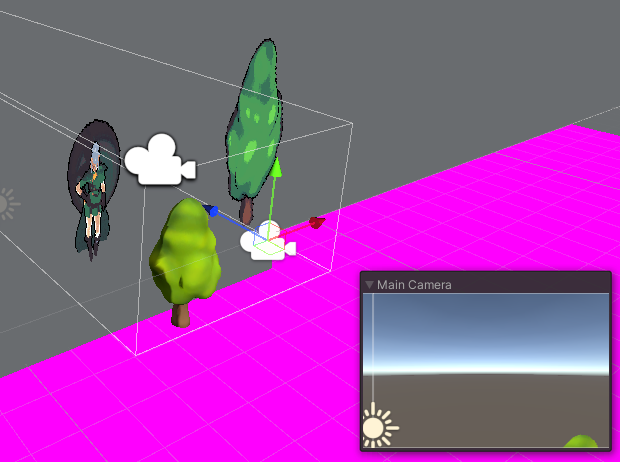


 chilly ocean
So, bit of a weird question, but since GLSL uses vec4 structures for UVs, is there any way to actually utilize all these channels in a 3D format?
misty vine
How does one Dispatch a ComputeShader asynchronously?
EDIT: nvm, found AsyncGPUReadback.
twin rose
I don't think InterlockedAdd is actually interlocked all the way... I have a basic parallel prefixed sum compute shader that adds up a list of 1s and 0s into a RWBuffer, but the sum isn't correct unless the thread size is 32 (isn't correct on 64, ends up missing a few). Thoughts?
 drowsy fiber
Hey guys, i'm looking to create a shockwave effect that distorts the pixels around it. I know that this can be done using a custom post processing pass, but that is not supported in the URP 2D renderer. Is there a way to put the shader on a quad and have it sample the pixels behind it to achieve the distortion?
meager pelican
twin rose
I don't think InterlockedAdd is actually interlocked all the way... I have a ba...
The thread groups run in groups of <whatever> even some cores are not applicable. So make sure you're checking with if's for each core to ensure that it should be adding the values. Like for the group of 64, the last 32 of them during the last iteration might not need to add their values in. You probably are checking, but it's just a first-guess with no code or anything to go on...
What do you mean by "isn't correct"?
Too high or too low?
If too high, you may be doing extra work.....that you shouldn't be doing.
 spare wedge
Hi, I would like to recreate a shader like this one and make the movement of my texture like this :
https://youtu.be/Cczp1muRtiU?t=148
but without using amplify shader, if it's possible with with the shader graph, but I don't know how would I make the texture move in the same way as in the video, I've tried to use the tiling and offset node with a position node but it doesn't seems to move the same way. I'm new to shader so I don't know a lot of feature in the shader graph maybe this is a little bit too much advanced for me, but it would be great to learn something about it.

Создание эффекта слеша от меча с помощью системы частиц на игровом движке Unity. Game effect tutorial.
Если вы подписаны на мою страницу Patreon, то готовый эффект вы можете скачать здесь: https://www.patreon.com/posts/29675650
Подпишись что б не пропустить новые видео!
Моя в групп...
eager folio
 hot pond
@hot pondUsually that means you have the option selected on the camera that draws a black pixel when a shader returns NaN, instead of bugging out or crashing or whatever.
twin rose
meager pelican
What do you mean by "isn't correct"?
Too low, like 5-10% less than expected
hot pond
eager folio
<@!286722279969259520>Usually that means you have the option selected on the cam...
interesting, do you mean this Option ? because it seems off
@eager folio

 forest tinsel
I've found a hexagon distance function, and managed to make a shader using it. However, I now want to create an outline within the shader that has a separate color. I'm having some trouble figuring out the math for it. I know how I would do it with branching, but would like to avoid that. Anyone who can help out? Here's the SDF code so far:
            float hex(in float2 p){
                const float hexSize = .5;
                const float2 s = float2(1, 1.7320508);

                p = abs(p);
                return max(dot(p, s*.5), p.x) - hexSize;
            }

            fixed4 frag(v2f i) : SV_TARGET{
                float dist = hex((i.uv - 0.5) * 1.5);
                dist = smoothstep(.1, 0, dist);
                _Color.a = _Color.a * dist;
                return _Color;
            }
For reference, this is how I can do it with branching:
            fixed4 frag(v2f i) : SV_TARGET{
                float dist = hex((i.uv - 0.5) * 1.5);
                dist = smoothstep(_OutlineWidth, 0, dist);
                if (dist > 0 && dist < 1)
                {
                    return _OutlineColor;
                }
                _Color.a = _Color.a * dist;
                return _Color;
            }
What you may wish to do is take a look at some of the functions in this document, and implement them in your shader.
https://theorangeduck.com/page/avoiding-shader-conditionals
Then, what I would do is something along the lines of:
fixed4 finalColor = 0;
//Assign true/false to a float value
float isOutline = and(greaterthan(dist, 0), lessthan(dist,1))
//Do standard color operation
_Color.a = _Color.a * dist;
//Make _Color zero if isOutline is true
_Color *= 1-isOutline
//Add the two resulting colors together. One will be transparent, one will be "normal" depending on whether or not isOutline is true
finalColor = _Color + _OutlineColor*isOutline
return finalColor```Computer Science, Machine Learning, Programming, Art, Mathematics, Philosophy, and Short Fiction
Just as a heads up, I found that if you copy those methods directly (and change the datatypes so it compiles. vec4 becomes float4 etc.) The Greater Than and Less Than methods didn't follow the same parameter syntax. E.g One expected the value you are comparing in the first parameter, and the other in the second. Quick fix to swap them around but it confused me for a little bit
finalColor isnt actually necessary, it might just make it a little more readable. Does that make sense?
Just to summarize, what I believe is the right way to do this is rather than to say "I only want to do X if Y is true" (i.e Branching and Ifs), we want to execute all the outcomes all the time, but then simply "void them out" by multiplying by 0 if our condition is not met. Then at the end, we just add everything together. If we've set it up corrrectly, only one of our outcomes won't be "voided", so it means thats the one that will end up getting returned
forest tinsel
charred meteor
Just to summarize, what I *believe* is the right way to do this is rather than t...
Ah yeah, this makes a lot of sense. I think that was the missing step in my logic, because I think I already got the first part of isolating the outline part without branching. It was more about actually applying the color, but doing it like that makes sense. Thanks a lot!
charred meteor
No problem. Just thinking about it a bit more I think the above should work for what you need, but it might not be suitable in more complicated logic evaluation situations
forest tinsel
Yeah I think it is. I want to use smoothstep so I can make some soft transitions between my edges, so I'll tinker around with it a bit
(Although if you have a solution, feel free to post it 😄 )
charred meteor
Haha sorry, not sure on that one!
forest tinsel
Heh no worries, thanks tho!
distant sleet
I actually wanted to add an outline to my raymarched shapes with SDFs too