#archived-shaders
1 messages · Page 213 of 1
 ocean geyser
 meager pelican
The thing with post-processing is that it passed the WHOLE VOLUME (URP uses volumes, so it doesn't have to really be the entire screen, but conceptually that's what PP is/was before volumes).
Did you read this?
https://docs.unity3d.com/Packages/com.unity.render-pipelines.universal@7.1/manual/integration-with-post-processing.html
So in your case you'll have to "flag" what you want to post-process somehow (stencil?) if you do it PP.
Ideally they'd get the scene color node to work in 2D, and maybe they have. @empty oar may comment or have some write ups.
ocean geyser
@meager pelican I did read it actually, but I couldn't find any section in there on how to make a custom effect(shader), but rather on how to use existing effects.
Unless you know / have a link I can read on?
meager pelican
I can't recommend any one, I googled "Unity URP shader graph post-processing" there's a bunch that you can find. They often use "Custom Render features".
I could dig in, but off the top of my head I'd say you should google it first and then let me know @ me if you cannot figure it out. There's several vids for it too.
ocean geyser
I tried googling too actually, I saw those custom render features, but I don't have it on my renderer. I did see they use the forward rendere and I'm using the 2d renderer, so that might be the reason.
I'll try to watch some videos too though, didn't try those.
And thanks for all the help btw!
meager pelican
I mentioned @empty oar so he may comment here too. It's just too early for me to dig in that far in a discord. But I'm sure we'll loop back to it soon. 😉
 patent yoke
i want to sample a gradient texture x times in a custom function node to get the colors in the gradient, how do i do that?
meager pelican
With a for loop?
patent yoke
btw im using shader graph
patent yoke
meager pelican
With a for loop?
yeah
ocean geyser
meager pelican
I mentioned <@!250457353613213699> so he may comment here too. It's just too ea...
hehe cool. And yeah I saw that; thanks for that too 🙂
patent yoke
i dont know how to sample it though
patent yoke
or what type of variable to store it in
meager pelican
The gradient node is a calc. I think there's a function call for it though. Or you could do something completely different and not use the gradient node, but rather, pass in a gradient texture from C#.
Sec.
patent yoke
in c# i take in an array of colors, and i make a gradient texture

then i pass that texture2d to the shader
meager pelican
In that case you can just sample the texture. (The UV value is the % thru, from left to right, 0 to 1 as a float).
Or
In here:
https://docs.unity3d.com/Packages/com.unity.shadergraph@11.0/manual/Sample-Gradient-Node.html
They give you sample code for sampling the gradient if you want to do it that way (but you're passing a texture, so no).
The "code" for your custom node is float3/float4 result = tex2d(texture, UV);
patent yoke
meager pelican
The "code" for your custom node is ``` float3/float4 result = tex2d(texture, UV)...
the UV is a float2 that ranges from 0 to 1
right?
meager pelican
Right
patent yoke
alright cool
meager pelican
The x and the y, hence float2
patent yoke
i dont need all the colors active
i can just set a float3 or 4 to that
and do what i want with it in a for loop
thank you for your help, i'll come back in a bit to give some updates
is it a 2d game?
hm
meager pelican
_MainTex is often from a standard (built-in pipeline) shader, not a URP shader.
Guessing.
But you don't want to mix and match. Doesn't work.
meager pelican
Well, I'm guessing that you may have a built-in pipleline shader somewhere in the mix and it's not compiling. Like I said, guess.
ocean geyser
@meager pelican managed to get volumes to work (no custom effect, global only for now - but still), but I'm not sure it's the way to go; wanted to discuss.
What I actually want is to create a wave effect; like a ring starting from a specific place in game (player-chosen), growing over time, further away from the center.
While it gets bigger, it should distort the area around it (only the ring).
I was thinking on doing that distortion in a post process, probably using stencil to identify where I should distort (because I don't want anywhere).
Not quite sure what to do with multiple waves, but we'll see.
WDYT? any better approach?
meager pelican
Cyan is typing his azz off, so I'll let him comment first. lol.
But it depends on if you're distorting colors (light rays) or actual geometry.
ocean geyser
Don't really know what distorting colors is but It's a 2d games so I'm not using actual geometry for anything. Didn't need to anyway, but I don't mind if I need to.
Edit: ok got it xd. I'm distorting colors, yes.
Edit2: although, I do want to also get the depth buffer (or something similar) and make it looks like the waves collides with other objects, if that matters.
meager pelican
I'm differentiating between mesh distortion and light-ray distortion.
It matters. 😉
depth calcs and collisions in shaders are fun...
ocean geyser
like I said, just distorting colors 🙂
And yeah, it is fun ^^ When I'm actually playing with it and not just trying to find out how to start xd
patent yoke
alright so uhh
@meager pelican you told me to use something tex2d() to sample a texture
well that apparently doesnt work in hlsl for some reason
meager pelican
You have a custom function node, right?
https://docs.microsoft.com/en-us/windows/win32/direct3dhlsl/dx-graphics-hlsl-tex2d
You may need tex2Dlod if you're in a vertex stage.

Samples a 2D texture.
You meed to use the sampler, not the texture. So I wasn't specific enough I guess.
patent yoke
alright i got it
so i need to use none
unity has some of its own macros that i can use
including SAMPLE_TEXTURE2D(Tex, SS, UV);
 regal stag
ocean geyser
I tried googling too actually, I saw those custom render features, but I don't h...
regal stag
ocean geyser
I tried googling too actually, I saw those custom render features, but I don't h...
@ocean geyser @meager pelican
Yeah, 2D renderer doesn't support the scene colour last I checked, and it also didn't support custom renderer features though 2021.2 might have added it (that version is only in beta though).
The idea would be to obtain the screen colour texture before rendering your heat distortion (or similar effect). That would then allow you to sample + distort it in a post process / image effect shader (usually blit to the screen, or drawn as a fullscreen quad).
If you don't want to try the beta version you might also be able to register a method to the RenderPipelineManager.endCameraRendering delegate which is called after a camera renders.
https://docs.unity3d.com/ScriptReference/Rendering.RenderPipelineManager-endCameraRendering.html
(In short you'd want to be looking into Command Buffers - call CommandBuffer.Blit, with the source texture as camera colour target (which you might be able to get it via camera.renderer.cameraColorTarget iirc), then call context.ExecuteCommandBuffer on it)
Or you might even be able to do it with a 2 camera setup (e.g. Render everything to a Render Texture, and draw that fullscreen to the main camera somehow (maybe with a manually placed quad or UI image))
meager pelican
Yeah, check the node docs
patent yoke
thats what i need to use
ocean geyser
@regal stag Awesome, thanks! I'm not too familiar with command buffers but I'll look it up and see if I should use that vs 2 cameras, and follow that.
You never mentioned the Volumes package though, which seems to be official support for post processing effects with URP.
Does that mean custom effects isn't supported in it? or.. ?
regal stag
Also to clarify on this object/world stuff earlier. If this is 2D sprites then due to the way they batch, object space doesn't really exist. The model matrix (and it's inverse) is replaced with an identity matrix and vertices are already at the world positions, hence why Transform doesn't do anything.
The same would occur with 3D objects if they are statically batched (or dynamic, like particles).
meager pelican
regal stag
<@!334712004394614787> <@!573586703202254878>
Yeah, 2D renderer doesn't support...
A "custom blit" workaround. Yeah.
Groan.
We've had this discussion before, the scene-color node sure would be nice in 2D.
regal stag
ocean geyser
<@!357936113983291393> Awesome, thanks! I'm not too familiar with command buffer...
Yeah, URP's volume system doesn't support custom effects. Unsure if that's changed in 2021.2 though.
ocean geyser
regal stag
Also to clarify on this object/world stuff earlier. If this is 2D sprites then d...
oh cool! That explains it. Thanks for that as well
ocean geyser
regal stag
Yeah, URP's volume system doesn't support custom effects. Unsure if that's chang...
cool. I'll go camera/command buffer then. And thanks again! 🙂
@meager pelican thanks for all the help as well!
regal stag
ocean geyser
cool. I'll go camera/command buffer then. And thanks again! 🙂
<@!57358670320225...
Oh and since a blit is drawing to the full screen - unless you want to distort the entire screen you'd need another camera to render a buffer to determine a mask for the distortion, or even better a value for how much to distort by. Similar idea used in this video (but it isn't URP) : https://www.youtube.com/watch?v=xH5uUfeB2Go

Get the Shaders for this Video here ➜ https://github.com/Broxxar/PostProcessDistortionFX
Support me on Patreon ➜ https://www.patreon.com/DanMoran
Follow me on the Twittersphere ➜ https://twitter.com/DanielJMoran
Extra Links:
Environment Art ➜ https://www.kenney.nl/assets/nature-pack-extended
Character Art ➜ https://www.kenney.nl/assets/3d-chara...
ocean geyser
@regal stag I actually found this, which seem to do the entire process I need: https://lindenreid.wordpress.com/2018/09/13/using-command-buffers-in-unity-selective-bloom/
and it's doing it in Command Buffers as well, so I'm going to try that ^^ Hoping I'm not mistaken and it does fit my case xd
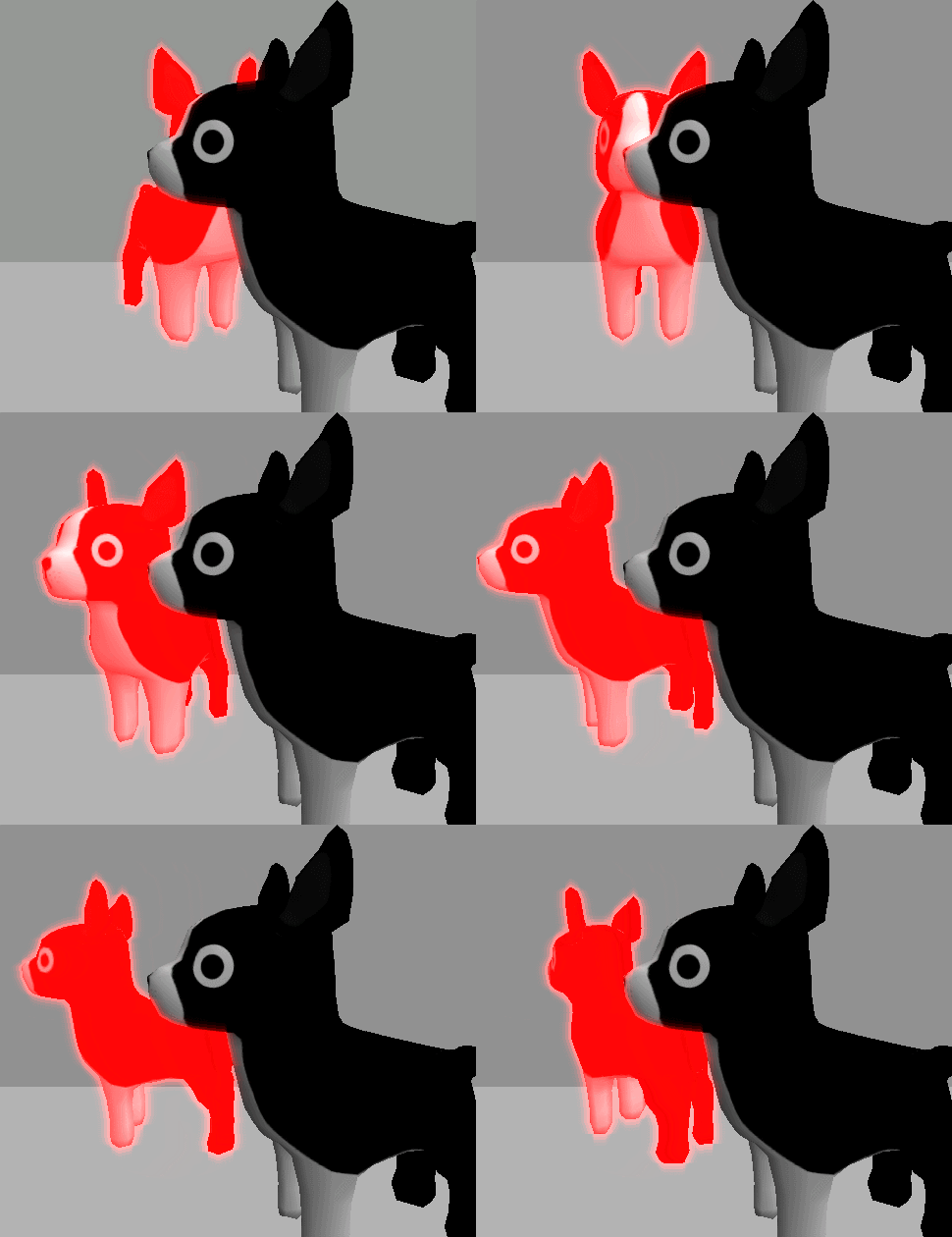
How to add steps to Unity’s graphics pipeline using a selective bloom effect as an example.
meager pelican
I'm not convinced you're after light distortion from a couple of things you said though. You might be in for some "fun".
If you want your "ring wave" to "flow" around 2D objects, that's some fun calcs.
ocean geyser
oh yeah definitely hehe. I'm expecting that kind of fun 🙂
meager pelican
Be careful on the path you take or you're just going to have to go back and start over.
regal stag
Might be similar, though the way you apply the command buffer (cam.AddCommandBuffer in that article) probably won't work for URP. It would require the RenderPipelineManager.endCameraRendering (or maybe endFrameRendering) as I mentioned before
meager pelican
In that wave's case, you have to have a texture or something to hold the data and update per frame, checking against the scene to see what is hitting.
And doing some wave mechanics math (fluid dynamics maybe even).
ocean geyser
regal stag
Might be similar, though the way you apply the command buffer (`cam.AddCommandBu...
I was actually going to use endCameraRendering + Graphics.ExecuteCommandBuffer, and if it works later change to cam.AddCommandBuffer. good to know the 2nd method won't work then xd
ocean geyser
meager pelican
In that wave's case, you have to have a texture or something to hold the data an...
Perhaps, although I'm hoping to make it a bit more simple (and probably less realistic/good, but still)
meager pelican
Or other ways, I mean, it all depends on what you want.
There's no "one way" to do any visual effect. But there's ways the engine works.
ocean geyser
@regal stag / @meager pelican read a bit more about it, but what I'm missing now is:
- Assuming I created a command buffer that blits the current camera content to a temp render target - how do I get the camera to actually render that temp render target now? Inside
endCameraRendering, so I don't havedestinationRenderTexture like inOnRenderImage. - what about
ScriptableRenderPass? are they good choice or are they not separate rendering like we're talking about here?
meager pelican
for #1, I think it will work out, the engine+camera is basically working that out, if you blit to the camera buffer (passing a null for the destination). The question to ask yourself is if you need to copy it to a temp texture first, so you have the undistorted view too.
for #2, maybe ask in #archived-hdrp
IDK for that. But Cyan is typing again. 😉
regal stag
ocean geyser
<@!357936113983291393> / <@!573586703202254878> read a bit more about it, but w...
- You'd do another blit, from the temp render target back to the camera colour target I think (basically since we can't just blit from the same source & destination to apply the shader, so need the temporary one inbetween)
- ScriptableRenderPass is what the renderer & renderer features use. Again unless you're in 2021.2 you don't have access to the features on the 2D renderer though. Not sure if it's possible to extend the renderer another way.
ocean geyser
regal stag
1. You'd do another blit, from the temp render target back to the camera colour ...
- sound simple, now I feel bad I didn't just try that xd will do.
- oh ok, I'll let that go then.
meager pelican
ocean geyser
1. sound simple, now I feel bad I didn't just try that xd will do.
2. oh ok, I'l...
For #1, don't do that unless you have to, because it will slow down your rendering. Depends on what you need.
ocean geyser
meager pelican
For #1, don't do that unless you have to, because it will slow down your renderi...
don't do what exactly? and what else should I use then?
we already talked about what I need, not sure what more information you're looking for when you say "depends on what you need"
regal stag
I suppose if you really want to avoid the double blit, you could render the camera to a render texture target and just blit that once to the blank main camera / screen with the image effect shader (distortion or whatever). Then it's a different target so the temporary one isn't needed. Maybe if you're targeting mobile that kind of thing would be more important.
meager pelican
It's hard to decipher. In the built-in pipeline you can set dest to null. You MIGHT be able to do with with URP, it's hard to tell.
Cyan may correct me on this for URP, but last I knew you basically CAN blit from the same source/destination. At least it logically appears that way to us.
Here's the docs: https://docs.unity3d.com/ScriptReference/Graphics.Blit.html
They do say this:
If you are using a Scriptable Render Pipeline (like HDRP or Universal RP), to blit to the screen backbuffer using Graphics.Blit, you have to call Graphics.Blit from inside a method that you register as the RenderPipelineManager.endFrameRendering callback.

The "depends on what you need" is a reference to pixel processing. Because there's the "before image" and the "in process image". So if you need to operate on pixels outside of your current pixel, like reading neighboring pixels, you need to have a separate before-image, since other cores may have processed adjacent pixels already.
regal stag
Yeah Idk if blitting to "null" works in URP. I'd just use the camera colour target (should be the same as the source used by the first blit).
I'm not sure about blitting with the same source/destination, it might be possible but the Graphics.Blit page also mentions
Note that a call to Blit with source and dest set to the same RenderTexture may result in undefined behaviour. A better approach is to either use Custom Render Textures with double buffering, or use two RenderTextures and alternate between them to implement double buffering manually.
meager pelican
Right, but that's when you're not passing the null.
So it all depends. IDK, like I said it's slightly confusing to me.
I could see using double-buffering in SOME cases, but maybe not this use-case.
Since he needs a before-buffer.
I think.
regal stag
Yeah, hard to tell which parts apply to which pipelines too. I tend to see the double-buffering used in URP renderer features too though. And haven't seen null used, so personally I'd avoid it.
ocean geyser
I'm gonna try some of these cases now and tell you how it is though, so the good part is we're going to get answers soon :p
ocean geyser
regal stag
Yeah, hard to tell which parts apply to which pipelines too. I tend to see the d...
Do you recommend avoiding it even if it does work?
e.g. due to possible different behavior on different platforms
regal stag
My assumption is based on how URP works it just won't work. But if it does, maybe it's fine to use it, idk.
ocean geyser
Attempting to get Camera relative temporary RenderTexture (width || height <= 0) via a CommandBuffer Wave Command Buffer in a Sriptable Render Pipeline.
Looks like someone from Unity forgot a "c" in there xd
meager pelican
It's all a judgement call on your approach and "how much screen" you're processing, as well as all the other concerns. I mean, if you can use a stencil, and not process every damn pixel, it might not be too bad. Over optimizing can cause you time and headaches too.
As a general rule, if I CAN avoid an extra blit, I would, since they process the whole screen. Who knows how your constrains will grow over time as you develop. BUT...this is all "new stuff" with "new pipelines".
That doc implies you CAN do it, but you have to do it from inside the right routine so the engine has everything set up in the right state. Maybe it is too much to worry about for you. I can't tell you that and don't know your needs.
ocean geyser
meager pelican
It's all a judgement call on your approach and "how much screen" you're processi...
yeah I'm with you on the same process. trying to get the best optimization I can get while not spending too much time on it.
Probably gonna try some stuff and if it works - great, if it doesn't - I'll just write it down as part of future optimizations I want to do and let it go for now.
meager pelican
to repeat, they do say this
to blit to the screen backbuffer using Graphics.Blit, you have to call Graphics.Blit from inside a method that you register as the RenderPipelineManager.endFrameRendering callback.
So you'd attach a script to the camera that sets up that callback. And then do a blit.
Assuming that's what and where you want to do it for the method you're using. Might be worth a try.
Just as a test, add the script, and turn the screen black and white or something (maybe pluck out only the red channel) and see what happens.
ocean geyser
I'm actually trying with the double blit now and can't get it either; not yet anyway.
Edit: nvm, wrong alpha in shader xd testing.
so doesn't seem to matter which path I follow (double blit, blit with null) I can't seem to get the actual scene color; _MainTex is always black.
        {
            // Create command buffer
            mCommandBuffer = new CommandBuffer();
            mCommandBuffer.name = "Wave Command Buffer";

            // Create render texture for output
            int tempID = Shader.PropertyToID("_Temp1");
            mCommandBuffer.GetTemporaryRT(tempID, Screen.width, Screen.height, 24, FilterMode.Bilinear);

            // Set target
            mCommandBuffer.SetRenderTarget(tempID);

            // Clear before drawing
            mCommandBuffer.ClearRenderTarget(true, true, Color.red);

            // Blit to apply material
            RenderTargetIdentifier rt = new RenderTargetIdentifier(tempID);
            // mCommandBuffer.Blit(new RenderTargetIdentifier(BuiltinRenderTextureType.CameraTarget), new RenderTargetIdentifier((Texture)null), WaveMaterial);
            mCommandBuffer.Blit(new RenderTargetIdentifier(BuiltinRenderTextureType.CameraTarget), rt, WaveMaterial);

            // blit back
            mCommandBuffer.Blit(rt, new RenderTargetIdentifier(BuiltinRenderTextureType.CameraTarget));
        }
 regal stag
ocean geyser
regal stag
ocean geyser
Is your _MainTex property using the correct reference field (not just the display name)?
ocean geyser
Using the same one for both, if that's fine ?
 regal stag
Yeah just making sure the reference was set
ocean geyser
ok cool.
oh, and just for the entire code that's running:
        private void RenderPipelineManager_endCameraRendering(ScriptableRenderContext context, Camera camera)
        {
            Graphics.ExecuteCommandBuffer(mCommandBuffer);
        }
Okay, I'm a bit unsure if BuiltinRenderTextureType.CameraTarget is correct here or not. I would try to obtain the color target directly from the camera. I think it should be possible to do camera.renderer.cameraColorTarget or something similar in that endCameraRendering method.
Oh or maybe camera.scriptableRenderer instead of .renderer
ocean geyser
mm you have different properties than I do xd
I don't have renderer nor scriptableRenderer on the camera
closest related I can see is targetTexture, but I remember it's for something different
regal stag
Hmm it might be on the URP additional camera data thing. I think there's an extension method to get it straight from the camera (camera.cameraData maybe? I can't remember what it's called), or could do camera.GetComponent<UniversalAdditionalCameraData>()
Though now I'm looking at the docs it does say it's only valid in the scope of a ScriptableRenderPass, so maybe that's not right :\
ocean geyser
ok so tested both options:
- Tried to use
camera.targetTexture- not working, as expected. - Tried to use
GetComponent<UniversalAdditionalCameraData>().scriptableRenderer.cameraColorTarget- got error message like what you read on the docs:You can only call cameraColorTarget inside the scope of a ScriptableRenderPass....(I truncated it)
@regal stag I'm starting to think using 2 cameras might be the only way.
regal stag
ocean geyser
```
private void RenderPipelineManager_endCameraRendering(ScriptableRend...
Oh with this, I'd use context.ExecuteCommandBuffer instead of Graphics
ocean geyser
@regal stag I believe I tried that initially and it didn't do anything, I just assumed it was due to Scriptable.. not supported.
I'll try it now again though, 1m
regal stag
I'm also going to write the script and see if I can get it working
ocean geyser
yeah it doesn't do anything at all. I also tried to use camera.activeTexture and connecting a literal color (green) in the shader - it's as if the material isn't applied at all.
ocean geyser
regal stag
I'm also going to write the script and see if I can get it working
mahh ok I sort of gave up now. Tried so many combinations, can't get anything to work.
waiting for you to try it and hopefully find a solution :p
regal stag
I think I'm struggling to even get the blit to occur. I can't see it in the frame debugger window atm
meager pelican
using UnityEngine;
using UnityEngine.Rendering;

public class TestBlitToBackBuffer : MonoBehaviour
{

    public Material blitMat;

    void Start() {
        RenderPipelineManager.endFrameRendering += OnEndFrameRendering;
    }

    void OnEndFrameRendering( ScriptableRenderContext context, Camera[] cameras ) {
        // if you have multiple cameras, figure out what camera to use.
        Graphics.Blit(cameras[0].activeTexture, null, blitMat);
    }

    void OnDestroy() {
        RenderPipelineManager.endFrameRendering -= OnEndFrameRendering;
    }
}```ahh didn't know there was frame deubgger; cool tool, playing with it :p
@meager pelican trying
meager pelican
You have to create that blitMat material and assign it to the material. Working on the shader now.
ocean geyser
ArgumentException: Graphics.SetRenderTarget called with depth RenderBuffer from screen and color RenderBuffer from RenderTexture
Editor Camera already has a render stack set... recursive rendering?
Camera stack state already exists... rendering has not been configured properly
Is it on the camera?
ocean geyser
It's all coming from the Graphics.Blit line, but the stack source in the error doesn't explicitly say camera, not on all anyway.
ocean geyser
Tried to use the double blit method btw, which means the difference would only be the method (endFrameRendering vs endCameraRendering) - same result
cool
meager pelican
regal stag
Oh with this, I'd use context.ExecuteCommandBuffer instead of Graphics
Yeah.
meager pelican
regal stag
Hmm it might be on the URP additional camera data thing. I think there's an exte...
This? I mean, I can't get _MainTex assigned properly in that cample code above.
regal stag
Yeah same, I'm struggling to get the source texture
meager pelican
But the blit to the backbuffer worked. So that's interesting, at least.
And the code didn't error. 😉
ocean geyser
meager pelican
But the blit to the backbuffer worked. So that's interesting, at least.
did it? how do you know that?
meager pelican
But...maybe with the command buffer approach.
Because I assigned a texture to the _MainTex and then it worked (blitted to the screen using my material). That converted it to black and white in probably a stupid way that Cyan has a better method for. lol
ocean geyser
I'm using the command buffer with a single blit from source to render target.
Doesn't matter what source I use, in the frame debugger I can't ever see any _MainTex texture.
oh you mean from texture to the camera target/screen. Yeah that I can get to work too xd
meager pelican
Yeah, the operative question right now is "How to get that function to give us the source". The blit to dest works.
With null as the dest.
Called from within RenderPipelineManager.endFrameRendering
ocean geyser
mah I'm trying manually xd
that's interesting.. I think?

(can't get anything to work btw xd)
meager pelican
See, with Cyan's approach you know what the textures are, and that they're not the same one!
But if you blit directly to the backbuffer, is Graphics.Blit smart enough to deal with all the different hardware (some devices may not have direct access to read it, so they use a render texture in the engine).
ocean geyser
@meager pelican are you talking about the null parameter? xd
honestly that question doesn't matter that much, since we still can't get the effect to even work - with or without it.
meager pelican
I'm just "testing if the null dest works in URP". I want to know now! 🙂 Posting it as a result for everyone to see. Want to avoid an extra blit.
ocean geyser
hehe ok
meager pelican
But I'm unsure as to how to get that source tex, but I think I could try camera relative, rather than end-of-frame.
ocean geyser
I thought about using Camera.main.AddCommandBuffer(CameraEvent.AfterEverything, CreateCameraCommandBuffer());
and in there to create a different command buffer that would render to texture.
But I can't get it to work either. big chances I just missed something there though
regal stag
meager pelican
But I'm unsure as to how to get that source tex, but I think I could try camera ...
I'm using endCameraRendering but can't seem to get it either
regal stag
Yeah
ocean geyser
regal stag
I'm using endCameraRendering but can't seem to get it either
I tried both 😦
meager pelican
This ALMOST worked, no errors. But it won't assign the damn source texture, so ...
using UnityEngine.Rendering;

public class TestBlitToBackBuffer : MonoBehaviour {
    public Material blitMat;

    void Start() {
        RenderPipelineManager.endCameraRendering += BlitToBackBuffer;
    }

    void BlitToBackBuffer(ScriptableRenderContext context, Camera camera)  {
        Graphics.Blit(camera.activeTexture, null, blitMat);
    }

    void OnDestroy() {
        RenderPipelineManager.endCameraRendering -= BlitToBackBuffer;
    }
}```😢
regal stag
So, I'm thinking the fact that in the frame debugger it appears outside of the UniversalRenderPipeline.RenderSingleCamera scope the camera source might not exist or something.
However I am now using
public class BlitTest : MonoBehaviour {

    public Blit.BlitSettings settings;
    private Blit.BlitPass blitPass;

    private void OnEnable(){
        blitPass = new Blit.BlitPass(settings.Event, settings, "BlitTest");

        RenderPipelineManager.beginCameraRendering += Test;
    }

    private void OnDisable(){
        RenderPipelineManager.beginCameraRendering -= Test;
    }

    private void Test(ScriptableRenderContext context, Camera camera) {
        blitPass.Setup("_CameraColorTexture", "_CameraColorTexture");
        camera.GetUniversalAdditionalCameraData().scriptableRenderer.EnqueuePass(blitPass);
    }
}
Along with a ScriptableRenderPass, (https://github.com/Cyanilux/URP_BlitRenderFeature/blob/master/Blit.cs) and this seems to work (and allows you to inject it into any event! - I mostly tested with the "After Rendering Transparents" one)
@ocean geyser @meager pelican
If you have multiple cameras you may need to do a if (camera == Camera.main) or something as this runs for every camera currently.
_CameraColorTexture might also only work for the events before up to (and including) "Before Rendering Post Processing" as it then changes to "_AfterPostProcessTexture" instead
I'm currently only testing this in the regular forward renderer though, should probably check if it works with the 2D one too... edit: Yeah it works in 2D too. Didn't know it was possible to EnqueuePass in here, which is a nice way around the "no renderer features" thing.
ocean geyser
@regal stag Nice solution, awesome! Out of curiosity - that should also work with the commandbuffer, right?
regal stag
Yeah I use command buffers in the BlitPass class in the Blit.cs script. This EnqueuePass is sort of just an extra step to get it working properly (and I'm using beginCameraRendering instead of endCameraRendering but not sure if that matters).
ocean geyser
oh I initially thought Blit is a Unity class; was wondering why I couldn't find it either.
regal stag
Nah, it's a custom renderer feature that I've shared on github. Was based on the blit/fullscreen pass that unity shared here : https://github.com/Unity-Technologies/UniversalRenderingExamples/tree/master/Assets/Scripts/Runtime/RenderPasses
ocean geyser
@regal stag so as far as I can tell my render pass seems to renders before the entire scene, at which point there is no scene color because it didn't render yet.
You mentioned i can inject it into any event - but EnqueuePass doesn't take event arg or something like that, so how?
regal stag
ocean geyser
<@!357936113983291393> so as far as I can tell my render pass seems to renders b...
The BlitPass constructor sets renderPassEvent (is a private field of ScriptableRenderPass I think)
ocean geyser
yeah but it's not used in that file xd
I only see usage of RenderPassEvent (different variable though) in AddRenderPasses inside ScriptableRendererFeature, which I believe we said isn't supported.
meager pelican
Jesus H. Blessed Christ Almighty.
All I wanted to do was a blit.
lol
ocean geyser
meager pelican
Jesus H. Blessed Christ Almighty.
All I wanted to do was a blit.
lol
lol so true
regal stag
I call the constructor in the code I posted above, you can basically ignore the ScriptableRendererFeature part of the Blit.cs as that is unused by this setup, just need the Pass and Settings classes
ocean geyser
@regal stag if I'm ignoring it, then the renderPassEvent variable isn't used at all except assignment...
regal stag
Yeah just need to assign it, URP then uses it somewhere, probably in the Forward/2D Renderer scripts
ocean geyser
ohh it's not a variable you declared, sorry my bad. Ok cool, trying
regal stag
Yeah it's inherited from ScriptableRenderPass
ocean geyser
OMG MY SCREEN IS OVERLAYED WITH YELLOW! YESSSSSSS
@regal stag awesome man! Thank so much for all of that!
@meager pelican You too btw!
Thank you both for sticking with me for that long hehe
patent yoke
@meager pelican you have lead me to an amazing creation
hold on lemme send a pic

what i was trying to do is make a shader that takes in a texture (a camera render) then a gradient texture, and for each color in the gradient texture, check what the closest one to the texture color is
then boom, this
i made a script that changes the resolution of the main camera's render to fit any reslution, and to pixelate it
 slow bear
About URP and Screen Normals: can you confirm that Unity does not generate a material-independent _CameraNormalsTexture, but instead shifts the responsibility of writing the normals to the single material?
The docs say that in order to be written to the _CameraNormalsTexture a material must have a DepthNormals pass, and points to the default Lit shader as an example of this behaviour
still, I can't access this texture even though I'm using the default example scene with the default Lit materials
regal stag
slow bear
still, I can't access this texture even though I'm using the default example sce...
The texture is not generated unless a Custom Renderer Feature (or SSAO) requests it (via ConfigureInput in the ScriptableRenderPass)
slow bear
regal stag
The texture is not generated unless a Custom Renderer Feature (or SSAO) requests...
ok, that was the missing piece
Thanks @regal stag
That did the trick, a custom renderer feature that does nothing except asking for the Screen Normal with a ConfigureInput() works
 meager pelican
patent yoke
what i was trying to do is make a shader that takes in a texture (a camera rende...
meager pelican
patent yoke
what i was trying to do is make a shader that takes in a texture (a camera rende...
Cool. 🙂 One way is to quantize it and use a LUT (look up table/texture). So you produce a special texture so you don't have to use a for-loop. Red and Green are x and y, and blue is a "slice" and the slices are laid out horizontally. This is old, but:
https://docs.unity3d.com/540/Documentation/Manual/script-ColorCorrectionLookup.html
LUT correction used to be/is part of the post processing package. Maybe replaced and updated by color grading with a LUT option. FYI.
The Unity Manual helps you learn and use the Unity engine. With the Unity engine you can create 2D and 3D games, apps and experiences.
https://forum.unity.com/threads/how-configure-color-lookup-urp.819780/
See video at the bottom here:
https://www.gamedev.net/tutorials/visual-arts/unity-lut-color-correction-in-our-game-immortal-redneck-r4389/
Unity Forum
I am using version 2019.3.0f6 with URP configuration.
I want to use the Color Lookup option of the post-process Volume, but I can't export or...
 coral crypt
(Im pretty sure this is relevant to shaders) So I have been working on a map for a game and I made a blender model which was a plane, I tried importing the place to unity and it only shows the outside of the plane, not the inside. In blender, the inside and the outside are rendered, but not in unity. I have imported 3D meshes from blender to unity before with no issue, but whenever I import a plane it only shows one side. I attempted to look up the issue and found many articles about
"back-face culling" which wanted me to go into shaders and do things with that, the only problem was that every article I looked at just told me what to do and not how to do it. I also looked into another way which was to duplicate the plane in unity and then flip the normals but once again, everywhere I looked just told me that I needed to flip the normals and not how to flip the normals.
If I could get some help with this issue that would be great because this is sort of my last resort.
In the image that im going to post you can see that the screw has the outside visible but not the inside

 coral crypt
coral crypt
coral crypt
Im using Unity 2019.3.15f1 because the game I am making the map for requires that version
Im making the map for gorilla tag
meager pelican
I think there's a "double sided" attribute on the material and/or the importer.
coral crypt
ill check, thanks
meager pelican
It will also mirror the normals IIRC.
Another way is to generate the mesh in blender using triangles on the back sides too. (You double them up, but face them in opposite directions).
coral crypt
meager pelican
I think there's a "double sided" attribute on the material and/or the importer.
in unity or blender?
meager pelican
The material? In unity.
coral crypt
ok
meager pelican
But if you have a custom shader, you may have to do it yourself.
Doing that is where you googled and found the reference to "Cull off" and to reverse the normals. Always more "fun" than should be allowed. lol
coral crypt
I found the double sided attribute and it didn't do anything when i toggled it on.
 coral crypt
meager pelican
But if you have a custom shader, you may have to do it yourself.
coral crypt
meager pelican
But if you have a custom shader, you may have to do it yourself.
default shaders
coral crypt
meager pelican
Doing that is where you googled and found the reference to "Cull off" and to rev...
huh
regal stag
That's "double sided global illumination", it's just a bit cut off because the inspector is too narrow.
I guess the Standard shader doesn't have an option for it (I think it does in URP but there's no point in switching pipeline just for that). If you google "unity double sided standard shader" you'll probably find one.
Personally I'd just use the other method Carpe suggested - duplicating the model in blender and flip normals (e.g. select and recalculate with Ctrl+Shift+N)
coral crypt
regal stag
That's "double sided global illumination", it's just a bit cut off because the i...
thanks, ill try the method you listed
and the one carpe listed
Tried the one Carpe listed, I selected then duplicated the model, and then pressed Ctrl+Shift+N, it didnt seem to work when I imported the model into unity. Ill try the other way
Ok so I found a github page with a bunch of code, should I it? Where do I put it if I can use it?
I copied the code into a text document
I just need to know where to put it in order to make it work
I also found another on the unity assets store that i could try, ill try that one first
ocean geyser
Quick question: is it possible to write to the stencil buffer in a shader graphh?
coral crypt
coral crypt
I also found another on the unity assets store that i could try, ill try that on...
It worked, thank you Cyan and Carpe for helping me :)
 meager pelican
coral crypt
thanks, ill try the method you listed
meager pelican
coral crypt
thanks, ill try the method you listed
I thought you were already in URP.
coral crypt
What is URP?
sorry, im sort of new to unity and blender so I dont know all of the abbreviations and stuff yet
meager pelican
It's better to have the shader support it anyway, so you don't have to have 2x mesh sizes. That was just a 2nd option.
URP = Universal Render Pipeline. Whatever.
So there's ways. For standard pipeline, you can use an asset like you said, or you can write one/some:
https://forum.unity.com/threads/double-sided-standard-specular-shader.456639/
Unity Forum
Hey Guys,
I have grabbed the Unity shaders of the website and am trying to edit the Standard Specular shader to be double sided with correct lighting...
coral crypt
meager pelican
It's better to have the shader support it anyway, so you don't have to have 2x m...
ok
meager pelican
regal stag
That's "double sided global illumination", it's just a bit cut off because the i...
I know it does in HDRP anyway.
Sigh.
Three piplelines is getting hard to keep track of. lol
ocean geyser
@meager pelican any chance you know about stencil in shader graph?
regal stag
meager pelican
I know it does in HDRP anyway.
Sigh.
Three piplelines is getting hard to keep...
Yeah, that's why I mostly just stick to URP 😁
regal stag
ocean geyser
<@!573586703202254878> any chance you know about stencil in shader graph?
Shader Graph doesn't do stencil. Can usually override it through custom renderer features (or the Render Objects feature) though. Might be hard in 2D renderer.
ocean geyser
@regal stag before I'll continue down that road and try to figure it out anyway - any better ideas?
If you remember the wave thing, I'm drawing each wave on the scene and in the post process shader I need to know if on a specific pixel there's a "wave pixel"
meager pelican
Like Cyan says, SG doesn't use it.
But you can manually create shaders that honor the stencil.
Here's a link:
https://theslidefactory.com/see-through-objects-with-stencil-buffers-using-unity-urp/

Learn how to set up a Unity project with the Universal Render Pipeline (URP) and then add stencil buffers to create a see through objects effect.
meager pelican
regal stag
Yeah, that's why I mostly just stick to URP 😁
Populist... lol
ocean geyser
meager pelican
Like Cyan says, SG doesn't use it.
But you can manually create shaders that ho...
Actually that link uses the renderer features Cyan mentioned don't really work in 2d renderer.
But yeah I know they're supported in shaders, I was just hoping for shader graph + being lazy :p
Thanks both again
regal stag
ocean geyser
Actually that link uses the renderer features Cyan mentioned don't really work i...
Well we know the pass can still be queued via RenderPipelineManager.beginCameraRendering but still might be difficult to adapt. Writing the shader manually via code might be the better option if you need stencils.
ocean geyser
in code as C# 😮 ?
meager pelican
If only....
regal stag
No I was referring to ShaderLab & HLSL
meager pelican
Generate a shader in Shader Graph.
Then edit it?
ocean geyser
ah right, will be a better starting point
regal stag
Yeah, that's another option. Should be fairly easy to add the stencil operations to a generated shader as you don't need to edit the hlsl itself, just the ShaderLab section (and that part is the same in both built-in and URP)
meager pelican
The up side with using SG as a code generator is that it generates the proper calls, with function names from the library, for the version you have as they keep updating it. And you only need to know enough HLSL/ShaderLab to change what you need to.
The down side is that it probably has a lot of variants in it and stuff to wade through.
 quick vessel
hi, im trying to recreate a ps1 look for my game by showing a render texture on camera of the first person player's view, but for some reason the fog only turns the cameras view to a solid color, anybody know why this is?
im following this tutorial for reference
Yearn for some PS1 nostalgia? Then look no further! In this video I'm going to show you how to downscale your beautiful 4K games into a 90s Playstation masterpiece! We'll be using Render Textures, some fancy camera trickery and some extremely low quality textures!
Join me and learn your way through the Unity Game Engine, the C# language and the...
ocean geyser
meager pelican
The up side with using SG as a code generator is that it generates the proper ca...
To clarify, I can't actually keep using the shader graph after generating code; I need to copy the generated file to separate one, since it's created in a temp directory.
Right ?
meager pelican
Right, basically.
ocean geyser
cool 👍
meager pelican
ocean geyser
To clarify, I can't actually keep using the shader graph after generating code; ...
The thing with that, though, is that if you're writing it yourself, you have to add in all the right passes (like lighting/shadows) and such, and you start with a BLANK page or a template anyway.
ocean geyser
mahhh I don't like this xd
meager pelican
lol
You don't HAVE to do it that way.
But SG doesn't support stencil operations.
If you'd have used the built-in pipeline, you'd have 5 to 10 years of history to draw upon.
But UPR/HDRP are all new.
ish.
ocean geyser
is it too late to change to UE? xd
meager pelican
Unity is better for mobile....last I knew.
ocean geyser
I'm not making it for mobile actually, but yeah it's better for 2d in general as well
meager pelican
quick vessel
hi, im trying to recreate a ps1 look for my game by showing a render texture on ...
IDK what pipeline you're in, and don't know your setup/shaders. Hard to answer.
But make sure you have a depth buffer in that render texture that is used for the fog effect/FP view, since it may be depth-based fog.
IDK how you're generating it though.
There's different ways to do fog. You can draw it as you go, or you can add it later with a post process.
quick vessel
@meager pelican im doing it via the environment settings in the lighting tab and im using urp
ocean geyser
@meager pelican same story about reading stencil value with shader graph btw?
meager pelican
Yeah, stencil is reading and writing operations in the same "thing", basically. There's a reference value, and a what to do if pass and what to do if fail, and if to keep or reject pixel.....
It's a whole thing. The GPU knows if it needs to call the pixel shader or not depending on the results. Basically. If it fails and you reject the pixel, the frag() is not called, IIUC.
ocean geyser
yeah I'm familiar with stencil, was just hoping there's a workaround like a node reading from a buffer with stencil in dropdown. hoping xd
meager pelican
If it were that easy, they'd have implemented it.
I'm guessing but I think it is more about the fact that stencil is an integrated operation in silicon on the GPU, so setting it up is trickier.
ocean geyser
@meager pelican honestly if you make it as settings on the shader graph it self it sounds quite easy to me.
But I guess everything looks easier from outside
Anyway I'm actually gonna go a bit more "runtime-complex" method in this case though;
Gonna render all the waves into a separate render target as an extra step, then give my shader that as texture as well - and do it in there.
That way I don't have to use stencil at all and get to keep using shader graphs. Might make it a bit less optimized, but at least I know where to go if I need to optimize in the future.
 crisp flame
Is it possible to do 3d rotation around a pivot and axis in shader graph?
meager pelican
Use a rotation matrix (google it), and make all verts relative to some origin of 0,0 in the mesh.
Matrix multiplication.
Then translate that to world space
 midnight mortar
Hey guys I just started using Shader Graphs and I am trying to get this done: https://forum.unity.com/threads/make-edges-transparent.988627/
Unity Forum
Hi everyone. I wrote a shader that involves creating a dynamically changing color gradient effect, but now, I want to make the edges of the shader fade...
ocean geyser
@meager pelican Quick link/keyword to google on how to render specific gameobjects to a specific render target (probably camera) ?
midnight mortar
But I cant find the UV node or the Unlit node, I must not be understanding or doing something wrong...
crisp flame
jikes, there is not a lot of friendly information on matrices, they seem to have an intent on their own and completely uncontrollable
meager pelican
Well if it's a render target on a camera...that's set on the camera.
You can create render targets in C#, including temporary ones.
See RenderTexture.Create()
ocean geyser
yeah not talking about creating render targets, but about rendering specific objects to those render targets and not the main camera
meager pelican
midnight mortar
But I cant find the UV node or the Unlit node, I must not be understanding or do...
The UV 'node' is the default on the position node if that helps. (UV0 is default)
ocean geyser
I found culling though, although if there's a way in C# would still love to know ^^
meager pelican
Camera.Render()?
Mostly you want to render through a camera. At least in most cases.
You can check out layers though, too. So you can render the same camera multiple times with different layers active, and change the render target, but I'm talking out of my posterior unless I go off and try it and I'm too lazy today. lol
midnight mortar
meager pelican
The UV 'node' is the default on the position node if that helps. (UV0 is defaul...
 meager pelican
See where it says "UV0" on the top left of that image? You're getting UV0 from the mesh data.
What is it you want to do?
midnight mortar
I gave the link, I want to do exactly like that…
Unity Forum
Hi everyone. I wrote a shader that involves creating a dynamically changing color gradient effect, but now, I want to make the edges of the shader fade...
meager pelican
And when you "create node" you can't find the UV node?
https://docs.unity3d.com/Packages/com.unity.shadergraph@11.0/manual/UV-Node.html
Go into SG, and right click on a blank area of the canvas, and select "Create node". Then when it pops up a dialog, type in "UV".
It's under input/geometry. Select the UV channel from the mesh that you want.
midnight mortar
meager pelican
Go into SG, and right click on a blank area of the canvas, and select "Create no...
UV channel from the mesh?
meager pelican
midnight mortar
But I cant find the UV node or the Unlit node, I must not be understanding or do...
And there is no "unlit" node, it's the graph type.
Yes. Every vertex in a mesh has a UV value. There's ?8? or more channels possible.
midnight mortar
This is all so confusing for me haha sorry…
meager pelican
It takes time, you're learning.
crisp flame
meager pelican
Use a rotation matrix (google it), and make all verts relative to some origin of...
so why exactly would I need to make all verts relative to some origin of 0,0 in mesh? And what does that mean
 stark condor
I created this holographic shader following a tutorial, I have some code that changes the holograms color on a material depending on a boolean. When i try to use the code, however, the colors start flashing brightly, what could be the issue if (canBuild == false) { ghostMaterial.SetColor("_FresnelColor", Color.red); ghostMaterial.SetColor("_MainColor", Color.red); } else ghostMaterial.SetColor("_FresnelColor", Color.green); ghostMaterial.SetColor("_MainColor", Color.green);
 meager pelican
OK, sorry.
It's about your "pivot point".
You basically make your pivot point (0,0,0) relative to the mesh's info, wherever it is. then rotate it around that point, then un-do the relative positioning using the result.
So if some point is at (-1, 5, 20) in world space, and it has it's own local space and own origin (object space), and you want to rotate it around some arbitrary point like (20,30,40), you'll have to translate it.
Let me see if I can find you a link or something.

Geometry - Transformation - Rotation not around origin
How do you rotate a shape around a point other than the origin?
This geometry video explores the rotating a point or shape around a point on a graph that is not the origin. The rotation occurs by moving the graph to the origin, following the origin rotation rules, then moving the graph ba...
crisp flame
Ah thanks I'll see if I can do with that. Just as a note, I already got my point and pivot figured out, I just don't know how to then do anything to rotate it on axis with that pivot as "origin"
meager pelican
So you'll need to build a rotation matrix.
You can see the example in C# using https://docs.unity3d.com/ScriptReference/Matrix4x4.TRS.html
But IDK if you can just pass that in, or if you need to build a matrix in the shader, since IDK what you're doing exactly.
Ignore the switching of x and y and the negation part "tricks" he's doing.
in that first video. Use a rotation matrix.
Here's more in a unity-specific tut format https://catlikecoding.com/unity/tutorials/rendering/part-1/
A Unity Rendering tutorial about matrices and transformations. Part 1 of 20.
crisp flame
Thanks, I've looked into matrix before but without unity context it's been difficult to understand what anything means. What I'm hoping is possible to do is to get a vertex's world position, and rotate that position around itself but with a global 0... so just take in the world pos again and override a 0 on y.
meager pelican
stark condor
I created this holographic shader following a tutorial, I have some code that ch...
IDK but since you're using a time node, I'd replace it with a constant to test if that's where the problem is. Guess.
meager pelican
crisp flame
Thanks, I've looked into matrix before but without unity context it's been diffi...
I have to go.
But if you want to rotate the object you can do it in C# and unity will pass the matrix from the transform. So I'm confused.
Maybe someone else will help since I'm gone for a bit.
stark condor
meager pelican
IDK but since you're using a time node, I'd replace it with a constant to test i...
Yeah, its something with the time node
Any idea why?
crisp flame
meager pelican
I have to go.
But if you want to rotate the object you can do it in C# and unity...
Hahah, ah, well I get that it might sound unorthodox and useless, but that is literally all I want, not really any object rotation or anything uniform, just all vertices bending over about a y0 plane + their own horizontal coordinate. Anyway cheers I'll just have to keep figuring out how to construct that 4x4 matrix in shader
 rare quiver
Hello, I have need some help, I made an emission shader, but the emission seems to not work, apparently I need to nullify the exposure at 0 on the render settings panel but it doesn't exist anymore
Oh wait it works (but only at 10+e6 values)
 frozen topaz
why is this pink?

Render queue value outside of the allowed range (-1 - 2449) for selected Blend mode, resetting render queue to default is in the console
 strange prairie
Is your render queue value inside those limits?
meager pelican
crisp flame
Hahah, ah, well I get that it might sound unorthodox and useless, but that is li...
"Bending over about a y0 plane"? Are you talking about something like grass swaying or tree branches moving?
If so, that's different than rotation. Then you're looking at vertex displacement.
crisp flame
I mean, not really for that purpose, but I do want to displace vertices in shader so that they appear individually rotated
i'm currently looking around elsewhere for how and if i can construct a rotation matrix based on pivot, point and direction vertex information
 frozen topaz
strange prairie
Is your render queue value inside those limits?
frozen topaz
strange prairie
Is your render queue value inside those limits?
it's 2k, so likely yes
nvm found it
meager pelican
crisp flame
I mean, not really for that purpose, but I do want to displace vertices in shade...
How do you want to "tell" the object to rotate? Do you pass in a matrix, or do you pass in some degrees/radians of rotation (x,y,z)?
Is the pivot point arbitrary (some point external to the object), or is it the object origin?
crisp flame
meager pelican
How do you want to "tell" the object to rotate? Do you pass in a matrix, or do ...
pivot point is always on the same vertical axis as the vertex in question, as in each vertex works off of their own pivot. i suppose that's the thing that i don't know how i'd rotate it; however the idea would be to match the rotation to "face" the direction input 90°, as seen in the little doodle. points above the pivot bending away with direction and points below bending back at the direction
meager pelican
See sample code, IDK if this will help you or not.
https://docs.unity3d.com/Packages/com.unity.shadergraph@6.9/manual/Rotate-About-Axis-Node.html
You may have to translate the object-origin to the external point first. By adding/subtracting an offset to each vert. Or something...like figuring out the relative axis with respect to the world-axis.
I'd have to play with it to find out.
😉
I haven't used that node.
Also found this that might be interesting to you, but haven't watched the whole thing (at least not recently).
https://www.youtube.com/watch?v=VzhxginBhdc

3D Rotational Matrices? What do they do? How do you use them? And more importantly what cool stuff can we make with them? In this video we'll look at applying some matrices to objects using a custom vertex shader.
We'll look at using rotational matrices to transform our object along the X, Y and Z axis as well as allowing our mesh to be shifted...
crisp flame
many many thanks 😄
midnight mortar
meager pelican
It takes time, you're learning.
Sorry I stepped away for a few, but this is what I get:

I see no UV node with Channel...
midnight mortar
meager pelican
And there is no "unlit" node, it's the graph type.
This is also very confusing because I see no graph type called Unlit...I see Unlit shader but that does not create a shader graph...

The docs are also wrong since there is nothing called "Unlit Graph", so I guess things have changed it newer version?
meager pelican
You're in an old version. Upgrade SG to whatever you can within your Unity version.
The UV value itself (the node you're looking for) is not in the UV subsection that you just posted a picture of, but it is in Input and then under Geometry.
That will plug into the vertex stage in the newer versions of SG, assuming you can run them with whatever Unity version you're using.
midnight mortar
meager pelican
~~You're in an old version. Upgrade SG to whatever you can within your Unity ve...

This not the latest?
meager pelican
That's pretty current.
It should have the UV node.
And you can change the shader properties (I think) to be lit or unlit or whatever. Let me find you a link.
midnight mortar
UV not node is under Input/Geometry...
But also to get the Unlit Graph I needed to have URP installed!!!!
meager pelican
You're not using URP?
meager pelican
Yes, the UV node is under input/geometry. https://docs.unity3d.com/Packages/com.unity.shadergraph@12.0/manual/UV-Node.html
meager pelican
midnight mortar
No, I am not using anything new...
Shader graph is new, and it's planned for the built-in pipeline, but IDK if it works for it yet. 😉
midnight mortar
Installing shader graph doesn't tell you that you need URP....
meager pelican
Shader graph is/was only for scriptable render pipelines (URP, HDRP)
midnight mortar
This is how you get people confused...
meager pelican
But like I said, they're also working to make it work for builtin.
midnight mortar
by not explaining stuff and just letting people go through learning stuff the wrong way...
If I installed Shader Graph there should have been a warning log that to get all the necessary features, I would need to install URP...
All of this took hours to figure out smh...
meager pelican
Well, yes. But...to be fair, it's more about having SRP. Which of the two pipelines you use (URP, or HDRP) is up to you after you have SRP.
It's a bit confusing. But you can write your own custom pipeline using SRP, and have jrDevRP.
Of course, Shader Graph won't work for that custom one either. lol
I think the SG install will pull in SRP.
The good news is that SG 12 says it supports the built-in pipeline.
So that's new I guess. <blush>
So you should be able to make it work??????
If you upgrade to 12
midnight mortar
Aren't they getting rid of SRP?
Also I got close to the setup, but the nodes below are blank? Like the UV one has no color, what did I miss?
 meager pelican
Let me go find your link again, or you can re-post it again.
No, they're moving TOWARD SRP, and obsoleting built-in (allegedly).
midnight mortar
 midnight mortar
meager pelican
No, they're moving TOWARD SRP, and obsoleting built-in (allegedly).
midnight mortar
meager pelican
No, they're moving TOWARD SRP, and obsoleting built-in (allegedly).
Im confused, so they will have URP, SRP and HDRP?
meager pelican
SRP is the "shell" that uses any of 1) URP, 2) HDRP, 3) Custom
In other words, URP/HDRP/CUSTOM-RP are types of SRP's.
And built-in is built-in.
midnight mortar
Mind melts lol...
meager pelican
SRP is the general framework for making a scriptable pipeline.
It stands for Scriptable Render Pipeline.
But they give you two stock models, that come as "default models". URP is lower-end hardware targets. HDRP is higher end targets, more features, but needs more clout...like higher end desktops.
Let's get back to your graph.
The UV values you have coming in are zero.
Somehow. IDK how, but it's all black.
And the pink indicates an error color
Guessing the pipelines aren't set up correctly.
midnight mortar
I deleted the UV node and readded it...
meager pelican
And is it still black?
midnight mortar
 midnight mortar
Preview still pink...
midnight mortar
No, will it show in the normal console?
meager pelican
Depends. lol.
But I'm reading confusing info in SG version 12.
One pages says built-in is supported, another says it isn't.
I know you're confused on all this pipeline stuff, but I'd say if you want to use SG, you'll want to use URP. Is that OK with you?
If you're using shaders (purchased or hand-written from demos on the net) they may not work in the new URP unless you know they're compatible.
midnight mortar
Ok…🤷🏾♂️
meager pelican
Well, there's implications to this decision. But for learning shaders, you probably want shader graph to start with. At least that's what your current question is about....
midnight mortar
I think I have the Toony Shaders asset...
meager pelican
Got a link?
midnight mortar

Add depth to your next project with Toony Colors Pro 2 from Jean Moreno (JMO). Find this & more VFX Shaders on the Unity Asset Store.
Does say the new version works with URP...
meager pelican
Yes, so sounds OK.
It says ● Hybrid Shader working with both the Built-in and Universal Render Pipelines automatically
So you'll have to create a URP pipeline asset and change your setup over to SRP/URP.
Let me get you a link. Maybe you've already done this....
midnight mortar
I just wanted to currently add some transparency around my video texture so it blends in with the background and someone mentioned using a different shader...
meager pelican
Backup what you have first.
Copy off the whole project directory (if you don't have tons of lightmaps and crap, you can skip those if you know what to skip).
OR
We can talk about ShaderLap and the regular pipeline. But that doesn't (yet?) use shader graphs. At least the intro says it doesn't. Another page implies it does (in version 12). So IDK, haven't tried it yet. But it's bleeding edge right now anyway.
midnight mortar
Ok, that says drag an asset in, but I don't see any assets, where should I download from?
midnight mortar
Jeez lol...
Well I created a Forward Renderer asset (dunno what that means lol) and my shader shows the results (but also broke my old material)...
meager pelican
Yep. You're moving forward fast and breaking things (expected). It's the "move fast and break stuff for a bit" situation. lol
There's an option to upgrade your "old" materials to the new ones.
Assuming they're stock materials.
I'm glad your new shader is showing results. 🙂
midnight mortar
So Forward renderer is correct choice to deal with render texture?
meager pelican
All of them deal with render textures.
midnight mortar
I saw a 2d one...
meager pelican
OK, so now you're in SG version 11, right? There's a new upgrader in SG version 12.
 meager pelican
midnight mortar
I saw a 2d one...
meager pelican
midnight mortar
I saw a 2d one...
Yes. There's 2D too. Do you want 3D or 2D?
midnight mortar
dunno if that makes a difference...
Err both...
What are the ones that don't say (Pipeline Asset)?
meager pelican
You can't have both 3D and 2D at the same time that I know of.
There is a 2.5D, conceptually, but that's another thing.
What do you want?
The others are for other things we don't need right now.
midnight mortar
I mean, I want to show 2D stuff with my 3D so I guess thats 2.5d...
meager pelican
Well, probably not. 2.5D is kind of a different perspective.
Forget it for now.
I'd say if you want 3D, you want 3D.
midnight mortar
2D backgrounds sprites with 3D models?
meager pelican
What 2D stuff do you want to show? Yes, that's 3D. You can always use a camera facing quad to show 2D stuff in 3D.
It's often called billboarding.
midnight mortar
Then its 3D...
meager pelican
But 3D gives you full geometry perspective.
midnight mortar
I always choose 3D when starting a new project anyways...
midnight mortar
PS, you have been great with help!
midnight mortar
It's hard to find channels that respond to help...
meager pelican
I have time today.
So.... like I started to say above, we have to upgrade your old assets. SG version 12 has a new updater in it.
I'd go ahead and upgrade SG to version 12 if you haven't already.
That will take a bit.
Then see here: https://docs.unity3d.com/Packages/com.unity.render-pipelines.universal@12.0/manual/whats-new/urp-whats-new.html
About 1/2 way down the page is a section called "Converter framework: Built-in Render Pipeline to URP" but warning, I haven't tried it at all.
midnight mortar
Ok thanks...
 humble flume
Hey guys, I don't know if this is the place to ask about something related to shadergraph ?
meager pelican
I'm going to hit the hay, but ask and if I know and if it's a short answer I'll reply, otherwise someone else will.
humble flume
Okay, I'm trying to follow this tutorial about making a dissolve effect and I'm having trouble when it comes to giving it color and making it bloom
Here's the video

Create your own 2D Shaders with Shader Graph!
► Check out Zenva's RPG Academy: https://academy.zenva.com/product/rpg-academy/?zva_src=partner-brackeys-rpg-2020-02
● Project Files: https://github.com/Brackeys/2D-Shader-Graph
Free assets used:
● Pixel Adventure 1:
https://assetstore.unity.com/packages/2d/characters/pixel-adventure-1-155360?aid=...
I've managed to do the dissolve effect but the color seems to not apply correctly and bloom is just non-existent
I'm a total noob to shader and shadergraph, so the tutorial it's pretty basic but seems like the shadergraph tool changed a bit and maybe that's what causing me confusion
midnight mortar
meager pelican
I'm going to hit the hay, but ask and if I know and if it's a short answer I'll ...
Before you go, what version of Unity allows Shader Graph 12? I don't see it...
Im on 2021.1...
meager pelican
Oh, uh.....IDK, I was just reading the SG 12 docs. lol.
Just use the 11 then.
There's a menu option to upgrade materials. Sec.
    Open your Project in Unity, and go to Edit > Render Pipeline > Universal Render Pipeline.
    According to your needs, select either Upgrade Project Materials to URP Materials or Upgrade Selected Materials to URP Materials.

Note: These changes cannot be undone. Backup your Project before you upgrade it.```ok, ill look into it later if my stuuf dont work...
meager pelican
Well, if it is pink, it won't work. 😉 You'll know it.
meager pelican
humble flume
I'm a total noob to shader and shadergraph, so the tutorial it's pretty basic bu...
Sure. That video is 1.5 years old. Moving targets and all.
Make sure you have the bloom post-procesing activated for the post processing stack.
as far as setting the color, I don't have time to watch a 16 min video to help debug, sorry. No offense.
But someone else may know and reply. 🙂
humble flume
Yeah no worries, thanks for the tip anyways
humble flume
Thanks for that, seems like maybe one of the problems is that even following the steps from the API I don't get any render effects, but I'm getting into it to see what's wrong
Thanks for the answers, I think it fixed itself
Just had to de-activate post processing in the camera and activating it after restarting the project seemed to work
 runic pendant
Is using [ColorMask 0] more performant than setting the alpha to 0 on mobile devices?
Or am I being too optimistic
meager pelican
Mobile implementations vary anyway. Besides, you can do both at the same time! lol, so it's not a binary situation. I'd guess that colormask 0 is always a win if you don't need to write colors (stenciling for example, or a depth prepass).
The only way to know is to test on each device. BUT...depending on where your bottleneck is, it may not make a difference.
Here's a semi-related post by Aras,
https://answers.unity.com/questions/9653/why-do-zwrite-ztest-and-colormask-simplifications.html
He does mention that Colormask 0 should be fast. And ??since that would be implemented in silicon?? and discard the write operation entirely to the color buffer, it might help, assuming you do that for the whole pass and the GPU knows it doesn't have to "flush" the tile-buffer to the main buffer. But if you're still writing depth or stencil or normals, your bottleneck may be elsewhere. And again, it all depends on how those buffers are implemented. If you're writing depth/stencil, IDK if it just ends up writing nearly as much anyway in terms of throughput if not physical writes, since memory is often accessed in chunks.
The tile based GPUs will "net out" the alpha 0 but they should do the same for colormask 0 I would think. That uses local (much faster) tile memory which is why they do it as a tile, to save writes to shared main memory. Desktop GPUs have their own dedicated memory, of course.
If it was me, I'd use colormask 0, and then test with and without setting the alpha to 0. I'll guess that you'll end up with very similar results either way.
/ramble.
Unity is the ultimate game development platform. Use Unity to build high-quality 3D and 2D games, deploy them across mobile, desktop, VR/AR, consoles or the Web, and connect with loyal and enthusiastic players and customers.
runic pendant
Thank you! That was very informative. Would you say that using ColorMask 0 is a good way to make an invisible button?
meager pelican
No.
The best way to make an INVISIBLE button is to not draw it.
 wanton gorge
 shy halo
Can I use a bump map in shader graph?
shy halo
Can I use a bump map in shader graph?
I think you can use the Height from Texture node for that
sorry it's Normal from Texture
Can someone explain to me how floats are added and subtracted from a float2 like in this line:
fp = fp * fp * fp * (fp * (fp * 6 - 15) + 10);
fp is a float2
shy halo
wanton gorge
sorry it's Normal from Texture
Thanks will try it
wanton gorge
trying to convert some shader code to c sharp for physics purposes and getting wrong results, was trying this:
fp = fp * fp * fp * (fp * (fp * 6f - new Vector2(15f, 15f)) + new Vector2(10f, 10f));
meager pelican
wanton gorge
Can someone explain to me how floats are added and subtracted from a float2 like...
the float2 * float2's are component-wise, so it depends on what's in .x and .y
The float2 * 6 multiplies each of x and y by 6.
The -15 and + 10 ... it depends on how you access it. I think.
For example,
color.a = inputcolor + 0.05;
Is the same as
color.a = inputcolor.r 0.05 because you're only using a single component and assigning it to the .a of the result.
But otherwise I think it performs the operation (-15 and +10) to each component of the vector.
Now you're going to ask why your C# code didn't work then.
lol
One thing to check is the precision in the shader. Is it a full float?
wanton gorge
hmm it did work but it's not 100% accurate to the shader side
meager pelican
Yeah, IDK, that's a tough one. They should both theoretically be IEEE (or whatever) floats. But GPU's cheat.
wanton gorge
Yeah. maybe I should just accept it's not a 100 accurate since it's buoyancy physics anyway
Thanks @meager pelican for the explanation! 🙂
 sterile flare
Hi! Can anyone suggest how to make the funnel with the shader ignore the platform?
I used a node editor here, so I want to figure out how I can do this without changing the effect too much.
meager pelican
wanton gorge
Thanks <@!573586703202254878> for the explanation! 🙂
It gets fun.
Let's say we mean to type
float4 x = float4(0,0,0,1);
but we accidentally type
float4 x= (0,0,0,1);
(This is from Microsoft's docs in the language spec)
Since the comma operator is valid, the compilers might not detect the problem here.
And it becomes the same as
float4 x = 1;
Which results in x being 1,1,1,1 and not 0,0,0,1.
But we know that adds and subtracts of a single scalar, or assignments, end up operating on all components of the vector. 😄
wanton gorge
meager pelican
It gets fun.
Let's say we mean to type
```float4 x = float4(0,0,0,1);```
but we ...
Interesting behavior, seems there is a lot to learn 😅
 cosmic prairie
sterile flare
Hi! Can anyone suggest how to make the funnel with the shader ignore the platfor...
cosmic prairie
sterile flare
Hi! Can anyone suggest how to make the funnel with the shader ignore the platfor...
draw it a second time with GEqual ztest and use the platform as a stencil
Im not sure if its possible in the node editor you are using
runic pendant
meager pelican
No.
The best way to make an INVISIBLE button is to not draw it.
Can you explain how to do it? I tried to find a way but the Button does not have a renderer component
 grand jolt
strange problem.. I have made a shader graph and it is working HOWEVER when I change the color . the material turns invisible ... that happens when the selected color is blue green and purple (range between them) , but red and yellow are showing perfectly... how can I solve that?? thank you
regal stag
grand jolt
strange problem.. I have made a shader graph and it is working HOWEVER when I ch...
My guess is you are connecting a Vector4 to the alpha, which uses the red channel. You need to Split and use the A instead.
grand jolt
regal stag
My guess is you are connecting a Vector4 to the alpha, which uses the red channe...
ill check right away .. thanks
 grand jolt
regal stag
My guess is you are connecting a Vector4 to the alpha, which uses the red channe...
grand jolt
regal stag
My guess is you are connecting a Vector4 to the alpha, which uses the red channe...
this is what i have done ... is it right?
regal stag
No, you need to use the Split node as I said
That's assuming the Vector4 even has the correct alpha channel
grand jolt
how do i put r,g,b all together in the emission chaanel
regal stag
Leave the Out(4) connected to Emission
Just connect the A output from the Split to the Alpha
meager pelican
runic pendant
Can you explain how to do it? I tried to find a way but the Button does not have...
I should have asked what you mean by "invisible". I assume you don't want to draw the button AND ALSO don't want it clickable. As compared to a transparent button that's still clickable.
IDK for the latest API, that's the C# side, but you can try setting the game object to inactive state or maybe hide it in another layer or something. See here:
https://stackoverflow.com/questions/55688071/is-there-an-option-in-unity-to-hide-objects-ui-elements-3d-model
and here:
https://docs.unity3d.com/Packages/com.unity.ugui@1.0/manual/class-CanvasGroup.html
So now I'm unsure what you're after. If you can avoid drawing it at all, that's the best thing...the engine won't even send it to the GPU. 🙂

Stack Overflow
I'm new to unity and i'm trying to make an AR app, animal card game.
I have one scene/one AR camera (i'm not sure if it would be better to have one scene per animal) , I have one UI button that pop...
If you need an area of the screen to be clickable but the button invisible, maybe that last link above will help, or you can use the colormask 0 you were talking about but it seems like you shouldn't need a custom shader for this task.
runic pendant
Canvas Groups can only make UI components transparent with alpha = 0 so there will still be the overdraw problem. I guess the best way is to hide it in a layer as you said. I forgot that option existed
meager pelican
But then it won't be clickable, right?
runic pendant
idk I haven't tested it
meager pelican
Which may or may not be fine with you. You could disable the game object too, I suppose.
Do you want it to be clickable? Hot-spot on the screen ?
Or no?
That's the diff.
There's always gameobject.setactive()....I don't recall if that's there for UI elements but I'm assuming it is.
runic pendant
I still need it to be clickable
meager pelican
Oh. Maybe colormask 0 is a good way then. 🙂
runic pendant
I also can't disable the targetGraphic too, because the Button requires that to exist
meager pelican
Desktops probably won't care, and mobile will null it all out....shouldn't be too bad.
runic pendant
Yea making this work with top optimization is not a priority for me. I was just wondering if it was easy to optimize
meager pelican
I'm sorry I didn't understand your original question, or I wouldn't have given that answer.
runic pendant
Nah it's good. I learned a bit more from the exchange
 fossil copper
So I am VERY new to shader graph, but I'm very familiar with Blender's material nodes so I get the idea of it all
I'm trying to use PolyBrush to paint textures, but it says my materials need to "define how it blends textures". I'm not sure what it means by this so I clicked the link for URP and it doesn't help me at all
 meager pelican
This isn't graphical, but explains blending some:
https://docs.unity3d.com/Manual/SL-Blend.html
 fluid lion
I am trying to find a way to make a painting effect similar to the image below. Basically I want to make
holes when I paint over a previous line that I'd drawn (red line over gray line). How would I go about doing
this? Currently I'm using a line renderer and a basic alpha shader made by Shadergraph but it's not working.

 eager folio
fluid lion
I am trying to find a way to make a painting effect similar to the image below. ...
eager folio
fluid lion
I am trying to find a way to make a painting effect similar to the image below. ...
You could render the existing lines into a render texture and use that as a mask for the breakup of the red surface
fluid lion
eager folio
You could render the existing lines into a render texture and use that as a mask...
Like a sprite mask? What if I'm trying to draw on a 3D mesh?
eager folio
No, like 'a black and white texture used by a shader,' not the terribly implemented sprite mask component.
fluid lion
eager folio
No, like 'a black and white texture used by a shader,' not the terribly implemen...
I see. I understand how you'd make a mask and prevent it from rendering any pixels drawn over it but how would you create those random blotches in shader code instead? Also, what if it's a complex mesh with lots of faces? Would that still work? Sorry I'm not very good with shaders.
meager pelican
You're going to have a hard time doing this in shader graph....
Might want to figure out how to write SRP shaders by hand....
And if you want to do this for each existing 3D mesh, you'll have to have two textures per mesh...the normal one, and the decal one.
And you'd check the decal one to see if you want to "blotch" or not.
Blotching can be done with noise, for example.
eager folio
Yeah, you can blend the mask texture with a noise texture based on the mesh's UVs or based on world/object space
Just like height blending, but with noise as a height map
Or you could just have a heightmap in the red paint's alpha channel and use that if you wanted something more... paint-y
Then remap the result to get a harder edge
Hello and happy almost-new year, in this last video of 2018 we're taking an earlier lesson of vertex painting and expanding upon it to include height map blending and I also remember to include normal mapping too, so that's good.
We also take a look at world space UV's to make your tiling worries disappear, and show off a little free plugin cal...
Just using the render texture mask instead of the vertex colors
rare quiver
Hello, I have a little problem (well, two)
First, I tried to a gradient noise shader for clouds, water, etc etc, and it works pretty well, exCEpT that :
- the "waves" generated by the shader follow both the viewport camera and the game camera in their respective point of view
- and, more self-explanatory, I can't make any transparent effect, even after enabling it in the master node of the shader graph
eager folio
That isn't self explanatory at all.
And what coordinates are you feeding into the noise? If you use world or screen coordinates you'll get that sort of effect.
rare quiver
All the position nodes are set to world
fluid lion
meager pelican
You're going to have a hard time doing this in shader graph....
I'm too dumb to write complex shader code which is why I default to using shader graphs. GLSL is infinitely harder than anything C++, C#, or Java has to offer IMO 😛
rare quiver
After some trial and error I think I found a solution for the first problem
rare quiver
eager folio
And what coordinates are you feeding into the noise? If you use world or screen ...
Thanks for the suggestion, it was exactly a input error in the shader graph, I changed to world to object and it works perfectly, I still don't understand why the world input makes the shader behave following the cameras, but at least I can focus and make the shader looks translucent
grand jolt
hi, i have trouble setting up subgraph. turns out its a bug in 2021. if i want to drop properties, i get "NullReferenceException". although there is a workaround, has it been fixed yet? https://forum.unity.com/threads/shader-sub-graph-not-working-urp.1085288/
Unity Forum
On version 2021.1.0f1 whenever I try to create and drag in a property on a Shader Sub Graph I get this error:
NullReferenceException: Object reference...
 mighty nebula
Hey all, can someone recommend a comprehensive course (free or paid) for someone with a strong math background (PHD) that wants to learn shaders?
 pliant pond
are the local shader keywords restricted to 64 per shader or per pass?
 white cypress
mighty nebula
Hey all, can someone recommend a comprehensive course (free or paid) for someone...
white cypress
mighty nebula
Hey all, can someone recommend a comprehensive course (free or paid) for someone...
there are a few in the pins like https://thebookofshaders.com/

The Book of Shaders
Gentle step-by-step guide through the abstract and complex universe of Fragment Shaders.
mighty nebula
white cypress
there are a few in the pins like https://thebookofshaders.com/
book of shaders is amazing but it was never finished, half the chapters are still missing
white cypress
i know 😢
if you're past the basic stuff, you can try looking into shader tutorials like https://www.cyanilux.com/contents/
Tutorials for Unity Shader Graph and Universal Render Pipeline
pliant pond
mighty nebula
Hey all, can someone recommend a comprehensive course (free or paid) for someone...
"The Art of Code" on Youtube, and Inigo Quilez on his blog/website both provide very math-oriented shader tutorials.
humble flume
I have a shader that modifies the alpha of the sprite of my character following a simple noise texture, like a thanos effect, since this essentially turns my player invisible I want to make an outline to my sprite so the player can still see where it is, however I'm squeezing the last drops of juice out of my brain without any results other than creating a whole new sprite renderer with animation for the player character. Any other way to do what I'm trying to achieve ?
 rancid blade
Hey guys ... i have a problem with a material in unity where if i put it on 2 different meshs in a probuilder created object each mesh or face will have different tile size ... how can i make it so that the tile size is the same on all objects ?
rare quiver
It has been 10 hours that I can't make any gradient noise work, is there any reason that I can practically do everything in a shader graph, but not make any noise effect appear ?
Everything is fine in the main preview, I enabled everything in the viewport cam, the game camera is pointed toward the object, I can make it translucent, change the color, apply a curve, but no noise
(I feel like I have to ask for help here to find myself the solution ten seconds later, the problem was from a smoothstep node that went crazy and flashbanged the final render for no reason, I deleted it and will try to do well without)
 pliant falcon
Hello there
does anybody know a way (theoretical or code) to scale down a RenderTexture to a new size? Maybe even in shader?
 maiden finch
Hola, im trying to apply a alpha map globally but I run into this issue
I send two or three images to visualise my problem

closeup of the plane
where you can see that the alpha map is applied to every face but I want it on a global scale of the whole object

im just putting it like this in a HDRP Lit shadergraph with Opague set to Alpha surface type transparent


 grizzled bolt
@maiden finch Are your tiles separate objects?
grizzled bolt
Do the tiles each take up the whole UV map 🤔
maiden finch
When I import pngs they get imported as solid
But only the pngs I save with unity
And also I don't manage to set my exposed property via c#
grizzled bolt
Still looks like an UV map problem to me
Map all the squares to have their own place in the UV map, or make new UV coordinates in the shader based on size of the whole mesh
maiden finch
hmmm when I Import my selfdrawn stuff from paint.net it looks just fine, also when I import from PS it looks just fine
but the freaking Unity export wont work
im using this snippet to generate uvs:
    public void generateUV() {
        Vector2[] uvs = new Vector2[vertices.Length];
        Vector3[] normals = mesh.normals;
        int i = 0;
        while (i < uvs.Length)
        {
            if (Mathf.Abs(normals[i].y) > 0.5f)
            {                      // if normal is like vector3.up
                uvs[i] = new Vector2(vertices[i].x, vertices[i].z);
            }
            else if (Mathf.Abs(normals[i].x) > 0.5f)
            {             // if normal is like vector3.right
                uvs[i] = new Vector2(vertices[i].z, vertices[i].y);
            }
            else
            {                                           // last case if it's like vector3.forward
                uvs[i] = new Vector2(vertices[i].x, vertices[i].y);
            }

            i++;
        }
        mesh.uv = uvs;
    }
So the mesh is procedural?
maiden finch
affirmative
and before I fixed that the waves would be buggy cause they need propper UVs that the Vertex position had the right effect

my problem is that file gets imported as solid blue
grizzled bolt
To map that image over the whole terrain, you'll have to define an UV map that covers the whole terrain
 raw pollen
Hello everyone, I'm getting this error AFTER building a Unity project, within Unity this error DOES NOT appear.. (I come from Beginner code and I was derived)
'Material doesn't have a texture property '_MainTex'
UnityEngine.Material:GetTextureImpl(Int32)
UnityEngine.Material:GetTexture(String)
UnityEngine.Material:get_mainTexture()
UnityEngine.UI.Image:get_mainTexture() (at C:\buildslave\unity\build\Extensions\guisystem\UnityEngine.UI\UI\Core\Image.cs:615)
UnityEngine.UI.Graphic:UpdateMaterial() (at C:\buildslave\unity\build\Extensions\guisystem\UnityEngine.UI\UI\Core\Graphic.cs:562)
UnityEngine.UI.Image:UpdateMaterial() (at C:\buildslave\unity\build\Extensions\guisystem\UnityEngine.UI\UI\Core\Image.cs:838)
UnityEngine.UI.Graphic:Rebuild(CanvasUpdate) (at C:\buildslave\unity\build\Extensions\guisystem\UnityEngine.UI\UI\Core\Graphic.cs:539)
UnityEngine.UI.CanvasUpdateRegistry:PerformUpdate() (at C:\buildslave\unity\build\Extensions\guisystem\UnityEngine.UI\UI\Core\CanvasUpdateRegistry.cs:198)
UnityEngine.Canvas:SendWillRenderCanvases()'
Do you guys know why this could be the case?
I added all my shaders into the shaders in resources folder...
I also added all my shaders into this always include shaders list
 maiden finch
grizzled bolt
To map that image over the whole terrain, you'll have to define an UV map that c...
maiden finch
grizzled bolt
To map that image over the whole terrain, you'll have to define an UV map that c...
but why does it work straight away when I just swap the texure?
doesn't that mean my UVs are okay but my PNG is corrupted?
 grizzled bolt
Hard to guess
Doesn't seem to be working entirely right
maiden finch
grizzled bolt
Hard to guess
Doesn't seem to be working entirely right
It does imo

thats the used selfdrawn source
but what would you suggest im openminded
and sorry forgot to mention Im remapping the uv with static float tiling value to fit on the whole mesh once
maiden finch
please laugh with me while I did not map the Metallic and Smoothness value properly
resulting in a blueish tint
raw pollen
raw pollen
Hello everyone, I'm getting this error AFTER building a Unity project, within Un...
Sorry for referencing this, but could you guys please give me a hand with this? I've been trying to fix this for the past 2 days and I'm all out of ideas 😢
grizzled bolt
maiden finch
It does imo
Ah, I thought it was the previous image appearing all weird and zoomed in
So if you are doing UV remapping already then I guess I don't have more ideas
maiden finch
I solved it was the metallic value still at 1 at the other position
what throw me off was that when I imported my own images it worked straight so I looked at the wrong spot
 remote mauve
The shaders I've written are showing black in some mobile devices, anyone has any idea what could be the cause?
raw pollen
Hey guys and gals, is there a way to make a shader work only in single thread? It's for a WebGL build and it's currently not working.
 fluid turtle
How do you set up a URP shader to use lighting information correctly? I have these tags in my subshader
"LightMode" = "UniversalForward"
"PassFlags" = "OnlyDirectional"
but returning stuff like _LightColor0 or _WorldSpaceLightPos0 in the frag shader just always gives me black. Is there extra setup to get lighting info passed in or something?
meager pelican
pliant falcon
Hello there
does anybody know a way (theoretical or code) to scale down a `Rende...
You could try a blit, and make sure you set the sampler state to somehow to "smooth" things out. (like bilinear or whatever sampling). Just read from one and write to the other.
Looks like you have to output to a render texture though.
Other than that, you could do a compute shader too. Oy.
regal stag
fluid turtle
How do you set up a URP shader to use lighting information correctly? I have the...
URP doesn't use them. Use the GetMainLight() function from the ShaderLibrary Lighting.hlsl, https://github.com/Unity-Technologies/Graphics/blob/v10.6.0/com.unity.render-pipelines.universal/ShaderLibrary/Lighting.hlsl
e.g. Light mainLight = GetMainLight();, then use mainLight.color and mainLight.direction
fluid turtle
regal stag
URP doesn't use them. Use the GetMainLight() function from the ShaderLibrary Lig...
Ohhhh my gosh thats amazing
thanks!
fluid turtle
regal stag
URP doesn't use them. Use the GetMainLight() function from the ShaderLibrary Lig...
Getting compilation errors about redefinitions when I include the lighting.hlsl. Maybe im including the wrong one?
#include "Library/PackageCache/com.unity.render-pipelines.universal@11.0.0/ShaderLibrary/Lighting.hlsl"
All of the unity matrices are getting redefined (i.e. UNITY_MATRIX_M, etc), as well as some macros like SAMPLE_DEPTH_TEXTURE and TRANSFORM_TEX
Fwiw the only two files im including in my shader are
#include "UnityCG.cginc"

#include "Library/PackageCache/com.unity.render-pipelines.universal@11.0.0/ShaderLibrary/Lighting.hlsl"
Seems weird to have conflicts on those seeing as they would probably be used in tandem pretty often
pliant falcon
meager pelican
You could try a blit, and make sure you set the sampler state to somehow to "smo...
yeah .Blit() worked perfectly
@meager pelican thanks
 native wadi
does anyone know how to make realistic textures when using an image texture
mine looks really flat
im using Bumped Diffused shader
any articles will help too
 tawdry spindle
I wonder if you guys could give me some tips how to proceed. I have a terrain (pic), but its ground material is a tad too shiny (too high specular?). I'm using the default URP/terrain/Lit shader (and URP renderer).
Is there anything I could do to fix the issue, without actually re-creating the entire shader in the graph editor? I also assume I can't convert the existing shader to support the graph editor for a fast tweak?
Ideas?
 regal stag
fluid turtle
Fwiw the only two files im including in my shader are
```
#include "UnityCG.cgin...
regal stag
fluid turtle
Fwiw the only two files im including in my shader are
```
#include "UnityCG.cgin...
You can't mix the URP ShaderLibrary and UnityCG.cginc (which is meant for the built-in pipeline). Should also use HLSLPROGRAM instead of CGPROGRAM as that also creates conflicts as it automatically includes some files. Some unlit shaders might still work but lit ones (and anything that needs to support the SRP Batcher) needs to be written differently compared to built-in. More information here https://www.cyanilux.com/tutorials/urp-shader-code/
I've also got a few examples here : https://github.com/Cyanilux/URP_ShaderCodeTemplates (the DiffuseLit one includes GetMainLight usage. The other lit examples rely on the UniversalFragmentPBR/BlinnPhong functions from Lighting.hlsl which can handle shading for you too)
Can also use Shader Graph instead which is usually easier and less likely to break/change with updates to URP.
 lethal fern
How does shadergraph make keywords toggleable from the material inspector? I've got [Toggle] _ToggleableThing ("Toggleable Thing", Float) = 0 just like in the generated shader and #pragma shader_feature_local _ _ToggleableThing_ON just like how its done in the generated one but it doesnt seem to be working
https://gist.github.com/keijiro/22cba09c369e27734011 nevermind this showed me how to use it

Gist
Shows how to use the Toggle material property drawer in a shader. See the reference manual for further details: http://docs.unity3d.com/ScriptReference/MaterialPropertyDrawer.html - ToggleTest.shader
meager pelican
tawdry spindle
I wonder if you guys could give me some tips how to proceed. I have a terrain (p...
If you cannot change the shader, you change the input.
E.G. Use an imaging editing program and play with the color grading functions of whatever package you use.
OR
Use Unity's color grading in a post process, but chances are that such won't be what you want since other materials will be impacted too. You MIGHT try isolating the terrain to its own camera, and apply post processing to that.
2 ideas, no charge. 😉
tawdry spindle
Thanks. It seems I may have to edit the shader then (create a new one), as I've already attempted "the photoshop solution".
I'm using World Creator for the terrain and it's unfortunate that in the built-in renderer the shaders were great for the ground textures, but then the URP ones had these issues.
meager pelican
Hmmm.....I'm surprised that they're so different. Maybe some settings? I'd ask in other sections first, before I went the shader route. Unless you want to have fun writing terrain shaders.
 tidal wraith
How do you change the fresnel effect so that it goes color to a bright white instad of a dark to bright color?
 runic pendant
I am trying to learn geometry shaders but I am getting this error:

This is what the function parameters looks like:

Does anyone know what I am doing wrong?
 elfin prawn
tidal wraith
How do you change the fresnel effect so that it goes color to a bright white ins...
elfin prawn
tidal wraith
How do you change the fresnel effect so that it goes color to a bright white ins...
Hmm, I guess you can simply multiply its output by -1
 median kiln
hey guys, i'm at my wits end here and i need help
i'm trying to make this effect work: eyes that show through opaque glasses through any angle

i tried changing the render queue of the lashes and irises to appear above the glasses, and it worked, but i didn't anticipate this - of course now the iris would show through the eyelid
i cannot find an acceptable workaround
i tried setting the eyelid on top as well, and writing a shader to put on the glasses that would mask out the underlying skintone of the glasses, but that isn't gonna work because for it to work it would need to be on top of everything else

does anyone have any other ideas on how to achieve this
i'm at my wits end
 teal breach
The character and eyes should be opaque materials while the glasses glass should be a transparent material - is that the case in your scene?
median kiln
the problem is they want the glasses to be 100% opaque for a cartoony effect
so the glasses shouldn't be translucent, but the parts of the eye should render through anyway
like cartoony nerd glasses that you can see the pupil through
teal breach
Ahh ok - perhaps this is something you can do via the stencil buffer, but im afraid i can't help there
median kiln
i'm very new to unity so it's a miracle i've even gotten this far, thank you lol
even a point in the right direction is a help
white cypress
median kiln
i tried setting the eyelid on top as well, and writing a shader to put on the gl...
this is probably a hack, but how about coloring the eyelids white?
median kiln
i tried, but then the eyelids are visibly white when he turns his head to the side 😭
what a mess
if i could make a shader that is opaque but lets the eyelash and iris pixels pass through, i'd be set
but idk how to do that
grand jolt
does anyone know how to export quixel megascans into unity properly ? bridge is deprecated and im getting confused with manually importing into unity. My main issue is that i download a bunch of textures from the quixel asset i desire but i only know where half of the textures go inside unitys lit shader f.e : i have a Roughness and Ambient Occlusion Texture where do they belong when using hdrp lit shader? do i need to combine them and put them into the Detail Map Input or what exactly do i have to know/do. Would be really glad if someone knowing this workflow could help me out/give me tips for the future 🙂 thanks in advance
white cypress
median kiln
i tried, but then the eyelids are visibly white when he turns his head to the si...
hmm, maybe have a shader on the glasses that make only the eyelids white when the camera sees them through the glasses
white cypress
median kiln
if i could make a shader that is opaque but lets the eyelash and iris pixels pas...
imo the eyelids are your main issue right now, because your original idea basically does this already
median kiln
white cypress
hmm, maybe have a shader on the glasses that make only the eyelids white when th...
that's what i'm trying to do, but i don't know how D :
 bleak stone
I have a normal that I want to integrate into the model matrix with a uniform scale. How do I do that? Here's my model matrix setup so far:
    unity_ObjectToWorld._12_22_32_42 = float4(0, scale, 0, 0);
    unity_ObjectToWorld._13_23_33_43 = float4(0, 0, scale, 0);
unity_ObjectToWorld._14_24_34_44 = float4(position.xyz, 1);```I mean I have a normal and I want to create a rotation that rotates to match the normal
white cypress
median kiln
that's what i'm trying to do, but i don't know how D :
another possibility is to have an occlusion shader on the eyelids that colors them white when occluded by something. I know there are a bunch of examples of that at least. You'd still need to modify it so that it only shows through the glasses and not everything else
median kiln
will look into occlusion! thank you
median kiln
white cypress
another possibility is to have an occlusion shader on the eyelids that colors th...
could you give me a pointer on where to find some examples? sorry to be a pest. i found one but thought i'd ask to see if you had anything on hand
white cypress
i basically just googled unity occlusion shaders lol, so like this one https://forum.unity.com/threads/render-object-behind-others-with-ztest-greater-but-ignore-self.429493/

Unity Forum
I'm attempting to make a shader (that is an additional pass on the Standard Shader) that will render an unlit silhouette when the object is occluded by...
not sure which render pipeline you're using so it may not be applicable
median kiln
thank you very much
meager pelican
tidal wraith
How do you change the fresnel effect so that it goes color to a bright white ins...
To invert value (v), you'd use (1-v).
meager pelican
runic pendant
This is what the function parameters looks like:
Haven't tried it in a long time, but IIRC, you need THREE points for the polygon to output the triangle strip. You're passing in points[1]...
Which might be OK if you're generating triangles from points.
[maxvertexcount(3)]
void geom(triangle v2g input[3], inout TriangleStream<g2f> triStream) {
    g2f o;

    for(int i = 0; i < 3; i++) {
.....
https://docs.microsoft.com/en-us/windows/win32/direct3dhlsl/dx-graphics-hlsl-geometry-shader
This is interesting too:
https://issuetracker.unity3d.com/issues/error-appears-when-graphic-api-is-set-to-openglcore-for-mesh-topology
A geometry-shader object processes entire primitives. Use the following syntax to declare a geometry-shader object.
- Open attached project 2. Ensure graphics API is OpenGLCore or DX12 3. See console for the error Expected result: Unity should not...
 dusk hatch
I've gotten this in Shader Graph, and I'm now looking at trying to mirror the top most part of my output, mirror it horizontally to the bottom part.
Any general direction in how I do this? I've been searching for a while and I've got no luck with good search prompts, any time I use "mirror" it's all about recreating mirrors etc...
 median kiln
@white cypress dude. you RULE. i almost got it working
it occludes as white, but as soon as the eyelid closes it shows a ghost of the iris where the eyelid has closed... so it occludes everywhere except where the iris is

so confused
can i make the iris not occlude the eyelid somehow..?
... i sent the iris to render with the ui/default font shader...
it works good enough. i could cry i have been trying to do this for like 5 weeks. thank you for the help
 minor gazelle
Does anyone know if its possible to lay a solid color over a sprite, so if i change the transparency of the overlayed color the sprite shows more and more?
f.e: If I have an alpha of 1 the solid color completely covers the sprite and if its 0 the sprite is completely visible
grand jolt
hello , I asked this question in the wrong channel so I will ask it here... I want a vfx to NOT PLAY until a button is pressed, and when it is pressed i want the effect to run ONLY ONCE... how can I do that in code? anyone who can give me a lead?
 cosmic glacier
hey all im trying to recreate this shader (to cast shadows from sprites) but I cannot seem to find how to get the PBR part to show/ add etc, anyone able to help?

Is it a node or do I need to make it a certain type of shader first?
oh wait, I think its now lit graph and seems to be split up into vertex and fragment instead of one pbr block
grand jolt
Im trying to create a lit shader graph for my terrains, but keep getting this inspector error, does anyone know how to solve this?
im in HDRP and used Shader - HD Render Pipeline - Lit Shader Graph
I tried getting rid of the vertex nodes as i wont be needing them but apparently thats not it...
 fossil copper
Is it possible to export a shader graph as an image? The only person I can find asking about it got no for an answer, but maybe it's changed
I ask because I want to use shader graph as an alternative to manually drawing a texture, and assume a basic texture is more efficient than a shader
Or a material? I forgot Unity has a weird system for this stuff
 brittle owl
as far as i know, there isn’t a way
fossil copper
Is it possible to make an addon to do something like that?
brittle owl
probably quite difficult to do
fossil copper
How efficient are shaders? Would it be a serious draw to framerate to use a shader in place of a texture?
brittle owl
actually the easiest way for you to do what you want to is to apply the shader to a plane, and have a camera pointing at the plane and then export an image from the camera
brittle owl
fossil copper
How efficient are shaders? Would it be a serious draw to framerate to use a shad...
i’d say a texture is usually cheaper than a shader yeah
fossil copper
By how much?
brittle owl
not sure
fossil copper
Fair
fossil copper
brittle owl
actually the easiest way for you to do what you want to is to apply the shader t...
I'll look into that. Thanks!
brittle owl
np!
cosmic glacier
hey I have a shader that renders shadows from sprites that I found somewhere. works great but I want to hide the shadow casting sprite and only show the shadow. any ideas on where I should look to basically remove the sprite itself from rendering?
teal breach
cosmic glacier
hey I have a shader that renders shadows from sprites that I found somewhere. w...
You could make a shader that uses UsePass to copy only the shadowcaster pass from your other shader
cosmic glacier
teal breach
You could make a shader that uses UsePass to copy only the shadowcaster pass fro...
hey you know what, I managed to get it working by enabling the debug settings and changing my sprite render -> cast shadows to shadows only. works well enough, but thanks for that info - i might need it still
not perfect as I need to change the sprites rendered for the shadow per each direction (8 directional) but will work fine ->
 grand jolt
guys Im trying to control a dissolve shader I made in shader graph, I want the dissolve shader to only happen when I die, I already have a death system with a bool that says if im dead or not
how can I achieve this?
cosmic glacier
grand jolt
how can I achieve this?
you need a value that controls the % of dissolve in your shader and then edit that in script - something that ends up like: renderer.material.SetFloat("_intensity", 0.5f);//0 being none and 1 being fully dissolved
fossil copper
I have a shader that makes a "leaf" shape. I'm trying to set up a gradient from light green to dark green, but for whatever reason the rounded rectangle I used to make the base of the leaf becomes visible

Leaf shape

Leaf color

Does anybody have any ideas why this would happen? It appears that the gradient is only applying to the rounded polygon, but it should be applying to both shapes, right?
Got it. The "base" shape was below 0

 storm vale
Im in need of help, so i want to write a shader that colors the object the color of the light thats affecting it so pretty much instead of being lit on where the light is i want the entire model to be lit evenly and have the color of the light
fossil copper
Any ideas to "scatter" a node group? I want a few hundred of these leaves randomly distributed throughout my material

 rare charm
Why can't I connect the V3 to Multiply B?
 fossil copper
I think I found a way to do scattering, using tiling and offset. But now my issue is 'How can I get the UV of a node group, as if it was a texture?'
Obviously, this doesn't work, but hopefully it helps get my point across better

 sharp cloak
can someone help me with this herror? Error building Player: Shader error in 'TextMeshPro/Distance Field Overlay': Couldn't open include file 'TMPro_Properties.cginc'. at line 126
sharp cloak
the game run on editor, but can't be built because of this error
remote mauve
The shaders I've written are showing black on some mobile devices, anyone has any idea what could be the cause?
I don't have such a device to test with, only have reports from people that have the issue.
sharp cloak
if someone get the same error as I had, I solved with this: http://answers.unity.com/answers/1746013/view.html
Unity is the ultimate game development platform. Use Unity to build high-quality 3D and 2D games, deploy them across mobile, desktop, VR/AR, consoles or the Web, and connect with loyal and enthusiastic players and customers.
meager pelican
remote mauve
The shaders I've written are showing black on some mobile devices, anyone has an...
Black often shows up when you end up with zeros, or maybe NaN's or Nulls. Maybe not supported features.....
Do you know the device types? Maybe lower end stuff?
remote mauve
meager pelican
Black often shows up when you end up with zeros, or maybe NaN's or Nulls. Maybe...
One of the report is from a Ghia tablet, which looks to be low end yeah.
The problem is simply that I don't have a device that can replicate the issue so I'm lost on how to identify or fix it.
Would posting my shader code here help?
fluid lion
how hard is it to create a painting shader using a mouseclick on a flat 2D canvas using shadergraph?
bleak stone
Has anyone profiled vertex texture fetch on mobile? From what I've learned, avoiding dependent texture fetch/read is an important optimization for mobile tiling devices including Snapdragon chips on Oculus Quest, my current target. But does a vertex texture fetch negate the savings you get from otherwise avoiding dependent texture reads?
meager pelican
bleak stone
Has anyone profiled vertex texture fetch on mobile? From what I've learned, avoi...
Interesting question. YOU should profile solutions and let us know. 😆
Did find this, but it is OLD....https://forum.unity.com/threads/dependent-texture-reads.262485/
Also note the GL versions in the discussion. Suggest reading all replies.
I'd move as much to the vert as possible, as a general rule. That's almost always true. Of course that negates per-pixel stuff in the frag if you need to mess with the UV's, that's where performance suffers as it cannot be pre-fetched.
Another "trick" is to do the texture read as soon as possible in the frag() and then do some other calcs if you have any that are not dependent on the texture result, and then finally at the last possible time use the texture-read result. So add as many cycles as you can constructively put between the read and the use of the result.
But texture reads are slow. More modern GPUs, even on mobile, will streamline them as much as possible, but it is what it is.
Unity Forum
Just wanted to ask a quick question regarding texture reads.
I've read time and again that dependent texture reads are very bad for shader performance....
meager pelican
remote mauve
The problem is simply that I don't have a device that can replicate the issue so...
IDK, someone may know if you do publish.
But I'd maybe have some kind of file that contains results of systeminfo stuff, you know...the "supports this and that" features.
Also, I'd ask in the unity forums. Maybe logs???? will tell you if some shader couldn't compile or used a fallback.
https://docs.unity3d.com/ScriptReference/SystemInfo.html
at least you'll know what to set your min-required-specs to. 😉
remote mauve
I just thought it's a pretty straight forward process.
In editor there's a compile and show code button for shaders, I tried doing that for all platforms and it doesn't seem to throw anything.
Project is also set to auto graphics API.
I figured it's probably something obvious and extremely simple to fix and people have experience with it, but I guess that's not the case.
remote mauve
Nope still in development, just distributing apk for now.
meager pelican
Oh. I have a relatively current low-end android phone I might be able to try it out on for you, but then again, it might work on that.
remote mauve
Yeah I don't get that report often so I assume it's only for very few people.
meager pelican
Some of those tablets you mentioned have very limited memory too. (Assumed shared between app and gpu).
remote mauve
I'll post the code here anyways, I have lots of similar shaders being used all none of them seem to work for problematic devices, this is the simplest one of them:
Shader "Quad/Perspective Unlit" {

    Properties {
        [NoScaleOffset] _MainTex ("Texture", 2D) = "white" {}
    }

    SubShader {
        Tags {
            "RenderType" = "Transparent"
            "Queue" = "Transparent"
        }

        Blend SrcAlpha OneMinusSrcAlpha
        ZWrite off
        Cull off

        Pass {
            CGPROGRAM

            #pragma vertex vert
            #pragma fragment frag

            #include "UnityCG.cginc"

            sampler2D_float _MainTex;

            struct appdata {
                float4 pos : POSITION;
                float3 uvq : TEXCOORD0;
            };

            struct v2f {
                float4 pos : SV_POSITION;
                float3 uvq : TEXCOORD0;
            };

            v2f vert (appdata v) {
                v2f o;
                o.pos = UnityObjectToClipPos(v.pos);
                o.uvq = v.uvq;
                return o;
            }

            fixed4 frag (v2f i) : SV_Target {
                fixed4 color = tex2D(_MainTex, i.uvq.xy / i.uvq.z);
                return color;
            }

            ENDCG
        }
    }
}
Damn. There's almost nothing to that.
I'd wonder if you were out of texture memory or something.
bleak stone
meager pelican
Interesting question. YOU should profile solutions and let us know. 😆
Did fi...
Thanks, yeah, I get why to avoid dependent texture reads in general, and how you move UV calcs to the vertex program side. But I have yet to find anyone talking about the cost of vertex texture fetch and how that impacts pre-fetches. I'm working on grass and it can be colored by a color map and shadow map in the vertex program via VTF. but its unclear at what cost on tile renderers, esp. for Quest
The fragment program is pretty light and I intend to make it even lighter with basically only a base texture read * vert color.
remote mauve
meager pelican
Damn. There's almost nothing to that.
Exactly my thought, it's baffling how could such a simple shader fail.
bleak stone
meager pelican
Interesting question. YOU should profile solutions and let us know. 😆
Did fi...
Good call on moving reads to the beginning of a fragment program! I could see compilers doing that for you but it seems a good practice regardless
meager pelican
You never know, but yeah, optimizers SHOULD do that.
I wish I had a better answer for you, and besides, it sounds very hardware dependent as to the real world results. Like a table. 😉
I'd be curious what you come up with when/if you post results.
bleak stone
Yeah thanks. One interesting thing I found was a 2004 Nvidia PDF that said VTFs cost about 20-30 instructions. Seems hardware dependent but its nice to have at least one data point
meager pelican
I've see data that says you can spend 600 or even 900 clock cycles on them.
I mean, hell....
As I'm sure you know, if you can do THREE VTF's that's better than a poo-load of frag TF's. I mean, what if the triangle is up close to the camera? How many pixels will it cover?
So overall I'd guess the general rules still apply, "Don't do in the frag what you can do in the vert".
 crude nexus
not sure if shader issue or what... ok , i've googled and i'm plum googled out. what the fuck does invalid stride for compute buffer mean and where am i to look to fix it. It only happens in the build, and i've hooked up debugger to catch it and it doesn't, even with all exceptions enabled
tidal wraith
@meager pelican @elfin prawn Thanks
 wet blaze
@crude nexusIt means that the block size for data being sent to the compute buffer is incorrect.
 trail geyser
Guys, how do I add a vertex displacement to the shader here?:
https://wiki.unity3d.com/index.php/DepthMask
    SubShader {
        // Render the mask after regular geometry, but before masked geometry and
        // transparent things.

        Tags {"Queue" = "Geometry+10" }

        // Don't draw in the RGBA channels; just the depth buffer

        ColorMask 0
        ZWrite On

        // Do nothing specific in the pass:

        Pass {}
    }
}```or if there's a way to "translate" it to a shader graph\sub graph even better
I tried to to the following in the Pass but it doesn't seems to work..:
        {
            HLSLPROGRAM

            #include "UnityCG.cginc"
            //#include "Packages/com.unity.render-pipelines.universal/ShaderLibrary/Core.hlsl"
            #include "Assets/_Materials/Shaders/SubGraphs/Curvature.hlsl"

            #pragma target 4.5
            #pragma vertex vert
            #pragma fragment frag

            uniform float CurvatureAmount;
            uniform float ConvertToObjectSpace;

            float4 vert(float4 vertex : POSITION) : SV_POSITION
            {
                float3 outPosition;
                float3 outOffset;
                Curvature(CurvatureAmount, UnityObjectToClipPos(vertex).xyz, ConvertToObjectSpace, outPosition, outOffset);
                return float4(outPosition, 0);
            }

            float4 frag() : SV_Target
            {
                return 1;
            }

            ENDHLSL
}```Any idea how I can debug and or somehow trace what shader or what to look for in all shaders etc?
And/or is this a setting I need to change? Sorry for my shadignerence
I got logging turned up to 11, but I get no meaningful stack trace nor will debugger trip on it
meager pelican
crude nexus
Any idea how I can debug and or somehow trace what shader or what to look for in...
Somewhere, in C#, you create the compute buffer. (using struct info)
Somewhere, in C#, you fill that buffer. (via struct)
And somewhere in the shader, you use a struct to map to the buffer.
These are the things to check. In C#, use debug.log or other stats to show the stride (size of each struct).
Maybe you're hitting some weird platform diff where things are full floats on Desktop but in a build they're half for mobile or something. Wild guess. Half floats are...half...the size of a full float. But desktops use full floats. That might change the size. So without seeing the code, I'd debug and check strides. Seems suspicious that it is only happening in a build. What platform are you building for? Mobile?
meager pelican
trail geyser
I tried to to the following in the Pass but it doesn't seems to work..:
``` ...
"doesn't seem to work"?
Not enough info.
fossil copper
The faces on my grass have a dark outline around them. This isn't intentional
This is something I'd normally fix with alpha clip, but it just doesn't seem to be doing anything. The exception is when I set it to 1, when it then removes the entire texture
I'm on URP, btw

And also, as you might be able to see, I have issues with faces overlapping and rendering in front of the wrong ones
The unlit transparent cutout shader fixes that, but doesn't support two-sided faces. This is my attempt to replicate it based on what I assumed it did. I haven't had success with that
I found a shader that solves most of my issues. Legacy Shaders/Transparent/Cutout/Soft Edge Unlit. Should I be wary about using a legacy shader?
 remote mauve
If I'm trying to have a half transparent mesh that covers the entire screen, is there any performance different between making it a quad (2 triangles) that covers just the perfect screen size, or making it 1 huge triangle that's way larger than the screen?
 wintry bloom
the shaders change when i enter from main menu to the game
pls dm me if you can help
crude nexus
meager pelican
Somewhere, in C#, you create the compute buffer. (using struct info)
Somewhere, ...
building for standalone windows, not doing anythign crazy (that i know of, like custom, for shaders) thing worked just fine not that long ago, seemingly came out of nowhere) here is some playerlog
i found that damn error message too, using DNspy, and i set a breakpoint on not only the exception (and i have it set to catch all exceptions, i set a class breakpoint on the whole thing, and it never ever triggered...


i assume its not hitting because its native extern code i guess, i figured it might hit something but it doesnt
 gleaming surge
Hi does someone know if it's possible to organize Sub Graphs into folder like structure in Unity 2021.1.7f1 like it was possible in past using [Title("Math", "Basic", "Add")] for example.
minor gazelle
Does someone have an answer to this question of mine?: https://answers.unity.com/questions/1851051/shadergraph-transparency-issues-1.html
Unity is the ultimate game development platform. Use Unity to build high-quality 3D and 2D games, deploy them across mobile, desktop, VR/AR, consoles or the Web, and connect with loyal and enthusiastic players and customers.
regal stag
gleaming surge
Hi does someone know if it's possible to organize Sub Graphs into folder like st...
You can alter the grey text at the top of the blackboard just below the subgraph title to do that (it doesn't look editable, but it is)
regal stag
minor gazelle
Does someone have an answer to this question of mine?: https://answers.unity.com...
What you are describing is a Lerp (linear interpolation, there's a node for it), using the RGBA output as the A input, Color property as B and the Alpha property as the T input (or could use the alpha channel of the colour itself, with a Split node to obtain it)
minor gazelle
Thanks! I will definitely give that a try. Mind staying in contact?
Wow. Got it straight up workin! Awesome! Thank u very much @regal stag
gleaming surge
regal stag
You can alter the grey text at the top of the blackboard just below the subgraph...
Thanks!
grand jolt
Just going to re-ask my question from yesterday:
 amber saffron
I don't think you can get rid of the error when using shadergraph right now.
grand jolt
😦
 lost sparrow
Hello! How can I achieve this effect but on texture level? I've got a mask which has different shape each time and I want to fade it's edges

An example of mask

 mental bone
lost sparrow
An example of mask
mental bone
lost sparrow
An example of mask
Have you tried SmoothStep node?
Oh wait you are asking how to make the texture like with a smoothatep
lost sparrow
mental bone
Oh wait you are asking how to make the texture like with a smoothatep
Exactly, like some sort of gaussian blur
brittle owl
lost sparrow
Exactly, like some sort of gaussian blur
i haven’t been able to find such a thing yet for shader graph
Scene Color*
This is an updated version of the Blur tutorial, Hope you like it. Enjoy.
- Screenshot Available at 4:54
Don't forget to like the video and subscribe.
We're 50 subscribers now thanks everyone.
Music: by TheFatRat
Elevate : https://youtu.be/d9sDY3iZB0M
Envelope : https://youtu.be/F1AgdpwdGkk
but you can try this
it’s far from perfect
but it might work
lost sparrow
I saw this one, thanks
Well, I just lowered the resolution of the texture and pretended that it's a blur xD
Worked fine
brittle owl
smart lol
mental bone
Im still confused if you want to blur the the texture in the shader
Or while making it in photoshop lets say
brittle owl
basically they want a smooth transition from the black to the white
 warped iron
how do i reference mouse position on the shader graph and how do i use the mouse position in shader graph to render on that location?
meager pelican
remote mauve
If I'm trying to have a half transparent mesh that covers the entire screen, is ...
Negligible difference in timing between the two methods. The full screen triangle is theoretically a very small bit faster but mostly it avoids any seam across the diagonal when calcing things.
crude nexus
crude nexus
i assume its not hitting because its native extern code i guess, i figured it mi...
jus tin case anyone was wondering, i solved my strange shader? issue about the stride thing, and i have absolutely no idea why as i didn't do anything to fix it so thats cool
fossil copper
I've decided to use a vector4 instead of having 4 sets of all my variables


 regal stag
fossil copper
How can I get my Matrix4 to show up in the inspector?
regal stag
fossil copper
How can I get my Matrix4 to show up in the inspector?
You can't. Matrices are not serialised by the material. You can only set them from C# (e.g. material.SetMatrix)
fossil copper
regal stag
You can't. Matrices are not serialised by the material. You can only set them fr...
Why aren't they serialized?
regal stag
warped iron
how do i reference mouse position on the shader graph and how do i use the mouse...
You would need to create a C# script and send the mouse position into a Vector2 property yourself if the shader needs that info
raw pollen
Hey guys and gals, this is happening to me in a WebGL build, it's a custom shader and I already included it in the 'Always Include Shaders' and it's in the Resources folder.... Do you guys know how I could make this work...?
 grand jolt
Hey is there a way to make a aura with shader graph?
 tacit parcel
Hi, I wonder how can I make a custom macro/function for shader so I dont have to write the same function in every shader file?
 sand falcon
anyone here familiar with hdrp?
im trying to use the scene depth node in shadergraph
and it appears that nothing changes it
the graph works in urp just fine, maybe its something i havent enabled in the pipeline?
sand falcon
tacit parcel
Hi, I wonder how can I make a custom macro/function for shader so I dont have to...
subgraphs?
remote mauve
meager pelican
Negligible difference in timing between the two methods. The full screen triang...
The difference is that with a quad it can perfectly cover the viewport exactly with no more or less pixels, while covering the entire screen with just 1 triangle requires the triangle to have at least twice the area of the screen viewport.
Someone from another Discord replied that the out of screen area are still being rendered by GPU so the quad method is better instead.
 rotund flame
hello! i am trying to create a shader using the node "scene color" but the resoult is a grey flat color. I checked the option "opaque texture" in the URP and my shader is transparent, can you please help me?. waht i am missing?
 grand jolt
how do I enable a property in shader graph, like I want something to happen IF a boolean is set to true; I tried to use it with a multiply node but multiply doesn't accept a boolean as an input to it
meager pelican
remote mauve
Someone from another Discord replied that the out of screen area are still being...
lol. Sure, but it's basically clipped/ignored.
I suppose it may vary by hardware, but mostly, such out-of-bounds things are irrelevant.
You can certainly run your own tests and use the tools to time the results each way.
Previous reports are that it's basically irrelevant.
meager pelican
rotund flame
hello! i am trying to create a shader using the node "scene color" but the resou...
IDK for sure, but for testing purposes, put the result into the base color, not emission.
rotund flame
IDK what you mean?
meager pelican
Drag the line from the scene color node out(4) to the base Color input on the fragment. Don't connect emission.

 digital gust
rotund flame
digital gust
rotund flame
you are using ScreenPosition there, is that correct? I mean screenposition is a vector, not a color
rotund flame
Screenposition are uv for the scene color
teal breach
rotund flame
hello! i am trying to create a shader using the node "scene color" but the resou...
if you are using URP do you have the 'Opaque Texture' ticked in the render pipeline asset?
rotund flame
@teal breach yes i got it checked, and the material type is transparent
grand jolt
is there a way to use a branch with more than 1 channel ?
fluid lion
the lit shader for URP doesn't output red for some weird reason
raw pollen
Im getting these logs in a WebGL build, has anyone encountered this issue? Thanks.
 elfin prawn
@rotund flame Not sure if it will helps. But try changing the Screen Position Node Mode and see if it outputs something. But reading the documentation about the Scene Color Node it should work. 🤔
Also, check if your Camera is not overriding the Opaque Texture parameter
meager pelican
rotund flame
i tryid in the base color too, but same resoult
What did it look like before you overlaid the scene color shader?
That looks like normal sky to me. Not grey as you said you were getting.
fossil copper
Does anyone know any good resources for creating a grass shader in shader graph? I can only find them for manually coded shaders
fossil copper
fossil copper
Does anyone know any good resources for creating a grass shader in shader graph?...
It doesn't have to be a great guide. Anything is better than nothing
Maybe this is why I can't find any.
 grizzled bolt
fossil copper
Maybe this is why I can't find any.
grizzled bolt
fossil copper
Maybe this is why I can't find any.
Is this not something like you're looking for https://youtu.be/L_Bzcw9tqTc
I don't see why geometry shaders wouldn't work in SG
fossil copper
grizzled bolt
Is this not something like you're looking for <https://youtu.be/L_Bzcw9tqTc>
I've looked at that. He uses gameobjects for grass which is horrible for performance when at scale (At least, that's what I hear)
grizzled bolt
fossil copper
I've looked at that. He uses gameobjects for grass which is horrible for perform...
Yes
Are shaders different for instanced geometry?
fossil copper
grizzled bolt
Yes
Are shaders different for instanced geometry?
I believe so? Something about GPU instancing
According to this, you can use geometry shaders to generate a single blade of grass at every vertex of a mesh. I believe it's supposed to more efficient than placing thousands upon thousands of gameobjects
https://roystan.net/articles/grass-shader.html
Learn to write a grass shader for Unity engine. Generate grass from an input mesh using a geometry shader, and control the density using tessellation. The blades of grass use a random function for size and angle variation, and cast and receive shadows.
meager pelican
Shader Graph doesn't have a geometry stage (yet).
It has a vertex stage, and a fragment stage. Hence the two stages you see when you start a new graph.
tacit parcel
sand falcon
subgraphs?
I'm using code, so subgraph is a no go
sand falcon
if you are using vsc you could probably create a snippet
tacit parcel
I've only using vscode recently, but from what I found on google, it seems that snippet is some kind of template(?)
I actually looking for some kind of way to create functions that can be used in multiple script
I'm reading on unity Cg tutorial now, maybe it has something I'm looking for
nope, it should be cginc I think
 open linden
tacit parcel
Hi, I wonder how can I make a custom macro/function for shader so I dont have to...
open linden
tacit parcel
Hi, I wonder how can I make a custom macro/function for shader so I dont have to...
you just write a function in one file and then #include "filename.here" in the file you want to use it in
e.g.
util.hlsl
float myFunc(){ //doStuff.... }
myShader.hlsl
#include "util.hlsl" myFunc();
tacit parcel
open linden
e.g.
util.hlsl
`float myFunc(){
//doStuff....
}
`
myShader.hlsl
`#include "uti...
Nice!
That looks like something I'm looking for. Thanks
open linden
tacit parcel
I've only using vscode recently, but from what I found on google, it seems that ...
oh also if you are using vscode the "Shader languages support for VS Code" extension can be handy
 blissful kestrel
Is there a possiblity to check by (editor) code, if a material can be rendered by the render pipeline? I tried Shader.isSupported, but is does not give me any wrong shaders.
blissful kestrel
I'd like to find all pink materials in the scene by script.

 midnight heath
Does it able to get the graphics settings shader quality value in the shader?
Something like #if #endif on the C#.
crude nexus
blissful kestrel
Is there a possiblity to check by (editor) code, if a material can be rendered b...
isnt that when u missin the material
to find generanl jank, as well as msising mateials, Maintainer by codestage is fantastical
its free too
blissful kestrel
crude nexus
isnt that when u missin the material
I am going to try https://codestage.net/uas/maintainer/ thank you for your reply. But the material is not missing in my case. I just converted it from built-in render pipeline to URP. It's just that URP cannot render it.
grand jolt
can you modify if a shader is an opaque/transparent from code?? (I am refering to editing the shader itself from code)
blissful kestrel
@grand jolt I guess, you want to modify the material, not the shader, right?
warped iron
How do I make it so that my shader erases the plane wherever the circle moves? So far, I've only gotten it so that it reveals the area below the circle but nothing else.
I'm currently using only ShaderGraph to implement this
Currently: https://i.imgur.com/xB4PJKg.gif
Here's my ShaderGraph: https://i.imgur.com/PqENYU8.png
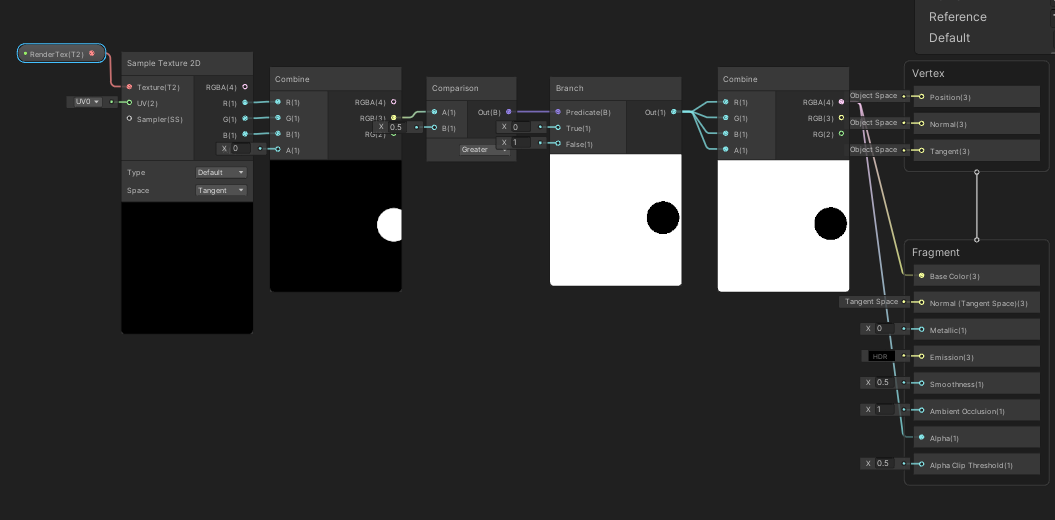
 shadow locust
warped iron
How do I make it so that my shader erases the plane wherever the circle moves? S...
shadow locust
warped iron
How do I make it so that my shader erases the plane wherever the circle moves? S...
You'd have to write the data to a texture or something
warped iron
shadow locust
You'd have to write the data to a texture or something
would i need to write shader code or just a C# script is enough? what i understand so far is u can dynamically change a texture2d or such
shadow locust
warped iron
would i need to write shader code or just a C# script is enough? what i understa...
you can do it in C# or in a compute shader. Either will work
grand jolt
blissful kestrel
<@456226577798135808> I guess, you want to modify the material, not the shader, ...
I want to modify a boolean for the material..it is exposed and ready to be used.. But there's not set boolean...
warped iron
shadow locust
you can do it in C# or in a compute shader. Either will work
so something like Texture2D.SetPixel? would this lag my computer?
shadow locust
warped iron
so something like Texture2D.SetPixel? would this lag my computer?
try it and find out
warped iron
shadow locust
try it and find out
yea it lags 😦 im probably not doing it correctly 🤣
fluid turtle
crude nexus
its free too
looks like its $15 to me
brittle owl
warped iron
How do I make it so that my shader erases the plane wherever the circle moves? S...
you just want to make the real circle invisible right? if you’re using urp i think you can just disable the layer the circle is on in the main camera and keep it enabled on the render texture camera
shadow locust
brittle owl
you just want to make the real circle invisible right? if you’re using urp i thi...
My understanding is they want to keep the trail like they're painting or erasing
brittle owl
ohh
warped iron
brittle owl
ohh
yea im trying to create a paintbrush effect where the circle leaves a trail wherever it moves to
meager pelican
Oh, cute. While you're at it, see if you can integrate the steps between frames so that it leaves a smooth trail and not a bunch of circle-like stamps with wavy edges. 😄
 sudden vale
I want to add a feature when the 2d sprite object is moving across the map (its position xy is changed) the shader should take that into account.
For now I got moving noise with Time and Multiply nodes. When I try to modify the shader to support also XY position of the object a noise is zooming out/stretching my output, why is that hapenning? I want to only affect the position of the noise, not its scale.
it's also changing my quad to sphere in preview, don't know why it's happening
warped iron
shadow locust
you can do it in C# or in a compute shader. Either will work
is there any reliable documentation i could look at for this? this is the best i could do last 3 hours but performance not that great https://i.imgur.com/9617OYQ.gif
 worthy meadow
Realized that I posted in a wrong channel.
I am trying to create a reveal trail but at the moment my reveal effect comes from 1 object that is constantly updating Position in the shader
https://imgur.com/a/wR7vo7U

is there a way to make a trail in the shader that would also dissolve after 1-2 sec?
 grand crown
When I create an unlit shader graph I don't get the same thing as this video tutorial

 drifting gyro
grand crown
When I create an unlit shader graph I don't get the same thing as this video tut...
drifting gyro
grand crown
When I create an unlit shader graph I don't get the same thing as this video tut...
Make sure you and the tutorial uses the same render pipelines
What you have looks like SRP, if it looked different in the tutorial they were probably using URP
grand crown
That's the tutorial so I guess they must have been using SRP I thought it said it was URP shader graph. Darn
fluid lion
does using an uninitialized camera work well with shaders?
brittle owl
grand crown
That's the tutorial so I guess they must have been using SRP I thought it said i...
no the tutorials definitely URP
send a screenshot of what you’re getting
grand crown

 safe gate
ok
raw pollen
Hello everyone, would you guys know why this is not compatible with WebGL?
fossil copper
Does anybody know why I'm getting this error? I don't see anything wrong, but I'm very new to writing shaders


I can barely keep my eyes open, so I'm gonna go to bed. If anyone knows a solution please share it and I'll check in the morning
meager pelican
fossil copper
Does anybody know why I'm getting this error? I don't see anything wrong, but I'...
Don't use string ?
amber saffron
I might be wrong, but maybe a single character string is considered a char and as such, can't be compared with a string ?
safe gate
yeah that might be what it means
 mortal kiln
hey I need some help with something or a push in the right direction. so I have a compute shader and I do graphics.blit to the camera thats connected to the script. was wondering is there a way to stack cameras, or perhaps fuse the graphics blit to what another camera sees?
i remember reading some time ago that unity removed stacking cameras as a concept or w.e so now you only see what the active camera sees
grizzled bolt
grand crown
The UI changed in some update but the concepts are the same
meager pelican
safe gate
yeah that might be what it means
The whole "string/char" thing has never really been implemented in GPU's. Be wary, like "Be afraid, be very afraid" of doing anything with character/string types. Implementations will vary.
Stick to numbers.
safe gate
meager pelican
The whole "string/char" thing has never really been implemented in GPU's. Be wa...
ok but im not the one that had the problem
meager pelican
Yeah, I was just following up on your comment. 🙂
safe gate
ight
meager pelican
Good point though, @fossil copper see above.
meager pelican
mortal kiln
hey I need some help with something or a push in the right direction. so I have ...
Well, I'm not sure I fully understood your question...but that never stopped me from typing before! lol
So...both built-in and SRP support camera stacking of some sort.
As far as getting the results of a camera, there's always rendering a camera to a render texture.
I'll slip in a link to Code Monkey's render texture vid, because I like his vids, and he did this one about render textures recently, coincidentally. If you haven't used them, this will help get you started:
https://www.youtube.com/watch?v=Ah2862Gz3_s

✅ Get the FULL course here at 80% OFF!! 🌍 https://unitycodemonkey.com/courseultimateoverview.php
👍 Learn how to make BETTER games FASTER by using all the Unity Tools and Features at your disposal!
👇
🌍 Get my Complete Courses! ✅ https://unitycodemonkey.com/courses
👍 Learn to make awesome games step-by-step from start to finish.
🎮 Get my Steam Gam...
mortal kiln
meager pelican
Well, I'm not sure I fully understood your question...but that never stopped me ...
thanks mate will take a look at it in a bit hopefully itll work out. currently i am pushing the results of my shader to a render texture and using graphics.blit to push i that to the camera which is why I was asking about fusing render textures somehow so I can fuse what one camera see(for particles no skybox) plus the results of my shader
 stray osprey
@regal stag Hello! I'm using your shader graph custom lighting and wanted to ask - is there a way to add ramp texture for additional lights too? Solid lighting looks stylish but I would love to experiment with ramp textures too
grand jolt
blissful kestrel
<@456226577798135808> I guess, you want to modify the material, not the shader, ...
sorry I just saw your message the first mateiral has a different shader than the other one, I am trying to copy the material first material
fossil copper
@meager pelican Yep. Changing it to an int worked with no issues, minus a bit of readability
 meager pelican
You can define pre-processor macro-constants to give yourself the readability back.
Like (IIRC, google it):
#define Y_AXIS 1
#define Z_AXIS 2```
The compiler will just substitute the constant values for the macro.🙂
Or just use a comment.


 blissful kestrel
grand jolt
sorry I just saw your message the first mateiral has a different shader than the...
blissful kestrel
grand jolt
sorry I just saw your message the first mateiral has a different shader than the...
i am not sure, what you want to do any more. A) You want to clone a material? B) You want to copy the properties from one shader to another?
sand falcon
fossil copper
A bit odd-looking, but it fixes the readability issue
does hlsl support switch statements?
looks like you could use that here
fossil copper
sand falcon
does hlsl support switch statements?
Thanks for reminding me! Looks like it does
 low orchid
I’m wondering how I would make good water and was hoping maybe you guys could help me?
sand falcon
@low orchid i was just working on water

the trick is to layer noise at different strengths and scales
then plug that into a normal from height node
and that into the tangent normal in the frag stage
in addition multiply the noise with the object normal node, and add the position to it and plug that into the position node in the vertex stage for some nice displacement
low orchid
Ok
crude nexus
fluid turtle
looks like its $15 to me
i thought all assets were free
fluid turtle
On the asset store? Nah
grand jolt
blissful kestrel
i am not sure, what you want to do any more. A) You want to clone a material? B)...
I solved it. .. Thank you
And sorry for being late in response again
 dreamy pewter
hey guys is there a method to add a scrolling texture on an image effect shader? i found this tutorial but its for object shaders how to use it for screen texture?
 safe gate
idk but that looks lit af wtf
 high hemlock
I built a block-chunk generation system. What would be the number 1 cause or fix for why some faces overlap others? Thanks.

 fossil copper
This node setup creates a scrolling noise texture. But if I set Wave Speed too high (even just 5 is enough), that noise becomes more and more black. Is this an issue with Unity's noise generation or my nodes, and is there a way to get around it?

As an example
 crude nexus
fluid turtle
On the asset store? Nah
crude nexus
fluid turtle
On the asset store? Nah
huh, weird
 desert orbit
@crude nexus Don't post off-topic images.
crude nexus
offtopic....irreverent ill give you that but your right, sorry about that
dusk hatch
Is there a way to add "headers" into the properties list for a shadergraph-shader ?
I've got a lot of properties and want to organize them, can only find how it's done with non-shadergraph-shaders
meager pelican
dreamy pewter
hey guys is there a method to add a scrolling texture on an image effect shader?...
Yes, it lays the method out!
In the shader (what pipeline are you using?)...
You compute the "moving noise" UV coordinates using tiling/offsets based on time and some scalar.
You read the distortion texture, that gives you some result as it "moves". You use that result and add it to your UV's for the sprite texture (they're small offsets, usually -/+ range).
And you get the distortion effect when reading your main sprite texture.
They show you the code in pink.
What are you asking?
@fossil copper UV's are in the 0-1 range. By multiplying time by 5 and sample noise by 5 you end up scaling the resolution DOWN in a sense. That's what your sample-noise node is showing you, it shifted the lower left corner up by a significant amount.
Why not keep the sample-noise scale at 1 for starters?
mortal kiln
can anyone help me understand numthreads on a computer buffer a bit better. most the tutorials the people dont actually know what they do they just experiment lol
[numthreads(64, 16, 1)]
currently I have it setup like that. I feel its a bit faster than when I was using 64,1,1
however im targeting oculus quest so perhaps I should use smaller numbers as ive seen people mostly use 8,8,1
my issue is I up the dimensons on my render text from 1080p to 4k and it looks way better but now it lags so was hoping to make the most out of my code for good performance
dreamy pewter
meager pelican
Yes, it lays the method out!
In the shader (what pipeline are you using?)...
You...
what im asking is is this useful for post prossessing/image effect shaders (im still beginner to hlsl but from what i know is the methods of coding are differents (the first one use vertx and frag while in image effect coding are just using frag ... idk)) what im trying to explain is this tutorial are applied for sprites (shader/material) and what i want to do is (image effect shader/c# script for render) and i want to add this tutorial to my image effect shader but it still not functioning i made a texture displayed on screen and i want to add noise to it so it can distort with time
dreamy pewter
meager pelican
Yes, it lays the method out!
In the shader (what pipeline are you using?)...
You...
 meager pelican
If you want to distort a sprite, you have to do it in the sprite shader. But there are image effect distortions that distort the screen image too.
meager pelican
mortal kiln
can anyone help me understand numthreads on a computer buffer a bit better. most...
You want multiple "groups' of gpu-cores working at the same time. That's why you often see 8,8,1 giving you an 8x8 group of cores (64) working at once, in lock-step, using a pool of gpu cores (like 256 cores available). IDK if it matters much the dimensions, but GPU's like to work on groups of pixels in at least 2x2 configs, IIRC. They need ddx/ddy info and such.
On the C# side, you end up dividing your workload by 8 in each direction.
As to slowness at high-res...yeah, more pixels. So sure, and of course you optimize. I can't tell you much about Oc quest, but if you know how many cores and how many workgroups are recommended use that.
I think. 😉 It's all black magic.
Here: https://docs.microsoft.com/en-us/windows/win32/direct3dhlsl/sm5-attributes-numthreads
What you can do to SEE it, is to use the x, y, z values and maybe a scalar to output colors to the screen and see the "blocks" that it works in. If applicable to your use-case.
Defines the number of threads to be executed in a single thread group when a compute shader is dispatched (see ID3D11DeviceContext Dispatch).
I think the GPU will schedule your 8x8 groups just fine for its purposes. Which is why you often see it. Let me see if I can find a more authoritative article on picking the numthreads.
https://gpuopen.com/learn/optimizing-gpu-occupancy-resource-usage-large-thread-groups/
Note he says:
The easiest way to solve a problem is to avoid it completely. Many of the issues I’ve mentioned can be solved by using smaller thread groups. If your shader does not require LDS, there is no need to use larger thread groups at all.
(LDS = Local Data Share, AKA ??Shared group memory?? IIUC)

GPUOpen
Sebastian Aaltonen, co-founder of Second Order Ltd, talks about how to optimize GPU occupancy and resource usage of compute shaders that use large thread groups.
grand jolt
does anyone know what i should be looking at to simulate a UV flashlight? I want a text to only be revealed when a light is being pointed at it, but only certain colour light
(not sure if this is right channel, but all i've seen when doing research is I need a shader for it)
meager pelican
That's tougher than you may think. I mean, you have to deal with occlusion/shadows. So maybe check out how spotlights work in the shaders. Maybe you can apply a stencil operation (careful what bits you use) and then add the UV specific lettering post-process or some dang thing.
If you want to do it as you draw an object (wall, picture frame, whatever) you'll need to deal with occlusion and you may not have that information yet.
fossil copper
meager pelican
<@421169915270004736> UV's are in the 0-1 range. By multiplying time by 5 and s...
I'm confused by this. Setting the scale to 1 makes the noise too "big" for my need
I want it to scroll over time and keep its current "baseline" values. How can I do that?
I was messing around with it and set everything back where it was before, but now I have to set it closer to 200 to see results like the ones before

 spring frost
In shaderlab, how do I reference a global shader property?
(as in, what's the syntax...)
I guess a uniform?
 split onyx
i dont want to use shadergraph for URP but script it like old shaders instead
i also want to use old shader code and make it compatible with URP...how do i do this?
mortal kiln
meager pelican
You want multiple "groups' of gpu-cores working at the same time. That's why yo...
Thanks for the help appreciate it. 🙏
humble flume
I have a script that changes a property from a material that uses a shader I did, the problem is that it changes every object in the scene that uses that material (Obviously) and I think that creating individual materials for each object is kind of memory consuming, is there any other solutions to changing just one property of a material and not affecting all the others?
I googled it up and found only 2 solutions, one is to create different materials and the other is to create a shader by script
meager pelican
You need to research "GPU Instancing"...it lets you have per-instance variables but one material. Takes some work. Also YMMV depending on render pipeline selection. Although they all support instancing, IDK about shader graph's version of it specifically (may need hand-written SRP).
And if you only have 10 or 20 of them, you're probably better off making unique materials in SRP, since it batches by shader not material. But if you have 1000 of them....waste of memory.
humble flume
Right, it's just for buttons for the main menu, so it's like what, 4-5 materials ? I just wanted to know if there was a more efficient way of doing it
meager pelican
Well, some properties are instanced by default in SRP....like base color. It will work for that, IIRC. Otherwise, meh, make the 5 mats. 😉
humble flume
Yeah, well thanks for answering, if I ever get to the point of having to make 1000 of objects with different materials, now I know, thanks a lot
 full gazelle
Hey, I'm not sure if this would be the right spot since the game is 2D, but since it's dealing with shaders I'll try here.
I'll just put my masterful artwork as a reference to what I have going on. The game is situated around an ocean and exploration therein.
The Pink square is the main camera, follows the player. The Green square is projecting onto the water surface shader with reflection, and the orange square is the projection for the underwater shader.
Currently both of the waters follow the player on the X axis, the water surface shader is locked on the Y axis to stay at water surface level, and the underwater is set to follow the players transform, but is clamped on the Y axis to stay under the surface in the correct location.
This all works just fine visually, it really feels like the player is in a large ocean, but I feel like its not the right way to go about it.
If I need to go into a spot underwater like a cave that doesnt have water in it, this method won't work.
Are there any suggestions to how that should be set up to be more effective?
Any suggestions are greatly appreciated, and feel free to ask for clarity on anything that my painting doesnt portray.
 split onyx
is there any way to draw to rendertexture permanently besides using particle system?
teal breach
split onyx
is there any way to draw to rendertexture permanently besides using particle sys...
You can render anything to it and just not set the clear flags. Ive seen that done for snow/mud trails
 hard vault
Hi y'all. I've ran into a weird issue that I cannot figure out. Using the Progressive GPU baker, I have baked a scene with pure white materials, and the lighting is top quality ,all looks great and well. If I change the color of the material that's on the model, it works perfectly, but as soon as I put in a base map texture, the whole material turns pitch black. Any ideas?


Tried re-baking the scene with the base map, same stuff happens.
teal breach
you might also want to try render-pipelines if it's using URP or HDRP
hard vault
it's HDRP
grand jolt
@regal stag Sorry to ping you directly with this but someone pointed me to your twitter and I noticed you messed with a terrain shadergraph in HDRP:
I'm trying to do it myself, so far I have the first 4 layers working with it, but im having trouble with the last 4 layers, since each layer is lerped over a seperate color channel in the control texture how would I lerp over the other 4 layers? I've tried _Control1 but that doesnt seem to work.....it's quite difficult to figure out. Do you happen to know how I would sort this?
