
#archived-shaders
1 messages · Page 197 of 1
 fervent tinsel
these will help a lot on making SG based ubershaders
I still wish they would let you expose all of the shader graph targets own "master" properties directly
 toxic flume
Could you suggest any games (for example mobile shooting games) which has nice cool claim/collect button and achievement UI effects? (progress bar,etc.)
 tired bronze
@toxic flume You might find something here: https://interfaceingame.com/
 quiet girder
woah this is cool!
toxic flume
tired bronze
<@!509697647246966804> You might find something here: <https://interfaceingame.c...
Cool site
 teal breach
is it not possible to write to SV_Depth using shadergraph?
in the fragment shader
(or whatever the fragment output bit is called on the newer RPs where the output nodes got split into something more like vertex/frag)
 regal stag
teal breach
is it not possible to write to SV_Depth using shadergraph?
regal stag
teal breach
is it not possible to write to SV_Depth using shadergraph?
I don't think it's possible in ShaderGraph (in URP at least, not familiar with HDRP)
Shader Graph uses the include files here (https://github.com/Unity-Technologies/Graphics/tree/master/com.unity.render-pipelines.universal/Editor/ShaderGraph/Includes) for the vert/frag shaders, and in most the fragment shader only outputs half4 : SV_TARGET.
 amber saffron
teal breach
is it not possible to write to SV_Depth using shadergraph?
amber saffron
teal breach
is it not possible to write to SV_Depth using shadergraph?
HDRP output has a "depth offset" option you could use
regal stag
If shader uniforms aren't also in the Properties block they are defined as global shader properties which aren't serialised anywhere afaik, so will reset when saving the scene / exiting play mode, etc. Can still have a C# script and set them at runtime (e.g. Awake/Start) though.
While if in Properties then the values get serialised with the Material. There are some limits to that as not all types can be included as properties (e.g. matrices, arrays)
 grand jolt
oh i see thanks
teal breach
thanks
 sacred patio
Oml... does anyone know why does this happen when doing vertex displacement? https://i.gyazo.com/11c6dc5fd95de1ea73a112d462a85050.gif
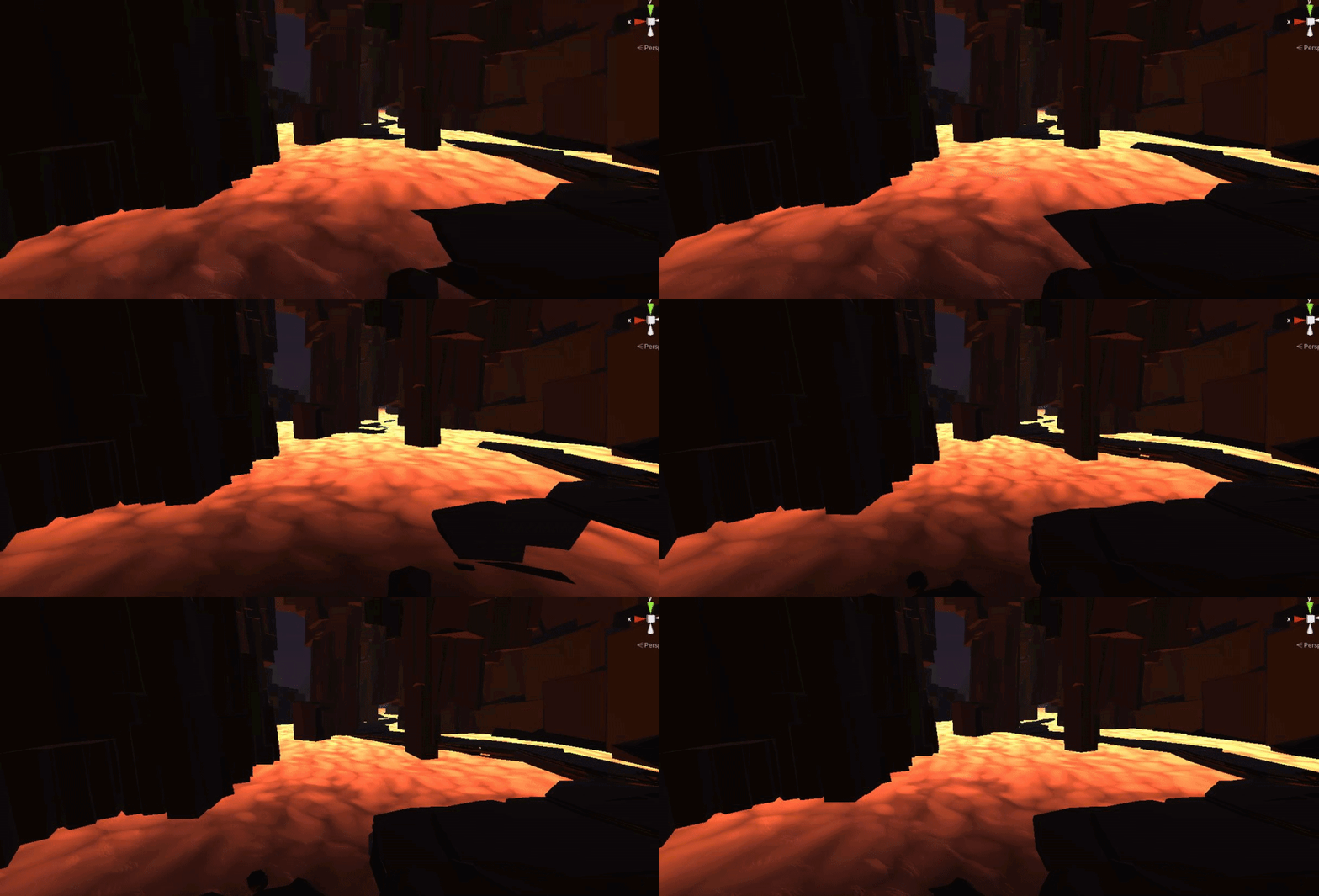
Is it because of the noise?
 tame topaz
What's wrong with it and what are you expecting?
If you want more wave-like motion, then you just need small waves. It looks like the waves are just really big, and thus affecting the entire plane.
amber saffron
Maybe also that the mesh is not dense enough to have wave shapes
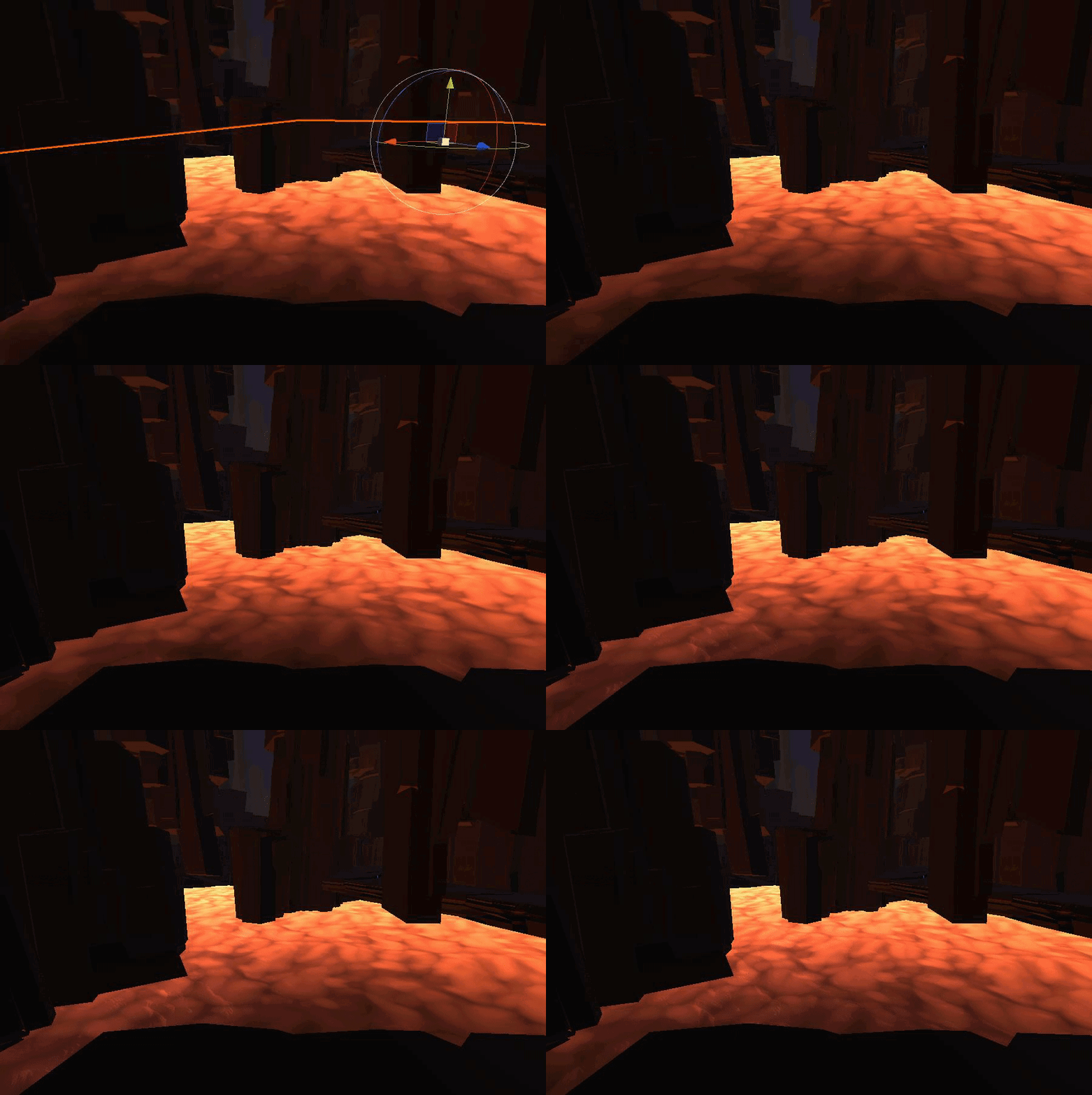
 royal bramble
@sacred patio do you have geometry to support the waves?
sacred patio
tame topaz
If you want more wave-like motion, then you just need small waves. It looks like...
Even if I make the power weaker then the entire plane just raises up and the waves are still huge for some reason
sacred patio
royal bramble
<@!214069507122003968> do you have geometry to support the waves?
Like on what my textures are assigned to?
royal bramble
yes
the displacement just moves vertices, so if there's no vertices to move, then it's no wonder it looks the way it does
tame topaz
They are moving, but either the waves are too large (not too high, so changing their power isn't the fix), or there's not enough density as Remy said.
Can you show the wireframe for your plane?
sacred patio
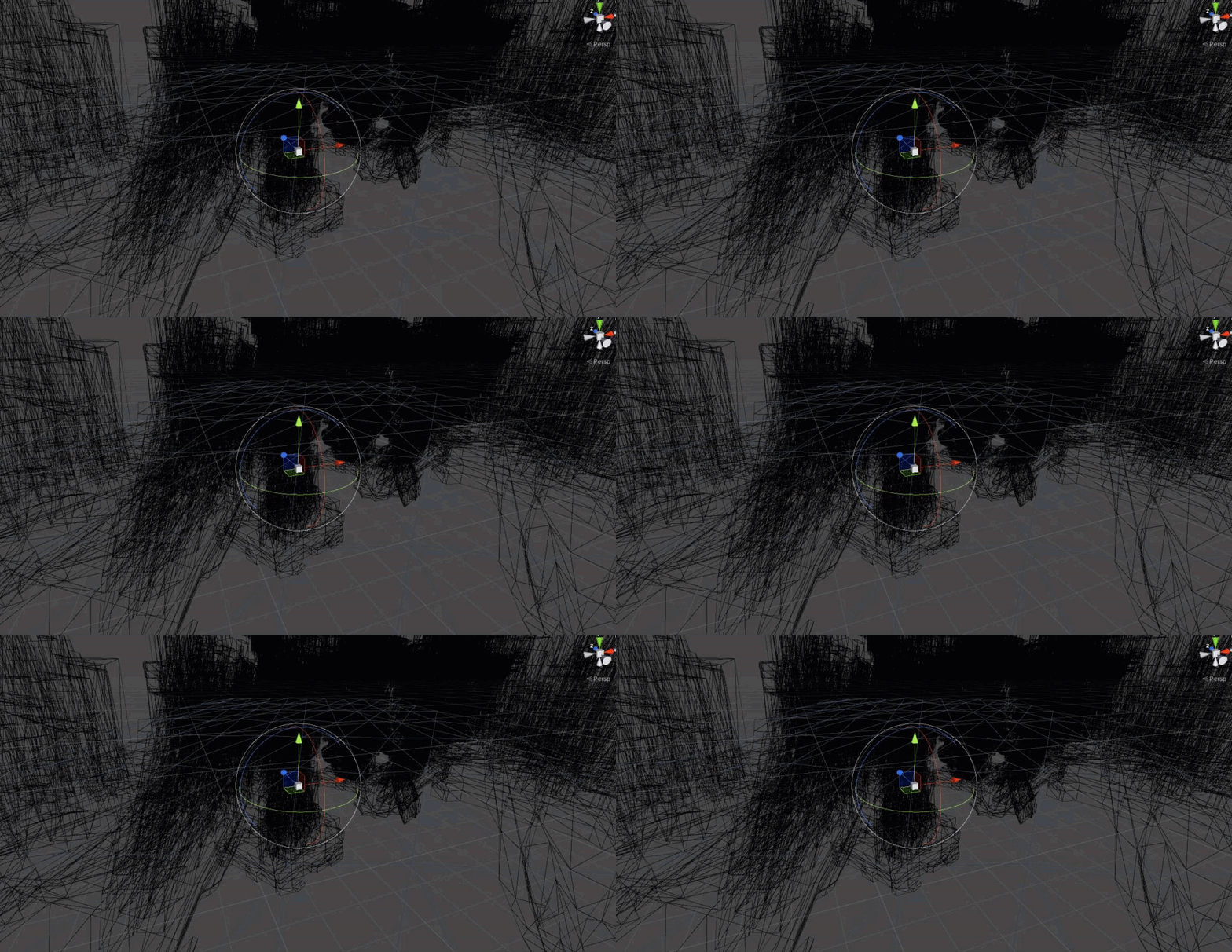
They move in such an awkward manner
I'm using a simple extended plane
So to extend the lava, I extend the plane and increase the texture density
tame topaz
You should probably use more vertices, if you intend to have smooth curved waves.
sacred patio
tame topaz
You should probably use more vertices, if you intend to have smooth curved waves...
Can I increase them in unity? Since I use simple 3d plane
tame topaz
No, you want to import your own.
You could use ProBuilder to create one, though, which is available inside of Unity.
sacred patio
Tried planes through multiple softwares, this bug kinda shows that the texture itself is moving weirdly, I don't know if it's the mesh that I have to blame https://i.gyazo.com/285f2997bfa4fa30ee5b357d047b87eb.gif
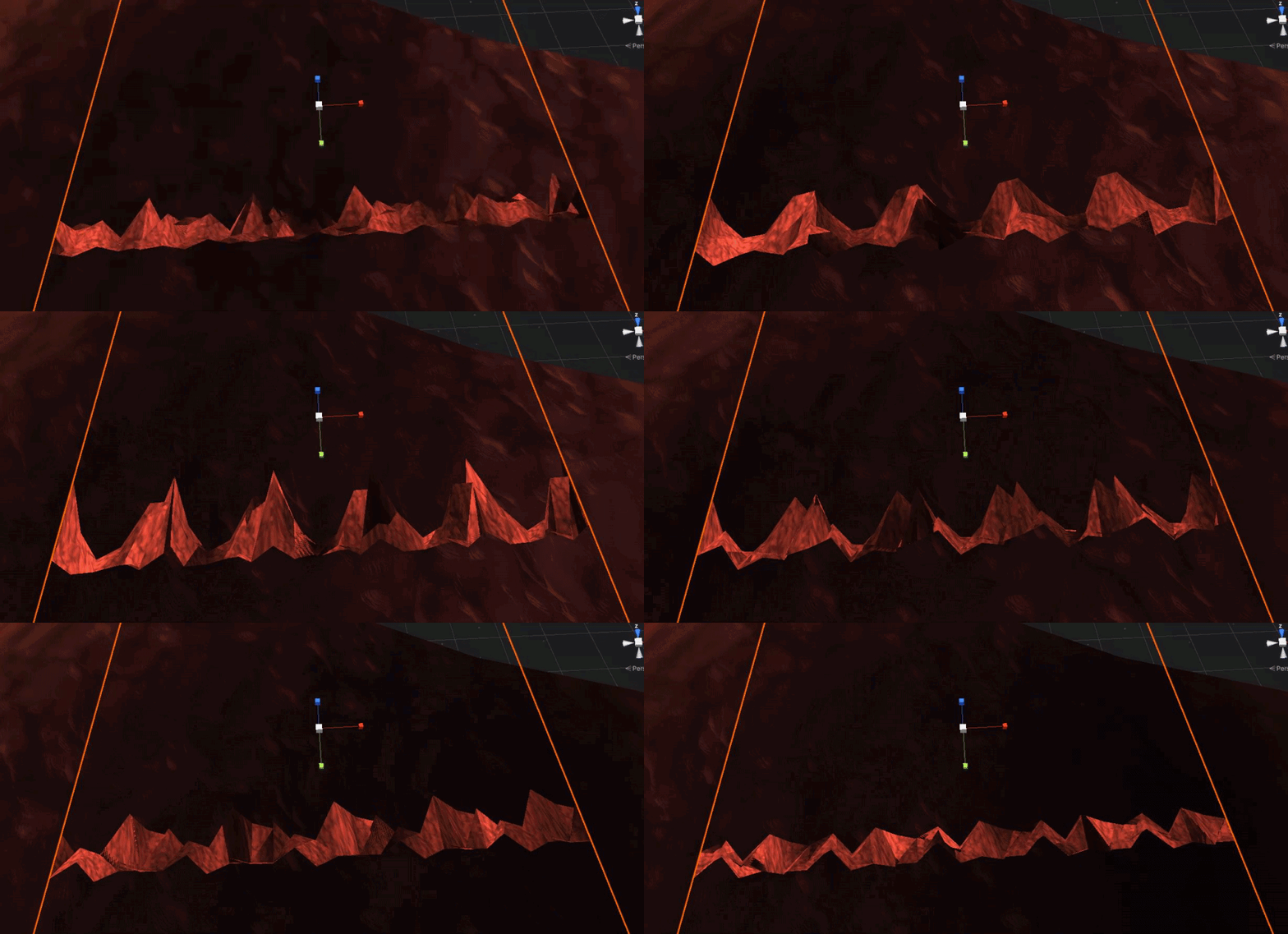
 wary horizon
            unlitShader = Shader.Find("Universal Render Pipeline/Unlit");
            litShader = Shader.Find("Universal Render Pipeline/Lit");```

In editor, Unlit is being assigned and used correctly... but in build its rendering as pinkAnd i've got no idea why, does anyone know?
Build

Editor
 amber saffron
wary horizon
And i've got no idea why, does anyone know?
amber saffron
wary horizon
And i've got no idea why, does anyone know?
My guess : if there is 0 reference to the unlit shader in your build (no object using it and no reference to an object using it) the shader is stripped away from the build for optimisation
wary horizon
oh. yea no object is using it by default, im assigning it at run time
How would you solve that? I dont particularly want 1 random object in the scene somewhere using it
amber saffron
Instead of assigning a shader at runtime, I'd recommand pre-building the materials and referencing it somehow in your script to swap the whole material.
The material UI in the editor will enable/disable keyword and features depending on the setting, and this can not be done in the build
 amber saffron
You can reference the shader asset in a script 🙂
wary horizon
is that not what i've done? Sorry im new to runtime shader assignents
        private Shader unlitShader;
        private Shader litShader;
        private void Start()
        {
            unlitShader = Shader.Find("Universal Render Pipeline/Unlit");
litShader = Shader.Find("Universal Render Pipeline/Lit");```I meant, like a public serialized variable
wary horizon
making it public will solve the problem? O.o
amber saffron
But still, I don't think it will prevent it from beeing stripped out
wary horizon
oh
amber saffron
Like I said, the best solution is to use materials directly and swap them, not swap shaders
 thick fulcrum
sacred patio
Tried planes through multiple softwares, this bug kinda shows that the texture i...
thick fulcrum
sacred patio
Tried planes through multiple softwares, this bug kinda shows that the texture i...
you can just use the default plane and tile it or there's some c# examples of how to spawn / create a grid of xx density on the unity Wiki for example
wary horizon
can i make a material that uses the unlit shader
or does an object need to use a material using unlit for it to be included in build
amber saffron
If you make a material that uses the unlit shader and reference that material in a script, it will be included
wary horizon
Ugly but fixed lol
 amber saffron
Well, the other option is the use resource folders for example
grand jolt
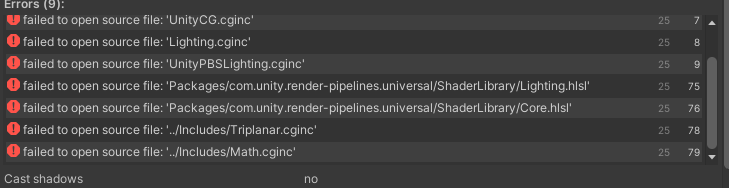
#include "Packages/com.unity.render-pipelines.universal/ShaderLibrary/Lighting.hlsl"
#include "Packages/com.unity.render-pipelines.universal/ShaderLibrary/Core.hlsl"
https://i.imgur.com/nPWhoAC.png
anyone knows?
 mild lynx
How do i use scene color node in hdrp? iv read the documentation and i have used it in urp but i can seem to get it work in hdrp.
this is example of us in URP

for warp effect but in HDRP its Just Showing Black
 steady tapir
Where did PBR Graph go in urp?
regal stag
steady tapir
Where did PBR Graph go in urp?
It was renamed to Lit Graph
steady tapir
huh, it was different before
 amber saffron
mild lynx
for warp effect but in HDRP its Just Showing Black
amber saffron
mild lynx
for warp effect but in HDRP its Just Showing Black
Look at the "HD Scene Color", same as scene color node, but take in account exposure
mild lynx
@amber saffron i figured it out my shader was not updating my material for some reason but got it fixed
 marsh merlin
I am using the Universal Render Pipeline 2D renderer. How would I make a distortion shader that I can apply to a plane that distorts everything behind it? Normally, I would use the Scene Color node to get the background and mess with the result, but 2D doesn't support Scene Color.
 eager folio
Use a render texture camera perhaps
That's what I do for integrating 2d and 3d.
I don't use the 2d renderer though
 fallen oracle
Hey, so some friends suggested me learning to use Graphics.DrawMeshInstancedIndirect for drawing a ton of meshes at once, I understand this requires a custom shader? However I'm using HDRP, and so I think I'm stuck with using ShaderGraph? Does anyone know if this is compatible, and if so, how I use it/a good tutorial going over it?
 teal idol
Hi guys, am new to Unity. I just made a simple shader with URP Lit ShaderGraph and a scrolling texture script set up onto the material but they dont seem to work, does anyone know why? I used the same script with the default shaders from either URP and Unity and those works, is there something missing I need to add into the ShaderGraph?

 amber saffron
teal idol
Hi guys, am new to Unity. I just made a simple shader with URP Lit ShaderGraph a...
amber saffron
teal idol
Hi guys, am new to Unity. I just made a simple shader with URP Lit ShaderGraph a...
If you want to use the mainTextureOffset method, it expects the shader to have a texture with reference name _MainTex and a vector4 containing the tiling and offset values _MainTex_ST.
If you want to use the Tiling and Offset paramemeters that you have curently, you need to change them using Material.SetVector method.


 proven sundial
Why cant I plug this into the vertex position?
 amber saffron
teal idol
so something like this?
amber saffron
teal idol
so something like this?
If you've set the "Tiling and Offset" reference name to "_MainTex_ST" I think so
amber saffron
proven sundial
Why cant I plug this into the vertex position?
I don't see a valid reason for this to not work.
Maybe the "elipse" node was overlooked and is not allowed to be used in vertex stage. Might be worth to report the issue.
If it's indeed because of elipse, you can replace it with other nodes to draw the shape, like distance + step
regal stag
Yea, Ellipse node uses ddxy/fwidth for anti-aliased edge
amber saffron
Didn't think about this, makes sense.
proven sundial
It's indeed the Elipse hindering it. Thanks.
A dumb question, but im stomped. How do I use the uv tile on this generated circle?
 regal stag
proven sundial
A dumb question, but im stomped. How do I use the uv tile on this generated circ...
regal stag
proven sundial
A dumb question, but im stomped. How do I use the uv tile on this generated circ...
Use the Distance node on the output of the Fraction node
e.g.
 proven sundial
Cheers Cyan!
grand jolt
Alrighty so I have a bit of a problem. I need some help getting a niche shader setup working in Unity (This REALLY is not my department). It would be so so so amazingly helpful if you could @ me here or DM me if you're willing to help me out a bit and explain some of the process involved 😄 Thank you! seriously I'm stumped when it comes ot this area of unity 😅

amber saffron
grand jolt
Alrighty so I have a bit of a problem. I need some help getting a niche shader s...
Generally it's better to explain the issue and ask your question instead of asking for allowance.
grand jolt
@amber saffron Its to do with outlines and the best way to approach it. I wanted to go for a sketched, "drawn" aesthetic and I wanted to look for any ideas on how to best go about it before committing to a method. After seeing this: https://threadreaderapp.com/thread/1328017722655920129?refresh=1618057433 I was wondering how to implement it. (It seemed a little obscure which is why I thought It'd more appropriate as a side converstation, sorry 😅 )
Thread by @harryh___h: @spikebor_comic Sure. So first, I render all objects that need lines using a custom shader tag. So object's with shader pass tagged "LightMode"="Outline" are rendered to a new texture that ho...…
I've been drawing inspiration from WW1 cartoons such as those of Punch magazine and David Low (Towards WW2)

I had considered the idea that multiple passes with a thin outline effect would produce the "sketched" aesthetic for an outline
But as to shading in this fashion and the general implementation process I'm slightly stuck
 loud remnant
Textures aren't showing in imported model
My modeler uses sketchup to model and exports as fbx.
When I import the model to unity there are no textures. Please help
grand jolt
Make sure the modeller is exporting the .fbx correctly with all the associated textures. They should be able to test this by opening the .fbx in another 3D modelling program and checking
Most likely its not being exported correctly
@loud remnant or ask them to send the textures separately as .pngs and construct the materials yourself
^ That might be the quickest solution actually
 onyx jungle
Hey is anyone here familiar with planetary atmospheric scattering, I have implemented atmospheric scattering based of some work done by Sean O'Neil' (https://developer.nvidia.com/gpugems/gpugems2/part-ii-shading-lighting-and-shadows/chapter-16-accurate-atmospheric-scattering), whilst it looks nice, I am getting a really annoying point of intensity in the center of the atmosphere that is super bright.

As can be seen here
Any advice/tips would be greatly appreciated.
amber saffron
grand jolt
<@!532477925250039820> Its to do with outlines and the best way to approach it. ...
It seems to be a good approach. To implement it you need to use URP. Grab the script at the end of the article, import them in your project, and set the render feature in the URP asset
grand jolt
URP ☑️
Script ☑️
The last bit is where I'm slightly uncertain @amber saffron (sorry for the ping again), what do you mean "set the render feature"?
thats really nice though the center is too bright
i like the aura though
looks like atmosphere in my game
you can look up sebastian lague atmosphere on YT i am using his shaders and theyre mostly fine though incompatible with URP/shader editor @onyx jungle
onyx jungle
grand jolt
you can look up sebastian lague atmosphere on YT i am using his shaders and they...
I did also check out his work however I noticed he had the same problem with his atmospheres
they work nicely for the most part
but I am wanting to have caves etc on my planets
meaning it would get really too bright which would look very weird
onyx jungle
grand jolt
thats really nice though the center is too bright
cheers 🙂
grand jolt
oh did you make these planets and caves procedurally
onyx jungle
yea exactly
in the screenshot attached I have turned off the planet mesh renderer
just to show the atmosphere bright spot
the atmosphere is fine on the surface but as you enter caves it gets very bright the closer you get to the center, this is the same for sebastian lagues work.
grand jolt
thats really nice
teal idol
amber saffron
If you've set the "Tiling and Offset" reference name to "_MainTex_ST" I think so
didnt seem to work, sry for the ping btw
grand jolt
can i make this water in hdr shader?

 ivory mortar
is it possible to use 3D lights in a 2D game?
 glossy hull
is it feasible or possible to have a shader that can adjust its alpha color based on the objects speed, without basically sending a new material to the GPU each time it happens?
at the moment i have to have a color, set an alpha value then write the new color to the material each frame, which seems heavy?
grand jolt
Hi guys, is there a "fast" way with PBR graph to get the world height of the vertex position right under the vertex processed ? (i have a water plane and want to have foam on the places where the water is close to the world floor)
glossy hull
i know about that and yet didnt think to use it, good call, thanks
setting a new color was hitting the GC massively
 icy osprey
how can i get a vector from vertex position to the camera position in shadergraph?
yeah, the results arent exactly as i expected, but at least i know im doing something right
thanks
maybe i will phrase it differently
how do i make it so distance between camera and object has no effect
on how the object is displayed
it sounds so simple and yet i cant figure it out
i thought about adding vector to the camera to the object position node and offsetting it a bit but it just makes a mess, like the object gets stretched and stuff
glossy hull
so SetFloat adjusts the material, but SetColor creates a new instance is that correct?
just i cant see you can set aan alpha with SetFloat as alpha is not a property, its part of color/basecolor which is RGBA
yeah i'm going to try that, i was hoping to avoid it
basically i use an asset called HDRP-Outline
and, its okay, it outlines stuff, but i only want it to do so if an object isnt moving
so i had a handy idea to made it nicely fade in and out
_outlineColor.a = 1 - Mathf.Clamp((Math.Abs(car.speed) * 0.2f), 0f, 1f);
but then i had to assign that color to the material, i was doing that every frame
and the GC was like whaaaaat
will do, i'm rewriting the whole routine at the moment as it looks like i was on meth or something when i wrote the original one
icy osprey
i plugged screen position node into the UV input of sample texture 2d and now it kinda works how i wanted
except the texture is stretched to fill the entire screen
which is not what i wanted lol
 median gull
TIL after 2 hours of debugging, HDRP color buffers are 16 bit. 4 bit per channel.
HDRP full screen custom pass floats are 4 bits wide / presision. So much time spent trying to figure that out.
glossy hull
okay i think i got it sorted, the HDRP-Outline asset was causing me a problem as it was assigning propertyblocks and resetting up the materials etc each time the color was changed
i guess it wasnt designed with runtime changes in mind, at least not each frame
i ended up removing all that code, creating a new material on startup from the old one, then go through each sub object and replace the material with my new one, so i now have 8 objects each with its own cloned material, now i can setcolor on each frame and it seems much faster than before
still feels dirty, but we'll see
median gull
glossy hull
still feels dirty, but we'll see
Same material, same mesh, roughly the same position. Consider making sure your shader / material is SRP Batchable. Will make it even faster.
glossy hull
median gull
Same material, same mesh, roughly the same position. Consider making sure your s...
not sure how to tell with this shader
median gull
glossy hull
not sure how to tell with this shader
Eh, it's a tiny improvement for a lot of work. Just ignore the SRP batching if you dont know what it is.
glossy hull
i know what it is, i just cant seem to find the screen where it tells me, which is odd i've seen it loads of times 😛
median gull
Select the shader file itself. It should be something like this
 spice iron
this is prob a stupid question seeing as google didn't yeld any results, but is there a dictionary/hashtable structure in hlsl that I can use in compute shaders?
median gull

SRP Batcher compatible right at the bottom
If it isnt, you'll get something like this

Where it complains
glossy hull
got it, thanks
not compatible

not sure what that is, i likely dont need it
i'll mash it some more
well its defined, it complains if i remove it
think i got it
says compatible now
median gull
glossy hull
says compatible now
Beyond that, you'll have to hope that Unity uses it. Whether or not it's being batched is complete magic.
glossy hull
cant say its made any tanglible difference
but it was handy to know how to make it compatible 🙂
median gull
Yea, very small benefit. Only really is visible for tens to hundreds of identical objects.
glossy hull
oh
median gull
Like trees in a forest.
glossy hull
well, there is only one of each
thats not true actually i supposed it has subobjects
median gull
Oh, then no. Well, if you need to outline the same tree it'll help.
glossy hull
all the subobjects also outline as they form the stencil or whatever
so perhaps they now batch
 rugged verge
Hey Carpe, thanks, the solution worked I forgot to say. 🙂 But I later refactored to using SetFloatArray (I didn't research enough to know that materials can be set with float arrays), but the old solution using texture2d was quite educational and a fun solution anyway 😄
 obsidian folio
Hey, I'm new at Unity, is it possible to make a Material/Shader like this one? https://archstylemx.tumblr.com/post/129719764816

V-Ray Material Editor: Translucent Plastic - Translucency
by Gibranov
Sep 20+15
Los materiales translucidos – plasticos, minerales, cera, leche, etc. – son aquellos que permiten el paso de la luz a...
 knotty juniper
@obsidian folio the hdrp render pipline has support for it but i will never be as accurcat as what Vray does do it with raytracing
thick fulcrum
obsidian folio
Hey, I'm new at Unity, is it possible to make a Material/Shader like this one? h...
if your not into HDRP or want to explore other paths, you might want to check out https://www.alanzucconi.com/2017/08/30/fast-subsurface-scattering-1/
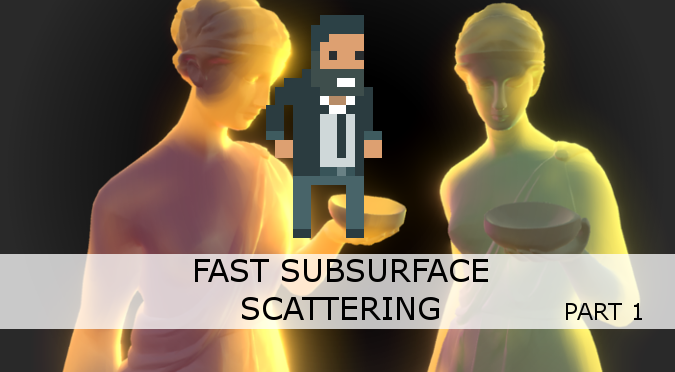
Learn to implement Subsurface Scattering in Unity. This technique is fast and allows to render even more realistic materials such as skin, wax and marble.
 shrewd mist
Is it possible to use a Unity transform inside Shader Graph?
I want to use the scale
But using the position would also help
 meager pelican
rugged verge
Hey Carpe, thanks, the solution worked I forgot to say. 🙂 But I later refactore...
meager pelican
rugged verge
Hey Carpe, thanks, the solution worked I forgot to say. 🙂 But I later refactore...
One reason for using the texture is that the texture sampler processors on the GPU will interpolate "between pixels" so you don't have to play games with floatarry[x-1], [x], [x+1], figure out where you are, and calc a value.
BUT...depending on your needs, if you want to move in discrete steps or you otherwise can just do a normal lookup into an array, cool. 😉
Glad you had fun. 🙂
It would be an interesting test to see which is faster, since "the math" is sampling the array just like the sampler is sampling the texture, but the sampler is keeping track of things like derivatives as it goes. Results will probably vary based on sampler settings and also on methodologies. Math is favored over sampling, but reading array[x] is a form of sampling.
grand jolt
grand jolt
<@!532477925250039820> Its to do with outlines and the best way to approach it. ...
So after a lot of work and a reset I've gotten here . And I'm just plain confused at this stage 😅 The script uses a material called: "blitmaterial" and I've passed in a green transparent material (which is why there's green on the screen) But i can't figure out why its being shown in this way. Some help would be appreciated. I used both scripts attached in his guide and created a hacky blitsettings class because his was missing. Please DM or @ me if you think you can help. Here's the guide again: https://threadreaderapp.com/thread/1328017722655920129?refresh=1618057433

cheers!
Status: Unsolved.
grand jolt
any alternatives to this value?
it works this way but logs exception
float sphereNoise = 1.#INF;
Shader error in 'MoonShading': syntax error: unexpected token '#' at kernel CSMain at MoonShading.compute(24) (on d3d11)
grand jolt
The longer I spend looking at this, the more confusing it gets
grand jolt
blitsettings: https://pastebin.com/Tts4Dp7F
OutlineFeature: https://pastebin.com/azAC5mmy
Passes: https://pastebin.com/07ws5wtV
 vale cypress
Hi does anyone here have experience with compute shaders? I'm trying to overlay a texture generated from one kernel onto another texture but all i get is a black screen
teal breach
Anyone here used Fallback shader passes in a build before? For some reason the keywords don't ever get set properly. I can't tell if I'm using it wrong
I found this issue - https://issuetracker.unity3d.com/issues/local-keywords-incorrect-when-a-fallback-shader-is-used - but it is marked as fixed. I have the problem only in 2019, not 2020, and only in builds, not in editor.
Open the attached project, build to any player. Observe the red cube. Expected: the cube should be green.
Same thing for UsePass
 civic holly
is there a way to access fragCoord in a unity shader without recalculating it from the i.uv?
 fast oar
Is there any way to use DrawProcedural() with the shader graph ?
 devout quarry
@grand jolt what do you find confusing about them?
These might help

Gist
URP 10.3 ScriptableRendererFeature Template. GitHub Gist: instantly share code, notes, and snippets.
Gist
URP 10.3 ScriptableRenderPass Template. GitHub Gist: instantly share code, notes, and snippets.
civic holly
i'm trying to edit the properties of a shader from a script. i can edit them in the unity editor's inspector already.

i'm getting this error:

i'm trying to send the x and y coordinates of the mouse to the shader when the player clicks.
fast oar
@civic holly I am pretty sure Materials don't have a GetComponent() method ?
civic holly
yeah, i added that out of a desperate bodging attempt. the example didn't have the ,mat or material mentioned at all
but it also didn't work, i'll undo my bodging and let you know the error
Assets\Inputs.cs(23,4): error CS0103: The name 'material' does not exist in the current context
fast oar
Do you want to set the value for 1 material only ?
civic holly
yes
fast oar
You can simply do mat.SetFloat(...) where mat is a public Material that you have asigned in the editor
devout quarry
Or alternatively, you can get the material from the renderer component
Also as a side note, never do get component in update, do it once in start
civic holly
thanks for your help. i have to go but will return in an hour and try your suggestions.
fast oar
and check if it returned null before using it 🙂
devout quarry
fast oar
and check if it returned null before using it 🙂
Or a require component attribute on the top of the class could come in handy as well
fast oar
If it's on the same object, even better yes
 elder spruce
can i ask questions for help here?
devout quarry
Yes
elder spruce

its darker than the art i made
uhm how can i make it so its all the default colourt
like no shading everything lit up
devout quarry
Is the shader on it 'lit'? You might need to put an unlit material on it
elder spruce
where do i check that?
devout quarry
This is a 3d object? Or a sprite? Click on it, in the inspector you'll see a material assigned to it
elder spruce
its a plane with a sprite texture


also why does it highlish in the bottom left?
devout quarry
Yeah there, the 'new material' in the renderer component, click on it and you can set the shader type
 devout quarry
What shader was it originally and what did you set it to?
elder spruce
what does that mean
i think its sprites/default
then i set it to unlit/texture

i got it to work but now it just takes up the bottom left
nvm tiling
 crimson stone
i'm new to shaders and currently experimenting with hdrp post process shaders, can someone tell me how i get the camera's normal vector? nothing i've found online works
devout quarry
@crimson stone the camera is a point so doesn't have a normal vector?
You mean the normals of the scene, as seen through the camera?
Doesn't HDRP generate a depthnormals texture?
crimson stone
devout quarry
<@221407442141970432> the camera is a point so doesn't have a normal vector?
right, the camera view direction then
civic holly
fast oar
You can simply do mat.SetFloat(...) where mat is a public Material that you have...
this worked thank you!
 spring field
Good Evening. I'm trying to make a billboard shader for a sprite object. I'm basing my self off of a tutorial and it seemed to work at first, except it seems to sometimes clip on the mesh and on top of that completely ignores angles sometimes, and when there's many only a few render.
I am uncertain on why this error occours.
First two issues and shader graph are in the screenshot.

 brittle berry
the details have disappeared, any idea why this happened

lips should be pink, the neck and ears should look darker
spring field
brittle berry
the details have disappeared, any idea why this happened
Did you set the lips to another mateial in your mesh editor of choice?
 fallow flame
I need to render a model that uses vertex colors to tint its texture - does any built-in shader in Unity support vertex color (aside from particle surface, because that does not have support for anything else)
 finite stirrup
I'm trying to write an underwater shader that just distorts things that go inside it, how would I do that using Shader Graph and the 2D Renderer?
I think I would use Scene Color, right?
brittle berry
spring field
Did you set the lips to another mateial in your mesh editor of choice?
Nope, I did texture paint in blender n saved it as one image (skin, lips and shadows)
But only skin colour is shown
Same with the eyes, they should look blue with white dots
 lost lichen
need to add vertex color to shader probably
 lapis grove
If it's saved as one image why are we seeing several?
devout quarry
finite stirrup
I'm trying to write an underwater shader that just distorts things that go insid...
Yes, you sample scene color, add distortion
brittle berry
lapis grove
If it's saved as one image why are we seeing several?
tests, only one is added
lapis grove
Do you have multiple UV sets on the model, and/or have you chosen the right UV set in the shader in Unity? I've occasionally heard of Blender users ending up with a few for some reason
brittle berry
I have multiple, like, one for the shirt, one for the pants, Im pretty sure I have chosen the correct one because Ive got the same problem with the shirt and pants, and I only have one image for each of them
but its strange because my past model didnt have that issue and its the same avatar but with a blindfold lol
 maiden turtle
Hi I don't know where to ask this question so I will ask it here because I think that this maybe possible using shaders.
How to make Volumetric lights/god rays in URP ? (This is a reference of what I want to make something like in right corner)
 thick fulcrum
brittle berry
I have multiple, like, one for the shirt, one for the pants, Im pretty sure I ha...
thick fulcrum
brittle berry
I have multiple, like, one for the shirt, one for the pants, Im pretty sure I ha...
you may need to check you have only one UV map per object and or that the correct texture is assigned to material etc. assuming you just did an import
 still edge
maiden turtle
Hi I don't know where to ask this question so I will ask it here because I think...
still edge
maiden turtle
Hi I don't know where to ask this question so I will ask it here because I think...
@ivory bough epic
 ivory bough
Evet baya güzel
still edge
kanka seni de çok etiketliyorum kusura bakma ama yakın görüyorum 😊
still edge
ivory bough
Grafikler için
aynen biliyorum shaderları falan
ivory bough
Güzel
vale cypress
Hi does anyone here have experience with compute shaders? I'm trying to overlay a texture generated from one kernel onto another texture but all i get is a black screen
 pale ravine
Hi, does anyone know how to accesss Universal Render Pipeline/Simple Lit shader code?
regal stag
pale ravine
Hi, does anyone know how to accesss Universal Render Pipeline/Simple Lit shader ...
The shaders are available in the URP package inside the Packages folder, but also here : https://github.com/Unity-Technologies/Graphics/tree/master/com.unity.render-pipelines.universal/Shaders
pale ravine
Thank you Cyan! This is what I've been looking for!
maiden turtle
maiden turtle
Hi I don't know where to ask this question so I will ask it here because I think...
Do someone know if this is possible ?
vale cypress
@maiden turtle https://www.youtube.com/watch?v=rihJzWq7sE4
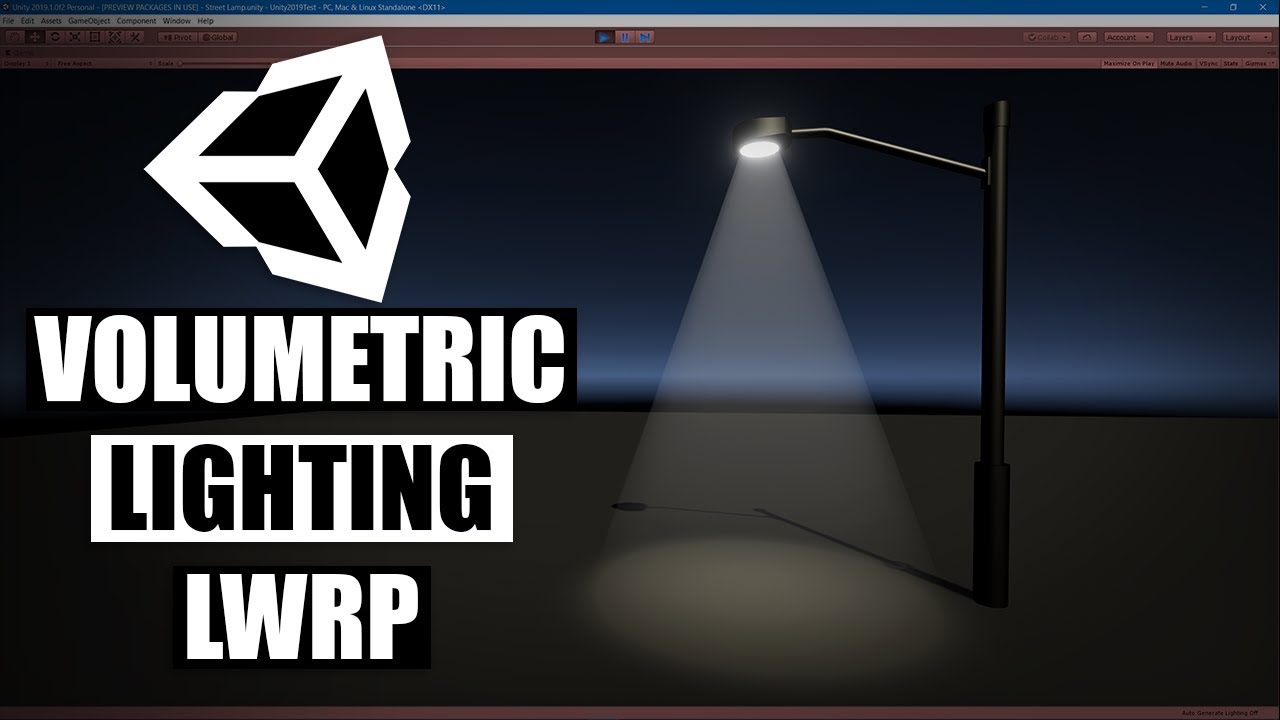
In this Unity tutorial we'll make a shader to create fake volumetric lights/light shafts/god rays using the light weight render pipeline's shader graph.
Downloads: https://drive.google.com/open?id=1LppBfL5iYoJhDNcLvE_GpWXFFg101O9O
Twitter: https://twitter.com/MrTriPie
maiden turtle
vale cypress
<@!308999079654850560> https://www.youtube.com/watch?v=rihJzWq7sE4
But there is a problem with it, he is using another model to create volumetric light, I want to make it dynamically
because clouds will change over time
so light need to change as well
 dusky cobalt
Okay, so I'm building for Oculus Quest/Android, but Unity's suddenly decided to not compile shader variants at all, and my game is booting to a black screen. Renderdoc shows that meshes are being rendered, however, shaders are not being applied.
 rare remnant
hello I have a problem I'm creating a shader and I realized at the end that I had this message someone can tell me why?
 civic holly
i want to send an array of integers (or floats) to a shader from a script.
in the script i have:
public float[,] array; //declared at the start
then i have inside the update function:
mat.SetFloatArray("_Indices", array[arrayWidth,arrayHeight] /* Your value here */);
and inside the shader properties:
_Indices ("Number of square", float) = 0
 kind spear
Hi everyone
I have finded a new simple technic to create an outline shader using shader graph in unity, Hope you like the tuto
https://youtu.be/q-HWOLhzcnU

Full tutorial to create an outline using shader graph in unity and some special techniques for this
Subscribe if you like the video ✌️
If you still have any question just ask me on the comments or you can go to my facebook profile:
https://www.facebook.com/youssef.youred
If anyone have an opinion please tel me
 sleek condor
Hello everyone, I made a crack in the ground by following this tutorial which uses the stencil buffer. It works perfectly, but the problem that comes to me is that the hole is still visible through the mountains ... Does anyone have any idea how to fix it ? 🙂
Thank you 😉
Tutoriel : https://www.youtube.com/watch?v=qiAiVa0HtyE&t=18s&ab_channel=GabrielAguiarProd.
 civic holly
https://docs.unity3d.com/Manual/SL-Properties.html i don't see how to include an array in properties of a shader, so how do i achieve sending an array to my shader?

 fossil sedge
I dont know where to post it so i might as well try it here. I'd like to make some kind of a filter that would make a 3d game look as pixelart (example here https://www.youtube.com/watch?v=ERA7-I5nPAU) . What would be the best way to approach such a task?

Date of Recording: 2020-11-14
I took a bit of a break from the usual tech updates this week to record a making-of video detailing what it's like to create a scene from start to finish in the pixel art game engine I've been developing.
I found some neat modifier stack tricks in Blender for creating procedural, non-destructive details for rocks,...
 sinful shuttle
Anyone know of a realistic looking grass shader which works with VR, can render a nice lawn, and generates actual geometry for the blades so that it looks good even if your face is right down in it? Most of the grass shaders I've found use "shells" like most fur shaders do, and such methods look terrible up close, and in VR.
thick fulcrum
maiden turtle
Do someone know if this is possible ?
it's possible, Aura3 for URP is in the works but not sure of a timeline for when it's available.
If you are confidant with shaders you could probably roll your own
 lean lotus
Are there any general tips/resoures for optimizing compute shaders? I am making a ray tracing compute shader with BVH traversal, and im just wondering if theres any general optimization tips as I cant find much on optimizing compute shaders on google
Also is there a way to return something like rays/second? aka returning data from the compute shader once its done rendering?
Also what are my options for debuging/profiling/performance stats of compute shaders in unity on mac?
 terse shard
Is there a way to remove the extra input fields when adding a vector2 parameter in shadergraph? Seems awfully redundant to have two extra fields that have no purpose...
 brittle owl
terse shard
Is there a way to remove the extra input fields when adding a vector2 parameter ...
brittle owl
terse shard
Is there a way to remove the extra input fields when adding a vector2 parameter ...
what fields?
spring field
Good Evening. I'm trying to make a billboard shader for a sprite object. I'm basing my self off of a tutorial and it seemed to work at first, except it seems to sometimes clip on the mesh and on top of that completely ignores angles sometimes, and when there's many only a few render.
I am uncertain on why this error occours.
First two issues and shader graph are in the screenshot.
 sleek condor
@spring field, I'm really sorry but I have not understood your problem =/
sleek condor
sleek condor
Hello everyone, I made a crack in the ground by following this tutorial which us...
Anyone got an idea? please
teal breach
fossil sedge
I dont know where to post it so i might as well try it here. I'd like to make so...
Might be worth clarifying a bit exactly what you want. I think there are generally two parts to this - the pixelisation (eg rendering 3d objects at lower resolution), and the appearance (cel shaded, line detection, color grading, etc). T3ssel8r is friendly on Twitter and you could enquire there aswell. To pixelise, either use a method that renders the entire screen to low res (see eg madalaski's videos), or one that does it per-object (see eg my method here under attempt 3 https://medium.com/@elliotbentine/pixelizing-3d-objects-b55ec33328f1 )

Medium
An exploration of rendering 3D objects to look like 2D pixel art sprites.
thick fulcrum
spring field
Good Evening. I'm trying to make a billboard shader for a sprite object. I'm bas...
assuming this is set to transparent, it will not write to depth by default and this can cause z-fighting / rendering order issues. As your using shader graph one of the easiest solutions is to use opaque cutout and dither the alpha (transparency). However this may not give look you desire and a different approach maybe required.
toxic flume
One question, finally it is suitable to use half,half2,.. instead of float,float2 for custom properties in shaders? (Mobile devices)
 shadow kraken
Where you don't need the precision, use halfs because they use less memory
toxic flume
Because I have read some devices work better with float?!
@shadow kraken
I think instead of int, yes but not half or fixed?
and can't I change keywords (multi compile) in the inspector? only from a script I can enable or disable it?
shadow kraken
regal stag
toxic flume
and can't I change keywords (multi compile) in the inspector? only from a script...
You can create a Float property with the [Toggle(keyword)] drawer to have control over it.
amber saffron
toxic flume
and can't I change keywords (multi compile) in the inspector? only from a script...
Some keyword can be bound to material properties using the built-in property drawers : https://docs.unity3d.com/ScriptReference/MaterialPropertyDrawer.html
toxic flume
and what about converting half to float or half to fixed?
for example my color is fixed4 and somewhere it is multiplied by a half variable, power,...
 heavy pebble
Hey, I have two questions both revolving around surface painting, in how this demo tut does it : https://www.youtube.com/watch?v=YUWfHX_ZNCw .
After browsing through the provided source I see it involves a basic approach like : create a render texture of each paintable object, and then (I guess) on painting, edit that render texture itself via the CommandBuffer API.
Q1) Is there a ballpark on how expensive this is? Seems quite functional in the demo project, but I've been using Render Textures a bit for portals and they are very expensive in that usecase.
Q2) This process also involves each object having the same material on it. This works pretty well for their example project as they are using the same mat for testing, but how to "extend" this behaviour onto multiple materials? I guess my question is it possible to inherit shaders? Like, I would like to extend HDRP/Lit to include this too.
shadow kraken
Q2) This is not very different to normal, instead of using a standard shader, you make a similar shader which also has support for this feature. You can make a subgraph for the painting section to organise better and use across different shaders
Q1) I don't have a good answer for but I think at least that you can say that the scalability isn't very good, considering it's an extra texture per object. The list of options at the start is good, cause it gives some alternatives. I've used lightmap UVs for this before, which can be more optimized, but then you run into issues with dynamic objects.
thick fulcrum
heavy pebble
Hey, I have two questions both revolving around surface painting, in how this de...
in Q1 you reference portals as an example, assuming you are rendering a view through the portal (using a second camera to capture the view). It's the second camera doing all the extra rendering which is costly, no so much the Render Texture. If that's not the use case then disregard 😛
 hearty wasp
I want to make coastal waves for a water shader, ones that go towards the shoreline mesh. How would one even "get" this direction of the coast mesh in order to project textures in that certain direction? Or does it have to be done in UVs somehow?
sleek condor
For me, the best way is to use vertex painting to give to your mesh the good direction. To get your direction in your shader you can do the same trick used for flowmap .
Tutoriel flowmap : https://www.youtube.com/watch?v=SA6Y3L-X0Po&ab_channel=PolyToots
You can make vertex painting with the unity package proBuilder or polyBrush

I really need to learn how to make better thumbnails, but for now It's another flow map tutorial, and this time using Unity's shader graph. We first take a lovely node setup that was made in Amplify (from the amazing Gooseman) and then convert it into a sub-graph, so we can more easily hook it up to different outputs.
You can make your own flow...
heavy pebble
@shadow kraken That does seem to answer my questions. Thank you
@thick fulcrum I see 😆 That is indeed the usecase
hearty wasp
sleek condor
For me, the best way is to use vertex painting to give to your mesh the good dir...
Thanks for the suggestion, I also came across this twitter thread by Cyan, https://twitter.com/Cyanilux/status/1252298028607774721?s=20
also very useful!

Hey all, wanted to share some info about how the shoreline shader is done. (This is a slightly simplified version).
(note : while it's based visually on the ACNH shoreline, it's probably not exactly the same way they are handling it) 😄
See thread!! 🌊🏝️ #unity3D #shadergraph
Retweets
124
Likes
535

 Twitter
·
Twitter
·
But I'm looking for a way to do this without any manual input (no manual uvs, baking, vertex painting,etc), if that's even possible?
thick fulcrum
hearty wasp
But I'm looking for a way to do this without any manual input (no manual uvs, ba...
I experimented in this area, you need to consider what information you have or can generate. Which generally boils down to a depth map, you can use this to generate motion towards shore, however I could not get it to look very good. Mileage may vary, it's very uniform even broken with some noise repetitions seemed obvious and not ocean like.
I've yet to see any implementations which are fully automatic, just pick which is most manageable for you and use it imo 😉
hearty wasp
thick fulcrum
I experimented in this area, you need to consider what information you have or c...
Good advice, thank you! From what I've seen it looks like it's either doing the effect in a single direction or doing manual work with UVs etc.
but that's not gonna stop me from experimenting a bit, see if I can work something out
 long rune
Does anyone have an idea on how to solve this issue?
 shadow kraken
Are you generating this mesh at runtime @long rune?
long rune
Yep
shadow kraken
You either need to change your UVs or use a triplanar shader that doesn't rely on UVs

 heavy pebble
Is there a guide/standardized way for converting URP HLSL shaders to HDRP?
I ask ^ because, these 2 shaders : https://hatebin.com/vclvphkraw seem to work in URP, but not in HDRP. I have no idea what they do 🥴 I can only imagine that it needs some extra lines to work in HDRP
 shrewd echo
has anyone ever come across a URP Vertex color shader that nicely fades alpha? I made one in shader graph but it does more of an alpha cutoff effect than a nice fade out.
hearty wasp
shrewd echo
has anyone ever come across a URP Vertex color shader that nicely fades alpha? I...
if I had to guess you don't have your shader set to Transparent
can be done here in the graph inspector settings of your master stack, then just use the "Alpha" instead of the Alpha Clip Threshold

it should then fade out just fine
shrewd echo
you are correct. I did not 😛 - noob mistake
hearty wasp
all good! glad I could help
shrewd echo
ok - follow up because I thought for sure this was easy. I'm writing vertex colors to a custom mesh. This worked in the built in renderer with a particle shader so I know I'm doing that correctly. With this new shader I don't get colors showing up. (But the alpha is now displaying correctly.) Any tips on what I might be doing wrong?
 hearty wasp
shrewd echo
ok - follow up because I thought for sure this was easy. I'm writing vertex colo...
hearty wasp
shrewd echo
ok - follow up because I thought for sure this was easy. I'm writing vertex colo...
as far as I know Vertex Colors can't really contain an Alpha or affect it directly like that
so you'd have to control the Alpha in a different way, something as simple as a Float property perhaps
1 = opague 0 = transparent
 full jasper
Hey, is there a way to access pixels on the moniter? What i'm thinking about is a shader that uses the color of the pixel the cursor is over.
shrewd echo
i think it can contain alpha because the alpha part is working - but the color info is not. Its only showing up white on my custom mesh...
 low lichen
shrewd echo
ok - follow up because I thought for sure this was easy. I'm writing vertex colo...
low lichen
shrewd echo
ok - follow up because I thought for sure this was easy. I'm writing vertex colo...
What Emission Color are you giving it?
shrewd echo
white - it just to help see the mesh in the dark. I've already tried without it and it just shows up black. The alpha does fade off but the colors I assign the mesh when creating it do not show up
low lichen
Emission at white will just make it white
If you want it to glow in the vertex colors, then plug the vertex color into emission instead of albedo
shrewd echo
Thanks @low lichen. That did the trick.
 old otter
Hey. I can't seem to make FindKernel work in builds. Works fine in editor though. Any idea?
 real venture
Hello, this effect here where the camera distorts: (https://youtu.be/arqRQW8-Ugk?t=56), (at 0:56) was this made with shaders? Just wondering if I'm heading in the right direction.

 wheat quail
I finished brackeys grass shader tutorial. So my issue now is that ALL my grass sways the same way at the same time. I could just offset the 'windDensity' a bit but what I'm want to do is change the seed of the gradient noise if thats even a thing(?)... is there a way to randomize the seed of the noise?
 real venture
As far as I know (and admittedly that isn't much), if you're using the same material for every object, it'll be using the same single configuration of that shader. That's based on seeing 3 different grass wind shader tutorials, and every one had all the grass moving uniformly. Aside from using multiple shaders for different parts of grass, I'm not sure.
wheat quail
k, so i found a random range node, n it has a seed variable. I think if I at least give different grasses a different seed I should be able to come up with a decent random effect
 white smelt
how do i get view vector in unlit shader?
white smelt
is there anyone?
 wind sigil
is it possibele to get the terrain depthtexture when terrain has "draw instanced"? I tried turning instancing off/on in OnRenderImage but that doesn't do anything. Only if its completely turned off does my simple shader render the right image.

 wet geode
any idea why this double sided shader does this thing? It seems like the opposite side isnt aligned to the top side

ah nvm. It seems to be something i did in speedtree
wind sigil
wind sigil
is it possibele to get the terrain depthtexture when terrain has "draw instanced...
switching to deferred rendering fixed the problem, don't even need to write any code. ez life
grand jolt
Hello,
I'm new here and have a problem with a shader which I can't solve.
In this shader I want to use a render texture from a camera as albedo or base color including its transparency.
Additionally I want to mask this texture with a separate black & white mask so it is only projected on the parts of the model where the mask allows it.
I am no shader programmer so I'm afraid can't solve this by myself.
Ideally it should work as the standard pbr or the autodesk interactive shader with the additional mask.
Has anyone an idea how to solve this?
median gull
grand jolt
Hello,
I'm new here and have a problem with a shader which I can't solve.
In th...
First question, Shadergraph or HLSL?
grand jolt
HLSL
median gull
grand jolt
HLSL
Right, I'll assume you already know how to hook it up to Unitys various SRPs. The actual shader is pretty simple in theory. In practice, it depends on the settings.
grand jolt
Yes, I think know how to hook it up.
I just have no idea of shader programming an no programmer at my fingertips 😟
median gull
grand jolt
HLSL
Camera color buffer doesn't have transparency, technically. The color pyramid, the actual camera output, does not but CameraColorBuffer does and that is set to 1 at first read until you change it in a fullscreen shader.
That requires your camera settings to be RGBA32 as well. Simple setting and simple fix if your HDRP. URP, no clue.
Camera base color, simple. Copy the camera color buffer into a render texture. From what I see, you already know that so I'll skip ahead.
grand jolt
median gull
Camera color buffer doesn't have transparency, technically. The color pyramid, t...
Well I simply set the background alpha of my camera to 0 and it worked for me.
median gull
Hrm right, camera clear color can introduce alpha. That also works.
A black and white mask will be slightly more difficult, where will this mask be rendered? On the material itself or passed to the shader you will be using?
grand jolt
Here is a Screenshot of my Test.
The camera projects the models on the jar.
I want to restrict the projection on specific parts of the jar with a mask in its shader:
 grand jolt
median gull
A black and white mask will be slightly more difficult, where will this mask be ...
grand jolt
median gull
A black and white mask will be slightly more difficult, where will this mask be ...
It will be rendered on the material of the jar with the render texture as albedo.
I thought of a texture input in the material where I can select the mask texture
median gull
Okay. 3 textures. One is the render texture output of the camera looking at the various objects. A second is the Black and White mask. The third is the jar's original material. All three textures are to be placed on the material (and connected shader) itself.
Inside the shader, sample all three textures in a frag shader. The resulting return color will be Lerp(RenderTexture, JarTexture, BlackWhiteMask.r)
grand jolt
Well the jar has two materials.
One is the glass and one is the print laying above it.
median gull
Yes, and the mask you'll be using to sample the lerp value from.
grand jolt
In shader graph in URP, what's the best way to invert an object's colors, including its shadows?
@median gull Hm, I'm afraid I have no idea how to do this as I have no programming skill.
median gull
grand jolt
Well the jar has two materials.
One is the glass and one is the print laying abo...
Although if you want the transparency of the rendertexture to reveal the jar texture, you'll then need a second lerp after that. Lerp(RenderTexture, JarTexture, RenderTexture.a).
median gull
grand jolt
<@!262065945936134144> Hm, I'm afraid I have no idea how to do this as I have no...
I'm on my phone on my bed or I can type out the entire shader for you. Not too difficult.
grand jolt
That would be very helpful if it would be possible
median gull
grand jolt
<@!262065945936134144> Hm, I'm afraid I have no idea how to do this as I have no...
The entire Fragment function in the shader will be 6 lines.
- Sample RenderTexture using Frag UV.
- Sample JarTexture using the same UV.
- Sample BlackWhiteMaskTexture using the same UV.
- float4 color = lerp(RenderTextureColor, JarTextureColor, BlackWhiteMaskColor)
- float4 outputColor = lerp(JarTextureColor, color, color.a)
- Return outputColor.
Theres more boilerplate. I dont remember it from the top of my head but it's the same for every shader so you can probably copy paste it from google.
grand jolt
Thank you.
I'll see if I can wrap my head around this 😄
Started working on a shader graph shader to invert an object's colors, but I'm not sure if there's a way to get the scene lighting on the object and invert that as well. Is there? Do I need a custom script for it?

I thought maybe there's a way to get the raw PBR properties in shader graph and invert some of those?
low lichen
grand jolt
Started working on a shader graph shader to invert an object's colors, but I'm n...
No, Shader Graph doesn't expose any of the lighting calculation it adds on top of the master output. It'd be nice if there was a way to modify the final color before it returns it.
Surface shaders in the built-in render pipeline has that feature.
grand jolt
dang
low lichen
If you're okay with modifying the generated shader code, it would be pretty easy
You could also probably make a transparent shader with a blend mode that just inverts the pixels behind it. Although, that would only work on opaque objects. If you did that with transparents, it would stack, inverting already inverted colors.
Nice thing about doing it this way, is that it can be applied on top of any object using any shader
You don't have to replace the object's material with your own custom invert color material.
It's like a post processing effect, but applied locally per mesh, instead of full screen
 true relic
Some good recommendations for learning shaders in unity? Need some faster tutorial (to learn in week or two maybe)
grand jolt
@low lichen Ended up being able to modify the Toon Shader V2 in Lux URP Essentials to be a true inverted shader! 😄 (second image is inverted in GIMP lol)

 teal breach
true relic
Some good recommendations for learning shaders in unity? Need some faster tutori...
teal breach
true relic
Some good recommendations for learning shaders in unity? Need some faster tutori...
It's a very large topic! If you only have a week or two, it would be better to describe what you are trying to make and people might be able to give more focused suggestions (eg specific tutorials to follow)
true relic
teal breach
It's a very large topic! If you only have a week or two, it would be better to d...
Doing on 2d texture application shader trying to speed up proccess,somehow that GPU can process it faster, get as much as possible fps.So something about 2d texture quad shaders
white smelt
how do i get view vector in unlit shader?
 whole shadow
pardon im trying to use the shader graph to get the screen posisition and then i wanna divide for the xy value with w, but for some reason i end up with a pink error state i guess
am i not understanding something or is there something i missed?
can w be 0 and that be the reason for this issue? but even then what can i do as an alternative?
regal stag
whole shadow
pardon im trying to use the shader graph to get the screen posisition and then i...
Shader Graph already handles the division by w for the Screen Position node
whole shadow
okay that explains it i guess, but how should i go then cause im trying to do apply screenspace texture onto an object in world space, while using the cameras direction
ive seen some solutions online but i cant seem to make it work properly
whole shadow
@regal stag (just in case, sorry for pinging just forgot to do a reply so i mark it like so)
regal stag
whole shadow
okay that explains it i guess, but how should i go then cause im trying to do ap...
If you're mapping a texture in screenspace, using the camera's direction doesn't matter as it's already aligned to the screen. Just use the Screen Position node as the UVs into the Sample Texture 2D node.
It'll be stretched due to the screen aspect ratio though, so you may need to multiply it by a Vector2 with X axis as Width/Height from the Screen node and Y axis left at 1. Or maybe use the "Tiled" mode on the node.
teal breach
true relic
Doing on 2d texture application shader trying to speed up proccess,somehow that ...
I'm still not entirely sure what you mean - like an image filter or something like that?
true relic
teal breach
I'm still not entirely sure what you mean - like an image filter or something li...
I meant by that image processing algorithms , they can be slow per each frame, i am trying to figure out how to use shaders , i know they can raise you performance.
teal breach
ahh ok, like a post processing effect applied to the whole frame?
true relic
teal breach
ahh ok, like a post processing effect applied to the whole frame?
Yes technically postprocessing with shaders
whole shadow
regal stag
If you're mapping a texture in screenspace, using the camera's direction doesn't...
wait doesnt it matter since im trying to apply this on a gameobject mesh?
long rune
Can someone help me splice 2 shaders together?
 rain fable
@long rune Make them subshaders, then make the output of one the input of the other?
long rune
I have no idea how to do that
rain fable
are we talking shadergraph or plain hlsl here?
long rune
hlsl, I have a triplanar shader that i want to combine with a uv rotation shader
rain fable
ah dang, in shadergraph it would just be a few clicks
so, i suppose you want to write a new shader
that combines the two you have
because you can only have one shader active on a gameObject
long rune
Well yea, but im not good at shaders so
i have the 2 shaders, just donno how to combine them
rain fable
i see
well, try to figure out what they do, then do it one after the other in the order that makes the most sense
if you're at a complete loss, just copy the payload code one after the other into one shader, see how glitchy it is and go from there
vale cypress
Hi is there any known issues with compute shaders and older hardware(running a i7-2600k and a gtx770). Can't seem to write to multiple textures from a compute shader
grand jolt
Improved the color invert shader edited from Lux URP Toon V2 shader 😄 (post-processing kinda makes it wonky in the inverted screenshot)


 quiet flume
has anyone ever tried a 2D rigged sprite imported as a PSB file and had a shader in 3D Space (via the 3D Render Pipeline. Not the 2D one)?
I tried to do some approaches based on some examples I found but they used a single sprite so there weren't issues. Since my sprite is a bunch of connected parts all in a very similar position on the z axis, things flicker in the overlap. Is there a way with the shader graph to mitigate that?
i can share the shader so far in a couple of minutes.

 sleek condor
Hi all !
I've made a simple water shader with foam. My shader look as wanted in my scene view, but, i don't know why, the rendering is completely different in the game view. Anyone know what is the problem and how can I fix it ?
Under there is an image of how I get depth to calculate the foam.
Thank you
 regal stag
sleek condor
Hi all !
I've made a simple water shader with foam. My shader look as wanted in ...
regal stag
sleek condor
Hi all !
I've made a simple water shader with foam. My shader look as wanted in ...
Is the Depth Texture enabled on the URP Asset?
sleek condor
No, it wasn't, I've enable it and it fix the problem, thank you a lot 😄
white smelt
how do i get camera position in unlit shader
regal stag
white smelt
how do i get camera position in unlit shader
Use the _WorldSpaceCameraPos built-in shader variable
regal stag
If you're using the built-in pipeline you should be using #include "UnityCG.cginc"
white smelt
i did
 native granite
So i have this mesh, using the "Stencil Mask" shader, that should make the plane marked in the picture appear (it uses the "Stencil Object" shader) however, it doesnt. Even tho the shader works, because if i make a new plane with the "Stencil Mask" shader it will make it be shown. Any clue on why this behaviour? (the mesh goes a bit over the colliders, so thats not the problem)

 native granite
jic you need the mesh generation code its here (pass is "PyGuy"): https://pastebin.com/yuNnqHrg
Pastebin
Pastebin.com is the number one paste tool since 2002. Pastebin is a website where you can store text online for a set period of time.
 grim musk
I'm trying to learn how to write shaders for my 2D game but most of the information I find is using the ShaderGraph or doing stuff with the standard shader (I think vertex and fragment shaders would be more appropriate for my task right? I don't need any lighting). Are there any good resources to learn that stuff?
 mystic dagger
How hard is it to call CUDA directly in Unity? Am I better off porting everything to compute shaders?
 verbal nymph
Any idea why vertex orientatio
Any idea why vertex orientations change depending on the angle i look at it from.

yVal is just a sin() of _time *someNumber
 regal gorge
How I can randomize direction of my windzone?
 pale ravine
Hi, what is the best resource to learn about HLSL with URP on Unity 2019.4.15f?
I've tried to look in the documentation, but it's all written with Cg.
What I am looking for is: _MainTex_TexelSize, _WorldSpaceLightPos0, _LightColor0 and ShadeSH9.
regal stag
pale ravine
Hi, what is the best resource to learn about HLSL with URP on Unity 2019.4.15f?
...
There's not many resources. I have this : https://cyangamedev.wordpress.com/2020/06/05/urp-shader-code/ (and working on rewriting it too), but if you're looking for something specific it's usually best to look at the ShaderLibrary source.
The texture's _TexelSize variable hasn't changed. For light direction/colour you can use GetMainLight() from Lighting.hlsl. For ShadeSH9, use SampleSH(normalWS) instead.
I think 2019.4 would be URP v7.6, so see : https://github.com/Unity-Technologies/Graphics/blob/v7.6.0/com.unity.render-pipelines.universal/ShaderLibrary/Lighting.hlsl
(You'll also need #include "Packages/com.unity.render-pipelines.universal/ShaderLibrary/Lighting.hlsl" in the shader to make use of those functions)
 autumn gate
How can I enable linear or exponential fog in 2020.1? It's not on the lighting panel.
hearty wasp
autumn gate
How can I enable linear or exponential fog in 2020.1? It's not on the lighting p...
Here it is

 iron reef
I'm trying to find a shader tutorial by brackeyys but I cannot get it to work on the newest version of shader graph. It seems to me that I have everything identical but the output is the not the same


^ My Shader


^ Brackey's shader
regal stag
iron reef
I'm trying to find a shader tutorial by brackeyys but I cannot get it to work on...
Your Smoothstep node is set up differently.
You should also make sure the Depth Texture is enabled on the URP Asset as that's also required, and the graph's surface mode should be Transparent.
iron reef
oh yup
had it going into the wrong thing in smoothstep
thank you
and depth texture wasn't enabled but I don't see any difference after enabling it, but it seems to work somewhat now
regal stag
Might work in scene, but Depth Texture will need to be enabled for it to work properly in Game view. It's possible some post processing or the camera is forcing it on anyway too.


 regal stag
The Edge2 in the smoothstep should be 1 to match Brackey's one. Probably also don't need alpha clipping enabled.
iron reef
that was it, thank you again cyan
quiet flume
quiet flume
has anyone ever tried a 2D rigged sprite imported as a PSB file and had a shader...
Has anyone had this use case before?
spring field
thick fulcrum
assuming this is set to transparent, it will not write to depth by default and t...
Pardon my late reply, but do you have any suggestions? I was considering altering the base alpha blend particle shader
 vocal thistle
i have a shader that is double sided but when i put the texture (a triangle) on the base colour it does not make what it is attached to into a triangle, instead the material is completely white. can anybody help?
brittle berry
has any of you used poiyomi b4?
vocal thistle
no
 spring frost
I wrote a shader that uses a halftone circle or crosshatch pattern in screen space to dither gradients (just an easy smoothstep on a distance field based on intensity).
Problem: The screen-space-part actually makes it feel like a screen door effect, I'd much rather like it to be in object space like if I were moving a pop art poster in front of myeyes, but I also don't want the dots to be skewed as if they were in tangent space.
What could I look into here? Triplanar shaders? I suppose at oblique angles this is perhaps less than trivial. (if the dots are always orthogonal to the camera, I'd need to gather intensity from depth or something)
https://imgur.com/GOKac4h
With triplanar or in tangent space, this is as close I get.
 thick fulcrum
spring field
Pardon my late reply, but do you have any suggestions? I was considering alterin...
thick fulcrum
spring field
Pardon my late reply, but do you have any suggestions? I was considering alterin...
For my original suggestion there is a detailed article which explains it quite well: https://danielilett.com/2020-04-19-tut5-5-urp-dither-transparency/
However it may not fit in with your look / style.
I'm no expert, I've just come across this problem myself before. It is an age old problem, if the above does not meet with expectations just searching the internet will bring up a few alternatives.

Daniel Ilett: Games | Shaders | Tutorials
Drawing objects with dithering patterns
 spring frost
The one time I don't want isolines -,-
I had a bit of a workaround at some point by using the object position (not fragment position) and offsetting the screen space coords by that. I'll try a biplanar shader now.
toxic flume
For mobile games with big terrain and a bunch of buildings
Is it efficient to use standard and specular standard shaders?
Another question
I have one material for a large building. It is clear that materials used in the building are different
How do you consider it in one material?
Adding one specular and smoothness texture?
Splitting materials? (doors, tables,walls, etc.)
Any better approach?
vocal thistle
how do i make a standard shader double sided?
shadow kraken
vocal thistle
how do i make a standard shader double sided?
https://gist.github.com/naojitaniguchi/62ccf37c801ea55517b7 <- for standard pipeline
toxic flume
vocal thistle
how do i make a standard shader double sided?
Culling Off
vocal thistle
exactly
but there is no subshader{}
so where would i say that
also how do i edit the standard shader???
toxic flume
Gist
Standard Shader - 2 Sided (cull off) - Also, 2 Sided Standard Surface Shader with Fixed Normals - Standard-2Sided-FixNormals.shader

Stack Overflow
Search for the issue gives a number of solutions, but they don't work for some reason in mine Unity3D 5.4. Like
camera inside a sphere
I do not see cull and/or sides in material in Unity editor. ...
vocal thistle
toxic flume
https://stackoverflow.com/questions/42253311/unity-how-to-make-material-double-s...
bro i just said, that won't work because the standard shader doesn't have a sub shader in it's script
🤦♂️
actually i think i do it in the Pass{}, idk but i have to go now anyw
shadow kraken
Did you look at the shaders we shared? Cause they show you how to do it
toxic flume
To play a texture sheet animation, is it more efficient to do it inside a shader (change texture offset in the texturesheet) instead of SetTextureOffset in a script (sending data to GPU)?
amber saffron
toxic flume
To play a texture sheet animation, is it more efficient to do it inside a shader...
The most efficient is probably on the shader, if the UV animation can be calculated on the vertex stage.
But you will have less control over it.
But unless you have hundred or thousand of similar things to animated, I think CPU is good.
toxic flume
amber saffron
But unless you have hundred or thousand of similar things to animated, I think C...
What about In sprite animations?
An animation with key frames
 red mason
Can i take the depth buffer of 3 different cameras, do some crazy modifications, composite it back together and then injecting it back into the render process for it to be used to render the scene.... or am drunk and i should go home?
amber saffron
toxic flume
What about In sprite animations?
An animation with key frames
Key frames are on CPU only. You could however re-code the animation some way in the shader, but you will loose the nice control that you have from animator components and animation assests.
Like I said, unless you really have a bunch of those objects, CPU is good.
amber saffron
red mason
Can i take the depth buffer of 3 different cameras, do some crazy modifications,...
Technicaly, nothing prevents you to not do it, but I wonder what is the use case here 😅
red mason
amber saffron
Technicaly, nothing prevents you to not do it, but I wonder what is the use case...
The use case is i'm dumb XD I just realized i can enable Depth writing in the shaders already so i don't have to make anything so complicated lol
Mh my issue seems to be of a different nature, maybe it has to be with the rendering queue
So
Maybe i can get some help, here's the deal
I am taking a texture from a custom pass and a specific camera, then i'm using that texture to generate a clipping mask for my main shader
the problem is when the model with the main shader moves the mask lags behind
Any ideas/suggestions on how to avoid (if it's even possible) or mitigate this issue?
amber saffron
Well, the obvious solution is to order you rendering so that the custom pass & specific camera is rendered before the masked object
red mason
That makes perfect sense but i don't know how to do that.... also wouldn't the depth pass being taken always happen before the rest of the shaders being rendered?
Oh!
I can set up the custom pass before rendering and that solved my issue 😄 thank you so much @amber saffron !
true relic
Hi , anyone can direct me into texture shaders,some books tutorials maybe, and precisely to be from webcamtexture source,maybe?Thank you 🙂
 soft nova
Hey, how can I get create 2d shader graph, my project is already using 2d renderer but I don't see an option to create 2d shader graph
 regal stag
soft nova
Hey, how can I get create 2d shader graph, my project is already using 2d render...
regal stag
soft nova
Hey, how can I get create 2d shader graph, my project is already using 2d render...
Under Shader -> Universal Render Pipeline there should be Sprite Unlit & Sprite Lit graphs
soft nova
thanks!
 grand jolt
Hello there 👋 Currently trying to project normal decals to add metal deformation onto my assets, I'm experiencing a hard edge where the decal starts, when the normals are not aligned perfectly (see video related) I've tried adding a mask which takes care of the hard edge but the normals are misaligned so still very visible, I'm new to shaders and HDRP and would like to know if it's possible to rotate the decal normals based on the object it is shining on. Ideally the projector would add/multiply/matrix-transform normal information onto the model's base normals
grand jolt

 small lichen
I'm looking to save a depth map and another image (same viewport) based off of the depth map, but inverted and scaled. This would happen continuously throughout a simulation so I'd end up with hundreds of each type of image. My initial thought was to have a compute shader to get the second image, but would it be more efficient to just have a second camera with the same viewport and a different fullscreen pass?
 dull lintel
Anyone have any thoughts on how I could get a shader to leave a masked portion of my model unlit (just a black void) while still doing the full PBR lighting workflow for the rest of the model? Would I need to essentially recreate the PBR flow as my own shader graph so I could selectively ignore it? This is in URP FWIW.
grand jolt
is there a way to program a shader that applies chromatic aberration to objects inside the worldspace of an object with that shader? f.e i have a sphere with that shader and i shoot a projectile through it as soon as the projectile hits the sphere the aberration kicks in and splits the projectiles colors if it exits the sphere the color split is no longer there
is there a way to produce this ?!
amber saffron
grand jolt
Hello there 👋 Currently trying to project normal decals to add metal deformati...
It's not possible currently to deform the underlying normal with a decal. The best thing you can do is to use a mask on your decal to mask out the deformation shape.
amber saffron
dull lintel
Anyone have any thoughts on how I could get a shader to leave a masked portion o...
The easiest is probably to use albedo, smoothness & occlusion = 0 for the masked part, it should be full black.
Else you can use alpha clip to display only the PBR part, and a render feature with an other unlit shader and invert alpha clip to display the rest.
amber saffron
grand jolt
is there a way to program a shader that applies chromatic aberration to objects ...
Shadergraph ? You could do that with the scene color node.
If built-in renderer, look at grab pass
dull lintel
amber saffron
The easiest is probably to use albedo, smoothness & occlusion = 0 for the masked...
Albedo/Smoothness/Occlusion=0 seemed to have the area still pick up direct lighting for me, but I can give it another shot. For the second option, how would I stack the shaders like that, or select between the two flows? Is there any way to do it in a single shader(graph)?
amber saffron
dull lintel
Albedo/Smoothness/Occlusion=0 seemed to have the area still pick up direct light...
Not in a single one no.
You draw the object with your regular shader, create a second one that renders unlit black for the inverse of the mask, with the same input parameters if needed, and set it as override shader in a render feature in the URP asset
grand jolt
I'm trying to make bloom to a game, but for whatever reason my sprites texture gets all messed up when I use a shader graph


I'd appreciate all pointers what might be wrong
regal stag
grand jolt
I'm trying to make bloom to a game, but for whatever reason my sprites texture g...
The previews just don't show alpha so they can look a bit strange. To fix it in scene/game you need to put the A output of your texture sample into the Alpha port on the Fragment section though.
lean lotus
Hey does anyone know any ways of debugging and/or profiling compute shaders on mac? im trying to optimize this, but I dont know any way of at least returning values back from it(its purpose is raytracing, but idk what specific parts or general parts are tanking its performance)
dull lintel
amber saffron
Not in a single one no.
You draw the object with your regular shader, create a s...
Looking at this again, it looks like the Renderer Feature takes a global material (not shader) for all objects, but different objects have different textures and properties and the like. How does the renderer feature scale in this case? Do I set a MaterialPropertyBlock on each object with what texture it should use, or is there a better way?
eager folio
If you give the property/texture the same name it will be reused for different shaders
dull lintel
Ah, good to know, thanks.
eager folio
Though actually not sure how that works with material replacement with a render feature...
I mixed lit and unlit parts of my shader using Cyan's lighting nodes. https://github.com/Cyanilux/URP_ShaderGraphCustomLighting

GitHub
Some custom lighting functions/sub-graphs for Shader Graph, Universal Render Pipeline - Cyanilux/URP_ShaderGraphCustomLighting
dull lintel
Yeah it doesn't actually look like it's replacing the properties.
Trying the MaterialPropertyBlock method next to see if that works.
eager folio
Speaking of, @regal stag did you ever write more about the urp terrain blending? That was looking really interesting.
And twitter is a pain to search
vocal thistle
how do i make particles have glow?
 lapis dome
where can i read about macros? ive been googling alot but i cant find out where TRANSFER_VERTEX_TO_FRAGMENT() comes from or LIGHTING_COORDS.
 edgy hull
is it possible to reset the sine value of the time node in the shader graph editor thing?

 green nebula
Hey guys, I have this grid shader that came with an asset pack. I want to offset it, but when I move the gameObject to which the material is attached, the texture stays in place. I need it to offset by 0.5 in X and Z (World space values). How can I do it? (I have no experience in shaders)


Or maybe just disable the texture moving
 elder wagon
Does anyone here know if Compute buffers with ComputeBufferMode.Dynamic/ComputeBufferMode.SubUpdates is unsupported on Direct3D11? I have a situation where I want to use dynamic compute buffers, and the code I have works with dynamic compute buffers on Vulkan, Direct3D12, but not Direct3D11. Note, it works on Direct3D11 if I use ComputeBufferMode.Immutable.
grand jolt
Hello All
I want to create an outline shader (pretty similar as what selecting an object in scene view looks like), that is supported in URP
can you point me in a direction on how to do it? or if there is an implementation available?
grand jolt
how would I go about adding multiple spritesheets to my bloom shader? currently its just set to work with my idle animation.

 regal stag
eager folio
Speaking of, <@!357936113983291393> did you ever write more about the urp terrai...
regal stag
eager folio
Speaking of, <@!357936113983291393> did you ever write more about the urp terrai...
Nah, was just 2 tweets on it. https://twitter.com/Cyanilux/status/1362168584592621572
The technique I was using used an orthographic camera looking down, capturing depth and the lit terrain texture (but without shadows). The blending could then be put into the Emission slot on the terrain shader.
It didn't work with ambient / baked lighting though. I wanted to try fixing that with a slightly different method but needed an unlit version of the terrain and a normals texture. Normals texture is fine to obtain with a custom feature, but for the unlit colour I wanted to use a renderer feature with override material. But, as @dull lintel just discovered, it doesn't carry over properties (mostly textures in my case) so doesn't work here.
While I think MaterialPropertyBlocks will work, they break batching with the SRP Batcher so if you're going to be rendering a lot of objects it'll be more expensive, unless you also support GPU Instancing.
An alternative is to have the shader include another Pass with a custom LightMode tag. The RenderObjects feature then has a Shader Tag IDs that you can use to render it instead of using an override material. It's then the same shader so properties still work... but adding a custom pass to a shadergraph isn't possible without editing the generated code. I ended up just hand coding a (simplified) terrain shader myself.
Still struggled to get the blending right though so kinda gave up for now.
eager folio
Very interesting...
regal stag
lapis dome
where can i read about macros? ive been googling alot but i cant find out where ...
The macros basically get swapped out for other pieces of code. You could look at the CGIncludes source code to see how they are defined, https://github.com/TwoTailsGames/Unity-Built-in-Shaders/blob/master/CGIncludes/AutoLight.cginc (those two are at the bottom)
eager folio
My game is hopefully going to be somewhat stylized so I can accept a lot of simplification.
I wonder if you could use an SDF of the terrain for the blending
regal stag
edgy hull
is it possible to reset the sine value of the time node in the shader graph edit...
No, if you want more control you should use your own global float shader property.
(Setup a Vector1/Float property in blackboard that's not exposed. Change it's reference to something like _CustomTime. From C# can then set it using Shader.SetGlobalFloat(_CustomTime, value);)
regal stag
eager folio
I wonder if you could use an SDF of the terrain for the blending
How would you obtain an SDF? That's kinda similar to what capturing the depth achieves.
eager folio
Yeah, probably using a similar process
low lichen
Does Unity terrain not generate a heightmap texture?
regal stag
green nebula
Hey guys, I have this grid shader that came with an asset pack. I want to offset...
Could try a Subtract (or Add) node on the Position node with a value of (0.5, 0, 0.5)
regal stag
Oh that's cool, didn't realise it allowed you to do that
green nebula
ok thanks
eager folio
Yeah, that seems like it could be useful
regal stag
grand jolt
Hello All
I want to create an outline shader (pretty similar as what selecting a...
The "inverted hull" technique is usually the easiest, using a shader like this : https://github.com/Unity-Technologies/UniversalRenderingExamples/blob/master/Assets/_CompletedDemos/ToonOutlinePostprocessCompleted/Shaders/ToonBasicOutline.shader
Then use the RenderObjects feature with it as an override material to render it (filtered to a specific unity layer, would allow you to swap the layer the object is on to toggle the outline). Or just use it as a second material on the MeshRenderer.
Could also look into this : https://alexanderameye.github.io/outlineshader.html. Is usually used for fullscreen image effects but can also work on objects (see per-object part at the bottom)
regal stag
grand jolt
how would I go about adding multiple spritesheets to my bloom shader? currently ...
Are you using the texture's based on the sprite? It looks like the emissionTex for that sprite sheet isn't set up. You should also make sure the texture property is set to "Black" mode rather than "white", so the glow turns off rather than making the entire sprite glow when there is no emissionTex available.
grand jolt
oh yeah, I set it up now. certainly gets rid of the constant glow, but still how would I get it to change the emission map between animations?
 regal stag
grand jolt
oh yeah, I set it up now. certainly gets rid of the constant glow, but still how...
regal stag
grand jolt
oh yeah, I set it up now. certainly gets rid of the constant glow, but still how...
I think you should look into using the secondary textures on the sprite to add the emission map to each : https://docs.unity3d.com/Manual/SpriteEditor-SecondaryTextures.html
grand jolt
I did that for the idle sprite to get the emission map working
don't I have to do something inside the shader graph to get it working? since its only been linked to the idle
regal stag
grand jolt
don't I have to do something inside the shader graph to get it working? since it...
If it's only been linked to the idle sprite then that's why it only appears during the idle animation. You'd need an emission tex for each sprite.
grand jolt
dont I somehow need to link the other sprites to the shader graph too?
 regal stag
Or I suppose you could try obtaining the cyan coloured pixels from the regular sprite as a mask for the glow instead of a separate texture. There's a Color Mask node.
regal stag
grand jolt
dont I somehow need to link the other sprites to the shader graph too?
Oh, your main sprite texture should be using the _MainTex reference to obtain the sprite from the SpriteRenderer. Same goes for the emission map, it should be the same reference for all sprites. e.g. _EmissionTex. That way when the sprite is swapped out, it obtains the correct textures too.
grand jolt
alright
I'll try to make it work with that
ohh
so I just name the secondary texture emmision maps as _EmmisionTex and unity works out the rest
regal stag
grand jolt
so I just name the secondary texture emmision maps as _EmmisionTex and unity wor...
Should do yeah
 vocal thistle
is there any way i would be able to have an HDR that has several colours that would spread out over what the material is attached to?
grand jolt
amber saffron
Shadergraph ? You could do that with the scene color node.
If built-in renderer,...
alright big thanks for the help
 deft mango
does anyone know a way to apply an image effect shader to a Canvas with Render mode set to 'Screen space - Overlay'?
pale ravine
Hi, is there any way to debug fragment shader?
i get this effect when I work with algorithm I've got on alpha

I've translated it from Cg to HLSL and that's what I got
 vocal narwhal
you can only return the values as colour to debug them
just remember that sometimes values may be beyond 0->1 so saturating them may be appropriate
pale ravine
Thath might be enough to figure out what is happening
vocal narwhal
as you may expect something to be 0, but it's actually gone into the negatives, which has affected future maths
pale ravine
brooooo, saturate helps a lot!
that was the issue, my alpha was way over 0 or 1
thank you so much!
vocal narwhal
Glad it was that easy 🙂
pale ravine
is it still worth to learn writing shaders when there's a ShaderGraph?
vocal thistle
yes
definitely
there is stuff you can code shaders to do that i don't think you can do in the shader graph
grand jolt
amber saffron
It's not possible currently to deform the underlying normal with a decal. The be...
Would it be possible to create one myself? Or was your answer a hard no?
amber saffron
grand jolt
Would it be possible to create one myself? Or was your answer a hard no?
Well, the HDRP decal material has a normal mask input
 keen patio
a problem about PCF shadow, if I increase the filter kernel, to a big number, is it possible to make soft shadow ?
like DF shadow

maybe can, but not as good as DF shadow, because shadowmap information is not enough.
 humble inlet
ello folks! i have a bit of a query here!
if i texture for example, a perlin map, onto a plane, when viewed from an angle, the segment being viewed is stretched and scaled to the camera, as you'd expect. (black = plane, red = texture [arrow = scale direction, blue = camera viewport)

this produces what you'd expect from a camera, and simulates real-life. however, if i wanted the texture on the plane to not scale and stretch, so, for example, just map the perlin map from the camera, and stretch it to fit onto the plane, wherever you looked, the texture would look the same.

how would i go about doing that, if possible, in the shadergraph?
or would it have to be via a code shader?
humble inlet
tag me if you know how please! :D
low lichen
humble inlet
ello folks! i have a bit of a query here!
if i texture for example, a perlin ma...
Sounds like you want to use screenspace UVs
Which is just using the screen position as the UV
humble inlet
right, so, i just plug that into the sampler? it's as easy as? i feel silly now!
eyup, that doesnt work... and, as im using a gradient noise node, i cant sample it, afaik!
grim musk
I'm trying to create an Unlit Transparent Shader that can be colored, the transparent part does not properly show up as transparent thought, what can be the cause of this?

Oh I fixed it
Tags {"Queue"="Transparent" "IgnoreProjector"="True" "RenderType"="Transparent"}
Did the job
 raw pollen
Hello everyone, I'm having trouble changing a shader's color I'm doing it this way:

And this is the shaders properties:

But the color isn't changing
What am I doing wrong?
Thank you!
low lichen
raw pollen
But the color isn't changing
Are you using the _LineColor variable in the shader somewhere?
All you've shown is you've defined a property in the shader, and set it in a script, but you haven't shown how you're using that property.
 silk sky
Can somebody help me figuring out how build this shader in unity? https://www.youtube.com/watch?v=8_xCX9mGM5c

I adapted the tessellation script from the Roystan grass article to the new version of it made by @Cyanilux. Can't believe I got that working, I'm so clueless about shaders.
If anyone's interested, here's the code: https://gist.github.com/niuage/933abbc7a26a311f7d9e016e124afbd5
If you happen to be a shader master, and want to make the blades o...
I have no experience with coded shaders, always used the graph.
raw pollen
low lichen
All you've shown is you've defined a property in the shader, and set it in a scr...
Mmm I don't think so, how do I set the color in the shader ?
Sorry I'm really new to shaders and it's a bit overwhelming
low lichen
You should use the color property to somehow affect the color that is returned by the shader before it returns it.
But I assume it's going to be more complicated than just coloring all the pixels, since you have 4 different color properties.
Did you manually add this _LineColor property into a shader you didn't write?
raw pollen
Oh it's changing now, I just added a Coroutine and waited until the end of the frame
I'm guessing the color was assigned before the default color or something
Not sure if its the best way to do it
but... I guess it works for now
Thank you anyways @low lichen !
silk sky
silk sky
Can somebody help me figuring out how build this shader in unity? https://www.yo...
any help? I havent understood if I had to split the code, trying to just put that shader into a material is not working
wind sigil
Can someone explain basic compute shaders? Specifically the line "void CSMain(uint3 id: SV_DispatchThreadID)" in te default shader. Is "id" the index of the input StructuredBuffer? If so, is it possible to input, say, 5 points to the shader and output 20? Would I need two StructuredBuffers? How would the compute shader know which to use?
thick fulcrum
humble inlet
tag me if you know how please! :D
are you looking to texture a plain or project a texture onto a plain (two different things)?
low lichen
wind sigil
Can someone explain basic compute shaders? Specifically the line "void CSMain(ui...
Compute shaders are only helpful for parallel tasks. The shader function is executed multiple times at the same time. The ID tells you which thread is running. If you wanted to modify something like a texture, you can use the XY values of the ID to modify pixel at XY.
Inputting 5 points and outputting 20 points only really makes sense if each thread was given 1 point and then outputted 4 points. Accumulatively, they would output 20.
When you're working with just a buffer, you can ignore the YZ dimensions of the ID and just use the X as the index into the buffer.
wind sigil
low lichen
Compute shaders are only helpful for parallel tasks. The shader function is exec...
Thanks for your reply. Are threads executed in the same order every time? For example, if I were to say (pseudocode) color[id.xy + terribleblurRadius] = color[id.xy], same order is required else the texture would flicker
low lichen
There's no order. They are executed at the same time. That's what parallel means.
wind sigil
oooooh, so it only relies on the input. mind blown. parallel so strong
low lichen
You need to be careful with read and writing to the same resource. It's fine if each thread only writes to its own set of pixels/indices.
For something like blurring, you'd want to have one texture as the input and another texture to write to.
wind sigil
i see, so that might be why my river is flickering 😦
 spice iron
this is probably a silly mistake, but I can't seem to figure it out. I have a new empty PBR graph in urp (right image) with just a color plugged in to the albedo, to the left is just the default shader. as you can see the default shader also picks up all environment lighting, and I can't seem to figure out how to do the same in shader graph.
 low lichen
@wind sigil For iterative processing (which your simulation appears to be) you can use a double-buffered approach. You have two textures, one to read from and one to write to. After you've dispatched the shader once, you swap the textures. Now you read from the texture you just wrote to and write to the other.
wind sigil
low lichen
<@!385268106181869569> For iterative processing (which your simulation appears t...
oh, not iterative. should be not moving ever. I only have one buffer in the compute shader. Specifically what do you mean by reading and writing a texture?
 low lichen
wind sigil
oh, not iterative. should be not moving ever. I only have one buffer in the comp...
low lichen
wind sigil
oh, not iterative. should be not moving ever. I only have one buffer in the comp...
If it shouldn't move ever, why do you need to continually dispatch the compute shader?
wind sigil
oh, it's done every few seconds b/c infinite world
low lichen
Seems like a waste. Nothing around it has changed, so it doesn't need to be recalculated.
wind sigil
i mean, since it's an infinite world, once the player moves to another chunk, the mesh for the river needs to be updated to fit the river formations in the new chunk
anyways, when you say reading/writing a texture, are you referring to cb.SetData and cb.GetData? b/c i'm reading and writing to different arrays (vertices1 and 2) but still flickering 😦
low lichen
Does the compute shader read and write to just one index of the array?
wind sigil
yup, 1D arrays
low lichen
In your screenshot, I'm only seeing one buffer being given to the compute shader
Is it reading and writing to that one buffer?
wind sigil
yup. oooh do you mean two RWStructuredBuffer inside the compute shader?
low lichen
Yes
Well, one StructedBuffer (for reading only) and one RWStructuredBuffer (for writing only)
wind sigil
oooooh i see, lemme try that. That makes so much sense now
low lichen
It's fine to read and write to the same buffer, but only if different threads aren't trying to read and/or write to the same indices
wind sigil
i see.... on a possibly related note, how do yu determine threadGroupsX in computeShader.Dispatch? I'm using vertices1.Length/8 but any lower and it seems to skip points on the mesh. any higher and Unity yells at me for pushing thread limits or smth
low lichen
It depends on the numthreads you have on the kernel
If you're just using the X dimension, then it should be something like 64,1,1
You can try different powers of 2 to see what works best for your hardware
And divide the length of the buffer with the number of threads
So if you use numthreads(64, 1, 1), then you should dispatch as vertices.Length / 64, 1, 1
wind sigil
coincidentally, im using 8,8,1 numthreads. makes sense
thank you for all your help. you probably saved me days of trial-error/googling lol
humble inlet
thick fulcrum
are you looking to texture a plain or project a texture onto a plain (two differ...
project on to, i guess
lean lotus
is there any way to see what parts of code in a compute shader take the most time? desperately trying to optimize/debug one but i have no clue what tools can be used, nor how to use the one i tried(renderdoc)
 shadow locust
There's the Frame Debugger
but
I don't think that will tell you much about the inner workings of your shader
I think RenderDoc is the best bet
and yeah I'm afraid of RenderDoc
lean lotus
yeah, opened up renderdoc yesterday, and dear god
is there anything that can show me the times parts of a compute shader take? really strugglin with debugging and optimizing the compute shader when idk what is taking up the time and why(and I dont know how to make sense of what stuff in renderdoc means)
shadow locust
lean lotus
yeah, opened up renderdoc yesterday, and dear god
is there anything that can sho...
One thing to try - start removing/commenting parts out
see how the performance is affected
spring frost
Questions about Mipmaps:
- can I make my own (as in, specify an image to use for each mip level?)
- actually I'd just need to know whether a certain mip level is reached for a fragment.
But some manually built images would be great too (because filtering doesn't cut it for a type of distance field I use for dithering, and there are reasons :D).
lean lotus
but its big parts, and many parts that if I comment them out, it just straight up doesnt work
theres the obvious things(like have less things to intersect(ray tracing compute shader thats related to the 2 scripts from earlier)), but knowing the general problem doesnt tell me what changes I make help or hurt, nor lead me to a potential solution
Ugh why cant there be a simple way to see how long parts of GPU code take compared to other parts...
shadow locust
lean lotus
but its big parts, and many parts that if I comment them out, it just straight u...
I mean don't worry about it working or not
it will break obviusly
but if you remove a part of the code and suddenly your performance is improved 5x
you know the removed part is bad
or at least - that removed part has a performance issue
lean lotus
but the parts that do that would be the ray-BVH intersection algorithm, but idk what to do to optimize it cuz idk what changes improve it or make it worse
spring frost
This is not how I build my own world space fragment normal in an
unlit shadergraph ... right?
 shadow locust
lean lotus
but the parts that do that would be the ray-BVH intersection algorithm, but idk ...
shadow locust
lean lotus
but the parts that do that would be the ray-BVH intersection algorithm, but idk ...
make a change - run it
if it runs slower, it is worse
if it is faster, it is better
humble inlet
lean lotus
yeah, opened up renderdoc yesterday, and dear god
is there anything that can sho...
can you use system diagnostics in a shader?
regal stag
spring frost
This is not how I build my own world space fragment normal in an
unlit shaderg...
After the Normalize, use a Transform node from Tangent to World instead
spring frost
Thank you, @regal stag
Yeahhh thats way better, now grooves are always grooves 😄 I guess then I also don't need to blend with the mesh normal because the tangent space transform will take care of that.
 worthy meadow
Hey guys, is it possible to make an interactive water just with Shader Graph?
So far I've got a water like shader (Voronoi + normal maps) that I can interact via Mesh Deformer script from the tutorial but it doesnt really feel the same.
humble inlet
what way do you want it to 'interact:?

 dusty pivot
is it possible for a sprite shader to extend out of the original texture size?
im currently moving the uv up and down so that the texture bobs, but it gets cut off at the texture borders
one fix is adding transparent margin to the texture, but id preferably not have to edit the textures
eager folio
@dusty pivot Scale the sprite mesh up and scale the texture down in the shader?
spring field
thick fulcrum
For my original suggestion there is a detailed article which explains it quite w...
Thank you!!
thick fulcrum
humble inlet
project on to, i guess
What you probably need is a Decal or that sort of technique. If I recall you were / are on URP, while there is no built in support there is a good example on github which I've used myself in a few different situations. You need to use it on an unlit graph, but it's entirely possible to give it lighting support https://github.com/Harry-Heath/URP-Decal-Node
It does need a few tweaks imo to clip properly, but it's a good starting point. Alternatively a fully working unlit decal shader that's pretty robust is https://github.com/ColinLeung-NiloCat/UnityURPUnlitScreenSpaceDecalShader
Side note there is URP Decals on the unity roadmap, so if these don't fit the bill you can always wait for them.

GitHub
A node for Shader Graph that allows you to create custom decals. - Harry-Heath/URP-Decal-Node
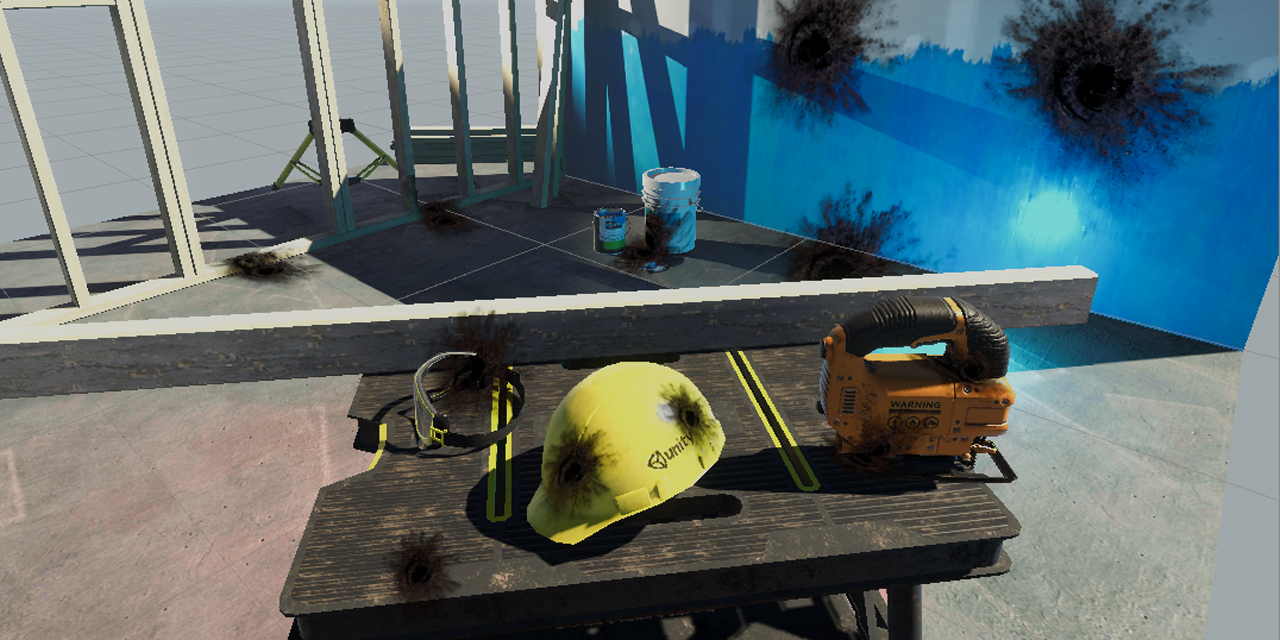
GitHub
Unity unlit screen space decal shader for URP. Just create a new material using this shader, then assign it to a new unity cube GameObject = DONE, now you have unlit decal working in URP - ColinLeu...
eager folio
 dusty pivot
eager folio
<@!180975824273408000> Scale the sprite mesh up and scale the texture down in th...
dusty pivot
eager folio
<@!180975824273408000> Scale the sprite mesh up and scale the texture down in th...
do you have a link to a resource i could use to learn how to do that?
humble inlet
thick fulcrum
What you probably need is a Decal or that sort of technique. If I recall you wer...
thank you very much, my friend!
I believe you have misunderstood my question, however
thick fulcrum
humble inlet
I believe you have misunderstood my question, however
Then perhaps you need to elaborate or re-word the question as it is not clear as to what you want or are trying to achieve 😉
humble inlet
apologies!
I wish to texture a plane with a Perlin map, but, instead of the texture being stretched onto the plane, instead, I want the texture to be 'masked' onto the plane, so the orientation and stretching is always the same, as it is correct to the camera
humble inlet
humble inlet
ello folks! i have a bit of a query here!
if i texture for example, a perlin ma...
I refer you to my diagrams, here:
 trim ermine
I have an impossible task
I want to take megascans and convert them to backgrounds that would work with anime characetrs.
Anime backgrounds are often detailed realism but painting.
Anyone know any good shader tricks I could use?
thick fulcrum
humble inlet
I wish to texture a plane with a Perlin map, but, instead of the texture being s...
okay I will approach this in a different way:
- you can try mapping the plane using "world space" UV's this will avoid stretching but can introduce repetition.
- if you always want it orientated to camera (this will look odd imo) probably achievable by using screen coords as the UV input.
humble inlet
repetition is fine
I am using a Perlin map, so a 2d array of floats. how would I use screen space UVs for this? I understand that I need them, Im just not sure how to do it
thick fulcrum
is this in code or shader graph?
 stray frigate
Hey. Did someone know how to deal with 3d lighting on World Space Canvas, but in URP? I found that without URP, setting up UI material shader to 'Sprites/Diffuse' deals with it, but it isn't convertable to URP shader. I was trying to write my own shader for that, based on tutorial on Unity blog 'Custom Lighting in Shader Graph', but with no luck (I am shader noob). It kinda works for main directional light, but not any additional lights. Maybe someone has written that kind of shader and it is available to buy in asset store?
humble inlet
thick fulcrum
is this in code or shader graph?
sg
civic holly
i want to render a grid based game (e.g. chess) entirely using a custom image shader that will fill the whole screen. i've got the shader in position, but i need a way to pass the current board state (an array of integers or floats) into the shader properties to be accessed. how can this be achieved? i've successfully sent single floats to the shader, such as mouse position coordinates, but can't find an answer as to how to do it with an array. hopefully someone here is familiar with this problem and how to solve?
civic holly
https://docs.unity3d.com/ScriptReference/Material.SetFloatArray.html this should work right? i'll have another go at understanding this tonight.
grand jolt
has anyone used quick outline shader ? I have some issues with that see I am able to view it even when there are objects inbetween how to solve it
 eager folio
dusty pivot
do you have a link to a resource i could use to learn how to do that?
eager folio
dusty pivot
do you have a link to a resource i could use to learn how to do that?

Just scale your quad up in proportion to how much to scale down the UVs and you'll have a larger empty space around the edges.
dusty pivot
eager folio
Just scale your quad up in proportion to how much to scale down the UVs and you'...
but i want the pixels per unit to remain the same
eager folio
If you half the size of the uvs and double the size of the quad... it will look the same size.

 cedar turret
If I'm going to define a 3D boolean field in a compute shader, what data type should I use?
essentially I want a 3D grid of points that are either enabled or disabled
I was thinking something like a Texture3D, but there is no texture format for exclusively 1-bit values
I don't see the point in using an 8 bit texture format when I'm only ever using 1 bit
dusty pivot
eager folio
If you half the size of the uvs and double the size of the quad... it will look ...
can i change the quad size through the shader? or do i need to modify the scale property of the game object?
eager folio
@dusty pivot I could do it in the shader by adjusting the vertex positions, but just scaling it in the inspector is much easier and saves a few nodes.
dusty pivot
eager folio
<@!180975824273408000> I could do it in the shader by adjusting the vertex posit...
do you know what the relation is between the tiling and the offset so that the texture stays in the middle?
oh i figured it out 😄
literally been trying things out for 20 minutes and the moment i decided to ask i figure it out xD
 noble pagoda
Is an attitude of cache friendliness helpful in shader programming?
I just learned that in multi-core CPUs, each core has its own L1 (and often L2) cache, so I'm wondering if GPUs have groups of caches (whether for individual cores, individual stream processors, or whatever) and, if so, whether I should be worrying about cache misses when trying to make complicated compute shaders.
Like say I'm pulling values out of a structured buffer in each kernel instance; if my shader is slow, is it likely to be because I'm jumping around in the buffer or between buffers?
cedar turret
my shader crashes my computer every time I run it, is there any good way to sandbox it so that I can debug it without it breaking my gpu in the process?
teal breach
Is there any way to get the depth buffer values from a Render Texture? I'm trying to make a nice real-time reflection for an isometric game by rendering to a second camera. I'm creating a rippling water surface and using that to adjust the UVs of the samples scene color to make the reflections undulate. It looks like, but I'd like to weight the amount of UV coordinate change using the depth of the reflection camera compared to the scene camera - then, when an object intersects the water I can turn the effect off to make the object meet up with it's reflection
 leaden radish
anyone made a pixel shader for 3D models here?
to make the 3D model look like pixel art?
eager folio
@leaden radish The pixel perfect camera?
Or even just render to a low resolution render texture?
leaden radish
found it
nah not pixel perfect caemra
m turning my 3D models into 2D sprites
researched on it and found solution about it
dead cells approach
who wanna draw so many darn frames anyways xD
they are not even modular
now i can make that fighting game again
and don't have to make so many frames
shader graph is amazing btw
eager folio
No need for a special shader

 sly chasm
shader graph should never have let me go near it
 eager folio
 teal breach
leaden radish
anyone made a pixel shader for 3D models here?
teal breach
leaden radish
anyone made a pixel shader for 3D models here?
I made ProPixelizer if that's what you are looking for? Feel free to dm. There's also a medium article explaining some of how it works. I intend to write a more thorough technical breakdown in the future but haven't had time yet because of work
teal breach
eager folio
https://i.imgur.com/fAaFNys.mp4
looks pretty!

 civic holly
has anyone here ever sent an array of floats to a shader? i'm unable to move forward because i don't understand how. it's surely a common task for shader writers?
i've created a 2 dimensional array in c#, and am trying to send it to the shader
i get this error: Assets\Inputs.cs(40,38): error CS1503: Argument 2: cannot convert from 'float' to 'System.Collections.Generic.List<float>'
// initial declaration
public float[,] arrayIndices;
// then in start function
arrayIndices = new float[arrayWidth,arrayHeight];
mat.SetFloatArray("_Indices", arrayIndices);
eager folio
I believe you have to use float2 rather than float
thick fulcrum
I believe it's more efficient to send a single dimension array, you can easily convert too and from multi dimensional to single dim with a little maths.
civic holly
i was thinking that doing that maths inside every fragment shader would reduce efficiency, but i will try that.
regarding the float2 idea, i thought that was like a vector2, so i don't think that can be right.
teal breach
eager folio
https://i.imgur.com/QRzKund.mp4
are you rendering the object to a render target, and using the direction of normals to camera for coloring?
civic holly
thick fulcrum
I believe it's more efficient to send a single dimension array, you can easily c...
so i'm not getting an error now, but also the one dimensional float array in the shader has all its values stuck at 0, while the float array in c# script has them set to 1, 2, 3, 4, 5... (which is what i want them to be in the shader, for this test)
dusty pivot
I have this simple shader that's supposed to enlarge the sprite and it works fine if there's only one object with the shader on the screen, but as long as there's multiple some objects get weird offsets. Does anybody understand what's going on?

 civic holly
 dusty pivot
does someone know how i can add these tags (https://docs.unity3d.com/Manual/SL-SubShaderTags.html) to a shader via shadergraph?
I figured out that the my previous issue is due to batching, so i want to disable it for the shader
teal breach
How do I get the distance of a fragment to camera in shadergraph? I thought it was just ScreenPosition (raw).A, but I'm just getting a flat color in an orthographic projection
managed to find it: https://www.cyanilux.com/tutorials/depth/#eye-depth
dusty pivot
can i use the Color property in the SpriteRenderer component in a shader, without it changing the color of the texture?
teal breach
teal breach
Is there any way to get the depth buffer values from a Render Texture? I'm tryin...
I was able to get this working, but I had to write a SRP render feature to blit the second camera's depth into another render target, so I could then sample that from shader graph
The purpose was to make this reflection effect, so that the amount of reflection distortion depends on the distance between the water fragment depth and the reflected texture depth. It kind of works - the base of the legs don't wobble much in the water, whereas the top of the body does

a clearer image showing the difference in depth between reflection RT and water surface
 civic holly
thick fulcrum
I believe it's more efficient to send a single dimension array, you can easily c...
civic holly
thick fulcrum
I believe it's more efficient to send a single dimension array, you can easily c...
can you help me set a single dimensional array in the shader? sorry to trouble you but it sounded like you knew how, and i can't get it working and this has been a roadblock for a week now for me.
 spring niche
Hello I would like to change the color of my door with the little color picker but I would also like to have a sort of mask that can prevent the windows from changing color, is there a way to do it or I have to create multiple materials in photoshop ?
 thick fulcrum
civic holly
can you help me set a single dimensional array in the shader? sorry to trouble y...
thick fulcrum
civic holly
can you help me set a single dimensional array in the shader? sorry to trouble y...
sry I was assuming you meant compute shader when mentioned array, I'm not sure about sending it to a material shader if there's anything to be mindful of.
Have you tried setting / altering a simple value like a float or int to check that you are communicating with the correct and expected material. You need to be careful of shared materials and instancing etc with Unity.
Alternatively if your array is within color ranges you can probably write it to a texture and pass that, although it's probably not the most efficient method.
civic holly
thick fulcrum
sry I was assuming you meant compute shader when mentioned array, I'm not sure a...
yes, changing a single float seems to work fine. it's just the float array that doesn't seem to work. i wish i had a simple example of what to write in the shader and where.
thick fulcrum
civic holly
yes, changing a single float seems to work fine. it's just the float array that ...
in your shader is the array setup in a material property block as per this thread?
https://forum.unity.com/threads/passing-array-to-shader.392586/
Unity Forum
I downloaded the Beta specifically because I need this:
"Shader uniform array support. Uniform arrays can be set by new array APIs on...
also the size of the array cannot grow, so if it's set too small initially I believe the data gets discarded.
 severe sluice
Hello! I'm quite new to shaders and I'm trying to use a StructuredBuffer (of heightmap data written by compute shaders) to displace and colour vertices of a mesh. Using surface shaders as I didn't want to delve deep into lighting currently, and I got the displacement working but it always ends up being all single colour. I'm not sure where the problem lies. It seems to take a value from a single location in the buffer. I'll look how I can post code of the shader in question.
severe sluice
I'll put the code as a screen capture atm. The issue is changing the albedo in surf(). Not sure if adding texcoord etc. to the Input struct is entirely unnecessary or just plain out wrong (still learning) but, trying out different options and scaling, the end result is still the same
 severe sluice
to give an idea of results: current (left) and with a modified unlit shader I used previously (right).

colour is applied in the same way as before, and it does visibly change after every replay
civic holly
thick fulcrum
also the size of the array cannot grow, so if it's set too small initially I bel...
just wanted to let you know it's working now. thanks for your help. i think the issue was that i created the array only in the start function. schoolboy error.
dusty pivot
eager folio
<@!180975824273408000> I could do it in the shader by adjusting the vertex posit...
I tried doing it in shader graph, but without any success. Do you have an idea how to do this?
eager folio
@teal breach no. Just using view direction to the quad.
 earnest knot
can i create shadergraph shader in 2D project?
dusty pivot
earnest knot
can i create shadergraph shader in 2D project?
yes you can, if you have the right 2d packages you can go to create -> shader -> universal render pipeline -> sprite (un)lit shader graph
 quiet silo
Im using the camera viewdirection in my shader but it doesnt seem to work on imported models does anyone know why? I have this in my fracment function
float3 viewDir = UNITY_MATRIX_IT_MV[2].xyz;
return float4(viewDir, 1);

it does work on unitys standard 3d objects
earnest knot
dusty pivot
yes you can, if you have the right 2d packages you can go to create -> shader ->...
What is "2d pąck"
dusty pivot
earnest knot
What is "2d pąck"
go into the package manager and add all packages with 2d in the name
with save you a lot of hassle
 lucid sluice
How can I fix the z-fighting here for these two intersecting semi-transparent objects without moving the objects themselves? I'm looking to modify the shader itself

 junior wagon
how do I fix my code, it isn't doing vertex displacement
I only have one subshader
regal stag
junior wagon
how do I fix my code, it isn't doing vertex displacement
You should be doing the vertex displacement before o.position = UnityObjectToClipPos(i.vertex);. The idea is that you are altering the parameter sent into that function.
junior wagon
huh
yeah, that's a thought
I'm just curious as to why it doesn't work because i'm rusty AF. I built the code about 6 mo. ago, then I tried to change it to use worldspace uvs instead so I could tile it, but then I dropped the project so I have something that somewhat works and i'm trying to revert it to how it was before
ooh yes it works ty
quiet silo
Im using the camera viewdirection in my shader but it doesnt seem to work on imported models does anyone know why? I have this in my fragment function
float3 viewDir = UNITY_MATRIX_IT_MV[2].xyz;
return float4(viewDir, 1);
https://cdn.discordapp.com/attachments/497874081329184799/833425854092673064/unknown.png
it does work on unitys standard 3d objects

 fallen sparrow
can anyone think of a reason why I get this error when trying to add a property to a shader?
Shader error in 'HealthbarShader': Parse error: syntax error, unexpected $undefined, expecting '(' at line 6```
Line 6 is the one that starts with _Health:
Properties
{
[NoScaleOffset] _MainTex ("Texture", 2D) = "white" {}
_Health ("Health", Range(0,1)) = .5f;
}
and I do have a `float _Health` lower down in the code as well.Maybe try 0.5 instead of .5f. Don't think you need f in shaders, and unsure if just .5 would work or not.
fallen sparrow
same error, I start off with it = 1; I was trying to follow along with this video https://www.youtube.com/watch?v=mL8U8tIiRRg but as soon as I add a property it fails to compile
and visual studio doesn't seem to have shader syntax highlighting/intelliSense
actually, I lied, the error did change, now it says
Shader error in 'HealthbarShader': Parse error: syntax error, unexpected $undefined, expecting TVAL_ID or TVAL_VARREF at line 6
 static marlin
Why is my skybox only shown half?
 fallen sparrow
regal stag
Maybe try `0.5` instead of `.5f`. Don't think you need f in shaders, and unsure ...
fallen sparrow
regal stag
Maybe try `0.5` instead of `.5f`. Don't think you need f in shaders, and unsure ...
wow ... my programming experience really screwed me over there ...
the issue was that I had a ; at the end of the line ...
eager folio
@earnest knot As long as you are using URP or HDRP you can use shadergraph
@quiet silo The mesh needs to have tangents and normals. If the mesh doesn't have them you need to add them in the importer(select calculate instead of import)
 hoary tiger
Hey, I've been having issues with z sorting on a billboard shader that i want to use for 2.5 d. I'm not very experienced in shader coding (it would be less of a pain for both me and you if you'd do it). It's using the URP on unity 2018.4.20f1 (it's for Vrchat). I'd be willing to send some money if someone can figure it out.
here's the assets i'm trying to get to work
 vernal glen
Any shader pros know which I would need to edit in order to stop my painted terrain grass from changing colors? It's happening even with all wind settings turned off:

I tried editing the WavingGrass but with wind off, I'm lost. I tried a bunch of other terrain tweaks too, but I think it's something with shaders. Upon getting near the grass, it changes colors significantly, up and even through to the point when I'm walking through the grass.
shadow kraken
lucid sluice
How can I fix the z-fighting here for these two intersecting semi-transparent ob...
Instead of moving the objects manually you could give one of the objects a small displace in its normal direction, to inflate it a bit
 restive radish
vernal glen
Any shader pros know which I would need to edit in order to stop my painted terr...
restive radish
vernal glen
Any shader pros know which I would need to edit in order to stop my painted terr...
Copy TerrainEngine.cginc into your shader folder, then comment the entire function WavingGrassBillboardVert, except the first line.
then, right click your shader and click to reimport
Does anyone know how to make my grass (shader) copy the color of terrain material? I want to make it blend in with the ground.
 dry raft
is anyone getting this error as well with VFX in 2021.1 ?
Shader error in 'Hidden/VFX/Snow/System/Output Particle Quad': redefinition of 'PackHeightmap' at /Users/Admin/Documents/APP/Across/Library/PackageCache/com.unity.render-pipelines.core@11.0.0/ShaderLibrary/Common.hlsl(1198) (on d3d11)
Compiling Vertex program
Platform defines: UNITY_ENABLE_REFLECTION_BUFFERS UNITY_USE_DITHER_MASK_FOR_ALPHABLENDED_SHADOWS UNITY_PBS_USE_BRDF1 UNITY_SPECCUBE_BOX_PROJECTION UNITY_SPECCUBE_BLENDING UNITY_ENABLE_DETAIL_NORMALMAP SHADER_API_DESKTOP UNITY_LIGHT_PROBE_PROXY_VOLUME UNITY_LIGHTMAP_FULL_HDR UNITY_PASS_FORWARDBASE
Disabled keywords: UNITY_NO_DXT5nm UNITY_ENABLE_NATIVE_SHADOW_LOOKUPS UNITY_METAL_SHADOWS_USE_POINT_FILTERING UNITY_NO_SCREENSPACE_SHADOWS UNITY_PBS_USE_BRDF2 UNITY_PBS_USE_BRDF3 UNITY_NO_FULL_STANDARD_SHADER UNITY_HARDWARE_TIER1 UNITY_HARDWARE_TIER2 UNITY_HARDWARE_TIER3 UNITY_COLORSPACE_GAMMA UNITY_HALF_PRECISION_FRAGMENT_SHADER_REGISTERS UNITY_LIGHTMAP_DLDR_ENCODING UNITY_LIGHTMAP_RGBM_ENCODING UNITY_VIRTUAL_TEXTURING UNITY_PRETRANSFORM_TO_DISPLAY_ORIENTATION UNITY_ASTC_NORMALMAP_ENCODING SHADER_API_GLES30
restive radish
no
 mental bone
Im having a brain fart moment. I'm doing refraction with the scene color node. Obviously this will refract and show object in front of the mesh as well. I cant figure out how to filter them out exactly.
thick fulcrum
mental bone
Im having a brain fart moment. I'm doing refraction with the scene color node. O...
you can check against scene depth I believe, but it might not remove it entirly
eager folio
 mental bone
thick fulcrum
you can check against scene depth I believe, but it might not remove it entirly
mental bone
thick fulcrum
you can check against scene depth I believe, but it might not remove it entirly
Check against it how ?
thick fulcrum
mental bone
Check against it how ?
I think Cyan or Remy explained how to do this in URP not so long ago, but as a rough guide you can look at this example towards the bottom of the article is where he goes over the problem and how to minimize it. It's effectively masking the area above the surface.
https://catlikecoding.com/unity/tutorials/flow/looking-through-water/
A Unity Flow tutorial about underwater fog and fake refraction.
 vast saddle
I am using URP, and I want to make my object transparent. Only that the inside faces, and the faces on the other side of the model are showing through. Is there a way to stop this from happening?
 mental bone
thick fulcrum
I think Cyan or Remy explained how to do this in URP not so long ago, but as a r...
mental bone
thick fulcrum
I think Cyan or Remy explained how to do this in URP not so long ago, but as a r...
Yeah I know that. I cant figure out how to do it in shadergraph. Did remy explain that in this channel?
dry raft
Has anyone Encountered this in unity 2021.1 ?
Hello, I am using unity 2021.1 and I tried making a VFX with it but I doesn't show up and I got this error with it.
Shader error in 'Hidden/VFX/Snow/System/Output Particle Quad': redefinition of 'PackHeightmap' at /Users/Admin/Documents/APP/Across/Library/PackageCache/com.unity.render-pipelines.core@11.0.0/ShaderLibrary/Common.hlsl(1198) (on d3d11)
Compiling Vertex program
Platform defines: UNITY_ENABLE_REFLECTION_BUFFERS UNITY_USE_DITHER_MASK_FOR_ALPHABLENDED_SHADOWS UNITY_PBS_USE_BRDF1 UNITY_SPECCUBE_BOX_PROJECTION UNITY_SPECCUBE_BLENDING UNITY_ENABLE_DETAIL_NORMALMAP SHADER_API_DESKTOP UNITY_LIGHT_PROBE_PROXY_VOLUME UNITY_LIGHTMAP_FULL_HDR UNITY_PASS_FORWARDBASE
Disabled keywords: UNITY_NO_DXT5nm UNITY_ENABLE_NATIVE_SHADOW_LOOKUPS UNITY_METAL_SHADOWS_USE_POINT_FILTERING UNITY_NO_SCREENSPACE_SHADOWS UNITY_PBS_USE_BRDF2 UNITY_PBS_USE_BRDF3 UNITY_NO_FULL_STANDARD_SHADER UNITY_HARDWARE_TIER1 UNITY_HARDWARE_TIER2 UNITY_HARDWARE_TIER3 UNITY_COLORSPACE_GAMMA UNITY_HALF_PRECISION_FRAGMENT_SHADER_REGISTERS UNITY_LIGHTMAP_DLDR_ENCODING UNITY_LIGHTMAP_RGBM_ENCODING UNITY_VIRTUAL_TEXTURING UNITY_PRETRANSFORM_TO_DISPLAY_ORIENTATION UNITY_ASTC_NORMALMAP_ENCODING SHADER_API_GLES30
regal stag
mental bone
Yeah I know that. I cant figure out how to do it in shadergraph. Did remy explai...
It's something like this, Comparison between the Scene Depth and depth to the water surface, used to Branch based on the distorted screen position vs non-distorted. (I have a water shader breakdown that goes over it too : https://www.cyanilux.com/tutorials/water-shader-breakdown/)
 thick fulcrum
or Remy's example is here I believe #archived-hdrp message
mental bone
Im doing pretty much the same thing. Hold on need to check this out. Ty guys.
 soft idol
Hi, what would the reason for mesh losing texture when it's exported to fbx from blender and imported into unity's scene?
Transparency is gone on some meshes too 😦
shadow kraken
Materials don’t automatically transfer across @soft idol. You’ll need to rebuild those materials in unity
 tranquil bronze
I created a shader in hlsl for raymarching that i applied to a mesh
for every pixel the objects takes up on the screen i march a ray
all of that works fine but i want to be able to render the normal unity scene
if the ray didnt hit an object or if another normal object
is in front of it

this is what i have so far
            half4 Fragment(Varyings IN) : SV_Target
            {
                float3 rayOrigin = IN.rayOrigin;
                float3 rayDirection = normalize(IN.hitPosition - rayOrigin);

                float4 sceneInfo = RayMarch(rayOrigin, rayDirection);

                float rawDepth = SampleSceneDepth(IN.screenPosition.xy / IN.screenPosition.w);
                float linearDepth = LinearEyeDepth(rawDepth, _ZBufferParams);

                if (sceneInfo.w >= _RenderDistance)
                    discard;

                return half4(sceneInfo.xyz, 1);
            }
how would i implement depth to this
theres also some z fighting
heres some other stuff Cull Off ZWrite On ZTest Less
soft idol
shadow kraken
Materials don’t automatically transfer across <@194493250285993984>. You’ll need...
Thank you for the reply.
Like, attach them to individual mesh in materials? For some reason mesh that's missing texture goes pink whenever I apply any random material to it.
mental bone
omg ok was very dumb. I was feeding the wrong thing to the branch node
 topaz hemlock
What are some benefits of learning shader programming in Unity? Right now I am interested in it cause it seems cool and way easier to experiment with shaders compared to writing a opengl/direct3d program from scratch.
tired bronze
@topaz hemlock Large audience, helpers for keeping things crossplatform, ready to be used in projects or sold/given away on the asset store/github.
topaz hemlock
I am also curious which API uses CG? Like DirectX uses HLSL, OpenGL uses GLSL etc.
amber saffron
topaz hemlock
I am also curious which API uses CG? Like DirectX uses HLSL, OpenGL uses GLSL et...
If I'm not wrong, actually none of these. CG is a higher level language that is ised to be cross compiled to the different target APIs
amber saffron
It is slowly replaced in favor of HLSL in unity (all SRPs code is in hlsl), that is still cross compiled afterwards.
amber saffron
topaz hemlock
Unity uses a mix of Cg/HLSL right?
Yes, both are supported.
spring frost
What's the URP / HybridV2 shader reference name of the Color (pink in this image) property from the SpriteRenderer? It doesn't arrive in my Sprite Unlit shadergraph (I presumed "_Color")

it's not the vertex color, either...
Well it is.
Duh. I had set the shadergraph to Unlit in my search for the issue, backing me into a dead end.
Needs to be a Sprite Graph to get the VC.
heavy pebble
So I was using a derivation of this (Painting in UV space) https://www.youtube.com/watch?v=YUWfHX_ZNCw to paint a trail of the player on the ground material, but I've run into multiple issues due to the lack of layers on resets. I looked into lightmap painting and that as well to my research does not support layers.
Full context : I want to use surface paining to achieve two things,
- The player can see on the ground where he's been
- Visual Hints on where the player should walk on demand.
So this is why I need layers. If a player resets the current path he's already walked, I would still like to show the hint (if any) that was already painted and only reset the player trail.
One possible solution I've considered is not using painting for the hints and using HDRP decal projector, atleast for the hints, but its potentially a thousand projectors. And as for resetting the player trail, storing the render texture when required to reset back to.
Are there any other options I can consider apart from the one I mentioned?
grand jolt
how to make a material glow like a fresnel highlight material?
I have an object with some materials already on I want to indicate the player this object is the one to interact so for that I want a animateable highlight material how to create that
 light zenith
hello, I'm new to unity and I'm looking to do a suface shader (in HLSL) which when I apply it on a material gives me this kind of control

do you know or I could find information that could help me?
hoary tiger
light zenith
do you know or I could find information that could help me?
That's just standard
You haven't applied any other shader to it
 normal cape
what does LOD mean?
trim ermine
eager folio
This is awesome, foil shader?
@normal cape LOD is level of detail. Usually to save(a lot of) system resources objects at a distance are imposters that have less detail than something you interact with up close.
restive radish
still trying to make the grass blend with other grass particles and the terrain behind, but I'm having a hard time since I don't know how to access the color of the material under the shader
can anyone give me a tip on that, please?
We just changed engine to make our game 2.5d, so I'm trying to figure out these things to create a nice pixel art style game
normal cape
trim ermine
<@!532784024549064741> LOD is level of detail. Usually to save(a lot of) system...
thx
trim ermine
@normal cape no worries
dusty pivot
how do i change the preview of in the nodes of shader graph to preview in 2d?
the main preview is set to a quad, yet the individual nodes show the sphere preview
regal stag
dusty pivot
how do i change the preview of in the nodes of shader graph to preview in 2d?
It will be an option under the Node Settings tab in the Graph Inspector window. I think it is only available in v10.3+ if I remember correctly? (Or maybe it was v11?)
regal stag
It's default is to inherit the previous one, so if you set the one down the chain they should all change
dusty pivot
and what's the parent?
of all
oh i fixed it
it was because one of the subgraphs was using a 3d preview as main preview
thanks!
eager folio
@vast saddle you can render the object opaque to a render texture and then place the render texture on an unlit, transparent object
teal breach
still playing around with water, wanted to see if I could add an automatic ripple around stuff - I did a depth render from below and used a JFA to make a distance field which is queried to produce ripples. It looks trash right now but I'll tweak further
 fallen sparrow
That is a really cool looking style
 glacial geode
Is it possible to convert the output of the voronoi node so it can be input as the sample texture in a triplanar node?
glacial geode
I ended up just making my own triplanar setup
vernal glen
restive radish
Copy TerrainEngine.cginc into your shader folder, then comment the entire functi...
hm, i don't have this file anywhere in my project. Thank you though for the suggestion.
 ebon turtle
Does anyone know how to change the render layer of an object with a shader on it? It's the soft occlusion nature shaders, the objects they're applied to render on top of particles and I don't know how to fix it. If you can help me @ me please
restive radish
vernal glen
hm, i don't have this file anywhere in my project. Thank you though for the sug...
it's inside the folder Unity<version>\Editor\Data\Resources\PackageManager\BuiltInPackages\com.unity.render-pipelines.universal\Shaders\Terrain
unity folder is usually in C:\Program Files
vernal glen
Ah i was searching in my specific project folder @restive radish
restive radish
copy the file from there and paste into your project shader folder, so it will override
vernal glen
Ok, thanks mate. Going to save these messages. I've scrapped the grass for now, as it was just a damn pain. Wasn't sure if maybe it was my texture, or a Unity issue; I was finding conflicting results. Seemed like the color would change based upon my distance, and the camera angle. Just too many things were wrong with it.
restive radish
leaden radish
anyone made a pixel shader for 3D models here?
basically, a toon shader without specular reflection or rim lighting
just google for toon shaders, there is tons of material
Learn to write a toon shader for Unity engine with specular reflections, rim lighting and shadow casting.
 fallow igloo
I have a question about textures. I have a jpeg image and I want it to be a texture but when I drag it on an object, the image deforms itself to fill the object (wich is a rectangle). I used to code in CSS and there was an option : background : repeat. Is it possible to make my texture reapeating instead of deforming to fill the object ? I tried to search about it but I didnt find anything. Thanks in advance, @ me !
spring frost
Do Texture Arrays incur special costs (e.g. over 4 single textures - I'd say the sampling the 4 textures is more expensive)?
(PC Hardware)
mental bone
So I'm still having a problem with refraction. Notice how it "breaks" because of the depth check. Any smart ways of dealing with this ?

 mint storm
Hi, I'm new to Unity and new to this Channel as well. I would like to ask what is the best way to go about fading an object? I do know that you cannot make an object transparent if the Material is to set to "Opaque", you can only make it transparent it the Material is set to "Transparent".
But here comes the problem, when I set the Material to "Transparent", even at Max Alpha Value of 255, I can see through the objects at certain angles.

Angle 1
I can already see though some edges of the cube
Angle 2
I can see even more stuff, which is the handle in my case

I'm also using Universal Render Pipeline for your info.
I'm guessing the solution will probably be related to Shaders? Which I totally have no clue in how to write Shader or even the Shader Graph. The water Shader that I made in the screenshot was actually blindly following a tutorial.
Can anyone help me with this? I'm total new if the solution is related to Shaders. A detailed step by step on how to solve this problem would be nice. If the solution is not related to Shader, it would be nice to know too. I'm very desperate as I didn't know a simple function as fading could be so complicated in Unity.
also I'm using Unity 2020.3.2f1
Thanks in advance!
toxic flume
Could you say your opinion about it?
    half4 frag (v2f i) : COLOR
            {
                #ifdef SOFTPARTICLES_ON
                if(_InvFade > 0.0001)    {
                    float sceneZ = LinearEyeDepth (UNITY_SAMPLE_DEPTH(tex2Dproj(_CameraDepthTexture, UNITY_PROJ_COORD(i.projPos))));
                    float partZ = i.projPos.z;
                    fixed fade = saturate (_InvFade * (sceneZ-partZ));
                    i.color.a *= fade;
                }
                #endif

                fixed4 tex =  tex2D(_MainTex, i.texcoord);

                half4 col = 2.0f * i.color * tex;
                col.rgb *= _TintColor.rgb;
                col.a = saturate(col.a * _TintColor.a);

                //for dynamic color
                //#if UNITY_VERSION >= 500
                //half3 lightCol = lerp(col.rgb * _LightColor0.rgb * _LightColor0.w , col.rgb, saturate(gray*_LightColor0.w));
                //#else
                //half3 lightCol = lerp(col.rgb * _LightColor0.rgb * _LightColor0.w * 4, col.rgb, saturate(gray*_LightColor0.w));
                //#endif

                return half4(col.rgb * _ColorStrength, col.a);
            }
Is it better to remove if and instead, always calculate the nested stuff or not?
Also, please do not consider #if preprocessor
(Mobile devices)
grand jolt
Hey ! Do someone know the "right way" to do this? (video too big for discord)
https://twitter.com/StudioMostly/status/1384448914636656643?s=19

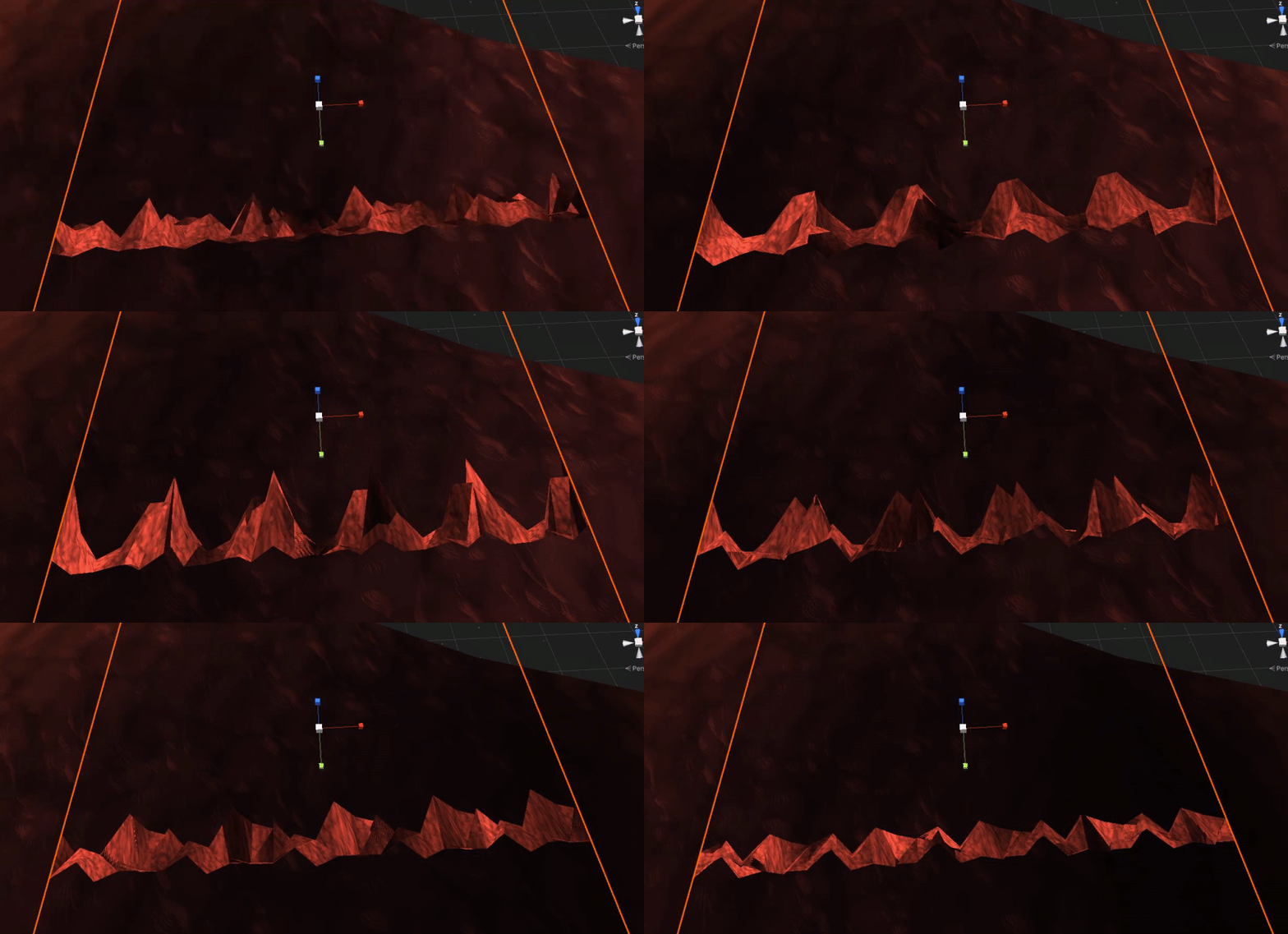


New ability today ! That one was pretty tricky, we hope you'll like the idea :)
𝐃𝐞𝐧𝐢𝐚𝐥 𝐒𝐭𝐚𝐭𝐮𝐬
𝐴𝑏𝑖𝑙𝑖𝑡𝑖𝑒𝑠 :
- [x] Grab spirit objects (magnet like)
- [x] Alter world sphere
#indiegame #indiedev #gamedev #indiedevhour #gameplay https://t.co/GG5qzV5mWE
Twitter
·
shadow kraken
The transparency you see would be because there is transparency in your colour map alpha channel @mint storm. This is then multiplied by the alpha value slider
 ornate fable
It only seems to happen with the URP 2D Renderer?
mint storm
Hi Ole, currently I do not have any colour map attached to it, I just use the default colour option inside the material to change to my desired colour. If I were to put a colour map with full alpha, does that mean i won't be seeing through the object anymore?
mint storm
shadow kraken
The transparency you see would be because there is transparency in your colour m...
@shadow kraken I've tried putting in a colour map (.jpg) but I can still see through my material at 255 opacity. A .jpg image doesnt contain any transparency right? But I'm still able to see through it at 255 opacity. What could be the problem?
 shadow kraken
I'm not sure what I'm looking at in that screenshot
I thought you were referring to the water material earlier, that's why I asked about textures
So what do you want transparency and what does those meshes look like?
mint storm
Sorry maybe I didnt make it clear. I wasn't referring to the water material. I was referring to this.