#archived-shaders
1 messages · Page 123 of 1
 gilded lichen
 acoustic tinsel
I made a post in #⛰️┃terrain-3d regarding terrain trees in HDRP and batching, does anyone here have any insight?
 eternal adder
@meager pelican it was a DM, but yeah, your solution fixed me up!
 meager pelican
it was a DM
😊
 weary dust
Hello everyone, I dont know anything about shaders I'd like just to know if some problem we are having can be fix through shaders....
as you probably know, when a shadow is going close to the far clipping plane it starts fading out automatically
this can't be turned off from anywhere on unity
is it possible to avoid that fading effect coding the shader ?
Thanks in advance
weary dust
nop, it doesnt, this 'feature' is independent of the shadow distance
 devout quarry
and moving the far clipping plane really isn't an option?
weary dust
it ALWAYS fades out when you get close to the far clip
for performance reasons is not an option
well, i wonder if we end up choosing that but it would be a shit
😄
devout quarry
and so you just want the shadows to not fade out? but they can suddenly stop at the clipping plane?
weary dust
thats why i wanted to know if we can hire some expert in shader coding to solve it
yes
devout quarry
I mean that falloff is probably coded somewhere and I'm sure if you're on an SRP you can change it
I'm not sure how else to fix it but I'm not an expert
weary dust
actually its in a unity config file
I found on a forum its on a file called UnityInstallDirectory/Editor/Data/CGIncludes /UnityShadowLibrary.cginc
but i overriddd the methods this guys said and it doesnt work on 2019.1
they talk about the problem here;

Unity Forum
Hi,
So, this is an issue that has peeved me for a good while now, I reckon now is as good a time as any to ask about it.
The problem is as follows:...
devout quarry
weird that changing it doesn't work, are you on an SRP?
weary dust
whats a srp ¿
devout quarry
I managed to customize lighting.hlsl in LWRP and it worked fine
LWRP/URP/HDRP
a scriptable render pipeline
weary dust
is that the default one?
devout quarry
probably not, I just wanted to let you know that I was able to customize lighting.hlsl in LWRP because I think that that file is similar to your UnityShadowLibrary.cginc one
weary dust
aaaaah
ok got it
im gonna see why my changes didnt affect the shadows then, maybe i get a clue
oh i think i need to recompile shaders
after the modificatipons
devout quarry
yup probably
meager pelican
What about doing 2 cascades and just making the 2nd one very very small? (Haven't tried this)
 mild hemlock
It´s for mobile, so no cascades possible
 lunar night
hey guys, probably a common question, but is there a dodcumented/easy away of converting a surface shader to a lwrp compatible shader? can I even write code based shaders for lwrp or is it entirely shadergraph now?
meager pelican
@mild hemlock
It´s for mobile, so no cascades possible
Oh, lol. Good luck with that guys. High end mobile I assume?
I'm sure you know that you can use decals/projector and fake it for dynamic object shadows, but otherwise lightmap type stuffis or none at all. Quality....<throws up hands, bows out>
 vocal narwhal
@meager pelican you can now do
Quotes
by using > , >>> will go to the end of the text
meager pelican
Thanks. 🙂
 maiden gull
Cross-posted from render pipelines: I'm having weirdly low framerates on simple simple scenes using the LWRP on the Oculus Quest. Is using one of the render pipelines actually a bad idea? It's genuinely alarming.
devout quarry
@lunar night yes you can write code based shaders for lwrp
lunar night
@devout quarry will dig deeper, thank you
https://twitter.com/klemen_lozar/status/1036019689174982658 - does anyone know how to grow a mesh throw a shader via offseting the uvs? this dev is describing it but im confused because i thought uv's normally referred to the texture mapping, not the scale/size of a mesh


Crabbie doing a bit of aquascaping #screenshotsaturday #unity3d #gamedev #indiedev https://t.co/C3vNGyytAJ
Likes
659
 Twitter
Referring to the growing seaweed^
well i guess i think i understand the concept, the mesh once instantiated is already full height and the uvs are being animated to full height over time, but how is the mesh invisible prior
vocal narwhal
The Sampler has a UV offset in it that you can animate, and shaders can also easily add maths to UVs without being animated from the CPU
If you're working in a render pipeline you can easily use shadergraph to do this
The actual vertex offset is just that, offsets to the vertices, also done in the shader, and Shader Graph makes this easy too
Making it "throw" would either be via animating a mask on the alpha channel using the UV position
or you could do it on the CPU
modifying the line renderer's positions, which is happening already in that example, so isn't too computationally expensive
You basically have options to do it in a shader, or on the CPU 🙂
lunar night
@vocal narwhal sorry, just to be clear, you are referring to the seaweed, not the water stream, right?
vocal narwhal
I'm referring to the water stream
lunar night
you think that the seaweed in that example is using the linerenderer?
ohh*
sorry, i was asking about the growing seaweed, although the info you have given me seems related
vocal narwhal
Oh you are talking about the seaweed? It's similar
The sway is vertex offset. The texture is set to clamp, so when the UVs are offset (you can look at the Sampler of the texture on the material) it will just push the texture off the mesh instead of having it loop
There's many ways of doing it though, the clamp and sampler offset is the easiest!
lunar night
@vocal narwhal awesome! the sway totally makes sense and so does pushing off the texture after realizing i can set it to clamp in the sampler. However, what i dont understand is, even with the uv pushing the texture off, how do i make the mesh invisible where i push the texture off ?
vocal narwhal
The texture has an alpha channel and the edges are transparent
so when it's pushed off the mesh it's just the transparent edge
gilded lichen
@maiden gull LWRP is quite faster on Quest than built-in if used correctly, but has its issues still (e.g. you have to hack in FFR support, see forum)
maiden gull
What does “used correctly” mean?
I’m not using FFR
I’m trying to figure out how I’m possibly messing this up haha
Keeping in mind that may be a long list
Oh @gilded lichen
gilded lichen
used correctly means: use a recent LWRP + Unity version (we're on 2019.2.0f1 + 6.9.1), make sure drawcalls are still less than 100, max. 1 light with shadows, no large particles everywhere etc. Basic mobile guidelines basically
maiden gull
I just jumped to the latest 1.1, I’ll move to 2.0
Potentially really dumb question- what does it mean process-wise to upgrade the render pipeline?
Everything else there, I’m already doing which is good news
Except I have no shadows enabled because I’ve been stripping everything out trying to get this to work haha
Is it just using this https://docs.google.com/document/d/1Xd5bZa8pYZRHri-EnNkyhwrWEzSa15vtnpcg--xUCIs/edit to get on the Universal RP instead?

Google Docs
Upgrading from LWRP -> Universal RP is designed to be relatively simple, this is done in a few ways technically, this guide will help explain how to transition to Universal RP. Generally projects will upgrade nicely, but some user action may be required if you have handwritte...
gilded lichen
2019.2 is still LWRP
what does profiler say? what's your draw call count in editor?
maiden gull
I got my draw call count to 22
I have 20k triangles total in this scene where nothing’s happening
No materials are transparent, no shadows are cast, no custom scripts are running.
Yet I get massive, regular framerate drops that look like this: https://media.discordapp.net/attachments/497874524549808128/613316761055395840/unknown.png

Which seems to be the fault of the GPU waiting mechanism, but look at that rendering bar
(I added more meshes when testing so I was up to ~30k triangles in the scene)
gilded lichen
yeah I'd recommend updating the LWRP. There were tons of annoying bugs in there, long after "out of preview" because noone really tested Android XR support; it's slowly getting better
Oculus seams to actually recommend 2018.4 + an old LWRP for Quest but I can't really second that
maiden gull
Dang.
What’d be the main drawbacks to hacking it out in 2018 in your opinion?
Are you hitting framerate with 2019.2?
I’m gonna head to bed because I’ve been doing this all day and it’s now 4 am here.Would love to hear your thoughts, and will probably upgrade to 2019.2 tomorrow.
gilded lichen
Yes, hitting 72 fps. Well, more like 65-72, but we're still optimizing, and we're really pushing it in terms of texture and mesh memory
Also note that FFR is essentially doubling your framerate in almost any scenario that doesn't just use unlit shaders. (it depends on your scenes how high you can drive FFR though)
 dark flare
anyone know of an easy way to extract ShaderVariants from ShaderVariantCollection?
i don't want my loading screen completely freezing while it's warming up shaders, so im trying to split up the shader variant collection unity gives me into multiple, then warmup only so many per frame
devout quarry
Idk about a sample but you can do that with the scene depth node
and also
Brackeys did a video on this https://www.youtube.com/watch?v=szsWx9IQVDI&t=545s

Let's learn how to render characters behind other objects using Scriptable Render Passes! This video is sponsored by Unity ● Download Project: https://ole.un...
 grand jolt
@devout quarry
thanks for that ...
i hope to finding an shader for this fx :] [i mean without customizing]
devout quarry
can I read the scene luminance in shader graph?
grand jolt
well ... i don't familier verywell with shadergraph :[
maiden gull
@gilded lichen I updated unity and LWRP to the settings you said... and, after 16+ straight hours of painstaking trial, that's what did it. It worked, I'm hitting framerate! Thank you, you're a freakin hero.
gilded lichen
Good that it works for you, and good that my pain helped reduce yours 😉 I'm fighting with LWRP+Quest since January
maiden gull
Oh man, that's... you have my condolences.
 worthy ridge
On Android and windows my vertex animation shaders look fine, but on iOS on metal the verticies jerk around unlike on the other platforms. Anyone have any ideas what the issue is?
lunar night
hey guys, how do I make sure my texture is projected flat against my model? Still trying to grow a plant through uv offset animation and a gradiant, it's working but my texture is projected in such a way that the animating the Y offset looks weird (it comes from the center, instead of from bottom or top).
 quasi cedar
@lunar night if you're in object space you might need to recalculate mesh bounds?
Or get the inverse normal of a face, that's your most orthogonal projection axis
Question for everyone here--
I've got an unlit shader in LWRP. Would it generally be more performant on Android to do single channel textures multiplied by a color, or just multi channel textures?
lunar night
@quasi cedar i ended up just doing it in Cinema4D and giving my UV mapping a flat projection as i wanted(although im sure u can do the same with any 3d editor)
i think doing it dynamically would be beyond my capabilities to be honest
quasi cedar
@lunar night amplify shader editor makes it a LOT easier to handle, if you're not already using nodes. But UV maps on geo are usually a good route, especially if you're trying to project textures non-tiled
 alpine cliff
hey guys, i use LWRP with shader graph, I dont know how could i change color of part of the mesh in LWRP ?. what i want is generate map with mesh and when i click on the part of map, it change color what i set it.
https://forum.unity.com/threads/how-to-change-part-of-the-mesh-color-in-lwrp.731498/

Unity Forum
I learning to generate hexmap in below link
https://catlikecoding.com/unity/tutorials/hex-map/part-1/
[IMG]
According to algorithm which come from...
 odd slate
Hi guys - I'm having a bit of trouble with an old shader and projectors on iOS.
My game is pretty simple, you're in a car and jump off ramps and you have to skid around to collect goodies, avoiding cones and making your way to the next ramp. There are also paint cans around that you can collect hidden extras, but it also splats paint on the floor and changes the colour of the skid marks To save on draw , we use a render texture per platform that looks only for the splats, skids etc and then uses a projector to put that onto the actual floor itself. Means we can handle the splats nicely and they don't jut out over the edges.
For the most part, everything works fine on Android and in Editor, but when I run the game on iOS, its a bit screwed.
The shader we use for the projector is super simple so I'm quite surprised its causing a problem, but it only happens when you land on the platform, which is when the projector is turned on.
this is the shader:
Shader "Projector/Multiply2" {
Properties
     {
         _Color ("Main Color", Color) = (1,1,1,1)
         _Cutoff ("Alpha Cutoff" , Range(-1, 1)) = .5
         _MainTex ("Texture", 2D) = ""
     }

 SubShader
     {
         ZWrite off
         Fog { Color (0, 0, 0) }
         Alphatest Greater [_Cutoff]
         Cull Off
         Color [_Color]
         ColorMask RGB
         Blend OneMinusSrcAlpha SrcAlpha
         Offset -1, -1

         Pass
         {
             SetTexture[_MainTex] {
                 combine texture * primary, ONE - texture
                    Matrix [_Projector]
             }
         }

     }
}
_MainTex is given a the render texture when it starts
This used to worked a while ago - though I'm not sure exactly what version of Unity - possibly 5.4.x, but I'm using Unity 2018.4.6f1 now and getting that...
it should look like this
grand jolt
hello,
is it possible SSS on LWRP??
devout quarry
yes

GitHub
A sample project showcasing a simple method to calculate custom lighting inside of Shader Graph for the Lightweight Render Pipeline. Includes a sample toon shaded scene and example assets. Built fo...
here in this project there should be a SSS implementation
based on this blog post https://blogs.unity3d.com/2019/07/31/custom-lighting-in-shader-graph-expanding-your-graphs-in-2019/

Unity Technologies Blog
With the release of Unity Editor 2019.1, the Shader Graph package officially came out of preview! Now, in 2019.2, we’re bringing even more features and fun...
 maiden wagon
I just wish ShaderGraph supported vertex shaders, multipass and stencil buffers
because writing shaders in code in LWRP/URP is a pain
devout quarry
I have a stencil shader in LWRP
if you need it
why is writing shaders in code in URP a pain? I have never written any in the default renderer so I have nothing to compare it to
and you can do vertex manipulations in shader graph, or do you mean something else?
 noble tree
ShaderGraph does support vertex manipulation, if that's what you mean
lunar night
can you do vertex manipulation through code in URP/LWRP?
devout quarry
in a shader? yeah
I think URP just doesn't support surface shaders but you can do vertex/fragment shaders
 naive mural
hello, does anyone know how to bypass errors from compute shaders when passing null compute buffers to them? I have a shader which takes in 2 buffers, but either of them can come up as null sometimes if there's no data to fill inside the buffer. While i can guarantee that this buffer will never be used in shader code if it's null, i'm still getting exceptions if i try to dispatch a shader which has a null buffer.
lunar night
@devout quarry makes sense, but that basically means you;d have to reimplementing all the lighting and stuff that surface shaders give you, in your vertex/frag shaders
seems like a massive gap/pain..... I hope they add something similar to surface shaders with URP eventually
 uncut karma
@naive mural just assign the buffer once padded with empty data. Once it is assigned you only have to call SetData on the compute buffer. When the compute buffer is disposed, ex when scripted is disabling/destroying, it will be null in compute shader again.
naive mural
@uncut karma i found another way, which is really strange that it works, but is cleaner. I filled the shaders with fake buffers on start, afterwards no more errors that a buffer isn't assigned to the shader when dispatching. It seems that the ComputeShader class is only looking if something has been assigned, no matter if it has been nullified later on. Thanks for the suggestions though.
 upper kite
@lunar night Writing shaders for the URP is very similar to a surface shader. All the PBR lighting comes from a single function which you feed albedo, normals, roughness etc.
It does feel like having to learn shaderlab all over again, but I suppose it just takes time to figure out how everything is put together now. Give it a try, it's not that bad 😉
lunar night
@upper kite Okay, that sounds reasonable, but where have you found this info? Im having trouble even finding official docs on how to create like, for example in lwrp, a simple custom lit shader
actually just found some gist from a unity dev here: https://gist.github.com/phi-lira/225cd7c5e8545be602dca4eb5ed111ba

Gist
Template shader to use as guide to create Lightweight Pipeline ready shaders. This shader works with LWRP 5.7.2 and above. - LightweightPipelineTemplateShader.shader
upper kite
I built on that as well, works for URP if you rename every instance of "lightweight" to "universal".
Worth checking out the shader libraries from the core SRP package, this seems to be the equivalent to what UnityCG was
uncut karma
Yes URP LWRP already has a surfaceshader, it's more flexible & organized than legacy, shaderlab is gone thankfully 😁
Less macro hell also
gilded lichen
is it possible to create new Master nodes without having to modify the whole of ShaderGraph/Core/LWRP?
seems everything is super entangled and, of course, all just internal namespaces
 mortal sage
Hi I am running some test with Parallax Occlusion Mapping in HDRP for a custom terrain shader made with ShaderGraph, and I get these weird result on the terrain object.
For now this is a simple world space projection of a cloud texture. POM's pixel displacement looks fine on meshes but very distorted on the terrain. The terrain isn't scaled or anything. Any way I can fix this?
 amber saffron
I'm not sure, but I think that the terrain doesn't have proper tangent and bitangent data for the POM
mortal sage
Do you think this can be fixed within the shader editor with view direction or so?
amber saffron
No, I don't think so
mortal sage
ok thanks
 merry rose
I had pretty much same error, I was doing like height based blending with HDRP and shader editor, its tricky to get it to work mainly because the normals are not in proper tangent so I had to do a lot of custom calculations and I never got it right, only close enough to look somewhat good, as shader editor doesnt allow to make geometry shader which is main downside for me atm.
mortal sage
That's actually too bad. POM could have been an alternative to Tessellation which is not even implemented to shader graph yet... I have tested simpler parallax offset, doesn't work either.
This means for now there is absolutly no way to add displacement to custom terrain shaders in HDRP, except if you know how to hlsl.
Having tessellation and draw instanced support in shader graph would have helped a lot to make beautiful optimized terrains.
amber saffron
Maybe you could try by using the HDRP layered lit shader on your terrain. You'll be limited to 4 layers, but POM might work.
meager pelican
Or screw terrain and just make it a mesh(s).
IDK for the "new" system, but for the standard pipeline a few years ago, there was a tool to convert terrains to meshes. So you could prototype/artwork in the terrain system, then convert it to "normal" stuff. You have to deal with the texture issues though.
 short marlin
Shader Graph is keep freezing whenever I add any property in blackboard . Does anyone have a solution for this ?
 stone sandal
It’s a known bug, the fix should be available at the next patch release
short marlin
I hope so.
mortal sage
I didn't manage to make POM work at all in the LayeredLit for now. And actually tessellation isn't enough for my terrain, terrain base resolution is to low (the terrain is 4km x 4km). POM would be ideal if it worked on terrain.
amber saffron
If the terrain resolution is to low, maybe you should switch to using multiple terrain patches ?
But if you need tesselation/POM I guess it would still not be enough
mortal sage
That could be a workaround... how having like 16 patches instead of one big terrain will impact performances?
I wanted to change from static mesh workflow to unity terrain system hoping to speed up and add flexibility to my integration workflows, since I can sculpt and change the terrain directly in the engine. Now that the terrain system has been reworked and that the HDRP is maturing it sounded like a good opportunity but I realize it is still quite limiting in various aspects, espacially concerning shaders and material rendering...
 civic oriole
Is it possible to mask ShadowCaster with stencil ?
 hard wasp
Hey guys, I'm trying to learn shaders for my game and wrote a toon shader. I want to add that shader to every character. However I also want to be able to do things like have the character disolve, or look like it's on fire ect. Can those effects be layered?
 proven vigil
@hard wasp I'm not an expert but I would probably just switch the material/shader when you want to dissolve an object.
and have the materials look identical in a certain state
meager pelican
Since you're using a toon effect, you'll need that as a "base", then you can layer effects on top of that. Toon-on-fire, toon-dissolve. Maybe build all of them into one depending on what you want to pull off. The disolve could be part of the "base" maybe. Depending, again, on what you want to do.
You get the most optimization by having same materials on draw calls. BUT, you can over complicate things too by packing too much into one shader. Also, you can change the sprite and not the material...fire for example could be a different sprite (if you're using sprites). It all depends!
 errant rampart
What is the current way to reduce shader variants when using HDRP + ShaderGraph? ShaderGraph can produce as many as 1000+ variants per shader, which blows up build times. I can go in and change the ShaderGraph code itself, but is there a better way to control this per shader?
amber saffron
All those variants are automatically generated, and you should not try to modify the shader code. The issue right now is that the shader stripper works badly with shadergraph shader and doesn't properly strip the unused variants, but we're working on fixing this.
errant rampart
Thanks for the info, and good to know that it is being worked on. Is there a ballpark ETA on this landing in a release?
amber saffron
No ETA, sorry 🙂
 junior fjord
Not sure if the right channel, but does anybody know if there's a Graphics equivalent to CommandBuffer.DrawRenderer?
Basically I'd like to use Graphics.DrawRenderer to draw skinned mesh renderers, particle systems, etc.
 real basin
there's Graphics.DrawMesh but I don't think that would work with skinned meshes, unless you perform the skinning manually which is possible but difficult
junior fjord
Yep I found it and it's working, but I want a more general approach.
I know CommandBuffers can do it though, I'm just not in a CB.
real basin
oh I see, I think I misunderstood what drawrenderer does
junior fjord
Well it just works with any renderer... whereas DrawMesh only really works with non-skinned MeshRenderer, and even then you have to pull the mesh from the MeshFilter manually.
real basin
I believe drawing a renderer with a Graphics command would be the same as letting the renderer render itself, the only reason commandbuffer has it as a feature is so you can choose at what point in the rendering pipeline it will render. So I would suggest just disabling/enabling the renderer as needed
lunar night
hey guys! i setup a shader so i can animate a mesh's UV's over time by passing in an offset. Is there a way to do this offset animation via my script but without going through the update loop?
would my best bet be a coroutine?
For context, myim trying to do something like:
(1) Within update() i call instantiate on this new object
(2) After instantiating i want to animate the material's uv offset
Can (2) be executed from a single courtine rather than checking every frame in update()?
lunar night
Figured out through my own experimentation, yes co-routines are the way to go for this 👍 : in case anyone is curious
 terse crystal
I was wondering if anyone knew what causes this whiteish tint on decals placed on glace in HDRP https://gyazo.com/bb26f326bb0c79dc5c8c8825de45b528
I tried turning on and off everything inside the decals shader and i could not see a diforence, interesting part is if i reduce the opacity, the last thing to disappear is the whiteness.


here is how it looks with nothing but defuse https://gyazo.com/1dafcd4ec86deca911a1c5e052e64a52

it seems its coming from the light, it illuminates the entire texture including the alpha areas
gilded lichen
Looks like it's overriding specularity as well
 tacit anvil
How do I figure out what implicit conversions in shaders do? I'm reading though a shader on an old project, and it's passing a fixed4 to a function that expects a fixed. Does that pass the x-value, or?
gilded lichen
There should be a shader compiler warning about implicit truncation - yes, x value
tacit anvil
Thanks! I'm not seeing a compiler warning. The function is in an include file, could that be the reason?
 tight forge
Hi all - apologies if this is a newb question but, why when first creating a Standard Surface Shader and then applying it to a mat and applying that to any object show up as pink?
tacit anvil
Just tested - doesn't happen for me. Click the shader, does it have any errors?
tight forge
even after adding a texture/color. still pink. is something already set up wrong or is this expected before doing more in the shader?
gilded lichen
@tight forge do you happen to be on LWRP/URP/HDRP? Surface shaders won't work there
tight forge
LWRP
gilded lichen
Yeah. Use ShaderGraph instead
tight forge
i can't just add
Tags{ "RenderPipeline" = "LightweightPipeline" }
gilded lichen
Nope. You might for simple unlit shader stuff but other than that it won't work
tight forge
ah ok. in that case would surface shaders work on HDRP?
tight forge
oh damn. i'm following a youtube tutorial, he used surface shader, i wonder how he got it to work in HD
gilded lichen
If you must write the shaders "by hand" look at the ShaderGraph output (right-click on a master node, "copy code", paste that as new shader and work from there)
That's the closest you'll get to a "surface-shader like template"
tight forge
great idea. thanks very much for the help
gilded lichen
But I can't recommend it. Better try following the tutorial and building stuff right in ShaderGraph - at least that's what Unity suggests doing
tight forge
it's a custom tessellation shader with vertex displacement based off of Unity's docs https://docs.unity3d.com/Manual/SL-SurfaceShaderTessellation.html

very cool tutorial - https://www.youtube.com/watch?v=_NfxMMzYwgo
A new tutorial series on how to create a snowtracks shader in CG language, within the Unity Engine. You might want to make footprints in the sand, or snow. O...
gilded lichen
Haha
Well sorry for laughing. Please stay with built-in
You can neither build that with HDRP nor with LWRP right now
LWRP = no tesselation
HDRP = tesselation only in premade shaders not in custom ones
You can do vertex displacement in ShaderGraph, just no real tess
tight forge
😢 oh damn
okay thanks. so - another newb Q - what unity DID he use? Just a standard new 3D proj?
gilded lichen
Yep looks like just regular built-in pipeline
tight forge
appreciate your help ty
gilded lichen
No worries, Unity is in a pretty confusing state right now in regards to rendering
tight forge
yeah i heard of URP - is that an attempt to consolidate those states?
tacit anvil
URP is just a new name for LWRP
tight forge
oic
 vernal spire
hey, when using transparent in shader graph, shadows that are behind the plane(on which is the material with transparent shader) are visible. Do you know how to fix it? without disabling shadows on certain objects ofc
 thick fulcrum
this is a known issue on pbr shaders... although was working on an unlit shader and didn't notice this issue so perhaps they are not affected
tight forge
Tutorial done! Really happy with the result, thanks for the help! 👍
https://twitter.com/DomFeargrieve/status/1165293815076462592


A snow deformation custom shader in
@unity3d using tessellation, vertex displacement & a raycasted splatmap
HUGE thanks to @PeerPlay for this exceptional tutorial: https://t.co/RceRL6Tg8F #madewithunity #unity3d #gamedev #indiedev #shaders https://t.co/ZisqwX357F
Twitter
 heavy stirrup
hey guys, what does shader variant mean as compared to shader permutation
dark flare
for ComputeBuffers, is there a difference between Release() and Dispose()?
ping me if you know
vocal narwhal
@dark flare ComputeBuffer implements IDisposable, and you can see what Release does https://github.com/seckincengiz/Unity-CS-Reference/blob/master/artifacts/generated/bindings_old/common/Core/ComputeShaderBindings.gen.cs#L280
vocal narwhal
Probably helps with the documentation
 thorn saffron
can someone help me?
i got a
Parse error: syntax error, unexpected TVAL_ID, expecting TOK_SETTEXTURE or '}'
Shader is not supported on this GPU (none of subshaders/fallbacks are suitable)
 humble wave
whatever is infront of TVAL_ID was not finished correctly. Could be missing ;, " or as it states }.
thorn saffron
can i message you the whole thing to figure it out?!
naive mural
Hello, does anyone know if AsyncGPUReadback guaranteed retrieves all buffers from the same shader at the same time? Lets say i dispatch a compute shader with 2 buffers and try to read the buffer data once it has finished the GPU to CPU buffer request from AsyncGPUReadback. I've done some tests on my own system, and it looks like the AsyncGPUReadback handle does retrieve all of the buffers inside the shader in the same frame, but i have no idea if this behaviour is the same on every other machine.
 obsidian terrace
I have this simple outline-shader:
Shader "Unlit/Outline"
{
    Properties
    {
        _MainTex("Texture", 2D) = "white" {}
        _OutlineColor("Outline Color", Color) = (1,1,1,1)
    }
    SubShader
    {
        Tags
        {
            "RenderType" = "Transparent"
        }

        Blend SrcAlpha OneMinusSrcAlpha

       Pass
       {
            CGPROGRAM
            #pragma vertex vert
            #pragma fragment frag

            #include "UnityCG.cginc"

            struct appdata
            {
                float4 vertex : POSITION;
                float2 uv : TEXCOORD0;
            };

            struct v2f
            {
                float2 uv : TEXCOORD0;
                float4 vertex : SV_POSITION;
            };

            sampler2D _MainTex;
            float4 _MainTex_ST;
            float4 _MainTex_TexelSize;

            fixed4 _OutlineColor;

            v2f vert(appdata v)
            {
                v2f o;
                o.vertex = UnityObjectToClipPos(v.vertex);
                o.uv = TRANSFORM_TEX(v.uv, _MainTex);
                return o;
            }

            fixed4 frag(v2f i) : SV_Target
            {
                fixed4 col = tex2D(_MainTex, i.uv);

                fixed leftPixel = tex2D(_MainTex, i.uv + float2(-_MainTex_TexelSize.x, 0)).a;
                fixed upPixel = tex2D(_MainTex, i.uv + float2(0, _MainTex_TexelSize.y)).a;
                fixed rightPixel = tex2D(_MainTex, i.uv + float2(_MainTex_TexelSize.x, 0)).a;
                fixed bottomPixel = tex2D(_MainTex, i.uv + float2(0, -_MainTex_TexelSize.y)).a;

                fixed outline = max(max(leftPixel, upPixel), max(rightPixel, bottomPixel)) - col.a;

                return lerp(col, _OutlineColor, outline);
            }
            ENDCG
        }
    }
}
How can I modify this so it works with the new 2D lights?
meager pelican
@naive mural The docs say it can add "several frames worth" of latency to the frame, but for the AsyncRequest, it's frame-specific. Sounds like you have two requests. I would assume since you'd check both, that both would be completed. Or did I misunderstand you?
https://docs.unity3d.com/ScriptReference/Rendering.AsyncGPUReadbackRequest.html
Pending requests are automatically updated each frame. The result is accessible only for a single frame once is successfully fulfilled and this request is then disposed of in the following frame. Common uses for this are to query AsyncGPUReadbackRequest.done each frame (or within a coroutine) and then call AsyncGPUReadbackRequest.GetData if the AsyncGPUReadbackRequest.hasError is false. You don't have to manage the request lifetime as this is managed internally. A request that has been disposed of will result in the AsyncGPUReadbackRequest.hasError property being true. See Also:AsyncGPUReadback.
naive mural
@meager pelican I have a case where i am dispathing a shader with a single kernel and am requesting multiple buffers from the same shader async. The main thing I'm wondering is, if all of those requests would complete on the same frame or is it possible that the buffers could have differing latency before they complete. Based on tests on my own rig, all of the buffers are done on the same frame after the shader has been dispatched, which makes coding a bit easier, however, i'm not certain if this type of behaviour is universal for every GPU which supports compute. If it's not, i'd need to create flags for each request before i could proceed using the buffers as data.
meager pelican
So it's not really "all buffers in the same frame" as much as it is 'did my compute shader complete it's work before I read these buffers?" You don't want the async read to kick off too early.
How are you scheduling this? This might help:
https://docs.unity3d.com/ScriptReference/Rendering.GraphicsFence.html
Kinda guessing here.
However it does say this:
GPUFences do not need to be used to synchronise a GPU task writing to a resource that will be read as an input by another. These resource dependencies are automatically handled by Unity.
So it looks like it might be automagic. 😉 🙂
 proven sundial
What step am Ii missing to use a black/white image as a opacity mask?
And as a bonus, seeems Smoothness has more to it than just a v1 value 😛
grand jolt
Is there a Shader graph for the Terrain material in HDRP?
The only thing I can seem to find is the GUI for HDRP Terrain Lit materials.
(C# Script)
Nvm I found my issue, I was in Editor folder not Runtime hahah
naive mural
@meager pelican thanks, i'll have to check that out.
gilded lichen
@proven sundial your alpha clipping is 1.75, it should be in range (0,1). Default is 0.5
also, depending on which Unity version you're on, try to add a Vector1 with the clip threshold. There were some bugs around clipping never happening when adjusting the value directly.
grand jolt
Hello everyone! I'd like to have some help understanding a piece of code from a shader. The shader takes screen space with a camera rendering depth normals and then applies a snow effect on top of the objects.
The thing I can't figure out by myself is the moment when the shader takes a screen point and turns it into a valid world position. It uses the unity_cameraProjection matrix and then 3 lines later it divides by _ProjectionParams.z.
These are the lines:
*
float2 p11_22 = float2(unity_CameraProjection._11, unity_CameraProjection._22);
float3 vpos = float3( (i.uv * 2 - 1) / p11_22, -1) * depth;
float4 wpos = mul(_CamToWorld, float4(vpos, 1));
wpos += float4(_WorldSpaceCameraPos, 0) / _ProjectionParams.z;
wpos *= _SnowTexScale * _ProjectionParams.z;
If you need the full shader I can send it too, so this piece of code have some context.
The guide of this effect can be found in here: https://blog.theknightsofunity.com/make-it-snow-fast-screen-space-snow-shader/.
Thanks for the help!

Have you ever wondered how much time does it take to apply snow to all of the textures in your game? Probably a lot of times. We'd like to show you how to create an Image Effect (screen-space shade
tacit anvil
Does anyone know where I can find documentation for geometry shaders? I find a ton of examples, but nothing describing exactly what they can do.
In particular, I've found that the input can at least be either "triangle type IN[3]" or "point type IN[1]", but are there alternatives to triangle or point? Those kinds of things.
 gloomy wind
I recently created my first shader ever, using Shader Graph for sprites, which is working perfectly, however I am running into a weird issue.
I have several white sprites and a 2D global white light.
Any other light, 2D or 3D I add to the scene has no effect. It is acting as if using addition type blend despite the "2D Renderer" and lights have been set to use "multiply".
Any ideas or suggestions?
gilded lichen
@tacit anvil look at keijiros repos, lots of great learning opportunities there. Also, official docs. https://docs.microsoft.com/en-us/windows/uwp/graphics-concepts/geometry-shader-stage--gs-
Also if you're diving into topics as this I highly recommend reading all of https://fgiesen.wordpress.com/2011/07/09/a-trip-through-the-graphics-pipeline-2011-index/ if you haven't yet.
tacit anvil
Thanks!
gilded lichen
You're in for quite a ride, but it's totally worth it 🙂
To roughly answer your question out of my head:
- geometry shader can convert between different types of topology
- input possibilities are point (e.g. expanding single verts to billboard particles), line (e.g. sending lines (aka connected 2-verts)) to quad, triangles and quads - output is the same options, but you can combine.
- additionally, input let's you specify stuff like "neighboring triangles" for the gs function
- meshes for all but triangle input need to be set up with scripts using Mesh.SetIndices with the MeshTopology parameter
It gets really crazy once you're incorporating hull + domain shaders as well.
It's a total shame they're mostly used for geometry tesselation as they can do infinitely more things
tacit anvil
Yeah.
proven sundial
Can't figure out how to set the color or a texture on the "backface" when using a double sided shader in graph.
its always black
proven sundial
LWRP. 2019.2.2 : Bug or me being dumb?
amber saffron
Use the "is back face" node, and a branch
proven sundial
Thanks.
 slate patrol
Question: how do I blit from a rendertexture directly to the backbuffer using command buffers?
meager pelican
https://docs.unity3d.com/ScriptReference/Graphics.Blit.html
says you can pass a null as the destination texture. But
https://docs.unity3d.com/ScriptReference/Rendering.CommandBuffer.Blit.html
doesn't say that explicitly. Try it? Or write a shader to output the destination color to the screen.
slate patrol
Will try, though don't think it'll work. Ty
thorn saffron
can someone tell me if theres a way of making a video shader?
instead of an image shader
slate patrol
Hmm, I think I might be misunderstanding something
Let's suppose that I have a camera and some kind of a post processing effect that uses command buffers.
The camera writes to a render texture.
How can I make the camera initially render to a lower-rez buffer and then blit that buffer to the rendertexture (which is higher rez)?
The key factor here is that it should be all one camera.
 echo badger
I have been trying to make a stylized skybox shader. But I can't find any info on it.
Right now just trying to get a pretty simple one with a, moon, sun, and gradient sky. Anyone got any ideas?
(I am using ASE, but am not too bad at converting normal shader code to node layout if it is not to complex)
Okay I found this post about making one. But in it, it references a variable i. And I am not sure what it is. https://www.patreon.com/posts/making-stylized-27402644
meager pelican
@echo badger Might be the input structure. Check the function parameters. I only see code fragments in the post, not the whole code, so....
As far as skybox shaders go, check unity's shaders for examples. They publish the shader sources as a separate download.
echo badger
Oh, I found the source code on that page, i just overlooked it. i is in frag but idk how to copy that in to ASE : |
fixed4 frag(v2f i) : SV_Target { ... }
meager pelican
What you need to do is look for a structure called v2f in the code, and that will tell you what the vertex shader is passing to the fragment shader for variables . IDK ASE but it may build that behind the scenes depending on what nodes you use. So use what you need to, I assume.
echo badger
Oh, I check for both frag, and SV_Target, but forgot to check for other references to v2f
Okay so in the end it is passing POSITION and TEXCOORD0
@meager pelican thanks for your help, I figured out the problem... I was using the wrong node. I was using "Texture Coordinates" and not "Vertex TexCoord". Sorry and thanks again.
 shell thorn
Sup!
Any idea why its happened?
LWRP -> Experimental Sprite 2D (Unlit)
Colorspace - Linear
 hexed surge
tried asking in general, but maybe will have more luck here
Need to add object outlines (on mouse hover) and after googling for a bit all solutions suggest adding a custom shader to draw the outlines
Is this still the best approach or maybe they have added some stock shaders that can do the job without writing a custom shader?
shell thorn
Few seconds in google.
https://roystan.net/articles/outline-shader.html
https://github.com/IronWarrior/UnityOutlineShader
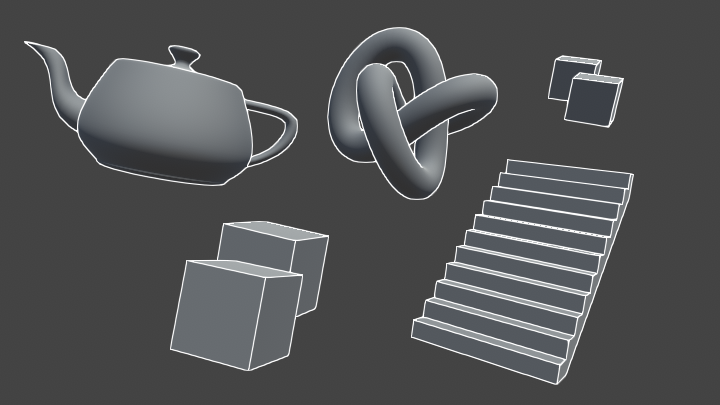
Learn to write an outline edge detection shader for Unity engine, integrated with the post-processing stack. This effect is especially popular as a compliment to toon shading, or in CAD and architectural rendering.

GitHub
Source code for Outline Shader tutorial for Unity. Detects edges in a scene using the depth and normals buffers. - IronWarrior/UnityOutlineShader
@hexed surge
hexed surge
yep, found similar results, just thought maybe they added something of the sorts by default, seeing how popular it is
 woeful crypt
@hexed surge I've been working on an outline/edge detection post processing effect that I'm going to put on the Asset store soon, you can PM me if you want to try it out!
shell thorn
Ask him about price dear freelancer:D
woeful crypt
it's free 🙂
hexed surge
thanks for the offer, i'll probably play with the shader myself, good opportunity to get into shader programming 🙂
woeful crypt
I'm just a hobbyist, not a freelancer
shell thorn
just kidding)
hexed surge
was always interested, now i have a reason to start learning
shell thorn
we all have same reason, you want to get some stuff to be done better? Do it yourself)
woeful crypt
That tutorial is probably the best one available that I've seen, but there are some additional things that I do differently/additionally, so if you want to check it out even if just to compare the source code, that's cool with me too, hit me up
hexed surge
that'd be great, I will, once I start on that shader, doing other task at the moment 👌
woeful crypt
Differences being: I do my depth-detected edges with a different calculation (comparing ratios rather than differences), weighted edge strengths, and edge color gradient by distance
 grave flare
is there a way to make .cginc files globally accessible without needing to use relative paths?
having an issue with importing a custom package's samples that use shaders from the package itself
 sudden mountain
my question is: what texture type do I use for video's in the shadergraph editor.
dark flare
@slate patrol command buffers accept resolution parameters, -1 is "full size" and -2 is "half size" and so on
slate patrol
Command Buffers accept buffer sizes?
Which functions specifically?
Or is it in a constructor?
real basin
I assume they mean rendertexture, you can set rendertextures to whatever resolution you want and blitting to it will automatically scale up or down
scaling down then up creates blur
 upbeat topaz
How can I make the emission match the albedo in shader graph?
amber saffron
@upbeat topaz You mean, like, connecting the same node to emission and albedo ?
upbeat topaz
Like, connecting the rgb values of albedo to rgb values of emission, so that both of them could be controlled at once using colour over lifetime in a trail renderer component @amber saffron
amber saffron
Like I said, in shadegraph, if you want emission to be equal to albedo, you just have to connect the same node to emission and albedo.
Else I'm not understanding what you want
upbeat topaz
When creating a color node that connects to them it does work when changing it manually or through a script, but I am trying to get it to work with the Trail Renderer, so that colour over trail and colour over lifetime would affect both values at once
 delicate badger
Hi all, I'm looking for a custom node to get light Direction in HDRP. I found the HLSL code for LWRP but not for HDRP. Could you help me plz ?
amber saffron
@upbeat topaz Use the "Vertex Color" node to get the color of the particle in shadergraph then
upbeat topaz
ah, thank you very much
amber saffron
@delicate badger We don't have that for the moment
delicate badger
thx
upbeat topaz
hmm, I may have asked for the wrong thing, as I'm trying to get the particles to fade out without darkening just before becoming transparent
I thought that keeping emission and regular colour to be the same would be the fix, but it seems I was mistaken
oh wait, nevermind, It happened like that because I have a very bright scene, and I forgot that the particles don't react to directional lights
or not? As they get pretty dark unless they are against an absolute white
upbeat topaz
while using the mobile additive shader it becomes too transparent at points
grave flare
can anyone tell me what #ifndef means? does this mean platform defines that are passed to a shader?
real basin
unity defines things like platform for you and you can define your own keywords too. #ifdef is an if statement that executes code contained in it if the given word is defined, #ifndef is the same but inverted (if NOT defined)
grave flare
i just tested it and it doesn't look like you can use platform defines for this
you have to explicitly #define the var in your cginc file or otherwise
gilded lichen
@grave flare here's the docs https://docs.unity3d.com/Manual/SL-MultipleProgramVariants.html - that's the defines in shaders.
lunar night
heya guys, is something like volumetric clouds possible in shader graph? similar to something like this in ue4: https://80.lv/articles/working-on-volumetric-clouds-in-ue4/

Lars Laukens talked about his approach to setting up volumetric clouds in Unreal Engine 4.
upbeat topaz
@lunar night https://www.youtube.com/watch?v=LLUUIAKFgWg

Making a Volumetric Cloud Shader in Unity. You can read a more detailed write-up of this approach at my Patreon: https://www.patreon.com/posts/21646034 If yo...
oh wait, this one is made using amplify, nvm
lunar night
@upbeat topaz ahh damn yah
hmm, is there a best practice for writing surface shaders but for lwrp?
grave flare
@gilded lichen I tried the pragma directive but couldn't get it working (or i misunderstood what i needed to do)
i was also less looking for different compiled versions and more just logic around if a #define is used or not
maiden gull
Hey! I'm building a system where I need a crowd of people. They'll all be shaded the same way, with no textures. Just flat. I'm randomizing hair and head meshes, and I'd like to randomize hair color, skin color, and shirt color.
I was hoping to get your opinions on what the most efficient way to batch these would be?
uncut karma
@grave flare yes start your include paths with"Assets/ or "Packages/
uncut karma
@lunar night yea technically it is possible to do in shader graph. For surface shader best practices with LWRP the easiest is to look at their unlit shader + hlsl and start by copying the files. Then move on to lit or simple lit when unlit makes sense. Lit uses a surface struct so it's generally simple to do custom things and put results into the struct to be shaded.
Bacon this is what I meant by the paths thing #include "Packages/com.unity.render-pipelines.core/ShaderLibrary/Common.hlsl"
#include "Assets/ShaderLibrary/MyInclude.hlsl" etc
much better than trying to use relative paths (unless for sure the HLSL files are in same loc as shader
hexed surge
is it a bad idea to change shaders on the fly ?
wanted to display models with outline shader when mouse hovers over them, and it kinda works, but sometimes graphical artifacts appear during the frame when shaders get switched
not proficient in shader programming at all, so don't know if it's the shader's fault or it's a bad idea to switch shaders on visible objects during runtime in Unity
lunar night
@uncut karma thank you!
@hexed surge The most optimal solution would be to combine the shaders into one, using a boolean uniform variable on the shader to toggle the outline on or off
Also, are you currently switching the shaders on the fly on a single material? Would probably be better to instead have two materials and switch between them
 radiant agate
Hey coders. Right now I have an unlit shader that multiplies a color and a texture. In addition, I have an additional texture that layers over the result.
    Properties {
        _MainTex ("Base (RGBA)", 2D) = "white" {}
        _Color ("Main Color", Color) = (1,1,1,1)
        _MainTex2 ("Base (RGB) Trans (A)", 2D) = "white" {}
    }

    SubShader {
        Tags {"Queue"="Transparent"}
        ZWrite Off
        Blend SrcAlpha OneMinusSrcAlpha
        Pass {
            SetTexture[_MainTex] {
                ConstantColor[_Color]
                Combine texture * constant, constant
            }
            SetTexture[_MainTex2] {
                Combine texture Lerp(texture) previous, previous
            }
        }
    }
}```The problem is that if I set the additional texture to none, the resulting shader is just white. (I think the default texture it uses is just a white square).
Does anyone know how I might fix this so that if the additional texture is set to none, it simply foregoes layering anything on top (instead of whiting out everything)? I assume it might have something to do with changing ="white" {} for _MainTex2
amber saffron
It's happening because you set "white" as your default texture for _MainTex2. If the texture is set to none, the shader falls back to a white texture.
You won't be able to achieve what your want "easilly".
The best fix is to set a default texture with a full black (0) alpha in the shader file inspector.
Or do fancy stuffs with an other blending variable and a custom inspector.
radiant agate
Right, I was thinking of just adding a clear image, but I was hoping there would be an "easy" way to handle it in code.
Thanks anyways!
gilded lichen
@radiant agate note that if you were additively blending it would be easy as there's also "black" as available option
_MainTex2 ("Base (RGB) Trans (A)", 2D) = "black" {}
 tidal nova
can you resize Texture2DArray? I know you can resize Texture2D, but don't see such option for Texture2DArray
or need to create new one, transfer old data to it, destroy old and re-bind new
maiden gull
You can't rescale the images in a texture2D array
(as far as I know)
You could atlas your images and scale that if you wanted?
 heavy mango
I've come so close to adding clouds to a modified version of Unity's Procedural Skybox shader
does anyone know how I could get the generated noise to map flat in the sky?
heavy mango
essentially seems to be a sphere projection situation, but I can't figure it out
 ocean spade
is there a way to get custom global variables in shader graph?
Shader.SetGlobalFloat("_MyGlobalFloat",1f) and then naming a property in shader graph "_MyGlobalFloat" doesn't work
there was a suggestion to use command buffer here https://forum.unity.com/threads/feedback-wanted-lightweight-render-pipeline.562291/page-4
but I'm not sure how that's supposed to work, I tried creating one with var cb=new CommandBuffer() and then calling cb.SetGlobalFloat(), nothing happens, is there something else i need to get the commandbuffer to work? or maybe this is the wrong solution entirely?
I'm not getting any debug errors, there's just no visible change in the shaders
gilded lichen
The above is correct, just make sure the property doesn't have "Exposed" enabled, also make sure to use the reference name not the property name
ocean spade
disabling 'exposed' was what i was missing, thanks herb
 vestal radish
Hi people! I just want to make sure I'm not wrong here. There's no way of making a single pass double-sided shader that flips the normals for the backfaces detected through VFACE in order to have lightmapping correctly affect both sides, right?
I'm just looking for the absolutely most efficient way of getting the effect of both sides correctly lightmapped.
I imagine that the lightmapping is the limiting factor here, since I probably can't do any lightmap UV trickery, even if I could get the baker to produce two islands for the same triangle, which is a problem in and of itself.
gilded lichen
Not sure if that's worth the trouble actually compared to having duplicate triangles - if you render both back and front it's the same duplication just without additional index buffer. I think (might be wrong though) that you'd only save the index buffers with any hackery for your case. If it's more of a workflow issue I'd say make some scripts for the mesh handling
meager pelican
@vestal radish There's a few lines in the vertex shader here that has a magic multiplier (reversing it), otherwise it's a cull off surface shader:
https://forum.unity.com/threads/double-sided-shader-lighting-problem.434215/

Unity Forum
Hi.
I added a simple cube and a directional light. You can see the front and back lighting.
[IMG]
Now, I added a plane. With front and back lighting....
gilded lichen
I think the main issue with a single model is the lightmapping, not the regular shading.
meager pelican
Yeah, good point herbst. If he doesn't want it lit the same as the backface (my bad), then I like your duplicate triangle deal, since it would unwrap that into the lightmap and, say, face the light. Unity doesn't deal with double sided stuff and lightmapping. :/ IDK about the new pipelines.
You can lessen the impact by lowering the backface tollerance in lightmap parameters to reduce artifacts, but as far as correctly lighting an internal back facing front visible triangle using the lightmap, sheesh, the data isn't there (unless you duplicate the triangle like you say).
maiden gull
Is there an easy way to grab shader output as a PNG?
I have these textures made so you're supposed to replace the green channel with X color, and the blue channel with Y color
I wrote a shader that does this, and it'd be great to just grab the output as a PNG in the same size as the original texture
Can I write into a RenderTexture buffer and output that?
upper kite
@maiden gull You can use Graphics.Blit to copy a source texture (can be null) into a destination texture (your RT) using a material. After which you can copy the RT contents into a texture and save it to a file
You can nibble bits and piece from this script if you're unfamiliar with the method: https://pastebin.com/jcwPxcgX

 kindred lodge
Hi.
How could I fix tears in the mesh caused by heightmap displacement?
Thank you in advance
The object is a pretty dense icosphere from blender
gilded lichen
@kindred lodge make sure your normals are continuous / your mesh has smooth normals everywhere.
kindred lodge
It should have since its a basic shape
Is there any option i'd need to check when exporting as an .fbx
kindred lodge
Could be the kvant deformer splitting the mesh
Displacement seems to be breaking all the corners
gilded lichen
Why should a Cube have smooth normals? It doesn't unless you are making sure of that in a DCC app
Normally if you want to use displacement on sth like a cube (with sharp corners) an easy way is to round all corners a bit and make sure normals are smooth. One rounding segment is enough
 rugged jackal
hey guys. I'm new to shaders and I would like to achieve something like this for a mobile game. Could somebody point me to some tutorial or name of the effect so I can study it further? Thank you 🙂
kindred lodge
@gilded lichen Not really using it on a cube... Just wanted to try out different shapes as well
gilded lichen
Well if you want the displacement to not break the edges try it on smooth stuff 🙂
maiden gull
@rugged jackal You'll probably have to be more specific on what effect you're talking about
rugged jackal
@maiden gull im talking about the fog effect
maiden gull
Can you not just use Unity's default fog?
rugged jackal
it's too heavy for mobile. from what i read custom shader is best option to reach lower end mobile devices
maiden gull
Wait, where'd you hear that?
rugged jackal
Unity Forum
Hello,
I read about the rendersettings.fog etc does not work on mobile? I tried to used the gobalfog shader, but it looks terrible on the mobile...
vestal radish
Thank you very much @gilded lichen and @meager pelican! Thought so. I was just interested if there is a way to pull it off. But yeah, the idea breaks with the lightmapper, and it's absolutely not worth writing my own for the intended purpose.
maiden gull
@rugged jackal What's your target platform?
rugged jackal
android devices
@maiden gull i also read that depth shader would be best option to fake fog. is it correct?
maiden gull
I mean
AFAIK that's just Unity's default system
and it should be fast enough for most of today's lower-mid end devices
If you wanna try and go cheaper than that, you could do vertex blending
Does your camera move around in your game?
rugged jackal
only on z axis
maiden gull
Hm
Do you have any screengrabs of your game in action?
I'm trying to guess at some tricks you might be able to use if fog is that much of a bottleneck
rugged jackal
he it be. i want to get a gradient coming from top to bottom
maiden gull
Nice looking game!
So if I were you, if you haven't already, I'd give Unity's built in fog a shot. Just to see. If it doesn't run well on your device, you can move onto the next step, and if it runs fine, you just saved yourself a lot of time
I'm not an expert, but on my current project I've been hit with a couple cases of overthinking. Fun times.
If that doesn't work

Unity Forum
Any thoughts on the best way to simulate depth on mobile VR? Looking at some of the Google cardboard demo's it looks like Unity's built in fog, but...
rugged jackal
Aye aye, will take a look into built in fog
maiden gull
This could be a decent mobile solution that could give you what you're looking for depending on your renderer settings
(there's a 'fixed' version deeper in that thread)
rugged jackal
this is interesting. thank you for the share 🙂
maiden gull
Of course! And best of luck, hope to hear all works out.
rugged jackal
Thank you, same to you! ^^
 marsh fern
can Compute Shaders run on WebGL?
 placid lake
@rugged jackal https://jakobknudsen.wordpress.com/2013/08/06/altitude-fog/

When you submerge an object in water you expect it to become more and more obscured as it sinks further into the depths. As far as I can see, this is usually accomplished in Unity3D with a fullscre…
marsh fern
i mean, my app in Unity is using Compute Shaders but I want to deploy it as WebGL instead of a Desktop App. What limitations should I be aware about?
placid lake
 rugged jackal
@placid lake really nice! thank you for the share too ^^
both fit perfectly with the effect im looking for. thank you 🙂
maiden gull
Are these actually significantly faster?
The hangup with fog AFAIK is fillrate
So the only way to make it faster is to use a vertex shader / include the fog calculations in that first draw pass?
maiden gull
Hey, I'm having a somewhat major issue with the shader export thing as @upper kite mentioned
I have a shader that replaces the red, green and blue channels of a texture with arbitrary colors
It works great in the scene view
But I'm trying to write out a bunch of textures with a bunch of color variations to PNGs
Here's the problem
This is what an example export looks like
There's like, a yellow, y-flipped version of the texture in the background
And I have absolutely no clue what could be causing it
maiden gull
What information can I provide to assist in solving this? Does anyone here have experience?
 void OutputTextures()
    {
        RenderTexture oldRT = RenderTexture.active;
        RenderTexture.active = rt;

        for (int t = 0; t < originalTextures.Length; t++)
        {
            recolorMat.SetTexture(textureShaderProperty, originalTextures[t]);
            for (int c = 0; c < colors.Length; c++)
            {
                GL.Clear(true, true, Color.clear);
                recolorMat.SetColor(colorShaderProperty, colors[c]);
                Graphics.Blit(null, rt, recolorMat);
                stagingTex.ReadPixels(new Rect(0, 0, rt.width, rt.height), 0, 0);
                stagingTex.Apply();
                byte[] bytes;
                bytes = stagingTex.EncodeToPNG();

                System.IO.File.WriteAllBytes(outputPath + originalTextures[t].name + "_" + colorNames[c] + ".png", bytes);
            }
        }

        RenderTexture.active = oldRT;
        UnityEditor.AssetDatabase.Refresh();
    }
This is what my code looks like, it's pretty basic, if that helps.
I've made sure both the rendertexture and texture2D are RGBA32 format if that helps
gilded lichen
This code is missing the rt creation
I had troubles in the past with gettemporary and blitting with alpha (gettemporary can have any content, clear should solve that but didn't in my case) - try creating a new proper rt each time
Also the above will fail if colorShaderProperty == "_MainTex" as the null in blit will override that
Also, is your shader hand written or ShaderGraph? The latter still behaves pretty weird (in my limited testing) with Blit due to the stencil and pass settings, even with Unlit Master
 somber bolt
Any HDRP experts able to tell me what might be going on here?
I am using simple Materials with HDRP>Lit shader for both background and floor. I've increased the smoothness of the floor material to give it a mirror like quality. But the avatar reflection in the floor is quite blocky and I can't figure out why... Unity 2019.2 in Windows.
Also, what if any are the advantages of using Planar Reflection probes if you can simply create a reflective material like I am trying to do?
maiden gull
@gilded lichen The code is not missing the rt creation
void SetupBackendTextures()
    {
        if (originalTextures.Length > 0)
        {
            rt = new RenderTexture(originalTextures[0].width, originalTextures[0].height, 0, RenderTextureFormat.ARGB32);
            stagingTex = new Texture2D(rt.width, rt.height, TextureFormat.ARGB32, false);
        }
    }
I just didn't include that bit, apologies
I'm going to try creating a new bespoke RT each time, thank you
I'm not sure what you mean by "Also the above will fail if colorShaderProperty == "_MainTex" as the null in blit will override that"
That variable is the name of the color input shader property
I am using a shadergraph and you're right it is behaving weridly
The unlit master shader straight up outputs black and some fragments of red sometimes, I have to use a sprite graph just to get anything accurate out of the blit
Update: Creating a new rendertexture for each blit has no effect
Did you ever find a way to change the stencil and pass settings? Or get it working? I'm not a shader programmer and I would have figured this would be a relatively simple thing to do
This is my entire shader graph
Same thing with the unlit version, except the alpha from the Texture2D sample plugs straight into the final "Unlit Master" node's alpha channel.
maiden gull
It just splits off the RGB values, multiplies each's 'intensity' by their corresponding color, then adds 'em together
gilded lichen
Sth you can try: Right click on the master node to copy the code. Also create a new unlit shader (not ShaderGraph). Find the relevant parts and copy your ShaderGraph stuff over. This will eventually get you sth you can author in ShaderGraph and manually copy over / prepare for use with Blit.
 eager folio
So what blending modes, etc are suggested for distortion particles(using the standard particle shader)?
 shadow rock
Hey guys, ever since we combined our dissolve shader with our vertex displacement shader we get the "Shader is not supported on this GPU" error message on some of our PCs. (not all of them even though they have the same drivers, setup. Using git, all same version.) We are using the HDR Pipeline and experimental shader graphs. Any ideas how to fix? We tried disabling, recloning, etc etc nothing helped
on the computers where it works it looks like this:
Anyone got an idea on what could be the cause?
delicate badger
Hi all, I looking for an Unlit decal shader for HDRP. I did not know how to start to create one. Could you help me ?
proven sundial
Like everyone else, I had to give a toon water shader a go. So far so good. But I'm really stuck on how to get the intersection foam to look good using Screen Depth.
I'd like to have the foam disperese around intersecting objects on the plane, not only where their mesh is located under the water mesh...
if you know of a good tutoriall that covers it, please let me know.
maiden gull
@gilded lichen What do you mean by sth?
The unlit .shader is outputting black to the rendertexture, same as it did when I used just the unlit shadergraph
I'm slowly dying inside here
maiden gull
I've accepted that I can't keep this path. I'm just going to write it as a C# script. Not sure why I didn't do that in the beginning anyway.
Thank you for all your help!
gilded lichen
sth = something, sorry for the abbreviation
unlit shouldn't just output black if your shader is actually doing something
try just returning red
 tardy spire
Is there a way to use material property blocks with shader graph shaders? I read a forum post saying you could do it, but when I do the performance of my scene drops dramatically. I'm using a very simple script to change an _Offset float in a shader on Start(). When I remove the script and hit play it runs fine again. My hunch is that using every time I set a material property blocks on a renderer it creates a new instance of the material. Is there anything I can do to improve the performance?
edit: I'm using HDRP and the script is added to roughly 100 meshes in the scene all of which are using the same material. The "_Offset" property is not exposed in the shader. I assume that's the right thing to do since it's set via a script and shouldn't be serialized
using UnityEngine;

[RequireComponent(typeof(Renderer))]
public class MPB_RandomOffsetSetter : MonoBehaviour
{
    private static readonly string propertyName = "_Offset";

    private new Renderer renderer;
    private MaterialPropertyBlock mpb;

    private void Start()
    {
        mpb = new MaterialPropertyBlock();
        renderer = GetComponent<Renderer>();

        renderer.GetPropertyBlock(mpb);
        mpb.SetFloat(propertyName, Random.value * 1000f);
        renderer.SetPropertyBlock(mpb);
    }
}
weirdly setting the property directly on the material (which definitely creates a new instance of the material) resulted in a way better framerate. Not sure that makes any sense to me but I guess I'll stick with this code for now 🤷
using UnityEngine;

[RequireComponent(typeof(Renderer))]
public class MPB_RandomOffsetSetter : MonoBehaviour
{
    private static readonly string propertyName = "_Offset";

    private new Renderer renderer;

    private void Start()
    {
        renderer = GetComponent<Renderer>();
        renderer.material.SetFloat(propertyName, Mathf.Lerp(-100, 100, Random.value));
    }
}
 ivory kayak
Hi! I'm trying to make a shader that has multiple pattern textures and I need to specify what pattern I'm currently using. I have the patterns named "_PatternTex01" - "_PatternTex09". I try to access/get variables by combining strings together but I don't know how 🙃
And patternNo is just an int that I use to specify which pattern I'm using atm.
float4 color2 = tex2D("_PatternTex" + "0" + (string)patternNo, i.uv1 * "_PatternScale" + "0" + (string)patternNo);
 errant fern
why not add them to an array and then iterate over the array
ivory kayak
Yeah I tried making arrays but I don't know how they work with shaders exactly D: So I have this shader that uses 2 UVs. 1st UV is used for gradient texture pipeline (Minion Art's tutorials) and second is for pattern. There is like 16 seperate gradient stripes in Gradient Texture atm and I use uv.x/16 to divide the pattern uv for different Pattern Textures. Here's the the whole shader:
(I still need help :7)
 novel wing
So I just discovered shaders and the shader graph thingy and spent hours experimenting with things until I accidentally made this
Pretty pointless but I'm proud over my first shader of many to come 🤤
novel wing
Is there a way to get vertex positions or position relative to world's 0,0,0 in shader graphs?
amber saffron
Use the position node
novel wing
Yeah kinda got it to work
Is there a way to do something like Time%100 in shader graph?
 silk cedar
hey. Im following this https://blogs.unity3d.com/2019/07/31/custom-lighting-in-shader-graph-expanding-your-graphs-in-2019/ to try to create a shadow attenuation node in shadergraph. unfortunately there is a issue where _MAIN_LIGHT_SHADOWS never becomes true and therefore the tutorital doesnt work. Does anyone know how to solve this issue?
Unity Technologies Blog
With the release of Unity Editor 2019.1, the Shader Graph package officially came out of preview! Now, in 2019.2, we’re bringing even more features and fun...
 sinful salmon
How can i make something like that ? I want to make intrusion to ground
ivory kayak
@sinful salmon You mean the part grass fades to the ground?
ivory kayak
Can somebody help me with the issue I was having above? 😬
amber saffron
I don't really get your question. If it's about how to access a texture array element, your need to use _MyTextureArray[index]
@novel wing By "Time%100" you mean "Time at modulo 100" ? Just use the Modulo node
novel wing
Yep that's what I meant, just didn't know the name for it, thanks
stone sandal
@silk cedar the code that published was slightly incorrect and it got away from me, I’m going to try and update the post this week with the correct snippets
silk cedar
@stone sandal okay that's great to hear. After researching some more it seems like I just need a way to add #pragma multi_compile _ _MAIN_LIGHT_SHADOWS and #pragma multi_compile _ _MAIN_LIGHT_SHADOWS_CASCADE to the node some way. Is this correct?
 brisk yacht
shaders as shaders in the material component of gameobjets in Unity?
lunar night
Hey guys, im trying to create the following: Given a mesh, every frame i wanna draw a line between random pairs of veretices. Is this something that would make sense to approach with a geometry shader?
I get how I would do this on the CPU, but seems like it wouldnt be that performance if you have a mesh with a ton of vertices and you're working with hundreds of point pairs per frame
uncut karma
Not sure if geo shader can access all verts in the mesh. Is the mesh a skinned mesh? I would put the verts in a compute buffer and then use a graphics.DrawProcedural to make the lines by randomizing the indices https://docs.unity3d.com/ScriptReference/Graphics.html
There's a few ways of accomplishing it, along with VFX Graph too
lunar night
@uncut karma very interesting, so in this scenario with graphics.DrawProcedural, am I creating the line geometry in the compute shader?
uncut karma
Yea that would be ideal, the line indices would be a compute buffer also. 2*vertexCount
So all that happens is indices into the vertices get shuffled, and is drawn with a regular vertex/fragment shader
The vertex shader uses SV_VertexID to look up a shuffled index, then uses that index to read the vertex position
lunar night
what i think im misunderstanding here then is what DrawProcedural is for?
uncut karma
You might also be able to do it without compute by just preparing the compute Buffers. Draw procedural says hey I want X vertices and Y instances to draw, but you are in charge of telling it where the vertices go.
You also specify the topology and material
So you'd say give me 2*mesh.vertexCount vertices (2 per line) and 1 instance
With mesh topology lines
Then you would set the vertex compute buffer on the material prior to calling draw procedural
It is similar to DrawMesh except you can put and do whatever to the data & it is faster than updating a mesh each frame
 solemn hill
I'm working on a coupon scratch effect in Unity. For starters, I've got a basic shader which is fed the mouse position and if a pixel is near the mouse position, it's not rendered giving the effect of a circular hole in the sprite. Which is fine. What I want to do is make sure that the hole stays there (is written on the texture permanently) when I move my mouse away. Is there a way to write to texture using the GPU so I don't have to texture2D.SetPixel(): every frame?
lunar night
@uncut karma first of all thanks for all that information, i need to do a little more reading to digest it but seems straightforward. but ALSO, so this effect i was describing above and seeking your help on, i was inspired by someone i saw live coding unity dev on twitch working on a game called MOBD, they were doing some kind of b/w volumetric oscilloscope with compute shaders into vfx graph and it looked fucking amazing and i just realized thats YOU lol.... but ya my random lines to nearest point/vertex was gonna be a crude attempt to get at what you were streaming a few days ago... what a crazy coincidence!
 warm pond
Anyone know why moving an object would cause it to flicker green on iOS? Using LWRP + ARFoundaton. Just using a simple lerp + standard LWRP lit shader.
novel wing
How do I assign the Y or Z variable from a vector to an integer in the shader graph?
sinful salmon
Hello guys. How can i solve this issue ? https://forum.unity.com/threads/2d-texture-repeat-direction.739742/
Unity Forum
I have 25x25 cubes at scene. I give it a texture with Tiling- offset settings. But i have problem about cubes at corner. i want it repeat like at top...
 bleak zinc
so why do shader graph Split nodes create SO many variable declarations instead of just using a swizzle for only the components that get used? this seems v inefficient
uncut karma
If the variables are not used it will be removed by compiler, could compare the directx byte code w/ a modified version that looks efficient, but I imagine it will be the same
bleak zinc
oooh ok, cool
 stone bane
Is there anything pre existing in unity that will let me get the normal of a vertex or will I have to calculate that?
bleak zinc
if you made the mesh in a 3d modeling program, there should already be normals store din each vertex. If you generated the mesh yourself, you probably need to calculate normals yourself.
you could use the Mesh.RecalulateNormals() function to generate the normals
otherwise if you know the specific index in a mesh of the vertex you're interested in, you can get the normal with mesh.normals[thatindex]
stone bane
thanks
dark flare
@bleak zinc if you've got the shaderlab code for it, you can click it in unity and hit show compiled code and you'll see that its probably doing those kinds of optimizations there
bleak zinc
thanks @dark flare ! i did and 👌 they are indeed the same
bleak zinc
oh nt the same, just the same number of lines
after i manually removed the unused variables form the sahder graph generated code
 peak ridge
for some reason I'm unable to get backfaces to show with Cull Off / Cull Front for a custom shader I've created. it uses vert/frag and is not a branch off the standard shader. any ideas? its a single pass opaque shader.
dark flare
@bleak zinc can you screenshot
peak ridge
oh, seems culling does work, but not when combined with a clip(). meanwhile another shader I'm referencing uses Cull Off and can see backfaces through clip() just fine 🤔
peak ridge
For anyones future referece: Solved. Disabling the fallback shader caused the backfaces to appear behind the clipped pixels. Old shader is on right (for some reason fallback did not need to be disabled on that one), new is on left.
maiden gull
Hey! Cross posted from #archived-art-asset-showcase / 3d- I'm trying to figure out the easiest way to get spriterenderers lit just like the rest of the objects in my scene
Or getting SpriteRenderers lit like normal 3D objects (e.g. using the standard/LWRP simple lit shaders)
I'm using Sprites for the eyes of my 3D characters, because they're easy to atlas and swap out, and I'm trying to get them... not unlit all the time
It seems like the sprite "diffuse" shader is what I'd be looking for, but unfortunately it seems broken on LWRP
Nevermind, just gonna build my own shader
grand jolt
How does one properly use the Gradient Node in Shader Graph? I create a Gradient and then the only option it gives is to make a Gradient Sampler node which - just stays a solid color. Either White or Black, no gradient is present in it.
Ah never mind I see: can't simply adjust the Time thing you have to put something in it
 white crow
I want to have a value that represents how far another value is from 0 to 0.5, such that:
- When input is 0, result is 1
- When input is 0.5, result is 0
- When input is 1, result is 0
I feel like this should be really easy but I can't figure it out... might anyone be able to give advice on how to do this?
vocal narwhal
look up an inverse lerp function
shaders don't have them by default (unless you count smoothstep)
real basin
@white crow result = saturate(1 - input * 2)
 haughty canyon
hey question for you all, i have a plane in front of the camera that is supposed to be blocking everything behind it (and be animated through a transition with a shader property) but i'm seeing the shadows drawn through it. If i use a default material this doesn't happen. I have no idea what's going on 😦 Any ideas?. The LWRP ShaderGraph im using is this:
thick fulcrum
@haughty canyon it's a transparency issue... pretty sure we still waiting on a fix
 tardy hazel
Do shadows get applied after the transparent queue in LWRP?
(or is the transparent shader made in the graph just rendering in the wrong queue?)
If it's the latter you might be able to fix it by having the graph output the shader text and fixing the queue specifically. If it's the former, then.... that's one heck of an oversight lol
maiden gull
Is there any way to set per-instance properties on a ShaderGraph shader?
I just need to set texture index of a Texture2D array, and a tint color
Wait, hang on - skinned meshes don't support instancing
Okay, tech art question x-posted from #🔀┃art-asset-workflow.
Skinned mesh renderer's don't support material instancing in Unity. So if you had 100 skinned mesh renderers, would the runtime performance cost be the same if they all had unique materials vs the same material? Not counting the memory taken up by having having all those materials?
I wouldn't think so, because loading a new material takes time, so I'd assume unity would group its meshes to render so it only has to load each material once (for a given mesh type)
And yet...
tardy hazel
Are you not able to use MaterialPropertyBlocks to set that?
For GPU instancing specifically I'm not sure if that will work, but you should be able to at least avoid the overhead of multiple material instances
maiden gull
Can you use materialpropertyblocks with a shadergraph shader?
stone sandal
no, shadergraph doesn't support instancing with material property blocks currently
maiden gull
Hm
I know that you can nab the generated shader code of a shadergraph shader, right?
stone sandal
yes, you can right click the master node and copy the generated code into an hlsl file
maiden gull
Would it be much restructuring to get instancing with material property blocks working?
Or could I just tag some of the properties on that generated code?
stone sandal
that I can't answer for you right now lol
tardy hazel
Ah - I didn't realize shadergraph shaders operated differently on that
That seems weird, I thought they were just a wrapper for a normal shader and were basically just different 'source' data
Does that mean that animating a material's properties (with an AnimationClip, Timeline, etc) will auto-instantiate a copy, like they used to before MaterialPropertyBlocks existed?
Does doing the "generate HLSL file from the graph thing" give you a shader that can be used with MaterialPropertyBlocks?
maiden gull
I don't know... I guess I'm about to find out?
How do I know if material property blocks aren't working?
tardy hazel
I think they would just have no effect
Usually when a MPB is affecting a material you get a little message at the bottom telling you that an MPB is modifying some of the properties
But I don't know if you get that even if they aren't working
maiden gull
I'm gonna try it
I figure that if materialpropertyblocks aren't working then maybe it'll generate a material instance?
So I can tell based off of that?
tardy hazel
Yeah
The material in the renderer will say "(Instance)" at the end of the name
Assuming that's being done automatically
(it will always do that if you call the Renderer.material property)
maiden gull
Question
Is there supposed to be some material count tracker in the "stats" window of your game view?
@tardy hazel So...
It really seems like shadergraph is working fine with material property blocks?
I don't even need to copy out the shadercode
If you can think of any way to prove this wrong, let me know
foreach(SkinnedMeshRenderer s in GameObject.FindObjectsOfType<SkinnedMeshRenderer>())
 {
    if (s.sharedMaterial == _renderer.sharedMaterial)
        print("ALL THE SAME");
     else
        print(s.gameObject.name);
}
All the skinned mesh renderers in my debug scene have the same material
with the pure ShaderGraph shader
If they weren't successfully instanced, this would print out all the objects' names
But it just shoots out "all the same"
This is a script attached to one of said skinned mesh renderers
 stoic flint
is it possible to have normal maps visible without light / directional light?
maiden gull
How do you mean @stoic flint
stoic flint
@maiden gull look at #archived-shaders
maiden gull
I'm here
stoic flint
oh my bad xd i meant #🔀┃art-asset-workflow
maiden gull
Oh
I mean all normal maps do is define how light/specularity bounces off a flat surface
So unfortunately all I can offer is build better lighting, which is a whole practice unto itself
stoic flint
are 2 directional lights an overkill?
maiden gull
Overkill?
stoic flint
i mean bad
maiden gull
Not necessarily
I mean I'm not an expert but just glancing at your image it looks like you have a very nicely evenly lit scene
which it seems like is not at all what you're after
That reference image has a darker ambient light, with a stronger rim light defining the character's silhouette
It also looks like they have either just dark shadows or some kind of ambient occlusion happening around the sword and the legs
stoic flint
yeah its ao
i added it after posting the image looks better, but defenetly needs the normals to be shown in the back
maiden gull
If your scene is evenly lit, you're not going to get those strong reflections you want
I'm moving to #🔀┃art-asset-workflow because this isn't shader stuff
 arctic sierra
what is the range for SV_Depth? is it 0-1?
dark flare
@maiden gull you can use material property blocks without instancing. i think this is where your confusion is. i don't see why shadergraph wouldnt support MPB's, but it make sense they dont work with instancing. you have to write some custom code for instanced properties to work within a shader
material property blocks are just used to change material settings for a renderer at runtime, without instantiating a copy of the material and changing its settings directly.
instancing is referring to actually combining the meshes of multiple objects and issuing it as a single draw call. but if you want different material settings for all those different meshes, material property blocks can still be used per-renderer. the way to use instancing correctly is to actually fill a big array in the shader with the per-instance (per-mesh usually) data, then sample from that array based on the index of the instance in the shader
so while MPBs will 'work,' you arent getting a significant saving on performance like you would if you had instancing working properly.
dark flare
yeah i hate how a lot of things in software development 'work' but sub-optimally
maiden gull
If my program doesn’t work, let it not work in an obvious way
So I can fix it haha
Alright, so as someone who doesn’t know much about shader code
Me
dark flare
if you know much programming at all you can probably figure it out. just follow this: https://docs.unity3d.com/Manual/GPUInstancing.html
maiden gull
I'm just on a time crunch with this project rn
dark flare
unity shaders have a lot of built in macros, just a fake function that copy/pastes a bunch of code for you
UNITY_DEFINE_INSTANCED_PROP(fixed4, _Color)
UNITY_INSTANCING_BUFFER_END(Props)```
and
```UNITY_ACCESS_INSTANCED_PROP(Props, _Color);```this is the gist of it
basically any values you need to change on the material, at all, need to be wrapped around like this in these macros
what its really doing under the hood is making the array for you, inline in the generated shader code
maiden gull
Okay wait, this looks trivial to just stick onto the generated shadergraph shader code
dark flare
exactly
maiden gull
Awesome!
dark flare
since this is once again another way to fall into sub-optimal behavior, ill warn you real quick haha
you can basically only use really basic types
float, half, int, etc
not any samplers or buffers, like texture2d
tardy hazel
@maiden gull Sorry wasn't looking at chat for a while - I think sharedMaterial will always output the 'original', don't remember if that changes if Unity auto-instantiates the copy
dark flare
the reason is because really this code is just shorthand for making a big struct array.. and you cant have a struct array in a struct array in hlsl
maiden gull
I was thinking of slapping a T2D array, color array, into the main material, then passing a float/int/vector1 whatever and using that to index into the array
dark flare
that will work
tardy hazel
But, just apply MPBs to an object will never instantiate the material so tha t should be safe to do - if it looks correct, that means it's working
dark flare
you can know 100% for sure if instancing is working by opening the frame debugger in unity. the draw call will say something like (instanced)
and if its not instanced it will tell you why
maiden gull
Gotcha
tardy hazel
It sounds like I misunderstood the comment earlier that MBPs don't work with shader graphs. I'm glad even if it's not instancing it still works at all, I prefer that way more than the material instantiating thing
dark flare
👌
it probably says on the draw call something like 'non instanced property set for instanced shader'
you also need to check the box 'allow instancing' at the bottom of the material
keep that page handy tho, i might have forgot something
maiden gull
Will do
I'm correcting some model UVs right now but when I get all this done I'll take a second pass at the instancing stuff
You guys are life savers
maiden gull
That sounds great, will def join
 regal stag
@proven sundial (answering a question from #archived-resources) Hey, I'm not too familiar with the Orthographic stuff, so forgive me if any of this is wrong or overly complicated - I'm sure others can correct me. The depth buffer works slightly differently in Orthographic as it's already Linear, rather than the non-linear way the depth is stored in perspective (for precision reasons). If you are using shadergraph, you'll want to make sure it's on the Raw mode rather than Linear01 or Eye which will do conversions to linear (which it's already in, so we don't want!).
I still couldn't get it working just by doing that though, so I found this: https://github.com/keijiro/DepthInverseProjection/blob/master/Assets/InverseProjection/Resources/InverseProjection.shader
Which shows a way to obtain a world position from the depth value in orthographic. If I haven't misinterpreted any of the code, it should look like this in shadergraph.

GitHub
An example showing how to inverse-project depth samples into the view/world space in Unity. - keijiro/DepthInverseProjection
(edit: Oh, I'm also subtracting the object's position at the end of the above image, as we want the effect to be relative to the plane rather than the world, that part probably shouldn't have been grouped in the same box).
From there, if we want to do shoreline effects we can just use the Y value from that position to mask some noise.
 keen pendant
Guys i am working on a project where i need to implement water diffraction effect (Physically correct).
Link to see what i am trying to achieve : https://www.youtube.com/watch?v=BH0NfVUTWG4}
I am not able to find any way to solve this problem, one of the friend suggested me to go with Navier-Stokes equations. any one can help me on how i can achieve this effect? or any steps which i can take to proceed further to achieve the solution.

Andrew Norton shows what happens when waves pass through apertures of different sizes. (Part 3 of 5) Playlist link - https://www.youtube.com/playlist?list=PL...
tight forge
has anyone figured out how to achieve planar reflections in LWRP shader graph using reflection probes?
i can get a plane to reflect objects but they're not directly under the object as you'd expect
dark flare
that's not the method for planar reflections
planar reflections are usually defined as rendering the scene again in real-time, but with a different MVP so that everything is drawn at a plane relative to the real camera
what you're doing is trying to sample/blend from realtime reflection probes, you probably want to set them up as a box probe and have the box lined up to be flush with the nearby walls
using reflection probes, you cannot get proper reflections for things inside or outside the probe's bounds, they'll always be incorrect
but using box probes, the walls and ceiling of the box can be correctly projected
tight forge
even if not realtime, is there a way to fake it such that the red box and the blue sphere are correctly reflected via probes?
dark flare
no, not really - these cases are why SSR and planar reflections are popular, and one reason why RTX is something graphics devs are salivating over
tight forge
manipulating the View Direction and Normal Vector in shader graph hasnt got me anywhere
oh 😦
dark flare
the closest you could get with reflection probes would be to put a bunch around, and blend between. the problem is you said you're using LWRP, im not super familiar but iirc its using forward rendering (doesnt support deferred, right?), and you need deferred to do per-pixel sampling of light probes. otherwise, each renderer can only grab one probe to sample from
but it still wouldnt look very good and would consume a lot of memory
tight forge
yeah limited to LWRP, it seems not possible at present then 😦 thanks for your help all the same
that's frustrating. the effect feels so close
dark flare
depending on the target platform and scene complexity, you might get away with real planar (rendering the meshes again, in realtime)
if you go pretty custom, you could probably do something like rendering lower LOD versions of the meshes in the planar
tight forge
mobile platform unfortunately. our SD project is moving to LWRP. we have to find a way to re-do our custom shaders
one of which is effectively this old chestnut - http://wiki.unity3d.com/index.php/MirrorReflection4
tight forge
hah thanks
gilded lichen
@tight forge don't despair, realtime planar reflection is actually in the sample repo

GitHub
Contribute to UnityTechnologies/LWRPScriptableRenderPass_ExampleLibrary development by creating an account on GitHub.
Just make sure to use the 2019.2 branch which has a bunch of fixes
The code in there is basically the same as that old MirrorReflection code did, just properly integrated into URP+ShaderGraph
 fervent tinsel
@brazen comet saw your planet shader at #archived-works-in-progress
looks very nice
but since you mentioned shader graph, are you targeting LWRP/URP or HDRP?
I'm asking because HDRP has now new physically based sky that can render planet in space too, with atmosphere
I haven't experimented with the space rendering with it, just noticed it can do that (altho I'm not sure if it lets you do whole planet or just curvature - like mentioned I haven't really tested that part that much
 brazen comet
It will be for URP and HDRP.
Didn't tried the planet thing in HDRP yet , but it looks like it's only for scenery from the ground. The planet I provide are real models you can place in space , outside of a station or for any app requiring planets from solar system
gilded lichen
Just to make sure that doesn't fall through QA: docking a ShaderGraph window next to another window breaks rendering on current SRP master.
stone sandal
not a shader graph issue actually, it's an error with the ui underneath it that the team is aware of
gilded lichen
Great! It was introduced between 7.0.1 and current master though, on latest 2019.3.0b1
devout quarry
I have this texture of a bush
and I applied it to a plane mesh
but I can't get it to show up properly
my shader looks like this
and these are my texture settings
vocal narwhal
Actually make a vector1 property and feed it into the threshold
I think it just doesn't work if don't
vocal narwhal
I would just feed a plain 0.5 into the threshold, it wouldn't need to be dynamic
and feed the alpha into the alpha too
devout quarry
that seems to work!!
vocal narwhal
you should split it, as you'd be feeding the red channel in if you put a vector4 into a vector1
Cool 👍
proven sundial
@regal stag ohh, I’m so excited to try that out. Been stuck for a while. Damn this wedding I have to attend. Thanks a lot for looking into it. I’ll let you know how it goes for me, early in the week.
 nova needle
if I have a civilazations-like game but using quads instead of hexagons, how would I go about drawing the outline of the quads?
stoic flint
hello guys, is there anyway to load shader from string / file at runtime ?
 desert orbit
You would have to keep it in Resources or use Asset Bundles /Addressables. I'm not sure if it can be done from streaming assets purely as data.
stoic flint
i need to edit it in runtime thats the problem
desert orbit
can't you use it as a parameter?
stoic flint
how? i am aiming to make a runtime shader editor (like shaderlab)
thick fulcrum
you could probably use system.io to access files, read and write... however not sure if that would work on all platforms
stoic flint
access what ? i need to compile shaders at runtime, unity 4 had it , you can do new Material(code), but unity 5+ idk
tight forge
@gilded lichen thanks so much for that link! unfortunately with 2019.2.4f1 opening the ExampleLibrary throws these errors
:/ same with 2019.1b2
gilded lichen
@tight forge are you sure you're on the 2019-2 Branch in that repo? Looks like you're on master
dark flare
@tight forge if you find a way, please let me know
 orchid harbor
 lone stream
anybody knows how to sample worldnormal buffer in shadergraph?
 warm marsh
trying to use this on LWRP 6.9.1
light.distanceAttenuation *= LocalLightRealtimeShadowAttenuation(light.index, positionWS);
I get an invalid subscript for the light.index so I tried geterobjectlightindex (something along those lines) which then gave an error for the LocalLightRealtimeShadowAttenuation
any solutions?
 sonic igloo
Is there an already made solution to make this work? https://forums.unrealengine.com/community/work-in-progress/104455-terrain-blending-tool-based-on-star-wars-battlefront
Unreal Engine Forums
Building something cool? Tell us about it!
fervent tinsel
@sonic igloo depends on the renderer
for built-in, there are bunch of solutions
for SRPs, you probably have to roll your own
sonic igloo
Built-in
fervent tinsel
https://assetstore.unity.com/packages/tools/terrain/relief-terrain-pack-v3-3-5664
https://assetstore.unity.com/packages/vfx/shaders/terrain-blending-starter-kit-91921
https://assetstore.unity.com/packages/tools/terrain/microsplat-terrain-blending-97364
has some terrain blending tools, I've come across others as well, there might be some free stuff on the github if you are willing to search for it
@sonic igloo
brazen comet
Quick question on mobile perfs of shaders :
Are multi pass shaders not really suitable for mobile ? ( 2 passes with unlit shader )
I barely pass 15 fps with a sphere with the shader I made.
 steel acorn
Hey folks, shader newbie here, banging my head against a wall here. I have two pieces of code that should be identical but which are producing two different shader results. Would anybody mind looking at the code and trying to spot the difference? (~64 lines of Unity shader code)
 agile parcel
First attempt at shader graph stuff! https://twitter.com/kalobrienz/status/1170771565887332358?s=20


First attempt using shadergraph to make a tiling texture for menus and what not! Shadergraph has some serious power in it cant wait to do more with it! #madewithunity #gamedev #indiegamedev https://t.co/U1vQcqRJvq
Twitter
 rough ember
hello everyone! ive been checking this video ( https://youtu.be/T-HXmQAMhG0 ) out but shader code looks weird. is there a more 101, more noob level stuff you would recommend?
Another video/tutorial thing. This time about shaders. Still trying to find my voice and my style for future videos. Let me know what you guys think. Get the...
rough ember
😢
@amber saffron well im kind of noob with unity and programming and almost all code in the video looks new to me :/
amber saffron
Well, in that case, any code would look weird to you, right ? 😄
rough ember
well not all but most, yeah:)
amber saffron
You can try some shader coding outside Unity (with some live compilation and preview) with https://www.shadertoy.com/ (online) or https://hexler.net/products/kodelife (standalone)
rough ember
thaks a lot @amber saffron ❤
desert orbit
echo badger
Is it possible to take a look at the internal shaders? Specifically "Hidden/TerrainEngine/BrushPreview"
 last bay
In the inspector, you find the Shader component on the object you want, click the gear box on the upper right then click "Select Shader". This should bring you to an inspector for the shader and you should see a drop down that says "Compile and show code"
echo badger
Oh that's cool, but I can't actually see hidden shaders in the dropdown.
last bay
You can go here: https://unity3d.com/get-unity/download/archive and select the "Built in Shaders" for the version of Unity you are using.

Unity
Unity is the ultimate game development platform. Use Unity to build high-quality 3D and 2D games, deploy them across mobile, desktop, VR/AR, consoles or the Web, and connect with loyal and enthusiastic players and customers.
in the "Downloads" dropdown
echo badger
Oooh, cool. Thank you!
last bay
hopefully they are there 🤞
echo badger
I hate to ask one more thing that just occurred to me. How does unity make there internal shaders so they work on all render pipelines?
or I guess more specifically how would we make a shader that works on all pipelines? Is it even possible?
last bay
I don't have an answer for that, might be a good question for the #archived-hdrp channel
echo badger
oh, forgot about that one, will do. Thanks again for your help 🙂
last bay
👍
 rigid silo
Why are the lines in my shader lighter in the cross sections?
is there a way to make them the same color?! rounding, flooring and other nodes aren't working
gilded lichen
use a saturate instead of the round
(you are adding white bars with brightness "1". the cross sections will have brightness "2" not "1". Saturate clamps values to the range 0..1)
rigid silo
thatnk you very much <3
 stone crescent
Since I don't have much experience much in either yet, do people tend to prefer Amplify Shader Editor or Shader Graph more? I'm somewhat struggling to get the hang of Shader Graph but I'll put a lot more time into it if it's worth getting a hang of it
upper kite
@stone crescent I personally prefer ASE, it's been around longer and is more feature complete and I think it's more polished in terms of UX
stone crescent
I was attempting to use it in 2019.2 but it seems to crash it almost immediately, I'd imagine it's not fully updated yet?
nova needle
does anyone know what the equivalent of vertex buffer objects are in unity?
Do I have the possibility to pass custom data to my shaders? (I want to pass a few floats indicating where some neighboring vertexes are)
what I mean is that I want to add my own field to app_database and fill that from my normal monobehaviour script when creating the mesh
 plucky bone
Compute buffers?
nova needle
@plucky bone can I access them from vertex shaders? And how would I get my vertex index?
and thanks for answering
I am trying to understand this for quite some time, even asked on the forums and it is hard to get info
as far as I understand there is really no way in unity to pass an additional per-vertex-array to the shaders allthough it is pretty easy to do that in OpenGL, DirectX. In Unity all you can do is miss-use some existing structure (like save your data as vertex colors) and if you run out of these you are out of luck
do I understand this right?
plucky bone
Nah that seems wrong
uint id : SV_VertexID for the index
And you can pass https://docs.unity3d.com/ScriptReference/ComputeBuffer.html to your shader/material
I'm not sure if you can actually add custom vertex attributes
Also a great blog about compute shaders https://web.archive.org/web/20150817022653/http://scrawkblog.com/2014/07/02/directcompute-tutorial-for-unity-buffers/

ScrawkBlog
<- Previous: Textures In DirectCompute there are two types of data structures you will be using, textures and buffers. Last tutorial covered textures and today I will be covering buffers. While ...
nova needle
thanks a bunch!
but when reading thisposts here:
it really seems as if with normal shaders you are not able to just pass in an additional array in unity
Unity Forum
In UDK there is a thing called "Dynamic Parameter" for particles which acts as a second
vertex color: It's generated by the particle system and passed...
I have no clue why not but hmm
plucky bone
It's from 2013 😄
nova needle
ok yeah maybe stuff changed 😄
but I did not find any more recent things on how it changed
plucky bone
It can be hard to find if you don't know what to look for
nova needle
you mean if you don't know the proper language describing your problem? yeah I've noticed that
plucky bone
Unity does not always follow industry guidelines
nova needle
I tried additional Vertex data, Vertex Buffer Objects (this is how these things are called in OpenGL if I understand it right) and Vertex Buffers (DirectX)
plucky bone
Yeah
nova needle
are compute shaders also supported on mobile?
plucky bone
Compute buffers are not the same as compute shaders either ;P
I'm not 100% sure but I think they are
nova needle
ok thanks a lot for all the help
warm marsh
is it possible to use fresnel for the alpha channel in hdrp shader graph, I'm just trying to get an edge color on an object
echo badger
@warm marsh I don't see why you couldn't
warm marsh
@echo badger I've tried a few different ways and the transparency is always shown in the preview in shader graph but never applies to the object, ive tried opaque and transparent surface types lit and unlit material type
I'm just plugging the fresnel directly into the alpha channel of the master node btw, am I supposed to be doing something different because the preview is leading me to believe its correct but it could just be wrong
echo badger
Alpha clip should be 0, and Surface should be set to transparent
warm marsh
still no luck, the object just renders full white when it should have a white outline according to the preview
nova needle
in my mesh I set uv and uv2, nevertheless in the shader texcoord0, texcoord1, and texcoord2 all contain the same thing as I put in uv
does anyone know why?
warm marsh
the object is on the right (its surrounded by brown objects thats not an outline) @echo badger
the mesh is generated though, could it possibly be the uv's are messed up?
echo badger
@warm marsh a good rule of thumb is when you are having a problem break it down in to the simplest form with the least variables. In this case, sense fresnel is easy to see on a sphere, I would put the material on that. Sense you know the UVs and everything are good on it, and you know it is easy to see.
warm marsh
yeah I just placed it on a cube and it worked, guess my uv's are dead, thanks
echo badger
You could put a texture on the object just to make sure it really is the UVs @warm marsh
 stable estuary
Not sure this is the right place to ask this. But maybe you guys can help. I have a question about the line renderer. Does anyone know how to tile the texture on the line. I can't find for the life of me how to do this.
plucky bone
Tile your material iirc
stable estuary
i figured it out. it was wrap mode in the texture to repeat.
nova needle
if I
- Have two vertices with the exact same UV
- Sample a noise texture based on their UV
- add the noise to the vertex position
could it be that they end up at different places?
nova needle
if I modify the vertex positions in a vert function in a surface shader, do the normals get recalculated?
 strange totem
no, I don't believe so
you can approximate the normal in the vertex shader
and send that along
nova needle
yeah that is what I will try now, tanks
ok this is a bit tougher question maybe
I have to numbers, x and y bot are either -1, 0 or 1 and I want to send them to the vertex in the color array
the first number in the color array is already blocked
so I basically have 3 floats
what is the most optimal way to do this? It would be pretty easy if I'd use a few if statements in the shader but maybe one can circumvent that?
strange totem
you should just be able to set those as variables and send them down via Material.setFloat
nova needle
no it is per vertex
@strange totem these are not the same numbers for all vertexes, these are per vertex. that is why I am saving them to the colors array
 drifting edge
Hi I'm looking to create a see-though-wall effect to "unhide" the character using URP and stencil using Renderer Features. I've managed to come close however I can not figure out how to correctly use the Z-test to make sure only walls in front of the characters do not get rendered. Is it possible? I would like to avoid writing material specific shaders and I can only find resources about this subject using traditional shaders opposed to Renderer Features (Custom Forward Renderer)
my current setup
strange totem
Sort justsomequestions - misunderstood. Makes sense. You can also pack some variables into other channels if you need
uv2, tangents - assuming you're not using them
nova needle
but I have to look out for some things then right?
strange totem
precision might be different on those on different platforms
nova needle
because uv2 etc changes I thought
strange totem
uv2 won't change em unless you're changing them
nova needle
ah really? great! thanks
also if I use these channels does it give a performance penality?
strange totem
yeah, modest
everything you do in a shader gives you a performance penalty
😄
but it'll increase the amount of data that needs to go from cpu -> gpu
nova needle
but I mean how much work should I do to try to use as few channels as possible?
is the performance bonus bigger if I manage to put all my stuff in the colors channel
strange totem
it's good hygiene to use as few channels as possible
nova needle
ok
because I only use 1 of the color bytes so I hoped I could put this information into the color somehow
strange totem
especially if you are targetting a larger spectrum of mobile devices, it's worth thinking if you can pack it in other places
nova needle
also one more question since you seem to know a lot of stuff: Do I understand it right that there is no way to have a custom per-vertex-array in unity (like vertex buffer objects in openGL), I am stuck with the channels (color, uv etc) I have?
strange totem
so, I think you might be able to do this with instancing?
nova needle
ok then I'll continue thinking how I can cleverly pack two numbers of {-1, 0, 1} into 3 floats without if statements
strange totem
i.e. pass a per game object array through as a material property
but I don't know how you would index into it on the vertex shader side
oh
you could pass your index in the color channel
use the two color channels to encode the vertex index, then index into a FloatArray that you set via material property block
nova needle
ah yeah I could do that
strange totem
that approach strikes me as ultimately more complex and I think will yield slightly worse performance vs packing it into uv2
but will be a bit more flexible should you want to pass anything else along
nova needle
but is there some clever way to do this without to much hassle:
I have
x1 = {1, 0}
y1, y2, y3, y4 = {-1, 0, 1}
want to pack them all into the Color Channel
so if it would only be 4 variables this would be trivial
and thanks for the tip with the indexing that could be a good idea, I also thought about compute buffers
strange totem
yeah I think you can represent this with a bit flag approach maybe?
nova needle
well not thought about them
they got recommended to me here earlier 😄
what would I need to google to see an example workflow of that?
nova needle
bitflags
but I think I maybe found something http://theinstructionlimit.com/encoding-boolean-flags-into-a-float-in-hlsl

(this applies to Shader Model 3 and lower) Hey! I’m still alive! So, imagine you’re writing a shader instancing shader (sounds redundant, but that’s actually what they are) and yo…
thanks for taking all the time!
drifting edge
Is this channel also used for the Custom Forward Renderer Features? Or is it more #archived-hdrp?
uncut karma
@nova needle you can feed a Compute Buffer (structured Buffer) to the gpu which has a struct layout of whatever data you want & index into it with SV_VertexID
Custom mesh vertex Buffers are coming though
strange totem
nice, didn't know SV_VertexID was a thing
nova needle
from where do you know that they are coming? I am searching the whole day for any information on if this is possible or not and did not really find anything 😄
someone else recommended me compute buffers before but I was not sure if there is a performance penality vs using the colors channel etc for now and if it is supported on old hardware
uncut karma
Unity Forum
Hi! We are thinking of making some improvements to the Mesh C# API (finally, eh). Here's a google doc with current API outline and status:...
strange totem
yeah,
gpu instancing => SM 3.5,
compute => SM 4.5
i.e. passing down a float array via material block params would generally be more supported
uncut karma
Yea structured Buffers are dx10
drifting edge
I've been absorbing a lot of information about stencils (I believe understand the basics). However I don't understand my current situation. Taking this image, I am looking for an effect like top right. So I have setup my stencil to render when Ref 0, I write Ref 1 on a sphere I want to un-hide testing for Z-depth Less.
If my explanation is unclear, in my starter lingo: I want to cut the purple part from the blue wall, but not the other walls because they are behind the object I'm unhiding. However the camera can be turned in any way so it could be any configuration of walls (not always the blue wall only).
Am I making sense? Is there a (better?) way without stencils?
nova needle
ok thanks, I think then I'll just continue abusing the channels for now
uncut karma
@drifting edge it's possible, you'll want a Zfail in there so it only writes when failing ztest
nova needle
what is better to extract bitflags from my color channels? use fmod or cast as integer and do normal integer operations?
uncut karma
@drifting edge you might also want to clear the depth only where the stencil is written using the same sphere
nova needle
ok I'll go with casting
that is also what feels better to me
the document you linked is great @uncut karma !
also that we can set stuff with nativearrays in future
drifting edge
XRA, thanks, I'm getting closer (however this is exactly reversed currently 😢) Ufff I'm really not used anymore to getting stuck on programming problems for days.
nova needle
if I am using a surface shader and want to globally set the smoothness (I am using StandardSpecular right now) to something, how can I do that?
if I do it in surf the code is run pretty often I guess (I have a pretty simple shader up to now and the second when I set smoothness to 1 in the surf function my computer started using its fans)
nova needle
does anyone understand this behaviour:
I have a green plane basically. I do specular lighting with the surface shader on it. The color is o.Specular = _Intensity * float3(1, 0, 0);
For values of _Intensity around 0.3-0.5 everything looks like one would imagine it (a red spot on the green plane), but already for 1 the whole plane turns completly red (at every place, not only the highlights)
 umbral cargo
Does anyone know why using UNITY_SAMPLE_TEX2DARRAY would cause a call to Material.SetPassUncached ?
Each call to Material.SetPassUncached per unique material seems to be low, like 0.03-0.01ms or more, but if you have thousands of unique materials that adds up quickly
 south matrix
Hey all - does anyone know if you can reference unscaled time in a shader? I have a UI shader which works perfectly until the timescale changes 😢
I'd rather not set a shader parameter via script if I can avoid it..
 neat bridge

 south matrix
Yeah... I think I'll have to hack it - thanks anyway 🙂
slate patrol
Alright I'm getting rather angry with this issue
I have a Gbuffer 0 define (albedo + ao)
Then I sample it like so
Why does it always return 0?
amber saffron
is your material transparent or opaque ?
slate patrol
Post-processing, scheduled in the BeforeLighting queue.
Using command buffers of course
But that is very, very weird. Unity uses a fullscreen pass to calculate reflections and somehow it can fetch all the gbuffers just fine.
An update: if I do a custom definition from script it still wouldn't work. Gbuffer still returns 0, so it's not the problem behind the definition of _CameraGBufferTexture0
slate patrol
So, anyone?
dark flare
i had a similar problem.. i think the issue is the textures are not setup to allow both reading and writing at the same time. so if you're trying to access it @slate patrol while its still bound for writing it will fail. what i ended up doing was a command buffer.CopyTexture(), kinda dumb but it worked
slate patrol
You can't read from the texture you're writing to? That's quite a strange limitation.
dark flare
buffer.GetTemporaryRT(grabTexID, -1, -1, -1, FilterMode.Bilinear, RenderTextureFormat.ARGB32, RenderTextureReadWrite.Default, 1, buffer.CopyTexture(BuiltinRenderTextureType.GBuffer0, grabTexID);
buffer.SetGlobalTexture(grabTexName, grabTexID);
is what i did
its a limitation in a lot of graphics APIs
slate patrol
And on that note, yeah, I actually tried copying the buffer to an external texture via a blit, but, obviously, that is costly (both blit and copytexture are)
dark flare
DX11.0 cannot do it, but DX11.1 can, for example
when doing compute shaders, you can test if your gpu supports it
but despite being to do so in a compute shader, i couldnt get it working in the command buffer's context :/
slate patrol
But now I wonder how Unity's post-processing achieves such a behavior. It also samples the main buffer and writes back into it
dark flare
probably has something to do with how the textures are bound
would be nice if someone at unity could chime in and clarify
which post process effect does unity do that with @slate patrol ?
slate patrol
One sec, I'm onto something
AFAIK all the post processing effects from PPSV2 do that. May be wrong
Alright, I was wrong regarding the reflections shader. It actually never reads from the emission gbuffer
 hollow kelp
Hi have a question about surface shaders - I am simply trying to just output a color
            // Albedo comes from a texture tinted by color
            //fixed4 c = tex2D (_MainTex, IN.uv_MainTex) * _Color;
            o.Albedo = (1,0,1);
            // Metallic and smoothness come from slider variables
            o.Metallic = _Metallic;
            o.Smoothness = _Glossiness;
            o.Alpha = 1;
        }```
this outputs as white instead of magenta as I would think. It looks like only the 3rd value in albedo is being registered? I am totally confused(1, 0, 1) is not valid AFAIK. You need to use a constructor, like half3(1, 0, 1) @hollow kelp
hollow kelp
ahhh gotcha I feel dumb. Thanks!
real basin
@slate patrol I've looked through the post processing v2 stack before and it doesn't have any secret tricks for that, it just creates another rendertexture every time it needs to sample then write
the blitfullscreentriangle command checks if the source and destination are the same and creates a temp rendertexture if they are
dark flare
@real basin source for this?
real basin
this is where the blitfullscreentriangle is defined https://github.com/Unity-Technologies/PostProcessing/blob/v2/PostProcessing/Runtime/Utils/RuntimeUtilities.cs
real basin
the rendertexture managing is mostly in the Render(PostProcessRenderContext context) function, and also some of the specific built in effects handle their own rendertextures https://github.com/Unity-Technologies/PostProcessing/blob/v2/PostProcessing/Runtime/PostProcessLayer.cs
dark flare
Haha I meant documentation not literal source, but this is better thanks. Will read tomorrow
weary dust
quick question. If i disable a game object gameobject.setActive(false) will the renderer inside of it still be rendered?
I know it wont be visible, but, will the rederer still render it?
gilded lichen
no.