#archived-shaders
1 messages · Page 107 of 1
 neat orchid
 grizzled bolt
Frac node also might eliminate the overflow issue with time node, but I don't recall for sure
Time is often multiplied to control the speed of time, but that makes it easier to overflow
neat orchid
so, to test whether this is true, I could set the shader to use time, then reset the editor.
If it behaves "nicely" for a second, then doesn't, I've got proof that this is how time behaves, at least in shaders?
grizzled bolt
neat orchid
so, to test whether this is true, I could set the shader to use time, then reset...
Yes
However with un-multiplied time it may take a very long while before it naturally overflow
With multiplication it may be difficult to find the the value that's just close enough to the time threshold that's reasonable to wait for the test
neat orchid
I need at at a low value so it'll be fine
thanks anyway
that would explain why time didn't behave the way I expected it to
 snow forge
Hi all,
I'm really hoping someone will be willing to help me out a little.
I'm trying to extend a free asset (Procedural Terrain Painter).
I've got most of what I need to do except the important thing, which is modifying the shader. 😕 I know nothing of HLSL Shader code (usually use ShaderGraph), so I don't really know where to start.
I'm trying to add in a Latitude modifier, and I know what I need to do, but I have no clue about the syntax.
This is how the shader 'rules' are structured.
Pass
{
    Name "Slope"
    HLSLPROGRAM
    #pragma vertex vert
    #pragma fragment frag

    fixed4 frag(Varyings i) : SV_Target
    {
        const float mask = SlopeMask(_Heightmap, i.uv, _MinMaxSlope, _Heightmap_TexelSize.x);

        return lerp(BASE, mask, _Opacity);
    }
    ENDHLSL
}
As for what I need to do.......
-Pass in a min/max value (I know how to do this)
-Pass in a reference empty object (world center as I'm using a floating origin system)
----these two bits could be done in the 'controlling' script I think and then 'actual' world unit values passed in as min/max values.
----Pass in 'actual' world z size in Unity Units
----convert the min/max values to 'actual' unity units?
-check to see if referenceobjectposition + worldsize/2 is between the min/max values and if true, paint the mask
I think that covers it. I may have missed something or gotten my logic wrong.
But, would someone be willing to give me pointers/point me in the right direction as to figuring it out?
Using the above example, it really can't be as simple as
const float mask = LatitudeMask(_Heightmap, i.uv, _MinMaxLatitude, _Heightmap_TexelSize.x);
right? lol.
 steel notch
I'm making a heat distortion shader. It seems to work but the distance scale appears to change depending on the camera distance. Why does this happen and how can I fix it?

 primal hatch
steel notch
I'm making a heat distortion shader. It seems to work but the distance scale app...
primal hatch
steel notch
I'm making a heat distortion shader. It seems to work but the distance scale app...
Maybe check against this https://youtu.be/CXCyVDEplyM?t=440

Let's see how to create a Heat Distortion effect in HDRP and URP. Also known has heat haze or air distortion is a visual effect used many times in games to convey the feeling of something so hot that it distorts the air around it or to create a mirage.
Check out this indie game I'm working in: https://store.steampowered.com/app/1763860/Rabbits...
steel notch
primal hatch
Maybe check against this https://youtu.be/CXCyVDEplyM?t=440
Pretty much what I used to make this.
 urban pumice
Hi, I'm having a issue with a shadow map shader. I tried adjusting the shadow bias in the directional lighting but it still has a slight edge of light which looks bad :/ How can resolve this type of shadow acne.
{
    SubShader
    {
        Tags { "LightMode" = "ForwardBase" "RenderType"="Opaque" }
        LOD 100

        Pass
        {
            CGPROGRAM
            #pragma vertex vert
            #pragma fragment frag
            #define SHADOWS_SCREEN
            #include "AutoLight.cginc"
            #include "UnityCG.cginc"

            struct appdata
            {
                float4 vertex : POSITION;
            };

            struct v2f
            {
                SHADOW_COORDS(5)
                float4 pos : SV_POSITION;
            };

            v2f vert (appdata v)
            {
                v2f o;
                o.pos = UnityObjectToClipPos(v.vertex);
                TRANSFER_SHADOW(o);
                return o;
            }

            fixed4 frag (v2f i) : SV_Target
            {
                float3 shadowCoord = i._ShadowCoord.xyz / i._ShadowCoord.w;
                float shadowmap = tex2D(_ShadowMapTexture, shadowCoord.xy);
                return shadowmap;
            }
            ENDCG
        }
    }   FallBack "Diffuse"
}```
 low lichen
urban pumice
Hi, I'm having a issue with a shadow map shader. I tried adjusting the shadow bi...
low lichen
urban pumice
Hi, I'm having a issue with a shadow map shader. I tried adjusting the shadow bi...
This would be less of an issue if the shader also had shading implemented. A simple Lambert shading would do.
urban pumice
thank you I added basic lambert shading like you said.
 mild locust
Can someone please explain how do i turn of this HRD based gradient and pick normal gradient?
Thanks

 rich tiger
Is pre-warming shader variant collections the only way to avoid shader variant compilation stutters or is there another method?
 clear lichen
can someone help me with a shaders on water? it doesnt show any material color

 solid scaffold
pwease help, I have gotten this error before, forgot how to solve this, I dont know much about hlsl or custom functions.


 regal stag
solid scaffold
pwease help, I have gotten this error before, forgot how to solve this, I dont k...
regal stag
solid scaffold
pwease help, I have gotten this error before, forgot how to solve this, I dont k...
The docs explains the format the code should be in : https://docs.unity3d.com/Packages/com.unity.shadergraph@17.2/manual/Custom-Function-Node.html
At a quick glance I can spot :
- Don't return a value, custom functions should be
voidand useoutparameters instead - Function name in code needs to end in
_float/_halfto match the Precision set in the graph
 pearl glacier
Hey, could anyone help me with something? I want to loop running a subgraph (a dynamic number of times). So first question is: Is there a way to do that other than a custom function?
If not: Is there a way to access a subgraph in a custom function?
regal stag
pearl glacier
Hey, could anyone help me with something? I want to loop running a subgraph (a d...
Only custom function, and cannot access subgraphs
 ocean garnet
The result of a month of my work on a game project, as a principal artist to define art style, color palettes, post processes + shaders based on Unity 6 render API, called Render Graph.
 stoic wraith
Hi, i have no experience with shaders but im woundering if this one would fix my issue, Currently i have a main canvas set to screen space camera, which recieves post processing, my issue is the UI Follows the camera but i get flicker with my sprites, my thought was to set the canvas to overlap which stops the flicker but then my UI looks dull, my question is if i set the canvas to overlay can i apply a shader directly to it, to apply saturation and contrast? Sorry for the long Message
Or is there a simple way to just apply contrast and saturation to everything, without the need for post processing?
 dim yoke
stoic wraith
Hi, i have no experience with shaders but im woundering if this one would fix my...
dim yoke
stoic wraith
Hi, i have no experience with shaders but im woundering if this one would fix my...
Never heard of such flicker. You should try to identify the reason for that issue rather than trying to make odd workarounds. Might the value of the Plane Distance on the canvas be such that the UI and some other sprites lay on exactlty the same z distance in which case it might be impossible to determine the correct rendering order for those?
stoic wraith
dim yoke
Never heard of such flicker. You should try to identify the reason for that issu...
Thank you I'll look into this
stoic wraith
dim yoke
Never heard of such flicker. You should try to identify the reason for that issu...
Fixed my issue by using a camera stack , camera overlay , uses post processing and renders just the ui , main camera renders the world 🌎
 rocky quarry
whats stencil id for in ui/default?
i was looking for how to make set of objects interact with themself but not with other sets which also use ui/default
 hardy juniper
I think its the stencil mask id used for masking
dim yoke
rocky quarry
yeah i already digged to the source since i tried figure out how i can make group filter for each object
rocky quarry
pretty much i just want mask object a with object b, here i have 4 boxes, one is pure white and one is smaller acting as a mask, but i cant repeat it with another box touching it, i wanted be able see both lines clipping through each other but best i can do is only see 1 line if i set same render queue or no lines if higher than transparency

 warm pulsar
rocky quarry
pretty much i just want mask object a with object b, here i have 4 boxes, one is...
warm pulsar
rocky quarry
pretty much i just want mask object a with object b, here i have 4 boxes, one is...
You may be able to use more complex stencil operations
Notably, one of the options is to increment the stencil buffer, rather than just setting it
This lets you count
I use this for a decal shader that's used on a particle system
I count up when hitting a front face and down when hitting a back face
if the result is non-zero, I know that the decal should be drawn on that pixel
I'm not sure if that would help here, though
rocky quarry
okay those ids do actually work just i also had to change render queues to very specific number too
thought they dont since different numbers created different mosaics
 quaint grotto
does shader graph custom node support functions that use a custom struct as long as the inputs match in terms of types and order?
 kind juniper
quaint grotto
does shader graph custom node support functions that use a custom struct as long...
kind juniper
quaint grotto
does shader graph custom node support functions that use a custom struct as long...
If the struct and the functions that use it are gonna be defined properly in the final shader code, sure.
quaint grotto
hmm it says it cannot convert to struct so i dont think it does support custom structs in the method signature
have to delcare each input one by one in the method signature
kind juniper
quaint grotto
hmm it says it cannot convert to struct so i dont think it does support custom s...
What exactly are you trying to do?
quaint grotto
void Calculate_float(_FragmentData data, out float3 color)
use a struct like this then i was hoping if my custom node inputs aligned with the struct's layout it would match
but it seems i have to delcare each variable so i end up with a giant method declaration 😦
kind juniper
Ah, that wouldn't work in hlsl. Even if you did that in code.
quaint grotto
would be nice if unity could change the struct to the full function definition when compiling though
neat orchid
OK so I have a trail renderer that's supposed to have a kind of a dripping effect from top to bottom
When I slide it to the right, it works as intended, but when I slide to the left, it flips such that it drips from bottom to top
I'm using UV as bottom-top mask. Any way to make it not flip in the trail renderer component or do I need to fix that in the shader?
 inner lion
ignore the spaghettification but are node setups like these worth it in order to have better control over the output

or am i compromising performance
snow forge
inner lion
ignore the spaghettification but are node setups like these worth it in order to...
You should have a look at some of the Unity 'official' stuff (demos and the like). What you have there is nothing compared to some of the stuff they have done.
 strange prairie
inner lion
ignore the spaghettification but are node setups like these worth it in order to...
strange prairie
inner lion
ignore the spaghettification but are node setups like these worth it in order to...
I have some ASE shaders with hundreds of nodes. Lags like hell to edit them, still fast at runtime.
You need to do a lot more than this before you’re going to measure a performance impact.
dim yoke
inner lion
or am i compromising performance
The amount of nodes is not concerning yet, I would look much more so on the cost of each node. You don't seem to use any particularly costly nodes, the texture sample might be the most expensive although not anything special and often necessary. If you look at their implementation, some nodes like the procedural noise nodes are really expensive (lot of costly math). In a shader code form (to which shader graphs compile btw) this would be much less daunting looking, that's only some very simple math after all, computers are incredible fast at that.
inner lion
thanks for the reassurances, i was always confused about the impact on performance in doing these calculations in runtime.
inner lion
dim yoke
The amount of nodes is not concerning yet, I would look much more so on the cost...
looking at cost of each node is a good point. i am not going to be diving deep into shader graph wizardry territory so i would be assuming minimal performance costs of these.
dim yoke
inner lion
looking at cost of each node is a good point. i am not going to be diving deep i...
In general, the things you should be paying attention to are procedural noises, expensive math (log, powers, trigonometric functions, sqrt), and texture samples. I think partial derivatives (ddx and ddy) can also be comparable to texture samples in terms of performance. All of the basic arithmetics you generally don’t have to worry about. I remember seeing color indications for shader graph nodes corresponding to their expected cost mentioned in the roadmap somewhere but I don’t know whether that feature has landed yet or ever will, would be helpful though
inner lion
dim yoke
In general, the things you should be paying attention to are procedural noises, ...
oh that would be like node timings overlay in blender. that would surely be helpful. thanks for the info tho
neat orchid
inner lion
thanks for the reassurances, i was always confused about the impact on performan...
By the way, you can change the node color to "performance" (or something like that).
It helps you understand how expensive each node is. It will also make you realize things like the multiply mode being cheaper than power, even if you're doing the same thing with it
snow forge
Mornin all.
So, working on my terrain shader, and currently it's working great, I have my 'rule masking' set up and working perfectly, but now doing some cleanup and running into a brain fart with my Latitude 'rule mask'
Basically everything is repeated with minimal changes based on world position =>0 and <=0 (Latitude +/-)
The first part is easy Branch node before the One Minus node with a world position check for the predicate, but I'm struggling a bit with the subtract node inputs, could anyone provide a little insight please?
 grizzled bolt
steel notch
Just mess with the material?
grizzled bolt
steel notch
Just mess with the material?
Yes
Unless you mean them to fade also without becoming translucent to each other, then it's a bit trickier
 smoky widget
Can I somehow get the light position/direction in a shader graph? Or even better, the camera position during the shadow pass
I need the shadows of a billboard to be looking at the shadow camera so that their shadows are properly created
regal stag
smoky widget
Can I somehow get the light position/direction in a shader graph? Or even better...
Like this? #archived-shaders message
smoky widget
hahahha lmao, it was me also, and kinda doing the same things XD
Lol, How could I forget that I already tried this??
snow forge
Hi all,
I realise this is a long shot, but could anyone help me try and understand what is happening in this HLSL code please? I'm trying but it's a little beyond me atm.
https://hastebin.com/share/evogowotil.cpp
It supposed to be calculating the slope on a terrain, but the guy who wrote it (Free Asset) said this about it.
The slope calculates doesn't accurately represent an angle in degrees, but rather the difference in height at any given point. It is technically incorrect, but I've kept it as is for consistency. Fixing it means breaking everyone's modifier stack.
If I was handling everything manually it wouldn't be an issue, but I'm passing in data from elsewhere using 'real' slope values, so I'm not really how, or even if I can add in a calculation to my code for this part of the shader to behave as I expect it. 😕
Hastebin is a free web-based pastebin service for storing and sharing text and code snippets with anyone. Get started now.
snow forge
Holy crap, I think I fixed it. lol.
 vocal axle
how do i make like basic materials
just tryna make a wood grain texture based on my blender one and it ends up looking like 1000 coffee stains
dim yoke
vocal axle
just tryna make a wood grain texture based on my blender one and it ends up look...
Is there some specific reason you are trying to achieve that by using custom shaders? Shaders are far from easy and efficient way to texture objects. If you have a procedural texture setup in blender already, why not just bake the effect into PBR textures and plug them into the default shader/material? Rendering complicated procedural material logic is costly for the performance and therefore baking it is much preferred (also writing the shaders is not trivial).
vocal axle
dim yoke
Is there some specific reason you are trying to achieve that by using custom sha...
I really thought procedurals would be better than hundreds of different image sheets
I wanna make like accessories and i feel like baking textures for each when they might be swapped later could be taxing
dim yoke
vocal axle
I really thought procedurals would be better than hundreds of different image sh...
In blender that's totally fine but there's no need to try to do that in realtime application, the memory cost of storing textures is significant but generally better than doing everything procedural
vocal axle
dim yoke
In blender that's totally fine but there's no need to try to do that in realtime...
Alrighty thank you
dim yoke
vocal axle
I wanna make like accessories and i feel like baking textures for each when they...
Depends what kind you mean but if you really were to create all of that in a shader, that would become super complicated and expensive. You don't have to generate textures for each conbimination though. You can use a shader that combines the accessories (whatever you mean by that) in one shader but just not generate the materials procedurally. In practise you could have textures as properties like _ShirtTexture, _ShirtMask, PantsTexture,... and then use the mask textures to lerp between the textures. This would allow you to do most of the work on C# side beforehand by swapping the texture references as the player changes the accessories (something like material.SetTexture("_ShirtTexture", newShirt))
vocal axle
dim yoke
Depends what kind you mean but if you really were to create all of that in a sha...
hmmm, is there a way to retain some of the benefits? like coloring?
like you could grayscale an image and just color it in with a colorize filter but if any part of the texture is even slightly different hue then it feels awfully flat, i feel like i need a hue mask
some parts are different colors or even lack hue
dim yoke
vocal axle
hmmm, is there a way to retain some of the benefits? like coloring?
like you c...
I don't think I udnerstand what you mean. You can do however complicated shader effects you like but all I'm saying is that the patterns themselves (like wood or fabric) shouldn't generally be created in the shader but should rather come from prebaked textures
vocal axle
if each part of the material is procedural then i can easily color each part differently, but if its combined you need some way to re-separate the different parts of the image
dim yoke
vocal axle
if each part of the material is procedural then i can easily color each part dif...
wouldn't you use mask textures for separate parts
vocal axle
wha
dim yoke
vocal axle
wha
If you are using procedural textures, how are you you still going to separate the different parts in the shader? How are you going to know which part should get the shirt texture and which should get the pants texture?
vocal axle
dim yoke
If you are using procedural textures, how are you you still going to separate th...
well, blender lets you split up the shader and color each part seperately with stuff like colorramps before combining them back together.
dim yoke
vocal axle
well, blender lets you split up the shader and color each part seperately with s...
Yeah but how do you know at which part of the object you are in the shader?
vocal axle
dim yoke
Yeah but how do you know at which part of the object you are in the shader?
crevasse mapping?
 dim yoke
vocal axle
crevasse mapping?
dim yoke
vocal axle
crevasse mapping?
I don't know what I'm looking at
vocal axle
ah forget it lol, ill figure something out.
dim yoke
All I'm suggesting is to prefer textures over procedural materials. I cannot think of a realistic situation at which procedural would be better or easier. Only if you need the procedural materials themselves to morph or change in some way dynamically, would I consider using them
 clever dragon
Hi, I am trying to follow a tutorial on how to make a water shaders.
On this first part they make this depth calculation to pain shallow and deep water different colors. But my issue is that the depth value seems to be constant everywhere on my scene and so it only paints the water a constant color.
My scene is just a terrain with a hole and I placed a plane with this shader to fill this hole
 regal stag
clever dragon
Hi, I am trying to follow a tutorial on how to make a water shaders.
On this fir...
regal stag
clever dragon
Hi, I am trying to follow a tutorial on how to make a water shaders.
On this fir...
The raw Screen Position shouldn't be used as an input to the Scene Depth so unconnect that, and check the material type is set to transparent under the graph settings.
Also make sure Depth Texture is enabled on the URP Asset (or for Built-in RP might need to set Camera.depthTextureMode from a C# script)
Since the calculation relies on depth, you also need terrain under the water plane btw
clever dragon
Hi! I have my surface type as transparent and I also have my Depth Texture enabled on the URP asset
this is the scene

what should I do about the screen position node though? isn't that node's purpose to calculate the depth of the water area?
I didn't understand very well why I should disconnect it
regal stag
The Screen Position -> Split is fine. But you don't want it in the Scene Depth
clever dragon
but the lerp in the end outputs a color from what I understood
ah got it
I disconnected the screen position link with the scene depth node
but it still looks the same
regal stag
I'd also check the values of the properties on the material. Maybe the colours are both the same or _WaterDepth is 0
clever dragon
these are the values I see in the inspector
 regal stag
0.2 seems quite small, see if other values makes the red appear
kind juniper
Wouldn't scene depth need a 0-1 range uvs? And screen position could be in pixels, no?
clever dragon
_WaterDepth <= 0 it becomes red
and > 0 becomes blue
my guess is that for some reason the value it is multiplying is very large?
clever dragon
kind juniper
Wouldn't scene depth need a 0-1 range uvs? And screen position could be in pixel...
wait I don't understand what you mean but the values being out of scale sounds a possibility
regal stag
What happens at higher values, like _WaterDepth = 40
clever dragon
still blue
i tried setting it all the way to 1000 but it doesn't change the color
I set it to 0.0007 and it is now mixing the colors
 kind juniper
Ah, I guess the depth is not linear
clever dragon
do you have some idea of what a possible fix might be ?
kind juniper
Honestly, I'd look up a tutorial. At this point we're just making too many assumptions.
clever dragon
I got this error while following this tutorial:
https://www.youtube.com/watch?v=ILmSkM7yKD4

"How to make your first video game" course: https://www.gamedevrocket.com/launchpad
In this unity tutorial you will learn how to make a 3D water shader using shadergraph.
I am finding it really hard to find good tutorials of unity
kind juniper
clever dragon
I got this error while following this tutorial:
https://www.youtube.com/watch?v=...
I'd double check that your nodes use the correct modes/config and you're attaching the correct outputs to the correct inputs.
clever dragon
alright! I will try creating a new project too in case for some reason the one I currently have is messed up
clever dragon
well it worked now...
However, I have absolute no idea what the issue is in my original project
Thanks dlich and Cyan!
quaint grotto
Can some one explain how i use the world normals buffer in URP ? I have SSAO enabled and source set to world normals, in my shader graph (a transprent lit shader) i created a texture2D property and gave it the reference name _CameraNormalsTexture then i sample this with screen position node and i output it to base color - all i get it pure white on my object
frame debugger does show it creating the data
 kind juniper
quaint grotto
Can some one explain how i use the world normals buffer in URP ? I have SSAO ena...
kind juniper
quaint grotto
Can some one explain how i use the world normals buffer in URP ? I have SSAO ena...
I don't think just giving that name to a property would automatically bind the normals texture to the shader.
quaint grotto
but isnt it a global thing? so you dont need to bind it to a material
kind juniper
There's no such thing as a global thing. Every draw call needs resources bound to it for them to be used in the shaders. Sometimes unity would do it for you, but I'm not sure this is the case.
quaint grotto
You can set set global buffers though
i would thought much like depth buffer its globally accessible without binding to a material
kind juniper
quaint grotto
frame debugger does show it creating the data
Anyways, you should look at what textures are bound to that even in the frame debugger.
kind juniper
quaint grotto
i would thought much like depth buffer its globally accessible without binding t...
Unity would look at such nodes as depth and bind the resources if a shader graph is using them.
For example, here, you can see that they are doing some config on the C# side to make sure the world normals texture is passed in.
https://discussions.unity.com/t/accessing-normal-texture-in-shader-graph/891823/2
Though, I suspect it might be different in different unity versions.
Here's some mention of where the normals are rendered in deferred rendering:
https://docs.unity3d.com/Packages/com.unity.render-pipelines.universal@13.1/manual/rendering/deferred-rendering-path.html
Honestly, without access to the full source code, this is pretty much a rabbit hole...
Chat gpt suggests that just declaring a property is enough for unity to bind it, however I'm not sure how true it is.
quaint grotto
ah i think i got it working
in the properties of the shader graph you have to set the scope to global or it just doesn't load it
 kind juniper
quaint grotto
in the properties of the shader graph you have to set the scope to global or it ...
kind juniper
quaint grotto
in the properties of the shader graph you have to set the scope to global or it ...
The normals texture property?
quaint grotto
this here you have to set it to global
 kind juniper
quaint grotto
this here you have to set it to global
kind juniper
quaint grotto
this here you have to set it to global
Ah, I see. That's neat.
quaint grotto
its hard to find this info in docs strangely i just pressed things to see if it worked until it did lol
kind juniper
Yeah. Engines don't usually document this kind of low level interactions very well. With many other engines you can just look at the source code, but unity makes it difficult...
quaint grotto
all soon to be likely outdated when they introduce the unified renderer anyway 😄
kind juniper
Who knows. Maybe some fundamental things wouldn't change too much.
kind juniper
To cover for my previous ignorance, unity indeed binds global resources by property name if they are available.
https://docs.unity3d.com/6000.1/Documentation/Manual/writing-shader-material-properties.html
strange prairie
quaint grotto
all soon to be likely outdated when they introduce the unified renderer anyway �...
The unified render pipeline has been canceled
quaint grotto
strange prairie
The unified render pipeline has been canceled
since when it was only announced 3 months ago publicly
quaint grotto
that doesn't really say its cancelled
strange prairie
It's corporatese for canceled
snow forge
Mornin' all.
I was just wondering if any one knew the following.....
I'm looking to integrate these hlsl fuctions into the URP Terrain Shader.
So, is it possible to do? And if so, where should I be looking?
Pastebin
Pastebin.com is the number one paste tool since 2002. Pastebin is a website where you can store text online for a set period of time.
strange prairie
Not deprecate SRPs with a unified solution in the short or mid term
A single SRP is still the North Star, but we want to get there iteratively, incrementally building up on URP and HDRP
Basically "might happen some time in the far future but not soon". Current efforts are definitely not going through. 7 will still have URP and HDRP. Possibly with built-in as a hidden option.
quaint grotto
interesting
mild locust
How can i set a gradient type from C# for a shader graph based shader. really confused , please advise
regal stag
mild locust
How can i set a gradient type from C# for a shader graph based shader. really c...
Gradient can't be exposed. If you need to control it from C# you need to use Color properties & Lerp instead, or a Texture property & Sample Texture 2D, then can pass the gradient in texture form.
 proud hemlock
How does Material Quality keywords work in shader graph? Is it just a enum and I have to set it's value manually through script or there's a way to make it change automatically depending on game quality or somehing? (I am using Unity 6.1.9, lastest URP and ShaderGraph)
regal stag
proud hemlock
How does Material Quality keywords work in shader graph? Is it just a enum and I...
See very bottom of this page : https://docs.unity3d.com/Packages/com.unity.shadergraph@17.0/manual/Keywords.html
proud hemlock
regal stag
See very bottom of this page : https://docs.unity3d.com/Packages/com.unity.shade...
Oh thank you!
mild locust
regal stag
Gradient can't be exposed. If you need to control it from C# you need to use Col...
Thanks for your prompt reply. I’m new to shaders, so I’d like to know if gradient support will ever be added in your opinion. If not, should I remove the Gradient Node and Gradient Sample from my Shader Graph and switch to using a Texture Sample instead?
steel notch
Is there anything wrong with giving the Sprite Renderer an opaque material?
hardy juniper
steel notch
Is there anything wrong with giving the Sprite Renderer an opaque material?
you may get depth issues if writing is left on but its probably fine otherwise
steel notch
hardy juniper
you may get depth issues if writing is left on but its probably fine otherwise
Well it's an opaque object now. It's going to render like any old opaque object.
dim yoke
Should only be an issue if you have sprites at the same plane potentially causing z fighting
grizzled bolt
steel notch
Is there anything wrong with giving the Sprite Renderer an opaque material?
No 2D sorting due to being opaque, and no tangents due to being a sprite renderer so normal maps won't display correctly half of the time
 fervent tapir
so im trying to write shader code for unity and i've been trying to use some extensions to hopefully give more info about some stuff but it does nothing, i am using unity built-in render pipeline, 2021.3

i've been looking for any decent extension
that would atleast give info on some of the functions
shadeview for example, the page for it says it does display some info if you hover over with the mouse

assuming there is anything like this at all for unity .shader files
another question, is HLSL only avaliable on URP?
 twilit grotto
fervent tapir
twilit grotto
fervent tapir
my only background in shaders is GLSL/godot and wanted to create retro graphics but the godot shaders r bit limiting
steel notch
With vertex streams is there any way to reference actual properties in the shader? Or do you just have to be careful with how you pack the UVs.
 lyric hill
fervent tapir
shadeview for example, the page for it says it does display some info if you hov...
lyric hill
fervent tapir
shadeview for example, the page for it says it does display some info if you hov...
ngl if unity's macros were documented it would make things so much simpler
Also fellas, why is post processing through code done using custom renderer?
kind juniper
lyric hill
Also fellas, why is post processing through code done using custom renderer?
Might want to provide some context to that question. For example, documentation page.
 timid verge
I have a particle system that has mesh particles. These meshes have vertex colors that I want to preserve and have be the color of each mesh particle (each particle type has a different vertex color set)
I have a simple shadergraph that passes vertex color into the color output. If I put this shader on a Material and apply it to a mesh renderer attached to a filter with the mesh i want in my particle system, the vertex color comes through fine
but if I put the same mesh, and the same material into a particle system, the vertex colors are all neon green/blue instead of brown and tan.
I've tried just about every setting on the particle system to get it to 'not' touch the vertex colors, to no avail. It seems I must be missing something rather basic or are particle system just not built for meshes that supply their own vertex colors?
quaint grotto
what am i not understanding here, i made a texture its jet black with a white + symbol.
i sample the texture and put the output into emissive... base color of the object is red, why is the black part of the texture being used as emissive? shouldn't 0,0,0 be no emissive?
i don't know if it matters but my shader is urp, lit and set to transparent. i just want the white part to show in emissive, the black parts should show the underlying color of the object
 snow forge
quaint grotto
what am i not understanding here, i made a texture its jet black with a white + ...
snow forge
quaint grotto
what am i not understanding here, i made a texture its jet black with a white + ...
If I'm understanding correctly, plug the rbga output of your SampleTexture2D into the Alpha (I think)
quaint grotto
into alpha?
snow forge
Can you show your graph?
snow forge
quaint grotto
into alpha?
Sorry, think I misunderstood what you meant. No need to set your shader to transparent

 quaint grotto
i need it to be transparent though i want the black to be no emission
im not home at the moment to check it so will report back later
snow forge
Yeah, look above. the black has no emission. It's the 'base' colour.
quaint grotto
yeah but as you can see in my picture - that isn't what occurs
i have similar setup as yours except i use scene color node in to base color
snow forge
Okay. I've never used that node tbh, so no clue what it does 😕
Just did a quick test, and it outputs black, so it's using that as the base colour.
snow forge
No, it's using solid black colour as the base colour.
When you can add a preview node to the output of the Scene Colour node.
 quaint grotto
can you show your setup so i can compare it to mine
snow forge
 quaint grotto
can you set yours to transparent shader
and put scene color as your base color
see if that works
snow forge
1 sec
as transparent

Yeah, looks to work.
For this one I changed my light colour, and the colour change filters through.

 deep ridge
How do I fix it?
 strange prairie
deep ridge
How do I fix it?
strange prairie
deep ridge
How do I fix it?
Fix what?
strange prairie
What's wrong with it?
deep ridge
strange prairie
What's wrong with it?
well, it is peculiar!
odd!
makes the portal looks dirty!
strange prairie
deep ridge
makes the portal looks dirty!
I think emissive would be a good thing to use here. Right now it's shadowed and IMO it'd make more sense if the portal kinda glows
 tacit parcel
deep ridge
How do I fix it?
tacit parcel
deep ridge
How do I fix it?
either something is wrong with the texture or uv mapping. I kind of doubt its shader problem
deep ridge
strange prairie
I think emissive would be a good thing to use here. Right now it's shadowed and ...
yes, I do plan it to make it glow but not now. In the future.
And only when it's night time.
deep ridge
tacit parcel
either something is wrong with the texture or uv mapping. I kind of doubt its sh...
somebody said it is, so I am here.
strange prairie
deep ridge
yes, I do plan it to make it glow but not now. In the future.
And only when it's...
Try the emissive anyway
deep ridge
strange prairie
Try the emissive anyway
It will fix it?
I think it will make the rainbow part glow as well.
 hard moss
anyone knows whats the name of the tiling and offset properties in the tesselationLit shader
quaint grotto
for some reason every time i click a material asset or click a game object - unity compiles a shader again its driving me crazy and slowing me down - why is it doing it all the time
another issue i have noticed is this: my textures in my material go black but in the asset folder they are correct. i have to refresh my asset folder for it to fix it, its happened a few times now

 warm gate
Does anyone know how to achieve this effect with the eyebrows and eyes visible under the hair? I've been searching nonstop for an answer but couldn't find anything. Some people say it is transparency, but if that is so, how do they get only the eyebrows and eyes visible but not the face?
 pearl glacier
at least in this case it looks like transparency to me...
I've seen similar effects using stencils before...
but in this case I'd assume it's just adjusting the transparency when the hair is between the camera and the eyes like you'd do with objects blocking the camera
tacit parcel
warm gate
Does anyone know how to achieve this effect with the eyebrows and eyes visible u...
could be rendered twice, one with depth test LessEqual and one with Greater, although stencil might still be needed to prevent the eye & eybrow from appearing on other objects
warm gate
tacit parcel
could be rendered twice, one with depth test LessEqual and one with Greater, alt...
Oh ok. That method would probably be too expensive for the game I am working on
Because of having to render these objects twice per player
pearl glacier
I've got a weird one. So I set a property in my shader graph to default to 16. It's not exposed. In the shader graph it works fine but in the actual game it doesn't work, it seems to be set to something closer to 0. If I change the declaration override to per instance it works but on global it has the same issue. It's not exposed so nothing is changing it, why is it defaulting to the wrong number?

works as a workaround to just set it to the same number without the property but I don't understand why this was an issue
not sure what number it was showing up as but it was definitely less than 0.004
but I feel like 0 would give different issues since I was dividing by it...
regal stag
pearl glacier
I've got a weird one. So I set a property in my shader graph to default to 16. I...
Non-exposed properties aren't serialised anywhere, so the value is 0 until you set it from code via Shader.SetGlobalX functions.
(Newer versions of shadergraph make this a bit clearer, with a scope dropdown instead - Local vs Global, with the latter renaming the field to "Preview Value" instead)
snow forge
Hey @regal stag please forgive the ping, but I was looking into loops again in ShaderGraph/CustomNode and just a quick question, do you think it would be possible to keep the loop in the c# and use Enum nodes? Or am I thinking wrongly about how Enum nodes work? 😕
 pearl kraken
Hi everyone,
We’ve created #1390346776804069396 to better organize and display your posts, and to thread any discussions.
This channel will remain here briefly so you have time to move posts to the forum channel, or keep them visible here in the interim. 
 compact dawn
Hey, I need a help with compute shaders. I want to use them in a little project to simply change texture colors. I used to work with texture2D and setPixel/Apply methods. So to render it to the screen I just created sprite from a texture. Now with renderTexture it's not that simple. So Is there any way to do that ?
 lone thunder
@compact dawn you can change the colour of a texture inside the frag method of a shader
if you can provide specifics I can be a bit more help
compact dawn
So basically I'm simulating simple pixel physics on cpu side and wanted to hand over rendering to gpu, just to get rid of setpixel and apply methods. I'm passing texture and colors array for each pixel to compute shader and it changes color of each pixel on the texture based on colors array
lone thunder
....not sure I entirely follow, can I see the code? Might help (of the shader)
compact dawn
RWTexture2D<float4> Result;
RWStructuredBuffer<float4> colors;
[numthreads(32,32,1)]
void CSMain (uint3 id : SV_DispatchThreadID)
{
    Result[id.xy] = colors[id.x + id.y * 1024];
}``` texture resolution is 1024x1024my problem is rendering it to the game. I tried changing texture of a cube or creating canvas with image but any of those ideas doesn't seems right
Maybe using compute shader here is not good idea, but i just wanted to get rid of texture2D methods.
lone thunder
i mean this kind of sounds like a regular fragment shader would be fine
a compute shader doesn't operate like a traditional one, strictly speaking
what's wrong with the original fragment shader?
compact dawn
Umm, I didn't try it in this case
lone thunder
then just write it as a fragment shader
if you don't know why you're using a compute shader then don't use one
its asking for trouble
compact dawn
Yeah, it's probably better for more complex problems. Thanks for help
lone thunder
Compute shaders are programs that run on the graphics card, outside of the normal rendering pipeline. They can be used for massively parallel GPGPU algorithms, or to accelerate parts of game rendering.
TL;DR not this
and no worries 😄
 safe whale
Hey, I'm just starting out. Can someone explain me how UnpackNormals work? 😃
lone thunder
ok
well
that's important to get
Unity stores normal maps in a format where only the G and A channels are used - i.e. a packed normal
it then reconstructs the x from the A channel, y from the G channel, the z value from x and y, and the space from 0 - 1 to -1 - +1
UnpackNormal() does all the maths to unpack it for you
that's the gist anyway
safe whale
I think I understand most of it, so 'w' would be a predetermined range?
lone thunder
w in the packed normal you mean?
lone thunder
honestly not too sure, I'm not that deep into shaders yet
I'm in the middle of changing disciplines, so i'm just kind of sharing what I know
albeit kind of limited

safe whale
No worries, I'm the same tbh. xD
 whole citrus
Whats great about shaders though is that you can download the source of a lot of this stuff.
safe whale
I'll take a look on the web for now. Thanks for explaining me how normals are packed. 😃
safe whale
Yup, @whole citrus. I can download but I'm really looking forward to understand it. 😄
Thanks for the code, btw!
 ashen sand
Anyone know how strict these restrictions actually are? https://docs.unity3d.com/ScriptReference/Rendering.BlendOp.html No idea how up to date any of this is

Most of them are marked D3D11.1 only but they allude to there being equivalents on supporting OGL hardware
So I have no idea how this crosscompiles
Also I take it DX12 didn't pull them out but Unity suggests that it's only implemented for that version
Basically I need to use a LogicalOR blend and have it work on modern PC/Mac/Linux hardware
whole citrus

Specifies logical operations to configure for a render target.
You could check if there are other equivalents
ashen sand
Specifies logical operations to configure for a render target.
I just don't know how Unity handles any of them
There are also similar ops for OGL
 marsh fern
I made a thing using Compute Shaders - Realtime 2D Fast Fourier Transform https://www.reddit.com/r/Unity3D/comments/adqd9o/realtime_2d_fast_fourier_transform_using_compute/

reddit
4 votes and 1 comment so far on Reddit
here's the mp4
im still in the process of porting it to iOS
 rustic dragon
@marsh fern nice, computer shaders are crazy, had a project of my own where I was making a material/texture editor in unity with a bunch of photoshop filters and blend modes, it was amazing how much faster it was than doing the math on the cpu
I am currently looking for a computer shader way of doing flood fills and things like cellular automata, stuff that requires more of an ordered sequence of events, I found one but the code was hidden behind a paywall
marsh fern
It took a while for me to think in terms of compute shaders. Basically, i implemented FFT in 3 ways. C++ serial, C++ parallel on CPU threads, Unity3D C# + DirectCompute
rustic dragon
here is the toy I was making https://vimeo.com/274833522
later I got height to normal working and stuff like that, convolution kernels working too
 fervent tinsel
@still orbit nice to see you on board here too 😃 I try to not pester you too much but I do have one really specific question since you work on shader graph: is the renaming of sub graphs output pins on the table? 😄
this is a huge painpoint when working with subgraphs with lots of outputs, as you can't label what is what
 still orbit
fervent tinsel
still orbit
fervent tinsel
you can do it already?
fervent tinsel
ah, cool, I posted about this on the forums a while ago as well but nice that it's indeed on the table 😃
and thank you for swift reply 😄
still orbit
i was actually posting something directly related in another channel at the exact same time...
fervent tinsel
heh, I actually wondered if this should go here or in #archived-hdrp
still orbit
crosspost. This is the other side of the same work.
fervent tinsel
I do have lots of other painpoints with SG, but that's like most glaring one when it comes to sub graphs
this was my post about it https://forum.unity.com/threads/feedback-wanted-shader-graph.511960/page-33#post-3934549
still orbit
ah yea, stuff gets buried i nthat thread xD
fervent tinsel
but like, stuff like this really bug me:
if you want to use subgraph for reusable code, it's not really easy to expose things from it directly
you end up doing a ton of duplicate work on it
it's totally possible I miss some obvious way to use it smarter
I'm pretty noob when it comes to SG
oh and that custom node thing is great
while it's nice to have something on text editor, if you just have few lines of shader code, it's way easier to put it in such node instead (like UE4 materials and ASE do)
still orbit
yea its nice if you just want a relatively simple expression
ok read your post, some good points.
Ill discuss it with the team, we are doing some refactoring of sub graph stuff atm.
fervent tinsel
the collapse ref thing seems like straight up bug
others are just design related things
like, if you have same ref using two wires to nodes that you collapse, you get two inputs on the new sub graph for it
instead of one like in the thing you collapsed
fervent tinsel
people probably don't do that much 😄
still orbit
we appreciate bug reports for stuff like that fyi 😛
fervent tinsel
but I'm good at breaking things
yeah I know 😄
I've reported some bugs on betas, not much for SRPs and related as they've been pretty WIP state and moving around much
but I know SG is already marked out of preview on 2019.1 so I guess I should do that more now
still orbit
yes please, we know theres a lot to do adding functionality and improving workflow. But we are aiming to get what we have to be stable for 19.1
fervent tinsel
yeah, that's totally understandable
steel notch
when you notice a thing was made by a Unity Staff member
and that means it's likely ACTUALLY going to be a part of Unity >_>
fervent tinsel
yeah, I love these insider peeks
I mean, I do dig up the Unity git changes a lot, especially the SRP repo to know what's going on there but you still miss a lot + some things don't immediately show up there
fervent tinsel
well, I hope it's a lasting thing and people will not bug them too much to scare them away
most of the unity staff here atm are evangelists and community managers, actual devs are smaller portion of that list atm
 fading zealot
Just bother @hardy pier about it , he loves being tagged by people to solve issues in code he probably didn't write 😄
steel notch
Eventually it becomes a meme where Matt is the reason behind every Unity bug
 hardy pier
It's the dream 😄
 hoary forge
You know how games cull models not visible to the screen? Is it possible to do the same thing with individual polygons too? For instance, how Crash Bandicoot culls hidden objects like crates, only through shaders?
 blissful atlas
What do you want to cull by?
Unity has lots of built-in culling, like frustum culling, distance culling with LODs, occlusion culling with Umbra etc
hoary forge
@blissful atlas I'm not sure which one, but I do know it applies to objects hidden behind others, and that every individual polygon would be visible or disappear, and not as a single object.
blissful atlas
Not sure how that would be done on modern hardware, as now that we have lots of triangles to render, that type of culling could end up being more expensive than just rendering it
It'll still be Z-rejected and such!
Depending on game, triangle density and artstyle of course
lone thunder
based on my understanding of shaders, its doable
but I don't recommend it
you might end up sacrificing parallelism or something
hoary forge
It wouldn't be performance-friendly?
blissful atlas
As usual it depends on your case
But generally it seems like a bad idea from what I can tell
Given how dense games are with triangles these days
So if you have per-triangle culling, that in and of itself would be extremely expensive
You might be able to do something like bounding box occlusion culling and whatnot, but, that'd probably be more of a CPU solution
lone thunder
@hoary forge well it sounds like it might need a condition
which would kill parallelism
immediately making it loads more expensive
 plucky bone
Depends if you can discard it early enough
still orbit
Sounds like you're talking about hardware occlusion culling?
Very performant if your HW supports it
whole citrus
So we're using shader variants and assetbundles, but this makes building extremely slow. I have no idea what its doing either, it looks to me like its adding this shader and all its variant in each and every assetbundle. Eventhough we've assigned it specifically to one.
https://gfycat.com/HappyGreatCoelacanth
This goes on for hours, does anyone have a clue on how to convince the build system to hurry up already? Maybe the new addressables would help here...

 elder briar
hi mates! I have a question: I'm trying the hdrp and I have a question: I import an assetbundle created with 2017.x and it imports, but I wish replace the materials with standard shader to the HDRenderPipeline/Lit
how can I do this? thanks
 frigid zinc
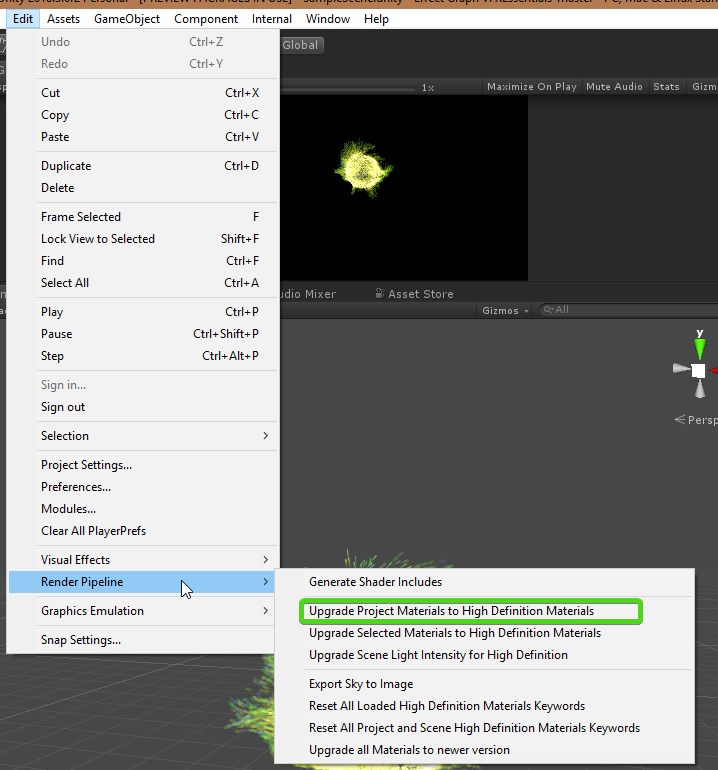
of course you'll still have to convert any textures to the new channel mappings yourself
frigid zinc
it's substantially different
fervent tinsel
it's almost identical
frigid zinc
they compacted a lot compared to legacy
fervent tinsel
it's just not as obvious it is, as the old standard shader let you input different textures to different effects
but it was designed with same channel mapping in mind
frigid zinc

Unity Technologies Blog
In this post we will explore authoring a scene to be rendered using Unity’s High Definition Render Pipeline, also known as HDRP. We’ll walk through starti...
fervent tinsel
this has the mapping too https://github.com/Unity-Technologies/ScriptableRenderPipeline/wiki/lit-shader

GitHub
Scriptable Render Pipeline. Contribute to Unity-Technologies/ScriptableRenderPipeline development by creating an account on GitHub.
frigid zinc
 frigid zinc
so metallic, AO and detail are all now combined
fervent tinsel
for basic inputs
elder briar
thanks, but I need to do this witout recreating the assetbundle
frigid zinc
anyway, just making you aware, not everyone is 😃
fervent tinsel
albedo 1:1 same
frigid zinc
not to mention the implementation of PBR and BDRF have changed
so really it's best to remaster the textures completely for best effect
but I know most won't be doing that
fervent tinsel
metallic red, smoothness alpha, just like on HD Lit
frigid zinc
yes, but i'fe youre importing assets that use a seperate AO or detail map, you need to know it's now merged
fervent tinsel
occlusion green just like on HD Lit
well but why would you
that would be just wasting the rest of the channels for that texture
this is designed to be packed in single file
frigid zinc
you're assuming everyone knew they could put AO in the green channel of the metallic
i guarantee you very few did
if you've ever bought anything off the asset store, nobody does it this way
fervent tinsel
yeah but it doesn't change that it's the same packing except the one channel diff on mask texture 😃
frigid zinc
doesn't change the fact there's a differnce to be made aware of either 😃
fervent tinsel
in HD Lit, the mask goes to blue channel where in old standard it goes to alpha
but most dont use detail mask
also, I'm not totally convinced on the PBR texture reauthoring
the materials people use are prepared using certain safe values for PBR people will not just start redoing all that
if anything, they'd just make custom shaders that do the tweaks rather
the whole point on PBR materials is that they have data setup specifically, every tool we have now for this uses this info
frigid zinc
right but unity's standard pipeline had several implementation bugs for PBR. so it wasn't standard.
they fixed those bugs in LWRP/HDRP so there' are now differences
could be minor, but it really depends on your level of anal retentitiveness 😛
fervent tinsel
well, main issue on standard is the shadow falloff
they actually fixed that on baked shadows now if you use progressive lightmapper
but dynamic shadows are still off
but yeah, there's definitely a visual difference
frigid zinc
yeah. I saw a thread at Allegorithmic once where they talked about the problems with Unity's implementation, there were a few problems with the BDRF
but i'm not even sure i could find that thread again
fervent tinsel
there's been issues with the old Unity spec gloss approach
but I don't think many use it anymore
I could actually remember the problematic one wrong
it's been a long time since I've looked the old renderer closer
frigid zinc
yeah, at one time Unity didn't use GGX but that was fixed in 5.3
fervent tinsel
but I do remember there being some cases where Allegorithmic, UE4 and Unity all rendered some case all differently
frigid zinc

Unity Technologies Blog
In Unity 5.3 Standard Shader, we have switched to GGX as the BRDF of choice for both analytical lights, such as point/directional light, but also for image...
but even their implementation of GGX was a bit off
fervent tinsel
at least we now got live link on painter (if one actually uses painter for texturing)
frigid zinc
yeah
fervent tinsel
I don't have faintest idea if that works on HDRP tho 😄
like, I don't know if it forces the materials too
frigid zinc
i have to confess i haven't tried it either
fervent tinsel
and knowing Allegorithmic, they probably don't stress direct HDRP support until its out of the beta at the end of this year or next year
frigid zinc
yep. That's really the main reason i've not done more than toyed with HDRP. i want to see it finalized first
 uncut karma
Substance works with hdrp, just need to have the pack/mask map setup in the sbsar as an output, same as when exporting textures
 mental sentinel
our artist said it wasn't working with HDRP 🤔 maybe the shader part is not updated with the HDRPLit?
same for Houdini, it kinda works, but with some workarounds
do you guys have any experience with this? https://docs.unity3d.com/Manual/SparseTextures.html
I would like to know if I can use them as a big render texture for a massive world (2500x2500units)
 viral nebula
Anyone got experience writing text shaders? i am trying to make a simple one for my UI that inverts the colors based on what's under it. Already have it working on sprites. but for text it just renders it black
i assume im missing something simple
mental sentinel
I always uses Amplify Shader Editor, which is capable of making UI shader. Have you look on built-in UI shaders? It might be a good start point.
frigid zinc
Yes, pretty sure that's what Sparse textures is for.
it's basically the same idea Tech5/Tech6 engine uses, where the whole level is textured with one very huge texture.
I've always been a fan of Id's Megatexture tech, i didn't know Unity had added something similar.
mental sentinel
good to know, will try to do something with it, thanks !
frigid zinc
i don't know if it would be good for large open world scenes though, if there is a potential for most of the world to be seen at once.
Tech5 handled it by aggressively mip-mapping using a Quad Tree lookup table.
but I don't know how fancy Unity's implementation is.
i'll have to play with it myself 😃
mental sentinel
I want something like a range of 50/100 units of precision, above that I don't mind losing my data and anyway LOD objects will not use it.
still orbit
It's used prinarily for a terrain texturing impelmentation, which is also a quad tree and doing the same thing
But obviously it has other use cases :)
 coral otter
Hello there. Does someone know a good stereoscopic mirror shader ? The one i bought is all broken when i resize my character camera to fit my models
fervent tinsel
huh, I didn't know Unity supported those sparse textures
when did that get added?
whole citrus
The Unity Manual helps you learn and use the Unity engine. With the Unity engine you can create 2D and 3D games, apps and experiences.
fervent tinsel
must have forgotten they added that, I didn't use much Unity 5 cycle but did use more Unity from 2017.1 again
blissful atlas
Anyone know why infinitely thin meshes still cast a thin shadow?
As in, the triangles have zero area
Yet there's shadow being cast
I could solve it in a few ways, just curious as for why that is a thing!
 modern tangle
Maybe because shadowmap resolution is low and mesh not enough thin?
Its just version, I dont know correct answer 😃
blissful atlas
Each triangle has 0 area, which is pretty darn thin in my book 😄
But! I noticed a thing
modern tangle
if triangles have 0 area move it in some "far far away" 😃
blissful atlas
Haha
So, research results
If I used a fallback of one of Unity's shaders, the shadow pass is borrowed, and then it was visible, but not when I let Shader Forge generate a custom shadow pass! In the custom shadow pass it supports going so thin that it is invisible
I'm guessing Unity's shadow pass may have some offsets based on normals or something similar
Whereas the custom one doesn't touch the verts at all
modern tangle
Hm good point. Unity shadow passes its tricky thing 😃
Maybe some biases settings of light source make changes?
Especially normal bias
blissful atlas
Seems likely yeah
This mesh is a bit of a special case, so it might be good to let it be unaffected by the bias settings
Not every day you collapse triangles into 0 area intentionally, hehe
modern tangle
I think that bias its "correction" aproach and some times its not correct 😃
Some time ago Unity use only distance bias as I remember...
safe whale
Hey guys, can anyone explain me a basic thing? 😃
What's happening here:
dot(s.Normal, lightDir);
Is it multiplying 2 vectors?
*2 Vector3's
Nvm, just found out. 😃
modern tangle
its basic algebra operation...
blissful atlas
It's lambert shading! In shader/lighting terms
Basically it's 1 when the light vector and the normal vector are pointing in the same direction
0 when they are perpendicular
-1 when they point in opposite directions
For shading purposes you usually want to do max(0, dot(N,L)) to clamp all negative values to 0
Which results in something like this
@safe whale Also sorry for potentially overexplaining, haha
safe whale
Thanks, @blissful atlas ! 😃 No need to say sorry.
Actually, I did understand that but...
I didn't understand the math behind it. How does it return a value from -1 to 1 by multiplying 2 vectors?
blissful atlas
Mathematically, dot(a, b) is a.x × b.x + a.y × b.y + a.z × b.z
safe whale
Ok, but what if the result is greater than 1?
blissful atlas
Then the vectors aren't normalized
For the shader rules I mentioned above with the range -1 to 1, they have to both be normalized
safe whale
I think I get it. 😃
blissful atlas
Yay dot products!
safe whale
Thanks for being so patient. 🙏
blissful atlas
No worries
safe whale
Just sent you a friend request if that's ok! 😄 I met Jenny while I was in Sweden. I've been wanting to play your game. 😃
@blissful atlas
safe whale
Yup, I just need to upgrade my VR PC to run it. Last time I tried I couldn't go past the main menu screen for some reason.
But even there the material shading is super cool. Amazing job. 😃
blissful atlas
Haha, thanks~
 tame topaz
Quick (hopefully) question about shaders. Given a random value (0-1), what would be the theory behind masking out a texture with only that value?
 amber saffron
@tame topaz That would require more explanation of what you would like to achieve, and what your mean by "masking"
tame topaz
Sure. I'm using Amplify for this, but here's the idea:
-
I've created a random range value node which outputs a number from 0-1 based on a seed
-
I have a tiling texture of hexagons with various grey values
-
Given the output of the random value node, I want to mask the hexagons such that only the ones who's grey value is equal to the random value are visible
blissful atlas
step(a,b) would give you a mask
amber saffron
Ugh, that's a tough one. Possible, but not easy...
Easy solution would be to have an other map with the hex centers UV coord, so you can use it to check the noise corresponding value, to mask the hex
blissful atlas
Wait is the noise per fragment or per mesh?
amber saffron
All in fragment, and hex is not a mesh, but a hex tiling texture on a (quad?) mesh
blissful atlas
Just wondered if it was a value per instance of mesh, not the tiles
amber saffron
oh wait, I'm dumb
Just use a step node 😄
I tough the random value wasn't uniform.
For a uniform value, use step to make your mask. It take two input : value and threshold. if value>thresh, result = 1, else 0
tame topaz
:D
Right, so I thought about using step, but what I understand (I'm terrible at shaders), the threshold value is the minimum.
In the case where the output is 0.5f, I only want hexagons of exactly 0.5f grey to appear. Step would make all hexagons of 0.5f-1f to appear?
amber saffron
I missed this equal part ... Well, what you need (for easy node setup) is a comparison. Compare the two values, and if equal, return 1
tame topaz
Ugh, right, you can do IF statements. >.<
It's still being a bit funky, but I don't know if it's just my texture. We sort of just took a low res one off the internet for testing.
amber saffron
I hope it works fine, 'cause that gif only shows the hexagons when the input is 1 ^^
tame topaz
No, that's what's happening. It's only showing hexagons on value = 1. But I don't know if that's because my texture is crappy (not sure why though). Logically, what you explained makes sense though. I'll keep tinkering!
amber saffron
Wild guess : when scrobling, you're missing the exact grey values
isn't there something like an epsilon setting for the comparison, to have some threshold ?
Else, you have to do it by hand : step( abs( A - B ) + epsilon , 0 )
tame topaz
Ah yeah, you're totally right
So there is no epsilon in Amplify that I know. Technically I guess I could do all these calculations in a script and feed it in. Alternatively, we can just make a lookup texture of all the shades used in our hexagon texture. It's pretty hacky, but at least it would work. lol
Yeah I think that's what we'll do for now, just to get it working. Thanks for the help Remy! 😄
regal stag
If there's no epsilon can't you just use a small float value like 0.01 or 0.1 or something
tame topaz
Maybe? I'll try it out. But we're essentially comparing floats which is like, the thing you're never supposed to do. >.< Giving it a shot now.
amber saffron
My texture is even crapier than yours, but this should work
still orbit
Should use derivatives instead of step to get rid of the aliasing :)
(if you don't need this in vertex shaders)
tame topaz
It's beautiful, in an ugly sort of way. 😅
amber saffron
@still orbit But derivatives would need a sort of distance field from the hexagons, right ?
still orbit
I suppose, generate them from distance fields instead :P
amber saffron
Depending on what's the goal, I think ddx/ddy is overkill here 😃
steel notch

so I've got this little guy here
and I want his "ears" to look like they slowly dissolve into those particles
how would I go about achieving this?
or at the least I want them to have a whispy effect at the tip
 desert orbit
You could emit particles in the shapes of ears.
still orbit
@amber saffron neverrrr 😛
desert orbit
@steel notch Something like this...
steel notch
@desert orbit Hmmm, this is true but I would like them to sort of stay solid at the base :/
desert orbit
Could have several layers, begin with solid object, some cover emitter (for the transition) , then higher more loose emitter
steel notch
I could do something ridiculously complex just for the sake of some cool looking ears/antenna things 😛
in all honesty though I kinda want to learn how to create a "Whispy" effect anyway just for things in general
1 moment let me try to find an example

Game: Ori and The Blind Forest Mission: Element of the Winds This is how you get pass the escape mission when you activate the tree.
tame topaz
Would trail renderers work in this case?
steel notch
Idk >_>
desert orbit
For the wispyness it could work. For more particle effect ideas I always like to browse this asset. https://assetstore.unity.com/packages/essentials/tutorial-projects/unity-particle-pack-127325
steel notch
pretty sure I have this
(also the gas effects are a bit weak but the rest are good just saying)
if you could try to break down that whispy effect though, I'd really appreciate it
visuals is a very "black magic" realm for me
desert orbit
Yea, I often use their setting as a starting point and work to how I need it to look.
 sly trout
hello! does anyone knows if there is documentation to implement unity's "wind" in custom shaders?
 obtuse lion
Hey @sly trout unfortunately, no.
It's a feature that has never had proper scripting support.
sly trout

obtuse lion
including on shader scripting; as far as I know, the feature requires custom shader variables which are injected by the tree and terrain system when those components are attached only.
HOWEVER, I'll do you a favour - the system is infact quite simple! 😃
sly trout
woah!!
obtuse lion
The algorithm they use is very straight forward - it's two 1D Perlin Noise functions (or similar, they might be using Simplex) per Wind Zone in the scene.
The algorithm roughly speaking looks like this:
sum wind = Vector3.zero; (or float3(0,0,0), your pick...)
foreach wind zone
wind += directionOfWind * (noise(freq * position) * magnitude) * (noise(freq * position) * magnitude) * falloff (if applicable)
end
sly trout
awesome!
obtuse lion
The first noise is the normal noise frequency; the second is the pulse magnitude/frequency.
sly trout
will give it a try!
obtuse lion
It very likely wont look exactly the same, but that's broadly speaking the algorithm they use.
and in the meantime, feel free to ask for proper support for it. 😃
sly trout
thanks @obtuse lion !
obtuse lion
Currently the only programattic way of accessing the data that I know about is creating a particle system affected by wind, with a single particle.
Set the particle position manually, call ParticleSystem.Simulate(1) then measure the new position.
Which is shall we say, stupidly round-about. 😉
works tho. We use that technique for our boat scripts.
 digital shuttle
@sly trout The Book of the Dead environment sample they gave out has examples of wind shaders
sly trout
ohh! ty!
obtuse lion
@digital shuttle I believe they still used the tree system
I don't believe the wind data is populated unless the shader is attached to a tree or terrain
digital shuttle
oh...
obtuse lion
Yeah it's a really long standing issue
I think I filed a bug report on it in Unity 2.x when they introduced the new tree system
digital shuttle
😮
 winter needle
One message removed from a suspended account.
ashen sand
Unity Forum
Long story short, I need to use BlendOp LogicalOr in a shader to draw to a RenderTexture. I also need this shader to work on DX11+, and OpenGL 2.0+....
Would appreciate any GLSL guys taking a look at this
obtuse lion
@ashen sand it's been a few years since I had to touch that for a client project, but my recollection was that only worked on DX, there was another set which only worked on GL as well.
Yeah there you go: https://docs.unity3d.com/ScriptReference/Rendering.BlendOp.html
ashen sand
Thanks, I guess you just saw the post intro 😛
ashen sand
I'm trying to build a workaround for it by pinvoking OGL calls, I'm just not sure why it isn't working
obtuse lion
but yeah, I have a strong feeling it outright just doesn't work on GL.
I'd be careful about P/Invoking the call; two reasons
- Invoking in Unity's render thread is serious 'here be dragons' territory. There is a way to do it, but you need to do it in C.
That's how ^
- I have a feeling that if these ops work, they're in the realm of GL Extensions, and might be fragile; i.e. don't work on AMD/Intel/etc/etc.
(and don't even think about the mobile chipsets, their driver support is somewhere between 'we hired the lowest bidder' and 'we hired the lowest bidder, and it doesn't even work.')
ashen sand
Thanks, that's really helpful actually, I wasn't even thinking of having to sync it
Worst case I will just go native next, I do recall OGL having a function to pick up from the current thread though, I'll see if that at least forces the calls to go through first
obtuse lion
Yeah I've been through this recently
because Unity's texture uploads are sloooooooow from managed land.
(not normally an issue, until you have runtime procedural textures that are 2/4K and suddenly you've got a 100ms stall)
ashen sand
Yup, the joys of black box engines, I'm also going to have to do a native plugin for mesh vertex buffers for similar reasons
So I can see this going that direction anyhow
Ugh, it's such a headache though, I literally just want to set a damn blendop 😄
obtuse lion
Honestly, we've debated a source license, but I don't think it's worth it - having to maintain that fork is probably even worse. 😉
Yeah haha
I don't know, I've never tried it
but can you compile the GLSL shader yourself?
A guy from worlds adrift did a Unite talk a few years ago about hacking up light probes by making 'fake asset bundles' containing the data.
I'd wager there's a strong chance you could do the same.
Might also be 'here be dragons' territory though FWIW.
https://www.youtube.com/watch?v=D7LjsabD4V4 <--- that's the talk in question, was fascinating to watch. I had a brief twitter exchange with the guy afterwards debating it'd be better to use ref probes.

Bossa Studios walks us through their tech art process when working on their upcoming open world MMO, Worlds Adrift. They discuss how they tackled their uniqu...
ashen sand
To be clear, I'm not a graphics guy, I'm just having to go head first into all this so I'm 100% missing a lot of info, first time I'd written a functional shader was about 2 weeks ago
obtuse lion
Ah!
Can I ask, how much stuff is getting these effects?
Because, the other option, would be our friend, _GrabPass
(waits for Unity devs to spring in here and yell at me.)
ashen sand
So unless I totally missed something, while I could compile the GLSL (actually already tried that), I don't think it was possible to force those ops in, like you had to do it when binding the texture
Hah, I'd considered that actually, thing is, I'm not blending with the rendertarget per se, I'm blending continuously
Basically I have a shader which builds metadata, and there are overlapping fragments (no depth testing), so the same pixel will be written multiple times per pass
So I need to OR all of those fragments together
obtuse lion
What's your target - mobile or desktop?
ashen sand
So even with grabpass, or splitting it into separate textures, I'd have to stagger it into multiple passes
It's for an asset, so for my case it's desktop only and it works perfectly with DX11/12, I just had a few people ask about OpenGL support, so potentially mobiles
ashen sand
I'm just trying to get it working for a general use case without having to split it all up
Yeah it's not looking all that promising right now, other than making it for heavier platforms only
Big thanks for all your suggestions btw 👍
obtuse lion
np!
I think then the answer is probably going to be multiple passes.
Or just yell at Unity asking for the blendops. 😃
(* that might not work.)
obtuse lion
My experience yelling at Unity for features is about 1/10 gets through.
ashen sand
I read in their docs that there is a macro for requiring the support of advanced GL blending options- did a verbatim search and literally the only place it's mentioned is on their docs page
Yup, copy that
obtuse lion
I was overjoyed the other day that my request for Texture2D.CompressAsync was accepted to be added. 😃
(and that I am really happy about...)
ashen sand
Haha, well Unity's idea of async seems to be dumping things into coroutines, hopefully they go all the way with it
As I found out from assetbundles
obtuse lion
yeah; right now texture loading is -very- synchronous.
Almost nothing to do with textures is non-blocking.
Weirdly however there is some non-blocking methods internally.
For instance, UintyWebRequest can do it.
One of the hacks we've tried has been using UnityWebRequest with file:// URLs to temporary assets.
(and yes, that is horrible.)
ashen sand
Yup, at their mercy with features like that unfortunately
Still, promising that they're at least doing something with your suggestion
obtuse lion
Yeah, I'd like to have more options for texture loading tbh.
They have been doing a lot with that though in 2018.X
The new async texture uploads and mip streaming are great features I'm happy we're getting
Just not much in the way of scripting access to that yet, but I'm hopeful that comes.
We're super I/O bound since we stream an open world user generated MMO, so compression techniques matter a lot.
and crunched DXT, JPEG/PNG don't cut it.
We've been investigating using FLIF, which is a really neat compression algorithm; but integrating that requires some really deep access that's not exposed
ashen sand
Yeah that just sounds painful not having source access for, it's bad enough as it is imo
They do seem to be moving a lot on that side even from my limited experience with it though, especially the new graphics formats
Hmm, this was the one https://www.khronos.org/opengl/wiki/OpenGL_and_multithreading
Gotta shoot off in a sec but I'll try that one later just to confirm, probably won't make any difference but it might at least show me if the current command are being consumed
obtuse lion
Yeah, I think you will need to do the C plugin
otherwise you just don't know when your stuff is getting executing.
A few years back it might have worked
but I don't think it'd work today
ashen sand
True, eh it's probably a good thing tbh
As mentioned, I knew I'd eventually have to move to native for my vertex performance, I already do all the work on unmanaged memory in C#, it's just the interop cost on the unity side
So I could kill two birds with one stone with the plugin anyhow
still orbit
_GrabPass
You rang? 😂
ashen sand
I was kinda surprised that you can't grab a single pixel from the FBO
obtuse lion
I've actually always wondered if that's just a API limitation, and if it'd be possible to do a faster 'just grabpass this pixel' rather than the whole frame.
heh
ashen sand
Yeah that's just it, I mean surely there's no technical limitation
obtuse lion
99% of grabpass usage is really the pixel, or maybe the surrounding couple.
ashen sand
Hell if you could do that I would have already gone down that route
still orbit
oh its totally doable
the problem with grab pass is that its not well defined on the engine side
ashen sand
Oh yeah I guessed it was a Unity problem 😄
still orbit
"give me the contents of the framebuffer at an arbitrary point of the render pipeline"
is not very sustainable 😛
ashen sand
right, gtg, thanks again @obtuse lion
ashen sand
I'll probably just jump right into that later on and get it out of the way
still orbit
well in LWRP we have _CameraOpaqueTexture
which is more limited, but much more consistent and reliable for its intended use case
its just a copy of the framebuffer at a very well defined point in the pipeline
obtuse lion
What'd be nice would be something ala a "currentColor" parameter ala worldPos and others, in surface shaders.
only would work in forward obviously.
although yeah, SRP I don't know about - my investigations there have only been surface deep since they're not quite ready for us.
still orbit
im not an authority on this by any means but i believe some platforms are unable to arbitrarily read the target values
obtuse lion
That wouldn't surprise me at all
still orbit
Unity has to work on em all so...
obtuse lion
Yeah; I've dealt with the panoply of awful android chipsets.
I might be slightly bitter about it.
still orbit
Hahaha me too, me too
obtuse lion
I -reallly- don't understand how quality can range so much, even from the same manufacturer
The Adreno 305 is baked into my memory as being truly, absolutely awful, but something like the 310 was perfectly fine.
still orbit
Yup, i used to work for an Amazon 2nd party studio. We targeted our games for only Firephone and Kindle Fires. It was one, well defined hardware set.
Then we ported those games to general android/iOS
O. M. G.
obtuse lion
Haha
To be honest, Apple drive me up the wall for many, many reasons - but driver support isn't one of them.
Their stuff mostly just works; but Android in general .... O______O.
still orbit
its better than Android for sure
apart from their texture compression, which has caused me many headaches in the past 😃
obtuse lion
Yeah I can see that. Texture compression is an interesting kettle of fish.
still orbit
had to write a full texture post-processor for that
obtuse lion
I don't like any current GPU compression algorithms. I like what Binomial is doing with Basis.
but that's not ideal either.
it's that whole 'has to be able to load' quickly that we run into.
I don't mind burning more GPU/CPU in a background thread to do texture loading, if we could cut the filesize by 20-30% (which is quite achievable)
the other problem is of course colour banding and such - BC7's a nice improvement, but it's still not great.
still orbit
agreed 100%, this has been a huge factor in defining art style for my current procgen project
"lets just not have textures"
obtuse lion
Yeah, see that strikes me as the answer, but also not a good one.
I don't know how much of the scrollback you read, but we're doing an open world streamed user generated MMO.
still orbit
its not a great restriction to have forced upon you 😛
obtuse lion
and I REAAAALY want to get texture streaming in - i.e. loading mip maps one by one as the network downloads them.
It's doable, but the unity scripting API is ... very not designed for this.
(although a Texture2D.UploadAsync / UploadMipAsync would solve that...!)
still orbit
yea, thats going to be tricky 😛
thats why you were talking about native plugins then
still orbit
yea, at some point you have to go native
obtuse lion
To be honest, I'd be overjoyed if I could avoid them.
We target a lot of build platforms, and native plugins just turn that into a mess
still orbit
yea youd have to maintain your own build system id imagine
obtuse lion
Yup.
I know Unity has added support for async tex uploading internally - the new stuff in 2017.3 and 2018.2
It'd just be nice to get some script access to that
I guess it'd just be ApplyAsync
still orbit
cant say ive looked at it
obtuse lion
Yeah I won't harp too much more on it, Unity is a cool engine
and we do what we can with what's available.
still orbit
Yea im going to go out on a limb and say that streaming user generated MMO content would have its difficulties on any engine, third party or not 😛
obtuse lion
Oh yeah haha
It's gonna break just about any application. 😃
Unity actually works surprisingly well for the job, it's one of the few engines that don't really mind if you totally garble the scene graph from one frame to the next.
The other one is CryEngine/Lumberyard.
But almost everything else doesn't like you doing that - Unreal looks prettier (sorry!), but makes de-allocating resources somewhere between difficult and impossible.
(HDSRP might change that - but I can't quite upgrade to that yet, as much as I'd like to.)
 broken field
https://github.com/Gaxil/Unity-InteriorMapping
Would love to see this working in a HDRP (or any) SRP really. Haven't looked too closely but it seems doable 😄

 obtuse lion
It's been asked a lot ... but is there a chance of getting surface shader support in SRP officially?
I've been looking into writing a converter manually
fervent tinsel
people will probably keep asking for it for a long time still too 😄
broken field
Yeah it seems doable in graph
obtuse lion
Hrrrrrrm.
That's an interesting point.
Graph has support for custom nodes, I wonder if you could write a 'Surface Shader' node.
Ugly as hell, but it might just work.
still orbit
Ah yea I was going to port that (or write my own) interior mapping to LWRP
obtuse lion
assuming you skip stuff like finalcolor: and so forth.
fervent tinsel
I'm sure Unity graphics guys have noticed the requests
still orbit
its totally doable for sure
fervent tinsel
I faintly remember some staff response on it, but will not quote my horribly bad memory on it 😄
but in the nutshell, even if they'd do that, they'd probably want SRP out before things like that happened
like, out of preview
still orbit
19.1 hopefully 😃
fervent tinsel
on the other topic, here's a short article from the guy who originally invented the interior mapping technique: http://joostdevblog.blogspot.com/2018/09/interior-mapping-real-rooms-without.html

The recently released game Marvel's Spider-Man has interiors behind windows in many buildings. This looks great and it seems to be done usin...
still orbit
as for surface shaders. We know people want it, we are listening. Were always evaluating it. But you need to understand that the precompile step for surface shaders is pretty horrendous.
fervent tinsel
Simon also has two articles about similar techs: https://simonschreibt.de/gat/windows-ac-row-ininite/
obtuse lion
Oh I know it's grade A nasty, a subset supported would be fine though
A lot of the complexity of surface shaders I'm willing to bet is supporting only a minority of the features.
still orbit
If/when we provide "surface shaders" for SRP they will be very different 😛
obtuse lion
Plz, plz backwards compatibles.
I have to write a bazillion updaters for things which aren't backwards compatible as-is. 😃
fervent tinsel
I dunno about that
people would be thrilled to get them in any form
and backwards compatibility usually means compromizes
obtuse lion
That is true
Even in a basic form, would make my own cross-compiler easier to write.
I am now curious to see if it could be done as a custom shadergraph node tho.
At least for the basic functions - we'll ignore custom lighting paths, and such.
still orbit
i dont see where youre going there?
shader graph essentially generates surface shaders
obtuse lion
Yep, but they're compatible with SRP.
I'm thinking procedural tool; reads surface shader, generates custom SG node, and makes a SG graph shader all in one step.
fervent tinsel
heh, if you look at that simon's article I linked, last "Update 5" on the bottom of the page contains Shader Forge version... should be somewhat trivial to port that to Shader Graph (there's also UE4 material graph for this somewhere on the web too)
obtuse lion
Hacky, but it could work.
fervent tinsel
and sorry for jumping between topics :p
 charred hill
If you're interested in interior mapping, I got a full project available on Github, it's a surface shader and it allows curved buildings, corridors, walls decals and it's absolutely free to use in any of your projects ...
https://github.com/Gaxil/Unity-InteriorMapping

GitHub
Interior mapping shader for Unity with a sample scene. This is provided as is, for learning purpose. You can use it freely for your personnal or commercial projects - Gaxil/Unity-InteriorMapping
fervent tinsel
@charred hill I think someone linked that earlier
just hoping it would work in SRP / HDRP
charred hill
Oh ok, sorry 😃 ... I was not there yet probably
charred hill
Ok, fine ... I still have to take a look at the SRP/HDRP to port that shader and some other to the new system
Thank you for the notification!
fervent tinsel
np, thank you for sharing the project 😃
charred hill
My pleasure
broken field
@still orbit Yeah actually I don't really see the point of surface shaders given that they are basically a graph. Anything more in classic unity involved digging so deep it was a wonder anyone ever came back alive
 tardy hazel
I imagined with the shader graph the hope was that they would totally supersede the functionality that Surface Shaders provided
Like there shouldn't really be anything you can do with surface shaders that can't be done with the graph
(assuming the use of custom snippet nodes etc)
Though I don't know if that's the case just yet
fervent tinsel
some people will always prefer code tho
besides, the more advanced thing you do on graphs, more custom nodes you need
or I guess it's not about being advanced but just out of the scope of what people usually use the node graph for
still orbit
Hypothetical: how would you feel about writing it in C#? This could then generate a graph.
fervent tinsel
Why not if the workflow would be nice?
We often seek in minimising the time spent on tasks so what ever makes the process most streamlined could be an easy winner
tardy hazel
I feel like that does have a chance of producing situations like "I can do it in the C# that generates the graph but not in the actual graph", or vice-versa
Since the custom snippet nodes are already written in C# it might not be too bad though
It would solve the issue of graph-based stuff not being super diff-able for source control purposes
broken field
Some people will prefer code, yes - but the graph is not actually designed for people who prefer code. The primary use of such a thing, and indeed, shaders in general are an artist's day-job and thus the whole thing really needs to be art led.
Plus if you can code, and the graph is insufficient then perhaps thats the natural signal for a deeper drive, a copy of the HDRP core shaders and a custom job.
*dive
fervent tinsel
code vs graph is very different in this context tho (SRP), modifying and keeping up-to-date custom HDRP shaders in code can be really time consuming, where in shader graph you just open the graph in new version and save again and it just works 😃
if we got surface shader kinda approach to text based srp shader code, it would level that field
and still let people to make fully custom shaders by doing the whole thing as well
broken field
I wonder what Unity means by a shader graph paradigm that's rather departed from the one we know with built-in pipeline. Sounds rather modular to me
obtuse lion
Also keep in mind what a gigantic spaghetti mess graph systems can be the moment you get anything remotely complex (i.e. loops.)
I can't imagine how horrifying a raymarching shader would look in a graph.
but it'd be pretty bad.
broken field
would you want surface shader level abstraction though? If you are delving into raymarching, I am not sure you would have all that much use for the existing lighting
charred hill
Raymarching is not the only case where the graph is not adapted. It's not possible with graph to use geometry shaders, (and btw, it's not possible with the surface shaders either).
You can't access a simple compute buffer using the graph, and it's even worse if you want to use a structured buffer having a complex struct.
And there are many other scenario where the graph is not the best choice in its current form ... and I agree with Adam about the spaghetti-like mess with complex graphs : Something that is basically free syntaxically with code like casting or swizzle automatically require a couple or more nodes to be done in graph.
ashen sand
@obtuse lion just wanted to say the native plugin was 100% the way to go, gotta do a lot of crossplatform building work but the core is all plumbed up and I can directly issue all of those blending calls I needed
obtuse lion
@ashen sand awesome.
steel notch
how do you go about converting shaders to be usable in the LWRP
I want to convert this
 fervent tinsel
hmmmm, PBR Graph is still broken in HDRP's forward
well, at least it works in HD Lit Graph
downside of all this is that ASE doesn't support HD Lit yet
SG works obviously but almost all 3rd party HDRP integrations I got are shipping custom ASE nodes
shouldn't be impossible to port those to SG though
fervent tinsel
HDRP has two different Lit shader graph types: PBR and HD Lit
HDRP can render in deferrerd, forward only rendering or combined.
When you use HDRP in forward only mode, that mentioned PBR shader graph gives messy artifacts (it always had done that in foward), where HD Lit shader graph gives same correct results regardless the mode you run HDRP in
I dunno if that was any more clear :)
amber saffron
@fervent tinsel Hey, thanks for noticing that. Could you maybe send me a screenshot of the artifact you have so I can identify it ?
fervent tinsel
@amber saffron just enable forward only on hrdp asset and make pbr graph with like plain red color and apply it to any plane in the scene
amber saffron
For the moment we have some issues to adapt our automated test framework to be able to work with multiple RP settings (deffered/forward/both), and that's typically an issue that it could have spotted ...
Okay, thanks 😃
fervent tinsel
This has always been broken btw, hence being happy that you guys made HD Lit graph :)
hmmmm, it actually works at default settings on 5.2.3 using latest alpha =/
I'll check the latest github version with default settings, see if its some specific setting combo that breaks it
to me the artifact I was seeing yesterday looked like some shadow filtering issue
but I'm not really educated on these matters
ah, it does happen on latest hdrp-master branch
it's more clear when you set shadow filtering to High (but also happens on Low)
high (PCSS)
amber saffron
Ok, thanks for the hints
fervent tinsel
and for the comparison, same using HD Lit graph on forward:
well, the HD Lit graph wasn't 100% same, it had smoothness of 1 where PBR has 0.5 apparently but changing that will not affect the artifacts
makes one wonder why different graph types use different defaults tho
both albedo and smoothness are 0.5 on PBR graph but full 1.0 on HD Lit
(when you make a new node)
that's no big deal, just inconsistent
amber saffron
I agree, and this can be easilly fixed
amber saffron
@fervent tinsel We identified the issue you showed, and fixed it (one liner fix 😃 ). This will come in the next release
fervent tinsel
well, that was fast 😄
thank you
@amber saffron btw, any idea on the SRP batcher issue on #archived-hdrp ?
I try not to bug you too much tho, I know you must be busy
amber saffron
Well, tracking bugs on HDRP is my job anyway, 😃
fervent tinsel
oh!
you'll probably regret you let me know that, I'm really good at breaking things 🤔
amber saffron
You can also use the bug reporting tool instead 😄
safe whale
Hey guys, can anyone help me with a basic question? What's Clip Space and why is it called like that? 😃
 vocal narwhal
It's a box-like space that easily defines what is inside and outside of the view for "clipping" which is just discarding coordinates. It's the transformation step right after perspective where depth is still encoded
safe whale
Thanks, @vocal narwhal !
vocal narwhal
https://learnopengl.com/Getting-started/Coordinate-Systems really does a better job explaining it than me. There are some terms which overlap so it can be confusing learning about all the spaces in context of a shader at times.
Learn OpenGL . com provides good and clear modern 3.3+ OpenGL tutorials with clear examples. A great resource to learn modern OpenGL aimed at beginners.
safe whale
Neat! Thanks a lot. That definitely helps. 🙏 💦
 solar ridge
Hello guys, so i saw this short clip of a "grass geometry shader" and the grass looks amazing.
https://www.youtube.com/watch?v=T2Wo9eFw_eI
So my question(s) is as follows: Can you create and render grass with a shader? and is it even good practice when considering performance?
And can it be applied to terrain directly?

Here is a quick tutorial covering the implementation of this shader : http://ellenack.com/index.php/2016/11/05/grass-geometry-shader/
broken field
That's on the slow side for sure
It's better to have bunches of quads rendered efficiently
solar ridge
Are shaders on quads a bad idea as well then ?
like using both Ambient occlusion and normal maps
fervent tinsel
the fix for the banding issue we talked about earlier is now on hdrp-master: https://github.com/Unity-Technologies/ScriptableRenderPipeline/commit/918819b0a88700c8616e7e82d2a296756397cd7e



Just tested it and it indeed fixes the issue, I added similar changes to ASE's HDSRPPBR.shader and it fixed that one too
still orbit
Cookz, draw mesh indirect is going to be a load faster than this imo. Calculate the proper geometry directly on the GPU and draw it in one go.
solar ridge
Thank you
charred hill
@solar ridge A problem with grass geometry shader is that it requires a quite dense base mesh, otherwise you'll have just sparse blades of grass. You can always add tessellation but it's heavier on the performance side. The generation of the geometry is also computed every time it is rendered, that mean 4 times when using high quality cascade shadows + 1 time in forward with 1 light ... and that can escalade quickly. But don't get me wrong, geometry shaders are awesome and very helpful, you just need to be careful about their usage.
solar ridge
Thanks @charred hill , just means i won't invest time into doing this, so i will figure something else with grass. Basically i'm i want to achieve grass that doesn't look like small islands of quads as it so often happens... but i don't want to just pack the quads so densely that you don't notice, as that would also quickly eat a ton of resources...
Which is why i want to find out if i can somehow implement shaders to hide these quad islands so they aren't too obvious.
Would love to achieve grass like in Zelda: Breath of the Wild.
charred hill
You can also go for the instancing approach, create your grass patch mesh and instanciate it on the terrain, which is a quite common way of doing it. Advantage of that, you have more control on the shape of the grass as it's a mesh, but if you still need a shader to animate it.
I've not tried it, but you can also use polybrush to place the meshes on the terrain.
plucky bone
Look at this https://caseymuratori.com/blog_0011

The Nebraska Problem
The search for a “random” distribution with the most favorable qualities for ground cover.
solar ridge
Not a bad read Navi, thanks
obtuse lion
Yeah fascinating article
mental sentinel
@charred hill polybrush instantiate gameobjects on your scene, using it for every single grass object is most of the time a performance destroyer. We went with a GPU instancing solution, which is far more performant.
charred hill
@mental sentinel Thanks for the note. Indeed if it's just gameobjects instancing it's less interesting ... maybe with bigger patches of grass, but it's less flexible, so ...
Do you have grass casting shadows by the way, as it's pretty heavy on the performance side, I was wondering if, in practical use, it was a viable option?
mental sentinel
Only for the LOD0...1-ish, which is quite close to the player. After that a fake AO should do the job to "ground" your grass.
charred hill
Ok, fine, good to know
broken field
I put in a request for polybrush to use gpu instancing for PB so I'm happy it's a thing
might be usable now for a lot more things
I'd have had to add it if not
fervent tinsel
yay, ASE finally added HDRP HD Lit template
broken field
I'll be sticking with the built in shader graph. I have ASE, but I require minimal external assets
fervent tinsel
I have some 3rd party stuff that relies on ASE and I'm too lazy to rewrite all that on SG + I still feel ASE is more flexible on many scenarios
biggest benefit with SG right now is that it gets all new graph types immediately when third party tools only implement them later on
still orbit
Ooh I'll check that out :D thanks
Does this mean support for the other HD shader types do you know?
The ones we only support via shader graph like fabric etc
fervent tinsel
they only support HD Lit, PBR and Unlit graphs for HDRP
still orbit
What's the difference with HD lit and PBR in their context?
fervent tinsel
same as with SG
still orbit
Does theirs work on both pipelines like ours?
Oh, interesting
That's funny, they made the same decision/mistake we made haha
fervent tinsel
yeah, they support LWRP too
you can swap their templates on the fly tho, but it's a bit different workflow
you always create new ASE shader same way and only then can pick what template you want to use for it
it's more like how UE4 materials do it
still orbit
So how do they generate the master node slots list?
I have used ASE since when they only had LWRP support
I should probably have another look
fervent tinsel
I haven't looked at the implementation, I only know they mirror basically SG's templates on their own shader template
vocal narwhal
Sorry for the random question, but (if it's not already) is there planned support for nested subgraphs? Last time I tried it just failed completely
still orbit
Oh they're in for a shock then lol
fervent tinsel
you mean the recent change on master?
still orbit
Upcoming changes
vocal narwhal
sweeeeeet
fervent tinsel
ah, rip ASE 😄
still orbit
Vertx, I suppose I can say that nested subs are being actively worked on right now
fervent tinsel
anyway, this must have been the easiest way for them to implement the support so far
they can't really predict what you guys do there 😃
(Unless they got direct connections)
still orbit
If you really went diving in branches you could find clues for it :P
Haha we talk with them a bit
We have a decent friendly relationship
But yeah, makes sense for them, just means they have to react to our changes
fervent tinsel
You can no longer attempt to convert nodes inside a `Sub Graph` in to a `Sub Graph`, which previously caused errors.
still orbit
Ha
fervent tinsel
yeah, I spotted that on github earlier today
still orbit
Stop spying on me plz :P
That's just a temporary safety precaution. You can null ref the graph right now.
fervent tinsel
I used to maintain experimental SRP on the forums for a while in past where I merged all experimental branches from you guys so people could try it out 😄
yeah, I can totally think many reasons why you guys wouldn't like that 😄
vocal narwhal
Yeah it destroyed your work when you did it if I remember correctly, wouldn't register an undo
fervent tinsel
but it was fun, especially when all bigger new fancy things were on different branches for HDRP
still orbit
Exactly, non recoverable nullref needs a bandaid :P
vocal narwhal
How does your team work with the other teams using graphs? Is there someone central who manages the graph API, seeing as there's now... shaders, scripting, perhaps audio?, etc
I want to find a use case for it in my work as it's becoming an tool with some affordance inside of Unity
still orbit
without getting into too much detail about how our R&D org is structured... 😛
yes, the underlying graph UI system (Graph View) is developed and maintained by a separate team
mental sentinel
@broken field we worked for the team behind the asset, definitely something doable !
 errant rampart
Currently materials created with the Shader Graph have very limited customization of the inspector. Sliders, range sliders, expandables, enums, etc. are not possible.
With C# and HLSL, we get fully customizable inspectors, which are very useful.
Any plans on this inspector customization coming to Shader Graph?
amber saffron
I suspect that they have something in plan for this ( @still orbit ?)
regal stag
It is actually possible to have a Slider in the material inspector from a shader using Shader Graph, there's a mode dropdown when editing the property. More customisation would be good though.
tame topaz
Can anyone confirm if the Depth Fade node in Amplify is the equivalent to the Depth Blend node in Shaderforge?
fervent tinsel
you mean in shader forge and not shader graph?
in which case if you have both, it would be trivial to just wire the node on both and peek into generated shader code
@tame topaz
tame topaz
It's shader forge 😮
Which I don't have on this PC (if anyone does and can check the node, I'd love you)
tame topaz
Sweet, thanks for the confirmation. 😃
still orbit
Yeah more customization is on the roadmap. Can't speak for when though, we've reached the limit of what we can do without significant work.
 lost oracle
Any recommended basic approach for skin and hair shader? The character is modeled a bit anime-ish but not rendered in cel, and the environment is pbr-ish. Thank you.
broken field
Some kind of ramp shading plugged into emission ?
still orbit
Recommended as in recommended lighting models?
Dual specular lobe kajiya Kay is a time tested classic for hair. Not current AAA but scales nicely and results are decent.
fervent tinsel
that's the thing used by HDRP Hair, right?
I hope Unity will come up with some simple example how you'd set it up 😃
this thing
I could swear there used to be some switch between two hair shading models in past but seems like the other got cut, now curious which one
still orbit
LOL that node
fervent tinsel
I pretty much toggled every setting on, it doesn't look that intimidating normally 😄
still orbit
Huh, what do you know