#archived-shaders
1 messages · Page 72 of 1
 amber saffron
You can use shader for this, and take the pixel object/world position as uv input for the effect.
 ebon moss
amber saffron
You can use shader for this, and take the pixel object/world position as uv inpu...
ebon moss
amber saffron
You can use shader for this, and take the pixel object/world position as uv inpu...
Awesome, thanks
 main totem
How would one replicate the albedo alpha source for specular map that the standard shader uses in Shadergraph?
As far as I can tell there are no nodes related to roughness or specular
 tired skiff
is it possible to make a shader that face the texture always toward the camera in front of the this to avoid the "star effect" when I see that in front side?
I used that one in the screenshot and it works fine for the side view, the only problem is if I see that in front of that, it disappears from that position!


 leaden flame
idk really where to put it, it should be simple
i was following the tutorial, i ended it and im making things myself
so i started off with promotion to piece other than a queen since im programming a new variant of chess
and here goes the question

how do i turn 3d model into mesh?
White_Queen is a mesh, and i can use it, but idk how to change rest of the things into meshes
main totem
Anyone know why the right eye rendering on my shader graph shader is broken in VR? I used the built in lit shader graph
 compact adder
leaden flame
compact adder
leaden flame
theres an arrow next to every model
 final totem
Hello, I am new to the server and I need some help. I am trying to make 3d models with blender and adding texture, (i am making a fps map in unity and trying to make tiles that i can put out in unity) but when i am trying to export it into unity the textures get weird and I don't know what to do. I have tried to find a YouTube video but it just doesn't have what I am looking for.this is how it
This is how it is in blender:

and this is how it is in unity:
 main totem
Why the heck does my standard shader seem to be making normals way too strong when I changed to android build target?
android

Desktop

 tawny plume
final totem
Hello, I am new to the server and I need some help. I am trying to make 3d model...
tawny plume
final totem
Hello, I am new to the server and I need some help. I am trying to make 3d model...
different lighting try experimenting with lighting
 twin moss
Hey question is there a way that I can have my character be viewed though a wall. I have no clue how to do that
I wanna to make it so that I can still see him when he clipps though

 river fractal
How would i disable backface culling on my shader?
 ebon basin
river fractal
How would i disable backface culling on my shader?
ebon basin
river fractal
How would i disable backface culling on my shader?
Lit/Unlit shaders have that option implemented on the shader itself, and in the shader graph from the graph settings as Render Faces
leaden flame
compact adder
theres an arrow next to every model
Thx
 lilac mist
"Image" type components as used by GUI appear to have access to shaders, but don't seem to have access to custom secondary textures
Is that right?
If I put a material on an "Image" type component it gets default textures instead of the custom ones I set in the sprite editor
Apparently including _NormalMap
amber saffron
lilac mist
If I put a material on an "Image" type component it gets default textures instea...
iirc, the only image/texture passed from GUI to shader is the assigned sprite to the "_MainTex" property
 sharp hinge
Can I somehow achieve in shader shadows only? Like the light doesnt affect the mesh, but just lets them cast/receive shadows
amber saffron
sharp hinge
Can I somehow achieve in shader shadows only? Like the light doesnt affect the m...
There is the "shadow mode" setting on mesh renderer, that you can set to "shadow only", isn't this enough ?
sharp hinge
amber saffron
There is the "shadow mode" setting on mesh renderer, that you can set to "shadow...
The thing is, I have a post effects on my camera and I ignore lights on a scene by this camera. Id like to keep the same look of the camera screen as I have now, but Id like a shadows to be visible as well
 tacit parcel
sharp hinge
Can I somehow achieve in shader shadows only? Like the light doesnt affect the m...
tacit parcel
sharp hinge
Can I somehow achieve in shader shadows only? Like the light doesnt affect the m...
maybe you can modify standard shader and add custom lighting function where it simply pass the color to the output
amber saffron
sharp hinge
The thing is, I have a post effects on my camera and I ignore lights on a scene ...
I'm not sure to understand 🤔
What has the post effect to do here ?
By "ignore lights", you mean that the lights are not rendered for this camera ? So objects are using an unlit shader ?
And you'd want to keep that unlit look, but with shadows ?
sharp hinge
tacit parcel
maybe you can modify standard shader and add custom lighting function where it s...
Not sure what do you mean :<
sharp hinge
amber saffron
I'm not sure to understand 🤔
What has the post effect to do here ?
By "ignore ...
Lights are not rendered in my camera, which is what I want.
But Id like to render shadows
amber saffron
You want to see shadows ... but without lights rendered by the camera ?
tacit parcel
btw is it possible to get object position of an image from shader?
from my quick test (using mul(unity_ObjectToWorld, float4(0,0,0,1)), it can only get the canvas position itself (when it set to world space), but I cant get the image position, moving the image around doesnt seem to affect the position
sharp hinge
amber saffron
You want to see shadows ... but without lights rendered by the camera ?
Exactly
amber saffron
tacit parcel
btw is it possible to get object position of an image from shader?
from my quick...
You should be able to transform the vertex position like you did to get the vertex in world space.
amber saffron
sharp hinge
Exactly
You do realize that it doesn't really make sense, right ?
Shadows are not a thing themselves, shadows are the absence of light, so if you don't have light, you don't have shadows either.
Now, with that said, you can still hack some stuffs, for example, you can make a custom lighting function that would only apply the shadow attenuation to you object.
Or something like : outputColor = baseColor * [Sum of shadow attenuation]
This would make the object look unlit, with darker zones where shadows should be.
sharp hinge
amber saffron
You do realize that it doesn't really make sense, right ?
Shadows are not a thin...
Yeah I know, hmm maybe I should try to do it in a different way. Thanx for ideas, I will see if I can make it work
lilac mist
amber saffron
iirc, the only image/texture passed from GUI to shader is the assigned sprite to...
So there's no easy way to get around that then
I guess I'll have to render these objects as sprites
 lapis flame
Does anyone have experience with shaders? Been trying to fix the transparency sorting on this model, it uses a shader that has transparency and stencil shaders enabled on it, the faces of the model render in the incorrect order for some bizarre reason, any ideas?

This is the shader asset
tacit parcel
amber saffron
You should be able to transform the vertex position like you did to get the vert...
I'm not sure if having world vertex position will help as I dont know which vertex is that 🤔
I'm trying to overlay an image on top of 9 slice image in canvas, and since I cant use texcoord which belong to the 9 slice mesh, I go with worldpos instead, but I need to know the image worldpos to offset the position so the overlay stays with the 9 slice image
 jaunty citrus
Anyone here who could help me out? I'm an artist working on a project (not under NDA so can show video), and the material seems to shade darker depending on the location of the viewport camera? My normals from Blender are all fine, and its not doing it for any other objects, so my only conclusion is that its the shader its using, since its unique to this prefab (for now), however, I have no clue why it's happening as I'm not referencing the camera view anywhere in my shader
Anyone happen to have a clue? Would be a huge help
shader is just very basic

 karmic hatch
lapis flame
Does anyone have experience with shaders? Been trying to fix the transparency so...
karmic hatch
lapis flame
Does anyone have experience with shaders? Been trying to fix the transparency so...
Transparent shaders don't touch the depth buffer so they don't know which faces are in front and which are behind, especially for single meshes. Unless you really need transparency, you're better off using an opaque shader wherever possible
karmic hatch
jaunty citrus
Anyone here who could help me out? I'm an artist working on a project (not under...
I believe when you're accessing the normals texture, you need to set "Type" to "Normal" rather than "Default"
jaunty citrus
karmic hatch
I believe when you're accessing the normals texture, you need to set "Type" to "...
you're correct, I didn't have it set up like that, but that unfortunately doesn't fix it. Setting the fragment normal space in the graph settings to Object fixes it though, but setting it like that doesn't seem ideal to me.
Oh shoot theres a way to set the normals as well in the sampletexture2d node haha
that fixed it at last
thanks a lot!
karmic hatch
jaunty citrus
that fixed it at last
Btw I don't think the "flip normals" or "power normal" will do what I think they're supposed to; the B component of the normal points out relative to the mesh, and you'd want to be negating it (invert color does 1 - color, not -color); since one or two of the components of the normals will often be negative, the power node will return NaN and things might be a bit scuffed; if you want to control the normal strength, there's a node for that (aptly named 'normal strength')
jaunty citrus
karmic hatch
Btw I don't think the "flip normals" or "power normal" will do what I think they...
shoot even more wisdom
neat, thanks
Im just a puny artist, not known to be the best at math stuff haha
that fixed all the issues. It was indeed scuffed (put mildly) when using the power node

perfect now

 hardy umbra
guys its possible to make a tracer effect which come from the gun muzzle when shoot? (like hl2 and is just visual)
also its the correct channel for that here?
lapis flame
karmic hatch
Transparent shaders don't touch the depth buffer so they don't know which faces ...
How does the default shader do it then? If you use the default shader on a single mesh it won't mess up the transparency order
karmic hatch
lapis flame
How does the default shader do it then? If you use the default shader on a singl...
Most simple meshes are convex, and then backface culling gets rid of the problem (you don't need to worry about further away faces being visible on top of nearby ones if they're all pointing away from you and therefore culled)
Maybe your use case just needs alpha clipping?
lapis flame
It's for the lion's mane to look smooth, if i use alpha clipping it looks like ass unfortunately
What i find odd is if use the default shader's blended alpha transparency it just works, but my custom stencil shader doesn't
 regal stag
lapis flame
Does anyone have experience with shaders? Been trying to fix the transparency so...
regal stag
lapis flame
Does anyone have experience with shaders? Been trying to fix the transparency so...
Could maybe separate the mane from the rest of the model so you can use an opaque material for the rest
lapis flame
That could work, bit worried about the animations though
I'll try, see if i end up butchering the model or not
 warm moss
lapis flame
It's for the lion's mane to look smooth, if i use alpha clipping it looks like a...
warm moss
lapis flame
It's for the lion's mane to look smooth, if i use alpha clipping it looks like a...
You could try opaque + alpha to coverage or alpha to coverage approximation like here http://blog.wolfire.com/2009/02/rendering-plants-with-smooth-edges/

When we are rendering many objects on screen at the same time, we only have a few hundred polygons to allocate to each individual plant. We use intersecting alpha-mapped planes to give the impression of much greater detail. Here is a picture of what our desert tree looks like with ...
This hack doesn't require msaa and forward rendering.
Alpha to coverage requires MSAA and forward https://bgolus.medium.com/anti-aliased-alpha-test-the-esoteric-alpha-to-coverage-8b177335ae4f
Medium
Aliasing is the bane of VR. We have several tools we use to try to remove, or at least reduce aliasing in real time graphics today. Tools…
 narrow ibex
Guys, can anyone help me with this problem? What the character has there is a Decal. On my PC the build runs normally and it looks like a shadow. I took this photo on a super simple low end PC to see how my game runs there. Everything is fine but the decal at all graphic levels (low, medium and high) looks pink on that PC. Which may be the issue ?

in my pc the decal looks like this , like a shadow. in other pc's to

here is the shader of the decal material , any suggestions ??
 ebon moss
Is setting alpha to 0 equivlant to 0 rendering in terms of performance?
 low lichen
ebon moss
Is setting alpha to 0 equivlant to 0 rendering in terms of performance?
low lichen
ebon moss
Is setting alpha to 0 equivlant to 0 rendering in terms of performance?
No, because the GPU has to run the shader to calculate that alpha value and find out it's zero.
ebon moss
low lichen
No, because the GPU has to run the shader to calculate that alpha value and find...
Do you know what stage in the process that would happen?
low lichen
ebon moss
Do you know what stage in the process that would happen?
You mean at what stage it finds out the value is zero?
ebon moss
yeah
low lichen
After running the fragment shader. First it needs to run the vertex shader, then the rasterizer, then the fragment shader.
ebon moss
ty
narrow ibex
narrow ibex
Guys, can anyone help me with this problem? What the character has there is a De...
Anyone can help me with this? It's maybe a device issue ? The shader looks good in other PCs
tacit parcel
narrow ibex
Anyone can help me with this? It's maybe a device issue ? The shader looks good ...
try changing 'technique' to screen space, maybe your low end pc run on opengl and your decal is using dbuffer, which is unsupported on opengl
narrow ibex
tacit parcel
try changing 'technique' to screen space, maybe your low end pc run on opengl an...
Ok , that way the shader will work on all the PCs?? I will try
twin moss
I wanna ask. Is it hard to get shaders from a other game?
tacit parcel
twin moss
I wanna ask. Is it hard to get shaders from a other game?
you want to steal other game shader? 😮
twin moss
Hell yea. I’m a thug
Na but really
Sonic super stars shaders are pretty good
And I want to use them
tacit parcel
gotta admire your audacity though 🧐
twin moss
I mean shader graph would be best option though the shaders in superstars have a lot of maps that don’t exist within shader maps area
And I’m terrible with making shaders by code
tacit parcel
twin moss
Sonic super stars shaders are pretty good
really? 🤔
I just did a quick google and the shaders seem pretty much standard, the characters might use standard + rimlight maybe.
twin moss
tacit parcel
really? 🤔
I just did a quick google and the shaders seem pretty much standard,...
they don't
twin moss
tacit parcel
really? 🤔
I just did a quick google and the shaders seem pretty much standard,...
This is what I have

Here the problem. There are a few textures that are not being used here because they have no slot

And already know what each texture go to
Sonic Superstars Texture Cordination
D = AlbedoMap
E = EmissiveMap
B = BlendMask
N = Normals
O = OcclusionMap
M = MetalicMap
But it does not get the same character shader propertys like in superstars
which then he looks like this

not sure if you want to help with that
tacit parcel
You're right, I'm not going to help with stolen asset 😶🌫️
twin moss
Not if I remade the game
But I do see what you mean
I'm going to see if I can fix it
HOLY SHIT U WERE RIGHT
It was the rim light
How does it feel to help with stolen assets
tacit parcel
Lets just say that I've just show you the right way, so you dont have to steal another asset...


 pearl eagle
why does the material show in the preview but not on the sprite renderer? the shader is just a simple compute shader that sets the result to blue

this is ShaderLoader

unless you can't use compute shaders on sprites
and also this might be the wrong channel to ask in
 neat hamlet
 wild marlin
i have this weird pixel only in play mode from my camera on my shader?
wild marlin
i have this weird pixel only in play mode from my camera on my shader?
the base color value is going into negative/super high, add a saturate node at the end
wild marlin
neat hamlet
the base color value is going into negative/super high, add a saturate node at t...
oh thanks :)
 weak atlas
I will need the following three functions: change to grayscale, fade out, and add tint. Sometimes I need all three for one sprite, sometimes I need only one. Should I make specific shaders for the instances where I need only one of the three effects, or is there no downside to use generic shaders?
ebon basin
if you can make a master shader, why not
weak atlas
How much compute does it take on the GPU to perform a couple more add/multiply for the additional functions? I'm worried about performance. But I have zero experience since I just started programming unity.
For example, I could also throw blur into the master shader, but again, does it degrade performance to have this useless computation on all sprites with the shader?
ebon basin
just dont set the parameters
take a look at unity's lit shader and all the parameters and tell me you're always using all the options there
weak atlas
Won't the basic calculation blocks still be executed (e.g., to grayscale is 3 add, 2 multiply, 1 divide, 1 oneminus). Even if I set the 'grayscalefactor=0' (meaning, only the original image will be taken), the blocks still get executed, won't they?
ebon basin
I'm actually not sure about the shader graph and how unused nodes contribute, but in HLSL it's usually just avoid calling Unity's methods for most things
or w/e methods you may define
weak atlas
I agree, in HLSL, I could optimize it, but I am using shadergraph
 woeful breach
how can i make a shader that lights the object per pixel from the texture so i dont get smooth gradients but reather lighting that matches per pixel on the texture

 empty chasm
Trying to use Shader Graph - Any suggestions on where to look (tutorials, videos, etc) to project a texture onto a 2d mesh?
Everything I keep trying, the mesh is just one solid color.
ie: The selected puzzle-piece object should look like part of the picture behind it. (The mesh is being dynamically generated)

 hollow juniper

why do the edges look white?
it looks really bad
csr2 was made with unity but i did not see their car paint with this problem...
 prime shale
hollow juniper
why do the edges look white?
prime shale
hollow juniper
why do the edges look white?
fresnel
its a term in physically based shaders
 bleak patio
I'm writing a shader to draw stripes on an object. I'm using the X coordinate of the vertex to determine stripe color. As I move the camera or rotate the object, the shader stays still. Whats the proper transformation I am supposed to use? Am I not understanding the vertex properly? I thought it was relative to the object regardless of camera or rotation?
prime shale
where depending on how a material is defined, when the surface is viewed at grazing angles (i.e. from the sides and such) it will be more reflective than it would be looking at it straight on
so what your seeing there is that the car is reflecting more of the environment when you look at it on certain angles then straight on
hollow juniper
prime shale
fresnel
Thanks i will look into it
prime shale
there are a couple of ways to fix it
the one that comes to mind is, feed your car object a better reflection approximation of the environment
and another is... you could just write your own shader lol
hollow juniper
prime shale
there are a couple of ways to fix it
well i am using a shader made by beffio in car paint pro
in fact it has a fresnel parameter
but it does not effect this whiteness
prime shale
fresnel if implemented correctly comes about from the reflection of your environment
in simple terms, reflection probe
hollow juniper

This seems standard
there is nothing else in the shader about fresnel
I do have a reflection probe in the scene but it makes it slightly better but the brightness is still invasive


this looks much better thanks

still looks odd though :/
 tired skiff
Hello everybody!
I would like a quad that always face the camera and this is not working properly.
Do you guys have a solution for this shader?
The aim it's obviously to avoid that front view of the projectile!
Any idea?


 prime shale
hollow juniper
prime shale
hollow juniper
thats the reflection of your environment
the back wall and floor are all that same color
from the looks of it, looks like you might have an old style non PBR car shader
hollow juniper
yeah its from 2018
hollow juniper
prime shale
the back wall and floor are all that same color

I managed to take care of it mostly
some areas are just inevitible i guess
i dont know anything about shaders so i cant do much else
tacit parcel
tired skiff
if your projectile is a 3d mesh, it wouldnt hurt to add one more quad that's perpendicular against the other quads
no billboard shader needed then
pearl eagle
does anyone know why my compute shader just isnt showing in game but it is in the material preview(?) in the inspector?
or actually a better question probably is how do you put a compute shader onto a sprite?
should I set the texture of the SpriteRenderer's material from the render texture or something else
tacit parcel
tired skiff
it's 4 meshes
then you can add one more mesh perpendicular to the other meshes, then give an 8 points star figure
 stiff nexus
Hi @deep moth, after a while I decided I wanted to switch to linux, but in doing so I discovered that unity isnt very optimised for linux, causing the frames to be awful compared to windows. So I switched back and accidentally lost the project I was working on, to save redoing all the work we did I downloaded the shadergraph from our discussion and am trying to implement it and I am experiencing an issue. The outlines are rendering completely black over objects.

Here is the C# Post Process: https://hastebin.com/share/xuyavivefi.csharp
Hastebin is a free web-based pastebin service for storing and sharing text and code snippets with anyone. Get started now.
stiff nexus
I am also experiencing an issue when entering a build as the file refuses to load

 deep moth
stiff nexus
I am also experiencing an issue when entering a build as the file refuses to loa...
deep moth
stiff nexus
I am also experiencing an issue when entering a build as the file refuses to loa...
Oh no!! Sorry to hear about your lost project. That sucks.
With the build you might need to set it to always include the shader under graphics in your project settings
I don't see anything weird in your post process script too.
As for why it's black you might need to step through the graph to troubleshoot. I'd start by working your way back through the graph and plugging things into the output to see what the earliest point you see a problem is.
It looks like it's at least separating the sky from the foreground so your depth information must be working.
Or the isSky texture I guess
 tranquil wolf
anyone here know about Unity's toon shader plug-in? So far I just know that for the base color you can pick a flat color or use a texture. Im wondering if it's possible to do a simple gradient (like from purple to red)? Or would I have to make a gradient texture?
 grizzled bolt
tranquil wolf
anyone here know about Unity's toon shader plug-in? So far I just know that for ...
grizzled bolt
tranquil wolf
anyone here know about Unity's toon shader plug-in? So far I just know that for ...
It can make the shade of the light a gradient, but not the base color
For that you need to supply your own gradient texture
tranquil wolf
ty ty
 molten trellis
Hello everyone !
I'm trying to do something using Shaders, and it's my first time using them 😄
I am following a series of tutorials that manage to do what I want to do but : the tutorials are for a 3D game (but mine is 2D), and the video series is 8 years old.
Here is the video tutorial : https://www.youtube.com/watch?v=xkcCWqifT9M
I currently have a working thing where I draw a Mesh with shows the character's field of view, and am trying to change the material of the obstacles and field of view mesh so that the player can only see the field of view.
I created the 2 shaders (Stencil Mask and Stencil Object), liek the tutorial indicates, put them on materials I use for my obstacles and FOV Mesh Renderer. but once I change the default shaders of these materials for the Stencil ones, they turn pink, and trying to launch the game just shows pink.
I guess there are enough differences in 2022.3 2D and 8 years old 3D that it does not work the same way.
Can anybody help me ?

In this bonus episode we create a stencil shader to achieve a cool limited FOV effect.
Source code:
https://github.com/SebLague/Field-of-View
Some links about stencil shader:
http://docs.unity3d.com/Manual/SL-Stencil.html
http://forum.unity3d.com/threads/unity-4-2-stencils-for-portal-rendering.191890/
Support my videos on Patreon:
http://bit....
regal stag
molten trellis
Hello everyone !
I'm trying to do something using Shaders, and it's my first tim...
Surface shaders won't work in URP. If they're turning pink I'd assume that's the render pipeline you're using.
The Stencil{} blocks the video explains may still work in other shaders though - maybe copy the Sprite-Lit-Default or Sprite-Unlit-Default under Packages/com.unity.render-pipelines.universal/Shaders/2D and add it to the passes in that.
regal stag
pearl eagle
should I set the texture of the SpriteRenderer's material from the render textur...
The SpriteRenderer might override the texture you're trying to assign, as it sends the sprite's texture into _MainTex. But you could probably use a shader/material on the sprite that samples a different texture reference.
 cursive spade
Hey everyone, I have this link in an ancient todo. Has this already been implemented in Unity? Its called "Material Property Block Instancing in Shader Graph".
I can no longer remember what it even refers to.
https://portal.productboard.com/8ufdwj59ehtmsvxenjumxo82/c/75-material-property-block-instancing
molten trellis
regal stag
Surface shaders won't work in URP. If they're turning pink I'd assume that's the...
thanks, I think you're on to something !
I have soemthing that's half-working now, just need to get the textures back on my objects, but the FOV is visible, with a blue "there is nothing there" where things are suppsoed to be hidden 🙂
regal stag
empty chasm
Trying to use Shader Graph - Any suggestions on where to look (tutorials, videos...
Should make sure the code generating the mesh is also generating UV coordinates - probably based on the vertex positions in world space.
Could maybe do that in shader, by using the Position node (World) into the UV port on the Sample Texture 2D node, probably with an Add inbetween to offset - but would mean different material instances per piece. Kinda messy. Easier to just generate proper UVs.
 harsh summit
when i make shader in shadergraph, it is rgb/emission, how do i make it have shadows like default shader?
regal stag
cursive spade
Hey everyone, I have this link in an ancient todo. Has this already been impleme...
Nope. SG is intended more for URP/HDRP which has the SRP Batcher - which acts as a replacement to GPU instancing and MaterialPropertyBlocks aren't needed.
Though from some previous tests I've done, it should still be possible with Custom Function nodes if required - https://www.cyanilux.com/faq/#sg-gpu-instancing
regal stag
harsh summit
when i make shader in shadergraph, it is rgb/emission, how do i make it have sha...
Select a "Lit" type under the Graph Settings
harsh summit
regal stag
Select a "Lit" type under the Graph Settings
okok 
also, can I put emission thingy in lit? or only in unlit
I am making a shader with a hidden rgb/emission that turns on
regal stag
The Lit graph should have an Emission output in the master stack yes
harsh summit
okok, thank you cyan
how can I make it so the fresnel is emissive and on top of normal shader and could be made to be visible or invisible?
 molten trellis
OK, I need more help ! 😄
I don't have any "error pink" thing anymore, but I don't understand how to make it all work.
Here is what the game scene looks like with default materials (see image).
The white thing is the Mesh drawn, which gets the Stencil Mask material. the beige and brown things are from a tilemap, which gets the Stencil Object material.

I tried to create shaders using the "Universal Render Pipeline/2D/Sprite-Unlit-Default" shader and the basic unlit shader you get when you create a new custom unlit shader, adding the Stencil code from the tutorial and testing with both solutions, and it just give me transparent emptiness.
Here is the Mask stencil :
Stencil {
Ref 1
Pass replace
}
and Here is the Object Stencil :
Stencil {
Ref 1
Comp equal
}
the mask one get an earlier Queue Tag and "ColorMask 0, ZWrite off".
I tried changing a bit the RenderType transparent/opaque, but it didn't change anything in-game.
I don't understand how to make the Mask behave like a SpriteMask :/
cursive spade
regal stag
Nope. SG is intended more for URP/HDRP which has the SRP Batcher - which acts as...
Thanks!
harsh summit
how do I enable or disable a shader node in shadergraph? like opacity using float or boolean if active or not
 gaunt storm
Hello, anybody knows the correct, most recent, way to set keywords for a compute shader?
Both when defining them in the shader and when setting them from c#
I'm getting errrors about not defining them correctly on some kernels
The syntax here may be a bit more precise because my compute shader has various kernels and the keywords should apply to some of them but not all (I guess it would also work if it applied them to all kernels)
harsh summit
harsh summit
how do I enable or disable a shader node in shadergraph? like opacity using floa...
I found out using the block node, but cant seem to call or reference the bool property in script

gaunt storm
I found an answer here for mine: https://forum.unity.com/threads/compute-shader-multi_compile-support.765566/

Unity Forum
Hey!
2020.1.0a9 is out and with it the support for multi_compile directive in compute shaders has arrived.
Creating compute shader variants has until...
harsh summit
I tried material.SetInt("enableFresnel", 1); but it doesnt change it, why
 regal stag
harsh summit
I tried material.SetInt("enableFresnel", 1); but it doesnt change it, why
regal stag
harsh summit
I tried material.SetInt("enableFresnel", 1); but it doesnt change it, why
Try _enableFresnel, you need to use the "reference" of the property (can see it under the Node Settings tab), which isn't exactly the same as the display name.
May also need to use SetFloat (bools are basically floats with a value of 0 or 1). But SetInt might still work, not sure.
harsh summit
regal stag
Try `_enableFresnel`, you need to use the "reference" of the property (can see i...
I found it

 stray gorge
my vertex animation shader use shader graph keep jerking in subscene.
do u guys know how to fix it
harsh summit
regal stag
May also need to use `SetFloat` (bools are basically floats with a value of 0 or...
setint worked  thank you cyan, I'll remember references
 rapid hull
hello! for a long time didnt use unity and now i just dont understand some basic things. How come you cannot flip a sprite animation? whenever i turn left it goes transparent ( legacy,transparent,diffuse is the material)
regal stag
rapid hull
hello! for a long time didnt use unity and now i just dont understand some basic...
Need to use a material/shader that supports double sided rendering (Cull Off). Maybe the default sprite one? I don't deal with sprites that often.
regal stag
stray gorge
my vertex animation shader use shader graph keep jerking in subscene.
Is this in scene view? Or in game / while playing also?
stray gorge
regal stag
Is this in scene view? Or in game / while playing also?
in game
but i think it is because i keep spawning them, and they are instanced so it effect on InstancedId in shader
stop using InstancedId in shader fixed
ebon basin
molten trellis
OK, I need more help ! 😄
I don't have any "error pink" thing anymore, but I don...
What's the problem? Seems like it's working, no?
molten trellis
ebon basin
What's the problem? Seems like it's working, no?
it should be like in this video : https://www.youtube.com/watch?v=xkcCWqifT9M
In my image, the beige and brown should be invisible, and the white area should show the beige/brown under it (like a Mask).
the Stencil Shaders are suppsoed to do that, but I can not get them to work 😦
In this bonus episode we create a stencil shader to achieve a cool limited FOV effect.
Source code:
https://github.com/SebLague/Field-of-View
Some links about stencil shader:
http://docs.unity3d.com/Manual/SL-Stencil.html
http://forum.unity3d.com/threads/unity-4-2-stencils-for-portal-rendering.191890/
Support my videos on Patreon:
http://bit....
ebon basin
My experience with the white texturing is a sign of wrong ordering with the mask.
rapid hull
regal stag
Need to use a material/shader that supports double sided rendering (`Cull Off`)....
wasnt this much easier a couple years ago? dont remember changing the shader to do this. i do want to use sprites with normal maps tho
molten trellis
ebon basin
My experience with the white texturing is a sign of wrong ordering with the mask...
oh no, the white was because I put a default white material to show what it looks like when not everything is transparent
ebon basin
so Sebastian also has a texture that's enveloping the scene it looks like?
the mesh cuttout mask pretty neat
molten trellis
the video tells you how to do it : in the earlier episodes, you create a mesh, with raycast to stop the mesh when it collides with obstacles, and then you add a little extra distance to the mesh vertices so they get a few mixels into the obstacles, so you can see the textures where the character "sees" the obstacles.
this is what I want to do, but the difference between old Render pipeline and 3D from 8 years ago, and 2D URP makes it difficult for me to understand how it works
woeful breach
how can i make the background of my render textur etransparent ? Im overlaying it onto the rest with a ui raw image component but for some reason its not transparent
 woeful breach
ebon basin
is the texture format rgba?
woeful breach
ebon basin
is the texture format rgba?
yes
 ebon basin
molten trellis
it should be like in this video : https://www.youtube.com/watch?v=xkcCWqifT9M
In...
ebon basin
molten trellis
it should be like in this video : https://www.youtube.com/watch?v=xkcCWqifT9M
In...
I'm not seeing the darkness texture, or is that the problem?
molten trellis
the screenshot I posted is to show what the scene looks like BEFORE working on the shaders 😉
so you can understand what the Field of View I'm talking about looks like, and the obestacles, and what I want to do :p
ebon basin
I usually just make a shader for the mask, but when it comes to objects I use URP Render objects so I don't have to specify a specific material. It also allows for some easier ordering via layers.
https://www.youtube.com/watch?v=CSeUMTaNFYk
Seems like a similar idea and they do use render objects it seems

✅ Get the Project files and Utilities at https://unitycodemonkey.com/video.php?v=CSeUMTaNFYk
Let's make an awesome Line of Sight effect that interacts with walls, enemies outside the Field of View are not visible. Excellent effect for any sort of Stealth or Horror game.
Get Survivor Squad and Survivor Squad: Gauntlets in the Game Bundle
https:/...
molten trellis
thanks, I'll bookmark the video and check it out tomorrow ! 🙂
woeful breach
ebon basin
also more pipeline specific <#900380950083534888>
do you by any chance have another idea that i could test, i cant find anything online
rapid hull
i had to write a code with chatgpt to make a double sided shader. its so strange, yeah its a sprite and with normals but looks like unity dropped some good options for 2d-2.5d...
ebon basin
woeful breach
do you by any chance have another idea that i could test, i cant find anything o...
I've not played with them for a while, but I remember the format and shader was something I had to look into.
woeful breach
omg, its because you cant have post processing enabled on that camera
 pseudo kite
for some reason on my VFX graph I don't get the color and float as I should here:

instead I get this

why is this?
and btw I already put them in the shader graph
 regal stag
pseudo kite
and btw I already put them in the shader graph
regal stag
pseudo kite
and btw I already put them in the shader graph
Is the graph saved? (using Save Asset button in top left corner)
pseudo kite
regal stag
Is the graph saved? (using Save Asset button in top left corner)
Oh sorry I’m new to unity and I just saved it and it’s working thanks!
stiff nexus
deep moth
With the build you might need to set it to always include the shader under graph...
It looks like the 'always include' option is already ticked true, I tried seeing if changing the shader stripping settings would work but that didnt change anything.
 stiff nexus
I've looked everywhere on google and couldnt find anything on this :(
 hushed silo
Hey, so I have a replacement shader and I'm trying to get it to work on textmeshpro. It's not respecting alpha, I thought maybe by using a shadergraph temp shader and enabling alpha clip would get it... Alas it is not

it's using a world position camera

 stiff nexus
deep moth
With the build you might need to set it to always include the shader under graph...
stiff nexus
deep moth
With the build you might need to set it to always include the shader under graph...
Nvm, the shader is now included in the build, I didnt realize you meant to add it to the list of always included shaders.
stiff nexus
This is what the output is for the Dot Product of the normal samples

This is the output for the normal samples

The output for the uv positions is just black
And this is how the scene looks without the outlines at all

Here is the shader currently:
deep moth
stiff nexus
This is the output for the normal samples
Normals look good to me! How is the depth?
stiff nexus
deep moth
Normals look good to me! How is the depth?
Well, the plane you see has a normal map on it, which currently isnt working with the normal outlines for some reason.
This is the output of the depth

after the difference is calculated
Also, the normal output after dividing and saturating looks the exact same as the depth does.
stiff nexus
I don't get why its being like this all of a sudden since it worked fine before.
deep moth
it actually still works for me! I'm running into some of the same issues where the image scale feels off when i have scene and play open at the same time but otherwise looks pretty good

do you have posterization in AfterPostProcess ?

pic w/ ur scripts
i modified it to plug everything back in but nothing else
 deep moth
stiff nexus
I don't get why its being like this all of a sudden since it worked fine before.
deep moth
stiff nexus
I don't get why its being like this all of a sudden since it worked fine before.
I think you're on track! You probably just missed something minor.
stiff nexus
deep moth
I think you're on track! You probably just missed something minor.
Can you test real quick to see if this works for you, because this is rendering as this.

I tried examining closely but I can seem to find anything wrong with the shader
For the script I just moved the Angle Min and Angle Max from the Posterization script to a new Outlines script.
I moved it to its own shader so I could use the posterization alone without needing to disconnect the outlines everytime I need to troubleshoot
stiff nexus
deep moth
do you have posterization in AfterPostProcess ?
I do
And, um, I just tried moving the outlines to before post process but all that did was make it heavenly
 stiff nexus
deep moth
Will you send me the outlines script?
stiff nexus
deep moth
Will you send me the outlines script?
Alright, here you go :)
deep moth
thanks!
Ok I'm reproducing the issue you're having right now
looks like you're not setting a width and height variable
so the size of the offset is too big
you'll need to calculate the size of the screen in C# or in the shader and plug them in here

I also realized I wasn't testing your previous code properly!
I was running your shadergraph with my C#
which sets the width and height

like this
but doesn't reliably handle the different sizes of play and edit windows
stiff nexus
Oh, thats what I was doing before, I forgot I needed to do that and that it wasnt done automatically
Thank you
deep moth
there might be other issues too!
but that's the first one that jumed out to me
actually that totally solved it for me!
stiff nexus
Same!
Although I still am experiencing that problem I told you about a few weeks ago
deep moth
with grazing angles?
deep moth
oh!
stiff nexus
because even if i fix that the outlines are still visible when they shouldnt be
deep moth
You could try to rework the effect to come before post processing
and separate the posterization part out
so that its outlines
and then posterization
since fog is a post process
the outlines are getting applied after the fog
stiff nexus
Oh, I see what you mean
deep moth
you'll have to figure out how to get it to play nice w/ the bloom
unless the glowing is cool w/ u
stiff nexus
Hmm, yeah I dont want the outlines to glow, lol
deep moth
that might be tricky
i guess the other problem you could have is things glowing over the outlines too
unfortunately I can't really think of a good way to get those not to interact : /
stiff nexus
Do you think there is a way I could sample what is visible in the light?
deep moth
that acerola video made it seem like its possible! HDRP uses a deferred pipeline so you'd want to find the pass that's just lighting
stiff nexus
like if there is a light I would only see something like this
 deep moth
I will say I don't seen an obvious way to get that information
stiff nexus
deep moth
that acerola video made it seem like its possible! HDRP uses a deferred pipeline...
How could I find the passes?
deep moth
I'm just going through the HD Sample Buffers node right now. This question I might open up to someone else.
Unity Forum
Hello,
We recently moved from Unity 2021.3 (HDRP 12.1.7) to Unity 2022.1.11f1 (HDRP 13.1.8) and a bunch of our custom passes can no longer do correct...
based on the acerola video it looks like they're using volumetric lighting data which changed locations sometime in 2023

The first 500 people to use my link will get a 1 month free trial of Skillshare: https://skl.sh/acerola01241 ! #ad
Lethal Company has some very compelling visuals, but how much of it did the developer make themselves? And how does it all come together?
Topics covered: Frame capturing, fixed resolution rendering, edge detection, posterization, ...
actually that forum post also should help answer the fog question!!
stiff nexus
Well, I know that the outlines are visible through fog because they are rendering everywhere, you just cant see them until white pixels (the fog) are put over them.
Thats why when you see the outlines, you dont actually see the texture for the platform the outlines are on, instead you just see the outlines over the fog.
That's why I am thinking I might be able to get samples from the lighting, somehow ignoring the fog, and putting outlines where the lights make things visible
causing outlines to be invisible where light doesnt touch
deep moth
Gotcha. I think the simplest way to handle it is probably just to render the outlines before you render the fog.
I've gotta switch tasks back to some other work though!! I'm glad we were able to get you rolling again.
stiff nexus
Thank you for the help!
Also, it appears there was a posterization node, but it doesnt work as well as what I did.
deep moth
https://docs.unity3d.com/Packages/com.unity.shadergraph@6.9/manual/Posterize-Node.html
looks like it was the same math we ended up using!
pretty much!
stiff nexus
So I need to figure out how to render the outlines before the fog in the pass
Which I might be able to do just by rendering after opaque and sky
because based on the version I am using, fog is right after opaque and sky, so if I can render the outlines beforehand it should work great.

And it shouldnt bloom the outlines because its way before the bloom gets the samples, so the outlines will be black by then.
stiff nexus
And it looks like throwing it in before the fog worked :D
 deep moth
Yesss!! Congrats that looks so good!!!
 slow robin
Anyone whos good at making shaders? i can pay if you can make me few shaders.
or just help me achieve what i want
 gray harness
anyone knows anything about cameraMaterials for Ar camera background? put image effect shader there and didnt work

pls ping on reply
 tough glade
hey, I want to make a simple shader that is like the normal sprite mat but it applies a black outline around the sprite, how can I do that?
 fierce thunder
I have a simple question regarding my unlit shader and would really appreciate some help.
It's a straightforward unlit white shader, as simple as it gets. I'm encountering an issue where it becomes invisible when there are no errors in the console. When I intentionally create an error by placing a #pragma in the code that is not used (the surf one), it generates a console error stating that "Surface shader function surf not found." Despite this, the object with this shader applied becomes visible. Once I remove the #pragma, the error disappears, but the object with the shader turns invisible again.
 CGPROGRAM
        #pragma vertex vert
        #pragma fragment frag      #pragma surface surf NoLighting noforwardadd
        #pragma target 3.0

        #include "UnityCG.cginc"

        fixed4 _Color;


        struct appdata{
            float4 vertex : POSITION;
        };

        struct v2f
        {
            float4 vertex : SV_POSITION;
        };

        v2f vert (appdata v){
            v2f o;
            o.vertex = UnityObjectToClipPos(v.vertex);
             return o;
        }


        fixed4 frag (v2f i) : SV_TARGET{
            fixed4 col = 1;
            return col;
        }

        ENDCG
I'll happily provide the full code if needed
ahhh, fixed it. The code wasn't in the Pass{ }
 steel notch
So I've got a dither shader here applied to a cylinder

This is what it looks like in scene view
from the game view it looks like this

If I maximize the game view, then this discrepancy goes away.
In fact, this weird effect seems to be tied to the scale of the window

if I set this to 1, it seems to look fine
what's happening here?
This is what the graph looks like btw.
 low lichen
steel notch
low lichen
steel notch
Looks like Moiré pattern to me.
https://en.wikipedia.org/wiki/Moiré_pattern

In mathematics, physics, and art, moiré patterns (UK: MWAR-ay, US: mwar-AY, French: [mwaʁe] ) or moiré fringes are large-scale interference patterns that can be produced when a partially opaque ruled pattern with transparent gaps is overlaid on another similar pattern. For the moiré interference pattern to appear, the two patterns must not be ...
steel notch
low lichen
Looks like Moiré pattern to me.
https://en.wikipedia.org/wiki/Moir%C3%A9_pattern
It's Unity's built in Dither node 🤷♂️
low lichen
steel notch
It's Unity's built in Dither node 🤷♂️
This sort of aliasing is expected when setting the game view to less than 1x size and you have effects which are 1px size. Why are you using a size less than 1x?
steel notch
low lichen
This sort of aliasing is expected when setting the game view to less than 1x siz...
The game view just scales to the size of the window.
 frigid pond
anyone have an idea of how i can blur the shadow attenuation for non screen space shadows? 🤔
im trying to reduce banding that's occuring due to the shadow cascades
 pulsar kelp
steel notch
In fact, this weird effect seems to be tied to the scale of the window
pulsar kelp
steel notch
In fact, this weird effect seems to be tied to the scale of the window
You are using screen position, so the scale of the screen will affect it.
ebon moss
When I asked if there was a way to apply an effect based on face position instead of uvs, someone said "You can use shader for this, and take the pixel object/world position as uv input for the effect."
Does this mean I can do the same thing for applying a texture to a material?
steel notch
pulsar kelp
You are using screen position, so the scale of the screen will affect it.
Well I tested it in build and with a shifting screen size, and it all seems to be working so... it's probably fine.
pulsar kelp
It generally should be.
 rain parrot
Is there a way I can rough up the edge of my noise pattern? I'm trying to make the light green and the dark green areas blend a little more seamless. Right now I'm using a Simple Noise node and a step node to get the pattern that i'm applying the dark green and light green to. I'm looking for something close the second picture

 tacit parcel
steel notch
The game view just scales to the size of the window.
tacit parcel
steel notch
The game view just scales to the size of the window.
that's because you are using specific resolution that's bigger than your viewport size. try setting it to free aspect or using the aspect ratio instead of specific screen resolution.
[EDIT]
Just read that you already tested on build and it runs fine 😅
 frosty crest
Hey guys, I need a good person with a high knowledge of hlsl shaders as they are organized and what to do to edit universal render pipeline to fix already existing things and make some features that will be very useful under vr project, who can help for me with? In return I can offer my work in creating quality models, sounds like ambients, creating textures etc. Many thanks
 warm storm
Has anyone done single pass silhouette shaders? I've only managed to create one with two passes, but is horribly inefficient for mobile.
I'm using the inverse hull method, if there is any way to detect if a pixel was directly on the mesh pre-transformation, then that would be epic.
pulsar kelp
rain parrot
Is there a way I can rough up the edge of my noise pattern? I'm trying to make t...
Add a second layer of noise with a much higher frequency?
rain parrot
pulsar kelp
Add a second layer of noise with a much higher frequency?
That ends up with stray particles everywhere. I solved it though. What i ended up doing was taking two step nodes.
One with 50% and the other with 40%. I subtracted the 50% from the 40% and that gave me the outer edge. Then i multiplied that by a higher freq noise pattern. After that I applied another step node at 50% to get rid of anything not black/white, and then added that result to my original 50% step node.
 pulsar kelp
rain parrot
pulsar kelp
rain parrot
A very nice result!
 deep halo
Hi! I'm new to shader graph and i'm having an issue with a 2D shader and a sprite sheet.
I'm trying to do something like an health bar with a dither alpha, and that works with a classic sprite.
However, when i'm putting the shader into a cut sprite from a spritesheet the effect is way too big for the sprite!
From what I gather it is because the shader uses the UVs from the spritesheet and not from the singular sprite in the sheet?
What would be the best way to make it so the effect works on the right sprite?
Not sure if everything is clear or if I mess up terminology!
 rare wren
I got a custom lighting shader graph. For some reason main light shadows are soft, but additional shadows stay hard.
Is there anything that needs to be added for soft additional shadows?
The URP lit shadow does not show anything special for soft additional shadows
Found it:

You don't just add the low, medium, high, but also general soft for some reason
Nvm, soft shadows for custom shaders seem absolutely broken in 2022 :/
regal stag
rare wren
Nvm, soft shadows for custom shaders seem absolutely broken in 2022 :/
Seems to be working for me (in 2022.2.21 specifically). I'm using a boolean keyword, _SHADOWS_SOFT though your enum setup (more for 2023 iirc) does include that so should still work
Is the light definitely set to cast soft shadows?
rare wren
regal stag
Seems to be working for me (in 2022.2.21 specifically). I'm using a boolean keyw...
From my testing that does not work in android builds anymore. In both 2022.3.0 and 2022.3.20
I just got soft shadows to show up properly when toggled, but see that the quality tiers are not being updated in 2022.3.20, while they do in 2022.3.0 (2022.3.0 only has the keyword in the lit shader, while 3.20 has the enum)
And yes the lights are set to soft
regal stag
Ah okay, thought the tiers were a 2023 thing but I misremembered, they are indeed in later 2022.3 versions. Guess it might be a bug then
rare wren
Yeah I think so. Reported 2 bugs and will try to find a workaround for now
regal stag
deep halo
Hi! I'm new to shader graph and i'm having an issue with a 2D shader and a sprit...
If you're in 2022+ using these as coordinates instead of the UV might work. Should be 0-1 across the sprite (but doesn't account for rotations/flipping - if that's important may need to look into other methods like passing sprite rect in from C# and using that to remap)
 deep halo
I'm in 2021 😦 I managed to get something working though ! And I will keep your example for future projects
I sent the coordinates of the sprite in the sprite sheet and the size by code to the shader, seems to be working fine
ebon basin
deep halo
Hi! I'm new to shader graph and i'm having an issue with a 2D shader and a sprit...
Are you by chance sharing the material with that other sprite? May want to split up the materials if that's the case. (assuming this is all done in fragment)
Oh, didn't scroll my phone down, but seems like you fixed the problem ;)
deep halo
Yep 🙂
tired skiff
I need to make this effect with a cone mesh with shader.
Can anyone help me to make this shader?
 tough glade
why do you need to use a cone mesh? can't you just use post processing?
or lights
unity has this like whole built in lighting system
tired skiff
could you show me an example of a spodlight that simulate volume?
tired skiff
tough glade
unity has this like whole built in lighting system
I would like to see an example of that or a video that show this light effect with volume on it
tough glade
just a spot light with bloom
I think
amber saffron
tired skiff
I need to make this effect with a cone mesh with shader.
Can anyone help me to ...
If you are using HDRP, that can be done using volumetric fog.
tired skiff
yes im using hdrp, could you show me an example please?
tired skiff
amber saffron
If you are using HDRP, that can be done using volumetric fog.
I tried with volumetric local fog but it seeams is not working
amber saffron
tired skiff
I tried with volumetric local fog but it seeams is not working
Look at how it is done here : https://youtu.be/OXCB-LKCK_Y?t=163

Let's take a look at how we can set up Environment Lighting in Unity, using the High Definition Render Pipeline, or HDRP for short!
Learn more about Volumes and Volume Overrides: https://on.unity.com/2L8dHef
Learn more about Environment Lighting in HDRP: https://on.unity.com/35HWYrv
tired skiff
already watched. he used a volume for all environment, right? not just for one local light
amber saffron
The volume is for rendering settings, and it sets a global fog, as opposed to the "local fog" box that could be compared to an aquarium with smoke in it.
woeful breach
I got a shader in unity and one in blender they give me the exact same reult, if i import the one from blender as a texture thy look identical


Now, if i subtract 0.5 from the unity result even after saturating it I get a difrent result then from subtracting 0.5 from the texture


I remind you, the texture and unity shader give the same reult. How is this possible can someone help me ?
amber saffron
woeful breach
Now, if i subtract 0.5 from the unity result even after saturating it I get a di...
I think you need to disable sRGB from the texture import settings.
woeful breach
amber saffron
I think you need to disable sRGB from the texture import settings.
its closer but still not identical
 amber saffron
Also try to import the texture as uncompressed, to remove any possible compression issue.
woeful breach
woeful breach
I got a shader in unity and one in blender they give me the exact same reult, if...
disabeling srgb removes all the color information tho so the inport is no longer the same as this one
 woeful breach
amber saffron
Also try to import the texture as uncompressed, to remove any possible compressi...
woeful breach
amber saffron
Also try to import the texture as uncompressed, to remove any possible compressi...
okay
that doesnt change anything
amber saffron
One thing you could check is abs(subtract(...)) the pure math value with the texture sample, to really check if they match
What our eyes percieve and what the data really is can be surprisingly different
woeful breach
its nearly identical

How can it be so different if theres this little difrence in the textures (I changed The image format)

 dim marsh
Hi everyone, I am trying to make a dissolve shader that dissolves in a gradient-like manner (see attached picture) at a variable angle. I have all the dissolve functionality ready, but I can't seem to get the texture UVs to rotate in order to get a rotated dissolve. I have searched the internet for this and found some code involving rotation matrices which according to the replies seems to work for everyone, but when I use it it just refuses to do anything. No errors, but no rotation either. Any ideas why? I will send the entire shader.
 woeful breach
amber saffron
What our eyes percieve and what the data really is can be surprisingly different
woeful breach
amber saffron
What our eyes percieve and what the data really is can be surprisingly different
The data is nearly identical but even in the parts where it is completley identical if i subtract 0.5 its extremly different once again
amber saffron
woeful breach
its nearly identical
If this is the result of subtracting the nodes results and the texture, then no, it is not identical at all 😅
woeful breach
the second image is the new and improved result
amber saffron
woeful breach
the second image is the new and improved result
is it also displaying the absolute of the subtraction ? Maybe there is some negative difference also.
But still, I wouldn't expect so much visible difference if the exported texture was matching perfectly the calculated data.
iirc there is also some linear/gamma option in blender texture baking and image export that you could try ?
Dummy question : if the nodes math is correct and what you want, why not use it directly ?
woeful breach
amber saffron
Dummy question : if the nodes math is correct and what you want, why not use it ...
I want the shadows and lighting to be pixelated with the texture of the car and match the pixels so for the lighting i need to calculate the view direction and shadow coords position manually with the pixelated positions, therefore i bake the local position into a texture in blender and turn that into world space in unity(atleast thats what im trying to do) and then i could use that to get perfectly pixelated lighting that matches my textures

and it kinda works expect that its showing shadows and reflections at the wrong positions as my calculations are off
woeful breach
amber saffron
is it also displaying the absolute of the subtraction ? Maybe there is some nega...
wich linear option should i use ?
 amber saffron
woeful breach
wich linear option should i use ?
amber saffron
woeful breach
wich linear option should i use ?
iirc : "Non-Color"
amber saffron
woeful breach
I want the shadows and lighting to be pixelated with the texture of the car and ...
You're not getting the position here, but some "normalized possition", like if you were projecting it on a sphere.
It would be better to just store the position in a HDR texture (16 or 32 bit tif for example), in a signed float format.
Or, if you really want to, keep the png format, but don't normalize in you shader setup.
Instead of the divide by two and add 0.5 logic you should remap the value using the bouding box of the mesh.
woeful breach
amber saffron
Instead of the `divide by two and add 0.5` logic you should remap the value usin...
but the bounding box changes when the car rotates
amber saffron
woeful breach
but the bounding box changes when the car rotates
Not the mesh bounds.
You may have to define those in the material itself though :/
woeful breach
amber saffron
You may have to define those in the material itself though :/
I thought normalize would turn it into a range from 0-1 so im currently multiplying it by the objects dimensions afterwards
amber saffron
woeful breach
I thought normalize would turn it into a range from 0-1 so im currently multiply...
No, normalize "forces" the vector value to be of length 1
woeful breach
Ive got way more difference in the texture than before tho
 amber saffron
Did you correct the math on both sides ?
@woeful breach Here's a simple node setup to output the mesh position within the bouds :
 woeful breach
did you subtract it by half the scale ?
amber saffron
Maybe this is even simpler :
 woeful breach
what are you dividing and adding ?
amber saffron
I'm divinding by the object size
The add is a constant 0.5 to remap the value range from -0.5,0.5 to 0,1
Now, with that said, it only works when the center of the object is in the goemetric center of the mesh
More offset shoule be added to apply the center, and possibly the transform, but this is the "base"
woeful breach
I had the exact same setup at one point but it didnt work in unity when i rotated the mesh and because my axis didnt quite allign with the unity ones so i wasnt sure what collor to use as the position on what axis
 amber saffron
I think you can compute the position value better with geometry nodes 🤔
woeful breach
The difference in unity is pretty bad tho

It looks close but its very dark compared to the actuall object position nodes result
amber saffron
Did you remap ?
woeful breach
yes, I multiplied by to objects scale
amber saffron
I did set up a very simple geometry node graph that computes the vertices [0,1] position on the mesh :

An nothing in the shader anymore :
 woeful breach
amber saffron
I did set up a very simple geometry node graph that computes the vertices [0,1] ...
woeful breach
amber saffron
I did set up a very simple geometry node graph that computes the vertices [0,1] ...
thank you so much but how do i turn it into world space coordinates inside unity without getting extremly weird results and taking rotation into account
amber saffron
Adding more attributes allows to read the min and max values in the geometry nodes attribute list window :
 amber saffron
woeful breach
thank you so much but how do i turn it into world space coordinates inside unity...
amber saffron
woeful breach
thank you so much but how do i turn it into world space coordinates inside unity...
In Unity (using this setup), you :
- read the texture value (linear color space)
- remap the value (remap node) from the [0,1] range to [min,max] that was computed from the geometry nodes
- transform (transform node) from object to world (or absolute world) position
woeful breach
amber saffron
In Unity (using this setup), you :
- read the texture value (linear color space...
Thank you so much, what version of blender are you using, i dont have a transfer attribute node and what do the geometry nodes do exactly, ive never really used them and i cant seem to observe any difference with/without that setup
Im just breaking it more and more

Idk whats going on but everytime i change something it looks worse and less and less pixelated
woeful breach
amber saffron
An nothing in the shader anymore :
What am i gonna bake in the texture now, its just white
 woeful breach
what am i doing wrong @amber saffron
 frail violet
Good afternoon! I'm trying to modify the 'Hex Lattice' sample ShaderGraph, to work with World Space. And it kind of 'works', except at origin (it has a seam along the z axis). Is this something I should just 'live with' and move my objects away from origin? Or does someone have a suggestion for how I can get rid of the seam?

 odd warren
Do you guys know why my normals are darkening my meshes so much? it's supposed to be light like the second picture


Here's how everything is set :((


I probably missed something as I just started learning Unity
stiff nexus
deep moth
Yesss!! Congrats that looks so good!!!
I made depth outlines thicker


this is how it looked before

 tacit parcel
odd warren
Here's how everything is set :((
tacit parcel
odd warren
Here's how everything is set :((
is you normal map image is actually a normal map or just a heightmap?
if it's just a heightmap try turning on create from grayscale option
 tacit parcel
odd warren
I'm not exactly sure what it is to be honest
tacit parcel
odd warren
I'm not exactly sure what it is to be honest
🤔 I'm not sure, try turning on create from grayscale option
 hoary hinge
Is there a better way to access shader graph property, like a global variable... rn now i have a list of materials and i access each of them to set the property
 jagged matrix
Is it possible to add a shader to an entire modular character? or must I add them 1 by 1 to each part?
tacit parcel
hoary hinge
Is there a better way to access shader graph property, like a global variable......
something like Shader.SetGlobalFloat, Shader.SetGlobalColor etc?
https://docs.unity3d.com/ScriptReference/Shader.SetGlobalFloat.html
 odd warren
tacit parcel
is you normal map image is actually a normal map or just a heightmap?
if it's ju...
odd warren
tacit parcel
is you normal map image is actually a normal map or just a heightmap?
if it's ju...
You have no idea how much I love you
this was it
thank you!!!
I was about to just not use the normals lol
hushed silo
hi so I'm using a sphere mask in a shadergraph, excuse the mess, but as you can see there's nothig out of the ordinary going on here

it works fine inth eeditor, but I'm instantiating it deeply nested in a prefab at runtime etc etc... .and the center of the mask isn't aligning with the script which is setting its value

any ideas why?
 desert crater
Can "Unity Shader Graph - Liquid Effect Tutorial" from https://www.youtube.com/watch?v=tI3USKIbnh0&t=406sshader material variable be adjusted when the scene is played? Mine doesn't, does anyone know the answer?

Here's a basic Liquid simulation with Unity Shader Graph, an effect that fakes a fluid in a recipient. It uses world position, backface painting and a script to simulate a basic motion.
Wobble Script: https://www.patreon.com/posts/shader-graph-52529253
Enjoy!
We are making an Indie Game check it out :D https://store.steampowered.com/app/17638...
amber saffron
@woeful breach Here is a scene and blender file I build up to show how it works
- In Blender a geometry nodes modifier is used to store the UNorm (unsigned normalized : in 0-1 range) position and calculate the scale and offset needed on the shader side for "decompression"
- A dead simple blender shader is used to display and bake the attribute
- I checked linear colorspace in about every place I could find
- On Unity side, the texture is imported without compression and sRGB unchecked, then sampled and "decompressed" in the shader
The zip file can be dropped in a unity project, it contains my scene, the exported texture and suzanne model, the blender file and the shadegraph
I did use blender 3.3 that I had laying arround on my pc, I'll check if it still works with a more recent version 😅 (edit : yes, still works with 4.0)


 amber saffron
hushed silo
it works fine inth eeditor, but I'm instantiating it deeply nested in a prefab a...
amber saffron
hushed silo
it works fine inth eeditor, but I'm instantiating it deeply nested in a prefab a...
What RP are you using ? Just in case, in HDRP you need to use the "absolute world" space setting of the position node
amber saffron
desert crater
Can "Unity Shader Graph - Liquid Effect Tutorial" from https://www.youtube.com/w...
What material variable are you talking about ?
desert crater
When i try to adjust "Fill Amount, Colors" when i start the scene, i don't know why, they don't move.

If i remove the wobble script, everything is fine.
amber saffron
desert crater
If you also have that script that handles the wobble effect, there is a high chance that the script causes the material to instanciate itself on the object when beeing modified.
So if you are editting the material that you have in the project, it is no more "linked" to the one on the object. However, if you select the object in the scene, you should be able to modify its material in the inspector.

 woeful breach
amber saffron
<@780845067258429440> Here is a scene and blender file I build up to show how it...
woeful breach
amber saffron
<@780845067258429440> Here is a scene and blender file I build up to show how it...
Thank you so much for the help, is that first image actually the local position, it does not look like the result from unitys position node at all or does it just look like that because of your debugging part in the shader ?
amber saffron
woeful breach
Thank you so much for the help, is that first image actually the local position,...
It is the world position with the debugging part
woeful breach
Thank you so much remy, ive tried this for days
amber saffron
 ionic python
is there a way to achieve this in urp?
ionic python
is there a way to achieve this in urp?
You'll need some form of depth prepass on the transparent object for this, possibly with a "Render Objects" renderer feature.
amber saffron
woeful breach
Thank you so much remy, ive tried this for days
Try to import it in your project first and apply the logic to your objects before thanking me. It should work 🤞 , but come back here if something goes wrong.
woeful breach
amber saffron
Try to import it in your project first and apply the logic to your objects befor...
Will try once im back home, also what export settings do i need in blender so that it has the correct axis in unity ?
amber saffron
woeful breach
Will try once im back home, also what export settings do i need in blender so th...
I just kept the default export settings
woeful breach
Okay
 humble robin
how can i make fresnel work on a double-sided mesh?
it doesn't work on the back side
i even tried to only render front
and make mesh have two sides
like this

but now the inside front face is also seen by the fresnel

and it is not seen when looked from inside

 civic lantern
Fresnel needs a steep viewing angle to be visible. I don't see that in your second screenshot
civic lantern
humble robin
and it is not seen when looked from inside
Where do you expect the fresnel effect to be visible here?
civic lantern
Yep
humble robin
i want there to be some kind of outline like how it looks when you view it from outside
i guess fresnel is not the thing for that
civic lantern
Could compare the view direction to the normal direction and change the color according to that
Which is what fresnel does but idk how much control it gives you, so you can try a dot product/angle instead
civic lantern
Yeah but if the Power setting doesnt give you good results you need to do it manually
humble robin
i tried that but it didn't work
and i guess its not possible to fix
since thats just how a sphere is
civic lantern
You can still mess around with the relation of view direction and normal direction
But the effect would probably be quite 'wide', not an outline
humble robin
i guess ill try
thanks a lot for the help
would take me years to realize its not because it doesn't get rendered on back but it was because of the spheres shape
ionic python
amber saffron
You'll need some form of depth prepass on the transparent object for this, possi...
I tried but it barely changes anything
 broken sinew
is there a way to see an explanation why a shader used a fallback?
grizzled bolt
odd warren
I'm not exactly sure what it is to be honest
This is not a height map and if you use "normal from height" with this one you will not get correct results
It seems to be a an unusual swizzled normal map which has the X component flipped on the alpha channel, Y component on the green and blue channels identically and no Z component
odd warren
grizzled bolt
This is not a height map and if you use "normal from height" with this one you w...
How should I go about using it correctly?
Because this sounds pretty complicated
grizzled bolt
odd warren
How should I go about using it correctly?
Newer unity versions have an option to swizzle texture channels when importing
Assuming I worked it out correctly you'd set red channel to use the green channel of the texture and the green channel to use one minus alpha of texture
You'll be missing blue but I don't know if unity requires it for imported normal maps anyway
In the future you'll want to find assets that are in a standard format
odd warren
Alright thank you! I’m not exactly sure how to do all this but I’ll try to figure it out. And yes I wanted to use very specific assets, but I would’ve used standard format normals if I could
grizzled bolt
This seems the kind of issue you would get when using assets already compiled for use by an engine
grizzled bolt
No, swizzle it
 torpid hull
Would anyone know how to get the depth values from a Cubemap in a shader?
mat.SetTexture("_MainTex", cubeMap1K);```Unless it is specifically a depth cubemap, a cubemap doesn't have depth values
torpid hull
amber saffron
Unless it is specifically a depth cubemap, a cubemap doesn't have depth values
Oh, is that an option in unity?
amber saffron
No
You'll have to do it "by hand" : using a shader that output depth in the color, and render into a cubemap
torpid hull
So pretty much have a pass before hand which handles the color?
amber saffron
Yep
torpid hull
And how would I do that if I'm creating a cubemap based on a camera? Sorry if its a basic question - just learning shaders in unity at the moment.
Or how would you recommend to do it
odd warren
grizzled bolt
No, swizzle it
I’ve never really used the shader graph, would you happen to have a tutorial or reference on how to do that?
grizzled bolt
odd warren
I’ve never really used the shader graph, would you happen to have a tutorial or ...
I don't mean doing it in a shader, but to the asset itself
odd warren
Oh
torpid hull
torpid hull
And how would I do that if I'm creating a cubemap based on a camera? Sorry if it...
As the RenderToCubemap fn is called first before any graphical operations
odd warren
odd warren
Here's how everything is set :((
My god okay I’m an idiot sorry it’s right there in front of my eyes
I’ll try that out when I get home, thank you @grizzled bolt I really appreciate your help ❤️
 royal vapor
Hello! I have a question! I am using URP to make shaders and I want only certain elements (importantly, this character) to have an outline. However, since her hair is made of alpha sheets, an inverted hull outline doesn’t work as the hair is just planes in geometry. Any ideas on how to achieve an outline for select objects that allows alpha sheets like this hair to be outlined correctly too?


 odd warren
grizzled bolt
Newer unity versions have an option to swizzle texture channels when importing
A...
odd warren
grizzled bolt
Newer unity versions have an option to swizzle texture channels when importing
A...
This looks good! Have I missed anything?
 odd warren
Man this is game changer, everything looks so good now
 eternal ocean

please someone help im new and completely clueless to what any of this means
just trying to follow a youtube tutorial and no one has this problem
is it because i have loaded 3D URP and not just the 3D
torpid hull
I'm trying to capture 6 textures at each axis from a camera, apply a depth shader to those textures, and pass them into a cubmap to apply and additional shader for equirectangular projection. I'm not too familiar with the graphics api in unity, and I need a bit of help trying to figure out how I could do this.
RenderTexture tempRT = new RenderTexture(rtDesc);
cam.aspect = 1f;
cam.fieldOfView = 90;
cam.targetTexture = tempRT;
RenderTexture _cubeMapTex = new RenderTexture(rtDesc);
_cubeMapTex.dimension = UnityEngine.Rendering.TextureDimension.Cube;
_cubeMapTex.hideFlags = HideFlags.HideAndDontSave;


for (int faceIdx = 0; faceIdx < 6; faceIdx++)
{
    cam.transform.rotation = GetFaceRotation((CubemapFace)faceIdx);
    if (depthShader != null)
    {
        // Apply a shader to this camera view (depth)
        // (how do?)
    }

    // Render image with pass
    cam.Render();

    //Copy image to texture in cubemap
    Graphics.CopyTexture(tempRT, 0, 0, _cubeMapTex, faceIdx, 0);
}

// Render to cubemap with preprocessed image
cam.RenderToCubemap(_cubeMapTex);
// Pass to Projection shader
mat.SetTexture("_MainTex", _cubeMapTex);```How do you think Arknight Enfield handles the rim light?
Using the usual rim light would result in the rim light appears on both side (in this case legs), but it doesnt happen here. I'm thinking of comparing vertex position with object position, but I dont think it would be accurate, like what if she crosses her legs.

 vocal narwhal
tacit parcel
How do you think Arknight Enfield handles the rim light?
Using the usual rim lig...
vocal narwhal
tacit parcel
How do you think Arknight Enfield handles the rim light?
Using the usual rim lig...
Looks like it's masked by the shadow, which is why the top part of the right leg doesn't have the rim
tacit parcel
🤔 could be...
but on closer look, the shadow doesnt actually cover the part where the rimlight should appear

is it possible to get vertex position before animation?
||I dont think it is, but...||
vocal narwhal
tacit parcel
but on closer look, the shadow doesnt actually cover the part where the rimlight...
It could be anything, you would have to look at it all in movement with different angles and lighting to make educated guesses. Or be a GPU expert and pull it apart with a profiler.
There could be a second set of normals that's baked to provide some fake occlusion, there could be an extra mask map, there could be some hidden shadow-based mask, there could be SDF primitives to represent body parts tested with a simple raytrace, endless ideas
tacit parcel
There could be a second set of normals that's baked to provide some fake occlusion
This what I have in mind too... baked normal from a sphere or capsule
I have to try this one... It should be possible
Thanks @vocal narwhal 👍
vocal narwhal
Glad you understood the concept and didn't need me to explain it haha
 stiff flame
i literally know nothing about shaders but can someone tell me how / point me in the direction of making a see-through shader that makes stuff behind it appear pixelated?
 median viper
Hello everyone, I am trying already for a while to make a shader using shader graph in Unity. I tried multiple different approaches but nothing seems to be working, to be fair I think I am missing something fundamental and because of that I cannot even get started the right way.
Basically I am trying to make 2 similar conceptually things:
-
Edge shader for a tilemap. That means, you create a shape (or level) and on top of that there is a nice, smooth border. I have achieved that by using creating edge tilemap on top of my 'ground' tilmap but I would like to change it to shader. It looks like this (screen attached)
-
I would like to create a fog of war similar to one from the screenshots of: https://sokpop.itch.io/mistward. It doesn't have to be exactly that but again - I would like it to be based on the shape of the tilemap. Again, I managed to achieve that using particle effects (another screenshot) but oh gosh... You can imagine how terrible that is for performance.
If somebody would be able to point me in the right direction I would be really greatful :).


 karmic hatch
stiff flame
i literally know nothing about shaders but can someone tell me how / point me in...
karmic hatch
stiff flame
i literally know nothing about shaders but can someone tell me how / point me in...
Pixelation is not too difficult, basically involves taking the coordinates sampling some texture, multiplying by some number, taking the floor, and then dividing by the number.
Then you'd use those pixelated coordinates to sample the opaque texture
Note that any transparent objects in the background will not be visible because they don't appear on the opaque texture.
 normal dune
hi, have an issue where my shader will suddenly turn black when I move my camera around in various ways in editor. I am not actually using the camera position at all oddly. I use _LightColor0 and _WorldSpaceLightPos0 not sure what is causing it, one moment its rendered perfectly and then when I move back (even zoom out the camera in editor) or more left or right it goes black.

 normal dune
for some reason my _LightColor0 gets reported as black when I move around, really not sure why this would happen. Its pulling in from the correct light (direction light - and I can see that by updating the light color and outputting it directly to the shader but yet... it will just come in as black in certain locations.
 stark canopy
normal dune
hi, have an issue where my shader will suddenly turn black when I move my camer...
stark canopy
normal dune
hi, have an issue where my shader will suddenly turn black when I move my camer...
is your shader doing any face culling?
normal dune
stark canopy
is your shader doing any face culling?
nothing fancy, just regular culling is enabled - even disabled culling and same result, works fine when looking at it from a certain location but as soon as the camera OR object moves away it goes black because _LightColor0 is coming back as that.
tranquil wolf
using Unity's toon shader plugin (URP if that matters) and trying to add a transparent texture to the base map, but instead it is showing as black boxes (my goal is to have some white dots appear overtop the yellow toon shader). Any ideas?

 spark leaf
So, I am using render objects renderer features to get stencils to work in my game. The stencils work fine, but I am also using a postprocessing effect that relies on depth, and the game is not able to read the depth of objects that are rendered inside the stencil. The post processing effect works fine outside the stencil so depth is on and being read correctly, just not inside a stencil. Have tried like a billion variations on depth buffer stuff and changing setting in the renderer features to try and get any change but nothing happens. Anyone deal with this before?
karmic hatch
tranquil wolf
using Unity's toon shader plugin (URP if that matters) and trying to add a trans...
I think the shader works by duplicating the mesh, shifting the new mesh's vertices outwards, inverting the normals (to cull the front face), and painting it black. So if part of your mesh is transparent, you see through the front face, through the (culled) back face, and to the black outline mesh.
 feral wraith
Hello! Does anyone know if there are any weird quirks or issues around StructuredBuffers, specifically when using them in combination with DOTS instancing? I'm pretty new to shaders, but my stuff seems basic. In reality though, when ever I set a buffer for a shader / material, and I try to share that buffer between 2 different objects, only one of them does the thing I expect it to do, and it seems somewhat random as to which one of them. I've checked the contents of the buffer right before I send it to the shader and it does seem correct. It's a case of C# writes, shader just reads and it doesn't even seem to work when the 2 objects don't get batched together by the SRP batcher. I might come back with more detail if I can't figure it out, I just find I improve more by actually trying but been sitting on this for like 3 days lol
 onyx talon
tacit parcel
How do you think Arknight Enfield handles the rim light?
Using the usual rim lig...
onyx talon
tacit parcel
How do you think Arknight Enfield handles the rim light?
Using the usual rim lig...
They just calculate the rim light per light, which can get the light direction(color) and shadow information.
 brave osprey
Hi there im wondering if theres anyway to flip a texture2D horizontally using shader graph? Im trying to replicate the sprite renderers flipX function

 eternal python
hey noob question here where can i find and add vertex and fragment master node in shader graph?
im using built in renderer pipeline

kay i think found it , its available from unity 2021 and above!
atleast clues say it
 bold turtle
why my texture look like this?
 grizzled bolt
bold turtle
why my texture look like this?
grizzled bolt
bold turtle
why my texture look like this?
Your shader isn't using transparency or alpha clipping
bold turtle
grizzled bolt
Your shader isn't using transparency or alpha clipping
got it working now thank
normal dune
stark canopy
is your shader doing any face culling?
I looked at this again today and tried in amplify, same result
stripped it down, but end result is I only get a light colored material at certain angles and distances, if anyone can suggest why I am all ears

 gray copper
Could someone help me sort out how to simply add the correct amount of light generated by the reflections from the skybox to the rest of the light I calculated in a frag shader?
                half3 worldRefl = reflect(-worldViewDir, i.normal);
                half4 skyData = UNITY_SAMPLE_TEXCUBE(unity_SpecCube0, worldRefl);
                // decode cubemap data into actual color
                half3 skyColor = DecodeHDR (skyData, unity_SpecCube0_HDR);

                float3 lightDir = _WorldSpaceLightPos0.xyz;
                float3 lightColor = _LightColor0.rgb;

                float3 albedo = tex2D(_MainTex, i.uv).rgb;
float3 diffuse = albedo * lightColor * DotClamped(lightDir, i.normal) + ??? skycolor * intensity* HowMuchOfIt?;```(I'm avoiding using ShadeSH9() and UNITY_BRDF_PBS)
amber saffron
gray copper
``` half3 worldViewDir = normalize(UnityWorldSpaceViewDir(i.worldPos));
...
iirc, the cube map you are sampling is in HDR format, so already contains itself the intensity, you shouldn't have to multiply it by anything.
Or, to be exact, you don't apply a light intensity to. But since it is for specular reflection, you should multiply by the specular/gloss
bold turtle
hi im very new to shader. wonder how i can make the shader not rotate with the gameobject? as in its a pixel filter?
amber saffron
bold turtle
hi im very new to shader. wonder how i can make the shader not rotate with the g...
The simplest solution would be to lock the object rotation instead of compensating in the shader.
gray copper
amber saffron
Or, to be exact, you don't apply a light intensity to. But since it is for specu...
I need somehow to balance the contribute from the sky (environment) to the rest of the lights, I can't simply add them together... " you should multiply by the specular/gloss" I'm not adding glossiness simply taking care of ambient/sky light.
bold turtle
amber saffron
The simplest solution would be to lock the object rotation instead of compensati...
but i want it to roll?
amber saffron
bold turtle
but i want it to roll?
You want the object to roll, but not look like it is rolling ?
amber saffron
bold turtle
but i want it to roll?
Ah no, ok, the shader is doing a pixelated effect, and you want this to stay aligned with the screen.
bold turtle
amber saffron
You want the object to roll, but not look like it is rolling ?
something like this

if it make sense?
bold turtle
amber saffron
Ah no, ok, the shader is doing a pixelated effect, and you want this to stay ali...
yeah i think
amber saffron
bold turtle
something like this
yes it does.
Well, instead of doing the discretization of the UVs (the multiply/floor/divide) in the UV space, you need to do it in screen space.
It must be possible, but I cant wrap my head arround it, must be end of week fatigue 😅
bold turtle
 triedd that and it broke so hard i cant even know what when wrong
karmic hatch
bold turtle
<:sadok:1068114223621754981> triedd that and it broke so hard i cant even know w...
If you can get the rotation matrix for the object, the inverse is just the transpose, so multiply the UVs by the inverse rotation matrix, pixelate, and then multiply by the rotation matrix and you should have a pixelation that stays aligned with the axes of the screen
bold turtle
like apply opposite rotation to the shader?
karmic hatch
yeah basically rotate to the screen axes, pixelate, then rotate back to object space
gray copper
amber saffron
iirc, the cube map you are sampling is in HDR format, so already contains itself...
solved, things are the other way around, unity doesn't tranfer intensity at all to the macro mentioned. Can be accessed obly by ShadeSH9() and the result is the light to map again on teh albedo).
bold turtle
karmic hatch
yeah basically rotate to the screen axes, pixelate, then rotate back to object s...
lol
i kinda like this
 gentle bolt
Hi, I download a shader online and add it to Unity and it give me this error. How do I fix this?
 humble robin
in this clip there is a heat distortion effect
at the place black hole is at

the problem is it blocks the stuff behind it
i use the scene color node for that
i tried disabling depth write
but it didn't work
is there a way i can make this render after everything else is rendered or something?
i guess it is happening because they are both transparent
karmic hatch
humble robin
i use the scene color node for that
Scene Color reads the opaque texture, i.e. whatever has been rendered at the end of the opaque pass. Transparent shaders will not be visible.
humble robin
ohh i see thanks
ebon basin
yeah, could consider multiply shader or alpha clip it opaque
usually the problem I've had with this distoration shaders
humble robin
is there a way i can make it at least not be in front of transparents
its fine if it doesnt work on transparents
ebon basin
transparent rendering queue -> pipeline rendering objects -> camera ordering
karmic hatch
humble robin
is there a way i can make it at least not be in front of transparents
Don't think so; it doesn't know what's behind it except what appears on the opaque texture. But you might be able to remake your throwable effect using alpha clip on an opaque material
Well, not an easy way anyway
ebon basin
the effect looks simple enough to alpha clip so I'd try that honestly
unless you have like some more softer edges to it I cant see
humble robin
yup guess ill do that
thanks
i wish there was a more permanent solution but its a jam game anyways
regal stag
humble robin
is there a way i can make it at least not be in front of transparents
Could change the Sorting Priority (or Render Queue) on the distortion material, e.g. to -1 (aka 2999/Transparent-1). That would let other transparents render after. Won't be distorted, but still visible at least.
humble robin
regal stag
Could change the Sorting Priority (or Render Queue) on the distortion material, ...
thanks a lot! exactly what i was looking for
it worked
stiff nexus
deep moth
Yesss!! Congrats that looks so good!!!
Would it be better to use the Sobel Operator instead of Roberts Cross Operator, or would it not make a difference?
deep moth
Yeah I think it might be a little softer! To get really wide outlines you might need a different technique like sdfs with jumpflooding
Ben golus has a good article on it. It's a bit technical but V fruitful
deep moth
deep moth
Yeah I think it might be a little softer! To get really wide outlines you might ...
Or blurs using pyramids https://en.m.wikipedia.org/wiki/Pyramid_(image_processing)

Pyramid, or pyramid representation, is a type of multi-scale signal representation developed by the computer vision, image processing and signal processing communities, in which a signal or an image is subject to repeated smoothing and subsampling. Pyramid representation is a predecessor to scale-space representation and multiresolution analysis.
In general it gets harder to solve everything with shadergraph
The wider you go
stiff nexus
deep moth
Yeah I think it might be a little softer! To get really wide outlines you might ...
I don't really need extra wide outlines, I was just testing it out, would the sobel operator change much, and how would I implement it rather than the roberts cross operator? This is how roberts cross is being implemented, how would I do something similar with sobel?

Sobel operator confuses me when looking at it. It goes: cs 1, 0, -1, 1, 2, 1, 2, 0, -2, 0, 0, 0, 1, 0, -1 -1, -2, -1
Roberts cross makes sense as the kernals just represent the posible vector coordinates around a pixel: cs 1, 0, 0, 1, 0, -1 -1, 0
regal stag
stiff nexus
I don't really need extra wide outlines, I was just testing it out, would the so...
Afaik Roberts Cross only uses 4 samples (with offsets of (±1, ±1)) so I'm not sure why you have 9 offsets here. It's possible this implementation is actually already Sobel?
stiff nexus
Actually, you may be right. That would make more sense, however, why do the kernals for sobel have 2's while the implementation I am using doesnt?
regal stag
The kernels represent weights for each neighbouring pixel, not what offsets to use. You multiply by those values after sampling the texture.
brave osprey
Does anyone know why the blue color is transparent on my shader? Its supposed to show the color and only black should be transparent
 deep moth
stiff nexus
Actually, you may be right. That would make more sense, however, why do the kern...
deep moth
stiff nexus
Actually, you may be right. That would make more sense, however, why do the kern...
Ty Cyan for following up! What I helped prep for you was more of a loose interpretation than a specific technique! So it's pretty organic. If you're still having trouble with the intuition behind kernels I really like numberphile's videos https://m.youtube.com/watch?v=uihBwtPIBxM

Our eyes can spot edges with no problems, but how do computers determine what's an edge and what's not? Image Analyst Dr Mike Pound explains the Sobel Edge detector.
How Blurs & Filters work: https://youtu.be/C_zFhWdM4ic
The Problem with JPEG: https://youtu.be/yBX8GFqt6GA
Secrets Hidden in Images (Steganography): https://youtu.be/TWEXCYQKyDc
M...
 meager pelican
brave osprey
Does anyone know why the blue color is transparent on my shader? Its supposed to...
meager pelican
brave osprey
Does anyone know why the blue color is transparent on my shader? Its supposed to...
You're plugging the color value into the alpha. That will take the 1st component of the vector4, which is the red channel as the alpha value. So your red cube-ish thing is a 1, and the blue color has a 0 in the red component. So its alpha is 0, or transparent.
To fix this, use a spit node, and plug the alpha result of the split into the alpha port of the fragment stage.
brave osprey
meager pelican
You're plugging the color value into the alpha. That will take the 1st componen...
Thank you! That worked perfectly 
 cerulean swallow
Hello everyone, after I processed alpha in the shader graph, the edges of my picture became rectangular. How should I deal with this situation?


I hope it becomes like this

 eager folio
cerulean swallow
I hope it becomes like this
eager folio
cerulean swallow
I hope it becomes like this
Did you set the shader to transparent, or to alpha clip opaque?
cerulean swallow
I checked my config and I have set the shader to transparent
 grim bloom
Does anyone have an idea how to do this? I have a screen position and I want to offset it a little bit.
 cobalt hawk
So I have this texture I rendered in Blender. This is a proof of concept for now but I wanted to try it out in unity first, basically I want to overlay another image ontop of this one, so that the image fits on the planes with UV colors.
This works perfect in blender, but I have no idea how hard it would be in unity. FYI this is in the standalone Unity pipeline, so I have no shadergraph
I'm probably going to have to write my own shadercode, right?
 ebon basin
cobalt hawk
So I have this texture I rendered in Blender. This is a proof of concept for now...
ebon basin
cobalt hawk
So I have this texture I rendered in Blender. This is a proof of concept for now...
built-in does have shadergraph (wasn't in at release, but has sneaked its way in a while ago)
cobalt hawk
ebon basin
built-in does have shadergraph (wasn't in at release, but has sneaked its way in...
Yeahh, I'm using an older unity version (2019) and can't upgrade unfortunately
ebon basin
Ah, yeah then HLSL, but reading your question it sounds like you just want to import a plane with specific UVs? I'd expect you can just unwrap it in blender and import it over.
you can also import materials over but you're limited to basic shader implementations
cobalt hawk
ebon basin
Ah, yeah then HLSL, but reading your question it sounds like you just want to im...
Oh no I explained it badly, the other texture is this image

Basically just trying to use the UVs of these planes (from an image)
 tawdry plover
so im trying to setup a shader using shader graph. I wanted to blend two texture together. I have it all working just fine but i wanted to have the second texture be based on a texture map made from a 2nd orthographic camera. My issue is when i set that up, it will then blend the baked shadows on the terrain underneath my objects . is there a way to have the baked shadows be occluded?
 lilac bough
How do I enable GPU Instancing for Shaders using the shader graph? Got a simple wind movement shader for some plants but I can't find a GPU instancing toggle anywhere.
 ember moss
So, I have this mesh which is automatically created and follows the path.
How could I make it, so its like a few stripes which gradually follow the path?
(Is there a better way do this other than shaders? I am still kinda new to unity. I know my way around C#, but I have no idea how shaders work and I have beginner experience with shader graph)
(ping me if you respond)
 regal stag
lilac bough
How do I enable GPU Instancing for Shaders using the shader graph? Got a simple ...
regal stag
lilac bough
How do I enable GPU Instancing for Shaders using the shader graph? Got a simple ...
There's usually a tickbox on the material. But if you're in URP/HDRP you may not need it, as the SRP Batcher may already be optimising the draw calls pretty well.
iirc ShaderGraph also doesn't completely support instancing. (I think it only works if you don't use any properties in the blackboard, but can define instanced-properties via custom function nodes, e.g. https://www.cyanilux.com/faq/#sg-gpu-instancing - I've only confirmed this works in URP though)
regal stag
ember moss
So, I have this mesh which is automatically created and follows the path.
How co...
The simplest way in shader graph would probably be to sample a texture containing the stripes you want. Or do something like UV -> Fraction -> Rectangle.
These will require the mesh to have appropriate UV coords generated though. (There are ways to map textures without UVs, but they won't follow the path then)
regal stag
cobalt hawk
Oh no I explained it badly, the other texture **is** this image
I think you'd just need to sample this texture, then use it's .rg channel as the uv coordinates to sample the next one, if I'm understanding what you want to achieve.
(Might also need to play around with sRGB setting on the texture)
 grand jolt
Hey guys I have a question, I made a simple 2d gradient shader that I can use for the backgrounds of my levels, but I noticed an issue:
Each time I want to change a variable of the shader, even just the 2 colours I need to create a new material, and since my game has 10 levels it's a bit of a mess having 10 different material, is there a way to edit a material differently for each gameobject
 sinful temple
Hey guys! I have a fbx model that i applied the textures to and it looks exactly like i want it to, but when i export it as a VRM file (using UniVRM 0.89 addon) and import it back into my project the model is super glossy. Is there a property i need to tweak to fix the roughness or is my export just faulty?
I'm super new to Unity so please lmk if i need to give more details/screenshots
Edit: i found the fix, so i'll describe it here for the future:
The VRM was imported with its own textures that were too smooth (glossy, shiny). I selected it in the project hierarchy, unfolded the VRM file's structure, clicked on the Body (my mesh) and re-applied the good textures i had saved previously.
regal stag
grand jolt
Hey guys I have a question, I made a simple 2d gradient shader that I can use fo...
10 materials isn't really that bad, but anyway, you could set the properties from a C# script instead. Get a reference to the material (e.g. a serialised field, or GetComponent<Renderer>().material/sharedMaterial - depends if you need different values per object, or all in the level can be the same). Then use material.SetColor(), etc. See the material api : https://docs.unity3d.com/ScriptReference/Material.html
If you need more help, best to ask in a code channel.
 cold epoch
hey guys, how to fix this error?
 grizzled bolt
cold epoch
hey guys, how to fix this error?
grizzled bolt
cold epoch
hey guys, how to fix this error?
It may help to explain what were you trying to do and when did you arrive at this error
normal dune
Weird issue, I have a direction light and for some reason it never gets picked up in shaders using LightColor0, UNTIL I duplicate it (disabling the old one) or making a new direction light. I have no idea why - any ideas? I see nothing different in the debug values in the inspector
 verbal tapir
Has anyone come across tutorials on how to make a wireframe shader in a shader graph without creating a second mesh? In all the tutorials that I have seen, a second mesh is created in real time and only the edges are drawn on it; the polygons themselves are in fact transparent. My problem is that I plan to use it on a relatively high-end model, so I don’t want to create more meshes. I found one asset on asset store which seems to do exactly that, but I would like to figure out how it works myself.
Thank you in advance for answering!
cold epoch
grizzled bolt
It may help to explain what were you trying to do and when did you arrive at thi...
I didn't working anything yet, just simple added baseColor as property!
 grizzled bolt
cold epoch
I didn't working anything yet, just simple added baseColor as property!
grizzled bolt
cold epoch
I didn't working anything yet, just simple added baseColor as property!
Does the error persist and prevent the graph from working as expected? Does the error appear if you use some other property name?
cold epoch
grizzled bolt
Does the error persist and prevent the graph from working as expected? Does the ...
no aint giving error!
cursive spade
Hey everyone, is it possible to rotate UV per pixel somehow? (specifying rotation center per pixel)
Currently this is my solution for rotating a absolute world UV around the position of the object, but this isn't sufficient. It needs to be done per pixel.

 regal stag
cursive spade
Hey everyone, is it possible to rotate UV per pixel somehow? (specifying rotatio...
regal stag
cursive spade
Hey everyone, is it possible to rotate UV per pixel somehow? (specifying rotatio...
Maybe Position (absolute world) -> Floor? I think that would split it into per-unit squares
The problem might also be the rotation value not just the center though. Not sure I fully understand the setup here.
cursive spade
This is what it looks like when rotating around (0.5, 0.5) instead of object position.
The snow dust of the rotated panel is now completely out of sync (wrong position).


(The snow storm is made up of a grid of panels all using the same shader)
 regal stag
cursive spade
This is what it looks like when rotating around (0.5, 0.5) instead of object pos...
regal stag
cursive spade
This is what it looks like when rotating around (0.5, 0.5) instead of object pos...
Makes sense, as your input coordinates are in world space, you'd want to rotate them around their origins, not some specific point in the scene near the world origin.
You'd likely only want a center of (0.5, 0.5) if you're rotated the mesh UV coords.
Perhaps you'd want the wind directions stored in a "flowmap" texture and use that to distort the wind texture/noise. e.g.
https://www.cyanilux.com/faq/#sg-flowmap
https://catlikecoding.com/unity/tutorials/flow/texture-distortion/
regal stag
verbal tapir
Has anyone come across tutorials on how to make a wireframe shader in a shader g...
Wireframe shaders can be tricky, especially in shadergraph. Might be other methods, but one I'm familiar with involves baking data into the mesh so the shader can detect where the edges of the faces are, e.g. using vertex colors. I did something similar for crystals a while ago.
For triangles, assign pure red, green and blue vertex colors to each vertex in a triangle, representing the barycentric coordinates. After interpolation in the fragment shader, fragments in the center of the triangle would have vertex color channels all above some threshold iirc.
For quads, can add an additional vertex at it's center and use only black/white colors.
For models with a lot of faces it's going to take a while to set that up manually though. May want to write a C# script to handle it.

 verbal tapir
regal stag
Wireframe shaders can be tricky, especially in shadergraph. Might be other metho...
verbal tapir
regal stag
Wireframe shaders can be tricky, especially in shadergraph. Might be other metho...
Thank you!
I think I found repo with what you're explaining
https://github.com/ArturoNereu/WireframeShaderGraph
But without explanation, its very hard for shader noob like me 🙂
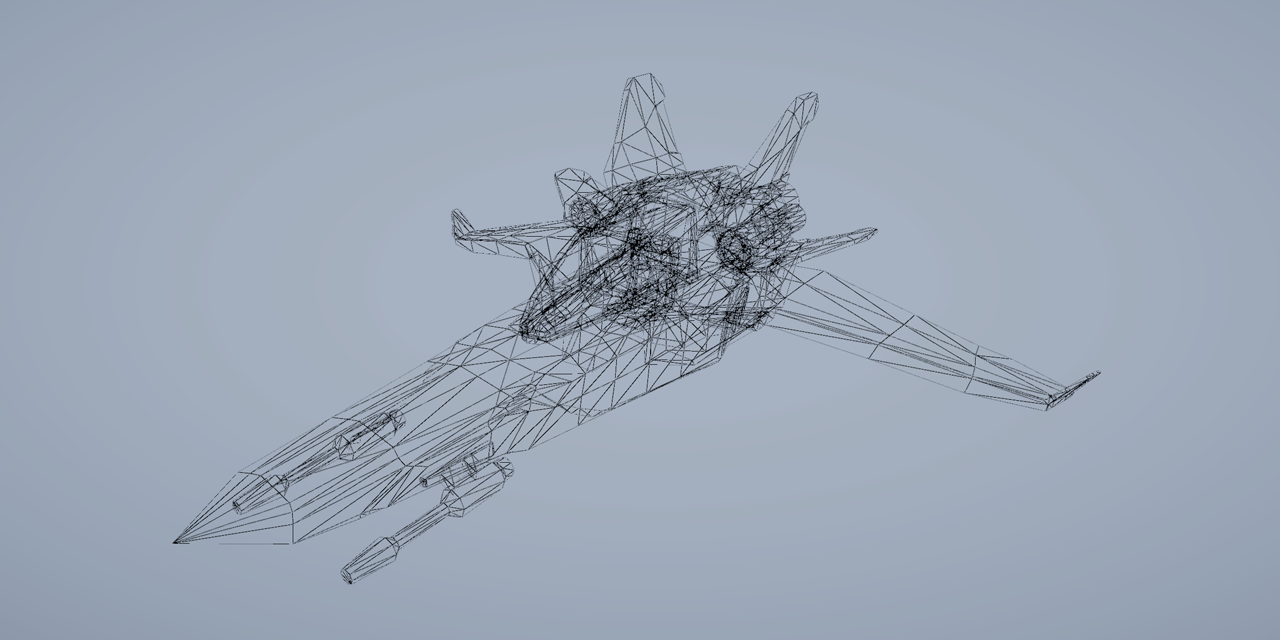
GitHub
A simple Shader Graph implementation of a wireframe effect. - ArturoNereu/WireframeShaderGraph
cursive spade
regal stag
Perhaps you'd want the wind directions stored in a "flowmap" texture and use tha...
Thanks, maybe I could set the vertex colors for each mesh and use that as a flowmap.
 lean shuttle
any idea how i could go about showing a fake outside through a window?
as in the window is a flat plane with a shader that makes it look like there is an outside
 wet shuttle
lean shuttle
any idea how i could go about showing a fake outside through a window?
wet shuttle
lean shuttle
any idea how i could go about showing a fake outside through a window?
Parallax shaders
gray copper
I'm trying to sort out point lights shadows receiving on a custom shader. Casting works. Thought he usual TRANSFER_SHADOW(); / SHADOW_ATTENUATION(); should be enough, but it is still not working. (direct shadows are fine)
I went trough a couple of iterations, PRAGMAs/DEFINE should be right. I'm using a single forward base pass, not needing lights other then the direct and vertexlight. Is it possible that the shader doesn't have access to the shadow cube map in the base pass?
 round shoal
guys im making a shader and i dont know why it runs automatically itselfs as soon as I go into playmode
idk why does it happens cause it started happening out of the blue
any idea?
it should only play when i hit space and dissapear but it does play by itself
 full void
a dumb question about compute shaders, but does buffer.SetData(...) actually copy to the GPU? (this https://docs.unity3d.com/ScriptReference/ComputeBuffer.SetData.html)
I'm asking because I need to pass new data to the compute shader on each invocation, and I'm not sure what's all the thing I need to do for that ... do I just buffer.SetData(x) every time I need it? or do I also need to shader.SetBuffer(...) as well?
grand jolt
How can I use the stencil buffer to ignore fragments that have already been rendered to the screen in the TMP text shader?
hushed silo
I'll ask here as ultimately it's because I want to use it for shaders, but is there any way to realtime (on device) generate a uv unwrap (non overlapping, like a lighting unwrap. The use case is to map unwrap the scanned mesh with a quest 3 so you could draw on it, for example
 wanton creek

my emmsiion textur keeps flickering when my camera moves
its only flickers on game view
its fine in scene view
 lament scarab
There's this shader that makes things that have little light invisible, only thing is, when it, shown it's always white, how could I modify it to apply a color to it? (extra maybe even show texture on it)
Shader "Custom/DarkIsInvisible"
{
    Properties
    {
        _Color ("Main Color", Color) = (1,1,1,1)
        _MainTex ("Base (RGB) Trans (A)", 2D) = "white" {}
    }

    SubShader
    {
        Tags
        {
            "Queue"="Transparent" "IgnoreProjector"="True" "RenderType"="Transparent"
        }
        LOD 200

        CGPROGRAM
        #pragma surface surf AlphaLambert noambient alpha finalcolor:setalpha

        sampler2D _MainTex;
        fixed4 _Color;

        struct Input
        {
            float2 uv_MainTex;
        };

        float lightAlpha;

        half4 LightingAlphaLambert(SurfaceOutput s, half3 lightDir, half atten)
        {
            half4 c;
            c.rgb = _LightColor0.rgb * atten;
            c.a = s.Alpha;
            lightAlpha = max(_LightColor0.r, max(_LightColor0.g, _LightColor0.b)) * atten;

            return c;
        }

        void setalpha(Input IN, SurfaceOutput o, inout fixed4 color)
        {
            color.a = lightAlpha;
            return;
        }

        void surf(Input IN, inout SurfaceOutput o)
        {
            fixed4 c = tex2D(_MainTex, IN.uv_MainTex) * _Color;
            o.Albedo = c.rgb;
            o.Alpha = c.a;
        }
        ENDCG
    }

    Fallback "Transparent/VertexLit"
}
It's possible but in the realm of procedural meshes, not with shaders
grizzled bolt
wanton creek
There doesn't seem to be any cause for flickering in the shader, so the problem is likely your mesh or its placement
Perhaps z-fighting from overlapping geometry
hushed silo
grizzled bolt
It's possible but in the realm of procedural meshes, not with shaders
yeah I know it's not directly a shader question... though perhaps it could be done in a compute shader for more speed... (probably not) Is there a different channel I should ask in or are you able to point me in a starting direction?
grizzled bolt
hushed silo
yeah I know it's not directly a shader question... though perhaps it could be do...
Perhaps the general or advanced coding channel
I expect a compute shader is capable of it but figuring out how how to do it in one is probably the step 2 after you figure out the process to start with
regal stag
lament scarab
There's this shader that makes things that have little light invisible, only thi...
Probably want to add s.Albedo to the c.rgb calculation in the LightingAlphaLambert function. Otherwise I'd guess the albedo set in the surf function isn't being used for anything.
 runic dragon
Hi, everyone!
I have a strange behaviour with the custom shader and I don't really understand the source of this:
This red outline on the arrows (Img 1) is "hidden" by the transparent quad with the grass (Img 2), but It looks OK with other shader from a CurvedWorld package with alpha clipping (Img 3).
This is a single pass shader and a single mesh (grass is the part of it), so it's kind of self culling or something.
I use
Blend SrcAlpha OneMinusSrcAlpha
ZTest and ZWriting in defaults (not specified in shader)
but not really understand the source of the problem why it's happening and why only this face is clipped?
Any ideas?


 regal stag
runic dragon
Hi, everyone!
I have a strange behaviour with the custom shader and I don't real...
regal stag
runic dragon
Hi, everyone!
I have a strange behaviour with the custom shader and I don't real...
That grass quad appears to be early in the triangle order. Since it's part of the same mesh and you are using ZWrite, it writes it's depth, then later triangles fail the default ZTest (LEqual) as they're behind the grass.
The alpha clipping shader avoids this as the fragments with alpha below the threshold/cutoff are discarded so don't write depth.
You'd usually separate parts of the model here if there are opaque and transparent parts.
runic dragon
regal stag
That grass quad appears to be early in the triangle order. Since it's part of th...
Thanks a lot for the explanation!
EDIT:
Implemented alpha clipping instead.
 distant wasp
How can I make the hand not a literal skeleton?

and just other tips for better shadows are also welcome! :D
grizzled bolt
distant wasp
How can I make the hand not a literal skeleton?
#archived-lighting is the correct channel for this
Light bias values control the thickness of shadows
distant wasp
grizzled bolt
<#497873729578336276> is the correct channel for this
Light bias values control ...
Thanks, and sorry!
 fallen wedge

Hey guys! This is a super basic question, but I'm a complete beginner and I'm trying to figure out how I can split a Vector 3 into three parts (x,y and z)
Is this the correct way? Why does the split node have the outputs labeled as r g b a, is it used for colors only?
full void
is there a way to hook into unity's shader hot reload? seems that when I edit my compute sahder on disk and save and go to unity it tries to recompile it, but then fails with shader properties not being set
oh nvm looks like if I just call set those each frame it works 🙂
unrelated, anyone else know if this is actually supposed to be stable? I can quite consistently crash unity by just recompiling my compute shader while unity runs ... submitting a bug report, but I wonder if anyone actually has this working 😅
regal stag
fallen wedge
Hey guys! This is a super basic question, but I'm a complete beginner and I'm tr...
Yea, Split is correct. RGBA is equivalent to XYZW. It's just what the channels are labelled as.
There is also a Swizzle node with a text field (supports either labelling). That node can be used to obtain a specific component, or another vector with components reordered
fallen wedge
regal stag
Yea, `Split` is correct. RGBA is equivalent to XYZW. It's just what the channels...
Thanks a bunch! ❤️
One more thing, is there a way to see what a specific value is? To debug things
Any way to print it to the console?
regal stag
fallen wedge
One more thing, is there a way to see what a specific value is? To debug things
Not built-in, but there is some custom functions/nodes to display values. e.g. #archived-shaders message
fallen wedge
Sounds great
I'll look into it!
Definitely helps a lot, especially if youre a beginner
 sinful cairn
In Shadergraph, how would I rotate the end result? For example, if I see this in the preview, what node(s) or math would I use to get that rectangle to point from bottom left to upper right?
 regal stag
sinful cairn
In Shadergraph, how would I rotate the end result? For example, if I see this in...
regal stag
sinful cairn
In Shadergraph, how would I rotate the end result? For example, if I see this in...
Could use the Rotate node, to alter the UV coordinates before the Rectangle
sinful cairn
regal stag
Could use the `Rotate` node, to alter the UV coordinates before the `Rectangle`
Ah, I was using it after the rectangle, that was my mistake. Thanks!
dim marsh
Sup yall, I am trying to make a dissolve shader that dissolves in a gradient-like manner (see attached picture) at a variable angle. I have all the dissolve functionality ready, but I can't seem to get the texture UVs to rotate in order to get a rotated dissolve. I have searched the internet for this and found some code involving rotation matrices which according to the replies seems to work for everyone, but when I use it it just refuses to do anything. No errors, but no rotation either. Any ideas why? I will send the entire shader.

 lilac oracle
If I have an issue with a compute shader that generates terrain, is it better to ask here or in #archived-code-general ?
distant wasp
https://www.youtube.com/watch?v=3pvWCJffNHE
Is there a good tutorial for making clouds like these?

Hey, this is an update on my cloud shader. #unity #madewithunity #volumetricclouds
Previous Versions (those posts also share a bit of information on how the cloud shader was made):
https://twitter.com/EuriGilberto/status/1406141214907326465?s=20
https://twitter.com/EuriGilberto/status/1402737376292704256?s=20
https://twitter.com/EuriGilberto/st...
meager pelican
distant wasp
https://www.youtube.com/watch?v=3pvWCJffNHE
Is there a good tutorial for making...
It's a very large topic...and "good" is a matter of perspective, and result-opinions. I mean, you can start easy, or you can get really complicated really fast. Overviews of volumetric clouds:
https://www.youtube.com/watch?v=hXYOlXVRRL8
https://www.youtube.com/watch?v=Qj_tK_mdRcA
https://www.youtube.com/watch?v=ryB8hT5TMSg

Let’s get our heads in the clouds! In this tutorial, you’ll learn how to construct a cloud in Unity in three stages.
If you want to follow along with this video, download the project from GitHub: https://github.com/NikLever/Unity-URP-Cookbook
This tutorial comes from a recipe featured in our "Recipes for popular visual effects using the Unive...

Explored a few of the latest techniques in procedural cloud rendering used in Horizon: Zero Dawn and the FrostBite engine.
🛒 Recommended books (on Amazon): https://www.amazon.com/hz/wishlist/ls/1IMV0IR3QIZMQ?type=wishlist&tag=simondev01-20&sort=priority&viewType=grid
❤️ Support me on Patreon: https://www.patreon.com/simondevyt
🌍 My Gamedev Cour...

Get 20% Off + Free International Shipping with promo code ACEROLA at
https://mnscpd.com/acerola ! #ad
Counter Strike 2 releases soon and it comes with some very innovative smoke grenades! But, how do these smoke grenades work? Why can't anyone properly recreate them? and can I crack the code?
Topics covered include: Frame debugging, voxels, me...
distant wasp
meager pelican
It's a very large topic...and "good" is a matter of perspective, and result-opin...
Thanks! :D
cursive spade
How do I create this junction in shader graph?

 hollow wolf
cursive spade
How do I create this junction in shader graph?
hollow wolf
cursive spade
How do I create this junction in shader graph?
double click the wire
bold turtle
how to connect these two
 amber saffron
bold turtle
how to connect these two
amber saffron
bold turtle
how to connect these two
How do you want them to be connected ? What is the idea behind it ?
On one side, you have the result of an add node which seems to be a color, on the other you have a texture sample.
Want to mix the texutre with the color ? Then add / multiply / lerp the output of both nodes.
Want to do something else ? you'll need to be more explicit
bold turtle
nvm i might need to expriment with this more
bold turtle
how and why secondary texture name connected to shadergraph property of texture 2 reference name?
grizzled bolt
bold turtle
how and why secondary texture name connected to shadergraph property of texture ...
Can you rephrase that?
bold turtle
grizzled bolt
Can you rephrase that?
why you need MainTex to be the name of one of the parameter and assign the sametexture?
cursive spade
hollow wolf
double click the wire
Thanks
regal stag
bold turtle
why you need MainTex to be the name of one of the parameter and assign the samet...
The SpriteRenderer component passes the sprite texture into the _MainTex reference.
If you mean why you assign the texture to the property "Default", that's mostly to make it appear in node previews within the graph. It'll still work in the scene without that, but more difficult to work in the graph without proper previews.
bold turtle
regal stag
The SpriteRenderer component passes the sprite texture into the `_MainTex` refer...
ohhhh that make so much sense now
thank
 inner coral
Is it still not possible to create a URP shader by File -> Create -> Shader ???
Why has Unity still not implemented it if not ..?
regal stag
inner coral
Is it still not possible to create a URP shader by `File -> Create -> Shader` ??...
It's more recommended to use Shader Graphs for URP/HDRP. You can still write code shaders (but Unity doesn't provide templates), and can be difficult to keep up with the changes to the ShaderLibrary.
I've got these https://github.com/Cyanilux/URP_ShaderCodeTemplates but probably a bit outdated.
Might change when "Block Shaders" is released though
inner coral
How would I set a value to a variable by shader graph? Doesnt seem like I can
From the shader graph itself
I want to set the previousTime to Time (t).
regal stag
Shaders don't hold variables like that. What are you trying to do?
inner coral
I'm trying to lerp by duration, so I need the Start Time, however I would prefer with no script but seems like I have to make one.
So whenever the boolean state changes to true of IsSelected the color will lerp from white to red and if false back to white from red.
regal stag
Yeah you'll need a script to handle this. Would need one to trigger the boolean change, so setting a _StartTime too shouldn't be too inconvenient
inner coral
regal stag
Yeah you'll need a script to handle this. Would need one to trigger the boolean ...
Yeah, that is true.
Either way, cheers.

 mental lake
Is it possible to set a materialproperyblock for a DrawRendererList() call?
Also, is it possible to DrawRenderer() or DrawMesh() with lighting/reflection data?
 woeful narwhal
does anyone know why this shader causes problems?


 regal stag
woeful narwhal
does anyone know why this shader causes problems?
regal stag
woeful narwhal
does anyone know why this shader causes problems?
Maybe mesh UVs. Can see you have a Simple Noise node that uses the default UV0.
regal stag
mental lake
Is it possible to set a materialproperyblock for a DrawRendererList() call?
Can't see any fields for property blocks. Though I don't think that is too surprising given I think RendererLists are for pipelines which use the SRP Batcher and property blocks break that anyway.
woeful narwhal
regal stag
Maybe mesh UVs. Can see you have a Simple Noise node that uses the default UV0.
yeah but even if i turn that off, same thing happens
uvs look ok
 regal stag
Hmm the mode on this Triplanar node should be set to Normal

Not sure if that's the cause though. It looks more like a model issue as it matches the geometry.
mental lake
regal stag
Can't see any fields for property blocks. Though I don't think that is too surpr...
Is there somewhere that I can render a single mesh with the scene's lighting, reflections, etc information? I'm trying to render a few meshes with different materials after the skybox pass
woeful narwhal
regal stag
Hmm the mode on this Triplanar node should be set to Normal
that just makes everything black
regal stag
woeful narwhal
that just makes everything black
What normal map are you assigning? If you have none, make sure the texture property mode is set to Normal/Bump, not White. (under Node Settings tab of Graph Inspector window, while property is selected)
mental lake
mental lake
Is there somewhere that I can render a single mesh with the scene's lighting, re...
I just scheduled another raster pass to set material properties, where the textures are actually initialized
woeful narwhal
regal stag
What normal map are you assigning? If you have none, make sure the texture prope...
eveerything is still almost pitch black
i can send a photo if you want
mental lake
This is weird, I have two cameras active and rendering to two separate displays but I only see one in frame debugger. Is there a reason for that?
 dry oasis
I am getting this error in my shader Shader error in 'Shader Graphs/Foliage': invalid subscript 'shadowCoord' it originates from this line Light mainLight = GetMainLight(shadowCoordinates, WorldPosition, 1);
In this function:
void MainLight_float(float3 WorldPosition, out float3 Direction, out float3 Color, out float DistanceAttenuation, out float ShadowAttenuation)
{
    #ifdef SHADERGRAPH_PREVIEW
        Direction = normalize(float3(0.5f, 0.5f, 0.25f));
        Color = float3(1.0f, 1.0f, 1.0f);
        DistanceAttenuation = 1.0f;
        ShadowAttenuation = 1.0f;
    #else

    #if SHADOWS_SCREEN
        half4 clipPosition = TransformWorldToHClip(WorldPosition);
        half4 shadowCoordinates = ComputeScreenPos(clipPosition);
    #else
        half4 shadowCoordinates = TransformWorldToShadowCoord(WorldPosition);
    #endif

        Light mainLight = GetMainLight(shadowCoordinates, WorldPosition, 1); // THIS LINE

        Direction = mainLight.direction;
        Color = mainLight.color;
        DistanceAttenuation = mainLight.distanceAttenuation;
        ShadowAttenuation = mainLight.shadowAttenuation;
    #endif
}
I am not sure what is wrong with it other than some issue based off the includes (maybe?). I was trying to implement shadows to an unlit shader so I really dont know what I am doing. In the tutorial I was following it said this could be added to make the error go away (it makes my shader compile lmao).
#ifndef SHADERGRAPH_PREVIEW
#include "Packages/com.unity.render-pipelines.universal/Editor/ShaderGraph/Includes/ShaderPass.hlsl"

    #if (SHADERPASS != SHADERPASS_FORWARD)
        #undef REQUIRES_VERTEX_SHADOW_COORD_INTERPOLATOR
    #endif
#endif
Any help is appreciated. Literally nothing is wrong with the shader other than I want the error to go away
EDIT: Actually this is only in one specific shader because I have multiple that use this include?
 median gull
Does anyone know what the shader is for grid visibility in the scene view? I need to add it to an SRP but I cant find it
regal stag
median gull
Does anyone know what the shader is for grid visibility in the scene view? I nee...
As in what draws the grid? I don't think it's shader based. Even on a custom SRP I'd assume it would already draw automatically.
median gull
regal stag
As in what draws the grid? I don't think it's shader based. Even on a custom SRP...
It has to be a full screen camera effect. Because nothing will show if I don't include it into the render loop.
It's not a gizmo, I've included the gizmo pass and it shows the icons when selected but not the grid overlay
Ya know, Im gonna download URP and find it myself.
regal stag
dry oasis
I am getting this error in my shader ``Shader error in 'Shader Graphs/Foliage': ...
Yeah, that snippet with #undef REQUIRES_VERTEX_SHADOW_COORD_INTERPOLATOR should fix the error. To clarify, it occurs as the lighting/shadows code expects the shadowCoord to be passed between the vertex and fragment stages (when not using shadow cascades at least) but the Unlit Graph does not generate that code. The undef works around that, can add it to the start of the file before void MainLight_float
You mention that makes the shader compile so seems like it's working - is there still a question here?
dry oasis
regal stag
Yeah, that snippet with `#undef REQUIRES_VERTEX_SHADOW_COORD_INTERPOLATOR` shoul...
I want the error to go away lol
It doesnt do anything
can I just supress it somehow
regal stag
If you've added that snippet to the custom function file, it should already stop the error occurring. It might still be in the console until it's cleared though.
dry oasis
regal stag
If you've added that snippet to the custom function file, it should already stop...
Every time I make adjustments it pops back up
 fair jackal
if I have a shader(shader graph) that modifies an objects alpha for something like a see through wall cutout, is there anyway I can do the cutout without altering the objects casted shadow? In the editor the shadows don't change at all but in a build the shadows reflect the new objects render(which makes sense) but it's kind of altering the lighting I'm trying to go for
regal stag
fair jackal
if I have a shader(shader graph) that modifies an objects alpha for something li...
You can use a Custom Function to output different alpha values in the main pass vs shadowcaster pass. e.g.
#ifdef SHADERGRAPH_PREVIEW
    Out = 1;
#else
    // For URP this is needed :
    #include "Packages/com.unity.render-pipelines.universal/Editor/ShaderGraph/Includes/ShaderPass.hlsl"

    // Test if we are in the SHADOWCASTER pass
    #if (SHADERPASS == SHADERPASS_SHADOWCASTER)
        Out = 1;
    #else
        Out = 0;
    #endif
#endif
(More info : https://www.cyanilux.com/tutorials/intro-to-shader-graph/#shader-pass-defines)
May want to have inputs to that and replace the 1 and 0
fair jackal
alright I'll give it a try, thanks!
also I think on some of my unity research stuff your name came up in some question/help thread from yeaaaaaars ago and you are by far one of the most helpful and active people here you've been at this for a long time lol
fair jackal
worked perfect thank you 🙂
 slow aspen
How do I make the water appear on top of the terrain rather than behind it ?
 median gull
slow aspen
How do I make the water appear on top of the terrain rather than behind it ?
median gull
slow aspen
How do I make the water appear on top of the terrain rather than behind it ?
Modify the ztest in your shader?
slow aspen
I figured smth out it works now but thanks
 snow forge
Hi all, In URP ShaderGraph I was just wondering if it were possible to take say 8 seperate Images and 'stitch' them together (inside the graph) so that they are seen as a single image when applying a material? (very crude representation of what I mean attached)
 regal stag
snow forge
Hi all, In URP ShaderGraph I was just wondering if it were possible to take say...
regal stag
snow forge
Hi all, In URP ShaderGraph I was just wondering if it were possible to take say...
I mean, you can remap the UVs, sample each texture and mask to portions of the UV (e.g. with Rectangle node). But what exactly is the purpose? Could you just use 8 textured quads instead of one? Or just manually combine the images assuming they aren't procedural.
snow forge
regal stag
I mean, you can remap the UVs, sample each texture and mask to portions of the U...
I'm playing with the idea of a game where you fly around the surface of the moon. I'm using Space Graphics Toolkit for the moon because it had quadtree LOD's etc. already built in so seemed to make sense. But with the size of the thing the texture/normal map looks like ass (and they're the max size that Unity allows), so was just looking into different ways to get over that.
I was looking at some of Sebastian Lagues stuff (in particular the little plane game he made, but so much of that is way above my head (he uses compute shaders a loooot).

This is the image I'm using to wrap around the planet (shrunk down for here)
It's a spherical map, (the original is a 92k image. lol.) so was just wondering if chopping it up etc. would yield better quality

I was wondering about trying to convert this NormalMap Generation Compute shader to ShaderGraph, but tbh, I'm strugling as to where to even start or even knowing if it were possible (I'm currently just converting the heightmap to normal in the shadergraph using the height to normal node), but with this compute shader the normal tha gets generated has massive amounts of detail.
 regal stag
snow forge
I was wondering about trying to convert this NormalMap Generation Compute shader...
regal stag
snow forge
I was wondering about trying to convert this NormalMap Generation Compute shader...
You can also tell Unity to generate a normal map from a height map in the texture importer. Might be better quality than the shadergraph node. But still limited by the resolution of the texture. I've never worked with textures that big so not sure what to suggest.
Splitting the planet generation into chunks with separate textures does make sense, but not really sure how to handle that with a spherical mapped texture.

I'd wonder if blending that map with another tiling noisy normal map would help too
snow forge
regal stag
You can also tell Unity to generate a normal map from a height map in the textur...
Yeah I have done that before. It's still low quality though. I can create a 'quadsphere' and split it up that way, would just take a lot of seperate images etc.
And I did think about layering a few different 'rock/moon' textures and normal maps with different scales/rotations to get over the quality issue (I've got a bunch of hi res textures I can use.
 tacit valve
im trying to edit the smoothness but it wont let me anyone know why?
 median gull
snow forge
This is the image I'm using to wrap around the planet (shrunk down for here)
It...
median gull
snow forge
This is the image I'm using to wrap around the planet (shrunk down for here)
It...
92k isn't that bad, upscale it to 96k, chop it up into 6 16k textures, then send it through virtual textures onto a sphere.
median gull
I dont know if any of y'all care but after a few hours of searching on the google-webs, this is what is bare minimum needed in an SRP camera loop to get scene view grid to draw:csharp if (camera.cameraType == CameraType.SceneView) { ScriptableRenderContext.EmitWorldGeometryForSceneView(camera); // * Apparently this is bare minimum to get scene view grid to draw. camera.TryGetCullingParameters(out ScriptableCullingParameters cullingParams); context.Cull(ref cullingParams); }
Note that end of RG must have render target assigned to camera backbuffer for scene grid to work (hardcoded into engine).
mental lake
How would I go about using Blitter.Blit and specify a mip level?
 tropic field
Problem :
I have created added a FullScreenRendererFeature to the urp asset. In this I have added a material, which is made using shadergraph. It is simply a color overlay post processing effect. It works fine in the editor, but when I build to android, this material is not working?
I can only assume that the material was somehow not included in the build or that android does not support FullScreenRendererFeature.
**What I have tried : **
- I have already tried adding my shader to "Always Included Shaders" in
Project Settings > Graphics > Always included shadersbut it still doesn't work. - Have created a dummy 3d cube object in the scene and added the material onto its meshrenderer
- I have placed the material and the shader into a folder titled 'Resources'
None of this has worked.
So my question is why is the material not working on android builds, and how do I get the material to work on android builds

This is the shadergraph for reference
eager folio
snow forge
I'm playing with the idea of a game where you fly around the surface of the moon...
Depending on how accurate you need it to be, you might be better off just using a detail map to break up the ugliness and just use the big texture for the larger details.
snow forge
median gull
92k isn't that bad, upscale it to 96k, chop it up into 6 16k textures, then send...
It would appear that Virtual Texturing is not available in URP 😦
 somber arrow
I'm new to shaders. Trying to make a shimmering-rays effect. I want the UV coordinates to be centered on the object regardless of camera position and rotation. Using View Direction with Space:View as input works for camera rotation, but when the object is not centered in the view the shader center is kept at the center of the camera view, not the object.


Any idea how to fix this? I want a position where 0.5,0.5 is always at the center of the object, regardless of where the object is seen in the camera.
grizzled bolt
somber arrow
I'm new to shaders. Trying to make a shimmering-rays effect. I want the UV coord...
It looks like you're looking for a "billboard" effect?
If so that's usually most practically done by orienting the vertices in the vertex stage, or orienting the whole object towards camera in a script rather than a shader
somber arrow
grizzled bolt
It looks like you're looking for a "billboard" effect?
If so that's usually most...
Yeah, that should work. I guess it could be done in the vertex stage of the shader graph?
But I wonder if there's no way to get a UV input in the fragment stage as if the object is a billboard?
grizzled bolt
It's certainly possible, just a bit more complex and not often necessary
regal stag
tropic field
**Problem :**
I have created added a `FullScreenRendererFeature` to the urp asse...
Do you have multiple URP/Renderer Assets for each quality setting? If so, make sure they all have the feature assigned.
broken sinew
is there any good free shadergraph node collection?
grizzled bolt
@somber arrow if you have just one quad you need to billboard, I'd use a script to rotate it
Or if you have many, I'd use the particle system as that offers billboard orientation out of box
Both of them avoid culling issues you might run into with vertex shaders
Vertex shader billboarding is useful when those two solutions aren't practical
broken sinew
and for specifics I am looking for something like Weave node in blender
grizzled bolt
broken sinew
and for specifics I am looking for something like W~~e~~ave node in blender
What's the weave node? I don't recall that being included officially
broken sinew
This is a tutorial for Procedural crosshatching, line and screentone shaders.
You can download the shaders and tutorial files here:
https://gumroad.com/l/tcKOI
Models used in the examples examples:
https://sketchfab.com/theStoff
https://gumroad.com/thestoff
https://twitter.com/rukikuri
https://gumroad.com/rukikuri
Sam Bowmans procedural series...
it has nice controls for roughness and distortion
 pseudo wagon
Is there a way to have variable type in a custom shader graph ? As in, a node where I can plug either a float, a float2, a float3 or a float 4 ?
Like they have in all default nodes (add, multiply, etc)
grizzled bolt
broken sinew
the one at https://youtu.be/2ZR5XIjBmho?si=L6Au9L1mrGFTcS1g&t=1440
I see, wave
While that would be rather simple to create with nodes (sine wave for the waves, noise added to the UV for noise) you don't usually find these types of complex nodes with a lot of options in Unity
The reason is that Blender nodes can be complex because they're meant as tools rather than having to be optimized for realtime rendering performance
somber arrow
grizzled bolt
<@933027975824277575> if you have just one quad you need to billboard, I'd use a...
In my case the mesh is a sphere, and I draw only the back faces. Meant to be put around an object to create a glow. I tried this billboard graph, but it only aligns the object with the camera plane, not towards the camera center.

So as seen with a cube, it shows the side of the cube when it's not in the center of the screen. (more or less the same issue as before). Also it breaks the fresnel effect.
 tropic field
regal stag
Do you have multiple URP/Renderer Assets for each quality setting? If so, make s...
tropic field
regal stag
Do you have multiple URP/Renderer Assets for each quality setting? If so, make s...
I have multiple, they all have this feature assigned, furthermore I've set it up so the one being used in the editor is the same one being used on android
still won't work
grizzled bolt
somber arrow
So as seen with a cube, it shows the side of the cube when it's not in the cente...
In that case try this
I got it from Cyan originally so big thanks to them
broken sinew
Can I add a port binding to a node input in sub graph?
median gull
snow forge
It would appear that Virtual Texturing is not available in URP 😦
You can code it yourself using 2 render features and copy pasting VT Manager from HDRP. Not difficult.
somber arrow
grizzled bolt
In that case try this
I got it from Cyan originally so big thanks to them
Thanks! Got it working with parts from that. I save the billboard-rotated pos to a CustomInterpolator that I can grab in the fragment shader for my animated rays, while keeping the actual vertex positions intact.
Here it is in case anyone would like to play with it.
Assign the material to a sphere around the object you want to glow.
 keen flint
Anyone here can explain why the canvas UI elements are overlaying with thumbnail views and thumbnails in the project icons?

 somber arrow
Thanks! Got it working with parts from that. I save the billboard-rotated pos to...
somber arrow
somber arrow
Thanks! Got it working with parts from that. I save the billboard-rotated pos to...
Only one issue... The rays are rotated with the camera.
(camera rotating along its Z axis)
 strange frigate
Hi everybody! In Unity 2023, I'm trying new canvas shader graph to create a custom shader for UI masking. However, once a mask component is activated, it becomes impossible to dynamically adjust the "DisAmount" value of my custom shader, even through scripting. Is this an expected limitation, or might it be a bug?
 regal stag
strange frigate
Hi everybody! In Unity 2023, I'm trying new canvas shader graph to create a cust...
regal stag
strange frigate
Hi everybody! In Unity 2023, I'm trying new canvas shader graph to create a cust...
Have seen some answers online suggesting editing image.materialForRendering (instead of image.material), or using Mask.GetModifiedMaterial. Maybe :
Mask mask = image.GetComponent<Mask>();
Material modifiedMaterial = mask.GetModifiedMaterial(image.material);
modifiedMaterial.SetFloat("_DisAmount", value);
Oh, cool, that worked! Somehow, I missed that—thank you! Now, all that's left is to understand why.
regal stag
strange frigate
Oh, cool, that worked! Somehow, I missed that—thank you! Now, all that's left is...
I'd assume the mask component is duplicating the material behind the scenes, so that it can set the stencil properties required to make masking work, and make it only affect that Image and not others using the same material
 raven blade
I've made a grid with shaders, but the further I zoom out with the camera it becomes less clear. is there a way to fix this?
 regal stag
raven blade
I've made a grid with shaders, but the further I zoom out with the camera it bec...
regal stag
raven blade
I've made a grid with shaders, but the further I zoom out with the camera it bec...
Likely need to use screenspace derivatives to add anti-aliasing. This article is mostly intended for 3D grids but might help : https://bgolus.medium.com/the-best-darn-grid-shader-yet-727f9278b9d8
Medium
For as long as I’ve been writing shaders, there’s been one specific shader I’ve always tried to write…
raven blade
Thank ya!!
 stable nexus
Hi, when i create a default unlit shader and create material and apply it, the object disappers.
I havent touched anything in the shader code, its just the default shader that gets created when i click on create unlit shader
regal stag
stable nexus
Hi, when i create a default unlit shader and create material and apply it, the o...
If you're using URP it's likely the Depth Priming in the Universal Renderer asset causing this, as shaders are meant to have DepthOnly (and DepthNormalsOnly) passes to prime the depth buffer correctly.
The shader code templates are also intended for Built-in RP, it's more recommended to use ShaderGraph in other pipelines.
stable nexus
regal stag
If you're using URP it's likely the Depth Priming in the Universal Renderer asse...
oh , yeah that makes sense, using shader graph works as intended
snow forge
Having spent the day trying various different things I think the layering of different 'rock' type textures works quite nicely. 🙂
 grand jolt
Still looking for help with this:
#📲┃ui-ux message
grand jolt
Apparently its impossibeL?https://web.archive.org/web/20201112043108/https://mispy.me/unity-alpha-blending-overlap/
Jaiden Mispy
Let's say you have two overlapping circles. Instead of making something Venn diagram-esque, you'd rather they just marked out a continuous area.
mental lake
Looks like RasterCommandBuffer.DrawRendererList() is acting different between my MacBook and Windows PC, where my MacBook draws it with proper sorting/occlusion, and the Windows PC does not
In the frame debugger, the only difference I see in the drawing pass is the "Depth Actions" being set to "Load / Store" on Macos, whereas it's empty on Windows
Where did the depth testing go on Windows?
eager folio
grand jolt
Apparently its impossibeL?https://web.archive.org/web/20201112043108/https://mis...
Render them to a single texture and then fade that texture.
normal dune
snow forge
Having spent the day trying various different things I think the layering of dif...
is that the ship from space 1999 😄
 slender ore
Any idea how can I apply one texture on the another so that the black color from the upper texture would become transparent?
 mental lake
Is it possible to have an unlit shader sample reflection probes? It seems to only work for lit shaders
grand jolt
eager folio
Render them to a single texture and then fade that texture.
Doesnt work

below is a regular textmeshpro text, above is what it looks like on a canvas rendering on a camera rendering to a RenderTexture, which is displayed in a RawImage
the rendertexture size matches screen size, but you can see it looks terrible
I played with all the settings too
regal stag
slender ore
Any idea how can I apply one texture on the another so that the black color from...
Would be easier if the upper texture had an alpha channel, then you would put the A output into the T of a Lerp, with A as the bottom texture and B as the upper texture. (Same as the "Overwrite" mode on the Blend node)
If you don't have an alpha channel could maybe use Max nodes to combine the R G and B channels, use the result of that in the T input instead.
slender ore
regal stag
Would be easier if the upper texture had an alpha channel, then you would put th...
I have imported upper texture with transparent background but it turned white after importing
grizzled bolt
mental lake
Is it possible to have an unlit shader sample reflection probes? It seems to onl...
Shader Graph has the reflection probe node
https://docs.unity3d.com/Packages/com.unity.shadergraph@16.0/manual/Reflection-Probe-Node.html
slender ore
regal stag
Would be easier if the upper texture had an alpha channel, then you would put th...
Ok, so it only shows white. The first method that you mentioned actually works. Thanks
grand jolt
grand jolt
anyone know why i cant just get 1 for 1 pixels
eager folio
grand jolt
I played with all the settings too
That isn't really enough of a description to help troubleshoot.


 craggy torrent
 neon mason
why is the emission intensity not working? It's URP btw
neon mason
why is the emission intensity not working? It's URP btw
did you enable post-processing on your camera?
and in scene view too
neon mason
yes
craggy torrent
and your volume is also global or in the range of the camera?

 regal stag
neon mason
why is the emission intensity not working? It's URP btw
regal stag
neon mason
why is the emission intensity not working? It's URP btw
Is HDR enabled on the URP Asset?
neon mason
yes
craggy torrent
is your texture set to repeat?
neon mason
yes
craggy torrent
can you assign the emission texture in the shader graph and see if it's reaching the output correctly
neon mason
this shader worked fine in HDRP
neon mason
craggy torrent
can you assign the emission texture in the shader graph and see if it's reaching...
I already did
 craggy torrent
so the bottom sample texture node is displaying the dash texture, but it's not displaying in the multiply node right to it
 snow forge
normal dune
is that the ship from space 1999 😄
snow forge
normal dune
is that the ship from space 1999 😄
Yep. lol.
craggy torrent
neon mason
everything is okay?
should be, yeah
snow forge
I modelled it years ago (2007) and decided it was time to do something with it. lol.
neon mason
craggy torrent
should be, yeah
I didn't do anything, just set the default emission power value to 1
 long sand
Hello, on mobile, if I set half precision in the project settings, what happens to single precision shader graph nodes? Will be single or half?
neon mason
different project
 craggy torrent
neon mason
I didn't do anything, just set the default emission power value to 1
craggy torrent
neon mason
I didn't do anything, just set the default emission power value to 1
can you try creating a shader that is just emissive in your main project
regal stag
Does the bloom work if you lower the Threshold below 1? If so, the camera is likely rendering to a non-HDR target. Double check HDR is enabled in all URP assets you have (might have multiple per quality setting that is overriding it)
neon mason
craggy torrent
can you try creating a shader that is just emissive in your main project
the same thing (ignore the name of the shader)
 neon mason
regal stag
Does the bloom work if you lower the Threshold below 1? If so, the camera is lik...
neon mason
regal stag
Does the bloom work if you lower the Threshold below 1? If so, the camera is lik...
bloom works but not so much on emissive materials
and that's the only asset I have
 regal stag
Have you got any renderer features that could be interfering?
neon mason
Only SSAO
fair jackal
how possible is it to write a shader that applies a pixel effect to shadows only(this includes self-shadows)?
neon mason
neon mason
why is the emission intensity not working? It's URP btw
for some reason the HDR was disabled on the scene camera
that was the problem
mental lake
grizzled bolt
Shader Graph has the reflection probe node
<https://docs.unity3d.com/Packages/co...
I think it's broken for on unlit and forward+ shaders, or something like that
There seems to be a solution here though: https://forum.unity.com/threads/forward-broken-with-reflection-probe-node-in-shadergraph.1427850/
But that unfortnuately doesn't fix it not working on unlit
Unity Forum
Using the reflection probe node in Shader Graph causes a flicker. When paired with bloom, this blows the screen out white because the flicker is of...
craggy torrent
Hi, I want to draw thousands of lidar points with different colors, so I thought about drawing them with Graphics.DrawMeshInstanced and including a MaterialPropertyBlock with an array for rgba colors. I have little understanding of shaderlab code, so I pretty much just used the example for instanced urp shaders. For some reason only the first vector/color is applied in a batch. Can someone please tell me what I am doing wrong? (Code in thread)
 ruby bolt
Hey, do ShaderGraph shaders support GPU Instancing? Or do I need to somehow implement it myself?
I've made a simple billboard shader, but it kinda eats my FPS, and I thought GPU instancing might be a solution to this idea. I'm basically trying to make the terrain trees billboard at larger distances, so their high quality model is not loaded, and there's only a single quad
regal stag
ruby bolt
Hey, do ShaderGraph shaders support GPU Instancing? Or do I need to somehow impl...
Not completely really. URP/HDRP already use the SRP Batcher so GPU instancing typically isn't needed.
But might help, https://www.cyanilux.com/faq/#sg-gpu-instancing
ruby bolt
Batching doesn't seem to work with my billboard shader though, it seems as if there's one batch per one billboard. At least the draw call count is huge, one SRP batch seems to have 367 of those and it really does add up quickly
Thanks for the link though, I hope it'll help 😄
ruby bolt
Nope, not only the amount of batches stayed high, the trees have disappeared completely. Probably it would help if I knew what I'm doing
 reef grove
am I able to access like
the lighting data thats being applied to a pixel?
or the final color after it gets lit
basically I want to make this be actually lit properly

my current method with a custom normal map does work but it destroys the color

just makes it all gray
I would want to tint the lighter regions one color and the darker regions another color
I could calculate the light myself from direct lighting but then I wouldn't get shadows and additional light sources
I assume theres a simpler way to do this since its basically very similar to a toon shader
tacit parcel
reef grove
I assume theres a simpler way to do this since its basically very similar to a t...
maybe you can use a texture lookup, like the one in toon/cel shading shader
reef grove
yeah but fundamentally what would i check it against
is the thing im having trouble with
what do i use to look it up
tacit parcel
reef grove
what do i use to look it up
attenuation, maybe?
reef grove
attenuation?
i need more specifics
ive never made a surface shader before just frag
so im kinda confused as to whats even possible
tacit parcel
half4 LightingCustom (SurfaceOutput s, half3 lightDir, half atten)
that atten
reef grove
ah
reef grove
I did read that maybe not as thoroughly as i should have
tacit parcel
wait, that's not correct