#💻┃code-beginner
1 messages · Page 834 of 1
 verbal dome
 stuck parrot
verbal dome
It's safer to start the ray from inside the collider
stuck parrot
verbal dome
It's safer to start the ray from inside the collider
how do I do that?
sorry raycasts are new to me, first time using them
 rich adder
tbh I rather make a gameobject as the origin at the feet
or my player object is usually at the feet anyway, and just make my collider center at offset
verbal dome
stuck parrot
how do I do that?
Instead of transform.position as the origin you'd add a bit to the Y value so it starts higher
Or use an empty gameobject's position
 naive pawn
wouldn't the typical approach be to exclude the player's layer from the cast
rich adder
that too
verbal dome
It's very common to just start the cast from inside the collider
You are also assuming that the player has a unique layer etc.
 chrome apex
I'm just not quite how to do it. The methods that I've tried rotate the map when I look up or down or just generally don't match the rotation. What would you do?
verbal dome
Rays can't hit the inside of a collider except for a meshcollider if you have a certain setting on
rich adder
I do it this way.. much easier and never worrying about sizing the player changing the offset from center
 naive pawn
chrome apex
I'm just not quite how to do it. The methods that I've tried rotate the map when...
naive pawn
chrome apex
I'm just not quite how to do it. The methods that I've tried rotate the map when...
are you asking about design or implementation? it kinda sounds like more of a design issue to me but the question reads like it's asking about implementation to me
 limpid stratus
chrome apex
I'm just not quite how to do it. The methods that I've tried rotate the map when...
limpid stratus
chrome apex
I'm just not quite how to do it. The methods that I've tried rotate the map when...
We don't know what your map looks like, or how it aligns relative to the player, or anything about your setup
verbal dome
A screenshot of the in-game map would probably help us understand better
chrome apex
naive pawn
are you asking about design or implementation? it kinda sounds like more of a de...
I'm asking about implementation. What issue do you see with design?
naive pawn
chrome apex
I'm asking about implementation. What issue do you see with design?
is the map 2d or 3d? if 2d, how should the map change if you start looking up, and how would it handle looking beyond 90° up or potentially rolling (rotating about Z)?
chrome apex
limpid stratus
We don't know what your map looks like, or how it aligns relative to the player,...
EVery X distance moved, it records a vector3 position in world space and adds it into a list.
Then it's scale is squashed greatly and rendered on a screen with the line renderer such that the player is always in the center of the screen
chrome apex
naive pawn
is the map 2d or 3d? if 2d, how *should* the map change if you start looking up,...
It should ideally just react to X rotation, which I know is hard to do given how eulers behave
naive pawn
just pitching up/down? and turning on Y doesn't affect it?
that doesn't sound right from your original description
the constraints/behavior here are not very well defined
limpid stratus
chrome apex
EVery X distance moved, it records a vector3 position in world space and adds it...
The last sentence is hard for me to reason about. What does the line renderer have to do with the player's screen-relative position
chrome apex
limpid stratus
The last sentence is hard for me to reason about. What does the line renderer ha...
I'm just answering how it's designed in general. The line renderer is what is shown on the map and the lines are supposed to rotate. They are THE MAP
verbal dome
chrome apex
It should ideally just react to X rotation, which I know is hard to do given how...
Are you sure you dont mean Y rotation?
naive pawn
you said the player can be oriented in any way - is that actually true? can the player rotate on Z?
verbal dome
X doesnt make sense to me, unless this is Hill Climb Racing (and that would probably be Z in 2D anyway)
chrome apex
verbal dome
Are you sure you dont mean Y rotation?
Yes, I do, my mistake
naive pawn
ok so does X rotation actually matter then?
limpid stratus
Can you take a screenshot of your player with the map pulled out? @chrome apex
chrome apex
naive pawn
ok so does X rotation actually matter then?
I want it not to but it ends up mattering against my wishes
i.e. when I look up or down, my map rotates
naive pawn
chrome apex
I want it not to but it ends up mattering against my wishes
i'm asking about design.
chrome apex
limpid stratus
Can you take a screenshot of your player with the map pulled out? <@410525986468...
a lot of the stuff is placeholder so idk how helpful it would be but the tablet is supposed to be held out in front of the player, perperndicular to it
if you want to see its transform gizmos etc. I can go in and screenshot
naive pawn
you said the player can orient "in any way", but it's not clear what this actually entails.
can the player rotate on Z?
can the player rotate beyond ±90° in pitch?
limpid stratus
that would be helpful. It is 99.99% a very simple transformation matrix issue, but we can very well mislead you without more context
chrome apex
naive pawn
you said the player can orient "in any way", but it's not clear what this actual...
yes, you are right. I Should clarify that.
The player is free to rotate along Y obviously. His x rotation is clamped between -90 and 90
His Z doesn't change
naive pawn
ok then no issue with just mapping the Y to the map's orientation then, and you already said you don't want X to matter
design handled. only now does it make sense to move to issues in implementation
chrome apex
naive pawn
design handled. only now does it make sense to move to issues in implementation
yeah, my bad. I assumed you would know because I know, but you can't ofc
naive pawn
the "orient in any way" was very vague yeah
verbal dome
In a thread some days ago you said this is for a navigator screen in a racing game, that's the context I have
naive pawn
they mentioned diving 
verbal dome
Oh yeah https://discord.com/channels/489222168727519232/1491095018281107466
(Sorry didn't have time to answer @chrome apex )
limpid stratus
I don't understand any of it. is it a projecting 3D positions onto a plane? Is it rendering them in 3D like in sci-fi movies? What defines the transformations of the tablet related to the player?
chrome apex
limpid stratus
that would be helpful. It is 99.99% a very simple transformation matrix issue, b...
Nevermind the mess here. The tablet's position isn't final, and I need to add hand ik to it bla bla.
But the player's z is from the ball object to the front towards the tablet
 verbal dome
naive pawn
they mentioned diving <:thonk:616204595701743617>
verbal dome
naive pawn
they mentioned diving <:thonk:616204595701743617>
Oh man... I read it as "driving" all this time
chrome apex
verbal dome
In a thread some days ago you said this is for a navigator screen in a racing ga...
haha yea it isn't quite that
lmao
verbal dome
I was like "why would X matter" lmao
chrome apex
were you wondering why I would have 3d movement in a racing game?
naive pawn
chrome apex
Nevermind the mess here. The tablet's position isn't final, and I need to add ha...
to check my understanding - it's projected from 3d to 2d by discarding Y, right?
verbal dome
The pitch/x axis stuff confused me yeah
naive pawn
chrome apex
were you wondering why I would have 3d movement in a racing game?
mariokart on steroids
limpid stratus
My understanding is that you want to render a top-down projection of the navigated path onto the tablet. Is that assumption correct?
chrome apex
naive pawn
to check my understanding - it's projected from 3d to 2d by discarding Y, right?
Well, kinda.
So the way this works is it's not an an actual canvas, it's a real world object. Initially I set the y to the same calue for all points but I changed it by adding a very slight offset scaled down a lot from the real world y value
The purpose of that is I wanted to keep some hright data do I can shade the line renderer in such a way that it can show which lines go downward and which lines go upward but that's irrelevant to this discussion
chrome apex
limpid stratus
My understanding is that you want to render a top-down projection of the navigat...
Yes
naive pawn
chrome apex
Well, kinda.
So the way this works is it's not an an actual canvas, it's a real...
close enough for what i'm asking for, then
can you not just grab the Y rotation from the player and apply it to the map?
chrome apex
naive pawn
can you not just grab the Y rotation from the player and apply it to the map?
it doesn't work lol. It just shifts around. There must be a simple issue I'm overlooking. How would you code that, in pseudocode?
limpid stratus
You'd make your line renderer local, you'd make "up" point towards the tablet's surface, forward point towards the top part of the tablet
definitely a clipping pass, and probably offset local y based on the lowest point traveled * your height scalar
naive pawn
chrome apex
it doesn't work lol. It just shifts around. There must be a simple issue I'm ove...
just, mapcontainer.euler.y = player.euler.y, or mapcontainer.forward = player.forward.project(XZ)
i think the GO setup is more pertinent though, you gotta make sure the map has its own local space that can rotate like that properly
chrome apex
limpid stratus
definitely a clipping pass, and probably offset local y based on the lowest poin...
that's all how it's designed now
chrome apex
naive pawn
just, `mapcontainer.euler.y = player.euler.y`, or `mapcontainer.forward = player...
I did that
 short gust
what is the "recommended" way of auto-populating serialized fields in general (like pre-bake references to other components if they exist on a gameobject, etc.)?
OnValidate is kinda meh, Reset requires using reset option button on component itself (so it's kinda still manual), [ExecuteInXXX] attributes are kinda "risky" and require a lot of boilerplate/conditional compilations or writing code in specific way to prevent bloat/bugs in runtime. is doing that in some simple custom inspector script and inherit from it where I need this stuff - good idea or it's bad no matter what I do, lol?
naive pawn
short gust
what is the "recommended" way of auto-populating serialized fields in general (l...
Reset requires using reset option button on component itself (so it's kinda still manual)
Reset is called when you create the component as well.
chrome apex
but when I look up or down, the map rotates around. I tried mapping to different axes, assuming I might have confused myself somewhere but it just doesn't align itself correctly
it basically rotates itself wherever it wants
naive pawn
chrome apex
but when I look up or down, the map rotates around. I tried mapping to different...
sounds like you're pulling the wrong value? perhaps debug the value you're using to make sure it's as expected
chrome apex
Maybe I'm confusing the line renderer somehow by rotating it?
Cause the mapping itself works
naive pawn
make sure it's not actually rotation.y, that'd be a quaternion value
limpid stratus
furthermore, make sure you are using local rotation
chrome apex
limpid stratus
furthermore, make sure you are using local rotation
the tablet's local y rotates toward's the player's world axis
limpid stratus
it needs to rotate locally
chrome apex
yea yea, I meant to say tablet's local y
naive pawn
"player's world axis" isn't really a thing, do you mean an axis in the player's local space
chrome apex
naive pawn
"player's world axis" isn't really a thing, do you mean an axis in the player's ...
I meant to say Z or Y (tried both) in world space
naive pawn
should probably just show the code you're using instead of playing this 20 questions lol
not sure what you mean by that
limpid stratus
yeah, at the very least, the line where you rotate the tablet map
chrome apex
naive pawn
should probably just show the code you're using instead of playing this 20 quest...
transform.localRotation = Quaternion.AngleAxis(playerRotation.eulerAngles.y, Vector3.up);
This is after like 5 iterations. I used to just directly set (0, someValue, 0) as euler rotation
local euler ofc
naive pawn
riiight so this is not what the pseudocode said
was the someValue playerRotation.eulerAngles.y?
again, try logging that, make sure it's as expected
chrome apex
naive pawn
was the someValue `playerRotation.eulerAngles.y`?
yes it was
I can try it again if you want
this is just trying alternative methods out of desperation
naive pawn
there is some weird stuff with reading eulerAngles from quaternions so maybe direction vectors could be an option, but before jumping to that just find out what the current issue is and go from there
chrome apex
I guess I don't need to log that, I can just keep the tablet screen selected
chrome apex
hey, now it doesn't just spin when I turn up and down. But it doesn't seem quite correct.
Sometimes I get lines drawn to the right or to the left. If it worked, it would only draw lines towards the top, no?
(also, log values are the same)
limpid stratus
I think your tilt is messing with the output of y euler
limpid stratus
try clamping tilt to 89.9 and then using the player's forward vector, kill the y and normalize to determine the flattened xz
chrome apex
The line shouldn't always get drawn in the forward direction on the map, it just must have a positive forward direction, that's all
chrome apex
limpid stratus
try clamping tilt to 89.9 and then using the player's forward vector, kill the y...
that's what I thought all this time, that tilt was affecting it
limpid stratus
chrome apex
The line shouldn't always get drawn in the forward direction on the map, it just...
so it's a wrap then?
chrome apex
limpid stratus
so it's a wrap then?
no it's not actually, I don't think
I'll make a quick snippet

does this seem right to you?
disregard all the jank and messy stuff, most of everything is for testing and unfinished
limpid stratus
I'm not sure. Seems so. I think the frequency at which you add points might be so low that it seems like it isn't aligned while it is.
Unrelated but I would change the alignment of the line renderer, there's an option to use the transform
chrome apex
limpid stratus
I'm not sure. Seems so. I think the frequency at which you add points might be s...
Yeah I'm kinda on the fence about it too. Maybe you're right about frequency
I wanted to keep it fairly light but maybe I should increase it
limpid stratus
Also unrelated to your issue but I think an arrow marker for the player and keeping the map's orientation fixed would beat this design by a landslide
chrome apex
Also, we never considered the possibility that my mapping code is somehow wrong
naive pawn
chrome apex
Yeah I'm kinda on the fence about it too. Maybe you're right about frequency
i was thinking it should probably be time based rather than distance based
chrome apex
naive pawn
i was thinking it should probably be time based rather than distance based
Well what if I'm standing still? Wouldn't rwally make sense imo
limpid stratus
check for a min delta
chrome apex
limpid stratus
Also unrelated to your issue but I think an arrow marker for the player and keep...
I will add the arrow to the center but I thought rotating the map would be superior design to rotating the arrow
naive pawn
chrome apex
does this seem right to you?
definitely not, if you go in a straight line then the new lines on the map should go upwards
limpid stratus
and it should probably create a "ghost" segment from player to previous until you lock it in place
chrome apex
naive pawn
definitely not, if you go in a straight line then the new lines on the map shoul...
That's what I was saying. However, when I go in a circle, it makes a complete circle
limpid stratus
Sorry, you didn't ask for any of this. It's an exciting idea 🙂
naive pawn
chrome apex
That's what I was saying. However, when I go in a circle, it makes a complete ci...
i mean, yeah, it should?
chrome apex
naive pawn
i mean, yeah, it should?
Yea you're right, that has nothing to do with rotatiom
naive pawn
but you should be on the side of the circle, the "forward" of the map would be tangent to the circle, not perpendicular to it
chrome apex
Yea that's what I mwant when I said all new lines should point upwardw
chrome apex
naive pawn
but you should be on the side of the circle, the "forward" of the map would be t...
what is confusing me is it seems to go mostly up, even if sometimes to the side. When I turn the opposite direction, it also seems to go mostly up
that's confusing
naive pawn
chrome apex
https://streamable.com/8awk61
if you just want to check if the rotation is right, have it draw anything and rotate around (in both axes) while not moving.
if that's correct but the overall map isn't right, then the drawing/saving is probably not right
chrome apex
so it's kinda somewhat correct, but not actually
naive pawn
make sure you've separated the rotation of the map and the contents of the map, though maybe the linerenderer handles that 
chrome apex
Yeah this last upper line shouldn't happen like this. Something is wrong
 chrome apex
naive pawn
should probably thread this actually
chrome apex
naive pawn
should probably thread this actually
I did originally make a thread for this mapping system but I didn't get many replies. But you're right, it should be a thread
chrome apex
naive pawn
make sure you've separated the rotation of the map and the contents of the map, ...
The contents of the map are on a parent, however, the line renderer component is on the same object that is rotating
naive pawn
my gut feeling says you should be rotating the parent instead but idk if that's actually relevant
getting too tired for this, gonna go to sleep
chrome apex
limpid stratus
Sorry, you didn't ask for any of this. It's an exciting idea 🙂
I did think about it, but I think rotating the map is better, cause it's more obvious where a left turn is compared to right turn.
It doesn't take much brain power to compute the inversion if the player arrow is pointing down but imo it's better this way
chrome apex
naive pawn
getting too tired for this, gonna go to sleep
yeah me too, trust me
been frustrated with this, sorry
gotta go take a shower
naive pawn
minimaps rotating according to player orientation is not an uncommon thing
chrome apex
yes, I believe it's the superior design
naive pawn
-# oh, it was adapted from how gps works, wasn't it.
chrome apex
you guys wanna take a gander at the mapping script? Possibly, it's not relevant but just in case
limpid stratus
yes
naive pawn
probably later, thread it
chrome apex
I assume I can't thread the whole convo which is a shame. I'll just drop the script now and thread it
!code
 radiant voidBOT
chrome apex
!code
radiant voidBOT
chrome apex
!code
Posting code
📃 Large Code Blocks
Use links to services like:
https://paste.mod.gg/, https://hastebin.skyra.pw/, https://paste.ofcode.org/, https://paste.myst.rs/
📃 Inline Code
Surround code with three backquotes. Not quotation marks.
To format as C#, add cs to the first line:
```cs
// Your code here
```
Add a comment with a line number if there is an error message.
chrome apex
public class Map : MonoBehaviour
{
    List <Vector3> MapPoints = new List<Vector3>();
    Vector3 lastPoint;
    float distanceThreshold = 1.5f;
    float mapScale = 0.02f;
    float yMultiplier = 0.001f;
    public LineRenderer line;

    // Start is called once before the first execution of Update after the MonoBehaviour is created
    void Start()
    {
        if (MapPoints.Count == 0)
        {
            AddPoint();
        }
    }

    // Update is called once per frame
    void Update()
    {
        float distanceSquared = (transform.position - lastPoint).sqrMagnitude;

        if (distanceSquared > distanceThreshold )
        {
            AddPoint();
        }

        for (int i = 0; i < MapPoints.Count; i++)
        {
            Vector3 localPosition = GetLocalPosition(MapPoints[i]);
            // Vector3 drawPoint = transform.TransformPoint(localPosition);
            // Debug.DrawRay(drawPoint, transform.up, color: Color.yellow);
            line.SetPosition(i, localPosition);
        }
    }
    void AddPoint()
    {
        Vector3 currentLocation = transform.position;
        MapPoints.Add(currentLocation);
        lastPoint = currentLocation;
        Debug.Log("Map Points = " + MapPoints.Count);
        //Debug.Log(lastPoint);
        line.positionCount = MapPoints.Count;
    }

    Vector3 GetLocalPosition(Vector3 worldPoint)
    {
        Vector3 offset = worldPoint - transform.position;
        return new Vector3(offset.x * mapScale, 0.001f * (offset.y * yMultiplier), offset.z * mapScale);
    }
}
i meant in #1390346827005431951
i shouldve specified
chrome apex
ah well there is a thread already. I'll copy it in it
dropped it there, gonna go shower now
 sweet brook
Hey! complete beginner here, I'm using this script to open a different scene by clicking an object but now im stuck wondering how I could switch back to the main scene while also keeping the same position the Player was previously in by pressing ESC, if somebody has any pointers that would be a huge help ^^
public class InteractableSceneLoader : Interactable
{
    public int SceneChooser = 1;
    public override void Interact()
    {
        onInteraction.Invoke();
        SceneManager.LoadScene(SceneChooser);
    }
}
 grand snow
sweet brook
Hey! complete beginner here, I'm using this script to open a different scene by...
grand snow
sweet brook
Hey! complete beginner here, I'm using this script to open a different scene by...
Can be done many ways but a good route for a beginner is to spawn the player once and use DontDestroyOnLoad to keep it alive regardless of scene
The alternative is to get the player position, load the new scene, find the new player and set its position
If the data is stored somewhere the new scene can access then you can restore it a way of your choosing too (static field, singleton manager)
sweet brook
thank you!!! i'll check that out!
 gaunt ledge
guys, fast question, what is better for performance, for me to create a LOD system that verify each prop in the map if they should appear and at which level of detail? or just use the built in system in unity?
there any way that is better than both of these?
 frosty hound
Is there a problem with the built in one?
gaunt ledge
don't know, just want to see how much fps I can Squeeze out
 toxic yacht
gaunt ledge
guys, fast question, what is better for performance, for me to create a LOD syst...
toxic yacht
gaunt ledge
guys, fast question, what is better for performance, for me to create a LOD syst...
Unity's LOD system is perfectly fine as far as I know. For not rendering things youre not looking at you'd want to enable occlusion culling, and for disabling gameobjects when they're too far away from the player so they're not running uneeded logic id suggest spacial hash maps. Occlusion culling is a no brainer just enable it. The other 2 are on a if you need it basis.
gaunt ledge
hmmm... thank you
we gonna have a lot of objects in these scenes so I'm trying to find ways to reduce how much this gonna heat up the pc.
toxic yacht
There's also ECS
 teal viper
Occlusion culling is not really a "no brainer". It requires setup, baking, occluders and ocludees, and it wouldn't work great in some scenarios. Might even introduce more problems than it solves.
You might be confusing with frustum culling that is enabled by default and culls objects that "you're not looking at"(outside camera frustum).
gaunt ledge
occlusion culling seem to be active by default, also, already studying DOTS, but the way the project is right now I think it would take a long time for us to apply
teal viper
I don't think it's "active by default" anywhere.
toxic yacht
teal viper
You might be confusing with frustum culling that is enabled by default and culls...
You're right I thinking of frustum culling https://docs.unity3d.com/Manual/OcclusionCulling.html
 teal viper
Though, I guess there's the new gpu occlusion culling in urp/hdrp, which is a totally different story. I'm not sure if that one is being enabled by default or not.
Doesn't seem like it is.
teal viper
gaunt ledge
there any way that is better than both of these?
I'd recommend profiling first to understand if you have a performance problem in the first place, and if you do, what the bottleneck is. Blind optimization never leads to anything good.
toxic yacht
gaunt ledge
occlusion culling seem to be active by default, also, already studying DOTS, but...
DOTS is unity's God fearing ECS system but tbh you don't need to fully commit. A lot of the time I find that I can fit some ECS into key parts while leaving the rest as gameobjects and monobehaviours. It leaves some performance on the table but still works well
gaunt ledge
teal viper
I'd recommend profiling first to understand if you have a performance problem in...
already doing, just starting by searching the best way to do it before starting the LOD application
gaunt ledge
toxic yacht
DOTS is unity's God fearing ECS system but tbh you don't need to fully commit. A...
gonna look into that, thanks
teal viper
gaunt ledge
already doing, just starting by searching the best way to do it before starting ...
Using the profiler of course.
teal viper
gaunt ledge
already doing, just starting by searching the best way to do it before starting ...
I'm saying that, because if you have a cpu bottleneck, normal LODs wouldn't help, and might even hurt performance.
DOTS would only help with CPU bottlenecks. And wouldn't help with GPU ones.
 past cloud
theres a channel or something in this discord to properly setting up your ide or something isnt there
im using vscode and all my colours are fucked
im tryna find the thing that tells me how to properly fix it
teal viper
!ide
radiant voidBOT
teal viper
!ide
💡 IDE Configuration
If your IDE is not autocompleting code or underlining errors, please configure it.
Select one:
•  Visual Studio (Installed via Unity Hub)
• Visual Studio (Installed manually)
•  VS Code
•  JetBrains Rider
• :question: Other/None
past cloud
ty
 thin cosmos
im new can someone teach me
teal viper
thin cosmos
im new can someone teach me
!learn
radiant voidBOT
teal viper
!learn
:teacher: Unity Learn ↗
Over 750 hours of free live and on-demand learning content for all levels of experience!
thin cosmos
teal viper
!learn
thank you
 earnest trail
Need help
I have unity explorer into this game and want to change in game rank to the max level? Possible? If so how
thin cosmos
earnest trail
I have unity explorer into this game and want to change in game rank to the max ...
what
 thin cosmos
earnest trail
thin cosmos
earnest trail
i dont fucking know man
teal viper
We don't support moding/decompilation/cheating here
teal viper
Noob😛
frosty hound
There's no off topic here, thanks.
thin cosmos
frosty hound
There's no off topic here, thanks.
was that off topic
frosty hound
Yes
frosty hound
Please don't waste my time.
thin cosmos
frosty hound
Please don't waste my time.
ok i guess
 shut helm
does anyone know whats the differnce between the new and old unity input systems? like i was trying to add movement to a character bc i using the newer input system so i was just queries?
thin cosmos
shut helm
does anyone know whats the differnce between the new and old unity input systems...
no
teal viper
thin cosmos
i was replying
To be honest the whole interaction was out of topic(which is help with code). And you just proceeded to fueling it further.
frosty hound
thin cosmos
no
Also this, just don't reply if you have nothing to contribute.
teal viper
shut helm
does anyone know whats the differnce between the new and old unity input systems...
There are many differences. Mainly the api, but it also works a bit different under the hood. I'd seggest referring to the docs.
frosty hound
shut helm
does anyone know whats the differnce between the new and old unity input systems...
The old system is poll based, which you would do in Update. The new system is event based. It also has a whole mapping system that lets you create different input actions/groupings.
 polar acorn
thin cosmos
no
polar acorn
thin cosmos
no
Why are you responding to literally every question as if they were directed at you personally
 smoky breach
I feel like a cavemand banging rocks together but i somehow managed to make the sprint function work, i have a vague idea of what i'm doing how can i improve the function?


 slender nymph
!code
radiant voidBOT
slender nymph
!code
Posting code
📃 Large Code Blocks
Use links to services like:
https://paste.mod.gg/, https://hastebin.skyra.pw/, https://paste.ofcode.org/, https://paste.myst.rs/
📃 Inline Code
Surround code with three backquotes. Not quotation marks.
To format as C#, add cs to the first line:
```cs
// Your code here
```
Add a comment with a line number if there is an error message.
 unborn trellis
Hey im trying to implement a drawing minigame into my game but ive been running int
o this error that comes up when i try to click the object that activates that switches the camera over and activates the ability to draw. Any suggestions on what the issue could be + how to fix it? here are the code files if anyone can take a look + a screenshot of the line of code that the error claims is the issue


If anymore information is needed I'll provide it as soon as I can
 keen dew
See the message above yours for how to post code
but nothing calls StartDraw that would initialize the array
unborn trellis
keen dew
but nothing calls StartDraw that would initialize the array
Does
colorMap = new Color[totalXPixels * totalYPixels];
Not initialize it
keen dew
It does, but it's inside a method that is never called so that line never runs
 sour fulcrum
Sidenote, but instead of doing
//Getcomponent
//If getcomponent isn't null
you can do both at once via
if (hit.Collider.TryGetComponent(out MyType myReference))
  //thing with myReference
Way to tired to go back and change that but good Note for the futuew
unborn trellis
keen dew
It does, but it's inside a method that is never called so that line never runs
Just added a call for StartDraw in the EnterDraw method. Same issue still coming
 burnt vapor
unborn trellis
Just added a call for StartDraw in the EnterDraw method. Same issue still coming
burnt vapor
unborn trellis
Just added a call for StartDraw in the EnterDraw method. Same issue still coming
Share your new code, and please do it the way according to the bot message
And just to be sure, send the current error you're getting, even if it looks the same.
unborn trellis
burnt vapor
Share your new code, and please do it the way according to the bot message
Drawing code: https://paste.ofcode.org/ccmTvpVB8kScr5ivHwcBiE

Error comes up anytime i click on something that is processed through the raycast code, not just the drawing object
naive pawn
unborn trellis
Error comes up anytime i click on something that is processed through the raycas...
is line 97 in Raycast being reached?
what's interactKey set to?
unborn trellis
naive pawn
what's interactKey set to?
Left click
unborn trellis
naive pawn
is line 97 in Raycast being reached?
Not sure. Part of the issue is when I try clicking on the draw object the whole unity editor freezes
naive pawn
ok so it's basically a race condition then
unborn trellis
naive pawn
so colorMap is null
I've tried putting a big number on it at the start but that just causes the freezup to happen when I hit play
naive pawn
left click does 2 things, start drawing and do the actual drawing, but you haven't made it so that you do yhe "startdrawing" before you actually draw
colorMap hasn't been initialized at that point
it kinda seems like Raycast is handling too much, violating the single responsibility principle
so you end up trying to link disconnected behaviors together
the size you initialize colorMap to is set in serialization, can't you just initialize it immediately? why is it initialized lazily?
unborn trellis
naive pawn
the size you initialize colorMap to is set in serialization, can't you just init...
I was following a tutorial up to the part where I needed to add the raycast.
naive pawn
uh it also seems that Raycast is written so you reset the canvas every time you draw a new line
Raycast overall just seems very iffy there ngl
unborn trellis
Well I can't change it at this point cause I have two other things that need it to activate and I got 2 weeks max to finish the game
unborn trellis
unborn trellis
I was following a tutorial up to the part where I needed to add the raycast.
Sorry, clarification, the raycast in the draw code was in the tutorial, the parts I changed were the stuff that makes it work with the raycast script
naive pawn
"i can't change the broken thing" yeah sure
the Raycast script is handling too much, that is part of the issue - it makes it way harder to work with and gives you bugs like this
unborn trellis
naive pawn
"i can't change the broken thing" yeah sure
No need to be rude. This is my first time doing ANY of this
naive pawn
again, why not just initialize it immediately? was there an issue with that that necessitates the lazy load?
or even then, why not lazy load within Draw, avoiding the need for Raycast to initialize it
naive pawn
unborn trellis
No need to be rude. This is my first time doing ANY of this
i can tell, hence my comments about the code being fragile
if you say you "can't change it at this point" then i can't really help lol, since that's where the issue is
unborn trellis
How do I change it then? You've kept saying it's bad and not offering solutions or things to try out
naive pawn
naive pawn
again, why not just initialize it immediately? was there an issue with that that...
i did
unborn trellis
I don't know what a lazy load is and I don't know how to initialize it immediately.
naive pawn
ok, so say that. i don't know what you know or don't know
do you know what "initialize" means?
unborn trellis
I know what initialize means.
naive pawn
alright so what you have now is "lazy initialization", you're only initializing it when you're about to use it (but the bug is that you initialize it after you need to use it)
the Raycast only calling EnterDraw once you click is what drives the lazy init
by initializing immediately, i mean removing the initialization from StartDraw and initialize stuff once it's loaded in Start, for example
unborn trellis
Alright. I can try see what that does
unborn trellis
naive pawn
by initializing immediately, i mean removing the initialization from StartDraw a...
Tried adding a start function however unfortunately initializing the StartDraw function with it just made it so the unity editor freezes if I click any intractable object. I also tried putting the code in StartDraw straight into the start function and that just makes it worse and freeze the moment the game is booted up
toxic yacht
Does it freeze completely and you have to kill unity from task manager?
naive pawn
unborn trellis
Tried adding a start function however unfortunately initializing the StartDraw f...
well you are creating a 2mb array
are there multiple Draw components in the scene?
toxic yacht
Yeah I was gonna suggest reducing the resolution to something trivial like 10x10, atleast for testing
naive pawn
if yes then i could see why you'd want lazy init - but you'd still want to do the init within Draw, not Raycast
unborn trellis
toxic yacht
Does it freeze completely and you have to kill unity from task manager?
Yes
unborn trellis
naive pawn
are there multiple Draw components in the scene?
I was wanting to do multiple but not sure if that's gonna end up being the case
toxic yacht
If it still freezes even with a small array that means you're hitting an infinite loop somewhere. Although I don't see anywhere that can happen.
toxic yacht
naive pawn
it should be y++, not j++
Oh nice spot
naive pawn
i thought it was temporary so i didn't consider that, mb
toxic yacht
unborn trellis
Error comes up anytime i click on something that is processed through the raycas...
The freezing is kinda its own issue. But for the null reference error, like Chris said you're running into a "race conditon" based on what you said im going to assume you don't know what a lot of these terms mean which is fine there's a lot of unknown unknowns in programming. A race condition is when you have multiple pieces of code that depend on running in a certain order, but you can't control that order. The draw behaviour shouldn't be trying to add to the canvas unless it's been initialized, so just add a check next to the on input to see if the array is null or not.
naive pawn
you don't need to add a check, you can chnage the flow/responsibility so you cna manage the order
if you just add a check then sometimes you just randomly won't be able ti draw
naive pawn
naive pawn
it should be y++, not j++
@unborn trellis this should fix your freezing issue, but a 2mb array might still stutter a bit, not sure. you would have to check again
unborn trellis
naive pawn
<@358416234687102986> this should fix your freezing issue, but a 2mb array might...
Alright lemme check if it freezes
toxic yacht
naive pawn
if you just add a check then sometimes you just randomly won't be able ti draw
In Draw.cs Update() you shouldn't be able to draw if there is no canvas. This would just be the object doing null checks on itself, which i think is perfectly within its responsibility
naive pawn
toxic yacht
In Draw.cs Update() you shouldn't be able to draw if there is no canvas. This wo...
what i'm saying is, Draw should manage if it has a canvas or not, and it shouldn't need to check
having the check just silences the issue, turning an error into a bug
either initialize immediately and not have a check, or have a check that does lazy init. the responsibility of initializing the canvas should not be in Raycast
unborn trellis
Hell yeah. Doesn't let me actually draw yet but does the rest of what it's supposed to and doesn't freeze the game
naive pawn
i think the easiest option for now would just be immediate init, and if you add more canvases and you get perf issues on initial load, then you could look into doing lazy load from within Draw
ideally Raycast wouldn't care about Draw either, it could look for a given interface that specifies enter/exit methods
unborn trellis
Alright. Any recommendations for how to code in entering drawing mode when I click on on it without the raycast?
Wait nevermind figured it out

 empty steppe
Ye
burnt vapor
Then you need to share the code
radiant voidBOT
Posting code
📃 Large Code Blocks
Use links to services like:
https://paste.mod.gg/, https://hastebin.skyra.pw/, https://paste.ofcode.org/, https://paste.myst.rs/
📃 Inline Code
Surround code with three backquotes. Not quotation marks.
To format as C#, add cs to the first line:
```cs
// Your code here
```
Add a comment with a line number if there is an error message.
burnt vapor
Do it anyway, that's something people say all the time
empty steppe
Ok
burnt vapor
Otherwise it seems pointless to post the question here
sour fulcrum
!code
radiant voidBOT
sour fulcrum
!code
Posting code
📃 Large Code Blocks
Use links to services like:
https://paste.mod.gg/, https://hastebin.skyra.pw/, https://paste.ofcode.org/, https://paste.myst.rs/
📃 Inline Code
Surround code with three backquotes. Not quotation marks.
To format as C#, add cs to the first line:
```cs
// Your code here
```
Add a comment with a line number if there is an error message.
sour fulcrum
no photos please 😄
 carmine pasture
hello
 sharp bloom
    private void FocusCameraMap()
    {
        Tween.Position(mainCamera.transform, new TweenSettings<Vector3>(mapCam.position, 2f, Ease.Default));
        Tween.Rotation(mainCamera.transform, new TweenSettings<Vector3>(mapCam.rotation.eulerAngles, 2f, Ease.Default));
    }
Will tweening rotation like this work well? I know some weird shit can happen when converting quaternion into euler angles (or was it only vice versa?)
PrimeTween doesn't accept transform.rotation directly
verbal dome
sharp bloom
```cs
private void FocusCameraMap()
{
Tween.Position(mainCamera....
If it uses Quaternions internally (which I assume it does) then it shouldn't be a problem
Weird that it doesn't have a constructor that accepts a quaternion though.
naive pawn
brief check in docs seem to imply that it accepts quaternions
naive pawn
sharp bloom
PrimeTween doesn't accept transform.rotation directly
sanity check - did you also switch to TweenSettings<Quaternion> in that case
though from docs, seems like TweenSettings is intended for inspector stuff, you could also pass in those arguments directly, and Quaternion would be accepted according to docs
 rare basin
!ide
radiant voidBOT
rare basin
!ide
💡 IDE Configuration
If your IDE is not autocompleting code or underlining errors, please configure it.
Select one:
• Visual Studio (Installed via Unity Hub)
• Visual Studio (Installed manually)
• VS Code
• JetBrains Rider
• :question: Other/None
sharp bloom
naive pawn
sanity check - did you also switch to `TweenSettings<Quaternion>` in that case
Right. I just hit tab on autocomplete and didn't think about it, ty
My IDE says use the TweenSettings overload

 dreamy scarab
im not sure if is a begginers question but
how much weight is a script reference?
i have a big matrix storing events, these events are added by scripts on the fly, and im planning to switch the event by solely the script holding the event so i dont have 2 scrips with the same data on a scene.
to give context ->
i have day night cycle in the game, and im adapting the time event to be more complex.
simplifying it is a matrix from classes that are separated by hour (x) and minute (y) and main stored data is a unity event list... and the day night cycle calls it each time a "minute" was changed
the hour list is fixed (24) but the minutes are added on the fly (so i dont have a 1440 empty list by default (24h * 60m->1440))
for it to work i have 2 scripts. the manager (static/single script on the scene) and a monobehaviour that i add on each thing i want a time effect (e.g. like torch that i want to enable at when its 18:30 and disable when its 5:45)
adding a element to the list is the easy part, but removing is starting to becoming confuse since i add the element directly (testing with small things didnt show any problem tho)... and i think its not memory wise to have 2 scripts with the same "variables" (unityevents in this case)
so right now thinking on switching it to a just a reference to the script with event with the said time.
polar acorn
1 byte
 wintry quarry
almost certainly 4-8 bytes depending on the system architecture.
4 bytes for 32 bit, 8 for 64 bit
polar acorn
It's actually like 8 bytes but the point is that you shouldn't care
Unless you're programming for a 1981 IBM Model 5150
naive pawn
dreamy scarab
i dont think its needed tho, its not that complex
no, you just don't need to worry about this kind of thing unless your target device is an arduino or a NES or smth like that
naive pawn
sharp bloom
My IDE says use the TweenSettings overload
well if it's marked obsolete that would be from the library i suppose. i don't have this asset, i was just looking at docs so 🤷
 acoustic maple
I have a ball that needs to recognize when it hits a sensor I get the the sensor a tag, but it is not recognizing the sensor
wintry quarry
acoustic maple
I have a ball that needs to recognize when it hits a sensor I get the the sensor...
Sounds like you have a bug in your code or scene setup somewhere
acoustic maple
Vector3 direction = Vector3.Reflect(b_Rigidbody.linearVelocity, collision.contacts[0].normal);
float speed = 20;
b_Rigidbody.AddForce(direction * speed, ForceMode.Impulse);
how do I make the object go in the opposite derection it is going?
wintry quarry
acoustic maple
how do I make the object go in the opposite derection it is going?
Are you trying to reflect, or reverse?
and at the same speed or a different speed?
acoustic maple
wintry quarry
Are you trying to reflect, or reverse?
Speed up reflect like a pinball hitting a bumper
wintry quarry
acoustic maple
Speed up reflect like a pinball hitting a bumper
Don't use addforce
Just set the new velocity to the reflected direction, normalize it, and multiply by whatever speed you want
 ruby python
Hi all, I haven't done any coding for a while and have an hour or two spare so I thought I'd have a go at a quick technical exercise for myself with Scriptable Objects. Would anyone be okay to have a quick look at these 3 Scriptable Object scripts and see if they can see anything glaringly wrong? (I don't have any data to actually populate etc. at the moment, was just trying to think my way through it. They're for a Factory game (Factorio/Satisfactory etc).
I've put all 3 scripts into the same hastebin with seperators.
Hastebin is a free web-based pastebin service for storing and sharing text and code snippets with anyone. Get started now.
naive pawn
ruby python
Hi all, I haven't done any coding for a while and have an hour or two spare so I...
public GameObject itemPrefab;
most of the time, you wouldn't want to referenceGameObject, but instead some relevant component of the gameobject. if such a component exists you'd use that instead ofGameObjecthere
FactoryRecipeItem seems like it could be a struct.
ruby python
naive pawn
> `public GameObject itemPrefab;`
most of the time, you wouldn't want to referen...
Forgive the ignorance, but why not the GameObject? (Everything I've seen uses the GameObject).
Okay, with the Struct, tbh I've never really got my head around them. Yes I know, sounds daft. lol. But will have a looksee. 🙂 Thank you.
naive pawn
ruby python
Forgive the ignorance, but why not the GameObject? (Everything I've seen uses t...
using the actual component you care about makes it more explicit what the intent for that field is, it saves the indirection+necessary caching for GetComponent, if you Instantiate it you get a reference to that component directly which makes injecting references easier, and it prevents you from assigning objects that don't have said component
you'd only use Transform if you only care about that component, or GameObject if you only cared about eg its active state
ruby python
naive pawn
using the actual component you care about makes it more explicit what the intent...
Right okay, well my intent would basically to be using that just for placing and then enabling/disabling (for culling), there would be a script on the 'root' object and the culling would be done on the first child. So guess Transform would be better (Based on what you said?)
naive pawn
there would be a script on the root object
you'd use that script then
and you could have that script do the culling thing, no?
weaker coupling, makes it easier to work on in the future
ruby python
naive pawn
and you could have that script do the culling thing, no?
I have got a culling system that I've used before based on the Camera Frustum (it's a top down, sorry forgot to mention that), but can't remember off the top of my head where the script lives (items get added to a central list and then activated/deactivated through the list). lol. But really good feedback, thank you 🙂
 sour drift
I’m having a problem in Unity with TextMeshPro: all my text is showing up as white square blocks (tofu characters) instead of proper letters.
I downloaded a .ttf font file and converted it into a TextMeshPro SDF Font Asset. This conversion used to work fine with the same settings before.
However, now when I reconvert the exact same font file with the same settings, the text appears as white squares.
I already checked:
- The SDF Font Asset generation
- I deleted the project’s Library cache folder to force a full reimport
 polar acorn
Did you think this question was worth trying to ping 50,000 people
stuck parrot
    {
        if (value.isPressed)
        {
            isSprinting = true;
        }
        if (!value.isPressed)
        {
            isSprinting = false;
        }
}``` anyone knows why it doesnt toggle back to false? once I press the sprint button it doesnt go backCode runs top to bottom one line at a time
Ah, wait, I thought this was the usual "Both toggles happening" situation but it looks even simpler then that
You're calling OnSprint when you press the button, right?
You aren't calling it when you release the button
 obtuse hollow
show how you set isPressed
 solar hill
if im understanding this correctly youre basically saying "ok when the button is pressed check if the button is pressed or not pressed"
which is the issue... since the button is pressed
if you are calling OnSprint when you press the button
stuck parrot
ah so as soon as I stop pressing it stops calling the method
so how do i fix it? a do while?
polar acorn
How are you calling OnSprint
stuck parrot
polar acorn
How are you calling `OnSprint`
player input component on the player set to send messages
polar acorn
Can you show the inspector of your Player Input component?
 azure holly
Hi, has anyone used A* Pathfinding with Isometric Tiles before?
 solar hill
azure holly
Hi, has anyone used A* Pathfinding with Isometric Tiles before?
solar hill
azure holly
Hi, has anyone used A* Pathfinding with Isometric Tiles before?
A* as in the algorithm itself or A* as the very popular pathfinding asset?
polar acorn
stuck parrot
Try logging value.isPressed before your if statements, see if it ever prints false
I'm pretty sure the Player Input component adds the function to both performed and cancelled
azure holly
The algorithm itself. My assets (characters and tilesets) are isometric so it makes things a lot more complicated. I got the algorithm to work but when I look at the gizmo debug the A* pathfinding for my ai isn't completely accurate to what my tilemap is. My tilemap is also procedural generated.
solar hill
Okay can you show us some more info to go off of
But i wouldnt say a custom A* implementation is really a beginner issue, try making a thread in #1390346827005431951
its also easier to contain the conversation that way
azure holly
I'll move over then
stuck parrot
polar acorn
Try logging `value.isPressed` before your if statements, see if it ever prints f...
it does print debugs before the second if statement but not after it
solar hill
stuck parrot
it does print debugs before the second if statement but not after it
try this instead:
public void OnSprint(InputValue value)
{
    isSprinting = value.isPressed;
}
Where did you put the logs? What does the function look like with the logs
stuck parrot
solar hill
try this instead:
```cs
public void OnSprint(InputValue value)
{
isSprintin...
same thing, it sets isSprinting to true but never toggels it off. also why do you have a different pfp every day? 😄
solar hill
ive had this pfp for quite some time now 🧐
stuck parrot
polar acorn
Where did you put the logs? What does the function look like with the logs
i removed them, wait a second
stuck parrot
polar acorn
Where did you put the logs? What does the function look like with the logs
    {
        if (value.isPressed)
        {
            Debug.Log("Sprinting");
            isSprinting = true;
        }
        Debug.Log("test");
        if (!value.isPressed)
        {
            Debug.Log("Not sprinting");
            isSprinting = false;
        }
}``` "Debug.Log("Not sprinting");" never gets shownsprinting and test does
polar acorn
stuck parrot
``` public void OnSprint(InputValue value)
{
if (value.isPressed)...
I said to log value.isPressed outside of the if statements
stuck parrot
polar acorn
I said to log `value.isPressed` outside of the if statements
ahh now I get what you meant 😄 sorry my bad
i put it in update, it prints false, if i once press shift it sets to true and stays there
obtuse hollow
I assume this event is called all the time when you hold the buttton. You could always assume a false state at the start of the update/late update in a different bool member, then if you see "isSprinting" is true, set the new member to true and "isSprinting" to false. The new bool member should keep the state between frames and the "isSprinting" is set to false and if you keep pressing the button, it will set to true and repeat the process, otherwise it will stay false and not touch anything.
stuck parrot
I kinda got it working. I mean it is working fine but the code is weird. i added a variable that stores the action "Sprint" [SerializeField] private InputActionReference sprintAction; and I left the bool "isSprinting". then I got rid of the OnSprint method because I couldnt make it work reliable and put isSprinting = sprintAction.action.IsPressed(); in Update(). dont know if thats a good thing
obtuse hollow
If IsPressed is a simple bool read, you are good.
stuck parrot
obtuse hollow
If IsPressed is a simple bool read, you are good.
yes but really frustrating that i coudnt get OnSprint() working. also should I put isSprinting = sprintAction.action.IsPressed(); in update or fixedupdate?
 cosmic dagger
stuck parrot
yes but really frustrating that i coudnt get OnSprint() working. also should I p...
cosmic dagger
stuck parrot
yes but really frustrating that i coudnt get OnSprint() working. also should I p...
You'll always want to handle input in Update . . .
 dreamy sundial
Hii
using UnityEngine;
public class playermovement : MonoBehaviour
{
void Start()
{
}

void Update()
{
    transform.Translate(Vector3.up * 2 * Time.deltaTime);

    if (Input.GetKey(KeyCode.RightArrow))
    {
        transform.Rotate(new Vector3(0, 0, -1) * 100 * Time.deltaTime);
    }

    if (Input.GetKey(KeyCode.LeftArrow))
    {
        transform.Rotate(new Vector3(0, 0, 1) * 100 * Time.deltaTime);
    }
}
}\
Actually
I don't know why it's just making errors
slender nymph
!code 👇 also consider sharing what errors you are getting
radiant voidBOT
slender nymph
!code 👇 also consider sharing what errors you are getting
Posting code
📃 Large Code Blocks
Use links to services like:
https://paste.mod.gg/, https://hastebin.skyra.pw/, https://paste.ofcode.org/, https://paste.myst.rs/
📃 Inline Code
Surround code with three backquotes. Not quotation marks.
To format as C#, add cs to the first line:
```cs
// Your code here
```
Add a comment with a line number if there is an error message.
radiant voidBOT
slender nymph
!input
How to Set Input
To set Active Input Handling, go to:
Project Settings > Player > Active Input Handling
• Input Manager (Old): Use the original Input settings.
• Input System Package (New): Uses the new input system package.
• Both: Use both systems.
 kind cape
Is the GorillaLocomotion Package Any Good?
 pine narwhal
hi guys i need a quick suggestion from you, i'm working on XR simulation of Transformers and i need to show the EMF ( Electromagnetic Field visuals) around the transformer coil. what should i do with that? any suggestion will help, i have tried the SPline but i don;t think it is working as it should be, i need arrows to animate according to show the directiion of flow also. what do you think? reference picture is attached. please help

 fading spade
I can't think of anything better.
I have an item system that needs to apply an effect to a weapon slot as well as the character stats
Is my only option to have stat wrappers kept in a dictionary indexed by enums?
fading spade
Or otherwise
Can property bags be used at runtime
I'm reading that it's more for the editor and tools rather than deployment
sour fulcrum
property bags?
teal viper
Property sacks.
Property bags is a real thing in unity. I was surprised with the name as well.
kind cape
unity is probably gonna be the only application that doesn't need age verification
burnt vapor
kind cape
unity is probably gonna be the only application that doesn't need age verificati...
What is the point of posting this in a coding channel?
kind cape
wrong channel sorry!
 rose kernel
what do i need to learn to be able to make minesweeper in unity?
burnt vapor
rose kernel
what do i need to learn to be able to make minesweeper in unity?
We can't answer that for you. There are tutorials online on how to make Minesweeper in Unity. Suggest you try those.
rose kernel
okay
verbal dome
pine narwhal
hi guys i need a quick suggestion from you, i'm working on XR simulation of Tran...
The simplest built-in way to do the flowing arrows is to use a LineRenderer with tiling enabled and a UV-scrolling material/shader
The scrolling can either be done in the shader itself, or by using a material that has the UV offset exposed as a property that you can update each frame from C#
 rare jolt
can script call another script parent's function, like the initial script get component of the other script then call their parents funcstion like TakeDamage();
naive pawn
rare jolt
can script call another script parent's function, like the initial script get co...
if it's an overloaded virtual function, no, and it shouldn't care by the principles of polymorphism - you may want to reconsider your design
a class can call its own parent's method via base though, that can be useful for composing behaviors
verbal dome
rare jolt
can script call another script parent's function, like the initial script get co...
What do you mean by "parent's function" here
rare jolt
verbal dome
What do you mean by "parent's function" here
like the parent has a function like take damage(); and when a script get the child script to trigger parent's take damage();
verbal dome
By parent do you mean the parent object in the transform hierarchy, or the parent class of the other script class
rare jolt
parent class
verbal dome
Maybe I don't understand, but why wouldn't you be able to call TakeDamage on the other script if it is public?
Show example code of what you want to do
(If what Chris said didn't answer your question)
 red snow
😎
rare jolt
verbal dome
(If what Chris said didn't answer your question)
well, his answer did answer my question
polar acorn
rare jolt
like the parent has a function like take damage(); and when a script get the chi...
If you want to call takeDamage on the parent class, why did you override it on the child class
rare jolt
i'm asking to answer my whatif as i'm still learing unity programming like inheritance. like i try to find some reason to use it like for base character script to tidy up my scripts
rare jolt
polar acorn
If you want to call takeDamage on the parent class, why did you override it on ...
not overide, just call the function by other script from child script
polar acorn
rare jolt
not overide, just call the function by other script from child script
If the child class hasn't overridden the function, it just has the parent function
All child classes are instances of the parent class except where you have explicitly overridden functionality
rare jolt
then if call this function from child script, how to change the parent health variable into my child script health
 rare jolt
yes but i don't want all enemy with the child script to have same health and if i'm not wrong, i need another health variable in child script
verbal dome
You don't need another variable for the child for that
Just set the child's health to a different value in the unity inspector
You can also use properties for different default values for child classes, something likecs // parent public virtual float health { get; set; } = 100; // child public override float health { get; set; } = 7;
But just changing the value in the inspector is simpler, unless you want to really practice virtual/overrider here
Using properties here also makes it "hard-coded" per each class, while adjusting it in the inspector you can do whatever - even have the same exact script class on different objects but with different starting health
 cobalt gorge
can someone help me? i installed inventory asset in my project and after initializing im getting this error
InventorySystem.InventoryController.AllignDictionaries () (at Assets/InventoryAsset/InventoryController/InventoryControllerScript/InventoryController.cs:424)
InventorySystem.InventoryController.Awake () (at Assets/InventoryAsset/InventoryController/InventoryControllerScript/InventoryController.cs:94)```
this is in code
 sour fulcrum
is there a inventoryuimanager script on that object
keen dew
That disclaimer in the inspector doesn't really give much confidence in the quality of that asset
 ionic zealot
Laddies, can yall help? Idk why the enemies dont play the death animation if there is more than one in the scene(otherwise its fine)```c#
Why did it send like that!?
 livid socket
message too long maybe
polar acorn
cobalt gorge
this is in code
Which of these lines is 424?
polar acorn
ionic zealot
Laddies, can yall help? Idk why the enemies dont play the death animation if the...
!code
radiant voidBOT
polar acorn
!code
Posting code
📃 Large Code Blocks
Use links to services like:
https://paste.mod.gg/, https://hastebin.skyra.pw/, https://paste.ofcode.org/, https://paste.myst.rs/
📃 Inline Code
Surround code with three backquotes. Not quotation marks.
To format as C#, add cs to the first line:
```cs
// Your code here
```
Add a comment with a line number if there is an error message.
cobalt gorge
polar acorn
Which of these lines is 424?
 polar acorn
cobalt gorge
polar acorn
cobalt gorge
So either inventoryInstance or inventoryUIDict is null. Use logs or the debugger to find out which.
ionic zealot
https://paste.ofcode.org/gHR33AR5zdvKJDgXdQnDYu Can yall help, please? Idk why the enemies dont play the death animation if there is more than one in the scene(otherwise its fine)
polar acorn
ionic zealot
https://paste.ofcode.org/gHR33AR5zdvKJDgXdQnDYu Can yall help, please? Idk why t...
Is your Death method running at all? Try putting logs in some of the conditions to see if they ever run
ionic zealot
It runs for sure, cause it gets offset like in the 222. line
polar acorn
Then follow-up: Are you sure that you're calling it on the right instance? And that every instance is properly referring to its own animator?
ionic zealot
The thing that's weird is that if i have only one enemy it works perfectly, but as soon as i do it with multiples it breaks
polar acorn
That usually means you have something that isn't a direct reference, you're calling a function somewhere through a static variable or something non-deterministic like Find
Or that you're calling functions on prefabs instead of instances
cobalt gorge
okay i dont have this error now after doing everything again, but i dont see inventory
 polar acorn
cobalt gorge
polar acorn
cobalt gorge
The object is disabled
cobalt gorge
The Child of Inventory Controller, InventoryUIManager is active. Disabling it now.
UnityEngine.Debug:LogWarning (object)
InventorySystem.InventoryController:TestChildObject () (at Assets/InventoryAsset/InventoryController/InventoryControllerScript/InventoryController.cs:713)
InventorySystem.InventoryController:Awake () (at Assets/InventoryAsset/InventoryController/InventoryControllerScript/InventoryController.cs:93)
sour fulcrum
maybe ask the author of the asset
polar acorn
cobalt gorge
The Child of Inventory Controller, InventoryUIManager is active. Disabling it no...
Looks like some of your code that is intentionally doing so. Seems it's doing as expected.
cobalt gorge
its not my code sadly. i wanted to use someones asset but now im fighting with it 2 hours
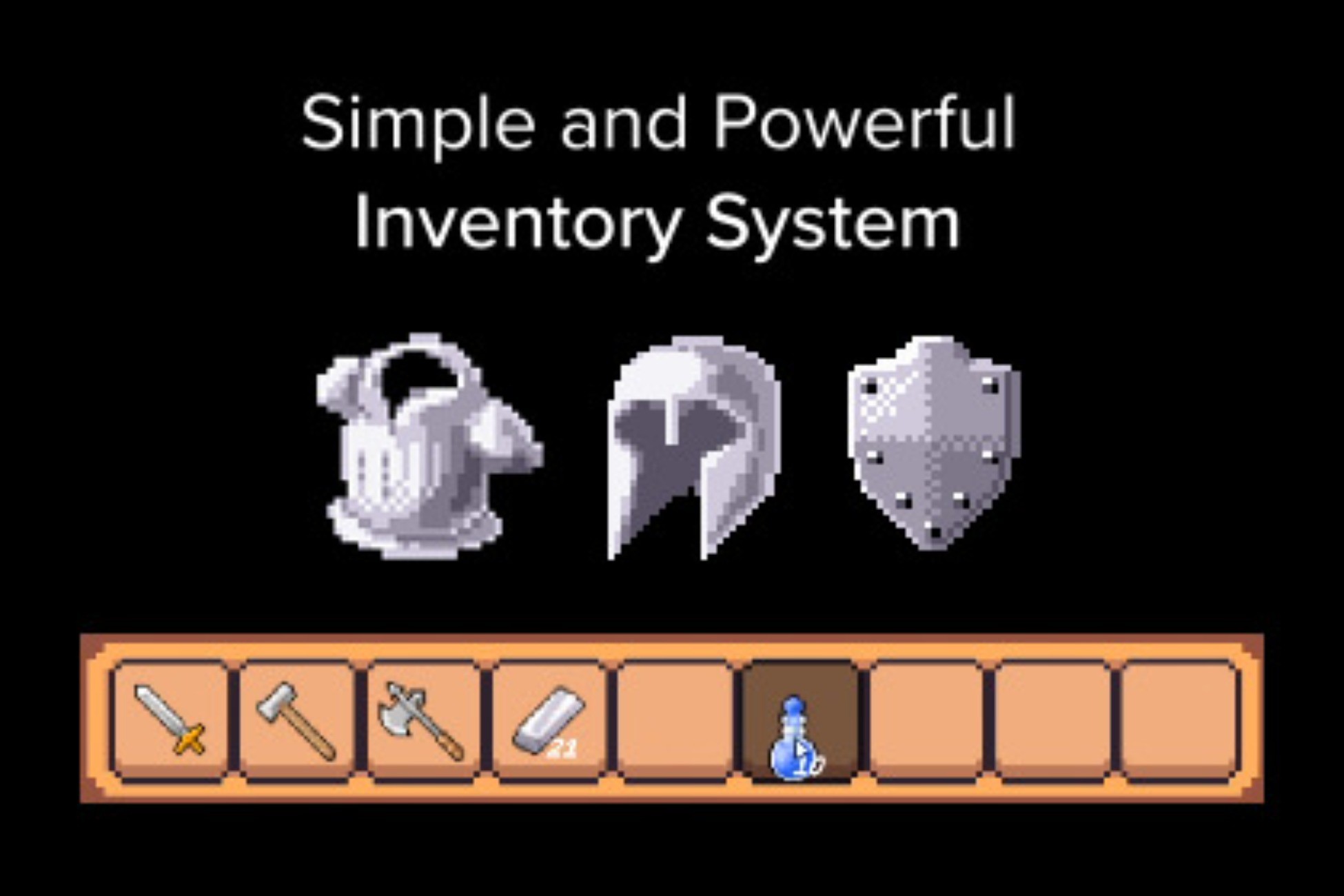
Use the Simple and Powerful Inventory System from Jax's Studio on your next project. Find this GUI tool & more on the Unity Asset Store.
 dense basin
I clicked 'Generate Shader Includes' and the screen turned black like this. Could you help me figure out how to restore it?
 solar hill
dense basin
I clicked 'Generate Shader Includes' and the screen turned black like this. Coul...
solar hill
dense basin
I clicked 'Generate Shader Includes' and the screen turned black like this. Coul...
Do you have some kind of full pass renderer feature enabled?
might have messed with the material you use there
verbal dome
cobalt gorge
https://assetstore.unity.com/packages/tools/gui/simple-and-powerful-inventory-sy...


I say just ditch it, find another one or make your own if you want to learn
cobalt gorge
im searching for free one
solar hill
cobalt gorge
im searching for free one
At that point make your own one honestly
an inventory system is surprisingly not that complex
cobalt gorge
im gonna try to do
can you send me good tutorial?
i want to make something with this style


just like that
solar hill
youre confusing 2 different things, which is the actual functionality of the inventory system vs the UI representation
handle both issues separately
as for tutorials.... well i got nothing other than the stuff you can look up on youtube
 sage mirage
Hey, guys! I am not sure but I am getting this error when transitioning from one scene to the other after the game is over. Here I have my EnableGameMode() method where the error occured.
slender nymph
show code
sage mirage
Which part exactly because I have much?
slender nymph
the code where the error is happening
sage mirage
 slender nymph
that's the stack trace. now show the code.
naive pawn
!code
radiant voidBOT
naive pawn
!code
Posting code
📃 Large Code Blocks
Use links to services like:
https://paste.mod.gg/, https://hastebin.skyra.pw/, https://paste.ofcode.org/, https://paste.myst.rs/
📃 Inline Code
Surround code with three backquotes. Not quotation marks.
To format as C#, add cs to the first line:
```cs
// Your code here
```
Add a comment with a line number if there is an error message.
naive pawn
you didn't even include the line numbers
rich adder
havent you been here long enough to know this
 sage mirage
yes
naive pawn
these are the relevant files, classes, methods, lines
verbal dome
You used a paste site with no line numbers :/
sage mirage
omg everything goes wrong XD
rich adder
also you need to send the entire class not just the function or the lines are useless
slender nymph
there are several sites in the bot embed, choose one of those
naive pawn
(of which the first 2 are broken, choose one of the latter 2)
wasn't that bot embed updated or smth, and got reverted i guess? or am i wildly misremembering
rich adder
pastemyst always been the best
solar hill
naive pawn
wasn't that bot embed updated or smth, and got reverted i guess? or am i wildly ...
I thought it was too
and that sidias site was added
but apparently not?
naive pawn
i recall it getting 4 added and the 2 broken ones removed
 fickle plume
rich adder
fickle plume
rich adder
first 2 have been broken more recent but who knows
naive pawn
first 2 have been broken for quite a long time
solar hill
fickle plume
Bot is still updated
~~<https://hastebin.ianhon.com/>~~
<https://pastes.dev/>
<h...
that first one is preposterous
rich adder
fickle plume
Bot is still updated
~~<https://hastebin.ianhon.com/>~~
<https://pastes.dev/>
<h...
the first one is the trash one that posts no lines
verbal dome
They took minimalism too far
naive pawn
lovely, minimal information
naive pawn
and a whole tutorial
verbal dome
Is paste.myst.rs a bit slow for others too?
It's like a good 3-4 seconds to open any page
On phone or PC
slender nymph
yeah, it's pretty slow. at least it works though lol
verbal dome
Yeah the bar isn't very high
sage mirage
So... I think now there are lines 🙂
GameManager.cs
https://paste.myst.rs/ofml0wrc
UIManager.cs
https://paste.myst.rs/xyf4u10v
a powerful website for storing and sharing text and code snippets. completely free and open source.
a powerful website for storing and sharing text and code snippets. completely free and open source.
 solar hill
this is almost very hilarious
naive pawn
used to be in like, 2020 you could just google "pastebin" and all the top 10 results were fast, auto-expiring, had proper highlighting, code lines, code folding, searching, highlight references
rich adder
titleUI
is the null in UIManager.cs
solar hill
naive pawn
used to be in like, 2020 you could just google "pastebin" and all the top 10 res...
you cant do that anymore because of woke /s
naive pawn
it's loading for me but the textarea isn't getting styled 😂
naive pawn
502 means the server died or hiccupped
rich adder
@sage mirage how did you assign titleUI inspecotor ? cause it goes null when you try to use it again
naive pawn
i don't think it's titleUI
the error says GameObject
that aligns with the thing getting SetActive called on it
rich adder
oh probably trying to activate a null object ?
naive pawn
titleUI.modesMenu is the one that's been deleted
if i had to guess, it got unloaded
when transitioning from one scene to the other
yeah it got unloaded, stale reference
fickle plume
fickle plume
Bot is still updated
~~<https://hastebin.ianhon.com/>~~
<https://pastes.dev/>
<h...
Others are fine then? Also if you want to pitch the order of usability as well in which you want to see them.
||I did ask residents about that the other day...||
sage mirage
rich adder
`titleUI`
is the null in UIManager.cs
Basically on two of my scenes I have made bridges and I am assinging some references at runtime probably something breaks when I am transitioning from main scene to title scene so when the game ends there is a short timer and automatically my game returns back to menu but if I press all the time like spamming any key for example then it prints that error you have seen before. Do you want to see the bridge mono behaviours I have?
naive pawn
fickle plume
Others are fine then? Also if you want to pitch the order of usability as well i...
testing in prod 🔥
sage mirage
naive pawn
> when transitioning from one scene to the other
yeah it got unloaded, stale ref...
stale reference?
rich adder
fickle plume
Others are fine then? Also if you want to pitch the order of usability as well i...
Can I submit a site as well ? Made something a while back with .NET
sage mirage
Its kinda of DI
verbal dome
My criteria for paste sites:
-Fast
-Syntax highlighting (without having to manually select it)
-Line numbers
naive pawn
sage mirage
stale reference?
titleUI.modesMenu is a reference to an object that got unloaded
fickle plume
rich adder
Can I submit a site as well ? Made something a while back with .NET
Sure, in this [thread ](#1494398479760494796 message) or in #1161868835423526933 one
naive pawn
verbal dome
My criteria for paste sites:
-Fast
-Syntax highlighting (without having to manua...
might i add - viewer can change syntax highlighting, if it's detected wrong or if the uploader uploaded wrong
slender nymph
sage mirage
stale reference?
all gameobjects in the scene are destroyed when another scene is loaded in Single mode. because titleUI.modesMenu is referring to one of those objects, it has a no-longer-valid reference when you switch scenes
sage mirage
slender nymph
all gameobjects in the scene are destroyed when another scene is loaded in Singl...
But I do use DDOL bro
naive pawn
did you use DDOL on modesMenu? (you shouldn't, just pointing out the issue)
slender nymph
for the singleton, yes. but not those other objects that it references, right?
naive pawn
it's already plenty clear
sage mirage
because there things are happening at runtime the assignments etc I want to persist
across scenes
naive pawn
your persistent singletons should not reference non-persistent scene objects
because the persistent singleton has a longer lifespan than the non-persistent scene object
sage mirage
So you said it is unloading the modeMenu object specifically?
slender nymph
ah, I found your SetTitleUI method, i'm guessing that's not getting called before this other method that is throwing the exception gets called
naive pawn
sage mirage
So you said it is unloading the modeMenu object specifically?
it's unloading anything non-persistent. modesMenu is one of those things that got unloaded, and it's the cause for this specific error
sage mirage
I do think the problem has to do with timing because I see all the references there when the scene transition happens. Let me send you another video and the title scene bridge script I have.
because it only happens when I spam keys on transition
so any input I have for gameplay on my game
liek movement, shooting, select modes with W and S buttons
and any key down for the press start
at this moment only
TitleSceneBridge.cs
https://paste.myst.rs/lg3c4m5f
a powerful website for storing and sharing text and code snippets. completely free and open source.
I figure out the issue
{
    #region LOCAL REFERENCES
    [Header("LOCAL REFERENCES")]
    [SerializeField] private TitleSceneRefs titleRefs;
    #endregion

    private IEnumerator Start()
    {
        yield return null;
        UIManager.Instance.SetTitleUI(titleRefs);
        ResetCreditsUI();
    }
I did in Start() Ienumerator and used yield return null
wait I think I found the issue
Let me test it one more time
Yes that was the issue guys
I comment out this specific line I dont see the issue anymore when spamming any keys before and after transition
But why? Here is the important question.
 simple hawk
hey guys, trying to set up git lfs, at the point where I need to track the necessary file types; is there a way I can make this easier? got a bunch of Unity file types and I don't feel like scrolling through files and entering all the file types
slender nymph

GitHub
A collection of useful .gitattributes templates. Contribute to gitattributes/gitattributes development by creating an account on GitHub.
simple hawk
slender nymph
https://github.com/gitattributes/gitattributes/blob/master/Unity.gitattributes
omg, this might have saved my life, thank you so much. follow up question.. how do I use this exactly?
slender nymph
replace your existing .gitattributes file with this. or if you don't have one already (which you should if you're setting up lfs), then just download this to the root of your repo, it should be named just .gitattributes
simple hawk
slender nymph
replace your existing .gitattributes file with this. or if you don't have one al...
aight, and I can just copy and paste this into the file, right? don't wanna break anything
slender nymph
unless you have anything specific you've put in there yourself, in which case don't replace that part obviously
simple hawk
phew, thank you so so much, was worried I had to sit here for hours inputting all the file types
 fleet iris
Hey all, I'm trying to create a player controller and am following this guide from 2021 by Sebastian Graves on YT. I know it's old, but it's the only one I can somewhat follow along to. Anyway, this issue I'm finding is at line 17 where it says that movement hadn't been declared, so what should I do specifically?

 ivory bobcat
fleet iris
Hey all, I'm trying to create a player controller and am following this guide fr...
ivory bobcat
fleet iris
Hey all, I'm trying to create a player controller and am following this guide fr...
Maybe you've missed a step?
naive pawn
fleet iris
Hey all, I'm trying to create a player controller and am following this guide fr...
well, have you declared it in whatever playerControls.PlayerMovement is?
fleet iris
naive pawn
well, have you declared it in whatever playerControls.PlayerMovement is?
Yes, I did declare it there, but then there was still a compile error
ivory bobcat
You'll need to show us
naive pawn
fleet iris
Yes, I did declare it there, but then there was still a compile error
show how you declared it
sharp bloom
Do you have a "rule of thumb" on the size of a class?
Is 400 rows getting too large?
 white girder
No
ivory bobcat
Follow the C# SOLID design principle
 red hull
fleet iris
Hey all, I'm trying to create a player controller and am following this guide fr...
red hull
fleet iris
Hey all, I'm trying to create a player controller and am following this guide fr...
Try Move instead of Movement, the Action name is usually shorter
simple hawk
I have a problem, I have tracked .dylib in git attributes, but for some reason the file isnt being converted by LFS, what do I do?

 grand snow
simple hawk
I have a problem, I have tracked .dylib in git attributes, but for some reason t...
grand snow
simple hawk
I have a problem, I have tracked .dylib in git attributes, but for some reason t...
Did you already commit it before this?
If so you need to use lfs migrate to re write the commits: https://github.com/git-lfs/git-lfs/blob/main/docs/man/git-lfs-migrate.adoc
simple hawk
grand snow
If so you need to use lfs migrate to re write the commits: https://github.com/gi...
could you help me out with this? I'm a bit confused
grand snow
simple hawk
could you help me out with this? I'm a bit confused
check my first question, did you already make a commit with this file NOT in git lfs?
simple hawk
I think I did, iirc I added it to the .git attribute, commited that, then tried this
unless I misunderstood the question
grand snow
If commited not in lfs, then in lfs then the file still exists in git history outside of lfs. Meaning you can never push this commit to github
Meaning you cannot push the branch
simple hawk
grand snow
If so you need to use lfs migrate to re write the commits: https://github.com/gi...
that what I need to use this for?
grand snow
simple hawk
that what I need to use this for?
Yes it re writes the git history to make them point to the lfs file fixing the issue
simple hawk
gotcha
grand snow
Try using it with a filter of files over 99MB
simple hawk
ok
simple hawk
simple hawk
I have a problem, I have tracked .dylib in git attributes, but for some reason t...
alright, done, now do I do this again?
grand snow
simple hawk
alright, done, now do I do this again?
If lfs migrate found anything to fix and you did it then you should be able to push to github
simple hawk
grand snow
If lfs migrate found anything to fix and you did it then you should be able to p...
IT WORKED. tysm, I really appreciate it
 wicked stratus
I'm setting up my dialogue in csv format, specifically in google sheets, then export as csv. I have a few questions about this, though, especially since my game will be pretty text heavy. I want to make sure the approach I take here is scalable.
1: what is the most efficient way to handle this/what is standard? When does fetching start becoming slow? Should I break up the text into many different files, so if it's searching, it doesn't have to search through a big list, or is that sort of searching relatively trivial for computers to handle and won't matter much?
2: Is it standard to cache bits of data somehow? If so, where can I find more information about this?
3: Would it be better to like, convert the CSV to json and have it handy in an object in the scene, or do I want to read the CSV file each time dialogue needs to be called? Should I look into database management, or is that unnecessary/overkill? Is there a way I shouldn't due it due to inefficiency? I want to make sure my solution is both scalable, efficient, and fast, and I'm sure this has been figured out by people both smarter than me and who had to find out themselves, but I have a hard time knowing what to look up for more information on this.
Currently, my plans are to make a script for parsing the CSV, and whenever text needs to be rendered in game, it opens and reads the file, iterates through the file for the text ID (usually something long such as CharacternameDialogueGraphResponse1 or so) and pulls that entry. But I could see that getting slow pretty fast especially in later parts of the game where the entries are farther down the list- I could also see that being trivial work for a computer, I'm just not totally sure. if I need to worry about that.
 echo palm
Holy ai
wicked stratus
no!
echo palm
@echo palm
wicked stratus
I hate ai
grand snow
wicked stratus
I'm setting up my dialogue in csv format, specifically in google sheets, then ex...
Parsing the data should ideally happen once so past this the data can be easily retrieved in memory
wicked stratus
I don't vibe code!!!
echo palm
I out here actually xodin
grand snow
But its not wise to load a lot of data into memory at once as well as having a file soo large it takes ages to parse so splitting things up will help
wicked stratus
grand snow
But its not wise to load a lot of data into memory at once as well as having a f...
at what size does this become a concern?
grand snow
wicked stratus
at what size does this become a concern?
When you notice reading the file and or parsing takes considerable time
If it can be hidden in some loading sequence and it takes hardly any time (less than 1s) then its probably fine
but trying to load during gameplay and it causes lag? bad times
wicked stratus
that's fair haha.
So maybe before build, write a script that goes through the file and loads it into an object, then save that object? and then maybe still caching scene relevant dialogue via a different object
grand snow
If parsing from csv to some other format helps then go ahead but that can be done in unity via a custom importer
but then the data still has to be read from disk if a unity asset but that may be faster
Binary formats are best for parse speed, text formats that require complex parsing are slower
wicked stratus
I'll look into this, thank you
grand snow
wicked stratus
I'll look into this, thank you
This is best if you just want to work with csv in editor and dont care about runtime parsing. Why? We pay most of the parse cost up front and unity serialises it in a better way 🙂
wicked stratus
I'm still a little confused, because at some point during runtime, dialogue will need to be fetched, I don't know how to best have it be easily retrieved in memory, though. Would the importer help with that?
What is standard/good practice for getting it ready to be retrieved easily?
what I'm gathering so far is that I should probably read and process the csv into the game before build/it shouldn't happen via runtime, but im not sure of the mechanisms of that, like what that processing result should be.
grand snow
A scripted importer would just automate unity parsing the file into an asset. You would still then "load" the asset like any other unity asset
Id still split up content into seperate assets as the issue of "loading to much stuff into memory" is still there
wicked stratus
Okay, this is a good jumping off point, I super appreciate it, thanks!
 timber tide
just frontload all text ;)
I was actually trying to make a word game, but I ran into a problem that if I loaded in a bunch of dictionarys worth of words then I'd implode the user's device, but if they weren't loaded then I couldn't accurately challenge the words given that quickly.
 sage lotus
hi, new to the server and unity.
is there a good place to find example code?
trying to figure out how to get InputSystem to work with Character Controller component instead of rigidbody but no luck since nothing i find through searching is detailed enough to help me understand
figured if I could see an example of a script that works, it'd help me continue learning
even for basic thing like moving on X and Y
timber tide
Unity has some controller templates that uses the character controller
https://assetstore.unity.com/packages/essentials/starter-assets-thirdperson-urp-196526
There's a first person controller too

Get the Starter Assets - ThirdPerson | URP package from Unity Technologies and speed up your game development process. Find this & other Essentials options on the Unity Asset Store.
sage lotus
yeah I looked at this one, but the script is so complicated idk what I was looking at
timber tide
yeah can be bulky. Honestly the newer InputSystem is a little tricky as it works mostly on events instead of polling in the update loop like a lot of more older engines do
which you can still do, just more encourged to do it with events
sage lotus
I was reading that inputsystem is more flexible and easier to understand, just can;t find anything useful on how to get it to work without a rigidbody
timber tide
well, rigidbody has a bunch of ways you can control it. CharacterController you'll be constantly setting a velocity each update somewhere
sage lotus
yeah, that's the appeal
it's hard for me to explain in words without a multipage essay, but I don;t think rigidbody is the best choice for my idea
so that's why I am asking if there's a way to get the ease of InputSystem, without needing a rigidbody
timber tide
I'd post the script that you're having trouble figuring out the differences between how it's set up.
sage lotus
I've tried so many different emthods I found searching. but nothing is working.
if there's a basic example of them working together, even to just move on the X and Y. it'd be very helpful
timber tide
Besides the method calls, it should be very similar, but CharacterController does prefer calling the velocity method inside of Update over Fixed
https://docs.unity3d.com/6000.3/Documentation/ScriptReference/CharacterController.Move.html
I mean the documentation there is a good starting point
sage lotus
oh heck. I missed this. man Google search is ass these days. it never even showed me the docs page in these 3 days I've been looking
lol. I'll read through this.
timber tide
That actually doesn't use events, it just polls the actual input
sage lotus
thanks for the patience. I am very new and ignorant right now
timber tide
Like technically this can be an input method
jumpAction.action.WasPressedThisFrame())
So instead of checking each frame it would flip it once and you can append the velocity next frame
I think the 3rd person controller has it like this:
void OnJump(InputAction.CallbackContext ctx)
{
    Jump();
}```It's just the more intended way to use the InputSystem. It's cleaner, but I wouldn't call it any more performant than just checking it in update like above.
Like people do love keeping their Update loop clean
sage lotus
I'll add those to me checklist of things I need to read up on
I got frustrated before and closed the editor for now, so I'll test these things out later and just search for more documentation for now
thanks again for the help. this seems like a good point to start learning again
the unity learning projects are all about getting the results, but not explaining why things are the way they are so they only helped so much
 hallow sun
So i read that separating UI element over various canvases makes it more efficient because it redraws everything on someting moved, what's the line on this?
I have 8 scroll views and I'm thinking of putting each on its own subcanvas, because the user can only move one at a time so the other ones don't need to get redrawn.
Is this good? Idk how expensive a subcanvas is on its own so the benefit might not be enought to warrant using them.
teal viper
hallow sun
So i read that separating UI element over various canvases makes it more efficie...
The rule of thumb is don't optimize prematurely. Test and profile to see if there's even a problem and if it's related to your ui.
Optimizations are usually a tradeoff. If you do them blindly you risk breaking things more than you fix.
timber tide
hallow sun
So i read that separating UI element over various canvases makes it more efficie...
More canvas = more draw calls
Less canvas = more redrawing
There's a balance, but it does make sense to chop up your canvas if say you've something busy going on, but there's multiple elements that are hidden because this operation.
it works similar to that of sprite renders and the dynamic batcher. It tries to bake all the sprites currently being rendered into a single drawcall by combining it
but the thing with sprites is they are usually always dirty as the scene is always changing. UI can be pretty much static and only ever needs to do is to draw itself again, but if you modify an element then it dirties it and needs to do that whole combining process.
rare jolt
want to create a probability system that is changable but don't know how to implement the second part( the second forloop).
 teal viper
rare jolt
want to create a probability system that is changable but don't know how to impl...
teal viper
rare jolt
want to create a probability system that is changable but don't know how to impl...
Depends on what you're trying to do..? Should the second loop use the sum of probabilities at every iteration of the first loop or something?
rare jolt
more specifically, i want to be able to edit the numbers in the list of attack probability array. the first forloop is to combine all the numbers(the sum) in the array and the second try to find each iteration chances to trigger
sorry if not explained clearly as i'm not good at explaining in details
just to say my main problem is that i want my second forloop to find the right number(%) but this solution doesn't quite work
 acoustic sequoia
Hello everyone, hope everyone is having a great day.
I had a couple questions about how I want to save my game data. is this the right place for that?
naive pawn
acoustic sequoia
Hello everyone, hope everyone is having a great day.
I had a couple questions a...
yes
!ask
radiant voidBOT
naive pawn
!ask
:thinking: Asking Questions
:mag: Search the internet for your question!
:book: Use the API Scripting Reference and User Manual and this troubleshooting site for commonly posted issues.
:wrench: Attempt to debug your issue.
:thought_balloon: Find an appropriate channel by reading the name and description in #🔎┃find-a-channel
:grey_question: And don't ask to ask, ask a full question illustrating with screenshots if needed.
-# For more posting guidelines, go to #🌱┃start-here
naive pawn
rare jolt
more specifically, i want to be able to edit the numbers in the list of attack p...
are the "attack probabilities" actually weights rather than probabilities?
 narrow idol
hello
rare jolt
naive pawn
are the "attack probabilities" actually weights rather than probabilities?
what do you mean by weight
naive pawn
rare jolt
what do you mean by weight
if you have something like A:2, B:3, where A has a 40% chance and B has a 60% chance, those initial 2/3 are weights, not probabilities
rare jolt
ah i see, then its weight
naive pawn
probability of a given element is its weight divided by the total weight
acoustic sequoia
Can someone tell me why i am getting this in my save data? there should be more information in gridData. or is this instanceID thing normal?
{
    "saveName": "first save",
    "saveTime": 1776405157157,
    "gridData": {
        "instanceID": -26260
    }
}
We can't really answer that without you providing more context. We don't even know what and how you save...
slender nymph
i'm gonna guess that gridData is a MonoBehaviour or a ScriptableObject, in which case this is expected behaviour when serializing a reference to one of them
acoustic sequoia
teal viper
We can't really answer that without you providing more context. We don't even kn...
here is the class i want to save in gridData:
[System.Serializable]
    public class GridData : MonoBehaviour {
        [SerializeField] public NewDictionary data;
        [SerializeField] public Vector2Int[] positions;

        public GridData SaveFormat() {
            positions = new Vector2Int[data.dict.Length];
            var index = 0;
            foreach(var item in data.dict) {
                positions[index] = item.id;
                index++;
            }

            return this;
        }
    }

    [System.Serializable]
    public class DictionaryItem {
        [SerializeField] public Vector2Int id;
        [SerializeField] public Cell item;

        public DictionaryItem(Vector2Int id, Cell item) {
            this.id = id;
            this.item = item;
        }
    }

    [System.Serializable]
    public class NewDictionary {
        [SerializeField] public DictionaryItem[] dict;

        public Dictionary<Vector2Int, Cell> ToDictionary() {
            var newDictionary = new Dictionary<Vector2Int, Cell>();
            foreach(var d in dict) {
                newDictionary.Add(d.id, d.item);
            }
            return newDictionary;
        }

        public DictionaryItem[] ToSerializedArray(Dictionary<Vector2Int, Cell> currentDictionary) {
            var array = new DictionaryItem[currentDictionary.Count];
            var index = 0;
            foreach(var kvp in currentDictionary) {
                    array[index] = new DictionaryItem(kvp.Key, kvp.Value);
                    index++;
            }
            dict = array;
            return array;
        }
    }
here is the saving method:
GameData loadData = SaveManager.LoadGame(SaveName);
      if(loadData == null) {
        _cells = gridManagerObjects.InstantiateCellGrid(startMatrixSize);
        gridData.data.ToSerializedArray(_cells);
        GameData data = new GameData(SaveName, gridData.SaveFormat());
        SaveManager.SaveGame(data);
}```i want the Vector2Int[] array in the grid data to show in the JSON file if i want it to load the game, correct? my question is about this InstanceID thing. should it be showing the InstanceID to read the array of vectors, or does the array of vectors need to be showing?
teal viper
Instance I'd is part of the MonoBehaviour. It's not useful for you in any way.
Evetything else doesn't appear probably because it's not serializable.
Im not sure if vector2int is serializabpe or not.
Also, how are you actually serializing it(creating the json string)?
acoustic sequoia
hmm ok, so i'll try to throw in some basic data types with hardcoded data to see if it appears to see if the vector2Int is a prob
acoustic sequoia
teal viper
Also, how are you actually serializing it(creating the json string)?
like this:
public static void SaveGame(GameData data)
        {
            var json = JsonUtility.ToJson(data, true);
            var filePath = GetFilePath(data.saveName);
            File.WriteAllText(filePath, json);
            Debug.Log("Saved game to: " + filePath);
}```I think the main issue is that GameData only contains a reference to the grid data.
I don't think json utility serializes recursively.
If you don't care about the type, making it a struct, should help.
acoustic sequoia
teal viper
I don't think json utility serializes recursively.
ahh that makes sense. so how would i go about organizing a save file? on a simple level for example: should i create a JSON file for each package of data and then append them all together?
I'm asking for help at this early stage because this save file will eventually be massive... so i want to successfully organize this in a clean way... do you have any recomendations on books to read on this topic (specifically for unity JSON saving)
or is there a simple fundamental mindset I should have throughout this learning process?
teal viper
I'd start from googling. But generally, your options are: savdump everything into one file or several. If you expect huge sizes and complex data structures might want to consider binary as json can get very slow very fast.
teal viper
acoustic sequoia
or is there a simple fundamental mindset I should have throughout this learning ...
There isn't much unique about it. You just need to know how unity serializes objects. There's a docs page on that. Or you can use a different serializer, like the newtonsoft one. Which, again, requires reading it's documentation.
You might think that I'm being lazy to give you a proper advice, but the truth is that even experienced devs, don't hold everything in their heads. We have to reread docs every time we touch a feature we didn't touch for a while.
acoustic sequoia
teal viper
There isn't much unique about it. You just need to know how unity serializes obj...
sounds like the newtonsoft is still JSON format so it's slow but allows for serialization of dicts and lists...
teal viper
acoustic sequoia
sounds like the newtonsoft is still JSON format so it's slow but allows for seri...
Json is still a valid option
And the most convenient one too.
I'd start with getting it working first.
acoustic sequoia
teal viper
You might think that I'm being lazy to give you a proper advice, but the truth i...
no i don;t beleive experinced devs should memorize anything. that';s impossible. i've been coding for almost 5 years now and i reread all docs at least once a year. it's normal. but save system stuff is new to me and i'm just looking for the right direction to head down instead of running around in circles forevere trying to find the right solution
but you help has been helpful. i have a new mindset about it already so my brain is cooking up better googling questions now thanks to your help ❤️
burnt vapor
acoustic sequoia
sounds like the newtonsoft is still JSON format so it's slow but allows for seri...
Newtonsoft is not slow at all. Especially when it comes to saving a game it makes no sense to pick the fastest option when it's milliseconds difference
acoustic sequoia
burnt vapor
Newtonsoft is not slow at all. Especially when it comes to saving a game it make...
is newtonsoft slower/faster/the same loading/saving speed as JSONUtility?
burnt vapor
If you truly want a proper save system then you'd ahve to make a system that uses a BinaryWriter and a BinaryReader, but the simpler option (at least during development) is serialization using JSON
burnt vapor
acoustic sequoia
is newtonsoft slower/faster/the same loading/saving speed as JSONUtility?
I don't know, there's no reason to compare about a horrible tool like JSONUtility. It can't do most things properly so why use it?
JSONUtility will probably be faster, but that's only because it's so limited that it doesn't have to bother with most things
acoustic sequoia
burnt vapor
I don't know, there's no reason to compare about a horrible tool like JSONUtilit...
i ddidn't know it was so horrible. i guess my question is, is JSONUtility, way more horrible than Newtonsoft?
burnt vapor
acoustic sequoia
i ddidn't know it was so horrible. i guess my question is, is JSONUtility, way m...
Yes, with a large margin. No reason to not use Newtonsoft for your project.
The only issue is that Unity has very bad practices and it causes bugs, like Vector3 types not being serializable by the default. However, packages exist to solve this issue.
acoustic sequoia
i will start reading those DOCs then! thank you. these are the time savers i'm looking for!
acoustic sequoia
burnt vapor
The only issue is that Unity has very bad practices and it causes bugs, like Vec...
good to know, but yeah i have a lot of questions but i guess i'' just dive in to the docs.
burnt vapor
This should be the package that solves these serialization issues: https://github.com/applejag/Newtonsoft.Json-for-Unity.Converters
Included is a README that explains the issue it solves.
Feel free to ask here about it, I think most people know Newtonsoft
Even more ideal would be to use System.Text.Json, but support for that doesn't properly exist in Unity yet. It is possible, if you spend time making it work. It's a very performant solution in that case. But even if you plan on using it then you might as well use Newtonsoft and migrate later (which is quite simple mostly)
teal viper
burnt vapor
Newtonsoft is not slow at all. Especially when it comes to saving a game it make...
I mean if it's tens/hundreds of MB, it will be slow.
burnt vapor
Tha's a big ass save then 😄
teal viper
Minecraft saves for example.
acoustic sequoia
burnt vapor
This should be the package that solves these serialization issues: https://githu...
i'm reading it now. this issue it seems to be fixing is kinda confusing because i've never used it before.. but hmm i can't help but think that this is not very common but a corner case workaround? the recursive error sounds very bad, and i'm not sure why anyone would want to use a package if it does that frequently? and why isn't it patched out? idk lmao
burnt vapor
acoustic sequoia
i'm reading it now. this issue it seems to be fixing is kinda confusing because ...
Well you can also pick the code out if you want. I don't think there's anything preventing you from doing that.
For example, here's the code solving Vector3: https://github.com/applejag/Newtonsoft.Json-for-Unity.Converters/blob/master/Packages/Newtonsoft.Json-for-Unity.Converters/UnityConverters/Math/Vector3Converter.cs
teal viper
acoustic sequoia
i'm reading it now. this issue it seems to be fixing is kinda confusing because ...
Well json utility prevents that from happening. This is exactly why the reference is not serialized.
You either get more freedom and take care of the edge cases, or use a more restricted tool.
acoustic sequoia
interesting. well guys, thanks for the help tonight. going to get some rest and going to start my doc reading adventure tomorrow at the earliest convienence. wish me luck. i'll probably be back in here tomorrow with a couple good questions
burnt vapor
BTW @acoustic sequoia the only reason JSONUtility doesn't have this issue is because it serializes fields, not properties. If you switch over that is something you need to take into account.
Just to be clear, the proper way would be to serialize properties. That's always the expected behavior when it comes to serializers. The fact JSONUtility serializes fields instead is an issue.
 strong wren
!collab @feral stump
radiant voidBOT
strong wren
!collab <@1159724497436422175>
:loudspeaker: Collaborating and Job Posting
We do not accept job or collab posts on Discord.
Please, use Discussions to promote yourself as job-seeking, advertise commercial job offers, or look for non-commercial projects to participate in:
• ** Collaboration & Jobs**
 ripe oyster
I'm trying ot make a drag and drop system for the balls. however when i try the 'onmousedown' method, nothing happens or registers
[RequireComponent (typeof(Rigidbody))]
public class MouseMovement : MonoBehaviour
{
    Rigidbody rb;
    Vector3 mousePosition;

    private Vector3 GetMousePos()
    {
        return Camera.main.WorldToScreenPoint(transform.position);
    }
    private void Awake()
    {
        rb = GetComponent<Rigidbody>();
    }

    void OnMouseDown()
    {
        mousePosition = Input.mousePosition - GetMousePos();
        transform.position += Vector3.up;
        rb.useGravity = false;
        Debug.Log("apple");
    }
does anybody know what i did wrong? i already checked if there is nothing between the camera and the orb
 teal viper
ripe oyster
I'm trying ot make a drag and drop system for the balls. however when i try the ...
teal viper
ripe oyster
I'm trying ot make a drag and drop system for the balls. however when i try the ...
Do the spheres have a collider?
ripe oyster
teal viper
Do the spheres have a collider?
just a standard sphere collider. and a rigidbody
 teal viper
Are these the default settings for the colliders?
teal viper
Okay. And you don't see the logs from the method in the console?
ripe oyster
nothing on any of the orbs. it's supposed to give something when the mouse is pressed once the mouse is over them, but nothing happens
teal viper
I don't remember for sure, but it could be that this doesn't work when the new input system is enabled. That or it required an event system with a physics raycaster.
Though, the docs don't mention it. 🤔
verbal dome
My thought process was the same
ripe oyster
teal viper
I don't remember for sure, but it could be that this doesn't work when the new i...
i hope it isn't the new input system, the rest of the project uses it fully
teal viper
Well, you can always do a raycast from the camera.
Honestly way better than ambiguous old magic functions.
ripe oyster
probably true, get raycast from mouse, check what object it is pointing to, change the transform of the object to the transform of the mouse.
i'll take another look. thank you
verbal dome
They're not on the IgnoreRaycast layer are they? :D
 livid notch
ripe oyster
I'm trying ot make a drag and drop system for the balls. however when i try the ...
livid notch
ripe oyster
I'm trying ot make a drag and drop system for the balls. however when i try the ...
Am kindly please check these things first?
-
Does your ball have a Collider?
Rigidbody alone is not enough. Your object needs something like a SphereCollider, BoxCollider, or another Collider component. Unity's docs are explicit that OnMouseDown is called when the mouse is over the object's Collider. -
Is this script on the same GameObject as that Collider?
OnMouseDown is sent to scripts on the GameObject with the Collider. Parent/child objects do not receive it automatically. -
Is the object on Ignore Raycast?
If yes, Unity will not call OnMouseDown. -
Are you actually using 3D physics?
Your script uses Rigidbody, so this is a 3D setup. If your "balls" are 2D objects using Rigidbody2D, then this script is the wrong setup. Current Unity docs note that OnMouseDown can work with 2D colliders too, but only if the object has the right collider setup.
teal viper
Most of this is seen on their screenshot...
verbal dome
Getting AI vibes since it clearly says they are using Rigidbody not 2D...
ripe oyster
livid notch
Am kindly please check these things first?
1. Does your ball have a Collider?
...
- yes
- yes
- no
- they are full 3d objects
ripe oyster
teal viper
Most of this is seen on their screenshot...
also we just discussed most of these
anyway, back to trying the raycast method
livid notch
verbal dome
Getting AI vibes since it clearly says they are using Rigidbody not 2D...
Yeah, but I’ll just try as a beginner to figure things out and learn
verbal dome
Nothing wrong with learning, but if they want AI help they can easily do it themselves
ripe oyster
i've had a bit too much halucinating with AI. so unless i have a detailed plan and only need the names of different options, then i use it. but if i don't even know what method i'll be using i usually skip it and first try to figure that out
livid notch
verbal dome
Nothing wrong with learning, but if they want AI help they can easily do it them...
You're right—that was my mistake. I apologize for that
ripe oyster
livid notch
You're right—that was my mistake. I apologize for that
either way thanks for trying
 torpid vault
I am trying to make a 2D fighting game and have a question about IEnumerators. Code example:
public IEnumerator Attack()
{
Collider2D[] hitEnemies = Physics2D.OverlapCircleAll(center.position, radius, attackMask);
foreach (Collider2D enemy in hitEnemies)
{
Debug.Log("Hit");
yield return new WaitForSeconds(2);
}
}
If I use StartCoroutine(Attack()), is the Collider "hitEnemies" active for 2 seconds or is it just active for one frame and then there's a 2 second delay?
wintry quarry
torpid vault
I am trying to make a 2D fighting game and have a question about IEnumerators. C...
There is no collider other than the ones in your scene.
OverlapCircle is an immediate physics query - it checks the state of the physics world at the exact moment you call it
verbal dome
What do you mean active?
The Overlap method returns that array of colliders, and it exists until the coroutine stops
wintry quarry
The only thing you're delaying in this code is your Debug.Log between each iteration of your loop.
torpid vault
verbal dome
What do you mean active?
The Overlap method returns that **array** of colliders,...
By active I mean for how long the overlap method "checks" if there's anything to return
verbal dome
It all happens immediately when you call OverlapCircleAll
Some of the colliders in the returned array could even get destroyed between the waits
torpid vault
Thank you, I understand it now
 tame flume
Is anyone able to answer questions pertaining to Wwise with Unity?
sage mirage
Hey, guys! Btw, I found a way to actually persist objects across scenes which is not using DDOL. It's called Bootstrapping. For my game, what I do is I have 2 mono behaviours and I am assigning references at runtime when the scene loads also I am using DDOL for Singletons. Could you please help me understand Bootstrapping and how do we use it?
wintry quarry
sage mirage
Hey, guys! Btw, I found a way to actually persist objects across scenes which is...
"bootstrapping" is just a general term for "preparing things before they're used or needed"
verbal dome
Are you talking about "bootstrap scene" in particular?
wintry quarry
Some people use a "bootstrap" scene in Unity - i.e. they make their initial scene a "setup/bootstrap" scene, and then they additively load other scenes, keeping the bootstrap scene around with all the persistent stuff in it
Maybe that's what you're seeing
sage mirage
verbal dome
Are you talking about "bootstrap scene" in particular?
yes exactly
btw DDOL is also loading scene additively
DDOL is actually a new scene Unity creates for us and loads additively no?
wintry quarry
yes, correct, but it's a special, built in additive scene
You're right in thinking it's a similar concept though
ultimately additive scene loading is the key
and having a scene that "sticks around" when others go away
Whether you make your own, or use the DDOL one, doesn't matter
sage mirage
but I really cant understand the difference between those two. With DDOL we dont destroy Singletons right and if I move to a new scene afterwards it will keep my singletons across scenes right? What happening with Boostrap Scene is it only initializes stuff/objects within this bootstrap scene and then whenever we need them we are loading them on new additive scenes? I think I confuse those two.
There isn't also in Unity Docs anything to read about Bootstrapping
sour fulcrum
sage mirage
There isn't also in Unity Docs anything to read about Bootstrapping
It’s not a unity specific thing
sage mirage
Hey, guys! I have a question. Why I can't use Random.Range() on my fields declaration area?
It says I have to do it in Start or Awake instead
keen dew
Field initializers must be compile time constants. Random.Range is doubly not that because it's a method and it returns a random value
grand snow
c# has no const functions too 🙁
slender nymph
field initializers just need to be static so normally a static method like Random.Range would be fine, howeverfield initialization will happen on a separate loading thread, and most unity APIs can only be used from the main thread so it will throw that exception
https://docs.unity3d.com/6000.3/Documentation/Manual/script-serialization-best-practices.html
Most Unity APIs can only be called from the main thread. Don’t call Unity APIs from constructors and field initializers of serializable types because these run on a separate loading thread.
sage mirage
Hey, guys! I have a question. The main difference between speed & velocity is that speed is only speed and velocity has both direction and speed? I was just wondering what's the differnce
 obsidian shoal
hey fellas. Is there a way to prevent textfield get focused with keyboard inputs?
verbal dome
obsidian shoal
hey fellas. Is there a way to prevent textfield get focused with keyboard inputs...
See "navigation" in the Input Field inspector if thats what you mean
Pretty sure that's it
 brave compass
sage mirage
Hey, guys! I have a question. The main difference between speed & velocity is th...
brave compass
sage mirage
Hey, guys! I have a question. The main difference between speed & velocity is th...
These terms aren't set in stone, I've seen them used interchangeably, but in Unity's scripting API, velocity is the velocity vector, which can be considered a direction and speed.
In that sense, a position is also just a direction and distance from the center, but we generally just call it a vector.
sage mirage
brave compass
In that sense, a position is also just a direction and distance from the center,...
position is just a location or point. Vector is not a point its actually consists of Direction and Magnitude/length of the vector.
 night raptor
3D vector is literally 3 numbers, you may interpret is as you wish
sage mirage
I mean it is a vector but in the context of vectors a point itself doesn't have a direction and magnitude
night raptor
point is 3 numbers, a vector. the vector interpretation would be a direction from the origin outwards and has the magnitude of distance from the origin
Vectors in code are usually only represented by those 3 values. There is no separate direction and magnitude though you can calculate them from those 3. magnitude = sqrt(x^2+y^2+z^2)
 thorny merlin
Created a rotate speeduptest function in the first script and passed rotatespeed variable as arguement when calling speed up in the second script. so why does rotatespeed not go up by 100? i thought it shhould constantly go up by 100 every frame but it doesnt seem to change when i press play?

 night raptor
thorny merlin
Created a rotate speeduptest function in the first script and passed rotatespeed...
night raptor
thorny merlin
Created a rotate speeduptest function in the first script and passed rotatespeed...
You are modifying a function parameter. That does not modify the original value. Parameters to functions are passed as copies (for value types)
thorny merlin
so how can i modify the actual value of rotatespeed?
night raptor
Out (ref actually I think) parameters are one way. I generally don't like that workflow though. Why does the value need to be changed in separate class? I would much prefer CalculateNewSpeed(int currentSpeed) which returns the new speed but doesn't modify anything.
You could then do speed = CalculateNewSpeed(int speed)
thorny merlin
so set the return value as the new value for the rotatespeed?
okay i see, thanks for the suggestion
night raptor
np. Be cautios that whatever you are doing is not going to be framerate independent. With higher framerate you will have the speed value increasing more rapidly.
thorny merlin
yeah i understand that. i'll implement time.deltatime wherever necessary. just thought parameters can change variable values
night raptor
thorny merlin
yeah i understand that. i'll implement time.deltatime wherever necessary. just t...
It would be logical to think that way but function parameters are copies and therefore only change the local copy. The matter is different with reference types, lets say you passed in a list of values, modifying that list in the function will also modify the list from the caller. Why it works that way for reference types is that still a copy is passed, but a copy of a reference this time. That means both Lists (or whatever reference type you use) have a reference to that same object
thorny merlin
as in reference variables?
i mean do you mean reference variable by reference types?
night raptor
thorny merlin
i mean do you mean reference variable by reference types?
Kinda. By types I mean List, Transform, string itself, a reference variable I assume would mean a variable that is made of such type (for example string name = smth)
night raptor
you are welcome
 languid holly
Is there a way to learn the code rather than watching tutorials?
obsidian shoal
verbal dome
See "navigation" in the Input Field inspector if thats what you mean
does UI Toolkit TextField have this? cant find it
cosmic dagger
languid holly
Is there a way to learn the code rather than watching tutorials?
searching the documentation or internet for specific methods, or reading blogs/articles . . .
languid holly
Thanks
 plucky copper
I am having an issue. I created a minimal example to reproduce the issue.
https://code.7imezones.com/vhalragnarok/UnityCameraMouseIssues
(Unity 6.3 LTS).
My Character is not rotating correctly to face the mouse.
I am using new Input and have the PlayerInput as a C# class and hook into the performed events.
I am using the Character Controller.
Ray ray = Camera.main.ScreenPointToRay(_aimDirection);

if (!Physics.Raycast(ray, out var hitInfo, Mathf.Infinity, _aimLayerMask)) return;

Vector3 lookDirection = (hitInfo.point - transform.position).normalized;

lookDirection.y = 0f;

transform.forward = lookDirection;
I am running this code in the update loop, however the hitInfo.point is wrong. I am using Mouse Position on the update.
The only quirk is I am using Cinemachine, I have a follow camera (world space) & rotation composer.
_aimLayerMask is serialized out and _aimDirection comes from the .ReadValue<Vector2>() from the OnAim(InputCallback value) Event Handler.
What could be causing this beyond Cinemachine? I feel like this should just work.

Forgejo: Beyond coding. We Forge.
verbal dome
obsidian shoal
does UI Toolkit TextField have this? cant find it
I dont know but this isn't the right channel for this. Use #📲┃ui-ux
obsidian shoal
oh i see. thanks!
wintry quarry
plucky copper
I am having an issue. I created a minimal example to reproduce the issue.
http...
My Character is not rotating correctly to face the mouse.
What is happening instead?
plucky copper
wintry quarry
> My Character is not rotating correctly to face the mouse.
What is happening i...
Rotation is locked on the bottom half of the screen.
wintry quarry
plucky copper
Rotation is locked on the bottom half of the screen.
Where does _aimDirection come from in Ray ray = Camera.main.ScreenPointToRay(_aimDirection); ?
"aim direction" doesn't sound like a screen space mouse position
You said :
aimDirection comes from the .ReadValue<Vector2>() from the OnAim(InputCallback value)
But how is that configured? Is OnAim even running? What are the settings on the Aim action?
If OnAim never runs and _aimDirection is always 0, that could explain why it's always facing towards the bottom
You need to debug your code
- Is OnAim running and getting the correct mouse position data?
- Is the raycast hitting anything?
- If the raycast is hitting something, what is it hitting?
^ Use Debug.Log or a debugger to find the answers to these questions and your problem will reveal itself
plucky copper
wintry quarry
1. Is OnAim running and getting the correct mouse position data?
2. Is the rayca...
I can't copy and paste the entire class.
Forgejo: Beyond coding. We Forge.
So. hitPoint is showing garbage.
_aimDirection is sensible.
I am only able to rotate in the bottom half of the screen.
Which leads me to blame Cinemachine / my top-down camera skewing things.
 sour bobcat
Hello, I have the following issue when trying to modify/write code in scripts and I really don't know what to do anymore, Intellisense doesn't seem to work. I've reinstalled VS, and Unity, created multiple projects, installed the .NET microsoft sdk but still nothing

 radiant voidBOT
 swift crag
!vs
swift crag
!vs
Visual Studio guide
If your IDE is not underlining errors in red or autocompleting code,
please configure it using the link below:
• Visual Studio (Installed via Unity Hub)
• Visual Studio (Installed manually)
swift crag
this article?
sour bobcat
Aye
swift crag
radiant void
you've done a bunch of stuff, but you might've missed something important from here
gotcha
can you right click on "Assembly-CSharp"? I remember seeing a problem where you just have to tell it to...not be unloaded
(I use Rider, so I'm not super familiar)
sour bobcat
 swift crag
hit Reload Project with Dependencies
sour bobcat
I get this

 left pilot
weird question can anyone link me a guide to networking for a 2d game in unity? I created my game but possibly want to make it multiplayer and havent really done networking.
 surreal coyote
Hi, does anyone know if its possible to sync the default ocean system for multiplayer? I imagine not but thought id ask before building my own system
wintry quarry
plucky copper
https://code.7imezones.com/vhalragnarok/UnityCameraMouseIssues/src/branch/master...
_aimDirection = new Vector3(rawValue.x, 0, rawValue.y);
This is wrong
If you're feeding _aimDirection into Camera.main.ScreenPointToRay(_aimDirection);
Then you need to construct it like this: _aimDirection = new Vector3(rawValue.x, rawValue.y);
ScreenPointToRay expects a screen space position - which is exactly what an input action bound to mouse position will give you
Actually - here's another question - which I asked earlier but you didn't answer:
What exactly is the Aim action bound to?
Is it mouse/pointer position? Or something else?
plucky copper
wintry quarry
Is it mouse/pointer position? Or something else?
Mouse Position
wintry quarry
plucky copper
Mouse Position
ok good - so yeah what you had made no sense
plucky copper
wintry quarry
ok good - so yeah what you had made no sense
I will give this a shot and report back!
plucky copper
wintry quarry
ok good - so yeah what you had made no sense
That did indeed work, thanks! And now I need to dive into the 2 different Vector3 contstructors.
 alpine quarry
my character keeps bouncing of of the floor if I freeze Y it still does it only turning of gravity fixes it but i will need it later


 rich adder
alpine quarry
my character keeps bouncing of of the floor if I freeze Y it still does it only ...
rich adder
alpine quarry
my character keeps bouncing of of the floor if I freeze Y it still does it only ...
show inspector for orientation object
alpine quarry
rich adder
show inspector for orientation object
 rich adder
alpine quarry
rich adder
alpine quarry
hmm if possible make a video showing the issue
alpine quarry
rich adder
alpine quarry
what about capsule playermodel
alpine quarry
 rich adder
alpine quarry
rich adder
alpine quarry
your capusle is slightly offset, try 0 out the Y
alpine quarry
rich adder
your capusle is slightly offset, try 0 out the Y
its inside the floor if I do that
rich adder
alpine quarry
its inside the floor if I do that
just raise it up for now just to test
alpine quarry
I did its falling through the floor
rich adder
alpine quarry
I did its falling through the floor
did you raise it enough so the capusule is out of the ground ?
rich adder
you have Y frozen it shouldn't even be falling..
wintry quarry
plucky copper
That did indeed work, thanks! And now I need to dive into the 2 different Vector...
It's not really an issue of the constructors it's an issue of you putting the y part of the mouse position in the z part of the vector
new Vector3(x, y) is identitcal to new Vector3(x, y, 0) You just had new Vector3(x, 0, y) instead which doesn't make sense in this context.
You would only do new Vector3(x, 0, y) when you're for example swizzling joystick input into a local space game world direction
rich adder
alpine quarry
if I freeze it it still bounces
if you freeze it shouldnt have any vertical movement at all unless you have some other script doing it on transform
alpine quarry
I know thats exactly why Im asking for help I dont have one
rich adder
alpine quarry
I know thats exactly why Im asking for help I dont have one
what other scripts do you have ?
stuck parrot
hey, does anyone have any idea why my character glitches like this? this doesnt happen every time i hit play, sometimes it stays stable but it does happen often
rich adder
stuck parrot
hey, does anyone have any idea why my character glitches like this? this doesnt ...
not without any other info no..
most common cause could be the camera movement not sync between playermovement and camera follow
stuck parrot
rich adder
not without any other info no..
most common cause could be the camera movement n...
im using cinemachines freelook camera
this is my first time using cinemachine tho so I dont know if I got all the settings right
rich adder
you'd have the show the component and which settings are set on both that and cinemachine brain,
also show movement code
stuck parrot
rich adder
you'd have the show the component and which settings are set on both that and ci...
found the issue. I had to set the players rigidbody to interpolate. I dont know what it did but it worked
rich adder
stuck parrot
found the issue. I had to set the players rigidbody to interpolate. I dont know ...
interpolation is just smoothing out the fps mismatch between movements
eg Update and FixedUpdate perform at different rates
if you're using the rigidbody, it only moves on physics ticks
stuck parrot
rich adder
if you're using the rigidbody, it only moves on physics ticks
is that the only fix? sounds like it has a big impact on perfromance
rich adder
stuck parrot
is that the only fix? sounds like it has a big impact on perfromance
if its only on the character its not a big deal
@stuck parrot out of curiousity where in code are you moving the character and which setting you have in cinemachine brain under update mode
stuck parrot
rich adder
<@1308028699890683955> out of curiousity where in code are you moving the charac...
all movement logic is in FixedUpdate(), the input detection has its own methods like onMove() or OnJump(). in the pic you can see the cinemachine brain settings

I just created a freelook camera and didnt do much with the settings because I dont understand cinemachine jet
 versed sapphire
I am trying to activate a bool with a script, and it does not want to communicate with each other. I use Unity, the game is 3d
night raptor
versed sapphire
I am trying to activate a bool with a script, and it does not want to communicat...
Show the scripts, we can't read minds
versed sapphire
Do I send a photo or just the text
rich adder
versed sapphire
Do I send a photo or just the text
!code
radiant voidBOT
rich adder
!code
Posting code
📃 Large Code Blocks
Use links to services like:
https://paste.mod.gg/, https://hastebin.skyra.pw/, https://paste.ofcode.org/, https://paste.myst.rs/
📃 Inline Code
Surround code with three backquotes. Not quotation marks.
To format as C#, add cs to the first line:
```cs
// Your code here
```
Add a comment with a line number if there is an error message.
versed sapphire
rich adder
versed sapphire
https://paste.ofcode.org/LKe2UUm5h45YZZm67dq3ge
ok so whats not working
versed sapphire
it is not activating the bool or interacting with the animator
rich adder
versed sapphire
it is not activating the bool or interacting with the animator
start with the first steps of debugging, start adding some debug.logs to see if the functions are even running in the first place
versed sapphire
They are
rich adder
versed sapphire
They are
how do you know?
versed sapphire
I debugged it
rich adder
versed sapphire
I debugged it
so the bool is working?
versed sapphire
Like it is triggering the debug log but doesn’t change the bool that I set in the animator
rich adder
I mean yeah the line is commented out
how would it change animator bool if its commented out
(and also written incorrectly)
versed sapphire
Do you mean the setbool line it didn’t work so I commented it out it gave me an error that said I had no overload
rich adder
versed sapphire
Do you mean the setbool line it didn’t work so I commented it out it gave me an ...
right, the line that supposed to change animator bool.
You need an IDE configured that suggests you the proper params, also checking the docs shows this
you're trying to pass 1 argument which that function doesn't have
and it would not make sense to have 1 param anyway
 broken nest
Hey, i've got an error saying i already have a definition for "theScriptName". How do I remove one?
slender nymph
depending on what the actual error message says:
https://unity.huh.how/compiler-errors/cs0101.html
https://unity.huh.how/compiler-errors/cs0102.html
wintry quarry
broken nest
Hey, i've got an error saying i already have a definition for "theScriptName". H...
Delete it from your computer's filesystem
You may have duplicated the whole script
broken nest
there are in seperate project
broken nest
I'm gonna see what changing the name does
wintry quarry
Yikes
slender nymph
 astral bronze
my tic tac toew game!
astral bronze
my tic tac toew game!
#1180170818983051344
and make sure you take a look at the posting guidelines there
wintry quarry
Nobody should share or run a random .exe file in discord
broken nest
Hey changing the name of the script did the trick
wintry quarry
broken nest
Hey changing the name of the script did the trick
Well sure but now you likely still have a duplicate, it just has a different name.
 modern lodge
wintry quarry
Nobody should share or run a random .exe file in discord
modern lodge
wintry quarry
Nobody should share or run a random .exe file in discord
its their first message on the server too 😭
 earnest wind
astral bronze
earnest wind
astral bronze
please dont run this for anyone reading this, dont even download it
even if an antivirus says that its not a virus, its not a 100% confidence
there are evasion viruses and zero day ones so be careful
 long jacinth
hello im having problem where my cursor is not visible even when i didnt ask it to do that and the camera has this weird jitter it kind of snaps weirdly
night raptor
long jacinth
hello im having problem where my cursor is not visible even when i didnt ask it ...
You need to provide all relevant code. The ones responsible for handling the cursor and the rotation of the camera
long jacinth
night raptor
You need to provide all relevant code. The ones responsible for handling the cur...
using System.Collections.Generic;
using UnityEngine;

public class CameraMovement : MonoBehaviour
{
    public float sensX;
    public float sensY;

    public Transform orientation;

    float xRotation;
    float yRotation;
    // Start is called before the first frame update
    void Start()
    {
        Cursor.lockState = CursorLockMode.Locked;
        //Cursor.visible = false;
    }

    // Update is called once per frame
        void Update()
    {
        float mouseX = Input.GetAxis("Mouse X") * Time.deltaTime * sensX;
        float mouseY = Input.GetAxis("Mouse Y") * Time.deltaTime * sensY;

        yRotation += mouseX;
        xRotation -= mouseY;
        xRotation = Mathf.Clamp(xRotation, -90f, 90f);

        transform.rotation = Quaternion.Euler(xRotation, yRotation, 0);
        orientation.rotation = Quaternion.Euler(0, yRotation, 0);
    }
}
Start by removing deltaTime. Mouse axes are already framerate independent (does not apply for other axes)
Also from the documentation:
A locked cursor is positioned in the center of the view and cannot be moved. The cursor is invisible in this state, regardless of the value of
Cursor.visible.
In case you are wondering, yes your tutorial (or AI perhaps) might have told you to multiply by deltaTime there but that is wrong. Some popular tutorials make that mistake. Again, this only applies for mouse axes, deltaTime should be used for most other things
long jacinth
night raptor
Start by removing deltaTime. Mouse axes are already framerate independent (does ...
thanks it works well
only problem is my lag spikes idk what made my laptop so slow :/
but how do i know if what other stuff is frame dependant in unity
night raptor
long jacinth
only problem is my lag spikes idk what made my laptop so slow :/
Use the Profiler to see if there is something special in your project that causes those spikes. Also the framerate could be unstable only in the editor, profiling in build and comparing to editor results can reveal that
long jacinth
night raptor
Use the Profiler to see if there is something special in your project that cause...
im gonna make sure but im also kinda sure that theres either a hardware or windows problem bec i sometimes can barely open up file explorer