
#💻┃code-beginner
1 messages · Page 827 of 1
 woven scaffold
 long pasture
if you want something like that making the gui seperate is probably the best thing especially for scalability
woven scaffold
yeah, thats kinda what i was expecting as i couldnt find any answers on how to make it easier to use between wrapped and unwrapped data
 undone axle
In case any other new people are curious. Here is how I implemented some very basic leaderboard name filtering in my unity game.
When a player submits a score to the UGS leaderboard, the Unity client sends the entered display name to a Unity Cloud Code function, which calls PurgoMalum(dot)com and returns(JSON) either the clean name or a sanitized version. Unity then validates that returned name and uses it for replay/leaderboard submission, falling back to the original trimmed name or PLAYER if moderation fails or returns something unusable.
Working great
 swift crag
woven scaffold
so in the editor im compiling some data so its faster to search through instead ...
swift crag
woven scaffold
so in the editor im compiling some data so its faster to search through instead ...
One mildly evil option would be to create a new type (call it DebugViewer) that doesn't actually do anything interesting, and then to create a custom PropertyDrawer for it
the property drawer would grab the serialized object that its property comes from and read other data from it
The less evil way would be to write a custom editor for your component type
I forget if you can ask Unity to draw the default UIToolkit editor or not
woven scaffold
yeah, i think i will be ending up doing a custom editor for it
swift crag
if not, that's mildly annoying: you'd need to manually create all of the PropertyFields yourself, and then putting your debug information at the end
woven scaffold
i believe the way you would do that is to get the default elements, and add it to the drawn elements instead of doing base.CreateGUI or whatever its called
if thats what you meant
 balmy vortex
is there any way to easily find like the side of a gameobject and put another gameobject right next to it?
kinda like this except with the cubes actually aligned

 silk night
balmy vortex
kinda like this except with the cubes actually aligned
silk night
balmy vortex
kinda like this except with the cubes actually aligned
if its just cubes, yes it is easy
if its more complex you can still use this: https://docs.unity3d.com/6000.3/Documentation/ScriptReference/Collider-bounds.html but its more complex to look for straight faces

 verbal dome
Or if it's aligned to a grid, just use the grid coordinates + array
swift crag
raycasts would be appropriate here
a raycast gives you both the position and normal of the point you hit
the normal vector tells you which way the surface is facing
balmy vortex
swift crag
a raycast gives you both the position and normal of the point you hit
oh well how would I actually it here though?
swift crag
what's the context here? are you trying to make an editor tool, or is this going to be used in-game?
balmy vortex
I'm just trying to procedurally generate rooms that connect to eachother, hence me needing to get the length and side of the cube (aka the room - so I can put another right next to it)

silk night
balmy vortex
I'm just trying to procedurally generate rooms that connect to eachother, hence ...
Are the rooms themselves procedually generated or just the layout?
If the latter you could have mulitple connection points defined per room, that can be used by other rooms
 rich adder
connection points 💯
 ornate pelican
how hard is it to make a 2d isometric game that like allows you to move around tall walls, climb on stairs and without causing visual artifacts like overlaping where it shouldnt be
I'm currently trying to make something like this but the stairs system is making my head burn
silk night
the overlap problem is easily solvable, as for the "how hard is it" in general that 100% depends on your game design
ornate pelican
i see, thx
 jaunty laurel
Is there any way to generate a prefab with a specific point, thats not the origin, locked to a coordinate? For example, if I am trying to procedurally generate rooms, is there a way to get doorways to match up without doing math to find where the center should go?
verbal dome
Without doing math? No
I'm not a super mathy guy but learning how to use vectors and rotations (and to combine those) is super useful in game dev
verbal dome
jaunty laurel
Is there any way to generate a prefab with a specific point, thats not the origi...
Is it all aligned to a grid or are rotations involved?
jaunty laurel
rotations are involved
 solar hill
Honestly i dont think the math for it would be too complex
at least for the most basic implementation
 drowsy tiger
Its pretty simple math
solar hill
i guess it depends on how you handle your coordinate system
verbal dome
You can probably have a lot of the Transform methods (TransformPoint etc.) do most of the heavy lifting
@jaunty laurel if you give a more specific usecase we can try to suggest actual code and ideas for it
jaunty laurel
basically I have rooms with somewhat arbitrary door placements, different elevations, etc, but all vertical and can align with other doors, and I'm writing a script that will generate a new room connected to a random unconnected door
verbal dome
It would be something like newRoomPosition = sourceDoorPosition - (newRoomRotation * newRoomOffset)
where newRoomOffset is local coordinates of the "specifict point" you talked about in the original message and sourceDoorPosition is the "ccoordinate" you lock on to
 digital ridge
those forward and up vectors are defined in world space so you need to transform them in terms of world space too. add Space.World as second parameter to Translate and Rotate should work.
swift crag
balmy vortex
I'm just trying to procedurally generate rooms that connect to eachother, hence ...
oh, okay, that's a very different question!
i think enderpy has a similar question here, actually
for procedurally placed rooms, I'd either:
- have a set of empty gameobjects that mark valid connection points
- do that, but also store a Bounds on the object that marks a region in which you can place connections
transform.forward is a world-space direction
it depends on the rotation of the Transform
Emeraldy's answer is correct here – Translate, by default, uses Space.Self, rather than Space.World
transform.Translate(Vector3.forward) will move you forward based on which direction the transform is pointing
transform.Translate(transform.forward) winds up "doubling up"
it converts from local to world space twice, and you get a wonky result
rich adder
swift crag
Emeraldy's answer is correct here – Translate, by default, uses `Space.Self`, ra...
Ohhhh u right forgot about this.. Haven't used translate in a while lol
swift crag
I also have basically never used it, ha
transform.Translate(transform.TransformDirection(Vector3.forward), Space.World) and transform.Translate(Vector3.forward) are equivalent – except that I'm not sure if that should be TransformDirection or TransformVector
(the latter cares about scale)
It's probably the latter, but I couldn't tell you for sure
rich adder
yea I suppose transform.Translate(Vector3.forward * speed) should suffice for OP if they want to move forward based on rotation ?
 charred monolith
idk why bur when i dont select my object where the script is, the jump dont work as expected. but if i select it, it does
 slender nymph
show code
verbal dome
charred monolith
idk why bur when i dont select my object where the script is, the jump dont work...
Show the code
solar hill
honestly if your jumping is somehow dependent on anything from "UnityEditor" this could happen
but like, why would that even be the case 🧐
 frail hawk
strange
slender nymph
or if it's framerate dependent somehow
verbal dome
Yeah usually when having an inspector open changes the behaviour it's because the inspector has overhead and brings up framerate dependency issues
swift crag
my first guess is a framerate-dependency issue
verbal dome
verbal dome
Yeah usually when having an inspector open changes the behaviour it's because th...
(Or a bad custom editor)
solar hill
actually yeah, some volatile way of calculating the jump based on framerate where even a small change could cause shit like this to happen
charred monolith
verbal dome
Show the code
ok give me a ide website rq i dont know one
solar hill
!code
 radiant voidBOT
solar hill
!code
radiant voidBOT
solar hill
!code
Posting code
📃 Large Code Blocks
Use links to services like:
https://paste.mod.gg/, https://hastebin.skyra.pw/, https://paste.ofcode.org/, https://paste.myst.rs/
📃 Inline Code
Surround code with three backquotes. Not quotation marks.
To format as C#, add cs to the first line:
```cs
// Your code here
```
Add a comment with a line number if there is an error message.
solar hill
you got 4 there 👆
charred monolith
solar hill
you got 4 there 👆
3 or less. 1 is shutdown
verbal dome
The first 2 don't work for me 😬
solar hill
im still waiting for Sidias site to get added
https://share.sidia.net/ its by far the cleanest one
Paste your code and share it with others.
charred monolith
verbal dome
Show the code
Look i know its unoptimized code but i dont fcking know how i should do proper code with controller.move https://paste.myst.rs/9xif1vef
a powerful website for storing and sharing text and code snippets. completely free and open source.
 naive pawn
you should only call Move on a given CC once per frame, generally
that includes from other scripts
verbal dome
This is the issue:cs yield return new WaitForSeconds(0.1f);
You should use yield return null; to wait for exactly one frame, instead of waiting for 0.1f seconds
solar hill
also am i missing something or does the entire coroutine not make any sense?
verbal dome
Looks like a "wrong-lerp" too
So theres a couple of things causing framerate dependency there
charred monolith
verbal dome
This is the issue:```cs
yield return new WaitForSeconds(0.1f);```
idk im just trna make a jump script
 small gyro
I’m currently having issues with Visual Studio Code IntelliSense and I’m thinking about switching to a different IDE. I’ve heard good things about JetBrains Rider, but I’m unsure about how it compares and how the licensing works.
Does anyone have recommendations or experiences with Rider or other IDEs?
verbal dome
charred monolith
idk im just trna make a jump script
What are you saying "idk" to
rich adder
small gyro
I’m currently having issues with Visual Studio Code IntelliSense and I’m thinkin...
what issues exactly ?
verbal dome
verbal dome
This is the issue:```cs
yield return new WaitForSeconds(0.1f);```
Nvm this part, I misunderstood the coroutine, but the Lerp is still very wrong
small gyro
rich adder
what issues exactly ?
Just doesn't work. I downloaded the extensions required and seemed to make it worse.
rich adder
small gyro
Just doesn't work. I downloaded the extensions required and seemed to make it wo...
which extention ? you only need the Unity one and that installs the C# devkit / C#
you don't need anything else
Rider is good but its a paid Sub service
its free for non-commercial projects
charred monolith
verbal dome
Looks like a "wrong-lerp" too
what do you mean wrong lerp if i may ask?
rich adder
small gyro
Just doesn't work. I downloaded the extensions required and seemed to make it wo...
if you did the steps above this
check the bottom section
https://unity.huh.how/ide-configuration/visual-studio-code#if-you-are-experiencing-issues
particularly the .NET Sdk installation part
verbal dome
charred monolith
what do you mean wrong lerp if i may ask?
Let me ask, how do you want the jump to behave? You have a timer of 0.1 seconds, should the player start moving downwards after that?
And instantly or gradually?
charred monolith
verbal dome
Let me ask, how do you want the jump to behave? You have a timer of 0.1 seconds,...
no with 0.1seconds i mean that the gravity should be up and after that, the gravity is set down to create an illusion of jumping.
 earnest raven
Need help in changing a value of an Instantiated object:
working part (In Enemy):
        GameObject proj = Instantiate(cogProjectilePrefab, cogThrowPoint.position, rot);

        // give the projectile the enemy's target.
        Projectile projectileScript = proj.GetComponent<Projectile>();
        projectileScript.target = player;
Non-working part (In Player)
    {
        // Spawn Projectile and assign to value
        GameObject cogproj = Instantiate(tosserModeCogProj, tosserModeCogProjSpawn.position, tosserModeCogProjSpawn.rotation);

        // give the projectile a speed boost.
        Projectile projectileScript = cogproj.GetComponent<Projectile>();
        projectileScript.speed = projectileScript.speed + (projectileScript.speed * currentCharge);

    }
In projectile, the speed value is public. When the object is instantiated, it doesn't dare change the speed. And YES! -- currentCharge DOES change!
it doesn't throw errors, just doesn't do its job
small gyro
rich adder
which extention ? you only need the Unity one and that installs the C# devkit / ...
Yeah I have those. I tried to write GetComponent and it doesn't work. But if I disable the extensions then it starts working.

 verbal dome
charred monolith
no with 0.1seconds i mean that the gravity should be up and after that, the grav...
verbal dome
charred monolith
no with 0.1seconds i mean that the gravity should be up and after that, the grav...
That's basically what I meant, but yeah, what if you just set the velocityY to 0 instead of doing the Lerp?
That would be a better starting point
I still don't know if you need it to instantly change from up to down though. Or if you want it to be gradual (gravity already does this)
rich adder
small gyro
Yeah I have those. I tried to write GetComponent and it doesn't work. But if I d...
you most likely have errors in the output console of VSC
did you try typing dotnet in the Terminal tab of VSCode , do you have errors?
I linked you to a troubleshooting section, you can try those steps
small gyro
rich adder
I linked you to a troubleshooting section, you can try those steps
Yeah I'll check that out
naive pawn
small gyro
Yeah I have those. I tried to write GetComponent and it doesn't work. But if I d...
have you triggered the "install .net" command from the .net install tool
small gyro
Both of you might be right. Odd that I don't have .net. I'll install it now.
rich adder
make sure you reboot PC after doing it
charred monolith
verbal dome
That would be a better starting point
I still don't know if you need it to insta...
no if gravityY equals 0, i will float. but since it get called after the frame then, the jump illusion wont happen.
charred monolith
verbal dome
That's basically what I meant, but yeah, what if you just set the velocityY to 0...
its also hard to simulator jump/gravity with just controller.move. i cant use physics too bc of cc
small gyro
rich adder
make sure you reboot PC after doing it
I am still having the same issue. Some reason
verbal dome
charred monolith
no if gravityY equals 0, i will float. but since it get called after the frame t...
I didn't say anything about gravity :/
naive pawn
if you use the "install .net" command from in vscode, it should work after just restarting vscode
charred monolith
verbal dome
I didn't say anything about gravity :/
then idk what u want me to answer
verbal dome
You haven't told us how you want it to behave
solar hill
im confused as to why you need a custom physics set up for this to begin with
verbal dome
What should happen after that 0.1 seconds
charred monolith
verbal dome
You haven't told us how you want it to behave
a jump
verbal dome
There's a jump example in the code here btw
https://docs.unity3d.com/6000.3/Documentation/ScriptReference/CharacterController.Move.html
charred monolith
verbal dome
What should happen after that 0.1 seconds
u fall back down
small gyro
naive pawn
if you use the "install .net" command from in vscode, it should work after just ...
Sorry if its a stupid question but it is asking me this when I try to run it "Enter the absolute path where the nvm-windows zip file is extracted/copied to: " does it matter the path?
verbal dome
charred monolith
u fall back down
That's already happening. You are adding gravity to the velocity each framecs playerVelocity.y += gravityValue * Time.deltaTime;
charred monolith
naive pawn
the code osmal mentioned is correct
i know and im gonna use that code later to FIX my issue
small gyro
naive pawn
uhhh that doesn't seem right
Do you think it has something to do with having 2 different drives? I have vscode on c and projects on d.
charred monolith
verbal dome
I'm still curious what the issue is
it doesnt behave as i wanted but sorry i cant chat now bc i eat pizza soon but thanks for helping me
 bitter pine
how does Vector3.Dot work? im trying to get it to print it and when i go behind the object, its 0.3, when i go infront its like .35 is there a reason or am i just dumb? Vector3.Dot(direction.transform.forward.normalized, plr.transform.position.normalized); print(Vector3.Dot(direction.transform.forward.normalized, plr.transform.position.normalized));

 naive pawn
small gyro
Do you think it has something to do with having 2 different drives? I have vscod...
naive pawn
small gyro
Do you think it has something to do with having 2 different drives? I have vscod...
i don't think so. could you show the command you're running that's giving that message?
naive pawn
bitter pine
how does Vector3.Dot work? im trying to get it to print it and when i go behind ...
the dot product used in this way takes in 2 directions
bitter pine
oh so should i do plr.transform.forward?
 polar acorn
bitter pine
how does Vector3.Dot work? im trying to get it to print it and when i go behind ...
polar acorn
bitter pine
how does Vector3.Dot work? im trying to get it to print it and when i go behind ...
Dot Product shows "sameness of direction". Two vectors pointing the same direction will be 1. Opposite directions, -1.
naive pawn
plr.transform.position.normalized gets you the direction from the world origin to the player, that's completely unrelated to the object in question
you'd need to get a direction from the object to the player
bitter pine
OHHH, i see that makes sense now, changed it to go forward instead and it works!
polar acorn
So, the forward direction of direction is about 35% similar to the direction from the origin to where plr is
naive pawn
polar acorn
Dot Product shows "sameness of direction". Two vectors pointing the same directi...
(footnote: if the directions are normalized)
naive pawn
polar acorn
So, the forward direction of `direction` is about 35% similar to the direction f...
(dot product isn't linear over angle btw)
verbal dome
bitter pine
OHHH, i see that makes sense now, changed it to go forward instead and it works!
Can you show the code you used just in case
Sounds like you might've plugged the wrong value
bitter pine
verbal dome
Can you show the code you used just in case
print(Vector3.Dot(direction.transform.forward.normalized, plr.transform.forward.normalized));
i just redid it
it works now
naive pawn
yeah no that's for whether the player is facing in the same direction, not whether the player is behind the object
verbal dome
Okay so 1st of all transform.forward is already normalized so don't need that
As Chris said, the second parameter should be (player position - self position)
naive pawn
presumably, when you turn to move behind the object, you turn opposite that direction direction lmao
polar acorn
naive pawn
(dot product isn't linear over angle btw)
I mostly just use it to detect the extremes
bitter pine
yeah but u cant interact with it when ur turned around so it should be fine

working fine
naive pawn
bitter pine
yeah but u cant interact with it when ur turned around so it should be fine
why not just use the correct calculation and save your future self the headache when the behavior slightly changes
solar hill
its working fine for now
bitter pine
naive pawn
why not just use the correct calculation and save your future self the headache ...
whats the correct calculation?
naive pawn
comparing the right directions
you want to see if the player is behind the object, you would need to check the direction from the object to the player
bitter pine
yeah, thats what i did, no?
verbal dome
You need
dot(self forward, direction from self to other)
naive pawn
bitter pine
yeah, thats what i did, no?
the direction from the object to the player
plr.transform.forward.normalized
no.
verbal dome
You used
dot(self forward, other forward)
bitter pine
verbal dome
You need
dot(self forward, direction from self to other)
i see, how do i get that second one?
naive pawn
bitter pine
is it obj.position - plr.position?
bitter pine
so plr.pos - obj.pos?
verbal dome
ABBA rule: A -> B = B - A
naive pawn
(it would work if you change a few values but it wouldn't make sense and would cause future headaches)
naive pawn
bitter pine
so plr.pos - obj.pos?
and make sure to normalize it
bitter pine
verbal dome
ABBA rule: A -> B = B - A
actually thats really useful, thank you
verbal dome
naive pawn
and make sure to normalize it
(Shouldn't matter in this case)
naive pawn
lest you create a tripwire for your future self
bitter pine
thank you guys!
naive pawn
bitter pine
actually thats really useful, thank you
another way to think of it - A - B is basically asking what A is in relation to B
3 - 1 = 2 - from the position of 1, 3 is 2 away
so A - B gets the vector from B to A (and normalizing that gets you a direction)
bitter pine
if im making a dot a var should i make it a float or a vector3?
naive pawn
bitter pine
if im making a dot a var should i make it a float or a vector3?
hover over the method 😉
naive pawn
(or yknow, check what the definition of the dot product is)
bitter pine
can i like convert a float to an int?
kinda like rounding it and such
so -0.6 would become -1
naive pawn
there's multiple ways, depends on what behavior you want exactly
if you just want to check direction, you could just check < 0 or > 0 though, no need to convert
bitter pine
im not really bothered, it just makes my brain happy for some reason
naive pawn
if you're referring to the "there's multiple ways", then you should be bothered
-0.6 would become 0 if you choose the wrong method for your usecase
bitter pine
naive pawn
if you just want to check direction, you could just check `< 0` or `> 0` though,...
yeah that was my planned method, i just wanted it to be 1 or -1 for some reason, if its annoying to go about then theres no point lol
dw bout it
naive pawn
you could use Math.Sign or Mathf.Sign for that (depending on how you want 0 to behave)
but yeah no real need if you just need to check < 0. you lose information doing this, which would be useful if bugs arise or you want to change the behavior
bitter pine
naive pawn
you could use `Math.Sign` or `Mathf.Sign` for that (depending on how you want `0...
its all good, like i said it doesnt really matter anyways so there should just be no point lol, thanks tho
naive pawn
-# it is useful knowledge to have either way
small gyro
@naive pawn previous issue was just me messing up but I did install it via the terminal in vscode and it still doesn't work.
 small gyro
Which method were you refering to then?
naive pawn
ive just installed via the .net install tool (i mean, that's what it's there for)
naive pawn
small gyro
Which method were you refering to then?
..this one?

the one that's actually in vscode, as a vscode command (provided by .net install tool)
as opposed to just running a command in a terminal that happens to be in vscode
small gyro
Oh I see now the extension. I'll try that out.
 silver quail
hi
small gyro
Yeah I ended up doing it that way and still nothing. When I open the file you can see the syntax highlighting work but after a few seconds the highlighting disappears.
naive pawn
you're opening the project folder and not just individual files, right?
silver quail
some guys help me i start developing because ist personal projet for create sandbox game and buildind
naive pawn
!collab
radiant voidBOT
naive pawn
!collab
:loudspeaker: Collaborating and Job Posting
We do not accept job or collab posts on Discord.
Please, use Discussions to promote yourself as job-seeking, advertise commercial job offers, or look for non-commercial projects to participate in:
• ** Collaboration & Jobs**
radiant voidBOT
naive pawn
!learn
:teacher: Unity Learn ↗
Over 750 hours of free live and on-demand learning content for all levels of experience!
small gyro
naive pawn
you're opening the project folder and not just individual files, right?
Ok intially I was using a project for testing this issue. Then after doing then installing .net with the install tool I was using a individual file. That seem to be the problem.
Thanks for the help. I was dealing with this for a couple days now.
silver quail
and gpt is bad
silver quail
i build menu quit resume and option but not work
solar hill
silver quail
i build menu quit resume and option but not work
!ask
radiant voidBOT
solar hill
!ask
:thinking: Asking Questions
:mag: Search the internet for your question!
:book: Use the API Scripting Reference and User Manual and this troubleshooting site for commonly posted issues.
:wrench: Attempt to debug your issue.
:thought_balloon: Find an appropriate channel by reading the name and description in #🔎┃find-a-channel
:grey_question: And don't ask to ask, ask a full question illustrating with screenshots if needed.
-# For more posting guidelines, go to #🌱┃start-here
silver quail
solar hill
!ask
and time for answer
solar hill
read the bot message
silver quail
ok
 lofty ore
hey so im new to learning unity and im trying to get player movement i looked at a tutorial but my input get axis keeps turning red
slender nymph
you need to provide actual information here
solar hill
lofty ore
im using the visual graph thingy
visual scripting?
#1390346878394040320 go here for that
bitter pine
is it possible to add to an array?
say i had an array of strings that represents the inventory, and i pick something up. how could i add to my inventory?
im trying to make an inventory similar to poppy playtimes
verbal dome
You can iterate the array until you find a null string and then set the string value at that index
So it would fill the first available slot
This is the simplest way I can think of it
 grand snow
string and bool are pretty bad choices
Normally you need more information such as an item id, quantity ect
verbal dome
bitter pine
maybe a bunch of bools or?
What would the bool represent? Can you have only one instance of each item type in your game? How does it work
bitter pine
verbal dome
What would the bool represent? Can you have only one instance of each item type ...
only 1 of each item, you wont collect multiple, its only really collectables
bitter pine
well i havent made them but if i wanted to guess.. like 20ish?
verbal dome
Yeah, many ways to do that, but sounds like a simple array of bools would actually be sufficient in your case.
I would use an enum to index into it:cs bool hasItem = boolArray[(int)MyItemEnum.Sword];
grand snow
Or... List<MyItemEnum> inventory
much easier to deal with right?
I highly expect you would struggle with a bool array
verbal dome
grand snow
Or... ``List<MyItemEnum> inventory``
Sure, and then call inventory.Contains(MyItemEnum.Sword)?
verbal dome
grand snow
I highly expect you would struggle with a bool array
How so
grand snow
verbal dome
Sure, and then call ``inventory.Contains(MyItemEnum.Sword)``?
Yea much easier to understand
bitter pine
hmm, is there any way you can explain to me how i would add to it, check if it contains something and how to remove. because i can script to a certain level, its just the more advanced things i struggle with, but i think if i have someone just explain it then i should be good
bitter pine
grand snow
Or... ``List<MyItemEnum> inventory``
can it be a public var?
verbal dome
Probably
bitter pine
grand snow
Or... ``List<MyItemEnum> inventory``
wait is the MyItemEnum a script or sm?
verbal dome
It would be an Enum type you define to basically hard-code the item types
bitter pine
verbal dome
It would be an Enum type you define to basically hard-code the item types
soo, do i just create a script add some vars to it and call it a day?
i dont use enums like at all i dont think
verbal dome
It's basically a way to give names to integers
https://www.w3schools.com/cs/cs_enums.php
bitter pine
can you add to an enum?
verbal dome
The enum itself would not be an inventory
bitter pine
public enum Items
{

}```It's just a set of "identifiers" for each item type
bitter pine
thats right no?
verbal dome
Something like that, yes
bitter pine
OH
i see
so i would make the public enum have it all then use the list to add and remove?
that makes sense now thanks
verbal dome
bitter pine
so i would make the public enum have it all then use the list to add and remove?
Make sure to you don't add duplicates though. Check that it does not Contain before Adding
grand snow
^ correct
verbal dome
(Or you could use a HashSet but that doesn't serialize)
grand snow
Well this is going to change at runtime but yea a list will be easier for them to work with to save/load without extra effort
bitter pine
verbal dome
Make sure to you don't add duplicates though. Check that it does not Contain bef...
one last question, say i want something to require one of the items, whats a way to be able to make it a var
grand snow
bitter pine
one last question, say i want something to require one of the items, whats a way...
This can be done many ways but depends on:
- how items are collected
- if you have "item data" defined for each item
bitter pine
grand snow
This can be done many ways but depends on:
- how items are collected
- if you ha...
so, it wont have like multiple of each item, i just wanna be able to select 1 thing from the entire enum to require if that makes sense
so like being able to select it like this
 grand snow
bitter pine
so, it wont have like multiple of each item, i just wanna be able to select 1 th...
grand snow
bitter pine
so, it wont have like multiple of each item, i just wanna be able to select 1 th...
I hardly understand so ill say what I think you want: To require the player to already have an item in their inventory to get another?
Or some game logic/event to require the player has an item in their inv?
bitter pine
grand snow
I hardly understand so ill say what I think you want: To require the player to a...
no, so say i wanna open a locked door, and i want to check if the player has the key. but i want to be able to select what it needs from the enum, not the list that will be the inventory, the actual enum.
like this holds the items
{
    TestKey,
    TestKey2,
    TestKey3,
}```and this holds the inventory / what out of the enum is in the inventory.
public List<Items> inventory;
grand snow
bitter pine
no, so say i wanna open a locked door, and i want to check if the player has the...
Your door can have an enum field to define the "required item to open"
public class Door : Monobehaviour
{
    [SerializeField]
    Items requiredItemToOpen;
You can then set what "item" this field has as its value
bitter pine
so to be sure it needs to be a public enum to be able to check in a different script
grand snow
Then elsewhere:
if(player.inventory.Contains(requiredItemToOpen))
{
  OpenDoor();
}
Yes but your IDE and unity will produce a clear error if this is incorrect
bitter pine
grand snow
Yes but your IDE and unity will produce a clear error if this is incorrect
huh
bitter pine
grand snow
unity or code editor program will go "shit brokey"


doesnt seem to like it
grand snow
bitter pine
You defined the enum inside a class so move it out
bitter pine
grand snow
You defined the enum **inside** a class so move it out
wait what
grand snow
If we do this then the type name is different: ClassName.Items
Copy paste the Items enum definition to not be inside the {} of that class
bitter pine
i think im stupid
grand snow
let me demo...
bitter pine
yes please 🙏
polar acorn
Something in C# "holds" everything in between its { }s.
grand snow
BAD
 polar acorn
Your class is holding this enum
It needs to not be holding it
the enum can stand on its own
grand snow
GOOD
 bitter pine
like that?
 grand snow
yes!
bitter pine
ah i see
grand snow
bitter pine
ah i see
Due to it being inside Player before you would have had to do Player.Items but that is no longer the case
bitter pine
grand snow
Due to it being inside `Player` before you would have had to do `Player.Items` ...
OHHH
so i can put it inside the class but i would just have to do Player.Items?
bitter pine
grand snow
It *would* but i think that will confuse you
how come?
grand snow
see above
grand snow
bitter pine
so is it bad practise or sm?
Usually better to not do this when the enum gets used in other classes too
bitter pine
grand snow
Usually better to not do this when the enum gets used in other classes too
hmm ig
grand snow
and as you saw you were confused why the type name was wrong elsewhere
verbal dome
You can also use namespaces to organize your types
 waxen adder
So I'm trying to get Unity Version Control to work on one of my projects. Issue is, when selecting a repository, I don't see any options? I imagine I probably need to initialize one or something, but don't know how/where
slender nymph
!vc 👇 also this is a code channel
radiant voidBOT
slender nymph
!vc 👇 also this is a code channel
Using version control in Unity
Unity Version Control
 Git
Git
Get the latest .gitignore file from here. It should be placed at the root of your Unity project directory.
solar hill
is there any particular reason you want to use uvc? because i can recommend you try git instead 
waxen adder
slender nymph
!vc 👇 also this is a code channel
I'll take a look, but most resources haven't helped me yet.
Also version control is frequently used for code, so I think this fits, unless I'm missing the version control channel somewhere
solar hill
you would use #💻┃unity-talk for this
since its a general topic
not #💻┃code-beginner
slender nymph
unless you need help with your code, then a code channel is not the right place
waxen adder
solar hill
is there any particular reason you want to use uvc? because i can recommend you ...
More convenient honestly. Git usually requires me to go access another application. It's just nice to do the vc process within unity. If things don't work out I'll probs switch to git again
solar hill
i mean how often do you need to access your repo while working?
realistically youre only using it to commit and push
also git can be integrated directly into your ide which you will be using regardless
🤷♂️
waxen adder
Integrated? How so?
solar hill
what ide are you using?
waxen adder
Visual studio (not code)
waxen adder
ooo that's kinda sweet. Maybe I won't be using uvs after all XD
 golden light
hey guys i new to coding games and I'm working on a project and I'm getting error codes that i don't know how fix. can anyone help me out?
 timid raptor
golden light
hey guys i new to coding games and I'm working on a project and I'm getting erro...
timid raptor
golden light
hey guys i new to coding games and I'm working on a project and I'm getting erro...
What's your problem?
solar hill
golden light
hey guys i new to coding games and I'm working on a project and I'm getting erro...
can you show us the errors please...
rich adder
golden light
hey guys i new to coding games and I'm working on a project and I'm getting erro...
we can't help if you don't show the errors or anything else relevant to your setup. We're not mind readers
golden light
sorry i had to quikly leave after i send that message to get my wife lots track of time my bad

Thats the current issue im getting
slender nymph

Learn how to take screenshots on many major platforms.
 wintry quarry
golden light
wintry quarry
golden light
just obvious typos everywhere. Also an outdated TMPro namespace.
 queen vale
Hello, I'm working with an asset I bought and am kind of stuck at the moment.
I wish to set the audiomixer channel of a source prior to the audioclip getting played. so that I can control it via the volume controls I've setup.
Since the object is instantiated during runtime and not from a prefab, I can't manually change the (audio)sources output prior to instantiation/creation.
This is where the audiosource component is added to the gameobject.
AudioSource source = go.AddComponent<AudioSource>();
            // source.outputAudioMixerGroup = _defaultAudioMixer .... how can I refer to the group? GetFloat will just return the value as far as I understand.
            source.clip = clip;
The comment is my own addition, where I figure the change needs to be made but, im not sure how to refer to the exposedVariable of that mixer channel.
golden light
ok so how do i fix the outdated namespace i looked all over the web and when i check the project manager to make sure it was updated i couldn't find it.
slender nymph
there is no "outdated" namespace. you have typos
slender nymph
queen vale
Hello, I'm working with an asset I bought and am kind of stuck at the moment.
I ...
the AudioMixerGroup has an audioMixer property that points to the mixer
wintry quarry
Sorry you're right - TMPro is correct
yeah it's just the typos
(I was confusing TMPro with Cinemachine, whose namespace they did migrate)
slender nymph
i'm honestly surprised they didn't migrate its namespace to be in line with other packages yet
waxen adder
golden light
ok so how do i fix the outdated namespace i looked all over the web and when i c...
You mainly just need the "using UnityEngine UI" to be "using UnityEngine.UI" a space is incorrect and I don't think is ever used when setting up using statements
queen vale
slender nymph
the AudioMixerGroup has an audioMixer property that points to the mixer
Maybe i misunderstand..
AudioSource source = go.AddComponent<AudioSource>();
            AudioMixer mixer = source.outputAudioMixerGroup.audioMixer;
            // mixer.outputAudioMixerGroup ...
            source.clip = clip;
ok i fix the .UI now I'm just getting "The type or namespace name 'TextMeshProUGI' could not be found (are you missing a using directive or an assembly reference?)",
queen vale
I wish to route the output of that audioSource through a specific mixer channel.
waxen adder
golden light
ok i fix the .UI now I'm just getting "The type or namespace name 'TextMeshProUG...
Look carefully at that name. There's something wrong with it. If you correct that (and assuming the correctly named type is known), then you should be golden
slender nymph
queen vale
I wish to route the output of that audioSource through a specific mixer channel.
https://docs.unity3d.com/6000.3/Documentation/Manual/AudioMixer.html
You route the output of an Audio Source
to a group within an Audio Mixer. The effects will then be applied to that signal.
you need to just assign to the outputAudioMixerGroup property
golden light
waxen adder
Look carefully at that name. There's something wrong with it. If you correct tha...
thank you i just forgot a U lol thank you for help lol I'm also watching videos to learn how to code lol
queen vale
slender nymph
<https://docs.unity3d.com/6000.3/Documentation/Manual/AudioMixer.html>
> You rou...
So is there no way to refer to the mixer channel inside of code? I can make a reference sure, but I was hoping to do it within the script without a reference. Maybe that's asking for too much without using Resources, etc.
Kinda circling back to my first message.
slender nymph
what mixer channel are you referring to here?
queen vale
Maybe channel is a bad word for it, but this 'group'.
 slender nymph
what you have highlighted is an exposed property. which you can get by accessing the audioMixer property of the group you are using
waxen adder
golden light
thank you i just forgot a U lol thank you for help lol I'm also watching videos ...
Yeah no worries, everyone's gotta start somewhere. After a while, things will start to click more and more. It might take a while though
queen vale
So I need a reference to the mixer itself, I can't just find it 😅
slender nymph
slender nymph
the AudioMixerGroup has an audioMixer property that points to the mixer
queen vale
I got this audio stuff working with all existing audiosources on prefabs, but when it's an audiosource that's made via script during runtime, that's new to me.
slender nymph
assign the desired group to the property, then access that group's mixer. that's literally it, you're overthinking it
waxen adder
golden light
thank you i just forgot a U lol thank you for help lol I'm also watching videos ...
A little tip for the future, so something like that "TextMeshProGUI" is a feature of TMPro. So something you can do to learn more about it is type "TMPro TextMeshProGUI" into google and you can learn more about both that feature "TextMeshProGUI" and the thing that houses it "TMPro"
golden light
waxen adder
Yeah no worries, everyone's gotta start somewhere. After a while, things will st...
well its gonna take me a while since I'm a OTR truck driver and i only get to do this on my down time.
waxen adder
To put it into one way, TMPro is the house that holds the furniture object TextMeshProGUI
queen vale
slender nymph
assign the desired group to the property, then access that group's mixer. that's...
Will work on that, thank you.
waxen adder
waxen adder
To put it into one way, TMPro is the house that holds the furniture object TextM...
This is why, if you mess up the using statements, the things that rely on them also get messed up according to the inspector, even if they are properly typed out
golden light
waxen adder
To put it into one way, TMPro is the house that holds the furniture object TextM...
ok well i need to make sure i proof read everything after i type out a line
queen vale
slender nymph
assign the desired group to the property, then access that group's mixer. that's...
AudioSource source = go.AddComponent<AudioSource>();
            source.outputAudioMixerGroup = _sfxMixerGroup;
            source.clip = clip;
I take it this is what you meant
slender nymph
yes, then if you need to modify anything on the mixer itself you can do so via that group
queen vale
Gotcha, thank you. I was just hoping to do it all within the script.
slender nymph
it's going to be more expensive to do it without an existing reference to the mixer group because you'd need to get that reference somehow. but that's not quite what you had actually asked
if that was the goal this whole time then you were focusing too much on the fact that you wanted the mixer, when really you just wanted to learn how to reference an asset at runtime. and that would require you to either pass the reference from another object (which is the least expensive way to do it), or load the asset via addressables or resources (but a direct reference is going to be faster and more convenient than either of those options)
queen vale
Fair, no worries, and thanks for the help.
waxen adder
golden light
ok well i need to make sure i proof read everything after i type out a line
Yeah, you can do that, but also there's text editors out there that help you with that. I think you have one and maybe it works? One thing I know is if you are trying to reference something that the editor doesn't know about, it can't help you. This is true even if it does really exist out there in Unity land. So like, that TextMeshProGUI thing would've auto-corrected better if your using statements weren't having problems
slender nymph
they do have a configured VS Code, so they should be getting autocompletion suggestions
they just need to actually pay attention to them and rely on them
rich adder
ctrl + . you can get it to find the namespace
golden light
well i was using Jet brain to code everything on. then i changed it to virtual studio since they work with unity
slender nymph
rider also works with unity and is better than vs code. (and many also consider it better than visual studio)
golden light
ok ill give rider a try
rich adder
golden light
well i was using Jet brain to code everything on. then i changed it to virtual s...
both work. Anyway in most cases even if namespace is missing you should still see it suggested
 slender nymph
golden light
ok ill give rider a try
slender nymph
golden light
ok ill give rider a try
there's no need to bounce around IDEs, you are perfectly fine sticking with what you've already configured. but you say you will "give it a try" but didn't you also just say you switched off of it for vs code?
rich adder
One thing with Rider if you're on the Free license you cannot sell/make money from your game / projects as its free for non-commercial
golden light
i had IntelliJ installed cause i was wanting to made mode for Minecraft. so i used that to code for unity. and i switch to vs code cause back in high school i used that when i was learning with a few friends and i some what knew how to use it. i didn't know rider was the same thing I'm not really that knowledge with IDEs really
i thought rider was a different one like VS
slender nymph
intellij is a java ide, rider is the one for c#
jetbrains is the company that made both of them which is why i assumed you were using rider when you said you had used jetbrains because anyone familiar with jetbrains would know that for c# you would use rider
golden light
like i said I'm learning everything i haven't touch anything for coding for 5 to 6 years to be honest
rich adder
stay with VSC if its working fine
golden light
rich adder
stay with VSC if its working fine
i will when i get home i do need to grab my book for coding that i bought back in 2020 for unity if that book is still worth using to this day
rich adder
golden light
i will when i get home i do need to grab my book for coding that i bought back i...
nothing has changed for years, maybe UI and a few lines here and there but for the most part its all relevant even from 2017 and all that
golden light
awesome cause the game I'm working on is like a mix of WOW and Diablo. then i have a fps game i want to do after that. i also need to learn blender or find assets that will work for what I'm wanting to build.
solar hill
a mix of wow and diablo as one of your first projects?
kinda ambitious dont you think?
solar hill
rich adder
forgot what they're called lol
placeholder art?
rich adder
placeholder yes thats the word
waxen adder
solar hill
kinda ambitious dont you think?
Ambitious yeah, but it sounds like he has an income coming in (unless I misread). Could look for people to commission
rich adder
if you individually learn whats needed its possible but probably not the best project to start with learning
excluding multiplayer though
waxen adder
But yeah, off the rip trying to learn the engine? Probably best to start with prototypes
Get something kind of like what you want going
Figure out your strengths, what you're interested in with game dev
rich adder
yea so like.. You need movement click to move. SO you look that up and make a learning project with that and keep it going eventually put it together like Legos
waxen adder
I like legos
golden light
well i know its way out of my way but its something i want to work to it. I've always wanted to build a MMORPG. like the necro can bring you back if you die but there will be de buffs since you would kind of be undead and the paladin can do the same but if that character bring you back you get more things and not be undead its a work in progress for that I'm thinking.
 wise cairn
hey guys what's the issue with my fields? they show up in the inspector but without anywhere to put anything, just the label for the field's name. i was hoping to be able to drag a subclass of the class into the field
```[CreateAssetMenu(fileName = "NPCStats", menuName = "Scriptable Objects/NPCStats")]
public class NPCStats : ScriptableObject
{
[SerializeReference] public NPCStateMachine stateMachine;
    [SerializeReference] public NPCState idle;
    [SerializeReference] public NPCState chase;
    [SerializeReference] public NPCState attack;
}```
 sour fulcrum
i was hoping to be able to drag a subclass of the class
not how it works unfortunately
with [SerializeReference] it serializes a reference, which in this case would be null (eg. if you set it to something via code it would show)
with [SerializeField] it will never be null
but there's no like type selecting or anything with base classes in inspector
wise cairn
sour fulcrum
but there's no like type selecting or anything with base classes in inspector
oh damn so what should i do instead
wintry quarry
wise cairn
hey guys what's the issue with my fields? they show up in the inspector but with...
What kind of things are NPCState and NPCStateMachine?
Are they POCOs? MonoBheaviours? ScriptableObjects?
wise cairn
wintry quarry
What kind of things are NPCState and NPCStateMachine?
just a regular class
wintry quarry
wise cairn
just a regular class
How and from where would you be dragging anything in the editor then?
If you want an asset you can drag and drop references in the editor for - you need ScriptableObject
sour fulcrum
could potentially use this https://github.com/vertxxyz/Vertx.SerializeReferenceDropdown

GitHub
Adds a type dropdown for SerializeReference fields. Supports custom drawers and UIToolkit. - vertxxyz/Vertx.SerializeReferenceDropdown
wise cairn
wintry quarry
How and from where would you be dragging anything in the editor then?
i was thinking the .cs files for their subclasses
wintry quarry
if you mean it's a POCO and you want to be able to pick which type it is then set the fields - you need to write a custom editor to have a type picker
wintry quarry
wise cairn
i was thinking the .cs files for their subclasses
The CS files are just MonoScript assets
they are not instances of the classes they define
they're literally treated as text assets by the unity editor
sour fulcrum
wintry quarry
if you mean it's a POCO and you want to be able to pick which type it is then se...
(or use the thing linked above)
 prisma shard
can someone help me know what the hell this white square bug is. i cant believe this is been the hardest thing to unbug so far. its like some kind of unity engine monobehavior or something forcing a white box over UI damage
 wintry quarry
prisma shard
can someone help me know what the hell this white square bug is. i cant believe ...
wintry quarry
prisma shard
can someone help me know what the hell this white square bug is. i cant believe ...
looks like a gizmo
wdym by "bug" and "unbug"?
prisma shard
bug as in not wanted in project, unbug as in debug
wintry quarry
turn off gizmos if you don't want to see them
prisma shard
wintry quarry
turn off gizmos if you don't want to see them
tysm i could kiss u
 maiden ice
Hi all, got a really noob question. Im building my scene and noticing some pretty poor performance on android device. Getting around 22 fps (40-50 ms frametime).
I spent hours in the profiler and frame debugger trying to figure out whats going on and in frustration i booted up a new project, made a floor and rigid body and thats it. Build it an run and im still only getting ~30fps in this very basic scene. This tells me there something more fundamental going on with my project setup, but I cant figure out what.
Using Vulkan render, vsync off. Tried tweaking a whole load quality and player settings, URP properties etc with no movement.
What am I missing? I feel like its something really basic -.-
 midnight plover
maiden ice
Hi all, got a really noob question. Im building my scene and noticing some prett...
midnight plover
maiden ice
Hi all, got a really noob question. Im building my scene and noticing some prett...
thats something for #💻┃unity-talk you should give some more information over there, about what device you have tested on
 unkempt bear
Hi everyone, I'm working on an Android-based Unity game. I'm trying to pick up eggs using Physics.Raycast. It works perfectly in the Unity Editor, but on the Android device the hovering/selection doesn't work correctly — it only works in some areas. I'm using a Sphere Collider on the eggs. Has anyone experienced this or knows what might cause it?
rich adder
unkempt bear
Hi everyone, I'm working on an Android-based Unity game. I'm trying to pick up e...
what do you mean in some areas?
wintry quarry
unkempt bear
Hi everyone, I'm working on an Android-based Unity game. I'm trying to pick up e...
Based on this vague description - no. Presumably a bug with your code and its interaction with your scene and/or the scene setup.
 slow roost
Hi everyone! I face this strange behavior when I set up my aim using animation rigging package and multi-aim constraint. As a constraints object I'm using WeaponPose, that have Multi-Position Constraint and Multi-Parent Constraint which constrains WeaponPivot. I attached screen with my rig settings. What I do wrong?


 wild cove
Hi, I don't know if anyone that I spoke to yesterday is still here but I did a bunch of tests and there's this problem with my code where one wont read the other's bools statically, it reads them once at the start and then just stops reading them constantly. Is there a way to make it so the other script that is viewing the other scripts bools statically/constantly knows the status of the bool?
wintry quarry
wild cove
Hi, I don't know if anyone that I spoke to yesterday is still here but I did a b...
Don't store/duplicate another script's value typed variables. Just keep a reference to the other script instance and read the variable directly when needed
You're getting tripped up by value type vs reference types in C# here
wild cove


 wild cove
wintry quarry
Don't store/duplicate another script's value typed variables. Just keep a refere...
wild cove
wintry quarry
Don't store/duplicate another script's value typed variables. Just keep a refere...
I'm not, I thought it was reading it from the other script??
wintry quarry
Also == true is never necessary
 burnt vapor
Is it? Doesn't seem like it?
sour fulcrum
burnt vapor
Is it? Doesn't seem like it?
image 2
burnt vapor
The indenting makes it very hard to read
wintry quarry
And == false can be replaced by !
wild cove
burnt vapor
Is it? Doesn't seem like it?
it isnt
burnt vapor
But there's a second semicolon
wild cove
I js checked
wintry quarry
The indentation is correct which reveals the issue
burnt vapor
It's not in the method
wild cove
I js had a problem with indentation
wintry quarry
Oh you're right it's not
wild cove
oh wit
sour fulcrum
saying true and false explicitly is fine if you want though, just a preference
wild cove
image 2
naw both scripts have start and update in the right place, i js gotta be more organized
wild cove
wintry quarry
And == false can be replaced by !
oh i didnt know that, thanks
wintry quarry
anyway - no there's no way you would be getting an old/cached/outdated version of the value of the CanYouRead variable here
if it's you're not seeing it changed, it's simply not changing
burnt vapor
wild cove
naw both scripts have start and update in the right place, i js gotta be more or...
While code formatting is not something I'll correct you on it would make this a lot easier yeah
wintry quarry
you might be referencing a different instance of CollectAndDestroy than you think.
Or maybe there's just a logical error
either way you can figure it out with some simple debugging
wild cove
wintry quarry
you might be referencing a different instance of CollectAndDestroy than you thin...
I harshly doubt that because I've redragged the script from the right object a few times and tested things
wild cove
wintry quarry
either way you can figure it out with some simple debugging
I guess but I've been debugging a lot and I'm just stumped
wintry quarry
wild cove
I guess but I've been debugging a lot and I'm just stumped
Explain what you expect to be happening here and what's happening instead
also please share the code via a paste site, it's much easier for us to work with
!code
radiant voidBOT
wintry quarry
!code
Posting code
📃 Large Code Blocks
Use links to services like:
https://paste.mod.gg/, https://hastebin.skyra.pw/, https://paste.ofcode.org/, https://paste.myst.rs/
📃 Inline Code
Surround code with three backquotes. Not quotation marks.
To format as C#, add cs to the first line:
```cs
// Your code here
```
Add a comment with a line number if there is an error message.
wild cove
Expectation:
The GameOverScreen script reads the CollectAndDestroys CanYouRead variable which is being actively updated, so there should be 2 messages in debug log, "Of course I can" and "I can still read" proving that the GameOverScreen is constantly reading that variable.
Reality:
The GameOverScreen script reads the CollectAndDestroy script when it starts (at least I think) and puts the first message where it only has to analyze the boolean once and then say "Of course I can", and it does that, but after waiting for a bit the "I can still read" variable should appear after a short amount of time, but it doesn't which I've theorized being due to the GameOverScreen script not constantly referencing/reading the other script and seeing the updated booleans.
wintry quarry
wild cove
Expectation:
The GameOverScreen script reads the CollectAndDestroys CanYouRead v...
Your theory is wrong
Update runs every frame no matter what as long as the script is enabled and the GameObject it's attached to is active
Let me ask you this
What object is the GameOverScreen sscript attached to?
Is it the same one you assigned as the "Background" in the inspector?
wintry quarry
yep that'll do it
wild cove
ok so its not running because its not background
wintry quarry
it's not running because the script is deactivating the object in Start
which deactivates all scripts on that object, including itself
sour fulcrum
turn the UI off
wintry quarry
in other words "put it on a different GameObject"
wild cove
alr alr
wintry quarry
wild cove
like an empty object?
it's not empty if it contains UI stuff now is it?
wild cove
well ye
wintry quarry
The simple way to do this is right click your UI thing and select "Add empty parent"
then move the script to that parent
and make sure all the references are good
YOu can drag the component from the inspector onto the targt object in the hierarchy
wild cove
I was stuck on that for a decent 2 days and couldn't find that problem through debugging for like 5 or 6 hours
That was actually halting this whole minigame thing i was making for practice from being complete
now my game thing actually works
u r the goat Praetor
and thanks everyone else too!
sour fulcrum
this kinda stuff gets easier with time
wild cove
I hope
sour fulcrum
you get better at troubleshooting and figuring out how to narrow down problems
wintry quarry
wild cove
I was stuck on that for a decent 2 days and couldn't find that problem through d...
Don't take this the wrong way but work on your debugging skills
wild cove
I will
wintry quarry
One Debug.Log inside the Update function (NOT inside the if statement) and not printing would have tipped you off that Update wasn't running
You need to act like sherlock holmes
wild cove
yeah but I didn't have enough brain capacity to make that connection
wintry quarry
test all your assumptions and rule out all possibilities
wild cove
yeah ill do that
sour fulcrum
wintry quarry
One Debug.Log inside the Update function (NOT inside the if statement) and not p...
just wanna narrow down this point to the bare bones of #1 troubleshooting step is making sure the code is running period
not just in the context of update() and stuff
easiest thing to check and honestly one of the most common
plenty of mistakes just come down to some code not running for x or y reason
wintry quarry
Yep it's usually:
- Ok is this code even running at all?
- if not, why not?
... backtrack from there - if so, why is it not doing what I expect?
... log or inspect more information...
etc.
slow roost
slow roost
Hi everyone! I face this strange behavior when I set up my aim using animation ...
Could anybody help me please? 🙂
 keen dew
slow roost
keen dew
<#502171313201479681>
keen dew
slow roost
keen dew
<#502171313201479681>
thanks, going there 🙂
 real thunder
put their materials on
naive pawn
please do not crosspost. this is a code channel
 native merlin
oh sry
 dark hatch
hi, i was looking to have persistence with enemy objects. meaning that their positions, health etc. are all saved when switching scenes to and from main menu in a different scene. how do i do this? i have set up a basic gamedata class, but i cant cross reference gameobjects between scenes
how can i create a copy of the gameobject to store?
i was thinking if i could just copy the objects here then i would just need to call instantiate(obj) when i reload and be done with it, since position/properties/enemy script info is all contained inside the gameobject
 slender nymph
the best thing to do is to choose what data from each object gets stored, have some way to identify each object, then just serialize that data you want as some struct or class that holds just that data and the key to identify
you won't be able to serialize entire gameobjects
dark hatch
slender nymph
you won't be able to serialize entire gameobjects
i see ill just make multiple fields then
can a monobehaviour script be serialised?
 sullen grotto
Hello y'all, I am a C++ and Python developer. I was thinking of trying Unity out with C# I think. What is the overall difficulty of learning this game engine and its language? I'm guessing there are many libraries, modules and a wide community, so that will make it a bit easier.
dark hatch
because since enemies have a bunch of parameters in their main enemy script
slender nymph
then just serialize that data you want as some struct or class that holds just that data and the key to identify
 timber tide
You can honestly just create a basic save/load system into json if you aren't going to be using that data on the next scene
slender nymph
sullen grotto
Hello y'all, I am a C++ and Python developer. I was thinking of trying Unity out...
!learn 👇 "difficulty" is subjective so there isn't really an answer to that. the best thing to do is to just get started learning if that is your goal
radiant voidBOT
slender nymph
!learn 👇 "difficulty" is subjective so there isn't really an answer to that. th...
:teacher: Unity Learn ↗
Over 750 hours of free live and on-demand learning content for all levels of experience!
dark hatch
timber tide
You can honestly just create a basic save/load system into json if you aren't go...
i mean yeah this is easy enough but i dont really need it yet, ill probably drop this gamedata class into a json when im making save system while closing/reopening game. rn im looking just to keep it stored between scenes
slender nymph
the best way to do that would be to serialize it and write to disk, so a basic save/load system.
even just "between scenes" you'll have to store it somewhere that is persistent, which means probably not on a gameobject but on disk
dark hatch
slender nymph
even just "between scenes" you'll have to store it somewhere that is persistent,...
i was trying to keep it on a gameobject that i call dontdestroyonload on
but yeah ill just put it into json when i will need to do it anyways lol
slender nymph
it's not like you'd be able to keep references to specific gameobjects or components when those scenes aren't loaded anyway so json is literally exactly the same difficulty as what you are attempting
dark hatch
slender nymph
it's not like you'd be able to keep references to specific gameobjects or compon...
yeah ill do that
ill make a couple classes containing a bunch of fields and store them all together in gamedata which i put into json
slender nymph
the hardest part of what you are attempting to do is going to be associating the stored data with objects in the scene, so those objects are also going to need unique identifiers that persist across sessions. a typical approach would be to generate a GUID for each and store that, then when you go to save the data you include that GUID along side the data for that specific object so that you can then load it back to that same object later on
dark hatch
slender nymph
the hardest part of what you are attempting to do is going to be associating the...
i was thinking to store unique parameters only, and some reference to what prefab the enemy object is (multiple enemies use several prefabs in assets), so when reloading i can instantiate them all and set the unique params
unless there is any better way to do this
slender nymph
how do you determine what to instantiate if there is no data to load
dark hatch
im confused what you mean
if u mean that i cant store gameobjects, i have prefabs so ill just use some integer to refer to the prefabs
slender nymph
i mean exactly what i said. how is it that you determine where/how these objects are instantiated if you don't already have save data
because your idea does not account for that
dark hatch
slender nymph
i mean exactly what i said. how is it that you determine where/how these objects...
if there is no saved data, does it not just mean its first load?
at that point no need to load anything since there is nothing to load
slender nymph
so then how do you determine what gets instantiated
dark hatch
my brain lowk fried
slender nymph
you said your idea for the save data was to use that data to determine what gets instantiated, right? so how do you do that if there is no data to load? what do you do for the first load
dark hatch
dark hatch
i was thinking if i could just copy the objects here then i would just need to c...
i set generated bool to false if no data
true if data has been saved
i call the savedata function when switching scenes when the current scene is the game scene (other scene is currently only start menu)
so when i call savedata i just set generated to true
and in like awake() somewhere i check whether its generated and load if it is
just a simple bool check
enemies just spew out from spawns normally in first load in that case
woven scaffold
im just making a utility script so i dont need to open unity hub every time i want to open a project. but im running into unity saying its running as admin. and no matter what ive tried running unity as it says its as administrator. ive tried (from powershell 7)
> & "C:\Program Files\Unity\Hub\Editor\6000.0.58f2\Editor\Unity.exe" "-projectPath" "C:\Users\roock\repos\test"

> Start-Process -FilePath "C:\Program Files\Unity\Hub\Editor\6000.0.58f2\Editor\Unity.exe" -ArgumentList "-projectPath", "C:\Users\roock\repos\test" -Verb RunAsUser
# (both with and without -Verb)

> Start-UnelevatedProcess -process "C:\Program Files\Unity\Hub\Editor\6000.0.58f2\Editor\Unity.exe" -arguments @("-projectPath", "C:\Users\roock\repos\test")

> runas /trustlevel:0x20000 '"c:\program files\unity\hub\editor\6000.0.52f2\editor\unity.exe" "-projectpath" "C:\Users\roock\repos\test"'
but it seems like it keeps using the permissions of the script thats starting it
 kindred temple
Is it possible to allow a user to drag a file into the game window at runtime?
 undone pier
can i convert this sprite animation into image animation?
 frail hawk
kindred temple
Is it possible to allow a user to drag a file into the game window at runtime?
frail hawk
kindred temple
Is it possible to allow a user to drag a file into the game window at runtime?
what kind of file?
my guess is you mean a prefab, if so, yes you can do that by Instaniating the prefab
kindred temple
No I mean a file on a device, so you drag it into the window and get the path
Alternatively is there a way to open the file selection UI?
 eternal needle
kindred temple
Is it possible to allow a user to drag a file into the game window at runtime?
eternal needle
kindred temple
Is it possible to allow a user to drag a file into the game window at runtime?
There are seemingly some tutorials online for this like this https://www.youtube.com/watch?v=CWf6D05QgYQ. Although that also just uses an existing repo that they show in the video
kindred temple
Seems to just be for Windows, hoping to find one that works on Mac too
Is there no syntax to just open the file UI for that operating system?
eternal needle
Otherwise there looks to be paid assets on the asset store that do this as well. Or you just implement some sort of file picker (also there are tutorials/existing ones)
eternal needle
kindred temple
Is there no syntax to just open the file UI for that operating system?
Are you trying to do file drag and drop into unity, or a file picker? A bit of a difference there
kindred temple
kindred temple
No I mean a file on a device, so you drag it into the window and get the path
A...
^ The former would be ideal, but a file picker would work too
eternal needle
kindred temple
^ The former would be ideal, but a file picker would work too
The first thing I sent is implemented on windows only. It looks like there's a mac version too from someone else
https://github.com/baobao/UniDragAndDropForMac
otherwise if you want to do a file picker then you can definitely find tutorials for that online as its a lot more common than drag and drop
 night raptor
Yup, have to rely on third party tools afaik. Unity only provides access to the file picker tool for editor extensions, not for runtime use. Don't know if drag and drop even exists for extensions
 potent portal
What are assetbundles? i keep seeing them in the editor and im wondering what it is.
polar acorn
potent portal
What are assetbundles? i keep seeing them in the editor and im wondering what it...
Ways to basically package up an Asset with all of its import settings in a way that you can load at runtime without having to go through the UnityEditor
grand snow
potent portal
What are assetbundles? i keep seeing them in the editor and im wondering what it...
Addressables is a system from unity that uses asset bundles
potent portal
polar acorn
Ways to basically package up an Asset with all of its import settings in a way t...
what use cases could this be used in? 👀
timber tide
Just a good way to load dependencies over your typical resource load ways
Usually when you've a lot of assets tied some gameobjects it's to throw that object in and Unity will usually tie dependencies to it
grand snow
potent portal
what use cases could this be used in? 👀
Dlc is a good use, it lets you not include assets for extra content in the main build.
polar acorn
potent portal
what use cases could this be used in? 👀
- Making small "launcher" downloads that then pull the games assets from a central server (example: most mobile games)
- Releasing new content periodically without needing to force users to re-download the entire game again (example: Genshin Impact's new character releases)
- Allowing for easier user-authored content (example: VRChat Avatars)
grand snow
Or maybe content you can update remotely any time (which addressables helps with greatly)
potent portal
grand snow
Dlc is a good use, it lets you not include assets for extra content in the main ...
ohhh okay that makes sense
potent portal
polar acorn
1. Making small "launcher" downloads that then pull the games assets from a cent...
hm okay
thats actually really useful
grand snow
potent portal
thanks!
timber tide
Also compared to resource loading, there's usually a stronger typing and referencing when loading with addressables
compared to like loading via string path
Also less likely to get stripped out of builds
 eternal spindle
hey um
i'm a game arts student
and i have a prototype due
it's so simple so simple but it doesn't want to work and i need help ;-;
night raptor
eternal spindle
hey um
i'm a game arts student
and i have a prototype due
it's so simple *so sim...
Just ask about the issue outright and share the code that is not working
polar acorn
No one can help until you ask a question
eternal spindle
yes yes sorry getting to it
so i'm trying to make a kind of goal, i have these moving objects and if they hit the goal, they disappear and add 1 to the counter
i'm working in unity 2D


the reject mouse is for the moving object because they're running away from the cursor
solar hill
!Code
radiant voidBOT
solar hill
!Code
Posting code
📃 Large Code Blocks
Use links to services like:
https://paste.mod.gg/, https://hastebin.skyra.pw/, https://paste.ofcode.org/, https://paste.myst.rs/
📃 Inline Code
Surround code with three backquotes. Not quotation marks.
To format as C#, add cs to the first line:
```cs
// Your code here
```
Add a comment with a line number if there is an error message.
eternal spindle
oh sorry!
naive pawn
eternal spindle
yes yes sorry getting to it
so i'm trying to make a kind of goal, i have these m...
and what's the issue you're having?
eternal spindle
naive pawn
and what's the issue you're having?
it isn't working, they just keep moving right through the goal
they don't destroy
naive pawn
your trigger message probably isn't firing
OnTriggerEnter is for 3d physics
for 2d physics you'd need OnTriggerEnter2D receiving Collider2D
polar acorn
eternal spindle
yes yes sorry getting to it
so i'm trying to make a kind of goal, i have these m...
Can you show the inspector for one of these objects with Points on it?
eternal spindle
sure! gimme a sec
i was in the middle of changing it up because i thought maybe the problem was that i gave it rigid body
naive pawn
if it was rigidbody and not rigidbody2d, that could be a problem
if for example you have collider2ds
eternal spindle
no no it was rigid body 2D just checked, still doesn't work
here's for the moving object and goal

 naive pawn
for 2d physics you'd need OnTriggerEnter2D receiving Collider2D
naive pawn
naive pawn
for 2d physics you'd need OnTriggerEnter2D receiving Collider2D
it's this then
polar acorn
Which object has the rigidbody2D?
naive pawn
yeah you do also need the rb2d
eternal spindle
polar acorn
Which object has the rigidbody2D?
none of them anymore
oki!
good to know
polar acorn
Rigidbodies are the things that actually collide with things
you need to have one on the moving object, and move it using the rigidbody, not teleportation
eternal spindle
polar acorn
you need to have one on the moving object, and move it _using_ the rigidbody, no...
elaborate please?
polar acorn
eternal spindle
elaborate please?
Modifying transform.position is teleportation. Teleportation doesn't collide with things.
If you want to move an object and have it able to actually detect collisions, you'll need to use the rigidbody to move, either by using forces, modifying velocity, or using SetPosition
naive pawn
(MovePosition btw)
eternal spindle
thank you, i will try, i am still very new to this and appreciate the help
polar acorn
naive pawn
(`MovePosition` btw)
Oh, right
I have approximate knowledge of many things
naive pawn
fwiw Rigidbody2D.SetRotation does exists, but it's a teleport
eternal spindle
ok
i may be stupid
i tried just replacing transform.position to move position
and it
doesn't understand
naive pawn
right because that's not how code works
eternal spindle
bless
thank you
polar acorn
instead of modifying the transform.position
naive pawn
note that it's for kinematic rbs and iirc won't have proper interpolation for dynamic rbs
for dynamic rbs you would use forces or set velocity
eternal spindle
ok so i need to do one of those
honestly i am starting to think
maybe i just restart in 3D
i didn't do much
naive pawn
you're still going to have to do very similar things
so, just changing to 3d won't fix any issues here
do whichever one you want to learn
eternal spindle
okiii
 kindred flame
Hi can someone help me with an issue with unity?
I can t drag and drop an image to a script's image reference
But if I define it in the code like find it by tag it's working
So it's clearly the good type
solar hill
can you show what you are trying to drag and drop
kindred flame
Sure let me make a gif
grand snow
By image do you mean a ui image component? (UGUI)
kindred flame
 grand snow
Thats your script asset, that wont work
grand snow
kindred flame
From hierarchy (HpGRN) to health bar
where is HealthBar? i do not see it?
kindred flame
In player parent > canvas
grand snow
Scene -> prefab is not possible
kindred flame
HpGRN
I made HpGRN fill image type
And I want to change the fill amount with the script
grand snow
Sorry so what gameobject in this scene has PlayerHealth on it?
grand snow
Share the script code so we can double check this is actually UnityEngine.UI.Image
kindred flame
I was trying to drag and drop the image to the script in scripts folder
Not on the actual script on player
The caffeine is really showing its effects lol
Like I was clicking on the script in scripts folder and drag the image on the inspector of the script in scripts folder
☝️ 🤓

Also how do I make the health bar look like it's static
I think it's a camera problem
There's that effect when the player stops like it's shaking
solar hill
kindred flame
I think it's a camera problem
i think its the opposite
if thats UGUI then its basically tied to your cameras movement unless you have some other script telling its not
its something on your character
kindred flame
I used simple cinemachine follow camera
kindred flame
Yes I'm trying something now
There are lots of properties though and I tried something called override lens
It screwed the game and couldn t even undo had to restart the project
Enemies spawn based on screen height and width in my game
So probably changed some resolution stuff
kindred flame
solar hill
like an offset
It was the damping property
 rough granite
kindred flame
I used simple cinemachine follow camera
rough granite
kindred flame
I used simple cinemachine follow camera
make a new canvas set it to world space put the health bar in that and make it follow the player (without any sort of lerping)
 dense mountain
I keep getting an error that says "NullReferenceException: Object reference not set to Instance of an object." I know its because the CatF is null but Im not sure why. It's just a double value and it works normally in the script its originally used in.
https://paste.ofcode.org/frUwqGqQQmZ54FFD9feZCy this is the code its used in, its being called by a button to save it so CatF is loaded in already
dense mountain
Controller is another script, I use it to add to the CatF value https://paste.ofcode.org/uvCqAdYchsK7MxQRHVCqaX
Whenever I try to print catF in the debug log nothing prints so thats why I think its null
sour fulcrum
debug log if Controller is null
dense mountain
I Debuged it and controller is null
I didnt realize thats my bad
 boreal sonnet
this error shows everytime i want to restart my game ?

the Code[using UnityEngine;
using UnityEngine.Audio;
public class EnemyController : MonoBehaviour
{
private Rigidbody enemyRb;
public float speed = 5f; // Speed of the enemy movement
public int health = 3; // Health of the enemy
public GameObject enemyfirePrefabs; // Prefab for the enemy's projectile

public int scoreValue = 10; // Score value awarded to the player when this enemy is destroyed

public GameObject GameManager;

AudioSource audioSource;
private PlayerLIves playerLives;

// Start is called once before the first execution of Update after the MonoBehaviour is created
void Start()
{
    enemyRb = GetComponent<Rigidbody>();
    InvokeRepeating("Shoot", 1f, 5f); // Call the Shoot method every 2 seconds after a delay of 1 second
    audioSource = GetComponent<AudioSource>();
}

// Update is called once per frame
void Update()
{
    transform.Translate(Vector3.forward*  speed * Time.deltaTime);

}
private void OnDestroy()
{
 //  GameManager.AddScore(scoreValue);
  Object.FindFirstObjectByType<GameManager>().AddScore(10);
}
void Shoot()
{
    Instantiate(enemyfirePrefabs, transform.position, enemyfirePrefabs.transform.rotation);
}
public void OnTriggerEnter(Collider other)
{
    if(other.gameObject.CompareTag("Player"))
    {
        Debug.Log("Enemy bullet has collided with player");
      //  Destroy(other.gameObject); // Destroy the player
        audioSource.Play();
        Destroy(gameObject); // Destroy the enemy bullet

    }

}
}
]
sour fulcrum
!code
radiant voidBOT
sour fulcrum
!code
Posting code
📃 Large Code Blocks
Use links to services like:
https://paste.mod.gg/, https://hastebin.skyra.pw/, https://paste.ofcode.org/, https://paste.myst.rs/
📃 Inline Code
Surround code with three backquotes. Not quotation marks.
To format as C#, add cs to the first line:
```cs
// Your code here
```
Add a comment with a line number if there is an error message.
boreal sonnet
Object.FindFirstObjectByType<GameManager>().AddScore(10);
}]]37 line ERROR
 ivory bobcat
boreal sonnet
Object.FindFirstObjectByType<GameManager>().AddScore(10);
}]]37 line ERROR
ivory bobcat
boreal sonnet
Object.FindFirstObjectByType<GameManager>().AddScore(10);
}]]37 line ERROR
You should post code as suggested by the bot by either using inline backticks or if there's a lot, use one of the services above to paste your code and link here.
boreal sonnet
ok
ivory bobcat
In any case, you ought to cache the game manager object first and see if it exists before adding score or somehow ensure the object is always present in the scene.
boreal sonnet
ivory bobcat
var manager = Object.FindFirstObjectByType<GameManager>();
if(manager)
    manager.AddScore(10);
else
Debug.Log($"We couldn't find the manager when {name} was destroyed");```It'll hide the error but score will not increase because there's an issue with the manager not being present when destroy was called.
boreal sonnet
then how can i fix it then i need the scoring system
keen dew
Don't add to the score in OnDestroy. Add in OnTriggerEnter where it destroys the enemy
boreal sonnet
oh oky let me try
boreal sonnet
keen dew
Don't add to the score in OnDestroy. Add in OnTriggerEnter where it destroys the...
bro Thank you 👍 it actually worked
radiant voidBOT
Posting code
📃 Large Code Blocks
Use links to services like:
https://paste.mod.gg/, https://hastebin.skyra.pw/, https://paste.ofcode.org/, https://paste.myst.rs/
📃 Inline Code
Surround code with three backquotes. Not quotation marks.
To format as C#, add cs to the first line:
```cs
// Your code here
```
Add a comment with a line number if there is an error message.
burnt vapor
Bot didn't work in my message but please share the code as specified here ☝️
 stark phoenix
burnt vapor
stark phoenix
burnt vapor
Better to use one of the paste sites. Unfortunately they are all down and nobody seems to manage these links so you can always try another URL
 glass summit
midnight plover
glass summit
glass summit
midnight plover
glass summit
I guess more important would be the script of the camera shaker. If its also changing the direction of the camera, its an issue on the script from github
 lavish maple
Can someone help me . I want to make a bunch of Npcs for my 2d game . Do I have to draw every single one of them or is there a way to do it faster
ivory bobcat
You can try checking the asset store or 
Quality work usually comes at some expense but if you're just prototyping or not concern about quality, there are alot of options on the net.
lavish maple
Ok
polar acorn
lavish maple
Can someone help me . I want to make a bunch of Npcs for my 2d game . Do I have ...
Someone has to, otherwise they wouldn't exist
 wicked pulsar
lavish maple
Can someone help me . I want to make a bunch of Npcs for my 2d game . Do I have ...
wicked pulsar
lavish maple
Can someone help me . I want to make a bunch of Npcs for my 2d game . Do I have ...
My message will probably sound patronizing, but "drawing things" is something we leave to the computer to do. There's probably a way to do what you want to do that doesn't involve a whole lot of work on your part.
naive pawn
tf you mean, you have to draw art yourself
wicked pulsar
The bottom line is, we probably don't understand where you're stuck.
wicked pulsar
naive pawn
tf you mean, you have to draw art yourself
Oh, I was thinking of literal draw calls.
naive pawn
lmao
wicked pulsar
naive pawn
lmao
Hey, volume of work is volume of work, but I'll align myself with solving some of those issues.
If someone wants to reduce the work of spawning 100 NPCs into the work of spawning 10, I'll ask about their circumstances and help to figure out where they're losing processing time.
I won't help to figure out how to make 10 different sets of facial hair for a villager in a minute.
naive pawn
processing time? perf wasn't part of their question at all lmao
it's most likely just about drawing the actual npcs, considering.. that's what they asked
 fervent smelt
private void CheckInventoryState(bool isOpen)
{
    _isOpenInventory = isOpen;

    if (!isOpen)
    {
        _isEditingMode = false;
        TurnEditingMode();
    }
}
private void CheckInventoryState(bool isOpen)
{
    _isOpenInventory = isOpen;

    if (isOpen) return;

    _isEditingMode = false;
    TurnEditingMode();
}
Guys, help me which option is better?
 severe snow
early return is good if you know you dont need to continue, i use it
really doesnt matter though
fervent smelt
severe snow
early return is good if you know you dont need to continue, i use it
really doe...
thx
wicked pulsar
naive pawn
processing time? perf wasn't part of their question at all lmao
You pivoted the conversation towards "drawing art", so I'm stating that the computation time behind "drawing art" is different from that of spawning objects.
wicked pulsar
fervent smelt
```
private void CheckInventoryState(bool isOpen)
{
_isOpenInventory = isOpe...
Given how short the method is, it doesn't really matter. You would use the second case where the method has a singular goal and you want to guard the action of "checking inventory" against a whole lot of influences. At this scale, it doesn't make a practical difference what you do.
The second example could get harder to maintain if there wasn't a singular action which the method was targeting. That's where you would generally decide which style is better suited for the task.
severe snow
wicked pulsar
You pivoted the conversation towards "drawing art", so I'm stating that the comp...
i think they mean drawing characters like... in photoshop right?
wicked pulsar
severe snow
i think they mean drawing characters like... in photoshop right?
I'm not sure. I took them at face value in a programmatic sense.
night raptor
We wouldn't know really without them specifying. If it was for photoshop like drawing, this would be about the worst channel for that
severe snow
wicked pulsar
I'm not sure. I took them at face value in a programmatic sense.
i dont think it was obvious at face value, just depends what you're more biased to
wicked pulsar
@fervent smelt In other words, suppose that "Check Inventory State" has three potential outcomes, the first case is probably best if you have to specify the control structure. Even with three end cases, you could filter all the failure cases out with repeat return early, then do the definitive, important selection somewhere, and then return true or false as appropriate and fall out to the other case.
In other words, use if (isOpen) return until you're at the heart of the problem that the method is really trying to solve, then go with the first example's style in actually resolving the issue. Use the second style to filter out cases which don't address the problem that the method was written to solve.
This advice is really designed for longer methods, though. I answered supposing that you're interested in why we would use one over the other in a generic sense.
wicked pulsar
night raptor
We wouldn't know really without them specifying. If it was for photoshop like dr...
Yeah exactly. It didn't cross my mind that they could have been asking about designing characters at the time.
I actually forget that asking AI to do things is a practical option in artistry nowadays.
polar acorn
wicked pulsar
I actually forget that asking AI to do things is a practical option in artistry ...
You can't forget something that was never true
severe snow
wicked pulsar
I actually forget that asking AI to do things is a practical option in artistry ...
practical option? maybe. in artistry? no way. that is not art.
wicked pulsar
severe snow
practical option? maybe. in artistry? no way. that is not art.
I mean, to each their own. I try to stay out of it.
naive pawn
you say, as you state a very heavily contested opinion
wicked pulsar
naive pawn
you say, as you state a very heavily contested opinion
I know. I'd rather just leave those who care to debate it.
severe snow
wicked pulsar
I mean, to each their own. I try to stay out of it.
good luck when the free trials end and they actually try to monetize AI 😅 its going to happen soon
naive pawn
what a wonderfully deflective answer
wicked pulsar
naive pawn
what a wonderfully deflective answer
I hope that I succeeded at it. I'm content with script kiddies doing their thing generally. The last thing I want to do is block up #💻┃code-beginner with laments about people doing or not doing their own work, though.
Actually, I'd happily continue the discussion somewhere else if you guys want.
naive pawn
tbh, the correct option would be to not suggest that as a real alternative to begin with. there's no reasonable discussion to be had here.
wicked pulsar
naive pawn
tbh, the correct option would be to not suggest that as a real alternative to be...
Right. I don't disagree. Let's not go down that path.
 trim quarry
hello, did you had any experience with making a ragdoll hold a weapon, like guns or melees. if you had, please can you tell me how did you do it?
my ragdoll just flings away when it holds something with both hands
swift crag
You probably need to prevent collisions between the ragdoll and the prop
You can tell Unity to ignore collisions between specific pairs of colliders
trim quarry
LeftArm is a bone leaf, LeftElbow is connected to leftshoulder. do i need to make leftarm physical too?
 swift crag
trim quarry
my ragdoll just flings away when it holds something with both hands
swift crag
trim quarry
my ragdoll just flings away when it holds something with both hands
Or is the problem that putting the hands together applies weird forces?
In that case, you also may need to prevent collision between the hands
trim quarry
swift crag
Or is the problem that putting the hands together applies weird forces?
yeah
 cerulean badger
I made this grid based movement for 2d top-down, but when I walk next to a wall, instead of being blocked as it should be, the character just tries walking anyway and gets stuck inside the wall
https://paste.ofcode.org/9bhkrpCJMMPjyapUStnNNe
trim quarry
is it because of configurable joints?
swift crag
it's possible that you're hitting angle limits on your joints, i suppose
wicked pulsar
cerulean badger
I made this grid based movement for 2d top-down, but when I walk next to a wall,...
Is the character perhaps colliding with the wall anytime the wall is inside it?
This sounds pretty familiar. Maybe your movement code isn't detecting that the player should be moving away from the wall when the collision is happening.
A lot of ray-based collision systems first check whether the player might be entering the wall, so they don't impede players escaping from them.
cerulean badger
wicked pulsar
This sounds pretty familiar. Maybe your movement code isn't detecting that the p...
i mean, when you're close to a wall and you try moving to its direction, its supposed to just stay still instead
just like pokemon or smth
wicked pulsar
It looks like your code doesn't allow movement when the player gets close enough to something that it can collide with.
trim quarry
disabling the joint limits still flings the character
cerulean badger
wicked pulsar
It looks like your code doesn't allow movement when the player gets close enough...
yea that's the intention
but when I test it, the player dont do that
wicked pulsar
cerulean badger
yea that's the intention
So under what case do you reenable movement? If the player gets within a distance of a wall and loses the ability to act, they're now stuck within that distance.
trim quarry
ig configurable joints pushes the character forward like infinitely
when it cant reach the target
idk how to fix it
cerulean badger
wicked pulsar
So under what case do you reenable movement? If the player gets within a distanc...
when you go into a different direction than the wall (like, it's on your left and you go up/down/right)
wicked pulsar
cerulean badger
when you go into a different direction than the wall (like, it's on your left an...
The new overlap circle doesn't conflict with the geometry that was stopping it? Can you check whether you're overlapping with geometry when you expect the player to move?
cerulean badger
hold on, I'm gonna record a video to show exactly what's wrong
you see, I went to the wall at left. I can move freely up and down, but when I go left, it's supposed to not work, instead of like penetrating the wall
 covert crown
Hey, so I am making a mascot horror game in unity and I am having trouble with the jumpscare script, you see whenever the jumpscare script is triggered when the player touches the monster, it plays the jumpscare sound, however I can't get it to access my other jumpscare camera, most often leading to the big text in the middle saying "display 1, no cameras rendering" when I clearly have 2 cameras in my scene the script is disabling and enabling.
wicked pulsar
cerulean badger
you see, I went to the wall at left. I can move freely up and down, but when I g...
Ah, and you're stuck when the character jiggles like that?
cerulean badger
wicked pulsar
Ah, and you're stuck when the character jiggles like that?
thats it
slender nymph
just FYI, you should really be moving using the rigidbody rather than the transform
wicked pulsar
cerulean badger
thats it
It's hard to get a sense of scales just looking at numbers in your code. It's open to a little bit of failure the way you've written it. I'm wondering if when you try to move in other directions, the overlap circle condition is still being met.
slender nymph
also the reason it is getting stuck is because it can't reach within 0.05 units of the current target position because the rigidbody is causing it to depenetrate
verbal dome
For a purely grid based games I would not use rigidbodies and float coordinates at all
covert crown
wicked pulsar
slender nymph
just FYI, you should really be moving using the rigidbody rather than the transf...
I don't see any mention of rigidbodies in their code, though. It just looks like straight transform movement and static use of the physics system.
slender nymph
wicked pulsar
I don't see any mention of rigidbodies in their code, though. It just looks like...
right, but it's clear they have one. depentration doesn't happen without it
wicked pulsar
slender nymph
right, but it's clear they *have* one. depentration doesn't happen without it
That's a good point. @cerulean badger
slender nymph
and it's also more efficient to move a collider using the rigidbody as opposed to moving it via transform
wicked pulsar
For whatever reason, your character is getting pushed backwards in order to jiggle. This code doesn't have any reason to produce that jiggle effect.
covert crown
slender nymph
https://unity.huh.how/runtime-exceptions/unassignedreferenceexception
Oh yeah I just forgot to assign and object to and object field, but that isn't my problem, the problem is that its supposed to play a jumpscare but it only shows display 1 no cameras rendering
slender nymph
well you didn't show that in your video. but make sure you have no exceptions being thrown because usually they lead to further issues
covert crown
slender nymph
well you didn't show that in your video. but make sure you have *no* exceptions ...
It shows, but it only shows for a split second, but noted.
verbal dome
cerulean badger
I made this grid based movement for 2d top-down, but when I walk next to a wall,...
If the whole game is grid-based then I really recommend not using colliders/rigidbodies and whatnot for this. You'll be fighting floating precision errors and thresholds and just generally making it more complicated than it shoudl be.
Instead, represent the map as an array/grid instead and check if the cell at the index you're moving to is free or not.
Interpolation between cells can still be done smoothly.
sour fulcrum
(which is probably how pokemon does it)
wicked pulsar
verbal dome
If the whole game is grid-based then I really recommend not using colliders/rigi...
They're fighting with a collision system independent of the movement code. boxfriend called it.
slender nymph
sure, but what Osmal suggested would prevent the issue entirely
sour fulcrum
wicked pulsar
They're fighting with a collision system independent of the movement code. boxfr...
ideally they shouldn't be interacting with the collision system period
slender nymph
no need to fight against physics if you don't use physics at all!
wicked pulsar
Ah right, of course they are. Time to go to bed and get off the internet.
I was literally about to say: if walls are static, you can just make sure you can't walk into them.
Speaking to nobody, were I to have posted that.
cerulean badger
deleted the physics and now the player just phases through the wall instead of jiggling. The issue is that it isn't recognizing the wall as smth you should stop at
native merlin
does anyone know how i can fix this? i made a script to open a door and i cant really put it in
 wicked pulsar
native merlin
does anyone know how i can fix this? i made a script to open a door and i cant r...
wicked pulsar
native merlin
does anyone know how i can fix this? i made a script to open a door and i cant r...
Can you show the code? Something's not formatted right.
That third error is basically saying that code needs to be in a method.
cerulean badger
cerulean badger
deleted the physics and now the player just phases through the wall instead of j...
found out that the wall didnt have the right layer....... (I could swear I put it)
well, thx for the advice about deleting physics
wicked pulsar
cerulean badger
found out that the wall didnt have the right layer....... (I could swear I put i...
That was my guess when you just phased right through it. Seems your collider physics was driving your whole interaction earlier?
cerulean badger
probably
native merlin
wicked pulsar
Can you show the code? Something's not formatted right.
yea one sec
cerulean badger
btw during all this process my vs code randomly updated and now the colors of the code are all messed up like this, how I fix that?
 native merlin
wicked pulsar
Can you show the code? Something's not formatted right.
native merlin
wicked pulsar
Can you show the code? Something's not formatted right.
public class Door
{

}
using System.Collections;
using UnityEngine;

public class Door : MonoBehaviour
{
    public float openAngle = 90f;     // Wie weit die Tür aufgeht
    public float speed = 2f;          // Geschwindigkeit der Animation

    private bool isOpen = false;
    private bool isMoving = false;

    private Quaternion closedRotation;
    private Quaternion openRotation;

    void Start()
    {
        closedRotation = transform.rotation;
        openRotation = Quaternion.Euler(0, openAngle, 0) * closedRotation;
    }

    public void ToggleDoor()
    {
        if (!isMoving)
        {
            if (isOpen)
                StartCoroutine(RotateDoor(closedRotation));
            else
                StartCoroutine(RotateDoor(openRotation));

            isOpen = !isOpen;
        }
    }

    IEnumerator RotateDoor(Quaternion targetRotation)
    {
        isMoving = true;

        while (Quaternion.Angle(transform.rotation, targetRotation) > 0.1f)
        {
            transform.rotation = Quaternion.Slerp(
                transform.rotation,
                targetRotation,
                Time.deltaTime * speed
            );

            yield return null;
        }

        transform.rotation = targetRotation;
        isMoving = false;
    }
}

void Update()
{
    if (Input.GetKeyDown(KeyCode.E))
    {
        ToggleDoor();
    }
}```using System.Collections;
This line can't be under your Door class.
usings belong at the top of the file.
wicked pulsar
Where using UnityEngine; is - they all have to go there.
 wicked pulsar
All of them, but yes.
naive pawn
native merlin
```using UnityEngine;
public class Door
{
}
using System.Collections;
using Un...
you have a stray public class Door {} at the top
just remove that
wicked pulsar
Then you have two many things called Door in the file, too.
naive pawn
your Update method is also not in a class
you might want to consider going to learn c#
native merlin
naive pawn
you might want to consider going to learn c#
probably
naive pawn
cerulean badger
btw during all this process my vs code randomly updated and now the colors of th...
i think vscode just changed the theme? at least that's what ive heard. try a different theme
native merlin
copied it from my robot friend lmao
naive pawn
native merlin
copied it from my robot friend lmao
yeah don't do that
you do not have the experience necessary to filter out the bs
you won't learn, you won't be able to make actual systems
start learning now, start at the basics
wicked pulsar
native merlin
copied it from my robot friend lmao
Just a note: "A using cause must precede all other elements" is big words telling you to put nothing before using.
I'm not actually familiar with that error. My first thought was on IDisposable.
naive pawn
yeah, "precede" just means "be before"
so it's saying the using clauses need to be before everything else
sour fulcrum
native merlin
copied it from my robot friend lmao
also please note this from the start if you continue using it in the future
wicked pulsar
An error about "top level statements" that begins at line 60 pretty much means that something has escaped a class definition, so needs to be inside the {} of something else.
polar acorn
native merlin
copied it from my robot friend lmao
Now you've got a perfect example of why you shouldn't do that. This code is pure nonsense
swift crag
well, other than the spurious Door class near the top, it mostly makes sense
it does rotate at an inconsistent speed thanks to using Slerp like that
and it always opens when you press E, no matter what
 solar kettle
Is it possible to use a 2D light from URP as a mask? I'm trying to create a FoV system, and I would like to make it so anything you're not looking at is completely black, and anything you are looking at is visible. I have it working fine, but I don't want the visible things to necessarily be completely illuminated - I would like for other light sources to come into play, once an area is within vision. Is this possible?
Like this, but where the illuminated area is instead masked into existence, with other light sources affecting it, rather than it being fully illuminated
 swift crag
I was looking into this at one point
My idea was to make a custom shader that reacts to light differently than usual
You need to read the light data yourself
I never wound up finishing the effect though
timber tide
Why not just do a darken overlay and just mask cut it
At least from that picture seems like all you would need to do
 quaint reef
uh rlly small thing but why isnt stuff like rigidody 2d or Getcomponent like highlighted in vsc yk where u can like hover on em for information n stuff
 slender nymph
!ide
radiant voidBOT
slender nymph
!ide
💡 IDE Configuration
If your IDE is not autocompleting code or underlining errors, please configure it.
Select one:
•  Visual Studio (Installed via Unity Hub)
• Visual Studio (Installed manually)
•  VS Code
•  JetBrains Rider
• :question: Other/None
solar kettle
timber tide
Why not just do a darken overlay and just mask cut it
I need it to react with colliders as well like so

I suppose I could use an overlay but I would need to use the colliders somehow too no?
timber tide
Yeah I see what you mean. I guess you can probably use some flood alg to get the boundaries
but that's usually how 2D lights work anyway?
swift crag
swift crag
You need to read the light data yourself
you'd completely darken anything that isn't hit by the "vision light"
figuring out which light is the vision light sounds irritating
sour fulcrum
one thing worth mentioning in case it's not a tool in your arsenal is that you can set values in shaders globally via Shader in case you ever need to do any c# logic (eg. collider related) for shader stuff

obv. has some performance implications depending on what is happening but opens options
swift crag
i wouldn't even say it has performance implications!
it's the same premise as setting a property on a specific shader
you could definitely have a few shader globals that tell you which way the player is facing and where they are
swift crag
solar kettle
I need it to react with colliders as well like so
however, if you want occlusion to happen, as shown here, then you'd need to figure that out yourself
(and i have no idea how that would happen in a shader)
sour fulcrum
not as complex as Parql is looking for but in a project right now im using global setting for this little thing where materials use one "lit" and one "dark" color based on if there in the square region the player has https://i.imgur.com/NNGVH0Y.gif
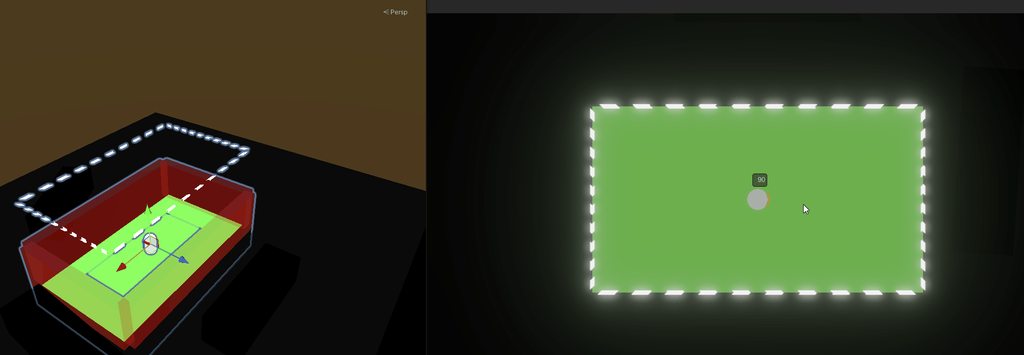
handy tech
quaint reef
slender nymph
!ide
done the stuff from this but still not fixed
slender nymph
solar kettle
Okay so what I'm gathering is that it's not possible to use lights directly as a mask, one would have to invent that themselves?
or implement it themselves with shaders I mean
swift crag
Yeah, because lights normally don't work this way
one light doesn't mask the rest!
but I think you can make this happen with a custom lighting setup
covert crown
Hey, so I am making a mascot horror game in unity and I am having trouble with the jumpscare script, you see whenever the jumpscare script is triggered when the player touches the monster, it plays the jumpscare sound, however I can't get it to access my other jumpscare camera, most often leading to the big text in the middle saying "display 1, no cameras rendering" when I clearly have 2 cameras in my scene the script is disabling and enabling. Also don't mind the error logs i'll fix that, and the text shows for like a split second
covert crown
Done
 heavy moss
hi, when I add a Text or TextMeshPro to the scene, both appear blurry, as if they have very low pixel resolution.
How can this be fixed?
Everything is completely default; I haven’t changed any settings.


 covert crown
Could I show you the jumpscare script?
radiant voidBOT
sour fulcrum
!code
Posting code
📃 Large Code Blocks
Use links to services like:
https://paste.mod.gg/, https://hastebin.skyra.pw/, https://paste.ofcode.org/, https://paste.myst.rs/
📃 Inline Code
Surround code with three backquotes. Not quotation marks.
To format as C#, add cs to the first line:
```cs
// Your code here
```
Add a comment with a line number if there is an error message.
heavy moss
sour fulcrum
It’s already at the far left, meaning it’s at a low value
sour fulcrum
it should be at scale 1x
slender nymph
1.3x being the minimum is usually caused by windows scaling afaik.
but also, especially when working on UI, you want your game view to be set to the resolution or aspect ratio you are targeting rather than Free Aspect
also this is a code channel
heavy moss
slender nymph
1.3x being the minimum is usually caused by windows scaling afaik.
but also, es...
Oh, so that was the problem. Thank you 🙂
covert crown
using System.Collections;
using System.Collections.Generic;
using UnityEngine;

public class Jumpscare : MonoBehaviour
{
    public GameObject JumpscareCam;
    public GameObject FPSCONTROLLER;
    public AudioSource JumpscareAudio;
    public Animator Enemy;

    void Start()
    {
        JumpscareCam.SetActive(false);
        FPSCONTROLLER.SetActive(true);
        // Clean up the animator reference
        if (Enemy == null) Enemy = GetComponent<Animator>();
    }

    void OnTriggerEnter(Collider other)
    {
        if (other.CompareTag("Player"))
        {
            // FIRST: Turn on the jumpscare camera
            JumpscareCam.SetActive(true);

            // SECOND: Turn off the player (this prevents the "No Camera" error)
            FPSCONTROLLER.SetActive(false);

            // THIRD: Play effects
            if (JumpscareAudio != null) JumpscareAudio.Play();
            if (Enemy != null) Enemy.Play("Jumpscare");
        }
    }
}
It should be this
heavy moss
@slender nymph Is there a way to fix the 1.3x minimum scaling issue from within Unity itself, without changing Windows display scaling settings?
slender nymph
unlikely because it's being caused by windows scaling the window
but you can at least set your game view to an actual resolution or aspect ratio to be able to zoom it out further
solar kettle
solar kettle
Okay so what I'm gathering is that it's not possible to use lights directly as a...
I may be too dumb to use the Shader Graph.
Would it be possible to create a shader that, instead of being between #fff and #000 when light hits it, the alpha approaches 0 when illuminated?
timber tide
Hmm, you could calculate main light direction, but not sure you can get the amount of light of the fragment that easily
swift crag
the core problem is that, if you aren't doing custom lighting, you're subjected to the default behavior of 2D lights
which is to make things brighter
timber tide
But there was a lot of changes recently that it may be possible now, but I usually do HLSL when messing with lighting
swift crag
all you do in the shader graph is say "this is the base color of the object; figure out the lighting for me"
you fundamentally don't get to do anything with the lights
timber tide
oh if it's 2D then I wouldn't know besides uh, doing another pass and checking the screen color ;p
which can work, assuming you make another masking map to compare against
oh but you want to make it transparent, eh
solar kettle
Ah I figured maybe I could make a separate light object and a separate SpriteRenderer object, and just light that up around the player, and then instead of having it illuminate, it could become transparent in that area
timber tide
what's the use case
solar kettle
and then I would also copy the collision
solar kettle
timber tide
what's the use case
I'm trying to make a field of view kind of thing in a 2D game with a side-view
So that you can't see what's in the next room until you open the door, for example
But I would also like to make it so the parts that you can see, can also make use of lighting
timber tide
Oh yeah we were talking about this earlier
solar kettle
Oh yes sorry I didn't realise it was you :P
timber tide
https://www.youtube.com/watch?v=xkcCWqifT9M
Sebastian has some videos on like general stencil shaders and line of sight that's worth checking out

In this bonus episode we create a stencil shader to achieve a cool limited FOV effect.
Source code:
https://github.com/SebLague/Field-of-View
Some links about stencil shader:
http://docs.unity3d.com/Manual/SL-Stencil.html
http://forum.unity3d.com/threads/unity-4-2-stencils-for-portal-rendering.191890/
Support my videos on Patreon:
http://bit....
But same logic could also be applied to say a dissolve shader instead of a sharp stencil cut
covert crown
Hey, so I am making a mascot horror game in unity and I am having trouble with the jumpscare script, you see whenever the jumpscare script is triggered when the player touches the monster, it plays the jumpscare sound, however I can't get it to access my other jumpscare camera, most often leading to the big text in the middle saying "display 1, no cameras rendering" when I clearly have 2 cameras in my scene the script is disabling and enabling.
using System.Collections;
using System.Collections.Generic;
using UnityEngine;

public class Jumpscare : MonoBehaviour
{
    public GameObject JumpscareCam;
    public GameObject FPSCONTROLLER;
    public AudioSource JumpscareAudio;
    public Animator Enemy;

    void Start()
    {
        JumpscareCam.SetActive(false);
        FPSCONTROLLER.SetActive(true);
        // Clean up the animator reference
        if (Enemy == null) Enemy = GetComponent<Animator>();
    }

    void OnTriggerEnter(Collider other)
    {
        if (other.CompareTag("Player"))
        {
            // FIRST: Turn on the jumpscare camera
            JumpscareCam.SetActive(true);

            // SECOND: Turn off the player (this prevents the "No Camera" error)
            FPSCONTROLLER.SetActive(false);

            // THIRD: Play effects
            if (JumpscareAudio != null) JumpscareAudio.Play();
            if (Enemy != null) Enemy.Play("Jumpscare");
        }
    }
}
This is the script for the jumpscare
slender nymph
surely whatever AI generated that code solved the issue with the part that is labeled "(this prevents the "No Camera" error)", right?
solar hill
slender nymph
surely whatever AI generated that code solved the issue with the part that is la...
tbh doesnt look like ai code
the comments arent punctual enough
sour fulcrum
im guessing assumption is based on the null checking
 blissful stratus
how to access vignette in code?
 balmy vortex
is there any easy way of fetching a specific child from a gameobject?
grand snow
balmy vortex
is there any easy way of fetching a specific child from a gameobject?
via the child index yes https://docs.unity3d.com/6000.3/Documentation/ScriptReference/Transform.GetChild.html
Else consider getting components of children or using serialized fields
balmy vortex
grand snow
via the child index yes https://docs.unity3d.com/6000.3/Documentation/ScriptRefe...
how do I actually know what part of the index the child is in though?

grand snow
Sorry what?