#💻┃code-beginner
1 messages · Page 812 of 1
 finite flower
 naive pawn
do you need the clamp 
finite flower
yes
naive pawn
how would it rotate to look at something behind and above you
if you just clamp it'd just look up and never get there
you'd probably need some more logic to handle that
finite flower
naive pawn
how would it rotate to look at something behind and above you
I don't want it to look behind me, that's the point
naive pawn
seems like that kinda defeats the point of making something look at something.
what's the overall goal here
finite flower
I want it to be able to look left, right, up and down, but only 90 degrees
naive pawn
limited from the starting rotation, or from the current rotation?
finite flower
from the current rotation (Idk how that changes because it's a child of the player)
it's a flashlight that follows the camera
 elfin pike
Have anybody made cinemachine pixelperfect solution to smoothly move between pixels
 midnight plover
You want to aim with the flashlight like with a gun, right?
But separated from the cameras view
finite flower
It's a third person game and the light is mounted to the characters shoulder. I want it to aim where the camera is looking, but no more than 90 degrees from where the player character is facing.
naive pawn
i see, i don't think clamping particularly makes sense then
especially when working with a direction vector
could probably modify lookVector so it's not behind the player
midnight plover
you could clamp the euler angles or use quaternion.angle to check if its within your ranges for example.
naive pawn
does unity even have built-in utilities to convert from a direction vector to euler angles
 timber tide
I wouldn't child it and just keep the max rotation values it can move
naive pawn
elfin pike
Have anybody made cinemachine pixelperfect solution to smoothly move between pix...
this is a code channel
try #🎥┃cinemachine or #🖼️┃2d-tools
 grand snow
LookRotation is to a quaternion but this is a good lesson that we want to work in Quaternion as much as possible
finite flower
timber tide
I wouldn't child it and just keep the max rotation values it can move
It has to be a child so it follows the rotation of the player
elfin pike
naive pawn
this is a code channel
try <#763497743976497222> or <#763500535554375750>
2d-tools last time was active, previouse decade
finite flower
grand snow
LookRotation is to a quaternion but this is a good lesson that we want to work i...
That's what I was doing, but they said to use Vector3 instead 😭 😭 😭
naive pawn
elfin pike
2d-tools last time was active, previouse decade
doesn't matter
 hexed terrace
elfin pike
2d-tools last time was active, previouse decade
hexed terrace
elfin pike
2d-tools last time was active, previouse decade
do you mean... yesterday
timber tide
Well, it should be child to the body but not the face/camera more specifically
grand snow
finite flower
That's what I was doing, but they said to use Vector3 instead 😭 😭 😭
I wouldnt to animate rotation
elfin pike
hexed terrace
do you mean... yesterday
I was one, who yesterday was active
finite flower
timber tide
Well, it should be child to the body but not the face/camera more specifically
Yes
naive pawn
elfin pike
I was one, who yesterday was active
the channel will be active if people use it correctly. be the change you want to see
midnight plover
finite flower
Yes
Found this thread with some approaches, also from unity example scripts, that might help you there: https://discussions.unity.com/t/how-do-i-clamp-a-quaternion/606650/7
finite flower
grand snow
I wouldnt to animate rotation
Quaternion.RotateTowards does exactly what I want, until I try to clamp.
timber tide
it only needs to rotate on two axis as well. Not like a flashlight should rotate on the z. It's more that you want to clamp the y
well, clamp both y and x
finite flower
timber tide
it only needs to rotate on two axis as well. Not like a flashlight should rotate...
What 😭
at this point I'm just gonna scrap what I have and put a Cinemachine brain on it
timber tide
if we are to use local rotation, 0,0,0 rotation faces forward. You want to clamp the y and x to angles of 180ish
finite flower
timber tide
if we are to use local rotation, 0,0,0 rotation faces forward. You want to clamp...
90
and only the Y
180 is behind the character
timber tide
well 180 from left to right
or -90, 90 ye
euler should be fine, just don't modify the z
finite flower
I'm just gonna not worry about clamping it and figure it out later
timber tide
I'm just saying that if it's child to your character body then if it rolls, technically you don't need the flashlight to also roll
you just focus on that local rotational values
I'm feeling that trying to slerp from values not inside of that local rotational space may cause problems too so may need to do like the inverse quaternion method
too sleepy for this
 stoic sage
Does anyone have any good tutorial or a forum on 2d hitboxes
 twin pivot
stoic sage
Does anyone have any good tutorial or a forum on 2d hitboxes
twin pivot
stoic sage
Does anyone have any good tutorial or a forum on 2d hitboxes
!learn
 radiant voidBOT
twin pivot
!learn
radiant voidBOT
twin pivot
!learn
:teacher: Unity Learn ↗
Over 750 hours of free live and on-demand learning content for all levels of experience!
stoic sage

 naive pawn
hitbox is a concept, it's probably not gonna be called that in the tutorials
they'll be referring to colliders and stuff
 rich adder
stoic sage
<:atwhatcost:1068114091987718204>
rich adder
stoic sage
<:atwhatcost:1068114091987718204>
break your issue into smaller mechanics to solve
 sour fulcrum
Can someone point out why I'm an idiot or if this is a problem with the serialized dictionary I'm using?
Code
    public bool TryGetValue(string category, out string value)
    {
        if (!valuesDict.ContainsKey(category))
        {
            string s = "Failed Check For: \"" + category + "\"\nDict Includes: ";
            foreach (string k in valuesDict.Keys)
                s += "\n\"" + k + "\" (" + (k == category) + ")";
            Debug.Log(s);
        }
        return (valuesDict.TryGetValue(category, out value));
    }
Log
Failed Check For: "Location Type"
Dict Includes:
"#" (False)
"Name" (False)
"Directory Category" (False)
"Print Types" (False)
"Plan Type" (False)
"Description" (False)
"Location Type" (False)
I don't get why Location Type is returning false
naive pawn
sour fulcrum
Can someone point out why I'm an idiot or if this is a problem with the serializ...
log out their lengths, pretty quick & dirty check to see if there's maybe invisible characters
rich adder
stoic sage
<:atwhatcost:1068114091987718204>
most hitbox : either, a trigger collider or physics query like overlap / cast
naive pawn
if the lengths are the same, log out the charcodes to see if they're all the expected ascii
sour fulcrum
heard
i think there is a tiny invisible fucker
many thanks
is there a nice way to clean those up?
sour fulcrum
this is a google sheet off a www processed with my own csv parsing code
naive pawn
is the invisible character in the dict or in the input category
(and what is the invisible character)
 naive pawn
oh, a line ending
both cr and lf are whitespace so you could just trim the string
(or maybe check the csv - if it explicitly has the \r\n line ending, check the source sheet, if not, check your parsing code)
 rancid tinsel
@sour fulcrum
 naive pawn
rancid tinsel
<@97329742172151808>
naive pawn
rancid tinsel
<@97329742172151808>
and you're modifying it on an instance of the SO from the inspector?
naive pawn
if you close out of unity (hopefully forcing a save, as the autosave seems to not work in your case), do you see the value in the SO .asset file change
rancid tinsel
naive pawn
if you close out of unity (hopefully forcing a save, as the autosave seems to no...
no unfortunately
but what rob said in the other chat seems to do it
the save project
naive pawn
oh, nice
sour fulcrum
naive pawn
(or maybe check the csv - if it explicitly has the `\r\n` line ending, check the...
god bless 🙏
was a hanging line ending on my string[] array of the csv row
 echo copper
what does that means?
 naive pawn
you have an animation event set for a nonexistant target
echo copper
is animation event a script?
rich adder
echo copper
is animation event a script?
no, its an Animation event.
https://docs.unity3d.com/6000.3/Documentation/Manual/script-AnimationWindowEvent.html

its in your animation clip
 errant breach
Hello, so despite creating a new projet and using an updated version fixing this issue, i still have this issue when rotating group. I dont know what im doing wrong but im pretty sure this is a common issue, does someone have an explanation on how to fix that please ? I would be very grateful.. Thanks !
Only the root does not create any issue. May i have did something wrong with the pivots ?
hexed terrace
errant breach
Hello, so despite creating a new projet and using an updated version fixing this...
this is a code channel, is there a code question here? Or are you just talking about manipulating things in the editor
errant breach
Both, because i will soon need to rotate my spaceship (barrel roll, etc) during the game with code and just like last time i will have the same issue. Im sorry if i am in the wrong channel but i was told to come here and i didnt find another place to ask for that. If im at the wrong place, feel free to tell me when i need to go
hexed terrace
your scale's aren't uniform (all the same, eg: 1,1,1)
Change teh scale for the gameobjects that move/ rotate to 1,1,1. And set the scale of children that don't need to move or rotate to the scale you want them to be
#💻┃unity-talk for topics with no specific channel / general questions.
errant breach
Soo it's that simple, woah. Thank you ! Thanks for the redirection too.
errant breach
now i have a question about an error i dont understand. Despite looking on the web, i have no solution for something that simple. Do you guys know how i can fix that please ?

 naive pawn
you have a stray ; there
it's saying Move needs a body, aka the {}
the body you wrote isn't being picked up because there's a ; that completes the method declaration
naive pawn
errant breach
*Too much python be like*
python : is analogous to c-family {}
except with labels, switch/case, object initializers, i guess
errant breach
Im blind btw, sorry for taking your time
 stoic sage
is it normal that i took so much time to understand colliders
2 fucking hours
just to make a collider trigger work
sour fulcrum
can be
 polar acorn
It will be faster next time
stoic sage
dude i swear to fuck why is showing an error

yes i did reference it in the engine
ok why did it work when i removed the debug log?
huh
polar acorn
What does the error say
stoic sage
that hearDisplay is apparently not referenced when it literally was
no matter
it works now ig
polar acorn
What is the exact error it's giving you
 polar acorn
stoic sage
polar acorn
stoic sage
The variable hearts of Hitbox has not been assigned. You probably need to assign the hearts variable of the Hitbox script in the inspector.
 hexed terrace
stoic sage
dude i swear to fuck why is showing an error
hexed terrace
stoic sage
dude i swear to fuck why is showing an error
this ide isn't setup and that line of code with an error is incomplete..
polar acorn
stoic sage
So, this Hitbox has hearts set, so the error isn't talking about this one
hexed terrace
you're doing it in a poor way already
Just do [SerializeField] private HeartDisplay heartDisplay -> assign in the inspector
Remove the gameobject field, and remove the getcomponent from Awake()
stoic sage
FINALLY OML
thanks yal
yall
althought a small issue
collision triggers twice instead of once
so it takes away 2 hp instead of 1
what could be the issue?
naive pawn
could be quite a few things
polar acorn
Show the inspectors of both objects
naive pawn
give some info about your setup so we don't have to guess through the plethora of possibilities
stoic sage
polar acorn
Show the inspectors of both objects
wich ones tho
hitbox and player or the heartdisplay
polar acorn
stoic sage
wich ones tho
The objects involved in the collision
rich adder
stoic sage
collision triggers twice instead of once
it entered twice in the trigger?
 verbal dome
Does the other object have 2+ colliders?
stoic sage
verbal dome
Does the other object have 2+ colliders?
lemme look
huh
weird i thought i removed the second one
triggers once now yeah
thanks
man ive been making too many dumb mistakes
hexed terrace
they're only dumb if you keep making the same ones and don't learn from them
 night gate
does anyone know how to instead of painting a texture on a surface on particle collision, instead create a 3d mesh
i wanna clarify i dont mean instantiating a mesh object on collision, i want to know if i can make a texture that instead of being a 2d layer of paint, is instead uniform 3d meshes
i feel like theres a specific channel for this but idk what itd be
hexed terrace
are you doing it via code?
 wintry quarry
night gate
i wanna clarify i dont mean instantiating a mesh object on collision, i want to ...
wintry quarry
night gate
i wanna clarify i dont mean instantiating a mesh object on collision, i want to ...
Maybe you want a VisualEffect (I.E. vfx graph) that creates mesh particles?
Yould also use something lower level like https://docs.unity3d.com/6000.3/Documentation/ScriptReference/Graphics.RenderMeshIndirect.html.
night gate
wintry quarry
Maybe you want a VisualEffect (I.E. vfx graph) that creates mesh particles?
not a mesh particle, ive got a vine mesh i made in blender
and i wanna display that within every x amount of space covered within a texture paint
sour fulcrum
is that what these are for? (honestly don't know) https://docs.unity3d.com/6000.3/Documentation/ScriptReference/Texture3D.html
night gate
so like if it covered a 10x10m area, id have one placed at every 1x1 position
night gate
sour fulcrum
is that what these are for? (honestly don't know) <https://docs.unity3d.com/6000...
i dont think thats what i need
verbal dome
night gate
does anyone know how to instead of painting a texture on a surface on particle c...
Procedurally with code or painting in the editor?
night gate
verbal dome
Procedurally with code or painting in the editor?
in the editor
verbal dome
I guess you'd use some tool like this
https://unity.com/features/polybrush
Why are you asking this in the code channel though?
Well, you could write your own tool, so maybe that's code related.
 rough granite
There any good sources for learning HLSL?
rich adder
rough granite
There any good sources for learning HLSL?
microsoft site probably
they developed it after all
rough granite
They did? Didn't know this, though i guess i know next to nothing about it
 slender nymph
rough granite
There any good sources for learning HLSL?
slender nymph
rough granite
There any good sources for learning HLSL?
dunno if there's anything useful pinned in #1390346776804069396 since i haven't checked it, but the #archived-shaders channel had some decent resources in its pins
 vestal cosmos
im trying to put the spacebar as the jump key how do i spell it so it rigisters
im using if(Input.GetKey(" ")
slender nymph
use keycodes then you can use the autocomplete in your configured IDE instead of relying on strings
vestal cosmos
what are keycodes
 cosmic quail
vestal cosmos
what are keycodes
vestal cosmos
cosmic quail
vestal cosmos
what are keycodes
vestal cosmos
k thank you i will try that now
 spiral oak
Is there any way I can prevent my AnimationTree from modifying the transitions between the animations??
slender nymph
is that a code question?
vestal cosmos
that worked but how do i make the jump smoother as right now it look as it if it is teleporting
wintry quarry
vestal cosmos
that worked but how do i make the jump smoother as right now it look as it if it...
sounds like a bug in your code - usually caused by movement code that sets the vertical velocity to 0 each frame
the fix would be to fix that code. You'd have to share the code if you want more details
vestal cosmos
if (Input.GetKeyDown(KeyCode.Space))
{
transform.Translate(new Vector3(0, upwardForce * Time.deltaTime, 0));
}
public float upwardForce = 250f;
wintry quarry
vestal cosmos
if (Input.GetKeyDown(KeyCode.Space))
{
transform.Translate(new Vector3(0, up...
This is the jump code - this is also really bad though
this is bad for several reasons
vestal cosmos
its my second day
wintry quarry
That's nice, and I'm telling you what's wrong
Are you moving your character via a Rigidbody?
vestal cosmos
yes
radiant voidBOT
wintry quarry
!code
Posting code
📃 Large Code Blocks
Use links to services like:
https://paste.mod.gg/, https://hastebin.skyra.pw/, https://paste.ofcode.org/, https://paste.myst.rs/
📃 Inline Code
Surround code with three backquotes. Not quotation marks.
To format as C#, add cs to the first line:
```cs
// Your code here
```
Add a comment with a line number if there is an error message.
wintry quarry
vestal cosmos
yes
then you should never be manipulating the Transform directly
what you're doing here just moves the object instantly in one frame. TO have a real jump you want to be adding an upwards force or modifying the vertical velocity of the RIgidbody
vestal cosmos
which i do how
wintry quarry
I can show you if you share your code
vestal cosmos
k give me 2 mintues
im using pasteof code .org but i dont know hwo to share it to you
naive pawn
not save the file
wintry quarry
not the html of the webpage lmao
naive pawn
there's a save button on the website
 solar hill
bless his heart
naive pawn
you need to save the paste, not the entire site lmao
vestal cosmos
sorry
wintry quarry
Just press the "paste it" button and then copy the URL from your web browser
 frail hawk
bad code
vestal cosmos
i know
frail hawk
line 15-33 could be replaced with 2 lines of code
naive pawn
AddForce with continuous forces should be in FixedUpdate, and should not have deltaTime applied - it will apply deltaTime for you
wintry quarry
vestal cosmos
https://paste.ofcode.org/VYxfV3PhPuPSzkYyQLbiTP
the jumping would just be another force.
However your code has several issues:
- You should not be doing physics in Update. Only in FIxedUpdate. (jumping can be the one exception to this for reasons that are complicated to explain - but basically because it's a one-off thing and not a continuous force)
- you should not multiply forces by Time.deltaTime
vestal cosmos
ok
vestal cosmos
frail hawk
line 15-33 could be replaced with 2 lines of code
what 2 lines should i write instead
polar acorn
vestal cosmos
what 2 lines should i write instead
vestal cosmos
wintry quarry
the jumping would just be another force.
However your code has several issues:
...
i forgot to include the fixed update but also whats the difference between update adn ficed update
frail hawk
you might want to google that
vestal cosmos
i will
wintry quarry
vestal cosmos
i forgot to include the fixed update but also whats the difference between updat...
vestal cosmos
k thank you all for the help i feel like this is not going to be the last time
finite flower
How would I get the relative velocity of my player? Cause the player rotates based on the camera, but rb.linearVelocity returns the world space values, not relative values.
polar acorn
finite flower
How would I get the relative velocity of my player? Cause the player rotates bas...
You could convert it to local space with InverseTransformDirection:
https://docs.unity3d.com/6000.3/Documentation/ScriptReference/Transform.InverseTransformDirection.html
wintry quarry
finite flower
How would I get the relative velocity of my player? Cause the player rotates bas...
relative to what?
finite flower
wintry quarry
relative to what?
So, no matter where the camera is looking (third person), when the player is moving forwards, I want the forwards vector to be positive, etc
or where the player is looking
moving forwards = positive forwards velocity
wintry quarry
finite flower
So, no matter where the camera is looking (third person), when the player is mov...
so you mean relative to the camera
then yeah just convert the world space vector into the camera's local space
finite flower
oh, no, I think I figured it out
how do I make it relative to something 😅
I know what I need to make it relative to for it to work
grand snow
I presume your camera is at an angle so that makes it a tad harder
naive pawn
sooo you're just going to ignore what digi sent?
finite flower
grand snow
I presume your camera is at an angle so that makes it a tad harder
no, the camera is irrelevant to it, I think. The visuals of the player is rotating separate of the moving body, so I need to check the velocity relative to the rotation of that, I think.
grand snow
finite flower
no, the camera is irrelevant to it, I think. The visuals of the player is rotati...
Then use the many functions provided by Transform to move to and from local space
#💻┃code-beginner message
 keen dew
Setting the velocity to the player model's transform.forward * speed makes it go forward relative its own rotation. If the player can tilt up and down you can set the forward vector's Y to zero first
finite flower
keen dew
Setting the velocity to the player model's transform.forward * speed makes it go...
I'm trying to get the velocity when it's moving
grand snow
then get it and transform the vector to be local
finite flower
grand snow
Then use the many functions provided by Transform to move to and from local spac...
idk how to apply that to the linearVelocity
verbal dome
var relativeVel = transform.InverseTransformDirection(rb.linearVelocity)
There's not much to it
finite flower
Do I not put the forward vector there?
grand snow
what are you on about
if you want velocity to be "local" to a transform then you use InverseTransformDirection on that transform
verbal dome
finite flower
Do I not put the forward vector there?
The transform has everything it needs to do the conversion.
grand snow
Are you sure you know what you are asking? Do you actually not need this?
keen dew
This is probably an XY problem
finite flower
grand snow
Are you sure you know what you are asking? Do you actually not need this?
I need to know the velocity of my player in local space. If the player is moving forwards, I need something saying it's moving forwards.
Forwards = 1 and Backwards = -1 no matter how the player is rotated. (not literally 1)
grand snow
finite flower
I need to know the velocity of my player in local space. If the player is moving...
Then what we said is correct if you have a Transform that describes this space
your player has a Transform btw
finite flower
playerVelocity = playerVis.transform.InverseTransformDirection(rb.linearVelocity);
This is what I currently have. playerVis is the variable for my chracters physical body, not the player object, because I want forward to be where the chracter is facing.
finite flower
This is what I'm getting when I'm standing still.

And those are constantly changing
regardless of if I'm moving or not
keen dew
If you just want to know if the player is moving forwards or backwards then it's Vector3.Dot(transform.forward, rb.linearVelocity). If that's > 0 it's moving forwards, < 0 it's moving backwards
grand snow
oh yea good idea. dot product is great
naive pawn
probably with a little epsilon to account for floating-point imprecision
finite flower
keen dew
If you just want to know if the player is moving forwards or backwards then it's...
That's still returning worldspace 😭
slender nymph
transform.forward is also in world space so that doesn't really matter
keen dew
Vector3.Dot returns a single number that isn't in any space so that doesn't make sense. If it doesn't do what you expect then you're plugging in wrong values
 blissful stratus
how can i remove this?
 finite flower
It's working perfectly when I use transform.up, giving 1 when I jump and -1 when I'm falling, but for some reason the number just freaks out in any direction when I use transform.forward 😭
slender nymph
blissful stratus
how can i remove this?
- not a code question
- unless you want to pay to digitally sign your game you'll need to select the option you've cropped out that lets you continue attempting to run it anyway
finite flower
finite flower
It's working perfectly when I use `transform.up`, giving 1 when I jump and -1 wh...
It's just giving inconsistent numbers whenever i use transform.forward regardless
blissful stratus
slender nymph
1. not a code question
2. unless you want to pay to digitally sign your game you...
oops my bad, so i have to pay to be aproved?
 strong berry
Does anyone have a clear diagram of a basic block of code handy? Like with what a namespace is, what a class is, what a variable is, etc. clearly labeled? I keep running into information that seems to contradict itself and I really just want to understand these basic terms finitely. Even my textbook doesn't name them in order or in context.
grand snow
finite flower
It's just giving inconsistent numbers whenever i use transform.forward regardles...
if you want to compare to up then thats correct. Go read what dot product does to understand more what its doing
cosmic quail
blissful stratus
how can i remove this?
it gets removed automatically if you put your game on steam
finite flower
How do I limit a float to whole numbers? Normalizing the numbers isn't working.
verbal dome
You mean "Round" it?
cosmic quail
finite flower
How do I limit a float to whole numbers? Normalizing the numbers isn't working.
slender nymph
finite flower
How do I limit a float to whole numbers? Normalizing the numbers isn't working.
if it is just for display purposes, then you should just use the string formatters for numbers at the time you display it
finite flower
it's for being able to read the number reasons. I'm getting 1.13495807134958713409 kind of number every frame and it's impossible to debug that
slender nymph
right so that would be "display purposes"
finite flower
In the inspector?
slender nymph
don't rely on inspector values for debugging things
verbal dome
You can use Debug.Log or OnGUI+GUILayout.Label to debug it with formatting
grand snow
or the magic of a debugger ✨
This package is good though for good gizmos for this stuff too
https://github.com/vertxxyz/Vertx.Debugging
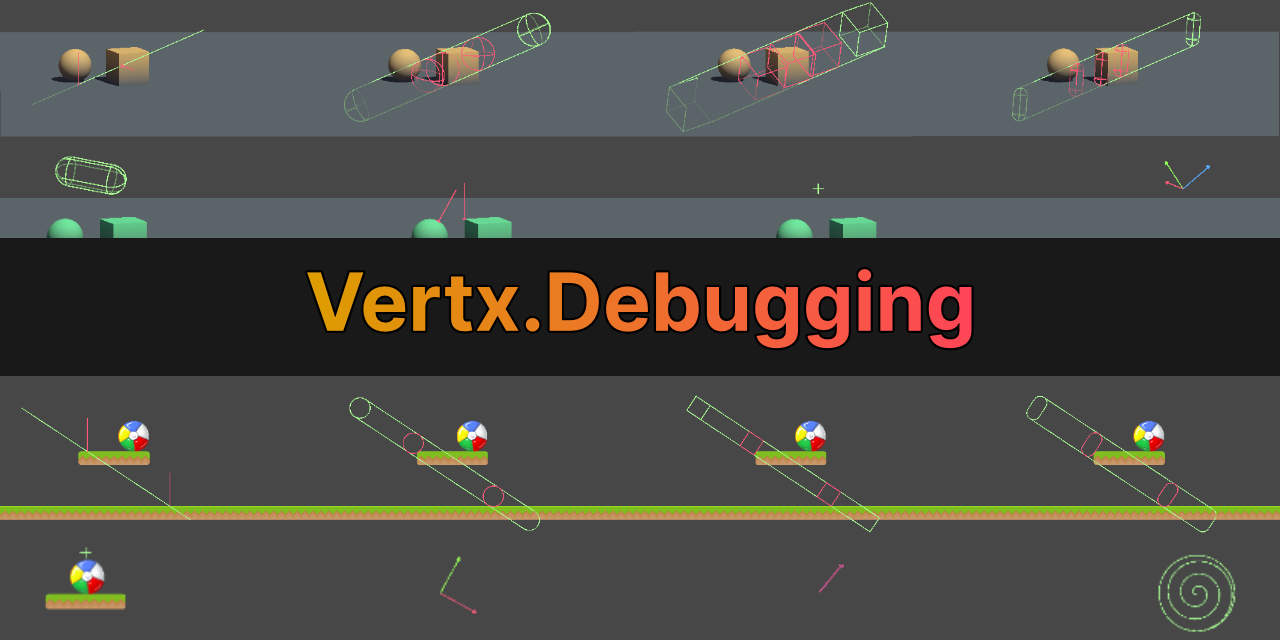
GitHub
Debugging utilities for Unity. Contribute to vertxxyz/Vertx.Debugging development by creating an account on GitHub.
finite flower
Okay, so yeah, Vector3.Dot is giving seemingly random values 😮💨
grand snow
nah its bad input
If you just want to know if something is moving up in world space then use Vector3.up
grand snow
Then you need a more reliable reference for what "forward" is
verbal dome
finite flower
This is what I'm getting when I'm standing still.
Note that for example the first value here is just a really small number.
If your rigidbody is almost still then it might wiggle a bit or something and the numbers will seem "random"
grand snow
oh and you should normalise the velocity first before doing Dot()
verbal dome
Does that matter?
finite flower
verbal dome
Note that for example the first value here is just a really small number.
If you...
even when it's moving in a straight line, it'll jump from -8.22397 to 2.2497 to 1.2497 to -5.234987
and just random
grand snow
if unity doesnt normalise it then yes
finite flower
grand snow
oh and you should normalise the velocity first before doing Dot()
Even when I did that, it just did the same thing
verbal dome
The sign of the result value of Dot would still be correct for non normalized input
In fact you can even use it to check the relative forward speed of the vector
For example Dot(v3.forward, v3.forward * 5) would return 5
Which is positive
So its moving forward and at speed 5
grand snow
but when we want a nice -1 to 1 range then normalising the inputs helps
finite flower
except when it doesn't
playerVelocity = Vector3.Dot(Vector3.Normalize(playerVis.transform.forward), Vector3.Normalize(rb.linearVelocity));
grand snow
TRANSFORM THE VELOCITY
finite flower
Yes, those are words
naive pawn
if you don't understand then say so instead of ignoring the advice
grand snow
we tried folks 🧱
finite flower
grand snow
TRANSFORM THE VELOCITY
What does that mean?
grand snow
scroll up and read stuff
verbal dome
grand snow
but when we want a nice -1 to 1 range then normalising the inputs helps
Thats only useful when we want to check similiarity of two vectors. Here it sounds like we just need the sign of the dot
grand snow
yes but what if they want a specific range that means "forward"?
finite flower
verbal dome
Thats only useful when we want to check similiarity of two vectors. Here it soun...
I just need to know if my player is moving in the direction it's looking 😭
verbal dome
verbal dome
Thats only useful when we want to check similiarity of two vectors. Here it soun...
Directional similiarity, i should add
naive pawn
naive pawn
if you don't understand then say so instead of ignoring the advice
@finite flower imagine you're bleeding out and someone tells you to use gauze to wrap the wound, but you don't know what gauze is.
do you a) ask, or b) completely ignore the advice because there's a word you don't understand
help is a two-way street
we cannot help if you refused to be helped
verbal dome
finite flower
`playerVelocity = Vector3.Dot(Vector3.Normalize(playerVis.transform.forward), Ve...
This is correct though (apart from the redundant Normalize calls).
If this value is less than 0, then rb.linearVelocity is 180+ degrees different from playerVis.transform.forward in world space.
finite flower
verbal dome
This is correct though (apart from the redundant Normalize calls).
If this value...
But it's just returning random values instead of being consistently positive or negative?
naive pawn
grand snow
yes but what if they want a specific range that means "forward"?
then you'd probably want to get the angle between directions rather than the dot product then
naive pawn
naive pawn
<@1200518213168013362> imagine you're bleeding out and someone tells you to use ...
is this just trolling at this point
grand snow
naive pawn
then you'd probably want to get the angle between directions rather than the dot...
yea both work
finite flower
naive pawn
is this just trolling at this point
I'm ignoring someone who only antagonizes instead of helps.
naive pawn
grand snow
yea both work
had a convo recently about this, defining angles would be easier than defining a dot product threshold since dot product isn't linear over angle
verbal dome
They only need to know if moving backwards or forwards, and a dot product of the world space velocity and some world space "forward" direction gives that. Which they are doing
naive pawn
finite flower
I'm ignoring someone who only antagonizes instead of helps.
trying to avoid a "too many cooks in the kitchen" situation here. rob and osmal are already giving perfectly good advice, just seems like you're ignoring it
grand snow
naive pawn
had a convo recently about this, defining angles would be easier than defining a...
huh i thought it was linear ha 😆
naive pawn
also, giving advice about getting help is also "helping"
naive pawn
grand snow
huh i thought it was linear ha 😆
i did too lmao
verbal dome
Most of the code shown here should've worked so it's an input problem and/or some feedback loop
naive pawn
but nah 2 normalized vectors at 45° from each other have a dot product of sqrt2/2, since it's the cosine of the angle
finite flower
verbal dome
Most of the code shown here should've worked so it's an input problem and/or som...
I thought that, but this variable is only used here. I made it specifically to see the velocity, and the rest of the variables return fine everywhere else I use them.
naive pawn
finite flower
And those are constantly changing
are they changing a lot or just a little
that X value is tiny
naive pawn
and that's the rigidbody velocity?
finite flower
No, that's the value that's being returned when I use Vector3.Dot
slender nymph
can you screenshot the values? because i'd bet they are just really small numbers in scientific notation
naive pawn
ok, so that's.. not what i asked lol
i'm referring to this message #💻┃code-beginner message
what part of the inspector is this cropped from
(for future reference, a less cropped image would help give crucial context.)
finite flower
naive pawn
i'm referring to this message https://discord.com/channels/489222168727519232/49...
Same answer
It does the same thing
naive pawn
what same answer? that's the dot product?
finite flower
Those Vector3 values were from transform.InverseTransformDirection
finite flower
naive pawn
what same answer? that's the dot product?
It returned random values
naive pawn
finite flower
Those Vector3 values were from transform.InverseTransformDirection
ok cool, that's part of what i was asking. now do those change a lot or a little
finite flower
Generally between 10 and -10
naive pawn
and they're definitely like, 7.43482 and not 7.43482e-6?
yeah yknow what just show more context directly please
feels like a very prolonged game of telephone here...
(use mp4 so it embeds in discord)
finite flower
I know
naive pawn
i don't know if you know.
finite flower
I have to rerecord cause I need to revert the script
stoic sage
how can i highlight hitbox object only for inspector
so i dont have to move an invisible object in the inspector
naive pawn
ok so it's basically just not changing at all, just microscopically fluctuating
solar hill
finite flower
thats like −0.000000007
 finite flower
That's using this playerVelocity = playerVis.transform.InverseTransformDirection(rb.linearVelocity);
naive pawn
right, and it seems to be relatively stable, as revealed by your console showing 2 digits being perfectly stable
verbal dome
And I bet the Y value is large because of gravity/some imperfect character controller code
naive pawn
i'm confused. was this the part that had issues? that's what i gathered from backreading and i'm not so sure i got it right
verbal dome
Make sure that the animator isn't modifying the root object's transform also
finite flower
naive pawn
i'm confused. was this the part that had issues? that's what i gathered from bac...
This was the first thing I was told to try using to find if my player is moving forwards.
I was then told to use Vector3.Dot because it'll return a float that's positve when moving forwards and negative when moveing backwards.
naive pawn
yeah both of those work
 hushed sky
could someone help me with this? im pretty new on Unity, im searching to change the image of a normal button with a custon image so is not just a square. I found the package manager is it there? or do i need to download from some place in internet a png?
naive pawn
those were offered as alternatives, not that one was better than the other
so i'm still confused. what's the issue
hushed sky
my point is im trying to find a safe place for unity to download images for the button
verbal dome
hushed sky
could someone help me with this? im pretty new on Unity, im searching to change ...
With code or manually?
naive pawn
hushed sky
my point is im trying to find a safe place for unity to download images for the ...
the internet
hushed sky
manually like in the inspector
is there any safe place dedicated to unity things?
instead of just take it from google search?
verbal dome
Asset store
hushed sky
where would that asset store be?
verbal dome
This is a code channel. Not a general beginner channel
finite flower
naive pawn
so i'm still confused. what's the issue
Neither of them are returning a usable value that is positive when the player is moving forwards or negative when moving backwards.
hushed sky
there is many channels and i cant find one more suited rn
slender nymph
finite flower
Neither of them are returning a usable value that is positive when the player is...
What would you consider a usable value to be
finite flower
it's returning a value that is positive if the player is moving +Z or +X in the world tho
finite flower
slender nymph
What would you consider a usable value to be
preferably a whole number
verbal dome
@finite flower Have you checked the value of rb.linearVelocity when you are standing still?
slender nymph
finite flower
preferably a whole number
You haven't read anything that anyone has told you, have you. Nor the docs for Vector3.Dot
polar acorn
Well, 0.000007 is between -1 and 1
slender nymph
finite flower
I did and all of it is saying I should be getting 1 to -1
Yeah, a float within that range. It will only ever return one of those two specific numbers if it is perfectly aligned or exactly opposite
naive pawn
(if the vectors are normalized)
verbal dome
Is the rigidbody even dynamic? 🤷♂️
finite flower
verbal dome
<@1200518213168013362> Have you checked the value of rb.linearVelocity when you...
It's returning 0 whether I'm standing still or moving 🤦 no clue how tho
verbal dome
So is the rigidbody kinematic?
finite flower
no
slender nymph
How are you moving it
finite flower
// The math for figuring out movement
        moveVec = move.ReadValue<Vector2>();
        moveLike = new Vector3(moveVec.x, 0.0f, moveVec.y);
        moveLike = Vector3.ClampMagnitude(moveLike, 1f);

        if(isClimbing)
        {
            x = playerVis.transform.up * moveLike.z;
            z = playerVis.transform.right * moveLike.x;
            isJumping = false;
            //rb.useGravity = false;
        }
        else if (!isClimbing)
        {
            x = cam.transform.forward * moveLike.z;
            z = cam.transform.right * moveLike.x;
            x.y = 0.0f;
            z.y = 0.0f;
            //rb.useGravity = true;
        }

        direction = x + z;

        float xSpeed = playerSpeed * 0.01f;

        finalMove = Vector3.Lerp(finalMove, direction * xSpeed, friction);
        normalizedMove = finalMove + Vector3.up * velocity.y;
        rb.linearVelocity = normalizedMove;
playerSpeed is 450 btw
verbal dome
finite flower
It's returning 0 whether I'm standing still or moving 🤦 no clue how tho
To be clear, rb.linearVelocity returns (0, 0, 0)? How did you check this and when/where?
And is this a different script? Are you referencing the correct rb?
 tribal urchin
I need help how do I make this block trigger an animation I’m trying to make a titanic sinking map ?
 verbal dome
tribal urchin
I need help how do I make this block trigger an animation I’m trying to make a t...
verbal dome
tribal urchin
I need help how do I make this block trigger an animation I’m trying to make a t...
Trigger when something enters it, or when you click it? Or what
tribal urchin
verbal dome
Trigger when something enters it, or when you click it? Or what
When I click it
And also to trigger the sound source
naive pawn

Learn how to take screenshots on many major platforms.
tribal urchin
Ik
naive pawn
anyways, give it a collider and something implementing IPointerXHandler and use a physics raycaster, iirc
verbal dome
tribal urchin
naive pawn
anyways, give it a collider and something implementing IPointerXHandler and use ...
It has a box collider
finite flower
verbal dome
To be clear, rb.linearVelocity returns (0, 0, 0)? How did you check this and whe...
I'm going to scream. It wasn't working cause I put it too high in the script 🤦
rough granite
naive pawn
anyways, give it a collider and something implementing IPointerXHandler and use ...
Do the IpointerEnterHandler and IPointerExistHandler not work on 3d objects?
verbal dome
tribal urchin
It has a box collider
You can see example code in the link I posted. Then you need to find out how to reference the animator and audio source and play them inside OnPointerClick
naive pawn
rough granite
Do the IpointerEnterHandler and IPointerExistHandler not work on 3d objects?
not sure how you inferred that
i just said to use IPointerXHandler
verbal dome
rough granite
Do the IpointerEnterHandler and IPointerExistHandler not work on 3d objects?
That's what the Physics raycaster handles
tribal urchin
verbal dome
You can see example code in the link I posted. Then you need to find out how to ...
To clarify it’s not flatscreen it’s a VR game / map
naive pawn
it doesn't work on its own, no
grand snow
tribal urchin
I need help how do I make this block trigger an animation I’m trying to make a t...
Example of using IPointerClickHandler to respond to pointer click
https://github.com/rob5300/Unity-EventSystem-Events-Example/
verbal dome
Yeah this is a decent usecase for unity events
grand snow
not present in that example but you can if you wanted
rough granite
naive pawn
i just said to use IPointerXHandler
You also said to use a raycast, so i was asking a question cause i was under the assumption they do as the documentation says used to detect if the mouse is over a gameobject
verbal dome
Oh my eyes garbled "Unity EventSystem" into "UnityEvent System" lol
naive pawn
rough granite
You also said to use a raycast, so i was asking a question cause i was under the...
i said to use a raycaster
it's what triggers the pointer event handlers
you may be thinking of the MouseXHandler stuff?
rough granite
Sorry never heard of raycaster, but i was thinking of https://docs.unity3d.com/2019.1/Documentation/ScriptReference/EventSystems.IPointerEnterHandler.html
naive pawn
afaik, you need a raycaster to trigger the events to begin with
 ivory bobcat
rough granite
Sorry never heard of raycaster, but i was thinking of https://docs.unity3d.com/2...
ivory bobcat
rough granite
Sorry never heard of raycaster, but i was thinking of https://docs.unity3d.com/2...
Physics Raycaster is a component necessary to do what you're wanting
grand snow
Hmm if only there was a cool example that explained all this 🤔
rough granite
Cause i was thinking of a way i would've handled what they asked and you gave a different one. Where i would used the IPointer enter and exist to toggle a bool i misread you saying to use a raycast
naive pawn
i gave the one you were thinking of
(are you thinking of PointerExit, PointerExist is not an event)
ivory bobcat
ivory bobcat
Physics Raycaster is a component necessary to do what you're wanting
You'll not be able to get around this. Ask for clarity if you're not certain of something @rough granite
The Raycaster is a necessary factor
naive pawn
rough granite
Sorry never heard of raycaster, but i was thinking of https://docs.unity3d.com/2...
https://docs.unity3d.com/2019.1/Documentation/ScriptReference/EventSystems.BaseRaycaster.html
see the description
not sure why you linked the 2019 docs though
rough granite
ivory bobcat
Physics Raycaster is a component necessary to do what you're wanting
hmm now im confused never used a raycaster as far as i know of yet i have used the IPointerEnterHandler and IPointerExitHandler interfaces before
naive pawn
i guess go back and check then
grand snow
rough granite
hmm now im confused never used a raycaster as far as i know of yet i have used t...
okay these work in UGUI because a graphics raycaster is there on your canvas for you
OTHERWISE you must add a physics raycaster/physics 2d raycaster to the camera to use these with the other colliders
rough granite
grand snow
okay these work in UGUI because a graphics raycaster is there on your canvas for...
oh i see now thank you this makes more sense
strong berry
strong berry
Does anyone have a clear diagram of a basic block of code handy? Like with what ...
🙏 
grand snow
This confusion is why i made a complete example
rough granite
yeah me clicking the link would've helped ~_~
naive pawn
strong berry
Does anyone have a clear diagram of a basic block of code handy? Like with what ...
have you tried looking that up, or checked docs (such as those pinned in this channel)?
you could also show the resources that apparently contradict themselves to ask for clarification
strong berry
naive pawn
have you tried looking that up, or checked docs (such as those pinned in this ch...
-
Of course I've tried looking it up.
-
I'd like help from literally anyone but you because I've seen you be unnecessarily rude to everyone in this channel and I'm not here for that.
naive pawn
on point 1, some people don't lol. i'm not in your head 
it's hard to clarify apparently incorrect resources without seeing the actual resources though
tribal urchin
To clarify the video is an example of what I'm trying to do but in my VR map can someone help me?
 naive pawn
oh, this is vr?
naive pawn
i assume the intended input method in the vr version would be using the hand controls then?
i don't know what they're called
tribal urchin
naive pawn
i assume the intended input method in the vr version would be using the hand con...
yea
naive pawn
you wouldn't be using a raycaster for that i guess. the folks in #🥽┃virtual-reality would probably be able to give better advice about how to handle that
tribal urchin
naive pawn
you wouldn't be using a raycaster for that i guess. the folks in <#4978745245498...
Thanks
 surreal shard
hi, i'm trying to get the camera to follow the player with the SmoothFollow script but the camera keeps snapping to a random position and stays there
rich adder
surreal shard
hi, i'm trying to get the camera to follow the player with the SmoothFollow scri...
SmoothFollow script ?
surreal shard
i should probably post some screenshots wait
it's a script from standard assets as far as i can see
sorry if i'm being confusing i only recently started learning unity i know nothing
rich adder
surreal shard
it's a script from standard assets as far as i can see
those are pretty old, unity has new ones
probably even better new, it uses cinemachine which you should learn anyway
surreal shard
the course i'm following uses this version of unity

i should
go find another source to learn from shouldn't i
rich adder
surreal shard
the course i'm following uses this version of unity
should be fine for learning, the exploit thing is only in the build
is not that seriously it can be easily be patched with tool, but you can use latest LTS anyway if you want its the same editor..
surreal shard
this is what my screen looks like rn, the camera is supposed to follow the ball and the ball has some player controls on it that work fine

but instead it just snaps here, about 150 units away, and stays there
 surreal shard
rich adder
is not that seriously it can be easily be patched with tool, but you can use lat...
surreal shard
rich adder
is not that seriously it can be easily be patched with tool, but you can use lat...
i kept getting errors related to the "input system" bcuz some of the scripts in the course use the old one i think
so to avoid that i switched to the version they specify
rich adder
surreal shard
i kept getting errors related to the "input system" bcuz some of the scripts in ...
!input
radiant voidBOT
rich adder
!input
How to Set Input
To set Active Input Handling, go to:
Project Settings > Player > Active Input Handling
• Input Manager (Old): Use the original Input settings.
• Input System Package (New): Uses the new input system package.
• Both: Use both systems.
rich adder
can just put it to Both and it works fine
radiant voidBOT
rich adder
!code
Posting code
📃 Large Code Blocks
Use links to services like:
https://paste.mod.gg/, https://hastebin.skyra.pw/, https://paste.ofcode.org/, https://paste.myst.rs/
📃 Inline Code
Surround code with three backquotes. Not quotation marks.
To format as C#, add cs to the first line:
```cs
// Your code here
```
Add a comment with a line number if there is an error message.
rich adder
surreal shard
but instead it just snaps here, about 150 units away, and stays there
without seeing what the code actually does and what kind of camera you're going for, no one can help
surreal shard
rich adder
can just put it to Both and it works fine
ok i opened the project, it was already set to both and apparently it works now
 gilded harbor
Okay, I figured out the clamp issue for now. Now i'm having an issue with my rotator script. It works as intended for the most part, I mousepress an object, a ray detects the object and sends a signal to rotate the object depending on where i'm pressing. For some reason though, clicking on the right side (rightplane.name) makes the object spin endlessly, even though the left side is working fine. Why?
using System.Collections;
using System.Collections.Generic;
using UnityEngine;
using UnityEngine.InputSystem;

public class RotatorLogic : MonoBehaviour
{
    public float rotSpeed;
    public Collider leftplane;
    public Collider rightplane;
    public Transform pivot;

    public Camera cam;

    private RaycastHit israytouching;

    public string raycastedobject;
    // Rotation Settings
    private float rotatespeed = 700f;


    private bool mousepressed;


    private void Update()
    {

        Vector3 mousePosition = Input.mousePosition;

        Ray myRay = cam.ScreenPointToRay(mousePosition);

        bool RayTouching = Physics.Raycast(myRay, out israytouching);

        if (RayTouching)
        {
            raycastedobject = (israytouching.transform.name);
        }

        if (Input.GetMouseButton(0))
            mousepressed = true;

            if (raycastedobject == leftplane.name && mousepressed)
            {
                pivot.transform.Rotate(0f, rotatespeed * Time.deltaTime, 0f);
            }
            if (raycastedobject == rightplane.name && mousepressed)
            {
                pivot.transform.Rotate(0f, -rotatespeed * Time.deltaTime, 0f);
            }
        else
            mousepressed = false;
        }
}
bracket issue
you else never runs
right now the else is going based on if (raycastedobject == rightplane.name && mousepressed)
 if (Input.GetMouseButton(0))
            mousepressed = true;```
one reason writing if staments like this can mess you upso yeah brackets are important for if blocks
gilded harbor
rich adder
bracket issue
Oh my god thank you lol. I had to look up how to format an if else statement. I have a lot more learning to do. Thank you so much!
rich adder
btw you could technically just write it as mousepressed = Input.GetMouseButton(0);
since you have && mousepressedanyway
gilded harbor
Could I do that in the start function?
rich adder
no because it needs to poll it every frame otherwise it stays in one state, Start only runs once
gilded harbor
Thank you, that helps clean up this mess a little bit 🙂
rich adder
btw could also skip the whole string bit too, raycasthit which you named israytouching(confusing name btw is not a bool)
you can directly check collider
israytouching.collider == leftplane or israytouching.collider == rightplane
the "drawback" is you need to put it inside RayTouching otherwise iirc you get a null collider not the last touched.
fine how you do it for now, if it works it doesn't matter I suppose..
rough granite
rich adder
you else never runs
I mean it does just only if if (raycastedobject.Rotate == rightplane.name && mousepressed) fails
rich adder
rough granite
I mean it does just only if `if (raycastedobject.Rotate == rightplane.name && mo...
yes what I meant was it doesn't run how they wanted it though its whatevs lol
rough granite
Yeah fair, they also could've gone the route of deleting that bool instead of making it = Input.GetMouseButton(0) as it's seemingly useless in the given context
gilded harbor
Even if my current script already works, I'll do anything to help learn what exactly does what and better ways of doing things. Especially if it prevents unnecessary giant if/else statements.
rich adder
rough granite
Yeah fair, they also could've gone the route of deleting that bool instead of ma...
true but putting things in variables can make them more flexible imo
mousePressedUI_Icon.gameObject.SetActive( mousepressed)
etc
 crimson sluice
I’m having trouble with the input system code
rich adder
crimson sluice
I’m having trouble with the input system code
trouble is vague, how can anyone help there 🤔
ivory bobcat
gilded harbor
Okay, I figured out the clamp issue for now. Now i'm having an issue with my rot...
Your last else statement is attached to your last if statement. So if the raycastedobject isn't the leftplane, raycastedobject == rightplane.name would be true and raycastedobject == rightplane.nam would never be set to false. Thus the object will rotate indefinitely.
crimson sluice
Like the inputs aren’t showing on the console
Sorry I’m not the best at explaining things I’m very new to all this
rich adder
crimson sluice
Sorry I’m not the best at explaining things I’m very new to all this
well we're not mind readers and frankly playing 20 questions sucks... you should offer as much detail possible
ivory bobcat
crimson sluice
Like the inputs aren’t showing on the console
You'll want to provide any and all necessary data. If not, folks will have to keep asking you for information that should already be provided.
crimson sluice
Ok I gotchu so I’m using the system Input and I was having some issues with the c# script where I was having errors I just don’t know what to really put in for the c# for the charter inputs?
I don’t know if that helps at all I can give you them guys my code when I get home later tonight
 golden canopy
it was some weird unity glitch mb
naive pawn
crimson sluice
I don’t know if that helps at all I can give you them guys my code when I get ho...
you should generally come ask when you're able to provide more info/context yeah, just a general tip
 kind skiff
I am using scriptable objects but for some reason it is having this error. It keeps happening where at the start of the creation for the scriptable object it's fine but after some time it keep appearing this error. Do anyone know how to fix it?

 boreal sonnet
Remove the missing script and reassign
using System.Collections;
using System.Collections.Generic;
using UnityEngine;
public class ObjectPooler : MonoBehaviour
{
public static ObjectPooler SharedInstance;
public List<GameObject> pooledObjects;
public GameObject objectToPool;
public int amountToPool;
void Awake()
{
    SharedInstance = this;
}

// Start is called before the first frame update
void Start()
{
    // Loop through list of pooled objects,deactivating them and adding them to the list
    pooledObjects = new List<GameObject>();
    for (int i = 0; i < amountToPool; i++)
    {
        GameObject obj = (GameObject)Instantiate(objectToPool);
        obj.SetActive(false);
        pooledObjects.Add(obj);
        obj.transform.SetParent(this.transform); // set as children of Spawn Manager
    }
}

public GameObject GetPooledObject()
{
    // For as many objects as are in the pooledObjects list
    for (int i = 0; i < pooledObjects.Count; i++)
    {
        // if the pooled objects is NOT active, return that object
        if (!pooledObjects[i].activeInHierarchy)
        {
            return pooledObjects[i];
        }
    }
    // otherwise, return null
    return null;
}
}
this is the ERRor ------- MissingReferenceException: The object of type 'UnityEngine.GameObject' has been destroyed but you are still trying to access it.
Your script should either check if it is null or you should not destroy the object.
UnityEngine.Object+MarshalledUnityObject.TryThrowEditorNullExceptionObject (UnityEngine.Object unityObj, System.String parameterName) (at <18b3b31e3d8341f487466ebb6800bc67>:0)
UnityEngine.Bindings.ThrowHelper.ThrowNullReferenceException (System.Object obj) (at <18b3b31e3d8341f487466ebb6800bc67>:0)
UnityEngine.GameObject.get_activeInHierarchy () (at <18b3b31e3d8341f487466ebb6800bc67>:0)
ObjectPooler.GetPooledObject () (at Assets/Scripts/ObjectPooler.cs:37)
PlayerController.Update () (at Assets/Scripts/PlayerController.cs:38)
this is error shown in Console when i try to test the game ? the object has been assigned in inspector . (Object Pooling)
kind skiff
boreal sonnet
this is error shown in Console when i try to test the game ? the object has bee...
Is the object being destroyed in the hierarchy?
boreal sonnet
after one fire --this error shows up
kind skiff
Can you check whether there is another script that is destroying the objects?
If you're returning to the pool the object will not be destroyed unless you tell it to
boreal sonnet
kind skiff
Is the object being destroyed in the hierarchy?
no the player doesn't destroy but the prefabs thrown is destroyed
boreal sonnet
kind skiff
Can you check whether there is another script that is destroying the objects?
oky
kind skiff
boreal sonnet
no the player doesn't destroy but the prefabs thrown is destroyed
Yea but at the PlayerController Update function you are calling the Object Pooler which gets the Pooled Object but since it is destroyed but still remain inside your pool it causes the error
boreal sonnet
the player has only one script attach to it but the others has 2 scripts one to -- move and one to Destroy
kind skiff
boreal sonnet
the player has only one script attach to it but the others has 2 scripts one to ...
Owhh but if you're already using a pool you do not need to destroy it
The object pool's main goal is to make it efficient by reusing the objects and do not need to keep on creating and destroy the objects
boreal sonnet
using System.Collections;
using System.Collections.Generic;
using UnityEngine;
public class PlayerController : MonoBehaviour
{
private float horizontalInput;
private float speed = 20.0f;
private float xRange = 20;
public GameObject projectilePrefab;
// Update is called once per frame
void Update()
{
    // Check for left and right bounds
    if (transform.position.x < -xRange)
    {
        transform.position = new Vector3(-xRange, transform.position.y, transform.position.z);
    }

    if (transform.position.x > xRange)
    {
        transform.position = new Vector3(xRange, transform.position.y, transform.position.z);
    }

    // Player movement left to right
    horizontalInput = Input.GetAxis("Horizontal");
    transform.Translate(Vector3.right * Time.deltaTime * speed * horizontalInput);


    if (Input.GetKeyDown(KeyCode.Space))
    {
        // No longer necessary to Instantiate prefabs
        // Instantiate(projectilePrefab, transform.position, projectilePrefab.transform.rotation);

 [       // Get an object object from the pool
     this is where the error shown------<<<<<<<<<<<<<<<<<<<<<<<<<<-[[[[[[[   GameObject pooledProjectile = ObjectPooler.SharedInstance.GetPooledObject();]]]]]]]>>>>>>>>>>>>>>>>>
        if (pooledProjectile != null)
        {
            pooledProjectile.SetActive(true); // activate it
            pooledProjectile.transform.position = transform.position; // position it at player
        }
    }


}
}
boreal sonnet
kind skiff
The object pool's main goal is to make it efficient by reusing the objects and d...
i know but trying to shorten the code ........listen destroy as the other prefabs from whom the player should avoid i'm destroying those
kind skiff
boreal sonnet
using System.Collections;
using System.Collections.Generic;
using UnityEngine;
...
Can you show where the object gets return to the pool?
boreal sonnet
if (Input.GetKeyDown(KeyCode.Space))
{
// No longer necessary to Instantiate prefabs
// Instantiate(projectilePrefab, transform.position, projectilePrefab.transform.rotation);
        // Get an object object from the pool
        GameObject pooledProjectile = ObjectPooler.SharedInstance.GetPooledObject();
        if (pooledProjectile != null)
        {
            pooledProjectile.SetActive(true); // activate it
            pooledProjectile.transform.position = transform.position; // position it at player
        }
    }
so did you delete the projectiles?
boreal sonnet
no
kind skiff
boreal sonnet
if (Input.GetKeyDown(KeyCode.Space))
{
// No longer necessar...
Isn't this where you retrieved from the projectile pool?
boreal sonnet
public GameObject GetPooledObject()
{
// For as many objects as are in the pooledObjects list
for (int i = 0; i < pooledObjects.Count; i++)
{
// if the pooled objects is NOT active, return that object
if (!pooledObjects[i].activeInHierarchy)
{
return pooledObjects[i];
}
}
// otherwise, return null
return null;
}
kind skiff
boreal sonnet
no
but you mentioned previously that the projectile throwned is getting destroyed
kind skiff
boreal sonnet
public GameObject GetPooledObject()
{
// For as many objects as are in t...
the issue isn't here
the object gets destroyed after it got returned to the pool
which is causing the error
sour fulcrum
find wherever you destroy it and dont do that
boreal sonnet
sour fulcrum
find wherever you destroy it and dont do that
if i dont destroy there will a lot clone left in scene then
ivory bobcat
!code
radiant voidBOT
ivory bobcat
!code
Posting code
📃 Large Code Blocks
Use links to services like:
https://paste.mod.gg/, https://hastebin.skyra.pw/, https://paste.ofcode.org/, https://paste.myst.rs/
📃 Inline Code
Surround code with three backquotes. Not quotation marks.
To format as C#, add cs to the first line:
```cs
// Your code here
```
Add a comment with a line number if there is an error message.
sour fulcrum
boreal sonnet
if i dont destroy there will a lot clone left in scene then
the point of a pool is to re-use objects instead of destroying them
if you want to use a pool or not use a pool thats a whole different thing
but pools are built for not destroying
kind skiff
boreal sonnet
if i dont destroy there will a lot clone left in scene then
Disable the bullet so that it will not show
Then when you retrieve from the pool reset the velocity, position and direction of the bullet
kind skiff
sour fulcrum
but pools are built for not destroying
Yess cause creating and destroying is expensive
ivory bobcat
boreal sonnet
if i dont destroy there will a lot clone left in scene then
With object pooling, the objects would simply be deactivated. Unless you're wanting to recollect memory (expensive and should not be done often), you're better off just leaving them disabled in the scene.
kind skiff
so we reuse them to make it efficient
ivory bobcat
Either way, the error was informing you that you've destroyed an object but you were still trying to use it somewhere..
kind skiff
boreal sonnet
yeah my fault
Well a good way of learning is through tutorial videos or ai. I find myself being able to learn very quickly and efficient from ai as it is able to provide me with examples of the implementation of the code.
Of course if you just ask it to generate everything for you without every reading and trying to understand the logic behind of it you will not be able to learn
sour fulcrum
its that time of the day where we gotta highly recommend that beginners should not use ai to learn nor should people suggest it
ivory bobcat
I would not recommend learning something from scratch with ai. It's okay if you're simply wanting to critic it's output or have it do tedious tasks though.
kind skiff
sour fulcrum
its that time of the day where we gotta highly recommend that beginners should n...
Why not though?
sour fulcrum
anyone curious can just search "ai" in this channel
make a conclusion however they want
ivory bobcat
It's very constructive in how it presents is suggestions/arguments and output but it's unaware of mistakes and flaws without curation.
kind skiff
sour fulcrum
make a conclusion however they want
I see people just generating and using the ai scripts
without understanding them
is that what you meant?
sour fulcrum
ai will lie to you and you won't know unless you know the topic <-> if you know the topic you don't need to use ai to learn
kind skiff
ivory bobcat
It's very constructive in how it presents is suggestions/arguments and output bu...
Yeahhh it makes mistake and flaws and most of the time not the most efficient way of solving the problems
ivory bobcat
And if the person is unaware of mistakes created by ai, the solution could be non functional or even completely wrong.
kind skiff
But I use it as a personal mentor that asks it to explain code for me
And of course I do not trust it so I always fact check
Whether the response from ai is correct or not
sour fulcrum
but then you could just skip the ai gaslighter and fact check directly lol, like everyone learning online for the past two decades
kind skiff
You can also ask it to cite sources where he get the conclusion or answer from
kind skiff
ivory bobcat
And if the person is unaware of mistakes created by ai, the solution could be no...
Owhh I see
kind skiff
sour fulcrum
but then you could just skip the ai gaslighter and fact check directly lol, like...
Loll ok, well it's really a personal choice
boreal sonnet
well i'm learning from scratch through tutorials .. just trying to understand things
is it okay to befriend you guys ?
ivory bobcat
boreal sonnet
using System.Collections;
using System.Collections.Generic;
using UnityEngine;
...
Are you using the builtin Unity object pool type or your own?
boreal sonnet
to help understand one another or to explaining things
ivory bobcat
This is the object pool type created by Unity https://docs.unity3d.com/6000.3/Documentation/ScriptReference/Pool.ObjectPool_1.html
boreal sonnet
right now the builtin one....why is there any issues with that?
kind skiff
boreal sonnet
is it okay to befriend you guys ?
Sureee
ivory bobcat
Not that I'm aware of.
boreal sonnet
ivory bobcat
This is the object pool type created by Unity <https://docs.unity3d.com/6000.3/D...
oh thanks
 brisk ibex
I'm using an external editor to edit unity files. Currently I have to switch to vscode and regenerate the project files in order for the csproj files to update and my language server to pick up on new scripts. Is there any way I can automate this?
Is there any way I can roll my own "external editor" plugin/package?
I've noticed vscode and vs support seem to be built in packages or whatever the term is so that seems like a decent direction to check out but wanna check first.
kind skiff
brisk ibex
I'm using an external editor to edit unity files. Currently I have to switch to ...
I'm currently using jetbrains rider
ivory bobcat
boreal sonnet
right now the builtin one....why is there any issues with that?
Yours look similar to the older self made one that unity learn used to demonstrate in their tutorials
https://learn.unity.com/course/planning-for-top-performance-companion-toolkit/tutorial/introduction-to-object-pooling
Example excerp:cs GameObject bullet = ObjectPool.SharedInstance.GetPooledObject(); if (bullet != null) { bullet.transform.position = turret.transform.position; bullet.transform.rotation = turret.transform.rotation; bullet.SetActive(true); }
brisk ibex
kind skiff
I'm currently using jetbrains rider
not looking for a new editor haha, thanks tho
midnight plover
brisk ibex
not looking for a new editor haha, thanks tho
Did you set it as external tool in unity?
brisk ibex
midnight plover
Did you set it as external tool in unity?
I'm using a shell script as the external editor
(which manages neovim pipes to edit files)
I'm only using vscode to generate project file for LSP tooling
ivory bobcat
Where the newer builtin type would instead have you creating a script with the ObjectPool type and subscribing delegates etc
brisk ibex

GitHub
Use Neovim as the default code editor for Unity — with .csproj generation, OmniSharp support and LSP-ready workflow. - apyra/nvim-unity
self answer I'll just look at this haha
midnight plover
😄 neovim, alrighty
brisk ibex
last time I used unity I hand rolled script for this, this is new and seems like exactly the direction i was going anyway haha
midnight plover
Coming from server or data scripting having a look into Unity meanwhile? 😉
ivory bobcat
ivory bobcat
Yours look similar to the older self made one that unity learn used to demonstra...
The newer tutorial would be this one but it's at an intermediate level
https://learn.unity.com/tutorial/65df850fedbc2a082fb11029
@boreal sonnet
brisk ibex
midnight plover
Coming from server or data scripting having a look into Unity meanwhile? 😉
no i just like fun editors lol
more of a general systems/general pl background
boreal sonnet
ivory bobcat
Yours look similar to the older self made one that unity learn used to demonstra...
yeah it looks similar
ivory bobcat
ivory bobcat
The newer tutorial would be this one but it's at an intermediate level
<https://...
You should be able to get a sample of the project as well if it's a bit overwhelming
Although you can create your own custom system to implement object pooling, there is a built-in ObjectPool class in Unity you can use to implement this pattern efficiently in your project (available in Unity 2021 LTS and onwards).
Let’s check out how to leverage the built-in object pooling system using the UnityEngine.Pool API with this sample project on the Unity Asset Store. Once you open the sample project, go to Assets>7 Object Pool >Scripts > ExampleUsage2021 for the files.
midnight plover
brisk ibex
no i just like fun editors lol
having all files open in one big chunk of tab overview? 😉 ah wait, I misinterpreted neo with the "default" vim 😄
boreal sonnet
ivory bobcat
The newer tutorial would be this one but it's at an intermediate level
<https://...
ok i'll try this one
brisk ibex
midnight plover
having all files open in one big chunk of tab overview? 😉 ah wait, I misinterp...
neovim sucks atp honestly it's been recently inflated with younger users who seem to like a LOT of eye candy and uh "enterprise" APIs, I just can't live without LS support.
brisk ibex
brisk ibex
ah https://github.com/apyra/nvim-unity
hmm this smells like AI slop to me
Same approach I had via the edit pipe but it still doesn't support regenerating project files automatically?
Given the unity shipped plugin for VSCode seems manual this seems to be more of a unity thing ig?
How do you guys live like this? Surely spamming a button everytime a script is added isn't the usual workflow for an average vscode user? How else does the csproj get compile directives etc?
midnight plover
VSCode updates automatically, no need to "spam a button" 😄
midnight plover
brisk ibex
How do you guys live like this? Surely spamming a button everytime a script is a...
Did you check out this here? https://dzfrias.dev/blog/neovim-unity-setup/
A neovim setup for Unity that actually works in 2023, with minimal dependencies.
brisk ibex
Same issue still 🙂
I have that part down pat
I can double click scripts in unity and they pop up in neovim. working good.
My issue is specifically with the regenerate project files button spam
it seems whenever you add a script it needs to be added to some project metadata eg:
 midnight plover
Ah my bad, just reread the article. Its exactly what you mentioned about regenerate buttoN 😄
brisk ibex
midnight plover
Ah my bad, just reread the article. Its exactly what you mentioned about regener...
all good, it's a good point honestly I should explore around online for more setups in case someone has solved this lol
midnight plover
brisk ibex
all good, it's a good point honestly I should explore around online for more set...
Only thing I do not understand. When I create a simple file outside unity without vscode open, it automatically triggers the reload inside Unity. But your issue is not unity not recognizing it but neovim missing the reference to the new script within the project scope?
brisk ibex
midnight plover
Only thing I do not understand. When I create a simple file outside unity withou...
But your issue is not unity not recognizing it but neovim missing the reference to the new script within the project scope?
Yeah bang on,
Does your setup (whatever editor you're using atm) have a Assembly-CSharp.csproj in the root of the project dir?
with the <compile />s like above?
midnight plover
I am using vscode and yes, it does with itemgroup Compile and also None include, depending if its a package or not
brisk ibex

space & times
Specifically for Linux. I’m using Ubuntu 22.04 and Unity 2021.3.22f1, with .
This was a pretty heinous setup process, so I’m documenting th…
given that's a "executeMethod" I could probably roll a really nice solution using an actual edit plugin like the github I linked above but maybe I can find a semantic to automatically detect when SyncSolution needs to be done.
This is what I'm doing atm btw, it's literally just a dash shell script which I'm setting as the external editor lol
midnight plover
brisk ibex
ooh https://spaceandtim.es/code/nvim_unity_setup/
Id say, whenever Unity reloads your scripts, it should sync it, cause also meta files have been created and Unity detected a "change"
brisk ibex
midnight plover
Id say, whenever Unity reloads your scripts, it should sync it, cause also meta ...
yeah that reload is seperate from the SyncSolution it seems
which is odd but I'm sure there is a reason why it's not triggered.
This is the setup for the above shell script for ctx

Doing unity work for uni atm haha
midnight plover
I mean, it works, but only manually. I guess, because other IDEs hooked into Unity will sync their own stuff, dunno 😄 https://docs.unity3d.com/ScriptReference/AssemblyReloadEvents.html is what I would be using with a simple editor script to just call it from reload and maybe also on save in neovim
brisk ibex
midnight plover
I mean, it works, but only manually. I guess, because other IDEs hooked into Uni...
Or maybe on a similar note it doesn't regenerate project files because I created the script using a "browse" external editor and not one which supports generating the solution.
midnight plover
brisk ibex
Or maybe on a similar note it doesn't regenerate project files because I created...
Hm, could be. I mean the external editor is just passing over the arguments of your script when double clicking it in inspector. Not sure what other args are coming form there.
You were talking about LS(P?) I guess. Maybe you have to restart that to get the latest state
brisk ibex
midnight plover
You were talking about LS(P?) I guess. Maybe you have to restart that to get the...
nah it's definitely the csproj generation.
I did some more research and it seems "more supported" external editors definitely call back into unity asking it to regenerate the project files via UnityEditor.SyncVS.SyncSolution so I guess that's definitely what I'll use.
I reckon I'm solid with that.
Thank you for the idea to search blog posts though, thats how i found that invocation ❤️
 chrome apex
I have a stupid problem. I made a complex dual rig for my character, with a billion joints and a script and all that.
It works but I did it just for the right hand for testing. Now I have to do it for the left hand.
Is there a quick way to do this or am I manually adding everything here?
midnight plover
chrome apex
I have a stupid problem. I made a complex dual rig for my character, with a bil...
A billion joints, well in that case, you better write a script 😄
chrome apex
midnight plover
A billion joints, well in that case, you better write a script 😄
well yea, maybe
midnight plover
chrome apex
well yea, maybe
What is your problem exactly? I mean you can "easily" mirror copy joints by script.
chrome apex
midnight plover
What is your problem exactly? I mean you can "easily" mirror copy joints by scri...
well, I've never made an editor script before tbh. Do I just do foreach, and set rotation but flip the sign or something?
midnight plover
chrome apex
well, I've never made an editor script before tbh. Do I just do foreach, and set...
Try it out with a simple joint setup Id say. In the end the yes, you just need to flip the orientation based on the up/forward vector of the joint.
 lapis cedar
hello
chrome apex
midnight plover
Try it out with a simple joint setup Id say. In the end the yes, you just need t...
lmao I managed to do it all manually in an hour, cause there was other stuff to do as well
it even works
I'm also enticed to spend 10 hours programming and automating solution that would otherwise take 1 hour to do manually
midnight plover
chrome apex
lmao I managed to do it all manually in an hour, cause there was other stuff to ...
dont tell me, a billion joints was overexegerated!? 😉
chrome apex
midnight plover
dont tell me, a billion joints was overexegerated!? 😉
obviously
but each body part had one
and each finger had 3 (for index 1, 2 and 3 for example)
then I had to do and adjust colliders and script references, etc etc
midnight plover
yeh, standard bone rig. Most of the time you are faster doing it manually unless you would have to do it several times, than I would have written a script 😄
chrome apex
yeah, I'm glad I did it in an hour
Spending 10 hours on automating it vs an hour manually is just peak programming
people who do that are my spirit animals
naive pawn
-# [insert xkcd here]
 real thunder
Are Unity build in pools objectively better in any way than just making a list of something yourself?
 real geyser
hey, noob here, how do i make impossible geometry? something like this


 safe rose
Hey everyone — quick question for anyone here who started in GDevelop before moving to Unity.
We’re a small indie studio and we prototype in GDevelop a lot. The problem we kept hitting was that when we wanted to move a project into Unity, we had to rebuild everything from scratch — which was brutal.
So we built a tool that converts GDevelop projects into Unity projects with generated C# scripts.
It recreates:
• Scenes
• Objects (as prefabs)
• Event logic (converted into readable C#)
• Basic physics & collisions
It’s rule-based conversion (not AI generated), and the output is a normal Unity project you can open and edit.
It’s not perfect — complex logic still needs cleanup — but it gives you a working starting point instead of a blank project.
Curious:
Would something like this have helped you when learning Unity?
Happy to answer questions about how it works.
timber tide
real geyser
hey, noob here, how do i make impossible geometry? something like this
stencils. It's basically rendered in the same space, but because there's this mesh mask that changes the pixels to the other rendering if it aligns with the camera
real geyser
can make it so you can go through it? i watched some stuff but never found one that you can be in
timber tide
it's more of a visual thing, if you want to go through the space that's some extra logic going on
for one, a mask isn't volumetric. It's just a looking glass, but once you enter that area you need expand how that camera renders it. This can be tricky if you do want to use the same physical space.
real geyser
damn
timber tide
So, the stencil idea may not be ideal, but rather you use a render texture to project the image of another area and when you exceed the rendering* then you teleport the player to it.
errant breach
Hello ! Im making a SpaceShooter but im experiencing an issue.
If i go down and i touch a wall, i stop. Which is intented.
But if i go both down and left (for exemple) and touch a wall, i will also stop but i wont be able to go left again.
Do you know how i could fix it please ? Thank you !
real geyser
the texture is a plain tho, can there be seemles alternative?
my idea is like the room appears based on where the player is
is that ideal?
lik one way platform but in 3d kinda way
timber tide
it's a similar concept to how Portal does it if you do want to enter it
Two cameras, project the other camera's image when looking into it
real geyser
errant breach
Hello ! Im making a SpaceShooter but im experiencing an issue.
If i go down and ...
probably something with physics material wont know for sure because i cant see the code
real thunder
I wonder does Portal create duplicates of an object for physics?
when an object is partially on two sides
well, I guess u only need to duplicate a collider
real geyser
timber tide
Two cameras, project the other camera's image when looking into it
mm ok im gonna give it a go
errant breach
real geyser
probably something with physics material wont know for sure because i cant see t...
Ah, sorry 😅 this is a simple :
rb.linearVelocity = new Vector3(movementX, 0, movementY);
With movementX and movementY being value that get bigger and bigger to make smooth movement
timber tide
real geyser
mm ok im gonna give it a go
Lot of tutorials on it. It's relatively easy if you use first-person cameras compared to third
real geyser
timber tide
Lot of tutorials on it. It's relatively easy if you use first-person cameras com...
what should i search for? i cant find any with physical impossible geomatry only visuals wit stencils
timber tide
It's not impossible geometry. It's just portal logic
Stencils allow you to store multiple different geometries in one space, but portals is different areas of rendering
real geyser
woah i thought this was something way more complex haha
just watched brackeys video on it
timber tide
If you enter the space -> teleport them to another area
real geyser
ok thanks 🙂
hexed terrace
timber tide
stencils. It's basically rendered in the same space, but because there's this me...
A better way to do this would be a "portal" type setup, no?
nm, I see that's been suggested now
keen dew
errant breach
Ah, sorry 😅 this is a simple :
` rb.linearVelocity = new Vector3(moveme...
You have to show the part that stops it when hitting a wall, or preferably the entire script
!code
radiant voidBOT
keen dew
!code
Posting code
📃 Large Code Blocks
Use links to services like:
https://paste.mod.gg/, https://hastebin.skyra.pw/, https://paste.ofcode.org/, https://paste.myst.rs/
📃 Inline Code
Surround code with three backquotes. Not quotation marks.
To format as C#, add cs to the first line:
```cs
// Your code here
```
Add a comment with a line number if there is an error message.
real geyser
// woah
There is no code, it's just a BoxCollider that manage the collision with an invisible wall ! But okay ill send it !
naive pawn
safe rose
Hey everyone — quick question for anyone here who started in GDevelop before mov...
perhaps a #1180170818983051344 would be more suited for this post?
also your file seems to be missing an extension.
 lunar axle
so ive ran into a problem of unity editor loop really ruining the frame rate here, how can i fix the editor?
 errant breach
keen dew
You have to show the part that stops it when hitting a wall, or preferably the e...
errant breach
keen dew
You have to show the part that stops it when hitting a wall, or preferably the e...
Here's my code : https://paste.myst.rs/hre0xjpc
But i mostly think that the issue is related to the BoxCollider and the invisible wall
a powerful website for storing and sharing text and code snippets. completely free and open source.
real thunder
lunar axle
so ive ran into a problem of unity editor loop really ruining the frame rate her...
ugh, profiling standalone build?
best I could do is to keep everything I can closed
like no active inspector
lunar axle
real thunder
like no active inspector
in my past prototype projects even in inspector the fps aint this bad. this is still a prototype project also.
so it shouldnt be this bad.
 silk scroll
I've been seeing a lot of things saying to make your own timescale for time control, but how do you actually go about doing that?
I have a [SerializeField] public float enemyTimeScale = 1.0f; so far, and I'm simply multiplying Time.deltaTime by the enemyTimeScale in all the movement code.
Where do I go from here?
The movement is controlled by the new value but how do I get the rest of the script to abide by my timescale?
real thunder
...pretty sure you don't need [SerializeField] with public but it's unrelated
silk scroll
i definitely don't I'm just prototyping and my code's a little messy as a result
real thunder
silk scroll
The movement is controlled by the new value but how do I get the rest of the scr...
well if multiplying by normal deltaTime by yours works you can multiply everything by it?
animator have some thing for custom timescale too iirc
also you should probably use Time.unscaledDeltaTime or how that was called
as a basis
in case you want to modify default one
also can you explain what do you mean by "time control" exactly?
silk scroll
The goal here is for the player to have a time freezing ability that affects everything but them.
real thunder
if it's just everything slowed down but player don't I would just modify Time.timeScale
timber tide
really not that complicated, you continuously check the custom timescale in update
real thunder
and make some changes for the player so it's not affected
silk scroll
so the player should be operating on a different timescale instead?
That might be simpler
But I did see a few things saying not to bother using Unity's built in timeScale to do things
timber tide
yeah, if you're trying to do a slow down mechanic where only one object is affected.
silk scroll
wait, if I multiply the regular timeScale by the player's own time scale that wouldn't work, because I'm setting unity's timeScale to 0
meaning the player's not gonna be doing anything still
lunar axle
try using Time.unscaledDeltaTime or u can calculate deltaTime in Update() or smth
timber tide
oh yeah than gotta use unscaled, otherwise just hook everything into your own set of timescale interfaces and not touch Unity's stuff
 humble bronze
Dumb question but how much can i have happen on start before its a problem ?
is there a limit or can that one start frame take very very long? or would it crash ? i know i should only worry about optimising when it is problematic but i am curious
timber tide
well, ideally you don't want your program to become unresponsive, and considering gamers yell at the slightest hitch, you might want to make sure you're not instantiating too much at once, but not likely to be an issue until very later into your projects.
humble bronze
oke thank you
 chrome tide
you can always just extend the initialization in a coroutine (do one thing at a frame, wait) and halt the update until you think the init is done.
silk scroll
The player still freezes using unscaledDeltaTime, then shoots forwards when time unfreezes. I think it's because I'm using a Rigidbody.
timber tide
that's probably a bit more complicated if you're using forces
I think you may be hardbound to using unity timescale methods
silk scroll
At the minute movement is handled by rb.MovePosition
timber tide
that should be fine then
keen dew
This is the wrong place but did you also add the package to the project?
 low copper
Yes, it is installed/files present. What is the correct place?
keen dew
low copper
ok. Thanks
timber tide
silk scroll
The player still freezes using unscaledDeltaTime, then shoots forwards when time...
oh right fixed update might not even run at a timescale of 0. May just want to do your own scale multiplier
really I hate messing with unity time methods
silk scroll
Yeah I might stick to giving the enemies their own timescale to operate on.
I'm just not sure how to apply the multiplier to coroutines
timber tide
coroutines are just mini update loops
chrome tide
silk scroll
I'm just not sure how to apply the multiplier to coroutines
you could just do yield return new WaitForSeconds(t * timeScale) though that depends on your use of coroutines, bc i don't know if you can somehow extend a yield return null (maybe repeat it in a for loop ceiling the timescale to an int?)
silk scroll
If I multiply the WaitForSeconds that I have with my timeScale, that's going to make it wait for 0 seconds, since time is stopped
chrome tide
oh, right :P my bad. then maybe dividing instead of multiplying could work. and for the 0 seconds - you would need to check if the timeScale is equal to that and just halt the coroutine with yield return null until its value doesn't change. otherwise you'll get a division by zero error anyway
silk scroll
where would i place the timescale check and halt?
chrome tide
you'd need to check it before you do the t / timeScale calculation. e.g.:
while Mathf.Approximately(timeScale, 0f)
{
    yield return null;
}
yield return new WaitForSeconds(5f / timeScale);
just a simple code snippet, you may need to adjust it to your needs. best to use Mathf.Approximately() instead of == to avoid problems with floating point precision.
real thunder
are you sure you have to use approximately
low copper
I have a LoadScene() method in my SceneManager, that I want to to return a AsyncOperation if SceneManager is set to load async, else I want it to return true (or whatever...this side doesn't matter much). Any suggestions on how to handle the fact that I have to declare a return type that handles both branches?
chrome tide
real thunder
are you sure you have to use approximately
i guess it would be easier to just do timeScale < 0.001f too :p
because a negative timeScale wouldn't make sense anyway
real thunder
would the world explode if timeScale was only tiny bit larget than zero?
chrome tide
idk, it depends on the precision in the / operation
real thunder
oh right, division
rich adder
low copper
I have a LoadScene() method in my SceneManager, that I want to to return a Async...
Just always use the async version even if you don't end up using and do it synchronous
real thunder
yk what that would be fucked up anyway if you change your timescale
because wait for seconds being set only once and not updated once timescale changing
or am I wrong
low copper
rich adder
Just always use the async version even if you don't end up using and do it synch...
I'm not really clear what you mean. Just initialize an AsyncOperation and return it even if it hasn't been assigned?
rich adder
low copper
I'm not really clear what you mean. Just initialize an AsyncOperation and retur...
public AsyncOperation LoadScene(string sceneName)
{
    return SceneManager.LoadSceneAsync(sceneName);
}```you're talking about a scenario when the timeScale changes in the middle of the WaitForSeconds? yeh that would be kinda fucked but the seriousness of this problem depends on the context.
chromity decided to use coroutines so i just went with that in help context, but i think that a private float timer that she would constantly add Time.deltaTime to would be more precise, but that wouldn't work in coroutines context and would need to be called in Update. would work well with state machine i think
low copper
@rich adder But I don't want to load all scenes async. Sometimes I want to run SceneManager.LoadScene()
real thunder
yeah I think they would have to replace all enemy related coroutines with timers
chrome tide
yeh, though i don't know if it would be worth the struggle if it's not something extremely critical to how the enemies work. though it may surely look weird when they change the timescale and an enemy still works at a different one
rich adder
low copper
<@968604165150507078> But I don't want to load all scenes async. Sometimes I wa...
No reason to use sync version anyway , even if you don't end up using the returned / waiting the operation
real thunder
idk about you but I personally feel like coroutines are by default a hacky solution
chrome tide
i feel like they surely exist for a reason, though i dont use them really bc i'm addicted to state machines. i don't think they are certainly bad tho
low copper
@rich adder : I use synchronous loading when I need to know I have the scene available next frame
real thunder
they generate a bit of garbage and an internal timer every time you use them
something like that
chrome tide
the new WaitForSeconds may generate some garbage but that wouldn't be a problem in a game that uses coroutines wisely.
games are doing much more expensive stuff every frame.
real thunder
eh I guess
I use them for things happening rarely
however when I was starting out I went straight to generating dozens per second
then I got a tip to replace many coroutine events with a binary tree
mindblowing
twin pivot
        switch (attackType)
        {
            case GameStats.AttackType.Straight: attackRB2D.AddRelativeForceX(speed, ForceMode2D.Impulse);
                break;
        }
```It's not adding force relatively to the rotation, am i misunderstanding what ``AddRelativeForceX`` does?i find coroutines useful when i need to extend a process into several frames and it acts more independent than other parts of my code. other than that, i don't use them that often.
rich adder
chrome tide
the `new WaitForSeconds` may generate some garbage but that wouldn't be a proble...
You can still use coroutine without ever touching waitforseconds. All you need is a while loop + time.deltaTime or time.unscaledDeltaTime. I do this often when I need self contained timers
real thunder
rich adder
You can still use coroutine without ever touching waitforseconds. All you need i...
can I have an example
chrome tide
rich adder
You can still use coroutine without ever touching waitforseconds. All you need i...
oh, you're right. so you probably do a while ... and just yield return null while the condition is true? or some other way?
real thunder
rich adder
You can still use coroutine without ever touching waitforseconds. All you need i...
that's like... the same as using wait for seconds but without garbage? 🤨
no wait I think that calling a coroutine would generate garbage always
or main benefit for you is that it does timer logic but outside of your Update loop?
silk scroll
I can see this quickly becoming an issue with the coroutines since they're being used for my enemy's shooting at the minute
I'm gonna look into changing how the shooting is handled since enemies will be doing that
a lot
chrome tide
are you referencing to the timescale change mid waitforseconds?
real thunder
if it's tied to shooting you may use animation events
silk scroll
Yea that and some garbage too
chrome tide
in this case it would probably be best to use the timer thingy i discussed here -> #💻┃code-beginner message
rich adder
chrome tide
oh, you're right. so you probably do a `while ...` and just `yield return null` ...
Yea
twin pivot
twin pivot
```cs
switch (attackType)
{
case GameStats.AttackTyp...
bump
verbal dome
twin pivot
```cs
switch (attackType)
{
case GameStats.AttackTyp...
It should add force relative to the rotation. What is happening instead?
rich adder
real thunder
that's like... the same as using wait for seconds but without garbage? 🤨
no wa...
Im on metro so i get bad service rn. there will be a little garbage but imo a bit better than a new waitforseconds object if you have It in a while loop and has to change value each time as well . Update is good too but gets messy when you need multiple timer types. With corooutine I find it neater plus I have a generic one that r may invoke an action you can pass in the method .
The same coroutine can be called with different parameters and run independently, not true async but the similiar concept.
update loop gets tricky with that
verbal dome
twin pivot
What am i looking at? The projectile?
twin pivot
verbal dome
What am i looking at? The projectile?
yes, it's supposed to shoot towards the nearest enemy
verbal dome
twin pivot
yes, it's supposed to shoot towards the nearest enemy
Are you perhaps adding the force before rotating the projectile?
twin pivot
ahh. I cant believe i missed that
twin pivot
verbal dome
Are you perhaps adding the force before rotating the projectile?
apparently that wasnt the problem
real thunder
rich adder
Im on metro so i get bad service rn. there will be a little garbage but imo a bi...
Oh, and it also support making coroutines waiting some time accounting for custom timescales
@silk scroll I guess that will work
using new internal timer inside a coroutine doing yield return null
twin pivot
twin pivot
apparently that wasnt the problem
    private IEnumerator SpawnAttack()
    {
        for (int i = 1; i <= attackLevel * attackPerLevel; i++)
        {
            GameObject _attackObject = Instantiate(_attackPrefab, gameObject.transform.position, gameObject.transform.rotation);
            RuneAttackPatterns attackBehavior = _attackObject.GetComponent<RuneAttackPatterns>();
            _attackObject.transform.LookAt(enemies[1].transform);
            attackBehavior.Attack(GameStats.AttackType.Straight, 1);
            yield return new WaitForSeconds(attackDelay);
        }
    }
```this is the code im using fire the projectile along with the previous codeI would not use LookAt in a 2D game like this. Set transform.right or transform.up to the direction towards the enemy instead
LookAt makes transform.forward face the look pos which is usually incorrect in 2D
Only thing keeping the rotation looking sane here is the rigidbody
twin pivot
i do want it to go towards the look pos
wintry quarry
yes but that's not the right way to set the rotation in 2D
verbal dome
twin pivot
i do want it to go towards the look pos
The thing is that the "forward" vector in 2D is usually .right or .up of the transform
I suppose it's .right in your case as you were adding relative X force
twin pivot
ah thanks
twin pivot
wintry quarry
yes but that's not the right way to set the rotation in 2D
what would be the right way?
verbal dome
var dirToTarget = enemies[1].transform.position - _attackObject.transform.position;
_attackObject.transform.right = dirToTarget;```Basically "Make my right side face the enemy"
wintry quarry
this^ yeah
twin pivot
i see thanks
twin pivot
i have it at (0,270,0) rotation cause LookAt was causing it look wonky otherwise lol
wintry quarry
btw is enemies[1].transform inentional? Why the magic [1] there?
twin pivot
that was from a sleep deprived session of coding where i just wanted a working prototype so i might have a lot of technical debt here
real thunder
worst part about it you don't remember your debt next day
or at least me those scenarios
twin pivot
im still having the same issues with it not being relative for some reason
twin pivot
attackBehavior.Attack(GameStats.AttackType.Straight, 1);
```right hereOnly thing I can think of right now is that the rigidbody and transform rotation isn't synced yet at this point
twin pivot
 verbal dome
@twin pivot Add this to the start of Attack method and tell me what it prints when you are facing upwards:
Debug.Log("RB angle: " + attackRB2D.rotation + ", transform z angle: " + attackRB2D.transform.eulerAngles.z + ", transform right: " + attackRB2D.transform.right);```I edited it a bit
twin pivot
verbal dome
<@696010363371782214> Add this to the start of Attack method and tell me what it...
RB angle: 0, transform z angle: 117.114, transform right: (-0.46, 0.89, 0.00)
i'm guessing rb is desycned?
twin pivot
verbal dome
Is it always 0 at that point no matter where you face?
looks like it
verbal dome
Then yeah that tells us the rigidbody is not synced with transform
 copper hound
hi, i ran into a bit of a problem, using NGO system whenever i try to go to next scene, the player/s isnt spawning in, what could be the fix here ?
verbal dome
@twin pivot Simplest fix, instead of AddRelativeForceX use AddForce(attackRB2D.transform.rotation * new Vector2(speed, 0), ForceMode2D.Impulse)
Another fix would be to set the projectile angle with rigidbody.rotation instead of using transform.
verbal dome
copper hound
hi, i ran into a bit of a problem, using NGO system whenever i try to go to next...
twin pivot
verbal dome
<@696010363371782214> Simplest fix, instead of ``AddRelativeForceX`` use ``AddFo...
It's working properly now, thanks for your help
real thunder
So I made a pool of bullets
it seems that despite I get a bullet out of the pool and teleport it at the barrel point at the same frame it renders on the old spot for some time
unless I set a transform position too
how does that works exactly?
I can't expect them to by synced?
I suspect that till new fixed update kicks in the rigidbody is on the old position?
keen dew
Setting the transform position is how you teleport things with a rigidbody. You don't need to touch the rigidbody position.
wintry quarry
real thunder
So I made a pool of bullets
it seems that despite I get a bullet out of the pool...
rigidbody position doesn't get synced until the physics simulation unless you call SyncTransforms
real thunder
keen dew
Setting the transform position is how you teleport things with a rigidbody. You ...
oh okay
in what cases I would need to use it anyway?
 swift crag
keen dew
Setting the transform position is how you teleport things with a rigidbody. You ...
swift crag
keen dew
Setting the transform position is how you teleport things with a rigidbody. You ...
This isn't correct; with interpolation enabled, the rigidbody will update the Transform every frame
which means your attempted move will be ignored
If you need the Transform to wind up in the right position instantly, then setting both positions will work, as will setting the Transform's position and then calling SyncTransforms
swift crag
wintry quarry
rigidbody position doesn't get synced until the physics simulation unless you ca...
the problem here is that the Transform is in the wrong place, not that the physics simulation is wrong
wintry quarry
swift crag
the problem here is that the Transform is in the wrong place, not that the physi...
right but setting the RB position won't set the xform pos
I was explaining the rendering issue
swift crag
oh, I see
I was reading that backwards
I'm so used to SyncTransforms being used to solve the opposite problem
I wonder how hard it'd be to make a little demo game that shows the various ways you can have problems with transforms and rigidbodies
You'd have to find a way to give a "slow motion" view of what would normally be single-frame or single-physics-tick discrepancies
real thunder
I use a script capable of changing framerate into terrible values and a script to change timescale for those purposes
to see if something goes wrong
last time I was making a game with a "teleport everything to 0 0 0 if too far" system
unpleasant
swift crag
real thunder
I use a script capable of changing framerate into terrible values and a script t...
That kind of thing is really handy
verbal dome
Can confirm that having a dedicated slow-mo button is great for debugging interpolation/rb/framerate related issues
swift crag
off-by-one-frame options are really easy to spot when the frames are big
I should add that to my game
I have the opposite: a mode that turns off all rendering and then cranks up the timescale to absurd values
it's useful for quickly "soak testing" the game to see if anything bad happens over time
real thunder
my side mouse buttons increase/decrease timescale inbetween values like 0.01 0.1 0.5 1 2 ect
swift crag
verbal dome
Can confirm that having a dedicated slow-mo button is great for debugging interp...
i do have slow motion, but it also adjusts the physics timestep
I'll try adding a "debug mode" slow motion that doesn't do that
real thunder
public class TestGameSpeed : MonoBehaviour
{
    public float[] time_values;
    public int framerate = -1;
    public float gameSpeed = 1;
    void Start()
    {
        if (Application.isEditor)
        {
            Application.targetFrameRate = framerate;
            Time.timeScale = gameSpeed;
        }
    }
    void OnValidate()
    {
        Application.targetFrameRate = framerate;
        Time.timeScale = gameSpeed;
    }
    void OnApplicationQuit()
    {
        Application.targetFrameRate = -1;
        Time.timeScale = 1;
    }
    void Update()
    {
        if (Input.GetKeyDown(KeyCode.Mouse4))
        {
            if (Time.timeScale == time_values[0])
            {
                Time.timeScale = time_values[1];
            }
            else if (Time.timeScale == time_values[1])
            {
                Time.timeScale = time_values[2];
            }
            else if (Time.timeScale == time_values[2])
            {
                Time.timeScale = time_values[3];
            }
            else if(Time.timeScale == time_values[3])
            {
                Time.timeScale = time_values[4];
            }
        }
        else if (Input.GetKeyDown(KeyCode.Mouse3))
        {
            if (Time.timeScale == time_values[4])
            {
                Time.timeScale = time_values[3];
            }
            else if (Time.timeScale == time_values[3])
            {
                Time.timeScale = time_values[2];
            }
            else if(Time.timeScale == time_values[2])
            {
                Time.timeScale = time_values[1];
            }
            else if(Time.timeScale == time_values[1])
            {
                Time.timeScale = time_values[0];
            }
        }
    }
}
this script is horrible
I like it
cosmic quail
real thunder
```cs
public class TestGameSpeed : MonoBehaviour
{
public float[] time_value...
i hate it 😔
slender nymph
you know you can just increment/decrement the index, use the % operator until it is within range, then just use that value instead of . . . that, right?
real thunder
originally there were more elses
can't send more without nitro
real thunder
slender nymph
you know you can just increment/decrement the index, use the % operator until it...
I only knew that I was doing it wrong
yeah usually I increment decrement index... but then I clamp it with < 0 / > length
how would % helps?
 midnight tree
real thunder
```cs
public class TestGameSpeed : MonoBehaviour
{
public float[] time_value...
midnight tree
real thunder
```cs
public class TestGameSpeed : MonoBehaviour
{
public float[] time_value...
If I see so much if's I automatically think "Hey why he didn't use the switch()?"
I dunno but mb in this case I think ehhh... its ok?
Its not ok BUT it looks like ok...
slender nymph
real thunder
yeah usually I increment decrement index... but then I clamp it with < 0 / > len...
it will let you loop around the array instead of just stopping once it gets to an end. if that is the behavior you want then yes, use clamp instead
midnight tree
midnight tree
If I see so much if's I automatically think "Hey why he didn't use the switch()?...
Ok now I see what you had to use switch() in Input.GetKey() methods
My fault
real thunder
I do use switch but rarely and I have to look up on syntax every time
this time it just started with 2 speeds and then ctrl c ctrl v go brrr
midnight tree
So maybe there is an error in if else logic... lol
Press F
real thunder
slender nymph
it will let you loop around the array instead of just stopping once it gets to a...
oh neat to know
...right, the advantage is that I don't have to store current timescale anywhere and don't need to interate through array to see what timescale value index is now
now script feels even more cursed
slender nymph
well what does it look like now
real thunder
I don't really have a motivation to change it since it work but sure hold up
public class TestGameSpeed : MonoBehaviour
{
    public float[] time_values;
    public int framerate = -1;
    public float gameSpeed = 1;
    public int picked_index = 3;
    void Start()
    {
        if (Application.isEditor)
        {
            Application.targetFrameRate = framerate;
            Time.timeScale = gameSpeed;
        }
    }
    void OnValidate()
    {
        Application.targetFrameRate = framerate;
        Time.timeScale = gameSpeed;
    }
    void OnApplicationQuit()
    {
        Application.targetFrameRate = -1;
        Time.timeScale = 1;
    }
    void Update()
    {
        if (Input.GetKeyDown(KeyCode.Mouse4))
        {
            if(picked_index + 1 < time_values.Length)
            {
                picked_index++;
                Time.timeScale = time_values[picked_index];
            }
        }
        else if (Input.GetKeyDown(KeyCode.Mouse3))
        {
            if (picked_index - 1 >= 0)
            {
                picked_index--;
                Time.timeScale = time_values[picked_index];
            }
        }
    }
}
you've still got repeated code here that could be consolidated, but it's certainly better than it was
real thunder
what repeated code
slender nymph
you can consolidate the if statements to a single clamp call and the assignment to timeScale could be one line instead of two. your outer if statements really only need to handle incrementing/decrementing the index variable
although personally i would change it so that you've got a property that assigns to the timeScale in its setter
swift crag
so essentially
// change index, either up or down
// adjust timescale
(rather than repeating that logic for both the "increment" and "decrement" cases)
slender nymph
like this:
public class Whatever : MonoBehaviour
{
  private float[] _timeValues;
  private int _index;
  public int TimeIndex
  {
    get => _index;
    private set
    {
      if(_index == value)
        return;
      _index = Mathf.Clamp(value, 0, _timeValues.Length - 1);
      Time.timeScale = _timeValues[_index];
    }
  }

  private void Update()
  {
    if(Input.GetKeyDown(upKey))
      TimeIndex++;
    else if (Input.GetKeyDown(downKey))
      TimeIndex--;
  }
}
alternatively you could use a method rather than a property, but then you wouldn't be able to increment/decrement in place or you'd need another variable
real thunder
void Update()
    {
        if (Input.GetKeyDown(KeyCode.Mouse4))
        {
            ChangeTimeScaleInStep(picked_index++);
        }
        else if (Input.GetKeyDown(KeyCode.Mouse3))
        {
            ChangeTimeScaleInStep(picked_index--);
        }
    }
    void ChangeTimeScaleInStep(int step)
    {
        picked_index = Mathf.Clamp(step, 0, time_values.Length - 1);
        Time.timeScale = time_values[picked_index];
    }
like you expect something like that?
as I see yes
slender nymph
clamp returns the clamped value, it doesn't do it in place so you need to assign the result of Clamp back to something
real thunder
oh right, derp
slender nymph
also just FYI, but C# doesn't typically use snake_case, you should be using camelCase for non-public values and PascalCase for public ones (or camelCase for public fields per unity standards)
real thunder
I was always doing camelCase
but at some point I realized it's more comfortable to read snake_case
as a bonus it makes it easier to tell apart unity API from mine
slender nymph
well, just so long as you are consistent with it and are aware that it will probably be pointed out to you a lot when you ask for help
real thunder
slender nymph
clamp returns the clamped value, it doesn't do it in place so you need to assign...
yeah I see that this line - ChangeTimeScaleInStep(picked_index--); - also makes much sense....
I used ++ like it represent number and clamp like it's a method
oh boy I only now learn that there are ++i and i++ different operands
 tender mirage
real thunder
oh boy I only now learn that there are ++i and i++ different operands
tender mirage
real thunder
oh boy I only now learn that there are ++i and i++ different operands
Honestly no clue what that achieves on compile but it sure doesn’t save me from weird delegate loop compile interactions.
polar acorn
++i will increment the value before returning it. i++ will return the value as it is, then increment it.
int i = 3;
Debug.Log(i); //prints 3
Debug.Log(i++); //prints 3, then changes i to 4
Debug.Log(++i); //changes i to 5, then prints 5
dont ask me where you´d use the preincrement
tender mirage
Thank you, i was really trying hard to think of something.
real thunder
real thunder
```cs
void Update()
{
if (Input.GetKeyDown(KeyCode.Mouse4))
...
@frail hawk here
doesn't work with postincrement
polar acorn
real thunder
doesn't work with postincrement
those are post-increment
tender mirage
I guess maybe in a enum? You can loop and wrap the value around. And if Enum.GetValues(oftype(MyEnum).Length is exceeded. You can wrap it back around to zero and you would use ++i for the value change
slender nymph
polar acorn
those are post-increment
yeah but their code is actually wrong because of that
polar acorn
real thunder
yes, this code doesn't work 😢
Ah, okay. Yeah, pre-increment looks like it makes sense for this, you want to change the number and then run the new one
hushed sky
which channel is there for help with unity problems?
polar acorn
Any of them. Whatever's closest to the subject of your question
frail hawk
you already posted it in the right channel
hushed sky
unity talk?
frail hawk
yes
 spark whale
(i think this is the right place for me to post this?) For reference I don't know much about programming outside of a few months of C++ (not very useable in unity, I'm aware).
I'm following a tutorial for animating a sprite sheet for a top-down game, recreated the script from the video, IIRC it's for handling the animations alongside movement, but when I go to compile to test the game, I get the error code "The type or namespace name 'animator' could not be found (are you missing a using directive or an assembly reference?)".
I think I grasp the general idea of what it means (it can't link "animator" in the script to anything else, i think? I'm probably wrong), but I'm confused on how to fix itand what it fully means.
This is probably something very simple though.
using System.Collections.Generic;
using UnityEngine;
using UnityEngine.InputSystem;

public class playermovement : MonoBehaviour
{
    private float moveSpeed = 5f;
    private Rigidbody2D rb;
    private Vector2 moveInput;
    private Animator animator;

    // Start is called before the first frame update
    void Start()
    {
        rb = GetComponent<Rigidbody2D>();
        animator = GetComponent<animator>();

    }

    // Update is called once per frame
    void Update()
    {
        rb.velocity = moveInput * moveSpeed;
    }

    public void Move(InputAction.CallbackContext context)
    {
        animator.SetBool("iswalking", true);

        if (context.canceled)
        {
            animator.SetBool("iswalking", false);
            animator.SetFloat("lastinputx", moveInput.x);
            animator.SetFloat("lastinputy", moveInput.y);
        }
        moveInput = context.ReadValue<Vector2>();

        animator.SetFloat("inputx", moveInput.x);
        animator.SetFloat("inputy", moveInput.y);
    }
} ```!ide
radiant voidBOT
sour fulcrum
!ide
💡 IDE Configuration
If your IDE is not autocompleting code or underlining errors, please configure it.
Select one:
•  Visual Studio (Installed via Unity Hub)
• Visual Studio (Installed manually)
•  VS Code
•  JetBrains Rider
• :question: Other/None
sour fulcrum
your code has animator not Animator in the getcomponent
ideally your ide should be yelling at you about that
spark whale
but it isn't configured, I see
it completely left my mind that C# is case-sensitive, thank you, I'll work on configuring my IDE now
sour fulcrum
yellow are variables
red are types

 stuck parrot
can someone help me with my camera control script? I get an error and I cant figure out how to fix it
using UnityEngine.InputSystem;
public class CameraController : MonoBehaviour
{
    public float sensitivity = 100f;
    public float pitchClamp = 90f;
    private Vector2 lookInput;
    private float xRotation = 0f;
    private float yRotation = 0f;

    void Start()
    {
        Cursor.lockState = CursorLockMode.Locked;
    }


    public void OnLook(InputAction.CallbackContext context)
    {
        lookInput = context.ReadValue<Vector2>();
    }

    private float GetXRotation()
    {
        return xRotation;
    }

    void LateUpdate()
    {
        float mouseX = lookInput.x * sensitivity * Time.deltaTime;
        float mouseY = lookInput.y * sensitivity * Time.deltaTime;
        yRotation += mouseX xRotation -= mouseY;
        xRotation = Mathf.Clamp(xRotation, -pitchClamp, pitchClamp);
        transform.eulerAngles = new Vector3(xRotation, yRotation, 0f);
    }
} ```in late update yRotation the xRotation variable is marked as an "expected error"
sour fulcrum
show the error
 stuck parrot
polar acorn
Lines need to end in a `;`
stuck parrot
polar acorn
Lines need to end in a `;`
god, how could I not see that 😭 😅
polar acorn
It's underlined in red
 cosmic dagger
it's underlined where the error is at . . .
place that on a new line and you're good . . .
stuck parrot
yes I saw the underline but for some reason didnt notive the missing ;

 supple flume
can someone explain how does insideUnitcircle work
the docs cover so lil about it
circle my bad not sphere
frail hawk
well it simply returns you a point inside a circle
supple flume
frail hawk
well it simply returns you a point inside a circle
how is the circle position determined
frail hawk
imagine you have a circle and you want some random point on that
it doesnt have a position it simply returns you a vector2
could you tell us what you want to do maybe there is something you are missing
 frosty hound
To be clear, it's not giving you a position within a circle from a given point
As in, not a point around say, your character.
stuck parrot
does anyone have experience in how to make a camera movement work. rotating the camera around the character uning mouse or right joystick? I have a look action in the input system that reads delta mouse or right stick as a vector 2 value but it doesnt seem to work
 hallow sun
stuck parrot
does anyone have experience in how to make a camera movement work. rotating the ...
hallow sun
stuck parrot
does anyone have experience in how to make a camera movement work. rotating the ...
Input.GetAxis("Mouse X") is the simplest method imo
stuck parrot
hallow sun
Input.GetAxis("Mouse X") is the simplest method imo
isnt that the old input system? everyone is telling me to use the new input system
frail hawk
yeah but that would not rotate the cam around your object anyways
hallow sun
oops guess im old
stuck parrot
hallow sun
oops guess im old
not what i meant 😄 im just learning unity for about a month now and didnt do coding in my life. all of the millions of different things are overwhelming and since i started learning the new input system i kinda try to ignore the old input method 😅
frail hawk
what kind of behaviour do you want exactly nuke
you want the cam to move around the player in a circle while always looking at it?
but with user input if i understood correctly
stuck parrot
frail hawk
what kind of behaviour do you want exactly nuke
soemthing like that for now: the code is very ducktapey since I looked up solutions from all over.. the clipping is still weird and the player doesnt take the cameras position in account so if i move forward it moves to the global x axis and not "away" from the camera
supple flume
frail hawk
could you tell us what you want to do maybe there is something you are missing
yeah dw
i just ate hella food when i read about it and my brain was doomed
i understand it now
stuck parrot
frail hawk
but with user input if i understood correctly
i also dont know if its the right way but I couldnt get the camera to do all of it so i have a camera pivot (empty) as the players child which handels the rotation and the camera (pivots child) handels the collision using a raycast
hallow sun
The easiest fix for this is to rotate the player too and use transform.forward instead of Vector3.forward
supple flume
but what i need is
i want stuff to happen only on the edges of a circle
like this on the edges
 frail hawk
you might want to open a thread for that nuke
stuck parrot
frail hawk
you might want to open a thread for that nuke
you wont believe me if I say i dont know what that is and how to do that 😅
im a compleete noob at discord and unity and coding too
supple flume
stuck parrot
im a compleete noob at discord and unity and coding too
we all start somewhere
what matters is do we continue or no
frail hawk
sorry i ment in the #1390346827005431951 these kind of threads dont get too much attention
rough granite
stuck parrot
soemthing like that for now: the code is very ducktapey since I looked up soluti...
i would recommend using a chinemachine over coding the camera controlls yourself if you're still new to coding
though guess that's that my own opinion
slender nymph
supple flume
but what i need is
i want stuff to happen only on the edges of a circle
like thi...
then you don't want insideUnitCircle, perhaps check the documentation for the Random class to see if there is a more appropriate method to use
supple flume
slender nymph
then you don't want *inside*UnitCircle, perhaps check the documentation for the ...
doing that rn
hallow sun
supple flume
but what i need is
i want stuff to happen only on the edges of a circle
like thi...
seems like you want onUnitCircle instead of insideUnitCircle, idk ive never used it just googled it
stuck parrot
rough granite
i would recommend using a chinemachine over coding the camera controlls yourself...
i dont know either methods so i tought coding would be the propper way to do it. and since i have to learn one anyways
supple flume
stuck parrot
i dont know either methods so i tought coding would be the propper way to do it....
would recommend checking brackeys
he is the equivalent of Baghidad's library before burning down
frail hawk
supple flume
but what i need is
i want stuff to happen only on the edges of a circle
like thi...
you could have a List of Vector2 and then assign these manually
then simply random one element from the list
supple flume
frail hawk
you could have a List of Vector2 and then assign these manually
this woul feel bricky and not smooth