#💻┃code-beginner
1 messages · Page 795 of 1
 frail hawk
 kind charm
Thanks
kind charm
frail hawk
please stop cross posting and reposting your messages
But i did not get help
You Said just to do it like, light work no reaction
frail hawk
well tehn ask something we might be able to help you with
 solar hill
kind charm
But i did not get help
solar hill
kind charm
But i did not get help
we cant help you make the game
we can help you with challenges and troubles you face while making the game
kind charm
solar hill
we cant help you make the game
No, but i dont know where to start.
solar hill
have you made any game ever before?
 night raptor
learn to do some coding perhaps?
 radiant voidBOT
solar hill
!learn
radiant voidBOT
solar hill
!learn
:teacher: Unity Learn ↗
Over 750 hours of free live and on-demand learning content for all levels of experience!
kind charm
solar hill
!learn
That was what the other dude did
Is this a good starting point?
https://youtube.com/playlist?list=PLXG1jSmcT-NXIHOPL8cZGXvDEGZ3gzurt&si=eVFvs4VH5AS2Du5t
I think it is perhaps.
frail hawk
i looked at the game you posted, it is not that hard to make it.
solar hill
kind charm
Is this a good starting point?
https://youtube.com/playlist?list=PLXG1jSmcT-NXI...
i just linked you a good starting point
righ above your message.
kind charm
frail hawk
i looked at the game you posted, it is not that hard to make it.
If you would do it, how long?
frail hawk
start with learning programming and after that get familiar with unity and you are good to go
kind charm
Its my fav game on crazygames
 polar acorn
kind charm
That was what the other dude did
polar acorn
kind charm
That was what the other dude did
Because that's where you should start
kind charm
But a starting tip? Should i follow a guide/tutorial or should i be like, hmm. I wanna add this ”how to add unity ad api to a prize button”
kind charm
solar hill
go to unity learn and actually start.
Tomorrow after school if I have no homework. Perhaps after the homework
 wild quartz
yo is this a good place to ask about a whole mechanic I want to implement?
night raptor
kind charm
If you would do it, how long?
An hour, a month, a year. "Something like this" is quite broad of a statement. The game seems to be multiplayer which can add quite bit of complexity to the game. Even though the game mechanics can look simple, you can use as much time as you want designing new levels for the game for example
night raptor
wild quartz
yo is this a good place to ask about a whole mechanic I want to implement?
Sure if it falls under the umbrella of beginner code. For more advanced stuff, you can use #1390346827005431951
kind charm
night raptor
An hour, a month, a year. "Something like this" is quite broad of a statement. T...
Should I do Unity Essentials then Junior Programmer?
solar hill
im stupid nvm @wild quartz ignore that ping lol
wild quartz
alright lol
solar hill
do note that most people use this #💻┃code-beginner as a gen chat for coding anyways
that "beginner" doesnt mean much
wild quartz
yeah I thought of that
 twin pivot
kind charm
Should I do Unity Essentials then Junior Programmer?
twin pivot
kind charm
Should I do Unity Essentials then Junior Programmer?
Do roll a ball
wild quartz
wild quartz
yeah I thought of that
I'll just ask here since from my experience ppl don't look into post channels too often
then...
I came up with cool mechanic for a game and was thinking about 2 ways to do it but I'm just starting with something like this so idk which would be better
basically 3D vintage suitcase as inventory. I want it so when a player throws it:
- it slightly bounces off the ground and fully opens with now active inventory slots
- when a player picks it up the suitcase closes and returns to hand
now what I thought:
- make 2 separate 3D models (body and lid) and using transform on the hinges
- in hand showing prefab and player throwing invisible object that plays an animation of the whole proces (don't even know if I can do it like that) then spawning the case
if someone can help me I'd be glad to learn something 🙏
and if you got something better lmk!
twin pivot
wild quartz
I came up with cool mechanic for a game and was thinking about 2 ways to do it b...

night raptor
kind charm
Should I do Unity Essentials then Junior Programmer?
On the Junior Programmer page:
Prerequisites:
We recommend that you have basic knowledge of Unity or complete Unity Essentials before starting this pathway.
solar hill
wild quartz
I came up with cool mechanic for a game and was thinking about 2 ways to do it b...
you should probably start with a basic prototype
try both
you lose nothing except a tiny bit of time
kind charm
night raptor
On the Junior Programmer page:
> Prerequisites:
> We recommend that you have bas...
I have made a Gorilla Tag Fan-Game, and a Flappy Bird clone before.
twin pivot
kind charm
I have made a Gorilla Tag Fan-Game, and a Flappy Bird clone before.
In unity?
kind charm
twin pivot
In unity?
Yep
night raptor
kind charm
I have made a Gorilla Tag Fan-Game, and a Flappy Bird clone before.
Then you might have "the basic knowledge of Unity". You can always try the Programmer path and learn some basics if you face a lot of non-code related stuff that you are not familiar with. I have done neither so can't really help more than that
twin pivot
solar hill
do note that most people use this <#497874004401586176> as a gen chat for coding...
#1390346827005431951 is where people go when theyve reached programming nirvana imo
night raptor
The choice of channel (between those) isn't really a big deal. #1390346827005431951 is also great for bigger issues due to how it organizes to threads or whatever they are called
kind charm
night raptor
Then you might have "the basic knowledge of Unity". You can always try the Prog...
Would I learn following a tutorial?
Like How to make the game i wanna do
 solar hill
you should probably start with the unity learning pathways
i dunno if anyone suggested that
radiant voidBOT
polar acorn
!learn
:teacher: Unity Learn ↗
Over 750 hours of free live and on-demand learning content for all levels of experience!
solar hill
wow
kind charm
:(
night raptor
kind charm
Would I learn following a tutorial?
You will learn something pretty much whatever you do with unity but the dedicated learn resources are meant for learning the basics fast. If you just wanna make a game, wibe coding is honestly maybe the fastest way but whether you learn much of anything with it is a whole another question
kind charm
night raptor
You will learn something pretty much whatever you do with unity but the dedicate...
Okay, Thanks!
!learn
radiant voidBOT
kind charm
!learn
:teacher: Unity Learn ↗
Over 750 hours of free live and on-demand learning content for all levels of experience!
kind charm
What version should I use?
 carmine geyser
hello, does anyone have a good article or content on how to approach inventory/items system? Im trying to understand how would i have a system of ingame objects / hand objects, instances, properties etc, but every content that i found on yt is just basic and actually pretty bad implementation of those systems
 rough granite
night raptor
You will learn something pretty much whatever you do with unity but the dedicate...
rough granite
night raptor
You will learn something pretty much whatever you do with unity but the dedicate...
Well as long as you arent going to ai calling it papper and saying help i've a bug and pasting in the error, &code and making it "fix" it
 prime goblet
kind charm
What version should I use?
prime goblet
kind charm
What version should I use?
unity 6 and whichever LTS is the newest probably
I believe that’s 6.3
kind charm
prime goblet
unity 6 and whichever LTS is the newest probably
Is not unity 6 hated?
prime goblet
What?
prime goblet
it’s the most current version so if you’re learning then it will be most applicable
If you dislike unity then you shouldn’t use it
rough granite
kind charm
Is not unity 6 hated?
who's the fool stuck in the past that said this ---
kind charm
So, the latest LTS version?
prime goblet
yes
 remote lynx
why is it hated?
rough granite
kind charm
So, the latest LTS version?
latest lts has some bugs with transformations as far as i know but otherwise yeah
prime goblet
I think they’re mixing it up with general dislike for the company itself
kind charm
rough granite
who's the fool stuck in the past that said this ---
Secret 😅
-# my friend
kind charm
rough granite
latest lts has some bugs with transformations as far as i know but otherwise yea...
So shall i not take that or what?
prime goblet
you should
they will likely fix it eventually but if you’re learning use the latest
kind charm
prime goblet
you should
Unity 6.3 LTS?
prime goblet
yes
kind charm
Its only supported til December 2027
prime goblet
dude
do you wanna use unity or no
we recommend the latest because the latest is what unity learn is using
you can always update it for free
kind charm
prime goblet
you can always update it for free
But is there not a risk for broken code?
prime goblet
backups, and it’s nothing that’s unfixable
additionally most people just stick with the same version for their projects until it’s done
 hexed terrace
The latest 6.0 version is the best, 6.3 is new and not as stable.
But if you're just starting out and learning, it doesn't really matter. It's much better to use the same version as the tutorial you're following - so you don't have to deal with things changing/ moving on top of following the tut
polar acorn
Really, it doesn't matter. You're almost certainly not going to ship your learning project. Literally just click the "add version" button on the hub and throw a dart at the wall
kind charm
Me rn: 
polar acorn
You're spending more time fretting about "doing things the right way" than you'd actually lose if you end up doing things the wrong way.
This, too, is a form of procrastination
polar acorn
Just start doing stuff. Pick a version, pick a guide, and just get on it
hexed terrace
and post in the correct channel for help, this is a code channel.. general Unity questions go in #💻┃unity-talk
kind charm
polar acorn
Just start doing stuff. Pick a version, pick a guide, and just get on it
6.3 LTS and Unity Essentials (All 2D guides)
kind charm
hexed terrace
and post in the correct channel for help, this is a code channel.. general Unity...
If you scroll up, it started as a code help. But then just change subject a little at a time to this.
polar acorn
kind charm
6.3 LTS and Unity Essentials (All 2D guides)
There you go. Now go get started
kind charm
polar acorn
There you go. Now go get started
Yes! 2 week guide, light work no reaction!!!!
Then Junior Programmer
And also, thank you.
twin pivot
prime goblet
backups, and it’s nothing that’s unfixable
Actually it can happen
When i updated my project it just broke ui elements and i had to restart from scratch
prime goblet
I didn’t say it can’t happen
if you lost any progress/data that’s on you for not setting up version control
 warm iris
can someone tell me whats the difference between these two?

except for that the lossy is read only
polar acorn
localScale is the scale of the object relative to its parent. lossyScale is the world scale of the object, which is mostly an approximation
due to math shenanigans
polar acorn
Relative to its parent versus relative to the world
Just like localPosition and position or localRotation and rotation. It's just that due to how scale is computed, the global scale isn't quite as accurate
warm iris
polar acorn
Just like `localPosition` and `position` or `localRotation` and `rotation`. It's...
what is the difference between the local ones and not local? lol
im a beginner
all tutorials only used position
thats what I use all the time
polar acorn
Imagine you have a cube at position 10, 0, 0. That cube has a child object that is a sphere, and in the inspector you set its position to 0, 10, 0.
This means that relative to the cube, it's at position 0, 10, 0, but relative to the world it's at 10, 10, 0
warm iris
oh ok thanks that makes sense
polar acorn
Likewise for scale. A cube with a scale of 10, 10, 10 that has a child sphere with a size of 1, 2, 1 has a localScale of 1, 2, 1 and a lossyScale of 10, 20, 10
rough granite
warm iris
can someone tell me whats the difference between these two?
https://docs.unity3d.com/6000.3/Documentation/ScriptReference/Transform.html just saying is there a need to ask here when docs say what they do
 warm iris
rough granite
https://docs.unity3d.com/6000.3/Documentation/ScriptReference/Transform.html jus...
warm iris
rough granite
https://docs.unity3d.com/6000.3/Documentation/ScriptReference/Transform.html jus...
Ive seen it in the ide
but I just wasnt sure waht local and relative means in this example
when I was making games in roblox studio, if something was local that had a completely different meaning
thats why I was confused, but now I understand
I try to use the docs when I will find my answer there
rough granite
im curious what example's there are where relative doesnt mean in relation to something else (the something else in this being the parent object)
warm iris
I understood the relative part, just the name was confusing me
cuz in roblox if somethign is local, it only happens on the player's screen, for example u can spawn a cube that only this player sees and not everyone, thats local
and thats why the name local here confused me
rough granite
warm iris
cuz in roblox if somethign is local, it only happens on the player's screen, for...
english isnt your first language is it... local also means that in unity it just depends on context. but either way all good if you've got your answer i guess -_-
warm iris
rough granite
english isnt your first language is it... local also means that in unity it just...
yeah it isnt
im Polish
rough granite
fair fair i can see how it would get confusing then gl with your coding 😅
warm iris
rough granite
fair fair i can see how it would get confusing then gl with your coding 😅
thanks :)
 small osprey
Why my code does't work?
Private void OnCollisionEnter2D(Collision2D collision)
{
If (collision.gameObject.tag == "coin")
{
Destroy(collision.gameObject);
}
small osprey
small osprey
Why my code does't work?
Private void OnCollisionEnter2D(Collision2D collision)
...
This is from a tutorial
polar acorn
small osprey
Why my code does't work?
Private void OnCollisionEnter2D(Collision2D collision)
...
Try putting a log before the if and see if this object ever detects a collision with anything
small osprey
He dont detect none collision
rough granite
small osprey
He dont detect none collision
do both objects have 2D Colliders?
small osprey
Yes
polar acorn
The three commandments of OnCollisionEnter2D:
- Thou Shalt have a 2D Collider on each object
- Thou Shalt not tick
isTriggeron either of them - Thou Shalt be moving at least one of them with a
Rigidbody2D
small osprey
One of then need a rigidbody2D to work?
rough granite
well yes -_- how you gonna make use of the physics interaction without a physics component
small osprey
I will try here xd
The "coin" just fallen to the void
Its work now
Thx for the help
 spice shadow
does anyone know how to fix this? Keeps my editor busy for minutes, ultimately crashing unity. Seems to be related to the AI Package. Unity 6000.3.2f1

"com.unity.ai.assistant": "1.0.0-pre.12",
"com.unity.ai.generators": "1.0.0-pre.20",
"com.unity.ai.inference": "2.4.1",
 teal viper
Try removing or updating the packages.
 frosty yarrow
use if
spice shadow
teal viper
Try removing or updating the packages.
Thanks for the quick response. I removed assistant and generators now, but not able to remove the AI Toolkit package. Might be enough already, I will test
 earnest wind
public static IEnumerator RestartPlayCorountine()
    {
        Scene additiveScene = SceneManager.GetSceneByName("Cart-Custom");
        if (additiveScene.IsValid())
        {
            AsyncOperation asyncUnload = SceneManager.UnloadSceneAsync(additiveScene);
            while (!asyncUnload.isDone)
            {
                yield return null;
            }
        }

        AsyncOperation asyncLoad = SceneManager.LoadSceneAsync("Cart-Custom", LoadSceneMode.Additive);
        while (!asyncLoad.isDone)
        {
            yield return null;
        }
    }
why does this remove the scene ✅ - which is what it is supposed to do, but then it just stops and doesnt load the scene on asyncLoad?
il add some debugging later but its so weird tbh
 ripe hatch
Hi guys
So currently i couldnt find information a bout the new input system in the #1390346827005431951
Where can i find it
 slender nymph
have you considered #🖱️┃input-system
 molten otter
speaking of the input system, even after reading docs (https://docs.unity3d.com/Packages/com.unity.inputsystem@1.17/api/UnityEngine.InputSystem.InputAction.html)
I'm still wondering what the difference between these 2 solutions for reading input would be

my understanding is ReadValue<bool> would return true if the jump button was pressed right?
slender nymph
that's basically the same as Input.GetKey and Input.GetKeyDown, the latter only returning true on the frame that it was first pressed
molten otter
ok gotcha, so for jumping I think I'd want ReadValue so the player can just hold the space bar
there's also WasPressedThisDynamicUpdate() but from reading the docs it seems to be more advanced stuff?
If the update mode is set to ProcessEventsInDynamicUpdate, this method will behave exactly like WasPressedThisFrame().
andProcessEventsInDynamicUpdateseems to be the default mode anyways
 naive pawn
molten otter
speaking of the input system, even after reading docs (https://docs.unity3d.com/...
naive pawn
molten otter
speaking of the input system, even after reading docs (https://docs.unity3d.com/...
for a button you should use isPressed instead, so it respects the press point (not sure if ReadValue<bool> does tbh)
 swift quarry
does anyone have a fairly simple movement script they can show me or send me so that i can see how you set yours up? i havent been able to find a tutorial that either doesnt have issues like spinning when running into a corner of wall or feels horrible. i also want to practice using the new input system only
teal viper
swift quarry
does anyone have a fairly simple movement script they can show me or send me so ...
Maybe look up a tutorial. There are plenty that provide simple movement scripts.
 edgy sinew
naive pawn
for a button you should use isPressed instead, so it respects the press point (n...
edgy sinew
naive pawn
for a button you should use isPressed instead, so it respects the press point (n...
You mean like the exact moment the button is pressed?
naive pawn
no
the pressPoint is the point (in space) of actuation where it's considered pressed vs released, this matters for analog inputs
it's a cutoff/threshold
 ivory bobcat
edgy sinew
You mean like the exact moment the button is pressed?
ivory bobcat
edgy sinew
You mean like the exact moment the button is pressed?
Maybe they're referring to something like mouse or touch location
naive pawn
i am not
edgy sinew
I’m not fully sure what to Google based on the wording you’ve used. It’s okay though
naive pawn
edgy sinew
I’m not fully sure what to Google based on the wording you’ve used. It’s okay th...

pressPoint is a specific term, a variable name
edgy sinew
Whoa. That’s really cool. So for example a GamePad right trigger that has range of values 0 to 1.0, rather than “on” and “off” like cheaper ones.
Thanks for the knowledge 
naive pawn
edgy sinew
Whoa. That’s really cool. So for example a GamePad right trigger that has range ...
right, and if you bump it a little it might register 0.1, but that shouldn't count as a press, so you can't check != 0
or if you're holding it down and release pressure a little bit as you do something else, it might register 0.9, but that shouldn't count as a release, so you can't check == 1
there's also this diagram in inputsystem docs

 sour palm
hay so what I'm looking to do is set my raycast to take a gameobject and then import it into a script.
I'm just really looking for the type of method I would use for such a thing.
sour palm
I probably explained it poorly. What I'm trying to do is have the Raycast see a specific type of Game Object then take that game object and put it in a Game Object holder in a script.
 frosty hound
You can use layermasks so that the raycast only hits against objects on that layer.
If you can't use layer masks for whatever reason, you can use the RaycastAll option to get everything in the ray's path and then filter them by something like a specific component that only objects you care about, have.
 sour palm
frosty hound
You can use layermasks so that the raycast only hits against objects on that lay...
sour palm
frosty hound
You can use layermasks so that the raycast only hits against objects on that lay...
I get that I already have a layer mask and a working raycast. what I'm trying to do is set up some ledge grabbing mechanics. My idea was that I take the ledge game object so that I can be targeted.
Unless I'm just over complicating things for myself lol.
frosty hound
Sounds like you are
You can't just "target" GameObjects, they're all the same. You need a way to identify/filter them out from each other, which is what layers or components do. If neither of those options work, then you might have to rethink how you're handling edge grabbing>
 lilac coral
hi the server doest have a tab for my question so
im following a tutorial in the tutorial it looks like this

but for me looks like this

 midnight tree
lilac coral
midnight tree
lilac coral
Do 2 clicks on tab "Project".
Doesn't work? -> Press 3 points -> Add Tab -> Scene
 midnight tree
Do 2 clicks on tab "Project".
Doesn't work? -> Press 3 points -> Add Tab -> Scen...
midnight tree
midnight tree
Do 2 clicks on tab "Project".
Doesn't work? -> Press 3 points -> Add Tab -> Scen...
Same can you do with tab "Game"
 keen dew
lilac coral
hi the server doest have a tab for my question so
keen dew
lilac coral
hi the server doest have a tab for my question so

Double click the Project tab
lilac coral
midnight tree
Do 2 clicks on tab "Project".
Doesn't work? -> Press 3 points -> Add Tab -> Scen...

TYSM
sour palm
Hay I'm at my wits end here I've done everything can but I just am full stuck on this damn ledge grabbing thing.
It just will not work for and I have no idea why.
here are my files
https://www.youtube.com/watch?v=72b4P3AztH4 this is the tutorial I've been fallowing.
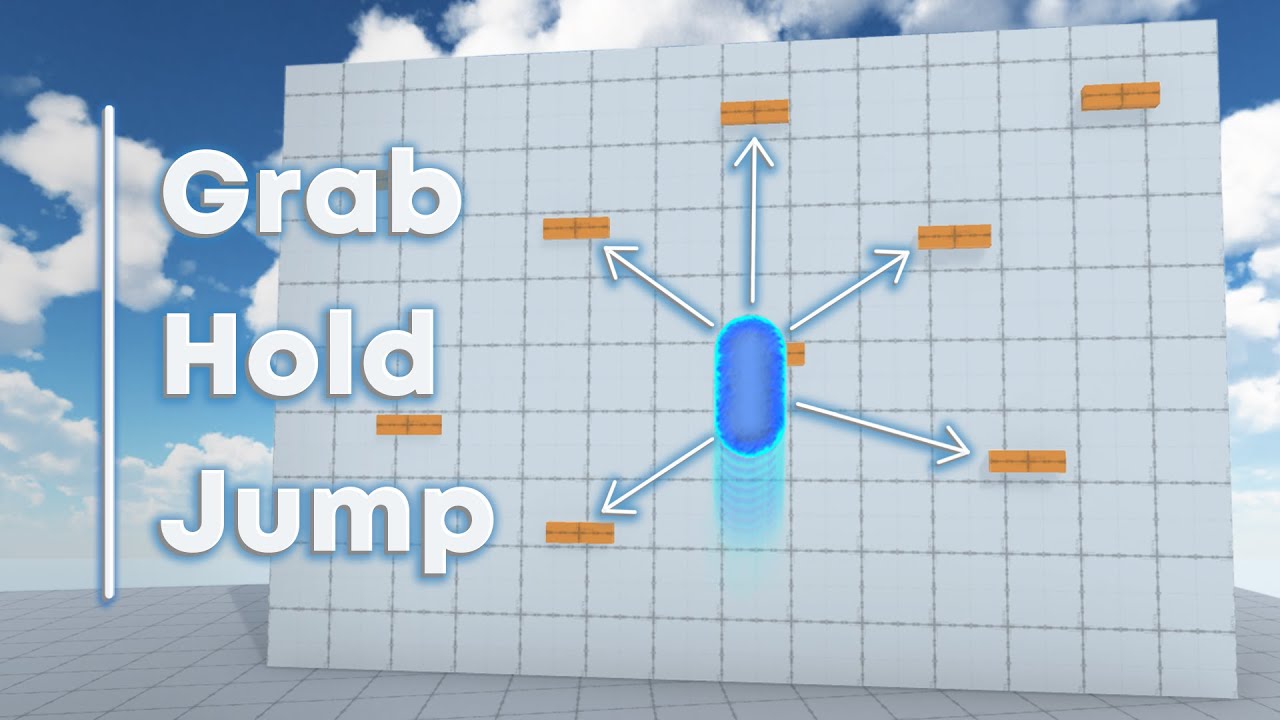
Full LEDGE CLIMBING SYSTEM in 11 MINUTES - Unity Tutorial
In this tutorial, I'm going to follow up on my other climbing tutorial and show you everything you need to know about coding a full ledge climbing ability, including grabbing and holding onto ledges as well as jumping off of them in any direction.
If this tutorial has helped you in any w...
 midnight plover
sour palm
https://www.youtube.com/watch?v=72b4P3AztH4 this is the tutorial I've been fallo...
midnight plover
sour palm
https://www.youtube.com/watch?v=72b4P3AztH4 this is the tutorial I've been fallo...
I am quite sure, most people dont have the time to compare the video against your code. You should describe, WHAT is not working and what you expect.
sour palm
midnight plover
I am quite sure, most people dont have the time to compare the video against you...
they player wont move to the ledge.
radiant voidBOT
midnight plover
!code
Posting code
📃 Large Code Blocks
Use links to services like:
https://paste.mod.gg/, https://hastebin.skyra.pw/, https://paste.ofcode.org/, https://paste.myst.rs/
📃 Inline Code
Surround code with three backquotes. Not quotation marks.
To format as C#, add cs to the first line:
```cs
// Your code here
```
Add a comment with a line number if there is an error message.
 limpid thistle
Im building for android and i want the binding mode of my camera to be lock to target, but when i try and build, the camera behaves as it is on lock to target on assign, which is the complete opposite of the behaviour im looking for, why is that?

It works fine when i play in the editor btw...
 boreal sonnet
can anyone tell me how can i solve it?
 hexed terrace
You should be giving it a different gameobject to clone, it can't clone itself
boreal sonnet
and how do i do it?
hexed terrace
by typing in the name of the actual gameobject you want to clone, and making sure it is assigned a value
do you already have a var declared for this elsewhere?
boreal sonnet
no
hexed terrace
you need one
boreal sonnet
not one game gameobject .this is an obstacles and i just need a bounceeffect that i have already given to playercontroller
naive pawn
what are you trying to do here
why do you need to instantiate something upon collision
 slim rampart
uhh so I just started with unity and I have no idea how to program on it, where do I start....,...,
boreal sonnet
the same explosioneffect when an obstacle bounce or make contact with any gameObject
solar hill
slim rampart
uhh so I just started with unity and I have no idea how to program on it, where ...
!learn
radiant voidBOT
solar hill
!learn
:teacher: Unity Learn ↗
Over 750 hours of free live and on-demand learning content for all levels of experience!
slim rampart
solar hill
!learn
oh ty
edgy sinew
sour palm
Hay I'm at my wits end here I've done everything can but I just am full stuck on...
Which part of it doesn’t work?
The detection of a ledge? Turning off the Rigidbody gravity? Freezing the position of Rigidbody so it “stays on the ledge”?
You can use Debug.Log to verify that certain parts of the code are actually reached, or beyond that the details of what’s actually happening there.
This tutorial is 3 years old, is it maybe using an older version of Unity and some bits of the code may need to change slightly? 
boreal sonnet
slim rampart
uhh so I just started with unity and I have no idea how to program on it, where ...
unity hub recommended
boreal sonnet
boreal sonnet
can anyone tell me how can i solve it?
anyone?
 verbal dome
You probably want to reference a prefab and instantiate that?
solar hill
You cant say var object = instantiate(object)
You need a reference to the thing you are trying to instantiate
boreal sonnet
i did
solar hill
So you should have a reference to your prefab and assign it in the inspector and then instantiate that prefab
hexed terrace
boreal sonnet
i did
you did not in the code you shared
radiant voidBOT
Posting code
📃 Large Code Blocks
Use links to services like:
https://paste.mod.gg/, https://hastebin.skyra.pw/, https://paste.ofcode.org/, https://paste.myst.rs/
📃 Inline Code
Surround code with three backquotes. Not quotation marks.
To format as C#, add cs to the first line:
```cs
// Your code here
```
Add a comment with a line number if there is an error message.
 hexed terrace
that is not sharing it properly
solar hill
People really are allergic to bot messages istg
edgy sinew
Look into object pooling soon enough too. Pretty easy in Unity
The idea is to have 50-100 or whatever number of stuff ready-to-activate before runtime,
So during gameplay you aren’t Instantiating stuff causing additional lag
hexed terrace
You've got a field and a local var with the same name. The local var will take priority. Change the name of one of them.
boreal sonnet
ok
solar hill
Call it BounceEffectInstance or something
hexed terrace
you need to change it in 2 places
solar hill
In the destroy too
naive pawn
-# or you could use this. to get around the shadowing. but you should rename for clarity anyways
boreal sonnet
solar hill
Call it BounceEffectInstance or something
yeah thanks got it
 atomic crag
isnt there a variation of Physics.CheckSphere() that reutrns the colliders detected? im not finding anything in the documentation that actually gives me the colliders
verbal dome
This one avoids allocating new memory by writing into an existing array
https://docs.unity3d.com/6000.3/Documentation/ScriptReference/Physics.OverlapSphereNonAlloc.html
atomic crag
ah thank you so much, i knew it was somewhere but i didnt know what it was called feel kinda dumb now
verbal dome
You could always go to https://docs.unity3d.com/6000.3/Documentation/ScriptReference/Physics.html and look around 👍
warm iris
hey guys is there a way to make the snake move smoothly?

for example like in the google snake, the one which shows up after you searh snake on google
naive pawn
warm iris
hey guys is there a way to make the snake move smoothly?
configure your ide
!ide
radiant voidBOT
naive pawn
!ide
💡 IDE Configuration
If your IDE is not autocompleting code or underlining errors, please configure it.
Select one:
•  Visual Studio (Installed via Unity Hub)
• Visual Studio (Installed manually)
•  VS Code
•  JetBrains Rider
• :question: Other/None
warm iris
naive pawn
configure your ide
whats wrong with it?
it is configured
I use vs code not only for unity
naive pawn
doesn't look like it
warm iris
whats wrong here?
naive pawn
classes and methods there aren't highlighted properly
it's not proof, but it's a pretty reliable hint
naive pawn
are you getting proper intellisense?
warm iris
I didnt open the project
I just opened vs code and sent the script
so someone can answer while ill be eating lunch lol
radiant voidBOT
naive pawn
!code
Posting code
📃 Large Code Blocks
Use links to services like:
https://paste.mod.gg/, https://hastebin.skyra.pw/, https://paste.ofcode.org/, https://paste.myst.rs/
📃 Inline Code
Surround code with three backquotes. Not quotation marks.
To format as C#, add cs to the first line:
```cs
// Your code here
```
Add a comment with a line number if there is an error message.
naive pawn
and to answer your question, to make it smoother, spread the motion out over time
instead of jumping forward every so often, move it towards the next tile consistently
warm iris
radiant void
is screenshot not allowed or what?
verbal dome
Is it a classic snake (over multiple tiles) or a single object?
naive pawn
warm iris
is screenshot not allowed or what?
it's better to share as text.
it's not forbidden, but it's just a common courtesy
warm iris
naive pawn
instead of jumping forward every so often, move it towards the next tile consist...
the problem is, I have kinda like a grid
and it needs to move by just 1
verbal dome
Sounds like you want to implement custom interpolation
warm iris
verbal dome
Sounds like you want to implement custom interpolation
yeah maybe
something like lerping
idk what is there possible in unity
naive pawn
warm iris
the problem is, I have kinda like a grid
that's not a problem, just a constraint you have to keep in mind when designing/implementing 😉
 naive pawn
instead of jumping forward every so often, move it towards the next tile consist...
naive pawn
naive pawn
instead of jumping forward every so often, move it towards the next tile consist...
i hinted at how you might be able to achieve it here - instead of moving in a direction, move smoothly towards the next tile, which is calculated from the current tile and the move direction. don't change target while moving, only do so when you've reached the current target
verbal dome
If it's a grid game, i wouldn't store the position directly in transform.position
Instead have some integer grid coordinates
naive pawn
warm iris
thats why it wasnt highlighted
having the actual project workspace open is one of the requirements to have a configured workspace 😉
verbal dome
Otherwise you might shift off the grid over time when floating point errors accumulate
warm iris
naive pawn
having the actual project workspace open is one of the requirements to have a co...
I just opened it so I can send the code and eat lunch while people will answer lol
dw I dont write any code with unity not open
naive pawn
it also does make it easier for us to read (though text would be even easier)
warm iris
verbal dome
Otherwise you might shift off the grid over time when floating point errors accu...
idk it works fine currently
warm iris
naive pawn
i hinted at how you might be able to achieve it here - instead of moving in a di...
so like custom lerping?
I should write a function for that?
naive pawn
no clue what you mean by that
if you want a function for that, sure?
i'm describing an example of design that would make this easier to implement
warm iris
that I should make a function that moves it for example 0.2 every 0.1s or even less to make it smooth
but isnt there a function for that which already exists?
I would be surprised if it didnt
naive pawn
you mean like, movetowards?
those are just math
there isn't anything made specifically for this thing, no. that wouldn't make sense
what i'm describing would be to move it every frame, but i guess making it more frequent would also technically be "smoother"
smoothness is kind of a vague description
 naive pawn
if that's the behavior you want, sure
movetowards is literally just a bit of math made more convenient
warm iris
yeah it is
naive pawn
it's not the only way to get the same behavior either
warm iris
movetowards seems like exactly what I need
naive pawn
warm iris
isnt this exactly whatI need?
a function that moves it for example 0.2 every 0.1s or even less
they wrote that themselves, it's the Update function. it just happens to utilize the math in MoveTowards
there's no function to "move it by x every 0.1s", that's very specific. that's your job, to build up from simpler pieces
warm iris
naive pawn
> a function that moves it for example 0.2 every 0.1s or even less
they wrote th...
that was just an example of what I understood from what you said to do
verbal dome
warm iris
also whats the difference between these 3
MoveTowards moves at a constant rate, SmoothDamp has smoothing at the start and end, Lerp can slow down towards the end ("wrong-lerp") or it can act similiar to MoveTowards, just with different inputs
warm iris
verbal dome
MoveTowards moves at a constant rate, SmoothDamp has smoothing at the start and ...
yeah I watched the video and it said that, but thanks lol
naive pawn
 yknow if you wanted to keep the speed consistent you would have to also keep the overflow and apply it to the next tile, and then it'd also make it impossible to play at high speed+low framerate
(definitely not relevant here yet, just following my own train of thought)
verbal dome
warm iris
yeah I watched the video and it said that, but thanks lol
Weird that you asked if the video answered it already
warm iris
verbal dome
Weird that you asked if the video answered it already
I thought that hes just gonna show them and not talk about the difference lol
naive pawn
ngl i'd expect that too from an unconfigured ide
 true flame
How would you create a first person camera? I am fairly new but just struggling to make one fully functional.
warm iris
true flame
How would you create a first person camera? I am fairly new but just struggling ...
I think that you just put the camera in the player
but im a beginner
I barely know anything
so im not sure
true flame
warm iris
I think that you just put the camera in the player
okay i think i tried that and i didnt work. ill try again.
warm iris
true flame
okay i think i tried that and i didnt work. ill try again.
if it didnt work then im prob wrong
rough granite
true flame
How would you create a first person camera? I am fairly new but just struggling ...
Use chinemachine first of all, much better than making your own class if you're new
true flame
Okay. Give me a sec.
rough granite
warm iris
I think that you just put the camera in the player
Not really recommended to put the player camera on the same object as the player /a child object
true flame
which camera will it be?
 warm iris
rough granite
Not really recommended to put the player camera on the same object as the player...
warm iris
rough granite
Not really recommended to put the player camera on the same object as the player...
yeah thats why i said that Im a beginner and I might be wrong lol
twin pivot
true flame
which camera will it be?
...? it says cinemachine camera right there
true flame
oh okay
rough granite
true flame
which camera will it be?
Yeah no clue try things out it's one of the maybe dozen or so options it supports
naive pawn
not familiar with cinemachine myself, but just reading through the options, wouldn't it be freelook
twin pivot
freelook seems to be more of a third person camera
kind charm
!learn
radiant voidBOT
kind charm
!learn
:teacher: Unity Learn ↗
Over 750 hours of free live and on-demand learning content for all levels of experience!
kind charm
if i only want to do 2d games, should i skip 3D essentials, or will that make me jump over a step later on in the series?
 verbal swift
I just used a normal cinemachine camera for my first person controller
You 100% can just use a normal camera and have it follow ur player through script it just causes very minor jitter
twin pivot
kind charm
if i only want to do 2d games, should i skip 3D essentials, or will that make me...
Skip for now
kind charm
twin pivot
Skip for now
then ill start my first mission!
 icy bear
Ok... Grid placement systems with SYNTY assets are killing me, I cant tell you how many hours I have spent trying to get this working -- Does anyone know of any good resources that they would recommend for a 3d grid placement system for walls, objects, etc?
 whole willow
Not truly a beginner but I'll ask here anyway since I'm not sure if this is worth creating an entire thread over, but does it make sense to invest a few story points into creating some unit tests for a deterministic grid-based level editor? I'm kinda going crazy after I accidentally broke another system of it and had to scramble to fix both the old (and now broken) and the new feature. This could've been potentially avoided if I had some tests that told me that my MR for this new feature broke something and told me what the issue was.
But I've also been told in the beginning that unit testing isn't really an industry standard in game development due to how many systems are involved and you can't account for everything, but does that also apply for something as "straight-forward" and deterministic as level editors?
 charred spoke
If you can unit test it you should
 low copper
I'm building an AR scene that I want to do multiple things. For example, in one version it will be click and collect game, in another it will be simple shooter etc etc. Can I get a sanity check on how people normally structure this code. The easiest I think is to have a base AR scene, and then I load in the specific version additively. The only other option I can think of is to load in all the versions and then have a primary script choose which to use. This seems more complicate/worse performance. Any thoughts?
kind charm
should i switch to unity 6 or stay at 6.3 while doing junior programmer?
 visual linden
kind charm
should i switch to unity 6 or stay at 6.3 while doing junior programmer?
visual linden
kind charm
should i switch to unity 6 or stay at 6.3 while doing junior programmer?
6.3 is the recommended editor version to use :)
kind charm
visual linden
6.3 is the recommended editor version to use :)
okay Tobias
visual linden
whole willow
Not *truly* a beginner but I'll ask here anyway since I'm not sure if this is wo...
If you're not already unit testing your codebase, I would not jump head first into it before looking more closely into what happened and how it could be avoided more broadly.
( That said, unit testing IS good, but it's a team effort - You probably shouldn't be writing unit tests just for yourself )
whole willow
well I am working on this mostly solo with just a bit of help here and there from friends. Unit tests were just heavily pushed in college and I thought it'd be a good idea to implement so I wouldn't have to keep a checklist of things to manually test each time.
visual linden
In that case it does sound like a nice opportunity to add unit tests and make testing a bit easier
whole willow
I gotta refactor a lot of my logic anyway, so the idea would've been to put as much as possible into plain C# classes, write regular tests for those and once all of those pass I'd have monobehavior tests that run at runtime, with the same steps being taken each time.
I don't have any right now, but I plan on having a random level generator later on as well, and I'd just seed it. That should cover the vast majority of situations so I can test future MRs via the pipeline rather than having to once again be embarrassed during a live demo, plus it might also help me find other bugs I'm not yet aware of.
visual linden
It's worth keeping in mind that unit testing error prone and fragile code just means you'll have your test failing a lot of the time, which is great for avoiding pushing breaking changes to production; But it's equally important to look at how you could refactor your code in a way that reduces the chance of it breaking from change.
kind charm
In the Junior Programming course. Will I learn 2D too? Or only 3D?
whole willow
visual linden
It's worth keeping in mind that unit testing error prone and fragile code just m...
I thought I'd just test the refactor like I did all code changes so far (by just manually testing whatever it is I'm currently changing) but test all affected systems this time (like testing undo/redo at the same time as save/load as it uses the same serialization system). Once they're out of MonoBehaviors I'll write unit tests for the refactored code in those plain C# classes that actually make sense. I'll write as many unit tests as I deem necessary for each feature, with the goal being getting as close as possible to 100% code coverage for my editor classes. I also thought about writing some tests that specifically test for known bugs that have both been fixed and are known to exist still (which would of course fail right now).
 runic lance
whole willow
Not *truly* a beginner but I'll ask here anyway since I'm not sure if this is wo...
runic lance
whole willow
Not *truly* a beginner but I'll ask here anyway since I'm not sure if this is wo...
it's definitely worth it and not only unit tests, but other kinds can be useful too (integration, end-to-end), as well as automated validations (check for missing references, invalid assingments, etc.)
unit tests sometimes can even speed up your development by doing something like TDD, it's especially useful for test cases with few dependencies
visual linden
whole willow
I thought I'd just test the refactor like I did all code changes so far (by just...
Yep it sounds like a great candidate, and you sound like you have a vision of where you want to go with your test coverage 
whole willow
I did TDD for non-game dev/unity projects (even though at some point the laziness got to me), so I think it's a good idea. Guess my tutor just didn't want me testing physics stuff in Unity, which was probably why he recommended against it back then.
whole willow
runic lance
it's definitely worth it and not only unit tests, but other kinds can be useful ...
do you think a full on CI/CD pipeline in GitHub would make sense for my Unity project? I made one for my Ruby project for college once, but never for Unity/C#.
runic lance
whole willow
do you think a full on CI/CD pipeline in GitHub would make sense for my Unity pr...
if you can have a self hosted runner up for running your pipelines, then you can try using the GameCI actions
it can run tests and make builds with very little effort
runic lance
whole willow
I thought I'd just test the refactor like I did all code changes so far (by just...
I would recommend against trying to get 100% coverage though, it's not always a useful metric
you can definitely check the coverage results and see if you're missing any important path, but 100% is usually not necessary
whole willow
🤔 My uni provided me with a runner environment for my Ruby project, but I won't have that luxury with my game. Can I theoretically host one on my own computer that runs whenever I'm updating a MR since, well, I'm pretty much the only actual dev outside of a few LOC here and there where I got some help from my buddies? My PC would be running anyway, so
whole willow
runic lance
I would recommend against trying to get 100% coverage though, it's not always a ...
yea fair enough, I just always think of my professor scolding me for only having 88% code coverage rather than the full 100%.
visual linden
kind charm
In the Junior Programming course. Will I learn 2D too? Or only 3D?
It's programming basics, so you'll be learning concepts that are equally applicable to both. It focuses on 3D though.
kind charm
visual linden
It's programming basics, so you'll be learning concepts that are equally applica...
okay
and, this will take 12 weeks+?
naive pawn
it'll take as long as you take with it. it's not gonna be the same fixed amount for everyone
naive pawn
kind charm
should i switch to unity 6 or stay at 6.3 while doing junior programmer?
when you're just learning, it doesn't really matter as long as you have a modern, stable, and supported editor version. use whichever one you already have
kind charm
naive pawn
when you're just learning, it doesn't really matter as long as you have a modern...
Its says 6.0 but I use 6.3 LTS :D
runic lance
whole willow
yea fair enough, I just always think of my professor scolding me for only having...
don't worry about that 😄
when you're creating tests just for the sake of coverage, sometimes it happens that you "lock" the current implementation
then whenever you need to change anything, you end up having to change the tests too, which is usually not desirable
usually happens when you're dealing with mocks and that kind of stuff
whole willow
Oh absolutely, I'll be making sure to prevent that from happening. Not just gonna let AI generate tests for me until they pass and then be done with it.
I wanna make sure to test the desired results and not just whatever the code currently does (which is why I wanna write unit tests for features rather than each function)
and I guess also have tests that test for previously existing bugs so they won't reappear... Man, it'll be great to just instantly know that previously existing offset bugs won't reappear. I'll take some time next month after my exams to write some unit tests then. Thanks @runic lance and @visual linden!
 red igloo
I made it so when you go in one direction and then try to go in another direction it gives a push in the direction your moving. If you watch the video I don't really like how it feels / look. Any ideas how I can make it better?
Script: https://paste.ofcode.org/Q4ynUrYSs4Ri4wh5kHLiPZ
verbal swift
red igloo
I made it so when you go in one direction and then try to go in another directio...
If your using a rb you can increase the drag and move forces by alot to make it more “responsive”
Probably not the best solution but its a solution
Lineardamping is what causes the drag
The higher the damping the more movespeed youll need but it worked for me
red igloo
I know but that way is not the best.
red igloo
@verbal swift Thanks for that, I messed around with the values and added a physics material till I got it to look like what I wanted and it looks better than before.
 tired bolt
 polar acorn
Don't crosspost. Pick a channel and stick to it
 tame juniper
im making a simple block stacking game, and i have a prefab block and want to put a face sprite on it, a simple sprite renderer and want to be able to use different faces randomly, i have 6 sprites of the face but dont know how to pick it randomly
 naive pawn
break that into separate pieces. referencing the faces, choosing a random one, and then applying it to the spriterenderer
tame juniper
wdym by break into seperate peices?
naive pawn
break the problem down into smaller, simpler, easier tasks
tame juniper
okie thanks, i will let you know soon if i can do it 😄
tame juniper
it worked!!

 open stratus
Hi all
When i have a lot of agents and sent them to same target the problem is they all want to reach same point so these reach first block other agents how solve that ?
I know maybe random offset useful but i am looking for another way
Any idea ?
ivory bobcat
open stratus
Any idea ?
The internet suggests
Switch on the NavMeshAgent when your agent needs to walk from A to B. Switch off the NavMeshAgent, when it is standing around for a while and switch the NavMeshObstacle on instead. This will improve the avoidance significantly. Make sure NavMeshAgent and NavMeshObstacle are never active at the same time, as this would indeed not work
which partly makes sense. I'm uncertain of the expense though.
https://discussions.unity.com/t/official-way-to-make-agents-avoid-each-other/739021
Where you'd recalculate somewhere in between with the others who will certainly not be able to get to the wanted destination.
There was a post by ChrisKurhan in the discussion (a youtube video) that explains obstacle avoidance.
The video link https://youtu.be/dHYcio6fRI4?si=mv1ExDx7YORa19_7
open stratus
ivory bobcat
The internet suggests
> Switch on the NavMeshAgent when your agent needs to walk...
I try to understand that solution but I don't know how it will fix my problem
That video will explain some parameters that help to agents avoid each other but my problem is different because all of them goes to same point chnaging Priority or radios will not help
 swift crag
Agents will try to avoid each other, but they assume that they'll still be able to reach the destination
Hence why they all bunch up and constantly try to push forward
notably, a NavMeshObstacle that's set to carve the NavMesh will create an actual hole in the mesh
which agents will properly path around (or use to decide that the destination is unreachable)
but you probably don't want to be cutting lots of holes in the mesh as the agents pile up
I think randomizing the destination is necessary here. If you issue commands to many agents at once, you can calculate a reasonable radius
(basically the square root of the number of agents)
sour palm
edgy sinew
Which part of it doesn’t work?
The detection of a ledge? Turning off the Rigidbo...
the ledge detection.
open stratus
swift crag
I think randomizing the destination is necessary here. If you issue commands to ...
If I create random offset for destination point I should also calculate the shape of my target object shape which something not easy for me but is there any way to make the these are reach late able to push these are reach first and the other that reach first not able to push them back ???
swift crag
You'd use UnityEngine.Random.insideUnitCircle to get random points inside of a circle
swift crag
open stratus
If I create random offset for destination point I should also calculate the shap...
I guess you could give higher priority numbers to agents that have reached the target
this makes the other agents ignore them
so they won't try to avoid the agents that have reached the destination
open stratus
I will try that thanks mate
charred spoke
open stratus
I will try that thanks mate
I think this lecture will prove helpful to you https://youtu.be/hE5tWF-Ou2k?si=ycU2nD0s-69RL5DH

In this 2019 GDC talk, Sony Santa Monica Studio’s Mihir Sheth covers how they implemented combat systems to deliver a bold new action experience that evolved yet stayed true to 'God of War.'
Join the GDC mailing list: http://www.gdconf.com/subscribe
Follow GDC on Twitter: https://twitter.com/Official_GDC
GDC talks cover a range of developm...
edgy sinew
sour palm
the ledge detection.
There’s a variety of things that could be wrong. I assume you set up the Box Collider on the ledges properly, perhaps look into the other available settings there.
Layer masks can be tricky to set up
swift crag
it's easiest if you just add a LayerMask field to your class so that you can configure it in the inspector
 errant vault
yo i need help to program can somone help me. call me plz?
 rocky canyon
you'll get more help if you have a specific question or need help w/ a certain thing..
broad "help me/ tutor me" requests likely to be ignored
solar hill
cant think of anything less efficient than diagnosing an issue through a call rather than text
swift crag
solar hill
cant think of anything less efficient than diagnosing an issue through a call ra...
interpretive dance?
screaming and hitting myself with a bat (i am trying to debug a graphics issue)
solar hill
errant vault
yo i need help to program can somone help me. call me plz?
you can still and should ask here in a message.
solar hill
okay well thats a start
we need actual info here
other than "it doesnt work"
what specifically doesnt work
what are you trying to accomplish
swift crag
are you following a tutorial right now?
solar hill
errant vault
and it cant walk or move the camera
youre still not giving us any info to work off of
be detailed
errant vault
i click play but when i try to move the camera or walk i does not work btw i used a model for the codings
solar hill
errant vault
i click play but when i try to move the camera or walk i does not work btw i use...
putting more words inside the sentence doesnt make it any more detailed...
What code are you using for movement share it here
radiant voidBOT
Posting code
📃 Large Code Blocks
Use links to services like:
https://paste.mod.gg/, https://hastebin.skyra.pw/, https://paste.ofcode.org/, https://paste.myst.rs/
📃 Inline Code
Surround code with three backquotes. Not quotation marks.
To format as C#, add cs to the first line:
```cs
// Your code here
```
Add a comment with a line number if there is an error message.
solar hill
are you getting any errors?
errant vault
probably not
errant vault
https://paste.mod.gg/, https://hastebin.skyra.pw/, https://paste.ofcode.org/, https://paste.myst.rs/
A tool for sharing your source code with the world!
a powerful website for storing and sharing text and code snippets. completely free and open source.
this it
btw i gtg
solar hill
you just shared the links to the code pasting sites
you did not actually share your own code
errant vault
i dont know how to do it
errant vault
ok
solar hill
paste it into https://paste.mod.gg/
A tool for sharing your source code with the world!
and copy the link
errant vault
public class FirstPersonLook : MonoBehaviour
{
[SerializeField]
Transform character;
public float sensitivity = 2;
public float smoothing = 1.5f;
Vector2 velocity;
Vector2 frameVelocity;


void Reset()
{
    // Get the character from the FirstPersonMovement in parents.
    character = GetComponentInParent<FirstPersonMovement>().transform;
}

void Start()
{
    // Lock the mouse cursor to the game screen.
    Cursor.lockState = CursorLockMode.Locked;
}

void Update()
{
    // Get smooth velocity.
    Vector2 mouseDelta = new Vector2(Input.GetAxisRaw("Mouse X"), Input.GetAxisRaw("Mouse Y"));
    Vector2 rawFrameVelocity = Vector2.Scale(mouseDelta, Vector2.one * sensitivity);
    frameVelocity = Vector2.Lerp(frameVelocity, rawFrameVelocity, 1 / smoothing);
    velocity += frameVelocity;
    velocity.y = Mathf.Clamp(velocity.y, -90, 90);

    // Rotate camera up-down and controller left-right from velocity.
    transform.localRotation = Quaternion.AngleAxis(-velocity.y, Vector3.right);
    character.localRotation = Quaternion.AngleAxis(velocity.x, Vector3.up);
}
}
solar hill
errant vault
public class FirstPersonLook : MonoBehaviour
{
[SerializeField]
Transfor...
i promise you the paste sites are not that hard to use...
i even gave you a simple step by step
this is also very clearly AI generated code leading me to believe that no amount of wisdom here will mean much towards fixing your issue
errant vault
i used model i am new to coding:)
solar hill
errant vault
i used model i am new to coding:)
you being new to coding is the exact reason you shouldnt use ai
errant vault
ahaaaaa
solar hill
also not a lot of people here are going to waste time helping fix code written by AI because its a pretty pointless endeavor, if you wanna use AI you should understand its going to make mistakes pretty often, and we arent a code clean up crew for a hallucination machine
 grand snow
i learnt coding without llms, you can too!
solar hill
its hard because youre not actually trying to learn
errant vault
yes i am
errant vault
i sat for i hr trying to code but i don,t understand
grand snow
Then you need better resources to teach you
errant vault
ye
solar hill
well you need to watch a lot more
hell i would even say forget about unity for now and learn the basics of c#
errant vault
they speak too much in the tutorials
solar hill
thats the point...
errant vault
what
grand snow

Codecademy
Dive into C#, a scalable programming language that is easy to read and maintain.
solar hill
errant vault
what
if they are speaking they are probably telling you stuff you should know/learn.
ai wont get you quick results
it wont get you any kind of results
errant vault
no they speak too fast
errant vault
ik
solar hill
for some people learning takes time
grand snow
Scratch is actually quite good as a way to understand common concepts
errant vault
i understandet it
grand snow
Then try to follow a beginner c# course like the one i sent above or a unity learn course
!learn
radiant voidBOT
grand snow
!learn
:teacher: Unity Learn ↗
Over 750 hours of free live and on-demand learning content for all levels of experience!
errant vault
gtg
 worn niche
does anyone know, How to keep an object affected by the APV so the light probs on a scene swithc? Because it just looks like this.

 harsh tartan
how can I make it so that beautiful pink stick (player object) stand on the white playform (plane)
 polar acorn
harsh tartan
how can I make it so that beautiful pink stick (player object) stand on the whit...
polar acorn
harsh tartan
how can I make it so that beautiful pink stick (player object) stand on the whit...
Give the platform a collider and move the player with something that respects collision like a Rigidbody or CharacterController
charred spoke

Get the Kinematic Character Controller package from Philippe St-Amand and speed up your game development process. Find this & other Physics options on the Unity Asset Store.
worn niche
harsh tartan
how can I make it so that beautiful pink stick (player object) stand on the whit...
It depends what your goal is, the most common use cases are to use a Rigidbody or a Character Controller. Quick (AI) summary:
Rigidbody: Realistic interactions with the environment; handles gravity and collisions automatically. Movement can feel "floaty" or "slippery"; can get stuck on tiny floor cracks unless you use a "Frictionless" Physics Material.
Character Controller: easy to handle stairs and slopes. Does not naturally get pushed by explosions or wind; requires you to write your own gravity code
I can't give much information about Character Controller I dont use it
solar hill
charred spoke
https://assetstore.unity.com/packages/tools/physics/kinematic-character-controll...
is this still supported?
i thought it had some issues that were never changed
or am i thinking of another one
charred spoke
It’s perfect the way it is
You don’t need to support perfection
Also the code is available it’s not it’s a obfuscated dll
harsh tartan
I use rigidBody and thats my cube (to test if i can go thrue objects) and it says i enter but how can I keep from going thrue?


 solar hill
harsh tartan
I use rigidBody and thats my cube (to test if i can go thrue objects) and it sa...
solar hill
harsh tartan
I use rigidBody and thats my cube (to test if i can go thrue objects) and it sa...
how are you moving the cube?
harsh tartan
the player object or the cube
solar hill
whatever you are moving.
harsh tartan
with a player ovement script
 worn niche
does it fall through the ground?
solar hill
harsh tartan
with a player ovement script
ok that one is on me, i should have been specific
what does the code that makes the player move look like
harsh tartan
worn niche
does it fall through the ground?
Yes, if I turn on " use gravity"
harsh tartan
solar hill
what does the ***code*** that makes the player move look like
my bad, do you mean my code?
solar hill
are you doing transform.position?
solar hill
harsh tartan
Yes, if I turn on " use gravity"
well thats also concerning
worn niche
does the floor and the cube has an collider?
harsh tartan
solar hill
are you doing transform.position?
to check if player is on ground.
using UnityEngine.InputSystem;

public class PlayerMovement : MonoBehaviour
{
    [Header("References")]
    public Rigidbody rb;
    [Header("Movement Settings")]
    public float moveSpeed = 5f;
    public float jumpForce = 5f;

    [Header("Input Settings")]
    public InputActionReference move;
    public InputActionReference jump;

    private Vector2 _moveInput;
    private bool _jumpPressed;

    private void OnEnable()
    {
        move.action.Enable();
        if (jump != null)
            jump.action.Enable();
    }

    private void OnDisable()
    {
        move.action.Disable();
        if (jump != null)
            jump.action.Disable();
    }

    private void Update()
    {
        _moveInput = move.action.ReadValue<Vector2>();
        if (jump != null)
            _jumpPressed = jump.action.triggered;
    }

    private void FixedUpdate()
    {
        bool isGrounded = Physics.Raycast(transform.position, Vector3.down, 1.1f);

        Vector3 moveDir = new Vector3(_moveInput.x, 0f, _moveInput.y);
        Vector3 newPosition = rb.position + moveDir * (moveSpeed * Time.fixedDeltaTime);
        rb.MovePosition(newPosition);

        if (_jumpPressed && isGrounded)
        {
            rb.AddForce(Vector3.up * jumpForce, ForceMode.Impulse);
        }
    }
}
no currently not only the cube im just flying
 ashen isle
Hello hello whats wrong with my coroutine 🙏🙏
 harsh tartan
 solar hill
harsh tartan
no currently not only the cube im just flying
solar hill
harsh tartan
no currently not only the cube im just flying
well what do you expect to happen lol
how is your player meant to stay on the ground if it cant collide with the ground
solar hill
ashen isle
Hello hello whats wrong with my coroutine 🙏🙏
!code
radiant voidBOT
solar hill
!code
Posting code
📃 Large Code Blocks
Use links to services like:
https://paste.mod.gg/, https://hastebin.skyra.pw/, https://paste.ofcode.org/, https://paste.myst.rs/
📃 Inline Code
Surround code with three backquotes. Not quotation marks.
To format as C#, add cs to the first line:
```cs
// Your code here
```
Add a comment with a line number if there is an error message.
harsh tartan
I mean the cube thats also flying need to stop me, thats how im testing collosion ATM.
polar acorn
ashen isle
Hello hello whats wrong with my coroutine 🙏🙏
It appears to be a low quality unreadable photo from a phone instead of an actual text document or even a crisp desktop screenshot
 wicked cairn
ashen isle
Hello hello whats wrong with my coroutine 🙏🙏
wicked cairn
ashen isle
Hello hello whats wrong with my coroutine 🙏🙏
What is the issue you are experiencing though? That script needs to be on a gameobject and it will run as soon as that scene starts
ashen isle
polar acorn
It appears to be a low quality unreadable photo from a phone instead of an actua...
Yeah im sorry no wifi using my data and working offline on my PC
wicked cairn
polar acorn
It appears to be a low quality unreadable photo from a phone instead of an actua...
Counter argument tho... easier to see it in color in a pic than a text document XD
earnest wind
earnest wind
why does this remove the scene ✅ - which is what it is supposed to do, but then ...
anyone?
polar acorn
wicked cairn
Counter argument tho... easier to see it in color in a pic than a text document ...
Most paste sites have syntax highlighting and the point of it being in text is that you can copy it
polar acorn
earnest wind
il add some debugging later but its so weird tbh
Well what did the debugging you added show?
earnest wind
ah give me 2 seconds, i was supposed to do that today but just thought maybe someone knows 🙏
wicked cairn
ashen isle
Yeah im sorry no wifi using my data and working offline on my PC
Doesnt look like there are any problems with the code. Do you have the script on a gameobject in the scene? You can add debug lines such as Debug.Log("code ran"); to make sure its being called. Read from the console tab
ashen isle
wicked cairn
Doesnt look like there are any problems with the code. Do you have the script on...
Good idea i’ll do that, it is attached to a game object
worn niche
harsh tartan
to check if player is on ground.
```using UnityEngine;
using UnityEngine.Input...
So In you current code you can jump infinit, because the Raycast is hitting your obj.
worn niche
Right here: ```cs
bool isGrounded = Physics.Raycast(transform.position, Vector3.down, 1.1f);
you need to add a Layermask to prevent this from happening
harsh tartan
okay, is there like a good place where you can learn all those stuff? like 1 youtuber with alot of updated content? instead of watching 600 videos all doing it other ways, older versions etc etc
paid or not paid
solar hill
harsh tartan
okay, is there like a good place where you can learn all those stuff? like 1 you...
!learn
radiant voidBOT
solar hill
!learn
:teacher: Unity Learn ↗
Over 750 hours of free live and on-demand learning content for all levels of experience!
solar hill
right 'ere
earnest wind
polar acorn
Well what did the debugging you added show?
public static IEnumerator RestartPlayCorountine()
    {
        Scene additiveScene = SceneManager.GetSceneByName("Cart-Custom");
        if (additiveScene.IsValid())
        {
            Debug.LogError("A");
            AsyncOperation asyncUnload = SceneManager.UnloadSceneAsync(additiveScene);
            while (!asyncUnload.isDone)
            {
                Debug.Log("AA");
                yield return null;
            }
        }
        Debug.Log("B");
        AsyncOperation asyncLoad = SceneManager.LoadSceneAsync("Cart-Custom", LoadSceneMode.Additive);
        while (!asyncLoad.isDone)
        {
            Debug.Log("BB");
            yield return null;
        }
    }

it doesnt go beyond AA, but it stops at 1
ashen isle
wicked cairn
Doesnt look like there are any problems with the code. Do you have the script on...
Did this and didn’t get a console message which means the code isn’t running
 earnest wind
so is it because there is no scene???
but that object that loads is in a different scene
ashen isle
I attached the script to an empty game object called “transition manager”
harsh tartan
radiant void
## :teacher: [Unity Learn ↗](<https://learn.unity.com/>)
Over 750 hours of free ...
I see thank you
polar acorn
ashen isle
Did this and didn’t get a console message which means the code isn’t running
!code
radiant voidBOT
polar acorn
!code
Posting code
📃 Large Code Blocks
Use links to services like:
https://paste.mod.gg/, https://hastebin.skyra.pw/, https://paste.ofcode.org/, https://paste.myst.rs/
📃 Inline Code
Surround code with three backquotes. Not quotation marks.
To format as C#, add cs to the first line:
```cs
// Your code here
```
Add a comment with a line number if there is an error message.
solar hill
earnest wind
so is it because there is no scene???
is the scene in your build profile?
earnest wind
solar hill
is the scene in your build profile?
yeah
ashen isle
wicked cairn
Doesnt look like there are any problems with the code. Do you have the script on...
The start function is running just not the ienumerator
polar acorn
earnest wind
```cs
public static IEnumerator RestartPlayCorountine()
{
Scene addi...
Is this object in the scene you're unloading
wicked cairn
ashen isle
Did this and didn’t get a console message which means the code isn’t running
In start, try changing the function call to StartCoroutine(playCutScene());
worn niche
harsh tartan
okay, is there like a good place where you can learn all those stuff? like 1 you...
So @Brackeys is a is mostly a good source, the videos are a bit old, but still great to learn.#

YouTube
Learn how to make video games!
Top-quality game development tutorials on everything from Unity, Godot and programming to game design. If you want to become a developer this channel will help guide you through it!
Join us on Discord: https://discord.gg/brackeys
► All content by Brackeys is 100% free. We believe that education should be avail...
polar acorn
Because when a scene is unloaded, all of the objects in it are destroyed
and when the object is destroyed, all coroutines stop
earnest wind
polar acorn
Is this object _in_ the scene you're unloading
but its a static Ienumerator????
earnest wind
polar acorn
Because when a scene is unloaded, all of the objects in it are destroyed
its not in the destroyed scene
polar acorn
earnest wind
but its a static Ienumerator????
So? It's running on an actual object.
Where are you calling StartCoroutine from
worn niche
harsh tartan
okay, is there like a good place where you can learn all those stuff? like 1 you...
Also https://www.youtube.com/@CodeMonkeyUnity/videos CodeMonkey got a lot of good Tutorials

YouTube
Hello and Welcome!
I'm your Code Monkey and here you will learn everything about Game Development in Unity using C# taught by a Professional Indie Game Developer.
Watch the FREE Video Tutorials or learn from my complete Step-by-step Courses
https://unitycodemonkey.com/courses
Check out the official website to download the free Project Files f...
polar acorn
The IEnumerator is not the coroutine. It's the thing that the coroutine runs
earnest wind
polar acorn
Where are you calling `StartCoroutine` from
soo, how could i make this work??
polar acorn
You'd need to run the coroutine on something that doesn't get unloaded, like a DDOL
earnest wind
make a call to just a void and then that void calls coroutine? from that same script
ashen isle
wicked cairn
In start, try changing the function call to `StartCoroutine(playCutScene());`
That was it thank you so much
earnest wind
earnest wind
make a call to just a void and then that void calls coroutine? from that same sc...
ah i see i cant, need object reference
yeah ddol would work, thank you
worn niche
harsh tartan
(jump not working im thinking because gravity isnt on?)
If you want I can send you a small code for the jump, How I would do it in Unity 6.X.
harsh tartan
sure :)
 grand snow
warm iris
what should I put here to make the speed 0.5s?
grand snow
warm iris
what should I put here to make the speed 0.5s?
erm well first you need to know the distance to know the speed to move at to reach it in 0.5s
worn niche
harsh tartan
sure :)
    [SerializeField] private float JumpForce = 5f;
    [SerializeField] private LayerMask GroundLayer;

    [SerializeField] private float SphereCastSize = .8f;
    [SerializeField] private float GroundCheckDistance = 1.1f;

    private InputSystem_Actions inputActions;


    void Update(){
        if(inputActions.Player.Jump.WasPressedThisFrame() && isGrounded)
        {
            Debug.Log("Jump");
            Jump();
        }
    }

    bool isGrounded(){
        if(Physics.SphereCast(transform.position, SphereCastSize, -transform.up, GroundCheckDistance, GroundLayer, queryTriggerInteraction: QueryTriggerInteraction.Ignore))
        {
          return true;
        }
        else
        {
          return false;
        }
    }

    void Jump()
    {
        rb.AddForce(Vector3.up * JumpForce, ForceMode.Impulse);
    }
hope I didn't forgot anything.
To explain a bit:
- [SerializeField] makes private variables(float, bool, int, ...) visible in the inspector
- "InputSystem_Actions" this is for the unity inpu tsystem (need to set it up first, doesnt take long)
- "SphereCast" instead of a RayCast(line) I cast a sphere which just has a wider detection range
- "queryTriggerInteraction: QueryTriggerInteraction.Ignore" If you have a trigger, the Ray will not detect it
Any questions?
warm iris
grand snow
erm well first you need to know the distance to know the speed to move at to rea...
its just 1
grand snow
warm iris
its just 1
then do 1 * Time.deltaTime or Time.deltaTime to have it move at 1 unit per second.
MoveTowards works by you specifying the max distance it should move towards the target
warm iris
grand snow
then do ``1 * Time.deltaTime`` or Time.deltaTime to have it move at 1 unit per s...
no it moves really slow
Time.deltaTime is not it
its like 0.01 / s
grand snow
warm iris
no it moves really slow
check the example then because it also does this https://docs.unity3d.com/6000.3/Documentation/ScriptReference/Vector3.MoveTowards.html
polar acorn
warm iris
its like 0.01 / s
The third parameter of MoveTowards is an amount to move by
Not a time it takes to get there
If you did Time.deltaTime that would mean you're moving at 1 unit per second
warm iris
polar acorn
If you did `Time.deltaTime` that would mean you're moving at 1 unit per second
doesnt look like it


its closer to 1 unit / min
than 1 unit / s
polar acorn
warm iris
its closer to 1 unit / min
Are you calling MoveTowards every frame
warm iris
yeah
 warm iris
polar acorn
You literally are not calling it every frame
warm iris
polar acorn
You literally are not calling it every frame
? how come
polar acorn
You're calling it every time moveTimer has reached moveCooldown
warm iris
oh
polar acorn
At which point, it moves one frame towards the target until the next cooldown
warm iris
yeah youre right lol
polar acorn
It's moving at 1 unit per second, but you're calling the movement once every moveCooldown seconds
molten otter
any tutorials or articles on making a camera in DOTS/ECS?
a camera that follows an entity, or a first person camera specifically
I looked in #1062393052863414313 and all I found where a few vague sentences but nothing in depth, and youtube only has outdated stuff it seems
swift crag
afaik you just use a regular GameObject camera
you just need to pull data out of the Entities world
I haven't worked with Entities in a hot minute, so I don't recall the specifics.
 true pasture
Logged back onto my computer and my main scene is completely gone and getting weird error messages. I am using version control so that should save the scenes too. Would errors like this stop the scene from loading?


hoping its just this. anyone else getting issues?
 true pasture
fixed by syncing my time on computer. Nevermind
solar hill
also how is this a code question
true pasture
compiler errors is why I came here.. but yeah it was actually not code related
 hallow sun
Hey guys any tips on avoiding an object consuming a click meant for its child? (2D)
For the longest time i didnt know why sometimes the food from the food spawner couldn't be picked up, turns out it works fine if i turn off the spawner's collider so I'm just gonna hard-code so it shuts off on spawn and turns back on OnTransformChildrenChanged, any cleaner solutions?
teal viper
How do you have your "on click" implemented?
hallow sun
2DRaycast with ScreenToWorldPoint that i got from a drag tutorial
i guess without 3d there's no top-bottom priority?
slender nymph
ideally you should be using an OverlapPoint rather than a Raycast considering you don't need to check a direction, you just need to check the point the mouse cursor is at
but you can use OverlapPointAll, then test each overlapped collider for a specific component type or interface to find the right object to call your method on
hallow sun
hmm but then the issue remains since the spawner is also something that you interact with
slender nymph
then you'll need to determine how you want to prioritize the objects, and as you're looping through what was found by the physics query you check if they have the relevant component, then check priority, and just keep track of only the one object with the current highest priority, then after the loop you call your desired method on that object
 cyan wind
does anyone know where I should look for basic movement code
molten otter
anyone know a way to see documentation for methods directly in vscode?
like it would be great to hover over a method and see the documentation for it right there in the editor

 willow mantle
heyyy
could someone help
everytime i try to integrate camera follow code my player just flies away 😭
teal viper
molten otter
anyone know a way to see documentation for methods directly in vscode?
like it w...
It should show up if your ide is configured correctly and the target code actually has embedded documentation.
!ide
radiant voidBOT
teal viper
!ide
💡 IDE Configuration
If your IDE is not autocompleting code or underlining errors, please configure it.
Select one:
• Visual Studio (Installed via Unity Hub)
• Visual Studio (Installed manually)
• VS Code
• JetBrains Rider
• :question: Other/None
molten otter
teal viper
It should show up if your ide is configured correctly and the target code actual...
I've gone through all of that so I suspect the source code for a lot of ECS stuff just doesn't have embedded documentation
the docs for each method are all there in the unity website so it would be nice if there was a plugin to embed it into the editor view
teal viper
molten otter
I've gone through all of that so I suspect the source code for a lot of ECS stuf...
Try jumping to definition with F12 and seeing if there are xml docs above the method.
molten otter
yeah for that example and others there aren't any

and for others there are, and those show up correctly when you hover over the method

it's inconsistent really
 upper pebble
How would I enforce a cap on player acceleration?
 cosmic dagger
upper pebble
How would I enforce a cap on player acceleration?
cosmic dagger
upper pebble
How would I enforce a cap on player acceleration?
Check the velocity. If moving at max speed via force, stop applying it, or set velocity to a max value to cap it . . .
upper pebble
cosmic dagger
Check the velocity. If moving at max speed via force, stop applying it, or set v...
Starting to think I should redo my code then LMAOOO

It started to morph into a "if it works, don't touch it"
willow mantle
willow mantle
heyyy
could someone help
everytime i try to integrate camera follow code my pla...
anyone know whats going on 😭
keen dew
Without seeing the code? No
willow mantle
keen dew
Without seeing the code? No
my badd

everytime i run the code it just flings my player to the left
how do i fix it tho
i tried a bunch of things but it either flings my player to the left or camera just doesnt follow the player
naive pawn
that is the z position, and it's correct
naive pawn
willow mantle
everytime i run the code it just flings my player to the left
this doesn't affect the player's position at all. either this isn't the relevant code, or you're seeing something else
also, seems like your ide is not configured
!ide
radiant voidBOT
naive pawn
!ide
💡 IDE Configuration
If your IDE is not autocompleting code or underlining errors, please configure it.
Select one:
• Visual Studio (Installed via Unity Hub)
• Visual Studio (Installed manually)
• VS Code
• JetBrains Rider
• :question: Other/None
willow mantle
naive pawn
this doesn't affect the player's position at all. either this isn't the relevant...
hmmmm alr thank youu
ill try to find a different code then
u know wht code might work?
naive pawn
that's not at all what i said
either the issue isn't what you said it is, or this isn't the relevant code
check which one it is, work from there
willow mantle
😭
okie the code is relevant tho
ill check the issue again
naive pawn
try checking the player's position from the inspector when the supposed "fling" happens
is the player actually getting flung left, or is the camera being flung right
 burnt vapor
willow mantle
burnt vapor
willow mantle
Regardless of your issue, you need to configure your editor first like Chris said. We're not able to properly help you until then.
See the bot message for steps to configuring your editor
willow mantle
naive pawn
is the player actually getting flung left, or is the camera being flung right
trueee x axis of the camera changes and y of the player
willow mantle
burnt vapor
Regardless of your issue, you need to configure your editor first like Chris sai...
okie
i thought it was configured
naive pawn
well somehow it's picking up the unity field/message/script, but not doing any syntax highlighting nor picking up the namespaces as used. never seen that before
willow mantle
lmao im new to this 
whats really throwing me off is the camerafollow shudnt be touching the player physics so why is this code flinging my player 😭
ide configured i just had to restart cause of an update
naive pawn
willow mantle
whats really throwing me off is the camerafollow shudnt be touching the player p...
didn't you just say it isn't
boreal sonnet
why can't i publish the game . i already installed the module for web what else I need to publish ?

anyone?
willow mantle
naive pawn
didn't you just say it isn't
it is
x axis of camera changing and y of player so smth if happening
 vagrant vine
I'm coming from Godot and am missing its Autoload system a lot, where I used to have manager scenes such as AudioManager, that had all the audio stream player nodes for different samples and a single AudioManager class script as the 'brains'. Since each autoload is global, I was able to e.g. AudioManager.playerDied.play() from anywhere in the code base. I suspect there's no way to do this in Unity without more overhead but that's a tradeoff I've accepted.
Could you recommend a similar pattern where I can approximate this in Unity?
naive pawn
willow mantle
it is
x axis of camera changing and y of player so smth if happening
which one is the issue
the player y isnt being modified here, there's something else causing that
the x of the camera changing, well, that's kinda what this code is supposed to do
boreal sonnet
boreal sonnet
why can't i publish the game . i already installed the module for web what else ...
anyone???????????
naive pawn
boreal sonnet
why can't i publish the game . i already installed the module for web what else ...
this is a code channel. use #🌐┃web or #💻┃unity-talk (pick one, don't crosspost) and specify what issue you're encountering
naive pawn
vagrant vine
I'm coming from Godot and am missing its Autoload system a lot, where I used to ...
i'm not familiar with godot, but this kind of sounds like a singleton pattern in unity
willow mantle
naive pawn
which one is the issue
both of them 😭 the code works normally without the camerafollow script
when i tried to make a script so the camera would follow the player everything fell apart
naive pawn
if the player's position is changing, it's unrelated to this. is it just perhaps that the player has an RB with gravity, and you don't have a floor?
try checking in scene view to get a clearer picture of what's going on
willow mantle
naive pawn
if the player's position is changing, it's unrelated to this. is it just perhaps...
i hv a floor works normally without the camera script
it ignores the floor when i turn the camera script on?
naive pawn
that's definitely not the case.
willow mantle
naive pawn
try checking in scene view to get a clearer picture of what's going on
i did 🙁 thats y i said got flung to the left
naive pawn
the camera or the player
you aren't giving much info to work with here, and you're starting to contradict yourself
willow mantle
naive pawn
the camera or the player
ill send a recording wait
i js started tho so it isnt much 💔 js tryna work out the codes rn
hexed terrace
willow mantle
Your player should not be a child of your camera.
Your code moves the camera with the player.
A parent moves its children with it when it moves.
Your camera moves, so your player moves with the camera, so your camera moves again to move with the player.. rinse and repeat to inifinity
willow mantle
hexed terrace
Your player should not be a child of your camera.
Your code moves the camera wi...
omgg thank you so much 😭 i tried removing that before but i think i did it when the game was playing so it automatically redid it
made me think that i couldnt change it
now its working ❤️ thx @naive pawn @hexed terrace
hexed terrace
edits made at runtime aren't saved in editor
willow mantle
hexed terrace
edits made at runtime aren't saved in editor
ye 😭 i didnt realise i did it during runtime
got frustrated and didnt notice lol
hexed terrace
it's something that should have been checked, because after you looked at your code you can see it doesn't maniuplate the position of the player - it only gets values from it
Just pointing that out for learning purposes, so next time you've got an issue you can troubleshoot better
willow mantle
gotcha i did think abt that but i thought i checked the parent son thing (im new to unity) so thats y i was lost
vagrant vine
naive pawn
i'm not familiar with godot, but this kind of sounds like a singleton pattern in...
yep I think you, right, singletons seem to be the way. so I can add singleton classes anywhere in the project and without assigning them to any gameobject they'll still be accessible anywhere right? with public accessor to the static instance of course
naive pawn
vagrant vine
yep I think you, right, singletons seem to be the way. so I can add singleton cl...
with singletons in unity, you still need the component to exist somewhere
usually in a persistent additive scene or DDOL
vagrant vine
naive pawn
usually in a persistent additive scene or DDOL
I'll try these two options, thanks.
While trying to get used to the fact that this seems so roundabout in Unity. That, and also the fact that every GO has to have a Transform component...
 sour fulcrum
vagrant vine
I'll try these two options, thanks.
While trying to get used to the fact that th...
sour fulcrum
vagrant vine
I'll try these two options, thanks.
While trying to get used to the fact that th...
The former is just Unity deciding not to implement a specific solution for Singletons, you lose the connivence but gain the control over how you set it up.
Transform components being mandatory feels abit hmm code wise but it’s just a buy in into Unity’s overall systems that ends up having pros that outweigh any potential cons imo
vagrant vine
sour fulcrum
The former is just Unity deciding not to implement a specific solution for Singl...
For the transform 'anomaly' - for lack of a better word or my ignorance of some reason - I am genuinely curious what the pros of it might be. I can see 3 immediate cons with it:
- In code, transforms being able to be used in place of a GO reference is a bit confusing to me
- Empty GO having a Transform doesn't agree with 'empty' conceptually. Also, logically some things just don't exist in 2D/3D space such stuff you want to attach purely logical scripts into such as managers
- Though probably insignificant, it's still wasted data stored in the scene tree, and maybe to process
Don't get me wrong though, there are some very powerful things that Unity has (this was what brought me into Unity). And e.g. Godot has its own share of major API limitations too. But I love its relative architectural purity. Oh well.
sour fulcrum
First one might just be confusion yeah, since the game object having a transform assumption is always true gameobjects just have a reference to their transform and vis versa for convenience
Other two are correct but don’t end up really mattering too much
Without any position, rotation, scale changes or parental hierarchy changes all a transform does is store a couple vector 3’s and a few other minor things, doesn’t do anything unless asked
At large scales you can either look into doing more stuff with regular non unity c# classes or unity’s newer alternative to game objects #1062393052863414313
 jolly wave
Hello everyone I'm trying to figure out why my clicks on buttons using the unity ui toolkit in combination with the input system aren't working
This code runs when I toggle the menu
            // Manage cursor lock state and trigger input action map switching
            if (_isOpen)
            {
                Instance.InputActions.Player.Disable();
                Instance.InputActions.UI.Enable();
                UnityEngine.Cursor.lockState = CursorLockMode.None;
                UnityEngine.Cursor.visible = true;
            }
            else
            {
                Instance.InputActions.Player.Enable();
                Instance.InputActions.UI.Disable();
                UnityEngine.Cursor.lockState = CursorLockMode.Locked;
                UnityEngine.Cursor.visible = false;
            }
In my awake method of the same class I have also registered a callback to a close button that doesn't work
            _closeButton.RegisterCallback<ClickEvent>(_ => {
                Debug.Log("[UpgradeMenuController] CloseButton clicked.");
                ToggleMenu();
            });
I've attached a few pictures to help with the diagnosing. I also don't see any exceptions/warnings in the console :/
EDIT: It was the sorting order 


 vagrant vine
sour fulcrum
At large scales you can either look into doing more stuff with regular non unity...
vagrant vine
sour fulcrum
At large scales you can either look into doing more stuff with regular non unity...
yep, I've already messed around with DOTS. I integrated the Flecs C++ ECS in my last Godot project. Currently debating whether to go all (or mostly) DOTS from the start on this new project.
will be interesting to see how the DOTS experience is compared to Flecs. Flecs is has a really ergonomic API IMO, but I was a bit scared with the crashes that happen when e.g. you forgot to register a component.
naive pawn
vagrant vine
For the transform 'anomaly' - for lack of a better word or my ignorance of some ...
for the first point, it's not really an issue tbh. you'd reference whichever one you're using
in the case of eg serialized fields to reference GOs/prefabs, you usually wouldn't be using either one - you'd use the component that you actually need instead, one that "represents" that object. if you specifically need just the transform, you'd reference the transform. if you specifically just need the GO, you'd reference the GO
vagrant vine
naive pawn
usually in a persistent additive scene or DDOL
Did some research and I'm going with the additive scene approach. Looks like it's the better idea that's more scalable and maintainable. I'll have a Game main scene and place controllers & managers in that.
 gentle trellis
I had just imported materials from a project to another but it looks like this now how do I fix it?
 jolly wave
gentle trellis
I had just imported materials from a project to another but it looks like this n...
jolly wave
gentle trellis
I had just imported materials from a project to another but it looks like this n...
In the top bar of the window click Window -> Rendering -> Render Pipeline Converter -> Material Upgrade needs to be ticked -> Initialize Converters -> Convert Assets. That always does it for me 🙂
gentle trellis
jolly wave
In the top bar of the window click **Window** -> **Rendering** -> **Render Pipel...
OHH IT FIXED IT
thankss
red igloo
How can I move the movement while in the air faster? I tried changed the movement speed in the air which doesn't really help. messed around with the mass and other settings which don't help either. any ideas?
 timber tide
If you're using forces then it's between the velocity, mass, and linear dampening
red igloo
timber tide
If you're using forces then it's between the velocity, mass, and linear dampenin...
So for velocity shall I completely cancel it while in the air?
timber tide
sorry I mean the force value applied and force mode. But if you want to override physics simulation in the air for more air control then setting velocity is an idea.
https://docs.unity3d.com/6000.3/Documentation/ScriptReference/ForceMode.Acceleration.html
You can try acceleration force mode too which ignores the current mass
 native flame
What's the best way to rotate a gameobject around an axis (while avoiding gimbal lock)? I've been using Quaternion.RotateTowards alongside Vector3.ProjectOnPlane but its giving some unwanted behaviour
red igloo
timber tide
sorry I mean the force value applied and force mode. But if you want to override...
I tried cancelling out the velocity while in the air and it didn't really work. How would I do it? would I also need to change the reverseMultiplier? it allows the player to change direction a bit faster will this effect the air control?
timber tide
red igloo
I tried cancelling out the velocity while in the air and it didn't really work. ...
what exactly are you lookin for? Being able to change direction on a dime? Then that would go against the idea of physics and you'd instead want to continuously set velocity when changing a direction
red igloo
timber tide
what exactly are you lookin for? Being able to change direction on a dime? Then ...
What I want is when your in the air I want to be able to move around. If you watch the video when I jump and I am in the air I can hardly move around while in the air
native flame
timber tide
https://docs.unity3d.com/6000.3/Documentation/ScriptReference/Quaternion.AngleAx...
bet thanks, ill take a look
native flame
red igloo
What I want is when your in the air I want to be able to move around. If you wat...
just use rigidbody.AddForce
https://docs.unity3d.com/ScriptReference/Rigidbody.AddForce.html
timber tide
With 0 mass I feel like it should work fine
or using acceleration mode
could try some small values of impulse forces
red igloo
timber tide
With 0 mass I feel like it should work fine
Lowering the mass doesn't really help and if I put it on zero... 😬
timber tide
https://docs.unity3d.com/6000.3/Documentation/ScriptReference/ForceMode.html
Well try those 3 force modes and if they don't work out then try to velocity change but using that mode or setting the velocity will throw out any forces acting on the object
red igloo
Basically I made it so when you are not grounded the player's mass is reduced increased air damping and added this > rb.AddForce(moveDirection * airMoveSpeed, ForceMode.Acceleration); This is good but it feels it keeps accelerating when I move in the air. How would I fix this?
warm iris
private void Update()
    {
        if (gameActive)
        {
            plrInput = move.action.ReadValue<Vector2>();
            SetMoveDir(plrInput);

            CheckIfOutOfBounds(snakeTransform, bg);

            Vector2 targetPos = new Vector2(snakeTransform.position.x + moveDir.x, snakeTransform.position.y + moveDir.y);
            Debug.Log(Vector2.MoveTowards(snakeTransform.position, targetPos, 1 / moveCooldown * Time.deltaTime));
            snakeTransform.position = Vector2.MoveTowards(snakeTransform.position, targetPos, 1 / moveCooldown * Time.deltaTime);

            moveTimer += Time.deltaTime;
            if (moveTimer >= moveCooldown)
            {
                moveTimer -= moveCooldown;
                moveDir = nextMoveDir;
                snakeTransform.up = moveDir;

                Vector2 pos = snakeTransform.position;
                pos.x = Mathf.Round(pos.x);
                pos.y = Mathf.Round(pos.y);
                snakeTransform.position = pos;
            }
        }
    }
``` how can I reduce the delay between player clicking some key to rotate and rotating? Currently I've made it that player can only rotate when he has travelled 1 unitmy current moveDelay is 0.1s but the delay is still noticable
I was thinking of making the delay 0.05 and adding moving the snake by 0.5 instead of 1 but adding a variable which lets you do that only 2nd time the moveDelay has ended
Is this a good solution?
heres also a ss version of the code if someone prefers that
 verbal dome
warm iris
```cs
private void Update()
{
if (gameActive)
{
...
verbal dome
warm iris
```cs
private void Update()
{
if (gameActive)
{
...
I'm having trouble understanding the issue. Is it that you want the snake to start rotating towards the next queued move direction before it actually moves?
warm iris
verbal dome
I'm having trouble understanding the issue. Is it that you want the snake to sta...
its just that, the snake moves 1 unit per 0.1s, and if player wants to rotate, you can only rotate when snake moves so also every 0.1s, but that 0.1s delay might sometimes make you lose, how to fix that?
I still want the snake to move the same speed
and player be able to rotate only when snake has moved 1 unit
solar hill
so yeah you need some way to queue the rotations so if the player presses right but that 0.1s hasnt happened yet it will make the snake turn right when it does
verbal dome
Where/how do you set the value of nextMoveDir?
solar hill
solar hill
so yeah you need some way to queue the rotations so if the player presses right ...
if i am understanding this correctly
warm iris
verbal dome
Where/how do you set the value of ``nextMoveDir``?
here
 warm iris
solar hill
so yeah you need some way to queue the rotations so if the player presses right ...
warm iris
solar hill
so yeah you need some way to queue the rotations so if the player presses right ...
yeah I have done that
its just that the delay is really annoying when being close to edge
because very often if you click while being close to the edge, you often die because of the delay
verbal dome
I think you should not interpolate from current to next position, but from previous to current position instead
(I also think that this should be using integers for the actual logic and floats for visuals but i already pointed that out earlier)
warm iris
verbal dome
I think you should not interpolate from current to next position, but from previ...
sorry, what does that mean cuz I dont understand?
verbal dome
warm iris
sorry, what does that mean cuz I dont understand?
This line interpolates your snake from current position to the next position
snakeTransform.position = Vector2.MoveTowards(snakeTransform.position, targetPos, 1 / moveCooldown * Time.deltaTime);
You should do it from the previous position to the current position instead
Anyway, the proper way to design this is to use Vector2Int (or similiar) for the coordinates because it is strictly grid-based
And then use Vector2 and MoveTowards for the moving visual snake object (sprite renderer, mesh renderer or such)
verbal dome
Is this a traditional snake game?
warm iris
yeah
verbal dome
Floats are not precise, ints are. You use ints when dealing with grid-based games like this
warm iris
ok but then I wont be able to move the snake smoothly
doesnt movetowards require floats?
verbal dome
verbal dome
And then use Vector2 and MoveTowards for the moving visual snake object (sprite ...
Didn't you read this?
warm iris
oh sorry forgot about that lol
verbal dome
It's often important to separate your game LOGIC (what actually happens) from your game VISUALS (what things look like)
warm iris
but if I need to use the float anyways, wont it be stupid to have both?
verbal dome
No, it's different
You can have the logic happen with ints which is more robust and then just have the visual snake object follow that with floats/Vector2
Or you can do it your way which clearly doesn't work
 verbal dome
You'd have something like Vector2Int gridPosition which would be the snake's position on the grid
And your grid would be some sort of array
Surely the internet is full of snake programming tutorials?
warm iris
verbal dome
Surely the internet is full of snake programming tutorials?
well im trying to do this by myself and not just copying code
I only ask here to improve my code or ask if some functions which I need exist
verbal dome
verbal dome
You'd have something like ``Vector2Int gridPosition`` which would be the snake's...
And then you'd still have a Vector2 for the visual that you can update smoothly based on the grid position, but this wouldn't be used for collisions or anything game-logic related
verbal dome
warm iris
well im trying to do this by myself and not just copying code
Don't need to copy code, just look at existing examples
You can probably look at snake made in python and get the idea
Good way to learn how grids/arrays/2D arrays work in games
warm iris
ok thanks
 noble rover
Hey so im trying to make a dungeon and wondering what's the best and simplest way to hide walls/objects in camera view using a orthopgraic top down camera?
solar hill
noble rover
Hey so im trying to make a dungeon and wondering what's the best and simplest wa...
the easiest would be setting the clipping ranges on your camera, a more complex solution would be to do a custom shader that dynamically hides or makes parts of these meshes transparent
noble rover
solar hill
the easiest would be setting the clipping ranges on your camera, a more complex ...
see I thought about using clipping ranges and almost works however I have liek half my floor disappear
solar hill
noble rover
see I thought about using clipping ranges and almost works however I have liek h...
you could probably actually do this with a raycast
have all the walls that can block the camera on a special layer
and hide them if the raycast hits them
noble rover
solar hill
you could probably actually do this with a raycast
Oh really that sounds like an interesting approach can you use a raycast to control clipping planes?
 eternal needle
noble rover
see I thought about using clipping ranges and almost works however I have liek h...
eternal needle
noble rover
see I thought about using clipping ranges and almost works however I have liek h...
you'd definitely want to do this with a shader or other logic to know if somethings in the way. the clipping plane isnt going to help you here at all
solar hill
noble rover
Oh really that sounds like an interesting approach can you use a raycast to cont...
no
ignore the clipping planes
noble rover
eternal needle
you'd definitely want to do this with a shader or other logic to know if somethi...
hmmm was trying to avoid shaders but might have to bite the bullet and figure it out
eternal needle
you would use the raycast (likely RaycastAll) to know which objects are directly between the camera and player. From there, you use your own logic to hide the walls. the raycast is just to provide you information
timber tide
yeah raycast is ideal
eternal needle
noble rover
hmmm was trying to avoid shaders but might have to bite the bullet and figure it...
theres lots of tutorials out there, you might even be able to disable the renderer if you want instead. making a dither effect or modifying the transparency though really isn't hard
the transparency isn't recommended if it's a complex shape though as you will see it render in a very strange way within itself
timber tide
I would look into how to make a dissolve shader though for opaque geometry so you can have some smooth dissolve effect over just disabling but that's just fluff you can add in later
noble rover
eternal needle
theres lots of tutorials out there, you might even be able to disable the render...
Great to know thnak you if you have asimple tutorial in mind feel free to send it my way but Ill also hunt myself think imma attempt to use raycasts to hide it first but fi that doesnt work def will have to use shader
eternal needle
noble rover
Great to know thnak you if you have asimple tutorial in mind feel free to send i...
you are going to use a raycast anyways. the raycast provides you the object to hide. the way you hide it is up to you
noble rover
eternal needle
you are going to use a raycast anyways. the raycast provides you the object to h...
Ohhh okay
eternal needle
im not that good at shaders either but when i dabbled some time back with a dither effect, it didn't take long at all to find a tutorial. the first result on google should be fine
if someones publishing a shader tutorial, odds are it works at least
noble rover
eternal needle
you are going to use a raycast anyways. the raycast provides you the object to h...
I fyou could find a good tutorial that would be greatly appreciated unsure exactly what im looking for
timber tide
you can do is fully with shadering by changing clipping planes on the specific renderings or by using stencils but easier to figure it out with raycasts if you're not that versed in shaders
solar hill
Learn how you can easily fade out objects that are using the standard URP shaders that obstruct view to the player using C# code!
In this tutorial you'll see how to determine which material properties to adjust for the standard URP shaders:
⚫ Universal Render Pipeline/Lit
⚫ Universal Render Pipeline/Complex Lit
⚫ Universal Render Pipeline...
eternal needle
noble rover
I fyou could find a good tutorial that would be greatly appreciated unsure exact...
i havent looked at tutorials in a long time, nor have the time to really go through it right now. Id break this into two steps since u dont seem familiar with raycasts at all
- learn to use raycasts to get every object directly between the camera and player
- learn how to make an object invisible. that could be anything like disabling the renderer, changing the alpha on the material, or using a shader for a dither effect.
step 2 is entirely independent of step 1
you just need to consider what you want it to look like. Like with what Mao said about a smooth disolve effect
The only thing i feel important to point out is what i said about complex shapes being weird when using transparent mode
timber tide
noble rover
see I thought about using clipping ranges and almost works however I have liek h...
Like this idea is fine just that you need to specifically need to do the calcs in a custom shader instead of applying the culling to all renderings
 slate badge
I have this problem where my button, when its instantiated, it cant refer to the game manager gameobject when its spawned. When i press the button, it gives me the error "object reference not set to instance blah blah". But i found the problem or well the solution which is to drag the gamemanager gameobject into the slot again and it works.
so how do i make it where, when the button is spawned, the object the "onclick()" references is the one in the scene, and not the gamemanager prefab?
 naive pawn
the button being an asset/prefab?
prefabs can't reference scene objects
https://unity.huh.how/references/prefabs-referencing-components.html
🤔 Unity, Huh, How?
Assets can't directly refer to Objects in Scenes, but their instances can be configured with those references.
red igloo
I am using forcemode.Accelaration if I want it to have a max speed would I do this →
{
    rb.linearVelocity = Vector3.ClampMagnitude(rb.linearVelocity, accelMaxSpeed);
} ```Alright got everything working!
naive pawn
red igloo
I am using forcemode.Accelaration if I want it to have a max speed would I do th...
technically you don't need to check for ClampMagnitude, since it's a clamp
 iron cobalt
Question regarding interactable NPCs
Is it more common/better to put a trigger on the player itself and have it fire when it comes in contact with the NPCs collider, or have a trigger on every single NPC?
frail hawk
iron cobalt
Question regarding interactable NPCs
Is it more common/better to put a trigger o...
probably cleaner if you let the npc handle that
what exactly will the npc do when player hits
iron cobalt
frail hawk
what exactly will the npc do when player hits
For now at the very least change its movement state and later on also animationstates etc
frail hawk
yeah then it is better to keep that in one place, assuming the other components/scripts are on the npc
iron cobalt
Alrighty, thanks so much!
 spare summit
anyone know of a way to make a npc path following system and that npc won't follow the path unless the player clicks on a ui button. This is for a 2d game
grand snow
The concept of "do thing only when a button is pressed" is fundamental.
Its not too hard to setup a button to do a thing (button -> ui -> npc)
spare summit
grand snow
Its not too hard to setup a button to do a thing (button -> ui -> npc)
ye but idk how to do that
with scripting
grand snow
spare summit
ye but idk how to do that
The main thing to use is nav mesh agent
https://docs.unity3d.com/6000.3/Documentation/ScriptReference/AI.NavMeshAgent.SetPath.html
If this is new or confusing the start with the unity essentials course https://learn.unity.com/pathway/unity-essentials
Unity Learn
Free tutorials, courses, and guided pathways for mastering real-time 3D development skills to make video games, VR, AR, and more.
spare summit
ty
 tulip herald
!code
radiant voidBOT
tulip herald
!code
Posting code
📃 Large Code Blocks
Use links to services like:
https://paste.mod.gg/, https://hastebin.skyra.pw/, https://paste.ofcode.org/, https://paste.myst.rs/
📃 Inline Code
Surround code with three backquotes. Not quotation marks.
To format as C#, add cs to the first line:
```cs
// Your code here
```
Add a comment with a line number if there is an error message.
iron cobalt
iron cobalt
Question regarding interactable NPCs
Is it more common/better to put a trigger o...
Related followup.
If I have a Statemachine for my NPCs and I wanna change state based on if the player is in range (handled with collider on NPC) and if the player presses F
Is it bad practice to get PlayerInputs and subscribe to the action? bc it would do so on every NPC.
tulip herald
This might be a stupid ahhhhhh question
But is there a way to overload Action / Events like you can with methods
A tool for sharing your source code with the world!
grand snow
tulip herald
But is there a way to overload Action / Events like you can with methods
Not a thing but you can always come up with your own design to do overrides or even something like vtables
using event ensures external classes can only += and -=
tulip herald
hmmm yes vtables (no idea what that is)
grand snow
otherwise with a delegate type field anyone can re assign the value and invoke it
Its basically how virtual methods work in the first place
https://en.wikipedia.org/wiki/Virtual_method_table
In computer programming, a virtual method table (VMT), virtual function table, virtual call table, dispatch table, vtable, or vftable is a mechanism used in a programming language to support dynamic dispatch (or run-time method binding).
Whenever a class defines a virtual function (or method), most compilers add a hidden member variable to the c...
 lofty sequoia
Why can't I use System.Media in a new Unity project?
grand snow
You probably dont want to (its windows only)
Otherwise you have to make a file to make unity link to other libs
lofty sequoia
Thank you, it defaulted to .NET Standard instead of Framework
grand snow
Ah i forgot about that. Anyway you probably do not need to touch that namespace
red igloo
I want to add a feature where when the player is at the climax of the jump height he does a ground slam. How would I get the players height position? if I get the Y position and move onto a higher platform will that stop it from working?
would I get the rigidbody's linearvelocity.y ?
night raptor
red igloo
I want to add a feature where when the player is at the climax of the jump heigh...
I would indeed use the Y component of the velocity and determine that the climax was reached if the Y velocity was positive the last frame (store the Y velocity to a variable each frame) but negative now. You should conclude that only when the player is on air though. When I said frame, I'm talking physics frames, you likely want to do the check in FixedUpdate
sorry, I wrote positive and negative the wrong way around at first
red igloo
night raptor
I would indeed use the Y component of the velocity and determine that the climax...
I got it working I think I did it right. is it like this
  {
      Debug.Log("Slammed");
} ```At least I'm not seeing how this would work. What is velYHeight here?
red igloo
night raptor
At least I'm not seeing how this would work. What is `velYHeight` here?
a variable
 night raptor
red igloo
a variable
night raptor
red igloo
a variable
Whatever that value is, I don't see how that if statement would only be run at the climax. Why would that inequality not be satisfied immediately when the player starts the jump?
red igloo
night raptor
Whatever that value is, I don't see how that `if` statement would only be run at...
I did a debug.log just to see if it would work and when I jumped and I was at the climax it would show in the console so I assumed it worked.
polar acorn
How about instead of just logging a pointless word, you log the actual values you're checking? See what the y velocity is and the velYHeight
night raptor
If I'm not missing something very obvious, I'm not seeing a world where that script would detect the climax correctly
The velocity should be at it's highest at the start of the jump, not at the climax (the velocity should be 0 at the climax)
red igloo
night raptor
The velocity should be at it's highest at the start of the jump, not at the clim...
Sorry I am just confused at this point lol. so the velocity.y is 0 at climax would it not work if I put the velYHeight at 0 as well?
night raptor
red igloo
Sorry I am just confused at this point lol. so the velocity.y is 0 at climax wou...
It wouldn't, the if statement would be executed immediately when you jump since the Y velocity would be positive and therefore more than 0 (velYHeight)
 chrome apex
!code
radiant voidBOT
chrome apex
!code
Posting code
📃 Large Code Blocks
Use links to services like:
https://paste.mod.gg/, https://hastebin.skyra.pw/, https://paste.ofcode.org/, https://paste.myst.rs/
📃 Inline Code
Surround code with three backquotes. Not quotation marks.
To format as C#, add cs to the first line:
```cs
// Your code here
```
Add a comment with a line number if there is an error message.
chrome apex
if (!grabbed)
        {
            while (Vector3.Distance(IkTarget.position, hit.point) > 0.05f || Quaternion.Angle(IkTarget.rotation, targetRotation) > 1f)
            {
                IkTarget.position = Vector3.MoveTowards(IkTarget.position, hit.point, moveSpeed * Time.deltaTime);
                IkTarget.rotation = Quaternion.RotateTowards(IkTarget.rotation, targetRotation, rotatespeed * Time.deltaTime);
                yield return null;
            }
            IkTarget.SetParent(null);
            grabbed = true;
            while (Vector3.Distance(transform.position, IkTarget.position) < 3f /* || Quaternion.Angle(transform.rotation, IkTarget.rotation) < 90f*/)
            {
                /*Vector3 euler = IkTarget.eulerAngles;
                euler.z = transform.eulerAngles.y;
                IkTarget.eulerAngles = euler;*/
                IkTarget.rotation = Quaternion.Euler(IkTarget.rotation.x, transform.rotation.y, IkTarget.rotation.z);
                yield return null;
            }
        }
        else
        {
            while (Vector3.Distance(transform.position, IkTarget.position) < 1.2f /* || Quaternion.Angle(transform.rotation, IkTarget.rotation) < 90f*/)
            {
                /*Vector3 euler = IkTarget.eulerAngles;
                euler.z = transform.eulerAngles.y;
                IkTarget.eulerAngles = euler;*/
                IkTarget.rotation = Quaternion.Euler(IkTarget.rotation.x, transform.rotation.y, IkTarget.rotation.z);
                yield return null;
            }
            grabbed = false;
        }
I am losing my mind. Why does this not work? It worked. Then I reverted scene changes and now it doesn't work. Why would that be the case?
I duplicated the second while and commented out some stuff for debugging, but the second (or third) while never happens
or, to be more precise, the ikTarget never rotates
night raptor
red igloo
Sorry I am just confused at this point lol. so the velocity.y is 0 at climax wou...
The idea I described earlier:
float lastFrameVel;

void FixedUpdate()
{
    if (lastFrameVel >= 0f && linearVelocity.y < 0f && playerNotTouchingGround)
    {
        print("Climax");
    }
    lastFrameVel = linearVelocity.y;
}
linearVelocity.y < 0f && playerNotTouchingGround alone could be enough without the last frame velocity taken into account, but in that case you would be getting climax printed the whole way down (each frame the player is falling) which may or may not be what you want, I wouldn't know
 zealous vault
How do I find all usages of a particular script in a project via the Editor?
 grand snow
zealous vault
How do I find all usages of a particular script in a project via the Editor?
grand snow
zealous vault
How do I find all usages of a particular script in a project via the Editor?
Unity 6 has a "find references in project" option which uses the new search.
You may be able to do it anyway with new search rn
search ref:"Assets/Scripts/FooBar.cs" with the asset path
zealous vault
I'm stuck with an older version of unity for reasons out of my control
grand snow
then try doing that in new search (ctrl K)
zealous vault
0 results
The script I'm looking for is probably in a prefab rather than the scene itself
grand snow
rip. best other option I can think of is: https://docs.unity3d.com/6000.3/Documentation/ScriptReference/AssetDatabase.GetDependencies.html
or this tool: https://github.com/SilverdaleGames/AssetReferenceViewer
grand snow
zealous vault
The script I'm looking for is probably in a prefab rather than the scene itself
Doesnt matter in regards to the methods mentioned already
zealous vault
On a similar topic, how do I filter for a component in the object properties panel?
 polar acorn
Minimize all the stuff that isn't that until you find it
grand snow
grand snow
hierachy does for component types
t:Light
zealous vault
zealous vault
How do I find all usages of a particular script in a project via the Editor?
Huh. It might have been that this particular class is not used in any prefabs directly.

 polar acorn
upper pebble
Why are my do-while loops not removing the acceleration slide?
polar acorn
upper pebble
Why are my do-while loops not removing the acceleration slide?
why are you like this
upper pebble
polar acorn
why are you like this
I'm terrible at programming :D
polar acorn
What possible reason do you have for a do-while loop
upper pebble
But I'm mostly messing around to see what works because most tutorials suck
teal viper
upper pebble
Why are my do-while loops not removing the acceleration slide?
It probably does, but set it back on the next update. I really don't get wh you need a loop there though. Can't you just set it to 0 if the input is false?
polar acorn
Do you even know what a do-while loop does
upper pebble
polar acorn
What _possible_ reason do you have for a do-while loop
To remove speed while the input is false
upper pebble
polar acorn
Do you even know what a do-while loop _does_
does something while a condition is true
polar acorn
upper pebble
To remove speed while the input is false
Why are you using this loop to set it to 0 instead of just setting it to 0
upper pebble
teal viper
It probably does, but set it back on the next update. I really don't get wh you ...
I want it to slow it down until it stops, not an immediate stop
cosmic dagger
upper pebble
does something while a condition is true
No, they're asking about the do while loop, not what's inside of it . . .
polar acorn
upper pebble
I want it to slow it down until it stops, not an immediate stop
then why are you doing a while loop
teal viper
upper pebble
I want it to slow it down until it stops, not an immediate stop
Well, that's not how code works.
upper pebble
Y'all underestimate the randomness and lack of knowledge that a beginner programmer has
teal viper
upper pebble
But I'm mostly messing around to see what works because most tutorials suck
The claim that most tutorials suck kinda sounds like a joke now... 😅
You should really try following a tutorial.
And learning from it.
polar acorn
Loops run to completion. It will keep doing the body of the loop until the condition evaluates to false
upper pebble
teal viper
The claim that most tutorials suck kinda sounds like a joke now... 😅
They all either
- Use the old input system
- Are out of my skill level and I want to understand them
- Don't have what I need
polar acorn
If you subtract 0.5 from a number over and over until it equals 0, the end result is the number becomes 0
Literally nothing else in the entire universe can happen until that number hits 0
So, it's identical to just doing = 0
upper pebble
polar acorn
So, it's identical to just doing `= 0`
So how would I have it slow down until it stops and NOT immediately stop
polar acorn
upper pebble
So how would I have it slow down until it stops and NOT immediately stop
The same way you're adding it
with an if statement
upper pebble
I am getting the feeling that my code is like nails on a chalkboard
teal viper
upper pebble
They all either
1. Use the old input system
2. Are out of my skill level and I w...
2 is the point. You need to do tutorials that are hard for you. If you only do what you know, you're never gonna learn.
upper pebble
teal viper
2 is the point. You need to do tutorials that are hard for you. If you only do w...
And if I do tutorials that are too far out of my skill level, I will only confuse myself and ruin my motivation
polar acorn
If the tutorial is already in your skill level then why would you do it
If you already know it why learn
teal viper
upper pebble
And if I do tutorials that are too far out of my skill level, I will only confus...
Did you go over the beginner pathways? That should handle the basics at least.
upper pebble
polar acorn
If the tutorial is already _in_ your skill level then why would you do it
Legit just said if it's too far out of my skill level
upper pebble
teal viper
Did you go over the beginner pathways? That should handle the basics at least.
Yes
teal viper
upper pebble
Yes
Then nothing is out of your league
upper pebble
teal viper
Then nothing is out of your league
With enough time, sure. But doing it that way is inefficient
 grizzled lotus
I have a problem with the UI toolkit, but im not sure if this is the right place to ask about it. could someone point me in the right direction?
polar acorn
upper pebble
With enough time, sure. But doing it that way is inefficient
As opposed to the tried-and-true "Type random shit then wait for other people to rewrite my code for me" strategy?
polar acorn
grizzled lotus
I have a problem with the UI toolkit, but im not sure if this is the right place...
teal viper
upper pebble
With enough time, sure. But doing it that way is inefficient
And writing random code and asking why it doesn't work on discord is surely more efficient? 😅
upper pebble
polar acorn
As opposed to the tried-and-true "Type random shit then wait for other people to...
No, the "following tutorials I can somewhat understand rather than throwing myself into the deep end like I did when I was 13" strategy.
grizzled lotus
polar acorn
<#892762498464374796>
Thanks
upper pebble
And I'd rather work on my own code to figure out how things work rather than sticking myself into tutorial hell
polar acorn
upper pebble
No, the "following tutorials I can somewhat understand rather than throwing myse...
Basic C# control flow is not "out of your league" and if it is then you should be looking at even more basic C# control flow until it is
teal viper
upper pebble
And I'd rather work on my own code to figure out how things work rather than sti...
OK, if you want to learn by doing, then actually LEARN by doing. Read the manual. Make sure you understand how every line of your code works. Use the debugger to step through it. Learn various debugging methods.
polar acorn
And, again, every tutorial should be out of your league. Everything you learn, ever, in any discipline is by definition "out of your skill level". What would be the point of learning something you already know
teal viper
You need to proactively research. Not just ask random people.
If you can't do that, go back to tutorials or courses.
upper pebble
Y'all are insufferable. All you constantly do is assume I haven't been doing things rather than asking in the first place. YES I have been looking at the manual. YES I have been looking at tutorials and learning from them. AND YESSSS I have been doing research. I ask people questions because it helps me get a better understanding and it helps with problems I don't understand or can't identify through googling. If you're so opposed to answering questions that newer programmers have because they don't know, THEN DON'T HELP PEOPLE IN THE CHANNEL SPECIFICALLY FOR THEM.
polar acorn
Most beginners don't openly state "I'm not going to use tutorials, you figure this shit out for me"
upper pebble
polar acorn
Most beginners don't openly state "I'm not going to use tutorials, _you_ figure ...
TELL ME WHERE I SAID I DON'T
polar acorn
If you want help, you should be receptive to, you know, receiving help
 timber anchor
upper pebble
Y'all are insufferable. All you constantly do is assume I haven't been doing thi...
timber anchor
upper pebble
Y'all are insufferable. All you constantly do is assume I haven't been doing thi...
if you want help you aren't going to get it from this discord server im sorry
teal viper
upper pebble
Y'all are insufferable. All you constantly do is assume I haven't been doing thi...
We already answered your question though.
We got your stance that you want to learn by doing. Gonna keep it in mind now.
upper pebble
timber anchor
if you want help you aren't going to get it from this discord server im sorry
I can tell. These "helpers" can't understand what actual support is. Maybe they should get a job in customer support and get their asses chewed out for being terrible at their jobs first
upper pebble
teal viper
We already answered your question though.
We got your stance that you want to le...
Are you stating that people don't learn programming by doing?
teal viper
upper pebble
Are you stating that people don't learn programming by doing?
Not entirely. 50% practice, 50% theory.
polar acorn
I gave you the answer. I even explained why what you were doing was wrong. You want a reacharound too before I've sufficiently "helped" to your liking, sir?
teal viper
Miss the theory and you're a monkey with a keyboard. Skip pracitve and you're not developing these neural connections making it click.
upper pebble
polar acorn
I _gave_ you the answer. I even explained why what you were doing was wrong. You...
I took the answer and continued the conversation and called you out for offering obvious answers that I've already looked at. Do you think I immediately go here anytime I get stuck?
polar acorn
The "obvious answers" being "look up what a do-while loop does before trying to use them"?
I don't think that's an unreasonable ask
teal viper
upper pebble
I took the answer and continued the conversation and called you out for offering...
Here some theory that you might have been missing:
Code executes line by line(let's put async and threads aside). All of it, including the engine code. The game won't proceed to processing the next frame until it exits your method. So what happens with your loops? They loop all their iterations in one go, before the game even has a chance to finish this frame.
upper pebble
polar acorn
The "obvious answers" being "look up what a do-while loop does before trying to ...
The information I got from how to use do-loops was from the unity tutorial one of YOU sent me. So sure, my fault for misinterpreting and learning from it. That is the ONLY good and helpful info I have gotten from this argument. Everything else has been the same non-descript "go look at a tutorial" or "look it up". What's ironic about that is you don't even bother asking or assuming the person has done that. You jump to the conclusion that the person asking the question is a helpless little rat who needs to be redirected to the manual for the 50th time.
upper pebble
teal viper
Here some theory that you might have been missing:
Code executes line by line(le...
THANK YOU for helpful info
polar acorn
upper pebble
The information I got from how to use do-loops was from the unity tutorial one o...
GeeksforGeeks
Your All-in-One Learning Portal: GeeksforGeeks is a comprehensive educational platform that empowers learners across domains-spanning computer science and programming, school education, upskilling, commerce, software tools, competitive exams, and more.
teal viper
upper pebble
The information I got from how to use do-loops was from the unity tutorial one o...
Context matters. If loops weren't useful, they wouldn't exist. However it doesn't mean you can use them in every context. You need to use your brain. That tutorial likely didn't use the loop in update and didn't expect things in game to change over time due to the loop iterations.
polar acorn
And no, I don't think this code was from a unity tutorial
upper pebble
polar acorn
And no, I don't think this code _was_ from a unity tutorial
I hope to god you learn how to read one day. That's the 2nd thing you've misinterpreted from what I've said now
polar acorn
upper pebble
I hope to god you learn how to read one day. That's the 2nd thing you've misinte...
You know, if you actually tried reading things you'd have been able to solve this one on your own. Like the tutorial you claim to have gotten this from for instance.
Which would almost certainly have explained how loops work