#💻┃code-beginner
1 messages · Page 735 of 1
 wintry panther
 winged ridge
Your collider for the player if you have a box, have it not as low down
It would be easier to adapt your character to the tiles than get the tiles to remake a collider each time you add or take from it
 balmy vortex
hey so like how would you go about increasing the transform size of a particle system?
winged ridge
There's usually a setting on the particle system
https://docs.unity3d.com/6000.2/Documentation/Manual/visual-effects.html
Should explain it
 balmy vortex
winged ridge
There's usually a setting on the particle system
https://docs.unity3d.com/6000.2...
balmy vortex
winged ridge
There's usually a setting on the particle system
https://docs.unity3d.com/6000.2...
well yeah but I mean like through a script
I need to expand the particle systems whenever the object they're on touches smth
I have the collision detection and stuff all figured out but idk how to actually expand them
 charred monolith
!code
 radiant voidBOT
charred monolith
!code
radiant voidBOT
charred monolith
!code
Posting code
📃 Large Code Blocks
Use links to services like:
https://paste.mod.gg/, https://hastebin.skyra.pw/, https://paste.ofcode.org/, https://paste.myst.rs/
📃 Inline Code
Surround code with three backquotes. Not quotation marks.
To format as C#, add cs to the first line:
```cs
// Your code here
```
Add a comment with a line number if there is an error message.
charred monolith
balmy vortex
well yeah but I mean like through a script
I maybe found a code but idk if that works as u wanted. but maybe u can understand the code and change it.
float scale = 0.3f;
var psys = GetComponentsInChildren<ParticleSystem>();
foreach (var ps in psys)
{
    var main = ps.main;
    main.scalingMode = ParticleSystemScalingMode.Local;
    ps.transform.localScale = new Vector3(scale, scale, scale);
}
sooooo does it work?
radiant voidBOT
 naive pawn
!code
naive pawn
!code
Posting code
📃 Large Code Blocks
Use links to services like:
https://paste.mod.gg/, https://hastebin.skyra.pw/, https://paste.ofcode.org/, https://paste.myst.rs/
📃 Inline Code
Surround code with three backquotes. Not quotation marks.
To format as C#, add cs to the first line:
```cs
// Your code here
```
Add a comment with a line number if there is an error message.
charred monolith
 analog pendant
Why the movement is jittery
analog pendant
Why the movement is jittery
show code
analog pendant
float VMove = Input.GetAxis("Vertical") * MSpeed * Time.deltaTime;
float HMove = Input.GetAxis("Horizontal") * MSpeed * Time.deltaTime;
//Player Movement
Vector3 PlayerMovement = transform.forward * VMove + transform.right * HMove;
player.Translate(PlayerMovement);
analog pendant
charred monolith
show code
bro check it out
naive pawn
analog pendant
float VMove = Input.GetAxis("Vertical") * MSpeed * Time.deltaTime;
float HMove =...
see above for posting code appropriately #💻┃code-beginner message
does your player have an RB
analog pendant
naive pawn
does your player have an RB
yep
naive pawn
analog pendant
yep
move your player via the RB instead. the RB will try to control the transform, so you're fighting it.
analog pendant
how to move it forward and left
 timid ocean
hello, i have a really shitty problem with GUI
idk if any of you ever encountered this problem
analog pendant
with the respect to the camera
timid ocean
but for some reasons i can't click any GUI button
my colleagues have the same exact projet (and i got their project from a zip)
but for some reasons i can't click GUI buttons
naive pawn
analog pendant
how to move it forward and left
set a velocity or apply a force on the RB
naive pawn
timid ocean
but for some reasons i can't click GUI buttons
of the unity editor, or of your game's UI?
charred monolith
analog pendant
float VMove = Input.GetAxis("Vertical") * MSpeed * Time.deltaTime;
float HMove =...
send whole code. i think its bc of the void update. do lateupdate instead
timid ocean
naive pawn
of the unity editor, or of your game's UI?
i know my scripts are working fine
and even if both GUIs overlap each other
it shouldn't be a problem
balmy vortex
hey so like how do you change the transparency of a material?
timid ocean
balmy vortex
hey so like how do you change the transparency of a material?
there should be an opacity parameter
charred monolith
balmy vortex
hey so like how do you change the transparency of a material?
ik how
timid ocean
i tried literally everything
cleaned Unity's cache
re installed the entire unity editor
switched to my colleagues' project
charred monolith
balmy vortex
hey so like how do you change the transparency of a material?
surface type: transparent
 balmy vortex
yes I know I meant though a script
balmy vortex
I need to change an objects transparency over time
naive pawn
charred monolith
send whole code. i think its bc of the void update. do lateupdate instead
not relevant, no
charred monolith
naive pawn
not relevant, no
explain
naive pawn
Update -> LateUpdate can fix jittering on cameras due to the update order and getting fresh info for the current frame
this is not that case
the jittering here is due to fighting the RB for control of the transform
charred monolith
naive pawn
Update -> LateUpdate can fix jittering on cameras due to the update order and ge...
ok thanks
 still silo
Good morning, I'm a beginner with Unity programming. It would be great if someone could coach me or help me how to start with Unity. If someone is interested in helping me, send me a message.
timid ocean
still silo
Good morning, I'm a beginner with Unity programming. It would be great if someon...
just learn OOP basics
and it will do
 eternal needle
balmy vortex
I need to change an objects transparency over time
eternal needle
balmy vortex
I need to change an objects transparency over time
Did you Google how to do this? There are tons of results for this exact question
You can access the material through the renderer
naive pawn
still silo
Good morning, I'm a beginner with Unity programming. It would be great if someon...
!learn ⬇️
radiant voidBOT
naive pawn
!learn ⬇️
:teacher: Unity Learn ↗
Over 750 hours of free live and on-demand learning content for all levels of experience!
charred monolith
naive pawn
Update -> LateUpdate can fix jittering on cameras due to the update order and ge...
btw can u help me? for some reason i cant draw a line by raycast i think i made a mistake but idk what the mistake is. https://paste.mod.gg/vpzslkzjfvkq/0
A tool for sharing your source code with the world!
naive pawn
charred monolith
btw can u help me? for some reason i cant draw a line by raycast i think i made ...
don't ping specific people for help
naive pawn
charred monolith
btw can u help me? for some reason i cant draw a line by raycast i think i made ...
have you tried debugging whether or not there was actually a hit? you're only drawing the line if there was a hit, so you don't get any info if it doesn't hit when it should
charred monolith
naive pawn
have you tried debugging whether or not there was actually a hit? you're only dr...
wdym
naive pawn
timid ocean
so no idea for the GUI issue?
make sure the buttons are hooked up correctly
check their listeners, perhaps add some debug logs in their listeners
naive pawn
charred monolith
wdym
which part do you not understand specifically?
charred monolith
naive pawn
which part do you not understand specifically?
when theres a hit. as u can see, the raycast works and im calling a debug.drawline
naive pawn
charred monolith
when theres a hit. as u can see, the raycast works and im calling a debug.drawli...
did you check the scene view
Debug stuff shows up there
charred monolith
naive pawn
did you check the scene view
ahh thanks i think i got it now.
 blazing horizon
How do I access sprites from a spritesheet through code using a number index? As in, individual slices from here.

I'm mostly asking about what is this called internally
naive pawn
blazing horizon
How do I access sprites from a spritesheet through code using a number index? As...
this is a code channel, perhaps try #🖼️┃2d-tools
i know the file would be a Texture2D, but it doesn't seem like that exposes the child Sprites...
charred monolith
I got an issue with my script. i tried to make a scrollbar but my imageUI is being teleported at a different Y position.
https://paste.mod.gg/hotuyciailzy/0
i Use the IDE visual studio 2022
A tool for sharing your source code with the world!
ive never worked with scrollbar its my first time
 finite briar
Hello, the first thing is that you completely disregard the its original y position
i would reccomend to save the initial position on start and than offsetting based on that
charred monolith
finite briar
i would reccomend to save the initial position on start and than offsetting base...
ok one sec imma try
 tall heart
Anyone know how to escape tutorial hell?
finite briar
At least what helped for me:
not following the tutorial
not in the sense of just not watching them but kind of always not doing what they tell you
they use an array, you try to make it work with a list, they suggest 2 instances you use 3, they use something that isnt 100% part of the tutorial, you ignore it
and always try to learn tools, not solve problems (so how to use blender instead of how to make a brick)
hope that helps
tall heart
Thanks man
 barren osprey
 candid pilot
yes but seems like dino doesnt stop accelerating or i am wrong
charred monolith
I somehow get a big lag spike after i choose one block with UI. i think its bc when i click on it, it gets called 10k+ times. is there a way to let it call 1 time?
https://paste.mod.gg/aiyljhhpihlp/0
A tool for sharing your source code with the world!
its actual a small lagspike but yea
 keen dew
You're adding a new listener every frame. It should be Start or Awake not Update
charred monolith
keen dew
You're adding a new listener every frame. It should be Start or Awake not Update
oh k. thanks
charred monolith
keen dew
You're adding a new listener every frame. It should be Start or Awake not Update
thanks i thought the method works different
charred monolith
keen dew
You're adding a new listener every frame. It should be Start or Awake not Update

 drowsy tiger
Does anyone know of a direct way to use Unity recorder while excluding certain layers? Similar to how camera culling works
nvm, found it, I can set "targetetted" camera
 rocky canyon
timid ocean
rocky canyon
timid ocean
try changing ur scale to something static instead of Free Aspect
my guess is Resolution / Scaling Mismatch
 spring oak
anyone here familiar with webgl?
rocky canyon
i might have heard of it.. whatsup?
spring oak
im using itch.io to host my game, but im getting errors in the inspect console that don't appear in the unity editor
specifically a null reference exception error
timid ocean
rocky canyon
try changing ur scale to something static instead of `Free Aspect`
well you are not going to believe me
the issue was the game being paused 🤣
which highlighted another issue
the game is randomly getting paused on some operations
 rocky canyon
timid ocean
the issue was the game being paused 🤣
rocky canyon
timid ocean
the issue was the game being paused 🤣
holy crap 🤣 nope.. i woulda never guessed that then
charred monolith
 alpine heron
press assets and then reimport all. or restart editor
 charred monolith
alpine heron
charred monolith
alpine heron
press exit sage mode
 hardy wing
blazing horizon
How do I access sprites from a spritesheet through code using a number index? As...
hardy wing
blazing horizon
How do I access sprites from a spritesheet through code using a number index? As...
I think Unity exposes the singular sprites as separate assets no? So if you wanted to access it via an index-based API you'd have to make your own collection somewhere and fill it with those separate assets.
blazing horizon
yeah, that's what I more or less ended up doing, thanks
 timid ocean
rocky canyon
holy crap 🤣 nope.. i woulda never guessed that then
timid ocean
rocky canyon
holy crap 🤣 nope.. i woulda never guessed that then
i spent 2 days on this, nearly kicked my computer out
just to figure out the game was paused 🤣
i think i found out a solution
 alpine heron
Could anyone please help me, thanks!
timid ocean
rule #5 :
if it compiles, so be it. ignore the remaining errors 🗿
timid ocean
alpine heron
Could anyone please help me, thanks!
the answer is in the error
read carefully
 grand snow
alpine heron
grand snow
alpine heron
Looks like the asset is using some outdated api, if its not yours try to update it
rocky canyon
timid ocean
i spent 2 days on this, nearly kicked my computer out
tbh thats usually teh case..
suprisingly the more complex problems end up being easier to spot
its the stupid silly stuff that goes unnoticed..
the thing i remember the most is having no idea why my project folder would show as empty.. but it was b/c i had accidently left something in the search bar
 timid ocean
🤣
rocky canyon
happens to the best of us ¯_(ツ)_/¯
 slender nymph
timid ocean
i think i found out a solution
slender nymph
timid ocean
i think i found out a solution
i hope the solution is to actually pay attention to your exceptions rather than just turning off error pause
rocky canyon
timid ocean
i think i found out a solution
ya, i didn't think that was enabled by default..
it can be useful. but id rather not
timid ocean
slender nymph
i hope the solution is to actually pay attention to your exceptions rather than ...
i modified a vehicle physics asset and i dynamically inject things m
rocky canyon
timid ocean
i modified a vehicle physics asset and i dynamically inject things m
always fun!
especially when its a big honking project w/ dependencies Everywhere!
timid ocean
so yea i got some errors because of initialization speed
but nothing concerning
on top of that i use scriptable objects
yea next time i’ll just write my own physics i guess
we are close to release m
 digital stone
i have some sprites that i divided
how do i chain them for animations
timid ocean
so it’s too late now
slender nymph
intentionally allowing runtime exceptions to be thrown because you can't be arsed to actually address the underlying issue is just bad design
timid ocean
it is a bad design i’m aware of that m
timid ocean
timid ocean
so it’s too late now
but as i said
for now it works and doesn’t eat performance i’m fine with it
alpine heron
grand snow
Looks like the asset is using some outdated api, if its not yours try to update ...
Could you explain, I've only used Unity 3-6 months
rocky canyon
timid ocean
i modified a vehicle physics asset and i dynamically inject things m
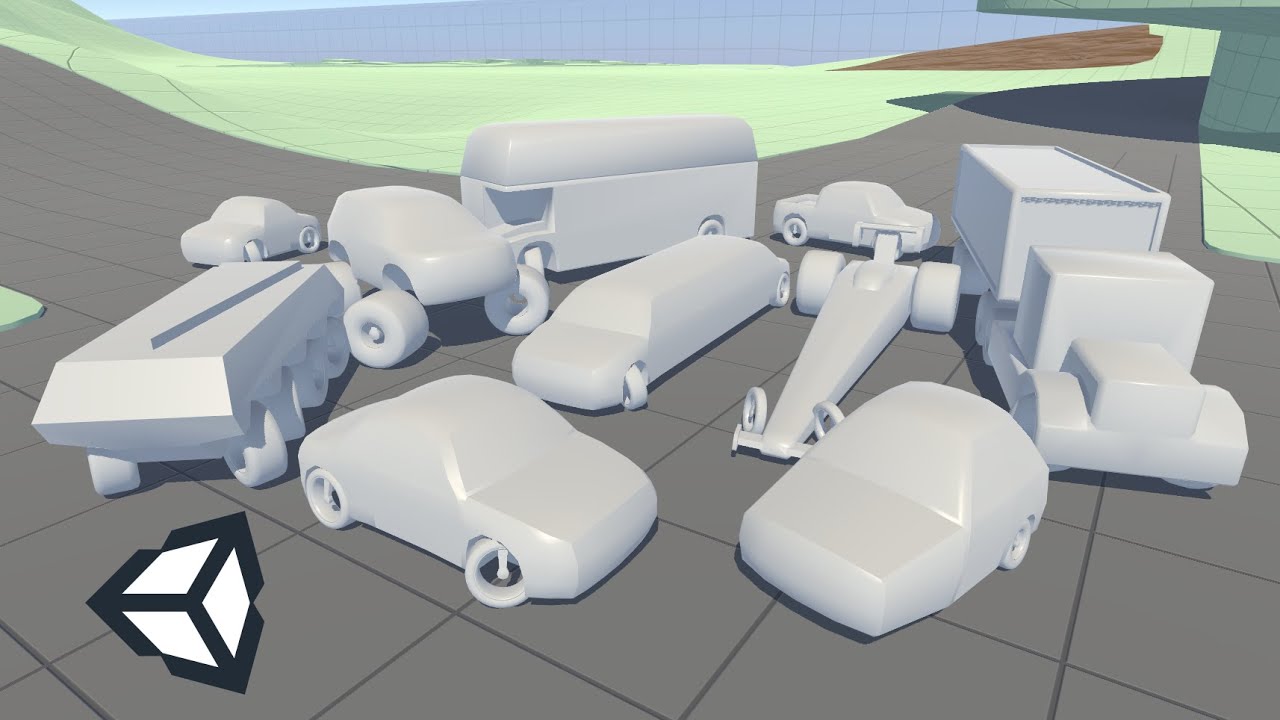
https://discussions.unity.com/t/randomation-vehicle-physics-2-0-now-open-source-on-github/571805
https://www.youtube.com/watch?v=atW7Ib2sbTw if u end up needing another one this one is pretty epic once u get it setup and working
(its an older project so theres a few errors to fix, n setting up the layers n whatnot)
i used it b/c it has a decent suspension setup and i could just drop my own car model/bodies on top of the prefabs
 alpine heron
grand snow
Looks like the asset is using some outdated api, if its not yours try to update ...
alpine heron
grand snow
Looks like the asset is using some outdated api, if its not yours try to update ...
Which error?
And what would be the step-by-step process.
grand snow
alpine heron
Could you explain, I've only used Unity 3-6 months
The path of the error tells its from NatureStarterKit2. You can probably just delete this image effect folder as I doubt its anything good
 rocky canyon
either that or go in and comment out the code thats causing the error a bit at a time until they're gone
grand snow
Its last update was in 2016 so no wonder its broken
timid ocean
slender nymph
intentionally allowing runtime exceptions to be thrown because you can't be arse...
it mostly comes from some scriptable objects not being completely filled
grand snow
@alpine heron So the problem is that this asset pack is soo old that some included code is broken on modern unity versions. You can try to remove other stuff and keep only the models + textures + materials you need. OR you find something more recent that does not cause such problems.
timid ocean
rocky canyon
https://discussions.unity.com/t/randomation-vehicle-physics-2-0-now-open-source-...
is it randomizing vehicles bodies?
i mean we used an asset that has deformation included
i mostly scripted the customization system
but honestly it’s a workaround rather than a complete system
next time i’ll create one from scratch
i started unity in march so still a lot to be learned
some aspects are still a total wonder for me
rocky canyon
timid ocean
is it randomizing vehicles bodies?
nah, its just a bunch of different presets
fast car tight suspension
big truck lose suspension
drag car low steering control
drift car high steering control
randomation is just teh guys studio or username
timid ocean
ohhh okay
slender nymph
timid ocean
it mostly comes from some scriptable objects not being completely filled
so if you know what the issue is, why not just fix it?
timid ocean
well our system is a n wheels system
timid ocean
slender nymph
so if you know what the issue is, why not just fix it?
why are you being so concerned haha
maybe because it’s not my job to fill those scriptable objects?
and it’s just a work in progress?
slender nymph
you're just so full of excuses for why you can't just go and fix what is likely just a basic NRE lmao
timid ocean
i had the pause issue while debugging
timid ocean
slender nymph
you're just so full of excuses for why you can't just go and fix what is likely ...
im sorry if you feel frustrated but that’s none of your business actually 🤷♂️
rocky canyon
it is easy enough to fix NRE's if the project works already and the code isnt anything you need
you can go in and comment out the bits of code that are trying to reference things that no longer or dont exist
but ofc. im a you do you i'll do me kinda guy.. so whatever works for you 👍
slender nymph
timid ocean
im sorry if you feel frustrated but that’s none of your business actually 🤷♂️
i'm not frustrated at all, it's just baffling why you can't just go in and fix something that literally caused you issues for days
timid ocean
well you don’t know the story then
alpine heron
grand snow
The path of the error tells its from NatureStarterKit2. You can probably just de...
Ok
timid ocean
i didn’t know i had that pause option activated
timid ocean
since those errors never really prevented the system from working i didn’t pay attention to it
slender nymph
timid ocean
i didn’t know i had that pause option activated
and yet you still opted to ignore the obvious errors in the console despite having issues
rocky canyon
alpine heron
I'll find a different one
you can always keep the models/textures and stuff and re-use em later if need be
timid ocean
one was because i used a debug scene
alpine heron
rocky canyon
you can always keep the models/textures and stuff and re-use em later if need be
Ok
slender nymph
"nothing is working"
multiple errors
"i'll ignore that"
timid ocean
the other one being a missing reference in a scriptable object
timid ocean
slender nymph
"nothing is working"
>multiple errors
"i'll ignore that"
ahhh man
yk i won’t argue
alpine heron
rocky canyon
you can always keep the models/textures and stuff and re-use em later if need be
How do I de-load it?
rocky canyon
alpine heron
How do I de-load it?
if u want to get rid of the asset just delete its Root Folder
grand snow
hopefully you understand how folders work
rocky canyon
or u can Uninstall it via the Package Manager just like you installed it
grand snow
not possible for most asset store stuff remember
rocky canyon
ya, 💯 box and i both already mentioned
grand snow
10 year old image effect stuff is surely broken or trash anyway
slender nymph
rocky canyon
ya, 💯 box and i both already mentioned
it was rob, not me lol
rocky canyon
ohh rob yea
grand snow
hello
rocky canyon
lol
ahhh i remember this one..

yea it is a decent asset pack tbh
u can still use the scenes and stuff and just remove the image effects
which is likely the volumeteric lights and fog stuff maybe
can add that back in later w/ up-to-date stuff
https://discussions.unity.com/t/released-nature-starter-kit-2/612263/30 it has a thread which goes into detail on how to fix alot of those errors you'll get
lookie here
 alpine heron
rocky canyon
ahhh i remember this one..
alpine heron
rocky canyon
ahhh i remember this one..
ok
rocky canyon
its that script and the DepthOfField.cs script that both have errors it appears from the thread
rocky canyon
theres a few.. actually i was just saying that asset is pretty solid (visually)
alpine heron
Could you possibly tell me the name of one, thanks!
rocky canyon
alpine heron
Could you possibly tell me the name of one, thanks!
https://assetstore.unity.com/packages/3d/environments/hand-painted-nature-kit-lite-69220 this one is probably the most similar one i've seen
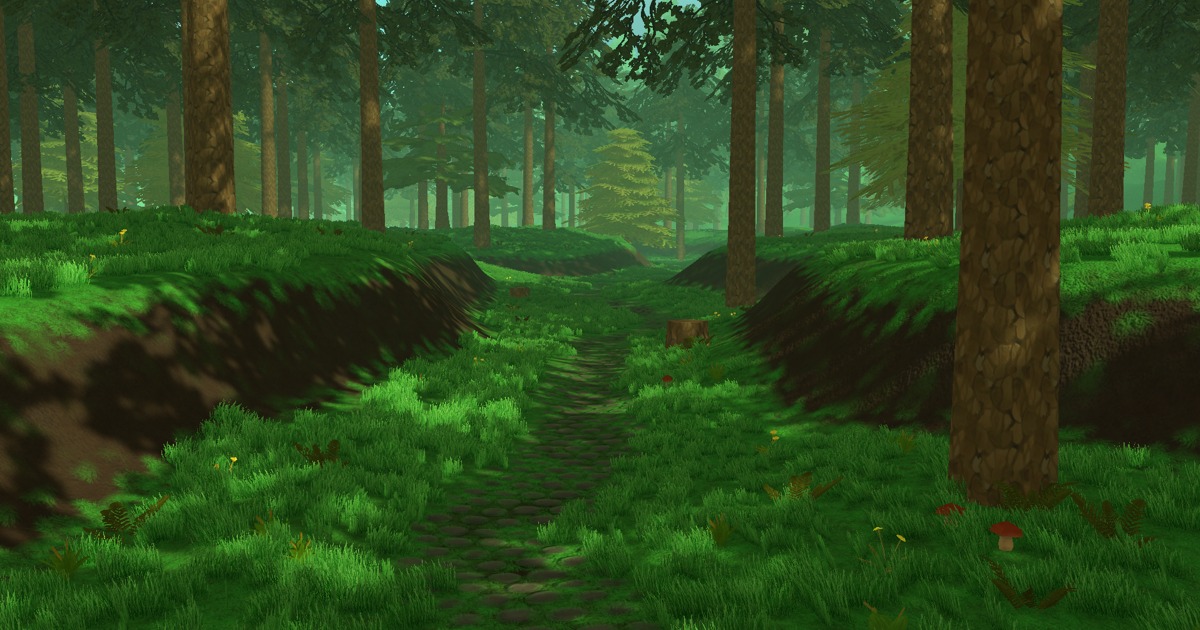
Elevate your workflow with the Hand Painted Nature Kit LITE asset from Silver Cats. Find this & other Environments options on the Unity Asset Store.
but in all honesty i would grab those for the textures, brushes, trees etc
and then venture out and learn Unity's Terrain component
you can make some pretty awesome stuff if u have all the parts that you need
alpine heron
Ok, thanks!
tall heart
can anyone help :if (isGrounded && Input.GetKey(KeyCode.LeftShift))
{
speed = speed * 1.2f * Time.deltaTime;
}
else
{
speed = 7f;
}
for some reason it doesnt move faster
and just stays in place and shows and apsurd number like 1028389e-192 on the speed
slender nymph
the only increase in the speed variable here is when it switches from not holding the shift key so that speed gets assigned to the value of 7. Time.deltaTime is less than 1, do you know what happens when you multiply a number by a value less than 1?
tall heart
how could i fix it?
slender nymph
rethink your logic and think carefully about what exactly you want to happen here
tall heart
nvm then
rocky canyon
tall heart
how could i fix it?
to keep it easy to understand you should use 2 variables
normalSpeed
finalSpeed
finalSpeed = normalSpeed;
---
finalSpeed = normalSpeed * 1.5f;
---
Move(direction * finalSpeed * Time.deltaTime);
also, you wouldn't actually need to scale it anywhere but the Move function (the last place you use it)
 languid pagoda
I am working on a traffic system.
I have a ScriptableObject that holds a list of nodes, each node gets assigned a unique ID by an editor script when I place them. The nodes each have a list of possible previous and next nodes stooring only their unique ID to reduce memory usage. Because their may be up to 50k nodes at any given time.
[System.Serializable]
public struct RoadNode
{
    public Vector3 position;
    public int ID;

    public List<int> nextNodes;
    public List<int> prevNodes;
}


public class RoadGraphAsset : ScriptableObject
{
    public SerializableDictionary<int, RoadNode> nodes;
}
At game startup the game will load all RoadGraphAssets from asset bundles and insert each RoadNode into a SpatialHash that I can use to query an area and get all nearby RoadNodes. Which I can use to determine what nodes to "spawn" cars at
public struct Cell
{
    public int x;
    public int z;

    public static Cell FromVector3(Vector3 v, int cellSize)
    {
        return new Cell()
        {
            x = ((int)v.x) / cellSize,
            z = ((int)v.z) / cellSize
        };

    }
}

public class SpatialHash
{
    public Dictionary<Cell, List<RoadNode>> nodes;

    public Cell Insert(RoadNode node)
    {
        var cell = Cell.FromVector3(node.position, 100);
        node.cell = cell;
        if(nodes.ContainsKey(cell) == false)
            nodes.Add(cell, new List<RoadNode>());

        nodes[cell].Add(node);
        return cell;
    }

    public void QueryArea(Vector3 pos, ref List<RoadNode> results)
    {
        if (results == null) results = new List<RoadNode>();

        var baseCell = Cell.FromVector3(pos, 100);

        // Visit current cell + surrounding cells
        for (int dz = -1; dz <= 1; dz++)
        {
            for (int dx = -1; dx <= 1; dx++)
            {
                var c = new Cell { x = baseCell.x + dx, z = baseCell.z + dz };
                if (nodes != null && nodes.TryGetValue(c, out var list))
                {
                    results.AddRange(list);
                }
            }
        }
    }
}
is this a decent way to handle something like traffic simulations?
var cell = Cell.FromVector3(node.position, 100);
        node.cell = cell;
also curious is this valid since RoadNodes are structs and not a class I hear we are not meant to mutate them but the compiler lets it happen.
 ivory bobcat
For your last statement, you could probably just create a constructor accepting your v3 and cell size etc
rocky canyon
languid pagoda
I am working on a traffic system.
I have a ScriptableObject that holds a list ...
oooOOoo getting into the heavy stuff now i see 💪
languid pagoda
rocky canyon
oooOOoo getting into the heavy stuff now i see 💪
Yessir my system works but I am just concerned since there will be so many nodes in the graph it might become a nightmare memory wise 🙁
ivory bobcat
The x and y members aren't static so if you believe you're modifying the default values of the type, you aren't.
rocky canyon
languid pagoda
Yessir my system works but I am just concerned since there will be so many nodes...
have you used the profiler yet?
slender nymph
languid pagoda
```csharp
var cell = Cell.FromVector3(node.position, 100);
node.cell = c...
there is nothing wrong with mutating a struct. you just need to be aware of caveats when doing so, like the fact that structs are passed by copy rather than reference so when you modify that RoadNode passed into the Insert method it only modifies the copy that is within the scope of the method and the copy of it that exists at the call site is not modified
languid pagoda
rocky canyon
have you used the profiler yet?
I have but I haven't placed all nodes into the world it seems to run pretty well but idk how well it will run once the entire map is built and there are 50k of them in the scene
languid pagoda
slender nymph
there is nothing wrong with mutating a struct. you just need to be aware of cave...
Unfortunate. I guess I could just use classes instead. Not sure what the repercussions would be performance wise. None of this is created at runtime so dont need to worry about the allocations since they happen at startup and persist through the scene but would using a class instead of a struct for RoadNode make it use more memory?
[System.Serializable]
public struct RoadNode
{
    public Vector3 position;
    public int ID;
    public Cell cell;
    public List<int> nextNodes;
    public List<int> prevNodes;
}
i definitely dont think copying this everytime I need to modify cell is going to be faster than just using a class
ivory bobcat
Just for clarity, it should be understood that SOs behave differently outside of the Editor and that mutating an SO creates a new instance. When no longer referenced by any persisting object, the changes made to the instance will be destroyed. A scene change will remove all changes to the SO outside of the Editor if all objects referencing the SO are destroyed.
languid pagoda
ivory bobcat
Just for clarity, it should be understood that SOs behave differently outside of...
Yeah I am aware of this, The scriptable object is just a dataholder in edit mode. Its baked to an asset bundle. At scene startup the scriptableobject is loaded, I iterate through the collection of nodes insert the values inside of RoadNode into the spatial and then unload the asset bundle
 sour fulcrum
ivory bobcat
Just for clarity, it should be understood that SOs behave differently outside of...
sour fulcrum
ivory bobcat
Just for clarity, it should be understood that SOs behave differently outside of...
(just like any asset eg. material, prefab etc.)
languid pagoda
sour fulcrum
(just like any asset eg. material, prefab etc.)
Whats your thoughts on my new design? I took heavy inspiration from what you and the others suggested earlier this week in the Unity-Talk channel
sour fulcrum
currently 3:49am for me so i don't trust myself to look at this properly 😭
Looks interesting forsure though
languid pagoda
lmao late as hell
 vagrant mural
ivory bobcat
Just for clarity, it should be understood that SOs behave differently outside of...
vagrant mural
ivory bobcat
Just for clarity, it should be understood that SOs behave differently outside of...
This is worded a bit odd to me. Mutating a ScriptableObject does not create a new instance of one. There are different ways they could be loaded that you have multiple instances of the same scriptableobject asset, but you don't get a new one just by changing it
languid pagoda
vagrant mural
This is worded a bit odd to me. Mutating a ScriptableObject does not create a ne...
I think what he meant was that if I edit a scriptable object while playing the built version of the game that change will not persist like they do when you're playing the game in the editor
ivory bobcat
vagrant mural
This is worded a bit odd to me. Mutating a ScriptableObject does not create a ne...
Simply warning that if they believe they're mutating an asset, they are not. Which they understand.
languid pagoda
ivory bobcat
Simply warning that if they believe they're mutating an asset, they are not. Whi...
Im not attempting to mutate the scriptable object though, Just the RoadNode.
tall heart
can someone explain view bobbing its too much math i cant get it
slender nymph
don't crosspost
 short gust
I don't know if it's the Input System or some setting in Editor:
Is it normal that whenever I move my mouse while in playmode - I drop fps from 250 to 190 without V-Sync in the editor? I'm using Input System with action for mouse movement, but it occurs even when I disable input action map and only drops frames when I move my mouse and on keyboard input - it's all good and stable. Like, I feel it's the editor refresh causes that, but maybe I'm wrong.
It kinda confuses me if it's my code fault or not, lol
Just want to be sure if it's normal or not
 cosmic dagger
short gust
I don't know if it's the Input System or some setting in Editor:
Is it normal th...
cosmic dagger
short gust
I don't know if it's the Input System or some setting in Editor:
Is it normal th...
Are you in full screen mode?
ivory bobcat
short gust
I don't know if it's the Input System or some setting in Editor:
Is it normal th...
Is there anything else being processed when you're moving the mouse?
short gust
cosmic dagger
Are you in full screen mode?
I use play mode in "focus mode", if I get the question correctly
cosmic dagger
Test in full screen playmode to see if the same issue persists . . .
short gust
ivory bobcat
Is there anything else being processed when you're moving the mouse?
Nope. Only my mouse reading callback, like this:
var rotationInput = context.ReadValue<Vector2>(); var rotation3d = new Vector3(rotationInput.x, rotationInput.y, 0f);
It used within InputSystem interface's call
slender nymph
use the profiler if you are unsure of where performance drops are coming from
short gust
It's just strange that even when it's disabled - it still drops only on mouse motion
slender nymph
also, a disabled component can still receive messages and react to events it has been subscribed to
disabling it just prevents certain unity messages from being sent to it like Update and FixedUpdate
languid pagoda
rocky canyon
have you used the profiler yet?
so 50k nodes uses 11mb memory. I am happy with this figure.
rocky canyon
not too shabby
 high wigeon
I started up the project and this popped up, what does it mean?

 frosty hound
Close and open the project and see if it goes away.
If it persists, delete the Library folder in your project folder with Unity closed to force it to refresh the packages.
high wigeon
frosty hound
If it persists, delete the Library folder in your project folder with Unity clos...
is it because maybe I made a new project folder to put it in?
frosty hound
Doubtful
 slow blaze
ManaOrb is of type GameObject and any GameObject I try to reference says type mismatch
I can't figure out why that's the case?

 edgy tangle
slow blaze
ManaOrb is of type GameObject and any GameObject I try to reference says type mi...
edgy tangle
slow blaze
ManaOrb is of type GameObject and any GameObject I try to reference says type mi...
Are you by chance trying to assign a scene-instance reference to a prefab?
That’s the only thing that comes to mind
grand snow
^probably this
 dense goblet
this is a part of my script, if I make "OnTriggerEnter" it works fine, but won't work if both are standing still.
but if I make it "OnTriggerStay" it deactivates the script for good
   {
       Debug.Log("Trigger");
       if (safe == false)
        {
           enemyCollider.enabled = false;
           IFrames();
           if (other.CompareTag("PlayerHitbox") && enemyHealth <= 0)
           {
               Debug.Log("Dead");
               enemyScript.DeathActivation();
           }
           else if (other.CompareTag("PlayerHitbox"))
           {
               Debug.Log("Hit");
               enemyHealth -= 1;
           }
       }
   }

   IEnumerator IFrames()
   {
       safe = true;
       yield return new WaitForSeconds(0.2f);
       safe = false;
       enemyCollider.enabled = true;
}```not even called once?
dense goblet
dw
 umbral hound
Is this singleton acceptable?
using UnityEngine;

public class PlayerInputManager : AGSMonoBehavior
{
    private static PlayerInputManager instance;
    public static PlayerInputManager Instance
    {
        get
        {
            if (instance == null)
            {
                instance = new GameObject("[Player Input]").AddComponent<PlayerInputManager>();
                instance.PlayerInput = new InputSystem_Actions();
                instance.PlayerInput.Enable();
            }
            return instance;
        }
    }

    public InputSystem_Actions PlayerInput { get; private set; }
}
What part breaks, does it not output a log?
dense goblet
winged ridge
What part breaks, does it not output a log?
it breaks after it loops once, Debug.Log("Hit") goes through then keeps the Collider off for good
winged ridge
ill have a quick look at the method and see what result I can replicate
dense goblet
winged ridge
ill have a quick look at the method and see what result I can replicate
okok
want the full script?
using System.Collections;
public class EnemyExistenceManager : MonoBehaviour
{
    public EnemyBasicScript enemyScript;
    public int enemyHealth;
    public bool safe;
    public CircleCollider2D enemyCollider;
    // Start is called once before the first execution of Update after the MonoBehaviour is created
    void Start()
    {
        enemyCollider = GetComponent<CircleCollider2D>();
    }

    // Update is called once per frame
    void Update()
    {

    }
    private void OnTriggerEnter2D(Collider2D other)
    {
        if (other.CompareTag("PlayerHitbox") && enemyHealth <= 0 && false)
        {
            Debug.Log("dead");
            enemyScript.DeathActivation();
        }
        else if (other.CompareTag("PlayerHitbox"))
        {
            enemyHealth -= 1;
        }
    }

        private void OnTriggerStay2D(Collider2D other)
    {
        Debug.Log("Trigger");
        if (safe == false)
         {

            if (other.CompareTag("PlayerHitbox") && enemyHealth <= 0 && safe == false)
            {
                IFrames();
                Debug.Log("Dead");
                enemyScript.DeathActivation();
            }
            else if (other.CompareTag("PlayerHitbox") && safe == false)
            {
                IFrames();
                Debug.Log("Hit");
                enemyHealth -= 1;
            }
        }
    }

    IEnumerator IFrames()
    {
        safe = true;
        yield return new WaitForSeconds(0.2f);
        safe = false;
    }
}
        if (other.CompareTag("PlayerHitbox") && enemyHealth <= 0 && false) <- and what is false?
        {
            Debug.Log("dead");
            enemyScript.DeathActivation();
        }
        else if (other.CompareTag("PlayerHitbox"))
        {
            enemyHealth -= 1;
        }
That script was what I was using, this is unused for now
forgot I still had that
sorry for misleading you*
winged ridge
Also who/what is the script attached to
dense goblet
winged ridge
Also who/what is the script attached to
its a child of the Enemy, called "HitBox"
on a LayerTag for Hitboxes
winged ridge
okay, just checking, so I can attach it to my enemy and test against my script
dense goblet
winged ridge
okay, just checking, so I can attach it to my enemy and test against my script
okok
@winged ridge wait, I didn't turn off the else if
winged ridge
dense goblet
okok
You'll be glad to know, script works so logic isn't the issue,
dense goblet
being tired is
winged ridge
No, perhaps it going through 330 times in a matter of moments and breaking the enemy health may be lol, if it destroys the object it cant call a script
dense goblet
I think I found the issue
winged ridge
dense goblet
being tired is
Look at my logged output
 dense goblet
    {
        if (other.CompareTag("PlayerHitbox") && enemyHealth <= 0 && false)
        {
            Debug.Log("dead");
            enemyScript.DeathActivation();
        }
        else if (other.CompareTag("PlayerHitbox"))
        {
            enemyHealth -= 1;
        }
}```else if is still firing
winged ridge
What you ideally want is something that checks against 'is alive' if the enemy dies, it waits a moment, allows things to stop and then proceeds to destroy game object (if you have destroy)
dense goblet
winged ridge
What you ideally want is something that checks against 'is alive' if the enemy d...
tried changing it to this, but its the same issue as originally
{
if (other.CompareTag("PlayerHitbox") && enemyHealth <= 0 && safe == false)
{
safe = true;
IFrames();
Debug.Log("Dead");
enemyScript.DeathActivation();
}
else if (other.CompareTag("PlayerHitbox") && safe == false)
{
safe = true;
IFrames();
Debug.Log("Hit");
enemyHealth -= 1;
}
}
}
IEnumerator IFrames()
{
safe = true;
yield return new WaitForSeconds(0.2f);
safe = false;
}``` paper comet
hi
paper comet
hi
theres a Unity Pathways, its slow but really good
dense goblet
winged ridge
What you ideally want is something that checks against 'is alive' if the enemy d...
I DIDN'T INITIATE IFRAMES RIGHT
 teal viper
!learn
radiant voidBOT
teal viper
!learn
:teacher: Unity Learn ↗
Over 750 hours of free live and on-demand learning content for all levels of experience!
dense goblet
do Essenitals first, then Junior Programming. if your looking to learn Programming Programming, I think theres a Havard thing about it
dense goblet
paper comet
that teaches coding?
this will teach you C# and Unity. not Python since Unity doesn't mainly use it
winged ridge
if you want Python, look at w3schools
winged ridge
dense goblet
this will teach you C# and Unity. not Python since Unity doesn't mainly use it
be careful to set your enemy health value to 0, or you go into the negatives, you can just do it where if(enemyHealth <= 0) enemyHealth = 0;
paper comet
is w3schools actual coding or is it like scratch
cuz im doin codegame rn and its js arrows
winged ridge
paper comet
is w3schools actual coding or is it like scratch
W3School is one of the better places to learn the basics of most coding languages
paper comet
can python get u a software engenir job or do u need to know many other languages
engineer
winged ridge
This isn't the place for that discussion, I'd recommend you do your research online, but here is for Unity only
paper comet
so u dont know the answer?
winged ridge
dense goblet
this will teach you C# and Unity. not Python since Unity doesn't mainly use it
So, as I was saying, often we forget checks, your code was great it functioned as required, I set the enemy health to 100 and watched it shoot down, the debug logs outputted as you saw. Obviously I didn't have one of your scripts so I used my own enemy script to check against, collider onTriggerStay works but it does run every single frame
dense goblet
winged ridge
So, as I was saying, often we forget checks, your code was great it functioned a...
yeah, its the best way to do it (SO FAR) and for my prototype its what I need
winged ridge
Without knowing your goal I can't advise on the 'best way' but yeah it works and so far it's good, as long as it does what you need and you are happy good, just don't forget null check if you delete something so if the game object gets deleted you null check a component, if it doesn't exist the code stops. And stop it passing 0 on the negative
dense goblet
winged ridge
Without knowing your goal I can't advise on the 'best way' but yeah it works and...
tyty btw
winged ridge
if you plan on continuing this project, why not put up a thread in the Dev-Logs section, that way you can keep track easier of messages and the like
dense goblet
winged ridge
if you plan on continuing this project, why not put up a thread in the Dev-Logs ...
maybe I'll consider it
winged ridge
dense goblet
maybe I'll consider it
Sorry, if i overstep here...but a gift
private void OnTriggerStay2D(Collider2D other)
    {
        if (other.CompareTag("Player") && enemyHealth >= 0 && !safe)
        {
            StartCoroutine(TakeDamage());
        }
        else if(other.CompareTag("PlayerHitbox") && enemyHealth == 0)
        {
            StopCoroutine(TakeDamage());
            Debug.Log("dead");
            // enemyScript.DeathActivation();
        }
    }

    public WaitForSeconds IFrame =  new WaitForSeconds(2f);
    private IEnumerator TakeDamage()
    {
        enemyHealth -= 1;
        sr.color = new Color(1, 0, 0);
        safe = true;
        yield return IFrame;
        sr.color = new Color(1, 1, 1 );
        safe = false;
    }
You can change the IFrame time to one you wish
dense goblet
winged ridge
Sorry, if i overstep here...but a gift
```
private void OnTriggerStay2D(Collide...
I appricate it, but I'll pass
winged ridge
no worries
 upper totem
Is there a way to add a field in a MonoBehavior to which you can set an arbitrary struct in the inspector?
(Like how you can make a script a public GameObject MyGameObject; and you'll be able to set an arbitrary GameObject.)
(I can do it with a ScriptableObject, but not any struct.)
slender nymph
i mean, structs don't support inheritance so the only way you can get an "arbitrary struct" is if your variable is an interface type that your desired structs implement. of course that will end up boxing the struct, you have to use SerializeReference rather than a serialized field, and you need to either draw the default drawer with your own code or use an asset like this one that draws a dropdown for you to select a relevant type from
upper totem
Alright. So I can't have an object field that would accept a struct. That's fine.
I just tried making my struct a class inheriting from ScriptableObject and I can't map that to a ScriptableObject field either.
slender nymph
if it is a class (rather than a struct) and actually does inherit from ScriptableObject then you absolutely can assign it to a field of type ScriptableObject
upper totem
 slender nymph
you're dragging a script file, not an instance of the scriptable object
upper totem
That's what I thought, but I figured that's how I'd create an instance of it.
I'll go read some docs rather than wasting your time on basic stuff like that 😛
Thanks
upper totem
Ok, so you can have a scriptable object on a game object, but it will not show up in/be edited in the inspector?
sour fulcrum
not from the gameobject inspector no, because it's not specific to that gameobject
slender nymph
scriptable objects are assets, you modify the asset instance
upper totem
Ahhhhh. I'm trying to do a PoC for a way to have generic settings. I'm trying to swim in the deepend without basic understanding of Unity I guess.
winged ridge
You dont learn if you dont try
upper totem
hehe. Exactly
Is there a way to have a field in a MonoBehavior that will accept having any asset mapped to it?
winged ridge
slender nymph
scriptable objects are assets, you modify the asset instance
Always love seeing you reply to folks, you are a great person
sour fulcrum
upper totem
Is there a way to have a field in a MonoBehavior that will accept having any ass...
not really no
winged ridge
upper totem
Is there a way to have a field in a MonoBehavior that will accept having any ass...
define 'any' as in, "I want it to accept a transform, now i want it to accept an int"?
sour fulcrum
Unity needs a fairly solid answer in regards to what type it is in order for it to serialize and deserialize it
generics are probably somewhere in the answer youll be wanting but its not that simple
upper totem
winged ridge
define 'any' as in, "I want it to accept a transform, now i want it to accept an...
True, it wants to serialize it. I'd want to serialize the type of what I'm mapping, not an instance.
So I guess I could create a custom pickbox that would do that, but... humn....
slender nymph
slender nymph
i mean, structs don't support inheritance so the only way you can get an "arbitr...
honestly the serialize reference dropdown in this message, plus an interface as an entry point into your "settings" or whatever would be the easiest option
upper totem
Oh, I didn't pick up on the _SerializeReference _ keyword there. I'll be reading into this, thanks.
winged ridge
in what way do you mean a struct doesnt support inheritance, you mean as in
public struct Test : InheritedData
winged ridge
I know, but if you do it in a class and the class calls the struct, you can do instances of the class and call the struct each time with global variables
slender nymph
winged ridge
in what way do you mean a struct doesnt support inheritance, you mean as in
pub...
i mean you cannot inherit from a struct. the only type that a struct will ever inherit is System.ValueType
upper totem
(And object by transitivity)
winged ridge
        foreach (GameObject saveData in objectsToSave)
        {
            state = new();
            nSaveable = saveData.GetComponent<ISaveable>();

            if (saveData == null)
            {
                continue;
            }

            if (data.sStates.Contains(state))
            {
                data.sStates.Remove(state);
                Debug.Log("Data Changed");
            }
this save system implementation I wrote, makes a new state (struct) for each Gameobject in my list, and they are all identical in everyway but data. They then get sent to a list, which is saved in a master struct if you will for Json file writing, and can be extracted based on certain key values
[Serializable]
public struct SaveState
{
    public int id;
    public string objectName;
    public int objectSceneIndex;
    public Vector3 objectPosition;
    public int maxHealth;
    public int currentHealth;
    public Inventory inventory;
    public List<ItemData> itemsInInventory;
    public List<int> itemQuantities;
    public List<QuestTree> questTrees;
}

/// <summary>
/// This is a list designed to take all the above structs and put it into one single list, this is then added to the data which is written to file
/// </summary>
[Serializable]
public class SavedData
{
    public List<SaveState> sStates = new();
}
Im trying to get "closeWallRight" to fire off but it never does
public class EnemyAnthro : MonoBehaviour
{
    public float enemySpeed;
    public float moveHorizontal;
    public float moveVertical = 0;
    public float moveDirection;
    public Rigidbody2D enemyRb;
    public bool closeWallLeft;
    public bool closeWallRight;
    // Start is called once before the first execution of Update after the MonoBehaviour is created
    void Start()
    {
        enemyRb = GetComponent<Rigidbody2D>();

}
    private void Update()
    {
        closeWallRight = Physics2D.CircleCast(transform.position, 1.5f, Vector2.right, 2f);
        closeWallLeft = Physics2D.CircleCast(transform.position, 1.5f, Vector2.left, 2f);
    }
    // Update is called once per frame
    void FixedUpdate()
    {
        Vector2 forceDirection = new Vector2(moveHorizontal, moveVertical);
        enemyRb.AddForce(forceDirection * enemySpeed);
        moveHorizontal = moveDirection;
        Debug.Log("Right " + (closeWallRight));
        Debug.Log("Left " + (closeWallLeft));
        if (closeWallLeft == true || closeWallRight == true)
        {
            Debug.Log("Got into If");
            switch (closeWallRight, closeWallLeft)
            {
                case (true, false):
                {
                        enemyRb.linearVelocity = Vector2.zero;
                        Debug.Log("True False");
                        //transform.rotation = Quaternion.Euler(0f, -180, 0);
                        moveDirection = -1;
                        break;
                }
                case (false, true):
                {
                        enemyRb.linearVelocity = Vector2.zero;
                        Debug.Log("False True");
                        //transform.rotation = Quaternion.Euler(0f, 0, 0);
                        moveDirection = 1;
                        break;
                }
            }
        }
    }
}
 polar acorn
dense goblet
Im trying to get "closeWallRight" to fire off but it never does
```using UnityEn...
polar acorn
dense goblet
Im trying to get "closeWallRight" to fire off but it never does
```using UnityEn...
What if they're both true
frosty hound
Skipping over this dump of code, I'll just say that you already have a moveDirection. You don't need to check both the left and right of this enemy, just in the direction of moveDirection, and if it hits something flip the moveDirection the other way. You could collapse this code to be like 1/4 the amount of lines.
polar acorn
Actually, you're logging a lot of info there that you didn't mention the results of. What do you log for the first two? Does it go into the if?
dense goblet
polar acorn
What if they're both true
the if Statement would have fired off in the first place, it doesn't when touching the right wall at all
polar acorn
dense goblet
the if Statement would have fired off in the first place, it doesn't when touchi...
So what about the logs before the if
dense goblet
polar acorn
So what about the logs before the if
one sec, let me run it again
sorry, v tired
dense goblet
polar acorn
So what about the logs before the if
When run
we get both a Right false and a Left False.
When going into the left wall, we get a Got Into if, and a False True, we also get Left True. meaning that False True went right.
then we don't get anything else besides updates that Right false and Left False have fired off.
polar acorn
So, it looks like closeWallRight is just never true
dense goblet
polar acorn
So, it looks like closeWallRight is just never true
exactly
I might move on and just use a tutorial for this to see if after that I'll understand whats going wrong
polar acorn
Remember that a circle cast won't detect anything that starts I side the circle. It has to move into it
dense goblet
polar acorn
Remember that a circle cast won't detect anything that _starts_ I side the circl...
I think I understand but Im basically asleep right now, took Melotoin thinking Id be done by now
 barren scarab
How can i fix this issue when i flip over when i use a rigid body for my player, could it be from janky tile collision?
slender nymph
constrain the z rotation on the rigidbody
 half mortar
I like super super new we’re can I go to get lessons on how to code with unity😅
winged ridge
!learn
radiant voidBOT
winged ridge
!learn
:teacher: Unity Learn ↗
Over 750 hours of free live and on-demand learning content for all levels of experience!
 spice bison
whats the best way to do room transitioning for 2d rpg like between doors/areas?
so far ive been doing this:
- trigger object with box collider 2d to trigger the transition
- each trigger object has a script where i attach:
- destination object (where the player will teleport to)
- the new camera bounds (to clamp the cinemachine camera to confine to the new bounds)
 fast helm
Is there a way to disable the warning "Exit PlayMode To Exit Scene"
its infuriating since I have ctrl + s as a movement
umbral hound
I tried to make an Asynchronous task that takes in a save file object, but it won't let me return it? Why?z I'm not doing anything rn just wanted to know why
grand snow
umbral hound
I tried to make an Asynchronous task that takes in a save file object, but it wo...
share the function
to return a value from an async function you need to use a generic task such as UniTask<string>
umbral hound
grand snow
share the function
I'm in bed. That's why I said all I wanted to do was know why
grand snow
ah well Im not psychic so we can just guess
umbral hound
I'm not actively working on it just wanted to know the reason in general
Ok
I'll share it when I'm back at my PC in the morning
grand snow
sure. Probably is what I mentioned above (the return task type is incorrect)
umbral hound
So basically return Task<Save file>?
grand snow
public async UniTask<Sprite> LoadSprite()
{
    return await Addressables.LoadAssetAsync<Sprite>("MyCoolSprite");
}
you should use Awaitable (from unity) or UniTask instead of Task
umbral hound
Oh so I had the save file variable. All I had to do was put await in front of it?
grand snow
depends
byte[] bytes = await GetBytes();
return bytes;
anyway i gave my help and suggestions. Stop using Task
umbral hound
Okay thanks
naive pawn
please don't crosspost
 forest torrent
 alright sorry
 digital dawn
I am doing water cutoff to define the top and bottom of the water, I use VFace and cutoff to render the top area (black), bottom area (white). I use WaterMaskFeature(ScriptableRendererFeature) to make a global texture, but now it doesn't render anything, I don't know what's wrong. Please help me !!!!!


 naive pawn
digital dawn
I am doing water cutoff to define the top and bottom of the water, I use VFace a...
naive pawn
digital dawn
I am doing water cutoff to define the top and bottom of the water, I use VFace a...
!code
radiant voidBOT
naive pawn
!code
Posting code
📃 Large Code Blocks
Use links to services like:
https://paste.mod.gg/, https://hastebin.skyra.pw/, https://paste.ofcode.org/, https://paste.myst.rs/
📃 Inline Code
Surround code with three backquotes. Not quotation marks.
To format as C#, add cs to the first line:
```cs
// Your code here
```
Add a comment with a line number if there is an error message.
naive pawn
(though, is this really a code issue)
digital dawn
naive pawn
(though, is this really a code issue)
I'm not sure either, in the camera I turned off waterMask, but in the watermask pass I used mask waterMask to specify the filter
If it's just rendered like this it's correct, but I want to try bringing in a render feature

 naive pawn
yeahhh this is the code channel you probably want to ask in one of the rendering channels
digital dawn
oh thank you, can you send me the link to that channel?
naive pawn
 formal wharf
I want to put the billboard inside of the cube, but I want it to overlay the cube, How would I do that?
 restive berry
Hi, I would like to make a small weapon system for my 2d topdown shooter game and rn im wondering, what the best approach is.
On YT there are ofc tutorials but the one I found seems a bit inconvenient, however, im not experienced so i have no real clue about how to pursue.
The tutorial basically puts every weapon as prefab in the game scene as a child for the player object and deactivates every weapon except the one that should be used. for switching the weapons, the current one gets deactivated and the new one gets activated.
This seems strange for me. e.g. if i want to have 10 different weapons, i dont want to place each weapon in the scene already, or do I?
Can someone pls suggest a good variant how I could start implementing my weapon system? Keep in mind, every weapon will share the same stats (damage, BulletCount, shootDelayTime, etc.) but ofc with different value. Thats where I should use a Scribtable Object right?
Thanks in regards for any given help :)
naive pawn
depends on your intended system. imo the proposed system is fine if there only exists one instance of the object and it doesn't have to be moved around at all
using SOs instead would make it more flexible with more complexity
IMO - considering you've asked this in the beginner channel, i'd suggest going along with the tutorial to get something working, before making it good. (though be aware that doing that may mean that the project following the tutorial might not be viable for your final vision)
formal wharf
formal wharf
I want to put the billboard inside of the cube, but I want it to overlay the cub...
So that the billboard is always fully visible no matter what angle
 rain night
I have a sequence of pngs which is a intro video for a game. how do I make it whole inside my unity?
 fading barn
what are classes other than monobehaviour in unity namespace that a script can inherit from and be used as a component or something else
*commonly used classes
hardy wing
fading barn
what are classes other than monobehaviour in unity namespace that a script can i...
judging from my rider suggestions these should be the main ones

but there's of course much more like custom UI elements you can scratch up etc
and it's not like you need to know every unity class you may derive from or that it's very helpful to know all of them, you usually will figure it out on the way or when you actually need them
grand snow
Yea Monobehaviour and scriptable object are the main 2 for unity specific functionality
finite briar
Hello, does anybody know any issues with unity and saving files on linux(mint if relevant)?
I wanted to Write this small SaveScript which usually works just fine but it just refuses to do anything (the json string is proper and the function finnishes without error.
    public static void Save(GameData data)
        {
            string fullPath = Path.Combine( Application.persistentDataPath , _filename);
            string jsonString = JsonUtility.ToJson(data);
            File.WriteAllText(_filename, jsonString);
            Debug.Log("Successfully saved game data at: " +  fullPath);
        }
filename is GameData.json if that matters
 wintry quarry
finite briar
Hello, does anybody know any issues with unity and saving files on linux(mint if...
wintry quarry
finite briar
Hello, does anybody know any issues with unity and saving files on linux(mint if...
It says successfully saved in the logs?
With what path?
keen dew
It writes to _filename not fullPath
wintry quarry
Nice catch!
finite briar
ohhhh
no matter how long you code its always stuff like this
thanks
yeah now it works
 snow patrol
fading barn
what are classes other than monobehaviour in unity namespace that a script can i...
snow patrol
fading barn
what are classes other than monobehaviour in unity namespace that a script can i...
off the top of my head, MonoBehaviour, EditorWindow, ScriptableObject
rocky canyon
StateMachineBehaviour, PlayableBehaviour, PropertyDrawer
 strange jackal
I'm trying to find a video, or code sample that works with drag and drop in 6.1? any suggestions?
hardy wing
snow patrol
off the top of my head, MonoBehaviour, EditorWindow, ScriptableObject
Is EditorWindow UGUI or UITK?
rocky canyon
its jus the container.. how u draw inside it depends on which UI system u chose
IMGUI or UITk
hardy wing
rocky canyon
its jus the container.. how u draw inside it depends on which UI system u chose
ah thats very cool
 hard tapir
is the a way to change an object's color's intensity? I want to have a blue triangle and when it gets hit make it a closer to black, I dont need the collision part of the code just the color
rocky canyon
hard tapir
is the a way to change an object's color's intensity? I want to have a blue tria...
u could just use a multiplier
currentColor * darkenFactor
rocky canyon
<- darker lighter->
hard tapir
thanks!
grand snow
Colours are just numbers so we can do number things with em
rocky canyon
grand snow
Colours are just numbers so we can do number things with em
Colors* you mean? 😉
naive pawn
colurs would also be pronounced the same way
grand snow
Don't get me started
rocky canyon
lmao
 edgy sinew
Don't get me started innit
hard tapir
grand snow
Don't get me started
for the record he is right
naive pawn
rocky canyon
<- darker lighter->
wdym by this? seemed correct the first pass
rocky canyon
oh i just wasnt sure which way it went
grand snow
HA okay
naive pawn
x<1 makes it darker
x>1 makes it lighter
hard tapir
hard tapir
for the record he is right
still appreciate the help tho
rocky canyon
naive pawn
x<1 makes it darker
x>1 makes it lighter
thanky for the verification 👍
edgy sinew
they call gas Petrol, let them have the colours spelling
hardy wing
rocky canyon
Colors* you mean? 😉
it's so messed up, i learned BE in school but some things like color is still AE and looks more familiar than the BE variant
naive pawn
im confused by the -1> part
rocky canyon
i already have to use Behaviours
grand snow
Sorry that it's our language I guess
hardy wing
like, i speak a wild mix of BE and AE
naive pawn
same lmao
hardy wing
rocky canyon
i already have to use Behaviours
god bless, i almost thought it's spelled Behavour in either AE or BE
naive pawn
rocky canyon
i already have to use Behaviours
you ever think about how the behaviors package won't have naming collisions because of that
edgy sinew
Hi guys, how's your experience using Curves in Unity?
Ofc with SO container for obvious reasons MyCurveSO.curve.Evaluate(value)
Should the x axis always represent time? Is smoothness not guaranteed otherwise?
For example in the Curve pictured,
y axis = "allowed rotation velocity"
x axis = "difference in angle to what the player desires"
Pretty similar to how Quaternion.Slerp behaves
So, should the "current rotation max speed" approach the "desired Evaluate value" over time with Lerp or SmoothDamp?
Or is it OK that it's just straight up directly assigned every frame?
 rocky canyon
for w/e reason when i expose curves like that ^ my unity freaks out
edgy sinew
I have a "camera distance vs. max allowed distance to move this frame" too. Which is also assigned directly every frame, no "Time.deltaTime" usage at all
rocky canyon
or maybe its just AnimationCurve types.. havent tried in a while maybe its fixed
naive pawn
edgy sinew
Hi guys, how's your experience using Curves in Unity?
Ofc with SO container for ...
Should the x axis always represent time?
no, it's just the input
edgy sinew
I'm worried because I feel like my previous versions of the code were smoother
hardy wing
grand snow
Sorry that it's our language I guess
whose is it anyways?
edgy sinew
Seems weird to just assign stuff every frame off the curve.Evaluate without Time.deltaTime
edgy sinew
hardy wing
whose is it anyways?
 rocky canyon
English is -> that side of the world
naive pawn
edgy sinew
Seems weird to just assign stuff every frame off the curve.Evaluate without Time...
if the input is changing then it's perfectly fine too
rocky canyon
Americans just steal stuff and mispronounce things to make it our own
hardy wing
edgy sinew
ah so england
rocky canyon
yup -> that side of the world
edgy sinew
naive pawn
if the input is changing then it's perfectly fine too
Do you think it's basically equivalent to using SmoothDamp or Lerp(... Time.deltaTime)
hardy wing
rocky canyon
yup -> that side of the world
bri'sh
naive pawn
edgy sinew
Do you think it's basically equivalent to using SmoothDamp or Lerp(... Time.delt...
no, they're different mechanisms
rocky canyon
what bout MoveTowards ur leaving him out
edgy sinew
Haha yes true
grand snow
Hopefully you guys can figure out where french is from
rocky canyon
FrAHHnce
edgy sinew
grand snow
Hopefully you guys can figure out where french is from
i cant but Google AI overview will
naive pawn
the output/effect can be the same, but i wouldn't say it's "equivalent" - it's just going through a different route that can be modified in a vastly different way
grand snow
edgy sinew
i cant but Google AI overview will
Oh noes
charred monolith
!script
radiant voidBOT
charred monolith
!script
<:error:1413114584763596884> Command not found
There's no command called
script.
charred monolith
!code
radiant voidBOT
charred monolith
!code
Posting code
📃 Large Code Blocks
Use links to services like:
https://paste.mod.gg/, https://hastebin.skyra.pw/, https://paste.ofcode.org/, https://paste.myst.rs/
📃 Inline Code
Surround code with three backquotes. Not quotation marks.
To format as C#, add cs to the first line:
```cs
// Your code here
```
Add a comment with a line number if there is an error message.
edgy sinew
Yeah it's a remap literally
naive pawn
grand snow
Hopefully you guys can figure out where french is from
from finland obvs
edgy sinew
That's what a curve is yes
hard tapir
grand snow
color *= 0.95f
got an error, any clue why?

 rocky canyon
it tells u
charred monolith
hard tapir
got an error, any clue why?
IDE and error code please
rocky canyon
fruit = furniture
hard tapir
what
edgy sinew
should probably be floats too. like 10.0f, not 10.0
rocky canyon
fruit must = fruit
furniture must = furniture
grand snow
hard tapir
got an error, any clue why?
--Color needs to be read into a local var, modified and then assigned back.--
naive pawn
grand snow
--Color needs to be read into a local var, modified and then assigned back.--
no?
edgy sinew
hard tapir
got an error, any clue why?
rocky canyon
its basically a type mismatch yea?
slender nymph
grand snow
--Color needs to be read into a local var, modified and then assigned back.--
nah, the issue is just double vs float
edgy sinew
slender nymph
nah, the issue is just double vs float
I knew it
rocky canyon
need conversion
naive pawn
hard tapir
got an error, any clue why?
unity uses floats. Color only provides a memberwise multiplication with floats
hard tapir
ohhh
naive pawn
grand snow
--Color needs to be read into a local var, modified and then assigned back.--
i don't think that is even possible with this syntax
hard tapir
thanks every1
rocky canyon
lmao
slender nymph
tbf it's pretty shit on desktop too
grand snow
Utter shite mate
edgy sinew
hahaha
 queen adder
hello
rocky canyon
days starting off strong!.. very little work done..
seems im on par
queen adder
give me curse to make basic 2d game in unity
rocky canyon
excuse me?
naive pawn
rocky canyon
its basically a type mismatch yea?
technically yeah but not on assignment like you gave an example on
it's more like calling methods. it didn't find a matching signature
naive pawn
queen adder
give me curse to make basic 2d game in unity
!learn
radiant voidBOT
naive pawn
!learn
:teacher: Unity Learn ↗
Over 750 hours of free live and on-demand learning content for all levels of experience!
queen adder
naive pawn
!learn
thanks
rocky canyon
naive pawn
technically yeah but not on assignment like you gave an example on
it's more lik...
ohh that makes sense
thats why i love engaging here..
i can help when i can..
but if you're misinformed the best way to find the truth is to state something else
i got confused a bit more after the replies..
i was thinking it was something like trying to change props of a material
where u need to copy out the material modify the copy and throw it bak in
grand snow
Quiz time: why do we have to re assign material arrays when we modify it on a renderer?
naive pawn
probably because the property getter gives a fresh array
grand snow
Yea, the array we get was just allocated for us in managed code. It is not used by unity internally.
Therefore we do have to write it back so native code land can apply our changes!
rocky canyon
yup.. now im just having a hard time remember other types that work similarly
i know theres more than just material
naive pawn
class X {
  internal int a, b;
  public int[] values {
    get {
      return new int[]{ a, b };
    }
    set {
      a = value[0];
      b = value[1];
    }
  }
}
```something like this (in concept)The property probably has no c# code and is fully implemented in c++
rocky canyon
@grand snow @naive pawn humbling being around u guys fr fr
naive pawn
true but i have no idea how externing stuff works lmao
slender nymph
rocky canyon
yup.. now im just having a hard time remember other types that work similarly
confusingly, the opposite is true of particle system modules despite all being structs
grand snow
I think in the context of unity is that it jumps out of the CLR to whatever unity has configured to execute
rocky canyon
slender nymph
confusingly, the opposite is true of particle system modules despite all being s...
Ohhh yea thats right.. the particle system + post processing + cinemachine stuff
all those are a bit confusing to work with
grand snow
I bet for particles it's because the managed data is needed all the time and is therefore better to keep and use?
rocky canyon
ohh the vertices of meshs
u have to copy those out too i think
meshes.. meshi?
meshi[] yup.. its confirmed lol
 vital otter
so for some reason buttons dont work in my project
naive pawn
btw the "cannot modify a struct from a getter" thing is explainable with the concept of c++ r/lvalues, so that's fun
grand snow
rocky canyon
meshes.. meshi?
Dungeon meshi
rocky canyon
vital otter
so for some reason buttons dont work in my project
without any context. imma guess something is blocking
vital otter
rocky canyon
without *any* context. imma guess something is *blocking*
i mean, it used to work but then when i got the new pc it stopped working
vital otter
oh i figured it out
slender nymph
vital otter
i mean, it used to work but then when i got the new pc it stopped working
that's still not even useful information. we have to assume you're referring to input buttons, but of course that is simply an assumption since you've provided zero actual details
vital otter
event system got completely broken
rocky canyon
vital otter
oh i figured it out
<insert Easy button>
naive pawn
naive pawn
btw the "cannot modify a struct from a getter" thing is explainable with the con...
a property getter is an rvalue, you can only assign to fields of lvalues (confusingly, lvalues/rvalues refer to expressions, not values)
@rocky canyon figure you might find that interesting
rocky canyon
very much so.. anything that im not expert at i find interesting.. i try to be a sponge
especially right now in my coffee drinking - warmup stage..
taking it all in b4 the day gets going
naive pawn
i try to be a sponge
that's so real
rocky canyon
i may not be able to retain it all at once.. but i try 🥹
did i hear yesterday that there will be zero compile time in some of the future Unity versions?
i dont really understand how that can be.. unless it compiles as you complete a full unbroken syntax statement (while inactive/unfocused)
hardy wing
it could do the python and just interpret it at runtime 
grand snow
Gdscript moment
I expect modern .net will give us much better compile and reload times
hardy wing
modern .NET in unity? what a fraud
strange jackal
how do I run app with -diag-job-temp-memory-leak-validation cmd line argument.?
grand snow
I think you can add args per project in unity hub
If support asked you to then they should have said how also
strange jackal
grand snow
I think you can add args per project in unity hub
I didn't see an mention of the Hub, but I found it thanks!
edgy sinew
grand snow
Gdscript moment
What do you think of Godot? if I may ask, sir 🙏
hard tapir
back with a color question, It says I cant edit it since its not a variable but I just did the same thing without the .a . Ive seen tuts that say to use a meterial but I wanted to ask if there is a better way.

 hexed terrace
edgy sinew
shit *
hexed terrace
edgy sinew
shit *
shite is a word.
(I was waaay more scrolled up than I thought)
edgy sinew
hard tapir
back with a color question, It says I cant edit it since its not a variable but ...
I think you have to do = new Color(...)
The same way you can't do Vector3.x = ... probably
edgy sinew
hard tapir
back with a color question, It says I cant edit it since its not a variable but ...
 naive pawn
edgy sinew
I think you have to do `= new Color(...)`
naive pawn
edgy sinew
I think you have to do `= new Color(...)`
this aint it
hard tapir
edgy sinew
https://stackoverflow.com/questions/32415545/how-can-i-decrease-opacity-in-unity
THANK YOU!
edgy sinew
it aint?
naive pawn
hard tapir
back with a color question, It says I cant edit it since its not a variable but ...
extract the color out, modify it, and assign it back in
grand snow
hard tapir
back with a color question, It says I cant edit it since its not a variable but ...
What I said before does apply here
edgy sinew
naive pawn
extract the color out, modify it, and assign it back in
that's what i just sent nah?
🤣
naive pawn
edgy sinew
it aint?
you're on the right path about the issue, but you gave the wrong solution
edgy sinew
Did they skip the re-assign part. Sorry
naive pawn
edgy sinew
that's what i just sent nah?
nope, you don't have to construct a new Color.
grand snow
edgy sinew
What do you think of Godot? if I may ask, sir 🙏
It's cool but I don't see why gdscript is good
naive pawn
naive pawn
extract the color out, modify it, and assign it back in
SpriteRenderer spriteRenderer = GetComponent<...>();
Color color = spriteRenderer.color;
color.a *= ...;
spriteRenderer.color = color;
``` @hard tapirbtw, see below for posting code appropriately, for future reference
!code
radiant voidBOT
naive pawn
!code
Posting code
📃 Large Code Blocks
Use links to services like:
https://paste.mod.gg/, https://hastebin.skyra.pw/, https://paste.ofcode.org/, https://paste.myst.rs/
📃 Inline Code
Surround code with three backquotes. Not quotation marks.
To format as C#, add cs to the first line:
```cs
// Your code here
```
Add a comment with a line number if there is an error message.
naive pawn
edgy sinew
The same way you can't do `Vector3.x = ...` probably
(this was also inaccurate btw - an equivalent comparison would be something like transform.position.x = ...;)
edgy sinew
naive pawn
(this was also inaccurate btw - an equivalent comparison would be something like...
Wait you can modify parts of a Vector3? if it's not part of a transform
hard tapir
you guys are life savers, cant say this enough but thank you so much
naive pawn
edgy sinew
Wait you can modify parts of a Vector3? if it's not part of a `transform`
yes, they aren't immutable. it's not about being part of a transform either, it's about being returned from a property
what's this supposed to be
edgy sinew
Let me finish typing plz
naive pawn
you couldve just sent a message along with the image..
naive pawn
you just pinged me to let me wait for you to finish lmao
hexed terrace
edgy sinew
Wait you can modify parts of a Vector3? if it's not part of a `transform`
If you couldn't, how would the values of a Vector3 ever get set?
edgy sinew
hexed terrace
If you couldn't, how would the values of a Vector3 ever get set?
= new Vector3(...)
naive pawn
that is not setting the values of a vector3, that is setting a vector3
edgy sinew
I literally have 0 instances where I'm setting the .x or .y of a Vector3 directly
But that seems like it would be faster
Didn't know that was possible
hexed terrace
That's just because you didn't know 😄
naive pawn
edgy sinew
But that seems like it would be faster
it would be like, 1 instruction instead of i think 12?
hexed terrace
I imagine you've done transform.position.x = someFloat; it told you no, and you've assumed because it was a vector3 and you just couldn't do it with vector3's in general
naive pawn
naive pawn
it would be like, 1 instruction instead of i think 12?
(1 mov compared to 3 movs, a call, stack push, 3 more movs, stack pop, return)
probably another mov at the end too, not sure how calling conventions work in IL
it's... a whole thing
you probably don't have context to understand that yet 😅
edgy sinew
Assembly language class was a long time ago!
naive pawn
yeah but then c# is in IL bytecode so it's slightly different too
edgy sinew
What I do know is, you never create Quaternions in a Update loop function 😥
naive pawn
that's.. perfectly fine
edgy sinew
Doesn't it flood garbage collector
naive pawn
but you shouldn't do new Quaternion in general unless you're a math major
naive pawn
edgy sinew
Doesn't it flood garbage collector
no, Quaternion is a struct too
hardy wing
Why does this not work? According to docs the "clickable" needs a collider and I have attached a Circle Collider 2D and it still doesn't log.
public class Point : MonoBehaviour
{
    void OnMouseDown(){
        Debug.Log("Sprite Clicked");
    }
}
are you using the old input manager or the new input system
hardy wing
naive pawn
are you using the old input manager or the new input system
Uhh, I'm just clicking, so I don't know. I haven't set up any of them 🤔
naive pawn
if you're on >=6.1, it's set to the new system by default
OnMouseDown is not sent with the new input system
edgy sinew
naive pawn
no, Quaternion is a struct too
So you're telling me... These two will give the same FPS performance?
Quaternion q2;

void myUpdateLoop() {
    q1 = ...;
    q2 = ...;
    // code
}

void myUpdateLoop2() {
    Quaternion qTemp1 = ...;
    Quaternion qTemp2 = ...;
    // code
}```And how do I get the functionality with the new?
naive pawn
edgy sinew
So you're telling me... These two will give the same FPS performance?
```Quater...
this is declaration, nothing to do with creation
but also, this is so minor that it won't have any practical impact
edgy sinew
naive pawn
this is declaration, nothing to do with creation
Ohhh so like. Vector3 myTempVector = new Vector3( ...) would be bad though. (in an Update loop function)
naive pawn
no, that's equally not an issue
naive pawn
Vector3 is also a struct. it is not garbage collected
edgy sinew
Quaternion is an... Object
So that's why it gets GC'd
But Vector3 is a struct so it's never GC'd
slender nymph
quaternion is a struct
naive pawn
being an object doesn't affect whether or not they're GC'd
naive pawn
neither of them are GC'd
slender nymph
edgy sinew
But, doing `new Quaternion(...) ` adds lag, but `new Vector3` doesn't?
where is your source for that? because that is demonstrably not true
grand snow
c# is weird that you use new even with structs
naive pawn
naive pawn
being an object doesn't affect whether or not they're GC'd
it's between being a ref type (class, delegate), or a value type (struct)
both Vector3 and Quaternion are structs
 silver fern
hardy wing
Why does this not work? According to docs the "clickable" needs a collider and I...
silver fern
hardy wing
Why does this not work? According to docs the "clickable" needs a collider and I...
did you mark the collider as trigger?
edgy sinew
naive pawn
it's between being a ref type (class, delegate), or a value type (struct)
both ...
ya got a YouTube page sir? I wanna learn the gritty details
if not would you recommend any resources (i already know git-amend and Jason Weimann)
naive pawn
this:
Vector3 x = new Vector3(0, 0, 0);
```is less work than this:```cs
void Update() {
  Vector3 x = new Vector3(0, 0, 0);
}
this:
void Update() {
  new Vector3(0, 0, 0); // value type
}
```is less work than this:```cs
void Update() {
  new System.Object(); // ref type
}
yay stack allocation
hardy wing
silver fern
did you mark the collider as trigger?
no
naive pawn
this:
Vector3 x;
void Update() {
  x = new Vector3(0, 0, 0);
}
```is equivalent (in terms of work done) to this:```cs
void Update() {
  Vector3 x = new Vector3(0, 0, 0);
}
do that
naive pawn
silver fern
do that
no that's irrelevant
hardy wing
silver fern
do that
and what about the input system issue chris mentioned?
edgy sinew
naive pawn
this:
```cs
Vector3 x;
void Update() {
x = new Vector3(0, 0, 0);
}
```is equiv...
Well darn I spent a good hour literally changing that in my code 🤣
I guess it didn't gain me any FPS
naive pawn
hardy wing
And how do I get the functionality with the new?
you would need an IPointerHandler, iirc? it's a whole new system that i haven't gotten into yet
silver fern
grand snow
https://docs.unity3d.com/Packages/com.unity.ugui@1.0/api/UnityEngine.EventSystems.IPointerClickHandler.html
https://docs.unity3d.com/Packages/com.unity.ugui@1.0/manual/Raycasters.html
This is the system mentioned by chris that uses EventSystem and works regardless of input system
slender nymph
silver fern
isnt it this https://docs.unity3d.com/6000.2/Documentation/ScriptReference/MonoB...
OnMouseXXX methods do not work with the input system, they only work with the input manager. the event system interfaces should be used with the input system
https://docs.unity3d.com/Packages/com.unity.inputsystem@1.14/manual/KnownLimitations.html
MonoBehaviour mouse methods (OnMouseEnter, OnMouseDrag, etc) will not be called by the Input System.
naive pawn
silver fern
isnt it this https://docs.unity3d.com/6000.2/Documentation/ScriptReference/MonoB...
yeah and it doesn't state any restrictions about triggers
it's additionally sent to triggers if the queriesHitTriggers config is set
naive pawn
but yeah the main issue is likely the input system thing i mentioned
naive pawn
silver fern
that looked like a requirement to me
it is phrased somewhat weirdly yeah, but it's not super confusing with the preknowledge of what queriesHitTriggers does
edgy sinew
Hi guys, what is your recommendation to get a smooth stable 60 FPS?
I've tried Application.targetFrameRate = -1; but, as I understand, that literally maxes out your computer, in other words trying to render as many frames as possible. Exhausting especially since my machine will go to like 550 FPS
But, Application.targetFrameRate = 60; gives sooo many dropped frames
🤷♂️
Am i just having a Unity 6.2 issue? Should I be on 6.0? Or is this common when playing in Editor?
grand snow
I read something about this very recently and it seems this is impemented very badly on desktop
so do not use it
edgy sinew
What do you mean? the targetFrameRate thing?
grand snow
yea this
edgy sinew
Do you mean for Unity 6.2? or does this apply for 6.0 / previous too
edgy sinew
grand snow
yea this
If you can send the resource I'd love to check it out. It's driving me crazy I want my 60fps 🤣
hardy wing
naive pawn
you would need an IPointerHandler, iirc? it's a whole new system that i haven't ...
does it only work on UI elements or on sprites too though is the question?
grand snow
edgy sinew
If you can send the resource I'd love to check it out. It's driving me crazy I w...
the docs mention that you should avoid it on desktop: https://docs.unity3d.com/6000.2/Documentation/ScriptReference/Application-targetFrameRate.html
im trying to find what I read but I cannot anymore 🙁
naive pawn
hardy wing
does it only work on UI elements or on sprites too though is the question?
not sure about this, i haven't used it
check docs, i guess
edgy sinew
grand snow
the docs mention that you should avoid it on desktop: https://docs.unity3d.com/6...
Wow... So no wonder my project says 500 FPS but still stutters
Desktop and Web: It is recommended to use QualitySettings.vSyncCount over Application.targetFrameRate because vSyncCount implements a hardware-based synchronization mechanism, whereas targetFrameRate, which is a software-based timing method is subject to microstuttering.
grand snow
edgy sinew
Wow... So no wonder my project says 500 FPS but still stutters

This isn't just placebo, it affects Unity games all over - the moment they use this in-built frame limiter, they are at a mercy of the Windows timer resolution (1ms) and they stutter. Special K increases the resolution to 0.5ms so it performs better, but still far from ideal.
Quoting Silent (@_silent)
︀
Sounds like @unitygames themselves discourage from using the built-in frame limiter? Could this be the cause of many Unity games dropping a frsnet every few seconds when limiting to 60 FPS? docs.unity3d.com/6000.2/Documentation/ScriptReference/Application-targetFrameRate.html

 FixupX
·
FixupX
·

 edgy sinew
Okay I'm about to try the "hardware-based synchronization" let's see.
edgy sinew
grand snow
the docs mention that you should avoid it on desktop: https://docs.unity3d.com/6...
Have you ever read that, Unity kinda retains the targetFrameRate even after you play the scene again
slender nymph
targetFrameRate is a static setting, not tied to a specific scene so naturally the setting will persist
edgy sinew
Got it.
naive pawn
it's set on Application, not the scene 😉
edgy sinew
But, it says when you do QualitySettings.vSyncCount = 1;
That you should not have a target frame rate
So... Am I supposed to see 550 FPS or 60 FPS
queen adder
i used godot engin as beginner, i don't know anyting in game devlopment or desin< just i learned from curse for begginers,
i want to devlop 2d game using unity, what should i learn?
naive pawn
they'd probably fight each other, i'd guess
edgy sinew
I thought, if you set vSyncCount to non-zero, the targetFrameRate has no effect
So much for that
I've spent like a week trying to figure out these micro-stutters and FPS bullsh**
Godot 4.5 moment? 
edgy sinew
queen adder
i used godot engin as beginner, i don't know anyting in game devlopment or desin...
What kinda game? Like a metroidvania?
queen adder
edgy sinew
What kinda game? Like a metroidvania?
no basic level game
edgy sinew
okay, like Super Mario
queen adder
i spend just 2 days to make it
 edgy sinew
Okay. So the blue guy, he needs to move around? And he can't pass through the white lines
Do you have Colliders set up on all that?
naive pawn
queen adder
i used godot engin as beginner, i don't know anyting in game devlopment or desin...
!learn
radiant voidBOT
naive pawn
!learn
:teacher: Unity Learn ↗
Over 750 hours of free live and on-demand learning content for all levels of experience!
queen adder
naive pawn
!learn
did you used godot befor?
naive pawn
no
edgy sinew
i have
queen adder
edgy sinew
i have
which engine is esier, unity or godot?
naive pawn
neither, they're different
if you have prior experience, learning the new one is gonna be easier in some aspects and harder in others compared to learning from scratch anyways
queen adder
if i beginner and i want to make very good 2d game, which one should i use?
naive pawn
doesn't matter, tbh
queen adder
thanks
naive pawn
they can both get the job done
edgy sinew
yeah
naive pawn
but do realize that - as a beginner - you just won't have the skill/experience to make a good game at first, no matter what engine you pick
it'll take time and practice
edgy sinew
queen adder
which engine is esier, unity or godot?
Godot is more liberating in its structure I'd say
naive pawn
that's the important part, you, not the engine
edgy sinew
Unity is a little more "do the thing this way or that way, but those are the only 2 good ways"
queen adder
ok
edgy sinew
Or, for achieving good framerate on desktop, I guess downgrade to Unity 2021 or something!
rocky canyon
I don't care how u do it..
Just don't give me compile errors
edgy sinew
queen adder
ok
Whatever you do, always question the tutorial.
Many creators will do 90% of stuff right, but 10% will be off or "could be done better"
queen adder
how much size is unity?
 edgy sinew
Unless you learn that 10%, you won't know why your project lags or etc other issues
Prob like 15 GB? 20
rocky canyon
big..
edgy sinew
The-Engine-Who-Shan't-Be-Named is like 50 GB lol i think
Sorry is that forbidden phrase in Unity discord
rocky canyon
no, but it fits better in here 😄 https://discord.com/channels/489222168727519232/1202155978372423690
don't wanna start another back-n-forth
hardy wing
naive pawn
not sure about this, i haven't used it
okay, so neither OnMouseDown with trigger CircleCollider2D nor OnPointerDown seem to work
naive pawn
the OnMouseDown definitely wouldn't work with the new input system
for the latter - make sure you have everything necessary, an event system, that kind of stuff
hardy wing
naive pawn
for the latter - make sure you have everything necessary, an event system, that ...
what is the necessary?
i dont know if you noticed but i have no fucking idea what i'm doing nor do i know what docs section i would need to consult 
 hardy wing
edgy sinew
hardy wing
edgy sinew
this seems to be the missing pieces it seems like
 hardy wing
edgy sinew
Is this approximately what you have built?
hardy wing
edgy sinew
Is this approximately what you have built?
uhh not precisely
edgy sinew
Yes, sounds like exactly what Chris is saying
edgy sinew
hardy wing
that i can drag around

Nearly all 2D games require you to click or touch to drag objects around the scene. E.g., in a jigsaw game. This tutorial shows two methods for doing this within Unity.
The first method is a script which you can attach to any object you wish to move. This utilises the OnMouseDown and OnMouseUp methods.
The second is to create a central manage...
Not the only video on this topic, but he has a posh British accent so.
https://youtu.be/kWRyZ3hb1Vc
Coco Code made a video on it too. They're pretty in depth
 raw shore
hello I want to learn more but the unity pathway is slow and now I have some problems with the videos not loading so I tried to learn from Youtube the movement but I cant find something good
edgy sinew
raw shore
hello I want to learn more but the unity pathway is slow and now I have some pro...
Awesome 🐻 what kind of game are you looking to build?
hardy wing
edgy sinew
Not the only video on this topic, but he has a posh British accent so.
bri'sh
hardy wing
edgy sinew
https://youtu.be/izag_ZHwOtM
this video uses OnMouseDown which according to Chris only works in old input system
raw shore
edgy sinew
Awesome 🐻 what kind of game are you looking to build?
I want to prepare for a game jam the horror one on itch, the idea is simple you need to find a pizza in the woods but there is someone with a shootgun, so I want to learn first the movement
edgy sinew
hardy wing
this video uses OnMouseDown which according to Chris only works in old input sys...
Oh im sry. Maybe there aren't videos yet on doing it w/ new input system? 🤔
raw shore
ik the game jams need to be made then but I want to make a similar game type so I wont be a total noob, the game jam is in 18 days
I tried to look for a movement tutorial but I cant find anything good
edgy sinew
raw shore
I want to prepare for a game jam the horror one on itch, the idea is simple you ...
Sure gotcha. There are different ways to do Character Movement here's a few common.
- Character Controller component (easiest I think, most control, least headache)
- Rigidbody kinematic (not super difficult, has natural interaction with Physics objects.)
- Rigidbody dynamic (to maintain interpolation you can only use AddForce and Torque. Say goodbye to assigning velocity in a chill way, we're doing PID controllers & calculus now)
Unless you are going to like, jump through a stack of cardboard boxes in the game, option 1 is the easiest
edgy sinew
#1 unless you need natural Physics interactions (NVidia PhysX is what Unity runs on)
I'll send some videos that are good. Remember, always doubt the tutorial
raw shore
I mean you will need to press e to take the pizza (goal)
edgy sinew
Yeah that's not hard, that's like proximity detection and then keydown events.
raw shore
and the forest is not plane
raw shore
nope :))
edgy sinew
Unity gives some free trees and foliage, in their demo projects
and get Terrain Tools package too, it has other stuff in there
Okay, so, about the character movement
raw shore
this is a mini project that NEEDS to prepare me for the game jam
edgy sinew
Third person perspective or first?
edgy sinew
Good, just saved tons of headache lol
raw shore
the ps1
edgy sinew
Camera de obstruction and whatnot
raw shore
edgy sinew
Good, just saved tons of headache lol
lol
edgy sinew
Okay good. You can find TONS of assets like that online
Just search PSX / PS1 3d models etc
sketchfab cgtrader UnityAssetStore
naive pawn
@edgy sinew hey man we'd appreciate it if you avoid genAI answers
google has plenty of actual, trustworthy, primary resources you can reference instead
edgy sinew
naive pawn
<@956668290174955542> hey man we'd appreciate it if you avoid genAI answers
oh is there a private chat? how many people said that
cheers though u right
I try to read what the Google AI and make sure it's valuable
90% of times it takes the code from reddit or stackoverflow 🤷♂️
hardy wing
naive pawn
<@956668290174955542> hey man we'd appreciate it if you avoid genAI answers
what do you mean
naive pawn
edgy sinew
oh is there a private chat? how many people said that
there is not, it's just good practice in support communities, and most have explicit restrictions, like here in #📖┃code-of-conduct
edgy sinew
Sure... If the AI is right, I'll just copy paste the text then lol
raw shore
so the characther controll it is ?
naive pawn
please don't
edgy sinew
Okay so I'll re-write what the AI said, if it was correct, in my own words
naive pawn
you are a beginner, and you do not have the experience necessary to confirm that it's right
just don't reference AI at all
edgy sinew
When you're not here, I can help the people who are even more beginner than me
raw shore
yeah ik AI is trash
naive pawn
use the actual primary resources
naive pawn
edgy sinew
When you're not here, I can help the people who are even more beginner than me
no help is better than wrong help
just use google
edgy sinew
.... Brother I have like 500+ bookmarks on this shit
naive pawn
it's easier to go to the trustworthy resources than to go through AI and then check it again
raw shore
can someone give me a good tutorial for charachter controll ?
edgy sinew
raw shore
so the characther controll it is ?
hold on i'll send some links
naive pawn
going through AI actively harms yourself and the people you're trying to help, and just wastes time in general
edgy sinew
... Alright, cool. I'm just saying 90% of what you Google, the AI will scrape correctly the needed info
I got pics to prove it but I'm not interested in this topic
naive pawn
so why not just go to the original source and get 100% accuracy
buddy this has been debated since genAI became popular
edgy sinew
Because when you click on the "original source" it's word for word what the post had?
naive pawn
the consensus is not changing
naive pawn
edgy sinew
Because when you click on the "original source" it's word for word what the post...
then go use the original source
edgy sinew
Great thanks
naive pawn
don't risk that 10% on the people you're trying to help
raw shore
naive pawn
so why not just go to the original source and get 100% accuracy
nahhh what is the start of the argument 😭 like where did he say about AI
naive pawn
no-one is saying genAI is wrong. the issue is that it frequently isn't right
edgy sinew
I really do have like 500 bookmarks of Unity stuff
Can you tell me which ones are right and wrong?
We need an authority because a lot of tutorials are wrong
naive pawn
i can tell by the url which ones are trustworthy
naive pawn
edgy sinew
We need an authority because a lot of tutorials are wrong
we do. it's called docs
edgy sinew
They're all StackOverflow, Reddit, YouTube ...
hardy wing
edgy sinew
Oh im sry. Maybe there aren't videos yet on doing it w/ new input system? 🤔
input system isnt that new
naive pawn
edgy sinew
They're all StackOverflow, Reddit, YouTube ...
cool then none of them are 100%
edgy sinew
naive pawn
cool then none of them are 100%
Awesome
naive pawn
hardy wing
input system isnt that new
true, but it's referred to as that in contrast to the old system.
raw shore
so guys about the character controll
edgy sinew
@raw shore there's no more tutorials, they're all wrong. You have to go into the Docs and figure it out yourself
hardy wing
naive pawn
true, but it's referred to as that in contrast to the old system.
the old one is called input manager though, so no ambiguities
edgy sinew
CharacterController, Physics.Raycast, MovePosition, MoveRotation, Quaternion.AngleAxis
Start there i'm sure you'll put the pieces together
naive pawn
hardy wing
the old one is called input manager though, so no ambiguities
it is also, in itself, a system. so yes, it's still ambiguous
raw shore
edgy sinew
<@764898279712227348> there's no more tutorials, they're all wrong. You have to ...
nahhhh 😭 😭
naive pawn
@raw shore have you tried just.. googling for tutorials
naive pawn
there's even an official quickstart
https://docs.unity3d.com/Packages/com.unity.charactercontroller@1.2/manual/get-started.html
edgy sinew
raw shore
I tried a lot of the tutorials
- Aiming, shooting, other basics (CodeMonkey)
https://youtu.be/FbM4CkqtOuA - Advanced character controller (git-amend channel)
https://youtu.be/jSauntZrQro - Advanced character controller (beans)
https://youtu.be/NsSk58un8E0 - Collide and slide mechanics
https://youtu.be/YR6Q7dUz2uk
raw shore
edgy sinew
- Aiming, shooting, other basics (CodeMonkey)
https://youtu.be/FbM4CkqtOuA
- Adv...
thanks
now I need to see where I put the links so I dont lose them
edgy sinew
Oh yeah definitely make a Bookmarks folder.
edgy sinew
raw shore
thanks

Start now trust me. Keep everything organized, keep the knowledge by category
raw shore
how do I make a bookmark
edgy sinew
like in Firefox or Chrome?
raw shore
I have the app
naive pawn
@hardy wing do you still have issues? make sure you've added an appropriate physicsraycaster/physics2draycaster and the eventsystem is set to the new input system version
edgy sinew
raw shore
I have the app
like the YouTube app?
raw shore
oh he said folder so I guess notepad
edgy sinew
I mean in your web browser, like Firefox or Chrome
naive pawn
browser bookmarks support folders too
edgy sinew
I mean keep a .txt file of bookmarks if u want
raw shore
I meant to these texts in discord
edgy sinew
Click link, that opens in your web browser, right? Then bookmark it?
raw shore
or go to a friend that has the acc deleted and send there
edgy sinew
What
naive pawn
or just make your own server
edgy sinew
LOL word yeah
raw shore
oh yeah I have one
edgy sinew
Save the links and organize 'em, that's the point. By any means 🤣
raw shore
I need to go byee
hardy wing
naive pawn
<@264557065886760970> do you still have issues? make sure you've added an approp...
i have this

and well, with this code
public class Point : MonoBehaviour,
    IPointerDownHandler,
    IPointerEnterHandler,
    IPointerExitHandler,
    IPointerMoveHandler
{
    public void OnPointerDown(PointerEventData eventData)
    {
        Debug.Log("OnPointerDown");
    }

    public void OnPointerEnter(PointerEventData eventData)
    {
        Debug.Log("OnPointerEnter");
    }

    public void OnPointerExit(PointerEventData eventData)
    {
        Debug.Log("OnPointerExit");
    }

    public void OnPointerMove(PointerEventData eventData)
    {
        Debug.Log("OnPointerMove");
    }

    private void OnMouseDown()
    {
        Debug.Log("OnMouseDown");
    }

    private void OnMouseEnter()
    {
        Debug.Log("OnMouseEnter");
    }

    private void OnMouseOver()
    {
        Debug.Log("OnMouseOver");
    }

    private void OnMouseExit()
    {
        Debug.Log("OnMouseExit");
    }
}
and none of the handlers triggers

 twin pivot
Nah its something else
slender nymph
the raycaster should be on the camera
twin pivot
Oh wait that is the new input system
 floral garden
lmao
you should bind those function
this is what you see when you open your input system
 slender nymph
there is nothing wrong with the code. and the player input component is irrelevant here
floral garden
slender nymph
there is nothing wrong with the code. and the player input component is irreleva...
you sure ?
slender nymph
yes
floral garden
ok, bcs i am doing like so maybe it is this the problem haha
slender nymph
you likely are doing something different. they are not responding to input from an input action asset, they are responding to pointer events which the event system handles
 good luck bro
edgy sinew
hardy wing
i have this
good luck bro
edgy sinew
hardy wing
i have this
Literally, "how to drag & drop with the new Unity Input System"
Hope it helps! I see some Raycasts and other stuff in there.
umbral hound
Is this good, or should I make the Load asynchronous too?
    public async Task<bool> Save(SaveFile saveFile)
    {
        string sPath = GetSavesFolder();
        string filePath = Path.Combine(sPath, saveFile.CurrentFileName + ".dat");
        string json = JsonUtility.ToJson(saveFile);
        byte[] bytes = Encoding.UTF8.GetBytes(json);
        await WriteFile(filePath, bytes);
        return true;
    }

    public SaveFile Load()
    {
        string path = GetSavesFolder();
        string fullPath = Path.Combine(path, "game.dat");
        if (!CheckFile(fullPath))
            return null;
        string json = File.ReadAllText(fullPath);
        SaveFile saveFile = JsonUtility.FromJson<SaveFile>(json);
        if (saveFile == null)
            return null;
        return saveFile;
    }

    private async Task<bool> WriteFile(string path, byte[] bytes)
    {
        Task writeFile = File.WriteAllBytesAsync(path, bytes);
        await writeFile;
        if (!writeFile.IsCompletedSuccessfully)
        {
            AGSDebug.LogWarning($"Can not write to file {path}");
            if (writeFile.IsFaulted)
            {
                AGSDebug.LogWarning("The writing process is faulted", this, AGSMessageType.SaveData);
            }
            return false;
        }
        return true;
    }
this is for moving the camera by dragging the mouse, not for drag/drop objects. for dragging objects they would want to use the event system interfaces (like they are attempting to use), the examples in that discussions post do not use those
 timber tide
umbral hound
Is this good, or should I make the Load asynchronous too?
```cs
public asyn...
timber tide
umbral hound
Is this good, or should I make the Load asynchronous too?
```cs
public asyn...
Always async otherwise you'll lock up the program
umbral hound
timber tide
Always async otherwise you'll lock up the program
Okay, let me ask you this. The save file can't return directly with a asyncronous Task<SaveFile>. Why? I'll chalk up the code I made last night to show you
edgy sinew
slender nymph
this is for moving the camera by dragging the mouse, not for drag/drop objects. ...
Shite! good catch 😓
umbral hound
This is the code I did last night, but it wont let me return the save file directly
public async Task<SaveFile> LoadAsync()
{
    string sPath = GetSavesFolder();
    string fullPath = Path.Combine(sPath, "game.dat");
    if (!CheckFile(fullPath))
        return null;
    SaveFile saveFile = JsonUtility.FromJson<SaveFile>(fullPath);
    return saveFile;
}
why is that async/returning a task if it doesn't do anything async?
umbral hound
So I'm assuming this doesn't return anything async either?
public async Task<bool> Save(SaveFile saveFile)
{
    string sPath = GetSavesFolder();
    string filePath = Path.Combine(sPath, saveFile.CurrentFileName + ".dat");
    string json = JsonUtility.ToJson(saveFile);
    byte[] bytes = Encoding.UTF8.GetBytes(json);
    await WriteFile(filePath, bytes);
    return true;
}
where's the await keyword
slender nymph
no, that is awaiting which means it is doing something async
timber tide
or am I blind here
umbral hound
So what should I do on load? What Task should I use?
 ripe shard
umbral hound
This is the code I did last night, but it wont let me return the save file direc...
ripe shard
umbral hound
This is the code I did last night, but it wont let me return the save file direc...
you need to actually read the file. all that code does is try parse the path, not the actual file contents
 ripe shard
umbral hound
Now I just get this
ripe shard
umbral hound
Now I just get this
you need to await that
umbral hound
it still gives me an error when I do
ripe shard
the containing method must also be async
umbral hound
OHHHHHHHHHHH
edgy sinew
this just like javascript (this is a joke)
ripe shard
that whole call stack needs to be async
 hidden fossil
!code
radiant voidBOT
hidden fossil
!code
Posting code
📃 Large Code Blocks
Use links to services like:
https://paste.mod.gg/, https://hastebin.skyra.pw/, https://paste.ofcode.org/, https://paste.myst.rs/
📃 Inline Code
Surround code with three backquotes. Not quotation marks.
To format as C#, add cs to the first line:
```cs
// Your code here
```
Add a comment with a line number if there is an error message.
hidden fossil
A tool for sharing your source code with the world!
A tool for sharing your source code with the world!
does anyone know why the skeleton isnt running towards the player when it detects it
skeleton script :https://paste.mod.gg/lnoamcqqrjcc/1
A tool for sharing your source code with the world!
its not even attacking

whys it raiding the console
 winged ridge
It's raiding the console because it's a debug.log in the Update method which runs every frame
hidden fossil
winged ridge
It's raiding the console because it's a debug.log in the Update method which run...
can u help me find out why the skeleton isnt playing attack animation and it isnt moving faaster when it detects player
dude whys it not speeeding up
 winged ridge
I cannot see all the code in the Enemy : Entity script, but it seems to be an issue with either logic or the state machine
radiant voidBOT
hidden fossil
!code
Posting code
📃 Large Code Blocks
Use links to services like:
https://paste.mod.gg/, https://hastebin.skyra.pw/, https://paste.ofcode.org/, https://paste.myst.rs/
📃 Inline Code
Surround code with three backquotes. Not quotation marks.
To format as C#, add cs to the first line:
```cs
// Your code here
```
Add a comment with a line number if there is an error message.
hidden fossil
winged ridge
I cannot see all the code in the Enemy : Entity script, but it seems to be an is...
a powerful website for storing and sharing text and code snippets. completely free and open source.
ivory bobcat
hidden fossil
https://paste.mod.gg/kmdoxzxeityb/0
You don't want to surround the code with quotation marks. Back ticks (not quotation marks...) are only necessary for when posting inline code directly to Discord.
hidden fossil
ivory bobcat
You don't want to surround the code with quotation marks. Back ticks (not quotat...
oh ok
winged ridge
so for attacking, this line should put the enemy into its relevant state
stateMachine.ChangeState(enemy.attackState);
However only if
WithinAttackRange()
throws true, just out of curiousity, can you change WithinAttackRange() to check for a false ie
        if (!WithinAttackRange())
        {
            Debug.Log("attacking player");
            stateMachine.ChangeState(enemy.attackState);
        }
oh ok
winged ridge
if it works, it was your logic in the WithinAttackRange method that is flawed, if not then its the stateMachine.ChangeState that is flawed
hidden fossil
 winged ridge
Did it run the attack animation you wanted?
hidden fossil
wait
lemme try again
i removed the deubg line
no its not

it still just walking
winged ridge
so it wont enter into its attack state, which means there is a logic issue within the State Machine and its enemy.attackState
hidden fossil
'''cs
// using UnityEngine;
public class Enemy_AttackState : EnemyState
{
public Enemy_AttackState(Enemy enemy, StateMachine stateMachine, string animBoolName) : base(enemy, stateMachine, animBoolName)
{
}
public override void Update()
{
base.Update();
if (triggerCalled)
{
stateMachine.ChangeState(enemy.idleState);
}
}
public override void Exit()
{
base.Exit();
}
}
'''
winged ridge
well straight away, what it is doing is activating the idleState, also be careful on the difference between ''' and ``````
hidden fossil
oh so i change change state to attackstae?
ok lemme try again rq
its still not working
winged ridge
well the way state machines tend to work is this: They have an idle state - this usually has limited actions other than perhaps some calculations and animations,
If the opponent is within range and conditions are completed it enters a new state which in your case is attack state
If the conditions are not complete or the opponent is not within range, it may go to another state
Each state has its own set of logic and conditions, you have a controller that picks which rules it needs when it needs them

