
#💻┃code-beginner
1 messages · Page 697 of 1
 digital parcel
 wintry quarry
digital parcel
no, i've build my game then i got webGL file like this
wintry quarry
digital parcel
no, i've build my game then i got webGL file like this
This is a webgl build
digital parcel
yeah
wintry quarry
if you want an exe file you need to make a Windows build
wintry quarry
You'll get a build for windows, of which the .exe file is a part, yes.
digital parcel
ahh i see
wintry quarry
You need the whole build for it to work, not just the exe
digital parcel
thanks bro 👍
 autumn osprey
okay! so I implemented what you suggested and the code works perfectly, thank you!
if you have time though, i'm trying to understand why my code caused that behaviour though so I have a better grasp on events. whenever the second GameManager woke up, it would subscribe, then delete itself without unsubscribing. I understand that the next time the main menu was set active, that event set off two listeners, one that shouldn't have been there; but why did the active, unproblematic subscriber not respond by deleting itself?
if this is too technical for me to get at this stage that's fine. I'm okay to take a "it just does" answer for now because everything works and I have no problems anymore.
 chilly wolf
anyone?
wintry quarry
autumn osprey
okay! so I implemented what you suggested and the code works perfectly, thank yo...
I understand that the next time the main menu was set active, that event set off two listeners
No. The next timeSceneManager.activeSceneChangedfired, it set off two (or more) listeners
but why did the active, unproblematic subscriber not respond by deleting itself
I don't know if it did or didn't - but you also didn't have unsubscribing happening when the GameManagers destroy themselves, so even if they DID destroy themselves, they were still subscribed to the event.
 pallid heron
Despite building previously without issue, Unity has decided that it will only allow me to have ONE global light in the entire project on each layer, because THEORETICALLY I might load two at the same time. Based on my research it seems like my only real options are:
- Have a GlobalLight in my loadingscreen or its own scene that gets loaded alongside that I DontDestroyOnLoad and keep around, but then I have to always load that scene first even when testing in editor.
- Have a LightManager that's in every scene that spawns the light on Awake (what I picked for now)
However, both of these options mean I don't get a global light in my scene in edit mode and it makes the scene look like this...

There's GOT to be a better way, someone please tell me that's true
 rugged beacon
i have this dont destroy onload singleton:
public class PersistentSingleton<T> : MonoBehaviour where T : MonoBehaviour
{
    public static T Instance { get => instance; private set => instance = value; }

    private static T instance;


    protected virtual void Awake()
    {
        if (Instance == null)
        {
            Instance = this as T;
            DontDestroyOnLoad(this);
        }
        else
        {
            Destroy(gameObject);
        }
    }
}
and i use like this:
    protected override void Awake()
    {
        base.Awake(); ...
whenever i enter play mode it throw this error and i dont understand it:
Assertion failed on expression: 'm_GameObjects.find(gameObject.GetInstanceID()) == m_GameObjects.end()'
UnityEngine.Object:DontDestroyOnLoad (UnityEngine.Object)

 teal viper
rugged beacon
i have this dont destroy onload singleton:
```cs
public class PersistentSingleto...
teal viper
rugged beacon
i have this dont destroy onload singleton:
```cs
public class PersistentSingleto...
It means that it didn't find the GameObject that this component belongs to. Or the other way around🤔 . Is there no callstacks in the error details?
rugged beacon
it said at line 43, which is the dontdestroyonload line
nvm i duplicate the object and delete the original and it worked
teal viper
Do you have assembly reload or scene reload disabled perhaps?
rugged beacon
no
 eternal needle
rugged beacon
nvm i duplicate the object and delete the original and it worked
eternal needle
rugged beacon
nvm i duplicate the object and delete the original and it worked
Interesting, did something online tell you to do this? This means to me it could've been a meta data error
rugged beacon
yea searching on this thread

its the object visiblity
the eye icon thing
cant toggle it after the error and i have to duplicate the gameobject
teal viper
I don't think that's the same case as what you had.
rugged beacon
im not sure but it worked yippe
oh yea i see the error message is different
ngl if i spot this sooner i would have skipped this thread
 strong harness
Hey dudes, is odin inspector compatible with unity 6? and can you say from which version?
 frosty hound
It works with Unity 6, yes
 rancid tinsel
why is this considered same scope? the local variable should be inaccessible in the other case no?

adding brackets fixes it apparently, weird

 grand snow
the brackets create a new scope, without the switch is all the same scope
remember that the cases can execute others if you forget to break/return
 frail hawk
is there any reason you are declaring the ray in every case statement
rancid tinsel
grand snow
the brackets create a new scope, without the switch is all the same scope
that's really confusing lol
but I guess it makes sense
 slender nymph
the twoD one doesn't even need a raycast, an OverlapPoint would be sufficient
grand snow
rancid tinsel
that's really confusing lol
guess its a funky side effect of how switch statements work but you know now
 zealous ridge
Could someone help me with one thing
 zealous ridge
Well ok then in unity when I double click on my code thingis they don't open in the right place and I have to open them a different slower way
How to fix?
slender nymph
configure your !ide 👇
 eternal falconBOT

💡 IDE Configuration
If your IDE is not autocompleting code
or underlining errors, please configure it.
Select one:
•  Visual Studio (Installed via Unity Hub)
• Visual Studio (Installed manually)
•  VS Code
•  JetBrains Rider
• :question: Other/None
zealous ridge
That's not the problem
slender nymph
except performing those steps will make unity open your code files with the correct program
if that is not what you are struggling with then you need to provide more details
 warm tree
Hey, I started the "create with code" unity course yesterday, but the videos don't seem to be working today. Is it coming from my end or is there currently an issue?
 rich ice
if anything is having issues they'll usually show up here > https://status.unity.com
Unity Services's status page provides information on the current status and incident history of Unity Services.
warm tree
I see, thanks
 quaint carbon
Hey i have a code but when i try my script there is a error code that comes up, i have wrote it right idk what to do, Can any1 DM me?
slender nymph
You are unlikely to get anyone willing to help you privately. Post your !code and the error and someone can help you
eternal falconBOT
Posting code
📃 Large Code Blocks
Use links to services like:
https://paste.mod.gg/, https://hastebin.skyra.pw/, https://paste.ofcode.org/, https://paste.myst.rs/
📃 Inline Code
Surround code with three backquotes. Not quotation marks.
To format as C#, add cs to the first line:
```cs
// Your code here
```
Add a comment with a line number if there is an error message.
quaint carbon
so this is my code and i get error when i try use it on my *player hierarchyhttps://paste.mod.gg/quthgtmcjmcp/0
A tool for sharing your source code with the world!
teal viper
quaint carbon
so this is my code and i get error when i try use it on my *player hierarchyhttp...
You need to provide some more context. Like a screenshot of the error or something.
quaint carbon
teal viper
You need to provide some more context. Like a screenshot of the error or somethi...
Sorry im new to this stuff so i dont know alot but i get this message
 slender nymph
Check your console for errors
 quaint carbon
just yellow
so i try save the code into MVS, and when i start it up again its the *original code again, even tho i changed it and saved
grand snow
use this to check + filter to errors only
 teal viper
quaint carbon
so i try save the code into MVS, and when i start it up again its the *original ...
teal viper
quaint carbon
so i try save the code into MVS, and when i start it up again its the *original ...
Could be an issue with your ide setup. Or maybe an issue with your script path.
!ide
eternal falconBOT
💡 IDE Configuration
If your IDE is not autocompleting code
or underlining errors, please configure it.
Select one:
• Visual Studio (Installed via Unity Hub)
• Visual Studio (Installed manually)
• VS Code
• JetBrains Rider
• :question: Other/None
 sterile pollen
are there anz good tutorials for 2d beginner games like a simple dungeon game
preferably video
 limpid cloak
hi, i have a question about basic C#, not exactly related to unity itself. is it still ok to ask?
slender nymph
if it's regarding a non-unity project then best to ask in the c# server, otherwise it should be fine to ask here
eternal falconBOT
Join the C# Discord server, a programming server aimed at coders discussing everything related to C# (CSharp) and .NET. https://discord.com/invite/csharp
limpid cloak
damn i didn't know there was a whole ass c# discord. no it was just a question about out parameters and custom methods because i'm really struggling with those.
 wicked bloom
Is there any way to disable optimization of a method in C#? Eg. Prevent the compiler from optimizing away local variables (for debugging)
grand snow
wicked bloom
Is there any way to disable optimization of a method in C#? Eg. Prevent the comp...
if its a debug build it should already not do this
if debug support is enabled in editor it should already be fine

Though sometimes issues with scope when debugging will cause some variables to not be viewable
wicked bloom
Will try, thank you
 sharp mirage
i wanna make some fall damage for a 2d platformer game im making, im thinking of multiplying my rigid body's linear velocity y by delta time that they're airborne, storing that in a displacement variable and then subtracting my player's hp by the displacement variable multiplied by some constant but that seems like a bad idea
is there any other easier way
 silver fern
you could just take the y position difference
sharp mirage
silver fern
you could just take the y position difference
is there syntax for that
im hella new so mb
silver fern
sharp mirage
is there syntax for that
you know how to get the position right?
sharp mirage
silver fern
you know how to get the position right?
nah
silver fern
ok transform.position is a Vector3 with the x, y and z coordinates
you can save the y coordinate when you start falling and compare it with the y coordinate when you hit the ground
or subtract rather, to get the falling distance
eternal needle
sharp mirage
i wanna make some fall damage for a 2d platformer game im making, im thinking of...
using the velocity is fine if thats how you want it to work. thats how a lot of games handle it, especially when they have ways of stopping movement midair which allow you to avoid fall damage
sharp mirage
hold on
silver fern
personally I wouldn't use a rigidbody because the unity built in physics dont feel that great on moving objects
but it will work
eternal needle
using a rigidbody is also completely fine
sharp mirage
if rb linear velocity y < 0 then i store the new transform position?
 rich adder
you have to track it from Ungrounded to when grounded again
sharp mirage
yep
silver fern
sharp mirage
if rb linear velocity y < 0 then i store the new transform position?
yeah that should work I think
sharp mirage
but im just thinking ungrounded doesnt necessarily mean im falling
eternal needle
sharp mirage
if rb linear velocity y < 0 then i store the new transform position?
I would honestly just use the rigidbodys velocity.y. Tracking the y position also has its own flaws
sharp mirage
eternal needle
I would honestly just use the rigidbodys velocity.y. Tracking the y position als...
and multiplying it by delta time?
eternal needle
why?
rich adder
sharp mirage
but im just thinking ungrounded doesnt necessarily mean im falling
if your velocity.y is going from say -2 to -10 then you are falling etc. use a bit of math
sharp mirage
so distance should be speed * time
sharp mirage
rich adder
if your velocity.y is going from say -2 to -10 then you are falling etc. use a b...
yea true
eternal needle
sharp mirage
speed = distance/time
you just simply need the Y of the velocity when you hit the ground
use that however you like in your equation to determine damage
but you dont need this to be multiplied by deltaTime because its not a frame rate dependant thing
sharp mirage
eternal needle
you just simply need the Y of the velocity when you hit the ground
how will i know the velocity just before i hit the ground
eternal needle
sharp mirage
how will i know the velocity just before i hit the ground
you can store it the same way you wouldve done if you stored the last position
rich adder
FixedUpdate ()
myYvel = rb.linearVelocity.y
if(grounded && wasFalling) CheckFallDamage(myYvel)
sharp mirage
what's fixed update
rich adder
sharp mirage
what's fixed update
its the physics loop
unlike Update that runs everyframe, it runs every physics tick
sharp mirage
rich adder
unlike Update that runs everyframe, it runs every physics tick
I'm guessing that's more accurate
rich adder
sharp mirage
I'm guessing that's more accurate
tbh you can put this one in Update, the differences are negligible
more important the movement of body itself should go in FixedUpdate if using .velocity / addforce to move
sharp mirage
ok so lemme get this straight
Rather than tryna record distance u guys are saying I should find the last velocity instead
Before hitting the ground
rich adder
tracking the velocity will be more straightforward and less likely to cause false result than position based
sharp mirage
Should I write a separate function for was falling changing the Boolean state
Depending on if the magnitude of velocity is negative
rich adder
i mean with most of everything you want to be writing separate functions, keeps things neat
wintry quarry
sharp mirage
i wanna make some fall damage for a 2d platformer game im making, im thinking of...
Has this been mentioned yet?
https://docs.unity3d.com/6000.1/Documentation/ScriptReference/Collision2D-relativeVelocity.html
rich adder
dannng how I just learned these today 
sharp mirage
wintry quarry
Has this been mentioned yet?
https://docs.unity3d.com/6000.1/Documentation/Scri...
this looks promising
eternal needle
I was thinking of suggesting using the collision, but it could also be harder depending if they have other fast moving rigidbodies that can hit the player
 mossy adder
trying to create a tilemap chunk generator for a 2d roguelike game similar to vampire survivors
https://www.youtube.com/watch?v=QN8dm0RD3mY&list=PLgXA5L5ma2Bveih0btJV58REE2mzfQLOQ&index=3
followed this tutorial, found that FindObjectOfType was deprecated so i made the switch to FindFirstObjectByType
The game seems to only generate about 12 chunks when the chunk generator in the tutorial worked for them (I want it to generate infinitely)
here's my MapController and ChunkTrigger scripts

Download the project files here: https://www.patreon.com/posts/make-rogue-like-75454161
Check out the accompanying article: https://blog.terresquall.com/2022/12/creating-a-rogue-like-shoot-em-up-like-vampire-survivors-part-2-map-generation/
Link to the Terrain sprite sheet: https://opengameart.org/content/lpc-terrain-repack
Support us on Patreon...
 foggy yoke
I'm trying to switch to the Main menu scene when I press a button, but it displays this error when I click the button:
UnityEngine.SceneManagement.SceneManager:LoadScene (string)
PauseMenu:MenuButton () (at Assets/Scripts/UI/PauseMenu.cs:14)
UnityEngine.EventSystems.EventSystem:Update ()```
I'm doing this in my script that handles the pause menu:
```csharp
public void MenuButton()
{
    SceneManager.LoadScene(SceneManager.GetSceneByName("MainMenu").name);
}```
I have the scene set up correctly inside the build settings
 acoustic belfry
how i can make a raycast attack? i tried to do one, but it didnt worked
foggy yoke
acoustic belfry
how i can make a raycast attack? i tried to do one, but it didnt worked
Brackeys has a great tutorial on that
acoustic belfry
   {
       rifle_amount--;
       Vector3 mouseposition = Camera.main.ScreenToWorldPoint(Input.mousePosition);
       mouseposition.z = 0;
       Vector3 shootDirection = (mouseposition - transform.position).normalized;

       RaycastHit2D shootedRifle = Physics2D.Raycast(transform.position, shootDirection);

       if (shootedRifle)
       {
           EnemyBase enemy = shootedRifle.transform.GetComponent<EnemyBase>();
           if (enemy != null)
           {
               enemy.TakeDamage(5, 1, 3, 3, transform);
           }

           rifleTrail.SetPosition(0, transform.position);
           rifleTrail.SetPosition(1, transform.position + shootDirection * 100);
           StartCoroutine(shootVisual(rifleTrail));
       }
}``` this is my scriptwho?
foggy yoke
acoustic belfry
who?
Brackeys
acoustic belfry
foggy yoke
Brackeys
ooooh...him
the issue is...
i followed his tutorial
and now im in this issue, thats how i got the script
the thing is
 runic lance
foggy yoke
I'm trying to switch to the Main menu scene when I press a button, but it displa...
runic lance
foggy yoke
I'm trying to switch to the Main menu scene when I press a button, but it displa...
SceneManager.GetSceneByName will only search through loaded scenes, which I guess that's not the case
but you also don't need it, just use the actual name: SceneManager.LoadScene("MainMenu")
foggy yoke
acoustic belfry
``` void rifle_shooting()
{
rifle_amount--;
Vector3 mousepositi...
Can we see the TakeDamagefunction?
foggy yoke
runic lance
`SceneManager.GetSceneByName` will only search through loaded scenes, which I gu...
I'll try that, just a sec.
 polar acorn
acoustic belfry
i shot to my enemies, yet they dont get hurt
polar acorn
acoustic belfry
i shot to my enemies, yet they dont get hurt
Then we're going to need to see sme code. What is supposed to be "hurting" them? How are you determining they are not getting hurt?
rich adder
also you should put that RaycastHit2D to good use and actually log wth you hit
eg shootedRifle.collider.name your variable names are kinda stink lol
acoustic belfry
polar acorn
Then we're going to need to see sme code. What is supposed to be "hurting" them?...
easy, they dont display their pain sound, nor randomly spawning it hurt sprites, and after a lot of clicks they dont die
and with melee and the other weapon who uses proyectiles it does
polar acorn
acoustic belfry
easy, they dont display their pain sound, nor randomly spawning it hurt sprites,...
Okay and what is supposed to be doing that
acoustic belfry
polar acorn
Then we're going to need to see sme code. What is supposed to be "hurting" them?...
sme?
foggy yoke
We need to see some code
acoustic belfry
yeah yeah, im on the way, my pc is laggy sorry
foggy yoke
runic lance
`SceneManager.GetSceneByName` will only search through loaded scenes, which I gu...
It works, thank you!
acoustic belfry
public override void TakeDamage(float damage, int type, float pushForce, float BlastForce, Transform attackposition)
    {
        enemyCry(trooperhurt1, trooperhurt2, trooperhurt3, audioSource, 1f, 1.5f);
        health -= damage;
        if (Random.value > 0.16f)
        {
            currentState = MortemState.Pain;
        }
        if (health <= 0)
        {
            mortemExplode(RifleRoto, transform, attackposition, 3);
            moon.comboReload();
            Destroy(gameObject);
            int cantidadPoints = Random.Range(cantidadminpoints, cantidadmaxpoints);
            for (int i = 0; i < cantidadPoints; i++)
            {
                mortemExplode(RifleBulletspointPrefab, transform, attackposition, BlastForce);
            }
        }
}```this
polar acorn
acoustic belfry
```cs
public override void TakeDamage(float damage, int type, float pushForce, f...
Okay, and is this getting called?
acoustic belfry
acoustic belfry
``` void rifle_shooting()
{
rifle_amount--;
Vector3 mousepositi...
yes
if enemy isn't null, enemy.TakeDamage(parameters given)
the thing is, doens't get called anyways
also, the trail doesn't work either, just fires ones then dissapears forever
foggy yoke
Can we see the whole script please?
acoustic belfry
ok
rich adder
acoustic belfry
the thing is, doens't get called anyways
how are you certain what you hit has an enemy component on it, you never logg what you hit
acoustic belfry
enemy script?
acoustic belfry
rich adder
how are you certain what you hit has an enemy component on it, you never logg wh...
cuz when i hitted it with other stuff it worked
it has an enemy component on it
the issue is the raycast
rich adder
acoustic belfry
cuz when i hitted it with other stuff it worked
that doesn't answer the question about the ray
acoustic belfry
then i dont follow....
rich adder
how did you verify that the ray is hitting anything at all, let alone the collider with enemy component on it
rich adder
acoustic belfry
then i dont follow....
more of a rhetorical at this point, so just do that now
polar acorn
acoustic belfry
yes
if enemy isn't null, enemy.TakeDamage(parameters given)
So how do you know it's reaching that point
How are you checking that the function runs
You've done this long enough to know that you can't just assume the code does what you want it to do and how to log things
rich adder
your code doesnt have enough logs 📜
logs are what will tell you for sure whats happening
acoustic belfry
i know...but i mean, brackeys didnt
rich adder
forget brackys, he don't teach you proper debugging. You should learn how to debug your own code
logs is the first step
acoustic belfry
makes sense
foggy yoke
acoustic belfry
i know...but i mean, brackeys didnt
Please add some Debug.Logs
acoustic belfry
ok
foggy yoke
And I would draw a gizmos, just for checking if the raycast is long enough.
acoustic belfry
yeah makes sense
polar acorn
acoustic belfry
i know...but i mean, brackeys didnt
Did brackeys have this error
rich adder
foggy yoke
And I would draw a gizmos, just for checking if the raycast is long enough.
its default parameters so at least distance is infinity.
I'm guessing whatever the ray is hitting , if its hitting at all, isn't what they expect / possibly the collider without enemy component
acoustic belfry
polar acorn
Did brackeys have this error
no, thats why im so confused
i even asked some ais, and said the code was good
even i read it, and in theory, it should be good
polar acorn
acoustic belfry
no, thats why im so confused
So that would be why he didn't attempt to debug this error
rich adder
everyones setups are different
polar acorn
If you're going to just do exactly the same thing as the tutorial and refuse to do anything beyond that, then just download the tutorial source code and poop it out onto itch.io.
If you want to actually make something you're going to need to have different code
acoustic belfry
mmm, ok
polar acorn
So, when your code is doing something you don't expect, log the values you aren't sure about and see what they are
acoustic belfry
ok
doing rn
ok, i dont know what im doing wrong
 {
     Debug.Log("ShootedRifle is even shooting");
     rifle_amount--;
     Vector3 mouseposition = Camera.main.ScreenToWorldPoint(Input.mousePosition);
     mouseposition.z = 0;
     Vector3 shootDirection = (mouseposition - transform.position).normalized;

     RaycastHit2D shootedRifle = Physics2D.Raycast(transform.position, shootDirection);

     if (shootedRifle)
     {
         Debug.Log("ShootedRifle has Shooted");
         EnemyBase enemy = shootedRifle.transform.GetComponent<EnemyBase>();
         if (enemy != null)
         {
             Debug.Log("ShootedRifle's enemy isn't null '");
             enemy.TakeDamage(5, 1, 3, 3, transform);
         }
     }
 }```

all logs fired...yet enemy isn't null just fired once...Instead of just logging "enemy isn't null", how about logging the enemy itself so you know what it is hitting
acoustic belfry
but, that would just be logging it hurt state
and the hurt effect has audiovisual feedback so i know when is it
polar acorn
Okay, so you are seeing the hurting happening? Then what's the problem
 woeful scaffold
the problem is that it shoots once?
acoustic belfry
is that doesn't hurt the enemy, yet...now you might be right...
cuz previously, i had once a trail, and ....just appeared once
and now this thing
...maybe is that
btw, this is the script of the shooting
it worked like a charm when i used proyectiles, i dont know what is going on now
    luna.weaponcontainer.sprite = luna.rifleui;
    ammo_amount = rifle_amount;
    luna.rifleTextMeshPro.color = Color.cyan;
    rifle_bullettimer -= Time.deltaTime;
    if (Input.GetMouseButton(0) && rifle_bullettimer <= 0)
    {
        rifle_bullettimer = rifle_firingSpeed;
        rifle_shooting();
    }
    if (Input.GetMouseButton(0))
    {
        animator.SetBool("valeriaShooting", true);
    }
    else
    {
        animator.SetBool("valeriaShooting", false);
    }
break;```So it's doing everything except actually changing the enemy's health?
acoustic belfry
rich adder
shootedRifle.collider.name
collider name?
acoustic belfry
polar acorn
So it's doing everything except actually changing the enemy's health?
no, is not triggering the function, i dont know why
polar acorn
acoustic belfry
no, is not triggering the function, i dont know why
Okay, so you said it was playing the function before but now it's not?
Is it actually reaching the function or not
woeful scaffold
do you mean its not triggering the TakeDamage function?
acoustic belfry
woeful scaffold
do you mean its not triggering the TakeDamage function?
in theory, or maybe, is not even hitting it
cuz the hitting log just appeared once
acoustic belfry
rich adder
log the collider name go from there
log it name? how?
let me test again
woeful scaffold
make it Debug.Log the enemy collider
polar acorn
acoustic belfry
ok, i dont know what im doing wrong
``` void rifle_shooting()
{
Debug.Log(...
Going back here.
Change the logs to actually log data instead of just words. Log what shootedRifle actually hit, and log the enemy it gets from that inside of their respective if statements.
Then tell us exactly what you're getting and what you're expecting to get
acoustic belfry
i think the problem is touching it
polar acorn
acoustic belfry
in theory, or maybe, is not even hitting it
cuz the hitting log just appeared o...
in theory, or maybe, is not even hitting it
The entire point of adding logs is so you don't have to "in theory" anything
polar acorn
Why guess what the answer is when you can actually check
rich adder
fr
acoustic belfry
how?
polar acorn
acoustic belfry
how?
With Debug Logs
acoustic belfry
but what other debug i need to put?, apart of the one nav told me that i will add rn
rich adder
literally start from step1.
ok what am i actually hitting.. then go from there..
polar acorn
If there is a variable and you don't exactly know with 100% certainty what it contains, log it
rich adder
you're jumping through like 20 different steps before even taking first step
polar acorn
In fact, even if you know with 100% certainty, log it anyway
woeful scaffold
use this to get the collider
Debug.Log(shootedRifle.transform.GetComponent<Collider>());
rich adder
logs are literally there to convert from assumptions to facts
acoustic belfry
rich adder
log the collider name go from there
....how exactly? i tried it...it needs brackets?
woeful scaffold
atlaest try
acoustic belfry
woeful scaffold
use this to get the collider
```Debug.Log(shootedRifle.transform.GetComponent<Co...
ah, like this
nvm
acoustic belfry
the one who gave the idea in first place, so yeah...sorry
rich adder
woeful scaffold
was i wrong?
because I sent the code already.. shootedRifle already contains the hit collider..doing getcomponent on the transform is redudant
polar acorn
woeful scaffold
use this to get the collider
```Debug.Log(shootedRifle.transform.GetComponent<Co...
Why use GetComponent
You can just get the collider from the raycasthit
woeful scaffold
rich adder
because I sent the code already.. shootedRifle already contains the hit collider...
ahh figured
polar acorn
Also, they have the same name
Logging the transform's name and the collider's name will both tell you the object
rich adder
the whole pointRaycastHit2D contains all sorts of information
polar acorn
In fact, it contains exactly this sorts of information:
https://docs.unity3d.com/6000.1/Documentation/ScriptReference/RaycastHit2D.html
 acoustic belfry
ok, this is weird
it hits everything
me, my friend, and the enemy
the Debug.Log("ShootedRifle hit: " + shootedRifle.collider.name);
polar acorn
Okay, what are you doing in order to make it not do that
Why shouldn't it be hitting everything?
acoustic belfry
oh no, i dont know if this is good or bad, im just saying, the problem is, is hitting the enemy, yet... dont
oooh wait
maybe this means the player is hitting itself?
polar acorn
acoustic belfry
maybe this means the player is hitting itself?
If that's what the logs are saying is happening, it's what's happening
rich adder
acoustic belfry
yet, how i can add layer to the raycast?
[SerializeField] private LayerMask hitLayers
put that in the raycast function
polar acorn
acoustic belfry
yet, how i can add layer to the raycast?
Check the documentation for the function and see if it has a parameter that might have something to do with layers
acoustic belfry
rich adder
`[SerializeField] private LayerMask hitLayers`
put that in the raycast function
already had a layer
rich adder
great so put it in the raycast function in the proper parameter
acoustic belfry
well...how i can...skip parameters?
polar acorn
you don't
acoustic belfry
ok
rich adder
sometimes it confuses people they mistake the int layer for gameobject layer number
acoustic belfry
for distance i should just put then
Mathf.Infinity
right?
i mean cuz is like the bridge to layers
rich adder
sure if you want inifinite ray
acoustic belfry
is a raycast, i thought the rule was to be infinite
polar acorn
acoustic belfry
for distance i should just put then
Mathf.Infinity
right?
How long do you want the ray to be
rich adder
acoustic belfry
is a raycast, i thought the rule was to be infinite
Ray is infinite
raycasts can have distance
acoustic belfry
polar acorn
How long do you want the ray to be
I think infinite? I mean, is a bullet....?
rich adder
typically you would use some sort of "range" for your weapon
polar acorn
acoustic belfry
I think infinite? I mean, is a bullet....?
Then put infinite
If you don't want infinite, put something else
acoustic belfry
rich adder
typically you would use some sort of "range" for your weapon
Oh
polar acorn
It's very simple: Decide the number you want, then use it
We cannot answer this part for you
acoustic belfry
I know
polar acorn
We don't know what range you want
acoustic belfry
Mm ok. I will check that later
Well, lets see if this fixes the problem. I will be right back
yes that was
freaking layers
thank you all so much
im no longer tied to proyectiles anymore
rich adder

as devs you always verify assumptions with facts, and usually thats logging all sorts of stuff
 red igloo
Is this how you cast a ray with the mouse?
 rich adder
red igloo
Is this how you cast a ray with the mouse?
rich adder
red igloo
Is this how you cast a ray with the mouse?
should be. depends how you need it
red igloo
rich adder
should be. depends how you need it
Basically when I press R the camera view changes. I want to cast the ray so I can click on one of them cubes then I can change the tracking target of the main camera to track the object that was clicked

Like this.
rich adder
red igloo
Basically when I press R the camera view changes. I want to cast the ray so I ca...
as long as the mouse isnt locked it should work fine
acoustic belfry
rich adder
as devs you always verify assumptions with facts, and usually thats logging all ...
but now im thinking
is gonna go throught walls?
rich adder
acoustic belfry
but now im thinking
is gonna go throught walls?
if you didn't add the walls as hittable layers then yes
rich adder
ofc thats the whole point of LayerMask
acoustic belfry
rich adder
ofc thats the whole point of LayerMask
something like this?
RaycastHit2D shootedRifle = Physics2D.Raycast(transform.position, shootDirection, Mathf.Infinity, rifleLayerMask);```... just use the LayerMask variable and set it in the inspector
its pretty gross doing it with bitshifting and ontop of that strings
acoustic belfry
ok
acoustic belfry
rich adder
... just use the `LayerMask` variable and set it in the inspector
but what i meant is, i can set two different layers (demon layer, ground layer) to a single layermask?
in the serialized?
rich adder
yes layermasks can contain multiple layers
🤔 Unity, Huh, How?
A bitmask is a representation of many states as a single value.
rich adder
this shows how its working in the background
rich adder
acoustic belfry
is ok if this is working on update?
i mean for performance and stuff
wdym ? what is "this" ?
if you mean raycasts, they are pretty cheap so yes its okay in update
rich adder
it gets put into an int at the end of the day its pretty efficient
 rough granite
rich adder
if you mean raycasts, they are pretty cheap so yes its okay in update
rough granite
rich adder
if you mean raycasts, they are pretty cheap so yes its okay in update
Cheap is a broad term how would the game feel if there was 100k of these running all on update?
rich adder
rough granite
Cheap is a broad term how would the game feel if there was 100k of these running...
I mean yeah everything you do has cost, you just have to make it make sense .. 100k is probably overkill and yes will be a big cost, if you need 100k rays you need to re-evaluate what you're doing and find a better way anyway lol

 rocky canyon
rich adder
rocky canyon
rich adder
is this a loop/
rich adder
rocky canyon
is this a loop/
ya I just did it inside a for loop lol
I think at that point you would something like raycastcommand
pretty crazy the Ray constructor is most ms.

that magnitude/sqrt aint cheap fr fr
rich adder
ya for 100k it aint soo bad i suppose
rocky canyon
rich adder
ya I just did it inside a `for` loop lol
lol nvm im being dumb. i guess it'd have to be a loop 😄
just curious how much running conditionals w/ each cast would up the time
raycast -> validate cast
rich adder
rocky canyon
lol nvm im being dumb. i guess it'd *have* to be a loop 😄
I mean it could also be one for each enemy and have 100k enemies lol
but I think raycast would prob be least of your problems at that point
rocky canyon
x 1000 😬
rocky canyon
rich adder
I mean it could also be one for each enemy and have 100k enemies lol
but I think...
true true
if u got 100k enemies u need to teach me some optimization tricks 😄
rich adder
fr..thats when ima go for DOTS / Ecs
 lunar coral
hello, I'm having a player with a flashlight, the flashlight has a script managing the batteries and the sounds for when it's on or off, but when I press "F", it plays twice the sound
rich adder
lunar coral
hello, I'm having a player with a flashlight, the flashlight has a script managi...
put a log inside the function and first verify if thats being actually called twice or something is up with the audio itself
lunar coral
rich adder
put a log inside the function and first verify if thats being actually called tw...
okay
rich adder
btw two audiosources is unecessary , you only need 1 and just swap out the clips , simply store the two clips as AudioClip assign them, and use audiosource.PlayOneShot(soundOnSfx) & audiosource.PlayOneShot(soundOffSfx)
rocky canyon
lunar coral
hello, I'm having a player with a flashlight, the flashlight has a script managi...
PlayOneShot() will play a clip only onc
lunar coral
rich adder
btw two audiosources is unecessary , you only need 1 and just swap out the clips...
yea, thanks im gonna do it this way
lunar coral
rocky canyon
PlayOneShot() will play a clip only onc
yes thank you
 rich adder
 marsh drift
the player just runs the animation but doesnt move from its position
marsh drift
the player just runs the animation but doesnt move from its position
remove Time.deltaTime dont use that on rigidbody
rocky canyon
make sure ur animations aren't using "Root Motion" as well
may also want to cache ur inputs in Update() and act on those inputs in Fixed()
soo ur not having inconsistent or completely skipping over inputs
 wanton socket
Quick question
If I have a capsule collider for an enemys hitbox but the enemy has a skinned mesh renderer, whats a good way to find the closest point on its skin to the collision to spawn effects like blood?
The solutions I find online all involve iterating through every vertex which seems slow, wondering if it's a better idea to have a second more precise hitbox with colliders to handle this instead
 spiral oak
Quick question. Is it a bad practise —or, well, not recommended for any reason— to use type aliases for long type names that can be understood with a much shorter term in the local scope?
Like this:
using BackgroundController = InfiniteVerticalBackgroundController;
 faint agate
quick question. Can I use ontriggerenter on one object to detect 2 other objects colliding, so the script is on one object checking two other objects for triggerenter
the script is on object C checking A and B
rich adder
wanton socket
Quick question
If I have a capsule collider for an enemys hitbox but the enemy h...
I would spawn sfx from point on primitive, then for the skin/mesh itself I just put decal
spiral oak
faint agate
quick question. Can I use ontriggerenter on one object to detect 2 other object...
you mean object A checks whether B and C collide?
faint agate
spiral oak
you mean object A checks whether B and C collide?
yes
using ontriggerenter
spiral oak
faint agate
yes
As long as I know you can't do that using OnTriggerEnter
faint agate
okay
spiral oak
faint agate
okay
You could make B and C notify A when they collide
wanton socket
rich adder
I would spawn sfx from point on primitive, then for the skin/mesh itself I just ...
Ah right, I'll look into how to do it with decals
I think I'll also try to make my hitbox match the enemy more closely then than a big capsule
Thanks
faint agate
spiral oak
You could make B and C notify A when they collide
does it have to be a constant collision or a one time event that triggers something
 gaunt raptor
Quick question
I currently working on a cutscene for my 2d pixel art game using timeline, its working quite well until the signal hit and pause the cutscene, a character i move with animation track suddenly disapear and move to its original position, can i make the object move along with the cutscene or should i change the tranform when the signal hit?
spiral oak
faint agate
does it have to be a constant collision or a one time event that triggers someth...
what do you mean?
faint agate
spiral oak
You could make B and C notify A when they collide
how would I do this?
spiral oak
faint agate
how would I do this?
You usually wanna make B and C observable if you want to have clean code
Give me a sec
rich adder
wanton socket
Ah right, I'll look into how to do it with decals
I think I'll also try to make ...
ya usually best to have smaller primitives as limbs, you don't need to use it for moving, just for trigger hitboxes
 wanton socket
Let me see how easy it is to make a collider out of multiple primitives
and to also make it move with bones
rich adder
as long as each one is on the bone they will move fine with mesh
wanton socket
Ah okay cool
Thanks
 iron wing
im confused. it looks like my resolution settings work fine, but they do not work when i am in fullscreen.
spiral oak
faint agate
how would I do this?
You can do something like this
public class A : MonoBehaviour
{
    public void OnCollide()
    {
        // Do something when B and C collide
    }
}

public class B : MonoBehaviour
{
    // References to A. Set it from the inspector
    [SerializeField] private A a;
    [SerializeField] private GameObject b;

    void OnCollisionEnter(var collision)
    {
        if (collision.gameObject == b)
            a.OnCollide()
    }
}

public class C : MonoBehaviour
{
    // References to A. Set it from the inspector
    [SerializeField] private A a;
    [SerializeField] private GameObject c;

    void OnCollisionEnter(var collision)
    {
        if (collision.gameObject == c)
            a.OnCollide()
    }
}```im not sure i'd call it bad practice, it exists and maybe you've already seen it to solve ambiguous names like Random in System and UnityEngine. If this is something you're doing often though I can imagine it would get confusing to read
 tepid vessel
not right place to ask for paid services
 glad roost
Ohh mb
iron wing
my best suggestion would be to start looking at tutorials and learn as much as you can. you can make a game with no money but if you want to use that budget you can always hire people later down the line. still though, start learning do the best you can and then improve later
glad roost
Ok thank u so much I tried using chat gpt but the files are always corrupted or smth
tepid vessel
glad roost
Ohh mb
also, why not follow tutorials and learn a lil bit on your own. dont use chatGPT tho
glad roost
Why is chat gpt bad
polar acorn
glad roost
Ok thank u so much I tried using chat gpt but the files are always corrupted or ...
The random noise machine will continue to create random noise. You should actually learn how to do things
iron wing
glad roost
Why is chat gpt bad
it isn't bad, but it's almost impossible to make a full product or your own vision when you have anything else do it for you. it's ineffecient in a lot of places, and you won't have the knowledge to make anything your own or change what you don't like.
glad roost
Ye but I’m dyslexic and I have adhd so my attention span lasts like 000.1 seconds and the sec that somthing goes wrong or looks bad I quit
polar acorn
glad roost
Ye but I’m dyslexic and I have adhd so my attention span lasts like 000.1 second...
Then either start putting in more effort or give up on making a game
tepid vessel
Is having two colliders mentionned in the same script : one a triggerenter, the other is a collisionenter the reason why the second collider component get disabled when i go into play mode ?
polar acorn
If you're hoping someone here is going to tell you how to make a VR game in a way that doesn't require effort, attention, skill, funding, or study, you won't. If you want instant gratification, don't make games
glad roost
I have put a lot of effort in it’s just really hard to stay focused and stuff also I made a cube that moved then I added the cam to it on like child or smth and it stopped moving
polar acorn
tepid vessel
Is having two colliders mentionned in the same script : one a triggerenter, the ...
A component won't just disable itself for no reason, but in general having multiple copies of the same component on the same object is tricky, since GetComponent and the like will get one of them practically at random
polar acorn
glad roost
I have put a lot of effort in it’s just really hard to stay focused and stuff al...
then you fix that problem and move on
glad roost
Idk how tho I can’t find the right tut
iron wing
glad roost
Idk how tho I can’t find the right tut
a lot about scripting is to use tutorials, but eventually move away from them and do things on your own. google does help, a lot of people have had pretty much every issue that you face. learn the basics, and then move forward from there
polar acorn
glad roost
Idk how tho I can’t find the right tut
You aren't going to find a tutorial that says how to make exactly the thing you want to make. Start learning how to put the pieces together on your own
 wooden kestrel
Just getting back into unity today. I created a project from the ECS FPS template available in the Hub. I'm not sure what the issue is but the template is running really slow. CPU is 32-40 ms with just a single player and with 4 thin clients its unplayable at around 90 ms. Are there some settiings that need to be tweaked?
tepid vessel
polar acorn
A component won't just disable itself for no reason, but in general having multi...
Im not using any get component but OnCollisionEnter, check here
Pastebin
Pastebin.com is the number one paste tool since 2002. Pastebin is a website where you can store text online for a set period of time.
polar acorn
tepid vessel
Im not using any get component but OnCollisionEnter, check here
https://pasteb...
I'm not clicking on any pastebin links since chrome nuked adblockers.
Use one of the not malware sites from !code instead
eternal falconBOT
Posting code
📃 Large Code Blocks
Use links to services like:
https://paste.mod.gg/, https://hastebin.skyra.pw/, https://paste.ofcode.org/, https://paste.myst.rs/
📃 Inline Code
Surround code with three backquotes. Not quotation marks.
To format as C#, add cs to the first line:
```cs
// Your code here
```
Add a comment with a line number if there is an error message.
wooden kestrel
Ran the profiler and the player loop is taking up all of that time. Seems that the issue is playing as client and server where they both take 18 ms but taking 18 ms is still pretty slow for what seems to be a pretty slim template.
tepid vessel
polar acorn
I'm not clicking on any pastebin links since chrome nuked adblockers.
Use one o...
holdup lemme change it, been a while since i used this discord so idk what to use
A tool for sharing your source code with the world!
 livid grail
iron wing
im confused. it looks like my resolution settings work fine, but they do not wor...
livid grail
iron wing
im confused. it looks like my resolution settings work fine, but they do not wor...
show the line were you set the resolution
polar acorn
tepid vessel
holdup lemme change it, been a while since i used this discord so idk what to us...
Which logs are you getting? Which ones are being enabled/disabled when you don't expect it to be?
wooden kestrel
wooden kestrel
Ran the profiler and the player loop is taking up all of that time. Seems that t...
Issue seems to be connected with burst compile being turned off. Scary af how bad the cpu performance is with out burst turned on. CPU goes from like 20 ms down to 2. But I wouldn't expect performance to be that bad just for a single entity or a max of 5.
polar acorn
I think ECS is specifically designed to be used with Burst. It'd make sense if there's a ton of optimizations specifically for it that actually end up being more costly without it. I don't really know anything about the internals of it so I'm just guessing
 strong wren
wooden kestrel
Issue seems to be connected with burst compile being turned off. Scary af how ba...
strong wren
wooden kestrel
Issue seems to be connected with burst compile being turned off. Scary af how ba...
I would ask in #1062393052863414313
 cinder jay
o/
I need to get an 'Image' component:
image = GetComponent<Image>();
but unity throws a " 'Image' could not be found" error. On the internet I didn't find any dependencies for 'Image'
 marsh vale
using UnityEngine;
using System.Collections;
using System.Collections.Generic;


public class BirdScript : MonoBehaviour
{

    public Rigidbody2D myRigidbody;

    // Start is called once before the first execution of Update after the MonoBehaviour is created
    void Start()
    {

    }

    // Update is called once per frame
    void Update()
    {
     myRigidbody.linearVelocity = Vector2.up * 10;
    }
}
whats wrong with this code? "the variavle myRigidbody of BirdScript has not been assigned"
following a tutorial rn
polar acorn
marsh vale
```c#
using UnityEngine;
using System.Collections;
using System.Collections.Gene...
Where did you assign the variable myRigidbody on your BirdScript?
polar acorn
marsh vale
idk i was just following a tutorial
So, where did they assign the variable
 polar acorn
Show the tutorial
marsh vale

🔴 Get bonus content by supporting Game Maker’s Toolkit - https://gamemakerstoolkit.com/support/ 🔴
Unity is an amazingly powerful game engine - but it can be hard to learn. Especially if you find tutorials hard to follow and prefer to learn by doing. If that sounds like you then this tutorial will get you acquainted with the basics - and...
eternal needle
cinder jay
o/
I need to get an 'Image' component:
```
image = GetComponent<Image>();
```
bu...
You need to be using the namespace, which the error also should be telling you. Like using UnityEngine.UI
cinder jay
eternal needle
You need to be using the namespace, which the error also should be telling you. ...
The error do not telling what namespace I need to use
 silk night
cinder jay
The error do not telling what namespace I need to use
silk night
cinder jay
The error do not telling what namespace I need to use
If you setup your !ide correctly that should show you what you are missing though
eternal falconBOT
💡 IDE Configuration
If your IDE is not autocompleting code
or underlining errors, please configure it.
Select one:
• Visual Studio (Installed via Unity Hub)
• Visual Studio (Installed manually)
• VS Code
• JetBrains Rider
• :question: Other/None
polar acorn
marsh vale
https://youtu.be/XtQMytORBmM?si=6DmzLNKKQbBQHafF

"I did it exactly like the tutorial so why does theirs work and mine doesn't" counter:
Number of times it wasn't exactly like the tutorial: 190
Number of times it was exactly like the tutorial: 5
Number of times the code literally did not exist: 1
2022-07-19 to 2025-07-22
That GMTK tutorial is actually really good at explaining the concepts and providing visual aids. Why does everyone just boost the code wholesale and skip the rest of the video
Like, why even bother putting effort into demonstrating things and explaining how everything works when basically no one will pay attention to anything that they can't just paste into a file
marsh vale
I didnt paste anything
ig i missed that one part
anyways thanks
wait wth no
Its there for me
 young ether
Hey all, im using character controller component, with a y movement for gravity, getting that common bug of the character getting "stuck" on the edge of cubes (i can keep moving and it falls, but it wont fall on its own until it has cleared the edge). I know grounded check for character controller is basically the whole bottom 3rd right? My question is there an easy to way to fix it natively (ie: with character controller apis/properties) or is the only way to fix it through casts (ray/sphere)?
faint agate
spiral oak
You can do something like this
```cs
public class A : MonoBehaviour
{
publi...
im back home, ill let you know how this going
rocky canyon
young ether
Hey all, im using character controller component, with a y movement for gravity,...
my CC has an array of casts (it compares them all and gives you a little nudge towards teh casts that are failing (free-floating)... when theres casts not failing (on ground).. by using all of em i know when im on the ledge.. could be a solution for you.. i try to design my levels with a nice feathered edge as well..
you can also tune ur settings a bit to get a better result
skin width, stepoffset, and ur downwards force (gravity)
my gravity is constantly applying a downward force as well (up to a max limit)
this sorta helps slip u off the edge sometimescs if (!controller.isGrounded) yVelocity += gravity * Time.deltaTime; else yVelocity = smallDownwardForce; <-- also helps with slopes (gets rid of the up and down washboard affect)
but these are basically all "hacks" and not a solution" soo for that i can not give u 😦
young ether
rocky canyon
my CC has an array of casts (it compares them all and gives you a little nudge t...
Thanks for your response 🙏 I was hoping unity had something (even if very minimal) to handle this on the default CC, since its kind of a common issue with CC/capsules, will try messing around with the CC settings, i really want to try to avoid any casts since its such a small part of my game
rocky canyon
 rocky canyon
young ether
Thanks for your response 🙏 I was hoping unity had something (even if very minim...
rocky canyon
young ether
Thanks for your response 🙏 I was hoping unity had something (even if very minim...
wish i had more of a concrete solution..
 wise cairn
ok hi everybody
im trying to figure out how layer masks work
i've googled it a bunch of times and i really cant figure it out
polar acorn
wise cairn
im trying to figure out how layer masks work
🤔 Unity, Huh, How?
A bitmask is a representation of many states as a single value.
rocky canyon
what about them do u not understand?
are u not understanding the concept of a layermask? or is it something more specific like bitshifting?
#💻┃code-beginner message <- mother of all layermask FAQs
wise cairn
polar acorn
https://unity.huh.how/bitmasks
dear god thank you
pallid heron
Is there a way to flag a field so that I can serialize it as a reference to another component on the same object, so I don't have to GetComponent at runtime, without having to actually take up space in the editor
 sour fulcrum
I think you can use [HideInInspector] plus maybe OnValidate()?
pallid heron
Oh, OnValidate might be a good idea. HideInInspector is scary by itself if I'm not getting something at runtime cause I don't want it to get unassigned and then I don't notice 💀
 north kiln
Generally I would avoid hiding serialized references for that exact reason.
I tend to assign references in Reset so they're automatically added when creating a component but they don't run continously like OnValidate does
OnValidate is a performance nightmare, changes all across the editor can trigger things to update, even in prefabs, I avoid it except for the most basic of cases
pallid heron
Fair enough
What would be the easiest way to serialize a list of sprites that I want to get by string? So like, essentially a dictionary, but you can't define dictionaries in the editor
sour fulcrum
Not to stackoverflow your question but just a shoutout of this third party asset https://assetstore.unity.com/packages/tools/utilities/serialized-dictionary-243052
rough granite
pallid heron
What would be the easiest way to serialize a list of sprites that I want to get ...
get an asset that lets you define dictionaries, or make 2 lists and make sure they match up for the index number
 ivory bobcat
Not natively but you could use serialized dictionaries from the asset store.
pallid heron
sour fulcrum
Not to stackoverflow your question but just a shoutout of this third party asset...
oh holy shit
sour fulcrum
😄
pallid heron
thank you that's very helpful
 bright zodiac
pallid heron
What would be the easiest way to serialize a list of sprites that I want to get ...
bright zodiac
pallid heron
What would be the easiest way to serialize a list of sprites that I want to get ...
ISerializationCallbackReceiver is your goto for this
the example there is specifically for a dictionary, you can just copy/paste and all that jazz
pallid heron
I did use that earlier for converting a serialized list to something else
 vague sequoia
OverlapCapsule or sphere cast , which one do I use for ground detection?
rich ice
they both work
vague sequoia
last both?
rich adder
vague sequoia
OverlapCapsule or sphere cast , which one do I use for ground detection?
each has pros and cons, spherecast can give you also hitinfo such as normal of ground etc.
wintry quarry
vague sequoia
OverlapCapsule or sphere cast , which one do I use for ground detection?
They're going to be equivalent basically if you're shooting them straight down
Also why compare Overlap with a Cast
Do you mean SphereCast vs CapsuleCast?
Or OverlapSphere vs OverlapCapsule?
vague sequoia
Which is more accurate, or what if I use both?
vague sequoia
aaa ok so they are all accurate and have different advantages and disadvantages and it depends on what I am programming,?
wintry quarry
It depends on what check you want to perform
 frigid sequoia
What could be causing this error?

Seems like I am removing an item from a list incorrectly but doesn't happen always and it's not causing any visible bugs on the runtime so, kinda confused
 eager spindle
frigid sequoia
What could be causing this error?
eager spindle
frigid sequoia
What could be causing this error?
This is a unity editor error, doesn't seem like an error created by you.
You can ignore this
frigid sequoia
Oh; why tho?
iron wing
how would i make a bootstrap scene? ie a scene that would start before i run any other scene at the start of the game or test.
i want to make a developer console and initialize any global variables. this works fine when i start from the menu, but when i am testing in the unity editor i can start from any scene. this means my console will never be created and my variables will never be initialized unless i start from that specific scene manually.
sour fulcrum
Not specifically an answer to your question but if it can help you i'd look at RuntimeInitializeOnLoadMethod attribute before looking into specific scene shenanigans
foggy yoke
I'm trying to disable the enemy game object from my player script, I've added debug.logs and they fire and the enemy is correct, but it's not disabling.
if (deadTimeCounter >= deadTime)
{
    Debug.Log("Enemy touching for too long! Kill or damage here.");
    enemyAIPath.canMove = false;
    Debug.Log("Disabling: " + enemy.name);
    enemy.gameObject.SetActive(false);
    enemy.transform.root.gameObject.SetActive(false);
    deadTimeCounter = 0f; // Optional: clear counter
}``` This is in `Update()`Maybe you're setting the wrong object inactive. Try logging with the enemy object as the second argument and click the log from the console to see which object is set inactive.cs Debug.Log("Disabling: " + enemy.name, enemy);
foggy yoke
ivory bobcat
Maybe you're setting the wrong object inactive. Try logging with the enemy objec...
It's not disabling anything.
ivory bobcat
Did you try the above?
sour fulcrum
if that code is running with no errors its absolutely disabling something
foggy yoke
I did.
ivory bobcat
So which object was highlighted
foggy yoke
ivory bobcat
So which object was highlighted
None.
ivory bobcat
Then none of the objects were referenced and you'd get a nre or do not simply understand what we're trying to resolve by using the log as I specifically set up.
foggy yoke
I tried it again, no objects were disabled, and enemy is referenced correctly.
ivory bobcat
An object should have been highlighted yellow.
Being disabled at this point is not the goal
We're trying to see which object was referenced. Clicking the message should have highlighted the object yellow.
foggy yoke
ivory bobcat
An object should have been highlighted yellow.
I double clicked it, and no object was highlighted.
ivory bobcat
Single click.
foggy yoke
ivory bobcat
Single click.
Still
ivory bobcat
An object will be highlighted. You likely referenced the prefab or a destroyed object that should have been highlighted if possible
Show where enemy is referenced
 patent widget
im kinda late but why this.name or transform.name doesn't work in Unity 6 anymore?
strong wren
patent widget
im kinda late but why `this.name` or `transform.name` doesn't work in Unity 6 an...
They should. In what way are they not working?
patent widget
strong wren
They should. In what way are they not working?
I got the project from someone and it's a mess. I'm thinking probably something was messed up in there. It's fine with a new project
I'm going to abandon that project and start anew
strong wren
Are you sure you are trying to use them in a Unity Object (MonoBehaviour, ScriptableObject, ...)? Curious to know if you got some sort of error
patent widget
strong wren
Are you sure you are trying to use them in a Unity Object (MonoBehaviour, Script...
Now that you've mentioned, I think I created empty script as I've no idea about other options for creating new scripts. I guess the MonoBehavior was missing in the script. I'll have to reconfirm later
Normally for older Unity versions, it didn't have that many options when creating new scripts, I guess I messed up that part
 worthy veldt
i remember using something to declare 0 better, so it doesnt have to be exact 0 (very small value counts). something approximate(0)
counldnt find with google
strong wren
worthy veldt
i remember using something to declare 0 better, so it doesnt have to be exact 0 ...
Mathf has Epsilon and Approximately. You might want to define your own small value, as these can be very small.
frail hawk
patent widget
Now that you've mentioned, I think I created empty script as I've no idea about ...
you probably picked empty c# script
you have to pick MonoBehaviour
worthy veldt
strong wren
Mathf has Epsilon and Approximately. You might want to define your own small val...
it has 1 parameter not mathf apprx
nvm its indeed mathf.approximately, i used (value, 0). i was not using epsilon so i thought it wasnt it.
or is it better with value == ...(0, eps) ?
patent widget
frail hawk
you probably picked empty c# script
Yea I most definitely did that
 muted sable
Hello
frail hawk
worthy veldt
nvm its indeed mathf.approximately, i used (value, 0). i was not using epsilon s...
they are both pretty similar, one takes in a threshold the other compares aproximately
 valid vine
hallou
frail hawk
hey
wintry quarry
worthy veldt
or is it better with value == ...(0, eps) ?
Using epsilon is almost the same as using 0 there
sharp mirage
rich adder
`FixedUpdate ()`
`myYvel = rb.linearVelocity.y`
`if(grounded && wasFalling)
Che...
yo bro, sorry for the ping but just got one more question about this conversation, basically while the player is falling im planning to have some sort of mini UI bar next to them which increases depending on how much fall damage they will take. does making a separate function along the lines of
if (wasFalling)
then increase the bar depending on the velocity at that point?
i havent learnt user interfaces yet but yeah
 atomic prairie
hi guys having some issues with cinemachines on my 2d game
when my character falls too far and lands hard my camera seems to tilt downwards and to the side super hard ruining the 2d look, how can i fix this?
also when my character moves too fast the entire world seems to tilt across the x and y axes, is there a way to constrain the camera so it doesnt tilt like this?
seems like the issue may be linked to lookahead?
nevermind its like this even without lookahead enabled
wintry quarry
atomic prairie
hi guys having some issues with cinemachines on my 2d game
when my character fa...
This is a question for #🎥┃cinemachine but it sounds like you're using the wrong Cinemachine components for a 2d game. You should be using Cinemachine Position Composer (assuming CM3+)
atomic prairie
alright thanks ill give that a look
 vast atlas
can someone help me I’m new to unity
vast atlas
slender nymph
[Don't Ask To Ask](<https://dontasktoask.com>)
I’m sry 😓
 eager elm
void AddColor(int order, Color color)
``` I have this method. How to best store the color and order so I can later use each of them from the lowest order to the highest. Order can be negative. There might be colors with the same order value. There might be gaps in the order values, i.e. -1, 3, 6
I thought about a Dictionary<int, List<Color>> but I'd have to sort it whenever I add a new value.SortedList
faint agate
hello, in this I'm enabling text 0 in the array elements. how would I go about disabling the other text array elements?
 wintry quarry
Also dictionaries cannot be sorted, as they have no order
wintry quarry
faint agate
hello, in this I'm enabling text 0 in the array elements. how would I go about d...
else : disable it
In the loop
faint agate
okay
wintry quarry
But it's potentially weird you're hard coding 0 here
faint agate
would u reccomend another way. im just doing it how I know to access the certain element in array I need
 pale adder
            Debug.Log("Request Finished: " + request.result);

            if (request.result == UnityWebRequest.Result.ConnectionError ||
                request.result == UnityWebRequest.Result.ProtocolError)
            {
                onError?.Invoke($"Error: {request.error}");
            }
            else
            {
                string json = request.downloadHandler.text;```

Any idea why this yeld may not wait for the Web request to finish? Instead it marks as done and contrinues while I get no response

Its in coroutineIt's not clear what you're trying to do so it's hard to say. But essentially just a for loop and whatever comparisons you need to make
wintry quarry
pale adder
```yield return request.SendWebRequest();
Debug.Log("Re...
Wdym by "marks as done"?
Anyway you're only checking for two very specific result types. Why don't you add a debug log for what the result actually is?
This is the time for debugging
pale adder
wintry quarry
Wdym by "marks as done"?
Previously I had it set to create an operation, and the operation there had flag isDone on true. When I tried debugging, on debug it works which is weird. When I set a breakpoiint on the request, then step over and wait 1sec. The result is there, but if I let it contrinue it would not have any result and just end the coroutine
wintry quarry
pale adder
Previously I had it set to create an operation, and the operation there had flag...
What is the log saying the result is?
You have a log there already, what is it telling you?
pale adder
wintry quarry
What is the log saying the result is?
nothing 😦 I have alot of logs, had even more on every line. It feels like it would not have any code after the request.SendWebRequest()
wintry quarry
If nothing then your coroutine is not continuing as you claim
Either it's still waiting for the request to finish or the coroutine is dying
pale adder
it would on debug with a rbeakpoint if I paused after the request
but if theres no slight break after the request, it feels like its dying
wintry quarry
There's no circumstances where the log line runs and you don't see anything in console. That's not possible
pale adder
if there is break, it works OK
wintry quarry
So the coroutine may very well be dying
Which can happen if the object it's running on is destroyed or deactivated
pale adder
ill show u in few secs, just my Unity froze
ohh, maybe thats it... I have the object on a UI panel that may not be active at some point
ill move it out to some static object and see
pale adder
wintry quarry
Which can happen if the object it's running on is destroyed or deactivated
Im just working on moving the script away from UI so will get back with information if it fixed or no
pale adder
wintry quarry
Which can happen if the object it's running on is destroyed or deactivated
wow you just saved me tons of frustration, this was actually the issue. The corutine was dying because the state may flickered during the coroutine, now it works. Thank you!
wintry quarry
pale adder
wow you just saved me tons of frustration, this was actually the issue. The coru...
Just simple debugging and logic 🙏
pale adder
wintry quarry
Just simple debugging and logic 🙏
well I know, I tried but got lost, I got back to unity just few days ago after many years
I had feeling about the component being not active, but for that reason befoire starting corutine I set it to be active. But seems like it didnt help there
 marble steppe
how do i create like a coding file to put it here?
grand snow
!code
eternal falconBOT
Posting code
📃 Large Code Blocks
Use links to services like:
https://paste.mod.gg/, https://hastebin.skyra.pw/, https://paste.ofcode.org/, https://paste.myst.rs/
📃 Inline Code
Surround code with three backquotes. Not quotation marks.
To format as C#, add cs to the first line:
```cs
// Your code here
```
Add a comment with a line number if there is an error message.
marble steppe
Thank you
grand snow
use the sites linked to share your code for people to look at. if small you can use a code block
foo.Bar();
Assets\VRMPAssets\Scripts\Network\NetworkXRLever.cs(15,5): error CS1022: Type or namespace definition, or end-of-file expected
Sorry about the code block dont seem like I am able to do it so just send it in image.
I am new to coding and I have been trying to find a way to fix this error. Could anyone help me on this?

 polar acorn
marble steppe
Assets\VRMPAssets\Scripts\Network\NetworkXRLever.cs(15,5): error CS1022: Type or...
polar acorn
marble steppe
Assets\VRMPAssets\Scripts\Network\NetworkXRLever.cs(15,5): error CS1022: Type or...
If it's not underlined in red, you should configure your !ide
eternal falconBOT
💡 IDE Configuration
If your IDE is not autocompleting code
or underlining errors, please configure it.
Select one:
• Visual Studio (Installed via Unity Hub)
• Visual Studio (Installed manually)
• VS Code
• JetBrains Rider
• :question: Other/None
grand snow
☝️ yep do that
This is probably the fuck up though

you end the class block early then open some other rando block that doesnt do anything.
marble steppe
grand snow
This is probably the fuck up though
basically I have to delete that?
grand snow
yea try that. if you fix your IDE it would show the error in the file to help you
marble steppe
grand snow
yea try that. if you fix your IDE it would show the error in the file to help yo...
any good tutorials you can reccommend?
polar acorn
marble steppe
any good tutorials you can reccommend?
I just linked you them
marble steppe
i see thanks
bright zodiac
wintry quarry
Also dictionaries cannot be sorted, as they have no order
they do have order, the order is based on the hash value....
yeah, you'd need sortedDictionary for this stuff
wintry quarry
bright zodiac
they do have *order*, the order is based on the hash value....
Dictionaries are unordered, that's part of the contract of a Dictionary. Obviously yes they exist in some order in memory. But there is nothing in the API that will guarantee any particular order of iteration or the ability to access an element based on its position in some order.
And no SortedDictionary won't be suitable here, since it doesn't allow duplicates.
bright zodiac
But there is nothing in the API that will guarantee any particular order of iteration or the ability
agreed only with this part. yeah, there's no exposed api for it unfortunately
 limber turtle
if i want to use rigidbody2d to make a movement system for a platformer that feels fast, am i just going to have to mess with the gravity scale and the variables i use for addforce until i get it right?
polar acorn
Pretty much
 trail rapids
could anyone help, since ive made it only the player can interact, it doesnt work ?
 polar acorn
trail rapids
could anyone help, since ive made it only the player can interact, it doesnt wor...
polar acorn
trail rapids
could anyone help, since ive made it only the player can interact, it doesnt wor...
Log other outside of the if statement. See if this is running at all, and what object its detecting
trail rapids
polar acorn
Log `other` outside of the if statement. See if this is running at all, and what...
dw i fixed it 🤦♂️
player tag was messed up
thanks tho
polar acorn
Memes don't really add anything to the conversation
limber turtle
mb then
silver fern
what's the best way to check if two objects are touching in 2d without using collider boxes?
wintry quarry
silver fern
what's the best way to check if two objects are touching in 2d without using col...
What shapes are the objects?
basically you'd have to implement your own collision logic - which will depend heavily on their shapes
silver fern
wintry quarry
What shapes are the objects?
circles and rectangles are possible so far
wintry quarry
Is there a good reason you don't want to use the built in physics engine?
silver fern
wintry quarry
Is there a good reason you don't want to use the built in physics engine?
yeah I don't like the feel of it
wintry quarry
If you don't use that, you need to implement collision logic yourself. For circles it's very easy, you just compare distances to the centers of them and see if that's less than the sum of their radii
frail hawk
so you want to avoid using physics and colliders through out your game?
silver fern
frail hawk
so you want to avoid using physics and colliders through out your game?
I'm making my own
wintry quarry
there's also more to it than the collision logic though - the engine uses spatial partitioning structures to make it so it doesn't have to check collision of every object against every other object every frame
if you have a lot of objects in the scene it will be very slow without that
it's honestly 99% of the time not worth implementing your own collision
you will need to write code to check if every pair of every possible shape you have are colliding:
- Circle/Circle
- Circle/Rectangle
- Rectangle/Rectangle
If you add another shape, this list will grow exponentially
 soft lotus
I need some advice. How would i go about making system to dynamically organise the ingame notebook entries?
The entries are the black lines of text with a white background. I want to make a system where i can add any amount of entries, that will automatically space themselves out based the amount of lines of text, and that can go to the next page if there's not enough space on the current page. Ideally i'd also want it to be as simple as possible to remove & swap the entries if needed.
I tries using the ui grid layout thing, but i don't think it's flexible enough to account for objects of different sizes & spilling on the next page with the offset. I've used it for the little sticky notes on the sides tho.
The entries themselves are just prefabs with text & the background. I may add buttons to entries in the future
 silver fern
I could probably make everything rectangles
rich adder
sharp mirage
yo bro, sorry for the ping but just got one more question about this conversatio...
yeah you could do it like that. It would make sense to map a min / Max value so you might want to determine that before making a bar
sharp mirage
rich adder
yeah you could do it like that. It would make sense to map a min / Max value so ...
alright, btw I implemented the function u suggested but it doesn't seem to work at high velocities
Like I've made prints for when it's above the fall damage threshold but those just don't work at some point
Not home atm but I can show u later if u want
wintry quarry
soft lotus
I need some advice. How would i go about making system to dynamically organise t...
seems pretty straightforward. Each page has N lines. Each entry is a certain number of lines.
Whenever you insert an element in the notebook, you would just do a for loop to rearrange everything. The algorithm is simple:
For each entry:
- Check the size of the entry compared with the nuymber of lines left on the current page.
- If the entry you want to place is smaller than the number of lines left, place it on this page (and reduce the lines left on the page)
- otherwise, place it as the first entry of the next page, which now becomes your new page.
as for actually laying them out visually, a VerticalLayoutGroup will do for each page
rich adder
sharp mirage
Like I've made prints for when it's above the fall damage threshold but those ju...
okay you're going to have to show the code , did also look at the other functions you can use
sharp mirage
rich adder
okay you're going to have to show the code , did also look at the other function...
u mean other functions like relative velocity?
rich adder
sharp mirage
u mean other functions like relative velocity?
sure, but that might not be what you want by itself and might still need to track a variable if you plan on making a bar based on it
sharp mirage
yeah the whole variable tracking stuff is why I decided to use ur suggestion instead
cuz it's already tracking the velocity as ur falling
 sharp abyss
can someone take a look?
silver fern
how do I check if an object is on a certain layer?
grand snow
You may need to convert the layer name to int via
https://docs.unity3d.com/6000.1/Documentation/ScriptReference/LayerMask.NameToLayer.html
soft lotus
wintry quarry
seems pretty straightforward. Each page has N lines. Each entry is a certain num...
Oooo sounds good, i'll try that, thanks!
rich adder
silver fern
how do I check if an object is on a certain layer?
 [SerializeField] private LayerMask theLayer;
    void Start()
    {
        Debug.Log(IsInLayerMask(theGameObject, theLayer));
    }
    public bool IsInLayerMask(GameObject obj, LayerMask layerMask)
    {
        return (layerMask.value & (1 << obj.layer)) != 0;
}```I'm trying if (hit.gameObject.layer == LayerMask.NameToLayer("Shootable"))where hit is a collision but its not working
rich adder
"not working" doesn't really explain much
 naive pawn
have you tried checking hit.gameObject.name or hit.gameObject.layer to see if you're getting the right one
also, if you're using this for a raycast, layermasks also exist
 bold escarp
Hello, does anyone know if i can directly read a struct from a ByteAdressBuffer similar to the newer HLSL Load<T> method in unity? Or alternatively read a specific amount of bytes and cast to struct?
silver fern
naive pawn
also, if you're using this for a raycast, layermasks also exist
I'm trying to check if an overlapping object is on a certain layer, or more generally has a certain attribute
rich adder
bold escarp
Hello, does anyone know if i can directly read a struct from a ByteAdressBuffer ...
not sure your use case but You might need to be looking into PtrToStructure if I understood what you are asking
silver fern
rich adder
"not working" doesn't really explain much
not sure if gameObject.layer is the right thing to check, if I try to print it it says UnityEngine.MonoBehaviour:print (object)
that doesnt seem like a layer number though
rich adder
silver fern
not sure if gameObject.layer is the right thing to check, if I try to print it i...
weird..I used that function multiple times and works okay, maybe show the entire code in context
slender nymph
silver fern
not sure if gameObject.layer is the right thing to check, if I try to print it i...
that looks like part of the call stack, not what it actually printed
rich adder
do you have like something turned off/on in Console window ?
silver fern
I don't think so, printing worked fine before
slender nymph
show what you see in the console
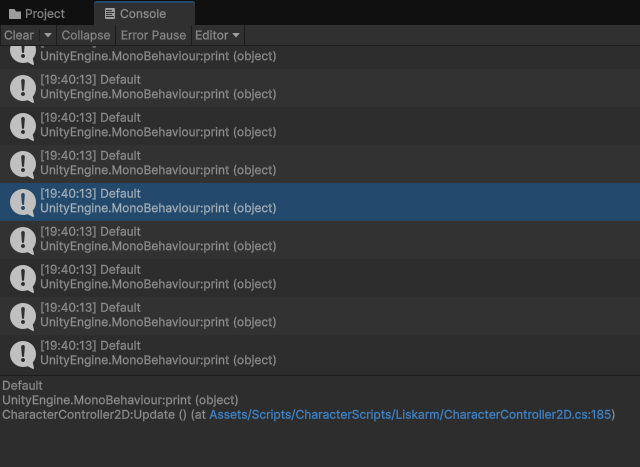 rich adder
seems to be working fine..
silver fern
oh
slender nymph
and you are logging the return value from the NameToLayer call which is showing Default, aka layer 0
silver fern
derp
bold escarp
rich adder
not sure your use case but You might need to be looking into `PtrToStructure` if...
Im not sure that hlsl allows pointers, if so how would i get the right sized pointer from the byteadressbuffer?
rich adder
its printing "Default" as layer
silver fern
ok thanks
rich adder
bold escarp
Im not sure that hlsl allows pointers, if so how would i get the right sized poi...
I'm still pretty new to arranging the structures like that with byte streams (only done so from C/++ streams) so maybe I'm not the right person here.. Maybe you'd want to ask in #1390346827005431951 or if this is shader related maybe #1390346776804069396 ?
sorry wish I could help more than that
bold escarp
rich adder
I'm still pretty new to arranging the structures like that with byte streams (on...
Alright ill try there, thanks for your help
 haughty bison
My current movement system works fairly well. However, my character seems to float back to the ground after jumping instead of falling at a normal rate.
I've looked this over and changed a few details, but I'm a little too green to know exactly what to change. How do I fix this?
rich adder
haughty bison
My current movement system works fairly well. However, my character seems to flo...
are gravity() and movement() conflicting ?
haughty bison
 I wouldn't imagine so? Like my instinct says after the jump, there's no character input that would trigger
 Movement but I could very well be wrong.
 sick arrow
hey there can anyone help me in the #⛰️┃terrain-3d
haughty bison
Or are you saying that triggering the jump would activate both Gravity and Movement, and one is taking precedence?
rich adder
afaik don't think its a good idea to call .Move twice
you should combine the values into 1 call
haughty bison
Okay cool, so bake the jump logic into my Movement method then?
rich adder
check out the example unity provides
https://docs.unity3d.com/6000.1/Documentation/ScriptReference/CharacterController.Move.html notice how it combines it all into 1 call
haughty bison
Ohhh yeah okay I see what you mean. Thank you!!
rich adder
haughty bison
Ohhh yeah okay I see what you mean. Thank you!!
let me know how it works out
slender nymph
you should also make sure that your CheckSphere is detecting ground correctly since you set your downward velocity to a specific value when grounded
rich adder
yeah if its detecting grounded midair it could be setting the yVel to -2
haughty bison
slender nymph
you should also make sure that your CheckSphere is detecting ground correctly si...
That's what I was thinking!!! Rather, I thought something with my CheckSphere was broken.
I tried doubling my gravity force just to see what happened, and I noticed that I would jump, hang for a moment, and then fall at a faster rate.
rich adder
hmm thinking..most likely thats what it is. regardless still good practice to combine into 1 call
maybe your player is in the same layers as groundMask or something ?
although that would give you unlimited jumps as side effect also, Debug.Log values and see whats happening.
haughty bison
The Player + child elements are set to Default, and everything in Environment is set to a Ground layer
 slender nymph
use the physics debugger to actually visualize the checksphere
haughty bison
awesome, thanks yall!! 
Oh god I added a RigidBody to my Player to use the Physics Debugger and my camera starts barrel-rolling 
I think you're right on the money about merging my two .Move calls
rich adder
haughty bison
Oh god I added a RigidBody to my Player to use the Physics Debugger and my camer...
why did you add rigidbody to use physics debugger ? lol
haughty bison
New enough I'm still just clicking stuff 
 rich adder
shouldnt mix rigidbody with CC . the physics debugger has the "Queries" section you can see the checksphere
haughty bison
Ahh yeah that fixed the camera issues at least lol
 tacit snow
Hey guys, im following this tutorial and i have a problem https://www.youtube.com/watch?v=lGxXQzE5Vu8&t=325s:
- The CineMachine version of the video is the CineMachine 3 and im using CineMachine 2.10
- In the video they use the next script:
using UnityEngine;
using Cinemachine;
public class CameraFocus : MonoBehaviour
{
public CinemachineBrain Brain;
public ICinemachineCamera CamA;
public ICinemachineCamera CamB;
private void Start()
{
    CamA = GetComponent<CinemachineVirtualCamera>();
    CamB = GetComponent<CinemachineVirtualCamera>();

    int layer = 1;
    int priority = 1;
    float weight = 1f;
    float blendTime = 0f;
    Brain.SetCameraOverride(layer, priority, CamA, CamB, weight, blendTime);
}
}
but in my case im using the oldest version of cinemachine and it requieres 5 parameters (not 6):
public int SetCameraOverride(
int overrideId,
ICinemachineCamera camA, ICinemachineCamera camB,
float weightB, float deltaTime)
{
if (overrideId < 0)
overrideId = mNextFrameId++;
BrainFrame frame = mFrameStack[GetBrainFrame(overrideId)];
frame.deltaTimeOverride = deltaTime;
frame.blend.CamA = camA;
frame.blend.CamB = camB;
frame.blend.BlendCurve = mDefaultLinearAnimationCurve;
frame.blend.Duration = 1;
frame.blend.TimeInBlend = weightB;

// In case vcams are inactive game objects, make sure they get initialized properly
var cam = camA as CinemachineVirtualCameraBase;
if (cam != null)
    cam.EnsureStarted();
cam = camB as CinemachineVirtualCameraBase;
if (cam != null)
    cam.EnsureStarted();

return overrideId;
}
So the problem that they solve in the video with that script i cant fix it. Do you have any idea to solve that?

Welcome to the seventh and final video in our Input System series! In this video, we focus on local multiplayer games, where two or more players share the same computer and screen while using separate controllers.
You’ll learn how to use the Player Input Manager component to enable multiple players to control different characters in a local m...
eternal falconBOT
Posting code
📃 Large Code Blocks
Use links to services like:
https://paste.mod.gg/, https://hastebin.skyra.pw/, https://paste.ofcode.org/, https://paste.myst.rs/
📃 Inline Code
Surround code with three backquotes. Not quotation marks.
To format as C#, add cs to the first line:
```cs
// Your code here
```
Add a comment with a line number if there is an error message.
tacit snow
Hey guys, im following this tutorial and i have a problem https://www.youtube.com/watch?v=lGxXQzE5Vu8&t=325s:
- The CineMachine version of the video is the CineMachine 3 and im using CineMachine 2.10
- In the video they use the next script:
using UnityEngine;
using Cinemachine;


public class CameraFocus : MonoBehaviour
{
    public CinemachineBrain Brain;
    public ICinemachineCamera CamA;
    public ICinemachineCamera CamB;

    private void Start()
    {
        CamA = GetComponent<CinemachineVirtualCamera>();
        CamB = GetComponent<CinemachineVirtualCamera>();

        int layer = 1;
        int priority = 1;
        float weight = 1f;
        float blendTime = 0f;
        Brain.SetCameraOverride(layer, priority, CamA, CamB, weight, blendTime);
    }

}
but in my case im using the oldest version of cinemachine and it requieres 5 parameters (not 6):
public int SetCameraOverride(
    int overrideId,
    ICinemachineCamera camA, ICinemachineCamera camB,
    float weightB, float deltaTime)
{
    if (overrideId < 0)
        overrideId = mNextFrameId++;

    BrainFrame frame = mFrameStack[GetBrainFrame(overrideId)];
    frame.deltaTimeOverride = deltaTime;
    frame.blend.CamA = camA;
    frame.blend.CamB = camB;
    frame.blend.BlendCurve = mDefaultLinearAnimationCurve;
    frame.blend.Duration = 1;
    frame.blend.TimeInBlend = weightB;

    // In case vcams are inactive game objects, make sure they get initialized properly
    var cam = camA as CinemachineVirtualCameraBase;
    if (cam != null)
        cam.EnsureStarted();
    cam = camB as CinemachineVirtualCameraBase;
    if (cam != null)
        cam.EnsureStarted();

    return overrideId;
}
So the problem that they solve in the video with that script i cant fix it. Do you have any idea to solve that?
Welcome to the seventh and final video in our Input System series! In this video, we focus on local multiplayer games, where two or more players share the same computer and screen while using separate controllers.
You’ll learn how to use the Player Input Manager component to enable multiple players to control different characters in a local m...
red igloo
tacit snow
Hey guys, im following this tutorial and i have a problem https://www.youtube.co...
Why not use cinemachine 3?
rocky canyon
cant you just manipulate the priorities and call it a day?
tacit snow
rocky canyon
cant you just manipulate the priorities and call it a day?
what do you mean?
tacit snow
red igloo
Why not use cinemachine 3?
i dont see the option in the package manager
i dont know how to do it
rocky canyon
tacit snow
i dont see the option in the package manager
its just Update

it should have a Update in place where the Install is..
 rocky canyon
tacit snow
what do you mean?
rocky canyon
tacit snow
what do you mean?
i simply mean setting the transition data on the Cinemachine Brain..
and then modifying ur VCam's Priority for the transition..
like if u have a MainCam = 0
and a SecondaryCam = 1
you can reference those in script and change Main to 1 and Sec to 0
and vice versa.. giving 1 cam priority over the other (and having the transitions just go)
tacit snow
i dont rlly understand how to do that, can you help in private chat now? I can screen share and you told me how to do it if its possible
this is my camera config
 rocky canyon
you basically dont even need to change priorities at runtime (if ur toggling cameras on and off and having the priorities already set)
it basically just transitions from 1 cam to the other
you can disable a virtual camera and enable a second virtual camera and it'll transition on its own.. (depending on the brains settings)..
1 sec and ill show a little example
you can basically just utilize thisCamera.SetActive(false); thatCamera.SetActive(true);
i never do much more than just this ^
i have my cameras set up and disabled
when i need to transition i just toggle 1 of em on..
when i need to transition back i just toggle it back off..
tacit snow
i dont rlly understant you
rocky canyon
thats pretty much the extent of my cinemachine knowledge tho 🤣
now im on a side-quest to figure out why i have different versions available to me

 tacit snow
what i want its a two person local multyplayer
rocky canyon
tacit snow
what i want its a two person local multyplayer
ohh.. so each player having its own camera?
rocky canyon
ohhhh
tacit snow
let me show a video
rocky canyon
okay ya i misunderstood you earlier mb
tacit snow
dw
this is my problem
so in the tutorial, unity devs use this code to solve it:
using UnityEngine;
using Cinemachine;

public class CameraFocus : MonoBehaviour
{
    public CinemachineBrain Brain;
    public ICinemachineCamera CamA;
    public ICinemachineCamera CamB;

    private void Start()
    {
        CamA = GetComponent<CinemachineVirtualCamera>();
        CamB = GetComponent<CinemachineVirtualCamera>();

        int layer = 1;
        int priority = 1;
        float weight = 1f;
        float blendTime = 0f;
        Brain.SetCameraOverride(layer, priority, CamA, CamB, weight, blendTime);
    }

}```but in my actual cinemachine version i CANT use that because i need just 5 parameters instead of 6
so it gives me an error
rocky canyon
whtat is it that they are "solving"
i think thats the part i missed
what feature/mechanic/are you setting up?
tacit snow
rocky canyon
what feature/mechanic/are you setting up?
what¿
rocky canyon
whats the code doing?
tacit snow
srry my english not so good xd
rocky canyon
or supposed to be doing
tacit snow
let me show
rocky canyon
i just need to know what the expected outcome is
tacit snow
https://www.youtube.com/watch?v=lGxXQzE5Vu8
go to minute 7:35
Welcome to the seventh and final video in our Input System series! In this video, we focus on local multiplayer games, where two or more players share the same computer and screen while using separate controllers.
You’ll learn how to use the Player Input Manager component to enable multiple players to control different characters in a local m...
the only difference is that im using a spawn method to instantiate the characters, but doing the same as him, stills not working
rocky canyon
oh okay.. let me look into it a bit
tacit snow
okay mate
im using this asset: https://assetstore.unity.com/packages/essentials/starter-assets-thirdperson-updates-in-new-charactercontroller-pa-196526

Get the Starter Assets - ThirdPerson | Updates in new CharacterController package package from Unity Technologies and speed up your game development process. Find this & other Essentials options on the Unity Asset Store.
for the character
i just changed the mesh and animator
rocky canyon
okay a quick glance.. and ur right.. the older API only has 5 params..
should be an easy solution... just use 5 params..
the older one doesn't have one for blendTime so you'd use pretty much the same signature but without the blendTime...
🎦 Cinemachine 3: Brain.SetCameraOverride(layer, priority, CamA, CamB, weight, blendTime);
🎦 Cinemachine Legacy: Brain.SetCameraOverride(layer, priority, CamA, CamB, weight);
tacit snow
okay let me try
rocky canyon
for the blending that'd be done on the Cinemachine brain..
tacit snow
i tried before without layer and not works
rocky canyon

no no, the layer is still there..
the only one missing is blendTime
which u'd have to set on the cinemachine brain.. (legacy)
 tacit snow
is not working mate
rocky canyon
orrr.. you can always Upgrade to 3+ 😅
tacit snow
rocky canyon
orrr.. you can always *Upgrade* to 3+ 😅
if you tell me how i will i promise xd

CameraFocus.cs(19,40): error CS1503: Argument 2: cannot convert from 'int' to 'Cinemachine.ICinemachineCamera'
Assets\Scripts\Camera\CameraFocus.cs(19,56): error CS1503: Argument 4: cannot convert from 'Cinemachine.ICinemachineCamera' to 'float'
public int SetCameraOverride(
    int overrideId,
    ICinemachineCamera camA, ICinemachineCamera camB,
    float weightB, float deltaTime)
this is what the method requieres
rocky canyon
tacit snow
is not working mate
ya wait.. theres things i dont understand bout it
 tacit snow
you have same issue
 heavy magnet
hi how do I make my character move?
wintry quarry
heavy magnet
hi how do I make my character move?
way too vague of a question to be presented without any context.
Every game is different and requires different types of movement
rocky canyon
tacit snow
you have same issue
ya, let me look around the docs and see if i cant find a solution.. im kinda figuring this out as i go..
rich ice
heavy magnet
hi how do I make my character move?
might be a good idea to check !learn
eternal falconBOT
:teacher: Unity Learn ↗
Over 750 hours of free live and on-demand learning content for all levels of experience!
heavy magnet
wintry quarry
way too vague of a question to be presented without any context.
im creating a 3rd person game but i dont know how to make my character move (walk, run etc)
sorry for bad english
wintry quarry
heavy magnet
im creating a 3rd person game but i dont know how to make my character move (wal...
Have you tried finding a tutorial?
tacit snow
rocky canyon
ya, let me look around the docs and see if i cant find a solution.. im kinda fig...
okay friend, thanks for your time, apreciate it
heavy magnet
wintry quarry
Have you tried finding a tutorial?
yes
wintry quarry
and what happened?
heavy magnet
but my character started flying😭
wintry quarry
Then you did something wrong
If you want specific help with the "flying character" issue, you should share details about what tutorial you were following, and what you tried etc.
heavy magnet
and i cant move it "forward" (idk if thats the right word)
wintry quarry
Nobody can help you without seeing the details of your problem.
heavy magnet

Walk, Run, Jump and Sprint! Easily customizable!
A very simple player movement script that will get you started on your 3d project. Code is pinned in comments.
3D, First person (easy change to third person).
Sub for more :)
heavy magnet
wintry quarry
If you want specific help with the "flying character" issue, you should share de...
I did exactly what they told me to do(i copied the script)
frail hawk
character controller is probably what you want
heavy magnet
frail hawk
character controller is probably what you want
yes
frail hawk
as PraetorBlue said, maybe post some code
wintry quarry
heavy magnet
I did exactly what they told me to do(i copied the script)
- Copying the script is only one small part of following a Unity tutorial. Everything in the scene/engine needs to be set up properly as well
- It's likely you made an error either when copying the script or when setting things up in the scene. You'll have to show your code etc.
- this tutorial is for a FIRST PERSON SHOOTER game
not a third person game like you first mentioned
heavy magnet
wintry quarry
1. Copying the script is only one small part of following a Unity tutorial. Ever...
yes I also added the character controller component or idk
heavy magnet
wintry quarry
3. this tutorial is for a FIRST PERSON SHOOTER game
I didnt pay attention to that
wintry quarry
- I would avoid tutorials with names like "UNITY 3D PLAYER MOVEMENT in 2 MINUTES! FPS Shooter" - these tend to be mostly clickbait and the quality is usually not good.
heavy magnet
wintry quarry
4. I would avoid tutorials with names like "UNITY 3D PLAYER MOVEMENT in 2 MINUTE...
okayy
wintry quarry
heavy magnet
yes I also added the character controller component or idk
again - that's just one step of many. Show us what you did.
heavy magnet
using System.Collections.Generic;
using UnityEngine;

public class character : MonoBehaviour
{
    private CharacterController characterController;

    public float speed = 5f;
    // Start is called before the first frame update
    void Start()
    {
       characterController = GetComponent<CharacterController>();
    }

    // Update is called once per frame
    void Update()
    {
        Vector3 move  = new Vector3(Input.GetAxis("Horizontal"),Input.GetAxis("Vertical"));

        characterController.Move(move*Time.deltaTime*speed);

    }
}```!code
eternal falconBOT
Posting code
📃 Large Code Blocks
Use links to services like:
https://paste.mod.gg/, https://hastebin.skyra.pw/, https://paste.ofcode.org/, https://paste.myst.rs/
📃 Inline Code
Surround code with three backquotes. Not quotation marks.
To format as C#, add cs to the first line:
```cs
// Your code here
```
Add a comment with a line number if there is an error message.
wintry quarry
Please share code as recommended^^
marsh vale
bro the little boy from yesterday genuinly just doesnt know what hes talking about
using UnityEngine;

public class BirdScript : MonoBehaviour
{


    // Start is called once before the first execution of Update after the MonoBehaviour is created
    void Start()
    {
        gameObject.name = "Sam Ayyub";
    }

    // Update is called once per frame
    void Update()
    {

    }
}
why doesnt this code work dude 😭
oh waiat nvm im being a dummy
wintry quarry
marsh vale
```c#
using UnityEngine;
public class BirdScript : MonoBehaviour
{
// Sta...
What about the code does't work?
frail hawk
heavy magnet
```using System.Collections;
using System.Collections.Generic;
using UnityEngine...
there is a small unity example project wiht the character controller, i recommend that instead the tutorial you sent. i mean i just checked it and it is trash
heavy magnet
frail hawk
there is a small unity example project wiht the character controller, i recommen...
okay thank u
wintry quarry
indeed that tutorial doesn't handle gravity or jumping at all.
frail hawk
Get the Starter Assets - ThirdPerson | Updates in new CharacterController package package from Unity Technologies and speed up your game development process. Find this & other Essentials options on the Unity Asset Store.
wintry quarry
it will just float you aroiund if your game features anything except a perfectly flat terrain
 zenith holly
How do I make my camera normal again
marsh vale
using UnityEngine;

public class BirdScript : MonoBehaviour
{

    public Rigidbody2D myRigidbody;
    // Start is called once before the first execution of Update after the MonoBehaviour is created
    void Start()
    {

    }

    // Update is called once per frame
    void Update()
    {
        myRigidbody.linearVelocity = Vector2.up * 10;
    }
}
error says i need a variable for myrigidbody "the variable myrigidbody of birdscript has not been assigned"
 little olive
heyo, was wondering if theres some kind of chart/statistics of object pooling vs instantiating and destroying ? or if someone can share their opinion on if it's always worth it or could be fine in "smaller" games ? trying to weigh my options in refactoring a lot of old code
polar acorn
zenith holly
How do I make my camera normal again
Click the transform gizmo to switch off of isometric view
polar acorn
marsh vale
```c#
using UnityEngine;
public class BirdScript : MonoBehaviour
{
public ...
Because it hasn't been assigned
tacit snow
@rocky canyon did you find a solution?
wintry quarry
marsh vale
```c#
using UnityEngine;
public class BirdScript : MonoBehaviour
{
public ...
You need to assign the variable like it's saying
which you haven't done
polar acorn
There exists a BirdScript that doesn't have that variable assigned
rocky canyon
tacit snow
if you tell me how i will i promise xd
soo.. came up with an alternative..
zenith holly
polar acorn
Click the transform gizmo to switch off of isometric view
Idk what that is
marsh vale
polar acorn
Because it hasn't been assigned
your gonna say smth about me not following the tutorial correctly or something but the tutorial litrally just wrote that and ran the code and it worked
polar acorn
zenith holly
Idk what that is
The perspective thingy in the corner
rocky canyon
tacit snow
<@317141358894645248> did you find a solution?
its basically doing what i mentioned earlier.. and its just changing the Priority values
 night mural
little olive
heyo, was wondering if theres some kind of chart/statistics of object pooling vs...
night mural
little olive
heyo, was wondering if theres some kind of chart/statistics of object pooling vs...
Don't worry about it. When it matters, it'll be easy to tell and offload your bullets or whatever to be pooled.
wintry quarry
marsh vale
your gonna say smth about me not following the tutorial correctly or something b...
The tutorial skipped over the assigning of the variable then, or you skipped that part of the tutorial
polar acorn
marsh vale
your gonna say smth about me not following the tutorial correctly or something b...
The tutorial showed you where to drag in the reference
you need to do that part too
marsh vale
i did
slender nymph
marsh vale
```c#
using UnityEngine;
public class BirdScript : MonoBehaviour
{
public ...
read the entire error message
rocky canyon
you can access the cinemachine brain brain.m_DefaultBlend.m_Time = 1f; // 1 second blend to do the same thing the blendTime variable would have done in the Override method
that cinemachine2 doesn't have
little olive
night mural
Don't worry about it. When it matters, it'll be easy to tell and offload your bu...
glad to hear, thanks !
tacit snow
rocky canyon
you can access the cinemachine brain `brain.m_DefaultBlend.m_Time = 1f; // 1 sec...
can you write me in private pls?
polar acorn
marsh vale
i did
on every instance of BirdScript
marsh vale
 tacit snow
lots of people there
slender nymph
marsh vale
notice how the error message is telling you what to do
polar acorn
marsh vale
You have a BirdScript that doesn't have a myRigidbody assigned
wintry quarry
marsh vale
yes we get it. This is an extremely simple, common, and known error based on you not having assigned the variable.
rocky canyon
tacit snow
can you write me in private pls?
a powerful website for storing and sharing text and code snippets. completely free and open source.
wintry quarry
you might have another copy of the script in the scene that you added accidentally where you didn't assign it
rocky canyon
this is the script i came up with ^ it should help you understand the priority system a bit better..
sorry i dont do DMs.. i'd never get any work done
tacit snow
okay i will try
rocky canyon
in the Vcam components you can see the value here being manipulated.. and thats basically what transitions the cams
 frail hawk
zenith holly
How do I make my camera normal again
frail hawk
zenith holly
How do I make my camera normal again
#💻┃unity-talk not a coding question
zenith holly
polar acorn
The perspective thingy in the corner
Which corner
polar acorn
zenith holly
Which corner
Of your scene view
tacit snow
rocky canyon
in the Vcam components you can see the value here being manipulated.. and thats ...
okay, i will text you in few minutes, thanks!
marsh vale
public Rigidbody2D myRigidbody;
does this not assign the thing as a varaible?
polar acorn
marsh vale
```c#
public Rigidbody2D myRigidbody;
```
does this not assign the thing as a v...
no
that creates a variable
you dragging something into the slot assigns the variable
rocky canyon
tacit snow
okay, i will text you in few minutes, thanks!
the vcam with the higher priority will be the active camera
marsh vale
oh my goddddd this is so much different from rblxs i need to get used to doing all this dragging
rocky canyon
you can give it a try in the editor yourself.. simply by changing the value.. (then we can do the same at runtime) ie. the script i posted
marsh vale
thanks for the help
rocky canyon
marsh vale
oh my goddddd this is so much different from rblxs i need to get used to doing a...
dragging and dropping is just (1) piece of the puzzle..
you can also assign those values during runtime (in the script for example)
rocky canyon
inspector and public values just make it a bit easier to work in the editor
tacit snow
rocky canyon
the vcam with the higher priority will be the **active** camera
but i need both cameras on
marsh vale
its still giving me the same error message
 polar acorn
marsh vale
its still giving me the same error message
polar acorn
marsh vale
its still giving me the same error message
Then you have a BirdScript that doesn't have myRigidbody assigned
rocky canyon
#🎥┃cinemachine may be best to take it to a dedicated channel at this point
tacit snow
ty man
 slender nymph
search t:BirdScript in the hierarchy
polar acorn
marsh vale
Then the error is not referring to this one
rocky canyon
👀 tricky tricky
polar acorn
marsh vale
Consider the statement:
"My cat has been fed"
And the follow up:
"All cats have been fed"
Does that make sense? Why would feeding one cat mean that all cats everywhere are all fed?
this BirdScript has its rigidbody assigned.
The error says there is a BirdScript that does not have its rigidbody assigned
rocky canyon
☝️
polar acorn
therefore, the error is not talking about this one
wintry quarry
marsh vale
you need to look at all the objects in the scene and perhaps also your prefabs and find where you accidentally added another BirdScript to something
marsh vale
ic, so what would I drag into the script myrigidbody section?
polar acorn
marsh vale
ic, so what would I drag into the script myrigidbody section?
The rigidbody you want to assign to it
frail hawk
marsh vale
ic, so what would I drag into the script myrigidbody section?
you got the same script on some other gameobject probably. check your other gameobjects one by one.
frail hawk
that is what everyone was trying to tell you
marsh vale
dude im slow ash
i cant catcha break

 if (Input.GetKeyDown(KeyCode.Space) == true)
        {
            myRigidbody.linearVelocity = Vector2.up * 10;
        }
is this the right way to do inputs or am i doing something wrong
night mural
the thing you are doing wrong is not actually reading and thinking about the things unity is telling you
polar acorn
marsh vale
i cant catcha break
You are trying to read Input using the UnityEngine.Input class, but you have switched active Input Handling to Input System package in Player Settings
night mural
but it is dumb that unity has 2 input systems and beginners have to understand that and run into old tutorials all the time that won't actually work
polar acorn
Literally plug those words into a search engine and it'll tell you how to switch
marsh vale
night mural
but it is dumb that unity has 2 input systems and beginners have to understand t...
which of the two is the more perfered one used
night mural
I donno, the old one is simpler to start with which might be nice? but probably people should learn the new one
sharp mirage
@rich adder

 frail hawk
the new one is powerful but really not beginner friendly
night mural
marsh vale
is the way im doing rn the old way
your code is trying to do it the old way, your project is configured for the new way
marsh vale
yall advise i learn the old way first then learnt he new way?
night mural
so I'd say spend a bit of time trying to do it the new way and if that feels crazy, look up how to switch to using the old eway
and just know that later you might need to circle back once you have a better grasp on things overall
tacit snow
Hey guys, im following this tutorial and i have a problem https://www.youtube.com/watch?v=lGxXQzE5Vu8&t=325s:
- The CineMachine version of the video is the CineMachine 3 and im using CineMachine 2.10
- In the video they use the next script:
using UnityEngine;
using Cinemachine;


public class CameraFocus : MonoBehaviour
{
    public CinemachineBrain Brain;
    public ICinemachineCamera CamA;
    public ICinemachineCamera CamB;

    private void Start()
    {
        CamA = GetComponent<CinemachineVirtualCamera>();
        CamB = GetComponent<CinemachineVirtualCamera>();

        int layer = 1;
        int priority = 1;
        float weight = 1f;
        float blendTime = 0f;
        Brain.SetCameraOverride(layer, priority, CamA, CamB, weight, blendTime);
    }

}
but in my case im using the oldest version of cinemachine and it requieres 5 parameters (not 6):
public int SetCameraOverride(
    int overrideId,
    ICinemachineCamera camA, ICinemachineCamera camB,
    float weightB, float deltaTime)
{
    if (overrideId < 0)
        overrideId = mNextFrameId++;

    BrainFrame frame = mFrameStack[GetBrainFrame(overrideId)];
    frame.deltaTimeOverride = deltaTime;
    frame.blend.CamA = camA;
    frame.blend.CamB = camB;
    frame.blend.BlendCurve = mDefaultLinearAnimationCurve;
    frame.blend.Duration = 1;
    frame.blend.TimeInBlend = weightB;

    // In case vcams are inactive game objects, make sure they get initialized properly
    var cam = camA as CinemachineVirtualCameraBase;
    if (cam != null)
        cam.EnsureStarted();
    cam = camB as CinemachineVirtualCameraBase;
    if (cam != null)
        cam.EnsureStarted();

    return overrideId;
}
So the problem that they solve in the video with that script i cant fix it. Do you have any idea to solve that?
Welcome to the seventh and final video in our Input System series! In this video, we focus on local multiplayer games, where two or more players share the same computer and screen while using separate controllers.
You’ll learn how to use the Player Input Manager component to enable multiple players to control different characters in a local m...
marsh vale
night mural
so I'd say spend a bit of time trying to do it the new way and if that feels cra...
hm lemme try it out
frail hawk
tacit snow
Hey guys, im following this tutorial and i have a problem https://www.youtube.co...
were you not told to use the appropriate channel #🎥┃cinemachine
marsh vale
oh god i might just learn the old way 😭
 tacit snow
does any1 have a 2 local player third person controller system to use for free? thanks
 dull grail
How can i install newtonsoft json to unity? I saw it have official support but search in package manager give nothing
 marsh vale
wtv imma grow some balls, imma just learn the new one
wintry quarry
dull grail
How can i install newtonsoft json to unity? I saw it have official support but s...
Click the Plus sign, do "add package by name" and type in com.unity.nuget.newtonsoft-json
dull grail
Thank you
 rotund tiger
just got back into unity after years and forgot everything. i want to make a basic horror game like all the demos i see. where do i start/
slender nymph
!learn
eternal falconBOT
:teacher: Unity Learn ↗
Over 750 hours of free live and on-demand learning content for all levels of experience!
rotund tiger
slender nymph
!learn
do u think 6.0 is fine?
frail hawk
tacit snow
does any1 have a 2 local player third person controller system to use for free? ...
slender nymph
rotund tiger
do u think 6.0 is fine?
why would it not be? it's currently the latest LTS version
rotund tiger
idk what lts is but ok thanks
slender nymph
Long Term Support
rotund tiger
oh ok
 wintry quarry
marsh vale
wintry quarry
marsh vale
Just go here and unassign any reference you see https://docs.unity3d.com/Packages/com.unity.inputsystem@1.14/manual/ProjectWideActions.html#create-and-assign-a-project-wide-actions-asset
 wintry quarry
Make it say "None" for the Project-Wide Actions setting
rotund tiger
where can i get 1st person setup
marsh vale
wintry quarry
Make it say "None" for the Project-Wide Actions setting
im confused
wintry quarry
What are you confused about?
tacit snow
rotund tiger
where can i get 1st person setup
Get the Starter Assets - ThirdPerson | Updates in new CharacterController package package from Unity Technologies and speed up your game development process. Find this & other Essentials options on the Unity Asset Store.
wintry quarry
marsh vale
so i created a new project wide action set
why
that's not what I said to do
wintry quarry
Yes I was saying to make that settings say NONE
just remove the one that was there from the setting
and delete any new asset you created
do NOT delete your original asset though.
Just remove it from that setting
marsh vale
ok i deelte the thing it created and it basically just reverted it
im in settings rn
 wintry quarry
that's good - but make sure you didn't delete the actual asset
wintry quarry
marsh vale
this is the wrong page btw
marsh vale
 marsh vale
 wintry quarry
you need to make this say None

right now it's pointing at your asset
you can right click it to remove the reference I believe
tacit snow
is there any way to update my project version to unity 6?
marsh vale
wintry quarry
you can right click it to remove the reference I believe
nope, nothing happens
i just hit the dot
and changed it to none
wintry quarry
tacit snow
is there any way to update my project version to unity 6?
Open Unity hub, and next to your project there will be a dropdown for the Unity version. Select unity 6 there, then open the project.
make a backup or VCS commit first though
wintry quarry
marsh vale
and changed it to none
then you're done
marsh vale
ty

 wintry quarry
There was no need to create or modify that
you certainly can make your own if you want
all you needed to do was make the project-wide asset setting say None
you can continue to use the asset that is called PlayerInput_Actions
marsh vale
wintry quarry
all you needed to do was make the project-wide asset setting say None
what does that change
if its set to none what does it change? im am still able to use the controls
wintry quarry
It's a thing you're not using - but having it set that way was causing the warning you saw
that's all
rotund tiger
tacit snow
https://assetstore.unity.com/packages/essentials/starter-assets-thirdperson-upda...
this is third person
marsh vale
oh its just what the warning wants
wintry quarry
marsh vale
if its set to none what does it change? im am still able to use the controls
It changes a thing you are not using.
rotund tiger
i installed it but i cant find anything first person
wintry quarry
it will not affect your game as is
marsh vale
alright
marsh vale
wintry quarry
it will not affect your game as is
so changing the thing to none, i have to do it everyime in unity on a new project? or its just alwasy gonna be like that now
wintry quarry
rotund tiger
i installed it but i cant find anything first person
This is the first person one: https://assetstore.unity.com/packages/essentials/starter-assets-firstperson-updates-in-new-charactercontroller-pa-196525

Get the Starter Assets - FirstPerson | Updates in new CharacterController package package from Unity Technologies and speed up your game development process. Find this & other Essentials options on the Unity Asset Store.