#💻┃code-beginner
1 messages · Page 623 of 1
 ashen frigate
 cosmic dagger
I'm not sure what you mean by this? This code is inside of your confirm_game method. You asked why the method itself was being called. Are you asking a different question now?
ashen frigate
sry if im hard to read english isnt my first lango but my question is why is it goes to else even tho i didnt click (hasclicked is a flag to check if the any player hit mouse click if all players selected characters)
 cosmic dagger
ashen frigate
sry if im hard to read english isnt my first lango but my question is why is it ...
cosmic dagger
ashen frigate
sry if im hard to read english isnt my first lango but my question is why is it ...
Okay, inside of the method, it moves to the else block because hasClicked is false AND allPlayersSelected is false . . .
 rich adder
what do you want it to do ?
dont you want ?
if(hasClicked && allPlayersSelected){
//do stuff
}```^
isnt it the same as false or false ?
im doing a character picks check then if both players selected there characters one of them need to press click to active the game
rich adder
btw that Deley(10f); does absolutely nothing
ashen frigate
delay dont work on update ?
rich adder
no you cannot add delay to update
private IEnumerator Deley(float delay)
    {
        yield return new WaitForSeconds(delay);
}``` this doesnt do anythingcoroutines don't stop other code from running
ashen frigate
i see
rich adder
only anything below the yield return new WaitForSeconds(delay); does wait
rich adder
ashen frigate
^
isnt it the same as false or false ?
ya ik its just seemed no point of having the return there
ashen frigate
ive swaped the logic and place an && i get the same result
rich adder
ashen frigate
are those actually fresh logs?
ashen frigate
yes

i did another one after swaping false or false to true and true
same result
rich adder
well yeah its the same condition
both must be true, just seemed no point of having else block thats all
ashen frigate
i think its hiting clicked and allplayerselected at the same frame is that posible ?
ashen frigate
how else can i check real time player inputs ?
rich adder
polling is fine if its for inputs
doing this is update is a bad idea btw
NewVirtualMouse[] allMice = GameObject.FindObjectsOfType<NewVirtualMouse>();
this is the times you actually use an Event based approach or value needs to be changed when something happens
ashen frigate
yea i couldnt find any local dynamic mouses so i had to improvise
this is the only thing that cam to mind
rich adder
I guess. You can easily add it to an array / list when the player joins and the virtual mouse is created..
ashen frigate
ihave array that save there indexs and theres choices
rich adder
ashen frigate
ihave array that save there indexs and theres choices
I see mouseList but you never add or do anything with it
ashen frigate
ohh i think ive deleted the logic there cuz i get the indexs from update 🥲
 hardy ibex
i have a script that needs to reference a GameObject (the player) but when i try to put the player in the gameobject field it says type mismatch? any idea why this could happen?
rich adder
hardy ibex
i have a script that needs to reference a GameObject (the player) but when i try...
is the field on a prefab ?
rich adder
you can't add scene objects to prefabs
rich adder
hardy ibex
ahh
🤔 Unity, Huh, How?
Assets can't directly refer to Objects in Scenes, but their instances can be configured with those references.
hardy ibex
!code
 eternal falconBOT

Posting code
📃 Large Code Blocks
Use links to services like:
https://paste.mod.gg/, https://hastebin.skyra.pw/, https://paste.ofcode.org/, https://paste.myst.rs/, https://scriptbin.xyz/
📃 Inline Code
Surround code with three backquotes. Not quotation marks.
To format as C#, add cs to the first line:
```cs
// Your code here
```
Add a comment with a line number if there is an error message.
hardy ibex
private GameObject player;
player = GameObject.FindGameObjectWithTag("player");
is this the correct way to do that?
rich adder
its fine
not as good as the one shown in link but should be fine if its in awake once
hardy ibex
ok. i assume if i had more objects with the player tag this would not work
hardy ibex
rich adder
https://unity.huh.how/references/prefabs-referencing-components
using enemy.movement;
using UnityEngine;
using static UnityEngine.GraphicsBuffer;

public class enemySpawner : MonoBehaviour
{
    [SerializeField] private enemyMovement _enemy;

    [SerializeField] private Transform _player;
    public void SpawnAndConfigurePrefab()
    {
        enemyMovement instance = Instantiate(_enemy);
        instance.Initialise(_player);
    }

    void Update()
    {
    }
}
using UnityEngine;
using static UnityEngine.GraphicsBuffer;

namespace enemy.movement
{
    public class enemyMovement : MonoBehaviour
    {
        private Transform _player;
        [SerializeField] float offset;
        [SerializeField] float speed;
        private Rigidbody2D rb;

        void Start()
        {

            rb = GetComponent<Rigidbody2D>();
        }
        public void Initialise(Transform player)
        {
            _player = player;
        }
        void Update()
        {

            float xDiff = _player.transform.position.x - transform.position.x;
            float yDiff = _player.transform.position.y - transform.position.y;


            Vector2 direction = new Vector2(xDiff, yDiff).normalized;


            rb.linearVelocity = direction * speed * Time.deltaTime;
        }
    }
}
i followed what is said in the link you sent but it says "object reference not set to instance of an object"
 west radish
Double clicking the error, most of the time, will take you directly to the issue
hardy ibex
ok ill try that
it syas the error is in Update on the enemyMovement script when i try to do ```cs
float xDiff = _player.transform.position.x - transform.position.x;
its possible its running before Init is running
you can test it by putting a Debug.Log(_player)
hardy ibex
rich adder
you can test it by putting a `Debug.Log(_player)`
in update?
rich adder
sure
hardy ibex
null
rich adder
so yeah
hardy ibex
so should i do if(_player != null) around it then?
rich adder
either wrap it in an if statement or early return
hardy ibex
bruh i was sitting here wondering why they werent moving its because i had the speed set to 0 😭
 prime cobalt
I have a physics raycaster on my camera and an event system in the scene but when I hover the mouse over an object it doesn't send a debug message


 sour fulcrum
that's for canvas objects
prime cobalt
What's the non canvas one called?
sour fulcrum
MonoBehaviour has built in OnMouseEnter & OnMouseExit functions but depending on the games context you might want to handle your own raycast pointing from the camera to the mouse position translated to world position
prime cobalt
Ok thanks
 wintry quarry
prime cobalt
Ok thanks
wintry quarry
prime cobalt
Ok thanks
They're not correct
You can use IPointerEnterHandler for non canvas objects
Can and should
prime cobalt
Yeah I thought I could, I think I did like a year ago. But OnMouseEnter is working.
wintry quarry
prime cobalt
Yeah I thought I could, I think I did like a year ago. But OnMouseEnter is worki...
The problem with that is it's not going to give you the nice automatic UI blocking behavior
Which might not matter for you
prime cobalt
It actually does matter.
wintry quarry
From your screenshots it should have worked so one possibility is you had a UI element blocking it or something along those lines
Assuming your event system, input module, and physics Raycaster are correctly configured
prime cobalt
I don't even have a canvas at the moment
wintry quarry
Is the physics engine enabled?
Like if you go to project settings Physics
Does it say PhysX?
prime cobalt
I don't see anything about physX
wintry quarry
Which Unity version are you on
prime cobalt
2022.3.57f1
 bitter spruce
Hello, i would like some assistance.
I have this menu page where i can scroll to select levels which is working normally. But once i enter the game scene and exit from the game scene to the menu scene. I only can swipe once and it gets stuck and stop working. which is really weird.
wintry quarry
I see, ok I was thinking of a setting from 6
wintry quarry
prime cobalt
2022.3.57f1
Have you changed any physics settings?
 rocky canyon
bitter spruce
Hello, i would like some assistance.
I have this menu page where i can scroll t...
rocky canyon
bitter spruce
Hello, i would like some assistance.
I have this menu page where i can scroll t...
use debug.logs in strategic places to find out whats going on
- the input
- then however u keep track of the selection/screen
prime cobalt
wintry quarry
Have you changed any physics settings?
No but nvm, I just removed the input, physics raycast, and event systems then readded them and it worked.
bitter spruce
it follows my cursor for the first swipe after going back to the menu screen and it dosent snap to other selection which is does. then it just gets stuck
i have done some debug.logs but im still really lost
rocky canyon
start sharing some data..
maybe someone will be able to notice something causing it
 keen rampart
hey does anyone know how to make a 2d building system using tile map
there are a bunch of tut on youtube but most of them are only using a limited amount of tiles
i want it to be able to place anywhere of the world
 eternal needle
keen rampart
i want it to be able to place anywhere of the world
eternal needle
keen rampart
i want it to be able to place anywhere of the world
whats stopping you from adapting the tutorials youve seen and doing this? its really hard for anyone to help with so little information
keen rampart
eternal needle
whats stopping you from adapting the tutorials youve seen and doing this? its re...
i'm not sure
all of the tutuorial
uses
either a square of just a empty
object prefab
as the building space
but i just have no clue how to implmenet a infinite amoutn of those
like be able to build anywhere
brain too small
cosmic dagger
What makes theirs different from yours?
keen rampart
cosmic dagger
What makes theirs different from yours?
uh theirs uses a limted amount of "building spaces"/ they don't use the tilemap for the building system
eternal needle
you couldve just typed that all in 1 message. If i were you I would just start planning. What does it actually mean to build anywhere and how can you allow the user to insert literally anywhere? Part of that is game design, like do you want them to just type in coordinates or scroll to that part of the world?
otherwise it just comes down to having a list of objects that are present in the world, stored by its location and prefab
keen rampart
eternal needle
you couldve just typed that all in 1 message. If i were you I would just start p...
sorry about bad habbit, so what i'm trying to make is a building system that allows the player to build anywhere on the map with one the following condition:
must have a building under it
have one more more building adjacent to the building
I want it to span infinitually, the map origonally starts on a island
cosmic dagger
See, this is part of the information we need. There was no way of us knowing this without you telling us. You're original message said the video used a limited amount of tiles; now you're saying they don't use the tilemap?
 grand badger
keen rampart
sorry about bad habbit, so what i'm trying to make is a building system that all...
grand badger
keen rampart
sorry about bad habbit, so what i'm trying to make is a building system that all...
Sounds fun! Good luck!
keen rampart
cosmic dagger
See, this is part of the information we need. There was no way of us knowing thi...
sorry uh, what i mean by limited amount of tiles is just a empty object kjind of like this just a square


is just a buynch of "spawnpoints" or what i said origonally limited amoutn of tiles on the map
keen rampart
grand badger
Sounds fun! Good luck!
thank you
eternal needle
I havent done these kind of infinite maps myself so I cant really say much there, I wouldnt exactly qualify this as beginner friendly. Maybe consider that if you aren't completely confident in data problems or c#. I think regardless something you need to do is split your tasks up. The problem to me doesnt sound like building on an infinite map, it sounds like you dont have an infinite map.
Maybe there are better tutorials out there as well if you search specifically for infinite worlds. Regardless of what you do, you're gonna have to end up storing where everything is spawned and what location its at
The whole building conditions problem will go away once you actually have an infinite map that you can search up by tile
keen rampart
eternal needle
I havent done these kind of infinite maps myself so I cant really say much there...
Sorry I probably didn't word it correctly but, what I meant by infinite maps isn't infinite "maps", heres an example by what i meant by infinite world, so basiclly there is a main island for the player to spawn on, the player is allowed to build on top of the island or ontop of a building the player have already built, and what I meant by "infinite maps" is that there is only a limited amount of islands but you can technically build as far up or as far sideways as you like


as you can see you can build infinitely high or sideways
that's what I mean't by "infinite" building spaces
 naive pawn
keen rampart
naive pawn
keen rampart
wow, this unlocks some memories...
 polar dust
keen rampart
Sorry I probably didn't word it correctly but, what I meant by infinite maps isn...
polar dust
keen rampart
Sorry I probably didn't word it correctly but, what I meant by infinite maps isn...
if those buildings are only 1x1, then if you built a row of houses from 0,0,0, towards the right, then it would take 1,000,000 houses before unity gave a warning about floating point precision
whilst not infinite, im sure if you had a space thats 2 million x 2million houses wide, that will probably seem infinitely large when youre in the center of it
 lean basin
I don't know what do you want from me, mr unity.


 grand snow
lean basin
I don't know what do you want from me, mr unity.
grand snow
lean basin
I don't know what do you want from me, mr unity.
MonoBehaviour has a field collider but its depricated so if you want to declare your own var with the same name you should do new Collider collider;
 burnt vapor
lean basin
I don't know what do you want from me, mr unity.
burnt vapor
lean basin
I don't know what do you want from me, mr unity.
I don't see what the confusion is
Deprecation messages often include steps to migrate to the new API. This one does as well
Use GetComponent to get the collider instead
Maybe your issue is that you have a variable collider, but here you use base.collider
Blame Unity and their shitty conventions
lean basin
It doesn't like me using collider
but it also doesn't like me making a variable named collider
I intend to declare variable named collider and then do collider = GetComponent<Collider>();
burnt vapor
Try with this.collider
Otherwise rename your variable to _collider or something, assuming it's private
Collider if public
sour fulcrum
lean basin
It doesn't like me using `collider`
but it also doesn't like me making a variabl...
name it something not collider
burnt vapor
burnt vapor
Blame Unity and their shitty conventions
@sour fulcrum?
sour fulcrum
whats the poor naming convention here
lean basin
sour fulcrum
name it something not `collider`
ooh, I guess I'll do this then. Thank you
 burnt vapor
sour fulcrum
whats the poor naming convention here
burnt vapor
sour fulcrum
whats the poor naming convention here
Their old habit of using lowercase naming for public API
sour fulcrum
thats very old tho no?
grand snow
wtf i gave you the solution
sour fulcrum
the issue here is using the already declared name
burnt vapor
lean basin
ooh, I guess I'll do this then. Thank you
To avoid these things in the future, prefix private fields with an underscore and use pascal case for public fields
sour fulcrum
grand snow
wtf i gave you the solution
sorry bbygrl the gold sticker is going in my book this time
lean basin
grand snow
wtf i gave you the solution
I was a little confused with that.
is it like... making a new collider? but there is already a collider
burnt vapor
sour fulcrum
the issue here is using the already declared name
It doesn't really matter. If they didn't resort to using a bad convention it would not cause as many problems
It is very easy to mistake these variables for local variables like here now
grand snow
lean basin
I was a ~~little~~ confused with that.
is it like... making a new collider? but ...
[SerializeField]
new Collider collider; //Lets us override MonoBehaviour.collider and make the warning go away
oooh. it worked. I don't know why it worked. what the "new" there means?
grand snow
technically we have "hidden" monobehaviour.collider but for this purpose it works
burnt vapor
And you also introduced an additional warning
I know code formatting is not something that should be commented on but if you just name your field _collider it works just the same. Unity filters the prefix out in the inspector
that would be the correct way to use a collider in this case, as long as you are using a private field
grand snow
more info on field hiding: https://learn.microsoft.com/en-us/dotnet/csharp/language-reference/keywords/new-modifier
if that all sounds too confusing then do as fusedqyou said
burnt vapor
I'm really not liking this suggestion either, no offense
Under no circumstance should you ever use new here, or at all
It's a major pitfall and I doubt they have any idea how it works
grand snow
I understand what it does but for a new dev i get the concern
 polar acorn
burnt vapor
It's a major pitfall and I doubt they have any idea how it works
polar acorn
burnt vapor
It's a major pitfall and I doubt they have any idea how it works
Is it actually that bad when the thing you're overriding literally cannot be used without an error? Since the base field is deprecated it shouldn't be too bad to hide it, right?
burnt vapor
No, but the problem is that new should not be suggested in general. It's a keyword that has a very niche use case and even then it should really only be used in instances where the method you hide is guaranteed to contain the same behavior and mutability as the replacing method. It's just way too risky to use without properly knowing what you're doing and especially to beginners it will likely end up causing issues.
polar acorn
I don't think a beginner will ever end up in a situation where they'll get suggested to use new other than the ancient deprecated MonoBehaviour methods which would be fine to replace since you're almost certainly doing the same thing it was intended to do.
Still, it is important to know what you're actually overwriting and to be sure it's not in use any more
 ripe shard
burnt vapor
No, but the problem is that `new` should not be suggested in general. It's a key...
ripe shard
burnt vapor
No, but the problem is that `new` should not be suggested in general. It's a key...
going further, I would think anyone assuming they have found a legitimate use-case for it should triple check whether thats really the best option. In most cases alternatives exist.
ripe shard
polar acorn
I don't think a beginner will ever end up in a situation where they'll get sugge...
i've seen it done too many times by "not quite beginners". Dangerous to people who just want a "quick fix".
keen rampart
naive pawn
wow, this unlocks some memories...
lol
keen rampart
polar dust
whilst not infinite, im sure if you had a space thats 2 million x 2million house...
Yep that’s what I’m trying to implement rn
 queen adder
hi i want mod game
 slender nymph
modding discussions are not permitted here. go ask whatever question you have about modding in the game's modding community
queen adder
ehhh okay
 tacit vigil
Ok so I have the line var sprite = Resources.Load<Sprite>("pip1"); but running it, the sprite is null. The sprite's path is Assets/Resources/pip1.png and this is a 3d project if that matters (changing button image in script). What could potentially be the problem here
grand snow
is it actually a sprite or perhaps a texture?
tacit vigil
it says "Texture Type: Sprite (2D and UI)".
grand snow
is it a spritesheet with multiple sprites?
tacit vigil
no, it's a single png
grand snow
no, is the sprite mode multiple or single?
tacit vigil
ah sorry it does say multiple
grand snow
use LoadAll() instead to get all the sprites in that "spritesheet"
tacit vigil
if it's supposed to be just a single sprite in that png, would I change it to "single"?
grand snow
yep
tacit vigil
thank you! it worked now
 tawny grove
Would setting a sprite to white every frame, even if it is already white, or checking to see if a sprite is white, and then setting it to white if not, be less efficient lag wise?
ripe shard
tawny grove
Would setting a sprite to white every frame, even if it is already white, or che...
both are the same
tawny grove
Alright, thank you
 umbral bough
Hi, I am trying to create an asset for an ActivationTrack in Timeline via c#.
I can't figure out what to pass to T tho.
ActivationTrack.CreateClip<T>();
I tried passing ActivationTrack but that threw the following error:
InvalidOperationException: Clips of type UnityEngine.Timeline.ActivationTrack are not permitted on tracks of type UnityEngine.Timeline.ActivationTrack
UnityEngine.Timeline.TrackAsset.CreateClip (System.Type requestedType) (at ./Library/PackageCache/com.unity.timeline/Runtime/TrackAsset.cs:623)
UnityEngine.Timeline.TrackAsset.CreateClip[T] () (at ./Library/PackageCache/com.unity.timeline/Runtime/TrackAsset.cs:520)
WorldTrack.AddClip (WorldClip clip) (at Assets/Scripts/WorldTrack.cs:30)
WorldClip.OnEnable () (at Assets/Scripts/WorldClip.cs:62)
UnityEngine.GUIUtility:ProcessEvent(Int32, IntPtr, Boolean&) (at /home/bokken/build/output/unity/unity/Modules/IMGUI/GUIUtility.cs:219)
I simply need to get the TimelineClip back from this function so I can do further things with it.
Please @ me and thanks in advance!
umbral bough
umbral bough
Hi, I am trying to create an asset for an ActivationTrack in Timeline via c#.
I ...
Solved by using ActivationTrack.CreateDefaultClip()
 scarlet skiff
is
if (Physics2D.CircleCast(transform.position, 1, raycastDirection, jumpDistanceCheckHorizontal, groundLayer))
same as:
if (Physics2D.CircleCast(transform.position, 1, raycastDirection, jumpDistanceCheckHorizontal, groundLayer) != null)
?
rocky canyon
the bottom one is wrong.. b/c RaycastHit2Dis a struct.. it can never be null even if it contains no hit data.

i think.. digiholic can correct me if im wrong
polar acorn
scarlet skiff
is
``if (Physics2D.CircleCast(transform.position, 1, raycastDirection, jumpDist...
RaycastHit2D is a struct, so it cannot be null. It has a custom overload for when it's being cast to bool to check if its collider is null
rocky canyon
RaycastHit2D hit = Physics2D.CircleCast(transform.position, 1, raycastDirection, jumpDistanceCheckHorizontal, groundLayer);
if (hit.collider != null) { /* Hit something */ }``` you might can do it this way keen owl
rocky canyon
```cs
RaycastHit2D hit = Physics2D.CircleCast(transform.position, 1, raycastDire...
keen owl
rocky canyon
```cs
RaycastHit2D hit = Physics2D.CircleCast(transform.position, 1, raycastDire...
Pretty sure that’s the correct way
rocky canyon
i just use layermasks.. not often i need to chek the collider..
if it passes the check it has a collider no?
if u use it as a bool i mean
TIL that circlecast returns a raycasthit2D.. thats a plus 🙂
keen owl
To be fair i’m so used to using the ontrigger/oncollision enter methods to check for collisions and not doing it that way but yeah it returns true if it hits a collider of that layer
keen owl
Recently just learned about QueryTriggerInteraction which were a life saver for making a grappling hook ignore trigger colliders lol
keen owl
Strange, what would you grapple on with a trigger collider?
rocky canyon
nah i have different usecases..
like for wall mounted switches and stuff i use a bigger trigger collider than the actual collider..
that way my raycast has a nice big buffer area
keen owl
Oh I see. One of those moments where you have to hold E to do something
scarlet skiff
keen owl
Recently just learned about ``QueryTriggerInteraction`` which were a life saver ...
why not use oncollision instead ontrigger then? or does the hook of the grappling hook have a trigger collider?
rocky canyon
keen owl
Oh I see. One of those moments where you have to hold E to do something
yea.. and that way u dont have to look exactly at it
just close enough
keen owl
scarlet skiff
why not use oncollision instead ontrigger then? or does the hook of the grapplin...
The way I made my grappling hook was to raycast a solid collider at a certain distance that way if there’s something interactable with a trigger collider such as what we are talking about, it ignores it and doesn’t seem as if it’s hitting something invisible
umbral bough
Hi, I am trying to detect changes in transform in a fairly efficient way, have to work with a lot of objects(data oriented would be overkill).
I tried using this:
if (!transform.hasChanged) return;
However, it only changes on the initial transform change, if I hold, e.g. x, and drag, it won't change after the initial move.
Any ideas what I could do?
rich adder
umbral bough
Hi, I am trying to detect changes in transform in a fairly efficient way, have t...
if(currentPos != oldPos)
umbral bough
well yes, but say there is 100 objects, how well would that scale?
and not just pos, also the scale
rich adder
its fine
rocky canyon
comparing two values is nothing
rich adder
you're comparing some floats, it not a big operation
umbral bough
ok, thanks for feedback!
keen owl
umbral bough
Hi, I am trying to detect changes in transform in a fairly efficient way, have t...
I’m pretty sure that transform.hasChanged is only set to true once per frame so you’d have to explicitly set it to false if that’s what you are after
rich adder
transform.hasChanged is fickle
https://docs.unity3d.com/6000.0/Documentation/ScriptReference/Transform-hasChanged.html
Note that operations which can change the transform will not actually check if the old and new value are different before setting this flag. So setting, for instance, transform.position will always set hasChanged on the transform, regardless of there being any actual change.
 rocky canyon
u could do that too ^
tawny grove
is there a way to increase how often unity checks for collider collision in physics, ie checking to see if two solid colliders are within eachother every half a frame to prevent high speed clipping?
rocky canyon
like reset it as u would a trigger on the animator
rocky canyon
tawny grove
is there a way to increase how often unity checks for collider collision in phys...
yes.. u can use different Collision Detection modes
 verbal dome
tawny grove
is there a way to increase how often unity checks for collider collision in phys...
verbal dome
tawny grove
is there a way to increase how often unity checks for collider collision in phys...
That's what continuous collision detection is for
rocky canyon
on the rigidbody.. and u could also change the Physics tick to be faster
keen owl
tawny grove
is there a way to increase how often unity checks for collider collision in phys...
Perhaps decrease fixed timestep? Will be costly on physics intensive scenes though
rocky canyon
but the detection would be the winner
tawny grove
ill test continous collision, didnt know that was a thing
rocky canyon
 rocky canyon
keen owl
Perhaps decrease fixed timestep? Will be costly on physics intensive scenes thou...
rocky canyon
keen owl
Perhaps decrease fixed timestep? Will be costly on physics intensive scenes thou...
heh i always drop mine down to 65-70 frames per second
not sure why.. but i think it makes the gravity feel more realistic
keen owl
That’s the safe range I think for precision and performance
keen owl
Anything higher might be costly
rocky canyon
;D lol
verbal dome
A faster timestep will make the tunneling problem less frequent but it's still there
umbral bough
keen owl
I’m pretty sure that ``transform.hasChanged`` is only set to true once per frame...
good observation, I am working with an editor script and it only updates only occasionally, is updated called only sometimes in editor?
if yes, how can I work around that?
I already have this on my class:
[ExecuteInEditMode]
verbal dome
[ExecuteAlways] lets you run Update AFAIK.
It's the newer version of Executeineditmode
verbal dome
umbral bough
good observation, I am working with an editor script and it only updates only oc...
If you already have an editor script then you can just do it there, right?
OnSceneGUI or whatever
keen owl
I think OnEditorUpdate() also works, not 100% sure as I don’t use editor scripts much
tawny grove
tawny grove
ill test continous collision, didnt know that was a thing
this worked, does it have considerable effects on game preformance/lag?
rocky canyon
tawny grove
this worked, does it have considerable effects on game preformance/lag?
nope its there for that reason
tawny grove
alright, thank you guys
rocky canyon
probably wont even notice anything
rocky canyon
tawny grove
this worked, does it have considerable effects on game preformance/lag?
i tend to only crank up the objects that need it.. if it works well enough w/o continuous i use the default setting
u could probably just do the same
fast objects almost always require it or a fat-ass collider
tawny grove
changing the physics tick you mean?
rocky canyon
ohhh.. it depends.. if u only change it a bit it shouldnt matter much
dont go crazy with it tho.. (it'll probably only matter in physic heavy scenes)
lots of physics going on
tawny grove
rocky canyon
i tend to only crank up the objects that need it.. if it works well enough w/o c...
what are you refering to cranking it up, im confused
rocky canyon
tawny grove
changing the physics tick you mean?
no i was originally talkin about the Continous mode
rocky canyon
tawny grove
what are you refering to cranking it up, im confused
its just another alternative

but if changing it to Continous on the rigidbody works.. i wouldnt worry about the timestep
tawny grove
alright, thanks! i dont think things will be going much faster than that slime would be.
so continous hsould be okay
rocky canyon
tawny grove
so continous hsould be okay
cool, what i meant was just change the objects that need it to be changed to Continous
if it works w/o changing it keep it default.
good luck 🍀
 atomic bramble
Hello, when I import a Unity project from disk the scene is empty, do you know why pls?
rocky canyon
you mean a unitypackage?
wintry quarry
atomic bramble
Hello, when I import a Unity project from disk the scene is empty, do you know w...
Which scene is empty? I suspect you simply didn't open your scene.
Unity doesn't open any particular scene by default
so you're probably just looking at the default empty scene
rocky canyon
SampleScene bb
atomic bramble
wintry quarry
Unity doesn't open any particular scene by default
ahhn how I open the scene pls?
wintry quarry
atomic bramble
ahhn how I open the scene pls?
double click it
from the project window
atomic bramble
wintry quarry
double click it
Is it a file in the project structure?
wintry quarry
Of course
atomic bramble
Wow thanks
queen adder
I would love help with my project. There is no stated error, but the UI image when I instantiate it does not move as it should. I'm probably missing something extremely simple.
        Debug.Log(transformYValue);
        transformYValue = transformCount * 150; //makes distance farther for every new task
        GameObject newButton = Instantiate(buttonPrefab, new Vector3(0,0,0), Quaternion.identity, buttonParent.transform);//creates new button
        newButton.GetComponent<RectTransform>().anchoredPosition = new Vector3(0, transformYValue, 0); //WHY. DOESN'T. THIS. WORK.
        transformCount = +1; //increases distance for next
it should instantiate it at 0X, 150Y, 0Z, then continue going up in value from there, so moving further down each time. also, the ui image does not show up, as the Z is somehow set to -88000, and does show up if I manually set the Z to 0.
wintry quarry
queen adder
I would love help with my project. There is no stated error, but the UI image wh...
Instantiate with:
GameObject newButton = Instantiate(buttonPrefab, buttonParent.transform);```
not with the position/rotation formand use a vertical layout group
instead of manually trying to space them
 short hazel
And transformCount = +1; should probably be transformCount += 1; instead
wintry quarry
yep transformCount = +1; is just transformCount = 1;
absolutely no reason to position them manually though when VerticalLayoutGroup exists
queen adder
wintry quarry
and use a vertical layout group
how do I use a vertical layout group? this is my first time messing with UI
wintry quarry
queen adder
how do I use a vertical layout group? this is my first time messing with UI
Just make an object with the VerticalLayoutGroup component
and place the objects you want laid out vertically as its children
Play with that in the editor a bit to get used to how it works
- Make empty object with VLG component
- Add some Images as its children
queen adder
...I could have done this the whole time?
-# I feel like an idiot
wintry quarry
once you undertstand how it works then you can use it in your code - just instantiate the objects as its children with this form of Instantiate: Instantiate(buttonPrefab, buttonParent.transform);
queen adder
i already changed the instantiate form yeah. i guess also remove the transform stuff too?
wintry quarry
you won't need to do any manual positioning in your code, yea
 hallow acorn
why does my boxCast like an collision? when i increase GroundDetectionRayLength the player moves up a bit like it increases the size of the collider. this is the code i used:
private void Grounded()
{
    Vector2 BoxCastOrigin = new Vector2(FeetColl.bounds.center.x, FeetColl.bounds.min.y);
    Vector2 BoxCastSize = new Vector2(FeetColl.bounds.size.x, GroundDetectionRayLength);

    GroundHit = Physics2D.BoxCast(BoxCastOrigin, BoxCastSize, 0f, Vector2.down, GroundDetectionRayLength, GroundLayer);
    if (GroundHit.collider != null)
    {
        IsGrounded = true;
    }
    else
    {
        IsGrounded = false;
    }
}```thanks. you're a lifesaver
wintry quarry
hallow acorn
why does my boxCast like an collision? when i increase `GroundDetectionRayLength...
boxcasts don't do anything except return that RaycastHit2D to your code
If your object is moving - it's because your code is moving it
Presumably code that's not in this snipped you shared here.
hallow acorn
wintry quarry
Presumably code that's not in this snipped you shared here.
i didnt use the variable GroundDetectionRayLength anywhere else in this code and when i change it in the editor the player gets boosted up a little. if i shrink it down it doesnt get moved instantly it falls due to my gravity
wintry quarry
hallow acorn
i didnt use the variable GroundDetectionRayLength anywhere else in this code and...
again, It's due to some other code you have
presumably reacting to the IsGrounded being true or false
hallow acorn
wintry quarry
presumably reacting to the IsGrounded being true or false
https://paste.ofcode.org/UreymrYd9QvS2eLxR9uGNa this is the whole code responsible. my other scripts move the camera or are input system classes automaticly generated
wintry quarry
hallow acorn
https://paste.ofcode.org/UreymrYd9QvS2eLxR9uGNa this is the whole code responsib...
you're only applying gravity when you are grounded:
        if(!IsGrounded)
        {
            rb.linearVelocityY += ActualGravity * Time.deltaTime;
        }
        else
        {
            rb.linearVelocityY = 0;
}```changing that boxcast distance basically is going to change the height at which you consider yourself to be touching the ground
you're also explicitly setting your velocity to 0 if you are grounded
so yeah - you're going to float in the air with a higher distance
hallow acorn
wintry quarry
you're only applying gravity when you are grounded:
```cs
if(!IsGrounded...
ohhh okay thank you so much this makes very much sense!
scarlet skiff
i have a gameobject with rb and normal box collider 2d, and it touches an object with normal collider too but no rb. should this not trigger the oncollision in the first script? because it doesnt
the object is a child of an empty, maybe that effects it in some way?
wintry quarry
Is the Rigidbody dynamic
slender nymph
scarlet skiff
i have a gameobject with rb and normal box collider 2d, and it touches an object...
queen adder
um... pretty sure it's not supposed to look like this...
 wintry quarry
queen adder
um... pretty sure it's not supposed to look like this...
wintry quarry
queen adder
um... pretty sure it's not supposed to look like this...
Just a matter of fixing the settings on your prefab
The yellow piece is either set to preserve aspect or it's not anchored properly
Also #📲┃ui-ux
 quick pollen
Hey! What are some ways of efficiently moving a lot of objects at once using a for loop?
editing the transform.position directly? using transform.Translate? i doubt using rigidbodies is any efficient so thats not even in question
wintry quarry
It's a vague question. Rigidbodies are pretty efficient in general though
If you want to be the most efficient you would use the Jobs system and https://docs.unity3d.com/6000.0/Documentation/ScriptReference/Jobs.TransformAccessArray.html
quick pollen
wintry quarry
It's a vague question. Rigidbodies are pretty efficient in general though
imagine around 300-400 projectiles
i dont want to use jobs level movement I dont think
although I would probably want to use jobs for changing other values, like lifetimes and such
 wintry quarry
then you pretty much just move with a for loop via the Transform
quick pollen
wintry quarry
then you pretty much just move with a for loop via the Transform
how big of a hit is it to use rigidbodies?
because that's what I'm most comfortable with, and thats what I did before
wintry quarry
There's no way to answer that in general
try it and see
Rigidbodies are not inefficient
hallow acorn
its probably a really stupid mistake i did but:
-
why does the code in the first
ifget called but no velocity applied? (the calculation is prolly wrong but how do i fix it?) -
why does not even the
print()in the else if get called?
this is my code:
float ActualGravity = Physics2D.gravity.y;
bool IsJumping = false;
if(playerControls.Player.Jump.IsPressed() && IsGrounded)
{
    IsJumping = true;
    rb.linearVelocityY = Mathf.Lerp(rb.linearVelocityY, JumpForce, 1 * Time.deltaTime);
    print("Jumped");
}

else if((playerControls.Player.Jump.WasReleasedThisFrame() || BumpedHead) && IsJumping)
{
    print("Released");
    ActualGravity = Physics2D.gravity.y * 2;
}```
help is much appreciated!ill also be wanting kinematic ones too, so that should help
 idle solstice
looking for a tutorial on creating a card mechanic
like a deck building game, does anyone know of a good tutorial?
quick pollen
hallow acorn
its probably a really stupid mistake i did but:
1) why does the code in the firs...
rb.linearVelocityY = Mathf.Lerp(rb.linearVelocityY, JumpForce, 1 * Time.deltaTime);?
also, you are wrong lerping
hallow acorn
quick pollen
`rb.linearVelocityY = Mathf.Lerp(rb.linearVelocityY, JumpForce, 1 * Time.deltaTi...
believe me i have no idea what im doing im just guessing and praying sry
quick pollen
🤔 Unity, Huh, How?
Applying lerp so that it produces smooth, imperfect movement towards a target value.
quick pollen
hallow acorn
believe me i have no idea what im doing im just guessing and praying sry
that's okay, we'll get through it one by one
first of all, rb.linearVelocityY doesn't exist
hallow acorn
quick pollen
that's okay, we'll get through it one by one
tysm 🙏
quick pollen
at least not in my version of unity
queen adder
Is there a better way then endless long if-statements for somethink like a receipt book, i made a small sample (with colours) to explain what i mean ```cs public Output GetFusionOutput(option1, option2)
{
if (option1 == Orange && option2 == purple)
{
return braun;
}
and so on....
option can be 10+ diffrent colours
}
you usually just change rb.linearVelocity or do rb.AddForce
wintry quarry
hallow acorn
its probably a really stupid mistake i did but:
1) why does the code in the firs...
the print isn't called because the condition in your if is false
or the first if ran
hallow acorn
quick pollen
at least not in my version of unity
its new in unity 6. using rb.velocity.y is obsolete now
wintry quarry
if the first if runs, the else will ofc not run
quick pollen
queen adder
Is there a better way then endless long if-statements for somethink like a recei...
could use switch case?
hallow acorn
wintry quarry
if the first if runs, the else will ofc not run
ohh ofc bc it than has to be pressed and released at the same time?
quick pollen
tho im not sure what ur trying to do
queen adder
i can check two things in a switch statement, not just one var? oh!
quick pollen
if you need to literally combine colors, theres other ways to do that
quick pollen
queen adder
i can check two things in a switch statement, not just one var? oh!
not what I meant
i mean, maybe using some lambda expression, but i doubt it
also, this is probably a case of combinatorics
eternal needle
queen adder
i can check two things in a switch statement, not just one var? oh!
a switch or if statement isnt gonna change the fact that you need to write out every possibility somehow. you could use a dictionary so its not just repeated if statements though
queen adder
i want that the player choose 2 Cell, and fusion them to something new. like orange and blue cell = Braun. But Orange and green = purple. Blue and green = yellow and so on
quick pollen
eternal needle
a switch or if statement isnt gonna change the fact that you need to write out e...
thing is, that sounds a bit scary still
the amount of colors you need to check for increases almost factorially when you add new colors
queen adder
i know that's why i ask
eternal needle
no it doesnt lol
quick pollen
hallow acorn
its new in unity 6. using rb.velocity.y is obsolete now
well, what you can do probably is rb.AddForce
cuz that handles it properly
hallow acorn
quick pollen
well, what you can do probably is `rb.AddForce`
wont addForce be overwritten by velocity? as i use it for everything also my self coded gravity
quick pollen
eternal needle
no it doesnt lol
man i suck at combinatorics
still, id think theres at least some method for checking all the combinations in other way
quick pollen
hallow acorn
wont addForce be overwritten by velocity? as i use it for everything also my sel...
so long as you add to your force, and don't set it directly, it should be fine
but you probably shouldnt be setting the velocity of your object every frame anyway
 steep rose
hallow acorn
wont addForce be overwritten by velocity? as i use it for everything also my sel...
steep rose
hallow acorn
wont addForce be overwritten by velocity? as i use it for everything also my sel...
yes sir, setting the velocity directly will overwrite addforce.
eternal needle
queen adder
if there is a better way
as i wrote above, nothing is gonna magically solve the issue of "you need to write out every possibility somehow". You need to write it out however you choose to.
A dictionary would make it easier IMO
hallow acorn
steep rose
yes sir, setting the velocity directly will overwrite addforce.
so what can i do instead?
quick pollen
hallow acorn
so what can i do instead?
well, why do you set it directly?
queen adder
eternal needle
as i wrote above, nothing is gonna magically solve the issue of "you need to wri...
Okay i think i will use a dictionary, thanks
quick pollen
hallow acorn
its probably a really stupid mistake i did but:
1) why does the code in the firs...
also sorry but 1 * Time.deltaTime? lmao
hallow acorn
quick pollen
also sorry but `1 * Time.deltaTime`? lmao
as i said before im just guessing i never did this before 😭🙏
hallow acorn
quick pollen
well, why do you set it directly?
bc many tutorials say its better and i think i have more control about my code then. i also made my gravity and horizontal movement with acceleration and decelleration like this which works decently well
quick pollen
hallow acorn
as i said before im just guessing i never did this before 😭🙏
well, multiplying with 1 doesn't change in unity lmao, it's the neutral element of multiplication
quick pollen
hallow acorn
bc many tutorials say its better and i think i have more control about my code t...
imma be real, a lot of tutorials suck, at least in my experience
using the documentation, while less user friendly, will 100% yield better results
hallow acorn
quick pollen
using the documentation, while less user friendly, will 100% yield better result...
my code is like a mix from my code did a bit ago (made from 3 different tutorials and what i thought would work) and what i now think would work
i have no idea what im doing here
quick pollen
i think you should start with a clean plate
hallow acorn
this is my third clean plate
quick pollen
first of all, think of the basics of jumping
maybe write it down on paper
and then take an individual look at each aspect
like how to apply gravity, how to apply upwards force, etc
hallow acorn
i have my physics school book laying in front of me 😭🙏
 small dagger
is there a way I can specify that certain scripts/functions are debug only?
As in, they only work in editor but not in an actual build
quick pollen
small dagger
As in, they only work in editor but not in an actual build
technically you can see if the application is a build or an editor window
small dagger
slender nymph
<https://docs.unity3d.com/6000.0/Documentation/Manual/platform-dependent-compila...
thanks
wintry quarry
There is also the option of writing code in an Editor folder or an editor-only assembly
In practice most people use a combination of both
quick pollen
hallow acorn
i have my physics school book laying in front of me 😭🙏
this is some basic stuff at least
it gets less fun when you enter applied calculus lmao
btw, quick question, you get the raw direction of a velocity vector by normalizing it, right?
steep rose
hallow acorn
i have my physics school book laying in front of me 😭🙏
I would personally use addforce for the jumping part or use a formula for one (notably when you use a character controller)
You could technically mix directly modifying velocity with addforce for jumping as long as you do not modify the Y velocity.
quick pollen
steep rose
I would personally use addforce for the jumping part or use a formula for one (n...
easing functions for jumping sounds like a banger
eternal needle
I really wouldnt mix the 2, it just gets awkward. You can just directly set the velocity and make your own addForce methods
quick pollen
so much freedom
steep rose
quick pollen
btw, quick question, you get the raw direction of a velocity vector by normalizi...
you would get then normalized vector back (i.e the vector with same direction with a magnitude of 1)
hallow acorn
quick pollen
btw, quick question, you get the raw direction of a velocity vector by normalizi...
what do you mean? normalizing is so moving diagonally is the same speed as in a right angle right?
steep rose
eternal needle
I really wouldnt mix the 2, it just gets awkward. You can just directly set the ...
oh yeah for sure, I just use addforce solely
hallow acorn
eternal needle
I really wouldnt mix the 2, it just gets awkward. You can just directly set the ...
thats what im trying to do
steep rose
I like it better anyway imo
quick pollen
steep rose
you would get then normalized vector back (i.e the vector with same direction wi...
yeah, that sounds like it, thanks!
eternal needle
hallow acorn
what do you mean? normalizing is so moving diagonally is the same speed as in a ...
normalizing has nothing to do with movement. normalizing is something you do to a vector so it's magnitude (length) is 1
you may normalize a vector so you can use it in movement, but normalizing itself has no concept of movement
quick pollen
hallow acorn
what do you mean? normalizing is so moving diagonally is the same speed as in a ...
when you normalize a vector, it sets the magnitude of the vector to 1, so as an example if you have
(1, 2, 3) it'd turn into (0.16, 0.33, 0.5)
hallow acorn
bro im so confused wth
quick pollen
quick pollen
when you normalize a vector, it sets the magnitude of the vector to 1, so as an ...
(approximate values)
eternal needle
you should really study some basic vector math then. its not strictly physics related either, something you'd likely learn in a grade 11 or 12 math course
the basics of vector addition, scaling, normalizing should be good enough to get a better understanding
quick pollen
eternal needle
you should really study some basic vector math then. its not strictly physics re...
well, we didn't do vector calculations in 11th or 12th grade
only matrixes
tho tbf matrixes are more useful, esp in high level gamedev
eternal needle
quick pollen
only matrixes
are you aware of what a matrix with one row or column would be?
quick pollen
eternal needle
are you aware of what a matrix with one row or column would be?
well, ofc thats a vector, but we never do that
idk
we only do 3x3 vectors matrices, sometimes 4x4
calculating determinants and inverses and stuff
or matrix multiplications
but thats kinda it
hallow acorn
eternal needle
you should really study some basic vector math then. its not strictly physics re...
im kinda overwhelmed im in grade nine and i get my (probably) F physics exam back on thursday so...
eternal needle
quick pollen
we only do 3x3 ~~vectors~~ matrices, sometimes 4x4
A 3x3 matrix is not a vector
quick pollen
eternal needle
A 3x3 matrix is not a vector
o, sorry, i misstyped
meant matrix there
good call, ty!
quick pollen
quick pollen
or matrix multiplications
btw a bit off topic, but istg matrix multiplications made me age by like 5 years because of how fucking long they take to calculate manually
eternal needle
hallow acorn
im kinda overwhelmed im in grade nine and i get my (probably) F physics exam bac...
understandable as to why you're overwhelmed, I dont fully remember what I learned around that age in terms of math. You truthfully dont need to know anything too complex
I do think anyone can understand the basics of vector math but it might fly over your head in how its actually used in unity. Id say start learning it outside of unity on like khan academy. Once you actually understand the basics, hop into unity and try the math in unity. Then try moving objects, then move them more with the math
quick pollen
hallow acorn
im kinda overwhelmed im in grade nine and i get my (probably) F physics exam bac...
bro, idk how good your school is, but i can almost guarantee you that the physics they teach you in school is 90% useless
eternal needle
There's also a ton of other things you dont really need to understand yet, but has built in functions. Like im definitely not gonna suggest learning the math for rotating a vector but unity has a built in function for it. You just need to understand how to use the function which is something you'll get with c# practice
hallow acorn
quick pollen
bro, idk how good your school is, but i can almost guarantee you that the physic...
its one of the highest and most technical schools in austria but yes it is indeed useless
eternal needle
quick pollen
btw a bit off topic, but istg matrix multiplications made me age by like 5 years...
no one actually does it manually but yea ofc they're gonna teach you how to do it. most matrix involving stuff people have programs for like matlab or octave
quick pollen
i also go to an elite school rn, i cheat my physics tests because my teacher sucks ass and doesn't bother with explaining concepts
quick pollen
eternal needle
no one actually does it manually but yea ofc they're gonna teach you how to do i...
tbf writing an algorithm for it would be quite easy
dude that sounds like a banger idea actually
would save me a shitton of time with my homework
and itd be nice informatics practice
hallow acorn
quick pollen
i also go to an elite school rn, i cheat my physics tests because my teacher suc...
yeah me too you dont want to see my notes on the back of the calculator but what does it help if i dont know how to use the formulas
eternal needle
quick pollen
tbf writing an algorithm for it would be quite easy
🤷♂️ i literally listed 2 programs that already do matrix math for you. Writing any algorithm is easy. Making and proving an algorithm is hard
Anyways all of this is getting way off topic for the channel
quick pollen
hallow acorn
yeah me too you dont want to see my notes on the back of the calculator but what...
personally I believe that in physics you shouldn't need to learn the formulas and such in order to do it
you just need to know what you need to use, but you shouldn't need to know everything off the top of your head
quick pollen
eternal needle
🤷♂️ i literally listed 2 programs that already do matrix math for you. Writing...
yea i know you did, i just said itd be a fun challenge overall to make an algorithm like that
also yeah I agree
hallow acorn
eternal needle
understandable as to why you're overwhelmed, I dont fully remember what I learne...
i hate this so much why does it have to be this complicated to code a jump like horizontal movement is easy, gravity is easy too. but why cant i figure out how to make it move up and down again without feeling like absolute garbage. i love making game art and coding in general but when it comes to vector calculations etc i have no idea what to do
quick pollen
well, theres a lot of ways to do vertical jumps
 ancient stirrup
hallow acorn
i hate this so much why does it have to be this complicated to code a jump like ...
ancient stirrup
hallow acorn
i hate this so much why does it have to be this complicated to code a jump like ...
you have to learn it first obviously you wont have any idea what to do
quick pollen
its not exactly complicated
more so theres a lot of ways you can choose, which may feel overwhelming
ancient stirrup
apply a massive explosion force under each one of your feet 👴
hallow acorn
im getting frustrated every single time thats why i have 20 projects and just 2 finished
quick pollen
(i hope i didnt just brainfart with that message)
ancient stirrup
hallow acorn
im getting frustrated every single time thats why i have 20 projects and just 2 ...
2 finished??? thats a lot damn
eternal needle
hallow acorn
i hate this so much why does it have to be this complicated to code a jump like ...
i mean no offense here, but it is easy. It's been like 5 minutes since I said on steps you could take to learn it and apply it in unity. you surely haven't learned anything inbetween that time
ancient stirrup
i prob burned through like 30 before 'finishing' something
hallow acorn
ancient stirrup
2 finished??? thats a lot damn
one was for a 2 week gamejam and one was from an online video course i did so not really sadly
ancient stirrup
hallow acorn
one was for a 2 week gamejam and one was from an online video course i did so no...
yea just put nukes under ur feet
hallow acorn
ancient stirrup
yea just put nukes under ur feet
now how do i simulate nukes 😭
quick pollen
hallow acorn
now how do i simulate nukes 😭
you know where the explosion happens, and where your character is
hallow acorn
eternal needle
i mean no offense here, but it is easy. It's been like 5 minutes since I said on...
but i just dont understand what you mean but thats my error
quick pollen
so you can calculate the direction from the explosion
hallow acorn
quick pollen
you know where the explosion happens, and where your character is
good point
quick pollen
and the distance from the explosion
boom (ha), you have everything
direction is just pos2 - pos1
and distance, theres a unity function for that
hallow acorn
but if i knew how to calculate the force of the nuke i would be able to just calculate the mf jump or no?
quick pollen
hallow acorn
but if i knew how to calculate the force of the nuke i would be able to just cal...
ofc
that the idea lol
except you dont even need to calculate directions
because you will always be jumping up
hallow acorn
but i dont know how to do dat
quick pollen
you can use rb.AddForce
hallow acorn
quick pollen
you can use `rb.AddForce`
but with velocity
as addForce will be overwritten
eternal needle
hallow acorn
but i just dont understand what you mean but thats my error
the real error is wasting time here. You're not learning anything from these back and forths with 1 line explanations on normalizing or calculating vectors (or whatever the fuck is going on with those nuke talks). Maybe try learning properly with steps I wrote here. #💻┃code-beginner message
quick pollen
or you can edit the rb.linearVelocity's y field directly
ok im getting a lot of weird ideas, like using animationcurves, so i wont spam chat
hallow acorn
eternal needle
the real error is wasting time here. You're not learning anything from these bac...
i know thats probably a great hint but i dont think im able to learn 11th to 12th grade math/physics and implement them in code when i cant even comprehend 9th grade physics. i love learn gameDev but sometimes i just think im too dumb for that and quit the project until i make the next one 2 weeks later. i just dont know where to start as when i ask for help on discord i think its a simple problem its probably an easy fix and then its about vector math and nukes and i dont understand a single word
can i just add my jumpforce and subtract my gravity? prolly not or
quick pollen
you want to subtract gravity every frame that your character is not touching a floor
hallow acorn
yes i think i do that
quick pollen
hallow acorn
i know thats probably a great hint but i dont think im able to learn 11th to 12t...
this isn't 11th or 12th grade maths or physics
you might be tired or overwhelmed at this time
so you are probably overthinking the problem
hallow acorn
quick pollen
this isn't 11th or 12th grade maths or physics
didnt bawsi say vector math is this grade
quick pollen
hallow acorn
didnt bawsi say vector math is this grade
well, i never learned vector math and i can still do movement
you dont even need a lot of vector math here, you are only editing the y field of a vector3
hallow acorn
quick pollen
well, i never learned vector math and i can still do movement
can you explain it in simple terms for me?
hallow acorn
why did he even mention vector math and normalizing and other confusing terms
quick pollen
hallow acorn
can you explain it in simple terms for me?
Absolutely! Here's a si- okay i wont be making ChatGPT jokes lmao, but yeah you don't even need vector math here really
quick pollen
hallow acorn
why did he even mention vector math and normalizing and other confusing terms
no, i was asking about normalizing a vector for myself
cuz i wasnt sure
hallow acorn
ohh okay
quick pollen
you don't really need that rn
but actually, let's clear this up
you know what velocity is, right?
eternal needle
hallow acorn
i know thats probably a great hint but i dont think im able to learn 11th to 12t...
I'll address a few points here but im also short on time. You just gotta face the reality that your issue here is just not wanting to go learn something properly.
dont think im able to learn 11th to 12th grade math/physics
Literally nothing about the basic vector math is hard. The reason they don't teach it to you yet is because the ways you can apply it will require further knowledge. Addition, scaling a vector, and normalizing. Just try learning those 3.
dont know where to start
I gave you directions on how you could start learning vectors. You're also young so you're learning c#, unity, and math at the same time. This isn't gonna work, you need to make it simple for yourself.
then its about vector math and nukes and i dont understand a single word
I dont know why others were rambling on about other topics or just joke answers. It's clearly confused you more. I know the problem you have is simple, and yea a lot of people here can solve it. But you're just gonna have another problem 5 minutes later thats equally as simple because you don't know the basics
quick pollen
at least, when in a vector?
hallow acorn
quick pollen
at least, when in a vector?
i think so velocity is like the momentum it moves with on each axis if in a vector right?
quick pollen
hallow acorn
i think so velocity is like the momentum it moves with on each axis if in a vect...
well, momentum is not the correct phrasing, more so distance per time (like meters/second)
and yes, that's basically it
eternal needle
hallow acorn
didnt bawsi say vector math is this grade
thats when they teach it to you, yes. it doesn't mean you have to be in that grade to understand it. the basics of vector math don't actually rely on much previous knowledge. Can you add or multiply 2 numbers? Done you can understand vector math
hallow acorn
eternal needle
I'll address a few points here but im also short on time. You just gotta face th...
thank you so much for taking the time i really appreciate it
hallow acorn
eternal needle
thats when they teach it to you, yes. it doesn't mean you have to be in that gra...
oh okay
hallow acorn
quick pollen
well, momentum is not the correct phrasing, more so distance per time (like mete...
yeah ok thats understandable so far
quick pollen
eternal needle
thats when they teach it to you, yes. it doesn't mean you have to be in that gra...
i mean, yeah, normalizing a vector is just adding the absolute values of every element together, and diving each element with that sum, no? (asking for myself)
eternal needle
quick pollen
you know what velocity is, right?
honestly id really recommend you stop trying to give them lessons in vectors and let them go to an actual resource to learn it. At least other resources like khan academy will draw it out
If you wanna personally tutor them then make a thread or add them.
and given your last question, you really shouldnt be teaching them vector math either
quick pollen
eternal needle
and given your last question, you really shouldnt be teaching them vector math e...
lmao touche, im tired
quick pollen
eternal needle
honestly id really recommend you stop trying to give them lessons in vectors and...
yeah, you're right also
i just also understand that getting first-hand explanations might help more than reading about them online
hallow acorn
quick pollen
yeah, you're right also
i just also understand that getting first-hand explanati...
i can confirm that
quick pollen
but yeah @hallow acorn you just need to start actually coding
and itll make more sense
you dont need to do much
scarlet skiff
how do u get rid of all the unnecessary lines in a polygon collider
 polar acorn
scarlet skiff
how do u get rid of all the unnecessary lines in a polygon collider
polar acorn
scarlet skiff
how do u get rid of all the unnecessary lines in a polygon collider
If they were unnecessary they wouldn't be there.
This is what happens when you use a polygon collider instead of a primitive
quick pollen
when you jump, set the y velocity to some value, and let gravity decrease it back to 0
polar acorn
It's the reason why primitive colliders are preferred
quick pollen
scarlet skiff
how do u get rid of all the unnecessary lines in a polygon collider
polygon try to be very precise, so
hallow acorn
quick pollen
when you jump, set the y velocity to some value, and let gravity decrease it bac...
so add jump velocity and add my gravity?
pls dont tell me its that easy
quick pollen
hallow acorn
so add jump velocity and add my gravity?
add jump velocity once, let gravity decrease velocity over time when in the air
its literally that easy
i mean, this is like the simplest way of doing jumping
but you can tweak it as you go
stuff like making your jumps higher/lower depending on how long you hold down the jump key for, etc
hallow acorn
im the biggest time waste ever why tf did i waste an hour of my free time for that but thank you guys so much for taking your time for me
scarlet skiff
i just want a triangle collider bro
hallow acorn
quick pollen
stuff like making your jumps higher/lower depending on how long you hold down th...
i think id just increase gravity on releasing, no?
quick pollen
hallow acorn
i think id just increase gravity on releasing, no?
personally id do it like a really weak jetpack
polar acorn
scarlet skiff
i just want a triangle collider bro
Just use a box collider
quick pollen
just set the y velocity to the jump force while you are holding a key and also have "fuel in your jetpack" (just make sure the jetpack only has like around 0.2s of "fuel", otherwise it turns into a literal jetpack)
hallow acorn
quick pollen
just set the y velocity to the jump force while you are holding a key and also h...
ohh thats a smart idea i think
thanks
polar acorn
Or accept that you're going to have a bit of performance hit
quick pollen
scarlet skiff
how do u get rid of all the unnecessary lines in a polygon collider
idk why you need such precise hitboxes tho? as an example, Geometry Dash uses these hitboxes
 hallow acorn
scarlet skiff
i just want a triangle collider bro
hallow acorn
scarlet skiff
i just want a triangle collider bro
why do the lines bother you? i dont think performance is that important in a 2d game or?
scarlet skiff
hallow acorn
why do the lines bother you? i dont think performance is that important in a 2d ...
a waste is a waste though, wouldnt want that
 bright osprey
can use animation curves to make jump feel a bit more custom? ill be honest i havent read much around context for this question so if this is useless please ignore
scarlet skiff
i suppose if i position a box collider well enough, you wouldnt ntoice a difference between that and a triangular collider
quick pollen
bright osprey
can use animation curves to make jump feel a bit more custom? ill be honest i ha...
i was thinking of that too. technically you can
hallow acorn
bright osprey
can use animation curves to make jump feel a bit more custom? ill be honest i ha...
prolly a good idea but i want to kee it relatively easy
hallow acorn
quick pollen
i think GMTK made a "game" for that
an extra game just for that?
hallow acorn
quick pollen
or a game that uses that principle
oh ok
hallow acorn
quick pollen
yeah, it was a project of his
i just tried this why is his educational little project so polished holy shit
quick pollen
hallow acorn
i just tried this why is his educational little project so polished holy shit
that's the average GMTK quality right there
he is great
bright osprey
another really cool movement system is described in this video - i know this is really out of scope but for a bit of control of my characters i enjoyed implementing the system shown in this video https://www.youtube.com/watch?v=KPoeNZZ6H4s. I havent used it for player movement but it gave my third person camera some really amazing freedom
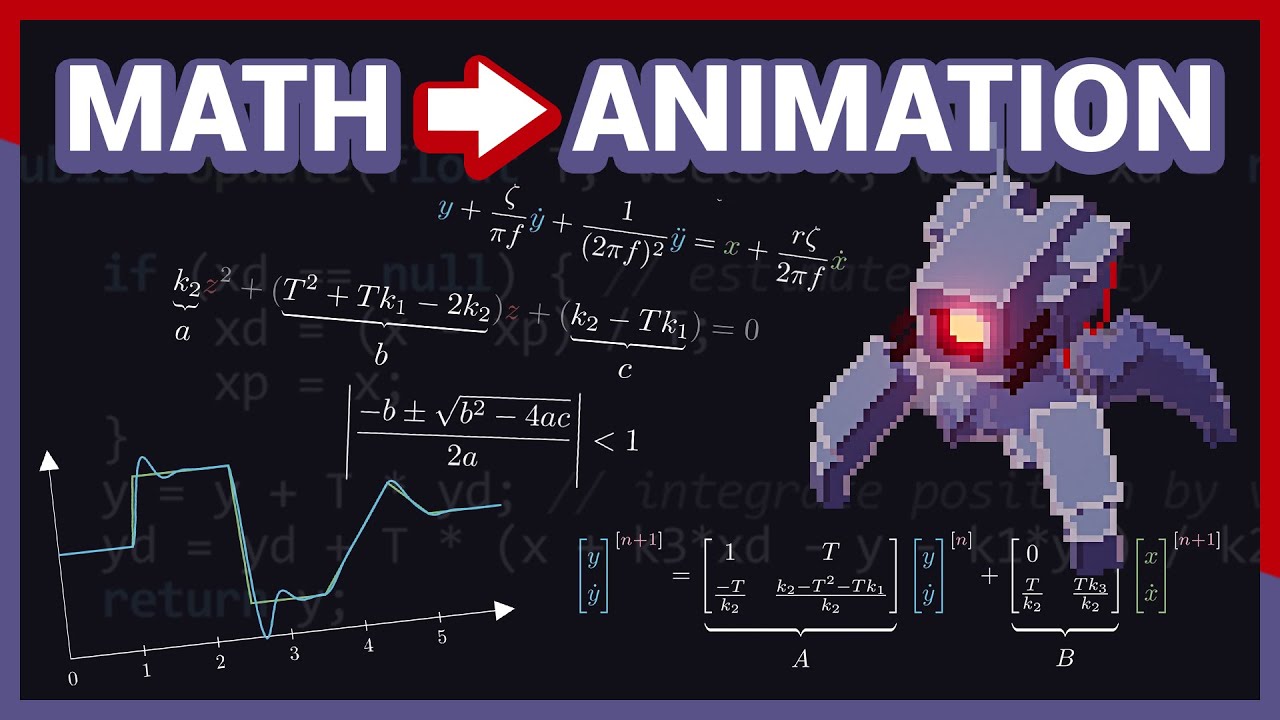
It's been a while since the last video hasn't it? I've made quite a bit of progress since the last update, and since one of the things I worked on was some procedurally animated characters, I decided to make a video about the subject. In particular, this video highlights the entire process from initial motivation, to the technical design, techni...
quick pollen
one of my favourite Unity content creators alongside like Sebastian Lague
hallow acorn
quick pollen
that's the average GMTK quality right there
i love this guy
quick pollen
bright osprey
another really cool movement system is described in this video - i know this is ...
i watched this video before, ngl i had some issues understanding it at first
its the best explanation ive seen so far, but i still struggled, so idk
bright osprey
yep - its not an easy one to follow at all if youve not done some differential eqs.
as you said though, worth cracking it 🙂
quick pollen
well yeah, once we learned a bit more about integrals and derivatives i understood it better, so its probably just my own skill issue
bright osprey
idk if id call it a skill issue 😂 wwee all gotta learn it for the first time sometime
or if youre me, many times
keen owl
scarlet skiff
how do u get rid of all the unnecessary lines in a polygon collider
Just so you know, you can use edge colliders
scarlet skiff
keen owl
Just so you know, you can use edge colliders
i mean yea but wanted to know if there was a more effecient solution
i jus tended up going with a box collider tbh
keen owl
You can specify the vertices of the polygon collider in the inspector too. Box collider works as well
scarlet skiff
keen owl
You can specify the vertices of the polygon collider in the inspector too. Box c...
i tried to play around with the settings but couldnt figure it out
anyways, not a big issue
how does one cast a raycast that only check what is at the end of the distance
 keen owl
scarlet skiff
i tried to play around with the settings but couldnt figure it out
keen owl
scarlet skiff
i tried to play around with the settings but couldnt figure it out
Should be under points
 scarlet skiff
yea i wouldnt know what to do with all this
 scarlet skiff
how does one cast a raycast that only check what is at the end of the distance
scarlet skiff
scarlet skiff
how does one cast a raycast that only check what is at the end of the distance
im so close to being finished with a monster i just need the correct way to check something like this when im done with it
keen owl
scarlet skiff
yea i wouldnt know what to do with all this
You would just edit the values like how you edit lists or arrays in the inspector. You can delete all and leave like 3 points and just move them around
polar acorn
scarlet skiff
how does one cast a raycast that only check what is at the end of the distance
If you want to check only a specific area, not a line leading up to it, you might consider using an OverlapCircle at the point you want instead
scarlet skiff
polar acorn
If you want to check only a specific area, not a line leading up to it, you migh...
how would i then get specifically what is on the area marked red on the overlap circle
 polar acorn
scarlet skiff
how would i then get specifically what is on the area marked red on the overlap ...
polar acorn
scarlet skiff
how would i then get specifically what is on the area marked red on the overlap ...
You wouldn't center the circle on your character, you'd use a small circle at the position you want
scarlet skiff
ohhhhhhhhhh ye
 acoustic belfry
what would be a more detailed description for serializing? cuz i googled it but the awnser was too vague, it says that stores it, but how specificly?, what pros i can get with this? its a good idea to use it for my script?, and a lot of youtubers that i see put that on their variables, what does it mean? i have to put it on my script too?
polar acorn
It lets you store data in a file. For example, in a unity scene file.
[Serializefield] lets you edit a private variable in the inspector
public variables are serialized by default. Private variables can be made serializable, while also remaining private
acoustic belfry
holup, if serialized means its modificable in the inspector...
then what diferenes public with privated?
 polar acorn
acoustic belfry
holup, if serialized means its modificable in the inspector...
then what diferen...
polar acorn
acoustic belfry
holup, if serialized means its modificable in the inspector...
then what diferen...
Public variables can be accessed by any class. Private variables can only be accessed by the class they're defined in
sour fulcrum
serialized does not mean it's modifiable in the inspector, it's just a little byproduct of the fact that it is serializable. Although you likely don't need to worry about the direct benefits of serialization yet
acoustic belfry
polar acorn
Public variables can be accessed by any class. Private variables can only be acc...
i think i have A LOT to modify...

90% of my variables are public, i did that for test them out and see how they work
and some enemies have variables with the same name
polar acorn
In general, you should use private unless you have a specific need for something to be public. It means less clutter in your suggestions and less likely to change something somewhere you shouldn't
sour fulcrum
You gotta remember that c# was not built with Unity in mind and the way Unity lets you modify things in editor is basically "cheating" in regards to how c# is meant to work so while you may want to edit things in inspector for workflow and convenience purposes, those things shouldn't be accessible in the context of other code touching it
sour fulcrum
you don't have to
it's preferred
it's a weird comparison but if you imagine your like god and have the ability to go anywhere and change anything. you should be able to magically stick your hand into some gold bank vault and mess with whats inside it but the vault door and all that should still prevent anything real from actually getting in there
eternal needle
acoustic belfry
so in other words i have to change all `public` to `[SerializedField] private`?
I honestly wouldn't go back and retroactively change it all, but just keep it in mind for the future. Maybe also if you change old code and realize some values shouldnt be modified externally then change it
it doesnt affect anything for the end user, it just matters for developers
scarlet skiff
help how do i force stop play mode
oh no i cant even enter unity again
i do not wanna close it i have a lot of unsaved work
polar acorn
You can recover your scene as long as you do it before you re-open it
It's in Temp/Backupscenes
Take it, rename it to a .unity file and it's the scene as it was when you last entered play mode or opened the project
scarlet skiff
all the scripts stay saved?
thats like what im worried about
some of the malready existed but where changed locally (using perforce) and not submitted
some are newly made
and prefabs
eternal needle
scarlet skiff
all the scripts stay saved?
You arent editing the code in unity, those are in your IDE. And you must've saved the code to actually run the updated version of it
scarlet skiff
okay cool
eternal needle
the only thing you'd possibly lose is the scene and values changed in inspector
scarlet skiff
so suppose unity just crashed, what coudl i potentially lose? just scene changes?
scarlet skiff
eternal needle
the only thing you'd possibly lose is the scene and values changed in inspector
ah, not too crazy
eternal needle
and digi wrote above how to recover a scene backup so you shouldnt ever lose too much
scarlet skiff
no there like no scene changes so im good, just a lto of scripts, a new prefab etc, some imported assets etc
is there a few things i can try before using task managere to close unity?
clicking on my unity tab with the project open in it doesnt even open it

 restive lantern
Hey, I can't find documentation for UnityEngine.GameObject.GetComponentByName even though it exists. How does it work?
keen rampart
why my code is printing out the issues that I need to assign the variable in the inspector
when the variable

is already assigned
😭
my code is working
 polar acorn
keen rampart
polar acorn
keen rampart
There exists a BuildingSystem that you haven't assigned a mainTilemap to
keen rampart
polar acorn
There exists a `BuildingSystem` that you haven't assigned a `mainTilemap` to
oh shit
i was so confused
polar acorn
keen rampart
when the variable
Since this one does have that variable assigned, it isn't this one
 teal viper
restive lantern
Hey, I can't find documentation for `UnityEngine.GameObject.GetComponentByName` ...
teal viper
restive lantern
Hey, I can't find documentation for `UnityEngine.GameObject.GetComponentByName` ...
Undocumented or deprecated API probably. I've never heard of it. Could also be an extension method added by an asset or plugin
teal viper
restive lantern
Hey, I can't find documentation for `UnityEngine.GameObject.GetComponentByName` ...
Can you share a script where you have it? Also, does it even compile?
restive lantern
teal viper
Can you share a script where you have it? Also, does it even compile?
I don't have any script that uses it, but the function is being suggested by my IDE
It only takes a string. If I just call it passing some string the script compiles, yes
teal viper
restive lantern
I don't have any script that uses it, but the function is being suggested by my ...
Ah,I see it in the CS reference. It seems to be the same as GetComponent(string).
I guess it's just some naming refactoring they had in unity 6.

 native thorn
Anyone have any information or good sources on setting up realistic cars?
Code wise im fine, just more so the actual logic in the rpm / gears / final drive etc
more so the engine I guess
restive lantern
teal viper
Ah,I see it in the CS reference. It seems to be the same as `GetComponent(string...
Ohhhh I see
 cold tusk
I'm brand new to CSharp and unity and need help getting a movement system working for a 2D Platformer. Heres the entire Player script as of now. Tried to follow a tutorial but the didn't show the whole code, now I'm stuck as to whether to continue with this code or find a different solution for player movement.
 wintry quarry
cold tusk
I'm brand new to CSharp and unity and need help getting a movement system workin...
wintry quarry
cold tusk
I'm brand new to CSharp and unity and need help getting a movement system workin...
find a better tutorial
By the way
tutorials are not intended to be used to make your game
cold tusk
wintry quarry
find a better tutorial
Ok, I was just wondering if anyone knew how to work with the code already.
wintry quarry
Tutorials are for learning
you watch them, follow along, and learn the concepts
then you are equipped to write your own code
the point of a tutorial is not to be a solution you plop into your game and ship.
If you want that, just find/download an asset
cold tusk
Ok. so your saying I have the wrong mindset to learn
wintry quarry
I'm just pointing out, because I saw you write "or find a different solution for player movement" which meant you were treating this like a solution for your game
cold tusk
You are correct. So I should be experimenting a bit before working on a game?
wintry quarry
Yes, experiementing, learning, and geting comfortable with Unity and C#
cold tusk
Okay, Thanks. You saved me alot of time and work
 grizzled spoke
Anyone know a good way to rotate and object towards another object given its transform?
I've tried using transform.lookAt() however
- i need a 'turret' object to rotate towards a playe robject when it's in a given range, but when the player enters the range, the turret jumps or shoots to a rotation where it's pointing to the player, but i want it to happen gradually
- lookAt() rotates an object towards the player instantly, but i want to be able to control the rotation speed
i've also tried using this code from (unity discussions)[https://discussions.unity.com/t/how-can-i-make-a-game-object-look-at-another-object/98932/4] :
 Vector3 dir = target.position - transform.position;
    Quaternion lookRot = Quaternion.LookRotation(dir);
    lookRot.x = 0; lookRot.z = 0;
    transform.rotation = Quaternion.Slerp(transform.rotation, lookRot, Mathf.Clamp01(3.0f * Time.maximumDeltaTime));
However,
- It's laggy, like there's a jitter
- the rotation speed is relative to the distance? so like if it needs to rotate farther it rotates faster, but i want the speed to be constant
- i have NO clue how this code works
Also can someone explain how subtracting the targets position from the current objects position gets the direction
wintry quarry
grizzled spoke
Anyone know a good way to rotate and object towards another object given its tra...
Quaternion.RotateTowards is a good way.
in Update or a coroutine
"laggy" and "jitter" is a result if you using Slerp incorrectly here
there's also no indication in that code where it's running or anything
the simple thing is just:
Transform target;
float rotationSpeed = 50f;

void Update() {
  Vector3 direction = target.position - transform.position;
  Quaternion desiredRotation = Quaternion.LookRotation(direction);
  transform.rotation = Quaternion.RotateTowards(transform.rotation, desiredRotation, Time.deltaTime * rotationSpeed);
}```Also can someone explain how subtracting the targets position from the current objects position gets the direction
That's just basic vector math
grizzled spoke
wintry quarry
Quaternion.RotateTowards is a good way.
i tried using that but fsr the documentation website is broken for me (Even on incognito so its not an extension issue)
 grizzled spoke
wintry quarry
> Also can someone explain how subtracting the targets position from the current...
grizzled spoke
wintry quarry
> Also can someone explain how subtracting the targets position from the current...
alr ill google that
wintry quarry
grizzled spoke
alr ill google that
the direction from A to B is B - A

well technically that's the offset from a to b. The direction is the normalized version of that.
grizzled spoke
wintry quarry
the simple thing is just:
```cs
Transform target;
float rotationSpeed = 50f;
vo...
ohhhh that makes a lot of sense
thanks
wintry quarry
grizzled spoke
i tried using that but fsr the documentation website is broken for me (Even on i...
looks like it's working fine based on your screenshot?
restive lantern
Hey, not sure where to ask this, but are indices in Unity clockwise or counter-clockwise?
wintry quarry
restive lantern
Hey, not sure where to ask this, but are indices in Unity clockwise or counter-c...
what do you mean by "indices"? Indices of what?
restive lantern
In 3D meshes
wintry quarry
Oh, clockwise
restive lantern
Thank you
hardy ibex
im trying to compile for web and i get the error "The type or namespace name 'SearchService' does not exist in the namespace 'UnityEditor' (are you missing an assembly reference?)"
grizzled spoke
wintry quarry
well technically that's the _offset_ from a to b. The direction is the normalize...
i see
thanks ith i understand it
wintry quarry
hardy ibex
im trying to compile for web and i get the error "The type or namespace name 'Se...
you cannot use UnityEditor apis in your build
they are only for the editor
wintry quarry
How can you find what?
The error?
The rror contains the filename and line number
hardy ibex
well like what do i do to fix it
wintry quarry
go there
hardy ibex
ok
grizzled spoke
wintry quarry
the simple thing is just:
```cs
Transform target;
float rotationSpeed = 50f;
vo...
in this code sample, do you mean to replace 'targetRotation' in the Quaternion.RotateTowards() method with desiredRotation
it works if i do that
thanks
wintry quarry
grizzled spoke
in this code sample, do you mean to replace 'targetRotation' in the Quaternion.R...
sorry yes
i just wrote that quickly
hardy ibex
wintry quarry
How can you find what?
i just had some unused using statements lol
grizzled spoke
wintry quarry
i just wrote that quickly
Its fine, thanks so much
 keen cape
hello everyone I changed myu jump from Update to FixedUpdate and now the character flies off the screen when I jump, how do I clamp my jump so that doesn't happen?I tried googling it an i don't find an answer
void FixedUpdate()
{
//Jumping
if(isJumpPressed)
{
body.AddForce(new Vector2(0, jump), ForceMode2D.Impulse);
}
rich adder
keen cape
hello everyone I changed myu jump from Update to FixedUpdate and now the charact...
how often is isJumpPressed called and what did you set jump value to ?
with Impulse there was no reason to move it to FixedUpdate btw
keen cape
rich adder
with Impulse there was no reason to move it to FixedUpdate btw
oh, didn't know that I'm starting out and i just heard that jumping should be on FixedUpdated so i went and did it
so i should move it back?
keen cape
rich adder
how often is `isJumpPressed` called and what did you set jump value to ?
jumpPressed is on Update and Jump value is 9
rich adder
keen cape
oh, didn't know that I'm starting out and i just heard that jumping should be on...
its not specific to jump, normally you do moved rigidbodies in FixedUpdate yes, when its Impulse its fine though because its applied within a single frame, not over several like other forcemodes
rocky canyon
u can call rigidbody functions in update.. but they'll only ever be executed in fixed anyway
sour fulcrum
rocky canyon
u can call rigidbody functions in update.. but they'll only ever be executed in ...
unless you manually call for a physics update, no?
 timber tide
If you do a physics query (raycast) it's that frame
oh unless you mean to sync the physics, I'm not actually sure
probably
rocky canyon
sour fulcrum
unless you manually call for a physics update, no?
can u do that?
sour fulcrum
 rocky canyon

oh lord.. i cant follow
why my formatting all broken 😦
@rich adder ur page look like that? ^
rocky canyon
lol.. just makin sure it wasnt jsut me
rich adder
but yeah this isnt calling fixedupdate
Physics.Simulate does not cause FixedUpdate to be called.
hardy ibex
when i build with webgl it wont detect keyboard input. does the new input system just not work well with webgl or something?
rich adder
hardy ibex
when i build with webgl it wont detect keyboard input. does the new input system...
works fine for me
hardy ibex
rich adder
works fine for me
maybe its an itch.io problem?
rich adder
have you checked Console for errors
hardy ibex
like browser console?
hardy ibex
ok
restive lantern
Is my assumption correct that UnityEngine.Transform.localToWorldMatrix (getter) just gives me the transform as a matrix relative to world space? Or does it do something else?
 twin pivot
this isnt working for some reason
 teal viper
restive lantern
Is my assumption correct that `UnityEngine.Transform.localToWorldMatrix` (getter...
teal viper
restive lantern
Is my assumption correct that `UnityEngine.Transform.localToWorldMatrix` (getter...
Probably correct, yes.
teal viper
twin pivot
this isnt working for some reason
What's not working? How do you know that? Did you attempt debugging at all(logs? Breakpoints?)?
twin pivot
teal viper
What's not working? How do you know that? Did you attempt debugging at all(logs?...
all the debug messages are sending properly

its not properly loading in
teal viper
twin pivot
its not properly loading in
What's not loading in? How do you know that? Please don't ignore some of the questions.
twin pivot
teal viper
What's not loading in? How do you know that? Please don't ignore some of the que...
both data.numOfBeens and Refer.upgradeOne
twin pivot
twin pivot
all the debug messages are sending properly
with the debug messages?
and by looking at the variables?
@teal viper
teal viper
twin pivot
and by looking at the variables?
Looking at the variables where? Did you try logging them?
twin pivot
i have a giant display that displays the variables
 vague charm
Hello I'm new and need help on how to proceed..
I'm trying to get this object to move towards the mouse but it's not following what am I doing wrong? x_x
 teal viper
twin pivot
i have a giant display that displays the variables
teal viper
twin pivot
i have a giant display that displays the variables
Ok, let's assume your observations are correct.
Now, where do you assign these variables on load?
 north kiln
vague charm
Hello I'm new and need help on how to proceed..
I'm trying to get this object t...
north kiln
vague charm
Hello I'm new and need help on how to proceed..
I'm trying to get this object t...
- Is the component on an object?
- Are the variables configured correctly in the inspector?
- Are you using an Orthographic camera?
vague charm
- Yes its an object I attached the script to
- I don't quite understand 😭 what variable should be present? I'll post a screenshot of it
- Right now it's in perspective
 rich adder
vague charm
rich adder
vague charm
in 2D you probably want Orthographic camera
vague charm
Yeeeeees it's working now! I don't understand why but thank you!
When I watched the tutorial I thought orthographic was just to angle the position of the camera differently
rich adder
vague charm
When I watched the tutorial I thought orthographic was just to angle the positio...
TLDR in simple terms
Orthographic is a flat prospective without depth into account, so makes objects look same size regardless of distance
Perspective is how we see in the real world, further something is, smaller it looks
https://docs.unity3d.com/Manual/CamerasOverview.html
keen owl
vague charm
When I watched the tutorial I thought orthographic was just to angle the positio...
If they used perspective in 2D, they are likely rendering meshes with a particle system or are using meshes in the scene for fancy parallaxing. Though other than that, there’s no use for perspective in 2D
vague charm
rich adder
TLDR in simple terms
Orthographic is a flat prospective without depth into accou...
Reading now thank you so the object wasn't following because it had no sense of depth?
vague charm
keen owl
If they used perspective in 2D, they are likely rendering meshes with a particle...
I'm glad you said this because that's what I was gonna use the whole time lol
twin pivot
teal viper
Ok, let's assume your observations are correct.
Now, where do you assign these v...
ahhh i see
im guessing im fetching the saved data but not reassigning em back into the variables?
teal viper
twin pivot
im guessing im fetching the saved data but not reassigning em back into the vari...
Yep
twin pivot
How do i do that?
data.numOfBeens = PlayerPrefs("bEEns")?
rich adder
vague charm
Reading now thank you so the object wasn't following because it had no sense of ...
something like mousePosition moves on a flat 2D plane , that's not very good when you have depth, as distance from camera also changes where the position object appears on camera
twin pivot
twin pivot
How do i do that?
``data.numOfBeens = PlayerPrefs("bEEns")``?
(I would test it out myself but im out right now)
wintry quarry
twin pivot
(I would test it out myself but im out right now)
PlayerPrefs("bEEns") is not valid syntax, no.
Check back at your earlier code for an example.
twin pivot
Alright thanks
teal viper
twin pivot
How do i do that?
``data.numOfBeens = PlayerPrefs("bEEns")``?
Also check the documentation of the methods that you're using. Check what they return.
 tawny shell
Hi I need help please, I'm coding a top down shooter game and I have a problem with my fov which is offset in relation to the obstacle. I use raycasts to do this, and the further I get from the obstacle, the further the raycast.hit seems to be.

public class FieldOfView : MonoBehaviourPunCallbacks
{
    [SerializeField] private LayerMask _layerMask;
    private Mesh _mesh;
    private float _fov;
    private float _startingAngle;

    void Start()
    {
        ...
    }

    void LateUpdate()
    {
        int rayCount = 50;
        float angle = _startingAngle;

        float angleIncrease = _fov / rayCount;
        float viewDistance = 20f;

        Vector3[] vertices = new Vector3[rayCount + 2];
        Vector2[] uv = new Vector2[vertices.Length];
        int[] triangles = new int[rayCount * 3];

        vertices[0] = Vector3.zero;

        int vertexIndex = 1;
        int triangleIndex = 0;
        for (int i = 0; i <= rayCount; i++)
        {
            RaycastHit2D raycastHit2D = Physics2D.Raycast(transform.position, Utils.GetVectorFromAngle(angle), viewDistance, _layerMask);
            Vector3 vertex;

            if (raycastHit2D.collider != null) vertex = raycastHit2D.point;
            else vertex = transform.position + Utils.GetVectorFromAngle(angle) * viewDistance;
            vertices[vertexIndex] = vertex;

            if (i > 0)
            {
                triangles[triangleIndex] = 0;
                triangles[triangleIndex + 1] = vertexIndex - 1;
                triangles[triangleIndex + 2] = vertexIndex;

                triangleIndex += 3;
            }

            vertexIndex++;
            angle -= angleIncrease;
        }

        _mesh.vertices = vertices;
        _mesh.uv = uv;
        _mesh.triangles = triangles;

        _mesh.RecalculateBounds();
    }
}
Just my fov is contained in Playercont but it doesn't move, it is Player who moves and therefore the fov follows
 verbal dome
tawny shell
```cs
public class FieldOfView : MonoBehaviourPunCallbacks
{
[SerializeField...
verbal dome
tawny shell
```cs
public class FieldOfView : MonoBehaviourPunCallbacks
{
[SerializeField...
The vertex positions you are giving to the mesh are in world space
They should be converted to the FieldOfView object's local space instead
(Or the FieldOfView object would have to always be at 0, 0, 0 pos)
 queen adder
does anyone know how to make a script to toggle objects? Its for a flashlight.
 elder raptor
Hello! I am having issues with this Interaction Code I wrote. It works, yes. But it makes the Camera Movement too Choppy and makes it feel really weird. Any idea why?
This is my code: https://hastebin.com/share/avecajopeg.csharp
Hastebin is a free web-based pastebin service for storing and sharing text and code snippets with anyone. Get started now.
grand snow
queen adder
does anyone know how to make a script to toggle objects? Its for a flashlight.
public void ToggleActiveState()
{
    gameObject.SetActive(!gameObject.activeSelf);
}
pretty simple stuff
queen adder
ok. is it simple to make it toggle with a key
grand snow
queen adder
ok. is it simple to make it toggle with a key
Yea. Also very simple stuff:
private void Update()
{
  if(Input.GetKeyDown(KeyCode.F)
  {
     ToggleActiveState();
  }
}
May want to check some tutorials if this is new to you. Check Unity Learn for good beginner resources.
queen adder
oh ok. Thank you!
grand snow
queen adder
oh ok. Thank you!
BUT remember when a gameobject is disabled, Monobehaviour Update() functions are NO LONGER CALLED.
so you should have this input -> toggle not be on the flashlight.
queen adder
yes it is on the spotlight
grand snow
so you should toggle another object or the light component itself
[SerializeField]
Light flashlight;
...
flashlight.enabled = false; //change light enable state
using UnityEngine;
public class flashlighttoggle
{
}
{
publc float objecttoenable;
public keycode togglekey;
public bool stickykeys;
}
{ GetComponent.(objecttoenable)
Input.GetKeyDown
}
this is my script so far
grand snow
funny joke
queen adder
ikr
scarlet skiff
what is the reason for it having 0.000000003 added to the value? nothing else changed its value

 queen adder
im learning c# rn
grand snow
scarlet skiff
what is the reason for it having 0.000000003 added to the value? nothing else ch...
floating point inprecision. just happens when you use float/double
scarlet skiff
seems like an important thing to not have happen, any suggestions on how to approach this?
just have it be an int then divide by 10?
grand snow
scarlet skiff
seems like an important thing to not have happen, any suggestions on how to appr...
if its critical then you can do this kind of fixed point stuff. Otherwise its not gonna matter much (as long as you dont try to check for exact numbers) so you will be fine.
scarlet skiff
as long as you dont try to check for exact numbers
that is what i was doing lol.. i was so confused
grand snow
yea you should just not with floats. you can check for approximate matches
https://docs.unity3d.com/6000.0/Documentation/ScriptReference/Mathf.Approximately.html
elder raptor
Can you not just round it off?
grand snow
its extra work when its probably not even needed
scarlet skiff
hmm so i assume my approach with diving by 10f would still have this inprecision happen
grand snow
if float is there then expect inprecision. you can work around it
e.g. Mathf.Abs(a - b) <= float.Epsilon
mathf.approx does this already basically
elder raptor
Ah I see, thanks for the info
queen adder
using UnityEngine;
using monoclass
public class flashlightToggle
{
public bool on = false;
void Update()
{
    if (Input.GetKeyDown(KeyCode.F))
        on = !on;
    if (on)
        light.enabled = true;
    else if (!on)
        light.enabled = false;
}
}
elder raptor
elder raptor
Hello! I am having issues with this Interaction Code I wrote. It works, yes. But...
Is it possible to check this and let me know what's wrong with it? I've been trying for a while 😔 I am doing First Person Camera movement and my camera goes crazy if this script is enabled.
queen adder
new script, i have a missing monoclass error
elder raptor
Fix your script.
queen adder
yeah uhh.. How?
elder raptor
You didn't initialize light, did you?
using UnityEngine;
public class flashlightToggle : MonoBehaviour
{
    public bool on = false;
    public Light flashLight;

    void Update()
    {
        if (Input.GetKeyDown(KeyCode.F))
        {
            on = !on;
        }
        if (on)
        {
            flashLight.enabled = true;
        }
        else
        {
            flashLight.enabled = false;
        }
    }
}
You don't need else if in this case cuz the only other possibility for if(on) is !on. If there are more than two possibilities, then you can use else if.
queen adder
ok
elder raptor
And using Monoclass is not a thing
Are you not using Visual Studio? It should recommend changes/fixes.
And if you link your co-pilot account, you can even solve the issues in the IDE itself.
queen adder
alright i will do that now
elder raptor
Good luck!
 hexed terrace
elder raptor
```c#
using UnityEngine;
public class flashlightToggle : MonoBehaviour
{
pub...
hexed terrace
elder raptor
```c#
using UnityEngine;
public class flashlightToggle : MonoBehaviour
{
pub...
this is a lot of extra code for something that could be a single line.
if (Input.GetKeyDown(KeyCode.F) { flashLight.enabled = !flashLight.enabled; }
elder raptor
hexed terrace
this is a lot of extra code for something that could be a single line.
`if (Inp...
True, yours works way better. I assumed he was going to use the boolean for something else later since it was public.
hexed terrace
I hadn't scrolled that far up. Most beginners just use public because they don't know any better
elder raptor
True true, [SerializeField] private ftw
He is indeed a beginner, he is just learning c#. I mean, I am a beginner myself 😓 I don't follow good coding practices xd
hexed terrace
it's something we never stop learning
elder raptor
xD
True that
Have been procrastinating reading this book for years: https://gameprogrammingpatterns.com/contents.html
hexed terrace
It took me ages to get through, maybe, half of it.. then I gave up
It's a good book, and worth reading for those who learn that way.. just not for me
elder raptor
Lmao, I have not gone past the Table of Contents page yet 😭 But I do recommend it to a lot of my peers. I am more of a person who learns stuff when working on it, ion like learning beforehand, which is bad ig
hexed terrace
ion?
elder raptor
hexed terrace
I have aged out of too much slang
Understandable, I can't keep up with the current slangs. I just know what I learn from the people I talk with.
elder raptor
hexed terrace
learning while doing is a valid way of learning
Yeahh, it's far more exciting
burnt vapor
scarlet skiff
seems like an important thing to not have happen, any suggestions on how to appr...
You have no choice unfortunately, these things will always exist
Even if it didn't checking for a direct value is a very bad idea since the chance of having a remainder on floating point values is very likely
At best you can use more precise values instead of a float, like double or decimal, but that won't change the fact you will need to account for imprecise values. Considering your value here is basically similar to the whole number, you can use the method rob mentioned before to get a value that is "close enough".
restive lantern
When should you use a float, when a double?
wintry quarry
restive lantern
When should you use a float, when a double?
use a double only when you particularly need extra precision
almost all of Unity's API uses floats, so it's usually fine to just use float
restive lantern
wintry quarry
use a double only when you particularly need extra precision
What exactly does extra precision mean? More decimals?
wintry quarry
basically.
The number of possible numbers that can be represented by the variable is increased
restive lantern
So what are the exact limits of float and double? I can't find good answers on Google, but maybe I am just searching wrong?
Like, how many decimals does float vs. double allow?
wintry quarry
in what form would you like your question answered
Like, how many decimals does float vs. double allow?
It's not that straightforward
The precision of floating point numbers is concentrated near the origin
you get higher precision near 0
wintry quarry
fully HALF of all possible values in both datatypes live in the realm between -1 and 1
for float that's 2.1 billion out of 4.2 billion possible values, all within that range
it's very concentrated
restive lantern
Ohh so that's why a lot of stuff is represented from 0.0 to 1.0
So the precision moving away from 0 decreases logarithmically?
wintry quarry
restive lantern
Ohh so that's why a lot of stuff is represented from 0.0 to 1.0
playing around with https://float.exposed/0x44bf9400 might help understand more
Floating point format explorer – binary representations of common floating point formats.
wintry quarry
restive lantern
Ohh so that's why a lot of stuff is represented from 0.0 to 1.0
Ohh so that's why a lot of stuff is represented from 0.0 to 1.0
No I would say that's mostly out of mathematical convenience
it also has precision benefits for sure
restive lantern
wintry quarry
playing around with https://float.exposed/0x44bf9400 might help understand more
Oh thank you I'll play around with that
scarlet skiff
quick question, if i do
if (something) dosomething();
will dosomething() run regardless if something is true or not since there are no { } ?
wintry quarry
scarlet skiff
quick question, if i do
if (something) dosomething();
will dosomething() run r...
If you have an if without {} it will apply to the next statement that appears only
so no is the answer to your question
but:
if (something) dosomething(); dosomethingElse();``` dosomethingELse() will always runbut only to one statment, so if i have if (something) dosomething(); break;
then break will always run?
naive pawn
restive lantern
What exactly does extra precision mean? More decimals?
floats have ~6 decimal places, doubles have ~17
wintry quarry
That's a massive oversimplification and depends on what part of the number line you're looking at
scarlet skiff
wintry quarry
but:
```cs
if (something) dosomething(); dosomethingElse();``` dosomethingELse()...
yea.. i noticed this in my code and wanted to oduble check the rules... this is... extremly good to know...
naive pawn
but yeah what praetor said
wintry quarry
scarlet skiff
but only to one statment, so if i have if (something) dosomething(); break;
the...
basically without the {} it will apply up until the next semicolon ;
polar acorn
scarlet skiff
but only to one statment, so if i have if (something) dosomething(); break;
the...
That's still two statements even if it's one line.
naive pawn
like, doubles don't even get 0.1 + 0.2 right. it's a classic example
https://0.30000000000000004.com
polar acorn
The if statement and the thing it runs
wintry quarry
naive pawn
like, doubles don't even get 0.1 + 0.2 right. it's a classic example
https://0.3...
that part has nothing to do with precision though. THat's a consequence of trying to represent a number in a base that can't represent it. It's the same as why you can't write 1/3rd properly with base 10 decimal digits
restive lantern
naive pawn
like, doubles don't even get 0.1 + 0.2 right. it's a classic example
https://0.3...
I heard fixed point maths is a thing too and it avoids this. Is that true?
naive pawn
wintry quarry
that part has nothing to do with precision though. THat's a consequence of tryin...
right, im giving it as a counter example, that ~17 is just a vague estimate
polar acorn
As far as the code is concerned, line breaks don't exist. They're purely for the convenience of the human. You can put them anywhere except inside a symbol and it'll work just fine
wintry quarry
restive lantern
I heard fixed point maths is a thing too and it avoids this. Is that true?
yes the basic idea is just imagine if we have a variable like:
int tenths;``` and we treat each unit as 1/10. Then you can have
`tenths = 2;` and that represents 0.2(footnote: depends on the language)
restive lantern
What was that wall
naive pawn
restive lantern
I heard fixed point maths is a thing too and it avoids this. Is that true?
yeah because it doesn't use approximations until you turn it human-readable
polar acorn
restive lantern
I heard fixed point maths is a thing too and it avoids this. Is that true?
There are more precise data types, but there's always trade offs. Unity uses floats because they are small, close enough for all practical purposes, and there's a ton of them at any given time
polar acorn
naive pawn
(footnote: depends on the language)
We do not speak of Python in this house
restive lantern
wintry quarry
yes the basic idea is just imagine if we have a variable like:
```cs
int tenths;...
Very neat. So that makes division and multiplication very easy I would assume
polar acorn
naive pawn
js/ts care about line breaks too, due to ASI
We do not speak of js at all
 coarse magnet
using System.Collections;
using System.Collections.Generic;
using UnityEngine;
using UnityEngine.EventSystems;

public class seekingplayer : MonoBehaviour
{
    public float speed;
    public Transform target;
    Rigidbody2D bombrb;
    Vector2 movement;
    private Vector3 moveDirection;

    private void Awake()
    {
        bombrb = GetComponent<Rigidbody2D>();
    }
    void Update()
    {
        Vector3 direction = (target.position - transform.position).normalized;
        moveDirection = direction;
    }
    private void FixedUpdate()
    {
        bombrb.velocity = new Vector2(moveDirection.x,moveDirection.y);
    }
}
i made this code so the enemy can follow the player, but it ignores the player and goes straight to the bottom right of the screen, it worked normally like once and then it broke
wintry quarry
restive lantern
Very neat. So that makes division and multiplication very easy I would assume
it makes lossless addition and subtraction very easy.
Multiplication and division would do integer division here.
restive lantern
polar acorn
There _are_ more precise data types, but there's always trade offs. Unity uses f...
The CPU has instructions specifically for floating point, I know that much. So they are probably much faster too
wintry quarry
Any floating point based data type will have the 0.1 problem, regardless of how many bits of precision it has
restive lantern
But does it really matter?
wintry quarry
it's simply not possible to write 1/10th in binary without an infinite repeating series of bits
naive pawn
polar acorn
We do not speak of js at all
bash as well
stuff that doesn't use semis, like lua
wintry quarry
it can matter yes
wintry quarry
coarse magnet
```
using System.Collections;
using System.Collections.Generic;
using UnityEngin...
whatever you assigned as target is probably at 0,0,0
you probably assigned a prefab to it
naive pawn
restive lantern
But does it really matter?
for very intensive usage, yes
coarse magnet
wintry quarry
you probably assigned a prefab to it
it only accepts prefaps
wintry quarry
coarse magnet
it only accepts prefaps
Correct, prefabs cannot reference objects in the scene. You're going to have to assign the player reference at runtime after you spawn the enemy
restive lantern
Can you give an example? In graphics the viewer wouldn't be able to see if something has a scale of 0.3 or 0.30000000001 or whatever.
Same thing with sound. So where would it actually matter?
naive pawn
restive lantern
Can you give an example? In graphics the viewer wouldn't be able to see if somet...
currency is the main thing people point at
wintry quarry
restive lantern
Can you give an example? In graphics the viewer wouldn't be able to see if somet...
It doesn't have to be "intense" usage. Just anything where exacting precision matters
naive pawn
anything that displays numbers
restive lantern
naive pawn
currency is the main thing people point at
Yeah but currency can be represented in cents which has no decimals right?
coarse magnet
wintry quarry
Correct, prefabs cannot reference objects in the scene. You're going to have to ...
..and how do i do that?
restive lantern
naive pawn
anything that displays numbers
Ohhh like calculators
naive pawn
restive lantern
But does it really matter?
oh i thought you meant whether "probably much faster" mattered here
wintry quarry
coarse magnet
..and how do i do that?
have the spawner do it
restive lantern
Ah
naive pawn
restive lantern
Yeah but currency can be represented in cents which has no decimals right?
yes, that is the main recommended alternative
wintry quarry
coarse magnet
..and how do i do that?
🤔 Unity, Huh, How?
Assets can't directly refer to Objects in Scenes, but their instances can be configured with those references.
naive pawn
it's just a common pitfall to represent in whole values as a floating-point
i couldn't find examples, but occasionally (and if you're in the right groups) you might see posts online about websites for banks or railways or whatever displaying something ridiculous like ...0000000007 or ...999999995 that obviously shouldn't be there
that's a product of floating-point imprecision
restive lantern
Lol...
naive pawn
js didn't have an integral type until relatively recently lol
restive lantern
Yeah I know
naive pawn
number in js is just float64 so you get all the issues that come with that
restive lantern
You'd have to do &0xffffffff every time go make sure it's in 32 bit integer limits lol
naive pawn
well that just casts it to an int32, but it still comes back as a float64
and you can't cast it to anything other than int32/uint32 lol
and bigint is comparatively quite slow since it's arbitrary size
js is such a mess lmao
burnt vapor
These type of questions might be better suited to #archived-code-advanced
restive lantern
Oh my bad didn't look at the channel name
burnt vapor
No problem, just a suggestion because this channel gets the most activity
restive lantern
Thank you
 bright zodiac
naive pawn
well that just casts it to an int32, but it still comes back as a float64
bright zodiac
naive pawn
well that just casts it to an int32, but it still comes back as a float64
not all floatingpoints can be downcasted or presented as int32. You may get UB..
e.g : (int)float.MaxValue
unless you dont mind doing unchecked unchecked (int)float.MaxValue;
you may as well use uint at that point
naive pawn
bright zodiac
not all floatingpoints can be downcasted or presented as int32. You may get UB.....
we're talking about js there
bright zodiac
oh haha ok mb
naive pawn
 would it be UB in c# though? c# doesn't seem like the kind of language to have that, aside from stuff marked unsafe
queen adder
bright zodiac
naive pawn
<:thonk:957683046818127904> would it be UB in c# though? c# doesn't seem like th...
try it 😉
naive pawn
trying it wouldn't prove anything though? UB is up to how the language specifies it
 naive pawn
seems like not UB then yeah
 brave compass
naive pawn
i couldn't find examples, but occasionally (and if you're in the right groups) y...
brave compass
naive pawn
i couldn't find examples, but occasionally (and if you're in the right groups) y...
Has anyone mentioned decimal yet? It's based on the decimal system so it can store fractions like 0.3 exactly. It exists for dealing with currency mainly.
wintry quarry
brave compass
Has anyone mentioned `decimal` yet? It's based on the decimal system so it can s...
decimal is the same as float and double
it's just 128 bits instead of 32 or 64 respectively
the reason it can store 0.3 exactly is that it stores numbers in base 10 not base 2
naive pawn
isn't it not an ieee 754 float?
wintry quarry
It is not
naive pawn
it's a mantissa and exponent, just without the added NaN and subnormal and infinity stuff?
wintry quarry

Stack Overflow
Is Decimal type in C# follow the same rules (formula,normalized/denormalized,implied 1,Exponent bias) of classic double representation (IEEE-754 standard) except the use of base 10 instead of base ...
It's still a floating point number
just not ieee 754
and the floating decimal point is a decimal point, not a binary point
naive pawn
yeah based on that i wouldn't call it "the same as float/double"
brave compass
wintry quarry
the reason it can store 0.3 exactly is that it stores numbers in base 10 not bas...
So... it's not exactly the same. My point was that it's base 10 (decimal), which makes it more appropriate for storing currency.
restive lantern
How do i get all MeshCollider components in a scene? Do I have to traverse the scene or is there a function that does that for me?
naive pawn
because ieee 754 does specify decimal floats, and decimal is not that
wintry quarry
restive lantern
How do i get all `MeshCollider` components in a scene? Do I have to traverse the...
FindObjectsOfType?
verbal dome
Or a massive physics query 😄
restive lantern
Oh yeah, perfect. Thank you!
restive lantern
I thought it must be something like GetComponents
brave compass
wintry quarry
decimal is the same as float and double
But still fair to mention this, I wasn't aware it was still a floating point number.
restive lantern
wintry quarry
are these objects you spawned?
Nope
wintry quarry
brave compass
But still fair to mention this, I wasn't aware it was still a floating point num...
Instead of the 1/10th problem it will have the 1/3rd problem, for example
polar acorn
wintry quarry
the reason it can store 0.3 exactly is that it stores numbers in base 10 not bas...
Well, it's still base 2 technically
wintry quarry
i mean it's obviously stored using 0s and 1s
polar acorn

bright zodiac
Decimal is 128 bit
restive lantern
Is there a variant of UnityEngine.Object.FindObjectsOfType that takes a string as a type? Or do I really have to do this whole type lookup using System.Type.GetType?
slender nymph
don't you already know the type you want to get? why would you need to use GetType if you know at edit time what type of component you are searching for?
verbal dome
restive lantern
Is there a variant of `UnityEngine.Object.FindObjectsOfType` that takes a string...
You know it has a generic overload?
naive pawn
polar acorn
Well, it's _still_ base 2 technically
the exponent is base 10
restive lantern
verbal dome
You know it has a generic overload?
Because I don't know how to call the generics from native code lol...
naive pawn
wintry quarry
Idk how they do it
wdym?