#💻┃code-beginner
1 messages · Page 610 of 1
 rancid tinsel
does the action have to be static? im breaking DRY a bit

i was thinking i might move the action into base event, but if it was static then inheriting ones would also be the same...?
 modest dust
Nothing ever has to be static, depends on what you're trying to do
 analog marten
guys, about this. can i ask if i can replace z for y. cuz in the roll the ball tutorial, they only roll in x and z dimention.

 i know it's just a name of the variable but it confused me
modest dust
You can name your variables however you want
analog marten
let me try. thank youuuuuuuuu
errmmm, i can't run the play mode. is it because vector 2 only have x and y ?
 polar acorn
analog marten
errmmm, i can't run the play mode. is it because vector 2 only have x and y ?
polar acorn
analog marten
errmmm, i can't run the play mode. is it because vector 2 only have x and y ?
Do you have any compile errors
modest dust
x and y are fields belonging to Vector2
analog marten
i'm too new, i have no idea what is compile errors
polar acorn
analog marten
<:atwhatcost:1068114091987718204> i'm too new, i have no idea what is compile er...
Big red angy things in your console
analog marten
i only have red angy things in corner left

but if i replace Y with Z. then it said
 polar acorn
analog marten
but if i replace Y with Z. then it said
polar acorn
analog marten
but if i replace Y with Z. then it said
So, yes, you do have them. Check the console
analog marten
i don't get it, the ball roll on X and Z dimention tho
polar acorn
Before you do anything else, configure your !ide so you get auto-complete and error highlighting in the code
 eternal falconBOT

💡 IDE Configuration
If your IDE is not autocompleting code
or underlining errors, please configure it.
Select one:
•  Visual Studio (Installed via Unity Hub)
• Visual Studio (Installed manually)
•  VS Code
•  JetBrains Rider
• :question: Other/None
analog marten
ah this ?
 modest dust
analog marten
<:atwhatcost:1068114091987718204> i don't get it, the ball roll on X and Z dimen...
modest dust
analog marten
<:atwhatcost:1068114091987718204> i don't get it, the ball roll on X and Z dimen...
What and how the ball does things is one thing, how a Vector2 works is another
polar acorn
analog marten
ah this ?
You can see more information in the console. But you should be seeing this in your IDE. Configure it before you attempt to do anything else
 proper flint
analog marten
but if i replace Y with Z. then it said
proper flint
analog marten
but if i replace Y with Z. then it said
double click the error message
modest dust
You cannot just rename these fields. They have a certain name and must be referred to via these names, unless you directly change them, which you cannot do for Unity types as these are inaccessible for you to edit
modest dust
You can however rename your own fields however you want
proper flint
It basicly means that somewhere in that script is a variable called Vector2.z which does not exist. Vector2 only contains .x and .y
aka your movementVector.z
analog marten
so if i move to vector3, i have to go for x y z right ? then why it's (movementX, 0.0f, movementY) instead of (movementX, movementY, 0.0f)
ah nvm, i get ittttttttttttttt
proper flint
analog marten
so if i move to vector3, i have to go for x y z right ? then why it's (movementX...
bc. you dont wanna move your character along the y axis
or you do but that would for sure be an interesting character controller xD
proper flint
yea thats helped me a lot try to see variable names as containers for data, nothing more
analog marten
polar acorn
You can see more information in the console. But you _should_ be seeing this in ...
 on it, chief
 tired wigeon
I'm going through a coding course on unity learn and you know how update updates once per frame, is this just a beginner thing and as I learn and improve more systems won't be governed by frame rate?
 drifting cosmos
tired wigeon
I'm going through a coding course on unity learn and you know how update updates...
drifting cosmos
tired wigeon
I'm going through a coding course on unity learn and you know how update updates...
fixed update
tired wigeon
drifting cosmos
fixed update
Thank I just wanted to know as I improve I won't be forced into using frame rate (which tbh I didn't think it would but it's better to double check)
 eternal aspen
Hey I have a question that definitely is going to require some in depth back and forth conversation. Can someone who is an experienced programmer shoot me a DM.
It’s been a roadblock for me for the last day or two.
modest dust
Just ask the question, make a thread if necessary
No one is going to DM you, especially not knowing what the issue even is
 cosmic dagger
tired wigeon
I'm going through a coding course on unity learn and you know how update updates...
cosmic dagger
tired wigeon
I'm going through a coding course on unity learn and you know how update updates...
Most of your code will be in Update. There are different update methods used for specific reasons: FixedUpdate, Update, and LateUpdate. This is normal. You can easily make it framrate independent, if or when needed . . .
cosmic dagger
eternal aspen
Hey I have a question that definitely is going to require some in depth back and...
No DMs; just post your question and if more detail is needed (back and forth), create a thread . . .
 earnest wind
Could u help me with the code, thats how i started but i really didnt know how to so i switched to projecting mouse delta
If you could, help me with integrating the conversion of x,y,z axis to screen space
Thank you
cosmic dagger
earnest wind
If you could, help me with integrating the conversion of x,y,z axis to screen sp...
hmm, lookup "convert world space to screen space unity." I believe there is be a Unity API method for that . . .
eternal aspen
So I asked this in here yesterday I’m trying to get my ground collider to stop recognizing 90 degree angles as ground. It’s causing the player to be able to jump infinite times while against a wall. I definitely want to switch to boxcasting for more accuracy but it’ll still register it as a ground. How do I go about telling the ground check that I don’t want 90 degree angles to be considered colliding with the ground?
earnest wind
cosmic dagger
hmm, lookup "convert world space to screen space unity." I believe there is be a...
My code used that, but it didnt work properly thats why i switched, probably cause i could make it work
I will tho, try it

 earnest wind
But if he can help, then i would be happy
cosmic dagger
earnest wind
My code used that, but it didnt work properly thats why i switched, probably cau...
What was your code? Did you check with how Unity did it in the docs or from a tutorial?
drifting cosmos
eternal aspen
can you use rule tiles for this?
earnest wind
cosmic dagger
What was your code? Did you check with how Unity did it in the docs or from a tu...
I dont remember, it was long time ago
cosmic dagger
earnest wind
I dont remember, it was long time ago
Well then, you have to redo it and test if it works. if any issues, then let us know . . .
earnest wind
cosmic dagger
Well then, you have to redo it and test if it works. if any issues, then let us ...
Yeah okay, will do ;)
 mystic wasp
Im currently working on a spike trap, but my current issue is that player can only take damage if they move whilst in the hitbox, and can therefore avoid taking damage by standing still
I've used a debug log which ended up spamming from OnTriggerStay, yet the if statement doesnt appear to run until movement
 cosmic dagger
eternal aspen
So I asked this in here yesterday I’m trying to get my ground collider to stop r...
cosmic dagger
eternal aspen
So I asked this in here yesterday I’m trying to get my ground collider to stop r...
Just make it smaller so it doesn't touch the wall when the player is up against it. Also, using a rect isn't the best ground solution. It can get stuck easily . . .
earnest wind
mystic wasp
Im currently working on a spike trap, but my current issue is that player can on...
Cant u have ontrigger enter and set a bool on, and then in update u take damage if bool is on? And then set bool off when on trigger exit?
I mean, if u want to use something different then update thats fine, but just have a bool that says "insidetrigger"
mystic wasp
I see, that should actually solve everything thanks 💀
earnest wind
mystic wasp
I see, that should actually solve everything thanks 💀
Good luck with ur game
drifting cosmos
could you also move the colider when its triggered
earnest wind
mystic wasp
Was trying to think of alternatives and that didnt come to mind haha
I mean there could be alternatives but idk rn lol
mystic wasp
yeah, but tbh ill return to it at some time if I think of something
cosmic dagger
mystic wasp
Was trying to think of alternatives and that didnt come to mind haha
That's the easier alternative: to switch a bool off/on in a trigger Enter/Exit method . . .
eternal aspen
drifting cosmos
can you use rule tiles for this?
Is it possible to consider just the tip surface of a tile ground while having the vertical side of that same tile be considered wall?
drifting cosmos
eternal aspen
Is it possible to consider just the tip surface of a tile ground while having th...
do you have an image
eternal aspen
cosmic dagger
Just make it smaller so it doesn't touch the wall when the player is up against ...
Yeah I’ve ran into a decent amount of problems with the ground check as a box. Do you recommend boxcasting, ray casting or something else?
eternal aspen
drifting cosmos
do you have an image
An image of what specifically?
drifting cosmos
eternal aspen
An image of what specifically?
the tile
eternal aspen
drifting cosmos
the tile
Right now the tile is automatically entirely on the ground layer
drifting cosmos
but probably just a smaller collider if its touching the wall
drifting cosmos
eternal aspen
Is it possible to consider just the tip surface of a tile ground while having th...
wdym by ground and wall in one tile
eternal aspen
drifting cosmos
but probably just a smaller collider if its touching the wall
You are saying make it smaller on the x axis than the actual physical capsule collider?
drifting cosmos
eternal aspen
You are saying make it smaller on the x axis than the actual physical capsule co...
yeah like a rectangle inbetween the feet
cosmic dagger
eternal aspen
Yeah I’ve ran into a decent amount of problems with the ground check as a box. D...
Use a sphere or a capsule instead. You can use OverlapXXX methods or XXXCast methods. XXX is the shape used for the collider . . .
 sand mesa
right
this is going to be stupid
how can one set a game up in such a way you have multiple scenes on top of each other, and change where the player spawns in the new scene
 naive pawn
additive scenes?
sand mesa
That's not the question
I've been fumbling about with a teleporting function for transitioning between game modes and realized I can just relegate it to difference levels instead of comparing it all into one
The PROBLEM is that I need a way to determine where in the new scene the player spawns
i remember seeing something about spawn points
but that doesnt help me
 solid heart
Hey can someone give me a hint why my Character is floating if she jumps for couple of seconds?
https://paste.mod.gg/znimnrskegnn/0
A tool for sharing your source code with the world!
 spark sinew
hi y'all, I have a quick question. I would like to log the x y z coordinates of the headset into a file. How do I write a unity code to do this? If I define the opening of the file in the start block, I can only write in that block, but then I cannot update. Do I need to open and close the file at each update step? something like: var fileName = "Dataxyz.csv";
var sr = File.CreateText(fileName);
sr.WriteLine("X="+x+" Y="+y);
It seems weird to have to open and close the file each time
(in the update block)
 last radish
Tried to add in jumping to my charcter, but it doesnt seem to work. This is the code that should facilitate jumping, and i suspect i did something wrong here. Can someone help please? ```cs
else if(!grounded)
{
rb.linearVelocity = new Vector3(rb.linearVelocity.x, moveDirection.y * airMultiplier, rb.linearVelocity.y);
}
If needed, i can send the entire code.so you can only jump if you aren't grounded, aka when you're in the air?
last radish
the problem is that in the !grounded part it should be in air movement, not the jump it self
naive pawn
uh well yeah that code is definitely wrong
it's setting the rb's y velocity into the z velocity?
last radish
yeah im guessing im not understanding it well then
naive pawn
what's moveDirection here?
last radish
i tried to use your method that you sent before instead of the tutorials, so thats why
naive pawn
wait i don't remember you
last radish
this
naive pawn
in general you shouldn't touch the y velocity (unless you're jumping or dashing or something) and just let gravity do its thing
last radish
so just add upwards force?
naive pawn
airMultiplier is reduction of control when you're in the air, right?
last radish
yes
eternal aspen
drifting cosmos
yeah like a rectangle inbetween the feet
With that edges work weird. When you walk off an edge it detects you aren’t grounded super early do you think coyote time would fix that?
naive pawn
last radish
``` moveDirection = Vector3.ClampMagnitude(orientation.forward * verticalInput +...
well you could just merge the air thing into this part
last radish
im really new to unity sorry, i dont really know how to do that
naive pawn
actually wait no that wouldn't work correctly
ok so think about this line
rb.linearVelocity = new Vector3(moveDirection.x * moveSpeed, rb.linearVelocity.y, moveDirection.z * moveSpeed);
``` do you understand thisyep i think so
Vector3 is the movement vector and youre changing x,z while keeping the original y.
thats why i thought changing the y, but not x,z would make you jump
naive pawn
right, and that's for movement in general since you can't control the y directly
naive pawn
last radish
thats why i thought changing the y, but not x,z would make you jump
well that is how you do it, but aren't you trying to fix air movement right now
im confused
naive pawn
apply an upwards force or set upwards velocity
last radish
which should i use?
naive pawn
they'll give the same effect here, but the former would probably be more straightforward in code
you'll want an Impulse or VelocityChange mode force here
drifting cosmos
eternal aspen
With that edges work weird. When you walk off an edge it detects you aren’t grou...
2 colliders one on eachside of the player collider
last radish
okay, is that just rb.AddForce(transform.up * jumpForce, ForceMode.Impulse); ?
naive pawn
yeah
last radish
ok brilliant
i might just not add in an air movement constraint and allow the player to move in air like on ground
naive pawn
for reference, if you were to modify the velocity directly, it'd be something like this
rb.linearVelocity = new Vector3(rb.linearVelocity.x, jumpForce, rb.linearVelocity.z);
// or
Vector3 vel = rb.linearVelocity;
vel.y = jumpForce;
rb.linearVelocity = vel;
oh okay so youd just change the y velocity to jump
wait would that (without constraints and cooldowns) allow you to fly?
oh nvm everything would without constraints
naive pawn
yeah, since you'd be able to jump midair
basically double, triple, quadruple, etc jump
naive pawn
well it'd stop on a dime and drag would get immediately counteracted, so it's just not doing anything
last radish
yeah thats what i though aswell, just making sure thanks
im still not able to jump but ill try to fix it and clean my code, if it still doesnt work ill message again
naive pawn
last radish
Tried to add in jumping to my charcter, but it doesnt seem to work. This is the ...
this would probably break it, try commenting that out if it's still there
last radish
dw its gone
ok, jumping is working, however, how do i add in a jump cooldown?
for reference this is my jump function ```
private void jump()
{
rb.AddForce(transform.up * jumpForce, ForceMode.Impulse);
}
 steep rose
You could invoke it, use a Coroutine, or a time.time timer
there's probably some other method(s) to do a cooldown but those are the 3 I know
cosmic dagger
last radish
how would invoking it work?
Don't use Invoke. Use a coroutine or a timer variable you check in Update . . .
 wintry dew
hello guys, do you think it would be smart to use a delegate method to store a player's data considering how many levels they've completed and which levels are locked for them individually?
or simply using Player.Prefs and storing like 20 different values for 20 different keys if i made like 20 levels
 wintry quarry
wintry dew
hello guys, do you think it would be smart to use a delegate method to store a p...
wintry quarry
wintry dew
hello guys, do you think it would be smart to use a delegate method to store a p...
How would delegates solve this exactly?
No playerprefs is not a good way to save game data
Make a save file
wintry dew
i thought maybe i could keep adding like different functions and stuff
hmm idk how to make a save file
that'd definitely be a better method
because im currently storing all the checkpoint data using playerprefs
wintry quarry
- Define the data you want to save as a class
- Use a serializer to serialize it
- Save the serialized data to a file
Do the reverse to load the game
wintry quarry
Deserialization it's usually called
wintry dew
i see
drifting cosmos
why is player prefs a bad way to save data
wintry quarry
It's slow.
It's inflexible.
It has a maximum limit of 1mb (platform dependent)
You can't have multiple saves
You can't transfer save files around
It's tied to a Windows user
Lots of reasons
 ivory bobcat
drifting cosmos
why is player prefs a bad way to save data
ivory bobcat
drifting cosmos
why is player prefs a bad way to save data
Limited types and on PC the save location is our registry.
drifting cosmos
i dont get what playerprefs are why wouldnt they make them like saving files
 wanton epoch
Hey, sorry if this isnt the right channel, just wanted to know if there is any way delete a changeset from unity version control? Someone pushed something they shouldnt. (If this is the wrong channel pls guide me to the correct one)
ivory bobcat
wanton epoch
Hey, sorry if this isnt the right channel, just wanted to know if there is any w...
#🔎┃find-a-channel
#💻┃unity-talk if you aren't sure.
Definitely not here in the beginner coding channel
 opaque linden
unity have introduce some stuff for grid base movement games? any advice?
wintry quarry
opaque linden
unity have introduce some stuff for grid base movement games? any advice?
Unity has a Grid component which makes it easy to work in grid coordinates (called Cell coordinates in the code)
wintry dew
drifting cosmos
i dont get what playerprefs are why wouldnt they make them like saving files
basically a spot on your computer that associates some kind of int, float, or string with another string called a key. so you can store 1 in a key called "checkpoint" so everytime you retrieve "checkpoint" you will get 1 returned
 tiny oxide
I'm doing the junior programmer pathway, but the car is stuck in the ground. I think the wheel colliders might be stuck in the ground, but I don't know how to fix it.

 rich adder
tiny oxide
I'm doing the junior programmer pathway, but the car is stuck in the ground. I t...
rich adder
tiny oxide
I'm doing the junior programmer pathway, but the car is stuck in the ground. I t...
show inspector of Player

 rancid tinsel
what does the last character do in this case?

does it make it so that the debug when clicked points to the character object?
ivory bobcat
From the docs:
https://docs.unity3d.com/6000.0/Documentation/ScriptReference/Debug.Log.html cs public static void Log(object message, Object context);
If you pass a GameObject or Component as the optional context parameter, Unity momentarily highlights that object in the Hierarchy window when you click the log message in the Console.
rancid tinsel
ivory bobcat
From the docs:
<https://docs.unity3d.com/6000.0/Documentation/ScriptReference/De...
ah so double clicking still points to the script that actually calls the debug
makes sense, thanks
rich adder
tiny oxide
speed = 0?
tiny oxide
Yeah, not using speed atm.
But you can ignore the problem, I just dragged it out of the ground once I needed to run it.
 safe root
I'm getting back into Unity and I was coding to create and delete bullets but when I set them to be destroyed. This comes up, do I have to set it to destroy it's copy's? If so then how do I set the copy's to be destroyed

 marble turret
Hi there, quick question. Is there a way to execute a Visual Script without the use of a Script Machine? Script machine is a monobehavior and I'd like to execute my node graph without one.
solid heart
safe root
I'm getting back into Unity and I was coding to create and delete bullets but wh...
try to Store the new bullet instance in a variable and destroy that instead.
safe root
solid heart
try to Store the new bullet instance in a variable and destroy that instead.
How would I do that?
Would it be like making a new gameobject inside the code and putting it towards the clone?
rich adder
safe root
How would I do that?
Would it be like making a new gameobject inside the code ...
you're indeed destroying the prefab
Instantiate returns an Object
store the return value
Rigidbody bullet = Instantiate(prefab etc.
bullet.AddForce(etc.
Destroy(bullet.gameObject, timer)```change prefab from Gameobject to Rigidbody. no reason to have it as gameobject to just get a component
what is even the point of that yield wait just to wait another 3 seconds?
safe root
So I tested out a few thing and never changed them. I know it looks stupid but i'm gonna change them later
safe root
rich adder
```cs
Rigidbody bullet = Instantiate(prefab etc.
bullet.AddForce(etc.
Destroy(bu...
Could you show me from the code itself? As i'm confused on how to store that information
rich adder
safe root
Could you show me from the code itself? As i'm confused on how to store that inf...
i showed you the code
solid heart
rich adder
i showed you the code

safe root
rich adder
i showed you the code
Ah, my bad. Thank you
rich adder
also you can remove the start method completely
and change the IEnumerator to void method, no reason for that yield delay
safe root
Fair enough and I already remove the start method already
 humble marsh
dividing by 0 is my favorite thing to do

 frosty cypress
im sort of new. im at least new to unity lol. i am struggling to find tutorials for gore, specifically gibs. right now, my main question i wanna know, is there a way i can make a blood part apply a blood splat decal to the floor whenever the gib hits the floor/rolls on the floor?
the only way i can find you can apply decals is via the decal component
earnest wind
if i put a "secret" or whatever into inspector field, it can easily be hacked right? How can i avoid that?

 north kiln
earnest wind
if i put a "secret" or whatever into inspector field, it can easily be hacked ri...
north kiln
earnest wind
if i put a "secret" or whatever into inspector field, it can easily be hacked ri...
The only way to avoid hacking is to have the data and validation on a server, not on the user's PC
earnest wind
north kiln
The only way to avoid hacking is to have the data and validation on a server, no...
ah so there is no other way damn
frosty cypress
frosty cypress
im sort of new. im at least new to unity lol. i am struggling to find tutorials ...
bump
 flint tendon
Hi there i am new to unity and every 3d template i create the camera is weird
idk what other way to describe it rather than the grid looks vertical than landscape

 forest summit
im trying to set the parent of my picked up object to an empty game object called holdpos, but when i run the code it doesnt parent anything

 teal viper
forest summit
im trying to set the parent of my picked up object to an empty game object calle...
teal viper
forest summit
im trying to set the parent of my picked up object to an empty game object calle...
Do you see the picked up log message?
forest summit
teal viper
Do you see the picked up log message?
yeah
teal viper
forest summit
yeah
Add a log in drop as well
forest summit
alr
oh yeah
its being dropped and picked up
its working now thank you
i just swapped the != to else
safe root
How do I find a object tag through OnCollisionEnter?
``public class Damage : MonoBehaviour
{
public int damageTaken;
void OnCollisionEnter(Collision other)
{
if (other.CompareTag("Enemy"))
{
FindObjectOfType<Health>().DamageTaken(damageTaken);
}
}
}``
teal viper
safe root
How do I find a object tag through OnCollisionEnter?
``public class Damage : Mo...
other.gameobject perhaps? I don't think a collision has a tag.
drifting cosmos
how does this work
variable = othervariable || otherothervariable
 eternal needle
safe root
How do I find a object tag through OnCollisionEnter?
``public class Damage : Mo...
eternal needle
safe root
How do I find a object tag through OnCollisionEnter?
``public class Damage : Mo...
FindObjectOfType is definitely something u dont wanna use here.. this script seems like its already on the player. just have a direct reference to the Health or use GetComponent in awake/start
drifting cosmos
eternal needle
<https://learn.microsoft.com/en-us/dotnet/csharp/language-reference/operators/bo...
i know
safe root
eternal needle
FindObjectOfType is definitely something u dont wanna use here.. this script see...
It's not the player but the enemy
 high wagon
public class Trianglemovement : MonoBehaviour
{
    public Rigidbody2D myRigidBody;
    public float movementSpeed = 1;
    public float jumpStrength = 1;

    public GameObject Square;
    public GameObject Triangle;

    private void OnCollisionEnter2D(Collision2D collision)
    {
        if (collision.gameObject.CompareTag("Obstacle"))
        {
            Square.GetComponent<Renderer>().material.color = Color.black;
            Triangle.GetComponent<Renderer>().material.color = Color.white;
        }
    }

    // Start is called once before the first execution of Update after the MonoBehaviour is created
    void Start()
    {

    }

    // Update is called once per frame
    void Update()
    {
        // Horizontal movement (Left and Right)
        float horizontal = 0f;

        if (Input.GetKey(KeyCode.RightArrow))
        {
            horizontal = 1f;
        }
        else if (Input.GetKey(KeyCode.LeftArrow))
        {
            horizontal = -1f;
        }

        // Apply the horizontal movement while preserving the current vertical velocity
        myRigidBody.velocity = new Vector2(horizontal * movementSpeed, myRigidBody.velocity.y);

        // Jump when the spacebar is pressed
        if (Input.GetKeyDown(KeyCode.Space))
        {
            myRigidBody.velocity = new Vector2(myRigidBody.velocity.x, jumpStrength);
        }
    }

    // FixedUpdate is not used in this case, but you can use it if you need physics-based updates
    void FixedUpdate()
    {
        // You can move physics-related code here if necessary
    }
}
it says there is a problem with the last line but idk what
safe root
teal viper
`other.gameobject` perhaps? I don't think a collision has a tag.
That worked, thank you
eternal needle
high wagon
```using UnityEngine;
public class Trianglemovement : MonoBehaviour
{
publi...
looks like AI code. you should really go through the basics of c# and learn properly
drifting cosmos
eternal needle
<https://learn.microsoft.com/en-us/dotnet/csharp/language-reference/operators/bo...
is it an if statement where either is true it will be set to true or what
eternal needle
drifting cosmos
is it an if statement where either is true it will be set to true or what
its not an if statement, just a boolean expression. you can use that value in an if statement since it'll at the end be a bool
and yes if either (or both) are true itll result in true, if both are false then its false
 cinder mason
OnMouseDown is only firing sometimes. I am using an object pooler to spawn it in, nothing is blocking it but only some objects are clickable and some arent??
high wagon
eternal needle
looks like AI code. you should really go through the basics of c# and learn prop...
copied the wrong code, this was the code ai agve me when i asked it to debug the code
using UnityEngine;

public class Trianglemovement : MonoBehaviour

{

    public Rigidbody2D myRigidBody;
    public float movementSpeed = 1;
    public float jumpStrength = 1;

    public GameObject Square;

    public GameObject Triangle;


    private void OnCollisionEnter2D(Collision2D collision){


            if (collision.gameObject.CompareTag("Obstacle")) {

             Square.GetComponent<Renderer>().material.color = Color.black;
             Triangle.GetComponent<Renderer>().material.color = Color.white;

        }
    }

    // Start is called once before the first execution of Update after the MonoBehaviour is created
    void Start()
    {

    }

    // Update is called once per frame
    void Update()
    {
        if (Input.GetKey(KeyCode.RightArrow) == true)
        {
            myRigidBody.linearVelocity = Vector2.right * movementSpeed;
        }

         if (Input.GetKey(KeyCode.LeftArrow) == true)
        {
            myRigidBody.linearVelocity = Vector2.left * movementSpeed;
        }

         if (Input.GetKeyDown(KeyCode.Space) == true)
        {
            myRigidBody.linearVelocity = Vector2.up * jumpStrength;
        }


    }
hm? yea facepalm emoji helps alot
eternal needle
high wagon
hm? yea facepalm emoji helps alot
glad it helps. that's about the only help you'll get with AI slop
#📖┃code-of-conduct
Don’t post unverified AI-generated responses in questions or answers; check for accuracy, and state what’s AI-generated.
eternal needle
cinder mason
OnMouseDown is only firing sometimes. I am using an object pooler to spawn it in...
without seeing the setup/logic its hard to say. maybe look at the eventsystem in your scene for more info about what you're actually clicking on
cinder mason
I thought eventsystem was only for ui? Im working with gameobjects with boxcolliders
eternal needle
cinder mason
I thought eventsystem was only for ui? Im working with gameobjects with boxcolli...
hm I dont really use that function but i assume you could then test by just raycasting and checking it yourself. then print out the name of whatever you hit
 keen dock
@cinder mason no the event system works for collider activation between attacking or really whatever you can get real loose with it
 small dagger
would it be a good idea to have the player game object cached in some sort of "game manager" object if I have a ton of objects being spawned in that need to reference the player? For example, in a bullet hell game, I would want to spawn in like a trillion bullets that all would reference the player's current position so they shoot towards the player, but I feel like constantly calling a "find game object" function might be expensive on a lot of objects
eternal needle
small dagger
would it be a good idea to have the player game object cached in some sort of "g...
yea thats pretty standard to do
you shouldnt really need the find functions ever
keen dock
@small dagger way better for optimization yeah
small dagger
got it yeah, thats what i was thinking
tutorial im following says to use find with tag but i've heard this is weighty so i will do it this way
eternal needle
you definitely shouldnt be using that tutorial then
most tutorials are utter shit
small dagger
yeah lol its just to get me started and acclimated with the engine
i figure the optimal way will come later down the line hopefully
safe root
So I'm having a issue where I shoot a enemy and when shot. It goes twice and i'm not sure why it does
public int damageTaken; void OnCollisionEnter(Collision other) { if (other.gameObject.CompareTag("Enemy")) { Debug.Log("Bop"); FindObjectOfType<Health>().DamageTaken(damageTaken); Destroy(gameObject); } }
 ivory bobcat
safe root
So I'm having a issue where I shoot a enemy and when shot. It goes twice and i'm...
ivory bobcat
safe root
So I'm having a issue where I shoot a enemy and when shot. It goes twice and i'm...
Maybe you've got two shots
safe root
ivory bobcat
Maybe you've got two shots
I can see the clone and only one come out per shot
ivory bobcat
safe root
I can see the clone and only one come out per shot
Shot was logged twice. There is a very high probability that there are two projectiles
ivory bobcat
safe root
I can see the clone and only one come out per shot
Show where you're logging shot. Your messages are collapsed but you've got two instances of shot and bop, meaning two shots had occurred and two bops had occurred.
ivory bobcat
safe root
So I'm having a issue where I shoot a enemy and when shot. It goes twice and i'm...
This will only happen once and the object will be destroyed after it happens.
safe root
ivory bobcat
Show where you're logging shot. Your messages are collapsed but you've got two i...
It's hitting twice but only one object exist
 polar acorn
safe root
It's hitting twice but only one object exist
polar acorn
safe root
It's hitting twice but only one object exist
Can you show the inspectors of both objects?
ivory bobcat
safe root
It's hitting twice but only one object exist
Showing the script where you're logging "shot" would also be good.
safe root
ivory bobcat
Showing the script where you're logging "shot" would also be good.
``if(Input.GetMouseButtonDown(0))
{
weaponRotation = Camera.main.transform.rotation;
        //Spawns said object
        Rigidbody bullet;
        Debug.Log("Shot");
        bullet = Instantiate(Bullet, projectileSpawn.transform.position, weaponRotation);

        //Makes the bullet come out from the gun barrel


        //Adds force to said object
        bullet.AddForce(transform.forward * basePush, ForceMode.Impulse);

        //Destory clone Object
        Destroy(bullet.gameObject, 4f);
    }``


 final trellis
how do i make a simple audio visualizer? I keep finding tutorials online with like actual waveforms n shit, all im looking for is to have a single 0.0f - 1.0f value controlled by a sound
 rich ice
final trellis
how do i make a *simple* audio visualizer? I keep finding tutorials online with ...
rich ice
final trellis
how do i make a *simple* audio visualizer? I keep finding tutorials online with ...
you could have like a single bar controlled by the volume i guess. if you want an actual audio visualizer though, you'd have to do all the waveform stuff
final trellis
well, yeah thats what im looking for
i know theres a specific way to do it, ive done it before off a tutorial but i lost the code and that video has seemingly vanished into dark bc i cant find it for the life of me
final trellis
rich ice
well [this](https://discussions.unity.com/t/how-do-i-get-the-current-volume-leve...
it works beautifully
eternal aspen
Is it normal to have a few different colliders on a 2D character to more accurately represent the characters shape? Or do most people use a single box or capsule collider?
naive pawn
eternal aspen
Is it normal to have a few different colliders on a 2D character to more accurat...
depends on what you're using it for
eternal needle
eternal aspen
Is it normal to have a few different colliders on a 2D character to more accurat...
for hitboxes, sure. i cant imagine youd really need it on a small character but something large with moving parts would make sense.
not too sure if theres many other use cases
naive pawn
for platformers, you'd generally have a single central hitbox
for fighting games, you may want more precise hitboxes
eternal aspen
Ok good to know!

This is my character. I have a capsule collide for collisions. The box collider is the ground check.
naive pawn
hm with a sprite like that you may want to be wary about the legs clipping into walls or slopes
eternal aspen
Yeah I was gonna ask do you think I should expand the hit box to be as wide as the feet are?
naive pawn
well, 
i don't know the environment you have planned
see if it works out with walls and slopes and hit registering and such
eternal needle
Youd dont need a separate collider for a ground check, just use one of the overlap functions or a physics cast.
In this character I dont think itd matter if you had hitboxes for each limb, especially cause youd have scenarios where the arms/leg may move forward and you get hit by something it shouldnt have
I'd worry more about it if they had like anything that clearly falls out of the capsule. Like wings
eternal aspen
Yeah I’m definitely going to switch to a box cast or something of the like for ground checks.
Thanks for the help everyone!
 ruby python
I'm just trying to get something clear in my head about singletons.
is it possible to have more than one singleton (different 'types' I guess) in one project.
For example
GameManger singleton
ObjectPool singleton
?
 bright gulch
Having problems when i close unity and open it again, some script drops out and then im having problem assigning them again.
naive pawn
ruby python
I'm just trying to get something clear in my head about singletons.
is it possi...
yes, singleton means there's a single instance of a given class, not a single class
ruby python
naive pawn
yes, singleton means there's a single instance of a given class, not a single cl...
Gotcha, thank you 🙂
bright gulch
wow, you really have to be sneaky in unity..
 ripe shard
bright gulch
wow, you really have to be sneaky in unity..
ripe shard
bright gulch
wow, you really have to be sneaky in unity..
Probably a class/file naming issue or intermittent compilation error
 regal loom
Hello can anyone suggest any tutorials pn youtube that i cam watch to make a 3d puzzle game on unity
ruby python
Bit of a random one, but is there a way to scale an object to the bounds of the camera no matter its position in Z space? (ie so it fits to the edges of the game screen no matter how far away it is?
 nimble mortar
So I have have the script execution order of TestingUI set and then create a script called CombatTestingUI that extends TestingUI, will the script exection order of CombatTestingUI follow what is configured for TestingUI?
rich ice
nimble mortar
So I have have the script execution order of `TestingUI` set and then create a s...
the execution order in unity is always the same
 tired wigeon
Without creating a new piece of code can I get gameobject (that I've made a variable) and tell the code to use that variable to then rotate it within the code? I think I'm explaining it wrong
rich ice
nimble mortar
So I have have the script execution order of `TestingUI` set and then create a s...
the script execution order can also be changed in the project settings
rich ice
tired wigeon
Without creating a new piece of code can I get gameobject (that I've made a vari...
why dont you want to create a new piece of code?
tired wigeon
I was hoping to keep the code all together
rich ice
its generally a bad idea to keep everything in a single script, kind of goes against the point of OOP
tired wigeon
Okie dokie
I will remove that but can I aslo know why

This isn't making a public variable in unity
eternal falconBOT
Posting code
📃 Large Code Blocks
Use links to services like:
https://paste.mod.gg/, https://hastebin.skyra.pw/, https://paste.ofcode.org/, https://paste.myst.rs/, https://scriptbin.xyz/
📃 Inline Code
Surround code with three backquotes. Not quotation marks.
To format as C#, add cs to the first line:
```cs
// Your code here
```
Add a comment with a line number if there is an error message.
tired wigeon
rich ice
probably a compile error, or you attached the wrong script
I figured it out, it was basically because I wasn't using seperate codes. I wasn't certain if I was "allowed" to for this extra challenge in the learning but A it's the easiest way so occums razor and B I think results matter more
nimble mortar
rich ice
the [script execution order](https://docs.unity3d.com/Manual/class-MonoManager.h...
Yea, digging into it more, if you set the execution order from the editor settings panel, that apparently does not apply to extending classes but using [DefaultExecutionOrder()] does so I will just use that to order scripts
the ui for script execution order selection sucks so this is probably easier anyways
tired wigeon
// using UnityEngine;

public class PropellaRotation : MonoBehaviour
{
    //   private variables
    private float propellaSpeed = 50.0f;
    private Vector3 propella = new Vector3(0, 0, 25);

    // Start is called once before the first execution of Update after the MonoBehaviour is created
    void Start()
    {

    }

    // Update is called once per frame
    void LateUpdate()
    {
        //Rotate the planes propella

        transform.Rotate(propella * propellaSpeed * Time.deltaTime);
    }
}
Your code here
I feel like I've overcomplicated this
It works
I just feel it could be cleaner
naive pawn
what's propella supposed to be
tired wigeon
tbh I just named it that because I am dumb I should just name it something different
rotationDirection Might be clearer?
naive pawn
well i have no clue what it's supposed to be
tired wigeon
How do I make it spin on the z axis though?
Like I know mine works but I'm also sure it's overcomplicated
 formal jungle
tired wigeon
Like I know mine works but I'm also sure it's overcomplicated
formal jungle
tired wigeon
Like I know mine works but I'm also sure it's overcomplicated
why not ask chatgpt?
or deepseek
its a tool, use it
naive pawn
tired wigeon
Like I know mine works but I'm also sure it's overcomplicated
transform.Rotate(transform.forward, propellerSpeed * Time.deltaTime) for example
formal jungle
tired wigeon
I don't think i would actually learn either
thats the funny thing, you would, they would explain better than anybody here
naive pawn
formal jungle
its a tool, use it
you need to already have experience to use them effectively (ie, filter out bullshit)
beginners don't have that experience
formal jungle
no its fine for simple questions such as his
naive pawn
it's typically in bad taste to recommend chatbots in any technical support server anyways lol. most outright ban ai answers
tired wigeon
naive pawn
`transform.Rotate(transform.forward, propellerSpeed * Time.deltaTime)` for examp...
So the "forward" is the z axis?
naive pawn
yes
formal jungle
he could have saved so much time already
naive pawn
right = x, up = y, forward = z
formal jungle
naive pawn
it's typically in bad taste to recommend chatbots in any technical support serve...
just because you dont use it, or dont like it, it doesnt mean that it doesnt exist
rich ice
formal jungle
thats the funny thing, you would, they would explain better than anybody here
 tired wigeon
naive pawn
right = x, up = y, forward = z
tired wigeon
naive pawn
right = x, up = y, forward = z
this is where I was messing up trying myself I couldn't figure out z and the suggestions on Visual studio didn't show forward (or I misread) thanks a lot 🙂
formal jungle
naive pawn
what are you here to sell 😂
nothing, i am just not delusional
tired wigeon
AI is basically Tertiary information as best, asking for support here is primary information- there's less chances for things to get mistranslated
naive pawn
naive pawn
ehhh support is secondary info
unless it's like, from us testing something
formal jungle
tired wigeon
AI is basically Tertiary information as best, asking for support here is primary...
I dont think you are in a position to make statements like that, considering the type of question you were asking
naive pawn
what value are you bringing to this conversation? are you just here to shill ai?
tired wigeon
formal jungle
I dont think you are in a position to make statements like that, considering the...
"you are learning code in begginer code so cannot know AI"
I forgot all knowledge is universal and if you don't know 1 thing you know nothing
formal jungle
tired wigeon
"you are learning code in begginer code so cannot know AI"
You are not learning, you are being spoon-fed
naive pawn
yes, that's what happens with ai
formal jungle
First try to do your own research and read the documentation
naive pawn
lmao
tired wigeon
Exactly what I did
I also got the outcome but then realised I wasn't doing it cleanly so sought help to understand where I messed up
formal jungle
tired wigeon
Exactly what I did
This is not the place to argue. You were talking like an orphan and I called you out for it and embarrassed you. So just suck it up and learn from your mistakes.
tired wigeon
If I was just copying AI the entire time then I wouldn't of noticed something was wrong
formal jungle
tired wigeon
If I was just copying AI the entire time then I wouldn't of noticed something wa...
You can ask it to explain it you, I never told you to copy paste
rich ice
formal jungle
This is not the place to argue. You were talking like an orphan and I called you...
"talking like an orphan" 
formal jungle
stop putting words into my mouth
tired wigeon
formal jungle
stop putting words into my mouth
But you love AI
naive pawn
formal jungle
just because you dont use it, or dont like it, it doesnt mean that it doesnt exi...
i'd like to remind you that, the "opinion" i listed is not my own. it's a policy of at least 7 major programming support servers i know of, and several smaller ones. most if not all regulars in those servers share that opinion
formal jungle
tired wigeon
But you love AI
Never said that either
stop making assumptions, stop putting words into my mouth
and stop arguing over nonsense
rich ice
formal jungle
stop putting words into my mouth
sorry, maybe that's just an expression i've never heard or something lol
formal jungle
rich ice
sorry, maybe that's just an expression i've never heard or something lol
i was talking to jeff
tired wigeon
rich ice
sorry, maybe that's just an expression i've never heard or something lol
chatGPT loves it
naive pawn
rich ice
sorry, maybe that's just an expression i've never heard or something lol
it means twisting someone's words against them
 fickle plume
!ban save 1335279849958543430 Ignoring server rules, warnings, starting off-topic arguments.
eternal falconBOT
 shootingstar01 was banned.
tired wigeon
Thank you
rich ice
well, anyway, i got a little lost in chat. did you end up fixing the issue you were having? i might need a recap
naive pawn
(they didn't have an issue, they were basically asking for minor code review)
rich ice
oh, kk 
tired wigeon
Yeah I also already got the help from Chris
naive pawn
oh yeah almost forgot; i'd recommend also serializing the speed so you can change it easily without recompiling if desired
naive pawn
naive pawn
it means twisting someone's words against them
(tumblr example:
"i like pancakes"
"so you hate waffles?"
)
tired wigeon
naive pawn
oh yeah almost forgot; i'd recommend also serializing the speed so you can chang...
Does that mean making it public? to serialize?
naive pawn
either making it public or slapping on [SerializeField], either works
they both make unity serialize the field into the inspector
ivory bobcat
You'd preferably only want public if it should be accessible through code elsewhere for reading and writing.
Else stick with a serialized field where you'd be able to edit the value from the editor but not accidentally through code (less exposure)
tired wigeon
naive pawn
either making it `public` or slapping on `[SerializeField]`, either works
I made it private beacuse I tested with public to get the number I wanted then made it private at the end because it shouldn't be changed (in this context)
naive pawn
if it shouldn't be changed then don't touch it, generally
tired wigeon
I'm not making a game or anything yet I'm just doing Unity Learn
So I'm writing the code
naive pawn
but having it available to be change if needed would help, especially for something like this
rancid tinsel
im a bit confused, im only ever getting, not setting so why is it having an issue with it being readonly?


 sour fulcrum
where are you getting it
 sour fulcrum
its not about it being readonly, its about it being static
static is a single value for that class, not each instance of it
sour fulcrum
because your accessing it from an instance
eg. if you put a uppercase on those the errors will go away, but that might not be the logic your looking for
rancid tinsel
wouldn't the instance also have access to the class's static value though?
 short hazel
Side note, as they're both static readonly and that you're assigning a constant string to them, these should be public const string instead
sour fulcrum
eg. CharacterCustomisationUI.randomiseEventName
rancid tinsel
sour fulcrum
eg. `CharacterCustomisationUI.randomiseEventName`
i see
thats so weird though, i assumed anything the top level has (the class) the instance would also have access to
sour fulcrum
it does have access to it, just not like
its not like it owns that value or anything
rancid tinsel
short hazel
Side note, as they're both static readonly and that you're assigning a constant ...
i think thats what i need
so is this essentially like doing get; private set;?
ive never played around with constants
or is it different?
short hazel
Nope constants can't be set at all
They're values known at compile-time which cannot be changed
Like you can't do const int x = Something.GetValue() because the result of GetValue() isn't known before the code is compiled
But you can do const int x = 42 because 42 is a literal that is known to not change
rancid tinsel
ah okay
sour fulcrum
(not to explain your explanation but more specifically it's because if it 100% knows it can never change during compilation it can just swap out all references to your const value with literally that const value)
rancid tinsel
that makes sense
its telling me they cannot be accessed with an instance reference though
so i still have the issue from before, im guessing I just have to call by the class rather than instance?
sour fulcrum
i believe so yeah
short hazel
Yep you use the class name, and yes
sour fulcrum
yes
but that also means it doesn't exist per object
so it depends on what you actually want
rancid tinsel
how does that work on a technical level? as in, things not instantiated i kind of assumed "dont exist", so what happens when you just call a class like that?
sour fulcrum
(this is how Singletons work btw, it's just a static reference to the single object so anyone can access it)
short hazel
In that case the class is just a "container" for these static or constant variables. In C# you can't have these outside of types (classes, structs, etc.), so you have to put them inside
You can't just declare a variable which belongs to nothing
sour fulcrum
rancid tinsel
how does that work on a technical level? as in, things not instantiated i kind o...
objects existing is kind of a arbitrary concept programming wise, in a sort of way each class has it's own form of "instance"
short hazel
And for constants, the compiler replaces everywhere you reference them with the actual value, so constants don't even exist at run-time. For example:
class Sample
{
    public const int SomeValue = 42;

    public void Update()
    {
        Debug.Log(SomeValue);
    }
}
The code above gets compiled into:
class Sample
{
    public void Update()
    {
        Debug.Log(42);
    }
}
(which is why the values you put in constants must be known to not change at compile-time)
rich ice
short hazel
And for constants, the compiler replaces everywhere you reference them with the ...
oh huh, damn. that's actually pretty useful to know
sour fulcrum
i haven't found many uses for consts so far but they are neat
rancid tinsel
short hazel
And for constants, the compiler replaces everywhere you reference them with the ...
oh that makes sense
thanks for the visualisation
rancid tinsel
sour fulcrum
i haven't found many uses for consts so far but they are neat
i think it may just be a case of "why not" a const, for example in my case
i prob wont accidentally change it but it being a const means it definitely can't happen right?
short hazel
I use consts when there's "magic numbers" in my code, so I can give them a name which explains what they do, int offset = i + DisplayOriginY is more explicit than int offset = i + 10, especially if I have that 10 here and there.
If I decide to change that value, I'll probs forget to update one of them, and a bug appears. Meanwhile with a const, I update it in one place and all its references are automatically changed
modest dust
rancid tinsel
thats so weird though, i assumed anything the top level has (the class) the inst...
Just because the instances have 'direct' (no need to specify the class) access to the static/const members doesn't mean that an instance owns it, it just means that it's already in the same scope and doesn't need to specify where it's coming from.
A simple test will show:
public class Foo {
public static int bar = 1;
public void InstanceLevelMethod() {
Debug.Log(bar); // Works because we're in the same scope as 'bar' declaration.
}
}```
But now if you were to specify to check what owns it:
```cs
public class Foo {
public static int bar = 1;
public void InstanceLevelMethod() {
Debug.Log(this.bar); // Error, trying to access static member in non-static (instance-level) context!
}
}```
```cs
public class Foo {
public static int bar = 1;
public void InstanceLevelMethod() {
Debug.Log(Foo.bar); // Works, but Foo is grayed out, because we're already in the same scope so specifying is redundant.
}
}``` dusty talon
is there a way to change this through code?
URP, Unity 6
I tried light.shadowResolution = LightShadowResolution.Low; but it doesnt work

 topaz mortar
Not sure why it can't find it? How do I access a Cinemachine Virtual Camera?
 naive pawn
topaz mortar
Not sure why it can't find it? How do I access a Cinemachine Virtual Camera?
naive pawn
topaz mortar
Not sure why it can't find it? How do I access a Cinemachine Virtual Camera?
what version of unity are you using?
 keen dew
First check if you get the same error in Unity. If not then regenerate the project files for the editor
topaz mortar
Yeah same error in Unity, version 2022.3.10f1
keen dew
Which version of Cinemachine?
topaz mortar
Seems to work after restarting editor, weird
 rare elm
hello. very new to both unity and c#. i'm editing i think a csharp assembly which represents the behavior for a player. i see a lot of things like [SerializeField, Min(1f)] and [SerializeField, Range(0, 1)]. i want to add a field which may only accept a 2, a 4, or an 8. is there a qualifier like Range or Min which allows me to specify specific numbers as the available options? kind of like a set of enums
rich ice
those are called attributes (microsoft docs version ). in your case, i think you're best off just using an enum. (i only use a select few attributes regularly though, i may be forgetting some)

Use attributes to associate metadata or declarative information with code in C#. An attribute can be queried at run time by using reflection. Reflection provides objects that describe assemblies, modules, and types in C#. If your code includes attributes, reflection enables you to access them.
you can also find a few custom attributes online. MyBox has a lot that i quite like
GitHub
MyBox is a set of attributes, tools and extensions for Unity - GitHub - Deadcows/MyBox: MyBox is a set of attributes, tools and extensions for Unity
oh wait
nvm
rich ice
rare elm
hello. very new to both unity and c#. i'm editing i think a csharp assembly wh...
MyBox has a solution yet again
 naive pawn
rare elm
enums are probably the way to do this, if i'm able to constrain to them
naive pawn
rare elm
enums are probably the way to do this, if i'm able to constrain to them
you would just specify the enum as the type of the field
unity can serialize that
 brazen cedar
who is good at coging

 obsidian plaza
has anyone set up steam auto-cloud and could help for like 2 mins cause i read the docs and cant seem to get it working..
this is correct file location, i need to retrieve 2 files that are .data inside there

 tranquil forge
i have a portal object that just going to loop one idle portal animation, trying to reuse this gameobject by just changing the animation clip and it looks like i have to edit the motion in the animator state through script at runtime? i cant find any solution for this and i doubt this is good practice ?
obsidian plaza
tranquil forge
i have a portal object that just going to loop one idle portal animation, trying...
you dont want 2 different clips?
 twin pivot
tranquil forge
twin pivot
tranquil forge
what do you mean by that, so far i have only seen the object can be animated through the animator controller
 red igloo
When I move and jump and land on the ground there's a little stutter also when I jump and collide with a box collider or a wall the player is stuck on it how can I fix this?

Watch "PlayerController - SampleScene - Windows, Mac, Linux - Unity 2022.3.26f1_ DX11 2025-02-23 15-04-04" on Streamable.
obsidian plaza
tranquil forge
what do you mean by that, so far i have only seen the object can be animated thr...
the controller can have multiple clips then you just move to the 2nd clip by setting a variable to true
twin pivot
red igloo
When I move and jump and land on the ground there's a little stutter also when I...
try changing the friction or changing the collider type
naive pawn
red igloo
When I move and jump and land on the ground there's a little stutter also when I...
please don't crosspost.
the wall sticking can be solved by removing friction (setting the physic material of the player or the wall to a frictionless material)
tranquil forge
obsidian plaza
the controller can have multiple clips then you just move to the 2nd clip by set...
if this close to what you meant
 obsidian plaza
tranquil forge
if this close to what you meant
obsidian plaza
tranquil forge
if this close to what you meant
yes you can set bools as triggers on the arrows moving from clip to clip
could learn it quick from a youtube vid
naive pawn
obsidian plaza
yes you can set bools as triggers on the arrows moving from clip to clip
it sounds like you're describing triggers done manually? 🤨
obsidian plaza
wdym
naive pawn
there's a separate trigger parameter type that's automatically reset, you don't need to manage a bool
tranquil forge
i think i know just thought i have to change the motion clip there with script at runtime, and im trying to find any better solution
obsidian plaza
you could just have 2 different clips and move between them
obsidian plaza
naive pawn
there's a separate trigger parameter type that's automatically reset, you don't ...
wdym
like how
naive pawn
what are you confused about
obsidian plaza
whats the parameter type and wdym by its automatically reset
how would you move between clips on the controller
twin pivot
i dont know why im getting these errors
 obsidian plaza
semicolon after while(true)
twin pivot
and im dumb
naive pawn
obsidian plaza
whats the parameter type and wdym by its automatically reset
it's type trigger and it's reset to false when it's used by a transition
it's a bool but managed automatically
obsidian plaza
.SetTrigger?
naive pawn
yes
tranquil forge
my thing will need 3 idle animation for this portal object cause there 3 stages so more transition between the 3 and looks like i have to add even more manually when im trying to have more portal for more stage
is there any solution that not require making new transition state in the animator ?
obsidian plaza
tranquil forge
is there any solution that not require making new transition state in the animat...
i believe that i had the same issue as u before
i couldnt figure out a way to change the clip at runtime
but i figured out a way to change the controller
so i created a new controller for each thing i needed and changed that at runtime
was really tedious though learning how to do that
tranquil forge
yea i thought of that too but sound clunky lol
obsidian plaza
runtime controllers r really annoying
solid heart
twin pivot
i cant add my dropdown to my dropdown variable
code?
twin pivot
 tranquil forge
obsidian plaza
so i created a new controller for each thing i needed and changed that at runtim...
tranquil forge
obsidian plaza
so i created a new controller for each thing i needed and changed that at runtim...
i've found it, blend tree
change between clips with no transition, just change the blend value
obsidian plaza
tranquil forge
i've found it, blend tree
change between clips with no transition, just change t...
ah yea i hvnt experimented w that much cool
twin pivot
twin pivot
now it doesnt add the dropdown value to the upgradeOne int
rare elm
does Animator have any kind of built in support for toggling between sprite sheets (so I can have one for north, one for east, etc,) or should I swap animators instead
twin pivot
rare elm
ok
 frosty hound
Not a coding question. Sprite sheets are not a specific thing, you create animation states for each direction and change the sprite inside of that. Then you transition to each state as you normally would.
rare elm
replicating the state machine eight times seems not ideal
it seems like the alternative would be swapping a single image?
also means that to issue a change needs to know the current and next direction, which is frequently impractical
oh, wait, no
all the instances of the monster use the same animator.
 rugged beacon
blendtree my frend the answer its in #🏃┃animation
twin pivot
dropdownValue.value isnt getting added to upgradeOne
 topaz mortar
twin pivot
``dropdownValue.value`` isnt getting added to ``upgradeOne``
topaz mortar
twin pivot
``dropdownValue.value`` isnt getting added to ``upgradeOne``
Any errors?
Is the function actually getting called?
solid heart
twin pivot
``dropdownValue.value`` isnt getting added to ``upgradeOne``
Debug.Log("Dropdown Value: " + dropdownValue.value);
write this in your code and lets see
solid heart
solid heart
Debug.Log("Dropdown Value: " + dropdownValue.value);
write this in your code an...
did you try this?
solid heart
did you fixed you problem?
when not what was the output?
twin pivot
no upgradeONE is still not getting changed
twin pivot
upgradeONE isnt changing no matter what i do
 solid heart
twin pivot
``upgradeONE`` isnt changing no matter what i do
solid heart
twin pivot
``upgradeONE`` isnt changing no matter what i do
what does the console say about your debug?
polar acorn
How about logging upgradeOne after setting it and seeing if it's changing
Also, you can pass the drop down value as a parameter to the function so you don't need to drag in a reference to the drop down. Make the function take an int, and use the dynamic function in the drop downs onChange
twin pivot
polar acorn
How about logging upgradeOne after setting it and seeing if it's changing
apparently its both working and not working???
polar acorn
twin pivot
apparently its both working and not working???
Well, what makes you think it isn't working?
twin pivot
ive added Debug.Log(upgradeOne); after it gets added
polar acorn
twin pivot
Then the one you're looking at is not the one you're calling the function on
twin pivot
it is though
polar acorn
If it was, the number would be changing
You're calling that function on a different instance of upgrade1
twin pivot
well i am instantiating the dropdown
polar acorn
Check where you call the function, and see which upgrade1 it's referencing
polar acorn
Change the value in the instance you actually want, instead of a different one
twin pivot
as in how do i do that
polar acorn
How are you referencing the incorrect one?
twin pivot
twin pivot
well i am instantiating the dropdown
well the script gets copied over too
and its adding to the copied one
do i just get a gameobject and use gameobject.upgradeONE?
works, thanks
rare elm
@frosty hound - after digging through a bunch of other approaches, you were right
 solemn dock
Hi i was hoping to get a little help with saving and loading a customizable character
naive pawn
!ask
eternal falconBOT
:thinking: Asking Questions
:mag: Search the internet for your question!
:book: Use the API Scripting Reference and User Manual and this troubleshooting site for commonly posted issues.
:wrench: Attempt to debug your issue.
:thought_balloon: Find an appropriate channel by reading the name and description in #🔎┃find-a-channel
:grey_question: And don't ask to ask, ask a full question illustrating with screenshots if needed.
-# For more posting guidelines, go to #854851968446365696
 charred pulsar
Hello, is there anyone that can help me with obstacle avoiding for my enemy in topdown 2D game?
 elfin fulcrum
!vscode
eternal falconBOT
Visual Studio Code guide
If your IDE is not underlining errors in red or autocompleting code,
please configure it using the link below:
solemn dock
I've been using the following videos to get a handle on character customization. I've been able to combine what I've learned but I'm running into a problem when in comes to saving and loading.https://www.youtube.com/watch?v=Cyq6mpY-ILA&list=WL&index=21
- https://www.youtube.com/watch?v=TW1RSrjbmVk&t=1s Saving seems to go as planned but when I go to load i get IndexOUtOfRangeException
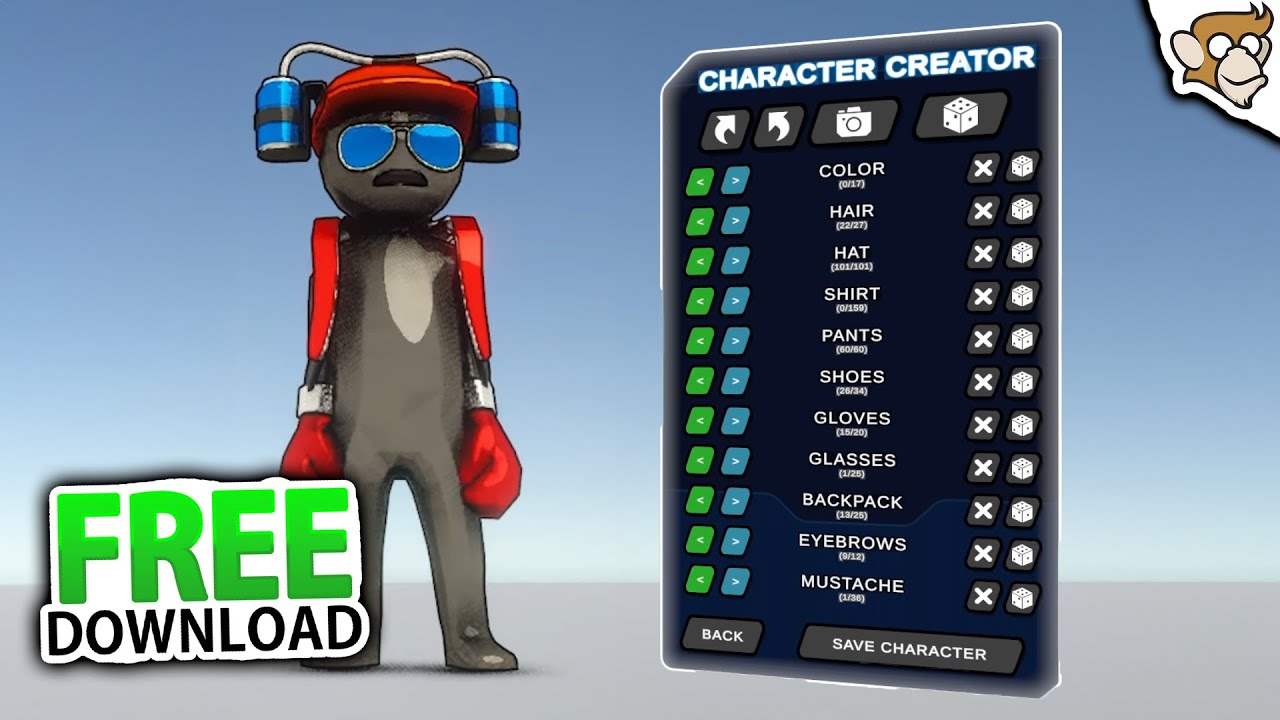
✅ Get the Project files and Utilities at https://unitycodemonkey.com/video.php?v=Cyq6mpY-ILA
🌍 Get the Characters Pack https://cmonkey.co/characterspack_charcustom
🔴 Get the Synty Characters https://cmonkey.co/synty_modularfantasy_charcustom2
🎮 Play my Steam game! https://cmonkey.co/dinkyguardians
❤️ Watch my FREE Complete Courses https://www.yo...
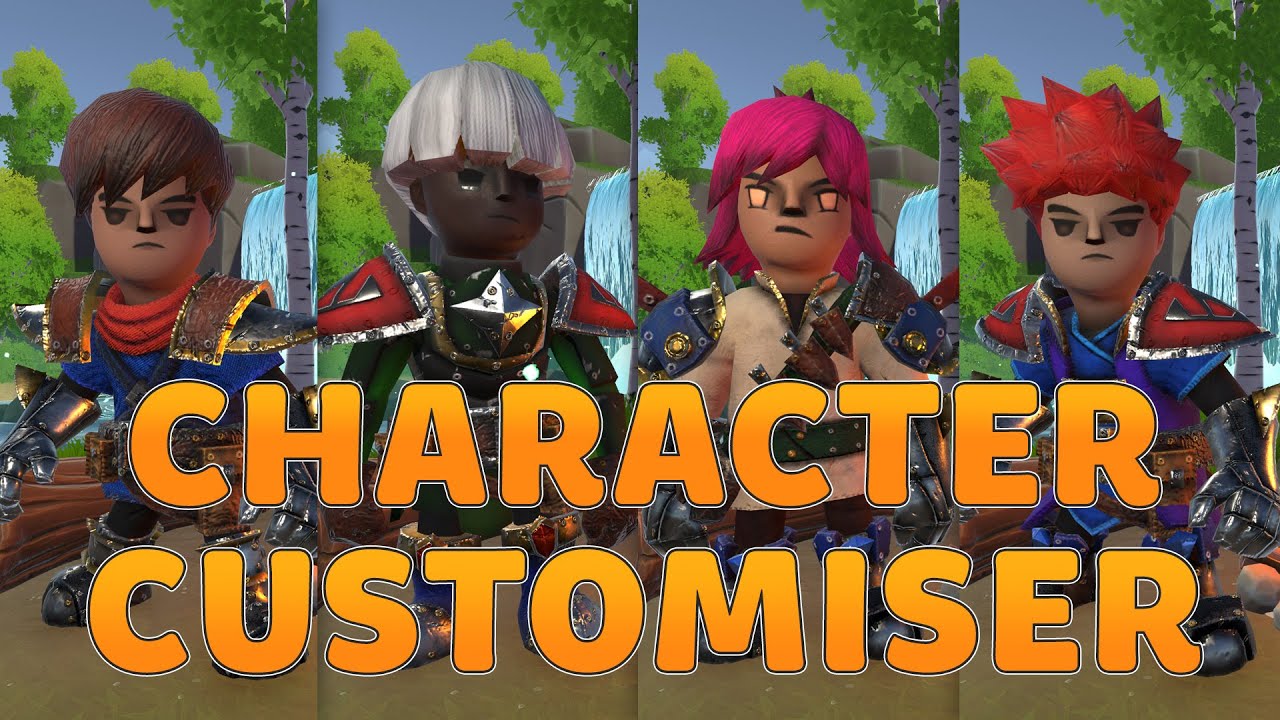
🚨 Wishlist Revolocity on Steam! https://store.steampowered.com/app/2762050/Revolocity/ 🚨 Thank you to xTiles for sponsoring todays video. Take a look at xTiles here for free or save 25% off a premium subscription: https://xtiles.app/?lmref=T8OvSw
Modular Hero Asset used in this video: https://prf.hn/click/camref:1101lkANY/pubref:CharacterCustom...
solemn dock
solemn dock
I've been using the following videos to get a handle on character customization....
here is a copy of the code I'm working on https://paste.mod.gg/kfkaztkbmgek/1
A tool for sharing your source code with the world!
eternal needle
solemn dock
here is a copy of the code I'm working on https://paste.mod.gg/kfkaztkbmgek/1
you should really narrow down what part you're talking about. im sure most people arent jumping to help when we see 2 videos linked and 100 lines of code without seeing the exact error (which shows line number and stack trace)
that being said, google IndexOutOfRangeException. It's a simple concept, you're trying to access an array at an index that doesnt exist
eternal needle
#archived-networking delete from here and post there, also look at the #854851968446365696 on how to post
small dagger
is using a rigidbody the only way to get correct physics interactions? I am trying to make a rotating obstacle for the player to get through, but just rotating it with a regular collider causes it to clip through
solemn dock
eternal needle
you should really narrow down what part you're talking about. im sure most peopl...
Sorry about that, I find it hard to ask the questions i need answered without full context. The Code Monkey video is where I'm pulling the save/load functionality of this project from (the last 8 minutes of the video) . I followed along fairly well but the main difference is I'm using scriptable objects which he did not use in his video. I'm having trouble making this conversion work.
 rare condor
small dagger
is using a rigidbody the only way to get correct physics interactions? I am tryi...
rare condor
small dagger
is using a rigidbody the only way to get correct physics interactions? I am tryi...
They need to have a same collision layer, not sure but also move player with physics forces?
small dagger
i am moving the player with physic forces, but it still doesn't really react properly
rare condor
It completely ignores the obstacle or there is some interaction?
small dagger
it will collide with it briefly, but pretty quiuckly the player just ends up clipping through it
naive pawn
small dagger
is using a rigidbody the only way to get correct physics interactions? I am tryi...
regarding the question; no, you could do physics yourself.
regarding the issue; sounds like you're moving the object/rb improperly? you might need an rb on the moving collider, not sure.
small dagger
naive pawn
regarding the question; no, you could do physics yourself.
regarding the issue; ...
yeah i just kinda gave up and threw an RB on it lol, now I'm having an issue where the torque doesn't seem to rotate it at all, back to the grind lol
I guess RB's are pretty expensive though right? Like tossing an RB onto every moving obstacle seems like it might not be the most efficient
 warped portal
Hey this might be a dumb question but is there a reason my OnTriggerEnter doesn't print anything? I tried putting rigidbodies on both and have istrigger on but nothing seems to trigger it D:
small dagger
warped portal
Hey this might be a dumb question but is there a reason my OnTriggerEnter doesn'...
is the "Is Trigger" set to true on the collider?
small dagger
what is the ontrigger being called on?
warped portal
I have it sitting on the player where the rigid is and i want it to be triggered when an enemy is close to it (Melee things)
small dagger
usually the ontrigger script goes on the other thing in my experience
warped portal
oh
 cosmic quail
ontrigger script goes on the object that has the trigger on it
warped portal
So if I wanna hit enemies the script for that goes on them
small dagger
it depends lol it's widely contextual
cosmic quail
warped portal
So if I wanna hit enemies the script for that goes on them
only if the enemy has the trigger collider on it
keen dew
small dagger
yeah i just kinda gave up and threw an RB on it lol, now I'm having an issue whe...
You can use MoveRotation and it'll work the same way you moved the colliders before
keen dew
small dagger
I guess RB's are pretty expensive though right? Like tossing an RB onto every mo...
They're not
small dagger
ok cool, thanks i will try this
warped portal
cosmic quail
only if the enemy has the trigger collider on it
Well the player has the collider with the IsTrigger
cosmic quail
warped portal
Well the player has the collider with the IsTrigger
then the ontrigger script must be on the player too
small dagger
warped portal
So if I wanna hit enemies the script for that goes on them
what i would think of doing is, as the player, activate the attack, the attack would create an object with the trigger to reprsent the attack, and that would interact with the enemy
cosmic quail
small dagger
what i would think of doing is, as the player, activate the attack, the attack w...
just use overlapbox instead
small dagger
i dont knnow what that is but im a beginner, so yes listen to this guy isntead lol
eternal needle
solemn dock
Sorry about that, I find it hard to ask the questions i need answered without f...
the error you had isnt really related to anything here. its just a simple error of trying to access an index that doesnt exist. you should add debugs or use the VS debugger to print out what index you're trying to access to see whats going wrong
warped portal
cosmic quail
just use overlapbox instead
This worked perfectly btw thank you again :D
drifting cosmos
where do you make your classes into objects
eternal needle
drifting cosmos
where do you make your classes into objects
this question doesnt really make sense, what are you trying to do
drifting cosmos
eternal needle
this question doesnt really make sense, what are you trying to do
dont you have to make your classes into objects using new where do people make them
eternal needle
drifting cosmos
dont you have to make your classes into objects using new where do people make t...
you make instances whereever you need them 🤷♂️ repeating the question still doesnt change that it doesnt make sense
what are you trying to do
maybe follow a basic c# tutorial on classes/instances if you're confused about how to use new
drifting cosmos
would you make more than 1 instance for a game object?
cosmic dagger
drifting cosmos
would you make more than 1 instance for a game object?
Everything in your scene is a GameObject . . .
drifting cosmos
like for every time you need something from a class or would you have one spot to make them
cosmic dagger
Define "something," as that is vague and does not give a context . . .
eternal needle
your questions honestly couldnt be more vague
cosmic dagger
You can have one class used for instantiating (spawning) another class or prefabs . . .
But it depends what you're doing. Again, no context . . .
drifting cosmos
cosmic dagger
Everything in your scene is a GameObject . . .
its vague because i dont have a specific need
im just trying to learn how it works
cosmic dagger
drifting cosmos
im just trying to learn how it works
Well, it's hard to give an example or explain how it works without knowing what you are doing . . .
If there is no specific need, then I'm unsure if what we've discussed is helpful at all . . .
drifting cosmos
well i want to know where to spawn these classes are they global?
 bold falcon
hello, i have a problem with my controller, it has this weird behaviour where if you tilt the JoySticks to around 50% it jumps to 100% instantly and when you tilt it to 100% and rotate it around, it snaps to only multiples of 45 angles (right angles and diagonals).
drifting cosmos
like if you make an instance of a class on one game object can you access it from a different game object
cosmic dagger
drifting cosmos
like if you make an instance of a class on one game object can you access it fro...
Yes, you just need a reference to the GameObject that holds the instance . . .
In general, if you have a reference to a class, struct, or interface, you can access any of its public members . . .
bold falcon
bold falcon
hello, i have a problem with my controller, it has this weird behaviour where if...
using PS5 controller, and when im out of focus on the game, its normal, but if i focus on the game in editor its that weird behaviour
drifting cosmos
bold falcon
hello, i have a problem with my controller, it has this weird behaviour where if...
did you make the joystick or is it from store
bold falcon
wdym? its original ps5 controller
drifting cosmos
bold falcon
wdym? its original ps5 controller
like the joystick code
bold falcon
new input system, but its back to normal wtf, just restarted unity and it works again
weird
 rocky canyon
bold falcon
using PS5 controller, and when im out of focus on the game, its normal, but if i...
rocky canyon
bold falcon
using PS5 controller, and when im out of focus on the game, its normal, but if i...
does it work normally if the game is fullsize
bold falcon
in editor yes, dont have it built yet
rocky canyon
may be the way the gameview works.. as its docked and stuff.. when u lose focus.. ur actual screen-coords change depending on the size u have ur game-window
bold falcon
dont know what happened, was working in animator and it started acting up out of nowhere, but i restarted it and its normal again
rocky canyon
not sure its the same for joysticks.. but i do know it affects mouse..
not sure if that coorelates ne
bold falcon
dont think thats it, probably some mixup in direct and x-input imo
rocky canyon
u could try monitoring the input debugger if its the new system
bold falcon
when i changed the deadzone max in proj settings it started working with the full tilt and jump to 1, but its still stuck to the 45 angles
rocky canyon
ya, makes me kinda glad i dont work w/ gamepads yet
bold falcon
with the new imput system its really easy, but sometimes those things happen i guess
 cold mist
is there any way to get a collision as a condition?
like if (specific collision)
{
blablabla
}
 verbal dome
cold mist
is there any way to get a collision as a condition?
like if (specific collision)...
verbal dome
cold mist
is there any way to get a collision as a condition?
like if (specific collision)...
What would that mean? When would it be true and when would it be false?
verbal dome
That doesnt mean anything to me tbh
Do you want to check if the object has just collided or what
cold mist
i got a trigger that is a bullet
i want the bullet to identify if the object is the head or the torso collider
verbal dome
So you want to check what object you hit?
cold mist
ye
verbal dome
Although this should IMO be done on the character's script, not in the bullet
 verbal dome
Collision has properties for the collider and gameobject you hit
verbal dome
You could compare collision.collider with headCollider or torsoCollider in the if statement
ivory bobcat
cold mist
Why are you needing to parse which collider it is? I'm assuming the object only has one collider.
cold mist
ivory bobcat
Why are you needing to parse which collider it is? I'm assuming the object only ...
it has one for each body part
ivory bobcat
Certainly you've only got one collider on the game object though?
cold mist
for each, yes
ivory bobcat
Can you show the inspector?
If you're referring to multiple objects, each object should have their own unique script to do there own unique things
verbal dome
I forget if OnTriggerEnter2D message gets sent to the child collider objects or only the object with the RB
ivory bobcat
I'm only certain that two get component calls on the same object would yield the same collider or some undefined behavior if there really are two colliders
rich adder
Child collider becomes part of the rigidbody no
cold mist
ivory bobcat
If you're referring to multiple objects, each object should have their own uniqu...
thats probably it
verbal dome
ivory bobcat
I'm only certain that two get component calls on the same object would yield the...
Ah true, missed that part
cold mist
once the bullet triggers it execute all the scripts
in the OnTrigger
is the only way doing one script for each object?
i don't mind im just curious
 spark tendon
yo
I have no idea how to code or even use unity and I was watching a yt vid on how to make an FPS game, this code was used in the video but when I tried it absolutly nothing happened any idea why?

its also possible I just didnt import it into unity correctly
because I dont know how to do that either
 timber tide
Few errors in that script, but nothing that I'm seeing wouldn't at least make it work. I suggest go over the video again, or perhaps a video that doesn't multiply GetAxis by deltatime
earnest wind
timber tide
Few errors in that script, but nothing that I'm seeing wouldn't at least make it...
The mouse speed is based on how fast frames generate now
rich adder
spark tendon
I have no idea how to code or even use unity and I was watching a yt vid on how ...
bad idea to multiply mouse by Time.deltaTime
earnest wind
spark tendon
I have no idea how to code or even use unity and I was watching a yt vid on how ...
Also try read the code, mouse X shouls get Mouse x, while mouse Y should get Mouse Y, same for rotation
You dont change mouse Y at all
I mean rotationY
rich adder
also the reason why the unity methods are grayed out its because they aren't being used at all.
This is a POCO not a MB
therefore its not reading any of the MB method
earnest wind
Oh yeah it doesnt say : MonoBehviour
Its just class name, i think he erased the monobehaviour or smth
rich adder
spark tendon
this is my first time doing anything related to game development
then you should not start with this garbage video
!learn
eternal falconBOT
:teacher: Unity Learn ↗
Over 750 hours of free live and on-demand learning content for all levels of experience!
earnest wind
spark tendon
I dont understand
In class, there should be ": Monobehaviour" after the name
rich adder
they wont even know why they need to add that
earnest wind
Also i dont suggest with coding fps as start
spark tendon
ok thanks
earnest wind
spark tendon
ok thanks
Good luck bro
spark tendon
ty
 acoustic belfry
is there a way to modify the chances of a Random.Range(0, 2);?
i mean, make that 0 is more likely to happen than 1
rich adder
acoustic belfry
i mean, make that 0 is more likely to happen than 1
better off using weighted table
or make it very ugly and put most of the 0 in an array pick random index lol (dont do this )
acoustic belfry
also btw, what it would happen if i delete the line
using Unity.Mathematics;
rich adder
unity will explode
acoustic belfry
but...i already have it...in an enemy...for a long time ago
acoustic belfry
im confused
acoustic belfry
rich adder
if you remove it do you get errors?
no
rich adder
so then its not used
acoustic belfry
thats a good thing?
rich adder
yes?
acoustic belfry
i mean cuz, on my other enemy script (the one im using), it says the random thing is too ambiguous thanks to that line
rich adder
why keep namespaces if you never use objects from inside them
acoustic belfry
rich adder
why keep namespaces if you never use objects from inside them
huh
rich adder
acoustic belfry
i mean cuz, on my other enemy script (the one im using), it says the random thin...
thats because you seem to be using another namespaces that contains the Random class
acoustic belfry
acoustic belfry
i mean cuz, on my other enemy script (the one im using), it says the random thin...
and that warning dissapears when i delete that line
acoustic belfry
rich adder
thats because you seem to be using another namespaces that contains the `Random`...
nop
 rich adder
put this
using Random = UnityEngine.Random
acoustic belfry
ok
acoustic belfry
rich adder
put this
`using Random = UnityEngine.Random`
how
rich adder
acoustic belfry
how
type it? copy and paste it? however you want
acoustic belfry
rich adder
type it? copy and paste it? however you want
no, i mean, it gives me errors
rich adder
acoustic belfry
no, i mean, it gives me errors
show me
acoustic belfry
 rich adder
also consider switching VS to english if you expect these types of help unless you literally tell us translation each time
rich adder
because thats not where you write that
acoustic belfry
random its an ambigous reference (the math error again) in unityjrfeughe8hg
my issue is
rich adder
using statements for namespaces don't go inside method
 rich adder
wait stop, and slowdown. First. You have to understand what namespaces are and what they're for
acoustic belfry
and
 acoustic belfry
rich adder
wait stop, and slowdown. First. You have to understand what namespaces are and w...
acoustic belfry
rich adder
wait stop, and slowdown. First. You have to understand what namespaces are and w...
ok
rich adder
acoustic belfry
this is where namespace using go
acoustic belfry
rich adder
this is where namespace `using` go
huh
but i mean, what it would happen to the enemy depending of wich?
rich adder
okay do you know why those using are there
acoustic belfry
for what they work
acoustic belfry
rich adder
okay do you know why those `using` are there
nop
thats...what i been saying
rich adder
acoustic belfry
thats...what i been saying
no because you didn't ask me
Learn how namespaces help you organize related types.
acoustic belfry
rich adder
no because you didn't ask me
fair
rich adder
TLDR Namespaces are like "Categories" other classes belong to
they can only be accessed through the namespace otherwise the computer has no idea wich class you want
take UnityEngine classes
Rigidbody2d cannot be found if using UnityEngine isnt there
because using is just a shortcut to not having to write UnityEngine before every class
Like UnityEngine.Rigidbody2D
acoustic belfry
no but i mean, what if i have UnityEngine, but nothing else
cuz all my scripts have UnityEngine
but somes have others things, others have others
rich adder
if they are gray it means they are not being currently used
idk if VS added them by accident, probably
rich adder
yes because you accidentally put a class from that "category"
if you delete it, and nothing underlines red. You know for sure it was wrongly put there
rich adder
not that its bad, but is not needed here
acoustic belfry
i mean, i call it bad if it ruins the code
rich adder
not necessarily , some still work the same
rich adder
like quaternion instead of Quaternion
acoustic belfry
so thats why is bad
acoustic belfry
rich adder
like quaternion instead of Quaternion
wat
rich adder
acoustic belfry
wat
the both have Quaternion class, except in math its lowercase
acoustic belfry
btw if nothing is underlines, it means its ok, right?
acoustic belfry
rich adder
the both have Quaternion class, except in math its lowercase
aaaaaaaaaaaaa
got it
well, thanks
acoustic belfry
o h
rich adder
The computer doesn't know which one you want to use, therefore "ambiguous"
 vague sequoia
Why does this happen? When I create an object in the world with the script, it does not respect the rotation that I set with the quaternion.Euler

 acoustic belfry
aaaaaaaaaah, let me see if i got it
both things have the same name, and i want the "vanilla" one, but the system bugs
acoustic belfry
rich adder
The computer doesn't know which one you want to use, therefore "ambiguous"
exactly
well
thanks so much
:3
rich adder
acoustic belfry
aaaaaaaaaah, let me see if i got it
both things have the same name, and i want t...
wait till you see there is one in System and if you use something from that namespace you will get the same error but solution is to write what I sent to you, at the TOP where all usings are declared
rich adder
vague sequoia
Why does this happen? When I create an object in the world with the script, it d...
speaking of which....
you're using the wrong class
verbal dome
vague sequoia
Why does this happen? When I create an object in the world with the script, it d...
Quaternion uses degrees, quaternion uses radians
rich adder
quaternion from mathematics wants Radians
vague sequoia
ooo
rich adder
rich adder
acoustic belfry
exactly
lol we were just talking about this too.. weird sync
vague sequoia
rich adder
[Mathematics.quaternion.Euler](https://docs.unity3d.com/Packages/com.unity.mathe...
How do I convert it to degrees?
rich adder
vague sequoia
How do I convert it to degrees?
I mean you can, but don't do that
just use Quaternion from UnityEngine namespace
which already comes with Euler angles in mind
rich adder
vague sequoia
How do I convert it to degrees?
https://docs.unity3d.com/6000.0/Documentation/ScriptReference/Mathf.Rad2Deg.html
https://docs.unity3d.com/6000.0/Documentation/ScriptReference/Mathf.Deg2Rad.html
just to show you HOW but don't do it this way for this usecase
vague sequoia
ok
acoustic belfry
em i have an issue, i want my enemy to run and shot at the same time, but for an strange reason when he tries to do so, he only runs, why?
A tool for sharing your source code with the world!
nvm, i think i figured out
rich adder
not enough info
rich adder
acoustic belfry
https://paste.mod.gg/skvttpqzsyec/0
You should split that update into smaller methods
this is becoming a hard to read mess
acoustic belfry
rich adder
You should split that update into smaller methods
makes sense
btw, i think i figured it out
rich adder
what was the problem
acoustic belfry
i think the shooting area had a what if scenario that triggered
meanwhile the one i wanted to trigger was incide shooting
heh
rich adder
Hmm yeah its hard to keep track of where everything is because of so many if statements inside this giant method
acoustic belfry
so i split all of them into lil methods?
rich adder
exactly
for example this
     if (distancia > 0)
        {
            transform.localScale = new Vector3(-1, 1, 0);
        }

        if (distancia < 0)
        {
            transform.localScale = new Vector3(1, 1, 0);
        }```
can easily be its own methodvoid FlipPlayer()
its still in update but now you know if you're looking for FlipPlayer code where to find it
acoustic belfry
makes sense
i have a new issue
the enemy walks in a very slow paced way, like, lagging, like his brain is doing "shoot!, walk!, shoot!, walk!"
 {
     animator.Play("Base Layer.MRifle_Walk");
     transform.position = Vector2.MoveTowards(transform.position, objetivo.position, runSpeed * Time.deltaTime);
     GameObject nuevoProyectil = Instantiate(proyectil, proyectilposition.position, Quaternion.identity);
     Vector3 direccion = (objetivo.position - proyectilposition.position).normalized;
     Rigidbody2D rb = nuevoProyectil.GetComponent<Rigidbody2D>();
     if (rb != null)
     {
         rb.linearVelocity = direccion * bulletspeed;
     }
}```why
rocky canyon
are u restarting the animation over and over?
rich adder
you wrote it
acoustic belfry
i mean
rocky canyon
animator.Play( would run every frame.. if the conditional is true..
acoustic belfry
oh
rocky canyon
Each call to Play() forces the animation to start from its beginning, interrupting any ongoing playback
i like to use bools and triggers
animator.SetBool("IsWalking", true);
rich adder
this would be much easier with transitions 
rocky canyon
i could call that 1000 times ^ and it'll just continue to loop
if my transtitions are set up correctly
acoustic belfry
i dont like transitions ;-;
i mean
why the animation part has to be this hard?
acoustic belfry
rocky canyon
Each call to Play() forces the animation to start from its beginning, interrupti...
so the fix is to use transitions
damn
rich adder
well the fix would be to at least not call the same Play over and over if its still animating
acoustic belfry
oh
rich adder
but its far easier to just use Transitions conditions
rocky canyon
you would do ur transitions in here
acoustic belfry
i mean, its easier in coding, but is complicated af in engine
 rocky canyon
and then manipulate the "Parameters" uve used
acoustic belfry
making the transitions, one by one
rocky canyon
as conditions for each transition..
rich adder
its literally a graph
rocky canyon
BUT if u want to .. you could do it in code too..
check if ur animation is playing before trying to call Play() on it again
using the animator would probably be a better (more scaleable) solution
rich adder
the amount of work put in to configure the initial animator states / transitions will save you tons of time later in code
acoustic belfry
ok...
 acoustic belfry
but also my issue is, how i do the graph
 keen owl
I find animations without loop time enabled somewhat weird in unity, as sometimes the exit time doesn’t function properly lol
acoustic belfry
rocky canyon
getting animatorstates and strings and eww
its my first smart enemy
 rich adder
this is also this method like I showed you last time
https://www.youtube.com/watch?v=ZwLekxsSY3Y

As a programmer, using the Unity animator can feel like you're losing some control over your game. We can manage our animation transitions entirely from code... Animation will feel as natural as your player controller script.
Code: https://bit.ly/3P4DdA2
I'll be expanding this code on my ultimate 2D controller, which can be found here: https:/...
that doesnt use transitions in animator manually
rich adder
ya as you can still it still does a check if its already within a state / animation
but this at least is better than Play
so its less Graphs and Fiddling with animator, but more code.. hence the title lol
rocky canyon
acoustic belfry
its my first smart enemy
TLDR: add animator to thing..
Add Parameters to use to control transitions..
Add animation clips.. -> add transitions from clip to clip (when it makes sense)
control those w/ the parameters.. (get animator reference in script and use animator.SetBool, SetFloat, etc)
the animator will decide which clip it should transition to.. by knowing what clip its currently using
rich adder
ya if you dont have many states, much easier to just graph it out with conditions
acoustic belfry
ok
rocky canyon
ya, true.. u can link em all to any state right?
and just have a condition for each one?
rich adder
not sure. I mostly use Any State for "interruptions"
eg like a hit reaction
just untick "can transition to self" this causes so many headaches lol
"why is my animation stuck looping when loop is off 😭 "
acoustic belfry
makes sense
acoustic belfry
btw i used states...and the same happened
rich adder
acoustic belfry
btw i used states...and the same happened
show whats happening
acoustic belfry
rich adder
show whats happening
this is what happens
rich adder
acoustic belfry
this is what happens
alr so what was changed? what did you addd? what is animator doing
also you have also all sorts of Warnings about Animator in console window
acoustic belfry
rich adder
alr so what was changed? what did you addd? what is animator doing
also you have...
i made a int value in animator, each animation is atached to a number
rich adder
well either code is wrong, tranistions animator or both
acoustic belfry
btw this is the script
{
    if (balas > 0)
    {
        if (distanciaAbsoluta > rangoDisparo)
        {
            animator.SetInterger("MortemRifle_Anim, 5");
            transform.position = Vector2.MoveTowards(transform.position, objetivo.position, runSpeed * Time.deltaTime);
            GameObject nuevoProyectil = Instantiate(proyectil, proyectilposition.position, Quaternion.identity);
            Vector3 direccion = (objetivo.position - proyectilposition.position).normalized;
            Rigidbody2D rb = nuevoProyectil.GetComponent<Rigidbody2D>();
            if (rb != null)
            {
                rb.linearVelocity = direccion * bulletspeed;
            }
        }
        else
        {
            animator.SetInterger("MortemRifle_Anim, 2");
            GameObject nuevoProyectil = Instantiate(proyectil, proyectilposition.position, Quaternion.identity);
            Vector3 direccion = (objetivo.position - proyectilposition.position).normalized;
            Rigidbody2D rb = nuevoProyectil.GetComponent<Rigidbody2D>();
            if (rb != null)
            {
                rb.linearVelocity = direccion * bulletspeed;
            }
        }

        balas--;
    }
    else
    {
        reload = true;
}```Share code proper with a link, have to show animator and all the transitions setups too.

 echo ruin
Do you use FixedUpdate instead of Update and have you tried to set rigidbody to Interpolate?
Sorry I haven’t read up on the topic
acoustic belfry
echo ruin
Do you use FixedUpdate instead of Update and have you tried to set rigidbody to ...
nop, i only use update, but the animation is on...a method...mmm
and what makes making the rigidbody interpolate?
echo ruin
acoustic belfry
nop, i only use update, but the animation is on...a method...mmm
and what makes ...
In the rigidbody component there’s a dropdown menu
But it might not matter if you don’t run it in FixedUpdate
rocky canyon
is there something im missing?
is there a limit or cap or something im not thinking about..
i can't seem to make the numbers change any faster.. i was doing some math to be able to do different durations
like starting with (2) seconds to dump the entire 9999.. but it didnt seem to be working..
so i used a fixed number, and even then it seems to only want to count so fast..
    IEnumerator QuickCountdownEffect(float duration)
    {
        int startNumber = 9999;
        int endNumber = 0;

        //for now duration doesn't matter
        //float timePerStep = duration / (startNumber - endNumber);

        //count
        for(int i = startNumber; i >= endNumber; i--)
        {
            clockText.text = $"{i:0000}";
            yield return new WaitForSeconds(CountDownDuration);
        }

        clockText.text = "0000"; // stick
}```nevermind
i discovered the issue
im so dumb
it has a freaking firing speed!
and the movement is inside of it!
it was obvious, hehe
rich adder
well not from outside view with all those if statements lol
acoustic belfry
makes sense
rich adder
rocky canyon
```cs
IEnumerator QuickCountdownEffect(float duration)
{
int sta...
tbh I steer away from WaitForSeconds
rocky canyon
ya, im thinking that too
rich adder
even 1 second, is not totally accurate
I measured it side by side to Time.delta and even that gives better result close to Timer class
rocky canyon
  void UpdateCountdown()
    {
        timeElapsed += Time.deltaTime;
gonna try it out in update first
drifting cosmos
can i post a link to a youtube video here
rich adder
rocky canyon
```cs
void UpdateCountdown()
{
timeElapsed += Time.deltaTime;
```
I think this also might work..
kinda sleepy so maybe there is a better way my brain aint brainin
    IEnumerator Start()
    {
        int startVal = 9999;
        int endVal = 1;
        float t = startVal;
        while (startVal > endVal)
        {
            t -= Time.deltaTime * speed; // higher speed means faster drain
            startVal = (int)t;
            yield return null;
        }
        Debug.Log("Done");
}```I think you can flip to where its not relying on a speed factor and just do a duration instead
rich adder
drifting cosmos
can i post a link to a youtube video here
if it helps give the problem context sure
drifting cosmos
https://www.youtube.com/watch?v=dtv7mjj_iog
at 3 minutes
this guy changes the gameobject keyword to unity i think its a class on the gameobject so he doesnt have to use get component for a refrence or something how does that work do you have to make one for every class a game object has

PSA: The "Unit" class is a simple class I created to represent a unit in my game. It's NOT an inbuilt class. Sorry for the confusion.
As a new dev, keeping references to game objects you need can be a little confusing. Learn how to store game objects for later use as well as allowing external scripts access to your goodies.
Instead of trying ...
timber tide
Components need gameobjects to exist, so simply referencing this object also implies the gameobject
rich adder
drifting cosmos
https://www.youtube.com/watch?v=dtv7mjj_iog
at 3 minutes
this guy changes the ga...
this is useful if you want to skip the GetComponent as you said, its not necessary if you have a script, it can also be if its another component like Rigidbody
and ya GameObjects are like a Box that contains all the components. It always comes with the Transform component no matter what. So gameobject is the object itself that holds those components, so they all have .gameObject access no matter what (they can all access their holding gameObject, hence no need to use GameObject as a type usually)
timber tide
GetComponent is useful for when you're looking for other components on that gameobject. If you don't reference them via [SerializeField], then you should be using GetComponent in something like Awake()
rich adder
GetComponent becomes useful when serialization isnt possible and you need to grab something at runtime
acoustic belfry
how i can make in a 2D game that the player's meele parry a proyectile?
rich adder
acoustic belfry
how i can make in a 2D game that the player's meele parry a proyectile?
parry a projectile ?
like reflect it ?
or just deflect
rich ice
acoustic belfry
how i can make in a 2D game that the player's meele parry a proyectile?
maybe split that into a smaller parts first. make a melee attack, make a projectile, then add parrying projectiles (if you've already done that, send the !code)
eternal falconBOT
Posting code
📃 Large Code Blocks
Use links to services like:
https://paste.mod.gg/, https://hastebin.skyra.pw/, https://paste.ofcode.org/, https://paste.myst.rs/, https://scriptbin.xyz/
📃 Inline Code
Surround code with three backquotes. Not quotation marks.
To format as C#, add cs to the first line:
```cs
// Your code here
```
Add a comment with a line number if there is an error message.
drifting cosmos
rich adder
and ya GameObjects are like a Box that contains all the components. It always co...
ok so you dont need to use the gameobject type so you just use a random class on the game object and does it work for everything?
or when youre storing a refrence do you have to store multiple for like each class
rocky canyon
rich adder
I think this also might work..
kinda sleepy so maybe there is a better way my br...
i think i got it
rich adder
drifting cosmos
ok so you dont need to use the gameobject type so you just use a random class on...
no when you spawn it as a specific class, it just skips the GetComponent to that component, it doesnt mean you can access all of the properties in all the component.
but you can access other components through that component if they share parent/child
rocky canyon
update loop lets it count way faster than i could do in Coroutine
acoustic belfry
rich adder
like reflect it ?
my idea is that the proyectile goes the complete oppositive direction, and it damages the enemies
rich adder
acoustic belfry
my idea is that the proyectile goes the complete oppositive direction, and it da...
ya that would be reflect
acoustic belfry
ya
timber tide
drifting cosmos
ok so you dont need to use the gameobject type so you just use a random class on...
You should never need to reference something simply by the GameObject type. Maybe Transform, but GameObject itself gives no type information that you need.
acoustic belfry
wait what
rocky canyon
AHH! (╯°□°)╯︵ ┻━┻

    void PerformMeltdownCountdown()
    {
        if(meltdownTimer > 0)
        {
            meltdownTimer -= Time.deltaTime;
            int currentNumber = Mathf.FloorToInt(startNumber - (startNumber * (1 - meltdownTimer / 2f)));
            clockText.text = $"{currentNumber:0000}";
        }
        else
        {
            isMeltdownActive = false;
            clockText.text = "0000";
        }
    }
``` i need to check if its < 0 *before* i set textyou dont really have to use that , you could just reverse direction if you dont need fancy reflect
rocky canyon
yea not sure this is optimal but it'd work
 acoustic belfry
rich adder
you dont really have to use that , you could just reverse direction if you dont ...
acoustic belfry
rich adder
you dont really have to use that , you could just reverse direction if you dont ...
define fancy reflect
rich adder
acoustic belfry
define fancy reflect
like controlling the direction of the reflection
eg if. an enemy shot at some shield you are holding.
Depending where you point the shield it will deflect bullet in that direction
rich adder
acoustic belfry
but, how do i implement it?
the bullet tracks its own Velocity in a variable, once it hits that shield it grabs its normal to see which way its pointed towards and use vector2.Reflect from old velocity + facing shield direction and make it go that way by assign velocity
this is only if you have some sort of surface you can point in different direction. Otherwise you can just reverse the velocity
acoustic belfry
well...i have an issue i just remembered...the bullet doesn't have it speed inside