#💻┃code-beginner
1 messages · Page 603 of 1
 rocky canyon
and they'll both spawn the exact same place..
up to you to feed in the position and rotation to the Instantiation() call
 alpine gyro
GridObjectFactory.CreateByTypeAndParent(BookShelfTypes.BookShelf1)
My init is very generic X_x
 polar acorn
If you duplicate it, you are probably passing a copy of the list of colors for it to use. Then they'd both be sharing the same lists and changes to one would affect both

Stack Overflow
For example
List<string> name_list1 = new List<string>();
List<string> name_list2 = new List<string>();
later in the code:
name_list1.Add("McDonald");
name_list1.Add("Har...
alpine gyro
maybe change the model in blender and export it again is the best option..
THANK YOU VERY MUCH!! LOVE TO LEARN!!
❤️ 🙏 🔥
 earnest wind
polar acorn
If you duplicate it, you are probably passing a _copy_ of the list of colors for...
earnest wind
polar acorn
If you duplicate it, you are probably passing a _copy_ of the list of colors for...
ahhh so thats what was happening, and i had to make the code so squigly just to get this to work but its just cause its a refference
thanks
 wintry quarry
I mean I don't know how many times I have to say you're using the same list
I said it like 3 times beforew
earnest wind
wintry quarry
I said it like 3 times beforew
😭 i mean im supposed to use the same list for gradient script
polar acorn
Basically this entire script probably needs to be Ol' Yeller'd and rewritten as like twelve different scripts
earnest wind
but not for data
earnest wind
polar acorn
Basically this entire script probably needs to be Ol' Yeller'd and rewritten as ...
im not rewriting i just want to get this to work 😭
i will probably look back at this in like 2 years and face palm myself
i know it is very bad code but its cause i was trying to get it to not copy itself 😭
polar acorn
earnest wind
i will probably look back at this in like 2 years and face palm myself
This isn't a facepalm moment, this is an "invent time travel to prevent myself from doing this in the first place" kind of moment
earnest wind
polar acorn
This isn't a facepalm moment, this is an "invent time travel to prevent myself f...
i trust my future self
i do these mistakes so he wont do any in future
 keen owl
kind of find it annoying how they went from Rigidbody.velocity to Rigidbody.linearVelocity in unity 6 😦
polar acorn
Well, it's more consistent with angularVelocity now
keen owl
Yeah the naming is better I guess. I was so used to using velocity lol
wintry quarry
keen owl
kind of find it annoying how they went from ``Rigidbody.velocity`` to ``Rigidbod...
Look at what they made me do in my asset store package lol https://github.com/SadnessMonday/BetterPhysics/blob/c7430f2c674bcb53e07e1b84baf2652ba7ac22a2/Assets/BetterPhysics/Runtime/Scripts/RigidbodyExtensions.cs#L8
keen owl
wintry quarry
Look at what they made me do in my asset store package lol https://github.com/Sa...
damn you added version checks throughout the entire script, must have been annoying
wintry quarry
Well I just made these helper functions and used them everywhere so I only had to add them here.
 astral falcon
Imagine the velocity would have returned linearvelocity in unity 6 by default 😄
 humble hound
Can someone guide me on how to recreate this camera system with cinemachine
astral falcon
humble hound
Can someone guide me on how to recreate this camera system with cinemachine
#🎥┃cinemachine probably there, as we are on coding here
humble hound
Ok shukran
 warm raptor
why does the value of each of the 3 rotation axes vary when my script is only supposed to affect 2 axes and not 3 ?
private void Sway(float SourisX, float SourisY)
    {
        float sway = SourisX * Time.deltaTime * SwayForce;
        float swayUp = SourisY * Time.deltaTime * SwayForce;
        float swayBack = Time.deltaTime * SwayForceBack;
        float swayUpBack = Time.deltaTime * SwayForceBack;
        CurrentSway += sway;
        CurrentUpSway += swayUp;
        if (sway != 0 && System.Math.Abs(CurrentSway) <= MaxSway)
        {
            Head.transform.Rotate(0, 0, -sway);
        }
        else if (sway == 0 && CurrentSway > 0 )
        {
            Head.transform.Rotate(0, 0, swayBack);
            CurrentSway -= swayBack;
        }
        else if (sway == 0 && CurrentSway < 0 )
        {
            Head.transform.Rotate(0, 0, -swayBack);
            CurrentSway += swayBack;
        }


        if (swayUp != 0 && System.Math.Abs(CurrentUpSway) <= MaxSway)
        {
            Head.transform.Rotate(-swayUp, 0, 0);
        }
        else if (swayUp == 0 && CurrentUpSway > 0 )
        {
            Head.transform.Rotate(swayUpBack, 0, 0);
            CurrentUpSway -= swayUpBack;
        }
        else if (swayUp == 0 && CurrentUpSway < 0 )
        {
            Head.transform.Rotate(-swayUpBack, 0, 0);
            CurrentUpSway += swayUpBack;
        }
    }
welcome to the shitshow that is euler angles
friends don't let friends use euler angles
Long story short - euler angles are not unique. There are infinite ways to represent any rotation with euler angles, and some ways use some axes and some ways use others.
warm raptor
wintry quarry
welcome to the shitshow that is euler angles
Ahhh I'd heard about the gimble lock and I guess that's what I'm having trouble with?
wintry quarry
The computer doesn't know or care or have any way to "prefer" one way or another to represent the rotation
it's not just gimbal lock - it's the ability for rotations to be represented in different ways
 grand snow
thats true, its stored as a quaternion so as it changes it spits out what it thinks it is in euler for us dumb humans to read
warm raptor
But what I don't understand is how we can have problems of this kind. Isn't the reference frame for each of the three axes supposed to be a right-handed triad?
wintry quarry
warm raptor
But what I don't understand is how we can have problems of this kind. Isn't the ...
Every rotation can be represented in an infinite number of ways. For example:
0, 0, 180
is the same as
180, 180, 0
grand snow
tbh i dont know but the xyz euler rotation is not really what the rotation is, i dont know how quaternion -> euler conversion is done but dont worry about it if its working
wintry quarry
And since the rotation is not actually stored as euler angles, it will just try its best to come up with something human readable
warm raptor
wintry quarry
And since the rotation is not actually stored as euler angles, it will just try ...
so I guess I have to use quaternion? (I had already tried to understand how it works, but I didn't get it, but if that's the only solution, let's go suffer and try to understand! )
polar acorn
The general rule is "Always Read or Always Write, never both".
Store your own copies of what you want each angle to be, and set the eulerAngles to them. Never read the values from it, use your stored values instead
wintry quarry
warm raptor
so I guess I have to use quaternion? (I had already tried to understand how it w...
Can you explain what the issue you're actually having is?
 teal viper
warm raptor
so I guess I have to use quaternion? (I had already tried to understand how it w...
teal viper
warm raptor
so I guess I have to use quaternion? (I had already tried to understand how it w...
No. You don't have to. Is there an actual issue that you have with the current approach?
wintry quarry
So far it seems to be just "I don't like these ugly numbers in my inspector"?
warm raptor
wintry quarry
Can you explain what the issue you're actually having is?
⚠️ be careful if you're epileptic, I'm going round and round in the video.
In fact, my problem is that over time, the “Sway” effect I've created causes the camera to lean to one side.
wintry quarry
warm raptor
⚠️ be careful if you're epileptic, I'm going round and round in the video.
In f...
what does the hierarchy look like?
I would just have a Vector3 localRotation variable
and modify that
and set transform.localEulerAngles to it
you wcan fully manage that vector
warm raptor
wintry quarry
what does the hierarchy look like?
 wintry quarry
and it won't ever stray out of control
the fact that you're using transform.Rotate means all this logic is unbounded
it's just additive, and there's nothing keeping it near 0
warm raptor
wintry quarry
and set `transform.localEulerAngles` to it
ok , I'm going to try this.
but I don't understand the difference between the 2? because they both represent the rotation of the same object?
wintry quarry
warm raptor
ok , I'm going to try this.
but I don't understand the difference between the 2...
Rotate adds to the current rotation
you're not staying in control of the values
you're kind of blindly adding
by keepiung your own variable you will stay in full control of it
warm raptor
wintry quarry
by keepiung your own variable you will stay in full control of it
ok thanks I see!
 mossy jasper
Me raging at making a chess game. (Ignore my squeaky ahh voice)
 rich ice
 low token
rich ice
<#497874081329184799>
low token
rich ice
<#497874081329184799>
sorry ill do that
mossy jasper
rich ice
caps
what do you mean caps
mossy jasper
mossy jasper
Me raging at making a chess game. (Ignore my squeaky ahh voice)
Here is my code btw
 wintry quarry
mossy jasper
Here is my code btw
wintry quarry
mossy jasper
Here is my code btw
yep we already told you what the problem is
Also you need to configure your IDE
 eternal falconBOT

Posting code
📃 Large Code Blocks
Use links to services like:
https://paste.mod.gg/, https://hastebin.skyra.pw/, https://paste.ofcode.org/, https://paste.myst.rs/, https://scriptbin.xyz/
📃 Inline Code
Surround code with three backquotes. Not quotation marks.
To format as C#, add cs to the first line:
```cs
// Your code here
```
Add a comment with a line number if there is an error message.
wintry quarry
!ide
eternal falconBOT
💡 IDE Configuration
If your IDE is not autocompleting code
or underlining errors, please configure it.
Select one:
•  Visual Studio (Installed via Unity Hub)
• Visual Studio (Installed manually)
•  VS Code
•  JetBrains Rider
• :question: Other/None
wintry quarry
also...
new Vector3(0, 0-1)...?
If you are copying code from somewhere you need to pay closer attention and not make typing mistakes.
mossy jasper
wintry quarry
If you are copying code from somewhere you need to pay closer attention and not ...
Im doing this from YT tutorial because idk how to code
wintry quarry
mossy jasper
Im doing this from YT tutorial because idk how to code
Ok and if you are following a tutorial you have to copy it exactly
you are simply not copying it exactly. You're making mistakes
- Configure your IDE
- Stop making mistakes when you copy the code
mossy jasper
wintry quarry
you are simply not copying it exactly. You're making mistakes
I am copying it the exact way, and plus, idk what an IDE is?
wintry quarry
mossy jasper
I am copying it the exact way, and plus, idk what an IDE is?
VSCode is your IDE
mossy jasper
wintry quarry
you are simply not copying it exactly. You're making mistakes
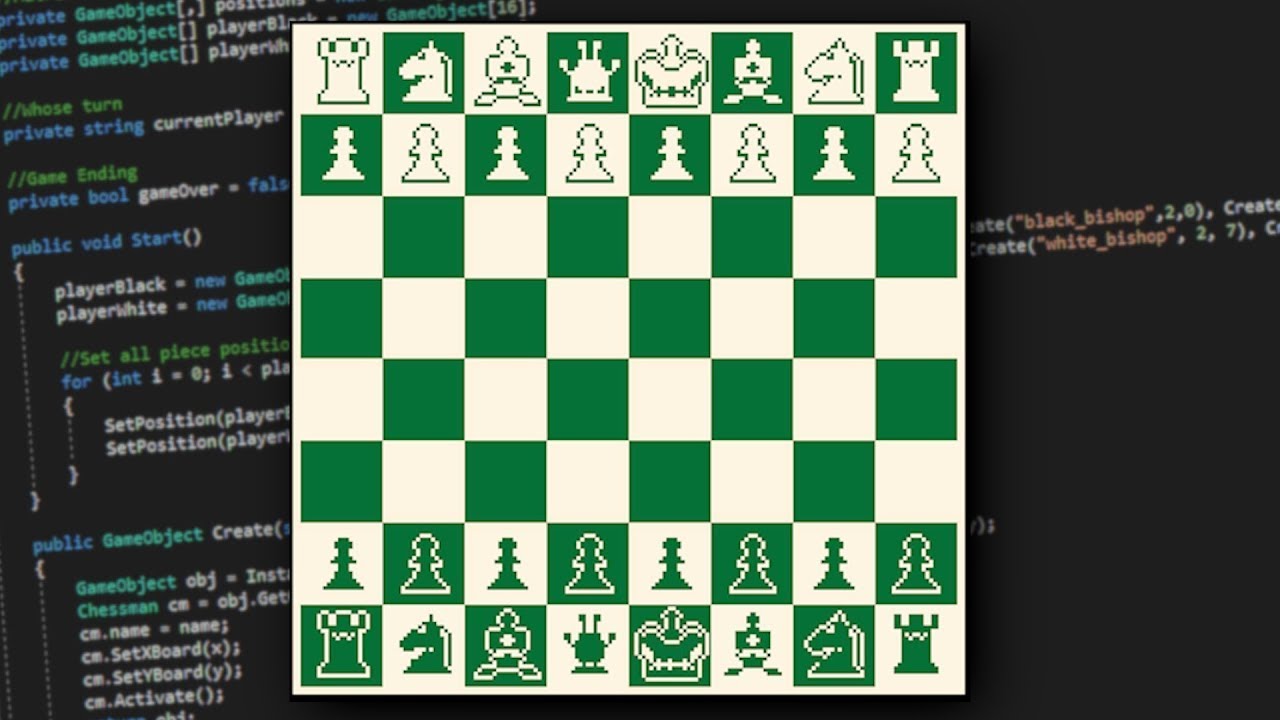
In this Unity Series, we will be creating Chess from the ground up. This will be playable on an Android phone once it is complete.
Completed Project: https://github.com/etredal/Chess_App
Art Assets: https://devilsworkshop.itch.io/pixel-art-chess-asset-pack
wintry quarry
you have to configure it
wintry quarry
mossy jasper
I am copying it the exact way, and plus, idk what an IDE is?
You did NOT copy it exactly
if you did, you wouldn't have these errors
go back
try again
look closer with your eyes
And CONFIGURE YOUR IDE
!ide
eternal falconBOT
💡 IDE Configuration
If your IDE is not autocompleting code
or underlining errors, please configure it.
Select one:
• Visual Studio (Installed via Unity Hub)
• Visual Studio (Installed manually)
• VS Code
• JetBrains Rider
• :question: Other/None
wintry quarry
Follow the VSCode link and do what it says^
 wanton epoch
I have 2 issues with my player movement which I would love to have people's suggestions to fix.
-
When I turn, I am flipping my sprite/animations, the problem is that when I am next to a wall and turn, I go through the wall and fall
-
Now I have set it to if I am not grounded, I cant jump, the problem is that when i go off a platform without jumping, I can use a "saved" jump and jump midair.
A tool for sharing your source code with the world!
wintry quarry
wanton epoch
I have 2 issues with my player movement which I would love to have people's sugg...
- Make sure your SpriteRenderer is on a separate GameObject and you only flip the sprite object. Leave your physics objects and components completely untouched by the turning, which should only be graphical.
- OnTriggerEnter2D for a grounded check isn't the best idea. Use a direct physics query every frame to see if you're currently grounded. For example a Raycast
mossy jasper
wintry quarry
Follow the VSCode link and do what it says^
I cant find the workloads tab in my visual studio😔
wintry quarry
mossy jasper
I cant find the workloads tab in my visual studio😔
Aren't you using VSCode?
mossy jasper
wintry quarry
Aren't you using VSCode?
Visual studio code yes
wintry quarry
mossy jasper
Here is my code btw
This screenshot is definitely VSCode
wintry quarry
mossy jasper
Visual studio code yes
VSCode is not the same as Visual Studio
follow the VSCode link
as I said above
mossy jasper
im switching to roblox studio bro😭 🙏
wanton epoch
wintry quarry
1. Make sure your SpriteRenderer is on a separate GameObject and you only flip t...
So I am trying to solve the first issue, the problem is that when I try to put my sprite renderer in its own gameobject (I am copying the values and stuff), my animitions dont play and stay on 1 thing
wintry quarry
wanton epoch
So I am trying to solve the first issue, the problem is that when I try to put m...
move the animator
or modify the animator to animate the child object instead
rich ice
mossy jasper
im switching to roblox studio bro😭 🙏
maybe try to !learn a bit more before going onto a chess tutorial
eternal falconBOT
:teacher: Unity Learn ↗
Over 750 hours of free live and on-demand learning content for all levels of experience!
mossy jasper
Am i cooked chat?
 slender nymph
you should try reading the error message
 toxic frigate
hello everyone, does anyone know why the gas leaks dont destroy themselves once the gasbag is out of air?
private IEnumerator AirLeakageRoutine()
    {
        while (amountOfGas > 0)
        {
            amountOfGas -= totalAirLeakageRate;
            if (amountOfGas < 0)
            {
                amountOfGas = 0;
            }
            yield return new WaitForSeconds(1);
        }
        OnAirDepleted();
    }

    private void OnAirDepleted()
    {
        Debug.Log("Gasbag is out of air!");
        for (int i = gasLeaks.Count - 1; i >= 0; i--)
        {
            var leak = gasLeaks[i];
            if (leak != null)
            {
                leak.GetComponent<ParticleSystem>().Stop();
                Destroy(leak);
            }
            gasLeaks.RemoveAt(i);
        }
        gasLeaks.Clear();
    }
Fix all this shit
 wintry quarry
toxic frigate
hello everyone, does anyone know why the gas leaks dont destroy themselves once ...
wintry quarry
toxic frigate
hello everyone, does anyone know why the gas leaks dont destroy themselves once ...
What is gasLeaks?
toxic frigate
particlesystem
slender nymph
also the RemoveAt call is pointless
toxic frigate
oh wait
wintry quarry
toxic frigate
particlesystem
You are destroying the particle system then
not the GameObject
also yes this particular RemoveAt is pointless
as is the reverse iteration
wintry quarry
toxic frigate
i misread, apologies
Put Debug.Log in there right before destroying it
Debug.Log($"Destroying {leak.name}");```it's possible your list is empty or full of null references
 last owl
is it possible to lerp random.range numbers to another random.range numbers? so for example random.range(4, 8) to random.range(1, 4) over a certain amount of time
wintry quarry
last owl
is it possible to lerp random.range numbers to another random.range numbers? so ...
Lerp is a math function that immediately returns a new value between the input values
Random.Range immediately returns a random value
you can create two random numbers and lerp from one to the other sure
but beyond that it's not clear what you're asking
wanton epoch
wintry quarry
move the animator
hey, sorry to nbother you again, I have been messing with stuff to seprate my animator/sprite from my scripts, now the issue is that I assign my animotor in the inspector, but as soon as I start my game, my animator just disappears and I have to reassign it.
A tool for sharing your source code with the world!
wintry quarry
wanton epoch
hey, sorry to nbother you again, I have been messing with stuff to seprate my an...
animator = GetComponent<Animator>(); // Fetch the Animator component```pay attention to your code
last owl
I have a spawner that spawns enemies every 4-8 seconds but over the course of game runtime I want it to increase to every 1-4 seconds
but not instantly switch from 4-8 to 1-4 I want it to gradually increase
wintry quarry
last owl
I have a spawner that spawns enemies every 4-8 seconds but over the course of ga...
So change the min and max values over time
min = Mathf.Lerp(startingMin, endingMin, time / duration);
Honestly though you should use an animation curve for this
public AnimationCurve MinCurve;
public AnimationCurve MaxCurve;
float timer = 0;

void Update() {
  timer += Time.deltaTime;

  float min = MinCurve.Evaluate(timer);
  float max = MaxCurve.Evaluate(timer);
}```then just use min and max in your Random.Range whenever you need to
which presumably is at the moment each enemy spawns
last owl
hm interesting thanks, I will have to look into animationcurves more I had no idea it could be used like that
mossy jasper
I cant be this unlucky
 rich ice
go check !learn
eternal falconBOT
:teacher: Unity Learn ↗
Over 750 hours of free live and on-demand learning content for all levels of experience!
slender nymph
mossy jasper
I cant be this unlucky
this isn't luck. this is you not knowing what you are doing. don't skip learning the basics
wintry quarry
mossy jasper
I cant be this unlucky
Nothing to do with luck
stop making typing mistakes
mossy jasper
slender nymph
this isn't luck. this is you not knowing what you are doing. don't skip learning...
Code
 wintry quarry
mossy jasper
Code
wintry quarry
mossy jasper
Code

stop making typing mistakes
when you follow a tutorial, follow it exactly
slender nymph
that's not even the issue lol
 slender nymph
line 4 is the issue and the lack of configured vs code
wintry quarry
oh gosh lmao
yeah you still haven't configured your IDE
@mossy jasper we can't help you with anything until you configure your IDE.
Go back and follow the instructions #💻┃code-beginner message
slender nymph
should follow the instructions on this page, particularly the "If you are experiencing issues" section https://unity.huh.how/ide-configuration/visual-studio-code
wintry quarry
 honest vault
wintry quarry
<#497874116246896640>
honest vault
wintry quarry
<#497874116246896640>
thanks
wanton epoch
wintry quarry
```cs
animator = GetComponent<Animator>(); // Fetch the Animator component```
So ive been doing the fix for the going through wall, the good thing is im not going through the wall, the problem is that now my sprite clips through the wall and my collider is not aligned.
https://paste.mod.gg/ouatuexpypgc/0
Sorry for ping if it bothers.


A tool for sharing your source code with the world!
the left picture is the most I can run to the left.
before my collider touches the wall
wintry quarry
wanton epoch
So ive been doing the fix for the going through wall, the good thing is im not g...
so open your object and align it
seems like your collider and your sprite aren't matching up
adjust the position of the sprite and/or the position and size of the collider so they match
Also good idea to make sujre this is set to Pivot

so you can actually tell where your objects are
 zinc lintel
Hello, my OnTriggerEnter doesn't seem to be working for the objects i have with the tag "Obstacle", I think it's because i'm teleporting the object but i'm not sure it could be something else.
I'm spawning an item with a 2d collider at a random place, and i have an object with a 2nd 2d collider and a rigidbody, i'm trying to make it so that if that random place happens to be inside that object, it will try to spawn it again somewhere else but it's not working

 wanton epoch
The thing is that for idle it is correct but the running animation moves the player to the side.

and i cant have a collide thats wide af
wintry quarry
zinc lintel
Hello, my OnTriggerEnter doesn't seem to be working for the objects i have with ...
Put a Debug.Log statemetnt as the first line in your OnTriggerEnter2D method
and print out what oobject it's seeing and what its tag is
zinc lintel
I'll try that
wintry quarry
wanton epoch
The thing is that for idle it is correct but the running animation moves the pla...
Yeah because why is the sprite and the collider offset to the left like that
fix them
wanton epoch
wdym offset to the left?
wintry quarry
wanton epoch
The thing is that for idle it is correct but the running animation moves the pla...
Look at where the pivot is
it's the red and green arrow thing
wanton epoch
ooooh you meant that
wintry quarry
your sprite and the collider are off to the left
wanton epoch
true true
wintry quarry
everything should be in the middle
for both directions
and you should double check your spritesheet and how the sprites were sliced
it may be that you have a bunch of empty space in the sliced sprites on opposite sides for the left and right facing sprites
make sure all the sprites are tight around the actual pixels
wanton epoch
ill have to check since its a free asset. Also, im trying to center the stuff so that they arent offset but everything just moves with the pivot
wintry quarry
wanton epoch
ill have to check since its a free asset. Also, im trying to center the stuff s...
the SpriteRenderer shoul;d be a child obnject so you can move it independently.
For the collider you need to adjust it from the inspector
you can change the center
and the offsets or whatever
(and there should be an edit collider button too)
zinc lintel
wintry quarry
Put a Debug.Log statemetnt as the first line in your OnTriggerEnter2D method
It sees my objects, is it possible that it's working but eventually it just stops, like when the next frame is generated for example ?
 wintry quarry
zinc lintel
It sees my objects, is it possible that it's working but eventually it just stop...
wintry quarry
zinc lintel
It sees my objects, is it possible that it's working but eventually it just stop...
what do you mean by it stops
zinc lintel
wintry quarry
what do you mean by it stops
As in it doesn't chose another random location
wintry quarry
I assume that's some part of the code I haven't seen?
I have no idea what choosing a random location means
 wintry quarry
If that code is running, it's running
Debug.Log to make sure it's running
but, presumably it's running if you called the SpawnFood function
Now if the logs STOP then it's not running anymore
wanton epoch
wintry quarry
the SpriteRenderer shoul;d be a child obnject so you can move it independently.
...
I adjusted the stuff, the issue still persists sadly
 wintry quarry
wanton epoch
I adjusted the stuff, the issue still persists sadly
wintry quarry
wanton epoch
I adjusted the stuff, the issue still persists sadly
what issue
wanton epoch
the clipping through walls and not being able to go completely left
wintry quarry
Show this same screenshot but when you're facing left
wanton epoch
wanton epoch
So ive been doing the fix for the going through wall, the good thing is im not g...
this

 wintry quarry
yep see
wanton epoch
ye okay
wintry quarry
I think this is clearly an issue with your sprites
zinc lintel
wintry quarry
Now if the logs STOP then it's not running anymore
It stops calling it eventually, i don't know why because the object is almost in the dead center of that hitbox

 wanton epoch
too much empty space?
zinc lintel
zinc lintel
It stops calling it eventually, i don't know why because the object is almost in...
Actually it stops seeing the object, not calling the function
wintry quarry
wanton epoch
too much empty space?
Open the prite editor, you need to fix the pivots and/or empty space on the left-facing ones
or maybe on both
wintry quarry
zinc lintel
Actually it stops seeing the object, not calling the function
what object is it seeing instead
zinc lintel
wintry quarry
what object is it seeing instead
Nothing, the last line in the console was the tp log
wintry quarry
Then there's nothing entering the trigger anymore
 hollow palm
Greetings, I want to ask something that has been really bothering me lately. Is there a performance difference between:
-The 5 enemies each have their own script for moves.
-1 script manager controls all moving enemies.
Enemy move logic will be like this:
Transform[] pathPoints;

public void Move()
    {
        if (currentPathIndex < pathPoints.Length)
        {
            transform.position = Vector2.MoveTowards(transform.position,
                pathPoints[currentPathIndex].position, speed * Time.deltaTime);

            if (Vector2.Distance(transform.position, pathPoints[currentPathIndex].position) < 0.1f)
            {
                currentPathIndex++;
            }
        }
    }
How does that happen if it's in the middle of the trigger box 😭 ?
wintry quarry
hollow palm
Greetings, I want to ask something that has been really bothering me lately. Is ...
Yes a slight performance difference but if there are only 5 of them it's not a big deal
wintry quarry
zinc lintel
How does that happen if it's in the middle of the trigger box 😭 ?
are you entering it
it only happens when you first enter it
if you didn't exit
you won't enter again
zinc lintel
Ohhhhh, i see, thanks !!
So something like this should work right ? If everytime it enters it i put it far away and do it again ?
 hollow palm
wintry quarry
Yes a slight performance difference but if there are only 5 of them it's not a b...
hollow palm
wintry quarry
Yes a slight performance difference but if there are only 5 of them it's not a b...
if so, do you have an estimate of how many objects could affect performance difference with that implementation?
wintry quarry
OnTriggerEnter etc only will run during the physics update
wintry quarry
hollow palm
if so, do you have an estimate of how many objects could affect performance diff...
it won't matter until you reach hundreds of objects
wanton epoch
wintry quarry
Open the prite editor, you need to fix the pivots and/or empty space on the left...
would you recommend I slice or trim to fix the empty spaces? i just sliced and that completely broke the animations.
wintry quarry
hollow palm
if so, do you have an estimate of how many objects could affect performance diff...
Honestly you are wasting your time if you think too much about this before it's actually a problem
if you encounter a performance problem, worry about it then
zinc lintel
wintry quarry
honestly I'm not sure i understand what you're trying to do here
I'm teleporting an object around on a map, but it has walls and i want to make it so that if it spawns inside a wall, it choses another place to go to until it finds an empty space
wintry quarry
use the profiler to see what your performance bottlenecks are if you have a framerate issue.
hollow palm
wintry quarry
it won't matter until you reach hundreds of objects
so object oriented still goes brr than data oriented right? under hundred of objects
wintry quarry
zinc lintel
I'm teleporting an object around on a map, but it has walls and i want to make i...
YOu should use direct physics queries for the "sampling" part
e.g. Physics2D.OverlapSphere
hollow palm
wintry quarry
Honestly you are _wasting your time_ if you think too much about this before it'...
well ok then, thank you for the advice
really help me
wintry quarry
hollow palm
so object oriented still goes brr than data oriented right? under hundred of obj...
The difference is too miniscule to matter when there are few objects, so it's better to just do what's easier to program
zinc lintel
wintry quarry
e.g. Physics2D.OverlapSphere
Thank you, i'll try looking it up !
wintry quarry
zinc lintel
Thank you, i'll try looking it up !
sorry OverlapCircle
SPheres are 3D 😛
 summer thorn
hollow palm
if so, do you have an estimate of how many objects could affect performance diff...
summer thorn
hollow palm
if so, do you have an estimate of how many objects could affect performance diff...
agile development #1: fast shipping > fast optimizations
hollow palm
i see
Pardon me, I'm paranoid about my current mobile game project
i thought that mobile game should do more optimization
hollow palm
summer thorn
agile development #1: fast shipping > fast optimizations
wait, then why community are so mad about cyberpunk 2077 for the poor performance?
summer thorn
you'll know you need to use a more optimized approach when you need to
hollow palm
okok
summer thorn
hollow palm
wait, then why community are so mad about cyberpunk 2077 for the poor performanc...
i didn't design their framework, no idea what issues they had
hollow palm
yea im sorry, just stupid question
 polar acorn
zinc lintel
Uhm what does this mean ?
polar acorn
zinc lintel
Uhm what does this mean ?
You appear to be trying to use a namespace that doesn't exist
What is on the line the error indicates
polar acorn
hollow palm
wait, then why community are so mad about cyberpunk 2077 for the poor performanc...
Because Cyberpunk had a budget that dwarfed several entire nations GDP and literally did not function at launch
 timber tide
as well as their own probably
imagine the best job you can get in your country is a deskjob at a video game company
 drifting cosmos
i dont get how gameobjects work like can you spawn them like an object in c# like a class and its constructor parameters like enemy(speed, damage)
 slim salmon
mossy jasper
im switching to roblox studio bro😭 🙏
slim salmon
mossy jasper
im switching to roblox studio bro😭 🙏
Don't give up, send me a dm any time and i can help you.
timber tide
drifting cosmos
i dont get how gameobjects work like can you spawn them like an object in c# lik...
Gameobjects are objects that exists in the scene, and include some type of transform. They don't necessarily need a 2D/3D render but they will be there in your scene hierarchy.
and no, you don't have the ability to use a normal c# constructor with them since it's required to use Unity's instantiation method
doesn't mean you can't make your own initialization method or serializing the values in the editor
teal viper
drifting cosmos
i dont get how gameobjects work like can you spawn them like an object in c# lik...
They are objects in C#, but also possibly linked to an object in C++. Unity manages them on the engine level.
You can create them via a constructor(in contrast to components).
teal viper
timber tide
and no, you don't have the ability to use a normal c# constructor with them sinc...
Pretty sure you can.
timber tide
Whatcha mean? It uses the default constructor
Serialization is done through reflection bullcrap, right (when instantiating)
teal viper
They have several constructors that you can use:
https://docs.unity3d.com/6000.0/Documentation/ScriptReference/GameObject-ctor.html
timber tide
Oh yeah, I guess what I mean is you can't use a constructor on your monos, but for gameobject yeah you can create them in code if you wanted. I actually didn't know you could pass in components like that though
Not that I would ever do that, haha
drifting cosmos
timber tide
Not that I would ever do that, haha
so like when a game object is spawned does all the awake and start functions run right away
rich ice
drifting cosmos
so like when a game object is spawned does all the awake and start functions run...
yup, this might be helpful
 timber tide
Yeah, that's where you can also do some initialization as well as like I said you don't have a constructor for your monobehaviours
Ideally you should be just using prefabs, and not constructing new gameobjects. Unless you're doing something generative game, but even then you'd have something templated where you are only adding onto those objects after instantiating that template.
teal viper
drifting cosmos
so like when a game object is spawned does all the awake and start functions run...
You're mixing up several concepts here. GameObjects and components(including MonoBehaviour) are separate things. GameObject is just a container for components. It doesn't do much else. Components can have Awake/Start and other unity callbacks on them. When you create a new GameObject, the engine eventually calls the relevant callbacks on its components.
drifting cosmos
timber tide
Ideally you should be just using prefabs, and not constructing new gameobjects. ...
i thought you attached prefabs to objects
rocky canyon
prefabs are just gameobjects, with pre-configured components
wintry quarry
You can use either, depending on the effect you're going for
Although this is not a code question
It belongs in #💻┃unity-talk
 tough shard
wintry quarry
Although this is not a _code_ question
tough shard
wintry quarry
Although this is not a _code_ question
Thanks! I'll move the question there.
 bitter apex
okay so I have a gameobject with a rigid body which acts as a character, and then thousands of other game objects which do not have rigid bodies and only have box colliders. I don't particularly want the ones with box colliders to collide with eachother, which is why I haven't just given them all rigid bodies, but I do want the rigid body game objects to collide with the box collider ones
I'm not quite sure how to go about doing that, though?
all in 2d
 trail bloom
The game I built as an APK in Unity doesn't work the same way as it does in the Unity editor. Some objects that should appear on the screen are missing
gpt said its all about resulation or eventsystem or screen render mod but its not
can anyone help me with that
bitter apex
bitter apex
I'm not quite sure how to go about doing that, though?
nvm 🤦♂️
stupid problem required a stupid solution
 nimble apex
no, i want the duplicates
wintry quarry
Then why are you calling Distinct
wintry quarry
What's the actual question then
grand snow
HashMap is better to avoid duplicates as you add things (also try to give the list a start size)
though for a small list, a Contains() check isnt so bad
wintry quarry
HashSet you mean**?
nimble apex
temp is now populated with all objects , find out repeated objects
        List<GameObject> temp = new List<GameObject>();

        foreach (AllStepObj_Value key in allObj.Steps)
        {
            foreach (GameObject value in key.Objects)
            {
                temp.Add(value);
            }
        }

possibleRepeatedObj = temp.repeatedobj();//pseudo code```im not trying to delete duplicated objects btw, i need all of them exists, i just need to use it for other purposes
wintry quarry
nimble apex
temp is now populated with all objects , find out repeated objects
```cs
...
Use a HashSet
When you call Add if it returns false it was a duplicate
You can put the duplicates into a second HashSet or a second list
wintry quarry
Yes
 tulip stag
Is there an opposite to [SerializeField]?
As in, a field that you want to be public so you can do stuff with it in code, but when using the JSON utility it won't get serialized into the JSON?
tulip stag
Aight perfect
 rugged beacon
i have a random path that can branch off into other paths, trying to find the furthest point, so like find the furthest node in a graph ? any recommend approach?
 night raptor
rugged beacon
i have a random path that can branch off into other paths, trying to find the fu...
night raptor
rugged beacon
i have a random path that can branch off into other paths, trying to find the fu...
So furthest point along the shortest path?
night raptor
I don't see the difference
rugged beacon
A is start i want to find C, not B
 night raptor
That's what I meant, maybe didn't articulate it very clearly
night raptor
rugged beacon
A is start i want to find C, not B
What I meant by shortest path is that you are not looking to find the absolute longest path (pictured below) from A but the furthest away from A that one could get (longest distance from the shortest paths between A and all the other nodes)

So this would be what you are looking for right?
 rugged beacon
in my case the graph wont be connected, there will be deadends, i want to find the furthest deadend
more like i want to find the furthest point, not the furthest path
get it ?
night raptor
rugged beacon
in my case the graph wont be connected, there will be deadends, i want to find t...
by "connected" do you mean it doesn't have cycles?
night raptor
rugged beacon
get it ?
I do
rugged beacon
night raptor
by "connected" do you mean it doesn't have cycles?
like the B point will only have one connected
idk im lost
 keen dew
You can use A* and let it run until it has covered the entire graph. The last node it reaches is the furthest point.
night raptor
rugged beacon
like the B point will only have one connected
so is it basically a tree?
One could definitely use dijkstras algoritm but for trees I believe simple BST would be faster
rugged beacon
keen dew
You can use A* and let it run until it has covered the entire graph. The last no...
do a* always better than dijkstra
or in this case
keen dew
🤷 try them both and measure
night raptor
I don't think A* would do much in this case since there's no target point
A* is useful to reduce the search space (focus the search more towards the target), in this case all nodes must be searched anyways I think
rugged beacon
i have tried to use a* for the shortest path, just a plug and use, never know it can do furthest point
night raptor
Can it? At least I cannot think of a way to use A* in this case...
rugged beacon
do you have a guide walking through djikstra on unity ? 2d would be nice
night raptor
rugged beacon
do you have a guide walking through djikstra on unity ? 2d would be nice
First I would like to make sure we are talking of the same type of graph. If you don't have cycles in your graph, there's no need to go through the trouble of implementing dijkstra either
no, I don't know of dijkstra tutorial on unity
 queen adder
NEED HELP ASAP
When i change teh scene, it instantly chabges back to the original one
 proper yacht
Why is it so? I've read from docs this method to access actions within code but it throws this
 night raptor
@rugged beacon Let me put it this way. If you take any two points A and B from your graph, is there always at most one possible route from A to B? I also assume your graph is not directed (any edge can be travelled both ways)
queen adder
rugged beacon
im researching what the diff between tree and graph lol
proper yacht
that object
 night raptor
rugged beacon
im researching what the diff between tree and graph lol
night raptor
rugged beacon
im researching what the diff between tree and graph lol
tree is one type of graph
rugged beacon
night raptor
<@468306852619485217> Let me put it this way. If you take any two points A and B...
yes
night raptor
rugged beacon
im researching what the diff between tree and graph lol
What you drew here would be a tree. If you drew new edge here, it would now have a cycle and wouldn't be a tree anymore
 rugged beacon
yes that can happend
my dugeon

actually no this generation
actually i jsut checked, im fairly certain there wont be loop
its tree
queen adder
oh shoot never mind its even worse
every scene that changes just goes to the game scene instantly
regardless of the scripts or anything
it goes for a second
night raptor
rugged beacon
its tree
If it is always a tree it will make your life easier by a lot. For tree you don't need dijkstras algoritm or anything as complicated. You can just do a DFS (depth first search) from the starting position and keep track of the path lengths for each node, at the end you can figure the longest path
queen adder
and then goes back to the game scene
rugged beacon
you just make me realize the generation flaw lmao, i need to update it to have loops, guess it will be djik then
night raptor
rugged beacon
you just make me realize the generation flaw lmao, i need to update it to have l...
Yup. If you need cycles/loops, use dijkstras. Games usually want to find the shortest path between two given points which suits A* very well. A* is basically just extension to dijkstras algorithm where heuristic is added to guide the search. To implement dijkstras, you could follow any A* tutorial and just leave out the heuristic calculations and use the G cost alone in the place of G + H that is used in A* to choose which node to search next
rugged beacon
bet thanks, i understand your first 2 sentences
night raptor
rugged beacon
bet thanks, i understand your first 2 sentences
understandable, you will hear more of these terms: G costs, H costs, heuristics etc. if you start following any A* tutorial
rugged beacon
i will try finding dijkstra tutorial, there has to be some
night raptor
There might. If one specifically for unity doesn't exist, I'm not too surprised though
@rugged beacon May I ask, what you need the furthest point for? Just to make sure were are not in the XY land
rugged beacon
furthest room is exit room
furthest room contain the furthest tile stuff
but when i generate the dungeon, i store the corridor in a seperate list so just need furthst point
night raptor
rugged beacon
furthest room is exit room
Makes sense, definitely not XY then, I would go for dijkstra, if there is some better way, I'm interested to know
queen adder
queen adder
and then goes back to the game scene
this is due in 3 hours, please can anyone help? Ive tried a different more simpler script but the same still persists, im really lost
its the lasgt thing keeping it from beign finished
night raptor
queen adder
this is due in 3 hours, please can anyone help? Ive tried a different more simpl...
Sounds like you have some script that loads the same scene instantly again. Never heard of scenes loading on their own. Please share the scripts you feel relevant for scene loading
queen adder
should just be this using System.Collections;
using System.Collections.Generic;
using UnityEngine;
using UnityEngine.SceneManagement;
public class Ded : MonoBehaviour
{
private string nextSceneName;
private void OnCollisionEnter2D(Collision2D collision)
{
    if (collision.gameObject.CompareTag("Player"))
        SceneManager.LoadScene(2);
}
}
i can share the whole scene that teleports back too if need
night raptor
queen adder
should just be this using System.Collections;
using System.Collections.Generic;
...
So is it the scene number 1 or what is that gets loaded unnecessarily?
night raptor
Are you sure there's no other script that loads scenes? I don't see a way this script could load anything other than scene 2
queen adder
il look around
AHA I FOUND THE CULPRIT HOPEFULLY
theres a stray script that loads it
night raptor
I'm not surprised
rich ice
queen adder
should just be this using System.Collections;
using System.Collections.Generic;
...
btw, remember to post your !code correctly
eternal falconBOT
Posting code
📃 Large Code Blocks
Use links to services like:
https://paste.mod.gg/, https://hastebin.skyra.pw/, https://paste.ofcode.org/, https://paste.myst.rs/, https://scriptbin.xyz/
📃 Inline Code
Surround code with three backquotes. Not quotation marks.
To format as C#, add cs to the first line:
```cs
// Your code here
```
Add a comment with a line number if there is an error message.
 wild island
Unity noob here, I couldn't find good information on this:
I need to allow users to add custom content (animated meshes, textures etc.)
not just one but more like a prefab, things that will spawn randomly in large numbers
I'm trying to use UnityGLTF for this.
There's no way to create a gameobject hierarchy at runtime without instantiating it into the scene like GLTFSceneImporter does?
It feels wrong to put a gameobject hierarchy, only to remove it again to make prefab out of it
Actually creating prefabs at runtime is also not possible? why?
I'm kind of confused what the correct approach is, I can't call the GLTFSceneImporter and then setup the components for each single instance i want to spawn
 rich adder
lord..how did you manage you send the raw html and not the generated link to the code on site
thats a first around here I think
delete and try again
 cobalt relic
Hello,
How can I force old users to update their app before continuing the game?
am using playfab and photon in my game
 stray thorn
rich adder
lord..how did you manage you send the raw html and not the generated link to the...
stray thorn
rich adder
lord..how did you manage you send the raw html and not the generated link to the...
omd mb
how do i do that
rich adder
cobalt relic
Hello,
How can I force old users to update their app before continuing the game?...
keep track of a specific variable of yours or use the built in Project versioning built in. Do a simple numbercheck
like if playerVersion < currentVersion
rich adder
stray thorn
how do i do that
paste code in the site, hit Save. Copy and Paste the url generated
1 per script
stray thorn
okay this is the movement https://paste.mod.gg/ijrwfxljmrgs/0
A tool for sharing your source code with the world!
cobalt relic
rich adder
keep track of a specific variable of yours or use the built in Project versionin...
I can manage this in the future by using version checks, bundle ID checks, and other methods. However, the issue is how I can force old users who don’t have the necessary scripts to check for updates
stray thorn
stray thorn
okay this is the movement https://paste.mod.gg/ijrwfxljmrgs/0
and grapple https://paste.mod.gg/icgkdwekgogd/1
A tool for sharing your source code with the world!
rich adder
stray thorn
okay this is the movement https://paste.mod.gg/ijrwfxljmrgs/0
make video of whats happening ?
btw you should not multiply your mouseInputs by deltaTime, you can remove that and lower sens
I bet you cranked sens to really high numbers cause of it
Mouse inputs return you the distance mouse has moved since last frame, its already framerate-independent
rich adder
stray thorn
and grapple https://paste.mod.gg/icgkdwekgogd/1
you sent grapple script as MovementPlayer btw
stray thorn
rich adder
you sent grapple script as MovementPlayer btw
A tool for sharing your source code with the world!
 subtle veldt
Oh okay sry
 long drum
'MonoBehaviour' does not contain a definition for 'OnTriggerEnter'
Can anyone help with this? I don't know why it thinks this isn't a method/message
rich adder
long drum
'MonoBehaviour' does not contain a definition for 'OnTriggerEnter'
Can anyone h...
show what you wrote in full context
long drum
I am trying to inherit this, as the class I want to use it isn't directly monobehaviour but inherits from a class that is
public virtual void OnTriggerEnter(Collider collider)
{
base.OnTriggerEnter();
}
this is in the class that is
intellisense says it's ok but Unity doesn't
polar acorn
long drum
'MonoBehaviour' does not contain a definition for 'OnTriggerEnter'
Can anyone h...
It doesn't think that method exists because it doesn't.
polar acorn
long drum
public virtual void OnTriggerEnter(Collider collider)
{
base.OnTrigg...
So, this is on a class that extends MonoBehaviour. There is no base.OnTriggerEnter to call
long drum
how do I call a collision trigger from a class that isn't a monobehaviour, but inherits from one?
polar acorn
long drum
how do I call a collision trigger from a class that isn't a monobehaviour, but i...
If a class extends MonoBehaviour, it is a MonoBehaviour
 steep depot
hello y'all! I wanted to know if there's a platform to learn C# or just how to do it
long drum
intellisense wasn't initially saying it was a predefined function, but I reset visual studio code, and now it does (but OnCollisionEnter still doesn't show up with intellisense)
rich adder
steep depot
hello y'all! I wanted to know if there's a platform to learn C# or just how to d...
check pins in this channel
steep depot
thx
polar acorn
long drum
intellisense wasn't initially saying it was a predefined function, but I reset v...
base calls a function in the direct parent class. MonoBehaviour does not have a function OnTriggerEnter, so calling base.OnTriggerEnter isn't a thing. What are you trying to accomplish with that?
long drum
I've removed that now, but if I have a class that inherits from a class that inherits from monobehavior, I can use ontriggerenter?
polar acorn
Yes
long drum
it wasn't working initially, so I tried this to form a chain to get it, but apparently that's not how it works
polar acorn
A class that extends MonoBehaviour is a MonoBehaviour, and as such, something that extends that is also a MonoBehaviour
long drum
I think vscode was bugging out or something; but I still can only see intellisense detecting some monobehaviour methods and such
rich adder
long drum
I think vscode was bugging out or something; but I still can only see intellisen...
are you sure its actually configured properly, show entire window
long drum
what window?
well, intellisense partially works; and debugging works between unity and visual studio code
rich adder
long drum
what window?
you said vscode was limited showing intellisense methods
long drum
yeah, it's definitely a bit broken or something
now GameObject variables aren't highlighting yellow/being autocompleted with intellisense
rich adder
long drum
now GameObject variables aren't highlighting yellow/being autocompleted with int...
does your vscode say Assembly-CSharp at the bottom ?
what kinda methods aren't showing ? MB dont have many methods actually exposed to begin with
mainly GetComponent
 rich adder
 void dawn
i programmed a zombie enemy but he comes at the player backwards
void dawn
i programmed a zombie enemy but he comes at the player backwards
your orientation of model is wrong
You likely setup everything in Global mode
long drum
no, it doesn't say that, from what I can see
void dawn
rich adder
your orientation of model is wrong
can you tell me how to fix that please ?
rich adder
long drum
no, it doesn't say that, from what I can see
you dont have this at bottom of vsc ?
 rich adder
void dawn
can you tell me how to fix that please ?
rich adder
void dawn
can you tell me how to fix that please ?
Well first you'd put your gizmos in localmode then align the model to match the actual forward of the navmesh agent
rich adder
oh idk to me its at top right . check its actually connected properly
 long drum
it is, because debugging works
rich adder
well only showing some variables/methods sounds like it isn't but idk
long drum
actually, next to projects at the bottom left, it has a loading circle spinning
polar acorn
void dawn
can you tell me how to fix that please ?
Rotate the model so its "front" side is aligned with the forward arrow of the NavMeshAgent's transform
long drum
before that is where it says attach to unity (and my project name)
rich adder
long drum
actually, next to projects at the bottom left, it has a loading circle spinning
ohh..that shouldn't be spinning still tho is it..
with a script open normally it should say what i sent in SS. If its stuck loading something it might be cause of wonkly intellisense
long drum
yeah, I restarted it before and it fixed some intellisense stuff, but also then did a .NET update/download of some kind
maybe that broke something even more
rich adder
I use the latest .net 9 sdk and works flawless. Unity extension version 1.1
make sure also your unity Visual Studio Editor package is full up to date too . might help
close VSC and regen project files button from External Tools in unity maybe.
long drum
well, I just found something saying restart to update
but that still didn't fix it :l (it did do something though)
rich adder
long drum
but that still didn't fix it :l (it did do something though)
do you know which ones are giving you trouble ?
long drum
it all seems broken right now; I just reconfigured it to open with visual studio 2022 instead now; maybe I'll try again tomorrow, but maybe this will work better anyway
Thanks for the help. If I can get this working properly in visual studio 2022, it'll probably be better. Intellisense is definitely already working in this
rich adder
long drum
Thanks for the help. If I can get this working properly in visual studio 2022, i...
if it works it works.
VS is more battle tested its older
VSC has its quirks sometimes
long drum
one more thing, I guess OnCollisionEnter triggers if any colliders collide I guess, and OnTriggerEnter only triggers if a collider that "Is Trigger" collides?
I think I'm right because I changed the prefab units' box collider is trigger checkbox setting (that was wordy :P) and now my code works, yay
 cosmic dagger
long drum
I think I'm right because I changed the prefab units' box collider is trigger ch...
cosmic dagger
long drum
I think I'm right because I changed the prefab units' box collider is trigger ch...
That's how it's suppose to work. OnCollision is a collision with a regular collider. OnTrigger is a collision with a collider set to isTrigger . . .
If you need more info, always check the Unity !docs for each method . . .
eternal falconBOT
 long drum
@cosmic dagger oh, I have been. I looked up the Collider.IsTrigger page just after I guessed at what a box collider's is trigger checkbox does when I saw it
cosmic dagger
long drum
<@134945562473529344> oh, I have been. I looked up the Collider.IsTrigger page j...
That's great. It should always be the first place to check . . .
 late burrow
i forgot once again how to make script run automatically without gameobject
 swift crag
there is [RuntimeInitializeOnLoad], which lets you execute a static method as the game starts
https://docs.unity3d.com/ScriptReference/RuntimeInitializeOnLoadMethodAttribute.html
 mystic ferry
late burrow
i forgot once again how to make script run automatically without gameobject
mystic ferry
late burrow
i forgot once again how to make script run automatically without gameobject
It never occurred to me to even think of doing that lol.
rich adder
You can use editor script to also do continuous polling (you need [InitializeOnLoad] )
static EditorUpdateExample(){
        EditorApplication.update += Update;
    }
    private static void Update(){
        Debug.Log("editor updating...");
}``` some like thatoh just saw runtime.. this wont work in build nvm
late burrow
well none of these seem to work
[ExecuteAlways]
public class ab
{
    static ab()
    {
        Debug.Log("works2");
    }
    [RuntimeInitializeOnLoadMethod]
    static void stuf()
    {
        Debug.Log("works3");
    }
}```RuntimeInitializeOnLoadMethod is obviously only for runtime. the editor version is just InitializeOnLoadMethod
https://docs.unity3d.com/6000.0/Documentation/ScriptReference/InitializeOnLoadMethodAttribute.html
swift crag
late burrow
well none of these seem to work
```
[ExecuteAlways]
public class ab
{
static...
note that ExecuteAlways is only meaningful on a MonoBehaviour
swift crag
slender nymph
RuntimeInitializeOnLoadMethod is obviously only for runtime. the editor version ...
i finally realized that this is just RuntimeInitializeOnLoadMethod without the "Runtime" in front
i am so smart
 pliant ridge
trying the new input system - my button is started and performed twice from one press?


okay somehow i fixed it by deleting and resetting stuff idk
 static stag
hey guys, i'm using line renderer to render a grid for my 2d map editor. Now i was implementing a zoom out and the grid just get messed up as soon as i change the fov. Any advice ?
rich adder
static stag
hey guys, i'm using line renderer to render a grid for my 2d map editor. Now i w...
probably not a code question.
which way they get mesed up?
static stag
rich adder
probably not a code question.
which way they get mesed up?
Changed fov :

normal
 static stag
Changed fov :
static stag
static stag
Changed fov :
the yellow square shows the 1x1 size which the grid normally has
rich adder
ohhh i see
could be some setting on the camera filtering or something like that?
I'm no expert on these, but might be better off using a shader for grids
static stag
it looks like they are just not rendered anymore
like removing details when zooming out, so maybe it's really not a code question 😄
rich adder
hmm def not the code at all if looks fine zoomed in. Its either the prospective warping or the camera far away / filtering causing distortion
rich adder
static stag
it looks like they are just not rendered anymore
if its 2d why do you have a Prospective camera
shouldnt you be using Orthographic
 rich adder
maybe try pixel perfect ?
static stag
the funny thing is (i used unity zoom for this pic)

the line renderer , renders on the texture 😄
static stag
yea it was just to take a screenshot of the behaviour 😄 that the line renderer, render on the sprite texture
let's see
rich adder
ah maybe, like i said before I also suspect something to do with filtering
static stag
okay setting MSAA to 8x fixxed the problem 😄
funny to see what can cause this type of problems 😄 Maybe i'll take a look at shaders next. Thx for help anyway
rocky canyon
ya, game-dev is chocked full of little things that no one would ever plan for..
fun thing.. is even if u come up with a solution u may find out months later u actually found one of the worst solutions lol
 prime cobalt
Does anyone know a good perspective trickery method to make guns aim at the center of the screen? Because in order for the gun to look nice in the view model it has to be tilted a bit making the projectile take a noticeable angle at long ranges.
 gleaming wagon
Hey, I don't find where to post this so I will just ask it here. Why can I not move stuff in my unity folders anymore? Like at all... I tried to search for a solution but nothing works.
The rest works fine btw its just that
wintry quarry
prime cobalt
Does anyone know a good perspective trickery method to make guns aim at the cent...
Context? Are we talking about a first person game?
prime cobalt
wintry quarry
Context? Are we talking about a first person game?
Yes
wintry quarry
prime cobalt
Yes
Make the gun look however you'd like it to look to look nice
It doesn't have to match up with the actual projectile
gleaming wagon
prime cobalt
Does anyone know a good perspective trickery method to make guns aim at the cent...
Use a second camera to render the gun and overlay it.
wintry quarry
you can have an imaginary "visual projectile" the player sees that looks nice but isn't the actual raycast
prime cobalt
The game has bullet time so you can see the projectile leave the gun
wintry quarry
prime cobalt
The game has bullet time so you can see the projectile leave the gun
I think it would be worthwhile for you to watch this https://www.youtube.com/watch?v=EpkvNUoxlxM
gleaming wagon
gleaming wagon
Hey, I don't find where to post this so I will just ask it here. Why can I not m...
Anyone have any ideas... The only "solution" is to manually move them in the file explorer which is really fucking time consuming for every single file
prime cobalt
wintry quarry
I think it would be worthwhile for you to watch this https://www.youtube.com/wat...
 OK thanks I'll watch that
swift crag
gleaming wagon
Hey, I don't find where to post this so I will just ask it here. Why can I not m...
did you run at the editor as an admin, by any chance
i know that drag-and-drop can get screwed up by that
prime cobalt
wintry quarry
you can have an imaginary "visual projectile" the player sees that looks nice bu...
Nvm I should have done more research first. This is the way that FEAR works as well. It just hides it well and I assumed incorrectly. 
swift crag
I've tried doing a "real" first person view before. You can compensate for the offset by having the gun rotate to point exactly at whatever the crosshair is over
 tired wigeon
Is there a better way to begin learning c# than using https://learn.microsoft.com/en-gb/dotnet/csharp/tour-of-csharp/tutorials/list-collection?tutorial-step=1 ? it's really uninteresting to me and doesn't engage me nicely I tried their video guide but as most people say in those comments it doesn't tell you what you already need and assumes prior knowledge (which I probably have now from doing some of this) but I'd just like something more engaging? there's a chance I could go back to the Learn unity now I have a very basic understanding I just don't want to go in half cocked but it's taking me days to get through this because it burns me out so fast

In this tutorial, you'll use your browser to learn C# interactively. You write C# code and see the results of compiling and running your code directly in the browser.
swift crag
but this can cause a slight change in aim to dramatically change where the weapon is pointing
swift crag
swift crag
I've tried doing a "real" first person view before. You can compensate for the o...
you can also pull the weapon back when you get too close to a wall
wanton epoch
I am having this issue where I am trying to set my camera a bound so that it doesnt show the blue background thing. The issue, is that soon as I set this bound on my cinemachine camera, my player gets teleported outside the bound when I start the game.
Would love a suggestion on this.


 swift crag
wanton epoch
I am having this issue where I am trying to set my camera a bound so that it doe...
swift crag
wanton epoch
I am having this issue where I am trying to set my camera a bound so that it doe...
the player is hitting the collider!
put it on a layer that doesn't interact with the player, or just turn off the collider
wanton epoch
I forgot to turn off the collider Facepalm

Well that fixed that issue
now I need to learn how to put the same bound on my player
gleaming wagon
swift crag
did you run at the editor as an admin, by any chance
No I didn’t
Should I try
swift crag
Nope -- it should not be run that way
can you drag a file from outside unity into the project window?
gleaming wagon
swift crag
can you drag a file from outside unity into the project window?
No, the same icon appears
the red block one
wanton epoch
swift crag
the player is hitting the collider!
sorry to bother you, but would you by any chance know of a tutoria lthat would allow me to limit my player to the screen like the camera? Ive only seen tuts for top down but no platformer yet.
swift crag
You could slap some colliders on the side!
or you could manually clamp the player's position
find their screen position, clamp that to 0..screen width and 0..screen height, and turn that back into a world position
wanton epoch
swift crag
You could slap some colliders on the side!
Im gonna guess thats the easier but less optimal option?
 muted pawn
gleaming wagon
Anyone have any ideas... The only "solution" is to manually move them in the fil...
muted pawn
gleaming wagon
Anyone have any ideas... The only "solution" is to manually move them in the fil...
can u try unchecking the „run as admin“ again and restart?
or do u use anything like google drive related to backup the project or something??
gleaming wagon
muted pawn
can u try unchecking the „run as admin“ again and restart?
or do u use anything...
I had onedrive backing it up and thought that might be an issue, so I copied every file and put it into a different folder that is not backed up by onedrive. The issue persists.
swift crag
gleaming wagon
I had onedrive backing it up and thought that might be an issue, so I copied eve...
i do enjoy blaming onedrive for editor problems
so you opened the copied project?
gleaming wagon
Yep, same issue
muted pawn
i think once the folders are in onedrive is kind corrupts them idk how to explain it in good english sorry
that sucks tho
gleaming wagon
Ugh
I have a github repository
Think I should copy it from there
and try again?
Man I always get the weirdest unity bs bugs
muted pawn
I just read ppl experience same issue with github repository ._.
swift crag
muted pawn
i think once the folders are in onedrive is kind corrupts them idk how to explai...
windows probably has some Opinions (tm) about how you interact with those folders
muted pawn
seems like it yeah
gleaming wagon
How am I supposed to back up my projects 😭
gleaming wagon
I will try downloading the latest file from my github repo. Then opening that project. If it still doesn't let met I will just use my mac from now on for unity
 random sorrel
How do I make work UI Buttons together with First person controller from starter assets? I have read following articles: https://discussions.unity.com/t/ui-buttons-not-working-with-starter-assets-first-person-controller/257519/5 and https://discussions.unity.com/t/first-person-controller-wont-let-me-use-ui-buttons-please-help/224231 . If I activate UI_TouchScreenInput then any other UI elements stop responding
gleaming wagon
Omg it worked
Github the goat
Thanks for the help though @swift crag and @muted pawn
tulip stag
Does anyone know how to parse a list using JsonUtility.ToJson?
slender nymph
the list must not be the root object, but otherwise as long as the field that contains the list is serialized and the type the list contains is serializable it should JustWork™️
tulip stag
ohhhh ok. The list was the root object lol
slender nymph
yeah jsonutility can't handle that
 warm mason
when organizing my project, do you think its best to have each like VFX (In this case im making like aura VFX's for the player) in its own scene that I could just reference when I want it to be applied to the main scene?
wintry quarry
warm mason
when organizing my project, do you think its best to have each like VFX (In this...
Why a scene and not just a prefab?
warm mason
wintry quarry
Why a scene and not just a prefab?
im jumping over from godot, prefab new concept >.<
warm mason
"Unity’s Prefab system allows you to create, configure, and store a GameObject
complete with all its components, property values, and child GameObjects as a reusable Asset. The Prefab Asset acts as a template from which you can create new Prefab instances in the Scene
."
sounds about what i want
😄
summer thorn
wanton epoch
sorry to bother you, but would you by any chance know of a tutoria lthat would a...
Just like you'd do with runservice and raycasts!
warm mason
okay so im trying to teach myself how to setup a 3d camera in unity
    public float distance = 5.0f;
    public float sensitivity = 2.0f;
    public float minY = -20f;
    public float maxY = 80f;
public float zoom = 5.0f;``` Although its working i have question about this part of the script. What exactly is f ?and
for example
under the public float maxY = 80f; why is that a float and not an int?
swift crag
5.0f
This is a literal. It's a literal value, rather than, say, a variable
Numeric literals can have a few different suffixes to specify what type you want
5.0 is a double
5.0f is a float
A double is more precise than a float (the datatype is literally twice as big, hence the name)
So this would cause an error
public float foo = 5.0;
The compiler will not implicitly turn a double into a float for you
warm mason
wouldn't ... 5.0... be a float.. cuz its only one decimal 0.o
im confused
; d
ok wait i kind of understand
warm mason
okay
i understand
so by literal you mean its just a .. literal number?
or rather as in the number doesn't change
astral falcon
Maybe not the best example taking one decimal. But the more precise you calculate, the more you would see a difference in precision
grand snow
its also like doing 5L vs 5
warm mason
ok i think i understand now
and its like that becuase when i use the clamp() function later in the code it requires float calculations so thats why i dont use integers and thus where the 'f' comes in
ok
makes sense
grand snow
its very useful when you want to do a float/float instead of say int/int:
6/5f vs 6/5
astral falcon
or you will wonder why your console outputs full numbers, cause you forgot, that you are doing something with an int
 pure drift
does anybody know how i could make my pause button exsist between scenes it brings up a panel with sliders like this but i cant figure out a way for them to persist

 astral falcon
pure drift
does anybody know how i could make my pause button exsist between scenes it brin...
astral falcon
pure drift
does anybody know how i could make my pause button exsist between scenes it brin...
Make your main menu a static object that as jordan said, does not get destroyed on load.
This way, you always have one instance, that lives for your entire game if you want
pure drift
thank you guys i will look into that
by the entire main menu you mean the entire canvas right
 red mason
hey guys, when putting forcemode.velocitychange into my player movement code, i can move it left/right but then theres tons of friction when you try to go the other way. can anyone help?

this is my code
rich ice
!code
eternal falconBOT
Posting code
📃 Large Code Blocks
Use links to services like:
https://paste.mod.gg/, https://hastebin.skyra.pw/, https://paste.ofcode.org/, https://paste.myst.rs/, https://scriptbin.xyz/
📃 Inline Code
Surround code with three backquotes. Not quotation marks.
To format as C#, add cs to the first line:
```cs
// Your code here
```
Add a comment with a line number if there is an error message.
rich adder
red mason
- dont use time.deltaTime inside AddForce calls (notice how your forces are ridiculously high numbers)
- use Keycode instead of strings
- move rigidbody in FixedUpdate not Update
red mason
tysm!
 ivory bobcat
You'd still want to acquire input from regular update though
Poll the states in update and use them in fixed update - create two extra bool variables etc
rich adder
Ya keydown 1 frame event not the best in FixedUpdate lol
Held key (GetKey) are ok
red mason
still feels very weird cause its taking multiple presses of the keys to change the direction
rich adder
red mason
still feels very weird cause its taking multiple presses of the keys to change t...
red mason
no how do i do tha
ivory bobcat
red mason
still feels very weird cause its taking multiple presses of the keys to change t...
Remove the Down word from GetKey
rich adder
^ if you want held do this
if you want taps, you have to do this https://discordapp.com/channels/489222168727519232/497874004401586176/1340119825929994311
red mason
ok ty all it works now
but to make it feel normal i had to set forward force to 1000 and sideways force to 1 _:)_/
 golden sand
Could someone help me with this problem.
Im currently building a top-down unity 2d game. It is a rougue-like wave game where the player pushes a button to activate the next wave of enemys. My problem is that I need a way to track the amount of enemy's that die. I used a int in the enemy's death code where it 'should' add to the int when the enemy's die but the int is not incrementing. Once it increments, I plan use get component to allow the enemy spawner to track the enemy's defeated and the ones spawned allow the next wave to trigger when the wave button is pushed. Idk if I need to rework the spawning system or find a roundabout way but I've been looking for answers for 3 hours.


First one is enemy health script, secon button press, third enemy spawner
rich adder
golden sand
Could someone help me with this problem.
Im currently building a top-down unity...
!code
eternal falconBOT
Posting code
📃 Large Code Blocks
Use links to services like:
https://paste.mod.gg/, https://hastebin.skyra.pw/, https://paste.ofcode.org/, https://paste.myst.rs/, https://scriptbin.xyz/
📃 Inline Code
Surround code with three backquotes. Not quotation marks.
To format as C#, add cs to the first line:
```cs
// Your code here
```
Add a comment with a line number if there is an error message.
rugged beacon
maybe add an event for when one die?
 supple wasp
eeeeeee help....
 eternal falconBOT
:thinking: Asking Questions
:mag: Search the internet for your question!
:book: Use the API Scripting Reference and User Manual and this troubleshooting site for commonly posted issues.
:wrench: Attempt to debug your issue.
:thought_balloon: Find an appropriate channel by reading the name and description in #🔎┃find-a-channel
:grey_question: And don't ask to ask, ask a full question illustrating with screenshots if needed.
-# For more posting guidelines, go to #854851968446365696
golden sand
rich adder
!code
How do you use the paste site?
rich ice
golden sand
How do you use the paste site?
depends on the site. most of them just ask you select a langauge and paste in the code
golden sand
I'm using blazebin
rugged beacon
im learning the dijkstra to traverse all possible position, finding furthest position and reachable positions at the same time, however all the guides i've seen only have use the algo for finding the shortest path between 2 pre designated points, anyone know a similiar implementation? or the steps to achieve this
rich ice
rugged beacon
im learning the dijkstra to traverse all possible position, finding furthest pos...
look yourself in the mirror and ask yourself "is this a beginner question?"
rich ice
golden sand
I'm using blazebin
make a new file, paste the code, select the language if needed, copy link and paste it here
pure drift
!code
eternal falconBOT
Posting code
📃 Large Code Blocks
Use links to services like:
https://paste.mod.gg/, https://hastebin.skyra.pw/, https://paste.ofcode.org/, https://paste.myst.rs/, https://scriptbin.xyz/
📃 Inline Code
Surround code with three backquotes. Not quotation marks.
To format as C#, add cs to the first line:
```cs
// Your code here
```
Add a comment with a line number if there is an error message.
pure drift
for my code to make an undestroyable gameobject i have something like this https://paste.ofcode.org/nMhUNfLnf4dAskgnBgEMsU and attached it to a parent in the canvas which has my button and pannel ui objects but i still doesnt destroy on load
golden sand
https://paste.mod.gg/uyexxzjtcetz/0 enemy spawner
A tool for sharing your source code with the world!
https://paste.mod.gg/gmyqnlctavop/0 enemy health
A tool for sharing your source code with the world!
rich ice
pure drift
for my code to make an undestroyable gameobject i have something like this https...
its called a singleton. also, double check the inspector. DDOL objects are in a seperate section at the bottom
pure drift
yep it doesnt show up at the bottom this is what comes up though

im not really sure whats going wrong'
rich ice
the script is on the wrong object
pure drift
i have the script on the persistent UI gameobject
the UI manager is for something else
slender nymph
you may want to double check your console for relevant errors/warnings
pure drift
ill try and see if i can use debug.log to see if the gameobject actually doesnt destroy on load
slender nymph
again, pay attention to your console
pure drift
so the ui does save technically but my hiearchy doesnt show anything
 slender nymph
great, now read the information in the console
pure drift
ok i never experienced this message before about root game objects ill go read about it
slender nymph
do you know what a root gameobject is?
pure drift
no
slender nymph
it is a gameobject with no parent. in other words, it is at the root of the hierarchy
pure drift
so what you are saying is that it has to be a parent for dont destroy on load to work . but then how will i save specific things of my canvas then for the next scene if they are children
slender nymph
put them on a separate canvas and make that separate canvas DDOL
pure drift
ohh thank you
golden sand
rugged beacon
maybe add an event for when one die?
Just looked this up and thank you so much. This will definitely help with this
 spark sinew
hi y'all, I am displaying a cube in an app, and I would like to update the orientation of the cube so that its side is perpendicular to a given vector. How should I do this ?
rich adder
spark sinew
hi y'all, I am displaying a cube in an app, and I would like to update the orien...
thats pretty vague, which face? cube has like 6 faces
you can probably do Vector3.Cross ?
spark sinew
I think any face would work at the base, since our cube shape is basically the same value for each base side, and a different value for the height
 void thicket
spark sinew
hi y'all, I am displaying a cube in an app, and I would like to update the orien...
void thicket
spark sinew
hi y'all, I am displaying a cube in an app, and I would like to update the orien...
Just transform.forward = desiredVector
Given that your cube is aligned with axis
spark sinew
ok thanks! I will try this
if it is not aligned I will try with other vectors instead of forward
 frigid sequoia
By default a Vector 3 is (0, 0, 0) and not null right?
rich adder
frigid sequoia
By default a Vector 3 is (0, 0, 0) and not null right?
yeah. struct can't be null unless you use ? nullable operation on it
frigid sequoia
A vector3 of a non defined transform is also (0, 0, 0) then?
Even if the transform is null
rich adder
I mean, you wouldnt be able access it if transform is null
you would get nre before default value is grabbed

 rich adder
why its valid syntax
frigid sequoia
In the same way that it does when I type this?
 rich adder
transform has indeed a transform property
rich adder
frigid sequoia
In the same way that it does when I type this?
again, struct cannot be null so you have no null check
also you need to give it a value for local var
frigid sequoia
frigid sequoia
Shouldn't it give me a syntax error when I say something like this?
Ups, I meant this

This is also a vector3
And can never be null
Yet it does not tell me so
frigid sequoia
frigid sequoia
In the same way that it does when I type this?
When here it does
Why?
rich adder
frigid sequoia
When here it does
here you don't have a value assigned
.position is a property , similar to a method it returns vector3 whatever value that is
but yea the null check is useless
frigid sequoia
But... I mean, I think it should check that the type of property that it is sending back can never be a null
But ok
I know now
rich adder
frigid sequoia
But... I mean, I think it should check that the type of property that it is send...
how can it check if didn't return the property until you access it
frigid sequoia
Isn't it preloading the type of property that is expected to be returned?
Here tells me that it knows that does not return a int, even before doing the operation itself
 rich adder
frigid sequoia
Isn't it preloading the type of property that is expected to be returned?
rich adder
frigid sequoia
Isn't it preloading the type of property that is expected to be returned?
I'm saying its not warning you because its not a sytnax error, it just tells you its going to always be false, since struct is never null
rich adder
frigid sequoia
Here tells me that it knows that does not return a int, even before doing the op...
I was talking about the value not the type
Im saying it wasnt able to tell you that its an error cause it wont know what position is since its null transform
slight misunderstanding there I think lol
void thicket
frigid sequoia
In the same way that it does when I type this?
This error is because you never assigned the value of x
Local variable does not have default value. It’s “uninitialized”.
default initialization happens for fields (i.e. member variable)
Anyways, if you assign some value to it it will compile same
rich adder
you can also check them by default keyword
Vector3 v = new();
  if (v == default){
      Debug.Log("I'm at default value");
}```yeah, i'll default my variables all the time . . .
void thicket
Don’t default your Quaternion 🥹
cosmic dagger
I just don't f*** with them . . .
rich adder
Quaternions 
cursed
Quaternion q = new();
if (q.eulerAngles == default){
    Debug.Log("I'm at default value");
}```It's this equivalent to (0,0,0)?
cosmic dagger
My object pool was only used for reference types since it was ClassObjectPool<T> : IPool<T> where T : IPoolableClass<T>, class, new(), but since I changed it to use structs, I had to change all the null assignments to default . . .
rich adder
frigid sequoia
It's this equivalent to (0,0,0)?
pretty much thats default for v3 yes
void thicket
rich adder
cursed
```cs
Quaternion q = new();
if (q.eulerAngles == default){
Debug.Log(...
Do I get zero for default eulerAngles 
cosmic dagger
frigid sequoia
It's this equivalent to (0,0,0)?
It's the default value for that type . . .
void thicket
I wouldn’t be surprised if I get NaN or something
rich adder
void thicket
Do I get zero for default eulerAngles <:UnityChanThink:885169594560544800>
why would it not
void thicket
rich adder
why would it not
Because Quaternion default is invalid quaternion
frigid sequoia
I kinda want to tell the difference between if it's just the default value or it just happened to land exactly on position (0,0,0) lol
rich adder
void thicket
Because Quaternion default is invalid quaternion
it is but iirc new() quaternion is default to vector3 0.0.0 in eulers
rich adder
yea tru
cosmic dagger
void thicket
new() would be just same as default
Yes, you can do that with structs . . .
rich adder
int i = 0;
int j = new int();
int k = default(int);```Newer C# we can have custom parameterless new() but I don’t remember Unity is on that
drifting cosmos
is unity 6 the newest c#
rich adder
no
void thicket
No
rich adder
way behind
drifting cosmos
oh
rich ice
drifting cosmos
is unity 6 the newest c#
i wish 
drifting cosmos
which one is it
void thicket
rich adder
yeah we do since 9
But I guess Unity didn’t apply it to Quaternion anyways because compat
rich adder
drifting cosmos
which one is it
rich adder
void thicket
But I guess Unity didn’t apply it to Quaternion anyways because compat <:UnityCh...
it does fine
drifting cosmos
void thicket
But I guess Unity didn’t apply it to Quaternion anyways because compat <:UnityCh...
is quarternion for 3d only
void thicket
It would create Quaternion.identity in ideal world
rich adder
but in Unity you always want to reset with Quaternion.identity
rich adder
void thicket
It would create `Quaternion.identity` in ideal world
ya thats only
private static readonly Quaternion identityQuaternion = new Quaternion(0f, 0f, 0f, 1f);
void thicket
drifting cosmos
is quarternion for 3d only
Unity is 3D only engine
drifting cosmos
void thicket
Unity is 3D only engine
would you use it in a 2d game?
void thicket
drifting cosmos
would you use it in a 2d game?
If you are using Unity you don’t have choice
polar acorn
All objects have their rotation stored in a quarternion. Regardless of what game you're making
rich adder
drifting cosmos
would you use it in a 2d game?
Internally its always stored as quaternion, you're only interacting with a float angle in 2D rotation though
frigid sequoia
I am wondering, how can I actually check if a object didn't move since the last frame?
Cause the order of execution is not something I can control, maybe it just didn't move this frame YET
I could place the check in lateUpdate
But what if I want to move it on there later too?
 bright zodiac
cosmic dagger
My object pool was only used for reference types since it was `ClassObjectPool<T...
bright zodiac
cosmic dagger
My object pool was only used for reference types since it was `ClassObjectPool<T...
default of ref types is also null
oh misread that mb
cosmic dagger
frigid sequoia
Cause the order of execution is not something I can control, maybe it just didn'...
You can control the order of execution if you build a system for it . . .
 charred spoke
Wouldn’t the transform.hasChanged flag just work
rich adder
not well
idk cant just do?
var pos = transform.position
if(oldPos != pos){
..
oldPos = pos;
}```a simple diy like this would work
bool wasMoved;
Vector3 lastPosition;
int lastFrameMoved;

public void Move(Vector3 pos)
{
   lastPosition = pos;
   transform.position = pos;
   lastFrmeMoved = Time.frameCount;
}

public Update()
{
  if(TryMove(out var result))
  {
    //Do something and was moved
  }
  else
  {
    //Do something didn't move
  }
}

bool TryMove (out bool moved)
{
    moved = Vector3.Distance(transform.position, lastPosition) > float.Epsilon && lastFrmeMoved > Time.frameCount;
}
just make sure when you move them with the Move function
tho it might not be what you want, bcos this way you'll always be 1 frame late, but you won't need the LateUpdate
bright zodiac
charred spoke
Wouldn’t the transform.hasChanged flag just work
I dont even know that thing exist 😂
frigid sequoia
bright zodiac
a simple diy like this would work
```cs
bool wasMoved;
Vector3 lastPosition;
int...
It does move with a NavMeshAgent
And I kinda want to do some slight amount of physics too
teal viper
frigid sequoia
It does move with a NavMeshAgent
You'll need to switch between the navmesh agent and physics then.
frigid sequoia
teal viper
You'll need to switch between the navmesh agent and physics then.
Wdym?
teal viper
frigid sequoia
Wdym?
Exactly what I said. Navmesh agent would override any transformations to the object, so if you want something else to move/rotate it, you'd need to disable the agent.
 misty moon
My player shakes violently when I enable the InputManager script.
Unity Version: 6000.0.341f
Input Manager script
using UnityEngine;
using UnityEngine.InputSystem;

public class InputManager : MonoBehaviour
{

    private PlayerInput playerInput;
    private PlayerInput.OnFootActions onFoot;

    private PlayerMotor motor;

    void Awake()
    {
        playerInput = new PlayerInput();
        onFoot = playerInput.OnFoot;

        motor = GetComponent<PlayerMotor>();
    }


    private void FixedUpdate()
    {
        Vector2 rawInput = onFoot.Movement.ReadValue<Vector2>();
        Debug.Log($"Raw input x: {rawInput.x}, raw input y: {rawInput.y}"); // shakes violently even when this evaluates to 0
        motor.ProcessMove(rawInput);
    }

    private void OnEnable()
    {
        onFoot.Enable();
    }

    private void OnDisable()
    {
        onFoot.Disable();
    }
}
Here's the playerMotor script
using UnityEngine;

[RequireComponent(typeof(CharacterController))]
public class PlayerMotor : MonoBehaviour
{

    [SerializeField]
    private float speed = 5f;


    private CharacterController characterController;
    private Vector3 playerVelocity;


    void Start()
    {
        characterController = GetComponent<CharacterController>();
        if (characterController == null)
        {
            Debug.LogError("CharacterController is missing from PlayerMotor!");
        }
    }


    /// <summary>
    /// Processes the player's movement based on the given (raw) input.
    /// The <c>input.y</c> value is used to move the player along the Z-axis (forward/backward).
    /// </summary>
    /// <param name="input">The raw input vector from the player, where <c>input.y</c> controls movement along the Z-axis.</param>
    public void ProcessMove(Vector2 input) {

        Vector3 moveDirection = Vector3.zero;
        moveDirection.x = input.x;
        moveDirection.z = input.y; // W should move player forward. this is what this line does
        moveDirection.y = 0f;


        Vector3 moveWorldDirection = transform.TransformDirection(moveDirection);
        Debug.Log($"world input x: {moveWorldDirection.x}, world input y: {moveWorldDirection.y}"); // even when this evaluates to 0, my player still shakes violently.

        characterController.Move(speed * Time.deltaTime * moveWorldDirection);
    }
}
So how would aplly a push then?
That has to happen over a bunch of frames
I guess I wait until the force on the object is zero to reactivate the agent?
But what if I want them to happen at the same time?
teal viper
frigid sequoia
But what if I want them to happen at the same time?
Then don't use an agent. Calculate the path and move the object along it in a desired way. By adding velocity for example.
 naive pawn
misty moon
My player shakes violently when I enable the InputManager script.
Unity Versio...
naive pawn
misty moon
My player shakes violently when I enable the InputManager script.
Unity Versio...
you don't have anything physics related there, maybe try Update instead of FixedUpdate?
also fyi: you can do new Vector3(input.x, 0, input.y); instead of the separate assignments
misty moon
naive pawn
you don't have anything physics related there, maybe try Update instead of Fixed...
I thought it doesn't matter if I put it inside fixed update or regular update in this case?
naive pawn
i don't think it should, but im not confident; if there's a difference, it'd probably work in Update
also, have you tried logging speed * Time.deltaTime * moveWorldDirection?
frigid sequoia
teal viper
Then don't use an agent. Calculate the path and move the object along it in a de...
I woldn't really be able to calculate a path while taking in account the obstacles
 novel nymph
I want to make some code that makes it so when you press LeftCtrl, it multiplies the enemyAI's sight range by .5, but I dont know how to connect the multiplying by .5 and enemy sight range together.
naive pawn
well how have you implemented the enemy sight range?
novel nymph
playerInSightRange = Physics.CheckSphere(transform.position, sightRange, whatIsPlayer);
teal viper
frigid sequoia
I woldn't really be able to calculate a path while taking in account the obstacl...
Why not? If you use the navmesh, it should account for static obstacles.
As for dynamic obstacles, yes you'll need to account for them manually.
frigid sequoia
teal viper
Why not? If you use the navmesh, it should account for static obstacles.
As for ...
NavMesh wouldn't do anything if the agent is dissabled right?
teal viper
frigid sequoia
NavMesh wouldn't do anything if the agent is dissabled right?
NavMesh is separate from an agent. You can use it's methods without having an agent.
An agent uses the navmesh api under the hood
teal viper
novel nymph
playerInSightRange = Physics.CheckSphere(transform.position, sightRange, whatIsP...
Multiply the sightRange by some multiplier(or something) float variable. Then assign 0.5 or 1 to it accordingly.
random sorrel
Hello. I am reading about Touch handling. https://docs.unity3d.com/6000.0/Documentation/ScriptReference/Input-touches.html . Does Unity touch handling perceive mouse moves as touches?
Seems like my question funnels down to this unanswered question: https://www.reddit.com/r/Unity2D/comments/13vvjxl/can_you_still_simulate_touch_via_mouse_click/

Reddit
Explore this post and more from the Unity2D community
 dreamy dune
i have a sepperate gameobject that acts as a parent of my camera and my camera is childed to that object is it best to rotate the whole holder or just the camera?
random sorrel
dreamy dune
i have a sepperate gameobject that acts as a parent of my camera and my camera ...
Of course, it's the point of your setup. You may also create an empty Transform, make camera look at it and then you get like "orbiting camera" by moving that Transform
dreamy dune
really werid when i am trying to rotate the cameraholder nothing happens
dreamy dune
random sorrel
Of course, it's the point of your setup. You may also create an empty Transform,...
but with camera comp it works
using first person btw
random sorrel
dreamy dune
using first person btw
I have seen some ready-made firstperson controllers in Asset Store recently
dreamy dune
allright will look into that
 eternal needle
dreamy dune
i have a sepperate gameobject that acts as a parent of my camera and my camera ...
eternal needle
dreamy dune
i have a sepperate gameobject that acts as a parent of my camera and my camera ...
look into cinemachine, and usually you would just rotate the camera directly. The outcome can be the same if you have a child object (camera) with 0 local rotation. But it doesnt seem to make sense here to rotate the parent
eternal needle
random sorrel
Of course, it's the point of your setup. You may also create an empty Transform,...
this really doesnt make sense in relation to what they asked
 teal shale
Guys, i'm just making a simple 2d platformer. im using velocity for movements but why does it keep changing to linearvelocity everytime after i saved n changed
cosmic dagger
teal shale
Guys, i'm just making a simple 2d platformer. im using velocity for movements bu...
In Unity 6, it's called linearVelocity . . .
teal shale
cosmic dagger
In Unity 6, it's called ` linearVelocity` . . .
I see thx you!
 tulip nimbus
How do i check wheter a Circle collider or a Box Collider has been touched by using OnTriggerEnter2D?
so something like this (not real code)
CircleCollider CC
BoxCollider BC

void OnTriggerEnter2D(Collider other)
{
 if (other.touches.CC)
        { Do whatever Circlecollider is supposed todo }
 if (other.touches.BC)
        { Do whatever Boxcollider is supposed todo }
}```Put the colliders on separate objects and have a separate script instance for each
cosmic dagger
tulip nimbus
How do i check wheter a Circle collider or a Box Collider has been touched by us...
Place the method on a script attached to the GameObject. The docs or a tutorial on YouTube has examples on how to use trigger and collision methods. Try one of those out and come back if you have any issues . . .
 soft creek
Hi how i can move the camera of a fsp player in unity 6?
keen dew
What is a fsp player?
soft creek
first person
keen dew
fps?
soft creek
yes
naive pawn
you would have it as a child of the player and inherit the player's translation and yawing, and then the camera would do pitching
keen dew
There are about a billion FPS tutorials and they all show how to move the camera
soft creek
Yes, but in unity 6 is different and i don't know how to do it
keen dew
no it isn't
soft creek
I have this code and the character cannot look or move (I have been able to resolve the latter)
naive pawn
!code
eternal falconBOT
Posting code
📃 Large Code Blocks
Use links to services like:
https://paste.mod.gg/, https://hastebin.skyra.pw/, https://paste.ofcode.org/, https://paste.myst.rs/, https://scriptbin.xyz/
📃 Inline Code
Surround code with three backquotes. Not quotation marks.
To format as C#, add cs to the first line:
```cs
// Your code here
```
Add a comment with a line number if there is an error message.
naive pawn
anyways have you tried debugging your input values
you might want to use GetAxisRaw instead of GetAxis
late burrow
any alternative to tuple unity errors when im trying to use it
naive pawn
what do you mean by "unity errors"
late burrow
The type 'Tuple<T1, T2>' exists in both 'ExCSS.Unity, Version=2.0.6.0, Culture=neutral, PublicKeyToken=null' and 'mscorlib, Version=4.0.0.0, Culture=neutral, PublicKeyToken=b77a5c561934e089'
naive pawn
ok that's not unity erroring
that's just c# erroring
tuples on their own should work fine, so this is more likely an issue with project setup, i guess?
late burrow
i guess i can just make separate class then
late burrow
tuple is pretty much class without definition so if it doesnt work ima just use class then
naive pawn
wdym class without definition lol, it is defined
if it didn't have a definition, you wouldn't be able to use it
polar acorn
It's more like a struct
naive pawn
also it's probaby a struct, not a class
polar acorn
It's basically an anonymous struct
naive pawn
huh no it is a class
polar acorn
Tuple is to struct as lambda is to method
polar acorn
naive pawn
huh no it is a class
wait what
naive pawn
polar acorn
It's basically an anonymous struct
no it's not anonymous
oh wait, im not sure that's the underlying thing for tuple types
ok yeah they aren't
C# tuples: lightweight data structures that you can use to group loosely related data elements. Tuples introduce a type that contains multiple public members.
polar acorn
Okay good I was about to take a long look in the mirror and contemplate my existence
naive pawn
they are structs, as suspected
polar acorn
Looks like there's just a class representation for when you need kinda a tuple but it has to be a reference type
naive pawn
late burrow
```The type 'Tuple<T1, T2>' exists in both 'ExCSS.Unity, Version=2.0.6.0, Cultur...
ok so... if you're trying to use tuples, presumably the c# tuple type aka ValueTuple, you shouldn't even be using Tuple
swift crag
polar acorn
Looks like there's just a class representation for when you need _kinda_ a tuple...
indeed, System.Tuple
cosmic dagger
Wait, I thought Tuples were structs?
naive pawn
polar acorn
Looks like there's just a class representation for when you need _kinda_ a tuple...
it probably predates tuple types
swift crag
System.ValueTuple is what backs tuple types
naive pawn
cosmic dagger
Wait, I thought Tuples were structs?
tuples are. Tuples are not
swift crag
polar acorn
cosmic dagger
Wait, I thought Tuples were structs?
Yeah, we found out they are, there is just also a Tuple class
cosmic dagger
There is a class version, I do know that . . .
I found the class version when I first heard about them . . .
naive pawn
tuple types are ValueTuples, and they're structs
cosmic dagger
It depends how you create the tuple, whether it's the immutable class version or the struct (using the newer syntax) . . .
naive pawn
they aren't talking to you
cosmic dagger
queen adder
wdym
I'm responding to the previous conversation (before your post) . . .
queen adder
ohhh
cosmic dagger
queen adder
Also, post your !code using the links . . .
eternal falconBOT
Posting code
📃 Large Code Blocks
Use links to services like:
https://paste.mod.gg/, https://hastebin.skyra.pw/, https://paste.ofcode.org/, https://paste.myst.rs/, https://scriptbin.xyz/
📃 Inline Code
Surround code with three backquotes. Not quotation marks.
To format as C#, add cs to the first line:
```cs
// Your code here
```
Add a comment with a line number if there is an error message.
naive pawn
@queen adder did you see the bot message after my own message
cosmic dagger
Not everyone can view the code inline . . .
queen adder
I didnt
naive pawn
well here it is again
queen adder
Use Scriptbin to share your code with others quickly and easily.
queen adder
naive pawn
well here it is again
?like this
naive pawn
yes
queen adder
ok
I'mma do it
Use Scriptbin to share your code with others quickly and easily.
Use Scriptbin to share your code with others quickly and easily.
naive pawn
so have you debugged inside the if (rb != null) to see if that passes?
alternatively, you could change the type of BulletPrefab to Rigidbody to ensure it has one, then Instantiate would return the rb directly
queen adder
no
cosmic dagger
Also, you're setting the velocity for the bullet in both scripts . . .
Are transform.forward of the bullet (in Bullet.cs) and muzzle.forward of the muzzle (GunShoot.cs) the same direction?
naive pawn
well it's instantiated using muzzle.rotation, so probably, lol
cosmic dagger
You should remove the bullet code from the GunShoot script . . .
cosmic dagger
Now you are faster, stronger . . .
queen adder
the bullets fire from the tip not the back ✅
the bullets move realistically ✅
the bullets have a red trail behind them like the one in the game superhot ✅
the lightings are beautiful✅
warm mason
double b = 3.0;
Console.WriteLine(a / b);

decimal c = 1.0M;
decimal d = 3.0M;
Console.WriteLine(c / d);```

Why in this code do we have to use M to let the compiler know that we are using a decimal type, doesn't declaring decimal in the variable do that for us?Posting code
📃 Large Code Blocks
Use links to services like:
https://paste.mod.gg/, https://hastebin.skyra.pw/, https://paste.ofcode.org/, https://paste.myst.rs/, https://scriptbin.xyz/
📃 Inline Code
Surround code with three backquotes. Not quotation marks.
To format as C#, add cs to the first line:
// Your code here
Add a comment with a line number if there is an error message.
A tool for sharing your source code with the world!
Use Scriptbin to share your code with others quickly and easily.
swift crag
queen adder
Posting code
📃 Large Code Blocks
Use links to services like:
https://paste.mod....
did you...copy-paste the bot message?
queen adder
probably because I dont know the command
swift crag
warm mason
```double a = 1.0;
double b = 3.0;
Console.WriteLine(a / b);
decimal c = 1.0M;
...
The meaning of 1.0 does not depend on context
1.0 is a literal double
Hence needing the suffix.
warm mason
queen adder
Posting code
📃 Large Code Blocks
Use links to services like:
https://paste.mod....
thats what i did though lol
oh well
i guess not
warm mason
swift crag
The meaning of `1.0` does not depend on context
ok i got u , thank u
 sterile radish
hi, i want to add a prompt in my game that comes up on screen that displays a letter for a limited time. how do i check if the player pressed this letter in the duration of time it was on screen for?
cosmic dagger
sterile radish
hi, i want to add a prompt in my game that comes up on screen that displays a le...
When you start the timer, check for input . . .
sterile radish
cosmic dagger
When you start the timer, check for input . . .
okay, how can i check if the input of the player matches the letter of the prompt tho?
cosmic dagger
sterile radish
okay, how can i check if the input of the player matches the letter of the promp...
you have to store the letter of the prompt so you can check if the input is the correct letter . . .
swift crag
sterile radish
okay, how can i check if the input of the player matches the letter of the promp...
Is this literally any key on your keyboard, or do you just have a couple of buttons?
sterile radish
swift crag
Is this literally any key on your keyboard, or do you just have a couple of butt...
only a few keys (W, A S, D)
swift crag
Is this a "quicktime event"?
sterile radish
yes
swift crag
and last thing: are you using the old input manager (e.g. Input.GetKey(...)), or are you using the new input system?
sterile radish
im using the old input system
swift crag
Okay, so you'll want to set two things when you start a quicktime event:
- The time when the event ends
- The key you're expecting the player to press
so a float for the time and a KeyCode for the key
You'll use Input.GetKeyDown(key) to check if the right key was hit. If that returns true before you run out of time, set a "success" variable to true
when time runs out, check if that variable is true
sterile radish
swift crag
when time runs out, check if that variable is true
sorry, what does the success variable do? cant i just directly go to a win state or a lose state if the right key was pressed or if time runs out?
swift crag
sterile radish
sorry, what does the success variable do? cant i just directly go to a win state...
That would be another valid option.
You'd just go to a success state on keypress, and go to a fail state if time runs out
sterile radish
oh okay
soft creek
How i can solve this problem?
 cosmic dagger
soft creek
How i can solve this problem?
cosmic dagger
soft creek
How i can solve this problem?
As it says, you have set the input to use the new input system. This window is for the old input system . . .
soft creek
But how i can change it?
cosmic dagger
soft creek
But how i can change it?
The error message says, in the Player Settings. It's right in the message. You can also Google where or how to set the input handling in Unity . . .
 fleet venture
How does unity work with inheritence?
I have a ZoomScalingObject class and a ScaleTransform and MoveTransform and RotationTransform class that extend it. I only have the Transform classes on objects and not the ZoomScalingObject class. How do i still make it so that Update runs? it doesnt seem to be running rn
 brave helm
hello i am following a simple tutorial on getting a player character to move. everything works fine, other than when moving left to right the camera doesn't follow it. I apologize
 keen dew
Save the file
brave helm
i did
keen dew
Well it's unsaved in the screenshot. After you've saved, check the console for errors and that playerBody is assigned and that the camera is a child of that object
brave helm
ok yeah that was the problem it wasnt nestled into the player object, it was just hanging out free floating. Thanks
keen dew
Unrelated, but don't multiply mouse input by deltatime. The tutorial is wrong
 true tangle
im new as well but i suppose its because the sensitivity is really unrelated to the frames and theres no reason to time adjust it? idk
or input, sorry
keen dew
It's because mouse input is already the amount the mouse has moved since the last frame, multiplying again by deltatime is meaningless
cosmic dagger
fleet venture
How does unity work with inheritence?
I have a ZoomScalingObject class and a Sca...
If the class derives from MonoBehaviour it has to be on a GameObject in order to run. If the derived classes are on a GameObject, you have to call the base method for it to run . . .
true tangle
keen dew
It's because mouse input is *already* the amount the mouse has moved since the l...
ah, right. of course. thanks for clarifying:D
cosmic dagger
fleet venture
How does unity work with inheritence?
I have a ZoomScalingObject class and a Sca...
It's the same. It's just C#. Inheritance isn't a Unity construct . . .
fleet venture
cosmic dagger
If the class derives from MonoBehaviour it has to be on a GameObject in order to...
ah okay
fleet venture
uh whats this
 rich adder
fleet venture
uh whats this
rich adder
fleet venture
uh whats this
try restart unity
 split ginkgo
excuse me but where is the help tab?
rich adder
split ginkgo
excuse me but where is the help tab?
all channels pretty much help
eternal falconBOT
:thinking: Asking Questions
:mag: Search the internet for your question!
:book: Use the API Scripting Reference and User Manual and this troubleshooting site for commonly posted issues.
:wrench: Attempt to debug your issue.
:thought_balloon: Find an appropriate channel by reading the name and description in #🔎┃find-a-channel
:grey_question: And don't ask to ask, ask a full question illustrating with screenshots if needed.
-# For more posting guidelines, go to #854851968446365696
cosmic dagger
split ginkgo
excuse me but where is the help tab?
If you mean in this discord, start here . . .
split ginkgo
thnks