
#💻┃code-beginner
1 messages · Page 600 of 1
 cobalt flare
 lean pelican
If you're using the default Button, when you click it, in the Inspector there should be a field On Click().

 slender nymph
so do you plan to provide any information or are we just supposed to guess at what your issue is?
cobalt flare
i need help with buttons i cant click them therefore cant test;
when i click
it doesnt work
slender nymph
and, again, this is a code channel.
cobalt flare
and
slender nymph
and if the issue is not code related, why are you posting it in a code channel
lean pelican
If you're gonna be so insistent about it, you could at least point them to the correct channel.
slender nymph
#🔎┃find-a-channel exists, they can find the relevant channel theirself
they should also maybe bother reading #854851968446365696 to see what they should include when asking for help instead of dropping some vague issue and expecting people to know what they need to do
 golden kelp
Should I use VS code or visual studio 2022
slender nymph
visual studio is far better than vs code, but ultimately it's up to you which you choose to use
 fast fern
A tool for sharing your source code with the world!
I added comments to explain what did and did not work
slender nymph
if the second didn't work then you simply aren't calling the RollCredits method
fast fern
slender nymph
if the second didn't work then you simply aren't calling the RollCredits method
isn't it supposed to call it when the if statement condition is fulfilled?
slender nymph
The if statement is never even evaluated if you don't call the RollCredits method
fast fern
I'm new to this, sorry if I ask a lot of questions reeeee
fast fern
slender nymph
The if statement is never even evaluated if you don't call the RollCredits metho...
how did the other function get ecaluated then?
slender nymph
You're calling that method somewhere
fast fern
and why does this failed one not?
slender nymph
If you don't understand how methods work then start with the beginner c# courses pinned in this channel
fast fern
oki, I do feel like my fundamentals are cooked 
thanks for your time tho, I appreciate it 
 chrome apex
I know how to do this in multiple ways but I just wanna get an opinion on the optimal way cause I wanna learn good practices
so after a special hit, an object should play its particle system and then get deactivated
the issue being that the particles will stop after deactivation
so, do I just disable its sprite renderer and collider while particles are playing?
do I put the particle system as a parent and leave it running?
do I have an unrelated particle system object not as a child and play that?
what do you think would be a good way to achieve this?
nvm, I decided to go the disable, then enable sprite renderer and collider route
 thick bronze
Can someone explain to me the difference and relationship between GameObjects, MonoBehaviours and the new stuff in DOTS. What I’m confused over mostly (especially when reading or watching tutorials) is what is part of the recent transition and what came before.
 bitter apex
my gameobject isn't experiencing gravity, what can I look at to troubleshoot? I've used scripts to make sure that the freezex and freezey constraints are off now, but they still aren't experiencing gravity
bitter apex
must just be a problem with what I'm doing elsewhere. it works fine if i disable it manually in the first scene, but in the second scene that I've been having issues with it doesn't experience gravity no matter what.
It's incredibly bizarre, every now and again when I run it my objects will fall and experience gravity, and other times they just will not experience anything lmfao
 verbal dome
bitter apex
my gameobject isn't experiencing gravity, what can I look at to troubleshoot? I'...
verbal dome
bitter apex
my gameobject isn't experiencing gravity, what can I look at to troubleshoot? I'...
Does it have an animator or a script that could be modifying its RB or transform?
bitter apex
when the scene is loaded a grid is created, and then that gameobject is moved directly to a position within that grid. then it is unfrozen. that's about all that happens (and can happen) to its transform
i think it might be an issue with me moving it directly to a position or something, because if i move it myself it then starts experiencing gravity again
i've got an idea for a temporary fix anyways, i'll just use that for now.
 runic lance
thick bronze
Can someone explain to me the difference and relationship between GameObjects, M...
runic lance
thick bronze
Can someone explain to me the difference and relationship between GameObjects, M...
you can think of them as two independent systems, MonoBehaviours are the standard way of working with Unity and DOTS is the new way (ECS way) — not necessarily the new standard.
DOTS was made with high performance in mind and it was built upon the existing infra structure, so you'll find a few shortcoming with the editor integration and ease of use, like having to bake components and sometimes interact with the MonoBehaviour landscape. But it should provide great performance, especially when working with lots of entities, compared to MonoBehaviours.
DOTS adds a lot of complexity and uses some advanced C# features, so I wouldn't recommend it for starting with Unity. Most people won't need it anyway.
verbal dome
Wdym with the first part?
Prefabs can't reference scene objects, is that what you meant
An object always knows about its parent no matter what it is
 mossy depot
How do i fix this?


 robust harness
mossy depot
How do i fix this?
robust harness
mossy depot
How do i fix this?
It should be move.y instead of playerVelocity.y (is it supposed to be a reference to a script or something???)
verbal dome
What is "private playervelocity move" supposed to be?
 eternal falconBOT

💡 IDE Configuration
If your IDE is not autocompleting code
or underlining errors, please configure it.
Select one:
•  Visual Studio (Installed via Unity Hub)
• Visual Studio (Installed manually)
•  VS Code
•  JetBrains Rider
• :question: Other/None
mossy depot
ok thanks
 lament marsh
using UnityEditor.SearchService;
   using UnityEngine;


public class PlayerMovement : MonoBehaviour
{
    [SerializeField] private float speed;
    private Rigidbody2D body;

    private void Awake()
    {
        //grab reference for rigidbody and animator from object
        body = GetComponent<Rigidbody2D>();
        Animation animation = new Animation();
    }

    private void Update()
    {
        float horizontalInput = Input.GetAxis("Horizontal");
        body.linearVelocity = new Vector2(horizontalInput * speed, body.linearVelocity.y);
        //flip the player movement ez
        if (horizontalInput > 0.01f)
            transform.localScale = new Vector3(4, 4, 4);
        if (horizontalInput < -0.01f)
            transform.localScale = new Vector3(-4, 4, 4);

        //jump button
        if (Input.GetKey(KeyCode.Space))
            body.linearVelocity = new Vector2(body.linearVelocity.x, speed);
        //Set animator parameters
        Animation.SetBool("run", horizontalInput != 0);
    }
}
can anyone help me on this issue

the setbool command is not working

 cosmic dagger
lament marsh
the setbool command is not working
cosmic dagger
lament marsh
the setbool command is not working
The error says it does not exist . . .
You are trying to access the method from the class itself, instead of an instance of the class . . .
Only static methods are accessed from the class (like in your code). An instance method must be accessed from an instance of that class . . .
 compact stag
hey guys, trying to do this unity.learn challenge but the text never changes nor the particles play, what can I do to fix this?
Pastebin
Pastebin.com is the number one paste tool since 2002. Pastebin is a website where you can store text online for a set period of time.
 wintry quarry
compact stag
https://pastebin.com/9CbWjJrA
hey guys, trying to do this unity.learn challenge...
wintry quarry
compact stag
https://pastebin.com/9CbWjJrA
hey guys, trying to do this unity.learn challenge...
Double check your logic around line 40
Walk through it in your head
What you have doesn't make sense
compact stag
i might re-do it since this code isnt mine, you're supposed to just debug it-
compact stag
on line 40? alright
 red igloo
I'm having trouble learning C# I don't want to have a habit watching too many tutorials all the time. If you guys were in my boat what would you do? Im mostly interested in making 3D fps games
verbal dome
red igloo
I'm having trouble learning C# I don't want to have a habit watching too many t...
Every now and then try to make something without watching tutorials
This forces you to think and solve problems by yourself instead of following a 1-on-1 guide
My main tip is don't use code that you don't understand
red igloo
verbal dome
Every now and then try to make something without watching tutorials
How tho?? I am a noobie at coding and if I want to make something I have no idea how to
verbal dome
By using the skills that you learned from the tutorials!
Did you try the Unity Learn pathways or have you just done youtube tutorials?
 burnt vapor
lament marsh
```using Unity.VisualScripting;
using UnityEditor.SearchService;
using UnityE...
burnt vapor
lament marsh
```using Unity.VisualScripting;
using UnityEditor.SearchService;
using UnityE...
Animation animation = new Animation();
This line is created locally in Awake and will no longer exist as soon as the method is exited. If you want to use it you will have to assign it to a field in the class, much likespeedandbody.
The error is becauseAnimationis a class whereas you want to useanimationafter you properly assigned it.
That said, you generally don't make a new instance of the animation like this.
red igloo
verbal dome
Did you try the Unity Learn pathways or have you just done youtube tutorials?
I tried doing unity learn and I will say that aint for me. I know how to use unity editor itself. I tried watching youtube tutorials and some of them are just confusing and they dont explain in detail what this does and how to use it correctly etc.
verbal dome
burnt vapor
> Animation animation = new Animation();
This line is created locally in Awake a...
I believe that is the legacy Animation component, and yeah you should never create components with the new keyword, use AddComponent instead @lament marsh
burnt vapor
verbal dome
I believe that is the legacy Animation component, and yeah you should never crea...
I never really used these things so it's hard to comment on if it's still relevant 😄
verbal dome
lament marsh
This code really looks like you want to use Animator instead, though
Yeah you are definitely confusing Animator with Animation here
lean pelican
red igloo
How tho?? I am a noobie at coding and if I want to make something I have no idea...
The single best advice I got from a youtube video is to take some (not overly ambitious) idea and proceed to break it down in ever smaller and more primitive tasks until it either becomes a thing you know, or a single method/concept you can look into.
Like, say, I want my a character to move in a sidescroller. That breaks down into
How do I make my character into a GameObject and give it collision/gravity so it can stand on the floor.
How do I make a floor with collision.
How do I make a GameObject move. (For starters just by primitively setting the velocity, acceleration is its own thing)
How do I take inputs from the player.
Put all that together and you have a character that can run, jump and land on the ground when the player presses keys.
And once you figure out all the parts, you figured out 'How do I make a moving character', which is a new moving part you can use from then on. And if you understood every individual part instead of copy-pasting, you should understand the whole result too.
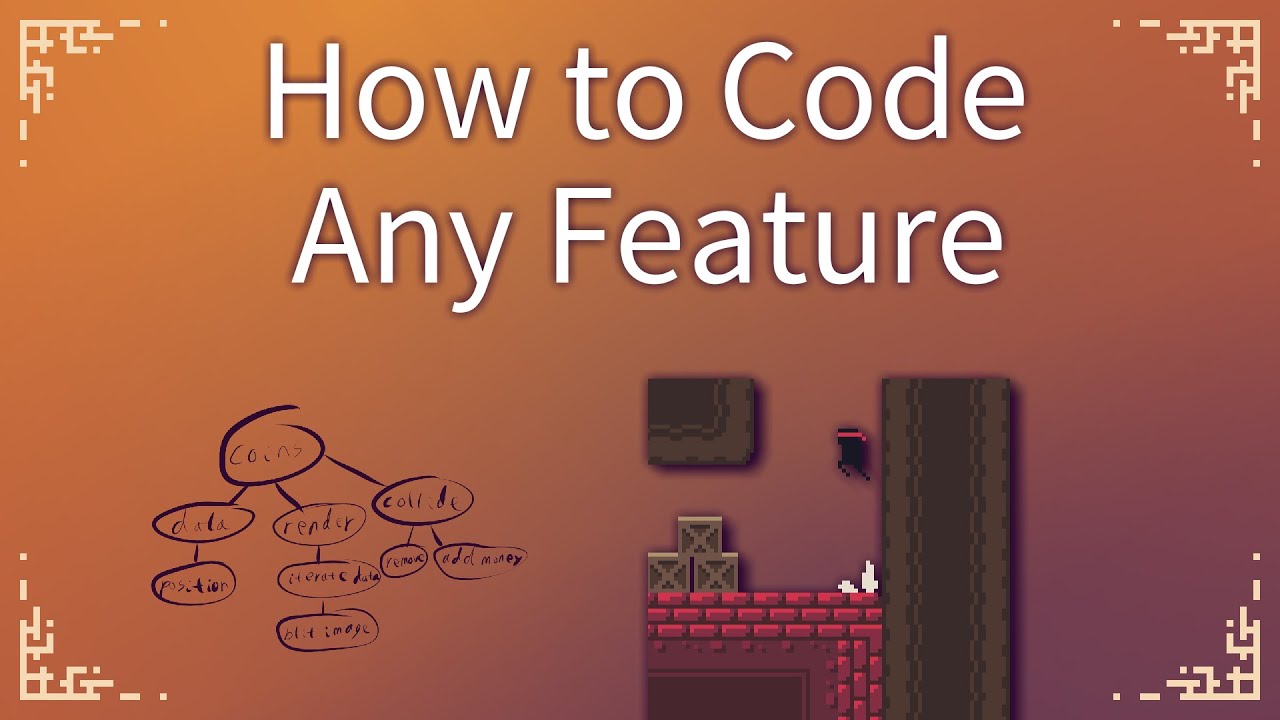
There's a basic process that you'll need to use to code most things, but it's rarely taught. It comes down to breaking down the complex feature you want into tiny logical chunks until it's almost pseudocode. At that point, you convert it into actual code.
All of the games featured in this video are made by me. Check them out here (all open sour...
He's not actually using Unity, but the concept is universal enough.
lament marsh
@verbal dome@burnt vapor@cosmic dagger thank you guys for your comments i'll try to apply your advices when i'll come back home
thick bronze
Does anyone have a starter template for making it work with DOTS, Netcode and 2d (tilemaps, sprites, etc)
red igloo
lean pelican
The single best advice I got from a youtube video is to take some (not overly am...
Hey man this was really good advice, I decided to just take baby steps and just made something simple, With no help at all and only using unity documentation I made a cube move by pressing W.
lean pelican
Happy to help^^
 fleet venture
Should i be using Math or Mathf?
 brave compass
fleet venture
Should i be using Math or Mathf?
brave compass
fleet venture
Should i be using Math or Mathf?
Both work and in most cases Mathf just calls Math, but it uses float instead of double, so Mathf is more convenient to use when you are using float.
thick bronze
Can someone please point me to an entrypoint on how to launch a 2d project using dots?
fleet venture
brave compass
Both work and in most cases `Mathf` just calls `Math`, but it uses `float` inste...
ah okay ye i use float
red igloo
I want my cube to move when holding down W but when I hold down W the cube moves forward once then stops.
 golden kelp
Idk man
There are too many
Can someone please help 🙏 🙏 🙏
Please tell me what is good for unity Should I use jetbrains rider or visual studio 2022
 visual linden
red igloo
I want my cube to move when holding down W but when I hold down W the cube moves...
visual linden
red igloo
I want my cube to move when holding down W but when I hold down W the cube moves...
GetKeyDown if only True for the frame during which the key was pressed (down).
You can use GetKey instead, which returns true every frame the key is pressed (continuously).
 iron wind
golden kelp
Please tell me what is good for unity Should I use jetbrains rider or visual stu...
iron wind
golden kelp
Please tell me what is good for unity Should I use jetbrains rider or visual stu...
I'd recommend Rider
golden kelp
Can u explain all the good things rider has
 timber tide
pretty IDE, more hints than the VS-Unity plugin. It also provides some neat attributes for the IDE itself to throw warnings such as requiring to use return values of the methods, and stuff like that.
Macro stuff seems easy to setup too, but I didn't touch that much.
 swift crag
golden kelp
Can u explain all the good things rider has
swift crag
golden kelp
Can u explain all the good things rider has
I switched from VSCode to Rider a half-year ago or so
timber tide
Also you've got vs code which is just a lighter weight VS and I've been using it since 6 release.
swift crag
Rider is a lot more comparable to Visual Studio, since it's a purpose-built IDE
it offers way more code inspections and transformations
it also understands ShaderLab, which is a godsend
timber tide
there was some shaderlab plugin for vs I saw on reddit a few weeks ago, claiming to have some built-in documentation and things like that:
https://old.reddit.com/r/Unity3D/comments/1ianimq/first_complete_unity_shader_tool_vscode
Looks promising

Reddit
Explore this post and more from the Unity3D community
golden kelp
So as a begginer I need to download rider
timber tide
VS, VScode, Rider. I wouldn't worry too much right now, but these all have some support with Unity
verbal dome
fleet venture
ah okay ye i use float
There is also System.MathF for floats btw
Doesnt really matter which one you use though
 bright zodiac
verbal dome
There is also System.MathF for floats btw
bright zodiac
verbal dome
There is also System.MathF for floats btw
No, dont use the System.MathF in Unity, they're not hardware accellerated by IL2CPP... unless you want a really terrible perf
swift crag
golden kelp
So as a begginer I need to download rider
It's my recommendation, at least, especially now that it has a free personal license
bright zodiac
not until CoreCLR is official in Unity
swift crag
that makes sense -- the IL2CPP compiler recognizes uses of UnityEngine.Mathf and replaces them with intrinsics
neat
bright zodiac
yeah
bright zodiac
when CoreCLR finally official, none of us unity peasants would use Vector3/4/2
Vector<T> all the way! the simd way!
 tiny rock
Hello, what could be possibly wrong?

 ripe shard
tiny rock
Hello, what could be possibly wrong?
ripe shard
tiny rock
Hello, what could be possibly wrong?
you could provide more context on when it happens
tiny rock
thats when i build the scripts, not even starting the game
lean pelican
If I have a method that takes multiple parameters with default values.
PlaySFXClip(AudioClip clip, Vector3 pos =new Vector3(), float volume = 1f, bool persist = false)
If I try to call PlaySFXClip(myClip, true) the compiler (somewhat understandably) complains about being unable to convert bool to Vector3.
I figured out to solve it by just changing the order in the signature, putting 'persist' as the second argument (or obviously I could just put in the default value when calling the function, but that seems a little counterproductive), But I'd like to know if there's a way to call a function like this while 'leaving out' some arguments with default values but passing others?
ripe shard
lean pelican
If I have a method that takes multiple parameters with default values.
`PlaySFX...
Foo(argName: value)
Details:
https://learn.microsoft.com/en-us/dotnet/csharp/programming-guide/classes-and-structs/named-and-optional-arguments

Named arguments in C# specify arguments by name, not position. Optional arguments can be omitted.
lean pelican
So it would be PlaySFXClip(myClip, persist:true) ?
ripe shard
yes
 feral moon
Why my camera doesn't it go down with the character?
Code of character: https://hastebin.com/share/ebuleyizuz.csharp
Code of camera: https://hastebin.com/share/zepehayamo.java
lean pelican
ripe shard
yes
I see, thanks^^
 hexed swallow
feral moon
Why my camera doesn't it go down with the character?
Code of character: https:/...
hexed swallow
feral moon
Why my camera doesn't it go down with the character?
Code of character: https:/...
Looks like the camera is atached to the player. When the player jumps it's object actually jumps, however when it crouches the object does not move down, it just shrinks the capusle.
My recomendation in this current setup is to programatically move the camera down when crouched
feral moon
hexed swallow
Looks like the camera is atached to the player. When the player jumps it's objec...
What I should be do?
 polar acorn
feral moon
What I should be do?
polar acorn
feral moon
What I should be do?
 hexed swallow
I'm not familiarized with your current setup, but you could create a function on your camera script to "crouch", basically just move the camera down, and another to reverse it. Then in your player controller, call the camera "crouch" and "uncrouch" functions when the character does these actions
fleet venture
I have a MouseUp event but it also seems to fire if the mouse isnt actually on the object, how can i fix this?
i thought maybe somthign with the collider
hexed swallow
polar acorn
I don't think English is their main language so I would not be surprised if programatically move the camera down when crouched did not get my point across.
hexed swallow
fleet venture
I have a MouseUp event but it also seems to fire if the mouse isnt actually on t...
Could you share a code snippet?
fleet venture
sure
private void MouseUp()
{
    //if (GetComponent<Collider2D>())
    _dragging = false;
    if (Input.mousePosition.x < ScrollWidth)
    {
        Destroy(gameObject);
        return;
    }
    transform.position = new Vector3(transform.position.x, transform.position.y, 100);
}```though
i am honestly not sure where thats getting called from
if (Input.GetMouseButtonUp(0)) MouseUp();
ye thats the issue
im not using the event
because that didnt work
i remember now
hexed swallow
I mean if this is in an update void this should work, but It also has 0 detection over what object the mouse is pointed at. If any object with that code is on your sceene it will fire when the mouse button is released, regardless of mouse position
fleet venture
hexed swallow
I mean if this is in an update void this should work, but It also has 0 detectio...
ye im asking how do i check what object it points at
i need it to only fire if the mouse is over the object the script is attached too
hexed swallow
You could check it with a Camera.ScreenToPointRay (If i'm not wrong)
hexed swallow
If I was to do this, I'd probably have the following setup:
Have a single emptry object in the sceene fire a Camera.ScreenToPointRay on update. That will give you the mouse hovered object without every single object checking for itself. Then check if that object is of your "hoverable" type (by tag or by checking if it has a certain script attached) and set a bool like isBeingHovered true in the hovered object. In the hovered object script add a isBeingHovered check inside the same if:
if (Input.GetMouseButtonUp(0) && isBeingHovered) MouseUp();
If you are not concerned about optimization you can have the screen check on every individual object, but I think this is a cleener way to do it
Also, add a currentHoveredObject varaible to your hovering detection script to make sure you can set isBeingHovered to false when unhovering an object
fleet venture
So should that be done in like my GameManagwr?
hexed swallow
For example. I usually like to create separate scripts to make each one more readable, but whether you add it to an existing script or object is your choice. Adding it to a gameManager object does seem like a good idea tho. TL,DR: So yeah xdd
fleet venture
I don’t quite get how it would work
Because it should do that check in update right?
Only when the mouse button is released
But then how do I make sure it first does that check in GameManager before it does them in the objects
 wide fable
not sure if this is the channel i use to ask for what would be smarter to do but i want to make a party system but im not sure if i should have like prefabs for each character or use a script that determines multiple characters that gets applied to gameobjects that get made on runtime
 rich adder
wide fable
not sure if this is the channel i use to ask for what would be smarter to do but...
rich adder
wide fable
not sure if this is the channel i use to ask for what would be smarter to do but...
 depends on many aspects, how complex its going to be, how many different components will be applied
prefab is always a good choice either way, they can be a good "template" to work with , combine that with data from maybe an SO and you have pretty modular setup
wide fable
alright thanks
feral moon
hexed swallow
Looks like the camera is atached to the player. When the player jumps it's objec...
Maybe you can help me or somebody? I need to make sure that the camera is the same as when moving...
It's just that when I'm standing, for some reason - the camera moves away somewhere.
Here code of movement: https://hastebin.com/share/yiteresuxi.csharp
Code of camera: https://hastebin.com/share/yorebimiqo.java
hexed swallow
Might have to do with the shakeoffset, I'm not sure
feral moon
hexed swallow
Might have to do with the shakeoffset, I'm not sure
Maybe...
timber tide
Put the player model on its own layer and cull that from the camera
oh wait yeah I see what you mean
freaking KCC script so large lol
But it should work out of the box, so it must be something you've touched
polar acorn
What is the specific problem, I just kind of see you clicking on prefabs
 void dawn
can you hear my voice in the video ?
polar acorn
No, I'm at work, my discord is muted
void dawn
oh sorry , i didnt know that
let me tell you then, i have this universal script for my weapons right, and i need to put 3 main things in the fields , where the cross hair will be , the ammo counter, and the player camera , but when i drag these things into said fields , it just wont work
thats when i add something from the scene
hexed swallow
It looks like maybe you have the wrong fields in your script, are you sure that the "camera" field is a camera field of the same type thatr your player camera has? same for the text
polar acorn
void dawn
let me tell you then, i have this universal script for my weapons right, and i n...
What does "won't work" mean
rich adder
void dawn
let me tell you then, i have this universal script for my weapons right, and i n...
you cannot add scene components to prefabs
void dawn
hexed swallow
It looks like maybe you have the wrong fields in your script, are you sure that ...
i will check that
void dawn
rich adder
you cannot add scene components to prefabs
i didnt know that
hexed swallow
rich adder
you cannot add scene components to prefabs
this aswell, but it does look like the prefabs are in the scene
rich adder
but looks like they edited the original not the instance in the hierarchy
void dawn
well , what exactly should i do then ?
 rich adder
void dawn
well , what exactly should i do then ?
rich adder
void dawn
well , what exactly should i do then ?
https://unity.huh.how/references/prefabs-referencing-components
ideally you pass that when you have the actual instance in the scene
🤔 Unity, Huh, How?
Assets can't directly refer to Objects in Scenes, but their instances can be configured with those references.
hexed swallow
rich adder
Oh yeah mb, the camera was in the scene, idk why I confused that xdd
rich adder
void dawn
well , what exactly should i do then ?
is the player supposed to hold those weapons?
you can also consider just having them all on the player ready and just enable/disable them as needed, this way you could link already in scene components
otherwise when you create the weapon/grab it you need to pass it the required references being held by whatever is already in-scene
 silk frigate
Hello, can you tell me how to get around this error? Without renaming, deleting, or moving them. I have a conflict between two identical ".dll" libraries. And I definitely need them in both "Assets/Plugins" and "Library/PackageCache".
How do I understand this can be done through ".asmdef"?
Eliminate the conflict of two identical libraries.
Error: CS0121
 lofty sequoia
what are the dll's called?
wintry quarry
silk frigate
Hello, can you tell me how to get around this error? Without renaming, deleting,...
show the actual error
silk frigate
Unity.RenderPipelines.Universal.Runtime
rich adder
silk frigate
Unity.RenderPipelines.Universal.Runtime
thats a namespace, not an error..
silk frigate
lofty sequoia
Why do you need the URP dll in Assets/Plugins and the package cache?
I would delete the one in Assets/Plugins as that's for custom plugins. If you are a beginner I doubt that's what you're trying to accomplish
 regal valley
Hey I'm a complete total noob to unity and for some reason when trying to use unity for the first time now I can't seen to open it because I don't have something called server downloaded in the package manager file. I'm using an old computer so I can only use unity 2021 I think so what do I need to download to make this work?

 rich adder
regal valley
Hey I'm a complete total noob to unity and for some reason when trying to use un...
regal valley
rich adder
regal valley
Hey I'm a complete total noob to unity and for some reason when trying to use un...
regal valley
Oh sorry
rich adder
also please use screenshots lol
 severe onyx
does Unity support giving one component of text in the UI different colours per line? or do I need to have each line be a different text component if I want that?
rich adder
you can
 rocky canyon
tmpro is a mesh.. so im sure its possible
 edgy tangle
You can use rich text tags
rich adder
you need rich text
rocky canyon
or simply that yes ^
severe onyx
oh yeah I just googled this question wrong
rocky canyon
it wouldn't be gradient or anything..
severe onyx
immediately found the answer after posting here
I need to stop doing that
lol
thank you though!
rocky canyon
you get google answers here too as responses..
usually they come with pre-packed opinions tho..
straight  is less bias'd
@rich adder does that vscode feature u show come packed into one of the dependencies of it?
i have to re-install code and i removed alot but im not sure what plug-ins are left hanging around..
and would it conflict w/ other plugins?
rich adder
rocky canyon
<@968604165150507078> does that vscode feature u show come packed into one of th...
i believe its just part of the new dotnet tools update ?
rocky canyon
rich adder
i believe its just part of the new dotnet tools update ?
the tools or the actual sdk?
rich adder
https://github.com/microsoft/vscode-dotnettools/issues/370#issuecomment-2648653306 Message says 1.1.0 idk what that is lol
rocky canyon
ohh okay 🙏
rich adder
Im checking the extensions and some of them are higher than that version so I'm gonna double check by removing the third party one
rocky canyon
gotcha.. i couldn't find the cache folder for vscode.. soo i didnt check if the extensions were gone..
im assuming when i sign in they'll still be selected tho or w/e
 golden oxide
hello i have a question of dotween. it doesn't seem to the RB.DoJump function seem to move not using the velocity. I'm wondering if their a way to get the increasing velocity so that i can properly animate the enemy jumping up and falling down (or a different tween library , even lerp if theirs a way )
rocky canyon
what does the documentation say about rb tweens?
rich adder
rocky canyon
gotcha.. i couldn't find the cache folder for vscode.. soo i didnt check if the ...
oh shit... it working
and its not even part of the snippets, an actual method as MB shows up
 rocky canyon
rich adder
oh shit... it working
and its not even part of the snippets, an actual method as...
rocky canyon
rich adder
oh shit... it working
and its not even part of the snippets, an actual method as...
interesting
byebye 👋
 rich adder
this gets ride of weird issues when you accidentally tab and have it twice
rocky canyon
yea. that was soo annoying..
if u typed void to get to OnTrigger instead of OnTrig..
ud get void void OnTrig..
rich adder
rocky canyon
byebye 👋
I still need that beast for MAUI cause its still sketchy on vsc sadly
rocky canyon
lol.. i see that ur conditioned
 rocky canyon
rich adder
I still need that beast for MAUI cause its still sketchy on vsc sadly
rocky canyon
rich adder
I still need that beast for MAUI cause its still sketchy on vsc sadly
oh it'll be in teh shadows
def not me default anymore
i had to reinstall for reasons..
i uninstalled both vscode and vsstudio and rider
and all the distrubutables and
cleared as much cache as i could
rich adder
yeah it barely sweats 200mb ram for me
rocky canyon
i've reinstalled vsstudio just for the hub's sake.. now im on to greener pastures
golden oxide
rocky canyon
what does the documentation say about rb tweens?
here the link to it i can't send a direct link to RB one but it boldly labeled https://dotween.demigiant.com/documentation.php
DOTween is the evolution of HOTween, a Unity Tween Engine
rocky canyon
rich adder
yeah it barely sweats 200mb ram for me <:vscode:1167020560044273775>
tbh, vsstudio isn't all that bad
 slender nymph
golden oxide
here the link to it i can't send a direct link to RB one but it boldly labeled h...
slender nymph
golden oxide
here the link to it i can't send a direct link to RB one but it boldly labeled h...
but did you read it to see how it moves the rigidbody?
golden oxide
rocky canyon
no worries
it just does this at the start method: Context.RB.DOJump(Context.Player.transform.position,1,1,05f,true) and i check the velocity in the update: if(Context.RB.velocity.y == 0 )
{
jumpDone = true;
}
if(Context.RB.velocity.y > .1f)
{
Debug.Log("jumping");
}
if (Context.RB.velocity.y < -.1f)
{
Debug.Log("falling");
}
silk frigate
lofty sequoia
I would delete the one in Assets/Plugins as that's for custom plugins. If you ar...
This option doesn't suit me. There would be a way to isolate them. So that they don't interfere with each other. Because in my MonoScript in Assembly this is the .dll library specified
rich adder
rocky canyon
tbh, vsstudio isn't all that bad
yeah the newer updates are more stable, having more than 2 VS open it would crash for me, what made me give up on it though was namespaces/references breaking for no reason
rocky canyon
use ` to send little codeblocks like that
slender nymph
golden oxide
it just does this at the start method: Context.RB.DOJump(Context.Player....
Rigidbody
These shortcuts use rigidbody's MovePosition/MoveRotation methods in the background, to correctly animate things related to physics objects.
they do not change the velocity
golden oxide
rocky canyon
use ` to send little codeblocks like that
ok thank ill use that
golden oxide
slender nymph
> Rigidbody
>
> These shortcuts use rigidbody's MovePosition/MoveRotation metho...
ok thanks ill try a different way for calculating enemy jumps
rocky canyon
you could probably use the D0Tween.To() and tween the currentVelocity
golden oxide
ill try that thanks
 summer thorn
Is there a way to cross-reference code within scripts? I want a container for utility methods
rocky canyon
summer thorn
Is there a way to cross-reference code within scripts? I want a container for ut...
simply..
if u want utility methods u can just make a static class of them
YourNameSpace.Utils.DoFunction();
or using YourNameSpace;
Utils.DoFunction();
wintry quarry
summer thorn
Is there a way to cross-reference code within scripts? I want a container for ut...
Be more specific about what "cross reference" means?
rocky canyon
but yea i brushed off the beginning of that question lol ❓
summer thorn
rocky canyon
if u want utility methods u can just make a static class of them
So variables declared are shared across scripts already?
wintry quarry
A variable declared in a class belongs to an individual instance of that class.
Unless it's static
Static variables belong to the class itself
summer thorn
wintry quarry
Be more specific about what "cross reference" means?
In script A I want a function that uses upvalues within that script, and in script B I want to call script A's function
Are you implying I can achieve what I want by declaring outside of class?
wintry quarry
summer thorn
In script A I want a function that uses upvalues within that script, and in scri...
What's an "upvalue"?
summer thorn
wintry quarry
What's an "upvalue"?
A variable only script A has access to
wintry quarry
This is all very vague and you're using nonstandard terminology. Maybe show a code example of what you want?
rocky canyon
i was mentioning static classes
 summer thorn
I want something like javascript's exporting module feature
polar acorn
summer thorn
A variable only script A has access to
A private variable?
If you want it accessed elsewhere, you'll need to make it public
 fallow socket
does anyone have any good guides to doing things strictly through code?
summer thorn
polar acorn
A private variable?
I just want a function in one script that can be accessed in another
wintry quarry
summer thorn
I just want a function in one script that can be accessed in another
That's just a public function
polar acorn
summer thorn
I just want a function in one script that can be accessed in another
public and reference the object that has it
Because bossHp never changes?
fallow socket
i think the biggest thing im lost on, is how do you draw menus?
wintry quarry
How should we know? Debug the code. Add better log statements than that which tell you what's actually being printed
polar acorn
fallow socket
i think the biggest thing im lost on, is how do you draw menus?

Unity Learn
This tutorial covers User Interface (UI) Components available in Unity, including Canvas, Button, Image, Text, Slider, and more.
wintry quarry
fallow socket
do you create them as assets first?
Depends on which UI framework you're using. #🧰┃ui-toolkit is much better about code-only UI though
fallow socket
this is helpful thanks
polar acorn
Are you calling SetBossInfo every time the bossHp changes?
wintry quarry
Maybe you're referencing the wrong Image, or looking at the wrong image's inspector
summer thorn
rocky canyon
https://unity.huh.how/references
Do I just use the "public" keyword to declare my function/dictionary, and make sure I do it outside a class?
polar acorn
summer thorn
Do I just use the "public" keyword to declare my function/dictionary, and make s...
You can't declare anything outside a class
rocky canyon
summer thorn
Do I just use the "public" keyword to declare my function/dictionary, and make s...
to reference it outside the script it needs to be public yes
wintry quarry
summer thorn
Do I just use the "public" keyword to declare my function/dictionary, and make s...
You cannot declare things outside of classes it's not clear where you got that idea from
polar acorn
So, after bossHp changes, where do you change hpFill.fillAmount?
summer thorn
wintry quarry
You cannot declare things outside of classes it's not clear where you got that i...
But how do I achieve what I want?
rocky canyon
and as long as its public and u have a reference to the script instance u can just do
thescriptImReferencing.YourPublicFunction();
polar acorn
summer thorn
But how do I achieve what I want?
By referencing the object you want and getting the variable from that
summer thorn
rocky canyon
and as long as its public and u have a reference to the script instance u can ju...
How do i declare the function though
polar acorn
summer thorn
How do i declare the function though
with public
summer thorn
polar acorn
with `public`
I dont get ittttt
wintry quarry
Looks like you're also using DOTween here
summer thorn
Someone said I can't declare anything outside class, but if I declare inside class with public keyword won't it confine the var to scope of class?
wintry quarry
You might be launching a bunch of overlapping tweens
wintry quarry
summer thorn
Someone said I can't declare anything outside class, but if I declare inside cla...
No
It becomes accessible outside
That's what public means
polar acorn
Is there anything else changing hpFill?
summer thorn
Oh that was easy
polar acorn
summer thorn
Someone said I can't declare anything outside class, but if I declare inside cla...
I mean, it is, that's why you need a reference to the object that has the variable or function
Where do you assign hpFill?
summer thorn
wintry quarry
That's what public means
And do folders exist that I can group gameobjects with?
wintry quarry
Folders for GameObjects? No.
Just empty GameObjects
Are you confusing GameObjects with classes though?
summer thorn
wintry quarry
Just empty GameObjects
So theres no other way to group multiple gameobjects
polar acorn
summer thorn
So theres no other way to group multiple gameobjects
Depends what you mean by "Group"
Okay, so, is your bossHP ever less than 1?
wintry quarry
summer thorn
So theres no other way to group multiple gameobjects
Are we still talking about code or are we now talking about GameObjects in the scene hierarchy?
polar acorn
Yes, the maximum fill amount is 1. 10000 is indeed larger than 1
summer thorn
wintry quarry
Are we still talking about code or are we now talking about GameObjects in the s...
The latter, if my understanding that gameobjects are physical instances in the hierachy and scripts are part of a different hierachy is correct
polar acorn
so when you set the fill amount to 10000, it becomes 1
polar acorn
summer thorn
The latter, if my understanding that gameobjects are physical instances in the h...
Scripts are not part of a hierarchy.
wintry quarry
summer thorn
The latter, if my understanding that gameobjects are physical instances in the h...
No. Scripts are just code. A class that derives from MonoBehaviour is the code to define a custom Component.
GameObjects are holders for Components
summer thorn
wintry quarry
No. Scripts are just code. A class that derives from MonoBehaviour is the code t...
But scripts can be rearranged into folders, at least visually
I just wanna know if there's the same thing but for gameobjects
wintry quarry
summer thorn
I just wanna know if there's the same thing but for gameobjects
Just the scene hierarchy
summer thorn
So the answer is "no"
wintry quarry
And using empty objects as "folders"
rocky canyon
summer thorn
Oh that was easy
using UnityEngine;
public class ScriptA : MonoBehaviour
{
    [SerializeField] private ScriptB scriptB; // assign in inspector
    private void Start()
    {
        scriptB.RollCall();
    }
}```
```cs
using UnityEngine;
public class ScriptB : MonoBehaviour
{
    public void RollCall()
    {
        Debug.Log("Here!");
    }
}```
> When Script A's Start() runs, Script B will log : "Here!"
> GameObject w/ ScriptA Attached, References GameObject w/ ScriptB Attached
> Each GameObject has it's *own* instance of `ScriptA` and `ScriptB`u could therefor assign yet another gameobject w/ ScriptB to the gameobject w/ ScriptA
as it would have its own instance of B.. had u attached it to that gameobject ofc
The Hierarchy only organizes GameObjects
summer thorn
rocky canyon
as it would have *its own* instance of B.. had u attached it to that gameobject ...
If instead of .RollCall it were .SomeDictionary,RollCall, and the .RollCall entry were removed from the dictionary in one instance of the script, but not removed from the other instance, would the change propagate over and end up removing the entry in both instances resulting in neither script being able to call the function?
rocky canyon
each instance would have its own dictionary
polar acorn
Each instance of ScriptA, specifically
rocky canyon
soo i don't think the elements within that dictionary would matter at all to the other collection
polar acorn
Hang on I think this is confusing the matter more
rocky canyon
yea, lol dictionarys changed the vibe
im too newb to know if you can remove a Function from an instance of a script..
that part confuses me yea
summer thorn
rocky canyon
each instance would have its own dictionary
Mmmm, in that case how would I store data to be accessed from multiple scripts?
summer thorn
rocky canyon
im too newb to know if you can remove a Function from an instance of a script..
I didn't mean removing a function, just removing a key-value pair from a dictionary
polar acorn
summer thorn
If instead of .RollCall it were .SomeDictionary,RollCall, and the .RollCall entr...
public class DataHolder : MonoBehaviour {
    public Dictionary<int, String> someDict;
}
You would attach DataHolder to a GameObject. Every DataHolder has a different dictionary.
public class DataManipulator : MonoBehaviour {
  public DataHolder holder;

  void Start(){
    holder.someDict[42] = "The Answer";
  }
}
This would go onto any other GameObject (or the same one), and you would drag in a DataHolder. The Start function would then manipulate that object's dictionary by setting the value for the key 42 to "The Answer".
rocky canyon
say if an enemy had a list of potential targets
a different enemy would have its own different list
you'd be changing each instance's list differently..
yea.. in that case removing a key-value pair from one instance wouldn't affect the other.. (unless its like a static class)
where theres only one instance.. unless im misunderstanding
polar acorn
You could have any number of DataHolders and DataManipulators. The Dictionary belongs to a DataHolder. The DataManipulator changes that one, so if a different DataManipulator referenced the same DataHolder, they'd all be modifying the same dict
rocky canyon
its up to u to correctly access which instance whose instance etc
whats ur intention btw?
what does this even pertain to
summer thorn
polar acorn
```cs
public class DataHolder : MonoBehaviour {
public Dictionary<int, Strin...
So it seems I'd attach manipulator to holder, then attach holder to any script I want to read the data stored in dictionary from, correct?
polar acorn
summer thorn
So it seems I'd attach manipulator to holder, then attach holder to any script I...
You'd attach DataHolder and DataManipulator to whichever game objects you want, then you'd tell each DataManipulator which DataHolders you want them to reference
You don't attach scripts to scripts
You attach scripts to GameObjects
summer thorn
rocky canyon
whats ur intention btw?
I want a dict to store data and two functions to read/write from that dict, ensuring multiple scripts can access that dict consistently.
summer thorn
polar acorn
```cs
public class DataHolder : MonoBehaviour {
public Dictionary<int, Strin...
Does this achieve the desired effect, or will a modification made to the dict by one script not propagate when a second script reads from the dict?
polar acorn
summer thorn
Does this achieve the desired effect, or will a modification made to the dict by...
The dict belongs specifically to the DataHolder. If something references the DataHolder and manipulates the dictionary, it would affect that dictionary
If you made a third script:
public class DataReader : MonoBehaviour {
  public DataHolder holder;

  void Start(){
    Debug.Log(holder.someDict[42]);
  }
}
It would print "The Answer" as long as another DataManipulator has already run
summer thorn
polar acorn
The dict belongs specifically to the `DataHolder`. If something references the `...
Someone said earlier that there are multiple instances of a script, a separate instance every time it's attached to a separate gameobject
Is that true?
polar acorn
summer thorn
Someone said earlier that there are multiple instances of a script, a separate i...
Yes. If you had multiple DataHolders, they would each have their own dictionary
summer thorn
So I'd need to pass a script, which interacts with the script containing the dictionary, around my separate gameobjects, that way mutations will propagate across separate instances of scripts
slender nymph
if something does not need to be associated with a specific instance, it likely needs to be static
wintry quarry
summer thorn
So I'd need to pass a script, which interacts with the script containing the dic...
Sounds like you want a singleton
summer thorn
wintry quarry
Sounds like you want a singleton
What about a concrete example, a script attached to a cube will continuously increment a value within a dictionary, another script attached to a sphere will continuously log that same value. How do I structure my scripts?
wintry quarry
(Singleton is just a fancy word for "script of which only one copy exists)
wintry quarry
summer thorn
What about a concrete example, a script attached to a cube will continuously inc...
The thing that holds the score would be a singleton
rocky canyon
and since only (1) copy exists its easily accessible all thruout the scene
wintry quarry
ScoreManager or something
timber tide
yes but dont
fleet venture
but i need to
summer thorn
wintry quarry
The thing that holds the score would be a singleton
Oh I see, we got here in the end
rocky canyon
lol
fleet venture
like logically
slender nymph
fleet venture
but i need to
why
fleet venture
or is there like an optional i can use?
wintry quarry
fleet venture
can i make unity objects nullable?
They are nullable.
What isn't nullable are serializable pocos
slender nymph
technically they already are because they are reference types, but what exactly do you need?
wintry quarry
Unity objects can be null
fleet venture
slender nymph
technically they already *are* because they are reference types, but what exactl...
a value thats only used if some boolean is set to true otherwise its unused
aka otherwise its null
rocky canyon
wintry quarry
Unity objects can be null
i feel this in my debugging nightmares
slender nymph
fleet venture
a value thats only used if some boolean is set to true otherwise its unused
this is not an answer
https://xyproblem.info
wintry quarry
You can use nullable types they're just not serializable
fleet venture
slender nymph
this is not an answer
https://xyproblem.info
i mean thats pretty clear
slender nymph
fleet venture
i dont get whats wrong with null T-T
reference types are already nullable
wintry quarry
But yeah explain what you're trying to actually do
slender nymph
fleet venture
i mean thats pretty clear
no it's not because you aren't actually providing any useful information. reference types can already be null, there is no point in making unity objects "nullable" because they already are and you aren't actually describing what exactly you are trying to achieve
fleet venture
void UpdateOutline(bool outline)
{
    if (isTile)
    {
        GameObject tile = Instantiate(gameObject, transform.position, transform.rotation);
        tile.transform.localScale = new Vector3(1.1f, 1.1f, 1.1f);
        SpriteRenderer renderer = tile.GetComponent<SpriteRenderer>();
        renderer.color = color;
        tile.transform.SetParent(transform);
    }
    else
    {
        MaterialPropertyBlock mpb = new();
        spriteRenderer.GetPropertyBlock(mpb);
        mpb.SetFloat("_Outline", outline ? 1f : 0);
        mpb.SetColor("_OutlineColor", color);
        spriteRenderer.SetPropertyBlock(mpb);
    }
}```i have this but i want to make the tile variable into a field, but itll be null if isTile is falseso null check it?
fleet venture
but its not nullable
im rly confused aobut them already being null
it doesnt have the ?
slender nymph
it's a fucking reference type, it's default value is null
summer thorn
rocky canyon
https://unity.huh.how/references/singletons
It looks like we have to write the code which makes the singleton a singleton..
 timber tide
tile is just a reference. Unless you instantiate, it'll be null
fleet venture
slender nymph
it's a fucking reference type, it's default value *is* null
since when does C# work liek that
slender nymph
since c# 1
slender nymph
nullable reference types (which is just a compiler hint and doesn't actually prevent null if not on the variable) only became default in c# 10
fleet venture
oh
slender nymph
and unity doesn't even support c# 10 yet
fleet venture
see thats whats diff probably
normally the IDE would scream at you
thats probably the thing im missing here
 grand snow
option<> in rust or std::optional ❤️
rocky canyon
summer thorn
It looks like we have to write the code which makes the singleton a singleton..
thats to set up the reference and basically error check for you
summer thorn
rocky canyon
thats to set up the reference and basically error check for you
I don't think that's the singleton I want though, wouldn't it be this
 rocky canyon
u can create one w/o any of that but its better to have it.. he even has a generic one
 rocky canyon
summer thorn
rocky canyon
summer thorn
thats basically the same thing// but without the error checking in Awake()
summer thorn
rocky canyon
thats basically the same thing// but without the error checking in Awake()
When would that error arise
slender nymph
summer thorn
that's the same thing, but without the stuff that ensures that there is only a single instance
rocky canyon
^ stuff happens
summer thorn
slender nymph
that's the same thing, but without the stuff that *ensures* that there is only a...
Hm, what's the purpose of unity api including singleton keyword if it doesn't behave as expected?
slender nymph
it doesn't include the singleton keyword
slender nymph
there is no Singleton keyword
grand snow
singleton is a vibe
rocky canyon
lol
grand snow
FUCK
rich adder
relate
grand snow
i do not 😎
summer thorn
slender nymph
it doesn't include the singleton keyword
is there a well documented api i can refer to that's better than unity's official one?
slender nymph
huh?
rocky canyon
i think unity would know its api better than anyone
slender nymph
are you asking if there is a package that includes a singleton type? because that is almost entirely unnecessary where you can just declare it yourself
grand snow
a static property + setting/checking in Awake() should be sufficient
 wanton epoch
Im so confused, I continously get this error yet im sure that ive solved the issue:
Error: "Assets\Scripts\PlayerAttack.cs(36,62): error CS1061: 'Enemy' does not contain a definition for 'TakeDamage' and no accessible extension method 'TakeDamage' accepting a first argument of type 'Enemy' could be found (are you missing a using directive or an assembly reference?)"
Scripts (first is attack, second is enemy):
https://paste.mod.gg/lrzhxzcocdho/0
A tool for sharing your source code with the world!
summer thorn
slender nymph
are you asking if there is a package that includes a singleton type? because tha...
I'm asking if there are clearly defined definitions for public, private, static, and so on. Maybe that's c# and not specific to unity, but the apis I've found assume prior knowledge
grand snow
summer thorn
I'm asking if there are clearly defined definitions for public, private, static,...
C# Keywords: Find the reference material for the predefined keywords and contextual keywords defined in the C# language.
summer thorn
I've just migrated to unity and the official api page is illegible
grand snow
Unity docs is for the unity specific api, its not going to cover the spec for the C# language
slender nymph
summer thorn
I've just migrated to unity and the official api page is illegible
you should perhaps start by learning the basics of c#, there are beginner courses pinned in this channel
rich adder
wanton epoch
Im so confused, I continously get this error yet im sure that ive solved the iss...
did you save all your scripts changes?
wanton epoch
yea
wanton epoch
ikr, but for some reason, my unity wont update
summer thorn
slender nymph
you should perhaps start by learning the basics of c#, there are beginner course...
Ohh I see thanks
slender nymph
wanton epoch
ikr, but for some reason, my unity wont update
did you do something silly like disable the automatic asset refresh?
wanton epoch
slender nymph
did you do something silly like disable the automatic asset refresh?
idek what that is or how to do that
rich adder
yeah would check there
wanton epoch
welp just refreshed manually and yea that fixed the issue. Ong idek how i did that
didnt even know that was a thing
how do i renable it?
wanton epoch
nope its enabled
slender nymph
it's in asset pipeline settings or something like that
wanton epoch
so idk y it didnt refresh
polar acorn
summer thorn
I've just migrated to unity and the official api page is illegible
Honestly Unity's API page is among the best out there, other than having some odd choices for the order they put the overloads in
 rich adder
wanton epoch
so idk y it didnt refresh
rich adder
wanton epoch
so idk y it didnt refresh
sometime it would happen to me to when adding new script through Add Component on a prefab
had to manually refresh it , it was fixed in later patches
slender nymph
wanton epoch
so idk y it didnt refresh
then either you didn't actually save or you've got something else that prevented it from recompiling like some hot reload asset
wanton epoch
welp either way its fixed and hope it doesnt happen again
grand snow
are you on linux by any chance?
wanton epoch
nope windows
grand snow
hm no idea then 😆
summer thorn
slender nymph
you should perhaps start by learning the basics of c#, there are beginner course...
Btw, is unity supposed to freeze and reload many things whenever I switch back to it from VSCode after making a single-character change?
wanton epoch
summer thorn
Btw, is unity supposed to freeze and reload many things whenever I switch back t...
yes
just accept it
slender nymph
it is supposed to recompile the code and reload the domain, yes
summer thorn
Is there a way to manually compile or even do so at runtime?
rich adder
thats one thing holding back unity until core clr is out
rich adder
summer thorn
Is there a way to manually compile or even do so at runtime?
you can switch to manual compile
summer thorn
rich adder
you can switch to manual compile
Yes please where
rich adder
summer thorn
Yes please where
Edit -> Preferences
i think after you press ctrl + r ?
slender nymph
note: that affects all assets, not just compiling. so any time you want to add a new asset or update an existing one you need to refresh
summer thorn
slender nymph
note: that affects *all* assets, not just compiling. so any time you want to add...
That turns me off
You mean this?
 rocky canyon
disable directory monitoring should be enuff
summer thorn
rocky canyon
disable directory monitoring should be enuff
All that'll do is prevent code recompiling until runtime right?
grand snow
i dont really have this issue i edit what i need, save and go back and wait 10s~
summer thorn
If that's the case is there a button to manually recompile before runtime
rocky canyon
when u update a script afterwards u Ctrl+R to refresh the project
summer thorn
rocky canyon
when u update a script afterwards u Ctrl+R to refresh the project
To manually recompile?
rocky canyon
then thats when the new changes become compiled
summer thorn
Oh alr
rocky canyon
mmhmm
slender nymph
summer thorn
All that'll do is prevent code recompiling until runtime right?
if by "runtime" you mean "until i either refresh or build the project because entering play mode does not trigger a compile" then yes
rocky canyon
you'll have to press it in unity ofc.. wont work in the ide 😄
rich adder
do you really need to alt + tab after every little change?
polar acorn
I'm wondering what the use case is for changing something and then not wanting to see that change when you go back into Unity
rocky canyon
its not so bad if ur navigating around ur codebase in the ide
but if ur a dweeb like me and want to make multiple changes at once.. it requires going back thru the project directory to open that 2nd script.. (in those cases its useful not to have it compile inbetween)
summer thorn
polar acorn
I'm wondering what the use case is for changing something and then _not_ wanting...
You really don't? I tabbed back into unity to check the name of a gameobject a couple times, wasted 30 seconds waiting for the loading bar
rocky canyon
but thats skilll issue.. i gotta get better at navigating around via the IDE
slender nymph
rocky canyon
but if ur a dweeb like me and want to make multiple changes at once.. it require...
use the solution explorer rather than the project window in unity to navigate through your project's cs files
polar acorn
summer thorn
You really don't? I tabbed back into unity to check the name of a gameobject a c...
You can edit in the IDE while it's compiling
grand snow
Type search is easy to do in VS and VS code! use that and avoid going to unity when not required ✨
polar acorn
If you tab back you can view something and then go back into the IDE while it's compiling
summer thorn
polar acorn
If you tab back you can view something and then go back into the IDE while it's ...
Can't view no nothing if a loading bar is in my way
Why they don't just recompile in the background and not allow you to run or view scripts until compilation is finished is confusing
rocky canyon
imo that'd be cool to have it recompile in the background after i save a script in the ide
grand snow
old ass engine 😆
rocky canyon
but knowing me.. i'd find something wrong about the way that works
or something that hinders my workflow in some other way lol
slender nymph
rider triggers the asset refresh (and thus recompile) without needing to tab back into unity
rocky canyon
lol.. flex
 coral crater
I'm trying to figure out a maths formula for calculating how far between two times the current time is. the NPCs in my game have "schedules" (like harvest moon/stardew), so I need to figure out a formula that tells me how much through the current schedule we are in a 0-100% system
eg. how can I write a formula for saying that the number 350 is 50% between the numbers 100 and 600
 rich adder
lerp or inverse lerp mayb?
polar acorn
coral crater
I'm trying to figure out a maths formula for calculating how far between two tim...
InverseLerp
 timber tide
Normalizing formula is something like (current / max) * 100
oh but you want to start at 100 uh
polar acorn
timber tide
Normalizing formula is something like (current / max) * 100
If it starts at 0
coral crater
polar acorn
InverseLerp
this worked perfectly. thanks so much! (also @rich adder) 
timber tide
I think it would be:
((current - min) / (max - min)) * 100 then
coral crater
timber tide
I think it would be:
((current - min) / (max - min)) * 100 then
also works incredibly. cheers 
swift crag
inverse-lerp is great
i use it all the time, even for things that seem trivial
like Mathf.InverseLerp(0, limit, loopVariable);
 wanton canyon
I am having an issue trying to change an image, and I think I am overlooking something simple. I have a gameobject in the center that I want to change the image when I click a button on the left. on the button, I have the script. During initialization: [SerializeField] private Sprite girlIMG; //set the img I want to change to
[SerializeField] private GameObject ClickerIMG; //set the game object in the middle
private Sprite clickerIMG;
in start: clickerIMG = ClickerIMG.GetComponent<Image>().sprite;
on click: clickerIMG = girlIMG;
I also have animations on the image in the center, so Im not sure if that is messing with anything
polar acorn
swift crag
i use it all the time, even for things that seem trivial
I'm a big fan of Lerp(a, b, InverseLerp(c, d, x))
swift crag
aka, a remap!
 orchid flare
asking here because #🤖┃ai-navigation is dead. Does anyone know where I could get regularly-available expertise or just resources for ML-Agents? Or would I need to hire them
 modest dust
wanton canyon
I am having an issue trying to change an image, and I think I am overlooking som...
modest dust
wanton canyon
I am having an issue trying to change an image, and I think I am overlooking som...
clickerIMG is of type Image and you're trying to set it to girlIMG which is of type Sprite.
You should instead do clickerIMG.sprite = girlIMG
swift crag
#🤖┃ai-navigation is for navmeshes and traditional game AI
#1202574086115557446 will be more on-topic, at least
modest dust
Also why serialize the GameObject when you can serialize the Image component directly, getting rid of the GetComponent call
And yes, a running animation on the image will immediately override whatever sprite change you make.
Either disable it or make a new non-looping animation state for that sprite and trigger it
wanton canyon
yeah I am kind of confused how best to go about this. I want one animation to be the same for each sprite, but the other one to be different
 coral cape
I have a prefab set up with this in my script, then I have a pointer down even trigger to which I dragged itself into the object space on the bottom left, and I referenced the explosiveClicked script which Ill paste below:
"using UnityEngine;
public class popObject : MonoBehaviour
{
public int testInt = 0;
public void explosiveClicked()
{
Destroy(this.gameObject);
testInt = 1;
}
} "
but they dont register any clicks when these prefabs are spawned throughout the world. I do have these prefabs being randomly instantiated in the default layer in the world while I have a convas overlayed ontop of them
 modest dust
wanton canyon
yeah I am kind of confused how best to go about this. I want one animation to be...
modest dust
wanton canyon
yeah I am kind of confused how best to go about this. I want one animation to be...
Describe your issue in more detail then
Maybe some screenshots for more context, etc
wanton canyon
modest dust
`clickerIMG` is of type `Image` and you're trying to set it to `girlIMG` which i...
clickerIMG is initialized as a sprite, doing clickerIMG.sprite = girlIMG gives error "sprite does not contain definition for "sprit""
polar acorn
wanton canyon
clickerIMG is initialized as a sprite, doing clickerIMG.sprite = girlIMG gives e...
Well, it's true. Sprite does not contain a definition for .sprite
modest dust
Oh, I didn't notice the type, only the GetComponent call.
polar acorn
You want to change which sprite your actual renderer is using, which would be either a SpriteRenderer for a world-space object or Image for UI
modest dust
Dang, alright, I didn't notice some more things
You're doing clickerIMG = ClickerIMG.GetComponent<Image>().sprite which only takes the reference to the sprite asset currently in use by the Image component attached to the ClickerIMG GameObject
You want to modify the sprite in use via imageComponentRef.sprite = yourSprite
So it would be ClickerIMG.GetComponent<Image>().sprite = girlIMG
Best if you reference Image instead of GameObject in ClickerIMG to not get the component each time
polar acorn
But also ClickerIMG should just be of type Image so you don't have to GetComponent it a bunch
wanton canyon
Alright I must still not be understanding something. So far I have changed it:
(Initialization)
[SerializeField] private Sprite girlIMG;
[SerializeField] private Image ClickerIMG;
(OnClick)
ClickerIMG.sprite = girlIMG;
and it's still not working
swift crag
and what does "not working" mean?
compile error? runtime error? no error, but no change?
modest dust
There's still the animation part you mentioned.
swift crag
You said that you have an animator that controls the image.
The animator will clobber whatever you do every single frame.
polar acorn
What calls OnClick
wanton canyon
polar acorn
What calls `OnClick`
the button, the script is attached to the button and the OnClick is on the button as well
swift crag
Verify that the function is actually running.
You can do so with Debug.Log. It's a method that writes a message to the console.
wanton canyon
yes
 polar acorn
wanton canyon
yes
polar acorn
wanton canyon
yes
Just to make sure, the sprite you dragged in for girlIMG is different than the one that ClickerIMG already starts with, right?
wanton canyon
polar acorn
Just to make sure, the sprite you dragged in for `girlIMG` is _different_ than t...
yes
polar acorn
And ClickerIMG is an object in the scene, not a prefab?
wanton canyon
yes, not a prefab
polar acorn
Can you show the full !code for your OnClick method
eternal falconBOT
Posting code
📃 Large Code Blocks
Use links to services like:
https://paste.mod.gg/, https://hastebin.skyra.pw/, https://paste.ofcode.org/, https://paste.myst.rs/, https://scriptbin.xyz/
📃 Inline Code
Surround code with three backquotes. Not quotation marks.
To format as C#, add cs to the first line:
```cs
// Your code here
```
Add a comment with a line number if there is an error message.
polar acorn
Include your new debug log
wanton canyon
https://paste.mod.gg/sbbvhguornpt/0 <here is the code for the button which I want to control the image changes
Pictured is OnClick event on the button

A tool for sharing your source code with the world!
polar acorn
wanton canyon
https://paste.mod.gg/sbbvhguornpt/0 <here is the code for the button which I wan...
Can you show a screenshot of the inspector for the GirlBttns component on the Girl Button 2 object?
wanton canyon
polar acorn
Can you show a screenshot of the inspector for the `GirlBttns` component on the ...
this?
 polar acorn
Yeah. So everything's set properly...
Change your Debug Log in OnClick to this:
Debug.Log($"{gameObject.name} is changing sprite of {ClickerIMG.gameObject.name} to {girlIMG.name}");
What does the log say when you click it then?

 modest dust
But do make sure that you click the button after you disable the Animator
wanton canyon
animation has been disabled (it was an onlick animation, so I told it to stop animating on click)
 wild island
I'm confused about Awake() and script reloading
The docs say to "use Awake to initialize variables" but when scripts are recompied during run mode the objects are seemingly recreated, and then Awake is not called, how does this make sense?
polar acorn
wanton canyon
animation has been disabled (it was an onlick animation, so I told it to stop an...
Disable the entire animator for now
polar acorn
wild island
I'm confused about Awake() and script reloading
The docs say to "use Awake to in...
Awake is called when you hit play
wanton canyon
polar acorn
Disable the entire animator for now
IT WAS THIS AKFNBJKSANBHFJKSANBJGABS JK
i knew it was s mmthing stupid thank you
polar acorn
wanton canyon
IT WAS THIS AKFNBJKSANBHFJKSANBJGABS JK
Yes, that's why we said to disable it. If it's changing the sprite, it's going to always be doing that
wanton canyon
alright alright, now I gotta figure out how to do the animations I want, but I'll go try to figure that out on my own
wild island
I'm confused about Awake() and script
lean pelican
How do I elegantly generate a list of random numbers so that any number is at least a certain value apart from every other number.?
As in for every combination of elements x, y in myList, Difference(x,y) > myThreshold.
My attempt was to randomly generate a number, compare it against every existing number in my Array, and if it's too close to an existing number, reroll it, then start the comparison from the top, and if it passes every comparison, add it to the array.
However in code it ended up a right mess of a nested for, while and foreach loop with an intentional break; in there. ...And it doesn't even work because the numbers can just randomly be too close to another, and even with logging every single comparison, I can't figure out the pattern to that.
So I'm wondering if there's a more sensible method/implementation of going about it.
swift crag
break only exits the closest while/for/foreach loop
Consider a "success" variable that you set to false if you find a conflict
lean pelican
That's what I tried.
swift crag
I presume you have three loops here:
- For loop -- Generate 100 numbers
- While loop -- Try forever until we get a number
- Foreach loop -- check if any conflicts exist
- While loop -- Try forever until we get a number
share your code.
swift crag
you could fold the first two together
while we have less than 100 numbers...
try to generate a new number
modest dust
Is there any range the numbers must be in or completely random?
A set amount of numbers or also random?
lean pelican
It's supposed to be coordinates for objects spread around the screen without getting too close too each other, so for my screen the range is like +/- 8. The amount of numbers (strictly Vector2, but those are just pairs of numbers) is a parameter.
Hastebin is a free web-based pastebin service for storing and sharing text and code snippets with anyone. Get started now.
Hastebin is a free web-based pastebin service for storing and sharing text and code snippets with anyone. Get started now.
lean pelican
lean pelican
https://hastebin.com/share/ugajuzotid.csharp
Actually it should be this one. I did figure out I had to break out of two loops at once.
modest dust
Alright, so it's not just single numbers but rather coordinates in 2D space.
modest dust
One way is to just transform the 2D space into a grid where each node is threshold away from each other, put the node coordinates into a list and randomly choose clouds amount of them.
List<Vector2> remainingNodes = // All nodes
List<Vector2> chosenNodes = new(); // Empty list
while (clouds-- > 0) {
  int random = Random.Range(0, remainingNodes.Length);
  chosenNodes.Add(remainingNodes[random]);
  remainingNodes.RemoveAt(random);
}```

Then, if you don't want them to be snapped to the grid, you can offset them up to `threshold / 2` distance towards some neighboring nodes which were not chosen.That's pretty clever. ...How do transform the space, though?
For reference I'm in a main menu scene that otherwise only has UI objects, and the field of view is like 20 by 16 or so Unity units.
modest dust
You've got a certain area where you want to spawn the objects, bottom right corner being at (-8f, -5f), top right being at (8f, 5f). At least that's how it is in the code.
Your total width is 16f, height 10f
lean pelican
The area is a bit bigger, but that's about where the centre of the sprites can be without them going too far offscreen.
modest dust
(int)(axis_size / threshold) would be the nodes count on a certain axis
axis_size - axis_nodes * threshold would be the remaining space on that axis
offset the grid by remaining_space / 2 to center it
Then simply iterate... axis_start_pos + axis_offset + (node_num_starting_from_0 + 0.5f) * threshold in a double loop for each axis to get the center position of each node.. if my math is correct here of course.
lean pelican
'nodes' are also Vector2, right?
modest dust
Could be (int, int) coordinates which are later translated to world position via the thing I wrote above
Which would be also easier to use when searching for neighbors to offset the chosen node
ie. if (remainingNodes.Contains((x - 1, y)) // Space to the left is empty, can offset in that direction
lean pelican
Interesting. This is really helpful, thanks a ton^^. I understand the idea, so I can definitely do something with this ...tomorrow; it's like 2AM for me.
modest dust
Good luck with it
lean pelican
Thanks^^
 white glade
Hi all. I test my game in Unity Remove and All Work, but i build and test my phone, gyroscope and Input.Touch() don't work, why? Unity 6.0.31f1
wintry quarry
white glade
Hi all. I test my game in Unity Remove and All Work, but i build and test my pho...
Get.Touch()
What's that? 🤔
Anyway - Unity Remote is not a replacement for actually making a build. THinks like gryo and touch support will be limited
You should test with a real mobile development build.
white glade
i test my phone, not work
wanton epoch
Can anyone by any chance help me know what triggers this and what it means?
Error: Assets\Scripts\PlayerSpecialAttack.cs(49,13): error CS0246: The type or namespace name 'IEnumerator' could not be found (are you missing a using directive or an assembly reference?)
A tool for sharing your source code with the world!
 rich ice
1 add "using System.Collections;" to the top of your code
2 configure your !ide . it should've done this automatically
eternal falconBOT
💡 IDE Configuration
If your IDE is not autocompleting code
or underlining errors, please configure it.
Select one:
• Visual Studio (Installed via Unity Hub)
• Visual Studio (Installed manually)
• VS Code
• JetBrains Rider
• :question: Other/None
wanton epoch
oh thanks a lot
 hearty glade
Hi, if I didn't reference a prefab, is there a way to get them from their parent and delete them all?
wintry quarry
hearty glade
Hi, if I didn't reference a prefab, is there a way to get them from their parent...
Can you be more specific here?
You are using "them" "their" and "them" and I have no idea what these pronouns are referring to.
hearty glade
wintry quarry
Can you be more specific here?
You are using "them" "their" and "them" and I hav...
like this. but it doesn't seem to delete the prefabs.
 wintry quarry
hearty glade
like this. but it doesn't seem to delete the prefabs.
wintry quarry
hearty glade
like this. but it doesn't seem to delete the prefabs.
wdym by "ddelete the prefabs"
can you be specific about what you mean by the prefabs here?
Show me the objects we're talking about?
Which objects are you expected to be deleted
Prefabs live in the project/assets folder
you never want to delete them
hearty glade
I mean instantiated prefabs
wintry quarry
Destroy will destroy whatever you call it on
if specific objectgs are not being destroyed then you are calling Destroy on the wrong objects
or your code is not actually running
Have you taken any debugging steps here?
also .gameObject is never going to return null
so that null check is unecessary
if the object had already been destroyed, you would have gotten a MissingReferenceException when you called .gameObject
hearty glade
Current hand object is referrenced to the currentHand variable and I try to delete the clones by Destroy(currentHand.GetChild(i).gameObject); but it doesn't seem to work.

The clones are still there
wintry quarry
hearty glade
Current hand object is referrenced to the currentHand variable and I try to dele...
Again, what debugging steps have you taken here?
You should be adding Debug.Log to your code and seeing which parts run, and what the childcount is, etc
This part of the code may simply not be running at all.
hearty glade
wintry quarry
You should be adding Debug.Log to your code and seeing which parts run, and what...
Thank you so much! turns out I was callign a different method 🤦♂️
wintry quarry
yep - that's why we debug
 wet bay
hiya, trying to make a very basic Snake to get a feel for some of the available stuff, and it seems like the LineRenderer component is just very janky? I can't seem to get it to turn sharply without having the line be distorted, and most of what I've found online about this boils down to either no answer, 'line renderer is bad', or 'yeah, it's annoying, right?'
Is there a way to fix this or some alternate method I should be taking to render this?
(For a bit more context, I am simply adding a new point to the line renderer every second based on my current direction, so basically there's one point at the center of each grid tile)

 drifting cosmos
wet bay
hiya, trying to make a very basic Snake to get a feel for some of the available ...
drifting cosmos
wet bay
hiya, trying to make a very basic Snake to get a feel for some of the available ...
dont use line renderer
or spawn a new line every time
wet bay
how helpful
drifting cosmos
wet bay
how helpful
yes
wintry quarry
wet bay
hiya, trying to make a very basic Snake to get a feel for some of the available ...
Is this a screenshot of your linerenderer?
wet bay
yeah
wet bay
yeah I wish lmao
wet bay
I did end up ""fixing"" it, I had the width non-uniform
but it doesn't have the effect I wanted of having it get thinner
wet bay
wintry quarry
How big is this grid
1x1 per tile
wintry quarry
Wdym by getting thinner


 faint osprey
im making a behvaiour tree and in one of my check nodes i want to check for when the health pick up spawns now at the moment i have my health pickups fire an Action when they spawn so should i make my check listen to that and then return successful or shod i do it somewhere else
feral moon
timber tide
But it should work out of the box, so it must be something you've touched
What do you mean?
feral moon
feral moon
Maybe you can help me or somebody? I need to make sure that the camera is the sa...
Today maybe you can help me with this, please? 😄
 topaz mortar
!code
eternal falconBOT
Posting code
📃 Large Code Blocks
Use links to services like:
https://paste.mod.gg/, https://hastebin.skyra.pw/, https://paste.ofcode.org/, https://paste.myst.rs/, https://scriptbin.xyz/
📃 Inline Code
Surround code with three backquotes. Not quotation marks.
To format as C#, add cs to the first line:
```cs
// Your code here
```
Add a comment with a line number if there is an error message.
 finite pendant
Hey ppl unity newbie here im having trouble setting up VSCode with unity correctly (windows 11 WSL2), here are my main issues:
- intellisense doesnt seem to work when i open my unity project using visual studio code on wsl2 (i.e.
code path-to-unity-project)
Cannot find .NET SDK installation from PATH environment. C# DevKit extension would not work without a proper installation of the .NET SDK accessible through PATH environment. Rebooting might be necessary in some cases. Check the PATH environment logged in the C# DevKit logging window. In some cases, it could be affected how VS code was started.
- im not sure how to set the unity preferences to open visual studio code in wsl2 instead of windows
Here's what ive done:
- I installed .NET on WSL2 using the install script (in WSL2,
dotnet --versiongives8.0.405):
wget https://dot.net/v1/dotnet-install.sh -O dotnet-install.sh
chmod +x ./dotnet-install.sh
./dotnet-install.sh --version latest
- added .NET on my
~/.bashrc(and closed and opened the WSL terminal)
export DOTNET_ROOT=$HOME/.dotnet
export PATH=$PATH:$DOTNET_ROOT:$DOTNET_ROOT/tools
- On my WSL VSCode ive installed the following extensions: C# Dev Kit, Unity
- My Unity Hub + Unity Editor install was done on windows
- Unity > Edit > Preferences > External Script Editor > Visual Studio Code [1.97.0] (windows install)
does anyone know the right way to do this? do i also have to install .NET SDK for windows even though ill mainly be using WSL? thanks
grand snow
finite pendant
Hey ppl unity newbie here im having trouble setting up VSCode with unity correct...
well i should point out that you installing the .net sdk for windows will do nothing for WSL, install what you need in WSL too.
I should also question why you are trying to mix wsl + windows unity editor? what are you trying to do even
finite pendant
actually thats a good point tbh, do i need to use dotnet at all on the terminal for unity?
grand snow
finite pendant
actually thats a good point tbh, do i need to use dotnet at all on the terminal ...
the unity editor on windows doesnt need .net at all. You only need to install the sdk for vs code and/or visual studio to work correctly.
unity uses its own mono compiler
finite pendant
ooo okok
grand snow
!ide
eternal falconBOT
💡 IDE Configuration
If your IDE is not autocompleting code
or underlining errors, please configure it.
Select one:
• Visual Studio (Installed via Unity Hub)
• Visual Studio (Installed manually)
• VS Code
• JetBrains Rider
• :question: Other/None
finite pendant
just downloaded the visual studio sdk (for windows) the intellisense works
faint osprey
public class BTHealthExists : BTNode
{
    public bool m_pickupSpawned = false;

    private void Awake()
    {
        PickupManager.OnPickUpSpawned += PickupSpawned;
        Pickup.PickUpCollected += PickupCollected;
    }

    public override BTState Process()
    {
        if(m_pickupSpawned)
        {
            return BTState.Success;
        }
        else
        {
            return BTState.Processing;
        }
    }

    public void PickupSpawned(Vector2 healthPos, Vector2 AmmoPos)
    {
        Debug.Log("woking");
        m_Blackboard.AddToDictionary("TargetPos", healthPos);
        m_Blackboard.AddToDictionary("ammoPos", AmmoPos);
        m_pickupSpawned = true;
    }

    public void PickupCollected()
    {
        m_pickupSpawned = false;
    }
}```

im making a behaviour tree and my HealthExists check wont bound to the events because its a standard c# class and not a mono behaviour so how would i make it listen to eventsonly UnityEngine.Objects have Awake called. if this does not derive from a class that has Awake called on it, and is just a plain c# class then either subscribe to the events in its constructor or give it some method you call immediately after instantiating it and subscribe in that method. you're going to want to unsubscribe somewhere too unless you just want these objects hanging around in memory after you are done with them
 blissful yew
I want a unique ID for each of these scriptableobjects (which are read-only information about levels). I'd like to have it generate one time on creation and have it never change thereafter, same ID for all players. I tried to use Guids but their behaviour is bizarre... they keep regenerating for no discernable reason... should I just generate my own random ID string OnValidate and plug that in and not bother about Guids?
slender nymph
they keep regenerating for no discernable reason...
likely your code is wrong somehow. show what you tried
blissful yew
they'll be used for saving/loading basically. Referringg to a dictionary of IDs
blissful yew
slender nymph
> they keep regenerating for no discernable reason...
likely your code is wrong...

 slender nymph
unity does not serialize properties
i'm assuming you're using odin to display the property in the inspector but that does not mean its backing field is being serialized by unity
blissful yew
What does that mean it doesn't serialize properties? And yes without ShowInInspector you can't see the ID even in debug for some reason. And without ReadOnly it lets your press the 'New GUID' button
 slender nymph
i mean the property is not serialized which means its value is not being saved.
blissful yew
My other properties don't reset like that though
slender nymph
if you open up the asset file with a text editor you'll see that the yaml does not include anything regarding that guid because it isn't being serialized
blissful yew
Yes so I see now the 'serializable' note at the end... why is only Guid not serialized...? These are all properties
 slender nymph
notice how literally all of the other properties have a SerializeField attribute targeting their backing field
blissful yew
omfg did I really...
slender nymph
although fwiw i don't think jsonutility can serialize GUID anyway so you'd probably want to serialize it as a string or uint or whatever
blissful yew
No but it doesn't like that. Won't serialize it.
 blissful yew
slender nymph
although fwiw i don't think jsonutility can serialize GUID anyway so you'd proba...
blissful yew
slender nymph
although fwiw i don't think jsonutility can serialize GUID anyway so you'd proba...
Oh okay, I'll just do my own little random string generator
slender nymph
or just ToString the guid?
blissful yew
Yup, works fine. Thanks. So what is even the point of Guid then? Besides NewGuid().ToString() being a good way to make random strings
slender nymph
just because unity doesn't serialize the GUID type doesn't mean there is no/little point to it. it's still useful as a unique identifier
blissful yew
Is there a reason it doesn't/can't serialize that?
slender nymph
jsonutility is very limited and that's what unity uses to serialize fields
blissful yew
ah, yeah. I finally had to give up on jsonutility and just use newtonsoft
Which is really not any harder. Not even sure why jsonutility is a thing
visual linden
JsonUtility is a lot smaller - Useful if size is an issue
blissful yew
Thanks again. I swear I've struggled with Guid like 3 separate times in the past year or two... now I finally know to just sidestep it haha
Also, do you guys use OdinInspector a lot? It's good but I heard some people saying it makes porting harder, or something like that. Some kind of scalability issue
(classic small game dev thinking about scalability for no reason)
slender nymph
blissful yew
ah, yeah. I finally had to give up on jsonutility and just use newtonsoft
if you're using Odin you can probably use its SeralizedScriptableObject to serialize things like GUID properly. i haven't used odin in ages though so i'm not actually 100% certain if it supports GUID (though if it can show it in the inspector then it probably does)
blissful yew
slender nymph
if you're using Odin you can probably use its SeralizedScriptableObject to seria...
Any advantage to doing so over this simpler string ID method?
slender nymph
no workarounds needed 🤷♂️
blissful yew
true but then it's Odin reliant. Any reason you haven't used Odin? Don't like it or just haven't needed?
slender nymph
last time i used it i had performance issues in the editor that were related to it so i stopped using it then i just haven't had a need for it since
visual linden
slender nymph
if you're using Odin you can probably use its SeralizedScriptableObject to seria...
Only drawback to Odin is that you're creating a dependency in all your code, which can be a bit of a shame if you want to carry systems over to other non-Odin projects.
blissful yew
Hmm, I'm only using it on this kind of behemoth read only class that basically encodes all the information about a level. It's rather unwieldy without Odin.
So I guess just don't use it on parts of the code you expect to want to reuse in the future for other projects
 zinc lintel
Hey, is there an easy way to sort a list of integers ?
slender nymph
is List.Sort not sufficient?
zinc lintel
slender nymph
is List.Sort not sufficient?
I'm not sure how to use it
 slender nymph
have you tried googling it?
zinc lintel
slender nymph
have you tried googling it?
Yes but everyone seems to be using loops, and going through the whole list, i thougt there would be a simpler way like for Array.Sort
slender nymph
i mean googling the list.sort method
but also c# sort list the first result is the List.Sort method
i thougt there would be a simpler way like for Array.Sort
yes, it is List.Sort as i've pointed out, you're just using it incorrectly because you didn't bother looking at its documentation
zinc lintel
Okay i might be stupid, i thought i tried that as the first thing but i might have just forgotten to do it 😭

Thank you for the help, i was somehow sure that i had already tried that but i guess i didn't
void dawn
Ok so I tried making a script that the gun in my fps game always shoots in the center of what the camera is Facing , the problem ? I can't put the players camera in because it's in a scene not in the assets , so all the guns just shoot what in the direction of the main camera in the scene , so all the bullets always follow the same direction, what would you suggest to fix this error
 eternal needle
void dawn
Ok so I tried making a script that the gun in my fps game always shoots in the c...
eternal needle
void dawn
Ok so I tried making a script that the gun in my fps game always shoots in the c...
the gun shouldnt care about the camera in the first place. it just needs a direction to fire at, some other code should provide this value. if you're trying to make npcs shoot as well, you could probably base it off the forward vector of the transform or the direction to the target
void dawn
eternal needle
the gun shouldnt care about the camera in the first place. it just needs a direc...
That's a good idea
void dawn
eternal needle
the gun shouldnt care about the camera in the first place. it just needs a direc...
So I should make some other way to make them fire at the center of the screen in the direction of the cross hair right ?
eternal needle
void dawn
So I should make some other way to make them fire at the center of the screen in...
the gun script should have no concept of what the center of a screen is even. it just needs the direction to go. id say whatever script is specific to your player (like input) can provide the direction and hold a reference to the camera
void dawn
Got it so I should just make something like a line so the bullet can follow ?
 oblique iris
hi. im making a ball rolling game (or at least i have been extremely on and off about it for the past 2 years). it serves as an exercise for me to actually learn c#.
the ball rolls around with rigidbody. i am trying to make a focus mechanic where holding down the spacebar will override those physics and make it slide around at a set speed (hard start and stop, no rolling) for more precise movement. after some research i suppose i should do destroy rigidbody and add it back when spacebar is released.
there is another script that is a double jump and it depends on the rigidbody. because of this, i cant destroy the rigidbody. so i thought "okay ill just disable that script while spacebar is pressed" but im unsure if that is actually a thing. regardless, i tried. im getting errors so i decided to ask what the problem could possibly be

admittedly i need to look at beginner tutorials for the 99th time because the time that passes in between attempts is too great to remember some things. im sure im missing something pretty basic here, but maybe this will point me in the right direction of what to research first
wintry quarry
oblique iris
hi. im making a ball rolling game (or at least i have been extremely on and off ...
don't destroy it - make it kinematic.
anyway you can't just say "I'm getting errors" and expect us to be able to help you
you would have to say what errors you are getting.
oblique iris
wintry quarry
don't destroy it - make it kinematic.
i researched this too and i was unsure if that was the way to go, i guess it was
oblique iris
wintry quarry
anyway you can't just say "I'm getting errors" and expect us to be able to help ...
yes
well my bad lol the only error is "cant destroy because double jump depends" like i was saying
wintry quarry
no you didn't say anything about that
oblique iris
did i not?
wintry quarry
show the full error message, though it sounds like it's pretty straightforward and self explanatory
You said:
"there is another script that is a double jump and it depends on the rigidbody. because of this, i cant destroy the rigidbody."
Which is vague
It's important to share the actual full error message
But - that also sounds self explanatory - you're destroying something that another script is depending on
oblique iris
its all null and void now because i was going for the wrong thing, but this is quite literally it

so i should ask for future reference, say i actually "need" to destroy it for whatever reason. would disabling the other script work or would it not because it still "exists"?
wintry quarry
oblique iris
its all null and void now because i was going for the wrong thing, but this is q...
That is popping up because your other script likely has:
[RequireComponent(typeof(Rigidbody))] on it
oblique iris
it does. its not my code, followed a tutorial and paid the price
 sharp sigil
i got my base game and i wanna make it a multiplayer game now but i cant find any packages to do it with i tried netcode but that i cant make it work and im looking for another one anybody have any recommendations?
wintry quarry
wdym by "it's a sprite"?
sprites are not things in the game world
It owuld either be a SpriteRenderer or a UI Image
(also this is not a code question at all, wrong channel)
 honest iron
oh sry
my bad i'll change it to the right channel
sry which channel my question belong to?
honest iron
is it considred to be graphic or ui
honest iron
i'll try uiux
burnt vapor
blissful yew
Yup, works fine. Thanks. So what is even the point of Guid then? Besides NewGuid...
The point of GUIDs is having unique ids without having to manage a state like with incremental ids. It's nearly impossible for a Guid to generate overlapping ids
Still possible, but unlikely.
wintry quarry
The error is in PlayerBlock.cs on line 37
wintry quarry
And it's because void UpdateStaminaUI() in the PlayerMovement script is private. You need to make it public @wanton epoch
grand snow
oblique iris
hi. im making a ball rolling game (or at least i have been extremely on and off ...
Don't know if you realised but your if statement is missing {} so it only applies to the first statement after it
wanton epoch
thank you a lot kind stranger
wintry quarry
wanton epoch
thank you a lot kind stranger
ALthough I think it's probably an antipattern to be calling UpdateStaminaUI directly from another script like that.
You should probably instead make a function or property to modify the stamina that also automatically updates the stamina UI
otherwise you can forget to do both
cosmic dagger
wanton epoch
thank you a lot kind stranger
It is best to manually put public, private, or protected for each of your class members: variables, properties, events, and methods. This increases readability as it allows you to see what is acessible from a glance (and at all times) . . .
oblique iris
grand snow
Don't know if you realised but your if statement is missing {} so it only applie...
i did not. thank you. even having correct bracket placement is iffy for me right now
cosmic dagger
oblique iris
i did not. thank you. even having correct bracket placement is iffy for me right...
Every open brace must have a closing brace; that's it . . .
grand snow
oblique iris
i did not. thank you. even having correct bracket placement is iffy for me right...
Your visual studio doesn't seem to be setup fully either but yea it's something to be aware of!
oblique iris
cosmic dagger
Every open brace must have a closing brace; that's it . . .
i understand that. sometimes i just... miss that. my eyes are still getting used to looking at this kind of stuff
oblique iris
grand snow
Your visual studio doesn't seem to be setup fully either but yea it's something ...
thank you. is there a place to read/see where i can fully set it up?
grand snow
!ide
eternal falconBOT
💡 IDE Configuration
If your IDE is not autocompleting code
or underlining errors, please configure it.
Select one:
• Visual Studio (Installed via Unity Hub)
• Visual Studio (Installed manually)
• VS Code
• JetBrains Rider
• :question: Other/None
oblique iris
when i was last messing with this stuff in 2023 i used something different (im pretty sure it was notepad++ or something like that) so i wasnt aware
oh thank you
grand snow
the links in the box above can help
oblique iris
big help
 unborn bronze
me and a friend just started a project now we want to sync using git/github it works for the files but not for the things in the hieracrhy? so the files are shared but not the position of a square for example anyone know how to fix?
rich adder
unborn bronze
me and a friend just started a project now we want to sync using git/github it w...
what things in the heirarchy ?
did you save the actual scene changes and push?
hierarchy is just scene in a YAML file
unborn bronze
but where is the yaml file located in the folder structure
rich adder
unborn bronze
but where is the yaml file located in the folder structure
where did you put it?
also in unity it doesnt have .yaml but .asset
unborn bronze
nowhere? it just a blank project with a 2d floor in it
rich adder
wdym nowhere? you certainly have a scene open no?
rich adder
so then you have the scene in the default folder
if it has * you have unsaved changes
git only listenes for file changes when its saved
 tulip stag
Why use this structure instead of List<myEnum>?
        [Flags]
        public enum SourceTags
        {
            None = 0,
            Official = 1 << 0,        // 00001
            Partnered = 1 << 1,       // 00010
            Homebrew = 1 << 2,        // 00100
            UnearthedArcana = 1 << 3, // 01000
            SRD = 1 << 4,             // 10000
            ThirdParty = 1 << 5,      // 100000
}```The scene file
rich adder
tulip stag
Why use this structure instead of `List<myEnum>`?
``` public SourceTags T...
perhaps because enums are more efficient than reference type allocation
you can store multiple values in a single integer
tulip stag
I see.
So if I ever need to make a list of items in an enum it's best practice to do it like this, then?
unborn bronze
ah we got it but the scene file is just 1 file right, so we can never work on the same scene? because if he places the character somewhere else and me place the floor somewhere else for example it just 1 file so either a merge conflict or 1 change does not work right?
rich adder
unborn bronze
ah we got it but the scene file is just 1 file right, so we can never work on th...
correct
unborn bronze
so how would we do it then?
rich adder
you can lookup the different solutions people do.
usually working on prefabs then join them together
or
seperate scenes as pieces too and also join them
i'd say scene conflicts are the number one issue in unity and vc
unborn bronze
that kinda ruins it
red igloo
When my player collides with something the player dies and I have a particle system and I want it so when the player gets destroyed this particle system should play. How can I do it?
 polar acorn
red igloo
When my player collides with something the player dies and I have a particle sys...
polar acorn
red igloo
When my player collides with something the player dies and I have a particle sys...
Spawn an object that plays the particles, and removes itself upon completion
red igloo
polar acorn
Spawn an object that plays the particles, and removes itself upon completion
I will try this thanks
rich adder
unborn bronze
that kinda ruins it
people misunderstand git for live collaboration and it isn't for that
unborn bronze
so what is best practise for working together on a game? like how do bigger game companies do it
rich adder
bigger companies have people working on different things
polar acorn
unborn bronze
so what is best practise for working together on a game? like how do bigger game...
By separating scenes into either prefabs or multiple scenes, rather than editing the same one
rich adder
there is a GDC Talk about this for Firewatch and how they made it a "big map" just by slicing it into different scenes
scenes can be additively loaded so the experience can be seamless
unborn bronze
so you should have 1 main scene and then for each contributor a differen scene so they can work on there part and then when you finish your parth you place it in the main?
rich adder
unborn bronze
so what is best practise for working together on a game? like how do bigger game...

In this 2016 talk, Campo Santo's Jane Ng breaks down the art production challenges encountered when making Firewatch, and explains the methodology behind the team's scene management, asset modeling and world streaming. The talk also goes into some details regarding the specific tools required to achieve the art style in Firewatch, and offers adv...
this explains One way to do this
merge talks begins t 7:50
unborn bronze
unborn bronze
so you should have 1 main scene and then for each contributor a differen scene s...
yes so bassicly this but instead of for each contributor every "part" of your game has a different scene
rich adder
thats the idea of multi scene yes
red igloo
polar acorn
Spawn an object that plays the particles, and removes itself upon completion
Instead of doing it the way you said I made the particle system a prefab and assigned it in the inspector. Did i do it correctly?
 polar acorn
red igloo
Instead of doing it the way you said I made the particle system a prefab and ass...
polar acorn
red igloo
Instead of doing it the way you said I made the particle system a prefab and ass...
So instead of spawning an object that plays the particles, you spawned an object that plays the particles?
 ivory bobcat
red igloo
Instead of doing it the way you said I made the particle system a prefab and ass...
ivory bobcat
red igloo
Instead of doing it the way you said I made the particle system a prefab and ass...
I think you just did it the way he said to
red igloo
I read what he said wrong, Just forget what I said 
rich adder
red igloo
Instead of doing it the way you said I made the particle system a prefab and ass...
did the "AI" generate correctly **
red igloo
rich adder
did the "AI" generate correctly **
wdym lol I didn't use ai I'm stopping myself from watching any tutorials or "AI" I just google or go on unity documentation.
ivory bobcat
I'm unable to differentiate but those comment lines are pretty strange (unnecessary as it's implied through code).
But maybe experience or different practices are at play
rich adder
red igloo
wdym lol I didn't use ai I'm stopping myself from watching any tutorials or "AI"...
its just strange because , well you wrote it.. you would know what those methods do no?
red igloo
rich adder
its just strange because , well you wrote it.. you would know what those methods...
Im still learning XD
rich adder
its fine lol just make sure you're actually learning and not copying n paste
swift crag
tulip stag
Why use this structure instead of `List<myEnum>`?
``` public SourceTags T...
A "flags" enum makes sense when you have a small number of enum values and you care a lot about storing them efficiently.
Notably, you get to use a fixed amount of space (one integer's worth) no matter how many enums are enabled.
However, this limits how many enum values you can represent -- you only get 32 of them. A non-flags enum can have a ridiculous number of values.
tulip stag
oh ok ok I'll keep this in mind too!
 dusty geode
swift crag
A "flags" enum makes sense when you have a small number of enum values and you c...
dusty geode
swift crag
A "flags" enum makes sense when you have a small number of enum values and you c...
It's not just about storing them efficiently, they also allow the ability for more than one value to be represented at once.
swift crag
those go together
it's efficient because you can represent more than one enum value at once
rather than needing a list of enum values
cosmic dagger
dusty geode
It's not just about storing them efficiently, they also allow the ability for mo...
the efficiency is storing (representing) more than one value . . .
 slender nymph
you're more likely to get help if you post the error message in english. but i'd bet you need to install the .net sdk or something
rich adder
 raw jacinth
I don't understand
raw jacinth
I don't understand
me neither, i don't speak whatever that is
cosmic dagger
raw jacinth
I don't understand either. What does it say?
void dawn
what are some things i should know before i start making enemy ai for my fps game in unity ?
dusty geode
cosmic dagger
the efficiency *is* storing (representing) more than one value . . .
Yeah idk what my brain was thinking lol, I guess it's already fried today
rich adder
void dawn
what are some things i should know before i start making enemy ai for my fps gam...
start simple
raw jacinth
One or more errors were encountered while creating the project Bases.
It is possible that the generated project content is incomplete.
The specified SDK Microsoft.NET.Sdk could not be found.
C:\Users\Utilisateur\Desktop\visual studio\dyma tuto C#\Cours\Bases\Bases.csproj
 tall sparrow
you neet to download a .net sdk
raw jacinth
tall sparrow
you neet to download a .net sdk
it is all?
rich adder
maybe. Could also be a corrupt install
visual studio generally installs everything for you
make sure you follow the proper steps !ide
eternal falconBOT
💡 IDE Configuration
If your IDE is not autocompleting code
or underlining errors, please configure it.
Select one:
• Visual Studio (Installed via Unity Hub)
• Visual Studio (Installed manually)
• VS Code
• JetBrains Rider
• :question: Other/None
tall sparrow
same thing happened to me when i got visual studio
i had to manually get the .net sdk
rich adder
yeah idk ig..usually its VSC that gives problems
rich adder
raw jacinth
One or more errors were encountered while creating the project Bases.
It is pos...
so you can try install .net sdk, you restart pc just incase also
but still configure according to steps above after
verbal dome
Tbh most of the issues I have seen here in the last year were from VS not VSC
rich adder
yeah i started having issues with VS the last 3 months of updates, went full VSC
unity plugin for vsc is getting better with each update
tall sparrow
im doing c# as my main programming language in college and have decided to make games to practise, could anyone suggest me anything to make that would vastly improve my comfort with the language
rich adder
tall sparrow
im doing c# as my main programming language in college and have decided to make ...
repetition
cosmic dagger
tall sparrow
im doing c# as my main programming language in college and have decided to make ...
It doesn't matter what you make. What matters is what you design or create. Keep doing project after project as you learn new concepts and architecture patters . . .
tall sparrow
alright thanks
rich adder
raw jacinth
and i have again the same problem
ok then its probably corrupt?
can you show what the unity external tools window looks like
slender nymph
raw jacinth
and i have again the same problem
just to confirm you installed the .net sdk then restarted, and not the other way around, right?
raw jacinth
slender nymph
just to confirm you installed the .net sdk *then* restarted, and *not* the other...
yes
raw jacinth
rich adder
can you show what the unity external tools window looks like
i just use visual studio for learn C# beacause i see in tuto that i need C# for Unity
 rich adder
raw jacinth
i just use visual studio for learn C# beacause i see in tuto that i need C# for ...
rich adder
raw jacinth
i just use visual studio for learn C# beacause i see in tuto that i need C# for ...
yes you need c# for unity. You can use any IDE (code editor) you want.
The top dogs are VS, VSC & Rider
raw jacinth
rich adder
yes you need c# for unity. You can use any IDE (code editor) you want.
The top d...
for learn C# i use dyma
rich adder
raw jacinth
dotnet --list-sdks
raw jacinth
and the teacher use visual studio
rich adder
raw jacinth
for learn C# i use dyma
why's that
raw jacinth
so i do same
rich adder
I mean... you can set any IDE in french
raw jacinth
no tuto in french
rich adder
its just easier to set your IDE in english to get help on errors + issues
plus you learn the common used words
if you're only learning you can use Rider for free btw
since thats non-commercial
raw jacinth
 red igloo
Hey so im making a simple ball game where you can move around with wasd and I don't really like how when you move around and try to move the opposite direction its very slow and I want it to be instant.

Watch "ShootBallGame - SampleScene - Windows, Mac, Linux - Unity 2022.3.26f1_ DX11 2025-02-11 19-15-55" on Streamable.
polar acorn
Instead of adding force, try setting velocity
rocky canyon
it feels "physicsy"
which marble games are.. ur marble game isn't snappy like arcade
lol but i guess it could be
rich adder
red igloo
feels slopply lol
blame mass
and friction
velocity just says "fuck that we going all in"
red igloo
lol
red igloo
polar acorn
Instead of adding force, try setting velocity
First of all thanks for that the movement is instant but how can I fix this? it sort of slides and doesn't look good when the ball is rolling.

Watch "ShootBallGame - SampleScene - Windows, Mac, Linux - Unity 2022.3.26f1_ DX11 2025-02-11 19-30-55" on Streamable.
rich adder
red igloo
First of all thanks for that the movement is instant but how can I fix this? it ...
btw you should not need to use Time.deltaTime on dynamic rigidbody thats why your force are cranked so high
red igloo
rich adder
btw you should not need to use Time.deltaTime on dynamic rigidbody thats why you...
you sure? I watched brackeys video about it and he said you should get use to adding Time.deltaTime and I think he said it messes with the fps or the monitors refresh rate or something I might be wrong.
rich adder
red igloo
you sure? I watched brackeys video about it and he said you should get use to ad...
pretty sure
brackys has made everyone make this horrid mistake for years
red igloo
rich adder
btw you should not need to use Time.deltaTime on dynamic rigidbody thats why you...
thanks for that
 tall lava
Is there a difference from defining an on-click listener in the inspector Vs in the code? When would you want to use one over the other or is it just a design choice?
Thanks!
rich adder
red igloo
thanks for that
the sliding is probably rb trying to catchup rotation with sudden switch in velocity
rich adder
tall lava
Is there a difference from defining an on-click listener in the inspector Vs in ...
imo the ones in the inspector are mostly useful for
designers or assets to be distribuited keep things simpler modular
they are not very good for programmers, having to look at the code gives much clearer picture of what is subscribed to what instead of peeking each time in the inspector trying to find this mystery box of events/methods
rocky canyon
red igloo
you sure? I watched brackeys video about it and he said you should get use to ad...
time.deltTime is usually used for mathmatics in update
say u have
myVariable += 1;
it'll accumalte faster with a faster frame rate..
so myVariable += 1 * time.DeltaTime; evens it out..
tall lava
rich adder
they are not very good for programmers, having to look at the code gives much cl...
Ohhh that makes a lot of sense!
Thank you!
rocky canyon
but shouldnt be used with Rigidbody functions or Mouse Deltas
red igloo
Noted thanks
rocky canyon
ppl confuse time.delta time as some sort of sensitivity multiplier..
rich adder
also MovePosition needs Time.fixedDeltaTime (Time.deltaTime in FIxedUpdate)
cause it generally not used with dynamic but with kinematic so it needs that added consistency between frames
rocky canyon
changeInMouseDelta *= multiplier; would be ur sensitivity
rich adder
yup especially mouse. You already have the distance since last frame
but with controller iirc you need Time.deltaTime for look inputs
new input system has also extra features like custom scaling modes
 frigid sapphire
Hi im making a game where you open crates, I had everything working untill I wanted to make the dropped item appear after opening the crate. I changed my inventory list and item array to Images so I can display them and now the timer is going down but nothing else happens https://paste.ofcode.org/XZAPuSaCh5PJmUPXtjg9pv
rich adder
frigid sapphire
Hi im making a game where you open crates, I had everything working untill I wan...
did you start by checking console ?
red igloo
Why can't I move diagonally? When I press W & D wont go in that direction its as if im being blocked by a wall
rocky canyon
red igloo
First of all thanks for that the movement is instant but how can I fix this? it ...
public class PlayerMovement : MonoBehaviour
{
    [SerializeField] private Rigidbody rb;
    [SerializeField] private float moveSpeed = 100f;

    private Vector2 moveInput;
    private Vector3 horizontalMovement;
    private Vector3 verticalMovement;

    private void Update()
    {
        moveInput.x = Input.GetAxisRaw("Horizontal");
        moveInput.y = Input.GetAxisRaw("Vertical");

        if (moveInput.magnitude > 1)
            moveInput.Normalize();

        horizontalMovement = new Vector3(moveInput.x * moveSpeed, 0, 0);
        verticalMovement = new Vector3(0, 0, moveInput.y * moveSpeed);

    private void FixedUpdate()
    {
        rb.velocity = horizontalMovement + verticalMovement;
    }
}``` should do that for yab/c of ur weird if statements
u should keep it simple
red igloo
rocky canyon
```cs
public class PlayerMovement : MonoBehaviour
{
[SerializeField] private...
Sheeesh THANKS XD ❤❤
rocky canyon
--missing--
frigid sapphire
rich adder
did you start by checking console ?
Yeah I'm not getting the "Opened" log but timer is going down
rich adder
frigid sapphire
Yeah I'm not getting the "Opened" log but timer is going down
well yeah
you're checking ==0 on a float
the odds of that happening are pretty darn slim
floats are...tricky..
frigid sapphire
So would <= 0 work?
rich adder
0 can be 0.0000000001 and not be 0
rich adder
frigid sapphire
So would <= 0 work?
yea pretty much
rich adder
there is also Mathf.Approximately but thats not necessary here