#💻┃code-beginner
1 messages · Page 588 of 1
 drifting cosmos
but its mainly for like player position in singleplayer like they can just teleport easily
 echo ruin
But it also means that the save will get lost if your PC breaks down. And it’s also easy to manipulate a save file, encrypted or not
 wintry quarry
There's a difference between actual storage and a cache. What you're describing is a local cache, not the canonical storage.
The source of truth of the data would still live in the cloud
drifting cosmos
i dont really want to run servers for single player
is there any difference in how easy it is to change things like player position in say a single player game mode
wintry quarry
Huh?
echo ruin
Depends on the game
wintry quarry
This conversation is way too vague and lacking in context to provide any kind of sensible answer to that question
drifting cosmos
without server side validation you maybe could change your position like say youre at one side of the map you can just say youre at the other side
wintry quarry
drifting cosmos
without server side validation you maybe could change your position like say you...
Yes now you're talking about the difference between client-authoritative and server-authoritative network topologies
echo ruin
Is that the multiplayer or singleplayer part?
wintry quarry
This all really belongs in #archived-networking and definitely is not a beginner topic
drifting cosmos
singleplayer
drifting cosmos
well like if you edit your position and send it to the game
wdym it makes no sense
wintry quarry
Because then you're not talking about single player
echo ruin
Why shouldn’t you be allowes to manipulate position in single player?
drifting cosmos
its connected to an online game
wintry quarry
So it's an online game
drifting cosmos
single player mode
wintry quarry
Maybe you're confused about the difference between realtime and non realtime multiplayer
drifting cosmos
say you have coins if you could just get 1000000 coins in singleplayer it would ruin the multiplayer part
wintry quarry
but either way what you're describing is decidedly not a single player game
echo ruin
Are you playing on a server or is someone hosting the multiplayer game?
wintry quarry
If your actions are visible to or affect other players, it's a multiplayer game
drifting cosmos
echo ruin
Are you playing on a server or is someone hosting the multiplayer game?
data will sync to the server and im running some lambda functions to verify
wintry quarry
If we're talking about a non realitime game where you do a bunch of stuff locally and then send the result to the server, yes the server should be validating the thing you sent.
drifting cosmos
yeah its not verifying every second though
wintry quarry
that's not an issue
it needs to be verified when it makes sense to verify and when it matters to verify
Think about chess
we don't need to verify chess every frame
only when a player makes a move
drifting cosmos
yes but movement happens a lot
wintry quarry
what is "a lot"
wintry quarry
Sounds like a realtime multiplayer game
drifting cosmos
then it would also be cheaper to run a server anyway
but no other people in the gamemode
i dont want it easy for people to just teleport around the map
even if im not verifying each position
wintry quarry
You don't need to verify each position
you only need to verify the positon when the game is "synced"
as you say
drifting cosmos
well like if you have 3 minutes to say run around
i mean there would be nothing to verify
wintry quarry
Sure there would be
Let's say you move at 1 meter per minute
if the player ran for 3 minutes then the server can verify you haven't travelled more than 3 meters
wintry quarry
Indeed
There's nothing you can do to stop that
Unless there are other restrictions to enforce
drifting cosmos
well i was hoping that encrypting it and like changing it up or something would make it so that if someone does break the encryption i can just change it so they cant do it anymore
and repeat that process
 charred spoke
I still don’t get the “connection” between the singleplayer party and the multiplayer. How exactly does teleporting in singleplayer affect other users ?
 ivory bobcat
drifting cosmos
but they could just send in
ivory bobcat
drifting cosmos
but they could just send in
They'd just tell the server where they're at and the server would allow them to be there or not.
wintry quarry
drifting cosmos
well i was hoping that encrypting it and like changing it up or something would ...
Encryption won't stop that at all, it's literally meaningless. With cheat engine for example they can just deal with the stuff in memory and skip the save file altogether, even if they couldn't decrypt (which they can)
drifting cosmos
ivory bobcat
They'd just tell the server where they're at and the server would allow them to ...
well they can send in any position they wanted
ivory bobcat
And the server could say, no.
drifting cosmos
wintry quarry
Encryption won't stop that at all, it's literally meaningless. With cheat engine...
i just dont get how its completely useless
ivory bobcat
Invalid position. You're moving too fast. Disconnecting player.
charred spoke
drifting cosmos
i just dont get how its completely useless
Because your data will still be completely unencrypted in memory
wintry quarry
drifting cosmos
i just dont get how its completely useless
it will prevent the laziest, dumbest, and least computer literate of your players from cheating.
At least, until the smart cheaters write a very simple script for those players to use.
drifting cosmos
charred spoke
I still don’t get the “connection” between the singleplayer party and the multip...
like if youre collecting coins or something around the map you could teleport to like 500 coins or whatever when normal people would only be able to get say 5
wintry quarry
drifting cosmos
like if youre collecting coins or something around the map you could teleport to...
Sounds like your validation logic should easily be able to pick up on that
charred spoke
So you collect coins in singleplayer that then have an effect on multiplayer? Then your game is not singleplayer at all
drifting cosmos
wintry quarry
Sounds like your validation logic should easily be able to pick up on that
yeah thats not what im doing though
drifting cosmos
charred spoke
So you collect coins in singleplayer that then have an effect on multiplayer? Th...
no its just a singleplayer mode
charred spoke
It’s multiplayer where you have a lobby type game mode with just 1 player
charred spoke
drifting cosmos
no its just a singleplayer mode
Do the coins go to a leaderboard or can be then used in a multiplayer match ?
ivory bobcat
If it is associated with multiplayer at any point, it's practically multiplayer
drifting cosmos
charred spoke
Do the coins go to a leaderboard or can be then used in a multiplayer match ?
yes
drifting cosmos
charred spoke
Do the coins go to a leaderboard or can be then used in a multiplayer match ?
this is not what im making just an example
ivory bobcat
Offline modes usually do not reflect upon online competitive modes
charred spoke
Then your game is not singleplayer
drifting cosmos
charred spoke
Then your game is not singleplayer
im not arguing that
charred spoke
But..you kinda are
drifting cosmos
like story mode in gta is singleplayer but it also has an online mode
it is multiplayer it just has a singleplayer mode
guys why does it matter anyway
ivory bobcat
Security in an offline game is tedious and near impossible.
charred spoke
Yes and when I potentially cheat in story mode nothing carries over to the online part
ivory bobcat
Online can be regulated on the server side
drifting cosmos
charred spoke
Yes and when I potentially cheat in story mode nothing carries over to the onlin...
yes but if a game did
charred spoke
If a game carries things over from singleplayer to multiplayer then it is not a true singleplayer game
It’s just multiplayer
drifting cosmos
its not a singleplayer game
charred spoke
1 connected player is still multiplayer
echo ruin
People don’t need to know how to decrypt to manipulate the game in this case. Someone will write and post a script, and it will be as easy as 9 year old kids googling “minecraft cheats”
drifting cosmos
echo ruin
People don’t need to know how to decrypt to manipulate the game in this case. So...
yeah just gonna run some checks to keep things in line
unless someone tells me different about encryption
echo ruin
But to be fair. You can still experiment with encryption. It doesn’t hurt to learn a bit
echo ruin
I think at most it will disencourage a few when they google how to change save file data, and that they have to download a script rather than just manipulate a json or XML file
But you can do it 😄
 buoyant finch
hello everyone so my tilemap for solid objects has a composite collider with polygons but in some places polygons are not generated and my player doesn't collide with them pls help
here is the video of it as you can see the player collides with the objects but can go through some
echo ruin
buoyant finch
here is the video of it as you can see the player collides with the objects but ...
You can just use the Tilemap Collider 2D component and make all the walls/empty space a collider tile
buoyant finch
echo ruin
You can just use the Tilemap Collider 2D component and make all the walls/empty ...
Yeah I used that only with the composite collider merge function
echo ruin
It’s not easy to know what could cause the issue when we can’t see how the component and tiles are set up
buoyant finch
ok let me show
 untold shore
Hey, quick question. I want to have a button in my game be attached to an image, but when it’s clicked on, I don’t want to destroy the image, just destroy the capability to use the image as a button again. Is that a possibility? If so, how would you go about it?
buoyant finch
echo ruin
It’s not easy to know what could cause the issue when we can’t see how the compo...
see
buoyant finch
untold shore
Hey, quick question. I want to have a button in my game be attached to an image,...
you can convert it to a non image format like .txt or smth
 celest ore
Whats the use of git config, never used it in pushing my files on repo. Can somebody explain is it needed and why?
charred spoke
celest ore
charred spoke
https://git-scm.com/docs/git-config
i dont prefer documentations while understanding the necessity of something... Could u explain how its useful to you?
charred spoke
It’s useful in terms that it does what it says in the docs
buoyant finch
celest ore
i dont prefer documentations while understanding the necessity of something... C...
no one here can explain you more then what the document can
charred spoke
I.e when I want to change some configuration
celest ore
but why would u want to change it
like i push my unity project on github, i never used it
why would someone need it
thats my question
charred spoke
Push with a different user name among a variety of other reasons
celest ore
charred spoke
Push with a different user name among a variety of other reasons
Ohh, but its not compulsory to do it everytime right
because i never used it in my lifetime
charred spoke
Nothing is compulsory what are talking about
Git is a set of commands
You use the command that does the thing that you want
buoyant finch
echo ruin
It’s not easy to know what could cause the issue when we can’t see how the compo...
hello?
 burnt vapor
celest ore
but why would u want to change it
burnt vapor
celest ore
but why would u want to change it
Git is not tied to author credentials that you pass on commit, so you are free to change them
I personally use a global config for all my work projects, which specified my real name and work email.
All my personal projects use a local git config that uses my "programmer name" and personal email.
if you dont see the point of the config, you probably dont need to change it.
echo ruin
buoyant finch
hello?
Sorry. I’m currently at work
buoyant finch
echo ruin
Sorry. I’m currently at work
Oh sorry for disturbing you
celest ore
burnt vapor
I personally use a global config for all my work projects, which specified my re...
Got it, thanks for this, this is the response I was looking for
 astral falcon
#archived-shaders not a code question
 topaz mortar
Anyone got a good tutorial on how to make 2d top-down movement feel smooth and exactly how you want it?
I got this nice simple code:
{
    moveInput = new Vector2(Input.GetAxis("Horizontal"), Input.GetAxis("Vertical")).normalized;
}
private void FixedUpdate()
{
    rb.velocity = moveInput * moveSpeed;
}```
But it doesn't allow me to adjust much, like how fast the player starts & stops, or do I just use the rigidbody for that? Not sure what the proper way is to optimize this.also should I be using GetAxis or GetAxisRaw?
astral falcon
topaz mortar
also should I be using GetAxis or GetAxisRaw?
I suggest getting familiar with the new input system instead. And about "how you want it". Well, how do you want it? Its all just about using known concepts to smooth, slow down and what not. There are courses and pathways on Unity learn too, to get into 2D dev
topaz mortar
astral falcon
I suggest getting familiar with the new input system instead. And about "how you...
what would these known concepts be or where can I find them without having to watch 20 beginner tutorials full of stuff I already know
astral falcon
topaz mortar
what would these known concepts be or where can I find them without having to wa...
obviously you dont already know... smoothign with vector3 lerping and what not is beginner tutorial stuff
wintry quarry
Honestly it's too vague of a question.
In order to get movement "precisely how you want it" the first step is being able to precisely describe the movement in English.
The concepts are simply understanding the update loop and the general principles of the physics engine and math.
astral falcon
topaz mortar
what would these known concepts be or where can I find them without having to wa...

Unity Learn
Immerse yourself in the world of game development with this comprehensive 2D Beginner Adventure Game project, designed to guide you through the fundamentals of creating an interactive experience. Follow along step by step to create your own 2D adventure game, with a choice of assets and options for customization along the way. Explore more 2D ...
you can always skip what you already know and take what you need from it
not sure tho, if it uses 2d physics for the player or position movement.
topaz mortar
wintry quarry
Honestly it's too vague of a question.
In order to get movement "precisely how ...
which is why I'm asking for a tutorial, I don't know what the possibilities are
I understand how the update and fixedupdate loops work, I have a basic understanding of physics
I know I can change my mass and adjust speed to accelerate/decelerate faster, just not sure if that's the right way to do it
all the tutorials I've found just have the speed variable, they don't even mention the rigidbody (other than adding it)
wintry quarry
There's no right or wrong way to do it
topaz mortar
by mass I mean linear drag
wintry quarry
The answer is it depends on your requirements
The point of tutorials is to familiarize you with the concepts not to create an end product
topaz mortar
so are there other ways (with the physics system) to adjust player movement? other than setting the speed velocity / mass / drag?
or is that it?
wintry quarry
Using forces,
Directly modifying the velocity
Using kinematic approaches with your own simulated momentum
The possibilities are essentially endless
 warm field
did they update the unity programmer pathway recently?
wintry quarry
The built in drag is only one very simplified drag implementation.
topaz mortar
not looking for anything too crazy
so basically I just adjust the speed (velocity) and mass & drag until I feel satisfied with how my movement feels?
warm field
because i see use unity 6 now
wintry quarry
topaz mortar
not looking for anything too crazy
so basically I just adjust the speed (velocit...
What does "adjust the speed (velocity)" mean
As were discussing the many ways to do precisely that
topaz mortar
{
    rb.velocity = moveInput * moveSpeed;
}```
moveSpeed basicallyThat is one possible approach
You are setting the velocity directly
And mentioned there are many ways to do it, and none are "best", they're all just different and may satisfy different needs
topaz mortar
so where/how can I find a tutorial that explains it a bit?
all the tutorials I find are just "1 min 2d top down movement" and just show the code I have
wintry quarry
There's a major issue with that approach - it completely negates the ability for external forces or any of your other code to affect the object's motion.
Depending on your game requirements that may or may not be a problem
wintry quarry
topaz mortar
so where/how can I find a tutorial that explains it a bit?
all the tutorials I f...
Tbh I would recommend not using YouTube
 hearty trout
1+1 = 2 this means i have the abbilty to make a MMO-RPG open world , thanks for the tips ;D!
wintry quarry
YouTube tutorials tend to be more for entertainment value and tend towards the "quick and easy" approach rather than actually teaching you concepts
topaz mortar
what's a better platform? learn.unity?
I looked at the tutorial linked above but it doesn't use physics
 eternal falconBOT
:teacher: Unity Learn ↗
Over 750 hours of free live and on-demand learning content for all levels of experience!
wintry quarry
topaz mortar
what's a better platform? learn.unity?
I've heard good things about catlikecoding
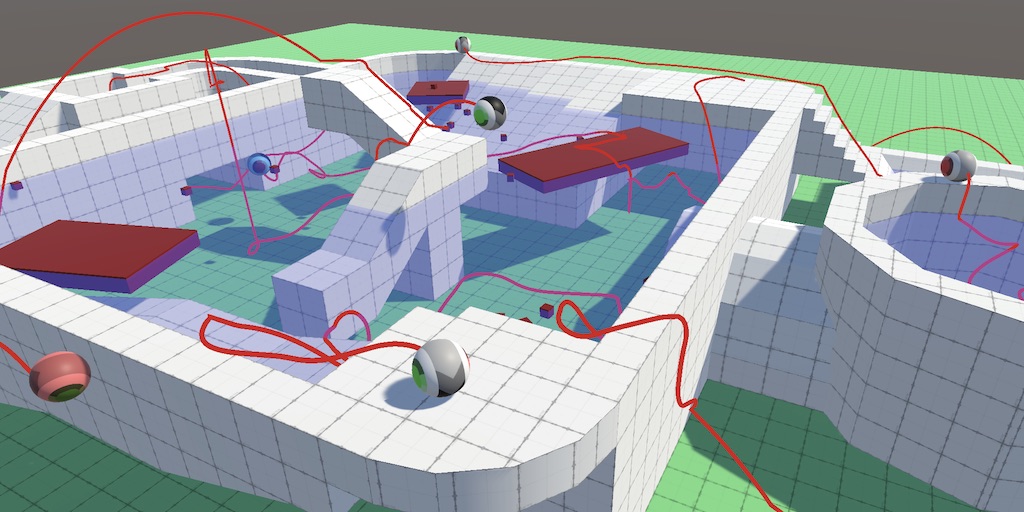
A series about controlling the movement of a character.
But honestly Unity is complex and full of intricacies.
I'm over a decade in and still learning the nooks and crannies
You will not learn everything in some finite period
topaz mortar
I've been around for a while 🙂 just haven't made a game like this before
At least I found an awesome tutorial on the new input system, it even works for my azerty keyboard by default 🙂
 chrome apex
how to make sure that a sprite is 1 meter by 1 meter by default? I need to scale it via some measurements in code
 crystal chasm
Is it on a quad?
burnt vapor
chrome apex
how to make sure that a sprite is 1 meter by 1 meter by default? I need to scale...
This is a coding channel for coding questions #🔎┃find-a-channel
chrome apex
burnt vapor
This is a coding channel for coding questions <#531961806646935564>
well it's gonna have a code related question
chrome apex
crystal chasm
Is it on a quad?
yes
burnt vapor
chrome apex
well it's gonna have a code related question
I understand, but your question in general revolves around something that doesn't relate to the code you end up changing, so you will get better help if you ask it somewhere where it actually makes sense
crystal chasm
chrome apex
yes
Do you know what scale it has to be? To be 1 meter by 1 meter?
burnt vapor
Not necessarily because it's a bad thing, but you likely get less of an answer here since people that check this channel generally know more of coding.
 visual linden
How come it isn't already 1x1 by default? Is there some aspect ratio thing being enforced?
chrome apex
crystal chasm
Do you know what scale it has to be? To be 1 meter by 1 meter?
at start, because I want the user to click once and then click twice, so that the distance between two points is the scale of the sprite, right?
cause transform distance is in meters
crystal chasm
Ok. It's easy to scale in code
visual linden
You could get the scale of the sprite in screen space, and then scale it by the screen space mouse coordinates. That way you don't have to worry about the world space scale.
 blissful yarrow
I feel like a noob asking this how can I remove this? square outline
I did confirmed it's from the UI. it's not there before. how do I turn off?
help please ^^
 crystal chasm
You'll need to reference the two different world space positions with vector3s from the mouse clicks, and measure that distance using vector3.distance, then just set the scale of the quad using transform.localscale = new Vector3(distance,distance,dustance);
burnt vapor
blissful yarrow
I feel like a noob asking this how can I remove this? square outline
I did conf...
There's a wireframe mode you might need to turn off
Next time please use the proper channel, this is a coding channel
 blissful yarrow
burnt vapor
Next time please use the proper channel, this is a coding channel
blissful yarrow
burnt vapor
Next time please use the proper channel, this is a coding channel
ah ok ok sorry I didn't know
chrome apex
crystal chasm
You'll need to reference the two different world space positions with vector3s f...
yeah I know but that doesn't work unless it's 1x1 at scale 1, yes?
if it's huge, the scaling won't help
crystal chasm
chrome apex
yeah I know but that doesn't work unless it's 1x1 at scale 1, yes?
You can just put a multiplier in there to make it the right scale
Distance * 0.5f
If they are 2 meters
chrome apex
yea but I don't know how to make them 2 meters in the first place
if I did, I'd make them 1 meter
crystal chasm
Do you have unity open?
chrome apex
yes
crystal chasm
Drag a cube into the scene
chrome apex
ok
crystal chasm
That's 1 meter
crystal chasm
Idk what you mean.
You can't scale the quad to be the same size as the cube by eye?
crystal chasm
Anyway. I wish you luck
chrome apex
thanks
chrome apex
crystal chasm
Anyway. I wish you luck
So it seems like making it tile and then setting width and height to 1 (while scale of the object is 1) does it
crystal chasm
Thats good
So you can just set the scale to the distance between the mouse clicks.
 tulip nimbus
Currently i spawn smoke as a child of my Plane object, how can i make it, so that the particles always come out the back of the plane, no matter the rotation?

 real thunder
just reposition your particle system?
 keen owl
tulip nimbus
Currently i spawn smoke as a child of my Plane object, how can i make it, so tha...
keen owl
tulip nimbus
Currently i spawn smoke as a child of my Plane object, how can i make it, so tha...
question for #✨┃vfx-and-particles but is your gravity set to 0 for the particle? And is there any force over lifetime being applied?
tulip nimbus
keen owl
question for <#532260045887373352> but is your gravity set to 0 for the particle...
That was it, thank you
 ornate patio
Hey guys, ive done a lot of reading/googling on this and I think its probably my knowledge of how it works that might be the problem but I am trying to get my camera to use the scroll mouse to move in and out of zoom which seems pretty standard. The code I am using is:
void Update()
{
    CameraMove();
    RotateCamera();
    Zoom();
}
private void Zoom()
{
targetFOV += Input.mouseScrollDelta.y * zoomSensitivity;
targetFOV = Mathf.Clamp(targetFOV, minFOV,maxFOV);
virtualCamera.m_Lens.FieldOfView = targetFOV;
But when I go to test the scroll does not work at all? I know the camera script is working to some degree as I have set movement and rotation which both work but its purely the mouse scroll side that doesnt.
I have checked the input settings in Unity and I believe they are correct
 frosty hound
First thing would verify you have values set for sensitivity and the min/max values you're using to clamp.
ornate patio
frosty hound
First thing would verify you have values set for sensitivity and the min/max val...
Hey, thanks for replying, values are set as such:
 frosty hound
Because these are serialized, the value in the inspector is the one that's used. Double check those are not changed
ornate patio
Unfortunately don't think its that unless im missing something
 frosty hound
Okay, drop a debug log into the function and print out the FOV value
 mint bluff
I don't get it. I am using the Tilemap.HasTile() to check if there is a tile at the location. it gives true when there is a neighbour to the upper right to it. why is that?
so this will return true for that empty tile

this will return false

loosing some hair over this 
 verbal dome
mint bluff
I don't get it. I am using the `Tilemap.HasTile()` to check if there is a tile a...
verbal dome
mint bluff
I don't get it. I am using the `Tilemap.HasTile()` to check if there is a tile a...
Sounds like a rounding issue. What position are you passing into it?
mint bluff
verbal dome
Sounds like a rounding issue. What position are you passing into it?
Funny depressing thing is that I have to give a Vector3Int and I am currently testing with this line Debug.Log($"Tile at (1,-4,0) is {Level.Instance.GetGroundTilemap().HasTile(new Vector3Int(1,-4,0))}");
mint bluff
almost. it's right in the cent erof that empty tile
verbal dome
Is your tilemap scaled so that every tile is 1 unit?
Hmm actually don't think that's relevant here
mint bluff
does that help?

 obsidian plaza
 verbal dome
mint bluff
does that help?
verbal dome
mint bluff
does that help?
Add this to your monobehaviour:cs void OnDrawGizmos() { Gizmos.color = Color.magenta; Gizmos.DrawSphere(tileMap.CellToWorld(new Vector3Int(1, -4, 0)), 0.5f); }
(You know that HasTile takes cell coordinates, not world coordinates right?)
mint bluff
No I don't
and that makes sense now

I am 2D rookie and I'll have to read up on cell coordinates. THANK YOU @verbal dome
ornate patio
frosty hound
Okay, drop a debug log into the function and print out the FOV value
Not entirely sure I did this right as I am a complete newbie but this seems to state that the FOV is 80 which is between 35 and 90 and should be correct?

 frosty hound
Yep. I know Cinemachine 3.0 changed a bit of how things were modified since it simplified it. I haven't used it yet so I don't know if that's actually how you change the FOV property.
Beyond that, the only thing I can think of is it's targetting the wrong virtual camera or you're overriding the FOV elsewhere.
ornate patio
frosty hound
Beyond that, the only thing I can think of is it's targetting the wrong virtual ...
Thanks mate, will take a look
 tiny wind
Mah player character wont go back to the checkpoint when it dies
(the checkpoint is the giant glowing mushroom btw)
public void Spawn()
{
    playerHealth.Respawn(); //Restore player health and reset animation
    transform.position = currentCheckpoint.position; //Move player to checkpoint location

    //Move the camera to the checkpoint's room
    //Camera.main.GetComponent<CameraController>().MoveToNewRoom(currentCheckpoint.parent);
}
this is the method for it
frosty hound
Verify that that function is actually running. Put a Debug.Log in there.
ivory bobcat
Log the value of the player before teleporting, after teleporting and the check point location?
 polar acorn
tiny wind
```cs
public void Spawn()
{
playerHealth.Respawn(); //Restore player health ...
polar acorn
tiny wind
```cs
public void Spawn()
{
playerHealth.Respawn(); //Restore player health ...
Does your player have a CharacterController on it?
ivory bobcat
If you're using the Character Controller component, you'll not be able to teleport with Transform without first disabling the component
polar acorn
Or call Physics.SyncTransforms() after the teleport
tiny wind
ivory bobcat
If you're using the Character Controller component, you'll not be able to telepo...
im not
tiny wind
frosty hound
Verify that that function is actually running. Put a `Debug.Log` in there.
it is running
transform.position = currentCheckpoint.position; //Move player to checkpoint location
im pretty sure that something in here is not working
lemme try something
 fickle stump
Can a scriptable object extend a normal script?
or inerhit is probably the correct word
verbal dome
Nope
fickle stump
well f me then
verbal dome
You can store a custom class inside it though
fickle stump
the idea i had is to instead of writing a differnt script with essentially the same content but different references, i'd create one scriptable object that one script can inherit
if that makes sense
verbal dome
You can make a base class for your scriptable object, yeah
For example... cs public abstract class BaseSO : ScriptableObject {} public class ChildSO : BaseSO {}
fickle stump
I'm making an simulation where the user has to find various issues around the workplace such as different objects laying around or spilled oil. And instead of hardcoding them i'd love to have some kind of "list" that i can easily extend with other issues that are very similiar in funciton
fickle stump
verbal dome
You can make a base class for your scriptable object, yeah
well that just lets me inherit from the so but the so cant inerhit from antoher script? or am i mistaken smth
verbal dome
If you want a SO, you need to inherit from SO
I don't think I get your question
You can add any shared functionality to the BaseSO class
And every instance of ChildSO will have that functionality too
fickle stump
hold up
i might be stupid
oh
yeah i am fucking stupid
@verbal dome thanks 🤦♂️
eternal falconBOT
:teacher: Unity Learn ↗
Over 750 hours of free live and on-demand learning content for all levels of experience!
 tulip stag
What's the best variable type for a date, to store in a database of different entries in a compendium with a "release date" for each?
 rich adder
tulip stag
What's the best variable type for a date, to store in a database of different en...
rich adder
tulip stag
What's the best variable type for a date, to store in a database of different en...
you mean built in ? DateTime probably
https://learn.microsoft.com/en-us/dotnet/fundamentals/runtime-libraries/system-datetime
or make your own struct
tulip stag
Thank you!
Also; sorry, there's something I read a bunch of times and I still don't understand. I need someone to explain it like I'm stupid.
What's with the {get; set;} I see some people do after some variables?
rich adder
tulip stag
What's with the {get; set;} I see some people do after some variables?
those are what make your fields turn into Properties

A property in C# is a member that uses accessor methods to read, write, or compute the value of a private field as if it were a public data member.
polar acorn
tulip stag
What's with the {get; set;} I see some people do after some variables?
It makes them into Properties, which are essentially functions that behave like variables. If you do nothing else with them, the big benefit is that a UnityEvent can dynamically set a property, but not a variable
tulip stag
Oh ok. And when do I know that a variable should be a property and not a variable?
I think all of these are properties, no? Intuitively?
 rich adder
for example you want a variable to be accessed by ANY script so public but only set private through its own script
polar acorn
tulip stag
I think all of these are properties, no? Intuitively?
No, those are variables
tulip stag
Oh 😵💫
rich adder
also property lets you run some logic if you also, when the variable is changed or Read
polar acorn
In general, properties are seen as better, because you could add functionality later. If you want code to run whenever a variable is changed for example. Another benefit is for debugging, you can put a break point on a get and see what is trying to read from a variable
If it's private, a variable is probably fine
If it's public, you should probably be using a property instead
rich adder
always go for a Public read while private Set. thats the major benefit
 naive pawn
tulip stag
I think all of these are properties, no? Intuitively?
naive pawn
tulip stag
I think all of these are properties, no? Intuitively?
those are fields/instance variables, specifically
polar acorn
naive pawn
those are fields/instance variables, specifically
Yes, fields are variables that belong to a class, as opposed to local variables that belong to a method, loop, or other smaller scope
rich adder
    public int MyDigit  = 66; //can be read/changed from any script
public int MySaferDigit {get; private set;} = 77 //can be read by any script, can only be changed in this script```Ohh ok NOW I really get it
Thanks!
naive pawn
properties are just methods disguised as fields
polar acorn
rich adder
```cs
public int MyDigit = 66; //can be read/changed from any script
pu...
I don't know why but having the setter before the getter just irks me. It's perfectly cromulent code, it just feels wrong
Like saying "Red Big Ball" instead of "Big Red Ball"
rich adder
polar acorn
I don't know why but having the setter before the getter just irks me. It's perf...
lmao yeah thats why i changed it..felt odd
idk why i wrote it that way first time...dyslexia peaking maybe..
 hot laurel
polar acorn
If it's public, you should probably be using a property instead
hot laurel
polar acorn
If it's public, you should probably be using a property instead
if the variable is intendent to be public and its wrapped in property but does nothing then its misleading to wrap it in to a property, its equal to declaring a method to just return a variable
naive pawn
-# footnote: some languages don't have separate fields/properties, and may treat them as synonyms. some languages call their equivalent to properties, "accessors", while "property" is a synonym for fields.
polar acorn
hot laurel
if the variable is intendent to be public and its wrapped in property but does n...
There is one benefit, as I stated initially: UnityEvents can dynamically set properties, but not variables
naive pawn
hot laurel
if the variable is intendent to be public and its wrapped in property but does n...
a property and a method semantically convey different intents
polar acorn
So, if you have a String you want changed by a UIInput, it would need to be a property
rich adder
Some APIs & framework also don't like working with fields so they use props (MVVM on MAUI only liked props for databinding, idk if its changed)
Interfaces also use Props not fields
hot laurel
well they are just set and get method with backing field, no magic there, if api works with properties its because it needs a method


so using empty properties is misleading
 short hazel
Using properties is the recommended way of exposing data everywhere
naive pawn
how are they "misleading", exactly?
short hazel
If one day you need to add stuff that runs on get/set, you only modify one place in the code
hot laurel
naive pawn
how are they "misleading", exactly?
they are not misleading, but using "empty" properties without get and set instead of just a public field is misleading
since it does nothing to the backing field but it looks like method - it is method
short hazel
It's a matter of consistency
polar acorn
hot laurel
well they are just set and get method with backing field, no magic there, if api...
Right, and more things work with methods than variables.
You also get access to breakpointing the get or set that you don't get with a normal field
short hazel
Either use props everywhere or nowhere
naive pawn
hot laurel
they are not misleading, but using "empty" properties without get and set instea...
so how are they misleading then? im confused what point you're trying to make
hot laurel
naive pawn
so how are they misleading then? im confused what point you're trying to make
its same as declaring method that just return its parameter without doing anything to it
polar acorn
There are a few benefits to using anonymous auto-properties in place of public variables, but "few" is still more than "none" so it's better to do so than not
naive pawn
hot laurel
its same as declaring method that just return its parameter without doing anythi...
that's an identity function, and no, properties aren't identity functions
polar acorn
hot laurel
its same as declaring method that just return its parameter without doing anythi...
...no? It's the same as having two methods, one of which sets a field, and the other returns it. Which is how you're supposed to expose variables in every programming language that doesn't have properties
naive pawn
hot laurel
they are not misleading, but using "empty" properties without get and set instea...
"empty" properties without get and set
this is a compiler error
polar acorn
Java's style guides basically forbid public variables, and insist all variables actually be private with two manually created getter/setter methods
hot laurel
naive pawn
> "empty" properties without get and set
this is a compiler error
the conversation dont lead to anything and each response strive away from the point, it simply to understand that i mean the body of get and set
and i didnt meant other languages
naive pawn
we aren't mind-readers, just say what you mean lmao
if i say "property without set", would you assume that there is a set, just without a body?
i still don't see how that's misleading though
hot laurel
hot laurel
the conversation dont lead to anything and each response strive away from the po...
its ok, lets move to more unity related topic
 proud escarp
Hello guys! I have started learning Unity yesterday, following some youtube tutorials.. So I was following this video on how to implement the new input system, but it's happening something strange and different from the video..
As you can see from the picture, I added the Player Input component, then linked the actions (which for now it's just up / down / left / right), and then linked the Movement Script.. this is the script:
public class Movement : MonoBehaviour
{
    Rigidbody rb;
    public float moveSpeed = 0f;
    Vector3 direction = Vector3.zero;

    private void Start()
    {
        rb = GetComponent<Rigidbody>();
    }

    private void Update()
    {
        rb.AddForce(direction * moveSpeed * Time.deltaTime, ForceMode.Force);
    }

    public void MoveEvent(InputAction.CallbackContext context)
    {
        if(context.performed)
        {
            Vector2 input = context.ReadValue<Vector2>();

            //direction = new Vector3(input.x, 0, input.y);
            direction.x = input.x;
            direction.z = input.y;
        }
        // Stopped performing context
        else
        {
            direction = Vector3.zero;
        }
    }
}
At this point, in the Events -> PlayerMovement dropdown, I was expecting to find the MoveEvent method from the script, but there is no way to make it appear.. any idea on why? the youtube video I was following, it just appeared there the method created inside the script

 polar acorn
proud escarp
polar acorn
proud escarp
You need to drag in an object with the script on it, not the text file containing the code
proud escarp
So I can create an empty object, assign it there, and then assign the script to that empty object?
naive pawn
have you added the Movement component to your player object?
naive pawn
proud escarp
So I can create an empty object, assign it there, and then assign the script to ...
this would make your Movement component control the rb of the empty object instead of your player
polar acorn
proud escarp
So I can create an empty object, assign it there, and then assign the script to ...
You probably want to drag in the object you actually want to do things

 naive pawn
have you saved and compiled all of your scripts
polar acorn
proud escarp
Do you have any compile errors
proud escarp
So, followinf the video those were the steps:
- Create Actions and assign them (for example) at the keyboard
- Attach to the player object the Player Input component
- Attach the actions created to that Player Input component
- Create a Movement script with the method
- Go to events, player movement, attach the script there and use the functions (using Invoke Unity Events)
proud escarp
polar acorn
Do you have any compile errors
No compile errors, I just can't select the callback
hot laurel
proud escarp
This screnshoot Component differes from your script, the public field isnt even visible in inspector, save your script and refresh?
polar acorn
proud escarp
No compile errors, I just can't select the callback
Try removing and re-adding the PlayerController and Movement scripts to the object
proud escarp
hot laurel
This screnshoot Component differes from your script, the public field isnt even ...
I tried, I'm struggling with that from yesterday lol so in the meanwhile even restarted pc and everything
naive pawn
naive pawn
have you saved and compiled all of your scripts
@proud escarp
proud escarp
I'm gonna rec a small video
naive pawn
proud escarp
ok so that's not what you should assign there
polar acorn
proud escarp
You cannot drag in a script file into the event. You have to drag in an object that has that component
the text file isn't going to be running any code
The Movement.cs file is not a Movement object. It's a text asset
 gloomy cosmos
Hello, messing with editor scripts and noticed I can't cast target to the class I'm working with. Is there something else you gotta do?
proud escarp
So I need to create a Movement object, assign the script, and assign that object there?
polar acorn
proud escarp
So I need to create a Movement object, assign the script, and assign that object...
You would drag in whatever object you want to actually do the movement
The thing you want to call the function on
polar acorn
gloomy cosmos
Hello, messing with editor scripts and noticed I can't cast target to the class ...
What is preventing you? Can it not find the class, or does it say it's an invalid cast?
gloomy cosmos
polar acorn
What is preventing you? Can it not find the class, or does it say it's an invali...
"Cannot convert type 'UnityEngine.Object' to [class name here]"
polar acorn
gloomy cosmos
"Cannot convert type 'UnityEngine.Object' to [class name here]"
Okay, what class are you trying to cast it to? Can you show the !code for it?
eternal falconBOT

Posting code
📃 Large Code Blocks
Use links to services like:
https://paste.mod.gg/, https://hastebin.skyra.pw/, https://paste.ofcode.org/, https://paste.myst.rs/, https://scriptbin.xyz/
📃 Inline Code
Surround code with three backquotes. Not quotation marks.
To format as C#, add cs to the first line:
```cs
// Your code here
```
Add a comment with a line number if there is an error message.
gloomy cosmos
polar acorn
Okay, what class are you trying to cast it to? Can you show the !code for it?
now the thing I'm working with is a struct, does it have to be a class?
(it's serializable)
 frigid sequoia
This returns either 0 or 1, cause it's basically an int, and the result is also an int, but I want the result as a float how do I do that?
 polar acorn
gloomy cosmos
now the thing I'm working with is a struct, does it have to be a class?
(it's se...
polar acorn
gloomy cosmos
now the thing I'm working with is a struct, does it have to be a class?
(it's se...
Well, the thing you're trying to cast is a UnityObject, which would mean a GameObject, MonoBehaviour, or other component
I think you're using the wrong editor type for a serializable struct
gloomy cosmos
polar acorn
Well, the thing you're trying to cast is a UnityObject, which would mean a GameO...
You cant make editor scripts for non monobehaviours?
polar acorn
gloomy cosmos
You cant make editor scripts for non monobehaviours?
You can, but I think there's a different class you need to extend
It'd be a PropertyDrawer, not an Editor
gloomy cosmos
a ok, thanks a lot 👍
polar acorn
#↕️┃editor-extensions might be a better place to ask what type you're supposed to use for a struct
I have only approximate knowledge of editor scripting
polar acorn
frigid sequoia
This returns either 0 or 1, cause it's basically an int, and the result is also ...
(float) someIntValue
But I'm pretty sure int natively downcasts into float
naive pawn
not when you have int/int
polar acorn
So if you did float x = someIntValue it'd just work™️
frigid sequoia
But adding the float is not like... gonna turn it into a float AFTER the calculation, therefore having basically no effect?
polar acorn
naive pawn
not when you have `int/int`
Cast the result when you use it, not the operands
naive pawn
frigid sequoia
But adding the float is not like... gonna turn it into a float AFTER the calcula...
typecasts bind stronger than operators, so (float) a / b is ((float) a) / b
polar acorn
frigid sequoia
But adding the float is not like... gonna turn it into a float AFTER the calcula...
Oh, you do want the division to return decimals. Cast both operands to float
and then it'll do proper float division
I misunderstood the question
naive pawn
polar acorn
Oh, you _do_ want the division to return decimals. Cast both operands to float
not necessary to do both
frigid sequoia
So this???
 naive pawn
int/int does integer division, same with any 2 integral types
if either operand is floating-point, it does float division
naive pawn
frigid sequoia
So this???
you don't need the extra parens, (float) a / b will do
polar acorn
frigid sequoia
So this???
Yes, but you might also need to cast healingThreshold as well
naive pawn
it will cast a to float first, then it will do the division
polar acorn
since that's another int division
But I'd recommend storing those in variables, that if line is getting a bit chonky
naive pawn
polar acorn
Yes, but you might also need to cast `healingThreshold` as well
(or you could use 100f instead of 100)
frigid sequoia
Works wonders, thank you
frigid sequoia
Huh, can I not... adjust the target frame rate directly from the editor? Does it need to be by a script?
wintry quarry
Yes, needs a script
frigid sequoia
How inconvenient....
 quartz anvil
So i exited unity the other day with code that wasn't really finished and it gave me a warning before exiting that I didnt read. Now when im coding in visual studio it wont tell me if there are errors in the code, I have to save the code to see if any errors come up in unity. Any way to turn back on whatever I turned off?
 slender nymph
!ide
eternal falconBOT
💡 IDE Configuration
If your IDE is not autocompleting code
or underlining errors, please configure it.
Select one:
•  Visual Studio (Installed via Unity Hub)
• Visual Studio (Installed manually)
•  VS Code
•  JetBrains Rider
• :question: Other/None
 swift crag
You may just need to regenerate the project files from the External Tools menu
assuming that everything was set up properly beforehand
kind of weird that it'd break in the first place
but then again, everything is kind of weird
gloomy cosmos
Hello, I have a bit of a problem while working in PropertyDrawer.
I wanna show a variable in the inspector, so I do:
EditorGUI.PropertyField(valueRect, serializedProperty);
It works when serializedProperty is an int, float, array, etc, but if it's a custom class or struct (even if Serializable) it just draws a dropdown which when opened shows nothing. What could be wrong?
slender nymph
quartz anvil
So My IDE is configured correctly and the Right IDE is selected in the external tools menu, I think its setting in Visual studio itself to stop underlining errors in code
its a setting*
wintry quarry
quartz anvil
So My IDE is configured correctly and the Right IDE is selected in the external ...
Did you try this?
#💻┃code-beginner message
quartz anvil
wintry quarry
Did you try this?
https://discord.com/channels/489222168727519232/49787400440158...
No, Do I go to the same Menu for seeing if my IDE is selected by unity?
I hit the "Regenerate project files" button and nothing happened. When I save my code the errors pop up in the unity error list but not in visual studio
LMAO nvm, figured it out
had build + intellisense instead of just build selected.
actually I spoke too soon, I can see some errors but code isnt highlighting right anymore either 😦
slender nymph
restart visual studio, and if the issue persists check the solution explorer to make sure your project is actually loaded. if it is unloaded or incompatible then right click it and reload with dependencies
 daring crescent
Not really scripting but can someone tell what the hell i've clicked that there is nothing in my scene view?
 wintry quarry
daring crescent
Not really scripting but can someone tell what the hell i've clicked that there ...
wintry quarry
daring crescent
Not really scripting but can someone tell what the hell i've clicked that there ...
you entered 2d mode maybe?
rich adder
daring crescent
Not really scripting but can someone tell what the hell i've clicked that there ...
select paddle and press F
slender nymph
you're zoomed incredibly far out. double click something in the hierarchy to refocus the scene view camera
wintry quarry
Just click on anything and press F
slender nymph
also #💻┃unity-talk
naive pawn
slender nymph
you're zoomed incredibly far out. double click something in the hierarchy to ref...
(how do you know it's far out and not far in?)
slender nymph
we can see the camera bounds
daring crescent
rich adder
select paddle and press F
Yeah i know, but im not zoomed out
And i've centered the player already
polar acorn
daring crescent
Yeah i know, but im not zoomed out
Seems pretty zoomed out. That white box looks like your camera

 wintry quarry
daring crescent
I'm not zommed out :c
wintry quarry
daring crescent
I'm not zommed out :c
where's the main camera
double clcik the main camera
daring crescent
 polar acorn
Are you looking at it from the back?
slender nymph
i'd bet they changed the draw mode or something https://docs.unity3d.com/Manual/ViewModes.html
naive pawn
slender nymph
we can see the camera bounds
oh that's what that was
slender nymph
of course the first screenshot they posted would not have made that obvious considering how far out it was zoomed
wintry quarry
Possibly check nthis menu too @daring crescent
 daring crescent

Its really weird i was moving the mouse and came with the left mousebutton on my keyboard..
what are these? They wasnt there before

can i somehow reset the scene view?
Even the highlights of objects is there
 daring crescent
did not help
slender nymph
what is the scene view's draw mode set to
 wintry quarry
yeah i think you're in debug draw mode or something
wintry quarry
Press the tilde key
to bring up the overlay menu

yeah everything goes invisible when I turn on debug draw mode
And these overlays come up - this is definitely what you did
You'll want the overlay menu open to be able to toggle on the Draw Modes thing

 delicate portal
How do I make Vector3.Lerp() not slow down at the end? It should stay consistent
slender nymph
 neon fractal
delicate portal
How do I make Vector3.Lerp() not slow down at the end? It should stay consistent
neon fractal
delicate portal
How do I make Vector3.Lerp() not slow down at the end? It should stay consistent
Vector3.MoveTowards();
Vector3.SmoothDump();
naive pawn
neon fractal
Vector3.MoveTowards();
lerp already doesn't slow down at the end
slender nymph
naive pawn
lerp already doesn't slow down at the end
*provided it is being used correctly
if you hardcode the t value then it will slow down because it is not linear anymore
neon fractal
naive pawn
lerp already doesn't slow down at the end
https://youtu.be/RNccTrsgO9g?si=u6-jANDoCCHX5tJ3&t=182
Check this (link with timecode)

Want to know how to CODE in Unity? Get my course here: https://www.udemy.com/course/how-to-code-in-unity/?referralCode=7D4BCF4F86A840FB720B
Learn how to Lerp in Unity, the "right" way.
00:00 Intro
00:38 What does Lerp do?
01:19 The "right" way to use Lerp
04:54 What can you do with Lerp?
06:38 Other types of Lerp
08:32 Lerp Assets
09:05 Outro
...
naive pawn
im not sure what you're trying to tell me
neon fractal
naive pawn
im not sure what you're trying to tell me
Okay, never mind.
naive pawn
do you know what lerp stands for
neon fractal
Sure
polar acorn
delicate portal
How do I make Vector3.Lerp() not slow down at the end? It should stay consistent
It doesn't. It's a linear interpolation. Provided you've got the same start and end points, it'll be linear
 rocky canyon
naive pawn
lerp already doesn't slow down at the end
rocky canyon
naive pawn
lerp already doesn't slow down at the end
it will when u pass in the variable ur manipulating into the lerp itself..
transform.position = lerp(transform.position, target.position, .5);
sorta like the inchworm on a rubberband puzzle..
like if u were to use .5, goes half to target.. then half of that to target.. then half of that to target.. incrementally getting smaller and smaller and smaller..
thats why the wrong lerp info is always sent first..
thats usually the problem lol
naive pawn
rocky canyon
it will when u pass in the variable ur manipulating into the lerp itself..
trans...
i know about that, i mean like, lerp itself, as it's intended
rocky canyon
as intended.. no u and digi are correct..
i like Movetowards as an alternative.
b/c if i thinkin correctly. i always use an extra variable to do a proper lerp
naive pawn
MoveTowards is just lerp with SmoothDamp parameters/SmoothDamp but linear, right?
rocky canyon
^ i believe so..
swift crag
I wouldn't say any of that is true :p
It is in the same ballpark as lerp, I suppose
Instead of a percentage, you give it a maximum delta
It moves from A to B by at most C
lerp moves from A to B by C%
rocky canyon
(by the way, using ‘time’, e.g. Time.deltaTime as the parameter is a common mistake when using Lerp. It can be done to get a nice “easing out” effect, but you have to understand that if you never call Lerp with the last parameter as ‘1’ ( meaning 100% ), the position will never get to the ‘end’ value )

The last parameter in MoveTowards is the max distance to move: "give me a point that is at most ‘time’ units closer to ‘end’, starting from ‘start’ "``` seen this on a discussion pagekinda similar to SmoothDamp
 cosmic dagger
Honestly, I wish their implementation could safeguard against the smoothing error everyone commits . . .
swift crag
naive pawn
kinda similar to SmoothDamp
SmoothDamp takes a duration
rocky canyon
i still have older code that has bad lerps
swift crag
cosmic dagger
Honestly, I wish their implementation could safeguard against the smoothing erro...
I don't know how you'd avoid that
rocky canyon
its gonna take forever to change em all out lol
swift crag
It's a very simple mathematical function
swift crag
swift crag
SmoothDamp takes a *duration*
it's approximately how long it should take to reach the destination
naive pawn
swift crag
SmoothDamp takes a *duration*
and a max speed
swift crag
(but not exactly, because SmoothDamp never reaches the target)
rocky canyon
pretty simple post-it note info right here 😉
 swift crag
oh yeah, there is that extra "max speed" parameter
I often use a combination of SmoothDamp and MoveTowards when I need to actually reach the destination
polar acorn
rocky canyon
pretty simple post-it note info right here 😉
That's MoveTowards, not SmoothDamp
swift crag
I use exact float equality with MoveTowards, to the horror of Rider
rocky canyon
can't DoTween be used for all of these easing type functions?
as an alternative
pretty sure i have a friend that uses DoTween for everything he possibly can..
dotween addict lol
rocky canyon
swift crag
I use exact float equality with MoveTowards, to the horror of Rider
forgive my ignorance, whats "exact float equality"?
swift crag
a == b
cosmic dagger
Yeah, but DoTween puts out a lot gc . . .
rocky canyon
swift crag
`a == b`
ohh ok. thats what i thought 🧡
swift crag
foo = Mathf.MoveTowards(foo, 1, Time.deltaTime);

if (foo == 1) {
  Debug.Log("OK");
}
this is why im hesistent to use it very often..
cosmic dagger
MoveTowards is the only one you really need. At least you know it reaches the target . . .
rocky canyon
i have a project w/ nothing in it but DoTween.. and im pretty sure something ive done has broken it.. as it has frequent frame drops.. or stutters rather
most likely user-error.. but i've had friends give me alternatives.. (on github) of ones that supposedly are more optimized with less GC
i'll try to find it real quick.. NomNom always mentions it
rocky canyon
cosmic dagger
MoveTowards is the only one you really need. At least you know it reaches the ta...
facts! MoveTowards holds a special place in my heart lol
cosmic dagger
rocky canyon
this is why im hesistent to use it very often..
I'd use PrimeTween or MagicTween . . .
rocky canyon
PrimeTweeen. i think that may be the one im remebering

Yup! thats the one. thanks Random! 🙂
No runtime memory allocations, ever.
cosmic dagger
I haven't used tween enginees myself, but I need to. Anything with a timer I use my Timer class for, It's not the beste, but it's mine, haha. I want to make it faster with no gc, so I'm constantly looking for ways to improve it . . .
rocky canyon
YES! SOOOO useful
 cosmic dagger
rocky canyon
cosmic dagger
rocky canyon
This is what I'm trying to accomplish myself . . .
rocky canyon
cosmic dagger
This is what I'm trying to accomplish myself . . .
ah, so ur not actively using it atm?
or u mean changing over ur old logics?
best of luck tho. 🍀
someone of ur calibre shouldn't have much problems at all lol
 stuck seal
hey 🙂 im pretty new to unity but i wanted to ask cause i cant find anything online...
how would you go about making a WASD movement as a global x/z but have the character always facing the mouse? like how Path of Exile 2 does it? 🙂
cosmic dagger
rocky canyon
ah, so ur not actively using it atm?
I made it a long time ago, but I want to update it. I've done a few improvements, like adding a state machine for the Timer; delegates for each timer phase: cancelled, completed, suspended, resumed, updated, restarted; binding it to a MonoBehaviour, and created Set methods to avoid creating a new instance. I'm going to add object pooling this week and try to store the timer information in a struct to save/help with gc . . .
rocky canyon
stuck seal
hey 🙂 im pretty new to unity but i wanted to ask cause i cant find anything onl...
pretty simply..
ur movement would just be "global movement" instead of local movement..
so Vector3.forward not transform.forward
Vector3.right not transform.right...
and then ur rotational stuff would just rotate towards the mouse position (raycasted into the world)
wintry quarry
stuck seal
hey 🙂 im pretty new to unity but i wanted to ask cause i cant find anything onl...
the movement and the way the character are looking don't have to be related
for rotation - like Spawn said, use Camera.ScreenPointToRay and Plane.Raycast to get a world space position for the mouse and then just have the player look at that position.
stuck seal
okay cool! thats probably enough to do some googling around and try to tinker with
thank you so much you two 🙂
 young lava
Hi! I was just wondering how many frames people usually get in their editors. I am getting around 300 frames and I was wondering if this is too low for the editor. Are the editor frames going to be much lower than the build frames as the editor is keeping track of many more things?
 ripe shard
young lava
Hi! I was just wondering how many frames people usually get in their editors. I ...
ripe shard
young lava
Hi! I was just wondering how many frames people usually get in their editors. I ...
Entirely depends on what you are doing. Numbers that other people get are influenced by too many variables to be comparable or relevant.
 void thicket
Why do you think 300 frame is low
young lava
I was getting like around 700 frames before adding in a bunch of features involving networking and pretty much I was wondering if it was an optimization issue or just normal
slender nymph
please note that is only a difference of 2ms per frame
rocky canyon
young lava
Hi! I was just wondering how many frames people usually get in their editors. I ...
the last question is yes from my own experience..
the editor always eats up more resources than a standalone
i always try to build every once in a while to do a better comparison..
even when testing in the editor i try to do it in fullscreen on-top the editor..
less editor visible the more frames i tend to get lol
young lava
rocky canyon
the last question is yes from my own experience..
the editor *always* eats up mo...
Ahhh gotcha tyty ^^ I'll give that a shot when testing in the future
rocky canyon
young lava
Ahhh gotcha tyty ^^ I'll give that a shot when testing in the future
left was fullscreen, right was minimized w/ editor visible


dropped 100+ frames on my rolling average
good luck fam
young lava
rocky canyon
good luck fam
tyty! ^^
 cerulean dove
I am having trouble adding CanvasScaler components to a visual studio library project. I've added a reference to UnityEngine.dll, which has been a great help, but upon trying to include UnityEngine.UI.dll for CanvasScaler, I get an error about there not being an implicit conversion from CanvasScaler to Component. The exact text is as follows: The type 'UnityEngine.UI.CanvasScaler' cannot be used as type parameter 'T' in the generic type or method 'GameObject.AddComponent<T>()'. There is no implicit reference conversion from 'UnityEnginer.UI.CanvasScaler' to 'UnityEngine.Component'.
In case it is related there is another error stating: The type 'MonoBehaviour' is defined in an assembly that is not referenced. You must add a reference to assembly 'UnityEngine.CoreModule'. When I add CoreModule, I get a ton of errors due to conflicts between UnityEngine and UnityEnginer.CoreModule. Any help would be appreciated!
cerulean dove
As far as I understand it, CanvasScaler inherits from UIBehaviour, which inherits from MonoBehaviour, which should have component in its ancestry.
wintry quarry
cerulean dove
I am having trouble adding CanvasScaler components to a visual studio library pr...
you probably need to add the UI package?
cerulean dove
wintry quarry
you probably need to add the UI package?
Any clue how I would do that in VS 2022?
 frigid shadow
Hi guys does anyone know how I can make my layer work exactly like the** ignore raycast** layer, I have a large project and I am not going to be able to change the layer mask in each and every raycast.
 cerulean dove
Any clue how I would do that in VS 2022?
cerulean dove
cerulean dove
Any clue how I would do that in VS 2022?
I went down the rabbit hole of replacing individual dependencies using UnityEngine.CoreModule and UnityEngine.UIModule and LegacyInputSystem, and it seems to be resolved... we'll see if this breaks anything though.
wintry quarry
frigid shadow
Hi guys does anyone know how I can make my layer work exactly like the** ignore ...
The ignore raycast layer doesn't do anything special
Raycast simply has a default layer mask that ignores it
 timber tide
Yeah it's just placeholder I throw everything on that I want to filter out
UI is actually a pretty wierd default layer now that I think about it cause most raycasts cant even interact with it
frigid shadow
wintry quarry
Raycast simply has a default layer mask that ignores it
is there anyway I can have my other layer do it as well, without editing all the raycasts in the project?
wintry quarry
frigid shadow
is there anyway I can have my other layer do it as well, without editing all the...
no, again, it's not anything special
the layer doesn't do anything
the mask is what excludes it
 wintry quarry
Indeed:
The default layers are all layers except for the ignore raycast layer.
polar acorn
There's no way to change the default raycast layers, so you can't add another exclusion from it
frigid shadow
I understand that when we create a raycast that layer is excluded from the mask automatically, so what you're saying is there is no way to add another layer like it.
wintry quarry
frigid shadow
I understand that when we create a raycast that layer is excluded from the mask ...
Just use a custom layer mask
frigid shadow
I'll have to change every raycast in the project then
wintry quarry
How many could that possibly be
frigid shadow
thats the thing, I have no idea, could be hundreds of scripts
wintry quarry
Why not just search it
how do you have no idea
isn't this basically just a matter of using the Search and Replace function in your IDE?
polar acorn
frigid shadow
I understand that when we create a raycast that layer is excluded from the mask ...
You can't change the value of defaultRaycastLayers in the same way you can't make floats default to 1
wintry quarry
you could be done in like two minutes
polar acorn
That layer doesn't do anything. It's just the default value of the mask parameter in raycast
There is technically a way to change that - rewrite the entire raycast engine but with a different default parameter
frigid shadow
wintry quarry
isn't this basically just a matter of using the Search and Replace function in y...
what should the search term be? I mean i might have written the raycasts with different arguments
wintry quarry
Step 1:
- Make a static constructor on a class that stores custom layermask in a static variable, e.g. with
~LayerMask.GetMask("MyCustomLayer", "IgnoreRaycast")
Step 2: - Search all your Raycast calls and add the layer mask
wintry quarry
frigid shadow
what should the search term be? I mean i might have written the raycasts with di...
Physics.Raycast
frigid shadow
alright I'll give it a go
timber tide
Oh hey didnt know GetMask was an array
wintry quarry
Yep it's a params varargs parameter
frigid shadow
wintry quarry
Step 1:
- Make a static constructor on a class that stores custom layermask in a...
Thanks this works really well, had to change 23 scripts in total, now in the future I'll just need to make changes to the static class.
timber tide
ye I always make some LayerUtility class when starting a larger project because of the nature of changing layers and breaking things
frigid shadow
makes sense, gotta keep this in mind when starting my next project.
 hasty dragon
how do i display a raycast?
slender nymph
you can use the physics debugger (assuming you are using 3d), or you can use something like Debug.DrawRay
 winter creek
Hello, I would like to reference my class "MoveFeedbackTrigger" in this class "NetworkCharacterController" that I use but is not mine but I do not know why I can not, I imagine that it must come from the fact that it begins with "namespace Fusion" (line 1)? in which case I must put a using before that? or that kind of thing or that it is "sealed" or "unsafe" maybe
 slender nymph
the issue is because it is in another assembly. you really shouldn't be modifying that anyway, just create another component that you attach to the same object and interact with it that way
winter creek
slender nymph
the issue is because it is in another assembly. you really shouldn't be modifyin...
Ok but there are a method in this class and i would likd do something at this specific moment, so i wanted to put theses methods in another class and call them at this moment
You advice to me to do an event here ? and i put a listener from another class ?
 slender nymph
sure that would work. or if you really need to reference your own code in there you can go learn about unity's assembly definitions
winter creek
slender nymph
sure that would work. or if you *really* need to reference your own code in ther...
Ok i will look tuto about that, but what is the best practice for what i want to do for you ?
slender nymph
that entirely depends on what you are actually trying to accomplish here
https://xyproblem.info
winter creek
slender nymph
that entirely depends on what you are *actually* trying to accomplish here
<http...
This class manage movement network, so yes like you said i dont want write another things in it, i need to display feedback animation at this specific moment
slender nymph
why can you not just do that immediately after calling the Move method from whatever other object is doing so? it's not like you will see any difference
winter creek
winter creek
This class manage movement network, so yes like you said i dont want write anoth...
(i have already did something work but in this class, and i know its bad practice, i dont want write in it
winter creek
slender nymph
why can you not just do that immediately after calling the Move method from what...
Pfff yes i dumb its logic , dont know why i did here...
Thanks i do that
 normal valve
Hello. I am trying to handle auto-stop in my Player controller, but my script is overshooting back and forth instead of stopping the Player. I'm getting a value very close to 0 which I think is causing the overshoot. Here is my code and images to help. Thanks:
https://paste.mod.gg/tgdsvmszwvqt/0


A tool for sharing your source code with the world!
astral falcon
normal valve
Hello. I am trying to handle auto-stop in my Player controller, but my script is...
!code please
eternal falconBOT
Posting code
📃 Large Code Blocks
Use links to services like:
https://paste.mod.gg/, https://hastebin.skyra.pw/, https://paste.ofcode.org/, https://paste.myst.rs/, https://scriptbin.xyz/
📃 Inline Code
Surround code with three backquotes. Not quotation marks.
To format as C#, add cs to the first line:
```cs
// Your code here
```
Add a comment with a line number if there is an error message.
astral falcon
normal valve
Hello. I am trying to handle auto-stop in my Player controller, but my script is...
What do your logs say? seems like your if statement check might never be met on line 10 (in your pasted script), because your acceleration can drop below 0 already?
hot laurel
normal valve
Hello. I am trying to handle auto-stop in my Player controller, but my script is...
probably some if math problem, according to logs this never executes

if the acceleration drops below 0 it means you adds to the currentSpeed in that if, which never will be less than 0
delicate portal
Hey I have a transform rotated x degrees. How do I add force in the direction its facing? Its in Unity 2D so I cant use transform.forward
 north kiln
AddRelativeForce using Vector2.right
fickle stump
Dumb question, how do i put a scriptable object on one of my components in the scene
north kiln
fickle stump
Dumb question, how do i put a scriptable object on one of my components in the s...
https://unity.huh.how/references/serializing-component-references
But with your SO's type
 gleaming bridge
Hello guys, I have a quick question regarding prefabs, So im implementing a inventory system into my 3D game and i have a prefab of a axe, How would i get a sprite image for it?
Link to unity asset: https://assetstore.unity.com/packages/3d/props/tools/basic-tools-low-poly-stylized-294356

Elevate your workflow with the Basic Tools - Low Poly / Stylized asset from Veresen. Find this & other Tools options on the Unity Asset Store.
ripe shard
gleaming bridge
Hello guys, I have a quick question regarding prefabs, So im implementing a inve...
you can use something like this (requires scripting):
https://github.com/yasirkula/UnityRuntimePreviewGenerator
https://assetstore.unity.com/packages/tools/camera/runtime-preview-generator-112860
Unity-tools that do similar things which don't rely on scripting are usually not free.
GitHub
Generate preview textures (thumbnails) for your GameObject's or materials on the fly in Unity - yasirkula/UnityRuntimePreviewGenerator

Get the Runtime Preview Generator package from yasirkula and speed up your game development process. Find this & other Camera options on the Unity Asset Store.
gleaming bridge
ripe shard
you can use something like this (requires scripting):
https://github.com/yasirk...
Thank you, will try it out now!
normal valve
Thanks guys I had the operators in opposite If statements 🙂
fickle stump
For some weird reason I can't delete a gameobject i created :>
eternal falconBOT
Posting code
📃 Large Code Blocks
Use links to services like:
https://paste.mod.gg/, https://hastebin.skyra.pw/, https://paste.ofcode.org/, https://paste.myst.rs/, https://scriptbin.xyz/
📃 Inline Code
Surround code with three backquotes. Not quotation marks.
To format as C#, add cs to the first line:
```cs
// Your code here
```
Add a comment with a line number if there is an error message.
chrome apex
void Update()
    {
        if (Input.GetMouseButtonDown(0) && Play.play && !clickedOnce)

        {
            clickedOnce = true;
            mousePosition1 = Input.mousePosition;

            if (Input.GetMouseButtonDown(0) && Play.play && clickedOnce)

            {
                mousePosition2 = Input.mousePosition;
Etc etc. I'm trying to get the first click and keep it detecting the second click, but this won't work, right? It will just exit the loop at the end of the frame. So what do I need to do?
slender nymph
that's not a loop at all. those are if statements, and since the second is nested in the first and all of its conditions will be true by the time it is evaluated, then both of them run in the same frame
chrome apex
I'm talking about the code loop since this is in Update
the code is looping over and over
slender nymph
don't think of it as a loop because it isn't looping, Update is just being called once per frame
chrome apex
oh wait
do I need to do the first if then write a method for the second one
that way I prevent it being called again and agagin
right?
slender nymph
i think you need to rethink what you are doing here, because as i explained already if the first if statement is true then the second will then evaluate to true since it is inside of that first one and the only different condition is immediately set to true as well
chrome apex
that's true, I could just keep it to false, you're right. The second will always be true then
but still
I am trying to wait for first click. I save the screen position of the click in a vector2. Then I need to wait for the second click, save the second vector2 position and so some stuff
so should I do the first if statement and call a new method with the other if in it
that will work, right?
so the second click won't be called once per frame
slender nymph
another method won't suddenly make your logic any different. you need to rethink how to structure this, particularly how you want the conditions to work
chrome apex
yeah but the other method will flip the bool again, so the first one will stop looping after the first click
I think that checks out
slender nymph
because, again, both of these if statements will be true in the same frame, they are not detecting separate clicks. they will be true from the same first click
chrome apex
I understand that
but won't putting the second if logic into a method I will call prevent that?
slender nymph
how
chrome apex
ok I will just write it out and post here
oh wait, is it because input.getmousebuttondown is a bool
and it resets only after the frame ends
calling the method and all the logic in it will happen in the same frame?
is that what you're saying?
slender nymph
i'm saying that because of how your logic is currently structured, both of your if statements are true within the same frame because the second one, which is nested inside the first (meaning the first has to be true in order for it to even be evaluated), is made true because the only difference in conditions between the two is immediately changed once the block for the first if statement is entered. there is no delay, they are not evaluated in separate frames. they are both true in the same frame. i do not know how much clearer i can be.
chrome apex
yeah ok I got an idea
I will type it out and post it here
 void Update()
    {
        if (Input.GetMouseButtonDown(0) && Play.play && !clickedOnce)

        {
            clickedOnce = true;
            mousePosition1 = Input.mousePosition;

            Invoke("GetSecondClick", 0.1f);
        }
    }

    void GetSecondClick()

    {
        if (Input.GetMouseButtonDown(0) && Play.play)

        {
            mousePosition2 = Input.mousePosition;
            clickedOnce = false;
        }
    }
Is this better?
slender nymph
lol no because if you don't click the mouse button exactly 0.1 seconds after you click it the first time that will never work.
chrome apex
ohhh
I thought the method would wait until click
damn
I thought I was on the right track at least lol
burnt vapor
If the question is about implementing double clicking somehow, then I assume this would be natively available, right?
slender nymph
why would it?
you need to sit down and think exactly how your logic should play out then write the code for it
burnt vapor
Otherwise in an Update script just store a timestamp when you clicked and compare this against the next time a click it caught
Timestamps are always so underused
slender nymph
seems like they just want to get the position of the first and second click. they've not mentioned anything about any timing or whether it is a double click
chrome apex
slender nymph
why would it?
you need to sit down and think *exactly* how your logic should pla...
Well that logic is null if I don't know how it works exactly. I thought my method would wait until mouse click and do logic. If it did, it would be good
So would a while loop or something do what I want?
slender nymph
no
chrome apex
I know I would ideally need to know more but imo by far the best way to learn is by doing
slender nymph
the best way to learn is by learning, not skipping the "learn how basic if statements work" part and jumping right in. if you cannot figure out that you just need to separate the if statements then you need to go !learn the basics
eternal falconBOT
:teacher: Unity Learn ↗
Over 750 hours of free live and on-demand learning content for all levels of experience!
chrome apex
I am just confused by monobehaviour
slender nymph
you're clearly confused by more than just monobehaviours if you cannot follow your own logic
chrome apex
To be clear, I can make an entire game in playmaker without looking anything up but it functions compeltely differently than code and monobehaviour
Knowing playmaker kight have been a hinderance to me
slender nymph
so think about how you would accomplish this in playmaker then use that logic to form your c#
logic is just logic.
slender nymph
then either it wouldn't have worked in playmaker or you need to go learn c#
chrome apex
yes it would
slender nymph
prove it
slender nymph
i don't need to have used playmaker to understand that the logic you used is completely flawed
chrome apex
in playmaker, I would just get mouse 1, save first position, leading to second state with get mouse 1 and save other position
that's it
would take seconds to write
Please don't talk about playmaker if you don't know it.
Anyway, I think I figured it out. I need to use else for the second click
slender nymph
lmao you still haven't proven that your previous logic would have worked in playmaker (hint: it wouldn't have because both conditionals being true in the same frame would mean that both positions are the same)
at least it appears that you've finally taken my advice and given thought to how this should work
chrome apex
slender nymph
lmao you still haven't proven that your previous logic would have worked in play...
you have no idea what you're talking about, seriously
I have shipped games with playmaker
I know how it works
not like c# at all
slender nymph
okay smart guy, show me it working with both conditionals executing in the same frame. that was your logic before and you claimed it would have worked in playmaker
slender nymph
that's different logic
chrome apex
but there is no such thing as writing ''next frame event'' in c#
slender nymph
no, but as I already pointed out Update is called every frame and you were nesting your if statements so that they were both true in the same frame, that's been my whole fucking point this entire time
chrome apex
yeah ok I understand what you're saying
but playmaker doesn't use ''update'', just states
if you need something in the next frame, you just put next frame event. If I could do that here, I would
slender nymph
it doesn't matter that it doesn't use a method called Update. what matters is the actual logic you used.
chrome apex
I would just add ''next frame event'' but I don't know how to do that
slender nymph
as you've already determined, you would just use an else if
because Update is called each frame and you want the conditions evaluated in separate frames
 queen adder
Is this whole argument about how to register double clicks
slender nymph
it's about detecting separate clicks, not necessarily a double click
and of course how logic is structured
queen adder
slender nymph
it's about detecting *separate* clicks, not necessarily a double click
So, clicks at different time intervals and positions, yes?
chrome apex
yes it is and I finally figured it out
queen adder
chrome apex
yes it is and I finally figured it out
What method are you even using
 eternal needle
chrome apex
I would just add ''next frame event'' but I don't know how to do that
eternal needle
chrome apex
I would just add ''next frame event'' but I don't know how to do that
from skimming through this, it doesnt even look like you'd want to specifically check the next frame either. its not possible that the user can click on consecutive frames
the new input system can already detect double clicks with delay
It really looks like you could just put both checks in update, either check if its the first click or 2nd
slender nymph
yeah they just needed to use else if instead of nested if statements. provided they don't change that last bool they are checking at the end of Update or something
chrome apex
 void Update()
    {
        if (Input.GetMouseButtonDown(0) && Play.play && !clickedOnce)

        {
            clickedOnce = true;
            mousePosition1 = Input.mousePosition;
        }
        else if (Input.GetMouseButtonDown(0) && Play.play && clickedOnce)

        {
            clickedOnce = false;
            mousePosition2 = Input.mousePosition;
        }
    }
I have this now, should work
Thanks but it can be frustrating sometimes. Playmaker taught me to think a lot, lot differently than what c# requires me to do
slender nymph
this is why i said you need to take a moment and think about exactly how you want your logic to play out
queen adder
The debate was lit tho 🔥
chrome apex
slender nymph
this is why i said you need to take a moment and think about *exactly how* you w...
and see, I am learning way better like this than while reading docs and shit
this is the real deal
this is how I will learn forever
eternal needle
this also isnt really a c# issue, Update only exists in unity. the logic doesnt change no matter what language you use
slender nymph
chrome apex
and see, I am learning way better like this than while reading docs and shit
no, this is you blundering along making other people fix your issues for you. i don't help people who refuse to actually learn so i'm just going to block you now 🤷♂️
chrome apex
lol ok
slender nymph
and don't ping people into your questions
burnt vapor
chrome apex
```cs
void Update()
{
if (Input.GetMouseButtonDown(0) && Play.play ...
Don't you need some sort of check that ensures the second click happens within a certain period? 🤔
queen adder
slender nymph
and don't ping people into your questions
Alright mb
burnt vapor
Again, not sure what the use case is here
chrome apex
burnt vapor
Don't you need some sort of check that ensures the second click happens within a...
there is no time limit
the use case is as follows:
queen adder
burnt vapor
Don't you need some sort of check that ensures the second click happens within a...
Why restrict double clicks eith a delay
burnt vapor
Because a double click happens within a short time span?
chrome apex
I have an array of objects, doesn't matter specifically. But I want the user to click on position 1, then position 2 whenever, and spawn the object such that its X scale is between position 1 and 2
there is no time limit once the user clicks once
burnt vapor
I see, the code looked a lot like a sort of double click. Nevermind then
queen adder
burnt vapor
Because a double click happens within a short time span?
Nvm I didnt understand his use case before
 mellow saddle
Is this really the case? I never had a problem playing P2P games, neither did any of my friends.
slender nymph
i wouldn't agree that ISPs just don't allow it, but the average person definitely wouldn't know how to forward ports. it is possible to use P2P with some sort of relay server though or NAT punchthrough so that you don't need to forward ports. that's a discussion for the #archived-networking channel though
(also steve is unlikely to respond as that is nearly a 2 week old post and he left the server anyway)
mellow saddle
slender nymph
i wouldn't agree that ISPs just don't allow it, but the average person definitel...
Oh yeah, I know, I was just browsing through messages with "p2p" in them to learn more.
burnt vapor
slender nymph
i wouldn't agree that ISPs just don't allow it, but the average person definitel...
He left? Didn't expect that one
Oh, looks like the temper got to him
eternal needle
mellow saddle
Is this really the case? I never had a problem playing P2P games, neither did an...
if you're talking about steam games nowadays, thats a bit different where the user doesnt need to do anything really for it to work
mellow saddle
eternal needle
if you're talking about steam games nowadays, thats a bit different where the us...
Why is that the case? Because I am trying to decide on what technical solution to use for my multiplayer game mode I want to add (very, very simple game, nothing too complicated), and I have never dealt with multiplayer before. I wanted to go for p2p since latency and hacking are a non-issue for my game, but I didn't know there are other problems.
 brave compass
From a technical standpoint, P2P is the same as it has been for over a decade, as far as I know; possible through NAT punchthrough, but some routers don't support it so it's best to have a relay server as fallback.
But many just go straight to a relay server for more reliability and to hide player's IPs from each other. Steam used to offer a library that supported true P2P with a relay server as fallback, but now they only offer relay servers. They even claim a relay server can improve latency over p2p in some cases, because they have more optimal routing.
You get free access to Steam's Datagram Relay network as a Steamworks partner and you can even use it outside of Steam if you contact them. Destiny 2 uses it on PC and PS5.
Well, not really "free". Part of the 30% cut Steam takes. Free for free-to-play games.
eternal needle
mellow saddle
Why is that the case? Because I am trying to decide on what technical solution t...
If you are using steam, then there isnt any problems since they handle everything for you. As the person above answered, they use relay servers. Also there is a $100 fee to upload your game, but i believe they refund it if you earn a certain amount. If this cost isnt a concern, steam is likely the best option for you
 vast fern
Hello! i have an issue where when i walk backwards in my game and try shooting the bullets seem to randomly shoot left or right ``` void Shoot()
{
GameObject bullet = Instantiate(bulletPrefab, bulletSpawnTransform.position, Quaternion.identity, GameObject.FindGameObjectWithTag("WorldObjectHolder").transform);
bullet.GetComponent<Rigidbody>().AddForce(bulletSpawnTransform.forward * bulletSpeed, ForceMode.Impulse);
bullet.GetComponent<bullet>().damage = bulletDamage;
timer = 1;
} ```
my bullet prefab does not have any rotation if that has anythign to do with it
 tawdry quest
read the community conduct !'
Don’t post unverified AI-generated responses in questions or answers; check for accuracy, and state what’s AI-generated.
we dont help with AI code slop
go and !learn, dont use AI as a crutch
eternal falconBOT
:teacher: Unity Learn ↗
Over 750 hours of free live and on-demand learning content for all levels of experience!
proud escarp
It was more like getting advice on what I have done so far, it was mostly done by following a youtube video, anyway, I'll delete it if it breaks the rules
tawdry quest
vast fern
Hello! i have an issue where when i walk backwards in my game and try shooting t...
i would guess that bulletSpawnTransform is distorted or somehow coupled to your players position
tawdry quest
proud escarp
It was more like getting advice on what I have done so far, it was mostly done b...
thank you, the only advice for AI code we give is to not and to do !learn instead
eternal falconBOT
:teacher: Unity Learn ↗
Over 750 hours of free live and on-demand learning content for all levels of experience!
vast fern
tawdry quest
i would guess that bulletSpawnTransform is distorted or somehow coupled to your ...
hm okay
tawdry quest
proud escarp
It was more like getting advice on what I have done so far, it was mostly done b...
i would suggest you to learn more, using either unity learn and yt tutorials and stop using AI
If you have issues understanding something from unity learn or yt tutorials come here and ask us either here or in #💻┃unity-talk

That would be more helpful then trying to use AI to fix stuff for you and using it as a crutch
proud escarp
tawdry quest
That would be more helpful then trying to use AI to fix stuff for you and using ...
@tawdry quest I know that very well 🤣 I'm a web developer from years, I'm starting now with Unity, not starting now in programming, I know when and how to use AI, but yes, in generally it's right to point that out in case someone is just starting
tawdry quest
well you are just starting out with Unity from what i can tell
proud escarp
I work with .NET for backend and Angular/React for frontend, I'm very familiar with C# language
tawdry quest
ah ok
anyways it still goes, rather come here and ask then go to drunk uncle chatgpt 😂
maybe i also misunderstood you, it sounded like it was AI generated code, or was at AI Assisted coding ?
AI Assisted is allowed since VS & Rider do that by default nowdays
vast fern
How does the AddComponent command work?
how do i add like my player into the enemy prefab so that it can follow it
hasty dragon
i saw this in a tutorial

why did he add transform
why are we trying to get a component from a transform
shouldnt you just put raycastHit.TryGetCom.....
 hollow zenith
How do I regenerate polygon collider 2D when I swap to a new sprite in the editor view?
It is using old collider and I assume the best way is to remove and add collider again.
Right click -> reset seems to work!
tiny wind
whenever my Spawn Method is called, this thing happens, the Parent object is teleported to the checkpoint (the big mushroom) but the child object isnt, anyone know why?
public void Spawn()
{
    playerHealth.Respawn(); //Restore player health and reset animation
    player.position = currentCheckpoint.position; //Move player to checkpoint location
    transform.position = currentCheckpoint.position;
    Debug.Log($"Position = {transform.position}");

    //Move the camera to the checkpoint's room
    //Camera.main.GetComponent<CameraController>().MoveToNewRoom(currentCheckpoint.parent);
    Debug.Log($"respawning");
}
Doesn't really work with transform.up nor transform.right (white gizmo is for the transform.up.
 naive pawn
vast fern
how do i add like my player into the enemy prefab so that it can follow it
naive pawn
vast fern
how do i add like my player into the enemy prefab so that it can follow it
you wouldn't do that via AddComponent, you would just have the component already on the enemy prefab
verbal dome
delicate portal
Doesn't really work with transform.up nor transform.right (white gizmo is for th...
transform.up is already in world space.
AddRelativeForce takes local coordinates. So use Vector3.up
(Notice how vertx didn't say transform.right but Vector2.right instead?)
delicate portal
verbal dome
(Notice how vertx didn't say transform.right but Vector2.right instead?)
No I didn't, appreciate you
cosmic dagger
vast fern
how do i add like my player into the enemy prefab so that it can follow it
If you want your enemy to follow the player, you need to get a reference to the Player component or its GameObject . . .
delicate portal
verbal dome
``transform.up`` is already in world space.
``AddRelativeForce`` takes local co...
But what if I don't have the rigidbody2d on the arrow, I have it on the ball, the rotation will remain meanining that even relatively, Vector2.right will be just right.
verbal dome
Does the rigidbody not rotate?
delicate portal
The parent's, it doesn't
verbal dome
That sounds pretty weird. Why is it under a parent?
delicate portal
The arrow?
verbal dome
You generally don't want to move a parent of a rigidbody, doesn't work well with physics
verbal dome
delicate portal
The arrow?
How would I know what the arrow is lol
delicate portal
Well the arrow goes down and up, and whenever you would press a button, the ball would explode into that direction
delicate portal
delicate portal
Here is the reference
delicate portal
The arrow is the child correct
verbal dome
Okay that's fine.
Just use rb.AddForce(arrowTransform.up)
delicate portal
Yeah but that doesn't work for some reason, on the image thats what I got the gizmo for, it displays the arrow's up position
pretty weird...
verbal dome
Did you use AddForce or AddRelativeForce
delicate portal
Just a gizmo
verbal dome
verbal dome
Okay that's fine.
Just use ``rb.AddForce(arrowTransform.up)``
So what exactly happens when you do this^
And what code are you using for drawing the gizmo (white line?)
delicate portal
I'll get back to it in a few minutes, apologies
tiny wind
how do I reference a tag?
cosmic dagger
tiny wind
how do I reference a tag?
sure, what have you checked, searched, or tried?
cosmic dagger
tiny wind
how do I reference a tag?
if you copy your message and add, "in Unity," for the search, you'll find results with answers . . .
tiny wind
cosmic dagger
sure, what have you checked, searched, or tried?
nvm I figured it out, thx tho
burnt vapor
By rotating on the correct axis it makes it look like the object is rolling
Put it under a key, then use a coroutine to roll based on the object's rotation
verbal dome
 low tide
i needa make roll forward for my game how do i make it
low tide
i needa make roll forward for my game how do i make it
With roll you mean dark souls roll? Or sonic the hedgehog roll?
Oh "roll forward"
Sounds like a basic dash mechanic paired with a rolling animation
low tide
verbal dome
With roll you mean dark souls roll? Or sonic the hedgehog roll?
i am using the unity 3d character controller script how do i add roll in it
verbal dome
What is "the" character controller script? Is it from a template?
Or do you mean you are using the CharacterController component in general
low tide
verbal dome
What is "the" character controller script? Is it from a template?
Or do you mean...
unity starterassets
the template
verbal dome
Does it use CharacterController?
When you press the roll key, set a bool or enum that indicates that you are now in rolling state. Store the roll direction in a Vector3 variable.
When in this state, you should ignore normal movement and just move towards the roll direction. Or mix the two
verbal dome
low tide
Do you understand the code enough that you can implement it from the instructions i gave?
Also !code
eternal falconBOT
Posting code
📃 Large Code Blocks
Use links to services like:
https://paste.mod.gg/, https://hastebin.skyra.pw/, https://paste.ofcode.org/, https://paste.myst.rs/, https://scriptbin.xyz/
📃 Inline Code
Surround code with three backquotes. Not quotation marks.
To format as C#, add cs to the first line:
```cs
// Your code here
```
Add a comment with a line number if there is an error message.
low tide
verbal dome
Do you understand the code enough that you can implement it from the instruction...
i will try
i need to learn right
should i add the animation in the animation controller first or cahnge the code
verbal dome
I'd worry about the animation later when you get the roll itself to work
low tide
well how would i know it works
verbal dome
When you can roll..?
What are you asking lol
The animation isn't the thing moving you here. Although, it could be used for that with root motion i guess
My point is, the animation is just visual, so it can come later
low tide
ok then i will try
verbal dome
You can also probably find tutorials for this sorta thing if you struggle (search for "unity dodge roll" "unity soulslike roll" etc.)
low tide
verbal dome
You can also probably find tutorials for this sorta thing if you struggle (searc...
yea bro i need help idk where to implement what?
verbal dome
low tide
yea bro i need help idk where to implement what?
You should start by doing some movement tutorials, so that you have code that you understand.
I'm not going to help with code that you didn't write yourself and don't know how it works (this starter asset script).
 burnt vapor
 opaque lichen
The S key also works. You should see the log message in the console.
burnt vapor
If it doesn't, this component is disabled or not attached anywhere
Add a Debug.Log above this, see if you can see that one in the console
If you do, the other one should be visible as well
burnt vapor
That's also possible
Whatever the case I'd love to see if an additional log shows if you added it here
wintry quarry
opaque lichen
and nothing in the console
If nothing in the console then this script is not attached to any active object in the scene or you didn't save your code or your keyboard is broken
wintry quarry
Then check the other two possibilities
opaque lichen
like my character moves when i press d
opaque lichen
where?
wintry quarry
opaque lichen
like my character moves when i press d
Could be from another script
opaque lichen
wintry quarry
Could be from another script
i just amdea fresh script
wintry quarry
So what?
opaque lichen
first one in the project
burnt vapor
It's literally impossible for this to not work unless the whole script is disabled
wintry quarry
opaque lichen
i just amdea fresh script
Why are you here fighting against debugging instead of just doing the debugging
You're wasting your own time
 burnt vapor
Looks good, try it and see
wintry quarry
opaque lichen
Your code is not saved
burnt vapor
And screenshot your console when you did it
wintry quarry
Save it
opaque lichen
 burnt vapor
There you go
wintry quarry
Your code is not saved
opaque lichen
notrhing
wintry quarry
Save it
opaque lichen
im new asf
burnt vapor
I'm glad we managed to figure this out with only 40 messages
opaque lichen
yueah
burnt vapor
Though to be fair, it's fucking annoying that I'm trying to help and somebody else proceeds to ask for the literal same steps
No offense
opaque lichen
 burnt vapor
So does pressing S work now?
burnt vapor
Good job team
burnt vapor
To be fair, outside of Unity .NET actually does it for you when you attempt to run code that gets compiled
Not in Unity, though
burnt vapor
I would never assume it works the same, always make sure
opaque lichen
in rblx studio I never had to save so its new to me
polar acorn
opaque lichen
i didnt know u have to save
Have you ever used a computer before
opaque lichen
nah ur mocking it
opaque lichen
how do i make it so u have to wait once seocnd for eveyr key
look

this but when i hold it it just does it 100 times a second
i want to add a delay
hows that possible
verbal dome
You can do a timer or store a timestamp in a float when you perform the action
Before you can perform the action, you need to check if enough time has passed since the last time
(Time.time being key here)
Task.Delay would only make sense in an async method and it doesn't scale with timescale
 hexed terrace
opaque lichen
hexed terrace
opaque lichen
I haven't seen it mentioned, so just FYI - those yellow squares down the very left edge mean there are unsaved changes. The filename at the top on the tab label willl also have a * after it (a very common indicator that there are unsaved changes)
ivory bobcat
opaque lichen
how do i make it so u have to wait once seocnd for eveyr key
Disable Db in a coroutine after yielding
Or Invoke later, custom timer etc
polar acorn
opaque lichen
Wouldn't it make more sense to just run this on key press instead of key held
opaque lichen
polar acorn
Wouldn't it make more sense to just run this on key press instead of key held
well thats what its meant to be just problem occurs when u hold it
polar acorn
So instead of futzing with timers, check for key press instead of hold
opaque lichen
but then you could spam the key
polar acorn
Yes, but is that actually a problem? Do you actually want a cooldown system or did you just not want this to run every frame?
swift crag
there are two separate questiosn you need to answer:
- Can you hold the key, or do you need to press it every time?
- Do you have to wait before performing the action again?
 echo kite
https://pastebin.com/Wi566wSE does anyone know why it shoots backwards when i walk backwards
Pastebin
Pastebin.com is the number one paste tool since 2002. Pastebin is a website where you can store text online for a set period of time.
tiny wind
Im trying to make a UI menu, and whenever I press the up or down keys to make the arrow move, it doesnt work and the console says this

 swift crag
well, sounds like currentPosition is out of bounds!
polar acorn
tiny wind
Im trying to make a UI menu, and whenever I press the up or down keys to make th...
You are trying to access an index of a collection that is either negative or greater than the number of things in the collection
naive pawn
to be pedantic, greater than or equal to the number of things in the collection
swift crag
(Note that the first error in the screenshot -- the one talking about something in UnityEditor.Graphs -- is unrelated)
if that's getting blasted at you constantly, restart the editor
tiny wind
i just keep ignoring that thing
tiny wind
tiny wind
Im trying to make a UI menu, and whenever I press the up or down keys to make th...
oh wait, I forgot the buttons

 edgy tangle
tiny wind
oh wait, I forgot the buttons
edgy tangle
tiny wind
oh wait, I forgot the buttons
If you care to take the extra step you can write your own more useful error by checking a) that the Buttons collection has any elements (Length or Count > 0)
b) that the index you want is a valid one (not negative, and not greater than the Length or Count -1).
So if it ever pops up again you could print a unique message for each case to tell you exactly what’s happening.
Although over time after you’ve run into this sort of thing many times, when you see an out of range exception you will know it’s one of those two problems.
 smoky river
why does my jump code not work? i put a tag on the ground and set speed to not 0
using System.Collections;
using System.Collections.Generic;
using UnityEngine;

public class movement : MonoBehaviour
{
    [SerializeField] private float speed;
    private Rigidbody2D body;
    private bool grounded;

    private void Awake()
    {
        body = GetComponent<Rigidbody2D>();
    }

    private void Update()
    {
        float horizontalInput = Input.GetAxis("Horizontal");
        body.velocity = new Vector2(horizontalInput * speed, body.velocity.y);

        if (Input.GetKey(KeyCode.Space) && grounded)
            Jump();


    }
    private void Jump()
    {
        body.velocity = new Vector2(body.velocity.x, speed);
        grounded = false;
    }
    private void OnCollisionEnter2D(Collision2D collision)
    {
        if (collision.gameObject.tag == "Ground")
            grounded = true;
    }
}```start by debugging and putting logs etc.
smoky river
rich adder
start by debugging and putting logs etc.
i debugged it and i don't know what logs are
there aren't any bugs according to unity
rich adder
that statement doesnt make sense
wintry quarry
smoky river
i debugged it and i don't know what logs are
if you don't know what logs are how did you debug it?
polar acorn
smoky river
i debugged it and i don't know what logs are
Then how did you debug it 🤔
wintry quarry
smoky river
there aren't any bugs according to unity
You have a misunderstanding of what a bug is
naive pawn
Debug.Log, use it to check if stuff is as you expect
smoky river
doesn't debug just mean no bugs 
naive pawn
smoky river
there aren't any bugs according to unity
unity can't tell you there are bugs
wintry quarry
Bugs are when your code doesn't do what it's supposed to do
naive pawn
smoky river
doesn't debug just mean no bugs <:rap_sobblur:937451408926580828>
debugging is a process of identifying and removing bugs
wintry quarry
smoky river
doesn't debug just mean no bugs <:rap_sobblur:937451408926580828>
yes but a bug is "wrong behavior" not "compile error"
 cosmic quail
smoky river
i debugged it and i don't know what logs are
cosmic quail
smoky river
i debugged it and i don't know what logs are
put a Debug.Log message where you set grounded to true and see if its true when you expect it to be, for example
smoky river
ohhh
polar acorn
smoky river
there aren't any bugs according to unity
If there are no bugs, then that would mean your code is doing exactly what you intend, in which case, what's the problem?
smoky river
polar acorn
If there are no bugs, then that would mean your code is doing exactly what you i...
it just doesn't jump
naive pawn
-# no bugs, only features 😉
polar acorn
smoky river
it just doesn't jump
So, if you want it to jump, but it isn't, that's a bug
So then you'd add logs to see if the variables are what you expect them to be, for example, checking if grounded is set
smoky river
cosmic quail
put a Debug.Log message where you set grounded to true and see if its true when ...
where am i supposed to put it
polar acorn
smoky river
where am i supposed to put it
Where you want it to run
smoky river
polar acorn
So then you'd add logs to see if the variables are what you expect them to be, f...
so in this case where should i put it
because i barely understand the point of it rn
polar acorn
smoky river
so in this case where should i put it
Well, where do you want to print the value of something to see what it is at that point?
cosmic quail
smoky river
where am i supposed to put it
Debug.Log prints a message into your console
polar acorn
smoky river
because i barely understand the point of it rn
It puts text in the console whenever that line is executed
So, you put it where you want to check something, log the thing you want to check, and then read it
naive pawn
smoky river
because i barely understand the point of it rn
it lets you peek into your code while it's running
smoky river
how do i log the grounded variable in this code
polar acorn
Debug Log should literally have been the first line of code you ever wrote, so if you've gotten this far and you don't know what that is you should probably step back and do some more basic tutorials
naive pawn
Debug.Log($"grounded: {grounded}");
edgy tangle
smoky river
why does my jump code not work? i put a tag on the ground and set speed to not 0...
You’re not reading isGrounded anywhere. You’re only setting it
smoky river
polar acorn
Debug Log should _literally_ have been the first line of code you ever wrote, so...
i've done a bunch of basic tutorials in more than one language none of them mentioned that
edgy tangle
Never mind