
#💻┃code-beginner
1 messages · Page 579 of 1
 cosmic gorge
 slender nymph
do you have a component called PlayerMovement? (also it says PlayerMovement not PlayerAnimator)
cosmic gorge
slender nymph
do you *have* a component called PlayerMovement? (also it says PlayerMovement no...
yeah, a script i made, but it just shows up as new behaviour script

 celest ore
cosmic gorge
celest ore
cosmic gorge
make sure the script's namespace is written properly
celest ore
cosmic gorge
yeah, a script i made, but it just shows up as new behaviour script
Its named New Behaviour script
Correct the naming
inside the script
slender nymph
cosmic gorge
yeah, a script i made, but it just shows up as new behaviour script
that is not a component called PlayerMovement, that is a component called NewBehaviourScript that just happens to be in a file called PlayerMovement.cs
celest ore
cosmic gorge
tysm
No problemo, keep going
 proud shoal
This stuff is so difficult to learn
 ivory bobcat
Programming or game development with Unity?
cosmic gorge
proud shoal
This stuff is so difficult to learn
yeah. but i personally enjoy it
proud shoal
ivory bobcat
Programming or game development with Unity?
Both 😭
Complete beginner to both at 27
cosmic gorge
cosmic gorge
yeah. but i personally enjoy it
always thought it was cool! i started a quote-unquote indie game studio with my friend when i was younger (we had no idea how to code and just wrote shit down in notepad thinking our game would magically spring to life)
so yeah i think its fun learning unity ngl
 opal zealot
Is there a way to have the UI buttons from the UI Builder appear in the Gamescene?
Mainly to make sure that I can actually interact with the buttons in-game.
 warm field
!cs
 eternal falconBOT
Join the C# Discord server, a programming server aimed at coders discussing everything related to C# (CSharp) and .NET. https://discord.com/invite/csharp
celest ore
Folks, How do I start with developing an Idle Tycoon game? Like what things to be kept in mind before starting?
 abstract copper
how can i change the unity sample rebindactionui script to use tmpro
 fossil drum
celest ore
Folks, How do I start with developing an Idle Tycoon game? Like what things to b...
fossil drum
celest ore
Folks, How do I start with developing an Idle Tycoon game? Like what things to b...
Be more specific in your question.
You need to think about hundreds of things whilst making a game, marketing, selling, support w/e.
Just make a game design document and see for yourself, but currently this question is way to broad.
 echo ruin
celest ore
Folks, How do I start with developing an Idle Tycoon game? Like what things to b...
echo ruin
celest ore
Folks, How do I start with developing an Idle Tycoon game? Like what things to b...
Wouldn’t an idle game just be about manipulating numbers?
celest ore
fossil drum
Be more specific in your question.
You need to think about hundreds of things wh...
I meant in a programming way of things
echo ruin
Maybe I’m thinking of clicker games
celest ore
echo ruin
Wouldn’t an idle game just be about manipulating numbers?
Games like MyHotel have some npcs in there as well, where u make a room available, clean it, and then the customer can buy it
celest ore
echo ruin
Maybe I’m thinking of clicker games
Clicking games yes. But with more to it
echo ruin
I’d probably start with the NPCs then, if it revolve around their behaviour. Make them move around and towards things based on certain conditions
celest ore
echo ruin
I’d probably start with the NPCs then, if it revolve around their behaviour. Mak...
Okay
abstract copper
how can i change the unity sample rebindactionui script to use tmpro
abstract copper
how do i add a refernce to text mesh pro in RebindActionUI.cs

 astral falcon
abstract copper
how do i add a refernce to text mesh pro in RebindActionUI.cs
astral falcon
abstract copper
how do i add a refernce to text mesh pro in RebindActionUI.cs
Have you installed TextMeshPro?
abstract copper
yes
astral falcon
And what does the error say?
abstract copper
The type or namespace name 'TMPro' could not be found (are you missing a using directive or an assembly reference?)
astral falcon
Oh wait, you want to change unity build in scripts?
abstract copper
yeah its from a sample
astral falcon
In that sample, there might be a assembly definition file, you have to link TMPro in there, so that package knows, what TMPro is
abstract copper
this?

 grand snow
edit it in unity...
If you are using a asm def you add the reference to TMPro on that
 grand snow
the "auto" Assembly-CSharp does this all automatically cus you cant edit it. Using asm defs is better in the long run so good to get used to it
Be warned that old code or libs that dont have asm defs added cannot be referenced so you have to add them yourself 😐
 sharp bloom
My editor completely freezes when I call this method across a few hundred objects, is this expected?

I thought it could handle those collisions
 naive pawn
i mean yeah that is a significant amount of work
sharp bloom
Shit I'm running out of options to figure out neighbors for randomly generated cube objects (voxels)
 night raptor
sharp bloom
My editor completely freezes when I call this method across a few hundred object...
night raptor
sharp bloom
My editor completely freezes when I call this method across a few hundred object...
Complete freeze doesn't sound reasonable though
night raptor
sharp bloom
Shit I'm running out of options to figure out neighbors for randomly generated c...
Don't you save the voxels in some sort of grid data structure?
naive pawn
sharp bloom
Shit I'm running out of options to figure out neighbors for randomly generated c...
if they're on a grid, can't you just check directly without involving physics
sharp bloom
night raptor
Don't you save the voxels in some sort of grid data structure?
I should have done that, I just kind of threw this together for an assignment
Never did procedural generation before xd
I was mostly just wondering about the freezing and crash when using that OverlapBox
naive pawn
// 3d adjacent neighbors
Vector3Int pos = ...;
for (int dx = -1; dx <= 1; dx++) {
  for (int dy = -1; dz <= 1; dy++) {
    for (int dz = -1; dy <= 1; dz++) {
      Vector3Int offset = new(dx, dy, dz);
      if (offset == Vector3Int.zero) continue;
      Vector3Int neighborPos = pos + offset;
      // ...
    }
  }
}
Every time you create a voxel, put it in some data structure that allows you to look them up later. In case you are making the scene out of individual cubes, you should definitely not in any actual product (generate procedural chunk meshes instead) but for quick and dirty assignment it would be fine I suppose
sharp bloom
Yea for sure. I did the generation just purely with Random.Range values xd
night raptor
sharp bloom
Yea for sure. I did the generation just purely with Random.Range values xd
There's nothing wrong with that. Just having thousands of individual cubes and scripts is usually not acceptable in terms of performance
Some sort of (pseudo)random values are always required for random procedural generation
 teal elk
How would I fix this? I'm using Sebastian Lague's Path Creator tool. I can use the path tool in the Unity editor, but I can't seem to get it to recognize the Path Creator namespace so I can use it in code.


 night raptor
sharp bloom
My editor completely freezes when I call this method across a few hundred object...
night raptor
sharp bloom
My editor completely freezes when I call this method across a few hundred object...
regardless, OverlapBox should really be quite fast so the whole game crashing sounds like there's something else seriously wrong (like infinite loop). Where do you call this VisibilityCheck?
naive pawn
teal elk
How would I fix this? I'm using Sebastian Lague's Path Creator tool. I can use t...
try reloading the editor, it might not be aware of the new namespace yet
sharp bloom
night raptor
regardless, `OverlapBox` should really be quite fast so the whole game crashing ...
Actually I broke something else because I commented it out and it still freezes
night raptor
that's what I thought
sharp bloom
Worked yesterday 
night raptor
OverlapBox is definitely not the best solution but it shouldn't be that bad
astral falcon
sharp bloom
Actually I broke something else because I commented it out and it still freezes
If its freezing completely, its 99% a loop in your code it does not get out of
night raptor
yeah, while, for or infinite recursion
naive pawn
infinite recursion would probably break eventually with a stackoverflow
night raptor
although infinite recursion might actually cause an stackoverflow and not crash, i'm not sure
naive pawn
so probably not that
astral falcon
But without code, we wont know 😄
sharp bloom
Yes it was infinite loop, I had messed with my tags and that had broken one of my scripts 🫡
teal elk
naive pawn
try reloading the editor, it might not be aware of the new namespace yet
fixed it , thank you
warm field
Welp ig i have to learn how to do C#
Because im making a game and i have 0 idea how C# works
night raptor
warm field
Welp ig i have to learn how to do C#
To be expected when working with unity. Recommendation would be to take break from unity, do some basic C# (outside unity) and then get back to doing unity with C#
warm field
Only thing i know is probably print("Hello World") or something so im probably gonna need to learn from somewhere
night raptor
There's also visual scripting but I would expect to find less resources/tutorials on it and some coding knowledge would be helpful on using it too
warm field
night raptor
To be expected when working with unity. Recommendation would be to take break fr...
Where would you recommend i go to learn C#?
night raptor
warm field
Where would you recommend i go to learn C#?
Check the Intro to C# tutorial pinnned on this channel
warm field
night raptor
warm field
This?https://discord.com/channels/489222168727519232/497874004401586176/11328482...
Yes, you could also follow any other C# tutorial out there but I expect that to be a good one, haven't watched myself
abstract copper
so im using the unity sample to rebind keys but whenver i rebind it it does not actually change the input key
ivory bobcat
abstract copper
so im using the unity sample to rebind keys but whenver i rebind it it does not ...
Is this a beginner coding question? If not, try asking in talk #💻┃unity-talk
Else you'll need to procide more information.
abstract copper
I would assume so idk, i just used their script but it dont work
Could maybe be because of my movement code?
ivory bobcat
Not sure, you'll need to provide the necessary information (!ask - the last point)
eternal falconBOT
:thinking: Asking Questions
:mag: Search the internet for your question!
:book: Use the API Scripting Reference and User Manual and this troubleshooting site for commonly posted issues.
:wrench: Attempt to debug your issue.
:thought_balloon: Find an appropriate channel by reading the name and description in #🔎┃find-a-channel
:grey_question: And don't ask to ask, ask a full question illustrating with screenshots if needed.
-# For more posting guidelines, go to #854851968446365696
 untold shore
Quick question. Learning some new things with GameObjects and not using GetComponent() (instead just doing the Compoent component way), but having trouble changing the variable of another script this way. It did not work either when doing GetCompoent(), so I am unsure of why it is breaking. Where is the code to change the other scripts variable:
    public void Start()
    {

        AddCardImage();
        hand.handValue = hand.handValue + cardValue;
        Debug.Log($"CardValue " + cardValue);
        UISprite.sprite = cardSprite;

    }
``` I DO get a variable for cardvalue, just hand.handValue always stays 0. Is there something I am doing wrong with this code? Do I need to show more info? Generally just confused at the moment.you must be changing it elsewhere it wont magically change (unless handValue is a property with some logic in set)
btw you can do hand.handValue += cardValue;
put a break point before you set it and observe the before and after value
untold shore
Oh hey! thanks for the tips yesterday. Let me check rq...
grand snow
if its a property you can step into it if you are debugging to see what it actually does
and when i say "debugging" i mean attaching a debugger (https://unity.huh.how/debugging/debugger)
🤔 Unity, Huh, How?
The debugger is a tool that halts code execution. Values can be inspected, lines of code can be stepped over, and sometimes even modified. This does not require recompiling your code, or exiting Play Mode.
untold shore
If it helps real quick, here is all the code related to handValue. Very small
{
[SerializeField] public int handValue = 0;
public TMP_Text handValueText;
public void Update()
{
handValueText.SetText("HandValue: {0}", handValue);
}
}
``` Doing debugging rq, here the weird part - it keeps saying 100+? grand snow
plz use a debugger like i said. If the field is not the value you expect then it must be changed elsewhere or its not what you expect at the time of the addition
logs only get you soo far
 wintry quarry
untold shore
If it helps real quick, here is all the code related to handValue. Very small
``...
wintry quarry
untold shore
If it helps real quick, here is all the code related to handValue. Very small
``...
what does it start at?
Also what's going on here? Are you spawning in a prefab or something?
print HandValue before and after updating it
untold shore
It should always start at 0. Yep, spawning in a prefab (card) that has a value, and it should add its value to handValue
Will do
wintry quarry
untold shore
It should always start at 0. Yep, spawning in a prefab (card) that has a value, ...
how does the spawned prefab get a reference to this script in the scene?
Methinks you are actually incrementing a variable on another prefab
not on the instance in the scene
untold shore
Hope this is what you asked for? It's the HandPosition one
 wintry quarry
untold shore
Hope this is what you asked for? It's the HandPosition one
wintry quarry
untold shore
Hope this is what you asked for? It's the HandPosition one
Prefabs cannot reference objects in the scxene
is this a screenshot of a prefab?
wintry quarry
untold shore
If it helps real quick, here is all the code related to handValue. Very small
``...
Like what script is this?
If that's a screenshot of a prefab then it must be referencing another prefab
untold shore
It is, HandPosition is a prefab
wintry quarry
look at the prefab
not the one in the scene
that's the value you are incrementing - the one on the actual prefab in your assets folder
untold shore
So Im incrementing this one here?
 wintry quarry
Maybe? YOu have to check what you're actually referncing
you can click on the referenced thing and it will take you to it
You're either referencing the prefab, or an instance of it in the scene
Note when I asked "is this a prefab?" I mean "is it a prefab in the assets folder?"
things in the scene are not prefabs
They can be instances of a prefab, but not prefabs themselves
grand snow
Yea easy for beginners to accidently modify the prefab asset and not an instance of the prefab.
 faint osprey
im having some trouble with getting the mouse position as a vector3 im doing this atm
mousePos = mousePos - g.transform.position;```

to get the direction from my gameobject to the mouse but its not working as intendedMouse position is a vector2
it's the position in pixels on your screen
you cannot directly do math with that and world space gameobject positions
They are in completely different coordinate spaces
faint osprey
so what should i do instead
faint osprey
when i instantiate my bullet so its transform.up to the vector between my player and mouse
wintry quarry
faint osprey
when i instantiate my bullet so its transform.up to the vector between my player...
is this a 2D game?
faint osprey
yes
untold shore
Yeah, its referencing the prefab in the prefab folder. What I want it to change is the HandPosition here, should I reference it differently?
 wintry quarry
faint osprey
yes
wintry quarry
faint osprey
yes
You need to convert the mouse position into a world space position. E.g.:
Vector3 mousePos = Input.mousePosition;
Vector3 mousePosInWorld = Camera.main.ScreenToWorldPoint(mousePosInWorld);
mousePosInWorld.z = 0;

Vector3 direction = mousePosInWorld - g.transform.position;
g.transform.right = direction;```yes reference the thing you actually want to modify
faint osprey
wintry quarry
You need to convert the mouse position into a world space position. E.g.:
```cs
...
thanks
wintry quarry
faint osprey
thanks
Note this method will only work if you are using an Orthographic camera projection, which is the default in 2D.
untold shore
grand snow
drag and drop!
That's the thing though - cardPrefab isnt added into the screen until after Start(), so I have to go into the cardPrefab (I think) to change it. Do I need to change HandPosition's prefab?
grand snow
untold shore
That's the thing though - cardPrefab isnt added into the screen until after Star...
if you spawn it in code then set the reference to the newly made instance in code too!
make sense?
Its not going to work if you dont reference the instance and modify values on that instance is it?
untold shore
Yep, that makes way more sense! Thanks. Yall are so helpful for my non coding brain 😭
grand snow
Its important to understand instances. The prefab is the "template" that you make copies from.
Therefore you need to have a reference to the copy you want to change stuff on.
untold shore
Will do! I defiently need to watch a ton more videos on things like this, lol.
There we go, it immediately worked. Thank you so so much!!!
 hard lodge
any idea why it wont work?

 burnt vapor
hard lodge
any idea why it wont work?
burnt vapor
hard lodge
any idea why it wont work?
Make sure the collission has the Enemy tag
hard lodge
Yeah they do
burnt vapor
Make sure the method is called by logging a message
 obsidian plaza
is ur game 3d
wintry quarry
hard lodge
any idea why it wont work?
Add Debug.Log on the first line before the if statement to make sure it's even running
burnt vapor
Make sure the objects both have a valid 3d collider
that is not a trigger
Also, read this: https://unity.huh.how/physics-messages
 hard lodge
nvm i got it
burnt vapor
Good job team
hard lodge
✅
obsidian plaza
f1 pitstop
hard lodge
can i make scenes into like levels or smth?
obsidian plaza
u could
hard lodge
nice
obsidian plaza
depending on ur game size i feel like scenes are maybe a bit overused
could have everything in 1 scene is also an option
wintry quarry
Generally you use scenes when you need different baked lighting and static objects and occlusion culling
if not, just use prefabs
 stark hill
I would like for the ray to go toward the black triangle in the x axis and keep the y axis of the blue triangle. I have tried changing the second vector to a direction instead of a vector and i still got the same result. Also how does the distance work because if i make the distance 10f instead of 1f, a 10x increase, only doubles the length of the ray.

 wintry quarry
stark hill
wintry quarry
stark hill
You are using DrawRay improperly
DrawRay takes a position and a direction
You are passing in two positions
If you want to pass in two positions, use DrawLine
Your raycast, similarly, is borked
you are passing in two positions
If you wish to pass into two positions, use Physics2D.LineCast instead
otherwise you must pass in a position and a direction
stark hill
okay thank you i will try that
wintry quarry
if i make the distance 10f instead of 1f, a 10x increase, only doubles the length of the ray
This is not true and simply related to:
- The hit point isn't always the full distance. The distance is just the max distance. It can hit objects before that
- Your improper use of DrawRay means you're not drawing things properly anyway
wintry quarry
stark hill
okay thank you i will try that
you also need to actually check if the raycast hit anything
e.g.
if (hit.collider != null) {
  Debug.Log($"We hit {hit.collider}");
}
else {
  Debug.Log("Didn't hit anything");
}```i have the debug log hit or does it return something no matter what?
wintry quarry
if the raycast didn't hit anything, all the data in hit will be empty basically
wintry quarry
stark hill
i have the debug log hit or does it return something no matter what?
I don't undersdtand this question. Yes you are doing Debug.Log(hit) but that doesn't let your code differentiate if you actually hit anything or not.
the data inside the hit struct is going to be nonsense/garbage if it didn't actually hit anything
so it can't be used for drawing anything in that case
 plush chasm
I found some figure eight code on the internet that works perfectly but my problem is I only want to do a single figure eight.. how do I know at what time this will have gone through a full cycle based on its speed? I did a test and 1 speed = around 12.57 seconds if that helps.....
transform.position = startPos + (Vector3.right * Mathf.Sin(time / 2 * speed) * xScale - Vector3.up * Mathf.Sin(time * speed) * yScale);```Sin loops every two pi
since it's doing time / 2
this will be 4PI
i.e. ~12.56
so your estimate/test is roughly accurate
plush chasm
okay thanks, so then I just divide that by the speed and that should be the total duration for any speed
wintry quarry
I would get rid of the / 2 which is arbitrary
 brave compass
It's necessary to make the figure eight. It needs to cycle twice as fast on one axis than the other.
wintry quarry
I would do this:
float desiredDuration = 5; // i.e. 5 seconds
time += Time.deltaTime;
float theta = time * ((Mathf.PI * 4) / desiredDuration);
transform.position = startPos + (Vector3.right * Mathf.Sin(theta / 2) * xScale - Vector3.up * Mathf.Sin(theta) * yScale);```oh I see
then you need 4pi
I believe my code snippet above will work and you can plug your desired duration into that first variable
It's just off the top of my head though so it's possible I erred
(I just changed ((Mathf.PI * 4) * desiredDuration) to ((Mathf.PI * 4) / desiredDuration) which I believe is correct)
hard lodge
is this how you load a scene?
 wintry quarry
SceneManager.LoadScene is a way to load a scene, sure.
hard lodge
it does not work for me tho :(
wintry quarry
It's probably not running
or you have errors
As suggested above you should add Debug.log to this code to make sure it's actually running
both before and after the if statement
hard lodge
Yeah
 cosmic quail
hard lodge
Yeah
cosmic quail
hard lodge
Yeah
did you add the scene to your scenes list in the settings
 dawn hedge
https://paste.mod.gg/rkdedqyspqkb/0
https://streamable.com/smlar3
I don't know if this error is scripting related, but i think it is.. I have no idea on how to fix this. (Meshes and objects changing size)

A tool for sharing your source code with the world!

 rich adder
hard lodge
it does not work for me tho :(
rich adder
hard lodge
it does not work for me tho :(
 rocky canyon
dawn hedge
https://paste.mod.gg/rkdedqyspqkb/0
https://streamable.com/smlar3
I don't know i...
rocky canyon
dawn hedge
https://paste.mod.gg/rkdedqyspqkb/0
https://streamable.com/smlar3
I don't know i...
thats scaling issues..
b/c the object becomes a child of an object.. the one that rotates..
if its scale isn't 1:1:1 when u do rotations its gonna skew and warp the child
wintry quarry
dawn hedge
https://paste.mod.gg/rkdedqyspqkb/0
https://streamable.com/smlar3
I don't know i...
the warning you see is unrelated to the gameplay stuff you're seeing, which is due to non-uniform scaling.
dawn hedge
rocky canyon
b/c the object becomes a child of an object.. the one that rotates..
Is there a way to fix that?
wintry quarry
dawn hedge
Is there a way to fix that?
get rid of non-uniform scaling in your hierarchy
rule of thumb: any object that has one or more children should not be scaled.
or at least - only scaled uniformly (same on all axes)
rocky canyon
if u have objects that need scaling always keep them seperate..
- Main Object <-- this object would remain scaled 1:1:1
- Graphic <-- this object represents the actual object and would be the thing scaled
then if u grabbed "main object and rotated it around the graphic would follow along (w/o any weird skewing)
 spark sinew
Hi Unity people, I am wondering something: Is it possible to display a wireframe cube that only contains 12 edges? There are cubes defined on Unity, but if you show them, there are more than 12 edges (there are bars in the diagonal of each side)
my intent is to display a 3D box around a person for AR applications. I can do that with the current cubes, though there are these annoying diagonal bars on all sides that make it hard to see through
dawn hedge
rocky canyon
if u have objects that need scaling always keep them seperate..
- Main Object <...
They are already seperated, they arent the child of anything.
 brittle isle
Issues with semisolid platforms
wintry quarry
spark sinew
Hi Unity people, I am wondering something: Is it possible to display a wireframe...
Use a LineRenderer, a specially desized mesh, or e.g. GL_Lines
spark sinew
are there some specially designed cube meshes that are already like this? I could use them from internet. Otherwise, with LineRenderer, how does it work? I can select the lines that I would render ?
wintry quarry
spark sinew
are there some specially designed cube meshes that are already like this? I coul...
how does it work? I can select the lines that I would render
You specify exactly which points the LineRenderer should trace yes
spark sinew
thanks
wintry quarry
are there some specially designed cube meshes that are already like this
I dunno, I was thinking you'd make one. Note that all meshes use triangles so this would be like a mesh that's actually the "framework" so to speak
spark sinew
I am a little bit confused on linerenderers, how do I modify this? I can see the meshrenderer
wintry quarry
spark sinew
I am a little bit confused on linerenderers, how do I modify this? I can see the...
MeshRenderer and LineRenderer are completely unrelated
spark sinew
ok
wintry quarry
In the LineRenderer you add the points you want and it draws a line between them.
spark sinew
Oh, I see, so you have to completely draw the cube with each vertex defined as a 3D vector and define lines between them ?
rocky canyon
spark sinew
Oh, I see, so you have to completely draw the cube with each vertex defined as a...
ya soo u see the Positions

u can have as many as them as u need
can add them in the inspector.. or anytime during runtime with a reference to the line renderer
spark sinew
I see, thanks. Too bad that there is not something built in. I will probably work on this later as it is less easy than working with 3D objects
rocky canyon
spark sinew
I see, thanks. Too bad that there is not something built in. I will probably wor...
u can also use gizmo's if its something u need only while development
 wintry quarry
spark sinew
I see, thanks. Too bad that there is not something built in. I will probably wor...
wintry quarry
spark sinew
I see, thanks. Too bad that there is not something built in. I will probably wor...
well you really only need to do it once and then make it a prefab
 glass sand
mousePos = Input.mousePosition;
        root.style.left = mousePos.x;
        root.style.top = (Screen.height - mousePos.y) - 100;
        Debug.Log("x = " + mousePos.x + " y = " + (Screen.height - mousePos.y));
so basically how would i center UI to my mouse?
 rich ice
!code
eternal falconBOT

Posting code
📃 Large Code Blocks
Use links to services like:
https://paste.mod.gg/, https://hastebin.skyra.pw/, https://paste.ofcode.org/, https://paste.myst.rs/, https://scriptbin.xyz/
📃 Inline Code
Surround code with three backquotes. Not quotation marks.
To format as C#, add cs to the first line:
```cs
// Your code here
```
Add a comment with a line number if there is an error message.
glass sand
ok
mousePos = Input.mousePosition;

            root.style.left = mousePos.x;
            root.style.top = (Screen.height - mousePos.y) - 100;
            Debug.Log("x = " + mousePos.x + " y = " + (Screen.height - mousePos.y));
so basically how would i center UI to my mouse?
This worked, but the lighting is just resetted and same for the post proccesing.
any idea?
 swift crag
"is just resetted"?
if the scene lighting looks wrong (notably, if surfaces facing away from the sun light are black), you probably need to generate lighting in the editor
Unity automatically creates ambient light data when you enter play mode
cosmic quail
hard lodge
This worked, but the lighting is just resetted and same for the post proccesing.
swift crag
the server discouarges sending one-word messages with no content
warm field
oh
anyways how do i set code to use an object and change its color?
using UnityEngine;
public class Colortest
{
void Update()
{
if (Input.GetKeyDown(KeyCode.R))
Object<Renderer>().color = Color.red;
}
}
current code is this
swift crag
There is no method named Object
warm field
well yes
swift crag
perhaps you were looking for GetComponent
warm field
yea
swift crag
warm field
but there is no getcomponent(or im blind)
 solemn wraith
Hello, does anybody know why OnCollision() mightn't be calling when my player collides w an another object?
obsidian plaza
ideally handle the component yourself instead of using get component in script most times if possible
obsidian plaza
solemn wraith
Hello, does anybody know why `OnCollision()` mightn't be calling when my player ...
many reasons, post code pls
swift crag
there is a more pressing issue (:
swift crag
warm field
using UnityEngine;
public class Colortest
{
void Update()
{
if ...
you probably also wanted to create a component here -- so that you can attach it to a GameObject
solemn wraith
obsidian plaza
many reasons, post code pls
alr: ```cs
private void OnCollisionEnter(Collision other)
{
Debug.Log("Collision!");
// Check if it is grounded
if (other.contacts[0].normal.y > 0.1f)
{
isGrounded = true;
velocity.y = 0f;
}
}
Note not even the collision log is calledColortest doesn't inherit from anything. It's an ordinary C# class.
obsidian plaza
solemn wraith
alr: ```cs
private void OnCollisionEnter(Collision other)
{
Debug.Lo...
is it 2d or 3d? and do you have a rigidbody
warm field
swift crag
`Colortest` doesn't inherit from anything. It's an ordinary C# class.
so i input name of block?
solemn wraith
obsidian plaza
is it 2d or 3d? and do you have a rigidbody
3d and yes on the gameobject this script is attached to
swift crag
warm field
so i input name of block?
I don't know what this would mean
warm field
i have a cube
swift crag
The script does not care at all about what your objects are named
warm field
and im attempting to do what the tutorial said
swift crag
The tutorial did not say to create a class that doesn't inherit from anything.
solemn wraith
oh huh I can't make the rigidbody kinematic?
warm field
using System.Collections;

public class ExampleBehaviourScript : MonoBehaviour
{
    void Update()
    {
        if (Input.GetKeyDown(KeyCode.R))
        {
            GetComponent<Renderer> ().material.color = Color.red;
        }
        if (Input.GetKeyDown(KeyCode.G))
        {
            GetComponent<Renderer>().material.color = Color.green;
        }
        if (Input.GetKeyDown(KeyCode.B))
        {
            GetComponent<Renderer>().material.color = Color.blue;
        }
    }
}
this is code
hold up
swift crag
notice something here that your class does not have: a parent
rocky canyon
glass sand
```cs
mousePos = Input.mousePosition;
root.style.left = mousePos.x;...
 private void FollowInUI(Vector3 mouseScreenPos)
    {
            Vector2 localPoint;
            RectTransformUtility.ScreenPointToLocalPointInRectangle(uiElement.parent as RectTransform,mouseScreenPos,null,out localPoint);
            uiElement.localPosition = localPoint;
}``` i use RectTransformUtilsthat allowed the GetComponent
wintry quarry
warm field
that allowed the GetComponent
You'll need to actually attach the script to an object in the scene too
swift crag
Importantly, this also means that your class is now defining a new kind of component
which you can attach to a GameObject
warm field
yay code threw no errors
glass sand
rocky canyon
```cs
private void FollowInUI(Vector3 mouseScreenPos)
{
Vector2...
thx
though i've done that
wow i really don't like ui toolkit
when scripting it
rocky canyon
i think its pretty cool.. i use to use anchorPosition. for everything
then i figured out about that ScreenPointToLocalPointInRectangle 😄
what a mouthful
swift crag
rocky canyon
```cs
private void FollowInUI(Vector3 mouseScreenPos)
{
Vector2...
they're talking about UIToolkit here, not UGUI
rocky canyon
glass sand
```cs
mousePos = Input.mousePosition;
root.style.left = mousePos.x;...
ahh that must be the .style. stuff in here
swift crag
i would not advise using the sludge generator if you don't yet know what a MonoBehaviour is
consider !learn
eternal falconBOT
:teacher: Unity Learn ↗
Over 750 hours of free live and on-demand learning content for all levels of experience!
obsidian plaza
solemn wraith
oh huh I can't make the rigidbody kinematic?
dont believe so
you would need to handle collisions manually but think there are other options
obsidian plaza
i seen someone say to have a duplicate player that isnt kinematic for example
solemn wraith
obsidian plaza
dont believe so
that's unfortunate, I think I'll manage w the non-kinematic. I'm only experimenting anyways
tysm for the help
warm field
its time to learn
bruh i gonna be waiting because of older version of essentials project
naive pawn
consider going to do that instead of coming back to say that multiple times lol
faint osprey
ive got an enemy AI that detects the player when in range and when the player is close enough it will attack the problem is cause there both trigger colliders how do i differentiate between them in code
rich adder
faint osprey
ive got an enemy AI that detects the player when in range and when the player is...
each collider has its own gameobject no ? if not you cant
faint osprey
rich adder
each collider has its own gameobject no ? if not you cant
oh u mean have a empty child to my enemy for the attack radius
swift crag
You'll need to put trigger colliders on their own objects, yeah
faint osprey
ok cool cool
swift crag
And then put a component on each object that sends a message to the enemy component
rich adder
tbh id use physics queries
like overlap and such
faint osprey
yeah ill just use a delegate
untold shore
Hey, having some issues with a new error message I haven't figured out how to fix. I keep trying to figure out WHY dealerDeckManager is null, because it is, but I don't know when it's becoming null.
Script referencing it:
public GameObject dealerDeckManager;
public GameObject dealerHandManager;
public void Start()
{
dealerDeckManager = GameObject.FindWithTag("DealerDeckManager");
}
```I don't know, Ive tried to figure out why DealerDeckManager has been null for the last 30 minutes. Any ideas of why? (I do know that it is DealerDeckManager, not the script.) Thinking it has something to do with it being a prefab, but everytime I click the reference it tells me its the DealerDeckManager in the scene. @ me if you respond, thanks. rich adder
untold shore
Hey, having some issues with a new error message I haven't figured out how to fi...
rich adder
untold shore
Hey, having some issues with a new error message I haven't figured out how to fi...
dealerDeckManager presumably isn't found with tag so its replaced by null?
also yeah maybe it is because you linked a scene object from prefab, if you spawn more that same reference wont be in the new prefab
prefabs cannot reference sceneobjects (unless they are in the same scene therefore is an instance not prefab)
wintry quarry
untold shore
Hey, having some issues with a new error message I haven't figured out how to fi...
Can you show the full error?
The bottom and left poart of it is cut off
you may need to scroll
untold shore
Will do
wintry quarry
or make that window larger
untold shore
wintry quarry
Can you show the full error?
 wintry quarry
untold shore
wintry quarry
untold shore
ok looks like this is happening when you click a button
can you show how you set up that button click handler?
 wintry quarry
And if you click the object in the bottom left here where does it take you?
 untold shore
wintry quarry
And if you click the object in the bottom left here where does it take you?
untold shore
wintry quarry
And if you click the object in the bottom left here where does it take you?
   public void CelestialBond()
    {
        //Swap hands with other player
        DealerNewHandValue = handManager.handValue;
        Debug.Log("DealerNewHandValue: "+ DealerNewHandValue + " PlayerHandValue: " + handManager.handValue);
        BetManager.ResetCurrentHandCelestialBond();
        Debug.Log("ResetHandCelestialBond");
        Dealerhand.DealerCardValueChangeCelestialBond();
        Debug.Log("DealerNewHand Value: " + DealerNewHandValue + " DealerHandValue " + Dealerhand.DealerhandValue);
    }
Here - Connects to the error text on DealerCardValueChangeCelestialBond()
wintry quarry
untold shore
```cs
public void CelestialBond()
{
//Swap hands with other playe...
no i mean
I don't want to see the code I want to see the actual object it takes you to
untold shore
Oh! Makes a little more sense
wintry quarry
show where that object is and its inspector
untold shore
 wintry quarry
Sure click on that and show its inspector

We're basically following the chain of references here
untold shore
Yeah, its doing the dang prefab again. Ugh, unity some times! (It's not unity lol.) Thanks again, I know you've helped me a TON with this project
faint osprey
    {
        if(target != null && isWalking == true)
        {
            Debug.Log("moving");
            Vector2 moveDir = target.position - transform.position;
            rb.linearVelocity = speed * moveDir.normalized;
        }
    }

    private void OnTriggerEnter2D(Collider2D collision)
    {
        if(collision.tag == "Player")
        {
            isWalking = true;
            playerDetected = true;
            target = collision.gameObject.transform;
            anim.SetBool("IsWalking", true);
        }
    }

    private void Attack()
    {
        isWalking = false;
        Debug.Log("attacking");
    }```

idk if im tweaking rn but when attacking debug gets called moving debug gets continously called stillwhich script is this? Is there more than one of them in the scene?
also you don't need isWalking == true
you can just write isWalking
faint osprey
wintry quarry
which script is this? Is there more than one of them in the scene?
just one in the scene
wintry quarry
faint osprey
just one in the scene
You sure? Search the hierarchy while the game is running with t: ScriptName
also show the rest of the code
faint osprey
wintry quarry
You sure? Search the hierarchy while the game is running with `t: ScriptName`
{
    public bool playerDetected = false;
    public bool isWalking = false;
    public Transform target;
    public float speed = 5f;
    public Rigidbody2D rb;
    public Animator anim;
    public AttackColliderAlert ACA;
    // Start is called once before the first execution of Update after the MonoBehaviour is created
    void Start()
    {
        playerDetected = false;
    }

    private void OnEnable()
    {
        ACA.attack += Attack;
    }

    private void OnDisable()
    {
        ACA.attack -= Attack;
    }

    private void FixedUpdate()
    {
        if(target != null && isWalking == true)
        {
            Debug.Log("moving");
            Vector2 moveDir = target.position - transform.position;
            rb.linearVelocity = speed * moveDir.normalized;
        }
    }

    private void OnTriggerEnter2D(Collider2D collision)
    {
        if(collision.tag == "Player")
        {
            isWalking = true;
            playerDetected = true;
            target = collision.gameObject.transform;
            anim.SetBool("IsWalking", true);
        }
    }

    private void Attack()
    {
        isWalking = false;
        Debug.Log("attacking");
    }
}```
ill do that nowt: TraitorAI
faint osprey
definitly just one
faint osprey
oh shit wait yeah
yeah its calling twice
once when it shod
and 2nd when the child collider hits it
wintry quarry
Debug.Log($"Entered a trigger: {collision.name}");``` might be useful as the first line therebut surely it shouldnt be calling for a collider on a different gameobject even if it is a child
wintry quarry
you will get a call for every collider it touches
and yes all of your child colliders are part of you
if you have a rigidbody
faint osprey
so then how do i use more than one trigger
faint osprey
cause i have a trigger collider on my main one for walking distance and a trigger on my child for attack distance
wintry quarry
faint osprey
cause i have a trigger collider on my main one for walking distance and a trigge...
you would put a separate script on the child if you want to detect only the triggers for that child
faint osprey
ive done that yes for the attack one
faint osprey
wintry quarry
put the walking distance on a child too
ill try that
wintry quarry
Not a code question
 lament marsh
wintry quarry
Not a code question
lament marsh
wintry quarry
Not a code question
Do you have a recomendation for whichc hat this is suited for?
lament marsh
wintry quarry
<#497872424281440267> or <#900380950083534888>
Thank you lots lad
 glad quiver
Does anyone know how to set a sprite renderer to dynamically render a constantly shifting polygon collider? I know how to set a polygon collider to match a sprite but not the reverse, and google is only showing me sprite-to-collider answers because I dunno how to phrase it.
wintry quarry
glad quiver
Does anyone know how to set a sprite renderer to dynamically render a constantly...
I would probably look into SpriteShape
glad quiver
Taking a look now, thanks!
wintry quarry
or - depending on exactly what you're doing - this might be doable with a relatively simple shader
glad quiver
@wintry quarry I dunno shaders yet. I’m trying to color a polygon collider 2d with a flat color that lerps.
Would learning a shader for that be easier than the spriteshape thing?
Btw I know how to do it if I use a mesh, I’m trying to somehow skip generating a mesh from my points, specifically. I don’t even know if that’s possible.
 slender salmon
hey there guys I'm a complete beginner and I am making flappy bird just to get in touch with the software. Whenever I generate a script for an object and I edit it and i write gameObject the list of items doesn't seem to appear. Idk what I'm doing wrong, I'd appreciate the help
 wintry quarry
slender salmon
hey there guys I'm a complete beginner and I am making flappy bird just to get i...
wintry quarry
slender salmon
hey there guys I'm a complete beginner and I am making flappy bird just to get i...
!ide
eternal falconBOT
💡 IDE Configuration
If your IDE is not autocompleting code
or underlining errors, please configure it.
Select one:
•  Visual Studio (Installed via Unity Hub)
• Visual Studio (Installed manually)
•  VS Code
•  JetBrains Rider
• :question: Other/None
wintry quarry
you need to configure your IDE^
slender salmon
Okay, I'll get to it
rocky canyon
slender salmon
hey there guys I'm a complete beginner and I am making flappy bird just to get i...
may want to grab this plug-in if u haven't yet as well
 slender salmon
rocky canyon
may want to grab this plug-in if u haven't yet as well
slender salmon
rocky canyon
may want to grab this plug-in if u haven't yet as well
I managed to fix it, I'm getting informed on the basics now with tutorials and stuff, thanks guys
 dim yew
is there a way to check if ANY part of a trigger leaves another trigger? ie. green collider still touching red collider but does not fully overlap
 wintry quarry
dim yew
is there a way to check if ANY part of a trigger leaves another trigger? ie. gre...
wintry quarry
dim yew
is there a way to check if ANY part of a trigger leaves another trigger? ie. gre...
you would need to e.g. place little "tester" colliders at the corners for example, or do your own OverlapPoint calls.
dim yew
cheers
 celest jacinth
currently i'm trying to "clamp" my camera's movement if it goes to far away from it's origin, but because i'm working in a vr environment i can't just override the camera's position unless i'd like to rework unity's camera script for vr devices
would the best way to move an offset counter-acting the camera's movement if far away? or is there any better solution, been stuck on this for a couple hours so any help appreciated
 barren prawn
I think I made a mistake

I'm trying to get them to spawn on the sides, with a specific height difference, but it ain't working
cosmic quail
barren prawn
I'm trying to get them to spawn on the sides, with a specific height difference,...
we're gonna have to see the code to help
barren prawn
First is the spawn code, second is the move code
wintry quarry
barren prawn
I'm trying to get them to spawn on the sides, with a specific height difference,...
I'm not exactly clear on what this means
and this whole unit thing seems overcomplex - why not just set these parameters in the inspector instead:
                float lowestPoint = -1 * yOffset;
                float highestPoint = yOffset;
                float y = Random.Range(lowestPoint, highestPoint);
                float x = -12;
summon(x, y);```I want the red units to spawn on the top and go down, from the left side of the picture to the right side of the picture. I want this to happen to the three other sides too
 wintry quarry
barren prawn
I want the red units to spawn on the top and go down, from the left side of the ...
wintry quarry
barren prawn
I want the red units to spawn on the top and go down, from the left side of the ...
create spawners at those positions
and have the spawner spawn them at its own position
rather than trying to hardcode numbers in your code
barren prawn
Does that mean I have to make 4 of the unit wall?
wintry quarry
I don't know what "4 of the unit wall" means
You would make 4 spawners, sure
Or just one script that has references to a bunch of empty objects for the positions
barren prawn
A spawner is the prefab of the wall entity?
wintry quarry
The spawner is the thing that spawns things
the prefab would be the thing being spawned
barren prawn
Can you place the spawner somewhere?
wintry quarry
you can do whatever you want
barren prawn
So in the 4 areas, I'll just set the spawn location to different coordinates, then vary the height/width?
wintry quarry
I don't understand what you mean by that exactly, sorry
barren prawn
I don't exactly know what a spawner is
wintry quarry
barren prawn
I don't exactly know what a spawner is
a script/object whose job it is to spawn the monsters
spawn means to create
or instantiate
barren prawn
I did make a spawn script
wintry quarry
I would just do something like this:
public class Spawner: MonoBehaviour {
  // Assign all these fields in the inspector
  public Transform PointA;
  public Transform PointB;
  public GameObject prefab;

  void SpawnSomething() {
    float random = UnityEngine.Random.value; // random number 0 to 1

    Vector3 position = Vector3.Lerp(PointA.position, PointB.position, random);
    Quaternion rotation = Quaternion.Slerp(PointA.rotation, PointB.rotation, random);
    GameObject spawnedThing = Instantiate(prefab, position, rotation);
  }
}```then you can make empty objects for points A and B
and position them wherever you'd like
and reference them
and it will just work
(you'd add the timer stuff in Update and call SpawnSomething() when the time is right)
wintry quarry
barren prawn
I did make a spawn script
Spawn is a verb.
A spawner is a thing that does the spawning
barren prawn
So in my case I would have 4 points?
rich adder
2 on each side
barren prawn
And those are just empty creates in Unity?
rich adder
you create empty gameobjects so you can position them in the scene then set the references (drag n drop in pointa, pointb)
barren prawn
rich adder
you create empty gameobjects so you can position them in the scene then set the ...
Asking a bit dumb question, but is the gameobject when it has the sprite render, or what is the gameobject?
rich adder
barren prawn
Asking a bit dumb question, but is the gameobject when it has the sprite render,...
no a gameobject is just that, exists without any other components but Transform & GameObject
 candid ivy
Hello can anyone explain to me like you would to a toddler why my Debug.Log only executes once when I click on the same inventory slot over and over, I can send the full code if necessary:
InventoryUI.cs
private void OnSlotClicked(int slotIndex)
{
    Transform slotTransform = slotContainer.transform.GetChild(slotIndex);
    SlotUI clickedSlot = slotTransform.GetComponent<SlotUI>();
    Debug.Log($"Clicked Slot: {clickedSlot}");

    if (Inventory.Instance.SelectItem(slotIndex))
    {
        ShowSelection(slotTransform.position, slotIndex);
    }
    else
    {
        HideSelection();
    }
}

private void ShowSelection(Vector3 position, int index)
{
    itemSelection.transform.position = position;
    itemSelection.gameObject.SetActive(true);
}

private void HideSelection()
{
    itemSelection.gameObject.SetActive(false);
}

Inventory.cs

public bool SelectItem(int index)
{
    if (index >= 0 && index < inventory.Count)
    {
        selectedItem = inventory[index].item;

        OnInventoryChanged?.Invoke(this, new OnInventoryChangedEventArgs
        {
            itemChanged = selectedItem
        });

        return true;
    }

    DeselectItem();
    return false;
}

public void DeselectItem()
{
    selectedItem = null;

    OnInventoryChanged?.Invoke(this, new OnInventoryChangedEventArgs
    {
        itemChanged = selectedItem
    });
}
Are you sure it only executes once?
Maybe you just have "Collapse" turned on in your console?
candid ivy
I'm very sure yeh
candid ivy
 candid ivy
i do yeh but it's only called 1 times
candid ivy
Oh the slots are buttons
private void Start()
{
    for (int i = 0; i < slotContainer.transform.childCount; i++)
    {
        slots.Add(slotContainer.gameObject.transform.GetChild(i).GetComponent<SlotUI>());

        Button button = slots[i].GetComponent<Button>();

        if (button != null)
        {
            int index = i;
            button.onClick.AddListener(() => OnSlotClicked(index));
        }
    }

    Inventory.Instance.OnInventoryChanged += InventoryInstance_OnInventoryChanged;
    RefreshUI();
}
I might have picked the wrong channel I'm not really a beginner but right now I feel super stupid
wintry quarry
ok good work on not getting hit by the variable capture thing at least 😛
candid ivy
gotta capture the index
barren prawn
rich adder
yeah they were empty
Do I have to make all 4 spawners into my Wall object?
candid ivy
but what's really going on here i'm so confused
swift crag
dim yew
is there a way to check if ANY part of a trigger leaves another trigger? ie. gre...
Some simpler problems are easy to solve. You could create bounding boxes around the colliders and test if one is completely enclosed within the other.
You'd need to do this constantly, though, and it would be inaccurate in some cases
rich adder
barren prawn
Do I have to make all 4 spawners into my Wall object?
wdym "into your wall object" ?
candid ivy
I essentially have a "itemSelection" game object that lights up when I select an item in the inventory and what I'm trying to do is just make it disappear if I click an already selected item. i feel like I'm ovvvverrrr complicating this whole thing, it shouldn't be this hard
candid ivy
wintry quarry
ok good work on not getting hit by the variable capture thing at least 😛
meant to reply here.
dim yew
swift crag
Some simpler problems are easy to solve. You could create bounding boxes around ...
will look into this!!! i'm currently trying to essentially make a collider with code and i think i mostly have it figured out
barren prawn
rich adder
wdym "into your wall object" ?
Well my wall prefab is the thing I want to spawn, how do I get it to spawn at the spawners?
swift crag
see https://docs.unity3d.com/6000.0/Documentation/ScriptReference/Bounds.html (and the bounds properties of the colliders)
wintry quarry
candid ivy
Oh the slots are buttons
```cs
private void Start()
{
for (int i = 0; i < ...
What does InventoryInstance_OnInventoryChanged do, if anything?
rich adder
barren prawn
Well my wall prefab is the thing I want to spawn, how do I get it to spawn at th...
you link it as the prefab, then create a condition/ timer whener you want to run the spawn function
candid ivy
wintry quarry
What does `InventoryInstance_OnInventoryChanged` do, if anything?
private void InventoryInstance_OnInventoryChanged(object sender, Inventory.OnInventoryChangedEventArgs e)
{
    RefreshUI();
}

private void RefreshUI()
{
    List<ItemSlot> inventoryItems = Inventory.Instance.GetInventory();

    for (int i = 0; i < slots.Count; i++)
    {
        if (slots != null)
        {
            if (i < inventoryItems.Count)
            {
                slots[i].SetItem(inventoryItems[i].item, i);

            }
            else
            {
                slots[i].ClearSlot();
            }
        }
    }

    if (Inventory.Instance.selectedItem == null)
    {
        itemSelection.gameObject.SetActive(false);
    }
}
Is the prefab also a GameObject then? Do I have to change its x and y coordinates to the specific spawner I'm using?
wintry quarry
candid ivy
```cs
private void InventoryInstance_OnInventoryChanged(object sender, Inventory...
Seems like this is going to run every time you click anything basically, right?
itemSelection.gameObject.SetActive(false); < is this a problem?
Are you deactivating the object you want to be clicking on?
I'm not really sure which object is being clicked on and has which script
candid ivy
Lemme send a quick video
candid ivy
wintry quarry
Seems like this is going to run every time you click anything basically, right?
rich adder
barren prawn
Is the prefab also a GameObject then? Do I have to change its x and y coordinate...
prefab is which object you are going to create/clone, this should be added from the Project view to the field on script. the xy is set during instantiation of a clone. Instantiate creates a clone of an object, yes GameObject but can be any type that dervies from UnityEngine.Object
wintry quarry
candid ivy
is the red part like a second object that you're activating?
Maybe it's just blocking the raycasts
candid ivy
the red part is the itemSelection
wintry quarry
Make sure raycast target is disabled on it if it's not supposed to block raycasts.
candid ivy
omfg
 stuck palm
is there a global scale i can use? lossy scale is get only
 swift crag
barren prawn
Is the prefab also a GameObject then? Do I have to change its x and y coordinate...
swift crag
barren prawn
Is the prefab also a GameObject then? Do I have to change its x and y coordinate...
A prefab is an asset that contains a GameObject. You can reference this asset as a GameObject or as any component type on the root object.
candid ivy
wintry quarry
Make sure raycast target is disabled on it if it's not supposed to block raycast...
i go bury myself
literally
swift crag
For example, if the prefab's root object has an Enemy component on it, you can reference the prefab as an Enemy, and instantiating the prefab will give you a reference to that Enemy component on the newly-created copy
candid ivy
spent HOURS on this
swift crag
stuck palm
is there a global scale i can use? lossy scale is get only
Oh boy!
candid ivy
thanks for the help I love you
swift crag
lossyScale is named "lossy" for a reason -- your world scale depends on the rotation and scales of your parents
you've probably seen skewing when rotating an object whose parent is non-uniformly scaled before
swift crag
If you know that your object's parents are all uniformly-scaled, you can calculate the appropriate local scale yourself
stuck palm
swift crag
If you know that your object's parents are all uniformly-scaled, you can calcula...
i keep all paretns at scale 1
just easier
 timber tide
Always keep scale at 1
was reading that non-uniform stuff can create problems for colliders as well
solemn wraith
Hey! I was just wondering if there was any way to draw a Physics.OverlapCapsule for debugging like how a collider is drawn when editing? I'm in 3D, anyone got any tips? Thx
rich adder
solemn wraith
Hey! I was just wondering if there was any way to draw a Physics.OverlapCapsule ...
is it for debugging? there is a built way to see them in physics debugger now
solemn wraith
rich adder
is it for debugging? there is a built way to see them in physics debugger now
Yes for debugging. Can you tell me how?
rich adder
solemn wraith
Yes for debugging. Can you tell me how?
Window -> Analysis -> PhysicsDebugger -> Queries
solemn wraith
rich adder
Window -> Analysis -> PhysicsDebugger -> Queries
found it tysm
 normal glacier
Which basic games do you think are good to understand physics in programming
timber tide
flabby birb
normal glacier
Nvm that dumb question
normal glacier
timber tide
flabby birb
I'm making it but I think the made in components aren't helping me at all 😭
rich adder
normal glacier
I'm making it but I think the made in components aren't helping me at all 😭
"the made in components" ?
wdym
 thorny basalt
rich adder
"the made in components" ?
thorny basalt
rich adder
"the made in components" ?
Built in
normal glacier
Ye
 polar acorn
You're not going to be making a game entirely out of built-in components
You're going to be using mostly custom components for everything
normal glacier
Ig that for the fall of the bird I used free fall equation, Idr much
I'll have to check it
thorny basalt
polar acorn
You're going to be using mostly custom components for everything
I mean… Not necessarily.
polar acorn
falling can be done with a Rigidbody just fine
normal glacier
polar acorn
falling can be done with a Rigidbody just fine
My rigidbody is set to kinematic iirc
polar acorn
normal glacier
My rigidbody is set to kinematic iirc
Why?
rich adder
normal glacier
Ig that for the fall of the bird I used free fall equation, Idr much
I'll have ...
free fall equation ?
are you following some tutorial ?
normal glacier
I was
thorny basalt
rich adder
free fall equation ?
acceleration due to gravity.
normal glacier
The famous gt
rich adder
thorny basalt
acceleration due to gravity.
well yeah but if its a rigidbody why does it need it lol already does gravity for you
just read it was kinematic so ig it makes sense..no idea why it was kine
solemn wraith
hello i am doing some experiments trying to make my own movement system without a character controller or rigidbody so I've implemented a collision system (using built-in physics though), but I think there's a logical error:
- It should "simulate" the player going to a position and check if theres a collision and if so, then do a binary search across the vector until there's no collision and calculate velocity from there
The issue is that I think it's simulating the player in the opposite direction (ie player is going to positive Z, it'll simulate negative Z). It might just be a + and - issue but I can't spot it. Can someone help?
Here's the MonoBehaviour: https://pastebin.com/JiMpnwLY
Pastebin
Pastebin.com is the number one paste tool since 2002. Pastebin is a website where you can store text online for a set period of time.
thorny basalt
rich adder
well yeah but if its a rigidbody why does it need it lol already does gravity fo...
Ig he wanted to write his own physics.
normal glacier
rich adder
just read it was kinematic so ig it makes sense..no idea why it was kine
I'll try unsetting the kinematic behavior to see if it behaves like I want
normal glacier
thorny basalt
Ig he wanted to write his own physics.
That too
rich adder
solemn wraith
hello i am doing some experiments trying to make my own movement system without ...
btw unrelated to your question, You shouldnt multiply mouseInputs with TIme.deltaTime
solemn wraith
rich adder
btw unrelated to your question, You shouldnt multiply mouseInputs with TIme.delt...
oops thx
normal glacier
I'm in game dev mostly because I want to practice some math and physics coding
rich adder
nothing wrong with that I suppose
normal glacier
I'm at least having fun with it
rich adder
go for it, just be aware the quirks of keinamtics
unity doesn't like things like OnCollisionEnter if the other object isn't a "dynamic" one etc.
normal glacier
I've always wanted to be gamedev and such
I want to someday build a gameengine for the fun of it
rich adder
rust vibes
solemn wraith
is there any way to draw like a debug point?
rich adder
solemn wraith
is there any way to draw like a debug point?
not a point but you can Draw a sphere gizmos or a box
 ripe shard
solemn wraith
is there any way to draw like a debug point?
ripe shard
solemn wraith
is there any way to draw like a debug point?
check out the gizmos namespace https://docs.unity3d.com/6000.0/Documentation/ScriptReference/Gizmos.html or use https://github.com/vertxxyz/Vertx.Debugging

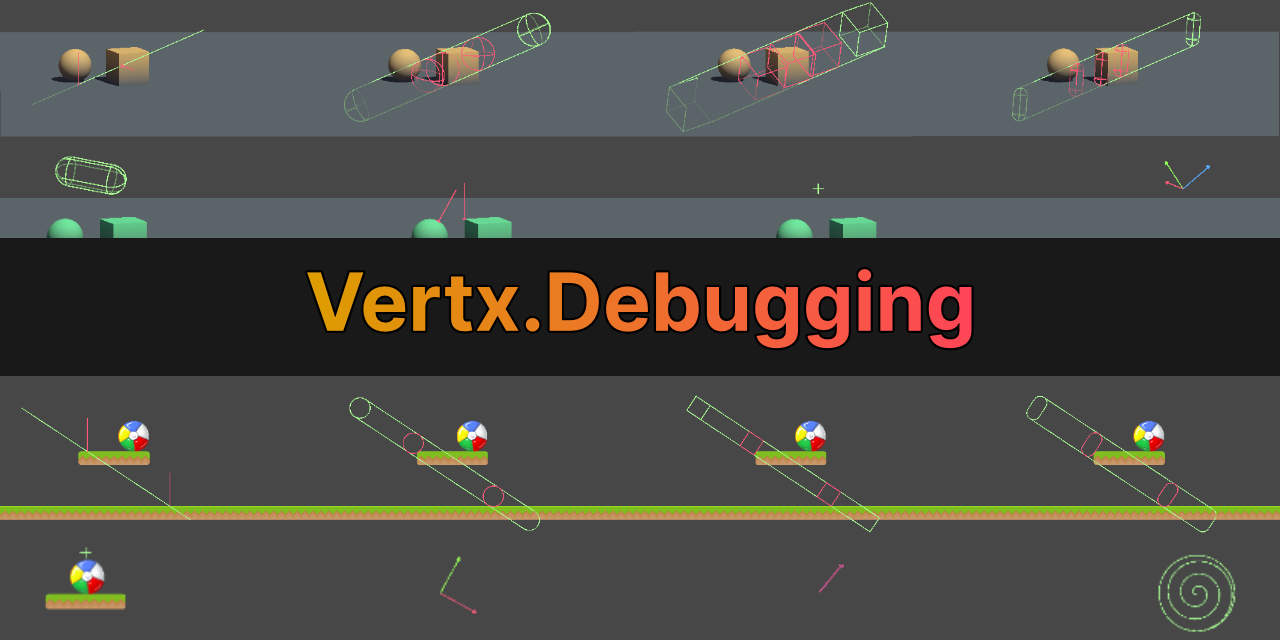
GitHub
Debugging utilities for Unity. Contribute to vertxxyz/Vertx.Debugging development by creating an account on GitHub.
solemn wraith
rich adder
not a point but you can Draw a sphere gizmos or a box
alr thx
 ornate aurora
Hi!
Is there any room for improvement for the performance of SetTiles in 2D top-down tilemaps? I was planning to do my own using something like ECS but I still don't have a plan to render just one quad mesh per chunk (is it necessary for it to be per tile? I don't mind having a flat map if that allows me to see more of it at once) each with its own texture. Is that a possibility. I also plan to perform flood-fill algorithms frequently.
 teal viper
ornate aurora
Hi!
Is there any room for improvement for the performance of SetTiles in 2D top-...
teal viper
ornate aurora
Hi!
Is there any room for improvement for the performance of SetTiles in 2D top-...
Maybe start with profiling your current setup and identifying the bottleneck. Assuming there's a performance issue at all
ornate aurora
Yes I already did that and SetTilesBlock is the bottleneck
teal viper
ornate aurora
Yes I already did that and SetTilesBlock is the bottleneck
Can you share the profiling data that made you come to this conclusion?
ornate aurora
Yes hang on

There's also the get chunk thing but I do have a few ideas to fix that. Even if it was 0, the other calls are still too much
teal viper
ornate aurora
Can you expand it further?

 teal viper
ornate aurora
teal viper
ornate aurora
I mean expand the SetTilesBlock.
The fact that Self Ms is near 0, means that it's not the method itself, but something deeper the hierarchy.
teal viper
Also, I have a feeling like it's the GC that is at fault here. You're allocating a lot of garbage.
teal viper
ornate aurora
I didn't expand it because that's just the method provided by unity
Indeed, but you want to know what exactly in the method is being heavy. Even if it's an engine method.
ornate aurora
 ornate aurora
teal viper
Also, I have a feeling like it's the GC that is at fault here. You're allocating...
ornate aurora
teal viper
Also, I have a feeling like it's the GC that is at fault here. You're allocating...
Is that really that much? And how do I take that down?
teal viper
ornate aurora
Is that really that much? And how do I take that down?
Don't allocate temporary objects, like arrays/lists basically. Use pooling where possible or just cached objects.
teal viper
ornate aurora
Do you have custom tiles? Can you share their code?
ornate aurora
No code for the tiles. I'm using the tilemap only as a renderer. The logic is run manually
teal viper
Hmm... Do you have gameObjects assigned to tiles?
Also, is that in deep profiling mode?
ornate aurora
teal viper
Don't allocate temporary objects, like arrays/lists basically. Use pooling where...
Does the profiler help to pinpoint the function that is doing all of that?
ornate aurora
teal viper
Hmm... Do you have gameObjects assigned to tiles?
Nope
This is my hierarchy, and those overlays are just quads. NearbyOverlays just has a transform
 ornate aurora
teal viper
Also, is that in deep profiling mode?
ornate aurora
teal viper
Also, is that in deep profiling mode?
Yes
teal viper
ornate aurora
Does the profiler help to pinpoint the function that is doing all of that?
Sort of. You can see that there are 1280 calls to GetTileData
teal viper
ornate aurora
Yes
First of all what I'd try is profile a build(with and without deep profiling enabled) and see if the time of that call changes drastically.
ornate aurora
Yes that is because the chunks are 16*16 so the GetTileData is called once per tile
teal viper
Regarding GC, you should be able to see it in the graph breakdown by color. If you don't see it, it should be fine I think.
Lastly, it would help to see your code as well.
ornate aurora
teal viper
Regarding GC, you should be able to see it in the graph breakdown by color. If y...
Switching GC changes nothing in the graph
teal viper
I can't say for sure, but I think unity should be able to handle 1000 tiles assignment with this method relatively easy.

 ornate aurora
teal viper
First of all what I'd try is profile a build(with and without deep profiling ena...
ornate aurora
teal viper
First of all what I'd try is profile a build(with and without deep profiling ena...
I didn't understand this
Without deep profiling it's not going to let me see the time of that particular call, right?
teal viper
ornate aurora
Without deep profiling it's not going to let me see the time of that particular ...
Depends. It should show the top of the engine calls at the very least.
Deep profiling can impact performance heavily as it injects timing queries into the code. Cases where there are hundreds of calls can have a huge impact.
ornate aurora
    public void DrawChunk(int chunkXPosition, int chunkYPosition)
    {
        Cell[,] chunk = abstractBoard.GetChunk(chunkXPosition, chunkYPosition);
        Tile[] tiles = new Tile[chunkSize * chunkSize];
        BoundsInt bounds = new(chunkSize * chunkXPosition, chunkSize * chunkYPosition, 0, chunkSize, chunkSize, 1);

        for (int i = 0; i < chunkSize; i++)
        {
            for (int j = 0; j < chunkSize; j++)
            {
                tiles[chunkSize * j + i] = FindCellType(chunk[i, j]);
            }
        }
        tilemap.SetTilesBlock(bounds, tiles);
    }

    private Tile FindCellType(Cell cell)
    {
        if (debugShowTileProbabilities)
        {
            return tileDebug;
        }
        if (cell.misplacedFlagWhileGameLost)
        {
            return tileMisplacedFlag;
        }
        else if (cell.flagged)
        {
            return tileFlag;
        }
        else if (cell.hidden)
        {
            return tileUnknown;
        }
        else if (cell.exploded)
        {
            return tileExploded;
        }
        else return FindRevealedCellType(cell);
    }

    private Tile FindRevealedCellType(Cell cell)
    {
        return cell.type switch
        {
            Cell.Type.Mine => tileMine,
            Cell.Type.Safe => FindRevealedCellTypeNumber(cell),
            _ => null,
        };
    }

    private Tile FindRevealedCellTypeNumber(Cell cell)
    {
        return cell.adjacentMines switch
        {
            0 => tileEmpty,
            1 => tileNum1,
            2 => tileNum2,
            3 => tileNum3,
            4 => tileNum4,
            5 => tileNum5,
            6 => tileNum6,
            7 => tileNum7,
            8 => tileNum8,
            _ => null,
        };
    }
First of all, I'd cache chunk and tiles, so that you don't need to allocate new arrays for them every update.
ornate aurora
Caching them means having those in the main script and passing them as arguments?
Sorry you meant in the class right?
teal viper
ornate aurora
Caching them means having those in the main script and passing them as arguments...
For example, yes. Basically new keyword is the bad thing here as it allocates a new array. I don't know about chunk though. Are you allocating an array on the other side?
ornate aurora
Yes
    public Cell[,] GetChunk(int chunkXPosition, int chunkYPosition)
    {
        Tuple<int, int> chunk = new(chunkXPosition, chunkYPosition);
        if (!loadedChunks.ContainsKey(chunk))
            {
                ComputeChunk(chunkXPosition, chunkYPosition);
            }
        return loadedChunks[chunk].cells;
    }

    public void ComputeChunk(int chunkXPosition, int chunkYPosition)
    {
        Tuple<int, int> chunkPosition = new(chunkXPosition, chunkYPosition);
        int[,] mines = ComputeMinesInChunk(chunkXPosition, chunkYPosition);
        int[,] numbers = ComputeNumbers(mines);
        Chunk chunk = new()
        {
            x = chunkXPosition,
            y = chunkYPosition,
            cells = new Cell[chunkSize, chunkSize]
        };
        for (int i = 0; i < chunkSize; i++)
        {
            for (int j = 0; j < chunkSize; j++)
            {
                chunk.cells[i, j] = GetCell(i, j, mines, numbers);
            }
        }
        loadedChunks[chunkPosition] = chunk;
    }

    public int[,] ComputeMinesInChunk(int x, int y)
    {
        int[,] output = new int[chunkSize + 2, chunkSize + 2];
        for (int i = -1; i < chunkSize + 1; i++)
        {
            for (int j = -1; j < chunkSize + 1; j++)
            {
                if (boardGenerator.IsMine(chunkSize * x + i, chunkSize * y + j))
                {
                    output[i + 1, j + 1] = 1;
                }
            }
        }
        return output;
    }
Compute numbers is just a convolution (it didn't let me fit it in)
teal viper
Yeah, that's not great.
And what's even worse is it seems like you're doing it every frame?
ornate aurora
Not every frame but 5 times per frame
Right I'll try that
Thanks
Declaring the arrays in the class instead
Right?
wintry quarry
Basically you should use this signature instead
public void ComputeMinesInChunk(int[,] output)```And just have one "buffer" array that you reuse
slender nymph
rocky canyon
spawner script.. editor stuffs
 mystic lark
slender nymph
<https://unity.huh.how/building/editor-assemblies>
mystic lark
slender nymph
<https://unity.huh.how/building/editor-assemblies>
thanks anyway
 plucky copper
Need help with a Physics Dungeon Generation Algorithm
teal elk
public class Spawner : MonoBehaviour
{
public GameObject smallFoodPrefab;
public GameObject mediumFoodPrefab;
public GameObject bigFoodPrefab;
public GameObject collectiblePrefab;
public PathCreator pathCreator;
public int numberOfFoodItems = 10;
public Transform parentTransform;
void Start()
{
SpawnFoodAlongPath();
}
void SpawnFoodAlongPath()
{
int smallFoodCount = 0;
int mediumFoodCount = 0;
for (int i = 0; i < numberOfFoodItems; i++)
{
float t = i / (float)(numberOfFoodItems - 1);
Vector3 position = pathCreator.path.GetPointAtTime(t, EndOfPathInstruction.Loop);
Quaternion rotation = pathCreator.path.GetRotation(t, EndOfPathInstruction.Loop);
rotation = Quaternion.Euler(0, rotation.eulerAngles.y, 0);
GameObject foodPrefab = null;
if (smallFoodCount < 2)
{
foodPrefab = smallFoodPrefab;
smallFoodCount++;
}
else if (mediumFoodCount < 2)
{
foodPrefab = mediumFoodPrefab;
mediumFoodCount++;
smallFoodCount = 0; // Reset small food count after spawning medium food
}
else
{
foodPrefab = bigFoodPrefab;
mediumFoodCount = 0; // Reset medium food count after spawning big food
}
GameObject foodInstance = Instantiate(foodPrefab, position, rotation, parentTransform);
}
// Spawn a collectible at the end of the track
Vector3 endPosition = pathCreator.path.GetPointAtTime(1.0f, EndOfPathInstruction.Stop);
Quaternion endRotation = pathCreator.path.GetRotation(1.0f, EndOfPathInstruction.Stop);
endRotation = Quaternion.Euler(0, endRotation.eulerAngles.y, 0);
Instantiate(collectiblePrefab, endPosition, endRotation, parentTransform);
}
```Could you please help me resolve the issue with the Z-axis rotation of my stars in Unity? Despite following the existing code, the stars are still rotating on the Z-axis, which I don't want. Any guidance would be greatly appreciated! teal elk
```c#
public class Spawner : MonoBehaviour
{
public GameObject smallFoodPref...
teal elk
teal elk
```c#
public class Spawner : MonoBehaviour
{
public GameObject smallFoodPref...
fixed it , it was an issue with the script not updating in unity.
 late burrow
whats the proper way of making variable affect another variable
i have ready list of 100 items, how should i make them bulk affect player stats
slender nymph
what does it mean for a variable to "affect another variable"
rocky canyon
late burrow
i have ready list of 100 items, how should i make them bulk affect player stats
forloop..
listthing[i].variable * otherVariable
late burrow
yeah but thats the thing i dont want to permanently overwrite them
just make use of all the items currently carried
rocky canyon
well don't.. store a default list and modify a different one
theres probably better ways to do that im not sure
late burrow
do i have to include every field in the item class and then make loop for each of them?
rocky canyon
ya, i looked at my stats stuff and i use structs w/ default values and then create new ones in code to be the modified versions
but i think u can use Scriptable objects too..
late burrow
like using ints on them would require huge block of data in them
item.add("katana", "20str");
item.add("glasses", "10int");
item.add("shield", "100hp/10def");```or perhaps i could make interface for the stat which takes base stat + all the stats from present items
that will work for adding and substracting, what with multiplying and dividing though?
i cant store that in int
rocky canyon
oh true.. use a scaling system lol
late burrow
how do i enter parameters for functions in different order?
they have setup default parameters so they not requirement
 verbal dome
slender nymph
late burrow
verbal dome
slender nymph
late burrow
ok i forgot i add through function not constructor so it didnt highlighted
teal viper
late burrow
that will work for adding and substracting, what with multiplying and dividing t...
If items that modify character stats are core functionality in your game, I'd make the items as separate objects with separate item class, that can have a list of Effects. The effects would be what adds to the character stats. Each time an item is equipped/unequipped or a temporary effect ends, just loop the relevant effects and +=/-= to the character stats
cosmic gorge
does anyone know why im gettin this error with this part of my code??
 eternal falconBOT
Posting code
📃 Large Code Blocks
Use links to services like:
https://paste.mod.gg/, https://hastebin.skyra.pw/, https://paste.ofcode.org/, https://paste.myst.rs/, https://scriptbin.xyz/
📃 Inline Code
Surround code with three backquotes. Not quotation marks.
To format as C#, add cs to the first line:
```cs
// Your code here
```
Add a comment with a line number if there is an error message.
cosmic gorge
cosmic gorge
does anyone know why im gettin this error with this part of my code??
sorry im trying to put my code
im kinda stupid lol
slender nymph
you probably want to compare either the magnitude of the vector or only one axis of it to an int since you cannot compare the entire vector2 to an int
cosmic gorge
cosmic gorge
sorry im trying to put my code
// void inputManagement()
    {
        float moveX = Input.GetAxisRaw("Horizontal");
        float moveY = Input.GetAxisRaw("Vertical");

        moveDir = new Vector2(moveX, moveY).normalized;

        if(moveDir != 0)
        {
            lastHorizontalVector = moveDir.x;
        }

        if(moveDir != 0)
        {
            lastVerticalVector = moveDir.y;
        }
    }
there we go
that took an unnecessary amount of time to figure out
 north kiln
you're comparing a vector to an int, do you want to check if it's magnitude is/isn't approximately 0?
cosmic gorge
north kiln
you're comparing a vector to an int, do you want to check if it's magnitude is/i...
yes
north kiln
if (!Mathf.Approximately(moveDir.sqrMagnitude, 0))
north kiln
you can use .magnitude if you'd like
I say approximately 0, because floating point equality is inherently a dangerous thing. 0.000001 is not 0, so using equality is generally something you should avoid with floats
cosmic gorge
just looked up what magnitude is, sorry i'm not tying to find that
my bad
i'm just trying to make it to where my player faces left and right when a/d + w is pressed
i think
im following a tutorial and im trying really hard to intake information but its kinda difficult lol
slender nymph
so you probably want to compare the individual axes of the vector2 rather than its magnitude. that would make more sense considering you have two separate if statements
look more closely at what the tutorial has
cosmic gorge
slender nymph
look more closely at what the tutorial has
alr
slender nymph
although using Mathf.Approximately would be better than !=
north kiln
In the screenshot you can see it used .x and .y in the two if statements, unlike your code above
cosmic gorge
north kiln
In the screenshot you can see it used `.x` and `.y` in the two if statements, un...
ohhhhh
ok i fixed it
tysm lol
so i think i just need to pay attention better
im gonna rewatch that part and try and understand what the tutorial is saying when im done writing this script
north kiln
Imo if you're not understanding something then you shouldn't be copying it. Obviously you don't need to deep dive and understand everything, but at the very least it the concept needs to make sense in relation to the code you write
cosmic gorge
north kiln
Imo if you're not understanding something then you shouldn't be copying it. Obvi...
i understand the general concept of it, this script flips the player when a or d is pressed with w or s, i'm just trying to intake what all the operators and keywords do so i can remember those for the future
i know that != means not equal to, i know how to make if statements, and i know how to make functions
im just trying to understand the littler parts
north kiln
your original code asked:
(x, y) != 0
Which is the part you had to understand to reason what it should be doing instead
hard lodge
!code
eternal falconBOT
Posting code
📃 Large Code Blocks
Use links to services like:
https://paste.mod.gg/, https://hastebin.skyra.pw/, https://paste.ofcode.org/, https://paste.myst.rs/, https://scriptbin.xyz/
📃 Inline Code
Surround code with three backquotes. Not quotation marks.
To format as C#, add cs to the first line:
```cs
// Your code here
```
Add a comment with a line number if there is an error message.
 tiny wind
anyone know how to fix this? the slash only goes on one direction
 private void Slash()
 {
    slashes[0].transform.position = slashPoint.position;
    slashes[0].GetComponent<Projectile>().SetDirection(Mathf.Sign(transform.localScale.x));
    cooldownTimer = 0;
 }
this is the code that summons it
astral falcon
tiny wind
```cs
private void Slash()
{
slashes[0].transform.position = slashPoint.po...
Are you sure, you are taking the correct transform as source?
tiny wind
astral falcon
Are you sure, you are taking the correct transform as source?
nvm no, I was not
i was getting the transform component of the child object, not the parent's
ok sso new questiion, how do I get a component of another object to put in the code?
 scarlet shuttle
tiny wind
ok sso new questiion, how do I get a component of another object to put in the c...
scarlet shuttle
tiny wind
ok sso new questiion, how do I get a component of another object to put in the c...
If it’s part of the same prefab you could just drop it into the scripts public variables in the editor, otherwise just the same way of .GetComponent
tiny wind
Its part of the same prefab, could you please explain how?
scarlet shuttle
tiny wind
anyone know how to fix this? the slash only goes on one direction
In the same way you drop in the slash point on the attack script in this video
Define a public variable in the relevant script, it then appears in the inspector when you click the object that has that script attached
You can then drag the object/component/whatever type you want as long as it matches the type you defined in the script into that slot in the inspector
echo ruin
tiny wind
i was getting the transform component of the child object, not the parent's
Make a public reference in the script and drag and drop the object into it
 tough plinth
Hey everyone, got a small problem with ParticleSystem, when I was writing scripts:
So it says 1st one is depricated, so it's not recommended to use. So I tried to use with main, but it keep asking me for variable.
Is it okay to stay with 1st option for now because adding stuff like var main and etc. Is kinda out of beginnerc course?

And how can I change the second option?
north kiln
tough plinth
And how can I change the second option?
Just assign main to a variable and modify that instead of trying to modify it on one line
tiny wind
echo ruin
Make a public reference in the script and drag and drop the object into it
it worked, thanks yall
tough plinth
Looking on that screenshot,
using ParticleSystem ps means telling code that ps means ParticleSystem?
And we use var to identify that main is a variable?

Thanks in advance
 tough tartan
Can u guys help me make it so when the enemy touches u, player loses 20 hp
This breaks all
the code aint workin
timber tide
tough plinth
Looking on that screenshot,
using ``ParticleSystem ps`` means telling code that...
var is for lazy developers and shouldnt be used inside of tutorials
but I can understand where they're coming from since dealing with the particle system is arse
The type is ParticleSystem.MainModule that you're getting back from it, but the dev typing the tutorial didn't want to type out the type so var is a shortcut. Basically you're saying hey compiler figure out the type for me thanks
north kiln
The C# convention is to use var when the type can be inferred from what's being assigned, so even in that context it has a place
 spiral glen
If I were to make an upgrade system for something like a rogue like after you beat a level, should I seperate the gameplay and upgrade scene into two different scenes in unity or would it be better to just keep it all on one scene?
north kiln
But here it's not inferred so specify away!
Scenes just act as quick ways to bulk unload/load content. You can do it by destroying and instancing objects plainly too
Whatever works for you, basically
spiral glen
Which would be more simple for a beginner?
north kiln
A persistent management scene would enforce certain things that would avoid basic referencing mistakes in the short term
Neither is easier ultimately
spiral glen
I'll just try to use a different scene then
timber tide
If you're doing a level by level design it probably be easier to do multiple scenes
just because of the ability to deload everything
Otherwise you're making some management system that's to handle destroying each and one of those objects
spiral glen
I'm planning on making generated levels
then just replaying it with different enemies
and backgrounds etc
when i get to the art side of it
currently I'm just trying to plan out the upgrade scene itself
 sterile path
so for the code
i originally referenced the 2 game objects and tried to enable and disable them through the event system in the XR event thing but couldn’t get anything to work, this is what chatgpt gave me :
 queen adder
using UnityEngine;
using UnityEngine.XR.Interaction.Toolkit;
public class OpenCloseTest : MonoBehaviour
{
public GameObject closedBook; // Closed book model
public GameObject openBook; // Open book model
private XRGrabInteractable grabInteractable;
private bool isOpen = false; // Tracks the state of the book (open or closed)

private void Start()
{
    grabInteractable = GetComponent<XRGrabInteractable>();

    // Ensure the models are set correctly at the start
    closedBook.SetActive(true);
    openBook.SetActive(false);
}

private void Update()
{
    // Check if the trigger is pressed (while holding the object)
    if (grabInteractable.isSelected)
    {
        if (Input.GetButtonDown("Fire1")) // Change "Fire1" to the relevant input for the trigger
        {
            // Toggle the models based on the trigger press
            isOpen = !isOpen;

            // Enable/Disable models based on the current state
            closedBook.SetActive(!isOpen);  // If the book is open, close it
            openBook.SetActive(isOpen);     // If the book is closed, open it
        }
    }
}
}
sterile path
queen adder
using UnityEngine;
using UnityEngine.XR.Interaction.Toolkit;
public class OpenC...
this,
 languid spire
!code. Use a paste site
eternal falconBOT
Posting code
📃 Large Code Blocks
Use links to services like:
https://paste.mod.gg/, https://hastebin.skyra.pw/, https://paste.ofcode.org/, https://paste.myst.rs/, https://scriptbin.xyz/
📃 Inline Code
Surround code with three backquotes. Not quotation marks.
To format as C#, add cs to the first line:
```cs
// Your code here
```
Add a comment with a line number if there is an error message.
queen adder
using UnityEngine.XR.Interaction.Toolkit;

public class OpenCloseTest : MonoBehaviour
{
    public GameObject closedBook; // Closed book model
    public GameObject openBook;   // Open book model

    private XRGrabInteractable grabInteractable;
    private bool isOpen = false; // Tracks the state of the book (open or closed)

    private void Start()
    {
        grabInteractable = GetComponent<XRGrabInteractable>();

        // Ensure the models are set correctly at the start
        closedBook.SetActive(true);
        openBook.SetActive(false);
    }

    private void Update()
    {
        // Check if the trigger is pressed (while holding the object)
        if (grabInteractable.isSelected)
        {
            if (Input.GetButtonDown("Fire1")) // Change "Fire1" to the relevant input for the trigger
            {
                // Toggle the models based on the trigger press
                isOpen = !isOpen;

                // Enable/Disable models based on the current state
                closedBook.SetActive(!isOpen);  // If the book is open, close it
                openBook.SetActive(isOpen);     // If the book is closed, open it
            }
        }
    }
}
this is the code
sterile path
i tried the OnTrigger function too and no result
sterile path
queen adder
this is the code
this is my alt btw
languid spire
As a general rule we do not help with AI generated code. But that looks ok, try adding some debugging to see what is happening
sterile path
debugging to check if the trigger buttons work or wdym
languid spire
sterile path
this is my alt btw
btw, your alt needs to know what a 'use a paste site' means
languid spire
then you should be paying more attention not less
languid spire
also post a screenshot of your hierarchy for the book and the inspector of this script on the object
sterile path
bet one sec
queen adder
 burnt vapor
sterile path
i originally referenced the 2 game objects and tried to enable and disable them ...
burnt vapor
sterile path
i originally referenced the 2 game objects and tried to enable and disable them ...
Then learn to write it yourself instead of relying on ChatGPT to do it
Why would we help you when you have no clue how to write code? We're not going to spoonfeed your whole game
sterile path
burnt vapor
Then learn to write it yourself instead of relying on ChatGPT to do it
no i tried that first but didn’t end up w a good result
languid spire
queen adder
there is your problem.
I told you to use the following
Book
Book Closed
Book Open
burnt vapor
Then share what you tried. People are more likely to help somebody who actually put effort into it
sterile path
languid spire
there is your problem.
I told you to use the following
Book
Book Closed
Bo...
ohhh so the “book” should be the parent of the 2 children (open) and (close)
languid spire
yes
sterile path
thanks i’ll try that
the script should go onto the main parent too, lemme fix all this
should both books have their own hit boxes, XR grab scrips or should the open book only have that since it’ll be the base
languid spire
all the stuff you need should be on Book. Book Open and Book Closed should just be the models
just shows you how bad GPT is. This
public GameObject closedBook; // Closed book model
    public GameObject openBook;   // Open book model

    private XRGrabInteractable grabInteractable;
makes no sense. why are 2 public and 1 private?
sterile path
Yeah i think i’ll write the code myself from now on, chapgpt never really got me anywhere and i don’t think it’ll ever get my anywhere
languid spire
good plan
sterile path
yup
sterile path
burnt vapor
Then share what you tried. People are more likely to help somebody who actually ...
i should’ve taken more consideration w my original work too, i’ll start from scratch to refresh everything, thank you Steve and FusedQyou for the help
 hot laurel
languid spire
just shows you how bad GPT is. This
```cs
public GameObject closedBook; // Close...
hot laurel
languid spire
just shows you how bad GPT is. This
```cs
public GameObject closedBook; // Close...
it marked them like that because 2 first are supposed to be assigned from inspector, and the 3rd is assigned in Start so its not exposed as public
Its a tool, use it wise, dont rely on it
sterile path
noted
burnt vapor
sterile path
i should’ve taken more consideration w my original work too, i’ll start from scr...
Feel free to make an attempt and share it in here. People are happy to help
sterile path
will do
languid spire
hot laurel
it marked them like that because 2 first are supposed to be assigned from inspec...
all 3 should be private serialized properties and assigned in the inspector
sterile path
just a quick question, when accessing the trigger buttons for my controller, should i use an Ontrigger function or should i rely on the XR interaction’s event system thing
cuz those r the 2 ways i see it working but idk which is more reliable
languid spire
sterile path
just a quick question, when accessing the trigger buttons for my controller, sho...
OnTrigger has nothing to do with your controller
sterile path
oh alright
wait so how i see this is if it weren’t in VR and if i wanted to press a specific key for this to happen, it’d work like:
OnMouseDown()
closedBook.gameObject.Setactive(false)
and i’d do the same for the open but but set it to true
in vr i have to specify when it’s being grabbed, and i have to access the controller’s trigger, so im assuming thats the “Activated” event
i’m slowly figuring this out hold up
tiny wind
Hi
I'm trying to make these specific tiles act both as a Ground and Wall because I have specific animations for each state
private bool IsGrounded()
{
    RaycastHit2D raycastHit = Physics2D.BoxCast(boxCollider.bounds.center, boxCollider.bounds.size, 0, Vector2.down, 0.1f, groundLayer);
    return raycastHit.collider != null;
}
private bool OnWall()
{
    RaycastHit2D raycastHit = Physics2D.BoxCast(boxCollider.bounds.center, boxCollider.bounds.size, 0, new Vector2(transform.localScale.x, 0), 0.1f, wallLayer);
    return raycastHit.collider != null;
}
these are the codes I use to determine if its Grounded or Wall

Anyone know how I might be able to ndo that?
solemn wraith
Hey, I have this code: ```cs
Vector3 pointA = transform.position + givenVelocity;
but the issue with it is that pointA is calculated w givenVelocity in global space, but I really want to get the same output as `transform.Translate(givenVelocity)`
without moving the transform. Anyone know how? crimson fern
solemn wraith
Hey, I have this code: ```cs
Vector3 pointA = transform.position + givenVelocity...
crimson fern
solemn wraith
Hey, I have this code: ```cs
Vector3 pointA = transform.position + givenVelocity...
Basically you want to know the velocity relative to the other transform?
 warm rock
https://paste.mod.gg/icpxstncilmx/0 why doesnt it update and just 1 debug message
A tool for sharing your source code with the world!
crimson fern
solemn wraith
Hey, I have this code: ```cs
Vector3 pointA = transform.position + givenVelocity...
You might want something like
transform.InverseTransformDirection(source);
languid spire
warm rock
https://paste.mod.gg/icpxstncilmx/0 why doesnt it update and just 1 debug messag...
screenshot your complete console window
warm rock
okay give me a min to boot thing up
crimson fern
warm rock
https://paste.mod.gg/icpxstncilmx/0 why doesnt it update and just 1 debug messag...
Do you only have this script on one game object in your scene?
Cause it will debug for each one
warm rock
A tool for sharing your source code with the world!
warm rock
crimson fern
Do you only have this script on one game object in your scene?
i have it on my player object
languid spire
why share the same code again?
crimson fern
Some more detail would be useful. Can you share console logs + screenshots of your hierarchy
 warm rock
wdym? its a laptop
warm rock
languid spire
you have error pause switched on
what do u mean? or what does it mean... im new
languid spire
look at your screen, it's in pause mode
languid spire
it wont do anything if it's paused
warm rock
nvm
obsidian plaza
yea lol ur paused 2x
crimson fern
Did you put it back in play?
warm rock
ye
crimson fern
Sick, still getting the problem?
warm rock
ty
warm rock
crimson fern
Sick, still getting the problem?
no, i just stupid cuz i have it paused... maybe a new tint would be good
crimson fern
It's ok it happens. I get tripped up by unity UI all the time too
warm rock
1 question, what is that error... so i can ask in a certain channel
is it Unity related? or URP and Post-processing
languid spire
Thsts an internal Unity error, difficult to say where from without a stack trace
warm rock
so i should ask in #💻┃unity-talk ... ok
languid spire
select the error and show the stack trace here
warm rock
UnityEngine.GUIUtility:ProcessEvent (int,intptr,bool&)```that is not the stack trace
warm rock
what is stack trace
languid spire
the bit that appears at the bottom of the console window when you select an error
warm rock
thats it
languid spire
ok, so it says PostFX so it's going to be PostProcessing releated
 obsidian plaza
u cant scroll down there? just curious
warm rock
obsidian plaza
u cant scroll down there? just curious
thats all the error
normal glacier
what are the links to send for help again
languid spire
obsidian plaza
normal glacier
what are the links to send for help again
wdym
warm rock
teal viper
Does this error reappear every time? When does it appear?
never disappears
warm rock
obsidian plaza
wdym
he meant !code
eternal falconBOT
Posting code
📃 Large Code Blocks
Use links to services like:
https://paste.mod.gg/, https://hastebin.skyra.pw/, https://paste.ofcode.org/, https://paste.myst.rs/, https://scriptbin.xyz/
📃 Inline Code
Surround code with three backquotes. Not quotation marks.
To format as C#, add cs to the first line:
```cs
// Your code here
```
Add a comment with a line number if there is an error message.
 normal glacier
warm rock
he meant !code
normal glacier
warm rock
he meant !code
is there a way to send longer videos here
 cinder schooner
normal glacier
is there a way to send longer videos here
cinder schooner
normal glacier
is there a way to send longer videos here
try streamable, but that also limits you to 250 mb
 crisp eagle
I wrote this code
crisp eagle
crisp eagle
I wrote this code
and it supposed to rotate my object by the set amounts
cinder schooner
make sure to check the rules before posting
obsidian plaza
please say it in one message lol
crisp eagle
ok
languid spire
crisp eagle
and does not do what I want
type in full sentences if you expect help
obsidian plaza
why have I never used .Rotate
warm rock
normal glacier
is there a way to send longer videos here
idk
normal glacier
I want to figure out why my play button doesn't fire the Play function when it is clicked. The other functions inside GameManager works fine, I've tested them, but the Play isn't getting called. I wonder if there is some set up I'm missing?
Code for GameManager: https://paste.mod.gg/rexamkmigdcd/0
A tool for sharing your source code with the world!
crimson fern
crisp eagle
It be like that sometimes
crisp eagle
crisp eagle
When I use the code, instead of setting the rotation to the set values, it changes the value of several axes which is not what I want


 cosmic dagger
normal glacier
I want to figure out why my play button doesn't fire the Play function when it i...
cosmic dagger
normal glacier
I want to figure out why my play button doesn't fire the Play function when it i...
You have it on a 3d GameObject with a sprite renderer instead of a UI GameObject on a canvas . . .
crisp eagle
crisp eagle
When I use the code, instead of setting the rotation to the set values, it chang...
the transform values initially, and then with each of the 3 options
All I want to do is for it to set the X rotation to 0, 90 and 180 for each option
tiny wind
tiny wind
Hi
I'm trying to make these specific tiles act both as a Ground and Wall because...
Re-asking cuz it got burried lol
crimson fern
crisp eagle
the transform values initially, and then with each of the 3 options
I think you just need to set the rotation directly
With localRotation = for example
normal glacier
cosmic dagger
You have it on a 3d GameObject with a sprite renderer instead of a UI GameObject...
._.) I'll throw myself to the sea. thx
obsidian plaza
yeah i think so too
i dont really know about .Rotate but i did some research and it seemed funky
crisp eagle
crimson fern
With localRotation = for example
And then quaternion.euler? tried, same results
obsidian plaza
i think its doing world space maybe
crimson fern
Yeah exactly
cosmic dagger
normal glacier
._.) I'll throw myself to the sea. thx
Tie a string around you to pull yourself back out . . .
crimson fern
crisp eagle
And then quaternion.euler? tried, same results
Can I see how you did that? I think that's how it should be done.
crisp eagle
ok it may be doing global, but then why does it change 2 axes when I clearly only change one of the axes? it goes like 0 0 0 to 0 0 90 and then suddenly 180 0 180 or smth
crisp eagle
crimson fern
Can I see how you did that? I think that's how it should be done.
Hold on I will do it
obsidian plaza
tiny wind
Hi
I'm trying to make these specific tiles act both as a Ground and Wall because...
why not call both functions i dont get it
crimson fern
No idea, I've only ever done this by the Euler angles
obsidian plaza
same
cosmic dagger
crisp eagle
This looks correct. For case 1, log the localRotation before and after calling Rotate to see if the value changed correctly . . .
Also, you don't need to call Rotate for case 0 since it's not rotating at all . . .
crisp eagle
cosmic dagger
Also, you don't need to call `Rotate` for case 0 since it's not rotating at all ...
it was not intially 0, changed it to that for debugging
crisp eagle
crisp eagle
When I use the code, instead of setting the rotation to the set values, it chang...
@cosmic daggerthese are the values
tiny wind
obsidian plaza
why not call both functions i dont get it
what do you mean by call both functions?
cosmic dagger
crisp eagle
<@134945562473529344>these are the values
Are they the same values when logged? I ask because the values shown by the inspector don't always reflect the actual values of the object’s rotation . . .
obsidian plaza
were u rotating wrong axis
crisp eagle
had a 90 degree rotation on the z axis which I was setting to 0 every time
Because I wanted to rotate along the X axis
I forgot I am zero-ing the Z axis too
obsidian plaza
tiny wind
what do you mean by call both functions?
idk maybe im just misunderstanding
 red mason
hey i just started coding in unity yesterday and im following a guide on the basics where im making flappy bird, but i have no idea how to make the pipes move faster because right now they are slow as hell and changing the moveSpeed variable(even changing it to 50) doesnt do anything to speed it up. theres also no mention of speed in the pipe spawner. can someone help please?
abstract copper
So I'm trying to use a gamepad in my game all works fine besides the roatation, my player wont rotate at all when I use the right stick which I set as the action for looking for gamepads in the PlayerInput thingy.
obsidian plaza
red mason
hey i just started coding in unity yesterday and im following a guide on the bas...
post the tutorial and link to the pipe part and post your code please?
red mason
this is the video: https://www.youtube.com/watch?v=XtQMytORBmM
this is my pipe move script: https://pastebin.com/wgKPLwkR
this is my pipe spawner script: https://pastebin.com/MfeBhf10

🔴 Get bonus content by supporting Game Maker’s Toolkit - https://gamemakerstoolkit.com/support/ 🔴
Unity is an amazingly powerful game engine - but it can be hard to learn. Especially if you find tutorials hard to follow and prefer to learn by doing. If that sounds like you then this tutorial will get you acquainted with the basics - and then gi...
Pastebin
Pastebin.com is the number one paste tool since 2002. Pastebin is a website where you can store text online for a set period of time.
Pastebin
Pastebin.com is the number one paste tool since 2002. Pastebin is a website where you can store text online for a set period of time.
obsidian plaza
red mason
this is the video: https://www.youtube.com/watch?v=XtQMytORBmM
this is my pipe m...
ah think i got it
transform.position = transform.position + (Vector3.left * moveSpeed) * Time.deltaTime;
or maybe not
ivory bobcat
red mason
hey i just started coding in unity yesterday and im following a guide on the bas...
Where did you change the move speed? In code or the inspector?
red mason
code
obsidian plaza
try: transform.position += (Vector3.left * moveSpeed) * Time.deltaTime;
maybe thats the same thing
but it helps me brain
red mason
im also kinda confused cause pipe move isnt a game object in unity and i cant find it in pipe spawner or anything
so idk what its actually doing rn
ivory bobcat
Make sure to change the inspector values as the code were only the default values. The speed for instances do not change if they're created as prefabs or added to the scene already.
obsidian plaza
red mason
im also kinda confused cause pipe move isnt a game object in unity and i cant fi...
are pipes a prefab and the pipemove script is on the prefab?
red mason
oh yeahh
pipe move is on the pipe prefavv
yep ty theyre faster when i change in unity
obsidian plaza
red mason
yep ty theyre faster when i change in unity
change public float moveSpeed = 7; to public float moveSpeed;
just cause y have it in code if u want to change in unity u know
red mason
ok tyty
obsidian plaza
obsidian plaza
try: transform.position += (Vector3.left * moveSpeed) * Time.deltaTime;
id also suggest learning to write like this instead of whatever that line was
because that way you don't need to go through your math and make sure ur doing PEMDAS correctly
glad its working though
ivory bobcat
You should actually multiply the floats together rather than each with the vector 3
red mason
yeah also do you need to save the script every time for unity to recognise it because every time i save it takes like 10 seconds to get ready then another 10 to actually run the game when i press run
obsidian plaza
red mason
yeah also do you need to save the script every time for unity to recognise it be...
yes
red mason
ahk
obsidian plaza
ivory bobcat
You should actually multiply the floats together rather than each with the vecto...
wdym
ivory bobcat
ivory bobcat
 obsidian plaza
yea i saw that
ivory bobcat
A vector has 3 floats so each would do three times as computation and probably take up a bit more memory on the stack temporarily
obsidian plaza
gotchu
abstract copper
abstract copper
So I'm trying to use a gamepad in my game all works fine besides the roatation, ...
Anyone able to help
ivory bobcat
abstract copper
Anyone able to help
Is the look action value correct and the expected value? Is the value really the mouse position on screen?
abstract copper
ivory bobcat
Is the look action value correct and the expected value? Is the value really the...
Uh not sure how it works with the gamepad what it returns
Like if its the position on screen or what
ivory bobcat
Why would you feed it to the camera function for converting from screen to world point then? Log it if you aren't sure.
If it's some normalized value.. then it's definitely incorrect
It needs to be the pointer position from screen space if you're to use the camera conversion function
 normal valve
How can I get VehicleUI Class variables to show as a sub-dropdown in my Array, similar to PlayerSlot?
[System.Serializable]
private class PlayerSlot
{
    [System.Serializable]
    private class VehicleLobbyUI : MonoBehaviour
    {
        [SerializeField] private TextMeshProUGUI vehicleName;
        [SerializeField] private TextMeshProUGUI vehicleType;
        [SerializeField] private Image firepowerImage;
        [SerializeField] private Image mobilityImage;
        [SerializeField] private Image defenceImage;
        [SerializeField] private Image VehicleImage;
    }

    [SerializeField] private GameObject parent;
    [SerializeField] private TextMeshProUGUI playerNameTitle;
    [SerializeField] private GameObject readyGameObject;
    [SerializeField] private VehicleLobbyUI vehicleUI;


    public bool IsFree() => !parent.activeInHierarchy;

    public void Show(string playerName)
    {
        playerNameTitle.text = playerName;
        parent.SetActive(true);
    }

    public void Hide()
    {
        playerNameTitle.text = string.Empty;
        parent.SetActive(false);
    }

    public void SetReady(bool isReady) => readyGameObject.SetActive(isReady);
}
 normal valve
I can't - It's a class of different objects. I assume it can't show nested class 😦
ivory bobcat
normal valve
How can I get `VehicleUI` Class variables to show as a sub-dropdown in my Array,...
Is vehicle ui some sort of struct or non component object?
timber tide
oh wait right it's not being instantied
what
ohh
you have it as a nested monobehaviour
remove that
er, but you have mono components on it ah nm it's just assets
 fossil tree
hello i'm a beginner in object-oriented programming and i tried to made an enemy class, i wanna know how to make for made an object in my monobehavior class i try to do like this Enemy trainingDummy = gameObject.AddComponent<Enemy>(); and if i do the "basic method" like Enemy trainingDummy = new enemy(); that put me an error help
wintry quarry
fossil tree
hello i'm a beginner in object-oriented programming and i tried to made an enemy...
If you want to spawn things in at runtime you should be using prefabs and Instantiate
This has nothing to do with object oriented programming really, it's a Unity thing
fossil tree
wintry quarry
If you want to spawn things in at runtime you should be using prefabs and Instan...
i dont want i juste want my dummy use the method and anything in my class enemy
wintry quarry
That doesn't make sense
You need an object to call methods on
Does the dummy already have the Enemy component on it?
fossil tree
yes and i try to make an object called trainingDummy
fossil tree
wintry quarry
Does the dummy already have the Enemy component on it?
enemy is a class
naive pawn
is Enemy a MonoBehaviour?
cosmic quail
fossil tree
enemy is a class
remove monobehaviour from enemy, then you can do "new enemy"
warm field
time to learn coding using learn.unity
fossil tree
cosmic quail
remove monobehaviour from enemy, then you can do "new enemy"
but i use monobehavior thing if i remove it nothing work anymore
naive pawn
warm field
time to learn coding using learn.unity
please stop spamming that
naive pawn
anything that's a MonoBehaviour is managed by unity, so you shouldn't use new with it
you should instead tell unity to make it for you, with Instantiate or AddComponent
fossil tree
so i need to instanciate my dummy but how i make it an object of enemy ?
fossil tree
he has hp and method
naive pawn
you can't make Enemy on its own
it's a component, it needs to live on a gameobject
warm field
naive pawn
please stop spamming that
oh, sorry
naive pawn
you might want to make a prefab (or multiple prefabs, for multiple kinds of enemies) that has Enemy and then Instantiate that prefab
fossil tree
naive pawn
you can't make `Enemy` on its own
it's a component, it needs to live on a gameob...
yes i put the script enemy on my gameobject training dummy
 final kestrel
Hi! I'm messing with the Vector methods. This is my script that is responsible for rotating both my player on (y) and my player camera child object on (x). The angle datas I get from here.
My player turns to lookTarget just fine but my camera is turning up and away from the target. What am I doing wrong here?
fossil tree
sry if im lost first time i trying to do something like this and im french so i dont have the best english xd
cosmic quail
fossil tree
yes i put the script enemy on my gameobject training dummy
why were you trying to instantiate a new enemy then? if it already exists
naive pawn
@fossil tree what exactly are you trying to do?
are you trying to create a new kind of enemy?
fossil tree
cosmic quail
why were you trying to instantiate a new enemy then? if it already exists
i dont want to instantiate it i wana make it an object of enemy
fossil tree
naive pawn
<@546032815020572692> what exactly are you trying to do?
are you trying to creat...
just make my gameobject script can be an object of enemy class
naive pawn
i honestly have no idea what you mean by that
what do you mean by "gameobject script", or "object of enemy"?
cosmic quail
fossil tree
just make my gameobject script can be an object of enemy class
can you show your code maybe so we can see what you're trying to do?
naive pawn
seems like you're confusing quite a few ideas here
polar acorn
fossil tree
i dont want to instantiate it i wana make it an object of enemy
Care to explain what you think the difference between those is?