#💻┃code-beginner
1 messages · Page 517 of 1
 devout flume
 teal viper
I'd like to see a game engine without a garbage collector or a similar system.
devout flume
But this probablt involves at least an O(n) time complexity, alongside other factors that consume unnecessarily
devout flume
teal viper
I'd like to see a game engine without a garbage collector or a similar system.
The audience it would reach may not be as high as planned because fewer people know how to do proper memory management
It would be addressed to advanced programmers, or even studios
Which in terms mean they would need to charge a lot of money for it to be sustainable
teal viper
It's not as much about "knowing" how to manage memory. Some complex systems simply can't function without sort of a garbage collector.
 timber tide
people actually destroy their objects?
devout flume
I agree, it would be great to have an option to fully manage memory
 silk night
Biggest problem for unity is that GC isnt generational
 night raptor
One nice thing about cargabe collector is that the workload can be divided between multiple frames which unitys garbage collector does so you don't need to worry that much about performance even if you dispose of large amount of data at once
 languid spire
Even more important, the vast majority of programmers are totally incompetent and so systems like garbage collection are a requirement to protect their users from crappy code
 sleek marten
I've got a few scenes that are identical except for the types of enemy waves that are spawned. I know I can have all this data be in one scene but I'm not sure what method to use. For this type of data loading, would that be done with scriptable objects?
languid spire
sleek marten
I've got a few scenes that are identical except for the types of enemy waves tha...
yes, that is exactly what you should be using
night raptor
devout flume
But this probablt involves at least an O(n) time complexity, alongside other fac...
relative to what? surely not relative to *heap size?
relative to the amount of objects in the heap would sound reasonable though
 red harbor
Hi everyone! I’m a beginner working with prefabs, and I’m running into some issues with maintaining references in my Unity project. I have a car prefab that I spawn at runtime, and it needs to be assigned to the camera, but the reference to the car is lost every time I spawn it. Right now, I’m using FindObjectWithTag in Update() to re-assign it to the camera, but I know this might not be the best approach. The car also has button references for touchscreen movement (forward and backward), and because it’s a prefab, these references in the inspector are empty. I know I could assign them with a script, but it seems like it could get overly complex. Is there a recommended way to handle these references efficiently without a large script? Thanks!
 rich adder
red harbor
Hi everyone! I’m a beginner working with prefabs, and I’m running into some issu...
rich adder
red harbor
Hi everyone! I’m a beginner working with prefabs, and I’m running into some issu...
FindObjectWithTag in Update is not good. You have to assign it when you spawn it
whatever is in the scene already had reference to camera, when you spawn you pass the reference
night raptor
red harbor
Hi everyone! I’m a beginner working with prefabs, and I’m running into some issu...
What you mean by reference getting lost on spawn? Instantiate returns the instantiated object, why not use that?
 cosmic quail
night raptor
What you mean by reference getting lost on spawn? Instantiate returns the instan...
cosmic quail
night raptor
What you mean by reference getting lost on spawn? Instantiate returns the instan...
he means references on the script that is on the instantiated object i think
 zealous atlas
red harbor
Hi everyone! I’m a beginner working with prefabs, and I’m running into some issu...
zealous atlas
red harbor
Hi everyone! I’m a beginner working with prefabs, and I’m running into some issu...
In your code block where you have Instantiate(prefab,location,rotation)
Make it GameObject newReference = Instantiate(prefab,location,rotation)
Then where ever you need that reference for your game you just use
NeedReference = newReference.
night raptor
cosmic quail
he means references on the script that is on the instantiated object i think
Doesn't sounds like that's what they mean
red harbor
Let me explain like this, for example, there are ui buttons which i use to move the car forward ,backward , left and right. All these buttons are assigned to player movement script which is on the car. As i am making a multiplayer game, i need to make prefab of this car and spawn it when player starts the match. So i made a prefab of this car . And when the match starts and the car spawns, all the buttons which i assigned are going away, like its showing none in the inspector. I dont want them gone...
 slender nymph
red harbor
Let me explain like this, for example, there are ui buttons which i use to move ...
slender nymph
red harbor
Let me explain like this, for example, there are ui buttons which i use to move ...
pass the reference when the object is spawned https://unity.huh.how/references/simple-dependency-injection
rich adder
. As i am making a multiplayer game
oh lord..sure hope you mean same screen multiplayer..
red harbor
Its online multiplayer
 polar acorn
You should probably not start with that
rich adder
you should def not be making multiplayer lol
red harbor
I already made all the physics and stuff dude
 swift sedge
red harbor
I already made all the physics and stuff dude
swift sedge
red harbor
I already made all the physics and stuff dude
yeah but that's physics
rich adder
should prob know to even pas references at very least..
hey its your game. Just not something you will probably not finish but hey, best of luck
swift sedge
you are trying to go into the deep end without even knowing the fundamentals of C#
red harbor
I mean i already know how to do it but chat gpt says its inefficient
swift sedge
chat gpt 
timber tide
I lie on the internet in hopes that chatgpt copies that lie and spews it out to someone
red harbor
😨
swift sedge
timber tide
I lie on the internet in hopes that chatgpt copies that lie and spews it out to ...
one of the engineers at OpenAI "accidentally" training the bot from messages on the Unity or GP server 
polar acorn
swift sedge
one of the engineers at OpenAI *"accidentally"* training the bot from messages o...
"How did the bot steer us wrong, we trained it on decades of StackOverflow data!"
"The answers or the questions?"
 sleek notch
Hi, can someone help me why I can't see the list in Inspecotr?

please ping afterwards
rich adder
sleek notch
Hi, can someone help me why I can't see the list in Inspecotr?
you need [System.Serializable] attribute on the struct
 hexed terrace
it's [SerializeField] , not [Serialize] - though it's not needed for public fields
 wintry quarry
sleek notch
Hi, can someone help me why I can't see the list in Inspecotr?
wintry quarry
sleek notch
Hi, can someone help me why I can't see the list in Inspecotr?
Because Emails is not serializable
Only serializable types can be serialized.
Refer to https://docs.unity3d.com/6000.0/Documentation/Manual/script-serialization-rules.html if you're not sure what is and isn't serializable.
Primitive data types (int, float, double, bool, string, etc.)
Enum types (32 bits or smaller)
Fixed-size buffers
Unity built-in types, for example, Vector2, Vector3, Rect, Matrix4x4, Color, AnimationCurve
Custom structs with the Serializable attribute
References to objects that derive from UnityEngine.Object
Custom classes with the Serializable attribute. (Refer to Serialization of custom classes).
An array of a field type mentioned above
A List<T> of a field type mentioned above
sleek notch
Okay thanks
timber tide
Ya also don't need to initialize it with new
swift sedge
in modern C# you can use a primary constructor and do List<Emails> everyEmail = []
slender nymph
swift sedge
in modern C# you can use a primary constructor and do `List<Emails> everyEmail =...
but not in unity. also that's not a primary constructor, that's a collection expression
wintry quarry
List<Emails> everyEmail = new(); works just fine
slender nymph
or in this case, no constructor call is needed as Mao pointed out since the list is serialized by unity so an instance is automatically created
timber tide
man I made so much fun at c# about the syntax of the full initialization, then the next week they released the version for the short version
was like 2015 or something? Surprised it took them that long
swift sedge
slender nymph
but not in unity. also that's not a primary constructor, that's a collection exp...
I meant primary constructor, and a collection expression. I just realised that unity doesn't really adopt .NET 8 :P
timber tide
of course if you wanted to downcast it you would have to type out the full syntax of it
languid spire
syntactic sugar, there are so many other, important, things that the devs could be concentrating their energies on
slender nymph
swift sedge
I meant primary constructor, *and* a collection expression. I just realised that...
how is a primary constructor relevant here? 🤔 are you perhaps confusing target typed new with a primary constructor?
red harbor
Guys i got the multiplayer working with photon fusion. Everything is working well. But the car movement is not smooth. Its a bit jittery. Can anyone please tell me how to fix it. Thanks in advance
slender nymph
#archived-networking
also photon has its own server you can ask for help with their networking tools in
and networking is not for beginners. you will fail if you don't actually understand what you are doing
red harbor
I followed their guide to make the player movement smooth but it isn't working. Guess I'll have to post this on networking
slender nymph
you would be better off asking in the actual photon server. and post actual details
 lofty sequoia
is there a way in code to do the equivalent of alt + clicking the bottom left corner?

 steep rose
this might work https://docs.unity3d.com/ScriptReference/RectTransform-anchoredPosition.html
and this https://docs.unity3d.com/Packages/com.unity.ugui@2.0/manual/class-RectTransform.html

 molten dock
you know the long notes in rythm games where you have to hold down on it and the bar is erased as you hold
timber tide
wouldnt that be x anchor 0, y = 1
lofty sequoia
what's odd is when I click alt + bottom left, it doesn't change the anchor values
molten dock
is it bad that im doing it by having lots of tiny gameobjects destroy
steep rose
don't crosspost, if someone knows they will help #💻┃unity-talk
rich adder
molten dock
is it bad that im doing it by having lots of tiny gameobjects destroy
if you keep destroying and creating, consider using pooling. It will save you ton of garbage production
slender nymph
this is not a code question. and don't crosspost
slender nymph
you've already asked for help in #💻┃unity-talk . keep the question there. and delete it from here
rich adder
how you been on in 4 months if latest unity dropped oct 17?
 ancient halo
beta my dude
rich adder
if it wasn't working since preview/ beta the issue is somewhere with your PC / config
ancient halo
i see it "could be" but i see no reason for it not working out of the box
i didn't do any weird configs or anything it's just a standard win11 install
sorry for posting twice it's just driving me crazy i can't create a hdrp project at all or add any library that uses com.unity.settings-manager
for 4 month or more now
molten dock
rich adder
if you keep destroying and creating, consider using pooling. It will save you to...
the objects are pre placed in the scene rather than instantiated
rich adder
molten dock
the objects are pre placed in the scene rather than instantiated
so what happens when you destroy them? you don't spawn them again ?
molten dock
rich adder
so what happens when you destroy them? you don't spawn them again ?
dont spawn them in again
rich adder
molten dock
dont spawn them in again
so then what is your question about ? It doesn't make sense to ask if its okay to destroy
why would be issue destroying
molten dock
thinking it may be laggy to destroy 200-500 ish objects in a short period
rich adder
are you just assuming that or you actually tested this
when you set to Destroy it doesn't even do it right away, it waits till the GC is coming to collect
swift sedge
DestroyImmediate is a solution, but not recommended
rich adder
thats meant for assets not instances
swift sedge
but in the docs, it has a second parameter called "allowDestroyAssets"
rich adder
idk I only used it in the Editor which from what i know , should only be used in that context
like destroying maybe TEMP objects created in Editor
idk what the bool is for tbh my assumption is was for that by default
 cosmic dagger
hey, where'd the question go? i was reading . . .
 short meadow
Unfortunately no, I was gonna reformat but here it is.
Hello. I'm trying to display a crosshair and item name when my raycast hits a 3D object. I'm using a UI Image and a TMP_Text. Pretty much everything I have that's relevant has been up in the video below.
The Bug: When I look at an interactable object for the first time and my HUD displays, there is a jitter or jump in the camera. It only happens the first time the TMP_Text is drawn on the HUD.
Note: Sometimes the jitter or jump is larger than other times. Sorry if the issue seems super obvious, please pardon my incompetence. Also, in the video I had no idea why it was happening but have since figured out it's related to making the TMP_Text visible for the first time.
Video: https://www.youtube.com/watch?v=YulfGxssvJ8
PlayerInteraction.cs: https://pastebin.com/gyeYX9eR
Interactable.cs: https://pastebin.com/aJYh3kgM
Info & what I've found:
If it matters my player's movement is done in FixedUpdate() while my input is handled in Update().
I tried changing the PlayerInteraction for CheckForInteractable() to FixedUpdate but that did nothing, so I reverted it back to Update().
It's specifically when the line 48 of the 'PlayerInteraction.cs' runs. Why drawing the TMP_Text for the first time is causing a stutter? I have no idea and I'm not sure where to continue this debugging process. I confirmed it doesn't do this by commenting this line out which seems to fix the problem. There may still be a tiny stutter without it, but if so it's nearly unnoticeable. Could just be placebo for me looking for a stutter.
cosmic dagger
short meadow
Unfortunately no, I was gonna reformat but here it is.
Hello. I'm trying to dis...
interesting. only thing i can see it being is enabling it, though, that shouldn't be a problem. try placing a CanvasGroup component on the text GameObject and instead of enabling the interactText variable, create a canvasGroup variable and set its alpha property . . .
 sage mirage
Hello, guys! So, I would like to know if there is a method in Unity that loops a clip infinitely. What I mean is that I don't want the clip to reset at the end in the loop of the clip but to infinitely being played over and over? I don't mean that loop because that checkbox is resetting the clip at the end of it's duration.

 still elm
When the player dies a scene should load with a username text promting user to input a name. but should also be able to press play or quit too. this menu should looks the same as the startmenu except the text input thing. Is it better to have two different scences for that or have a deactivated element in the startscene and use same scene for gameover scene but with a logic saying if <player has died in gamescence> activate this gameObject. Which is the best?
short meadow
cosmic dagger
interesting. only thing i can see it being is enabling it, though, that shouldn'...
I'll have to do a bit of reading real quick to actually figure out how to do this but it makes sense in theory and I'll get back as soon as I figure it out on if it fixes the stutter or not. Thanks for taking the time to read and reply.
 halcyon dagger
Does anyone know what are the names of the CONTEXT menu elements for every component? Like rectTransform in this case.
If there is a full list somewhere it would be great tho, but for know I only need to know how is the inputMap assets from the inputManager package called.
[MenuItem("CONTEXT/RectTransform/Action", priority = 1)]

 visual rune
!blender
 eternal falconBOT
A supportive community for Blender artists of all levels. Share your work, ask for help, and learn from others! https://discord.com/invite/blender
visual rune
!cs
eternal falconBOT
Join the C# Discord server, a programming server aimed at coders discussing everything related to C# (CSharp) and .NET. https://discord.com/invite/csharp
cosmic dagger
short meadow
I'll have to do a bit of reading real quick to actually figure out how to do thi...
np, it won't take too long . . .
- add CanvasGroup component to text GameObject
- add
canvasGroupvariable toPlayerInteractionscript - assign the
canvasGroupvariable from the inspector (same GameObject as the text) - comment out
interactText.enabled = true; - set
canvasGroup.alphato 1 (to make it visible)
 vast hamlet
Hello, I'm just now starting to use Unity to make my first ever game, and I was wondering if anyone here could show me how I could add a border to my 2D game? Currently, if I set the RigidBody 2D's Gravity Scale to anything over 0, the character just falls from the map. so I would like to add borders so that I can add gravity to my game.

 rocky canyon
vast hamlet
Hello, I'm just now starting to use Unity to make my first ever game, and I was ...
rocky canyon
vast hamlet
Hello, I'm just now starting to use Unity to make my first ever game, and I was ...
box collider 2d components would be the simplest
vast hamlet
rocky canyon
box collider 2d components would be the simplest
I have already add a box collider 2d component, but could you please explain to me how I could use it to set a border?
rocky canyon
you would just arrange them to be at the bounds of what ur camera is seeing..
and so on..
vast hamlet
Ah, got it
Could somebody explain to me how exactly I should set the box collider where the character wouldn't "hang" onto it, but instead just step on it?
short meadow
np, it won't take too long . . .
rocky canyon
main character looks like its collider doesn't match its shape..
looks like it only has a collider on its head


 undone pier
is there a simple coroutine class with OnCompleted callback in unity?
i want to have a list of coroutines and maybe end them before they finish
 cosmic dagger
undone pier
is there a simple coroutine class with OnCompleted callback in unity?
cosmic dagger
undone pier
is there a simple coroutine class with OnCompleted callback in unity?
no, you have to create your own . . .
rocky canyon
you could probably make a custom class to handle it
undone pier
ye just asking quickly
cosmic dagger
or pass in a callback, or check a bool variable that can change outside of the coroutine . . .
rocky canyon
    var myCoroutine = coroutineHandle.StartTrackedCoroutine(MyRoutine(),
            onCompleted: () => Debug.Log("Routine Completed!"),
onCanceled: () => Debug.Log("Routine Canceled!"));```thanks both of u
rocky canyon
good luck.. would be a cool helper class to keep for later
vast hamlet
vast hamlet
Could somebody explain to me how exactly I should set the box collider where the...
Bump
rocky canyon
if those are both 2D colliders it shouldnt be doing what ur video shows it do
unless ur movement code is bad..
cosmic dagger
that's how i ended up creating a timer class with a bunch of actions, like: onCompleted, onCancelled, onSuspended, onResumed, onUpdated, onRestarted . . .
vast hamlet
using UnityEngine;

public class MainCharacter : MonoBehaviour
{
    public FixedJoystick joystick;
    public float moveSpeed;

    float hInput;
    void Start()
    {

    }

    void Update()
    {

    }


    void FixedUpdate()
    {
        hInput = joystick.Horizontal * moveSpeed;


        transform.Translate(hInput, 0, 0);
    }
}
This is my movement code (I haven't added vertical functionality as I'll be adding a jump button)[
rocky canyon
cosmic dagger
that's how i ended up creating a timer class with a bunch of actions, like: onCo...
solid.. i wish i could think that far ahead 😄
        public TrackedCoroutine(MonoBehaviour owner, IEnumerator routine, Action onCompleted, Action onCanceled)
        {
            this.owner = owner;
            this.routine = routine;
            this.onCompleted = onCompleted;
            this.onCanceled = onCanceled;
}``` something like this eh?this is ur problem.. translation/teleportation (just moving the transform) doesn't respect physics
given enough transformation it can literally clip/ phase right thru ur collider
must use Rigidbody2D and accurate physics functions (for the best collision detection)
vast hamlet
Could you recommend me a guide for that?
rocky canyon
vast hamlet
Could you recommend me a guide for that?

This tutorial goes over all the different options for moving a player in Unity and the benefits and disadvantages of each. It also goes over the difference between Rigidbody vs Transform movements. If you want to take a deep dive on how to do movement in Unity than this is the video for you!
Patreon:
https://www.patreon.com/gameGLiTcHsupport
S...
gloss over this.. should show u some new stuff that u can then search more about
vast hamlet
Sounds good, thank you very much for the help!
rocky canyon
vast hamlet
Sounds good, thank you very much for the help!
https://www.youtube.com/watch?v=3sWTzMsmdx8&ab_channel=Tarodev i use this as a base for my 2d controllers
vast hamlet
I'll take a look at both and see what'd be easier to implement into my current code. Thank you very much! ❤️
 hard lodge
I will be making a dev beginner server if anyone is interested, dm me
slender nymph
hard lodge
I will be making a dev beginner server if anyone is interested, dm me
this is not the place to advertise your server
#📖┃code-of-conduct
cosmic dagger
rocky canyon
```cs
public TrackedCoroutine(MonoBehaviour owner, IEnumerator routine, ...
yeah, that's pretty similar. smart to add the MonoBehaviour. i have a constructor that binds to a MonoBehaviour just in case it's important if the object remains alive/active. is the time (for the coroutine embedded in the routine parameter or do you pass that as well?
rocky canyon
i just figure if ur dealing with coroutines its best to go ahead and have a reference to the mono
rocky canyon
cosmic dagger
yeah, that's pretty similar. smart to add the MonoBehaviour. i have a constructo...
tbh its a work in progress.. i haven't actually began using it yet.. but its been on my mind for a while..
since the other guy brought it up i figure i might try to implement it today
cosmic dagger
rocky canyon
since the other guy brought it up i figure i might try to implement it today
do it. you'll be surprised how quickly it turns into its own package. probably the coolest project i've done . . .
 glacial jackal
can someone teach me c# i beg😭
cosmic dagger
glacial jackal
can someone teach me c# i beg😭
rocky canyon
cosmic dagger
do it. you'll be surprised how quickly it turns into its own package. probably t...
lol.. thats why im tip-toeing.. its on the fringe of my understanding Lmao
the monobehaviour / coroutine relationship makes it pretty difficult in my eyes
i could build it... but do i completely understand it..
^ thats the dilemma
cosmic dagger
rocky canyon
i could build it... but do i completely understand it..
that's the truth. it's best to isolate/work on it in a separate project. then you won't have any other distractions. just make a simple coroutine that counts to 10 every second or display a log after a certain time. then you can mess with the calling onComplete to check that it finished, onCancelled if it was cancelled manually, etc . . .
break a feature down into task, and complete each step at a time . . .
rocky canyon
cosmic dagger
that's the truth. it's best to isolate/work on it in a separate project. then yo...
good approach.. thanky
i'll give it a shot
learning experiene if anything
cosmic dagger
that's why i attempted to create my own pooling system, so i can understand how they work and to be able to add custom features. of course, this was before unity decided to make their own, but it's good practice . . .
rocky canyon
ya, imma try.. if anything its events, actions, callbacks
all that stuff that im a bit uneasy about
cosmic dagger
that's the part of practicing most people don't do. it's hard to learn something (a concept) if you don't attempt it yourself . . .
cosmic dagger
the easy thing to note is that all of those words are synonymous with each other. they're all delegates, just called different names based on their use . . .
 north oar
bro how do i edit keyframes when im in edit mode it just makes new keyframes and when im not in edit mode it just doesnt save the changes 🔮
slender nymph
north oar
bro how do i edit keyframes when im in edit mode it just makes new keyframes and...
this is a code channel
rocky canyon
cosmic dagger
the easy thing to note is that all of those words are synonymous with each other...
is that the easiest thing to do?
to me its more complicated b/c of how similar they all are
silk night
Idk if its just selective bias but I suddenly see many people using [field: SerializeField] instead of just [SerializeField], is there any difference or just syntax sugar?
rocky canyon
im 100% sure theres a difference in the two.. (soo more than just syntax sugar) specifcally? idk yet
silk night
 rocky canyon
i think [SerializeField] is unity specific... and the other one is not.. and can be used to serilize backing fields of auto-implemented properties
backing fields? no clue lol but yea..
rocky canyon
silk night
https://www.youtube.com/watch?v=Kn_zSTtIQUE
Well
theres ya go.. thast the difference
polar acorn
silk night
https://www.youtube.com/watch?v=Kn_zSTtIQUE
Well
field:SerializeField is how you serialize an anonymous backing field
swift sedge
oh, so it makes it work for properties?
silk night
polar acorn
`field:SerializeField` is how you serialize an anonymous backing field
So basically what rider calls auto-property? 😄
polar acorn
Yes, because that's what they're called
silk night
aight, ty
rocky canyon
[SerializeField]for private fields you want to edit in the Inspector[field: SerializeField]for auto-properties when you need Inspector visibility with encapsulated access
swift sedge
a sprinkle of complication
timber tide
allows you serialize auto properties
such that you can make it a private setter, public getter
swift sedge
unity has a lot of attributes, so it's nice that it's still the same attribute name
timber tide
ye, and for all attributes if it's being applied to the auto property field you need to continue to use [field: ...] on it all
[field: Header("Settings")]``` lavish jolt
Hi, how can i get vector with this direction?
 silk night
lavish jolt
Hi, how can i get vector with this direction?
silk night
lavish jolt
Hi, how can i get vector with this direction?
basically backwards from your plane?
swift sedge
property fields are useful when you want a simple listener for when the property has changed
lavish jolt
silk night
basically backwards from your plane?
Yes
silk night
lavish jolt
Yes
-transform.up
rocky canyon
lavish jolt
Hi, how can i get vector with this direction?
-transform.up, -transform.forward
or -transform.right
depending on how its oriented
 buoyant schooner
Is this a good way to check if player is holding mouse over a location in a grid in unity ?
When the mouse is clicked, see which square in the grid its in and keep checking if its still inside that square
And have a coroutine to have a hold timer.
I just checked out the hold interaction using the unity input system, however I need a way to be able to control how long the hold is depending on the type of object the mouse is hovering over.
rocky canyon
sounds like rolling ur own solution would be best if it were gameobject dependent
not sure tbh
buoyant schooner
hmm, I wanted to do it this way because they are tiles in a grid
rocky canyon
i'd ask around some more..
 ebon mist
Does anyone have experience with GitHub I just overwrite my entire unity project trying to make a back up
polar acorn
How did you manage that
Did you delete any files, or use any sort of --hard git command?
 ivory bobcat
Probably pulled instead of push
polar acorn
Still won't erase anything unless you --force it
ebon mist
polar acorn
Did you delete any files, or use any sort of `--hard` git command?
Thankfully I had a zip backup on my email but all I did was create a new repository and it overwrote my entire unity file with just the gitignore left in it not sure how that happend
polar acorn
Creating a new repository won't do anything to files on your computer
Unless you specifically deleted the folder, or used --hard or --force or some other git command that requires specific intent
ebon mist
Yeah that’s what I don’t understand unless I somehow deleted it prior to creating the repository I just noticed it was empty when nothing got pushed
Sorry kind of new to GitHub don’t really understand it all yet
polar acorn
What did you actually do? Are you sure you're not just looking at the wrong folder?
cosmic dagger
rocky canyon
is that the *easiest* thing to do?
Sorry, I was AFK. Here's an example of the difference between them (Pulled from StackOverflow) . . .
I just met you,
And this is crazy,
But here's my number (delegate),
So if something happens (event),
Call me, maybe (callback)?
cosmic dagger
 stuck palm
like GameObject? something
stuck palm
like GameObject? something
No, not GameObject . . .
 winter echo
dose anyone have rescorce for this question or youtube video to understand the consept

i did the projctile and the movement and the animales but the game over thingy and the spawing idk how
 stable narwhal
Hey, question 🙂
Im using a script that reads out a spreadsheet, and i made a script where the data from the sheet (per row) gets put into a list,
is there a way for me to read out this element from the list into text?
so, lets say, the list has int ID + string NAME, how can i show that id + name in text ? cus i googled a bunch and cant really figure it out :/
wintry quarry
What part of it are you struggling with?
You put the data into a list of what? Strings?
"the list has int ID - string NAME" that's pretty vague. You should share more details.
stable narwhal
wintry quarry
"the list has int ID - string NAME" that's pretty vague. You should share more d...
im sorry!
    [CreateAssetMenu(fileName = "AppliesConfig", menuName = "Config/AppliesConfig")]

    public class AppliesConfig : ScriptableObject{

        public string sheetId;
        public string gridId;

        public List<AppliesConfigList> applies;

        [ContextMenu("Sync")]
        public void Sync(){
            ReadGoogleSheets.FillData<AppliesConfigList>(sheetId, gridId, list => {
                applies = list;
                ReadGoogleSheets.SetDirty(this);
            });
        }
    }

    [Serializable]
    public class AppliesConfigList{
        public int ID;
        public string Name;
        public string Role;
        public int Age;
        public string Country;
        public bool Bool1;
    }
This basically
but now, i would like to get those things converted to text elements and such,
So i can change / look at them when i hit play
It’s probably easier then I think but I’m overthinking stuff I guess haha
ivory bobcat
stable narwhal
but now, i would like to get those things converted to text elements and such,
S...
Pretty sure they should be visible from the inspector but I'm guessing you're wanting the data in the scene?
 eternal needle
stable narwhal
but now, i would like to get those things converted to text elements and such,
S...
eternal needle
stable narwhal
but now, i would like to get those things converted to text elements and such,
S...
im not sure which part of this are you struggling with either. your question seems like you just are asking how to get data from a list which you can do with a foreach or for loop and access it via applies[index]. this code is also quite complex compared to reading data from a list though which is basic c#
ivory bobcat
Make a ui object reference the scriptable object and simply populate the text/label. I'm unsure if you'll be able to change the asset:scriptable-object permenantly during runtime release but you could probably write/send the updated data back to the Google sheets ect.
wintry quarry
stable narwhal
I want it in the scene, it’s visible in the editor indeed
You would need to create a UI prefab with all those different text elements and then just set the text property on them in your code from the objects in the list
(Instantiate one row per element in the list)
 toxic frigate
does anyone know why my code is like this https://paste.ofcode.org/39CRjaRQM9P5s2uEm53Agy4
 teal viper
toxic frigate
does anyone know why my code is like this https://paste.ofcode.org/39CRjaRQM9P5s...
teal viper
toxic frigate
does anyone know why my code is like this https://paste.ofcode.org/39CRjaRQM9P5s...
Because you start the same coroutine within a coroutine. Which in turns starts another coroutine, etc...
 charred spoke

 queen adder
memes allowed now?
anyways, item system help, I want to have an SO with item data, how do I store custom datas for different item types? like foods have a satiety property and weapons have attack speed and damage.. What's the best design here?
inheritance?
charred spoke
Inheritance is perfect for this type of deal
Although recently I have taken a liking to just using interfaces like IEdible for example
 static cedar
Setting a LayoutElement property indirectly though a custom editor. With a float input field. For some reason, it's not updating properly.
If i can't get any ideas to fix it. I'm thinking of just create a task that calls SetDirty through reflection each gui frame for x times.
 fossil valley
Can someone please explain to me how this code works. It's baffling me. It's meant to go with the new input system.
Vector2 inputVector = playerInputActions.Player.Move.ReadValue<Vector2>();
Whereas before, I had to write all that
Vector2 playerDirection = new Vector2(0,0);
    if(Input.GetKey(KeyCode.W)) {
        playerDirection.y = +1;
    }
    if(Input.GetKey(KeyCode.S)) {
        playerDirection.y = -1;
    }
    if(Input.GetKey(KeyCode.A)) {
        playerDirection.x = -1;
    }
    if(Input.GetKey(KeyCode.D)) {
        playerDirection.x = +1;
    }
Like how does it know to just ReadValue and understand -1 or +1 for this Direction. Insane
 strong wren
fossil valley
Can someone please explain to me how this code works. It's baffling me. It's mea...
strong wren
fossil valley
Can someone please explain to me how this code works. It's baffling me. It's mea...
You can essentially see your old code represented through the configuration UI by double clicking the input actions asset.
timber tide
fossil valley
Can someone please explain to me how this code works. It's baffling me. It's mea...
You define these values else where either on the map or UI ^
that input vector there I believe is just the callback if you wanted to use those values in code
 fickle plume
There are tutorials and documentation pinned in #🖱️┃input-system explaining that as well.
vast hamlet
Hey, I'm looking to implement this 2D Controller into my first mobile game and make it so the movement will be controlled by a joystick. I already have the joystick set up and have installed the unity package but I'm not sure how I can implement this. https://github.com/Matthew-J-Spencer/Ultimate-2D-Controller
GitHub
A great starting point for your 2D controller. Making use of all the hidden tricks like coyote, buffered actions, speedy apex, anti grav apex, etc - Matthew-J-Spencer/Ultimate-2D-Controller
 severe onyx
How would I go about debugging code that controls resolution and full screen mode and the likes?
silk night
Make a debug build
severe onyx
None of what I'm trying to test for applies to the normal editor play mode but obviously I can't read my debug logs in a regular standalone build
severe onyx
silk night
Make a debug build
How does that work
 severe onyx
Will try it, thanks!
 past spindle
I'm trying to addforce from one object's script to another object for a knockback effect but I'm missing something and could use another set of eyes.
private Rigidbody boxRb;
ah, ignore that
I'll just put it in a link
silk night
past spindle
I'll just put it in a link
!code
eternal falconBOT

Posting code
📃 Large Code Blocks
Use links to services like:
https://gdl.space/, https://paste.ofcode.org/, https://hatebin.com/, https://paste.myst.rs/, https://hastebin.com/
📃 Inline Code
Surround code with three backquotes. Not quotation marks.
To format as C#, add cs to the first line:
```cs
// Your code here
```
Add a comment with a line number if there is an error message.
timber tide
Any of these debug.logs printing
past spindle
When they aren't commented out they all work
past spindle
I'm getting no actual force being applied
silk night
- You are looking for a counter component? Is that really the right one?
- Player input/movement might override the force
timber tide
OnCollisionEnter here isn't the object that's not being pushed right cause you're destroying it instant;y
silk night
Also is your Player kinematic or dynamic?
silk night
timber tide
OnCollisionEnter here isn't the object that's not being pushed right cause you'r...
He wants to push the Player if hes close to the sphere when it touches the ground
timber tide
    private void CheckForPlayer()
    {
        Collider[] colliders = Physics.OverlapSphere(transform.position, 3f);
        foreach (Collider c in colliders)
        {

            //Debug.Log($"Detected: {c.gameObject.name}");

            if (c.GetComponent<Counter>())
            {
                //Debug.Log($"Detected: {c.gameObject.name}");

                Vector3 direction = (transform.position - c.transform.position).normalized;
                boxRb.GetComponent<Rigidbody>().AddForce(direction * blast, ForceMode.Impulse);
                Debug.Log("Force was applied to boxRb");

                //Debug.Log("Player takes damage.");
            }
        }
    }
Few thing here, considering using TryGetComponent as that's less error prone and easier to debug against
past spindle
silk night
1. You are looking for a counter component? Is that really the right one?
2. Pla...
I have to look for the counter component on the bottom of the box due to a deactivated collider on the overall box, and I get no force even if still.
silk night
Oh and btw destroy has a time argument, like Destroy(gameObject, 0.1f)
silk night
past spindle
I have to look for the counter component on the bottom of the box due to a deact...
Yeah but your movement might apply velocity 0, 0, 0 which would override the velocity of the impulse
timber tide
First thing to do is figure if it's a code issue and I'd make sure the component that being retrieved correctly, otherwise could just be not set correctly on the editor.
silk night
Oh yeah right you apply the force to the rigidbody of the sphere, not the player
past spindle
silk night
Also is your Player kinematic or dynamic?
dynamic
silk night
past spindle
dynamic
boxRb is your sphere, you need to get the component of the "c" object
queen adder
I don't understad this error, can someone help?
 past spindle
silk night
boxRb is your sphere, you need to get the component of the "c" object
past spindle
silk night
boxRb is your sphere, you need to get the component of the "c" object
the c object doesn't have a rigidbody, and can't. I need to apply the force to the parent object of c
silk night
past spindle
the c object doesn't have a rigidbody, and can't. I need to apply the force to ...
There is getcomponentinparent or smth like that
Also you can put a Script on c, which references the rigidbody in a public property, which you can then get off that script
timber tide
But if you're doing a cast using Overlapsphere, you should be getting the object with the collider, so if you're saying the parent of c is th eone with the rigidbody then it also must have a collider
past spindle
It has a collider but it's deactivated because it's a container
I think the getcomponentinparent might work but I gotta run the kids to school before I can try. Thank you all
timber tide
queen adder
I don't understad this error, can someone help?
Is your IDE set up? Invalid parameters would be something it'll alert you to
timber tide
But the issue reads that you're invoking a method but sending in the wrong parameters
queen adder
!ide
silk night
queen adder
i think so but let me double check
!ide
eternal falconBOT
💡 IDE Configuration
If your IDE is not autocompleting code
or underlining errors, please configure it.
Select one:
•  Visual Studio (Installed via Unity Hub)
• Visual Studio (Installed manually)
•  VS Code
•  JetBrains Rider
• :question: Other/None
queen adder
timber tide
Is your IDE set up? Invalid parameters would be something it'll alert you to
my ide is configured
this is the code

 north kiln
You can't use an int as input to a context menu method
There's no way you could provide that value via a context menu
 silver basin
is there a way to make a navmesh agent run out of a trigger?
timber tide
more context
silver basin
timber tide
more context
I want an enemy in my game to shoot a bullet and then run a certain distance away from the player before shooting another shot
timber tide
That's just logic then. Assuming your enemy is patroling via path calculations, you want some sort of detection method like OverlapSphere to hault the current pathing. Then, calculate a new pathing towards the player.
If enemy is atleast 5 units close to the player -> shoot
else continue pathing
If enemy shot a bullet, find a position on the navmesh 5 units away from the player and path there
silver basin
timber tide
If enemy shot a bullet, find a position on the navmesh 5 units away from the pla...
How do I find a position 5 units away from the player though? Is there a certain function for that or something?
silver basin
timber tide
https://docs.unity3d.com/ScriptReference/AI.NavMesh.SamplePosition.html
ty
timber tide
Sometimes you may not get a position, so the idea is to fallback on a count of sampling. If you can't find one then that's up to you to decide how they should behave.
Lot of ways about this, such as having nodes on your scene you consider as cover which you can just use those as the position
 craggy crypt
Hey, I'm a first-time coder and would like to learn how to add UI in my game?
I don't know how to insert my artwork as in what the resolution has to be for it to look good
Can someone help me to make a peice of UI where you can see the characters age,health,gender, and happiness things like that
 wraith phoenix
Howdy there,
I'm looking to create a timer that will work with a collider area and track how long the player has been in that area. If they're in that area too long, it calls a function. When they leave the area, the timer stops.
Can anyone please help?
        uI_Fade.FadeToPurple();
        if(Time.deltaTime == timeUntilPoison) {
            playerHealth.Death();
        }
    }

    void OnTriggerExit2D(Collider2D other) {
        uI_Fade.FadeToClear();
} ```This is what I currently have but I feel like the if() is a little off.
cosmic dagger
wraith phoenix
``` void OnTriggerEnter2D(Collider2D other) {
uI_Fade.FadeToPurple();
...
What doesnt work?
 gleaming kraken
is there any equivalent to a raycast that just makes a sphere with a specified radius around a transform, and checks if anything collides with that sphere?
slender nymph
wraith phoenix
``` void OnTriggerEnter2D(Collider2D other) {
uI_Fade.FadeToPurple();
...
Time.deltaTime == timeUntilPoison is almost certainly wrong. deltaTime does not accumulate. you also don't want to compare floats directly, and for time you wouldn't want to compare it exactly or approximately, you'd want to see if the time is greater than or equal to your desired time
cosmic dagger
@wraith phoenix Just a tip: instead of separate methods to fade for every color, make one FadeTo method with Color as a parameter . . .
Just check/compare its position with the world position . . .
timber tide
gleaming kraken
is there any equivalent to a raycast that just makes a sphere with a specified r...
OverlapSphere
gleaming kraken
timber tide
OverlapSphere
thank you! I did it in a very stupid way by just making a sphere trigger, and adding anything that enters it to an array and anything that leaves is removed from the array, but this is so much easier and i'd bet much more performant too.
cosmic dagger
There is a distance method to see how close the GameObject is to a position . . .
timber tide
gleaming kraken
thank you! I did it in a very stupid way by just making a sphere trigger, and ad...
Another idea is making a secondary gameobject and using a collider on that then using OnTrigger() methods if you want something more visible on the scene
gleaming kraken
timber tide
Another idea is making a secondary gameobject and using a collider on that then ...
What's an OnTrigger() method?
slender nymph
if the gameobjects have a collider then a physics query like an overlapcircle would
wraith phoenix
cosmic dagger
What doesnt work?
So far, all of it lol.
I can start debug testing
timber tide
gleaming kraken
What's an OnTrigger() method?
https://docs.unity3d.com/ScriptReference/Collider-isTrigger.html
Docs give some more methods
Mind you that rigidbody is only required to register the events, but can be set as kinematic
some physx bs
wraith phoenix
cosmic dagger
<@953889064669560914> Just a tip: instead of separate methods to fade for every ...
I;m looking into this. THat will be my next step once I get a fade to occur from the collider enter/exit
gleaming kraken
timber tide
Mind you that rigidbody is only required to register the events, but can be set ...
of course it needs a rigidbody
because colliders just aren't enough i guess
gleaming kraken
wait
gleaming kraken
timber tide
meanwhile box2D allows you to invoke colliders directly
wouldn't OnTriggerStay() have the exact same event?
wraith phoenix
is there a C# unity command that tracks time in a collider?
timber tide
gleaming kraken
wouldn't OnTriggerStay() have the exact same event?
All triggers are similar with some additional conditions, so yes
gleaming kraken
wraith phoenix
is there a C# unity command that tracks time in a collider?
add time.deltaTime for every frame that object is in the collider
gleaming kraken
timber tide
All triggers are similar with some additional conditions, so yes
now i feel extra stupid for making that makeshift solution as opposed to just checking for input on trigger stay
slender nymph
timber tide
meanwhile box2D allows you to invoke colliders directly
wdym by "invoke the colliders directly"? 🤔
timber tide
box2D you can just check if something is intersecting via collider
instead of having to use these events
wraith phoenix
gleaming kraken
add time.deltaTime for every frame that object is in the collider
What about using an await function and then disabling that await if they exit the collider?
gleaming kraken
wraith phoenix
What about using an await function and then disabling that await if they exit th...
don't have experience using await so i can't comment on that
slender nymph
you can check if something specific is touching the collider with the IsTouching method, but the methods like Collider2D.Overlap still require a rigidbody
gleaming kraken
unless you're talking about couroutines
timber tide
https://docs.unity3d.com/ScriptReference/Collider2D.Cast.html
This method specifically. I think I've mentioned it before around here
wraith phoenix
gleaming kraken
unless you're talking about couroutines
Maybe I need to make a coroutine for it to work
wraith phoenix
slender nymph
you can check if *something specific* is touching the collider with the IsTouchi...
I am using the Player which has a rigidbody.
slender nymph
timber tide
https://docs.unity3d.com/ScriptReference/Collider2D.Cast.html
This method specif...
Note: Use of Collider2D.Cast() requires the use of Rigidbody2D.
no idea why that note isn't on the first overloads shown, but the method does require a rigidbody
timber tide
Oh, I mean having to use the Trigger method specifically
Sorry yeah rigidbody is still required unfortunately
slender nymph
do you mean the trigger physics messages? because that still requires a rigidbody on at least one of the objects involved in the overlap
https://unity.huh.how/physics-messages/trigger-matrix-2d
timber tide
It's just that I've a preference of doing stuff in Update primarily, so I'm not the biggest fan of just the general usage of OnTrigger() ect
so usually you fall back onto using the physic queries but it's something easily to work with on the editor visibly
Maybe I'll look into developing a small gizmos script per query for that specific gameobject
wraith phoenix
I did get some of the code to work.
        if (other.CompareTag("Player")) {
            Debug.Log("Player tag has worked with collider");
            poisonTime = timeUntilPoisoned;
        }
    }

    void OnTriggerStay2D(Collider2D other) {
        if (other.CompareTag("Player")) {
            Debug.Log("Player has entered Poison");
            uI_Fade.FadeToPurple();
            poisonTime -= Time.deltaTime;

            if (poisonTime <= 0) {
                Debug.Log("Poison time has reached zero and if statement fired");
                playerHealth.Death();
            }
        }
    }

    void OnTriggerExit2D(Collider2D other) {
        if (other.CompareTag("Player")) {
            uI_Fade.FadeToClear();
        }
}```My uI_fade is not wokring but the poison area kills me after 3 seconds
slender nymph
depending on what your FadeToPurple method actually does, you might be restarting the process over and over
wraith phoenix
slender nymph
depending on what your FadeToPurple method actually *does*, you might be restart...
This could explain it
I likely need to move it to OnTriggerEnter
        if (fadeRoutine != null){
            StopCoroutine(fadeRoutine);
        }

        fadeRoutine = PoisonFadeRoutine(1);
        StartCoroutine(fadeRoutine);
    }

private IEnumerator PoisonFadeRoutine(float targetAlpha){
        while (!Mathf.Approximately(poisonFadeScreen.color.a, targetAlpha)){
            float alpha = Mathf.MoveTowards(poisonFadeScreen.color.a, targetAlpha, fadeSpeed * Time.deltaTime);
            fadeScreen.color = new Color(poisonFadeScreen.color.r, poisonFadeScreen.color.g, poisonFadeScreen.color.b, alpha);
            yield return null;
        }
    }
Here is my fade FadeToPurple method
not sure why it isn't firing
slender nymph
put some logs in there to see what is actually happening
 solar moth
I'm encountering the weirdest thing I have ever seen. I'm creating a new empty scene, add an empty GameObject and add the following script:
public class AuthManager : MonoBehavior
{
  public static AuthManager Instance { get; private set; }
  // some other fields
   [SerializeField] private string baseUrl = "http://localhost:8000/api";
  // etc. (but nothing special)
  private void Awake()
      {
          Debug.Log($"AuthManager Awake called. {Instance == null}");
          // Implement Singleton pattern
          if (Instance == null)
          {
              Instance = this;
              DontDestroyOnLoad(this.gameObject);
          }
          else
          {
              Debug.Log("Duplicate AuthManager detected. Destroying.");
              Destroy(gameObject);
              return;
          }

          DontDestroyOnLoad(this.gameObject);
      }
  }
The gameObject get's destroyed after seing AuthManager Awake called. True in the console. And there is no Duplicate AuthManager detected. Destroying in the console either. It makes zero sense to me.
slender nymph
yes, use a layermask
https://unity.huh.how/physics-queries/layer-masks
slender nymph
solar moth
I'm encountering the weirdest thing I have ever seen. I'm creating a new empty s...
how have you confirmed that it is destroyed?
solar moth
slender nymph
how have you confirmed that it is *destroyed*?
No, I haven't.
But it disappears and the start method is not called.
slender nymph
solar moth
But it disappears and the start method is not called.
wdym it disappears?
solar moth
slender nymph
wdym it disappears?
in the scene tree.
slender nymph
did you look in the DDOL scene where DDOL objects go?
solar moth
slender nymph
did you look in the DDOL scene where DDOL objects go?
No I didn't. But the start is still not called. is that supposed to be right?
slender nymph
i see no Start method on that component. so how have you actually confirmed any of this
solar moth
I've created a new Empty Script:
public class Test : MonoBehaviour
{
    public static Test Instance { get; private set; }
    // some other fields
    [SerializeField] private string baseUrl = "http://localhost:8000/api";
    // etc. (but nothing special)
    private void Awake()
    {
        Debug.Log($"AuthManager Awake called. {Instance == null}");
        // Implement Singleton pattern
        if (Instance == null)
        {
            Instance = this;
            DontDestroyOnLoad(this.gameObject);
        }
        else
        {
            Debug.Log("Duplicate AuthManager detected. Destroying.");
            Destroy(gameObject);
            return;
        }

        DontDestroyOnLoad(this.gameObject);
    }

    public void Start()
    {
        Debug.Log("Start called.");
    }
}
Could I be doing something else wrong?
slender nymph
did you put this component on anything?
solar moth
slender nymph
did you put *this* component on anything?
Welp, I works now. Uff. Thanks, I guess. It must be something else then
Sorry, it was something different 🤦
I didn't know about the DDOL
languid spire
solar moth
I've created a new Empty Script:
```cs
public class Test : MonoBehaviour
{
p...
why
DontDestroyOnLoad(this.gameObject);
twice?
solar moth
languid spire
why
```cs
DontDestroyOnLoad(this.gameObject);
```
twice?
mistake. It's fixed now.
 odd widget
Elo again
Is there a way to check if the gameobject that i’m dragging in on top of another object
The way that i drag is to directly change the object position usinh OnDrag object.transform.position = mouseposition, not rigidbody speed
It’s 2D
Oh i found it. It’s from https://www.reddit.com/r/Unity2D/s/uRyme4h0vG

But i’d still appreciate it if there is a better way
queen adder
Hallo, I have a quick question. I’m new to unity, how to change the background colour in unity 6(I can’t find it under main camera)
night raptor
queen adder
Hallo, I have a quick question. I’m new to unity, how to change the background c...
what background?
and how is this code related?
Camera.backgroundColor should definitely still exist in unity 6
past spindle
Why would I not be able to drag a Canvas Text object into a public variable I created for it?
hexed terrace
past spindle
Why would I not be able to drag a Canvas Text object into a public variable I cr...
Show the the code for the public variable and show the component for the object you're trying to drag.
!ask 👇
eternal falconBOT
:thinking: Asking Questions
:mag: Search the internet for your question!
:book: Use the API Scripting Reference and User Manual and this troubleshooting site for commonly posted issues.
:wrench: Attempt to debug your issue.
:thought_balloon: Find an appropriate channel by reading the name and description in #🔎┃find-a-channel
:grey_question: And don't ask to ask, ask a full question illustrating with screenshots if needed.
-# For more posting guidelines, go to #854851968446365696
past spindle
public Text hpText;
hpText.text = "Box Health: " + boxHealth;
slender nymph
your text object is very likely a TextMeshProUGUI object, not a legacy Text object
past spindle
yeah, sorry
hexed terrace
use public TMP_Text hpText; instead
night raptor
TMP_Text? since when that existed?
polar acorn
night raptor
`TMP_Text`? since when that existed?
Since TextMeshPro existed
hexed terrace
It's the base class for the two TextMeshPro classes
polar acorn
It's the shared parent class of both TextMeshPro and TextMeshProUGUI
hexed terrace
and probably others
night raptor
seems to be, learn something new every day
past spindle
I'm using Text in another script and it works fine. Why would it be different here?
hexed terrace
because you're using legacy text component with it..
polar acorn
Is that other script referencing an actual Text object instead of a TextMeshProUGUI object?
They're different components
They aren't interchangeable. You can't use a variable of one type to reference the other, in either direction
past spindle
wait...I think I see
polar acorn
Show the inspector for the object that does work, and the one for the one that doesn't
past spindle
what's the library declaration for the TMP?
slender nymph
use the quick actions in your IDE to add the correct using directive
past spindle
Still ot able to add it and I'm getting this error on my 2nd line of script: Severity Code Description Project File Line Suppression State
Error (active) CS1061 'TMP_Text' does not contain a definition for 'TMP_Text' and no accessible extension method 'TMP_Text' accepting a first argument of type 'TMP_Text' could be found (are you missing a using directive or an assembly reference?) Assembly-CSharp C:\Users\joshu\OneDrive\Desktop\Unity Projects\Counting Prototype\Assets\Scripts\BoxController.cs 50
(not)
polar acorn
past spindle
Still ot able to add it and I'm getting this error on my 2nd line of script: Sev...
Well, check the documentation. Is there a variable named TMP_Text on the class TMP_Text?
https://docs.unity3d.com/Packages/com.unity.textmeshpro@1.2/api/TMPro.TMP_Text.html
languid spire
why do you think the namespace for TMP_Text is TMP_Text ?
past spindle
languid spire
why do you think the namespace for TMP_Text is TMP_Text ?
The other one was .text so I assumed it needed changed
polar acorn
No one, at any point, said to change the variable
languid spire
don't assume, check
polar acorn
You need to change the type
past spindle
my bad
ok, that got me over the hump. Thank you
is variable--; the right line of code to subtract 1 from variable?
past spindle
Sorry for so many questions. I enjoy the coding aspect., but there's just so much to remember. Is there like a good reference sheet for beginners that anybody can recommend?
slender nymph
there are beginner courses pinned in this channel
cosmic quail
past spindle
Sorry for so many questions. I enjoy the coding aspect., but there's just so mu...
!learn
eternal falconBOT
:teacher: Unity Learn ↗
Over 750 hours of free live and on-demand learning content for all levels of experience!
 burnt vapor
swift sedge
it's the shorthand of doing `variable -= 1`
burnt vapor
swift sedge
it's the shorthand of doing `variable -= 1`
Well, to be a genuine nitpick; they all compile into variable = variable - 1.
If you decompile it actually lowers into variable--
past spindle
I'm actually taking the junior programmer course through UnityLearn, but doing and remembering are two different things
swift sedge
past spindle
Sorry for so many questions. I enjoy the coding aspect., but there's just so mu...
microsoft docs and then unity docs for the unity API specifics
languid spire
past spindle
I'm actually taking the junior programmer course through UnityLearn, but doing a...
you remember by doing
swift sedge
if you write a player controller many times, then you will be able to write a player controller without even thinking about it
 dark apex
Hi! :3
slender nymph
there are hundreds of tutorials for that
dark apex
ok
 gentle fog
Guys can anyone tell me how do I add 2 pieces of string together?
slender nymph
there are beginner c# courses pinned in this channel, if you are not aware of the + operator, then perhaps start there
polar acorn
gentle fog
Guys can anyone tell me how do I add 2 pieces of string together?
Do you mean string the data type
if not, you're going to have to actually say what you mean by "adding" and "piece of string"
gentle fog
I already solved the problem.
 raw loom
how do i change the material of an object thru a script? like if i want to change a ball to use a different texture by pressing a button
slender nymph
raw loom
how do i change the material of an object thru a script? like if i want to chang...
gentle fog
gentle fog
I already solved the problem.
It seems like TMPro already convert numbers to string, so the error was there.
slender nymph
text mesh pro had nothing to do with converting the numbers to a string. its text property is a string and can only have a string assigned to it.
raw loom
slender nymph
<https://docs.unity3d.com/ScriptReference/Renderer-material.html>
but what if i want to change the texture, not the color? or is that the same thing
slender nymph
you can change the entire material with that property
raw loom
oh i see
slender nymph
the code example is merely just an example of getting the material. that is not the only thing you can do with it
polar acorn
raw loom
but what if i want to change the texture, not the color? or is that the same thi...
You can get the material, and change whatever properties you want of it
past spindle
For changing a variable in another script, you gotta declare the variable, define it in start, and do the math your wanting to do, but what sends the data back to the script you got the variable from in the first place?
polar acorn
That doesn't seem like what you do for changing a variable
steep rose
you have to reference the script if which containts the variable you want to change then change that variable like so
public Script _Script;, _Script.Var1 = etc;
past spindle
Then I’m doing it wrong lol
polar acorn
You need a reference to the thing you want to access, then you can do whatever you want with any public members of that object:
https://unity.huh.how/references
🤔 Unity, Huh, How?
Choose the best way to reference other variables.
You don't get a reference to a variable
you get a reference to the object that has the variable
 carmine sierra
I wanna make a cue which can rotate as it moves around the ball, where can I start?

I tried the lookat method but it rotated it in axis' i didn't want
rich adder
RotateAround method maybe?
You could also potentially give it a parent object whos origin is always at the ball when shooting, and use regular rotate methods
 dreamy bear
Depending on how your cue pivot is, you can also use LookRotation(direction, axis) : https://docs.unity3d.com/ScriptReference/Quaternion.LookRotation.html
night raptor
Parenting would also make it easier to make the shooting animation etc. because you could just move on local axes
carmine sierra
rich adder
You could also potentially give it a parent object whos origin is always at the ...
That sounds overcomplicated
Is it?
rich adder
carmine sierra
Is it?
nahh not at all . SetParent function works very well , just move the pivot item to the ball when you setup for a shot
night raptor
carmine sierra
That sounds overcomplicated
makes many things including the rotation much simpler not more complicated
carmine sierra
rich adder
nahh not at all . SetParent function works very well , just move the pivot item ...
what would that do if it just makes the transform a child of the pivot point
I need to rotate it around the ball
rich adder
carmine sierra
I need to rotate it around the ball
well yes but the parent object now is your rotation item, this way it rotates around the ball.
think of the parent as a Pivot to rotate around
carmine sierra
so i make the pivot a child of the ball?
rich adder
no because if you move the ball everything will follow the ball, all you need is to set that parent position to the ball
carmine sierra
rich adder
no because if you move the ball everything will follow the ball, all you need is...
ive set the pivot now but i dont know how to rotate around it
rich adder
carmine sierra
ive set the pivot now but i dont know how to rotate around it
make the cue child of the pivot object, now just rotate the parent on the Z
rich adder
you could but after you hit the ball you must unparent it
otherwise any child (including the cue) will follow the ball
carmine sierra
oh ok
carmine sierra
rich adder
make the cue child of the pivot object, now just rotate the parent on the Z
If i am moving the mouse to change the angle, how would the cue know what direction to face in
i have the pivots position and the cues position (where it follows the mouse)
rich adder
carmine sierra
If i am moving the mouse to change the angle, how would the cue know what direct...
the problem by parenting to the ball is that now you have to rotate the ball instead thats why its better to seperate the two
carmine sierra
yeah i get that
but idk how the cue will understand what angle to point in
cause it will rotate with the mouses position
i assume i need to take the distance between the two and do smth but idk what it is
dreamy bear
You want to target where the mouse is pointing ?
rich adder
that depends on how you plan on rotating , its behaviour
carmine sierra
dreamy bear
You want to target where the mouse is pointing ?
i want to target a pivot
at the cue balls position
rich adder
the pivot will be your rotation
rich adder
usually transorm.up is your direction

you could rotate the Z with for example the delta of the mouseX
toxic frigate
teal viper
Because you start the same coroutine within a coroutine. Which in turns starts a...
is there a better way to simulate fires spreading to a nearby component?
 waxen adder
If I don't indicate a parent when defining a class, does it automatically have Object be the parent?
rich adder
waxen adder
If I don't indicate a parent when defining a class, does it automatically have O...
a parent when defining a class?
like a parent class
carmine sierra
rich adder
you could rotate the Z with for example the delta of the mouseX
wouldnt I also need mouseZ?
waxen adder
So like [ClassName] : Monobehaviour.
iirc that means the class is a child of monobehaviour, so what happens if nothing's there? Is Object the parent?
 fast briar
Hi all, im getting this error and it doesn't quite make sense as i have followed the naming convention required?
Rpc method must end with 'Rpc' suffix!
[Rpc(SendTo.Server)] void CastSpellRpc(int spellNumber){ unitStats.Cast(spellNumber); }
slender nymph
waxen adder
So like [ClassName] : Monobehaviour.
iirc that means the class is a child of mo...
yes, if your class does not inherit any class explicitly then it will implicitly inherit directly from System.Object
rich adder
carmine sierra
wouldnt I also need mouseZ?
Mouse X
waxen adder
slender nymph
yes, if your class does not inherit any class explicitly then it will implicitly...
ah ok ty
carmine sierra
rich adder
`Mouse X`
why, that is only left to right
teal viper
toxic frigate
is there a better way to simulate fires spreading to a nearby component?
Maybe just call a method on that other component that would setup a coroutine of its own(if needed) and make sure the coroutine is not being recursive( the new coroutine should not start a new one before yielding). Or even don't make it coroutine based at all.
slender nymph
fast briar
Hi all, im getting this error and it doesn't quite make sense as i have followed...
have you actually saved and recompiled the code?
rich adder
carmine sierra
why, that is only left to right
how do you want to rotate the cue ?
carmine sierra
It needs to know when its going above or below
rich adder
carmine sierra
It needs to know when its going above or below
so you want it at the exact position of the mouse?
fast briar
slender nymph
have you actually saved and recompiled the code?
how do i recompile it? isn't that what happens when you tab back into the unity editor? if so then yes
carmine sierra
rich adder
so you want it at the exact position of the mouse?
the cue? yes
like 8 ball pool
i want it
slender nymph
fast briar
how do i recompile it? isn't that what happens when you tab back into the unity ...
yes it should automatically recompile after saving and tab back into the editor. but if you've done something like turn off auto refresh for assets then it wouldn't, or there are assets that fuck with the compilation process (like hot reload)
rich adder
carmine sierra
the cue? yes
okay so just do
var dir = cursorWorldPos - cuePivotTransform.position
cuePivotTransform.up = dir.normalized
fast briar
slender nymph
yes it *should* automatically recompile after saving and tab back into the edito...
how do i force it?
carmine sierra
rich adder
okay so just do
`var dir = cursorWorldPos - cuePivotTransform.position`
`cuePivo...
thanks 🙏 i dont get why transform.up is needed though
slender nymph
fast briar
how do i force it?
ctrl+r in unity should force an asset refresh which will trigger a recompile if there are any changes to compile
fast briar
doesnt look like the issue
slender nymph
if you are certain that your code has been compiled and you are still receiving the error, then screenshot both the full error (including stack trace) and the inspector window when you've got the script selected so it shows the code that unity sees
rich adder
carmine sierra
thanks 🙏 i dont get why transform.up is needed though
so the pivot points where the mouse is, assuming you set it up as i shown in the GIF
void Update()
{
var mouseWorld = Camera.main.ScreenToWorldPoint(Input.mousePosition);
mouseWorld.z = 0;
var dir = mouseWorld - cuePivot.transform.position;
cuePivot.up = dir.normalized;
}``` fast briar
 slender nymph
that error is stale. clear it
fast briar
doesn't clear and won't build because of the error. it goes away if i change it to not use RPC and comes back when i add it again
waxen adder
Are there variants of UnityAction that support non-zero arguments?
slender nymph
waxen adder
Are there variants of UnityAction that support non-zero arguments?
did you look at the docs?
waxen adder
slender nymph
did you look at the docs?
carmine sierra
rich adder
```cs
void Update()
{
var mouseWorld = Camera.main.ScreenToWorldP...
ohhh, im on unity 3d
I was confused why up was relecant
relevant
rich adder
fast briar
doesn't clear and won't build because of the error. it goes away if i change it ...
you could also try the old school [ServerRpc] SomeMehtod_ServerRpc
 slender nymph
fast briar
doesn't clear and won't build because of the error. it goes away if i change it ...
slender nymph
fast briar
doesn't clear and won't build because of the error. it goes away if i change it ...
then ask for help in the #archived-networking channel or in the netcode server, seems like possibly a bug
fast briar
rich adder
you could also try the old school `
[ServerRpc]
SomeMehtod_ServerRpc`
isn't that depricated and a bad idea?
rich adder
fast briar
isn't that depricated and a bad idea?
I use it and works fine 🤷♂️
slender nymph
fast briar
isn't that depricated and a bad idea?
it's not a bad idea, but it isn't the preferred workflow anymore
rich adder
just to try and see if it works
slender nymph
fwiw i'm not having any issue with using the RPC attribute 🤷♂️
waxen adder
waxen adder
Are there variants of UnityAction that support non-zero arguments?
Oh, I could just write something like this: UnityAction<T>
rich adder
why not just use the System.Action , whats the benefit of UnityAction over that
fast briar
well, doesnt matter anyway it seems
 rich adder
fast briar
well, doesnt matter anyway it seems
rich adder
fast briar
well, doesnt matter anyway it seems
how did you write the method
fast briar
[ServerRpc] void CastSpell_ServerRpc(int spellNumber){ unitStats.Cast(spellNumber); }
rich adder
yeah idk ur seetup is bugged
fast briar
ok ty ill ask in networking
waxen adder
rich adder
why not just use the System.Action , whats the benefit of UnityAction over that
First time toying with events, so not sure on the nuance between them. It looks like I can use either for my purpose though.
That being said, I don't really want manipulation of events in the inspector, so I might switch to Action
rich adder
carmine sierra
ohhh, im on unity 3d
because you're doing 2D no?
rich adder
waxen adder
First time toying with events, so not sure on the nuance between them. It looks ...
I think you're confusing UnityEvent with UnityAction
UnityEvent is the one that is meant to be used in the inspector
UnityAction is like System.Action but with Unity handling the events ig
carmine sierra
rich adder
because you're doing 2D no?
had to use 3d so I can get the balls to roll
without animating
rich adder
carmine sierra
had to use 3d so I can get the balls to roll
so whatever UP equivalent is on your cue.
Oh I mean Unity 3D and 2D is the same thing, only thing that changes is the physics / camera view
carmine sierra
rich adder
so whatever UP equivalent is on your cue.
Oh I mean Unity 3D and 2D is the same ...
forward right?
I did forward it kind of works
but it keeps angling on the z axis
i mean x axis
rich adder
carmine sierra
forward right?
show your current Pivot / gizmo for the Cue
make sure its in Local mode not Global
carmine sierra
 rich adder
yes you want transform.forward if thats Local mode
cast the mouse onto a plane here (if you're doing topdown)
carmine sierra
        if (Physics.Raycast(ray, out RaycastHit raycastHit)) {
            _mousePos = transform.position = new Vector3(raycastHit.point.x, 0, raycastHit.point.z);
}```I did that
rich adder
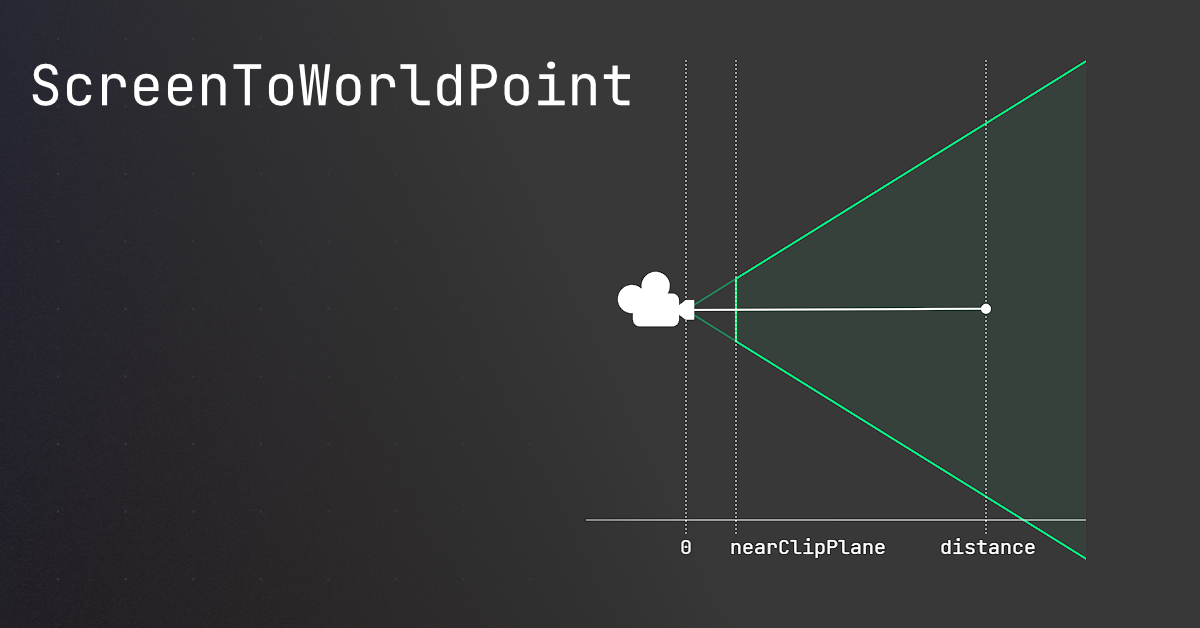
🤔 Unity, Huh, How?
Common ScreenToWorldPoint issues, and similar alternatives that may be better.
so based on that example I sent, it would be
var dir = worldPoint - cuePivotTransform.position cuePivotTransform.forward = dir.normalized
just make sure the plane is in the correct axis
carmine sierra
yh
The cue angles down, I think that's cause of the raycast thing I used?
when it comes closer
rich adder
carmine sierra
also what is that
did you not click the link I sent
rich adder
carmine sierra
why would plane be better
so you don't have to worry about depth accidentally hitting item with collider that will raise your ray
carmine sierra
oh okay
waxen adder
Man, delegates are such a weird concept. Still trying to get a grasp on them
 zenith cypress
They are basically just a function stored in a variable
eternal needle
waxen adder
Man, delegates are such a weird concept. Still trying to get a grasp on them
this guy has a really good video series on everything about it. https://www.youtube.com/watch?v=UL2XHN6uJCg&list=PLAE7FECFFFCBE1A54
old videos so the audio is a bit rough
been awhile since i watched it but i believe up to video 14 is all you need for unity stuff anyways
waxen adder
Yeah, I might look into that. I get the whole thing of them being a function in a variable, but their use case is kinda beyond my imagination. If I hadn't had to deal with them when modding a game, I doubt I would use them
 rugged remnant
Could someone help me fix a bug is beginner stuff I can screenshare
rich adder
rugged remnant
Could someone help me fix a bug is beginner stuff I can screenshare
!ask
eternal falconBOT
:thinking: Asking Questions
:mag: Search the internet for your question!
:book: Use the API Scripting Reference and User Manual and this troubleshooting site for commonly posted issues.
:wrench: Attempt to debug your issue.
:thought_balloon: Find an appropriate channel by reading the name and description in #🔎┃find-a-channel
:grey_question: And don't ask to ask, ask a full question illustrating with screenshots if needed.
-# For more posting guidelines, go to #854851968446365696
eternal needle
waxen adder
Yeah, I might look into that. I get the whole thing of them being a function in ...
they're very common to use. anytime you want to notify about something happening, but dont care who is listening, you use delegates/events
waxen adder
Hmm. So are they more closely used in events among other things? That would make sense
rugged remnant
rich adder
!ask
I have this problem rn where the script editor would open but just show up blank
 rich adder
rugged remnant
I have this problem rn where the script editor would open but just show up blank
rich adder
rugged remnant
I have this problem rn where the script editor would open but just show up blank
hmm show your External Tools page in Unity Preferences
also you should probably update to latest VS (2022)
rugged remnant
rich adder
hmm show your External Tools page in Unity Preferences
can I screenshare you?
rich adder
rugged remnant
can I screenshare you?
use screenshots
you can make a thread too, so we don't flood chat
teal viper
rugged remnant
I have this problem rn where the script editor would open but just show up blank
What are you expecting to see in it? Are you opening a script or something?
You can reply in the thread.
zenith cypress
waxen adder
Yeah, I might look into that. I get the whole thing of them being a function in ...
- Run some function when you click a button, or multiple functions
- Detect if an actor gets damaged
- Detect if the scene changes
- Detect if a tween is complete
- Detect if the editor's play state changes
- Delay an editor action via
EditorApplication.delayCallto call a function on the next editor frame
etc etc, many use cases where you basically want to "emit" an event for any number of "listeners" to get that emission later.
waxen adder
zenith cypress
- Run some function when you click a button, or multiple functions
- Detect if a...
Ah, it definitely sounds like delegates are closely related to events then, especially considering what bawsi said earlier about them basically being restricted delegates
If I'm thinking in that particular area/scope, it makes more sense
zenith cypress
Yes. Also bawsi was talking about the literal event keyword which can be put onto a delegate variable so only the thing that holds it can actually run it.
waxen adder
Oh I see
rich adder
@limber epoch enum is basically human-readable labels for integers
rich adder
this is c# stuff. I suggest you check out the docs

Learn about C# enumeration types that represent a choice or a combination of choices
 limber epoch
thanks
 glad nebula
!ask
eternal falconBOT
:thinking: Asking Questions
:mag: Search the internet for your question!
:book: Use the API Scripting Reference and User Manual and this troubleshooting site for commonly posted issues.
:wrench: Attempt to debug your issue.
:thought_balloon: Find an appropriate channel by reading the name and description in #🔎┃find-a-channel
:grey_question: And don't ask to ask, ask a full question illustrating with screenshots if needed.
-# For more posting guidelines, go to #854851968446365696
silver basin
Is there a way to make one transform's rotation smoothly match another transform's rotation?
 naive pawn
set it in LateUpdate?
 cinder schooner
silver basin
Is there a way to make one transform's rotation smoothly match another transform...
cinder schooner
silver basin
Is there a way to make one transform's rotation smoothly match another transform...
learn about quaternion.slerp
silver basin
Alright Ill do that
night raptor
silver basin
Alright Ill do that
Also Lerp Smoothing might be something to look into. People usually do Lerp(current, target, Time.deltaTime) but that's not truly framerate independent
languid spire
night raptor
Also `Lerp Smoothing` might be something to look into. People usually do `Lerp(c...
please do not recommend people to use Lerp incorrectly
night raptor
languid spire
please do not recommend people to use Lerp incorrectly
wait, did I?
didn't I just tell not to?
 candid gate
Hello, i have an issue with my character controller script, for some reason its offset by like .15 from the ground, its the first time i use characterCDontrollers instead of rigidbody

 languid spire
yes, Lerp is start,end,t not current,end,c
 buoyant finch
hello I am making a 2d rpg and in it I have an npc who I want to follow a fixed path for 1 event another fixed path for another and so on pls guide me on that
night raptor
languid spire
yes, Lerp is start,end,t not current,end,c
That's why I told to look into Lerp Smoothing which is start, end, exp2(-lerpSpeed*deltaTime)
Lerp Smoothing is a great tool to make smooth following animations procedurally
north kiln
candid gate
Hello, i have an issue with my character controller script, for some reason its ...
candid gate
oh
rugged remnant
I just loaded my project and out of nowhere it looks like everything is gone
 candid gate
rugged remnant
I just loaded my project and out of nowhere it looks like everything is gone
candid gate
rugged remnant
I just loaded my project and out of nowhere it looks like everything is gone
you didnt saved
languid spire
rugged remnant
I just loaded my project and out of nowhere it looks like everything is gone
you do not have a scene open
rugged remnant
what do I do to fix it
candid gate
languid spire
you do not have a scene open
you sure ? he have game objects
and the scene is saved
languid spire
open a scene, usually in Scenes/SampleScene if you changed nothing
candid gate
wait, isnt a scene supposed to be chached in Temp ?
languid spire
candid gate
you sure ? he have game objects
yes, a dead giveaway
 rugged remnant
 candid gate
tho you cant have no scene without no scenes or am i wrong

you cant unload it
so idk
languid spire
rugged remnant
why are you looking in file explorer, look in the unity project view
rugged remnant
 languid spire
Ignore
languid spire
screenshot your project view
rugged remnant
 languid spire
in the Editor not the Hub
rugged remnant
 candid gate
Now go in the Scenes folder
languid spire
you really need to !learn
eternal falconBOT
:teacher: Unity Learn ↗
Over 750 hours of free live and on-demand learning content for all levels of experience!
candid gate
same for me
rugged remnant
 candid gate
show console
rugged remnant
 languid spire
yep, that is your next job, fix your compile errors
candid gate
is it normal that even in fixedupdate, how my character controller jump is random
        // Handle jumping input
        if (Input.GetKeyDown(KeyCode.Space) && groundedPlayer)
        {
            // Set the vertical velocity for jumping
            playerVelocity.y += Mathf.Sqrt(jumpHeight * -2.0f * gravityValue);
        }
isnt the package broken ?
languid spire
probably missing the Unity.UI package
swift sedge
or doesn't have the using
rugged remnant
languid spire
probably missing the Unity.UI package
how u fix that i dont have mcuh time
languid spire
look in the package manager
languid spire
candid gate
is it normal that even in fixedupdate, how my character controller jump is rando...
Do not check for Input in FixedUpdate
languid spire
Only in Update and cache the value
languid spire
Wrong
candid gate
oh maybe because it was a rigid body too...
languid spire
nope, never check for Input in Fixed because it does not run every frame
candid gate
wtf are those tutorial i watched lmao
languid spire
like most tutorials, rubbish
candid gate
languid spire
nope, never check for Input in Fixed because it does not run every frame
so what do i do to chache input ?
languid spire
bool keyPress
...
Update
   if (Input,GetKeyDown) keyPress = true
FixedUpdate
   if (keyPress) {
    // Your code here
    keyPress = false;
   }
oh
languid spire
<@&502884371011731486> Spam
candid gate
also funnyt part, its not even automated lmao
you would think they would be smart, but nope
MEE6 Is so powerfull it run on a phone
north kiln
!ban 1295969937931636791 bot spam
eternal falconBOT
 valiant_quokka_11852 was banned.
candid gate
languid spire
```cs
bool keyPress
...
Update
if (Input,GetKeyDown) keyPress = true
FixedUpd...
even after this its still working 1fifth of the time
languid spire
candid gate
even after this its still working 1fifth of the time
post your complete !code to a paste site
eternal falconBOT
Posting code
📃 Large Code Blocks
Use links to services like:
https://gdl.space/, https://paste.ofcode.org/, https://hatebin.com/, https://paste.myst.rs/, https://hastebin.com/
📃 Inline Code
Surround code with three backquotes. Not quotation marks.
To format as C#, add cs to the first line:
```cs
// Your code here
```
Add a comment with a line number if there is an error message.
candid gate
oh never mind, for some reason unity didnt refreshed the first time
queen adder
how do i make a function for a event to trigger when you hold a key down
when i use void update it just keeps going and going when im holding that key down
i want it to only happen once when i press it down
swift sedge
you can use a coroutine
teal viper
queen adder
when i use void update it just keeps going and going when im holding that key do...
Is that not what you want?
ivory bobcat
queen adder
when i use void update it just keeps going and going when im holding that key do...
Show your implementation
queen adder
teal viper
Is that not what you want?
Ah wait ok i think i did it wrong i fixed it now
Sorry
queen adder
how do i make a script to tell every single gameobject with a tag to do something
or just disable a component from them
naive pawn
you could use FindGameObjectsWithTag
silk night
queen adder
how do i make a script to tell every single gameobject with a tag to do somethin...
Do it the other way around, make a script that has a static event and let all other gameobjects have a script that listens to that event
If there is no way around doing that by tags the answer above is your choice but thats generally not something you want to do
hexed terrace
Don't want to do it often.
Once at the start during/after load is fine
The question is too vague to give the best way for this situation though. There are too many ways to do this and the best way depends on the specific use case.
gleaming kraken
private void Update()
{
        // ... (Other code)

        Vector2 direction = lookAtObject.transform.position - transform.position;

        float lookDirection = Mathf.Atan2(direction.y, direction.x) * Mathf.Rad2Deg;

        transform.rotation = Quaternion.Euler(0, 0, lookDirection);

        spriteRenderer.flipY = transform.position.x > lookAtObject.transform.position.x;
}```

is this a clean way to implement an object looking at another object? (2D space)if it works it works
languid spire
gleaming kraken
```cs
private void Update()
{
// ... (Other code)
Vector2 direc...
why not just use transform.LookAt and cut out the middle man?
gleaming kraken
languid spire
why not just use transform.LookAt and cut out the middle man?
doesn't work in 2D for some reason when I try to use LookAt()
or i might be using it wrong
by just putting in the object I want it to look at
rather than the look direction
timber tide
this is top-down?
as you're using atan2
funnily enough, you can use quaternion's methods too (z-up)
gleaming kraken
timber tide
this is top-down?
yep
past spindle
I used OverlapSphere to create a knockback effect, but it sends the player through the epicenter if they are running toward it instead of knocking them back. Recently ai was told player movement can override addforce and I was wondering if stopping the player movement prior to the addforce would fix that or if there was a simpler solution?
slender nymph
it depends on how you are moving the player. if you're using anything other than addforce to move them, then yes you will need to stop their movement ability for the duration of the knockback so you don't completely override it
past spindle
Ok, thanks
wintry quarry
past spindle
I used OverlapSphere to create a knockback effect, but it sends the player throu...
Your code for the explosion may also be partially at fault
 drowsy oriole
Can someone help me make a script that changes a scene?
I want it to be a button tho
devout flume
drowsy oriole
Can someone help me make a script that changes a scene?
We don't spoonfeed scripts here, I'm sure there are plenty of tutorials to achieve that, you may also want to check the documentation. I know for sure that in the beginner pathway on !learn, there is a final step that introduces you to scene management & scripted buttons to teleport from one scene to another
eternal falconBOT
:teacher: Unity Learn ↗
Over 750 hours of free live and on-demand learning content for all levels of experience!
static cedar
How to get the minimum width and height of a rect transform using properties of various child layout elements?
 long maple
Hey, just wondering if anyone can help, im struggling with a jittery moving platform. im not sure if my code is the issue. Any help would be massively appreciated. ( the code works fine for side to side transformations but is jittery on up and down)
 wintry quarry
long maple
Hey, just wondering if anyone can help, im struggling with a jittery moving plat...
wintry quarry
long maple
Hey, just wondering if anyone can help, im struggling with a jittery moving plat...
You are moving a physics object in Update directly via the Transform
that's your issue
You need to give your object a Rigidbody if it doesn't have one, turn on interpolation, and move it in FixedUpdate with Rigidbody.MovePosition
long maple
wintry quarry
You need to give your object a Rigidbody if it doesn't have one, turn on interpo...
Thank you so much ill give that a try
 final kestrel
When I do SceneManager.LoadScene("some scene name"). It will get rid of all the additively loaded scenes and just load a whole new scene?
wintry quarry
final kestrel
When I do SceneManager.LoadScene("some scene name"). It will get rid of all the ...
Yes it will get rid of all other loaded scenes unless you load this one additively as well
 onyx tusk
how 2 add text 2 3d objects?
wintry quarry
onyx tusk
how 2 add text 2 3d objects?
Add it in what way
You can either add 3D text objects to the world
or use a world space canvas
or embed text in a texture/material
Really depends on the effect you want
onyx tusk
i want 2 make ui with code
hexed terrace
long maple
Hey, just wondering if anyone can help, im struggling with a jittery moving plat...
This VS isn't configured correctly
!vs
eternal falconBOT
Visual Studio guide
If your IDE is not underlining errors in red or autocompleting code,
please configure it using the link below:
• Visual Studio (Installed via Unity Hub)
• Visual Studio (Installed manually)
final kestrel
https://hatebin.com/aqyeiknpdg
So this is my Loader class. I want to go to Loading Screen first. Then when on Loading Screen scene, after first update, it fires the callback saying the scene is loaded. Then I want to load the scene name I pass in additively so i do not destroy my Init scene which is loaded from the start of my game. For some reason when I press load. It loads Loading screen scene and playable scene again and again.
rocky canyon
final kestrel
https://hatebin.com/aqyeiknpdg
So this is my Loader class. I want to go to Loadi...
use a boolean or something to track when the scene is finished loading.. i think ur coroutine logic is the problem in ur code
swift sedge
This isn't even unity related
zenith cypress

GitHub Docs
wintry quarry
maybe contact github support
 delicate portal
I deleted it just in case
final kestrel
final kestrel
https://hatebin.com/aqyeiknpdg
So this is my Loader class. I want to go to Loadi...
Could it be that I load the scenes additively and the gameobject never gets destroyed hence causing the scenes to load infinitely
onyx tusk
y i don't see the text?

 cosmic dagger
have you tried resizing the boundary box, or using one character to "W" to see if it fits/appears?
onyx tusk
cosmic dagger
have you tried resizing the boundary box, or using one character to "W" to see i...
yes
naive pawn
is Font Asset supposed to be unset?
yeah pretty sure it's not supposed to be
@onyx tusk try setting that field
onyx tusk
how 2 add font?
cosmic dagger
does the same thing happen when you create a new text mesh pro GameObject?
onyx tusk
cosmic dagger
does the same thing happen when you create a new text mesh pro GameObject?
what do you mean?
cosmic dagger
this is a GameObject with a text mesh pro component, right? just create a new one . . .
onyx tusk
i used this
 onyx tusk
cosmic dagger
this is a GameObject with a text mesh pro component, right? just create a new on...
onyx tusk
cosmic dagger
this is a GameObject with a text mesh pro component, right? just create a new on...
ok, now i again have a huge invisible square
queen adder
silk night
Do it the other way around, make a script that has a static event and let all ot...
how do i do this
naive pawn
onyx tusk
how 2 add font?
do you get any fonts when you try to set the field


 hexed terrace
That's not the font TMP wants, you need to create an SDF file.
queen adder
how do i make a reverse event
like instead of invoking the event the event gets invoked by something else
naive pawn
onyx tusk
you'll probably want to check this out
https://docs.unity3d.com/Packages/com.unity.textmeshpro@4.0/manual/FontAssets.html
hexed terrace
also, this is a non-code question in a code channel. Should be asking about this in #📲┃ui-ux
naive pawn
but also, you should have liberation sans by default?
hexed terrace
The text won't be displayed if the TMP essentials aren't imported... no idea if the default font is imported with that or not
as he's got no font asset assigned, I'd assume it's imported with the essentials
hexed terrace
needs to import TMP essentials first
cosmic dagger
you don't need to generate a font to use TMP. they have a default . . .
naive pawn
cosmic dagger
you don't need to generate a font to use TMP. they have a default . . .
they don't, for some reason. but also, they're trying to use their own font, which you need to use tmp to generate
hexed terrace
for some reason
Becuase, for the third time, they don't have the TMP essentials imported 😄
cosmic dagger
i thought their original issue was trying to add text to 3d objects?
queen adder
how to make a variable avaible for the whole scene
cosmic dagger
i hope they imported it by now, lol . . .
hexed terrace
onyx tusk
y i don't see the text?
There's no font assigned here by default.
They get no font asset in the drop down, because none are present.
The default font isn't present because they haven't imported the TMP essentials
naive pawn
cosmic dagger
i thought their original issue was trying to add text to 3d objects?
they had a text element with no font asset set
hexed terrace
queen adder
how to make a variable avaible for the whole scene
🤔 Unity, Huh, How?
Choose the best way to reference other variables.
queen adder
hexed terrace
https://unity.huh.how/references
i still dont understand
 dawn hazel
queen adder
i still dont understand
dawn hazel
queen adder
i still dont understand
There are a lot of ways to pass information between objects, which strategy you want to go for really depends on what you're trying to do. Take a look at singletons. You can only have one instance of a Singleton, so you'll have a static method for accessing that instance. Let's say you want to track score in such a way that any object can read or modify the score, you could have a ScoreManager singleton with a score int, then if you want to add 100 points to the score from any script, you'd just do something like ScoreManager.Instance.addPoints(100);
 gray coral
Would turrent defender game considerd beginner friendly? how long would it take to code something like that simpel
past spindle
Vector3 direction = (transform.position - c.transform.position * -1).normalized;
c.GetComponentInParent<Rigidbody>().AddForce(direction * blast, ForceMode.Impulse);
Anybody know why this would push the player away from 0,0,0
 keen dew
transform.position - c.transform.position * -1 is the same as transform.position + c.transform.position
wintry quarry
past spindle
Vector3 direction = (transform.position - c.transform.position * -1).normalized;...
What are you trying to do
keen dew
If you want to reverse the direction, swap the positions: (c.transform.position - transform.position).normalized
final kestrel
When I load a scene additively while im still on the say loading screen. The additively loaded scene's awake methods will get called right?
wintry quarry
final kestrel
When I load a scene additively while im still on the say loading screen. The add...
Awake will get called on the objects in the newly loaded scene as they are loaded
final kestrel
wintry quarry
Awake will get called on the objects in the newly loaded scene as they are loade...
So it may even look for objects in its awake while im still in the loading screen right?
wintry quarry
It will do whatever you told it to do in Awake
if that includes "looking for objects", certainly.
final kestrel
Yeah like. I think my additively loaded scene looks for the camera object inside the loading scene.
Its possible yeah?
wintry quarry
if you wrote it that way
cosmic dagger
is that what you told it to do?
past spindle
Hey, that seems to have worked, reversing the positions. Thanks
wintry quarry
One thing I'm a little unclear about is what the definition of "scene activation" is according to unity. mentioned here and never actually defined: https://docs.unity3d.com/ScriptReference/AsyncOperation-allowSceneActivation.html
I do believe if you delay scene activation, you might be delaying Awake/OnEnable.
but it's not clear
final kestrel
I mean no I do not want it to be clear. I just want it to call awake if the scene is loaded but i guess i am not doing it. Because in my newly loaded scene, when it gets set active, even though I have a camera, it says camera is destroyed. I believe it is because awake gets called in my new scene while im still on the loading scene because of additive loading. Finds the loading scene camera, when the loading scene gets unloaded it loses the reference and never tries to find again
wintry quarry
sounds likely
You might need to evolve beyond whatever naive method you are currently using for finding the camera
final kestrel
Thats right. I need to evolve. Thanks for the help
Wohooo! I delayed the finding camera and it works.
queen adder
I have this line off code, but it return null, if i restart the game, any idea why?
void Awake()
{
logic = GameObject.FindGameObjectWithTag("Logic").GetComponent<LogicManagerScript>();
}
wintry quarry
queen adder
void Awake()
{
logic = GameObject.FindGameObjectWithTag("Logic").Get...
Presumably there is no active object in the scene with that tag.
what do you mean by "restart the game"
you'd have to explain how you're doing that
and on which object this script lives, etc..
queen adder
public void restartGame()
{
    SceneManager.LoadScene(SceneManager.GetActiveScene().name);
}
tis is my restart func
the logic manager is in the scene tree
wintry quarry
queen adder
the logic manager is in the scene tree
when you saiy "it returns null" what do you mean
what actually issue or error are you seeing
queen adder
The Error: Nullreferenceexception,object reference not set an instance an object PipeMiddleScript.OnTriggerEnter2D. sc 23)
is the error that pops off
btw is there a better way to writhe code in discord ?
cosmic quail
queen adder
btw is there a better way to writhe code in discord ?
!code
eternal falconBOT
Posting code
📃 Large Code Blocks
Use links to services like:
https://gdl.space/, https://paste.ofcode.org/, https://hatebin.com/, https://paste.myst.rs/, https://hastebin.com/
📃 Inline Code
Surround code with three backquotes. Not quotation marks.
To format as C#, add cs to the first line:
```cs
// Your code here
```
Add a comment with a line number if there is an error message.
queen adder
thx
using Unity.VisualScripting;
using UnityEngine;

public class PipeMiddleTriggerScript : MonoBehaviour
{
   public LogicManagerScript logic;

   void Start()
    {
        logic = GameObject.FindGameObjectWithTag("Logic").GetComponent<LogicManagerScript>();
    }

    // Update is called once per frame
    void Update()
    {

    }

    private void OnTriggerEnter2D(Collider2D collision)
    {
        if (collision.gameObject.layer == 6)
        {
            logic.addScore(1);

        }


    }
}
and now the error appers, if the tirgger gets triggert. i seem like the logic is null, but why ?
slender nymph
if there is no exception being thrown in Start then whatever object is tagged with Logic does not have a LogicManagerScript component attached
queen adder
this is the whole game, the logic (gamecontainer) was the script

and i really don't understand why unity didn't find the logic script
slender nymph
make sure that is the only object tagged as Logic in your scene
queen adder
OHH MY GOD!! Somehow the EventSystem also got this tag. 2 Hours wasted
The sultions was so dumb easy, thank you!!
 void thicket
Now is good time to rethink the decision to use tags
slender nymph
you would be much better off if you pass the LogicManagerScript reference to the instantiated objects rather than relying on FindWithTag
https://unity.huh.how/references/simple-dependency-injection
queen adder
I follow an youtube video.. ohh man, anyway i take a look at this. Thanks again !
wintry quarry
queen adder
OHH MY GOD!! Somehow the EventSystem also got this tag. 2 Hours wasted
Simple straightforward debugging techniques (Debug.Log) can always find such issues in less than 5 minutes
It's always better to actually debug your code than just guessing
 tough sundial
Could anyone help me with something?
cosmic dagger
tough sundial
Could anyone help me with something?
don't ask to ask, just ask . . .
steep rose
tough sundial
Could anyone help me with something?
!ask
eternal falconBOT
:thinking: Asking Questions
:mag: Search the internet for your question!
:book: Use the API Scripting Reference and User Manual and this troubleshooting site for commonly posted issues.
:wrench: Attempt to debug your issue.
:thought_balloon: Find an appropriate channel by reading the name and description in #🔎┃find-a-channel
:grey_question: And don't ask to ask, ask a full question illustrating with screenshots if needed.
-# For more posting guidelines, go to #854851968446365696
tough sundial
!ask
tough sundial
I’m trying to generate a maze and this is the result.

I don’t want it to generate an incomplete one.

Any suggestions?
 slender nymph

Learn how to take screenshots on many major platforms.
 night mural
tough sundial
night mural
tough sundial
none of these screenshots tell us anything, so here's a wikipedia article:
https://en.wikipedia.org/wiki/Maze_generation_algorithm
 shrewd matrix
yo is there a way that i can tag something twice? Because i am making a card game and need something for all cards and just per classes.
wintry quarry
shrewd matrix
yo is there a way that i can tag something twice? Because i am making a card gam...
Tags are one per object, but there's no need to limit yourself to tags
make your own custom component and you can put whatever data on it you want.
Using tags is very limiting.
shrewd matrix
wintry quarry
Using tags is very limiting.
alr tanks!
 rotund bronze
anyone have any idea why input.getkeydown doesnt work on behaviour graph update state?
 wintry quarry
rotund bronze
anyone have any idea why input.getkeydown doesnt work on behaviour graph update ...
wintry quarry
rotund bronze
anyone have any idea why input.getkeydown doesnt work on behaviour graph update ...
what doesn't work about it?
Should work fine.
rotund bronze
wintry quarry
what doesn't work about it?
Should work fine.
not sure why but the key code valu differ from what i set on the graph


 wintry quarry
rotund bronze
not sure why but the key code valu differ from what i set on the graph
wintry quarry
rotund bronze
not sure why but the key code valu differ from what i set on the graph
that doesn't have anything to do with GetKeyDown though
rotund bronze
wintry quarry
that doesn't have anything to do with GetKeyDown though
yeah just realize the problem
carmine sierra
rich adder
so you don't have to worry about depth accidentally hitting item with collider t...
Thanks this helped. So a ray will just pass through anything in it's way, and a plane can be used to detect if it's inline with the ray?
any way to make a plane to a limited size?
When making a turn by turn game, what is the general design to schedule turns and moves etc
rich adder
carmine sierra
Thanks this helped. So a ray will just pass through anything in it's way, and a ...
a ray hits anything with a collider and will stop at the hit point. Raycasting onto a plane is like putting a point on a flat piece of paper
carmine sierra
rich adder
a ray hits anything with a collider and will stop at the hit point. Raycasting ...
okay nice, and how can I limit it's size?
the onmousedrag function only recognizes when the mouse drags on colliders which are on the parent or children of the parent right?
cause I did onmousedrag when the parent has no collider, only a child has one
rich adder
carmine sierra
cause I did onmousedrag when the parent has no collider, only a child has one
yeah iirc script and collider should be on same object, I don't really use onmousedrag, i usually use raycast or the event systems Ipointer interface
carmine sierra
but the script and collider isnt on the same object, unless colliders on the children count
rich adder
carmine sierra
but the script and collider isnt on the same object, unless colliders on the chi...
i don't use it so not sure.
what are you trying to do ?
carmine sierra
it worked, was just trying to make the pool cue move only when holding mouse down on it
carmine sierra
rich adder
i don't use it so not sure.
what are you trying to do ?
How can I limit a planes' size though?
On the docs I can't see anything ab it
rich adder
carmine sierra
How can I limit a planes' size though?
its a flat plane through the level, don't think you can
you would have to replace it with maybe a box collider and do a collider.Raycast
carmine sierra
Is having two colliders on one gameobject, each with a different purpose, a bad idea
carmine sierra
rich adder
you would have to replace it with maybe a box collider and do a collider.Raycast
oh I can use a collider as a plane?
rich adder
carmine sierra
oh I can use a collider as a plane?
na but you can raycast on a collider
carmine sierra
okay nice
rich adder
probably not what you want though, you should be fine with plane. How come you need specific size
carmine sierra
I am playing pool on a table
but the current mechanic isn't working how it will in the end
rich adder
carmine sierra
but the current mechanic isn't working how it will in the end
wdym by that?
carmine sierra
rn it can move anywhere, in reality it will have to move and rotate around the ball in orbit (like 8 ball pool)
rich adder
carmine sierra
rn it can move anywhere, in reality it will have to move and rotate around the b...
thought you fixed that?
carmine sierra
rich adder
thought you fixed that?
its not broken, it's just not as intended
How could I restrict it's movement in an orbit
a circle
carmine sierra
yeah that worked
 normal turret
Hey guys, what's up...?
Just to make sure, which one is better for the new Input System
Invoke C# Events or Send Messages...?
I mean right now I'm using Invoke C# Events and it works, but if I had to call my methods (when I make a state machine later), I don't think it's letting me do that
Well...I don't know how to call methods with Input CallbackContext as the parameter
zenith cypress
I just use the actions directly, so I don't use either.
normal turret
With the InputAction reference thingy...?
zenith cypress
You can assign actions to a variable in the inspector with InputActionReference. Then you can use the events yourself like .action.performed += MyEvent;. Otherwise if you are starting out, try out all the options to find a way that you think works best for yourself 😄
normal turret
Yeah that's true, I'll test it out, thank you
hexed terrace
normal turret
Invoke C# Events or Send Messages...?
Send Message uses strings - always try and avoid using strings for calling things, slow.
normal turret
At the moment I'm using Invoke method and I think it works good
But if I had to call those methods inside a state machine I might build later, how would I do that...?
Because the parameter is a weird Callback Context thing, I'm not sure how I can "call" that
hexed terrace
InvokeMethod uses a string to... don't use it
 hexed terrace
Already told you ... !code
eternal falconBOT
Posting code
📃 Large Code Blocks
Use links to services like:
https://gdl.space/, https://paste.ofcode.org/, https://hatebin.com/, https://paste.myst.rs/, https://hastebin.com/
📃 Inline Code
Surround code with three backquotes. Not quotation marks.
To format as C#, add cs to the first line:
```cs
// Your code here
```
Add a comment with a line number if there is an error message.
north kiln
 odd epoch
If your IDE has not underlined errors in red you also need to configure it
You've most likely named your own class SceneManager
wintry quarry
carmine sierra
When making a turn by turn game, what is the general design to schedule turns an...
A state machine
odd epoch
north kiln
You've most likely named your own class SceneManager
problem is,
its made by oculus themselves
hexed terrace
odd epoch
problem is,
what version of unity are you using?
hexed terrace
It's not present in the docs until 2022.2
odd epoch
do i delete it?
hexed terrace
no..
you use a version 2022.2 or newer...
which, 2022.3.5 is
trigger a recompile
odd epoch
i switched to 2022.3.51f1 and some stuff stopped working
hexed terrace
yeah, that's possible.. gotta fix it
hexed terrace
you have 2 choices
1- update and fix all the stuff that breaks
2- you can't use this from oculus
or..
3- fix the oculus code to work with 2021.3.33 -> biggest task
north kiln
odd epoch
its made by oculus themselves
And have you named one of your own classes SceneManager
carmine sierra
wintry quarry
A state machine
Thanks, and that is the simplest method?
Just gonna have player 1 turn, player 2 turn and the phase when the ball is hit and is moving (in pool)
queen adder
how do i make a script using events that get invoked instead of invoking and works for multiple gameobjects
hexed terrace
this question is super vague and senseless
queen adder
okok
hexed terrace
Just be a bit more specific with what you’re wanting to do
queen adder
sorry
teal viper
queen adder
vector4 ?
Color
queen adder
oh
 opaque fox
Anyone know how to make text disappear behind this image as it scrolls? Does it need to be in another layer behind this one?
 opaque fox
yeah, like it disappears either once it scrolls into the image's border or before it
 remote osprey
It needs to scroll upwards but also toward the image?
you can just change its visibility once it crosses the border
There's probably a doTween to make an animation for that
You'll need to make each line be a separate object
And each object has a trigger event or you can just coordinate the animation with DoTween to do what you want to do
Hope it helps
rich adder
opaque fox
Anyone know how to make text disappear behind this image as it scrolls? Does it ...
toxic frigate
does anyone know why this doesnt wait for a time between 1 and 5 seconds?
IEnumerator DelayedExplode(Transform gun)
    {
        yield return new WaitForSeconds(Random.Range(1, 5)); // Wait for a random duration between 1 and 5 seconds

        // Detach and explode the gun after the delay
        GunDetachAndExplode(gun);
    }
It should be. What makes you think it doesn't?
Try adding logs before and after the wait and see the time difference in the console
rich adder
toxic frigate
does anyone know why this doesnt wait for a time between 1 and 5 seconds?
```cs...
btw this would only return 1 to 4 seconds (you would need to add f suffix to get max inclusive float version)
 flint gyro
trying to learn csharp, thinking about watching an older tutorial from freecodecamp, 6 years old, does that matter or should i look for something newer
teal viper
flint gyro
trying to learn csharp, thinking about watching an older tutorial from freecodec...
It doesn't really matter. The language didn't change over that time(new features were added, but that's beside the point).