#💻┃code-beginner
1 messages · Page 417 of 1
 limber marlin
 rocky canyon
best option imo even tho i don't use CLI i wish i could
 rich adder
limber marlin
no, I don't want to use Unity VCS, I want to use Git, I want to know the recomme...
rich adder
limber marlin
no, I don't want to use Unity VCS, I want to use Git, I want to know the recomme...
did you see the video i sent ?
you don't need any addons
just use a git client, github desktop works fine but others are good to. just showing the process real quick
limber marlin
yes, I went through it, I know Github Desktop exists, I choose not to use it, I'm going to use a Git Client
rich adder
limber marlin
yes, I went through it, I know Github Desktop exists, I choose not to use it, I'...
also why "choose not to use it"
 summer stump
limber marlin
yes, I went through it, I know Github Desktop exists, I choose not to use it, I'...
summer stump
limber marlin
yes, I went through it, I know Github Desktop exists, I choose not to use it, I'...
Github desktop is a client...
limber marlin
CLI > GUI imo (except for looking at prior version history, but that's more that I'm not very good with the CLI)
summer stump
Set up git (git init the folder) then download some gui, it does not matter at all which
summer stump
limber marlin
CLI > GUI imo (except for looking at prior version history, but that's more that...
Oof
Then you are done
rich adder
limber marlin
CLI > GUI imo (except for looking at prior version history, but that's more that...
yeah because typing is faster than clicking a few buttons, if that works for you though more power to ya
summer stump
You set up the folder, use the cli. Done
limber marlin
summer stump
Github desktop is a client...
ok, what is a git client?
rich adder
an app which communicates with the repository
limber marlin
and the git thingy you put into the path is NOT a git client
summer stump
limber marlin
ok, what is a git client?
Github desktop and others
summer stump
limber marlin
and the git thingy you put into the path is NOT a git client
Git thingy?
rich adder
limber marlin
and the git thingy you put into the path is NOT a git client
wdym the "git thingy"
the .gitignore or ?
anyway if you decide to use GIT and set it up without a GUI for whatever reason
the very least yyou need https://github.com/github/gitignore/blob/main/Unity.gitignore in your folder
limber marlin
 rich adder
yes that is the client
limber marlin
What you download, from here
limber marlin
ok, so I will use the Git CLI Client. Is this the correct terminology?
rich adder
correct
 silk night
If you really want it easy use the github client, brings git bundled and you can directly manage your repositories, if you really want to learn it i suggest using the command line
rich adder
you mean github desktop client ? it was suggested
silk night
yeah, oh sorry didnt see that, shouldve read further back
rich adder
they said CLI > GUI 🤷♂️
for me its easier with gui to make a push while im eating pizza with my other hand 🍕
 languid spire
rich adder
for me its easier with gui to make a push while im eating pizza with my other ha...
languid spire
rich adder
for me its easier with gui to make a push while im eating pizza with my other ha...
how dare you eat pizza whilst developing, shame on you
silk night
Only mountain dew and cheetos permitted
rich adder
languid spire
how dare you eat pizza whilst developing, shame on you
my battery cells are only fueled by pizza 🤖
languid spire
silk night
Only mountain dew and cheetos permitted
NO food or drink allowed in the computer room, it's a controlled environment
rich adder
you code in one of those Cleanroom ?
languid spire
of course, you mean you don't
 hexed terrace
My office is like a NASA clean room
rich adder
my cat alone puts furr in keyboard
rocky canyon
my computer wont operate correctly w/o 3 lb of dust circulating around teh case
languid spire
rich adder
my cat alone puts furr in keyboard
tell me about it, my clean room is shared with 4 dogs
limber marlin
silk night
If you really want it easy use the github client, brings git bundled and you can...
yeah but I know git
also I feel like an epic programmer with epic skills when using the cli
(should start using neovim too)
silk night
languid spire
tell me about it, my clean room is shared with 4 dogs
2 cats here, i think i pulled 4 whole cats out of my pc last time i cleaned it
rich adder
limber marlin
also I feel like an epic programmer with epic skills when using the cli
(shoul...
try setting up a unity game on a linux server, you will have all the epicness you want with CLI and vim
rocky canyon
fr.. linux calling ur name
languid spire
silk night
2 cats here, i think i pulled 4 whole cats out of my pc last time i cleaned it
One of these days I shall put my mind to inventing the perfect anti-dog/cat hair computer ventilation system. I will be rich(er)
 rancid tinsel
any idea why toggling a bool on one of these changes it for all the others?

what could i have messed up here
silk night
rancid tinsel
any idea why toggling a bool on one of these changes it for all the others?
you are most likely toggling it on the prefab, not the instance
rancid tinsel
silk night
you are most likely toggling it on the prefab, not the instance
there is no prefab
silk night
Any scripts running on there?
rocky canyon
well, would u care to share the code? or are we gonna play guessing games
rancid tinsel
!code
 eternal falconBOT

Posting code
📃 Large Code Blocks
Use links to services like:
https://gdl.space/, https://paste.ofcode.org/, https://hatebin.com/, https://paste.myst.rs/, https://hastebin.com/
📃 Inline Code
Surround code with three backquotes. Not quotation marks.
To format as C#, add cs to the first line:
```cs
// Your code here
```
Add a comment with a line number if there is an error message.
rich adder
so whats wrong with it?
rancid tinsel
toggling the "friendly" variable toggles it for all of the objects instead of just one
same with the other rvalues it seems
wait
OMG
rocky canyon
forloops say what?
rocky canyon
rancid tinsel
i had the inspector window frozen 😭
ouch.. lol
u caught that suprisingly fast tho..
rancid tinsel
thank god
 late burrow
how i disable repeats "aaa".replace("aa", "a") gives aa not a
 polar acorn
late burrow
how i disable repeats "aaa".replace("aa", "a") gives aa not a
polar acorn
late burrow
how i disable repeats "aaa".replace("aa", "a") gives aa not a
I'm afraid you're going to have to use... Regex
languid spire
late burrow
how i disable repeats "aaa".replace("aa", "a") gives aa not a
logic
"aaa".replace("aaa", "aa") .replace("aa", "a")
summer stump
And now we see more cracks of a string based system forming
late burrow
languid spire
logic
"aaa".replace("aaa", "aa") .replace("aa", "a")
well i thought of that
languid spire
so wtf ask then
late burrow
because if character repeats 20 times it will require many replaces
polar acorn
Regex
summer stump
Complete refactor 😸
languid spire
string processing is ALWAYS going to be slow, learn to do it correctly, not at all or suffer the hit
limber marlin
rich adder
try setting up a unity game on a linux server, you will have all the epicness yo...
never
actually maybe if I do hca and get a laptop that I have to install linux on, but not
languid spire
limber marlin
actually maybe if I do hca and get a laptop that I have to install linux on, but...
you know you can install linux on any laptop even if you don't have to
polar acorn
late burrow
because if character repeats 20 times it will require many replaces

Stack Overflow
I'm trying to find a regex which finds 3 repeating characters appearing contiguously in a string. The character set could be alphabet, digit or any special character.
I wanted the first try for al...
 thorn lake
(Bump)
 glass aurora
how to download C# in extensions when i search c# it doest appear
rocky canyon
for what IDE/
glass aurora
another tpye of c# appears not the same as this
 glass aurora
rocky canyon
for what IDE/
glass aurora
rocky canyon
for what IDE/
Visual Studio 2022
polar acorn
I don't think Visual Studio has extensions
polar acorn
There's modules, but that doesn't appear to be one
glass aurora
 summer stump
glass aurora
dont be angry i am learning course since 5hours
summer stump
glass aurora
dont be angry i am learning course since 5hours
No one is angry
Incorrect
summer stump
glass aurora
Is this on mac?
glass aurora
window 10
summer stump
Ok, go into tools, not extensions
polar acorn
Where are you seeing that you need to install any extensions on Visual Studio?
glass aurora
summer stump
Ok, go into tools, not extensions
then
rocky canyon
c# isnt in an extension.. its a in the tools / workloads
summer stump
You want the workloads as digi said
glass aurora
polar acorn
Where are you seeing that you need to install any extensions on Visual Studio?
it is important to install C# language into it
summer stump
glass aurora
then
get tools
Or whatever it says
glass aurora
now
 polar acorn
glass aurora
it is important to install C# language into it
polar acorn
glass aurora
it is important to install C# language into it
Yes, but this isn't where you do that. So what is telling you to go here
summer stump
glass aurora
it is important to install C# language into it
Well duh, but extensions is not how you do that
rocky canyon
 polar acorn
!ide shows how to get all you need for VS
eternal falconBOT
💡 IDE Configuration
If your IDE is not autocompleting code
or underlining errors, please configure it.
Select one:
• Visual Studio (Installed via Unity Hub)
• Visual Studio (Installed manually)
• VS Code
• JetBrains Rider
• Other/None
summer stump
glass aurora
now
I just said.
get tools
rocky canyon
C# included in the Game Devlepment with Unity workload
glass aurora
summer stump
I just said.
> get tools
how to
glass aurora
rocky canyon
C# included in the Game Devlepment with Unity workload
wait leme show you
summer stump
glass aurora
how to
The literal option that says "get tools" in your screenshot
Click it....
glass aurora
already
 summer stump
And what else did you get?
rocky canyon
 rocky canyon
glass aurora
already
rocky canyon
glass aurora
already
then you already have c#
glass aurora
bro it is already installed
glass aurora
rocky canyon
then you *already* have c#
how to check
summer stump
glass aurora
bro it is already installed
What ELSE did you install?
Read the guide
glass aurora
this guy have another?
 rocky canyon
 polar acorn
glass aurora
this guy have another?
polar acorn
glass aurora
this guy have another?
This is literally an entirely different program
summer stump
glass aurora
this guy have another?
That is vs code
glass aurora
rocky canyon
yep it appears when i open the script
glass aurora
summer stump
That is vs code
what then what i have
summer stump
Visual studio
rocky canyon
you have visual studio u said
glass aurora
bro what the hel!
 glass aurora
😢
leme download it
how to downlaod it properly guide me what to download and etc
ide=?
rocky canyon
theres already a guide its been linked over and over
glass aurora
ok
thorn lake
polar acorn
!ide shows how to get all you need for VS
I did everything listed there. Maybe I just need to enable something? What I’m specifically not seeing is autofill for many things. For example when I type “SerializeField” it doesn’t autofill.
glass aurora
!ide
eternal falconBOT
💡 IDE Configuration
If your IDE is not autocompleting code
or underlining errors, please configure it.
Select one:
• Visual Studio (Installed via Unity Hub)
• Visual Studio (Installed manually)
• VS Code
• JetBrains Rider
• Other/None
rocky canyon
the vscode one.. if u want to use vscode
glass aurora
they say install via unity hub and mannualy on studio
then vs code
then jetbrains rider's brain
rocky canyon
u dont need studio && code
glass aurora
then other/none
rocky canyon
u only need one or the other
summer stump
glass aurora
oh but i want code pl
Why? It is worse
glass aurora
nah idk but ... eeeee
i should download it how much gb ?
my wifi speedi 20MB but i got 200-500kbs on my pc
summer stump
glass aurora
i should download it how much gb ?
You can google all of this
rocky canyon
 summer stump
Just go google it and stop spamming the chat
polar acorn
glass aurora
they say install via unity hub and mannualy on studio
So did you install VS manually or through the hub
summer stump
If you have trouble AFTER googling it, we can help
glass aurora
summer stump
Just go google it and stop spamming the chat
sure, i will come back with another problem as always.
thorn lake
rocky canyon
Wait….if I’m only using the blue one here is that a potential issue for autofill?
summer stump
thorn lake
Wait….if I’m only using the blue one here is that a potential issue for autofill...
Maybe. VS code is finnicky
It is getting more stable though
rocky canyon
you need a bit more extensions to get good autofill
 dense cargo
(Sorry in advance if this is in the wrong spot).. Why might my trail renderers for my planet objects (and moons since ya know...same functions there in another script) be behaving as shown in the picture when the scene loads? Code for the trail renderer initialization/control attached.
https://paste.myst.rs/btzxh445
https://paste.myst.rs/ztflnwln

a powerful website for storing and sharing text and code snippets. completely free and open source.
a powerful website for storing and sharing text and code snippets. completely free and open source.
rocky canyon
thorn lake
Wait….if I’m only using the blue one here is that a potential issue for autofill...
heres the ones i use.. u can ignore codieum, c++, and platformio
 thorn lake
rocky canyon
heres the ones i use.. u can ignore codieum, c++, and platformio
thorn lake
rocky canyon
heres the ones i use.. u can ignore codieum, c++, and platformio
Thank you. I saw someone had autofill when they were writing “SerializeField” and figured I must be missing something.
Do you advise using all of those?
(Besides the ones you said to ignore)
rocky canyon
Unity Code Snippets is the most important
thorn lake
Thanks sm!
rocky canyon
its hard to know which one does which. b/c codieum is an AI tool.. and it helps fill in almost everything
thorn lake
Is this the best channel to ask for help with figuring out why a small program isn’t working in some way?
 frosty hound
If it's related to code, yes
dense cargo
dense cargo
(Sorry in advance if this is in the wrong spot).. Why might my trail renderers f...
I think it's an issue with position of the parent transform on load but I'm not sure. :/
thorn lake
Okay. Yesterday I posted a message here with code I needed help with. I’ll grab the link to the message.
Essentially the issue is that it wasn’t visually changing the Scene at all once uploaded. Not sure if I needed to press Play or what. Idk why it doesn’t change anything.
This is the code that I was thinking would change my Scene to include an array of several rectangular “rooms:”
Didn’t have any compiler error messages.
My question: Why might this code not change anything in my Scene?
Or just, in general, could something prevent a scene from updating?
 glass aurora
which?
polar acorn
Mark Done
rich adder
Mark Done
polar acorn
The button that says Mark Done
glass aurora
without sleecitng
rich adder
blue text usually indicates a link
glass aurora
bruh what is this?
it says "i am in your pc"

is that vs code? i downloaded cracked apk of vs code
 cosmic quail
wtf is that lol
rich adder
apk version of vscode?
summer stump
glass aurora
is that vs code? i downloaded cracked apk of vs code
Why would you download a cracked apk?
glass aurora
summer stump
Why would you download a cracked apk?
is it paid
summer stump
Looks like a virus. Good work
glass aurora
who are you
rich adder
alright
frosty hound
@glass aurora Enough spamming this discord with your nonsense. You've been at this for days.
rich adder
format your harddrive and call it a day
glass aurora
frosty hound
<@1126119936369102958> Enough spamming this discord with your nonsense. You've ...
okay and sorry
rich adder
this isn't a PC support channel
glass aurora
rich adder
this isn't a PC support channel
bro how i let my Script open on Vs code it's opening on STUDIO!
rich adder
glass aurora
bro how i let my Script open on Vs code it's opening on STUDIO!
you have to configure Unity
eternal falconBOT
💡 IDE Configuration
If your IDE is not autocompleting code
or underlining errors, please configure it.
Select one:
• Visual Studio (Installed via Unity Hub)
• Visual Studio (Installed manually)
• VS Code
• JetBrains Rider
• Other/None
glass aurora
in preference then select that right
summer stump
Like six times now
polar acorn
glass aurora
is that vs code? i downloaded cracked apk of vs code
Why the fuck would you download a cracked version of a free program in a format it's never been released in
rich adder
glass aurora
in preference then select that right
if you cannot read the instructions in the vscode link, you should perhaps consider another hobby
glass aurora
polar acorn
Why the fuck would you download a cracked version of a free program in a format ...
no bro its safe i guess that was a prank
summer stump
Because they're a troll
polar acorn
glass aurora
no bro its safe i guess that was a prank
You know I'm beginning to understand why you said "everyone was mad at you" and it's not because you're a beginner
dense cargo
dense cargo
(Sorry in advance if this is in the wrong spot).. Why might my trail renderers f...
Realized I forgot to include a potentially important bit of code for my problem. Also.. this probably got buried under the spam. lol
summer stump
I am mad at them now
Like jfc, stop lol
rich adder
nah def not because of beginner, many beginners come here and get help no problem.
polar acorn
summer stump
I am mad at them now
Like jfc, stop lol
Fair
glass aurora
language issue because sometimes i cant understand english
rich adder
I just interacted with them 5 mins and already I'm mad lol
summer stump
glass aurora
language issue because sometimes i cant understand english
No, not a language issue. A maturity issue. Grow up
rich adder
glass aurora
language issue because sometimes i cant understand english
no showing willingness to put your own work goes a long way
glass aurora
summer stump
No, not a language issue. A maturity issue. Grow up
it is i cant understand any interface
polar acorn
glass aurora
it is i cant understand any interface
Then why isn't your system in your native language
You seem to understand us just fine, but not when it's on your PC, which you can change the language of
rich adder
glass aurora
language issue because sometimes i cant understand english
yet you type well beyond what app words mean..
glass aurora
summer stump
No, not a language issue. A maturity issue. Grow up
Well i am matured making games at 15 is not a normal thing
rich adder
when you are asking questions that can be easy to google answers for that shows lack of care of responsibility for self improvement
rich adder
glass aurora
Well i am matured making games at 15 is not a normal thing
no offsense but there are 14 years that come here for help and show more maturity so idk what you're on
summer stump
glass aurora
Well i am matured making games at 15 is not a normal thing
It kinda is pretty normal. But for 15 you act pretty young. Stop trolling or risk being banned.
If you have an actual question THAT YOU RESEARCHED THOROUGHLY FIRST, then come back. Please not before then
glass aurora
well i dont wanna waste my time here in a useless debate you both grow up first. You Both are Exper at dev but still blaming ppls.
glass aurora
summer stump
It kinda is pretty normal. But for 15 you act pretty young. Stop trolling or ris...
Sure.
polar acorn
glass aurora
well i dont wanna waste my time here in a useless debate you both grow up first....
Broseph you faked a ransomware attack in the middle of people answering your questions for no reason
Anger is kind of the expected reaction to wasting people's time with asinine bullshit
frosty hound
!mute 1126119936369102958 3d You can return if you are going to actually be productive.
eternal falconBOT
 _notfurry_ was muted.
rancid tinsel
do navmesh agents work like obstacles? as in 2 agents cant walk through eachother?
rich adder
they avoid each yes RVO is built in
which can be annoying sometimes they get stuck in tight hallways
rancid tinsel
rich adder
they avoid each yes RVO is built in
it looks like they still push eachother though
im trying to think of a way to prevent that but idk how
rich adder
You have to try varying the priorty of their agents
rancid tinsel
rebaking the navmesh at runtime over and over would be very inefficient too
rancid tinsel
ah i see
so as i spawn them in i should assign an increasing priority
put them all into a list and do it that way?
rancid tinsel
 rich adder
rip
rich adder
which version are you on?
rocky canyon
rancid tinsel
time to restart unity i guess
exactly what u need to do.. or reset layouts
rancid tinsel
2022.3.10f1 because thats what we were using at uni
rich adder
you are many patches behind
rancid tinsel
i know
but i think its still better to use the same version just so everything works the same
rocky canyon
you should take initiative and write a strongly worded letter to whom-ever it concerns
and let them know to update 😈
rich adder
rancid tinsel
but i think its still better to use the same version just so everything works th...
updating to newer patches wont change how anything functions
rocky canyon
idk why so many schools use old af versions
i seen a guy the other day using a versions before dark mode
rancid tinsel
rich adder
updating to newer patches wont change how anything functions
then whats the point of patches
rancid tinsel
rocky canyon
idk why so many schools use old af versions
its not on purpose, just that updating it for a network of like 300 computers would be a pain i imagine
rich adder
maybe you're think a whole version upgrade. which *might * be tricky for *specific * assets
rancid tinsel
unless its really needed they wont bother
languid spire
rancid tinsel
2022.3.10f1 because thats what we were using at uni
that is a damn silly version 2022.3 was not stable before .11 and .21 and above are much better
rancid tinsel
languid spire
that is a damn silly version 2022.3 was not stable before .11 and .21 and above ...
yeah it feels like it lol
rocky canyon
languid spire
that is a damn silly version 2022.3 was not stable before .11 and .21 and above ...
looks at hub real quick

phew... 😅
rancid tinsel
i mean aside from some errors that dont mean anything that you can disregard it doesnt really break anything
aside from the necessary occasional restart
rocky canyon
yea, if ur fine restarting time to time.. no worries
languid spire
and, of course, the perennial UnityEditor bugs which keep springing up
rocky canyon
part of the lifestyle as i see it now 🤣
languid spire
thats what you get when you expect game devs to do app dev
 vale karma
Im getting a weird issue where the plant that is not picked up yet by the player is having origin issues or something around the player once it is placed on the cart. I will send scripts ina sec

All the plants, the tray, and even the cart have the same exact script on them to pickup. Im not sure if its a parenting issue or not
rancid tinsel
hmm setting a different priority didnt fix the pushing issue
im guessing the avoidance is in regards to obstacles?
it doesnt seem to work on the agents themselves
 hallow acorn
hey how can i get the tag of the object hit by my raycast?
summer stump
hallow acorn
hey how can i get the tag of the object hit by my raycast?
RaycastHit provides collider and transform, both of which have a tag property (since both inherit from Component)
https://docs.unity3d.com/ScriptReference/RaycastHit.html
hallow acorn
summer stump
RaycastHit provides collider and transform, both of which have a tag property (s...
like this? if (objHit = true && raycastHit.transform.CompareTag("Grabbable"))
summer stump
Yeah that works.
hallow acorn
summer stump
Yeah that works.
ty
hallow acorn
summer stump
Yeah that works.
one question, why can you access the tag from the transform??
summer stump
hallow acorn
one question, why can you access the tag from the transform??
So the inheritance chain of transform (starting in Unity) is:
UnityEngine.Object > Component > Transform
Every component is on a gameobject, and every gameobject has a tag. So they just added the tag property to the Component class to make things easier.
hallow acorn
summer stump
So the inheritance chain of transform (starting in Unity) is:
UnityEngine.Object...
oh ok. ty

 summer stump
 winter tinsel
1, use CompareTag
2, add a debug BEFORE the if statement to see if OnCollision is even being called
3, uncrop the image of the tag. What is it on? Show the whole inspector
winter tinsel
summer stump
1, use CompareTag
2, add a debug BEFORE the if statement to see if OnCollision i...
Debug.Log($"is collision being called{}")what do i put in the brackets?
winter tinsel
summer stump
3, uncrop the image of the tag. What is it on? Show the whole inspector
ok
winter tinsel
summer stump
3, uncrop the image of the tag. What is it on? Show the whole inspector

i minimised everything , if you need details on individual components ill send that too
summer stump
winter tinsel
Debug.Log($"is collision being called{}")what do i put in the brackets?
This is a syntax error.
summer stump
debug.log("is collision being called")
Just do this
But it is the dollar sign for string interpolation
$
winter tinsel
summer stump
debug.log("is collision being called")
Just do this
what
hallow acorn
winter tinsel
Debug.Log($"is collision being called{}")what do i put in the brackets?
in th void but before the if just use debug.Log("Colission") this should get written in the console
winter tinsel
summer stump
But it is the dollar sign for string interpolation
$
i meant the dollar sign*
summer stump
winter tinsel
i meant the dollar sign*
Got it, but you do not need it.
You could write this though
debug.log($"is collision being called. Hit: {collision.collider}")
 terse plume
components that listen to events...
register and unregister on enable/disable?
vs
stay always registered and just exit early if the component is not active?
👀
summer stump
winter tinsel
Show the rigidbody and collider expanded
 winter tinsel
summer stump
Show the rigidbody and collider expanded
winter tinsel
summer stump
Show the rigidbody and collider expanded
second

 winter tinsel
winter tinsel
winter tinsel
not even called somehow even though the bodies to act like they collided, the physics work
winter tinsel
yes
summer stump
You need OnCollisionEnter2D
OnCollisionEnter is for 3D
winter tinsel
i want to make a 3d game but tahts for later rn just familiarising myself with the engine and the language
winter tinsel
summer stump
You need OnCollisionEnter2D
OnCollisionEnter is for 3D
shoulda guessed
summer stump
3d is not any harder really. They are about the same difficulty (or 2d is more difficult in some ways haha. I struggle with it more due to having more experience in 3d than 2d)
winter tinsel
summer stump
3d is not any harder really. They are about the same difficulty (or 2d is more d...
are you-
ah
i tried gadot before this
mess
absolute mess of an engine
btw, excuse me?
 winter tinsel
summer stump
3d is not any harder really. They are about the same difficulty (or 2d is more d...
winter tinsel
summer stump
3d is not any harder really. They are about the same difficulty (or 2d is more d...
the 3rd dimension is the final frontier, my dream game is on it but id like to start simpler
summer stump
Collision2D is the parameter
summer stump
winter tinsel
the 3rd dimension is the final frontier, my dream game is on it but id like to s...
2d in unity is already 3d behind the scenes.
 halcyon dagger
any way to invert the selectable options firection in the editor?
 winter tinsel
instead of 2.5D its 3D-(0.5)
summer stump
I would not call Godot a mess really. It is quite good. I list it third in my favorite engines. Bevy and Unity battle for 1.
winter tinsel
winter tinsel
its like doom but reverse
people joke the original doom is 2.5D
since its techincally 2d with illusions to make it 3d
unity is reverse
its 3d and its 2d but with illusions
summer stump
Ok, I get that. Makes sense
winter tinsel
summer stump
Ok, I get that. Makes sense
how can i make it NOT collide with something with a specific tag?
another IF within the void?
what do i put in the if block?
summer stump
winter tinsel
how can i make it NOT collide with something with a specific tag?
There is a collision matrix, but it works with layers, not tags
Could that work?
winter tinsel
i need it to not collide with the player
but i need the player to still have a collison lol
summer stump
Ok, put the player in a Player layer and disable collisions between those specific layers in the collision matrix
Tags are only relevant after the collision has already occurred
winter tinsel
aha
where do i disable them
is it in the inspector or is it codable?
wait i found
layers okay
winter tinsel
what is the player layer?
summer stump
Matrix is in Edit > Project Settings > Physics (and be sure to go to the 2d section)
summer stump
winter tinsel
what is the player layer?
Something you make
It is not there by default
winter tinsel
ah
winter tinsel
summer stump
It is not there by default
how do i add a layer? it just lets me take care of the existing layers
if they should be disabled
or enabled
summer stump
winter tinsel
how do i add a layer? it just lets me take care of the existing layers
There should be an "add layer" option at the bottom of the layer dropdown
Otherwise, Edit > Project Settings > Tags and Layers > Layers
winter tinsel
it was the second one
okay i can make a new layer how do i connect it to the player=
also in the inspector
found it
ok thanks man
 sand otter
I have my enemy with a navmeshagent and its hitbox is slightly to the right. Is there a way to move it?


 wintry quarry
sand otter
I have my enemy with a navmeshagent and its hitbox is slightly to the right. Is ...
wintry quarry
sand otter
I have my enemy with a navmeshagent and its hitbox is slightly to the right. Is ...
Make sure your tool handle position in the scene view is set to Pivot not Center
I think it's more likely your mesh is the thing that is not positioned properly
 frank zodiac
gameObject.activeSelf checks if the gameobject is active right?
because mine doesnt seem to work
summer stump
frank zodiac
`gameObject.activeSelf` checks if the gameobject is active right?
Are you using that in update?
frank zodiac
summer stump
Are you using that in update?
Yes
summer stump
Because if it is inactive, update is not called
frank zodiac
summer stump
Because if it is inactive, update is not called
.. oh
summer stump
frank zodiac
Yes
So that line will not run then
frank zodiac
Oh right
frank zodiac
summer stump
So that line will not run then
Lmao thanks
sand otter
wintry quarry
Make sure your tool handle position in the scene view is set to Pivot not Center
okay, thanks.
 river quiver
i know why the properties in animation editor turned yellow. cause in the docs of SetCurve instead of position.x its localPosition.x, idk why it works this way but it does work
hallow acorn
pls help me i have no idea how i can fix this mess. somehow my grab and throw script resets the force applied to my projectile in other scripts and i get nullreferenceExceptions on a few lines if i try to drop for example https://gdl.space/opupexoqan.cs (script used for grabbing and throwing) https://gdl.space/atetotumun.cpp (script used to shoot my projectile)
also my object doesnt move when i try to grab it
polar acorn
What line is throwing the null reference exception
hallow acorn
wait
35
i think in the drop "section" too but it doesnt show bc i cant even grab it
polar acorn
if (objHit = true && raycastHit.transform.CompareTag("Grabbable"))?
You aren't checking if you actually hit something there
You're setting objHit to true
rocky canyon
== ftw
hallow acorn
oh.
hallow acorn
rocky canyon
`==` ftw
ok thats it?
hallow acorn
ok thank you need to refresh my coding skills havent made something since half a year
rocky canyon
hallow acorn
ok thank you need to refresh my coding skills havent made something since half a...
for bools i tend to not even use one.. just if(myBool){ }
hallow acorn
rocky canyon
for bools i tend to not even use one.. just `if(myBool){ }`
yeah ik but i want to use this in other projects thats why i have so many comments and made my code as readable as possible haha im a bit stupid sometimes
summer stump
Sorry, should have caught that earlier. I was focused on the second part
#💻┃code-beginner message
rocky canyon
hallow acorn
yeah ik but i want to use this in other projects thats why i have so many commen...
no worries.. cs // comments are king
rocky canyon
summer stump
Yeah that works.
ohhh bro.. 🫣
😈 😅 ❤️
if it weren't for comments on my own code id lose my mind
especially after returning to a script i havent worked in a while.. "wtf was i doing here"
hallow acorn
rocky canyon
ohhh bro.. 🫣
bro trapped me XDD
rocky canyon
im big into <summary> now
        /// <summary>
        /// Get a direction vector corresponding to the specified cardinal direction.
        /// </summary>
        /// <param name="direction">The cardinal direction.</param>
        /// <returns>A vector representing the specified direction.</returns>
public static Vector3 GetDirection(Direction direction)```haha thats exactly what i mean. im trying to build a small library of assets i can use in a few projects (grab&drop system, playermovement, cameramovement, a few shaders...)
hallow acorn
rocky canyon
```cs
/// <summary>
/// Get a direction vector corresponding to ...
yo whats thattt
rocky canyon
hallow acorn
haha thats exactly what i mean. im trying to build a small library of assets i c...
i do the same
 rocky canyon
hallow acorn
yo whats thattt
rocky canyon
hallow acorn
yo whats thattt
it makes these when u hover a function

 hallow acorn
damn bro how did you learn this power where can i learn this mighty weapons please tell me
rocky canyon
u can basically comment every section of ur function
 rocky canyon
hallow acorn
damn bro how did you learn this power where can i learn this mighty weapons plea...
rocky canyon
hallow acorn
damn bro how did you learn this power where can i learn this mighty weapons plea...
its basically simple.. u can see in my examples how they work
hallow acorn
rocky canyon
https://discussions.unity.com/t/how-can-i-add-a-summary-to-a-function-void/10481...
cool thanks but how did you know this even existed? do you just read random articles/discussions?
rocky canyon
hallow acorn
damn bro how did you learn this power where can i learn this mighty weapons plea...
/// your stuff
/// </summary>``` and so on.. w/ param and return parts [#💻┃code-beginner message](/guild/489222168727519232/channel/497874004401586176/)unity uses em for their functions..
i just found out how
hallow acorn
rocky canyon
unity uses em for their functions..
oh ok
rocky canyon
hallow acorn
aint no way textColor is the color of the text xD
you gotta use descriptive names and descriptive comments 😄
they just happen to be redundant
if u miss one you'll notice the other
theres also [Tooltip("Describe this variable in the inspector")] public float weirdFloat;
hallow acorn
ok i dont get any nullReferenceExceptions anymore but my drop function doesnt even get called (no debug.Log) and my grabAndThrow scripts still resets the force applied in toher scripts :(
hallow acorn
rocky canyon
if u miss one you'll notice the other
in austria we say: "doppelt hält besser" (basicly better safe than sry)
rocky canyon
exactly.. when coding thats a super fitting phrase
hallow acorn
rocky canyon
why no debug log? figure that out first
yeah i have no idea if i grab it the object isnt null anymore so it should switch to the else idk what happened
rocky canyon
when ur project corrupts.. have a backup
rocky canyon
hallow acorn
yeah i have no idea if i grab it the object isnt null anymore so it should switc...
right.. so if ur object isnt null it got assigned? if ur not sure debug that too.. if that parts running.. why isn't the debug part running
i actually havent looked at ur script.. im just thinking basic debugging steps in a general sense
hallow acorn
rocky canyon
when ur project corrupts.. have a backup
haha im working on a laptop from 2014 and have 44gb free and im using every bite of it and if it dies i would die too.
rocky canyon
use version control
github for example
whats ur code look like now.. i think u need to share it for anyone to help diagnose why the no debug log etc
hallow acorn
rocky canyon
right.. so if ur object isnt null it got assigned? if ur not sure debug **that**...
no my if statement checks if the object is null, if it is, it grabs it. than its not null anymore so if i press e again it switches to the else case
rocky canyon
!code paste it into a bin website so its referenceable
eternal falconBOT
Posting code
📃 Large Code Blocks
Use links to services like:
https://gdl.space/, https://paste.ofcode.org/, https://hatebin.com/, https://paste.myst.rs/, https://hastebin.com/
📃 Inline Code
Surround code with three backquotes. Not quotation marks.
To format as C#, add cs to the first line:
```cs
// Your code here
```
Add a comment with a line number if there is an error message.
hallow acorn
rocky canyon
!code paste it into a bin website so its referenceable
i used gdl.space a few mins before theres the exact code (except for the == instead of the =)
rocky canyon
ok so it hasnt changed any? cool
#💻┃code-beginner message here it is btw
which part are u working on?
hallow acorn
rocky canyon
which part are u working on?
idk im running my code and testing why theres no debug log in the console :(
why doesnt it switch to my else on line 41 im boutta cry fr
rocky canyon
debug this function

put a debug in the first if and the second if
Grab() must not be running somewhere..
i bet the 2nd if never gets true
hallow acorn
i have a debug in my grab function so it comes to the second if means the first one gets called to. but also i can grab multiple object(i get multiple debugs) so i think it just doesnt get not null idk why
i think im onto something
rocky canyon
i set my item to null when i look away..
the other part of it uses E to interact.. and it checks if theres a cachedInteractable.. and then interacts w/ it
hallow acorn
ok i have absolutely no idea what you mean haha
rocky canyon
hallow acorn
ok i have absolutely no idea what you mean haha
no worries.. i thought maybe seeing how my chain of if elses might help u a little
u cast a ray when u press E
i cast a ray non-stop.. and then the If(pressedE) part is seperate..
if theres an interactable i cached i do something... if theres not i ignore the keypress
(raycast still casting)
 raw token
hallow acorn
pls help me i have no idea how i can fix this mess. somehow my grab and throw sc...
raw token
hallow acorn
pls help me i have no idea how i can fix this mess. somehow my grab and throw sc...
I haven't been following this conversation at all, but a couple things that really stand out me in this code:
- Nowhere in the code is
objectGrabbableever assigned a value. It will never be anything butnull. Grab(objectGrabPointTransform)just assigns theobjectGrabPointTransformfield to it's current value, which seems strange.
 hallow acorn
btw this is the tutorial i used as a foundation bc i had no idea of raycasts and whatever. https://youtu.be/2IhzPTS4av4?si=Qqkl2sKdIcTSKOVb. but i dont like his coding style its so unreadable with is
//blablabla
}```
these if chains can get insanely confusing very fast
🎮Get the Synty Shops pack https://cmonkey.co/synty_shops_pickupdrop
✅Get the Project files and Utilities at https://unitycodemonkey.com/video.php?v=2IhzPTS4av4
🌍Get my Complete Courses! ✅ https://unitycodemonkey.com/courses
👍 Learn to make awesome games step-by-step from start to finish.
👇 Click on Show More
🎮 Get my Steam Games https://unitycod...
hallow acorn
raw token
I haven't been following this conversation at all, but a couple things that real...
ok that makes sense
rocky canyon
hallow acorn
btw this is the tutorial i used as a foundation bc i had no idea of raycasts and...
long if-else chains mean ur coding is getting subpar
switch statements are cool
hallow acorn
rocky canyon
long if-else chains mean ur coding is getting subpar
look at his code im just following. thats why i customized it😭
 hallow acorn
rocky canyon
switch statements are cool
hallow acorn
rocky canyon
switch statements are cool
yeah ik but i forget how the syntax works all the time so i just use if
rocky canyon
raw token
I haven't been following this conversation at all, but a couple things that real...
very good observations lol
rocky canyon
hallow acorn
yeah ik but i forget how the syntax works all the time so i just use if
well when u go back and refactor to clean things up thats when ull know when to use em.. and learn a bit about em
rocky canyon
hallow acorn
look at his code im just following. thats why i customized it😭
code-monkey can get intimidating for a beginner
i personally think he codes messy and complicated
hallow acorn
rocky canyon
well when u go back and refactor to clean things up thats when ull know when to ...
but i dont want to rn😔
rocky canyon
hallow acorn
but i dont want to rn😔
thats fine.. just bringing them up..
 fading mountain
are you guys talking about C# or is switch statements another language?
hallow acorn
rocky canyon
i personally think he codes messy and complicated
THATS WHAT I MEAN HIS CODE LOOKS WORSE THAN MY ROOM
rocky canyon
fading mountain
are you guys talking about C# or is switch statements another language?
ya c# switch statements
fading mountain
rocky canyon
ya c# switch statements
woah cool. I've never heard of them
rocky canyon
fading mountain
woah cool. I've never heard of them
using UnityEngine;
using System.Collections;

public class ConversationScript : MonoBehaviour
{
    public int intelligence = 5;


    void Greet()
    {
        switch (intelligence)
        {
        case 5:
            print ("Why hello there good sir! Let me teach you about Trigonometry!");
            break;
        case 4:
            print ("Hello and good day!");
            break;
        case 3:
            print ("Whadya want?");
            break;
        case 2:
            print ("Grog SMASH!");
            break;
        case 1:
            print ("Ulg, glib, Pblblblblb");
            break;
        default:
            print ("Incorrect intelligence level.");
            break;
        }
    }
}```i dont have the time to clean my code its for a game jam and i just have this week to finish my game bc of holidays :(
hallow acorn
rocky canyon
```cs
using UnityEngine;
using System.Collections;
public class ConversationScr...
this looks so delicous
rocky canyon
they're great for going thru Enums
hallow acorn
rocky canyon
```cs
using UnityEngine;
using System.Collections;
public class ConversationScr...
me reading through your prints lol
 hallow acorn
btw is there a difference between print and debug.log??
rocky canyon
yes debug.log can take in a 2nd parameter
hallow acorn
oh ok
rocky canyon
u can send the reference to it
so u can double click it and see what sent the message etc
hallow acorn
rocky canyon
unity's prints
"Ulg, glib, Pblblblblb"
 queen adder
Im wanted to make something happen when only colliding with a certain object it says I need to define the tag
private void OnCollisionEnter2D(Collision2D collision)
{
if (collision.collider.CompareTag("Bullet"))
{
takeDamage(1);
}
}
hallow acorn
rocky canyon
very good observations lol
ok we know my objectGrabbable value is null at all time how can i fix this mess i hate this pls help me
polar acorn
queen adder
Im wanted to make something happen when only colliding with a certain object it ...
Do you have a tag "Bullet" on any objects?
queen adder
No i dont... How do i make a tag
hallow acorn
queen adder
No i dont... How do i make a tag
click on untagged and add tag.
dont forget it is not set to the object automaticly after creating the tag
 foggy orchid
Hey, I'm new to unity and I'm just now learning programming so I'm going through the tutorial. But on section of the tutorial where I add the movement script I keep getting this message, Can anyone help?
 queen adder
Thank you it fixed it so when using a string I need to make a tag for it?
summer stump
queen adder
Thank you it fixed it so when using a string I need to make a tag for it?
When checking a tag, the tag must exist, yes
queen adder
Okay thanks
 ivory bobcat
foggy orchid
Hey, I'm new to unity and I'm just now learning programming so I'm going through...
ivory bobcat
foggy orchid
Hey, I'm new to unity and I'm just now learning programming so I'm going through...
Add the reference again to the inspector of your object. Major changes to the script can have it be identified as something else, breaking references - for example, changing the name of the script.
 glad rune
why are my particles invisible when i change the color of the material
ivory bobcat
glad rune
why are my particles invisible when i change the color of the material
This is the beginner coding channel, maybe ask in #✨┃vfx-and-particles or #💻┃unity-talk
foggy orchid
ivory bobcat
Add the reference again to the inspector of your object. Major changes to the sc...
Okay I'll try this
thorn lake
initialRoom.GetComponent<Room>().roomIndex = roomIndex;
For the aboveline of code I'm getting the following error:
wait it won't let me copy the error...
Thought I could just right click in the console and click copy but right clicking isn't opening that
ivory bobcat
I'm guessing a null reference exception error or unassigned reference exception error
thorn lake
'Room' does not contain a definition for roomIndex' and no accessible extension method 'roomIndex' accepting a first argument of type 'Room' could be found (are you missing a using directive or an assembly reference?)
ivory bobcat
Make sure to have your !ide configured
eternal falconBOT
💡 IDE Configuration
If your IDE is not autocompleting code
or underlining errors, please configure it.
Select one:
• Visual Studio (Installed via Unity Hub)
• Visual Studio (Installed manually)
• VS Code
• JetBrains Rider
• Other/None
languid spire
thorn lake
> 'Room' does not contain a definition for roomIndex' and no accessible extensio...
and what dont you understand about that?
ivory bobcat
You should not have been allowed to type .roomIndex
Intellisense should have underlined it or not auto complete it.
thorn lake
ivory bobcat
Make sure to have your !ide configured
I've followed those steps, still isn't allowing autofill for some things. It's not underlined. I did notice that Room (and other Objects) are all the same color as variable names. Currently using the blue Visual Stuido application and not the purple one. I know the purple one has more features so maybe I just need to swap for that one
foggy orchid
ivory bobcat
Add the reference again to the inspector of your object. Major changes to the sc...
This worked thanks 🫡
 hard yoke
would this be a place i could ask for help about my game not building and throwing a error
thorn lake
languid spire
and what dont you understand about that?
quite a lot tbh. Are they just saying that the Room object does not have roomIndex as an acceptable attribute?
It's been about 4 to 6 years since I've been into coding so I'm pretty rusty
ivory bobcat
thorn lake
quite a lot tbh. Are they just saying that the Room object does not have roomInd...
It's saying that whatever Room is (assuming you don't have other errors prior) doesn't have anything called room index.
languid spire
thorn lake
quite a lot tbh. Are they just saying that the Room object does not have roomInd...
no ,it is saying that the Room class does not have a roomIndex variable or method that you can access from the script you are on
ivory bobcat
Possible reasons may be:
- Room doesn't have anything called
roomIndexand that this was a bad/dirty port (copy/paste) - Room is referring to something other than what you think it is (auto import of an incorrect name space with something other called Room)
- There is no Room and the error is a false positive due to us neglecting an error about directives prior to this error
hallow acorn
@rocky canyon I DID IT! i just swapped the objectGrabbable value which is always null with a bool which is et to true if i grab something and to false if i drop something. the grab function just gets called if the bool is false else it switches to my else containing the drop function it finally works im so happy right now omg
thorn lake
ivory bobcat
Possible reasons may be:
- Room doesn't have anything called `roomIndex` and tha...
it looks like
initialRoom.GetComponent<Room>().roomIndex = roomIndex;
Should have been written
initialRoom.GetComponent<Room>().RoomIndex = roomIndex;
(with capital RoomIndex.)
not sure why it needs to be capitalized. Must just be the wat C# works with classes ig
ivory bobcat
Make sure to configure your ide to prevent simple errors like these.
thorn lake
I need to review the difference between classes and objects. It's been wayyyy too long
polar acorn
thorn lake
I need to review the difference between classes and objects. It's been wayyyy to...
A class is a piece of paper that says how an object should do things. The object is that actual thing that exists
raw token
thorn lake
not sure why it needs to be capitalized. Must just be the wat C# works with clas...
It would be because your Room class has a member named RoomIndex and not roomIndex... C# won't demand specific casing for your identifiers, nor change it behind your back 😉
thorn lake
polar acorn
A class is a piece of paper that says how an object should do things. The object...
in my example which one is the object? I thought it was Room but ig Room is a class...
languid spire
thorn lake
not sure why it needs to be capitalized. Must just be the wat C# works with clas...
I needs to be capitalized because C# is case sensitive and YOU declared the variable with the capital R
ivory bobcat
ivory bobcat
Make sure to configure your ide to prevent simple errors like these.
It's necessary to acquire help on this server @thorn lake
 polar acorn
thorn lake
in my example which one is the object? I thought it was Room but ig Room is a cl...
polar acorn
thorn lake
in my example which one is the object? I thought it was Room but ig Room is a cl...
The class is the literal script file in the assets. An object is an instance of the class
thorn lake
ivory bobcat
Make sure to configure your ide to prevent simple errors like these.
How does one configure it to catch those types of errors? I thought I already had it configured because I did everything listed in the "!ide" instructions
eternal falconBOT
💡 IDE Configuration
If your IDE is not autocompleting code
or underlining errors, please configure it.
Select one:
• Visual Studio (Installed via Unity Hub)
• Visual Studio (Installed manually)
• VS Code
• JetBrains Rider
• Other/None
thorn lake
polar acorn
The class is the literal script file in the assets. An object is an _instance_ o...
ah okay, that makes sense now, thank you sm!
oh wait
it looks like my IDE did catch that originally
I had gone back and changed it to a lowercase thinking it was an error earlier
not realizing that it was not an error
What confused me was seeing roomIndex as lowercase in my input parameters for the function and then uppercase later in initialRoom.GetComponent<Room>().RoomIndex
hallow acorn
sry but can somebody tell me why my grabbed object doesnt move at all? even though all of the debug.logs say it should work.. https://gdl.space/enezineley.cs
ivory bobcat
thorn lake
How does one configure it to catch those types of errors? I thought I already ha...
I haven't used VSC for Unity for a couple of years now but you'd follow the guide and ensure that you've remove the Visual Studio Code Editor package (not supported and apparently conflicts with the new Visual Studio Editor package). May need to also add some extra Unity add-ons as Visual Studio Code doesn't seem to auto complete some (or any) of the Unity callback messages.
thorn lake
ivory bobcat
I haven't used VSC for Unity for a couple of years now but you'd follow the guid...
thanks. Looks liek these are the ones I currently have:
 ivory bobcat
Without a configured ide, you'll trip and stumble every step of the way on your journey with Unity and folks will immediately know if you do not have a configured ide
 queen wren
Sorry guys, I'm getting this warnings:
The referenced script on this Behaviour (Game Object 'SolarySystem') is missing!```

But I can't find what object/s that have this missing files... any idea?I did find out it was actually configured...I think, considering it does do the correct autofill (gives me the capitalized option only)
thorn lake
I've noticed I have an error msg about not having any .NET SDKs tho
queen wren
lol now it's fine 🤭
 vast vessel
hey guys. which one of these is better for an AI sight sensor system?
1.https://github.com/walterellisfun/ConeCast
2.
step2)filter out using Vector3.Angle
step3)do lineCast check for all objects that pass step 1 and 2```
GitHub
A Unity3d ConeCastAll extension method for the Physics class, similar to Physics.SphereCastAll - walterellisfun/ConeCast
wait, this cone casting script dosnt check for occlusion
 eternal needle
vast vessel
hey guys. which one of these is better for an AI sight sensor system?
1.https:/...
eternal needle
vast vessel
hey guys. which one of these is better for an AI sight sensor system?
1.https:/...
Did you look at what this github repo actually does? You've just described using the code here or doing what the code does yourself
vast vessel
anyways, are there any better ways then the second way i said
vast vessel
eternal needle
Did you look at what this github repo actually does? You've just described using...
i read the code now
its just a sphere cast with an angle check lol
basically what i described without occlusion checks
hallow acorn
hallow acorn
sry but can somebody tell me why my grabbed object doesnt move at all? even thou...
pls help me im working on this for 4 days by now
polar acorn
hallow acorn
sry but can somebody tell me why my grabbed object doesnt move at all? even thou...
What object did you drag in for grabbableObject?
Also objectGrabPointTransform
hallow acorn
polar acorn
What object did you drag in for `grabbableObject`?
my projectile prefab
polar acorn
hallow acorn
my projectile prefab
Why are you trying to move a prefab
The object is moving, but since the object you've dragged in doesn't actually exist you're not gonna see anything
hallow acorn
polar acorn
Also `objectGrabPointTransform`
an empty transform childed to the playerCam with an offset
hallow acorn
polar acorn
The object _is_ moving, but since the object you've dragged in doesn't actually ...
oh. ok
that makes sense
thorn lake
I think I'm not entirely sure what constitutes "configured enough" for my IDE in terms of requirements for asking for help here. I think it's configured all the way.....
ivory bobcat
Syntax highlight and auto complete specific to Unity
hallow acorn
polar acorn
Why are you trying to move a prefab
how can i access the instantiated clone instead?
polar acorn
hallow acorn
how can i access the instantiated clone instead?
Which clone do you want to reference
thorn lake
Does Syntax highlight just mean where if you highlight a variable it highlights all variables w/the same name?
polar acorn
thorn lake
Does Syntax highlight just mean where if you highlight a variable it highlights ...
It means it highlights classes, including ones defined in UnityEngine. If MonoBehaviour is a different color than the default and errors are underlined in red, it's configured
hallow acorn
polar acorn
Which clone do you want to reference
the one i grabbed using my raycast
polar acorn
hallow acorn
the one i grabbed using my raycast
Okay, so you should probably be calling MovePosition on that instead of an object you dragged in from the inspector
hallow acorn
polar acorn
Okay, so you should probably be calling `MovePosition` on _that_ instead of an o...
makes sense yeah. how can i access it sth like raycastHit?
polar acorn
hallow acorn
makes sense yeah. how can i access it sth like raycastHit?
You already are accessing it
You're checking its tag
thorn lake
polar acorn
It means it highlights classes, including ones defined in `UnityEngine`. If `Mon...
looks like mine does not do that yet.
ivory bobcat
thorn lake
Does Syntax highlight just mean where if you highlight a variable it highlights ...
Try Visual Studio (the purple one, configured) and you'll see what you ought to have with VSC to be productive - relative to intellisense (syntax highlights and auto complete)
 quick fractal
I am aware this is an incredibly basic question but, ᴴᵒʷ ᵈᵒ ᴵ ᶜʰᵉᶜᵏ ᵗʰᵉ ⁿᵃᵐᵉ ᵒᶠ ᵃ ᴳᵃᵐᵉᴼᵇʲᵉᶜᵗˀ 🥺
hallow acorn
polar acorn
You already are accessing it
im stupid what should i write instead of the prefab?
ivory bobcat
thorn lake
looks like mine does not do that yet.
Dot net sdk is required to do any c sharp project and I'm assuming the unity vsc guide assumes you've got a c# configured vsc setup #💻┃code-beginner message
polar acorn
quick fractal
I am aware this is an incredibly basic question but, ᴴᵒʷ ᵈᵒ ᴵ ᶜʰᵉᶜᵏ ᵗʰᵉ ⁿᵃᵐᵉ ᵒᶠ ...
.name
quick fractal
Thank you
polar acorn
hallow acorn
im stupid what should i write instead of the prefab?
Instead of getting the rigidbody of something you've dragged in, get it from the raycast. You're already getting the object to check its tag
So get the rigidbody from that the same way
hallow acorn
polar acorn
Instead of getting the rigidbody of something you've dragged in, get it from the...
rb = raycastHit.transform.GetComponent<Rigidbody>();?
quick fractal
polar acorn
`.name`
I do have another question if you're willing, how would I go about lerping the emission value of more than one skinned mesh renderer?
 ivory bobcat
Try Visual Studio (the purple one, configured) and you'll see what you ought to ...
ivory bobcat
ivory bobcat
Try Visual Studio (the purple one, configured) and you'll see what you ought to ...
Make sure to select the Unity work load (something you'll have to manually do) when installing the ide - visual studio is an application used for other purposes as well so it'll not be selected by default
Select the Workloads tab, then select the Game development with Unity workload.
(from the guides) @thorn lake
quick fractal
quick fractal
I do have another question if you're willing, how would I go about lerping the e...
I've tried a for loop and I'm aware getcomponent isn't all that efficient, just can't find the right function 😦
polar acorn
quick fractal
I do have another question if you're willing, how would I go about lerping the e...
Smr is an array. If you want to set the color of each thing in the array you will need a loop
quick fractal
Wait I might be an idiot
I'm trying to set the smrs colour.. Didn't even get the materials 😭
rocky canyon
hallow acorn
<@317141358894645248> I DID IT! i just swapped the objectGrabbable value which ...
congrats! 🎉
rocky canyon
thorn lake
I think I'm not entirely sure what constitutes "configured enough" for my IDE in...
for VSCode u need that .net sdk
and u can remove PlatformIO from ur extensions.. (thats for programming computer chips)
you can get the sdk from microsoft
i use .net 8.0 since its Long Term Support version (x64)
 ebon vessel
I have formatted my pc and backup my files before the formatting. But when i tryed to open my project, unity said that i need to open the project in the safe mode. So i opened the file as safe mode and this screen has appeared. What should i do in this situation?

 summer shard
how would i go about making objective system without needing to create loads of c# scripts or loads of classes
silk night
summer shard
how would i go about making objective system without needing to create loads of ...
Search on the Unity Marketplace if there is a free or buyable system that does what you need
summer shard
silk night
Search on the Unity Marketplace if there is a free or buyable system that does w...
i don't like already made systems, i always want to make things myself to learn but thanks for the idea
rocky canyon
objective system gonna be a hand-ful of classes regardless what u do
 native seal
is it recommended to use object pooling to create VFX effects using vfx graph? For example, i'm trying to make a death effect on an enemy but the enemy is being destroyed so the effect doesn't play. Is it better to make some VFXManager which creates an object (object pooled) at the location to play the effect then is removed after it's done instead of holding the "visual effect" compoennt on the enemy itself?
rocky canyon
native seal
is it recommended to use object pooling to create VFX effects using vfx graph? ...
💯 or ull find urself hacking at other effects too
someone just had the same issue yesterday, had to unparent an effect just to keep it fading away after his obj was destroyed
summer shard
rocky canyon
objective system gonna be a hand-ful of classes regardless what u do
how do big games manage that? like there are games that have like 500 objectives meaning 500 classes, damn
rocky canyon
its probably abunch of classes deriving from a base class
that has all the common functionallity in
silk night
summer shard
how do big games manage that? like there are games that have like 500 objectives...
You can store data for objectives in scriptable objects deriving from a "task" class or similar
rocky canyon

silk night
Or load a csv/json with objective data, whatever suits best for you, scriptable object is most likely best cause you can reference prefabs and other internal unity stuff without matching IDs
rocky canyon
summer shard
how do big games manage that? like there are games that have like 500 objectives...
they just change out the things.. (location, items, rewards, etc) all the same class.. w/ different variables
i would search "objective system unity"
and see what u can learn about it
summer shard
So just class "Objective", "ObjectiveManager" and storing "Title", "Id", "CompleteEvent" etc?
and like adding objective component to triggers, interactables etc?
silk night
native seal
is it recommended to use object pooling to create VFX effects using vfx graph? ...
If its small scale you can set a timer to wait the same time the animation plays and then destroy the enemy. If you know this will happen more than just this once the pooling + spawning effects at the same position instead as a child is most likely best
rocky canyon
public abstract class Objective : ScriptableObject
{
    public string Title;
    public string Description;
    public bool IsCompleted;

    public virtual void CompleteObjective()
    {
        IsCompleted = true;
        Debug.Log($"Objective Completed: {Title}");
    }
}```public List<Objective> Objectives;
summer shard
wait, ScriptableObject? what's that
rocky canyon
something u should learn about
heres a scriptable object

im using it to hold all my player data
i can slot in a different one w/ different values if i like.. and it'd work
summer shard
ohhhh, yea now i understand
rocky canyon
 silk night
If you want a real-world example, see it as a physical quest board in the town hall
Your board is the ObjectiveManager
The ScriptableObject Objective is the paper you can fill out to pin at the board, you can pin as many at the wall with different data as you want
rocky canyon
and on my player controller.. it just grabs the values
native seal
silk night
If its small scale you can set a timer to wait the same time the animation plays...
im making a system to handle all vfx in my game really. So weapon effects, hit effects, spell effects, etc
summer shard
silk night
If you want a real-world example, see it as a physical quest board in the town h...
but there would be so many "files" of Objective class
rocky canyon
yes, as many as objectives as u have (many scriptable objects)
silk night
summer shard
but there would be so many "files" of Objective class
Yeah but thats not a problem, you can put them in sub-folders, name them and structure them
rocky canyon
like i said earlier.. theres really no way to not have lots of files... if u want lots of objectives
u could put everything in 1 master class. but thas bad
public class ObjectiveTrigger : MonoBehaviour
{
    public ObjectiveManager ObjectiveManager;
    public Objective ObjectiveToComplete;

    private void OnTriggerEnter(Collider other)
    {
        if (other.CompareTag("Player"))
        {
            ObjectiveManager.CompleteObjective(ObjectiveToComplete);
        }
    }
}``` this could be a trigger for exampleu just slot in ur objective that would be marked as complete when u enter
(this one being re-useable ofc)
native seal
rocky canyon
💯 or ull find urself hacking at other effects too
so i'm thinking of holding all my visual effects on an SO so i can call to the fx manager from anywhere passing in an enum which associates with the effect ie enemyHit, etc. I already do the same for audio, good idea?
native seal
👍
summer shard
hmm can i do something like that? and adding that class as a component to other game objects to trigger "completed" Event?
public class Objective : MonoBehaviour
{
    [SerializeField] protected UnityEvent completedEvent;
    [SerializeField] protected string title;
    [SerializeField] protected int id;
}
i dont see why not
the scriptable object idea is u dont need it on a monobehaviour for it to work
a MonoBehaviour would need a gameobject
 radiant frigate
hi! is it okay to use a while loop inside a coroutine?
rocky canyon
as long as u can break out of it
eternal needle
radiant frigate
hi! is it okay to use a while loop inside a coroutine?
What would specifically be wrong with it? This is common if you want to have behaviour run over frames while something is true.
radiant frigate
okay, and another one if i may, is there a way to make a collider become a trigger for certain objects? (example: i dahs towards an enemy and i dash through it, but the enemy collides with the walls)
 trail harbor
Is Kinematic Character Controller still the go to? or better options? 3D 3rd person
rocky canyon
trail harbor
Is Kinematic Character Controller still the go to? or better options? 3D 3rd per...
imo yes
rocky canyon
radiant frigate
okay, and another one if i may, is there a way to make a collider become a trigg...
this ones a bit trickier
eternal needle
radiant frigate
okay, and another one if i may, is there a way to make a collider become a trigg...
Look into layer based collisions, you can have certain layers ignore each other.
 rancid musk
how many hours on average would you say it would take to learn the absolute fundamentals of c#
rocky canyon
trail harbor
Is Kinematic Character Controller still the go to? or better options? 3D 3rd per...
kinematic gives u the best of both worlds (rb and cc)
radiant frigate
eternal needle
Look into layer based collisions, you can have certain layers ignore each other.
i will! is creating a navmesh better and just making them become triggers as default another viable option?
eternal needle
rancid musk
how many hours on average would you say it would take to learn the absolute fund...
Theres no answer to this, everyone learns at their own pace. Some people just understand computers better
silk night
rancid musk
how many hours on average would you say it would take to learn the absolute fund...
Do you know other programming languages, especially OOP ones?
radiant frigate
havent used navmesh so i wanted to know if it makes sense or if it would just phase through the walls
rancid musk
silk night
Do you know other programming languages, especially OOP ones?
nope. complete beginner
rancid musk
eternal needle
Theres no answer to this, everyone learns at their own pace. Some people just un...
alright sorry if it's a dumb question
rocky canyon
rancid musk
how many hours on average would you say it would take to learn the absolute fund...
i feel i got a grasp on basic fundamentals about a year or so in.. (a few hours per day) but.. i still learn stuff everyday.. and theres soo many things i haven't even touched yet as well
silk night
rancid musk
nope. complete beginner
What would be your goal to have created after that timeframe?
eternal needle
radiant frigate
i will! is creating a navmesh better and just making them become triggers as def...
A navmesh is completely independent here of the question. A navmesh agent by default will move along its path, which wont go through walls or anything assuming you set it up properly.
If the enemy has a collider, which it probably should, then you'll need layer based physics no matter what
radiant frigate
okay, ty!
rancid musk
silk night
What would be your goal to have created after that timeframe?
I'm really not sure I asked a question without really knowing the result myself. I guess the main thing I want is basic game functionality and good enough code knowledge in order to actually understand the tutorials I follow for more advanced things
rocky canyon
50-100 hrs
rancid musk
rocky canyon
i feel i got a grasp on basic fundamentals about a year or so in.. (a few hours ...
okay. what way did you go about learning from square one? I'm happy for this to be a long process
rancid musk
rocky canyon
50-100 hrs
alright thank you
rocky canyon
rancid musk
okay. what way did you go about learning from square one? I'm happy for this to ...
i jumped in head first.. https://www.youtube.com/watch?v=_cCGBMmMOFw&list=PLFt_AvWsXl0fnA91TcmkRyhhixX9CO3Lw&ab_channel=SebastianLague
Welcome to this introduction to game development. We'll be starting from the beginning, so no prior knowledge of programming or the Unity game engine is required.
Unity can be downloaded here: http://unity3d.com/get-unity
Watch episode 01: https://youtu.be/9iCnjdXEfMA
If you'd like to support these videos, you can make a recurring monthly don...
this series taught me the basics.. and then i just went hamm on google
eternal needle
radiant frigate
okay, ty!
One thing as well, if you use a trigger then the person dashing would be able to go through walls or fall through the floor. Depends how you're moving like a rigidbody will fall through by default
rancid musk
rocky canyon
this series taught me the basics.. and then i just went hamm on google
thank you so much. sorry for the slight time waste and I appreciate the help from all 3 of the people who have just spoken to me
silk night
rancid musk
thank you so much. sorry for the slight time waste and I appreciate the help fro...
Unity feels like a wall you run into at first, dont let that discourage you, the tutorial above is a good intro but give it 2-4 weeks of doing bits by bits daily until you feel like you are digging out of the first hole of information and it starts making sense 😄
rocky canyon
rancid musk
thank you so much. sorry for the slight time waste and I appreciate the help fro...
also check the pinned comments in this channel ^
good resources in there
rancid musk
silk night
Unity feels like a wall you run into at first, dont let that discourage you, the...
yeah for sure. I expect no less to be honest. thank you
rancid musk
rocky canyon
good resources in there
alright ty
eternal needle
rancid musk
thank you so much. sorry for the slight time waste and I appreciate the help fro...
I would really recommend getting a decent grasp of c# first if you have the patience for it. We see many people here struggle with c# while trying to learn unity. Itd be like if you were told to solve complex math yet didnt know how a calculator works
rocky canyon

W3Schools offers free online tutorials, references and exercises in all the major languages of the web. Covering popular subjects like HTML, CSS, JavaScript, Python, SQL, Java, and many, many more.
is the best resource for basic C#
u can do that along-side the unity stuff.. or do it first.. i skipped it. but i had some knowledge of coding
rancid musk
okay thank you all
eternal needle
There is also the Microsoft learn site, I havent used any of them in a loooooong time but ms learn is often recommended now
rocky canyon
word?

Learn C# in your browser, and get started with your own development environment
eternal needle
It's what I see recommended in some other places, and by other people here
rocky canyon
well i b a sonofa
eternal needle
W3 was pretty good to me for a lot of other languages but now that I think about it, dont think I ever used the c# one too much
rocky canyon
i thought microsoft only had docs.. TIL

lol.. 13!
it doesn't even show 9 anywhere. guess ud have to hunt for it
eternal needle
at the most basic level, i dont think anything changed so it shouldnt really matter which version they use
radiant frigate
eternal needle
One thing as well, if you use a trigger then the person dashing would be able to...
its top down and i meant the enemies being trigger (with a navmesh)
(but the layer solution seems to be the best option for sure)
a layer collision matrix is way more efficient than a Physics2d.IgnoreCollision() right?
 real inlet
I need help with the way a script interacts with/references an input map - can I ask about it here? I am a beginner programmer so I may need beginner help
silk night
real inlet
I need help with the way a script interacts with/references an input map - can I...
Yes you can ask here, if its indepth input system you might find better help in #🖱️┃input-system though
silk night
radiant frigate
a layer collision matrix is way more efficient than a Physics2d.IgnoreCollision(...
What are you planing to do? In certain situations you might want the ignore
radiant frigate
that the player ignores objects in the enemy layer
silk night
Oh yeah in that case setup the matrix 😄
radiant frigate
ty!
real inlet
I have two characters in my 2D scene and two input maps. As it stands now, I also have two seperate scripts, for movement. I'd like to make one script that has a slot to assign an input map, just to streamline things. I've tried to achieve as such by doing what I did below -
public InputActionAsset _fieldControls;

private void Awake() {
    _fieldControls = new InputActionAsset();
    ...
    _moveAction = _fieldControls.Player.Move;
which does result in getting the option to choose the input map when attaching the script to an object like shown.

However, it results in the compiler error, also attached to this as an image. How can I fix it so that I can assign an input map to the script outside of the .cs file but still have that script work with that map?

 slender nymph
real inlet
I have two characters in my 2D scene and two input maps. As it stands now, I als...
slender nymph
real inlet
I have two characters in my 2D scene and two input maps. As it stands now, I als...
you should not be creating an instance of an InputActionAsset by calling the constructor
slender nymph
also the InputActionAsset does not have that property on it, if you were generating a C# class from the input action asset then you'd invoke that class's constructor and it would have the relevant properties on it
slender nymph
 twin pivot
is the OnMove function started when the objects position is moved
twin pivot
is the OnMove function started when the objects position is moved
OnMove is a method that you create, it is not built into unity so the answer is "it is called where ever you call it, or some event invokes it"
real inlet
slender nymph
*also* the InputActionAsset does not have that property on it, if you were gener...
But doing it that way limits me to only having one input set for a script, right?
slender nymph
no
twin pivot
slender nymph
OnMove is a method that *you* create, it is not built into unity so the answer i...
its from the unity input system package
slender nymph
no it isn't. it's a message created based on the name of your input action(s). it is invoked by the PlayerInput component when your input state changes for that input action
real inlet
slender nymph
no
Oh. How would I make it so that I can choose what input map to use like it is here in a way that works with the script?
 slender nymph
twin pivot
its from the unity input system package
slender nymph
twin pivot
its from the unity input system package
it has nothing at all to do with an object's position moving. unless you are moving an object inside of it. but then it's invocation still isn't directly related to the object moving
slender nymph
real inlet
Oh. How would I make it so that I can choose what input map to use like it is he...
please go through the documentation pinned in #🖱️┃input-system to learn how to use it
real inlet
slender nymph
please go through the documentation pinned in <#763502300781477948> to learn how...
I have. I haven't been able to find an answer to my issue. Every instance I've seen of people talking about using multiple input sets has been about switching input maps. That's not what I'm trying to do
slender nymph
and why is that not sufficient?
twin pivot
slender nymph
it has nothing at all to do with an object's position moving. *unless* you are m...
i'm following the learn.unity tutorials for a movement script though
slender nymph
so? that doesn't invalidate anything that i said
twin pivot
twin pivot
i'm following the learn.unity tutorials for a movement script though
what exactly does the onmove do then
 lament jetty
i need help with procedual generating rooms if anyone could help that would be amazing
slender nymph
twin pivot
what exactly does the onmove do then
whatever the fuck you want it to do. it's a method that you define in your script. and you put what you want inside of it. it is invoked by the PlayerInput component when your Move input action's state changes (like i already told you)
summer stump
twin pivot
what exactly does the onmove do then
It is a callback for when certain inputs are pressed (if you set up the input action asset properly)
It has nothing to do with movement unless you actually move something in it
slender nymph
lament jetty
i need help with procedual generating rooms if anyone could help that would be a...
twin pivot
slender nymph
whatever the fuck you want it to do. it's a method that *you define* in your scr...
sorry bad phrasing
real inlet
slender nymph
and why is that not sufficient?
Because I want to be able to create one script for movement, then attach that script to two different player objects, being given the option to choose which input map the script uses when I attach it to the object. I'm not trying to switch the input map from one to the other on a single object
twin pivot
was asking for how it was invoked
slender nymph
real inlet
Because I want to be able to create one script for movement, then attach that sc...
none of that prevents you from just using two different maps
slender nymph
twin pivot
was asking for how it was invoked
and for the third time now, it is invoked by the PlayerInput component when your Move input action's state has changed
twin pivot
slender nymph
and for the third time now, it is invoked by the PlayerInput component when your...
yea i saw
thats why i corrected my phrasing
and changed to was
summer stump
twin pivot
thats why i corrected my phrasing
But that answers your corrected phrasing too
twin pivot
summer stump
But that answers your corrected phrasing too
yes?
summer stump
Yes
real inlet
slender nymph
none of that prevents you from just using two different maps
I want to do it in the same script and make it so that I can choose which input map is used. If I assign an input map in the script then I'm locked to using that input map in that script, which I do not want
summer stump
twin pivot
yes?
I see what you mean. Why change it to was, that is just confusing
slender nymph
real inlet
I want to do it in the same script and make it so that I can choose which input ...
fun fact, but you can use one Input Action Asset that has multiple action maps in it. and an if statement to choose which one to enable/actually use in the code.
but of course that would require you to have actually bothered to read the documentation on how to use the input system like was suggested to you
real inlet
slender nymph
fun fact, but you can use one Input Action Asset that has multiple action maps i...
Right, I'm aware of this and have it implemented in my script. That doesn't solve my problem. I need to use a different input map depending on which object the script is attached to. As far as I know, the ability to enable/disable action maps doesn't allow me to use different maps on different objects unless there's a way for me to check what a script is attached to from inside of the script
summer stump
Sure it does
Why can you not check what a script is attached to from inside a script?
slender nymph
real inlet
Right, I'm aware of this and have it implemented in my script. That doesn't solv...
alright we've reached the point where it has become clear you haven't bothered paying attention to anything i've told you so i'm done attempting to help now. do yourself a favor and actually read the documentation pinned in #🖱️┃input-system so that you might actually get a clue as to what the fuck you are doing
real inlet
slender nymph
alright we've reached the point where it has become clear you haven't bothered p...
I have. You are not processing my question. I appreciate that you tried and understand you're done helping - thank you
real inlet
summer stump
Sure it does
Why can you not check what a script is attached to from inside a sc...
I... don't know. Are you asking rhetorically or do you know how I might be able to do that?
slender nymph
real inlet
I have. You are not processing my question. I appreciate that you tried and unde...
no, i definitely did read and understand your question. and i provided information on how you could solve it, but you refuse to actually process what i've told you because you don't have the requisite knowledge you should have for using the input system
summer stump
real inlet
I... don't know. Are you asking rhetorically or do you know how I might be able ...
I mean, it is extremely simple to do...
What do you want to check for? .gameObject .transform .TryGetComponent .tag .layer what? There are SO MANY ways to check what a script is attached to
summer stump
real inlet
I have. You are not processing my question. I appreciate that you tried and unde...
They definitely processed and answered your question
real inlet
summer stump
I mean, it is extremely simple to do...
What do you want to check for? .gameObje...
How would I do that?
summer stump
real inlet
How would I do that?
Edited
real inlet
ty
slender nymph
or it's as simple as a serialized boolean or enum to determine which action map to enable
summer stump
A serialized enum would be nice
slender nymph
because you just need an if statement to determine which of your action maps need to be enabled
as i already said
real inlet
slender nymph
or it's as simple as a serialized boolean or enum to determine which action map ...
I am sorry that I need more help as you've made clear it's an annoyance, but I am a beginner to Unity, and I have no idea how to do that. Would you be willing to point me in the direction of what documentation to look for to achieve that?
slender nymph
the documentation pinned in #🖱️┃input-system will teach you how to use the input system. from there it's just a matter of knowing the absolute basics of c# to write an if statement
real inlet
For pete's sake, dude. I know how to write an if statement and I know how to enable and disable input maps. I do not know how that would solve my problem without the ability to check what object the script is attached to. I'm trying to figure out how to do that - if you're not willing to help me figure that out, just say so and move on
slender nymph
real inlet
slender nymph
or it's as simple as a serialized boolean or enum to determine which action map ...
Does the input system documentation explain how to make a serialized boolean?
slender nymph
no, but making a field show up in the inspector should be something you already know how to do
real inlet
slender nymph
no, but making a field show up in the inspector should be something you *already...
Well I don't, because I'm a beginner, hence me asking for help in the beginner channel. I am an idiot and I do not (yet) know what I'm doing. If that upsets you and you're unwilling to help because of it, that's fine. Bye
slender nymph
then start with learning the basics. the pathways on the unity !learn site are a good place to start
eternal falconBOT
:teacher: Unity Learn ↗
Over 750 hours of free live and on-demand learning content for all levels of experience!
slender nymph
and maybe also consider reading the rest of your code because you have been making fields appear in the inspector already
as shown here: #💻┃code-beginner message
twin pivot
https://hastebin.com/share/zemeredige.csharp
why is this not working?
Hastebin is a free web-based pastebin service for storing and sharing text and code snippets with anyone. Get started now.
slender nymph
be more specific about what exactly isn't working
also maybe consider using a site other than hastebin since it likes to take forever for the code to actually appear on the site
twin pivot
im following the player movement thing on learn.unity but its just not working
twin pivot
eternal falcon
## :teacher: [Unity Learn ↗](<https://learn.unity.com/>)
Over 750 hours of free ...
i got the same thing when i first got here lol
 bitter sequoia
guys, I want to trigger a function in a class for multiple instances of the same script.
Like the enemy, when I run the walk script in the enemy script all other enemies also trigger that script.
This is the list of event types I found:
Delegates, Event Delegates, Actions in Unity, Unity Events, Scriptable Object Events
But yeah chatgpt is just suggesting SOE and it's too much.
slender nymph
twin pivot
im following the player movement thing on learn.unity but its just not working
you're adding a very small amount of force each fixed update, it's probably not enough to overcome friction, multiply your movement vector by your desired speed
twin pivot
ah thanks
real inlet
I did not realize that box was called the inspector - that's my bad. Dumb misunderstanding on my end. Okay. I do know how to make fields appear in the inspector, but I don't know what a serialized boolean is in this context nor how I would implement it. Would I just declare like "public Boolean thisIsAboolean;" in my script and get a T/F field in the inspector?
Fair point. I will do that now
twin pivot
bitter sequoia
guys, I want to trigger a function in a class for multiple instances of the same...
probably the worst way to do it but make a public variable that is saved as 1 when the script is running and 0 when its not
real inlet
Okay. Cool. I'm sorry for needing my hand held on something that simple and silly
Is there any chance there's documentation anywhere that has like a list of what variable types can be fields in the inspector?
eternal needle
bitter sequoia
guys, I want to trigger a function in a class for multiple instances of the same...
You shouldnt be using chatgpt especially if you dont know what you're doing.
Delegates, events, actions are all the same thing. Unity event is just a c# delegate thats exposed in inspector, lets you subscribe things in inspector. Scriptable object events are not a thing.
slender nymph
real inlet
Okay. Cool. I'm sorry for needing my hand held on something that simple and sill...
anything that is serializable or UnityEngine.Object types
https://unity.huh.how/serialization/serializing-a-field-1
twin pivot
slender nymph
you're adding a *very small* amount of force each fixed update, it's probably no...
i multiplied it by 1000 and it still isnt moving
slender nymph
is the rigidbody kinematic
also have you confirmed that your OnMove method is being called
eternal needle
bitter sequoia
guys, I want to trigger a function in a class for multiple instances of the same...
In your case, you would maybe want some event that all these enemies are subscribed to. Then the player can invoke the event when they run. though you'll need some way of determining which is truly the player, so enemies arent trying to invoke this function as well. (assuming thats the logic you want)
twin pivot
slender nymph
also have you confirmed that your OnMove method is being called
no its not apparently
real inlet
slender nymph
anything that is serializable or UnityEngine.Object types
<https://unity.huh.how...
This is a really helpful website; thank you. Is variables being serializable a unity-specific concept or a general programming concept? Either way I'll work on learning that/how it works
bitter sequoia
eternal needle
In your case, you would maybe want some event that all these enemies are subscri...
not in my case, It's just a bad example from me. I think something like static event
slender nymph
real inlet
This is a really helpful website; thank you. Is variables being serializable a u...
being shown in the inspector due to being serializable is a unity-specific thing, but serialization is a programming concept for turning data into a format that can be saved to disk
slender nymph
twin pivot
no its not apparently
do you have a PlayerInput component attached to the same object that this component is attached to?
real inlet
slender nymph
being shown in the inspector due to being serializable is a unity-specific thing...
Thank you
eternal needle
bitter sequoia
not in my case, It's just a bad example from me. I think something like static e...
well yea thats what i said, i just didnt write static. but you should truly just say what the use case is. its tiring when people want to hide what they're truly doing, then get told a suggestion just to respond with "well im not really doing this"
i dont use static events often but this seems like an ok use case for it
bitter sequoia
eternal needle
well yea thats what i said, i just didnt write static. but you should truly just...
sorry
bitter sequoia
eternal needle
i dont use static events often but this seems like an ok use case for it
tks
twin pivot
the player input component just detects what key is pressed right
twin pivot
thanks
 waxen adder
Bit of a general question. How do people tend to do player characters in games? If I'm to be more specific, do you add character controllers, colliders, and rigidbodies? What are your settings for those things?
wintry quarry
waxen adder
Bit of a general question. How do people tend to do player characters in games? ...
That's a really vague question. It depends heavily on the specific game you're making. Every game is different and has different needs
wintry quarry
Still very vague
Dear Esther and Apex Legends are both first person games
And they have extremely different needs and character control styles
waxen adder
Fair point. Might need to think about this a bit more
queen adder
Hello, im relativly new to csharp and unity in general but for me to learn its best if i experiment and i was wondering if anyone knows a good first person controller tutorial ish
waxen adder
^ You can't go wrong with Brackeys! Even though his tutorials are old and there might be new features to mess with, they tend to be very clear and concise
waxen adder
wintry quarry
That's a really vague question. It depends heavily on the specific game you're m...
I went ahead and just brainstormed what I want onto notepad. I came to a conclusion on my own, but was curious if you have any opinions.
 wintry quarry
Unfortunately Brackey's popular FPS controller tutorial has some glaring unfixed errors in it. But it's generally decent
wintry quarry
waxen adder
I went ahead and just brainstormed what I want onto notepad. I came to a conclus...
If you're using a Rigidbody you definitely don't want "horizontal moviement to still use Transform.Translate"
You will do all the movement through the Rigidbody
waxen adder
Gotcha
thorn lake
I currently only have the blue option (VisualStudio Code) and was recommended to download the purple one. I didn't realize there's be multiple options. Which of them would be best just for some beginner Unity gamemaking?
 rich adder
thorn lake
I currently only have the blue option (VisualStudio Code) and was recommended to...
rich adder
thorn lake
I currently only have the blue option (VisualStudio Code) and was recommended to...
none
get community 2022
those are old
update your visual studio installer its probably outdated
thorn lake
rich adder
update your visual studio installer its probably outdated
I just downloaded it now. Is it just the wrong installer?
rich adder
thorn lake
I just downloaded it now. Is it just the wrong installer?
where you dl from ?
thorn lake
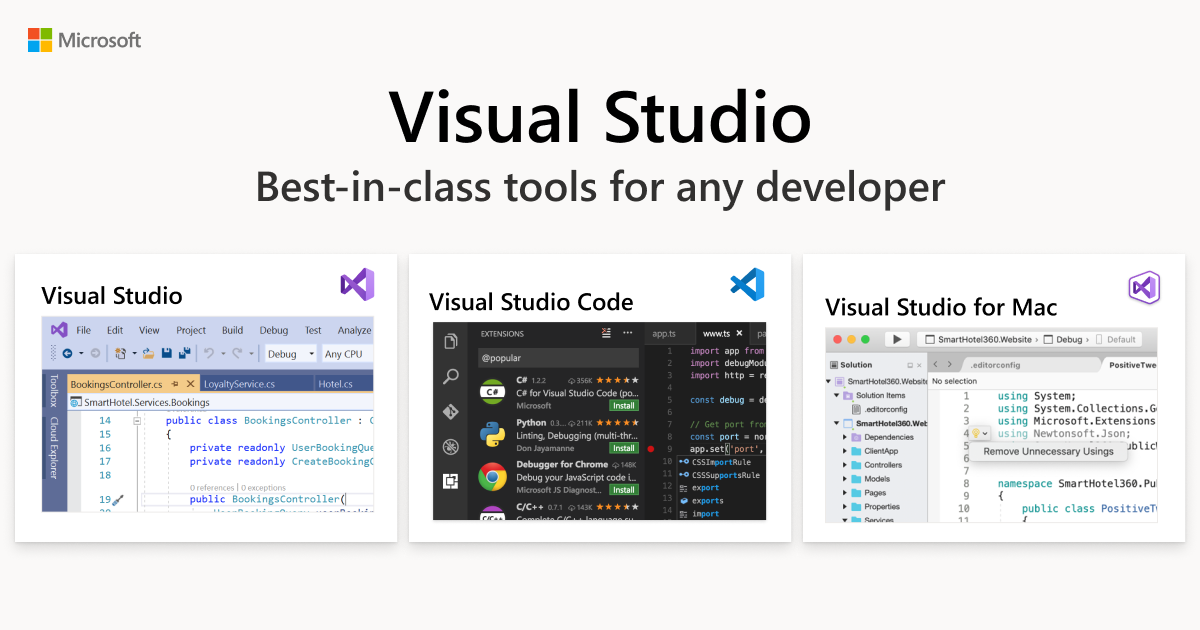
Visual Studio
rich adder
thorn lake
this location: https://visualstudio.microsoft.com/thank-you-downloading-visual-s...
uh yeah not sure why its showing you 2019
thorn lake
hmm weird
rich adder
bottom right what is the version on VS installer
thorn lake
oh weird, After closing it and reopening it it seems to have changed
rich adder
crazyy
thorn lake
Magic
 thorn lake
thanks sm
eternal falconBOT
Visual Studio guide
If your IDE is not underlining errors in red or autocompleting code,
please configure it using the link below:
• Visual Studio (Installed via Unity Hub)
• Visual Studio (Installed manually)
thorn lake
rich adder
After you will need to hit modify and install the modules. Instructions are here
Are these what you mean by modules?

oh wait nvm, I was just reading the wrong sections of the webpage
Does coding a game in C# restrict what platforms it can be played on? I might've misunderstood someone a few days ago who made it sound that way
rich adder
thorn lake
Does coding a game in C# restrict what platforms it can be played on? I might've...
no it all gets compiled into machine code
unity has all platforms pretty much
thorn lake
"Navigate to the Common7/IDE directory inside your Visual Studio installation directory and select devenv.exe. "
I'm assuming this needs to be added as the External Script Editor rather than Visual Studio Code but I'm not seeing a "Common7/IDE" directory.
It says it is in the Visual Studio installation directory but I'm not seeing any sort of Visual Studio installation directory.
rich adder
thorn lake
> "Navigate to the Common7/IDE directory inside your Visual Studio installation ...
you dont have to navigate to any directly if you did it correct you should just see visual studio popup in external tools
if you're manually assigning exe you did something wrong
(make sure you did restart unity after you installed everything)
thorn lake
rich adder
you dont have to navigate to any directly if you did it correct you should just ...
I only see this optioin but that's for the blue Visual Studio program. I do think I restarted everything but I'll do it again justttttt in case
 thorn lake
rich adder
After you will need to hit modify and install the modules. Instructions are here
thorn lake
rich adder
After you will need to hit modify and install the modules. Instructions are here
I did not install any additional modules aside from "Game Development with Unity" yet.
rich adder
nothing else is needed for unity
thorn lake
Could it have anything to do w/how I didn't set this portion up yet? (I wanted to ask for advise regarding which might be best practice for game creation out of these options before choosing one)
 rich adder
thorn lake
Could it have anything to do w/how I didn't set this portion up yet? (I wanted t...
rich adder
thorn lake
Could it have anything to do w/how I didn't set this portion up yet? (I wanted t...
you don't have to touch any of that, you open the script from unity it will automatically load the proper csproj/assembly
 rich adder
just make sure you do have visual studio editor in the package manager ?
doesn't hurt to restart whole pc at this point too lol
thorn lake
Could it be because the project existed before VS (purple) was installed?
Wondering if I should make a new project
rich adder
thorn lake
Wondering if I should make a new project
these settings are Editor wide not project wide
rich adder
thorn lake
Could it be because the project existed before VS (purple) was installed?
did you check this just incase #💻┃code-beginner message
thorn lake
rich adder
just make sure you do have `visual studio editor` in the package manager ?
I was told to remove that by someone here earlier. I'll Install it back in
rich adder
rip
we're talking about the visual studio editorone or visual studio code editor
they have two different ones
 thorn lake
rich adder
cool
thorn lake
rich adder
cool
Thanks sm!
thorn lake
rich adder
now I would click Regen Project files just in case
clicked it and nothing happened. Is that.....ok?
rich adder
thorn lake
clicked it and nothing happened. Is that.....ok?
yeah double click a script from unity, make sure its all loaded up
thorn lake
rich adder
yeah double click a script from unity, make sure its all loaded up

woot woot!!
rich adder
cookin with gas
thorn lake
Maybe it was "Visual Studio Code Editor" that they were saying to uninstall
rich adder
probably
it conflicts with VSCode / Unity connection now since it no longer is being used for communicating the two programs
thorn lake
Thanks!
Earlier someone told me that I need to have a ".net SDK" to do any C# project. How do I make sure that I have that? (I'm assuming it's there by default with this purple VS
rich adder
Unity already comes with .net standard and i think another one bundled
you need the .net sdk if you ever want to make other apps instead of just unity
thorn lake
ah ok
rich adder
or use VSCode for unity
thorn lake
He must've been referring to VSCode bc hat's what I was using at the time
From what I've gathered, I should just stick to only VS (Purple)
rocky canyon
it was, thats what i thought u were using at the time
thorn lake
rocky canyon
it was, thats what i thought u were using at the time
It was, but I didn't realize that I needed the purple one to have the IDE calibrated properly
rocky canyon
purple ones better for beginners
rocky canyon
im hooked
thorn lake
I really dislike the naming convention for these two programs lol. The fact they're named so similarly made this beginning process so confusing haha
rocky canyon
thorn lake
I really dislike the naming convention for these two programs lol. The fact they...
ya, everyone feels that way
rich adder
yeah microsoft really fdup this one
thorn lake
I'm surprised no one said "Wait a min" about that decision ngl
before it was finalized haha
rocky canyon
for the logo they just said, meh.. make it blue
rich adder
and its missing a piece cause its a not real ide xD
rocky canyon
thats why u run both
 rich adder
VS always looks badass like a masked hero coder lol
thorn lake
rocky canyon
thats why u run both
lol:
 rocky canyon
aye! lol
rich adder
lol
 rocky canyon
the newer versions of unity handle both pretty well now
u can switch back and forth relatively easy
rich adder
I'm trying work on Timesplitters 5 rn
rocky canyon
soo u finally gonna get coding now that u have an ide set up?
thorn lake
Anyways, thanks guys. I feel like I've graduated from Unity coding infancyh into adolescence now.
rocky canyon
or are u still in the process 😅
thorn lake
rocky canyon
or are u still in the process 😅
I'm pretty sure it's all set up now
rocky canyon
👍 nice... good luck 🍀
 faint sluice
Hello, what's the proper way to implement "confirm quit popup" on pressing back button on Android?
I'm seeing suggestion to check for input in update but I'm not sure if that's best way to go about it since it's in update
 charred spoke
Checking for user input in update is the preferred way to do it
 worthy veldt
how do i access Sorting Group component through code ? there is no GetComponent <SortingGroup>()
rich adder
worthy veldt
how do i access Sorting Group component through code ? there is no GetComponent...
worthy veldt
my god i thought i already implement UnityEngine.Rendering ma bad
 fierce geode
Is there way to make variables collapsible in the Editor?
I have a lot of variables that aren't necessary sometimes; so it would just be clean if I could dollapse them to make things look tidier
fierce geode
 fickle plume
<https://learn.microsoft.com/en-us/dotnet/csharp/language-reference/preprocessor...
fickle plume
<https://learn.microsoft.com/en-us/dotnet/csharp/language-reference/preprocessor...
Thanks!
eternal needle
fierce geode
Thanks!
are you asking about in unity editor which is what i thought or the IDE? for unity editor you'll either need to look into editor scripts like using EditorGUILayout.Foldout, or put the variables you want in a serializable class which should already have this dropdown looking button to expand it
fierce geode
eternal needle
are you asking about in unity editor which is what i thought or the IDE? for uni...
Yeah, I'm currently looking into those.
working good so far 👍
 eternal needle
the thing linked above would be for your IDE. The solution depends how you're using the variables. Like if these were public variables being used, and weren't neccessarily related to each other you wouldnt want to throw them in a class which would change how other things use it.
IIn which case you'd need a custom editor script
fierce geode
eternal needle
the thing linked above would be for your IDE. The solution depends how you're us...
Thanks!

 dry spruce
I have a problem

