#💻┃code-beginner
1 messages · Page 381 of 1
 ivory bobcat
Is impactEffect a reference to the prefab or a scene object?
If it's cloning the object that hit something, they'll likely all hit that something.
 karmic kindle
It's a reference to a prefab I've set in the inspector, which in this instance happens to be the same prefab as the bullet
omg omg... I created a new prefab for the impactEffect and it doesn't loop. Is this a Unity thing or 100% me?
 astral falcon
When is the ImpactEffect happening? Like once or multiple times probably?
ivory bobcat
You likely referenced a scene object. The excessive (Clone) implies so
karmic kindle
The effect is only happening once, but when I think about it, the bullet script is on the prefab, so I assume that when it instantiates the new impactEffect, it's just running everything over as if it were new - at least that's my best guess and I've learned some valuble lessons this morning 😅 🙈
Thanks to all!
 summer grail
How would I destroy the entire game object if I detected a collision in DestructibleWall Collision? been stuck on this for a few days but I might just be stupid

 late burrow
so i understand whenever i want make multi type container i should just make new class, but do i really need make 20 different fields for each type?
 languid spire
summer grail
How would I destroy the entire game object if I detected a collision in Destruct...
languid spire
summer grail
How would I destroy the entire game object if I detected a collision in Destruct...
Destroy(transform.parent) or Destroy(transform.root)
summer grail
thank you
 tender elbow
Debug.Log(atlas.SpriteCount) and atlas.GetSprites(supplied array) always return 0, disregarding any and all sprites in the atlas. It worked just fine up until a few hours ago and suddenly it broke and now I cant fix it. I've given up, can the Master Of Unity help out with this issue
astral falcon
tender elbow
Debug.Log(atlas.SpriteCount) and atlas.GetSprites(*supplied array*) always retur...
Restart unity, check console for errors.
tender elbow
Did both, no errors
astral falcon
Simple things like correct atlas set?
ivory bobcat
Show us the logs and method that logs
tender elbow
astral falcon
Simple things like correct atlas set?
References to collections and scripts are set up properly, as have the sprites and the atlas packings.
astral falcon
Then as dalphat said, show us the logs/script
tender elbow
Here is the code, its called in Start()

Do I drop the big log here or in another channel?
ivory bobcat
Screen shot of your console logs
tender elbow
Here is the error logs
 astral falcon
tender elbow
Did both, no errors
astral falcon
tender elbow
Did both, no errors
wth!? 😄
tender elbow
astral falcon
Fix your errors or do not expect unity to run correct
tender elbow
astral falcon
wth!? 😄
Two other errors are unrelated, am using logerror for the debugging
 burnt vapor
tender elbow
Here is the error logs
burnt vapor
tender elbow
Here is the error logs
Please show the code related to the NRE
astral falcon
Errors can break your runtime and stop your application from working
Especially null errors
tender elbow
Note: worked just fine a while ago with these two errors
burnt vapor
Doesn't matter, you should not run your application with errors. Compilation will not work and it leads to undefined behavior in general
tender elbow
Elaborate on NRE
astral falcon
keeping those errors for "a while" ...
burnt vapor
The Null Reference Exception that is shown
ivory bobcat
tender elbow
Here is the error logs
You'll need to fix your nre on line 53 of the player handler
tender elbow
PlayerHandler saves and loads the map between different playthroughs and scenes, in order to save the map I need properly setup buildings which I cannot setup anymore because the atlases broke
ivory bobcat
tender elbow
How to post !code (use the Large Code Blocks section if you've got a lot of code)
 eternal falconBOT

Posting code
📃 Large Code Blocks
Use links to services like:
https://gdl.space/, https://paste.ofcode.org/, https://hatebin.com/, https://paste.myst.rs/, https://hastebin.com/
📃 Inline Code
Surround code with three backquotes. Not quotation marks.
To format as C#, add cs to the first line:
```cs
// Your code here
```
Add a comment with a line number if there is an error message.
ivory bobcat
tender elbow
Here is the error logs
Click the collapse button to uncollapse it and show a screen shot again
tender elbow
Uncollapsed with the PlayerHandler NRE

Scrollbar just shows there are more Debug.LogErrors when going down, nothing else worth of note there
ivory bobcat
Your nre is occurring before your logs. Fix the nre first. Everything else may likely be false positives.
tender elbow
No NRE

PlayerHandler was searching for pre-loaded buildings in the scene, however if the scene is null it was returning an error. Fixed
However the issue with asset.GetSprites and asset.SpriteCount still returns 0
ivory bobcat
Count is zero, so you'll not get any sprites from the atlas
tender elbow
You can see the sprites in the atlas and the atlas attached to the Images collection

 ivory bobcat
Likely your referring to a different atlas as the console log states there aren't any sprites
 formal venture
Trying to make a ui toolkit's Progress bar as something functional as a for example Healthbar is a fool's errand? (in contrast to making it on a legacy system)
tender elbow
ivory bobcat
Likely your referring to a different atlas as the console log states there aren'...
Not the case sadly

I am going over each item in the collection and taking the sprites out of them to supply into an array. Again, it worked completely fine, doing its intended purpose until it just decided to not do so anymore
ivory bobcat
tender elbow
Not the case sadly
It clearly says zero so whatever that atlas reference is has zero sprites
tender elbow
tender elbow
Here is the code, its called in Start()
Only 1 atlas by that name in the whole project, properly attached to the collection. Is it possible that my code is creating a duplicate of the atlas with 0 sprites? Shouldnt be the case but it wouldnt be new for Unity to hallucinate

I am inclined to believe that it broke after Unity suddenly lost all references to the collection at random, however I am unsure if it has anything to do with it. It's been losing references at random for the past few months but every time I reattach them in the Inspector it resumes its normal activity, be it a prefab or a script or whatever
ivory bobcat
You're likely referencing something other than what you think.
tender elbow
Lets assume that I am indeed referencing the right atlas, what would the problem be then?
ivory bobcat
Log the item:cs Debug.Log($"Click to highlight the Item: {item}", item);
tender elbow
It highlights the proper asset
 ivory bobcat
tender elbow
Lets assume that I am indeed referencing the right atlas, what would the problem...
ivory bobcat
tender elbow
Lets assume that I am indeed referencing the right atlas, what would the problem...
I'd rather assume the opposite. If you're wanting to suggest what you've said, your only hope would be to try different versions on Unity or recreate the entire project - assuming the project is corrupted.
ivory bobcat
tender elbow
It highlights the proper asset
And the inspector for this object would be #💻┃code-beginner message ?
 verbal dome
late burrow
so i understand whenever i want make multi type container i should just make new...
verbal dome
late burrow
so i understand whenever i want make multi type container i should just make new...
What is a 'multi type container'?
tender elbow
ivory bobcat
And the inspector for this object would be https://discord.com/channels/48922216...
Yes, exactly
ivory bobcat
tender elbow
It highlights the proper asset
Can you show the inspector for Workshop?
late burrow
 tender elbow
Inspector for sprite atlas + inspector for one of the sprites in the atlas, the rest are the same

 verbal dome
late burrow
verbal dome
late burrow
So just a regular class?
 tough trench
I am new to unity and working on an idle game. I'm trying to make a button switch between showing pickaxe buttons and worker buttons. The code turns the buttons off but not back on does anyone know how i can fix this?
 late burrow
yes but perhaps there something like object
if i have multiple same datas but in different type
 swift crag
what are you actually trying to accomplish
languid spire
tough trench
I am new to unity and working on an idle game. I'm trying to make a button switc...
is this code being called from Update?
 storm pine
tough trench
I am new to unity and working on an idle game. I'm trying to make a button switc...
storm pine
tough trench
I am new to unity and working on an idle game. I'm trying to make a button switc...
Once your game object is set active to false then the Update and everything stop
tough trench
languid spire
is this code being called from Update?
yeah
ivory bobcat
tender elbow
It highlights the proper asset
It should've highlighted an item and not the work shop, if I'm reading your code correctly. Where's the item object?
languid spire
tough trench
yeah
once you disable the gameObject, Update no longer runs
tough trench
ok thanks
ivory bobcat
Where this instance/reference of item should have had a levels property/field/collection
tender elbow
Can you elaborate please, I cant seem to understand what you mean
Do you wish to see the collection script
ivory bobcat
tender elbow
Can you elaborate please, I cant seem to understand what you mean
Item should not have been a sprite atlas so can you show us the item object that was highlighted?
swift crag
tough trench
ok thanks
Note that this doesn't stop you from calling methods on your component -- disabling it only stops Unity from running things like Update and FixedUpdate!
So you can freely call that method from somewhere else (if you make it public, at least)
tough trench
swift crag
Note that this doesn't stop you from calling methods on your component -- disabl...
Thanks i got it to work
ivory bobcat
tender elbow
Do you wish to see the collection script
Can you show the log message produced from #💻┃code-beginner message
tender elbow
yea, just a sec, unity crashed
verbal dome
I would also try reimporting the sprite atlas asset
ivory bobcat
We haven't seen the item object as far as I'm aware - we were given what's assumed to be the last element of the level from supposedly the item object. It should have highlighted the item and not the work shop (last level).
tender elbow

 zealous hatch
ive seperated the sprites. its hard because i can either make it look good aiming up but bad aiming down or the other way round
ivory bobcat
tender elbow
So when you single click the log, the object with a building library component should have been highlighted. Show us the inspector for that object.

 ivory bobcat
Use the log I provided - I'm assuming the item is a unity object/component. #💻┃code-beginner message
 jaunty bay
hi there, im having problems with callback functions.
    {
        Collider2D nearestCollider = FindNearestInteractable();     //get the nearest collider,
        if (nearestCollider != null)                                //and if it's not empty,
        {
            Interact(nearestCollider.gameObject);
            Debug.Log("Interacted from OnInteract() to call Interact()"); //then interact
        }
    }```
for some reason, it runs whats inside OnInteract(), but the debug error log tells me that the method is missing
and to trigger it, im using /// interactAction.performed += OnInteract;
 wintry quarry
jaunty bay
for some reason, it runs whats inside OnInteract(), but the debug error log tell...
wintry quarry
jaunty bay
for some reason, it runs whats inside OnInteract(), but the debug error log tell...
You set something up in the inspector that's broken
Do you have a PlayerInput?
jaunty bay
wintry quarry
Do you have a PlayerInput?
yes, its properly set up
tender elbow
ivory bobcat
Use the log I provided - I'm assuming the item is a unity object/component. http...
I couldnt use the exact same code so I had to change it for it to run
 jaunty bay
wintry quarry
And make sure there aren't other copies
jaunty bay
wintry quarry
And make sure there aren't other copies
movement and others work, only the interact code doesnt
but ok ill double chekc
wintry quarry
jaunty bay
movement and others work, only the interact code doesnt
That doesn't change my advice
wintry quarry
jaunty bay
and to trigger it, im using /// interactAction.performed += OnInteract;
It's odd you're doing this if you're using PlayerInput
astral falcon
jaunty bay
for some reason, it runs whats inside OnInteract(), but the debug error log tell...
Do you -= somewhere to unregister when disabled?
ivory bobcat
tender elbow
I couldnt use the exact same code so I had to change it for it to run
Remove the log and put a break point where you've assigned the temp atlas (red circle by clicking to the left of the line number)
tender elbow
Attaching the log in a sec
 jaunty bay
astral falcon
Do you -= somewhere to unregister when disabled?
jaunty bay
astral falcon
Do you -= somewhere to unregister when disabled?
yes, i did
ivory bobcat
tender elbow
Attaching the log in a sec
When you execute the program and it halts on that line, check the details to see the level elements.
tender elbow
Hm, it doesnt halt at the break point
jaunty bay
wintry quarry
It's odd you're doing this if you're using PlayerInput
i dunno if theres anything wrong, but seems fine to me ...


movement script and other method works, but it only wont work when i use callback
ivory bobcat
tender elbow
Hm, it doesnt halt at the break point
Make sure to start the debugger before hitting play in the Editor - green arrow up top in Visual Studio.
wintry quarry
jaunty bay
i dunno if theres anything wrong, but seems fine to me ...
None of this is the PlayerInput component
You just happened to name your input actions asset with the name "PlayerInput"
Which is incredibly confusing
But I'm talking about the actual PlayerInput component
tender elbow
ivory bobcat
When you execute the program and it halts on that line, check the details to see...
From the inspector or somewhere else?
jaunty bay
wintry quarry
But I'm talking about the actual PlayerInput component
ok, this was here too, what about it?

do i need to rename the PlayerInput input action?
wintry quarry
jaunty bay
ok, this was here too, what about it?
If you're not using this you should remove it
wintry quarry
jaunty bay
do i need to rename the PlayerInput input action?
You don't need to but I would recommend it because it's causing you confusion
swift crag
jaunty bay
do i need to rename the PlayerInput input action?
The name collision is not a problem (unless you use the "generate C# class" option, which would give you a class with the same name)
I called my input action asset "Input Actions"
very creative
jaunty bay
wintry quarry
If you're not using this you should remove it
ive removed it--n now my player wont move
ivory bobcat
tender elbow
From the inspector or somewhere else?
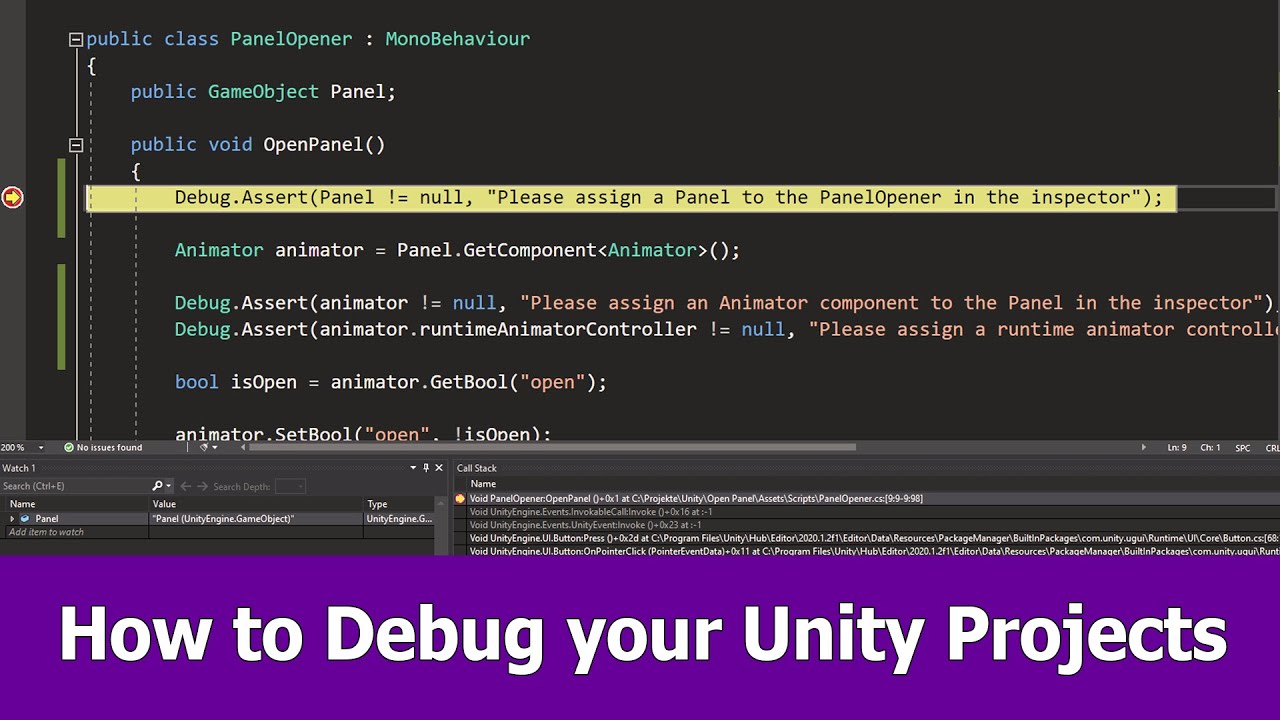
I got some requests on how to use debugging for C# code in Unity projects and Visual Studio so here is an example project with a UI panel in which I show you how to use the debugger and breakpoints.
You can download the free community edition of Visual Studio 2019 here:
https://visualstudio.microsoft.com/de/downloads/
Debugging is essential wh...
wintry quarry
jaunty bay
ive removed it--n now my player wont move
Then you were using it
Why are you using two different approaches to input handling
Pick one and stick with it
jaunty bay
wintry quarry
Why are you using two different approaches to input handling
oh, so thats what im doing currently?
hmm alr lemme check
wintry quarry
Yes you're using both the PlayerInput component and a direct reference to your asset
 restive badger
I sense some heavy chatgpt guidance with that input handling
jaunty bay
restive badger
I sense some heavy chatgpt guidance with that input handling
i use different tutorials 😅
ivory bobcat
ivory bobcat
https://youtu.be/d0815qbx3BA?t=97
Verify that the reference item has the correct level referenced, that the level has the correct elements and that the element (work shop) has the correct data (multiple sprites etc) @tender elbow
tender elbow
Srry for multiple images


 jaunty bay
kk ty for the help ill try to fix it
ivory bobcat
Count prints zero so most definitely it does not have the correct amount of sprites but you'll also be able to track what's the incorrect reference: item, level or work shop - one or more of these is incorrect.
restive badger
You can just change the behavior to unity invoke event then assign manually without having to deal with bindings in the code
 shadow rain
it does work but the object rotates around itself and i want it to rotae aroun the player
swift crag
sounds like you need to correct the pivot point, then
ivory bobcat
ivory bobcat
Count prints zero so most definitely it does not have the correct amount of spri...
That temp atlas named workshop sprite atlas has no sprites. Check the line before to see what levels were available and what the item was. There should be a window where you'd be able to inspect the locals and whatnot https://learn.microsoft.com/en-us/visualstudio/get-started/csharp/tutorial-debugger?view=vs-2022#inspect-variables-with-the-autos-and-locals-windows @tender elbow
swift crag
either by changing the origin of the sprite or by parenting the object to an empty
 lime pewter
// new pool gameobject
            GameObject newPool = new GameObject();
            newPool.name = "NewPool";
            newPool.transform.parent = liquidManagerTransform.transform;
            newPool.AddComponent<PoolScript>();
            newPool.GetComponent<PoolScript>().blockTilemap = blockTilemap;
            newPool.GetComponent<PoolScript>().liquidType = liquidType;

            Debug.Log(transform.childCount);

            foreach (Transform child in transform)
            {
                child.GetComponent<LiquidScript>().isActive = false;
                child.GetComponent<LiquidScript>().isPooled = true;
                child.parent = newPool.transform;
                if (child.GetComponent<LiquidScript>().GetLiquid(Vector2.up) == null)
                {
                    child.GetComponent<LiquidScript>().isPoolTop = true;
                    if (child.GetComponent<LiquidScript>().GetLiquid(Vector2.down) != null)
                    {
                        child.GetComponent<LiquidScript>().GetLiquid(Vector2.down).GetComponent<LiquidScript>().isPoolTop = false;
                    }
                }
            }
            Destroy(gameObject);
In my liquid "pooling" system, when calling this script on a parent gameobject of children I am trying to move to a new gameobject (that it is also creating) for some reason it will only move 3/5 children before destroying itself, and if I comment out the "Destroy" at the bottom it will keep those two children in this current gameobject, if anyone knows why it would be amazing to find out!
lime pewter
lime pewter
```c#
// new pool gameobject
GameObject newPool = new GameObject();
...
The "transform.childCount" also does recognize all five.
shadow rain
swift crag
either by changing the origin of the sprite or by parenting the object to an emp...
how can I change the origin point?
verbal dome
lime pewter
```c#
// new pool gameobject
GameObject newPool = new GameObject();
...
Changing child.parent inside the loop will mess up the foreach iteration, I think.
Because it gets removed from the children
That you are iterating on
lime pewter
verbal dome
Changing ``child.parent`` inside the loop will mess up the foreach iteration, I ...
Ah, weird. Would there be an easy way to fix that?
I guess that does make sense, though.
shadow rain
swift crag
well, **is** this a sprite, first of all?
think so
verbal dome
lime pewter
Ah, weird. Would there be an easy way to fix that?
Could try a reverse for loop instead
for(int i = transform.childCount - 1; i >= 0; i--)
{
  var child = transform.GetChild(i);
}
Should work?
lime pewter
I'll try it, thanks!
tender elbow
ivory bobcat
That temp atlas named workshop sprite atlas has no sprites. Check the line befor...
I am dropping it and reverting to a push from yesterday, ill try to retrace my steps and see what went wrong and where, thanks for the help nonetheless!
shadow rain
swift crag
well, **is** this a sprite, first of all?
it is
verbal dome
lime pewter
I'll try it, thanks!
Note that this might reverse the order of the children under the new parent, if that matters
lime pewter
verbal dome
Note that this might reverse the order of the children under the new parent, if ...
it worked!
lime pewter
verbal dome
Note that this might reverse the order of the children under the new parent, if ...
That shouldn't matter luckily! Appreciate it.
Currently my code is just about as horrible as you could possibly imagine, nearly 800 lines which I could easily rewrite in roughly 150-200 and it's painful to work in, but I am too stubborn to rewrite it until it's finished.
shadow rain
swift crag
well, **is** this a sprite, first of all?
it is
swift crag
in the sprite editor, you can change the pivot point of the sprite
you want to put it where the sprite should rotate around
 tame mesa
I don't see the outlines or the camera icon on unity like image 1
Instead, I have the rendering of image 2. When I add Tilemaps, and I launch the game, I do not see them even by double clicking on the camera (image 2)

 swift crag
This scene is completely empty

ah, I see: you mean that when you add more things, the game view winds up empty
shadow rain
swift crag
in the sprite editor, you can change the pivot point of the sprite
sprite renderer?
swift crag
show me the inspector for Main Camera
swift crag
shadow rain
sprite renderer?
No. The sprite editor. It's part of the importer for a sprite -- click on the asset in the Project window and look in the inspector
 swift crag
SpriteRenderer displays a sprite
tame mesa
Even when I add a capsule and launch the game :
 swift crag
also, that camera is at a pretty wild position
set its position back to X=0, Y=0, Z=-10
 polar acorn
tame mesa
Even when I add a capsule and launch the game :
polar acorn
tame mesa
Even when I add a capsule and launch the game :
Is the capsule actually in view of the camera?
shadow rain
swift crag
SpriteRenderer **displays** a sprite
idk if it is a sprite anymore cuz i just made a capsule in the normal game winow to the left
tame mesa
polar acorn
Is the capsule actually in view of the camera?
Since I can't see the contours of the camera rendering, I don't know
polar acorn
tame mesa
Since I can't see the contours of the camera rendering, I don't know
Why not? Go into scene view and select the camera
See where it's pointing
swift crag
shadow rain
idk if it is a sprite anymore cuz i just made a capsule in the normal game winow...
you're going to have to show me what you're actually doing
swift crag
tame mesa
Since I can't see the contours of the camera rendering, I don't know
you have gizmos off

top right corner of the scene view
turn them back on
shadow rain
 tame mesa
swift crag
tame mesa
swift crag
okay, so you're using a built-in sprite
shadow rain
ye
verbal dome
shadow rain
If you want the shield to rotate around a different point, you can put it under an empty parent object
Then rotate the parent
swift crag
yep
swift crag
Make an empty object positioned in the center of the player
parent the shield to that, and rotate that object
 terse plume
I can't wrap my head around the localization plurals format
{0:plural:an apple|{} apples}
so...
-0 is where my replacement happens, I can name a field there
:pluralthe literal word "plural" because reasons?:the singular versionokay, singular first...|the plural versionwhy with a|if singular was with:??? how can I make the zero case? what about languages with duals or other plurals???
I don't get it 🥲
tame mesa
polar acorn
https://discord.com/channels/489222168727519232/497874004401586176/1250820917123...
With guizmos + reset position + capsule on center = playmode nothing appear
polar acorn
tame mesa
Look at it in 3D. Is it in view of the camera frustum?
How far away from the camera is it?
shadow rain
verbal dome
If you want the shield to rotate around a different point, you can put it under ...
ty it works
shadow rain
swift crag
yep
ty ty
verbal dome
 lethal bolt
Why isnt it possible to set an transform to an clone?
lethal bolt
Why isnt it possible to set an transform to an clone?
What does this mean/what did you try to do?
 polar acorn
lethal bolt
polar acorn
lethal bolt
Prefabs cannot reference objects in the scene
verbal dome
Oh it's a prefab
swift crag
terse plume
I can't wrap my head around the localization plurals format
`{0:plural:an apple|...
polar acorn
Prefabs can exist anywhere. Objects in the scene only exist when that scene is loaded
swift crag
There are many formatters.
the plural formatter is one of them
hence needing to use :plural to indicate you're using the plural formatter
tame mesa
polar acorn
How far away from the camera is it?
contact , but it's really annoying because I can move a 3D object but not tiles

 polar acorn
tame mesa
contact , but it's really annoying because I can move a 3D object but not tiles
polar acorn
tame mesa
contact , but it's really annoying because I can move a 3D object but not tiles
You can move anything
Every object has a transform
swift crag
swift crag
hence needing to use `:plural` to indicate you're using the plural formatter
The documentation should explain everything.
tame mesa
polar acorn
You can move anything
Okay, but in the tutorials, the camera is directly configured so as not to have to do that, why don't I have a result similar to that:
 polar acorn
tame mesa
Okay, but in the tutorials, the camera is directly configured so as not to have ...
polar acorn
tame mesa
Okay, but in the tutorials, the camera is directly configured so as not to have ...
Because your camera is not directly configured so as not to have to do that
For example, your camera is perspective. If you're trying to work in 2D, why are you using a 3D camera projection?
tame mesa
polar acorn
For example, your camera is perspective. If you're trying to work in 2D, why are...
I simply use the basic camera added on new 2d project
polar acorn
tame mesa
I simply use the basic camera added on new 2d project
IF your project was created as a 3D project, the default camera is perspective. If it's a 2D project, it'd be Orthographic
It just changes the default, you can go in and change it whenever
tame mesa
Ok , I've recreate one again the project , seen be fix now
I don't really understand because I've already done it twice without having this result, even if I change to a perspective camera, the result is not like the one I showed above
polar acorn
tame mesa
I don't really understand because I've already done it twice without having this...
The screenshot from the tutorial is an orthographic camera, not perspective
 final kestrel
This code here will give the first item in database an id of 0?
 languid spire
final kestrel
This code here will give the first item in database an id of 0?
languid spire
final kestrel
This code here will give the first item in database an id of 0?
why the double initialization of the Dictionary?
 tender breach
Update: I found out the problem was that it was detecting the bottom and not the clone. How can I make OnTriggerEnter2D detect multiple game objects.
polar acorn
tender breach
Update: I found out the problem was that it was detecting the bottom and not the...
It already does
It'll detect every trigger interaction
tender breach
polar acorn
It already does
Does it not detect clones or
polar acorn
tender breach
Does it not detect clones or
It'll detect every trigger interaction
Any time this object enters a trigger interaction (whether it's entering a trigger or something else is entering this thing's trigger), it'll call OnTriggerEnter
tender breach
polar acorn
It'll detect every trigger interaction
Well the gameObject that's the clone still isn't changing.
And it's detecting it, so IDK what happened
polar acorn
tender breach
Well the gameObject that's the clone still isn't changing.
I have zero context as to what this means, but I can assure you that every pair of objects involved in a trigger interaction will call that function on both of them
If the function isn't calling, a trigger interaction isn't happening
final kestrel
languid spire
why the double initialization of the Dictionary?
I'm just watching a video. He says to clear the dictionary so we do not duplicate anything.
polar acorn
The Three Commandments of OnTriggerEnter2D:
- Thou Shalt have a 2D Collider on each object
- Thou Shalt tick
isTriggeron at least one of them - Thou Shalt have a 2D Rigidbody on at least one of them
final kestrel
But he also says we cannot serialize dictionaries. Then what is even the point of using the OnAfterDeserialize? Can you deserialize something you could not serialize?
languid spire
final kestrel
I'm just watching a video. He says to clear the dictionary so we do not duplicat...
I can guarantee you, when OnAfterDeserialize is called the Dictionary is initialized and empty
 timber tide
Doesn't seem like that would do anything. Use a list to store you entries and initialize the dict in start/awake
final kestrel
Ah so there is no need to initialize it again since it will be empty okay.
languid spire
final kestrel
Ah so there is no need to initialize it again since it will be empty okay.
exactly
final kestrel
So the OnAfterDeserialize is like something general? Does it get called whenever Unity deserializes ANYTHING?
languid spire
why are you using it if you do not know this?
timber tide
Usually I use the ISeralization interface methods when I cannot use onvalidate
final kestrel
languid spire
why are you using it if you do not know this?
Ah no I am not using it. I was just watching this video and I read the document but I just got confused.
final kestrel
timber tide
Usually I use the ISeralization interface methods when I cannot use onvalidate
I will make sure to look up OnValidate
languid spire
final kestrel
Ah no I am not using it. I was just watching this video and I read the document ...
Do not get confused. OnAfterDeserialize is called by Unity immediatly after the data has been deserialized so that you can do things like fill non serializable data
final kestrel
It should work well with Scriptable objects then hm
I'm using newtonsofts json serializer anyways I believe I can just serialize the dictionary
languid spire
so, for example rebuilding Dictionarys is a perfect example.
you should also have a OnBeforeSerialize to fill the List from the Dictionary so that that can be serialized
languid spire
final kestrel
I'm using newtonsofts json serializer anyways I believe I can just serialize the...
but that will not call OnAfterDeserialize, that is Unity serialization only
 loud python
Hey guys I've been learning a lot! I've been working on this Player Controller script for the last 2 weeks. Everything works fine, but over the days I know for a fact I've double called things in the update, have a couple unused methods. Was wondering how I could clean this up? https://paste.ofcode.org/3b6amWMKR4vnPXwXj3qBWM4
final kestrel
languid spire
but that will not call OnAfterDeserialize, that is Unity serialization only
Ah makes sense. Thanks
wintry quarry
loud python
Hey guys I've been learning a lot! I've been working on this Player Controller s...
- delete any unused methods
- Get rid of duplicate code like:
        CheckCurrentSpeed();
        MovementBugFix();
        CheckCurrentSpeed();
MovementBugFix();```The update just looks....a mess...lol I know it gets the job done but.. ya know
Fixed those btw^ ty
wintry quarry
it is a mess
    public bool isMovementState = false;
    public bool isIdleState = false;
    public bool isWalkingState = false;
    public bool isBaseMovementState = false;
    public bool isRunningState = false;```
This absolutely needs fixingYou should use an enum
swift crag
wintry quarry
- delete any unused methods
- Get rid of duplicate code like:
```cs
Chec...
MovementBugFixForReal()
loud python
wintry quarry
You should use an enum
I will have to watch a tutorial on enums as I've never used them, but heard of them. its like a method that stores values and can be called anywhere correct?
 steel valve
Hi, im having the following problem: i created a trigger "Explodir" so i can do a transition from the state "Any state" to the State "Explosion", i set the trigger in my script but the animation doesnt play, although my trigger was activated. Am i forgetting something?
 polar acorn
loud python
I will have to watch a tutorial on enums as I've never used them, but heard of t...
polar acorn
loud python
I will have to watch a tutorial on enums as I've never used them, but heard of t...
An enum is basically an int with a hat that you can't do math on. You just assign names to distinct values that you can use to check for equality.
loud python
polar acorn
An enum is basically an int with a hat that you can't do math on. You just assig...
ahh, so for example I can call it from another script so how would that look? the same as calling a static?
wintry quarry
loud python
I will have to watch a tutorial on enums as I've never used them, but heard of t...
no. It defines a type that can have a number of different values and holds one such value at a time
wintry quarry
loud python
ahh, so for example I can call it from another script so how would that look? th...
It's just a datatype like any other
nothing special about how it is referenced or called from other classes
polar acorn
loud python
ahh, so for example I can call it from another script so how would that look? th...
It's creating a Type, that you can use like any other type, but that type only has pre-defined named values in it
So you could create a Stats enum that contains HP, MP, STR, DEX, CON, and if you tried to do Stats.LUCK it wouldn't let you because that doesn't actually exist
loud python
wintry quarry
```cs
public bool isMovementState = false;
public bool isIdleState = fal...
Whats the benefit of using enums vs this ^
wintry quarry
loud python
I will have to watch a tutorial on enums as I've never used them, but heard of t...
for example:
// Define the type
enum State {
  Idle,
  Walking,
  Running
}

// Use the type in a variable, like any other type:
State currentState = State.Walking;
// More examples
if (currentState == State.Idle) {
  currentState = State.Running
}```this has 32 possible states
polar acorn
loud python
Whats the benefit of using enums vs this ^
Because all of that becomes one line:
public State CurrentState;
and you can no longer be in more than one state at a time
loud python
wintry quarry
for example:
```cs
// Define the type
enum State {
Idle,
Walking,
Running
...
oh!!! this looks way better
wintry quarry
loud python
Whats the benefit of using enums vs this ^
what happens if isIdleState is true AND isWalkingState is true
what does that mean?
With the enum that's not possible
loud python
wintry quarry
what happens if `isIdleState` is true AND `isWalkingState` is true
they will never be true at the same time,
timber tide
it's up to you to keep it consistent then
one gripe I have with the animator is there isn't actually an enum option so you basically do have to juggle bools
verbal dome
timber tide
one gripe I have with the animator is there isn't actually an enum option so you...
Or ints, but yeah it's hard to maintain
wintry quarry
loud python
they will never be true at the same time,
sure unless you make a mistake
swift crag
Making invalid states impossible to represent makes your code more reliable
 summer stump
loud python
they will never be true at the same time,
summer stump
loud python
they will never be true at the same time,
The should never be true at the same time.
With an enum, you can change that to will
 dense root
So I'm getting an unintended behavior using this for loop, where it fills the same letter twice (え=e). I want it to fill it out using the rest of the characters in the array
// "For loop, skips the picked value and continues to skip one iteration"
for (int i = 0; i < 4; ++i)
{
    // If we encounter randomInt2 we just skip it
    if (i == randomInt2)
    {
        continue;
    }

    // Set the text randomly between 0 and 4
    answerButtonText[i].text = answerKey[hiraganaArray[i]];
}
 swift crag
are you sure that hiraganaArray does not contain a duplicate?
and that answerKey is correct?
dense root
I think so, yes
void HiraganaDictionary()
{
    answerKey.Add("あ", "a");
    answerKey.Add("い", "i");
    answerKey.Add("う", "u");
    answerKey.Add("え", "e");
    answerKey.Add("お", "o");
}

string[] hiraganaArray = { "あ", "い", "う", "え" ,"お"};
didn't you pick a random item from that array and set a random answer button to display it?
dense root
Yeah, but I was having some trouble implementing that so I wanted to break it down into smaller bites
swift crag
show the rest of your code
dense root
Ahh, okay
swift crag
randomInt2 should become chosenButtonIndex
this code will always write え into the last button, assuming that chosenButtonIndex is not 3
so if it also happens to randomly choose え to be the correct answer, and it doesn't put the correct answer into the button at index 3, you'll get a duplicate
You need to pick a random character for each of the answer buttons -- and you need to exclude the character that is already the correct answer
You can easily do this by making a list of the possible choices and removing characters as you use them.
dense root
furiously begins to take notes
Oh I see... so I need to modify my codes so that I am selecting a random character for one of the answer buttons, then "excluding" them from the list by removing them from the list. Then removing characters as I need them. Something like this:
1 - あ
2 - い
3 - う
4 - え
5ーお
あ has been removed, therefore the list shrinks to a count of 4 and we select at random the rest of the values
swift crag
Yes. And you skip over the button that you've already assigned the correct answer to.
 ionic zephyr
Can CharacterController be used for NPC´s??
wintry quarry
of course
verbal dome
Sure, but if you want to use the navmesh then you might as well just use NavMeshAgent to move it instead
ionic zephyr
Okay, thanks
 young fossil
What is the design pattern, if you could call it that, where you have a script that primarily acts for references. So it would for example, it could contain serialized fields for each component, the other scripts would reference that script
 night mural
young fossil
What is the design pattern, if you could call it that, where you have a script t...
night mural
young fossil
What is the design pattern, if you could call it that, where you have a script t...
I guess you could call that a 'store' but it just sounds like 'programming' to me. Your program is made of data and functions and programming is deciding where to put them.
verbal dome
Maybe a manager or a singleton
timber tide
Sounds like some manager, but rather having other scripts full access to those references the manager should handle the inbetween and expose only what's required
young fossil
verbal dome
Maybe a manager or a singleton
Is it conventional? As in, have you seen it being used to an effective way before?
night mural
I feel like manager implies that it has behavior, which it sounds like this doesn't, an singleton implies information about how to use that object, not really what it actually does
verbal dome
young fossil
Is it conventional? As in, have you seen it being used to an effective way befor...
Very common in game development
At least with unity
young fossil
Could I use a struct for it
timber tide
Ah, true. I guess it reads more like a table/database then
night mural
young fossil
Is it conventional? As in, have you seen it being used to an effective way befor...
Most programs need to solve 'where do i store my objects that i created?' as a first principle. Unity obfuscates that for you by storing your objects serialized in the scene/components/etc , but that system is limited so you'll often end up needing to store your own data as well
young fossil
young fossil
Could I use a struct for it
In another other case, I'd just make it a struct and call it a day. But since Unity is such a large program i'd like to know if it actually is useful to be struct in this use case
night mural
young fossil
Could I use a struct for it
if you want to store references, it doesn't really make sense for it to be a struct (unless it's a ref struct, but I would say keep it simple until you understand those things well)
young fossil
night mural
if you want to store references, it doesn't really make sense for it to be a str...
I mean, in C# you use a struct for exactly that
For storing groups of variables without much code
night mural
you sure can, but why would you? that struct is essentially behaving like a class
timber tide
You can get away with static types, but when you're dealing with scenes and volatile monobehaviour data, then something like a singleton becomes more preferable as you can clean them up with the scenes (or move them to the next so they do get that full static behaviour if you wanted)
young fossil
It isn't though, is it? It is storing data that is being referenced and used somewhere else
Maybe in Unity's case, it would be a class, that's what I'm trying to understand
night mural
structs are value types, but if you store a reference type in there, it's just storing that reference, and if the only thing in your struct is reference types, it essentially is a reference type
this has nothing to do with unity
you are right that practically i'm not sure you'd see much difference
but that being the case, you should do the more semantically correct thing, which imo is to use a class
young fossil
Okay, yea, thank you guys I see what you're saying
Think I need to redesign what I'm trying to do
night mural
sounds like game dev to me 🙂 If you're looking for other approaches, I'm a propnent of pretending that unity doesn't exist and making most of your game/logic in C#, and then mapping that over to unity's stuff to display it
 toxic frigate
hello all, i've been trying to get something to work for a while, but i'm not sure how to approach this
i have a function which i want to take a gameobject as an argument, a list as another argument, and loop through each child of the gameobject and then, if a certain script is found on a child, add it to the list
this is what I have so far:
private void FindAllComponentHealths(Transform parent, List<componentHealth> list) { foreach (Transform child in parent) { list.Add(child.GetComponent<componentHealth>()); } }
 void raptor
i have a problem, i have this helicopter object that should move when this funcion https://paste.ofcode.org/EVX6s3RGApGSG9gV8LyR4w is called but when called the helicopter stays still and it doesnt move, can someone help?
 languid spire
toxic frigate
hello all, i've been trying to get something to work for a while, but i'm not su...
languid spire
toxic frigate
hello all, i've been trying to get something to work for a while, but i'm not su...
not good
private void FindAllComponentHealths(Transform parent, List<componentHealth> list)
    {
        foreach (Transform child in parent)
        {
            var ch = child.GetComponent<componentHealth>();
            if (ch != null) list.Add(ch);
        }
    }
GetComponentsInChildren also exists
languid spire
verbal dome
GetComponentsInChildren also exists
true, but changing the API call will not help OP understand what he did wrong
verbal dome
Yep
void raptor
void raptor
i have a problem, i have this helicopter object that should move when this funci...
is the problem the rigidbody? becouse i tried to remove it but nothing changes
nvm i resolved the problem
wintry quarry
void raptor
is the problem the rigidbody? becouse i tried to remove it but nothing changes
You should not be moving via the Transform of you have a Rigidbody
void raptor
wintry quarry
You should not be moving via the Transform of you have a Rigidbody
Thanks
 chrome valve
dense root
Oh I see... so I need to modify my codes so that I am selecting a random charact...
chrome valve
dense root
Oh I see... so I need to modify my codes so that I am selecting a random charact...
ew what are these charactes
dense root
It's Japanese!
polar acorn
chrome valve
ew what are these charactes
Hiragana
chrome valve
dense root
It's Japanese!
oh.
i saw that in anime once, cool
i just realized, how do i stop shadows from double casting?
verbal dome
chrome valve
i just realized, how do i stop shadows from double casting?
What does that mean?
This is a code channel btw.
chrome valve
verbal dome
This is a code channel btw.
oh shoot you're right 🤦♂️ sorry
verbal dome
If you have two shadows then you probably have two light sources
ionic zephyr
how can i create knockback with CharacterController
 rich adder
ionic zephyr
how can i create knockback with CharacterController
rich adder
ionic zephyr
how can i create knockback with CharacterController
You have to manually lerp the cc.Move
summer stump
chrome valve
ew what are these charactes
Is ew really what you believe an appropriate response to another language is?
 winter maple
with urp 2d, can i make a freeform light bounce off of a sprite?
I wanna have some kind of light that shines through the window and just wanna make it if the players walks infront of that light, he blocks off the light with his sprite
formal venture
How can i reference and interact with properties of this object aside from the start/awake function?
 polar acorn
collider
ionic zephyr
rich adder
You have to manually lerp the cc.Move
oh, okay thanks
 fair temple
can i prohibit when player walks into the wall and passing the wall with Physics.CapsuleCast ?
 slender nymph
formal venture
How can i reference and interact with properties of this object aside from the s...
slender nymph
formal venture
How can i reference and interact with properties of this object aside from the s...
you can store a reference to the progress bar in a field then just use that in whatever method you'd like
polar acorn
Does the player have a collider, and are you moving it with something other than direct teleportation
That's teleportation
That's not going to respect any colliders whatsoever
You are going to need to either move it using a Rigidbody or CharacterController, or manually check for colliders with a raycast and determine if your move is legal before doing it
 misty pecan
how i access the child of a prefab
formal venture
slender nymph
you can store a reference to the progress bar in a field then just use that in w...
umh could you give me some example? im not sure i understand.
slender nymph
if it helps you understand, a field is a class-level variable
if you don't understand from that, then there are beginner c# courses pinned in this channel
 faint sluice
misty pecan
how i access the child of a prefab
faint sluice
misty pecan
how i access the child of a prefab
Prefab.transform.getchild(i);
misty pecan
thank you
formal venture
slender nymph
if it helps you understand, a field is a class-level variable
if you don't under...
okay, thanks
faint sluice
misty pecan
thank you
Do notice it will give you only transform of the child, if you want something else that's on child you'll have to use get component etc
misty pecan
was about to ask that thank you
zealous hatch
why does my character do this
`private void OnLook(InputValue value)
{
mouseWorldPos = Camera.main.ScreenToWorldPoint(value.Get<Vector2>());
}
private void LookAtMouse(Transform Wrapper)
{
var dir = (mouseWorldPos - (Vector2)Wrapper.position).normalized;
if (!flipTowardsMouse)
{
    FlipX(dir.x);
}

Wrapper.right = dir * Mathf.Sign(transform.localScale.x);
var eulerDir = Wrapper.localEulerAngles;
eulerDir.z = Math.Clamp(
    eulerDir.z - (eulerDir.z > 180 ? 360 : 0), bottomAngleLimit, topAngleLimit);
Wrapper.localEulerAngles = eulerDir;
}`
slender nymph
use mp4 to embed in discord, not mkv. also !code
eternal falconBOT
Posting code
📃 Large Code Blocks
Use links to services like:
https://gdl.space/, https://paste.ofcode.org/, https://hatebin.com/, https://paste.myst.rs/, https://hastebin.com/
📃 Inline Code
Surround code with three backquotes. Not quotation marks.
To format as C#, add cs to the first line:
```cs
// Your code here
```
Add a comment with a line number if there is an error message.
misty pecan
how would i make it so a prefabs child gameobject can use the SetActive method
summer stump
misty pecan
how would i make it so a prefabs child gameobject can use the SetActive method
We need some more detail. The child can already call SetActive on many things
misty pecan
i have code in a prefab which has a child, how do set the child inactive/active because ive only figured out how to access its transform component
slender nymph
SetActive is a method on the GameObject class. get its gameobject if you already have a reference to it
summer stump
misty pecan
i have code in a prefab which has a child, how do set the child inactive/active ...
You reference the gameobject in the same way you got the transform
slender nymph
every component, including Transform has a reference to the gameobject it is attached to via the gameObject property
zealous hatch
character starts drift looking away when not moving mouse
private void OnLook(InputValue value)
{
    mouseWorldPos = Camera.main.ScreenToWorldPoint(value.Get<Vector2>());

}


private void LookAtMouse(Transform Wrapper)
{
    var dir = (mouseWorldPos - (Vector2)Wrapper.position).normalized;

    if (!flipTowardsMouse)
    {
        FlipX(dir.x);
    }

    Wrapper.right = dir * Mathf.Sign(transform.localScale.x);
    var eulerDir = Wrapper.localEulerAngles;
    eulerDir.z = Math.Clamp(
        eulerDir.z - (eulerDir.z > 180 ? 360 : 0), bottomAngleLimit, topAngleLimit);
    Wrapper.localEulerAngles = eulerDir;
}
 short hazel
zealous hatch
character starts drift looking away when not moving mouse
```cs
private void On...
short hazel
zealous hatch
character starts drift looking away when not moving mouse
```cs
private void On...
Normal, when you don't move the mouse, void OnLook() isn't executed so your mouseWorldPos keeps its last value
zealous hatch
ah so put it in a update function?
slender nymph
misty pecan
why does this not work?
because c# is statically typed, you cannot change the type of a variable and GameObject is not the same as a Transform
if you want radius to be a GameObject type then make it a GameObject type and just access .gameObject on the first line on the returned object from GetChild
or make it public or serialized and assign in the inspector (this is better)
misty pecan
slender nymph
or make it public or serialized and assign in the inspector (this is better)
i cant because its a prefab
short hazel
zealous hatch
ah so put it in a update function?
Call LookAtMouse() more frequently yes
slender nymph
misty pecan
i cant because its a prefab
yes you can. the prefab can reference its own children just fine
summer stump
misty pecan
i cant because its a prefab
Is it being made a child at runtime?
zealous hatch
short hazel
Call `LookAtMouse()` more frequently yes
would it not be the OnLook function?
misty pecan
how? when i click on it in my assets folder i cant see the child
summer stump
misty pecan
how? when i click on it in my assets folder i cant see the child
Answer my question
slender nymph
misty pecan
how? when i click on it in my assets folder i cant see the child
double click the prefab to open it up in the prefab editor context
short hazel
zealous hatch
would it not be the OnLook function?
No. OnLook gets called by the Input System, you should not be running that yourself
zealous hatch
short hazel
No. OnLook gets called by the Input System, you should not be running that yours...
my LookAtMouse is in the update function
misty pecan
summer stump
Answer my question
i dont understand what it means sorry
summer stump
misty pecan
i dont understand what it means sorry
Is the child attached to the prefab before hitting play? Or is it added by code after hitting play
Likely just do what boxfriend said. You will find out immediately
misty pecan
summer stump
Is the child attached to the prefab before hitting play? Or is it added by code ...
its attached to the prefab before hitting play
wait i think i couldve just used serializefield this whole time
i didnt realise it worked on prefabs
slender nymph
misty pecan
wait i think i couldve just used serializefield this whole time
yes, that's what i said to do. and you told me you couldn't

 eternal falconBOT
Posting code
📃 Large Code Blocks
Use links to services like:
https://gdl.space/, https://paste.ofcode.org/, https://hatebin.com/, https://paste.myst.rs/, https://hastebin.com/
📃 Inline Code
Surround code with three backquotes. Not quotation marks.
To format as C#, add cs to the first line:
```cs
// Your code here
```
Add a comment with a line number if there is an error message.
misty pecan
slender nymph
yes, that's what i said to do. and you told me you couldn't
my bad sorry thanks very much
short hazel
zealous hatch
my LookAtMouse is in the update function
Call it from OnLook() then, if you don't want the rotation to be affected when you don't touch the mouse
summer stump
 queen adder
Instantiate returns a reference to the thing you instantiate. You did not save that to a variable, so you threw away that reference
brb is not that bullet
queen adder
Bullet rigid body
short hazel
lmao Discord has flagged your profile as spammer
summer stump
queen adder
Bullet rigid body
Nope
short hazel
Just on my side?
 summer stump
Maybe the rigidbody of the PREFAB, but not the one you just instantiated
summer stump
short hazel
Just on my side?
Didn't pop up for me
slender nymph
i see it too lol
queen adder
summer stump
Nope
Brb is the variable i made for the bullets rigid body
slender nymph
but where do you assign to it?
summer stump
queen adder
Brb is the variable i made for the bullets rigid body
And you put the prefab in it, I'm guessing
queen adder
Am i supposed to know something hear
summer stump
Yes, the basics of unity
queen adder
Well im very new to unity
summer stump
!learn
eternal falconBOT
:teacher: Unity Learn ↗
Over 750 hours of free live and on-demand learning content for all levels of experience!
queen adder
Like 3 days new
summer stump
Definitely check this out
I recommend the essentials pathway, and then the junior programmer pathway
queen adder
Thanks will check it out
summer stump
Your issue is because you are trying to set the velocity of the prefab instead of the gameobject in the scene
myNewRigidbody= Instantiate
myNewRigidbody.velocity =
You have to modify the new thing, not the prefab
rich adder
wth is this lol
 summer stump
rich adder
wth is this lol
queen adder
summer stump
myNewRigidbody= Instantiate
myNewRigidbody.velocity =
You have to modify the ne...
summer stump
rich adder
wth is this lol
queen adder
summer stump
myNewRigidbody= Instantiate
myNewRigidbody.velocity =
You have to modify the ne...
oh okm thanks
summer stump
I guess I am the only one not seeing it
rich adder
summer stump
https://discord.com/channels/489222168727519232/497874004401586176/1250895225560...
oh wow lol thats weird
misty pecan
is there a thing that checks when a key is pressed instead of down?
wintry quarry
sure is
depending on what you mean by "pressed" and "down"
There's GetKey, GetKeyDown, GetKeyUp
misty pecan
so even if u hold it down it only does it once
wintry quarry
GetKeyDown
misty pecan
does it work like that?
wintry quarry
misty pecan
does it work like that?
Would I lie to you?
misty pecan
no im just confused cause my codes not working
wintry quarry
Sounds like a problem with your code
misty pecan
if (!radius)
{
if (Input.GetKeyDown(KeyCode.Space))
{
radius.SetActive(true);
}
}
else
{
if (Input.GetKeyDown(KeyCode.Space))
{
radius.SetActive(false);
}
}
when i press space it just goes inactive again straight away
what can i do?
wintry quarry
if (!radius)
            {
                if (Input.GetKeyDown(KeyCode.Space))
                {
                    radius.SetActive(true);
                }
            }```
Well this code is simply sure to either not run at all or to cause a NullReferenceExceptionWhat are you trying to do?
Toggle it?
misty pecan
yeah toggle it
 outer coral
radius is a GameObject not a bool
wintry quarry
misty pecan
yeah toggle it
Just do this:
if (Input.GetKeyDown(KeyCode.Space)) {
  radius.SetActive(!radius.activeSelf);
}```delete everything else
misty pecan
ok ill try
slender nymph
outer coral
radius is a GameObject not a bool
UnityEngine.Object has an implicit cast to bool
short hazel
!radius is the same as doing radius == null. If your object does not exist that statement will always be successful
wintry quarry
misty pecan
ok ill try
doing if (!radius) doesn't check if it's not active - it checks if it exists
outer coral
slender nymph
UnityEngine.Object has an implicit cast to bool
yes i just meant hes trying to use it as a bool but its just null checking
misty pecan
!radius.active then?
wintry quarry
wintry quarry
Just do this:
```css
if (Input.GetKeyDown(KeyCode.Space)) {
radius.SetActive(!...
No this
I already showed you the way
misty pecan
misty pecan
!radius.active then?
when i wrote this it told me .active was obsolete in vs
wintry quarry
misty pecan
when i wrote this it told me .active was obsolete in vs
Because it's wrong
I showed you how
misty pecan
aight
short hazel
.activeSelf as the example shows
slender nymph
outer coral
yes i just meant hes trying to use it as a bool but its just null checking
right but you said nothing about it being a null check compared to what they were actually wanting to check, you implied that what they had was wrong because it isn't a bool
short hazel
No need for the outer if statement
misty pecan
wintry quarry
Just do this:
```css
if (Input.GetKeyDown(KeyCode.Space)) {
radius.SetActive(!...
could you explain why this works, thanks btw
specifically this radius.SetActive(!radius.activeSelf)
wintry quarry
misty pecan
could you explain why this works, thanks btw
"If I press the key, set the active state of the radius object to the opposite of the current state"
 real falcon
why do I not have the "Convert to FBX Prefab Variant" option?
 stark moss
so i am new to C# and i'm trying to export a sprite, this to be specific, this is the code for it.
using UnityEngine;
using UnityEditor;
using System.IO;

public class SpriteExporter : MonoBehaviour
{
    [MenuItem("Tools/Export Sprite")]
    static void ExportSprite()
    {
        // Get the selected sprite
        if (Selection.activeObject is Sprite)
        {
            Sprite sprite = (Sprite)Selection.activeObject;
            Texture2D texture = sprite.texture;
            Rect rect = sprite.textureRect;

            // Create a new texture with the dimensions of the sprite
            Texture2D newTexture = new Texture2D((int)rect.width, (int)rect.height);
            newTexture.SetPixels(texture.GetPixels((int)rect.x, (int)rect.y, (int)rect.width, (int)rect.height));
            newTexture.Apply();

            // Convert the texture to PNG
            byte[] bytes = newTexture.EncodeToPNG();
            string path = EditorUtility.SaveFilePanel("Save Sprite", "", sprite.name + ".png", "png");
            if (!string.IsNullOrEmpty(path))
            {
                File.WriteAllBytes(path, bytes);
                Debug.Log("Sprite exported to: " + path);
            }
        }
        else
        {
            Debug.LogError("Selected object is not a sprite!");
        }
    }
}
For some reason, be it the sprite in the heirarchy or the actual sprite in the sprite sheet, Its not reading it as a sprite for some reason and throws this error. "Selected object is not a sprite". (for debug purposes), Is there a way to export a singular sprite, from a sprite sheet, animations Included? or is that not possible.
 rich adder
stark moss
so i am new to C# and i'm trying to export a sprite, this to be specific, this i...
rich adder
stark moss
so i am new to C# and i'm trying to export a sprite, this to be specific, this i...
when you export an image its not considered a sprite
its a texture
you have to make the texture type a sprite
stark moss
ah so would I select the warrior_sheet-effect in the heirarchy?
and change the type to a sprite
or would I select the sprite sheet itself
and change its type
rich adder
you would have to change the asset itself
stark moss
gotcha
rich adder
You can use the AssetImporter to modify this in the code directly
stark moss
not sure how i'd do that 😂
rich adder
after you save it in the Unity assets you grab its path and use the utility class
I have somewhat example asset that does this if you want to inspect the code
stark moss
yes please
rich adder
stark moss
yes please
this is the asset I use it for
https://github.com/navarone77/Screenshotie
but Ill show/send you the code
stark moss
the asset is a sprite
 rich adder
wait you're trying to extract sprites out of a sprite sheet?
stark moss
yeah like a single sprite specifically this one
 rich adder
what a coincidence 😅
https://github.com/navarone77/SpriteExtractor
GitHub
Unity Tool that helps extract Individual sprites to png files from a Unity sprite sheet. - navarone77/SpriteExtractor
stark moss
bro has made everything 😂
rich adder
i make obscure shit that maybe someone might use 
tbh this is stuff that should be built in cause its dead simple
I'd like to add a way to only select specific sprites but I got lazy
stark moss
you should do that 
stark moss
if I download this, do I need the code?
rich adder
not really
rich adder
stark moss
or can this work fine for exporting purposes
try it out and let me know if you dont mind
stark moss
gotcha
rich adder
but its battletested so far 🤞
stark moss
@rich adder forgot to ask cause I was trynna figure it out, how would I install this I know it says it right there but not sure where releases is
 rich adder
stark moss
<@968604165150507078> forgot to ask cause I was trynna figure it out, how would ...
rich adder
stark moss
<@968604165150507078> forgot to ask cause I was trynna figure it out, how would ...
ah I should put the link in the Readme woops
you see on the Right side "Releases"
 rich adder
nah thats for copying a repo
stark moss
ohh
stark moss
got it
 slender nymph
camera clear flags set to none?
stark moss
rich adder
from page I linked you
would I put it inside the package folder or the project folder itself?

 thick nexus
slender nymph
camera clear flags set to none?
thick nexus
slender nymph
camera clear flags set to none?
You were right, thank you
rich adder
thick nexus
did you win solitaire ?
thick nexus
rich adder
did you win solitaire ?
I didn't understand
rich adder
thick nexus
I didn't understand
oh haha only old farts like me probably understand this one
when you used win solitaire

 chrome apex
hello
i want to make in my game system where you have to find and collect 10 items, and then you will win, how do i do it?
rich adder
chrome apex
i want to make in my game system where you have to find and collect 10 items, an...
learn how to add to an integer
learn how to use OnTriggerEnter
chrome apex
is there any tutorials on youtube for this?
rich adder
im sure there is a youtube that covers collecting items yes
chrome apex
because i cant find it
polar acorn
chrome apex
is there any tutorials on youtube for this?
What part do you not know how to do
eternal falconBOT
:teacher: Unity Learn ↗
Over 750 hours of free live and on-demand learning content for all levels of experience!
rich adder
do the pathways first
 ember tangle
chrome apex
is there any tutorials on youtube for this?
ember tangle
chrome apex
is there any tutorials on youtube for this?
tutorials are only worth it if you understand coding enough to understand what is happening and be able to modify and expand the code in the tutorial as needed
rich adder
chrome apex
the raycast system
you dont really need raycast as beginner to do collecting stuff
simple triggers
chrome apex
ember tangle
tutorials are only worth it if you understand coding enough to understand what i...
yeah im doing it always
outer coral
chrome apex
because i cant find it
chrome apex
rich adder
you dont really need raycast as beginner to do collecting stuff
but i want raycast not just walk and pick up
rich adder
chrome apex
but i want raycast not just walk and pick up
so learn raycast
its dead simple
chrome apex
where
outer coral
the internet
rich adder
the youtubes
 chrome apex
i cant find it in my langauge
rich adder
translate it
ember tangle
The observer pattern is baked into C# right? I can just use delegates?
polar acorn
ember tangle
The observer pattern is baked into C# right? I can just use delegates?
I wouldn't call it "baked in", but events and delegates are a simple way to implement an observer pattern
You do still have to do stuff, it's not automatic
it just gives you some nifty tools for handling it
thick nexus
I have another question, I have a character that walks on a tilemap. When I use a Box Collider many times it gets stuck, somewhere I saw that for that not to happen, I should use a Circle Collider, but when I use the Circle Collider, for some reason, the character many times bounces when it moves Does anyone know how to fix this?
chrome apex
eternal falcon
## :teacher: [Unity Learn ↗](<https://learn.unity.com/>)
Over 750 hours of free ...
do i have to watch all 750hours to learn unity
rich adder
chrome apex
do i have to watch all 750hours to learn unity
no they all have different topics
ember tangle
I'm using a reference that has it coded out in classes in C++, but if I can just use delegates I will.
chrome apex
rich adder
no they all have different topics
is there russian version of this
rich adder
maybe ? look around
if you're fluent in the language I got a business proposition for you xD
chrome apex
yeah im fluent in russian
rich adder
thick nexus
I have another question, I have a character that walks on a tilemap. When I use ...
If i recall correct you need to fix this by using a Composite collider
chrome apex
rich adder
if you're fluent in the language I got a business proposition for you xD
what proposition?
rich adder
chrome apex
what proposition?
it was a joke. (implying we can make a rus version of Unity learn, i see bigg $$)
chrome apex
oh
thick nexus
rich adder
If i recall correct you need to fix this by using a Composite collider
It works, ty
stark moss
@rich adder sorry for ping 😂 you now how I would resolve this error?
 rich adder
stark moss
<@968604165150507078> sorry for ping 😂 you now how I would resolve this error?
rich adder
stark moss
<@968604165150507078> sorry for ping 😂 you now how I would resolve this error?
😮 well thats..Interesting..I need to look into this one
how many tiles does your spritesheet?
although i test one with over 800 sprites so idk if that is
stark moss
rich adder
how many tiles does your spritesheet?
unless you mean the slice
 rich adder
stark moss
unless you mean the slice
rich adder
stark moss
unless you mean the slice
yeah the slices
stark moss
 rich adder
stark moss
rich adder
stark moss
no its already sliced.. I meant the whiteboxes
stark moss
oh not sure how I would check
rich adder
It could be limitation of the texture method
ill check real quick and report back sry
zealous hatch
c#
rb.velocity = new Vector2(horizontal * speed, rb.velocity.y);
that didnt work
either way any clue why my character doesnt run?
rich adder
not with a single line of code no
zealous hatch
haha sorry i was pasting the rest
rich adder
test if the script is even running
zealous hatch
how do i do the c# things
eternal falconBOT
Posting code
📃 Large Code Blocks
Use links to services like:
https://gdl.space/, https://paste.ofcode.org/, https://hatebin.com/, https://paste.myst.rs/, https://hastebin.com/
📃 Inline Code
Surround code with three backquotes. Not quotation marks.
To format as C#, add cs to the first line:
```cs
// Your code here
```
Add a comment with a line number if there is an error message.
rich adder
stark moss
oh not sure how I would check
also would you mind sending me the image you used and how you did it up to that point ?
zealous hatch
    private float horizontal;
    private float speed = 6f;
    private float jumpingPower = 12f;
    private bool isFacingRight = true;

   private void FixedUpdate()
   {
 //This defines it so we know that horizontal = the unity setting
 horizontal = Input.GetAxisRaw("Horizontal");

       //stops them from moving
       if (isDashing)
       {
           return;
       }
       //Legsanimator.SetFloat("yVelocity", rb.velocity.y);
       Legsanimator.SetFloat("xVelocity", Math.Abs(rb.velocity.x));


       //the character has a rigid body which has a vector. We are changing the x and y values to whatever our horizontal variable is * speed.
       rb.velocity = new Vector2(horizontal * speed, rb.velocity.y);
is this the whole script ? send via links
you're missing a lot of shit
also did you verify the code is running .?
stark moss
rich adder
also would you mind sending me the image you used and how you did it up to that ...
@rich adder this is the .png for the sprite, but its mostly an Import I took from unity asset store, also as for I set the settings for the sprite, as for splicing I clicked the sprite sheet window -> 2d -> sprite editor
 zealous hatch
rich adder
is this the whole script ? send via links
zealous hatch
rich adder
is this the whole script ? send via links
okay one sec will send a paste bin.
rich adder
stark moss
<@968604165150507078> this is the .png for the sprite, but its mostly an Import ...
its not that many sprites thats why Im confused on why that happened 😅
zealous hatch
rich adder
is this the whole script ? send via links
really insanely weird....
i reset unity and it started working. I reset it because i couldnt drag anything
 rocky canyon
classic unity bug
rich adder
stark moss
<@968604165150507078> this is the .png for the sprite, but its mostly an Import ...
ok this is weird I'm getting the same error now..
stark moss
rich adder
ok this is weird I'm getting the same error now..
I LOVE UNITY!
rich adder
stark moss
I LOVE UNITY!
probably just my shitty script. Though to be fair it was perfectly working when i uploaded it lol
let me test 2021 project, something might've changed in 2022
stark moss
alright, thank you
rich adder
stark moss
alright, thank you
Ok yeah I'm not crazy...
we can safely blame unity (kinda)

so it works perfectly fine in unity 2021
something in 2022 changed that broke the code..huh..
stark moss
so do I revert
 quick pollen
if I do transform.rotation = quaternion.identity why doesnt it reset the rotation
public class RotateAuto : MonoBehaviour
{
    public float speed_X = 0f;
    public float speed_Y = 0f;
    public float speed_Z = 0f;
    void FixedUpdate()
    {
        transform.Rotate(speed_X, speed_Y, speed_Z);
    }
    void OnDisable(){
        transform.rotation = Quaternion.identity;
        Debug.Log(transform.rotation);
    }
}```how to get the parent of an object you collide with?
rich adder
quick pollen
```cs
public class RotateAuto : MonoBehaviour
{
public float speed_X = 0f;
...
you dont reset the floats though
polar acorn
misty pecan
how to get the parent of an object you collide with?
.transform.parent
misty pecan
thanks
swift crag
quick pollen
```cs
public class RotateAuto : MonoBehaviour
{
public float speed_X = 0f;
...
I wonder if you're getting one more FixedUpdate
quick pollen
rich adder
you dont reset the floats though
wdym
swift crag
Probably not, but try logging it
quick pollen
the floats are a constant speed
rich adder
quick pollen
wdym
wait nvm sorry i misunderstood
quick pollen
swift crag
I wonder if you're getting one more FixedUpdate
thats my thought too
but idk how to avoid it
swift crag
print to find out
misty pecan
polar acorn
`.transform.parent`
how can i get the gameobject?
polar acorn
misty pecan
how can i get the gameobject?
.gameObject
swift crag
also, you should still use Time.deltaTime in FixedUpdate so that you the speeds are per-second, not per-physics-update
I discovered a bug in a friend's library when I adjusted fixedDeltaTime 😛
misty pecan
polar acorn
`.gameObject`
thanks
swift crag
their code assumed the timestep would always be 0.02
zealous hatch
what would be the best way to change sprite depending on where the mouse pointer is (degree rise)
quick pollen
swift crag
Probably not, but try logging it
im not getting an update in plus
quick pollen
nope
swift crag
an interpolated rigidbody, even
darm
i tried to type darn and damn at the same time
rocky canyon
Could anyone with Unity6 open test to see if rich text works in the console?
quick pollen
I also have this on an object which looks towards the player

 quick pollen
@swift crag like its okay keeping that object looking towards the player no?
quick pollen
swift crag
also, you should still use `Time.deltaTime` in FixedUpdate so that you the speed...
Time.deltaTime in FixedUpdate gets converted to Time.fixedDeltaTime
swift crag
quick pollen
Time.deltaTime in FixedUpdate gets converted to Time.fixedDeltaTime
Correct.
swift crag
quick pollen
```cs
public class RotateAuto : MonoBehaviour
{
public float speed_X = 0f;
...
If you change the value of Time.fixedDeltaTime, then this code will make the enemy spin too fast
(or slow)
stark moss
rich adder
I need to change my code to work with 2022
alr lemme know whenever you get to it 😭
quick pollen
swift crag
If you change the value of `Time.fixedDeltaTime`, then this code will make the e...
i know yeah
i literally have no clue whats happening
swift crag
what if you make it spin in Update instead?
quick pollen
still incorrect
what the actual fuck is this even
if I set the rotation to 0
why isnt it fucking 0
it keeps looking at the player if I don't turn on the autorotate
which is good
rich adder
stark moss
alr lemme know whenever you get to it 😭
Holy hell it was a simple fix..
stark moss
rich adder
Holy hell it was a simple fix..
you want me to redownload it?
rich adder
stark moss
you want me to redownload it?
give me a second, i need to upload a new version
ivory bobcat
quick pollen
why isnt it fucking 0
Is the object the child of another?
 ivory bobcat
What you'd see in the inspector would be the local rotation
swift crag
ivory bobcat
What you'd see in the inspector would be the local rotation
(that'd be the local rotation)
quick pollen
swift crag
it's the world rotation
and?
swift crag
you're setting the world rotation to Quaternion.identity
you're looking at the local rotation in the inspector
ivory bobcat
If you want the inspector to match what you've assigned, assign it to the local rotation
quick pollen
kill me
swift crag
they will differ if the parent has a rotation
rich adder
stark moss
<:UnityChanThumbsUp:885169594808029275>
https://github.com/navarone77/SpriteExtractor/releases/tag/v1.1
here ya go, let me know how it goes 🙂
stark moss
rich adder
https://github.com/navarone77/SpriteExtractor/releases/tag/v1.1
here ya go, let ...
thanks man
i'll reinstall later
quick pollen
least stupid fucking thing in unity btw
it was my fault sure
but its still stupid
swift crag
it would be not be useful to see the world position, rotation, and scale in the inspector (partially because the world scale isn't even something you can reliably set for a transform with a non-uniformly-scaled parent)
quick pollen
yea but it looked like it got left at a random ass rotation every time
tame mesa
Hi,
For my 2d game, I've created Physic Material to fix a problem when my player is stuck between 2 tiles.
But I can't assign the material on my BoxCollider, and I don't understand why

 tame mesa
Oh , just that , thanks 😦
slender nymph
it does in unity 6
swift crag
yoooooooooo
quick pollen
@swift crag :))))))
quick pollen
ivory bobcat
Is the object the child of another?
also ty to you Dalphat
forgot to say
i forgor to remove the obs overlay for blender so the player hp is a bit obstructed
o well
 swift crag
I was wondering why you had that thin black bar
quick pollen
quick pollen
swift crag
I was wondering why you had that thin black bar
blender shows ur file path and it contains my name so i dont like having it there
ngl, im extremely happy with how the UI looks
it took so much pain to get working but at least it looks alright
also my hit counter broke for whatever reason
o well
rich adder
quick pollen
coming out pretty cool 👍
quick pollen
rich adder
coming out pretty cool 👍
thank u :)))
i cant wait to make actual abilities and such
im holding back so much because i wanna get the tedious stuff out of the way
like you can see how that kind of gray-ish HP stays after you take damage for rly long
ill probably have abilities which allow you to recover that HP
same for the boss
so you wont want to keep constantly attacking because it can decide to heal back the white part
anyhow sorry for the rant
 fluid fossil
if (Physics.Raycast (ray, out hit, 100, 1 << 5))
        {
            switch (hit.collider.gameObject)
            {
                case slot1:
                    Debug.Log("Slot1");
                    break;
            }

            if (hit.collider.gameObject == slot1)
            {
                Debug.Log("Slot1");
            }
        }
Is there a way to make a switch case that does what the if statement is doing? I can't figure it out. The if statement works, but the switch gives this error on slot1:
A constant value of type 'GameObject' is expected
slot1 is a GameObject
rich adder
fluid fossil
```csharp
if (Physics.Raycast (ray, out hit, 100, 1 << 5))
{
...
why not juse use enums..
swift crag
because these are specific game objects
fluid fossil
i dunno how to use enums, nor did i even know that would be applicable here
rich adder
but they all can have their own enum with same script just check the public enum type
fluid fossil
how do I do that though
like I said I have no idea how to do that
like an enum of game objects?
swift crag
rich adder
but they all can have their own enum with same script just check the public enum...
what?
slender nymph
fluid fossil
```csharp
if (Physics.Raycast (ray, out hit, 100, 1 << 5))
{
...
can you explain what the actual purpose of this is? because it seems like you're trying to make an inventory system, but comparing what was hit to every single inventory slot is a silly solution to that
rich adder
swift crag
what?
checking enum field on like an object. not sure whats not clear about it lol
swift crag
it does sound very silly, yes
but it is indeed doable (:

I have never actually used the when syntax
slender nymph
that is cursed
fluid fossil
slender nymph
can you explain what the actual *purpose* of this is? because it seems like you'...
it is a silly solution to that, but that's the solution I'm going with. Yes it is an inventory system. Instead of changing the entire code of the inventory system, I just need to know how to get this to work
I'm not following a tutorial, I'm figuring it out on my own for the most part
swift crag
and then you just need to know how to get something else to work, and then ...
slender nymph
fluid fossil
it is a silly solution to that, but that's the solution I'm going with. Yes it i...
you should instead just use TryGetComponent on the object that was hit to see if it has the relevant component you actually care about instead of doing . . . that
fluid fossil
98% of this I've done on my own
rich adder
fluid fossil
like an enum of game objects?
no like creating an actual class for your object then stick the enum in there
use Object oriented to your advantage
working GameObject class is only useful for specific unity functions
queen adder
Hello, I'm trying to set the layer of character's head so that the head is only visible to a specific camera which cullingMask i have set to a specific layer, but it doesn't apply that layer. Could someone please help me with this issue?
 slender nymph
queen adder
Hello, I'm trying to set the layer of character's head so that the head is only ...
slender nymph
queen adder
Hello, I'm trying to set the layer of character's head so that the head is only ...
have you confirmed that the code is running?
rich adder
stark moss
works like a charm
sweet!
slender nymph
also does changing the layer of the bone even affect whether that part of the skinned mesh renderer would be visible to the camera? i feel like those are separate things
queen adder
slender nymph
have you confirmed that the code is running?
yes it does run, i tested that by making setactive false to true
slender nymph
and how have you confirmed that the layer is not being set correctly?
queen adder
slender nymph
and how have you confirmed that the layer is not being set correctly?
with very long testing using layers that camera is not supposed to see by default, such as the Ignore Raycast layer (aka layer 2)
rich adder
queen adder
with very long testing using layers that camera is not supposed to see by defaul...
uh oh
why is that emoji gone
slender nymph
queen adder
with very long testing using layers that camera is not supposed to see by defaul...
wth does that even mean. how have you confirmed that the object's layer is not being set to the Ignore Raycast layer?
rocky canyon
 rich adder
queen adder
with very long testing using layers that camera is not supposed to see by defaul...
rich adder
queen adder
with very long testing using layers that camera is not supposed to see by defaul...
just so you know LayerMask and layer numbers on gameobjects are different idk if you have done that on raycast
slender nymph
InvalidOperationException: Queue empty.
rocky canyon
rocky canyon
no clue what that means lol
slender nymph
sounds like you might be trying to dequeue on an empty queue
rich adder
rocky canyon
no stacktrace?
rocky canyon
queen adder
slender nymph
wth does that even mean. how have you *confirmed* that the object's layer is not...
so the camera isnt supposed to "see" a specific layer which i set the object to because of cullingmask but that isnt the case
slender nymph
sure, that is not what i am asking you though. you said that the layer is not being assigned. how have you confirmed that
rocky canyon
rich adder
no stacktrace?
forgot to get it.. and its an intermittent problem
slender nymph
while(totalTime - frameCounts.Peek() >= averageDuration)
{
    frameCounts.Dequeue();
}
this is probably the culprit. you can't peek if there's nothing to peek at
rich adder
rocky canyon
forgot to get it.. and its an intermittent problem
ah its your code
rocky canyon
its from my rolling average
rich adder
thought it was unity bug
rocky canyon
ohh that smart
queen adder
slender nymph
sure, that is not what i am asking you though. you said that the layer is not be...
so by checking using unityexplorer i found out that the layer is not what i have set it to
i used to switch between two layers but eventually i narrowed down to the fact that something else must be changing it or it does not change at all
rich adder
rocky canyon
https://hatebin.com/bcknygqoja
just curious whats ping pong do here, like moving the text?
rocky canyon
rich adder
just curious whats ping pong do here, like moving the text?
flare
it used to do 1 pong per second.. but i messed up the values
slender nymph
queen adder
so by checking using unityexplorer i found out that the layer is not what i have...
are you certain you are even checking the correct object? also >unityexplorer
modding discussions are not permitted here. #1201856945791705108 message
rich adder
rocky canyon
flare
ohh nice thats cool!
rocky canyon
took me forever to figure out the rolling average..
and the Low..
its still not very good imo
 lapis dew
what is the recent python install library for mlagents?
rich adder
lapis dew
what is the recent python install library for mlagents?
read the documentation?
lapis dew
I've
rich adder
so whats it say
lapis dew
it's installed but outputs error
tame mesa
Hi again , I've some troubles with the Pixel Perfect Camera component.
Explications :
I've created simple game with camera and pixel perfect component.
All my sprites are with no filter and compression none with 8px base.
I've also set Pixel Perfect Camera on 8px.
My screen is actually 2560, 1440 so 16:9.
As you can see , my pixels are ugly and the play mode give me 2 errors (screen)
Someone can give me advices ?
In fact, it looks like aliasing

 timber tide
show sprite import
rich adder
lapis dew
it's installed but outputs error
perhaps share the error and details on your setup in #1202574086115557446
tame mesa
timber tide
show sprite import
 rich adder
tame mesa
Hi again , I've some troubles with the Pixel Perfect Camera component.
Explicat...
rich adder
tame mesa
Hi again , I've some troubles with the Pixel Perfect Camera component.
Explicat...
just so you know next time should go in #🖼️┃2d-tools or #💻┃unity-talk
this is a coding channel
rocky canyon
while (frameCounts.Count > 0 && totalTime - frameCounts.Peek() >= averageDuration)
{
    frameCounts.Dequeue();
}```seems fine to me. The sprite in your asset looks similar to the scene so im not too sure how it's supposed to look
rich adder
tame mesa
Hi again , I've some troubles with the Pixel Perfect Camera component.
Explicat...
also your scale is at 5X
it probably wont show accurate
tame mesa
rich adder
also your scale is at 5X
I can't moove it , it is rewrite by pixel perfect camera after playmode
timber tide
doesnt cinemachine incorporate that already
rich adder
iirc it works off the original component
tame mesa
timber tide
doesnt cinemachine incorporate that already
Same issue with cinemachine , already test after following this tutorial

Learn how to correctly setup a pixel-perfect camera with Cinemachine. Avoid common mistakes and enjoy a pixel-perfect screen.
✅ Get my courses with discount:
👉 Unity 2D Master: https://www.udemy.com/course/unity2dmaster/?couponCode=NEW-MASTER-MAY
👉 Unity Mobile Course: https://www.udemy.com/course/unitymobilecourse/?couponCode=MOBILE-MAY
👉 Uni...
rich adder
tame mesa
Same issue with cinemachine , already test after following this tutorial
https:...
I still don't understand what is exactly the issue with it
are you talking about the character, the enviroment ?
your reference resoluton should be lower no?
tame mesa
The both are distorned :
Image 1: playmode
Image 2: scene

 rich adder
I see
tame mesa
rich adder
your reference resoluton should be lower no?
I understood that the reference resolution must be my screen size, but in any case, I tested with several resolutions and nothing changes
Already test : 320:180 , 1920:1080 , 2560:1440 , same result
Also I've two error on playmode :
 rich adder
tame mesa
Also I've two error on playmode :
rich adder
tame mesa
Also I've two error on playmode :
that happens when the green dashed lines are outside the green area
tame mesa
rich adder
that happens when the green dashed lines are outside the green area
The green lines are only present with cinemamachine, which I don't have here
 tame mesa
So forgive me, but I don't have any hotline at the moment
tame mesa
If I add a 2D pixel perfect camera rather than adding it in component, I no longer see my game in playmode at all

 rich adder
tame mesa
If I add a 2D pixel perfect camera rather than adding it in component, I no long...
rich adder
tame mesa
If I add a 2D pixel perfect camera rather than adding it in component, I no long...
well ur camera is far below the player srry, discord screenshots
tame mesa
I'm not sure to understand
slender nymph
the camera is probably either too close to the objects or past them in the Z axis. also the orthographic size is incredibly small
since the ground should be in view
tame mesa
Like this ? I've set Z to 0 and move camera + set size to 30

 slender nymph
the camera should be at -10 on the z axis for 2d games (typically)
being at 0 with everything else also at 0 means it is too close to the objects
tame mesa
slender nymph
the camera should be at -10 on the z axis for 2d games (typically)
How can I guess that?
rich adder
well knowing that unity Z is depth
if you're looking forward (Z axis) too close and stuff gets clipped
slender nymph
and knowing what a camera's near clipping plane is
-10 is just a convention. as long as the objects are further than the near clipping plane they will be visible
tame mesa
View is fixed, but same issue for pixel render

 sick musk
How do you do a non axis aligned bounding box cast?
rich adder
basically Z position need to always be < on the camera than sprites position (eg -10 < 0)
ideally min enough of clip plane too ofc
slender nymph
sick musk
How do you do a non axis aligned bounding box cast?
do you mean a boxcast where the box is rotated? or are you referring to something else
slender nymph
(no it isn't)
slender nymph
look at the documentation for the method
rich adder
sick musk
Physics.BoxCast is axis aligned
what makes you assume that
tame mesa
rich adder
ideally min enough of clip plane too ofc
wdym ?
slender nymph
sick musk
Always thought it was. Didn't even look
well hopefully you've learned the value of reading the docs instead of making assumptions
rich adder
tame mesa
wdym ?
every camera has a near and far clip plane, eg min distance it starts rendering and max distance it starts rendering
tame mesa
Ah yes then I understood correctly
Unfortunately I'm not making any further progress on my original problem 😢
rich adder
if you're at 0.3f min distance then you need to be at least that far to start seeing objects
 rich adder
tame mesa
Ah yes then I understood correctly
Unfortunately I'm not making any further pro...
rich adder
tame mesa
Ah yes then I understood correctly
Unfortunately I'm not making any further pro...
so what happen with new camera?
 rich adder
tame mesa
Ugly pixel again
rich adder
tame mesa
Ugly pixel again
beacuse its scaling it at 5x
thats wrong
I just tried pixel perfect and mine doesn't scale the gameview at 5x, something is up with yours
tame mesa
rich adder
beacuse its scaling it at 5x
I'm the one who puts it at 5 to see if it looks good, is that something I shouldn't do?
rich adder
tame mesa
I'm the one who puts it at 5 to see if it looks good, is that something I should...
oof
thats whats causing the bluring my guy
if you want to "zoom in" you have to change the Pixel Per Unit size in the Pixel Perfect component
i think I hit my word "pixel" daily limit lol
tame mesa
Unity is not able to upscale correctly?
I find it difficult to work on 8pixel without zooming, the final result is quite good but, zooming sometimes allows you to see certain details
It seems strange to me
tame mesa
rich adder
i think I hit my word "pixel" daily limit lol
Sorry for this
swift crag
The game view scale slider is used to zoom in closer on the game view output
rich adder
tame mesa
Unity is not able to upscale correctly?
I find it difficult to work on 8pixel w...
you dont have to put it at 8
swift crag
You should not use it to adjust how your game looks
notably because that slider has no bearing on the built game
If you want to make your pixel art larger on the screeen, use a pixel perfect camera and adjust its settings
rich adder
tame mesa
Sorry for this
nah is just funny coincidence as earlier had to fix a bug with my GetPixel and SetPixel function
tame mesa
swift crag
If you want to make your pixel art larger on the screeen, use a pixel perfect ca...
This is already what I did.
I actually have a good enough eye to see that the pixels are distorted when the player moves, even without zooming.
rich adder
tame mesa
Also I've two error on playmode :
also note resizing gameview size can affect that error
 swift crag
Yes.
You need to have an even resolution. The aspect ratio game view modes may produce an odd resolution
rich adder
the pains of 2D
tame mesa
One way to reset this window size ?
slender nymph
in the game view where it says "Free Aspect" change that to your reference resolution
tame mesa
it's quite difficult to see, but I can assure you that the pixels are still distorted here, without zoom and with this setting

 rich adder
tame mesa
it's quite difficult to see, but I can assure you that the pixels are still dist...
rich adder
tame mesa
it's quite difficult to see, but I can assure you that the pixels are still dist...
put your Assets Pixel Per Unit at like 64 or something and screenshot what it looks like
tame mesa
1st with 64 PPU
2nd screenshot show the difference (like 1pixel on paint) with 8 PPU

 tame mesa
oh 🥲
Sorry my English is not very good and there are a lot of things I'm trying to understand it's not easy
rich adder

my english sucks too but pretty sure that conveys clear enough lol
also we should probably move this in #💻┃unity-talk in thread as not to flood this channel
tame mesa
It looks better with 64 as a parameter
Understand that I don't do stupid things on purpose, it's not in my interest or yours ^^

 rotund forum
I have a simple code for capsule colliders on different body parts (to detect collisions for attacks) that are supposed to broadcast the other collider hit to a combat management script, but I'm getting a null reference.
I'm not really sure why it's a null either, as I even tested this method with an if statement (if other is not null then do the thing) but I still get the null reference exception error. Doesn't OnTriggerEnter assign the other to whatever collider enters the trigger collider? How could that become null? I'm probably missing something really simple here wand would appreciate it if anyone could help me out.
 rich adder
tame mesa
It looks better with 64 as a parameter
Understand that I don't do stupid things...
rich adder
tame mesa
It looks better with 64 as a parameter
Understand that I don't do stupid things...
no worries, like I said you don't have to keep at 8. I find this sometimes might not be correct size for ALL sprites
but again dont take my word on it, i barely do 2D
tame mesa
So you would recommend putting a larger PPU and moving the camera back, ultimately?
rich adder
rotund forum
I have a simple code for capsule colliders on different body parts (to detect co...
show the line that throws error
other cannot be null
its probably parentCombatManager tbh
slender nymph
tame mesa
So you would recommend putting a larger PPU and moving the camera back, ultimate...
just FYI for an orthographic camera, moving it back won't do anything. it's changing the orthographic size of the camera that determines how much it can see
rotund forum
rich adder
show the line that throws error
 rich adder
yeah thats parentCombatManager for sure
rotund forum
How can one tell. I would have thought that it would direct me to a line in the combat manager.
rich adder
because even if Other were to be null by some miracle then it woul still not throw that line as cause, maybe in stacktrace
tame mesa
slender nymph
just FYI for an orthographic camera, moving it back won't do anything. it's chan...
I understand what you're telling me, but I don't see how to correct it, in this case.
I'll probably make a post on the Unity forum because as it stands, I feel like I'm going around in circles a bit
rich adder
rotund forum
this event literally gets Invoked with a collider, there is no way it throw you a null collider
tame mesa
There is improvement, but I don't understand that 8PPU on the pixel camera does not give the rendering I would like. Something must be missing
slender nymph
tame mesa
I understand what you're telling me, but I don't see how to correct it, in this ...
i wasn't providing any information about how to "correct" anything. i was simply making sure you understood that when you said "moving the camera back" that would not have done anything at all
tame mesa
slender nymph
i wasn't providing any information about how to "correct" anything. i was simply...
I told myself that, since the rendering seems perfect with 64PPU but far too zoomed, you just have to "move back" the camera to get a good rendering, but from further away. I don't know if it's clear or completely stupid
rich adder
tame mesa
So you would recommend putting a larger PPU and moving the camera back, ultimate...
just using larger PPU on the pixel perfect component that fits the look.
And yeah as boxfriend mentioned, in orthographic moving camera back won't do anything, orthographics have no Depth
rich adder
tame mesa
I told myself that, since the rendering seems perfect with 64PPU but far too zoo...
you don't have to use 64 strictly though.. was just mentioning it as a starting value to "zoom" play around with another value..
imo as long as its multiples of 8
slender nymph
tame mesa
I told myself that, since the rendering seems perfect with 64PPU but far too zoo...
again, moving the camera physically back does not zoom at all because it is an orthographic camera. changing the orthographic size is how you change how much of the world the camera sees
tame mesa
I think I understood quite a few things, and I thank you. I'll try to dig a little deeper tomorrow, maybe with a post on the full forum on what I did, so as not to pollute more here
rotund forum
rich adder
this event literally gets Invoked with a collider, there is no way it throw you ...
Thank you for the help. I changed how I was grabbing the parent combat manager and it's working now.
 rich adder
queen adder
rich adder
queen adder
!ide
eternal falconBOT
💡 IDE Configuration
If your IDE is not autocompleting code
or underlining errors, please configure it.
Select one:
• Visual Studio (Installed via Unity Hub)
• Visual Studio (Installed manually)
• VS Code
• JetBrains Rider
• Other/None
swift crag
your IDE should be highlighting the error for you
this'll change to "Assembly-CSharp" when you get things working, btw
 queen adder
thank you
zealous hatch
what would be the best way to change sprite depending on where mouse curser is
math.atan seems to not be very good for what i need
rich adder
zealous hatch
what would be the best way to change sprite depending on where mouse curser is
might want to explain a bit more what you're doing exactly
also cursor is in pixel coords so if you need world you need convert ScreenToWorld
rocky canyon
<Expletive>
 rich adder
rocky canyon
**<Expletive>**
rich adder
rocky canyon
**<Expletive>**
when I used to leave my projects with compile errors and open them the next day 😢
 rich adder
rocky canyon
ahh okay 😅
rich adder
rocky canyon
ahh okay 😅
are you using Assembly definitions?
rocky canyon
i created an empty URP project and then added assets from another project and opened it back
zealous hatch
rich adder
might want to explain a bit more what you're doing exactly
sure. So i have a character and i have created 7 different sprites for him. All for different angles of him looking. For example, i have a sprite of him look upwards which i would like to play when the mouse is 0 to 20 degrees.
i dont know how i would use any sort of math.Atan to grab a value and run a if statement such as
if(angle is > 90 degrees and angle is < 180) { display sprite 2 }
rich adder
rocky canyon
i created an empty URP project and then added assets from another project and op...
oh so you didn't port the packages
rocky canyon
the input stuff didnt import correctly for some reason
rich adder
ahh
rich adder
how did you add the assets ?
rich adder
zealous hatch
sure. So i have a character and i have created 7 different sprites for him. All ...
yeah you would use mathf.atan2
zealous hatch
rich adder
yeah you would use mathf.atan2
how would i turn the x and y value into something i can use for a if statement
rich adder
  Vector2 dir = currentPos - targetPos;
  angle = Mathf.Atan2(dir.y, dir.x) * Mathf.Rad2Deg;
  if (angle < 0) angle += 360;```