#💻┃code-beginner
1 messages · Page 333 of 1
 nova swift
 willow scroll
 bronze zenith
im certain these are fine tho
bronze zenith
im certain these are fine tho
Some is certainly not fine if it's not working
 unique slate
idk if i have trouble with it, the thing i wanted to work 4 hours ago finally works now, i can look at the rest tomorrow. its 23:47 here and i rly want to sleep since 2 hours xd
From what i can see its just a bunch of referencing errors that i will have to fix because its coded for a single variable instead of a list, nothing big.
Can i PM you in the next few days if i rly cant make it work for some reason?
willow scroll
bronze zenith
wait what do you mean printing the stuff in my code
Using print or Debug.Log methods
willow scroll
unique slate
idk if i have trouble with it, the thing i wanted to work 4 hours ago finally wo...
Consider pinning me in this channel. Good luck.
bronze zenith
willow scroll
Using `print` or `Debug.Log` methods
how?
 deft grail
bronze zenith
how?
deft grail
bronze zenith
how?
google it
try it
find out how it works
do a couple things with it
bronze zenith
if i dont fix this within the next hour im just gonna sleep cause itl be 11 pm
deft grail
bronze zenith
if i dont fix this within the next hour im just gonna sleep cause itl be 11 pm
cool?
that doesnt mean you cant learn how to use Debug.Log within 1 hour
you should easily be able to debug your game within 1 hour and fix the problem
bronze zenith
yea
it says ; expected and then when i put a ; on the end of the line it says to i get 90 more errors
deft grail
bronze zenith
it says ; expected and then when i put a ; on the end of the line it says to i g...
if it says ; expected doesnt always mean you need a ; there, it might mean theres other errors near it that cause it to say ;
what line is the error on and which script
deft grail
bronze zenith
where am i putting debug log
where you want it to run
for example before and after setting a value of something
 summer stump
bronze zenith
it says ; expected and then when i put a ; on the end of the line it says to i g...
summer stump
bronze zenith
it says ; expected and then when i put a ; on the end of the line it says to i g...
Usually that error means it is missing a semicolon BEFORE that line, or something else as gr4ss said
bronze zenith
ok not gonna lie i think i might just not add crouching for now
im gonna keep the code incase i can work something later
deft grail
bronze zenith
im gonna keep the code incase i can work something later
you can comment a line by // or a whole section by
/*
code
*/
alright thx
 candid nimbus
hi ! Can somebody explain me why some Unity built-in features like coroutines generates GC Alloc which later cause from time to time game to free. My game logic si 2 ms per frame and then when GC incremental collect is called, the cpu time is 60 ms
 rich egret
public List<Item> Items = new List<Item>();
public HashSet<string> itemNames = new HashSet<string>();
How is it possible to make the lists into one "shared" list? (Note that one list is a string and the second list is a GameObject)
 wintry quarry
candid nimbus
hi ! Can somebody explain me why some Unity built-in features like coroutines ge...
wintry quarry
candid nimbus
hi ! Can somebody explain me why some Unity built-in features like coroutines ge...
allocating any object on the heap will cause GC allocation.
 jovial sable
how do i reset a integer? like if i press it 10 times it will go back to 0
wintry quarry
rich egret
`public List<Item> Items = new List<Item>();`
`public HashSet<string> itemNames ...
wdym by a "shared list"?
deft grail
jovial sable
how do i reset a integer? like if i press it 10 times it will go back to 0
this is basic C#
wintry quarry
jovial sable
how do i reset a integer? like if i press it 10 times it will go back to 0
how does one "press" an integer?
deft grail
just setting a value
candid nimbus
but for games, that GC collect is a killer of quality
 solar charm
can someone please explain to me what this means?

 rich egret
wintry quarry
wdym by a "shared list"?
rich egret
wintry quarry
wdym by a "shared list"?
You know, it would be the same list, but the problem is that each one is of a different type
deft grail
solar charm
can someone please explain to me what this means?
you didnt assign the button
do you assign it anywhere?
wintry quarry
candid nimbus
but for games, that GC collect is a killer of quality
so don't allocate as much stuff on the heap, and make sure you reuse things whenever possible.
solar charm
deft grail
you didnt assign the button
thank you so much!
solar charm
deft grail
do you assign it anywhere?
im not really sure i was just following a tutorial
wintry quarry
solar charm
can someone please explain to me what this means?
it means the createNicknameBtn reference is null. when you tried to use it
you didn't assign it properly
deft grail
solar charm
im not really sure i was just following a tutorial
probably missed the part of them assigning it in the inspector, or didnt get to it yet
wintry quarry
WHich means you missed something in your tutorial
wintry quarry
rich egret
You know, it would be the same list, but the problem is that each one is of a di...
Not possible since they're completely different types.
solar charm
ok ty ty yeah i think that might be it
rich egret
wintry quarry
Not possible since they're completely different types.
Suppose they were one type
bronze zenith
i forgot to make it something you can do in input manager, im so dumb
what a waste of time lol
deft grail
rich egret
Suppose they were one type
then you can make 1 list, there is nothing to "suppose" here
wintry quarry
rich egret
Suppose they were one type
then you just assign with =
but your example is a List and a HashSet
those are two different things
deft grail
bronze zenith
i forgot to make it something you can do in input manager, im so dumb
that is the exact reason you use Debug.Log and figure out that your code is not running, then you would figure out its because of your input
bronze zenith
yup
 devout flower
is there a physics-based way to scale up an object? i want to scale an object until there's no space but it's causing problems (btw, for future reference, would i put this in the coding or physics channel, since it has both)
wintry quarry
rich egret
Suppose they were one type
I think what you're actually asking here is "How do I make it so my set of items and my list of strings never get out of sync." The answer to that is:
- Judiciously updating them both at the same time
- Getting rid of one of them entirely, and using the remaining one as the only source of truth.
 waxen adder
Not sure where to ask this. How can I tell what render pipeline was used from one of my previous projects?
 slender nymph
not a code question. but why not just open the project and look?
wintry quarry
waxen adder
Not sure where to ask this. How can I tell what render pipeline was used from on...
The first setting under Graphics in Project Settings.
 waxen adder
ty
solar charm
i have a button that i cant type in it, can someone help me please?
deft grail
solar charm
i have a button that i cant type in it, can someone help me please?
how are you making it so that you can type in it
solar charm
its a prefab so i didnt make it
deft grail
so how do you want to be able to "type in it"
solar charm
i know im not giving you a lot to work with im sorry 😭
deft grail
solar charm
i know im not giving you a lot to work with im sorry 😭
well of course, you cant "type" in a button
solar charm
deft grail
so how do you want to be able to "type in it"
basically i want to be able to type in the input field when i press on it using my mouse
solar charm
deft grail
well of course, you cant "type" in a button
oh im sorry i didnt mean button, i meant input field
deft grail
do you have an EventSystem in your scene?
solar charm
basically i cant type in the box that says "enter text"
 solar charm
deft grail
do you have an `EventSystem` in your scene?
solar charm
deft grail
do you have an `EventSystem` in your scene?
i dont think so, how do i install it into the scene?
slender nymph
it should have been added to the scene automatically when you added the first UI object or canvas
deft grail
solar charm
i dont think so, how do i install it into the scene?
like you create a new game object, its under UI > EventSystem
solar charm
i have textMeshPro, does that count as an EventSystem?
deft grail
solar charm
i have textMeshPro, does that count as an EventSystem?
a TMP is a TMP
slender nymph
no, the EventSystem is a specific component
deft grail
a EventSystem is an EventSystem
deft grail
deft grail
like you create a new game object, its under `UI > EventSystem`
which you can find under ^
solar charm
OHHH i think i know what you mean, no i do not, how do i install it into the field?
slender nymph
 final totem
i want to disable the rigid body how can i do it?
final totem
i want to disable the rigid body how can i do it?
either make it kinematic or destroy it. rigidbody does not inherit from Behaviour and therefore has no enabled property
deft grail
solar charm
OHHH i think i know what you mean, no i do not, how do i install it into the fie...
you already asked this question and i already replied
solar charm
oh, mb
final totem
slender nymph
either make it kinematic or destroy it. rigidbody does not inherit from Behaviou...
whats kinematic tho? static but whats different?
final totem
gotcha, other question, can i support controller and stuff if i use the legacy input system (if getkey.............)
deft grail
final totem
gotcha, other question, can i support controller and stuff if i use the legacy i...
yes but it would be much easier to use the new input system
 rocky canyon
final totem
gotcha, other question, can i support controller and stuff if i use the legacy i...
rocky canyon
final totem
gotcha, other question, can i support controller and stuff if i use the legacy i...
sure, if u check out the Input Manager you can see that Unity already has multiple bindings for their preset inputs

but like gr4ss mentioned, the newer input system is well more suited to support multiple input types and binds
 stable lagoon
how can I fix this?
 wintry quarry
stable lagoon
how can I fix this?
wintry quarry
stable lagoon
how can I fix this?
Are you using Visual Scripting?
stable lagoon
oh nvm I fixed it lol
stable lagoon
stable lagoon
how can I fix this?
this problem came back and now I cant fix it. any help?
 north kiln
Perhaps answer the question that was asked?
stable lagoon
north kiln
Perhaps answer the question that was asked?
yea I am
deft grail
stable lagoon
yea I am
where
summer stump
deft grail
where
That was their answer. Yes, they are using visual scripting
deft grail
ah ok, english doesnt make sense to me
stable lagoon
anyone know how to fix it?
north kiln
Presumably regenerate those generated files. I'm not familiar with the VS package to know how you do that
 teal viper
stable lagoon
oh nvm I fixed it lol
teal viper
stable lagoon
oh nvm I fixed it lol
How did you fix it back there?
stable lagoon
I just closed the editor and reopened it
teal viper
You seem to be working with some unity tutorial project?
Did you open it with a compatible editor version?
Is the installed visual scripting package compatible with your editor version?
stable lagoon
lemme check
stable lagoon
teal viper
You seem to be working with some unity tutorial project?
when I made the project I used the vr template

thats my version
didnt feel like typing it out lol
stable lagoon
It was working fine yesterday
but the errors started popping up when I edited a script from a package I was using
teal viper
Does it appear when you try to build the game?
stable lagoon
yes
teal viper
Well, editor API can't be included in a build.
The scripts with the errors seem to be generated by visual scripting package. And I don't know enough about visual scripting to tell if that's correct or not. Might want to ask in #763499475641172029
teal viper
stable lagoon
thanks
My guess is that these generated files should be in a Editor folder. Did you move them around perhaps?
stable lagoon
I did move one
summer stump
stable lagoon
I did move one
Do you remember which one? Can you move it back?
stable lagoon
I just moved it back
ohh shii I think yall fixed it
I rly apricate yalls help
thanks
teal viper
stable lagoon
I did move one
For future reference: don't move autogenerated folders and files without completely understanding why they are placed there.
 red siren
I have a really basic question, but I'm wondering about stuff in term of approach. I have a game where the player has to shoot but this is how it works : There is a bar that has a pointer on it, and that pointer moves in a sine wave all over the bar (left to right). The player presses space, then another bar appears and it does the same vertically. Then it shoots. Then it goes back to the beginning of the flow. Imagine shooting darts and aiming horizontally and vertically in separate game states.
I'm thinking of a state machine, but I wonder if there is a better approach built into unity?
summer stump
red siren
I have a really basic question, but I'm wondering about stuff in term of approac...
No, there is nothing built into unity to do that
wintry quarry
red siren
I have a really basic question, but I'm wondering about stuff in term of approac...
Yes a state machine is a good idea here
to orchestrate things
red siren
I've seen some people use the animation flow chart to do state machines, is that just a hack to help visualize or a good idea?
summer stump
red siren
I've seen some people use the animation flow chart to do state machines, is that...
I mean, I guess you could.
I would just do it in code. That is definitely my bias though
red siren
I think I would do that too
 nimble cliff
Hello,
its not possible to reference a Subscene in a ScriptableObject ? This one (the public field) get cleaned up every time I close the editor. Thank you
red siren
Now, since I have different UIs and whatnot that will be displayed in each state, would it be a good idea to have those objects inside dictionaries and disable / enable them depending on the state (I use the state as the key to the dictionary, for example)
summer stump
nimble cliff
Hello,
its not possible to reference a Subscene in a ScriptableObject ? This o...
Maybe ask in #1062393052863414313
I have never tried, but they would know most about subscenes
nimble cliff
ho right I forgot its part of entities , thanks
summer stump
red siren
Now, since I have different UIs and whatnot that will be displayed in each state...
That seems reasonable.
Could be as simple as an array and just use index 0 and 1, if you ONLY have the two bars. If there are more and they don't increment clealy like that every time, then a dictionary would be a good idea
red siren
I'm hesitating between that and an event system
Where on state change they listen to it and enable / disable themselves? Not sure. That's where I'm a bit confused atm.
 acoustic arch
my abilities SO has an enum that is set inside the inspector
i want to reference that to check whether the card is strong or weak against whatever its facing to double damage or not
but the only option for referencing an enum within it that its giving me is by the actual SO

ability SO
will i need to make a seperate class for typings?
 fading trench
put the enum outside the ScriptableObject class
acoustic arch
fading trench
put the enum outside the ScriptableObject class
alright then how would i reference to put it inside of my SO?
fading trench
make it public
acoustic arch
fading trench
make it public
did not work
https://paste.ee/p/rOQgr - contains the enum
slender nymph
acoustic arch
but the only option for referencing an enum within it that its giving me is by t...
yes you need to reference the ability SO in order to access its enum variable
there is no other way
fading trench
put the enum outside the class, like an interface
acoustic arch
fading trench
put the enum outside the class, like an interface
oh wow i didnt know that was possible
thanks
slender nymph
ah, i assumed you were trying to access the enum, not create a variable of that type because you were talking about "referencing" it.
yes, enums are just a type so they can be declared right out in the namespace, just like any other class, interface, or struct
acoustic arch
worked
acoustic arch
slender nymph
ah, i assumed you were trying to access the enum, not create a variable of that ...
super useful information actually
ecspecially for structs
too
slender nymph
and when a type is nested inside of another type (like an enum nested in a class) then that outer type is part of the fully qualified name of the nested type. so public class MyClass { public enum MyEnum { } } when used outside of MyClass, but in the same namespace then MyEnum is called MyClass.MyEnum
it's not an object reference, it's just part of the type's name
acoustic arch
slender nymph
it's not an object reference, it's just part of the type's name
i noticed that
thats the reason why i couldnt reach my abilities type
technically they all had their own enum which was bad in itself
now anything needing a type can easily have one (type as in my in-game type)
 queen adder
so ig no?
slender nymph
i mean, if the intention is to check whether you are in play mode or not, then no that is not going to be a conditional compile symbol. you can check if you are in the editor for it though
teal viper
That would be super inconvenient, as you would need to compile your game code both for the editor and player.
queen adder
uh, isnt building supposed to recompile stuffs itself anyways??
teal viper
There's a bool you can check to run code only in edit/play mode. https://docs.unity3d.com/ScriptReference/Application-isPlaying.html
teal viper
queen adder
uh, isnt building supposed to recompile stuffs itself anyways??
Yes, but for that you have the platform defines, like UNITY_EDITOR
You don't build your game every time you enter play mode in the editor to make it clear.
queen adder
im using isplaying now, just weirdly got curioused if theres an coindition symbol
slender nymph
that would require a complete recompile just to enter play mode
 hasty spire
im trying to work with the new input system its coming up with a null reference on line 39 but idk why it is doing that

 slender nymph
most likely UserInput.instance or UserInput.instance.controls is null
 rocky gale
Did you enable the input in onenable?
slender nymph
the input not being enabled would not cause a NullReferenceException
in fact, it would have to be not null in order to enable it
hasty spire
thank i think i figured it out
queen adder
is it just me or KeyCode.Question isnt SHIFT + /?
teal viper
Maybe a non standard english keyboard layout?
queen adder
it doesnt work on you aswell?
teal viper
Wdym?
slender nymph
in non-stone age unity versions the Use Physical Keys option makes that keycode useless
not sure how it works on your prehistoric version
queen adder
physical keys option?
slender nymph
it's an option in the input manager. dunno if it's in your ancient unity version
 topaz mortar
what's the proper way to make sure input works on all devices? keyboard/mouse, gamepad, steamdeck, mobile, more?
 charred spoke
The proper way? Test it on each device.
topaz mortar
no which system do I use for it?
I've been seeing a lot of new/old input system talk here, but dunno what that is
charred spoke
The new input system
topaz mortar
which is? or can I just google "unity new input system"?
charred spoke
You can just google it yes
willow scroll
topaz mortar
I've been seeing a lot of new/old input system talk here, but dunno what that is
The old input system can be set up via Project Settings -> Input Manager. In order to use the new input system, you'll have to install the Input System package in the Package Manager.
You can adjust the input for all the devices using both of them, but the new input system is usually considered much better, because of its increased adjustability and a big variety of inputs.
willow scroll
topaz mortar
which is? or can I just google "unity new input system"?
It's simply called "new input system", yes
Actually, it isn't really hard to use, and so, I would recommend it for your game
topaz mortar
I'll take a look at it, thx
queen adder
how to check if the player collides with a specific gameobject
slender nymph
before an answer is provided, can you explain the purpose of doing so? that way a proper solution can be provided
queen adder
slender nymph
before an answer is provided, can you explain the purpose of doing so? that way ...
2d platformer game, player falls down, i take 1 of their lives
if theres another way of doing this btw itd be better bc my friend said sometimes you can clip through objects if youre too fast
slender nymph
well in that case you don't necessarily need to check for a specific game object, you can check a tag or use TryGetComponent
queen adder
slender nymph
well in that case you don't necessarily need to check for a *specific* game obje...
how do i chrck tags
slender nymph
you can use the CompareTag method in your OnCollisionEnter2D/OnTriggerEnter2D
just make sure that your player or the object it is colliding with has the tag (depending on which object you are checking from)
queen adder
can you explain a bit more? i‘m in a gamejam and i‘ve never used this before so
willow scroll
queen adder
can you explain a bit more? i‘m in a gamejam and i‘ve never used this before so
You have to make sure both objects have colliders and the desired one the tag you need.
Check out OnCollisionEnter2D
slender nymph
queen adder
can you explain a bit more? i‘m in a gamejam and i‘ve never used this before so
perhaps you should take some time to learn how to use the unity engine before you participate in a jam, there are excellent beginner courses pinned in this channel
queen adder
slender nymph
perhaps you should take some time to learn how to use the unity engine before yo...
ik how to use unity, not tags
willow scroll
queen adder
ik how to use unity, not tags
But tags are considered "the basics"
rocky gale
Ye tags are pretty basic
slender nymph
queen adder
ik how to use unity, not tags
surely you know how to detect a collision, yes? and you know how to call a method on an object. so naturally your next step should be to google the CompareTag method to see how you would use it. it's not some high level concept that requires a tutorial, but if this is too much for you to figure out on your own then you need to go learn the actual basics
 noble river
Hello. I'm running into an issue where the text input fields in my game only detect clicks on their leftmost side. Any similar experiences and/or fixes?
queen adder
slender nymph
surely you know how to detect a collision, yes? and you know how to call a metho...
brother there's no shame in not knowing
slender nymph
noble river
Hello. I'm running into an issue where the text input fields in my game only det...
sounds like something is blocking the raycast from the mouse. make sure there are no raycast target objects in front of the input field.
also not a code question #📲┃ui-ux
slender nymph
queen adder
brother there's no shame in not knowing
i never said there was. there is shame in intentionally not bothering to learn what you are doing and trying to pass it off like you have done so or insisting you don't need to so that other people have to put in more effort to help you 🤷♂️
queen adder
slender nymph
i never said there was. there *is* shame in intentionally not bothering to learn...
how tf am i supposed to learn if i dont know what to google bro
you just told me and i went to google it
but yeah again thanks idk how many times you want to hear that but thanks before this starts to get disrespectful
willow scroll
queen adder
how tf am i supposed to learn if i dont know what to google bro
You inability to use google it not their problem.
Probably, you first want to use this tutorial
queen adder
willow scroll
You inability to use google it not their problem.
very funny joke, i think you didnt understand that i meant i didnt know what i was looking for rather than how to press keys on my keyboard to search
willow scroll
queen adder
but yeah again thanks idk how many times you want to hear that but thanks before...
You may be muted if it starts to get disrespectful
queen adder
if you've never heard of something how can you google it bruh
willow scroll
queen adder
very funny joke, i think you didnt understand that i meant i didnt know what i w...
I see, perhaps I have underestimated your abilities
Pressing the keys is a really great start. Now, you want to find the suitable keys for typing "unity tag", "unity comparetag", "unity oncollisionenter2d" etc.
queen adder
i dont think you still dont understand what "never heard of" means
obviously i've heard of it after this very amazing person told me about them
and i went to gogole
thanks for your concern though
charred spoke
Sigh I recommend you go through !learn to get your bearings first. The guided tutorials there will do you wonders.
 eternal falconBOT
:teacher: Unity Learn ↗
Over 750 hours of free live and on-demand learning content for all levels of experience!
willow scroll
queen adder
i dont think you still dont understand what "never heard of" means
Right, I'm sorry for not sending the voice message for you to hear it. Perhaps, you may be able to google something you have read in [this](#💻┃code-beginner message) message?
willow scroll
queen adder
and i went to gogole
Right, so what's the problem now?
queen adder
willow scroll
Right, I'm sorry for not sending the voice message for you to hear it. Perhaps, ...
perhaps you may be able to read the messages i sent afterwards before replying
queen adder
willow scroll
Right, so what's the problem now?
that you think im incapable of googling..
willow scroll
queen adder
that you think im incapable of googling..
Right, because of you telling me you don't know how and what to google
That's why I assumed you haven't used google yet
queen adder
willow scroll
Right, because of you telling me you don't know how and what to google
didnt*
what*
not how
summer stump
queen adder
perhaps you may be able to read the messages i sent afterwards before replying
"Unity how to check tags"
You were told this, from that point you knew, and could google that
queen adder
summer stump
"Unity how to check tags"
You were told this, from that point you knew, and cou...
and i already said i did
as soon as i was told about it
summer stump
Then perfect, you figured it out. Stop this all
No one was saying you had to know it before that point
queen adder
summer stump
No one was saying you had to know it before that point
you're not gonna believe this
🤯
scroll up
summer stump
queen adder
scroll up
I read it all. You misunderstood them all
willow scroll
queen adder
and i already said i did
So what's the purpose of continuing this if you have already learned how to google how to check the tags?
queen adder
willow scroll
So what's the purpose of continuing this if you have already learned how to goog...
yes, you're right
i've been trying to say that the whole time but you said i didnt know the topic OR how to google so i was clarifying for you
idk you seemed confused thats all
have a nice day sir / maam
queen adder
thta's not confusion, i was talking after i learnt about the subject 🤦
willow scroll
queen adder
have a nice day sir / maam
Next time, consider googling about the things you hear first right away. And have a nice day too!
 sand lichen
I tried to disable the movement script when my cursor is unlocked and shown
private bool isCursorVisible = false;
private bool isCursorLocked = true;
public FirstPersonController firstPersonController;
void Start()
{
SetCursorVisibility(false);
SetCursorLock(true);
}
void Update()
{
    if (Input.GetKeyDown(KeyCode.Escape))
    {
        ToggleCursor();
    }
}

void ToggleCursor()
{
    isCursorVisible = !isCursorVisible;
    isCursorLocked = !isCursorLocked;

    SetCursorVisibility(isCursorVisible);
    SetCursorLock(isCursorLocked);
}

void SetCursorVisibility(bool isVisible)
{
    Cursor.visible = isVisible;

    if (isVisible)
    {
        // enable cam move
        firstPersonController.enabled = false;
    }
    else
    {
        // disable cam move
        firstPersonController.enabled = true;
    }
It told me "The type or namespace name 'FirstPersonController' could not be found (are you missing a using directive or an assembly reference?)" but the script name is FirstPersonController.cs, where did I do wrong? (sry Im completely new in c# and joined an advanced course.)
slender nymph
make sure that your !IDE is configured so that you can use the quick actions to import the correct namespace (assuming you aren't trying to modify code in an asset since I'm assuming you don't know what assembly definitions are)
eternal falconBOT

💡 IDE Configuration
If your IDE is not autocompleting code
or underlining errors, please configure it.
Select one:
• Visual Studio (Installed via Unity Hub)
• Visual Studio (Installed manually)
• VS Code
• JetBrains Rider
• Other/None
sand lichen
ok thanks Ima try to figure that out❤️
acoustic arch
alright this next week for my game is creating the enemies battle AI in the card battles
anyone have any tips for creating a calculation for the best decisions in battle based on typing, health, and attacks?
 languid spire
acoustic arch
anyone have any tips for creating a calculation for the best decisions in battle...
topaz mortar
languid spire
acoustic arch
anyone have any tips for creating a calculation for the best decisions in battle...
topaz mortar
it's kinda both
but since we have no variables for an equation, it would become more of a game design question I guess
 quick pollen
technically you could create an actual AI
like make AI play your game
and reward it if it beats an other AI
acoustic arch
sounds a little out of my range
topaz mortar
that's probably not the way to go since we're in a beginner channel lol
topaz mortar
acoustic arch
anyone have any tips for creating a calculation for the best decisions in battle...
what kind of tips are you looking for?
quick pollen
acoustic arch
sounds a little out of my range
you just need neural networks, but yeah its not the most beginner friendly
acoustic arch
i'm certainly not a bad programmer but i got like 7 months under my belt of pure laziness
acoustic arch
topaz mortar
what kind of tips are you looking for?
if anyone has experience making an enemy decision making in a custom battling game
how might i go about turning the types, health, abilities into maybe like percentages or numbers in a calculation
topaz mortar
acoustic arch
how might i go about turning the types, health, abilities into maybe like percen...
topaz mortar
acoustic arch
how might i go about turning the types, health, abilities into maybe like percen...
you could assign a weight to each factor and then use the option with the highest weight
for example a damage card that can destroy another card gets a very heigh weight
a type card that targets a type it's weak against gets a low weight
a type card that targets a type it's strong against gets a higher weight ...
quick pollen
plus you can also give health a weight too
the lower the health, the higher the weight
so it focuses on trying to heal
 magic panther
I have three walls and a crate on the map rn. I see 4 wall messages and a crate message. Shouldn't overriding change what happens in a function? Or did I mess up the syntax
 topaz mortar
magic panther
I have three walls and a crate on the map rn. I see 4 wall messages and a crate ...
topaz mortar
magic panther
I have three walls and a crate on the map rn. I see 4 wall messages and a crate ...
!code
eternal falconBOT
Posting code
📃 Large Code Blocks
Use links to services like:
https://gdl.space/, https://paste.ofcode.org/, https://hatebin.com/, https://paste.myst.rs/, https://hastebin.com/
📃 Inline Code
Surround code with three backquotes. Not quotation marks.
To format as C#, add cs to the first line:
```cs
// Your code here
```
Add a comment with a line number if there is an error message.
magic panther
that's not helping
you want me to write the 2 lines of code in separate documents through a website to limit chat flooding?
acoustic arch
topaz mortar
you could assign a weight to each factor and then use the option with the highes...
yeah that's what i was thinking
quick pollen
magic panther
you want me to write the 2 lines of code in separate documents through a website...
no, you should just sent it like this so people can actually copy it or edit it
topaz mortar
do you actually need virtual & override for stuff this basic?
quick pollen
topaz mortar
do you actually need virtual & override for stuff this basic?
i was about to ask too
magic panther
quick pollen
no, you should just sent it like `this` so people can actually copy it or edit i...
one sec mate
 green ether
I think its more about the basics and learning how it works?
quick pollen
ive made some pretty big systems already and messed around with classes quite a bit but I never had to use override or virtual
green ether
Its very useful in alot of cases/
magic panther
magic panther
I have three walls and a crate on the map rn. I see 4 wall messages and a crate ...
green ether
magic panther
https://hatebin.com/recjvazbmm
https://hatebin.com/mcjfrngtqn
The syntax looks correct
quick pollen
green ether
Its very useful in alot of cases/
idk ig i just didnt use inheritance all too much yet
green ether
Do you have both script attached to one object?
topaz mortar
it looks like it's actually required if you want to overwrite a function so guess it's fine 🙂
quick pollen
tbf I probably should be using inheritance because I'm making a bullethell and projectiles could use it, but idk how to honestly
topaz mortar
well you just got a very simple example 🙂
green ether
magic panther
https://hatebin.com/recjvazbmm
https://hatebin.com/mcjfrngtqn
maybe add , gameobject to the debugs and check which one is sending it twice?
quick pollen
quick pollen
tbf I probably should be using inheritance because I'm making a bullethell and p...
like I have this example
 green ether
But I assume you just have the script for wall **and **crate on one of them, cause the syntax is correct im pretty sure
quick pollen
and I have a lot of projectiles that have the same setup but different values
but idk if thats what inheritance is used for
green ether
quick pollen
like I have this example
If all of your projectiles are prefabs then I guess this works
rocky gale
Ye why do you need virtual and override for that
topaz mortar
quick pollen
but idk if thats what inheritance is used for
nah, inheritance is if you want to use the same function but get different results
for example a class Animal could have a function Speak
then the class Cat would return "Miauw" and the class Dog would return "Waff"
if your bullets do not behave differently in the same situation/function, I think there's no need
quick pollen
I see, thanks!
topaz mortar
I've never used it myself
quick pollen
I mean
rocky gale
“Miauw “ and “waff” 💀
quick pollen
yeahh i probably dont need it
quick pollen
rocky gale
“Miauw “ and “waff” 💀
it was actually a really good explanation
topaz mortar
rocky gale
“Miauw “ and “waff” 💀
programmers tend to make things more complicated instead of explaining them 🙂
rocky gale
quick pollen
it was actually a really good explanation
No the explanation was great I was just surprised by miauw instead of meow and waff instead of woof 😂
topaz mortar
I'm Belgian 😅 It's miauw and woef here
rocky gale
Oh I see my bad 😅
green ether
As long as your bullets are this simple you dont need it. But what if you want one bullet to have an additional effect thats unique to this bullet?
With inheritance you can derive from the baseclass "Projectile" and still have all bullet functionality. Without it you have 2 different classes with only a small difference and if you need to access the script youre gonna have to look for 2 different scripts now on each projectile. And it just gets worse the more you have.
topaz mortar
green ether
As long as your bullets are this simple you dont need it. But what if you want o...
but why wouldn't you just add that extra functionality to the base class instead of bothering to add inheritance?
if the classes are like 2000 lines long then yeah, but in most cases?
green ether
Inheritance is pretty important for alot of things and the basics of oop, you technically dont need it but you can do many more things much more efficiently if you know this.
green ether
topaz mortar
but why wouldn't you just add that extra functionality to the base class instead...
Well you dont want functions on a projectile that dont belong to it right
topaz mortar
why not?
rocky gale
Ye I love inheritance
topaz mortar
it's just a few lines of code that never get called, I don't see the issue? maybe that's why I've never used it 😛
green ether
topaz mortar
why not?
Why would the dog class have a function for saying "Meow"
its gonna get extremely unreadable and harder to maintain after a while
and the more you add the worse it gets
topaz mortar
green ether
Why would the dog class have a function for saying "Meow"
because if my world only contains 2 animals it would be easier to make a function Bark() and a function Miauw() instead of adding inheritance
green ether
no
topaz mortar
green ether
its gonna get extremely unreadable and harder to maintain after a while
yeah this, but in most cases you never get that far, at least I've never had any code that required this because it got too complex
green ether
Even then I would much more like to have a function called "Make sound"
and not have to check first which function I need to call now
quick pollen
quick pollen
and I have a lot of projectiles that have the same setup but different values
this is what I mean btw
rocky gale
It’s also cleaner
green ether
Or for Items, in my game I dont want to have a long switch case or 20 if-else statements for using items:
I dont want to check for which item I am currently holding to use the correct function:
I just call the UseItem function and each item will know what to do
quick pollen
i sent a 1 min video but basically the first 20 seconds explain what I mean
topaz mortar
green ether
Or for Items, in my game I dont want to have a long switch case or 20 if-else st...
Hmm I might be doing this 🤔
Thanks!
willow scroll
green ether
Or for Items, in my game I dont want to have a long switch case or 20 if-else st...
Or an event
magic panther
green ether
maybe add ```, gameobject``` to the debugs and check which one is sending it twi...
ok, sorry for not rtesponding, had to do something rq
green ether
willow scroll
Or an event
I guess yeah but no need for it right?
willow scroll
green ether
I guess yeah but no need for it right?
Mm, I don't fully know the issue.
magic panther
nothing even shows up
 willow scroll
quick pollen
this is what I mean btw
willow scroll
quick pollen
this is what I mean btw
Looking lit
green ether
magic panther
nothing even shows up
click on the debug
rocky gale
magic panther
nothing even shows up
Should be public virtual void no?
green ether
it should highlight the item in the scene view
quick pollen
magic panther
nothing even shows up
im not even quite sure what you want to achieve here
quick pollen
willow scroll
Looking lit
ty :)
magic panther
both from the crate
 green ether
rocky gale
Should be public virtual void no?
green ether
rocky gale
Should be public virtual void no?
Could be? I also do it with public first
rocky gale
green ether
Could be? I also do it with public first
Ye
quick pollen
does the order even matter?
green ether
yep
magic panther
rocky gale
Should be public virtual void no?
I never used this stuff, just checking it out. Ill try that
no difference
rocky gale
Yea didn’t think so
magic panther
quick pollen
im not even quite sure what you want to achieve here
test
green ether
And you sure you only have one script on the crate?
quick pollen
public protected internal private new abstract virtual override sealed static readonly extern unsafe volatile async
willow scroll
rocky gale
Should be public virtual void no?
The order doesn't matter here
magic panther
green ether
And you sure you only have one script on the crate?
I'm an idiot xd
quick pollen
quick pollen
`public protected internal private new abstract virtual override sealed static r...
this is the order I got from googling
i can only guess what volatile means
I know what async means
rocky gale
willow scroll
The order doesn't matter here
Ik but it’s unconventional
rocky gale
quick pollen
i can only guess what volatile means
Tf is thst 😂
willow scroll
quick pollen
`public protected internal private new abstract virtual override sealed static r...
Too many errors
magic panther
green ether
And you sure you only have one script on the crate?
It's a prefab variant, forgot to remove it
quick pollen
willow scroll
Too many errors
wdym
green ether
green ether
But I assume you just have the script for wall **and **crate on one of them, cau...
told you all the way up here @magic panther xD
willow scroll
A static method cannot be virtual, override etc.
quick pollen
 rocky gale
willow scroll
A `static` method cannot be `virtual`, `override` etc.
rocky gale
willow scroll
A `static` method cannot be `virtual`, `override` etc.
They were saying order not one variable/method
quick pollen
this might just be a coding convention and not smth that matters
rocky gale
Oh
rocky gale
quick pollen
this might just be a coding convention and not smth that matters
Ye I think so
magic panther
green ether
told you all the way up here <@773152446562172959> xD
I missed your message, my bad
also one last thing
quick pollen
quick pollen
i can only guess what volatile means
it has to do with multithreading or something
quick pollen
like it can be accessed by multiple threads at the same time
willow scroll
magic panther
and it has an error in it
Share the error
magic panther
because what it should do is trigger an Interact function in the collided object
the Start was for testing, I renamed it to Interact now in both scripts, all is the same apart frtom that
magic panther
willow scroll
Share the error
It's just because I don't know how to trigger the function
willow scroll
magic panther
because what it should do is trigger an Interact function in the collided object
Collider doesn't have an Interact method
magic panther
ik
willow scroll
Then why use it?
magic panther
what do I replace collider with
quick pollen
honestly id use some sort of other function that isnt Start
willow scroll
Which class' method is it?
magic panther
quick pollen
honestly id use some sort of other function that isnt Start
I did use another one
 quick pollen
oh
quick pollen
yea mb
willow scroll
magic panther
Which class got it?
quick pollen
but how do you call it
magic panther
willow scroll
Which class' method is it?
Wall and Crate
magic panther
the perfect outcome is to check if the hit object has an Interact function and if it does, call it
willow scroll
magic panther
the perfect outcome is to check if the hit object has an Interact function and i...
Check it with TryGetComponent<T>
magic panther
where tho

 fossil tree
so that do something like that ? ```using System.Collections;
using System.Collections.Generic;
using Unity.VisualScripting;
using UnityEngine;
public class Build : MonoBehaviour
{
public GameObject prefab;
public Cellule cellulePrefab;
public List<GameObject> instances = new List<GameObject>();
// Start is called before the first frame update
void Start()
{
for (var a = -50; a < 50; a++)
{
for (var i = -50; i < 50; i++)
{
Cellule newCellule = Instantiate(prefab, new Vector3(i , a, 0), Quaternion.identity);
newCellule.build = this;
instances.Add(newCellule);
}
}
}
public class Cellule
{
public Build build;
}
// Update is called once per frame
void Update()
{

}
}
if (hitInfo.collider.TryGetComponent(out Wall wall))
    wall.Interact();
there are other scripts that have it, there's other wall types
like the Crate
which expands the Wall
willow scroll
Which should all be inherited from Wall
magic panther
willow scroll
```cs
if (hitInfo.collider.TryGetComponent(out Wall wall))
wall.Interact();
...
so this will work?
willow scroll
magic panther
so this will work?
No, I've just posted a random piece of code, which is not supposed to do anything
magic panther
got this error
 willow scroll
Where is the line 41?
 willow scroll
hitInfo is null
magic panther
oh yeah xd
willow scroll
You don't use the canMove boolean
magic panther
hitInfo != null
magic panther
ok, so canMove &&
as both of these ifs checked for canMove, I rearranged it like this
 willow scroll
if `canMove` is `true`, `hitInfo` is not `null`
willow scroll
willow scroll
if `canMove` is `true`, `hitInfo` is not `null`
I mean, its collider is not null in this case, as RaycastHit is a struct which cannot be null
 quick pollen
something is null
willow scroll
Why is it reversed.
magic panther
one sec brb
willow scroll
bool canMove = !Physics.BoxCast
(hitInfo.collider.TryGetComponent(out Wall wall) returns null
willow scroll
You should either remove the ! or check for !canMove
willow scroll
quick pollen
`(hitInfo.collider.TryGetComponent(out Wall wall)` returns null
It doesn't
It returns an error
As collider is null
willow scroll
It doesn't fully return null
willow scroll
hitInfo.collider returns null, and trying to get the component from null results in an error
willow scroll
willow scroll
You should either remove the `!` or check for `!canMove`
And this fixes it
slender nymph
the raycast hit nothing, you check the result anyway. you only don't check it when the raycast was successful
 modest dust
canMove == true here implies that the cast didn't encounter a wall, so check for !canMove instead
magic panther
willow scroll
```cs
bool canMove = !Physics.BoxCast
```
wdym reversed
willow scroll
modest dust
`canMove == true` here implies that the cast didn't encounter a wall, so check f...
It's better to remove the !, as moving when canMove is false isn't logical
magic panther
If I had to rewrite it like this I'd change the variable name tbh

removed the !
i'll test it
willow scroll
magic panther
i'll test it
It won't work
magic panther
yeah I can't move
willow scroll
magic panther
If I had to rewrite it like this I'd change the variable name tbh
You either remove the ! before the cast, or put the ! before the condition
Not both

 modest dust
willow scroll
It's better to remove the `!`, as moving when `canMove` is `false` isn't logical
modest dust
willow scroll
It's better to remove the `!`, as moving when `canMove` is `false` isn't logical
What isn't logical is moving when canMove is false, so that should be changed, as he did now
willow scroll
modest dust
What isn't logical is moving when `canMove` is `false`, so that should be change...
Isn't it literally what I've said?
modest dust
You were talking about removing the !, so I assumed canMove = Physics.BoxCast, which would return true for encountering a wall and implying that it can then move, which wouldn't be logical
If that's not it, then my brain is fried, I had 3 hours of sleep.
magic panther
modest dust
What isn't logical is moving when `canMove` is `false`, so that should be change...
I simply forgot to change the variable name after implementing the !
it almost was cantMove
which sounds dumb as hell
willow scroll
magic panther
which sounds dumb as hell
It does
magic panther
Imagine

 prime karma
hey, im making my character abble to dash following a tuto but i dont understand why he dash only in one direction even if i walk in an other direction, can someone help ?

 narrow girder
I was trying to create a button and connect it with my script but idk what i should input here
 fading trench
prime karma
hey, im making my character abble to dash following a tuto but i dont understand...
fading trench
prime karma
hey, im making my character abble to dash following a tuto but i dont understand...
cause your velocity vector is in fixed direction, aka your transform.localScale.x
queen adder
prime karma
I know it's confusing, because when you turn left you flip your local scale from positive 1 to negative 1, instead of flipping your character using the scale, use
this.GameObject.Rotate( 0, 180, 0);
using the Rotate Method, will save you from a lot of headaches in the future.
bronze zenith
ok so im making a new movement code https://hatebin.com/jsdkqtfasu why isnt it working
there is NINETY errors
languid spire
bronze zenith
there is NINETY errors
maybe share those, we are not mind readers
prime karma
queen adder
I know it's confusing, because when you turn left you flip your local scale from...
oh okay cause when i flip i only change the sprite renderer x, so i have to change my void flip ? or have to change in dash ? sorry im starting so i dont get eveything ://
bronze zenith
languid spire
maybe share those, we are not mind readers
all of them are just uh
ambiguity between x and y
languid spire
on line 43 ?
bronze zenith
no theres way more then just that
languid spire
then show them
bronze zenith
there is one in nearly every line
queen adder
prime karma
oh okay cause when i flip i only change the sprite renderer x, so i have to chan...
Just your void Flip()
also, leave the scale at positive 1
once you add the Rotation Method, you will no longer need to mess with Scale
prime karma
ok ok ok lets try it thanks a lot
languid spire
@bronze zenith if you will not supply the requested information why are you asking for help and how do you expect us to provide it?
bronze zenith
languid spire
<@855132770804039680> if you will not supply the requested information why are y...
i was trying what the other guy said but im not good with code so im struggling
ill give the error information
queen adder
try this @bronze zenith https://hatebin.com/sgnpogrycr
bronze zenith
i cant actually fit them all on one screen
languid spire
bronze zenith
i cant actually fit them all on one screen
does not matter, just screenshot the console with the first error selected
bronze zenith
ok
queen adder
sorry, try this one instead https://hatebin.com/pnqqgfaytm
I forgot to change a word
bronze zenith
 languid spire
bronze zenith
languid spire
bronze zenith
OK, you have duplicate scripts (PlayerMovement) , sort that out first
bronze zenith
but theres one place playermovement is used
languid spire
not about used, in your project
bronze zenith
oh wait
queen adder
dang, lol I keep forgetting the add the paranthesis
this one should be fine @bronze zenith
queen adder
prime karma
ok ok ok lets try it thanks a lot
np, let me know if that worked
bronze zenith
i found the scripts
i deleted them from the player
but not the actual game
(before)
yeah now theres no issues found
thanks guys
ok theres 8 more errors

same code
every time i use rb it doesent exist in the current context
nvm, think i fixed it
narrow girder
Hello, How do i connect both animations in my script to make it functional?
 rich egret
public HashSet<string> itemList = new HashSet<string>();
How can i see this list in the Inspector?
 barren vapor
rich egret
`public HashSet<string> itemList = new HashSet<string>();`
How can i see this li...
barren vapor
rich egret
`public HashSet<string> itemList = new HashSet<string>();`
How can i see this li...
do you mean console log?
in that case:
 gaunt ice
google unity serializable hashset
willow scroll
barren vapor
do you mean console log?
in that case:
```Debug.Log(itemList);
```
No, they mean serializing it in the Inspector
barren vapor
willow scroll
No, they mean serializing it in the Inspector
oh
rich egret
barren vapor
do you mean console log?
in that case:
```Debug.Log(itemList);
```
No, in the inspector

Like this
willow scroll
rich egret
`public HashSet<string> itemList = new HashSet<string>();`
How can i see this li...
You may want to either implement a struct yourself, convert it to a List, or use the marcospgp's answer on Unity's forum, which internally converts the HashSet to a List
The link doesn't seem quite right
Now it works. Links don't seem to support specific highlights
fossil tree
hi i make a "game of life" and i just dont understand why sometime my code work and sometime not exemple: https://cdn.discordapp.com/attachments/1149752436681080952/1236615797493989386/20240505_114848.mp4?ex=6638a7b5&is=66375635&hm=3ee9c4f17f5eb0967578e206239b29717e2499626e3866cd37d58f893785043b&
this is my code for transform different cell:
    {
        while (gameStart == true)
        {
            yield return new WaitForSeconds(1f);
            celluleVivante = 0;
            RaycastHit2D[] hitList;

            hitList = Physics2D.CircleCastAll(transform.position, 1.3f, Vector2.zero);
            foreach(RaycastHit2D hit in hitList)
            {
                GameObject obj = hit.collider.gameObject;
                if(obj.tag == "vivante")
                {
                    celluleVivante++;
                }
            }
            if (gameObject.tag == "morte" && celluleVivante == 3)
            {
                gameObject.tag = "vivante";
                sprite.color = new Color(0,0,0);
            }
            if (gameObject.tag == "vivante" && (celluleVivante != 2 || celluleVivante !=3))
            {
                gameObject.tag = "morte";
                sprite.color = new Color(255,255,255);
            }
        }
    }
Use a site to post your code, please.
eternal falconBOT
Posting code
📃 Large Code Blocks
Use links to services like:
https://gdl.space/, https://paste.ofcode.org/, https://hatebin.com/, https://paste.myst.rs/, https://hastebin.com/
📃 Inline Code
Surround code with three backquotes. Not quotation marks.
To format as C#, add cs to the first line:
```cs
// Your code here
```
Add a comment with a line number if there is an error message.
gaunt ice
you mean for pattern
XAX
XAX
XAX
wont become
XXX
AAA
XXX
btw rules of game of life is dependent on your implementation, please state the rules
willow scroll
gaunt ice
you mean for pattern
XAX
XAX
XAX
wont become
XXX
AAA
XXX
What do "X" and "A" mean?
"dead" and "alive"?
gaunt ice
yes
fossil tree
willow scroll
Use a site to post your code, please.
willow scroll
It should become if I'm not wrong
X A X  ->  X A X
X A X  ->  X X X
X A X  ->  X A X
It's weird how to check them with CircleCastAll
gaunt ice
btw they should use grid not a circle cast nor any physical query
fossil tree
willow scroll
It's weird how to check them with `CircleCastAll`
its the only way i find so...
willow scroll
fossil tree
its the only way i find so...
You should store the cells in a List of structs
gaunt ice
yes sparse array should be better i think.....
or even quad tree
but grid is simple enough for beginner
willow scroll
gaunt ice
yes sparse array should be better i think.....
or even quad tree
It's limited to be rectangle-only
fossil tree
willow scroll
You should store the cells in a `List` of `structs`
what is that
willow scroll
fossil tree
what is that
A list of structs.
fossil tree
and i need raycast for check only near cell
willow scroll
Don't do it
Consider, probably, having a List of Cells, where struct Cell has its Vector2 position and a reference the block, or whatever you're using
And, yeah, you're not checking them correctly
You have to check each cell's position with the following directions:
private static readonly List<Cell> _directions = new()
{
    new(-1, -1),
    new(-1, 0),
    new(-1, 1),

    new(0, -1),
    new(0, 1),

    new(1, -1),
    new(1, 0),
    new(1, 1)
};
Damn, useless comma at the end.
But, right, these are the 8 cells, where the cell checked has the offset (0, 0), and so (-1, -1) is its top-left corner
Should be called _offsets, actually
fossil tree
willow scroll
You have to check each cell's position with the following directions:
```cs
priv...
how can i check a vector position?
willow scroll
fossil tree
how can i check a vector position?
Check a vector position?
Not quite sure what exactly you're referring to
fossil tree
like how can i get the tag of my gameobject with a position
gaunt ice
Store it in a 2d array/sparse array/quad tree/ anything that can store grid
willow scroll
fossil tree
like how can i get the tag of my gameobject with a position
So you have a List of Cells, each contains the Cell's position in the grid and the reference to the e.g. GameObject
I just wonder whether these cells should be GameObjects..
But, right, they may
fossil tree
willow scroll
I just wonder whether these cells should be `GameObjects`..
idk im suck
 unreal phoenix
willow scroll
I just wonder whether these cells should be `GameObjects`..
unreal phoenix
willow scroll
I just wonder whether these cells should be `GameObjects`..
Are cells a class or struct?
fossil tree
i just go delete all and watch a A - Z game of life tutorial
 bold nova
Does anyone know why raycast might not collide with game objects? I raycast from a gun and sometimes to goes right through the enemy... it is not about the layers, on the right you can see layers that are beeing ignored.
if (Physics.Raycast(rayCastOrigin.position, direction, out hit,
_weaponInfo.Distance, ~_ignoredLayers))
{
float magn = Vector3.Distance(rayCastOrigin.position, hit.point);
Debug.DrawRay(rayCastOrigin.position, direction * magn, Color.cyan, 3f);
var trail = SetUpTrail();

StartCoroutine(SpawnTrail(trail, hit));

DealDamage(hit);
}
 unreal phoenix
bold nova
Does anyone know why raycast might not collide with game objects? I raycast from...
unreal phoenix
bold nova
Does anyone know why raycast might not collide with game objects? I raycast from...
You don't pass layers to ignore in a raycast, you pass layers to collide with
 brazen vault
Hello guys so I just wanted to make a new game that will be happening in first person. I saw that Unity had a template for first person, so I thought I would use that. Everything works fine unless I started adding UI. So the template already offers the option to click ESC to freely move the mouse. But as soon as you click on a UI button, the mouse gets locked again. I tried to fix it, but I am pretty new at scripting, which is also why I use this template, and at some point, after spending a whole day going through so many scripts, I gave up.
bold nova
no, you can , if you write tilda sign before it
unreal phoenix
A bit of a weird thing to do but you could also add QueryTriggerInteraction.Collide
gaunt ice
why your draw the ray only if you hit it
though it cant solve yur problem but help to you debug
bold nova
well, i have an arena/ level with only closed space, so i didn't think it makes much of a difference since distance of raycast is set to 200
unreal phoenix
Have you tried doing a Debug.DrawRay with the raycast to verify the line is correct?
gaunt ice
but now you want to know why your ray doesnt hit anything
bold nova
Raycast always hits something, the problem is, for some reason sometimes it ignores enemies, here is perfect example. The blue line you see is a draw ray from a gun to a hitpoint. So it shows the whole path of a bullet, two shots go right through the enemy, so raycast didnt collide with enemy (he was standing idle) but the third one did collide and hp bar reduced a little, though you cant see it on screenshot

and scince raycast hit enemy once its not about collision layers
willow scroll
unreal phoenix
Are cells a class or struct?
The Cell was a record in my case
unreal phoenix
Have you tried doing Debug.DrawRay right before your raycast to verify the data that you are feeding to the raycast?
willow scroll
But in their case, it may, probably, be a class. Though it doesn't matter, it can also be a struct.
gaunt ice
i would let the raycast able to hit anything first then check the layer of target to debug
or just check the layer of the yellow capsule in inspector and its collider
willow scroll
fossil tree
i just go delete all and watch a A - Z game of life tutorial
I would suggest you try out the Conway's Game of Life on Exercism, in case you first want to know how to implement it with a simple matrix. Should be a bit easier than doing it in Unity right away.
If you don't want to solve it, you may also try out my solution for this task or the solutions of the others. In case you want to use mine, I may assist you with its further implementation in Unity.
I'm not sure whether the links work as expected, so let me know.
The difference is that, instead of a matrix, which lets you access the cell's row and column, you'll, probably, want to use a List with the positions, which are not necessarily in a rectangle form.
Enumerating through every list's cell and checking the cells in the 8 directions shouldn't differ too much
gaunt ice
https://leetcode.com/problems/game-of-life/description/
curious if leetcode has game of life...and they have it
see how the leetcode problem passes the cell
fossil tree
willow scroll
I would suggest you try out the [`Conway's Game of Life`](https://exercism.org/t...
i find a good tutorial in youtube for make it with tile map so go try
willow scroll
gaunt ice
https://leetcode.com/problems/game-of-life/description/
curious if leetcode has ...
I like Exercism more through 😉
willow scroll
fossil tree
i find a good tutorial in youtube for make it with tile map so go try
Alright, you may also try this out
fossil tree
idk if youtube tutorial are the best way to learn but i gonna try
ty for the help btw
willow scroll
fossil tree
idk if youtube tutorial are the best way to learn but i gonna try
Could you send it?
fossil tree
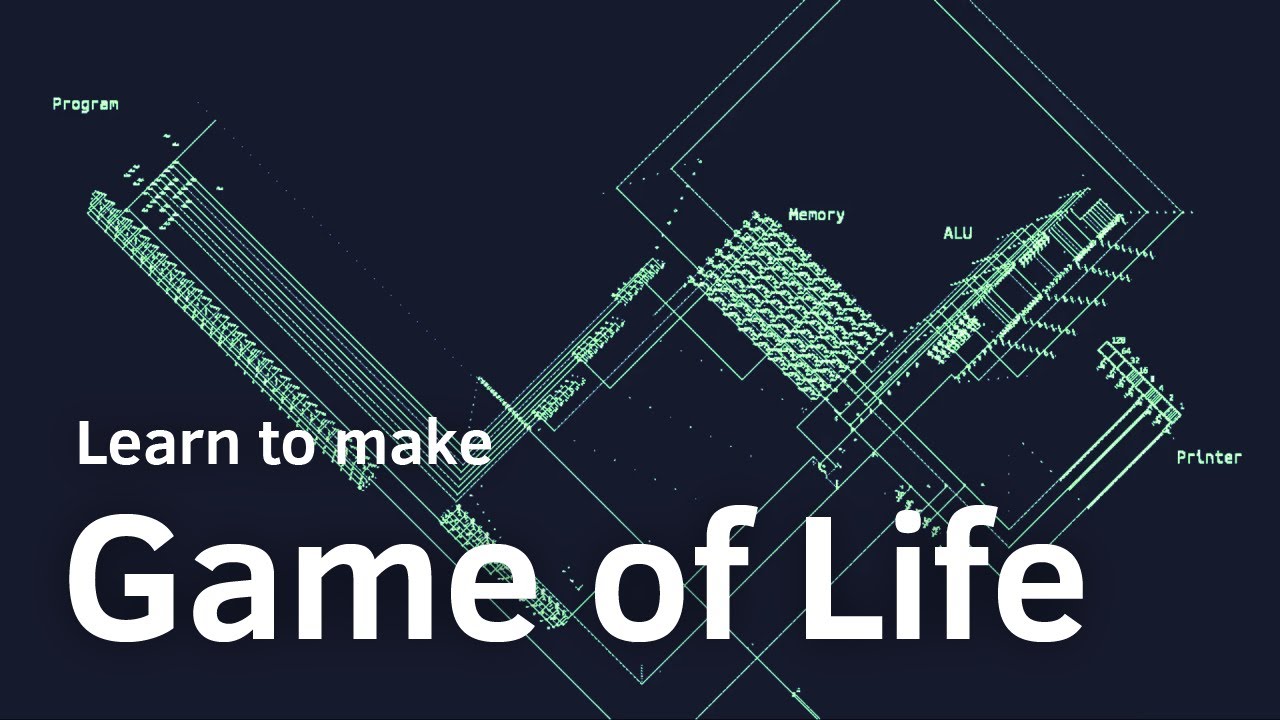
Learn to make John Conway's Game of Life in Unity. Game of Life is a cellular automaton devised by the British mathematician John Horton Conway in 1970. It is a zero-player game, meaning that its evolution is determined by its initial state, requiring no further input. One interacts with the Game of Life by creating an initial configuration and ...
willow scroll
Oh, right, I haven't considered that you could have a simple rectangle game field
So a matrix can be usable in this case
 primal jungle
Hoping someone can help me figure this out. I've got a fade-in/out transition setup to happen between scenes. It's currently doing this via a LevelLoaderController class (shown in the screenshot).
When the user clicks the "Play" button on the main menu, it works flawlessly.
However, on the next scene, when the user pauses and selects "Quit" it doesn't do anything (the quit button worked fine before introducing these transitions).
I've debugged it a bit and can see that when I press the quit button, it reaches the yield statement but then doesn't ever go past that.
 languid spire
primal jungle
Hoping someone can help me figure this out. I've got a fade-in/out transition se...
languid spire
primal jungle
Hoping someone can help me figure this out. I've got a fade-in/out transition se...
At a guess, whichever object which is starting the LoadLevel coroutine is being destroyed
primal jungle
How could I tell if that was the case? Would it disappear from the hierarchy during a test play? If so, nothing like that has happened.
Also, when debugging, it hits the yield statement and doesn't continue past that but, if I click the quit button again, it keeps reaching the same point and never getting past the yield (or starting any animation)
languid spire
you could add an OnDisable method to this script with a Debug in it to see if it fires
also the script where you start the coroutine
primal jungle
Will check, 2 secs
Have added the OnDisable method in my PauseMenuController (where the corouting that's not working is being called) and nothing was being output to the log
 languid spire
try running the coroutine on the levelloadcontroller not on the script with Quit
primal jungle
Same thing :/

 languid spire
just to be sure change your string variable from Start to start
it's odd to have a variable the same as a method
I presume this is a DDOL object
primal jungle
The trigger is named "Start" but Rider made the suggestion to convert it to a variable instead 😛
I've changed it from the int variable to the string "Start" but still has the same behaviour
The object is a prefab that's loaded onto both scenes which, on scene load, plays the fade-in animation automatically. That gameobject also has the LevelLoaderController script attached to it
Which is then supposed to play the fade-out animation on scene change
languid spire
but it needs to be DDOL otherwise it will not survive scene unload
primal jungle
Can give it a try. How do I set it to a DDOL object?
 primal jungle
So this should be fine?

Now the second scene doesn't load at all 🤣
Fades to black and then never fades in the next scene from the main menu
wintry quarry
What's in the animation
queen adder
I think is should ask here so is there a script where you can push a button and opens a door but the door only opens for you? cause I've been trying to do that but I cant
wintry quarry
Also are you changing time scale at any point
wintry quarry
queen adder
I think is should ask here so is there a script where you can push a button and ...
What does "only opens for you" mean?
Is this a multiplayer game?
primal jungle
wintry quarry
Also are you changing time scale at any point
Yes... on the pause screen... 🤣 I think I'm starting to know where the problem is
queen adder
wintry quarry
Is this a multiplayer game?
ye
wintry quarry
queen adder
ye
In general scripts don't just exist for your particular nuanced use case. You have to write them.
wintry quarry
primal jungle
Yes... on the pause screen... 🤣 I think I'm starting to know where the problem ...
Use WaitforSecondsRealtime
languid spire
and, if you are even considering doing multiplayer you shuold know simple stuff like this already
wintry quarry
Yeah, code-beginner + multiplayer is usually a disaster
Multiplayer is not a beginner subject people
queen adder
eh it's turning out pretty well for me
wintry quarry
Least of all networked multiplayer.
languid spire
it's not even a 'general' subject, very much 'advanced'
primal jungle
wintry quarry
Use WaitforSecondsRealtime
Thanks. It's working better now in the fact that it switches scenes but doesn't do the fade out (presumably because the timeScale is set to 0 (?)
languid spire
primal jungle
Thanks. It's working *better* now in the fact that it switches scenes but doesn'...
that will be it
primal jungle
Is it possible to make the animation play irrespective of the "world time"? Similar to the WaitForSecondsRealTime?
languid spire
coroutines, like Update do not run when timescale=0
primal jungle
Managed to sort it by changing the update mode to Unscaled Time
On the animator
Cheers for the help both 👍
 stuck palm
 float elapsedTime = 0f;
        while (stunRemaining > 0)
        {
            float curveProgress = elapsedTime / length;
            float curveValue = launchTime.Evaluate(curveProgress);
            rb.velocity *= curveValue;
            yield return null;
            stunRemaining -= Time.deltaTime;
            elapsedTime += Time.deltaTime;
        }
I dont think im doing this correctly. I'm trying to implement balloon knockback by using animation curves, but if i set the value above 1 the player gets launched instantly as i'm assuming its just multiplying by 2 over and over again
@wintry quarry i'm trying out what you mentioned last night, idk if this has been done correctly though
summer stump
fossil tree
so that do something like that ? ```using System.Collections;
using System.Colle...
You have the Cellule class inside the Build class. Why?
 toxic hawk
Buttons in unity could exist only on UI level, so if I want to make button on one of my sprites, I should either make anchor and follow on UI layer, or write custom script with button-like logic. Both ways seems very awkward to me.
Am I missing something?
summer stump
toxic hawk
Buttons in unity could exist only on UI level, so if I want to make button on on...
There are world space canvases
toxic hawk
summer stump
There are world space canvases
But this would ruin my hierarchy, so I kinda still obliged to use anchor to connect sprite and button..
summer stump
toxic hawk
But this would ruin my hierarchy, so I kinda still obliged to use anchor to conn...
How would that ruin your hierarchy?
toxic hawk
Button will be part of the other branch in the hierarchy
Unless I do mini-canvas for each object that uses it
summer stump
toxic hawk
Unless I do mini-canvas for each object that uses it
Yeah, each thing that needs a button would have their own canvas as a child. Then enable and disable them as needed
toxic hawk
summer stump
Yeah, each thing that needs a button would have their own canvas as a child. The...
That makes sense, thanks!
stuck palm
how can i reduce velocity with an animation curve ?
summer stump
stuck palm
how can i reduce velocity with an animation curve ?
Multiply the direction you want by the return of evaluating the curve (also multiplied by a speed factor)
wintry quarry
stuck palm
<@179367739574583296> i'm trying out what you mentioned last night, idk if this ...
Should be setting the magnitude of velocity with this, not multiplying
stuck palm
wintry quarry
Should be _setting_ the magnitude of velocity with this, not multiplying
i cant set magnitude, though
magnitude has no setter
wintry quarry
You set a float
And use that as the magnitude along with a direction from elsewhere
stuck palm
wintry quarry
And use that as the magnitude along with a direction from elsewhere
where would i get the direction from?
the only thing i can think of is the velocity of the rigidbody
wintry quarry
Whatever direction the player was smashed in?
stuck palm
wintry quarry
Whatever direction the player was smashed in?
but what if they hit a wall is the issue
wintry quarry
Then you stop
Or you bounce them
Or slide them along it
Whatever
Smash bros characters bounce at a certain threshold
stuck palm
would i have to manually calculate the bounce direction?
wintry quarry
I guess? These are all implementation details for you to figure out
Nobody ever said this would be simple
Vector2.Reflect exists though
stuck palm
wintry quarry
Vector2.Reflect exists though
this reminds me of my old system 😭 i'll experiment with this
 buoyant finch
hello I want to make an attack I have 2 meshes for it and want to do it such that when Q is pressed the attack mesh is switched to from the standing mesh pls help
willow scroll
buoyant finch
hello I want to make an attack I have 2 meshes for it and want to do it such tha...
You have already been answered. Why do you cross-post?
final totem
should i use trigger or bool in the parameters of the animator for transitions? can i untrigger it? if then whats the difference with bool?
 polar acorn
final totem
should i use trigger or bool in the parameters of the animator for transitions? ...
polar acorn
final totem
should i use trigger or bool in the parameters of the animator for transitions? ...
A trigger parameter is basically a one-time-use boolean. It unsets itself whenever it's used for a transition
 kindred nest
trigger is like a flash, a signal for a single tick, bool is constant until you change it
final totem
mmm gotcha thanks guys
 dusty silo
This raycast system never detects Edges, only Vertecies and I don't know why.
public static bool pathFromPoint(Vertex start, int pass_betweens, Camera pass_c, List<Vertex> pass_verts, List<Edge> pass_edges) {
        start.colliderEnabled(false);
        Debug.Log($"<b><color=#FFFF00>Attempting to generate a path from vertex {start.name}.</color></b> ");
        Vector2 randDir = random2DRotate_Arbitrary(10, 40, start, start);
        Debug.DrawRay(start.position, randDir, Color.yellow, 100000);
        RaycastHit2D hit = Physics2D.Raycast(start, randDir);
        start.colliderEnabled(true);
        if (hit.collider == null) {
            Debug.Log($"<b><color=#FF0000>Path generator @ {start.name}: Raycast Failure.</color></b>");
            return false;
        }
        Vertex end;
        switch (hit.collider) {
            case EdgeCollider2D:
                //start.colliderEnabled(true);
                end = cVertex(hit.point, pass_c);
                Debug.Log($"Path generator @ {start.name} collided with an edge");
                break;
            case CircleCollider2D:
                //start.colliderEnabled(true);
                end = hit.collider.gameObject.GetComponent<Vertex>();
                Debug.Log($"Path generator @ {start.name} collided with a vertex");
                break;
            default:
                Debug.Log($"<b><color=#FF0000>Path generator @ {start.name} failed finding an endpoint!</color></b>");
                //start.colliderEnabled(true);
                return false;
        }
        Debug.Log($"<b><color=#FFFF00>Path generator @ {start.name} successfully found endpoint {end.name}.</color></b>");
        Debug.DrawLine((Vector2)start, (Vector2)end, Color.red, 1000000f);
        //Debug.Log($"Path generation starting from vertex {start.name} has found a vaild collider: {}");
        ptpPath(start, end, pass_betweens, pass_c, pass_verts, pass_edges);
        return true;
    }
ive seen the on any state being used but whats this one for?
 deft grail
final totem
ive seen the on any state being used but whats this one for?
deft grail
final totem
ive seen the on any state being used but whats this one for?
to stop playing the animation after its done
so you can play it just once
wintry quarry
final totem
ive seen the on any state being used but whats this one for?
transition to it and no more animations will be playing
 fringe plover
Decompiled my own code for some reasons, and saw this..
 final totem
wintry quarry
transition to it and no more animations will be playing
final totem
wintry quarry
transition to it and no more animations will be playing
can i go back to other state or its forever?
 fervent abyss
hey guys, i have a class which contains a string and a list of strings, and a list of that class:
[field: SerializeField] public List<ownedItems> OwnedItems { get; private set; } = new();
    [Serializable]
    public class ownedItems
    {
        public string CatalogName;
        public List<string> ownedItemNames;
    }
how can I foreach check OwnedItems list, if it any "CatalogName" inside of it contains a specific string?
For example theres 7 of these classes created inside the list, how can i check if any of them is equals for example to "Skibidi"
my brain isnt working for 2 days
wintry quarry
fervent abyss
hey guys, i have a class which contains a string and a list of strings, and a li...
foreach (ownedItems oi in OwnedItems) {
   if (oi.CatalogName == "Skibidi") // do something
}```
simple no?or using Linq:
bool anySkibidi = OwnedItems.Any(oi => oi.CatalogName == "Skibidi");```holy ducking shit i didnt think of putting ownedItems 
brain is not braining
thanks 
fervent abyss
i just got confue
wintry quarry
well
your confusion is probably stemming from the fact that your variables are named poorly
And you're not following C# naming conventions
 slate haven
I have made 2 games originally, and other games by following tutorials since 1 year. Yet I have to look up on google again whenever I want to start coding. Like if i want to create input method, I will have to look again on the internet to remind myself that this is how we do it. How do I fix this ( I want to remember all these by heart)
 rich adder
repetition is key
doing it once or twice ain't gonna cut it
You have to consistently do it eventually it just becomes "muscle memory"
rich adder
slate haven
guess i have to make more games without watching tutorials
I mean you dont have to make an entire game just practice those functions together lol
slate haven
haha yes yes i get u
 chrome tide
does unity have a built-in function that would allow me to check via code whenever an object is illuminated by some source of light? I'd like to check if there is any light on it.
rich adder
its not that cut and dry no
believe me, when I started had to do this exact thing because I wanted a spotlight to act as an enemy alert system
really depends how accurate you want to be and what you're doing thre are several workarounds
chrome tide
rich adder
really depends how accurate you want to be and what you're doing thre are severa...
i wanted to create a hostile creature that would stalk the player but it would be afraid of light so it could be startled by a player's flashlight etc.
would raycasts be accurate enough?
rich adder
raycast could work but if its a flashlight you might need a bigger shape like a sphere or something
SphereCast
chrome tide
ok, thanks for the overall idea of how i could get that to work. i will try this someday
rich adder
yeah physics cast is def the way to go if you want something that works and is simple
chrome tide
fine, thank you
 sour jungle
    {
            if (Player.transform.position.y < -5 && !PlayerDead)
            {
                PlayerDead = true;
                Time.timeScale = 0f;
            }

        if (PlayerDead)
        {
            Dead();
        } else
        {
            Alive();
        }

    }

    public void Dead ()
    {
        DeathScreenUI.SetActive(true);
        Cursor.lockState = CursorLockMode.None;
    }

    public void Alive()
    {
        DeathScreenUI.SetActive(false);
        PlayerDead = false;
    }

    public void Menu()
    {
        Alive();
        Time.timeScale = 1f;
        Debug.Log("Menu");
        SceneManager.LoadScene("StartMenu");
    }

}```@rich adder
rich adder
sour jungle
```void Update()
{
if (Player.transform.position.y < -5 && !Play...
whats the problem?
sour jungle
So when my player character goes below -5 it succesfully dies but when i click on the menu button the next scene does not succesfully work due to timescale still being 0
barren vapor
sour jungle
So when my player character goes below -5 it succesfully dies but when i click o...
Basicly the game is stuck cause the game is paused
sour jungle
rich adder
whats the problem?
also when putting for example instead of (player.transform.position.y < 5) a keypress the whole thing does work
rich adder
sour jungle
So when my player character goes below -5 it succesfully dies but when i click o...
switch it back to timescale 1 when you change level?
sour jungle
barren vapor
Basicly the game is stuck cause the game is paused
yes due to my character constantly being killed
rich adder
well why are you doing it eveyframe
just do
 if (Player.transform.position.y < -5 && !PlayerDead)
            {
                PlayerDead = true;
                Time.timeScale = 0f;
                Dead();
}```what is even the point of the if statement after
 tawny bolt
can someone explain the problem with my script basicly i am supposed to take damage when i walk inside a box
summer stump
rich adder
what is even the point of the if statement after
Like in real life, we must verify our existance every moment to avoid falling onto an existential dread we can never recover from. They are just thinking about their character's psychological state..
summer stump
tawny bolt
can someone explain the problem with my script basicly i am supposed to take dam...
!code
eternal falconBOT
Posting code
📃 Large Code Blocks
Use links to services like:
https://gdl.space/, https://paste.ofcode.org/, https://hatebin.com/, https://paste.myst.rs/, https://hastebin.com/
📃 Inline Code
Surround code with three backquotes. Not quotation marks.
To format as C#, add cs to the first line:
```cs
// Your code here
```
Add a comment with a line number if there is an error message.
rich adder
summer stump
Like in real life, we must verify our existance every moment to avoid falling on...
yes must check my pulse every second to make sure i aint dead lol
 hallow sun
tawny bolt
can someone explain the problem with my script basicly i am supposed to take dam...
hallow sun
tawny bolt
can someone explain the problem with my script basicly i am supposed to take dam...
who holds this script?
summer stump
tawny bolt
https://paste.ofcode.org/c6e9hc3MXrTqPVZkNbKyg
Put a debug before the if statement in OnCollisionEnter
summer stump
tawny bolt
or should i do opposite ?
Well actually, yeah, the opposite makes more sense the way it is set up
hallow sun
what kind of collider does it have? maybe you need OnTriggerEnter instead
i dont see how you can "enter" it if its not a trigger
tawny bolt
hallow sun
what kind of collider does it have? maybe you need OnTriggerEnter instead
will try that
tawny bolt
summer stump
Put a debug before the if statement in OnCollisionEnter
doing that now
sour jungle
rich adder
just do
```cs
if (Player.transform.position.y < -5 && !PlayerDead)
...
like this?
using System.Collections.Generic;
using UnityEngine;
using UnityEngine.SceneManagement;

public class Death : MonoBehaviour
{
    public static bool PlayerDead = false;
    public GameObject DeathScreenUI;
    public GameObject Player;

    void Update()
    {
        if (Player.transform.position.y < -5 && !PlayerDead)
        {
            PlayerDead = true;
            Time.timeScale = 0f;
            Dead();
        }
    }

    public void Dead ()
    {
        DeathScreenUI.SetActive(true);
        Cursor.lockState = CursorLockMode.None;
    }

    public void Alive()
    {
        DeathScreenUI.SetActive(false);
        PlayerDead = false;
        Time.timeScale = 1f;
    }

    public void Menu()
    {
        Alive();
        Time.timeScale = 1f;
        Debug.Log("Menu");
        SceneManager.LoadScene("StartMenu");
    }

}```It just means collide. The frame you enter the collision
tawny bolt
ok
summer stump
What kind of colliders do you have?
tawny bolt
box collider
rich adder
sour jungle
like this?
```using System.Collections;
using System.Collections.Generic;
using...
did you try it
summer stump
tawny bolt
box collider
They meant are they trigger colliders
tawny bolt
yep
summer stump
Well yes, it must be OnTriggerEnter then.
tawny bolt
 sour jungle
rich adder
did you try it
sour jungle
rich adder
did you try it
still stuck
summer stump
Which object has the rigidbody
tawny bolt
player
hallow sun
perhaps you forgot to give the player the tag? or a rigidbody?
rich adder
sour jungle
still stuck
how are you calling Menu
summer stump
tawny bolt
player
Ok, then the issue is that you cannot receive OnCollisionEnter when they are triggers
rich adder
what is stuck exactly
summer stump
Make the change they suggested
sour jungle
rich adder
how are you calling `Menu`
with a button
rich adder
sour jungle
with a button
is Menu log printing
sour jungle
rich adder
what is stuck exactly
the animation to the menu screen
sour jungle
rich adder
is Menu log printing
yes
rich adder
sour jungle
the animation to the menu screen
well yeah animations dont work with timescale 0
sour jungle
rich adder
well yeah animations dont work with timescale 0
exactly but buttons dont work either no?
rich adder
Time.timeScale = 1f; before doing any animations
tawny bolt
summer stump
Make the change they suggested
oki
rich adder
buttons should work fine
sour jungle
rich adder
Time.timeScale = 1f; before doing any animations
using System.Collections.Generic;
using UnityEngine;
using UnityEngine.SceneManagement;

public class Levelloaderscript : MonoBehaviour
{

    public Animator transition;

    public float transitionTime = 1.0f;
    public void newLevel()
    {
        StartCoroutine(loadLevel(SceneManager.GetActiveScene().buildIndex + 1));
    }

    IEnumerator loadLevel(int levelIndex)
    {
        Time.timeScale = 1f;
        transition.SetTrigger("Start");

        yield return new WaitForSeconds(transitionTime);

        SceneManager.LoadScene(levelIndex);
    }
}```still does not work
rich adder
sour jungle
```using System.Collections;
using System.Collections.Generic;
using UnityEngine...
you are changing timescale in all sorts of places
debug the value then
coroutines / animations dont work with timescale 0
so if its not working then timescale is prob still 0
sour jungle
so where should i put Debug.Log(Time.timeScale.value)?
rich adder
but you need logs inside to double check what Time.scale is when you press that
just Time.timeScale
is fine
tawny bolt
still dosent work
 summer stump
tawny bolt
still dosent work
summer stump
tawny bolt
still dosent work
Did you put the debug before the if statement?
sour jungle
rich adder
but you need logs inside to double check what Time.scale is when you press that
    {
        Debug.Log(Time.timeScale);
        if (Player.transform.position.y < -5 && !PlayerDead)
        {
            PlayerDead = true;
            Time.timeScale = 0f;
            Dead();
        }
    }```

i put it here and in my console i am only getting 0'sDid you move the script to the player? If so, did you change the tag check to check the other object instead?
tawny bolt
summer stump
Did you move the script to the player? If so, did you change the tag check to ch...
let me do that
summer stump
tawny bolt
let me do that
The debug would be more helpful at this point
tawny bolt
ok
rich adder
sour jungle
``` void Update()
{
Debug.Log(Time.timeScale);
if (Player.tr...
ok so your other functions aren't running
sour jungle
rich adder
ok so your other functions aren't running
probably
sour jungle
rich adder
ok so your other functions aren't running
if i remove the Playerdead = false at alive it works
rich adder
sour jungle
if i remove the Playerdead = false at alive it works
oh you were setting it back to false?
summer stump
sour jungle
if i remove the Playerdead = false at alive it works
You should remove the whole alive method.
Just do that stuff in Awake
rich adder
that makes sense.. you created a loop
sour jungle
rich adder
oh you were setting it back to false?
yup very beginner
rich adder
huh I didnt even see that in Alive()
sour jungle
But now when i have died once and go back into the game i cant die anymore
summer stump
sour jungle
But now when i have died once and go back into the game i cant die anymore
put that stuff in awake
sour jungle
summer stump
> put that stuff in awake
i deleted awake
tawny bolt
got it working thanks
rich adder
^ that or make Init method
summer stump
sour jungle
i deleted awake
Don't
sour jungle
summer stump
Don't
So how should i fix that?
i reinstated awake
how should i set Playerdead to false again
rich adder
the same way you set it to true
 quaint mica
Hi I have a problem with player knockback for Unity 2D
quaint mica
It's not working when the enemy is colliding with player
rich adder
ok
quaint mica
private void OnCollisionEnter2D(Collision2D other) {
if(other.gameObject.tag == "Player"){
playercontroller = other.gameObject.GetComponent<PlayerController>();
playerrb = other.gameObject.GetComponent<Rigidbody2D>();
playercontroller.ChangeHealth(damageamount);
Vector2 difference = playerrb.transform.position- slimerb.transform.position;
difference = difference.normalized*thrust;
playerrb.AddForce(difference, ForceMode2D.Force);
}
}
eternal falconBOT
Posting code
📃 Large Code Blocks
Use links to services like:
https://gdl.space/, https://paste.ofcode.org/, https://hatebin.com/, https://paste.myst.rs/, https://hastebin.com/
📃 Inline Code
Surround code with three backquotes. Not quotation marks.
To format as C#, add cs to the first line:
```cs
// Your code here
```
Add a comment with a line number if there is an error message.
summer stump
sour jungle
how should i set Playerdead to false again
With an = sign
quaint mica
using System.Collections;
using System.Collections.Generic;
using System.Threading;
using UnityEditor;
using UnityEngine;

public class EnemySlime : MonoBehaviour
{
    // Start is called before the first frame update
    PlayerController playercontroller;
    Rigidbody2D playerrb;
    Rigidbody2D slimerb;

    public int damageamount = -1;
    public float thrust = 20;
    void Start()
    {
        slimerb = GetComponent<Rigidbody2D>();
    }

    // Update is called once per frame
    void Update()
    {


    }
    private void OnCollisionEnter2D(Collision2D other) {
        if(other.gameObject.tag == "Player"){
            playercontroller = other.gameObject.GetComponent<PlayerController>();
            playerrb = other.gameObject.GetComponent<Rigidbody2D>();
            playercontroller.ChangeHealth(damageamount);
            Vector2 difference = playerrb.transform.position- slimerb.transform.position;
            difference = difference.normalized*thrust;
            playerrb.AddForce(difference, ForceMode2D.Force);
        }
    }
}
public void Alive()
{
if (PlayerDead == true)
{
PlayerDead = false;
}
DeathScreenUI.SetActive(false);
Time.timeScale = 1f;
}
what am i doing wrong?
rich adder
quaint mica
```cs
using System.Collections;
using System.Collections.Generic;
using System.T...
so are you certain the function is even running ?
quaint mica
I used a Debug.Log statement and yes it triggers
summer stump
sour jungle
public void Alive()
{
if (PlayerDead == true)
{
...
Get rid of that if statement
Just set it false
rich adder
quaint mica
I used a Debug.Log statement and yes it triggers
try with Impulse force instead
sour jungle
summer stump
Get rid of that if statement
thats what it was breaking it in the first place
i tried and it does not work
summer stump
sour jungle
thats what it was breaking it in the first place
You tried that in Awake?
Or in Alive?
rich adder
sour jungle
thats what it was breaking it in the first place
how would that break anything
quaint mica
rich adder
try with Impulse force instead
it still doesnt work
rich adder
quaint mica
it still doesnt work
its probably because you're overriding the player movement with velocity
sour jungle
rich adder
oh you were setting it back to false?
this
rich adder
sour jungle
this
can you show the current code and send it in a link
the updated code, not the old code. What you wrote so far
Use links to services like:
https://gdl.space/, https://paste.ofcode.org/, https://hatebin.com/, https://paste.myst.rs/, https://hastebin.com/
summer stump
sour jungle
this
Awake runs once in the objects entire lifetime
You were calling Alive over and over
sour jungle
using System.Collections.Generic;
using UnityEngine;
using UnityEngine.SceneManagement;

public class Death : MonoBehaviour
{
    public static bool PlayerDead = false;
    public GameObject DeathScreenUI;
    public GameObject Player;

    void Update()
    {
        Debug.Log(Time.timeScale);
        if (Player.transform.position.y < -5 && !PlayerDead)
        {
            PlayerDead = true;
            Time.timeScale = 0f;
            Dead();
        }
    }

    public void Dead ()
    {
        DeathScreenUI.SetActive(true);
        Cursor.lockState = CursorLockMode.None;
    }

    public void Alive()
    {
        DeathScreenUI.SetActive(false);
        Time.timeScale = 1f;
    }

    public void Menu()
    {
        Alive();
        Time.timeScale = 1f;
        Debug.Log("Menu");
        SceneManager.LoadScene("StartMenu");
    }

}```

this works once but then it stops workingBecause you don't set it in awake!
Just try it
sour jungle
summer stump
Because you don't set it in awake!
Playerdead = false;?
summer stump
sour jungle
Playerdead = false;?
Of course
quaint mica
        Vector2 movement = position.normalized;
        rigidBody2D.MovePosition(rigidBody2D.position + movement * speed * Time.deltaTime);
This is the only other code affecting movement the posistion is from Input.GetAxis(Vertical/Horizontal)
sour jungle
summer stump
Of course
doesnt work
summer stump
sour jungle
doesnt work
It will. Show what you did
rich adder
quaint mica
```cs
Vector2 movement = position.normalized;
rigidBody2D.MovePo...
why are you using MovePosition?
did you make rigidbody kinematic
sour jungle
summer stump
It will. Show what you did
public void Alive()
{
PlayerDead = false;
DeathScreenUI.SetActive(false);
Time.timeScale = 1f;
}
summer stump
sour jungle
public void Alive()
{
PlayerDead = false;
DeathScreenUI.SetA...
Oh my god. Do it in Awake
You've been told this a bunch of times
Not Alive, Awake
summer stump
Awake is a unity method that is called automatically
sour jungle
im so sorry
quaint mica
rich adder
did you make rigidbody kinematic
I don't think so should I put it in the start function
summer stump
sour jungle
like void Awake?
Yes. Void is a return type
 maiden plume
What's the name of changing rooms via "doors" on a 2D Plateformer game (like Celeste and Hollow Knight) ? I'm looking for some kind of tutos on the internet but no idea how to search for them.
sour jungle
i thought you were misreferencing alive
summer stump
sour jungle
i thought you were misreferencing alive
I explicitly said "not in alive, do it in awake" 🤣
Edit: well, close to that
#💻┃code-beginner message
 muted forge
Hi, this is eren
I'm newbie here
Can you please tell me how can I learn coding?
languid spire
muted forge
Hi, this is eren
I'm newbie here
Can you please tell me how can I learn coding?
!learn
eternal falconBOT
:teacher: Unity Learn ↗
Over 750 hours of free live and on-demand learning content for all levels of experience!
rich adder
quaint mica
I don't think so should I put it in the start function
the start function?
what does that have anything to do with what i asked
quaint mica
To make the rigidbody kinematic
rich adder
is the rigidbody kinematic or not ?
sour jungle
summer stump
I explicitly said "not in alive, do it in awake" 🤣
Edit: well, close to that
h...
whew it works
quaint mica
rich adder
is the rigidbody kinematic or not ?
It is
rich adder
then how do you expect AddForce would work on a kinematic ?
sour jungle
thanks @rich adder @summer stump for the help and patience with my feeble coding skills
summer stump
sour jungle
thanks <@968604165150507078> <@349017582105526273> for the help and patience wi...
All good! Glad you got it
quaint mica
rich adder
then how do you expect AddForce would work on a kinematic ?
I changed it but it's stil the same
rich adder
quaint mica
I changed it but it's stil the same
you changed what?
quaint mica
the kinematic to false
rich adder
are you just randomly doing shit expecting a different result without understanding why?
MovePosition is meant for rigidbody kinematic
it overrides any forces, of course Adding force won't work
quaint mica
so before adding the force I can set iskinematic to false and after I can turn it on again to let the player move?
fringe plover
https://hatebin.com/annfkevskk
I need help, it says that there is no file and created absolutely same file...
Application.persistentDataPath + /settings.json is path
summer stump
quaint mica
so before adding the force I can set iskinematic to false and after I can turn i...
You would also have to stop calling MovePosition during the addforce
rich adder
quaint mica
so before adding the force I can set iskinematic to false and after I can turn i...
that will be cumbersome because you cannot use MovePosition every frame to AddForce
summer stump
fringe plover
https://hatebin.com/annfkevskk
I need help, it says that there is no file and cr...
All of that code after the if will run no matter what
That should all be in else
muted forge
languid spire
!learn
Hi
summer stump
Or return inside the if statement
quaint mica
Is there another way to move the player around without MovePosition, should I use transform.position instead?
summer stump
quaint mica
Is there another way to move the player around without MovePosition, should I us...
Definitely not
rich adder
quaint mica
Is there another way to move the player around without MovePosition, should I us...
not at all
rocky gale
quaint mica
Is there another way to move the player around without MovePosition, should I us...
Use rigid body or character controller
fringe plover
summer stump
All of that code after the if will run no matter what
wait... i forgot.. ok thanks
summer stump
Use velocity, addforce, or moveposition
muted forge
Can some one tell me what the uses of comment in python
rich adder
rocky gale
Use rigid body or character controller
no character controller in 2D and they have rb already
rocky gale
rich adder
no character controller in 2D and they have rb already
O I didn’t know 2d
summer stump
muted forge
Can some one tell me what the uses of comment in python
Wut...?
rich adder
muted forge
Can some one tell me what the uses of comment in python
idk this is a c# unity channel
muted forge
summer stump
Wut...?
I meant python
summer stump
What are the uses of comments?
rich adder
ask python server
summer stump
muted forge
I meant python
This is a unity server. So that is off topic
muted forge
summer stump
What are the uses of comments?
Yeah can you please tell. Me
rocky gale
To comment
rich adder
isn't it #
muted forge
Actually I'm newbie
rich adder
anyway this isn't a python server
summer stump
muted forge
Actually I'm newbie
Not the issue
muted forge
So don't know much about this
rocky gale
Commenting uses is to comment
rich adder
muted forge
So don't know much about this
comment the reasonning of why you are using a function for example
don't comment what the function does, cause it should be obvious without comments
muted forge
rich adder
comment the reasonning of why you are using a function for example
Ohk thanks bro
So which code is used in unity
rich adder
c#
willow scroll
rich adder
don't comment what the function does, cause it should be obvious without comment...
Why?
rich adder
willow scroll
Why?
its not a set rule just an opinion, I mean obviously do whatever is easy for you but I never had to comment what a function does because it pretty self explanatory to me
but at times I do have to comment the reasoning behind the function
willow scroll
rich adder
its not a set rule just an opinion, I mean obviously do whatever is easy for you...
I mean, this may be self explanatory in some cases, but you might want to add a summary for someone using this method
But I'm not sure whether you include <summary> in your assumption
rich adder
sometimes I do summaries sure. Depends if the code will be shared mostly
if i have CalculatePath method, I don't think the summary is required, then I'm just writing sugar
 brittle isle
I've finally resolved my issues with mercy invincibility - turns out they collided with components with the default layer
 shell gorge
How can I Open the unity console?
rich adder
shell gorge
How can I Open the unity console?
the unity console?
the tab in the editor?
rich adder
alr btw this is a code channel, for next time #💻┃unity-talk
shell gorge
Ah ok.
final totem
Damn can I call c++ functions from c# w plugins?
languid spire
final totem
Damn can I call c++ functions from c# w plugins?
of course
shell gorge
How can I Attach a point light to a Player?
 finite dew
shell gorge
How can I Attach a point light to a Player?
finite dew
shell gorge
How can I Attach a point light to a Player?
easiest way, would be to create a point light gameobject, add it as a child of the player gameobject, and move it to a spot relative to the player from where you want it to shine
summer stump
shell gorge
How to add it as a child in the character? I have the point light ready.
Drag and drop
May want to check out !learn
The essentials pathway will give you a huge leg up
eternal falconBOT
:teacher: Unity Learn ↗
Over 750 hours of free live and on-demand learning content for all levels of experience!
finite dew
shell gorge
How to add it as a child in the character? I have the point light ready.
you have to drag the light onto the player gameobject
consider a unity tutorial! there's plenty good online, and they help with stuff like that