#💻┃code-beginner
1 messages · Page 332 of 1
 deft grail
 quick fractal
deft grail
you should be checking input in `Update`
quick fractal
deft grail
you should be checking input in `Update`
More like that?
 deft grail
yeah, if you want it to be just a "press", then use Input.GetMouseButtonDown(0) instead
quick fractal
And then how would i go about asigning an animator & triggering an animation on said aniamtor
I assume i need a [serializeField] like bawsi said
quick fractal
Adds these so i can reference it easily?
 deft grail
yes, but so does public
quick fractal
I take it this isn't what i need?
 quick fractal
Wait was that right?
 cosmic dagger
you should try looking some of this stuff up. there are plenty of tutorials about playing or calling an animation, instead of guessing . . .
quick fractal
deft grail
you need to do some basic C# course
I am in the process of doing them
Learning as i go which people seem to dislike
That or it's just a bad idea lol
deft grail
quick fractal
That or it's just a bad idea lol
well you are writing literally random code so
quick fractal
cosmic dagger
you should try looking some of this stuff up. there are plenty of tutorials abou...
I've been looking at the animation documentation for the last hour or so and it just isn't clicking, nor did i see it mention referencing an animator
quick fractal
deft grail
well you are writing literally random code so
I wouldn't call it random
deft grail
quick fractal
I wouldn't call it random
i would
first of PlayString doesnt even exist
quick fractal
I have an end goal of getting an attack animation to play, so i followed what was on the page. That's hardly random
deft grail
i highly doubt Animator.PlayString() was on the documentation for animation
quick fractal
That wasn't, this was
quick fractal
I got Animator.PlayString() from my year or so of modding for B&S but it clearly wasn't right
No need to get hostile
 modest dust
quick fractal
Learning as i go which people seem to dislike
modest dust
quick fractal
Learning as i go which people seem to dislike
Yes, because we then get silly mistakes like this one, instead of focusing on the actual Unity-related issue
quick fractal
modest dust
Yes, because we then get silly mistakes like this one, instead of focusing on th...
Well, they did say i had it right originally despite it not working even after reverting Animator.PlayString to anim.Play() which is confusing
modest dust
Post your current code
quick fractal
I assume i've not referenced the animator component correctly
 modest dust
How do you expect anim to be assigned to anything? You're assigning animator, not anim
Either use animator or delete line 8 and serialize anim instead
quick fractal
The unity docs have pretty much what I have but with a different input and a debug
 modest dust
Read what I wrote again
quick fractal
I read it, just hadn't replied
 molten dock
quick fractal
I assume i've not referenced the animator component correctly
molten dock
quick fractal
I assume i've not referenced the animator component correctly
private void Start()
{
anim = GetComponent<Animator>();
}
modest dust
Understandable
molten dock
this will work assuming your script is on the same object as the animator
cosmic dagger
quick fractal
The unity docs have pretty much what I have but with a different input and a deb...
but you're not assigning anim anywhere in your code . . .
modest dust
molten dock
private void Start()
{
anim = GetComponent<Animator>();
}
That's some sort of a solution but it won't solve his current confusion
deft grail
quick fractal
I assume i've not referenced the animator component correctly
anim is still null, you dont understand your own code
quick fractal
By changing anim to animator, it plays
But only once cause I probably haven't set the animation/animator up right
modest dust
quick fractal
By changing anim to animator, it plays
Yes, because anim and animator are two different fields, one non-serialized, and the other serialized and assigned in the inspector
quick fractal
modest dust
Yes, because anim and animator are two different fields, one non-serialized, and...
Yeah i get that now, thanks for explaining it. I have messed with that before it's just when using any new script it's tricky and i promise i'm watching videos and reading documentation as best i can
I made a transition between Attack1 and Idle and it now works like a charm
cosmic dagger
i mean, they're two different components: one is Animator, the other is Animation. you specifically typed two different fields with separate names. what part is tricky about that?
modest dust
I assume the tricky part is a lack of C# basics
quick fractal
cosmic dagger
i mean, they're two different components: one is `Animator`, the other is `Anima...
The part where i'm learning a coding language and it's only day one
That's the tricky bit
modest dust
It would be a good idea then to go through a C# course first
Unless it's another one of those scenarios where "I have to do it for school, I don't have enough time"
cosmic dagger
quick fractal
The part where i'm learning a coding language and it's only day one
if this is day one, then you should be doing a beginner C# course. that's paramount to doing anything in unity . . .
modest dust
Otherwise there is no reason not to
quick fractal
modest dust
Unless it's another one of those scenarios where "I have to do it for school, I ...
I'm going through the brackeys tutorials and slowly reading unity docs
I'm aware they're not perfect videos and someone is telling me the bad practices
cosmic dagger
skip brackeys and do some actual C# vidoes or tutorials . . .
deft grail
and if you are following a brackeys video, how have you got errors like this with your code anyway?
quick fractal
cosmic dagger
skip brackeys and do some actual C# vidoes or tutorials . . .
You think i'm just watching random brackeys vids? I'm doing the C# beginners tutorial lol
cosmic dagger
they (brackeys) are random one-offs that show a specific feature, and don't provide a basis for C# . . .
deft grail
quick fractal
You think i'm just watching random brackeys vids? I'm doing the C# beginners tut...
then that doesnt cover Unity
cosmic dagger
quick fractal
You think i'm just watching random brackeys vids? I'm doing the C# beginners tut...
well yeah, you never stated doing any to begin with . . .
quick fractal
cosmic dagger
well yeah, you never stated doing any to begin with . . .
No one asked what I was doing
They just started saying "why are you messing up" when i'm on day one 😮💨
cosmic dagger
if we're saying to do beginner C# tutorials, it would make sense to respond that you have or currently are . . .
quick fractal
Well now you know
deft grail
quick fractal
Well now you know
what video are you watching exactly
molten dock
simple mistake its just that animation is reffering to one animation whilst animator is the animator component which is probably what u wanted
quick fractal
deft grail
what video are you watching exactly
I'm on loops but i've looked through classes, methods and arrays
https://www.youtube.com/watch?v=N775KsWQVkw&list=PLPV2KyIb3jR4CtEelGPsmPzlvP7ISPYzR
Coding can seem scary at first - but it's actually not that hard! Let's learn how to program in C#.
Jason no longer offers the course mentioned in the video.
● Download VSCode: https://code.visualstudio.com/
● Download .NET: https://dotnet.microsoft.com/
❤️ Donate: https://www.paypal.com/donate/?hosted_button_id=VCMM2PLRRX8GU
···············...
modest dust
cosmic dagger
if we're saying to do beginner C# tutorials, it would make sense to respond that...
And it would also make sense for him to finish the C# tutorials before going into Unity on day one, but that's another matter
cosmic dagger
quick fractal
They just started saying "why are you messing up" when i'm on day one 😮💨
because all of your issues are the basic C# that you learn after a tutorial . . .
deft grail
quick fractal
I'm on loops but i've looked through classes, methods and arrays
https://www.yo...
ok alright, and may i wonder how on earth are you following a C# tutorial in Visual Studio Code while being on Unity and doing animations?
are you doing multiple things at once?
quick fractal
deft grail
ok alright, and may i wonder how on earth are you following a C# tutorial in Vis...
I stopped using VSC after the basics
deft grail
do the C# videos, then watch a video on Unity, then do what you want
 shell fern
how do you join a project once theyve added you to organization
quick fractal
deft grail
do the C# videos, then watch a video on Unity, then do what you want
Why are you and RandomUnityInvader(); being so hostile?
deft grail
shell fern
how do you join a project once theyve added you to organization
it should show up in your UnityHub i think
quick fractal
If it's not the ideal method for you and you're annoyed by my questions, don't answer them
shell fern
deft grail
it should show up in your UnityHub i think
it doesnt for some reason
deft grail
quick fractal
Why are you and RandomUnityInvader(); being so hostile?
because you are saying 4 different things at once.
you clearly need a C# tutorial and Unity, yet you say you are doing one while you are clearly not
deft grail
shell fern
it doesnt for some reason
did you restart after adding to the organization?
shell fern
yes he did
quick fractal
deft grail
because you are saying 4 different things at once.
you clearly need a C# tutoria...
I'm doing the one i sent, i'm not actively "doing" any unity tutorials but i'm doing ok.
I am in fact doing tutorials and reading things, i wouldn't be able to even write to the console if i weren't
Now, would you both chill? Please?
deft grail
quick fractal
Now, would you both chill? Please?
we are chill, however dont come back with some random problems like Rigidbody.StartMoving()...
shell fern
shell fern
yes he did
@deft grail
deft grail
shell fern
<@413476617197977600>
yeah i saw, not sure further havent done a project with people
try looking at the forums people have similar issues maybe there is an answer there that will help you
cosmic dagger
quick fractal
Why are you and RandomUnityInvader(); being so hostile?
i'm not trying to be hostile. from the questions i've seen it appears you're missing the basics of C#, which would answer/fix most of your queries. that's why i suggested or even brought it up . . .
quick fractal
Sorry, the constant . . . makes it seem like you're being really demeaning to a newbie 😛
Oh
cosmic dagger
no problem. that's just how i type. check every message i've ever sent . . .
shell fern
@cosmic daggerhow do you join a project once theyve added you to organization
 static cedar
quick fractal
I'm on loops but i've looked through classes, methods and arrays
https://www.yo...
static cedar
quick fractal
I'm on loops but i've looked through classes, methods and arrays
https://www.yo...
I personally went with Brocode.
shell fern
collab
quick fractal
So anyway, thanks @modest dust for the help with the animator and @deft grail for the rigidbody stuff related to colliders ❤️
deft grail
shell fern
<@134945562473529344>how do you join a project once theyve added you to organiza...
shouldnt ping people or ask random people for help
you can ask your question and wait for a response
cosmic dagger
shell fern
<@134945562473529344>how do you join a project once theyve added you to organiza...
no idea. i've only done solo projects or created packages for people to import . . .
shell fern
cosmic dagger
no idea. i've only done solo projects or created packages for people to import ....
where could I found how to do this
cosmic dagger
shell fern
where could I found how to do this
the same place i would: google . . .
 static cedar
quick fractal
Why are you and RandomUnityInvader(); being so hostile?
static cedar
quick fractal
Why are you and RandomUnityInvader(); being so hostile?
It's mostly cause beginners tend to jump to Unity and usually ignore C#.
It's hard to use some unity features when Unity uses C# to communicate with it.
An example is inheritance. You need to inherit Monobehaviour to have script integration with game objects.
cosmic dagger
shell fern
i just need the answer right now
that sounds a bit rude when asking people who lend their free time . . .
static cedar
And we've seen some really obvious mistakes like thinking var declarations like some tags.
shell fern
cosmic dagger
that sounds a bit rude when asking people who lend their free time . . .
Apologies, I had no intention to sound rude I was just clarifying that I pinged someone because I was looking for the answer quickly
cosmic dagger
shell fern
Apologies, I had no intention to sound rude I was just clarifying that I pinged ...
cool, but don't ping a random person; it's against the rules, especially, if they weren't helping . . .
shell fern
cosmic dagger
cool, but don't ping a random person; it's against the rules, especially, if the...
didnt know
quick fractal
static cedar
It's mostly cause beginners tend to jump to Unity and usually ignore C#.
It's h...
I think now that i've made my attack animations and the basic Player/Enemy scripts i'll go watch the rest of brackeys and then get into some Unity scripting stuff.
I don't mean to come off as an idiot who has no idea what i'm doing cause i at least know what my code does, just gets a bit confusing lol.
cosmic dagger
shell fern
didnt know
always check the #854851968446365696
 static cedar
quick fractal
I think now that i've made my attack animations and the basic Player/Enemy scrip...
static cedar
quick fractal
I think now that i've made my attack animations and the basic Player/Enemy scrip...
That's fine, as long as you understand reference types and value types, you can manage for the time being.
cosmic dagger
static cedar
That's fine, as long as you understand reference types and value types, you can ...
that's a serious topic everyone needs to understand . . .
molten dock
not true my grandma has done fine without
static cedar
Some people genuinely thought you can copy objects by setting a var or losing their minds why the value on other variables doesn't change when it's implicitly copied.
cosmic dagger
yep. you get people who create the same variable name on different scripts and think they're connected, and that by changing the value of one, affects the other . . .
static cedar
Sounds like he's using VSC, but in VS, structs and classes are coloured differently.
Sucks that that isn't the same case with Rider or VSC.
cosmic dagger
i have Rider but have barely used it. i need to change from VSC. i am surprised by how much resources it uses . . .
 ionic zephyr
anyone knows how to do a good dash?
I am trying to do it with an IEnumerator but doesnt work
 wintry quarry
It's highly dependent on your movement script
ionic zephyr
wintry quarry
It's highly dependent on your movement script
The thing is, do I have to make a check in the movemente to check if it is dashing?
like this, if (!isDashing) {Movement code]
wintry quarry
Again it depends heavily on your movement script
maybe
Disabling normal movement during a dash is pretty common
ionic zephyr
okay, thanks
 rocky canyon
void Update(){
        characterController.Move((finalVector + dash) * Time.deltaTime);
        dash = Vector3.Lerp(dash, Vector3.zero, smoothing * Time.deltaTime);
}```my dash works like this..
then i just set dash to my direction * dashSpeed w/e i wanna dash
static cedar
Since I'm using state machines.
rocky canyon
the lerp slowly drops it back down to zero (basically zero) ;D but i gotta redo it tbh
static cedar
I just make a dash state.
rocky canyon
gonna try to use a coroutine next time
static cedar
rocky canyon
```cs
void Update(){
characterController.Move((finalVector + dash) * Tim...
I saw a sample dash script that caches the current velocity sets velocity to a constant value and sets it back to the original value.
 rich adder
rocky canyon
```cs
void Update(){
characterController.Move((finalVector + dash) * Tim...
static cedar
rich adder
rocky canyon
```cs
void Update(){
characterController.Move((finalVector + dash) * Tim...
static cedar
But it's up to you if you want your velocity to reset after you dashed.
rocky canyon
well mines constantly updating its movement vectors.. so no need to cache it
and im aware its the wrong lerp lol..
imma convert it to MoveTowards..
ever since I've learned I did my lerps wrong while learning I've converted 1 or 2 of em to correctly lerp..
after that they all just turned MoveTowards lol
cosmic dagger
static cedar
I saw a sample dash script that caches the current velocity sets velocity to a c...
That's pretty much what I did before . . .
rocky canyon
rich adder
https://unity.huh.how/lerp/wrong-lerp 😮
"zero", many forms of it
heh 😅
oh, u know what ive never done... i always wondered what would happen if u kept it running for a long long time..
would it eventually fill up all the available decimal places?
cosmic dagger
rocky canyon
well mines constantly updating its movement vectors.. so no need to cache it
and...
Using a coroutine makes it easier to set up the lerp properly. I like using them because I use an AnimationCurve for easing to create the perfect type of movement . . .
rocky canyon
cosmic dagger
Using a coroutine makes it easier to set up the lerp properly. I like using them...
i once started using animation curves like that but I would expose the curve in the editor.. and for some reason I'd get errors in the console all the time
never did figure out why.. and i eventually went away with using my own curves, and started using a tween library instead
actually, im curious of what the error was.. imma have to try to reproduce it now.. cuz im curious again
cosmic dagger
You can always use Easings.cs from online to have access to all of the easing types . . .
cosmic dagger
rocky canyon
actually, im curious of what the error was.. imma have to try to reproduce it no...
It was probably the vfx graph editor error from Unity that always appears . . .
rocky canyon
UnityEditor.EditorApplication:Internal_CallDelayFunctions ()```i dont think this is hte exact error i had
but it was similar
cosmic dagger
Oh, that's a new (different) one . . .
rocky canyon
ya, it was def an editor issue.. b/c it was only when the inspector was visible w/ that curve variable id get it
when i collapsed the component.. no such error
circa 2021
rich adder
rocky canyon
i once started using animation curves like that but I would expose the curve in ...
used to get weird errors when I'd full screen AnimationCurve on unity 2021
or fullscreening game mode would trigger it after editing curve
weirdest thing
cosmic dagger
it's just smth about dem curves . . .
 arctic ibex
Quick question, any ideas as to why this isn't working (specifically the groundcheck, it always shows onfloor to be true, even when in the air)
The air has many trigger colliders around, but none are solid, so they shouldn't be triggering it.
The if statment comes directly form a 3d tutorial, but I hcanged it to physics 2d.

 twilit cliff
arctic ibex
Quick question, any ideas as to why this isn't working (specifically the groundc...
twilit cliff
arctic ibex
Quick question, any ideas as to why this isn't working (specifically the groundc...
Are you trying to implement something like if your character is on floor, on floor should be true ?
arctic ibex
twilit cliff
Are you trying to implement something like if your character is on floor, on flo...
Yes
I came back to the game after a month or so and am now despreately trying to fix the code so it's not horrendous
twilit cliff
arctic ibex
Yes
Coming to your question again, have you added RB to your floor object as well or just a collider?!
arctic ibex
twilit cliff
Coming to your question again, have you added RB to your floor object as well or...
Uh, their using a tilemap collider, but yes, I believe so? Let me check rq
Yeah it's got a RB
 misty coral
Is anyone very familiar with making mirrors in unity?
I made a basic one following a tutorial but I have a few questions
twilit cliff
@arctic ibex
Still a learner here but what I would have tried instead of Raycast is OncollisionEnter
Since both floor and your player character have RB, you can try using OncollisionEnter and then see.
Add a tag to floor as "floor* and then try below
void OncollisionEnter (Collision other)
{
if(other.gameobject.comparetag("floor"))
{
on floor = true;
}
else
{
onFloor = false;
}
}
If yours is a 2D game, use OncollisionEnter2D
arctic ibex
Okay, I'll try that
 gaunt ice
the target of raycast doesnt require rb to get hit
twilit cliff
arctic ibex
Okay, I'll try that
@gaunt ice#0
Here you go, someone you who can easily help you fix the problem 😁
Happy to see you again @gaunt ice#0 😊🙏
 hallow sun
bad, this would set you false when colliding with a wall
arctic ibex
hallow sun
bad, this would set you false when colliding with a wall
That what it did last time I used that method, but i Figured I could make the wall a different tilemap and not tag it, would that work?
hallow sun
no, anything you collide with would set it off
arctic ibex
hallow sun
no, anything you collide with would set it off
not if you put a tag check on the oncollision enter right?
hallow sun
just do this instead:
void OnCollisionEnter2D (Collision other)
{
  if(other.gameobject.CompareTag("floor"))
  {
    onFloor = true;
  }
}
void OnCollisionExit2D (Collision other)
{
  if(other.gameobject.CompareTag("floor"))
  {
    onFloor = false;
  }
}```the one you have rn wouldn't notice when you leave the floor, and instead change when you touch anything that isnt floor
 acoustic arch
im trying to make my scriptable object's be able to be duplicated with a few unique fields from the user, so i made a wrapper for the scriptable object
im not sure how to make this fit in with the rest of what the code was like though
do i need to change every instance of the cards in the users inventory, enemy decks to be a new object of the card wrapper class?
"https://paste.ee/p/2jH2N" - wrapper script
'https://paste.ee/p/GL0jN' - user card inv
twilit cliff
 brazen cedar
Where can I ask a question regarding github?
brazen cedar
Where can I ask a question regarding github?
Even I'm not sure, you can ask here and see if you get an answer or someone will redirect you to the respective channel
acoustic arch
if it has to do with unity its probably ok
brazen cedar
I have been trying to upload my project into github, so I created a new repository once again and did the git lfs process so there's no issue
But there is a file that doesn't allow me to track or I don't know how to

 frosty hound
The problem is you didn't first commit the Unity gitignore file so that the library folder isn't included.

GitHub
A collection of useful .gitignore templates. Contribute to github/gitignore development by creating an account on GitHub.
It would be easier if you just create a new repo, commit this first at the root level, then add your project.
brazen cedar
Disgrace rain uppon me
Thank you
So I commit the repository with only the gitignore and nothing more
Right?
 brazen cedar
Ehhm
I did as you said, added the gitignore first to the repository and then tried to add the project
And it is saying the same thing

What should I do?
Should I ignore it and commit anyway?
 charred spoke
Did you first commit the gitignore ?
You should not be able to add anything from the library folder
brazen cedar
charred spoke
Did you first commit the gitignore ?
I did commit it when there was nothing in the repo
 charred spoke
Hmm I dont think I have ever seen multiple gitignore files
The text should be in your .gitignore file
brazen cedar
charred spoke
The text should be in your .gitignore file
What text?
charred spoke
The text inside Unity.gitignore
brazen cedar
charred spoke
Hmm I dont think I have ever seen multiple gitignore files
Should I replace the default one?
charred spoke
Well yes
brazen cedar
oh so the Unity.gitignore is for me to copy the text and paste it into the default one?
charred spoke
I have never seen anything different than just .gitignore I dont think git even considers a file called Unity as a proper ignore
charred spoke
brazen cedar
oh so the Unity.gitignore is for me to copy the text and paste it into the defau...
Thats my understanding yes
You can have multiple .gitignore files in sub directories
But i have never seen a named one before
brazen cedar
Damn so I need to erase it and do the process again
charred spoke
Would be easier yes. You can erase commits and re-write the history but at this point I would not recommend this
 ruby ember
i got this script from a 2016 game
is the script right?
Left= 2016 script
Right = my script


 topaz mortar
!code
 eternal falconBOT

Posting code
📃 Large Code Blocks
Use links to services like:
https://gdl.space/, https://paste.ofcode.org/, https://hatebin.com/, https://paste.myst.rs/, https://hastebin.com/
📃 Inline Code
Surround code with three backquotes. Not quotation marks.
To format as C#, add cs to the first line:
```cs
// Your code here
```
Add a comment with a line number if there is an error message.
topaz mortar
ruby ember
i got this script from a 2016 game
is the script right?
Left= 2016 script
Righ...
check the message above
 fierce shuttle
acoustic arch
im trying to make my scriptable object's be able to be duplicated with a few uni...
fierce shuttle
acoustic arch
im trying to make my scriptable object's be able to be duplicated with a few uni...
Are you trying to create scriptable objects that are another type to reference in scripts, or use a base scriptable object and store/create it in memory? From what you have now, it looks like the latter, but your description sounds like you may be wanting the former? For clarity, the former would suggest something like
public class SomeCardSO : ScriptableObject {}
[CreateAssetMenu()]
public class SomeBuff : SomeCardSO {}
[CreateAssetMenu()]
public class SomeUnit : SomeCardSO {}

public class SomeUsage : Mono
{
public SomeCardSO card; //can provide a "buff" or "unit" from inspector
}
While the latter would suggest something more like:
[System.Serializable]
public class SomeCard {}
[System.Serializable]
public class SomeBuff : SomeCard {}
[System.Serializable]
public class SomeUnit : SomeCard {}

public class SomeUsage : Mono
{
SomeCard card; //cannot set card from inspector (as theres no object to set it to), instead a new instance can be generated by code

void SomeFunc()
{
card = ScriptableObject.CreateInstance<SomeBuff>(); //if someCard is meant to be a SO
card = new SomeBuff(); //if someCard is meant to be a type
}
}
 versed light
is there any attribute that displays private readonly fields in unity inspector?
would be nice to just have it output it as a label
topaz mortar
Is there any way to use Unity's Random outside of Unity?
 swift elbow
topaz mortar
Is there any way to use Unity's Random outside of Unity?
swift elbow
topaz mortar
Is there any way to use Unity's Random outside of Unity?
Random is a universal class thats present in all coding languages
swift elbow
what are you trying to do?
i dont see how their differences could hold you back by a lot
 heavy geyser
I have this weird thing, where if some colliders are set to be triggers they won't execute any OnTriggerEnter2D() functions, BUT if I change them to NOT be a triggers, they DO exectue the OnTriggerEnter2D() functions, what gives?
topaz mortar
swift elbow
what are you trying to do?
check my post in #archived-networking
heavy geyser
heavy geyser
I have this weird thing, where if some colliders are set to be triggers they won...
Video for demonstration
 north kiln
heavy geyser
I have this weird thing, where if some colliders are set to be triggers they won...
north kiln
heavy geyser
I have this weird thing, where if some colliders are set to be triggers they won...
Perhaps check what you're saying
 swift elbow
heavy geyser
Video for demonstration
swift elbow
heavy geyser
Video for demonstration
why are there squiggly lines under ur function names?
heavy geyser
swift elbow
why are there squiggly lines under ur function names?
vscode is silly and sometimes says that functions are unused (cause I haven't explicitly typed Public infront of them)
north kiln
That might mean it's not properly configured with the Unity plugin !ide
eternal falconBOT
💡 IDE Configuration
If your IDE is not autocompleting code
or underlining errors, please configure it.
Select one:
• Visual Studio (Installed via Unity Hub)
• Visual Studio (Installed manually)
• VS Code
• JetBrains Rider
• Other/None
heavy geyser
north kiln
Perhaps check what you're saying
What do you mean? I presume Enter2D is what I require, and I am using Collision2D cause if I use collider2D I get a warning saying the message will be ignored
heavy geyser
eternal falcon
Thanks, I will have a look now
Oh!
That worked! Thanks dude, it's 7:20 AM and I haven't slept in 48 hours.
north kiln
go to bed 👀
heavy geyser
I had a university game expo yesterday and i've been living off caffeine for hours I really should
topaz mortar
What is the proper way to import a nuget package in unity? Lots of wrong/outdated info out there
 willow scroll
topaz mortar
~~What is the proper way to import a nuget package in unity? Lots of wrong/outda...
topaz mortar
willow scroll
topaz mortar
~~What is the proper way to import a nuget package in unity? Lots of wrong/outda...
topaz mortar
pretty sure the question is coding related
willow scroll
I don't think that importing a nuget package has something to do with coding
topaz mortar
you use nuget packages to add extra functionality to code not?
willow scroll
Yes.
topaz mortar
Anyone knowledgeable about different methods of Random number generation?
I'm using this: https://numerics.mathdotnet.com/Random
But no idea which one is best for my project, I just need the same random numbers based on a seed on my client and server, which use different .NET versions
 dull wing
hey i just got a silly error that i dont know how to fix (i literally downloaded unity like 2 hours ago and i have never did code)

 abstract finch
out Quaternion targetRotation, out Vector3 targetVelocity
Would it be possible to apply this out to global variables right out of the function so I dont have to do this?
TargetVelocity = targetVelocity;
TargetRotation = targetRotation;
 lost socket
dull wing
hey i just got a silly error that i dont know how to fix (i literally downloaded...
lost socket
dull wing
hey i just got a silly error that i dont know how to fix (i literally downloaded...
You gotta copy paste in the relevant code
No one can help you from just an error message
If you double click on the error it should open the file to the line in question
dull wing
yea i was trying to find the cool way to type it ahhaha
north kiln
dull wing
hey i just got a silly error that i dont know how to fix (i literally downloaded...
If your !ide is not underlining errors in red, you also need to configure it
eternal falconBOT
💡 IDE Configuration
If your IDE is not autocompleting code
or underlining errors, please configure it.
Select one:
• Visual Studio (Installed via Unity Hub)
• Visual Studio (Installed manually)
• VS Code
• JetBrains Rider
• Other/None
dull wing
okay huh so i was using the 2018 version, if i get the 2021 version am i going to not be able to open my old projects?
lost socket
dull wing
okay huh so i was using the 2018 version, if i get the 2021 version am i going t...
Well, the error you're getting very likely isn't related to the version you're running, that's a syntax error
dull wing
eternal falcon
yea but to get this i have to have at least unity 2021
dull wing
dull wing
hey i just got a silly error that i dont know how to fix (i literally downloaded...
here is the code (idk how to send it in the cool way lol)
 cosmic dagger
dull wing
yea but to get this i have to have at least unity 2021
cosmic dagger
dull wing
yea but to get this i have to have at least unity 2021
You just need to configure your IDE, updating the program is not necessary . . .
cosmic dagger
dull wing
here is the code (idk how to send it in the cool way lol)
!code
eternal falconBOT
Posting code
📃 Large Code Blocks
Use links to services like:
https://gdl.space/, https://paste.ofcode.org/, https://hatebin.com/, https://paste.myst.rs/, https://hastebin.com/
📃 Inline Code
Surround code with three backquotes. Not quotation marks.
To format as C#, add cs to the first line:
```cs
// Your code here
```
Add a comment with a line number if there is an error message.
dull wing
using System.Collections;
using System.Collections.Generic;
using UnityEngine;

public class DrawCards : MonoBehaviour
{
    public GameObject Card1;
    public GameObject Card2;
    public GameObject PlayerAreaMe;
    public GameObject PlayerAreaEnemy;

    List<GameObjectL> cards = new List<GameObjectL>();

    void Start()
    {
        cards.Add(Card1)
        cards.Add(Card2)
    }

    public void OnClick()
    {
        for (var i = 0; i < 3; i++)
        {
            GameObject playerCard = Instantiate(cards[Random.Range(0, cards.Count)], new Vector3(0, 0, 0), Quaternion.identity);
            playerCard.transform.SetParent(PlayerAreaMe.transform, false);

            GameObject enemyCard = Instantiate(cards[Random.Range(0, cards.Count)], new Vector3(0, 0, 0), Quaternion.identity);
            playerCard.transform.SetParent(PlayerAreaEnemy.transform, false);
        }
    }
}
ohhh
okay thats cool
dull wing
cosmic dagger
You just need to configure your IDE, updating the program is not necessary . . .
but here it says that
 cosmic dagger
dull wing
```cs
using System.Collections;
using System.Collections.Generic;
using UnityEng...
cosmic dagger
dull wing
```cs
using System.Collections;
using System.Collections.Generic;
using UnityEng...
Look at the type of your list, fix it, then configure your IDE to get further help . . .
lost socket
You should be using 2022 LTS anyway unless you have a really good reason not to be
cosmic dagger
dull wing
but here it says that
You can easily find a video for your version. People have had their IDE configured since Unity 5 . . .
 wide stag
Hi guys. Can you help me? How i can check the property like this in code?
 wide stag
gaunt ice
```cs
if(isEqupied){work();}
```?
wide stag
gaunt ice
```cs
if(isEqupied){work();}
```?
Didnt work
 stray pivot
wide stag
Hi guys. Can you help me? How i can check the property like this in code?
stray pivot
wide stag
Hi guys. Can you help me? How i can check the property like this in code?
what?
stray pivot
wide stag
Hi guys. Can you help me? How i can check the property like this in code?
you mean if its enable or disabled?
wide stag
stray pivot
you mean if its enable or disabled?
Yes
stray pivot
use an if state ment like this that guy said
stray pivot
wide stag
Didnt work
what do yu meant it didnt work?
wide stag
 gaunt ice
are you want to access it in other (script) component?
wide stag
gaunt ice
are you want to access it in other (script) component?
I have two codes in one object one changes this value and the other should check this value
gaunt ice
so you want to access it in another component
you have to reference it and use it
https://unity.huh.how/references/serializing-component-references
 stray pivot
can you send a snapshot of the variable
wide stag
Code of variable
 stray pivot
then do it like this:
[SerializeField] private IsEquipied isEquipied;
if (isequipied){}
topaz mortar
If I install this: https://www.nuget.org/packages/System.Runtime.Extensions
That overrides the System.Random function not?
So even if my .NET versions where different, it should still generate the same numbers with the same seed on different devices?
I've tried installing it, but my numbers are still different, do I need to add/change something to my code to use this package instead of the default System.Random?
stray pivot
topaz mortar
If I install this: https://www.nuget.org/packages/System.Runtime.Extensions
That...
umm i dont have much expirience with seeds but even if you give it a specific seed shouldnt the number be random and be different
wide stag
stray pivot
then do it like this:
[SerializeField] private IsEquipied isEquipied;
if (isequ...
Its a class. I cant check true or false
 stray pivot
wide stag
stray pivot
wide stag
dude
i think you misspeled
the error is obvious
the name should be the same as this variable name: [SerializeField] private IsEquipied isEquipied;
north kiln
Their IDE is fine
wide stag
stray pivot
the name should be the same as this variable name: [SerializeField] private IsEq...
 north kiln
You're confusing yourself by having a class, a variable of it, and a variable in it with all almost identical (and mispelled) names
stray pivot
absloutly correct
north kiln
It would be less confusing if your IsEquipped class had a boolean called State or something, instead of having IsEquipped.IsEquipped, which is just confusing
wide stag
north kiln
You're confusing yourself by having a class, a variable of it, and a variable in...
I dont create any class with these name( I create only variable
stray pivot
just give me the code of both scripts i will give a refined version of it
wide stag
using System.Collections;
using System.Collections.Generic;
using UnityEngine;
using Valve.VR;
using Valve.VR.InteractionSystem;
public class Shot : MonoBehaviour
{
    [SerializeField] private IsEqupied isEquipied;
    private Interactable interactable;
    private bool isEqp;
    private SteamVR_Action_Boolean shotAction;
    // Start is called before the first frame update
    void Start()
    {
       interactable = GetComponent<Interactable>();
    }
    void Update()
    {
        SteamVR_Input_Sources hand = interactable.attachedToHand.handType;

        if(shotAction[hand].stateDown)
        {
         if (isEquipied.isequipied){
            Debug.Log("SHOT!!");
         }

    }
}
}
using System.Collections;
using System.Collections.Generic;
using UnityEngine;

public class IsEqupied : MonoBehaviour
{
    public bool isequpied;
 public void pickedUp()
 {
    isequpied = true;
 }
 public void pickedDown()
 {
    isequpied = false;
 }
}
using System.Collections;
using System.Collections.Generic;
using UnityEngine;

public class ItemEquipmentStatus : MonoBehaviour
{
    public bool isEquipped;

    public void EquipItem()
    {
        isEquipped = true;
    }

    public void UnequipItem()
    {
        isEquipped = false;
    }
}
make sure to rename the script file to this name "ItemEquipmentStatus"
btw generated by ai
topaz mortar
wide stag
```cs
using System.Collections;
using System.Collections.Generic;
using UnityEng...
maybe start by writing your variables correctly and consistently
I see isEquipied and isequpied
The correct word is Equipped
stray pivot
using System.Collections;
using System.Collections.Generic;
using UnityEngine;
using Valve.VR;
using Valve.VR.InteractionSystem;

public class Fireable : MonoBehaviour
{
    [SerializeField] private ItemEquipmentStatus itemEquipmentStatus;
    private Interactable interactable;
    private SteamVR_Action_Boolean fireAction;

    void Start()
    {
       interactable = GetComponent<Interactable>();
    }

    void Update()
    {
        SteamVR_Input_Sources hand = interactable.attachedToHand.handType;

        if (fireAction[hand].stateDown && itemEquipmentStatus.isEquipped)
        {
            Debug.Log("SHOT!!");
        }
    }
}
make sure rename this script file to "Fireable"
@wide stag
wide stag
I will test it
stray pivot
wide stag
I will test it
tell me if you get mono behavior not found message on the script file
 main zealot
Hey guys, quick question, I'm trying to change a button's text
Both player1text are [serializedfield]
public class RoomWaitingListener : MonoBehaviour {

[SerializeField] private TMP_Text player1text;
[SerializeField] private TMP_Text player2text;


void Start()
    {
        // Some things
        player1text.text = "En Aattente"; // Variation of text to check if it has changed
        player2text.text = "En Aattente";
        // Some things
    }

}
But this script just does not change the text. They are still at the default text. Is there any other way to change a button's text or am i missing something


(The listener is in Canvas)
stray pivot
check in the play mode
main zealot
it has default text :/
 stray pivot
main zealot
it has default text :/
stray pivot
main zealot
it has default text :/
in playmode?
main zealot
yep
stray pivot
wait
try putting the code in the update method to check if its being changed by other script
main zealot
oh okay it's changed
stray pivot
main zealot
oh okay it's changed
good
 west sonnet
Not sure if this is really the right place to ask this but does anyone know if its possible to group scripts in MVS?

Rather than having them all out like that
 magic panther
If I wanted to make a variant of a wall, instead of MonoBehavior I'd type Wall?

and then override to change a function or property, right?
 main anchor
anybody know whats causing my jumping mechanic to act like this?
here is my player movement script if you wanted to take a look: https://hastebin.com/share/beyoyevipo.csharp
magic panther
I'd like the crate to override wall's start property. Can I do that?
 deft grail
magic panther
I'd like the crate to override wall's start property. Can I do that?
deft grail
magic panther
I'd like the crate to override wall's start property. Can I do that?
you need override and virtual
1 on 1 and the other on the other
willow scroll
magic panther
I'd like the crate to override wall's start property. Can I do that?
^ & the parent method should have virtual and all the derived methods override
And don't forget to change the access modifier to either protected or public and call the base.Start() if required
 iron blaze
Question, I have defined a class that I use for an array:
public arrayofthings[] Enemies;
private string posstring;

[System.Serializable]
public class arrayofthings
{
    public GameObject Enemies;
    public string startposx;
    public string endposx;
    public string startposy;
    public string endposy;
}
But how do I go about using a value in said array? normally its something like Enemies[0][1] To get the startposx of the first entry.
deft grail
iron blaze
Question, I have defined a class that I use for an array:
public arrayofth...
Enemies[someNumber].startposx
iron blaze
holy fuck you are amazing ❤️
 fossil tree
hi for use RaycastHit2D circle cast i need to use static extern ?
gaunt ice
extern is for methods in dll
fossil tree
what is dll?
gaunt ice
i dont think you need statice extern modifier in your method
fossil tree
 twilit cliff
Hi, I've a character object who has shoot/fire animation, can someone tell me steps to implement a function where when shoot/fire animation is played, fire bullet from the hand position?
I tried adding an empty object (fire position) attached to the hand's position but when the character moves, the empty object's position is set to where I set instead of moving along with the hand, how to implement such function
gaunt ice
this is not how you call a method
 ionic plank
Do someone know how to remove this yellow rectangle ?

 teal viper
ionic plank
Do someone know how to remove this yellow rectangle ?
teal viper
ionic plank
Do someone know how to remove this yellow rectangle ?
One of the simulator settings I think. Something about showing the safe area.
fossil tree
fossil tree
hi for use RaycastHit2D circle cast i need to use static extern ?
one more question how can i debug my circle cast for see my raycast ?
ionic plank
thank you !
topaz mortar
twilit cliff
Hi, I've a character object who has shoot/fire animation, can someone tell me st...
you probably just have to drag the new object onto the hand in your hierarchy, so it's a child of the hand
willow scroll
fossil tree
one more question how can i debug my circle cast for see my raycast ?
Probably, by drawing a circle using the Gizmos.DrawSphere method
fossil tree
thanks !
willow scroll
fossil tree
thanks !
Use the OnDrawGizmos method with a boolean, which tells you whether to draw a circle
fossil tree
that work ty
 bold nova
I try to programmatically generate a graph by constructing edges based on raycast. Basically I get an array of game objects, raycast from each game object to each game object, if there is nothing between them, agents can pass there and I create an edge. Problem is, for some reason, code never enters raycast if-statement even when it should, as if raycast never reaches other waypoint object. Draw ray confirms it, as directions seem random. But i see no mistakes calculating directions
    public void ConstructEdges(List<GameObject> nodeList)
    {

        nodes = new List<Node>();
        foreach(GameObject gameObject in nodeList)
        {
            Node node = new Node(gameObject);
            nodes.Add(node);
        }

        edges = new List<Edge>();
        foreach(Node node in nodes)
        {
            foreach(Node node2 in nodes)
            {
                if(node != node2)
                {
                    Vector3 direction = (node2.position - node.position).normalized;
                    Debug.DrawLine(node.position, direction * 10f, Color.red, 10f);
                    if (Physics.Raycast(node.position + direction, direction, out RaycastHit hit, 20f))
                    {
                        if (node.position == node2.position)
                        {
                            Edge edge = new Edge(node, node2);
                            edges.Add(edge);
                        }
                    }
                }
            }
        }
    }
Why are you checking if the node and node2 position match at the very end before adding an edge?
twilit cliff
topaz mortar
you probably just have to drag the new object onto the hand in your hierarchy, s...
That's what I did, attached it as a child object of the hand but when the character moves, evn though it's a child object, it's in the same position, not moving along with the character hand movement
 manic geyser
Why does this not set the tag? I'm doing it just like the documentation, does the fact that I create an empty gameobject have something to do with it?
 frosty hound
Do you have a tag called Chunk to begin with?
willow scroll
manic geyser
I tried it with other tags I have too, did not set it to them either
Are you sure the tag is not reset after that?
bold nova
frosty hound
Why are you checking if the node and node2 position match at the very end before...
forgot to delete, i wanted to make sure its not the same waypoiny
bold nova
frosty hound
Why are you checking if the node and node2 position match at the very end before...
but it never reaches that statement anyway
manic geyser
sorry, i found the error, it was just something in my script that i missed
gaunt ice
if (node.position == node2.position){
    Edge edge = new Edge(node, node2);
    edges.Add(edge);
}
appreciate the help anyway^^
bold nova
Problem is surely in direction calculations, thats what i get after debug drawrays

in my test scene
gaunt ice
if (node.position == node2.position){<---your condition
  //your code
}
I don't understand, should I clamp my whole code around this or get rid of that? In any case raycast returns false for some reason
and this condition is never checked
gaunt ice
you add a new edge when the positions of two vertices are the same
 rich egret
Someone know how to fix it?

I already did it in the movement script
view = GetComponent<PhotonView>();
if (view.IsMine)
fossil tree
hello i have a problem when i try starting my coroutine i get this error ```Coroutine couldn't be started because the the game object 'cellule prefab' is inactive!
UnityEngine.MonoBehaviour:StartCoroutine (System.Collections.IEnumerator)
celluleManager:launch () (at Assets/scripts/celluleManager.cs:19)
UnityEngine.EventSystems.EventSystem:Update ()
i have a script for build some clone of my prefab and a other script with a coroutine who do that:
```IEnumerator check()
    {
        Debug.Log("samarche");
        while (gameStart == true)
        {
            yield return new WaitForSeconds(1f);
            celluleVivante = 0;
            RaycastHit2D[] hitList;

            hitList = Physics2D.CircleCastAll(transform.position, 1.3f, Vector2.zero);
            foreach(RaycastHit2D hit in hitList)
            {
                GameObject obj = hit.collider.gameObject;
                if(obj.tag == "vivante")
                {
                    celluleVivante++;
                }
            }
            if (gameObject.tag == "morte" && celluleVivante == 3)
            {
                gameObject.tag = "vivante";
                sprite.color = new Color(0,0,0);
            }
            if (gameObject.tag == "vivante" && (celluleVivante != 2 || celluleVivante !=3))
            {
                gameObject.tag = "morte";
                sprite.color = new Color(255,255,255);
            }
        }
    }
It's pretty clear you're trying to start a Coroutine on a prefab
You can't do that
Only on active objects in the scene
fossil tree
why ?
 languid spire
fossil tree
hello i have a problem when i try starting my coroutine i get this error ```Coro...
languid spire
fossil tree
hello i have a problem when i try starting my coroutine i get this error ```Coro...
At a guess you are trying to start the coroutine on the prefab not the clone of it
fossil tree
how can i start my coroutine on the clone?
wintry quarry
fossil tree
why ?
Because a prefab is just an asset it's not active in the world
wintry quarry
fossil tree
how can i start my coroutine on the clone?
Call start coroutine on the clone
fossil tree
but how i call it on the clone x)
wintry quarry
With a reference to the clone
languid spire
fossil tree
how can i start my coroutine on the clone?
by referenceing the clone not the prefab that created it
fossil tree
but how i can refear a clone programatically
wintry quarry
wintry quarry
Instantiate returns the reference of course
Just save it in a variable
You're overthinking it
fossil tree
but for save it i need to get it my question is how get it xd
wintry quarry
var clone = Instantiate(prefab);
I just told you Instantiate returns it
It would be insane if it didn't
fossil tree
wintry quarry
var clone = Instantiate(prefab);
so if i make that clone = all my clone ? or only the last i instanciate
wintry quarry
What?
fossil tree
i want all my clone start the coroutine
wintry quarry
So call it every time you create one.
Or put them all in a list
And call it on each one
fossil tree
how i use my list with the coroutine ?
like how i say to my coroutine to start for all the gameobject of my list
wintry quarry
Maybe you should study the basics of how to use lists
You just loop through the list
Start the Coroutine on each
fossil tree
i know that but how i say to my coroutine start for the 1st object of my list
like how i start a coroutine in another object
wintry quarry
you call StartCoroutine on it of course
fossil tree
but how
if i make StartCoroutine(mycoroutine()); that gonna start in my current object my question is how i can say start on a other object
sry if i explain bad my english are not really good xd
languid spire
2 options
otherObject.StartCoroutine(mycoroutine());
or
StartCoroutine(otherObject.mycoroutine());
depends on where you want the coroutine to run
fossil tree
ok i think i have understand tysm everyone
i make something like that
        {
            objet.StartCoroutine(check());
        }```
but he say me ```'GameObject' does not contain a definition for 'StartCoroutine' and no accessible extension method 'StartCoroutine' accepting a first argument of type 'GameObject' could be found (are you missing a using directive or an assembly reference?)CS1061```
 queen adder
I have a very weird problem with the knockback. It works in all directions, except down. No matter what, the player will not get pushed downwards. However, when the player knocks back the enemy, with the same code, it works in all direction. Can someone help me figure this out? I spent days to no avail. I will build a statue for you if you help me lmao
 teal viper
queen adder
I have a very weird problem with the knockback. It works in all directions, exce...
teal viper
queen adder
I have a very weird problem with the knockback. It works in all directions, exce...
What exactly supposed to happen when you get knocked downwards? Is the character supposed to go below the ground or something?
Maybe record a video of it working on the enemy and not working on the player
queen adder
teal viper
Maybe record a video of it working on the enemy and not working on the player
Okay, I will record now
queen adder
teal viper
Maybe record a video of it working on the enemy and not working on the player
He just does not want to get pushed downwards. I checked the colliders, the rigidbodies, of the slime and the player, and they have the same values. I also commented all code for the player controller Update function, and the same thing happens
teal viper
Can you debug the direction of the force when it's supposed to be pushed down?
 queen adder
teal viper
Can you debug the direction of the force when it's supposed to be pushed down?
queen adder
teal viper
Can you debug the direction of the force when it's supposed to be pushed down?
In the first 2, he correctly got pushed upwards, and in the last one, he got pushed upwards even if he was supposed to go downwards
 teal viper
queen adder
In the first 2, he correctly got pushed upwards, and in the last one, he got pus...
teal viper
queen adder
In the first 2, he correctly got pushed upwards, and in the last one, he got pus...
Okay. Can you add a Debug.Break() there and reproduce the issue? This should pause the game. Then go to the scene view and take a screenshot of both the enemy and the character transform gizmos.
 lost anvil
super weird ass bug where if i escape chase and then go back into it the stinger doesnt play, i have a debug.log when the stinger should play and it just doesnt.
main AI - (look towards the chase state) - https://gdl.space/nuweqoyeva.cs
chaseeffecthandler - https://gdl.space/rejokurigu.cpp
kinda loud
iron blaze
gaunt ice
make a new array, copy the old array to new array
or use list instead of array
how do I copy the array with the new "row"?
gaunt ice
so you should use list https://learn.microsoft.com/en-us/dotnet/api/system.collections.generic.list-1?view=net-8.0

Represents a strongly typed list of objects that can be accessed by index. Provides methods to search, sort, and manipulate lists.
queen adder
teal viper
Okay. Can you add a Debug.Break() there and reproduce the issue? This should pau...
This is the player's transform

And this is the enemy's
 teal viper
queen adder
This is the player's transform
teal viper
queen adder
This is the player's transform
I need to see the gizmo in the scene.
but if these are corresponding to world positions, then it looks like the enemy is below the player, so it makes sense that it would push it up.
queen adder
You mean these?

 teal viper
queen adder
You mean these?
teal viper
queen adder
You mean these?
Yes.
Except that I need to know what they belong to. Maybe take a screenshot of the whole editor window with these selected.
queen adder
teal viper
Except that I need to know what they belong to. Maybe take a screenshot of the w...


Should I do the debug.break() after the force is applied?
 teal viper
queen adder
teal viper
queen adder
Yeah, so the enemy is just below your player. So of course it would push it up
teal viper
queen adder
Should I do the debug.break() after the force is applied?
This is fine.
queen adder
teal viper
Yeah, so the enemy is just below your player. So of course it would push it up
How would I go about fixing this?
teal viper
queen adder
How would I go about fixing this?
Well, start from figuring out why it ends up below your player
Probably something about the logic of it following/attacking the player. Specifically moving towards it.
queen adder
teal viper
Probably something about the logic of it following/attacking the player. Specifi...
Interesting, I removed the enemy's movement function, and even if it stands still and i walk into it, it still only pushes the player upwards
 stoic glen
Why do you need a rigidbody, when you want to use a Trigger. Even if the object shouldn't have physics
lost anvil
lost anvil
super weird ass bug where if i escape chase and then go back into it the stinger...
bump
teal viper
queen adder
Interesting, I removed the enemy's movement function, and even if it stands stil...
Well, your player transform is for some reason at the top of the sprite + collider, so it would make sense that your player is above the enemy regardless of what side you collide with it.
Perhaps centering the collider on the transform both for the player and the enemy would fix the issue
queen adder
teal viper
Well, your player transform is for some reason at the top of the sprite + collid...
Great, I'm on to something. I made the slime's collider way bigger than it was and it seems to have fixed the issue
 final totem
does anyone know why its not moving left/ right?
using System.Collections;
using System.Collections.Generic;
using UnityEngine;

public class movimiento : MonoBehaviour
{
    private Rigidbody2D _rb;
    private Animator _animator;
    private float _horizontal;
    private bool _bIsGrounded = false;

    void Start()
    {
        _rb = GetComponent<Rigidbody2D>();
        _animator = GetComponent<Animator>();
    }

    void Update()
    {
        _horizontal = Input.GetAxis("Horizontal");
        _rb.velocity = new Vector2(_horizontal * 150, _rb.velocity.y);

        transform.localScale = _horizontal switch
        {
            < 0 => new Vector3(-1, 1, 1),
            > 0 => new Vector3(1, 1, 1),
            _ => transform.localScale
        };

        _bIsGrounded = Physics2D.Raycast(transform.position, Vector2.down, 0.1f);

        if (Input.GetKeyDown(KeyCode.Space) && _bIsGrounded)
        {
             Jump();
        }

        _animator.SetBool("jumping", !_bIsGrounded);
    }

    void Jump()
    {
        _rb.AddForce(Vector2.up * 2);
        _animator.SetBool("jumping", true);
    }
}
Thanks for the help. This is my first project ever and I learned a lot from you
 paper hamlet
hello im having an issue on my project where i generate a random map and i want to generate coins in my map s room , i only have one issue the coins are being generated but the sprites are Missing for some reason even though the coin prefab i defined for my script has a sprite set up in its sprite renderer
heres the function im using:
   private void GenerateCoinsInRooms(List<BoundsInt> roomlist)
{
    foreach (var room in roomlist)
    {
        // Check if the room is neither the player's room nor the boss's room
        if (!room.Equals(FirstRoom) && !room.Equals(BossRoom))
        {
            int numberOfCoins = Random.Range(1, 6); // Adjust as per your preference
            for (int i = 0; i < numberOfCoins; i++)
            {
                UnityEngine.Vector2 randomPosition = new UnityEngine.Vector2(
                    Random.Range(room.min.x, room.max.x),
                    Random.Range(room.min.y, room.max.y)
                );

                GameObject coinInstance = Instantiate(coinPrefab, randomPosition, UnityEngine.Quaternion.identity);

                // Get the SpriteRenderer component from the instantiated coin
                SpriteRenderer coinRenderer = coinInstance.GetComponent<SpriteRenderer>();

                // Get the sprite from the prefab and set it to the instantiated coin
                coinRenderer.sprite = coinPrefab.GetComponent<SpriteRenderer>().sprite;
            }
        }
    }
}
 slender nymph
coinRenderer.sprite = coinPrefab.GetComponent<SpriteRenderer>().sprite;
what is the point of doing this? if the sprite is assigned to the prefab you do not need to try and reassign it to the instantiated object
gaunt ice
gpt code
paper hamlet
yeah i tried a bit with gpt because i got stuck with this for like hours
was getting desperate lol
slender nymph
it is against server rules to seek help with and not disclose AI generated code
paper hamlet
oh didnt know sorry
i only went for gpt because i had no clue why the sprites were showing Missing
and its a school project and the deadline is very close lol
slender nymph
that sucks. good luck figuring it out though, i don't help with ai generated bullshit
slender nymph
i would suggest learning wtf you are doing instead of relying on spam generation tools
paper hamlet
because the objects are being generated without a problem
just the sprites being missing is the issue
paper hamlet
slender nymph
i would suggest learning wtf you are doing instead of relying on spam generation...
this is the first time im dealing with random generation using unity
so im kinda lost atm
i worked out on simple projects before but its just getting complicated
slender nymph
i was referring to your use of gpt generated code, not your random generation in unity. i have also already told you i will not be helping as a result of your use of AI generation. figure it out on your own
 grizzled zealot
Does anyone know a library like navbehavior for impulse-driven enemies (e.g., ships, aircraft, spacecraft)?
paper hamlet
slender nymph
i was referring to your use of gpt generated code, not your random generation in...
okay thanks for your help
grizzled zealot
grizzled zealot
Does anyone know a library like navbehavior for impulse-driven enemies (e.g., sh...
Basically something that has a lot of inertia and low angular velocity.
lost anvil
lost anvil
super weird ass bug where if i escape chase and then go back into it the stinger...
bump
slender nymph
have you confirmed that your OnChaseEnd coroutine is being started?
lost anvil
yes the debug log in chaseeffecthandler is being called correctly
 kindred iron
Guys im looking '' Learn Unity '' website and im so confused. it gives course, projects, essential path way, tutorial etc. I dont know which one should i start with can u help me
 gaunt thistle
change default state in the animator via a script?
 summer stump
kindred iron
Guys im looking '' Learn Unity '' website and im so confused. it gives course, p...
summer stump
kindred iron
Guys im looking '' Learn Unity '' website and im so confused. it gives course, p...
Essentials, and the junior programmer
slender nymph
kindred iron
Guys im looking '' Learn Unity '' website and im so confused. it gives course, p...
start with the pathways. the unity essentials pathway is typically the starting piont then the junior programmer pathway. then you can start learning whatever you want
kindred iron
after junior way should i do with tutorials at " Learn Unity " website
gaunt thistle
kindred iron
Guys im looking '' Learn Unity '' website and im so confused. it gives course, p...
although old it seems to hold up fine, use brackeys's runner game tutorial if you're looking to get into unity. thats what i did.
slender nymph
you should try rephrasing that so that it makes sense
summer stump
kindred iron
after junior way should i do with tutorials at " Learn Unity " website
Junior programmer is in learn unity
So I don't know what you are asking
 summer stump
start with the pathways. the unity essentials pathway is typically the starting piont then the junior programmer pathway. then you can start learning whatever you want
paper hamlet
i think i found the solution for my issue i need to call my SpriteRenderer on the main like the other objects
kindred iron
it says " I am new to Unity, and I haven’t completed a Microgame (by the way, what is a Microgame?):
→ Go to Step 4 Consider a Microgame "
kindred iron
summer stump
> start with the pathways. the unity essentials pathway is typically the startin...
what are these?

its a micro game
do i need to do all of these?
i would learn a lot of things without even starting to essential path
summer stump
kindred iron
do i need to do all of these?
start with the pathways. the unity essentials pathway is typically the starting piont then the junior programmer pathway. then you can start learning whatever you want
I mean, this says it all
Do the two pathways, then do whatever you want
kindred iron
it says " I am new to Unity, and I haven’t completed a Microgame (by the way, what is a Microgame?):
→ Go to Step 4 Consider a Microgame "
summer stump
That is all
summer stump
kindred iron
it says " I am new to Unity, and I haven’t completed a Microgame (by the way, wh...
So what?
kindred iron
in pathway
summer stump
A microgame is a small game
kindred iron
it says that
willow scroll
kindred iron
also what is this mean "New Mods on The Block"
It means that there are new mods
kindred iron
"Read through each step of this tutorial to be sure you've completed it. You may have already installed the Hub, but it's also important to install the latest LTS version of Unity Editor and the WebGL module.
Note: Microgames are available from Unity Hub with Unity Editor 2021 LTS and earlier. For later versions of Unity, you can download microgames from the Unity Asset Store."
what does mean LTS
do i have to use lts for doing essential pathway
deft grail
kindred iron
what does mean LTS
LongTermSupport
kindred iron
what is that
willow scroll
kindred iron
what is that
The support, which has a long term
kindred iron
is it free or?
willow scroll
Yes
deft grail
Unity is free
willow scroll
You can install the latest LTS version for free
kindred iron
what is a long term sup
willow scroll
kindred iron
what is a long term sup
The support, which has a long term. See [this](#💻┃code-beginner message) for further explanations
slender nymph
kindred iron
what is a long term sup
you know you can type out full words right, you aren't paying by the character
kindred iron
how can i unterstand i have that?
willow scroll
kindred iron
how can i unterstand i have that?
Install it
deft grail
click "install editor"
find one that says LTS, the one that doesnt say that isnt LTS simple
kindred iron
i have 2023 unity how can i look does it have LTS?
deft grail
kindred iron
i have 2023 unity how can i look does it have LTS?
it doesnt
because 2022 is the latest with LTS
kindred iron
willow scroll
The support, which has a long term
what support, support of what?
willow scroll
kindred iron
what support, support of what?
Unity support
kindred iron
deft grail
because 2022 is the latest with LTS
do i have to download it for essential path way
deft grail
kindred iron
i have 2023 unity how can i look does it have LTS?
shows LTS next to the name
 deft grail
kindred iron
do i have to download it for essential path way
deft grail
kindred iron
do i have to download it for essential path way
probably not
kindred iron
deft grail
shows LTS next to the name
I've seen it
kindred iron
willow scroll
Unity support
what does make unity support
willow scroll
kindred iron
what does make unity support
What is it supposed to mean?
deft grail
kindred iron
what does make unity support
it means Unity updates it for the next couple years
kindred iron
willow scroll
What is it supposed to mean?
support what? like for example money or something else it can be a lot of things
that why i've asked u
summer stump
kindred iron
support what? like for example money or something else it can be a lot of things
You know you can google all this, right?
kindred iron
deft grail
it means Unity updates it for the next couple years
ok ty
summer stump
Support as in bug fixes and other updates
kindred iron
summer stump
You know you can google all this, right?
i didnt unterstand these on google
willow scroll
kindred iron
support what? like for example money or something else it can be a lot of things
Unity 2022 LTS provides a stable foundation for projects that are in production or about to ship.
lost anvil
lost anvil
super weird ass bug where if i escape chase and then go back into it the stinger...
bump
what bro
 dense mica
Hey folks. I'm adding custom cursors to my Unity 2D 2022 LTS game, and am finding that SetCursor's hotspot field doesn't seem to be taking effect. I'm calling SetCursor in update() and passing in a Vector2 from a field on an object in the editor, which allows me to adjust it on the fly. I can set it to -100, -100 and observe no difference at all. Am I perhaps missing something obvious here?
slender nymph
the hotspot is the offset from the top left of the cursor texture and is in pixels
it also must be within the bounds of the cursor's texture
someone also pointed out that the cursor's size on windows is capped to the system cursor size, so i'm not sure if that is relevant
https://github.com/Developer-Notes-Extension/Unity-Notes/discussions/554#discussioncomment-9179133
dense mica
Yeah I've tried everything from -1, -1 to -100, -100 and neither is having an effect. I can change the cursor appearance just fine, but each one will have its own hotspot.
slender nymph
why are you trying negative numbers
dense mica
If 0,0 is the top left, I want to bring the hotspot down to the bottom right ish. So that would be negative correct?
slender nymph
no
dense mica
Some of the hotspots need to move in either direction.
In some cases the hotspot is too far to the top left, in other cases its too far to the bottom right. So I'll need negatives in some cases to make them where they need to be.
Yeah, positive values aren't affecting it either.
I am in CursorMode.Auto if it matters.
thanks for the link, let me try one of the things it suggests there...
Nah, thought maybe I needed to make them Sprite type Cursor.
slender nymph
i mean, your textures should be set to Cursor when using them as a cursor texture
dense mica
Yes, I just made that change and it didn't affect anything observably.
That isn't a step most of these video tutorials mention 😛
I bet it has something to do with the resizing the system is doing.
slender nymph
this is a code channel
 fossil gulch
hey guys, I need some help with my code...
https://gyazo.com/b6bcbcd855d14fd1dddd03eabcd4e9db
As you can see, the Idle and Run animations are both working just fine. but when I try to jump, while standing still or running, the animation states appear to be bugging out!
https://gdl.space/rurujafahi.cs
This is my code, I have no idea why it's happening...
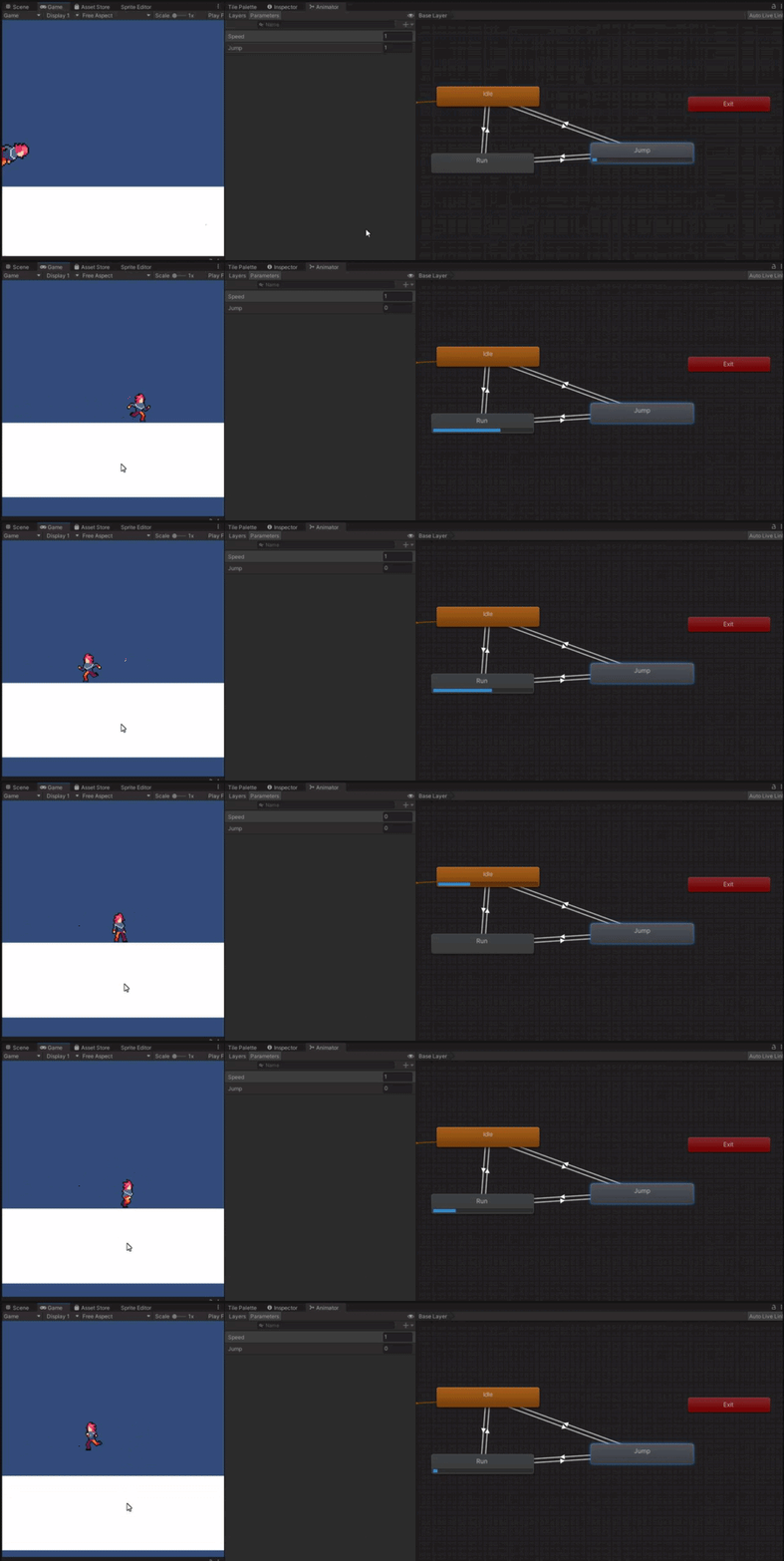 slender nymph
start by checking your transition settings
fossil gulch
fossil gulch
hey guys, I need some help with my code...
https://gyazo.com/b6bcbcd855d14fd1ddd...
You can see that the animation progress bar is moving on all 3 of them consecutively (if that's a word?) when jumping
fossil gulch
slender nymph
start by checking your transition settings
I have, they appear fine to me.
slender nymph
oh of course, if they appear fine to you then there definitely isn't any issue with them. how could i be so silly
hallow sun
i think you may have set it up so it only detects jumping if falling
fossil gulch
slender nymph
oh of course, if they appear fine to you then there definitely isn't any issue w...
I didn't mean it like that.
Just meant that I don't see any problems with it, doesn't mean that there are no problems
but it's set up the same exact way as the Idle -> Run And that works fine, but then just with the Jump param.
fossil gulch
hallow sun
i think you may have set it up so it only detects jumping if falling
wdym?
slender nymph
fossil gulch
but it's set up the same exact way as the Idle -> Run And that works fine, but t...
show them
hallow sun
show us the part that sets the value of jump
fossil gulch
slender nymph
show them


 slender nymph
fossil gulch
wdym?
slender nymph
fossil gulch
wdym?
they are incorrect in that assessment. although you aren't using a layermask for your raycast so it is possible for it to think you are grounded when you are not depending on what should be detected as ground
fossil gulch
slender nymph
they are incorrect in that assessment. although you aren't using a layermask for...
I checked that, but I'm unable to jump in mid-air (so I'm not grounded), and isGrounded is returning as False while jumping, so that's not it either
slender nymph
also another thing, why are you using floats as booleans? you do know that you can have boolean parameters, right?
hallow sun
the jump variable glitches for some reason, show us the code that sets it please
fossil gulch
slender nymph
also another thing, why are you using floats as booleans? you do know that you c...
Yes, but I intend to have them fade/cross into each other in future, so I assumed this'd be the smartest way
that'd be just these lines
    void Update()
    {
        RaycastHit2D hit = Physics2D.Raycast(groundCheck.transform.position, Vector2.down, 0.1f);
        isGrounded = hit.collider != null;

        // Jump param based on whether player is grounded or not
        anim.SetFloat("Jump", isGrounded ? 0f : 1f);
. ^
forgot to reply
 oblique herald
sorry to bother, but I want to know if there would be an optimal way to use startCorountine with Update()? I dont really know other way to wait for seconds
heres the code:
    void Update() {
        if (pickUpAllowed && Input.GetKeyDown(KeyCode.E)) {
            PickUp();
        }
        StopAllCoroutines();
        if (showPickedUp)
        {
            StartCoroutine(PickedUp());
        }
    }
    private void PickUp() {
        inventoryManager.AddItem(itemName, sprite, itemDesc);
        Destroy(gameObject);
        showPickedUp = true;
    }

    IEnumerator PickedUp() {
        pickedUpText.gameObject.SetActive(true);
        yield return new WaitForSeconds(2f);
        pickedUpText.gameObject.SetActive(false);
        showPickedUp = false;
    }
}
Do you have any idea whatsoever what your code is actually doing?
dense mica
Ok so I think I figured it out. Mode AUTO resizes my cursors to 32px, but breaks the hotspot. With mode ForceSoftware the cursors are large, but hotspot works. So now I'll make a collection of 32px, 64px, 128px and 256px cursors (to support scalable UI) and just manage it all myself.
 zealous storm
Hi Guys, I'm making simple game and I want to introduce a few animations. Camera is in 1st person so I don't animate the player, but I want to do so when interacting with certain object. Can i somehow pass an animation clip and play it once by code? Something like this public void PlayAnimation(AnimationClip anim) { animator.Play(anim.ToString()); } I want to store animation clips in different objects that player can interact with, not in animator tree
 glad rune
i set the skin to 1 in a script already. how would i read the json file in another script and check if the number for skin is 1?

 sudden glacier
How can i make a 2d plattformer endless runner with tilemaps? Any tuts?
wintry quarry
glad rune
i set the skin to 1 in a script already. how would i read the json file in anot...
you wouldn't read the json file in another script
you would deserialize the json to an instance of this class
then just pass a reference to your instance of this class to the other script
sudden glacier
sudden glacier
How can i make a 2d plattformer endless runner with tilemaps? Any tuts?
I want to generate set levels procedural
like Obstacle 1 - Obstacle 45 - Obstacle 24 - Obstacle 32 and the obstacles are made by tiles
rich egret
!code
eternal falconBOT
Posting code
📃 Large Code Blocks
Use links to services like:
https://gdl.space/, https://paste.ofcode.org/, https://hatebin.com/, https://paste.myst.rs/, https://hastebin.com/
📃 Inline Code
Surround code with three backquotes. Not quotation marks.
To format as C#, add cs to the first line:
```cs
// Your code here
```
Add a comment with a line number if there is an error message.
rich egret
The purpose of this script is every time a new object is added then it completes all the other missing objects (because every time a new object is added all the others are deleted).
But it's not working...
wintry quarry
rich egret
The purpose of this script is every time a `new object` is added then it complet...
What does "not working" mean?
Also not sure I understand your description of what it's meant to do
What are you expecting it to do and what is happening instead?
rich egret
wintry quarry
What does "not working" mean?
Also not sure I understand your description of wha...
Ok, it just doesn't return the missing objects.
I will try to explain better, there is some list, it contains objects, but when I add an object to the list all the other objects in the list disappear for some reason.
So... I made a function to return the missing objects but it doesn't return them.
wintry quarry
rich egret
Ok, it just doesn't return the missing objects.
I will try to explain better, t...
return them from where
to where
Seems to me like the first thing you're doing when you add an item is this:
inventoryState.Clear();```doesn't that delete everything?
rich egret
wintry quarry
doesn't that delete everything?
wait, what? I did not notice it
I feel so dumb right now, this is a script from the internet
tysm bro
wintry quarry
it's really unclear what this script is supposed to be doing to me
rich egret
wintry quarry
it's really unclear what this script is supposed to be doing to me
Its system is complicated, it's just a small part of Equip's system
glad rune
wintry quarry
you would deserialize the json to an instance of this class
what do you mean by deserealizing
wintry quarry
glad rune
what do you mean by deserealizing
converting from the JSON text into that object
e.g. with JsonUtility.FromJson<SkinInf>(jsonText)
rich egret
@wintry quarry Turns out that wasn't the problem
wintry quarry
Well you didn't even tell me which list you're worried about or anything
so I'm really working on very little information here
rich egret
wintry quarry
Well you didn't even tell me which list you're worried about or anything
There is a list with names in PlayerPrefs, at the beginning of the game it should search for all these names in folders and simply add the objects with the same name
rich egret
wintry quarry
so I'm really working on very little information here
It is complicated to explain the system
rich egret
rich egret
There is a list with names in PlayerPrefs, at the beginning of the game it shoul...
But when I add a new object to the list, everything else disappears for some reason...
wintry quarry
you'll have to start debugging the code
add logs in places where you expect all the items to be there, such as before saving, and make sure they're all there, etc.
 polar acorn
rich egret
But when I add a new object to the list, everything else disappears for some rea...
polar acorn
rich egret
But when I add a new object to the list, everything else disappears for some rea...
What is "The List" and where do you add to it. There's several things that could be considered "The list" here
 small mantle
Why does this UI not work? It gives me an error and UIElements is the only one I can use. I am using Unity 2021 LTS
using UnityEngine;
using UnityEngine.UI;```What error?
 spiral narwhal
            _gameMap
                .GalaxyGraph
                .Where(galaxy => galaxy.ContainedSpaceships.Count is not 0)
                .ToList()
                .ForEach(galaxy =>
                {
                    // Should be converted into an assertion after the MVP
                    if (galaxy.AdjacentGalaxies is not null)
                        galaxy.ContainedSpaceships.ForEach(spaceship => // <--- ERROR HERE
                        {
                            galaxy.ContainedSpaceships.Remove(spaceship);

                            var randomIndex = Random.Range(0, galaxy.AdjacentGalaxies.Count);
                            var randomAdjacentGalaxy = galaxy.AdjacentGalaxies[randomIndex];

                            randomAdjacentGalaxy.ContainedSpaceships.Add(spaceship);
                        });
                });
System.InvalidOperationException : Collection was modified; enumeration operation may not execute.
What can I do about that
wintry quarry
spiral narwhal
```csharp
_gameMap
.GalaxyGraph
.Whe...
you can't modify the collection you're iterating over while iterating over it
spiral narwhal
But I need to
wintry quarry
You are doing that here:
                        galaxy.ContainedSpaceships.ForEach(spaceship => // <--- ERROR HERE
                        {
galaxy.ContainedSpaceships.Remove(spaceship);```you don't need to
small mantle
wintry quarry
What error?
using UnityEngine;
using UnityEngine.UI; <----- This is not a package that I can access from. I checked packages and I have it, but the only UI Package that I can use in code is UIElements. I am on a new project*```You can do this:
                        galaxy.ContainedSpaceships.ForEach(spaceship =>
                        {
                            var randomIndex = Random.Range(0, galaxy.AdjacentGalaxies.Count);
                            var randomAdjacentGalaxy = galaxy.AdjacentGalaxies[randomIndex];

                            randomAdjacentGalaxy.ContainedSpaceships.Add(spaceship);
                        });
galaxy.ContainedSpaceships.Clear();```wdym? show your error)
Also is the error in Unity too
or only in VS
aif only in VS, just regenmerate project files
otherwie make sure the Ui package is installed
spiral narwhal
True that works thanks
rich egret
polar acorn
What is "The List" and where do you add to it. There's several things that could...
the list its called "itemNames"
!code
eternal falconBOT
Posting code
📃 Large Code Blocks
Use links to services like:
https://gdl.space/, https://paste.ofcode.org/, https://hatebin.com/, https://paste.myst.rs/, https://hastebin.com/
📃 Inline Code
Surround code with three backquotes. Not quotation marks.
To format as C#, add cs to the first line:
```cs
// Your code here
```
Add a comment with a line number if there is an error message.
small mantle
wintry quarry
Also is the error in Unity too
It is in VS. How can I fix this?
wintry quarry
As I said, regenerate project files
from the unity external tools preferences menu
rich egret
https://gdl.space/odimacuxeq.cs
I updated the code, the problem is not solved ):
small mantle
wintry quarry
As I said, regenerate project files
It won't work because of these warnings.

Is it due to my folder holding my Projects having [] in front?
 fervent quartz
is it possible to merge 2 c# scripts into one .cs file
i try to find a youtube tutorial for it
but i only found "how to connect 2 c# scripts to a game object"
which i don't need that
summer stump
fervent quartz
is it possible to merge 2 c# scripts into one .cs file
i try to find a youtube t...
Why would you want to do that?
but yeah, just copy the text from one file into the other..
languid spire
fervent quartz
is it possible to merge 2 c# scripts into one .cs file
i try to find a youtube t...
yes as long as only one of them is a Monobehaviour
summer stump
generally you want to SPLIT them up, not combine them
fervent quartz
@summer stump
cause i need it
for example i don't want to have separate mesh handlers,markers,highlighters in separate scripts
that's to messy if you ask me
im a person who like's simple and clean stuff
wintry quarry
fervent quartz
is it possible to merge 2 c# scripts into one .cs file
i try to find a youtube t...
Merge them for what purpose?
languid spire
And what makes you think having multiple classes in one .cs file is either simple or clean?
fervent quartz
@wintry quarry
simplicity
summer stump
fervent quartz
<@349017582105526273>
cause i need it
for example i don't want to have separate ...
Having one massive file is waaaay messier than having separate clean files
So gross lol
There is a reason separate files is the standard. And it is for simplicity and clean organization
But either way. The answer is ctrl-a, ctrl-c, ctrl-v
fervent quartz
@wintry quarry
so if i want to merge them
do i need to press 2x ENTER to make separation between two scripts
or do i just need to continneu to add second script to a new line?
@languid spire
i don't need many .cs files scattered in my project
i want to pack them into one nice .cs file
languid spire
whitespace is not relevant in C#
willow scroll
fervent quartz
<@179367739574583296>
so if i want to merge them
do i need to press 2x ENTER to ...
-
- Why do you want to merge the scripts?
-
- You won't be able to merge them perfectly, as some errors with the names might occur
-
- If those both of those scripts contain
Behaviors, you won't be able to merge them
- If those both of those scripts contain
 coarse temple
idk if this is the correct place for this, but anyone knows why it only plays once after pressing the button? i press the button again and it doesnt do anything :0
languid spire
fervent quartz
<@556797857584381953>
i don't need many .cs files scattered in my project
i want...
good luck debugging that
willow scroll
coarse temple
idk if this is the correct place for this, but anyone knows why it only plays on...
Because you have something wrong in your code.
summer stump
fervent quartz
<@556797857584381953>
i don't need many .cs files scattered in my project
i want...
What IDE are you using?
fervent quartz
@willow scroll
ok i understand and thank you
coarse temple
thats the funny thing! i added the animation just by dragging the game object and selecting the appropiate settings, idk if thats good lol
 willow scroll
fervent quartz
<@1025482839954821222>
ok i understand and thank you
willow scroll
fervent quartz
<@1025482839954821222>
ok i understand and thank you
You can reply to the message using the Reply button, you know?
 fervent quartz
@summer stump
Win V.S.
grizzled zealot
Are very sparse, but very large nav meshes a performance concern? Space game and the nav mesh is of size 5000 x 5000
summer stump
fervent quartz
<@349017582105526273>
Win V.S.
Ok, well then the solution explorer should make it easy to move between files. Far easier than having to scroll up and down some massive 1k - 10k line file
fervent quartz
ok thanks
lost anvil
are scriptable objects really super required for inventories? every tutorial i see uses them
willow scroll
lost anvil
are scriptable objects really super required for inventories? every tutorial i s...
They're really convenient for this, so yes, why not use it?
grizzled zealot
I like them, beause in contrast to CSVs and DB-based approaches, you can also add links to other GOs, such as prefabs.
willow scroll
willow scroll
They're really convenient for this, so yes, why not use it?
It's not "essential" though
lost anvil
i might aswell because every tutorial uses them and i have no idea how the fuck to make an inventory without a tutorial lmao
summer stump
lost anvil
i might aswell because every tutorial uses them and i have no idea how the fuck ...
List<Item> inventory
public class Item {
GameObject prefab;
}
willow scroll
lost anvil
i might aswell because every tutorial uses them and i have no idea how the fuck ...
I mean, you may use struct, classes or prefabs instead of them. But it is usually much less convenient
fossil tree
hello i have a problem i got this error ```NullReferenceException: Object reference not set to an instance of an object
celluleManager.launch () (at Assets/scripts/celluleManager.cs:20)
UnityEngine.Events.InvokableCall.Invoke () (at <40205bb2cb25478a9cb0f5e54cf11441>:0)
UnityEngine.Events.UnityEvent.Invoke () (at <40205bb2cb25478a9cb0f5e54cf11441>:0)
UnityEngine.UI.Button.Press () (at Library/PackageCache/com.unity.ugui@1.0.0/Runtime/UI/Core/Button.cs:70)
UnityEngine.UI.Button.OnPointerClick (UnityEngine.EventSystems.PointerEventData eventData) (at Library/PackageCache/com.unity.ugui@1.0.0/Runtime/UI/Core/Button.cs:114)
UnityEngine.EventSystems.ExecuteEvents.Execute (UnityEngine.EventSystems.IPointerClickHandler handler, UnityEngine.EventSystems.BaseEventData eventData) (at Library/PackageCache/com.unity.ugui@1.0.0/Runtime/EventSystem/ExecuteEvents.cs:57)
UnityEngine.EventSystems.ExecuteEvents.Execute[T] (UnityEngine.GameObject target, UnityEngine.EventSystems.BaseEventData eventData, UnityEngine.EventSystems.ExecuteEvents+EventFunction`1[T1] functor) (at Library/PackageCache/com.unity.ugui@1.0.0/Runtime/EventSystem/ExecuteEvents.cs:272)
UnityEngine.EventSystems.EventSystem:Update() (at Library/PackageCache/com.unity.ugui@1.0.0/Runtime/EventSystem/EventSystem.cs:501)
 ```public void launch()
    {
        gameStart = true;
        foreach(GameObject objet in build.instances)
        {
            StartCoroutine(objet.GetComponent<celluleManager>().check());
        }

    }
in my instances list i stock all my gameobject i instanciate and after that i try to make a coroutine for all single one
wintry quarry
fervent quartz
<@179367739574583296>
so if i want to merge them
do i need to press 2x ENTER to ...
the spacing doesn't matter at all. You can only have one MonoBehaviour or ScriptableObject class in your file. Otherwise you can put as many classes as you want
wintry quarry
fossil tree
hello i have a problem i got this error ```NullReferenceException: Object refere...
which line is line 20
fossil tree
this one ``` foreach(GameObject objet in build.instances)
then either build is null or build.instances is null
find out which one and fix it
fossil tree
build is a script and build instances is a list of all gameobject i instanciate
fossil tree
a script cannot be null yes ?
wintry quarry
references can be null
build and build.instances are both references
a script cannot be null yes ?
This is essentially meaningless in C#
fossil tree
that here i build the instances list
using System.Collections.Generic;
using Unity.VisualScripting;
using UnityEngine;

public class Build : MonoBehaviour
{
    public GameObject prefab;
    public List<GameObject> instances = new List<GameObject>();
    // Start is called before the first frame update
    void Start()
    {
        for (var a = -50; a < 50; a++)
        {
          for (var i = -50; i < 50; i++)
            {
                GameObject clone = Instantiate(prefab, new Vector3(i , a, 0), Quaternion.identity);
                instances.Add(clone);
            }
        }
    }

    // Update is called once per frame
    void Update()
    {

    }
}
build itself is null
where do you assign the build reference
wintry quarry
I'm not just going to take your word for it
show the code
celluleManager has a reference called build
show where that reference is assigned
fossil tree
here public Build build;
wintry quarry
that's not an assignment
you are simply declaring the variable
You would have to either assign it in the inspector or in your code
Please show where you did that
fossil tree
yes i put it in inspector
wintry quarry
Apparently not in the inspector for this particular instance where the code is running
fossil tree
 wintry quarry
or your code is unassigning it
wintry quarry
fossil tree
show how you set up the button

 fossil tree
that here i build the instances list
```using System.Collections;
using System.C...
fossil tree
fossil tree
that here i build the instances list
```using System.Collections;
using System.C...
this is my script for create them
wintry quarry
That's very confusing
the script that creates them cretes more of the script that creates them>?
wintry quarry
fossil tree
that here i build the instances list
```using System.Collections;
using System.C...
clearly the new instances don't have the build reference assigned properly here
fossil tree
wintry quarry
clearly the new instances don't have the `build` reference assigned properly her...
and how can i assigned it ?
fossil tree
that dont really help me
summer stump
fossil tree
that dont really help me
How does it not help you?
fossil tree
like how i use =
summer stump
fossil tree
like how i use ``=``
build = [thing you are assigning]
Hard to say without seeing the code
grizzled zealot
What is the preferred method for managing color themes of the game?
- Create a palette and then manually choose from it through "Color" in the
SpriteRenderer - Create a Singleton and then color objects by adjusting "Color" after looking up the singleton?
- Use materials and assign the color to the materials
- Any other method?
fossil tree
summer stump
build = [thing you are assigning]
Hard to say without seeing the code
but build is my script so i dont really understand why and what i need to assign to it and my code are above
summer stump
fossil tree
but build is my script so i dont really understand why and what i need to assign...
A reference TO the instance of build
a script is just a file until you create an instance of it. And your code needs to know specifically which instance of build you are using
Where is build? What gameobject is it attached to?
fossil tree
summer stump
Where is build? What gameobject is it attached to?
build is a script attached to my "build game" game object (an empty gameobject) and i want use it in my second script celluleManager
summer stump
fossil tree
build is a script attached to my "build game" game object (an empty gameobject) ...
Ok, so you need to tell your code that
Best way would be for the thing instantiating all those "cellule prefab" objects to have a reference to build, and pass it in after instantiating them
Because as of now, build is pointing at nothing.
 ripe tartan
does anybody know why the animation aint playing
summer stump
ripe tartan
does anybody know why the animation aint playing
and try an .mp4
so it embeds propertly
fossil tree
summer stump
Best way would be for the thing instantiating all those "cellule prefab" objects...
and how i make that so ?
summer stump
fossil tree
and how i make that so ?
I mean, I feel like I explained it pretty clearly. Which part do you need help with?
public class Build
{
  public Cellule cellulePrefab;

  public void SpawnMethod()
  {
    Cellule newCellule = Instantiate(cellulePrefab);
    newCellule.build = this;
  }
}

public class Cellule
{
  public Build build;
}
Really simplified example
fossil tree
summer stump
I mean, I feel like I explained it pretty clearly. Which part do you need help w...
So i need to make an instance of build in the build class ?
summer stump
fossil tree
So i need to make an instance of build in the build class ?
No
the build class can get its own reference by writing this
if you are spawning from the build class then just pass in this
Updated the code to show that
fossil tree
I think i have understand i gonna try to make that tomorow else my brain gonna die tysm for your patience
 stable spindle
Anyone have a insta ban script for a gtag copy?
languid spire
stable spindle
Anyone have a insta ban script for a gtag copy?
do NOT cross post
stable spindle
languid spire
do NOT cross post
What’s that?
summer stump
stable spindle
Anyone have a insta ban script for a gtag copy?
That isn't how this server works. We can help you make one, but not give you one
languid spire
stable spindle
What’s that?
posting the same question in multiple channels
summer stump
stable spindle
What’s that?
Posting to more than one channel #854851968446365696 #📖┃code-of-conduct
stable spindle
summer stump
That isn't how this server works. We can help you make one, but not give you one
Sorry I’m new I Js joined like 5 minutes ago
languid spire
then read #📖┃code-of-conduct
acoustic arch
what size of a script is too big? and i should try condensing
stable spindle
Ok
languid spire
acoustic arch
what size of a script is too big? and i should try condensing
one that you cannot remember what it does and how it works
summer stump
acoustic arch
what size of a script is too big? and i should try condensing
If it does more than one distinct thing, consider splitting it
grizzled zealot
When I use URP and create a material, can I still use the standard shader for the material, or do I have to select from URP?
languid spire
 chrome tide
*moved to <#531974372714610688>*
chrome tide
*moved to <#531974372714610688>*

 unique slate
 bronze zenith
did your Unity fill in some unncessecary "using" directive? - check the top of your script
languid spire
bronze zenith
yes, you do
bronze zenith
unique slate
did your Unity fill in some unncessecary "using" directive? - check the top of y...
this is the part on the top you cant see
 languid spire
so what part dont you understand?
unique slate
yeah, "using UnityEngine.Windows" clashes with "using UnityEngine"
bronze zenith
bronze zenith
i have no clue how to fix this error
 hallow girder
bronze zenith
this is the part on the top you cant see
hallow girder
bronze zenith
this is the part on the top you cant see
if u make the "Input.GetButtonUp()" "UnityEngine.Input.GetButtonUp()" it'll work, it's becasue both of the dirrectives have input functions
bronze zenith
unique slate
yeah, "using UnityEngine.Windows" clashes with "using UnityEngine"
so do i just delete it
languid spire
why do you have 'using UnityEngine.Windows' ?
bronze zenith
i have no idea it was there already
unique slate
bronze zenith
so do i just delete it
if that doesnt fuck up something else - yes
bronze zenith
oh yea it fixed everything
bronze zenith
unique slate
if that doesnt fuck up something else - yes
thank you :)
rich egret
!code
eternal falconBOT
Posting code
📃 Large Code Blocks
Use links to services like:
https://gdl.space/, https://paste.ofcode.org/, https://hatebin.com/, https://paste.myst.rs/, https://hastebin.com/
📃 Inline Code
Surround code with three backquotes. Not quotation marks.
To format as C#, add cs to the first line:
```cs
// Your code here
```
Add a comment with a line number if there is an error message.
 stuck palm
how can i fix this edge problem? if the player lands right on the corner, it will be caught by the green capsule collider, but the white overlapsphere doesnt catch the floor, so it things its still in the air.
 rich egret
This script should put objects from folders by list in PlayerPrefs
But when the list is updated, all the "old" objects are deleted for some reason...
Does anyone know why this is happening?
willow scroll
stuck palm
how can i fix this edge problem? if the player lands right on the corner, it wil...
Why not use OnCollisionEnter?
stuck palm
willow scroll
Why not use `OnCollisionEnter`?
i fixed it its fine
willow scroll
rich egret
This script should put objects from folders by list in `PlayerPrefs`
But when th...
The list? Are you referring to HashSet?
And the LoadItems method is where is gets updated, right?
You're using new(), so yeah, old items are gonna be removed
rich egret
willow scroll
You're using `new()`, so yeah, old items are gonna be removed
tysm
so how to solve it?
 stark gyro
public void Spawn()
{
    int rockCount = 0;
    int paperCount = 0;
    int scissorsCount = 0;

    Vector2 spawnPosition = new Vector2(spawnPositionX, spawnPositionY);

        for (int i = 0; i < _gameManager.objectAmount; i++)
        {
            if(rockCount < _gameManager.objectAmount - 1)
            {
                Instantiate(rockPrefab, GetRandomSpawnPos(), Quaternion.identity);
                rockCount++;
            }
            if (paperCount < _gameManager.objectAmount - 1)
            {
                Instantiate(paperPrefab, GetRandomSpawnPos(), Quaternion.identity);
                paperCount++;
            }
            if (scissorsCount < _gameManager.objectAmount - 1)
            {
                Instantiate(scissorsPrefab, GetRandomSpawnPos(), Quaternion.identity);
                scissorsCount++;
            }
        }
    // Random x pos range = -1,14.5
    // Random y pos range = -5.57, 2.42
    // include all of them.
}```
I'm trying to spawn objects and the amount is read from slider.
It works fine when the amount is low like 5 objects for each so 3x5 = 15 objects in total.
When the input amount is 10, it's supposed to spawn 30 in total but It spawns 32 sometimes..?
And it's even worse when amount is 20+. Unity crashes and amount of object looks like this:
rock : 350
paper : 128
scissors : 642 (It's never the same everytime, just an example)

Why is this happening? I even added a counter for it but it didn't do it...Don't create a new HashSet. Add the new items to it instead
willow scroll
stark gyro
```cs
public void Spawn()
{
int rockCount = 0;
int paperCount = 0;
i...
How does it even spawn the paper and scissors 🤔
Do you, perhaps, call the Spawn method more than once?
Or is the objectAmount updated in the GetRandomSpawnPos method?
stark gyro
willow scroll
Do you, perhaps, call the `Spawn` method more than once?
Nope :/
languid spire
stark gyro
```cs
public void Spawn()
{
int rockCount = 0;
int paperCount = 0;
i...
objectAmount is probably a float so you need to convert it to an int
stark gyro
willow scroll
Or is the `objectAmount` updated in the `GetRandomSpawnPos` method?
It's not updated
willow scroll
languid spire
objectAmount is probably a float so you need to convert it to an int
But it shouldn't cause it
unique slate
Im checking if my item is hovering over enough inventory slots to be placed where the player is trying to place it.
I do that via OnTrigger- Enter and Exit. But when i move the mouse too fast from one slot to another they sometimes wont trigger at all.
It should look like this until placed: https://i.imgur.com/S4guwui.png
But when it bugs out it looks like this and those slots are still thinking im hovering over them https://i.imgur.com/EEelLfM.png
Is my approach inherently flawed? Cause i cant find a fix via Google.
This is basically all the code
    public void OnTriggerEnter2D(Collider2D col)
    {
        if (col.transform.GetComponent<Slot>() == null) {return;}

        imHoveringOver = col.transform.GetComponent<Slot>();
        SetHoverColor(imHoveringOver);
    }

    public void OnTriggerExit2D(Collider2D col)
    {
        if (col.GetComponent<Slot>() != null)
        {
            ResetColor(imHoveringOver);
        }
        imHoveringOver = null;
    }
 rich egret
willow scroll
Don't create a new `HashSet`. Add the new items to it instead
rich egret
willow scroll
Don't create a new `HashSet`. Add the new items to it instead
Like this?
    {
        string savedItems = PlayerPrefs.GetString(playerPrefsKey);
        if (!string.IsNullOrEmpty(savedItems))
        {
            string[] loadedItemsArray = savedItems.Split(',');
            foreach (string loadedItem in loadedItemsArray)
            {
                if (!itemNames.Contains(loadedItem))
                {
                    itemNames.Add(loadedItem);
                }
            }
        }
        Debug.Log("Loaded " + itemNames.Count + " items.");
}```The code should be formatted as follows:
// your code goes here
 stark gyro
languid spire
objectAmount is probably a float so you need to convert it to an int
stark gyro
languid spire
objectAmount is probably a float so you need to convert it to an int
It's an integer
languid spire
stark gyro
It's an integer
then there is something else going on, what you describe cannot be caused by the code shown
unique slate
willow scroll
The code should be formatted as follows:
```cs
// your code goes here
```
how do i make those signs 💀 i have EU keyboard
stark gyro
languid spire
then there is something else going on, what you describe cannot be caused by the...
Any other information/code you want me to provide?
willow scroll
unique slate
how do i make those signs 💀 i have EU keyboard
You should find them somewhere. You may also copy it: `
languid spire
stark gyro
Any other information/code you want me to provide?
you could start by actually doing some debugging and show that
unique slate
willow scroll
You should find them somewhere. You may also copy it: `
thanks 😄 that works
willow scroll
rich egret
Like this?
``` private void LoadItems()
{
string savedItems = Pla...
Yeah, that's right
rich egret
willow scroll
Yeah, that's right
The list is still being deleted 😅
willow scroll
rich egret
The list is still being deleted 😅
Then this method is not the issue
stark gyro
languid spire
you could start by actually doing some debugging and show that

Amount was set to 10
Rock starts 8
languid spire
I meant in the code
willow scroll
rich egret
The list is still being deleted 😅
And it doesn't make any sense, as I have gone thru its mentions, but have seen neither it being reset, nor its items being removed
rich egret
willow scroll
Then this method is not the issue
I think there is a line that deletes the list, but not sure which
willow scroll
rich egret
I think there is a line that deletes the list, but not sure which
There's no in that script. Perhaps, you haven't saved it?
rich egret
Maybe it was caused by another script
willow scroll
rich egret
Maybe it was caused by another script
This is what you should've mentioned before
rich egret
willow scroll
There's no in that script. Perhaps, you haven't saved it?
I saved it
rich egret
i did it
willow scroll
So, are you going to share its calls now?
rich egret
@willow scroll Ahhh, I got it!
It is indeed a problem with another script, there is an inventory script, that as soon as I buy an item, it adds it to the list. But that's not the list of this script!
willow scroll
unique slate
Im checking if my item is hovering over enough inventory slots to be placed wher...
Your approach isn't wrong, and I would say, it's not what you'd usually use in your case. The issue is in you having 2 inventory slots, which hover with your knife.
When the knife enters the collider, the collider's Slot, assuming it exists, is assigned to the imHoveringOver. If you, however, collide with the 2nd Slot after that, the reference to the 1st Slots gets removed, which prevents you from resetting its color with the ResetColor method.
In order to fix this, you'll have to add the Slots to a List, instead of a single variable, in the OnTriggerEnter2D method, and remove the Slot in OnTriggerExit2D
_slots.Remove(col.GetComponent<Slot>());
Don't worry about the null check in this case, which, additionally, can be done without != null, as Unity Objects can be converted to null without it
if (!col.GetComponent<Slot>())
    return;
Removing the null will do nothing.
And, yes, single-line expressions don't require {} after the condition, { return } -> return in your case
unique slate
The colliders are not on the weapon, i made them separate so i can check for the exact slots when i want to to make non-rectangular weapons. Every slot has it's own collider
willow scroll
unique slate
The colliders are not on the weapon, i made them separate so i can check for the...
Right, so?
I already knew it
What made you think my answer wasn't based on this assumption?
unique slate
i think i misread
I thought about another check to remove the remainders, but all my testing showed this behaviour: https://i.imgur.com/5W0MS1w.gif
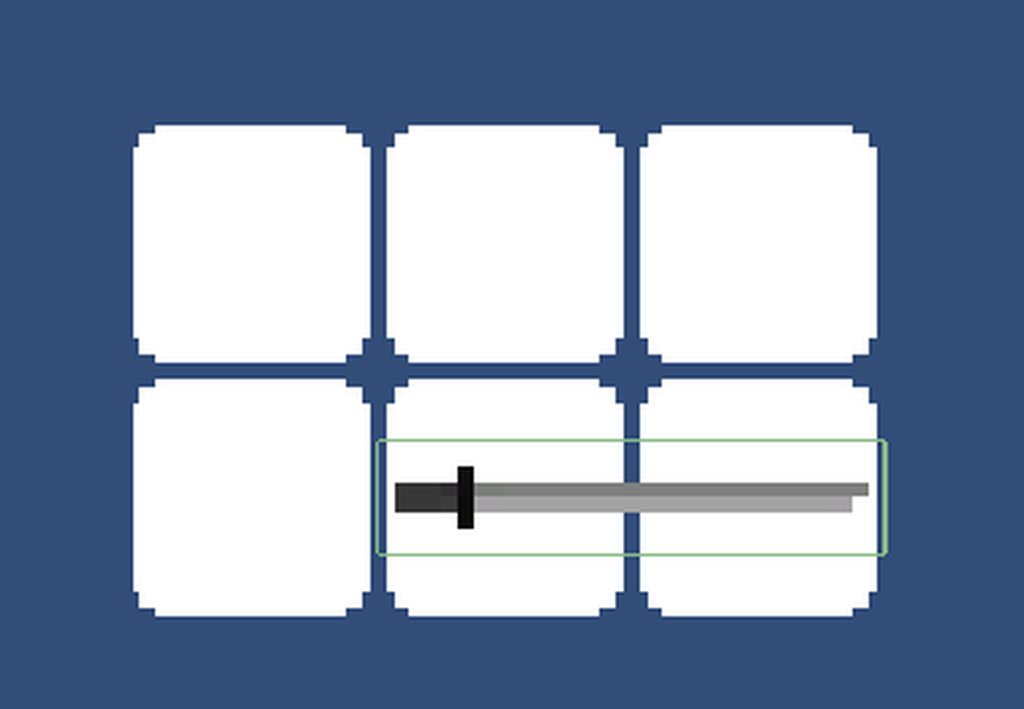 bronze zenith
ok so if i posted my entire code for crouching would people know why it isnt working
willow scroll
unique slate
I thought about another check to remove the remainders, but all my testing showe...
Have you read what I have written?
unique slate
it does not correctly assign the new slot on enter. the left slot doesnt turn green. thats either because OnTriggerEnter doesnt work or because it calls Enter and THEN Exit right after, removing the overwritten Slot "ImHoveringOver".
willow scroll
Simply add the slots to the list and remove them from it
unique slate
needed a minute to correctly get me thoughts down :S
willow scroll
And I have already described it [here](#💻┃code-beginner message)
bronze zenith
why wont it work when i press S to crouch
 unique slate
like... i read that 4 times now. You only talk about fixing the slots that are green when they should be white. Those can be cleaned up as described by you. Yes.
But not assigning them correctly on enter is a separate problem. The lower middle slot is still white when i hover the sword on it. But it should be green. As it is when i do it slowly.
Or i dont comprehend you at all, that could be
stuck palm
if i make a list with 3 values in it, if i remove the middle value would that make the length 2 or would the middle value just be null?
willow scroll
unique slate
like... i read that 4 times now. You only talk about fixing the slots that are g...
Let's say to want to date a few girls simultaneously. Your memory saves just the girl you've last talked to. This way, if you first talk to Katie and Emma, then to Isabelle, you're going to forget about Katie and Emma you've previously talked to, and just remember Isabelle.
Instead, you want to save all these girls to your memory, by having a List of the girls you've talked to. This way, you're not going to forget any of them.
The same with the slots
willow scroll
unique slate
like... i read that 4 times now. You only talk about fixing the slots that are g...
The problem shouldn't appear if you add them to a list correctly
And OnTriggerEnter2D always works, assuming all your slots have 2d trigger colliders
The problem may be in your SetHoverColor method, which you haven't showed yet
bronze zenith
bronze zenith
why wont it work when i press S to crouch
did i do something wrong ive been trying to figure this out the past hour
unique slate
willow scroll
The problem may be in your `SetHoverColor` method, which you haven't showed yet
nah, those are literally just SpriteRenderer.color = whatever color
willow scroll
unique slate
nah, those are literally just SpriteRenderer.color = whatever color
Show it, please
unique slate
if this bricks it im crying https://i.imgur.com/pIJYdPj.png
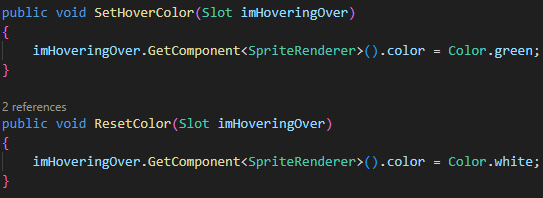 willow scroll
unique slate
if this bricks it im crying https://i.imgur.com/pIJYdPj.png
willow scroll
unique slate
if this bricks it im crying https://i.imgur.com/pIJYdPj.png
That's alright
Could be a single method with the constants though
unique slate
yeah
willow scroll
Anyway, it resets to white because of the Exit method being called exactly after the Enter
unique slate
yes
willow scroll
So implement the solution with the list.
And it won't happen if you do it correctly
And it nothing else changes its color
willow scroll
willow scroll
And it nothing else changes its color
(Well, it does, as ResetColor is called twice, yet, you've shown us just a single call)
brazen cedar
frosty hound
It would be easier if you just create a new repo, commit this first at the root ...
That didn't work
I still see the AritfactDB warning
Ughhh
bronze zenith
bronze zenith
why wont it work when i press S to crouch
can somebody please help with this
unique slate
willow scroll
(Well, it does, as `ResetColor` is called twice, yet, you've shown us just a sin...
https://i.imgur.com/2lM09MF.png before using it here as well the slots stayed green after placing the item
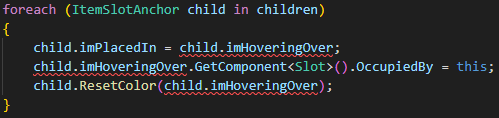
errors now because i made it a list
in case u r wondering
willow scroll
I'm not
willow scroll
bronze zenith
can somebody please help with this
What is even that CharacterController2D
bronze zenith
ohh yea i should probably show the other script
quick fractal
bronze zenith
why wont it work when i press S to crouch
Crouch isn't a recognised input i'd guess 👀
This is what I did for keys

 willow scroll
bronze zenith
ohh yea i should probably show the other script
willow scroll
bronze zenith
ohh yea i should probably show the other script
Well, yeah
bronze zenith
i cant show the whole script in one screenshot its very big
willow scroll
quick fractal
Crouch isn't a recognised input i'd guess 👀
This is what I did for keys
What does "isn't a recognised input" mean? And this answer doesn't really help with the issue. Additionally, I guess you should configure your !ide
eternal falconBOT
💡 IDE Configuration
If your IDE is not autocompleting code
or underlining errors, please configure it.
Select one:
• Visual Studio (Installed via Unity Hub)
• Visual Studio (Installed manually)
• VS Code
• JetBrains Rider
• Other/None
willow scroll
bronze zenith
i cant show the whole script in one screenshot its very big
Yes, because you shouldn't show it with the screenshots !code
eternal falconBOT
Posting code
📃 Large Code Blocks
Use links to services like:
https://gdl.space/, https://paste.ofcode.org/, https://hatebin.com/, https://paste.myst.rs/, https://hastebin.com/
📃 Inline Code
Surround code with three backquotes. Not quotation marks.
To format as C#, add cs to the first line:
```cs
// Your code here
```
Add a comment with a line number if there is an error message.
bronze zenith
oh ok hold on then
willow scroll
quick fractal
Crouch isn't a recognised input i'd guess 👀
This is what I did for keys
Oh, I'm sorry, I got what you mean by "isn't a recognised input" now
This may be too
And it would give an error
So blaze should check it out
bronze zenith
actually im just gonna send the screenshot with only the parts about crouching cause it makes sense to do that
 willow scroll
bronze zenith
actually im just gonna send the screenshot with only the parts about crouching c...
willow scroll
bronze zenith
actually im just gonna send the screenshot with only the parts about crouching c...
It doesn't. Consider sending it in a text form
bronze zenith
how do i do that without absolutely filling the whole chat up tho?
wintry quarry
bronze zenith
how do i do that without absolutely filling the whole chat up tho?
As a link to a paste site
willow scroll
bronze zenith
how do i do that without absolutely filling the whole chat up tho?
Using the specific sites
wintry quarry
also consider making a thread
willow scroll
bronze zenith
actually im just gonna send the screenshot with only the parts about crouching c...
Have you even written this code, by the way?
willow scroll
Yeah, I've mentioned it
bronze zenith
bronze zenith
actually im just gonna send the screenshot with only the parts about crouching c...
this one
willow scroll
But there are no errors thrown?
willow scroll
Is the crouch condition triggered?
bronze zenith
i dont have animations so i cant actually see but i should be able to tell if i slow down when pressing S or down arrow key
which i dont
bronze zenith
willow scroll
It doesn't. Consider sending it in a text form
also what do i do when i put the code in the website?
willow scroll
Yes, you should see the difference if m_CrouchSpeed far enough from 1
willow scroll
bronze zenith
also what do i do when i put the code in the website?
You save it and send the link here
 ivory bobcat
bronze zenith
at all
ivory bobcat
bronze zenith
at all
Have you tried placing some logs to see what's actually happening?
bronze zenith
ok wait
willow scroll
I've already seen the code thru the screenshot, just consider checking for the crouch condition being triggered and m_CrouchSpeed being far enough from 1
willow scroll
Also, I hope move is used somewhere
bronze zenith
if its that brown color?
willow scroll
bronze zenith
if its that brown color?
What do you mean?
willow scroll
bronze zenith
how do i know if its triggered
Triggered means that the condition is true
unique slate
willow scroll
Is the `crouch` condition triggered?
Im not sure if i understand it completely, but clearly more than at the beginning. Thanks for your help, i struggle a bit with comprehending and implementing things that others describe. Either think of it myself or a full on step-by-step tutorial. Really shit way of learning things, i know. I cant place the items anymore because making it a list nuked all that but i can work that out after sleeping 😄 thanks again and sorry for being such a stubborn idiot https://i.imgur.com/KOxhH1s.gif


 bronze zenith
also yes move is used
willow scroll
unique slate
Im not sure if i understand it completely, but clearly more than at the beginnin...
Is it how it's currently working?
Also, I wonder why lists cause you difficulties. Have you used them before?
unique slate
the gif shows the current state, yes
willow scroll
unique slate
the gif shows the current state, yes
Are lists being used?
unique slate
yes
unique slate
making it a list makes all the old code not work for obvious reasons
the item placement stuff
that i didnt show
your stuff works great
bronze zenith
unique slate
just gotta make it work with the list tomorrow
willow scroll
unique slate
the item placement stuff
Alright, you may share the placement stuff you have troubles with. I may help you out if I still got some time left
 nova swift
Hello, I am having issue with ground detection in my 2d platformer fan game. Sonic, as we know, uncurls from his rolling state upon landing on ground. This works just fine in my game except for 1 case. When landing on the edge of a platform at relatively high speeds, the player doesn't uncurl. I'm pretty sure ground detection doesn't return true at all in this interaction as I've tried printing to the console if it returned true. The ground detection code in question is:
return Physics2D.OverlapBox(groundCheck.position, new Vector2(0.57f, 0.01f), 0, groundMask);
While the player is 0.6f units wide, and the ground detection overlap box is 0.57f, increasing the width of the ground detection somehow allows the player to be grounded when next to a wall in the air, and yes, groundCheck.position is centred on the player, and there is also no horizontal offset on the player's box collider hitbox. Increasing the height of the overlapbox from 0.01f to 0.1f made the issue slightly harder to replicate, but the problem remained, and increasing this value isn't something I want to do anyway, as it makes the player become grounded slightly earlier than they should. Anyone got any ideas on what the issue might be? Video for reference.
bronze zenith
oops
willow scroll
bronze zenith
there is my code
I would assume, 404 Not Found might not be your code
bronze zenith
i think i deleted it
deft grail
bronze zenith
like lal of it this time
😂
 bronze zenith
ok NOW https://paste.ofcode.org/6ygQXcesRZDgJGn8N5Wh9h its all of it
wintry quarry
nova swift
Hello, I am having issue with ground detection in my 2d platformer fan game. Son...
Your overlapBox is 0.01 thick
that's quite tiny
very unlikely to hit a small platform especially at high speed
willow scroll
bronze zenith
ok NOW https://paste.ofcode.org/6ygQXcesRZDgJGn8N5Wh9h its all of it
Well, just check what I've been telling you before
bronze zenith
https://paste.ofcode.org/wMMGMNhzLrt5WgkXGtuds3 and then the other bit
willow scroll
And use some prints
bronze zenith
do i need using System.Collections; and
using System.Collections.Generic; by the way?
willow scroll
You need to solve your issue first
deft grail
bronze zenith
do i need using System.Collections; and
using System.Collections.Generic; by the...
idk, do you? are you using them
bronze zenith
it says their unnecisary when i hover over them
willow scroll
bronze zenith
it says their unnecisary when i hover over them
What does it mean?
It'll tell you something doesn't exist if you don't include the namespace, so no need if you don't work with the Dictionaries, Lists, Coroutines etc.
bronze zenith
man idk what the problem is
willow scroll
bronze zenith
man idk what the problem is
Can it be, perhaps, because you had interest neither in reading my previous responses, nor printing the stuff in your code?