#💻┃code-beginner
1 messages · Page 323 of 1
 deft grail
 cosmic dagger
what is the signature for FinalGrade? look at the method you are trying to call . . .
deft grail
and then i wonder whos idea it was for people to be making school projects without a clue what the fuck they are doing
and i realised scrolling up that you dont even use value in the FinalGrade method so that is pointless, may as well remove it
then this error would be gone too
 regal bear
"though one benefit is with a database, you can access and change your games data outside of Unity" isnt that a bad thing? i mean ofc its a singleplayer game so doesnt matter, but with that anybody can easy modify the database, so for example you can add a lot damage to a starter weapon so u broke the game?
 summer stump
regal bear
"though one benefit is with a database, you can access and change your games dat...
summer stump
regal bear
"though one benefit is with a database, you can access and change your games dat...
If it isn't singleplayer, that database would be on a server
They meant that YOU, the DEVELOPER could change it outside of unity
regal bear
summer stump
If it isn't singleplayer, that database would be on a server
i know, i talk about a hobby project, a singleplayer rpg, and i asked if can i use something like a database thing, and i got NoSQL as a recommendation 😄 but yes make sense, got that thanks 😄
summer stump
regal bear
i know, i talk about a hobby project, a singleplayer rpg, and i asked if can i u...
Ok, well if something is singleplayer, then the users will always be able to modify that starter weapon, no matter what you do
Only server validation will prevent it
regal bear
summer stump
Ok, well if something is singleplayer, then the users will always be able to mod...
Thats true, i just tought avoid cheating a little bit will be a good idea, but since its a singleplayer game, if ppl can do like flyhack damagehack etc, maybe sometimes thats just extends the gameplay time, cuz you can try different things, and also it doesnt hurt anybody else game.
 feral moss
Hey so follow-up on this (I haven't really had the free time to code recently), I was trying to figure out how to create a PBR Graph according to the steps on there but I couldn't find it. A post I found says it was renamed to Lit Graph in v10, but I can't find that either. Has it been renamed again prior to the current version?

 strong condor
Is there a way to flip Box Collider2D in code similar to Flip Sprite?
Or is the only simple way is to change the local scale of the object?
deft grail
strong condor
Is there a way to flip Box Collider2D in code similar to Flip Sprite?
its a box, flipping it to where?
 frigid sequoia
Changing plataforms on the project's build settings has any effect over the project itself or it is just sorta of a export setting?
deft grail
frigid sequoia
Changing plataforms on the project's build settings has any effect over the proj...
not really, shouldnt have any affect
frigid sequoia
Like I can build WebGL temporal builds to share and test and then change it back to Windows, Mac and Linux with no issue right?
deft grail
yeah
regal bear
As a beginner, how should i plan my development? Want to make a singleplayer 3D rpg, just a hobby project nothing big, this will be my first game, but i don't know how should i plan, What should i do first? character movement, the world, the menu, the hud? Can you suggest me smthng?
deft grail
regal bear
As a beginner, how should i plan my development? Want to make a singleplayer 3D ...
the player always, a weapon and an enemy maybe
summer stump
regal bear
As a beginner, how should i plan my development? Want to make a singleplayer 3D ...
Generally it is just more enjoyable to start with movement.
It really doesn't matter, but in a philosophical way, it makes sense to do the things that give you joy first
Do easier tasks, take it in bite sized pieces. You don't want to get discouraged
But also be prepared to refactor huge chunks as you go hahaha
deft grail
regal bear
As a beginner, how should i plan my development? Want to make a singleplayer 3D ...
have you not done anything yet?
you asked the 1st question idk how long ago even probably like 10 hours?
you could have the player already created
regal bear
deft grail
have you not done anything yet?
you asked the 1st question idk how long ago even...
nah maybe just 2 3 hours ago. but no, im working right now, (nightshift) playing some games, and try to get my ideas together, first i don't want to just do something, then i fck up and need to start all over again, thats why i just thinking about things right now
deft grail
regal bear
nah maybe just 2 3 hours ago. but no, im working right now, (nightshift) playing...
ok makes sense, if this is your first game then you will start again multiple times probably anyway
you start by starting and doing things 1 by 1
regal bear
deft grail
ok makes sense, if this is your first game then you will start again multiple ti...
i already did a few little things, like topdown shooter (only movement and shooting) and things like that, smaller but working projects, a year ago, but i forgot a lot things
deft grail
regal bear
i already did a few little things, like topdown shooter (only movement and shoot...
would be better and easier to start 2d but doesnt really matter too much
regal bear
deft grail
would be better and easier to start 2d but doesnt really matter too much
I want to make a 2d topdown roguelike shooter back then maybe a year ago. Was fine i really enjoyed learning unity, but when i want to make a procedural generated dungeon map, i just can't figure it out after a week, and i just stopped cuz motivation fade out sadly. That was my bad, if i stick to a static map, maybe i already finished that game
deft grail
regal bear
I want to make a 2d topdown roguelike shooter back then maybe a year ago. Was fi...
motivation will be gone when you are stuck looking at an empty project thinking you want this and that especially hard mechanics when you dont know even basics, which is why you need to do things 1 by 1.
create a static map, player, enemies, weapons, inventory, then work on trying to generate simple stuff like enemy spawns then you can do generating maps
and all of this will take weeks/months even not just a couple days
regal bear
Yes i know that, maybe i developet that little game for like a month, and i really enjoyed since that was my first experience in game dev, and when i figure out stuff, i really felt good, but when i can't did the random generation for a week, not a single bit of progress, that killed my mood. But now i know that was my bad, as u said i need to do small things first, not like building a car simulator with realistic car crashes etc..
okay now im starting unity, try to get the basic simple things, like player, movement, small things ty for all of your tips
 ruby ember
i got an issue with new record part is that it everything works but it dosen't add the right record even is saved


 deft grail
ruby ember
i got an issue with new record part is that it everything works but it dosen't a...
deft grail
ruby ember
i got an issue with new record part is that it everything works but it dosen't a...
it should show 10:10 but its showing 06:11?
deft grail
ruby ember
i got an issue with new record part is that it everything works but it dosen't a...
put the StartCoroutine after setting the text
 ruby python
!code
 eternal falconBOT

Posting code
📃 Large Code Blocks
Use links to services like:
https://gdl.space/, https://paste.ofcode.org/, https://hatebin.com/, https://paste.myst.rs/, https://hastebin.com/
📃 Inline Code
Surround code with three backquotes. Not quotation marks.
To format as C#, add cs to the first line:
```cs
// Your code here
```
Add a comment with a line number if there is an error message.
deft grail
like you did in the else statement
ruby python
Hi all,
So, I'm using the following method to randomise the knots on a spline (random x/y, 'relative' z to stay the same). But as the spline is inside a circular tunner I need to normalise the x/y compenent so that the spline doesn't clip outside of the tunnel, but I'm struggling a little bit. Any pointers please?
    void RandomiseSplineTargetObjects()
    {
        // Randomise Spline Shape HERE
        for (int i = 1; i < bezierKnots.Length - 1; i++)
        {
            Vector3 knotTargetRandomPosition = new Vector3(knotTargetsOriginalPosition[i].x + Random.Range(-10f, 10f), knotTargetsOriginalPosition[i].y + Random.Range(-10f, 10f), knotTargets[i].position.z);
            knotTargets[i].position = knotTargetRandomPosition;
            bezierKnots[i].Position = knotTargets[i].localPosition;
            path.Spline.SetKnot(i, bezierKnots[i]);
        }
    }
Also, really hate to be 'that guy' but please post actual code and not a screenshot, makes things a lot easier. 😕
Knot locations for reference....

 grizzled zealot
Is there a way in the "Script Execution Order" settings to use wildcards? I want to execute everything that matches *Model* before I execute *View*.
 fierce shuttle
grizzled zealot
Is there a way in the "Script Execution Order" settings to use wildcards? I want...
fierce shuttle
grizzled zealot
Is there a way in the "Script Execution Order" settings to use wildcards? I want...
AFAIK, the Script Execution Order cannot take wildcards like that, though you could either have a "initializer" script that you add to Script Execution Order, that script can then either hold a reference to existing Models, or find them in the scene, then call a function on them where you can handle initialization - or each Model can fire a event when its ready, and your Views can subscribe and wait till the event is fired before doing work with your dependencies, or you can look into other dependency injection approaches
grizzled zealot
fierce shuttle
AFAIK, the Script Execution Order cannot take wildcards like that, though you co...
I currently have that. I use the Factory Pattern to instantiate objects. What's bugging me is that I add 20+ component scripts to an object before it's done. I was hoping that by adding it to the prefab, I can save some time and reduce code. However, the order in which the components get added matters.
 slender nymph
the order in which the components get added matters
that's certainly a design problem. the objects should not be accessing other objects until Start at the earliest, which will happen way after all of the components have been added (assuming you are not spreading that work out over several frames)
use Awake to initialize an object's own variables/properties and Start to access others and you won't run into initialization issues and won't have to fuck with execution order
 rich mountain
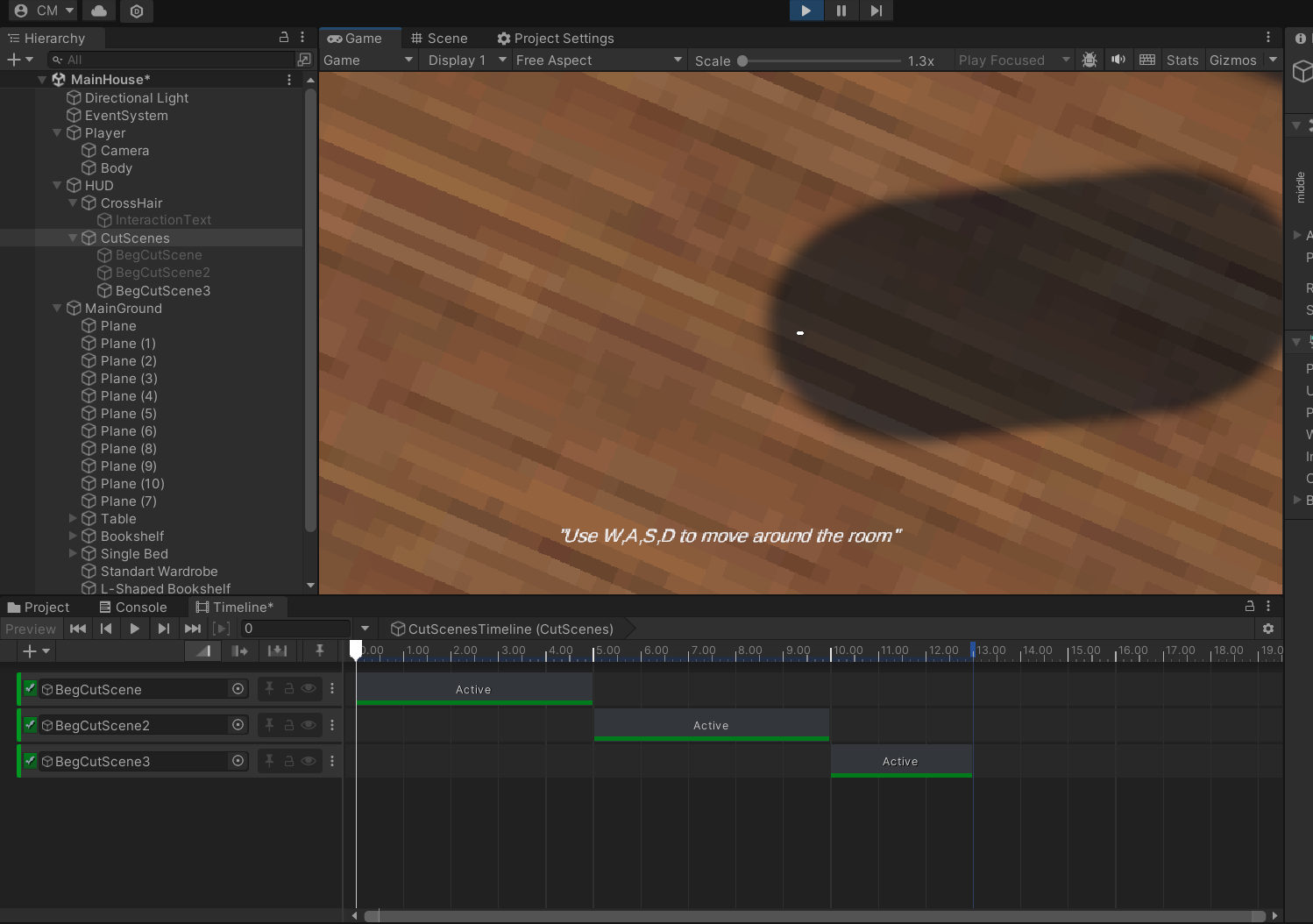
https://gyazo.com/f7b06fe24895d9b6259a4dc9d4bbe0eb
how do i get my last animation off the screen?
 slender nymph
alternatively, you can use the DefaultExecutionOrder attribute on the base class for your Models and Views (assuming that they each share some base class) and that attribute will be inherited. but the first suggestion is the better one
slender nymph
rich mountain
https://gyazo.com/f7b06fe24895d9b6259a4dc9d4bbe0eb
how do i get my last animatio...
this is a code channel. but you can make that go away the same way you made it appear
frigid sequoia
Well my WebGL is not building at all, why can this be?
slender nymph
frigid sequoia
Well my WebGL is not building at all, why can this be?
and make sure to actually provide details
grizzled zealot
slender nymph
use Awake to initialize an object's own variables/properties and Start to access...
Seems like I got something fundamentally wrong. awake is called before start?
rich mountain
slender nymph
this is a code channel. but you can make that go away the same way you made it a...
Adding a new timeline with no text?
grizzled zealot
slender nymph
use Awake to initialize an object's own variables/properties and Start to access...
You're correct: https://docs.unity3d.com/Manual/ExecutionOrder.html
 slender nymph
grizzled zealot
Seems like I got something fundamentally wrong. `awake` is called *before* `star...
slender nymph
grizzled zealot
Seems like I got something fundamentally wrong. `awake` is called *before* `star...
yes, Awake and OnEnable are both called immediately upon instantiation of the gameobject/component. Start will be called either later in the frame or even the next frame (but certainly before Update is called) depending on when during the frame you actually instantiated the object
frigid sequoia
slender nymph
and make sure to actually provide details
Not that I have any, I select a folder, it shows the bar building and then it just sends a finish windows sound and it is not built; no error showed anywhere
grizzled zealot
slender nymph
yes, Awake and OnEnable are both called immediately upon instantiation of the ga...
Is it guaranteed that all start have been called, before any one update is called on the created object? For example, if I add 5 components, is it guaranteed that all 5 components finished start before anyone gets the update call?
slender nymph
if they are all instantiated at the same time, then yeah that should be the case
 rocky gale
https://hastebin.com/share/enikuzuxiy.csharp why does it stop on first attack, swing 2 and 3 bools are never set to true i followed a tutorial btw
Hastebin is a free web-based pastebin service for storing and sharing text and code snippets with anyone. Get started now.
ruby python
!code
eternal falconBOT
Posting code
📃 Large Code Blocks
Use links to services like:
https://gdl.space/, https://paste.ofcode.org/, https://hatebin.com/, https://paste.myst.rs/, https://hastebin.com/
📃 Inline Code
Surround code with three backquotes. Not quotation marks.
To format as C#, add cs to the first line:
```cs
// Your code here
```
Add a comment with a line number if there is an error message.
ruby ember
ruby python
Also, really hate to be 'that guy' but please post actual code and not a screens...
https://hastebin.com/share/iqosoziyef.csharp
i guess like this
Hastebin is a free web-based pastebin service for storing and sharing text and code snippets with anyone. Get started now.
grizzled zealot
slender nymph
if they are all instantiated at the same time, then yeah that should be the case
I can confirm that this is not guaranteed. I have a script already in the update function with another script not yet finishing the start function. So even if all the components are added in the same frame, it's not guaranteed that they all finish their start before any of them gets an update call.
ruby python
ruby ember
https://hastebin.com/share/iqosoziyef.csharp
i guess like this
Okay, so remind me of the issue please?
ruby ember
ruby python
Okay, so remind me of the issue please?
everything works but
the record time is not the same even is saved
for example: new record 10:10
Your time: 00:35
Best Time: 10:10
but i got a different record like 06:11 in best time but is not supposed to be like this
ruby python
ruby ember
everything works but
the record time is not the same even is saved
for examp...
Okay, first thing, I would highly recommend getting this, so you can check what is actually in playerPrefs.
https://assetstore.unity.com/packages/tools/utilities/playerprefs-editor-167903

Use the PlayerPrefs Editor from BG Tools on your next project. Find this utility tool & more on the Unity Asset Store.
slender nymph
grizzled zealot
I can confirm that this is *not* guaranteed. I have a script already in the `upd...
it's not about whether they are added in the same frame. as something instantiated early on in the frame may have its Start method called that frame while something instantiated later in the frame may not have it called until the next frame. they theoretically should have their start methods called at about the same time if they were instantiated at the same time. of course you really shouldn't have to rely on other object's Awake/Start methods being called before an object's Update method is called. that indicates you are either not checking that everything has been initialized, or you are designing the system very poorly and everything is way too tightly coupled
ruby ember
ruby python
Okay, first thing, I would highly recommend getting this, so you can check what ...
ok
what's the second thing do you know the glitch of the timer?
grizzled zealot
slender nymph
it's not about whether they are added in the *same frame*. as something instanti...
It's Model-View-Presenter. Each is it's own script. If you add the three components, but the Presenter runs update without the View having finished start, you're bound to have a couple of NullReferenceExceptions.
Now I can add a check for if(! initialized) return; in the View, but that adds overhead to every method call for something that's only needed once.
slender nymph
my guy, a single boolean check is not going to make any difference in performance so the "overhead" for that is almost nonexistent
but also consider the observer pattern instead of relying on execution order. events > constant polling in Update
ruby python
ruby ember
ok
what's the second thing do you know the glitch of the timer?
I think I might.
This line.....
TimerBestTime.text = PlayerPrefs.GetFloat("BestTime", Time.TimerCount).ToString("00:00");
You're sending the 'raw float' from PlayerPrefs to the text field, not the properly formatted version like you're doing here.
    float minutes = Mathf.FloorToInt(Time.TimerCount / 60);
    float seconds = Mathf.FloorToInt(Time.TimerCount % 60);
    TimerYourTime.text = string.Format("{0:00}:{1:00}", minutes, seconds);
so is not good or something?
grizzled zealot
slender nymph
but also consider the observer pattern instead of relying on execution order. ev...
Ok. I get your point about the single boolean check. It just bugs me 😄 Btw. not using polling. The Presenter is triggered through the observer and then calls the View to make updates where necessary. This allows clean separation of game logic reactions (in the presenter) and the pure visuals (animations, FX, sound, etc).
ruby python
ruby ember
so is not good or something?
gimme a sec, I think I just noticed something else.
Okay, yeah, this line here
TimerBestTime.text = PlayerPrefs.GetFloat("BestTime", Time.TimerCount).ToString("00:00");
Is pretty much where all your problems are. Gimme a minute
ruby python
Some of this syntax might be wrong, doing this from memory and haven't done it for a long ass time. so double check.
float bestTimeFromPrefs = PlayerPrefs.GetFloat("BestTime");
float bestTimeMinutes = Mathf.FloorToInt(bestTimeFromPrefs / 60);
float bestTimeSeconds = Mathf.FloorToInt(bestTimeFromPrefs % 60);
TimerBestTime.text = string.Format("{0:00}:{1:00}", minutes, seconds);
I think that should fix it.
**Edited, recheck
grizzled zealot
slender nymph
but also consider the observer pattern instead of relying on execution order. ev...
Now here's a better solution without the boolean. I simply start the Presenter disabled, and then the View will enable it. So no update until the View ran start.
ruby python
So basically, line by line....
-Grab the bestTime float from PlayerPrefs
-Convert into Minutes
-Convert into Seconds
-Send the formatted float from PlayerPrefs (Minutes/Seconds) to your Text Element.
Also, put this line (from the code above)
float bestTimeFromPrefs = PlayerPrefs.GetFloat("BestTime");
as the first line in your "public void DeadRecord()", before the If statement and in the if statement replace the PlayerPrefs part with bestTimeFromPrefs
slender nymph
fun fact, but none of that math is necessary. just use TimeSpan and format it with mm:ss
var bestTime = PlayerPrefs.GetFloat("whatever");
var time = TimeSpan.FromSeconds(bestTime);
textObject.text = time.ToString(@"mm\:ss");
and here is it working: https://dotnetfiddle.net/kBTVst
 wicked cairn
Don’t forget PlayerPrefs.Save()
grizzled zealot
Is it normal that start is not called, if awake sets disable=true;? I thought it only affects the update* routines.
summer stump
grizzled zealot
Is it normal that `start` is not called, if `awake` sets `disable=true;`? I thou...
Correct. Start will not run if disabled before it can
You can also instantiate something in a disabled state immediately
Disabled affects all unity methods, including OnTrigger/OnCollision i'm pretty sure
grizzled zealot
summer stump
Correct. Start will not run if disabled before it can
but it is guaranteed that start completes before the first update?
summer stump
grizzled zealot
but it is guaranteed that `start` completes before the first `update`?
Yes
Here is the order that methods will be called in
slender nymph
summer stump
Disabled affects all unity methods, including OnTrigger/OnCollision i'm pretty s...
incorrect. Awake will run regardless of the component's enabled state, it's only the gameobject being inactive that prevents it from running. also physics messages are not affected by the component's enabled state either. enabled really only affects a few messages like OnEnable/OnDisable, Update, FixedUpdate, things like that
summer stump
slender nymph
incorrect. Awake will run regardless of the component's enabled state, it's only...
Yeah, awake will still run. But start will not, right?
slender nymph
right Start is one of the affected messages
summer stump
But thanks for the correction on physics messages. Wasn't sure on that
grizzled zealot
summer stump
Yes
Ok, but it seems that Update still gets called in the same frame as you set enabled = false. Is this correct?
void Start() { enabled = true }
void Awake() { enabled = false; }
void Update() { Debug.Log("called in same frame even though got disabled"); }
if you disable the component in Awake then Update will not be called at all until it has been enabled. same for Start
grizzled zealot
Somehow my code begs to differ, because every enemy gets off 1 shot in Update() , even though I set enabled = false in Awake(). Must have a bug somewhere.
summer stump
grizzled zealot
Somehow my code begs to differ, because every enemy gets off 1 shot in `Update(...
Can you show the actual code?
slender nymph
either something else is calling the code you are having trouble with, or something else is enabling the object
summer stump
Also, you can instantiate the script in a disabled state to start with if you want. By disabling it on the prefab
slender nymph
or perhaps you've discovered a unity bug (unlikely though)
slender nymph
summer stump
Also, you can instantiate the script in a disabled state to start with if you wa...
as far as i can tell they aren't using prefabs and are instead using the factory pattern and adding the components at runtime
summer stump
Ah, gotcha
grizzled zealot
summer stump
Can you show the actual code?
Quite long and would need to cut a lot. But I can confirm that the breakpoint in Update() gets hit even though Awake() set enabled=false. See the screenshot. It shows enabled in the watch and it's false.
 slender nymph
share the full code for that class in a bin site
grizzled zealot
slender nymph
share the full code for that class in a bin site
Any preferred one?
slender nymph
one that has syntax highlighting
summer stump
grizzled zealot
https://codeshare.io/Q8O8jw
You do enabled false in START
Have you tried it in Awake?
grizzled zealot
summer stump
You do enabled false in START
Yes, that's why I don't want to have Update() called.
grizzled zealot
summer stump
You do enabled false in START
If I disable it in Awake(), then Start() never gets called and the model and view don't get registered.
slender nymph
i'd like to recommend that you instead use some form of dependency injection rather than calling GetComponent in Start. you are much better off that way. your factory can pass the required references to the components after it has added them
summer stump
Fair. Update is definitely called after start, and I'm pretty sure changing the enabled state is immediate, so I'm not sure. It shouldn't be happening at the end of the frame like some changes do
grizzled zealot
slender nymph
i'd like to recommend that you instead use some form of dependency injection rat...
The problem is that I want to move away from manually adding all the components in code, and instead support adding them through the inspector.
slender nymph
even better! you can use SerializedFields and just drag the references in or call GetComponent in Reset instead of doing so in Start
grizzled zealot
slender nymph
even better! you can use `SerializedField`s and just drag the references in or c...
I agree, but I don't want to change all my code base, if I then run into a stupid race condition after I made the changes.
I'm still surprised that Update() gets called although the component is disabled.
slender nymph
but these race conditions you are currently experiencing will not even be possible if you do it the way i suggested since the components will actually properly exist by the time GetComponent is called
slender nymph
grizzled zealot
I'm still surprised that `Update()` gets called although the component is disabl...
yeah that seems like a bug 🤔
grizzled zealot
slender nymph
yeah *that* seems like a bug 🤔
Problem is that I can't reproduce it with a simple script like this:
public class TestIt : MonoBehaviour {
    void Awake() {
        Debug.Log("Awake");
        enabled = true;
    }

    void Start() {
        Debug.Log("Start");
        enabled = false;
    }

    void Update() { Debug.Log ("Update called: "+enabled);    }
}
This works as expected.
slender nymph
sprinkle some logs or tracepoints around, especially where you change the enabled state of the component to see what is happening with it
also print some useful info, like you can do something like Debug.Log($"Update was called on {name} ({GetInstanceID()}) with enabled state: {enabled}", this);
and that will not only tell you which object it was called on, including the instance id in case of objects with similar/matching names, but also will highlight the specified object in the hierarchy when you click on the log in the console
grizzled zealot
slender nymph
sprinkle some logs or tracepoints around, especially where you change the enable...
Very interesting. I now commented out all mentioning of enable other than Awake() and Start(), and I still get this behaviour.
slender nymph
you're not doing something crazy like using SendMessage to send an Update message to the component, right?
also unrelated to your issue, but does InputBroker derive from UnityEngine.Object? (like MonoBehaviour) because if so, then InputBroker.Instance is not null is wrong and you should be using the == operator
grizzled zealot
slender nymph
also unrelated to your issue, but does `InputBroker` derive from UnityEngine.Obj...
Correct. Nothing crazy going on. And I have Update() called with enabled == false.
 slender nymph
put some logs in OnEnable and OnDisable to see when the object is actually being disabled, and keep in mind that other objects can change the enabled state of the component so that may also be messing with it. I've seen issues where someone was disabling and then reenabling a component from some other object every frame and despite that component being enabled it was never updating because it kept getting disabled
grizzled zealot
Crazy. It calls Update() right after calling OnDisable() on the same object.

 warped sorrel
omg how can I make curly braces be on same line in csharp in vscode using editor config
grizzled zealot
warped sorrel
omg how can I make curly braces be on same line in csharp in vscode using editor...

Stack Overflow
When using the Format Document command I'd like to change how the code formats.
I'm completely new to VSCode and I'm still having trouble navigating the settings, so easy to understand replies woul...
slender nymph
grizzled zealot
Crazy. It calls `Update()` right after calling `OnDisable()` on the same object.
well that's certainly odd 🤔
if you are still using AddComponent to create the instance of the object, i wonder if it would behave in the same way if you used a prefab with the component on it (but enabled with the same exact code). or vice versa if you are no longer using AddComponent
grizzled zealot
slender nymph
well that's certainly odd 🤔
if you are still using AddComponent to create the ...
When I manually add the module through the editor, I don't seem to get the same bug.
slender nymph
ooh sounds like it's bug report time
i'm going to see if i can recreate the issue in a blank project. what version of unity are you currently using?
grizzled zealot
2023.3.0b8.git.7962477
slender nymph
oh cool, i'm a few patches ahead of you but on the same version (well technically i'm on 6000, but that's just 2023.3 with more patches)
grizzled zealot
slender nymph
oh cool, i'm a few patches ahead of you but on the same version (well *technical...
I'm currently seeing whether I can create a simple example.
slender nymph
i can't seem to get it to happen on 6000.0.0b16 with this code https://paste.mod.gg/bbgcozzvfdnr/0
 charred spoke
Well even if it is a bug try to re-create it on the latest version, otherwise QA will just tell you to do that
slender nymph
so something real fucky is going on in that project i'd assume
 eternal needle
this would seem like a rather major bug too if it exists
considering that would cause errors in many cases
grizzled zealot
This is the Factory function I use to create the object. https://codeshare.io/J7P7Or
The problem only occurs in "turret" in the ShootingPresenter.
The problem's also there, even I remove most of the AddComponent()
slender nymph
and you are certain you don't happen to have some weird SendMessage call sending an Update message to it somewhere?
grizzled zealot
Problem persists, even with Start() only executing enabled = false. Unity, really wants to call Update() on this object.

Checked the whole codebase, only one gameobject.SendMessage() and that's for a different function. But I'll comment it out.
Yes, problem still exists, even without any "SendMesssage()" in my code.
But this might be a clue: I instantiate 20 object in that frame. Each has 20 Monos, so it's 400 Start() and Awake(). Will try to see whether instantiating fewer objects makes a difference.
slender nymph
i can't imagine that would make a difference, but it doesn't hurt to try it
ruby ember
ruby python
Some of this syntax might be wrong, doing this from memory and haven't done it f...
thanks man it worked
btw this is not an issue but do you know how to make best time record?
this is like Time Survived in menu
but idk how to do this one
i only know it uses PlayerPrefs.GetFloat("BestTime") here's an example of the script it needs to be

Hastebin is a free web-based pastebin service for storing and sharing text and code snippets with anyone. Get started now.
grizzled zealot
slender nymph
i can't imagine that would make a difference, but it doesn't hurt to try it
didn't make a difference. No clue what is happening here.
Interestingly, the problem does not occur with FixedUpdate()
ruby python
ruby ember
thanks man it worked
btw this is not an issue but do you know how to make best...
With PlayerPrefs, you use this
PlayerPrefs.GetFloat("BestTime")
So you basically need to do exactly the same as you already did to fix the previous issue, but send the score to the bestTime text element that you have there.
rocky gale
void OnClick()
    {
        lastClickedTime = Time.time;
        noOfClicks++;

        if (noOfClicks == 1)
            animator.SetBool("Swing1", true);

        noOfClicks = Mathf.Clamp(noOfClicks, 0, 3);

        if (noOfClicks >= 2 && animator.GetCurrentAnimatorStateInfo(0).IsName("swing1"))
        {
            Debug.Log("Yes");
            animator.SetBool("Swing1", false);
            animator.SetBool("Swing2", true);
        }
        if (noOfClicks >= 3 && animator.GetCurrentAnimatorStateInfo(0).IsName("swing2"))
        {
            Debug.Log("Yes2");
            animator.SetBool("Swing2", false);
            animator.SetBool("Swing3", true);
        }
    }
how do i make it so after the last hit if you click again it goes back to the 1st animation
 languid spire
in your last if, set noOfClicks to zero
ruby ember
ruby python
With PlayerPrefs, you use this
PlayerPrefs.GetFloat("BestTime")
So you basica...
So I need to do the same code that I've made before the fixed one right?
rocky gale
languid spire
in your last if, set noOfClicks to zero
how do i make it so that the animation doesnt go back to idle right awayh and instead goes to first animation bcause i have an idle animatin and in the blend tree from 3rd animation to both idle and 1st anim the condition is Swing3 false
grizzled zealot
Really don't know where this bug comes from. It doesn't happen with FixedUpdate() or LateUpdate(). Only with Update(). I can't see the stack frame either to inspect who was calling Update().
languid spire
in that case check noofclicks >=4 then set your bool and noofclicks to zero
rocky gale
languid spire
in that case check noofclicks >=4 then set your bool and noofclicks to zero
i clamped noofclicks to 3
languid spire
so unclamp it you dont need it
rocky gale
o ok thx
languid spire
grizzled zealot
Really don't know where this bug comes from. It doesn't happen with `FixedUpdate...
is this happening only on one specific component?
grizzled zealot
languid spire
is this happening only on one specific component?
No, also happens in other MonoBehaviors attached to the same game object.
languid spire
so of the 20 GO;s you are instantiating it only happens on one of them?
grizzled zealot
I now reduced it to spawn only 5 GOs, and it happens in all of them.
languid spire
weird, I was thinking it may be bacause of the amount of work you are doing in one frame and somthing strange is going on with deltaTime
can you reduce further until it goes away?
grizzled zealot
trying
charred spoke
Does it happen on only one go ?
grizzled zealot
The same.
Even with a minimal setup, it's happening. I already have disabled so much.
 languid spire
Can you try this, if it's not too much trouble.
Move all of the add components to a separate script in Start
Just do the AddComponent of this new script when you instantiate the new gameobjects
grizzled zealot
I commented out all other AddComponents(). I'm only adding one, and it still shows this bug.
languid spire
so eah Go is adding it's own components
grizzled zealot
No, it's still the factory.
languid spire
I'm out of ideas, I really do think you have hit a very strange bug but I cannot think what may be causing it
grizzled zealot
I already tested the other case: if I create and configure the GO through the normal inspector interface, the bug doesn't occur. It only occurs when I configure it through the factory pattern.
How come the stack frame upon a breakpoint in Update() doesn't show me what object called Update()?
languid spire
because it's called by native code not C#
grizzled zealot
So why does it not happen with FixedUpdate() or LateUpdate().
(because it's a bug...)
languid spire
no idea, that is why I thought it could be deltaTime related
eternal needle
grizzled zealot
(because it's a bug...)
just curious, have you restarted unity or does it happen in a build?
languid spire
that's a good point, a IL2CPP build may fix it
eternal needle
ive had an odd bug once that only went away when i restarted unity
languid spire
Does it only happen for one pass of the update loop or is it persistent
grizzled zealot
Only a single pass.
languid spire
so it's like the enabled=false is seen but only applied after Update has executed, correct?
grizzled zealot
correct.
And it only affects Update(), FixedUpdate() and LateUpdate() are never called (as they shouldn't be called).
charred spoke
Can you share the code again ?
grizzled zealot
Here's even simpler code for which this happens: https://codeshare.io/0bQArQ
charred spoke
I would also use Time.frameCount in the debug logs to see if it is all happening in a single frame or over 2 frames
charred spoke
grizzled zealot
Here's even simpler code for which this happens: https://codeshare.io/0bQArQ
And the factory ?
grizzled zealot
charred spoke
And the factory ?
Just a moment.
charred spoke
Sorry I am in my phone and cant find it with scrolling
rocky gale
https://hastebin.com/share/fiquboreti.csharp
how come it doesnt go back to 1st animatin and goes back to idle fast
Hastebin is a free web-based pastebin service for storing and sharing text and code snippets with anyone. Get started now.
grizzled zealot
charred spoke
Sorry I am in my phone and cant find it with scrolling
Take a look at this, it's even happening with just the basic template code: https://codeshare.io/0bQArQ
 charred spoke
grizzled zealot
Take a look at this, it's even happening with just the basic template code: http...
charred spoke
grizzled zealot
Take a look at this, it's even happening with just the basic template code: http...
And this is happening only from the factory right ?
grizzled zealot
charred spoke
And this is happening only from the factory right ?
yes; code link coming
charred spoke
At what point in the frame does the factory create the object ?
grizzled zealot
Factory: https://codeshare.io/mP0OMW
Factory is invoked this way:
Using the new Input system.
Keybinding sends a broadcast message to the InputManager. InputManager invokes an spawn action at the InputBroker. UnitManager listens to the spawn action and creates the instantiates the GO.
charred spoke
Add the frameCount to the debug log
Also does stepping through the code with the debugger produces the same result ?
grizzled zealot
All happening in the same frame.
 grizzled zealot
charred spoke
Also does stepping through the code with the debugger produces the same result ?
grizzled zealot
charred spoke
Also does stepping through the code with the debugger produces the same result ?
Yes, I can set a breakpoint in Update() and see in the watch window that enabled: false.
charred spoke
Well at this point try to re-create it on the latest version and if it happens file a bug report
I am out of ideas hehe
If you can update your project I would simply add a guard clause to the update if(!enabled) return;
Strange thing is we have a bunch of factories in our 2023.3 project and no-one has notices this behaviour
None of them are tied to the input system however
ruby ember
ruby ember
thanks man it worked
btw this is not an issue but do you know how to make best...
anyone else know?
grizzled zealot
I can also confirm now that I also happens when I just call the factory method from another script. Doesn't have to come through the InputSystem.
charred spoke
grizzled zealot
I can also confirm now that I also happens when I just call the factory method f...
Try it in a fresh project
On latest 2023.3 version
grizzled zealot
Getting closer. Happens when I use a scriptableobject.
doesn't happen when I don't use the scriptable object to instantiate.
charred spoke
Huh? What does the SO have to do with instantiating ?
grizzled zealot
Ok. Here's a good clue:
Only happens when I use the prefab that is referenced in the SO.
If I use the prefab directly without the SO, it works without a problem.
grizzled zealot
charred spoke
Huh? What does the SO have to do with instantiating ?
The SO holds the reference to the prefab that should be instantiated.
charred spoke
How is the SO being used exactly?
rocky gale
https://hastebin.com/share/gisosagexe.csharp how do i make this not skip the 3rd animation
Hastebin is a free web-based pastebin service for storing and sharing text and code snippets with anyone. Get started now.
charred spoke
grizzled zealot
The SO holds the reference to the prefab that should be instantiated.
Like show the SO code ?
grizzled zealot
charred spoke
Like show the SO code ?
Sorry, it's too late here. I'm getting confused. The SO does not trigger the problem. The problem only occurs when going through the InputManager and the input event.
The problem doesn't even occur when calling the factory method directly from another script.
That's the function that is called by the InputSystem upon pressing the specific key:
    void OnSpawnmodules(InputValue value) {
        Vector3 mousePos = Camera.main.ScreenToWorldPoint(Mouse.current.position.ReadValue());
        GameEventsBroker.Instance.OnSpawnModuleMultiple?.Invoke(this, mousePos, null, 2, 30);
    }
When I invoke GameEventsBroker.Instance.OnSpawnModuleMultiple directly, it doesn't cause the bug to occur.
So it must be linked to the input system. Here's my configuration. I use "Send Messages" there.

Can it be that the InputSystem sends out an Update broadcast?
charred spoke
My conclusion is that the input system fires of the event at a weird point in the frame where the update of the mono can register itself, but somehow skips the unregister and runs once
grizzled zealot
It only occurs when the OnSpawnmodules method gets invoked through the Input System. When my code invokes the method, the bug doesn't trigger.
charred spoke
grizzled zealot
It *only* occurs when the `OnSpawnmodules` method gets invoked through the Input...
What happens if you disable the component in the factory immediately after adding it ?
languid spire
ok, so this sounds like the Input event is interupting an already running Update cycle and the Update from the script is being added to the list of Updates to run as normal but the enables=false is happening too late for it to be removed from the currently running Update cycle
 timber tide
feral moss
Hey so follow-up on this (I haven't really had the free time to code recently), ...
timber tide
feral moss
Hey so follow-up on this (I haven't really had the free time to code recently), ...
May need to download it in packages first, though I did mention before you can just use unity's lit/unlit shader as it already includes that feature.
feral moss
Oh I'm so sorry I missed that part, sorry for the repetitive ping
grizzled zealot
charred spoke
What happens if you disable the component in the factory immediately after addin...
Yes, this fixes it:
        TestIt bla = go.AddComponent<TestIt>();
        bla.enabled = false;
        return go;
Now Update() doesn't get called.
charred spoke
So it is almost certainly what me and Steve think. I would say this is a bug with the new input system or at best undocumented behaviour
Best to repro it in a fresh project on latest and send the bug report + a forum thread
languid spire
`Agreed
@grizzled zealot 100% for your effort in sensibly trying to diagnose this. Many would have given up long ago
grizzled zealot
Well, happy to learn somthing along the way.
Still trying to switch from "sendmessage" in the input system to some other method and see whether it still happens.
languid spire
I think it is most likely to do with the firing of the Input event sequencing
basically crossed wires between Input event and Update
grizzled zealot
Confirmed. It also happens when using "Unity Events" as callback mechanism for the Input System.
So it's not dependent on sendMessage or broadcastMessage.
Will file something tomorrow, if I can reproduce it in a simple project.
Thanks for the help in digging this up.
 viral creek
What would be the easiest method for me to make this happen,
PauseMenu is a canvas that has some buttons attatched to it and will have its own script well call PauseMenuScript, My idea is that the player can press Escape and then the pause menu will appear and when they do all other scripts will pause so that nothing happens except the menu since its a zombie game having them kill you while your in the menu would be an issue, so in short, PauseMenu canvas would become active and all other scripts except the PauseMenuScript would become paused and not run until the player hits resume
timber tide
viral creek
What would be the easiest method for me to make this happen,
PauseMenu is a can...
Easiest way is just make some manager that all UI menus listen from, and every time you click a button on these other menus, if IsPaused is flagged then return early and no execute any of the logic on those menus
viral creek
okay wait i said it really bad
so I have a scene where my gamemode BossMode is where it spawns zombies blah blah EVERYTHING goes on here
its the game
timber tide
the cleaner way would be to subscribe and unsubscribe every time you pause/unpause but not required
viral creek
i want the game to like pause all those scripts to be paused, the enemy spawning, the ammo spawning, the player movement, the game UI to be set to false, the zombies to stop moving towards the player,
timber tide
that's abit harder but there's plenty of tutorials on how to pause your game and most will suggest changing the timescale
viral creek
like my idea was a public bool for pause
if pause is false update will run
or actually
if pause is false then all the things in update would run
timber tide
right, the best way to handle it is to disable updates instead of messing with timescale
viral creek
if pause is true they all wont run
so that would be a good method?
set a bool and then if bool = true nothing happens in update, if bool = false run all my functions?
timber tide
I've not really messed around with pausing games using unity's physics though so that may present some extra complications, but for all I know it could be just as simple
but yes, if game is paused -> don't run updates
only run update on scripts that need to run while paused, and all your button events still need to be unsubscribed if they aren't meant to be interacted with (or do the suggestion I said before and check if paused on them too)
viral creek
is ee i see thank you
timber tide
because even if updates are disabled, stuff out of update can still be executed (such as those buttons)
viral creek
and ive asked this before so this might be annoying but
how could I reference the bool from the PauseMenuScript
in the other scripts?
timber tide
I'd usually have a GameManagerUI for my UI elements to all listen to
or some type of singleton unless you want to give all your UI elements their own references to non-singleton manager
viral creek
sum like this right?
public PauseMenu pauseMenu;
private bool pause = pauseMenu.pause
for the scripts like BaseZombie or PlayerHandler
grizzled zealot
@languid spire @charred spoke You were correct. The sequencing is the issue. This fixes the problem:
    public void OnSpawnmodules(InputValue value) {
        Invoke("Testing",1f);  // using this works fine
        // Testing();  // using this causes the bug
    }

    void Testing() {
        Vector3 mousePos = Camera.main.ScreenToWorldPoint(Mouse.current.position.ReadValue());
        GameEventsBroker.Instance.OnSpawnModuleMultiple?.Invoke(this, mousePos, null, 2, 30);
    }
public class GameManagerUI : MonoBehaviour
{
    private static GameManagerUI _instance;
    public static GameManagerUI Instance { get { return _instance; } }

    public bool IsPaused = false;

    private void Awake()
    {
        if (_instance != null && _instance != this)
        {
            Destroy(this.gameObject);
        }
        else
        {
            _instance = this;
            DontDestroyOnLoad(this.gameObject);
        }
    }
}

public class GameButton : MonoBehaviour
{

  public void ButtonPressed()
  {
    if(GameManagerUI.Instance.IsPaused)
    {
      return;
    }

    else //button logic
  }
}```
@viral creekfor
timber tide
You can also poll IsPaused in all your updates too instead of disabling them too is another idea
viral creek
o see
timber tide
public class Character : MonoBehaviour
{
  public void Update()
  {
    if(GameManagerUI.Instance.IsPaused)
    {
      return; //return early
    }

    //character logic
  }
}```otherwise if you don't poll (check each update if it's paused) then when you flip the flag, the script that does the flipping must tell all these scripts to stop updating by disabling their update
disabling their update by disabling the component itself, or the gameobject but that would probably break rendering so just do it via component
viral creek
alright thank you mao
 olive galleon
Does anyone have tips for a beginner programmer? I just started a few days ago and after watching tutorials I think I should learn these things:
Delegates
Singleton Design Pattern
Event Systems
Scriptable Objects
Abstract Classes vs Interfaces
State Machines
Is there anything else I should try learning? I want to learn fundamentals and proper organization before jumping into a project
 raw kindle
You are doing it wrong, you should start a project now you will never learn if you dont try
Try to make a simple 2d game it will be shit ofc because its your first but most importantly you will learn, google what you cant try and slowly make more complex game
 shy cloud
If you google how to round a float/double to 2 decimal places, it tells you to round(float*100f)*0.01f, but if I do it this way, I often get floating point errors, e.g. 9,699455 results in 9,6999999 instead of 9,7. How can I fix this?
 willow scroll
Please, show me what you've tried.
willow scroll
shy cloud
If you google how to round a float/double to 2 decimal places, it tells you to `...
Because that's not how you round a float or double.
 pine bone
Hello guys, how can i make a 2D procedurally generated terrain? I know how to use Mahtf.Noise but i'm not sure on how i can make the terrain appear visually and have appropriate colliders
shy cloud
willow scroll
Because that's not how you round a `float` or `double`.
how do you do it then?
 blissful spindle
https://hatebin.com/qyaofphaqb Hi, I am trying to make a weaponBob system in my game but I am a little stuck I am trying to approach it the same way I did with weaponSway but... I have been unsuccessful. Can anyone help me?
willow scroll
shy cloud
how do you do it then?
See, float doesn't really have a method to round to n decimal places.
Rounding a float / double / decimal etc. can be achieved using several methods.
Note that decimals / digits is the decimal places after comma.
-
decimal.Roundmethod's 2nd parameter
decimal result = decimal.Round(yourDecimal, decimals);

float result = (float)decimal.Round((decimal)yourFloat, decimals);
-
Math.Roundmethod's 2nd parameter
double result = Math.Round(yourDouble, digits);

float result = (float)Math.Round(yourFloat, digits);
-
float.ToStringmethod's 1st parameter
string result = value.ToString($"0.
    {Enumerable.Range(0, digits).Select(d => "#")}");

float result = float.Parse(value.ToString($"0.
    {Enumerable.Range(0, digits).Select(d => "#")}"))
So 0.## gives you 0.8 when the value is .84321. You may also replace it with 0, or replace the 0. by #. to get .8 in this case.
Use this link for the reference.
eternal needle
olive galleon
Does anyone have tips for a beginner programmer? I just started a few days ago a...
do you know basic c# first? I think this is a good list to learn but you need to know basics first like what a class really is for or how to deal with errors. Or how to actually write the language. No need to deal with unity compile time when you can instantly run code testing delegates in an online compiler. Same goes for singleton, abstract class/inheritance. Technically you could do a state machine too but everything will run instantly.
viral creek
okay im not sure if this is an easy or hard question, I referenced my Pause Menu Script like so
public PauseMenuScript pauseMenuScript;
and when i try to add the parent of that script PauseMenu which is a canvas into the like square where you would drag a game object for a definition, it says Type mismatch
im not sure what to do
in case you need context, I use a boolean called IsPaused from that script to allow the player to pause the game, then in the update function of all the moving stuff and important stuff i use a if statement saying If not paused then run like normal
eternal needle
viral creek
okay im not sure if this is an easy or hard question, I referenced my Pause Menu...
ive usually seen that when you already have something inside there, then change the type. like if that used to be public GameObject pauseMenuScript; then changing this suddenly will be a type mismatch.
Try just dragging it in again, not while in playmode, just in edit mode.
it shouldnt persist
viral creek
i did multiple times
and this is the first time im trying to put it in btw
it wont let me drag it in
eternal needle
can you show a screenshot of the object you're trying to drag in, with all the components on that object visible?
 eternal needle
this is a prefab right?
viral creek
the zombie yes
eternal needle
you cannot reference scene objects in a prefab
viral creek
i see
what can i do to get the variable IsPaused then?

heres the pause menu heirarchy btw
willow scroll
viral creek
what can i do to get the variable IsPaused then?
How do you want it to be gotten?
eternal needle
the easiest and least shittiest solution if you're somewhat new to coding would be using a singleton to get a reference to that script
willow scroll
viral creek
its a boolean
Yeah, what is this boolean supposed to mean?
viral creek
i just want it to work like this,
PauseMenuScript says yo we paused halt all other scripts
gotchu fam we in update rn and we putting this to a stop
eternal needle
the easiest way would be making the variable itself static (strongly advise against doing this). But also do you really need this bool? Could you not just set the timescale to 0 and not worry about this
viral creek
i dont know what a timescale is im extremely new to coding
timber tide
I was suggesting to avoid timescale because it's global and instead just do it for what you want paused
willow scroll
viral creek
i just want it to work like this,
PauseMenuScript says yo we paused halt all o...
Use a Singleton, as bawsi has previously mentioned
eternal needle
if you want the entire game paused, i think timescale is fine here. if its just certain things only then nvm
viral creek
it is certain only
viral creek
timber tide
https://discord.com/channels/489222168727519232/497874004401586176/1233684401594...
what do you want me to do with that?
timber tide
that's a singleton
timber tide
i mean the code is presented there
willow scroll
viral creek
show an example of a singleton please
You should simply copypaste a Singleton from the tutorial.
I would recommend using the generic Singleton from this tutorial.
public class GenericSingleton<T> : MonoBehaviour where T : Component // ...
 strong viper
Hii, sorry to interrupt but I've been havins some issues with basically all of my colliders for this project and im still confused on why it isn't working
 {
     print("Colision enemigo");
     if (collision.gameObject.CompareTag("Bala"))
     {
         print("bang");
         Destroy(collision.gameObject);
         enemyHealth--;
         if (enemyHealth <= 0)
         {
             Destroy(gameObject);
         }
     }
     if (collision.gameObject.CompareTag("CleanupArea"))
     {
         print("bonk");
         Destroy(gameObject);
     }
 }
It calls the first print but not anything else
viral creek
strong viper
Hii, sorry to interrupt but I've been havins some issues with basically all of m...
are your colliders triggers or no
i had an issue with mine earlier cuz some were triggers
strong viper
viral creek
are your colliders triggers or no
nope
willow scroll
willow scroll
You should simply copypaste a `Singleton` from the tutorial.
I would recommend ...
Have a PauseManuManager derived from this Singleton, and have a, usually, static boolean in it
public class PauseMenuManager : Singleton<PauseMenuManager> // ...
Because of the collision having neither of the tags checked
viral creek
reference?
strong viper
The tags are all correct so i still don't know 😭
willow scroll
strong viper
The tags are all correct so i still don't know 😭
No, they are wrong.
As I have mentioned, collision has neither of the tags you're checking. Print its tag.
print($"Colision enemigo - tag: {collision.gameObject.tag}");
What does it reffer to?
viral creek
are you sure the gameobjects you are colliding with are under the correct tags? @strong viper
willow scroll
They aren't
viral creek
willow scroll
What does it reffer to?
how else would i obtain the bool?
viral creek
willow scroll
They aren't
thought as much
i do that sometimes too where i create tags and forget to tag the object
strong viper
viral creek
are you sure the gameobjects you are colliding with are under the correct tags? ...
yes, they have box collider 2D
as well
viral creek
strong viper
yes, they have box collider 2D
no no i mean the tag for the object
strong viper
yes it is tagged
willow scroll
viral creek
how else would i obtain the bool?
Well, you just use YourManager.yourBool if it's static and YourManager.Instance.yourBool otherwise
viral creek
would static work in my case?
willow scroll
strong viper
yes it is tagged
Well, simply print what I've asked you to
eternal needle
I really wouldnt worry about generic singletons considering they probably dont know what a generic or singleton is still.
Really just having the static instance is fine, and you should follow a tutorial/guide to learn singletons. Just blindly copy pasting isnt gonna get you anywhere
willow scroll
viral creek
would static work in my case?
Yes, if it's supposed to be neither serialized nor referenced in any non-static methods
strong viper
it says untagged but im not really sure what it's colliding with
viral creek
then
strong viper
probably another object
viral creek
is your player tagged? and the enemigo?
send a screenshot of the enemigo inspector
Bala my bad
willow scroll
eternal needle
I really wouldnt worry about generic singletons considering they probably dont k...
I don't think it matters. They simply inherit all their Managers from this GenericSingleton, and it's not necessary to know exactly what it does. The same as they use Rigidbody, probably, without knowing how to fully implement its logic themselves.
 willow scroll
strong viper
willow scroll
strong viper
Is this object's tag supposed to be "Bala" or "CleanupArea"?
viral creek
Because remember your only checking for Bala or CleanupArea
strong viper
willow scroll
Is this object's tag supposed to be "Bala" or "CleanupArea"?
that's the enemy
eternal needle
willow scroll
I don't think it matters. They simply inherit all their `Managers` from this `Ge...
How is this related? This is clearly overly complicated for someone simply trying to access a public bool.
strong viper
I think it's colliding with the canvas??
viral creek
arent you attempting to detect collision with said enemy?
strong viper
which is odd because it doens't have any collider
strong viper
viral creek
arent you attempting to detect collision with said enemy?
there's no floor it's a top down shooting game
whoops wrong reply
willow scroll
eternal needle
How is this related? This is clearly overly complicated for someone simply tryin...
Perhaps. They might consider creating a static bool in a simple Manager class, if a single boolean is all they need
viral creek
willow scroll
Perhaps. They might consider creating a `static` bool in a simple `Manager` clas...
it literally is
here was my entire idea for my pause menu
my game has zombies that spawn every so many seconds, a player moving and can shoot them, on contact loses hp, well your hungry? gotta take a break? press escape pause the game, escape works fine and press alt to reshift lock, that works too but i want the other scripts that arent PauseMenuScript to be paused and stop until the player hits resume
strong viper
ok so i finally know what's triggering the printed collision, it's an unrelated barrier
but it doesn't pick up the collision with the box it's suppose to collide with
just marches right through
willow scroll
viral creek
my game has zombies that spawn every so many seconds, a player moving and can sh...
Got it. The code for the Manager class can be written using only static variables and methods, guess, you won't use coroutines in this case. Still, I would suggest you to use Singletons, as you want to access the your PauseMenuScript in all the other classes.
viral creek
Ye I thought it would be simple to just use a book
Boolean function* but as with all things coding, if it seems easy I guarantee it's not
willow scroll
viral creek
Ye I thought it would be simple to just use a book
What book are you talking about?
viral creek
I meant boolean not book tried to say bool but my phone had other ideas
willow scroll
viral creek
Boolean function* but as with all things coding, if it seems easy I guarantee it...
Mm, I really don't get you
viral creek
Yeah I'ma funny guy lol
willow scroll
Anyway, just use the tutorial for singletons I've previously sent you
strong viper
Oughh 😭
willow scroll
strong viper
just marches right through
This happens because of either or both of your colliders being triggers
Disable the isTrigger boolean on both of them in order to make them actually collide.
strong viper
Neither is trigger
willow scroll
But the collision happens?
strong viper
No 😭
willow scroll
So is something printed when they collide?
willow scroll
strong viper
No, it's like there was nothing there
Hold on, nothing gets printed?
willow scroll
strong viper
Hii, sorry to interrupt but I've been havins some issues with basically all of m...
You've mentioned the first print was called here
 astral basin
why isnt this working
 strong viper
astral basin
why isnt this working
strong viper
astral basin
why isnt this working
You're only calling it at the start
 gaunt ice
it works, but only run once
strong viper
Yep
 fringe plover
 willow scroll
strong viper
It's colliding with another object
willow scroll
strong viper
It's colliding with another object
So is the print printed?
Why cannot you answer this question I've asked 3 times..?
 willow scroll
strong viper
Just not for the object that it's supposed to be colliding
willow scroll
strong viper
Just not for the object that it's supposed to be colliding
Alright, please, send me the objects that are supposed to be colliding
strong viper
this is the box it's supposed to collide with
 strong viper
strong viper
strong viper
this is where the code is
willow scroll
strong viper
this is the box it's supposed to collide with
"it"? 
strong viper
the enemy
willow scroll
Where's the enemy?
strong viper
strong viper
this one
 quick pollen
bit of a dumb question, so I want to use Lerp to change the timeScale from what it is back to normal, but I also want to have a value which I can change so it changes the timeScale back to normal in t amount of time. how can I do that?
    [SerializeField] float slowDownValue;
    [SerializeField] float timeToNormalizeCT;
    float timeToNormalize;
    private void OnTriggerEnter(Collider other)
    {
        ReflectSlowDown();
    }
    private void Update()
    {
        if(timeToNormalize > 0f)
        {
            Time.timeScale = Mathf.Lerp(1f, Time.timeScale, timeToNormalize);
        }
    }
    void ReflectSlowDown()
    {
        Time.timeScale = slowDownValue;
        timeToNormalize = timeToNormalizeCT;
}```I have smth like this currently
I want a value between 0 and 1 for the t part of the Lerp which is proportional to timeToNormalize being between 0 and x, x being the number given in the inspector
so basically if timeToNormalizeCT is 4, and timeToNormalize is currently 2, then have the t value of the Lerp to be 0.5
willow scroll
strong viper
this one
Alright, you may want to have a look at this answer.
The
Rigidbody2Dhas to beKinematic, withUse full kinematic contactsenabled, ifCollider2Don the sameGameObjecthasisTriggerdisabled.
 modest dust
quick pollen
so basically if `timeToNormalizeCT` is `4`, and `timeToNormalize` is currently `...
modest dust
quick pollen
so basically if `timeToNormalizeCT` is `4`, and `timeToNormalize` is currently `...
Divide one by the other?
modest dust
timeToNormalize / timeToNormalizeCT
quick pollen
Time.timeScale = Mathf.Lerp(1f, Time.timeScale, timeToNormalize / timeToNormalizeCT); u mean like-
yeah....
thanks, im stupid xd
basic algebra
strong viper
willow scroll
Alright, you may want to have a look at [this answer](https://stackoverflow.com/...
Omfg that was the issue thanks 😭😭😭
I completely forgot about that
 modest dust
quick pollen
```Time.timeScale = Mathf.Lerp(1f, Time.timeScale, timeToNormalize / timeToNorma...
modest dust
quick pollen
```Time.timeScale = Mathf.Lerp(1f, Time.timeScale, timeToNormalize / timeToNorma...
Also don't use Time.timeScale in your lerp, unless you don't want the transition to be linear I guess
quick pollen
hold up, one problem
Time.deltaTime is affected by the timescale
oh wait, theres unscaled time right?
modest dust
Yeah
quick pollen
coolcool
problem is I have this script on the hitbox of the shield (i want to slow down time when you reflect something) and the script gets deactivated before time gets scaled back
I guess I need 2 scripts
modest dust
Why does it get deactivated?
If you deactivate the shield then simply move that logic onto another script
And just call it from the shield
quick pollen
okay this is a bit hard to phrase hold on
can I use the BoxCollider of a different GameObject to access OnTriggerEnter?
I basically want to check the BoxCollider of the shield on the player gameobject somehow
modest dust
Simply call a player method from the shield script
or make an event in the shield script and make the player subscribe to it
quick pollen
modest dust
Simply call a player method from the shield script
yeah thats what I did
 lucid ermine
Hey, I'm making a 2d top down game
I'm trying to get my player to rotate towards the mouse
Now that part was pretty easy, but I've come across an issue with the method I've used
Since the player looks directly at the mouse, and the mouse is hidden in game, the rotation feels inconsistent
If the mouse happens to be positioned close to the center, moving the mouse will rotate the character far more
than if you make the same movement further away from the center
I've attached a super-complicated high-tech AI enhanced example of what I mean
the red is the cursor movement, while the blue lines signify the distance that was rotated in practice
I figured this was a relatively easy issue to solve but I haven't managed to find an answer on google
Anyone has a solution for this? I thought about somehow turning the mouse into a "swivel" (as in, the cursor's position is irrelevant, only the movement rotation matters)
but I then realized I haven't got a clue as to how to implement it
    private void FixedUpdate()
    {
        Vector3 mousePosition = Camera.main.ScreenToWorldPoint(Input.mousePosition);

        Vector2 directionToMouse = mousePosition - transform.position;

        transform.up = directionToMouse;
    }
Thanks in advance :)
 quick pollen
lucid ermine
Hey, I'm making a 2d top down game
I'm trying to get my player to rotate towards...
quick pollen
lucid ermine
Hey, I'm making a 2d top down game
I'm trying to get my player to rotate towards...
im not sure what you use for input management, but using the old input system I could use the Mouse X value to basically do what you mean
it doesnt matter where the mouse is, what matters is how much you move it
quick pollen
lucid ermine
Hey, I'm making a 2d top down game
I'm trying to get my player to rotate towards...
but uhh, yes, I think it makes sense that in your implementation the mouse moves faster when closer to the center and slower when further away
thats how circles and radiuses work afterall, heh
playerAsset.transform.Rotate(new Vector3(0f, Input.GetAxis("Mouse X"), 0f));
this is the method I used
I work in 3D, but its a topdown so its basically the same, just ignore the Z axis
btw does anyone know why timeScale makes everything so jittery? isn't there a way to slow down time without making it look like its just laggy?
(the time slows down when those projectiles get reflected)
timber tide
probably because to want to lerp it
quick pollen
timber tide
probably because to want to lerp it
lerp what?
the transition between slow and normal is lerped
timber tide
I would think you need some interpolation when changing the timescale quickly like that
alternatively, don't use timescale and just change the speeds specific to those objects
 timber tide
actually trying to think how you would even do lerp with update and timescale because it would affect the lerp update as you change it in update
quick pollen
quickly built the game here to test if its just lag, but no
quick pollen
timber tide
actually trying to think how you would even do lerp with update and timescale be...
i did unscaledDeltaTime to change the time
that way its not affected by the timescale change
but there are still 60 updates a second even if the timescale is changed, no?
timber tide
right but what im saying is you want to update the lerp in an update loop not affected by frame time, but maybe im overthinking it
timber tide

Unity Forum
I want to create function that i can trigger whenever player loses. So i want to do a little slow-mo effect. Nothing seems to work, im probably doing...
quick pollen
thats one thing
but like
I have a set amount of time for it to go from x to y
timeToNormalize -= Time.unscaledDeltaTime;```how can I turn timeToNormalize / timeToNormalizeCT into a maxDelta
timber tide
you can try movetowards and just do a constant speed
but I expect it's another issue than that
quick pollen
I want to set the time it takes to go from the original value to the target value
timber tide
I'd have to play around with it to really get an idea how it works, but perhaps someone else has some suggestions
quick pollen
technically I can use timeToNormalizeCT because its seconds
maybe multiply it with unscaledDeltaTime?
modest dust
quick pollen
How are you moving those objects?
quick pollen
modest dust
How are you moving those objects?
using rigidbody
modest dust
FixedUpdate is affected by timescale, so rigidbodies are probably too? I'm not sure, but that might be the case
quick pollen
modest dust
FixedUpdate is affected by timescale, so rigidbodies are probably too? I'm not s...
but I do want the projectiles to slow down
i want everything to slow down
even the player
my issue is that the slowdown is really jittery and laggy
i dont know how other games do it
modest dust
Since the FixedUpdate is running at a lower rate due to low timescale, I suspect that all those rigidbodies just jitter because of that
You can play around with that, or introduce a separate timescale variable and multiply your object speed by it, without changing the actual timescale
quick pollen
the player uses charactercontroller and it moves smoothly
quick pollen
modest dust
https://docs.unity3d.com/ScriptReference/Rigidbody-interpolation.html
lemme try
holy shit thats it
modest dust
Interpolation calculates the pose of a Rigidbody in frames that fall between physics timestep updates, to reduce the appearance of visible jitter.
Yeah
modest dust

quick pollen
just look at the difference lmao
altho it feels like the game got laggier overall?
cuz this is a lot of projectiles it has to interpolate on
modest dust
I reckon you could turn interpolation on and off when needed
modest dust
modest dust
You can play around with that, or introduce a separate timescale variable and mu...
Or the second option I suggested
quick pollen
modest dust
Or the second option I suggested
that one looks way more complicated
i could switch interpolation modes
 tepid summit
                {
                    Frozen = !Frozen;
                    if (Frozen)
                    {
                        Time.timeScale = 0;
                    }
                    else
                    {
                        Time.timeScale = 1;
                    }

                }

                if (Input.GetMouseButtonDown(0))
                {
                    Debug.Log("Forwards");
                    TimeHolder.transform.Rotate(TimeSpin, 0, 0);
                }
                if (Input.GetMouseButton(1))
                {
                    Debug.Log("Rewind");
                    TimeSpin = TimeSpin * -1;
                }
                else
                {
                    TimeSpin = TimeSpin * 1;
                }

                if (Input.GetKeyDown(KeyCode.Q))
                {
                    TimeOrb = Instantiate(TimeOrb, FirePos.transform.position, Quaternion.identity);
                    Debug.Log("Orb Launched");
}```So i have this here code for a time-based set of abilities, but for some reason no debugs are being logged, and it also doesnt give any errors (other abilities work just fine)cuz I practically only need it during timescale changes
but the way my projectiles and their behaviour is handled is already a bit finnicky
modest dust
quick pollen
that one looks way more complicated
Not really, if you wanted a really simple and primitive solution then one static float would do, then just multiply the speed by it
quick pollen
i know how I could do it, but it feels like way too much pain
quick pollen
modest dust
Not really, if you wanted a really simple and primitive solution then one static...
problem is that some patterns might get fucked by that
plus I'd also have to change the emmission rates then
modest dust
Understandable
quick pollen
cuz if I only changed the speed and not the emission rate, you could get impossible patterns because the projectiles slowed down and stacked on others
willow scroll
Nothing gets printed
quick pollen
not to mention things like homing or other things where the projectile has to rotate, where calculations could get fucked up
modest dust
Then there are 2 places (or 3) where you need to multiply instead of 1, but either way, both solutions are fine
quick pollen
maybe
but then you also have lifetimes
list goes on
much easier to just change all of the timescale
 gleaming burrow
I have problem with my 2D animations
when I create an animation and after an animator for manage the animations, my animation is superposed with the other sprites
thanks to anyone can help me
quick pollen
can u like turn the video into an mp4 so it embeds?
willow scroll
gleaming burrow
Please, consider sending the animations in mp4 format. Discord doesn't support embed mkv.
quick pollen
MKV to MP4 Converter - CloudConvert is a free & fast online file conversion service.
this should work
gleaming burrow
willow scroll
Please, consider sending the animations in `mp4` format. Discord doesn't support...
thanks for link
gleaming burrow
quick pollen
but it should still work in game?
i didn'tt try
willow scroll
quick pollen
oh, i think thats because of the exit time
It isn't
quick pollen
you can turn on Has exit time, change the Exit time to 0 and turn off Has exit time maybe
willow scroll
That's because of the SpringBoard_Normal not being looped, resulting in the animation being played only once
quick pollen
oh it could be actually
gleaming burrow
willow scroll
That's because of the `SpringBoard_Normal` not being looped, resulting in the an...
so i make spriteBoard not loop time
willow scroll
gleaming burrow
so i make spriteBoard not loop time
You make it loop
gleaming burrow
Ah
 dim sentinel
Could anyone help me understand why TextMeshPro Text 3D objects render through walls
willow scroll
It should have loopTime boolean
gleaming burrow
yas in the animation but it loop or not ?
 tender stag
why am i getting this error?
FormatException: Input string was not in a correct format.
public TMP_InputField lobbyInputField;

public void JoinLobby()
{
    CSteamID steamID = new CSteamID(Convert.ToUInt64(lobbyInputField.text));
    LobbyBootstrap.JoinWithID(steamID);
}```its the conversion
buy i dont know why
 lost anvil
my agent waits perfectly fine on the first point however after he is done thinking and reaches another point he just walks to another one instantly
willow scroll
dim sentinel
Could anyone help me understand why TextMeshPro Text 3D objects render through w...
I currently don't have Unity opened, guess because of its renderQueue being 3001 > 3000. Not sure whether it's so with the 3D objects.
willow scroll
tender stag
why am i getting this error?
``FormatException: Input string was not in a correc...
Is this your own class?
tender stag
yes
willow scroll
Oh, well, I don't think that's the issue
The text is not in the correct format
Convert.ToUInt64(lobbyInputField.text)
but some guy in the tutorial didnt put the correct format in either
and it still worked
willow scroll
It converts the string to the ulong, but it's not gonna work out if the text looks like "fdfdsfs"
tender stag
when i put the text as 76561197960287930
it works
but if i put it as like 1234 it doesnt
and it did for him
thats why im confused
wait
nevermind
my bad
willow scroll
tender stag
but if i put it as like `1234` it doesnt
Well, are you sure it's 1234?
gleaming burrow
and for my problem can you have solution ?
willow scroll
gleaming burrow
yas in the animation but it loop or not ?
What is it supposed to mean?
gleaming burrow
when the player jump on the springBoard, the springBoard is compressed
willow scroll
gleaming burrow
when the player jump on the springBoard, the springBoard is compressed
I don't seem to get it
languid spire
lost anvil
my agent waits perfectly fine on the first point however after he is done thinki...
lol, 'Think' about how often you are starting the coroutine
lost anvil
🤣 alright
tender stag
how can i check if clipboardText only contains numbers?

 quaint anchor
hello i have a question, how would i make it so that when i click a button, the game takes a screenshot of the screen and saves it to a folder ?
tender stag
quaint anchor
hello i have a question, how would i make it so that when i click a button, the ...
lost anvil
languid spire
lol, 'Think' about how often you are starting the coroutine
oh yeah im so dumb my bad
quaint anchor
tender stag
https://docs.unity3d.com/ScriptReference/ScreenCapture.CaptureScreenshot.html
thank you
tender stag
tender stag
how can i check if `clipboardText` only contains numbers?
i just need to check if a string is numeric
only numbers
gaunt ice
test it with regular expression
 dusky zenith
tender stag
how can i check if `clipboardText` only contains numbers?
dusky zenith
tender stag
how can i check if `clipboardText` only contains numbers?
You can Regex.IsMatch
 gleaming burrow
I found the solution, it's complicate to explain but a found the her
quaint anchor
when generating a screenshot am i able to specify what folder I want it to go to or does it just save to the images folder on the persons computer, i currently made this script and it'll act as an on click event for a button
 languid spire
quaint anchor
when generating a screenshot am i able to specify what folder I want it to go to...
languid spire
quaint anchor
when generating a screenshot am i able to specify what folder I want it to go to...
I thought you promised faithfully yesterday that you were going to go away and at least learn the basics!
quaint anchor
languid spire
I thought you promised faithfully yesterday that you were going to go away and a...
i am still doing my project! I did look over some of the basics though !
languid spire
obviously not
modest dust
quaint anchor
when generating a screenshot am i able to specify what folder I want it to go to...
Go read the linked docs again and find an answer by yourself
It's literally in the param description, and below there are more details
willow scroll
gleaming burrow
I found the solution, it's complicate to explain but a found the her
Well, haven't I literally told you the solution?
languid spire
This is exactly what @slender nymph warned you against yesterday
willow scroll
quaint anchor
hello i have a question, how would i make it so that when i click a button, the ...
Wooow, luna, whatcha doin here? Have you already learned all the C# basics?
gleaming burrow
willow scroll
Well, haven't I literally told you the solution?
I hav one parameter that I dont correctly configured, is on the property of the animation. I configurate the sprite of the game object SpringBoard and not the sprite in his child
 willow scroll
Wooow, luna, whatcha doin here? Have you already learned all the C# basics?
willow scroll
willow scroll
Wooow, luna, whatcha doin here? Have you already learned all the C# basics?
You were able to finish your project yesterday, right? So there is no need to rush into Unity right away, is there?
quaint anchor
willow scroll
You were able to finish your project yesterday, right? So there is no need to ru...
nope still working on it, im basically at the end though, just implementing this last thing
but ive worked it out now so im all good
dusky zenith
I thought you had 4 hours
willow scroll
quaint anchor
nope still working on it, im basically at the end though, just implementing this...
Well, haven't you told me you had 4 hours left like.. half a day ago?
quaint anchor
i did but asked my teacher for an extension
languid spire
this how many 'last things'? 5 or 6
quaint anchor
it was due at midnight but i was up til like 2 am trying to finish it eventuaklly just called it quits went to bed and asked for an extension til the end of today
willow scroll
Oh, but you haven't scammed me.. right..?
quaint anchor
so ive just been working on it for hte past 3 or so hours now and its basically finished up
willow scroll
lost anvil
my agent waits perfectly fine on the first point however after he is done thinki...
Why do you start the coroutine every frame for a few seconds in Update?
lost anvil
i fixed it
willow scroll
lost anvil
i fixed it
Got it
willow scroll
lost anvil
i fixed it
Also, I guess you should also fix the logic for your other states if you haven't yet.
lost anvil
whats wrong with them
willow scroll
lost anvil
whats wrong with them
You shouldn't be calling the StateIdle method every frame
The currentState is supposed to be assigned from somewhere else, right? Consider creating a method for its assignment.
 weary shoal
How can I setup Unity to a fixed screen ratio / resolution?
I'm playing around with some ideas but realized I have no idea how to do this correctly. I tried to setup a orthographic camera with a script to modify the rect to my ratio and this works somewhat (I have a render pass bug is the game starts taller than wider), but this just gives a rather random screen size calculated by the camera size rather then a specific unit or pixel size. If I were to try to make an asteroids game where having a collider right outside the bounds of the camera this would be a nightmare to setup so I feel there must be a better way. I'm using the 3D URP if that makes any difference.
ruby ember
willow scroll
Please, show me what you've tried.
Is ok nevermind I made it work now
 summer shard
so, i was browsing some unity code to try and learn something and i found this type of code in most scripts, can someone explain to me what it does and why is it here?
 deft grail
summer shard
so, i was browsing some unity code to try and learn something and i found this t...
deft grail
summer shard
so, i was browsing some unity code to try and learn something and i found this t...
basically just makes sure theres only 1 of this script in your scene
summer shard
ohhh, thanks
charred spoke
It’s called the singleton pattern check it out
summer shard
charred spoke
It’s called the singleton pattern check it out
cool, i'll check it out
 wanton canyon
trying to get a simple pressure plate going - just want it to go down when triggered and go up when no longer colliding, but the gameobject is flashing for some reason. I tried wrapping the trigger events within an if statement but that didnt change anything
 deft grail
wanton canyon
trying to get a simple pressure plate going - just want it to go down when trigg...
deft grail
wanton canyon
trying to get a simple pressure plate going - just want it to go down when trigg...
because you move it you probably exit/enter the collision multiple times
wanton canyon
yeah I thought it might be that which is why I tried the if but
deft grail
you could make the collider of the pressure plate bigger up an ddown which would fix it probably
deft grail
wanton canyon
yeah I thought it might be that which is why I tried the if but
well the if doesnt really do anything
deft grail
wanton canyon
making collider bigger didnt change anything
how did you do it? show the collider if you can
wanton canyon
collider before - collider after and result (so it did change something, but uh)

 deft grail
wanton canyon
collider before - collider after and result (so it did change something, but uh)
deft grail
wanton canyon
collider before - collider after and result (so it did change something, but uh)
you need to check if its colliding with the player or any other tags/layers you want so it doesnt collide with the floor
wanton canyon
alrighty so I looked into having it collide with only one particular game object, and in my case I want it to be the slimes in my game. separated it onto a new layer, toggled off all collision in physics matrix but with slimes (outlined objects), and it is still flashing...
 frigid sequoia
Yo, I have a had a minor issue that I really don't know how to fix. When lerping, if the end point is moving during the transition, is there a way to like, not make whatever is moving speed and slow down like significantly? Like I want that if the end point gets closer, it doesn't slow that much and if it gets away it doesn't speed up that much. What would be the logic for something like that?
 tired junco
Hey im trying to build a statemachine and till now it worked fine but currently i do have a problem with the jumpState due to the fact that after pressing the jump key -> state will switch to jumping but immediately switch back to idle/walking since after pressing the key the player will still be grounded (= condition for switching back to one of the grounded-states -> idle or walking) Do you have any ideas how to avoid/solve this problem? I thought about implementing a delay time until the jumping state will check if it should switch (but this solution seems kind of ass to me tbh.)
frigid sequoia
wanton canyon
alrighty so I looked into having it collide with only one particular game object...
If you want a preassure plate is best to have a custom model with a shapekey (normal and pressed) rather than trying it to transform its position
wanton canyon
frigid sequoia
If you want a preassure plate is best to have a custom model with a shapekey (no...
alrighty I'll try that
 dusk osprey
hi what should i do if i dont see anything in the scene but i see while in game ?

 timber bough
hello is there an easy way of cutting a simple square to make this
 wanton canyon
dusk osprey
hi what should i do if i dont see anything in the scene but i see while in game ...
wanton canyon
dusk osprey
hi what should i do if i dont see anything in the scene but i see while in game ...
I can see that your camera is rendering every layer. what might be happening is the pipeline settings - make sure the layers you want to see are checked in both these filtering options
 frigid sequoia
timber bough
hello is there an easy way of cutting a simple square to make this
frigid sequoia
timber bough
hello is there an easy way of cutting a simple square to make this
Like the sprite or do you mean like a mesh?
frigid sequoia
dusk osprey
hi what should i do if i dont see anything in the scene but i see while in game ...
Probably just move the camera lol
dusk osprey
frigid sequoia
Probably just move the camera lol
nuh uh
frigid sequoia
dusk osprey
hi what should i do if i dont see anything in the scene but i see while in game ...
F is shortcut for focus a selected object, try that
dusk osprey
frigid sequoia
F is shortcut for focus a selected object, try that
that worked xd
thank you
<3
 tepid spoke
is it possible to make the sprite mask reveal permanent?
i want to make a simple game where you have an image that is "pre reveal" and "revealed". the player swips with their finger to reveal the image.
can't seem to make it work
setting my main camera clear flag to "don't clear" doesnt seem to help
languid spire
tepid spoke
setting my main camera clear flag to "don't clear" doesnt seem to help
Easy solution.
2 images on top of each other. call them front and back
As the user swipes on the front image you track the swipe and change the relevant pixels in that image to alpha zero thus revealing the back image where the swipe has taken place
tepid spoke
@languid spire thanks replying!
i guess it's getting a hold of the relevant pixels that is the tricky part? i know i can get raw buffer and iterate.
languid spire
not really, are you ding this as UI or world objects?
languid spire
UI is easier because then you can just calculate from mouse or touch position
 abstract finch
How would I be able to set this value to the transforms current rotation? I don't want it to rotate at all.
This variable is being passed to this rotation function
    {
        Vector3 directionToTarget = (direction - transform.position).normalized;

        Quaternion newRot = Quaternion.Slerp(_currentRotation, Quaternion.LookRotation(directionToTarget), sharpness * Time.deltaTime);
        transform.rotation = newRot;
        _currentRotation = transform.rotation;
    }```
For some reason, it's still rotating the transform

FIXED:Found the issue, I didn't define _currentRotation in Awake()@languid spire is there some point in the documentation you'd be able to point to? ideally i guess it would be something like "get all overlapping pixels"
languid spire
tepid spoke
<@556797857584381953> is there some point in the documentation you'd be able to ...
Can I DM you, I can share code from a scrathcard game I made which does this
 sick ocean
Hello, I want to make a 3D game, but I don’t know where to start or what to learn first, such as programming, design, etc. I hope you can help me. ^_^
languid spire
sick ocean
Hello, I want to make a 3D game, but I don’t know where to start or what to lear...
!learn
eternal falconBOT
:teacher: Unity Learn ↗
Over 750 hours of free live and on-demand learning content for all levels of experience!
sick ocean
Thanks @languid spire
 muted wadi
if I have a group of objects that I want to be designated interactable, is it best practice to give all of those objects a tag or put them on a layer?
strong viper
muted wadi
if I have a group of objects that I want to be designated interactable, is it be...
Depends on how they're classified
muted wadi
not really sure what you mean by that
summer stump
muted wadi
if I have a group of objects that I want to be designated interactable, is it be...
Best to give them a component, like a class called Interactable, or one that implements an interface called IInteractable
summer stump
muted wadi
not really sure what you mean by that
I'm not either hahaha
muted wadi
summer stump
Best to give them a component, like a class called Interactable, or one that imp...
i see
thats probably better
summer stump
A layer could be nice, in combination with it, to implement a layermask for raycasting or something
muted wadi
that's what i have right now, but im realising i need to distinguish between objects because different objects do different things, even if they can all be interacted with a mouse click
summer stump
Yeah, that kind of custom behaviour that you want to abstract away is perfect for interfaces
 scenic saffron
My game has a blackhole that has gravity, wanted to know how close my Code is too how Gravity works IRL
Code for Gravity in my Game:
Atraction = direction / (distance * (distance / 2)) * Gravety * Time.deltaTime;
        rb2D.AddForce(Atraction);
not sure anyone is a blackhole expert here
https://forum.unity.com/threads/vortex-black-hole-physics.297783/
Something I came across before though worth a read
Unity Forum
So before I start, I did try googling this a bit. And there's really nothing that gets the effect right. Unless there's an extra step I'm missing.
This...
languid spire
scenic saffron
My game has a blackhole that has gravity, wanted to know how close my Code is to...
I can see your problem straight away, Gravety is a brown liquid frequently used on meat dishes and unlikely to be found in a black hole
gaunt ice
https://en.wikipedia.org/wiki/Gravity
gravity is a force, and why you multiply your force with dt meanwhile using addforce

In physics, gravity (from Latin gravitas 'weight') is a fundamental interaction which causes mutual attraction between all things that have mass. Gravity is, by far, the weakest of the four fundamental interactions, approximately 1038 times weaker than the strong interaction, 1036 times weaker than the electromagnetic force and 1029 times weake...
scenic saffron
timber tide
https://forum.unity.com/threads/vortex-black-hole-physics.297783/
Something I ca...
thx
gaunt ice
 timber tide
though real blackhole physics suck for games
scenic saffron
timber tide
though real blackhole physics suck for games
oh ok
timber tide
I made pun
scenic saffron
ik
timber tide
fun game blackholes with singularity throws you around in a vortex, while real blackholes devour you instantly
and turn you into spaghetti usually when you get near the center
languid spire
This comes back to an answer I gave earlier, in game dev dont try to simulate everything, you will fail, just make it look like you are
scenic saffron
languid spire
This comes back to an answer I gave earlier, in game dev dont try to simulate ev...
ok
thx
 formal escarp
Hey guys i have a funny error on my code and im not sure whats wrong.
using System.Collections;
using System.Collections.Generic;
using UnityEngine;
using UnityEngine.SceneManagement;

public class Restart : MonoBehaviour
{
    private void Update()
    {
        GetInput();
    }

    private void GetInput()
    {
        if (Input.GetKeyDown(KeyCode.R))
        {
            Controller_Player._Player.gameObject.SetActive(true);
            Time.timeScale = 1;
            SceneManager.LoadSceneAsync("ScrollingShooterScene");
            Debug.Log("Scene restarted");
        }
    }
}
When i press R the scene restarts but the player does not. they stay on the same spot that they were before the restart.
 celest holly
idk the problem but surely a workaround would be to set a characters spawnlocation whenever you load a scene
just in the start()
or even in the getinput()
willow scroll
formal escarp
Hey guys i have a funny error on my code and im not sure whats wrong.
```cs
usin...
-
- Are you sure the player's current position isn't their initial position at the start of the game?
-
- Are you sure your player doesn't use
DDOL?
- Are you sure your player doesn't use
formal escarp
willow scroll
* 1. Are you sure the player's current position isn't their initial position at ...
Yes. And i dont know what is a DDOL 💀
my player is a prefab tho.
willow scroll
formal escarp
Yes. And i dont know what is a DDOL 💀
Does your player have a Don't Destroy On Load script attached, which prevents it from being reset on scene change?
formal escarp
willow scroll
Does your player have a `Don't Destroy On Load` script attached, which prevents ...
oh yeah.
willow scroll
So it does?
formal escarp
yes. it has one in a script which is attached to them.
willow scroll
So that's the reason
formal escarp
oooohh thank you so much omg
willow scroll
formal escarp
oooohh thank you so much omg
Consider removing the DDOL if you don't need it
formal escarp
willow scroll
Consider removing the `DDOL` if you don't need it
yeah i removed it and now it works perfectly.
dusk osprey
hi how can i fix these errors idk what its wrong with this


 ivory bobcat
Probably a duplicate script
The error states that you've already got a Finish Point class
dusk osprey
i have this script too i should change something there ?
 ivory bobcat
It says you've got a duplicate of the Finish Point script
dusk osprey
okey ,thanks
 blazing ivy
How do i make a gorilla tag fan game? Noob here i only know scratch coding htmls heading <p> </p> and <li> </li>
timber tide
https://www.w3schools.com/cs/cs_intro.php
Time to learn some scripting

W3Schools offers free online tutorials, references and exercises in all the major languages of the web. Covering popular subjects like HTML, CSS, JavaScript, Python, SQL, Java, and many, many more.
 stuck palm
why is my custom physics system breaking at low fps? im using charactercontroller collisions to handle collision
blazing ivy
ok
 loud mango
        if(Vector3.Distance(player.transform.position, transform.position) <= 10){
            agent.SetDestination(player.transform.position);
        }

        else{
            enemyPatrol();
        }
    }

    void enemyPatrol(){
        float randXPos = Random.Range(-10, 11);
        float randZPos = Random.Range(-10, 11);

        agent.SetDestination(new Vector3(randXPos, transform.position.y, randZPos));
}```what's the problem here?
this is a enemy ai script
" agent " here is NavMeshAgent
willow scroll
stuck palm
why is my custom physics system breaking at low fps? im using charactercontrolle...
What do you mean by breaking? Also show your code.
willow scroll
loud mango
what's the problem here?
You tell us
First of all, wrong naming conventions are used
void EnemyAI or EnemyAi
void EnemyPatrol
willow scroll
loud mango
i cant figure the problem out
Why, do you want us to blind-guess
loud mango
but doesnt go to random positions
willow scroll
willow scroll
First of all, wrong naming conventions are used
Secondly, the inted random number is created
ivory bobcat
loud mango
what's the problem here?
Maybe consider explaining the problem and posting the error
loud mango
i am making a new enemy ai
it doesnt seem to go to random position when player not in range
willow scroll
loud mango
i am making a new enemy ai
And consider explaining it in a single message
loud mango
bruh i was typing ;-;
summer shard
would this also work instead of using normal overlap sphere?
if (Input.GetKeyDown("Space") && canMove &&
    Physics.OverlapSphereNonAlloc(groundCheck.position, 0.1f, null, groundLayer) != 0) {

}
Consider typing in a single message if you don't want your question to be interrupted
ivory bobcat
loud mango
it doesnt seem to go to random position when player not in range
Place some logs to see if the player was in range
loud mango
ivory bobcat
Place some logs to see if the player was in range
the logs work
willow scroll
summer shard
would this also work instead of using normal overlap sphere?
```cs
if (Input.Get...
No, it won't work. The results array is null, and it will always return either 0 or an exception, I'm not sure
loud mango
i did see that first before reaching out to the discord
ivory bobcat
If you've got instances of when the player was in range but did not change destination, show the logs
loud mango
just a sec
ivory bobcat
Show what you've tried
stuck palm
willow scroll
What do you mean by breaking? Also show your code.
i've got this static class which augments a vector 2 for movement, and use this to calculate bouncing. breaking means that like the bouncing goes the wrong direction
private void OnControllerColliderHit(ControllerColliderHit hit)
    {
        Vector2 hitboxPos2D = new Vector2(transform.position.x, transform.position.y);
        Vector2 hitPoint2D = new Vector2(hit.point.x, hit.point.y);
        Vector2 normal = (hitPoint2D - hitboxPos2D).normalized;
        moveVector = FightPhysics.Bounce(moveVector, normal, 0.9f);
    }
 loud mango
ivory bobcat
Show what you've tried
loud mango
ivory bobcat
Show what you've tried
lemme record real quick
willow scroll
stuck palm
i've got this static class which augments a vector 2 for movement, and use this ...
Why would one even need to many methods?
stuck palm
public static Vector2 Bounce(Vector2 velocity, Vector2 normal, float bounceFalloff)
    {
        Vector2 newMoveDirection = Vector2.Reflect(velocity, normal);
        velocity = newMoveDirection.normalized * (velocity.magnitude * bounceFalloff);
        return velocity;
    }
so using overlap sphere is okay? rider gave me a warning to use non alloc version
 rich adder
summer shard
so using overlap sphere is okay? rider gave me a warning to use non alloc versio...
rich adder
summer shard
so using overlap sphere is okay? rider gave me a warning to use non alloc versio...
yes you should use nonalloc
stuck palm
willow scroll
Why would one even need to many methods?
im using my own code because rigidbody physics is too slidey and glidey so i decided to make my own
ivory bobcat
stuck palm
i've got this static class which augments a vector 2 for movement, and use this ...
Log the normal and see what the value is when the ball goes in the wrong direction
willow scroll
summer shard
so using overlap sphere is okay? rider gave me a warning to use non alloc versio...
You might want to use NonAlloc for the increased performance
summer shard
rich adder
yes you should use nonalloc
but it doesn't work
if (Input.GetKeyDown("Space") && canMove &&
    Physics.OverlapSphereNonAlloc(groundCheck.position, 0.1f, null, groundLayer) != 0) {
    Debug.Log("ye it work");
}
Read the first message I've sent
rich adder
summer shard
but it doesn't work
```lua
if (Input.GetKeyDown("Space") && canMove &&
Physi...
because NonAlloc doesnt return a bool
stuck palm
ivory bobcat
Log the normal and see what the value is when the ball goes in the wrong directi...
it only happens when the FPS is low, could it be because when its low it falls through the floor and calculates it like that?
willow scroll
rich adder
because NonAlloc doesnt return a bool
They check != 0
loud mango
idk why the it doesnt detect the player not being in range for the second time
rich adder
Ohh just seen that, I'm on mobile
willow scroll
rich adder
Ohh just seen that, I'm on mobile
The reason for it not working is in the 3rd parameter array results being null
ivory bobcat
stuck palm
it only happens when the FPS is low, could it be because when its low it falls ...
Likely so. Log when and where the objects were when contact was evaluated.
summer shard
willow scroll
Read the first message I've sent
ohhh, so i need to just make an array of results, connect it to the "null" and check for size of the array being more or equal than one?
rich adder
willow scroll
The reason for it not working is in the 3rd parameter array `results` being `nul...
correct, having null array there makes no sense
willow scroll
summer shard
ohhh, so i need to just make an array of results, connect it to the "null" and c...
Mm, what?
rich adder
loud mango
idk why the it doesnt detect the player not being in range for the second time
the only way to know why, is to debug
willow scroll
The NonAlloc version returns the amount of colliders inside of the array, which touch the sphere or are insideof it. Having an array with no items will always return either 0 or an exception, I'm not sure @summer shard
loud mango
rich adder
the only way to know why, is to debug
what other debug stuff should i put?
ivory bobcat
stuck palm
it only happens when the FPS is low, could it be because when its low it falls ...
How're you controlling fps btw? Where is this method being called?
summer shard
willow scroll
The `NonAlloc` version returns the amount of colliders inside of the array, whic...
ohhh, i though it works like overlap sphere
but it outs the colliders
ivory bobcat
The physics step shouldn't really be affected by frames as it'll interpolate the loss frames regardless of how often Update is called.
rich adder
loud mango
what other debug stuff should i put?
well for one your destination looks like is twitching and being incorrectly set
so start by fixing that
You can see the red line is twitching when it should not be
willow scroll
stuck palm
im using my own code because rigidbody physics is too slidey and glidey so i dec...
I still don't see any reason to have so many methods
loud mango
rich adder
You can see the red line is twitching when it should not be
oo, what causes that though?
willow scroll
Do you say the angle is calculated good enough when the fps is high?
summer shard
why it doesn't work
if (Input.GetKeyDown("Space") && canMove &&
    Physics.OverlapSphere(groundCheck.position, 0.1f, groundLayer) != null) {
    Debug.Log("ye it work");
}
Do you use the Time.deltaTime?
stuck palm
willow scroll
I still don't see any reason to have so many methods
it might not make sense just seeing it in a vaccuum but its basically how i move my characters
stuck palm
willow scroll
Do you say the angle is calculated good enough when the fps is high?
yeah baiscally
rich adder
loud mango
oo, what causes that though?
?
I'm not a mind reader, I don't know your code lol
eternal falconBOT
Posting code
📃 Large Code Blocks
Use links to services like:
https://gdl.space/, https://paste.ofcode.org/, https://hatebin.com/, https://paste.myst.rs/, https://hastebin.com/
📃 Inline Code
Surround code with three backquotes. Not quotation marks.
To format as C#, add cs to the first line:
```cs
// Your code here
```
Add a comment with a line number if there is an error message.
rich adder
send link
loud mango
willow scroll
OverlapSphere doesn't work
ivory bobcat
loud mango
idk why the it doesnt detect the player not being in range for the second time
Relative to the code that you have shown #💻┃code-beginner message maybe log how far the code being executed thinks the player is.
loud mango
also is there any other ways to do this? cuz i made this on my own and it seems like really unreliable
ivory bobcat
Log how far the player is rather than the player simply not being within range
willow scroll
Wrong movement at low fps (definitely because of deltaTime)
rich adder
loud mango
also is there any other ways to do this? cuz i made this on my own and it seems ...
but your setting random position every frame?
log your distance, make sure it correct
loud mango
so i add a timer to set a random position after a set time
willow scroll
loud mango
so i add a timer to set a random position after a set time
Yeah, you may use a coroutine
rich adder
loud mango
so i add a timer to set a random position after a set time
first you should find out how many times thats being called
loud mango
okeii, imma do that and log stuff
loud mango
rich adder
first you should find out how many times thats being called
literally every frame
loud mango
okeii
ivory bobcat
loud mango
literally every frame
Log how far the player was
#💻┃code-beginner message
loud mango
imma fix stuff real quick and give updates
stuck palm
why isnt my drawLines working? gizmos are enabled in the editor.
private void OnControllerColliderHit(ControllerColliderHit hit)
    {
        Vector2 hitboxPos2D = new Vector2(transform.position.x, transform.position.y);
        Vector2 hitPoint2D = new Vector2(hit.point.x, hit.point.y);
        Vector2 normal = (hitPoint2D - hitboxPos2D).normalized;
        Debug.DrawLine(hitPoint2D, hitPoint2D + normal, Color.blue);
        Debug.DrawLine(hitPoint2D, hitPoint2D + moveVector.normalized, Color.red);
        moveVector = FightPhysics.Bounce(moveVector, normal, 0.9f);
        Debug.DrawLine(hitPoint2D, hitPoint2D + moveVector.normalized, Color.green);
    }
 swift crag
have you checked that the code is running at all
note that the default lifetime of the line is one frame
stuck palm
swift crag
have you checked that the code is running at all
yeah i had a debug log that would fire when it hit
oh right
swift crag
stuck palm
yeah i had a debug log that would fire when it hit
you had one (:
it doesn't matter if your code used to work; it matters if your code currently works
also, you can just assign a Vector3 into a Vector2 variable
stuck palm
swift crag
it doesn't matter if your code used to work; it matters if your code **currently...
i think i forgot to set the duration so thats my bad
swift crag
there is an implicit conversion that drops the Z coordinate
stuck palm
ivory bobcat
The physics step shouldn't really be affected by frames as it'll interpolate the...
private void OnControllerColliderHit(ControllerColliderHit hit)
    {
        Vector2 hitboxPos2D = new Vector2(transform.position.x, transform.position.y);
        Vector2 hitPoint2D = new Vector2(hit.point.x, hit.point.y);
        Vector2 normal = (hitPoint2D - hitboxPos2D).normalized;
        Debug.DrawLine(hitPoint2D, hitPoint2D + normal, Color.blue, 1);
        Debug.DrawLine(hitPoint2D, hitPoint2D + moveVector.normalized, Color.red, 1);
        moveVector = FightPhysics.Bounce(moveVector, normal, 0.9f);
        Debug.DrawLine(hitPoint2D, hitPoint2D + moveVector.normalized, Color.green, 1);
    }

im not using rigidbody, im using a custom thing i made
willow scroll
ivory bobcat
The physics step shouldn't really be affected by frames as it'll interpolate the...
They are using CharacterController.
 compact nymph
is there a better way to only change the y of the rotation of an object to equal another than this because this way doesn't work for what I'm using it for (sorry if this is a dumb question)
 ivory bobcat
Unless x and z were zero by default, you've set their values to zero
If you're just wanting to slowly rotate something, consider using the Rotate method of Transform
rich adder
compact nymph
is there a better way to only change the y of the rotation of an object to equal...
thats because ur passing a quaternion in a euler angle
rotation.y is quaternion rotation, not euler
max value is 1
compact nymph
ivory bobcat
If you're just wanting to slowly rotate something, consider using the Rotate met...
I'm trying to keep those two number 0
compact nymph
rich adder
thats because ur passing a quaternion in a euler angle
how do I change it to a euler then
rich adder
compact nymph
how do I change it to a euler then
.eulerAngles ?
 hallow sun
Try this:
Vector3 temp = orientation.transform.eulerAngles;
temp.y = Camera.main.transform.eulerAngles.y;
orientation.transform.eulerAngles = temp;```Alright. Had figured the issue was to not change those values
only change the y of the rotation
timber tide
stuck palm
```cs
private void OnControllerColliderHit(ControllerColliderHit hit)
{
...
Should log some values when it makes contact. My only guess is that you need some semi-fixed timestep if you're doing stuff in update but I've honestly not much experience with cc
willow scroll
timber tide
Should log some values when it makes contact. My only guess is that you need som...
Please, consider moving to the thread #1233839502586282106
timber tide
unity will actually frame-catch up for physics, so it's interesting to know how CC combats a dip in low fps
compact nymph
hallow sun
Try this:
```c#
Vector3 temp = orientation.transform.eulerAngles;
temp.y = Camer...
thank you so much! this worked
stuck palm
timber tide
unity will actually frame-catch up for physics, so it's interesting to know how ...
clearly doesnt do it correctly, but that might just be how i've configured it
stuck palm
timber tide
Should log some values when it makes contact. My only guess is that you need som...
would doing it in fixed update change anything?
timber tide
stuck palm
would doing it in fixed update change anything?
Usually cc methods are called in update because it's based on raycast queries so I can't really say
stuck palm
timber tide
Usually cc methods are called in update because it's based on raycast queries so...
rigidbody has the interpolate thing, but i guess cc doesnt have that
timber tide
I just know that without CC and moving via transform will clip if you don't compensate with interpolation
It's best to try to debug your issue as best as possible by logging such as the speeds between frame and calcs when changing direction after contact
considering CC is part of every unity's template, I can't expect it to have physics problem due to fluctuating fps
stuck palm
timber tide
considering CC is part of every unity's template, I can't expect it to have phys...
it might be my bad then, calculating the position wrong. how can i make like a little circle that shows the collision point?
timber tide
You can instantiate GOs at point of contact with a drawgizmo script on it
can also drawgizmo line in the direction the projectile is facing
One suggestion you could try is doing the calculations at a fixed timestep, but still moving the cc in update
https://gafferongames.com/post/fix_your_timestep/
Also neat little blog I reference when setting up my update loop with other programs

Gaffer On Games
Hello readers, I’m no longer posting new content on gafferongames.com
Please check out my new blog at mas-bandwidth.com! Introduction Hi, I’m Glenn Fiedler and welcome to Game Physics.
In the previous article we discussed how to integrate the equations of motion using a numerical integrator. Integration sounds complicated, but it’s just a way to...
stuck palm
timber tide
https://gafferongames.com/post/fix_your_timestep/
Also neat little blog I refere...
i'll try that, but isnt fixedupdate at a fixed timestep? isnt that kinda the point cant i just use tehat
im just confused as to what the difference is
my game also changes the timescale so idk if like
that would change anything
 rocky canyon
stuck palm
my game also changes the timescale so idk if like
rocky canyon
stuck palm
my game also changes the timescale so idk if like
Time.fixedDeltaTime defines the rate of the physics calculations. The default is 0.02 = 50 Hz. When you modify Time.timeScale that rate effectively varies based on the scale. For example, setting Time.timeScale = 1.5 means that everything will run 1.5 times faster. This includes both game time and physics, which in this case will run effectively at 75Hz to match the scaled time.``` https://forum.unity.com/threads/adjusting-time-fixeddeltatime-by-time-timescale.869491/i was curious as well how timescale affected the physics step
stuck palm
rocky canyon
```Time.timeScale defines the rate the game time (Time.time) advances with respe...
ah interesting
 public static Vector2 Bounce(Vector2 velocity, Vector2 normal, float bounceFalloff)
    {
        Vector2 newMoveDirection = Vector2.Reflect(velocity, normal);
        velocity = newMoveDirection.normalized * (velocity.magnitude * bounceFalloff);
        return velocity;
    }
does this look like correct code for a bounce?
rocky canyon
 , looks fine to me
stuck palm
rocky canyon
<:tryitandsee:1090612861178478703> , looks fine to me
i know it works, but im just wondering if maybe theres an issue with it because the bounce direction can be kind of temperamental
and kind of breaks when the fps is limited as mentioned before
one sec i'll post logs
languid spire
Rule of thumb, don't fuck with timeScale, weird shit can happen
rocky canyon
ah, sounds like a fun thing to troubleshoot
you could do the calculations manually.. using the normal
but thats what .Reflect is already doing so..
stuck palm
languid spire
Rule of thumb, don't fuck with timeScale, weird shit can happen
i only really mess with it when it comes with pausing
stuck palm
rocky canyon
ah, sounds like a fun thing to troubleshoot
video of the issue
rocky canyon
u could always cap ur frame rate for consistency.. but how bad of a Frame rate are u anticipating?
stuck palm
rocky canyon
u could always cap ur frame rate for consistency.. but how bad of a Frame rate a...
the video shows when the fps is stuck at 30
to be fair i think most fighting games cap their fps at 60
rocky canyon
ya, that reflect is wigging out 😄
stuck palm
one sec i'll get some screenshots
rocky canyon
is the ground 1 solid collider?

 rocky canyon
is that thing a sphere? i would def use a sphere collider to reduce weird angles n such
stuck palm
first one is uncapped, other one is 30fps cap

 rocky canyon
interesting.. lol
stuck palm
rocky canyon
is that thing a sphere? i would def use a sphere collider to reduce weird angles...
yes im using a character colliderb

smallest one is the character collider, larger one is hitbox for players
rocky canyon
you run all the logic only in fixedupdate? to see what happens then..
yea idk, cant explain why ur physics would be different (well, not that different)
stuck palm
larger one is a trigger and only collides with the player layer
stuck palm
rocky canyon
you run all the logic *only* in fixedupdate? to see what happens then..
no it all runs in update
i mean
rocky canyon
i could maybe see a slight variation in the angle w/ different framerates..
but not like that
stuck palm
rocky canyon
i could maybe see a slight variation in the angle w/ different framerates..
i should clarify that blue is the normal, red is the old movement vector and green is the new one
the balls are both thrown at the same speed though
so its weird
im using a custom physics thing that i made myself
okay, now its happening on uncapped fps lmao
i put the movement code in fixed update
rocky canyon
but atleast its consistent
that means its probably not because of the physics.. but rather you initatiating physics thru the update
and bit of desync
stuck palm
rocky canyon
but atleast its consistent
yeah, now that i've put the movement in fixed update, the directions are remaining consistent between 60 and 30fps
rocky canyon
ya, soo its probably something in the update loop
stuck palm
rocky canyon
ya, that looks alot better
stuck palm
rocky canyon
ya, soo its probably something in the update loop
strange that the fps like directly changes the angle
rocky canyon
well.. its b/c the normal was differnt.. just a few millimeters can change an angle alot
stuck palm
rocky canyon
ya, that looks alot better
much more consistent but its consistently wrong too LOL
anyway this is a step forward at least
stuck palm
rocky canyon
maybe not *straight* forward.. but forward none-theless
private void OnControllerColliderHit(ControllerColliderHit hit)
        {
            if (collisionCooldownTimer >= 0) {return;}
            collisionCooldownTimer = collisionCooldown;
            Vector2 hitboxPos2D = transform.position;
            Vector2 hitPoint2D = hit.point;
            Vector2 normal = (hitPoint2D - hitboxPos2D).normalized;
            Debug.DrawLine(hitPoint2D, hitPoint2D + normal, Color.blue, 1);
            Debug.DrawLine(hitPoint2D, hitPoint2D + moveVector.normalized, Color.red, 1);
            moveVector = FightPhysics.Bounce(moveVector, normal, 0.9f);
            Debug.DrawLine(hitPoint2D, hitPoint2D + moveVector.normalized, Color.green, 1);
            GameObject collisionPoint = Instantiate(new GameObject("Hitpoint"), hitPoint2D, Quaternion.identity);
            InvisibleGizmo invis = collisionPoint.AddComponent<InvisibleGizmo>();
            invis.size = 0.4f;
            invis.gizmoColor = Color.white;
        }
you can make ur physics step run faster..
may help with more accurate angles as well
stuck palm
this is how i calculate the angle
rocky canyon
good gizmo use :)... my new physics mechanics end up with dozens
stuck palm
again i should make it clear that i use my own physics thing, not rigidbody or anything like that, my physics only consists of applying gravity and drag to a vector2
public static Vector2 CalcEnv(Vector2 velocity)
    {
        velocity -= velocity * (dragCoefficient * Time.deltaTime);
        return velocity;
    }

    public static Vector2 ApplyGravity(Vector2 velocity)
    {
        velocity.y -= gravity * Time.deltaTime;
        return velocity;
    }
yeah it spawns like 100s 😭
rocky canyon
stuck palm
again i should make it clear that i use my own physics thing, not rigidbody or a...
nothing wrng with that

i do the same except i ignore drag unless i specifically want it
stuck palm
rocky canyon
i do the same except i ignore drag unless i specifically want it
yeah i need drag otherwise my characters move around too floaty like lmao
in the air at least, on the ground the players are either moving or stationary there is no inbetween
so im just confused as to how to fix the angle
rocky canyon
ya, to me, i just call that dampening.. my controller also has that for movement.. when im not giving inputs it takes the last input and lerps it towards zero.. while still feeding it into the controller

well i guess u could argue the middle variable here is drag..
stuck palm
its just weird because if you look at the video it appears to bounce off the ceiling just fine
rocky canyon
stuck palm
so im just confused as to how to fix the angle
you try or willing to try a physics material?
could just let the physics engine do the bounce
may not be arcade enough for ur game tho
stuck palm
rocky canyon
you try or willing to try a physics material?
might just have to do that tbh, but idk if using the rigidbody will feel consistent with my game feel
rocky canyon
ive done a catapult before and it wasn't bouncey enough even w/ the physics material.. so i just applied some upwards force to the normal bounce
stuck palm
i specifically made my physics "engine" to make it feel more consistent and nice
rocky canyon
and it worked out great for the situation.. i think it was canon balls bouncing off of water