#💻┃code-beginner
1 messages · Page 292 of 1
 modest sluice
im tring to create a LSystemBrnachPrefab by dragging this asset into the LSystemBrnachPrefab object and i get "no monobehavior scripts in the file or their names do not match the file name"

 wintry quarry
modest sluice
im tring to create a LSystemBrnachPrefab by dragging this asset into the LSystem...
wintry quarry
modest sluice
im tring to create a LSystemBrnachPrefab by dragging this asset into the LSystem...
- Your IDE is not configured
- You might have a compile error somewhere
 uncut shoal
o I found it I think
'AllowNesting'
yep it works


the variables are starting to get a ridiculous amount of attributes on here
 south sky
Wait can you explain this to me my brain is fried atm
So the Instantiate<foo>(foo original) returns the references of foo
The hell does that mean
wintry quarry
Instantiate returns the new object it created
It would be pretty lame if it didn't
south sky
So it destroys it as well or only returns the values of the object?
wintry quarry
why would it destroy anything
it creates a copy of the thing you fed in as a parameter
south sky
Thats the problem
wintry quarry
Why is that a problem?
 willow scroll
south sky
So the Instantiate<foo>(foo original) returns the references of foo
willow scroll
south sky
So the Instantiate<foo>(foo original) returns the references of foo
Yes, this is generics
south sky
Bc the player cant be fed as a parameter as the object I want to instantiate is a prefab within a prefab
It wont let me
wintry quarry
south sky
Bc the player cant be fed as a parameter as the object I want to instantiate is ...
Did you read my example code? The player is not being fed as a parameter
south sky
Also
south sky
wintry quarry
Did you read my example code? The player is not being fed as a parameter
I did but I didnt understand it sorry
Ill try this time
 raw kindle
Getting a cant find collider error even though it exists, I have 2 gameobject in the world both being under the "core class", I have code that loops through a list I made of the "cores" the first iteration goes well but I get the error on the second one even though they are perfect copies other than there index . If only one "core" exists no error is found https://gdl.space/edokayuxaj.cpp
wintry quarry
raw kindle
Getting a cant find collider error even though it exists, I have 2 gameobject in...
What on earth is Classes.Object.list.Count
the first iteration goes well but I get the error on the second one even though they are perfect copies other than there index
Sharing the error you are receiving is always the best place to start
"an error" is vague
south sky
wintry quarry
Did you read my example code? The player is not being fed as a parameter
I havent done it yet but I wanted to share the problem that I have
raw kindle
wintry quarry
> the first iteration goes well but I get the error on the second one even thoug...
ArgumentNullException: Value cannot be null.
Parameter name: collider
wintry quarry
raw kindle
ArgumentNullException: Value cannot be null.
Parameter name: collider
show the full error.
full stack trace

 wintry quarry
south sky
I havent done it yet but I wanted to share the problem that I have
wintry quarry
south sky
I havent done it yet but I wanted to share the problem that I have
Yes my code example explains exactly how to do this
south sky
wintry quarry
Yes my code example explains exactly how to do this
Cool cool
raw kindle
wintry quarry
show the full error.
full stack trace
um how?
wintry quarry
raw kindle
um how?
Copy it from the console window
 rocky canyon
 tender stag
what IK package is that?
wintry quarry
raw kindle
um how?
See the bottom part? That's the full trace
 wintry quarry
south sky
Cool cool
wintry quarry
south sky
Cool cool
you wuill have to modify the example slightly since you're using GameObject instead of Transform and your script is not called Enemy, you called it something like DogEnemyAI
tender stag
rocky canyon
what IK package is that?
final ik
raw kindle
 wintry quarry
but other than that, it will work
wintry quarry
raw kindle
ok so what is Ships.cs line 31
rocky canyon
tender stag
final ik
have u tried Weight?
south sky
wintry quarry
Did you read my example code? The player is not being fed as a parameter
The thing is im not using .target. Im doing a different way of the tracking for the enemy so I was confused when reading your code and how to implement it
 raw kindle
if (core.Object.GetComponent<CompositeCollider2D>().IsTouching(_object.gameObject.GetComponent<BoxCollider2D>()) & !_object.Stuck)
tender stag
its like it doesnt exist
wintry quarry
south sky
The thing is im not using .target. Im doing a different way of the tracking for ...
you just have to change the variables etc to suit your code
my thing was just an example
using example names
rocky canyon
tender stag
its like it doesnt exist
is there a link to the Docs?
tender stag
tender stag
its like it doesnt exist
 wintry quarry
south sky
The thing is im not using .target. Im doing a different way of the tracking for ...
wintry quarry
south sky
The thing is im not using .target. Im doing a different way of the tracking for ...
in your case it's not called target it's called player.
tender stag
rocky canyon
is there a link to the Docs?
rocky canyon
thnk
wintry quarry
raw kindle
> if (core.Object.GetComponent<CompositeCollider2D>().IsTouching(_object.gameObj...
ok so _object.gameObject doesn't have a BoxCollider2D
raw kindle
wintry quarry
ok so `_object.gameObject` doesn't have a BoxCollider2D
no a composite collider
but its child has one
wintry quarry
your code is asking for a BoxCollider2D
if you want the thing from the child, you'd have to get it from the child
raw kindle
oh wait sorry I give wrong info
_object.gameobject is boxcollider, core.object... is composite collider
rocky canyon
tender stag
http://www.root-motion.com/finalikdox/html/page1.html
i wonder why it has poleWeight, and clampWeight, but no weight
when all 3 are in the variable list
 raw kindle
oh wait one moment
rocky canyon
good good.. idk sometimes third party assets just be like that
probably needs to set via a function b/c it has to do other things in the package for it to work out correctly
 meager crow
hello, i have been trying to acess rigidbody from my script but there is just no sign of iit, any help?
 wintry quarry
meager crow
hello, i have been trying to acess rigidbody from my script but there is just no...
wintry quarry
meager crow
hello, i have been trying to acess rigidbody from my script but there is just no...
your IDE isn't configured.
!ide
 eternal falconBOT

💡 IDE Configuration
If your IDE is not autocompleting code
or underlining errors, please configure it.
Select one:
• Visual Studio (Installed via Unity Hub)
• Visual Studio (Installed manually)
• VS Code
• JetBrains Rider
• Other/None
south sky
Is the transform of an object public so can can i use foo = GetComponent<script> then foo.transform.position?
wintry quarry
south sky
Is the transform of an object public so can can i use foo = GetComponent<script>...
sure but there's no need to do that
because you can just do transform directly
 carmine sierra
!code
eternal falconBOT
Posting code
📃 Large Code Blocks
Use links to services like:
https://gdl.space/, https://paste.ofcode.org/, https://hatebin.com/, https://paste.myst.rs/, https://hastebin.com/
📃 Inline Code
Surround code with three backquotes. Not quotation marks.
To format as C#, add cs to the first line:
```cs
// Your code here
```
Add a comment with a line number if there is an error message.
meager crow
wintry quarry
your IDE isn't configured.
What am i supposed to do?
carmine sierra
  public float countdown; // Initial countdown time in seconds

    void Update() {
        if (countdown > 0) {
            countdown -= Time.deltaTime; // Reduce the countdown by the elapsed time
        }
        else if (countdown == 0) {

        }
        // Display the countdown time in seconds
        timer.text = countdown.ToString("F0"); // Rounded to whole seconds
    }
How can I make it so countdown rounds to the seconds (integers)
as currently just the text ui is rounded
 slender nymph
why? you would typically only want the displayed value to be rounded
carmine sierra
slender nymph
why? you would typically only want the displayed value to be rounded
because when it hits 0 (or the time runs out), the user is meant to have features disabled
wintry quarry
meager crow
What am i supposed to do?
follow the linked guide
carmine sierra
but currently I can't get countdown at 0 since it skips to negative
slender nymph
don't check if it is exactly 0, just check if it is equal to or less than 0
carmine sierra
okay cool thanks
slender nymph
in fact, you don't even need the second condition, just use else
wintry quarry
carmine sierra
```
public float countdown; // Initial countdown time in seconds
void U...
Well you can also do:
countdown = Mathf.Max(0, countdown - Time.deltaTime)``` but yeah in general safer to do `if (countdown <= 0)` in your if statement regardlessits the same.
wintry quarry
meager crow
its the same.
what's the same?
meager crow
no rigidbody showing.
wintry quarry
Your IDE isn't successfully configured yet
you have to follow all the steps
This may be helpful too https://unity.huh.how/ide-configuration
https://unity.huh.how/ide-configuration/visual-studio-code
meager crow
wintry quarry
Your IDE isn't successfully configured yet
its all the same, i chceked the preferences, and the package manager
and checekd if its a proper version or not.
but I still cant see it.
slender nymph
any errors in vs code's console? and if not, have you regenerated project files?
carmine sierra
wintry quarry
Well you can also do:
```cs
countdown = Mathf.Max(0, countdown - Time.deltaTime)...
thanks
how can I get a bool value from another scene?
ddol doesnt work apparently?
wintry quarry
DDOL works fine
rocky canyon
you cant grab a value from a different scene
wintry quarry
"scenes" don't hold values
scens have objects in them, and those objects have scripts on them, and the scripts can hold values
carmine sierra
public void NextScene() { //Runs on the click of the button
SceneManager.LoadScene(nextScene); //Loads the next scene
player2Turn = true;
DontDestroyOnLoad(player2Turn);
}
so whats wrong with this?
ohh right mb
ddol is for gameobjects
wintry quarry
yeah you can't just DDOL a bool lol
carmine sierra
if i say ddol gameobject is that the script's object or just the script
i just want the script
wintry quarry
What do you think
carmine sierra
the objectg
wintry quarry
DontDestroyOnLoad(gameObject) < pretty clear what's being DDOL'ed here
carmine sierra
no clue
wintry quarry
it wouldn't make sense to DDOL just a script. Scripts have to be attached to GameObjects at all time
carmine sierra
oh ok
 viral hemlock
Quick question, is it possible to have multiple camera angles in a 2d game?
wintry quarry
viral hemlock
Quick question, is it possible to have multiple camera angles in a 2d game?
You can do whatever you want in any game.
viral hemlock
wintry quarry
You can do whatever you want in any game.
No but how would it work
wintry quarry
that's up to you. There are many ways I could imagine it working
"2D game" is also pretty loosely defined
Have you ever heard of Fez?
https://www.youtube.com/watch?v=lrEsNI0aCPk
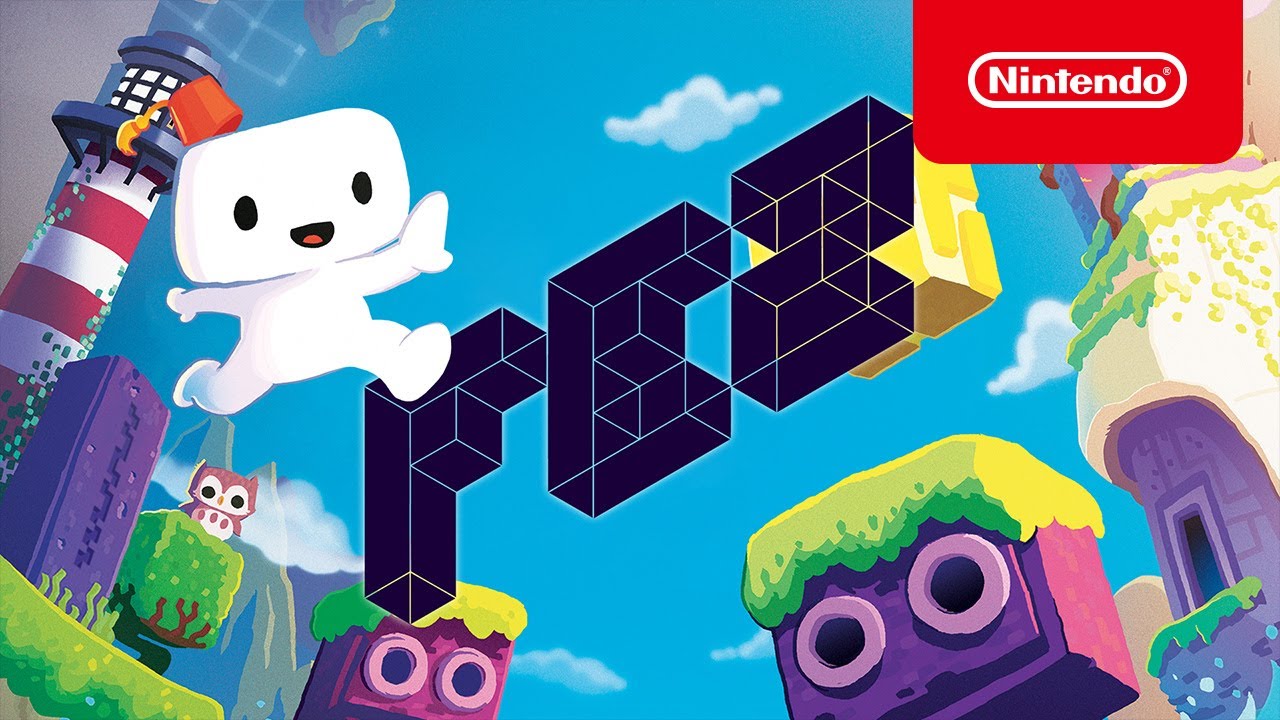
Explore a serene and beautiful world full of secrets, puzzles and hidden treasures in FEZ, available now on Nintendo Switch! Learn more: https://www.nintendo.com/games/detail/fez-switch
#FEZgame #IndieWorld #NintendoSwitch
Subscribe for more Nintendo fun! https://goo.gl/HYYsot
Visit Nintendo.com for all the latest! http://www.nintendo.com/
...
 karmic kindle
How can I split this code out so an enemy could walk on "path[i]" - https://gdl.space/apanoqipus.md
carmine sierra
is there a way to move all instances of a prefab into one gameobject, so that they can be grouped, and moved to the ddol scene, so they can be loaded again when the scene is re-loaded
carmine sierra
 rare basin
parent them
rare basin
parent them
so game objects can be put into other gameobjects and then ddol'ed?
also how would you instantiate objects into that particular gameobject
rather than straight into the hierarchy
 summer stump
carmine sierra
also how would you instantiate objects into that particular gameobject
summer stump
carmine sierra
also how would you instantiate objects into that particular gameobject
Using the right overload of instantiate
If you look at the docs, one takes a parent parameter
 lunar fern
why is my player not moving when he should. when i press any of the wasd keys the transform changes but i still dont move. if you need a video i can send one. here is the code: https://gdl.space/igoxafubol.cs
 rancid tinsel
any idea what I messed up here? I'm guessing its some very basic logic to do with switching which patrolPoint its heading to but I can't spot the mistake https://gdl.space/omenuyogax.cpp
 ivory bobcat
lunar fern
why is my player not moving when he should. when i press any of the wasd keys th...
ivory bobcat
lunar fern
why is my player not moving when he should. when i press any of the wasd keys th...
What if you were moving something other than the player?
wintry quarry
lunar fern
why is my player not moving when he should. when i press any of the wasd keys th...
you should not be multiplying deltaTime into your AddForce call
nor into this input handling bit:
Input.GetAxis("Horizontal") * (1000 / 10 + (Input.GetAxis("Horizontal") * -100)) * Time.deltaTime
you're multiplying so much deltaTime in here your forces are absolutely tiny
there is no need for deltaTime adjustment with AddForce, least of all in FixedUpdate
Also isn't 1000 / 10 just 100? Why not just write 100
this is very strange
Vector3.ClampMagnitude(rb.velocity, MaxSpeed*Time.deltaTime); < you also don't want it in the clamp here
lunar fern
idk im learning unity and my brain has gone caput for the last week
wintry quarry
you are throwing deltaTime in a lot of places randomly
it doesn't belong in any of these places
lunar fern
ill try and fix it upp a litle with the delta time's and se if it works
lunar fern
what magic numbers?
wintry quarry
(1000 / 10
* -100)
* 100;
lunar fern
oh ok
wintry quarry
most of thiose are just being cancelled out by deltaTime anyway.
Strip this down to almost nothing
simplify it
then build off a simple working foundation
ivory bobcat
rancid tinsel
any idea what I messed up here? I'm guessing its some very basic logic to do wit...
Probably something to do with your patrol method
Log stuff and see what's happening
eternal falconBOT
Posting code
📃 Large Code Blocks
Use links to services like:
https://gdl.space/, https://paste.ofcode.org/, https://hatebin.com/, https://paste.myst.rs/, https://hastebin.com/
📃 Inline Code
Surround code with three backquotes. Not quotation marks.
To format as C#, add cs to the first line:
```cs
// Your code here
```
Add a comment with a line number if there is an error message.
carmine sierra
 [SerializeField] bool player2Turn;

    void Start() {
        player2Turn = GameObject.FindGameObjectWithTag("player2turn");
        if (player2Turn == true) {
            Camera.main.transform.position.x = 44.6f;
        }
    }
why does the camera's position not change
carmine sierra
summer stump
Using the right overload of instantiate
whats an overload?
south sky
This code nono work and i dont understand why. I touch the enemy and they dont ge tdestroyed
 lunar fern
wintry quarry
then build off a simple working foundation
lunar fern
wintry quarry
then build off a simple working foundation
but it still doesnt work
summer stump
carmine sierra
whats an overload?
An easily googleable term
It is the same method name with different signatures
lunar fern
south sky
This code nono work and i dont understand why. I touch the enemy and they dont g...
is it in a monobehavior
wintry quarry
lunar fern
but it still doesnt work
What doesn't work?
AddForce works
Input works
Your code is the broken part
south sky
lunar fern
is it in a monobehavior
Can you explain please
lunar fern
wintry quarry
What doesn't work?
AddForce works
Input works
Your code is the broken part
ill send a video wait a bit
south sky
lunar fern
is it in a monobehavior
Its in the monobehaviour class
wintry quarry
south sky
This code nono work and i dont understand why. I touch the enemy and they dont g...
is the code running? Add Debug.Log as the first line of the function to check
summer stump
south sky
This code nono work and i dont understand why. I touch the enemy and they dont g...
Takes Collision2D
Not Collision
wintry quarry
Note that Collision is not the right parameter type
carmine sierra
summer stump
An easily googleable term
It is the same method name with different signatures
okay ill check it
carmine sierra
carmine sierra
```
[SerializeField] bool player2Turn;
void Start() {
player2Tu...
anyone know the issue
wintry quarry
carmine sierra
```
[SerializeField] bool player2Turn;
void Start() {
player2Tu...
this code is not valid C#
it will not compile
carmine sierra
wintry quarry
this code is not valid C#
how comes?
summer stump
carmine sierra
how comes?
A gameobject is not a bool for one thing
wintry quarry
That's actually not the problem
it's the assignment
You can't modify an anonymous copy of the position vector that will be forgotten instantly
ivory bobcat
carmine sierra
```
[SerializeField] bool player2Turn;
void Start() {
player2Tu...
Position is not a variable
wintry quarry
You need to do e.g.
Vector3 pos = Camera.main.transform.position;
pos.x = 44.6f;
Camera.main.transform.position = pos;```so basically too many full stops .
wintry quarry
when you do transform.position it is a property that returns a COPY of the position vector
you are not saving that copy anywhere
so changing the x of that copy will be useless
ivory bobcat
carmine sierra
so why does pos.x need to be split up
Because the member position is a property and not a field.
carmine sierra
okay so basically can't edit the camera's transform without saving it's position as a variable first?
summer stump
carmine sierra
okay so basically can't edit the camera's transform without saving it's position...
No
You can't modify a component of its position
Only change the whole thing
carmine sierra
Vector3 pos = Camera.main.transform.position;
pos.x = 44.6f;
wintry quarry
carmine sierra
Vector3 pos = Camera.main.transform.position;
pos.x = 44.6f;
you need to reassign back now
beause pos is a copy
wintry quarry
wintry quarry
You need to do e.g.
```cs
Vector3 pos = Camera.main.transform.position;
pos.x = ...
see example
ivory bobcat
carmine sierra
okay so basically can't edit the camera's transform without saving it's position...
Properties are short handed getter and setter methods for backing fields. Assigning directly to the property is valid. Reading the value of the property is valid. As you access the x component of the vector 3 from the position property, you're invoking the getter and only receiving a copy of the back field (the actual vector 3). If you want to modify the back field, you'll need to assign a value (vector 3 in your case) to the position property as a whole - modifying a component of the returned position will throw an error as the value returned isn't a variable.
rancid tinsel
ivory bobcat
Probably something to do with your patrol method
what should i log? im assuming the destination position but anything else?
ivory bobcat
rancid tinsel
what should i log? im assuming the destination position but anything else?
Maybe both positions and has path
See why it's picking one over the other - assuming it's alternating or simply moving towards the wrong destination
 rich adder
@rocky canyon aw yeah new update.
We are back !

https://github.com/MicrosoftDocs/intellicode/issues/535#issuecomment-2040789871
**VScode update # 1.88! **Hugeeee
https://code.visualstudio.com/updates/v1_88
rancid tinsel
ivory bobcat
Maybe both positions and has path
has path never returns true with this no idea how
 rancid tinsel
ok i fixed it not changing directions properly
but when it reached the patrolPoints[0] path, it starts moving towards patrolPoints[1] extremely slowly
same thing happens when it tries to move to patrolPoints[0] again after reaching patrolPoints[1]
rocky canyon
rich adder
<@317141358894645248> aw yeah new update.
We are back !
is this an automatic update
 rocky canyon

aye
when i Restart to download i thought it was just the program
my screens went black and then my data light just blinked over and over..
scared me for a second
rich adder
😮
rocky canyon
it was in limbo until i pressed my space key.. and then the monitors came back on.. and the Updated Readme was on VSCode
scary stuff lmao
my computer doesnt do well with Restarts anyway
rich adder
that would bug me, but only because my laptop is close to death Gpu wise
rocky canyon
sometimes i have to hard-shutdown even during Windows Updates
cuz it'll get hung between the boot loader and windows
rich adder
haha yeah never have any problems on macos. Wind kinda blows
rocky canyon
rich adder
haha yeah never have any problems on macos. Wind kinda blows
yea yea..
 for life..
 rocky canyon
nah i believe u
rich adder
always tell the truth even when i lie
 rapid mountain
rich adder
<@317141358894645248> aw yeah new update.
We are back !
rapid mountain
rich adder
<@317141358894645248> aw yeah new update.
We are back !
whatt
modest sluice
when i create this object, i intend to copy the transform of LSystemBranchPrefab, LSystemBranchPrefaband Base are both at 0,0,0.
it keeps putting the clone at (35.38,-0.06,2.57)
https://hastebin.com/share/wohiquqaji.java
Hastebin is a free web-based pastebin service for storing and sharing text and code snippets with anyone. Get started now.
wintry quarry
modest sluice
when i create this object, i intend to copy the transform of LSystemBranchPrefab...
Are you mixing up local position and world space position?
modest sluice
i dont think so they should both be 0,0,0
wintry quarry
You are using Transform newPlant = Instantiate(plantPrefab, transform.position, Quaternion.identity, transform);
So transform.position is what's being used as the position.
rich adder
modest sluice
i dont think so they should both be 0,0,0
relative to parent?
wintry quarry
but you're also making it a child of this object so it should be 0,0,0 local position but possibly not in world space
Where are you seeing the (35.38,-0.06,2.57)?
modest sluice
everything is a t 0,0,0 in my scene
 wintry quarry
Where are you seeing the `(35.38,-0.06,2.57)`?
wintry quarry
wintry quarry
Where are you seeing the `(35.38,-0.06,2.57)`?
^?
rich adder
yeah if ur parenting u want localPosition
modest sluice
wintry quarry
Where are you seeing the `(35.38,-0.06,2.57)`?
on line 24 debuglog and in the scene viewer
 dusk musk
Hey everyone! I'm learning about Inheritance and Polymorphism. I thought I understood, but when setting up something simple to test the principle, my game does not behave as expected. Would someone mind to help me? 🙂
I have a CubeParent object with a CubeParent script, and a CubeChild with a CubeChild script. The CubeParent script contains two public virtual void methods, which are called in the Update and Start methods.
The CubeChild script calls those 2 parent methods in its own Start and Update scripts. I'm currently not overriding anything.
Strangely enough, my 2 objects do not behave the same.
using System.Collections;
using System.Collections.Generic;
using UnityEngine;
using UnityEngine.UIElements;

public class CubeParent : MonoBehaviour
{
    public virtual void cubeProperties()
    {
        transform.position = new Vector3(-2, .5f, -2);
        transform.localScale = new Vector3(2, 2, 2);
    }

    public virtual void cubeMovement()
    {
        transform.Translate(Vector3.forward * 1 * Time.deltaTime);
        transform.Rotate(Vector3.up * 10 * Time.deltaTime);
    }

    private void Start()
    {
        cubeProperties();
    }

    private void Update()
    {
        cubeMovement();
    }
}
using System.Collections;
using System.Collections.Generic;
using UnityEngine;

public class CubeChild : CubeParent
{

    private void Start()
    {
        cubeProperties();
    }

    private void Update()
    {
        cubeMovement();
    }
}
And here's a video of game.
rich adder
😮
wintry quarry
modest sluice
on line 24 debuglog and in the scene viewer
Which object is this script on?
rancid tinsel
https://gdl.space/nejufufuji.cpp any idea what is happening now?
 rancid tinsel
its saying object reference not set but very clearly is in the inspector and was working fine a second ago
rich adder
rancid tinsel
https://gdl.space/nejufufuji.cpp any idea what is happening now?
agent or patrolpoint is null
carmine sierra
how do i instantiate an object and assign it a parent?
woodInstance = Instantiate(woodPrefab, placeholder.transform.position, Quaternion.Euler(0, 0, rotation), woodParent.transform);
this is what i tried
rich adder
carmine sierra
how do i instantiate an object and assign it a parent?
Instantiate has a field for parent
rancid tinsel
rich adder
agent or patrolpoint is null
neither are though]
carmine sierra
but why does it need to be a transform
rich adder
carmine sierra
but why does it need to be a transform
because transform Setparent, function wants a transform
wintry quarry
modest sluice
That's a different script. The script you sent was LSystemBranch
this is LSystem
wintry quarry
carmine sierra
how do i instantiate an object and assign it a parent?
yes this will work fine
rancid tinsel
rich adder
agent or patrolpoint is null
it had an issue with If (agent.path != null) for some reason
rich adder
rancid tinsel
neither are though]
do you have any copies of script
rancid tinsel
got rid of it and the issue is gone
modest sluice
wintry quarry
That's a different script. The script you sent was LSystemBranch
this is LSystem
lsystem branch is on the prefab
 wintry quarry
carmine sierra
but why does it need to be a transform
wintry quarry
carmine sierra
but why does it need to be a transform
Transform is the component responsible for the hiearchy relationships
carmine sierra
rich adder
because transform Setparent, function wants a transform
i dont get it, i just need it grouped in the hierarchy
carmine sierra
wintry quarry
Transform is the component responsible for the hiearchy relationships
ohh okay
rancid tinsel
rich adder
do you have any copies of script
i posted the link with the video
carmine sierra
but i assigned it in the inspector but it still gives me a reference error, saying it is unassigned
wintry quarry
modest sluice
lsystem branch is on the prefab
that object you have selected is NOT a prefab. You NAMED it Prefab but it's in the scene
prefabs live in your project folder, not the scene
modest sluice
wintry quarry
that object you have selected is NOT a prefab. You NAMED it Prefab but it's in t...
hah im dumb i thought i was a reference to the prefab, i see now
wintry quarry
carmine sierra
but i assigned it in the inspector but it still gives me a reference error, sayi...
show the code, the error, and the inspector
rich adder
rancid tinsel
i posted the link with the video
doesnt really answer the question
modest sluice
 meager crow
why cant i find the create physic material option?
 rancid tinsel
rich adder
doesnt really answer the question
rancid tinsel
rich adder
doesnt really answer the question
what do you mean copies of the script? as in is it on multiple objects?
rich adder
meager crow
why cant i find the create physic material option?
scroll down more ?
wintry quarry
dusk musk
Hey everyone! I'm learning about Inheritance and Polymorphism. I *thought* I und...
Show the inspectors of the two objects?
rich adder
meager crow
not there
you still have more to scroll
carmine sierra
wintry quarry
show the code, the error, and the inspector
 wintry quarry
carmine sierra
wintry quarry
carmine sierra
Show the full error message - including filename and line number
carmine sierra
wintry quarry
Show the full error message - including filename and line number
UnassignedReferenceException: The variable woodParent of SpawnWood has not been assigned.
You probably need to assign the woodParent variable of the SpawnWood script in the inspector.
UnityEngine.Object+MarshalledUnityObject.ThrowNullExceptionObjectImpl (System.Object obj) (at <d0f92ebb771e4783b0ea9f13bfbe129b>:0)
UnityEngine.GameObject.get_transform () (at <d0f92ebb771e4783b0ea9f13bfbe129b>:0)
SpawnWood.PlaceOnClick () (at Assets/Scripts/SpawnWood.cs:71)
SpawnWood.Update () (at Assets/Scripts/SpawnWood.cs:43)
dusk musk
wintry quarry
Show the inspectors of the two objects?
Think I already found the culprit... 😉
 rocky canyon
this smells wrong
 wintry quarry
carmine sierra
UnassignedReferenceException: The variable woodParent of SpawnWood has not been ...
wintry quarry
carmine sierra
UnassignedReferenceException: The variable woodParent of SpawnWood has not been ...
you have another copy of the SpawnWoopd script in your scene where you didn't assign the variable
otherwise - your code is setting it to null
rancid tinsel
so now without the error, im still running into the issue that the navmeshagent starts moving incredibly slow after reaching the first point https://gdl.space/awuduxunep.cpp
wintry quarry
dusk musk
Think I already found the culprit... 😉
yeah you have multiple copies
so it's basically running twice on that object
rocky canyon
wood (1) looks like it may be an instance of wood
dusk musk
wintry quarry
yeah you have multiple copies
Yeah LOL. It's always funny when you just don't see it!
rich adder
rancid tinsel
so now without the error, im still running into the issue that the navmeshagent ...
You might be running multiple coroutines at once
wintry quarry
dusk musk
Yeah LOL. It's always funny when you just don't see it!
my guess was actually that you would have put BOTH child and parent on it. Not two parents 😉
rancid tinsel
rich adder
You might be running multiple coroutines at once
it wasn't running any coroutines because the player never interacted with the object
rich adder
Oh Patrol is not in coroutine.
rancid tinsel
yeah
carmine sierra
rocky canyon
wood `(1)` looks like it may be an instance of wood
nah its just i dragged back in a wood instance as the prefab as i changed some properties and wanted to visualize the changes in the scene by keeping it as a instance
rocky canyon
ahh
carmine sierra
wintry quarry
you have another copy of the SpawnWoopd script in your scene where you didn't as...
so theres a duplicate script
rich adder
rancid tinsel
yeah
these indexes should be dynamically changed btw, not sure hard coding index is good idea
are you sure patrolPoints[1].position is correct ? Inspect the agent gizmos during playmode, see where the red destination is set to
rocky canyon
carmine sierra
so theres a duplicate script
search the hiearchy and find out
wintry quarry
carmine sierra
so theres a duplicate script
well a duplicate instance of the script. CHeck
carmine sierra
wintry quarry
well a duplicate _instance_ of the script. CHeck
yeah there is
rancid tinsel
rich adder
these indexes should be dynamically changed btw, not sure hard coding index is g...
i know but im running into so many issues for this project, and its on a game design module so we arent even graded for how well we code it 😢
ill check the gizmos now
dusk musk
wintry quarry
my guess was actually that you would have put BOTH child and parent on it. Not t...
Haha could've definetely happend too! Would you mind helping me with one more thing? I have now added an override. My parent method has 2 lines. I only want to override 1 line, and keep 1 line the same. Should I ONLY write the line I want to change? And will the line I don't change, still work? Because now I have only added 1 line in the override, and it seems the line I don't want to override isn't being taken into account.
The child script:
    public override void cubeProperties()
    {
        transform.position = new Vector3(2, .5f, 2);
    }
The parent script:
    public virtual void cubeProperties()
    {
        transform.position = new Vector3(-2, .5f, -2);
        transform.localScale = new Vector3(2, 2, 2);
    }
When I start my game, the localScale isn't updated on Start in my child object.
rancid tinsel
rich adder
these indexes should be dynamically changed btw, not sure hard coding index is g...
is this the red gizmos youre referring to?

if yes then it seems to be working fine
rich adder
ok so the destination is set correctly , its just not going there?
rancid tinsel
it is but incredibly slowly
rich adder
or very slow at least
rancid tinsel
yes
and i tested it earlier and it does the same thing if it reaches the [1] point
and goes back to [0]
wintry quarry
dusk musk
Haha could've definetely happend too! Would you mind helping me with one more th...
An override completely replaces the virtual method
If you want to still run the code in the base you need to call it in the override.
rancid tinsel
so it seems to be a case of after reaching the first point it breaks
rich adder
I wonder if its because the SetDestination is being spammed over and over, I recall last time it give me similiar issues adding it to Update\
wintry quarry
dusk musk
Haha could've definetely happend too! Would you mind helping me with one more th...
public override void cubeProperties() {
  base.cubeProperties(); // call the base method
  // add extra stuff
  transform.localScale = new Vector3(2, 2, 2);
}```navmesh agent was never like that before, but I think they changed something. Gotta test it again been a while
rancid tinsel
rich adder
I wonder if its because the SetDestination is being spammed over and over, I rec...
that could be the case, i tried to do it by vector3.distance but obviously until the distance is higher than 1, it will keep spamming it
rich adder
rancid tinsel
that could be the case, i tried to do it by vector3.distance but obviously until...
I usually do the oppositite , only call SetDestination when the destination was reached
dusk musk
wintry quarry
```cs
public override void cubeProperties() {
base.cubeProperties(); // call t...
Ah thanks! MSFT VS actually puts that base line whenever I created an override void. now I know why!
rancid tinsel
rich adder
I usually do the oppositite , only call SetDestination when the destination was ...
how do you check if it has been reached? ive been trying to do that but to no success
which is why im trying with vector3.distance
rich adder
yeah like if(distance <= agent.stoppingDistance + 0.4f) SetNewDest
I add a bit of threshold to agent.stoppingDistance cause sometimes it doesn't stop at its stopping distance precise
rancid tinsel
whats the distance variable?
rich adder
Vector3.distance
rancid tinsel
ah okay
rich adder
from agent to destination
rancid tinsel
and im assuming that would be assigned in update
rich adder
yeah ideally u want V3.Dist to run every frame
or in my case I do everything in coroutines
rancid tinsel
so like this if i understand it correctly?

obviously falls apart if i was to add more patrol points but i dont think i will be
rich adder
rancid tinsel
so like this if i understand it correctly?
yeah should work, you dont need to write that twice though
but yeah like you said because ur hard coding index
rich adder
rancid tinsel
so like this if i understand it correctly?
actually no wait
rancid tinsel
i was gonna say, it broke 😭
rich adder
rancid tinsel
i was gonna say, it broke 😭
you're doing it the opposite
rancid tinsel
rich adder
you're doing it the opposite
how come?
rich adder
rancid tinsel
how come?
you're saying if its close enough to the stoppingDistance set destination
the agent.dest ==
might be messing with it
rancid tinsel
yeah cuz i think the floating points dont match
rich adder
again I just increase indexes is cleaner
nah Vector3s have approximation
for equality check
they're just probably too far when that runs
rancid tinsel
for some reason since i implemented your distance thing, it now rotates the object around the x axis?
no idea why

this was the bit for rotating
rich adder
uhh that transform.up don't look right
rapid mountain
u can use stopping distance and remaining distance
rich adder
wouldn't that be transform.forward?
 rich adder
wait ur in 2D?
carmine sierra
balance = MoneyManager.p1Balance;
..
balance -= MoneyManager.TriShot_Price; //Subtracts the tri-shot price
what reason could there be for the balance in the moneymanager script to not be subtracted
rancid tinsel
yes
rich adder
oh its topdown, ok I see why you mean
rancid tinsel
no but its a unity 2D project
rapid mountain
rancid tinsel
yes
oh so nvm my suggestion it's for 3d
rancid tinsel
let me link what I used for 2D navmesh one sec
rich adder
rancid tinsel
no but its a unity 2D project
how did you get navmesh
rancid tinsel

GitHub
Unity NavMesh 2D Pathfinding. Contribute to h8man/NavMeshPlus development by creating an account on GitHub.
and followed a tutorial with it let me find it
rich adder
ohh the 2D navmes extension
carmine sierra
carmine sierra
balance = MoneyManager.p1Balance;
..
balance -= MoneyManager.TriShot_Price; //Su...
any ideas?
rancid tinsel

- How to create 2D AI pathfinding using the Unity NavMesh components!
- How to have 2D NavMesh Agent in Unity 2022!
GitHub Link: https://github.com/h8man/NavMeshPlus
And don't forget to subscribe for more! ;)
rapid mountain
carmine sierra
any ideas?
need more context and !code
eternal falconBOT
Posting code
📃 Large Code Blocks
Use links to services like:
https://gdl.space/, https://paste.ofcode.org/, https://hatebin.com/, https://paste.myst.rs/, https://hastebin.com/
📃 Inline Code
Surround code with three backquotes. Not quotation marks.
To format as C#, add cs to the first line:
```cs
// Your code here
```
Add a comment with a line number if there is an error message.
rancid tinsel
i think i followed this one
but either way it seems to be following the same extension
rich adder
rancid tinsel
but either way it seems to be following the same extension
it should technically work the same
Id try cleaning up the index part first, just incase
rancid tinsel
this is what happens with transform.forward and transform.up respectively
 hushed hinge
look at the warning at the corner, I tried to make this ui image into a child so i can have it come along into the next scene when the white image is fading away instead of making it look like it just disappear immediatly when i go over to the next scene but something is not working, how can i turn the ui image object into a child for uicontainer gameobject?
 summer stump
carmine sierra
balance = MoneyManager.p1Balance;
..
balance -= MoneyManager.TriShot_Price; //Su...
summer stump
carmine sierra
balance = MoneyManager.p1Balance;
..
balance -= MoneyManager.TriShot_Price; //Su...
You are subtracting from an unrelated value
Assign it back
rancid tinsel
i did this for index, not sure if thats what you meant
 rapid mountain
carmine sierra
https://paste.ofcode.org/34K3WHP9dBzdxzf5HZa7z5W
rapid mountain
carmine sierra
https://paste.ofcode.org/34K3WHP9dBzdxzf5HZa7z5W
you are subtracting a variable not from the money manager
rich adder
rancid tinsel
this is what happens with transform.forward and transform.up respectively
yeah didnt realize is 2D topdown myb
transform.up is fine
rich adder
rancid tinsel
i did this for index, not sure if thats what you meant
all you need to do si increase it
no need for if else
h/o ill show u example
carmine sierra
rapid mountain
you are subtracting a variable not from the money manager
damn i dont really get it, like i get it but not really
cause it was working before
unless i changed it
summer stump
carmine sierra
damn i dont really get it, like i get it but not really
Balance is a completely unrelated variable
It is a separate thing
carmine sierra
what does that mean though
summer stump
carmine sierra
what does that mean though
Money Manager has a variable
You made a new one called balance
carmine sierra
summer stump
Money Manager has a variable
You made a new one called balance
ohh okay
summer stump
Balance will not affect the variable in MoneyManager at all
carmine sierra
yeah since i changed that it stopped working
so the reference doesnt affect the OG
summer stump
This is a difference between value and reference types
summer stump
carmine sierra
so the reference doesnt affect the OG
Unless it is a reference type
hushed hinge
hushed hinge
look at the warning at the corner, I tried to make this ui image into a child so...
 rapid mountain
carmine sierra
yeah since i changed that it stopped working
rapid mountain
carmine sierra
yeah since i changed that it stopped working
you need to subtract to the manager itself, balance was local to the weapon class not manager
carmine sierra
but computer logic is diff
carmine sierra
rapid mountain
you need to subtract to the manager itself, balance was local to the weapon clas...
yeh
summer stump
carmine sierra
just feels like it defies logic a bit
If you named it balanceAtThisPoint that would make more sense?
Like, if you need to know what it was before some change so you can revert it, then balance is useful
Otherwise, having the balance variable doesn't really make sense
carmine sierra
summer stump
If you named it balanceAtThisPoint that would make more sense?
Like, if you need...
true
just used it to clean up code
dusk musk
@wintry quarry Can I ask you one more thing about inheritance/polymorphism? Question is: should I include declarations like "public float speed =..." or "private GameManager gameManager" in the child script - or will they also be inherited?
rapid mountain
carmine sierra
just used it to clean up code
you did use balance to assign the value then subtracted the price on it, you could assign the balance back again but ur just passing the value back and forth many times
rich adder
rancid tinsel
i did this for index, not sure if thats what you meant
 if (agent.remainingDistance <= agent.stoppingDistance + 0.4f)
 {

     currentPointIndex = (currentPointIndex + 1) % patrolPoints.Length;
     agent.SetDestination(patrolPoints[currentPointIndex].position);
}```sorry I took a bit was making dinner
You prob dont need the magic 0.4
rancid tinsel
its alright dw
rapid mountain
dusk musk
<@179367739574583296> Can I ask you one more thing about inheritance/polymorphis...
if i may, all variables declared from the base class will be inherited, except if it's some private variable or something
rancid tinsel
rich adder
```cs
if (agent.remainingDistance <= agent.stoppingDistance + 0.4f)
{
cu...
thats seems to be working fine thank you
wintry quarry
dusk musk
<@179367739574583296> Can I ask you one more thing about inheritance/polymorphis...
All members of the parent class will be inherited
rancid tinsel
the agent unfortunately does stop moving though
i genuinely have no idea what might be causing it
rich adder
rancid tinsel
the agent unfortunately does stop moving though
strange mine keeps going indefinitely
 wintry quarry
rapid mountain
if i may, all variables declared from the base class will be inherited, except i...
wintry quarry
rapid mountain
if i may, all variables declared from the base class will be inherited, except i...
private variables are also inherited. They are just not accessible from the child class.
rapid mountain
wintry quarry
private variables are also inherited. They are just not accessible from the chil...
oh yes i meant this, like they're just not accessible
rapid mountain
rich adder
strange mine keeps going indefinitely
it's the
currentPointIndex = (currentPointIndex + 1) % patrolPoints.Length;
could you post what you did with yours? also are you using a rigidbody at all?
rich adder
rancid tinsel
could you post what you did with yours? also are you using a rigidbody at all?
sure, thats literally the whole code
You should not be using rigidbody on navmesh agent
rancid tinsel
yeah i assumed so
rich adder
public class Agentmove : MonoBehaviour
{
    [SerializeField] private NavMeshAgent agent;
    [SerializeField] private Transform[] patrolPoints;

    private int currentPointIndex;
    private void Update()
    {
        if (agent.remainingDistance <= agent.stoppingDistance)
        {
            currentPointIndex = (currentPointIndex + 1) % patrolPoints.Length;
            agent.SetDestination(patrolPoints[currentPointIndex].position);
        }
    }
}```just double checking
ok i got rid of setdestination in start
it moves again
but very slow
rich adder
you remove the rigidbody ?
 dusty silo
Can someone explain why my Debug.DrawLine calls are not working?
T,F,Tmmand Tm are custom classes but can be implicitly converted into Vector2 or Vector3
if (Geometry.intersect(F, T, Tmm, Tm)) {
                    Debug.Log($"<b><color=#FF0000>Line follow-tail {Geometry.color($"[{F.ToString}-{T.ToString}]", Geometry.EdgeColor)} intersects line Tmm-Tm{Geometry.color($"[{Tmm.ToString}-{Tm.ToString}]", Geometry.EdgeColor)}</color></b>");
                    Debug.DrawLine(F, T, Color.red, 100f);
                    Debug.DrawLine(Tmm, Tm, Color.red, 100f);
}```Of course! Here is my currenet parent class.
using System.Collections;
using System.Collections.Generic;
using UnityEngine;

public class CubeParent : MonoBehaviour
{
    //Scoring
    private GameManager gameManager;
    private int value = 10;

    //Enemy speed variable
    private float speed = 1.0f;

    //Find enemy Rigidbody
    private Rigidbody enemyRb;

    //Find player GameObject
    private GameObject player;

    public virtual void Scoring()
    {
        gameManager.UpdateScore(value);
        Debug.Log("Score added = " + value);
        Destroy(gameObject);
    }

    public virtual void Movement()
    {
        Vector3 lookDirection = (player.transform.position - transform.position).normalized;
        enemyRb.AddForce(lookDirection * speed);
    }

    public virtual void CubeSettings()
    {
        gameManager = GameObject.Find("Game Manager").GetComponent<GameManager>();
        enemyRb = GetComponent<Rigidbody>();
        player = GameObject.Find("Player Main Camera");
    }

    private void Start()
    {
        CubeSettings();
    }

    private void Update()
    {
        Movement();
    }
    private void OnMouseDown()
    {
        Scoring();
    }
}
And my child script is empty, and I think everything behaves exactly like the same:
using System.Collections;
using System.Collections.Generic;
using UnityEngine;

public class CubeChild : CubeParent
{

}
The thing I'm now goign to experiment with, is making changes, and seeing if I have to repeat the declerations.
rapid mountain
dusty silo
Can someone explain why my `Debug.DrawLine` calls are not working?
`T`,`F`,`Tmm`...
place it before the if statement because you wanna draw the lines first before using them
rancid tinsel
dusk musk
Of course! Here is my currenet parent class.
```cs
using System.Collections;
us...
sorry i was replying to navarone lol
dusk musk
rancid tinsel
sorry i was replying to navarone lol
Woops sorry, I see your post towards me above it now. :p
dusty silo
rapid mountain
place it before the if statement because you wanna draw the lines first before u...
If they're not working in the if statement, why would they work outside of it?
rapid mountain
dusty silo
If they're not working in the if statement, why would they work outside of it?
was the condition met and the log printing out?
hushed hinge
hushed hinge
look at the warning at the corner, I tried to make this ui image into a child so...
i'll be waiting here while you all aare helping others
rancid tinsel
im trying to change rotation like this now but im still getting 90/-90 in x even though im setting agent.updateRotation to false
 summer stump
dusty silo
If they're not working in the if statement, why would they work outside of it?
summer stump
dusty silo
If they're not working in the if statement, why would they work outside of it?
Generally you want the line to show outside of conditions to verify it is pointing the right way
Being inside an if statement might mean it simply does not run
That's why fake asked if the other debug was running
rich adder
hushed hinge
look at the warning at the corner, I tried to make this ui image into a child so...
because when you switch scenes all previous objects are destroyed
 eternal needle
rancid tinsel
im trying to change rotation like this now but im still getting 90/-90 in x even...
eternal needle
rancid tinsel
im trying to change rotation like this now but im still getting 90/-90 in x even...
2 rotations can be the same, they are converted to quaternion and back to euler for you in inspector. Dont expect the euler angles to be the same numbers, itll still be the same rotation though
rich adder
rancid tinsel
im trying to change rotation like this now but im still getting 90/-90 in x even...
dont change euler angles directly btw use Transform.rotation = Quaternion.Euler
and are you sure your pivots are correct too
hushed hinge
rich adder
because when you switch scenes all previous objects are destroyed
I thought I was supposed to make a separate GameObject called uiContainer to act as a parent for the UI image. The DontDestroyOnLoad function is then called on the uiContainer object to prevent it from being destroyed when loading the next scene?
rich adder
hushed hinge
I thought I was supposed to make a separate GameObject called uiContainer to act...
well did you do that?
rancid tinsel
eternal needle
2 rotations can be the same, they are converted to quaternion and back to euler ...
whats the point of setting it to a specific number tho
dusk musk
@wintry quarry Back again. Would you mind helping me one more time? In my parent script I have a private integer value. In the Scoring method I set this integer to 10.
Now in my child script, I want the value integer to be 5.
However, MSFT VS gives this error: "'member' is inaccessible due to its protection level"
What should I do?
Parent script: https://gdl.space/iwuveqesem.cs
Child script: https://gdl.space/lijamolilu.cs
rancid tinsel
if im setting x to 0 why would it change it to -90 or 90
wintry quarry
dusk musk
<@179367739574583296> Back again. Would you mind helping me one more time? In my...
It needs to be protected to be accessbile from the child
 languid spire
dusk musk
<@179367739574583296> Back again. Would you mind helping me one more time? In my...
languid spire
dusk musk
<@179367739574583296> Back again. Would you mind helping me one more time? In my...
change private to protected
hushed hinge
rich adder
well did you do that?
I think so since the uiContainer is a gameobject and the transitionImage is an UI

 rich adder
hushed hinge
I think so since the uiContainer is a gameobject and the transitionImage is an U...
rich adder
hushed hinge
I think so since the uiContainer is a gameobject and the transitionImage is an U...
where did you put uiContainer as DontDestroy
eternal needle
rancid tinsel
if im setting x to 0 why would it change it to -90 or 90
I explained why above, it is converted twice. The rotation is literally the same
dusk musk
wintry quarry
It needs to be `protected` to be accessbile from the child
Thank you - that worked. I guess that didn't fix everything yet. In my child script, the value added is still the parent value, not the child value.
here's my child script:
using System.Collections;
using System.Collections.Generic;
using UnityEngine;

public class CubeChild : CubeParent
{
    public override void Scoring()
    {
        base.Scoring();
        value = 5;
    }
}
Any more advice you can share? Much appreciated.
dusk musk
languid spire
change private to protected
Much appreciated. 🙂
rancid tinsel
eternal needle
I explained why above, it is converted twice. The rotation is literally the same
except it isn't the same, because x = 0 means the object is visible in 2D space, whereas at -90 its literally rotated to the side and therefore invisible in 2D space
hushed hinge
rich adder
where did you put uiContainer as DontDestroy
 rancid tinsel

 summer stump
hushed hinge
https://gdl.space/qefalaraco.cs
summer stump
hushed hinge
https://gdl.space/qefalaraco.cs
Put it in ddol in awake
rich adder
rancid tinsel
why are u rotating on X though?
rancid tinsel
rich adder
why are u rotating on X though?
im not
thats the issue im having
im only trying to rotate on z, but it changes x anyway
rich adder
you wrote -90 in the inspector
rancid tinsel
that was to show an example
rich adder
oh.
rancid tinsel
of how the 2 rotations arent the same
rich adder
did you try the line from earlier too
rancid tinsel
the Quaternion.Euler?
rich adder
ya
wintry quarry
dusk musk
Thank you - that worked. I guess that didn't fix everything yet. In my child scr...
Well yeah I mean look at this:
        value = 10;
        gameManager.UpdateScore(value);
        Debug.Log("Score added = " + value);```
Obviously it's going to use 10yeah, it has the same result
rich adder
rancid tinsel
yeah, it has the same result
can you show the scene view with this object selected, with pivots showing in Local mode
wintry quarry
dusk musk
Thank you - that worked. I guess that didn't fix everything yet. In my child scr...
protected virtual int GetScoreAmount() {
  return 10;
}

protected override int GetScoreAmount() {
  return 5;
}```
Maybe this will give you some inspiration^^(even having a field here makes little sense)
rancid tinsel
rich adder
can you show the scene view with this object selected, with pivots showing in Lo...
 rich adder
this is after rotated ?
rancid tinsel
here is out of playmode
 rancid tinsel
rich adder
this is after rotated ?
rancid tinsel
rich adder
this is after rotated ?
yes
hushed hinge
summer stump
Put it in ddol in awake
like this?

 frigid sequoia
This is definitely not lasting 1 sec as intended, am I using Lerp wrong?
 rich adder
frigid sequoia
This is definitely not lasting 1 sec as intended, am I using Lerp wrong?
rich adder
frigid sequoia
This is definitely not lasting 1 sec as intended, am I using Lerp wrong?
animProgress/duration
frigid sequoia
rich adder
`animProgress/duration`
Yeah, sure thanks, I am freaking dumb sry
rich adder
all good!
rich adder
rancid tinsel
here is out of playmode
strange.. can you try transform.Rotate instead
rancid tinsel
navarone to be completely honest, if the project is to just make a vertical slice so like 1 prototype level, would it just be simpler to scrap navmesh all together and do it script
oh but then id have to code obstacle avoidance myself
😭
rich adder
yup
summer stump
hushed hinge
like this?
Is UIContainer a child of something else?
I can't tell from the hierarchy you showed
rancid tinsel
rich adder
strange.. can you try transform.Rotate instead
let me try that
rich adder
if that doesn't work, try rotating without the Navmesh agent. See if thats somehow messing with it
although transforms rotation should override any navmesh agent component
rancid tinsel
rich adder
strange.. can you try transform.Rotate instead
like thiss?

or is it Space.World
hushed hinge
summer stump
Is UIContainer a child of something else?
I can't tell from the hierarchy you sh...
https://gdl.space/figupagusa.cs nah, the transitionImage is like supposed to be the child and uiContainer the parent
 rancid tinsel
im assuming space.self since im changing its local rotation..?
hushed hinge
but the ui container is in canvas
hushed hinge
hushed hinge
https://gdl.space/figupagusa.cs nah, the transitionImage is like supposed to be ...
 rich adder
rancid tinsel
like thiss?
rich adder
rancid tinsel
like thiss?
world is fine
rancid tinsel
they both still result in x rotation being 90 or -90
transform.up method seems to work fine anyway idk what im doing
rich adder
ahhhhhhhhhhhhhhhh
summer stump
hushed hinge
Oh, ok. Ddol won't work then
Cant't ddol a child
If the parent is NOT in ddol, it gets destroyed, along with all its children
rancid tinsel
i had it removed
rancid tinsel
and only used it for chasing player
maybe the reason it slows down/stops after reaching the point is to do with the agent settings i have?
rich adder
you tried the without the navmesh agent thing ?
hushed hinge
summer stump
Oh, ok. Ddol won't work then
Cant't ddol a child
If the parent is NOT in ddol, i...
oh... then must i move the ui container somewhere else?
summer stump
hushed hinge
oh... then must i move the ui container somewhere else?
Or ddol the canvas.
You can also have more than one canvas
(It is in fact better to have more canvases each with less things)
rich adder
rancid tinsel
maybe the reason it slows down/stops after reaching the point is to do with the ...
turn autobreaking off if you dont want slow downs.but yeah check without agent
frigid sequoia
Ok I have like kinda of a complex question now. How can I tell a bullet that it has already hit an enemy and it cannot hit again?
rich adder
frigid sequoia
Ok I have like kinda of a complex question now. How can I tell a bullet that it ...
a simple bool on it
or you could probably pass a Physics.IgnoreCollision after
dependig what ur doing
rancid tinsel
what if i used normal movement for patrolling and then navmesh for chasing the player?
i think that could work and be way simpler
frigid sequoia
frigid sequoia
Ok I have like kinda of a complex question now. How can I tell a bullet that it ...
Let me elaborate. Usually the bullet is just destroyed when hitting an enemy, but I want it to pierce X amount of them sometimes. This is ok, but when used in conjuction with the autoaim system I have right now it is awfull, cause the bullet just gets stuck on the same enemy bouncing around it hitting it multiple times
frigid sequoia
rich adder
a simple bool on it
A bool that tells what? Cause a bullet is meant to able to hit multiple enemies, I would have to keep track of each of them
rich adder
rancid tinsel
what if i used normal movement for patrolling and then navmesh for chasing the p...
are you sure the issue is with agent?
rancid tinsel
rich adder
are you sure the issue is with agent?
not sure if its with the agent but im starting to think it might just be some bug with the extension or something
it works completely fine for chasing the player/returning to the start position
rich adder
frigid sequoia
A bool that tells what? Cause a bullet is meant to able to hit multiple enemies,...
well then you can probably try the ignore collision thing if you don't need it to hit the same collider
rancid tinsel
it just breaks when changing between the patrol points
hushed hinge
summer stump
Or ddol the canvas.
You can also have more than one canvas
(It is in fact better...
like this?
 frigid sequoia
rich adder
well then you can probably try the ignore collision thing if you don't need it t...
frigid sequoia
rich adder
well then you can probably try the ignore collision thing if you don't need it t...
How? I just dissable the collider or what? I don't get this
summer stump
hushed hinge
like this?
What is this even supposed to show?
rich adder
hushed hinge
like this?
DDOL goes on the Root object
verify its working by checking playmode if they are in separate scene called DDOL
dusk musk
wintry quarry
Well yeah I mean look at this:
```cs
value = 10;
gameManager.Upd...
Thanks. I was hoping this part would overeride the value from the parent script, but I guess that's not the case. I also tried creating a "protected virtual int" but that's not allowed.
    public override void Scoring()
    {
        base.Scoring();
        value = 5;
    }
It certainly gives me inspiration. Haven't figured it out yet, but am working on it.
summer stump
hushed hinge
like this?
This is certainly not what I said to do, and it is so crapped that it shows nothing useful
Please stop cropping things so much (as I've said so many times)
hushed hinge
rich adder
DDOL goes on the Root object
well it do works with no warning, but nothing appears in ddol
 summer stump
hushed hinge
well it do works with no warning, but nothing appears in ddol
summer stump
hushed hinge
well it do works with no warning, but nothing appears in ddol
They are collapsed....
languid spire
dusk musk
Thanks. I was hoping this part would overeride the value from the parent script,...
you need to set the value before calling base.Scoring
hushed hinge
summer stump
They are collapsed....
oh

 dusk musk
languid spire
you need to set the value before calling base.Scoring
dusk musk
languid spire
you need to set the value before calling base.Scoring
Like this?
using System.Collections;
using System.Collections.Generic;
using UnityEngine;

public class CubeChild : CubeParent
{
    public override void Scoring()
    {
        value = 5;
        base.Scoring();
    }
}
It doesn't seem to change anything yet. Here's my parent script: https://gdl.space/mecowalagu.cs
languid spire
of course not becaue the first thing you do in the parent script is set value back to 10
 lone iris
Im trying to make a 2 fighting game (smashbros-like) and i have no idea of how i could make the knockback system
dusk musk
languid spire
of course not becaue the first thing you do in the parent script is set value ba...
Aha... now that's an eye opener. So does a child script always first run its own script, and then the parent script?
hushed hinge
hushed hinge
oh
it seems like the image is like behind the other canvas image but the white image doesn't even fade away
summer stump
hushed hinge
it seems like the image is like behind the other canvas image but the white imag...
This is no longer a code question
Gotta use sorting layers though
languid spire
dusk musk
Aha... now that's an eye opener. So does a child script always first run its own...
it only runs the parent script when you tell it to, which you are doing by using base.
dusk musk
languid spire
it only runs the parent script when you tell it to, which you are doing by using...
OK got it. Let me think on this... it's quite difficult to grasp!
 smoky jetty
So I'm kind of learning the hard way, now that my project is getting bigger, the importance of decoupling code. I have a player and I have UI elements like a spedometer and a boost meter. These UI elements read data from a script on the player every frame, like the player's speed or their "boost amount." So the UI elements are grabbing a reference to the player, which is tightly coupling the two. So I want to now learn how to decouple my UI and player, but I'm struggling to find out the best way. I think events are generally frowned upon if its data pretty much being changed every frame. Any other good solutions out there for this kind of thing? Or are events perfectly ok?
hushed hinge
summer stump
This is no longer a code question
not when i said the "doesn't fade away" part though
summer stump
hushed hinge
not when i said the "doesn't fade away" part though
Ok. Fading out ui seems like a ui thing to me... but whatever you say
wintry quarry
smoky jetty
So I'm kind of learning the hard way, now that my project is getting bigger, the...
events are not frowned upon at all
UI listening to the state of some other object is the perfect use case for events
smoky jetty
I see, even if data is being updated every frame? Like for a spedometer? if that's the case, I'll try out events
wintry quarry
yes
smoky jetty
very cool, ty! 👍
wintry quarry
I mean the other option is just having the Ui script read it from the player object each frame
the referential consequences are the same
the UI references the player
the important thing is the player shouldn't reference the UI
hushed hinge
summer stump
Ok. Fading out ui seems like a ui thing to me... but whatever you say
hmm... imma try to as in ui ux and look around the scenes
 deft quarry
Hey all! Whenever I move, my camera jitters, it's not smooth, and I can't bring myself to move on without fixing it. Im sorry for sounding like a broken record since I know this problem comes up a lot, but ive searched through several forums and other answers and nothing seems to work. Can someone please help?
(I am new to unity by the way)
PlayerMove Script : https://gdl.space/kizodiqeri.cpp
CameraMove Script : https://gdl.space/calahopeba.cpp
CameraControls Script : https://gdl.space/ahevasitej.cpp
carmine sierra
if i duplicate a script into another object, if I change some code, will it change it on both objects
i feel like this is an obvious question
but would I need to make another script for this other object
and then change what I want
willow scroll
carmine sierra
if i duplicate a script into another object, if I change some code, will it chan...
Duplicate? Perhaps, you mean assign?
wintry quarry
carmine sierra
if i duplicate a script into another object, if I change some code, will it chan...
the code is the same no matter how many instances you place on objects
carmine sierra
willow scroll
Duplicate? Perhaps, you mean assign?
idk
ctrl d
on the object with the script inside
willow scroll
carmine sierra
ctrl d
You cannot have 2 similar scripts
 untold raptor
if (Input.GetKeyDown(KeyCode.F)){
if (canpickup){
if(obj){
itemData = obj.GetComponent<ItemData>();
foreach (GameObject slot in inventorySlots){
Image img = slot.GetComponent<Image>();
img.sprite = itemData.icon;
}
Destroy(obj);
}
}
}```
the icons that exist already I placed, for some reason the icons arent setting (ItemData.icon is a sprite) wintry quarry
carmine sierra
on the object with the script inside
wintry quarry
carmine sierra
on the object with the script inside
The script is not inside the object. An instance of the script is attached to it.
When you duplicate that you will get another copy of the object with its own instance of the same script attached to it
carmine sierra
wintry quarry
The script is not _inside_ the object. An _instance_ of the script is _attached_...
oh okay
well i want one script for player 2 and one for player 1
is there another common way of doing this
wintry quarry
carmine sierra
well i want one script for player 2 and one for player 1
that sounds like a bad idea unless they're doing completely different things
willow scroll
carmine sierra
on the object with the script inside
The script can be added on multiple GameObjects, you cannot duplicate the same script, as you can have more than one script with the similar name
wintry quarry
if they have the same gameplay, they generally should have the same scripts
carmine sierra
wintry quarry
if they have the same gameplay, they generally should have the same scripts
i have a bool which dictates which player's turn it is
so i could use that
wintry quarry
untold raptor
```c#
if (Input.GetKeyDown(KeyCode.F)){
if (canpickup){
...
you're putting the same icon in all the slots no?
untold raptor
yeah atm i am
willow scroll
carmine sierra
i have a bool which dictates which player's turn it is
This is usually managed in some sort of GameManager script
carmine sierra
if i have the same script in two objects, can they each have different field references
 willow scroll
carmine sierra
if i have the same script in two objects, can they each have different field ref...
willow scroll
carmine sierra
if i have the same script in two objects, can they each have different field ref...
Yes, of course
wintry quarry
carmine sierra
if i have the same script in two objects, can they each have different field ref...
Of course that's the entire point of the inspector
willow scroll
carmine sierra
if i have the same script in two objects, can they each have different field ref...
Imagine having a script called Human. You can assign it to many GameObjects and each will have its own Name, Age, Cat etc.
willow scroll
deft quarry
Hey all! Whenever I move, my camera jitters, it's not smooth, and I can't bring ...
Why do you have 2 separate scripts for the camera?
deft quarry
willow scroll
Why do you have 2 separate scripts for the camera?
One for the actual camera controls (I.e: moving the mouse makes the camera move etc.)
The other for having the camera actually follow my player.
In hindsight, I could very well combine the two, I dont know what I was thinking when I made them separate
willow scroll
deft quarry
One for the actual camera controls (I.e: moving the mouse makes the camera move ...
Yeah, you really should combine them
 grim pecan
I imported an asset called DOTween for a FOV change for dashing but its not working?
grim pecan
but whenever i do using DG.Tweening; it says theres nothing called DG
 timber tide
convince me to download Dotween vs methods like MoveTowards, RotateTowards, and lerps
grim pecan
i only downloaded DOTween cause the tutorial i was following said to do it
willow scroll
Camera movement
wintry quarry
grim pecan
but whenever i do using DG.Tweening; it says theres nothing called DG
Sounds like you didn't install it properly
grim pecan
i probably didnt
wintry quarry
or you're typing that in the wrong place
wintry quarry
grim pecan
its showing it in the plugins
I would go here:
https://dotween.demigiant.com/download.php
download that file
unzip it
Dump it into my assets folder, then follow the instructions in the readme file
- In your code, add "using DG.Tweening" to each class where you want to use DOTween.
- You're ready to tween. Check out the links below for full documentation and license info.```seem alright I guess if you don't want to shove everything into update, but then you got coroutines too
probably end up using it for some card UI interaction stuff though
grim pecan
wintry quarry
I would go here:
https://dotween.demigiant.com/download.php
download that file
u...
i have DOTween downloaded and in my project, i have all the files, but its just not letting me use Using DG.Tweening
 copper sable
ello, made a lil script and attached it to my camera object, but it's not working.
so it's a script for a third-person camera (so it follows my player), but when i play the game it's not exactly third-person.
any help?
using UnityEngine;

public class CamFollowPlayer : MonoBehaviour
{

    public Transform player;

    // Update is called once per frame
    void Update()
    {
        transform.position = player.transform.position + new Vector3(0, 1, -5);
    }
}
 wintry quarry
grim pecan
i have DOTween downloaded and in my project, i have all the files, but its just ...
wintry quarry
grim pecan
i have DOTween downloaded and in my project, i have all the files, but its just ...
Show what you're trying
grim pecan
wintry quarry
Show what you're trying
i already had the files

theres no utility panel that i can find in either one of them
rare basin
grim pecan
i have DOTween downloaded and in my project, i have all the files, but its just ...
You need to setup it in the dotween panel
Just importing it won't do
grim pecan
rare basin
You need to setup it in the dotween panel
how do i do that
where is the dotween panel
rare basin
Tools and Demignant
 grim pecan
rare basin
Tools and Demignant
grim pecan
rare basin
Tools and Demignant
im looking through all the files for it and i dont see anything named that
 thorn tapir
 grim pecan
 thorn tapir
you didn't install dotween correctly then
delete it and make sure you install it from the package manager
and ensure that it's compatible with whatever unity version you're using
 quick kelp
whats the simplest way to save scenes
 dapper forge
What u mean with Save scene ?
quick kelp
like the player exits a room and it saves the scene
dapper forge
an easy way is to save it local
There are many tutorials on youtube just type unity save/load
summer stump
quick kelp
like the player exits a room and it saves the scene
Best way is serializing all the info you need to JSON or Binary
It is pretty dang simple too
 fast swan
slender nymph
fast swan
slender nymph
see #854851968446365696 for what to include when asking for help
 atomic sierra
do you guys use any websites to organize your ideas for a new unity project?
because whenever i want to practice unity, i always start on a blank slate and make new features as i go without every planning ahead
its easier to making simple coding projects bc u can always build onto them, but with unity its a lot harder to me
 young fossil
atomic sierra
do you guys use any websites to organize your ideas for a new unity project?
young fossil
atomic sierra
do you guys use any websites to organize your ideas for a new unity project?
Really it depends why you make games and what your objective is
atomic sierra
young fossil
Really it depends why you make games and what your objective is
but how do you avoid making your project end up being really convoluted?
young fossil
atomic sierra
but how do you avoid making your project end up being really convoluted?
It's a massive subject. It's called software engineering. Depending on what context you make games for, it could be something you absolutely require or just something that helps.
One concept that is echoed through software engineering is the concept of scale. If your project is going to be a small game, for example, a Mario clone with just three levels. Then the requirement for planning is significantly less.
But if the plan is to ship a game with many features and you're working in a team of people. All of a sudden the engineering aspect becomes incredibly important
atomic sierra
so what about for the purpose of practicing and wanting to add more and more features?
young fossil
atomic sierra
so what about for the purpose of practicing and wanting to add more and more fea...
Then there is zero hard requirement for a plan. Unless you're supposed to be practising the engineering aspect.
Then again, I'll ask you a similar question: what are you practising for?
What is your end goal. Then you decide what amount of planning you need
atomic sierra
oh i c. well i do want to grow adept at using unity. but maybe more into 2d development like building platformers or roguelikes.
also learning 3d wouldnt hurt either. idk
young fossil
atomic sierra
oh i c. well i do want to grow adept at using unity. but maybe more into 2d deve...
So, professinally? Or for fun?
atomic sierra
for fun
but also for the purpose of selling them too
but as of right now its just for fun
young fossil
Then I'd say learn the very basics if you are working on your own.
Here's some tools I recommend:
Easier stuff I'd recommend now
- SimpleNote, this is a basic note taking app that works on mobile and PC. Totally free.
- Mircosoft To-Do, this works on Windows and mobile. You can do a to-do list, very simple and easy.
These are for later, maybe bookmark them
- Trello, this is a very famous website for planning. Sort of like a To-Do list.
- Obsidian, this is basically more complicated but has lots of features for planning, graphing and making things look nice (tag systems, markdown, etc)
As for the actual planning, you create a concept of the game (you already have some ideas, platformers or roguelikes for example)
Then you write down each component. Start big, break into smaller bits.
atomic sierra
i appreciate the insight jack, thanks
young fossil
So example
Will the game have combat?
If yes...
- Will the combat be shooting?
- Will the combat be fighting?
- etc etc
Then you start to get to the code planning. Just do this and see what works
If you incorperate a bit of planning into your projects, you will get better and better overtime.
atomic sierra
oh i c, thanks a lot for the advice i never thought it out that way as im pretty new to this sort of stuff
carmine sierra
if (weaponsCollider == weaponFire.weaponInstance.GetComponent<Collider2D>())
im getting no syntax errors but this doesnt seem valid
young fossil
carmine sierra
if (weaponsCollider == weaponFire.weaponInstance.GetComponent<Collider2D>())
im...
!code
eternal falconBOT
Posting code
📃 Large Code Blocks
Use links to services like:
https://gdl.space/, https://paste.ofcode.org/, https://hatebin.com/, https://paste.myst.rs/, https://hastebin.com/
📃 Inline Code
Surround code with three backquotes. Not quotation marks.
To format as C#, add cs to the first line:
```cs
// Your code here
```
Add a comment with a line number if there is an error message.
summer stump
carmine sierra
if (weaponsCollider == weaponFire.weaponInstance.GetComponent<Collider2D>())
im...
What do you mean "doesn't seem valid" ?
summer stump
young fossil
!code
It's fine if it's just one line
carmine sierra
summer stump
What do you mean "doesn't **seem** valid" ?
cause i was getting an error ab a null value, but one without referencing a script or line, its fixed now though
modest sluice
im having difficulty setting the material to the Default-Diffusion
        public Renderer ren;
        public Material mat;

        void Start()
        {
            GameObject BaseGO = new GameObject();

            BaseGO.AddComponent<UnityEngine.MeshRenderer>();

            ren = BaseGO.GetComponent<Renderer>();
          //  mat = ren.materials;
            mat = new Material(Shader.Find("Diffuse"));
          //  ren.materials = mat;
I want to make a pause game feature inside my GameManager. Right now I am using Action<bool> OnGamePaused How do I make my event observable for changes?
summer stump
With what?
Debug that find is getting the right object
Find is usually very brittle and should pretty much NEVER be used
 whole idol
https://gdl.space/egasezemew.cs
why does my player jump forever?? gravity doesnt affect him
carmine sierra
!code
eternal falconBOT
Posting code
📃 Large Code Blocks
Use links to services like:
https://gdl.space/, https://paste.ofcode.org/, https://hatebin.com/, https://paste.myst.rs/, https://hastebin.com/
📃 Inline Code
Surround code with three backquotes. Not quotation marks.
To format as C#, add cs to the first line:
```cs
// Your code here
```
Add a comment with a line number if there is an error message.
summer stump
Basically anything else. https://unity.huh.how/references
carmine sierra
Anyone able to read this?
https://paste.ofcode.org/NzykMeNnjb2PupFVdkSuWF
I have two origin positions, my question is, how could I get the origin's position, and then insert it's x and y values into my nested for loop, when generating each player's building grid? Thanks, if you need anymore context I can explain.
modest sluice
modest sluice
im having difficulty setting the material to the Default-Diffusion
```cs
...
thank you chatgtp
        Debug.Log(transform.position);
        GameObject BaseGO = new GameObject();
        BaseGO.name = "BaseGO";
        BaseGO.AddComponent<MeshRenderer>();
        BaseGO.AddComponent<MeshCollider>();
        BaseGO.AddComponent<MeshFilter>();

        ren = BaseGO.GetComponent<Renderer>();
        mat = new Material[1];
        mat[0] = new Material(Shader.Find("Diffuse"));
ren.materials = mat; ```Why do AddComponent and then GetComponent?
AddComponent returns the component you add. Just use that
I'm not really sure what you're asking at the end there
But a serialized reference would avoid the need to care what the name is at all. Generally, if you are checking the name of an object for logic reasons, something is going wrong.
wintry quarry
summer stump
Why do AddComponent and then GetComponent?
AddComponent returns the component yo...
in fact you might not even get the same one back
although I guess for Renderer it's guaranteed
This was CGPT generated though so of course it's shite
 cosmic dagger
whole idol
https://gdl.space/egasezemew.cs
why does my player jump forever?? gravity does...
cosmic dagger
whole idol
https://gdl.space/egasezemew.cs
why does my player jump forever?? gravity does...
Jump is only called when the action is pressed. You use jumpingForce when moving, but you do not reset it, so it remains at that value. Also, I would not subscribe using anonymous methods as you cannot unsubscribe from them . . .
young fossil
ChatGPT seems to just ignore good practices. So annoying
summer stump
As I said, names should not be relevant here at all. Stop using find
young fossil
Spits out convoluted code for something really simple
modest sluice
summer stump
Why do AddComponent and then GetComponent?
AddComponent returns the component yo...
had it my my scrip from before and im blundering around
cosmic dagger
young fossil
ChatGPT seems to just ignore good practices. So annoying
It cannot ignore what it doesn't know. You'd have to feed the model best practices, then it will use them when providing code. Basically, train your own model . . .
summer stump
That is almost always the most preferable way to do it
young fossil
cosmic dagger
It cannot ignore what it doesn't know. You'd have to feed the model best practic...
I have only trained an image AI, I guess it's the same concept
summer stump
Make a singleton
modest sluice
young fossil
ChatGPT seems to just ignore good practices. So annoying
so do i so we are made for each other
summer stump
And look into additive scene loading
cosmic dagger
wintry quarry
in fact you might not even get the same one back
What? Did not know . . . 😲
summer stump
cosmic dagger
What? Did not know . . . 😲
Just returns the first one it finds.
Generally you only HAVE one (renderer), of course
carmine sierra
carmine sierra
Anyone able to read this?
https://paste.ofcode.org/NzykMeNnjb2PupFVdkSuWF
I have...
psl help
cosmic dagger
summer stump
Just returns the first one it finds.
Wait, are y'all talking about AddComponent returning the component, or the AddComponent then GetComponent?
summer stump
cosmic dagger
Wait, are y'all talking about `AddComponent` returning the component, or the `Ad...
The latter one
cosmic dagger
I may have misread that . . .
 crisp dew
Hi there, I'm creating an angry birds clone and have followed a tutorial to set up the basic gameplay. Now I'm feeling stuck in tutorial hell. I'd like to add some abilities like explode on impact or altering the mass but don't know what questions to ask. Does anyone know what concepts, videos, or articles I should look into to begin?
cosmic dagger
summer stump
The latter one
Okay, good; I did misread. I had an AddComponent extension and thought I had to change it . . .
carmine sierra
crisp dew
Hi there, I'm creating an angry birds clone and have followed a tutorial to set ...
changing the mass is in the rigidbody, if you just learn as you go instead of copying, you'll learn how to make more and more things on your own. I just learned and asked here everytime, im making an angry birds type game rn
carmine sierra
carmine sierra
Anyone able to read this?
https://paste.ofcode.org/NzykMeNnjb2PupFVdkSuWF
I have...
can anyone help it is just about referencing the transform position of a gameobject and then starting a nested for loop from it's x property and y property as the initial point of the for loop
summer stump
It definitely gets that way. That's why avoiding bad practices like find is so important. It takes longer to get going when you set things up properly, but it makes it scale SO much more easily.
Reduce dependencies
Divide responsibilities
Those two can seem to run against each other, but they are very important
carmine sierra
!code
eternal falconBOT
Posting code
📃 Large Code Blocks
Use links to services like:
https://gdl.space/, https://paste.ofcode.org/, https://hatebin.com/, https://paste.myst.rs/, https://hastebin.com/
📃 Inline Code
Surround code with three backquotes. Not quotation marks.
To format as C#, add cs to the first line:
```cs
// Your code here
```
Add a comment with a line number if there is an error message.
carmine sierra
GameObject origin;
    Vector3 originPos;
    [SerializeField] bool player2Turn;
    void Start() {
        player2Turn = GameObject.FindGameObjectWithTag("player2turn"); // Finds the gameobject containing the script with the player2turn bool
        if (!player2Turn) {
            origin = GameObject.FindGameObjectWithTag("Origin");
            originPos = origin.transform.position;
        } else {
            origin = GameObject.FindGameObjectWithTag("Origin");
            originPos = origin.transform.position;
        }
        originPos = origin.transform.position;
        GenerateGrid();
    }
    void GenerateGrid() {
        int origin_X = originPos.x
        int origin_Y =
        if (!player2Turn) {
            for (int x = ; x <= width; x += 3) {
                for (int y = 0; y <= height; y += 3) {
                    x_Pos = (x / 10f) - 0.15f;
                    y_Pos = (y / 10f) - 0.15f;
                    GameObject spawnedPoint = Instantiate(pointPrefab, new Vector3(x_Pos, y_Pos), Quaternion.identity, pointParent.transform); //Instantiates a new point for each loop cycle
                    spawnedPoint.name = $"Point {x_Pos} {y_Pos}"; //Names each tile according to their tile co-ords
        }}}
        else {
            for (int x = 2; x <= width; x += 3) {
                for (int y = 0; y <= height; y += 3) {
                    x_Pos = (x / 10f) - 0.15f;
                    y_Pos = (y / 10f) - 0.15f;
                    GameObject spawnedPoint = Instantiate(pointPrefab, new Vector3(x_Pos, y_Pos), Quaternion.identity, pointParent.transform); //Instantiates a new point for each loop cycle
                    spawnedPoint.name = $"Point {x_Pos} {y_Pos}"; //Names each tile according to their tile co-ords
        }}}
    }
How can I set the first parameter in the x and y for loops to the x and y components of the vector 3 of origin?
summer stump
So, what was changed?
I still see Find
Did you rename the objects or something?
Also, why the double variables? FullscreenToggle and fullscreenToggle
PauseButton and uiPaused (that last one makes it sound like it should be a bool instead of an object)
 red raven
public override void OnActionReceived(ActionBuffers actionBuffers)
    {
        ActionSegment<float> continuousActions = actionBuffers.ContinuousActions;

        print(continuousActions[1]);
it keeps printing 0's
idk why
 summer stump
red raven
```
public override void OnActionReceived(ActionBuffers actionBuffers)
{ ...
summer stump
red raven
```
public override void OnActionReceived(ActionBuffers actionBuffers)
{ ...
What is ContinuousActions?
summer stump
red raven
wdym
See #854851968446365696 it explicitly says not to respond with wdym
summer stump
red raven
its a value between -1 and 1? no?
I of course have no idea.
red raven
R u asking me as in, think about it or what does it mean?
summer stump
red raven
R u asking me as in, think about it or what does it mean?
What type is the variable
summer stump
red raven
do you not know or are you asking me to look it up again?
... it's your code right?
If it's from a package, you should say that
summer stump
red raven
I wrote it in the summer
Ok, well, we do not know anything about this code you wrote...
Look at it
What is ContinuousActions?
eternal needle
if u are unable to debug why a value is 0, i have doubts that you wrote these scripts...
summer stump
We are not mind readers, nor can we look at code you haven't shared
untold raptor
if (Physics.Raycast(Camera.main.transform.position, forwardDirection, out RaycastHit hit, Mathf.Infinity, layerMask))
        {
            hitPoint = hit.point;
            if (ghostBlock == null)
            {
                ghostBlock = Instantiate(buildingPrefabs[BlockID], hitPoint, Quaternion.identity);
                SetTriggersRecursive(ghostBlock.transform);
            }
            else
            {
                // Move the ghost block to the snapped position
                ghostBlock.transform.position = hitPoint + new Vector3(0, 0.7f, 0);
            }```
Any ideas why the block jitters back forth like that? (code snipped)Sorry, I thought you'd understand with the screenshot
how many people name their stuff the exact same thing as the ML agents thing
summer stump
red raven
how many people name their stuff the exact same thing as the ML agents thing
I've never used ML agents before, so I've never seen or heard of that
This is code beginner, so I wouldn't assume an advanced package is in play
Lots of people name things the exact same thing as unity components, it's a very common issue
summer stump
red raven
ima just ask in unity talk
It's a code issue
summer stump
red raven
ima just ask in unity talk
#1202574086115557446
#💻┃unity-talk is definitely the wrong place
whole idol
My player's got a one-way ticket to the moon every time they jump, I asked earlier, someone said anonymous methods are lowkey bad and i shouldn't be using them the way i am rn in my lambda functions, but after looking at it for nearly half an hour i still don't see how that's related to my player being infected with this Jumpitis syndrome, but anyway here's the code abyss: https://gdl.space/egasezemew.cs
its kinda messy..
summer stump
whole idol
My player's got a one-way ticket to the moon every time they jump, I asked earli...
That is a wild nested ternary 🤣
Also, shouldn't the jumpingforce line be affecting the y component? (Line 73)
I feel like the gravity is going weird, but it's really hard to follow honestly
wintry quarry
whole idol
My player's got a one-way ticket to the moon every time they jump, I asked earli...
you're doing
newMovementSpeed += jumpingForce *Time.deltaTime; every frame
so off to the moon you go
whole idol
summer stump
That is a wild nested ternary 🤣
Also, shouldn't the jumpingforce line be affe...
yeah but I still want the player to move while in air, not just get him locked in the y axis, rigth?
 rich bluff
whole idol
My player's got a one-way ticket to the moon every time they jump, I asked earli...
rich bluff
whole idol
My player's got a one-way ticket to the moon every time they jump, I asked earli...
CalculateJump() is not called, and jumpingForceVelocity is not used
whole idol
summer stump
That is a wild nested ternary 🤣
Also, shouldn't the jumpingforce line be affe...
using System;
using System.Collections.Generic;
using UnityEngine;

public static class scr_Models
{
    #region - Player -
    [Serializable]

    public class PlayerSettingsModel
    {
        [Header("View Settings")]
        public float ViewXSensitivity;
        public float ViewYSensitivity;


        public bool ViewXInverted;
        public bool ViewYInverted;
        [Header("Movement")]
        public float WalkingForwardSpeed;
        public float WalkingBackwardSpeed;
        public float WalkingStrafeSpeed;

        [Header("Jumping")]
        public float JumpingHeight;
        public float JumpingFalloff;
    }
    #endregion
}
maybe this should help ? It's hard to follow for me too, and I wrote that code
rich bluff
so your jumpingForce never changes
summer stump
whole idol
yeah but I still want the player to move while in air, not just get him locked i...
I was only talking about the jump force, which would not affect that of course
summer stump
rich bluff
CalculateJump() is not called, and jumpingForceVelocity is not used
Missed that
summer stump
whole idol
```c#
using System;
using System.Collections.Generic;
using UnityEngine;
public...
I'm not sure what this would help with. Or how it is relevant to the issue
whole idol
summer stump
I'm not sure what this would help with. Or how it is relevant to the issue
Because maybe it's these values that need to be regulated in such a way so that the player can come down again? Idk
 summer stump
whole idol
Because maybe it's these values that need to be regulated in such a way so that ...
summer stump
whole idol
Because maybe it's these values that need to be regulated in such a way so that ...
Ah. No.
It's the issues that cache and praetor brought up.
Pure logic, not values
whole idol
I tried many things but I dont know how heigh the player will go before he falls back down
 agile mesa
Hey dont mean to be annoying but can somone help me in #🖱️┃input-system ?
crisp dew
Hi there, I'm creating an angry birds clone and have followed a tutorial to set up the basic gameplay. Now I'm feeling stuck in tutorial hell. I'd like to add some abilities like explode on impact or altering the mass but don't know what questions to ask. Does anyone know what concepts, videos, or articles I should look into to begin?
 inland monolith
crisp dew
Hi there, I'm creating an angry birds clone and have followed a tutorial to set ...
inland monolith
crisp dew
Hi there, I'm creating an angry birds clone and have followed a tutorial to set ...
Have you tried using chatgpt at all?
summer stump
crisp dew
Hi there, I'm creating an angry birds clone and have followed a tutorial to set ...
There are pinned resources on this channel
If you haven't definitely do this btw
!learn
eternal falconBOT
:teacher: Unity Learn ↗
Over 750 hours of free live and on-demand learning content for all levels of experience!
crisp dew
!learn
eternal falconBOT
:teacher: Unity Learn ↗
Over 750 hours of free live and on-demand learning content for all levels of experience!
summer stump
crisp dew
!learn
No. I meant click the link the bot brought up, not repeat me haha
crisp dew
Oh lol I see thank you
wintry quarry
It works fine when you have a good understanding of the principles involved.
 north kiln
@queen adder we can do without the references to suicide thanks
summer stump
Saving stuff for scene persistance is not the best. Just use ddol or additive scene loading
Also, you should absolutely stop and set up version control now
 opal vortex
Trying to get some experience with events/scriptableobjects like like laid out here: https://unity.com/how-to/architect-game-code-scriptable-objects#what-are-scriptableobjects
One thing I still don't really get. How would I use events to send an event that only a single instance of an object is meant to handle? Or is that not an appropriate use case?

Unity
Keep your code flexible, manageable, and easy to debug by architecting with ScriptableObjects.
summer stump
Manual copy backups are a really poor way of doing things.
Get on version control like now
whole idol
ok so after some tweaks and twists i got to this
https://gdl.space/ekukanidic.cs
I think the player no longer jumps in outer space but now i have the completelly opposite problem where the player is superglued to the ground at all times like a snail on a pavement or smth

Everything works as intented
when I press jump, JumpingForce gets activated, the more I stay on the ground the more it says indeed Is Grounded = True every single second this gets updated and during the start for a few seconds i also get Is Grounded = False, gravity works and then the player just drops on the deck and nothing happens after than, the player's capsule just gets stuck on the ground for eternity like if he had cement shoes on
JumpingForce is apparently broken like my hopes of creating a functional game
wintry quarry
whole idol
JumpingForce is apparently broken like my hopes of creating a functional game
Have you considered following an existing player movement tutorial to get something working, studying it, then tweaking from there?
whole idol
wintry quarry
Have you considered following an existing player movement tutorial to get someth...
thats a good idea : )
whole idol
ok so i followed this method of this tutorial, which uses getcomponent<rigidbody> even tho it kind of slows down performance or fps of the game i think...anyway it's good enough but still I think the player has been turned into a snake
I changed the Jump() method and did the same thing this guy does on his code with the rb.AddForce method and still the player will not move
JUMP! JUMP! JUMP!
Check out the Unity3D Fundamentals playlist - http://bit.ly/2FHMP4h
And here's the updated code, (using almost the exact same methods he is using ):
And since im using the GetButtonDown thing I gotta use this name input key thing he uses

 thorn holly
Maps[random.Next(0, Maps.Count - 1)]; Shouldn't this code return a random element in the Maps list? Cause I only seem to be getting the first element.
I logged Maps.Count - 1 and it returns one, which is intended
so I don't understand what the issue is
 solid swift
shouldn't the random be capitalised?
but i guess if it had to be it'd show you an error..
thorn holly
solid swift
shouldn't the random be capitalised?
Sorry var random = new System.Random(); that code is right before the other one
maybe it can't include the upper bound
lemme try subtracting 0.9
summer stump
Oh wait. Not sure with next
Range with ints is max exclusive
opal vortex
are you setting a random seed at any point? I forget if you'll still get the same random number sequence otherwise
thorn holly
wait no, it takes an int, so i can't subtract 0.9
thorn holly
summer stump
Oh wait. Not sure with next
Range with ints is max exclusive
ah, that work
thanks!
wintry quarry
whole idol
ok so i followed this method of this tutorial, which uses getcomponent<rigidbody...
You can't just mix CharacterController and Rigidbody motion
you'd have to pick one or the other
whole idol
wintry quarry
You can't just mix CharacterController and Rigidbody motion
    private void CalculateJump()
    {
        jumpingForce = Vector3.SmoothDamp(jumpingForce, Vector3.zero, ref jumpingForceVelocity, playerSettings.JumpingFalloff);
    }

    private void Jump()
    {
        if (isGrounded && Input.GetButtonDown("Jump"))
        {
            rb.AddForce(new Vector3(0, 5, 0), ForceMode.Impulse);
        }

        jumpingForce = Vector3.up * playerSettings.JumpingHeight;
        Debug.Log("Jumping Force: " + jumpingForce.magnitude);


    }
}
so something like this? isGrounded without the characterController?
wintry quarry
no i don't really see why you would be changing your jumping force in the Jump function
I saw this code earlier
when you posted it earlier
and it didn't make any sense then
and still makes no sense now
What you would do in Jump is add some kind of upwards velocity. Maybe that's what you're trying to do with this jumpingForce variable - if that's the case, it's an exceedingly poorly and confusingly named variable
last I looked at this code you weren't calling your CalculateJump function anywhere either (and why is it called that anyway???)
 supple elbow
So i want the code to only play when the play button is clicked, but it works when i click anywehre on the screen for some reason:

Is there any way so that i can only click on the button to transition the scene while also playing the animation?
whole idol
wintry quarry
last I looked at this code you weren't calling your CalculateJump function anywh...
ok im calling everything here
    private void Update()
    {
        CalculateMovement();
        Calculate_View();
        CalculateJump();
    }
Still can't jump
wintry quarry
Why are we back where we started
you need to:
- follow a tutorial that has jumping with CharacterController
or - start actually debugging your code
wintry quarry
whole idol
Ok, I have Debug.Log on nearly every method tho
It's not enough to just put it everywhere. You need to think about how the code is supposed to work and read the logs you're printing and check that things are as you expect
If everything worked as intended you wouldn't be here asking how to make it work
 rocky vortex
im having an issue with my code where the isFacingRight bool is only changing once the A or D keys are released instead of when pressed. Im using the new input system and curious if there's a way to use it instead of the old input system where I could do on key pressed to do so.

current mapping, not sure if the binding properties have anything to do with it
 wintry quarry
rocky vortex
im having an issue with my code where the isFacingRight bool is only changing on...
wintry quarry
rocky vortex
im having an issue with my code where the isFacingRight bool is only changing on...
you'd have to show the rest of the code
i.e. - where is this function getting called from and what is setting move???
rocky vortex
top is where move is

i checked in the inspector and when I turn left the move.x is negative 1, when right, its positive one. I was hoping id be as simple as my OnMove() has but evidently not
 gray spire
So quick question.. how do I make a sprite glide after it finishes moving?
wintry quarry
what does "glide" mean exactly?
gray spire
Like 0 gravity, after the player stops inputting on the keyboard for directional movements, the sprite continues goes in that direction
wintry quarry
rocky vortex
top is where move is
that should be fine - is there a reason you're doing Digital Normalized on the composite?
wintry quarry
gray spire
Like 0 gravity, after the player stops inputting on the keyboard for directional...
that doesn't sound like gravity
you mean inertia?
gray spire
Yeah ig
wintry quarry
several options
gray spire
Oh great
wintry quarry
- Use GetAxis - which has smoothing built in
- Simulate velocity manually and change it slowly over time
- Use Rigidbody physics
gray spire
very true
wintry quarry
everything has different characteristics, pros, and cons
rocky vortex
no, tbh im not too familiar with the binding properties, but I think that was the default when I set up an up/left/right/down composite @wintry quarry for the WASD keys
gray spire
wintry quarry
everything has different characteristics, pros, and cons
cheers thank you
rocky vortex
not to mention it also does it with the analog stick which doesnt use digital normalized so not sure
wintry quarry
rocky vortex
im having an issue with my code where the isFacingRight bool is only changing on...
well when are you calling OnMove?/
rocky vortex
well to my understanding, using the new input system would allow the game to just run a function based off the name, i.e., thats why I called the function OnMove().
wintry quarry
rocky vortex
well to my understanding, using the new input system would allow the game to jus...
no that's not "the new input system"
that would be a specific mode on the PlayerInput component
so you're using PlayerInput in Send Messages mode?
that's really confusing - why are you mixing up PlayerInput stuff with the manual reading of values from an action map. You should kinda pick one or the other
 steady crown
hello guys i need help im a noob. im doing this program where i ask how many routes, then i ask how many meters the routes are, and then i anwser them what the route is in km. the problem im having is dividing every number by 1000 which im trying to do. it just becoms zero. here is the code and how the program looks like when it runs (its in swedish)

 rocky vortex
when I did my movement in OnMove() instead it would only trigger once, meaning the game would force u to keep pressing the A or D keys, instead of just holding it. Doing so in fixedupdate allowed for this continious movement. Im still new to this but guess im not understanding in total the new input system.
is that what U mean by manually reading values ?
wintry quarry
rocky vortex
when I did my movement in OnMove() instead it would only trigger once, meaning t...
You're mixing up "handling input" and "moving your character"
they are not the same
Vector2 moveInput;

void OnMove(InputValue inputVal) {
  moveInput = inputVal.ReadValue<Vector2>();
}

void FixedUpdate() {
  // your movement here using the moveInput vector
}```
Something like this would be typical @rocky vortexthis is not a Unity question
steady crown
oh yeah i know i thought this was just coding in general but i guess not. sorry!.
wintry quarry
!cs
eternal falconBOT
Join the C# Discord server, a programming server aimed at coders discussing everything related to C# (CSharp) and .NET. https://discord.com/invite/csharp
wintry quarry
There's a general C# server^
steady crown
thanks!!'
rocky vortex
wintry quarry
```cs
Vector2 moveInput;
void OnMove(InputValue inputVal) {
moveInput = input...
I changed my code like you suggested but I still dont see how this fixes my initial question. Is there something else wrong with my movement logic based off the move vector?
 wintry quarry
is it not working?
rocky vortex
ig where is this "manual reading" thing u speak of
and yes it works the same exact way as before I had it
I changed it just for ur suggestion and practice
wintry quarry
Debug.Log($"Move value is {move}");```
Step one of debugging your problem^when you were doing move = inputMap["Move"]... etc before in FixedUpdate
rocky vortex
right, initial question aside, there is no change in how the code worked before and after making that change. Back to the question at hand tho, I have been trying to debug it, I have the move values viewable in the inspector, when I click A for left, the x value in the inspector goes to -1, yet the bool remains as isFacingRight = true;
I can see it while the game is running, but its not until after I let go of the key that isFacingRight = false
wintry quarry
rocky vortex
right, initial question aside, there is no change in how the code worked before ...
viewing in the inspector is not the way
use Debug.Log right before the if statement
that will tell you what it actually is when your if statements get ahold of it
also make sure Collapse is NOT turned on in your console
rocky vortex
I just turned it on, I was gonna also add a debug.log to print the isFacingRight boolean, and I dont want the move.x debug to clog up the inspector
why do u suggest not turning it on
wintry quarry
is it the right values WHEN you expect it?
rocky vortex
yes
rocky vortex
yes
wintry quarry
ok then this part is working fine
you likely have other code changing isFacingRight when you don't want it to
in fact I'm going to throw a hail mary guess here
you probably have if (isFacingRight = true) or something somewhere
which would be the source of your problems
because it's supposed to be == not =
rocky vortex
this is the only code using isFacingRight aside from START() where it sets it to true and the declaration of the variable
 wintry quarry
rocky vortex
this is the only code using isFacingRight aside from START() where it sets it to...
wintry quarry
rocky vortex
this is the only code using isFacingRight aside from START() where it sets it to...
aren't you reading it somewhere?
otherwise what's the point of it?
why don't you share your full script
!code
eternal falconBOT
Posting code
📃 Large Code Blocks
Use links to services like:
https://gdl.space/, https://paste.ofcode.org/, https://hatebin.com/, https://paste.myst.rs/, https://hastebin.com/
📃 Inline Code
Surround code with three backquotes. Not quotation marks.
To format as C#, add cs to the first line:
```cs
// Your code here
```
Add a comment with a line number if there is an error message.
wintry quarry
rocky vortex
this is the only code using isFacingRight aside from START() where it sets it to...
btw to further prove this is working correctly:
Debug.Log($"Move.x is {move.x} and isFacingRight is {isFacingRight}");``` you can put that after this and it should always be correct charred lodge
what was the shortcut of editing code (tab,gaps etc.) in visual studio
rocky vortex
wintry quarry
btw to further prove this is working correctly:
```cs
Debug.Log($"Move.x is {mov...
not yet, I havent gotten to that part yet because I would think I need the bool to be properly done first before I could even check it. I dont think the code that depends on the bool would work if I know it will remain false. I added that in, and yes its working I believe, both in the console and the inspector. Logistically I think it was ur suggestion of switching the setting of move in OnMove() instead of fixedupdate. Ty
summer stump
charred lodge
what was the shortcut of editing code (tab,gaps etc.) in visual studio
Not sure what you mean?
You can highlight a bunch of code and press tab, and all of it will indent
I feel like that isn't what you're asking though, but I have absolutely no clue otherwise
gray spire
wintry quarry
1. Use GetAxis - which has smoothing built in
2. Simulate velocity manually and ...
So i ending up changing and adding a new line and it works now as intended, a bit strong but ill tone it down so thanks
 crimson sinew
charred lodge
what was the shortcut of editing code (tab,gaps etc.) in visual studio
crimson sinew
charred lodge
what was the shortcut of editing code (tab,gaps etc.) in visual studio
which shortcut are you looking for
rocky vortex
im trying to implement a dash mechanic that uses the player's localscale.x to addforce either neg direction or pos. Im setting that localscale to Vector3(1,1,1) and (-1,1,1) for the left direction. Unity says I cant multiply a Vector3 by a float, even tho im using localscale.x, one of the vector 3 components which the docs says is a float. Anyone have any input?

the error is on the addForce line, 93
crimson sinew
is your !IDE configured correctly?
eternal falconBOT
💡 IDE Configuration
If your IDE is not autocompleting code
or underlining errors, please configure it.
Select one:
• Visual Studio (Installed via Unity Hub)
• Visual Studio (Installed manually)
• VS Code
• JetBrains Rider
• Other/None
rocky vortex
I dont think so tbh, I have noticed that VSC isnt giving me errors and have been resorting to using unity not working instead lol
ty
summer stump
rocky vortex
im trying to implement a dash mechanic that uses the player's localscale.x to ad...
Are you sure that is the error? Because it doesn't look like you are multiplying a vector on the addforce line. It is localScale.x (a float) time dashSpeed, which is a float, right?
rocky vortex
it is a float, yes
summer stump
So what is the error then?
charred lodge
which one should i use for adding delay ? startcoroutine or await task.delay ?
timber tide
sure
rocky vortex
TY, i got my VSC giving me errors now, but the error I had previously remained.

not understanding this part tho, Vector2 and float multiplication
would it have something to do with the error mentioning Vector2 and me setting the localscale to a vector3 ? The move.x speed works, and its a vector2 ... 🤔
 timber tide
dashspeed a float?
rocky vortex
 timber tide

AddForce requires a vector 2, but you're multiplying a float by a float
assuming you just want to add force on the x, you want to make a new vector2 and use that value and assign the y to 0
 polar acorn
rocky vortex
not understanding this part tho, Vector2 and float multiplication
polar acorn
rocky vortex
not understanding this part tho, Vector2 and float multiplication
AddForce requires a Vector2
summer stump
rocky vortex
TY, i got my VSC giving me errors now, but the error I had previously remained.
That error makes much more sense than what you said last time 😂
Make a new vector2 using the x if that's what you're looking for
solid swift
hji everyone, i think this is the right place to ask, i'm having an issue with my code (https://paste.ofcode.org/cDdQzdUaZuJwDFEmycY79D) , in line 25, when i replace the checkCounter() method with the moveChar() method that's defined in the script, then i open unity and try to interact with the buttons i assigned the script to, unity freezes up and i have to close it manually. when i have checkCounter() (which i've written in another script that displays a message when the number of wrong attempts reaches 3) in the else statement it kind of works (it says any button chosen is wrong but at least the method works right) but if its moveChar() it doesnt work at all
rocky vortex
yes ty, this should make debugging easier hopefully. And I think what Mao said was pretty clear so thats what ill be attempting next, im just taking a little break rn, ty !
timber tide
solid swift
hji everyone, i think this is the right place to ask, i'm having an issue with m...
dont use while loops if you're starting out.
stick to forloops as it'll prevent blowing up unity
in this case though you could consider a coroutine with a yield
actually better off just muliplying by deltatime
technically update is already a while loop
solid swift
update goes off every frame tho right? how do i make it so that it only calls what's in update when eg i press a button?
timber tide
if button is pressed -> call method and translate
public float speed = 5f;

void Update()
{
    if (Input.GetMouseButton(0))
    {
        transform.Translate(Vector3.right * speed * Time.deltaTime);
    }
}```ohhh, thank you so much!