#💻┃code-beginner
1 messages · Page 275 of 1
 flint falcon
 rich adder
flint falcon
what does direction.normalized do exactly
rich adder
flint falcon
what does direction.normalized do exactly
When any vector is divided by its own magnitude, the result is a vector with a magnitude of 1, which is known as a normalized vector. If a normalized vector is multiplied by a scalar then the magnitude of the result will be equal to that scalar value. This is useful when the direction of a force is constant but the strength is controllable (eg, the force from a car’s wheel always pushes forwards but the power is controlled by the driver).
When normalized, a vector keeps the same direction but its length is 1.0.
https://docs.unity3d.com/ScriptReference/Vector3-normalized.html
flint falcon
I was using
if (Input.GetKey(KeyCode.W))
{
rb.velocity += direction.normalized * acceleration * Time.deltaTime;
}
and my space ship would just go flying
rich adder
you keep adding onto the current vel
flint falcon
i switched it to
rich adder
should prob be rb.velocity = direction.normalized * acceleration
flint falcon
ok dont want to do that
let me give that a try
cause im now using
if (Input.GetKey(KeyCode.W))
{
// Convert transform.up to Vector2
rb.velocity += rb.velocity += transform.up * acceleration * Time.deltaTime;
but i have a ambiguous error
that comment is old
 summer stump
flint falcon
if (Input.GetKey(KeyCode.W))
{
// Convert transform.up to Vector2
rb.ve...
summer stump
flint falcon
if (Input.GetKey(KeyCode.W))
{
// Convert transform.up to Vector2
rb.ve...
Don't use Time.deltaTime with velocity. (It is already per second)
Do you have using system.Numerics btw?
rich adder
ah yeah prob this
flint falcon
not even sure for new and just trying to learn hands on
summer stump
flint falcon
not even sure for new and just trying to learn hands on
Do you have the words "using system.Numerics" at the top of your file?
flint falcon
no
using System.Collections;
using System.Collections.Generic;
using UnityEngine;
can i post the whole code it isnt long
summer stump
!code
 eternal falconBOT

Posting code
📃 Large Code Blocks
Use links to services like:
https://gdl.space/, https://paste.ofcode.org/, https://hatebin.com/, https://paste.myst.rs/, https://hastebin.com/
📃 Inline Code
Surround code with three backquotes. Not quotation marks.
To format as C#, add cs to the first line:
```cs
// Your code here
```
Add a comment with a line number if there is an error message.
summer stump
Also copy the actual error.
It wasn't what I was thinking
flint falcon
{
public float acceleration = 5f;
public float deceleration = 2f;
public float maxSpeed = 10f;
private void Update()
{

    Vector3 mousePosition = Input.mousePosition;
    mousePosition = Camera.main.ScreenToWorldPoint(mousePosition);

    Vector2 direction = new Vector2(mousePosition.x - transform.position.x, mousePosition.y - transform.position.y);

    transform.up = direction;


    Rigidbody2D rb = GetComponent<Rigidbody2D>(); // Cache the Rigidbody2D component

    // Accelerate when pressing W
    if (Input.GetKey(KeyCode.W))
    {
        // Convert transform.up to Vector2

        rb.velocity += rb.velocity += transform.up * acceleration * Time.deltaTime;


    }

    // Decelerate when pressing D
    if (Input.GetKey(KeyCode.S))
    {
        rb.velocity -= rb.velocity.normalized * deceleration * Time.deltaTime;

    }

    // Limit the speed of the spaceship
    rb.velocity = Vector2.ClampMagnitude(rb.velocity, maxSpeed);
}
}
rich adder
i think the error is them doing vector2D + Vector3D
flint falcon
that didnt do what i ment
summer stump
flint falcon
{
public float acceleration = 5f;
public float deceleration = 2f;
pu...
!code
eternal falconBOT
Posting code
📃 Large Code Blocks
Use links to services like:
https://gdl.space/, https://paste.ofcode.org/, https://hatebin.com/, https://paste.myst.rs/, https://hastebin.com/
📃 Inline Code
Surround code with three backquotes. Not quotation marks.
To format as C#, add cs to the first line:
```cs
// Your code here
```
Add a comment with a line number if there is an error message.
flint falcon
sorry!
rich adder
the rigidbody2D velocity is vector2, transform.up is Vector3
flint falcon
I thought i copied the link
rich adder
so its ambiguous + operation
flint falcon
Severity Code Description Project File Line Suppression State
Error CS0034 Operator '+=' is ambiguous on operands of type 'Vector2' and 'Vector3' Assembly-CSharp C:\Users\nick\Shambles Ship\Assets\Scripts\Followmouse.cs 32 Active
summer stump
Oh no worries. I was jumping back and forth and honestly forgot I did that here earlier even though it was like a second ago lmfao
flint falcon
rich adder
the rigidbody2D velocity is vector2, transform.up is Vector3
got it is there a way to fix it without redoing most of it
or did I just do this all wrong?
rich adder
flint falcon
got it is there a way to fix it without redoing most of it
yes rb.velocity += rb.velocity += transform.up * acceleration * Time.deltaTime; this is hella wrong
flint falcon
lol yup i could tell by the way my player moved
rich adder
like i said if you don't want it to keep increasing speed don't keep adding the current vel/speed to itself, twice..
for example rb.velocity = transform.up * acceleration
or rb.velocity = direction * acceleration
flint falcon
rb.velocity = transform.up * acceleration worked
error gona just some re-order errors
rich adder
flint falcon
rb.velocity = transform.up * acceleration worked
btw ideally you want to keep inputs in update and move rigidbody on FixedUpdate as well
flint falcon
what do you mean? (im super new to this and if you don't feel like explaining I understand)
rich adder
flint falcon
what do you mean? (im super new to this and if you don't feel like explaining I ...
rb.velocity =
should go inside FixedUpdate()
but keep inputs / mouse direction in Update
use floats / vector 2 to store the inputs from Update in variable to use in FixedUpdate
also doing this inside Update is kind of bad on performance
Rigidbody2D rb = GetComponent<Rigidbody2D>(); // Cache the Rigidbody2D component
flint falcon
put it out side update
rich adder
at very least it should be once in Awake () where rb stored in the class not locally too
flint falcon
and I broke everything.... I think I have some reading to do
rich adder
flint falcon
and I broke everything.... I think I have some reading to do
send link of current code
flint falcon
Hastebin is a free web-based pastebin service for storing and sharing text and code snippets with anyone. Get started now.
im embarresed to even show it. It's a combination of message boards, tutorials, and chat gpt
rich adder
flint falcon
im embarresed to even show it. It's a combination of message boards, tutorials, ...
don't use gpt at all, its only hurting
why is FixedUpdate nested inside Update..oh no..
flint falcon
yeah im realizing that. Did alot better without it
rich adder
this is def an compile errror
private Rigidbody2D rb = GetComponent<Rigidbody2D>();
is your IDE not configured ?
should be underlined red
rich adder
said the function should be in awake since it only runs once
but rigidbody variable should be stored in the class yes, outside of a method
you cannot perfom a method on fields when you declare them
 sullen epoch
Hi there sorry if I'm cutting in, I'm looking to improve my Debugging techniques and safe to say its already going off to a flying start 🙃
for some reason when i draw my lines they are aligning to (1, 0, 1) in world space instead of being local to my game object, however Debug. Log shows that localNodePos is converting the the coords. i tried researching to find out why this is happening but couldn't find anything
 void Update()
    {
        for (int i = 0; i < nodePos.Length; i++) {
            Vector3 localNodePos = transform.InverseTransformPoint(nodePos[i]);
            Debug.DrawLine(transform.position, localNodePos, Color.red, 0.0f, false);

            Debug.Log(localNodePos);
        }
    }

 flint falcon
rich adder
but rigidbody variable should be stored in the class yes, outside of a method
flint falcon
rich adder
but rigidbody variable should be stored in the class yes, outside of a method
ok i made it even worst
 eternal needle
sullen epoch
Hi there sorry if I'm cutting in, I'm looking to improve my Debugging techniques...
eternal needle
sullen epoch
Hi there sorry if I'm cutting in, I'm looking to improve my Debugging techniques...
InverseTransformPoint converts from world to local. the params for drawline are both supposed to be world points
flint falcon
everything is now red
rich adder
you are randomly changing things without having any fundamentals
it will break things
rich adder
flint falcon
i have some more reading to do
perhaps take basic course https://learn.unity.com/project/beginner-gameplay-scripting
flint falcon
ty
sullen epoch
eternal needle
InverseTransformPoint converts from world to local. the params for drawline are ...
oh, so essentially just:
Debug.DrawLine(transform.position, transform.position + localWheelPos, Color.red, 0.0f, false);
im not sure where wheel came from, but from the previous code you could likely just do
Debug.DrawLine(transform.position, nodePos[i]).
If you have the direction you can just use https://docs.unity3d.com/ScriptReference/Debug.DrawRay.html
 hushed hinge
anyone thinking?
sullen epoch
eternal needle
im not sure where wheel came from, but from the previous code you could likely j...
previous variable name, i was playing with physics before and pressed Ctrl + z 1 too many times. 😝
the working solution i came to was this:
Debug.DrawLine(transform.position,transform.position + nodePos[i], Color.red, 0.0f, false);
make another bool ?
eternal needle
sullen epoch
previous variable name, i was playing with physics before and pressed Ctrl + z 1...
if nodePos[i] is a world position, then it doesnt really make sense to add. if its a local position then you can just use drawRay but yea itd be the same thing
sullen epoch
Ahhh I see now, I thought the direction vector inside the parameter would need to be normalized & the distance would need to be manually calculated. thanks for your help
for DrawRay
 inland cobalt
How might applying a velocity to a 2D rigid body randomly break? I’m not sure what cause it, but I’m currently setting an objects velocity with rb.velocity. And when I inspect the rigid body component after the velocity has been applied it shows that it has the expected velocity, yet it doesn’t move anywhere. There’s nothing obvious that it could be colliding with either, so I’m stumped to be honest, anyone know why this may be?
rich adder
inland cobalt
How might applying a velocity to a 2D rigid body randomly break? I’m not sure wh...
show inspector for the object
inland cobalt
 rich adder
not cropped. the entire thing
inland cobalt

 flint falcon
@rich adder i fixed it
inland cobalt
yeah that's not the problem, i can see it.
I don’t get how an object can have a velocity yet be stationary regardless, that makes zero sense
 vale karma
what would i search if I wanted the feature that supermarket sim has where it places an object on the slot you click?
basically a box on a rack
rich adder
inland cobalt
yeah that's not the problem, i can see it.
I don’t get how an object can have a...
well if Simulated is not ticked then I expect its not gonna go anywhere 😛
inland cobalt
rich adder
well if Simulated is not ticked then I expect its not gonna go anywhere 😛
Oh my how did I miss that I’m stupid, thanks. I was so confused because it suddenly stopped working, I guess I must’ve accidentally unchecked it
hushed hinge
rich adder
make another bool ?
oh? another bool?
rich adder
hushed hinge
oh? another bool?
either that or start doing state machine
maybe splitting your code up would help disabling certain features
hushed hinge
uhhhh... my heard is literally spinning around by this
rich adder
welcome to gamedev 😈
vale karma
i loveee state machinessss
hushed hinge
I thought it was something like freeze position and then unfreeze position type of thing?
rich adder
if(chargingJump) return;
//rigidbodyMovement
 sage folio
hey when you are loading another scene do you have to deload the one you are currently in? when i try to load another scene it just puts it in the hierarchy, here is my code: https://hatebin.com/zywhfrojad
rich adder
sage folio
hey when you are loading another scene do you have to deload the one you are cur...
thats because you're using additive
do you know what that is ?
sage folio
no, i'm not fully familiar
rich adder
sage folio
oh thats helpful
yes the api docs is pretty good lol
sage folio
heh i actually checked that at first, i just missed that part
rich adder
if you omit the second parameter for loading mode, it defaults to Single
 sullen epoch
i am so confused as to why I'm getting this error :/


 swift elbow
sullen epoch
i am so confused as to why I'm getting this error :/
swift elbow
sullen epoch
i am so confused as to why I'm getting this error :/
how are you declaring it in your script?
sullen epoch
public class PlayerContol : MonoBehaviour
{

    public Rigidbody rb;
    public Transform[] nodePos = new Transform[4];
    public LayerMask mask;
    public float springRestPos = 1f;
    public float springForce = 10f;
    void Start()
    {
        rb = GetComponent<Rigidbody>();
    }

    void Update()
    {
        for (int i = 0; i < nodePos.Length; i++) {

            Vector3 localNodePos = nodePos[i].position;

            RaycastHit hit;
            if (Physics.Raycast(localNodePos, Vector3.down, out hit, Mathf.Infinity, ~mask)) {
                float offset = springRestPos - hit.distance;
                Debug.Log("Position of node " + i + ": " + nodePos[i].position);

                if (offset > 0) {
                    Vector3 force = Vector3.up * offset * springForce;
                    rb.AddForceAtPosition(force, localNodePos);
                    Debug.DrawRay(hit.point, Vector3.up * offset);
                    Debug.Log("pass");
                }
            }

            //Debug.DrawRay(transform.position, localNodePos, Color.red, 0.0f, false);
        }
        Debug.Log(nodePos.Length);
    }
}
are these being assigned to the prefab?
if you have one
sullen epoch
its not set up as a prefab atm, its just a game object with 4 empties inside it

 sour ruin
Hi, I've got a design issue: my player wants to interact with world objects some of which have purely self contained logic (like a door that opens and closes) where others have a combination of self contained logic but also interact back with the player (like a piece of equipment that would need to be picked up or anything else that otherwise affects player state). My solution thus far is to have an interactable interface with a query method that passes a player reference to the I_Interactable object. This I_Interactable object then has the option of calling public methods on the player using the passed reference. The only public parts of the player are the methods that interactable objects can call; see the example where a player interacts with a piece of equipment which then calls the players RequestEquipmentSlot. Is this an acceptable way of doing this? To scale for other interactable objects with callbacks I just need to add more methods to player, is this acceptable? I feel this is a common concern that arises so are there standardised ways of doing this? Is there perhaps a way of specifying in the InteractQuery of I_Interactable that should it call any functions, it can only call functions of the signature (this, InputAction.CallbackContext)?


 rich adder
sullen epoch
i am so confused as to why I'm getting this error :/
rich adder
sullen epoch
i am so confused as to why I'm getting this error :/
are you sure you dont have a copy of this script
search hierarchy t:scriptname
 polar acorn
sullen epoch
i am so confused as to why I'm getting this error :/
polar acorn
sullen epoch
i am so confused as to why I'm getting this error :/
You have at least one Player Control without having this variable assigned. The one in your screenshot does have it assigned, so it's not this object
swift elbow
sullen epoch
its not set up as a prefab atm, its just a game object with 4 empties inside it
the only thing i can think of is that these are being destroyed during play
sullen epoch
i just deleted the cube and reapplied the script and the error was gone
and now im thinking i probably applied it twice to the same object
.... i did 🫠
on that note think its time for bed 🫡 thanks all for the assistance
 topaz mortar
I'm currently using a lot of UI buttons with the On Click method in the editor linked to my script, will that work on steam deck, mobile, ...?
Is the click converted to a touch screen tap?
 teal viper
topaz mortar
I'm currently using a lot of UI buttons with the On Click method in the editor l...
teal viper
topaz mortar
I'm currently using a lot of UI buttons with the On Click method in the editor l...
Yes. UI buttons(or more specifically the event system) work on all platforms.
 flint heath
I am trying to make a character move around the screen but with no gravity so without a rigidbody. Could someone pls give an example of how I could get started in doing this? all the tutorials I've seen use myRigidBody.something * something or whatever
like, if i want my character to move to the left, i know i would have to start with something like this, but where do I go from there?
 rich adder
you can just disable the gravity
flint heath
rich adder
you can just disable the gravity
oh fr
that
ok
yeah i guess i could do that
rich adder
3D uncheck it, 2D gravity scale 0
flint heath
rich adder
3D uncheck it, 2D gravity scale 0
👍 ty
 pallid sand
            Screen.SetResolution(resolution.width, resolution.height, false);
Debug.Log($"ِCurrent resolution height {Screen.currentResolution.height} and width {Screen.currentResolution.width}");```Guys i have problem with changing my game resultion the first debug showing the desird resolution but after doing screen.SetResulution nothing changed could it be relate to display mode or somthing can somone help me
 rare basin
Where are you testing it? Hopefully not in the editor
 simple token
Im trying to drag my GameUI canvas into this Script variable, But it either says "type mismatch" or gives me the crossed out circle:

 keen dew
Can't drag scene objects into prefabs
simple token
Ohh gotcha, appreciate it!
 hollow zenith
I am stuck on moving UI element on x axis slightly back and forth:
      // Update
        Vector2 pos = new Vector2(transform.position.x + xOffset, transform.localPosition.y);
        transform.localPosition = pos;
Trying different things, but localPosition seems to work best, but only if I create Vector2 out of .position.x, if I use localPosition.x then UI flies off somewhere.
But even with the above, its still flying off just slower 😐
Moving it in the inspector requires me to move it by 100px on x axis to move a bit, but with the code above it moves it by 100px per second, even tho xOffset is between -3 and 3(so the idea is to move it back and forth 3px)
What do I do to move UI element properly?
I might need to use RectTransform.anchoredPosition
   rectTransform.localPosition += (Vector3)pos;
   rectTransform.anchoredPosition += pos;
This works 😐
 exotic hazel
In this video the stone at the start is mass placed through terrain.The script isnt running icant touch it for somer reason.Then i place the same stone through inspector then the code runs i can touch it .the code doesnt run on mass placed objects can someone help
do i need to create a script to spawn the prefabs?
exotic hazel
im here i need to do so that on the spawncoords if the texture is GroundTexture execute a code.How do i do so

 modest quarry
i have one [SerializeField] private Field field and a static function that uses this field but since i cannot make the field static what shold i do
eternal needle
modest quarry
i have one `[SerializeField] private Field field` and a static function that us...
static function means the function is associated with the type, not any instance. your field is associated purely with an instance. Either pass an instance to the function, or redesign what you are doing
it helps if you state your actual use case, so people can suggest better
modest quarry
eternal needle
static function means the function is associated with the type, not any instance...
so i cannot make serialized field static right
modest quarry
eternal needle
it helps if you state your actual use case, so people can suggest better
im just trying to know the general step taken for this phase
eternal needle
modest quarry
so i cannot make serialized field static right
it wouldnt really make sense to do. as for your next step, i cant really say without knowing the use case. the solution is either make the value static, dont make the function static, or pass an instance to the static function.
all of them depend on what you're doing. static functions are generally supposed to have no relation to an instance of the script
modest quarry
Okay
modest quarry
eternal needle
all of them depend on what you're doing. static functions are generally supposed...
[SerializeField] private static List<Item> validItemList;
public static bool IsValidItem(Item validItem)
    {
        return validItemList.Contains(validItem);
    }
any workround keeping IsValidItem static?
modest quarry
modest quarry
```cs
[SerializeField] private static List<Item> validItemList;
public static bo...
Item is a scriptable object btw
keen dew
You really should describe what your actual goal is but this is what singletons are usually used for
modest quarry
keen dew
You *really* should describe what your actual goal is but this is what singleton...
unfortunatly this class is not going to have one instance
keen dew
If there are multiple instances then how would you know which validItemList to use?
modest quarry
yup thats gonna be constant for all
keen dew
Then why can't you make it static?
modest quarry
make what static? the serialized field?
 languid spire
modest quarry
yup thats gonna be constant for all
languid spire
modest quarry
yup thats gonna be constant for all
sounds to me like you need to implement the ISerializationCallbackReceiver interface
keen dew
Yes, the thing that you asked about
languid spire
that way you can have the static varaible and yet still serialize it
 mortal burrow
Hi, I have been working in a camera following script to make the camera go at the same speed as the player (the speed increases with time) but, if the player gets stuck, the camera still has to move. Also, the camera has to follow the y cord of the player so if the player jumps, the camera also does.
The problem I have is that when both things are in the same script, the camera follows the player, but the player does a blinking (I can do a video if needed). And if I do it in a different script, when reading the speed from the player movement script, throws "NullReferenceException 'Object reference not set to an instance of an object'"
To move the camera I use this (image)
 modest quarry
keen dew
Yes, the thing that you asked about
modest quarry
keen dew
Yes, the thing that you asked about
if i make it static NullReferenceException: Object reference not set to an instance of an object
keen dew
well you obviously have to create the list and fill it with whatever you want
 modest dust
A fast and easy (maybe not so pretty) solution would be just
private void Awake()
{
  if (static_isInitialized)
  {
    return;
  }

  static_isInitialized = true;
  static_validItemList = instance_validItemList;
}```Realistically your solution is probably needing to redesign this. Like why does every instance of the script need to compare if its within the same list?
There are many solutions, you said there are instances of this script so you could also just make both non static then call it a day
modest quarry
languid spire
sounds to me like you need to implement the ISerializationCallbackReceiver inter...
i don't understand how i can use that to fix this
modest quarry
modest dust
A fast and easy (maybe not so pretty) solution would be just
```cs
private void...
yeah seems to work
modest quarry
eternal needle
Realistically your solution is probably needing to redesign this. Like why does ...
so i should make another script with public static list<Item> and get that reference with Instance right?
languid spire
modest quarry
i don't understand how i can use that to fix this
in the serialize interface copy the static list to a serializable non static list. In the deserialize if the static list is empty copy the non static list to the static list
eternal needle
mortal burrow
Hi, I have been working in a camera following script to make the camera go at th...
Null errors are always the same, something is null and you are trying to use it. Also you should just use cinemachine
mortal burrow
eternal needle
Null errors are always the same, something is null and you are trying to use it....
When I declare the variable i do it with a value, then how can it be null?
eternal needle
modest quarry
so i should make another script with public static list<Item> and get that refer...
Making another script wouldnt really help here, it's just moving the problem elsewhere. What other people said will work, but I meant this shouldnt be a thing in the first place. You still havent said what the use case truly is so I cant really say more
 north kiln
mortal burrow
When I declare the variable i do it with a value, then how can it be null?
north kiln
mortal burrow
When I declare the variable i do it with a value, then how can it be null?
Show where you assign player movement
teal viper
mortal burrow
When I declare the variable i do it with a value, then how can it be null?
If you do initialize it at declaration, then it shouldn't be null unless you're resetting it after that. But do you actually?
mortal burrow
teal viper
If you do initialize it at declaration, then it shouldn't be null unless you're ...
 teal viper
These variables can't even be null. They're value types
You must be misunderstanding something
 slender sinew
mortal burrow
Hi, I have been working in a camera following script to make the camera go at th...
slender sinew
mortal burrow
Hi, I have been working in a camera following script to make the camera go at th...
The image you sent here has 3 variables that could be null.. cameraRB, player, and PlayerMovement
north kiln
The variable I noted is clearly null
Regardless, we shouldn't have to go off images. Stack traces should be provided, same with line numbers
mortal burrow
north kiln
Regardless, we shouldn't have to go off images. Stack traces should be provided,...
Line 20, when trying to debug the var PlayerMovement.updatedSpeed
north kiln
north kiln
Show where you assign player movement
👆
mortal burrow
north kiln
Show where you assign player movement
sorry what does that mean?
north kiln
mortal burrow
 north kiln
Neither of those things are PlayerMovement
modest dust
mortal burrow
Your Player is assigned, but what about PlayerMovement. It won't magically know which instance to use to access these fields
mortal burrow
modest dust
Your `Player` is assigned, but what about `PlayerMovement`. It won't magically k...
I should do [SerializeField] public readonly playerMovement PlayerMovement; then?
modest dust
mortal burrow
I should do [SerializeField] public readonly playerMovement PlayerMovement; then...
Yes, but without readonly.
and make it private if you're using SerializeField
 empty dagger
how do I specify that the player isnt touching a wall? the bool that lets you walljump is staying turned on when i leave the wall, idk how to make it turn off
mortal burrow
modest dust
and make it private if you're using SerializeField
I did that, but i cant assign the script to the serialize field
modest dust
You don't assign the script, you assign an instance with that component
teal viper
empty dagger
how do I specify that the player isnt touching a wall? the bool that lets you wa...
bool = false;
You're welcome
mortal burrow
modest dust
You don't assign the script, you assign an instance with that component
oh yeah, mb
empty dagger
teal viper
`bool = false;`
You're welcome
yeah that does nothing, it doesnt turn off by itself i need to force it to turn off by making it so it cant be turned on if the player isnt touching a wall
mortal burrow
modest dust
You don't assign the script, you assign an instance with that component
Now works but still does this blinking
teal viper
empty dagger
yeah that does nothing, it doesnt turn off by itself i need to force it to turn ...
Wat? You're saying that = false doesn't set it to false? That's impossible
 hexed terrace
Maybe the wall check is still happening and returning true, setting the bool back to true straight after being set false
empty dagger
it gets set to true when the player isnt grounded and is touching a wall, and it gets set to false when the player jumps off a wall, but that's not working and theres also no way to set it to false if the player doesnt jump and just leaves the wall
empty dagger
hexed terrace
Maybe the wall check is still happening and returning true, setting the bool bac...
yeah i think so
hexed terrace
so, go through your code and find out where that is happening.. and tweak the wallcheck
empty dagger
idk what I could change, it's just "if contact.normal.y < 0.1f, walljump = true"
teal viper
empty dagger
it gets set to true when the player isnt grounded and is touching a wall, and it...
If you need better help, you should share your !code
eternal falconBOT
Posting code
📃 Large Code Blocks
Use links to services like:
https://gdl.space/, https://paste.ofcode.org/, https://hatebin.com/, https://paste.myst.rs/, https://hastebin.com/
📃 Inline Code
Surround code with three backquotes. Not quotation marks.
To format as C#, add cs to the first line:
```cs
// Your code here
```
Add a comment with a line number if there is an error message.
empty dagger
teal viper
empty dagger
https://gdl.space/vugixiqufa.cs
Did you consider using OnCollisionExit?
empty dagger
where would I use that?
teal viper
In your code. It would be called when you stop colliding with the wall(or anything else)
empty dagger
i wouldnt know how to specify im leaving the wall
teal viper
empty dagger
i wouldnt know how to specify im leaving the wall
I just told you how.🤔
empty dagger
I'm confused
modest quarry
languid spire
in the serialize interface copy the static list to a serializable non static lis...
yeah it works
thanks
empty dagger
is there no way to just write a line of code that says "else if there's no contact.normal.y, bool = false"
 naive nest
can someone help me, i go to build my game it loads and after it loads i go to my folder and nothing is there
and right after it builds my pc freezes for a second
naive nest
naive nest
can someone help me, i go to build my game it loads and after it loads i go to m...
all the forums ive seen are abt 11 yrs old so idk what to do
modest quarry
eternal needle
Making another script wouldnt really help here, it's just moving the problem els...
the use case is that this file uses validItemList for some public function and is attached to multiple game objects, then i wanted to make a static function which i can use this file to check for validItemList that can be used in other scripts
 hidden sleet
If I have this class labelled as abstract, with a virtual method in it, with a class that derives from this one that overrides said virtual method, will calling SaveInventory in this case in the abstract class just do what the method in that abstract class does or the method that is overriden? ```cs
public abstract class InventorySO<T, I> : ScriptableObject where T : InventoryItem, new() where I : class
{
public void Start(){
SaveInventory()
}
public virtual void SaveInventory()
{
}
}```
public class ProcessedInventorySO : InventorySO<InventoryPlainItem, ProcessedItemSO>, ISerializationCallbackReceiver
{
public override void SaveInventory()
{
    string json = JsonUtility.ToJson(new ProcessedInventorySaveClass(inventoryContainer), true);
    if (inventoryContainer.Count != 0)
    {
        File.WriteAllText(Application.persistentDataPath + "/ProcessedInventory.json", json);


    }
}
}```Hey, now works perfect, thanks for sending me this link <3
modest dust
hidden sleet
If I have this class labelled as abstract, with a virtual method in it, with a c...
Virtual methods have nothing to do with abstract classes, they can be anywhere (well, besides structs and static classes). As to which version will be called, it will be the overridden one. The base version will be only called if you call it directly in the overridden version via base.MethodName(params)
But if you want some base functionality in an abstract class, then you can always just do this:
public abstract class AbstractBase
{
  public void GeneralMethod()
  {
    // Base stuff
    // ...
    CustomImplementation();
  }

  protected abstract void CustomImplementation();
}```
And not care about calling any base methodOh do I not need to specify what each collision is?
yeah that worked, thanks, I didn't know it worked like that
empty dagger
is there a way to make it so the player falls slower while a certain bool is active? I keep trying to look it up and the only results are how to change the game's physics completely which isnt what I want
 hazy crypt
empty dagger
is there a way to make it so the player falls slower while a certain bool is act...
hazy crypt
empty dagger
is there a way to make it so the player falls slower while a certain bool is act...
yes
Ive done this
Lemme see how I did it one seond
empty dagger
okie cool
hazy crypt
//gravity
        rb.AddForce(-Vector3.up * gravityForce);
mine is just like tbhis
So set you normal rigidbody gravity to the "slow" one and then add an additional gravity force when not slow
Guys im having a problem with a countdown timer
if (countinTimer > 0)
        {
            Time.timeScale = 0f;
            countinTimer = countinTimer -= Time.fixedUnscaledDeltaTime;
        }
        else
        {
            Time.timeScale = 1f;
            timerTime = timerTime += Time.deltaTime;
        }
I want it to countdown for 3 seconds, then start counting up
Its a speedrunning game
the counting up is working fine, but the countdown jumps from 3s to -1.5 on the first frame that the game is played
 long steppe
creating a main menu for my first project (following a tutorial), trying to get the start game button to load the main scene where the gameplay happens: i've created a script with a function that starts the gameplay scene, added an on click thingy to the button in the inspector and attached the aforementioned script, but when i go to assign the function of it, it doesn't show up, any help?


 slender nymph
long steppe
creating a main menu for my first project (following a tutorial), trying to get ...
slender nymph
long steppe
creating a main menu for my first project (following a tutorial), trying to get ...
 oak ginkgo
@slender nymph Is this the place I'd ask for support?
slender nymph
is your issue code related? if so, read the channel name and description and decide for yourself
oak ginkgo
regular douche then aint ya, it might be, or it might be something wrong with something else like layers or something. I don't know, thats the point
I don't know enough about coding to know if thats the issue, or if its something else I've gotten wrong
slender nymph
well you've not provided any useful details about your issue so i have no idea what it is. but you've also just guaranteed that i won't help so good luck
oak ginkgo
Sounds like I don't want your help with your attitude lmao
long steppe
slender nymph
https://unity.huh.how/unity-events/incorrect-assignment
figured it out with this, appreciate it :)
 burnt vapor
If only they would actually share the issue instead of making a scene
 halcyon geyser
Hard task for some
hidden sleet
Trying to set a breakpoint in this method but it says it won't be hit. Is there any particular reason why? ```cs
public class ProcessedItemDatabase : ScriptableObject
{
public ProcessedItemSO[] items;
public Dictionary<ProcessedItemSO, int> ItemToId = new Dictionary<ProcessedItemSO, int>();
public Dictionary<int, ProcessedItemSO> IdToItem = new Dictionary<int, ProcessedItemSO>();
public void CreateDatabaseDictionaries()
{
            ItemToId = new Dictionary<ProcessedItemSO, int>();
    IdToItem = new Dictionary<int, ProcessedItemSO>();

    for (int i = 0; i < items.Length; i++)
    {
        ItemToId.Add(items[i], i);
        IdToItem.Add(i, items[i]);
    }
}
}
Do other breakpoints work?
hidden sleet
Ah, actually it unassigned the scriptable object in the editor, that's probably why
the fact that it does that whenever I change the script is a bit annoying I will say
burnt vapor
It should not unassign it as far as I know
Your script has an id and that's the thing Unity assigns, so for some reason it has to unassign it
Perhaps you have code that does this?
hidden sleet
Well there have been many occassions where changing a scriptable object has just unnasigned every instance of that in the inspector
 twilit cliff
Hey, I have used the following method to play the crash sound when the bullet prefab collides with enemy prefab object that's instantiated and the volume of the sound is way too low.... I believe, since these two objects are being instantiated and not in the Scene view like a player object, the method used has reduced the volume of the crash sound, and I can barely hear on speaker, below is the line of code I used, can someone please help me do better...
AudioSource.PlayClipAtPoint(crashSound, other.transform.position);
slender nymph
since these two objects are being instantiated and not in the Scene view like a player object
instantiating an object puts it into the scene.
but perhaps you should pass in a higher volume as the third parameter if the default of1is too low
ah wait scratch that last bit, 1 is the highest it can be
so perhaps the issue is that you want to use an actual existing AudioSource component in the scene so you can adjust its 3d sound settings rather than just using the default
twilit cliff
I just want the sound to be loud and clear as other sound that I have attached to Player object which plays with very good volume, but for the enemy and bullet prefab, I had to use the above mentioned method since they are not in the Scene view like player and they are just being instantiated and I believe because of this reason, I can use the following method for player since it exist in the Scene view: AudioSource.PlayOneShot(crashSound, 1f);
But when I try to use the same method under Bullet Script, it isn't working since the bullet and enemy objects are instantiated only after the game starts and not in game scene...
slender nymph
enemy objects are instantiated only after the game starts and not in game scene
again, instantiating the objects puts them in the scene
you do not need to use the static PlayClipAtPoint method if you just get some reference to an existing AudioSource
empty dagger
Does anyone know how I'd make the sprite flip based on if it's touching a wall to the left or right of the camera? My wallslide sprite is facing to the right so it only looks right if the wall I'm touching is to the right (or front) of the camera, I need it to flip to the other side if I'm touching a wall to the left
slender nymph
get the normal of the surface your object is touching, then you can use Vector3.Dot to determine how close to the direction your object is facing that normal is, if it is within some threshold of the direction your object faces then you don't need to flip, otherwise flip the sprite
empty dagger
how do I get the normal of the wall I'm touching? I tried looking into this earlier since I needed the walljump to be opposite to the wall direction but I just couldn't figure it out at all, ended up giving me a headache
slender nymph
how are you determining that you are touching a wall in the first place? because however you are doing that will determine how you get the normal
slender nymph
so you are using OnCollisionStay. you can get the first point of contact from the Collision and get the normal from that
empty dagger
do I add something to the OnCollisionStay part then?
slender nymph
yes, that is the only place you can access that Collision info
you're also already accessing the normal for each contact point . . .
empty dagger
i dont really know how to apply it to other things
im not even sure what the first step here would be
 quick ruin
trying to transition to FP, how do I get the bullet to rotate towards the center of the screen (bulletEnd)

 wintry quarry
quick ruin
trying to transition to FP, how do I get the bullet to rotate towards the center...
wintry quarry
quick ruin
trying to transition to FP, how do I get the bullet to rotate towards the center...
you'd need to get a world space position for "center of screen"
one simple way is just something like:
myCamera.transform.position + myCamera.transform.forward * distance```or a cuter way: myCamera.transform.TransformPoint(Vector3.forward * distance)
 dapper forge
Hey, I can usually drag the game window from the Unity Engine to another screen. But when I get over the edge it's back to the right. How can I drag it back to another desktop?
 pallid sand
rare basin
Where are you testing it? Hopefully not in the editor
pallid sand
rare basin
Where are you testing it? Hopefully not in the editor
Ofc not i am testing it at build
polar acorn
dapper forge
Hey, I can usually drag the game window from the Unity Engine to another screen....
Drag it off the dock first to make it a sub-window, then move the window to another screen
 cunning rapids
I don't think so
pallid sand
Guys i have problem with changing my game resultion the first debug showing the desird resolution but after doing screen.SetResulution nothing changed could it be relate to display mode or somthing can somone help me
            Screen.SetResolution(resolution.width, resolution.height, false);
Debug.Log($"ِCurrent resolution height {Screen.currentResolution.height} and width {Screen.currentResolution.width}");```https://docs.unity3d.com/ScriptReference/Screen.SetResolution.html
A resolution switch does not happen immediately; it happens when the current frame is finished.
https://docs.unity3d.com/ScriptReference/Screen-currentResolution.html
https://docs.unity3d.com/ScriptReference/Screen-width.html
https://docs.unity3d.com/ScriptReference/Screen-height.html
Also test it out in a build, not the Editor
 covert crown
can anybody help me? when I write some line of code, some of the words won't highlight. should it be a problem, and if it is, what can I do to fix it?
polar acorn
covert crown
can anybody help me? when I write some line of code, some of the words won't hig...
!ide
eternal falconBOT
💡 IDE Configuration
If your IDE is not autocompleting code
or underlining errors, please configure it.
Select one:
• Visual Studio (Installed via Unity Hub)
• Visual Studio (Installed manually)
• VS Code
• JetBrains Rider
• Other/None
cunning rapids
covert crown
can anybody help me? when I write some line of code, some of the words won't hig...
Make sure you have the unity preset installed into your vs ide
For vscode you need to install the necessary dotnet sdk and install the unity extension.
covert crown
how do I find the preset
summer stump
covert crown
how do I find the preset
There is a guide right there. And it isn^t called a preset btw
covert crown
Oh k
It turns out I didn’t use Visual studio as my external script editor, do I regenerate project files?
cunning rapids
Yes, for good measure
cunning rapids
covert crown
how do I find the preset
Extensions tab in vscode. Follow the guide
It's called an extension
summer stump
cunning rapids
Extensions tab in vscode. Follow the guide
They are using vs apparantly
covert crown
Alright
cunning rapids
Just click on "Unity compatibility" or whatever its called
I haven't used vs in a while
summer stump
Are you talking about the Unity workload?
cunning rapids
Yes
summer stump
Ok, that is part of the guide
cunning rapids
I'm aware
summer stump
Preset was just confusing because neither the workload nor extension are called that.
Don't wanna make things confusing when they are already following a guide
 frigid sequoia
Not, really code, but pretty sure my script is what is causing this... My healthbar is... dissapering from the Canvas, just after the shake effect that moves the whole UI when taking damage
cunning rapids
summer stump
Preset was just confusing because neither the workload nor extension are called ...
Yes, I used quotations to make it clear for the person who called it a preset
cunning rapids
frigid sequoia
Not, really code, but pretty sure my script is what is causing this... My health...
A video would be useful
summer stump
cunning rapids
Yes, I used quotations to make it clear for the person who called it a preset
I'd say just let them follow the guide next time
cunning rapids
cunning rapids
A video would be useful
And some source code
 carmine sierra
How can I detect a single mouse click rather than every frame that the mouse is held down
frigid sequoia
But it only affects the healthbar and if I move it slighty it shows again, as if I was covered by a mask that makes it transparent there or something like that... But I don't know what is causing that...
carmine sierra
 frigid sequoia
cunning rapids
A video would be useful
frigid sequoia
cunning rapids
A video would be useful
I don't really have anything to record, I would just show some images if you think it helps
cunning rapids
carmine sierra
How can I detect a single mouse click rather than every frame that the mouse is ...
Input.GetButtonDown
cunning rapids
frigid sequoia
I don't really have anything to record, I would just show some images if you thi...
Sure, that would work
frigid sequoia
cunning rapids
Sure, that would work
Give me a sec, I am with something else, I will explain it better in a moment
carmine sierra
cunning rapids
Input.GetButtonDown
not working
 cunning rapids
carmine sierra
cunning rapids
carmine sierra
Thats "Input.GetKeyDown", edit: nvm he referenced an axis
wintry quarry
carmine sierra
not working
What axis type did you set it to?
carmine sierra
wintry quarry
What axis type did you set it to?
it was set to x

 carmine sierra
what do i set it to
wintry quarry
Joystick
carmine sierra
I just need a mouse click
wintry quarry
carmine sierra
I just need a mouse click
then why are you using Joystick button 0
polar acorn
carmine sierra
I just need a mouse click
Joystick Button 0 is not a mouse click
wintry quarry
 carmine sierra
thanks anything else?
 cunning rapids
carmine sierra
I just need a mouse click
cunning rapids
carmine sierra
I just need a mouse click
Do you know what a mouse is or??
wintry quarry
carmine sierra
thanks anything else?
should be ok now.
cunning rapids
carmine sierra
thanks anything else?
That should do it
wintry quarry
L is a weird name for it
carmine sierra
l as in left click
cunning rapids
An axis can be any default trigger
cunning rapids
cunning rapids
An axis can be any default trigger
You can change the primary trigger fir the axis to be ctrl or shift or anything like that
cunning rapids
carmine sierra
thanks
You're welcome :)
carmine sierra
how would I go about rotating a prefab before it has spawned or set it's rotation before spawning
wintry quarry
carmine sierra
how would I go about rotating a prefab before it has spawned or set it's rotatio...
Instantiate takes a rotation parameter
carmine sierra
yeah
wintry quarry
carmine sierra
why is it 4 numbers
don't worry about the 4 numbers
Quaternion.Euler(x, y, z)```ooohhhh
wintry quarry
Or Quaternion.AngleAxis(angle, axis)
carmine sierra
and i can use that as the rotation parameter instead of quaternion.identity?
wintry quarry
You can use any Quaternion as the rotation parameter
cunning rapids
Yes
Quaternion.identity is the default rotation. Or just 0,0,0
Instantiate(Prefab, PrefabPos, Quaternion.identity);
modest quarry
is void Start() the first frame when loaded into a scene?
cunning rapids
Yes
carmine sierra
yeah i got it working thanks so much
cunning rapids
carmine sierra
yeah i got it working thanks so much
No problem
modest quarry
and void Awake() is?
burnt vapor
Basically the Monobehaviour's constructor
slender nymph
modest quarry
and `void Awake()` is?
burnt vapor
Runs before any Start methods, useful for assigning data before running it
cunning rapids
modest quarry
and `void Awake()` is?
Called when the script instance is first loaded, and only loads once
Start is for every time the script instance is loaded
flint falcon
modest quarry
and `void Awake()` is?

Unity Learn
How to use Awake and Start, two of Unity's initialization functions. This tutorial is included in the Beginner Scripting project. Previous: Scope and Access Modifiers Next: Update and FixedUpdate
modest quarry
okay thanks
flint falcon
was watching this as you asked\
modest quarry
lol
modest quarry
flint falcon
https://learn.unity.com/tutorial/awake-and-start-1?uv=2019.3&projectId=5c8920b4e...
is the tutorial good?
carmine sierra
whats the simplest way to detect mouse hovers on ui elements
flint falcon
modest quarry
is the tutorial good?
some of it is meh but I'm a super beginner and some of these basics i needed
slender nymph
carmine sierra
whats the simplest way to detect mouse hovers on ui elements
the IPointerEnterHandler and other event system interfaces
 scarlet skiff
carmine sierra
whats the simplest way to detect mouse hovers on ui elements
scarlet skiff
carmine sierra
whats the simplest way to detect mouse hovers on ui elements
u planning on making an animation based on if the user is hovering over it?
modest quarry
flint falcon
some of it is meh but I'm a super beginner and some of these basics i needed
alright
carmine sierra
scarlet skiff
u planning on making an animation based on if the user is hovering over it?
no
scarlet skiff
oh ok
cunning rapids
carmine sierra
whats the simplest way to detect mouse hovers on ui elements
EventTrigger component and PointerEnter/PointerExit events
summer stump
cunning rapids
Start is for every time the script instance is loaded
Both start and awake only run once in the lifetime.
carmine sierra
cunning rapids
EventTrigger component and PointerEnter/PointerExit events
thanks, would this be onpointerenter?
cunning rapids
Yes. My bad
cunning rapids
carmine sierra
thanks, would this be onpointerenter?
Yes
exotic hazel
Hey guys.I used for loop and sample height to spawn a stone on a terrain.I used the same way to spawn rabbits just without a for loop.But this time the stone spawned like 200 units in the air or inside the ground.I couldnt get the correct Y coordinates
 cunning rapids
carmine sierra
thanks, would this be onpointerenter?
cunning rapids
carmine sierra
thanks, would this be onpointerenter?
Make sure this is your script class ```using UnityEngine.EventSystems;
public class ExampleScript : MonoBehaviour, IPointerEnterHandler, IPointerExitHandler```
slender nymph
exotic hazel
Hey guys.I used for loop and sample height to spawn a stone on a terrain.I used ...
why are you hardcoding the ranges like that and why are those numbers so gigantic?
exotic hazel
slender nymph
why are you hardcoding the ranges like that and why are those numbers so giganti...
they are hardcoding rn for testing
burnt vapor
Do they spawn in the air because you used such massive numbers?
exotic hazel
slender nymph
why are you hardcoding the ranges like that and why are those numbers so giganti...
its 10000 cus i need to randomly spawn stones,trees etc in my terrain cus if mass placed the scripts wont work
exotic hazel
burnt vapor
Do they spawn in the air because you used such massive numbers?
i dont think so. its just a number
burnt vapor
I'm not sure what the problem is. Do you want them to fall down?
exotic hazel
for how many times the loop is to be repeated
exotic hazel
burnt vapor
I'm not sure what the problem is. Do you want them to fall down?
nope just stay there
i mean on the ground
cunning rapids
exotic hazel
i dont think so. its just a number
A number that determines the spawn coordinates...
exotic hazel
cunning rapids
A number that determines the spawn coordinates...
oh those numbers
they are the X and Z coordinates
not the Y coordinates
The Y coordinates is to be found through this
 burnt vapor
Try logging what Ycoords is set to
And perhaps check what transform.position results at, and see if these are proper coordinates you expect them to be
My guess is that this is not what you expect
cunning rapids
exotic hazel
oh those numbers
Ah I see. Didn't catch that
burnt vapor
exotic hazel
they are gonna log Y coords 10000 times to lemme lwoer em down
Then consider drawing spheres instead
void OnDrawGizmos()
{
    Gizmos.color = Color.red;
    Gizmos.DrawSphere(this.transform.position, 1);
}
Although won't the for loop add 1 to the y coords 10000 times?
exotic hazel
i spawned 10 rocks 1 of them spawned at y lvl 0 and rest all of them at Y lvl 182 for some reason
exotic hazel
cunning rapids
Although won't the for loop add 1 to the y coords 10000 times?
why the Y coords?
burnt vapor
cunning rapids
Although won't the for loop add 1 to the y coords 10000 times?
No, because if you read the line above that it assigns the value
cunning rapids
Ah right. My bad
exotic hazel
but then wont it run the code to get the Y value everytime it repeats
exotic hazel
exotic hazel
i spawned 10 rocks 1 of them spawned at y lvl 0 and rest all of them at Y lvl ...
this happened for some reason
burnt vapor
My guess is that they should just replace transform.position with SpawnCoords but it doesn't hurt to teach basic debugging
scarlet skiff
why wont they show up in the inspector?

 polar acorn
static
cunning rapids
scarlet skiff
why wont they show up in the inspector?
Remove static
scarlet skiff
alr ty'
burnt vapor
scarlet skiff
why wont they show up in the inspector?
Unity does not support providing static as an assignable field in the inspector. Instead make it instanced
exotic hazel
I put on spawncoords now it gives totally random coordinates
scarlet skiff
my plan is to put all the references to the player one script, then have all the spawners take it from there so i dont have to manually assign that everytime, and also maybe eventually make the spawners a prefab, so ye
 swift sedge
scarlet skiff
why wont they show up in the inspector?
swift sedge
scarlet skiff
why wont they show up in the inspector?
why are you making them static?
scarlet skiff
would i need a singleton pattern for this?
scarlet skiff
swift sedge
why are you making them static?
so i can do my plan, but seems that wont quite work
modest dust
Singleton, static properties
polar acorn
If you can make this object a singleton, that probably means you can make all of the contained classes singletons instead. If those objects are not good candidates for singletons, neither will this one be
 maiden yarrow
i'm making a first person game so ofc I made my cursor dissapear. but I want to add a new one that's always centered how do I do so?
basically what I want is a crosshair
 rocky canyon
you just create a canvas and put an image centered
flint falcon
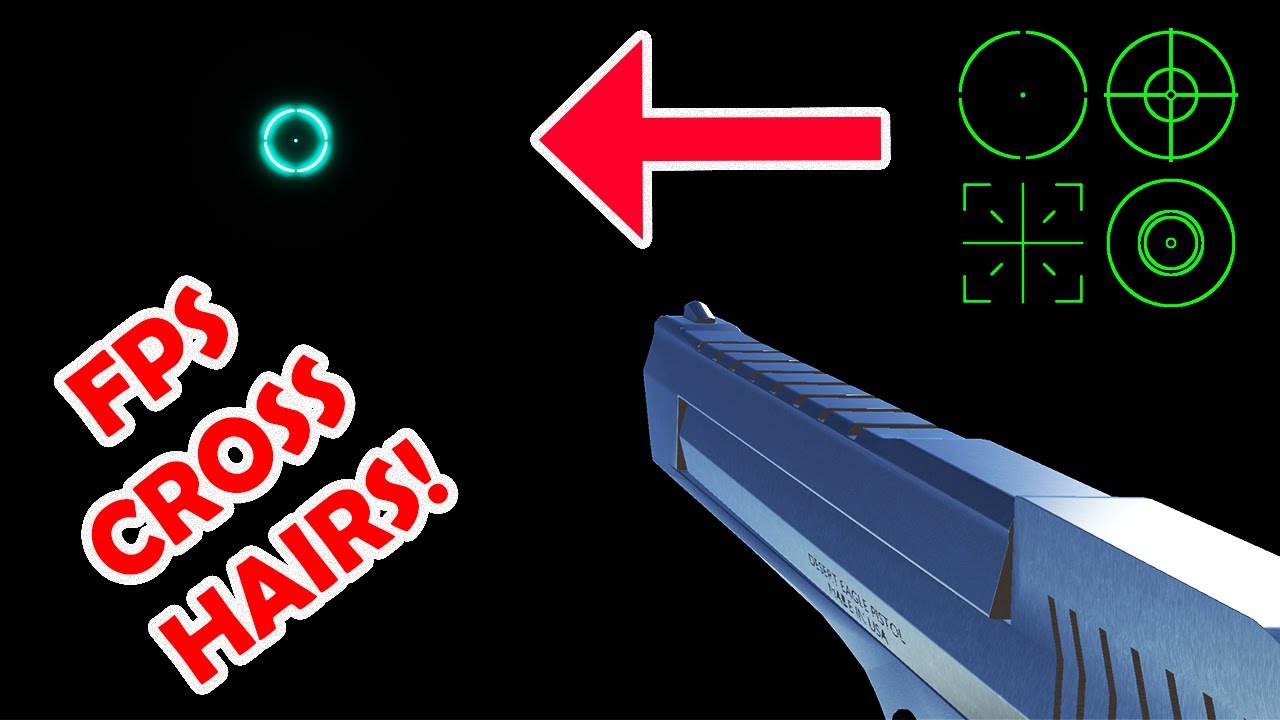
#unity3d #unityfps #fps
I am back with another Unity FPS tutorial! And this time we will be looking at how to create a crosshairs for your FPS game.
I used substance designer to create a texture consisting of a few crosshairs, Substance designer is quickly becoming my go to for creating textures for use in my game development projects. The ea...
scarlet skiff
polar acorn
If you can make _this_ object a singleton, that probably means you can make all ...
well there will only be one player so id say they would work as singletons
right?
polar acorn
scarlet skiff
well there will only be one player so id say they would work as singletons
I can't really answer if these are proper singleton candidates. Are all of these objects cases where there is always exactly one instance of these objects in every scene?
scarlet skiff
polar acorn
I can't really answer if these are proper singleton candidates. Are all of these...
id say yea, in every scene where this singleton will be used, there will be the player
polar acorn
scarlet skiff
id say yea, in every scene where this singleton will be used, there will be the ...
If everything this script would have referenced can be made a singleton, just make them the singleton and reference them that way
 humble fable
What is this error?

using System.Collections;
using System.Collections.Generic;
using UnityEngine;
public class PipeSpawnScript : MonoBehaviour
{
public GameObject pipe;
public float spawnRate = 2;
private float tomer = 0;
// Start is called before the first frame update
void Start()
{
    spawnPipe();
}

// Update is called once per frame
void Update()
{
    if (timer < spawnRate)
    {
       timer = timer + time.deltaTime;
    }
    else
    {
       spawnPipe();
       timer = 0;
    }
}
void.spawnPipe();
{
Instantiate(pipe, transform.position, transform.rotation);
}
}
using System.Collections;
using System.Collections.Generic;
using UnityEngine;
public class PipeSpawnScript : MonoBehaviour
{
public GameObject pipe;
public float spawnRate = 2;
private float tomer = 0;
// Start is called before the first frame update
void Start()
{
    spawnPipe();
}

// Update is called once per frame
void Update()
{
    if (timer < spawnRate)
    {
       timer = timer + time.deltaTime;
    }
    else
    {
       spawnPipe();
       timer = 0;
    }
}
void.spawnPipe();
{
Instantiate(pipe, transform.position, transform.rotation);
}
}
polar acorn
humble fable
using System.Collections;
using System.Collections.Generic;
using UnityEngine;
...
!code
eternal falconBOT
Posting code
📃 Large Code Blocks
Use links to services like:
https://gdl.space/, https://paste.ofcode.org/, https://hatebin.com/, https://paste.myst.rs/, https://hastebin.com/
📃 Inline Code
Surround code with three backquotes. Not quotation marks.
To format as C#, add cs to the first line:
```cs
// Your code here
```
Add a comment with a line number if there is an error message.
slender nymph
humble fable
using System.Collections;
using System.Collections.Generic;
using UnityEngine;
...
configure your !IDE so you don't make silly syntax errors like the ones you have demonstrated
eternal falconBOT
💡 IDE Configuration
If your IDE is not autocompleting code
or underlining errors, please configure it.
Select one:
• Visual Studio (Installed via Unity Hub)
• Visual Studio (Installed manually)
• VS Code
• JetBrains Rider
• Other/None
humble fable
slender nymph
configure your !IDE so you don't make silly syntax errors like the ones you have...
What is an !IDE
eternal falconBOT
💡 IDE Configuration
If your IDE is not autocompleting code
or underlining errors, please configure it.
Select one:
• Visual Studio (Installed via Unity Hub)
• Visual Studio (Installed manually)
• VS Code
• JetBrains Rider
• Other/None
polar acorn
humble fable
What is an !IDE
It's a bot command that brings up the instructions you didn't read
humble fable
I started today
slender nymph
humble fable
What is an !IDE
the world may never know
 polar acorn
for how to configure your IDE
humble fable
What is an IDE
swift sedge
humble fable
What is an !IDE
Integrated Development Environment
polar acorn
The thing you type code in
swift sedge
it has syntax highlighting, intellisense, project management, build tools, etc
scarlet skiff
polar acorn
If _everything_ this script would have referenced can be made a singleton, just ...
wouldnt it be easier to just make one, and in there i collect all the scripts i want to reference
idk anymore
carmine sierra
cunning rapids
Make sure this is your script class ```using UnityEngine.EventSystems;
public c...
i still dont understand
the documentation for all these things doesnt help me get what im meant to do with them
humble fable
I've done it now
polar acorn
humble fable
I've done it now
Okay, so do you have red underlines in your code?
swift sedge
humble fable
What is an !IDE
what im wondering is what you were using when you created that code...
humble fable
C#
humble fable
polar acorn
Okay, so do you have red underlines in your code?
Ah, Didn't realize i could scroll down
carmine sierra
how can I detect a mouse hover over a button/image ui
cause it already detects as it highlights
swift sedge
before learning the unity API, you need to know C#, to learn C# you need an IDE and know what an IDE is
rocky canyon
carmine sierra
how can I detect a mouse hover over a button/image ui
you can add event trigger component to the button and call custom methods
carmine sierra
ohh thanks
slender nymph
carmine sierra
how can I detect a mouse hover over a button/image ui
use the event system interfaces like IPointerEnterHandler
carmine sierra
and is point enter the correct one
 crimson sinew
humble fable
C#
crimson sinew
humble fable
C#
The text editor, not the language lol
 lethal bolt
where do i open det animation rigging i have downloaded it?
swift sedge
VS Code is a text editor but has syntax highlighting and intellisense tho...
cunning rapids
carmine sierra
the documentation for all these things doesnt help me get what im meant to do wi...
using UnityEngine.EventSystems;

public class ExampleScript : MonoBehaviour, IPointerEnterHandler, IPointerExitHandler
{
    public void OnPointerEnter(PointerEventData eventData)
    {
    }

    public void OnPointerExit(PointerEventData eventData)
    {
    }
}``` rocky canyon
lethal bolt
where do i open det animation rigging i have downloaded it?
rocky canyon
lethal bolt
where do i open det animation rigging i have downloaded it?
should have a brand new button at the top
humble fable
It's just errors
rocky canyon
you have to install the net SDK
carmine sierra
cunning rapids
```using UnityEngine;
using UnityEngine.EventSystems;
public class ExampleScrip...
i dont understand the paramters pointeventdata eventdata
lethal bolt
rocky canyon
should have a brand new button at the top
That happend last time, but not this time
humble fable
rocky canyon
you have to install the net SDK
Where can i download
swift sedge
carmine sierra
i dont understand the paramters pointeventdata eventdata
you can go to the definition to learn what it returns...
or look up the docs
carmine sierra
swift sedge
you can go to the definition to learn what it returns...
i did and i still dont get what the paramters are
lethal bolt
rocky canyon
should have a brand new button at the top
Found out
cunning rapids
carmine sierra
i dont understand the paramters pointeventdata eventdata
It's one parameter. PointerEventData just holds the information of the pointer event that triggered the method. Such as the position, what gameobject it entered, etc. You don't really have to know
humble fable
polar acorn
Okay, so do you have red underlines in your code?
Yes now It's showing red lines
polar acorn
humble fable
Yes now It's showing red lines
That should give you some hints as to what the problem is
humble fable
But i still don't understand
swift sedge
humble fable
But i still don't understand
you need to install c# before using c#
 swift elbow
humble fable
swift elbow
humble fable
You should learn c# before continuing
carmine sierra
cunning rapids
It's one parameter. PointerEventData just holds the information of the pointer e...
where would the script go, inside of the UI which you want to detect mouse hovers for? Also does that mean it doesn't need any parameters (like update or start)
humble fable
Do you have a tutorial?
slender nymph
humble fable
Do you have a tutorial?
there are beginner c# courses pinned in this channel
frigid sequoia
frigid sequoia
Give me a sec, I am with something else, I will explain it better in a moment
Ok so in order: 1 is the interface in edit mode; 2 is the layout; 3 is the UI in game before getting glitched; 4: is the bar missing after taking damage and doing the shake effect; 5 is me changing the resolution to reload it and now it shows; if I take damage again is goes missing again. 6 is me moving the main layout container a bit, it makes this weird mask-like effect, it does no affect anything else in the UI aside from the healthbars


 humble fable
slender nymph
there are beginner c# courses pinned in this channel
humble fable
slender nymph
there are beginner c# courses pinned in this channel
where
slender nymph
in the pinned messages . . .
 dreamy urchin
Guys, I've been workin on it for like a week (my first game) and all drawings are made by me (I suck at drawing 😦 ), can you suggest something to add because I don't have a lot of ideas rn, maybe with some help I'll know what to do
rocky canyon
check ur spellings homie.. you have tomer you have timer you have spawnPipe() void void.
its all over the place
frigid sequoia
frigid sequoia
Ok so in order: 1 is the interface in edit mode; 2 is the layout; 3 is the UI in...
@cunning rapids
swift elbow
dreamy urchin
Guys, I've been workin on it for like a week (my first game) and all drawings ar...
swift elbow
frigid sequoia
Ok so in order: 1 is the interface in edit mode; 2 is the layout; 3 is the UI in...
Why does the res on your numbers get so bad in the 5th pic? I thought you only changed the bar's res
frigid sequoia
swift elbow
Why does the res on your numbers get so bad in the 5th pic? I thought you only c...
Yeah, to a lesser res XD
polar acorn
humble fable
Take a look at your spawnPipe function. Do you notice a problem that none of the other methods have
swift elbow
frigid sequoia
Ok so in order: 1 is the interface in edit mode; 2 is the layout; 3 is the UI in...
It sounds like whatever shake affect you're applying thru code is what's making this happen
If you make and play an animation it would be a lot easier
rocky canyon
Tween it
carmine sierra
if i am using destroy on a variable does it also destroy the variable
itselg
not just it's contents
slender nymph
wdym by "destroy the variable"? the Object.Destroy method just destroys a UnityEngine.Object. it does nothing at all to your variables
rocky canyon
pretty sure u cant destroy a variable at runtime
carmine sierra
slender nymph
wdym by "destroy the variable"? the Object.Destroy method just destroys a UnityE...
oh okay well i used Destroy()
slender nymph
yes that is Object.Destroy
frigid sequoia
This is what causes the shake, it worked before

I don't think I have changed anything...
scarlet skiff
i cant reference objects that are in the scene when it comes to singleton patterns 🫠
 wintry quarry
frigid sequoia
This is what causes the shake, it worked before
wintry quarry
frigid sequoia
This is what causes the shake, it worked before
This code is very framerate dependent
slender nymph
scarlet skiff
i cant reference objects that are in the scene when it comes to singleton patter...
prefabs cannot reference in-scene objects. nor can you drag a reference from one scene to another
https://unity.huh.how/references/prefabs-referencing-components
frigid sequoia
wintry quarry
This code is very framerate dependent
It is, I don't think it matters, it always resets to the initial position anyways
wintry quarry
frigid sequoia
This is what causes the shake, it worked before
where does `startincContentPanelPosition come from
frigid sequoia

 slender nymph
why wouldn't that be valid
carmine sierra
cause my script is bugging
swift elbow
carmine sierra
cause my script is bugging
Debug.Log is cosmetic at heart, but useful in the real world
 wraith valley
GetComponent<Renderer>().material.color
Does that mean take a rendering component?
carmine sierra
swift elbow
Debug.Log is cosmetic at heart, but useful in the real world
thanks for your wisdom
ill try it
 vocal marlin
https://paste.myst.rs/2se0wu71
can someone tell me why only the heavyAttack input actually does all the stuff in my coroutine, it's acting really weird
a powerful website for storing and sharing text and code snippets. completely free and open source.
wraith valley
carmine sierra
just want to confirm that this is valid
Nice colors
How do you do this?
carmine sierra
wraith valley
How do you do this?
the colours?
vocal marlin
vocal marlin
https://paste.myst.rs/2se0wu71
can someone tell me why only the heavyAttack inpu...
the coroutine is getting called in both cases but not all of the stuff is happening
wraith valley
carmine sierra
the colours?
Yes
carmine sierra
its called halycyon theme
wraith valley
Thanks
slender nymph
vocal marlin
https://paste.myst.rs/2se0wu71
can someone tell me why only the heavyAttack inpu...
if heavyAttack was not pressed this frame then player.currentState is set to PlayerState.idle
wraith valley
wraith valley
```cpp
GetComponent<Renderer>().material.color
```
Does anyone can answer?
swift elbow
wraith valley
Does that mean take a rendering component?
Yes, you are accessing the material color of the renderer component
vocal marlin
slender nymph
if heavyAttack was not pressed this frame then player.currentState is set to Pla...
no the heavy attack is working, but the lightAttack isnt
vocal marlin
slender nymph
if heavyAttack was not pressed this frame then player.currentState is set to Pla...
oh wait
wraith valley
swift elbow
Yes, you are accessing the material color of the renderer component
Thanks
slender nymph
vocal marlin
oh wait
did you finally realize what i was getting at?
vocal marlin
slender nymph
did you finally realize what i was getting at?
yep
vocal marlin
slender nymph
did you finally realize what i was getting at?
ty
cunning rapids
frigid sequoia
<@1015230037697499147>
I'm back hello
I'm pretty sure you have to shake the health bar along with the background
It looks like the background overlaps the bar
 harsh vault
Idk why but when I press the A and D keys sometimes the character defaults back to the idle state but moves while in idling

 tender stag
SetEquipment(GetEquipment(GetCurrentEquipment(cell).itemData).inventory, true);```

```private void SetEquipment(GameObject gameObject, bool active)
{
    if(gameObject != null)
    {
        gameObject.SetActive(active);
    }
}```i get a NullReferenceException: Object reference not set to an instance of an object on this line if(gameObject != null)
polar acorn
tender stag
i get a `NullReferenceException: Object reference not set to an instance of an o...
Is that actually the line the error is on?
tender stag
its on if(gameObject != null)
rich adder
tender stag
```SetEquipment(GetEquipment(GetCurrentEquipment(cell).itemData).clothingModel, ...
no way null check wouold throw null ref would it
polar acorn
That line cannot throw that error
polar acorn
Did you make sure to save all your scripts and clear the console?
rich adder
why is your local var named gameObject :\
tender stag
that was just for testing
polar acorn
tender stag
`gameObject.SetActive(active);`
Okay, that one can be null. I think it's due to Unity's weird == null override thing that's been confusing as hell for like ten years. Try if (gameObject is not null) instead. Also change the name of that variable
tender stag
u know the model i pass into the method

it can be null
like this SetEquipment(GetEquipment(GetCurrentEquipment(cell).itemData).clothingModel, true); returns either a null value or a game object
polar acorn
Right. And Unity does some fucky stuff iwth GameObjects and == null, which is why I'm suggesting you use is not null instead
tender stag
polar acorn
Right. And Unity does some fucky stuff iwth GameObjects and `== null`, which is ...
i tried it
same thing
polar acorn
tender stag
u know the `model` i pass into the method
It looks like your IDE has something to say about that if statement, hover over those three dots. What does it say?
slender nymph
polar acorn
Right. And Unity does some fucky stuff iwth GameObjects and `== null`, which is ...
but the is not null would do a pure null check and wouldn't be true if the object is destroyed whereas the current comparison to null should work just fine
tender stag
polar acorn
It looks like your IDE has something to say about that if statement, hover over ...
 slender nymph
tender stag
u know the `model` i pass into the method
slender nymph
tender stag
u know the `model` i pass into the method
show the full stack trace for the error
polar acorn
slender nymph
but the `is not null` would do a pure null check and wouldn't be true if the obj...
Yeah, you're right. != null should be more inclusive, not less

 polar acorn
tender stag
polar acorn
tender stag
Can you share the !code of EquipmentManager (use a bin with line numbers)
eternal falconBOT
Posting code
📃 Large Code Blocks
Use links to services like:
https://gdl.space/, https://paste.ofcode.org/, https://hatebin.com/, https://paste.myst.rs/, https://hastebin.com/
📃 Inline Code
Surround code with three backquotes. Not quotation marks.
To format as C#, add cs to the first line:
```cs
// Your code here
```
Add a comment with a line number if there is an error message.
rich adder
yea..
slender nymph
tender stag
yeah that makes more sense. there are several objects on that line that could be null
polar acorn
tender stag
So, after we asked you twice what line it was on you gave us two different answers, neither of which were correct
tender stag
sorry about that
polar acorn
Why did you not just actually check instead of guessing twice
harsh vault
Would I need to post the code in links if its up to about 70 lines of code?
 tender stag
tender stag
tender stag
cause this works
polar acorn
tender stag
Store things in variables
slender nymph
tender stag
that's not the null part though. that final item wouldn't be what throws.
polar acorn
Store GetCurrentEquipment(cell) in a variable. Then store the itemData in another. And so on
slender nymph
it is either cell, GetCurrentEquipment(cell) or GetEquipment(GetCurrentEquipment(cell).itemData that is throwing an NRE
also for the love of god break that up into multiple lines so you can reuse the objects and so it is more clear what exactly is throwing
harsh vault
https://paste.ofcode.org/7xe5XwBWKPRFYxCHnR7tAS This one keeps doing this bug where it allows the idle state to animate will moving.
slender nymph
you probably need to check your transition settings in the animator
polar acorn
harsh vault
https://paste.ofcode.org/7xe5XwBWKPRFYxCHnR7tAS This one keeps doing this bug wh...
Looks like you're basing your movement speed off of the Vector, but your animation based on key press/release. If your axis has smoothing, it doesn't instantly become 0 the frame you release it, it slowly goes back down to 0. So you immediately change animations but there's still some input left on the axis. You should stick to one or the other
Use the input vector for everything
 gleaming kraken
what's the difference between IsTrigger being checked and not being checked?
polar acorn
gleaming kraken
what's the difference between IsTrigger being checked and not being checked?
Trigger colliders are not solid, things can freely pass through them, but they still provide physics events (OnTrigger instead of OnCollision)
flint falcon
I have a movement system for 2d space ship that follows the mouse for direction. but if you stop moving the mouse and it reaches it than to sprite shakes back and forth. how can i go about stopping that
slender nymph
gleaming kraken
what's the difference between IsTrigger being checked and not being checked?
gleaming kraken
polar acorn
Trigger colliders are not solid, things can freely pass through them, but they s...
oh so the same thing as colliders but you don't touch them?
I see, thank you
polar acorn
gleaming kraken
oh so the same thing as colliders but you don't touch them?
For the most part, yes
rich adder
flint falcon
I have a movement system for 2d space ship that follows the mouse for direction....
check distance from worldMouse, if too close don't do the flippy thingy
flint falcon
@rich adder and those videos have been a huge help im still working through them
i fixed the nonsense from last night since I didn't even realize those were functions you were telling me
tender stag
slender nymph
that's not the null part though. that final item wouldn't be what throws.

alright this works
thanks
harsh vault
polar acorn
Use the input vector for everything
Ohh ok thank you!
slender nymph
tender stag
please learn how to use local variables so you aren't calling the same exact method 3 times
polar acorn
harsh vault
Ohh ok thank you!
It looks like you can pretty cleanly set that animator parameter to horizontal.magnitude, assuming the parameter is a float and can accept decimals
 stone pilot
why when i die then respawn and dash this happens (it dashes me backward opposites the way am moving)
player movement code https://codeshare.io/ApKxyw
player death code https://codeshare.io/MkjxJe
polar acorn
tender stag
Please for the love of Gaben store that GetEquipment result in a variable you're using it three times
rich adder
lord gaben
gleaming kraken
isn't lord gaben the creator of steam
frigid sequoia
cunning rapids
It looks like the background overlaps the bar
Seems so, but I am pretty sure the whole container is moving so...
 frigid sequoia
I don't know how anything could be in front....
gleaming kraken
rich adder
i am very much so confused on why you chose to send a picture of you replying to me and yet it meant you sent it as text but I wasn't pinged twice and only once for this reply, am I going insane?
rich adder
gleaming kraken
i am very much so confused on why you chose to send a picture of you replying to...
eh my original reply was text but deleted by Dyno Regex
so I got lazy and sent the SS of it
maiden yarrow
I want to make something that stores an array of prefabs how do I do so?
summer stump
gleaming kraken
i am very much so confused on why you chose to send a picture of you replying to...
Regex filtering. It was too short
slender nymph
maiden yarrow
I want to make something that stores an array of prefabs how do I do so?
perhaps by using an array?
rich adder
maiden yarrow
I want to make something that stores an array of prefabs how do I do so?
public Transform[] Myprefabs
maiden yarrow
slender nymph
perhaps by using an array?
yes I tried doing so with
public PrefabType[] cardSprites;
but it won't work
maiden yarrow
rich adder
`public Transform[] Myprefabs`
thanks
rich adder
maiden yarrow
yes I tried doing so with
```public PrefabType[] cardSprites;```
but it won't w...
this works fine, what you mean " wont work"
harsh vault
polar acorn
It looks like you can pretty cleanly set that animator parameter to `horizontal....
Where the 0 and the 1s are?
slender nymph
maiden yarrow
yes I tried doing so with
```public PrefabType[] cardSprites;```
but it won't w...
do you have a component called PrefabType? if so, that would absolutely work
maiden yarrow
rich adder
this works fine, what you mean " wont work"
it won't spawn them
maiden yarrow
slender nymph
do you have a component called PrefabType? if so, that would absolutely work
no
rich adder
maiden yarrow
it won't spawn them
show entire code
slender nymph
maiden yarrow
no
well no wonder it didn't work, you can't just use things that don't exist
polar acorn
harsh vault
Where the 0 and the 1s are?
Yes, just set the animation parameter directly to the magnitude of your movement vector
summer stump
maiden yarrow
it won't spawn them
Well that is an entirely separate issue
rich adder
flint falcon
I have a movement system for 2d space ship that follows the mouse for direction....
did you figure this one out ?
flint falcon
im working it out now and going slow
summer stump
maiden yarrow
it won't spawn them
Use the suggested Transform[]
Or use a component that exists. Like I have a Unit[] of prefabs for my various Units that I can spawn. This means I MADE a class called Unit. Thus the type exists
maiden yarrow
summer stump
Use the suggested Transform[]
Or use a component that exists. Like I have a Unit...
okay so if I want it to spawn I go Instantiate(transform); or Instantiate(cardSprites);??
flint falcon
rich adder
did you figure this one out ?
kinda stuck but I'll get it just need to figure out the best way to implement it
summer stump
maiden yarrow
okay so if I want it to spawn I go ```Instantiate(transform);``` or ```Instantia...
Neither
rich adder
maiden yarrow
okay so if I want it to spawn I go ```Instantiate(transform);``` or ```Instantia...
no..thats not how indices work
slender nymph
maiden yarrow
okay so if I want it to spawn I go ```Instantiate(transform);``` or ```Instantia...
there are beginner c# courses pinned in this channel if you do not understand how arrays work
cunning rapids
rich adder
Valve created steam. Gabe newell is the founder if valve
maiden yarrow
I understand how an array works. but now how instantiate works😭
rich adder
cunning rapids
Valve created steam. Gabe newell is the founder if valve
and you're replying this to me why?
summer stump
maiden yarrow
I understand how an array works. but now how instantiate works😭
Your error is only with how arrays work
Instantiate WAS fine if cardSprites was a variable
slender nymph
maiden yarrow
I understand how an array works. but now how instantiate works😭
Instantiate is just a method like any other method. it takes a single object as its first parameter, not an entire array
rich adder
maiden yarrow
I understand how an array works. but now how instantiate works😭
you pass the specific / random one you want from array
summer stump
The ONLY thing you need to do is access the array properly
swift elbow
maiden yarrow
I understand how an array works. but now how instantiate works😭
use a for loop
maiden yarrow
rich adder
you pass the specific / random one you want from array
ohhh so instantiate(transform[0])??
summer stump
swift elbow
use a for loop
It seems like they want to instantiate a specific item from the array
rich adder
maiden yarrow
ohhh so ```instantiate(transform[0])```??
why is your array named transform ?
harsh vault
polar acorn
Yes, just set the animation parameter directly to the magnitude of your movement...
I cant find magnitude for some reason. When I type it in nothing comes up
summer stump
cardSprites[0]
harsh vault
Do I gotta set it?
summer stump
@maiden yarrow You have to access an array by its variable name, not the type of course.
Again, this is a basic c# issue with arrays.
Not related to Instantiate
polar acorn
harsh vault
I cant find magnitude for some reason. When I type it in nothing comes up
Oh wait, it's a 1D axis not a 2D one, so it's just a float. No magnitude needed
just use the value
rich adder
maiden yarrow
ohhh so ```instantiate(transform[0])```??
Instantiate(cardSprites[theIndex])
harsh vault
polar acorn
just use the value
So just use horizontal?
polar acorn
Yeah that should be fine
harsh vault
polar acorn
Yeah that should be fine
It works but only on the d key. The a key does not want to animate to the walk state
polar acorn
harsh vault
It works but only on the d key. The a key does not want to animate to the walk s...
Oh, right, you probably don't have the animation set up to accept a negative. Try Mathf.Abs(horizontal) instead
cunning rapids
rich adder
and you're replying this to me why?
Because I assumed you corrected "gaben" to valve
Even though they're both true
polar acorn
cunning rapids
Because I assumed you corrected "gaben" to valve
I believe they were trying to correct steam to valve
cunning rapids
Ah my bad
harsh vault
polar acorn
Oh, right, you probably don't have the animation set up to accept a negative. Tr...
It worked! Thank you!


 swift crag
Camera.main looks for a game object tagged with MainCamera and tries to get a Camera from it
(the camera is cached, so it doesn't literally do a find-with-tag and a get-component every time you use it)
swift crag
are you having a problem?
swift elbow
scarlet skiff
so yes, but doesnt update
How do you know? Are you checking with debug.log or is your var public?
flint falcon
@rich adder nope i failed back to my videos
scarlet skiff
swift elbow
How do you know? Are you checking with debug.log or is your var public?
thats.. just.. how i understood what they said
tender stag
how can i refresh a canvas through script?
swift elbow
scarlet skiff
thats.. just.. how i understood what they said
oh i thought you meant the var wasnt being set properly oops
swift elbow
tender stag
how can i refresh a canvas through script?
wdym by refresh?
rich adder
flint falcon
<@968604165150507078> nope i failed back to my videos
wdym
tender stag
swift elbow
wdym by refresh?
like u know scroll rect
and other canvas components
i need them to update
in a specific moment
flint falcon
tried creating a dead zone and turning the rb.velocity to 0
wait a second i need to use the magnitude I think
 crimson ibex
Hello. I am unable to build "Mobile 3d" template on an android device. I can successfully build regular 3d templates on android. Error thrown :-
Exception while marshalling C:\Program Files\Unity\Hub\Editor\2022.3.20f1\Editor\Data\PlaybackEngines\AndroidPlayer\SDK\build-tools\32.0.0\package.xml. Probably the SDK is read-only
I have installed adaptive performance. This is empty "Mobile 3d" template , via Unity Hub. And I can build non-mobile teplates on android (without and with adaptive performance)
swift crag
tender stag
i need them to update
what is the problem you're trying to solve?
tender stag
i'll show u in a minute
swift crag
https://docs.unity3d.com/ScriptReference/Canvas.ForceUpdateCanvases.html can be used to forcibly update all canvases
rich adder
flint falcon
tried creating a dead zone and turning the rb.velocity to 0
send current code
use link
flint falcon
!code
eternal falconBOT
Posting code
📃 Large Code Blocks
Use links to services like:
https://gdl.space/, https://paste.ofcode.org/, https://hatebin.com/, https://paste.myst.rs/, https://hastebin.com/
📃 Inline Code
Surround code with three backquotes. Not quotation marks.
To format as C#, add cs to the first line:
```cs
// Your code here
```
Add a comment with a line number if there is an error message.
flint falcon
Hastebin is a free web-based pastebin service for storing and sharing text and code snippets with anyone. Get started now.
rocky canyon
<i wish more ppl would kill their embeds>
 tawny hedge
hi, im having a bit of an issue with triggers, objects are passing through each other, everything seems to be correct in the code, but nothing in the event or script is actually triggering, this was working before i started trying out the new input system, i must've ticked, removed, or unticked something to produce this problem but can't for the life of me figure out what the issue is! 😂
tawny hedge
thank you, ill give it a read and go through now
rich adder
flint falcon
https://hastebin.com/share/iyopojujoz.csharp
first , why isn't your direction Normalized()
also thought you mentioned a sprite, if you don't want it to move instead of setting vel 0 just make bool and exclude input
tender stag
swift crag
what is the problem you're trying to solve?
u see how its not getting updated?
i had to minimize the window
for it to update
swift crag
that sounds more like a problem with your UI layout
for example -- perhaps you've got ContentSizeFitters in places they do not belong
flint falcon
rich adder
first , why isn't your direction Normalized()
Where exactly. i had it at one point but i believe it was giving me an error
tender stag
swift crag
for example -- perhaps you've got ContentSizeFitters in places they do not belon...
probably
flint falcon
most likely being my fault at the time
swift crag
That UI on the right should be layout groups all the way down
- Inventories <-- VerticalLayoutGroup
- Inventory <-- VerticalLayoutGroup
- Title
- Grid <-- GridLayout
- Inventory <-- VerticalLayoutGroup
bah, sec
rich adder
flint falcon
Where exactly. i had it at one point but i believe it was giving me an error
  Vector2 direction = new(mousePosition.x - transform.position.x, mousePosition.y - transform.position.y);
direction.Normalize();
        transform.up = direction;


 swift crag
tender stag
swift crag
tender stag
If you ever see this, your UI is set up incorrectly!
 tender stag
oh
swift crag
Do you mean to have one very large scroll area?
so that you scroll up and down to go through different kinds of inventory grids
tender stag

i could just have this
and it would work
but i want the categories
like Chest, Legs
etc

thats why i had it like this
with extra content size fitters
swift crag
- ScrollRect <-- ScrollRect, no layout group
- Mask <-- Mask, no layout group
- Content <-- ContentSizeFitter, VerticalLayoutGroup
- Head <-- VerticalLayoutGroup
- Title <-- no layout group, just a TextMeshPro to display the word "Head"
- Grid <-- GridLayoutGroup
- Grid Cell <-- no layout group, just an image or whatever
- Content <-- ContentSizeFitter, VerticalLayoutGroup
- Mask <-- Mask, no layout group
swift crag
The default "Scroll View" preset is roughly what you need
tawny hedge
for some reason some boxes were unticked
swift crag
you just need to throw in the content size fitter and the vertical layout group on the "Content" object
The ContentSizeFitter reszies its own object to fit the content in its children.
The VerticalLayoutGroup asks its children about how much space they want, then asks for at least that much (plus more for spacing, margins, etc.)
It's vital that you have layout groups all the way down.
tawny hedge
tawny hedge
for some reason some boxes were unticked
default was unticked, re ticked and now works (:
swift crag
If each category has a ContentSizeFitter, then it will try to resize itself
tender stag
im so confused
swift crag
rather than just asking its parent for the space it needs.
tender stag
so remove the content size fitters?
flint falcon
rich adder
```cs
Vector2 direction = new(mousePosition.x - transform.position.x, mousePos...
I think this was last night when I was trying to understand exactly what normalized was and in this mouse movement set up I couldnt notice a difference and I forgot to put it back
swift crag
tender stag
so remove the content size fitters?
Correct. Your UI should be laid out like this #💻┃code-beginner message
flint falcon
flint falcon
I think this was last night when I was trying to understand exactly what normali...
but your right since I am only using it for the direction It should be normalized if I remeber correctly
rich adder
flint falcon
I think this was last night when I was trying to understand exactly what normali...
normalizing makes the length a max of 1
which is very useful for only needing direction for example as it keeps it consistent
flint falcon
rich adder
normalizing makes the length a max of 1
Yes that's what I was reading l, I was taking it out and putting it back in to see if I could tell the difference cause I don't fully understand the concept
rich adder
flint falcon
Yes that's what I was reading l, I was taking it out and putting it back in to s...
imagine you pass direction as is to a weapon shooting bullet, the bullet will now be faster depending how far the distance is from firepoint to mousePos for example
tender stag
swift crag
- ScrollRect <-- ScrollRect, no layout group
- Mask <-- Mask, no layout group
...


its still giving me the warning
on the content size fitter
its because of the scroll rect
when i disable it its gone
swift crag
go to GameObject -> UI -> Scroll View
observe how that is laid out
You are missing the intermediate "Viewport" object.

 buoyant knot
in general, that menu will set up a bunch of gameobjects in a default config that should be functional
rich adder
flint falcon
Yes that's what I was reading l, I was taking it out and putting it back in to s...
look at the differences between the two numbers
 swift crag
note that this is a #📲┃ui-ux problem, so we should move the question there
it's not a code problem
gleaming kraken
oh wow
flint falcon
rich adder
imagine you pass direction as is to a weapon shooting bullet, the bullet will no...
Let me see if I understand correctly. With normalized my direction max is pretty much always 1. Without it if my direction max is let's say 10 that messes up all my movement equations
rich adder
flint falcon
Let me see if I understand correctly. With normalized my direction max is pretty...
when you don't normalize there is no max, you're getting the full "length"
buoyant knot
flint falcon
Let me see if I understand correctly. With normalized my direction max is pretty...
a normalized vector is dimensionless, and of length 1
 vivid igloo
https://youtu.be/f6KaJHUfE2M?si=2ZpexB-kt8U3_Myr
Can anyone halp me download the package in this video?

Learn how to optimize the performance of your game by automatically combining meshes, significantly reducing draw calls using the free HLOD tool from Unity. Hierarchical Level of Detail is a great tool to boost the FPS of your game, especially when you have large view distances with complex geometry!
💸 Ongoing sales 💸
⚫ Check out the latest Hum...
flint falcon
Now I understand! My test screen was so small I couldn't see it but that makes perfect sense now
buoyant knot
if your displacement vector is 5 meters right, then the normalized vector is (1,0) dimensionless
rich adder
vivid igloo
https://youtu.be/f6KaJHUfE2M?si=2ZpexB-kt8U3_Myr
Can anyone halp me download th...
aint watching a whole 12 min video to find the asset,
just link to the spot or just screenshot it
vivid igloo
rich adder
aint watching a whole 12 min video to find the asset,
It is a github repo
buoyant knot
flint falcon
Now I understand! My test screen was so small I couldn't see it but that makes p...
keep track of your units carefully.
World space is in meters. Screen space is in pixels, and canvas space is in unscaled pixels. They are not the same
rich adder
vivid igloo
It is a github repo
so just download it
vivid igloo
rich adder
so just download it
How?
rich adder
vivid igloo
How?
big green button on github page
flint falcon
buoyant knot
keep track of your units carefully.
World space is in meters. Screen space is in...
Maybe that's why my dead zone idea near the mouse isn't working
buoyant knot
and the program doesn’t understand units, only numbers. so you need to keep track of units
rich adder
flint falcon
Maybe that's why my dead zone idea near the mouse isn't working
ehh prob just bad logic there
vivid igloo
rich adder
big green button on github page
How to add it to unity
rich adder
vivid igloo
How to add it to unity
did you read the instructions on the Github repo
flint falcon
@rich adder give me a hint
vivid igloo
rich adder
did you read the instructions on the Github repo
Ye it told me to clone the thing
And thats it
buoyant knot
yeah, so if your canvas is rescaled based on 720 p, and your screen is 1080p, then a distance of 10 unscaled pixels on your canvas (canvas space) is 10 * 1080/720 pixels in screen space. Canvas has a method to give the current ratio.
rich adder
vivid igloo
Ye it told me to clone the thing
yes you need Git and know how it works to clone
or just download the repo
vivid igloo

GitHub
Contribute to Unity-Technologies/HLODSystem development by creating an account on GitHub.
rich adder

 spiral narwhal
There's literally an entire how to download section in the repo readme 😭
rocky canyon
download the zip
pull the folders into ur project.. (check documentation) to set up anything thats missing
or else learn github and just clone it
ah, yea may be best to just clone it.. readme says theres submodules needed for a fully working project
 formal raptor
for smart strings in localization, how to set a number to appear unsigned?
spiral narwhal
Make it smart and then format it to be Math.Abs
formal raptor
I am using the signal to decide if the number will jump to left or right
I will try this
spiral narwhal
formal raptor
I will try this
Sure. Let me know, I'm interested to see how you did it using those conditionals (never used them in localisation before)
 ionic zephyr
Hi guys I am having trouble with my ability system, I dont really know how to face it, the thing is I want each of my characters to have different habilities (take pokemon attacks as an example), How could I program that, any ideas? Ive been stuck with this almost for a week please help
modest dust
ionic zephyr
Hi guys I am having trouble with my ability system, I dont really know how to fa...
Same thing I wrote earlier, interaces, etc.
But yeah, as navarone says, it ain't a simple thing
ionic zephyr
modest dust
Same thing I wrote earlier, interaces, etc.
But yeah, as navarone says, it ain't...
It aint bro, Im really lost
ionic zephyr
modest dust
Same thing I wrote earlier, interaces, etc.
But yeah, as navarone says, it ain't...
thanks for yesterday btw I went to sleep
ionic zephyr
rich adder
look into scriptable objects as well
Each of my Characters in roster has an scriptable object (EntityData)
flint falcon
Ahhhh
ionic zephyr
modest dust
Same thing I wrote earlier, interaces, etc.
But yeah, as navarone says, it ain't...
I worked on the interfaces thing yesterday and I was really lost
rich adder
ionic zephyr
Each of my Characters in roster has an scriptable object (EntityData)
https://www.google.com/search?q=pokemon+ability+system+unity lots of results here
modest dust
ionic zephyr
I worked on the interfaces thing yesterday and I was really lost
I can describe the way I would do it, in a bit more details if you want
But generally there are a lot of resources online
Which you can learn from
ionic zephyr
modest dust
But generally there are a lot of resources online
yes, I searched a lot yesterday
ionic zephyr
modest dust
But generally there are a lot of resources online
if you want I can describe my progress
and If it is possible you can help me
modest dust
ionic zephyr
if you want I can describe my progress
Describe what you've already got, and what kind of goal you have in mind
ionic zephyr
Okay, thanks, let me tell you
I have an "ActivateAbility" interface with which I´ll describe the effect of each hability in separate scripts with classes that describe these abilities. Example: class Fireball:IEffects {ActivateAbility(){//ability behaviour}
ionic zephyr
modest dust
Describe what you've already got, and what kind of goal you have in mind
but the thing is how can I make sure that every character has some specfific habilities and how can I organize it
the goal is to create a system in which every character has access to 3 unique habilities which are managed by a boostManager I already created
swift crag
Ability systems are complicated because you need a consistent way to interact with many different kinds of abilities
Think about a MOBA, like Dota 2
There are self-targeting spells, unit-targeted spells, point-targeted spells, and vector-targeted spells
personally, I dealt with this by just making one kind of "spell" that listed the ways you were allowed to use it
and one kind of "Spell Target" class that covered all of the bases
it'd just throw a runtime error if you did it wrong
e.g. if I tried to cast a unit-targeted spell with a SpellTarget that didn't actually have a unit in it
I'm going through something similar again in my current game (a survival horror game, not an RTS)
each "thing" in the game is an Entity with Modules attached to it
and Modules give you a list of Activities they let you carry out
 silk night
Hey, im trying to generate a class on the fly by a codegenerator, this is my template:
        public static readonly string ComponentEnum = @"using UnityEngine;
    public enum Component : int
    {
        Test,
{0}
    }
";
Now i try to do string.Format on it but it seems it sees the template as malformatted because it has curly braces, any way to solve that?
swift crag
most of the Activities just tell the Entity's state machine to enter a state provided by the module, like "Try to go into the 'Open Door' state"
At some point I'm going to start adding abilities that aren't just "press F to pay respects", and I'm not really sure how i'm going to handle things like area-of-effect targeting!
It's difficult stuff.
the Modules are given references to whatever other Modules they need to carry out the ability
so a module for picking up an item holds a reference to an IK module
(inverse kinematics, for reaching out and touching a target)
I've been trying to get as much as possible out of my Entity class
ionic zephyr
swift crag
each "thing" in the game is an Entity with Modules attached to it
the thing is I am making a fighting game (take Street Fighter for example) and each of the characters in roster has their unique habilities but these are very different one from each other
spiral narwhal
silk night
Hey, im trying to generate a class on the fly by a codegenerator, this is my tem...
Why not use string interpolation
ionic zephyr
modest dust
Describe what you've already got, and what kind of goal you have in mind
Ive thought of making one script for each ability but I dont know how to assign the abilities of each character to them in order to use those specifically
silk night
spiral narwhal
Why not use string interpolation
Because I put the templates in a seperate class (file), the example i posted is a fraction of what the generated code will be in the end
ionic zephyr
swift crag
(inverse kinematics, for reaching out and touching a target)
Ive been messing around with it a lot of time but still dont know what way to develope it
spiral narwhal
silk night
Because I put the templates in a seperate class (file), the example i posted is ...
Ah yes that makes sense. I'm not sure but like 80% sure at least that you can double the brackets to escape them in string.Format
Let me know if that works, I'd be interested. Haven't used format in a while :)
silk night
Oh yeah, {{ worked
spiral narwhal
Cool!
silk night
Thanks
 rough valley
Can I ask here for help?
pallid sand
some one know how to make grid cell size changed based on resolution ?
slender nymph
why would you need to change the size of your grid based on resolution?
what you probably want to do instead is actually just change the orthographic size of the camera so it always sees the same amount of content no matter the resolution
pallid sand
slender nymph
why would you need to change the size of your grid based on resolution?
as u can see i wanna resize them instead of changin columon and i am to lazy to make scroll there

 modest dust
ionic zephyr
Ive thought of making one script for each ability but I dont know how to assign ...
modest dust
ionic zephyr
Ive thought of making one script for each ability but I dont know how to assign ...
My brain isn't working at full speed today, but here's how you could possibly do it:
Ability - ScriptableObject with an EffectWrapper[] array, could be maybe unwrapped into a [SerializeReference] IEffect[] but not necessary
IEffect - interface with an Apply(ICaller caller) method
ICaller - interface with any kind of properties and methods you'd need when making different effects implementing the IEffect interface
EffectType - enum, used to select the kind of effect the ability has (could be for example Projectile, Kick, Punch, etc)
EffectWrapper - a wrapper for [SerializeReference] IEffect, with an additional field of EffectType used in OnValidate() or (preferably?) ISerializationCallbackReceiver to instantiate a correct type of effect into your IEffect field
Then just make an Ability[] array for your characters - or a special class/struct with a fixed amount of Abilities if every character has the same amount of these - and assign your Ability SOs into these fields.
I don't know if it's the prettiest way there is, but it should work and be flexible enough to introduce a variety of different abilities. Analyze it and decide if it works for you or not
silk night
rough valley
Can I ask here for help?
yes
swift crag
one option is to just completely commit to everything being an "ability"
although, that doesn't really work if you don't have any experience yet
but it's what I've gone for multiple times in the past
Almost everything in an RTS I was prototyping was an ability
building a house, mining a resource, attacking an enemy, using a spell
 prime relic
I need help with an issue, hopefully an easy one, can someone help please?
silk night
prime relic
I need help with an issue, hopefully an easy one, can someone help please?
Dont ask to ask, just ask 😄
slender nymph
pallid sand
as u can see i wanna resize them instead of changin columon and i am to lazy to ...
check the pinned documentation in #📲┃ui-ux to learn how to properly scale your UI
prime relic
I added crouching for my character using the Unity Input Action System. I created an OnCrouch method to manage the input actions and an IsCeilingDetected method to detect ceilings and keep the character crouched when one is detected. everything seemed to work fine: pressing the crouch button made the character crouch, and it stayed crouched when under a ceiling. However, I encountered an issue: when I moved away from under the ceiling with the crouch button released, the character remained crouched until I tapped the crouch button once (The Crouch button is hold not toggle). So the character becomes stuck in the crouched state if the collider detects a ceiling, and it wouldn't stand back up automatically when leaving from under the ceiling with the crouch button released until I tap the crouch button once. I can't seem to figure it out no matter how much I squeeze my brain.
Here's the code: https://hastebin.com/share/mucowunipu.csharp
Hastebin is a free web-based pastebin service for storing and sharing text and code snippets with anyone. Get started now.
ionic zephyr
modest dust
My brain isn't working at full speed today, but here's how you could possibly do...
wow, Im trying to understand it, thanks a lot for your time! @Fen as well
slender nymph
prime relic
I added crouching for my character using the Unity Input Action System. I create...
you only check if it can uncrouch one time when the button is released. you need to start checking when it is released and keep checking until it has uncrouched or the crouch button is held again. for that you would need to use Update
rough valley
I try to do a Tower-Defense game but my problem is the enemy dont move. I realy dont know why. LevelManager Script: https://gdl.space/ralazibeji.cpp EnemyMovement Script: https://gdl.space/axipahukut.cs
polar acorn
rough valley
I try to do a Tower-Defense game but my problem is the enemy dont move. I realy ...
Nothing in that EnemyMovement script seems to be moving anything
prime relic
slender nymph
you only check if it can uncrouch one time when the button is released. you need...
What should I call in update exactly? (I'm a noob at programming)
swift crag
prime relic
What should I call in update exactly? (I'm a noob at programming)
do the exact same logic that you have in your "on crouch" method.
you just need to do that every frame, not only the instant that you let go of crouch
ionic zephyr
modest dust
My brain isn't working at full speed today, but here's how you could possibly do...
the thing is that each ability has one effect not more than one
rough valley
polar acorn
Nothing in that `EnemyMovement` script seems to be moving anything
Rly? I just followed a tutorial
swift crag
you can set a bool to indicate if the player is trying to crouch or not
polar acorn
rough valley
Rly? I just followed a tutorial
Show the tutorial
slender nymph
rough valley
Rly? I just followed a tutorial
did you forget to watch the part of the tutorial where they made anything move?
rough valley

Learn how to make a 2D tower defence game using Unity. Welcome to part 2 of our 2D tower defence tutorial, in this video we focus on adding an Enemy AI and Enemy Pathfinding to our game using Unity!
Next Video: https://youtu.be/5j8A79-YUo0
Previous Video: https://youtu.be/WH8b2ihk_YA
Playlist: https://www.youtube.com/playlist?list=PLfX6C2dxVyLz...
rough valley
slender nymph
did you forget to watch the part of the tutorial where they made anything move?
No
slender nymph
timestamp 8:30
modest dust
ionic zephyr
the thing is that each ability has one effect not more than one
Then simply have an EffectWrapper instead of an EffectWrapper[] in the Ability SO (you could also ommit the EffectWrapper class entirely and move that logic to Ability)
polar acorn
rough valley
https://www.youtube.com/watch?v=3TRlePNrNR8&list=PLfX6C2dxVyLz_w9AWxvkRKc2zUvBl0...
Number of times it wasn't exactly like the tutorial: 152
Number of times it was exactly like the tutorial: 5
Number of times the code literally did not exist: 1
2022-07-19 to 2024-3-26``` formal raptor
spiral narwhal
Sure. Let me know, I'm interested to see how you did it using those conditionals...
formal raptor
spiral narwhal
Sure. Let me know, I'm interested to see how you did it using those conditionals...
It was actually as simple as doing this {0:#;#}
that makes the number into one digit minimum, so it never adds more digits or sign
ionic zephyr
modest dust
Then simply have an `EffectWrapper` instead of an `EffectWrapper[]` in the `Abil...
what is the ICaller for?
ionic zephyr
ionic zephyr
what is the ICaller for?
that is the step I dont really get
modest dust
ionic zephyr
what is the ICaller for?
The ICaller is your character, it's an interface containing methods and properties which help with 'using' the ability
 cloud spire
hi, inspector likes to select all list bluse when i try to change 1 value.
is it a some problem?
i just made poblic nonReordable list a i dunno what's wrong with it
 ionic zephyr
modest dust
The ICaller is your character, it's an interface containing methods and properti...
ionic zephyr
modest dust
The ICaller is your character, it's an interface containing methods and properti...
sorry, I still dont get it
rocky canyon
cloud spire
hi, inspector likes to select all list bluse when i try to change 1 value.
is it...
just a bug, like you've click and held to highlight text.. might try right clicking.. in an empty space somewhere.. maybe reset ur layout.. might even need a restart if u cant get it to stop
prime relic
swift crag
you can set a bool to indicate if the player is trying to crouch or not
I Already have a bool checking for when the player crouchs and uncrouchs, so what should I exactly call on Update?
Should I like call OnCrouch in update?
swift crag
no, because OnCrouch is supposed to be called when you press or release the button
modest dust
ionic zephyr
sorry, I still dont get it
ICaller can have a ShootProjectile(int amount) method, which could be invoked from within an effect such as
class ProjectileEffect : IEffect
{
  [SerializeField] int m_amount; // Just an example

  public void Apply(ICaller caller)
  {
    caller.ShootProjectile(m_amount);
  }
}```How ShootProjectile is implemented is up to the character
Could be a single projectile or a few from each hand
swift crag
Move the logic that checks for an obstruction out of OnCrouch. Make OnCrouch just set a bool that tells you if the player wants to crouch.
Check if you can actually do what the player wants in Update.
 indigo wagon
anyone feel like guiding me on where to look at how to create a grid for A* pathfinding using code?
ionic zephyr
modest dust
ICaller can have a `ShootProjectile(int amount)` method, which could be invoked ...
Oh, okay, I think I get it
prime relic
swift crag
no, because `OnCrouch` is supposed to be called **when you press or release the ...
Alright, I think I get what you are saying, thank you.
wraith valley
public class NewBehaviourScript : MonoBehaviour
{
    // Start is called before the first frame update
    void Start()
    {

    }

    // Update is called once per frame
    void Update()
    {
        if (Input.GetKeyDown(KeyCode.E)) GetComponent<Renderer>().material.color = Color.black;
        if (Input.GetKeyDown(KeyCode.Space)) GetComponent<Renderer>().material.color = Color.white;
        if (Input.GetKeyDown(KeyCode.Tab)) GetComponent<Renderer>().material.color = Color.green; Debug.Log(transform.position);

        if (transform.position.y < 5) Debug.Log(transform.position);

        if (Input.GetKeyDown(KeyCode.O)) transform.position.y = 5;

    }
}
Help please
Doesn`t work
polar acorn
wraith valley
```cpp
public class NewBehaviourScript : MonoBehaviour
{
// Start is called ...
- For the love of all that is holy cache your get components
- What about this "doesn't work"
wraith valley
 wintry quarry
wraith valley
wintry quarry
wraith valley
yes your line here is wrong:
transform.position.y = 5;
that's not valid C#
Is your IDE configured?
polar acorn
wraith valley
You cannot both get and set an individual component of a vector. You need to either set the entire position at once, or store it in a variable, modify it, and put it back
wraith valley
wintry quarry
Is your IDE configured?
Maybe
rough valley
polar acorn
```I did it exactly like the tutorial so why does theirs work and mine doesn't" ...
Ohh. Now I feel stupid  . Thank u
wraith valley
polar acorn
You cannot both _get_ and _set_ an individual component of a vector. You need to...
I tried that
polar acorn
wraith valley
I tried that
Okay so show that
wraith valley
1 minute
 fair steeple
Hey, I'm trying to learn the new input system and can't get it working, I set up the controls on the manager, set up the component and wrote the function OnDown but it's not printing anything
using System.Collections;
using System.Collections.Generic;
using UnityEngine;

public class LocomotionState: State
{
    public PlayerStateManager stateManager;
    bool started = false;
    ControlsGame controlsGame;
    private void Start()
    {
        controlsGame = new ControlsGame();
    }
    public override State RunCurrentState()
    {
        if (!started) StartState();
        UpdateState();
        return this;
    }
    void StartState()
    {
        started = true;
    }
    void UpdateState()
    {
        stateManager.commonStateLogic.MoveWithInput();
    }
    void OnDown()
    {
        print("OnDown");
    }
}

 wraith valley
polar acorn
Okay so show that
wraith valley
polar acorn
Okay so show that
 wintry quarry
fair steeple
Hey, I'm trying to learn the new input system and can't get it working, I set up...
wintry quarry
fair steeple
Hey, I'm trying to learn the new input system and can't get it working, I set up...
What is State? Did you attach this script to the same object as the PlayerInput component?
rocky canyon
u cant set a single property of transform
polar acorn
wraith valley
You cannot both get and set an individual component of a vector. You need to either set the entire position at once, or store it in a variable, modify it, and put it back
rocky canyon
that means .x, .y, or ,z
flint falcon
polar acorn
1. For the love of all that is holy cache your get components
2. What about this...
by cache components you mean putting them in Start or FixedUpdate?
fair steeple
wintry quarry
What is `State`? Did you attach this script to the same object as the PlayerInpu...
No, does it have to?
 polar acorn
flint falcon
by cache components you mean putting them in Start or FixedUpdate?
polar acorn
flint falcon
by cache components you mean putting them in Start or FixedUpdate?
One of those is certainly the case
wintry quarry
flint falcon
by cache components you mean putting them in Start or FixedUpdate?
"cache" means store for later use
wraith valley
polar acorn
1. For the love of all that is holy cache your get components
2. What about this...
What is that?
wintry quarry
fair steeple
No, does it have to?
Yes, it will only send messages to scripts on the same object