#💻┃code-beginner
1 messages · Page 243 of 1
 stuck jay
 pallid nymph
stuck jay
Not saying it's bad since I haven't tried it yet, but I personally can't think o...
pallid nymph
stuck jay
Not saying it's bad since I haven't tried it yet, but I personally can't think o...
show code again please, it's too far up and I got lost 😅
 rich adder
stuck jay
Not saying it's bad since I haven't tried it yet, but I personally can't think o...
rich adder
stuck jay
Not saying it's bad since I haven't tried it yet, but I personally can't think o...
GetComponent<T>().Something.GetComponent<T>(). idk just seems like a code smell waiting to happen or something
stuck jay
public class Health : MonoBehaviour
{
    [HideInInspector] public GameObject damageDealer;
    public int currentHealth;
    public int maximumHealth;
    private bool canBeDamaged;
    private float cooldownTimer = 0.2f;
    private float currentTime;


    void Start()
    {
        currentHealth = maximumHealth;
    }

    void Update()
    {
        DamageCooldown();
    }


    public void TakeDamage(int damageValue, GameObject gameObj)
    {
        if (canBeDamaged == true)
        {
            currentHealth -= damageValue;
            damageDealer = gameObj;
            canBeDamaged = false;

            if (currentHealth <= 0)
            {
                Death();
            }
        }
    }
}

public class DamageOnCollision : MonoBehaviour
{
    public int damageAmount;

    void OnCollisionStay2D (Collision2D other)
    {
        Health otherHealth = other.gameObject.GetComponent<Health>();

        if (otherHealth != null)
        {
            otherHealth.TakeDamage(damageAmount, this.gameObject);
        }
    }
}

public class XPOnDestroy : MonoBehaviour
{
    public int xpValue;


    void OnDestroy()
    {
        LevelSystem damagerLevelScript = GetComponent<Health>().damageDealer.GetComponent<LevelSystem>();

        if (damagerLevelScript != null)
        {
            damagerLevelScript.addXP(xpValue);
        }
    }
}```Because I might need damageDealer for other stuff
pallid nymph
LevelSystem itself gives me mixed feelings... but also storing the damage dealer is odd
damageDealer is a damageDealer for just an instant, it's not like a permanent damage dealer to the Health guy
so storing it there is weird
rich adder
stuck jay
Because I might need damageDealer for other stuff
should damagedealer really be part of LevelSystem ?
stuck jay
It's a part of Health.cs
rich adder
what type is damageDealer
stuck jay
GameObject
pallid nymph
you need damage events that go left and right... I think... also fewer random GOs and more typed Monos
stuck jay
pallid nymph
you need damage events that go left and right... I think... also fewer random GO...
Can you explain this more?
The only GameObject here is damageDealer and it's there to track which GameObject dealt the last damage
pallid nymph
I'd use some kind of Entity base class for that, just gives more information about what the object actually is, plus some options in the future to add some functionality to it and not have to GetComponent for everything
 crisp copper
how can i make a easy dobul jump system?
 modest dust
crisp copper
how can i make a easy dobul jump system?
modest dust
crisp copper
how can i make a easy dobul jump system?
object grouded? -> can jump
not grouded? -> can jump but once, resets if grounded
stuck jay
pallid nymph
I'd use some kind of Entity base class for that, just gives more information abo...
This seems like it'd just result in writing a lot of duplicate code, and afaik GetComponent is, at most, just annoying to look at
pallid nymph
stuck jay
Can you explain this more?
as for "damage events left and right", I meant that defender should get an event about getting damaged, and then attacker should get an event about dealing damage and what the final damage was... and then the damage dealer would be part of the event parameters... and the XP thing would listen to that event and will have the attacker from arguments
and it would be XPOnDeath, not OnDestroy, but that's more fair
crisp copper
modest dust
object grouded? -> can jump
not grouded? -> can jump but once, resets if grounde...
how do i change that? i have a code line but when i change the isGrounded to noGrounded and save it dosen work
pallid nymph
@stuck jay okay, I think what you need is an event on the health component that someone killed it and who it was... that's all you need to do XPOnDeath - it'll get the Health, subscribe to OnDeath event, give XP on death
(is this what the others already suggested? 😅 yes, yes it is, I just re-read earlier... so yeah +1 to that)
 fickle plume
crisp copper
how do i change that? i have a code line but when i change the isGrounded to noG...
fickle plume
crisp copper
how do i change that? i have a code line but when i change the isGrounded to noG...
It's a code channel, post the code and show what debug steps you've attempted to do to solve it.
modest dust
crisp copper
how do i change that? i have a code line but when i change the isGrounded to noG...
Can't say much without seeing the code. As much of a "genius" I may be, I cannot read minds just yet
crisp copper
fickle plume
It's a code channel, post the code and show what debug steps you've attempted to...
wear is the code channel
fickle plume
pallid nymph
<@256668347058487296> okay, I think what you need is an event on the health com...
Also abstracting with events will make it more extendable in the future. They might want to add later showing damage dealt in UI as it happens, etc. , event can facilitate that
modest dust
You're in it right now.
crisp copper
modest dust
Can't say much without seeing the code. As much of a "genius" I may be, I cannot...
?? wear is the code channel
is it the code general?
modest dust
#💻┃code-beginner here you go 🙂
crisp copper
i cant send my code here @rich adder is geting angry when i send it
rich adder
crisp copper
i cant send my code here <@968604165150507078> is geting angry when i send it
what? I just said use links to send it
crisp copper
rich adder
what? I just said use links to send it
how i dont get it how i do it
rich adder
click one of the links, paste the code. Save and send link
rich adder
you dont have a grounded check
crisp copper
@modest dust @fickle plume now you can help me
rich adder
prob wanna implement that first
crisp copper
rich adder
you dont have a grounded check
what?
rich adder
crisp copper
what?
I mean characterController.isGrounded works ok but its not great
You need to reset a jump counter to maxJump counts when you land aka grounded
stuck jay
Why's there an isGrounded check on characterController?
fickle plume
fickle plume
It's a code channel, post the code and show what debug steps you've attempted to...
@crisp copper Where are debug messages, what is the actual question?
crisp copper
idk know
rich adder
stuck jay
Why's there an isGrounded check on characterController?
because its a physics object ?
stuck jay
rich adder
because its a physics object ?
I meant it looks like CharacterMovement would just be better
rich adder
stuck jay
I meant it looks like CharacterMovement would just be better
whats "CharacterMovement "
 elder jewel
Hello, could anyone tell me by any chance what went wrong with this collider? i was following this tutorial on how to make a player movement, but my colliders wont "Live" collide when i move like in the Video (Video with time Stemp: https://youtu.be/0-c3ErDzrh8?si=xSc_tH_dHbEyCK-5&t=189)

(reuploaded to fix an error in the edit of the previous version)
Heya Pals!
Welcome to a first in a series of video tutorials for Unity Development. We'll be covering all kinds of content in the series, so be sure to subscribe and check the playlist for future videos.
Music: Rifti Beats - Chocobo & Chill [Gamechops.com]
Chapters:
0:00 - Intr...
crisp copper
@rich adder cam ypu help me shange the script? becus i dont get it?
rich adder
crisp copper
<@968604165150507078> cam ypu help me shange the script? becus i dont get it?
Am i not?
crisp copper
what?
rich adder
First step to solving a problem is break it down into smaller problems
crisp copper
some people is saying i need to set it to not grounded but how?
stuck jay
rich adder
whats "CharacterMovement "
CharacterMovement for movement and CharacterInput for actually calling CharacterMovement's code
fickle plume
elder jewel
Hello, could anyone tell me by any chance what went wrong with this collider? i ...
Showing tutorial doesn't say anything about mistakes you've made. Retrace your steps, debug the problem.
stuck jay
That way you can re-use CharacterMovement on enemies
crisp copper
and i need to do so i can jump 2 times befor i need to tushe the ground
rich adder
crisp copper
some people is saying i need to set it to not grounded but how?
no they said when you are not grounded make sure you have minimal amounts of jump left
crisp copper
rich adder
no they said when you are not grounded make sure you have minimal amounts of jum...
how do i do that
rich adder
stuck jay
CharacterMovement for movement and CharacterInput for actually calling Character...
are those custom classes ? never heard of them
rich adder
crisp copper
and i need to do so i can jump 2 times befor i need to tushe the ground
so whats the first step of jumping x amount of times
elder jewel
fickle plume
Showing tutorial doesn't say anything about mistakes you've made. Retrace your s...
okay, am i allowed to Upload Recording´s in this channel?
crisp copper
rich adder
so whats the first step of jumping x amount of times
idk
rich adder
crisp copper
idk
well you have to count how many jumps you have and how many max you can do , wouldn't you agree ?
fickle plume
elder jewel
okay, am i allowed to Upload Recording´s in this channel?
#854851968446365696 on how to ask questions here.
crisp copper
rich adder
well you have to count how many jumps you have and how many max you can do , wou...
yes
rich adder
crisp copper
yes
so start with that first step of making a jump counter with a maxlimit, You need obviously 2 numbers
how you made variables make two
 summer stump
stuck jay
CharacterMovement for movement and CharacterInput for actually calling Character...
summer stump
stuck jay
CharacterMovement for movement and CharacterInput for actually calling Character...
CharacterController is a built-in unity component
fickle plume
@crisp copper It looks like you are asking for entire tutorial to do something for you. Create a thread for it
summer stump
@crisp copper have you gone though !learn ?
 eternal falconBOT
:teacher: Unity Learn ↗
Over 750 hours of free live and on-demand learning content for all levels of experience!
rich adder
Yes you need the basics first, don't try to run without knowing how to walk
crisp copper
summer stump
<@998274524728541204> have you gone though !learn ?
nopp
summer stump
crisp copper
nopp
I strongly recommend it
modest dust
crisp copper
what?
Never used a CharacterController but this is the general and most simple setup I'd make for a double jump
private bool m_didMidAirJump; // or an int counter if you want to allow double jump during a fall

private void Update() {
  if (Input.GetKeyDown(JUMP_KEY)) {
    if (IS_GROUDED) {
      Jump();
    }
    else if (!m_didMidAirJump) {
      m_didMidAirJump = true;
      Jump();
    }
  }
}

private void Jump() { ... }

private void OnGrounded() {
  ...
  m_didMidAirJump = false;
}
```(And yeah, do go through unity learn first)Grouded
modest dust
Grouded.
summer stump
Grouded..
 rocky canyon
nvm
fickle plume
stuck jay
```cs
public class Health : MonoBehaviour
{
[HideInInspector] public GameObj...
The public object reference was bugging me... Since you were asking for design input.
If you keeping it, you should turn it into a property or make it private get/set by methods. Leaving public field will make it hard to debug, especially in this case when it will be used by everything that will attempt to damage it.
crisp copper
@modest dust you seam like a good scripter can you help me change my script so i can dubel jump
modest dust
crisp copper
<@325929190342000640> you seam like a good scripter can you help me change my sc...
No
crisp copper
pls
fickle plume
@crisp copper This is not a place to ask people work for you.
stuck jay
fickle plume
The public object reference was bugging me... Since you were asking for design i...
Everything that tries to damage it would always change it though
crisp copper
i thin so
fickle plume
Again if you have further questions about it make a thread ( @crisp copper )
modest dust
I already did show you how to do it, now it's your turn to learn something
stuck jay
But yeah, good call
rocky canyon
modest dust
I already did show you how to do it, now it's your turn to learn something
if(Input.GetKeyDown(KeyCode.Space) && jumpCounter > 0)
{
// do jump
jumpCounter--;
}``` and... w/ a jump counter it'd be like pliant plover
Why
rocky canyon
!ide
eternal falconBOT

💡 IDE Configuration
If your IDE is not autocompleting code
or underlining errors, please configure it.
Select one:
• Visual Studio (Installed via Unity Hub)
• Visual Studio (Installed manually)
• VS Code
• JetBrains Rider
• Other/None
rocky canyon
configure ur IDE first
crisp copper
!code
eternal falconBOT
Posting code
📃 Large Code Blocks
Use links to services like:
https://gdl.space/, https://paste.ofcode.org/, https://hatebin.com/, https://paste.myst.rs/, https://hastebin.com/
📃 Inline Code
Surround code with three backquotes. Not quotation marks.
To format as C#, add cs to the first line:
```cs
// Your code here
```
Add a comment with a line number if there is an error message.
 rich adder
crisp copper
rich adder
crisp copper
we literally sat there to get you configuring IDE
use it to your advantage
summer stump
crisp copper
https://gdl.space/lafuyucaye.cpp
You closed the if statement before the &&
 languid spire
crisp copper
languid spire
crisp copper
learn how to count
summer stump
Ah, yeah. What they said
languid spire
inb4, nested method as well, aint gonna work
summer stump
languid spire
inb4, nested method as well, aint gonna work
Part of the learning to count suggestion
 shell sorrel
and attention to detail
 autumn tusk
i geniunely feel like im about to go insane
i just want to destroy one singular instance of an object without having to instanciate it in its own script
i hate the unity destroy function so bad
rich adder
autumn tusk
i just want to destroy one singular instance of an object without having to inst...
wdym " instanciate it in its own script"
crisp copper
 summer stump
autumn tusk
i just want to destroy one singular instance of an object without having to inst...
summer stump
autumn tusk
i just want to destroy one singular instance of an object without having to inst...
What do you mean?
crisp copper
how can i fix that
rich adder
crisp copper
how can i fix that
fix your syntax
autumn tusk
rich adder
wdym " instanciate it in its own script"
running objecttodestoy =instanciate(prefab)
summer stump
crisp copper
Correct. Public cannot be in a function
crisp copper
and how?
languid spire
crisp copper
how can i fix that
learn c# ?
summer stump
autumn tusk
running objecttodestoy =instanciate(prefab)
But that doesn't answer it
 nocturne parcel
Take the OnCollisionEnter from the update method.
crisp copper
languid spire
learn c# ?
learn to have a mom and dad that love you
summer stump
What do you want to do
crisp copper
rich adder
don't dothat
ok
rich adder
autumn tusk
just a prefab switching system
what does that have to do with Destroy
languid spire
crisp copper
learn to have a mom and dad that love you
both dead, what's your excuse?
autumn tusk
instanciating a prefab which the player is currently holding, and destroying the existing prefab
summer stump
autumn tusk
instanciating a prefab which the player is currently holding, and destroying the...
And what is problem with it?
rich adder
autumn tusk
instanciating a prefab which the player is currently holding, and destroying the...
whats wrong with swapping them inside a field?
autumn tusk
you can swap prefabs directly?
rich adder
autumn tusk
you can swap prefabs directly?
Im talking about the object you spawned, when you destroy swap it to the new Instanate object
summer stump
autumn tusk
you can swap prefabs directly?
To be clear, it sounds like you are talking about gameobjects, not prefabs, right?
Prefabs do not exist in the scene
 queen adder
Yo.
summer stump
autumn tusk
sorry prefabs are confusing sometimes
Prefabs are just blueprints. They are a file that says how to make a gameobject
 rich adder
queen adder
This is what I have done so far:
rich adder
queen adder
This is what I have done so far:
do you have a code question ?
queen adder
rich adder
do you have a code question ?
Yup.
The movements...
I had none errors in vision studio.
And still...
I had errors in my Unity game
But I updated it
languid spire
you do know that Shift+Enter is a thing? Use it
summer stump
Then your !ide is unconfigured
eternal falconBOT
💡 IDE Configuration
If your IDE is not autocompleting code
or underlining errors, please configure it.
Select one:
• Visual Studio (Installed via Unity Hub)
• Visual Studio (Installed manually)
• VS Code
• JetBrains Rider
• Other/None
summer stump
Please do what steve said. Write a full message and then send it
summer stump
queen adder
How does codings work?
That is really really broad. I Dont know what kind of answer you expect. I recommend doing this: !learn
eternal falconBOT
:teacher: Unity Learn ↗
Over 750 hours of free live and on-demand learning content for all levels of experience!
nocturne parcel
Do you have any experience with coding? Not just game development.
queen adder
nocturne parcel
Do you have any experience with coding? Not just game development.
Yeah C#.
nocturne parcel
I see. And what problem are you having? Try posting a screen shot.
rich adder
they said it
queen adder
nocturne parcel
I see. And what problem are you having? Try posting a screen shot.
Well, I don't know exacly how to do the movements.
rich adder
but they need to configure IDE first
queen adder
It ain't working.
nocturne parcel
Try configuring the IDE as navarone said
rich adder
as most things wont with errors
autumn tusk
dont exactly understand why this isnt switching
 rich adder
autumn tusk
dont exactly understand why this isnt switching
rich adder
autumn tusk
dont exactly understand why this isnt switching
is the print working ?
summer stump
queen adder
Well, I don't know exacly how to do the movements.
AAA companies spend months to years developing movement with big teams of people. It's just too broad to teach "movement"
You need to learn the basics, figure out what you want, try to implement it, and if something goes wrong come ask specific questions.
rich adder
autumn tusk
error log says weapon is read only
even the IDE is telling you
queen adder
summer stump
AAA companies spend months to years developing movement with big teams of people...
Alright.
rich adder
3 dots on _playerShootScript
nocturne parcel
queen adder
Well, I don't know exacly how to do the movements.
Unity learn has great resources
For beginners
queen adder
Well, I already know the basics but the problem is that I have coded my movements and updated vision studio to my Unity game project. It didn't work but had errors in unity only and not my C# codes
nocturne parcel
Did you configure the IDE?
 inner bane
I got these 2 scripts for a parkour controller and my character cant jump and its sliding on the ground,I want it so it doesnt slide like he's on ice and to make him jump.
https://paste.ofcode.org/6prMxpCMjvHvkPgPsGJnZC
https://paste.ofcode.org/T2xxyw4rxRPzEWYacH8Rij
nocturne parcel
Then share your code. And the errors.
rich adder
queen adder
I got everything set already.
clearly not if you said errors show in Unity but not script
modest dust
queen adder
Well, I already know the basics but the problem is that I have coded my movement...
Well, first of all, just to clarify - are these runtime errors (once you press play) or not? Might be some old errors which you can clear, otherwise the IDE is not configured properly.
rich adder
unless you mean NullRefs
queen adder
modest dust
Well, first of all, just to clarify - are these runtime errors (once you press p...
I couldn't start my game so I removed the script
rich adder
those are compile errors then..
summer stump
queen adder
I couldn't start my game so I removed the script
Then your ide is not configured
rich adder
you need to configure your IDE
nocturne parcel
Again, configure the IDE
queen adder
How?
summer stump
!ide
eternal falconBOT
💡 IDE Configuration
If your IDE is not autocompleting code
or underlining errors, please configure it.
Select one:
• Visual Studio (Installed via Unity Hub)
• Visual Studio (Installed manually)
• VS Code
• JetBrains Rider
• Other/None
rich adder
in the instructions
summer stump
It was linked above
queen adder
Alright, I will see.
nocturne parcel
inner bane
I got these 2 scripts for a parkour controller and my character cant jump and it...
Well, the movement method is applying a force towards down
Did you mean Vector3.up? rb.AddForce(Vector3.down * Time.deltaTime * 3000f);
Also, don't use Time.deltaTime with AddForce
inner bane
in the player movement?
 nocturne parcel
I don't know if that's intentional or
inner bane
- 0f);
rich adder
inner bane
so what do I do,delete it?
do you even remotely understand the code you copied ?
nocturne parcel
Where did you copy it? That deltatime on add force is weird.
nocturne parcel
No need
rich adder
send
inner bane

Unity Wallrunning Tutorial by Lahampsink | Unity FPS Wallrun Controller
In this video I am going to explain how to add wallrunning to your unity game just like in KARLSON. Don't forget to like and subscribe!
Links:
➤GitHub - https://github.com/Lahampsink/WallrunTutorial
➤ Follow me on TikTok - tiktok.com/@lhgames24
➤ Youtube channel - https://...

inner bane
idk the best I found tho
nocturne parcel
nocturne parcel
Actually, this seems fine, it only applies force down when crouching
inner bane
well even if I aint crouching it still cant jump and slides too hard
rich adder
inner bane
idk the best I found tho
how come you added it extra
inner bane
aint found nothing about the sliding in the code
rich adder
inner bane
wdym
oh nvm the original script has that..
oh god its everywhere
rb.AddForce(Vector3.down * Time.deltaTime * 10f
inner bane
rich adder
oh god its everywhere
`rb.AddForce(Vector3.down * Time.deltaTime * 10f`
I write this?
 rich bluff
 modest dust
inner bane
idk the best I found tho
modest dust
inner bane
idk the best I found tho
Well, the best tutorial you can get is a C# course followed by a unity course and docs. From there it's just dividing your problem into sub-problems and completing them one by one. Copying without fully understanding isn't the best idea
 swift crag
AddForce applies a steady force to the rigidbody. It does not make sense to use deltaTime there.
It doesn't matter how small the timestep is -- you're applying a steady force.
On the other hand, if you want to do an instantaneous "shove", you want to pass ForceMode.Impulse as the second argument (again, without factoring in deltaTime)
inner bane
modest dust
Well, the best tutorial you can get is a C# course followed by a unity course an...
how could I simply understand the code if I know almost nothing about C# and the tutorial doesnt explain it either
modest dust
inner bane
how could I simply understand the code if I know almost nothing about C# and the...
Read my message again then 🙂
nocturne parcel
Well, you could try another tutorial tho
rich adder
inner bane
how could I simply understand the code if I know almost nothing about C# and the...
so why are you jumping straight into copy n paste something this complex
start with a structured course, learn the basic. Build up from there
inner bane
rich adder
so why are you jumping straight into copy n paste something this complex
cuz I didnt found nothing so
rich bluff
movement controllers are among the most complex things to code that look simple on the surface
swift crag
swift crag
On the other hand, if you want to do an instantaneous "shove", you want to pass ...
rb.AddForce(Vector3.up, ForceMode.Impulse)
This changes the momentum of the object by one newton-second. It's like calling rb.AddForce(Vector3.up) for an entire second.
inner bane
rich adder
start with a structured course, learn the basic. Build up from there
I wont spend 50 hours to learn how to move a cube fr
nocturne parcel
Then bad news for you
inner bane
modest dust
Read my message again then 🙂
100h to write 2 letters
rich adder
inner bane
I wont spend 50 hours to learn how to move a cube fr
you want to shortcut your way through experience that wont work
swift crag
inner bane
I wont spend 50 hours to learn how to move a cube fr
learning nothing is not an option.
unless you don't want to make a game
rich adder
something will break you will not know how to fix it
nocturne parcel
It's like going to the gym for the first time and trying to lift 400 kg
inner bane
I just wanna see what dumb thing I make and nothing more
nocturne parcel
Either way, if you won't try beginner tutorials, at least try this one
https://catlikecoding.com/unity/tutorials/movement/
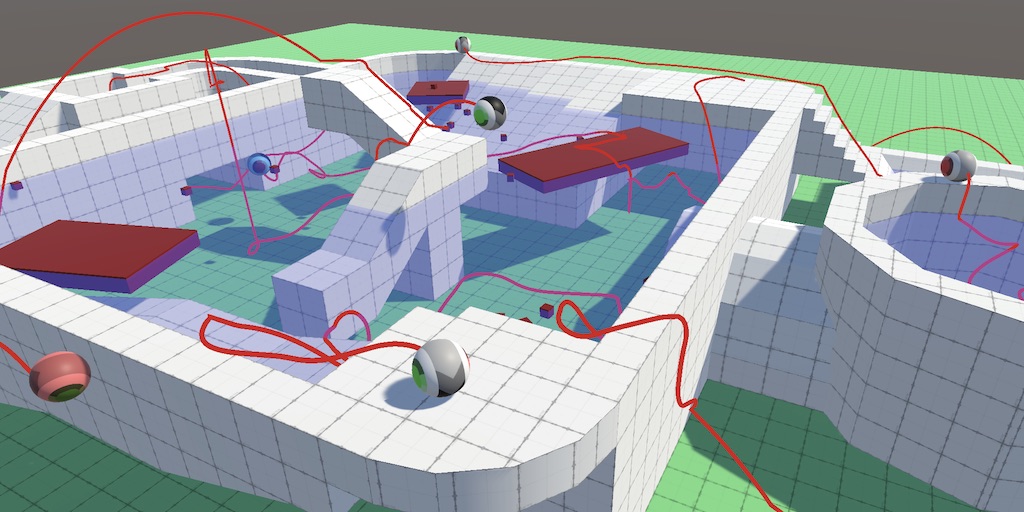
A series about controlling the movement of a character.
rich adder
nocturne parcel
It's like going to the gym for the first time and trying to lift 400 kg
sphincter gone
inner bane
I dont wanna be making fortnite 2 fr
modest dust
inner bane
I wont spend 50 hours to learn how to move a cube fr
Then good luck with with making anything even slightly advanced as there is no copy/paste tutorial for everything you might need
nocturne parcel
nocturne parcel
Either way, if you won't try beginner tutorials, at least try this one
https://...
This is one of the best movement tutorials you can get
inner bane
so anyone got a damn ideea if I can do smth or not to this?
inner bane
nocturne parcel
This is one of the best movement tutorials you can get
I ll check that later
rich adder
inner bane
so anyone got a damn ideea if I can do smth or not to this?
yes toss it in the trashbin
nocturne parcel
honestly? i'd scratch that one
It is over complicated and full of weird mistakes
nocturne parcel
When I saw num5 I gave up reading it
inner bane
lol
inner bane
I had do add some materials,to like lock the X,Y,Z camera directions else camera would fall off
 tall delta
inner bane
alr
tall delta
inner bane
alr
I'm not a big fan of 'type as I do' tutorials, because it's really hard to learn anything that way. the link to catlikecoding is a really good resource.
buuuuuuut, that said, I know it's hard to stay motivated right at the start of journey. I think this movement video series might be more useful to you.
https://www.youtube.com/@davegamedevelopment/videos

YouTube
swift crag
catlikecoding is pretty great!
inner bane
I saw this dude's content alr but its a lil off
swift crag
i need to make my own highly opinionated "how do i shot web?" blog series
i hate watching video tutorials in most situations
inner bane
like I see this one got more mistakes than the one I send u
nocturne parcel
Catlikecode?
tall delta
inner bane
like I see this one got more mistakes than the one I send u
well that's' best part, if you know, then you just fix the mistakes. and modifying it to fit your needs are the part where you learn something
inner bane
how could I repair em 😭 I only know to do the things in the hierarchy inspector settings not coding 300 lines
pallid nymph
a parkour CC would be thousands of lines of code... don't know what to tell you... there are paid assets and even they are usually the half of the code, the rest is something you need to code yourself
inner bane
nah I gotta quit fr
pallid nymph
it's not a good starting point
fickle plume
@inner bane Don't spam the channel. If you have an actual constructive question, here's how to ask it #854851968446365696
tall delta
inner bane
how could I repair em 😭 I only know to do the things in the hierarchy inspecto...
I don't really understand what you want from us then? like no, we're not going to code it for you, and no, there isn't a copy-past script ready, and yes, if you want to do this then you have to learn how to code. maybe a gpt subscription is your best best if you just want someone to code it for you
inner bane
I only asked if someone knows what I could change so it works and if I didnt set something propely
I aint told noone to do it for me
fickle plume
I just see a lot of whining. Where's the actual question?
nocturne parcel
Well, remove the first line of code in movement
And remove all the deltatimes from the AddForce
swift crag
advice was given and suggestions were offered
this server will not rewrite your code for you
inner bane
I aint asked for that lol
nocturne parcel
We told you many times, you are constantly applying force down
inner bane
I aint said "Write this for me"
inner bane
nocturne parcel
We told you many times, you are constantly applying force down
If thats not there it is gonna break
Idk what gotta do w it but then when I move the camera its like im in free mode
nocturne parcel
Isn't it already broken
inner bane
nocturne parcel
Isn't it already broken
well yeah but it breaks it more
nocturne parcel
I'm trying to read but gosh

try placing a ! before jumpingreal quick

!jumping
inner bane
and I delete the (); or let it there
nocturne parcel
let it here
inner bane
kk
nocturne parcel
if (readyToJump && !jumping)
{
  Jump();
}
If you going to get into fixing that for them, create a thread, please.
nocturne parcel
Sorry
inner bane
nocturne parcel
Doesn't work
nocturne parcel
Well, we told ya there are many mistakes. Remove the delta time from add forces, use ForceMode.Impulse when jumping, etc.
inner bane
I got no ideea what that means,I'll search online
Edit:I can't find but I saw that someone tried in build and worked,should I build the game and try?
 winter frost
Hello, how can I use FindGameObjectWithTag and ask it to only consider the gameObject if it is active? Thanks
nocturne parcel
It already does that by default, no? It won't get inactive objects.
rich adder
yes
winter frost
Ok, thank you
 minor patio
 lost anvil
is the best way to fix this clipping using a seperate camera for culling only the things you dont want to clip?
 rich adder
lost anvil
is the best way to fix this clipping using a seperate camera for culling only th...
rich adder
lost anvil
is the best way to fix this clipping using a seperate camera for culling only th...
you mean for weapon?
 timber tide
lost anvil
timber tide
lost anvil
and UI
timber tide
#built-in-pipeline
rich adder
Ui is clipping because you have screenspace - camera
lost anvil
ah right so that would be overlay im assuming
rich adder
you need to set a proper Z distance
lost anvil
what with screenspace camera?
rich adder
if its set on screenspace camera its a sitting on it
or just use Overlay if you dont care about depth for UI
lost anvil
okay, and for weapon the seperate cam is the play?
 north kiln
And please don't post non-code questions in this channel in future
lost anvil
yeah my bad
rich adder
lost anvil
okay, and for weapon the seperate cam is the play?
eh if you don't care about shadows affecting your weapon
lost anvil
and if i do?
rich adder
then no two cameras is not the play
lost anvil
ok cheers
queen adder
coroutines are first start = first finish right?
like if you fire the same coroutine it won tget shuffled somewhere
rich adder
wdym fire the same coroutine?
queen adder
like a coroutine that waits for 3 sec then do something
if you fire it twice in a row
you are expected to see hte first one finish first 100% of the time
north kiln
queen adder
coroutines are first start = first finish right?
One would presume. If it's not documented, test it yourself.
queen adder
void Start()
{
  Startcor(x()); // i need this to finish first 100 of the time, vefore the thing below
  Startcor(x());
}```i am testing, its consistent right now, but if its not it would break something in my game so i am making sure
maybe someone had cases before where it didnt
rocky canyon
if its consistent now, it'll be consistent later as well..
 faint sluice
queen adder
```cs
void Start()
{
Startcor(x()); // i need this to finish first 100 of the ...
faint sluice
queen adder
```cs
void Start()
{
Startcor(x()); // i need this to finish first 100 of the ...
Yes it will finish first 100% of the time under normal circumstances
rich adder
then why not just yield the coroutine
queen adder
rich adder
then why not just yield the coroutine
these 2 coroutines are not 100% similar, but they do similar yield
they wait for 3 seconds then do their job
rich adder
like this ? cs IEnumerator Start() { yield return x(); yield return x(); }
faint sluice
rich adder
like this ? ```cs
IEnumerator Start()
{
yield return x();
yield return x();...
Don't we have to yield return startcoroutine(x());?
north kiln
These do different things from what's being asked
 brazen cedar
How can I lerp the intensity of a Spotlight 2D in Unty?
rich adder
faint sluice
Don't we have to `yield return startcoroutine(x());`?
inside coroutine works for me
queen adder
rich adder
like this ? ```cs
IEnumerator Start()
{
yield return x();
yield return x();...
its a modular thinking thing, not everyone have the same coroutines
faint sluice
rich adder
inside coroutine works for me
Nice
queen adder
cant explain (still havent started coding it)
rich adder
queen adder
its a modular thinking thing, not everyone have the same coroutines
I misunderstood what you asked
 hollow olive
hi there, i'm desperate need of help. I don't know what is the problem and i can't figure out what the flip is wrong here. Basically it's an ontrigger event script. All the info needed is in the image i think. Thanks for the help (i'm an absolute begginer in unity)
 queen adder
imagine the first coroutine to pathfind, then the second coroutine will try to get all tiles the the pathfijnder found
faint sluice
@queen adder unless code is going to affect the duration of how long a coroutine will last, the one fired first will be completed first in that example you gave
queen adder
but they are both delayed by 3 secs
north kiln
hollow olive
hi there, i'm desperate need of help. I don't know what is the problem and i can...
You have duplicated a script, (or written the same functions twice). It also looks like your !ide is not configured
eternal falconBOT
💡 IDE Configuration
If your IDE is not autocompleting code
or underlining errors, please configure it.
Select one:
• Visual Studio (Installed via Unity Hub)
• Visual Studio (Installed manually)
• VS Code
• JetBrains Rider
• Other/None
queen adder
some units need to farm everything beside the tiles, some need to kill enemies found instead
actually it would look cleaner with events ig
faint sluice
@queen adder ok in that case you might want to use the method described by navarone here
queen adder
faint sluice
<@456226577798135808> unless code is going to affect the duration of how long a ...
the waiting is just wait for seconds, ig it fine
hollow olive
north kiln
You have duplicated a script, (or written the same functions twice). It also loo...
in what line? also what's and !ide
rich adder
queen adder
actually it would look cleaner with events ig
thats what I do, make an event for destination reached
north kiln
hollow olive
in what line? also what's and !ide
It doesn't matter what line. You have likely duplicated the file.
Regardless, you must configure your IDE or else you're wasting your time
rich adder
hollow olive
in what line? also what's and !ide
IDE is your Code editor
north kiln
And the bot message immediately after describes how to configure it
rocky canyon
i'd suggest not using OnTriggerEnter for your own UnityEvent..
 warped dirge
hi can someone help me my inspector is all grey it has nothing in it
 rocky canyon
unity already has functions called that.
hollow olive
oh so i'm pretty much writting with no valid code
faint sluice
warped dirge
hi can someone help me my inspector is all grey it has nothing in it
Did you select any object in hierarchy or project?
north kiln
warped dirge
hi can someone help me my inspector is all grey it has nothing in it
and do you have anything selected...
queen adder
IDE bot message should have
IDE = The place where you write codes
rich adder
warped dirge
hi can someone help me my inspector is all grey it has nothing in it
reset layout ?
did you select anything
rich adder
queen adder
IDE bot message should have
```IDE = The place where you write codes```
no they should just google something they don't know lol
 "what is IDE"
hollow olive
rocky canyon
i'd suggest not using OnTriggerEnter for your own UnityEvent..
and what would you recommend? i use the OnTriggerEvent bc that's what the tutorial told me to, not bc i know what i'm doing
north kiln
warped dirge
im beginner so
Next time ask in #💻┃unity-talk , this is a programming channel
rocky canyon
hollow olive
and what would you recommend? i use the OnTriggerEvent bc that's what the tutori...
MyOnTriggerEnter ?
OnTriggerEnterEvent?
idk lots of choices lol
hollow olive
rich adder
<:google:1068113782599065660> "what is IDE"
sorry man, i'm trying to learn
rich adder
u good homie
rocky canyon
hollow olive
and what would you recommend? i use the OnTriggerEvent bc that's what the tutori...
i'd configure ur IDE first and foremost... when there is naming conflicts it'll warn you before hand
hollow olive
ok, i'm fixing the IDE now, when i'll be done i'm coming back for more advice
thanks guys
ya'll awesome


 faint sluice
 meager raptor
You don't call methods of singleton before the instance is set
meager raptor
right so do i need to place it in start() ?
rich adder
ye
rocky canyon
try it and see
meager raptor
yea works, thanks
ive got another error if u guys dont mind


2nd pic is before game starts
but why does the layer change
rocky canyon
does ur code change it?
faint sluice
You're changing it from the methods i guess?
meager raptor
dont think so
rocky canyon
im pretty sure u do.. if u didn't it wouldnt change on its own..
faint sluice
Select on either of those variables from visual studio and click shift + f12 and see for yourself
 faint sluice
meager raptor
faint sluice
meager raptor
Start
rocky canyon

u just said ur not setting it in code
if u have it set in the inspector.. u could just remove those lines.. dont need em
meager raptor
ah ok
 spiral narwhal
On the same spot as Java. Languages like Kotlin, Java, and C# are all there
rocky canyon
then test again and see.. im guessing the line is not completely correct.. and is not setting it correctly..
north kiln
meager raptor
ah ok
Also NameToLayer returns a layer index not a layer mask
rocky canyon
aye, theres the context i was lacking ^
meager raptor
rocky canyon
then test again and see.. im guessing the line is not completely correct.. and i...
also testing works when deleted that part of code thnx
rocky canyon
np 👍 🍀
shell sorrel
yeah would need to 1 << layerIndex to convert it
north kiln
Or use the correct function
shell sorrel
yeah or just do that
north kiln
Or preferably, and as we're doing now, nothing at all in code
 primal turtle
Can someone explain how to use arrays in a simple sense? I tried reading the documentation but I'm not getting it.
rich adder
primal turtle
Can someone explain how to use arrays in a simple sense? I tried reading the doc...
what part are you confused on?
rocky canyon
its a collection of things
they get numbered 0,1,2,3,etc
north kiln
Unity Learn
Using arrays to collect variables together into a more manageable form. This tutorial is included in the Beginner Scripting project. Previous: Instantiate Next: Invoke
primal turtle
rich adder
what part are you confused on?
I'm trying to send a raycast out and see if there's anything colliding in a box collider. I'm just confused on the code.
rocky canyon
you mean a Ray?
north kiln
What does "send an array out" mean
rich adder
so you want to check for a component from the raycast?
 wind raptor
How do I set a tmpro font asset from the inspector?
primal turtle
rich adder
so you want to check for a component from the raycast?
yes
rich adder
primal turtle
yes
https://docs.unity3d.com/ScriptReference/Physics.Raycast.html
https://docs.unity3d.com/ScriptReference/RaycastHit.html
this has a raycast hit which stored info such as colliders hit etc.
wind raptor
What is the "type" of tmpro font assets is what I mean
primal turtle
but I want it to check in all directions with a box
primal turtle
rich adder
https://docs.unity3d.com/ScriptReference/Physics.Raycast.html
https://docs.unity...
That's what I just came from :(
rocky canyon
ya, ur confusing what u need
 worthy merlin
Is there an easy way to convert Rotations -180 to +180 value to be based in 360 instead? Need it for a Compass heading UI
rich adder
primal turtle
but I want it to check in all directions with a box
they have a box one too but what are you trying to do. Game wise
rocky canyon
ya, ^ describe what u need... and someone will let u know the Best way to achieve it
rich adder
worthy merlin
Is there an easy way to convert Rotations -180 to +180 value to be based in 360 ...
if - just add to 360 no?
primal turtle
I want to place a spring but I want to check before hand if it'd collide with walls floors etc to see whether or not it's placeable
worthy merlin
rich adder
if `-` just add to 360 no?
one sec, I'll try that
rich adder
sorry I meant add
primal turtle
primal turtle
I want to place a spring but I want to check before hand if it'd collide with wa...
it'll take the mouse position after a left click and check it there
rocky canyon
worthy merlin
Is there an easy way to convert Rotations -180 to +180 value to be based in 360 ...
// Convert -180 to +180 rotation to 0 to 360
float convertedRotation = rotation < 0 ? 360 + rotation : rotation;
if the rotation is negative adjust it to the positive rotation in the 0 to 360 range
rich adder
primal turtle
it'll take the mouse position after a left click and check it there
you can pass through any position to your physic queries
set your Vector3 at the raycasthit point then do an additional check from there
primal turtle
thx
rocky canyon
ur username gives me anxiety
primal turtle
I can text it to lol
hollow olive
hey i'm back. This means my IDE thing is correctly set up now, right?
 primal turtle
rich adder
hollow olive
hey i'm back. This means my IDE thing is correctly set up now, right?
we dont know yet
meager raptor
does anyone know why when i start my game, all my units have a health of 0, making all my units gone as soon as i play


 hollow olive
rich adder
we dont know yet
hollow olive
rich adder
we dont know yet
and how do we know?
rocky canyon
if it is you'll see Assembly at the top left corner
 rich adder
hollow olive
and how do we know?
rich adder
hollow olive
and how do we know?
click regen project files then open script wiht unity
Ss the visual studio
worthy merlin
rocky canyon
```cs
// Convert -180 to +180 rotation to 0 to 360
float convertedRotation = rot...
This works! I just need to flip the values next.
rich adder
meager raptor
does anyone know why when i start my game, all my units have a health of 0, maki...
share the code properly pls
rocky canyon
u could just invert the equation if thats the case...
faint sluice
meager raptor
does anyone know why when i start my game, all my units have a health of 0, maki...
What's Max health set to?
rocky canyon
if > 0 subtract from 360
meager raptor
faint sluice
What's Max health set to?
maxhealth is supposed to be 30 in this case
meager raptor
rich adder
share the code properly pls
Pastebin
Pastebin.com is the number one paste tool since 2002. Pastebin is a website where you can store text online for a set period of time.
hollow olive
rich adder
click regen project files then open script wiht unity
ok i've done it, now the script was automatically open with the new visual script 2022 version i just insalled
rocky canyon
noice!
meager raptor
 hollow olive
that means i'm all set up?
rich adder
meager raptor
https://pastebin.com/BfbwQwYh
you should only check for that stuff on a Hit / Dmg method
faint sluice
meager raptor
https://pastebin.com/BfbwQwYh
Code stinks of ai generation
rich adder
I would not put it t on Update
meager raptor
faint sluice
Code stinks of ai generation
nah it aint ai
primal turtle
meager raptor
does anyone know why when i start my game, all my units have a health of 0, maki...
why are you making your max health based off your current health?
meager raptor
primal turtle
why are you making your max health based off your current health?
when the game starts it's supposed to assign the current health to the max health
primal turtle
if it somehow returns as 0, then it'll set your current health to 0 when it starts aswell.
primal turtle
meager raptor
when the game starts it's supposed to assign the current health to the max healt...
but at the very start of your game running, it sets your maxhealth to current health.
meager raptor
rich adder
also the try catch here is wild
it's for school project but yeah u are right
faint sluice
meager raptor
nah it aint ai
What's the use of try and catch?
rich adder
anyway its an easy cleanup init values on awake , but only check health when a DMG method has ran not inside update
hollow olive
now, how do i fix this
 meager raptor
faint sluice
What's the use of try and catch?
meager raptor
faint sluice
What's the use of try and catch?
comp sci teacher wants me to add comments and add in depth functions
primal turtle
just set your max health to a number and that could fix it, but I think it most likely has to do with something else.
shell sorrel
yeah that mulitpled nested try/catch with a catch all exception is pretty smelly
rich adder
hollow olive
now, how do i fix this
there we go
worthy merlin
rocky canyon
if > 0 subtract from 360
How would this look in code. By flipping the greater/less than symbol it does this really change thing where half the heading is normal and then it gets into the 400s
faint sluice
@meager raptor check your inspector for the value of Max health tho
rich adder
hollow olive
now, how do i fix this
you have duplicated Methods
primal turtle
faint sluice
<@299945746806079488> check your inspector for the value of Max health tho
kinda what I was getting at...
rich adder
Yellow one is the on you made for some reason @hollow olive
rocky canyon
worthy merlin
How would this look in code. By flipping the greater/less than symbol it does th...
ohh.. if it was working correctly before.. i guess u can just invert the result
instead of the equation..
faint sluice
primal turtle
kinda what I was getting at...
Same, i told him that few mins prior but he insisted it's not that
hollow olive
rich adder
Yellow one is the on you made for some reason <@702417865407594516>
so i should just erase the yellow?
worthy merlin
rocky canyon
ohh.. if it was working correctly before.. i guess u can just invert the result
sorry when you say invert. What operators are we using?
primal turtle
meager raptor
does anyone know why when i start my game, all my units have a health of 0, maki...
found it.
rich adder
hollow olive
so i should just erase the yellow?
Your Unity event is called the same as the Unity method
dont do that
rocky canyon
worthy merlin
sorry when you say invert. What operators are we using?
rotation = -rotation;
meager raptor
primal turtle
found it.
yeah?
primal turtle
your setting your max health to enemy health
meager raptor
faint sluice
<@299945746806079488> check your inspector for the value of Max health tho
max health is 0 but it's supposed to retrieve from the health from the inspector which is 30 in this case
primal turtle
but if your enemy health is 0 it'll set all objects to 0 later
primal turtle
meager raptor
max health is 0 but it's supposed to retrieve from the health from the inspector...
but you change it during start()
hollow olive
rich adder
Your Unity event is called the same as the Unity method
so i'm changing the object's name right? I'm sorry to be this slow but i'm just getting started in coding...
primal turtle
:)
rocky canyon
rocky canyon
rotation = -rotation;
after the line of code that converts it to a 360 range..
since u said it was correct.. but just backwards..
rich adder
hollow olive
so i'm changing the object's name right? I'm sorry to be this slow but i'm just ...
I would name my Events as a Paste tense usually
rocky canyon
atleast thats what i thought when u said it
worthy merlin
rocky canyon
rotation = -rotation;
that works!
faint sluice
meager raptor
max health is 0 but it's supposed to retrieve from the health from the inspector...
If it sets current value to 0 BEFORE it can retrieve from the whatever object you're retrieving from, there's your problem
rich adder
hollow olive
so i'm changing the object's name right? I'm sorry to be this slow but i'm just ...
yes you should not name variables the same names as methods, especially those already reserved for unity
meager raptor
primal turtle
your setting your max health to enemy health
what line of code?
rich adder
i would do OnTriggerWasEntered or something
primal turtle
meager raptor
what line of code?
one second
primal turtle
meager raptor
what line of code?

if either of the healths = 0 it'll intern make it 0 during runtime as well.
rich adder
the problem is because Update is running before its assigned
assuming its not set to 0
hollow olive
rich adder
i would do `OnTriggerWasEntered` or something
i've changed it but i still have the same problem. I'm guessing i just don't understand your advice
 primal turtle
rich adder
the problem is because Update is running before its assigned
primal turtle
rich adder
the problem is because Update is running before its assigned
no..
primal turtle
rich adder
the problem is because Update is running before its assigned
these lines are in start()
primal turtle
although,
rich adder
it has occured before where Update ran before start for me
primal turtle
yeah just check .health
 tender stag
i have this counter movement method in fixed update
 rich adder
but the health check should not be in Update in the first place anyway
tender stag
and its supposed to stop the player when hes not holding any input
rich adder
why check health everyframe when you can check every Hit..
primal turtle
rich adder
but the health check should not be in Update in the first place anyway
is there something I missed?
tender stag
primal turtle
because either the player or enemy health was 0
anyways he left chat so on point on thinking about it further
rich adder
wait nvm
meager raptor
primal turtle
anyways he left chat so on point on thinking about it further
nah am still here
rich adder
current health is never set.
meager raptor
but how would i modify the code
primal turtle
nvm
faint sluice
meager raptor
but how would i modify the code
Use if else like a normal person instead of try catch
meager raptor
faint sluice
Use if else like a normal person instead of try catch
im tryna score more marks
hollow olive
@rich adder it's better now right?
 meager raptor
it's for a project
rich adder
meager raptor
but how would i modify the code
did you try moving it to awake
shell sorrel
or just let it throw a exception if its truely not configured right
meager raptor
rich adder
did you try moving it to awake
yeah that didnt work
shell sorrel
using try catch for flow control is terrible
also if using it never catch all exceptions
faint sluice
meager raptor
im tryna score more marks
If professor knows he will probably cut marks for overcomplicating simple tasks
primal turtle
meager raptor
it's for a project
the simpler it is, the better a programmer you are.
rich adder
meager raptor
yeah that didnt work
then maxHealth is 0 when value is retrived
rich adder
hollow olive
<@968604165150507078> it's better now right?
No.. you kinda made it worse lol
shell sorrel
like no way i would ever let the try/catch like that pass a code review
hollow olive
rich adder
No.. you kinda made it worse lol
then i'm completly lost, i really don't know what's the issue and how to solve it
shell sorrel
programming is about taking big complex things, and breaking it down into small easy to understand and implement steps
rich adder
hollow olive
then i'm completly lost, i really don't know what's the issue and how to solve i...
why did you change the name of the method?
I said the name of the Variable, of the UnityEvent cannot be the same name as a method..
hollow olive
but what's the "method"?
shell sorrel
!learn
eternal falconBOT
:teacher: Unity Learn ↗
Over 750 hours of free live and on-demand learning content for all levels of experience!
shell sorrel
might be the place to look first if you are not sure about methods yet
rich adder
on that note..
https://learn.unity.com/tutorial/variables-and-functions?uv=2019.3&projectId=5c8920b4edbc2a113b6bc26a

Unity Learn
What are Variables and Functions, and how do they store and process information for us? This tutorial is included in the Beginner Scripting project. Previous: Scripts as Behavior Components Next: Conventions and Syntax
hollow olive
this is what i was intended to change?
 hollow olive
rich adder
on that note..
https://learn.unity.com/tutorial/variables-and-functions?uv=2019....
hollow olive
rich adder
on that note..
https://learn.unity.com/tutorial/variables-and-functions?uv=2019....
yeah ik i should learn via content
or courses
well thanks for helping me anyways, you guys are awesome, : )
tender stag
i have this counter movement method in fixed update and its supposed to stop the player when hes not holding any input

but when the counterMovementForce is high the player starts shaking why?
its probably because im doing -velocity
and its adding force in one direction then the other
but i dont know how else to do it
 eternal needle
tender stag
and its adding force in one direction then the other
eternal needle
tender stag
and its adding force in one direction then the other
It is doing this all the time btw, it is only noticeable at large values
tender stag
yup
eternal needle
Your counter movement magnitude should be limited to the players speed
Maybe limit each component (x and z) of the vector instead of the magnitude actually
 solar charm
hi sorry for the question but where can i find the grid and snap window? im on 3d if that matters
rich adder
solar charm
hi sorry for the question but where can i find the grid and snap window? im on 3...
not code related
https://docs.unity3d.com/Manual/GridSnapping.html
 solar charm
oh mb
tender stag
eternal needle
Your counter movement magnitude should be limited to the players speed
what do you mean
im trying to stop the player
eternal needle
tender stag
im trying to stop the player
Yes and the maximum you would want to stop the player by is the speed at which it is moving. Not by some constant arbitrary number
 teal viper
tender stag
i have this counter movement method in fixed update and its supposed to stop the...
teal viper
tender stag
i have this counter movement method in fixed update and its supposed to stop the...
The issue is probably caused by your counter movement not matching the velocity exactly. It could be overshooting, so it takes several frames of back and forth counter movement to get the character to a halt(if at all).
That's why, I think applying it as a force like that is silly. Unless you 100% confident in your formula, you shouldn't do it via adding force.
teal viper
For a character controller like that it would probably be best to just set the velocity for it's movement.
teal viper
tender stag
maybe i could lerp his velocity to 0?
Why lerp? Do you not want it to stop immediately?
eternal needle
tender stag
maybe i could lerp his velocity to 0?
Just limiting the force you add to be equal to the players current velocity should be fine for this
 tender stag
eternal needle
Just limiting the force you add to be equal to the players current velocity shou...
tender stag
eternal needle
Just limiting the force you add to be equal to the players current velocity shou...
could u help me?
teal viper
tender stag
and hes still sliding
Well, it having a velocity on y on a slope would cause it to slide down. I think you're fixing the wrong thing here.
tender stag
i cant touch the y velocity
it breaks my other things
thats why i set it to rb.velocity.y
 vale karma
is there a reason why the model gets pushed backwards here? the player does what it needs to just fine, but now i wanted to add animations and its gettin kinda screwy
im just gonna start the animator from scratch, i think i got the idea but im not doing this right
any good tutorials on sub state machine animations?
teal viper
tender stag
it breaks my other things
Then your whole setup is bug prone. But yeah, if you want it to work as is now, listen to what bawsi is saying.
eternal needle
tender stag
could u help me?
its just a matter of comparing the vectors x and z value. if the counter movement's value is greater then just use the players current velocity. if the player isnt moving, the counter movement wont move them because itll be 0 on the x and z.
honestly not really sure what was happening with the y velocity part youve shown above. i was just looking at the counter movement part alone that you first wrote
teal viper
vale karma
is there a reason why the model gets pushed backwards here? the player does what...
Try disabling root motion
eternal needle
What i like to do is store what the players velocity should be, then assign that to the rb.velocity. it makes it easier to control how it moves on slopes and all that jazz. Then your counter movement doesnt need to exist because you could just directly affected what the velocity should be
@tender stag
vale karma
i think i saw that somewhere, but cant find it now
ahhhh found it, from mixamo import, theres a motion tab with root motion node, its set to none, ill set it to hip
tender stag
eternal needle
What i like to do is store what the players velocity should be, then assign that...
i do this```cs
if(isGrounded)
{
slopeVelocity = Vector3.ProjectOnPlane(rb.velocity, slopeHit.normal);
}
else
{
slopeVelocity = Vector3.ProjectOnPlane(rb.velocity, Vector3.up);
}
if(slopeVelocity.magnitude > moveSpeed)
{
float a = slopeVelocity.magnitude - moveSpeed;
Vector3 o = -slopeVelocity.normalized * a;
rb.velocity = rb.velocity + o;
}```
rb.AddForce(slopeMoveDirection.normalized * acceleration);
if(isGrounded)
{
    moveSpeed = isSprinting ? sprintSpeed : isCrouching ? crouchSpeed : isCrawling ? crawlSpeed : walkSpeed;
}
else
{
    moveSpeed = (isSprinting ? sprintSpeed : isCrouching ? crouchSpeed : isCrawling ? crawlSpeed : walkSpeed) * airVelocityMultiplier;
}
On your animator component.
vale karma
yea haha it didnt work go figure
eternal needle
tender stag
i do this```cs
if(isGrounded)
{
slopeVelocity = Vector3.ProjectOnPlane(rb.ve...
the problem with this is you cant really control what happens when a player suddenly gets off a slope. they would move like a ball sliding up a ramp then launching off rather than a person who would immediately fall down
teal viper
vale karma
yea haha it didnt work go figure
It didn't fix the issue?
vale karma
no i meant the solution i thought i had
tender stag
eternal needle
the problem with this is you cant really control what happens when a player sudd...
not really
look
vale karma
i cant find it on the animator tab :/
teal viper
vale karma
i cant find it on the animator tab :/
Animator component
eternal needle
tender stag
not really
oh i mightve misread, its weird that you are doing both addforce and assigning velocity
tender stag
eternal needle
oh i mightve misread, its weird that you are doing both addforce and assigning v...
yeah so that i dont instantly add movement
vale karma
like the run animation itself? i looked on the animator controller and that was the solution i tried
tender stag
because then u could literally change direction straight away
with this it isnt instant
more realistic feel
teal viper
vale karma
like the run animation itself? i looked on the animator controller and that was ...
Where do you see the components?
teal viper
vale karma
like the run animation itself? i looked on the animator controller and that was ...
Where do you assign the animator controller?
To an object in the scene
tender stag
tender stag
more realistic feel
like it actually takes time to change the direction u walk in
depending on the acceleration value
u see how mid air i try and change direction?
how it takes a long time
tender stag
disable root motion on the animator
vale karma
im blind lol where is it at?
faint sluice
vale karma
im blind lol where is it at?
Component
 tender stag
teal viper
Animator **component**
tender stag
teal viper
Animator **component**
dlich said it
vale karma
i forgot its on the model i imported and not on the empty i have everything else
i didnt connect the dots
teal viper
vale karma
i forgot its on the model i imported and not on the empty i have everything else
Yes. The Animator component is what's applying the animation to the object. You should be looking at it first if anything is wrong with the animations.
vale karma
okay, good to know, im not very good at animations
teal viper
You guys made it too easy for him. I was gonna drag him through the manual...🥲
vale karma
I KNOW, i was waiting for it dlich
teal viper
Next time
vale karma

teal viper
Does that fix the issue though?
tender stag
teal viper
You guys made it too easy for him. I was gonna drag him through the manual...🥲
i just know the root motion pain
took me half a day
vale karma
yea, it works, probably fixed more issues i didnt even know about
queen adder
is there a way to like make time instantly go 10 seconds?
all thing reliant on time to autoprogress
or even better maybe a while loop of slowly passing time pass very quickly in small intervals
rich adder
timescale ?
queen adder
nothing else?
like really instant :>
if i need to do something after, imma just do it in the next frame?
rich adder
idk its one way , depends. what are you trying to do exactly with it
tall delta
do you only need physics object to timeskip, or every single monobehaviour?
rich adder
dont you have a custom clock ?
queen adder
what is that
rich adder
like in-game clock?
tall delta
ah, then I would say fire off an event and have every relevant script skip time.
rich adder
I usually have a gameclock where i can speed up/slow down and other things depending on time just get events from it, like tick etc.
queen adder
rich adder
I usually have a gameclock where i can speed up/slow down and other things depen...
i used to have but dropped it when I thought time is just better
 rose galleon
https://hastebin.com/share/ebosewakow.csharp
why the heck isnt it working?
Hastebin is a free web-based pastebin service for storing and sharing text and code snippets with anyone. Get started now.
teal viper
queen adder
just a sleep system
If a sleep system needed to calculate hundreds of frames in one frame, that would've been crazy.
teal viper
rose galleon
https://hastebin.com/share/ebosewakow.csharp
why the heck isnt it working?
What exactly? Add logs to your code to see what is getting executed and what doesn't.
shell sorrel
queen adder
is there a way to like make time instantly go 10 seconds?
like for what purpose, for like a sleep system, would generally have my stats and things that adjust over time setup in a way where i know how much a stat increments per second
then then its just a matter of scaling that by how much time you want to pass and adding it up
teal viper
I assume they want everything in the scene to move as if a lot of time has passed(like npcs and physical objects)
shell sorrel
yeah that would be pretty implementation dependent
rose galleon
teal viper
What exactly? Add logs to your code to see what is getting executed and what doe...
both are activating at the same time
shell sorrel
at work i can make that happen, but its because the actions in my npc behaviors are all programmed with the ablility to work in real time, and to just instantly apply the final state
rose galleon
why tho? The bool is only supposed to become true after the interaction happens, no?
teal viper
rose galleon
both are activating at the same time
Both what? When in our conversation were "both" introduced??😅
rose galleon
teal viper
Both what? When in our conversation were "both" introduced??😅
uhh yeah i didnt really explain anything, did I?
I been trying to make a double jump from memory and from what I already have on my code
i used the jump code twice, and bools to make that
teal viper
Here's a pro tip on asking questions: don't assume people have access to the contents of your head or project.
shell sorrel
double jump is really just regular jump code with a tweak
rose galleon
teal viper
Here's a pro tip on asking questions: don't assume people have access to the con...
yeah sorry
shell sorrel
instead of checking if they are grounded, you check jump count to see if you are aloud to jump
teal viper
rose galleon
uhh yeah i didnt really explain anything, did I?
I been trying to make a double ...
So, what are the "both" in this case?
shell sorrel
once grounded you reset the jump count
rose galleon
teal viper
So, what are the "both" in this case?
the jump and the double jump
rose galleon
shell sorrel
instead of checking if they are grounded, you check jump count to see if you are...
might work
teal viper
Yeah, I'd suggest doing it the way Passerby recommended.
rose galleon
shell sorrel
instead of checking if they are grounded, you check jump count to see if you are...
perfect, tysm
vale karma
whats going on here with my jump animation? the code runs fine, never had problems with it so i know its the animation states, i am scratching my head
heres one with some more debug help
ohh got it workin, i was setting the ground state to transition to the jump, not the specific walk/run/idle substate, so it didnt see it
 reef gale
Hey, I need some help regarding RigidBody physics. Essentially, when the player runs into a wall, the forces do a funny freezing thing where they all stop suddenly. Could I please have some help though?
Here is my code by the way:
!code
eternal falconBOT
Posting code
📃 Large Code Blocks
Use links to services like:
https://gdl.space/, https://paste.ofcode.org/, https://hatebin.com/, https://paste.myst.rs/, https://hastebin.com/
📃 Inline Code
Surround code with three backquotes. Not quotation marks.
To format as C#, add cs to the first line:
```cs
// Your code here
```
Add a comment with a line number if there is an error message.
reef gale
public class PlayerMovement : MonoBehaviour
{
    private void Awake()
    {
        rb = GetComponent<Rigidbody>();
        if (rb != null)
        {
            rb.freezeRotation = true;
        }
    }

    private void Update()
    {
        if (Input.GetKeyDown(KeyCode.Space) || Input.GetKeyDown(KeyCode.W) || Input.GetKeyDown(KeyCode.UpArrow))
        {
            jump = true;
        }
    }

    // FixedUpdate is called once per physics step
    private void FixedUpdate()
    {
        if (!CubeExplosion.hasExploded)
        {
            transform.Translate(Vector3.right * Time.deltaTime * Input.GetAxis("Horizontal") * speed);
        }
        if (jump)
        {
            if (!CubeExplosion.hasExploded)
            {
                // Bit shift the index of the layer (8) to get a bit mask
                int layerMask = 1 << 8;

                // This would cast rays only against colliders in layer 8.
                // But instead we want to collide against everything except layer 8. The ~ operator does this, it inverts a bitmask.
                layerMask = ~layerMask;

                RaycastHit hit;
                // Does the ray intersect any objects excluding the player layer
                if (Physics.Raycast(groundCheck.position, groundCheck.TransformDirection(-Vector3.up), out hit, 0.75f, layerMask) || Physics.Raycast(groundCheck2.position, groundCheck2.TransformDirection(-Vector3.up), out hit, 0.75f, layerMask) || Physics.Raycast(
groundCheck3.position, groundCheck3.TransformDirection(-Vector3.up), out hit, 0.75f, layerMask))
                {
                    Debug.DrawRay(transform.position, transform.TransformDirection(Vector3.forward) * hit.distance, Color.yellow);
                    Debug.Log("Did Hit");
                    rb.AddForce((Vector3.up * jumpForce) * Time.deltaTime, ForceMode.Impulse);
                }
                jump = false;
            }
        }
    }
}
how do I check collision by time touched, not just by the first touch?
shell sorrel
rose galleon
how do I check collision by time touched, not just by the first touch?
if this is the double jump you dont
shell sorrel
oh so want like damage over time in colldier
as something enters collider add it to a list, as it exits remove it from the list
in the Update method apply your damage and multiply it by time.deltaTime
rose galleon
how do I add a float to my vector?(tryna make a dash)
vale karma
i have a problem where my exit state is not called when changing the parent state. So say i am walking (sub) in grounded state (super) and jump. The exit state is called for the super state, but not its sub state
vale karma
rose galleon
how do I add a float to my vector?(tryna make a dash)
vector = new Vector2(x, y, z);
with say vector = new Vector2 (x, floatValue, z);
theres also vector = Vector2.up * floatValue;
im sorry these are for changing the y value, to change the x value it goes in the x spot, and also Vector2.right *- or + floatValue
 gaunt ice
vec.element+float
 edgy forge
I need a singleton or something I think. I'm downloading AssetBundle content and I want that object to persist, but after I download it I kill the scene and load a new one.
are any gameobjects I spawn while the first scene is open going to stick around?
rich adder
edgy forge
I need a singleton or something I think. I'm downloading `AssetBundle` content a...
can prob use this https://docs.unity3d.com/ScriptReference/Object.DontDestroyOnLoad.html
primal turtle
Hastebin is a free web-based pastebin service for storing and sharing text and code snippets with anyone. Get started now.
66 - 93, It won't fully run,
Can anyone figure out why it won't play?
 jade quarry
I cant find Ai navigation under package manager
is there anyway I can still gett it ?
primal turtle
anyone here? :(
vale karma
i think its called navmesh
or nav something
its a bit dead tonight, but usually its busy
 vale karma
zoom out the picture
show me the entire window
most likely your looking in your project, you need to look in the unity registry
vale karma
haha np
solar charm
idk what the problem is, i was following the tutorial and couldnt fix this problem, PLEASE HELP!


 rich adder
solar charm
idk what the problem is, i was following the tutorial and couldnt fix this probl...
rich adder
solar charm
idk what the problem is, i was following the tutorial and couldnt fix this probl...
good reason to configure your !ide
eternal falconBOT
💡 IDE Configuration
If your IDE is not autocompleting code
or underlining errors, please configure it.
Select one:
• Visual Studio (Installed via Unity Hub)
• Visual Studio (Installed manually)
• VS Code
• JetBrains Rider
• Other/None
vale karma
i hate cropped photos haha, i turn into a crime scene investigator
rich adder
yeah the new style sucks lol
vale karma
im literally setting up a github project just so i dont have to copy and past stuff
code for 5 hours to save u 5 minutes
solar charm
vale karma
code for 5 hours to save u 5 minutes
like a true programmer 😤
solar charm
rich adder
good reason to configure your !ide
the what now? ;-;
rich adder
solar charm
the what now? ;-;
your code editor needs to be configured so you avoid such mistakes
vale karma
i just wish i was a GOOD programmer... i have so many good usefull ideas i could implement at my computer repair shop, and websites, etc, but i suck, and its such a slow process
solar charm
rich adder
your code editor needs to be configured so you avoid such mistakes
if its not too much of a hassle for you, mind explaining how to do that for me?
solar charm
vale karma
i just wish i was a GOOD programmer... i have so many good usefull ideas i could...
listen, they say there is always someone better than you, but that means there's also someone always worst than you
so feel good about the fact that not a lot of people have your knowledge
rich adder
solar charm
if its not too much of a hassle for you, mind explaining how to do that for me?
I've linked you to the instructions #💻┃code-beginner message
solar charm
ohhh im so dumb sorry xd
rich adder
its fine lol
 thick storm
I am ngl bro I am taking the unity beginner tutorials and stuff and I am really far on them but the main plan was to just learn the coding language and then switch to unreal engine again as I was doing world design and level design there before but I am ngl bro I am really having fun just coding way more than visual scripting and I even thankfully got good enough where I can listen to what the tutorial want me to do and do it before watching the tutorial and then confirming my work with the tutorial. and aside from that man the unity community got to be the best and most helpful community I have ever seen so I am really hard questioning going back to unreal lol.
solar charm
thick storm
I am ngl bro I am taking the unity beginner tutorials and stuff and I am really ...
long but gold, glad you are having fun frost <33
thick storm
solar charm
long but gold, glad you are having fun frost <33
thanks G I see you are helping a lot of people. people like you makes coming into the programing world that is really hard and intimidating much easier so thank you.
solar charm
thick storm
thanks G I see you are helping a lot of people. people like you makes coming int...
as much as i would like to take credit, im the one being helped here 😂, to be specific being helped by the amazing @rich adder
thick storm
solar charm
as much as i would like to take credit, im the one being helped here 😂, to be s...
lol both of you are amazing man never the less
solar charm
thanks, u 2 ❤️
vale karma
the problem isnt understanding the code to use it, its blending the code and refactoring it with your own once you learn it. It develops new ways to find errors a video or comments didnt go over before
thick storm
vale karma
the problem isnt understanding the code to use it, its blending the code and ref...
fax bro
vale karma
yea, its terrible
thick storm
vale karma
yea, its terrible
it's like you understand vectors, variables, etc but now what😂
vale karma
YES, i am a bit above that now tho, i can add states and substates to a state machine, and barely understand a game-ready inventory system just enough not to screw it up
but like everything i do outside a tutorial will always throw errors, not change the outcome, or do nothing. Even though it works in my head haha
thick storm
not there yet but I will be there one day hopefully
rich adder
solar charm
as much as i would like to take credit, im the one being helped here 😂, to be s...
uh right lol did you finish configuring ? you have simple capitalization error
vale karma
rn i am setting up github, after i need help from the binary gods
thick storm
vale karma
but like everything i do outside a tutorial will always throw errors, not change...
so far errors haven't been a problem for me as most of them are easy to fix and the ones that aren't I just but them into chat gpt and it tells me how to fix it
vale karma
i havent used chatgpt, idk why but it seems to be too vague
or if i have to tell it such specific parameters that im proofreading my paragraph before i send it thats too much
 ashen isle
ok go easy on me i am VERY beginner, but how i read this is that i cant name the camera a term that is used in code but no matter what i change it to it gives the same error (ignore thge last two compiler errors)
 vale karma
what is Screen1 and 2 referring to?
ashen isle
thats what i originally named the cameras but it gave an error, im gonna change that after
thick storm
I am pretty sure you have to make variables for the screen one and two correct me if I am wrong
cause right now they are just names with no actions
vale karma
so you may have to start a bit earlier in the learning journey than this, it looks like you still need to set your camera objects to the variable, and then also you have the concept wrong there
ashen isle
oh i know like i said ignore the last two, im worried about the "a namespace cannot contain members etc."
im pretty sure its "public camera <name>" but whatever i put for the name that error wont goaway
thick storm
see this is something that I would put in chatgpt and it usually just fix it and tell me my mistake
ashen isle
lol
vale karma
unless he gets why he got it wrong hel have to do that a million times lol
thick storm
true
vale karma
so you basically made a variable, but what does the variable Camera Cam1 represent?
ashen isle
yeah ignore the entire start function im not worried about it rn
im making a crappy fnaf game im still teaching myself the basics
vale karma
im not either, what does the variable represent
vale karma
what is the public Camera Cam; supposed to represent?
ashen isle
the office
thick storm
might just be a problem with your ide because I can add numbers to variables with no problem
ashen isle
where the player starts
vale karma
is it the camera?
vale karma
okay, so you made a variable that takes a type thats a camera
ashen isle
yes
vale karma
but, thats all you did, you named it Cam1 or something.
vale karma
all it knows rn is that you have an empty variable that holds a type camera. You have no actual information it points to inside of it
vale karma
So, we get the component, say, a gameObject, and get the information at the start of the script, so the rest of the script knows what to do with it
ashen isle
isnt that why its poublic so i can draG It in in unity
do i have to do that for the error to go away
 grizzled zealot
All of a sudden I get all these CS3001, CS3002, and CS3003 warnings that my code is not CLS compliant. This include ScriptableObject and GameObject. Is there anything I can do to turn off these warnings?
ashen isle
sorry lol
thick storm
ashen isle
isnt that why its poublic so i can draG It in in unity
but that would have to be a game object I am Pretty sure
so like for example if you use a public with a float instead you will not be able to drag and drop
ashen isle
yeah a public float is a numerical value right
vale karma
but, in order to get the components information, we need to grab it from the top. So everything in the scene exists on a game object. that game object can have things like position, rotation yadayada. here, we are using the gameObject cam, which by using public, we can set the object from the hierarchy into the slot, and then reference the information from that game object in code
thick storm
ashen isle
so i replace cam with gameObject?
yeah and then drag and drop your cam from the hierarchy
vale karma
so it would look like ```
public gameObject cam;
void Start()
{
cam = GetComponent<GameObject>();
}
i believe you can pull it from code using cam = gameObject.GetComponent<GameObject>(); or just from the inspector using public or [SerializeField] private
im sorry for taking a long time to explain it, but it is really necessary in order to further ur learning path
ashen isle
I thought i only had to do that if the script wasnt already on the game object. The cam im trying to reference is a child of the parent game object that the script is on
no ur good i appreciate the help
vale karma
yea thats correct, i use whichever way is convienent at the time
ashen isle
ik u had to drag and drop anyway but i thought getcvomponent was used to grab a diff game object
oh gotcha
thank u man
 vale karma
im not sure what your game is supposed to be about but i dont normally use kinematic rigidbodies
primal turtle
I added collider made it in front but it still won't register for some reason
vale karma
did you check the IsTrigger box?
vale karma
and use public void OnTriggerEnter2D(or 3D)() {}
yes if you want to check if another collider has entered that collider, then yes
primal turtle
    void OnMouseOver()
    {
        logic.springPlaceable = false;
        logic.platformPlaceable = false;
        Debug.Log("ASD");
    }

    void OnMouseExit()
    {
        logic.springPlaceable = true;
        logic.platformPlaceable = true;
        Debug.Log("feoih");
}```this is my script
and it won't return anything
vale karma
yea im pretty sure this would take a long time to unwrap lol... i dont know what any of this does
primal turtle
this is what I've been using
I looked at other solutions on the web and didn't find anything
that would fix my issue
vale karma
do you have an input for your mouse?
primal turtle
wdym?
vale karma
like if i press W my character moves forward
if i move my mouse left my character does as well
primal turtle
I have left click and right click currently set up.
It's practically a mouse only game
vale karma
okay, youll have to set up a vector2 for your mouse
i use the new input system, it basically turns the vector2 location of the mouse into left right up down
primal turtle
Vector2 mousePosS = Camera.main.ScreenToWorldPoint(Input.mousePosition);```I've used that but now how do I check whther that's over a game object?
primal turtle
I'm not even on the input system lol i've been using Input.GetKeyDown(Keycode.etc..)
vale karma
you COULD make it a button
primal turtle
vale karma
again im not too detailed on unity either haha
alr
primal turtle
vale karma
you COULD make it a button
I can't
vale karma
and then use the unity onclick event
primal turtle
the game object is a tilemap
vale karma
yea i like 3d and vr
primal turtle
ooh
anyways, I'm gonna take a break for the night and try to resolve this tomorrow.
it's almost been like 5 hours just trying to fix this :(
vale karma
best thing to do, see ya tomorow
jade quarry
hey I wanted to ask a question on this
but I following totourial rn and its kinda old
and this doesnt seem to work
 rich adder
jade quarry
and this doesnt seem to work
rich adder
jade quarry
and this doesnt seem to work
that makes no sense
jade quarry
rich adder
that makes no sense
hey dont ask me i trying out navmesh for the first time
I following a totourial rn
rich adder
jade quarry
I following a totourial rn
which tutorial would do this..
jade quarry
how would I fix this
rich adder
you prob copied wrong
you already assigned agent, why are you trying to assign bools to it afterwards
 rich adder
thats still nonsense
jade quarry
IK
rich adder
which tutorial, show me
jade quarry

GitHub project for 2D Navmesh pathfinding:
https://github.com/h8man/NavMeshPlus
If you want to know how to bake at runtime, you can read about it here:
https://github.com/h8man/NavMeshPlus/wiki/HOW-TO#bake-at-runtime
Join the discord server: https://discord.gg/EFrYczuAwc
here
 summer stump
jade quarry
summer stump
jade quarry
You should not have two equals signs on the same line
jade quarry
TT
rich adder
summer stump
You should not have two equals signs on the same line
well you can def assign the result of another operation but they are two different types for op
queen adder
How can I send my codes without image format?
Because I have long code and it won't fit in the image
summer stump
queen adder
How can I send my codes without image format?
!code
eternal falconBOT
Posting code
📃 Large Code Blocks
Use links to services like:
https://gdl.space/, https://paste.ofcode.org/, https://hatebin.com/, https://paste.myst.rs/, https://hastebin.com/
📃 Inline Code
Surround code with three backquotes. Not quotation marks.
To format as C#, add cs to the first line:
```cs
// Your code here
```
Add a comment with a line number if there is an error message.
queen adder
ah thank you
using System.Collections;
using System.Collections.Generic;
using UnityEngine;

public class CreateCubes : MonoBehaviour
{
    Player player;
    public GameObject Cube;
    float[] possibilities = { -5.5f,5.5f };
    float x;
    float y;

    private void Start()
    {
        player = GetComponent<Player>();
    }

    private void Update()
    {

        if(player !=null)
        {
            if(player.Coin % 5 == 0){

                Invoke("instantiateCube", 1f);
            }


        }
    }

    void instantiateCube()
    {

        int chance = Random.Range(0, 2);

        if(chance == 0)
        {
            int chanceOfAxis = Random.Range(0, 2);

            if( chanceOfAxis == 0)
            {
                x = possibilities[chance];
                y = Random.Range(-5.5f, 5.6f);
            }

            if(chanceOfAxis == 1)
            {
                y = possibilities[chance];
                x = Random.Range(-5.5f, 5.6f);
            }


        }
        if(chance == 1)
        {
            int chanceOfAxis = Random.Range(0, 2);

            if (chanceOfAxis == 0)
            {
                x = possibilities[chance];
                y = Random.Range(-5.5f, 5.6f);
            }

            if (chanceOfAxis == 1)
            {
                y = possibilities[chance];
                x = Random.Range(-5.5f, 5.6f);
            }


        }

      Instantiate(Cube, new Vector3(x, 3, y),Quaternion.Euler(Vector3.zero));


    }


}
so guys I have some error about this code. I wanted to Instantiate the cube prefab just "one" time when player.Coin values is equal five and its multiples. But the issue is when start the game cubes is starting to instantiate without waiting the value. ANDDD its instantiate infinite. I don't know what am I missing here. So Is there anyone who can help me
here is the example 😦
teal viper
queen adder
```cs
using System.Collections;
using System.Collections.Generic;
using UnityEng...
Well, your logic is making it instantiate infinitely when the conditions are met, since it's in update.
queen adder
Ahh damn right
so I have to add another condition to stop it
But sometimes its start the function without meet the conditions
I was more interested in that why is that
queen adder
I mean for example
if(player !=null)
{
if(player.Coin % 5 == 0){
            Invoke("instantiateCube", 1f);
        }


    }
I added the if statement just in one block. When I added like that. It was starting without meeting the condition sometimes
teal viper
The only condition that can actually change is the player coins. And it would be true initially(when coins are 0)
queen adder
So I had to write another if into if statement
teal viper
What conditions are you talking about? The coins amount check?
queen adder
Yes exactly
faint sluice
queen adder
I mean for example
if(player !=null)
{
if(player.Coin % 5 ==...
If player had initially 0 coins, it would still fulfill the condition
faint sluice
% gives "remainder"
queen adder
Yes yes i know
teal viper
The remainder of dividing 0 by anything is 0
faint sluice
Then rest is simple math