#💻┃code-beginner
1 messages · Page 199 of 1
 carmine sierra
 rare basin
it's not a answer to you mate
 rocky canyon
i was talking to vinny
carmine sierra
cool
rare basin
debug if your method is being called
 dull arch
permanent
rare basin
@carmine sierra
carmine sierra
rare basin
debug if your method is being called
by just clicking debug?
never used it before
 rich adder
dull arch
permanent
rich adder
dull arch
permanent
so make it not permanent
 night sparrow
After changing things and testing same issue it doesn't seem to detect the Enemy and stuff
void RayCastForEnemy()
{
    RaycastHit hit;
    LayerMask enemyLayerMask = LayerMask.GetMask("Enemy");

    if (Physics.Raycast(transform.parent.position, transform.parent.forward, out hit, Mathf.Infinity, enemyLayerMask))
    {
        Rigidbody rb = hit.collider.attachedRigidbody;
        if (rb != null)
        {
            Debug.Log("Hit an enemy");
            rb.constraints = RigidbodyConstraints.None;
            rb.AddForce(transform.parent.forward * 500);
        }
    }
}
debug it by debug logs
see if its even being called or not
rocky canyon
    private void OnTriggerEnter2D(Collider other)
    {
        Debug.Log("We entered the trigger");

        if(weaponFired)
        {
            Debug.Log("... and the weapon has been fired");
        }
}```^ debug the function..
rare basin
why spoon feed
carmine sierra
rare basin
that is not what im asking you to do
what are you asking
rocky canyon
anywhere and everywhere u possibly can
rare basin
carmine sierra
what are you asking
if your method is being called at all
not your if statement
carmine sierra
rare basin
if your method is being called at all
okay cool
i just put it there since the if statement is definetely called
rocky canyon
im not spoonfeeding.. i psuedo coded his code and gave him Debug.Log("");
then he can answer the question whether or not it gets logged.. or maybe he can't.. either way we'd be moving forward
carmine sierra
yeah it logs the method being called
rare basin
then your weaponFired is false
rocky canyon
thats what i said originally.
carmine sierra
yeah ik mb got it mixed up with something else in the code
rocky canyon
when in doubt tho.. debug
carmine sierra
yeah fr i will
rocky canyon
debug here, debug there, debug everywhere.. then when its fixed u can remove em
rare basin
also learn debugger
rocky canyon
And breakpoints while ur at it
rare basin
well ofc, thats part of the debugger xd
rocky canyon
i still dont know how to use breakpoints 😈
i mean i think i do.
gotta practice one day and just step thru some of my statemachines
that'd be a solid test
 verbal dome
night sparrow
After changing things and testing same issue it doesn't seem to detect the Enemy...
verbal dome
night sparrow
After changing things and testing same issue it doesn't seem to detect the Enemy...
If your enemies have children with colliders, make sure those colliders also have the Enemy tag
night sparrow
verbal dome
If your enemies have children with colliders, make sure those colliders also hav...
Oh okay thanks!
verbal dome
Btw use ForceMode.Impulse/ForceMode.VelocityChange when using AddForce for one-shot forces, so you don't have to use crazy numbers like 500
It's a second, optional parameter for AddForce
ForceMode.Force is the default which is scaled by time
@night sparrow Also if it still wont work, visualize your raycast with Debug.DrawRay
night sparrow
Okay thanks working on it right now!
rocky canyon
https://github.com/nomnomab/RaycastVisualization helpful asset
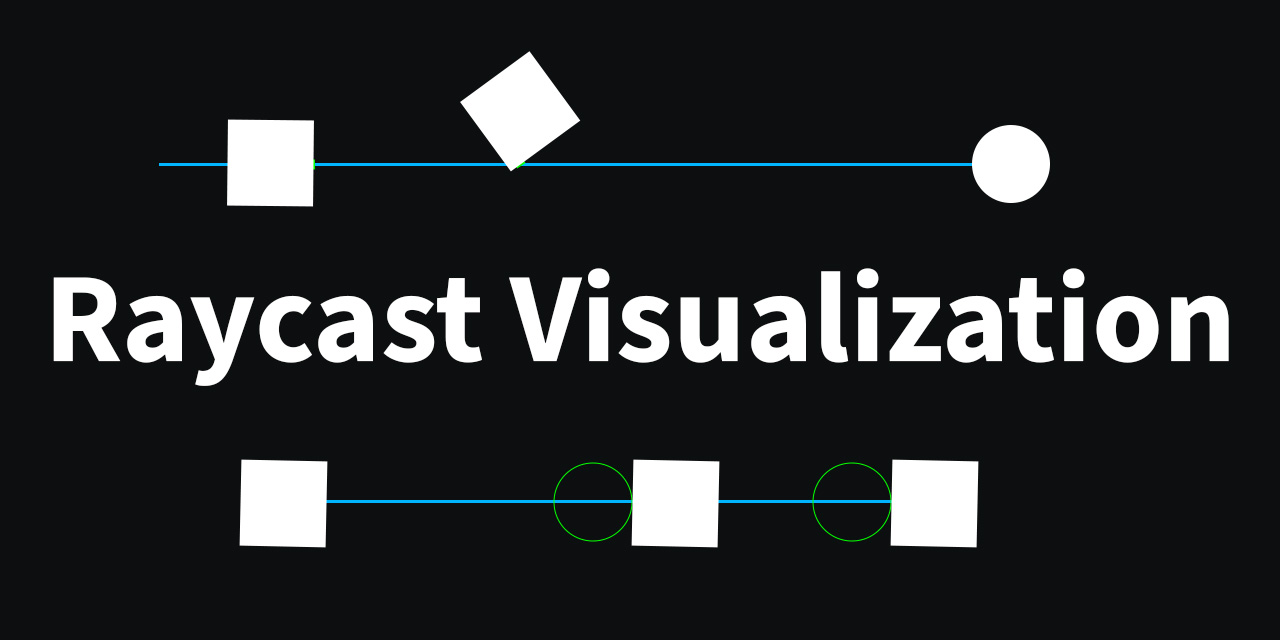
GitHub
This asset allows users to view raycasts as the user fires them. - nomnomab/RaycastVisualization
carmine sierra
my weaponFired bool still won't set to true, it debugs when the ammo touches the spawnCollider (when it spawns) but doesn't debug it when it passes through it once it's fired
I can send a vid if needed
verbal dome
carmine sierra
I can send a vid if needed
Sure but share your current code
rocky canyon
where do you set it to true? i dont think we ever saw the boolean actually get set
carmine sierra
rocky canyon
where do you set it to true? i dont think we ever saw the boolean actually get s...
you might be right
gimme a second
rocky canyon
take ur time
carmine sierra
no i do set it
verbal dome
` <---
carmine sierra
thanks
verbal dome
Okay well better learn where it is on your keyboard lol
rocky canyon
search google.. lol "where is the backtick on ..... type of keyboard" lol
night sparrow
verbal dome
<@985923603298144277> Also if it still wont work, visualize your raycast with ``...
All issues fixed thanks!
 swift crag
it's called a "grave"
carmine sierra
public class WeaponFire : MonoBehaviour
{
    [SerializeField] Camera firingCamera;
    Rigidbody2D rb;
    public float velocityMultiplier;
    Vector3 originalPos;
    Vector3 newPos;
    Vector3 poschange; // newPos - originalPos
    BoxCollider2D boxCollider;
    [SerializeField] float gravityScale;
    public GameObject weaponInstance;
    [SerializeField] GameObject Shop;
    Vector3 mouseWorldPosition;
    [SerializeField] CircleCollider2D spawnCollider;
    public bool weaponFired;

    private Vector3 GetMousePos()
    {
        mouseWorldPosition = firingCamera.ScreenToWorldPoint(Input.mousePosition);
        mouseWorldPosition.z = 0f;
        return mouseWorldPosition;
    }
    void OnTriggerEnter2D(Collider2D spawnCollider)
    {
        Debug.Log(weaponFired);
        if (weaponFired)
        {
            Debug.Log("Passed through spawn");
            rb.gravityScale = gravityScale;
        }
    }
    void Start()
    {
        boxCollider = gameObject.GetComponent<BoxCollider2D>();
    }

    void OnMouseDown()
    {
        if (weaponInstance) //Checks that the weapon has spawned in
        {

            GetMousePos();
            originalPos = mouseWorldPosition;
            Debug.Log("Clicked");
        }

    }

    void OnMouseDrag()
    {
        if (weaponInstance)
        {
            GetMousePos();
            weaponInstance.transform.position = mouseWorldPosition;
        }
    }
    void OnMouseUp()
    {
        if (weaponInstance)
        {
            weaponFired = true;
            rb = weaponInstance.GetComponent<Rigidbody2D>();
            newPos = mouseWorldPosition;
            boxCollider.enabled = false;
            poschange = newPos - originalPos;
            rb.velocity = new Vector2(-poschange.x*velocityMultiplier,-poschange.y*velocityMultiplier);
        }
    }
}
aye!
carmine sierra
carmine sierra
```
public class WeaponFire : MonoBehaviour
{
[SerializeField] Camera firing...
so i set weaponFired to true once the mouse click releases
rare basin
ok so you set it nowehere
carmine sierra
lol wdym
rocky canyon
if i recall from the other day.. his weapon instance can be null
carmine sierra
oh shit your right
rare basin
why do you have your weapon shooting logic
with OnMouseUp systems
instead of just using the input system
carmine sierra
rare basin
with OnMouseUp systems
its a slingshot
rocky canyon
well, does the trigger get triggered BEFORE you release the mouse?
rare basin
if it enters that if(weaponInstance)
rocky canyon
if so... thats why its not true
carmine sierra
rocky canyon
well, does the trigger get triggered *BEFORE* you release the mouse?
yes
rare basin
here's you answer then
carmine sierra
but i used an if statement so the ontriggereneter2d function only does something if the weapon is fired
rare basin
you check if it's true THEN you set it to true
rocky canyon
ya ^ ur logic flow doesn't work how its set up..
ud have to release the button b4 it returns true..
carmine sierra
im sorry im a bit too slow to understand
rare basin
just do
rb.gravityScale = gravityScale; after you relase the mouse
no?
why do you need it in the trigger
i assume you want to restore the gravity after you shoot
rocky canyon
xaxup can help, i gotta be back later
carmine sierra
wouldn't the ontrigger enter function work every time it touches the thing or only once
rare basin
it triggers everytime a collider enters it
carmine sierra
rare basin
why do you need it in the trigger
it was like that before but the projection was like
but now I want gravity to only turn back on when it passes through the center point
so yeah it needs to have an on trigger
so why exactly does on trigger just work the first time
rare basin
ok so just check if the BALL entered the collider
and then set the ball's gravity to whatevery you want
you don't need information if you shoot or not
carmine sierra
yeah that's what im trying
rare basin
you just need to know if ball entered the trigger
carmine sierra
but the spawn point of the ball is the trigger
carmine sierra
rare basin
you just need to know if ball entered the trigger
but it enters the trigger when it spawns
rare basin
that's a design issue
or make a bool
allowTrigger and set it to false at start
and back to true on collider exit
then 2nd time it enters, it can trigger
or just disable the collider
carmine sierra
thats what ive been trying lol
carmine sierra
rare basin
or just disable the collider
that might be a simple solution your right
rare basin
disable the "center" collider, re-enable it on shoot
carmine sierra
ill try that and let you know
rare basin
OnMouseDown - disable collider, OnMouseUp - enable
carmine sierra
rare basin
OnMouseDown - disable collider, OnMouseUp - enable
should probably be start right
as the weapon would have already triggered the collider by the time it is spawned
rare basin
yup
rocky canyon
good call 👍
rocky canyon
im sure you can get this system up and working.. but
if u keep having trouble and cant get your current setup to work correctly.
maybe check how jason does it.. he has the same type of slingshot mechanic.. but i think its structured in a better way.. regardless you can see how other ways work differently.. (learning experience)
https://www.youtube.com/watch?v=HAvfA1F3qTo&ab_channel=JasonWeimann
just a little extra something in case
he has a newer one too.. but the original one works pretty good.. i followed it back in the day and it worked
rare basin
rocky canyon
im sure you can get this system up and working.. *but*
if u keep having trouble...
actually i was doing my first ever job interview task with this video lol
rocky canyon
but keep on the one ur working on now.. as long as u can.. (problem solving like ur doing now, is the BEST way to learn)
rocky canyon
rare basin
actually i was doing my first ever job interview task with this video lol
its a solid all the way around video imo

 summer stump
carmine sierra
right after disabling it it says it's active
summer stump
carmine sierra
right after disabling it it says it's active
You are checking if it is null, not active
Disabling it doesn't make it null
summer stump
Null means it doesn't exist at all
 slender nymph
it disables it. it does not make it null or destroy it. so if you want to check whether it is enabled, then you need to check the enabled property, not the object itself
summer stump
Disabled means it still EXISTS, but is simply not enabled
carmine sierra
so if (spawncollider.enabled)
rocky canyon
dont get ur variables mixed up... these are not the same thing..

 carmine sierra
rocky canyon
dont get ur variables mixed up... these are not the same thing..
carmine sierra
rocky canyon
dont get ur variables mixed up... these are not the same thing..
damn how?
ive been assuming that the whole time
slender nymph
the same way that two people named Bob are not the same person
rocky canyon
on the trigger function.. the spawnCollider is the collider that enteres that trigger..
you THEN use that collider inside the function..
its not using the one u assigned as a CircleCollider2D
    private void OnTriggerEnter2D(Collider other)
    {
        if(other.CompareTag("Box"))
        {
            Debug.Log("other is a collider and is tagged as box");
        }
}```this is how that works ^.. when the Trigger function runs.. the other variable is the Collider that goes into that trigger.. (it could be anything)
u can name it anything.. the fact that u named it as the same as ur CircleCollider is just confusing in the end..
its not the same reference... (it could be the same) but u'd have to check it in the function to see if it is or not
carmine sierra
damn i don't get it
slender nymph
you should look up variable scope
rocky canyon
when a collider enters the trigger it is other now.. that function has access to that collider
 carmine sierra
so how would I check when the cannonball (weaponInstance) touches spawnCollider
carmine sierra
rocky canyon
when a collider enters the trigger it *is* **other** now.. that function has acc...
oh okay
slender nymph
carmine sierra
so how would I check when the cannonball (weaponInstance) touches spawnCollider
check a tag or check for a specific component
carmine sierra
carmine sierra
so how would I check when the cannonball (weaponInstance) touches spawnCollider
also this code is in neither objects
carmine sierra
carmine sierra
also this code is in neither objects
could that be the issue
rocky canyon
    public CircleCollider2D theObjectIwantToDetect;

    private void OnTriggerEnter2D(Collider other)
    {
        if(other == theObjectIwantToDetect)
        {
            Debug.Log("the collider that triggered this function IS the same as the circleCollider I declared");
        }
}```does this make sense to you now?
rocky canyon
i caught that in the corner of my eye, and thought u might be confusing the two
carmine sierra
does that mean the current code is checking if the weapon touches the parent of the scripts collider?
rocky canyon
carmine sierra
but i realised the code isn't in either collider's object
ya, thats a problem lol.. for the IsTrigger to work correctly it needs a collider attached to it that IsTrigger
carmine sierra
yeah idk what i was thinking
ill just move the code to the actual spawn colliders object
rocky canyon
    void OnTriggerEnter2D(Collider2D spawnCollider)
    {
        Debug.Log(weaponFired);
        if (weaponFired)
        {
            Debug.Log("Passed through spawn");
            rb.gravityScale = gravityScale;
        }
    }```
this code checks if a collider enters the trigger.. and then if the weapon is fired...
at the moment it doesn't care what the collider is.. spawnCollider could be anything with a collider and a rigidbodyprivate void OnTriggerEnter2D(Collider colliderThatEnteredThisTrigger)```
as a beginner just try to name things that make sense to you.. it doesn't matter how uncatchy the names are.. as long as u can see it and instantly know what its forjust don't get ahead of urself.. i feel like u could be on ur way
carmine sierra
i moved the ontrigger function to a script which is inside the spawncolliders object
that means that the 'other' will mean any object that touches the spawn collider right?
rocky canyon
any collider thats detectable yea
thats why when a collision happens theres usually another code inside of it checking on what it is
to make sure its the right thing.. for the code to make sense
carmine sierra
okay cool
yeah idk why i thought i could check two separate colliders to the object i wrote the code inside of
rocky canyon
    private void OnTriggerEnter(Collider other)
    {
        if(other.CompareTag("Player"))
        {
            // Your code for player interaction goes here
        }

        if(other.CompareTag("Enemy"))
        {
            // Your code for enemy interaction goes here
        }

        Light attachedLight = other.GetComponent<Light>();
        if(attachedLight != null)
        {
            Destroy(other.gameObject);
        }
    }```
like for example this one trigger could detect many things... i could have the one trigger run different codes depending on what the collider was.. say it had a Player Tag i could do this.. or if it was an Enemy tag i could do that..
or if it has a light component on it... i could do something like destroy the objectya, i think u were just confused on how the Collider other part of the function worked..
it wasn't something you were giving the function.. it was something the function was giving to you.. (when it was triggered, ofc)
swift crag
A method's parameters are filled with arguments by the caller.
Each parameter is a local variable you can use in the method.
rocky canyon
i gotta learn the terminology of this stuff..
verbal dome
At this point, yeah you should lol
rocky canyon
run different codes
lol, im going backwards! haha
i guess the c# docs are the best place to learn the legitimate stuff
ohh heck yea, they have an OOP section ❤️
it is alot easier to understand now that i have some Unity experience
 hazy crypt
hey guys, a weird one here. I want a number range, 0 to 359. I would like to "scroll" through that range using player input
then use the output
verbal dome
hazy crypt
hey guys, a weird one here. I want a number range, 0 to 359. I would like to "sc...
Do you want it to loop?
hazy crypt
If i modulo then I get negative numers, if i mathf.repeat then I cant loop through the range
rocky canyon
not weird
hazy crypt
verbal dome
Do you want it to loop?
yeah
Im sure theres an obvious solution that im missing
you guys got any advice?
verbal dome
hazy crypt
If i modulo then I get negative numers, if i mathf.repeat then I cant loop throu...
Not sure what you mean with 'cant loop through the range'
With Mathf.Repeat
rocky canyon
why ^ yea i was wondering.. why wouldnt mathf.repeat work
hazy crypt
verbal dome
Not sure what you mean with 'cant loop through the range'
Sorry guys it does work
I wasnt using it properly before
 thorn kiln
I'm sure I learnt this at some point in the many tutorials I've watched, but I'm doing Flappy Bird, and I've added a projectile, put the pipes together and put a button on them. I've managed to get it to recognize if the projectile collides with the button, but I can't figure out how to reference the lower pipe in the pipe prefab so I can get it to move down.
hazy crypt
thanky uo for being patient with me
verbal dome
thorn kiln
I'm sure I learnt this at some point in the many tutorials I've watched, but I'm...
Wait why are you using buttons?
thorn kiln
Following a beginner tutorial, did all the simple stuff and this was one of the "bonus challenges"
verbal dome
Is it the GMTK tutorial?
thorn kiln
Yeah
verbal dome
I'm still not sure what buttons got to do with it
 outer cobalt
thorn kiln
I'm sure I learnt this at some point in the many tutorials I've watched, but I'm...
outer cobalt
thorn kiln
I'm sure I learnt this at some point in the many tutorials I've watched, but I'm...
i'd do it with a empty game object, call it PipePrefab and drag both pipes into it
rocky canyon
hazy crypt
Sorry guys it does work
lol you had me tripping
 thorn kiln
So I'm trying to figure out how to tell it "if an energy ball collides with the button, move the lower pipe down"
carmine sierra
thanks alot spawn camp
rocky canyon
hell ya! nice job
night sparrow
Hi, is it possible for anyone to explain this issue and a way around it?
[21:12:57] Non-convex Mesh Collider with non-kinematic Rigidbody is no longer supported since Unity 5. if you want to use a non-convex mesh either make the Rigidbody kinematic or remove the Rigidbody component. Scene hierarchy path "Bullet(Clone)/Bullet Color/BulletLite_02_2", Mesh asset path "Assets/Environment/Models/BulletLite_02.fox" Mesh name "BulletLite_02_2"
Code:
IEnumerator ShootGun()
{
    DetermineRecoil();
    StartCoroutine(MuzzelFlash());

    var bullet = Instantiate(bulletPrefab, bulletSpawnPoint.position, bulletSpawnPoint.rotation);
    bullet.GetComponent<Rigidbody>().velocity = bulletSpawnPoint.forward * bulletSpeed;

    RayCastForEnemy();

    yield return new WaitForSeconds(fireRate);
    _canShoot = true;
}```

It should send a bullet to the direction but get the error insteadthe error message explains what the problem is.
you can't use a mesh collider with a rigidbody unless you check the "convex" box
a convex mesh collider is like a rubber band stretched around the object: it doesn't have any holes or dents
rocky canyon
^ perfect explanation
swift crag
a convex shape is a lot easier to deal with, which is why you aren't allowed to have a rigidbody with a non-convex collider
(unless the rigidbody is kinematic: in that case, it's not affected by forces, so it's not moving around by itself)
 swift crag
You can probably just give your bullet a single primitive collider
rocky canyon
u cant have the one on the right
swift crag
by that, I mean a sphere, box, capsule, etc.
rocky canyon
if u want a more complex collider u can try building it up using primative colliders
to match teh shape
swift crag
rocky canyon
this is an example of creating several smaller convex colliders to approximate the shape of a complex object
very handy
rocky canyon
ya, does it work?
swift crag
i dunno, i've never used that package :p
rocky canyon
lol me neither.. only seen the hype
night sparrow
Ah im using Empty Object to contain the Bullet
as the Bullet it self when shot without Empty object comes out sideways so I set the parent of the Bullet to the Empty box as the Z axis is set to the correct thing
rocky canyon
a good ole fashioned primative usually does me decent
swift crag
night sparrow
Ah im using Empty Object to contain the Bullet
as the Bullet it self when shot ...
That's fine (and unrelated)
carmine sierra
whats the best calculation for force for a 2d projectile
rocky canyon
give it a min force and a max force.. where the min is if u release near the front of the slingshot.. and the max is if u release at the very back of the slingshot
then u can lerp to get the inbetween values
or u can use a base force and just multiply it by the distance from the original spot..
100 for example.. if u drag it 1 unit from the slingshot u get a force of 100, if u drag it 2 units from the slingshot u get a force of 200, etc
many different ways tbh..
verbal dome
thorn kiln
So I'm trying to figure out how to tell it "if an energy ball collides with the ...
You could add a script to the button, with OnCollisionEnter method and check if it collides with an energy ball
By checking the colliding object's tag (CompareTag) for example
The button should have a reference to the lower pipe
So you can move it down in the method
rocky canyon
rocky canyon
or u can use a base force and just multiply it by the distance from the original...
thats how he does it.. he gets a distance and multiplies by "the powah"
 dull arch
how do to change the input of crouch
 polar acorn
dull arch
how do to change the input of crouch
polar acorn
dull arch
how do to change the input of crouch
How are you currently inputting crouch
dull arch
input manager
summer stump
dull arch
input manager
Then go to the input manager and change the value
I believe I sent the link to the docs for the input manager to you the other day, right?
If not, good "input manager unity" and scroll halfway down that page to see the names you can enter
thorn kiln
verbal dome
You could add a script to the button, with ``OnCollisionEnter`` method and check...
Oh I ve got that part, its moving the lower pipe thats stumping me
verbal dome
The button is part of the pipe prefab, right?
thorn kiln
Yeah
verbal dome
In the button script, add a serialized field for the lower pipe
carmine sierra
rocky canyon
give it a min force and a max force.. where the min is if u release near the fro...
i want the force to change as it travels
verbal dome
[SerializeField] Transform lowerPipe;```Then in prefab mode, drag the lower pipe into that slot in the button script's inspector
Now you have a reference to the lower pipe
carmine sierra
it would work where if it has enough force to break through a weak object it will break it, but if it has enough force to break a stronger object, it would also break that one
thorn kiln
This is probably a good point to ask what SerializeField actually does. I've seen it come up in a few videos, but no one bothers to explain it
polar acorn
thorn kiln
This is probably a good point to ask what SerializeField actually does. I've see...
It allows you to assign a private variable in the inspector
carmine sierra
thorn kiln
This is probably a good point to ask what SerializeField actually does. I've see...
it's like a public variable but it isn't accessible by other scripts, you just use it to reference
verbal dome
thorn kiln
This is probably a good point to ask what SerializeField actually does. I've see...
It makes Unity
-Save the value instead of reverting to default value every time the scene is reloaded
-Show it in the inspector
swift crag
to "serialize" is to turn things into data
data can be stored in scenes and prefabs
that which is not serialized is not stored
thorn kiln
I'm not sure any of those help me figure out when to use it
verbal dome
Do you know what the inspector is?
thorn kiln
Yeah
verbal dome
If you want a value to be visible there, it needs to be serialized
So you can tweak it from the inspector
For example, a serialized float will show an editable float in the inspector.
A serialized Transform (or other unity object type, such as GameObject, or any of your custom script components) will show a drag & drop slot in the inspector
swift crag
serialized fields are things that you'd want to customize for each instance of the component
 rare rivet
How can i paint tilemap tiles on top of eachother without having to create a new tilemap and set its order in layer each time?
thorn kiln
Well I tried this in a script on the buton, and no good. I had this same issue when I tried to learn JS. I could never figure out how to reference stuff.c# private void OnCollisionEnter2D(Collision2D collision) { if (collision.gameObject.name == "pfEnergyBall") { Debug.Log("Test"); } }
swift crag
what is this component attached to?
polar acorn
thorn kiln
Well I tried this in a script on the buton, and no good. I had this same issue w...
The Three Commandments of OnCollisionEnter2D:
- Thou Shalt have a 2D Collider on each object
- Thou Shalt not tick
isTriggeron either of them - Thou Shalt have a 2D Rigidbody on at least one of them
swift crag
also, always log something immediately if you're having trouble with a collision or trigger method
you want to know if the method is running at all
thorn kiln
swift crag
what is this component attached to?
 rare rivet
How can i paint tilemap tiles on top of eachother without having to create a new...
rare rivet
rare rivet
How can i paint tilemap tiles on top of eachother without having to create a new...

I dont want to have to make a new object each and every time i want a sky and a cloud or sun or whatever
verbal dome
thorn kiln
Well I tried this in a script on the buton, and no good. I had this same issue w...
Does it work so far, does it log "Test"?
thorn kiln
It does not
verbal dome
Show me the inspector of the energy ball
thorn kiln
 verbal dome
Also does the pipe have a rigidbody?
slender nymph
rare rivet
- clean your screen
- https://screenshot.help
- the answer is to create another tilemap because only a single tile can exist in a position on a single tilemap at any time
- this is a code channel

Learn how to take screenshots on many major platforms.
thorn kiln
The pipe does not have a rigid body
verbal dome
thorn kiln
The pipe does not have a rigid body
Ok, how are you moving the energy ball?
rare rivet
slender nymph
1. clean your screen
2. https://screenshot.help
3. the answer is to create anoth...
1 sure 2 i cant screenshot because my school blocked discord 3 alr thanks thats annoying 4 good to know
thorn kiln
verbal dome
Ok, how are you moving the energy ball?
    void Update()
    {
        if (Input.GetKeyDown(KeyCode.Space) && !logic.gameOverScreen.activeInHierarchy)
        {
            var bullet = Instantiate(energyBallPrefab, energyBallSpawnPoint.position, energyBallSpawnPoint.rotation);
            bullet.GetComponent<Rigidbody2D>().velocity = energyBallSpawnPoint.right * bulletSpeed;
        }
    }
}```Looks ok
slender nymph
rare rivet
1 sure 2 i cant screenshot because my school blocked discord 3 alr thanks thats ...
if you cannot send a screenshot and must resort to photographing your screen, then you should either describe your issue with words or don't bother asking for help until you can get a proper screenshot. nobody wants to read a blurry ass photo of your dusty, fingerprint covered screen just to see wtf you are talking about
thorn kiln
verbal dome
Looks ok
Yeah, I mean, it certainly works to an extent
verbal dome
Are you sure it does not log anything in the console?
 dire tartan
ive got a pressure plate which plays an animation to go down when collided with something is there a setting on the animator to wait a second or two before switching to the up animation or will i have to do it via code
thorn kiln
If I put the same code in the energy ball script though, it does log test
verbal dome
thorn kiln
You'd see it in the bottom left of the video if it did
Yeah but it is cropped out at least for me so I was just making sure
thorn kiln
The seek bar is probably blocking it 😂
verbal dome
Nah
Anyway put a log in the button script's collision method. Log the collided gameobject's name. No if statement
thorn kiln
That works
verbal dome
thorn kiln
That works
What does it log?
thorn kiln
Test
night sparrow
Ah can i get some help. I using Mesh Colliders on a Bullet
Each Child has it and Set to Convex and Is Trigger the code i have also checks to see what its hitting and if its a player or not
but seems to register hitting player through walls at speed of 25
working with 3D Objects!
 private void OnCollisionEnter(Collision collision)
 {
     if (collision.collider.CompareTag("Enemy"))
     {
         Debug.Log("Bullet hit an enemy!");
         Rigidbody enemyRigidbody = collision.collider.GetComponent<Rigidbody>();
         if (enemyRigidbody != null)
         {
             enemyRigidbody.AddForce(transform.forward * 500);
         }
     }
     else
     {
         Debug.Log("Bullet hit something other than an enemy!");
     }

     Destroy(gameObject);
}```I meant that you should log the object's name:cs Debug.Log("Collided: " + collision.gameObject.name)
rare rivet
slender nymph
if you cannot send a screenshot and must resort to photographing your screen, th...
Jesus dude sorry ig ill go stab myself and bleed out before asking a question with a picture that idk how to describe
slender nymph
way to overreact mate
thorn kiln
verbal dome
I meant that you should log the object's name:```cs
Debug.Log("Collided: " + col...
 verbal dome
thorn kiln
verbal dome
thorn kiln
Ah of course.
This is one reason why you don't use names to identify things
See how the name has (Clone) in it? The name is not be equal to pfEnergyBall
slender nymph
and this is why relying on gameobject names for logic is a bad idea
verbal dome
This is why I originally suggested using the object's tag to identify it
slender nymph
night sparrow
Ah can i get some help. I using Mesh Colliders on a Bullet
Each Child has it an...
verbal dome
@thorn kiln Assign a tag to the energy ball in the inspector, then use CompareTag to check it instead of the name
thorn kiln
Is that the most efficent way to handle this stuff? I imagine having to make a new tag for every different kind of interaction could get out of hand fast
slender nymph
checking for a specific tag or component is way better than checking the object's name
verbal dome
thorn kiln
Is that the most efficent way to handle this stuff? I imagine having to make a n...
Another option is to use GetComponent/TryGetComponent to see if the collided object has a specific component
Using a tag is probably more efficient though
verbal dome
night sparrow
Ah can i get some help. I using Mesh Colliders on a Bullet
Each Child has it an...
I using Mesh Colliders on a Bullet
Do you have a really good reason to use MeshCollider?
Using an approximated shape like a Capsule or Box is way better for performance and probably more reliable too
 native seal
whats the recommended method of getting a dictionary to show in the inspector?
verbal dome
@night sparrow Also I suggest continuous collision detection for fast moving objects:
https://docs.unity3d.com/ScriptReference/Rigidbody-collisionDetectionMode.html
night sparrow
verbal dome
Using an approximated shape like a Capsule or Box is way better for performance ...
Ah
slender nymph
also if it wasn't clear from the link i sent, the issue is that a trigger collider does not produce an OnCollisionEnter message
verbal dome
night sparrow
Ah can i get some help. I using Mesh Colliders on a Bullet
Each Child has it an...
but seems to register hitting player through walls at speed of 25
That's a common problem in games (called tunneling), solved by continuous collision detection
verbal dome
slender nymph
also if it wasn't clear from the link i sent, the issue is that a trigger collid...
Yeah that is the main issue
Tbh I didn'nt even notice the istrigger part
slender nymph
night sparrow
Ah can i get some help. I using Mesh Colliders on a Bullet
Each Child has it an...
also another thing to note is that you don't actually need to GetComponent the Rigidbody. Collision has a reference to the object's rigidbody
https://docs.unity3d.com/ScriptReference/Collision.html
summer stump
@thorn kiln I use the TryGetComponent method usually, reserving tags for broad concepts (building, unit)
But I often want to know the specific type of building or unit, so I skip the tag check in those instances and check if it has certain scripts I care about (like a medic or sniper etc)
thorn kiln
Okay, I've very nearly got it. I just need to figure out how to tell the lower pipe how far down to move when it gets hit
So far i've only really been moving things by applying vectors
verbal dome
You can just add a vector to the lower pipe's transform.position
This will just teleport it down, but that's a start
thorn kiln
It's doing it in tiny little incriments atm
summer stump
thorn kiln
It's doing it in tiny little incriments atm
pipe.transform.position += new Vector3(0,-10,0)
Are you doing something like that?
summer stump
Ahhh, I see.
Cool
thorn kiln
summer stump
pipe.transform.position += new Vector3(0,-10,0)
lowerPipe.transform.position = lowerPipe.transform.position + (Vector3.down * moveSpeed) * Time.deltaTime;
Probably want to remove the deltaTime for something like this
verbal dome
Yeah deltaTime is for stuff that happens every frame
thorn kiln
Okay, well I've got instant movement, but I want a slower lowering 😂
summer stump
thorn kiln
Okay, well I've got *instant* movement, but I want a slower lowering 😂
Now just reduce the moveSpeed
DeltaTime is a very small fraction, so removing it will make everything else way faster
verbal dome
native seal
whats the recommended method of getting a dictionary to show in the inspector?
There is no built-in way, but you can write your own or use something existing, such as this:
https://github.com/azixMcAze/Unity-SerializableDictionary
Basically it would just serialize the keys into one list and the values in another
verbal dome
thorn kiln
Okay, well I've got *instant* movement, but I want a slower lowering 😂
You could use an animator for that, or a Coroutine
https://docs.unity3d.com/Manual/Coroutines.html
Coroutines are methods that allow you to wait inside them
 visual hedge
is it a good idea to store the dictionary in some SO so the data persists to some extent?
verbal dome
SO can be used to store data, yeah
You can't change the data in a built game though
Or you can but it doesn't save
But you still need a serializable dictionary (or lists of keys + values)
hazy crypt
hey guys can I do this to add a force to "camera right" of my object
private void FixedUpdate()
    {
        Move();
    }

    private void Move()
    {
        rb.AddForceAtPosition(Vector3.forward * xInput, rb.transform.position + playerCamera.transform.right);
    }
moveSpeed might be a misnomer. All that value is really doing is determining how far down it moves the pipe. I copied it from another script so the names a little off 😂
summer stump
visual hedge
is it a good idea to store the dictionary in some SO so the data persists to som...
You generally don't want to use SOs for persistance. They are best used kinda like prefabs. Variation of data you can plug in
verbal dome
hazy crypt
```cs
private void FixedUpdate()
{
Move();
}
private void M...
That would push you forward/left and probably rotate the rb too
summer stump
thorn kiln
moveSpeed might be a misnomer. All that value is really doing is determining how...
Oh I knew that, no worries haha. Setting that to a lower value will make it go down less though.
If you meant smoothly go to the next position, do what osmal said
visual hedge
summer stump
You generally don't want to use SOs for persistance. They are best used kinda li...
yeah... but... if those pairs of data are kinda persistent no matter what? and I don't add that data by hand
verbal dome
hazy crypt
Doesnt seem to want to rotate the rb
Actually it might not if the force position is perfectly on the right side
summer stump
visual hedge
yeah... but... if those pairs of data are kinda persistent no matter what? and I...
I'm not sure what you're saying here. Can you reword it?
But you want to generally keep SOs immutable
hazy crypt
verbal dome
Actually it might not if the force position is perfectly on the right side
interesting
Could you give me a hand working out how to achieve this?
verbal dome
What exactly do you want to achieve
visual hedge
summer stump
I'm not sure what you're saying here. Can you reword it?
But you want to general...
    private Dictionary<string, GameObject> Summon = new Dictionary<string, GameObject>();

    public void SpawnSummon(string name)
    {
        string name2 = "model" + name;
        Debug.Log("name2= " + name2);
        if (!Summon.ContainsKey(name))
        {
            var go = Resources.Load<GameObject>("GameRes/Model/Character/" + name + "/Prefabs/" + name2);
            if (go == null)
            {
                Debug.Log("tried to instantate summon with ID " + name + ". but it does not exist");
                return;
            }
            Summon.Add(name, go);
        }
      var go22 = Instantiate(Summon[name], BSM.MassVFXenemy.position, Quaternion.identity, BSM.MassVFXenemy);
    }
here's what it is... I mean this data will be destroyed after I exit the game, right?
hazy crypt
verbal dome
What exactly do you want to achieve
Is there another channel to cchat about this
summer stump
visual hedge
```cs
private Dictionary<string, GameObject> Summon = new Dictionary<string,...
Yes
hazy crypt
Its busy in here
verbal dome
hazy crypt
Its busy in here
Thats fine
hazy crypt
okay no worries
visual hedge
summer stump
Yes
sooo I want this data to stay somehow 🙂 And finding the way to do so )
hazy crypt
oh wait
summer stump
visual hedge
sooo I want this data to stay somehow 🙂 And finding the way to do so )
No I understand. I'm saying don't use SOs to do that
Use JSON, Binary, or if you must PlayerPrefs
visual hedge
summer stump
No I understand. I'm saying don't use SOs to do that
oh okay. What would be better approach then please?
oh, okaay, got you
swift crag
the idea is to create a plain old C# class that holds the important data
you turn that into JSON/binary and write that to a file
visual hedge
but how does json play with the gameObject?
swift crag
then you turn that data back into an object to load it
summer stump
visual hedge
but how does json play with the gameObject?
Fen is describing how to do it now
swift crag
and then you use the object to create and configure things
you won't be running one line of code to create and configure a ton of game objects
you'll be loading a description of what things need to be created, and then you'll use that description to actually instantiate prefabs and set values
 vague dirge
Quick question, the camera.eulerAngles.y returns the camera rotation along the y axis, but is there a way to get it's rotation form any given vector (direction) ?
verbal dome
vague dirge
Quick question, the `camera.eulerAngles.y` returns the camera rotation along the...
rotation form any given vector
A bit vague, but maybe you wantQuaternion.FromToRotation
Or Vector3.SignedAngle if you want an angle along an axis, between two directions
I feel like the latter is what youre asking for
swift crag
vague dirge
Quick question, the `camera.eulerAngles.y` returns the camera rotation along the...
so the inverse of AngleAxis, basically?
visual hedge
swift crag
you'll be loading a description of what things need to be created, and then you'...
okay, thank you
swift crag
I'm actually not sure on that..I've thought about it once or twice
verbal dome
swift crag
so the inverse of `AngleAxis`, basically?
How is that not Vector3.SignedAngle?
swift crag
My first thought was to compute Quaternion.AngleAxis(0, axis) and then measure the angle between it and your rotation. But that sounds wrong to me.
carmine sierra
If anyone could check #⚛️┃physics and give their opinion I’d appreciate it
vague dirge
verbal dome
I feel like the latter is what youre asking for
The thing is I have a character controller script that rotates it with its moving direction and the camera rotation, along the y aixs. I want to generalize it for any axis, because my chracter can change gravity or things like that.
swift crag
verbal dome
How is that not Vector3.SignedAngle?
I'm imagining measuring the "roll" around an axis
imagine the difference between Quaternion.LookRotation(foo, Vector3.up) and Quaternion.LookRotation(foo, Vector3.down)
that'd be a 180 degree angle difference
but maybe I'm not imagining the same thing that Aksword is looking for
verbal dome
vague dirge
The thing is I have a character controller script that rotates it with its movin...
Well, signedangle lets you get an angle on an axis you specify
Still not 100% sure how you want to use it though
 shut spade
does anyone know how to make this wihout transform.position but making rb do the same thing? cuz i have an issue with the colliders cuz with transform.position the AI clips into the walls and if i remove that line of code just with the rb.velocity it doesnt clip into the walls but does not move correctly
float smoothness = 2.0f;
direccion.Normalize();
rb.velocity = slidingVelocity * Time.deltaTime;

Vector3 acVelocity = adjustedDirectione * aCSpeed;
slidingVelocity = Vector3.Lerp(slidingVelocity, acVelocity * smoothness, Time.deltaTime);
transform.position += slidingVelocity * Time.deltaTime;
@vague dirge Vector3.SignedAngle(cameraForward, characterForward, upAxis) something like that..?
Or are you thinking of something different
slender nymph
shut spade
```c#
float smoothness = 2.0f;
direccion.Normalize();
rb.velocity = slidingVeloc...
don't multiply velocity by deltaTime unless you are adding that to the current velocity to speed it up over time
vague dirge
verbal dome
<@844629961368797204> ``Vector3.SignedAngle(cameraForward, characterForward, up...
I think it's what I want to achieve I was currently typing the method
float targetAngle = Mathf.Atan2(direction.x, direction.z)*Mathf.Rad2Deg + cam.eulerAngles.y;
My code is like that, and so I'm trying to replace the last term
thorn kiln
There's gotta be an easier way to move a pipe downward than coroutines
verbal dome
thorn kiln
There's gotta be an easier way to move a pipe downward than coroutines
Animation
 hidden heath
verbal dome
Animation
hidden heath
verbal dome
Animation
True
carmine sierra
If anyone could check #⚛️┃physics I’d appreciate it
hidden heath
Bro why is there a Vector3.Scale in unity which just multiplies the 2 inputed vectors X Y and Z values together because its just the same as doing Vector * Vector except we can't do that. I'm pretty sure its something with C# and all that because Vector3 and those are not provided in default C# but even there we can multiply a Quaternion and a Vector3 and those are not default C# values.
swift crag
no, it's not for any of those reasons
it's because there's no one way to multiply two vectors together
verbal dome
Yeah, we can't assume that we always want component-wise multiplication
hidden heath
That is true
swift crag
There's no reason there couldn't be an operator * for Vector3 and Vector3
but as you've just stated, you wanted it to be Vector3.Scale, not Vector3.Cross
so it'd be ambiguous if the * operator was implemented
shut spade
slender nymph
don't multiply velocity by deltaTime *unless* you are *adding that* to the curre...
the real issue is with the collisions, i have the movement code like that and moves really good and smoothly (i also make changing direction smoother) and the issue comes when the IA wants to pass throug an static wall cuz it doesnt stop just still moves on and clips onto the walls but it comes from the transform.position line
hidden heath
swift crag
so it'd be ambiguous if the `*` operator was implemented
Your not wrong.
slender nymph
shut spade
the real issue is with the collisions, i have the movement code like that and mo...
well yes, moving by teleporting the object does not respect physics. if you want collisions to work then you must either manually check for collisions using physics queries before you teleport the object using transform.position or move it in a physics friendly way like with a rigidbody and a non-trigger collider
thorn kiln
verbal dome
Animation
How do I figure out how to do that? All I've touched with animation so far is to make the wings flap.
verbal dome
thorn kiln
How do I figure out how to do that? All I've touched with animation so far is to...
Lots of tutorials out there. I don't know what is the best
Maybe !learn
 eternal falconBOT
:teacher: Unity Learn ↗
Over 750 hours of free live and on-demand learning content for all levels of experience!
shut spade
slender nymph
well yes, moving by teleporting the object does not respect physics. if you want...
yea, i tried moving it with the rb and it does respect collisions but the movement is glitchy/not consistent
 pastel dome
ayo how do you get two functionalities out of one button im getting error saying it already exists in the context for buttonheld and buttonpressed
swift crag
i have no idea what you've done
are you asking about the new input system?
or is this a UI button?
pastel dome
yeah
is there like a refrence its a control button for retargeting or tab targeting
controller
swift crag
it already exists in the context for buttonheld and buttonpressed
I have zero idea what this means
I need to see errors and I need to see code
pastel dome
okay lemme get the code
Hastebin is a free web-based pastebin service for storing and sharing text and code snippets with anyone. Get started now.
swift crag
this has nothing to do with the new input system
slender nymph
shut spade
yea, i tried moving it with the rb and it does respect collisions but the moveme...
you need to be more specific about what you mean. but also you still shouldn't be multiplying the velocity by deltaTime when moving via rigidbody. the rigidbody's velocity is already expressed in units/second and the deltaTime multiplication is meant to convert the value from units per frame to units per second
 candid roost
Hi Guys I need Help with Animetor please Im really stuck for 2 days... I just want to to put the cat arm close the trash hat and open and hide "catArm" then closed but didn't work problem is that the Trash Bin 3D Collider andthe Cat arm Object Collider is 2D
script:
`using System.Collections;
using UnityEngine;
public class EatObjects : MonoBehaviour
{
private Animator _animator;
private void Start()
{
    _animator = GetComponent<Animator>();
}

private void OnTriggerEnter2D(Collider2D other)
{
    if (other.CompareTag("Trash")) // Adjust the tag as needed
    {
        _animator.SetTrigger("OpenTrigger"); // Transition to "OpenState".
    }
}

private void OnTriggerExit2D(Collider2D other)
{
    _animator.SetTrigger("CloseTrigger"); // Transition to "ClosedState".
}
}`
 pastel dome
controls.gameplay.target.performed += ctx => OnTargetPressed(); its new input system? wym
swift crag
pastel dome
controls.gameplay.target.performed += ctx => OnTargetPressed(); its new input sy...
you didn't show me that
please share the entire script
pastel dome
oh budd its long but hold on
swift crag
I can only read the code you actually share
verbal dome
candid roost
Hi Guys I need Help with Animetor please Im really stuck for 2 days... I just wa...
Very confusing question but you shouldn't use both 3D and 2D colliders
They can't interact
pastel dome
Hastebin is a free web-based pastebin service for storing and sharing text and code snippets with anyone. Get started now.
candid roost
umm I see thank you for that
summer stump
candid roost
umm I see thank you for that
3d and 2d are completely different engines (physx and Box2d)
candid roost
verbal dome
Very confusing question but you shouldn't use both 3D and 2D colliders
I was expect its passable xD
swift crag
pastel dome
https://hastebin.com/share/vadafinole.java
okay, and what is the error?
candid roost
summer stump
3d and 2d are completely different engines (physx and Box2d)
but how to setup the animetor cuz I am still beginner on that
summer stump
candid roost
but how to setup the animetor cuz I am still beginner on that
The #🏃┃animation channel has pinned resources
And !learn has courses on it
eternal falconBOT
:teacher: Unity Learn ↗
Over 750 hours of free live and on-demand learning content for all levels of experience!
pastel dome
Assets\CustomCameraController.cs(51,18): error CS0102: The type 'ThirdPersonCamera' already contains a definition for 'isTargetButtonHeld'
Assets\CustomCameraController.cs(50,19): error CS0102: The type 'ThirdPersonCamera' already contains a definition for 'targetHoldTimer'
candid roost
summer stump
And !learn has courses on it
❤️
swift crag
pastel dome
Assets\CustomCameraController.cs(51,18): error CS0102: The type 'ThirdPersonCame...
you didn't share CustomCameraController.cs
so I can't tell you much about them
I'm guessing you've redeclared both of those fields
summer stump
pastel dome
Assets\CustomCameraController.cs(51,18): error CS0102: The type 'ThirdPersonCame...
Does customcameracontroller inherit from thirdpersoncamera?
swift crag
although, both of those fields are private in ThirdPersonCamera
so declaring fields with the same name shouldn't matter
pastel dome
huh yall are making fun of my mismatched name XD
swift crag
So this is CustomCameraController.cs
The file is named incorrectly, yes
Those errors don't match the lines of code you shared.
There's nothing at all on line 51 and line 50 doesn't declare a field named targetHoldTimer
shut spade
slender nymph
you need to be more specific about what you mean. but also you still shouldn't b...
i mean that the movement i need must be smooth and exact for different fps etc and when the AI moves with the rb the movement is not smooth, how do i explain, when it chases you it looks blurry because it seems like it is teleporting
swift crag
Please make sure you've actually saved your code and reloaded it in unity
pastel dome
unity allows for mismatched script names now i think
vague dirge
I there a way to get a vector whose direction is perpendicular to another ? Like I know there a infinity of different vecotrs possible, but anyone
pastel dome
im in 2023
swift crag
pastel dome
unity allows for mismatched script names now i think
okay, cool, but your errors still have nothing to do with the lines of code you shared
 teal viper
vague dirge
I there a way to get a vector whose direction is perpendicular to another ? Like...
teal viper
vague dirge
I there a way to get a vector whose direction is perpendicular to another ? Like...
Cross product.
swift crag
isTargetButtonHeld doesn't even appear in that file
swift crag
teal viper
Cross product.
they need to pick a vector to cross with, though
vague dirge
teal viper
Cross product.
But with the vector and itself ? I would return zero no ?
teal viper
Yeah, you need to decide on the second vector.
swift crag
you could just pick up, which will usually work
summer stump
pastel dome
unity allows for mismatched script names now i think
It would have been nice to be TOLD that was the name of the file though. How could we know otherwise?
swift crag
swift crag
you could just pick up, which will usually work
this is basically what Quaternion.LookRotation does
slender nymph
shut spade
i mean that the movement i need must be smooth and exact for different fps etc a...
must be smooth and exact for different fps
this is how moving by assigning velocity should work provided you aren't doing something like multiplying the velocity by deltaTime again
pastel dome
im asking for a refrense for where u get two functionalities of the same button
swift crag
pastel dome
im asking for a refrense for where u get two functionalities of the same button
I'm asking you to actually share the code that's producing the error.
pastel dome
like button tapped verses button held over 1 second
pastel dome
Hastebin is a free web-based pastebin service for storing and sharing text and code snippets with anyone. Get started now.
slender nymph
shut spade
i mean that the movement i need must be smooth and exact for different fps etc a...
also if you are unable to explain exactly what you are seeing, then record a video to demonstrate
swift crag
you can check which interaction was responsible for a CallbackContext being produced
as an example, here's code I use for an input icon that reacts to the button being used in an action
You can also just define multiple actions.
summer stump
pastel dome
https://hastebin.com/share/vadafinole.java
This is, again, not the right code...
The errors are for line 50 and 51
pastel dome
it is the right code lol you can change the name in 2023
swift crag
pastel dome
https://hastebin.com/share/vadafinole.java
This code does not produce these errors. #💻┃code-beginner message
swift crag
pastel dome
it is the right code lol you can change the name in 2023
then why does isTargetButtonHeld appear nowhere in that file?
summer stump
pastel dome
it is the right code lol you can change the name in 2023
That has nothing at all whatsoever even a little bit to do with anything
#💻┃code-beginner message
This error could not have come from that code
pastel dome
 swift crag
Those aren't even close to the errors you posted
summer stump
pastel dome
Please show it uncropped
polar acorn
pastel dome
If this was the error you were getting then why did you post a different one
 sour ruin
Those errors are because you didn't define methods named OnTargetButtonHeld or OnTargetButtonPressed
The solution is to define those methods.
summer stump
pastel dome
This is what you posted earlier
Assets\CustomCameraController.cs(51,18): error CS0102: The type 'ThirdPersonCamera' already contains a definition for 'isTargetButtonHeld'
Assets\CustomCameraController.cs(50,19): error CS0102: The type 'ThirdPersonCamera' already contains a definition for 'targetHoldTimer'
pastel dome
i did define it xD it wont let me define it twice
swift crag
You defined NEITHER METHOD.
pastel dome
summer stump
This is what you posted earlier
> Assets\CustomCameraController.cs(51,18): error...
i think i took that out
summer stump
pastel dome
i did define it xD it wont let me define it twice
Those are calls
Not definitions
swift crag
creating duplicates of other random fields won't do anything to fix the fact that those methods do not exist
polar acorn
pastel dome
i did define it xD it wont let me define it twice
Then where is it

It exists only in the place you're trying to call it
summer stump
pastel dome
i think i took that out
Then please be more aware, instead of sending us on wild goose chases and arguing about it
polar acorn
there is nothing else in this code that defines it
pastel dome
so i can delete those?
polar acorn
pastel dome
i think i took that out
Get your shit together, then ask the question. Don't ask us to chase ghosts
 eternal needle
Gotta be gpt usage..
pastel dome
my bad boys
swift crag
If you don't understand what these errors mean, then you need to !learn how C# works. Don't just throw random stuff at the wall until something sticks.
eternal falconBOT
:teacher: Unity Learn ↗
Over 750 hours of free live and on-demand learning content for all levels of experience!
swift crag
and especially don't throw ChatGPT at it
rocky canyon
chatGPT only helps when you know ur away around enough to tell it when its wrong
pastel dome
lol i had it working pretty good earlier just trying to work around recoding a dang cinemachine
thorn kiln
Now if I could just figure out how to make it happen on a trigger instead of automatically...
rocky canyon
swift crag
lots of obvious comments
lol
 swift crag
<https://docs.unity3d.com/Packages/com.unity.inputsystem@1.7/manual/Interactions...
swift crag
swift crag
<https://docs.unity3d.com/Packages/com.unity.inputsystem@1.7/manual/Interactions...
anyway, this is what you want for "tap" and "hold" interactions
rocky canyon
thorn kiln
Now if I could just figure out how to make it happen on a trigger instead of aut...
u got the first step then! 👍 first step (make something happen) second step (make that thing happen when the user does soemthing)
thorn kiln
Sadly, all the explanations of how animation works seem to be on topics very different to what Im using it for
swift crag
thorn kiln
Sadly, all the explanations of how animation works seem to be on topics very dif...
is there a reason that using a coroutine is unacceptable?
either a coroutine or some code in Update both sound great for this situation
thorn kiln
No no, I looked at how to do it, and it made no sense
swift crag
what about it made no sense?
shut spade
slender nymph
also if you are unable to explain exactly what you are seeing, then record a vid...
swift crag
i can't help you if you just say "none of it made sense"
teal viper
thorn kiln
No no, I *looked* at how to do it, and it made no sense
Quote the words and keywords that don't make sense to you.
slender nymph
shut spade
i'm willing to bet this is actually an issue of the camera updating on the wrong timestep or you've disabled interpolation on the rigidbody
thorn kiln
Well when you didnt understand anything, it's hard to elaborate more than "I dont know"
teal viper
If the whole page doesn't make sense, the only thing I can assume is that you can't read English.
swift crag
thorn kiln
Well when you didnt understand anything, it's hard to elaborate more than "I don...
Surely you understand at least one of the phrases on the page.
rocky canyon
scroll down and look at the examples
shut spade
slender nymph
i'm willing to bet this is actually an issue of the camera updating on the wrong...
no, the camera works corretly its the crow(goofy placeholder)
sour ruin
Asked about this here yesterday but I still havent sorted it out, for some reason my x and z velocities on my rigid body will not budge from 0, ?, 0. While the addforce in the Move() function doesnt change velocity it still makes the player move around as you would expect which is super strange. Its particularly evident that the velocity isnt being correctly updates as when jumping the player doesnt retain their horizontal inertial path. It seems as though something is overriding the velocity to 0 in the x and z but I don't know what it could be since im not updating any velocities directly (this is the only code pertaining to player movement). I even commented out the addforce in Move() and tried to see if updating the rigidbody velocities in the x and z directly would work but no good. I also put a physics material with no resistance set to multiply on the player collider to see if it was maybe a friction thing (which it is not). Jumping works correctly.
slender nymph
shut spade
no, the camera works corretly its the crow(goofy placeholder)
so your camera is updating on the same timestep that the object is moving? because i doubt you've got your camera updating in FixedUpdate
slender nymph
sour ruin
Asked about this here yesterday but I still havent sorted it out, for some reaso...
!code 👇
eternal falconBOT

Posting code
📃 Large Code Blocks
Use links to services like:
https://gdl.space/, https://paste.ofcode.org/, https://hatebin.com/, https://paste.myst.rs/, https://hastebin.com/
📃 Inline Code
Surround code with three backquotes. Not quotation marks.
To format as C#, add cs to the first line:
```cs
// Your code here
```
Add a comment with a line number if there is an error message.
rocky canyon
ya, get us a link we can open up.. that block of message.txt is gonna get buried pretty quick...
and mobile guys are like FFS
💯
sour ruin
sour ruin
Asked about this here yesterday but I still havent sorted it out, for some reaso...
swift crag
thorn kiln
Well when you didnt understand anything, it's hard to elaborate more than "I don...
A coroutine lets you write code that executes over several frames, instead of running instantly.
IEnumerator Example() {
  Debug.Log("Starting!");
  yield return null;
  Debug.Log("One frame has passed!");
  yield return new WaitForSeconds(1f);
  Debug.Log("One second has passed!");
  yield return null;
  Debug.Log("One more frame has passed!");
}
Each time this method reaches a yield statement, it suspends until Unity resumes it later on. Depending on what you yield return, Unity will resume the method...
- on the next frame, by default
- after the specified delay, if you yield return a WaitForSeconds
There are other options, but these are two very common ones.
shut spade
slender nymph
so your camera is updating on the same timestep that the object is moving? becau...
the camera has an sliding and moves as smooth as possible same as the player(cant see cuz doesnt have an sprite) ill send another video with the transform.position one
swift crag
swift crag
A coroutine lets you write code that executes over several frames, instead of ru...
StartCoroutine(Example()) will:
- Instantly print "Starting"
- Print "One frame has passed!" 1 frame later
- Print "One second has passed!" 1 second later
- Print "Onem ore frame has passed!" 1 frame later
rocky canyon
couldn't of explained it better
slender nymph
shut spade
the camera has an sliding and moves as smooth as possible same as the player(can...
it's almost like you're completely ignoring everything i've said.
swift crag
IEnumerator RunForASecond() {
  float endTime = Time.time + 1;

  while (endTime > Time.time) {
    Debug.Log("Running!");
    yield return null;
  }
}
This coroutine will print "Running!" once per frame for one second.
rocky canyon
sour ruin
https://paste.ofcode.org/frs5rKFPvkjmMs9sA3VxC2
ur animator isn't overriding the positions or anything right?
swift crag
The while loop executes until endTime is not greater than the current time. Since endTime was set to Time.time + 1 at the start of the coroutine, the while loop lasts for one second.
now, imagine moving the pipe inside of that while loop
sour ruin
rocky canyon
ur animator isn't overriding the positions or anything right?
how could I check this?
swift crag
every frame, for one whole second, you move the pipe downwards
rocky canyon
sour ruin
how could I check this?
normally u seperate ur animator /graphics and the actual logics.. the animator just only be animating the graphics and not the root gameobject.. if it is u can just check ur animation clips and make sure u don't have keyframes for the positions
teal viper
sour ruin
how could I check this?
Disable the animator a
shut spade
slender nymph
it's almost like you're completely ignoring everything i've said.
idk what u meant by same timestep
sour ruin
my animation clips dont look like they are overriding position, ill try disabling it and get back to you
rocky canyon
thats just the first thing that always comes to mind.. and i tend to check that first.. if it acts the same w/o the animation then yea u can move forward and assume its the coding
slender nymph
shut spade
idk what u meant by same timestep
i mean a rigidbody moves on FixedUpdate. without interpolation enabled on it, you will only see it move each FixedUpdate. which typically happens far less than Update. so your camera moves in LateUpdate (hopefully if you've set it up correctly) which happens more often than FixedUpdate. your rigidbody probably does not have interpolation enabled therefore the visuals for the RB are not updated each frame, only when it moves. So your camera is moving on a different time step than your object is.
swift crag
imagine two metronomes set to different tempos
shut spade
slender nymph
i mean a rigidbody moves on FixedUpdate. without interpolation enabled on it, yo...
but how? if i use it with transform.position it moves smoothly and yea the camera is on lateupdate
 rich bluff
the scene position of the physics object will be updated after FixedUpdate tick was completed, on the next Update
Update is the main loop that synchronizes scene and physics worlds
shut spade
shut spade
but how? if i use it with transform.position it moves smoothly and yea the camer...
the AI has interpolation in rb
slender nymph
shut spade
but how? if i use it with transform.position it moves smoothly and yea the camer...
because you are updating the position manually each update when you set the transform.position so its visual position updates on the same timestep as the camera
shut spade
slender nymph
because you are updating the position manually each update when you set the tran...
ahhh okay, so what do i need to fix that? movement actually is on Update
sour ruin
ok so i disabled the animator (probably not in the right way) and it looks like my x and z velocities are now being updated but I cant move far before my guy gets teleported to the scene boundaries and the scene ends
thorn kiln
swift crag
A coroutine lets you write code that executes over several frames, instead of ru...
I still have no idea how to impliment it
rich bluff
thorn kiln
I still have no idea how to *impliment* it
start with simple coroutines
rocky canyon
sour ruin
ok so i disabled the animator (probably not in the right way) and it looks like ...
well, all u were looking for is if the velocities changed.. and it seems that they do.. so the issue is probably within the animator
rich bluff
print something every frame
swift crag
thorn kiln
I still have no idea how to *impliment* it
I literally just showed you multiple examples of how to write coroutines.
sour ruin
good start, how do i get my animations to stop fiddling with my rigidbody?
thorn kiln
Yeah, and I didn't understand. Always a risk when it comes to teaching.
swift crag
didn't understand what?
I'm not going to help you if all I get out of you is "I don't get it"
If you have literally no idea what any of this means, that means you have no idea how to write C#
which means you need to consult unity's !learn material
eternal falconBOT
:teacher: Unity Learn ↗
Over 750 hours of free live and on-demand learning content for all levels of experience!
thorn kiln
That is certainly a possibility
rocky canyon
sour ruin
good start, how do i get my animations to stop fiddling with my rigidbody?
well, u can remove any keyframes moving the actual transform or..
 rich bluff
@thorn kiln coroutine is a "fire and forget" object (like a GameObject that you can create in the scene) but the payload of this coroutine object is the method you write
rocky canyon
you can set it up differently.. like this.. #💻┃code-beginner message .. that way the animator is controlling just teh graphics..
and ur moving around the root (with the code)
rich bluff
StartCoroutine() will send this object to unity backend which will spin it until its considered dead, like execution leaves its scope, or you force quit it with yield break
sour ruin
if i chuck the animation stuff on the model would that sort it out?
 rich bluff
so coroutine can be run indefinitely, suspended every frame
thorn kiln
rich bluff
StartCoroutine() will send this object to unity backend which will spin it until...
Okay, so where would I put this #💻┃code-beginner message and how would I make it activate?
rich bluff
IEnumerator Test()
{
    while(true) yield return null;
}
this will run forever or until you kill it
rich bluff
thorn kiln
Okay, so where would I put this https://discord.com/channels/489222168727519232/...
you put it same way any other method
its just a method that returns IEnumerator
 clear seal
it says there is an error when i added the 3rd condition but why, i don't understand the problem here it should work right?
 rich bluff
IEnumerator is a special c# type of object
rocky canyon
sour ruin
if i chuck the animation stuff on the model would that sort it out?
most likely yes.. thats the way most characters are set up.. ur animating a child object (the graphics)..
your player is actually moving around the Parent object (the main root).. the animator is just animating the child within that object.. (if u do it this way.. then even if u animate the transform it's animating the local transform) soo you could make an idle animation that moves up and down on the y.. but the parent's y would remain 0
swift crag
from the Coroutine manual page:
rich bluff
to actually start it you have to "send" it to unity with StartCoroutine() at which point unity will manage it for you
swift crag
void Update()
{
    if (Input.GetKeyDown("f"))
    {
        StartCoroutine(Fade());
    }
}
call the method and pass the result to StartCoroutine
clear seal
swift crag
```cs
void Update()
{
if (Input.GetKeyDown("f"))
{
StartCoroutin...
me? or someone else?
swift crag
clear seal
me? or someone else?
I'm not responding to you here
I see how you got confused though lol
the F key was involved
 languid spire
clear seal
it says there is an error when i added the 3rd condition but why, i don't unders...
languid spire
clear seal
it says there is an error when i added the 3rd condition but why, i don't unders...
== true not = true
sour ruin
rocky canyon
most likely yes.. thats the way most characters are set up.. ur animating a chil...
ok ill see how i go with that, thanks
rich bluff
@thorn kiln on a sidenote this IEnumator thing works because c# treats it in a special way, the compiler converts it to a state machine under the hood, which allows it to "suspend" the method, by basically switching from one state to the next
each yield instruction you add to it is converted to a state
rocky canyon
sour ruin
ok ill see how i go with that, thanks
heres a visual example
languid spire
clear seal
my speciality
do yourself a favour, try to curb youself
sour ruin
rocky canyon
heres a visual example
mm yes i see what you mean, its just so strange because i thought the animations running were rigged to the model anyway. maybe im not understanding something about the animation system
rocky canyon
they are the model itself should be a child
u should be controlling an empty gameobject technically..
rocky canyon
if u were to turn off the graphics.. they'd be nothing but a transform ur moving around
sour ruin
yeah
rocky canyon
then im not sure why the graphics would interfere with the rigidbody..
sour ruin
thats what im saying
rocky canyon
lol. that may not be the issue then.. but it is good practice to keep em seperated
sour ruin
i have an empty game object for the player and my model being animated as a child
sour ruin
 rocky canyon
the main one/ w the rigidbody and the player code?
sour ruin
mm ok
rocky canyon
there may be an animation thats modifying the roots transform
thats what u dont want
rocky canyon
if u got ur model from mixamo that could be it too ^
which from ur hierarchy it appears to be one
sour ruin
rocky canyon
which from ur hierarchy it appears to be one
absolutely
rich bluff
- actual root (no animator, use to move/rotate)
   - animator with mesh
     - bones
typical structure
rocky canyon
yea, id check the root motion thing too
sour ruin
disabling root motion sorted it out
sour ruin
mmm sounds right, if my animations had no motion would that have been overriding my velocity to 0?
rocky canyon
can't say for sure.. but i wanna say no
on the other side of hte fence.. if there was no motion.. it might have been locked in place
so ya, if the model wasn't animated to move upwards.. thast probably why the Y wasn't changing
i'd have to experiment. i suck at animations so i rarely use root motion LoL
thorn kiln
    private void OnCollisionEnter2D(Collision2D collision)
    {
        if (collision.gameObject.CompareTag("projectile"))
        {
            StartCoroutine(MyCoroutine(lowerPipe));
        }
    }

    IEnumerator MyCoroutine(Transform lowerPipe)
    {
        while (lowerPipe.transform.position.y > -20)
        {
            lowerPipe.transform.position.y = lowerPipe.transform.position.y + (Vector3.down);
            yield return null;
        }
    }
}```Am I even *vaguely* in the right direction here?just to check, this is my player and model inspectors now

 rocky canyon
yup, that looks legit now..
sour ruin
sweet
rocky canyon
changing ur movement code shouldnt affect the animator.. and changing the animations shouldnt affect ur movement code
sour ruin
i could probably check root motion on now and check the local transform to see if it actually is being displaced
languid spire
thorn kiln
```c#
private void OnCollisionEnter2D(Collision2D collision)
{
i...
where do you get the idea you can do
lowerPipe.transform.position.y = lowerPipe.transform.position.y + (Vector3.down);
?
rocky canyon
u sure could. now that they're seperate u shoudl be able to check the transforms and see whats happening
sour ruin
nice, thanks
thorn kiln
languid spire
where do you get the idea you can do
```cs
lowerPipe.transform.position.y = lowe...
I dont, it's throwing a bunch of errors. But until I understand what I am trying to do, I can't exactly post working code.
rich bluff
thorn kiln
```c#
private void OnCollisionEnter2D(Collision2D collision)
{
i...
while below that y, the coroutine will move it every frame
*above, yes you are on the right track, now you can add second yield that switches the direction every second
teal viper
thorn kiln
I dont, it's throwing a bunch of errors. But until I understand what I *am* tryi...
These errors are unrelated to the coroutine. They're due to trying to modify a position member(y) directly.
languid spire
thorn kiln
I dont, it's throwing a bunch of errors. But until I understand what I *am* tryi...
before trying to implement logic, you need to learn how to actually write working code
languid spire
what, changing transform.position is advanced?
clear seal
back
thorn kiln
You'd think telling something to move would be basic
languid spire
thorn kiln
You'd think telling something to move would be basic
it is basic, but, like all thing programming, you need to learn to give the correct instructions
thorn kiln
languid spire
where do you get the idea you can do
```cs
lowerPipe.transform.position.y = lowe...
Because the script that's moving my pipes is
transform.position = transform.position + (Vector3.left * moveSpeed) * Time.deltaTime;
languid spire
yes, and where do you see a .y in that?
thorn kiln
I dunno
languid spire
ok, so you just made something up and hoped it would work?
languid spire
but you did make up how to address it
thorn kiln
Also known as "got something wrong"
languid spire
also known as not reading the documentation
rich bluff
@thorn kiln something like this
        IEnumerator MyCoroutine(Transform lowerPipe)
        {
            int direction = 1;
            while(true)
            {
                Coroutine moverCoroutine = StartCoroutine(MoveDirection(direction));
                        // start a nested coroutine
                        // and store a reference to it
                yield return new WaitForSeconds(1); // wait for 1 second
                StopCoroutine(moverCoroutine); // after 1 second stop the mover
                direction *= -1; // flip direction
            }// repeat
        }

        IEnumerator MoveDirection(int direction)
        {
            while(true)
            {
                lowerPipe.transform.position.y = lowerPipe.transform.position.y + (Vector3.up * direction);
                yield return null;
            }
        }
rofl
rich bluff
im ignoring the transform errors discussed before
thorn kiln
Okay, I think I've got it, but now Im struggling to figure out how to set a value for how far down it should go. If I just say "-20" all the pipes will go down to the same position, rather than relative to the other elements in the prefab
rocky canyon
instead of setting the pipes to -20 on the x you can set the pipes to its current position - 20
that way each pipe is offset -20 from where it originally was.
thorn kiln
I don't seem to be able to just write [SerializeField] Transform upperPipe; and then set public float lowestPosition = upperPipe.transform.position.y - 45;
rocky canyon
you have to do that in start or awake or something (after the code starts to run)
rich bluff
thorn kiln
I don't seem to be able to just write `[SerializeField] Transform upperPipe;` an...
you should approach it not with absolute values, but with start/end
rocky canyon
and i dont think u can set just the .y property like that.. you have to set the entire transform position..
it'd be like
Vector2 pipesPosition = pipe.transform.position;
pipesPosition.y = -20f;
pipe.transform.position = pipesPosition;```you have starting position, end position, now you need to interpolate the pipe over 1 second
Vector3.Lerp for example
thorn kiln
There's so many different things involved in just moving something
rich bluff
yes
rocky canyon
yea, people don't tend to make games in hours..
its more like months or years
it takes a lot of work
thorn kiln
I dunno, game jam people seem to do alright
rocky canyon
gameJam people re-use a lot of code.. and they've been learning / practicing that code for years usually
thorn kiln
Im not exactly making skyrim. I'm moving a pipe.
rocky canyon
ya, those guys probably have a script laying around that moves things
they take that and copy paste it.. and change what they need to and tada they making pipes move in half an hour or so
thorn kiln
Right, well this is the last thing I need to do before I try and get an hours sleep before work
So how do I tell it "relative to it's current position" instead of an absolute value?
rich bluff
by absolute value i mean -20
if you want to use these you will have to manually tweak each and every one of those, so that you dont under/overshoot
instead you should use linear interpolation
lerp function will calculate that -20 for you, you just have to provide it with start/end positions and how much along that line to move
thorn kiln
Yeah, thats in the video Im watching
 ashen wind
I've got a scrollrect and I'd like to be able to scroll it up and down, does anyone know how to do this?
rich bluff
ashen wind
I've got a scrollrect and I'd like to be able to scroll it up and down, does any...
programmatically?
ashen wind
nah
thorn kiln
Its so hard looking at other peoples code though because until you know how the thing they're explaining works, you don't know which bits of code to ignore that they're not explaining
ashen wind
just in ui normally
rich bluff
thorn kiln
Its so hard looking at other peoples code though because until you know how the ...
just ask what you dont understand
thorn kiln
Well I dont currently know what values Im trying to get or where Im assigning them, so I'll have to wait until I know that to ask questions
rich bluff
you can grab start/end positions from the inspector
swift crag
thorn kiln
Right, well this is the last thing I need to do before I *try* and get an hours ...
go to bed. you won't learn properly when you're tired.
rich bluff
you can also use 2 transforms, as start/end
and reference them in your script, then use their transform.position as start/end
thorn kiln
Currently Im just looking at this guys code and trying to make sense of it
 rich bluff
if the distance to target is greater than 0.05f, lerp to target position
thorn kiln
Yes, but Im trying to figure out how his parameters translate into my code
rich bluff
create empty scene, create a box, create 2 transforms that are start/end, create a script, and do everything in Update for now
- make the box lerp towards end transform
- make the box bounce between start/end using lerp
thorn kiln
    IEnumerator MyCoroutine(Transform lowerPipe)
    {
        while (Vector3.Distance(upperPipe.transform.position, lowerPipe.transform.position) < 45)
        {
            lowerPipe.transform.position = Vector3.Lerp(upperPipe.transform.position, lowerPipe.transform.position, 1f * Time.deltaTime);

            yield return null;
        }
}```Okay, tried this, it doesn't *not* work, but it does the instant movement thing stillYou never use deltaTime like that in lerp
You can ADD to the variable, but not multiply
swift crag
well, the main problem is that it's backwards
thorn kiln
I'm also noticing that it's moving the pipe upinstead of down when I zoom the camera out
swift crag
lowerPipe.transform.position = Vector3.Lerp(upperPipe.transform.position, lowerPipe.transform.position, ...);
If the third argument is a small number, this basically just returns the upper pipe's position
flip it around, and consider...
Vector3 currentPos = lowerPipe.transform.position;
Vector3 targetPos = upperPipe.transform.position;
float change = 10f * Time.deltaTime;
lowerPipe.transform.position = Vector3.MoveTowards(currentPos, targetPos, change);
Like I said, I was just copying this one
swift crag
MoveTowards will go from currentPos to targetPos. It moves by at most change.
swift crag
thorn kiln
Like I said, I was just copying this one
You've flipped the "from" and "to" positions around.
thorn kiln
I cant seem to get it to do anything besides something wrong
It will either do the wrogn thing or nothing at all
 ivory bobcat
You'll not be able to copy/paste the code
The movement should be within your loop whereas the other stuff defined before the loop
swift crag
swift crag
```cs
Vector3 currentPos = lowerPipe.transform.position;
Vector3 targetPos = upp...
don't cram everything into one line. break out each part into a variable so that you can clearly see what it means
native seal
im using the Serializable Dictionary https://github.com/azixMcAze/Unity-SerializableDictionary but it wont let me change the keys and values in the inspector, anyone know why?

GitHub
Serializable dictionary class for Unity. Contribute to azixMcAze/Unity-SerializableDictionary development by creating an account on GitHub.
thorn kiln
swift crag
```cs
Vector3 currentPos = lowerPipe.transform.position;
Vector3 targetPos = upp...
What happened to lerp? 😭
summer stump
thorn kiln
What happened to lerp? 😭
Replaced with MoveTowards
It's simpler and makes more sense here imo
 shell sorrel
the code with lerp was not using it properly anyways
MoveTowards or SmoothDamp are the ones for this case
summer stump
It was what is colloquially called "wrong-lerp"
shell sorrel
the "wrong-lerp" never actaully reaches its point, just approaches it forever
summer stump
In a herky jerky manner at that, unless your FPS is exactly the same each frame
shell sorrel
i have no clue why so many people do it too
swift crag
because it's easy and it kind of works
thorn kiln
swift crag
```cs
Vector3 currentPos = lowerPipe.transform.position;
Vector3 targetPos = upp...
So where does this go in the context of the script then?
swift crag
MoveTowards is great if you need to steadily move towards a target
swift crag
thorn kiln
So where does this go in the context of the script then?
inside the coroutine's loop.
you are executing this every frame.
shell sorrel
MoveTowards or simply just getting a directianl vector and adding it to pos
swift crag
swift crag
```cs
Vector3 currentPos = lowerPipe.transform.position;
Vector3 targetPos = upp...
this moves the object at 10 meters per second
shell sorrel
SmoothDamp if you want a speedup and slow down
swift crag
MoveTowards is nice because it'll stop at the end!
thorn kiln
It's insane that GMTK put this at the end of his "complete beginner" tutorial, even as the extra challenge
swift crag
also, Lerp is perfectly fine if you use it like this:
float lerpTime = 0;

Vector3 startPos = mover.position;
Vector3 endPos = target.position;

while (lerpTime < 1) {
  lerpTime = Mathf.MoveTowards(lerpTime, 1, Time.deltaTime);
  mover.position = Vector3.Lerp(startPos, endPos, lerpTime);
  yield return null;
}
Lerp is problematic when the start and end points are constantly changing
swift crag
swift crag
```cs
float lerpTime = 0;
Vector3 startPos = mover.position;
Vector3 endPos = t...
This moves mover to target over the course of one second.
thorn kiln
swift crag
```cs
Vector3 currentPos = lowerPipe.transform.position;
Vector3 targetPos = upp...
Wait, how's this supposed to work anyway, I want it to move away
swift crag
I see.
you can use MoveTowards with a negative speed to achieve that
assuming the two transforms don't start on top of each other
thorn kiln
How do I give it a negative value? I can't just put "-45" in these things
swift crag
sure you can
mover.position = Vector3.MoveTowards(mover.position, target.position, -10f * Time.deltaTime);
this will slide you away from the target at 10 meters per second, assuming you run this every frame
ivory bobcat
If you're just needing to move from point A to B over time, you'd just use move towardscs while(Vector3.Distance(A, B) > 1f) { transform.position = Vector3.MoveTowards(A, B, speed * Time.deltaTime); yield return null; }
swift crag
i believe the goal here is to make a pipe move away from another one to open a gap
You can also just do something like...
Vector3 delta = mover.position - moveAwayFrom.position;
Vector3 direction = delta.normalized;
mover.position += direction * 10 * Time.deltaTime;
The cube is moveAwayFrom and the sphere is mover. The arrow is delta
 thorn kiln
Gonna get a whole 45 minutes of sleep before work
Tomorrow I'll hopefully get the highscore tracking in quickly and then I can move on to learning about platformers, which is what my actual interest is
Not this mobile game garbage
rocky canyon
sometimes u can come full circle, and make mobile not-garbage w/ ur newfound knowledge
thorn kiln
I mean, flappy bird was a really annoying game to start with because when you press play you're immediately about to die
rocky canyon
lol, flappy bird..
thorn kiln
It made it harder to test if parts of it were working properly
So, out of curiosity, the purpose of the coroutine was to make something update every frame. Is that not what void update does?
shell sorrel
there is a lot of overlap between them, but it can be useful for thigns you dont always want happening that need frame updates
or cases where you want to wait on a certain amount of time or a condition to become true
verbal dome
thorn kiln
So, out of curiosity, the purpose of the coroutine was to make something update ...
Yeah, you could do it in Update, but you would need unnecessary variables in the class to keep track of. While in a coroutine those are local variables that will be forgotten when the coroutine ends
You will find coroutines more useful later
shell sorrel
is that too, also yield return null; just waits a frame, but there are other yield instructions you can use to do other things
swift crag
Coroutines are nice for:
- things that have lots of intermediate data
- things that can be overlapping several times
shell sorrel
like wait so many seconds, or wait till something else happens
verbal dome
Yeah waiting is way handier, no need to make variables and logic for a timer
shell sorrel
yeah no class wide field for elapsedTime
verbal dome
And you can wait for the end of frame, wait for fixed update, etc
shell sorrel
good to know how to do things both ways though lots of cases where update is a better choice too
 keen dragon
I have just 1 question
what the hell is an ienumerator???? Why do I need one????
summer stump
keen dragon
I have just 1 question
what the hell is an ienumerator???? Why do I need one????
It is a Type.
A coroutine must be a method that returns that
It has a couple methods, like Next()
So, if you want to do a coroutine, you need one
keen dragon
ok thank you
(also nice pfp)
 robust bridge
There has got to be a better way to do this, but JSON objects don't work
Tips anyone?
 summer stump
robust bridge
There has got to be a better way to do this, but JSON objects don't work
Tips an...
summer stump
robust bridge
There has got to be a better way to do this, but JSON objects don't work
Tips an...
What is DropperData?
 summer stump
an SO is an asset, so this is a poor use case for them anyway
robust bridge
summer stump
just make it a POCO
Whats a POCO?
summer stump
robust bridge
Whats a POCO?
Plain Old C Object
public class DropperData { }
Inheriting from nothing
robust bridge
I've never heard the term before, thanks :D
shell sorrel
its a weird term since its how most people use C# aside from in unity
summer stump
robust bridge
I've never heard the term before, thanks :D
Yeah, I should explain it when I use it, especially when in a unity server haa
thorn kiln
So, coroutines weren't on the list of "learn these 9 lines of code to master c#" that I watched. How often do they come up?
summer stump
thorn kiln
So, coroutines weren't on the list of "learn these 9 lines of code to master c#"...
Pretty often
And "learn these NINE lines of code to MASTER c#" is an obvious clickbait video. I honestly would immediately distrust everything it says
thorn kiln
Well the actual title was " Learn C# with these 9 LINES OF CODE - Unity Tutorial! "
summer stump
thorn kiln
Well the actual title was " Learn C# with these 9 LINES OF CODE - Unity Tutorial...
Just as bad, perhaps worse? Unsure. Certainly immoral
thorn kiln
I think it's just talking about the core beginner ones
 slender nymph
and the contents were more likely "Learn nothing at all except these 9 specific lines of code to master nothing at all!"
summer stump
@thorn kiln Have you done !learn ?
eternal falconBOT
:teacher: Unity Learn ↗
Over 750 hours of free live and on-demand learning content for all levels of experience!
summer stump
I recommend it strongly over youtube
thorn kiln
Im really not big on reading
summer stump
thorn kiln
Im really not big on reading
Get over that, it's a MASSIVE part of coding
You absolute first step in it should be reading. RTFM is the standard refrain for a reason
But either way, it's a bunch of videos
shell sorrel
literally just transform.parent
slender nymph
i just want to point out that unity uses c# not c++ for its scripting language
summer stump
thorn kiln
Im really not big on reading
Either way though, for the love of god, stop with youtube until much later
shell sorrel
all componetns have a transform so just access it from the characterCOntroller
characterController.transform.parent
ivory bobcat
You can only move the object with the character controller component using the character controller component. You can make the parent follow along or have some constraint that forces it to be displaced but you'd get weird behaviors. You're probably better off just having the character controller on the parent or have the two object decoupled and follow each other with some other means instead.
 frigid sequoia
I usually have a general script that just makes the gameObject attached to it to follow another given gameObject, either with a given speed or instantly, is pretty usefull
summer stump
Have you seen the [RequireComponent(typeof(T))] attribute?
https://docs.unity3d.com/ScriptReference/RequireComponent.html
rocky canyon
in that case you'd make 1 controller and have abunch of different skins or models that are child of that controller object..
you would always move around the main controller and just change out the graphics that'd be following along that controller
edit: or you could do it the way Dalphat mentions farther down.. w/ 1 script attached to different things/prefabs maybe
summer stump
It would automatically add scripts if you add one with that
But yeah, I have no idea what you want. Never played roblox
ivory bobcat
Create a script and attach it to the objects that need the functionality.
Don't create a prefab to do what a component does.
shell sorrel
would do it the other way around the top level object is the controller with the scripts on it, then under it are the visual parts of it
or just use prefabs and prefab variants to get visual varrations of more or less the same thing
dire tartan
if i have a bool in one script which is getting changed and its on an object how do i accest it from another script
summer stump
dire tartan
if i have a bool in one script which is getting changed and its on an object how...
dire tartan
ty
summer stump
One of multiple ways
Depends on how things are set up though (are the objects there before the scene starts or instantiated later?)
dire tartan
well i have a pressure plate and when its pressed all the way down it sets a bool to true and i want to access it on a door so when its true it opens
summer stump
dire tartan
well i have a pressure plate and when its pressed all the way down it sets a boo...
Ok, and are the objects there before the scene starts or instantiated later?
dire tartan
there at the start
dire tartan
thanks for the help
 arctic ether
need help, no idea why character turn that way when i import it into unity. In blender its fine.

 teal viper
arctic ether
need help, no idea why character turn that way when i import it into unity. In b...
teal viper
arctic ether
need help, no idea why character turn that way when i import it into unity. In b...
Is that code related?
 vale karma
probably modeled rotated on the z axis and didnt know it
so it looks like the origin of that model is in the middle, and also probably applied rotation or something odd
i think if you invert what it looks like and mirror it to stand straight up or 'recalibrate' the model and ctrl + A to apply rotation/scale
this method is the most sophisticated/coppied version of a raycast groundcheck ive used, is there a way to alter this? Im having trouble where the player is getting stuck on a wall/ledge if the player jumps towards it and hits it, or falls on it
    {
        Vector3 newPosition = new Vector3(transform.position.x, transform.position.y * 1.5f, transform.position.z);
        int hits = Physics.OverlapSphereNonAlloc(newPosition , capCollider.radius, groundedResults, groundedLayers);
        return hits > 0;
}```Why are you multiplying the y position by 1.5?
vale karma
an issue with the raycast i also have to manage. The player empty parent object is at the models feet. and this code i have is for if the center is at 1m or so. So i have to adjust for it now until i understand how to fix it/have time for it
teal viper
But regardless of that, you should probably use a ray or sphere casts in addition, so that you can tell the normal of the colliding surface.
teal viper
vale karma
an issue with the raycast i also have to manage. The player empty parent object ...
But position is in world space! That would mean that it would work differently depending on how high the character is positioned.
What if your character is at 100 on y axis? Where would the check be?
vale karma
oooo yeaa i see that now
crap i thought i could do + 1 but that didnt work
im guessing a float 1 doesnt equal 1m to the Vector
vale karma
teal viper
What if your character is at 100 on y axis? Where would the check be?
testing it now
teal viper
vale karma
im guessing a float 1 doesnt equal 1m to the Vector
That sentence makes no sense.
vale karma
like i tried adding 1 to the y axis but it screwed it up too
teal viper
vale karma
testing it now
Do you even need to test it? Just make the math in your head. 100*1.5 = 150
teal viper
vale karma
like i tried adding 1 to the y axis but it screwed it up too
Don't know what exactly you did, so hard to say anything.
vale karma
yea i am now, and its not workin, it seemed to work at a mostly flat level. but yea its an issue
teal viper
vale karma
an issue with the raycast i also have to manage. The player empty parent object ...
What's the problem with it being at the feet. A grounded check should be at the feet.
Besides, you can adjust the transform of the check object instead of adding magic numbers to code.
vale karma
yea but now it makes the player doublejump from switching states so fast. I forgot what the code was to draw the ray so i can see it
teal viper
Didn't we talk about that issue yesterday?
As for the code for drawing ray, check the documentation
vale karma
Debug.DrawRay(newPosition, Vector3.down, Color.red);
i got this guy now, ill try it out
dire tartan
how do i send code
vale karma
and yea, so i made a looptieloop
summer stump
dire tartan
how do i send code
!code
eternal falconBOT
Posting code
📃 Large Code Blocks
Use links to services like:
https://gdl.space/, https://paste.ofcode.org/, https://hatebin.com/, https://paste.myst.rs/, https://hastebin.com/
📃 Inline Code
Surround code with three backquotes. Not quotation marks.
To format as C#, add cs to the first line:
```cs
// Your code here
```
Add a comment with a line number if there is an error message.
dire tartan
im trying to get the door to open the other way
im tired and i dont know what the issue is
but it starts opening but doesnt stop
but returns to normal position when i step off the button
vale karma
    //   point1:
// The center of the sphere at the start of the capsule.``` I notice it says *the center of the sphere, is that like if you were to cut the capsule in half, and find the middle of one of the halves?i clicked on the CapsuleCastNonAlloc from public static int CapsuleCastNonAlloc(Vector3 point1, Vector3 point2, float radius, Vector3 direction, RaycastHit[] results, float maxDistance, int layerMask)
teal viper
A capsule is made of 2 spheres at the edges and a cylinder in the middle. that parameter describes one of the sphere's center
vale karma
how would i calculate the middle of both the spheres?
teal viper
Why do you need to calculate it?
vale karma
not sure, does it give it to u?
teal viper
And what are you using the capsule cast for?
teal viper
vale karma
not sure, does it give it to u?
No. You pass in the positions depending on how you want the capsule be positioned/oriented.
vale karma
im gonna replace the spherecast i have on isgrounded bc it seems to make more sense, also, i saw i could change the maxDistance, im guessing its the distance the raycast can shoot? if so it could help with the offset and timing issue im having with the first method
teal viper
I don't think there's much point in using a capsule cast unless you're doing something pretty advanced. For your grounded check would be more than enough. Don't overcomplicate things before you have it working even
vale karma
yea your right, so OverlapSphere doesnt have a maxDistance does it?
teal viper
It has a radius. It's not a cast, but overlap
 charred spoke
That would be the radios of the sphere. Overlap doesn’t move it stays in place
 summer stump
 tawdry mirage
why visual studio recommend this?
tawdry mirage
why visual studio recommend this?
Best to show the context as well
tawdry mirage
Hastebin is a free web-based pastebin service for storing and sharing text and code snippets with anyone. Get started now.
line 210
teal viper
tawdry mirage
line 210
Are you using GitHub copilot or something? It doesn't make sense to remove the check there from what I can see.
Debug draw ray
tawdry mirage
no, only vs and unity
vale karma
yea i used that, but it only draws a line, but i just did capCollider.radius / 2 and it works well. I think the radius was too large at its feet
teal viper
tawdry mirage
why visual studio recommend this?
Can you take a screenshot of the whole line suggestion?
teal viper
vale karma
yea i used that, but it only draws a line, but i just did capCollider.radius / 2...
Can't say much without seeing your code.
vale karma
vale karma
this method is the most sophisticated/coppied version of a raycast groundcheck i...
its a bit back there
teal viper
I don't see any debug rays in that snippet.
vale karma
oh i added one after Debug.DrawRay(newPosition, Vector3.down, Color.red);
teal viper
That would draw a one unit long ray
 teal viper
I see
That doesn't make sense. Consider it intellisense glitch
vale karma
teal viper
That would draw a one unit long ray
ohh the Vector3.down is the length :0 Im gettin stuck on objects still :/ i can move out of a wall but i cant move out of a corner of a box collider
teal viper
vale karma
ohh the Vector3.down is the length :0 Im gettin stuck on objects still :/ i can ...
What collider are you using for the character?
vale karma
capsule collider
teal viper
Vector3.down is a direction vector. But that doesn't matter, what matters is what the draw ray method takes/expects.
vale karma
i have the slippery physical material too