#💻┃code-beginner
1 messages · Page 195 of 1
 rich adder
You mean image?
 summer stump
If you call get component on something not there, it will result in an error
summer stump
 spiral narwhal
No sprite
spiral narwhal
No sprite
A sprite on what?
 shell sorrel
spiral narwhal
No sprite
shell sorrel
spiral narwhal
No sprite
so a sprite renderer
spiral narwhal
Yes
shell sorrel
a sprite is jsut a asset
 carmine sierra
summer stump
If you call get component on something not there, it will result in an error
carmine sierra
summer stump
If you call get component on something not there, it will result in an error
but it would be there by the time it's needed in the code
rich adder
huh sprites dont block OnMouseEnter
carmine sierra
just not before the play test
summer stump
carmine sierra
but it would be there by the time it's needed in the code
Then yeah, it'd be fine
carmine sierra
okay cool thanks guys
shell sorrel
it wont block any of the event system events, unless you have a collider on it
rich adder
are you sure you dont mean Image component no UI
shell sorrel
also i would not use the old OnMouseEnter
spiral narwhal
I probably phrased it incorrectly: the issue is that the sprite is placed on top of another sprite as a sort of indicator icon. However, when hovering over the icon, that triggers OnMouseExit, basically "blocking" the raycast
rich adder
spiral narwhal
I probably phrased it incorrectly: the issue is that the sprite is placed on top...
so remove the collider on it?
screenshot the object
are you sure you're not confusing it with UI
shell sorrel
also would not use the old OnMouse messages on mb but would use the IPointerEnterHandler
spiral narwhal
 shell sorrel
takes a little more setup but offers more control
spiral narwhal
 rich adder
spiral narwhal
rich adder
spiral narwhal
I dont see how this blocks OnMouseEnter
spiral narwhal
 rich adder
OnMouseEnter needs collider to work
spiral narwhal
rich adder
I dont see how this blocks OnMouseEnter
Yes it was incorrectly phrased. It triggers OnMouseExit
rich adder
spiral narwhal
the collider would be the only thing blocking OnMouseEnter
spiral narwhal
Oh it uses the green collider?
rich adder
yes
spiral narwhal
Ahhh
rich adder
If you want more control on what gets hit and when, I suggest doing your own Raycat
spiral narwhal
Can I use another collider as a trigger? How does Unity know which collider to use for OnMouseEnter?
rich adder
spiral narwhal
Can I use another collider as a trigger? How does Unity know which collider to u...
The corresponding OnMouseOver function is called while the mouse stays over the object and OnMouseExit is called when it moves away.
https://docs.unity3d.com/ScriptReference/MonoBehaviour.OnMouseEnter.html
spiral narwhal
Called when the mouse enters the Collider. that's a terrible way to document the event method
What "Collider"?
What if there are multiple?
rich adder
the one on the script
shell sorrel
the collider on the same object as this script
rich adder
then both
spiral narwhal
Okay, so I can just use an additional and make it span the entire sprite for my issue to resolve?
And make it a trigger*
rich adder
spiral narwhal
Okay, so I can just use an additional and make it span the entire sprite for my ...
what is on the indicator object?
spiral narwhal
spiral narwhal
this
rich adder
spiral narwhal
Okay, so I can just use an additional and make it span the entire sprite for my ...
did it work ?
spiral narwhal
No, it seems to have ignored the second collider. I'm trying to give the indicator sprite a collider that outlines the actual object and give it the OnMouseEnter script right now
rich adder
spiral narwhal
No, it seems to have ignored the second collider. I'm trying to give the indicat...
yea afaik collider needs to be on the gameobject with script on , why not just use a raycast and pick which layers / gameobjects to hit
spiral narwhal
Like this it now works as intended ^^ I just moved the collider to the Container object

Thank you for your help
 tame mist
Hello, I'm trying to put a slider in my Options menu that allows the player to control the volume of a AudioMixer group called "mainVolume".
it seems to work in changing the values so that the things tied to the mainVolume group volume can be turned up or down. But the problem i'm having is when i reopen the Options menu the slider resets to it's min value which is 0.0001. in my observation of the Console tab it appears the SetSound Method gets called first and then the OpenOptionsMenu fires off. here is the code i have controlling it:
public void OpenOptionsMenu()
{
    float volumeValue;
    mainVolumeGroup.GetFloat("mainVolume", out volumeValue);
    mainVolumeSlider.value = volumeValue;
    Debug.Log("volumeValue = " + volumeValue);

    optionsMenuCanvas.SetActive(true);
    gameMenuCanvas.SetActive(false);
}

//this method is what the sliders OnValueChangedEvent calls dynamically
public void SetSound(float soundLevel)
{
    //the fader value(-80db - 0db) is a logarithmic scale and the slider value is linear.
    //Instead of setting the slider min / max values to -80 and 0
    //(like you would to match the slider), set them to min 0.0001 and max 1.
    //Then in the script to set the value of the exposed parameter, use this to convert the linear value to an attenuation level
    Debug.Log("SetSound = " + Mathf.Log10(soundLevel) * 20);
    mainVolumeGroup.SetFloat("mainVolume", Mathf.Log10(soundLevel) * 20);
}
where do you set slider min value ?
shell sorrel
well you are setting it to the volume you got from the mixer group
which will be a negative value
do you already have it configured to support that, iirc out of the box the slider is clamped like 0 to 1 or something
tame mist
rich adder
where do you set slider min value ?
on the slider component itself. min value is set to 0.0001 and max value is set to 1
tame mist
shell sorrel
well you are setting it to the volume you got from the mixer group
i think you're on to something i will have to check
tame mist
shell sorrel
which will be a negative value
yeah i think you're right it's getting a negative value so the slider defaults to the min.
based on the calculation i used to get the SetFloat value, how would i convert and set the proper value for the slider on the GetFloat of the mixer group?
shell sorrel
InverseLerp might help
will take your -80 to 0 value, and return you a 0 to 1 value based on where it lies in that range
tame mist
oh nice, thanks i'll check into it
shell sorrel
your SetSound what range is its soundLevel in?
 rough valley
Hello Guys, I have a problem. I did a spawner for my CookieClicker Game and if I click the Cookie(Button) smaller Cookies spawn. The problem is the I can't see the cookies. I guess it have something to do with the layer. Can anyone help?
 tame mist
shell sorrel
your SetSound what range is its soundLevel in?
tame mist
shell sorrel
your SetSound what range is its soundLevel in?
i'm not exactly sure what your asking but i think the math calculates betweeen a range of -80 to 0.
 polar acorn
rough valley
Hello Guys, I have a problem. I did a spawner for my CookieClicker Game and if I...
polar acorn
rough valley
Hello Guys, I have a problem. I did a spawner for my CookieClicker Game and if I...
Well, they're on the UI layer, but they have a Sprite Renderer. Is this being spawned on a canvas?
Canvas objects shouldn't have SpriteRenderers
 sour fulcrum
I want to remove / from a string but i don't know how to reference it in a way where c# doesn't assume im trying to do like a special character if that makes sense, trying to google it but getting poor results because its just ignoring the character in the search
rich adder
sour fulcrum
I want to remove **/** from a string but i don't know how to reference it in a w...
escape it
polar acorn
sour fulcrum
I want to remove **/** from a string but i don't know how to reference it in a w...

W3Schools offers free online tutorials, references and exercises in all the major languages of the web. Covering popular subjects like HTML, CSS, JavaScript, Python, SQL, Java, and many, many more.
rough valley
polar acorn
Well, they're on the UI layer, but they have a Sprite Renderer. Is this being sp...
Uhm actually idk.. I followed 3 tutorials. One said I have to do a sprite prefab. And anytime I click the button they spawn. I guess they dont spawn on a canvas

Don't look like its on a canvas
polar acorn
rough valley
Don't look like its on a canvas
 rough valley
This is the Button
rough valley
Is there a way to fix it? Or do I have to change the code
polar acorn
Where is the cookie sprite in relation to the camera?
rough valley
What do u mean?
polar acorn
Is the cookie sprite in view of the camera
rough valley
Yes
polar acorn
Show it, show a screenshot of your camera's view and what's in it
 polar acorn
rough valley
polar acorn
rough valley
Where's the camera pointing? Show what's in its view
I don't know what's the camera and what's the canvas
and which direction the camera is facing
rough valley
big one is camera and smaller one is canvas
polar acorn
rough valley
big one is camera and smaller one is canvas
Where do the spawned cookies end up
rough valley
they spawn at the top and fall down
 polar acorn
rough valley
they spawn at the top and fall down
polar acorn
rough valley
they spawn at the top and fall down
Is your canvas set to overlay
rough valley
polar acorn
Is your canvas set to overlay
Where can I see that? Sry I started today idk much
polar acorn
rough valley
Where can I see that? Sry I started today idk much
On the canvas
rough valley
polar acorn
On the canvas

 rough valley
Okay thx. How can I change that?
polar acorn
You should probably use either UI or Sprite Renderers, not both
Your UI draws on top of everything
rough valley
If I use UI the cookies are invisible
tame mist
shell sorrel
InverseLerp might help
seems InverseLoop is really close but it's still a bit off. like the slider value will end up being a little bit higher to start, and then every time i close and reopen the Options menu it seems to go up a little each time.
this is the code i used in the OpenOptionsMenu method to get the slider value:
float i = Mathf.InverseLerp(-80, 0, volumeValue);
 fickle stump
VR Question:
I wanna grab an object and as soon as i grab it, it's supposed to play a particle effect. I have the particle attached to the object, but i dont want to play it on awake.
So yeah question is: how do i activate particales after grabbing the parent object in vr?
rough valley
polar acorn
You should probably use _either_ UI or Sprite Renderers, not both
then it looks like this

 polar acorn
rough valley
polar acorn
rough valley
Did you change it to an Image instead of a SpriteRenderer
rough valley
polar acorn
Did you change it to an Image instead of a SpriteRenderer
yes
polar acorn
rough valley
Having a collider and rigidbody means this probably shouldn't be UI, which means your background and whatnot also shouldn't be
rough valley
Hm I need the Collider to destroy the Cookies after they are out of the screen
Or how else can I do that?
@polar acorn
polar acorn
rough valley
Hm I need the Collider to destroy the Cookies after they are out of the screen
Use the colliders. Don't use UI.
rough valley
I'm confused
Should I use UI or SpriteRenderer?
@polar acorn
Okay I don't need the collider for my cookie
rich adder
rough valley
Okay I don't need the collider for my cookie
SpriteRender need collider yes
rough valley
So I would like to have "cookies" spawn over the screen and these should then fall down. They spawn over the screen but as soon as they reach the area where the background starts they disappear behind the background and only show up again as soon as the background is over. How do I fix this?
fickle stump
fickle stump
VR Question:
I wanna grab an object and as soon as i grab it, it's supposed to ...
Actually i think i found a way to do so.
However if i want to run the function in the interactable events under grabable interaction i can't select the bool that activates my Particle system 😒
 unreal imp
guys how i fix this? the code: LineRenderer tracer = Instantiate(tracerPrefab, muzzle.position, gunH.rotation); tracer.SetPosition(0, muzzle.position); tracer.SetPosition(1, hit.point); Destroy(tracer.gameObject, tracerDuration); the result:
 tough lagoon
fickle stump
Actually i think i found a way to do so.
However if i want to run the function ...
tough lagoon
fickle stump
Actually i think i found a way to do so.
However if i want to run the function ...
You need an abstraction. A component between the particle system and your your controller with methods you can call to indirectly change the bool. Not fun I know.
polar acorn
unreal imp
guys how i fix this? the code: ``` LineRenderer tracer = Instantiate(...
Does your line renderer use world space
tough lagoon
unreal imp
guys how i fix this? the code: ``` LineRenderer tracer = Instantiate(...
It isn't quite clear to me what you are expecting that to do to be honest
fickle stump
tough lagoon
You need an abstraction. A component between the particle system and your your ...
i-- what? ._.
unreal imp
polar acorn
Does your line renderer use world space
wait
fickle stump
that's gibberish to me XD
unreal imp
i think i know the problem
tough lagoon
fickle stump
i-- what? ._.
You can't change a bool directly through a Unity event. So you need to create a script that can do it with methods, and use those instead.

 warm depot
I accidentally created a memory leak but I'm not sure how to fix it. I know it's probably the while loop

but yea i basically want to move the cat towards a generated location
tough lagoon
warm depot
I accidentally created a memory leak but I'm not sure how to fix it. I know it's...
Yeah that's going to create an insane number of coroutines
warm depot
is there a way i can fix that
fickle stump
 queen adder
It's just you missing experience and maybe motivation
queen adder
It's just you missing experience and maybe motivation
I feel like it's very hard to get into when you have a lot more stuff going on in the background. I feel like you need to invest nearly all your free time to understand stuff
tough lagoon
warm depot
what should I be using instead
Is roam being called in update, or only once when you pick a destination?
summer stump
fickle stump
I feel like it's very hard to get into when you have a lot more stuff going on i...
Either invest all your freetime to do it quickly, or spend a little time every day to do it slowly. As with learning anything complex
You are learning an actual new language, engineering, and design. Of course it is hard
tough lagoon
warm depot
roam is only ran once
So what I'd do is..
void Roam() {
StopCoroutine(SlowMove());
StartCoroutine(SlowMove());
}
IEnumerator SlowMove() {
while ( wrong spot... )
{
...moveTowards
...waitforseconds
}
Rest();
}``` faint sluice
@warm depot call while loop inside coroutine, because the way you have written it while loop is never going to exit and your program will crash
Inside coroutine do
While(condition)
{
Movetowards;
Wait 1 second;
}
Delay is arbitrary, put whatever you like
faint sluice
tough lagoon
So what I'd do is..
```cs
void Roam() {
StopCoroutine(SlowMove());
StartCor...
Yeah much better ^
tough lagoon
Slow typing from my phone 😄
warm depot
oh ok so moving the while loop to the coroutine
faint sluice
tough lagoon
Slow typing from my phone 😄
Same 
Also if I'm not wrong doesn't movetowards require continuous update?
warm depot
yea
wait I only called the positions once so it was never going to break the loop
im dumb

faint sluice
Yeah so let's use yield return null instead of waitforseconds
tough lagoon
warm depot
oh ok so moving the while loop to the coroutine
Yeah because you want it to move over time and stop at the end.
It should be noted however you may want to give it a buffer. Getting spot on X and Y is sometimes hard. So try and let it get within like 0.1f of the range if that makes sense.
A good example I'd
if (Vector3.Distance(start, end) > 0.1f)
... move
It's not just hard, it's downright impossible mostly, cuz of floating point errors. Always use the > or < when dealing with floats
warm depot
ok thanks guys, I'll try that out
polar acorn
Remember that starting a coroutine does not pause anything. The code keeps right on trucking straight past it after starting it
that's what makes it "co" routine
warm depot
it works! 🙏
 arctic ibex
So I've made an options menu, and one of the options is a resolution drop down. I set it up using a tutorial from Brackeys, but my resolutio isn't working. In unity, the game is the right aspect ratio, but for whatever reason when i export & run it, it's square? If I turn fullscreen mode on, it just streches the game to fix the whole screen instead of resizing.
Wait i forgot to attach the screenshots hang on


 rough valley
Can someone help me? I tried to build my project for Android but it didnt worked. It just gave the error "* What went wrong:
Could not determine the dependencies of task ':unityLibrary:mobilenotifications.androidlib:compileReleaseJavaWithJavac'.
Failed to install the following Android SDK packages as some licences have not been accepted.
platforms;android-33 Android SDK Platform 33
To build this project, accept the SDK license agreements and install the missing components using the Android Studio SDK Manager.
Alternatively, to transfer the license agreements from one workstation to another, see http://d.android.com/r/studio-ui/export-licenses.html
Using Android SDK: C:\Program Files\Unity\Hub\Editor\2022.3.19f1\Editor\Data\PlaybackEngines\AndroidPlayer\SDK
- Try:
Run with --stacktrace option to get the stack trace. Run with --info or --debug option to get more log output. Run with --scan to get full insights."
Android tools project information site
 tepid summit
arctic ibex
tepid summit
arctic ibex
youve spelled it resplution many times
arctic ibex
tepid summit
youve spelled it resplution many times
yeah I know, I like naming variables wierd things. But it's only the variable, not the actual functions
unreal imp
How do I make it so that when it aligns well with the crosshair it changes its rotation and makes its forward the same as the crosshair's forward?
tepid summit
unreal imp
How do I make it so that when it aligns well with the crosshair it changes its r...
do a clollsision heck
unreal imp
I say this taking as reference to the Team Fortress 2 team
tame mist
i'm using a UI Slider to adjust the volume of a AudioMixer group, I named the parameter "mainVolume".
the slider min is set to 0.0001 and the max is 1.
the math that was suggested to get the attenuation number between -80 and 0 is the following:
mainVolumeGroup.SetFloat("mainVolume", Mathf.Log10(soundLevel) * 20);
now when i get the number back from the AudioMixer group it's a negative number.
for example let's say it's -5.3, how would i covert it to be a percentage for the slider value to be between the 0.0001 and 1?
 mild osprey
How do I make my "car" come back?
I know how to change it's position and make it move but would like to make it "loop" and come back after it gets to a certain point and restart
warm depot
is there a way I can shorten this? I feel like copy pasting practically the same code 4 times can be shortened somehow

i can replace the numbers at the bottom with beeCheck but the beeState1 and beeState2 are difficult
wait yea what am I talking about nvm
 ivory bobcat
warm depot
i can replace the numbers at the bottom with beeCheck but the beeState1 and beeS...
ivory bobcat
warm depot
i can replace the numbers at the bottom with beeCheck but the beeState1 and beeS...
Use an array
arctic ibex
Alright, so I've made a game, and it runs fine in the editor, but for some reason when I hit build & run, it becomes unplayable. It works, but the add force is really wierd, and is barely going faster then a drunken snail. Anyone know what could be causeing this?
ivory bobcat
tame mist
i'm using a UI Slider to adjust the volume of a AudioMixer group, I named the pa...
Divide by -80 to get a value of one when -80 and zero when 0. If you're wanting 0 to be one and -80 to be zero divide by 80 and add 1.
arctic ibex
arctic ibex
Alright, so I've made a game, and it runs fine in the editor, but for some reaso...
Upon re-reading this message, it has just become obvious to me thats it probably needs to be multiplied by time.deltatime, I'll see if that works
ivory bobcat
mild osprey
I know how to change it's position and make it move but would like to make it "l...
Check distance and reset position if beyond the maximum range. You could also just use Mathf Repeat on the xyz values.
ivory bobcat
arctic ibex
Alright, so I've made a game, and it runs fine in the editor, but for some reaso...
Use a larger value.
arctic ibex
arctic ibex
Upon re-reading this message, it has just become obvious to me thats it probably...
This did not work, it still is way to slow
ivory bobcat
Other concerns would be if this was a one shot of force being added (use impulse) and if this is occurring in fixed updated
arctic ibex
ivory bobcat
Use a larger value.
Did not solve the issue. It's also not just that it's too slow, but I don't keep any momentum once I deavtivate the Distancejoint (It's a grappling hook type swing mechanic)
ivory bobcat
arctic ibex
Did not solve the issue. It's also not just that it's too slow, but I don't keep...
Probably wouldn't given not a lot of info was given
arctic ibex
ivory bobcat
Probably wouldn't given not a lot of info was given
Oh right sorry, do you want the code?
!code
 eternal falconBOT

Posting code
📃 Large Code Blocks
Use links to services like:
https://gdl.space/, https://paste.ofcode.org/, https://hatebin.com/, https://paste.myst.rs/, https://hastebin.com/
📃 Inline Code
Surround code with three backquotes. Not quotation marks.
To format as C#, add cs to the first line:
```cs
// Your code here
```
Add a comment with a line number if there is an error message.
arctic ibex
here ya go
And this is the difference between the two
also don't mind me being bad at the game I made
ivory bobcat
arctic ibex
And this is the difference between the two
What's the difference?
arctic ibex
ivory bobcat
What's the difference?
THe speed of the swing is completely different? In the editor you can actually slwing yourself instead of just hanging
ivory bobcat
arctic ibex
https://paste.ofcode.org/9DhNLBpsksiV4kGEx4wvhT
You've got some strange unnecessary code. Was this copy/paste?
arctic ibex
ivory bobcat
You've got some strange unnecessary code. Was this copy/paste?
Yeah, my code is a steaming pile of noodles. It was copypasted straight from the VSC Document
ivory bobcat
Not sure what the logic behind checking if input was not zero then if input was one just to do a single task. Seems like AI generated or a bad tutorial.
arctic ibex
ivory bobcat
Not sure what the logic behind checking if input was not zero then if input was ...
What would you suggest instead?
ivory bobcat
Where the first if statement is redundant. cs if not zero if one ...where you could have just usedcs if one ...
As one would certainly make it not zero already
arctic ibex
Then I would need another if statement anyway, cause I gotta check if it's -1 anyway
ivory bobcat
Looks like ai generated 
arctic ibex
ivory bobcat
Looks like ai generated <:UnityChanHuh:885169594711539842>
It's not AI generated
ivory bobcat
arctic ibex
Then I would need another if statement anyway, cause I gotta check if it's -1 an...
You would need that regardless of the zero check
arctic ibex
ivory bobcat
You would need that regardless of the zero check
Yeah, but its not like the code is completly rediculous and redundant
I just used an if then an if/else instead of two ifs
ivory bobcat
Apply force in fixed update or use impulse force for single instances of additional force
arctic ibex
ivory bobcat
Apply force in fixed update or use impulse force for single instances of additio...
What does impulse force do?
And what's the difference between update & fixed update?
ivory bobcat
Other than that, I'm not aware of how disabling a different component is having an effect on your object.
ivory bobcat
arctic ibex
And what's the difference between update & fixed update?
Use FixedUpdate when using Rigidbody. Set a force to a Rigidbody and it applies each fixed frame. FixedUpdate occurs at a measured time step that typically does not coincide with MonoBehaviour.Update.
https://docs.unity3d.com/ScriptReference/MonoBehaviour.FixedUpdate.html
There are a few exceptions like impulse force.
arctic ibex
ivory bobcat
> Use FixedUpdate when using Rigidbody. Set a force to a Rigidbody and it applie...
Alright, I switched it to Fixed update, but now I can't jump.
ivory bobcat
arctic ibex
Alright, I switched it to Fixed update, but now I can't jump.
You'll need to cache input in Update
arctic ibex
ivory bobcat
You'll need to cache input in Update
What do you mean? Do I just need to make jump separately in update
ivory bobcat
Cache input in Update and use the values in fixed update.
ivory bobcat
private void Update()
{
    horizontal = Input.GetAxisRaw...
    vertical = Input.GetAxisRaw...
}``````cs
if(horizontal != 0)
...``` abstract finch
Is there a general rule to determine which variables come first? I.e. put spawnType before Room etc
 eternal needle
abstract finch
``` private SpawnInfo CreateSpawnInfo(Room room, Vector3 pos, SpawnType spawn...
eternal needle
abstract finch
``` private SpawnInfo CreateSpawnInfo(Room room, Vector3 pos, SpawnType spawn...
not really, usually i go with an order that feels like it makes sense. Like would you want to tell the function to spawn a room, give it a position, then determine its spawn type? Or would you like to tell the function a room, give it a spawn type, then tell it the position? Usually id go with the 2nd option, but if you are using default params then you also must put those last
even though the order in this case doesnt affect anything, it would feel weird if one function took a position then rotation, while a different function took a rotation then position
mild osprey
ivory bobcat
Check distance and reset position if beyond the maximum range. You could also ju...
Big task for newbie, i just have += set. I'll add that to things i need to learn though
 glass crest
Good morning, what does the term "Op" in "OpCreateRoom" means in photon?
 abstract finch
eternal needle
not really, usually i go with an order that feels like it makes sense. Like woul...
abstract finch
eternal needle
not really, usually i go with an order that feels like it makes sense. Like woul...
its mainly determined already, the spawntype being the determiner.
I'm using a switch case, instantiating the object at the position, and sending back the room to assign it as a parent. I guess i just answered my questioin there lol
eternal needle
abstract finch
its mainly determined already, the spawntype being the determiner.
I'm using a s...
im not talking about what the function does internally, but just about doing what feels right.
For ex, it would feel pretty wrong to give the position then the room
abstract finch
eternal needle
im not talking about what the function does internally, but just about doing wha...
mm true
eternal needle
i do usually put my custom classes before the structs, so stuff like Vector3, Quaternion, etc, go last but thats just what feels right to me
because the classes are usually more important
eternal needle
glass crest
Good morning, what does the term "Op" in "OpCreateRoom" means in photon?
better to ask this in a photon related place, or look at their docs specifically to see if it mentions anything with the letters Op
its probably "operation" but thats just a guess
 lyric pond
Does the first person unity starter asset not come with the audio setup for footsteps anymore?
glass crest
eternal needle
better to ask this in a photon related place, or look at their docs specifically...
Thank you, can you lead me to the photon channel, I couldn't find it
eternal needle
glass crest
Thank you, can you lead me to the photon channel, I couldn't find it
i think its pinned in #archived-networking im not in it myself
glass crest
eternal needle
i think its pinned in <#497874116246896640> im not in it myself
Alright, appreciate it
 hazy crypt
Good morning guys, is anyone available to help me understand some rigid body forces?
 faint osprey
ok so my level is a procedurally generated dungeon and when i reach the end of the current dungeon floor i want the player to be taken to the next floor of the dungeon which has the exact same as the first just harder enemies so how do i like reset a scene almost but keeping some values in scripts continued between levels
hazy crypt
faint osprey
ok so my level is a procedurally generated dungeon and when i reach the end of t...

 rare basin
hazy crypt
Good morning guys, is anyone available to help me understand some rigid body for...
rare basin
hazy crypt
Good morning guys, is anyone available to help me understand some rigid body for...
just ask the question
dont ask to ask
hazy crypt
I see
I want to recreate the movement from an old project but I don’t know how it was done before
I mostly worked on level design and stuff and my friend worked on the scripting
But now the game has been dead for time and I’d like to revive it
Here’s the gameplay

Follow the development progress here:
https://www.reddit.com/r/icosgame/
https://twitter.com/icosgame
https://discord.io/icosphere
 sick charm
Hi how to add jump animation for character using kinematic character controller(unity assest store) as it doesnt detect isGrounded
rare basin
sick charm
Hi how to add jump animation for character using kinematic character controller...
that sentence doesnt make sense
whenever you jump, trigger the jump animation
sick charm
I used a asset store add on kinematic character contoller which has slope check rather than ground check for jump action , so if i trigger a jump animation it just plays and doesn’t return to walk animation after landing
rare basin
then make ground check system yourself
sick charm
Ohh will try
eternal needle
There is more than just public and private
 visual hedge
tepid summit
``` private void = !public void```
visual hedge
tepid summit
``` private void = !public void```
wait... what is this?
visual hedge
or is it 9pm high? looks like it
tepid summit
all of the above
tepid summit
rare basin
that wont even compile
i am aware
 icy junco
 keen dew
Depends what you find interesting I guess
queen adder
Anyone managed to make a savesystem for delegates before? For delegates with lambda registers?
queen adder
like ```cs
public Action acti;
void Update()
{
if("x".IsPressed())
{
acti += () => {Debug.Log("message");};
}
}```
then save acti and when you reload, load then invoke it, it will log the message next time
 bright zodiac
queen adder
Anyone managed to make a savesystem for delegates before? For delegates with lam...
bright zodiac
queen adder
Anyone managed to make a savesystem for delegates before? For delegates with lam...
the only way you can serialize delegates is by roundtripping via BinaryFormatter, which is already deprecated
queen adder
bright zodiac
the only way you can serialize delegates is by roundtripping via BinaryFormatter...
was it replaced with another system?
bright zodiac
yeah, that's why they deprecated BF due to how it full of security holes in it
no they don't
queen adder
security holes? like dangerous for users(players)?
rare basin
if you are using BF - stop immediately
queen adder
actually yea, being able to play with delegates alone sounds trick for players
rare basin

Learn about security vulnerabilities of BinaryFormatter, SoapFormatter, NetDataContractSerializer, LosFormatter, and ObjectStateFormatter. The article recommends safer alternatives.
keen dew
Imagine if you went on to load delegates from the save file. Nothing would stop someone to edit the save file so that the delegate would format your hard drive instead or whatever they wanted
rare basin
 queen adder
so for my case, my best approach is to like turn them into methods and save a reference to my methods then launch a reflection?
bright zodiac
you're trying to seriliaze a delegate is just wrong in many ways
keen dew
Put your delegates in a dictionary, save the dictionary key instead
queen adder
that can work yea, but ig, id have to like a persistent large dictionary
but yea, ig that's best for now
 modest dust
It's always fine to dm me and ask stuff as long as the question is reasonable. But generally research and asking your question here should come first. And from what I could see from your few next messages you might be missing a few C# basics, so you should learn these first if you don't fully understand them yet
hazy crypt
Hey guys, did anyone get a chance to see my messages above?
I’d really appreciate a hand understanding this
I’ve spent maybe 6 hours experimenting with very little results and I feel like I’m hitting my head against a wall lol
queen adder
that's not your game?
hazy crypt
Yes it is
Or it was
4 years ago
The project is gone now but I was lead level designer
The other guy did all the scripting but it was just the two of us
I want to revive it but I need to learn how to do his side of the project lol
queen adder
there's no version control?
hazy crypt
It’s gone gone, no backups or anything
I have to start from scratch
I’ve had three different computers and a new Unity account since then
The other guy that I worked with is too busy and doesn’t want to remake it
He too has lost all the project history
It wasn’t too deep a concept though, if I can get the player character rolling properly I can sort of find my way from there
rare basin
people divide into 2 groups
these who is making backup
and these who will be making backup
 timid saffron
@hazy cryptI am using this script they shared in resources I recommend
 hazy crypt
I will use it now yeah
 trail heart
hazy crypt
The other guy that I worked with is too busy and doesn’t want to remake it
trail heart
hazy crypt
The other guy that I worked with is too busy and doesn’t want to remake it
Ask him for an explanation, as presumably he knows
Use version control like Git or PlasticSCM
hazy crypt
trail heart
Ask him for an explanation, as presumably he knows
Use version control like Git ...
I cannot
I only had his phone number and he no longer responds
We haven’t spoken for years
eternal needle
From the video, it doesnt look too complicated. Most of it can be done easily via rigidbody movement but youd have to setup physics materials for that bouncy interaction.
rare basin
looks like normal, velocity based player controller
with bounciness material on it
nothing fancy
hazy crypt
All I’m really interested in is the rigid body movement for now, the extra bouncy and weird interactions I can fuck with late
I’ve tried adding forces globally and relatively, and I’ve tried constraining movements but I can’t ever quite get it to work
hazy crypt
I’m fairly new yeah
rare basin
then you should watch some tutorials on physics based movements
queen adder
but you can make maps in editor?
hazy crypt
I’m new to scripting but I’ve done maybe 100 hours of level design
Working with blender, probuilder, Krita etc
I’ve done a little shadergraph stuff too
But C# is new to me
rare basin
step by step
eternal needle
if you have no background in coding, you'll either want to start with basic c# or find someone else to do the coding for you.
rare basin
learn basics c#, then learn rigidbodies etc
hazy crypt
I am fairly proficient in HTML and Python
Code in general is not new to me, just C#
I can work my way around it, like I said I’ve been experimenting in C# to try to get this to work
I’m happy to use the Unity docs which are great
But you guys have a ton more experience so I was hoping someone would see my video and say “that’s how it’s done”
eternal needle
For actual help then you'll need to share more of what's actually not working and the code. Theres really no way to say what the person did. It could be rigidbody, it could be a custom character controller that's made pretty well to look like physics.
rare basin
try&error process
hazy crypt
No no I’m not asking for magic, that’s silly
hazy crypt
eternal needle
For actual help then you'll need to share more of what's actually not working an...
That’s helpful, thank you
eternal needle
Torque is also for rotation
rare basin
start experimenting, play around with rigidbody and differet movement approaches
and see what looks most familiar
keen dew
Based on the video it doesn't look like it's using torque/rotation to move
hazy crypt
eternal needle
Torque is also for rotation
Yes, the ball is rotating on its’ central axis to roll forward, it’s not torque you reckon?
Perhaps it’s just adding a force?
queen adder
keen dew
Based on the video it doesn't look like it's using torque/rotation to move
when it rolls, it looks like it's accelerating due to ball rotation is it not?
keen dew
Even visually it's using thrusters to move
hazy crypt
keen dew
Even visually it's using thrusters to move
I’m about 80% sure it’s just visuals because I built them and the prototype didn’t have them
keen dew
If it rolls at all it's a side effect, not the moving force
hazy crypt
The thrusters that is
eternal needle
hazy crypt
Yes, the ball is rotating on its’ central axis to roll forward, it’s not torque ...
In a lot of cases you really dont need torque because you want something to rotate smoothly with the players input (while not overshooting/lagging behind). I didnt look tooo closely at the video but even in my game I just use the velocity to move, while manually setting the rotation
keen dew
yeah but it changes direction in the air, that's not torque
queen adder
actually, ig the rotation is just a side effect of friction
hazy crypt
eternal needle
In a lot of cases you really dont need torque because you want something to rota...
That makes sense, yeah
queen adder
it's not applying torque to move
hazy crypt
keen dew
yeah but it changes direction in the air, that's not torque
YES VERY TRUE
I hadn’t thought of this
Okay so there’s a local forward force for the drive
Then there’s a rotation around the Y axis to change direction
keen dew
My advice would be to forget about rotation and just apply directional forces
hazy crypt
How would I go about that
keen dew
AddForce(direction)
hazy crypt
I recall that if the ball is sat still, you can still turn it around
Can I achieve that in the same way?
The thrusters and camera would rotate around the ball to face the new forward direction
Perhaps the ball didn’t rotate
keen dew
Rotating the ball for steering is a different thing from moving it
hazy crypt
I see
I have an idea about how I can make this work now
Thank you all very much for your help
faint osprey
when i reload a scene is it only static varaibles that arent reset
 lean basin
Quaternion.LookRotation is used to convert Vector3 direction to Quaternion rotation. But what about the opposite of that operation?
How do I convert Quaternion to Vector3 direction (not euler angle)?
queen adder
faint osprey
when i reload a scene is it only static varaibles that arent reset
if you have this off https://docs.unity3d.com/Manual/DomainReloading.html
else, everything reset
queen adder
lean basin
`Quaternion.LookRotation` is used to convert Vector3 direction to Quaternion rot...
you just multiply it to a Vector3.forward
or was it up
just try both
 rough dust
Not sure if this is a question for #💻┃code-beginner or somewhere else, but I have a map panel, that houses my panel scroll rect as my map panel so the player can see where their ship is. And I'm attempting to make a button that moves the map, or my game object called "Panel" so the ship UI image is centered within the scroll rect. But with my current function, it doesn't seem to work. I've been wrestling with this for an hour and I don't know what to do
public void CenterShip()
    {
        // Get the size of the scroll rect
        Vector2 scrollRectSize = mapPanel.parent.GetComponent<RectTransform>().rect.size;

        // Calculate the center of the visible area of the scroll rect
        Vector2 scrollRectCenter = new Vector2(scrollRectSize.x / 2f, scrollRectSize.y / 2f);

        // Calculate the ship's anchored position relative to the center of the map panel
        Vector2 shipPositionRelativeToCenter = shipImage.rectTransform.anchoredPosition - mapPanel.anchoredPosition;

        // Calculate the difference needed to center the ship
        Vector2 difference = scrollRectCenter - shipPositionRelativeToCenter;

        // Move the map panel by the difference to center the ship
        mapPanel.anchoredPosition += difference;
    }
if you press the button, you want the scrollrect to center on the ship?
rough dust
queen adder
if you press the button, you want the scrollrect to center on the ship?
Yes. I just can't figure out how to calculate the offset to move the map panel.
The scroll rect is the players view of the map, the map panel is the actual size of the map and houses the graphics
lean basin
queen adder
you just multiply it to a Vector3.forward
yes it is! thank you.
queen adder
idk how you ship is setup there, but you need to figure out how many percentage it is from bottom left to top right
if it is in the very center, set this normalizedPosition to (0.5, 0,5)
rough dust
This works to center the scroll rect on the middle of my map panel which might actually come in handy later on, but right now I'm trying to center the scroll rect on the ship image. Which moves around within the map panel. That's what I can't figure out.
I need something that is able to calculate how far to move the my map panel so the ship is in the center.
Not even ChatGPT knows how to help XD so I'm completely lost lol
 frosty hound
Not even? Must be unsolvable then if not even chatGpt can solve it!
rough dust
frosty hound
Not even? Must be unsolvable then if not even chatGpt can solve it!
I hope not! XDD
queen adder
anyways, you just missing the math part, you can solve it by using Mathf.InverseLerp new Vector2(Mathf.InverseLerp(botlef.x, topright.x, ship.position), Mathf.InverseLerp(botlef.y, topright.y, ship.position))
botlef and top right are the edges
u figure out how to get their positions
 hidden sleet
How does OnMouseDown work when you have an empty parent with child objects, but you want the parent to move? Would clicking on the children fire their own OnMouseDowns and not do the parent's one? I've only got a script on the parent but it's not working as I'd hoped
carmine sierra
how can I fix a nullreferenceexception error here? the issue is weaponinstance spawns later in the game
 queen adder
carmine sierra
how can I fix a nullreferenceexception error here? the issue is weaponinstance s...
queen adder
carmine sierra
how can I fix a nullreferenceexception error here? the issue is weaponinstance s...
why is the gun appering late?
carmine sierra
queen adder
why is the gun appering late?
its not a gun lol
queen adder
you can delay it by turning your start into a coroutine, but that's ugly fix
carmine sierra
i said weaponinstance cannot be null though
queen adder
hence why im asking why is the weapon late to begin with
carmine sierra
rare basin
why are you putting this in Start() (thats called only once)
ohh your right yk
rare basin
that was a question but ok 😄
carmine sierra
so should I make a function which has the if statement
carmine sierra
rare basin
that was a question but ok 😄
a rhetorical cause your right
so if I make it an update it should work
rare basin
just dont use it in Start() if you dont want it to trigger on Start
rare basin
but that is entirely wrong what you are trying to do
rare basin
just grab the references
whenever you spawn the weaponInstance
when the weaponInstance is not null
carmine sierra
yeah so I should just make start any other function?
rare basin

carmine sierra
doing it
hidden sleet
Yeah this is odd, for some reason my OnMouseDown is just never fired now :/
Got this setup, the positionMover has a mesh collider and a script that changes it's position as follows.
But it simply doesn't let me drag, and there aren't any errors either. That 'clicked' debug log simply never shows
    public Camera camera;

    private Vector3 offset;

    private Plane dragPlane;

    private void Start()
    {
        //Creates a plane to lock movement to


            dragPlane = new Plane(Vector3.up, transform.position);


    }

    private void Awake()
    {
        camera = GameObject.Find("Camera").GetComponent<Camera>();
    }

    private void OnMouseDown()
    {
        Debug.Log("Clicked");
        Ray ray = Camera.main.ScreenPointToRay(Input.mousePosition);
        float enter = 0.0f;

        //Perform a raycast and return true if it intersecets the defined plane
        //The offset is used so that you can grab the edge of an object
        //and the object won't snap to where the mouse is
        if (dragPlane.Raycast(ray, out enter))
        {
            offset = transform.position - ray.GetPoint(enter);
        }

    }


    private void OnMouseDrag()
    {

        Ray ray = Camera.main.ScreenPointToRay(Input.mousePosition);
        float enter = 0.0f;

        //Perform a raycast from the camera to this invisible plane
        //If the raycase hits, return the distance of the cast from the origin
        //Set the updates position of the object to where the mouse is on the
        //plane plus the initially defined offset, but ignore the y axis.
        if (dragPlane.Raycast(ray, out enter))
        {
            Vector3 newPosition = ray.GetPoint(enter) + offset;
            transform.position = newPosition;
            Debug.Log("Moved Position");
        }
    }

}```
 hidden sleet
I'll have to look into those ones then
this is very rough as I'm still starting out
but it worked fine earlier, it only broke after adding the cinemachine which doesn't make sense to me

 earnest atlas
is weapon instance a singleton static ?
carmine sierra
i dont know what that is
earnest atlas
its means it not then
carmine sierra
its just an instance of a prefab
carmine sierra
different
earnest atlas
is that different object not a child or parent of this object?
just screenshot me
I cant guess
carmine sierra
no

cannonball shop is the parent of weaponspawn


wont let me send an image
earnest atlas
its same 3 screenshot
carmine sierra
 carmine sierra
mb my wifi or something
earnest atlas
why u have object called weapon list?
earnest atlas
Whatever
Open the cannonbal
I still dont understand where your scripts are positioned
carmine sierra
 earnest atlas
and as I would belive chatgpt made you create lots of classes
I mean open its children
the arrow on the left
carmine sierra
earnest atlas
and as I would belive chatgpt made you create lots of classes
didnt use it for anythin
cannonballs children
there are none
 earnest atlas
Where is script you are using
carmine sierra
idk if the image sent my wifi is bad
but only the parent objects hold the script
the children are aesthetic only
earnest atlas
You can to access that script do so far 3 things
serialize it
find it
store it somewhere and access it like that
carmine sierra
what should I do that for sorry?
earnest atlas
[SerializeField] private GameObject ObjectUWannSerialize;
Other solution is GameObject.Find()
carmine sierra
why would I want to serialize it
earnest atlas
TO acess the script
carmine sierra
the weaponspawn one right
earnest atlas
Cause you can later just do GameObjectYouWannaFind.GetComponent<ScriptWhateverName>();
Find object is evil
Better used with findbytag
I wrote it wrong I know I just dont remembe how was it
carmine sierra
so this line alone doesn't reference the script of the name WeaponSpawn?

 hexed terrace
it isn't assigned anything
earnest atlas
If you dont need separate completly objects you can just make so they have same parent and just climb it like that
carmine sierra
ohh alr
earnest atlas
No, its just creating a variable with its reference
carmine sierra
would i keep that line and then find the object
earnest atlas
Finding objects is bad
carmine sierra
in a function like start
earnest atlas
Just serialize the other object that has that script
and get the components out of it into that variable u have
btw my own question.
if you get transform.parent then search inside that object for a child with a name. Is it bad as GameObject.Find or not?
Im mostly using it for not serializing objects on each different scene when I want to get scene objet
hexed terrace
"NEVER" search by name, string searches are slow and prone to human error
earnest atlas
So how to get a child I want then?
hexed terrace
- manually assign in the inspector
- use GetComponentInChildren<T>() / GetComponentsInChildren<T>()
earnest atlas
yeah thats so far what I did
hidden sleet
How else would you do it? For instance in one of my scripts I access the main camera that has a custom name. ```cs
public CinemachineFreeLook freelookCamera;
private bool rotationEnabled = true;
private void Awake()
{
freelookCamera = GameObject.Find("FreeLook Camera").GetComponent<CinemachineFreeLook>();
}``` But since it's a prefab I thought I had to find the component when it appears
hexed terrace
Either expose to the inspector and manually assign it, or FindObjectOfType<CinemachineFreeLook>();
hidden sleet
Can I just drag stuff from scenes onto prefabs anyways?
hexed terrace
oh a prefab, no
you can't have scene references on a prefab - in the project folder, an instance of a prefab can obvs have references to scene objects
earnest atlas
Yeah because that will work in the most weird manner
hidden sleet
Cause this is supposed to appear on a prefab, so I don't know any other ways to get the camera from the scene it spawns in
earnest atlas
Well you can store reference somewhere else
hexed terrace
hexed terrace
Either expose to the inspector and manually assign it, or `FindObjectOfType<Cine...
☝️
hidden sleet
And that's just better outright than a string search?
hexed terrace
of the thing that spawns it gives it the required references
earnest atlas
wdym expose to inspector?
hexed terrace
hidden sleet
And that's just better outright than a string search?
yes
hexed terrace
earnest atlas
wdym expose to inspector?
make it visible in the inspector..
earnest atlas
hidden sleet
And that's just better outright than a string search?
you can when spawning object save the reference to initialize and have camera variable as public
hexed terrace
public/ [SerializeField]
earnest atlas
and pass it in that same moment
hexed terrace
fields sholdn't ever be public though, so SF is the way
earnest atlas
hexed terrace
`public`/ `[SerializeField]`
I just remember there being something of sort of [Tooltip] and I though u ment something similar
hexed terrace
🤔
earnest atlas
hexed terrace
fields sholdn't ever be public though, so SF is the way
How would you pass then object to other object?
hexed terrace
earnest atlas
How would you pass then object to other object?
what?
object = otherObject;
earnest atlas
You cant pass a prefab object from scene
hidden sleet
So if you've got a whole heap of cameras, is it generally better to just hold a list of cameras somewhere and get that one from a list so you can avoid string searches
earnest atlas
I mean you create object and want to tell that object "here have this reference:
 timber comet
earnest atlas
You cant pass a prefab object from scene
timber comet
earnest atlas
You cant pass a prefab object from scene
You mean instantiate an object into the scene?
timber comet
Just do Gameobject gm = Instantiate(…)
In the instantiate put your prefab gameobject
hexed terrace
earnest atlas
I mean you create object and want to tell that object "here have this reference:
MyFancyType spawnedPrefab = Instantiate(...)
spawnedPrefab.ref1 = blah;
spawnedPrefab.ref2 = blahBlah;
And now you have a reference to the spawned object
earnest atlas
I have this in player to pass references to the GameController instance

This are the values

How else would you pass it there?
This script allows me to not bother running that multiplle times and on scene load it will run without issues
timber comet
Is the PlayerController script attached to the player GameObject?
earnest atlas
playercontroller is Static Singleton
So I can acces its values ;like that
https://hatebin.com/qabalwcjqu GameController code
Player controller https://hatebin.com/atgecrmqpz
How would you pass the references to the scripts?
timber comet
earnest atlas
How else would you pass it there?
You could do a public void Something (GameObject player, PController pcontroller)
earnest atlas
and call it to set the object?
timber comet
And then reference it through the instance
timber comet
earnest atlas
and call it to set the object?
Yes
earnest atlas
But I also want to be able to get access to those values
In different scripts
I have this for score

its for not updating UI constantly
timber comet
earnest atlas
But I also want to be able to get access to those values
Then keep the current code
earnest atlas
yeah I dont see how I can make it protected like private and also be able to access it from elsewhere
timber comet
The current code is just fine, you can access your variables through the instance
timber comet
earnest atlas
yeah I dont see how I can make it protected like private and also be able to acc...
Oooh
Just do a get and private set
timber comet
timber comet
Just do a get and private set
Public something A { get; private set;}
hidden sleet
Do Plane raycasts not have a way to avoid specific layers?
timber comet
hidden sleet
Do Plane raycasts not have a way to avoid specific layers?
Just exclude some layers from the raycast
hidden sleet
That's what I'm trying to figure out
but I can't see a method overload that includes a way to ignore a certain layer
timber comet
hidden sleet
but I can't see a method overload that includes a way to ignore a certain layer

Unity Discussions
This one should be reasonably easy to answer 🙂 Hitting a certain layer leads to the usage of a LayerMask. Normally, you’ll only be hitting that / those layers. To invert a LayerMask, add a cute “~” (squiggly) in front of it. Here’s some example code. Nero Fires Everything once you click your left mousebutton and then tells you what he hit: ...
timber comet
timber comet
https://discussions.unity.com/t/how-can-i-have-a-raycast-ignore-a-layer-complete...
Try this
hidden sleet
doesn't seem to work with Planes
there isn't an overload that can take those arguments
Cause I've got a plane so it can only move said object on the z and x axes - private Plane dragPlane; But It keeps hitting the wrong collider when I cast it if (dragPlane.Raycast(ray, out enter)) { offset = transform.parent.position - ray.GetPoint(enter); }
earnest atlas
timber comet
Public something A { get; private set;}
Yeah I know that. But private set wont work for these because they are set by other scripts.
Im pretty sure raycast only works with layers?
timber comet
earnest atlas
Yeah I know that. But private set wont work for these because they are set by ot...
Then do as I said earlier
earnest atlas
So back to square 1
rare basin
earnest atlas
Yeah I know that. But private set wont work for these because they are set by ot...
you are confusing many terms
timber comet
Make a public void
faint sluice
hidden sleet
doesn't seem to work with Planes
- Planes can have a layer
- There is an overload that allows you to choose layers blocked by raycast
- You can ignore plane's layer
timber comet
timber comet
Make a public void
And pass the variables from there
hidden sleet
faint sluice
- Planes can have a layer
- There is an overload that allows you to choose layer...
Do you happen to know that overload? Vs is telling me there aren't any :/
rare basin
earnest atlas
yeah I dont see how I can make it protected like private and also be able to acc...
can't be private and accessible from other classes
pick one
timber comet
rare basin
can't be private and accessible from other classes
You can
If you make a public void and pass variables from there
timber comet
timber comet
You can
Then you just do a public something a {get; private set}
timber comet
timber comet
Then you just do a public something a {get; private set}
So you can get it in every script, but you cannot set it outside of it
rare basin
timber comet
You can
still that doesnt mean that that PRIVATE variable is accesible from other classes
faint sluice
timber comet
https://discussions.unity.com/t/how-can-i-have-a-raycast-ignore-a-layer-complete...
Did you read the answer?@hidden sleet
timber comet
rare basin
still that doesnt mean that that PRIVATE variable is accesible from other classe...
A totally private variable no, you cannot
rare basin
that's what i said
timber comet
Unless
hidden sleet
yes, and that doesn't solve it. That overload only exists for Physics.Raycast, not Plane.Raycast, which is what I showed in my code snippet
faint sluice
hidden sleet
yes, and that doesn't solve it. That overload only exists for Physics.Raycast, n...
Oh, my bad then..carry on
timber comet
timber comet
You can reference a void
Tho, you need to create the same void for n scripts
hidden sleet
np, I think I may Just need to switch to Physics raycast but then find another way to replicate this behaviour
Would it be stupid to cast a ray onto the plane, then cast another ray to that point so I can then check it's layer?
earnest atlas
wdym?
hidden sleet
Well i've got this larger trigger collider surrounding my capsule which is larger than the custom movement gizmo that I want to be able to click and drag to move around, but I can't click it since it's encompassed by that trigger. And clicking on that larger one ends up running my OnMouseDown method, which isn't ideal.

I think I may just need to rethink how I do click detection and not use onMouseDown as you said
earnest atlas
This what raycast with filter to layer will do
 hidden sleet
So I was thinking about instead firing a ray on the onmousedown and use that to check the layer before then
hidden sleet
earnest atlas
This what raycast with filter to layer will do
I understand this much
I think I'm not explaining my situation as well as I could.
I'll go and see if this idea of mine works and I'll come back with a better explanation if it doesn't
wait hang on, these layer overrides in the collider, can that give a collider a specific layer if the object itself belongs to another?

 thick shadow
is there someone that can help me with a small camera code thing?
hidden sleet
hidden sleet
wait hang on, these layer overrides in the collider, can that give a collider a ...
Oh well, turns out there's an option in the project settings that lets raycasts ignore triggers 💀
 dense cypress
getting this error when making a build
Unable to find player assembly: Library/PlayerScriptAssemblies/UnityEngine.TestRunner.dll
UnityEngine.Debug:LogWarning (object)
Unity.Burst.Editor.BurstAotCompiler:OnPostBuildPlayerScriptDLLsImpl (Unity.Burst.Editor.BurstAotCompiler/BurstAOTSettings,UnityEditor.Compilation.Assembly[]) (at Library/PackageCache/com.unity.burst@1.8.11/Editor/BurstAotCompiler.cs:654)
Unity.Burst.Editor.BurstAOTCompilerPostprocessor:DoGenerate (UnityEditor.Compilation.Assembly[]) (at Library/PackageCache/com.unity.burst@1.8.11/Editor/BurstAotCompiler.cs:330)
Unity.Burst.Editor.BurstAOTCompilerPostprocessor:OnPostBuildPlayerScriptDLLs (UnityEditor.Build.Reporting.BuildReport) (at Library/PackageCache/com.unity.burst@1.8.11/Editor/BurstAotCompiler.cs:199)
UnityEditor.EditorApplication:Internal_CallGlobalEventHandler ()
thick shadow
hexed terrace
<https://dontasktoask.com/>
🤨
earnest atlas
small camera code thing 😄
thick shadow
what i want is that the camera followes the player. but rotates around it smoothly. but what it does now is just rotating around it really freaking fast. and not smooth. even after edjusting the smooth rotation in the inspector. here is the code:
Dont mind the language after the //'s that dutch so i understand better XD
using UnityEngine;
public class CameraFollow : MonoBehaviour
{
public Transform target; // De transform van de speler om te volgen
public float rotationSpeed = 5f; // De snelheid waarmee de camera om de speler heen draait
private Vector3 offset; // De offset van de camera vanaf het target

void Start()
{
    // Bereken de offset van de camera ten opzichte van de speler
    if (target != null)
    {
        offset = transform.position - target.position;
    }
}

void LateUpdate()
{
    // Controleer of er een speler is om te volgen
    if (target != null)
    {
        // Bereken de rotatie om de speler heen
        Quaternion targetRotation = Quaternion.Euler(0f, target.eulerAngles.y, 0f); // Draaien om de y-as van de speler

        // Roteer de offset van de camera
        offset = targetRotation * offset;

        // Bereken de gewenste positie van de camera
        Vector3 desiredPosition = target.position + offset;

        // Stel de positie van de camera in op de gewenste positie
        transform.position = desiredPosition;

        // Kijk altijd naar de speler
        transform.LookAt(target.position);
    }
}
}
using UnityEngine;
public class CameraFollow : MonoBehaviour
{
public Transform target; // De transform van de speler om te volgen
public float rotationSpeed = 5f; // De snelheid waarmee de camera om de speler heen draait
private Vector3 offset; // De offset van de camera vanaf het target

void Start()
{
    // Bereken de offset van de camera ten opzichte van de speler
    if (target != null)
    {
        offset = transform.position - target.position;
    }
}

void LateUpdate()
{
    // Controleer of er een speler is om te volgen
    if (target != null)
    {
        // Bereken de rotatie om de speler heen
        Quaternion targetRotation = Quaternion.Euler(0f, target.eulerAngles.y, 0f); // Draaien om de y-as van de speler

        // Roteer de offset van de camera
        offset = targetRotation * offset;

        // Bereken de gewenste positie van de camera
        Vector3 desiredPosition = target.position + offset;

        // Stel de positie van de camera in op de gewenste positie
        transform.position = desiredPosition;

        // Kijk altijd naar de speler
        transform.LookAt(target.position);
    }
}
}
earnest atlas
!code
eternal falconBOT
Posting code
📃 Large Code Blocks
Use links to services like:
https://gdl.space/, https://paste.ofcode.org/, https://hatebin.com/, https://paste.myst.rs/, https://hastebin.com/
📃 Inline Code
Surround code with three backquotes. Not quotation marks.
To format as C#, add cs to the first line:
```cs
// Your code here
```
Add a comment with a line number if there is an error message.
 languid spire
AI Code
rare basin
jezus another chatgpt enjoyer
languid spire
And in Dutch as well
rare basin
🥶
earnest atlas
After dealing with chatgpt as much as I normally do you can recognize AI text easy. It loves one specific sentence strucuting so much
thick shadow
languid spire
AI Code
so? im trying to understand the code first lol. is it that bad 💀
languid spire
AI Code is not allowed here
earnest atlas
Sphere cast is same raycasthit?

 gaunt ice
the "return struct" are the same
hexed terrace
thick shadow
so? im trying to understand the code first lol. is it that bad 💀
Just use #🎥┃cinemachine , "no" code required
 scarlet skiff
if (Input.GetMouseButtonUp(0) && (reload.reloadBar.value >= 0.2f) && !reload.isReloading && canShoot)
{
    Debug.Log("here");
    float chargingTime = Time.time - timeWhenCharge;
    Jump(chargingTime, reload.reloadBar.value);
}
Why wont the if statement happen even when all the condition are true, sometimes it bugs out and still wont play whats inside the if loop, this happens if you charge a jump to power = 4
Jump code: https://gdl.space/uxuxotukuk.cs
Reload code: https://gdl.space/ihobitukez.cs
thick shadow
hexed terrace
Just use <#763497743976497222> , "no" code required
yeah but that not what i want tho. i want to understand the code.
scarlet skiff
scarlet skiff
```c#
if (Input.GetMouseButtonUp(0) && (reload.reloadBar.value >= 0.2f) && !relo...
with debug i can see !reload.isReloading && canShoot) are true, and in inspector i can see value to be 0.2f, and yes i click on the right mouse button
i can jump 5 tiems before relaoding if they all are power 1, but if i do one with power 4, id still lose out on 1 jump on power 1
rare basin
scarlet skiff
```c#
if (Input.GetMouseButtonUp(0) && (reload.reloadBar.value >= 0.2f) && !relo...
do you know how Time.time works?
scarlet skiff
rare basin
do you know how `Time.time` works?
its the time since the game has started running, yes
run time
gaunt ice
have you logged >=0.2f?
dont trust the value you see in inspector
1.9999999 is 0.2 but it is <0.2
scarlet skiff
gaunt ice
have you logged >=0.2f?
dont trust the value you see in inspector
i have not, i trusted the inspector, brb
bruh reload.reloadBar.value >= 0.2f was the problem 😡
stupid inspector
how would it not become 0.2 tho
 stuck palm
i've had this bug for ages now where all my code is telling me that a particle system is emitting, but I can't see it in the editor. this code runs in update, and the console is telling me that its workuing normally, but i cant see anything unless i explicitly click on the player in the hierarchy for some reason. (false was when the player just got spawned)
if (movement.magnitude > 0.6f)
        {

            sprintPuffs.Play();
        }
        else
        {
            sprintPuffs.Stop();
        }
        print(sprintPuffs.isEmitting);

you cant see the sprint particles being spawned behind the player
scarlet skiff
scarlet skiff
how would it not become 0.2 tho
bro even debug.log says its 0.2, and even if i change reload.reloadBar.value >= 0.2f to reload.reloadBar.value >= 0.19f it STILL doesnt work
 night mural
stuck palm
i've had this bug for ages now where all my code is telling me that a particle s...
night mural
stuck palm
i've had this bug for ages now where all my code is telling me that a particle s...
what if you pause it instead of stopping? when you stop and start again, it wills tart at 0 every time (though in your example it should still work if you stay above .6)
night mural
stuck palm
i've had this bug for ages now where all my code is telling me that a particle s...
oh hang on, are you expecting to see particles of unselected objects in the scene view? you can only see particles in the scene view if you have that particle system, or parent system, selected
does it work fine when you are actually playing the game?
hexed terrace
scarlet skiff
bro even debug.log says its 0.2, and even if i change reload.reloadBar.value >= ...
so it's not that.
scarlet skiff
hexed terrace
so it's not that.
yes.. but i debug.log the others and those conditions are also true
hexed terrace
You want !reload.isReloading to log out false
stuck palm
night mural
does it work fine when you are actually playing the game?
it doesnt work when im playing the game for some reason, ill try pause
pause just stops them in place
 carmine sierra
im trying to reference an instance which is instantiated in the script 'weaponSpawn' but get a nullreferenceexception
 hexed terrace
Shop is of type GameObject
carmine sierra
yeah its not a gui
hexed terrace
what
carmine sierra
its a gameobject
hexed terrace
so you can't do .weaponInstance on it..
carmine sierra
ohh your right
night mural
stuck palm
it doesnt work when im playing the game for some reason, ill try pause
i'd log that magnitude and make sure it's consistently the value you are expecting. my best guess is just that the particle system is being started/stopped repeatedly which would result in you never seeing anything
hexed terrace
weaponSpawn also doesn't exist? at least you're not showing it in the screenshot
night mural
carmine sierra
its a gameobject
notice how your IDE is underlining stuff in red to tell you exactly these problems
carmine sierra
okay testing the changes now
stuck palm
night mural
i'd log that magnitude and make sure it's consistently the value you are expecti...
but update is showing me that its consistently playing and consistently stopping, instead of alternating each frame.
night mural
i think you meant to set weaponSpawn in Start but instead you just read something and move on
timid saffron
this script works either way. whats the point of destroy(other.gameobject)

 stuck palm
the magnitude is consistent
hexed terrace
timid saffron
this script works either way. whats the point of destroy(other.gameobject)
They dont run the same.
You haven't saved the changes.
shell sorrel
timid saffron
this script works either way. whats the point of destroy(other.gameobject)
left side ones destroys only the thing this object is on, right side destroys both it and what it hits, also looks like you did not save it
night mural
stuck palm
the magnitude is consistent
hmm i'm not sure without looking then, i guess post your particle system and any relevant code?
timid saffron
hexed terrace
They dont run the same.
You haven't saved the changes.
I actually did
shell sorrel
timid saffron
I actually did
your screenshot says otherwise
stuck palm
night mural
hmm i'm not sure without looking then, i guess post your particle system and any...
i did post the relevant code earlier, thats the only code that influences the particle system. i can post the particle system settings if u like but idk if that would help
carmine sierra
I have a new bug which i think appears here, weaponinstance is a instance which is saved in another script as a public variable. does the line 'weaponInstance.transform.position = nowPos'; reference the actual object of the instance? cause if not I dont know how to reference the actual object
 night mural
stuck palm
i did post the relevant code earlier, thats the only code that influences the pa...
night mural
stuck palm
i did post the relevant code earlier, thats the only code that influences the pa...
well from the information you have provided so far it seems like everything should work so more info seems needed
 frigid sequoia
Ey, a quick here, can I make like a expandible header for inspector fields?
polar acorn
timid saffron
I actually did
Then why does your screenshot have unsaved changes
hexed terrace
frigid sequoia
Ey, a quick here, can I make like a expandible header for inspector fields?
polar acorn
frigid sequoia
Ey, a quick here, can I make like a expandible header for inspector fields?
Not without a custom inspector script
frigid sequoia
Like lets say I want the header of Debug fields so it can be toggle to expand and show fully

Ok
stuck palm
night mural
well from the information you have provided so far it seems like everything shou...
i know but apart from just sending the project I genuinely have no idea what else could be causing the issue
 merry harness
how do i rotate a prefab? im making a flappy bird clone as my first project but everytime i make the pipes a prefab they are on their side instead of the correct way
looked through the internet but cant find anything useful
night mural
merry harness
how do i rotate a prefab? im making a flappy bird clone as my first project but ...
the simplest way is to ensure all prefabs have a 'root' parent object which is NOT rotated and then rotate whatever you want within that
eternal falconBOT
Posting code
📃 Large Code Blocks
Use links to services like:
https://gdl.space/, https://paste.ofcode.org/, https://hatebin.com/, https://paste.myst.rs/, https://hastebin.com/
📃 Inline Code
Surround code with three backquotes. Not quotation marks.
To format as C#, add cs to the first line:
```cs
// Your code here
```
Add a comment with a line number if there is an error message.
carmine sierra
carmine sierra
I have a new bug which i think appears here, weaponinstance is a instance which ...
is that block of code right?
rare basin
define right
night mural
stuck palm
i know but apart from just sending the project I genuinely have no idea what els...
well e.g. if you have the 'stop behavior' in the particle system set to do something that could be the issue. if you feel you are beyond help though, fair enough
carmine sierra
rare basin
define right
would weaponinstance.transform.position refer to the actual weapon instance object or just that public variable in the code which refers to the instance
hexed terrace
carmine sierra
would weaponinstance.transform.position refer to the actual weapon instance obje...
it refers to whatever weaponInstance is in the class where it is delcared.
rare basin
recording tools exists you know
frosty hound
@timid saffron Don't record on your phone. Use a screenshot or something like OBS.
timid saffron
rare basin
recording tools exists you know
I had to reinstall windows i dont have one right now
hexed terrace
get one, takes 2 mins
rough dust
    public void CenterShip()
    {
        RectTransform mapRectTransform = mapPanel.GetComponent<RectTransform>();

        // bottomLeft corner of MapPanel
        Vector2 bottomLeft = mapRectTransform.anchoredPosition - mapRectTransform.sizeDelta / 2f;

        // topRight corner of MapPanel
        Vector2 topRight = mapRectTransform.anchoredPosition + mapRectTransform.sizeDelta / 2f;

        // Ship's position relative to corners
        Vector2 shipPositionRelativeToCorners = new Vector2(
            Mathf.InverseLerp(bottomLeft.x, topRight.x, shipImage.rectTransform.position.x),
            Mathf.InverseLerp(bottomLeft.y, topRight.y, shipImage.rectTransform.position.y)
        );
        Debug.Log($"AnchoredPosition: {mapRectTransform.anchoredPosition}\nBottomLeft: {bottomLeft}\nTopRight: {topRight}\nShipPositionRelativeToCorners: {shipPositionRelativeToCorners}");

        // Set normalized position
        scrollRect.normalizedPosition = shipPositionRelativeToCorners;
    }
This is my function to at least ATTEMPT to position my map panel so my ship image is centered within my scroll rect. But I just can't figure out why it doesn't seem to work. When I center it, it's about 300 pixels too far in the negative Y, and also the mapRectTransform.achoredPosition keeps changing in value, isn't the anchored position supposed to... not change?
frosty hound
timid saffron
I had to reinstall windows i dont have one right now
Not an excuse. You can download this faster than it would take to record and upload a shitty video:
https://obsproject.com/
OBS (Open Broadcaster Software) is free and open source software for video recording and live streaming. Stream to Twitch, YouTube and many other providers or record your own videos with high quality H264 / AAC encoding.
hexed terrace
something like ShareX is better for quick screengrabs
rare basin
timid saffron
I had to reinstall windows i dont have one right now
sorry but that's a bad excuse, we dont care
merry harness
night mural
the simplest way is to ensure all prefabs have a 'root' parent object which is N...
do i rotate it on transform?
timid saffron
well forget about the video anyway. it was just to show that I saved
 late bobcat
 private void OnTriggerStay2D(Collider2D collision)
 {

     if (collision.gameObject.CompareTag("Enemy") && _canBeHit == true)
     {
             if (PHealth >= 10)
             {
                 PHealth -= 10;
                 healthbar.SetHealth(PHealth);
                 StartCoroutine(InvulnerabilityCD());
             }
     }
 }
Hey there guys, i've a question. I've a laser beam gameobject coming out of my player's Head. I attached the player gameobject to the player's head and the player's Head is attached to the player gameobject. I had to make it like that so the laser could follow along the walking, idle animations of the player. But now i've a problem. Since laser is a child of the player's gameobject my player model takes damage when i hit enemies with laser because of the snippet i've attached to this message. How can i modify the provided snippet in order to make it so: Laser is still attached to the player gameobject's head and player doesn't take damage if laser collides with enemy?
hexed terrace
why does the player have an EnemiesHealthSystem component?
late bobcat
I can provide hierarchy screenshot if needed
hexed terrace
What's PHealth and healthbar ?
Looks like you're doing player health things and enemy health things in the same class, when you shouldn't
late bobcat
Phealt = player healt, healtbar is just healtbar gameobject that updates when enemies collides with player
night mural
merry harness
do i rotate it on transform?
i donno what you're asking, is there another way to rotate things?
late bobcat
hexed terrace
why does the player have an EnemiesHealthSystem component?
that shouldn't be there
idk why it copyed it
polar acorn
timid saffron
well forget about the video anyway. it was just to show that I saved
So are both objects being destroyed now
hexed terrace
late bobcat
that shouldn't be there
you compare the tag for 'enemy', but then check the player health..
What gameobject is this code on?
night mural
everyone knows the player is the enemy 
late bobcat
that should check if player collided with enemy, if so it makes Player health decrease by 10
late bobcat
hexed terrace
What gameobject is this code on?
On player
hexed terrace
so then your laser is tagged as enemy
timid saffron
polar acorn
So are both objects being destroyed now
yeah. Im actually familiar with other from gamemaker language but collider.other confused me a bit but its ok now
merry harness
night mural
i donno what you're asking, is there another way to rotate things?
i dm you about it
night mural
merry harness
i dm you about it
i already told you what to do, not sure what more i can offer
merry harness
night mural
the simplest way is to ensure all prefabs have a 'root' parent object which is N...
yeah im not sure what this means
late bobcat
hexed terrace
so then your laser is tagged as enemy
No mate, laser is tagged as laser. But since it's a child of the player gameobject when i deal damage with it, i think it counts it as "player"
night mural
well go do some basic unity tutorials and you'll get there
merry harness
my prefab has 2 parts, one is a parent, one is a child of the parent
late bobcat
https://gyazo.com/8104d551d2c209e20f566e004d006026 @hexed terrace
 merry harness
night mural
well go do some basic unity tutorials and you'll get there
merry harness
night mural
well go do some basic unity tutorials and you'll get there
thats what ive been doing but im only doing it on very very spesific topics so i dont get stuck in tutorial hell
and i cant find anything on this
night mural
late bobcat
No mate, laser is tagged as laser. But since it's a child of the player gameobje...
that makes sense, try unchilding the laser from the player and using a PositionConstraint or similar to have it 'follow' them?
merry harness
can you check my dm?
stuck palm
night mural
well e.g. if you have the 'stop behavior' in the particle system set to do somet...
stop action is none, its meant to just be a continuous thing that turns on and soff
hexed terrace
late bobcat
No mate, laser is tagged as laser. But since it's a child of the player gameobje...
Share your entire class !code
eternal falconBOT
Posting code
📃 Large Code Blocks
Use links to services like:
https://gdl.space/, https://paste.ofcode.org/, https://hatebin.com/, https://paste.myst.rs/, https://hastebin.com/
📃 Inline Code
Surround code with three backquotes. Not quotation marks.
To format as C#, add cs to the first line:
```cs
// Your code here
```
Add a comment with a line number if there is an error message.
night mural
merry harness
can you check my dm?
this tutorial explains the method https://www.youtube.com/watch?v=NsUJDqEY8tE

🌍 Get my Complete Courses! ✅ https://unitycodemonkey.com/courses
👍 Learn to make awesome games step-by-step from start to finish.
Let's learn how the Game Object Transform Pivot works and how we can manipulate it to get it working exactly as we want.
If you have any questions post them in the comments and I'll do my best to answer them.
See y...
night mural
stuck palm
stop action is none, its meant to just be a continuous thing that turns on and s...
is it emitting over time?
 river glade
Hi everyone, sorry, it's the first time I've come across these errors, how can I resolve it?
 night mural
is it emitting over time?
night mural
night mural
is it emitting over time?
(if you post a screenshot, that's easier than me asking about each possible property!)
stuck palm
night mural
is it emitting over time?
where can i see this setting?
night mural
'emission' module?
stuck palm
 late bobcat
https://hatebin.com/ivqrytlhzj (PLayerSystemHealth)
https://hatebin.com/jsadhngwtr (LaserScript) @hexed terrace
night mural
stuck palm
where can i see this setting?
well first, your particle lifetime is 10x your duration, you probably want those to match
i think right now your parcticles will play 1/10 of their lifetime and then disappear
late bobcat
night mural
that makes sense, try unchilding the laser from the player and using a PositionC...
Oh, you mean, i put like a starting point on top of the player's head. Then i update the transform of the laser to the starting point attached to the head and put constraints on the laser gameobject?
idk if this could make sense
stuck palm
night mural
i think right now your parcticles will play 1/10 of their lifetime and then disa...
i made duration 1 to match the lifetime to no luck
night mural
late bobcat
Oh, you mean, i put like a starting point on top of the player's head. Then i up...
well the constraint component basically just copies over wahtever transform properties you tell it to, which if you do that for position and rotation ends up acting the same as if you made it a child
hexed terrace
late bobcat
https://hatebin.com/ivqrytlhzj (PLayerSystemHealth)
https://hatebin.com/jsadhngw...
comment out the OnTriggerStay2D() method in PlayerHealthSystem and test .. what happens?
night mural
stuck palm
i made duration 1 to match the lifetime to no luck
what's going on with color and size over lifetime?
late bobcat
oh, it's a component? i thought i was just checking/unchecking constraint position onto the gameobject. Didn't know it was a component itself
night mural
late bobcat
oh, it's a component? i thought i was just checking/unchecking constraint posit...
late bobcat
hexed terrace
comment out the `OnTriggerStay2D()` method in `PlayerHealthSystem ` and test .. ...
i'll try rn
night mural
not related to physics/rigidbody constraints (which it's worth noting are on the rigidbody and not the gameobject)
late bobcat
@hexed terrace ye now player is not taking damage when i hit with laser, but he's not taking damage from collision with enemies either
night mural
stuck palm
i made duration 1 to match the lifetime to no luck
it's been a minute since i played with any of this...what if you make the duration really long (like 60 seconds)?
late bobcat
night mural
not related to physics/rigidbody constraints (which it's worth noting are on the...
ty prakkus i'll check it out, and nice profile pic
night mural
night mural
it's been a minute since i played with any of this...what if you make the durati...
you could also ask in #✨┃vfx-and-particles where you might find someone more useful
hexed terrace
late bobcat
<@257975742820909068> ye now player is not taking damage when i hit with laser,...
Yes, it's a test to narrow things down.. the player obviously won't take any damage at all from OnTriggerStay
late bobcat
yeye
hexed terrace
How big are the colliders on the player and the laser?
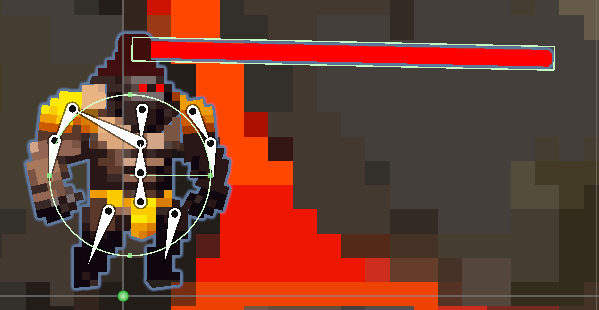 hexed terrace
late bobcat
https://gyazo.com/8104d551d2c209e20f566e004d006026 <@257975742820909068>
hexed terrace
late bobcat
https://gyazo.com/8104d551d2c209e20f566e004d006026 <@257975742820909068>
which GameObject gets moved around when changing position?
late bobcat
basically whole model
hexed terrace
don't make me guess, just state it specifically..
late bobcat
i can make a video if you want
hexed terrace
Just give me the name of the gameobject from the screenshot?
Why make the question/answer any harder than that?
late bobcat
i'm trying to understand what you're asking for, not my interest to make things harder
but the answer is "whole model". Like the walking animation is moving around the whole model
hexed terrace
what .. is .. the "whole model" .. game object ... called ..
late bobcat
gorillafinalissimo is the player gameobject. "Testa" is child of the player gameobject from which the laser comes out
hexed terrace
the rigidbody is on gorillafinalissimo?
 hexed terrace
Put this log in both PlayerHealthSystem and Laser1 OnTriggerStay methods.. do not put it inside any If statements.
Get only the laser to hit something, and see if both are logged
Debug.Log($"on trigger stay for {gameObject.name}");
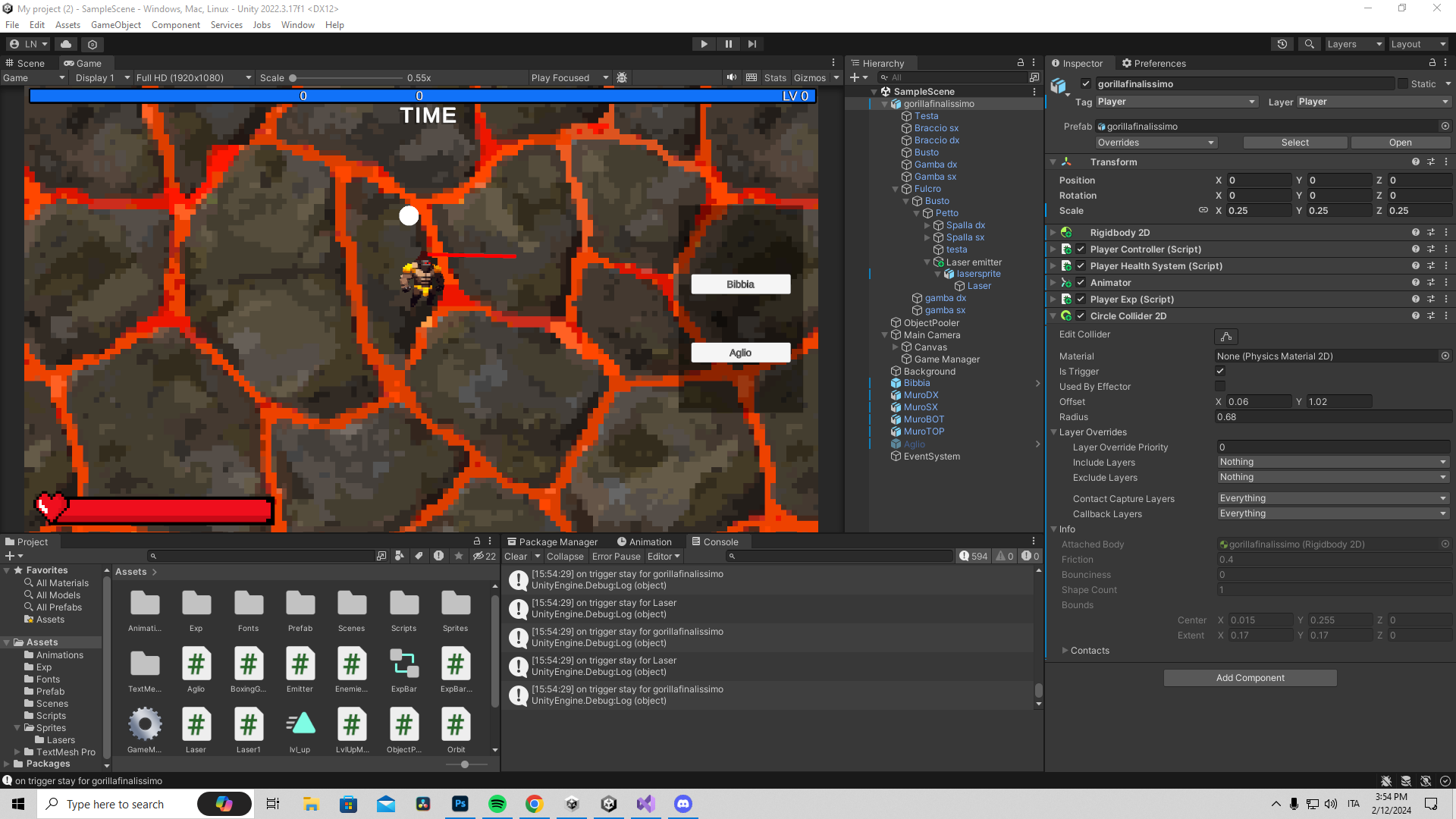 hexed terrace
I haven't used 2D physics, in 3D two components won't get the physics events.. only 1 will
late bobcat
same goes for me, first time using physics 2dray tbh
i just used colliders in the past
i'm probably gonna move the deal damage to player into the enemies script
hexed terrace
Do what Prakkus said, create a new empty game object, call it "Player", move the gorillafinalissimo as a child, move the laser as a child (so they're siblings), then use the constraint thing to make the laser follow
merry harness
how do i delete prefabs after a certain amount of time after i initiate them
so for example after a prefabs spawns it deletes itself after a couple seconds
faint sluice
merry harness
so for example after a prefabs spawns it deletes itself after a couple seconds
Save the reference of instantiated object and then destroy(object, x)
 cosmic quail
merry harness
so for example after a prefabs spawns it deletes itself after a couple seconds
cosmic quail
merry harness
so for example after a prefabs spawns it deletes itself after a couple seconds
in its Update function put a timer that destroys itself after certain time has passed
however it is recommended to use object pooling instead of instantiating and destroying objects a lot, but if youre a beginner ignore this for now
faint sluice
cosmic quail
in its Update function put a timer that destroys itself after certain time has p...
Why the unnecessary update ew simple destroy works charm
cosmic quail
faint sluice
Why the unnecessary update ew simple destroy works charm
he said after a couple seconds. oh right the destroy method has a time parameter
night mural
faint sluice
Why the unnecessary update ew simple destroy works charm
i tend to agree for beginner situations like this but a good reason to use a real timer is 'in case you might want to decide NOT to destroy it between when you create it and the timer runs out'
merry harness
faint sluice
Save the reference of instantiated object and then destroy(object, x)
and how how i do that
night mural
bud you should really go do some basic unity tutorials
faint sluice
night mural
i tend to agree for beginner situations like this but a good reason to use a rea...
Situations like these rarely occur in typical objects you want to destroy after x amount of time, and even in those cases coroutines are better
cosmic quail
if you use object pooling then you gotta do the update method (or a coroutine) anyways but yeah for now destroy(object, x) works
merry harness
night mural
bud you should really go do some basic unity tutorials
im learning unity on my own otherwise if i just watch how to make the game im making then im not learning anything
night mural
you are learning how to do basic things
merry harness
night mural
you are learning how to do basic things
its just c#
night mural
'i'm learning how to high jump by trying really hard'
'bru you do not even know how to stand up'
merry harness
night mural
'i'm learning how to high jump by trying really hard'
'bru you do not even know...
and whats standing up in this situation
night mural
the basics of how unity objects work
faint sluice
merry harness
and whats standing up in this situation
Standing up in this situation would be to learn basic functionalities and understanding of available functions and components in unity
cosmic quail
merry harness
its just c#
check out !learn
eternal falconBOT
:teacher: Unity Learn ↗
Over 750 hours of free live and on-demand learning content for all levels of experience!
cosmic quail
good source for learning unity
merry harness
faint sluice
Standing up in this situation would be to learn basic functionalities and unders...
yes i understand the ui and how to use it, im learning how to use c# damit
 steel smelt
@merry harness iirc unity had a pretty solid learn section -- going through the scripting basics in order was a good choice, at least 10 years ago
faint osprey
ok so i have a scene called dungeon and when reach the end of that scene i reload the same scene passing some variables to static variables in a gameManager so that they stay across scenes however there not staying and just keep resetting
cosmic quail
faint osprey
ok so i have a scene called dungeon and when reach the end of that scene i reloa...
use DontDestroyOnLoad
merry harness
merry harness
yes i understand the ui and how to use it, im learning how to use c# damit
i learned javascript and html through doing stuff with it and asking for help, i find it hard to remember things if i just learn them and never do something with them directly afterwards
faint sluice
merry harness
yes i understand the ui and how to use it, im learning how to use c# damit
Ui and coding are completely different :/
One is swimming other is running
faint osprey
cosmic quail
use DontDestroyOnLoad
on the gameObject that has the static variables?
merry harness
now, how do i save the refrence of the innitiated object
cosmic quail
faint osprey
on the gameObject that has the static variables?
yeah that way the gameobject gets carried over to the next scene
night mural
merry harness
now, how do i save the refrence of the innitiated object
it is returned by instantiate
steel smelt
If you set a value and that value is not what you expect, right click the variable in your editor, look for references and find out where you are setting it again.
faint sluice
merry harness
now, how do i save the refrence of the innitiated object
So yeah basic c# knowledge, you know that every function "returns" something right?
merry harness
faint sluice
So yeah basic c# knowledge, you know that every function "returns" something rig...
depends on what you mean by function
cosmic quail
merry harness
now, how do i save the refrence of the innitiated object
GameObject myObject = Instantiate(...);
faint sluice
merry harness
depends on what you mean by function
What's your understanding of function?
merry harness
the function i know is """" function logit() {console.log("Hello World")}; logit(); """"""""" output is Hello World
from Javascript
i dont think it has the same meaning here
so thats what im confused about
steel smelt
you need to follow tutorials 100%
the learn section
no amount of explaining via discord could cover the basics you do not currently understand
cosmic quail
@merry harness !learn
eternal falconBOT
:teacher: Unity Learn ↗
Over 750 hours of free live and on-demand learning content for all levels of experience!
 viscid harbor
Hi all, I could use some help, trying to make a snake/tron clone for practise and I'm struggling to figure out how to make the snake body segments loop nicely with the head.
merry harness
steel smelt
you need to follow tutorials 100%
im watching a tutorial on youtube on unity, guy is currently making a flappy bird clone, i could skip ahead and figure out what code he wrote but then what am i learning if i dont struggle to get it and directly copy it down
viscid harbor
This is my code:
https://hatebin.com/vgzvmmitwc
faint sluice
merry harness
the function i know is """" function logit() {console.log("Hello World")}; logit...
It's ``` but anyway I guess you get it somewhat.
Public void Test()
{
}
Public int wowzers()
{
Return 0;
}
Etc, all of these would be functions
faint osprey
cosmic quail
yeah that way the gameobject gets carried over to the next scene
ok i did that and its putting it in the dont destroy on load tab twice when the scene reloads
viscid harbor
How do I prevent the body segments from stuttering like that? Is there a simpler/better way to achieve this?
steel smelt
@merry harness No one is suggesting you do that. The learn section has tutorials on how to write code at the most basic level. Once you understand that, you have a better toolkit to create what you actually want to create.
faint sluice
faint sluice
It's ``` but anyway I guess you get it somewhat.
Public void Test()
{
}
Publi...
And when you call either of these functions, they return something
Void = nothing
Int = int and so on.
If you look at any function you call you'll see what they return
Same case with "instantiate", hover over it and you will see what it returns (spoiler: it returns the object you just instantiated)
But again, highly recommend to atleast get basic feel of what the language is about before dipping toes in deep waters
!learn
eternal falconBOT
:teacher: Unity Learn ↗
Over 750 hours of free live and on-demand learning content for all levels of experience!
 autumn tusk
would it be possible to change the prefab of a child while the game is running
faint sluice
autumn tusk
would it be possible to change the prefab of a child while the game is running
In asset or in hierarchy?
autumn tusk
faint sluice
In asset or in hierarchy?
whats the difference
basically the idea im going for is a multiple weapon system for a topdown shooter
faint sluice
autumn tusk
whats the difference
When you're in playmode, the prefab in scene becomes copy and their own individual objects. I.e. they are unlinked from prefab and you can do whatever you want with them
Same way when you change the original prefab from asset while in playmode, the changes won't reflect in the hierarchy until next session
 verbal dome
autumn tusk
would it be possible to change the prefab of a child while the game is running
verbal dome
autumn tusk
would it be possible to change the prefab of a child while the game is running
So do you just want to replace an object?
autumn tusk
pretty much
faint sluice
faint sluice
When you're in playmode, the prefab in scene becomes copy and their own individu...
You can say every prefab in scene gets "unpacked" on play
autumn tusk
just have different predefined weapons with their own statistics and when the player picks it up, having it swap between said weapon
so if my player is holding an mp5 and picks a sniper off the ground, it replaces the held mp5 with a sniper
faint sluice
autumn tusk
so if my player is holding an mp5 and picks a sniper off the ground, it replaces...
Yes you can do it
faint osprey
im using dont destroy on load to keep my object from being deleted when i reload my scene however this means i have two of the objects now when the scene reloads
autumn tusk
faint sluice
Yes you can do it
is there documentation for this
faint sluice
autumn tusk
is there documentation for this
I don't know
faint sluice
faint sluice
You can say every prefab in scene gets "unpacked" on play
But this is the best way I can explain
night mural
autumn tusk
is there documentation for this
Think of the prefab as a 'template' that's used when building the game to help you divide things up into reusable pieces. At runtime, everything in the scene is just gameobjects with scripts on them and 'prefabs' as a concept no longer matter. In other words, the scene is all that matters and you are free to modify it at runtime however you need to for your game.
just because the player prefab has one kind of gun doesn't mean you can't swap that out as part of gameplay (and doing so won't affect the prefab itself)
verbal dome
autumn tusk
pretty much
You can just Destroy (or deactivate or drop) the previous weapon and Instantiate a new one
 lethal flax
Hey Guys, (i am 15) I wanna start to learn creating games. Do you guys maybe have some tips on how i can achieve to start? I tried sometimes to learn it online but didnt really work. Happy for any tips 🙂
frosty hound
lethal flax
Hey Guys, (i am 15) I wanna start to learn creating games. Do you guys maybe hav...
Start with !learn
eternal falconBOT
:teacher: Unity Learn ↗
Over 750 hours of free live and on-demand learning content for all levels of experience!
 brave robin
It means you never assigned anything to that reference variable before you tried accessing whatever it refers to.
Light someLight = null;
someLight.intensity = 2f;
This won't work, as someLight is null, so trying to access its intensity will give you a null reference exception.
summer stump
That is not really a solution, it just prevents the error
Yeah, as contrivance said
This guide csn help with ways to reference things
https://unity.huh.how/references
brave robin
If you're using [SerializeField], then it means you have the reference variable exposed in the inspector for your script, so make sure it's actually filled in with something in the inspector.
summer stump
The script reference (class) is what is null
Not the variable. Especially because bool cannot be null
brave robin
Then we'd need to see the code to understand this further, as a bool variable should not be causing a null reference exception
It must be the reference variable that refers to the class that contains the bool, that is null instead
Do you have rb, anim, and sr filled in for the inspector of each object that has this script?
oh wait, you getcomponent for them, so nm
Though those might still fail if the object doesn't have one of those components
summer stump
Either the audiosource or checkpointscript is null
I assume you're error is from one of those
Then checkpointscript
Where do you assign that?
You CAN drag and drop it
To the variable. Yes
brave robin
You can't refer to a variable on checkpoint in the same IF conditional as the one that checks if it's null
If conditionals check all of the conditions at once within the same block, so it's not stopping early if its null
languid spire
Note your else could NRE
if (checkpoint != null && checkpoint.CheckpointReached == true) // this is what doesnt work
        {
            anim.SetTrigger("checkpointDeath");
        }
        else if (checkpoint.CheckpointReached == false)
When you select the object in the editor, on the right side: that's called the inspector.
You need to fill in all the fields you've exposed, otherwise they're just empty and null
cosmic quail
faint osprey
ok i did that and its putting it in the dont destroy on load tab twice when the ...
thats cuz u got two of them. turn it into a singleton that destroys itself if it has copies. google unity singleton
languid spire
CheckPoint is null
brave robin
That's better. It won't solve your underlying problem, but at least it won't NRE if checkpoint is null.
shell sorrel
really if its not valid or working if checkpoint is null, might as well let it nre and blow up in the devs face
brave robin
Do you have something elsewhere that is supposed to inject the checkpoint into this script?
languid spire
then you need a way to save the object across scenes DDOL is favourite
brave robin
I don't see a method in your script that would allow something else to change the Checkpoint variable
faint osprey
cosmic quail
thats cuz u got two of them. turn it into a singleton that destroys itself if it...
that worked however my script loses all of its in scene refrences
brave robin
So you've got this object with a PlayerLife component in Scene A, and in Scene B you've got checkpoints and other stuff.
I'm guessing you're loading scenes additively, so Scene A and Scene B coexist.
When Scene B is loaded, the PlayerLife component in Scene A needs to know about the checkpoint when it dies.
So far this is what you want?
 vague dirge
Hello, I'm currently handling ground collision with a Physics.CheckBox and resetting the gravity velocity of my character (a RigidBody, with custom gravity physics), but it's starting to be really annoying and I'm constantly tweaking values because the model slowly sink into the ground... Would there be a more efficient way to deal with ground collisions ?

 fierce shuttle
faint osprey
that worked however my script loses all of its in scene refrences
fierce shuttle
faint osprey
that worked however my script loses all of its in scene refrences
When you reload a scene (or load any scene in general), the previous scene is unloaded, along with all the references in that scene, and then the next scene is loaded (or in your case, the same scene is loaded again) - if your object had references in the scene before the reload, those would be lost when the scene got unloaded - if your object needs these references, you could maybe setup events to assign your references or try to decouple your object from the scene (depending on what this DDOL object is meant for, and what references it requires)
cosmic quail
faint osprey
that worked however my script loses all of its in scene refrences
turn it into a singleton and set the references in the start methods of your objects
fierce shuttle
vague dirge
Hello, I'm currently handling ground collision with a `Physics.CheckBox` and res...
Your character should not be "sinking" unless your applying gravity when it shouldnt (maybe your "grounded" check is not true when it should be), or you have "use gravity" checked on the rigidbody, typically I use a sphere cast a few units above the feet so the bottom of the sphere barely extends outside the bottom of my players capsule collider, I find it gives the most accuracy for most of what I need ground checks for, though providing your code may also help investigate what may be going on with your logic
faint osprey
cosmic quail
turn it into a singleton and set the references in the start methods of your obj...
it is a singleton
and ive done that but its not refrencing
cosmic quail
faint osprey
and ive done that but its not refrencing
set the references from the other objects not the singleton
vague dirge
fierce shuttle
Your character should not be "sinking" unless your applying gravity when it shou...
My code just sets my gvelocity to a given value that is currently -0.05
And you think a checksphere is better than à checkbox btw ?
summer stump
Think about a class as a concept. You have INSTANCES of that class that are actual things in memory.
For example, say you have a class called Apple. It has a variable called color.
If you say what color is Apple, that makes no sense. Apples are all different colors.
If you say what color is THAT Apple, that is actually something that can be answered.
Right now, the compiler doesn't know which Checkpoint script you're talking about. It is irrelevant that there may be only one, because you COULD make more in the future, and the compiler won't assume.
You have to point at your CheckpointScript. Which is called referencing
fierce shuttle
vague dirge
And you think a checksphere is better than à checkbox btw ?
Depends on the kind of environments you have/plan to have, and the kind of edge cases your ground check needs to cover - for example, a cliff, or a stair case step, with a box, "grounded" could happen in a way your character might appear floating off the edge, if the corner or sides of the ground check comes in contact with the cliff, if you plan on having slopes it may be difficult to climb - with a sphere the corners are rounded so you can get much closer to those types of edge cases, but if everything if your game is all 90-degree angles with no slopes then either shape wont make much of a difference
cosmic quail
faint osprey
and ive done that but its not refrencing
and i mean set them through code not the inspector. u gotta handle things differently (cant use inspector) if u want a script to persist between scenes
fierce shuttle
vague dirge
My code just sets my `gvelocity` to a given value that is currently `-0.05`
When your character is "sinking", is your ground check reporting false?
vague dirge
fierce shuttle
When your character is "sinking", is your ground check reporting false?
No
vague dirge
fierce shuttle
Depends on the kind of environments you have/plan to have, and the kind of edge ...
Thanks for the clarification, and you conviced me 😂
summer stump
You are not dumb, you are learning.
Did what I said make sense? Which part are you still struggling with?
Btw, in that site, Serialized References is talking about dragging objects into the inspector
fierce shuttle
vague dirge
No
If your ground check is true and your still sinking, then it sounds like your gravity code is either not getting reset for conditions where your ground check is true, or your still applying gravity in those conditions
vague dirge
fierce shuttle
If your ground check is true and your still sinking, then it sounds like your gr...
I debug.log() my gravity, and it's subtly variating between tiny intervals, and I also don't understand why because I should be reset
fierce shuttle
vague dirge
I debug.log() my gravity, and it's subtly variating between tiny intervals, and ...
You should also debug your ground check with your gravity to make sure there arent frames when its changing, if it is, then it sounds like the issue could be with your groundcheck logic, if you still cant find the problem, you could use !code to share your script and maybe I or someone else can look over it
eternal falconBOT
Posting code
📃 Large Code Blocks
Use links to services like:
https://gdl.space/, https://paste.ofcode.org/, https://hatebin.com/, https://paste.myst.rs/, https://hastebin.com/
📃 Inline Code
Surround code with three backquotes. Not quotation marks.
To format as C#, add cs to the first line:
```cs
// Your code here
```
Add a comment with a line number if there is an error message.
vague dirge
fierce shuttle
You should also debug your ground check with your gravity to make sure there are...
Okay thanks for the advices gonna try that
 wind raptor
I have a simple, lightweight application that I will be using in-house only. Are there any major disadvantages to using a development build longterm, just so I have access to the console when needed?
fickle stump
!code
eternal falconBOT
Posting code
📃 Large Code Blocks
Use links to services like:
https://gdl.space/, https://paste.ofcode.org/, https://hatebin.com/, https://paste.myst.rs/, https://hastebin.com/
📃 Inline Code
Surround code with three backquotes. Not quotation marks.
To format as C#, add cs to the first line:
```cs
// Your code here
```
Add a comment with a line number if there is an error message.
spiral narwhal
Why can't my script access the private variable of an inner class? Does that generally not work in C#?
        private void DestroySelf()
        {
            foreach (var drop in _drops)
            {
                var amount = Random.Range(drop._minAmount, drop._maxAmount); // <--- issue
            }

        }

        [Serializable]
        private sealed class Drop
        {
            [SerializeField] private ItemSO _item;
            [SerializeField] [Range(0, 100)] private float _chance;
            [SerializeField] private int _minAmount;
            [SerializeField] private int _maxAmount;
        }
Because it's private
spiral narwhal
So in C# I can't access private members even if they're of inner classes?
cosmic quail
spiral narwhal
So in C# I can't access private members even if they're of inner classes?
use "protected"
rare basin
wdym inner classes
summer stump
Private is an access modifier meaning only that class can access it
hexed terrace
rare basin
wdym inner classes
subclass
polar acorn
spiral narwhal
So in C# I can't access private members even if they're of inner classes?
Nothing can access private members of a class outside of that class
 swift crag
spiral narwhal
So in C# I can't access private members even if they're of inner classes?
swift crag
spiral narwhal
So in C# I can't access private members even if they're of inner classes?
A nested type gives its parent no special treatment.
polar acorn
cosmic quail
use "protected"
It's not a child class either, it's a nested class.
swift crag
A nested type can access its parent's private members, though.
swift crag
public class Outer {
  private int x;

  public class Inner {
    public void DoThing(Outer outer) {
      outer.x = 123;
    }
  }
}
 minor saddle
I'm pretty new to Unity, if I'm clicking a button is it just a case of switching the canvas or is it better to use scriptable objects?
cosmic quail
polar acorn
It's not a child class either, it's a nested class.
oh yeah when he said inner class i thought he meant child class
rare basin
minor saddle
I'm pretty new to Unity, if I'm clicking a button is it just a case of switching...
what
swift crag
minor saddle
I'm pretty new to Unity, if I'm clicking a button is it just a case of switching...
bit of an apples and oranges question here
scriptable objects have nothing to do with UI
hexed terrace
minor saddle
I'm pretty new to Unity, if I'm clicking a button is it just a case of switching...
!learn -> do ui tuts
eternal falconBOT
:teacher: Unity Learn ↗
Over 750 hours of free live and on-demand learning content for all levels of experience!
minor saddle
hexed terrace
!learn -> do ui tuts
Haha I'm trying
rare basin
do you know what scriptable objects are?
spiral narwhal
Oh I didn't know. I come from Java and that's how it works there
public class Main
{
    public void test() {
        var test = new Test();
        System.out.println(test._test);
    }

    private class Test
    {
        private int _test;
    }
}
What kind of disadvantages are you thinking could occur? If you are using Development Build as you work on versions of your game thats fine as you said you get access to the console and can inject your own UI for displaying those console messages in a build, maybe for a small group of testers it is fine as well, though for release you may want to disable that mode, and logging along with a release in general, as logging does impact performance, especially when logs happen every frame or very frequently
swift crag
spiral narwhal
Oh I didn't know. I come from Java and that's how it works there
```java
public ...
You can still make the entire nested type private if it's never visible from the outside.
but yeah, no special access for the containing type
minor saddle
rare basin
do you know what scriptable objects are?
Yeah, I was doing the gamedev course where they used scriptable objects to swap out things
spiral narwhal
Gotcha, good to know
rare basin
minor saddle
Yeah, I was doing the gamedev course where they used scriptable objects to swap ...
and how is that related to button and onclick event
minor saddle
rare basin
and how is that related to button and onclick event
Bro dont ask me I'm as confused as you
wind raptor
fierce shuttle
What kind of disadvantages are you thinking could occur? If you are using Develo...
Are the performance hits of a dev build just related to the logging? I'm not too worried about that. I'm definitely not printing something every frame. A couple times a second at most.
I'm mostly trying to decide if it's worth trying to build my own faux "console" for the final build, or if it's fine just to use the default dev console. For my purposes, I'm going to want access to one or the other long term
swift crag
minor saddle
I'm pretty new to Unity, if I'm clicking a button is it just a case of switching...
do you mean clicking a button to switch to a different menu screen?
e.g. opening a "Settings" screen from the main menu
timid saffron
video:
https://screenrec.com/share/khpCvfR3cQ
code:
https://codeshare.io/k0mnl4
I messed up. I cant get animals to spawn from the X borders. they always spawn at the middle

Recorded with ScreenRec
swift crag
You can activate a different canvas's game object, or you can just activate the game object that holds the settings menu UI
minor saddle
swift crag
You can activate a different canvas's game object, or you can just activate the ...
Ah thanks!
swift crag
I do the latter, but I probably shouldn't...
since that means that there's one enormous canvas
https://unity.com/how-to/unity-ui-optimization-tips mentions this
Note that different canvases will be completely separate from each other
minor saddle
swift crag
<https://unity.com/how-to/unity-ui-optimization-tips> mentions this
Ah will take a look
timid saffron
timid saffron
video:
https://screenrec.com/share/khpCvfR3cQ
code:
https://codeshare.io/k0mnl4
...
I was following this and did exactly the same
swift crag
you won't be able to show two screens at once and have the automatic layout position them one after the other
Note that most of this page is probably not relevant to you right now
I just remembered reading the "multiple canvases" thing
spiral narwhal
Destroy(gameObject)
return true;
Would this still wait for the return type before destroying itself?
fierce shuttle
wind raptor
Are the performance hits of a dev build just related to the logging? I'm not too...
AFAIK, logging is the major performance hit of dev builds - for tooling, its up to you how you want to handle it and what you need, personally I think having your own console is nice cause you can setup more control over which logs you want to see and when you want to see them (for example, you could group logs sent from specific classes, or update a single log with new data), though tools in general, usually are not included in a release intended to be published/"shipped"
wind raptor
fierce shuttle
AFAIK, logging is the major performance hit of dev builds - for tooling, its up ...
Gotcha. That is where I had been leaning. Thanks
faint sluice
timid saffron
video:
https://screenrec.com/share/khpCvfR3cQ
code:
https://codeshare.io/k0mnl4
...
Code looks fine, did you assign values properly in inspector?
earnest atlas
Any guide on how to correctly implement unity input system?? I looked up a guide and person who uses it made it completly differently