#💻┃code-beginner
1 messages · Page 189 of 1
 wintry quarry
 vale karma
bc i needed it to make a quaternion 😮
im sure there are plenty more things in there that arent even needed, ill get to them soon
wintry quarry
Quaternion.Euler(0, yRotation, 0)
vale karma
yea i guess your right haha, i think i did that bc last time i got in a kerfuffle for doing math inside a MoveRotate() method with a quaternion
its not related but i miss on my part
 viral tulip
so my intellisense stopped working, how do I get it back?
 teal viper
!ide
 eternal falconBOT

💡 IDE Configuration
If your IDE is not autocompleting code
or underlining errors, please configure it.
Select one:
• Visual Studio (Installed via Unity Hub)
• Visual Studio (Installed manually)
• VS Code
• JetBrains Rider
• Other/None
 broken drift
does anyone know why my "if (Input.GetKeyDown(KeyCode.Space))" inside "playersCombat()" method only works once?

 teal viper
broken drift
does anyone know why my "if (Input.GetKeyDown(KeyCode.Space))" inside "playersCo...
teal viper
broken drift
does anyone know why my "if (Input.GetKeyDown(KeyCode.Space))" inside "playersCo...
Is the object getting disabled/deactivated perhaps?
broken drift
teal viper
Is the object getting disabled/deactivated perhaps?
i dont know but i didnt put any condition to disable it yet.
this in the entire code:
`using System.Collections;
using System.Collections.Generic;
using UnityEngine;
public class playerCombat : MonoBehaviour
{
[SerializeField] bunnyStatScripts _bunnyStats;
[SerializeField] GameObject _gameOverScene;
[SerializeField] int _damage;
int _newHealth;
void takeDamage()
{
    int _newHP = _bunnyStats._health - _damage;
    _newHealth = _newHP;

    if (_newHP == 0)
    {
        _gameOverScene.SetActive(true);
    }

}

void playersCombat()
{
    if (Input.GetKeyDown(KeyCode.Space))
    {
        takeDamage();
        Debug.Log("you pressed space");
        Debug.Log("HP: " + _newHealth);
    }
}

void Start()
{
    _gameOverScene.SetActive(false);
    Debug.Log("HP: " + _bunnyStats._health);
}

void Update()
{
    playersCombat();
}
}`
 gaunt ice
check if the method is running
broken drift
which method? playersCombat()? if so, then it runs but only once
gaunt ice
yes, or update, since your update will call that method
you can log in ondisable to find out the one that disables your object
teal viper
broken drift
i dont know but i didnt put any condition to disable it yet.
this in the entire ...
Wdym "I don't know". Can you not pause the game and look in the hierarchy/inspector???
broken drift
teal viper
Wdym "I don't know". Can you not pause the game and look in the hierarchy/inspec...
i tried what u said and paused after pressing space and the object where the script is, is still active but pressing space again does nothing anymore
 broken drift
gaunt ice
you can log in ondisable to find out the one that disables your object
broken drift
gaunt ice
you can log in ondisable to find out the one that disables your object
ondisable?
gaunt ice
are there any error
broken drift
i used debug.log and yea it only shows once
 gaunt ice
public void method(){
  if(some condition){
    log
  }
}
```is completely different from
```cs
public void method(){
  log
  if(some condition){
  }
}
```the above one is not the way that verify the method is runningbtw i guess there are errors
vale karma
does basic movement go in a state machine or in a regular class on its own?
teal viper
broken drift
i used debug.log and yea it only shows once
Can you take a screenshot of the whole console window?
teal viper
vale karma
does basic movement go in a state machine or in a regular class on its own?
Not quite sure what you're asking. What state machine are you referring to?
vale karma
im probably too inexperienced to even describe it, but im trying to break my movement up into states so I dont get spegeti code like i did last time. The catch is i have it set up but dont know exactly how to actually code the movement in there. Im sure i just need to watch a few more vids and be patient
vale karma
teal viper
Not quite sure what you're asking. What state machine are you referring to?
how do you code rigidbody movement in a stamemachine? theres no fixedupdate to use
broken drift
gaunt ice
```cs
public void method(){
if(some condition){
log
}
}
```is completely...
i did what u said and this is what showed on the console now

 broken drift
teal viper
Can you take a screenshot of the whole console window?
broken drift
teal viper
Can you take a screenshot of the whole console window?
sure

 keen dew
Pressing space works just fine. You have Collapse on in the console so you see each log only once.
The problem is that you never change _bunnyStats._health
teal viper
vale karma
how do you code rigidbody movement in a stamemachine? theres no fixedupdate to u...
Again, what do you refer to by "state machine"?
State machine is a programming pattern there are millions of ways to implement one,but most of them have some for of state update, so your question doesn't make sense.
vale karma
im following this tutorial https://www.youtube.com/watch?v=Vt8aZDPzRjI

Learn the fundamentals of programming State Machines in Unity with this new video break down!
This tutorial explains important concepts of the State Pattern, and how to use State Machines when programming! Today we will walk through an example project to showcase the benefits of using state, the state pattern and state machines in Unity!
This ...
teal viper
vale karma
https://paste.ofcode.org/kFbVuaYDukLS6BUyDbxjch
- You're free to update the states in whatever update you want.
- You're not limited to only one update. You can implement both a regular and a fixed update in the states.
- You don't have to move the character from within the states, they could just be setting some important variables, like movement speed for them to be used in the actual character movement logic.
vale karma
teal viper
1. You're free to update the states in whatever update you want.
2. You're not l...
so your saying I could run private void FixedUpdate() { } in the EnterState and it will continue running while its in that state?
teal viper
vale karma
so your saying I could run private void FixedUpdate() { } in the EnterState and ...
If you call it from a MonoBehaviour, sure.
In which case it would have to be public
vale karma
thats weird, but useful
teal viper
Why is it weird?
vale karma
ill try with making a movement script and changing the values in the states
broken drift
keen dew
Pressing space works just fine. You have Collapse on in the console so you see e...
tysm yea it works fine now
vale karma
and calling FixedUpdate on EnterState, Idk, just being new to it FixedUpdate and Update are intimidating to use correctly
teal viper
vale karma
and calling FixedUpdate on EnterState, Idk, just being new to it FixedUpdate and...
They're just methods called by unity regularly. There's nothing special about them
vale karma
teal viper
They're just methods called by unity regularly. There's nothing special about th...
wait hold up, if i am correct, void Update() { currentState.UpdateState(this); } basically means it uses the code in that method in the StateManager Scripts Update function, so you wouldnt have to write an update fuction inside the state manager, you could just write ```void FixedUpdate()
{
currentState.UpdateState(this);
}
im not going to write my movement code in there, bc it will only make my code redundant, but just a thought
teal viper
vale karma
wait hold up, if i am correct, ```void Update()
{
currentState.UpdateState(thi...
Assuming, you keep both, you'll get state update called on both updates, likely messing up the logic in it.
vale karma
no just having it in the managing script
it is challenging to break up this code correctly
 zinc osprey
Not sure if this is the right chat for this, but I can't find anything more appropriate. Can I make the red image render on top of the other item slots?
 teal viper
zinc osprey
Not sure if this is the right chat for this, but I can't find anything more appr...
teal viper
zinc osprey
Not sure if this is the right chat for this, but I can't find anything more appr...
Next time if you don't know where to ask, use #💻┃unity-talk
Move the image object below the item slots in the hierarchy
zinc osprey
I need it to be a child of one of the slots.
teal viper
Can't do that 🤷♂️
Will have to rethink whatever it is your doing.
zinc osprey
Damn.. ok thanks.
 tawdry rock
Can someone explain to me if i write public float someFloat = 5.0f; and save it then i change the value to 2.0f and save why unity still thinks my float is 5?
 ivory bobcat
tawdry rock
Can someone explain to me if i write `public float someFloat = 5.0f;` and save i...
ivory bobcat
tawdry rock
Can someone explain to me if i write `public float someFloat = 5.0f;` and save i...
You're probably looking at the wrong instance
tawdry rock
it's like once it declared it's set to stone and i only can change in editor not via script
keen dew
because that's the default value, the actual value comes from the inspector
If you don't want the inspector to set the value then don't make it public
tawdry rock
keen dew
because that's the default value, the actual value comes from the inspector
but isnt the inspector value should update according to script?
ivory bobcat
tawdry rock
it's like once it declared it's set to stone and i only can change in editor not...
What makes you think it's not changing?
Show the log
tawdry rock
ivory bobcat
What makes you think it's not changing?
because i can see its not updatin in the editor. same with bools once i say in script bool = false then i delete the false part (by defaut bool are true), it still false in the editor.
ivory bobcat
tawdry rock
because i can see its not updatin in the editor. same with bools once i say in s...
Likely you're referring to a different instance
Show where you've changed it in code
And log the value after
 queen adder
can someone help me with my web swinging movement codee please?
 arctic ibex
Quick question, I'm well aware this can't possibly be the correct way to do this, but I'm not sure what the correct way is (I'm checking if the camera is within a set box, marked out by the corners) (Corners 1 & 2 are Vector 3s) (It's a 2D game) (This little overcomplicated if statement doesn't work anyway) (I think I'm addicted to brakets)

lol forgot to attach the screenshot
 languid spire
arctic ibex
languid spire
arctic ibex
you can create a Bounds and then use the Contains method
 fierce shuttle
queen adder
can someone help me with my web swinging movement codee please?
fierce shuttle
queen adder
can someone help me with my web swinging movement codee please?
If you have a specific question, im sure someone may be able to help if they know a solution - what have you tried so far, and what is the result your trying to achieve?
arctic ibex
languid spire
you can create a Bounds and then use the Contains method
... so how do I do that? "public bound box;"
languid spire
 queen adder
fierce shuttle
If you have a specific question, im sure someone may be able to help if they kno...
queen adder
fierce shuttle
If you have a specific question, im sure someone may be able to help if they kno...
locking onto objects and being able to swing from them. but i have got that working but i keep swinging from the first place i shoot even when i am not holding my trigger button down
arctic ibex
👍 thanks!
ivory bobcat
queen adder
locking onto objects and being able to swing from them. but i have got that work...
Cool feature
tawdry rock
ivory bobcat
Likely you're referring to a different instance
i have a 2 slider mouse X and Y sensivity. on valuew change i save it to player prefs: PlayerPrefs.SetFloat("mouseX", mouseX.value); and i load it with mouseX.value = PlayerPrefs.GetFloat("mouseX", 2.0f);. this works fine, even if i change scene still work. but for my mouseY it's working in the main menu (it loads the default 2.0f) but i can't load it in the game(after scene change).
ivory bobcat
tawdry rock
i have a 2 slider mouse X and Y sensivity. on valuew change i save it to player ...
What do you mean by not being able to load it?
Did you save the player prefs?
fierce shuttle
queen adder
locking onto objects and being able to swing from them. but i have got that work...
So your issue is that your swing logic is happening all the time instead of only when you press the relevant input? What does your !code look like?
eternal falconBOT
Posting code
📃 Large Code Blocks
Use links to services like:
https://gdl.space/, https://paste.ofcode.org/, https://hatebin.com/, https://paste.myst.rs/, https://hastebin.com/
📃 Inline Code
Surround code with three backquotes. Not quotation marks.
To format as C#, add cs to the first line:
```cs
// Your code here
```
Add a comment with a line number if there is an error message.
tawdry rock
ivory bobcat
What do you mean by not being able to load it?
i mean the value changing to 0 even if i save it after change and load it on awake
 gilded elm
hii, when I assemble objects together (in VR) and I take the parent object, and I move the object in all directions, the objects which are assembled on it slide a little, it floats and I want to know if it is possible which remains fixed and no longer moves at all as if it were a single object ?
ivory bobcat
tawdry rock
i mean the value changing to 0 even if i save it after change and load it on awa...
So you've called the save function from player pref?
tawdry rock
but in the main menu always loads the correct sat value
ivory bobcat
Else you'll be working with a local copy that'll not update the file till after the application closes
tawdry rock
ivory bobcat
So you've called the save function from player pref?
i use the slider on value change thingy to call a save function which should save the value of the mouseY. same thing as i showed with the mouseX but with Y
ivory bobcat
tawdry rock
i use the slider on value change thingy to call a save function which should sav...
So you called the player pref save function?
tawdry rock
im pretty sure but let me debug the heck out of it.
tawdry rock
ivory bobcat
It's either you've called it or not, simple as that.
where does this go?
ivory bobcat
tawdry rock
where does this go?
You'd probably want to have it called before the scene has changed
fierce shuttle
gilded elm
hii, when I assemble objects together (in VR) and I take the parent object, and ...
Havnt worked with VR, though sounds like your child objects might have rigidbodies and colliders, if you dont want them to respond to physics, you can disable their colliders and freeze the constraints on the rigidbodies or remove their rigidbodies as well
gilded elm
fierce shuttle
Havnt worked with VR, though sounds like your child objects might have rigidbodi...
I need physics and their collisions
fierce shuttle
gilded elm
I need physics and their collisions
If you have physics, things will slide and react to collision objects, alternatively then you could either freeze the constraints, increase the drag, set to "is kinematic" or force the position and rotation by code
tawdry rock
ivory bobcat
You'd probably want to have it called before the scene has changed
i guess i solved it by a noob mistake im too shy to admit. however thank you for your time trying to help me.
 vague dirge
Hi, quick question, if I want to have a 1st person camera and a 3rd person camera on input, is it better to have 2 cameras and switching between them or changing all of one camera values ?
gilded elm
fierce shuttle
If you have physics, things will slide and react to collision objects, alternati...
if I slip the constraints I will not be able to take the object in my hand and assemble it myself
tawdry rock
vague dirge
Hi, quick question, if I want to have a 1st person camera and a 3rd person camer...
having 1 camera is better imo, especially when you apply post processing so they don't override each other
 fierce geode
Are there any tips for trying to do a camera-based third person character that moves respective to the normal of the ground?
Like I feel like I'm missing some key component; like if upside down and you still want them to move forward, but that's technically upside down.
fierce shuttle
gilded elm
if I slip the constraints I will not be able to take the object in my hand and a...
You could freeze it after youve assembled it, and unfreeze it when you need to move it again, or you could try some of the other suggestions and see if they help
 twin ibex
I have dumb peoblem
gilded elm
fierce shuttle
You could freeze it after youve assembled it, and unfreeze it when you need to m...
do you know how to freeze the object once assembled and remove the gel once it is recovered?
fierce shuttle
gilded elm
do you know how to freeze the object once assembled and remove the gel once it i...
Thats what freeze constraints does, it prevents a rigidbody from moving due to physics on specific axies, so you can toggle the axies you want to allow or disallow movement on as needed
 hybrid sundial
I’ve programmed before and I decided to get back at it it using unity.learn and I realised that in the course the code is very well badly coded, it uses tons of unnecessary public variables and weird forms of writing simple code?
fierce geode
Does transform.rotation = (grounded) ? Quaternion.LookRotation(transform.forward, ground_normal) : Quaternion.identity; look bad? Trying to make my character constant stand upwards following the ground normal, and while it works with slopes going towards the X axis, but fails to rotate correctly with slopes going on the Z axis
Nevermind, played aroudn a bit and transform.rotation = (grounded) ? Quaternion.FromToRotation(Vector3.up, ground_normal) : Quaternion.identity; did the trick
 hard hornet
fierce geode
Nevermind, played aroudn a bit and `transform.rotation = (grounded) ? Quaternio...
hard hornet
fierce geode
Nevermind, played aroudn a bit and `transform.rotation = (grounded) ? Quaternio...
you dont need the brackets around grounded btw
 buoyant knot
fierce geode
Does `transform.rotation = (grounded) ? Quaternion.LookRotation(transform.forwar...
buoyant knot
fierce geode
Does `transform.rotation = (grounded) ? Quaternion.LookRotation(transform.forwar...
if your character’s collider moves at all upon rotation, this will not work
gilded elm
fierce shuttle
Thats what freeze constraints does, it prevents a rigidbody from moving due to p...
I'm trying to look for lines of code to freeze the positions when I place the object and unfreeze when I take it but I can't find it
fierce shuttle
gilded elm
I'm trying to look for lines of code to freeze the positions when I place the ob...
Heres the docs for how to use rigidbody constraints: https://docs.unity3d.com/ScriptReference/Rigidbody-constraints.html
 frigid sequoia
I have noticed that while at full screen in Game mode (but doesn't need to be actually running so is not script related), if I tab, the interface moves slighty, like it is resizing even though the screen size is not changing at all; I can not be sure of what's actually happening cause it only happens at full screen and I cannot check the inspector casue as soon as I exit full screen it resets back; is this normal? Is something wrong in my interface setup or what?
keen dew
If you know it's not script related then don't post to a code channel. If you mean the game's interface then post a video or screenshots to #📲┃ui-ux
frigid sequoia
Oh, you are rigth, there is a specific chanel for that, I though this was more of how the canvas is coded thing, sry
keen dew
C# and Unity
gilded elm
fierce shuttle
Heres the docs for how to use rigidbody constraints: https://docs.unity3d.com/Sc...
It freezes the position when it is not on the slot but I still have the problem :/
 rare basin
 river bear
What should I do to make game like need for speed
river bear
What should I do to make game like need for speed
probably cars aswell and driving logics
fierce shuttle
gilded elm
It freezes the position when it is not on the slot but I still have the problem ...
If the constaints are frozen and it still slides, then its possible something else is the problem, could you maybe record a video showing the issue and your rigidbody settings?
 gilded elm
fierce shuttle
If the constaints are frozen and it still slides, then its possible something el...
gilded elm
fierce shuttle
If the constaints are frozen and it still slides, then its possible something el...
yes
 amber spruce
hey so im currently working on a save and load sysetm using jsons i have ran into the problem of how do i save like the actual scene in it because for example i have enemy spawners placed throughout the scene and when you go past a certain area they spawn a few enemies how do i save those spawned enemies???
 hallow gate
guys the guy in the tutorial is trying to teach me how to make collisions and he says i need layers, when he goes to the layer section there already are 2 layers assigned but for me there arent. how can i assign them to my player and to the background? here are the pics of reference:


left pic is his right one is mine
rare basin
amber spruce
hey so im currently working on a save and load sysetm using jsons i have ran int...
you can't "save" entire scene
save what data you exactly want
enemies positions
enemies health etc
amber spruce
if i save the gameobject can i then use that to instantiate it since its a prefab or do i need to drag the prefab from the editor
gilded elm
fierce shuttle
If the constaints are frozen and it still slides, then its possible something el...
 earnest atlas
amber spruce
if i save the gameobject can i then use that to instantiate it since its a prefa...
earnest atlas
amber spruce
if i save the gameobject can i then use that to instantiate it since its a prefa...
If you drag it from editor you will use that exact object. IF you drag it out of prefab folder it will make new one.
If you just want to spawn you should use the one in Prefab folder.
fierce shuttle
gilded elm
Doesnt look like you have any constraints frozen here, alternatively you could try toggling "is kinematic"
hallow gate
hallow gate
guys the guy in the tutorial is trying to teach me how to make collisions and he...
nvm i figured it out
gilded elm
I found a solution I set its parameters to the maximum
 earnest atlas
When making weapons why should I use raycast to check for hits instead of generting a bullet?
Considered raycast is pretty much instant
 autumn tusk
i dont understand the addforce function at all
https://docs.unity3d.com/ScriptReference/Rigidbody2D.AddForce.html im reading this rn
 polar acorn
autumn tusk
i dont understand the addforce function at all
polar acorn
autumn tusk
i dont understand the addforce function at all
It adds a force to the rigidbody. The force modes might be a bit confusing but this infographic should help clear that up
 autumn tusk
basically i want to add a force leading from the direction the player's gun is firing in
recoil as a jumping mechanic basically
{
    [SerializeField] AudioClip ShotgunClip;
    [SerializeField] AudioSource audioSource;
    public Rigidbody2D playerbody;
    public Transform transform;
    [SerializeField] private float thrust = 832998f;
    Vector2 launchcalculation;
    // Start is called before the first frame update
    void Start()
    {

    }

    // Update is called once per frame
    void Update()
    {
        if (Input.GetButtonDown("Fire1"))
        {
            PlayerShoot();
        }
        // Vector2 rotationshit = transform.rotation;
        print(transform.rotation.eulerAngles.z);
        launchcalculation = (transform.rotation.eulerAngles.z,thrust);

        //transform.rotation.eulerAngles
    }

    void PlayerShoot()
    {
        audioSource.PlayOneShot(ShotgunClip);
        playerbody.AddForce(transform.position * thrust, ForceMode2D.Impulse);
        print("player shoot");
    }
}
launchcalculation refuses to take eulerangles.z as a parameter
polar acorn
autumn tusk
```public class Player : MonoBehaviour
{
[SerializeField] AudioClip ShotgunC...
Why are you using a position as a direction
polar acorn
autumn tusk
launchcalculation refuses to take eulerangles.z as a parameter
Why are you trying to store a tuple into a variable of type Vector2
Honestly what is even the point of launchcalculation, you never use it
 split dragon
Hi. I tried to find the difference between 2 types of security modifiers: "Empty" and "Private". I know that private can only be used in the same script, but it's the same with an empty one. Is there a difference and what is it? On the Internet, as usual, they talk about everything except this.
 polar acorn
split dragon
Hi. I tried to find the difference between 2 types of security modifiers: "Empty...
polar acorn
split dragon
Hi. I tried to find the difference between 2 types of security modifiers: "Empty...
When no access modifier is provided, private is assumed
 dry ravine
Whenever I try and click the button underneath the text it dosen't work because the text has a hitbox, is there a fix?
 split dragon
polar acorn
When no access modifier is provided, private is assumed
split dragon
polar acorn
When no access modifier is provided, private is assumed
Oh, I get it. Thanks
dry ravine
Prolly should've posed in UI but whatevs
polar acorn
dry ravine
Whenever I try and click the button underneath the text it dosen't work because ...
Disable Raycast target on the text
rare basin
earnest atlas
When making weapons why should I use raycast to check for hits instead of genert...
weird question
it's 2 different approach
it depends on your game design
if you want raycast hits (hit-scans), or projectile-based hits
lasers (hitscan), arrows (projectile based)
earnest atlas
I noticed that at high speeds triggers happen to fail
rare basin
if you are moving throught modifying the transfomr position directly then it might happen
need physics for proper collisio ndetetion
and different collision detection mode for fast objects, like Continous
hybrid sundial
I’m using Input.GetAxis but I want it to only work when I press w and when I press x it does nothing
autumn tusk
i dont understand why my script isnt adding force to another rigidbody2d
basically with the script i have rn i want to make it so that it adds the force to the player character
polar acorn
autumn tusk
i dont understand why my script isnt adding force to another rigidbody2d
Show code
autumn tusk
just experimenting with adding forces for now, have this rn
using System.Collections.Generic;
using UnityEditor.Experimental.GraphView;
using UnityEngine;

public class Player : MonoBehaviour
{
    [SerializeField] AudioClip ShotgunClip;
    [SerializeField] AudioSource audioSource;
    public Rigidbody2D playerbody;
    public Transform transform;
    public Transform crosshairpos;
    [SerializeField]  float thrust = 1f;
    Vector2 knockback;
    // Start is called before the first frame update
    void Start()
    {

    }

    // Update is called once per frame
    void Update()
    {
        if (Input.GetButtonDown("Fire1"))
        {
            PlayerShoot();
        }
        // Vector2 rotationshit = transform.rotation;
        print(transform.rotation.eulerAngles.z);
        // launchcalculation = (transform.rotation.eulerAngles.z,thrust);

        //transform.rotation.eulerAngles
        Vector2 direction = crosshairpos.position;
        Vector2 knockback = direction * thrust;
        print(direction);
        print(knockback);
    }

    void PlayerShoot()
    {
        audioSource.PlayOneShot(ShotgunClip);
        //playerbody.AddForce(transform.rotation * thrust, ForceMode2D.Impulse);
        playerbody.AddForce(transform.up, ForceMode2D.Impulse);
        //print("player shoot");
    }
}
this works fine when i add a rigidbody to the shotgun object
but doesnt work on the player character for some reason
polar acorn
autumn tusk
but doesnt work on the player character for some reason
Does your player character set their velocity to a fixed value at any point
autumn tusk
this has nothing to do with mass and gravity scale
autumn tusk
polar acorn
Does your player character set their velocity to a fixed value at any point
just using a basic getaxisraw
 hallow gate
using System.Collections;
using System.Collections.Generic;
using UnityEngine;

public class Playerr : MonoBehaviour
{
    public float moveSpeed;

    public bool isMoving;

    private Vector2 input;


    private Animator animator;

    public LayerMask solidObjectsLayer;

    private void Awake()
    {
        animator = GetComponent<Animator>();
    }

    private void Update()
    {
        if (!isMoving)
        {
            input.x = Input.GetAxisRaw("Horizontal");
            input.y = Input.GetAxisRaw("Vertical");
            Debug.Log("This is input.x" + input.x);
            Debug.Log("This is input.y" + input.y);


            if (input.x != 0) input.y = 0;

            if (input != Vector2.zero)
            {

                animator.SetFloat("moveX", input.x);
                animator.SetFloat("moveY", input.y);


                var targetPos = transform.position;
                targetPos.x += input.x;
                targetPos.y += input.y;

                if (IsWalkable(targetPos));
                StartCoroutine(Move(targetPos));
            }
        }

        animator.SetBool("isMoving", isMoving);
    }

    IEnumerator Move(Vector3 targetPos)
    {
        isMoving = true;

        while ((targetPos - transform.position).sqrMagnitude > Mathf.Epsilon)
        {
            transform.position = Vector3.MoveTowards(transform.position, targetPos, moveSpeed * Time.deltaTime);
            yield return null;
        }
        transform.position = targetPos;

        isMoving = false;
    }

    private bool IsWalkable(Vector3 targetPos)
    {
        if (Physics2D.OverlapCircle(targetPos, 0.2f, solidObjectsLayer) != null)
        {
            return false;
        }

        return true;
    }
}
``` idk what i did wrong but for some reason my code wont make me collide as intended even tho i did as the tut saidthis the vid https://youtu.be/dbMm2_M3Wfc?si=SrZSqoJapYnSq390
Sorry for this video's bad editing :( I will improve!
Chapters:
00:00 - Intro
00:12 - Recap
00:56 - Theory on collisions
02:50 - Create Layers
03:59 - Create the object
08:02 - Coding the logic
14:33 - Debugging
15:54 -Testing the game
Links
Visual Studio Download: https://visualstudio.microsoft.com/downloads/
Character Sprite: https://gith...

 polar acorn
autumn tusk
just using a basic getaxisraw
polar acorn
autumn tusk
just using a basic getaxisraw
So you're teleporting the character every frame without regard to the forces currently acting on it. Your addforce is working, but any movement it confers is overwritten by a teleport to a specific spot
buoyant knot
if your player is a dynamic RB, then yes
if your player is anything else, then no
dynamic RB is always at the mercy of the physics engine. Kinematic RB only goes where you tell it to. I recommend you choose carefully.
buoyant knot
Kinematic RBs work by MovePosition. Dynamic RBs work by AddForce and velocity
hallow gate
hallow gate
```cs
using System.Collections;
using System.Collections.Generic;
using UnityEng...
@polar acorn help me out lil bro 
 summer stump
hallow gate
<@153950686088921088> help me out lil bro <:notlikethis:1068134558123442236>
summer stump
hallow gate
<@153950686088921088> help me out lil bro <:notlikethis:1068134558123442236>
Just fyi #📖┃code-of-conduct
 summer stump
hallow gate
<@153950686088921088> help me out lil bro <:notlikethis:1068134558123442236>
summer stump
hallow gate
<@153950686088921088> help me out lil bro <:notlikethis:1068134558123442236>
Looks like your player has no collider or rigidbody
Wait, your player is a UI element? Interesting
hallow gate
summer stump
Looks like your player has no collider or rigidbody
so look, the tut didnt say nun about that but i still made it work using the tut and chatgpt but there is one issue. whenever i collide with something the distance between me and that "solid object" is too great
hallow gate
summer stump
Wait, your player is a UI element? Interesting
i just did as the tutorial says man i have no idea if its right or not
hallow gate
hallow gate
so look, the tut didnt say nun about that but i still made it work using the tut...
the distance of collision is too big is what im trying to say
 spiral narwhal
I remember there being a better practise than abusing recursion, what was it again?
private IEnumerator IncrementAge()
        {
            _age++;

            if (_age > EXPECTED_LIFE_TIME)
            {
                Die();
            }
            else
            {
                yield return new WaitForSeconds(10);
                StartCoroutine(IncrementAge());
            }
        }
Just loop? If the age is overlifetime die and break
If not, continue looping
Recursion can be fine, but in this case, you are creating a new IEnumerator each time
spiral narwhal
Can you give an example
summer stump
spiral narwhal
Can you give an example
I'm not sure which part needs an example
while
if age to big
Die
Break
else
Wait
Yield null
Might not need that yield null actually
summer stump
The while condition could also be the age
while age
summer stump
gaunt ice
either break or wait for 10 seconds
Yeah, that's what I thought
spiral narwhal
        private IEnumerator IncrementAge()
        {
            _age++;

            while (_age <= EXPECTED_LIFE_TIME)
            {
                yield return new WaitForSeconds(10);
                StartCoroutine(IncrementAge());
            }

            Die();
        }
So something like this?
summer stump
spiral narwhal
```csharp
private IEnumerator IncrementAge()
{
_age+...
No, the age increment needs to be inside the loop. And get rid of the start coroutine
The whole point is to remove the start coroutine
spiral narwhal
Ah yeah right
        private IEnumerator IncrementAge()
        {
            while (_age <= EXPECTED_LIFE_TIME)
            {
                _age++;
                yield return new WaitForSeconds(10);
            }

            Die();
        }
can someone help me with fixing my collision issue? my character to solidObject collision works but for some reason the distance between them is bigger than intended
wintry quarry
hallow gate
can someone help me with fixing my collision issue? my character to solidObject ...
look at the collider gizmos
hallow gate
wintry quarry
look at the collider gizmos
what is that and where is that
buoyant knot
spiral narwhal
```csharp
private IEnumerator IncrementAge()
{
while...
i would not store an age variable tbh
wintry quarry
hallow gate
what is that and where is that
the green outline of your collider in scene view
buoyant knot
I would store a timestamp for birth, have a property to interpret age, and a single coroutine to call Die() after a single wait call
hallow gate
wintry quarry
the green outline of your collider in scene view
everything is right with that. thats the problem the collision distance is greater than the outlines
spiral narwhal
buoyant knot
I would store a timestamp for birth, have a property to interpret age, and a sin...
No it's not an actual age, it's more of a game design choice
wintry quarry
hallow gate
everything is right with that. thats the problem the collision distance is great...
by how much? There's a "default contact offset" setting in physics settings which is like an additional buffer
polar acorn
hallow gate
everything is right with that. thats the problem the collision distance is great...
How are you determining "collision distance"
What value is it and what are you expecting
hallow gate
polar acorn
How are you determining "collision distance"
can i somehow show u in vc by sharing screen because my explanations are pretty bad
hallow gate
wintry quarry
by how much? There's a "default contact offset" setting in physics settings whic...
same goes for u "
buoyant knot
do you need to know about accurate collision distances?
polar acorn
hallow gate
can i somehow show u in vc by sharing screen because my explanations are pretty ...
no
buoyant knot
are you using Physics2D?
wintry quarry
hallow gate
can i somehow show u in vc by sharing screen because my explanations are pretty ...
make a thread and post screenshots
hallow gate
polar acorn
no
fair enough
 safe root
!code
eternal falconBOT
Posting code
📃 Large Code Blocks
Use links to services like:
https://gdl.space/, https://paste.ofcode.org/, https://hatebin.com/, https://paste.myst.rs/, https://hastebin.com/
📃 Inline Code
Surround code with three backquotes. Not quotation marks.
To format as C#, add cs to the first line:
```cs
// Your code here
```
Add a comment with a line number if there is an error message.
hallow gate
buoyant knot
are you using Physics2D?
yes
buoyant knot
ok, i can explain a bit then
hallow gate
ok
buoyant knot
Physics2D uses Box2D. For math reasons, all edge and polygon shapes have a radius tied to them for collision purposes.
This includes basically all Collider2D except circle colliders (and maybe capsule colliders?)
The default edge radius is something like 10^-4
If you get the “distance” between two colliders, this radius gets added in (depending on the type of query).
So if you get the distance between two Circles that are 1 appart, unity says distance =1. If It’s between two box colliders 1 appart, unity will say something like 0.998
This becomes relevant when you try to put two things into contact, and so the distance between them is very sensitive to that edge radius. The default edge radius is based on default contact offset, which is a setting in Physics2D project settings, and if you ever change this value, then everything will break.
@hallow gate
btw this affects the results of a LOT of Physics2D queries, like Collider2D.Cast, and Collider2D.Distance
safe root
Why am I getting error links on my this code?
https://gdl.space/zizereveqo.cpp
Error code CS8803:
https://learn.microsoft.com/en-us/dotnet/csharp/language-reference/compiler-messages/cs8803

Compiler Error CS8803
hallow gate
buoyant knot
<@735431771360985109>
that seems mad complicated for some reason i just followed the tutorialist and he didnt show me any of that he just showed me code and that was pretty much it
buoyant knot
how relevant it is depends on what you are doing
if you need to move something to a precise location to be right in contact with something else, it becomes relevant. Or if you are trying to do something specific with the distance between two things in contact, it is relevant
queen adder
Ur missing a ending bracket for ur class MRW419
summer stump
safe root
Why am I getting error links on my this code?
https://gdl.space/zizereveqo.cpp
...
Looks like you're missing the end curly brace
hallow gate
buoyant knot
how relevant it is depends on what you are doing
im just trying to make my character kiss the edge of the solidobjects and not to "social distance" himself from it yk?
buoyant knot
that sounds like this will be relevant then
summer stump
@buoyant knot there was a thread made above
#💻┃code-beginner message
safe root
summer stump
Looks like you're missing the end curly brace
Where would it be at?
safe root
summer stump
The very end
I see it now, I misplaced it in the middle
summer stump
safe root
I see it now, I misplaced it in the middle
Ah yeah. That'd do it
rare basin
safe root
Why am I getting error links on my this code?
https://gdl.space/zizereveqo.cpp
...
is your IDE configured?
 polar talon
Hi all, has anyone had issues with reloading the current scene a player is in?
I have a scene that instantiates a lot of procedurally generated content and deletes some other content. When I use SceneManager.LoadSceneAsync I'm expecting the scene to revert to it's original state, but the content I generated or deleted previously does not reset.
polar acorn
polar talon
Hi all, has anyone had issues with reloading the current scene a player is in?
...
Async scene loading is inherently additive scene loading. Do you explicitly switch to the new scene when it's done loading or just let it pop in? Do you have any objects in a DontDestroyOnLoad object? Those ones will persist whether you're using additive loading or not
Yes, code would be nice to see how you're handling the scene transition. A before and after screenshot of the hierarchy would be nice too
polar talon
polar acorn
Async scene loading is inherently additive scene loading. Do you explicitly swit...
I'm using LoadSceneMode.Single, I do have some objects with DontDestroyOnLoad but I don't need those to be reloaded
Thanks for the reply, I'll get the code and hierarchy examples
 deep quarry
groundedCheckDistance = GetComponent<MeshCollider>().sharedMesh.bounds.size.y / 2;
I am getting following error for this line of code:
NullReferenceException: Object reference not set to an instance of an object
languid spire
so there is no MeshCollider on the object
 swift crag
a null reference exception has one, and only one, cause: you attempted to access a member from null
deep quarry
 languid spire
that proves nothing
swift crag
that's not the only thing that can be null (:
deep quarry
There is a MehCollider to the object ^^
swift crag
notably...
 swift crag
deep quarry
There is a MehCollider to the object ^^
swift crag
deep quarry
There is a MehCollider to the object ^^
We could still be looking at the wrong object.
another object could have a RocketController but no MeshCollider, after all
You can find out exactly which object is responsible for many kinds of errors by clicking once on the error message in the console
it'll take you to the offending object in the hierarchy or project window
languid spire
we do not even know this is RocketController
deep quarry
swift crag
notably...
How do I add a Mesh to it?
languid spire
first post the stack trace for the error
swift crag
deep quarry
```csharp
groundedCheckDistance = GetComponent<MeshCollider>().sharedMes...
this code is probably wrong, especially if anything has been scaled or rotated.
deep quarry
swift crag
this code is probably wrong, especially if anything has been scaled or rotated.
Yea, I've scaled up the "Rocket", in which the RocketController is onto
swift crag
for multiple reasons:
- A MeshCollider must be given a mesh asset. If you have a MeshRenderer parented to whatever this object is, then you'd have to make sure you assigned the same mesh asset
- You're checking the bounds of the mesh asset itself. This is not the bounds of the collider.
languid spire
not gonna generate a NRE
swift crag
yes, but I think the design is wrong even after fixing the NRE
sharedMesh is null so it's throwing up
languid spire
indeed
swift crag
deep quarry
```csharp
groundedCheckDistance = GetComponent<MeshCollider>().sharedMes...
What are you trying to accomplish here?
not "get the ground check distance" or "find the bounds size"
explain what you're actually making your game do
deep quarry
swift crag
What are you trying to accomplish here?
I want to know wheter the Rocket is on the ground or not. Therefore, I get half of the length of the meshcolliders size and perform a Physics.Raycast with it.
swift crag
are you trying to detect when the rocket is properly landed, or just when it's hit the ground at all?
deep quarry
when it's hit the ground at all.
swift crag
I would suggest using Rigidbody.SweepTest
It tells you if the rigidbody would hit anything when moved in a certain direction.
This sounds applicable.
deep quarry
Thanks for the input. But I still want to learn why the MeshCollider gives an error.
swift crag
Log the result of GetComponent<MeshCollider>().
Then, log the result of GetComponent<MeshCollider>().sharedMesh
One of these will be null.
It doesn't matter if the component exists if you grab a null reference from it and then try to use it
swift crag
swift crag
<https://docs.unity3d.com/ScriptReference/Rigidbody.SweepTest.html>
Note that this would detect if you're pressed up right against a wall. You could use the RaycastHit to check the normal of the surface you hit and see if it's close to vertical.
But if you just care about resting on any collider, then that should work fine
deep quarry
Solved it. However I get a new error, saying Non-convex MeshCollider with non-kinematic Rigidbody is no longer supported since Unity 5.. I suppose I need to make the Rigidbody Kinematic?
swift crag
A kinematic rigidbody is not affected by physics.
That is probably not what you want.
You need to...
- Delete that MeshCollider
- Attach a MeshCollider to the same object as your MeshRenderer
- Make the MeshCollider convex.
A convex collider is shaped like shrinkwrap.
It doesn't have any holes or dents. It's a much simpler shape to reason about
Alternatively, just slap a box collider on it and call it a day
It's probably good enough
You can use multiple colliders, too: a Rigidbody will use all colliders parented to it
deep quarry
MissingComponentException: There is no 'MeshCollider' attached to the "Rocket" game object, but a script is trying to access it. You probably need to add a MeshCollider to the game object "Rocket". Or your script needs to check if the component is attached before using it
swift crag
swift crag
You need to...
- Delete that MeshCollider
- Attach a MeshCollider to the **same...
yes, because you no longer need to get the MeshCollider at all
you should remove that code
deep quarry
what code? the get groundcheck one?
swift crag
the code that tries to get the MeshCollider.
deep quarry
so how will I then get the size of the MeshCollider? :3
swift crag
you don't
swift crag
swift crag
<https://docs.unity3d.com/ScriptReference/Rigidbody.SweepTest.html>
you don't need it at all; you can just ask the Rigidbody if it would hit anything
that's why I suggested using this method. it's way simpler and more reliable
your method would fail for any ship that's wider than it is tall (think a flying saucer)
 nimble hinge
"The more you learn, the more you realize how little you know"
ivory bobcat
nimble hinge
"The more you learn, the more you realize how little you know"
You'll never really ever know it all.. just enough to get by.
swift crag
swift crag
your method would fail for any ship that's wider than it is tall (think a flying...
It's also just fundamentally unsound. You're asking for the object-space size of a single mesh's bounding box. This isn't how big the rendered mesh is in the world (and also doesn't care about how the renderer is rotated)
 bright oxide
Why is this returning 1? Am i missing something?


The way i understand it, Mathf.Sign returns 1 if the value is positive, -1 if it is negative and 0 if it is 0?
 bright oxide
i see, cant always rely on chatgpt
polar acorn
bright oxide
i see, cant always rely on chatgpt
You should never rely on chatGPT, it doesn't know anything. It just chains words together.
Check the documentation
bright oxide
wouldnt go that far but yeah
earnest atlas
Do UI Image have tilable settings? I want to create something like healthbar and so far its decreasing is size to middle
polar acorn
bright oxide
wouldnt go that far but yeah
It literally does not know things. It has no memory, it has no concept of comprehension. It builds a probability curve of text based off of existing data, choosing words that are most likely to come in that order. It is a fancy version of the predictive text feature on your phone, just with more data.
there is no concept of "fact" only how common a set of words are
swift crag
most of the "magic" is just the enormous amount of data shoved into it
 rich adder
earnest atlas
Do UI Image have tilable settings? I want to create something like healthbar and...
rich adder
earnest atlas
Do UI Image have tilable settings? I want to create something like healthbar and...
you can simply put pivot not in the middle of rect transform
but yea there is tiled mode, stretch and fill iirc
although for healthbar i would use Fill and change that
rare basin
earnest atlas
Do UI Image have tilable settings? I want to create something like healthbar and...
this is a code related channel 🤷
and you could test it in 10 seconds 😄
earnest atlas
Its just UI image looks like its not having sprite parts
rare basin
you need sprite to be assigned to the Image to be able to set the mode, for healthbar set it to Filled and manipulate the fillAmount in code, anyway this is not a proper channel for that
earnest atlas
I had no sprite set to it so I couldnt manipulate the value
 vast vessel
Lets say i have a script that needs refrances to 3 other scripts on the same component.
Is it better to have them be public properties and assign them in the inspector? Or will it just be fine if i have them be private and assign them in Wake(), with TryGetComponent?
earnest atlas
fine on awake when its on same object
vast vessel
Wont the latter will increase my Scene load times if i have that script on many game objects?
earnest atlas
Its not GameObject.Find so most likely not
You can totally serialize it
I just dont like serializing
vast vessel
Hmmm. Well i guess ill go with it, since serializing them and having them show up in the inspector will just make things more messy.
I mean, if i dont need to see them and assign them in the inspector, then why should i have them serialized?
summer stump
vast vessel
Wont the latter will increase my Scene load times if i have that script on many ...
No. Even when assigning them in the inspector, the engine needs time. There is a negligable difference between serializing the reference and a getcomponent call
But serializing is best
rich adder
vast vessel
I mean, if i dont need to see them and assign them in the inspector, then why sh...
Dependency Injection when assigment in inspector isnt possible (runtime spawns)
I never understood the "I dont want my inspector cluttered"
this is nonesense statement
earnest atlas
I dont like serializing objects I need in multiple objects. I just find it at 1 place and access it like this
vast vessel
rich adder
Dependency Injection when assigment in inspector isnt possible (runtime spawns)
I only understood one word of that, and that is the word inspector
Also whats wrong with wanting a cleaner inspector?
rich adder
vast vessel
Also whats wrong with wanting a cleaner inspector?
its nonesense
earnest atlas
DI interfaces still elude me
somehow making eveyrhing by guide they dont want to work
rich adder
earnest atlas
DI interfaces still elude me
DI interfaces?
rich adder
whats DI have to do with Interfaces
earnest atlas
DI interface
vast vessel
rich adder
https://unity.huh.how/references/simple-dependency-injection
So, when i have object pooling, reuse an object, and then reassign its properties based on my needs, in a Init function thats DI?
rich adder
earnest atlas
DI interface
yes but what about them?
earnest atlas
I dont remember
rich adder
they are the same way used as any other type
earnest atlas
Wdym?
rich adder
vast vessel
So, when i have object pooling, reuse an object, and then reassign its propertie...
its when you "inject" a required reference
if your pooling needs to inject something in the pooled objects sure
rich adder
earnest atlas
Wdym?
Interfaces are used quite often in traditional DI pattern
its part of the SOLID principles
earnest atlas
Well I tried implementing them when was working with windows and then in android with dagger, but in first case it didnt work in second it absolutly broke my app
safe root
https://gdl.space/zezuwamubu.cpp
My character isn't looking around and I don't know why
rich adder
earnest atlas
Well I tried implementing them when was working with windows and then in android...
strange, I use it very often esp with traditional .NET apps.
earnest atlas
    {
        float forwardInput = Input.GetAxis("Vertical");
        float rightInput = Input.GetAxis("Horizontal");

        characterMovement.Input(forwardInput, rightInput);
    }```

Where does this lead?I probably will get it at some point. It wasnt really needed at that stage and was more of experiment of mine
summer stump
I don't think they were saying that the d stood for DI
Just that the concept of separation by using interfaces aligns with SOLID
rich adder

rare basin
that's not what they meant lol
rich adder
safe root
https://gdl.space/zezuwamubu.cpp
My character isn't looking around and I don't ...
where is CharacterMovement
safe root
rich adder
where is `CharacterMovement`
My character moves i just need to have it look
 storm imp
@polar acorn world canvas?
polar acorn
storm imp
<@153950686088921088> world canvas?
The canvas your image is on. Is it a world space canvas or a screen space one
rich adder
safe root
My character moves i just need to have it look
btw you should notmultiply Time.deltaTime on mouse Inputs
summer stump
Brackeys!! 
storm imp
polar acorn
The canvas your image is on. Is it a world space canvas or a screen space one
how do I check
rich adder
permanent wound
polar acorn
storm imp
how do I check
What did you set the canvas to when you made it
rich adder
safe root
My character moves i just need to have it look
Add debugging the values making sure they are what you expect them to be
earnest atlas
new DataHold(_images[0],0,GameController.Instance.Health)
I want to save link to Instance otherwise it will just save the value. Is it possible?
storm imp
polar acorn
What did you set the canvas to when you made it
how do I make it so that I can move in the photo?
safe root
rich adder
Add debugging the values making sure they are what you expect them to be
Well when i turn with my mouse, nothing happens
rich adder
safe root
Well when i turn with my mouse, nothing happens
thats not debugging..
polar acorn
storm imp
how do I make it so that I can move in the photo?
Either move the image on the canvas instead of the camera, or use a world-space UI so that the camera moving actually matters
https://docs.unity3d.com/Packages/com.unity.ugui@1.0/manual/HOWTO-UIWorldSpace.html
rich adder
thats stumbling on the same problem
summer stump
safe root
Well when i turn with my mouse, nothing happens
You mean the logs don't show in the console?
storm imp
polar acorn
Either move the image on the canvas instead of the camera, or use a world-space ...
but I followed this tutorial and it worked for him
This tutorial series teaches you how to take 360 images and make a virtual tour with points of interest in unity.
Follow me on twitter https://twitter.com/JamesDestined
Follow me on instagram https://www.instagram.com/artbydestined/
Buy my pieces on redbubble http://DestinedArt.redbubble.com
Any comments or questions welcome. Enjoy the video!
rich adder
oh boy..
 carmine elm
if i have more than one class in a script how can i acess a variable from it . if i do the normal thin like: ...GetComponent<.....>()....=0, it s says that isn t a definition for that.
summer stump
storm imp
but I followed this tutorial and it worked for him
https://www.youtube.com/watc...
Hundreds of people tell us they followed tutorials, and there is always something they missed
safe root
rich adder
thats not debugging..
Well if it doesn't at all, I can asume that they are zero or there's a mistake within my code that doesn't read the code
summer stump
safe root
Well if it doesn't at all, I can asume that they are zero or there's a mistake w...
Did you add debug.logs?
rich adder
safe root
Well if it doesn't at all, I can asume that they are zero or there's a mistake w...
assuming is never a good option in dev/coding
you have to BE SURE
summer stump
carmine elm
if i have more than one class in a script how can i acess a variable from it . i...
Have only one class in a script, first of all.
Second, getcomponent finds a type, so script files are irrelevant to it
storm imp
polar acorn
Either move the image on the canvas instead of the camera, or use a world-space ...
so which one is easier?
polar acorn
storm imp
but I followed this tutorial and it worked for him
https://www.youtube.com/watc...
They don't move the image in this tutorial. They've made a UI that they hide when you start the tour
The image doesn't move
carmine elm
summer stump
Have only one class in a script, first of all.
Second, getcomponent finds a type...
so for example i have GameObject.GetComponent<"Player">().health
not the script just the int
summer stump
carmine elm
so for example i have GameObject.GetComponent<"Player">().health
No quotation marks
Remove those
carmine elm
i did
summer stump
GetComponent<Player>().health
rich adder
carmine elm
so for example i have GameObject.GetComponent<"Player">().health
Player is a component not a string
summer stump
carmine elm
i did
Ok, so what is the issue then?
It says there is no Player or no health?
storm imp
polar acorn
The image doesn't move
but 14:30 of the tutorial he can move the photo
carmine elm
rich adder
Player is a component not a string
Player is the script
safe root
rich adder
assuming is never a good option in dev/coding
fari and it's within the Lateupdate
summer stump
carmine elm
Player is the script
Class, not script
rich adder
carmine elm
Player is the script
Component = Script
safe root
Nothing happens pass that
rich adder
safe root
fari and it's within the Lateupdate
fari ?
polar acorn
storm imp
but 14:30 of the tutorial he can move the photo
He's not moving a still image, he's rotating the camera inside a sphere with a texture on the inside
storm imp
polar acorn
He's not moving a still image, he's rotating the camera inside a sphere with a t...
yes
polar acorn
This tutorial is specifically on how to make a menu that swaps that material based on your input
The menu doesn't move
This is part 3. Did you view the first two parts
polar acorn
storm imp
yes
Show your sphere then
safe root
rich adder
fari ?
Fair and scatch that. everything goes through but I can't turn my camera
storm imp
polar acorn
The menu doesn't move
The menu is not supposed to move when you click the button it brings you to the first photo and you're supposed to be able to move in the photo
rich adder
safe root
Fair and scatch that. everything goes through but I can't turn my camera
"everything goes through"
show what you did and what values you are getting, its all guess work from this end rn
polar acorn
storm imp
The menu is not supposed to move when you click the button it brings you to the ...
Right, so show your actual sphere with the texture you're trying to move inside of
storm imp
polar acorn
Right, so show your actual sphere with the texture you're trying to move inside ...
 safe root
rich adder
"everything goes through"
show what you did and what values you are getting, its...
safe root
rich adder
"everything goes through"
show what you did and what values you are getting, its...
Well I put simple messages saying that it works
polar acorn
storm imp
Okay so you do have the sphere. Show the inspector for the object that controls the camera's movement
rich adder
safe root
Well I put simple messages saying that it works
thats not good debugging, no. You Debug VALUES
storm imp
polar acorn
Okay so you do have the sphere. Show the inspector for the object that controls ...
 polar acorn
storm imp
polar acorn
storm imp
No, the one that moves the camera
Whatever object has that script on it
Also you haven't assigned any sites to this object
summer stump
storm imp
Wait, is the issue that the menu picture doesn't go away?
After what digi said, show the button's onClick in the inspector
polar acorn
 safe root
What values would I put?
storm imp
summer stump
Wait, is the issue that the menu picture doesn't go away?
After what digi said, ...
No the issue is when I click the button on the menu I go to the first photo but I cannot move around
summer stump
storm imp
No the issue is when I click the button on the menu I go to the first photo but ...
polar acorn
storm imp
No the issue is when I click the button on the menu I go to the first photo but ...
Still waiting to see where you are actually moving the camera
rich adder
safe root
What values would I put?
um ok for example
void LateUpdate()
{
   Debug.Log($"xAxis value is : {xAxis}, yAxis value is : {yAxis}");

   Quaternion newRotation = Quaternion.Euler(xAxis, yAxis, 0f);

   Camera.main.transform.rotation = newRotation;
}```Now i have can t refference to the variable because the class from the other script has to be MonoBehaviour
summer stump
carmine elm
Now i have can t refference to the variable because the class from the other scr...
It has to be a MonoBehaviour, yes
Component is a type, which MonoBehaviour inherits from
carmine elm
so besides that what can i do
summer stump
GetComponent only works for things that inherit from it
summer stump
carmine elm
so besides that what can i do
What do you WANT to do? This is an xy problem
rich adder
carmine elm
so besides that what can i do
what are you trying to do in the first place ?
carmine elm
i wan to do an DataSaver
polar acorn
carmine elm
Now i have can t refference to the variable because the class from the other scr...
rich adder
carmine elm
i wan to do an DataSaver
What about it
it should be probably a Plain class that holds data
 safe root
rich adder
um ok for example
```cs
void LateUpdate()
{
Debug.Log($"xAxis value is : {xA...
safe root
rich adder
um ok for example
```cs
void LateUpdate()
{
Debug.Log($"xAxis value is : {xA...
Those put a lot of errors
summer stump
storm imp
this?
No
polar acorn
storm imp
this?
No show the object that moves your camera
summer stump
There is no script that moves anything there
rich adder
safe root
Those put a lot of errors
what is the error show me
summer stump
You should know which script has code that moves the camera. Show that one
 summer stump
storm imp
summer stump
storm imp
I see you have two tour managers
#💻┃code-beginner message
And should the CamerController not be ON the camera? Could be wrong since I haven't seen the code
storm imp
summer stump
I see you have two tour managers
https://discord.com/channels/489222168727519232...
where do you see two?
polar acorn
storm imp
where do you see two?
this one and the one you showed before
the one that had nothing in it
summer stump
storm imp
where do you see two?
One in the message I just linked..
safe root
rich adder
what is the error show me
I kinda can't since it's on my friends computer and he gotta get Discord. ((Were in school in a game design class. The teacher isn't a coder))
polar acorn
storm imp
So your camera controller is rotating this object, which seems to contain the camera and the sphere. So it's moving everything at once
summer stump
That's not what the tutorial had. Just sayin
rare basin
safe root
I kinda can't since it's on my friends computer and he gotta get Discord. ((Were...
so why are you talking for your friend
rich adder
safe root
I kinda can't since it's on my friends computer and he gotta get Discord. ((Were...
Well idk what to tell you, the line I sent you would produce literally 0 errors
storm imp
summer stump
That's not what the tutorial had. Just sayin
what did I do wrong
summer stump
storm imp
what did I do wrong
What digi just said
polar acorn
Actually they have the spheres on the wrong object
summer stump
polar acorn
Actually they have the spheres on the wrong object
Ahhh, got it
polar acorn
Why are your spheres a child object of your camera controller
 dusty silo
I am wondering: if you put a script onto a prefab, will the script's constructor be called, or would I have to use start/awake?
carmine elm
rich adder
what are you trying to do in the first place ?
https://pastebin.com/4bXgddkL I want to acces the variable from stats class to acess it from other scripts.
Pastebin
Pastebin.com is the number one paste tool since 2002. Pastebin is a website where you can store text online for a set period of time.
summer stump
dusty silo
I am wondering: if you put a script onto a prefab, will the script's constructor...
Don't use Constructors on monobehaviours
rich adder
dusty silo
I am wondering: if you put a script onto a prefab, will the script's constructor...
Monobehavior and SO dont have constructors
languid spire
dusty silo
I am wondering: if you put a script onto a prefab, will the script's constructor...
you cannot have constructors on Monobehaviour scripts
storm imp
polar acorn
Why are your spheres a child object of your camera controller
again I followed the tutorial unless I did it wrong and made a mistake
rare basin
languid spire
you cannot have constructors on Monobehaviour scripts
well you can technically
dusty silo
rich adder
Monobehavior and SO dont have constructors
Point taken. Any idea why?
rich adder
dusty silo
Point taken. Any idea why?
Unity creates the object for you already
polar acorn
storm imp
again I followed the tutorial unless I did it wrong and made a mistake
"I did it exactly like the tutorial so why does theirs work and mine doesn't" counter:
Number of times it wasn't exactly like the tutorial: 145
Number of times it was exactly like the tutorial: 5
Number of times the code literally did not exist: 1
2022-07-19 to 2024-2-09


You've made your spheres child objects of WorldCenter
languid spire
rare basin
well you can technically
you can, technically, make a MonoBehaviour IDisposable, ever tried it?
storm imp
polar acorn
You've made your spheres child objects of `WorldCenter`
Is that wrong?
summer stump
storm imp
Is that wrong?
Yes
The screenshot there is from the tutorial. Notably, the spheres are NOT children of WorldCenter
rare basin
languid spire
you can, technically, make a MonoBehaviour IDisposable, ever tried it?
yes as i said, you CAN, you said "you cannot"
storm imp
summer stump
The screenshot there is from the tutorial. Notably, the spheres are NOT children...
how do I fix that?
languid spire
ok, pedant, should not, happy now?
summer stump
storm imp
how do I fix that?
Make them... not children?
polar acorn
storm imp
how do I fix that?
Instead of doing that, don't
storm imp
summer stump
Make them... not children?
do I drag them ontop of the worldcenter?
summer stump
storm imp
do I drag them ontop of the worldcenter?
Uh no
That would make them children of WorldCenter. Which they already are
Drag them into a blank space
So they are children of the scene only
storm imp
polar acorn
Instead of doing that, don't
then what should I do instead
summer stump
storm imp
then what should I do instead
I literally JUST told you
polar acorn
storm imp
then what should I do instead
You should scroll up like two posts
carmine elm
carmine elm
https://pastebin.com/4bXgddkL I want to acces the variable from stats class to a...
can somone help me plz
 rocky canyon
carmine elm
can somone help me plz
summer stump
carmine elm
can somone help me plz
rare basin
carmine elm
can somone help me plz
rocky canyon
carmine elm
can somone help me plz
summer stump
carmine elm
can somone help me plz
rare basin
carmine elm
can somone help me plz
you was sent that link already
did you check it?
rich adder
bro just ignored responses then askss again, A+
rare basin
rich adder
bro just ignored responses then askss again, A+
he probably looked on it, "nah thats too hard/weird imma ask again"
rich adder
rare basin
he probably looked on it, "nah thats too hard/weird imma ask again"
"I dont understand it, so let me ask again instead of asking for clarification on what I dont understand"
rocky canyon
 rare basin
rich adder
"I dont understand it, so let me ask again instead of asking for clarification o...
rare basin
rich adder
"I dont understand it, so let me ask again instead of asking for clarification o...
"can you some help me, please give direct instructions" kappa
storm imp
summer stump
So they are children of the scene only
like this?
 summer stump
storm imp
like this?
summer stump
storm imp
like this?
No...
languid spire
tbh the links are not relevant to his problem, it's a POCO
storm imp
summer stump
You moved the camera
all three?
summer stump
WorldCenter needs the camera as a child
summer stump
storm imp
all three?
Yes, of course
rocky canyon
if ur following a tutorial just make it look like the tutorial.
rich adder
carmine elm
https://pastebin.com/4bXgddkL I want to acces the variable from stats class to a...
You access them the same you access everything else in c#
rich adder
languid spire
tbh the links are not relevant to his problem, it's a POCO
true but the class resides on a MB i think
languid spire
@carmine elm SaveDataObject.stats.something
rich adder
not clear how they want to grab it
summer stump
languid spire
tbh the links are not relevant to his problem, it's a POCO
The poco could be held by a singleton, then he accesses it through that
Or a serialized field
Both of which are shown in the unity.huh.how link
rich adder
languid spire
<@1181663867642851472> SaveDataObject.stats.something
there is a field for it though
public SaveDataObject SaveDataObject;
so they need to access that field i assume from DataManagerSaver which is MB
rocky canyon
i hope ur mispelling the name of that variable
ohh ur not..
public SaveDataObject SaveDataObject; this is no bueno right?
having the exact same name as the class
polar acorn
storm imp
like this?
Please read the things you're being told to do
why did you move the camera
rich adder
rocky canyon
`public SaveDataObject SaveDataObject;` this is no bueno right?
yea it works but VS sometimes takes a shit
polar acorn
that was never suggested
rich adder
I would never use same name though
storm imp
summer stump
Yes, of course
like this?
 polar acorn
Make the spheres not a child object of the camera controller
rocky canyon
rich adder
yea it works but VS sometimes takes a shit
ive noticed lately that Unity lets u name the class differently from the filename now
polar acorn
storm imp
like this?
yes
rocky canyon
i dont do that, b/c its asking for errors imo
storm imp
polar acorn
yes
now it should work?
rocky canyon

rich adder
rocky canyon
having the exact same name as the class
I usually do public SaveDataObject CurrentSaveData {get; private set;}
rare basin
rocky canyon
ive noticed lately that Unity lets u name the class differently from the filenam...
yes only in 2023+ versions tho
rich adder
maybe a unity backing field if needed in inspector
rocky canyon
imma stick to normal naming.. (same as class) b/c i already confuse myself
rare basin
rocky canyon
imma stick to normal naming.. (same as class) b/c i already confuse myself
yes same, dont see a reason to have different file name than the class
would be confusing to me and other programmers in the team
rocky canyon
absolutely
rich adder
rocky canyon
ive noticed lately that Unity lets u name the class differently from the filenam...
for MB?
rocky canyon
yessir
rare basin
class BossFight, filename NormalMobFight lol
rich adder
yeah I rather keep MB named same as filename
summer stump
That is a 2022+ change
rich adder
rare basin
yes same, dont see a reason to have different file name than the class
useful for POCO sometimes
rare basin
yea ig
storm imp
it works now thank you sooooooooo much for the help @summer stump @polar acorn
rich adder
eg one file can contain multiple classes related to each other
having a bunch of files for small classes sometimes is more clutter
rocky canyon
yea, thats a good example..
i was thinking the same.. if u have multiple classes within 1 file..
u can chose w/e is relevant
rich adder
Just wished we had File-Scoped namespaces tho 😭
 scarlet skiff
when colliding with a gameobject that is a parent, is it possible to check for what part of the parent it collided with? say that the parent has a collider but also a child of the parent has a collider, can u check which one it collided with? code wise
dusty silo
Is this okay, or should I use getComponent?
Edge e = Instantiate(Resources.Load("Prefabs\\EdgePrefab")) as Edge;
rich adder
scarlet skiff
when colliding with a gameobject that is a parent, is it possible to check for w...
I think the Collision holds info on which collider was hit
rich adder
dusty silo
Is this okay, or should I use `getComponent`?
`Edge e = Instantiate(Resources.L...
what reason you want to do this ?
scarlet skiff
rich adder
I think the Collision holds info on which collider was hit
cuz im doing something like this but its not exactly working
(i know that using names instead of tags or wtv is bad but ill clean it up later)

full method

both the force field and the shiled have trigger colliders
wait.... is it cuz none of them has a rigidbody? i think i didnt give either a rigidbody..
summer stump
scarlet skiff
cuz im doing something like this but its not exactly working
(i know that using ...
- You never want to check by name
Use tag, type, layer, ANYTHING else
rocky canyon
well, thats atleast (1) reason
summer stump
- if you have a rigidbody on the parent, it will treat all the colliders as a composite collider
I always recommend simply having the OnCollision/OnTrigger code ON the children, and pass pertinent collision data up to the parent
scarlet skiff
summer stump
I always recommend simply having the OnCollision/OnTrigger code ON the children,...
thing is i want it to ignore the force field, not collide with it, and just collide with everything else
rich adder
Yup usually my child colliders send data to parent
summer stump
scarlet skiff
thing is i want it to ignore the force field, not collide with it, and just coll...
Then disable collisions between those layers with the layer matrix I guess
scarlet skiff
well.. i want some projectiles to bypass, and some not
currently i have 4 layers for the collision, to do it via layers, id need 2 more layers for this
do i just do it anyways?
or try a diff appraoch
 native seal
what should I consider when choosing to use a singleton vs a static class?
summer stump
scarlet skiff
currently i have 4 layers for the collision, to do it via layers, id need 2 more...
Yeah, that's why doing it that way sucks.
Make the forcefield a child object and just check that it's the right thing
if (collision.gameObject.TryGetComponent(out Projectile proj)) {
  if (proj.type == typeICareAbout)
}
Something like that
rich adder
native seal
what should I consider when choosing to use a singleton vs a static class?
static class = helper functions and such
singleton for gameplay persistance
imo
rich adder
Just personal thing I do, so take it as opinion and not fact.
static can cause more problems than it can solve sometimes
the instance itself is static and is fine for me when doing singleton
 low path
helper functions are things that generally don't need state. the static class is just a namespace. if you have something in unity that is part of your game logic and has state, you generally want to be able to control it with scene controls, etc.
like reloading a scene or something will just reinitialize. otherwise you will have to manually re-initialize the static class, which is another place bugs can happen.
rich adder
native seal
cause it seems static classes can work for tha ttoo
you have to make everything in a static class static or else methods can use members etc.. its kinda bad pattern imo
low path
also, monobehaviors can't be static classes, so you can't do things like update
native seal
okay so for example, I have a Save System and and Item Database, does it make more sense to make them singletons or static
rich adder
also you cannot see static variables in unity inspector etc
native seal
the save system just saves/loads all stuff on exit/enter and the item database holds a SO that has all the items avaliable in my game
summer stump
native seal
okay so for example, I have a Save System and and Item Database, does it make mo...
Singleton imo
rich adder
native seal
okay so for example, I have a Save System and and Item Database, does it make mo...
I have both for a save system
the system that deals with System.IO is static class
the one that interacts with MBs(gets data to pass to static IO class) is static instance (singleton)
summer stump
Ok, yeah that's fair
low path
i think static class is fine for a save system because you can make the save system without any state - it reads stuff from disk, puts it int your game objects, etc., or does the opposite.
native seal
same with the item database no?
rich adder
database , system file same crap
native seal
i just holds a list of items that can be accessed
low path
personally i'd not use a static class for the database because i'd like to be able to plug it into the unity inspector
native seal
thats why i use an SO to hold all the items
rich adder
use the most basic database . Json file xD
low path
but if you want to just have it completely separate, that's fine i guess
scarlet skiff
rich adder
so you can assign specific colliders to collide or not
lol what if i just do something like this tho? it has to be true if it wants to run the code that is usually run when colliding with the player, and considering the force field is a trigger collider, it might work?
 rare basin
SO cant be serialized at all
native seal
yea
rare basin
its not about json
rich adder
native seal
json cant serialize SO's correctly
Serialize the data on the SO not the SO itself
native seal
I do
rich adder
then it should be no problem
native seal
my save system saves the name and then gets the name on load
to build the item
i know thats not my issue im just wondering about the singleton/static thing
rich adder
thats bad
I put a POCO on the SO and serialize the POCO
getting names sounds horrid
low path
singletons are more for like... managers/controllers within the game itself. things you definitely dont' want/can't do with a static class
native seal
wdym poco
rich adder
Plain old C# object ( a regular class)
native seal
low path
singletons are more for like... managers/controllers within the game itself. th...
why can't you though
low path
native seal
why can't you though
well again, if you have a manager that needs monobehavior functionality, it can't be a static class
summer stump
scarlet skiff
lol what if i just do something like this tho? it has to be true if it wants to ...
Again, the first thing you should do is remove anything that is checking the name
low path
or if you need to use the inspector
native seal
okay so thats the only difference really
low path
and also, it's easier to deal with scene changes/reloads using monobehaviors
summer stump
scarlet skiff
lol what if i just do something like this tho? it has to be true if it wants to ...
This was my recommendation in case you missed it
#💻┃code-beginner message
low path
yeah but it's a big difference
rich adder
scarlet skiff
lol what if i just do something like this tho? it has to be true if it wants to ...
what are you trying to do ? I dont understand exact use case
summer stump
rich adder
what are you trying to do ? I dont understand exact use case
Have some projectiles stopped by the force field and some pass through is my understanding
rich adder
summer stump
Have some projectiles stopped by the force field and some pass through is my und...
Ohh wouldnt the Ignore collision method work here?
native seal
rich adder
Plain old C# object ( a regular class)
so you make a seperate class for each item on top of the SO for the item?
summer stump
rich adder
Ohh wouldnt the Ignore collision method work here?
Yeah. They expressed concern over adding a bunch of layers though
I dunno how many they need
summer stump
Oh, or do you mean the PROJECTILE would ignore it for different types...
Yeaah, I hear you
scarlet skiff
rich adder
what are you trying to do ? I dont understand exact use case
if the arrow hit the force field, canHitPlayer is set to false, otherwise its set to true, in the players collision script, i check if the player collided with the arrow and if canHitPlayer is true, only then id run the script that damages the player, destroys the arrow etc
rich adder
scarlet skiff
if the arrow hit the force field, canHitPlayer is set to false, otherwise its se...
Oh so its not working like that ?
rich adder
native seal
so you make a seperate class for each item on top of the SO for the item?
depends on the usecase but I need a POCO yes for mutable data, since SO should not be mutable
scarlet skiff
what do you mean?
its what i was gonna try, is what i meant, so i was asking iof that could work, rather than using collision2d,ignore()...
native seal
rich adder
depends on the usecase but I need a POCO yes for mutable data, since SO should n...
I dont see the issue with rebuilding from my database with a name
could also use a guid
rich adder
scarlet skiff
its what i was gonna try, is what i meant, so i was asking iof that could work, ...
they both can work, one of them will still make arrow hit player collider tho no?
Ignore collision method will make the arrow pass player completely, so its a design choice
rich adder
native seal
could also use a guid
a guid for what?
scarlet skiff
rich adder
they both can work, one of them will still make arrow hit player collider tho no...
yes, i do wanna hit the players colliders, just not the force field
and it works now!
native seal
rich adder
a guid for what?
when I save the data on quit, i save each item's name, index in inventory, and stack amount
then when I load the game back up, it rebuilds the items using the name
fetching the SO/item from the database
rich adder
yeah you're recreating it
I used guid before when making items that cannot respawn if you Load a game
like chests that already hold items picked up etc
had to tap into the SerializableDictionary realm
it was annoying
native seal
so what I'm doing is bad?
the only issue is when changing item names and using a GUID wouild fix that, I just haven't implemented it yet
rich adder
Where did I say that?
native seal
rich adder
getting names sounds horrid
you said
rich adder
Ohh I thought you meant you were getting references back by names, I misread
 stuck cliff
Does anyone know if there is a C# script for a 2d game, basically I want to create a mechanic, that after the knife cuts the bread (goes through all the bread collision) changes the sprite
rich adder
stuck cliff
Does anyone know if there is a C# script for a 2d game, basically I want to crea...
is there an exact c# script for the specific thing you want ?
not likely.
dissect the problem into smaller ones and build it yourself
native seal
maybe on collision exit?
rich adder
stuck cliff
Does anyone know if there is a C# script for a 2d game, basically I want to crea...
do you have an example of this ?
stuck cliff
yes
Im trying to make a game, in that game I will pick the knife with the mouse then i need to cut the bread
and i had that idea
rich adder
You could def do a raycast from mouse to the bread collider or something
stuck cliff
rich adder
not likely.
dissect the problem into smaller ones and build it yourself
Ye sure cuz i dont have no idea how to do this
rich adder
stuck cliff
Ye sure cuz i dont have no idea how to do this
well, for example "pick the knife with mouse"
How to move objects with mouse, step 1
something like that
stuck cliff
oh i already know how to do that
rich adder
well there you go
when you solve those smaller issues you build up to the thing you want
 violet falcon
Hello i have an error on a code that " SceneManager.LoadScene" giving me this error "Severity Code Description Project File Line Status Deleted Details
Error CS0117 'SceneManager' does not contain a definition for 'LoadScene' Assembly-CSharp D:\GAMES BY ME\Pixel Run\Assets\Scripts\menum.cs 22 Active
"
 rare rivet
How can i tell if i have collided with the parent of a group and not a child? When I tried collision.transform.name(name) it still fired on the child object
polar acorn
violet falcon
Hello i have an error on a code that " SceneManager.LoadScene" giving me this er...
You have made a script named SceneManager
rare rivet
I have reasrched with no lick
violet falcon
polar acorn
You have made a script named SceneManager
i just added this at begging "using UnityEngine.SceneManagement;"
polar acorn
violet falcon
i just added this at begging "using UnityEngine.SceneManagement;"
And because you have made a script named SceneManager, your code is trying to use that instead of the one from UnityEngine.SceneManagement
violet falcon
polar acorn
And because you have made a script named SceneManager, your code is trying to us...
i dont have any script called like that
polar acorn
violet falcon
i dont have any script called like that
Are you using visual studio?
rare rivet
rare rivet
How can i tell if i have collided with the parent of a group and not a child? Wh...
Yo could anyone spare a second?
 storm imp
how come I get this hold on when I hit play?
polar acorn
violet falcon
yes
Go to the line the error is on, put your cursor over the SceneManager text and press F12. Screenshot what comes up
violet falcon
polar acorn
Go to the line the error is on, put your cursor over the SceneManager text and p...
It magically just fixed, thank you
storm imp
 storm imp
rich adder
infinite loop
storm imp
rich adder
infinite loop
is that bad?
rich adder
storm imp
is that bad?
if its not entering playmode and stuck, yes lol
otherwise just disable the Domain Reloading and you're gonna be in playmode in a fraction of a second
storm imp
rich adder
if its not entering playmode and stuck, yes lol
no it just takes a long time 30s-1minute
rich adder
storm imp
no it just takes a long time 30s-1minute
disable this then
https://docs.unity3d.com/Manual/DomainReloading.html
 median ruin
void Start()
    {
        CursorText = GameObject.Find("/GameHUD/Popup/CursorText");
        CursorText.GetComponent<Text>().text = text;
        CursorText.SetActive(false);

    }
Is this incorrect? What does "Object reference not set to an instance of an object" mean?

 crystal venture
I'm doing some practice with the basic movements, I managed to make a cube move, rotate and jump.
I would like to implement a jump similar to Mario Bros but in 3D, can you help me?
rich adder
but yeah you possibly have lots of script doing GetComponent, or something heavy in Start/Awake @storm imp
rare rivet
crystal venture
I'm doing some practice with the basic movements, I managed to make a cube move,...
Rigidbody addforce?
polar acorn
median ruin
```c#
void Start()
{
CursorText = GameObject.Find("/GameHUD/Popup/Cu...
It means something on that line is null but you're trying to use it anway. What line has the error
crystal venture
rare rivet
Rigidbody addforce?
I did all basic movements with AddForce/Torque
polar acorn
median ruin
21, the middle oe
Then either the find fails or it finds an object that does not have a legacy text component on it
rare rivet
crystal venture
I did all basic movements with AddForce/Torque
Ok so how do you want your jump to be different
median ruin
polar acorn
Then either the find fails or it finds an object that does not have a legacy tex...
I see
rare rivet
How can i tell if i have collided with the parent of a group and not a child? When I tried collision.transform.name(name) it still fired on the child object
crystal venture
rare rivet
Ok so how do you want your jump to be different
Using this method I was only able to make the cube jump by a set amount
rare rivet
crystal venture
Using this method I was only able to make the cube jump by a set amount
And u want it to jump by an inset ammount?
rich adder
rare rivet
How can i tell if i have collided with the parent of a group and not a child? Wh...
rich adder
rare rivet
Error
which error ?
rare rivet
Nullexception
 hardy tartan
hey
rich adder
then your object hit has no parent
rich adder
rare rivet
Tho
computer says otherwise according to you, so i incline to always believe computer
rare rivet
rich adder
computer says otherwise according to you, so i incline to always believe compute...
Totally fair, but i can see that a parent is attached with a name
hardy tartan
dumb dumb question, i have a .unitypackage file thing i wanna import, but it's not showing up as a .unitypackage file extension thing, it showing as GZ, help pls, (very new to unity)
rich adder
rare rivet
Totally fair, but i can see that a parent is attached with a name
then its probably not the collision.transform you think it is
rare rivet
rich adder
then its probably not the `collision.transform` you think it is
There are multiple types?
median ruin
polar acorn
Then either the find fails or it finds an object that does not have a legacy tex...
Is there a different way than gameobject.find
crystal venture
rare rivet
And u want it to jump by an inset ammount?
I want if I immediately release the jump button the cube jumps a little and depending on how much I press it (not infinitely) it jumps more, just like in Super Mario games
 silver flicker
hey, so im trying to get the value of the angular velocity in an rb2d in order to make a drifting-type system, although its constantly at 0. Currently I'm changing the rotation of the object dependent on the mouse location on screen, anyone know why its constantly set to 0?
rare rivet
crystal venture
I want if I immediately release the jump button the cube jumps a little and depe...
In update have an if statment looking for jump button pusing up, and if you release it stop
rich adder
rare rivet
There are multiple types?
show where you put the debug and which object
wintry quarry
median ruin
Is there a different way than gameobject.find
Find is not recommended for use, but it's not Find that's the problem in your case. You're using GetComponent with a component type that isn't on your object.
rocky canyon
crystal venture
I want if I immediately release the jump button the cube jumps a little and depe...
Mikea Dev
In numerous games, characters have variable jump height. What this means is that the more your press the jump button, the more the character will remain in the air, or even jump a little higher ( think super mario games ). In this tutorial, I’ll show you a simple way to implement this kind of jumping in your games.
median ruin
wintry quarry
Find is not recommended for use, but it's not Find that's the problem in your ca...
I see... I might have misunderstood my components name
silver flicker
silver flicker
hey, so im trying to get the value of the angular velocity in an rb2d in order t...
^ nvm
median ruin
wintry quarry
Find is not recommended for use, but it's not Find that's the problem in your ca...
How do I get TextMeshPro from a GameObject?
rare rivet
rich adder
show where you put the debug and which object
The script is attached to a cube that is also a child,and the aim is that i want the if statement to fire only if the object the script is on hits the parent of the other one
 crystal venture
rocky canyon
https://www.youtube.com/watch?v=ea0ZCcTldOQ&ab_channel=SasquatchBStudios
crystal venture
rocky canyon
https://www.youtube.com/watch?v=ea0ZCcTldOQ&ab_channel=SasquatchBStudios
Does it also work for 3D?
rocky canyon
physics are physics, and math is math
rare rivet
rare rivet
The script is attached to a cube that is also a child,and the aim is that i want...
I didnt need a debug cause it theew an error
rocky canyon
just use Rigidbody vs Rigidbody2D
rich adder
rare rivet
The script is attached to a cube that is also a child,and the aim is that i want...
!screenshots
eternal falconBOT
No
Be mindful, if someone requests your code as text, don't send a screenshot!
median ruin
dusty code
rocky canyon
since you putting it out there for the world to see, clean your monitor bro
rich adder
rare rivet
And i cant use discord
use the browser version
median ruin
very dumb of school...
rocky canyon
u just blocked the only person thats probably gonna help ya
oh u mean teh website is blocked
rare basin
rare rivet
The script is attached to a cube that is also a child,and the aim is that i want...
that will fix it
 rocky canyon
i read that wrong
rare rivet
rare basin
that will fix it
Lol ok i get it i wont picture
median ruin
rare basin
that will fix it
pretty
rare rivet
@rich adder I could use my hotspot if u think u would be able to help with the text code tho?
rich adder
rare rivet
<@968604165150507078> I could use my hotspot if u think u would be able to help ...
certainly wont hurt
rare rivet
rich adder
certainly wont hurt
Alr
 fervent abyss
rare basin
bunch of text objects
fervent abyss
rare basin
bunch of text objects
Can I somehow remove first line of the text and add a new last line?
rocky canyon
rare rivet
The script is attached to a cube that is also a child,and the aim is that i want...
rich adder
rare rivet
Alr
Also you should always Debug.Log(collision.transform.name)
rare basin
fervent abyss
Can I somehow remove first line of the text and add a new last line?
sure why not?
fervent abyss
how
rocky canyon
i been using this website like wildfire lately
 rare basin
fervent abyss
__how__
rare basin
fervent abyss
__how__

fervent abyss
rare basin
<:google:1068113782599065660>
Thats what I kinda did but didnt find a solution
rare basin
what did you google exactly
rocky canyon
are you making some new cutting edge thing? if not google has solutons
rocky canyon
rare basin
what did you google exactly
probably.. just the search keywords yea..
rare rivet
rich adder
Also you should always `Debug.Log(collision.transform.name)`
This debugs the corret thing and then immidetly the error
median ruin
I can't figure out how to get the component type "textmeshpro" from a gameobject? I looked up a unity forum thread but couldn't find a good answer
rare rivet
Maybe its because theres a difference between transform and gamepbjext?
rare basin
median ruin
I can't figure out how to get the component type "textmeshpro" from a gameobject...
depends on what do you want
text mesh pro is an asset
and it has multiple components
like TexMeshProText etc
or TMP_Text
median ruin
I want to access this component
 rare basin
TMP_Text then
median ruin
Why are there so many similar names?
rich adder
median ruin
Why are there so many similar names?
TextMeshPro is the Asset
Text(UI) is the type of Text component
not that diffcult
TMP_Text is the baseclass for Any of TMP text (UI and Mesh)
rare basin
yea, TextMeshPro - Asset
TMP_Text - text component of TextMeshPro asset
amber spruce
https://pastebin.com/6f3aFPX8 thats all my save stuff anyone know how i can save only a single thing i dont want to save the players position and health just the players skin and i dont want it to save player.playercontrollernew.skin i have a different value i want to save it as
Pastebin
Pastebin.com is the number one paste tool since 2002. Pastebin is a website where you can store text online for a set period of time.
rare rivet
rich adder
collision.transform.parent.name
Wait im trying to see if i collied with the parent object and not a child but woulnd this code fire if it hits a child too because it returns the parent name?
rare basin
amber spruce
https://pastebin.com/6f3aFPX8 thats all my save stuff anyone know how i can save...
um.. then.. dont save what you dont want to save?
and save only things you want to save? 🤔
median ruin
rich adder
not that diffcult
wouldn't have guessed it would be tmp_text from the name of the component
rare basin
median ruin
wouldn't have guessed it would be tmp_text from the name of the component
could just look at the docs
you dont need to guess anything
rich adder
rare rivet
Wait im trying to see if i collied with the parent object and not a child but wo...
instead of assuming things just test them
amber spruce
rare basin
um.. then.. dont save what you dont want to save?
how do i save another value as playerskin and only save that keep the rest the same
rich adder
median ruin
wouldn't have guessed it would be tmp_text from the name of the component
would you prefer the original name TextMeshProUGUI
rare basin
amber spruce
how do i save another value as playerskin and only save that keep the rest the s...
put another value to save instead of the one you are putting now? idk what do you mean lol
median ruin
rich adder
would you prefer the original name `TextMeshProUGUI`
I would, or merely the component name
rich adder
 languid spire
median ruin
wouldn't have guessed it would be tmp_text from the name of the component
languid spire
median ruin
wouldn't have guessed it would be tmp_text from the name of the component
you are not suposed to guess, you are suposed to read the docs
rocky canyon
i like..

i use it for everything.. then if i need a specific i'll change it if/when it doesnt work
amber spruce
rare basin
put another value to save instead of the one you are putting now? idk what do yo...
how do i have it only save the specific value i want to save without overwriting the others
rich adder
rocky canyon
i like..
too long to type 
rare basin
amber spruce
how do i have it only save the specific value i want to save without overwriting...
i have 0 clue what do you mean
save the things you want
rocky canyon
make a function that just saves that 1 part
rare basin
and dont save thing you dont want
rocky canyon
instead of saving all of em..
median ruin
languid spire
you are not suposed to guess, you are suposed to read the docs
well unlike you I like my time spent on doing code not looking up what things are named
 grand forge
hello im new to unity u think a 2d platformer is way to go for first thign
rare basin
median ruin
well unlike you I like my time spent on doing code not looking up what things ar...
docs are part of coding
rocky canyon
lmao.. thats a weird thing to say..
rare basin
yea it's insane xd
rich adder
median ruin
well unlike you I like my time spent on doing code not looking up what things ar...
oh lord.. this statement is nonsense
rocky canyon
unlike u I like driving my car, instead of going out and purchasing a car first
rare basin
some people thinking logics are just crazy xD
languid spire
median ruin
well unlike you I like my time spent on doing code not looking up what things ar...
which is why you are here asking stupid questions and I am answering them
grand forge
just like a small 1
wintry quarry
median ruin
How do I get TextMeshPro from a GameObject?
Use the correct class name. TMP_Text is the safest bet
 glass urchin
how does the layerMask bitmask thing work?
rocky canyon
grand forge
just like a small 1
think even smaller
but yea a simple 2d game would be the best first project
glass urchin
I'm seeing someone use negative integers and I'm confused
grand forge
rocky canyon
think even *smaller*
just like 1 where u jump and collect like barrells or smt
median ruin
TMP_Text doesn't seem to work
rocky canyon
grand forge
just like 1 where u jump and collect like barrells or smt
ya, sounds good man
amber spruce
rare basin
save the things you want
public void Save()
{
    float playerSkin = selectedOption;

    SaveObject saveObject = new SaveObject
    {
        playerSkin = playerSkin
    };
    string json = JsonUtility.ToJson(saveObject);

    SaveSystem.Save(json);

}
so this wont overwrite the players location and health right
grand forge
rocky canyon
ya, sounds good man
thanks
spiral narwhal
Will Instantiate(this) create a new copy of the entire game object of the script?
languid spire
spiral narwhal
Will `Instantiate(this)` create a new copy of the entire game object of the scri...
yes
wintry quarry
spiral narwhal
Will `Instantiate(this)` create a new copy of the entire game object of the scri...
assuming this is a MonoBehaviour, yes
spiral narwhal
Including the parents?
wintry quarry
no
rocky canyon
i believe w/o anything else.. ya this is referring to the GameObject
languid spire
mo
wintry quarry
only the children
spiral narwhal
Okay thanks
languid spire
rocky canyon
i believe w/o anything else.. ya *this* is referring to the GameObject
no it is not
rocky canyon
then its the MonoBehaviour?
median ruin
wintry quarry
Use the correct class name. `TMP_Text` is the safest bet
TMP_Text is not in the namespace editor says
 prime cobalt
Does anyone know how could I use code to make it so I can grab, drag, and resize UI elements like this in game like I can in the editor? Similar to what I'm doing in this video.
languid spire
it is this class
wintry quarry
median ruin
TMP_Text is not in the namespace editor says
What? It's not in what namespace? If you get an error message, share the full message.
rocky canyon
ahh, ok my mistake
polar acorn
median ruin
TMP_Text is not in the namespace editor says
Did you import the TMPro namespace
rocky canyon
did you include the using TMPro; using statement?
rare basin
or did you import TMP Essentials at all
rich adder
no because they rather spend time coding
rare basin
lmao
median ruin
rocky canyon
did you include the `using TMPro;` using statement?
The type or namespace name 'TMPro' could not be found (are you missing a using directive or an assembly reference?)
The type or namespace name 'TMP_Text' could not be found (are you missing a using directive or an assembly reference?)
rocky canyon
prime cobalt
Does anyone know how could I use code to make it so I can grab, drag, and resize...
find an asset that does it for you.. if not thats a ton of coding.. an entire system
polar acorn
median ruin
The type or namespace name 'TMPro' could not be found (are you missing a using d...
Do you have TextMeshPro installed at all
rocky canyon
median ruin
The type or namespace name 'TMPro' could not be found (are you missing a using d...
ya, answer the question
 median ruin
polar acorn
Do you have TextMeshPro installed at all
median ruin
polar acorn
Do you have TextMeshPro installed at all
I don't know if I do
rocky canyon
did you include the using statement ^
rich adder
if only there was something that told you which namespace
 rocky canyon
if ur not sure then its probably not installed
median ruin
rocky canyon
did you include the using statement ^
yes
wintry quarry
TMP is installed by default in most new projects
rocky canyon
the only thing u need to do is go in there and import the essentials
prime cobalt
rocky canyon
find an asset that does it for you.. if not thats a ton of coding.. an entire sy...
Ok, good to know.
 amber spruce
rare basin
and dont save thing you dont want
amber spruce
rare basin
and dont save thing you dont want
it just overwrites the other save info
rich adder
rocky canyon
doesnt that just Import like materials and shaders n stuff
median ruin
rocky canyon
Thought it was supposed to be simpler...
rare basin
amber spruce
it just overwrites the other save info
then make other function
polar acorn
rocky canyon
I don't think that's relevant
rare basin
and dont save the other things
rocky canyon
rich adder
doesnt that just Import like materials and shaders n stuff
no clue what it does, lol.. Anytime i add a TMPro element the popup thing pops up and asks me to import em
polar acorn
The namespace is part of main package
rare basin
median ruin
Thought it was supposed to be simpler...
life's not easy
amber spruce
rare basin
and dont save the other things
i didnt save those things i only saved the skin and it just delted the other things
rich adder
rocky canyon
no clue what it does, lol.. Anytime i add a TMPro element the popup thing pops u...
the TextMeshPro package is already in Unity but yes it asks for that to import the materials and shaders first time, idk why
polar acorn
rocky canyon
ohh.. well then i'll ignore it next time..
You should still install it. Otherwise you're making all your font assets yourself
median ruin
rare basin
life's not easy
Don't talk to me if your just gonna be rude
rocky canyon
rich adder
the TextMeshPro package is already in Unity but yes it asks for that to import t...
ahhh okay.. never knew exactly what it does.. so its just the basic stuff.
rich adder
I recall someone had pink font without it
 languid spire
rich adder
I recall someone had pink font without it
languid spire
rich adder
I recall someone had pink font without it
oh, was that what that was caused by?
rocky canyon
rich adder
I recall someone had pink font without it
ive never seen pink text before 👀
lol
but i always import those starter things.. so thats probably why
rich adder
languid spire
oh, was that what that was caused by?
Usually fixed it after they did Import Essentials, unless the prefab or whatever was already using the missing Liberation font + shader
rich adder
rocky canyon
**but** i always import those starter things.. so thats probably why
wait nvm thats the mapping
 median ruin
wintry quarry
TMP is installed by default in most new projects
median ruin
wintry quarry
TMP is installed by default in most new projects
my version is 2022.3.11f1
rare basin
median ruin
Don't talk to me if your just gonna be rude
sorry won't waste my time on you anymore
rocky canyon
The TextMesh Pro UPM package is already included with the Unity Editor and as such does not require installation. TextMesh Pro "TMP" does however require adding resources to your project which are essential for using TextMesh Pro.
i was gaslit !
wintry quarry
median ruin
my version is 2022.3.11f1
where is your script file? Is it inside a folder with an assembly definition?
rocky canyon
ive never read teh TMP docs.. nows a good time i guess 😄
median ruin
wintry quarry
where is your script file? Is it inside a folder with an assembly definition?
not sure what that means
wintry quarry
median ruin
not sure what that means
show us
rich adder
rocky canyon
ive never read teh TMP docs.. nows a good time i guess 😄
I used to read the old ones but they finally made it somewhat legible for UnityPakage one
wintry quarry
where is your script file
what folders(s) is it in
polar acorn
rocky canyon
```The TextMesh Pro UPM package is already included with the Unity Editor and as...
Without it your text will have no fonts or materials so it is essential. It's just not related to this problem, since it doesn't introduce any new code
rich adder
polar acorn
Without it your text will have no fonts or materials so it _is_ essential. It's ...
yeah sometimes a Regen Project Files fixes this
unless the error is Unity not VS ofc
rocky canyon
Curl error..
 median ruin
wintry quarry
where is your script file
what folders(s) is it in
median ruin
wintry quarry
where is your script file
what folders(s) is it in
In explorer? unity project?
rare rivet
@rich adder i know you dont care but for closures sake thank you and i was suppsosed to do col.collider.gameobject.transform.name
rich adder
rocky canyon
ive had soo many issues with 2022.3.5
you're many versions behind lol
swift crag
rocky canyon
Curl error..
where did that second error come from?
wintry quarry
median ruin
In explorer? unity project?
Either one? It's the same file structure
rocky canyon
i think he means what folder within the project
polar acorn
median ruin
In explorer? unity project?
yes
swift crag
that smells like a networking problem
rocky canyon
swift crag
where did that second error come from?
lol, no clue thats a new one for me
swift crag
click on the darn thing
median ruin
wintry quarry
Either one? It's the same file structure
Assets\FPS\Scripts\Game

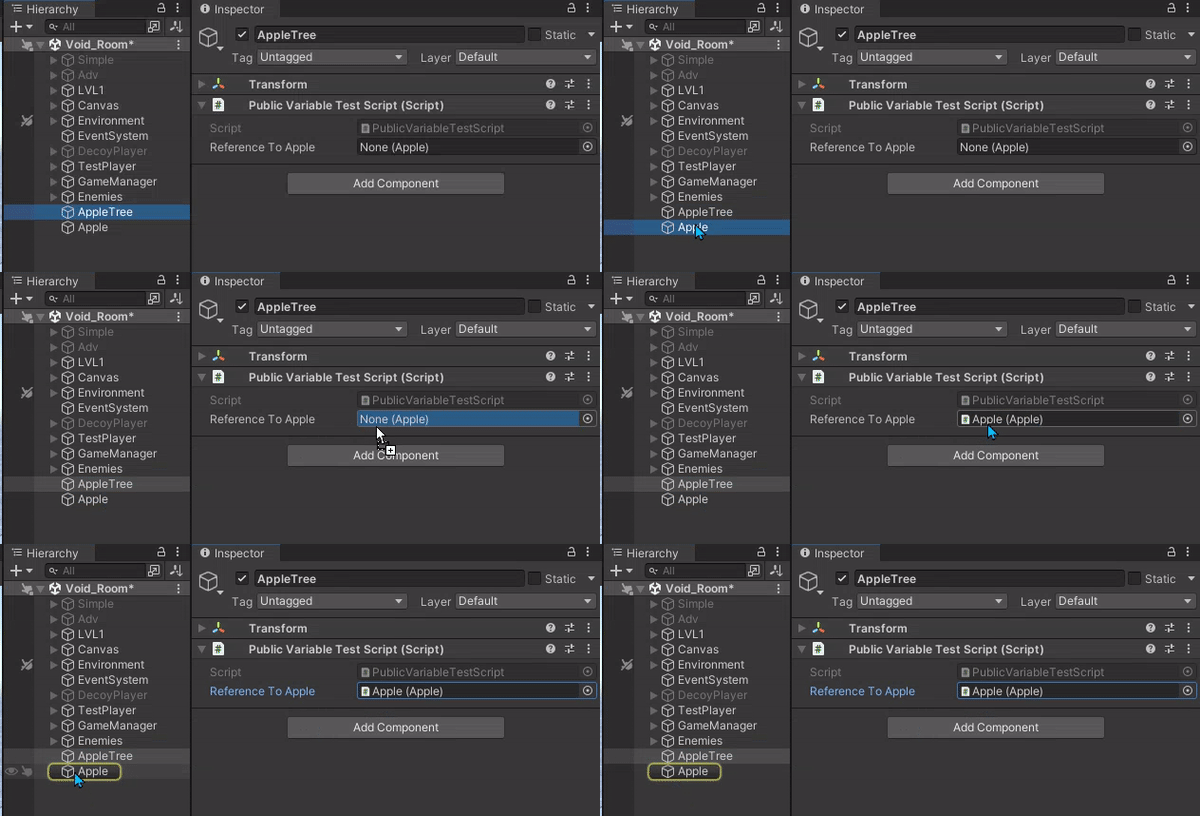 rich adder
rare rivet
<@968604165150507078> i know you dont care but for closures sake thank you and i...
rich adder
rare rivet
<@968604165150507078> i know you dont care but for closures sake thank you and i...
what makes you say that lol
I was just trying to get you to debug objects you hit, but yeah that makes sense why it would need the collider.gameobject not the transform
wintry quarry
median ruin
Assets\FPS\Scripts\Game
ok and are there any assembly definition files in any of those folders? What is "FPS"? is that a premade asset thing?