#💻┃code-beginner
1 messages · Page 188 of 1

 slender nymph
we are aware of what you are trying to do
your issue is that you are trying to use a variable that does not exist
 ripe kayak
 ripe kayak
slender nymph
your issue is that you are trying to use a variable that *does not exist*
ripe kayak
slender nymph
your issue is that you are trying to use a variable that *does not exist*
what should i do lol
 polar acorn
"I did it exactly like the tutorial so why does theirs work and mine doesn't" counter:
Number of times it wasn't exactly like the tutorial: 143
Number of times it was exactly like the tutorial: 5
Number of times the code literally did not exist: 1
2022-07-19 to 2024-2-08
use the variable that does exist
surely you know what a variable is, right?
 swift crag
if the variable is named quitPanel, you can't write QuitPanel or QUITPANEL or quitpanel or florp
 swift crag
the only valid way to reference that variable is quitPanel
slender nymph
ripe kayak
*braindamaged*
what is the name of the only variable you have declared inside that class?
slender nymph
swift crag
the only valid way to reference that variable is `quitPanel`
their variable isn't even named quitPanel
polar acorn
swift crag
if the variable is named `quitPanel`, you can't write `QuitPanel` or `QUITPANEL`...
They don't even have a lower case quitPanel
They named it something completely different
ripe kayak
slender nymph
what is the name of the *only* variable you have declared inside that class?
do i have a variable?
i have no idea
slender nymph
okay it's clear you have no clue what you are doing. so stop, and go do some beginner courses to learn c#. there are some great ones pinned in this channel
polar acorn
ripe kayak
do i have a variable?<:notlikethis:1068134558123442236>
Stop. Do not pass GO, do not collect $200. Do the intro to C# course in the pins. You need to know at least what words mean before continuing.
ripe kayak
im simply watching tutorials
polar acorn
We cannot help you if you literally do not know what the words mean
ripe kayak
 polar acorn
ripe kayak
im simply watching tutorials
polar acorn
ripe kayak
im simply watching tutorials
And you have managed to not even do that properly.
Go learn the bare bones fundamentals of programming before attempting anything else

 rose galleon
Still working on that .-.
swift crag
Are you using multiple scenes for different areas in your game?
slender nymph
ripe kayak
btw i fixed the issue
if you go learn the basics you won't run into this issue again because you'll actually understand what you are doing therefore you will save yourself even more time over the course of developing your game
rose galleon
swift crag
Are you using multiple scenes for different areas in your game?
Im using scenes for every room
swift crag
Okay. I would suggest having a "game controller" object that lives in the DontDestroyOnLoad scene.
rose galleon
The gamecontroller is already DontDestroyOnLoad
swift crag
It should have a method to load a scene and position the player somewhere in that scene.
rose galleon
The controller and the Player are
ripe kayak
slender nymph
if you go learn the basics you won't run into this issue again because you'll ac...
yeah well my brain can't handle these stuff, i can forget stuff pretty easily and i can't just wrote bunch of lines without missing a word or symboles or capslocks
swift crag
You can write a coroutine that:
- fades the screen to black
- loads the new scene
- positions the player
- un-fades the screen
slender nymph
ripe kayak
yeah well my brain can't handle these stuff, i can forget stuff pretty easily an...
alright well then i'm just going to block you. i don't help people who refuse to even try learning the basics 🤷♂️
rose galleon
swift crag
It should have a method to load a scene and position the player somewhere in tha...
It loads scenes through save, and yesterday I was working on the loading position
swift crag
Oh right, you've got the save data.
rose galleon
Yeah
 spiral narwhal
itemBuilder?.Build();
'?.' on a type deriving from 'UnityEngine.Object' bypasses the lifetime check on the underlying Unity engine object
What does this warning mean? Is it possible to use it if you learn the side effects or is it rather a no-go
i.e. is start not called?
ripe kayak
slender nymph
alright well then i'm just going to block you. i don't help people who refuse to...
who said i refuse lol and why "block" i don't get it
 slender nymph
spiral narwhal
```csharp
itemBuilder?.Build();
```
`'?.' on a type deriving from 'UnityEngine....
slender nymph
spiral narwhal
```csharp
itemBuilder?.Build();
```
`'?.' on a type deriving from 'UnityEngine....
no, it does not use the overloaded == operator from unity so it can not check if the object has been destroyed, it just does a pure null check. destroyed objects are not actually null, they just return true when comparing to null with == because UnityEngine.Object has overloaded the operator
swift crag
ripe kayak
who said i refuse lol and why "block" i don't get it
because you're refusing to take any of the advice you're being given and spamming emojis at us
ripe kayak
swift crag
because you're refusing to take any of the advice you're being given and spammin...
im not lol
swift crag
rose galleon
Yeah
    [System.Serializable]
    public class SaveData
    {
        public string sceneName;
        public Vector3 position;
    }

    IEnumerator LoadFromSave(SaveData data)
    {
        AsyncOperation handle = SceneManager.LoadSceneAsync(data.sceneName);

        yield return handle;

        Player.instance.transform.position = data.position;
    }
Could be as simple as this.
I would suggest making SaveData store all of the important information (e.g. upgrades, quest progress, etc.)
and then have a smaller class for where you should respawn at
rose galleon
swift crag
```cs
[System.Serializable]
public class SaveData
{
public s...
Whats thr IEnumerator again? I remember seeing it once while making a timer
swift crag
SavePointData, maybe
spiral narwhal
slender nymph
no, it does not use the overloaded `==` operator from unity so it can not check ...
Ahhh thank you gotcha. Just as an aside, though, wouldn't it be easy for Unity to overload ?. or does C# not support overloading that operator
ripe kayak
i really apreciate u guys helping me out and im just chilling around, and im also learning btw i was joking
slender nymph
not possible
swift crag
rose galleon
Whats thr IEnumerator again? I remember seeing it once while making a timer
IEnumerator means that this method returns an enumerator. An enumerator is an object that can give you a sequence of values.
The method runs until it hits a yield statement, then pauses.
ripe kayak
and for the emojis that's just me do that most of time
swift crag
If you pass an enumerator to StartCoroutine, Unity will ask it for a new value every frame (by default). This resumes the method until it hits another yield
But you can also yield special values to change that behavior. Notably, you can yield an AsyncOperation to make the coroutine wait until the operation is done
rose galleon
swift crag
I would suggest making `SaveData` store **all** of the important information (e....
The SaveData would have to be destroyed on load though, so I can give it a different value every instance it appears
swift crag
rose galleon
The SaveData would have to be destroyed on load though, so I can give it a diffe...
SaveData is a plain old C# class.
It's not a unity object at all; there's no notion of being "destroyed"
swift crag
You'd just need to store it somewhere that you can always access.
So, for example, I would hang on to the current save data in a static field (or put it in the singleton game controller)
 open field
using System.Collections;
using System.Collections.Generic;
using UnityEngine;
public class MonkeButton : MonoBehaviour
{
public GameObject Object;
public Material red;
public Material white;
public AudioSource sound;
void OnTriggerEnter()
{
    Object.GetComponent<Renderer>.material = red;
    sound.Play();
}
void OnTriggerExit()
{
    Object.GetComponent<Renderer>.material = white;
    sound.Stop();
}
} This is my full script
rose galleon
swift crag
You'd just need to store it somewhere that you can always access.
So like, I assign it to both the destroyable game object and a DontDestroyOnLoad?
slender nymph
open field
its gives an error
and what is the error
 pastel patrol
I want to set the rb (rigidbody) to 0,0
please help
 swift crag
rose galleon
So like, I assign it to both the destroyable game object and a DontDestroyOnLoad...
swift crag
rose galleon
So like, I assign it to both the destroyable game object and a DontDestroyOnLoad...
You don't need a game object at all. SaveData is just a blob of data.
open field
Assets\Scripts\MonkeButton.cs(14,16): error CS0119: 'GameObject.GetComponent<T>()' is a method, which is not valid in the given context
swift crag
public static class Whatever {
  public static SaveData someCoolData;
}
right. and how do you invoke a method?
open field
this is the error
swift crag
Whatever.someCoolData holds a SaveData. Bam.
SaveData is not a unity object. It isn't instasntiated or destroyed.
open field
slender nymph
right. and how do you invoke a method?
idk
slender nymph
() is used to invoke a method
spiral narwhal
    [CreateAssetMenu(fileName = "ItemSO", menuName = "Tool", order = 0)]
    public class ToolSO : ItemSO
    {
        [SerializeField] private int _maxDurability;

        public int MaxDurability => _maxDurability;

        public int CurrentDurability { get; private set; }

        public override ItemSO Build()
        {
            return copy of this and:
            CurrentDurability = _maxDurability;
        }
    }
How would I do the pseudocode in Build() for a scriptable object?
open field
slender nymph
() is used to invoke a method
thx
swift crag
spiral narwhal
```csharp
[CreateAssetMenu(fileName = "ItemSO", menuName = "Tool", order = 0...
Instantiate is what you're looking for.
It copies any unity object.
spiral narwhal
Okay thanks I'll try
rose galleon
swift crag
`SaveData` is not a unity object. It isn't instasntiated or destroyed.
But for it to do anything it needs to be assigned, no?
open field
slender nymph
() is used to invoke a method
where should i put the () then?
swift crag
rose galleon
But for it to do anything it needs to be assigned, no?
Sure. You need to create a SaveData object and put some data in it
and then you need to store it
slender nymph
open field
where should i put the () then?
read your error message again then read the line that the error is on
swift crag
spiral narwhal
Okay thanks I'll try
I'm not a huge fan of storing mutable data in scriptable objects like this. Instantiating the object does create a fresh copy you can modify as you want, but...
polar acorn
pastel patrol
I want to set the rb (rigidbody) to 0,0
please help
To create a new instance of something you need to use the new keyword
swift crag
I prefer creating a separate class that references an ItemSO
swift crag
public class Tool : MonoBehaviour {
  public ToolSO toolData;
}
e.g.
polar acorn
open field
where should i put the () then?
On the line that's underlined in red in your IDE
rose galleon
swift crag
Sure. You need to create a `SaveData` object and put some data in it
Exactly what I was saying. The SaveData object would need to be DontDestroyOnLoad, wouldnt it?
swift crag
rose galleon
Exactly what I was saying. The SaveData object would need to be DontDestroyOnLoa...
SaveData is not a unity object. It cannot be destroyed.
Do you mean the thing that holds the SaveData?
open field
Object.GetComponent<Renderer>.material = white; this is the line wher should i put the ()
slender nymph
read the error again
pastel patrol
polar acorn
To create a new instance of something you need to use the `new` keyword
Thanks!!
rose galleon
swift crag
`SaveData` is not a unity object. It cannot be destroyed.
Do you mean the **thi...
The SaveData OBJECT, not the script
swift crag
If you want to store it inside a unity object, then yes, you need to make sure this object isn't destroyed (and that you always have a reference to it)
swift crag
rose galleon
The SaveData OBJECT, not the script
it sounds like your'e confused about the terminology here
rose galleon
swift crag
If you want to store it **inside a unity object**, then yes, you need to make su...
Ok cool
rose galleon
swift crag
it sounds like your'e confused about the terminology here
A lot
spiral narwhal
swift crag
```cs
public class Tool : MonoBehaviour {
public ToolSO toolData;
}
```
e.g.
The disadvantage of this is the typing. Right now most items are just "normal SO data" objects, so the inventory expects ItemSO. ToolSO is of that type but if I create a monobehaviour to handle the mutable data, it wouldn't be and I'd have to rework the entire architecture.
open field
slender nymph
read the error again
Assets\Scripts\MonkeButton.cs(14,9): error CS1955: Non-invocable member 'MonkeButton.Object' cannot be used like a method.
then it gives me this error
slender nymph
you've put the () in the wrong place. the original error actually showed you where to put it
open field
Object().GetComponent<Renderer>.material = white;
sound.Stop(); i did it here
slender nymph
yeah that's clear from the error
your variable is not a method. you invoke a method
swift crag
rose galleon
A lot
The script is the text file that contains your C# code. In your case, it's going to define a single class called SaveData.
SaveData doesn't inherit from UnityEngine.Object, so it is not a unity object.
You can construct a SaveData like this:
SaveData myData = new SaveData();
You now have an instance of SaveData in a variable named myData. myData holds an object, and the type of the object is SaveData.
You need to store this object somewhere that you can always access. A great choice would be your game controller. Your game controller is a Unity object, and you put in the "dont' destroy on load" scene so that it doesn't die when you change scenes.
open field
Assets\Scripts\MonkeButton.cs(14,16): error CS0119: 'GameObject.GetComponent<T>()' is a method, which is not valid in the given context this is the old one what should i do
slender nymph
open field
Assets\Scripts\MonkeButton.cs(14,16): error CS0119: 'GameObject.GetComponent<T>(...
this error literally shows you where the parentheses go. if you cannot understand that at this point, then stop what you are doing and go through the beginner c# courses pinned in this channel
open field
(the old error)
slender nymph
please learn to read while you're at it
swift crag
public class GameController : MonoBehaviour {
  public SaveData currentSaveData = new();

  void Awake() {
    // consider loading a save file here.
    // otherwise, just put the default scene and position in!
  }

  public void UpdateSaveData(string sceneName, Vector3 position) {
    currentSaveData.scene = sceneName;
    currentSaveData.position = position;
  }
}
It might look like this.
open field
slender nymph
this error literally shows you where the parentheses go. if you cannot understan...
Where does it shows you
slender nymph
why don't you read the error and find out?
polar acorn
open field
Where does it shows you
Did you try looking at the parenthesis
To see where it expects parenthesis
open field
my english is 5% good idk what to say
slender nymph
you don't need to understand english to see where the () are in that error message
open field
just idk where to put it
slender nymph
rose galleon
slender nymph
please learn to read while you're at it
You could tell him to figure it out without beimg so aggressive
rose galleon
open field
where should i put the () then?
U have to put them in the end of the name of the method you are trying to call. For example:
if(insert condition here)
{
Method();
}
void Method()
 summer stump
rose galleon
U have to put them in the end of the name of the method you are trying to call. ...
summer stump
rose galleon
U have to put them in the end of the name of the method you are trying to call. ...
They are calling GetComponent. The angle brackets are confusing them I guess
slender nymph
it's a good thing that their error message shows where to put the parentheses when calling GetComponent<T>()
rose galleon
slender nymph
it's a good thing that their error message shows where to put the parentheses wh...
Sometimes they are just a little slow. Still no need to be rude
slender nymph
your input was not needed here, nor were the pings
summer stump
Nor did it even help them... because it explained something different
 frigid sequoia
Is there any reason why adding transformations constraints to a rb dissables the collisions with said object?
slender nymph
that shouldn't affect collisions like at all
is the issue that your collider is actually passing through an object it should collide with, or is it the physics messages like OnCollisionEnter not being called?
 grand hare
where do I map my uv points on my plane mesh? do I map them on every vertex or what?
frigid sequoia
slender nymph
that shouldn't affect collisions like at all
Like I have this thingy am I want it to have a capsulle collider, and it needs a rb cause all enemies do, is to hanlde knockback and collisions with the proyectiles; but if I use the normal rb, the item gets pushed away form the floor due to the capsule collider, so I checked the freeze position boxes (cause it is turret and is not meant to move anyways) and then it just ignores all collisions with everyting
Like that shouldn't do that right?
slender nymph
what do you mean by ignores all collisions #💻┃code-beginner message
frigid sequoia
slender nymph
what do you mean by ignores all collisions https://discord.com/channels/48922216...
Literally all collisions, nor the rb collisions, nor the trigger collider with the proyectiles
Everything is ignored
Just phases through
slender nymph
did you make the object kinematic
actually show the objects that should be colliding at runtime
frigid sequoia
slender nymph
did you make the object kinematic
If I do that it doesn't trigger the proyectile collision
But does collide with the rbs though
slender nymph
right and that is why i asked since you aren't bothering to provide any actual details.
you need to show the objects or provide any useful details if you want to get help. i do not want to play 20 questions with you just to get some absolutely basic info
frigid sequoia
This with a non-trigger collider and non-kinematic rb

The player gets "gently" pushed out
slender nymph
typically when someone wants to see an object, they want to see the inspector
frigid sequoia
If I use kinematic, the player cannot phase through, but the proyectiles do

This is the inspector

I don't know what you want to see there since I am like literally changing it everty 2 mins so...
slender nymph
now show the projectile and the player

 slender nymph
the projectile is a trigger collider. it will phase through anything because it does not physically collide
as for the player, it probably depends on how you actually move it
frigid sequoia
As far as I know it does with OnTriggerEnter(); if the object has a rb that's it

This does work with objects with the same setup but unfreeze constraints
slender nymph
the constraints have nothing at all to do with trigger messages. it just prevents physics from moving the objects on those axes. first you need to ensure you are receiving a physics message
then you need to make sure that your logic is correct. for example, why are you checking for a specific layer there? why not check for a tag or a component instead
frigid sequoia
slender nymph
the constraints have nothing at all to do with trigger messages. it just prevent...
I.... don't know, I created a layer AND a tag for both the enemy and the player, I think I had a reason for it before but I don't actually remember
I think it was to work with raycasts
slender nymph
also what object is that component even attached to. it seems like it should be attached to the turret, but your previous screenshot did not include anything other than the collider and RB
frigid sequoia
slender nymph
also what object is that component even attached to. it *seems* like it should b...
This script is attached to the proyectile; if you are refering to the BasicEnemyBehaviour is the generalist script for all enemies, so all of them should have it
slender nymph
your turret does not
also how are you even assigning the enemyCollisionLayer? because it isn't visible in the inspector
frigid sequoia
slender nymph
your turret does not
The function to destroy doesn't need it, just the rest
frigid sequoia
slender nymph
also how are you even assigning the enemyCollisionLayer? because it isn't visibl...
In the general proyectiles class; it stores all potential layers of collision for all proyectiles
slender nymph
show how you assign that
 late bobcat
Hey there everyone, do you guys have any idea on why when my weapon reaches lvl 2 it instantiate a clone of the weapon, but it's inactive?
It should be like lvl 1= single weapon. lvl 2 = double weapon.
https://gyazo.com/f3d671f441ceec997be436b47e041fee Screenshot of the cloned object not being active when instantiated.
https://hatebin.com/mdcwyqpcse weapon code
 polar acorn
late bobcat
Hey there everyone, do you guys have any idea on why when my weapon reaches lvl ...
polar acorn
late bobcat
Hey there everyone, do you guys have any idea on why when my weapon reaches lvl ...
Is the prefab active
late bobcat
ye it is
slender nymph
are you certain you don't have any code on the prefab causing it to disable?

 rare basin
btw, perfect use case for a dictionary
    [SerializeField] private float purpleGemChance = 0.05f;
    [SerializeField] private float redGemChance = 0.1f;
    [SerializeField] private float blueGemChance = 0.3f;
    [SerializeField] private float greenGemChance = 0.4f;
perhaps in Start?
polar acorn
late bobcat
ye it is
Is there a script on the prefab that has it deactivating itself
Show code for Orbit
late bobcat
ye
polar acorn
Oh
rare basin
gameObject.SetActive(false);
polar acorn
I didn't see the class name, I thought we were looking at something else
Yeah that'll do it
late bobcat
okay so that's what's setting it to unactive
frigid sequoia
slender nymph
show how you assign that
Is just the raw number manually >.<

It does work, I assure you of that, is working for other objects
slender nymph
prove it. put some logs in OnTriggerEnter and log what is being hit and its layer
late bobcat
rare basin
btw, perfect use case for a dictionary
```cs
[SerializeField] private float...
I'm using a dictionary already but for gems there's only one
actually not it should one for each gem
frigid sequoia
slender nymph
prove it. put some logs in OnTriggerEnter and log what is being hit and its laye...


It does work with anything on the Layer, doesn't need the enemyscript
slender nymph
with the turret . . .
 tame obsidian
hi, let me ask you something. when we make a multiplier game on this steam, we make the server that creates the lobby. can we make this a steam server server, so no one in the lobby will be a server.
 wintry quarry
frigid sequoia
Is just the raw number manually >.<
wintry quarry
frigid sequoia
Is just the raw number manually >.<
[NonSerialized] would be better than HideInInspector
slender nymph
tame obsidian
hi, let me ask you something. when we make a multiplier game on this steam, we m...
#archived-networking for networking related questions
but steam does not host servers for you
tame obsidian
slender nymph
<#497874116246896640> for networking related questions
but steam does not host s...
okey, thanks
frigid sequoia
slender nymph
with the turret . . .
Oh, it does collide now, it needs an enemy script or be labelled as a wall, don't know why, shouldn't
Should check that
frigid sequoia
wintry quarry
`[NonSerialized]` would be better than HideInInspector
What's the actual difference?
swift crag
A serialized field is stored in the prefab/scene
Unity remembers its value for each instance of the component.
[HideInInspector] just stops the field from appearing in the inspector. It can still be serialized.
wintry quarry
frigid sequoia
What's the actual difference?
hideInInspector still serializes it
swift crag
So if you change = 6 to = 5, all of the existing instances of the component will still have a 6 in that field
the field initializer is overwritten by the serialized value if one exists
wintry quarry
Not only that, because it's hidden in the inspector, you have no way to change it back
unless you change it in code
frigid sequoia
So, since I am not changing it at all it should be NonSerialized?
wintry quarry
but then you might as well just not serialize it at all
swift crag
Do you need a unique value to be remembered for each instance?
If not, make it non serialized
frigid sequoia
No, the layers are gonna remain the same all the time
wintry quarry
frigid sequoia
So, since I am not changing it at all it should be NonSerialized?
sure - realistically I'd just recommend making a const though:
public const int WallCollisionLayer = 6;```So the children can acces it
spiral narwhal
if (inventorySlot?.Item is not ToolSO tool) return;
If inventorySlot is null, will this return?
frigid sequoia
Though could be just protected
polar acorn
frigid sequoia
So the children can acces it
protected
swift crag
spiral narwhal
```csharp
if (inventorySlot?.Item is not ToolSO tool) return;
```
If `inventory...
you can't reliably use ?. with unity objects
a destroyed unity object compares equal to null
 rich adder
spiral narwhal
```csharp
if (inventorySlot?.Item is not ToolSO tool) return;
```
If `inventory...
rich adder
spiral narwhal
```csharp
if (inventorySlot?.Item is not ToolSO tool) return;
```
If `inventory...
is not doesn't work in unity does it?
swift crag
but it's not actually null
wintry quarry
spiral narwhal
```csharp
if (inventorySlot?.Item is not ToolSO tool) return;
```
If `inventory...
is returns false for null
is not returns true for null
spiral narwhal
This is not a MonoBehaviour
swift crag
(or plain old record)
frigid sequoia
So like that is the optimal way then?
 rich adder
ohh
slender nymph
spiral narwhal
This is not a MonoBehaviour
ScriptableObject still inherits from UnityEngine.Object so it can still be destroyed
spiral narwhal
It's not a ScriptableObject either
It's just a class
A C# class with no inheriting classes
 green island
i need to be able to get collisions on an gamobject but i want to still be able to pass through the gamobject but when i set istrigger to true it doesnt get the collision and if its falls u cant walk through it
 rocky canyon
istrigger works fine, but u must have a rigidbody.. preferably on the other object..
or to prevent it from falling you can lock the constraints (x,y,z) axis
 open kernel
hi, don`t know where to ask this but how can I make a transparent img object? So an object thats just a png without background
 timber tide
in the import settings when you select the object there's options for how to use alpha values
open kernel
timber tide
in the import settings when you select the object there's options for how to use...
k thanks
green island
rocky canyon
istrigger works fine, but u must have a rigidbody.. preferably on the other obje...
i tried it but it doesnt register till i turn istrigger off
rocky canyon
OnCollision would work if u turn off isTrigger
 honest haven
        {
            Debug.Log(hit);
            Vector3 newPosition = new Vector3(
                Mathf.RoundToInt(hit.point.x) != 0 ? Mathf.Round(hit.point.x / 2) * 2 : 2,
                Mathf.RoundToInt(hit.point.y) != 0 ? Mathf.Round(hit.point.y / 2) * 0 : 0,
                Mathf.RoundToInt(hit.point.z) != 0 ? Mathf.Round(hit.point.z / 2) * 2 : 2);

            floorBuild.position = newPosition;

            if (Input.GetMouseButtonDown(0))
            {
                Instantiate(floorPrefab, newPosition, floorBuild.rotation);
            }
}``` i have to press mouse 0 like upto 5 times to register. is et mouse button down correct timber tide
open kernel
k thanks
timber tide
open kernel
k thanks
the mesh you render it on must also use a transparent shader / have transparency selected
rich adder
 timid saffron
read the error
open kernel
timber tide
the mesh you render it on must also use a transparent shader / have transparency...
alright
rich adder
its pretty big syntax error
green island
rocky canyon
OnCollision would work if u turn off isTrigger
but i want the object to be passthrough
timber tide
or use alpha clipping on opaque shaders
rocky canyon
            if (Input.GetMouseButtonDown(0))
            {
                // now raycast
                Instantiate(floorPrefab, newPosition, floorBuild.rotation);
            }
}```line 24 ;
timid saffron
 rich adder
timid saffron
rich adder
timid saffron
are you just randomly guessing your way through this?
rocky canyon
green island
but i want the object to be passthrough
ya, thats why i said IsTrigger... ur saying it only works when thats turned off... well the method that would work if the IsTrigger is turned off is OnCollisionEnter not OnTriggerEnter
honest haven
timid saffron
dont need to check if its true, its already doing that
rocky canyon
but a trigger is what u want.. your setup is just wrong apparently
timid saffron
rich adder
are you just randomly guessing your way through this?
kinda. there was no input key in unity manual
green island
rocky canyon
ya, thats why i said IsTrigger... ur saying it only works when thats turned off....
but how do i make the object itself dedect collisions and be passthrough
 rocky canyon
put the OnTriggerCode on the thing with the trigger collider
rich adder
timid saffron
this doesnt work though
what doesnt work about it?
green island
rocky canyon
put the OnTriggerCode **on the thing with the trigger collider**
it is
rocky canyon
and have a rigidbody on the other thing..
#💻┃code-beginner message
this guide tells u what u should do..
timid saffron
rich adder
what doesnt work about it?
when I press enter it wont switch between first person and second person cameras
green island
rocky canyon
and have a rigidbody on the other thing..
https://discord.com/channels/48922216...
theres a rigedbody on both
honest haven
timid saffron
if(person.enabled) that is checking if true. if(!person.enable) that is checking for false.
rocky canyon
green island
theres a rigedbody on both
why have a rigidbody on the trigger object?
green island
rocky canyon
why have a rigidbody on the trigger object?
i thought first that that was the problem
rocky canyon
show the code, and a screenshot of the object / trigger/ and its inspector
rich adder
timid saffron
when I press enter it wont switch between first person and second person cameras
are u using enter on the KeyPad ?
timid saffron
i have keyboard
 sour willow
in mac, i do not have snippets for alot of functions can anyone help?
timid saffron
wait okay. i didnt know what keypad was my bad
sour willow
i have downloaded the snippet extensions
timid saffron
i saw key and thought keyboard
rocky canyon
theres two different enter keys
green island
rocky canyon
show the code, and a screenshot of the object / trigger/ and its inspector
 rocky canyon
show the heirarchy and the sceneview
green island


 orchid trout
What is the correct way to make unity allow me to delete/remove/whatever, completely remove a gameobject from the scene in edit mode?
I keep running into errors where it keeps telling me thats not how to delete a thing, but it wont tell me how to delete a thing

DestroyImmediate doesn't work
"InvalidOperationException: Destroying the root game GameObject of a Prefab Asset is not permitted.
InitiativeTracker.ClearInitiative () (at Assets/Scripts/UI/Initiative/InitiativeTracker.cs:147)"
rocky canyon
green island
click the edit collider button
 orchid trout
The result I want is the result you get from selecting it and hitting the delete key
rocky canyon
i dont see the collider in teh screenshot.. its size is .2 i wonder if its too small.. or underground or something
green island
rocky canyon
click the edit collider button
 rocky canyon
make it wider
rich adder
timid saffron
i saw key and thought keyboard
yeah there is a regular enter buton key one, did you fix it ?
rocky canyon
ur rigidbody has a collider.. so if the code is in the Goal Script it should detect it just fine

 green island
rocky canyon
make it wider
green island
rocky canyon
make it wider
i set it to 1 it doesnt dedect it
rocky canyon
green island
i set it to 1 it doesnt dedect it
when you press the play button the collider stays in the correct place?
show the code for GoalScript
green island
rocky canyon
when you press the play button the collider stays in the correct place?
using System;
using System.Collections;
using System.Collections.Generic;
using UnityEngine;
public class GoalScript : MonoBehaviour
{
public int GoalNum;
private void OnCollisionEnter(Collision collision)
{
Debug.Log(collision.gameObject.tag);
if(collision.gameObject.tag == "Ball")
{
GameManager.Instance.Goal(GoalNum);
}
}
}``` short hazel
ripe kayak
WHARRA DO
short hazel
ripe kayak
WHARRA DO
Configure your code editor so it works with Unity. !ide
 eternal falconBOT

💡 IDE Configuration
If your IDE is not autocompleting code
or underlining errors, please configure it.
Select one:
• Visual Studio (Installed via Unity Hub)
• Visual Studio (Installed manually)
• VS Code
• JetBrains Rider
• Other/None
rocky canyon
bro.. thats nots OnTriggerEnter
 ripe kayak
short hazel
Configure your code editor so it works with Unity. !ide
ripe kayak
short hazel
Configure your code editor so it works with Unity. !ide
oh i thought i did it before
timid saffron
im still trying though i think i will fix it
short hazel
ripe kayak
oh i thought i did it before
Errors will be underlined red in the code directly when it's done
rich adder
timid saffron
no
put Debug.Log inside
 hexed terrace
timid saffron
im still trying though i think i will fix it
hexed terrace
timid saffron
im still trying though i think i will fix it
read the docs for GetKeyDown
rich adder
make sure its runninig
rocky canyon
i said that wayyy up here

Make sure to use the correct method.. if ur using IsTrigger.. you need OnTriggerEnter
OnCollision is just that.. like if the ball were to strike the box and roll backwards that would be OnCollisionEnter
green island
rocky canyon
Make sure to use the correct method.. if ur using IsTrigger.. you need `OnTrigge...
oh thanks that was the problem didnt know there where diffrent functions thought both must be oncollision
ripe kayak
 wintry quarry
ripe kayak
there two of wait for intro
wintry quarry
ripe kayak
there two of wait for intro
well for one you actually spelled it wrong on line 13
you also spelled Start wrong
Look at any basic C# code example. You do not put ; after the parameter list for a function like you did on line 16.
ripe kayak
alr
sour willow
definitely learn a c# tutorial before starting unity
polar acorn
ripe kayak
Spelling is a requirement for programming
ripe kayak
and level with player and everything
polar acorn
There is no "close enough"
orchid trout
I found the problem, the problem is that my list of gameobjects is not a list of gameobjects
 polar acorn
you have to spell the words right
honest haven
honest haven
```if (Physics.Raycast(ray, out hit, Mathf.Infinity))
{
Debu...
not sure on this one
rocky canyon
honest haven
rocky canyon
https://discord.com/channels/489222168727519232/497874004401586176/1205197049138...
Dont think thats right because i need to see where the ghost object is going to be positioned. then the instaiate just places the real object in that current positon
rich adder
debug your bool of raycast and see Why you need so many tries
 hybrid sundial
I finished the first juniour programming lessons and the car game is cool, currently I planted the obstacles but I want to make it an infinate loop where it generates obstacles in random places, I don’t know where to start
slender nymph
 covert glade
helllo is it better to code in vs 2022
covert glade
helllo is it better to code in vs 2022
visual studio is far better than vs code. it's easier to configure, less likely to break, and is a fully featured IDE right out of the box
covert glade
slender nymph
visual studio is far better than vs code. it's easier to configure, less likely ...
ok thanks :D
covert glade
hybrid sundial
I finished the first juniour programming lessons and the car game is cool, curre...
i think your talking about procedural generation?
if yes thats where u start learning how to make infinite loops for generating obstacles
but how to code it? idk im still new i just know the idea
spiral narwhal
            var adjacentObjects = Physics2D.OverlapBoxAll(
                transform.position,
                new Vector2(1.1f, 1.1f),
                0f,
                _connectableLayers
            );
Why does this collect the game object itself? It has the same layer and is within the bounds, of course, but why would Unity include the calling object itself?
covert glade
is the method Awake same as the method Start?
wintry quarry
spiral narwhal
```csharp
var adjacentObjects = Physics2D.OverlapBoxAll(
...
Physics2D.OverlapBoxAll is a static function.
it has no concept whatsoever of "the object that called the function"
rich adder
covert glade
is the method Awake same as the method Start?
they are not the same no
they both run once, thats the only common thing
wintry quarry
covert glade
for making components knowable by the script
For initializing the object itself, use Awake
rich adder
either, but awake best for initialization
spiral narwhal
wintry quarry
`Physics2D.OverlapBoxAll` is a static function.
it has no concept whatsoever of ...
Ah okay thanks
wintry quarry
For initializing things that depend on other objects already being initialized, use Start
spiral narwhal
So how would I filter it out?
foreach (var adjacentCollider in adjacentObjects)
                if (adjacentCollider.gameObject is gameObject) continue;
In this case gameObject does not seem to work in that context
covert glade
wintry quarry
For initializing things that depend on other objects already being initialized, ...
like a variable?
rich adder
adjacentCollider.gameObject is gameObject ?
wintry quarry
covert glade
like a variable?
Really vague question.
rich adder
covert glade
like a variable?
say you load your ScoreScript score by PlayerPrefs in awake, then you have another script like UI to read the score, thats where you use Start
uiText.text = thecoreScript.Score.ToString() (simple example, obv you would use events :P)
wintry quarry
Are you changing it to something that depends on some other object being initialized?
honest haven
rich adder
debug your bool of raycast and see Why you need so many tries
GetKeyDown was inside fixed update didnt know that would break it. only added it there because i needed inside raycast. thanks fixed it
rich adder
honest haven
GetKeyDown was inside fixed update didnt know that would break it. only added it...
yes never a good idea to add one frame events inside a physics update 😛
I keep my inputs polling to Update
rich adder
covert glade
so im tryna learn anything that idk
the best way to learn , start testing it yourself and see
covert glade
rich adder
the best way to learn , start testing it yourself and see
yeye
im tryna understand before i implement
and add stuff to figure out more stuff
timid saffron
rich adder
put Debug.Log inside
I was eating sorry for late reply.
 rich adder
timid saffron
I was eating sorry for late reply.
rich adder
timid saffron
I was eating sorry for late reply.
you have a shiton of errors
spiral narwhal
public class ConnectableObject : DestroyableObject
    {
        // Called when Instantiate is used to create this instance
        private void OnEnable()
        {
            ConnectToAdjacentObjects();
        }

        private void ConnectToAdjacentObjects()
        {
            Debug.Log(transform.position); // <--- very wrong output
        }
Can anyone tell me why the position is so incredibly wrong? In fact, if I instantiate multiple objects, they all have that strange position

 timid saffron
rich adder
you have a shiton of errors
timid saffron
rich adder
you have a shiton of errors
yeah i know 😄
also debug log wont show message
 rich adder
timid saffron
yeah i know 😄
rich adder
timid saffron
yeah i know 😄
well then its not surprising stuff isn't working lol
timid saffron
rich adder
well then its not surprising stuff isn't working lol
yeaa
rich adder
timid saffron
also debug log wont show message
where did you assign the firstperson and secondperson
timid saffron
i actualy tried to put debug log everywhere but it wouldnt work so i asked chatgpt
slender nymph
spiral narwhal
```csharp
public class ConnectableObject : DestroyableObject
{
// Ca...
keep in mind that the position you see in the inspector is the localPosition
rich adder
timid saffron
i actualy tried to put debug log everywhere but it wouldnt work so i asked chatg...
debug doesn't matter right now, cause this script is throwing errors because those two arent assigned
 rich adder
timid saffron
rich adder
timid saffron
this doesn't show me how you assigned them
in the script
show me the script on the gameobject
timid saffron
public Camera firstperson;
public Camera secondperson;
rich adder
timid saffron
public Camera firstperson;
public Camera secondperson;
this is just declaring them
timid saffron
rich adder
show me the script on the gameobject

this is for ship
main ship we control
rich adder
derp moment
spiral narwhal
slender nymph
keep in mind that the position you see in the inspector is the localPosition
But why is it always the same position no matter the instance?
timid saffron
rich adder
derp moment
what moment? 😄
slender nymph
spiral narwhal
But why is it always the same position no matter the instance?
how should i know? you haven't shown how you specify the position when you spawn it. you just show where you log the position
rich adder
show where you put it on the gameobject @timid saffron
timid saffron
 rich adder
timid saffron
rich adder
timid saffron
the inspector..

 rich adder
covert glade
what does this give me an error?
rich adder
covert glade
what does this give me an error?
read what the error says
spiral narwhal
slender nymph
how should i know? you haven't shown how you specify the position when you spawn...
public void PlaceConnectableAt(ConnectableObject prefabToPlace, Vector2 position)
        {
            var copy = Instantiate(prefabToPlace, transform);
            copy.transform.position = new Vector3(
                Mathf.RoundToInt(position.x),
                Mathf.RoundToInt(position.y),
                10f
            );
        }
which in turn is called by
public void Interact(Vector3 mousePosition)
        {
            var playerPosition = PlayerMovement.Instance.FeetPosition;
            var roundedMousePosition =
                new Vector2(Mathf.RoundToInt(mousePosition.x), Mathf.RoundToInt(mousePosition.y));
            var distance = Mathf.RoundToInt(Vector2.Distance(
                roundedMousePosition,
                new Vector2(Mathf.RoundToInt(playerPosition.x), Mathf.RoundToInt(playerPosition.y))
            ));

            if (distance > _rangeInMeters) return;

            ObjectPlacer.Instance.PlaceConnectableAt(_prefabToPlace, roundedMousePosition);
        }
The position works absolutely as intended because I can see the objects rendered perfectly on screen, it's just the print statement that's off for some reason
covert glade
it says im using a vector2?
slender nymph
Rigidbody2D uses a Vector2 for velocity. it has no z axis
covert glade
so do i make z as 0?
rich adder
covert glade
what does this give me an error?
Vector2 doesnt have a z
timid saffron
rich adder
the inspector..

 rich adder
its 2 floats
timid saffron
inpsector
wintry quarry
covert glade
so do i make z as 0?
just get rid of it
rich adder
covert glade
so do i make z as 0?
no the struct doesnt have it at all lol
timid saffron
 wintry quarry
covert glade
what does this give me an error?
wintry quarry
covert glade
what does this give me an error?
you should be doing new Vector2 not new Vector3
rich adder
Unity turns V2 into V3 and 0s out the Z but thats if its not 2D
slender nymph
spiral narwhal
```csharp
public void PlaceConnectableAt(ConnectableObject prefabToPlace, Vector...
what do you mean the print statement is off? it is literally printing the world space position. that position is correct for the object the component is attached to
covert glade
wintry quarry
you should be doing `new Vector2` not `new Vector3`
oki
timid saffron
@rich adderdid i send you what you wanted?
spiral narwhal
slender nymph
what do you mean the print statement is off? it is literally printing the world ...
Well it's the same position for every instantiated instance. That cannot be right
rich adder
timid saffron
do you see

you are trying to use something thats not assigned
the computer doesnt know which camera you want
spiral narwhal
slender nymph
what do you mean the print statement is off? it is literally printing the world ...
Here is an example
 slender nymph
don't make assumptions about what is or is not correct. it's obviously correct at the time you print the position. remember that OnEnable is called before Instantiate returns
so it's printing the position of the parent object because that is where the object is when OnEnable is called
timid saffron
damn cool. it works now
although i can only do it once ill work on it now
minor details i miss 😄
spiral narwhal
slender nymph
don't make assumptions about what is or is not correct. it's obviously correct a...
So I must create a custom method AfterInstantiation to delegate the OnEnable stuff to?
slender nymph
or you could just specify the position in the Instantiate call instead of on the line after
spiral narwhal
No, there is more that needs to be done on instantiation
I just left it out for simplicity here.
Thanks for the help :)
slender nymph
stop truncating your code when sharing it. jesus that's annoying. what if the issue was caused by something you left out?
"hey what's causing my issue?"
share the code
"here's only part of the code that i'm going to assume is the part that is at fault because i totally know what is causing it which is why i'm asking for help"
spiral narwhal
Yeah no. The log was literally the first thing of the method.
timid saffron
we did it
this is the code

im pretty sure it can be written better but
it works
slender nymph
if(Input.GetKeyDown(KeyCode.Return))
{
  firstperson.enabled = !firstperson.enabled;
  secondperson.enabled = !secondperson.enabled;
}
would work assuming they are in the correct state when you start
 broken drift
can someone help what's causing this error? these are the codes


 timid saffron
slender nymph
```cs
if(Input.GetKeyDown(KeyCode.Return))
{
firstperson.enabled = !firstperso...
timid saffron
slender nymph
```cs
if(Input.GetKeyDown(KeyCode.Return))
{
firstperson.enabled = !firstperso...
damn
this makes a lot more sense
i gotta think outside the box sometime soon
polar acorn
broken drift
can someone help what's causing this error? these are the codes
Something on line 27 of playerCombat is null but you're trying to use it anyway
slender nymph
timid saffron
i gotta think outside the box sometime soon
nah you gotta get into my mindset. think inside the box
 modest dust
broken drift
can someone help what's causing this error? these are the codes
modest dust
broken drift
can someone help what's causing this error? these are the codes
bunny stats are null, whatever that is, most likely
you're using that in your newHP setter
And dear god, it hurts my eyes to look at how you name these methods
slender nymph
yeah the _ prefix should be reserved for non-public fields. it should never be used on anything public or on methods ever
 hallow gate
can someone help me with something
polar acorn
hallow gate
can someone help me with something
 hallow gate
my character in unity wont move properly even tho i did exactly as said in the tutorial. he just starts to jitter and get stuck whenever i press wasd
broken drift
thanks for the help and advice (although i just barely understand what's causing it) also sorry for the naming lmao, im still new but ill fix it
slender nymph
hallow gate
my character in unity wont move properly even tho i did exactly as said in the t...
show relevant !code
eternal falconBOT
Posting code
📃 Large Code Blocks
Use links to services like:
https://gdl.space/, https://paste.ofcode.org/, https://hatebin.com/, https://paste.myst.rs/, https://hastebin.com/
📃 Inline Code
Surround code with three backquotes. Not quotation marks.
To format as C#, add cs to the first line:
```cs
// Your code here
```
Add a comment with a line number if there is an error message.
hallow gate
slender nymph
show relevant !code
using System.Collections;
using System.Collections.Generic;
using UnityEngine;
public class Playerr : MonoBehaviour
{
public float moveSpeed;
public bool isMoving;

private Vector2 input;

private void Update()
{
    if (!isMoving)
    {
        input.x = Input.GetAxis("Horizontal");
        input.y = Input.GetAxis("Vertical");

        if (input != Vector2.zero)
        {
            var targetPos = transform.position;
            targetPos.x += input.x;
            targetPos.y += input.y;

            StartCoroutine(Move(targetPos));
        }
    }
}

IEnumerator Move(Vector3 targetPos)
{
    while ((targetPos - transform.position).sqrMagnitude > Mathf.Epsilon)
    {
        transform.position = Vector3.MoveTowards(transform.position, targetPos, moveSpeed * Time.deltaTime);
        yield return null;
    }
    transform.position = targetPos;

    isMoving = false;
}
}
polar acorn
hallow gate
using System.Collections;
using System.Collections.Generic;
using UnityEngine;
...
!code
eternal falconBOT
Posting code
📃 Large Code Blocks
Use links to services like:
https://gdl.space/, https://paste.ofcode.org/, https://hatebin.com/, https://paste.myst.rs/, https://hastebin.com/
📃 Inline Code
Surround code with three backquotes. Not quotation marks.
To format as C#, add cs to the first line:
```cs
// Your code here
```
Add a comment with a line number if there is an error message.
modest dust
broken drift
thanks for the help and advice (although i just barely understand what's causing...
Look up some C# naming conventions. Readable code is your first step towards getting better..
broken drift
modest dust
bunny stats are null, whatever that is, most likely
i was trying to get the _health from the bunny stats which has a value of 25 so i dont really get it
modest dust
broken drift
i was trying to get the _health from the bunny stats which has a value of 25 so ...
Did you set the bunny stats to some instance or do you expect your code to just guess where to get it from?
broken drift
modest dust
Look up some C# naming conventions. Readable code is your first step towards get...
okay thanks, so i wont hurt anyone eyes anymore in the future lmao
hallow gate
hallow gate
my character in unity wont move properly even tho i did exactly as said in the t...
 slender nymph
!screenshots
eternal falconBOT
 No
No
Be mindful, if someone requests your code as text, don't send a screenshot!
slender nymph
hallow gate
hallow gate
slender nymph
https://discord.com/channels/489222168727519232/497874004401586176/1205214786036...
what are u even saying
slender nymph
please learn to read
polar acorn
hallow gate
what are u even saying
read the bot
broken drift
modest dust
Did you set the bunny stats to some instance or do you expect your code to just ...
i think i figured it out
thanks a lot
modest dust

hallow gate
using System.Collections;
using System.Collections.Generic;
using UnityEngine;

public class Playerr : MonoBehaviour
{
    public float moveSpeed;

    public bool isMoving;

    private Vector2 input;

    private void Update()
    {
        if (!isMoving)
        {
            input.x = Input.GetAxis("Horizontal");
            input.y = Input.GetAxis("Vertical");

            if (input != Vector2.zero)
            {
                var targetPos = transform.position;
                targetPos.x += input.x;
                targetPos.y += input.y;

                StartCoroutine(Move(targetPos));
            }
        }
    }

    IEnumerator Move(Vector3 targetPos)
    {
        while ((targetPos - transform.position).sqrMagnitude > Mathf.Epsilon)
        {
            transform.position = Vector3.MoveTowards(transform.position, targetPos, moveSpeed * Time.deltaTime);
            yield return null;
        }
        transform.position = targetPos;

        isMoving = false;
    }
}
character wont move he just jitters
slender nymph
you never set isMoving to true so you start that coroutine every frame
wintry quarry
hallow gate
```cs
using System.Collections;
using System.Collections.Generic;
using UnityEng...
You're starting a new coroutine every frame
this is way overcomplicated
hallow gate
slender nymph
you never set isMoving to true so you start that coroutine *every* frame
what am i supposed to do
slender nymph
go back to the tutorial you copied that from and set isMoving to true in the same place the tutorial does
hallow gate
wintry quarry
this is way overcomplicated
the tutorial guy said this do u have a better variant?
wintry quarry
    private void Update()
    {
        if (!isMoving)
        {
            input.x = Input.GetAxis("Horizontal");
            input.y = Input.GetAxis("Vertical");

            if (input != Vector2.zero)
            {
                var targetPos = transform.position;
                targetPos.x += input.x;
                targetPos.y += input.y;
            }
        }

        transform.position = Vector3.MoveTowards(transform.position, targetPos, moveSpeed * Time.deltaTime);
    }```
There's absolutely no reason to use a coroutine hereWhat tutorial is it
wintry quarry
hallow gate
the tutorial guy said this do u have a better variant?
bad tutorial - or you followed it wrong
hallow gate
polar acorn
What tutorial is it

Please watch the video till the end, then do it yourself :D
Chapters:
00:00 - Intro
01:06 - Concept explanation
03:08 - Importing character sprite
06:05 - Creating the script file
09:00 - Coding the movement
25:35 - Testing the game
Links
Visual Studio Download: https://visualstudio.microsoft.com/downloads/
Character Sprite: https://github.co...
slender nymph
holy hell they actually did copy the tutorial correctly ah looks like that isMoving bit was corrected after the part i saw
wintry quarry
hallow gate
```cs
using System.Collections;
using System.Collections.Generic;
using UnityEng...
You just didn't follow the tutorial properly
you skipped the isMoving = true; line
so that broke it
hallow gate
wintry quarry
You just didn't follow the tutorial properly
huhhh
wintry quarry
in the future, copy the code as it is in the tutorial
hallow gate
wintry quarry
you skipped the `isMoving = true;` line
do i just write that and boom

 polar acorn
"I did it exactly like the tutorial so why does theirs work and mine doesn't" counter:
Number of times it wasn't exactly like the tutorial: 144
Number of times it was exactly like the tutorial: 5
Number of times the code literally did not exist: 1
2022-07-19 to 2024-2-08
thanks tho
hallow gate
polar acorn
```
"I did it exactly like the tutorial so why does theirs work and mine doesn't...
W thing
 vast saffron
first code 🔥 😂
hallow gate
vast saffron
first code 🔥 😂
the background noise makes it better
 green copper
This function is always returning the number in the box as an argument instead of the selected index of the dropdown. The object in question is a TMP_Dropdown
 polar acorn
vast saffron
first code 🔥 😂
polar acorn
vast saffron
first code 🔥 😂
Is this a Unity question
slender nymph
green copper
This function is always returning the number in the box as an argument instead o...
polar acorn
green copper
This function is always returning the number in the box as an argument instead o...
Use the dynamic function instead of the one with a hard-coded value
vast saffron
polar acorn
Is this a Unity question
no its just a joke
short hazel
5 × 2 = Hello world ? I've been lied to all my life
vast saffron

green copper
polar acorn
Use the dynamic function instead of the one with a hard-coded value
it's the only option in the properties for an object, is it something I have to enable somewhere else?

the docs say it should pass the index value
polar acorn
green copper
it's the only option in the properties for an object, is it something I have to ...
green copper
ah, missed that message thanks
spiral narwhal
            var roundedPosition = new Vector3(
                Mathf.RoundToInt(position.x),
                Mathf.RoundToInt(position.y),
                10f
            );

            var placedObjectsAtPosition = Physics2D.Raycast(
                roundedPosition,
                Vector2.down,
                1f,
                _placableLayers
            );

            if (placedObjectsAtPosition.collider is null)
            {
                var copy = Instantiate(prefabToPlace, transform);
                copy.transform.position = roundedPosition;
                copy.AfterInstantiation();
            }
            else
            {
                Debug.Log("Already exists");
            }
Could someone help me with the raycast? I think some value is not what it should be because some tiles are incorrectly "found" and therefore the player can't place an object there.
 wintry quarry
spiral narwhal
```csharp
var roundedPosition = new Vector3(
Mathf.R...
wintry quarry
spiral narwhal
```csharp
var roundedPosition = new Vector3(
Mathf.R...
why are you using Raycast here exactly?
slender nymph
yeah that should just be an OverlapBox
spiral narwhal
To check if there already is a "farming field" where the user clicks
wintry quarry
I think it should just be... a position calculation followed by a Grid.WorldToCell()
slender nymph
or a CheckBox if none of the info about what is there is actually needed
wintry quarry
spiral narwhal
To check if there already is a "farming field" where the user clicks
User clicking query should be Physics2D.GetRayIntersection
spiral narwhal
It's not actually a tile. Those are all sprites
wintry quarry
spiral narwhal
It's not actually a tile. Those are all sprites
Ray ray = Camera.main.ScreenPointToRay(Input.mousePosition);
RaycastHit2D hit = Physics2D.GetRayIntersection(ray, Mathf.Infinity, _placeableLayers);```Raycast is for rays within the 2d world
GetRayIntersection is for this.
 pseudo ermine
Hey, I am currently working on a scoreboard that should increase when winObjects tag is checked/found, it increases to one and stays at 1.
using System.Collections.Generic;
using UnityEngine;
using UnityEngine.UI;

public class landmineCounter : MonoBehaviour
{

    public GameObject mineDefusedCounter;
    public Text DefusedCounterText;
    public float defusedScore = 0f;

    // Start is called before the first frame update
    void Start()
    {

    }

    // Update is called once per frame
    void Update()
    {


    }

    public void OnCollisionEnter2D(Collision2D collision)
    {
        if (collision.gameObject.tag == "WinObjects")
        {
            Debug.Log("Collision detected with WinObjects");
            defusedScore ++;
            Debug.Log("Score increased to: " + defusedScore);
            DefusedCounterText.text = "" + defusedScore;
        }
    }

}
But the roundedPosition in my example already has the position calculated
So the mouse doesn't really play a role anymore
It should just check if in that position, there is a gameobject with the layer
wintry quarry
spiral narwhal
But the `roundedPosition` in my example already has the position calculated
but you're rounding from the wrong position
do this to get the right position, then round
Oh wait you're doing a raycast to see if there's an object there?
This is kinda... all backwards
You should have a grid
and look up the grid coordinates
spiral narwhal
wintry quarry
Oh wait you're doing a raycast to see if there's an object there?
Yes
wintry quarry
I.e. the objects places should be looked up in a 2D array or a Dictionary
using physics for this is going to cause a lot of issues, performance being one of them
spiral narwhal
Ah so a simple check if there is a sprite in the list with key [position]? Yes, that could work
wintry quarry
spiral narwhal
Ah so a simple check if there is a sprite in the list with key [position]? Yes, ...
ANd I highly recommend using this component:
https://docs.unity3d.com/Manual/class-Grid.html
This makes converting world space and grid coordinates and vice versa super easy

 slender nymph
x is a completely separate variable that is not part of the float struct
you just happen to have a float called x
 green copper
I'd like to make it so when the player selects an option in one dropdown menu, two other dropdowns are set back to their default value. When I run this with the setAllDropDowns0(); enabled, on selecting an option the dropdown remains open and all options when selected remain selected until the entire dropdown has checkmarks

 timid saffron
the reason i assigned a flot to x y z was because:
 slender nymph
timid saffron
okay. I changed the name
slender nymph
timid saffron
okay. I changed the name
there are beginner c# courses pinned in this channel. please do them
because, again, your variables that happen to be floats are not part of the float struct
timid saffron
slender nymph
there are beginner c# courses pinned in this channel. please do them
am doing junior developer
slender nymph
start by learning the basics of c# before learning unity
timid saffron
🫡
 smoky niche
Hey there, I'm making a 2D platformer and I made a custom collision detection script using raycasting. Now I'm wondering if I should set the speed of my character before or after my collision detection?
The code for adjusting the character's velocity to be more clear
polar acorn
timid saffron
how can float not contain a definition for x?
https://learn.microsoft.com/en-us/dotnet/csharp/language-reference/builtin-types/floating-point-numeric-types
Show me where in the definition of float there is a property called x

Learn about the built-in C# floating-point types: float, double, and decimal
 noble summit
hello, i know the basics of c# and want to learn unity, should i start with the "junior programmer" course or something else?
slender nymph
start with the essentials pathway first then do the junior programmer pathway. essentials covers a lot of stuff for the editor and just game development in general
swift crag
It's also good to get some reinforcement.
 buoyant knot
smoky niche
Hey there, I'm making a 2D platformer and I made a custom collision detection sc...
buoyant knot
smoky niche
Hey there, I'm making a 2D platformer and I made a custom collision detection sc...
If your code is simulating a collision, then you want to change velocity after collision.
swift crag
Mastery comes through repetition!
smoky niche
buoyant knot
If your code is simulating a collision, then you want to change velocity after c...
Alright and why exactly? I can't really find defined explanations on the internet
buoyant knot
idk exactly what your goal is here. it sounds like you want to simulate the impulse of a rigidbody colliding with an object of infinite mass
smoky niche
Well I have collisions with raycasts. For example if I'm running right and hit a wall, it will detect the wall and place my character perfectly against that wall using the hit.distance of the ray.
buoyant knot
It might help to know how my physics engine handles it. My custom physics engine does the following:
- If object is in reference frame, Cast to try to translate, without modifying velocity.
- Based on velocity, calculate desired displacement for one step of simulation (of fixedDeltaTime)
- Cast to move by that vector, or until the first thing we hit. Whichever comes first. If we got a hit, update velocity based on the angle. Move object there.
- Collide and slide algorithm: Repeat step 3 with whatever remaining displacement, deflected along the surface normal we hit.
also, in 2D, if you have simple colliders, use Collider2D.Cast instead of Raycast. Collider2D.Cast is only slightly more expensive, but gives better info for moving the whole thing.
I can send code at some point, because this algorithm is complex because of the edge case where the tiny amount of accuracy in how much we move makes a big difference. But my computer is in the shop right now.
like, if your RaycastHit2D says to move by X, and you move by X, you’ll be in contact but not able to cast or something. There’s a correction factor so you move just enough to be in contact to trigger collision callbacks, far enough to cast again without just reading the same hit again
This is because Physics2D is based off of Box2D, which gives every polygon an edge radius (for math reasons), and this edge radius becomes extremely important when you want to move an object to be right in contact with another
smoky niche
Alright interesting. Seems a bit complex indeed haha, but I'll try some things out
I can also show you my code to see what should be changed
buoyant knot
As far as your original question goes, for modifying velocity, as long as you calculate initial desired displacement based off the previous velocity, it doesn’t really matter when you change velocity before or after. As long as you get everything in before anything that depends on velocity can access it (eg physics sim)
But you usually want to do it after you cast because you need the normal of the hit to modify the velocity
buoyant knot
sure. sorry this is very complex lol
smoky niche
Would it be better if I send it in DM or here?
buoyant knot
once my computer comes back from the shop in a few days, I can send you code that might aid you.
smoky niche
Awesome
buoyant knot
smoky niche
Would it be better if I send it in DM or here?
DM or pastebin here
smoky niche
Alright I'll DM it
buoyant knot
i do warn that it gets complicated
smoky niche
I know, hopefully I can wrap my head around it
buoyant knot
smoky niche
I know, hopefully I can wrap my head around it
This might give some guidance. This code will not be complete to copy for 2D because of the edge radius thing, but it gives the initial idea:
https://youtu.be/YR6Q7dUz2uk?si=6Oti9sTNvVHU7dli
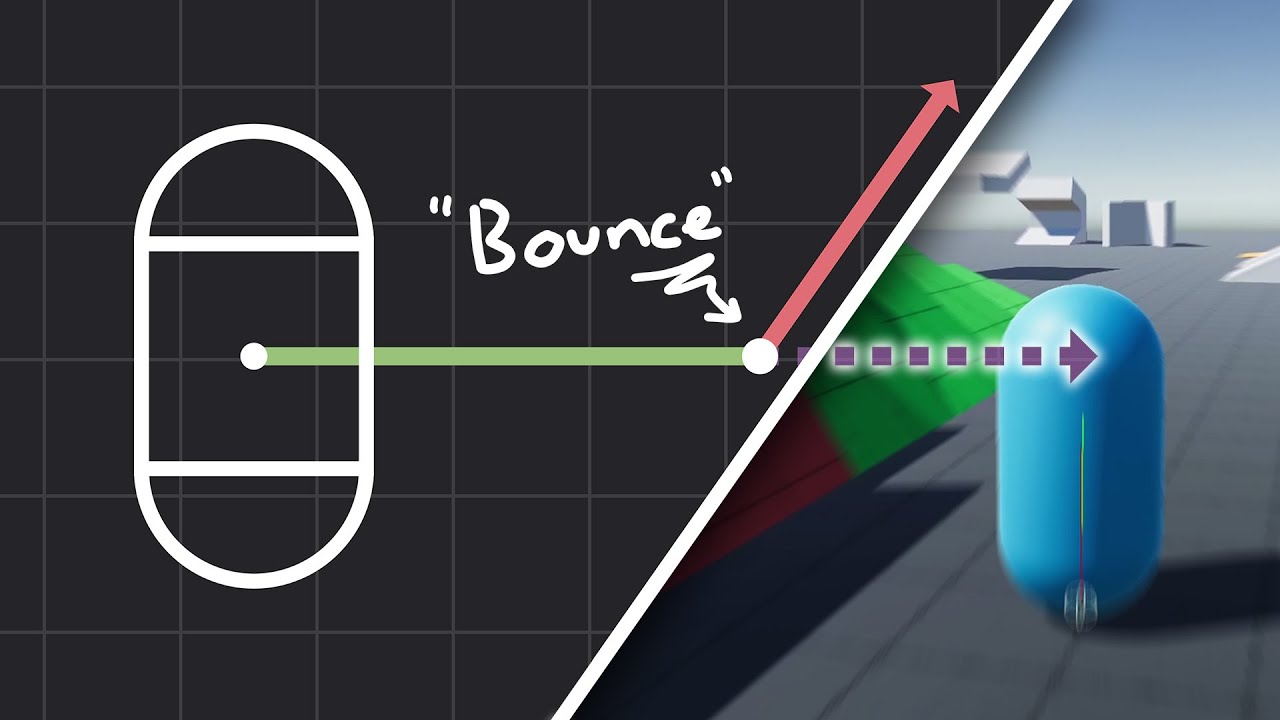
How to make actually decent collision for your custom character controller. Hopefully you find this helpful and people will finally stop saying "jUsT uSe DyNaMiC rIgIdBoDy!!!1!!11!!"
Chapters:
00:00 - Intro
01:09 - Algorithm
05:11 - Implementation
Improved Collision detection and Response (Fauerby Paper):
https://www.peroxide.dk/papers/collisi...
 vast vessel
to get a random element from an array, do i need to do myArray[Random. Range(0, myArray, Length)]; or myArray[Random. Range(0, myArray, Length-1)];?
most resources online dont subtract one from the array length, but it dosnt make any sence to me, since the index of the last item should be one less than then the length of the array
rare basin
Random.Range for ints is exclusive
(0,5) for example will generate from possible numbers: 0,1,2,3,4
so you don't substract -1
 small dagger
is there a way to see the type of a component in the editor?
small dagger
I am using a VFX component and I want to reference it in code, but I'm not sure what data type to reference it by
like when I do GameObject.GetComponent<T>(), I'm not sure what the T is supposed to be
short hazel
Usually searching for
unity [your component name] scripting api
In your search engine will show a link where you can see what type it is, and which namespace it's in
Example for "particle system"
It's class ParticleSystem, and you need using UnityEngine to reference it
 small dagger
ah ok thanks, I think I found it, I was looking for visualEffectAsset I think
I think a quicker way to do it than just googling it i s clicking the little question a mark icon in the editor, that opens the API on that component directly
 rotund quest
hi
when i tried to switch my project platform from windows to android the sprites started to look weird, does anyone know why?
swift crag
The choice of platform is probably affecting how the textures get compressed
This isn't a code problem. You should ask about it in #💻┃unity-talk
 scarlet hamlet
Hi there 🙂 Would anyone happen to know if it's possible to have a nested class utilise [ExecuteInEditMode]?
I basically have a class with some logic being done on Update() in the Unity Editor, but when I nest this class in another script, it stops executing in Edit Mode
 slender nymph
ExecuteInEditMode will not affect NestedUpdater because it does not inherit from MonoBehaviour so there's nothing to execute during edit mode. You could have the ParentClass component execute in edit mode and call NestedUpdater's Update method though
scarlet hamlet
Aah that makes a lot of sense, thank you 🙂
 opaque mortar
can you suggest a vid for makeing guns
 eternal needle
opaque mortar
can you suggest a vid for makeing guns
eternal needle
opaque mortar
can you suggest a vid for makeing guns
There are many tutorials out there, but it really depends on your use case. There are many things to consider, like are you making complex guns? Will they have weapon parts, recoil, ADS?
 opaque mortar
eternal needle
There are many tutorials out there, but it really depends on your use case. Ther...
opaque mortar
eternal needle
There are many tutorials out there, but it really depends on your use case. Ther...
well in say gun more like a hand that tags peple and has a cool down
slender nymph
 vapid mesa
keep in mind that GetKeyDown is only true for the first frame the key is held down. so the next frame, if this code executes it will set the Speed parameter back to 0
vapid mesa
what can i do to fix it ??
polar acorn
vapid mesa
Gonna be awfully hard to notice a change in the animation that's 1 frame long
polar acorn
vapid mesa
what can i do to fix it ??
instead of checking if the key was pressed this frame, check if the key is currently held with GetKey
 cunning rapids
Yo can anyone help me in #archived-urp ? I have a massive issue with my camera but this channel is more active and I can't post non-code-related things here. It's late where I live and I need help
slender nymph
cunning rapids
Yo can anyone help me in <#900380950083534888> ? I have a massive issue with my ...
don't crosspost
cunning rapids
How is this crossposting if I'm not sneding any unrelated stuff here?
I'm just asking for more help
Last anyone even touched the URP channel was like 4 days
slender nymph
you're literally posting in another channel to get help in the channel you posted your question in. that is considered crossposting and you are posting off topic since it is not code related
vapid mesa
 cunning rapids
Last anyone even touched the URP channel was like 4 days
cunning rapids
cunning rapids
Last anyone even touched the URP channel was like 4 days
Nevermind apparently it's only been a day
I guess I can wait
opaque mortar
well in say gun more like a hand that tags peple and has a cool dow
vapid mesa
the animation change only if it's finish you know if we can "break" an animation
polar acorn
vapid mesa
the animation change only if it's finish you know if we can "break" an animation
Uncheck exit time in the transition
swift crag
the exit time is when the transition is actually allowed to happen
if you have no exit time, you must have at least transition condition (or else you'd always instantly leave the state)
polar acorn
swift crag
if you have no exit time, you must have at least transition condition (or else y...
Which can sometimes be useful for organization purposes. I have actually done those sort of blank state transitions just to make the graphs look nicer 😅
 twin bison
is it normal on a project with about 10 scripts that every time i make a tiny change on a script i have to wait almost a minute to finally can click on the play button?
rare basin
it depends on your PC specs
 charred spoke
twin bison
is it normal on a project with about 10 scripts that every time i make a tiny ch...
charred spoke
twin bison
is it normal on a project with about 10 scripts that every time i make a tiny ch...
10 scripts no, either your cpu is very slow or something else is wrong
twin bison
charred spoke
10 scripts no, either your cpu is very slow or something else is wrong
It's so strange. I have not the best not the worst cpu. It's a AMD Ryzen 7 3700X
I don't get it why it's so extremely slow.
polar acorn
Remember that unless you're using assembly definitions it's recompiling every script. Including ones in any assets you have imported
twin bison
rare basin
it depends on your PC specs
- AMD Ryzen 7 3700X
- 32 Gig Ram
- M2 SSD
- RTX 2080 Super
twin bison
polar acorn
Remember that unless you're using assembly definitions it's recompiling _every_ ...
yes I mean it was not the fastest when i started the project fresh, but its a very tiny beginner project and the compile time went up like crazy
twin bison
what troubleshoot steps can i take? I was installing a uncompatible shader a few days ago, which i uninstalled becaues it was for URP
twin bison
ok I will try 🙂 thx
 sharp bloom
Hi, I'm trying to modify the colorSeed variable from code to get a random color for certain objects as they're spawned. This does not work, what I am doing wrong here?

 twin bison
rare basin
delete your Library folder
twin bison
rare basin
delete your Library folder
25.000 items deleted wtf
rare basin
you dont have .gitignore for your Library folder?
polar acorn
rare basin
you dont have .gitignore for your Library folder?
Nothing here implies git
twin bison
polar acorn
Nothing here implies git
it is the first projct i tried unity git though 😄
polar acorn
sharp bloom
Hi, I'm trying to modify the colorSeed variable from code to get a random color ...
Have you tried manually dialing in values between 1 and 9 to see how it affects the material. It might be that it's not enough to affect the random range node
sharp bloom
Yes, it does nothing. I seems to not access the _colorSeed at all.
polar acorn
sharp bloom
Yes, it does nothing. I seems to not access the _colorSeed at all.
It looks like just such a small change in the seed is not producing enough variance to cause your Random Range node to roll a different value
sharp bloom
Ah, I read that wrong. Changing the colorseed from the inspector works
But it changes the color for all of the objects
Which is not what I want, I want several objects with slight variation in color
polar acorn
I'm not sure how material property blocks work to be honest, but maybe you just need to do renderer.material.setColor? Accessing it will allocate a new material instance which is a bit of a performance hit but that's what you want to be happening anyway since each one should have a different material, right?
rare basin
because you are changing it
to the original material, which changes it to all objects that has that material assigned
you need to work on a material instance instead
twin bison
rare basin
delete your Library folder
that was it. Now it's back to just a bit slow 😄
thank you very much
rare basin
twin bison
thank you very much
worth refreshing it from time to time

 polar acorn
sharp bloom
Even if I do this, the colorSeed variable still doesn't change in the inspector
polar acorn
sharp bloom
Even if I do this, the colorSeed variable still doesn't change in the inspector
Are you sure the properties internal name is _colorSeed in the graph?
green copper
is there a way to make a sprite fit with letterboxing/margin instead of stretch or tile?
sharp bloom
polar acorn
Are you sure the properties internal name is `_colorSeed` in the graph?
Supposed to be this?

Removing the underscore does nothing either
polar acorn
sharp bloom
Removing the underscore does nothing either
Are you sure that code is running at all? What happens if you log rend.material.GetFloat("_colorSeed") after setting it?
If nothing logs, then the code simply isn't running.
polar acorn
🦆
 trim gulch
Hello! I need some help
I'm working (for the first time) with a State Manager and States for my objects, and one of them is a gun
Say I have an "Inactive state script" for the gun where the player can't fire it, and an "active state script" where he can. So in the active, I want to give it a prefab of a bullet so it can instantiate it to shoot. However, as only my state manager script is actually atacched to the object, I don't know how to do it because I can't link it in the inspector. What can I do?
eternal needle
trim gulch
Hello! I need some help
I'm working (for the first time) with a State Manager an...
You might need to show the code, because I don't see why you cannot link it in the inspector. What's stopping you from just putting a field for the prefab? You could have another script which handles firing, where you plug in the prefab. Then the active state just calls a function on the firing script, it doesnt need to know about the projectile itself
trim gulch
The Object only has attached this script

The script calls classes from others scripts that are the states

 queen adder
i need help. So basically im groundchecking using a layermask array, however i dont know how to set the value of any point in the array. it hard to explain so ill try make is sound easier. my public layermask has two values and for the groundcheck i put layerMask[] but it needs a value inside the square brackets
trim gulch
However if I were to write a variable in the scripts for the states (which are separate) it wouldn't show up on the inspector
summer stump
queen adder
i need help. So basically im groundchecking using a layermask array, however i d...
1, why an array?
2, set the values in the inspector
polar acorn
queen adder
i need help. So basically im groundchecking using a layermask array, however i d...
Why do you need multiple masks?
queen adder
bc i have two different layers
polar acorn
queen adder
bc i have two different layers
So why do you need two different masks
polar acorn
Okay, so they are used in different cases, it's not just a mask that multiple layers are in?
summer stump
queen adder
bc i have two different layers
MyLayerMaskArray[] = new LayerMask[] { mask1, mask2 }
eternal needle
trim gulch
However if I were to write a variable in the scripts for the states (which are s...
Make a field in the current script and then pass the value to the state that needs it. Or do as I said above and make another script to handle firing. Then pass a reference of the new script to your state
polar acorn
If that's the case, and it's just two masks with different uses, I'd just make two fields with descriptive names
trim gulch
eternal needle
Make a field in the current script and then pass the value to the state that nee...
Okok
Thank you!
polar acorn
It'd be different if they were supposed to be used in the same place right after each other but it seems like you're going to be using these in different places
 dire tartan
im trying to make a button which interacts with physics eg if you throw a box on it or stand on it it pushes down how would i go about doing that?
eternal needle
dire tartan
im trying to make a button which interacts with physics eg if you throw a box on...
Which part do you struggle with? Sounds like you know what to do since you described all the steps. Make a button (probably just a cube), uses physics messages to know that something touched it, move it down when touched
dire tartan
i suppose setting it up
i have an idea of how to do it just not familiar with unitys functions
like if i want it to have resistence for example so an object has to be enough weight
eternal needle
dire tartan
i have an idea of how to do it just not familiar with unitys functions
I assume you're making a pressure plate sort of thing, it really should be simple enough just using OnCollisionEnter and Exit. I made something similar.
With the weight, you just check that on the rigidbody. On your script that handles all this you can just have a float which you plug in to check what the minimum weight should be
dire tartan
okay thank you
i normally just look for tutorials so i can get an understanding of how to go about it but i couldnt find one for what i was looking for
and for the button to go up and down would i use an animation and swap between the two when something is on it?
eternal needle
Only thing I'd suggest on top of all the obvious stuff is add a timer and a counter. The timer so it does not constantly go between Enter and Exit. And counter so it does not "enter" multiple times
eternal needle
dire tartan
and for the button to go up and down would i use an animation and swap between t...
Animation is fine, or you can directly move its position. I initially did animation but it's somewhat weird if you want it fully customizable. Youd need an animation for every case rather than plugging in the numbers directly.
queen adder
BASICALLY IF U PUT A WHILE COMMAND IN THE WRONG PLACE AND PLAYTEST THE CODE COULD TRY RUNNING FOREVER AND U CAN'T STOP IT WHAT DO I DO I HAVENT SAVED IN 4 HOURS
swift crag
save more often and turn off caps lock
killing the editor won't make you lose any of your script files
just scene data that you haven't saved
queen adder
yh ive been mapbuilding
polar acorn
queen adder
BASICALLY IF U PUT A WHILE COMMAND IN THE WRONG PLACE AND PLAYTEST THE CODE COUL...
polar acorn
A bit but it still works
Some of the names are probably different now
but there's still a temp scene you can rename to .unity to restore the scene
queen adder
this one?
 polar acorn
That is probably where I would look for backup scenes yes
queen adder
tysm one more thing tho
basically i want it so my camera plays different music depending on y level; the problem is how do i play it after the musics changed bc i cant put it in the if statement bc it restarts the song every frame
polar acorn
Check if it's not playing before playing anything
queen adder
how do i do that
 dire tartan
how do i have an animation play and stay in the final frame of the animation instead of looping
 teal viper
dire tartan
how do i have an animation play and stay in the final frame of the animation ins...
teal viper
dire tartan
how do i have an animation play and stay in the final frame of the animation ins...
Disable looping on the animation clip.
 autumn tusk
unity is messing me up
making a script to disable camera rotation, did this by making a continously updating script that sets the camera z transform rotation to 0 but unity is being very confusing with quaternions
 polar acorn
autumn tusk
polar acorn
autumn tusk
What are you trying to pull with (Quaternion.identity,0f)
autumn tusk
polar acorn
What are you trying to pull with `(Quaternion.identity,0f)`
basically the idea i have is that my player character rotates
and i have the camera parented to the player character
so when i move it spins the camera as well as the player
i need to freeze the camera's z rotation
polar acorn
The solution to this is just don't have the camera be a child of the player
timid saffron
autumn tusk
im also looking into this stuff lately. please ping me if you find a solution
autumn tusk
timid saffron
im also looking into this stuff lately. please ping me if you find a solution
make a script that constantly moves the center of the camera location to the player's location
teal viper
autumn tusk
basically the idea i have is that my player character rotates
That doesn't explain that code abomination on the right side of the assignment 😅
polar acorn
Or just use Cinemachine and be done with it
teal viper
Is it a tuple..? Rotation doesn't take a tuple
timid saffron
timid saffron
heres mine
timid saffron
autumn tusk
make a script that constantly moves the center of the camera location to the pla...
yeah i did that. not the stop rotation part. im learning the basics of c hashtag now
teal viper
timid saffron
heres mine
Read the errors. They basically tell you what is wrong.
polar acorn
I think that particular error was solved a while ago
but both of you should just be using Cinemachine for camera following
timid saffron
polar acorn
I think _that_ particular error was solved a while ago
yes it was but because im so new to c hashtag i couldnt even follow the instructions or answers given
timid saffron
polar acorn
but both of you should just be using Cinemachine for camera following
makes sense
i used that iin2d works well
timid saffron
timid saffron
yes it was but because im so new to c hashtag i couldnt even follow the instruct...
im not asking for help though. i was just trying to show the guuy that im also looking into thiis stuff lately too
 rotund hull
!code
eternal falconBOT
Posting code
📃 Large Code Blocks
Use links to services like:
https://gdl.space/, https://paste.ofcode.org/, https://hatebin.com/, https://paste.myst.rs/, https://hastebin.com/
📃 Inline Code
Surround code with three backquotes. Not quotation marks.
To format as C#, add cs to the first line:
```cs
// Your code here
```
Add a comment with a line number if there is an error message.
rotund hull
when i run this code and it collides with something "yes" is not logged and i get a nullRefrence error on line 27---- https://hatebin.com/mpyyemljvi
polar acorn
rotund hull
when i run this code and it collides with something "yes" is not logged and i ge...
Then something on that line is null. That's quite a chain of .s on that line so check to make sure they all exist
rotund hull
ok
 ivory bobcat
rotund hull
when i run this code and it collides with something "yes" is not logged and i ge...
ivory bobcat
rotund hull
when i run this code and it collides with something "yes" is not logged and i ge...
Can you show a screen shot of the error in the console?


 rotund hull
ivory bobcat
Can you show a screen shot of the error in the console?
rotund hull
ivory bobcat
Can you show a screen shot of the error in the console?
i sent it
 little cradle
how can I make a switch that only executes the code once?
        switch (playerState){
            case IDLE : {
                //PlayAnimation(client.player, idle, false);
                client.player.sendMessage(Text.literal("idle"));
                break;
            }
            case WALK :{
                //PlayAnimation(client.player, walk, false);
                client.player.sendMessage(Text.literal("walk"));
                break;
            }
      }
I got this lil code, and I can't figure out how to do it :(
mmm I got it in an update method
I think I can fix it by "using" the switch every time a change is done rather than leaving it on update method
but either way, it'd surely help me get better at coding, how could I go about it even if the switch is on update?
polar acorn
little cradle
how can I make a switch that only executes the code once?
```c++
switch...
Switches already only execute the code once
Update runs every frame
teal viper
little cradle
but either way, it'd surely help me get better at coding, how could I go about i...
Add a bool check that you set to true only when the state changes. Or check if the new state is not the same as previous.
little cradle
teal viper
Add a bool check that you set to true only when the state changes. Or check if t...
yup yup, but could you help me understanding how to do the bool check? I kind of tried that but I can't figure it out :(
teal viper
little cradle
yup yup, but could you help me understanding how to do the bool check? I kind of...
What is there to understand??
if(changed)
{
    changed = false;
    //Do logic
}
 gritty notch
does anyone know how i can make a loading bar for a method? i have a method that generates terrain, i want a loading bar that corresponds with the progress of that.
rich adder
gritty notch
does anyone know how i can make a loading bar for a method? i have a method that...
make the function async
 random patrol
Async in Unity runs on the main thread, and I am assuming there would have to be more logic behind it so it doesn’t lock until it is complete. Something like do X calculations then pause and update the progress bar.
 north kiln
Async runs wherever you tell it to run, and yields however the function yields
there is no magic
ivory bobcat
random patrol
Async in Unity runs on the main thread, and I am assuming there would have to be...
Consider using tasks if you need multithreading else async would occur on the thread that it's started - you'd just be able to run asynchronous statements.
https://medium.com/@sonusprocks/async-await-in-c-unity-explained-in-easy-words-571ebb6a9369
https://simsekahmett.medium.com/multithreading-vs-asynchronous-programming-in-net-core-1f1380c4946f
A coroutine could suffice but I'm guessing you've likely already considered that.
north kiln
Yes, you would generally want to have the work broken down so you can send a callback to the UI
random patrol
north kiln
Async runs wherever you tell it to run, and yields however the function yields
Async doesn’t work the same in Unity mono as it does for .net. Why Unity released all their custom Async stuff
north kiln
You can still do Task.Run to start a threaded task, you can still switch tasks to other threads
random patrol
Pretty sure last time I looked into it it doesn’t, but that was a while ago
rose galleon
how do I use transform.position to make one object go to the position of the other one?
For example: I have a Vector3 stored in TPLocation, and I want to make PlayerLocation go to the TPLocation
teal viper
random patrol
Pretty sure last time I looked into it it doesn’t, but that was a while ago
Pretty sure it was like that at least a few years already(4-5?)
random patrol
rose galleon
how do I use transform.position to make one object go to the position of the oth...
Is playerLocation a vector3 or Transform? If Transform then just PlayerLocation.position = TPLocation;
random patrol
teal viper
Pretty sure it was like that at least a few years already(4-5?)
I have been using Unity for like 13 years now XD
north kiln

 rose galleon
random patrol
Is playerLocation a vector3 or Transform? If Transform then just PlayerLocation....
rose galleon
random patrol
Is playerLocation a vector3 or Transform? If Transform then just PlayerLocation....
TPLocation = Player.transform.position;
What about GameObjects? The Player being an assigned GameObject, is that how i change its position?
random patrol
Just do .transform to get the transform from a GameObject
rose galleon
rose galleon
TPLocation = Player.transform.position;
What about GameObjects? The Player being...
the top line is the code I am using now, and I can see it is somehow wrong, because I use the same structure to assign a value to the TPLocation, but I dont know how to fix it
random patrol

Stack Overflow
Important for anyone researching this difficult topic in Unity specifically,
be sure to see another question I asked which raised related key issues:
In Unity specifically, "where" doe...
north kiln
Afaik in "normal" C# it works the same, if you "just use async" it will continue running on the same thread it was called from
so I'm not sure where this person's assumptions have come from
 copper perch
What I am trying to do:
I have an FPS gun called the Twin Turbos, the Twin Turbos appear in the weapon Holder in each unity scene with the Unity Starter Assets FPS Controller.
I am trying to make the Twin Turbos fire and getting a sprite fire button to work with the gun firing animation in sync.
I want to be able to move while firing.
I am going to send you some scripts that were on the Twin Turbos the way it worked before was the old way in these scripts.
Before the firing button was not working properly, like I could only move and fire at the same time if I presses, and hold the sprite button and move, and if I move and then press the fire button the gun does not fire.
So, can you help me make the Twin Turbos fire while moving? I think the ray cast is done in the scripts I am going to send to you.

The reload that works with these Twin Turbos guns uses a On Click Function.
So, the way I imagine it is, if the player presses the fire button while moving the twin turbos will fire over and over again, so the Twin turbos shoot Animation is playing over and over in the Animation.
If the player presses the fire button for less than a second, at least the Twin Turbo Animation will play at least once (like the left Twin turbos pistol fires and then the right Twin Turbos pistol fires once)
Can someone help me do this on discord screenshare.
Currently the Twin turbos are not firing.
I have tried studying keywords, and functions in C# but no luck.
Using Paste.orCode.org I can send you the whole script easily below.
https://paste.ofcode.org/yUXHvpwqkHCy8gAhPpuUBs This is the **Weapon **script.
https://paste.ofcode.org/WEfdtb4FBRGidcS82khkDp this is the UIManager script.
https://paste.ofcode.org/JpVE3fPRxfPGML2Xdg6V9K This is the PlayerManager script.
https://paste.ofcode.org/jjUDwVnSMaHNUFtKAJVWEm This is the **GameManager **script it may be related.
https://paste.ofcode.org/34i8Zjfv7evzxnndgXcnkky This is WeaponSwitcher script it may be related.
https://paste.ofcode.org/33XETzHvy5ckxUCTrS4nVHF This is the UIVirtualJoystick script is on the Unity Starter Assets Fps Controller, and is a child of the UI_Canvas_StarterAssetInputs_Joysticks
UIVirtualJoystick is designed to handle touch controls for a virtual joystick UI element in Unity.
It allows the player to control movement or other actions by dragging a handle within a defined range.
https://paste.ofcode.org/HCPSmbgfWPBn5iY72uwsc9 This is the FirstPersonController this script is on the Unity Starter Assets Fps Controller.
This FirstPersonController script that handles player movement and camera rotation in a first-person perspective. However, it doesn't include functionality for mobile touch controls, such as virtual joysticks.
random patrol
north kiln
so I'm not sure where this person's assumptions have come from
Had to do a ton of study on this along time ago, but either got bad results or things changed, glad to see it though
Ah yeah introduced in Unity 2017
 native seal
is something like this possible? how can I combine two interfaces into one?
 random patrol
native seal
is something like this possible? how can I combine two interfaces into one?
random patrol
native seal
is something like this possible? how can I combine two interfaces into one?
Yes you can only have one class inheritance, but many interfaces. Just be warned if you get into generic interfaces if you have multiple like IMyInterface<int> IMyInterface<bool> there will be an issue
native seal
how come? so is what I wrote correct?
teal viper
native seal
is something like this possible? how can I combine two interfaces into one?
Does it not work? Is there an error?
eternal needle
you dont really need that IHoverable as an interface
native seal
what should I use then?
random patrol
What you wrote is good yes. The generic situation is because it can’t make sure you aren’t using the same type twice(causing a conflict), but it is Solved by making a sub interfaces aka IMyBool : IMyInterface<bool> and IMyFloat : IMyInterface<float>
teal viper
Where did the generics come from?😅
eternal needle
native seal
what should I use then?
you can just have a script with
: MonoBehaviour, IPointerEnterHandler, IPointerExitHandler
and implement the methods you want
random patrol
Just generally how interface works
native seal
i know but if I raycast to check for a component, i wont be able to call the other
so in my mind I should combine them no?
teal viper
native seal
is something like this possible? how can I combine two interfaces into one?
Not sure what you're trying to achieve, but this should compile if you remove the method declarations from your interface.
 open apex
accidentally deleted a script from assets
any way to get it back?
I clicked cancel on the last second
fuck my life
 limber willow
is it in the recycling bin?
timber tide
native seal
i know but if I raycast to check for a component, i wont be able to call the oth...
Yeah, that make sense. I combine these specific interfaces too through another interface just to remove the clutter of having my classes implementing the 8+ or so IPointer interfaces when I use them
north kiln
open apex
any way to get it back?
Other than the recycling bin, you should be using version control; it should not be as easy as accidentally deleting something to lose your project or assets
limber willow
north kiln
Other than the recycling bin, you should be using version control; it should not...
this is very important, github or plastic are good options
 vale karma
does this code look organized and clean enough or could it be futher worked on? https://paste.ofcode.org/zEc8LNgTmNzkfv9q96FiaT
 gaunt ice
public int x;
public int X{get{return x;}set{x=value;}}
```no idea why you need property herei practiced a bit with what getters and setters are used for, and plan to use some more code in those
summer stump
vale karma
does this code look organized and clean enough or could it be futher worked on? ...
You can just use auto-propertied instead of making backing fields (like sensitivity)
vale karma
auto-propertied?
vale karma
lol what are thooooose
summer stump
public Vector2 Sensitivity { get; private set; }
No need for the lowercase sensitivity
vale karma
wait so does it create a variable Vector2 sensitivity or what?
summer stump
vale karma
wait so does it create a variable Vector2 sensitivity or what?
It does behind the scenes automatically (thus the name AUTO property)
gaunt ice
it will create a backup field
vale karma
okay, so using Sensitivity is basically using sensitivity in its place?
gaunt ice
you dont need to care its name
vale karma
okay, i keep thinking of it as a function
gaunt ice
property is function
teal viper
vale karma
okay, so using Sensitivity is basically using sensitivity in its place?
Depends on the use case and the meaning you put into "in its place"
vale karma
like you would use Sensitivity in your code and not sensitivity?
teal viper
Yes
vale karma
but technically it is still a variable its saving to
teal viper
If it has a setter, yes. That doesn't change the nature of reference vs value types though.
vale karma
im understanding it a bit more today than yesterday, makin some sense
https://paste.ofcode.org/sBtDCtMHnhzyxcX82AFcAu im gettin some errors only on the left ViewRotation.x -= and ViewRotation.y += It only gave that after i changed the unclean getter and setter to the auto property
teal viper
It's the same issue as yesterday: you can't modify a field of value type variable returned by a property.
vale karma
i recognize that, but i dont know how i would fix that
im looking at the error on the web atm
teal viper
I think I explained that yesterday too.
How do you modify transform.position?
Did you ever try setting transform.positon.x = someValue?
vale karma
yea i guess
teal viper
So you address it the same way.
 brazen narwhal
it finds the gameobject correctly, however, it returns the localPosition when using position and not the world space position. any reason why?


 tepid summit
little cradle
but either way, it'd surely help me get better at coding, how could I go about i...
tepid summit
little cradle
but either way, it'd surely help me get better at coding, how could I go about i...
use a bool
brazen narwhal
brazen narwhal
it finds the gameobject correctly, however, it returns the localPosition when us...
this is the prefab setup
 tepid summit
is the script on pistol or barrel
teal viper
brazen narwhal
it finds the gameobject correctly, however, it returns the localPosition when us...
That's not possible. It must be the world position.
brazen narwhal
tepid summit
is the script on pistol or barrel
player, left ss is a scriptableobject, right script is on player
tepid summit
"world space position"
brazen narwhal
teal viper
That's not possible. It must be the world position.
ik
tepid summit
oof
brazen narwhal
thats why its weird
teal viper
brazen narwhal
thats why its weird
Ah I see. You're getting the transform of the prefab, so of course it would be wrong
tepid summit
whoops
tepid summit
tepid summit
whoops
i have a bind on my mouse that types
you have been darkevicted!
brazen narwhal
teal viper
Ah I see. You're getting the transform of the prefab, so of course it would be w...
should it be the gameobject?
teal viper
brazen narwhal
should it be the gameobject?
It should be the transform of the instance, not the prefab.
 acoustic sun
I keep getting this error from Unity when I try to run the game
error CS2012: Cannot open 'D:\Unity Projects\game\Library\Bee\artifacts\1300b0aE.dag\UnityEngine.UI.dll' for writing -- 'The requested operation cannot be performed on a file with a user-mapped section open. : 'D:\Unity Projects\game\Library\Bee\artifacts\1300b0aE.dag\UnityEngine.UI.dll''
rich adder
acoustic sun
error CS2012: Cannot open 'D:\Unity Projects\game\Library\Bee\artifacts\1300b0aE...
did you build your game to the project folder?
acoustic sun
I did
rich adder
acoustic sun
I did
ohh try building somewhere else, like desktop
acoustic sun
I do not have a desktop unfortunately
vale karma
Im gettin a bunch of errors on each update frame and also some concerning the same line of code. I cant look around or even debug.log the input in the other class to see what its doing. https://paste.ofcode.org/6L7g4j7DnYHEE7J3ZRwp9v
 rich adder
acoustic sun
I do not have a desktop unfortunately
rich adder
acoustic sun
I do not have a desktop unfortunately
you dont have a folder Desktop ?
wintry quarry
acoustic sun
I do not have a desktop unfortunately
Literally any other folder
wintry quarry
vale karma
Im gettin a bunch of errors on each update frame and also some concerning the sa...
Seems very obvious... There's only one thing on line 40 that could be null
The other class is irrelevant
vale karma
yea, but what am i doin that im not seeing
wintry quarry
You never assigned that reference
In fact you made it readonly, ensuring it can never be assigned
acoustic sun
Ohhhh so like a new folder to place it?
vale karma
LOL visual studio suggested i do that, of course its wrong ahha
vale karma
okay, so i should assign it in start? and remoe the read only?
how do i keep its protection level though?
wintry quarry
Usually in Awake
rich adder
acoustic sun
Ohhhh so like a new folder to place it?
have you saved files to a computer before lol
vale karma
oh crap i totally forgot about awake vs start and all that
acoustic sun
rich adder
have you saved files to a computer before lol
I have lol
Sorry I got confused
vale karma
wintry quarry
Usually in Awake
i removed private readonly and put public just to test, and put it in the awake method, i got like one less error, but still the same
acoustic sun
But i am not sure how to do that if I have all of my projects saved
rich adder
acoustic sun
But i am not sure how to do that if I have all of my projects saved
do what ?
acoustic sun
Like I have a folder but its saying that the error CS2012 and how it cant be performed, something like that. I looked for soultions online such as restarting Unity and my laptop but it does not seem to help
rich adder
acoustic sun
Like I have a folder but its saying that the error CS2012 and how it cant be per...
did you try saving it to another folder on your computer that is not the project?
acoustic sun
How do I save it into another folder other than the one it is saved in? Because when I tried doing that, it would not let me
rich adder
acoustic sun
How do I save it into another folder other than the one it is saved in? Because ...
screenshot where you are trying to do and whats not letting you
wintry quarry
vale karma
i removed private readonly and put public just to test, and put it in the awake ...
Did you actually assign the reference??
That's the main thing you need to do that you didn't do.
Wdym by "put it in the awake method"? Put what there?
vale karma
yea when that didnt work i put PlayerInputValues = new Vector2(0f, 0f);
and it still said the same thing
vale karma
 vale karma
{
    PlayerInputValues = new Vector2(0f, 0f);
}
You need to assign this reference
You haven't even made an attempt to do so
It's not going to work until you do
vale karma
i changed it to this public NewInputSystemValues InputValues;
wintry quarry
Ok and then... Did you assign it somewhere?
vale karma
ooohkay i see what ur sayin
acoustic sun

 hybrid tapir
how do i check if a value was changed in the last frame?
   if (intVal != intVal) {

   }
}```Store the previous value in a separate variable and compare them.
But the better option is just to do the thing as you change the value
vale karma
wintry quarry
Ok and then... Did you assign it somewhere?
how did i not catch that? I guess it didnt register to me that what i was referencing was a script. fsr i thought it was a variable
wintry quarry
vale karma
how did i not catch that? I guess it didnt register to me that what i was refere...
The variable is the reference
The thing it is referencing is the copy of the script
vale karma
yes
wintry quarry
Do you understand what a reference is?
Think of it like a piece of paper that you can write an address on.
The variable is the piece of paper
The thing it's referencing is the actual house
But your piece of paper was blank. You didn't write an address on it
vale karma
that makes sense
i got that error solved, but one last error "Rotation quaternions must be unit length". I tried to normalize the line of code but didnt work
wintry quarry
What line of code
vale karma
58
wintry quarry
Which is...?
wintry quarry
It's because that's getting called before you assign BodyRotation to anything
It's a default Quaternion, which is all zeros
Which isn't a valid Quaternion
vale karma
fixed gets called before update?
rich adder
acoustic sun
How and When do you get this error
wintry quarry
Yes FixedUpdate is before Update
vale karma
okay
acoustic sun
rich adder
How and When do you get this error
When I was trying to publish
rich adder
acoustic sun
When I was trying to publish
publish?
wintry quarry
vale karma
okay
You should initialize it in Start or Awake
acoustic sun
rich adder
publish?
As WebGL Project
rich adder
acoustic sun
As WebGL Project
are you doing Build and run?
acoustic sun
Not at all
rich adder
ok well i don't have context and id rather not play 20 questions maybe give more info ?
this prob not code related, should in #🌐┃web or #💻┃unity-talk
vale karma
wintry quarry
You should initialize it in Start or Awake
if i do that wont i need to do that for the other classes that use their variables to make the value of BodyRotation?
wintry quarry
vale karma
if i do that wont i need to do that for the other classes that use their variabl...
What?
I don't know what you mean by that
vale karma
like i put BodyRotation = Quaternion.Euler(bodyRotationYOnly); which made the error go away, but i figured if you needed to use bodyRotationYOnly as well then ud need to call whatever gets that variable too
also no error codes but my character still cant look around loll probably bc i havent even attatched the camera to it
wintry quarry
vale karma
like i put ```BodyRotation = Quaternion.Euler(bodyRotationYOnly);``` which made ...
I mean it's just going to use the initial value of that other variable if you do this
Which is probably a zero vector
vale karma
i dont know what the right way to go about this is anymore
wintry quarry
I don't really know what you're trying to do here, but your code is definitely overcomplicated
vale karma
haha yes it is
wintry quarry
Like why do you have a Vector3 that only stores data in the y component