#💻┃code-beginner
1 messages · Page 145 of 1
 dusky tusk
like there is a velocity on the x axis but its like 0.6, and i cant seem to see the body moving
it moves fine when im not on the ground though
 teal viper
Might want to provide more details. Start from a video of the issue.
As well as the relevant code.
dusky tusk
i cant record but i can show you my code
i might just rewrite my code lol
are there any resources about platformer movements but instead of jumping, its jetpacks ?
 queen adder
dusky tusk
are there any resources about platformer movements but instead of jumping, its j...
queen adder
dusky tusk
are there any resources about platformer movements but instead of jumping, its j...
you can simply just change your jump code to add acceleration instead of force when you jump, and change the getkeydown to getkey
 warm sleet
Hello, I need some advice, I´m doing a 2D game and Im not sure if I should create the objects when I need them or should I create them when loading the game, and later on set them active or not, for example, I have an enemy pool where I have all the enemies but I don´t know if that would work for when the turrets shoot , does the performance of the game may variate if I create them or if I just set them acrive or not?
 fossil drum
warm sleet
Hello, I need some advice, I´m doing a 2D game and Im not sure if I should creat...
fossil drum
warm sleet
Hello, I need some advice, I´m doing a 2D game and Im not sure if I should creat...
does the performance of the game may variate if I create them or if I just set them acrive or not?
Yeah, Instantiating is somewhat expensive, that's why you usually use Pools for things you need to instantiate and destroy a lot: https://docs.unity3d.com/ScriptReference/Pool.ObjectPool_1.html
https://learn.unity.com/tutorial/introduction-to-object-pooling#
warm sleet
fossil drum
`does the performance of the game may variate if I create them or if I just set ...
Thanks, I have the pool system done, but I made It following a tutorial and don´t know how to update it for each Tower, I will read the docs and lets see if I can make it
ty 
 mellow elbow
Is it possible for me to loop a coroutine until a certain condition has been met?
 keen dew
Yes, that is the most common use for coroutines
mellow elbow
ohh lol
 spiral rain
Anyone
 modest dust
spiral rain
Anyone
modest dust
spiral rain
Anyone
Where's the question?
spiral rain
I’ll repost
modest dust
You didn't really describe what your issue even is
mellow elbow
spiral rain
Anyone
you didnt ask a question you just said you were making it
what do you need help with
 odd mason
is there a better way to check if hte player is on ground reliably? im using this and idk if i just suck at values or smthn but its like not working properly, what is ground is a layer mask btw
 spiral rain
mellow elbow
what do you need help with
spiral rain
mellow elbow
what do you need help with
Oh my bad I need help with making it
 swift crag
spiral rain
Oh my bad I need help with making it
swift crag
spiral rain
Oh my bad I need help with making it
well, what have you tried?
swift crag
odd mason
is there a better way to check if hte player is on ground reliably? im using thi...
Are you using 2D or 3D physics?
spiral rain
swift crag
well, what have you tried?
Nothing I am not quite sure how to make it
swift crag
This will only detect 3D colliders
odd mason
3d physics
swift crag
I would raise the raycast's origin a bit
I believe raycasts ignore colliders that they start inside of
odd mason
k, ill try that out, thanks
 neon marsh
hi i have a question. Why is my NavMeshSurface not working?
ive been trying to do Monster AI lately
swift crag
what does "not working" mean?
neon marsh
idk
swift crag
then how am I supposed to help you?
swift crag
show me the inspector for your NavMeshSurface component
 swift crag
Also unfold the "Object Collection" and "Advanced" sections
i forgot those were collapsed by default
also, can you share that in #🤖┃ai-navigation ? that'll be a more relevant place
neon marsh
yea
odd mason
odd mason
is there a better way to check if hte player is on ground reliably? im using thi...
for some reason chaning my collider to capsule seamed to help aswell as doing what you said
thanks for the help! works perfect now
mellow elbow
How do I loop a coroutine until a certain condition is met
 rich adder
mellow elbow
How do I loop a coroutine until a certain condition is met
rich adder
mellow elbow
How do I loop a coroutine until a certain condition is met
while loop?
mellow elbow
I know it has something to do with that, but I dont know where to place the while loop
and should the while loop be activating the coroutine or the code while it is inside the coroutine
swift crag
if you want to make a coroutine repeatedly do something until a condition is met, put a while loop in the coroutine
If you want to run the loop once per frame, then you must yield return null; somewhere in the loop
rich adder
mellow elbow
I know it has something to do with that, but I dont know where to place the whil...
 IEnumerator SomeRoutine()
    {
        while (SomeCondition)
        {
            yield return null;
        }
        //condition done
}```Or WaitUntil https://docs.unity3d.com/ScriptReference/WaitUntil.html
Seems to satisfy his needs too.
swift crag
WaitUntil is ideal if you just want to...wait, yeah
mellow elbow
rich adder
```cs
IEnumerator SomeRoutine()
{
while (SomeCondition)
{
...
ok so in theory it should just do the while loop till the condition is true
rich adder
mellow elbow
ok so in theory it should just do the while loop till the condition is true
if you want inverse use ! then or use WaitUntil like suggested
mellow elbow
I was already doing this but it bugged out but it fixed itself for some reason
Thanks for the help
swift crag
what "bugged out"?
mellow elbow
The loop ended and the coroutine just ended itself even though the condition wasnt met
swift crag
while terminates once the expression evaluates to false
mellow elbow
Yes
 languid spire
mellow elbow
The loop ended and the coroutine just ended itself even though the condition was...
languid spire
mellow elbow
The loop ended and the coroutine just ended itself even though the condition was...
sounds like the Monobehaviour which started the Coroutine was Destroyed
mellow elbow
The debug said it was done (Which happens when the while loop is finished) so i'm not sure
ill just see if it still happens
I seemed to have fixed it
Oh wait
I just recalled
ok I know what's causing the problem
 pallid verge
how can i find the fuelbar gameobject which has a tag FuelBar?
 rich adder
pallid verge
how can i find the fuelbar gameobject which has a tag FuelBar?
rich adder
pallid verge
how can i find the fuelbar gameobject which has a tag FuelBar?
FindGameObject with tag returns GameObject
so how do we get a component from gameobject ?
pallid verge
i think i know
wait lemme try rq
btw the FuelBar variable is a script right
ik its my code but im not really sure
or a class rather
pallid verge
 rich adder
sure u can make it two lines
 rich adder
pallid verge
are u happy now
rich adder
pallid verge
are u happy now
looks fine
pallid verge
alright ty
rich adder
FindObjectOfType can prob be used since it finds the component directly
mellow elbow
mellow elbow
The loop ended and the coroutine just ended itself even though the condition was...
The scene starts when the variable checked is on 12 for about 45 seconds, and the loop checks every 10 seconds which causes it to stop
I fixed it by adding an extra condition for it to be 12 using ||
the condition is if its less than 6
pallid verge
rich adder
FindObjectOfType can prob be used since it finds the component directly
instead of what
 polar acorn
pallid verge
polar acorn
pallid verge
Just to make sure: is there a reason you cannot just make fuelBar serialized or public and just drag the object in
pallid verge
polar acorn
Just to make sure: is there a reason you cannot just make `fuelBar` serialized o...
because its for a prefab script and i have to drag n drop it every time
rich adder
pallid verge
instead of what
instead FindGameObjectWithTag
idk which one is faster, but I dont use not to use tags so don't take my word on it 🙂 tag should be fine though
polar acorn
pallid verge
because its for a prefab script and i have to drag n drop it every time
Okay just wanted to make sure
A find in start for a prefab is fine
pallid verge
i mean its not like im putting hundreds of them but i just wanna have the smallest amount of things to worry about
pallid verge
rich adder
instead FindGameObjectWithTag
idk which one is faster, but I dont use not to use...
how dont u use tags
rich adder
I use components directly
its like a tag but better since you're not bound to strings 🙂
polar acorn
If there's only one FuelBar object in the scene though you should use FindObjectOfType instead of getting the object and getcomponent, it's slightly faster
pallid verge
yeah there is
polar acorn
pallid verge
how dont u use tags
All Finds can be avoided with proper planning and dependency passing. The object spawning the prefab could set the variable on the instance after spawning one, for example.
pallid verge
it works now thank you
 rich adder
sweet
pallid verge
i have another question, can i use a foreach loop in unity?
rich adder
ofc lol
pallid verge
i was asking cuz i tried to use a while loop and unity crashed
rich adder
the only thing unity can't do is run .NET7+ functions
rich adder
pallid verge
i was asking cuz i tried to use a while loop and unity crashed
that will happen if you have infinite loop
regardless
pallid verge
oh alright
rich adder
pallid verge
oh alright
while (3<8)
        {
            //infinite loop crash
        }
vs
i = 0;
while (i<8)
        {
            i++;
            //fixed
}```i know what infinite loops are lol
rich adder
just checking
mellow elbow
If a Coroutine is Started can it be started again mid coroutine?
rich adder
mellow elbow
If a Coroutine is Started can it be started again mid coroutine?
hmm if you store it a variable you can stop and start again
each time you StartCoroutine you create a new one
mellow elbow
Im asking so incase the player triggers a coroutine that they cant just spam it
rich adder
mellow elbow
Im asking so incase the player triggers a coroutine that they cant just spam it
you can also put a bool
mellow elbow
so I false it at the start and true it at the end?
rich adder
mellow elbow
so I false it at the start and true it at the end?
yeah or opposite, as long as you use that to check before startcoroutine
rich adder
 void method()
    {
        if (running) return;
        StartCoroutine(SomeRoutine());
    }
    IEnumerator SomeRoutine()
    {
        running = true;
        while (stuff)
        {
            yield return null;
        }
        running = false;
}```I honestly don't understand why you don't use WaitUntil, it can't give you an endless loop, it's easier to read, it's less amount of code.
 dim halo
how can I create a parent object for both text and button at the same time

I would appreciate any kind of help
I'm beginner
rich adder
dim halo
how can I create a parent object for both text and button at the same time
whats the usecase
what are you trying to do with that
dim halo
here is the thing, in the tutorial that I'm watching the guy has a parent object called ``game over screen` for both the text and button. Unfortunately, for some reasons that I dont remember, I dont have that one, now im trying to add it
 cosmic quail
dim halo
how can I create a parent object for both text and button at the same time
cosmic quail
dim halo
how can I create a parent object for both text and button at the same time
"Create Empty"
dim halo
but I want it to be parent object
rich adder
dim halo
here is the thing, in the tutorial that I'm watching the guy has a parent object...
just make a gameobject in hirerchy
rich adder
dim halo
but I want it to be parent object
so dragthem onto it when u make new empty
dim halo
so i should first make a child object under the canvas
rich adder
you can also right click one of them and Create empty parent
mellow elbow
rich adder
```cs
void method()
{
if (running) return;
StartCoroutine(S...
What does the return do
dim halo
and make the text and the button the childs of the child of the canvas?
 cosmic dagger
mellow elbow
Im asking so incase the player triggers a coroutine that they cant just spam it
cosmic dagger
mellow elbow
Im asking so incase the player triggers a coroutine that they cant just spam it
Just store the coroutine in a variable, then check if the variable is null. If so, the coroutine is not running . . .
rich adder
mellow elbow
What does the return do
returns out of a function
cosmic quail
dim halo
and make the text and the button the childs of the child of the canvas?
yeah right click on the canvas and do Create Empty and then drag your stuff inside that new empty gameobject
rich adder
dim halo
and make the text and the button the childs of the child of the canvas?
they already are child of canvas
mellow elbow
rich adder
returns out of a function
what does that mean
rich adder
mellow elbow
what does that mean

C# jump statements (break, continue, return, and goto) unconditionally transfer control from the current location to a different statement.
mellow elbow
Thanks
ah I get it now
why not just use a regular if statement instead of returning if its not true
swift crag
"early return" can simplify functions
public void ReticulateSplines() {
  if (!ready)
    return;

  if (!splines.AskToReticulate())
    return;

  splines.DoReticulation();
}
you just quit the function early
mellow elbow
rich adder
You can .
idk wdym a regular if statemnt tho
I mean instead of this it's
if(running)
{
Startcoroutine(c());
}
 rich adder
mellow elbow
I mean instead of this it's
if(running)
{
Startcoroutine(c());
}
rich adder
mellow elbow
I mean instead of this it's
if(running)
{
Startcoroutine(c());
}
you would need if(!running) Startcoroutine
swift crag
in this case it's not a huge difference
and I would probably use an if statement at that point
mellow elbow
rich adder
you would need if(!running) Startcoroutine
Forgot
cosmic dagger
mellow elbow
I mean instead of this it's
if(running)
{
Startcoroutine(c());
}
You don't need a bool at though, just check the coroutine variable instead . . .
mellow elbow
How
rich adder
StartCoroutine returns a Coroutine object
mellow elbow
swift crag
```cs
public void ReticulateSplines() {
if (!ready)
return;
if (!spli...
So it blocks the Statement from happening by returning out of the function?
cosmic dagger
Store the coroutine when you call StartCoroutine. Then check if the variable is null . . .
rich adder
mellow elbow
So it blocks the Statement from happening by returning out of the function?
it "returns" early so it doesnt execute the rest, it doesnt block anything, code runs top to bottom
swift crag
I wouldn't say it blocks anything, yes. It just stops early.
cosmic dagger
mellow elbow
How
// setup
var coroutine = StartCoroutine(SomeMethod);

// checking
if (coroutine != null) { return; }
How does it return as null
cosmic dagger
mellow elbow
How does it return as null
When the coroutine is not assigned. Inside of your coroutine method, at the end, assign the variable to null . . .
mellow elbow
Thanks
dim halo
can someone tell me what is wrong with this code?
 rich adder
dim halo
can someone tell me what is wrong with this code?
rich adder
dim halo
can someone tell me what is wrong with this code?
its nested inside Update
thefore cannot use accessors
cosmic dagger
mellow elbow
Thanks
That means the coroutine variable should be a field (class-level variable) . . .
dim halo
how can I do that?
mellow elbow
rich adder
its nested inside Update
The curly bracket is in between update too
mellow elbow
dim halo
how can I do that?
Move it out of update
rich adder
dim halo
how can I do that?
pay attention to the brackets
languid spire
dim halo
can someone tell me what is wrong with this code?
if you formatted your code properly you would see the problem
cosmic dagger
dim halo
can someone tell me what is wrong with this code?
Your method is inside of another method; this is called a local function (method). When doing this, you cannot use an accessor for the local function . . .
 median vapor
I have a problem where in my script function "PromjenaDepositZnakova" return true and the if statement doesnt run, it is true for 3 frames, so i thoth that was the problem then i used second variable that makes the "If" staement active until it is finish with the desiered actions but it didn't help, any ideas becouse i have no clue?

 mellow elbow
nvm That's for a method woops
dim halo
I understand, thank you guys
 burnt vapor
median vapor
I have a problem where in my script function "PromjenaDepositZnakova" return tru...
burnt vapor
median vapor
I have a problem where in my script function "PromjenaDepositZnakova" return tru...
Please configure your !ide
 eternal falconBOT

💡 IDE Configuration
If your IDE is not autocompleting code
or underlining errors, please configure it.
Select one:
• Visual Studio (Installed via Unity Hub)
• Visual Studio (Installed manually)
• VS Code
• JetBrains Rider
• Other/None
median vapor
burnt vapor
Please configure your !ide
What will that do?
rich adder
you code better and get you help here
rich adder
median vapor
What will that do?
its also part of the community rules here to get help
mellow elbow
median vapor
What will that do?
Shows you errors
median vapor
ok
burnt vapor
No, configure your editor first, it's pointless to help before that.
swift crag
they said it shows you errors
rich adder
also please learn about arrays, whenever you start using numbering on variables you definitely need a collection
swift crag
they didn't ask to show the current errors
burnt vapor
My bad
mellow elbow
oh
languid spire
Also, Random.Range(0,1) aint gonna do a great deal
rich adder
also that Random.Range only return 0
(intiger version is max exclusive if you want 1, you always need +1)
Random.Range(0,2) // this gives 0 or 1
median vapor
That was me just testing something and messing around with values, later that random will be from 0 to 6 but the real issue is the If argument doesnt react to getting true from the function, ive configureded IDE.
swift crag
Do not use deltaTime with mouse input
you're getting a distance, not a velocity
so multiplying by deltaTime is incorrect
You'll need to adjust your sensitivity down a fair bit
It's a common mistake to make
You'll want to think about whether you have a distance (mouse input) or a velocity (joystick or keyboard input). If you have a velocity, use deltaTime to turn that into a distance.
and similarly...
float gravity = -9.81f; // acceleration
velocity += gravity * Time.deltaTime * Vector3.down; // velocity
transform.position += velocity * Time.deltaTime; // position
 cosmic quail
dim halo
can someone tell me why I cant move the number of 1
cosmic quail
dim halo
can someone tell me why I cant move the number of 1
show the entire screen so we can see what ur actually trying to move
rich adder
dim halo
can someone tell me why I cant move the number of 1
not really a code question here
dim halo
 rich adder
also are you using colliders for UI ? 🤔
rich adder
ohh i saw green box thought it was collider
rich adder
idk that size looks extremly large for that box for text
you should learn proper anchoring
this goes in #📲┃ui-ux though
swift crag
Yes -- check the docs in there
You should take a little time to read how RectTransforms work. It'll make your life a lot easier
I just kind of stumbled around blindly for a while before I actually read how stuff works
that was as error
Although, other than mouse input, I can't think of any common cases that get messed up
so that's most of what you need!
polar acorn
dim halo
You're in play mode. Do you have code setting its position
You can't move something while code is setting its position -- it'll just move back to where it was
 meager sentinel
Could someone help me with the ide of VSC?
polar acorn
meager sentinel
Could someone help me with the ide of VSC?
!ide
Oh the bot is broken
Here, try this link
#💻┃code-beginner message
eternal falconBOT
💡 IDE Configuration
If your IDE is not autocompleting code
or underlining errors, please configure it.
Select one:
• Visual Studio (Installed via Unity Hub)
• Visual Studio (Installed manually)
• VS Code
• JetBrains Rider
• Other/None
cosmic dagger
meager sentinel
Could someone help me with the ide of VSC?
VSC is difficult to get setup properly. If following the tutorial doesn't help, you're in uncharted territory. Try to redo it, make sure everything is closed beforehand, restart the computer, open Unity, double-click a script file to open up in VSC and hope it works . . .
languid spire
or, better yet, just use VS
rich adder
meager sentinel
that dont works
it does work also did you get the .NET sdk
meager sentinel
rich adder
it does work also did you get the .NET sdk
yeah
rich adder
meager sentinel
yeah
try Regen Project files
meager sentinel
i get an error that says something about a microsoft error
rich adder
show error
meager sentinel
WAIT WTH
It works now
the error dissapeared
and i had the error for like 2 days straight
cosmic dagger
That reminds me, I need to install and start using Rider. It's wasting away . . .
rich adder
u got it free?
meager sentinel
i had this error
rich adder
weird
cosmic dagger
rich adder
u got it free?
Heavily discounted for under $50 sometime last year . . .
rich adder
cosmic dagger
Heavily discounted for under $50 sometime last year . . .
ohh that aint too bad.. could be great alternative once VS is removed for mac in august . I hate vscode
 stuck palm
how do i access surface inputs in code?
 rich adder
stuck palm
how do i access surface inputs in code?
rich adder
stuck palm
how do i access surface inputs in code?
whats that ? shader?
stuck palm
rich adder
whats that ? shader?
yeah
cosmic dagger
rich adder
ohh that aint too bad.. could be great alternative once VS is removed for mac in...
I mainly use vscode bcuz visual studio was bloaty and loaded slow, and luckily, didn't have issues with it breaking
Now it breaks connection often, Unity stopped supporting it, and Rider with co-pilot is ridiculous. The switch is warranted . . .
rich adder
stuck palm
yeah
Get function in the material should work iirc
rich adder
cosmic dagger
I mainly use vscode bcuz visual studio was bloaty and loaded slow, and luckily, ...
Yeah the new plugin is much better for VScode then the process for before but the intellisense kinda sucks and i still hate the same line formatting (it only formats proper new line for me after i hit save)
im on mac soo and m$ is stopping vs mac support in august so i either go full on VScode or use rider
swift crag
stuck palm
how do i access surface inputs in code?
The Material class has lots of methods for getting and setting properties
e.g. GetFloat/SetFloat
Note that you need to use the actual name of the property. The name you see in the inspector is generally different.
polar acorn
stuck palm
is there a getcolor
Who knows? Maybe the Documentation does
swift crag
One way to find out is to right-click on the shader dropdown and click "Select Shader"

so _BaseColor is the correct name to use if I want to adjust the property named BaseColor in the inspector
cosmic dagger
rich adder
im on mac soo and m$ is stopping vs mac support in august so i either go full on...
Oh snap, that sucks. They're forcing your hand . . .
 chrome wasp
Unfortunately im back with another issue
using System.Collections.Generic;
using UnityEngine;

public class X : MonoBehaviour

{
    public bool Turtle;
    public GameObject Bar;


    void Update(){
        if (Input.GetMouseButtonDown(0))
        {
            //cast ray from mouse position
            Vector2 clickPosition = Camera.main.ScreenToWorldPoint(Input.mousePosition);
            RaycastHit2D hit = Physics2D.Raycast(clickPosition, Vector2.0);

        }

Vector2 mousePosition = Camera.main.ScreenToWorldPoint(Input.mousePosition);
        RaycastHit2D hit = Physics2D.Raycast(mousePosition, Vector2.zero);

         if (hit.collider != null && hit.collider.gameObject.CompareTag("X"));
        {
            Turtle = !Turtle;
        Bar.SetActive(Turtle);
        }


    }


}
getting some errors with that
Assets\X.cs(18,72): error CS1003: Syntax error, ',' expected
cosmic quail
chrome wasp
Assets\X.cs(18,72): error CS1003: Syntax error, ',' expected
seems like the error says a comma is missing on lines 18 and 72
chrome wasp
inside the code there are two things underlined in red. Vector2.0 and hit all on the same line
chrome wasp
cosmic quail
seems like the error says a comma is missing on lines 18 and 72
line 72?
it only goes up to 39
cosmic dagger
Column 72 . . .
cosmic quail
chrome wasp
inside the code there are two things underlined in red. `Vector2.0` and `hit` al...
what is a Vector2.0? theres no such thing
u mean Vector2.zero probably
chrome wasp
I'm not sure, I'm fixing my friend's code since he isnt on rn and I need to fix this
cosmic dagger
chrome wasp
inside the code there are two things underlined in red. `Vector2.0` and `hit` al...
Not sure if Vector2.0 is a thing. Did you check?
chrome wasp
cosmic quail
u mean Vector2.zero probably
yes!!
okay so then there is hit
A local or parameter named 'hit' cannot be declared in this scope because that name is used in an enclosing local scope to define a local or parameter
cosmic dagger
chrome wasp
Assets\X.cs(18,72): error CS1003: Syntax error, ',' expected
Also, you should show a picture of the error, and point out which line is 18 because there are no line numbers when you don't post a link . . .
cosmic quail
chrome wasp
A local or parameter named 'hit' cannot be declared in this scope because that n...
ur declaring something called "hit" twice
chrome wasp
 solemn summit
You'er raycasting twice and calling them both hit
solemn summit
You'er raycasting twice and calling them both hit
So I could change the word hit to like frog or smth
polar acorn
chrome wasp
Assets\X.cs(18,72): error CS1003: Syntax error, ',' expected
Configure your !ide so you see it underlined in red
eternal falconBOT
💡 IDE Configuration
If your IDE is not autocompleting code
or underlining errors, please configure it.
Select one:
• Visual Studio (Installed via Unity Hub)
• Visual Studio (Installed manually)
• VS Code
• JetBrains Rider
• Other/None
chrome wasp
polar acorn
Configure your !ide so you see it underlined in red
it is
cosmic quail
if they were in separate methods it would be fine. but in the same method, yeah u gotta change one of them
polar acorn
chrome wasp
it is
Okay, so do you see the red underline on the line with the error
solemn summit
chrome wasp
So I could change the word hit to like frog or smth
Haha, name it whatever makes most sense for what it's being used for, but yes
polar acorn
chrome wasp
yes
So then that combined with the error should be pretty obvious what the fix is
chrome wasp
chrome wasp
A local or parameter named 'hit' cannot be declared in this scope because that n...
this dig
chrome wasp
polar acorn
So then that combined with the error should be pretty obvious what the fix is
well it wasnt
polar acorn
chrome wasp
well it wasnt
Then you should probably learn some basic C# syntax because this line is obviously incorrect

There's no such thing as Vector2.0
chrome wasp
and it works but now says "There are 2 event systems in the scene. Please ensure there is always exactly one event system in the scene" but it works so
chrome wasp
polar acorn
Then you should probably learn some basic C# syntax because this line is _obviou...
great, and where can I learn that?
polar acorn
chrome wasp
and it works but now says "There are 2 event systems in the scene. Please ensure...
That'd be because there are 2 event systems in the scene. Please ensure there is always exactly one event system in the scene
polar acorn
chrome wasp
great, and where can I learn that?

solemn summit
 autumn arrow
is there any way to stop animation in milde of palying it ?
autumn arrow
is there any way to stop animation in milde of palying it ?
Do you want to pause it, or stop the animation completely?
meager sentinel
Ik this may be a very stupid question, since am new on doing particles, but how may i make that a particle appear exactly on where i want? (I have a GameObject that is supposed to be the place where it has to spawn)
chrome wasp
polar acorn
That'd be because there are 2 event systems in the scene. Please ensure there is...
Who could have thought. Why do I have to change it though if it works
cosmic quail
meager sentinel
Ik this may be a very stupid question, since am new on doing particles, but how ...
by default it should appear where the gameobject is at
polar acorn
chrome wasp
Who could have thought. Why do I have to change it though if it works
Because it's going to stop working as soon as you try to actually do anything with the event system
meager sentinel
cosmic quail
by default it should appear where the gameobject is at
So i have to place it as a child?
autumn arrow
im working o blocking system in sword combat and as soon as i hit a colider with tag enemy whle blocking i want to stop the animation and play the one that i got blocked
cosmic quail
meager sentinel
So i have to place it as a child?
yeah that works
chrome wasp
polar acorn
Because it's going to _stop_ working as soon as you try to actually _do_ anythin...
Okay, thank you
I will fix it
later
solemn summit
autumn arrow
im working o blocking system in sword combat and as soon as i hit a colider with...
Just have to have a transition to the "Bounce Back" animation or whatever, and set a trigger for it.
And make sure the transition does not have an Exit Time.
cosmic quail
meager sentinel
So i have to place it as a child?
also after setting it to be the child, change its coordinates to 0 0 0 if u want it to go into the center of the parent
meager sentinel
cosmic quail
yeah that works
Yeah but the object deactivates itself on trigger, are there any other options?
cosmic quail
meager sentinel
Yeah but the object deactivates itself on trigger, are there any other options?
is it a moving object?
meager sentinel
cosmic quail
is it a moving object?
Yeah, it's an enemy
chrome wasp
polar acorn
Just delete the extra one
but im stupid and dont know which system is extra. i have two weeks to make a game and i dont know c# so im just trying to cobble it together. Im learning c# at the same time
cosmic quail
meager sentinel
Yeah, it's an enemy
theres something about the particle system that lets you set a source or something, i dont remember exactly
polar acorn
chrome wasp
but im stupid and dont know which system is extra. i have two weeks to make a g...
It literally does not matter which one, just delete one
cosmic quail
meager sentinel
Yeah, it's an enemy
https://docs.unity3d.com/ScriptReference/ParticleSystem.Emit.html this takes a position as a parameter from where u want to emit it from
 meager sentinel
cosmic quail
https://docs.unity3d.com/ScriptReference/ParticleSystem.Emit.html this takes a p...
meager sentinel
cosmic quail
https://docs.unity3d.com/ScriptReference/ParticleSystem.Emit.html this takes a p...
ty
chrome wasp
polar acorn
It literally does not matter which one, just delete one
oh i see one is clickposition and one is mouseposition
polar acorn
chrome wasp
oh i see one is clickposition and one is mouseposition
...what?
Did you rename them?
chrome wasp
No but there are two things and each are the same code but one is click position and one is mouse position
polar acorn
What does that have to do with the extra Event System
solemn summit
chrome wasp
No but there are two things and each are the same code but one is click position...
Are there two separate game objects named that? And both have identical Event Systems on them?
chrome wasp
polar acorn
What does that have to do with the extra Event System
is that not the second event sytem
chrome wasp
solemn summit
Are there two separate game objects named that? And both have identical Event Sy...
no game objects are named clickposition or mouseposition
solemn summit
chrome wasp
no game objects are named clickposition or mouseposition
Have you located the two event systems?
stuck palm
why isnt this working?
 cosmic quail
chrome wasp
is that not the second event sytem
cosmic quail
chrome wasp
is that not the second event sytem
event systems are in your hierarchy, not code. its a gameobject called EventSystem
polar acorn
chrome wasp
is that not the second event sytem
Event System is an object
called Event System
 slender nymph
stuck palm
why isnt this working?
slender nymph
stuck palm
why isnt this working?
Why would it work?
polar acorn
stuck palm
why isnt this working?
In what way is it not working
autumn arrow
solemn summit
Just have to have a transition to the "Bounce Back" animation or whatever, and s...
im prety new to the animator im trying to replicate this type of combat (he is using animator to do all this) u have any idea how to do this ?
solemn summit
stuck palm
why isnt this working?
Layer is an Int
cosmic quail
chrome wasp
is that not the second event sytem
alternatively it could be called something else if it was renamed. in that case click on the gameobject and in the inspector you will see a component called Event System. you should only have one of these in your scene
stuck palm
solemn summit
Layer is an Int
how can i get the name of a layer? layer.name doesnt work
chrome wasp
weird well I ddeleted the game object called Event System
I do not even recall making that\
ever
cosmic quail
chrome wasp
I do not even recall making that\
it gets made automatically when you have something in your scene that requires it. no idea how you got it twice though
chrome wasp
what but now I have nothing called that in that section
 rocky canyon
any suggestions on how to do the aiming mechanic for this?
quick breakdown its a point and click to move type bullet hell game where positioning is a core mechanic (autobattler) you'll end up moving by clicking the unit and drawing a path.. every X amount of mouse movement will trigger a new node/waypoint..
i dont want it aiming at the mouse all the time.. i'd want it to aim the direction its walking.. unless i give input to tell it to aim somewhere else.. (a general direction)
i was thinking like click and drag and release.. to give it a direction..
and since hes moving.. id have like a big buffer zone where u wouldnt need to click exactly on him, just nearby
but.. then once he gets to the next point he'll look the direction hes walking again.. or maybe he wont.. im unsure at this point.. just trying to think out the next system i gotta make
solemn summit
autumn arrow
im prety new to the animator im trying to replicate this type of combat (he is u...
In the Animator window, you can right click on an animation and Make Transition and link it to another anim. In the Parameters, make a new Trigger, call it whatever you want. Click on the line, turn off Has Exit Time in the settings and add the Condition of your new trigger. In code, call animator.SetTrigger("TriggerName") to transition to the new anim.
autumn arrow
folow the mouse mby ?
cosmic quail
chrome wasp
what but now I have nothing called that in that section
u must have some event system component on one of ur gameobjects which u accidentally added onto it? cuz it said u have 2
polar acorn
chrome wasp
now its telling me a tag isnt definied
That would probably be because a tag is not defined
polar acorn
chrome wasp
`public GameObject ExitButton;` does that not count
That makes a variable named ExitButton that can hold a GameObject and has absolutely nothing to do with tags
chrome wasp
how do i define it then
polar acorn
First off, what is the exact error you're getting
chrome wasp
because it was working before when it was named X and there was no tag define
chrome wasp
Tag: X is not defined.
UnityEngine.StackTraceUtility:ExtractStackTrace ()
X:Update () (at Assets/X.cs:26)
polar acorn
chrome wasp
Tag: X is not defined.
UnityEngine.StackTraceUtility:ExtractStackTrace ()
X:Upda...
Okay, so you have no Tag in the project named X
Add one
chrome wasp
so do I just throw GameObject.FindWithTag("ExitButton") at the top
cosmic quail
chrome wasp
so do I just throw `GameObject.FindWithTag("ExitButton")` at the top
no check my link to see how you can add a tag into your game
chrome wasp
okay
cosmic quail
ur code is looking for a tag named X so u gotta make a tag named X
polar acorn
chrome wasp
so do I just throw `GameObject.FindWithTag("ExitButton")` at the top
How are you going to find a tag you do not have
 safe barn
If you cant figure it out, just use GameObject.Find("yourgameobjectname");
polar acorn
Or: Best solution, don't use Find at all and just drag in the reference
cosmic quail
hes using CompareTag
chrome wasp
    ExitButton = GameObject.FindWithTag("ExitButton");
Instantiate(ExitButtonPrefab, ExitButton.transform.position, ExitButton.transform.rotation) as GameObject;```I followed the website
it still does not work
cosmic quail
chrome wasp
it still does not work
did u add an X tag and a ExitButton tag?
chrome wasp
I dont need an X tag because Im just trying to deal with ExitButton
cosmic quail
chrome wasp
I dont need an X tag because Im just trying to deal with ExitButton
u still got that CompareTag(X) tho
chrome wasp
but it never mentions X as a tag
polar acorn
Also your if statement contains nothing
chrome wasp
using System.Collections.Generic;
using UnityEngine;

public class X : MonoBehaviour

{
    public bool Turtle;
    public GameObject ExitButton;
    public GameObject Bar;

    void start()
{
    if (ExitButton == null);
    ExitButton = GameObject.FindWithTag("ExitButton");
    Instantiate(ExitButtonPrefab, ExitButton.transform.position, ExitButton.transform.rotation) as GameObject;
}


    void Update(){
        if (Input.GetMouseButtonDown(0))
        {
            //cast ray from mouse position
            Vector2 clickPosition = Camera.main.ScreenToWorldPoint(Input.mousePosition);
            RaycastHit2D frog = Physics2D.Raycast(clickPosition, Vector2.zero);

        }

Vector2 mousePosition = Camera.main.ScreenToWorldPoint(Input.mousePosition);
        RaycastHit2D hit = Physics2D.Raycast(mousePosition, Vector2.zero);

         if (hit.collider != null && hit.collider.gameObject.CompareTag("ExitButton"));
        {
            Turtle = !Turtle;
        Bar.SetActive(Turtle);
        }


    }


}
ok u renamed the X to ExitButton
chrome wasp
yes
polar acorn
chrome wasp
yes
So show your ExitButton tag
cosmic quail
all u need is to make an ExitButton tag then
queen adder
using System.Collections;
using System.Collections.Generic;
using UnityEngine;
public class gunny: MonoBehaviour
{
public Transform bulletSpawnPoint;
public GameObject bulletPrefab;
public float bulletSpeed = 10;
void Uptade()
{
    if (Input.GetKeyDown(KeyCode.Space))
    {
        Debug.Log("pressed");
        var bullet = Instantiate(bulletPrefab, bulletSpawnPoint.position, bulletSpawnPoint.rotation);
        bullet.GetComponent<Rigidbody>().velocity = bulletSpawnPoint.forward * bulletSpeed;
    }
}
}
polar acorn
queen adder
using System.Collections;
using System.Collections.Generic;
using UnityEngine;
...
!code
eternal falconBOT
Posting code
📃 Large Code Blocks
Use links to services like:
https://gdl.space/, https://paste.ofcode.org/, https://hatebin.com/, https://paste.myst.rs/, https://hastebin.com/
📃 Inline Code
Surround code with three backquotes. Not quotation marks.
To format as C#, add cs to the first line:
```cs
// Your code here
```
Add a comment with a line number if there is an error message.
queen adder
oh mb
safe barn
queen adder
using System.Collections;
using System.Collections.Generic;
using UnityEngine;
...
Why does it say Uptade?
chrome wasp
cosmic quail
all u need is to make an ExitButton tag then
how do i make a taggggg
chrome wasp
    ExitButton = GameObject.FindWithTag("ExitButton");
    Instantiate(ExitButtonPrefab, ExitButton.transform.position, ExitButton.transform.rotation) as GameObject;
}```I thought that was making the tag
cosmic quail
chrome wasp
*how do i make a taggggg*
i said look at my link 😭
polar acorn
chrome wasp
I thought that was making the tag
why
safe barn
chrome wasp
``` if (ExitButton == null);
ExitButton = GameObject.FindWithTag("ExitButton...
Thats finding the tag
Not making it
queen adder
using System.Collections.Generic;
using UnityEngine;

public class gunny: MonoBehaviour
{
    public Transform bulletSpawnPoint;
    public GameObject bulletPrefab;
    public float bulletSpeed = 10;

    void Uptade()
    {
        if (Input.GetKeyDown(KeyCode.Space))
        {
            Debug.Log("pressed");
            var bullet = Instantiate(bulletPrefab, bulletSpawnPoint.position, bulletSpawnPoint.rotation);
            bullet.GetComponent<Rigidbody>().velocity = bulletSpawnPoint.forward * bulletSpeed;
        }
    }
}
i didnt scroll down 😭
polar acorn
queen adder
``` using System.Collections;
using System.Collections.Generic;
using UnityEngin...
Where do you call Uptade
cosmic quail
 safe barn
queen adder
``` using System.Collections;
using System.Collections.Generic;
using UnityEngin...
safe barn
queen adder
``` using System.Collections;
using System.Collections.Generic;
using UnityEngin...
Change it from Uptade to Update
chrome wasp
chrome wasp
``` if (ExitButton == null);
ExitButton = GameObject.FindWithTag("ExitButton...
wait
okay so
am I supposed to use ExitButton in that or respawn
polar acorn
chrome wasp
am I supposed to use ExitButton in that or respawn
If you want to find an object with a tag, you need to have an object with that tag
chrome wasp
great okay I made a new tag called ExitButton
cosmic quail
chrome wasp
am I supposed to use ExitButton in that or respawn
the new code u added is completely unneccessary and used for something else. it was just an example in the docs. all u need to do is click Add Tag like that image i showed and its done
chrome wasp
ok well now everything is broken
this has somehow broken another set of code
im just going to stop for a bit
polar acorn
chrome wasp
this has somehow broken another set of code
Honestly this entire script is basically nonsense. You just never realized it because it errored out immediately and never ran any of it
chrome wasp
well we can blame my friend for that. I will let him now the script doesnt work
cosmic quail
chrome wasp
well we can blame my friend for that. I will let him now the script doesnt wor...
maybe ur friend generated this code with chatgpt
chrome wasp
idk how he got it
the point is the raycast method he was trying to use worked for the dragging code he make
swift crag
The raycasting code makes zero sense.
maybe it can indeed work like Physics2D.OverlapPoint when the direction vector is Vector2.zero?
polar acorn
chrome wasp
```using System.Collections;
using System.Collections.Generic;
using UnityEngine...
Let's see:
startwill never be called by Unity for similar reasons that other question we answered won't runUptade- If statement with nothing in it
- Instantiating a prefab that literally does not exist in the code
- The entirety of the first
ifstatement in Update does nothing whatsoever. It spins up a few local variables, does nothing with them, then ends. - Raycast with a direction of 0
- Superfluous boolean (with a very strange name) for toggling
Bar, can just set the object's active state to whatever it isn't
D- see me after class
 gusty hazel
hi im adding sounds to my game and ive got a audiomanager script https://hatebin.com/mpulbheocp attached to a game object tagged audio manager which doesnt destroy
i then find the object with my player and send a message to use the Play function https://hatebin.com/clevgevhdp
but wether i put this AudioManager = GameObject.FindGameObjectWithTag ("audio"); in start or update it doesnt work
solemn summit
gusty hazel
hi im adding sounds to my game and ive got a audiomanager script https://hatebin...
is it tagged 'audio manager' or 'audio'?
gusty hazel
just audio
slender nymph
Show the object and its tag
gusty hazel
 rich adder
that else if statement is haunting
gusty hazel
thanks
solemn summit
AudioManager in your PlayerController is a GameObject. You'll have to get the AudioManagement component, will you not?
slender nymph
This whole setup is haunting tbh
gusty hazel
ive tried that too
rich adder
gusty hazel
hi im adding sounds to my game and ive got a audiomanager script https://hatebin...
Putting this in Update omg
gusty hazel
but that also doesnt woek
slender nymph
solemn summit
AudioManager in your PlayerController is a GameObject. You'll have to get the Au...
Who needs to reference the component and call methods on it when you can just use a dirty method like SendMessage and not even care about whether you're referring to the correct type of object
gusty hazel
rich adder
Putting this in Update omg
i tried it in start and it didnt work testing :/
polar acorn
gusty hazel
i then find the object with my player and send a message to use the Play functio...
Jesus christ how horrifying
rich adder
gusty hazel
but that also doesnt woek
it doesnt work because ur not calling it from the instancea nvm ur just not Getting the Component from GameoObject
gusty hazel
slender nymph
Who needs to reference the component and call methods on it when you can just us...
ive tried that tooo but we got taught to use send message]
the rest of my code uses references promise
polar acorn
gusty hazel
ive tried that tooo but we got taught to use send message]
Slap whoever said that
No cop would convict you
gusty hazel
teacher :p
rich adder
bad teacher
gusty hazel
fr
solemn summit
I don't think I have ever typed the words SendMessage before in my life
rich adder
solemn summit
I don't think I have ever typed the words SendMessage before in my life
a sane person would at least learn events since thats what its trying to mimick
polar acorn
SendMessage is an ancient solution to a problem that existed fifteen years ago and should have been removed when they removed .collider and the like
swift crag
solemn summit
I don't think I have ever typed the words SendMessage before in my life
I would only use SendMessage if I genuinely needed to trigger a method on a completely arbitrary component
gusty hazel
im using Unity 2018.2 and Monodevelop
swift crag
with no ability to specify the signature of the method ahead of time
solemn summit
Anyway, we've dogged on the setup, what are people's recommendations for a rework here?
swift crag
i'm developing some Opinions over here
rich adder
solemn summit
Anyway, we've dogged on the setup, what are people's recommendations for a rewor...
just calling the method on the reference should be sufficent
polar acorn
solemn summit
Anyway, we've dogged on the setup, what are people's recommendations for a rewor...
- Change the AudioManager reference to an actual component reference
- Drag in from the inspector if possible, if not at least use the Find once, in start
- Call the
Playfunction directly instead of through send message
swift crag
If you need to call Bar, a method that's part of a class named Foo, you should get a reference to the object and call the method directly.
[SerializeField] Foo myFoo;

void DoSomething() {
  myFoo.Bar();
}
 wanton cargo
Hi I'm not sure wher eto ask about this issue, but I just created a new URP project and after I select the camera it stops rendering anything... does anyone know how to fix this? https://i.gyazo.com/eeb3bb31290ccb04a014ff367bc35c54.gif
 rich adder
wanton cargo
Hi I'm not sure wher eto ask about this issue, but I just created a new URP proj...
rich adder
wanton cargo
Hi I'm not sure wher eto ask about this issue, but I just created a new URP proj...
where da code question ?
wanton cargo
Like I said I'm not sure where to ask this
rich adder
#💻┃unity-talk for anything else
also would show the inspector more
wanton cargo
Ok thanks I'll ask there
swift crag
swift crag
If you need to call `Bar`, a method that's part of a class named `Foo`, you shou...
this ensures that you actually have a reference to a Foo, not just some random object
and it's a lot more efficient to call a method instead of using SendMessage
Unity has to go rooting around in the guts of the target to see if a method with the appropriate name exists
solemn summit
Or be incredibly lazy like me and learn Singletons and abuse them so badly but never let anyone look at my code
rich adder
Singletons get unnecessary bad rep
gusty hazel
will finding the component through start work if it is on Dontdestroyonload
or should i just put it on each scene
rich adder
gusty hazel
will finding the component through start work if it is on Dontdestroyonload
not if they're not both in DDOL
cosmic quail
every good game has dozens of singletons
rich adder
you can use a singleton though
swift crag
I forget how the Find methods work with multiple scenes
rich adder
iirc they do not last I tested
swift crag
If the "Audio Management" component is getting punted to another scene, then I think it's very reasonable to just make it a singleton
 eternal needle
rich adder
Singletons get unnecessary bad rep
eternal needle
rich adder
Singletons get unnecessary bad rep
"B-b-but my DI!!"
swift crag
hot take: singletons are dependency injection
rich adder
eternal needle
"B-b-but my DI!!"
why not both
swift crag
your object gets its value from somewhere else
eternal needle
Or the other one people say, mock testing
swift crag
eternal needle
Or the other one people say, mock testing
time to mock out the final boss from my game so i can test...something
rich adder
swift crag
gusty hazel
will finding the component through start work if it is on Dontdestroyonload
to explain what we mean by this "singleton" business
a singleton is something that exists exactly once
If you have many copies of something, you can't just say "give me X" and get the exact instance you wanted
if there are 10 enemies, you can't just...pick one at random to deal damage to
But when there's exactly one instance of something, you can always get exactly the instance you wanted
The easiest way to make a singleton is to do something like this
public class AudioSystem : MonoBehaviour {
  public static AudioSystem instance;

  void Awake() {
    instance = this;
  }
}
you can now reference the audio system from anywhere as AudioSystem.instance
(not in other Awake methods, since they might run before the AudioSystem's Awake does)
This is not the best way to do it for a few reasons (the timing issue, nothing stops you from making multiple instances by mistake..)
But I think it's very serviceable here.
Before you make something a singleton, you must ask yourself if it's truly only ever going to exist once.
Oftentimes, singletons will be "manager" types
look at my cute little managers
 rich adder
I access my other managers by 1 main manager so I just make that the singleton and grab the rest with props,
imo no need to make 20 diff managers singletons
swift crag
rich adder
I access my other managers by 1 main manager so I just make that the singleton a...
That's also a good idea
solemn summit
private void Awake()
    {
        if (Instance == null)
        {
            Instance = this;
        }
        else
        {
            Destroy(gameObject);
        }
    }
Just to keep things clean
swift crag
I have one true god-manager -- the GameController -- that lives forever and keeps track of high level game state
and then I have others that only survive for a single scene
swift crag
swift crag
look at my cute little managers
(hence why "Game" is a bad label...it's not called that anymore. i should change that)
it's the Encounter Manager now. it handles a single encounter in the game
swift crag
i'm having animation nightmares today and I still have a cold, so I'm taking it easy lol
cosmic quail
rich adder
I access my other managers by 1 main manager so I just make that the singleton a...
do u call Manager.Instance a lot of times from other scripts without caching it or do you cache it into a variable in each of your scripts?
swift crag
I prefer not to cache when it's such a tiny thing, personally
rich adder
cosmic quail
do u call Manager.Instance a lot of times from other scripts without caching it ...
no need the instance is pretty much a prop so
rich adder
yea
swift crag
If I have a loop that runs 20,000 times per frame, I store the value I got from a dict instead of reading it thrice
Although, it can be hard to tell how important those tiny function calls actually are.
Deep Profile adds a huge amount of overhead to each function call, so lots of tiny calls get blown out of proportion
(I did still see a minor gain in regular profiling in that case)
 buoyant knot
Debug.Assert becomes super expensive in deep profiling
especially if you have a formatted/concatenated string message
eternal needle
Debugging or writing is always expensive, concating strings is also a bit of allocations
queen adder
using UnityEngine;

public class Bullet : MonoBehaviour
{
    public GameObject impactEffect;
    public float life = 3;

    void Awake()
    {
        Destroy(gameObject, life);
    }

    void OnCollisionEnter(Collision collision)
    {
        if(collision.gameObject.tag == "enemy")
        {
            Destroy(collision.gameObject);
            GameObject ImpactGO = Instantiate(impactEffect, hit.point, Quaternion.LookRotation(hit.normal));
            Destroy(ImpactGO, 2f);
        }
        Destroy(gameObject);
    }
}
 lament sable
Hello, i am new at unity and i need help with sharing variable between 2 scripts my first script has a correct value of 2 and my second script has a value of 0 that's probably because the value cannot be shared to the other script.
Is there any way I can fix it?
queen adder
how can i change this hit to like collide or something bcs i copied it from raycast thing

 sage mirage
Hey, guys! I have a question. How to don't give permission to the player to interact with any button before the game starts, for example I want to make a functionality that the player enters the main scene of the game and when it enters then to give the permission to the player to interact?
polar acorn
lament sable
Hello, i am new at unity and i need help with sharing variable between 2 scripts...
polar acorn
sage mirage
Hey, guys! I have a question. How to don't give permission to the player to inte...
A boolean and some if statements
polar acorn
queen adder
how can i change this hit to like collide or something bcs i copied it from rayc...
See what functions you have available to you in the Collision class
https://docs.unity3d.com/ScriptReference/Collision.html
!code
eternal falconBOT
Posting code
📃 Large Code Blocks
Use links to services like:
https://gdl.space/, https://paste.ofcode.org/, https://hatebin.com/, https://paste.myst.rs/, https://hastebin.com/
📃 Inline Code
Surround code with three backquotes. Not quotation marks.
To format as C#, add cs to the first line:
```cs
// Your code here
```
Add a comment with a line number if there is an error message.
sage mirage
polar acorn
A boolean and some if statements
I have already the functionality of the player movement. What I want is to make that happen. I will show you my player movement code now give me a minute.
{
    if (Input.GetKeyDown(KeyCode.Space) && uiManager.pauseIsActive == false)
    {
        playerRb.AddForce(Vector3.up * jumpForce, ForceMode2D.Impulse);
        audioManager.PlayerJumpSound();
        Debug.Log("We give force to the player!");
    }

    else if (Input.GetKeyDown(KeyCode.Space) && uiManager.pauseIsActive == true)
    {
        audioManager.jumpSoundAudioSource.Stop();
    }
}```I am giving force to the player with a space button here!
polar acorn
sage mirage
I have already the functionality of the player movement. What I want is to make ...
If you don't want the player to move before the game starts, but the object exists anyway, use an if statement to only run your code when you're supposed to
 short hazel
queen adder
how can i change this hit to like collide or something bcs i copied it from rayc...
short hazel
queen adder
how can i change this hit to like collide or something bcs i copied it from rayc...
Collisions have contact points. You can access the first one using collision.GetContact(0), then access its .point and .normal properties
sage mirage
polar acorn
If you don't want the player to move before the game starts, but the object exis...
I didn't clarify that correctly I just want it to happen at the period when the player start moving at players position which is behind the main scene to the starting point position where the game actually starts and the player can interact with the buttons and all.
lament sable
polar acorn
!code
polar acorn
sage mirage
I didn't clarify that correctly I just want it to happen at the period when the ...
If you want some condition to be true before accepting input, wrap the input in an if statement
polar acorn
lament sable
!code
eternal falconBOT
Posting code
📃 Large Code Blocks
Use links to services like:
https://gdl.space/, https://paste.ofcode.org/, https://hatebin.com/, https://paste.myst.rs/, https://hastebin.com/
📃 Inline Code
Surround code with three backquotes. Not quotation marks.
To format as C#, add cs to the first line:
```cs
// Your code here
```
Add a comment with a line number if there is an error message.
lament sable
polar acorn
!code
that doesn't work for me
polar acorn
lament sable
that doesn't work for me
Yes it does
pallid verge
does this code look fine cuz it doesnt work but i dont see anything wrong with it

whenever the player collects a battery the battery is SetActive(false)
and the tag name is right
short hazel
Find methods don't find inactive objects
polar acorn
pallid verge
does this code look fine cuz it doesnt work but i dont see anything wrong with i...
If works but it doesn't do anything. The objects are already active so activating them again won't matter.
pallid verge
polar acorn
If works but it doesn't _do_ anything. The objects are already active so activat...
will it activate the ones that arent active?
short hazel
No because Find doesn't find inactive objects
pallid verge
ohhh
polar acorn
Returns one active GameObject tagged tag
pallid verge
what if i make that array at the start of the game?
when all the batteries are active
will it store them even when they are inactive
short hazel
Yes that is an option
polar acorn
lament sable
!code
eternal falconBOT
Posting code
📃 Large Code Blocks
Use links to services like:
https://gdl.space/, https://paste.ofcode.org/, https://hatebin.com/, https://paste.myst.rs/, https://hastebin.com/
📃 Inline Code
Surround code with three backquotes. Not quotation marks.
To format as C#, add cs to the first line:
```cs
// Your code here
```
Add a comment with a line number if there is an error message.
lament sable
polar acorn
!code
can you explain pls
 crisp tulip
!code
eternal falconBOT
Posting code
📃 Large Code Blocks
Use links to services like:
https://gdl.space/, https://paste.ofcode.org/, https://hatebin.com/, https://paste.myst.rs/, https://hastebin.com/
📃 Inline Code
Surround code with three backquotes. Not quotation marks.
To format as C#, add cs to the first line:
```cs
// Your code here
```
Add a comment with a line number if there is an error message.
short hazel
Open one of the websites. Paste the code. Click the "Save" button.
The URL will be replaced with a link to the paste, copy and paste it here
polar acorn
lament sable
can you explain pls
Put the code on a paste site.
Put the URL here
slender nymph
lament sable
you're supposed to share the URL, not paste it to the site then download it and upload it to discord
 misty hedge
I'm trying to figure out the best way hypothetically to effectively store lines for a game in an organised and expandable way.
I discovered json, which seems like a pretty solid way to do it, but because this requires an object type to be defined to be serialised to, I don't think this would be the ideal use case for it as I don't want to make a new object for every line.
rocky canyon
why not use 1 type.. with as many ever properties as you need?
polar acorn
misty hedge
I'm trying to figure out the best way hypothetically to effectively store lines ...
A JSON file can contain an array of strings just fine, and you'd only need one class
lament sable
polar acorn
Put the code on a paste site.
Put the URL here
https://hastebin.com/share/duremowage.csharp and https://hastebin.com/share/oligicisek.csharp I don't know why the 'level' is not the same for both can sommme wan exsplane what is wrong
polar acorn
lament sable
https://hastebin.com/share/duremowage.csharp and https://hastebin.com/share/olig...
Eeach script has their own variable named level
They have nothing to do with each other
lament sable
theye are conected by the [SerializeField] public StarterTexstScript starterTexstScript; and [SerializeField] public Doorscript doorscript;
polar acorn
lament sable
theye are conected by the [SerializeField] public StarterTexstScript starterTexs...
That has nothing to do with level
You have a reference to the other script but you aren't using it anywhere
You are just using this script's level variable
lament sable
how do I fix it than Idk what I can do about that ?
polar acorn
lament sable
how do I fix it than Idk what I can do about that ?
If you want to use the level variable from the different script, get it from your reference to that script
lament sable
yes but how ?
polar acorn
lament sable
yes but how ?
With .
lament sable
what I don't get it
rocky canyon
theOtherScript.level =
if you just say level = your basically saying this.level = which is the level within that class
polar acorn
lament sable
what I don't get it
someReference.variableYouWantToUse
lament sable
like dis ? : Doorscript.level
polar acorn
lament sable
like dis ? : Doorscript.level

 lament sable
but there is a red line under it
rocky canyon
you use the name you gave it
polar acorn
lament sable
but there is a red line under it
And what does it say
lament sable
polar acorn
And what does it say
[SerializeField] public Doorscript.level;
rocky canyon
negative
polar acorn
lament sable
[SerializeField] public Doorscript.level;
No
lament sable
br pls I don't know
polar acorn
lament sable
br pls I don't know
Use the level variable from your Doorscript in code
Do not have a variable level on this script
rocky canyon
public DoorScript doorscript;
doorscript.level
you have 2 different levels in ur scripts.. one belongs to one script the other belongs to the other script..
if ur in one script and you want to access the level in the other script.. you have to use the variable OF that script..

but WITH the name
lament sable
that is in my script
polar acorn
lament sable
that is in my script
So use that
lament sable
so if (doorscript.level == 2){}
swift crag
[SerializeField] <-- asks Unity to store this field, even if it isn't public
public <-- allow anyone to see the field
Doorscript <-- this field holds a "Doorscript" object
doorscript <-- the name of the field
the name of the field is the only part you need to write to access the field.
rocky canyon
lament sable
so if (doorscript.level == 2){}
this will use the "level" variable of the script that you declared as "doorscript"
makes sense to me
lament sable
rocky canyon
this will use the "level" variable of the script that you declared as "doorscrip...
but it doesn't work
lament sable
the eror is :
'Doorscript.level' is inaccessible due to its protection level
polar acorn
lament sable
the eror is :
'Doorscript.level' is inaccessible due to its protection level
private means the variable can only be used inside the class it's defined in
rocky canyon
protection level.. thats the public, private, static part u put before the type u declared
lament sable
swift crag
in what *way* does it not work?
the level isn't the same in the to scripts
swift crag
well, it sounds more like the code doesn't even compile
lament sable
polar acorn
`private` means the variable can only be used inside the class it's defined in
yhea I know
rocky canyon
public means u can access it anywhere.. private means you can only access it in the script that it sits in, and static isnt important right now..
well..
polar acorn
lament sable
yhea I know
If you know then why did you post your error here instead of just fixing it
rocky canyon
u can't access a private variable from an external script..
you need to use a public variable.. if u want to access it from other places..
i dont think he's using his brain.. other than fishing for exact solutions
lament sable
I don't know what is ronge but I am gane restart my pc so bey I tink i fix it btw
swift crag
restarting your computer will not fix your code.
lament sable
it works sorry there was a other mistake sry bey
swift crag

rocky canyon
🍀
rocky canyon
swift crag
<:UnityChanHuh:885169594711539842>
"it works now, sorry. there was another mistake, sorry bye"
swift crag
oh i could parse the sentence
rocky canyon
lol i almost couldnt
polar acorn
swift crag
oh i could parse the sentence
I couldn't
swift crag
i was just pondering the situation as a whole
rocky canyon
variables..
complicated stuff
    void Update()
    {
        if(Input.GetKeyDown(KeyCode.Space))
        {
            gameIsPaused = !gameIsPaused;
            PauseGame();
        }
    }

    void PauseGame()
    {
        if(gameIsPaused)
        {
            Time.timeScale = 0f;
            pauseNotif.SetActive(true);
        }
        else
        {
            Time.timeScale = 1;
            pauseNotif.SetActive(false);
        }
}``` i thought when you set timeScale to 0 the update stopsguess thats not teh case
slender nymph
no, update is still called. but deltaTime will be 0
rocky canyon
ahh so its fixedupdate
ya, i just had em mixed up
thats great news tho, i was thinking id have to do something complicated to achieve a pause
swift crag
slender nymph
no, update is still called. but deltaTime will be 0
This can also happen when you start the Recorder
that caused some funny problems for me (division by zero)
misty hedge
I may be stupid but I'm at a loss. Trying to read this simple array from a file is so far doing nothing...

 swift crag
That class does not match your data
Your data contains a single object. The object has one name -- "Scene" -- and one value -- an array of strings
Your Scene class has a single array of strings named "Lines"
These do not match at all.
polar acorn
misty hedge
I may be stupid but I'm at a loss. Trying to read this simple array from a file ...
- Don't name this
Scene, that's a Unity class, you should use unique names - Create one manually using
ToJsonso you can see the format, then you can edit it outside of Unity to change it
swift crag
Each field on your class will become a name in an object. So you'd better have "Lines" somewhere in your JSON!
^ and yep, just produce an example to look at
misty hedge
Aeugh. I haven't used JSON since modding minecraft years ago and it shows
I will produce an example then!
 olive lintel
Hey guys, I was trying to see if theres a simple way to find the total length of a slerp curve, as in, vector3.distance between 2 points, however while accounting for a third midpoint somewhere. I did find the following solution:
Vector3 previousSample = A;
float distance = 0;
for (int i=1; i<sampleCount; i++) {
Vector3 sample = Vector3.Slerp(A, B, (float)i/(float)sampleCount );
distance += Vector3.Distance(sample, previousSample);
previousSample = sample;
}```
but it seems rather crude and I was wondering if theres a simpler/mathematically perfect solution out there? wintry quarry
olive lintel
Hey guys, I was trying to see if theres a simple way to find the total length of...
wintry quarry
olive lintel
Hey guys, I was trying to see if theres a simple way to find the total length of...
Well assuming your vectors are both the same length it's a simple matter of taking the angle difference as a portion of the circle circumference
olive lintel
wintry quarry
Well assuming your vectors are both the same length it's a simple matter of taki...
you mean as in the distance from the midpoint? see they might not always be the same is the problem :/
wintry quarry
olive lintel
you mean as in the distance from the midpoint? see they might not always be the ...
No. I mean distance around the circumference of the circle
It's odd to be doing slerp between non-unit vectors
swift crag
It's non-trivial for two differently sized spheres
It's pretty reasonable!
I've used it for moving a look target from place to place
wintry quarry
I would think you just take the average of the two circumferences if they're not the same length
swift crag
(well, I really did a cylindrical lerp, but that's just XZ slerp + Y lerp)
I think I looked into this before. I didn't get a good answer.
You can approximate it by just sampling a bunch of points, of course. Looks like that's what you did.
pallid verge
what would this error mean? this is the script


it doesnt give me any errors in my ide
 ancient island
hey guys, I have an animation that rotates an object clockwise by 360 degrees forever (in case you ask, yes, I need an animation because then I can take advantage of animation speed). In a given moment I need to stop the animation at whichever rotation the object is and make it return to its original rotation (0, 0, 0) in exactly 2.25 seconds. any idea about how to achieve this?
swift crag
pallid verge
what would this error mean? this is the script
Read through the "Troubleshooting" links on that page.
slender nymph
pallid verge
what would this error mean? this is the script
probably calling this method before the singleton instance has been created
olive lintel
wintry quarry
I would think you just take the average of the two circumferences if they're not...
I think I know what you mean, basically just take the angle difference from the midpoint to the start/end point, then just do 2pir*angle/360, with r being the average distance between the start/end point and the midpoint, and with "angle" just being the angle I found earlier?
swift crag
The average radius is probably an okay approximation
slender nymph
ancient island
hey guys, I have an animation that rotates an object clockwise by 360 degrees fo...
why exactly do you need an animation for this instead of just using something like Transform.Rotate and a scale value?
ancient island
slender nymph
why exactly do you need an animation for this instead of just using something li...
because of animator.speed
swift crag
If you want to be able to vary the speed, just...change the amount you rotate by
slender nymph
again, scale value for controlling the speed
polar acorn
pallid verge
what would this error mean? this is the script
It means something on that line is null but you're trying to do something with it anyway
solemn summit
ancient island
hey guys, I have an animation that rotates an object clockwise by 360 degrees fo...
You could control the speed of the rotation in code
slender nymph
in fact, you would have more control over the speed if you do it via code
pallid verge
polar acorn
It means something on that line is null but you're trying to do something with i...
so that something is _optionsData.masterVolume right?
slender nymph
it could be that, or it could be your singleton instance
pallid verge
idk what that means
polar acorn
pallid verge
so that something is _optionsData.masterVolume right?
It could either be AudioManager.Instance or _optionsData
pallid verge
polar acorn
It could either be `AudioManager.Instance` or `_optionsData`
if it was audiomanager instance wouldnt the next lines of code give an error too?
swift crag
why would they? you never reach them in the first place
slender nymph
it wouldn't reach the next line of code
polar acorn
pallid verge
if it was audiomanager instance wouldnt the next lines of code give an error too...
How would it reach those lines, it's already died
pallid verge
oh
swift crag
pallid verge
it doesnt give me any errors in my ide
Runtime errors aren't going to show up in your code editor.
You'll see errors in your IDE when there's something provably wrong with your code
int x = 3.5f;
this is a compile error because you can't assign a float into an int variable
var foo = GameObject.Find("What");
foo.name = "Hi!";
This will throw an exception unless there happens to be a game object named "What" in your scene. The compiler can't prove that, though. Everything is structured perfectly correctly.
misty hedge
Figured out how to serialize and de-serialize JSON properly for strings and integers, but noticed this in the documentation:
Unity does not support passing other types directly to the API, such as primitive types or arrays. If you need to convert those, wrap them in a class or struct of some sort.
I'm not quite sure what it means by 'wrap them in a class.'
pallid verge
alright so i think i found my error, that applyalloptions method is called in a Load method and that Load method is called in Awake
could that be it?
because awake is before the first frame so the audiomanager doesnt exist yet
swift crag
misty hedge
Figured out how to serialize and de-serialize JSON properly for strings and inte...
string[] myStrings; // can't serialize this
MyClass myStuff; // can serialize this
where MyClass is
[System.Serializable]
public class MyClass {
  public string[] strings;
}
The corresponding JSON would be
["a", "b", "c"]
and
{ "strings": ["a", "b", "c"] }
respectively
misty hedge
Oh wow, thank you! That's exactly what I needed to know
 timber tide
ancient island
hey guys, I have an animation that rotates an object clockwise by 360 degrees fo...
timber tide
ancient island
hey guys, I have an animation that rotates an object clockwise by 360 degrees fo...
well, you can probably get the time between the start and end keyframes and normalize them values. Then from the point from where you stopped, you need to figure out the speed needed to get back to 0.
slender nymph
this is a code channel
 keen ice
slender nymph
this is a code channel
keen ice
slender nymph
this is a code channel
I was wondering if you can add a script
To block a animation
swift crag
timber tide
well, you can probably get the time between the start and end keyframes and norm...
this sounds a lot harder than being able to just do...
[SerializeField] float spinRate;
private float returnRate;
private bool spinning = true;

void Update() {
  if (spinning)
    transform.Rotate(0, Time.deltaTime * spinRate, 0);
  else
    transform.rotation = Quaternion.RotateTowards(transform.rotation, Quaternion.identity, returnRate * Time.deltaTime);
}

public void Return(float duration) {
  spinning = false;
  returnRate = Quaternion.Angle(transform.rotation, Quaternion.identity) / duration;
}
that'd do the trick!
pallid verge
pallid verge
alright so i think i found my error, that applyalloptions method is called in a ...
could this be it?
timber tide
yeah if you just wanna do it without the animator
keen ice
oj my bad
timber tide
but if the clip is just a rotation then yeah use rotational methods
 fringe kindle
Trying to add a countdown timer to the start of my game but when I press E (the key to activate it), it just goes on to 3 and stops there.
 misty hedge
There we go, I can work with this now. Tysm for the help!!
 swift crag
If you want to do more complex serialization (like serialization of dictionaries), consider Json.NET
polar acorn
fringe kindle
Trying to add a countdown timer to the start of my game but when I press E (the ...
Is the object this script is on ever disabled or destroyed
fringe kindle
polar acorn
Is the object this script is on ever disabled or destroyed
It's on the UI object, which is enabled at the start
polar acorn
fringe kindle
It's on the UI object, which is enabled at the start
I didn't ask what it was at the start, I said ever
A deactivated or destroyed object ends all coroutines
fringe kindle
Some of the objects parented to UI get disabled, as part of the countdown process
but other than that, that's pretty much it
polar acorn
fringe kindle
Some of the objects parented to UI get disabled, as part of the countdown proces...
Is this object ever destroyed or disabled
fringe kindle
No
polar acorn
the one the coroutine is running on
polar acorn
fringe kindle
No
Have you changed the TimeScale
 polar acorn
fringe kindle
Timescale at the start is 0
polar acorn
fringe kindle
Timescale at the start is 0
Timescale affects WaitForSeconds
fringe kindle
Ah
 tawdry rock
Anyone can help? I want to create bullet holes on wall and i having these flickering images.
I made a Quad, inside a new gameobject with sprite renderer and i attached my bullet hole. Made a material for it then prefabed it.
Code im using:
 if (hit.collider.CompareTag("wall"))
 {
       Instantiate(bulletHole, hit.point, Quaternion.FromToRotation(Vector3.forward, hit.normal * 0.025f));

 }
 fringe kindle
Is there another way to pause everything without affecting WaitForSeconds?
polar acorn
fringe kindle
Is there another way to pause everything without affecting WaitForSeconds?
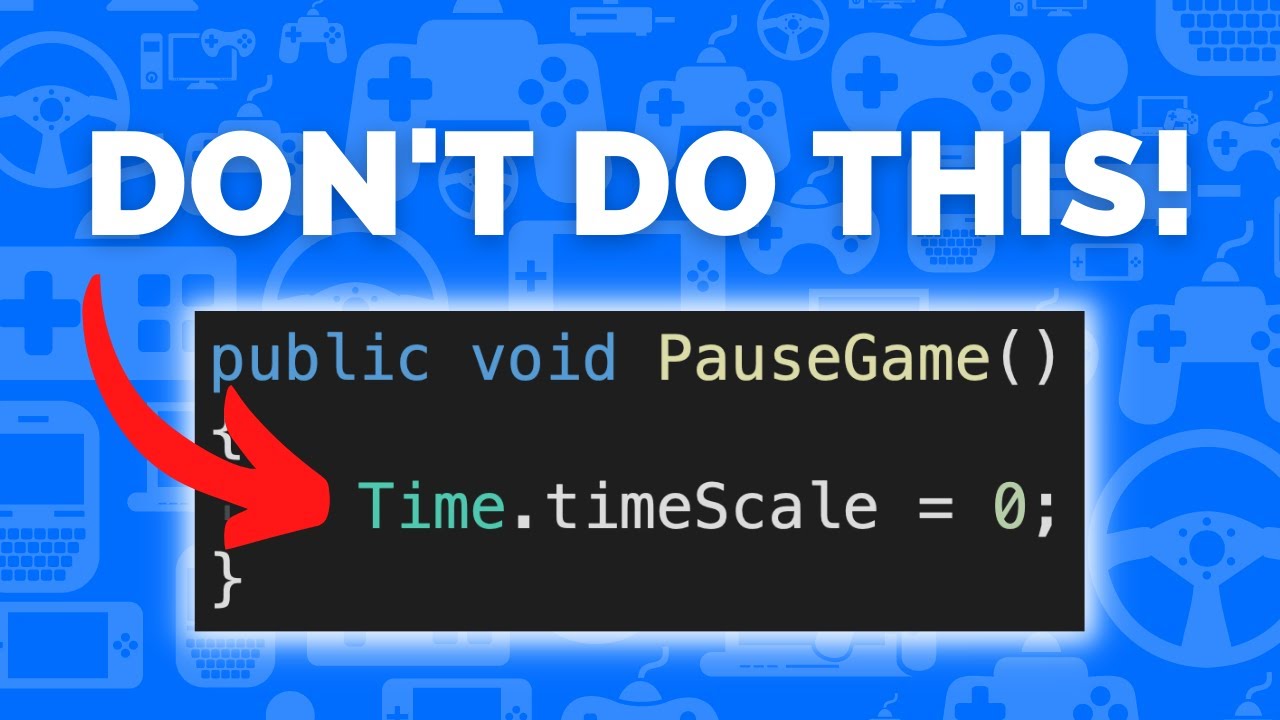
Learn how to pause your game in Unity in less than 2 minutes without setting timescale using events.
This allows you to still use time-based logic in pause menus and background systems and can even be extended to work for cutscenes, loading screens and game over screens.
TIMESTAMPS
00:00 Intro
00:05 Game State Manager
00:51 Hook up Player Move...
polar acorn
 waxen oracle
Is there any definition for something like child in the transform?
waxen oracle
Is there any definition for something like child in the transform?
Check the documentation:
https://docs.unity3d.com/ScriptReference/Transform.html
There are many methods and functions at your disposal
 golden otter
fringe kindle
Is there another way to pause everything without affecting WaitForSeconds?
golden otter
fringe kindle
Is there another way to pause everything without affecting WaitForSeconds?
you could use WaitForSecondsRealtime, but for a better pause system you should check the video linked here
rich adder
tawdry rock
Anyone can help? I want to create bullet holes on wall and i having these flicke...
are you using URP just use decal projector instead of quads
swift crag
tawdry rock
Anyone can help? I want to create bullet holes on wall and i having these flicke...
one note: there's no point to multiplying hit.normal by anything
FromToRotation just goes between two directions.
Did you want to offset the bullet hole from the wall? You need to add hit.normal to the position you spawn at.
tawdry rock
Yes, URP but i can't find where could i enable decals, also i using multiplying so the hole wont appear on the surface of the wall to prevent flickering but it not works.
fringe kindle
golden otter
you could use WaitForSecondsRealtime, but for a better pause system you should c...
That worked fine dor me 👍
rich adder
tawdry rock
Yes, URP but i can't find where could i enable decals, also i using multiplying ...
its a Renderer feature
https://youtu.be/P4HwA-O9vB4?t=21
 lone finch
Im trying to make a disjointed hitbox to detect ground collisions, but it dosen't seem to be working. What could i be doing wrong? `{
public GoblinMoves myGoblinMoves;
public GameObject myGoblin;
public float yValue;
private void Update()
{
    yValue = (float)(myGoblin.transform.position.y - 0.03);
    transform.position = new Vector3(myGoblin.transform.position.x, yValue);
}
private void OnCollisionEnter2D(Collision2D collision)
{
    if (collision.collider.gameObject.layer == LayerMask.NameToLayer("Ground"))
    {
        myGoblinMoves.jumpSpeed = myGoblinMoves.jumpSpeedControl;
        myGoblinMoves.jumpCount = 0;
        Debug.Log("Detected Collision");
    }
}
}`
to clarify i get no collisions
polar acorn
lone finch
Im trying to make a disjointed hitbox to detect ground collisions, but it dosen'...
Log the object you hit outside the if statement
see if you're colliding with anything at all and if that thing is the object you expect it to be
tawdry rock
rich adder
its a Renderer feature
https://youtu.be/P4HwA-O9vB4?t=21
I tried that but i have 3 option that (performant, high fidelity and balanced)
rich adder
tawdry rock
I tried that but i have 3 option that (performant, high fidelity and balanced)
well you can pick which graphics settings you want to add it to
tawdry rock
rich adder
well you can pick which graphics settings you want to add it to
and where can i see which one the project use?
rich adder
tawdry rock
and where can i see which one the project use?
Edit > Project Settings > Graphics
 smoky niche
Hey there, does anyone here have any experience with the System.Diagostics.Stopwatch? Is it more accurate than Coroutines or timers in an Update loop?
lone finch
polar acorn
see if you're colliding with anything at all and if that thing is the object you...
apparently not
polar acorn
lone finch
apparently not
The Three Commandments of OnCollisionEnter2D:
- Thou Shalt have a 2D Collider on each object
- Thou Shalt not tick
isTriggeron either of them - Thou Shalt have a 2D Rigidbody on at least one of them
tawdry rock
rich adder
Edit > Project Settings > Graphics
thank you, i was adding this to balanced and it use high fidelity. i will try mess around with it now
golden otter
smoky niche
Hey there, does anyone here have any experience with the System.Diagostics.Stopw...
It's more suitable for performance measures
lone finch
polar acorn
The Three Commandments of `OnCollisionEnter2D`:
1. Thou Shalt have a 2D Collider...
does it matter if i put the component on the tilemap for the hitbox gameObject?
also whats the easiest way to disable physics
smoky niche
golden otter
It's more suitable for performance measures
Oh alright thanks!
So is there any way to accurately check for milliseconds
Since coroutines and normal timers don't seem to be millisecond accurate
golden otter
why do you need ms accurate methods?
 vale geode
hi can i ask for some help?
 shell sorrel
smoky niche
Oh alright thanks!
shell sorrel
smoky niche
Oh alright thanks!
anything you do in unity will be happening on a frame, so you can can accurately mesaure time but your code will all be executing on frames
smoky niche
golden otter
why do you need ms accurate methods?
I'm making a game where you have a couple of invincibility frames if you get hit and use a coroutine for it. The difference in time is always a bit different though, and I would want it to be as accurate as possible since it's a precise platformer game
golden otter
vale geode
hi can i ask for some help?
sure
vale geode
im having some problems with a ray not apearing in the scene i dont know what to do
polar acorn
smoky niche
I'm making a game where you have a couple of invincibility frames if you get hit...
So what's wrong with using frames
You physically cannot interact with anything between frames
golden otter
!code
eternal falconBOT
Posting code
📃 Large Code Blocks
Use links to services like:
https://gdl.space/, https://paste.ofcode.org/, https://hatebin.com/, https://paste.myst.rs/, https://hastebin.com/
📃 Inline Code
Surround code with three backquotes. Not quotation marks.
To format as C#, add cs to the first line:
```cs
// Your code here
```
Add a comment with a line number if there is an error message.
rich adder
!code
polar acorn
so it really doesn't matter if your timer is up on a frame or between them
eternal falconBOT
Posting code
📃 Large Code Blocks
Use links to services like:
https://gdl.space/, https://paste.ofcode.org/, https://hatebin.com/, https://paste.myst.rs/, https://hastebin.com/
📃 Inline Code
Surround code with three backquotes. Not quotation marks.
To format as C#, add cs to the first line:
```cs
// Your code here
```
Add a comment with a line number if there is an error message.
Posting code
📃 Large Code Blocks
Use links to services like:
https://gdl.space/, https://paste.ofcode.org/, https://hatebin.com/, https://paste.myst.rs/, https://hastebin.com/
📃 Inline Code
Surround code with three backquotes. Not quotation marks.
To format as C#, add cs to the first line:
```cs
// Your code here
```
Add a comment with a line number if there is an error message.
rich adder
ur supposed to like read the massage bruh
 desert elm
question, is it possible to run the game window at one frame intervals?
polar acorn
desert elm
question, is it possible to run the game window at one frame intervals?
Yes, that's what the button next to pause does, it advances exactly one frame
desert elm
oh okay
rich adder
desert elm
question, is it possible to run the game window at one frame intervals?
you mean set custom fps? nvm
polar acorn
Run the game, pause it, and you can frame-by-frame with the third button
smoky niche
polar acorn
So what's wrong with using frames
True, but how would I use something like WaitForXAmountOfFrames?
tawdry rock
well my bullet holes are worse now thru decals
rich adder
tawdry rock
well my bullet holes are worse now thru decals
how so ?
vale geode
´´´cs
tawdry rock
rich adder
how so ?
 polar acorn
smoky niche
True, but how would I use something like WaitForXAmountOfFrames?
polar acorn
smoky niche
True, but how would I use something like WaitForXAmountOfFrames?
Just use a normal timer, the most it can be off by is one frame.
slender nymph
vale geode
´´´cs
just use a bin site, mate
rich adder
tawdry rock
weird I dont get Zclip. Try moving it slightly outward from normal
tawdry rock
rich adder
weird I dont get Zclip. Try moving it slightly outward from normal
I have to go, will be back in a hour. but thank for the help so far
vale geode
im not really understanding how to use the sites
a powerful website for storing and sharing text and code snippets. completely free and open source.
rich adder
vale geode
im not really understanding how to use the sites
lord..
vale geode
sorry
polar acorn
vale geode
https://paste.myst.rs/yc10en2k
Okay, good. Now what is the actual question
rich adder
vale geode
im not really understanding how to use the sites
so is Gizmos enabled ? and are u sure script is running?
buoyant knot
smoky niche
True, but how would I use something like WaitForXAmountOfFrames?
It’s more consistent to use a timer in sec, unless you want to offset some process by exactly 1-2 frames.
Coroutines are good to delay something by some amount of time and/or frames.
vale geode
yes the script is running and i saw the ray line but somehow it stoped working when i switched to private the (public camera cam)
polar acorn
vale geode
yes the script is running and i saw the ray line but somehow it stoped working w...
Does this object have a Camera component on it
rich adder
vale geode
yes the script is running and i saw the ray line but somehow it stoped working w...
so you have errors in console?
vale geode
polar acorn
Does this object have a `Camera` component on it
yes
vale geode
rich adder
so you have errors in console?
no
polar acorn
vale geode
yes
Show the inspector of it
vale geode

 rich adder
tisk tisk
vale geode
main camera?
rich adder
you see what you're doing here?
cam = GetComponent<Camera>();
polar acorn
So the code is doing exactly what you asked
You only draw the ray if this object has a Camera component on it
since it doesn't have one, you don't draw the ray
vale geode
but the camera is set as child on the object
polar acorn
vale geode
but the camera is set as child on the object
You aren't checking any children
vale geode
do i drag it in?
rich adder
vale geode
do i drag it in?
then you have to remove the GetComponent if you do
GetComponent will override the inspector, always
you had it assigned but at runtime it was null
vale geode
 desert elm
is there a default circle outline sprite in unity?
rich adder
vale geode
so its working?
desert elm
desert elm
is there a default circle outline sprite in unity?
oh great
vale geode
the red ray is what i wanted to see and was working before, but when i press play i have to select the camera on inspector, i didnt figure out to to put the camera in the inspector from the hierarchy
rich adder
vale geode
the red ray is what i wanted to see and was working before, but when i press pla...
did you not read the previous messages?
slender nymph
it's because you were overwriting the already assigned camera with your GetComponent call
misty hedge
Because I've been sitting here for a while pondering this, I'm wondering if there's a better way to do it.
I want some dialogue to trigger a delay, so there's a few seconds of nothing before another line pops up. The way I was going to implement this was have some lines in the text file simply say "t=5", and when I read the dialogue, these get omitted and a separate list tracks when the current line index matches this delay index, and waits.
Does Unity have any built-in systems to handle events like this that would be less crude and easier to edit?
 frosty hound
No, you either make it yourself, or you use very well done assets like Text Animator off the store.
vale geode
rich adder
did you not read the previous messages?
yes thanks for the help
i did it its working
queen adder
Hi, my project is on unity vers 2021.3.18f1, I have the input system version 1.4.4 but I need 1.7 for a certain feature. How can I get 1.7 in my project instead?
rich adder
queen adder
Hi, my project is on unity vers 2021.3.18f1, I have the input system version 1.4...
update it?
package manager
misty hedge
Alright. I think I'll step back and make a proper event scheudling system for my games instead of continuing this hacky one, then
queen adder
rich adder
update it?
it wont give me that option it says "up to date"
smoky niche
buoyant knot
It’s more consistent to use a timer in sec, unless you want to offset some proce...
Sounds good, thanks
rich adder
queen adder
it wont give me that option it says "up to date"
hmm maybe because im on 2022
doc says 2019+
 queen adder
rich adder
doc says 2019+
queen adder
rich adder
doc says 2019+
yeah I checked, its got me confused, I dont know if there is maybe a git url install or something?
rich adder
queen adder
yeah I checked, its got me confused, I dont know if there is maybe a git url ins...
works fine 2021 just checked

maybe remove it and try adding again
queen adder
 rich adder
queen adder
rich adder
queen adder
did you add via git or something?
Remove and try adding it from the Unity Registry in PM
queen adder
Yeah i just did that still stuck on 2022s 1.4.4
I dont need to have the 2023 version of the editor installed to have the 2023 vers of these features right?
rich adder
no I just showed you works fine on 2021
something wrong with your package manager or something
this should be in #💻┃unity-talk tho
queen adder
ok
desert elm
is it possible to have something like the SpriteRender.enabled = false be applied to children as well>
wintry quarry
desert elm
is it possible to have something like the SpriteRender.enabled = false be appli...
Sure - loop over all the renderers and disable them in a loop
e.g.
foreach (Renderer r in GetComponentsInChildren<Renderer>()) r.enabled = false;```oh thanks
 past brook
how do i make it so when the player gets close to grapple point the grapple disables and they get "launched" from the grapple like when they swing off instead of the current dead stop
 vernal minnow
Is there a proper way to code and comment? I was reviewing my code and realized that not only is it messy, but sometimes I'm rarely commenting and sometimes I have comments on every/every other line
It makes sense to me but I feel like it will make it difficult for others to read
 rich egret
hi i need help
Enemy Code:
using UnityEngine.SceneManagement;

public class EnemyController : MonoBehaviour
{
    public float health = 100f;

    // Function to apply damage to the enemy
    void Update()
    {
        if (health <= 0)
        {
            Die();
        }
    }

    void Die()
    {
        Debug.Log("Enemy died!");
        // Additional logic for enemy death can be added here
        Destroy(gameObject);
    }
}```

**Gun Code:**The bullets don't hit the enemy, what to do?
polar acorn
rich egret
hi i need help
**Enemy Code:**
```using UnityEngine;
using UnityEngine.SceneMana...
!code
eternal falconBOT
Posting code
📃 Large Code Blocks
Use links to services like:
https://gdl.space/, https://paste.ofcode.org/, https://hatebin.com/, https://paste.myst.rs/, https://hastebin.com/
📃 Inline Code
Surround code with three backquotes. Not quotation marks.
To format as C#, add cs to the first line:
```cs
// Your code here
```
Add a comment with a line number if there is an error message.
rich egret
ok
 summer stump
rich egret
The bullets don't hit the enemy, what to do?
summer stump
rich egret
The bullets don't hit the enemy, what to do?
How are they supposed to hit the enemy? Not gonna download a file, but if it's physics messages, look here
Edit: wrong link, one sec
 idle elk
https://hastebin.com/share/edoqocoguc.csharp does anyone can help me solve this .. basically this code to collect calorie and stone .. i want to save only stone and appear in other scene .. but only Stone1 appear... and if i put 3 or 4 Stone in 1 scene ..it can save and appear in scene display ..can someone help me
Hastebin is a free web-based pastebin service for storing and sharing text and code snippets with anyone. Get started now.
short hazel
idle elk
https://hastebin.com/share/edoqocoguc.csharp does anyone can help me solve this ...
Don't cross-post, use one channel only!
polar acorn
idle elk
https://hastebin.com/share/edoqocoguc.csharp does anyone can help me solve this ...
I don't quite follow what the issue is here, what is supposed to be happening?
Also, if you find yourself numbering variables, that is usually a sure sign you should be using a list
rich egret
GUN CODE - https://gdl.space/qegisoqihi.cs
**ENEMY CODE -https://paste.ofcode.org/344br3pcPHRXTJY2tHG6ZCu **
THE PROBLEM - The bullets don't hit the enemy, what to do?
wintry quarry
rich egret
**GUN CODE - https://gdl.space/qegisoqihi.cs**
**ENEMY CODE -https://paste.ofcod...
Neither of these seem related to bullets hitting enemies
Do you have a script on the bullet perhaps?
Also what components does the bullet have and the enemy?
Also this is weird:
                if (hit.transform.tag == "Enemy")
                {
                    hit.transform.gameObject.GetComponent<EnemyController>().health -= Random.Range(hit1, hit2);
                }```
It seems like you're spawning a projectile but you're also doing this and using a raycast?The bullet doesn't have a separate script, I just put a prefab of the bullet and set a shot point.
polar acorn
rich egret
**GUN CODE - https://gdl.space/qegisoqihi.cs**
**ENEMY CODE -https://paste.ofcod...
So, first off, why are you spawning an instance of a prefab, and then adding in a bunch of components to it? Why not just put those components on the prefab
rich egret
polar acorn
So, first off, why are you spawning an instance of a prefab, and then adding in ...
Sorry I'm a beginner, that's why I came here...
polar acorn
Second, log the object your raycast hits. If you're getting bullets to spawn at all, then the ray is hitting something. That thing might not have the Enemy tag
rich egret
I thought it would be more convenient
rich egret
polar acorn
Second, log the object your raycast hits. If you're getting bullets to spawn _at...
I tagged it enemy
Does anyone have a solution to fix this? There is no clear enough guide on the Internet
polar acorn
rich egret
I tagged it enemy
Log the object you hit and see if that object has the tag "Enemy"
rich egret
polar acorn
Log the object you hit and see if _that_ object has the tag "Enemy"
I already did that
polar acorn
rich egret
I already did that
And what did it say
rich egret
polar acorn
And what did it say
What does that mean? 
polar acorn
rich egret
What does that mean? <:atwhatcost:1068114091987718204>
I literally do not know how to put this any more clearly than asking you what your log said
polar acorn
rich egret
nothing
And where did you put the log
rich egret
polar acorn
And where did you put the log
In this part
void Die()
{
Debug.Log("Enemy died!");
// Additional logic for enemy death can be added here
Destroy(gameObject);
}
}
polar acorn
rich egret
In this part
void Die()
{
Debug.Log("Enemy died!");
// Addit...
That's not what I said
Log the object your raycast hits
see if that has the tag Enemy
rich egret
But I already tagged him an Enemy!
polar acorn
rich egret
But I already tagged him an Enemy!
And how do you know
how do you know that the ray hit that object
wintry quarry
rich egret
But I already tagged him an Enemy!
You're assuming your Raycast is hitting the enemy. How about instead of being stubborn you actually add logs so you can fix your problems
rich egret
polar acorn
And how do you know
 polar acorn
rich egret
polar acorn
rich egret
That's not what I asked
At no point did I ask "Is there an object in your project tagged Enemy"
I asked "Is the object your raycast hits tagged enemy"
Now put the fucking log in
rich egret
polar acorn
At no point did I ask "Is there an object in your project tagged Enemy"
and no
🤔
frosty hound
@rich egret If you're not going to actual log your issue, as you've been asked multiple times, stop posting.
rich egret
rich egret
**GUN CODE - https://gdl.space/qegisoqihi.cs**
**ENEMY CODE -https://paste.ofcod...
@frosty hound 🫣
polar acorn
rich egret
<@140305629238657025> 🫣
Put in the log.
Show what it prints
Until you do, no one can solve your problem
meager sentinel
I place this here since i kinda think this may be via code, but. I have a particle system that triggers when you have contact with an enemy, the thing is, it's supposed to be blood. But if u move when the particle system is working, the blood will stay where you walk, how can i make the particle system to not move after being executed? Or what's the line of code to execute it at a certain location
polar acorn
meager sentinel
I place this here since i kinda think this may be via code, but. I have a partic...
There's a checkbox for something like "Simulate in world space", where the particles are no longer bound to the parent object after spawning
frosty hound
meager sentinel
I place this here since i kinda think this may be via code, but. I have a partic...
Particle systems have a property for simulating in world space.
meager sentinel
Thank you both
rich egret
polar acorn
Put in the log.
I already put it, but I don't receive messages, something is wrong with the script...
polar acorn
rich egret
I already put it, but I don't receive messages, something is wrong with the scri...
Where did you put it
summer stump
rich egret
I already put it, but I don't receive messages, something is wrong with the scri...
Btw, this
#💻┃code-beginner message
Is NOT what they want logged
They want the RaycastHit logged just after the raycast, before any of the conditions
rich egret
polar acorn
Where did you put it
 polar acorn
rich egret
polar acorn
rich egret
Log the object you hit
then check the tag
We already know this is not running
that's why I told you to log the object your ray hits
not inside an if
summer stump
Log the raycasthit (not a random word) "Before" any conditions.
meager sentinel
frosty hound
Particle systems have a property for simulating in world space.
Where is it located?
polar acorn
meager sentinel
Where is it located?
Pretty sure it's in main
meager sentinel
I opened all of the things and i dont find it
meager sentinel
polar acorn
Pretty sure it's in main
Ohhh Simulation Space
and then u place it on world
ty
rich egret
ok like this? @polar acorn
 polar acorn
rich egret
ok like this? <@153950686088921088>
polar acorn
rich egret
ok like this? <@153950686088921088>
how
how did you possibly think this was related to what I asked
summer stump
rich egret
ok like this? <@153950686088921088>
The log should be inside the gun script, just after the line you call raycast. And it should log the object returned by the raycast (called a RaycastHit). You have it declared as "hit"
polar acorn
rich egret
ok like this? <@153950686088921088>
we do not need to print if this object's Update is running. That was never the question. At no point did anyone say anything remotely related to doubting if this object exists.
Log
the
object
rich egret
 rich egret
like this?!!!!