#💻┃code-beginner
1 messages · Page 71 of 1
 umbral bough
 teal viper
So many possibilities. Gotta check them all.
Is it being frustum culled maybe..? Gotta check thoroughly.
umbral bough
teal viper
Is it being frustum culled maybe..? Gotta check thoroughly.
what does that mean
teal viper
When render bounds of renderers go outside the camera frustum(outside the camera view), they are culled.
umbral bough
ok, that seems like the most likely scenario
why doesn't it get refreshed when my object re-enters the view?
teal viper
Sometimes render bounds don't actually aligns with visuals which would result in the object being culled. I'm not sure what renderer you use and how it's bounding box is generated though.
We do t even know if that's the case at all.
 steel herald
can someone help me with animations :s please
umbral bough
it would prob explain the object not disappearing when it's visible in the scene view :/
also, I am using urp
umbral bough
and cinemachine if that makes a diff
teal viper
Doesn't really matter, but it might explain indeed.
umbral bough
I see, friend suggested that I have another camera that's positioned on the ground level at all times, would this even help if the camera output is not visible and how badly would this impact the mobile performance?
teal viper
You could try logging something in OnBecameInvisible.
https://docs.unity3d.com/ScriptReference/MonoBehaviour.OnBecameInvisible.html
If it logs when the issue occurs, then it's indeed being culled.
teal viper
umbral bough
I see, friend suggested that I have another camera that's positioned on the grou...
Wdym?
What's the point of another camera if nothing is visible in it?
umbral bough
well it would be visible but the camera's output wouldn't be rendered
that's why I was wondering if it would work in the first place
also

it does indeed become invisible
teal viper
umbral bough
well it would be visible but the camera's output wouldn't be rendered
What's the point in the camera if it doesn't render anything?
teal viper
umbral bough
it does indeed become invisible
Yeah, so you should research why your renderer is getting culled. Was that sprite renderer?
umbral bough
teal viper
What's the point in the camera if it doesn't render anything?
to prevent the object from disappearing
teal viper
Wat?
umbral bough
teal viper
Yeah, so you should research why your renderer is getting culled. Was that sprit...
it is a sprite renderer, I am using a closed sprite to generate the terrain
umbral bough
teal viper
Wat?
well it becomes invisible because it's getting culled, we were wondering if it being displaying on the other camera(that's not visible on the player's screen) would resolve the issue
a really bad solution but just an idea
teal viper
umbral bough
well it becomes invisible because it's getting culled, we were wondering if it b...
Why not just make it visible in the current camera..?
umbral bough
teal viper
Why not just make it visible in the current camera..?
that would affect what the player is seeing which is not what we want
 solid verge
how to make a text unvisible
umbral bough
solid verge
how to make a text unvisible
how did you make it invisible in the first place
solid verge
did i say it was invisible?
teal viper
umbral bough
that would affect what the player is seeing which is not what we want
What do you mean? There's more and more info that you never explained and doesn't make sense in the context of the issue.
solid verge
i was talking about making it visible in a script
so that if a player has no grapes
grapes are not shown
umbral bough
teal viper
What do you mean? There's more and more info that you never explained and doesn'...
Ignore that one, a friend just suggested that I add another camera to the scene that would always be on the ground level and wouldn't be displayed to the player.
I was just wondering if that would even solve the issue if it's not being displayed.
It is a bad solution either way and just ignore it ig.
 silent valley
Whenever I collide with the Oxygen pickup. I get an error on line 49 which is oxygenController.UncreaseOxygen(increaseamount);
 teal viper
umbral bough
that would affect what the player is seeing which is not what we want
teal viper
umbral bough
that would affect what the player is seeing which is not what we want
Is the player not supposed to see the terrain?
silent valley
This is my IncreaseOxygen method in my oxygen controller
 umbral bough
teal viper
Is the player not supposed to see the terrain?
umbral bough
teal viper
Is the player not supposed to see the terrain?
if it goes too high then no
shown in the vid I sent before, can link it again if you'd like
umbral bough
solid verge
i was talking about making it visible in a script
do you mean invisible?
teal viper
umbral bough
if it goes too high then no
Then who is supposed to see it when the player is too high?
solid verge
cause i want it to be invisible by deafult
umbral bough
solid verge
i mean't making it visible
I mean one option would definitely be enabling the object through the script
 rich adder
silent valley
Whenever I collide with the Oxygen pickup. I get an error on line 49 which is ox...
rich adder
silent valley
Whenever I collide with the Oxygen pickup. I get an error on line 49 which is ox...
always use TryGetComponent
eg
if(other.gameObject.TryGetComponent(out Oxygen oxygen)){
oxygen.IncreaseOxygen(icreaseAmount);
Destroy(gameObject); }```cause the player starts with 0 grapes
solid verge
umbral bough
I mean one option would definitely be enabling the object through the script
how
umbral bough
you need a reference to it and then just call the _yourObject.SetActive(true/false);
umbral bough
solid verge
but it's a text
it's still an object
umbral bough
select it in your scene, does it have a checkmark in the inspector(top left)?
umbral bough
solid verge
it doesn't work sadly
are you getting any errors?
umbral bough
solid verge
yes it does
then it can be enabled/disabled
umbral bough
solid verge
no
ok, would you mind showing me the piece of code you are using to toggle it and show me how you got a reference to your text?
umbral bough
teal viper
Then who is supposed to see it when the player is too high?
nobody
umbral bough
rich adder
always use TryGetComponent
eg
```cs
if(other.gameObject.TryGetComponent(out Oxyg...
my advice is maybe invert that if statement for cleaner code but just a preference:
if(!other.gameObject.TryGetComponent(out var oxygen)) return;
oxygen.IncreaseOxygen(icreaseAmount);
Destroy(gameObject);
the recommendation to use the TryGetComponent is good, what worries me is that you are making sure it's the player that you are getting the component from and it somehow doesn't have Oxygen component attached to it
are you sure you set everything up properly in the (possibly)prefab's inspector?
silent valley
oh my.... Yep. you are right
umbral bough
happens
silent valley
Rip to me. Thank you. The oxygen has nothing to do with the player. Will fix that now. THANK YOU
fixed
no joke. 12ish hours spent pulling my hair out. Need myself a Duck to talk to
umbral bough
silent valley
no joke. 12ish hours spent pulling my hair out. Need myself a Duck to talk to
wish I could say it never happened to me 😭
silent valley
umbral bough
wish I could say it never happened to me 😭
It sucks. Because I have way more complex things working and this is a rookie error 😅 Thank you though
solid verge
umbral bough
then it can be enabled/disabled
but i want to do that with a script
umbral bough
solid verge
but i want to do that with a script
we will do that with a script
solid verge
can you tell me how?
rich adder
umbral bough
my advice is maybe invert that if statement for cleaner code but just a preferen...
btw this would not work with var without specifying a type
umbral bough
solid verge
can you tell me how?
sure, we'll do that now
solid verge
ok
umbral bough
rich adder
btw this would not work with `var` without specifying a type
are you sure?
oh I see
rich adder
umbral bough
are you sure?
yes how the compiler know what type oxygen is
when using var you would use the <T>
umbral bough
you are using the TryGetComponent() not TryGetComponent<>(), my bad
I didn't even notice, my bad
rich adder
i just feel like its too verbose so I put it in the out param
silent valley
I'm not using var now. I just copied it from my healthscript out of frustration
umbral bough
rich adder
i just feel like its too verbose so I put it in the out param
it is cleaner that way, less text ig
 novel shoal
i used fixedupdate to make the speed of a ball constant, but now if i want it to bounce it doesn’t
umbral bough
novel shoal
i used fixedupdate to make the speed of a ball constant, but now if i want it t...
Would you mind sending us your code?
I am assuming that you are setting your ball's vel instead of adding to it.
umbral bough
solid verge
but i want to do that with a script
ok, would you mind showing me how u get a ref to your text aswell as the code that is supposed to disable/enable it?
solid verge
i found le answer
rich adder
novel shoal
i used fixedupdate to make the speed of a ball constant, but now if i want it t...
You should only assign velocity when you start and when you collide
no reason to be in fixedupdate
novel shoal
umbral bough
Would you mind sending us your code?
I am assuming that you are setting your bal...
umbral bough
he said he wants his ball speed to be constant
rich adder
yes I know that
novel shoal
umbral bough
he said he wants his ball speed to be constant
it has to be constant but to be +1 every time it bounces
novel shoal
novel shoal
it has to be constant but to be +1 every time it bounces
every time it bounces against the player*
rich adder
novel shoal
it has to be constant but to be +1 every time it bounces
thats why you would normalize the speed and then add it to a variable
umbral bough
I am positive that you can remove the * Time.deltaTime and erase the ForceMode2D.Impulse
it should do the same thing
talking about start
novel shoal
rich adder
thats why you would normalize the speed and then add it to a variable
but if it's not in fixedupdate it's not a constant
umbral bough
and yeah
 rich adder
novel shoal
but if it's not in fixedupdate it's not a constant
rich adder
novel shoal
but if it's not in fixedupdate it's not a constant
not true
dont use AddForce
novel shoal
umbral bough
I am positive that you can remove the * Time.deltaTime and erase the ForceMode2D...
chatgpt told me to use ForceMode2D. impulse lol
umbral bough
novel shoal
chatgpt told me to use ForceMode2D. impulse lol
it isn't incorrect, just saying
 novel shoal
and isn't time.deltatime use to make the speed not dependent on the fps?
rich adder
novel shoal
and isn't time.deltatime use to make the speed not dependent on the fps?
rigidbody already have a fixed timestep
umbral bough
novel shoal
and isn't time.deltatime use to make the speed not dependent on the fps?
ForceMode2D.Force is the default, it already does that
novel shoal
umbral bough
ForceMode2D.Force is the default, it already does that
oh ok
umbral bough
you would use Impulse if you wanted to add an instant force such as explosion for example
if you want to add a continuous force such as gravity then Force is better
novel shoal
so if i remove FixedUpdate it should be correct
rich adder
I wouldn't use AddForce in pong like game
just use .velocity if you want equal speed until increase
novel shoal
rich adder
just use .velocity if you want equal speed until increase
wait
am i not using it already?
addforce is used only at void start
rich adder
novel shoal
addforce is used only at void start
we said yesteday to remove it
you still have it for some reason
umbral bough
novel shoal
so if i remove FixedUpdate it should be correct
I usually don't use the FixedUpdate but it's far from wrong.
Unity doesn't update phyisics more often than the FixedUpdate happens so it's technically more performant.
Does it make a difference in a real world scenario?
Unlikely and just complicates the code imho.
novel shoal
rich adder
we said yesteday to remove it
i didn't see it
and what should i place at its place?
rich adder
novel shoal
and what should i place at its place?
.velocity for an iniital move

is this what you're trying to make?
novel shoal
yup
rich adder
yeah so use .velocity its best imo
umbral bough
you should prob store the velocity in a global variable(which is what n.n recommended earlier iirc)
rich adder
here is how I do it, yours can be diff
private void Awake()
    {
        startPos = transform.position;
        ResetBall();
    }

    public void ResetBall()
    {
        rb.MovePosition(startPos);
        rb.velocity = Vector3.zero;
        transform.Rotate(0, 0, Random.Range(-180f, 180f));
        moveDir = transform.right * moveSpeed;
        rb.velocity = moveDir;
}```well not the velocity but direction
novel shoal
rich adder
novel shoal
https://paste.ofcode.org/C7c3uVFkA3XqxMSBU2WZ3e
no
why is this here
 void Update()
    {

        rb.velocity = velocity;
}```also if you wanna keep adding speed you need a multiplier for moveSped
novel shoal
rich adder
why is this here
```cs
void Update()
{
rb.velocity = velocity;
...
how do update velocity?
rich adder
look at my example from my project
novel shoal
rich adder
look at my example from my project
ok
novel shoal
rich adder
use Vector3.Reflect
vector2 in my case?
novel shoal
what does the method "reflect" do?
rich adder
unity just 0s out the z
rich adder
novel shoal
what does the method "reflect" do?
it "reflects" the direction incoming towards another direction
novel shoal
rich adder
unity just 0s out the z
okk
rich adder
in this case it would make sense the normal (face direction) of the collider
eg the paddle or wall
novel shoal
rich adder
it "reflects" the direction incoming towards another direction
so it makes the ball bounce?
 novel shoal
rich adder
here is how I do it, yours can be diff
```cs
private void Awake()
{
...
novel shoal
rich adder
here is how I do it, yours can be diff
```cs
private void Awake()
{
...
what's "movespeed"
rich adder
novel shoal
what's "movespeed"
a float
novel shoal
the starting speed?
novel shoal
rich adder
yes and if you want to increase speed on hits
basically
rich adder
make sure to normalize the speed reflected first, so you can assign it another new speed
 full imp
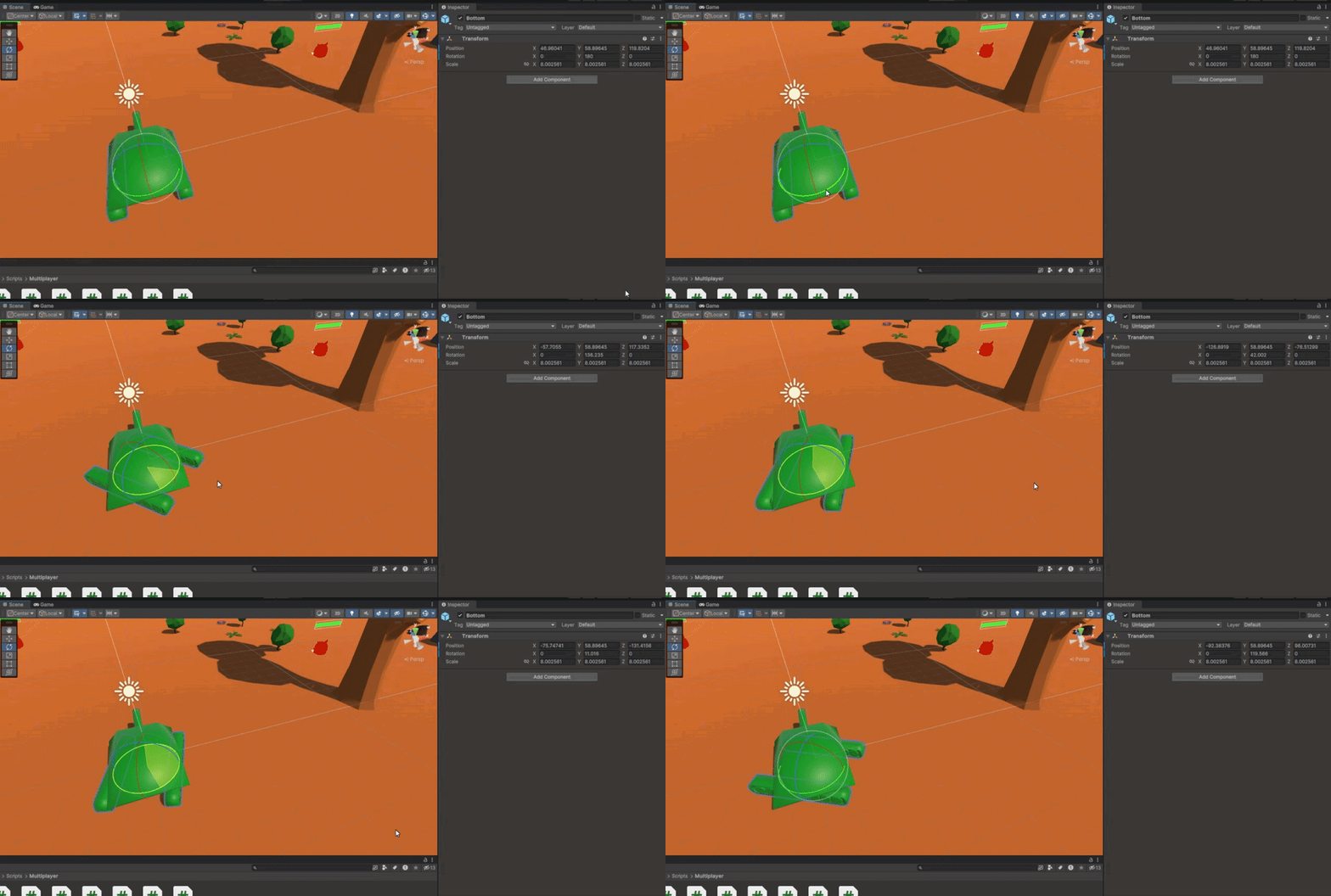
I realised that when I rotate the child object, the position changes
https://gyazo.com/113f12bc7b117d4cd2bd63c21778f214.gif
Is there some sort of formula that I have to apply to change the position when I'm rotating the child object?
 novel shoal
on CollisionEnter(collider other)
if (other.CompareTag("player")
movespeed++
rich adder
novel shoal
on CollisionEnter(collider other)
if (other.CompareTag("player")
movesp...
is your game 2d you need OnCollisionEnter2D
yeah but you still need to reflect
novel shoal
rich adder
is your game 2d you need OnCollisionEnter2D
oh right
rich adder
inside that
novel shoal
rich adder
yeah but you still need to reflect
i need a separate script
rich adder
novel shoal
i need a separate script
no
novel shoal
oh i thought i needed to add the script to the objects, not to the ball, my bad
rich adder
novel shoal
oh i thought i needed to add the script to the objects, not to the ball, my bad
nah only ball needs script
since it keeps track of its own direction
novel shoal
rich adder
here is how I do it, yours can be diff
```cs
private void Awake()
{
...
can i use the position for the reset in the void start()?
rich adder
novel shoal
can i use the position for the reset in the void start()?
as long as it runs ones. My ResetBall method runs everytime a goal trigger is hit
my goal trigger detects if ball entered trigger
novel shoal
rich adder
as long as it runs ones. My ResetBall method runs everytime a goal trigger is hi...
but i can store the position into a variable
rich adder
it calls ResetBall
rich adder
novel shoal
but i can store the position into a variable
initial position is only there for resetting the ball to where it was when point was scored
novel shoal
okk

Stack Overflow
I have looked everywhere including the Unity documentation but cannot seem to find any good examples of how to use Unity's Vector2.Reflect() function. I am trying to use this to control the directi...
i found this
but what's the red arrow?
rich adder
its the normal
novel shoal
rich adder
its the normal
and how do i calculate it?
rich adder
novel shoal
and how do i calculate it?
You get it from the collider in the collision parameter
rich adder
novel shoal
and how do i calculate it?
the collision gives you Contacts
to where exactly the ball hit
 solemn fractal
Hey guys, If I am using other.CompareTag() to see if something hit the enemy in OnTriggerEnter2D on my Bullet script. I want to make that when the player gets a special hability now his bullet will hit one enemy and bounce to the enemy closer to that enemy. But all enemies use the same tag. Is that achievable? Would I just need to get the distance from the enemy hit to the closer one and redirect the bullet there?
 steel forge
I have two scripts, on that brings the player back to the beginning if he runs into a spike and one that makes him move. My problem is, that while the player is moving, he can't die, because the movement is occupied by the movement script. Can i somehow disable a script temporarily or make like a global boolean that gets set to true when he should be dead?
 wintry quarry
solemn fractal
Hey guys, If I am using other.CompareTag() to see if something hit the enemy in ...
wintry quarry
solemn fractal
Hey guys, If I am using other.CompareTag() to see if something hit the enemy in ...
wdym by "the closer enemy"? You mean the enemy closest to the first enemy?
wintry quarry
steel forge
I have two scripts, on that brings the player back to the beginning if he runs i...
you can disable scripts easily, yes, with refToTheScript.enabled = false;
solemn fractal
wintry quarry
wdym by "the closer enemy"? You mean the enemy _closest_ to the first enemy?
Player shoot the bullet. Bullet hit the enemy now the bullet needs to fly to the closest enemy to the first enemy hit
wintry quarry
You can also have the movement script check something like if (isAlive) Move();
wintry quarry
solemn fractal
Player shoot the bullet. Bullet hit the enemy now the bullet needs to fly to the...
do an OverlapSphere or something, find all nearby emnemies, then just loop through and select the closest one
steel forge
wintry quarry
you can disable scripts easily, yes, with `refToTheScript.enabled = false;`
Good, But I haven't figuered out how to refernce the script of a parent correctly. I've seen something about parent. but I couldn't get it to work.
novel shoal
void OnTriggerEnter2D(Collider2D other)
{
if (other.CompareTag("player"))
velocity += Vector2.one;
Vector2.Reflect(rb.velocity, Collision2D.GetContact());
}
which is the argument of collision2D.GetContact()?
solemn fractal
wintry quarry
do an OverlapSphere or something, find all nearby emnemies, then just loop throu...
 rich adder
novel shoal
void OnTriggerEnter2D(Collider2D other)
{
if (other.CompareTag("play...
rich adder
novel shoal
void OnTriggerEnter2D(Collider2D other)
{
if (other.CompareTag("play...
well its an array. and you only need 1 contact
so how do we get 1 item out of an array?
novel shoal
rich adder
so how do we get 1 item out of an array?
array[index]
rich adder
yes
GetContact returns items from an array, you need index.
well its a custom struct but thats out of the scope
novel shoal
why is it an array?
novel shoal
oh ok
 dry tendon
hey, does someone knows why my mobilephone starts to get slow with this simple scene without code or anything else appart from the buildings and the fog?


 gaunt ice
actually, for nearest neighbor search overlapXX may fail, the only way is to loop through all colliders or considering using space partitioning to speed up
wintry quarry
solemn fractal
You mean this? https://docs.unity3d.com/ScriptReference/Physics.OverlapSphere.ht...
yes
rich adder
dry tendon
hey, does someone knows why my mobilephone starts to get slow with this simple s...
Profile it
also not really code question
wintry quarry
gaunt ice
actually, for nearest neighbor search overlapXX may fail, the only way is to loo...
sure but in most gameplay scenarios you only want to be considering nearby objects anyway - i.e. this chain effect probably has a maximum range
dry tendon
rich adder
Profile it
Whats that? I have to say that there are no shadows, so it is no really calculating nothing...
rich adder
dry tendon
Whats that? I have to say that there are no shadows, so it is no really calculat...
more resources on How, links at the bottom of page
dry tendon
rich adder
https://docs.unity3d.com/Manual/Profiler.html
That is going to help me fixe the problem or is just gonna say me what's maybe happening?
rich adder
dry tendon
That is going to help me fixe the problem or is just gonna say me what's maybe h...
both
not maybe though
its accurate
dry tendon
it's for android too?
rich adder
dry tendon
hey, does someone knows why my mobilephone starts to get slow with this simple s...
btw if it starts getting progressively slower as you go chances are you keep spawning new pieces or something, and creating a lot of extra resoures
Ideally you would pool those spawned sections and recycle them as you pass
dry tendon
rich adder
Ideally you would pool those spawned sections and recycle them as you pass
no, currently is just a scene that doesn't do nothing yet... i have not programmed anything
rich adder
dry tendon
no, currently is just a scene that doesn't do nothing yet... i have not programm...
oh well something to keep in mind then if you plan on doing infinite type runner thing
you should still profile it and see whats using most resources
dry tendon
rich adder
oh well something to keep in mind then if you plan on doing infinite type runner...
exactly, that was my idea, then i'll do some type of object pooling
But thanks for the advice
steel forge
How do I reference the Script of a parent? The only thing I found is from 2019 and it didn't work and just referencing the component per public Component Moving; didn't work either.
novel shoal
void OnTriggerEnter2D(Collider2D other)
{
if (other.CompareTag("player"))
rb.velocity += Vector2.one;
    rb.velocity=Vector2.Reflect(rb.velocity, other.transform.position - transform.position);
}
what's the issue with this now
😭
rich adder
novel shoal
void OnTriggerEnter2D(Collider2D other)
{
if (other.CompareTag("play...
dang.. I gotta run for a bit so Ill just spoon feed you my Collision real quick, ill be back in a few to explain it
private void OnCollisionEnter(Collision collision)
    {
        var newDir = Vector3.Reflect(moveDir, collision.GetContact(0).normal).normalized;
        moveDir = newDir;
        if(collision.collider.TryGetComponent(out PaddleMove _))
        {
            moveSpeed++;
        }
        moveDir *= moveSpeed;
        rb.velocity = moveDir;
}```other.tf.position-tf.position is not the normal of the surface
rich adder
steel forge
How do I reference the Script of a parent? The only thing I found is from 2019 a...
wdym "Didn't work". also don't use Component type, use the actual type of script not unity class
 ornate swift
Okay so I have made a walk script but my character suddenly goes on his side when I start walking
ornate swift
ornate swift
Okay so I have made a walk script but my character suddenly goes on his side whe...
this is before I have pressed any input from the script
 wintry quarry
ornate swift
Okay so I have made a walk script but my character suddenly goes on his side whe...
wintry quarry
ornate swift
Okay so I have made a walk script but my character suddenly goes on his side whe...
if you wish to constrain the rotation of your object - feel free to do so on the Rigidbody
ornate swift
and this is after

 nimble apex
steel forge
How do I reference the Script of a parent? The only thing I found is from 2019 a...
nimble apex
steel forge
How do I reference the Script of a parent? The only thing I found is from 2019 a...
private <ClassName> className;

void Awake(){
      className = GetComponentInParent<ClassName>();
}```I mean you could just do GetComponentInParent<Class> 🤔
thats only if 1 script on the parent ofc
or it grabs the first one 😛
gaunt ice
why not just assign it manually
rich adder
[SerializeField] private MyClass ayo;
ornate swift
wintry quarry
if you wish to constrain the rotation of your object - feel free to do so on the...
I tried that but it didn't fix it
ornate swift
ornate swift
I'll send a video
nimble apex
to prevent not assigning error lol
steel forge
 private void OnTriggerEnter(Collider other)
    {
        Debug.Log("Stufe 1");
        if (other.gameObject.CompareTag("Death"))
        {
            Debug.Log("Stufe 2");

            gameObject.transform.parent.GetComponent<movement>().enabled = false;

            gameObject.transform.parent.position = Startposition;

            gameObject.transform.parent.GetComponent<movement>().enabled = true;

        }
    }```
Why doesn't this move my character to the defined "Startposition"?Show what you tried
ornate swift
ornate swift
this is the script
 wintry quarry
Again, show what you tried
As far as I can tell, you have not constrained your object's rotation in the Rigidbody inspector
 wintry quarry
ornate swift
this is the script
wintry quarry
ornate swift
this is the script
oh yeah your RotateCharacter code is completely wrong
you are messing with quaternion x and y components 😱
you should NEVER be doing that
gaunt ice
 wintry quarry
That's also a problem ^
wintry quarry
ornate swift
this is the script
!code for sharing code btw
 eternal falconBOT

Posting code
📃 Large Code Blocks
Use links to services like:
https://gdl.space/, https://paste.ofcode.org/, https://hatebin.com/, https://paste.myst.rs/, https://hastebin.com/
📃 Inline Code
Surround code with three backquotes. Not quotation marks.
To format as C#, add cs to the first line:
```cs
// Your code here
```
Add a comment with a line number if there is an error message.
wintry quarry
ornate swift
this is the script
what you need to do is:
moveDirection = Vector3.ProjectOnPlane(moveDirection, Vector3.up).normalized;
``` _before_ you feed it into the MoveCharacter and RotateCharacter functionsyou also need to delete the lines:
targetRotation.x = 0; and the z one, they are completely incorrect.
then it will work well
(although you should also check that moveDirection != Vector3.zero before calling RotateCharacter)
steel forge
nimble apex
```cs
private <ClassName> className;
void Awake(){
className = GetCompone...
btw, where and how exactly should I paste this? Bc I get errors if I paste it outside the public class and inside the public class.
 eager elm
you need to remove the '<>' from the first ClassName, but not the second
wintry quarry
steel forge
How do I reference the Script of a parent? The only thing I found is from 2019 a...
just referencing the component per public Component Moving; didn't work either.
Nonsense, of course it works
You wouldn't use Component though, you'd use the specific type you want
nimble apex
for example, if the script name is RandomScript
private RandomScript randomScript;

void Awake(){
      randomScript = GetComponentInParent<RandomScript>();
}```you mean randomScript =
nimble apex
a script may contain multiple classes
ur not referring to the script file
but the class inside
steel forge
nimble apex
for example, if the script name is RandomScript
```cs
private RandomScript rand...
It would be a bit clearer if you were consistent with "<>"(where it should be kept and where it shouldn't). But thx for the help.
wintry quarry
You're actually referring to a specific instance of the class
A "class" in C# is like a blueprint for objects. There can and usually are many objects of a given class in existence at runtime or edit time
ornate swift
wintry quarry
you should NEVER be doing that
thanks for the advice!
ornate swift
wintry quarry
!code for sharing code btw
Cool
novel shoal
rich adder
dang.. I gotta run for a bit so Ill just spoon feed you my Collision real quick,...
what's wrong with mine?
dry tendon
@rich adder, i ran the profiler and i get this... but i don't know how could this optimyze my code... Could you guide me a bit?

 amber nimbus
Hello, I have this code for rotating a tank turret towards where the player is looking. This works great as long as the root of the turret is on flat ground. However if the tank tilts the rotation is not linear anymore and it slows down before reaching the target rotation. I cant figure out how to fix this at all :/

 swift crag
that'll be because it's trying to rotate directly towards the player
but you're ignoring the X and Z euler angles
rich adder
novel shoal
what's wrong with mine?
look at compare ?
swift crag
i would suggest not messing with euler angles at all here
instead, you should project the player's position into the XZ plane of the turret, so that you aren't trying to look up or down at all
rich adder
dry tendon
<@968604165150507078>, i ran the profiler and i get this... but i don't know how...
there are plenty of tutorials on how to use it properly, I dont have time to sit here and explain every detail. You should start by putting it in hierarchy view instead of timeline
swift crag
Vector3 targetPos = target.position;
targetPos = Vector3.ProjectOnPlane(targetPos, transform.up);
Hi, I have an object that disappears when the player's view goes out of range.
The issue is that it doesn't reappear on time when the player reaches it and the players goes through it instead of colliding with it.
I can't figure out how to disable frustum culling for that object, please help.
This is one thing that I found on it but it doesn't seem to work:
_rend.allowOcclusionWhenDynamic = false;
swift crag
If the turret is on level ground, this will throw out the Y component
swift crag
swift crag
```cs
Vector3 targetPos = target.position;
targetPos = Vector3.ProjectOnPlane(ta...
this isn't quite right, though. I think you'd want to do target.position - transform.position, then project it
That will give you a look rotation that just spins around your Y Axis, without tilting up or down
then you can simply rotate towards it
ornate swift
wintry quarry
what you need to do is:
```cs
moveDirection = Vector3.ProjectOnPlane(moveDirecti...
I did that but it still doesn't work, do you know what is wrong with this script?
!code using UnityEngine;
public class PlayerMovement : MonoBehaviour
{
public float moveSpeed = 5f; // Adjust this value to control the movement speed
private Rigidbody rb;
void Start()
{
    rb = GetComponent<Rigidbody>();
}

void Update()
{
    // Get the input for movement
    float horizontalInput = Input.GetAxis("Horizontal");
    float verticalInput = Input.GetAxis("Vertical");


    // Calculate the movement direction based on the camera's forward and right vectors
    Vector3 moveDirection = (Camera.main.transform.forward * verticalInput + Camera.main.transform.right * horizontalInput).normalized;

    // Apply movement to the character
    MoveCharacter(moveDirection);
    // Rotate the character to face the movement direction without tilting
    RotateCharacter(moveDirection);
    moveDirection = Vector3.ProjectOnPlane(moveDirection, Vector3.up).normalized;
}

void MoveCharacter(Vector3 moveDirection)
{
    moveDirection = Vector3.ProjectOnPlane(moveDirection, Vector3.up).normalized;
    // Apply the movement to the rigidbody
    rb.velocity = new Vector3(moveDirection.x * moveSpeed, rb.velocity.y, moveDirection.z * moveSpeed);
}

void RotateCharacter(Vector3 moveDirection)
{
    moveDirection = Vector3.ProjectOnPlane(moveDirection, Vector3.up).normalized;
    // Rotate the character to face the movement direction without tilting
    if (moveDirection != Vector3.zero)
    {
        // Calculate the target rotation only around the Y-axis
        Quaternion targetRotation = Quaternion.LookRotation(moveDirection, Vector3.up);


        // Smoothly rotate the character towards the target rotation
        transform.rotation = Quaternion.RotateTowards(transform.rotation, targetRotation, Time.deltaTime * 1000f);
    }
}
}
eternal falconBOT
Posting code
📃 Large Code Blocks
Use links to services like:
https://gdl.space/, https://paste.ofcode.org/, https://hatebin.com/, https://paste.myst.rs/, https://hastebin.com/
📃 Inline Code
Surround code with three backquotes. Not quotation marks.
To format as C#, add cs to the first line:
```cs
// Your code here
```
Add a comment with a line number if there is an error message.
steel forge
private void OnTriggerEnter(Collider other)
    {
        Debug.Log("HI");
        if (other.gameObject.CompareTag("Player"))
        {
            Player.transform.SetParent(other);
        }
    }```
This should reference the thing I collide with and then set as "Players" Parent, but I get an error that ```Argument 1: cannot convert from 'UnityEngine.Collider' to 'UnityEngine.Transform'```. I just want the Player to tick  a moving Platform...
How can i best achieve that?Thanks I will try this
novel shoal
rich adder
dang.. I gotta run for a bit so Ill just spoon feed you my Collision real quick,...
it says that collider 2d has not a component "getcontact"
 forest locust
im having an issue with an on click. Im following a tutorial and havent missed a step. void Restart()
I set up the restart but the function WONT ACKNOWLEDGE RESTART. Its supposed to say Restart() under cancelinvoke()

 swift crag
amber nimbus
Thanks I will try this
swift crag
amber nimbus
Thanks I will try this
Vector3 lookDir = target.position - transform.position;
lookDir = Vector3.ProjectOnPlane(lookDir, transform.up);
Quaternion goalRot = Quaternion.LookRotation(lookDir, transform.up);
because you can't use triggers to get contact
GetContact comes from Collision / Collision2D
swift crag
I'm not confident on this yet, though. I'd need to go implement it to make sure I'm doing this right.
actually, i'm gonna go do that now :p
rich adder
why are your walls / paddle triggers 🤔 @novel shoal
novel shoal
rich adder
why are your walls / paddle triggers 🤔 <@681221151116361810>
what do you mean?
rich adder
forest locust
im having an issue with an on click. Im following a tutorial and havent missed a...
make it public
amber nimbus
swift crag
```cs
Vector3 lookDir = target.position - transform.position;
lookDir = Vector3....
If I understand Vector3.ProjectOnPlane() maybe transform.root.up instead of transform.up could be better?
swift crag
amber nimbus
If I understand `Vector3.ProjectOnPlane()` maybe `transform.root.up` instead of ...
The second argument should be the direction you want to ignore
amber nimbus
oh ok
swift crag
transform.root would be whatever transform is your greatest grandparent
forest locust
rich adder
make it public
THANK YOU!!!!
rich adder
novel shoal
what do you mean?
why are you using OnTriggerEnter2D instead of OnCollisionEnter2D
swift crag
oh hey, nice: 2022.3.13f1 has an up-to-date Visual Studio Editor package
eager elm
steel forge
```cs
private void OnTriggerEnter(Collider other)
{
Debug.Log("HI");...
other is a Collider, SetParent needs a transform, so use other.transform
novel shoal
rich adder
why are you using OnTriggerEnter2D instead of OnCollisionEnter2D
idk even the difference 😭
maybe i should watch more tutorials
steel forge
eager elm
other is a Collider, SetParent needs a transform, so use other.transform
thx
dry tendon
rich adder
there are plenty of tutorials on how to use it properly, I dont have time to sit...
I understand it 😁
 safe root
I'm trying to get my script to read the path points I have layed out but I keep getting this error and I don't know why

 rich adder
novel shoal
idk even the difference 😭
rich adder
novel shoal
idk even the difference 😭

 polar acorn
safe root
I'm trying to get my script to read the path points I have layed out but I keep ...
polar acorn
safe root
I'm trying to get my script to read the path points I have layed out but I keep ...
grid is null
novel shoal
rich adder
okkk
safe root
polar acorn
`grid` is null
I know but how do not have it null?
polar acorn
safe root
I know but how do not have it null?
Is there an object of type Grid in the scene?
ornate swift
ornate swift
I did that but it still doesn't work, do you know what is wrong with this script...
@wintry quarry do you know what is wrong with this? Because I have no clue
novel shoal
with collisionenter it says i cannot use comparetag
safe root
polar acorn
Is there an object of type `Grid` in the scene?
Yes
rich adder
novel shoal
with collisionenter it says i cannot use comparetag
you can but you have to grab the collider/gameObject first
polar acorn
safe root
Yes
Try logging it after you find it and see
safe root
polar acorn
Try logging it after you find it and see
What do you mean?
gaunt ice
assign the Grid to a class field instead of find it in run-time
polar acorn
safe root
What do you mean?
Log the grid you found. See what it is
safe root
polar acorn
Log the `grid` you found. See what it is
Like debug log?
gaunt ice
you can simply solve it by this
polar acorn
safe root
Like debug log?
yes
novel shoal
{
if (gameObject.CompareTag("player"))
rb.velocity += Vector2.one;
rb.velocity = Vector2.Reflect(rb.velocity, collision.GetContact(0).normal);
}
is this right @rich adder
wintry quarry
ornate swift
<@179367739574583296> do you know what is wrong with this? Because I have no clu...
Share the code properly and explain your issue better than "what's wrong with this"
!code
eternal falconBOT
Posting code
📃 Large Code Blocks
Use links to services like:
https://gdl.space/, https://paste.ofcode.org/, https://hatebin.com/, https://paste.myst.rs/, https://hastebin.com/
📃 Inline Code
Surround code with three backquotes. Not quotation marks.
To format as C#, add cs to the first line:
```cs
// Your code here
```
Add a comment with a line number if there is an error message.
rich adder
novel shoal
{
if (gameObject.CompareTag("player"))
rb.velocity += Vector2.one;
...
no, look at my code and compare
also tag check is wrong..
Collision2D parameter holds the object you hit..
safe root
polar acorn
yes
I already know which line is casuing the issue
ornate swift
wintry quarry
Share the code properly and explain your issue better than "what's wrong with th...
Alright, sorry. My problem is that when I move around the character snaps to a sideways position, but I don't know why. I'd like to solve it.
novel shoal
you are making that not rb.velocity, but the direction
polar acorn
safe root
I already know which line is casuing the issue
Well, yes, the error tells you
 summer stump
novel shoal
{
if (gameObject.CompareTag("player"))
rb.velocity += Vector2.one;
...
summer stump
novel shoal
{
if (gameObject.CompareTag("player"))
rb.velocity += Vector2.one;
...
This checks the tag of the object attached to the script, not the other object
rich adder
novel shoal
you are making that not rb.velocity, but the direction
Im literally just storing it a vector3 so its easier to change but its the same as doing rb.velocity = value
novel shoal
summer stump
This checks the tag of the object attached to the script, not the other object
so collider.comparetag?
summer stump
novel shoal
you are making that not rb.velocity, but the direction
And that's the right thing to do
summer stump
novel shoal
so collider.comparetag?
No
collision.gameObject.CompareTag
Or
collision.collider.CompareTag
You need to go through the collision struct
safe root
polar acorn
You said there's an object of type `Grid` in the scene. Log it
Oh, do I do Debug.Log(gameObject.Grid)?
polar acorn
safe root
Oh, do I do Debug.Log(gameObject.Grid)?
log the grid object you find
safe root
polar acorn
log the grid object you find
I asking to see if that was right
umbral bough
umbral bough
Hi, I have an object that disappears when the player's view goes out of range.
T...
bump
novel shoal
rich adder
here is how I do it, yours can be diff
```cs
private void Awake()
{
...
but aren't moveDir and rb.velocity the same thing?
polar acorn
safe root
I asking to see if that was right
Does GameObject have a variable of type Grid
summer stump
novel shoal
but aren't moveDir and rb.velocity the same thing?
No.
moveDir is a variable you apply TO rb.velocity
That way if you want you can reference the moveDir outside of that method
safe root
polar acorn
Does `GameObject` have a variable of type `Grid`
It should since Grid is a object in the game
novel shoal
rich adder
here is how I do it, yours can be diff
```cs
private void Awake()
{
...
but here rb. velocity = moveDir
summer stump
novel shoal
but here rb. velocity = moveDir
"Apply to rb.velocity"
Yeah, he applies it to it.
You CAN skip that step if you want
novel shoal
yoo @summer stump ;))
polar acorn
safe root
It should since Grid is a object in the game
https://docs.unity3d.com/ScriptReference/GameObject.html
Is there a variable called .Grid on this class
rich adder
novel shoal
but here rb. velocity = moveDir
right ? so im just storing it in a variable lol
Vector2
amber nimbus
swift crag
The second argument should be the direction you want to ignore
You are amazing, it works thanks so much i spent like 2 weeks on this I love you maaan
swift crag
oh, nice; I was just fighting with getting the gun to elevate properly as well :p
getting the turret to rotate worked on the first try
safe root
polar acorn
https://docs.unity3d.com/ScriptReference/GameObject.html
Is there a variable cal...
No?
polar acorn
safe root
No?
Okay, so what did you expect gameObject.Grid to get
safe root
polar acorn
Okay, so what did you expect `gameObject.Grid` to get
Sorry, I was looking at the Debug scriptrefernce and seen this so I though it would work \
 polar acorn
safe root
Sorry, I was looking at the Debug scriptrefernce and seen this so I though it w...
polar acorn
safe root
Sorry, I was looking at the Debug scriptrefernce and seen this so I though it w...
That will get you the .name property of this game object
novel shoal
rich adder
right ? so im just storing it in a variable lol
okk
safe root
polar acorn
That will get you the `.name` property of this game object
I understand now but then how should I do that
nimble apex
gameObject.<component>

transform is made intrinsic with gameobject because its used very frequently
gameObject.name / .tag also working
swift crag
yes, any property of a GameObject can be used, by definition
i'm not sure what you're saying here
polar acorn
safe root
I understand now but then how should I do that
Just log grid
novel shoal
{
if (collision.gameObject.CompareTag("Player"))
rb.velocity += Vector2.one;
    var newDir = Vector2.Reflect(rb.velocity, collision.GetContact(0).normal);
    newDir = moveDir;
}
?
safe root
polar acorn
Just log `grid`
I see and it comes back Null
polar acorn
safe root
I see and it comes back Null
Then there is no object of that type in the scene when this runs
novel shoal
novel shoal
{
if (collision.gameObject.CompareTag("Player"))
rb.velocit...
@rich adder
polar acorn
novel shoal
{
if (collision.gameObject.CompareTag("Player"))
rb.velocit...
!code
eternal falconBOT
Posting code
📃 Large Code Blocks
Use links to services like:
https://gdl.space/, https://paste.ofcode.org/, https://hatebin.com/, https://paste.myst.rs/, https://hastebin.com/
📃 Inline Code
Surround code with three backquotes. Not quotation marks.
To format as C#, add cs to the first line:
```cs
// Your code here
```
Add a comment with a line number if there is an error message.
swift crag
amber nimbus
You are amazing, it works thanks so much i spent like 2 weeks on this I love you...
Got it working. Here is an example of a tank with both a turning turret and an elevating gun.
Raising the gun is a little more complicated.
novel shoal
amber nimbus
swift crag
Got it working. Here is an example of a tank with both a turning turret and an e...
Thanks a lot man :D
swift crag
In short, it finds the direction to the target, then rotates it so that it's facing forwards. Then it rotates towards that.
rich adder
novel shoal
{
if (collision.gameObject.CompareTag("Player"))
rb.velocit...
close but I think you should still do the ballmove speed multiplier like I said
so you should normalize new dir
 candid oyster
Is visual studio the superior IDE?
I have gotten a JetBrains License
novel shoal
rich adder
dang.. I gotta run for a bit so Ill just spoon feed you my Collision real quick,...
aren't you doing ball speed +=1?
rich adder
candid oyster
Is visual studio the superior IDE?
I have gotten a JetBrains License
they both do the exact same thing, jetbrains just has a few extra bells
rich adder
novel shoal
aren't you doing ball speed +=1?
I'm adding the speed variable so can keept rack of it
novel shoal
i guess i'll just watch a big physics tutorial in unity since i am not understanding so much
rich adder
novel shoal
i guess i'll just watch a big physics tutorial in unity since i am not understan...
this has more to do with vector move than physics
novel shoal
it's kind of difficult for me to implement what i know about physics in unity with such a small knowledge
novel shoal
rich adder
this has more to do with vector move than physics
i did vectors but i don't know what a normal is
or, maybe i did it but it had a different name (i am italian)
rich adder
novel shoal
i did vectors but i don't know what a normal is
you've seen the few images, is just the direction A wall is facing for example
candid oyster
rich adder
they both do the exact same thing, jetbrains just has a few extra bells
so should I switch?
to jetbrains?
rich adder
candid oyster
so should I switch?
I can't make life decisions for you lol
 sharp wyvern
a normal vector is a vector with magnitude 1.0- also called a DIRECTION vector. What great about normal vectors is: if you multiply them a by a single float sa X.. you know the length of your final vector will also be X.
rich adder
use whichever one, they both do the same
candid oyster
I wouldnt call it a life decision
swift crag
sharp wyvern
a normal vector is a vector with magnitude 1.0- also called a DIRECTION vector....
this is not correct
Perhaps you're thinking of how you "normalize" a vector
The names are confusing, yes.
candid oyster
rich adder
its preference mainly
okay thanks
sharp wyvern
no, I'm tyhinking of a normal vector
swift crag
A normal vector is a vector that points straight out of a surface.
It's the direction the surface faces.
novel shoal
rich adder
you've seen the few images, is just the direction A wall is facing for example
it's still kind of difficult and i feel bad for asking so much stuff from you that is something very easy
rich adder
novel shoal
it's still kind of difficult and i feel bad for asking so much stuff from you th...
its fine , its good to learn
sharp wyvern
swift crag
A **normal vector** is a vector that points straight out of a surface.
that is a USE of a normal vector. a normal vector has magntidue 1.0
swift crag
sharp wyvern
that is a USE of a normal vector. a normal vector has magntidue 1.0
normal vectors are generally normalized, yes, but you are not correct.
rich adder
novel shoal
it's still kind of difficult and i feel bad for asking so much stuff from you th...
 swift crag
A vector with a length of one is a unit vector.
polar acorn
sharp wyvern
a normal vector is a vector with magnitude 1.0- also called a DIRECTION vector....
Normal Vector is not the same as a Normal_ized_ Vector. A Normal is Normalized, but not all Normalized vectors are Normals
rich adder
imagine those squares are bendy walls @novel shoal the blue arrow is which way "they're facing"
which is the normal
novel shoal
ok
swift crag
When you bounce something off a surface, you reflect its velocity using the normal vector.
novel shoal
and what does "normalizing" mean?
swift crag
That is a separate concept.
rich adder
novel shoal
and what does "normalizing" mean?
turning the value to max of 1
swift crag
To normalize a vector is to make its length exactly 1.
novel shoal
okk
swift crag
"normalization" more generally means to make something consistent or uniform
swift crag
swift crag
To **normalize** a vector is to make its length exactly 1.
For example, suppose I do this
Vector3 dir = rigidbody.transform.position - transform.position;
rigidbody.AddForce(dir, ForceMode.Impulse);
The further away I am from the target, the harder I shove it.
 spare umbra
Where is game's screen resulation (1920x1080) data stored in a Unity exe build folder?
novel shoal
so i should just make newDir.normalize=moveDir
swift crag
Vector3 dir = rigidbody.transform.position - transform.position;
dir = dir.normalized;
rigidbody.AddForce(dir, ForceMode.Impulse);
Now, no matter how far the target is, it gets shoved by a consistent amount.
rich adder
novel shoal
so i should just make newDir.normalize=moveDir
newDir.Normalize()
or you can normalize the result of the whole Reflect which is what I did
swift crag
Normalize a vector if all you care about is the direction
rather than both the direction and length
and if all you care about is the length, get the vector's .magnitude !
novel shoal
swift crag
and if all you care about is the length, get the vector's `.magnitude` !
thx
swift crag
vec = vec.normalized * vec.magnitude;
This code does nothing
(plus or minus floating point errors)
 chilly vigil
https://hastebin.com/share/etezogogeh.csharp gpt came up with this to sovle it
Hastebin is a free web-based pastebin service for storing and sharing text and code snippets with anyone. Get started now.
novel shoal
my ball is still not bouncing, i am giving up, sorry for bothering you
rich adder
novel shoal
my ball is still not bouncing, i am giving up, sorry for bothering you
let me see current code
novel shoal
i tried my best but most likely this is just out of my range
i'll watch more tutorials before trying something made by me
swift crag
is there a reason you're reflecting the ball in the collision method?
the ball is already gonna bounce
novel shoal
novel shoal
i'll watch more tutorials before trying something made by me
(even though it's not exactly made by me)
swift crag
or is it not bouncing the way you want it to?
rich adder
you never applied the new direction
novel shoal
swift crag
or is it not bouncing the way you want it to?
it's not bouncing at all
rich adder
@novel shoal
swift crag
yes, you've calculated a new direction, then thrown it out
 verbal dome
chilly vigil
https://hastebin.com/share/etezogogeh.csharp gpt came up with this to sovle it
verbal dome
chilly vigil
https://hastebin.com/share/etezogogeh.csharp gpt came up with this to sovle it
% and == comparison with Time.time... oof gpt
This is very unreliable cs if (Time.time % ShrinkInterval == 0)
It only works if Time.time is exactly 0, 60, 120, etc.
rich adder
look at my code again cs private void OnCollisionEnter(Collision collision) { var newDir = Vector3.Reflect(moveDir, collision.GetContact(0).normal).normalized; moveDir = newDir; if(collision.collider.TryGetComponent(out PaddleMove _)) { moveSpeed++; } moveDir *= moveSpeed; rb.velocity = moveDir; } @novel shoal
swift crag
you've also overwritten newDir with moveDir
novel shoal
swift crag
yes, you've calculated a new direction, then thrown it out
i have to do rb.velocity=newDir?
swift crag
this will reset the velocity to exactly 1
because you're normalizing newDir before assigning it to rb.velocity
remember: you normalize a vector if you don't care about its length
rich adder
yes, you're still missing a velocity you can increase
swift crag
you definitely care about this vector's length!
also, this is not correct
rb.velocity += Vector2.one;
This will add 1 to the X and Y velocities
rich adder
^^ which is why I suggested a speed variable instead if you want speed increase
novel shoal
swift crag
```cs
rb.velocity += Vector2.one;
```
isn't that what i want?
rich adder
that vector.one thing is useless
swift crag
novel shoal
isn't that what i want?
Do you want the ball to move 1 meter per second faster up and right every single time?
possibly slowing the ball down
I think you want it to increase its speed
if the ball is moving down and left, you will slow it down by increasing its X and Y velocity by 1 each
rich adder
you see why I used a variable for speed 😏 @novel shoal
moveDir *= moveSpeed;
swift crag
we normalize the direction, then multiply it by the move speed
novel shoal
rich adder
you see why I used a variable for speed 😏 <@681221151116361810>
moveD...
i didn't understand what was that "*="
swift crag
Since normalizing a vector makes its length exactly 1, multiplying that vector by moveSpeed gives you a vector whose length is moveSpeed
rich adder
novel shoal
i didn't understand what was that "*="
its the same as doing moveDir = moveDir * moveSpeed
swift crag
so now the ball will have a speed of exactly moveSpeed
novel shoal
i have never used *= in python so i didn't know what was that
rich adder
novel shoal
i didn't understand what was that "*="
you should ask to clarify something when you don't understand it
novel shoal
rich adder
you should ask to clarify something when you don't understand it
i was already asking too much
i didn't want to annoy you
rich adder
its fine, thats what this channel is for

not a unity specific thing per-se but yeah this is a simple math operator for multiply
but we short it when we dont want to repeat ourselves
so
myValue = myValue + 4;
same as
myValue += 4;
swift crag
If you do not recognize an operator, you can look it up here https://learn.microsoft.com/en-us/dotnet/csharp/language-reference/operators/

Learn the C# operators and expressions, operator precedence, and operator associativity.
novel shoal
rich adder
so
`myValue = myValue + 4;`
same as
`myValue += 4;`
i knew that with - and +, i just didnt know it existed for / and * since i had never used that before
rich adder
Ahh gotcha well yeah its the same
novel shoal
so i have to normalize the vector after using it with the velocity?
rich adder
novel shoal
so i have to normalize the vector after using it with the velocity?
no you normalize because you only care about direction
swift crag
novel shoal
so i have to normalize the vector after using it with the velocity?
i don't understand what you mean by "using it with the velocity"
novel shoal
swift crag
if you normalize afterwards, you're completely throwing out the speed
roughly the same as doing
x = 3;
x *= 4;
x = 1;
is there a reason to even store moveDir?
rich adder
in my code I use it for other stuff but no they dont have to 😛
(in mycode is a backing field for public MoveDir get)
novel shoal
i have a question
@rich adder
what does the keyword "var" means? is it a short of "variable"? but in c# i have to declare the type of a variable before doing anything with it
rich adder
novel shoal
what does the keyword "var" means? is it a short of "variable"? but in c# i have...
yup but its a type that is inferred
if you did
var myValue = 0 the compiler think its a int
if you did var myValue = 0f now its a float
wintry quarry
novel shoal
what does the keyword "var" means? is it a short of "variable"? but in c# i have...
When you hover your mouse over var in your code editor all the secrets will be revealed
novel shoal
rich adder
if you did `var myValue = 0f` now its a float
so depending on which value you assign it changes? so it's like in python when you don't assign a value
rich adder
novel shoal
so depending on which value you assign it changes? so it's like in python when y...
well you can only assign its type once and it has to be clear on what it is
novel shoal
wintry quarry
When you hover your mouse over `var` in your code editor all the secrets will be...
it highlights Vector2
rich adder
c# is not dynamically typed like js or maybe Py? i dont use py sorry
novel shoal
rich adder
c# is not dynamically typed like js or maybe Py? i dont use py sorry
i don't know
wintry quarry
novel shoal
it highlights Vector2
Yep - so in that particular case var is equivalent to writing Vector2
it's just a shortcut for the type of whatever is on the right side of the = sign
novel shoal
so basically i can just type "moveDir" instead of "newDir" when i am storing it?
novel shoal
wintry quarry
Yep - so in that particular case `var` is equivalent to writing `Vector2`
okk ty
rich adder
novel shoal
so basically i can just type "moveDir" instead of "newDir" when i am storing it?
you technically don't need moveDir I had that in mycode for keeping track where ball is from some other code
you can just assign the newDir to rb.velocity
novel shoal
 dense root
My goodness chatGPT is useful as a beginner for niche problems
novel shoal
is this fine?
novel shoal
rich adder
rb.velocity += Vector2.one; is stil wrong
oh i forgot to fix it
rich adder
novel shoal
oh i forgot to fix it
 if (collision.gameObject.CompareTag("Player"))
        {
            speed++;
        }

        var newDir = Vector2.Reflect(rb.velocity, collision.GetContact(0).normal);
        newDir.Normalize();
        newDir *= speed;
rb.velocity = newDir;```😂
novel shoal
now it should be correct (i hope so)
now i got it
if i increase the value that i use to multiply the direction, the direction will increase
rich adder
novel shoal
if i increase the value that i use to multiply the direction, the direction will...
wdym
novel shoal
rich adder
wdym
the newdir vector is increased every time it its something by the speed variable, which is always itself, except if it its an object whose tag is specified, because if it hits that object, the speed will increase
if it hits a barrier; 120
if it hits an object;121
1*20
1*21
it made the text in italics due to the *
polar acorn
novel shoal
it made the text in italics due to the *
!code
eternal falconBOT
Posting code
📃 Large Code Blocks
Use links to services like:
https://gdl.space/, https://paste.ofcode.org/, https://hatebin.com/, https://paste.myst.rs/, https://hastebin.com/
📃 Inline Code
Surround code with three backquotes. Not quotation marks.
To format as C#, add cs to the first line:
```cs
// Your code here
```
Add a comment with a line number if there is an error message.
 halcyon osprey
I'm following a simple top down rpg movement tutorial, and I'm trying to make sure I understand how everything is working so I can actually learn from the code. In the point of making a variable to define the move speed, the programmer gave it a value of 5f, I don't understand what the "f" stands for, if anything, as it doesn't give me any errors without it either.
 novel shoal
https://paste.ofcode.org/A2Qh4z6vyRB9R5dDAJ6EiW
novel shoal
novel shoal
https://paste.ofcode.org/A2Qh4z6vyRB9R5dDAJ6EiW
this
novel shoal
halcyon osprey
I'm following a simple top down rpg movement tutorial, and I'm trying to make su...
float
swift crag
halcyon osprey
I'm following a simple top down rpg movement tutorial, and I'm trying to make su...
It’s used to clarify what type you want.
It’s important if you want a decimal value
1.5 is a double, not a float
It’s a more precise type and it won’t automatically convert to float
1.5f is a flost
5 is an int. That can automatically convert to float
Hence why you didn’t need it
I sometimes add the f anyway
novel shoal
novel shoal
https://paste.ofcode.org/A2Qh4z6vyRB9R5dDAJ6EiW
is this right now?
wintry quarry
halcyon osprey
I'm following a simple top down rpg movement tutorial, and I'm trying to make su...
To learn more about literal values in C#: https://www.tutorialspoint.com/csharp/csharp_constants.htm

C Constants and Literals - The constants refer to fixed values that the program may not alter during its execution. These fixed values are also called literals. Constants can be of any of the basic data types like an integer constant, a floating constant, a character constant, or a string literal. There are also enumeration c
halcyon osprey
Oh that makes more sense, thanks
novel shoal
novel shoal
https://paste.ofcode.org/A2Qh4z6vyRB9R5dDAJ6EiW
@rich adder
summer stump
novel shoal
<@968604165150507078>
Have you tried it?
swift crag
Have you checked if your code is even running?
novel shoal
swift crag
Have you checked if your code is even running?
it's assigned to the ball object if that's what you are asking
swift crag
That’s not what I’m asking
Add a Debug.Log statement to the method and see if anything appears in the console
summer stump
novel shoal
yea it's running
Is the Paddle tagged Player?
novel shoal
summer stump
Is the Paddle tagged Player?
it should bounce regardless of the tag of the collider
summer stump
novel shoal
it should bounce regardless of the tag of the collider
No. Not using velocity
novel shoal
summer stump
No. Not using velocity
if the tag is player it only makes the speed higer
but it should bounce anyway
summer stump
novel shoal
but it should bounce anyway
Oh I'm sorry. I see what you mean.
The code isn't behind the tag, gotcha
novel shoal
summer stump
Oh I'm sorry. I see what you mean.
The code isn't behind the tag, gotcha
anyway yeah, both paddle have the tag "Player"
lol i should have started to study 2 hours ago
what's the issue with my code then?
idk how to solve it
rich adder
novel shoal
idk how to solve it
wait is the bounce working and its just speed broken ?
can you send current code again
novel shoal
it shouldn't tho
cuz if it touches the paddle, it goes on until it touches the barrier
rich adder
novel shoal
cuz if it touches the paddle, it goes on until it touches the barrier
are you able to make a quick video of issue not sure I understand
rich adder
novel shoal
can i make it with my phone?
ehh its fine this time sure, but you should learn how to use OBS https://obsproject.com/
novel shoal
rich adder
ehh its fine this time sure, but you should learn how to use OBS https://obsproj...
oh right i have OBS
i completely forgot about it
i haven't been using it since some yt videos
literally 2 years ago
rich adder
novel shoal
https://paste.ofcode.org/QjXafayzNZ82cWuxWaEGaf
code looks fine . also might want to share the rigidbody settings you got
 merry spade
If I do StopAllCoroutines();
public IEnumerator TimerStart()
    {
        currTime = 1;
        reviveTimer.fillAmount = currTime;
        while (true)
        {
            currTime -= Time.deltaTime * 0.1f;
            reviveTimer.fillAmount = currTime;
            if (currTime <= 0f)
            {
                cancelButton.onClick.Invoke();
                print("Invoke");
                break;
            }
            yield return null;
        }
    }
my cancelButton gets invoked... why?
wintry quarry
merry spade
If I do StopAllCoroutines();
```cs
public IEnumerator TimerStart()
{
...
I would guess the two are not related. It's being called normally in the coroutine
rich adder
merry spade
If I do StopAllCoroutines();
```cs
public IEnumerator TimerStart()
{
...
Is StopAllCoroutine being called on the correct one that started it ?
wintry quarry
possibly you are not calling StopAllCoroutines on the correct object
merry spade
this is the whole code:
public class DeadTimerUIScript : MonoBehaviour
{
    [SerializeField] private Image reviveTimer;
    [SerializeField] private Button cancelButton;
    private float currTime;

    public IEnumerator TimerStart()
    {
        currTime = 1;
        reviveTimer.fillAmount = currTime;
        while (true)
        {
            currTime -= Time.deltaTime * 0.1f;
            reviveTimer.fillAmount = currTime;
            if (currTime <= 0f)
            {
                cancelButton.onClick.Invoke();
                print("Invoke");
                break;
            }
            yield return null;
        }
    }
    public void TimerStop()
    {
        currTime = 0;
        StopAllCoroutines();
    }

}
and if I call TimerStop() it doesnt work
wintry quarry
merry spade
this is the whole code:
```cs
public class DeadTimerUIScript : MonoBehaviour
{
...
where did you sttart the coroutine from?
rich adder
yeah you start it from somewhere else
swift crag
I bet you start the coroutine on another object.
wintry quarry
Seems like not in this object
merry spade
from another script
rich adder
it belongs to that other object
swift crag
Each MonoBehaviour has a list of coroutines it's running
wintry quarry
merry spade
from another script
The reference you call StartCoroutine on matters A LOT
rich adder
otherScript. StopAllCoroutines();
wintry quarry
pay close attention
swift crag
when you call StartCoroutine, you throw the IEnumerator into the list
novel shoal
rich adder
novel shoal
make it mp4
rich adder
its better to make a method in this class to StartCoroutine
instead of calling StartCoroutine from another class for this very reason tbh
merry spade
so I should do
deadTimerUIScript.StopAllCoroutines();
in the object's script i started it?
swift crag
merry spade
so I should do
```cs
deadTimerUIScript.StopAllCoroutines();
```
in the ...
no, this is identical.
novel shoal
rich adder
make it mp4
how do i do it?
swift crag
when you call StopAllCoroutines, you're telling the MonoBehaviour to throw out its list of coroutines.
it doesn't matter where you call it from
I'm guessing you have another class that looks like this
merry spade
what do i have to do then to stop the timer and not getting the cancel invoked
novel shoal
this is the rigidbody
 swift crag
public void DoSomething() {
  StartCoroutine(timerUI.TimerStart());
}
just do
public void TimerStart()
{
    StartCoroutine(Whatever());
}
If you do this, then the coroutine is running on whatever object DoSomething is on
swift crag
So yes -- do what navarone suggested
now the coroutine will be running on the DeadTimerUIScript object
and calling StopAllCoroutines on that object will stop it
rich adder
novel shoal
how do i do it?
in the OBS settings
merry spade
swift crag
and calling `StopAllCoroutines` **on that object** will stop it
it doesnt work
its still getting invoked
swift crag
then show your code
swift crag
I can't guess what you wrote
swift crag
ah, good
 quick ruin
the current transform moves towards and past the target how do I stop it at the target Point
 rich adder
quick ruin
the current transform moves towards and past the target how do I stop it at the ...
rich adder
quick ruin
the current transform moves towards and past the target how do I stop it at the ...
make sure the pivot is accurate?
wintry quarry
quick ruin
the current transform moves towards and past the target how do I stop it at the ...
MoveTowards will not overshoot
swift crag
If it only moves a little too far, then yeah, your pivot is off
wintry quarry
so some other code would be responsible - or yes your object pivot is not correct
novel shoal
merry spade
swift crag
ah, good
No it doesnt work, it doesnt get invoked instantly right now but after the time expires
public class DeadTimerUIScript : MonoBehaviour
{
    [SerializeField] private Image reviveTimer;
    [SerializeField] private Button cancelButton;
    private float currTime;

    public IEnumerator Timer()
    {
        currTime = 1;
        reviveTimer.fillAmount = currTime;
        while (true)
        {
            currTime -= Time.deltaTime * 0.1f;
            reviveTimer.fillAmount = currTime;
            if (currTime <= 0f)
            {
                cancelButton.onClick.Invoke();
                print("Invoke");
                break;
            }
            yield return null;
        }
    }

    public void TimerStart()
    {
        StartCoroutine(Timer());
    }

    public void TimerStop()
    {
        StopCoroutine(Timer());
    }

}
it kinda bounced on the paddle, but not on the barrier
swift crag
That is incorrect.
wintry quarry
merry spade
```cs
public class DeadTimerUIScript : MonoBehaviour
{
[SerializeField] priv...
that's not how StopCoroutine works
swift crag
you're telling it to stop the return value of Timer()
If you had previous passed that exact value to StartCoroutine, it would indeed stop the coroutine
rich adder
novel shoal
it kinda bounced on the paddle, but not on the barrier
yeah the direction seems to be wrong.
swift crag
var enumerator = Timer();
StartCoroutine(enumerator);
StopCoroutine(enumerator);
also is the Rotation on rigidbody locked by any chance ? @novel shoal
swift crag
But this is just starting one coroutine and then stopping another one that hasn't even started yet
StartCoroutine(Timer());
StopCoroutine(Timer());
the z rotation
rich adder
novel shoal
the z rotation
yeah dont lock it, try without it
swift crag
If you want to stop that specific coroutine, save the IEnumerator that Timer() returns into a field, then pass it to StopCoroutine later
or you can just keep using StopAllCoroutines()
rich adder
You can also store it in a Coroutine
novel shoal
rich adder
yeah dont lock it, try without it
okok, i locked it bc a tutorial told me to do so
swift crag
rich adder
You can also store it in a `Coroutine`
in that case, you'd store the return value from StartCoroutine, yeah
novel shoal
still not bouncing
merry spade
yeah got it now thank you!
 timber tide
You should get the coroutine ref when you create one so you can store that specific instance
novel shoal
@rich adder what?
rich adder
novel shoal
still not bouncing
nah nothing I thought It couldve been the wals for some reason, uh we have to Debug the direction
swift crag
I am wondering if we're fighting the physics system here
novel shoal
rich adder
nah nothing I thought It couldve been the wals for some reason, uh we have to D...
how can we debug the direction?
rich adder
swift crag
<https://docs.unity3d.com/Manual/ExecutionOrder.html>
not sure how, I have this exact code and it works flawlessly

but in 3D
Im wondering if maybe the in direction might need to be normalized
swift crag
hm, even if the collision is really wasteful and loses most of the velocity, the tiny bit that's left should still be enough to make your code work
novel shoal
novel shoal
i don't get why it worked with the paddle here
rich adder
novel shoal
how can we debug the direction?
we use Gizmos 🙂
novel shoal
gizmos?
rich adder
I think something might be wrong with the returned normal
rich adder
novel shoal
gizmos?
haha yeah thats why I try to extract things like direction into variable so i can use it to debug with gizmos (lines/arrows)
swift crag
well, to clarify
you're probably about to use Debug.DrawLine
I guess that is technically a kind of gizmo?
I think of all the stuff in the Gizmos class when you say "gizmo", but that's fair
swift crag
I use Debug.DrawLine a ton
super useful
it lets you draw a line in the scene view (and the game view, if you turn on gizmos there)
novel shoal
what the hell are gizmos?
 rich adder
novel shoal
what the hell are gizmos?
rich adder
novel shoal
what the hell are gizmos?
things that help us visualize things
particularly invisible to human eye stuff
swift crag
actually, is that a gizmo
novel shoal
okk
swift crag

rich adder
swift crag
actually, is that a gizmo
pivot is a gizmos for sure
novel shoal
so i need to use gizmo.drawline?
rich adder
novel shoal
so i need to use gizmo.drawline?
or Ray probably better
swift crag
The collider visualizer is definitely a gizmo (:
 swift crag
rich adder
or Ray probably better
swift crag
rich adder
or Ray probably better
remember that this would be Debug.DrawRay
oh, I see: there is also Gizmos.DrawLine/Gizmos.DrawRay
merry spade
can one object have two tags?
swift crag
The downside of that is that you have to do it in a specific gizmo-drawing method
rich adder
no
rich adder
merry spade
can one object have two tags?
just use Types
swift crag
Debug.DrawLine and Debug.DrawRay can be used anywhere.
swift crag
merry spade
can one object have two tags?
what are you trying to do?
merry spade
rich adder
just use Types
I will look it up ty
swift crag
rich adder
just use Types
that might be too vague of an answer lol
rich adder
swift crag
that might be too vague of an answer lol
yeah just realized
novel shoal
swift crag
oh, I see: there is also `Gizmos.DrawLine`/`Gizmos.DrawRay`
i should use Gizmos.DrawLine(rb.transform,collider.transform)?
rich adder
merry spade
I will look it up ty
public class MyCoolClass : MonoBehavior
class is a type
swift crag
Debug.DrawLine takes two positions and draws a line between them
i think navarone is suggesting identifying objects based on the components they have
instead of using a tag
so you'll look for a Door component instead of checking if the object has a tag named "Door"
rich adder
yes Im bad at explain sorry
swift crag
So suppose an object can both be damaged and collected
merry spade
rich adder
`public class MyCoolClass : MonoBehavior `
class is a type
? but i need to differentiate between temporary things and temporary things are special
swift crag
merry spade
? but i need to differentiate between temporary things and temporary things are ...
Explain your problem.
novel shoal
is there a method to check wheter an object has a said component?
swift crag
swift crag
So suppose an object can both be damaged and collected
it will have a Damageable component that handles being damaged and a Collectible component that tells you what you get when you pick it up
rich adder
novel shoal
i should use Gizmos.DrawLine(rb.transform,collider.transform)?
im gonna try your other code in a project real qucik too just in case. and no thats not what u want to debug
swift crag
you can decide if something can be damaged by testing if it has a Damageable component
if it does, you can damage it. if it doesn't, you can't.
merry spade
i got the plane and the obstacles as temporary objects, but the obstacles should be deleted with overlapsphere on revive but the plane should stay so i got all the objects from overlap sphere and now i want the temporary obstacles to be deleted but not the plane
wintry quarry
merry spade
i got the plane and the obstacles as temporary objects, but the obstacles should...
use a layer mask to exclude certain objects from your physics queries
novel shoal
swift crag
you can decide if something can be damaged by testing if it has a `Damageable` c...
oh ok
swift crag
merry spade
i got the plane and the obstacles as temporary objects, but the obstacles should...
let's rephrase this
merry spade
wintry quarry
use a layer mask to exclude certain objects from your physics queries
yeah that sound good thank you
swift crag
explain what happens in your game
no technical details; just tell me what the player sees
merry spade
ok the player dies-> all obstacles in the area gets deleted so he can drive by
but not the ground
novel shoal
using UnityEngine;
public class TryGetComponentExample : MonoBehaviour
{
void Start()
{
if (TryGetComponent<HingeJoint>(out HingeJoint hinge))
{
hinge.useSpring = false;
}
}
}
what's <HingeJoint>(out HingeJoint hinge)?
wintry quarry
<HingeJoint> is actually unecessary
rich adder
novel shoal
using UnityEngine;
public class TryGetComponentExample : MonoBehaviour
{
vo...
unity has shite example
wintry quarry
but it's the generic type parameter
rich adder
but yeah what praetor said
wintry quarry
HingeJoint is just the type of the component you want to check for. They are using HingeJoint as an example
swift crag
this is using something called an out parameter.
It allows the method to assign one of your variables.
novel shoal
and (out hinge)?
wintry quarry
You can just write if (TryGetComponent(out HingeJoint hinge))
swift crag
So you actually hand that variable over and say "here, put something it"
If you already have a variable named hinge, you'd just write this
wintry quarry
novel shoal
and (out hinge)?
() is where method parameters go.
There is one parameter and it's out hinge
out just means it's an out parameter. An out parameter comes out of the call, sort of like an extra return value
swift crag
TryGetComponent(out hinge);
You can also declare the variable at the same time that you call the method.
This is for convenience.
novel shoal
wintry quarry
`()` is where method parameters go.
There is one parameter and it's `out hinge`
...
hinge is the object?
wintry quarry
novel shoal
hinge is the object?
hinge is a reference to the component, if it exists
swift crag
HingeJoint hinge;
TryGetComponent(out hinge);
okk
swift crag
the method needs to give you two things:
- whether or not it worked
- the result
nimble apex
hingejoint is a component in 2D games
swift crag
so it winds up using an out parameter for the latter
swift crag
merry spade
ok the player dies-> all obstacles in the area gets deleted so he can drive by
Okay, so I think using separate layers would be reasonable here
You could also just give every obstacle an Obstacle component.
merry spade
yeah i used it and it works, thank you!
swift crag
and then only destroy things that have an Obstacle on them
rich adder
novel shoal
okk
I fixed it!
merry spade
swift crag
You could also just give every obstacle an `Obstacle` component.
wait what
merry spade
you can make own components?
swift crag
merry spade
you can make own components?
well, sure
rich adder
and yes its to do with the physics and .velocity like Fen said i think
swift crag
merry spade
you can make own components?
there's nothing really special here
 slender nymph
merry spade
you can make own components?
slender nymph
merry spade
you can make own components?
where have you been writing your code if not on your own components?
swift crag
note that every thing that derives from MonoBehaviour is defining a component
rich adder
change
newDir = Vector2.Reflect(rb.velocity, collision.GetContact(0).normal);
to
newDir = Vector2.Reflect(newDir, collision.GetContact(0).normal);
@novel shoal
merry spade
slender nymph
where have you been writing your code if not on your own components?
you mean scripts
swift crag
MonoBehaviour is a specific kind of component
novel shoal
if (TryGetComponent(out Bar1) || TryGetComponent(out Bar2))
force++;
it says this is an error
swift crag
merry spade
you mean scripts
"Scripts" is a really vague term that I don't like using.
slender nymph
merry spade
you mean scripts
your scripts are defining components. each class that derives from MonoBehaviour is a component like Fen pointed out
swift crag
public class Foo : MonoBehaviour { }
This defines a class named Foo. Foo derives from MonoBehaviour.
rich adder
novel shoal
if (TryGetComponent(out Bar1) || TryGetComponent(out Bar2))
force++;...
whats the error ?
novel shoal
rich adder
change
`newDir = Vector2.Reflect(rb.velocity, collision.GetContact(0).n...
okk
what's the difference?
swift crag
swift crag
"Scripts" is a really vague term that I don't like using.
MonoBehaviour (any custom behaviour you've made) derives from Behaviour (any component that can be enabled and disabled), which derives from Component (any component)
novel shoal
rich adder
whats the error ?
bar1 is a type but it's used as a variable
merry spade
yeah i mean those monobehaviour things and other stuff is my futures problem but i wont learn it today it seems very complex im happy with the skills of monobehaviour xD
rich adder
novel shoal
what's the difference?
by the time its taking the rb.velocity value , it is the value collided with the wall
 cosmic dagger
I agree; a script (file) is more a Unity term . . .
rich adder
so you're essentially reflecting the rb.velocity that collided with the wall
@novel shoal
swift crag
I use the term "script" to refer to a script asset
 grizzled stirrup
is there a way i can get the value of the cube when it touches the red part? i already have it destroy itself but i cant figure out how to get the red part to get the value of the cube
 slender nymph
merry spade
yeah i mean those monobehaviour things and other stuff is my futures problem but...
slender nymph
merry spade
yeah i mean those monobehaviour things and other stuff is my futures problem but...
you'll have a much easier time writing code and even understanding help provided here if you learn what you are doing instead of putting it off
swift crag
grizzled stirrup
is there a way i can get the value of the cube when it touches the red part? i a...
the...value?
rich adder
now I remember why I also stored velocity in a seperate value this way it isn't affected by the collision @novel shoal
grizzled stirrup
hold up let me get the script
novel shoal
rich adder
so you're essentially reflecting the rb.velocity that collided with the wall
don't we want to reflect that speed?
merry spade
slender nymph
you'll have a much easier time writing code and even understanding help provided...
that sounds rude haha yeah i will look into it
rich adder
novel shoal
don't we want to reflect that speed?
no we want to reflect the speed that it came in with before the collision
which is stored in newDir
before changing it
novel shoal
oh ok that kinda makes sense
grizzled stirrup
swift crag
the...value?
this is the script for the cube and i cant figure out how to have the thing under it to get this value of this specific instance of the cube
 rich adder
novel shoal
oh ok that kinda makes sense
rich adder
novel shoal
oh ok that kinda makes sense
it should work 💯 now
swift crag
rich adder
before changing it
If the ball was stopping dead when it hit the wall, then you'd have no velocity at all
so yeah
merry spade
but its hard to understand everything when youre self teaching because you cant learn new ways of doing things
slender nymph
grizzled stirrup
this is the script for the cube and i cant figure out how to have the thing unde...
why is that variable static?
novel shoal
so we are trying to reflect a speed that has just been negated because it collided with the collider?
cosmic dagger
merry spade
that sounds rude haha yeah i will look into it
Really, how so? They're encouraging you . . .
rich adder
swift crag
If the ball was stopping dead when it hit the wall, then you'd have no velocity ...
yup it made sense after it kinda just flopped
swift crag
grizzled stirrup
this is the script for the cube and i cant figure out how to have the thing unde...
there is no value on the specific instance of the cube, because it is static!
novel shoal
novel shoal
if (TryGetComponent(out Bar1) || TryGetComponent(out Bar2))
force++;...
i gotta fix this before lol
grizzled stirrup
ohhhh
rich adder
novel shoal
so we are trying to reflect a speed that has just been negated because it collid...
we are reflecting the original direction which is the uneffected velocity stored in newDir
swift crag
Anyway, you need to:
- Detect that the red area has hit the cube
- Get the
BasicOreScriptobject from the object you hit - Get the value from the
BasicOreScriptobject
rich adder
if we reflect the lost momentum we just flop down as you saw
novel shoal
rich adder
we are reflecting the original direction which is the uneffected velocity stored...
yeah, i meant we were*
cosmic dagger
grizzled stirrup
this is the script for the cube and i cant figure out how to have the thing unde...
That value is applied to the class, not a specific instance . . .
rich adder
novel shoal
i gotta fix this before lol
still didnt say what the error is
also please do use brackets. even for one liners
grizzled stirrup
swift crag
Anyway, you need to:
- Detect that the red area has hit the cube
- Get the `Bas...
so i have to mention the basicorescript in the hthing under it?
novel shoal
novel shoal
bar1 is a type but it's used as a variable
@rich adder
swift crag
grizzled stirrup
so i have to mention the basicorescript in the hthing under it?
I do not know what you mean. I think you need to start by learning how to detect a collision.
grizzled stirrup
swift crag
I do not know what you mean. I think you need to start by learning how to detect...
 swift crag
Ah, good
rich adder
novel shoal
<@968604165150507078>
yeah you need to store Bar inside a variable if you only want to out to a variable that already has the type
swift crag
grizzled stirrup
_ore is a GameObject
GameObject does not have a field called _worth
It will never have such a field
rich adder
right now youre trying to pass a blueprint @novel shoal which is a class
grizzled stirrup
so i have to get the script from the gameObject?
novel shoal
rich adder
also please do use brackets. even for one liners
i am using them as much as i can
novel shoal
rich adder
right now youre trying to pass a blueprint <@681221151116361810> which is a cla...
so i have to say Bar1=getcomponent<Bar1>?
rich adder
novel shoal
so i have to say Bar1=getcomponent<Bar1>?
no you assign bar a variable
and use the variable
swift crag
(this should go into a thread too, btw)
rich adder
yeah we are flooding chat make a thread @novel shoal
solemn fractal
hey guys was able to destroy all enemies inside a list i have.. when i spawn them with instantiate I put them on a list and delete all .. it was working now I have this message here, and cant figure it out what could it be as I didnt change anything in the logic

    void DestroyAllEnemies(){

        foreach (Enemy enemy in _enemyList)
        {
            Destroy(enemy.gameObject);
        }
        foreach (BossOne bossOne in _BossOneList)
        {
            Destroy(bossOne.gameObject);
        }
        _BossOneList.Clear();
        _enemyList.Clear();
}```Something is likely still referencing something in one of those lists
solemn fractal
I add to the list the ones that spawn, and I kil them and destroy, and after a whiule I want to delete all in the scene.. but I think it is trying to destroy also the ones I already killed
polar acorn
solemn fractal
I add to the list the ones that spawn, and I kil them and destroy, and after a w...
So, when you destroy them, you should remove them from the list
solemn fractal
yeah, but how do I know which one is the one I killed to remove from the list?
rich adder
solemn fractal
yeah, but how do I know which one is the one I killed to remove from the list?
save the reference to list when you spawn or something , then remove itself ondestroy
solemn fractal
rich adder
save the reference to list when you spawn or something , then remove itself onde...
Hmm not sure if I understood..
rich adder
solemn fractal
Hmm not sure if I understood..
isn't the thing that spawns it the same that keeps track ?
solemn fractal
example, I am adding like that:
     private IEnumerator SpawnPoison(float waitTime){

        while (true){

            float randomPositionX = Random.Range(-40, 41);
            float randomPositionY = Random.Range(-23, 24);
            float playerX = _player.transform.position.x;
            float playerY = _player.transform.position.y;

            Enemy poisonPos1 = Instantiate(_enemyPrefab, new Vector3((randomPositionX + playerX), (playerY + 41), 0), Quaternion.identity);
            Enemy poisonPos2 = Instantiate(_enemyPrefab, new Vector3((randomPositionX + playerX), (playerY + -41), 0), Quaternion.identity);
            poisonPos1.data = enemyTypeList[3];
            poisonPos2.data = enemyTypeList[3];
            _enemyList.Add(poisonPos1);
            _enemyList.Add(poisonPos2);

            Enemy poisonPos3 = Instantiate(_enemyPrefab, new Vector3((playerX + 56), (playerY + randomPositionY), 0), Quaternion.identity);
            Enemy poisonPos4 = Instantiate(_enemyPrefab, new Vector3((playerX + -56), (playerY + randomPositionY), 0), Quaternion.identity);
            poisonPos3.data = enemyTypeList[3];
            poisonPos4.data = enemyTypeList[3];
            _enemyList.Add(poisonPos3);
            _enemyList.Add(poisonPos4);
            yield return new WaitForSeconds(waitTime);
        }
}```you can also just make this tracker a singleton
ease of access
or just pass the script that has this list onto the object when you spawn it
like
poisonPos3.spawner = this
or something
solemn fractal
hmm ok, I will try something. thank you !
rich adder
solemn fractal
hmm ok, I will try something. thank you !
you're welcome
Here is more info (better to use a method for this)
https://unity.huh.how/references/simple-dependency-injection
solemn fractal
ok, thank you a lot it will take some time for me to achieve but as always I will get there.. thank you !

 polar acorn
That is because that's likely where your camera is, so that is the position of the mouse cursor in world coordinates. If you want the Z value to be different, change it afterwards
ornate swift
why don't I have an option to make a volume game object?
 rich adder
ornate swift
why don't I have an option to make a volume game object?
rich adder
ornate swift
why don't I have an option to make a volume game object?
whats a volume gameobject
as in Post Processing Volume?
if so do you have a render pipeline that supports it ?
ornate swift
In the tutorial I am watching they have volume objects
 ornate swift
rich adder
whats a volume gameobject
ornate swift
rich adder
whats a volume gameobject

simple tutoriel: How to add custom skybox to your scene.
rich adder
bastards stole my voice actor from another vid
rich adder
ornate swift
https://www.youtube.com/watch?v=_RbxRYAWl3g
anyway my question from before still applies
 rich adder
well then its wrong
the video says HDRP
so you need HDRP
URP and HDRP have built in Post Processing + Volume
Built-In "Normal" one doesn't
make a new project and select HDRP
rich adder
ornate swift
I'm in the normal 3d project
ornate swift
can I make my existing project hdrp?
rich adder
yeah but it takes a bit to configure it
also any material you have now has to be converted using the converter or they will be pink
rich adder
ornate swift
can I make my existing project hdrp?
if you dont have much done inside this project, I suggest you just start from template preconfigured for you
ornate swift
thanks!
 tepid stratus
I'm having an issue with a collider, can I talk with someone in DM's about it?
I hope I posted this in the right channel, sorry if I didn't
rich adder
tepid stratus
I'm having an issue with a collider, can I talk with someone in DM's about it?
just post your question
tepid stratus
Uh alright, I'm very new to Unity so sorry if it's a dumb question

I have this trash can which consists of the base and the lid which are children of an empty object
and I'm trying to use the void OnMouseDown() method in a script in the empty object
rich adder
tepid stratus
Is the script on one of collider
tepid stratus
The script is a component of the TrashCan object
rich adder
tepid stratus
The script is a component of the TrashCan object
which one, i don't see it
tepid stratus
Oh wait whoops, that was an older screenshot wait a second


The script did work when I used a simple rectangle with a box collider, but not when I put it in the empty object with the 2 children
rich adder
tepid stratus
The script did work when I used a simple rectangle with a box collider, but not ...
yes because the signal doesn't go to children or parent
only the script with the collider clicked
tepid stratus
Oh okay, can I make it so the signal does go through to children?
rich adder
depends what you need it for there is many ways
tepid stratus
For now I just want a simple Debug.Log message every time I click on the trash can
In the future I would like the lid to move up but I don't know if that changes anything
rich adder
if you put a rigidbody and turn it kinematic the children can also be clicked
tepid stratus
Does adding a rigidbody add gravity to the object?
rich adder
tepid stratus
Does adding a rigidbody add gravity to the object?
not kinematic no
tepid stratus
Alright, let me try real quick
 cunning heath
Hey, I need some help. I am trying to use Editor scripts to create copies of a prefab and before making the copy access and modify some variables inside the prefab which I have linked to it using another script that I attached in unity. The code is like this
GameObject cellobj=AssetDatabase.LoadAssetAtPath<GameObject>("Assets/Prefabs/cell.prefab");
var attr = cellobj.GetComponent<cell_attr>();
Cell newCell=PrefabUtility.InstantiatePrefab(cellobj) as GameObject;
But it gives me an error
The type or namespace name 'cell_attr' could not be found (are you missing a using directive or an assembly reference?)
How do I access and modify cell_attr for this gameObject copy before instantiating the prefab.
tepid stratus
rich adder
not kinematic no
It works now, thank you so much :)
rich adder
cunning heath
Hey, I need some help. I am trying to use Editor scripts to create copies of a p...
what is cell_attr
cunning heath
rich adder
you need a `T` type Monobehavior
I don't understand. Can you explain a bit.
I am using this inside an editor script btw
rich adder
cunning heath
I don't understand. Can you explain a bit.
what is even the point of attr its not doing anything
cunning heath
rich adder
what is even the point of `attr ` its not doing anything
I haven't included the whole code
I use this for checking some conditions etc
rich adder
ok well regardless, your code error is telling you your type doesn't exist
polar acorn
cunning heath
I don't understand. Can you explain a bit.
GetComponent Gets Components
Is cell_attr a component
cunning heath
I will be back in 10 minutes need to take some screenshots
rich adder
if its code please dont screenshot it 🙂
cunning heath
no the unity editor
Xd
So blank path is the prefab I am loading.
How can I get the array UpNeighbours which contains objects to other prefabs in an Editor script.
 rich adder
cunning heath
So blank path is the prefab I am loading.
How can I get the array UpNeighbours ...
rich adder
cunning heath
So blank path is the prefab I am loading.
How can I get the array UpNeighbours ...
its inside Tile
wintry quarry
cunning heath
So blank path is the prefab I am loading.
How can I get the array UpNeighbours ...
Same way as any other variable in any other script. From a reference to the script
cunning heath
Yes but if I make a gameobject of blank tile can I get this
rich adder
although isn't that a Unity class 🤔
wintry quarry
It's a custom one with the same name
rich adder
Ahh makes sense
wintry quarry
You seem to be trying to make an editor tool before learning the very basics of Unity TBH @cunning heath
cunning heath
Sorry I am pretty new to Unity I also apologize for the slow response.
wintry quarry
You might be better off starting with basic Unity tutorials first to learn the basics
Before doing something more advanced like editor tooling
!learn is a good place to start
eternal falconBOT
:teacher: Unity Learn ↗
Over 750 hours of free live and on-demand learning content for all levels of experience!
cunning heath
Thanks will check it
cunning heath
rich adder
its inside `Tile`
So the issue is Tile is a script attached to the prefab. I want to modify the values from the Tile script for a specific prefab
In another editor script