#💻┃code-beginner
1 messages · Page 67 of 1
 harsh owl
 rich adder
really cause only bots comment every line even obvious ones
harsh owl
i did it for myself
rich adder
anyway, are we supposed to guess what ur variable values are
harsh owl
sec
rich adder
harsh owl
sec
share whole script properly
!code
 eternal falconBOT

Posting code
📃 Large Code Blocks
Use links to services like:
https://gdl.space/, https://paste.ofcode.org/, https://hatebin.com/, https://paste.myst.rs/, https://hastebin.com/
📃 Inline Code
Surround code with three backquotes. Not quotation marks.
To format as C#, add cs to the first line:
```cs
// Your code here
```
Add a comment with a line number if there is an error message.
harsh owl
ik
harsh owl
why tf is it copying it as a txt file in here
harsh owl
ah i forgot that wasit
 polar acorn
!code
eternal falconBOT
Posting code
📃 Large Code Blocks
Use links to services like:
https://gdl.space/, https://paste.ofcode.org/, https://hatebin.com/, https://paste.myst.rs/, https://hastebin.com/
📃 Inline Code
Surround code with three backquotes. Not quotation marks.
To format as C#, add cs to the first line:
```cs
// Your code here
```
Add a comment with a line number if there is an error message.
harsh owl
 visual delta
I dont really know if this is the right place to go for this or not but why wont it let me put this script on i dont get it
 keen dew
You're supposed to put a gameobject there that has the script attached as a component, not the script itself
rich adder
visual delta
you cant put scene scritps in prefab
 eager elm
keen dew
You're supposed to put a gameobject there that has the script attached as a comp...
eager elm
keen dew
You're supposed to put a gameobject there that has the script attached as a comp...
You probably want to drag the "GameManage" gameObject from your Scene into that field
visual delta
I put it under an empty game object and it still wont let me drag it in
rich adder
you cant add scene objects/scripts into a prefab slot
visual delta
😞
polar acorn
visual delta
I put it under an empty game object and it still wont let me drag it in
Prefabs cannot reference objects in scenes
Scene objects only exist when that scene is loaded. Prefabs exist everywhere.
 tribal axle
Hello! I am making a 3D game where enemies are being spawned continuously, and I want to know how to remove them when they surpass a certain Y point, I tried to do it inside of a loop, but it just waited until it got deleted and then spawned the next one. Tell me how should i fix this? Here is the code: https://paste.ofcode.org/Xnt6s5AvqSSxPdi8bAikF
rich adder
tribal axle
Hello! I am making a 3D game where enemies are being spawned continuously, and I...
for a loop with all the spawned parts and if one of them matches ur condition remove it
in Update
 wintry quarry
tribal axle
Hello! I am making a 3D game where enemies are being spawned continuously, and I...
wintry quarry
tribal axle
Hello! I am making a 3D game where enemies are being spawned continuously, and I...
Couldn't your enemies delete themselves rather than the spawner doing it?
 timber tide
Coroutine is overkill for this. You've already a loop called update in each gameobject.
rather, what you need is a enemy script for each gameobject to reference.
rich adder
if obs have script with their own update mind as well do that
tribal axle
timber tide
Coroutine is overkill for this. You've already a loop called update in each game...
should i use invoke instead?
how do i add the delay then?
rich adder
they mean a timer in update
timber tide
Right, let the enemies keep time of themselves, and when they die you can either tell the spawner it has died, or let the spawn continously check the enemy reference.
rich adder
think they said if reaches certain Y pos not timer
timber tide
oh, yeah can do that too inside of enemy ;p
tribal axle
timber tide
oh, yeah can do that too inside of enemy ;p
yeah i think im going to do just that
can i do that in a movement script or should i create a new one for an enemy?
rich adder
if enemy has no script make one, or do 1 loop thru all spawned ones
either works
many update loops but surely position check shouldn't be too much overhead
timber tide
You can make a single enemy class with AI/movement combined if that's workable for you.
timber tide
rich adder
many update loops but surely position check shouldn't be too much overhead
I would just keep a counter and decrement for each spawn/despawn instead of checking references directly.
would then require the enemy to have some bidirectional reference back to the manager though
rich adder
timber tide
I would just keep a counter and decrement for each spawn/despawn instead of chec...
yeah im mixed in a few projects i have an enemy handler that deals with all the setting of targets and what not , and some other projects each enemy deals with their own logics and target finding
read that many individual Update loops can cause unecessary overhead
haven't profiled fully yet n be able to tell much diff
 sage mirage
Hey, guys! I have a problem. I want to play my background music of my main menu scene continuously where I do but not to multiple scenes only when moving and loading one single scene to play it continuously how to do that?
rich adder
sage mirage
Hey, guys! I have a problem. I want to play my background music of my main menu ...
use DDOL
sage mirage
Yeah ddol is for playing it continuously I want to make it for a specific scene for a single one
rich adder
ohh i misread that sry
sage mirage
I made a script DontDestroyOnLoad() and there I have it
wintry quarry
sage mirage
Yeah ddol is for playing it continuously I want to make it for a specific scene ...
you still want DDOL, just destroy it if you go to any other scene besides the one you mean
sage mirage
wintry quarry
you still want DDOL, just destroy it if you go to any other scene besides the on...
So to destroy it I just have to call Destroy() and use the background music so the object of that when I am loading the other scene that i dont want it to be played?
For example, I am pressing play button to load main game scene and for that method where I am loading that scene to make that DestroyOnLoad and to destroy that game object that my background music of main menu is attached to?
Here I have DontDestroyOnLoad script:
{

    // We are playing main menu music continuously from one scene to another!
    private void Awake()
    {
        GameObject[] musicObject = GameObject.FindGameObjectsWithTag("MainMenuBackgroundMusic");
        if (musicObject.Length > 1)
        {
            Destroy(this.gameObject);
        }

        else
        {
            DontDestroyOnLoad(this.gameObject);
        }
    }
}```

here is where I am loading options scene and main game scene:

 ```public void LoadOptionsScene()
 {
     StartCoroutine(LoadOptionsSceneAfterDelay());
     Debug.Log("Options scene is being loaded!");
 }

 IEnumerator LoadOptionsSceneAfterDelay()
 {
     yield return new WaitForSeconds(optionsButtonDelay);
     SceneManager.LoadScene("OptionsScene");
     Debug.Log("Options Button is pressed after a delay!");
 }


 public void LoadMainGameScene()
 {
     StartCoroutine(LoadMainGameAfterDelay());
 }


 IEnumerator LoadMainGameAfterDelay()
 {
     yield return new WaitForSeconds(playButtonDelay);
     SceneManager.LoadScene("MainScene");
     Debug.Log("Play Button is pressed after a delay!");
}```im trying to understand , if its playing main menu music and u hop in game scene you want game scene music to play instead?
also why is this class called DontDestroyOnLoad lol
sage mirage
rich adder
im trying to understand , if its playing main menu music and u hop in game scene...
What I am doing in DontDestroyOnload script is that I am playing background music of my main menu scene when pressing options button and loading options scene but continously without starting at the beginning. For one reason, it does that for multiple scene for example when I am pressing play button I hear my main game music from background and also my main menu music that is not destroyed.
sage mirage
rich adder
also why is this class called `DontDestroyOnLoad ` lol
Is it a problem?
rich adder
sage mirage
Is it a problem?
shouldn't
but try not to name stuff after other unity names lol
sage mirage
Alright!
rich adder
sage mirage
What I am doing in DontDestroyOnload script is that I am playing background musi...
did you check the DDOL scene how many audio objects u have ?
sage mirage
rich adder
did you check the DDOL scene how many audio objects u have ?
There is no ddol scene there is main menu scene where I have that script attached to my main menu background music game object
rich adder
sage mirage
There is no ddol scene there is main menu scene where I have that script attache...
when you put a gameobject in DDOL it creates a separate scene for it at runtime, all DDOL objects are there
sage mirage
There is only one music game object that I have on that main menu scene
 summer stump
sage mirage
There is no ddol scene there is main menu scene where I have that script attache...
summer stump
sage mirage
There is no ddol scene there is main menu scene where I have that script attache...
You are calling DDOL. So it is created
sage mirage
Yes so how to destroy that instance I have created on my main game scene why it is playing main menu music for every scene I load from my main menu scene for example when I press play button or options where I want it to happen there only on that single scene and not to other scenes like main game scene.
summer stump
sage mirage
Yes so how to destroy that instance I have created on my main game scene why it ...
Destroy() ?
Sorry I may have missed a bit. If you want to destroy it, destroy it. If you don't want it to persist, don't put it in DDOL
sage mirage
I want it only to play that music when transitioning between main menu scene and options scene. Not for every scene I load
rich adder
then do a scene name check
or something
destroy the whole object or stop whatever is playing
sage mirage
So, can I use somethign like SceneAsset like it says for that?
public SceneAsset nameofscene?
rich adder
there is an event on loaded scene
sage mirage
oh ok
rich adder
it gives you which scene you switched to
sage mirage
I can use that onloaded scene when I am interacting with my play button to load the main scene?
rich adder
sage mirage
I can use that onloaded scene when I am interacting with my play button to load ...
I there is a method right ? use that on the DDOL
i dont use the built in method
your DontDestroyOnLoad class should be called AudioManager or something
very confusing name
 buoyant knot
you probably shouldn’t call a class DontDestroyOnLoad
that would be extremely confusing
I’m just going to !code
eternal falconBOT
Posting code
📃 Large Code Blocks
Use links to services like:
https://gdl.space/, https://paste.ofcode.org/, https://hatebin.com/, https://paste.myst.rs/, https://hastebin.com/
📃 Inline Code
Surround code with three backquotes. Not quotation marks.
To format as C#, add cs to the first line:
```cs
// Your code here
```
Add a comment with a line number if there is an error message.
buoyant knot
i just have this feeling that it was necessary
 reef anvil
my intended behavior is for interaction to open a ui panel (PanelImage), which it does. when the ui panel is opened, i want mouselook and movement deactivated, which this code does.
now, what i want to happen is for the button that is on the ui panel to not only close the ui panel (which it does) but also to restore mouselook and movement. however, since "PanelImage.SetActive (true)" obviously isnt a bool... how would i check if the panel image is currently open?

if that makes any sense
so to oversimplify, what i want to add to my code is the ability to check if a game object is enabled or disabled, and create an if statement based on this
googling hasnt gotten me very far so im asking in here where i can give and receive more context :p
wintry quarry
reef anvil
googling hasnt gotten me very far so im asking in here where i can give and rece...
there's PlanelImage.activeSelf and PanelImage.activeInHierarchy
they mean somewhat different things
 nimble sorrel
would OnTriggerEnter still work if the trigger suddenly appears (such as through being inactive then suddenly active), rather than the object moving into the collider conventionally?
reef anvil
wintry quarry
there's `PlanelImage.activeSelf` and `PanelImage.activeInHierarchy`
are they bools?
wintry quarry
of course
rich adder
buoyant knot
i just have this feeling that it was necessary
lol apparently so
wintry quarry
reef anvil
my intended behavior is for interaction to open a ui panel (PanelImage), which i...
btw instead of doing PlayerMovement.GetComponent<PlayerMovement>() every time you can simply make your field of type PlayerMovement in the first place.
Same for the MouseLook
kinda wasteful and silly to use a GameObject reference there
buoyant knot
rich adder
lol apparently so
my spidey sense was tingling
reef anvil
wintry quarry
kinda wasteful and silly to use a GameObject reference there
this is my first unity project and i will optimize down the road, right now i just need to get all my functionality working
wintry quarry
sure, it's just a tip
adds safety in the inspector too - since you can only drag the correct objects in
reef anvil
i luckily dont need much in the way of optimization since this is gonna be a very small "game"
rich adder
buoyant knot
my spidey sense was tingling
lol for some reason I read that like spider man 3 when eddie broc said it
reef anvil
(its not really a game, its a virtual gallery so its more of a walking sim)
reef anvil
wintry quarry
there's `PlanelImage.activeSelf` and `PanelImage.activeInHierarchy`
this is exactly what i needed btw, if you knew how i was trying to do it youd laugh
a super janky workaround with a bunch of absurdly named structs
this is a lot better lmao
wintry quarry
reef anvil
this is a lot better lmao
it's often helpful to take a quick walk through the documentation to see if you can find something useful:
https://docs.unity3d.com/ScriptReference/GameObject.html
(they're the first properties listed)
reef anvil
my plans still include a lot of silly unoptimized things for the ui but it shouldnt matter
reef anvil
wintry quarry
it's often helpful to take a quick walk through the documentation to see if you ...
i did look at that but it was kind of a wall for a newbie like me so it wasnt immediately obvious
and the ui panel now works!
 runic basalt
Does anyone know why the Update function in my script is getting hit 1 time when I disable the script in the Start function? Does disabling not occur immediately?
reef anvil
okay yeah no i need a better way to do it than the gameobject idea @wintry quarry
rich adder
runic basalt
Does anyone know why the Update function in my script is getting hit 1 time when...
not in start no
Update can run before sometimes iirc
reef anvil
i moved the script and not only did it do this but i now cant drag the gameobjects back in
 wintry quarry
reef anvil
i moved the script and not only did it do this but i now cant drag the gameobjec...
wintry quarry
reef anvil
i moved the script and not only did it do this but i now cant drag the gameobjec...
wdym you "moved the script"?
reef anvil
into another folder
reef anvil
it was just sitting in assets rather than the scripts folder
wintry quarry
ok - moving the script won't do anything
wintry quarry
reef anvil
i moved the script and not only did it do this but i now cant drag the gameobjec...
are you just looking at the script defaults here? That's meaningless
look at your actual object in the scene
it won't have changed
runic basalt
rich adder
Update can run before sometimes iirc
I'm fairly certain update can't run before start, and if it can, it's not because the order of my debug statements shows the start one first and then the update. I'm just not sure why update is even being hit when I've disabled the script in the start function.
reef anvil
wintry quarry
are you just looking at the script defaults here? That's meaningless
oops yeah youre right
rich adder
runic basalt
I'm fairly certain update can't run before start, and if it can, it's not becaus...
I mean Destroy/Disable
reef anvil
reef anvil
oops yeah youre right
very new to this
polar acorn
runic basalt
I'm fairly certain update can't run before start, and if it can, it's not becaus...
Update on some objects can run before starts on other objects, depending on when they're activated. An object that is instantiated or activated during an Update loop won't run Start until the next frame
reef anvil
alright, i shall be back when i run into my next major roadblock
runic basalt
polar acorn
Update on _some objects_ can run before starts on _other objects_, depending on ...
Right that makes sense. But Update can't run before the Start function in the same instance of a script.
rich adder
runic basalt
Right that makes sense. But Update can't run before the Start function in the sa...
I think disable runs after the update frame
runic basalt
rich adder
I think disable runs after the update frame
That's what I was worried about. I know there is Destroy and DestroyImmediate to handle a similar issue with Destroy calls, but I'm unaware of a way to handle this for Disable.
rich adder
runic basalt
That's what I was worried about. I know there is Destroy and DestroyImmediate to...
What exactly are you trying to accomplish
DestroyImmediate should only be Unity editor
disabling a gameobject in start I didnt understand the end goal 😛
runic basalt
rich adder
What exactly are you trying to accomplish
I'm simply trying to disable this script in Start under certain circumstances. It's for vr, if there is a vr headset connected it doesn't disable, if not, then it does get disabled. I'm sifting through all our vr stuff at work and it's a mess left by a coworker. Not sure how this issues hasn't presented itself previously as it seems pretty clear that Update will run 1 time based on the execution order.
rich adder
runic basalt
I'm simply trying to disable this script in Start under certain circumstances. I...
ohh did you try awake ?
also dont you have a defensive condition in update so it does error out if something is missing
eg if(thing == null) return;
runic basalt
rich adder
ohh did you try awake ?
also dont you have a defensive condition in update so i...
I did not, I have just been debugging, haven't changed anything yet because this script is an absolute mess and the whole thing feels like a balancing Jenga tower ready to tip at any second. lol. Trying to make sure I fully understand what's going on before making any changes. And yea, you'd think we'd have a defensive condition but no, unfortunately we don't. lol. Might be the easiest quick fix for this though from the looks of it.
rich adder
runic basalt
I did not, I have just been debugging, haven't changed anything yet because this...
yeah it will give enough time to hit the disabling without trying to use something is not supposed to be using
runic basalt
rich adder
yeah it will give enough time to hit the disabling without trying to use somethi...
Good call, thanks!
 fast oracle
    {
        foreach (SawSpawner SawSpawner in sawSpawners)
        {
            if (SawSpawner.isFinished)
            {
                continue;
            }
            return;

        }
        Debug.Log("win");
}```Is there a question to go along with this?
fast oracle
There was aout to be but I think I found an anwser
runic basalt
Ok, just a recommendation, make that function return a bool and then you can do return SawSpawner.isFinished. Much cleaner and more useful.
wintry quarry
They want to know if they're all finished
return sawSpawners.All(ss => ss.isFinished);```Yea just realized that when I said that. lol.
 queen adder
using System.Collections;
using System.Collections.Generic;
using UnityEngine;

public class EndRedirect : MonoBehaviour
{
    public GameObject EndState;

    public void Start()
    {
       EndState.SetActive(false);
    }

    public void vis()
    {
       EndState.SetActive(true);
    }
}
I'm just trying to activate an image part of my UI (a "you won" image popup essentially) and because it is set to inactive (I think) the image cannot be set active again and returns null. Any suggestions?
 wintry quarry
queen adder
```C#
using System.Collections;
using System.Collections.Generic;
using UnityEng...
wintry quarry
queen adder
```C#
using System.Collections;
using System.Collections.Generic;
using UnityEng...
because it is set to inactive (I think) the image cannot be set active again and returns null.
Nope doesn't work that way
Are you getting an error or something?
What's the issue?
queen adder
 wintry quarry
queen adder
wintry quarry
queen adder
what is line 16
queen adder
EndState.SetActive(true);
wintry quarry
Ok so EndState is null - my guess is you're calling the vis function on a different instance of EndRedirect than the one you screenshotted
on that other instance, EndState is not assigned
Most likely since we don't also see an error in Start, you're calling it on a prefab (unless you hid it in the screenshot)
queen adder
I'm calling vis from two other scripts, one for the main controller and one for a counter for convenience.
wintry quarry
queen adder
I'm calling vis from two other scripts, one for the main controller and one for ...
One or both of those scripts is referring to the wrong instance of EndRedirect
you probably have it pointing at a prefab or something
or just a different instance in the scene
queen adder
I was having issues with referring to this script at all without it being static, I likely flubbed somewhere in trying to get rid of those errors.
queen adder
I'm literally just trying to pull a
if ( i > 3)
{
otherscript.function();
}
queen adder
Sorry i'm just trying to clarify for context.
How would I reference the script without pointing to a prefab?
polar acorn
Which object are you trying to reference
queen adder
A UI image element on my canvas.
wintry quarry
queen adder
How would I reference the script without pointing to a prefab?
Drag the actual reference from the scene instead of the prefab
anyway i gtg
polar acorn
queen adder
A UI image element on my canvas.
And are either of these objects prefabs that are spawned in after the game begins
queen adder
I am dragging from my hierarchy directly, not from a prefab folder.
It's just an image that I set to inactive immediately on the canvas and then try to reactivate when one of the end states is reached. It's always in the hierarchy, just inactive (I think that's what you meant).
polar acorn
Okay, so if both objects are in the scene together outside play mode just drag in the object into the inspector on the other script
queen adder
polar acorn
Okay, so if both objects are in the scene together outside play mode just drag i...
You mean on the script that originally calls EndRedirect, correct? Sorry if the questions are stupid, I am doing this for a class and have been taught exclusively on unity pathways with no teacher interaction.
polar acorn
queen adder
You mean on the script that originally calls EndRedirect, correct? Sorry if the ...
On your EndRedirect script, there is a variable for EndState. It needs to have something in it
queen adder
Yes, it does.
polar acorn
In every EndRedirect script?
queen adder
EndRedirect is only a component of my Canvas and is referenced by my player script and a counter script, it's only attached in that one place. Should I be attaching it to the player object and count object as well?
polar acorn
queen adder
EndRedirect is only a component of my Canvas and is referenced by my player scri...
Show the inspector of it
queen adder
The canvas?
polar acorn
The EndRedirect component
reef anvil
as promised, i am back with my next roadblock
queen adder
EndRedirect is just a script component of the canvas, I'm sorry if I'm misunderstanding.
 polar acorn
queen adder
EndRedirect is just a script component of the canvas, I'm sorry if I'm misunders...
polar acorn
queen adder
EndRedirect is just a script component of the canvas, I'm sorry if I'm misunders...
Okay, so this one has EndState set. Share the full code of it
reef anvil
i got my first plaque object (Plaque 0, first image) to work and display text on my Plaque Text UI element. put in my next plaque object (Plaque 1, second image) expecting it to show that text when interacted with, but indeed, it shows the text from Plaque 0. why?


will provide more info if needed
queen adder
I have to take a break for a moment, I'll get back to give more info when I can.
buoyant knot
it was a random checkbox, wasn’t it?
reef anvil
no, it was that, while i did write that second script, since i just duplicated the object, it still had the first script connected to it 😭
so until i find a better solution (which there certainly is), its a new, nearly identical script for each new plaque
very placeholder
in fact i am numbering the images and their associated plaques starting with 0 in case i need to put them in an array at some point so the numbering doesnt get confusing
 dense root
What am I doing wrong with the logical operator here?
else if (japaneseEmulator.Substring(japaneseEmulator.Length - 2) == "zi" || "ji")
{
    japaneseEmulator = "じ";
}
It's saying I can't use or operator on a string?
wintry quarry
dense root
What am I doing wrong with the logical operator here?
```c#
else if (japaneseEmu...
string suffix = japaneseEmulator.Substring(japaneseEmulator.Length - 2);
if (suffix == "zi" || suffix == "ji")```yeah because you wrote || "ji"
it doesn't know how to do true || "ji" for example
bool || string doesn't make sense
dense root
Oh I see
dense root
wintry quarry
```cs
string suffix = japaneseEmulator.Substring(japaneseEmulator.Length - 2);
i...
Thanks for this
fast oracle
Is there a way to do foreach but without the last item

 onyx blaze
Hello, guys
I'm using a ScrollRect
My question is: How can I roll this rect to put my selected object in the screen when I control with arrows?

 buoyant knot
fast oracle
Is there a way to do foreach but without the last item
buoyant knot
fast oracle
Is there a way to do foreach but without the last item
yeah. you get the Enumerator and work with it
wintry quarry
fast oracle
Is there a way to do foreach but without the last item
for (int i = 0; i < sawList.Length - 1; i++)```so I I can't do foreach
polar acorn
fast oracle
so I I can't do foreach
Not unless you want each
buoyant knot
foreach just takes in an IEnumerable
polar acorn
fast oracle
I want each minus the last one
So, not each then
timber tide
onyx blaze
Hello, guys
I'm using a ScrollRect
My question is: How can I roll this rect to p...
#📲┃ui-ux probably the better place for this, but I'm assuming you're asking how to navigate scrollrect with arrow keys and in that case you usually you add that functionality in code to maneuver between the selected/active object
fast oracle
is there a way to get the last item in an index? in Python you can just do -1
 rich adder
.Last()
onyx blaze
timber tide
<#502171135350407168> probably the better place for this, but I'm assuming you'r...
Oh, sorry
I'll go to the right channel \o
fast oracle
rich adder
.Last()
if its linq then it won't work for X# right?
onyx blaze
timber tide
<#502171135350407168> probably the better place for this, but I'm assuming you'r...
But that's the way that I want
Like hollow Knight item list, as example
 rich adder
fast oracle
if its linq then it won't work for X# right?
rich adder
fast oracle
if its linq then it won't work for X# right?
wdym ? just do sawList.Last()
you just need to add the namespace
I think there is a shortcut for last ^1 or something
forgot how rn

 fast oracle
ohhh you HAVE TO DO using System.Linq;
wintry quarry
no
don't use Last
use sawList[^1]
Last will iterate over the whole array (possibly)
rich adder
yeah myb about that suggestion I been in LINQ mode the past hours and forgot the quick array one lmao
 short hazel
Always prefer ranges and indices over LINQ for array operations
arr[a..b], arr[^n], etc.
fast oracle
 wintry quarry
yep pretty sure it compiles the same
fast oracle
rich adder
I guess just do `sawList[sawList.length -1]`
that works
timber tide
onyx blaze
But that's the way that I want
Like hollow Knight item list, as example
https://docs.unity3d.com/2018.1/Documentation/ScriptReference/UI.ScrollRect-normalizedPosition.html
On the scroll rect you have a range slider which is normalized, so what you need is some custom logic for how you want the slider to move for the focused element + need navigational logic using keyboard input if you want that too
 rich adder
fast oracle
that works
rich adder
fast oracle
that works
yeah its the same thing but new one is way better shorter
onyx blaze
timber tide
https://docs.unity3d.com/2018.1/Documentation/ScriptReference/UI.ScrollRect-norm...
Thank you
I'll try it
rich adder
iirc c# > 8
how old is your unity 2019? @fast oracle
oh nvm its not support in unity c# 8 ?
tf
 eternal needle
Yea ^num does actually compile into the longer version if its int
https://learn.microsoft.com/en-us/dotnet/csharp/language-reference/proposals/csharp-8.0/ranges
When the argument is of the form ^expr2 and the type of expr2 is int, it will be translated to receiver.Length - expr2.
Otherwise, it will be translated as expr.GetOffset(receiver.Length).
rich adder
so I guess unity 2020 didn't support this but 2021 does? weird

 autumn briar
Hi, how can I change an object's global rotation? I'm using transform.Rotate() but it deals with local rotation.
rich adder
autumn briar
Hi, how can I change an object's global rotation? I'm using transform.Rotate() b...
there is overload for world change it to Space.World
 slender nymph
it's not even an overload, it's just a default parameter that defaults to Space.Self
https://docs.unity3d.com/ScriptReference/Transform.Rotate.html
rich adder
ohh ops lol
autumn briar
rich adder
~~there is overload for world~~ change it to `Space.World`
Thanks
 hearty gorge
can i use custom classes with the serialization API & using ScriptableObjects to save data?
hearty gorge
ultimately I want to use a ScriptableObject to save data from a custom editor screen I'm writing - someone earlier pointed me towards using things like new SerializedObject(), serializedTileSet.FindProperty("blah"), serializedTileSet.ApplyModifiedProperties(); - I assume to ensure it saves properly - but my ScriptableObject has a property that is public List<Tile> tiles and I don't see how to read/write a new tile instance to that list through ( i assume ) InsertArrayElementAtIndex and GetArrayElementAtIndex
hearty gorge
timber tide
You can serialize scriptableobject IDs to a custom class
oh so just implement the serialization manually for those classes
reef anvil
okay, im not gonna do the stupid thing i wanted to do for the plaque interaction scripts. instead, im gonna (try to) write a script that changes the text in my TMP text object depending on which object was used to activate the script?
because 55 plaques each with their own script that is 90% identical seems like a really stupid idea
question is, (how) would a check for which object was interacted with work..?
hearty gorge
What does .SetUnderlyingValue() do? Is this a bad idea?

tbh at this point it might just be easier if I store an entirely different state object as JSON as a string property on the ScriptableObject i'm using to store state?
reef anvil
would i be able to simply drop in a check for which game object was interacted with?


does such a check even exist if the same script is shared between different game objects?
hearty gorge
reef anvil
would i be able to simply drop in a check for which game object was interacted w...
Why do you need a different script per plaque if all that is changing is the text? Make the text a public property and set it through the inspector rather than in code?
reef anvil
how would i go about doing that
hearty gorge
iirc on the base of your class just have a property like public plaqueText { get; set; }, then replace your plaqueText.text = "some text" with plaqueText.text = plaqueText
hearty gorge
then when you open the items inspector there will be a text box per item that uses your script that you can write the text into
reef anvil
hearty gorge
iirc on the base of your class just have a property like `public plaqueText { ge...
public string plaqueText you mean?
rich adder
visual delta
How do I change scenes when my timer hits zero?
which timer
hearty gorge
reef anvil
public string plaqueText you mean?
yes sorry
timber tide
hearty gorge
ultimately I want to use a ScriptableObject to save data from a custom editor sc...
Sorry kind of busy, but I see you're trying to save from the editor which may not need JSON serialization. You're basically just making a new asset or updating something on the editor.
hearty gorge
timber tide
Sorry kind of busy, but I see you're trying to save from the editor which may no...
yeah - i think I can just save the entire object as string to a property on my ScriptableObject though tbh
I originally was going to save as JSON anyway but read a ScriptableObject is the more "unity" way of doing it?
visual delta
 rich adder
visual delta
rich adder
visual delta
!code
eternal falconBOT
Posting code
📃 Large Code Blocks
Use links to services like:
https://gdl.space/, https://paste.ofcode.org/, https://hatebin.com/, https://paste.myst.rs/, https://hastebin.com/
📃 Inline Code
Surround code with three backquotes. Not quotation marks.
To format as C#, add cs to the first line:
```cs
// Your code here
```
Add a comment with a line number if there is an error message.
reef anvil
hearty gorge
yes sorry
okay, will try to implement this and see if it works
 regal scaffold
Hey everyone! I am having an issue with this project for class. I have "projectiles" that are supposed to knock a life off of the player. I have the script and everything set up but for some reason my projectiles just push my player and not knock a life off the player. I have debugging and all of the codes work but the life removal part never happens. Is there something I am missing like a checkbox or anything?
visual delta
I sent the code
timber tide
hearty gorge
I originally was going to save as JSON anyway but read a ScriptableObject is the...
Eh, it's more of an editor privilege you get since you're serializing it to the editor, but during a build you it's a bit more tricky.
rich adder
visual delta
I sent the code
do it correctly
regal scaffold
Hastebin is a free web-based pastebin service for storing and sharing text and code snippets with anyone. Get started now.
this is the code I have now for the projectiles
regal scaffold
and then this is for the player script https://hastebin.com/share/xefologowu.csharp
Hastebin is a free web-based pastebin service for storing and sharing text and code snippets with anyone. Get started now.
rich adder
visual delta
I dont know how to do it correctly ig i just joined today :/
are you new to reading as well
#💻┃code-beginner message
I shown you how
reef anvil
reef anvil
okay, will try to implement this and see if it works
since i already had a TMP_Text called plaqueText, i made a string called plaqueTextString... doesnt show in the inspector though
reef anvil
reef anvil
since i already had a TMP_Text called plaqueText, i made a string called plaqueT...
im new to unity and very rusty at programming (first time using c# as well), so i have no idea what the actual mechanics of getting something like this to show in the inspector would be.
found a solution, [TextArea(#,#)]
aaaand it works like a charm! thank you, @hearty gorge!
 swift crag
reef anvil
found a solution, [TextArea(#,#)]
swift crag
reef anvil
found a solution, [TextArea(#,#)]
note that the string field should always be able to show up in the inspector
the TextArea attribute is just used to give you more space in the inspector
reef anvil
for some reason it didnt before that and it does with it, so im not going to question the gods
swift crag
show me the line?
maybe it also makes Unity serialize the field if it wasn't otherwise going to be serialized
e.g.
[TextArea(5, 10)] string foo;
i used get, set before instead
swift crag
Ah, that's quite different
reef anvil
replaced it with serializefield, also didnt do it
textarea made it show up though
textarea is way neater for my particular usecase anyway
swift crag
i just had a look; [TextArea] does not cause the field to be serialized
only being public or being marked with [SerializeField] does that
reef anvil
its public
swift crag
Perhaps Unity didn't reload, or you had a compile error and it didn't actually update
reef anvil
its a public string, no idea why it didnt show up before
regal scaffold
also whenever each tower that shoots the projectile shoots 2 of them it seems I get a missing reference exception error. I cant figure out why which sucks and I am not sure how to keep them spawning every few seconds until the player collects all 20 items I've placed for this project
swift crag
well, look at the exception!
where is it coming from?
when you click on an error in the console, you'll see a whole stack trace in the bottom half of the console
you'll want to click on the topmost line that's part of your code
regal scaffold
It seems it is coming from the Tower code I made to shoot the projectiles. with my Instantiate line. is it cool if I post that line here since its only one or should I post a hastebin link?
regal scaffold
Instantiate(projectilePrefab, transform.position, Quaternion.identity);
swift crag
And what exception are you getting?
oh right, missing reference
Okay, so projectilePrefab is probably null
I would make sure that you're referencing a prefab, and not just an instance of a prefab in the scene
Go to the inspector for the tower and click on the bullet reference
If it highlights something in the hierarchy, that's your problem
regal scaffold
Okay, I am new to unity should I drop the projectiles object I made into the assets folder to make sure it wont disappear I only have it in the hierarchy rn
swift crag
Correct.
Right now, you don't have a prefab at all
You just have an object in a scene.
When you drag something from the hierarchy into the Project window, you create a prefab from that object.
A prefab is an asset that can be referenced as a GameObject, or as any component on the prefab's root object
swift crag
swift crag
Right now, you don't have a prefab at all
you're just copying a bullet that already happened to be in the scene
once that bullet is destroyed, you can no longer make copies, because it's gone
regal scaffold
Holy crap that seemed to work!! Thats one of many issues down pat lol.
swift crag
So, make a prefab, then drag the prefab asset into the field
Just referencing the instance in the scene (even though it's now a prefab instance) wouldn't help
regal scaffold
I just cant tell why in the world my projectiles when it hits the player it just pushes them instead of knocking off a life
regal scaffold
I guess a good question now... I dont have any prefabs except projectiles I just made  does player need to be a prefab too...
Projectile https://hastebin.com/share/oxuqugenuw.csharp and then this is for the player script https://hastebin.com/share/xefologowu.csharp
swift crag
Create prefabs when you need many copies of something
If you aren't spawning new copies of the player, you don't have to make the player a prefab
You might still want to do that if the player appears in several scenes, though.
(so, "many copies" could mean "one copy in each scene" 🙂 )
regal scaffold
Thankfully for this project I only need it on one scene lol. But that is extremely good to know
I realized that I am currently using OnTriggerEnter. Would that not be the same as collision overall? I just need it take away a life point if it touches the player.
 solemn fractal
Hey guys, if I have a prefab that I am spawning a lot of it using instantiate, how do I delete all of those summoned using that prefab at the same time? Like if I trow a bomb that kill all at the same time and they need to be destroyed? Is there a way to do this?
 ivory bobcat
Maintain a list of them and call destroy on every element
ivory bobcat
Or have them under one parent and destroy the parent..
I would probably never use Find unless absolutely necessary or if performance isn't a factor
polar acorn
solemn fractal
or Find method and destroy each with this tag?
That's significantly worse than just keeping a running list
But if it's a bomb or something you'd probably want to check an area, right? So an OverlapSphereAll
solemn fractal
its not a bomb was just an example
its like when appear the boos everyone else dessapears
 jaunty estuary
Hi, I'm currently trying to set up my development environment for making a classlib for a unity game on Linux in vscodium but I'm struggling a lot to understand what exactly I need.
Currently I am trying to use msbuild "project.csproj" to just compile my project.cs into a .dll to test if anything works at all.
I'm on arch and installed mono-msbuild and mono-tools not understanding which I actually need.
Excuse my lack of context and/or coherence rn, I've been at it for a bit and lost track of all the things I tried. If crucial information is missing, I'd be happy to provide it.
visual delta
Hastebin is a free web-based pastebin service for storing and sharing text and code snippets with anyone. Get started now.
Can i please have help on how to add a scene change when the timer hits zero
polar acorn
visual delta
Can i please have help on how to add a scene change when the timer hits zero
visual delta
Thank you
 sterile radish
how would i set the value of a timer equal to a slider?
polar acorn
Depends on what you mean by "timer". You can get the value of a slider pretty easily but what does "setting the value of a timer" mean
sterile radish
sorry i meant cooldown*, currently i have a sort of timer system where whenever the timer meets the cooldown an object spawns and the timer is set back to zero. however, i want to cooldown to be interactable so i want to find a way to make a slider that changes the cooldown depending on its value
 nocturne violet
Hi guys, i'm currently thinking on making a player controller using rigidbody. But the problem is I don't know any good ways to make the player move in a constant speed kinda like transform.translate(). Does anybody know any good methods?
I tried velocity, but it ends up to stick on walls when you walk in to them
ivory bobcat
nocturne violet
I tried velocity, but it ends up to stick on walls when you walk in to them
If you aren't wanting to stick to walls, disable friction or any form of resistence that may alter your actual movement speed.
nocturne violet
oh
ivory bobcat
Be warn though that Rigidbody component simulates real physics and not necessarily game (fake) physics.
 hollow axle
I'm trying to make a zoom in/out function in my script. I've watched a tutorial about it and I realize the camera in my game doesn't work properly unlike in the tutorial. Changing the value of Size should zoom in/out. However, in my case changing the value doesn't do jack shi. Why is that? Did I do something wrong from the start?

 slender nymph
you are looking at canvas objects, likely on a screen space canvas. so naturally the orthographic size of your camera will not affect the size they appear. it will affect how you see world space objects though. try throwing some sprite renderers in the scene and you'll notice it is actually working
hollow axle
you're right! I still don't get how this works. So how should I make the zoom in/out function?

Should I add Spirit Renderer to the Ball objects?

 static cedar
You're doing stuff on canvas from the looks of it. 
You don't really move the camera to move the canvas, or zoom in or out.
The canvas stuff is meant for UI.
If those balls aren't meant for the ui, put it outside of the Canvas game object. And yes, use sprite renderer since Image is meant for ui too.
solemn fractal
hey guys to create a perfect 1d20 dice like in RPG.. i know that if I put like random.rage(1,21) if random is 10 do something its not the best way.. any ideas?
eternal needle
solemn fractal
hey guys to create a perfect 1d20 dice like in RPG.. i know that if I put like r...
what do you mean its not the best way? this makes very little sense
solemn fractal
its the best way?
eternal needle
solemn fractal
its the best way?
please reread your question above, and ask it in a way that makes sense
solemn fractal
oh. i dont know I understood hahaha.. here is another try:
What is the best way to create a 1d20 dice with code. And create an IF statment saying that IF the dice rolls lets say 10 I will do a critical damage. Is that the best way? or what is the best way to do it?
private int random = Random.Range(1, 21);
if (random == 10) {
  critical damage
} ```is this a good way?
eternal needle
solemn fractal
What is the best way to create a 1d20 dice with code. And create an IF statment ...
What is wrong with the current way you've shown? All you are doing is generating a number and checking if the number is 10. If you want this number (10) to be changeable then use a variable instead
summer stump
solemn fractal
What is the best way to create a 1d20 dice with code. And create an IF statment ...
Getting a random number seems like the best way to get a random number (which is what rolling a die is)...
Probably want to do randomNumber >= threshold though
eternal needle
 viral hemlock
In seconds
viral hemlock
In seconds
add time.deltaTime or Time.unscaledDeltaTime every frame. depends on if you are changing the timescale ever and you want this in terms of in game time or real life time
solemn fractal
summer stump
Getting a random number seems like the best way to get a random number (which is...
so if I want my player to deal 10% or 20% damage, i woud do randomNumber >= 10 would be 50% chance.. or >=5 would be what? 20% ?
eternal needle
solemn fractal
so if I want my player to deal 10% or 20% damage, i woud do randomNumber >= 10 w...
think about it like this. you have a random roll of 1 to 20, you are checking if the outcome is 10 or greater. That means values 1 to 9 do not do a critical hit, values 10 to 20 do a critical hit. How many numbers are there in the range (1 to 9) and how many numbers are there in the range (10 to 20)
summer stump
solemn fractal
so if I want my player to deal 10% or 20% damage, i woud do randomNumber >= 10 w...
1 - .2 = .8
20 × .8 = 16
 raven trench
if someone could link me with something or help me out with this that'd be great, i have an audiosource on my object and im trying to play it when my if statement happens but i just cant find a good tutorial on how to actually set that part up
raven trench
yeah mb thats what i meant im bad at wordin it
swift crag
Play() will make it start playing the audio clip that's been assigned to it
There is also PlayOneShot
You give it an AudioClip and the audio source plays it.
This is useful for sound effects.
raven trench
so the clip is whatever i put into the source and the source is automatically whatever the component is on right
swift crag
when I say "audio source", I mean the component named "Audio Source"
in this case, I've attached an audio source to an object, and assigned an audio clip named "swoosh 5" to it
 raven trench
alr i see i see
swift crag
You can drag this component, or the object it's attached to, into an AudioSource field
public class MyComponent : MonoBehaviour {
  public AudioSource myAudioSource;

  public void DoSomething() {
    myAudioSource.Play();
  }
}
if I dragged that audio source into the myAudioSource field of this component, and then called DoSomething on it, the audio source would play that "swoosh 5" sound
raven trench
ok so if i wanted it to play on something as that thing got destroyed it would stop the audio aswell right?
swift crag
Yes. Destroying the audio source would stop the sound
raven trench
ok i think i might switch the source to be the particle system thats created cuz its supposed to be a destroy sound
and then make it run on start
swift crag
That'd be a good idea.
It would also be simpler
Alternatively, you can use this: https://docs.unity3d.com/ScriptReference/AudioSource.PlayClipAtPoint.html
Note that this method isn't called on a specific AudioSource
It's a static method
It winds up creating an audio source, making it play the sound, and then destroying it
raven trench
i see i see
i think ima go with the particle system thing but ill keep that in mind when i do more audio stuff later
if its on start i dont need a script right?
swift crag
but I think just putting the audio source on the explosion prefab would be the best
right
you'd just have a particle system and an audio source on the same object
and both would be set to play automatically
You would need to do something to destroy the object eventually, though.
But you could just do something like
var explosionFX = Instantiate(explosionPrefab);
Destroy(explosionFX.gameObject, 5f);
this would destroy it after 5 seconds
raven trench
nah nah the way i have it set up
it instantiates the particle system when it gets destroyed, and the particle system auto destroys itself when its done playing so it would auto destroy the sound aswell
cuz the particles come from something shattering
swift crag
ah, I couldn't remember if that destroyed just the particle system
or if it destroyed the entire object
looks like it's the latter
swift crag
np!
queen adder
Not exactly code related but didn't know where else... How do I make the camera not zoom in and out like in the screenshots?


I remember there was a solution to this but I can't seem to find it
 abstract finch
Is there a difference between transform.localRotation.eulerAngles; and transform.localeulerAngles?
 chilly vigil
does anyone know how to update this code for my fortnite battle royale game
summer stump
chilly vigil
does anyone know how to update this code for my fortnite battle royale game
As said, format the !code please
eternal falconBOT
Posting code
📃 Large Code Blocks
Use links to services like:
https://gdl.space/, https://paste.ofcode.org/, https://hatebin.com/, https://paste.myst.rs/, https://hastebin.com/
📃 Inline Code
Surround code with three backquotes. Not quotation marks.
To format as C#, add cs to the first line:
```cs
// Your code here
```
Add a comment with a line number if there is an error message.
summer stump

 twin bolt
Question, i have a script that is placed on every floor title, that plays a sound when a item hits it, only issue is that if a item with a rigidbody is already on the ground, then it will play the sound in the beginning. Would it be bad to start a 100 couroutines for each floor tile with the script on it, so that it doesnt play the sound at the very beginning. If so, how should i do this?
 gaunt ice
Why you have to start 100 coroutines…
chilly vigil
https://www.toptal.com/developers/hastebin here is my C#
Hastebin
Hastebin is a free web-based pastebin service for storing and sharing text and code snippets with anyone. Get started now.
twin bolt
gaunt ice
Why you have to start 100 coroutines…
Each tile has the same script, and my scenes with marble floors contain lots of tiles.
gaunt ice
Is there any script/different on tag on the objects that can be placed on top of the tiles?
I mean filter the objects on top of the rigidbody
twin bolt
gaunt ice
Is there any script/different on tag on the objects that can be placed on top of...
I'm basically checking to see if it is anything but the player, which means that any object with a rigidbody, and is not tagged as a player, will play a sound when hitting the ground.
gaunt ice
Separate the object by whether they are placed by player, via tag or layer or other ways then you wont start the coroutine because of the objects on top of tiles at very beginning
summer stump
chilly vigil
https://www.toptal.com/developers/hastebin here is my C#
This is empty
chilly vigil
https://hastebin.com/share/bowuhucaku.csharp i meant this that is the oringial one i am tried to recreate, lmk me know if you need my copy of it
Hastebin is a free web-based pastebin service for storing and sharing text and code snippets with anyone. Get started now.
summer stump
chilly vigil
https://hastebin.com/share/bowuhucaku.csharp i meant this that is the oringial o...
What is WorldCircle?
 vocal sail
Asking a question: How to play a video trailer on game start when pressing a game start button and transfer to another scene when video ends?
Codes on Unity documentation is kinda out dated and isn't usable
summer stump
vocal sail
Asking a question: How to play a video trailer on game start when pressing a gam...
Something like this? 👆
vocal sail
yes I was looking at that page but the use of var keyword failed
swift crag
well, I can assure you that var continues to exist
We cannot see your screen. Show us your code.
vocal sail
eyy not var is camera.AddComponent<UnityEngine.Video.VideoPlayer>();
summer stump
vocal sail
eyy not var is camera.AddComponent<UnityEngine.Video.VideoPlayer>();
Show the actual code
chilly vigil
summer stump
What is WorldCircle?
this the guya world circle c# https://hastebin.com/share/kavojolohu.csharp# who i followed in is making this phytotype
Hastebin is a free web-based pastebin service for storing and sharing text and code snippets with anyone. Get started now.
vocal sail
 swift crag
your code does not match the example
Camera.AddComponent is attempting to find a static method on the Camera class called AddComponent
which doesn't exist
vocal sail
yes when pressed the gamestart button will trigger the GameStart() method
swift crag
that has nothing to do with what I said
vocal sail
swift crag
which doesn't exist
and that is my point? the documentation used this term?
swift crag
no it does not
it does this:
        GameObject camera = GameObject.Find("Main Camera");
        var videoPlayer = camera.AddComponent<UnityEngine.Video.VideoPlayer>();
it finds a game object named "Main Camera", then adds a component to it
this is completely different
I would suggest just doing this:
Camera.main.gameObject.AddComponent<UnityEngine.Video.VideoPlayer>();
this will attach the video player component to whatever object the main camera is attached to
swift crag
usually, names that start with a capital letter are a type (like the Camera class)
and names that start with a lowercase letter are a variable (like that camera variable that the example code made)
summer stump
chilly vigil
this the guya world circle c# https://hastebin.com/share/kavojolohu.csharp# who...
So they just use the linerenderer and math to grow and shrink it. And I assume the zonewall is some prefab that is moved?
That is all still valid and normal code.
What do you want updated?
I guess you could do a Decal on the ground, but the ZoneWall would still be needed, because a decal is just a 2d projection on a surface
 glad pecan

How can i know where the garbage come from in garbage collector?
I turned on deep profile but found nothing
summer stump
glad pecan
Allocating memory.
Let me look for a sec longer
PlayerTargetController does a bit
Sorry, having a hard time seeing which line is with the numbers on my phone haha.
You can see the numbers in GC Alloc though.
 tiny leaf
if I have a coroutine field and I assign a new coroutine to it, will the old one that was assigned to it still be running
summer stump
tiny leaf
if I have a coroutine field and I assign a new coroutine to it, will the old one...
Yeah
glad pecan
summer stump
Sorry, having a hard time seeing which line is with the numbers on my phone haha...
I see! It’s so silly that I didn’t notice that. Thank you!
tiny leaf
ok thx
chilly vigil
summer stump
So they just use the linerenderer and math to grow and shrink it. And I assume t...
yea it is
 formal escarp
I have a weird problem im not sure how to fix it. I have implemented code so every time i take a step a stepsound comes out. It sometimes comes out, it sometimes dont. Not sure if the problem itself is the code or the colission of my player.
Fixed it. Drank a big class of cola and fixed it.
 spare mountain
formal escarp
Fixed it. Drank a big class of cola and fixed it.
spare mountain
formal escarp
Fixed it. Drank a big class of cola and fixed it.
I was going to recommend cola, that's usually the issue, but it seems you've figured it out yourself
 pulsar lodge
Would anyone be able to help look at some code with me? Im having some inheritence issue when trying to display a HUD, The sprites are loading correctly, and the speed/action bar is, but name/stats are all pulling from the same object instead of different objects

 sacred yoke
Im having trouble with the game animator interfering with .Rotate and transformations any advice?
 pulsar lodge


this is roughly what my code looks like, the 3rd and 4th screenshots are the same script, theres more, but its just a bunch of get/sets.


Heres my HUD object

 tacit flame
How can i fix my Camera's Panning so it pan's how my character pans
I have it set up so WASD is normal movement & Q and E Pan Character's forward direction left and right
 teal viper
pulsar lodge
teal viper
pulsar lodge
Share code properly
!code
eternal falconBOT
Posting code
📃 Large Code Blocks
Use links to services like:
https://gdl.space/, https://paste.ofcode.org/, https://hatebin.com/, https://paste.myst.rs/, https://hastebin.com/
📃 Inline Code
Surround code with three backquotes. Not quotation marks.
To format as C#, add cs to the first line:
```cs
// Your code here
```
Add a comment with a line number if there is an error message.
teal viper
sacred yoke
Im having trouble with the game animator interfering with .Rotate and transform...
You can override the animator transformations in late update.
tacit flame
Camera Follow Script:
public class CameraFollow : MonoBehaviour
{
    public Transform target; // The target to follow (your character)
    public float smoothSpeed = 0.125f; // Adjust this for smoother movement

    private Vector3 offset; // Offset from the target

    void Start()
    {
        // Calculate the initial offset
        offset = transform.position - target.position;
    }

    void LateUpdate()
    {
        // Apply the player's rotation to the camera
        transform.rotation = target.rotation;

        // Calculate the desired position based on the offset
        Vector3 desiredPosition = target.position + offset;

        // Smoothly move the camera to the desired position
        transform.position = Vector3.Lerp(transform.position, desiredPosition, smoothSpeed);
    }
}```The issue is that you rotate the camera around itself
 teal viper
It copies the rotation of the player, but rotates around itself.
Orbiting around an object is position change + rotation
Honestly, camera controls can get pretty complex. I'd just advice using cinemachine
tacit flame
teal viper
Honestly, camera controls can get pretty complex. I'd just advice using cinemach...
cinemachine?
teal viper
tacit flame
cinemachine?
Yes. It's a package providing all kinds of camera controllers and stuff.
I had another look at your code. If you want to fix it, you'll need to calculate the offset every update from the target orientation.
tacit flame
k i found it
 teal viper
pulsar lodge
https://gdl.space/nibipulale.cs https://gdl.space/eyaxofenul.cs https://gdl...
teal viper
pulsar lodge
https://gdl.space/nibipulale.cs https://gdl.space/eyaxofenul.cs https://gdl...
Do you have correct references assigned in the BattleSystem component?
pulsar lodge


this is what is in my PlayerHUD component

I tried creating a PlayerHUD for each player, but i got the same results.
when putting it into the battlesystem
teal viper
You didn't share the BattleHUD script did you?
teal viper
Ok, so looking at this code, does nothing ring a bell to you?😬
public void setData(Character character)
    {
        char1Name.text = character.Base.Name;
        char2Name.text = character.Base.Name;
        char3Name.text = character.Base.Name;
        char4Name.text = character.Base.Name;
        char1HP.text = "HP "+  character.currentHP + "/" + character.MaxHealth;
        char2HP.text = "HP " + character.currentHP + "/" + character.MaxHealth;
        char3HP.text = "HP " + character.currentHP + "/" + character.MaxHealth;
        char4HP.text = "HP " + character.currentHP + "/" + character.MaxHealth;
        char1Mana.text = "Mana " + character.currentMana + "/" + character.MaxMana;
        char2Mana.text = "Mana " + character.currentMana + "/" + character.MaxMana;
        char3Mana.text = "Mana " + character.currentMana + "/" + character.MaxMana;
        char4Mana.text = "Mana " + character.currentMana + "/" + character.MaxMana;
        char1Speed.setSpeed((float)character.Speed);
        char2Speed.setSpeed((float)character.Speed);
        char3Speed.setSpeed((float)character.Speed);
        char4Speed.setSpeed((float)character.Speed);
    }
It is in a late update but the animator keeps resetting all transformations done by rotate or prevents rotation

any other possible issues?
pulsar lodge
Well, i thought the character object was referenced individually with the the Battle System SetUpBattle method, when i'm calling playerUnit2.Setup() etc
teal viper
sacred yoke
It is in a late update but the animator keeps resetting all transformations done...
It will, yes. If you want to override it, you need to do it every frame.
pulsar lodge
and where im doing Player2HUD.SetData(Playerunit2.Character)
sacred yoke
Is that not what the lateupdate does updating every after the animator?
glad pecan
 sacred yoke
I dont think it is working unless Im doing something worng
teal viper
pulsar lodge
and where im doing Player2HUD.SetData(Playerunit2.Character)
It doesn't matter where and how you call this method. What matters is what you do within it.
Think about, what does it do? Try explaining shortly.
glad pecan
HI, anyone know what’s Object.op_Equality() in profiler? It take 4611.33ms to execute and caused huge lag spike
teal viper
glad pecan
Checks object equality probably. I think the issue is not with the call, but with how many times it's called.
teal viper
sacred yoke
Is that not what the lateupdate does updating every after the animator?
Yes. But you seem to have some condition which is probably not always true.
glad pecan
ReferenceEquals() this one?
sacred yoke
oh ok ty for the advice
teal viper
glad pecan
ReferenceEquals() this one?
I don't know for sure. It seems to be an internal implementation, possibly equality operator override. Potentially on the C++ side too.
 umbral bough
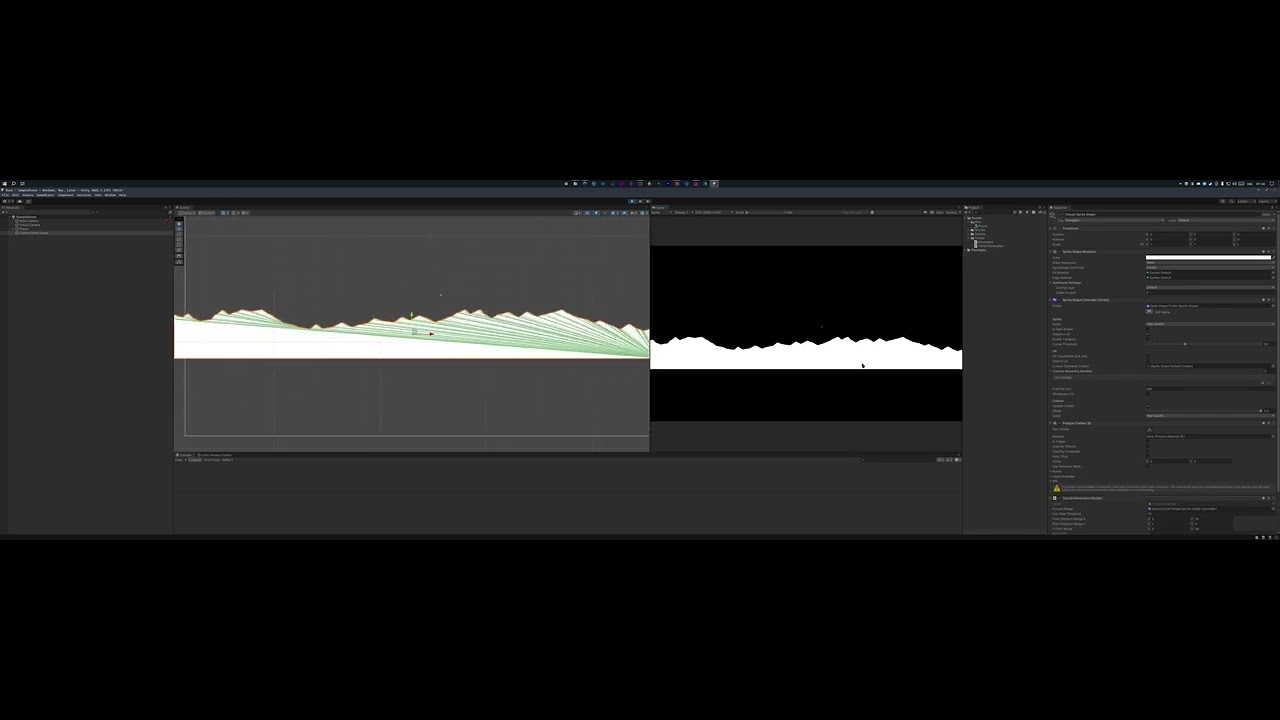
Hi, I wrote a simple Dune-like terrain generation.
It is based off of a closed sprite shape and it works semi-fine.
There is a huge issue tho.
I can't determine exactly when, but it seems that if a player is going too fast? or a camera is quite distant from the shape it just disappears for some time.
It also happened that the fill and collider were gone but outline was still there but that was only once.
I disabled c# tessellation since that seemed to cause the issue even more often but I can't figure out why it's happening rn.
Here's the code I wrote and thanks in advance!
pulsar lodge
teal viper
It doesn't matter where and how you call this method. What matters is what you d...
Well, it "should" and by should i mean i want it to lol, run SetData method which passes the PlayerUnit2.Character Object, Thats creating the object from the Setup Method on the battle unit script, which should pass data from _base pulling from the CharacterBase script which is where the character is set up here. (screenshot)

Clearly i've messed something up along the route.
umbral bough
umbral bough
Hi, I wrote a simple Dune-like terrain generation.
It is based off of a closed s...
I am assuming that the picture of the inspector could be useful so here:
 teal viper
pulsar lodge
Well, it "should" and by should i mean i want it to lol, run SetData method whic...
teal viper
pulsar lodge
Well, it "should" and by should i mean i want it to lol, run SetData method whic...
Just try reading these 4 lines and explain what they do:
char1Name.text = character.Base.Name;
        char2Name.text = character.Base.Name;
        char3Name.text = character.Base.Name;
        char4Name.text = character.Base.Name;
Hmm… i am completely lost here. I need to track it down ):
What would you look for in this case?
teal viper
glad pecan
Hmm… i am completely lost here. I need to track it down ):
My guess is that you're doing something extremely horrifying in the scene. Specifically with ui.
glad pecan
Yeah it comes from the UI. This is not my code so I am quite lost..
pulsar lodge
I mean, i get that its passing the same object's name into each of the text fields. Do you think this would be fixed by making my Character object a list and store them, that way i can reference Character[0].base.Name?
teal viper
glad pecan
Yeah it comes from the UI. This is not my code so I am quite lost..
It doesn't have to be code. It could be the setup in the scene.
glad pecan
I see. Appreciate your help!
teal viper
pulsar lodge
I mean, i get that its passing the same object's name into each of the text fiel...
Ok, so you understand what the problem is. The solution would be not to assign the same character to every ui element. Only to those that correspond to it's index.
teal viper
glad pecan
I see. Appreciate your help!
If you need proper help, maybe share some of you setup details.
umbral bough
umbral bough
Hi, I wrote a simple Dune-like terrain generation.
It is based off of a closed s...
bump
teal viper
umbral bough
bump
Maybe share a video of the issue too
umbral bough
teal viper
Maybe share a video of the issue too
it happens towards the end of the vid, you can skip if you want:
https://www.youtube.com/watch?v=VlWAhIt8Wns
 sacred yoke
Here is a small video of the problem and a picture of the currnet script. There is no code beyond the comments to note, and this still doesnt work. Is there any other things that could be causing a problem? The video showccases the attempt to rotate the hip and the small jiggle it does when I press D and A
 ivory bobcat
sacred yoke
Here is a small video of the problem and a picture of the currnet script. There...
ivory bobcat
sacred yoke
Here is a small video of the problem and a picture of the currnet script. There...
Nothing happens in the video. Are you not the owner?
sacred yoke
watch the footage very closely the foot is jiggling
I believe the animator is constantly resetting the transformation
ivory bobcat
The feet wiggled a bit. Is that what you're trying to rotate?
sacred yoke
It's on the very root of the model

and I dont think I have an animation attached to the transform. It's just the .rotate function
 languid spire
sacred yoke
It's on the very root of the model
languid spire
sacred yoke
It's on the very root of the model
you should not be using the transform to rotate. Use rigidbody.MoveRotation
umbral bough
umbral bough
Hi, I wrote a simple Dune-like terrain generation.
It is based off of a closed s...
bump
sacred yoke
Does this seem about right?
 eternal needle
sacred yoke
Does this seem about right?
eternal needle
sacred yoke
Does this seem about right?
what is previousMovementInput? at first glance, this looks you'll get a value that fluctuates due to Time.deltaTime instead of continually rotating along the x axis
sacred yoke
It comes from the input readed from the input action component provided by Unity.


 umbral bough
Hi, I wrote a simple Dune-like terrain generation.
It is based off of a closed s...
umbral bough
umbral bough
Hi, I wrote a simple Dune-like terrain generation.
It is based off of a closed s...
anyone?
eternal needle
sacred yoke
It comes from the input readed from the input action component provided by Unity...
share !code in the format described under. Also this still doesnt really tell me what previousMovementInput is. Like what range of values do you get? Your rotation code doesnt seem to be using the previous rotation of the player and im not sure that this input is storing large enough values so that your xRotation could be 0 to 360. So what i said above might be true, that you get an object that'll fluctuate between some values due to Time.deltaTime
eternal falconBOT
Posting code
📃 Large Code Blocks
Use links to services like:
https://gdl.space/, https://paste.ofcode.org/, https://hatebin.com/, https://paste.myst.rs/, https://hastebin.com/
📃 Inline Code
Surround code with three backquotes. Not quotation marks.
To format as C#, add cs to the first line:
```cs
// Your code here
```
Add a comment with a line number if there is an error message.
 craggy ledge
Hello, i was converting a movement script with the built-in character controller from this https://docs.unity3d.com/ScriptReference/CharacterController.Move.html , to a state machine from here https://www.youtube.com/watch?v=qsIiFsddGV4 . There are 2 things that i want to ask
- When it transitions to the jump state, it immediately go back to idle state, does anyone know where the problem is and how to fix it? i think there is a split second it is still grounded so it goes back to idle state but i don't know how to fix it without changing the abstract class
- There is a delay when i want to jump using the state machine version compared to the non-state machine version where it is all smooth, does anyone know what is happening?
the code is here https://gdl.space/desotukixa.m
thank you 🙏
sacred yoke
https://hatebin.com/alqeekcqkd Here is the code for the script, and an image of the input reader I used. I believe it gets a Vector2 everytime an arrow key is pressed.
 umbral bough
Hi, I wrote a simple Dune-like terrain generation.
It is based off of a closed s...
umbral bough
umbral bough
Hi, I wrote a simple Dune-like terrain generation.
It is based off of a closed s...
please
 runic lotus
hey guys i have some c# scripts that do certain actions (one for whiteboard so you can draw on it, one for marker so it can draw, etc..), how can i do this in visual scripting? is there a way I can call these same scripts in there ?
 upper igloo
How do people write class-based state machines without enums?
 fossil drum
runic lotus
hey guys i have some c# scripts that do certain actions (one for whiteboard so y...
fossil drum
runic lotus
hey guys i have some c# scripts that do certain actions (one for whiteboard so y...
#763499475641172029 can probably help you
eternal needle
upper igloo
How do people write class-based state machines without enums?
A simple example is just declaring an abstract class that has an enter, update, and exit method. Then any class inheriting from this abstract class implements functionality. For example in a MoveState, you can pass in the transform, then on update (your own update, not monobehaviour's) you move the object.
The state machine would store which state is currently active and call update on it (whether you choose that to be every frame or whatever fixed duration). State machine would handle changing states, while calling the enter/exit method.
upper igloo
Would I need to pass the state machine as context into each state to change states? Or is there a way I could trigger a signal across some event bus to have it change state instead?
eternal needle
upper igloo
Would I need to pass the state machine as context into each state to change stat...
you wouldnt have to pass the state machine itself in, but i have seen implementations where this was done. As for your 2nd question, you can change the states however you like, but it'd still eventually be calling a method on the statemachine to say what the next state is
a state machine could be as simple as
public class StateMachine
{
    StateBase currentState;

    public void Initialize(StateBase state)
    {
        currentState = state;
        currentState.EnterState();
    }

    public void UpdateState()
    {
        currentState.UpdateState();
    }

    public void ChangeState(StateBase state)
    {
        currentState.ExitState();
        currentState = state;
        currentState.EnterState();
    }
}
Right, but how would each state tell the state machine to change states?
That's my issue  idk where to go from here in implementation without passing the whole state machine through each state (which i don't want to do)
eternal needle
upper igloo
Right, but how would each state tell the state machine to change states?
another separate class could be interacting with this. I mean this definitely could work if you do pass in the state machine itself but i feel it starts to get weird when states themselves handle transitions. If you had an IdleState, MoveState, and AttackState, all the states would have to know about each other. It gets weird if you have 2 enemies with different behaviour, lets say one goes idle -> move -> attack. Another doesnt move, it just goes from Idle -> Attack. Now you need to write some pretty awkward code in the IdleState rather than having an Enemy script that reuses the same Idle code
teal viper
umbral bough
Hi, I wrote a simple Dune-like terrain generation.
It is based off of a closed s...
I finally had some time to watch your video but it's still not entirely clear what's the issue is.
That being said, it seems like you're moving the mesh in space and very fast too. So what might be happening is a floating point error if the numbers(position) are getting too big.
upper igloo
eternal needle
another separate class could be interacting with this. I mean this definitely co...
how would you handle state transitions? the way I was thinking seems like gobbledegook at this point
eternal needle
upper igloo
how would you handle state transitions? the way I was thinking seems like gobble...
what im doing is also probably gobbledegook, i need to make mine better because making enemies with an unknown amount of AttackStates is weird. The state machine i posted above is a simplifed version of what i use
Right now I have an Enemy script (should probably rename that), which is monobehaviour. On awake it creates the idle state, move state, attack state, and state machine. then initializes state machine to idle. if anything it can see is in range, itll move to them (with unity AI). If anything is in attack range itll swap to the attack state and try using the attack. If nothings in range then just be idle.
there are definitely more advanced implementations online, but I just keep mine simple for the time being
Ive seen this recommended as well https://github.com/Inspiaaa/UnityHFSM. If its not too overkill for your needs you could probably use it
upper igloo
eternal needle
Ive seen this recommended as well <https://github.com/Inspiaaa/UnityHFSM>. If it...
for this one it seems it sets itself to a boolean (statecanexit) and a transition object with the next state set
so either way, all states will have some class know all other states
umbral bough
teal viper
I finally had some time to watch your video but it's still not entirely clear wh...
I am not really moving the mesh, I provided the script that I am using and it pretty much just generates new points for the sprite.
I should mentioned that I've tested it even further and it sometimes disappears very early on just randomly.
I literally can't figure out what exactly causes it :/
eternal needle
upper igloo
for this one it seems it sets itself to a boolean (statecanexit) and a transitio...
it lets you define transitions similar to the animator. Yea some class is going to have to know about all the possible states, but the states itself dont. the state machine knows what next states are valid. i considered using this but found it too intimidating for what I need at the moment lol
upper igloo
eternal needle
it lets you define transitions similar to the animator. Yea some class is going ...
hmmmm i'm thinking maybe i could try using its transition object logic to sorta decouple things in my code. thanks for the suggestion!
teal viper
umbral bough
I am not really moving the mesh, I provided the script that I am using and it pr...
Well, something there is definitely moving. I guess it's the camera. And the points are generated at the positions of the camera + some offset. So at some point the floating point error is gonna break shit.
Try pausing and looking at the camera position when the issue occurs. What position does it have?
umbral bough
teal viper
Try pausing and looking at the camera position when the issue occurs. What posit...
will do
solemn fractal
hey guys if in start method from a class I run a random.range(1, 10) I can get that value from another class right? because for me isnt working so far
even tho the number is being randomized in the first class first and after it i try to fetch that info but I get no value
fossil drum
Completely depends on your implementation
ivory bobcat
solemn fractal
hey guys if in start method from a class I run a random.range(1, 10) I can get t...
Show us your implementation.
gaunt ice
Are you trying to get the value in start or awake?
solemn fractal
tried both
ivory bobcat
Is it the correct reference?
gaunt ice
Initial the value in awake and get it in start
solemn fractal
I am working now but will try to post here a better explanation of how is the code in a moment
 solemn fractal
gaunt ice
Initial the value in awake and get it in start
solemn fractal
gaunt ice
Initial the value in awake and get it in start
hmm will try that
 hallow badger
I just want start working out my idea in me head to a game. Now that is hard part how put think of head in to il. Where do you need to start if you new to this. Because i want to start like 100 things at the same time.
solemn fractal
gaunt ice
Initial the value in awake and get it in start
you mean like that?
 fossil drum
hallow badger
I just want start working out my idea in me head to a game. Now that is hard par...
fossil drum
hallow badger
I just want start working out my idea in me head to a game. Now that is hard par...
Just make a Trello board, add the 100 things to it, categorize them by Must/Could/Should/Would (Moscow or whatever else categorization system you want to use), and start with the things that need to be in your game.
That's my suggestion.
hallow badger
like a mind map?
gaunt ice
is the start and awake same script?
solemn fractal
yes
gaunt ice
then you can do all the stuffs in awake
solemn fractal
As I am intantiating the class that contains the random generator first and than using an if on the other class to check should work I cant understand.
will try all on awake
still doesnt work.. well I will try more later and see what I can get.. thank you for the help tho 😄
gaunt ice
use comparetag instead of ==
solemn fractal
I will, thank you. everyone say that. never had a prob with that.. but I will start using compare instead of ==
for sure must be better as everyone say that to me
hahahah
gaunt ice
== is error prone, but the comparetag will throw if you mis type the tag
solemn fractal
hmm ok ok got it.
ivory bobcat
solemn fractal
still doesnt work.. well I will try more later and see what I can get.. thank yo...
Define doesn't work. Log the value.
Did the value change? Your critical mechanic that works with accessing the value might be what's faulty.
solemn fractal
de value is 0 on log
The critical mechanic work for the number change and color but on the enemy class where i check for the hit and double the damage doesnt work there the value of random is 0
ivory bobcat
Did you assign it zero again?
solemn fractal
yes, but after the bullet is deleted and all the checks are made.. it never goes into the if.. so its normal to be 0. So its arriving as a null and turning into 0.. must be the order of somethibng prob..
I am working now but will try later better, dont want to bother u guys more now because I can really test it further enough.. but will do it later and if the issue persist after some hours trying I will come here back. Thank you a lot for your time.-
keen dew
My guess is that you're referencing the prefab again
ivory bobcat
Why use _overhead when you can use other's critical random?
Call get component on other and use it's component instances' value instead of _overhead's value.
solemn fractal
keen dew
My guess is that you're referencing the prefab again
I guess that might be the issue.
solemn fractal
ivory bobcat
Why use _overhead when you can use `other`'s critical random?
I could do that but the random generator is not inside the other
no my bad wait
ivory bobcat
solemn fractal
I could do that but the random generator is not inside the other
If you're wanting each bullet to have different random values, it should be..
solemn fractal
I will check, sorry for the confusion guys.. I gathered all the info and will test it during lunch time soon. thank youy a lot
ivory bobcat
You'd simply need to call get component to acquire the component script instance and access the public field
solemn fractal
I will try this way now, I have a small break.

like that gives me object reference not set as an istance of object
gaunt ice
you should call getcomponent on the argument passed into the onTriggerXXXX callback
solemn fractal
ahh ok.. its wierd sometimes something like that cs [SerializeField] private Bullet _bullet; and on inspector I drag the prefab and it appear a script icon.. sometimes I do the same and instead appears the prefab icon..
Bullet here just as example
teal viper
If you drag in a prefab, it would be a prefab, if you drag an object in the scene, it would be an object in the scene.🤷♂️
ivory bobcat
With runtime instances (not in the hierarchy in the Editor), you'll need to acquire their references after they're available
They become available after they're instantiated
And that's per instance you'll need to do this with
solemn fractal
teal viper
If you drag in a prefab, it would be a prefab, if you drag an object in the scen...
I have 2 identical situations where I have cs [SerializeField] private Bullet _bullet; Bullet here just as example..that I drag prefabs on both scenarios and it gives me dif icons.. The most difficult thing so far after i dont know.. 3weeks in unity is to get all this reference stuff.. I always get problems because of that.
or I am just to dumb, that is more likely to be.
ivory bobcat
ivory bobcat
Call get component on other and use it's component instances' value instead of _...
The reasonable and less insane solution.
teal viper
It depends on what(where from) you're dragging it in. Objects in the scene outside of play mode can have a prefab icon if they are linked to a prefab. They're are still objects in the scene though.
ivory bobcat
No collision, no need to ever call get component - Start will always fire but collision might not ever happen.
solemn fractal
done 2 tests.. and that is what I get and the one with script is the one I am using to get the random value
 teal viper
Instead of paying attention to the icon, pay attention to what you're dragging and where.
solemn fractal
teal viper
Instead of paying attention to the icon, pay attention to what you're dragging a...
both cases here i dragged the prefab
ivory bobcat
And with referencing from the player, the instance will require you to have multiple variables if more than one bullet exists at any given moment.
teal viper
solemn fractal
both cases here i dragged the prefab
One is a gameObject, the other is a component 🤷♂️
solemn fractal
teal viper
One is a gameObject, the other is a component 🤷♂️
yeah but none works anyways. at least not for what I want.. I will need to think maybe other way to make that critical work.. this one is cracking my mind.. so hard sometimes to think on the logic to create simple stuff.. but as always I will get there . it will just take me more time.. today after work i will have my mind free and try again or try another logic and if I cant i post here again. thank you all
teal viper
solemn fractal
yeah but none works anyways. at least not for what I want.. I will need to think...
Probably because both are on the prefab..? I don't know the whole context and what you mean by "not working", so🤷♂️
ivory bobcat
Likely neither of them are referring to the instantiated bullet and it's instance of the component/script.
The prefab doesn't call Awake or Start so the value acquired will likely be zero
solemn fractal
ok i managed to do it.. prob not a good way.. but sometimes i think about crazy stuff that go around and around.. at least I did it.. even tho prob it is done in a hiorrible way

when I spawn the number I get the component and I add the value of the random to a variable and use that variable to check

here
and worked
ivory bobcat
Above head is already a game object so you don't need to acquire it's game object from the gameObject property
solemn fractal
I am sure my code is a mess about everything and there are 1000 ways better to do it but I am a beginner.. at least I am managing to do stuff even being a horrible mess code
solemn fractal
ivory bobcat
Above head is already a game object so you don't need to acquire it's game objec...
hmm ok.. but for now I will leave as it is.. otherwise I will try other thing.. and stuff are not yet 100% grounded in my mind about references even tho i manage already to achieve a lot in my mini game after 3 weeks.. thank you all for the patience and help
ivory bobcat
solemn fractal
I am sure my code is a mess about everything and there are 1000 ways better to d...

 velvet herald
How do I rotate an object but not at its center, but by using a specific pivot point? Does that have to be coded
Or is there a setting for it
solemn fractal
hahahahaha.... ok got it.. when I did a bootcamp 2 yeras ago.. they said to me.. there is no good prog there is prog that makes progs that work.. so he said that no matter how mess or bad .. ugly is the code if its working and with performance
ivory bobcat
velvet herald
How do I rotate an object but not at its center, but by using a specific pivot p...
 ruby python
Mornin' all,
Just curious if anyone knew how, or could point my in the right direction to get my little enemies to move in a 'hopping' motion please? (Image attached for clarity). Ideally not using a rigidbody
 ivory bobcat
Assuming you were asking a code question - this is the beginner code channel
ivory bobcat
ruby python
Mornin' all,
Just curious if anyone knew how, or could point my in the right di...
Looks like positive sine. Use the absolute value of sine?
ruby python
ivory bobcat
Looks like positive sine. Use the absolute value of sine?
I'll have a look into it thanks.
ivory bobcat
y = abs(sin(x * rad))``` pseudo codeOh cool. Thank you 🙂
 tidal sundial
Hey guys, i have this issue from morning and it would be amazing if someone could help. When I try to make second box collider on my object, I can’t see edit collider button, first one is working with no problem, no error in console or any script but I can’t reach the second edit collider button even if I delete or restart the box collider
 gaunt ice
if you are in window system, you can use the prt sc key to screen shot
teal viper
tidal sundial
Hey guys, i have this issue from morning and it would be amazing if someone coul...
You shouldn't really have several colliders on the same object anyway.
 verbal dome
teal viper
You shouldn't really have several colliders on the same object anyway.
verbal dome
teal viper
You shouldn't really have several colliders on the same object anyway.
Is this a 2D thing? Because that is absolutely fine for 3D
tidal sundial
teal viper
You shouldn't really have several colliders on the same object anyway.
Why?
teal viper
verbal dome
Is this a 2D thing? Because that is absolutely fine for 3D
It is fine, but not a great practice imho. Maybe only in case where you don't care about each individual collider.
verbal dome
Imo even worse practice is using extra gameobjects when it is not needed
But yes sometimes it is good to separate colliders if your code requires it
teal viper
I guess it's a preference thing. But then again, compound colliders are a thing for a reason.
teal viper
tidal sundial
Why?
Well, for once, because they don't seem to let you edit the collider.🤷♂️
tidal sundial
teal viper
Well, for once, because they don't seem to let you edit the collider.🤷♂️
But I was making some of my objects like this with no issue
teal viper
tidal sundial
But I was making some of my objects like this with no issue
So you say that you could edit the colliders in other cases?
With 2 or more colliders on the object
tidal sundial
To be honest I m new, just trying to learn after work few months, and the guy I was watching in tutorial teached me like this at the beginning, I've been doing this ever since I watched it. Code in flow you probably know
 shadow cave
Hey guys, I am modifying my gun script to deal damage to players. I need to reference the player object to get the health script in the Gun script. How do I do this?
tidal sundial
teal viper
With 2 or more colliders on the object
I can find and send video if u want
teal viper
tidal sundial
To be honest I m new, just trying to learn after work few months, and the guy I ...
Okay. Then no clue why that particular collider is like that.🤷♂️
gaunt ice
your gun directly references to the health script in player
eg```cs
[SerializeField]private ScriptName instance;
🫤 Thanks anyway
teal viper
tidal sundial
🫤 Thanks anyway
Might want to ask in #⚛️┃physics as it's not really a coding issue.
tidal sundial
Oh, okay, thanks 😊
wintry quarry
shadow cave
Hey guys, I am modifying my gun script to deal damage to players. I need to refe...
For a gun script typically you'd grab the reference from a Raycast or something
tidal sundial
teal viper
Might want to ask in <#497874196274348032> as it's not really a coding issue.
Oh, okay it looks like it’s because I was using unity’s old version till 2 day ago and in the new version right know you are editing all of colliders with first button 😄
gaunt ice
he said the gun will damage the player (shooter?)
maybe i misunderstood he said players
 wispy wharf
Hi Guys, why i can .text in my code ?

im making a slitch counter, and i want it to be visible
keen dew
Apparently the type of txtscore is object and not what it's supposed to be
 silk night
wispy wharf
Hi Guys, why i can .text in my code ?
silk night
wispy wharf
Hi Guys, why i can .text in my code ?
Show us the definition of txtScore
 oblique gale
why does naming your script "gameManager" changes your icon into this? unlike the other scripts
 wispy wharf
@silk night

 swift crag
oblique gale
why does naming your script "gameManager" changes your icon into this? unlike th...
swift crag
oblique gale
why does naming your script "gameManager" changes your icon into this? unlike th...
I think that's just something built into unity.
swift crag
wispy wharf
<@183382329400623104>
Your variable's type is object
it's also...internal for some reason
silk night
wispy wharf
<@183382329400623104>
why is your txtscore an internal object?
swift crag
why did you write it like this?
oblique gale
swift crag
I think that's just something built into unity.
what do you usually put in a "gameManager" anyways?
swift crag
compare this to your other variables
wispy wharf
silk night
why is your txtscore an internal object?
i dont know
swift crag
oblique gale
what do you usually put in a "gameManager" anyways?
Stuff that manages the game! 😉
silk night
you have written it 😄
swift crag
I put the really "high level" game state into it
for example, here's part of my Game Controller class
silk night
My gamemanager usually hold the references to managers that do other stuff, one "singleton" that you can access everything from
Unless im working in an ECS pattern like right now
swift crag

When you click "new game", you ask the game controller to load the default progression data, load the main game scene, additively load the starting area, and then spawn a player
The game controller is responsible for detecting switches in game state and notifying other objects about it
So when you switch from the Loading state to the Gameplay state, it tells the interface controller that it needs to start showing gameplay-related canvases
In this game, my GameController is a singleton that lives in DontDestroyOnLoad
silk night
wispy wharf
i dont know
Make it public TMP_Text txtscore;
swift crag
It is created when the game wakes up and lives until the game quits
also, check this out
using UnityEngine;

public abstract class PrefabSingleton<T> : MonoBehaviour where T : PrefabSingleton<T>
{
    private static T _instance;
    public static T Instance
    {
        get
        {
            if (_instance == null)
            {
                _instance = Instantiate(Resources.Load<T>("PrefabSingletons/" + typeof(T).Name));
            }

            return _instance;
        }
    }
}
handy way to "bootstrap" your game
wispy wharf
silk night
Make it `public TMP_Text txtscore;`
uhull tks sidia
 lethal depot
HIi , i was following one of the tutorials from youtube about player movement using cinemachine and character controller , after following it step by step i'm having trouble in player movement according to the camera , as you can see in the video when i'm pressing w to move player into camera direction it moves there successfully but when i change the camera angle to go backwards(against the edge of the plane) it still goes into forward direction(which here is the edge of plane) , pressing s key to go against edge works but the head of the player is still in the wrong direction , i don't know if it has to something with player direction or character controller or camera Here's the script attached to player public class ThirdPersonPlayerController : MonoBehaviour
{
public CharacterController controller;
public Transform cam;
public float speed = 6f;

public float turnSmoothTime = 0.1f;
float turnSmoothVelocity;
void Update()
{

    float horizontal = Input.GetAxisRaw("Horizontal");
    float vertical = Input.GetAxisRaw("Vertical");
    Vector3 direction = new Vector3(horizontal, 0f, vertical).normalized;

    if(direction.magnitude>=0.1f)
    {
        float targetAngle=Mathf.Atan2(direction.x, direction.z)*Mathf.Rad2Deg+cam.eulerAngles.y;
        float angle = Mathf.SmoothDampAngle(transform.eulerAngles.y, targetAngle, ref turnSmoothVelocity,turnSmoothTime);
        transform.rotation = Quaternion.Euler(0f, angle, 0f);


        controller.Move(direction * speed * Time.deltaTime);

    }
}
}
silk night
lethal depot
HIi , i was following one of the tutorials from youtube about player movement u...
!code
eternal falconBOT
Posting code
📃 Large Code Blocks
Use links to services like:
https://gdl.space/, https://paste.ofcode.org/, https://hatebin.com/, https://paste.myst.rs/, https://hastebin.com/
📃 Inline Code
Surround code with three backquotes. Not quotation marks.
To format as C#, add cs to the first line:
```cs
// Your code here
```
Add a comment with a line number if there is an error message.
swift crag
for that much, use a paste site
Just glancing at that, though, I would suggest not doing the triginometry yourself
Unity can handle all of this math for you
wispy wharf
@silk night last help please, i fixed last error, but now.

 silk night
you need to drag the text you want to change into the field in the inspector
rich adder
damm you still didn't solve this from yesterday? @wispy wharf
you outta go through some c# basics
wispy wharf
silk night
you need to drag the text you want to change into the field in the inspector
It worked, thank you very much
@rich adder There always have to be annoying people like you, I come from other languages, and @silk night is very willing to help everyone here, if you don't want to help, just try not to get in the way and not demotivate those who are starting out, ok? as the room already says, beginner.
silk night
wispy wharf
<@968604165150507078> There always have to be annoying people like you, I come f...
No, he is right, he is not trying to demotivate you, he is trying to direct you to the right resources, the task you just asked help about was unity 101 that every first tutorial should teach you
rich adder
wispy wharf
<@968604165150507078> There always have to be annoying people like you, I come f...
Mate I was trying to help you yesterday , Telling someone to go through the basic courses is not something you should take offense. Its a legitamate suggestion.
when code editor was telling you something isn't found or exist/ that is part of knowing the basics which is accessing other fields in other classes 🤷♂️ also understanding why the editor is telling you what its telling you
wispy wharf
Thank you all.
 rare rain
https://www.youtube.com/watch?v=YUIohCXt_pc
i was following this tutorial for making a tooltip (with slight modifications) and ever since i've changed my canvas resolution im having trouble to position the tooltip correctly.
i've set my canvas's reference resolution to 640x360 and for some reason the UI transform.position of the UI element i hover on is given in very small numbers (something like (8, 0.2) despite being towards the middle of the screen). when i convert that to screen coordinates i get coordinates to the scale of my screen's resolution which is 1920x1080. how can i correctly convert those coordinates to the canvas coordinates in order to show the tooltip correctly?
swift crag
Is your canvas set to "Screen Space - Camera" or "World"?
rich adder
rare rain
https://www.youtube.com/watch?v=YUIohCXt_pc
i was following this tutorial for m...
show you current code ?
also SS inspectors for yeah canvas and such
dude said write clean code, uses transform.find

using hierarchy names in code 👎
rare rain
swift crag
Is your canvas set to "Screen Space - Camera" or "World"?
1st image is canvas, second is object in UI heirarchy im testing on.
code for tooltip:
        public void ShowTooltip(string text, Vector3 position)
        {
            gameObject.SetActive(true);
            SetText(text);
            rectTransform.anchoredPosition = (position / canvasRectTransform.localScale.x) + new Vector3(1, 0, 0);
        }
position is the tranform.position i give from the object itself

 rich adder
rare rain
1st image is canvas, second is object in UI heirarchy im testing on.
code for t...
rich adder
rare rain
1st image is canvas, second is object in UI heirarchy im testing on.
code for t...
also is the camera propsective or orthographic ? not sure it matters on UI
but might
rare rain
orthographic
oblique gale
I'm trying to do an encapsulation for the game stats, but I'm getting this error. I don't understand what's the problem


 rich adder
oblique gale
I'm trying to do an encapsulation for the game stats, but I'm getting this error...
rich adder
oblique gale
I'm trying to do an encapsulation for the game stats, but I'm getting this error...
whatever you're trying to use on line 44 in Start() of timeManager is Null
so you can't use something that isn't there
formal escarp
Hey guys, anyone here knows how to make it so when i click on something (with my raycast) a sounds plays?
rich adder
formal escarp
Hey guys, anyone here knows how to make it so when i click on something (with...
well yeah , but what do you have so far and what you need help with.?
oblique gale
rich adder
whatever you're trying to use on line 44 in Start() of `timeManager` is Null
It's not null tho
 rich adder
oblique gale
It's not null tho
rich adder
oblique gale
It's not null tho
mate which one is line 44
you cut off the lines
none of these are the Start method
so its prob wrong script
oblique gale
rich adder
mate which one is line 44
 formal escarp
rich adder
well yeah , but what do you have so far and what you need help with.?
formal escarp
rich adder
well yeah , but what do you have so far and what you need help with.?
I have a basic raycast script but it only works to kill objects with the tag "enemy"
i can send it here if you wanna check it out.
rich adder
oblique gale
ok so gameStat is null
oblique gale
how?
rich adder
oblique gale
how?
show where you grab gameStat
oh wait its above
im blind
so does this script have GameManager script on the gameobject ?
rare rain
is it gameManager or GameManager?
oblique gale
I found my error XD
rich adder
a copy ?
oblique gale
 formal escarp
using System.Collections;
using System.Collections.Generic;
using UnityEngine;

public class ControlJugador : MonoBehaviour
{
    public float rapidezdesplazamiento = 12.0f;
    public Camera camaraPrimeraPersona;
    void Start()
    {
        Cursor.lockState = CursorLockMode.Locked;
    }


    void Update()
    {
        float movimientoAdelanteAtras = Input.GetAxis("Vertical") * rapidezdesplazamiento;
        float movimientoCostados = Input.GetAxis("Horizontal") * rapidezdesplazamiento;

        movimientoAdelanteAtras *= Time.deltaTime;
        movimientoCostados *= Time.deltaTime;

        transform.Translate(movimientoCostados, 0, movimientoAdelanteAtras);

        if (Input.GetKeyDown("escape"))
        {
            Cursor.lockState = CursorLockMode.None;
        }
        if (Input.GetMouseButtonDown(0))
        {
            Debug.Log("hagoclick");
            Ray ray = camaraPrimeraPersona.ViewportPointToRay(new Vector3(0.5f, 0.5f, 0));
            RaycastHit hit;
            if (Physics.Raycast(transform.position, transform.TransformDirection(Vector3.forward), out hit, 50))
            {
                Debug.DrawRay(transform.position, transform.TransformDirection(Vector3.forward) * 50, Color.green);
            }
            if ((Physics.Raycast(ray, out hit) == true) && (hit.distance < 5) && hit.collider.tag == "Enemigo")
            {

                GameObject objetoTocado = GameObject.Find(hit.transform.name);
                Enemigo scriptObjetoTocado = (Enemigo)objetoTocado.GetComponent(typeof(Enemigo));
                if (scriptObjetoTocado != null)
                {
                    scriptObjetoTocado.Recibirdaño();
                }
            }
        }
    }
}
I forgot to place an ADT XD
formal escarp
oop
rich adder
oblique gale
I forgot to place an ADT XD
ADT?
btw try to avoid GetComponent and use Inspector serialization instead
oblique gale
rich adder
btw try to avoid GetComponent and use Inspector serialization instead
how do you do that?
rich adder
oblique gale
how do you do that?
you already did it [SerializeField]
just drag component in the inspector
there is almost never a need for GetComponent for init
oblique gale
rich adder
you already did it `[SerializeField]`
can I also do that for- ohh..... ohhhh
rich adder
just causes hitches and headaches because you never know if its assigned or not by quick glance
formal escarp
formal escarp
```cs
using System.Collections;
using System.Collections.Generic;
using UnityEng...
@rich adder sorry for the ping bro, but this is the code i have for the raycast.
oblique gale
rich adder
just causes hitches and headaches because you never know if its assigned or not ...
yeah just realized that XD man love you so much ahahahahhahah why didn't I thought of that
rich adder
formal escarp
<@968604165150507078> sorry for the ping bro, but this is the code i have for th...
im reading it
which part confuses you? where to add it or ?
formal escarp
rich adder
which part confuses you? where to add it or ?
Where to add it and how 💀
I never did a play on raycast.
rich adder
I mean you already doing other stuff in Raycast, playing sound is not that much different
depend where your sound source is from
 zealous bramble
пон
formal escarp
My best guess would be in line 48? and maybe with an "if"?
rich adder
formal escarp
My best guess would be in line 48? and maybe with an "if"?
what kind of sound are you trying to play when you click something
rich adder
No I mean what FX you trying to play exactly
formal escarp
I apologize, i dont know what that means.
rich adder
like a shoot sound, a hit sound ?
 autumn tusk
i dont understand why this cam function isnt working
 rich adder
autumn tusk
i dont understand why this cam function isnt working
rich adder
autumn tusk
i dont understand why this cam function isnt working
because cam is underlined red
autumn tusk
does cam not exist anymore in my version of unity?
rich adder
therefore it cannot find it
oblique gale
rich adder
just causes hitches and headaches because you never know if its assigned or not ...
man my error is gone after removing the get component for gameStat
rich adder
oblique gale
man my error is gone after removing the get component for gameStat
yeah you probably were overriding the inspector with a blank one
GetComponent looks for the script ON This script's object
if you don't specify where to look
oblique gale
rich adder
GetComponent looks for the script ON This script's object
ooooh so that's why
rich adder
formal escarp
like, when you interact and the player says something.
can you send the code https://hatebin.com
tell me which line is interaction
if this is doing other things than interacting like shooting then you should make a separate script just for interact
formal escarp
rich adder
can you send the code https://hatebin.com
oh. never seen this before.
rich adder
formal escarp
oh. never seen this before.
yes its posted here
!code
eternal falconBOT
Posting code
📃 Large Code Blocks
Use links to services like:
https://gdl.space/, https://paste.ofcode.org/, https://hatebin.com/, https://paste.myst.rs/, https://hastebin.com/
📃 Inline Code
Surround code with three backquotes. Not quotation marks.
To format as C#, add cs to the first line:
```cs
// Your code here
```
Add a comment with a line number if there is an error message.
rich adder
GameObject objetoTocado = GameObject.Find(hit.transform.name);
this is like wildly not needed
you already have hit.gameObject
no need for expensive .FInd
formal escarp
Really?
rich adder
yes really
hit returns all the information of the collider it hit
you're looking for same gameobject by name on the gameobject you hit
formal escarp
when i do delete the GameObject objetoTocado line the code breaks tho D:
rich adder
because you deleted objetoTocado then it cant use it
nvm you dont even use it anywher
rich adder
oh wait
formal escarp
💀
rich adder
(Enemigo)objetoTocado.GetComponent(typeof(Enemigo)); why lol
delete this , send link please
formal escarp
rich adder
`(Enemigo)objetoTocado.GetComponent(typeof(Enemigo));` why lol
okay
rich adder
is annoying to scroll to a discord message just to read a line
rich adder
yes thx
rich adder
formal escarp
https://hatebin.com/afslwcydmj
 if ((Physics.Raycast(ray, out hit)) && (hit.distance < 5))
            {
                if(hit.collider.TryGetComponent(out Enemigo enemy))
                {
                    enemy.Recibirdaño();
                }
}```you have a tag check and then you checkfor the component
formal escarp
That´s bad?
formal escarp
oh.
rich adder
if you already need to look for the component then check for that directly
the component is like the tag but better
Enemigo is a component
if you want that specifically then the tag is redundant
formal escarp
Game objects = Component?
formal escarp
oh alright
rich adder
Enemigo is not a game object but a type
formal escarp
I think im getting it now
rich adder
in unity any monobehavior is a component
formal escarp
okay
rich adder
ok so now you see what you can do ? back to the Audio Problem
swift crag
Game objects have components.
formal escarp
maybe a void with collision enter?
swift crag
that's what you see in the inspector when you click on an object
wintry quarry
formal escarp
maybe a void with collision enter?
They're called "functions" or "methods", not "voids".
rich adder
formal escarp
maybe a void with collision enter?
is that how you interact with your thing? by collision?
swift crag
void is the return type of your method, which means it returns nothing
formal escarp
rich adder
is that how you interact with your thing? by collision?
No. With raycast.
swift crag
int GivesAnInt() { return 3; }
float GivesAFloat() { return 1.5f; }
void GivesNothing() { }
so why would you use OnCollisionEnterlol
formal escarp
but i could lower the range of the raycast.
wait so wait.
New Script for the sound play.
rich adder
yes distance check should be INSIDE the physics
formal escarp
that first right?
rich adder
depends, if you just want audio source on your player then just reference that and just do .PlayOneShot or w/e
it depends where you want the sound to come from
formal escarp
Lets say, the player walks to a counter and the raycast hit the counter.
and sound comes out from player.
because it says something.
rich adder
yes so audiosource should just be on your player
for now
ideally you'd have a sound manager object
swift crag
if the player is making the sound, then it sounds pretty reasonable for the audio source to be on the player
rich adder
[SerializeField] private AudioSource soundPlayer
ideally in separate script if you want to have SerializeField] private Audioclip interactSound
formal escarp
I have 2 sounds in my game, one being a static object which repeats the sound always, and a sound that is like footsteeps and is on the player.
rich adder
the more sounds you add the more fields you need
formal escarp
rich adder
ideally in separate script if you want to have `SerializeField] private Audiocli...
man my brain is going to melt when im done with this
swift crag
don't get ahead of yourself, though
start by just detecting when you want to play a sound
you can worry about playing it once that works
put Debug.Log("Time to play a sound!"); in your code and then make sure that, when you walk into an object, you see that get printed to the console
rich adder
rich adder
```cs
if ((Physics.Raycast(ray, out hit)) && (hit.distance < 5))
{
...
btw change your raycast to have distance checks only for enemy if thats what its only for.
this way your raycast works further for other stuff
if ((Physics.Raycast(ray, out hit)) )
            {
                if(hit.collider.TryGetComponent(out Enemigo enemy) && hit.distance < 5) // dist check only care if its enemy
                {
                    enemy.Recibirdaño();
                }
}```man
my brain sure is going to melt 💀
im going to try and do allthat and come back in a few hours.
rich adder
raycast interaction isn't an easy topic
formal escarp
or minutes not sure how much it should take me.
rich adder
formal escarp
or minutes not sure how much it should take me.
just start small like Fen suggested
dont change any code yet if it confuses you
formal escarp
rich adder
dont change any code yet if it confuses you
IT DOES 😭
rich adder
formal escarp
IT DOES 😭
well yeah might need refresh in the code department 😛
formal escarp
rich adder
well yeah might need refresh in the code department 😛
i failed already 2 unity exams by one point in college i wanna die.
rich adder
wish my college had unity
 modest dust
You guys have unity exams?
rich adder
we had windows XP
formal escarp
modest dust
You guys have unity exams?
Yes.
modest dust
I wish I had these too
formal escarp
wait b4 i go
then i make a new script to make it so it detects the hit im guessing and allat bc otherwise my code is going to be even more sloppy
and sloppy/messy code is no good.
rich adder
modest dust
I wish I had these too
yeah in my school they taught us how to use Office.. Fun
rich adder
formal escarp
then i make a new script to make it so it detects the hit im guessing and allat ...
yes this is a wise decision
formal escarp
i have a theory that implies my college teacfher is an alcoholic.
but thats for another day.
rich adder
although you can make 1 raycast script that other scripts only receive event of a hit and then they process is their own way