#💻┃code-beginner
1 messages · Page 35 of 1
 swift crag
i don't know what log statements you added
i would also want to see the code that actually checks if you pushed the "c" key
the code you shared doesn't appear to do that.
 open vine
Hey does anyone know how people usually handle ammo using scriptableObjects? I set the max ammo and and the current ammo as variables in the scriptableObject but decreasing the current ammo in the scriptable Object changes the value even after the play session. I thought about setting the current ammo as a variable in the weapon controller but it doesnt keep the data when switching weapons.
 lusty socket
the code above is the entire code from the video i followed it just said to add it as an axis in the project manager
this is the change i made

the debug
swift crag
Nowhere in your code do you check if the "C" key is pressed. Of course it doesn't do anything when you press C!
swift crag
open vine
Hey does anyone know how people usually handle ammo using scriptableObjects? I s...
In the editor, the SO object will only unload when nothing is left referencing it
it'll persist from play session to play session
I would suggest not storing mutable data in there.
Just store the configuration for the weapon. You should have a Weapon component that actually holds the current amount of ammo in the weapon
So the WeaponData ScriptableObject would have max ammo, damage, color, projectile speed...
and the Weapon component would have current ammo, time until next shot, etc.
lusty socket
swift crag
Nowhere in your code do you check if the "C" key is pressed. Of course it doesn'...
where would you add the c press code, inside the void move or at the top, also what is the correct code to type to make the void move begin ? thankyou
swift crag
well, you would use something like Input.GetKey(KeyCode.C) to decide if "C" is being held
perhaps you could assign that into crouchPressed
 formal escarp
I have a question. I have this code to make it so if timer reaches 0 the games restarts, and i have also (in another script) that when i press R the game restarts. The second works, but this one right here it does not. im unsure on what im doing wrong
using System.Collections;
using System.Collections.Generic;
using UnityEngine.SceneManagement;
using UnityEngine;

public class ControlJuego1 : MonoBehaviour
{
    public GameObject personaje;
    public GameObject bot;
    private List<GameObject> listaEnemigos;
    float tiempoRestante;

    void Start()
    {
        ComenzarJuego();
    }

    void Update()
    {
        if (tiempoRestante == 0)
        {
            ComenzarJuego();
        }
    }

    void ComenzarJuego()
    {
        SceneManager.LoadScene("facu parcial 1");
        StartCoroutine(ComenzarCronometro(10));

    }

    public IEnumerator ComenzarCronometro(float valorCronometro = 10)
    {
        tiempoRestante = valorCronometro;
        while (tiempoRestante > 0)
        {
            Debug.Log("Restan " + tiempoRestante + " segundos."
                      + " Se reiniciará el juego");
            yield return new WaitForSeconds(1.0f);
            tiempoRestante--;
        }
        ComenzarJuego();
    }
    private void LateUpdate()
    {
        SceneManager.LoadScene("facu parcial 1");
    }
}
The way I did it is in my Inventory manager I would instantiate the model based on the currentWeapon SO data. Then I would destroy the model when switching weapons. Is this bad practice? Should I instead attach a Weapon script and set the variables to the weapons SO and set them inactive when switching
swift crag
That sounds great. Just put the data that changes on the prefab you spawn.
so the prefab would have a Weapon component on it
 timber tide
formal escarp
I have a question. I have this code to make it so if timer reaches 0 the games r...
timber tide
formal escarp
I have a question. I have this code to make it so if timer reaches 0 the games r...
Does your debug not show it ticking down? Looks fine to me
swift crag
And that component would reference the WeaponDefinition SO
formal escarp
timber tide
Does your debug not show it ticking down? Looks fine to me
I do not have anything visual to make it so "it hits 0" i just use the phone timer 💀
Because i wanna make sure it works first before making it fancy and putting a timer (bc i dont know how to)
timber tide
Well, the visual is it restarting the scene, does it not?
formal escarp
It does not reset the scene after 10 seconds passed.
It does reset when i press R tho. (i have a script for that)
timber tide
            Debug.Log("Restan " + tiempoRestante + " segundos."
                      + " Se reiniciará el juego");```
Does this print out at all, and does it tick down?also
    private void LateUpdate()
    {
        SceneManager.LoadScene("facu parcial 1");
    }```
Probably not the best ideanope.
formal escarp
timber tide
also
```cs
private void LateUpdate()
{
SceneManager.LoadScene("f...
bad idea?
timber tide
Well, throw some logging before starting the coroutine and see if you even reach it.
timber tide
formal escarp
bad idea?
 open vine
swift crag
And that component would reference the WeaponDefinition SO
open vine
swift crag
And that component would reference the WeaponDefinition SO
Just tried it out, works great thanks!
swift crag
That’s how I’ve done items in a little soulslike game
formal escarp
timber tide
Well, throw some logging before starting the coroutine and see if you even reach...
ok something odd happen
i forgor to attach it to the empty object which i called "GameManager" when i did the game restarts at 0 seconds.
timber tide
formal escarp
bad idea?
^
 summer stump
formal escarp
oh. because of that?
summer stump
formal escarp
oh. because of that?
LateUpdate runs every frame (later than Update, which also runs every frame). So yeah, calling LoadScene EVERY FRAME is not a great idea.
formal escarp
summer stump
LateUpdate runs every frame (later than Update, which also runs every frame). So...
ooohh
 sharp bloom
Trying to create something that constantly rotates back and forth in specified angle

This works somewhat...but if I set the rotation rate too high it breaks
swift crag
you should use >= and <=, not ==
sharp bloom
I assume it's because of my rounding thing
swift crag
you might miss the limit entirely
sharp bloom
swift crag
you should use `>=` and `<=`, not `==`
Well wasn't that an easy solution lol. Thanks.
swift crag
You can get rid of that rounding
well, truncating
ah, I'm wrong there! Convert.ToInt32 rounds the float.
int angleInt = (int) currentAngle; would truncate
sharp bloom
swift crag
You can get rid of that rounding
Yeah I figured it wasn't the right solution. Like you said it would sometimes allow the rotation to go past the limit.
sharp bloom
sharp bloom
Trying to create something that constantly rotates back and forth in specified a...
But now I have a different problem...sometimes it gets "stuck" at the upper or lower limit for a couple of seconds

Where as I would expected this 90 degree arc for example, constantly
 timber tide
pretty
swift crag
Try logging currentAngle. It might not be doing what you expect
notably, euler angles can abruptly change (on all three axes!)
to see this for yourself, spawn a cube
set its X rotation to 90
then give it a tiny rotation around the Z axis (the blue circle)
do this in Global mode
end result: both Y and Z abruptly jump to 90

I prefer to directly compute the rotation I want
For example:
transform.rotation = Quaternion.AngleAxis(angle, Vector3.forward);
 sour fulcrum
oh does changing global-local setting in the scene view change what you see in transform inspectors too?
swift crag
This will set the transform's rotation to be spun angle degrees around hte Z axis
swift crag
sour fulcrum
oh does changing global-local setting in the scene view change what you see in t...
No, it's just necessary to get this exact effect
although, actually
you can leave it on Local and then spin around the Y axis (green)
 eternal needle
sour fulcrum
oh does changing global-local setting in the scene view change what you see in t...
eternal needle
sour fulcrum
oh does changing global-local setting in the scene view change what you see in t...
what you see in inspector is always local i believe
swift crag
same difference
sour fulcrum
eternal needle
what you see in inspector is always local i believe
yeah figured. was dealing with local vs world shit last couple days and would have been mad haha
a little toggle in the transform component would actually be kinda neat though
swift crag
swift crag
```cs
transform.rotation = Quaternion.AngleAxis(angle, Vector3.forward);
```
Mathf.PingPong sounds useful here
Mathf.PingPong(Time.time * 45, 90)
this will go up to 90, then down to 0, then back up
moving at 45 per second
so, perhaps...
transform.rotation = Quaternion.AngleAxis(-45 + Mathf.PingPong(Time.time * 45, 90), Vector3.forward);
Oh, if only I knew that method existed before
swift crag
i've never actually used PingPong before
I do use Repeat sometimes
similar vibe, but it just goes up to the limit and then snaps back to 0
You could also do this
Mathf.Lerp(-45, 45, Mathf.PingPong(Time.time, 1));
90 degrees per second, between -45 and 45
sharp bloom
sharp bloom
Oh, if only I knew that method existed before
I could have replaced this with that... (rotation speed that goes up and down)
 timber tide
Ya making like a touhou game?
sharp bloom
Yes xd
timber tide
I remember someone doing the projectiles via animator. Looked pretty legit.
Mostly because there's some real tricky designs for some projectile waves.
Oh hey toonic was doing it
sharp bloom
I'm not really too interesting of using too much trigonometry and such to create the bullet waves
I just have "spawners" that spin and move in interesting ways
And spew out bullets in various rates
timber tide
Yeah, I've made some controller purely out of trig functions and stuff. It's very possible to create a unique system of bullets once you start pasting it all together.
mix in with spawners and such
Only problem though is it's a little harder to control compared to something like the animator. Not that touhou was ever fair ;)
sharp bloom
https://www.youtube.com/watch?v=GDs3QEbV_l0 I want to create something like this guy made in GameMakerStudio
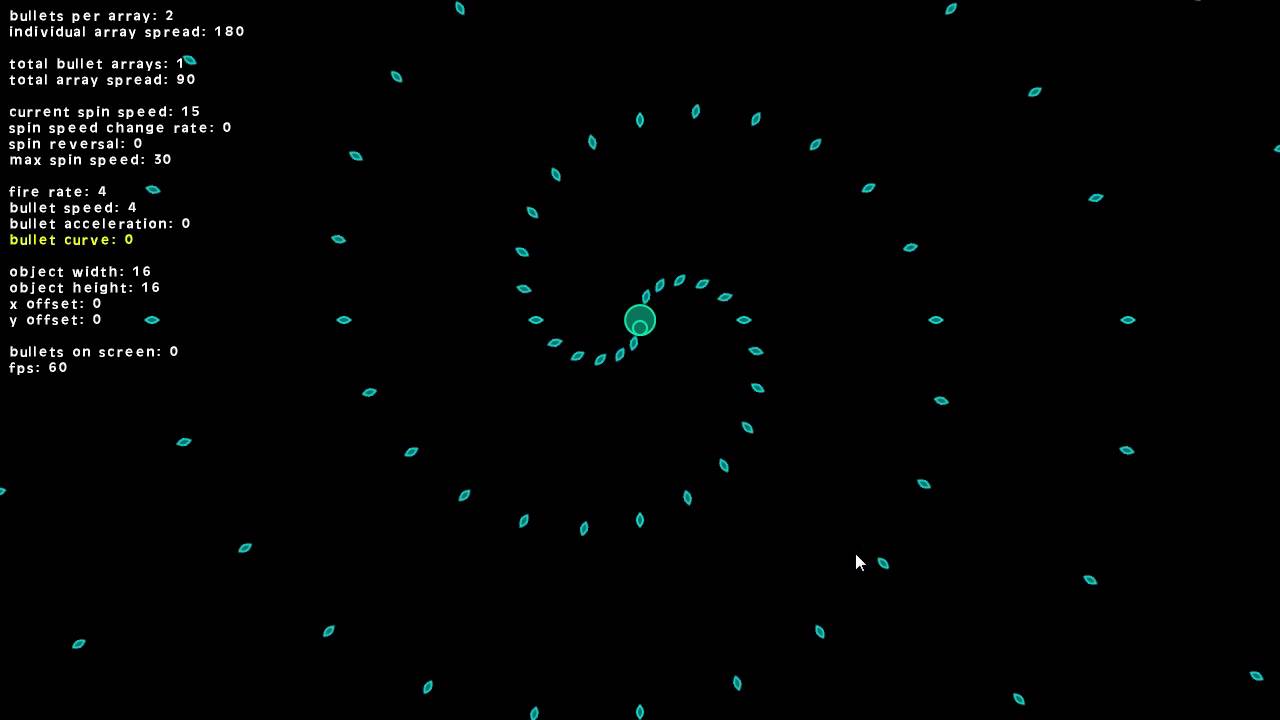
Thanks to some feedback I've received, I have added a couple new options to he Bullet Hell Pattern Generator script.
I've also added a couple test objects to the package so you can easily see how the scripts are implemented.
Check out Bullet Hell Pattern Generator on the Marketplace - https://marketplace.yoyogames.com/assets/1477/bullet-hell-p...
timber tide
You've also got stuff like animation curves if you want to say slow down or accelerate over a lifetime
or even reverse the projectile entirely midway
makign curves with angular velocity
Pretty useful. You can throw them on like SOs and play around with the curve
I guess technically it's a mini animator ^^
but any value over time
swift crag
i wouldn't call it an animator
timber tide
you can grab that value right from it
swift crag
it just lets you define a curve and then evaluate it at any time you want
definitely useful, though (although the curve editor is...dated)
I always miss Blender's curve editing.
timber tide
Yeah, true it's just a curve. It is called animationCurve though so I'm just going with it haha
 queen adder
this is less of code but anyone know why a preview wuold turn 2d?
 formal escarp
I still cant seem to make it work. It instantly resets however, i do get in the console the countdown, although it says "130... 129..." it sends all debugs in less than a second.
using System.Collections;
using System.Collections.Generic;
using UnityEngine;
using UnityEngine.SceneManagement;

public class ControlJuego1 : MonoBehaviour
{
    public GameObject personaje;
    public GameObject bot;
    private List<GameObject> listaEnemigos;
    float tiempoRestante;

    void Start()
    {
        ComenzarJuego();
    }

    void Update()
    {
        if (tiempoRestante == 0)
        {
            ComenzarJuego();
        }
    }

    void LateUpdate()
    {
        transform.Translate(1000, Time.deltaTime, 1000);
    }

    void ComenzarJuego()
    {
        tiempoRestante = 6000;
        while (tiempoRestante > 0)
        {
            Debug.Log("Restan " + tiempoRestante + " segundos."
                      + " Se reiniciará el juego");
            tiempoRestante--;
        }
        SceneManager.LoadScene("facu parcial 1");
    }
}
im losing my mind
swift crag
a while loop will repeat its body until the condition is false
so tiempoRestante-- will run over and over and over
formal escarp
So i kill it 😡
swift crag
what do you want your game to do?
formal escarp
swift crag
what do you want your game to do?
To have a timer wo shen it reaches 0 it resets the level
I have a script that when i press R it restarts.
swift crag
you should subtract Time.deltaTime from a timer every frame
when the timer gets to 0, restart
float delay = 10f;

void Update() {
  delay -= Time.deltaTime;
}
alrighty. let me try it and brb
 zealous geode
Hello, im having an issue.
        player = GameObject.Find("Player");
        PlayerMov playerscript = (PlayerMov)player.GetComponent(typeof(PlayerMov)); //Agarro el script del jugador.
        reachIM1 = playerscript.IM1_On;

        if (reachIM1 == true)
        {
            transform.LookAt(player.transform);

            missilespawn = firepoint.transform.position;

            missile = Instantiate(missileModel, missilespawn, Quaternion.identity);

            missile.transform.LookAt(player.transform);

            Vector3 playerDirection = (player.transform.position - missile.transform.position).normalized;

            missile.transform.Translate(playerDirection * missileSpeed * Time.deltaTime);

            Destroy(missile, 3);


        }
I'm trying for this code to instantiate a missile (thing that actually happens) and make it move towards the player. The thing is that the missiles spawn as they should, always looking at the player, but never move. In this picture, the player is the red capsule, the enemy, is the cyan capsule. The firepoint is a cube in the rocket launcher.
 formal escarp
swift crag
```cs
float delay = 10f;
void Update() {
delay -= Time.deltaTime;
}
```
formal escarp
swift crag
```cs
float delay = 10f;
void Update() {
delay -= Time.deltaTime;
}
```
it stills restarts every frame D:
swift crag
You are probably still using a while loop.
formal escarp
swift crag
You are probably still using a while loop.
using System.Collections;
using System.Collections.Generic;
using UnityEngine;
using UnityEngine.SceneManagement;

public class ControlJuego1 : MonoBehaviour
{
    public GameObject personaje;
    public GameObject bot;
    private List<GameObject> listaEnemigos;
    float tiempoRestante;
    float delay = 100f;

    void Update()
    {
        if (tiempoRestante == 0)
        {
            ComenzarJuego();
        }
        transform.Translate(100, Time.deltaTime, 100);
        delay -= Time.deltaTime;

    }
    void Start()
    {
        ComenzarJuego();
    }
    void ComenzarJuego()
    {
        tiempoRestante = 6000;
        while (tiempoRestante > 0)
        {
            Debug.Log("Restan " + tiempoRestante + " segundos."
                      + " Se reiniciará el juego");
            tiempoRestante--;
        }
        SceneManager.LoadScene("facu parcial 1");
    }
}
Am i? D:
swift crag
Do not do that. The while loop will not stop until its condition is false.
oh, er
you're not using delay at all
timber tide
why did you change up your coroutine*. It was fine before.
swift crag
you're subtracting from it, but you never use its value to do anything
get rid of all of this stuff:
       tiempoRestante = 6000;
        while (tiempoRestante > 0)
        {
            Debug.Log("Restan " + tiempoRestante + " segundos."
                      + " Se reiniciará el juego");
            tiempoRestante--;
        }
in Update, load the scene if delay <= 0
timber tide
Oh, you just made it a basic timer loop now. Ah, that's fine too
swift crag
in fact, you can get rid of ComenzarJuego entirely
zealous geode
using System.Collections;
using System.Collections.Generic;
using UnityEngine;

public class EnemyShoot : MonoBehaviour
{
    private GameObject player;
    public bool reachIM1;
    private List<GameObject> enemyList;
    private Vector3 missilespawn;
    private GameObject missile;
    public GameObject missileModel;
    private Transform firepoint;

    private int missileSpeed = 25;

    private bool missileFired = false;
    // Start is called before the first frame update
    void Start()
    {
        enemyList = new List<GameObject>();

        enemyList.Add(this.gameObject);

        foreach (GameObject item in enemyList)
        {
            Transform enemy = item.transform;
            firepoint = enemy.Find("Firepoint").transform;
        }
    }

    // Update is called once per frame
    void Update()
    {
        player = GameObject.Find("Player");
        PlayerMov playerscript = (PlayerMov)player.GetComponent(typeof(PlayerMov)); //Agarro el script del jugador.
        reachIM1 = playerscript.IM1_On;

        if (reachIM1 == true)
        {
            transform.LookAt(player.transform);

            missilespawn = firepoint.transform.position;

            missile = Instantiate(missileModel, missilespawn, Quaternion.identity);

            missile.transform.LookAt(player.transform);

            Vector3 playerDirection = (player.transform.position - missile.transform.position).normalized;

            missile.transform.Translate(playerDirection * missileSpeed * Time.deltaTime);

            Destroy(missile, 3);


        }

    }


}
This is the full code (Sorry I didn't paste it before). I'm trying to call the translate inside the update.
formal escarp
timber tide
why did you change up your coroutine*. It was fine before.
my what? i thought i was supposed to delete what was on the LateUpdate because it calls it on every frame no?
timber tide
You had reload scene in lateupdate
don't put reload scene in lateupdate unconstrained
formal escarp
oh. so i was okay on deleting that?
timber tide
zealous geode
```cs
using System.Collections;
using System.Collections.Generic;
using UnityEng...
When does if (reachIM1 == true) become false?
formal escarp
Should i use "invoke" to call the scene manager and then i say the time? im trying to google the delay function
timber tide
Coroutine or timer method is fine
formal escarp
timber tide
Coroutine or timer method is fine
I am not sure what that means.
zealous geode
timber tide
When does if (reachIM1 == true) become false?
For now, it doesn't. Basically it generates missiles constantly because I was trying to make the missiles move first.
timber tide
I suggest fixing up your timer method or throw it in update though just because it's a simpler concept
timber tide
zealous geode
For now, it doesn't. Basically it generates missiles constantly because I was tr...
I suggest debugging your code and getting your missile to just fly forward first
ignore lookat and all that jazz for now
formal escarp
timber tide
I suggest fixing up your timer method or throw it in update though just because ...
What do you mean throw it in update? Do you mean putting everything on void update? or void start?
zealous geode
zealous geode
For now, it doesn't. Basically it generates missiles constantly because I was tr...
The platform where the player is, is where IM1 becomes true. When the player reaches the platform at the right, it should become false. Player is supposed to jump and dodge missiles while going forward.
 zealous geode
timber tide
I suggest debugging your code and getting your missile to just fly forward first
zealous geode
timber tide
I suggest debugging your code and getting your missile to just fly forward first
Will do that, thanks
 sudden quiver
why my code bad. the mouse input isnt going through
 swift crag
C# is case-sensitive.
swift crag
formal escarp
What do you mean throw it in update? Do you mean putting everything on void upda...
That would mean to move everything into Update, yes.
you already have the delay variable that you subtract from every frame. that's half of it
sudden quiver
i silly goofy mb
swift crag
swift crag
you already have the `delay` variable that you subtract from every frame. that's...
just do if (delay <= 0) { SceneManager.LoadScene("whatever'); }
check this after subtracting from delay
formal escarp
swift crag
That would mean to move everything into `Update`, yes.
EVERYTHING? My code is a bit extensive i think not sure if its good idea. can i show it to you?
swift crag
well, the timer code.
formal escarp
yes yes. the timer code.
using System.Collections;
using System.Collections.Generic;
using UnityEngine;
using UnityEngine.SceneManagement;

public class ControlJuego1 : MonoBehaviour
{
    public GameObject personaje;
    public GameObject bot;
    private List<GameObject> listaEnemigos;
    float tiempoRestante;
    float delay = 100f;

    void Start()
    {
        ComenzarJuego();
    }

    void Update()
    {
        if (tiempoRestante == 0)
        {
            ComenzarJuego();
        }
        transform.Translate(100, Time.deltaTime, 100);
        delay -= Time.deltaTime;

        {
            StartCoroutine(MyFunction(delay));
        }
    }

    IEnumerator MyFunction(float delay)
    {
        yield return new WaitForSeconds(delay);
        Debug.Log("Se reinicia el juego");
        ComenzarJuego();
    }

    void ComenzarJuego()
    {
        SceneManager.LoadScene("facu parcial 1");
    }
}
So i should maybe delete the " IEnumerator MyFunction(float delay)" part, and move the stuff that is in void comenzarjuego to void update?
swift crag
You have three different things going on at once here
- you call
ComenzarJuegoiftiempoRestante == 0 - you start
MyFunctionevery frame - you instantly call
ComenzarJuegoinStart
this is weird
just get rid of most of this

 swift crag
public class ControlJuego1 : MonoBehaviour
{
    public GameObject personaje;
    public GameObject bot;
    private List<GameObject> listaEnemigos;
    float tiempoRestante;
    float delay = 100f;

    void Start()
    {
        StartCoroutine(MyFunction(delay));
    }

    IEnumerator MyFunction(float delay)
    {
        yield return new WaitForSeconds(delay);
        Debug.Log("Se reinicia el juego");
        ComenzarJuego();
    }

    void ComenzarJuego()
    {
        SceneManager.LoadScene("facu parcial 1");
    }
}
This would work.
Start the coroutine once. It waits for delay and then loads a scene
swift crag
 green copper
is this the original image?
green copper
yes
formal escarp
swift crag
1) you call `ComenzarJuego` if `tiempoRestante == 0`
2) you start `MyFunction` ...
i go fix that and come back if i still have problems. thank you Fen. you are as kind as chocolate.
green copper
are there any of those built in or do I need to find one?
green copper
Found it thanks
swift crag
The image may also be getting post-processed
If you just want to show an image directly, you should use an overlay canvas
formal escarp
@swift crag You doooogg. It does not reset every single frame anymore! You truly are a genius. Now i just gotta make it reset.
I think i can do that on my own tho. Thank you very much for your help.
green copper
What is the programmatic way to disable an object, the effect that I would get if I checked or unchecked the object in the inspector?
The tutorials I'm getting are telling me about modules and the inspector annoyingly
zealous geode
I think it's gameobject.Setactive(true/false)
green copper
Thank you
zealous geode
I'm still learning so I might not be sure at all.
swift crag
That is correct.
The game object gets set active or inactive.
Behaviours can be enabled or disabled
not all Components are Behaviours (e.g. Rigidbody)
zealous geode
    void Update()
    {
        player = GameObject.Find("Player");
        PlayerMov playerscript = (PlayerMov)player.GetComponent(typeof(PlayerMov)); //Agarro el script del jugador.
        reachIM1 = playerscript.IM1_On;

        transform.LookAt(player.transform);

        if (missileFired == false)
        {
            missilespawn = firepoint.transform.position;

            missile = Instantiate(missileModel, missilespawn, Quaternion.identity);

            missile.transform.LookAt(player.transform);

            missileFired = true;
        }


            missile.transform.Translate(Vector3.forward * missileSpeed * Time.deltaTime);

            Destroy(missile, 7);


    }
Now my missiles work. Is there any way to check when the missile is destroyed? Like, ask if it doesn't exist anymore in the hierarchy or something?
swift crag
you could add an OnDestroy method to the missile
this could tell the missile shooting component about its destruction
zealous geode
Ooh, thanks Fen. Will try.
formal escarp
ok i cant make it get reset now 💀
using System.Collections;
using System.Collections.Generic;
using UnityEngine;
using UnityEngine.SceneManagement;

public class ControlJuego1 : MonoBehaviour
{
    public GameObject personaje;
    public GameObject bot;
    private List<GameObject> listaEnemigos;
    float tiempoRestante;
    float delay = 10f;

    void Start()
    {
    }

    void Update()
    {
        if (tiempoRestante == 10)
        {
            ComenzarJuego();
        }
        transform.Translate(10, Time.deltaTime, 10);
        delay -= Time.deltaTime;
    }

    IEnumerator MyFunction(float delay)
    {
        yield return new WaitForSeconds(delay);
        Debug.Log("Se reinicia el juego");
        ComenzarJuego();
    }

    void ComenzarJuego()
    {
        SceneManager.LoadScene("facu parcial 1");
    }
}
you still have two different ways of counting time
formal escarp
i kill the IEnumerator
swift crag
when tiempoRestante equals 10, the scene resets
formal escarp
i thought it was needed.
swift crag
but nothing changes tiempoRestante
delay is getting subtracted every frame, but nothing checks delay
and nothing calls MyFunction
formal escarp
ooohh
swift crag
you need to slow down and go through your code line by line
zealous geode
swift crag
this could tell the missile shooting component about its destruction
To do this I need to create a script with the OnDestroy() call and place it inside the missile prefab right?
Because right now I did this:
using System.Collections;
using System.Collections.Generic;
using UnityEngine;

public class missileControl : MonoBehaviour
{
    private GameObject enemy;
    private EnemyShoot fireScript;
    // Start is called before the first frame update
    void Start()
    {
        enemy = GameObject.Find("Enemy");
        fireScript = (EnemyShoot)enemy.GetComponent(typeof(EnemyShoot));
    }

    // Update is called once per frame
    void Update()
    {

    }

    private void OnDestroy()
    {
        fireScript.missileFired = false;
    }
}
And i'm having this issue:
 swift crag
And which line is that exception happening on?
zealous geode
Oh, clicking the error leads me to the line. Didn't know that. It's happening on this line:
missile.transform.Translate(Vector3.forward * missileSpeed * Time.deltaTime);
Inside the EnemyShoot script.
swift crag
Yeah, the editor likes to take you to the second stack frame, instead of the top one, for some reason
swift crag
zealous geode
Oh, clicking the error leads me to the line. Didn't know that. It's happening on...
Is the missile control component not on the missile?
zealous geode
It is. Is a different script tho. That's why I called the EnemyShoot script on it.

 swift crag
hm, okay
so, yeah, you'll want to give the missile a reference to the EnemyShoot script (perhaps assign it after instantiating the missile)
Actually, you know
you don't need to do that
you can just check if (missile == null)
or just if (missile) { ... }
When the missile object is destroyed, it will equal null, and it will evaluate to false
zealous geode
Ohhh, so I can just check it inside the EnemyShoot script, without having to create the control script, right?
Maybe I was doing things to difficult for something simple.
zealous geode
swift crag
you can just check if `(missile == null)`
    void Update()
    {
        player = GameObject.Find("Player");
        PlayerMov playerscript = (PlayerMov)player.GetComponent(typeof(PlayerMov)); //Agarro el script del jugador.
        reachIM1 = playerscript.IM1_On;

        transform.LookAt(player.transform);

        if (missileFired == false)
        {
            missilespawn = firepoint.transform.position;

            missile = Instantiate(missileModel, missilespawn, Quaternion.identity);

            missile.transform.LookAt(player.transform);

            missileFired = true;
        }

        if (missile == null)
        {
            missileFired = false;
        }

        Debug.Log(missileFired);

        missile.transform.Translate(Vector3.forward * missileSpeed * Time.deltaTime);

        Destroy(missile, 7);

    }
It works! Thank you so much Fen.
swift crag
Personally, I would make each missile do its own guidance
That would let you have many missiles at once, in case you decide to let an enemy fire more than one at a time
zealous geode
There is more than one enemy in that stage so for now I find it ok to leave it as it is.
 late burrow
ive notice for is much more resource hungry than foreach when doing large loops
why that
swift crag
you will have to provide an example
swift crag
that is not an example.
I need to see exactly what you are doing
full code.
I would not expect for to be significantly slower than foreach without any context
formal escarp
I am back. with more questions regarding other stuff.
I have this code and i attached it to a Text thingy on a Canvas. I want it so i can see the numbers go to 60 to 0.
using System.Collections;
using System.Collections.Generic;
using UnityEngine.UI;
using UnityEngine;

public class Contador : MonoBehaviour
{
    public float timeSpan = 60;
    public Text timerText;
    private float timerElapsed = 0;
    void Start()
    {
        timerText = gameObject.GetComponent<Text>();
    }

    public void countDown()
    {
        for (float elapsed = timerElapsed; elapsed > 0; elapsed -= Time.deltaTime)
        {
            timerText.text = elapsed.ToString();
        }
    }
}
but i dont seem to be able to do so.
swift crag
for loops will run over and over until the condition is false
If you don't want every single loop to run instantly, you can use them in a coroutine.
IEnumerator CountDown() {
  for (float remaining = 60f; remaining > 0f; remaining -= Time.deltaTime) {
    timerText.text = remaining.ToString();
    yield return null;
  }
}
yielding from a coroutine will wait until the next frame
Alternatively, just do it in Update
formal escarp
no no code is fine now
it does not reset on every single frame. it resets at 60 seconds as intented.
summer stump
formal escarp
no no code is fine now
Elapsed should be set to timespan
formal escarp
but i dont seem to be able to make it uh. a VISIBLE timer with the text thingy
summer stump
Not timerElapsed
formal escarp
summer stump
Elapsed should be set to timespan
the what
summer stump
formal escarp
the what
You are setting elapsed to 0
formal escarp
ooohh
summer stump
I assume you wanted it to be 60 and count down?
formal escarp
yes.
im just tired and barely reading the code at this point 💀 i think i should go to bed.
summer stump
But Fen is right
swift crag
you really must move slower and think about what each line is doing
summer stump
It will run instantly, going from 60 to 0 in one frame
swift crag
if you just mash random variables together it won't work
otherwise you'll wind up trying to solve the problem three ways, with none of them working!
formal escarp
im just tired and i have to do the timer thingy and a whole new script to pick up items and making the character go faster for a college thingy.
but im tired. i just want to get it over with.
yknow?
formal escarp
but i want to finish it today so tomorrow i can rest and after tomorrow present it 😭
 brittle skiff
!code
 eternal falconBOT

Posting code
📃 Large Code Blocks
Large code blocks should be posted as links to services like:
https://gdl.space/, https://paste.ofcode.org/, https://hatebin.com/
https://paste.myst.rs/, https://hastebin.com/
📃 Inline Code
Surround code with three backquotes. Not quotation marks.
To get C# formatting the first line should only contain cs or csharp.
Add a comment with a line number if there is an error message.
```cs
// Your code here
```
Do not share screenshots of code unless requested.
 charred spoke
late burrow
foreach works much faster than for
charred spoke
late burrow
foreach works much faster than for
That is simply impossible
 polar acorn
late burrow
foreach works much faster than for
polar acorn
late burrow
foreach works much faster than for
They literally become the same thing in bytecode
 lethal depot
hey guys , I am making this game called Knife Hit , everything is fine but the log at very beginning slips down , i dont know why this is happening this is the video i took and script attached to it.
charred spoke
!code I am on my phone and cant download a cs file to look at it
eternal falconBOT
Posting code
📃 Large Code Blocks
Large code blocks should be posted as links to services like:
https://gdl.space/, https://paste.ofcode.org/, https://hatebin.com/
https://paste.myst.rs/, https://hastebin.com/
📃 Inline Code
Surround code with three backquotes. Not quotation marks.
To get C# formatting the first line should only contain cs or csharp.
Add a comment with a line number if there is an error message.
```cs
// Your code here
```
Do not share screenshots of code unless requested.
lethal depot
charred spoke
!code I am on my phone and cant download a cs file to look at it
public class log_rotation : MonoBehaviour
{
[System.Serializable]
private class RotationElement
{
#pragma warning restore 0649
    public float speed;
    public float duration;
#pragma warning restore 0649
}
[SerializeField]
private RotationElement[] rotationPattern;
private WheelJoint2D wheelJoint;
private JointMotor2D motor;


private void Awake()
{
    wheelJoint = GetComponent<WheelJoint2D>();
    motor = new JointMotor2D();
    StartCoroutine(PlayRotationPatter());


}

private IEnumerator PlayRotationPatter()
{
    int rotationIndex = 0;
    while(true)
    {
         yield return new WaitForFixedUpdate();

        motor.motorSpeed= rotationPattern[rotationIndex].speed;
        motor.maxMotorTorque = 10000;
        wheelJoint.motor = motor;

        yield return new WaitForSecondsRealtime(rotationPattern[rotationIndex].duration);
        rotationIndex++;
        rotationIndex = rotationIndex < rotationPattern.Length ? rotationIndex : 0;
    }
}
}
polar acorn
lethal depot
public class log_rotation : MonoBehaviour
{
[System.Serializable]
privat...
!code
eternal falconBOT
Posting code
📃 Large Code Blocks
Large code blocks should be posted as links to services like:
https://gdl.space/, https://paste.ofcode.org/, https://hatebin.com/
https://paste.myst.rs/, https://hastebin.com/
📃 Inline Code
Surround code with three backquotes. Not quotation marks.
To get C# formatting the first line should only contain cs or csharp.
Add a comment with a line number if there is an error message.
```cs
// Your code here
```
Do not share screenshots of code unless requested.
charred spoke
Well Im seeing 2d joints so I assume there is a rigidbody on the log and that it falls due to gravity until the joint stops it?
lethal depot
yes it does have a rigidbody but the gravity value is set to 0
do i remove it from the log ?
 charred spoke
Well not if you want to use your joints and stuff. I dont know why you need them
Im not familiar with 2d physics sadly
lethal depot
no problem i'll try
charred spoke
I would suspect the wheel joint
Maybe it hangs on the suspensions
I think you are overcomplicating your problem
Do you just need a rotating log?
lethal depot
yeah actually its a tutorial and there is no specification on why this is happening and the code actually is really complicated
lethal depot
charred spoke
I would suspect the wheel joint
i think i might just use the simple rotation instead
charred spoke
That would be better imho
lethal depot
oky thanks
 versed light
can't seem to access this function even with using UnityEngine; what is the issue here?

 keen dew
The class doesn't derive from MonoBehaviour I presume
UnityEngine.Object.DestroyImmediate()
queen adder
Does Button class have an OnRelease event callback? That is like a GetKeyUp but for UI button?
 slender nymph
its onClick event is invoked when it is released
 winter cove
queen adder
Does `Button` class have an OnRelease event callback? That is like a GetKeyUp bu...
winter cove
queen adder
Does `Button` class have an OnRelease event callback? That is like a GetKeyUp bu...
it does, it's called OnPointerUp: https://docs.unity3d.com/2018.3/Documentation/ScriptReference/UI.Selectable.OnPointerUp.html
queen adder
slender nymph
its onClick event is invoked when it is released
then what event happens when you press it?
equivalent to GetKeyDown
#📲┃ui-ux message this for context
winter cove
the behaviour you're looking for, specifying distinct actions for mouse inputs, is done through the callbacks I reference in the link above. OnClick does work for this case, but the Button will never fire once clicked, but only when released after a click instead. Check out the documentation link
queen adder
leme try them both
slender nymph
you can use an EventTrigger component or write a script for it that implements the relevant event system interfaces you would like to use
queen adder
imma use on pointer down to move the text down, then onclick to move the text back up?
winter cove
queen adder
imma use on pointer down to move the text down, then onclick to move the text ba...
that's definitely possible, yeah
winter cove
if you don't want to code anything then you use the EventTrigger, but do note that the EventTrigger consumes ALL of the events on the Selectable element at hand, which may have implications you won't want to deal with.
queen adder
omg unityevent cant accept vector3's 
btw, is event trigger actually is just a normal MB with all the eventsystem interfaces?
winter cove
queen adder
omg unityevent cant accept vector3's <:UnityChanOops:885169594879328306>
You can declare your own Unity Event, a UnityEvent<Vector3> iirc, that's possible.
winter cove
queen adder
btw, is event trigger actually is just a normal MB with all the eventsystem inte...
short answer yes
winter cove
winter cove
You can declare your own Unity Event, a UnityEvent<Vector3> iirc, that's possibl...
whether that's serialized in the inspector is a different question, I think it's not. But you can wrap that in a scriptable object to work around that issue, if the use case allows for it.
queen adder
lemme try it, i did it before in a custom class, just not sure if it will work for vector3
not doable haha, weird why its not allowed though, there's so muuuuuch space in here to fit even a Vector5

working now, yay

got a bug, guess i really have to code this in
winter cove
queen adder
not doable haha, weird why its not allowed though, there's so muuuuuch space in ...
It's not because of the inspector, it's because of how Unity's serialization works. Unity serializes (aka saves and displays in the inspector) specific types and for good reason. Take a look at this for more info:
https://docs.unity3d.com/Manual/script-Serialization.html#SerializationRules
While a Vector3 is serializable on its own, when wrapped inside a Unity Event it cannot be serialized, because Unity Events have specific serialization rules too. They can only serialize primitive types and types of Unity.Object
queen adder
inheriting from button doesnt show my extra fields 🥹 It's visible in debug inspector though

 slender nymph
probably due to a custom inspector
queen adder
anywway, the fields in the debug mode is edittable (ig)
i can put things in, just not sure if it gets saved
using UnityEngine;
using UnityEngine.UI;

public class ButtonController : Button
{
    public Transform Text;
    public Vector3 OriginalLocalPosition;
    public Vector3 PressedLocalPosition;

    void Update()
    {
        Text.localPosition = IsPressed() ? PressedLocalPosition : OriginalLocalPosition;
    }
}
```Working now without bug, just not sure how inefficient to use update just for something like thisAlso this IsPressed really should be a public method
not a protected
slender nymph
why even bother inheriting from Button when you can just create a regular monobehaviour that implements the IPointerDownHandler and IPointerUpHandler interfaces? then you won't even need to use Update at all, just the methods from the interfaces
and you won't have Button's custom inspector hiding your own serialized fields
 candid oyster
Im not sure if this is the right place for this question but I keep getting these errors. They dont break anything and the game starts normally.

what should I look into?
 teal viper
candid oyster
Im not sure if this is the right place for this question but I keep getting thes...
teal viper
candid oyster
Im not sure if this is the right place for this question but I keep getting thes...
For starters at the stack trace and other error details if there are any.
candid oyster
teal viper
For starters at the stack trace and other error details if there are any.
whats a stack trace?
teal viper
It's a list(trace) of calls that led to the error message.
Select a message and take a screenshot of the whole console.
sour fulcrum
candid oyster
Im not sure if this is the right place for this question but I keep getting thes...
i got those a lot when i tried serializing a null poco class from memory
not sure if that helps but possible lead if relevant
candid oyster
teal viper
It's a list(trace) of calls that led to the error message.
Select a message and ...
now the error doesnt want to show up
its so wierd
it just apears randomly sometimes but doesnt break anything
teal viper
Probably unity ui bug.
Could be or could not be related to your code.🤷♂️
candid oyster
Alright, I wont worry about it then
thanks
It showed up again when I overrode my prefabs

screenshot of whole console
teal viper
No stack trace, so hard to say anything.
Try resetting your windows layout in the editor.
 summer hound
Why can't i get this to work, im getting a null reference.
private float startHealth = 100f;
public TextMeshProUGUI healthText;
Awake() {
healthText.text = startHealth.ToString();
}
And the healthText is referenced in the inspector to my simple UI Text element.
 gaunt ice
Show the inspector before and after play mode

 gaunt ice
Put debug.log to see if the reference null, maybe duplicate script
summer hound
Im doing this
// Make sure healthText is not null before trying to access its text property.
if (healthText != null)
{
healthText.text = startHealth.ToString();
}
else
{
Debug.LogError("healthText is not assigned in the Inspector!");
}
And yepp, im getting the logerror.
By duplicate script, what do you mean?
 ruby elk
If the code is on the same gameObject as the code, use this.gameObject.GetComponent<TextMeshProUGUI>().text = startHealth.ToString();
gaunt ice
Dont use get component if you can assign it…
ruby elk
Thats just what I personally use. May be slightly slower
summer hound
The textvariable is public, so im just assigning it in the inspector
keen dew
Log the name of the object in the error
slender nymph
you probably have another copy of this component in the scene
keen dew
Debug.LogError($"healthText for {name} is not assigned in the Inspector!", this);
I watched around on all objects, couldent find the script on anything else 😦
slender nymph
summer hound
I watched around on all objects, couldent find the script on anything else 😦
summer hound
Uff, im blind. I found it, it was trying to grab it from my Enemy-child object, wich had the same thing. It works now! Thanks alooot!!!
I once renamed the script from GameObjectInfo to PlayerInfo, but i forgot to remove it from my enemy..
ruby elk
Setting up a crafting system but my brain isn't working. It will work but placing game ojects on a table that will collide and be added to a list. How would I create a list of recipes to check it against? Should I create a 2D array of strings with the item names cooresponding to the recipe and put the gameobject names into a list and check against all the recipes or can I use another way? (Besides card coding a mass of if/elses)
 reef patio
Hello, I am trying to add a "Animator" section to my "Player Movement" Script in the Inspector.
My code comes out a bit of a error at the end of the lesson.
slender nymph
reef patio
My code comes out a bit of a error at the end of the lesson.
see #854851968446365696 for what to include when asking for help
slender nymph
ruby elk
Setting up a crafting system but my brain isn't working. It will work but placin...
you really shouldn't be relying on gameobject names for logic. choose something else like maybe an enum that you store on a script on your items
reef patio
Hello, I have screenshots,

 slender nymph
you need to start by getting your !IDE configured
eternal falconBOT
💡 IDE Configuration
If your IDE is not autocompleting code
or underlining errors, please configure it.
Select one:
• Visual Studio (Installed via Unity Hub)
• Visual Studio (Installed manually)
• VS Code
• JetBrains Rider
• Other/None
slender nymph
you should also stop hiding your errors in your console
reef patio
hiding errors?
 reef patio
 ruby elk
And what does the error say you need to fix?
slender nymph
before they fix the error they need to get visual studio configured so it will underline the error
ruby elk
everyone hates me cause my ide is only half configured
reef patio
assets and compiler errors
slender nymph
ruby elk
everyone hates me cause my ide is only half configured
well having a configured IDE is required to get help here.
ruby elk
I went through the whole process but for whatever reason VSC doesn't seem to like it, and I haven't made the switch to standard VS yet
gaunt ice
Warning is not error
slender nymph
ruby elk
I went through the whole process but for whatever reason VSC doesn't seem to lik...
then create a thread and ask for help configuring it if you cannot figure out how to follow the instructions 🤷♂️
or just don't seek help here
ruby elk
I recommend not telling people they shouldn't ask for help here. Very rude. Yes, I followed the instructions exactly. I see Unity info on my VSC but it doesn't underline unity specific errors. Its never been a problem for me because I understand how to read errors on the unity side. As you can see in the pic I'm getting the unity info. So I will seek help here as needed, just not from you.
 slender nymph
ruby elk
I recommend not telling people they shouldn't ask for help here. Very rude. Yes,...
slender nymph
ruby elk
I recommend not telling people they shouldn't ask for help here. Very rude. Yes,...
it's not rude. it's the rules
 ruby elk
Can you look at the screenshot and tell me its not configured?
 bitter carbon
using UnityEngine;
using UnityEngine.InputSystem;

public class PlayerMovement : MonoBehaviour
{
    public Rigidbody2D rb;
    public Transform groundCheck;
    public LayerMask groundLayer;

    float horizontal;
    float speed = 8f;
    float jumpingpower = 16f;
    bool isFacingRight = true;
    private void Update()
    {

        if (!isFacingRight && horizontal > 0f)
        {
            Flip();
        }
        else if (isFacingRight && horizontal < 0f)
        {
            Flip();
        }
    }
    private void FixedUpdate()
    {
        rb.velocity = new Vector2(horizontal * speed, rb.velocity.y);
    }

    public void jump(InputAction.CallbackContext context)
    {
        if (context.performed && isGrounded())
        {
            rb.velocity = new Vector2(rb.velocity.x, jumpingpower);
        }
        if (context.canceled && rb.velocity.y > 0f)
        {
            rb.velocity = new Vector2(rb.velocity.x, rb.velocity.y * 0.5f);
        }
    }

    private bool isGrounded()
    {
        return Physics2D.OverlapCircle(groundCheck.position, 0.2f, groundLayer);
    }

    private void Flip()
    {
        isFacingRight = !isFacingRight;
        Vector3 localScale = transform.localScale;
        localScale.x *= -1f;
        transform.localScale = localScale;
    }

    public void Move(InputAction.CallbackContext context)
    {
        horizontal = context.ReadValue<Vector2>().x;
    }
}
for some reason the Move thing isnt there in the player input thing here

also i had to copy this from online as i dont get how the new input system works and i dont wanna use old one
slender nymph
you have to hover over PlayerMovement there to see it
slender nymph
yeah well you didn't make that clear
you're also conveniently cutting off the rest of the event's info so i can't even say for sure if you have the correct parameter type
bitter carbon
wheres that
slender nymph
literally just outside the bounds of your screenshot
bitter carbon
 slender nymph
it would be here
 bitter carbon
 slender nymph
but you can also just screenshot the entire component. you don't have to crop your screenshots to give as little info as possible
 slender nymph
not only does that event take a different parameter, but you're subscribing to the wrong one. you presumably want to be subscribing to the one for your movement input which will likely be in that Player foldout
bitter carbon
so what do i need to change?
slender nymph
you need to click the - button below where it says No Function to unsubscribe from that event. then click the arrow next to Player to unfold that and subscribe to the correct event instead of the Device Lost Event which is certainly not going to be the one that is invoked for your movement input
bitter carbon
ok thanks
idk if it works yet but at least it shows the thing
lerts goo it works
ty, i wish the tutorial actually said
slender nymph
presumably the tutorial told you which event to subscribe to
bitter carbon
the jump one isnt working tho
bitter carbon
slender nymph
presumably the tutorial told you which event to subscribe to
dont think so
slender nymph
link the tutorial
bitter carbon

Learn how to build a 2D platformer with Unity's new input system!
Source code: https://gist.github.com/bendux/a660a720c73dbeb4b4eff5f2dd43167b
SOCIAL
Discord: https://discord.gg/5anyX69wwu
itch.io: https://bendux.itch.io/
Twitter: https://twitter.com/bendux_studios
SUPPORT
Buy Me a Coffee: https://www.buymeacoffee.com/bendux
MUSIC
Marc...
it satrts at around 2 mins
ruby elk
slender nymph
yeah well you didn't make that clear
Man you really gotta learn how to be polite.
slender nymph
bitter carbon
https://youtu.be/24-BkpFSZuI
6:33 "open up the events and the player input component and add our move and jump to the correct events"
and demonstrates doing so
bitter carbon
i alr did that
u said to before
and that fizxxed horizontal movement but not jump
slender nymph
bitter carbon
i alr did that
i'm aware. i asked you to link the tutorial because you said it didn't tell you how to do that.
slender nymph
bitter carbon
and that fizxxed horizontal movement but not jump
you also need to be specific about what you think isn't working. just saying something isn't working doesn't really say anything
bitter carbon
slender nymph
you also need to be specific about what you think isn't working. just saying som...
well i have no idea what isnt working as i have done the same as teh video
 young warren
bitter carbon
well i have no idea what isnt working as i have done the same as teh video
young warren
bitter carbon
well i have no idea what isnt working as i have done the same as teh video
And yet you still know something is wrong enough to ask for help
You know what isn't working. You just need to put a bit more effort in describing what isn't working
bitter carbon
young warren
You know what isn't working. You just need to put a bit more effort in describin...
the entire jump system i cannot possibly explain it more
young warren
You're not being asked why it's not working. Only what doesn't seem to behave like you expect
ruby elk
I'm assuming you're wanting this Move function to go in this box?
 bitter carbon
ruby elk
I'm assuming you're wanting this Move function to go in this box?
bitter carbon
ruby elk
I'm assuming you're wanting this Move function to go in this box?
i alr doen that but now when i press space nothing happens
young warren
Try this:
What do you expect to happen, and what is happening instead. That's how you can describe problems
@bitter carbon
bitter carbon
the a and d works
slender nymph
bitter carbon
i alr doen that but now when i press space nothing happens
put a log inside the jump method and see if it is called
bitter carbon
young warren
Try this:
What do you expect to happen, and what is happening instead. That's ho...
i expect when u click space you go up, atm when u press space nothing happens
bitter carbon
slender nymph
put a log inside the jump method and see if it is called
oik
ruby elk
Check the script that you have linked to it, then fix which script is connected
bitter carbon
the log i added shows up perfectly fine
slender nymph
great! now you know the issue is with the logic rather than with getting the input
bitter carbon
i think is because the player isnt tocuhing the ground because for some reason ,y player is floating instead of having gracity
gravity
and i have a rigid body thing
slender nymph
in that case you need to check that you've set up your Physics2D.OverlapCircle check correctly
bitter carbon
well i need it so i fall down
slender nymph
so start by looking at the layer(s) you have selected for your layer mask, make sure that your ground objects have that layer assigned to them
slender nymph
bitter carbon
well i need it so i fall down
i didn't say remove it
you need to check that it works as you expect
bitter carbon
idek what physics2d. overlap circle means
slender nymph
you should probably learn the basics then instead of blindly copying random tutorials you find
but i also already suggested one thing for you to check, so maybe start there
bitter carbon
slender nymph
so start by looking at the layer(s) you have selected for your layer mask, make ...
yes the floor has ground layer the resty has default
slender nymph
show the layermask
bitter carbon
wheres that again?
slender nymph
 tender stag
best way to play a bit different same audio clip?
tender stag
best way to play a bit different same audio clip?
can you elaborate on what you mean by this? i don't understand what you mean by "a bit different same audio clip"
slender nymph
bitter carbon
wheres that again?
in the inspector
tender stag
slender nymph
can you elaborate on what you mean by this? i don't understand what you mean by ...
like if you have a shoot audio clip
 tender stag
like if you have a shoot audio clip
tender stag
tender stag
like if you have a shoot audio clip
i want it to be a bit different every time
slender nymph
bitter carbon
this appears to be the layer selection on a game object, not the layer mask you are using for your overlap circle
bitter carbon
idk how to get to overlap circle
slender nymph
tender stag
i want it to be a bit different every time
have an array of audio clips and use PlayOneShot when playing one. you can specify the clip to play with that. or you can assign the clip you want to use to the audio player
slender nymph
bitter carbon
idk how to get to overlap circle
look at the inspector for your script
bitter carbon
wait hold on, i think i found out why it is floating

it collides with the box
not the player
slender nymph
the box is the collider
slender nymph
you can adjust the size of the collider on the Box Collider 2D component
bitter carbon
or should i keep it boxcolider just smalkler
slender nymph
okay. now we still need to make sure that your overlap circle is working as expected
bitter carbon
slender nymph
okay. now we still need to make sure that your overlap circle is working as expe...
why
seems fine to me
slender nymph
so your jump works now?
bitter carbon
i think
lemme check
yea it does because sicne before the colider made it not touching ground it meant u couldnt jump
as there is a ground cehck empty inside the player
which detects it
ty for your help
eventuallyt ill need to switch the jump with a teleport feature anwyay but i needed it like this for now to test
slender nymph
that is just the point that the OverlapCircle uses. that empty object is not the actual ground check. the overlap circle call inside of your IsGrounded method is what actually checks for ground. hence why i was focusing on that for troubleshooting your issue
bitter carbon
and also so i know how
bitter carbon
slender nymph
that is just the point that the OverlapCircle uses. that empty object is not the...
hmm ill research that as i dotn fully get it
is ti liek a raycast?
it like
slender nymph
you should go through some beginner courses to learn wtf you are doing. the pathways on the unity !learn site are a great starting point
eternal falconBOT
:teacher: Unity Learn
Over 750 hours of free live and on-demand learning content for all levels of experience!
slender nymph
bitter carbon
is ti liek a raycast?
it checks a volume rather than casts a ray, but yes
bitter carbon
eternal falcon
## :teacher: [Unity Learn](<https://learn.unity.com/>)
Over 750 hours of free li...
ill do this ig
its so confusing though liek where do i go to get the next stage
slender nymph
bitter carbon
should i do essentials or beginner
as i know most of the essentials apart from the odd thing
 north kiln
Make your own decisions
candid oyster
when coding should I try to generaly do most of my stuff in one script? Referencing variables and functions seems so hard and complicated
 wicked pulsar
candid oyster
when coding should I try to generaly do most of my stuff in one script? Referenc...
wicked pulsar
candid oyster
when coding should I try to generaly do most of my stuff in one script? Referenc...
Probably not, if that's your reasoning.
gaunt ice
depend on size
candid oyster
why cant public variables and functions just work in different scripts?
gaunt ice
if 10k+ lines of code in one script is readable for you then you can do this
wicked pulsar
candid oyster
why cant public variables and functions just work in different scripts?
Well, components can see public members from other components, provided they have references to each other. On a single GameObject, this can be as simple as calling GetComponent<Type> and storing the reference.
 nocturne delta
i have a script that i cant attach to any game object (it doesnt have a mono behaviour) and i want to "unhide" a text when the laser hits the object i want .
everything's fine and the objects collide with each other but i cant add a variable for the text object since its not attached to a game object is there any other way to define the text object for the script?
gaunt ice
why your script cant attached to gameobject?
candid oyster
wicked pulsar
Well, components can see public members from other components, provided they hav...
can you liink a good place to learn about referencnig stuff to eachother?
I struggle with that
gaunt ice
is it monobehaviour? did you have and compile errors?
wicked pulsar
nocturne delta
i have a script that i cant attach to any game object (it doesnt have a mono beh...
If you are trying to drag it onto an object and list it in the inspector, it must be a monobehaviour. That's what they do. Can you explain why you are trying to do this?
gaunt ice
file name and class name mismatch
wicked pulsar
candid oyster
can you liink a good place to learn about referencnig stuff to eachother?
I just took a look over Google and I might be able to get you started quicker via chat. Care to start a thread or DM?
I'm currently waiting for a new editor version to download, so I'm around to chat lol
nocturne delta
wicked pulsar
If you are trying to drag it onto an object and list it in the inspector, it *mu...
well as i said its not and i dont want it to be a mono behaviour cause it defines the laser.
and i want to show a simple mission finished text when it hits the object i want.
slender nymph
candid oyster
can you liink a good place to learn about referencnig stuff to eachother?
 blissful trail
hi im having trouble with a custom class array not initialising properly (Object Reference not set to an instance of an object) the error is line 58 and the array is initialised on line 54 https://pastebin.com/gKX0LMqc
Pastebin
Pastebin.com is the number one paste tool since 2002. Pastebin is a website where you can store text online for a set period of time.
gaunt ice
if your script is POCO, then the class need to reference the gameobject to control it
wicked pulsar
nocturne delta
well as i said its not and i dont want it to be a mono behaviour cause it define...
Basically, C# classes don't attach to GameObjects, except for MonoBehaviours which is what sets up the whole attachment capability. As a rule, you are barred from accessing constructors on any components, so if your script doesn't inherit from MonoBehaviour, it won't interact with GameObjects. You probably need to have another MonoBehaviour reference your script and execute it.
gaunt ice
class array
slender nymph
blissful trail
hi im having trouble with a custom class array not initialising properly (Object...
it's not the array that is null, it's the element of the array. Stock is a reference type, its default value is null. you need to actually assign something to the elements of the array
gaunt ice
it is just an array to reference the instance but you havent created the instance for it to reference
nocturne delta
wicked pulsar
Basically, C# classes don't attach to GameObjects, *except* for MonoBehaviours w...
alright i will try that thanks for the help
blissful trail
i see how would i create an instance from my class though?
slender nymph
do not new a MonoBehaviour
gaunt ice
wait it is monobehaviour class inside a monobehaviour class
 vague oyster
i have this code in a script:
[SerializeField]
private Row[] rows;
3 gameobjects have this Row script and in Inspecitor i have initialized the script to the array i created. Everything is fine but when i hit play the scripts gets deleted from the array and doesnt execute code, i really dont know why they get deleted
blissful trail
the struct seems to be giving me results, just curious what are the functional differences between a class and a struct?
just worried that in this context something might not work
gaunt ice
struct is stored inline while class is stored "outside"
slender nymph
vague oyster
i have this code in a script:
[SerializeField]
private Row[] rows;
3 gameobje...
show more code. most likely you're doing something in Awake or Start but since you didn't share the full class it's unclear
slender nymph
blissful trail
the struct seems to be giving me results, just curious what are the functional d...
classes are reference types while structs are value types. value types cannot be null (unless explicitly made nullable but it's still not even really null) and their default values is whatever state they would be in with 0s in all of their bits. classes default to null
gaunt ice
inline means it will stored at same memory space eg if you create a struct array all the elements are the struct and the memory needed for storing struct instances are already allocated, not reference (pointing) to other memory space
vague oyster
slender nymph
show more code. most likely you're doing something in Awake or Start but since y...
i dont have anything in start or awake but i can share some more
blissful trail
thanks boxfriend and ティナ i think i understand a little better now : )
queen adder
what is the specific state machine topic for making a system like in dwarf fortress, wherein the current state decide what they will do?
vague oyster
slender nymph
show more code. most likely you're doing something in Awake or Start but since y...
using System.Collections;
using System.Collections.Generic;
using UnityEngine;
using UnityEngine.UI;
using System;
using System.Data;
using UnityEngine.InputSystem;
public class GameControll : MonoBehaviour
{
public int prize;
public int CoinsAmount;
public Text CoinsAmountTxt;
public Text prizeTxt;
[SerializeField]
private Row[] rows;

public bool checkResult = true;


public static event Action handlePulled = delegate { };


// Start is called before the first frame update
void Start()
{

}

// Update is called once per frame
void Update()
{
    CoinsAmountTxt.text = "Coins: " + CoinsAmount.ToString();
    prizeTxt.text = "Prize: " + prize.ToString();

    if (Keyboard.current[Key.Space].wasPressedThisFrame && checkResult == true)
    {
        checkResult = false;
        if (CoinsAmount >= 100)
        {
            Debug.Log("Space Pressed");
            StartCoroutine(pullHandle());
        }
        else
        {
            Debug.Log("Not enough coins");
        }
    }
    Debug.Log(rows[0].rowStopped);

    if (rows[0].rowStopped == false || rows[1].rowStopped == false || rows[2].rowStopped == false)
    {
        Debug.Log("Rows are still spinning");
        checkResult = false;
    }
    else if (rows[0].rowStopped == true && rows[1].rowStopped == true && rows[2].rowStopped == true)
    {
        Debug.Log("All rows have stopped");
        checkResult = true;
        CheckResult();
    }


}
IEnumerator pullHandle()
{


    handlePulled();
    CoinsAmount -= 100;
    yield return null;

}
private void CheckResult()
{
    // check result here;
}
}
slender nymph
vague oyster
using System.Collections;
using System.Collections.Generic;
using UnityEngine;
u...
!code
eternal falconBOT
Posting code
📃 Large Code Blocks
Use links to services like:
https://gdl.space/, https://paste.ofcode.org/, https://hatebin.com/, https://paste.myst.rs/, https://hastebin.com/
📃 Inline Code
Surround code with three backquotes. Not quotation marks.
To format as C#, add cs to the first line:
```cs
// Your code here
```
Add a comment with a line number if there is an error message.
vague oyster
slender nymph
!code
sry
slender nymph
also what do you mean when you say they get deleted? are they actually showing as None or Missing Reference or something else?

 slender nymph
and you are certain that you are looking at the same instance of the GameControll object?
vague oyster
slender nymph
and you are certain that you are looking at the same instance of the GameControl...
not sure what you mean but i think so
slender nymph
can you record what exactly is happening? be sure to select the GameControll object so that it is visible in the inspector when you do so
vague oyster
only thing thats happening is that the scripts dissapear like the pics i showed above and i get this error because of the missing scripts: NullReferenceException: Object reference not set to an instance of an object
GameControll.Update () (at Assets/GameControll.cs:51)
the Row Scripts still execute but the GameControll script cant talk to Row since they get deleted or whatever happens
slender nymph
are you perhaps reloading the scene or something?
vague oyster
slender nymph
are you perhaps reloading the scene or something?
im pressing play, i assume that reloading the scene
slender nymph
that's not what i meant
and i don't really have the time to play 20 questions to find out a tiny bit of info so either share a recording of what exactly you see happening before and after you press play or i'm just not going to help anymore
vague oyster
gotcha
slender nymph
actually scratch that. don't bother. save your scene and try again
 upper gyro
Why I don't see a single line on gizmos?
private void OnDrawGizmos()
        {
            Gizmos.DrawRay(rayOrigin.position, Vector3.down * rayDistance);
        }
Gizmos is enabled
slender nymph
what is the value of rayDistance and is the component not collapsed in the inspector?
upper gyro
slender nymph
what is the value of `rayDistance` *and* is the component not collapsed in the i...
What do you mean by "not collapsed in the inspector"? rayDistance is set to 1
slender nymph
as in, the component must not be collapsed in the inspector otherwise OnDrawGizmos will not be called
upper gyro
he's not
teal viper
Is the object selected in the inspector?
upper gyro
teal viper
Is the object selected in the inspector?
- Yes
- It doesn't matter, cuz I using OnDrawGizmos, not OnDrawGizmosSelected
slender nymph
in that case are you certain you are looking at the right location for the gizmo?
upper gyro
slender nymph
in that case are you certain you are looking at the right location for the gizmo...
It suddenly appeared after I added a new DrawRay from scene center to up🤔
He desappeared, lol
summer hound
What is the best way to avoid "Jittering" when two objects collide, say its two GAmeobjects that the player can "Click to move", so they walk towards the clicked position. If they both walk to the same position, they will start "Jittering" and spasm out
timber tide
Add some logic to check if multiple things are occupying a space and stop

 silk night
 dawn sparrow
itemCenter is a Vector2
dawn sparrow
itemCenter is a Vector2
A vector2 has 2 values, what are you trying to add it to?
timber tide
It's more that vector operators sometimes need to be written out
silk night
Either add new Vector2(0.1f, 0.1f); or what are you trying to do?
timber tide
try vec2 = vec2* double
 silk night
oh wait
dawn sparrow
whatevers goin on with that
silk night
saw a + for some reason, yeah always use float with vectors in unity 😄
timber tide
I think there's just no operator overloads for some stuff
so you gotta just use what's there
it makes sense kinda with rotations though cause the precedence of multiplication matters
gaunt ice
it says that there is no overload version of * operator to handle vec2*double
silk night
Cause the internals of Vector2 are also floats, I think you generally cant do float*double in c# without any conversion
gaunt ice
it return double by default
silk night
gaunt ice
it return double by default
System.Numerics or Unity Vector2?
gaunt ice
float*double
silk night
Ohh thats what you mean
 crude prawn
How would i be able to make so the colors switch randomly like in geometry dash. Ive got it to choose random colors but im not sure how to smooth it out so it goes from another color to another smoothly. https://pastebin.com/w9jDkEeJ
 languid spire
crude prawn
How would i be able to make so the colors switch randomly like in geometry dash....
crude prawn
languid spire
crude prawn
How would i be able to make so the colors switch randomly like in geometry dash....
crude prawn
Thank you
crude prawn
languid spire
https://docs.unity3d.com/ScriptReference/Color.Lerp.html
is float t in sec or ms?
languid spire
crude prawn
is float t in sec or ms?
neither
languid spire
it's what you want it to be
float t=0;
while (t <= 1) {
t+= 0.1f;
color = Color.Lerp(orig, end, t)
yield return null;
}
in this example t 0.1 == time.deltaTime.
so it can be any time span you implement
languid spire
no, if you pass 1 then the result is always color
you need to vary t between 0 and 1 to change smoothly
languid spire
like I do above
crude prawn
trying it rn
 calm coral
void Update()
{
transform.Rotate(Vector3.up, mouse.delta.value.x, 0); // rotation around Y axis (left right)
var currentRotation = transform.eulerAngles;
currentRotation.x -= mouse.delta.value.y;
var newRotation = Quaternion.Euler(currentRotation);
if(currentRotation.z < 90F) // this gets stuck when camera is looking directly up or down
transform.rotation = newRotation;
}
```Hey I have I guess a common problem, I need to limit my camera rotation up and down angles so the character doesn't look back with its head, I've been trying this script but I was wondering if somebody has a better idea how to do that  crude prawn
languid spire
like I do above
crude prawn
languid spire
like I do above
hmm i did like u do but instead it changes the background color by spriterenderer. https://pastebin.com/mhyXqu3a
languid spire
crude prawn
hmm i did like u do but instead it changes the background color by spriterendere...
dont you think it would be a good idea to have
spriteRenderer.color = targetColor;
inside the while loop?
also you should be lerping from the original color not the current color
crude prawn
languid spire
dont you think it would be a good idea to have
spriteRenderer.color = targetColo...
yeah mb
crude prawn
languid spire
also you should be lerping from the original color not the current color
isnt spriterenderer.color the orginal color?
 modest dust
calm coral
```cs
void Update()
{
transform.Rotate(Vector3.up, mouse.delta.value.x, 0); ...
modest dust
calm coral
```cs
void Update()
{
transform.Rotate(Vector3.up, mouse.delta.value.x, 0); ...
Instead of using an if just clamp the rotation on the z axis
languid spire
crude prawn
isnt spriterenderer.color the orginal color?
not if you are going to update it inside the while loop, no
calm coral
modest dust
Instead of using an `if` just clamp the rotation on the z axis
But that Z value is not an angle. It's close to 0 when the camera is in good position and jumps straight closely to 180 when it's inverted 
 wintry quarry
calm coral
```cs
void Update()
{
transform.Rotate(Vector3.up, mouse.delta.value.x, 0); ...
wintry quarry
calm coral
```cs
void Update()
{
transform.Rotate(Vector3.up, mouse.delta.value.x, 0); ...
Pretty much any first person tutorial will show you how to do this and none of them read back euler angles from the transform which as you can see is a bad idea
calm coral
wintry quarry
Pretty much any first person tutorial will show you how to do this and none of t...
Alright, thanks!
crude prawn
languid spire
not if you are going to update it inside the while loop, no
should i create a new color inside the while loop that holds the current color of the sprite?
languid spire
crude prawn
should i create a new color inside the while loop that holds the current color o...
no, you should cache the original color of the renderer and use that in the Lerp
modest dust
calm coral
But that Z value is not an angle. It's close to 0 when the camera is in good pos...
Ah, understandable, my bad
crude prawn
languid spire
no, you should cache the original color of the renderer and use that in the Lerp
ah okay
crude prawn
yeah its not working
formal escarp
Hello. How can i make it so a visible timer appears and works? i can add text to my game but it stays still. I already have code so when timer hits 0 it resets the game.
using System.Collections;
using System.Collections.Generic;
using UnityEngine;
using TMPro;
using UnityEngine.UI;

public class Contador : MonoBehaviour
{
    public float timeSpan = 60;
    public Text timerText;

    private float elapsed;

    void Start()
    {
        timerText = GetComponent<Text>();
    }

    void Update()
    {
        elapsed += Time.deltaTime;

        if (elapsed >= timeSpan)
        {
            elapsed = 0;
            timerText.text = "00:00:00";
        }

        else
        {
            string text = formatTime(elapsed);

            timerText.text = text;
        }
    }

    private static string formatTime(float elapsed)
    {
        int hours = (int)(elapsed / 3600);
        int minutes = (int)((elapsed % 3600) / 60);
        int seconds = (int)(elapsed % 60);

        return $"{hours:D2}:{minutes:D2}:{seconds:D2}";
    }
}
not sure what to do, tried to watch some tutorials but they dont seem to work.
gaunt ice
the text doesnt change?
formal escarp
gaunt ice
the text doesnt change?
Nope.
 gaunt ice
text is not textmeshprougui
formal escarp
its a .ui right
gaunt ice
btw your timer is counting up
formal escarp
is counting up what
gaunt ice
textmeshpXXXX is under tmpro namespace
gaunt ice
no, i think your timer is counting up but it will suddenly becom 00:00:00 (reach timespan), will be little bit strange
formal escarp
but i dont want timer to go up i want timer to go down.
gaunt ice
change your text to textmeshprougui first then see the effect
gaunt ice
then your start time should be timespan then -=deltaTime in each update and stops when start time <=0
no, the type of timerText
formal escarp
i think i did it.
let me try it and show it to you
i think i just screwed up
    public Text textmeshprougui;

    private float elapsed;

    void Start()
    {
        textmeshprougui = GetComponent<Text>();
    }

    void Update()
    {
        elapsed += Time.deltaTime;

        if (elapsed >= timeSpan)
        {
            elapsed = 0;
            textmeshprougui.text = "00:00:60";
        }

        else
        {
            string text = formatTime(elapsed);

            textmeshprougui.text = text;
        }
    }
lol
gaunt ice
public TextMeshProUGUI timerText;
```then assign it in inspector, i think no need to use getcomponet herethis is the first time i do a timer. we could say im just a first timer.
gaunt ice
and type of variable means what the variable is
eg int aaaa, type of aaaa is int
wintry quarry
formal escarp
i think i just screwed up
public Text textmeshprougui; what lol
 burnt vapor
formal escarp
wait i have an error
burnt vapor
formal escarp
wait i have an error
Please share the actual error and stacktrace
formal escarp
gimme 1 sec ill send the code too
 burnt vapor
This means you need to import the correct namespace
wintry quarry
formal escarp
gimme 1 sec ill send the code too
you're missing the using directive
the error tells you
formal escarp
using System.Collections;
using System.Collections.Generic;
using UnityEngine;
using UnityEngine.UI;

public class Contador : MonoBehaviour
{
    public float timeSpan = 60;
    public Text textmeshprougui;
    public TextMeshProUGUI timerText;

    private float elapsed;

    void Start()
    {
    }

    void Update()
    {
        elapsed += Time.deltaTime;

        if (elapsed >= timeSpan)
        {
            elapsed = 0;
            textmeshprougui.text = "00:00:60";
        }

        else
        {
            string text = formatTime(elapsed);

            textmeshprougui.text = text;
        }
    }

    private static string formatTime(float elapsed)
    {
        int hours = (int)(elapsed / 3600);
        int minutes = (int)((elapsed % 3600) / 60);
        int seconds = (int)(elapsed % 60);

        return $"{hours:D2}:{minutes:D2}:{seconds:D2}";
    }
}
the IDE will also fix that for you automatically
just mouse over the squiggle and click the lightbulb
the autosuggestions will have the fix
burnt vapor
If you properly configured Visual Studio you should be able to hover over the namespace and either press ctrl + . or right click it and select quick actions.
formal escarp
wintry quarry
just mouse over the squiggle and click the lightbulb
I did not know that
burnt vapor
Then it will suggest the namespace to use
burnt vapor
No, your IDE is designed to fully support you with a ton of things
If you just want fancy colors you could use notepad++
But even that is configurable
Because this type of help saves time and there's no point in doing tasks that could be automated
formal escarp
OKAY. I was able to give the script to my textmeshpro but it still not moves.
¿It should be looking like this right?
 wintry quarry
formal escarp
¿It should be looking like this right?
wintry quarry
formal escarp
¿It should be looking like this right?
 wintry quarry
formal escarp
¿It should be looking like this right?
wintry quarry
formal escarp
¿It should be looking like this right?
you're using the wrong variable still:
textmeshprougui.text = text;
formal escarp
okay i think i can do that
NICE ALRIGHTY LESS GOO
it now goes from 0 to 60 but at least it fucking moves.
burnt vapor
I suggest you familiarize yourself with c# first before you even bother with Unity. Your question was mostly confusion around the language and there are plenty of free courses to support you with this. See the pinned posts in this channel.
calm coral
Hey, what's the difference between Camera.WorldToScreenPoint() and Camera.WorldToViewportPoint() ? 
formal escarp
burnt vapor
I suggest you familiarize yourself with c# first before you even bother with Uni...
But i gotta use C# for unity.
swift crag
calm coral
Hey, what's the difference between `Camera.WorldToScreenPoint()` and `Camera.Wor...
View space ranges from 0 to 1 in both axes
Screen space is measured in pixels
it goes from 0 to Camera.pixelWidth and Camera.pixelHeight
calm coral
swift crag
Screen space is measured in pixels
Oh, okay. And that's the only difference? Even if I use the latter method I am going to multiply it by screen size anyway to find point on the screen, right? 
swift crag
if you need a screen-space point, use WorldToScreenPoint
and yes, they are very similar
calm coral
swift crag
if you need a screen-space point, use `WorldToScreenPoint`
Yeah, I am rendering some text using GUI.Label() and I obtain coordinates using WorldToScreenPoint()
 swift crag
one thing to note
calm coral
swift crag
and yes, they are very similar
Alright, thanks! 
swift crag
screen space is upside-down for GUI methods
[0,0] is in the top left, not the bottom left
 nocturne parcel
formal escarp
But i gotta use C# for unity.
nocturne parcel
formal escarp
But i gotta use C# for unity.
You don't need Unity to learn c# basics
swift crag
because it's more natural to anchor things to the top left corner, I guess
burnt vapor
formal escarp
But i gotta use C# for unity.
Yes, so first learn c#, then look at Unity. Learning these at the same time will not work
calm coral
swift crag
[0,0] is in the top left, not the bottom left
void OnGUI()
{
GUI.Label(new(new(startPointTextPos.x, screenHeight - startPointTextPos.y), new(150, 160)), "start point");
GUI.Label(new(new(endPointTextPos.x, screenHeight - endPointTextPos.y), new(30, 20)), "end point");
GUI.Label(new(new(reflectResultTextPos.x, screenHeight - reflectResultTextPos.y), new(250, 160)), "reflection");
}
```Well, I've put this and it seems to be working yeah, that'll flip it for you
formal escarp
nocturne parcel
You don't need Unity to learn c# basics
I meant that i need to use this for a project.
nocturne parcel
Oh, is it a college assignment?
Either way, it wouldn't hurt to learn c# basics outside of Unity. It'll take less than a week (depending on you ofc).
swift crag
Is this for a class you are taking?
formal escarp
Yes. we had 1 week for making 5 different type of enemies, uploading updates on git, the timer thing, you should be able to move, jump and double jump and more stuff. I have everything done except for the timer and something else.
formal escarp
swift crag
Is this for a class you are taking?
Yup.
We have till tomorrow at 23:59.
ive been working all week on everything.
 fickle harbor
i upgraded from 2020 unity to 2021.3.5f1 and this script stopped working
it should still be working the exact same way as before
polar acorn
fickle harbor
i upgraded from 2020 unity to 2021.3.5f1 and this script stopped working
!code and also explain what you mean by "stopped working"
eternal falconBOT
Posting code
📃 Large Code Blocks
Use links to services like:
https://gdl.space/, https://paste.ofcode.org/, https://hatebin.com/, https://paste.myst.rs/, https://hastebin.com/
📃 Inline Code
Surround code with three backquotes. Not quotation marks.
To format as C#, add cs to the first line:
```cs
// Your code here
```
Add a comment with a line number if there is an error message.
 cerulean stirrup
burnt vapor
Yes, so first learn c#, then look at Unity. Learning these at the same time will...
cerulean stirrup
burnt vapor
Yes, so first learn c#, then look at Unity. Learning these at the same time will...
worked for me, thats how i learnt c#
fickle harbor
using System.Collections;
using System.Collections.Generic;
using UnityEngine;
using UnityEngine.Events;

public class OnColliderEnterUnityEvent : MonoBehaviour
{
    public LayerMask layer;
    [SerializeField] private UnityEvent myTrigger;
    [SerializeField] private bool debugTriggerOnce = false;

    private bool hasTriggered = false;

    private void OnEnable()
    {
        hasTriggered = false;
    }

    private void OnTriggerEnter(Collider other)
    {
        if (((1 << other.gameObject.layer) & layer.value) != 0)
        {
            if (debugTriggerOnce && !hasTriggered)
            {
                myTrigger.Invoke();
                hasTriggered = true;
            }
            else if (!debugTriggerOnce)
            {
                myTrigger.Invoke();
            }
        }
    }
}
it just doesnt seem to be detecting the collisions anymore, even though nothing else has changed since i updated unity
swift crag
You are missing closing backticks.
gaunt ice
!code
fickle harbor
where?
eternal falconBOT
Posting code
📃 Large Code Blocks
Use links to services like:
https://gdl.space/, https://paste.ofcode.org/, https://hatebin.com/, https://paste.myst.rs/, https://hastebin.com/
📃 Inline Code
Surround code with three backquotes. Not quotation marks.
To format as C#, add cs to the first line:
```cs
// Your code here
```
Add a comment with a line number if there is an error message.
gaunt ice
and it is ``` not '''
swift crag
fickle harbor
where?
```
code here
```
fickle harbor
gaunt ice
and it is \`\`\` not '''
 swift crag
Those are the opening backticks. You must also have closing backticks.
fickle harbor
oh
swift crag
```
before and after
```
gaunt ice
i misread
fickle harbor
yeah i got it now
swift crag
fickle harbor
```cs
using System.Collections;
using System.Collections.Generic;
using UnityEng...
well, have you done any debugging at all?
fickle harbor
yeah
swift crag
for example, logging the object you're hitting, along with its layer and the layer mask you're calculating
timber tide
spent like a good minute trying to figure out how to tell them to wrap the code with tilds
fickle harbor
i tried adding debug statements, it just doesnt detect collision with anything
swift crag
okay, so nothing is happening at all
fickle harbor
even when the layermask is set to everything, it does nothing
swift crag
did you put a debug statement at the very top of the method?
not inside any of the if statements
polar acorn
fickle harbor
```cs
using System.Collections;
using System.Collections.Generic;
using UnityEng...
The Three Commandments of OnTriggerEnter:
- Thou Shalt have a 3D Collider on each object
- Thou Shalt tick
isTriggeron at least one of them - Thou Shalt have a 3D Rigidbody on at least one of them
fickle harbor
ah it needs a rigidbody?
gaunt ice
yes, on either one of them (or both)
fickle harbor
i have added a rigidbody to one and still no action
let me try putting a debug statement at the top
polar acorn
fickle harbor
i have added a rigidbody to one and still no action
Show the inspectors of both
swift crag
fickle harbor
let me try putting a debug statement at the top
If you don't have a log statement as the very first line, you are not testing if the collision is happening at all
fickle harbor
polar acorn
Show the inspectors of both
this is just for debugging

 swift crag
You are testing if a collision happens and you make it into the if statement's block
polar acorn
fickle harbor
this is just for debugging
How are you moving Cube(12)?
fickle harbor
i forgot what this is called

but its not different if i do it ingame
same result
polar acorn
If you move the object with Transform, the rigidbody isn't going to detect any collisions
You have to move it with the rigidbody
swift crag
dragging an object around the scene will probably make it misbehave
polar acorn
How are you moving it
swift crag
Have you added a Debug.Log statement on the very first line of the method?
fickle harbor
its on my tracked vr hand
polar acorn
That as well
swift crag
If you haven't, you're wasting your time until you do that.
fickle harbor
theres a debug statement before the if statement
polar acorn
fickle harbor
theres a debug statement before the if statement
does it print
fickle harbor
no
swift crag
I've definitely gotten working trigger interactions in VR
Pretty sure I put a kinematic rigidbody on my hand
swift crag
that project is on my Windows machine so I can't look at exactly how I did it right now
fickle harbor
what changed from 2020 to 2021 that would cause this
fickle harbor
polar acorn
does it print
i have made progress

that would mean that the object isnt being detected on the proper layer but it definitely is on the right layer
 swift crag
well, log what you're actually colliding with
fickle harbor
swift crag
well, log what you're actually colliding with
its colliding with the hand collider
 rare basin
        if(!NoControllersConnected())
        {
            Cursor.visible = false;
            Cursor.lockState = CursorLockMode.Locked;
        }
so i have a function that locks and hides the cursor if a controller is connected, the problem is that it still like "detects" the mouse and things like my custom functions for button "OnSelect" works because it detects mouse over the UI elements in the center (the mouse is locked in the center)
how can i deal with it?
polar acorn
fickle harbor
its colliding with the hand collider
And does the Hand Collider have the layer you're expecting


 rich adder
rare basin
```cs
if(!NoControllersConnected())
{
Cursor.visible...
rich adder
rare basin
```cs
if(!NoControllersConnected())
{
Cursor.visible...
pu an addtionall check in there , if mouse is locked then disable UI interactions
or disable canvas raycaster
polar acorn
fickle harbor
Log the layer of the object you're colliding with, and log the value of your layer mask. See if they're both what you expect
zealous geode
    private void OnTriggerEnter(Collider other)
    {
        if (other.gameObject.CompareTag("Player"))
        {
            StartCoroutine(SBTime());
        }
    }

    IEnumerator SBTime()
    {
        while (speedboostTime >= 0)
        {
            player = GameObject.Find("Player");

            PlayerMov playerScript = (PlayerMov)player.GetComponent(typeof(PlayerMov));

            playerScript.speed = 15;

            speedboostText.text = "Time Remaining: " + speedboostTime;
            yield return new WaitForSeconds(1.0f);
            speedboostTime--;

            if (speedboostTime == 0)
            {
                Debug.Log("Speed boost over.");
                speedboostText.text = "";

                playerScript.speed = 10;
            }
        }
    }
When the coRoutine reaches 0 it instantly exits,right? I'm trying to do a pick up item which gives the player a speed boost. The thing is, that the speed boost works and the text appears in the UI. But when it's supposed to end, the text doesn't change to null and the speed doesn't return to it's normal value.
rare basin
rich adder
pu an addtionall check in there , if mouse is locked then disable UI interaction...
that'd take ages to disable ui interactions for each compoennt
rich adder
rare basin
that'd take ages to disable ui interactions for each compoennt
i didnt say for each component, just the graphics raycaster
polar acorn
zealous geode
```cs
private void OnTriggerEnter(Collider other)
{
if (other.ga...
If speedBoostTime gets set to 0 during a wait, it'll pick up where the wait left off, finish the loop, find there's nothing more to do, then exit.
swift crag
zealous geode
```cs
private void OnTriggerEnter(Collider other)
{
if (other.ga...
It will run one extra time, since it loops while speedboostTime >= 0
polar acorn
If the object is disabled or destroyed, it'll cancel immediately and not finish an iteration
rich adder
dont shitpost
zealous geode
When debugging, as you said, it enters the if statement, but why it doesn't change the text and speed values?
swift crag
zealous geode
When debugging, as you said, it enters the if statement, but why it doesn't chan...
Follow the logic
You enter the if statement. You set the text.
You reach the end of the while loop. The condition is still true. The loop runs again.
You set the text.
zealous geode
Oh, damn. i'm stupid
swift crag
You only crash into that yield return new WaitForSeconds(1.0f) after the text gets clobbered again
Coroutines aren't magic. The code executes exactly as it always would -- the only thing that's "special" is that execution can suspend at a yield statement
 golden ermine
Hi everyone, I dont have an error in code but when my bullet is shot from a gun, it just stays there, it doesnt get force applied to it so it actually shoot. This is my script: https://hastebin.com/share/podotumija.csharp
Hastebin is a free web-based pastebin service for storing and sharing text and code snippets with anyone. Get started now.
 wild rampart
would anyone be down to help me and a friend how to code if so dm me
 swift crag
Ask your question.
swift crag
golden ermine
Hi everyone, I dont have an error in code but when my bullet is shot from a gun,...
passing aimTransform.eulerAngles into AddForce does not make sense
polar acorn
golden ermine
Hi everyone, I dont have an error in code but when my bullet is shot from a gun,...
Are you actually getting an error or is it just not doing what you want
swift crag
it wants a direction. you're giving it some euler angles
 buoyant knot
do RB velocities get updated between non-physics frames at all?
swift crag
Perhaps you wanted aimTransform.forward .
polar acorn
buoyant knot
do RB velocities get updated between non-physics frames at all?
No, when reading a velocity it'll be whatever it was during the end of the last FixedUpdate
golden ermine
polar acorn
Are you actually getting an _error_ or is it just not doing what you want
not doing what i want
buoyant knot
awesome. ty
polar acorn
golden ermine
not doing what i want
Then Fen has answered it
golden ermine
swift crag
Perhaps you wanted `aimTransform.forward` .
oh thanks i will try it out, didnt saw that message
rich adder
cancer
swift crag
Quit spamming.
polar acorn
<@&502884371011731486>
swift crag
Ask a meaningful question or stop wasting everyone's time.
wild rampart
swift crag
Quit spamming.

buoyant knot
polar acorn
<@&502884371011731486>
you aren’t doing it right
golden ermine
swift crag
Perhaps you wanted `aimTransform.forward` .
still my force doesnt apply, bullets stay on same place
swift crag
golden ermine
still my force doesnt apply, bullets stay on same place
Show me the inspector for the bullet prefab.
Make sure you capture the entire rigidbody. That's the most important part
buoyant knot
I summon thee from the depths with a sacrifice of virgin blood. Come! Community Moderator
golden ermine
swift crag
Make sure you capture the entire rigidbody. That's the most important part
 buoyant knot
damn the mods are on their A game. They came before the incantation was complete
swift crag
Ah, this is 2D!
You probably want aimTransform.up, then.
In a 2D game, the Z axis points into the screen
and forward is the local Z axis of the object
buoyant knot
2D has XY being the plane of the screen
swift crag
It probably also points into the screen. Not very useful.
Select the aim transform in the scene view and make sure you're in pivot + local mode. Look at the arrows.

red - right - X
green - up - Y
blue - forward - Z
If the green arrow points in the direction the bullet should go, use aimTransform.up
right, up, and forward will give you vectors in the direction of the red, green, and blue arrows
golden ermine
swift crag
and `forward` is the local Z axis of the object
i tried that with up and bullets shoot randomly and not where mouse is and they dont start from the end of my gun
swift crag
Show your new code. Also show me a screenshot of the scene view with the aim transform selected.
 strong wren
!warn 1066064609724874785 Don't post memes. Read community conduct.
eternal falconBOT
 cloudyy_rust has been warned.
golden ermine

Hastebin is a free web-based pastebin service for storing and sharing text and code snippets with anyone. Get started now.
rich adder
golden ermine
https://hastebin.com/share/tejebififa.csharp
select the move tool instead of rotate tool
golden ermine
btw it actually spawns at the end of the gun i didnt saw it cause bullet went fast but still doesnt go correctly
golden ermine
rich adder
select the move tool instead of rotate tool
ok
swift crag
press W or click this guy
 golden ermine
 swift crag
Okay, so up is the right choice here
golden ermine
yea but wont work with up
swift crag
golden ermine
i tried that with up and bullets shoot randomly and not where mouse is and they ...
does your gun actually rotate to face the mouse?
golden ermine
yea
swift crag
the bullets are going to move in the direction of the green arrow, assuming they don't hit anything
Show your new code.
golden ermine
golden ermine
https://hastebin.com/share/tejebififa.csharp
here click link up there
swift crag
ah, there it is
golden ermine
here you see my mouse is pointed where my gun is looking but bullets go to the other side
 swift crag
oh wait, you have firePoint and aimTransform
swift crag
golden ermine
did you have the fire point selected here?
if so, you just want firePoint.up
aimTransform is porbably off by 90 degrees. I'm guessing it's the Aim object
 slender path
I am using a raycast to get the height of some terrain but the ray keeps going through the terrain, anyone know how to make it stop at the terrain
swift crag
slender path
I am using a raycast to get the height of some terrain but the ray keeps going t...
you can directly ask for the height of terrain at a specific world position
slender path
swift crag
you can directly ask for the height of terrain at a specific world position
how
golden ermine
swift crag
did you have the fire point selected here?
yea
 stiff peak
        Debug.Log("collision");
        if (collision.gameObject.tag == "enemy"){
            Debug.Log("ouch");
            tr.emitting = false;
            lives--;
            Debug.Log(-collision.gameObject.GetComponent<EnemyScript>().getDirection());
            rb.AddForce(-collision.gameObject.GetComponent<EnemyScript>().getDirection()*200,ForceMode2D.Impulse);
        }
    }
this is on a player script and an enemy collides with it but the rb.AddForce isn't working, all rigidbodies are dynamic, does anyone know what could be wrong?
swift crag
Add the terrain's transform.position.y to the result to get the absolute world-space height
swift crag
stiff peak
```private void OnCollisionEnter2D(Collision2D collision){
Debug.Log("co...
does "ouch" log?
golden ermine
swift crag
`aimTransform` is porbably off by 90 degrees. I'm guessing it's the `Aim` object
yea
slender path
swift crag
Add the terrain's `transform.position.y` to the result to get the absolute world...
this is a custom terrain using mesh gameobjects
stiff peak
yes
polar acorn
stiff peak
```private void OnCollisionEnter2D(Collision2D collision){
Debug.Log("co...
Do you have other code setting rb.velocity directly
swift crag
slender path
this is a custom terrain using mesh gameobjects
ah, okay.
swift crag
golden ermine
yea
So just replace aimTransform.up with firePoint.up. You want the "up" direction of the fire point!
stiff peak
yes for the player movement
polar acorn
stiff peak
yes for the player movement
So you're overwriting the velocity and obliterating any remaining force
golden ermine
swift crag
So just replace `aimTransform.up` with `firePoint.up`. You want the "up" directi...
i did and it shoots okay when i shoot right or up but when i shoot left or down it goes to left?
slender path
swift crag
ah, okay.
do you know how to make it so the ray will collide?
swift crag
slender path
I am using a raycast to get the height of some terrain but the ray keeps going t...
does the terrain have a mesh collider?
if so, a raycast should hit it just fine
slender path
the mesh does have one
swift crag
Share your !code
eternal falconBOT
Posting code
📃 Large Code Blocks
Use links to services like:
https://gdl.space/, https://paste.ofcode.org/, https://hatebin.com/, https://paste.myst.rs/, https://hastebin.com/
📃 Inline Code
Surround code with three backquotes. Not quotation marks.
To format as C#, add cs to the first line:
```cs
// Your code here
```
Add a comment with a line number if there is an error message.
stiff peak
polar acorn
So you're overwriting the velocity and obliterating any remaining force
        yield return new WaitForSeconds(t);
    }

    private void OnCollisionEnter2D(Collision2D collision){
        Debug.Log("collision");
        if (collision.gameObject.tag == "enemy"){
            isColliding = true;
            Debug.Log("ouch");
            tr.emitting = false;
            lives--;
            Debug.Log(-collision.gameObject.GetComponent<EnemyScript>().getDirection());
            rb.AddForce(-collision.gameObject.GetComponent<EnemyScript>().getDirection()*200,ForceMode2D.Impulse);
            StartCoroutine(wait(1));
            isColliding = false;
        }
    }
i tried doing this and having a if isColliding return; on update but it stil isnt working, should i go about it a different way?
polar acorn
stiff peak
```private IEnumerator wait(float t){
yield return new WaitForSeconds(t)...
Your wait coroutine is doing literally nothing
It does nothing, waits a few seconds, then does nothing
swift crag
StartCoroutine doesn't magically pause until the coroutine is over.
If it did, the entire game would freeze
stiff peak
my thought was to wait a few frames for the force and then start using the update method again
polar acorn
slender path
https://gdl.space/iyowojadec.cs
Do you see a blue line? Can you send a screenshot of it?
swift crag
stiff peak
my thought was to wait a few frames for the force and then start using the updat...
You need to reset isColliding inside the coroutine
slender path
 slender path
swift crag
You need to reset `isColliding` **inside the coroutine**
slender path
swift crag
You need to reset `isColliding` **inside the coroutine**
how
stiff peak
just did that, it works now, thanks!
swift crag
It's important to understand why the original code didn't work
polar acorn
slender path
Those red lines show this condition is never true:
if (4 <= dis && dis <= 20)
StartCoroutine takes an enumerator and tells your MonoBehaviour that it should be used as a coroutine
The MonoBehaviour will ask the enumerator for its next value every frame (by default)
That's all StartCoroutine does
So it won't "pause" anything until the coroutine is over. Its job is over
swift crag
swift crag
The `MonoBehaviour` will ask the enumerator for its next value every frame (by d...
you can yield various objects to control this behavior, like a WaitForSeconds
slender path
swift crag
you can yield various objects to control this behavior, like a `WaitForSeconds`
i do
polar acorn
slender path
i do
They aren't talking to you
slender path
polar acorn
Those red lines show this condition is never true:
```cs
if (4 <= dis && dis <= ...
I get that because it won't get the point and returns a zero
polar acorn
slender path
I get that because it won't get the point and returns a zero
If you want to check if a raycast hit something, wrap it in an if
if (Physics.Raycast...)
stiff peak
I'll look a little more into it but i think i get why it didn't work, i thought it was overwriting the script while working or something like that, i really appreciate the info thanks for clearing it up
polar acorn
slender path
I get that because it won't get the point and returns a zero
Also, why are you raycasting, then moving the sphere before drawing the green or red line? Why would you not want to see the actual ray that was cast
The red and green lines have nothing to do with the original raycast
slender path
i did make that change during our conversation and made a seperate ray for the trees
polar acorn
slender path
i did make that change during our conversation and made a seperate ray for the t...
Then show the updated code
slender path
!code
eternal falconBOT
Posting code
📃 Large Code Blocks
Use links to services like:
https://gdl.space/, https://paste.ofcode.org/, https://hatebin.com/, https://paste.myst.rs/, https://hastebin.com/
📃 Inline Code
Surround code with three backquotes. Not quotation marks.
To format as C#, add cs to the first line:
```cs
// Your code here
```
Add a comment with a line number if there is an error message.
polar acorn
and if the issue is the raycast we don't need to see every script in your project
just send the one that has the code that doesn't work
slender path
polar acorn
I fixed the indentation because the other one is a nightmare to read
https://gdl.space/evolajaxef.cs
You're using a lot of raycasts but you're never checking if any of them hit anything
If you don't care if the raycast hits anything, why raycast at all?
And when drawing the rays, you should include distance. Use dir * distance for the DrawRays
swift crag
You must check if a raycast succeeded.
If you don't, you could be using a RaycastHit with bogus data in it
buoyant knot
Right before physics simulation, do all forces just get converted into velocity following f = ma, and a = v deltaT?
I guess, what is the difference when you AddForce vs AddForceImpulse? Does it just do the mass division for you later?
gaunt ice

 swift crag
Yes, it's just throwing in some extra factors for you
 gray ember
hey can i get some help plz im trying to prevent spawn overlap but since theres no loop in the code it doesn't spawn the correct amount of objects. i have tried a couple of loops but each type freezes the game. im obviously doing something wrong here
    private void SpawnEnemy()
    {
        //Loop code here.
        spawnPoint = spawnLocation.transform.position + new Vector3(Random.Range(spawnAreaSize.x, -spawnAreaSize.x) / spawnAreaGap,
        Random.Range(spawnAreaSize.y, -spawnAreaSize.y) / spawnAreaGap,
        Random.Range(spawnAreaSize.z, -spawnAreaSize.z) / spawnAreaGap);

        if (!Physics.CheckSphere(spawnPoint, spawnCollisionCheckRadius))
        {
            Instantiate(enemiesToSpawn[0], spawnPoint, Quaternion.identity);
        }
    }
fair enough, i would try something like this where the loop condition would be played once object is spawned
    private void SpawnEnemy()
    {
        int length = 0;
        //Random Spawning System Here
        for (int i = 0; i == 1;)
        {
            spawnPoint = spawnLocation.transform.position + new Vector3(Random.Range(spawnAreaSize.x, -spawnAreaSize.x) / spawnAreaGap,
            Random.Range(spawnAreaSize.y, -spawnAreaSize.y) / spawnAreaGap,
            Random.Range(spawnAreaSize.z, -spawnAreaSize.z) / spawnAreaGap);

            if (!Physics.CheckSphere(spawnPoint, spawnCollisionCheckRadius))
            {
                Instantiate(enemiesToSpawn[0], spawnPoint, Quaternion.identity);
                length++;
            }
        }
    }
for (int i = 0; i == 1;) 🤔
 jagged helm
Hi, I have a dog in 2D I want him to have two colliders one big and another one small to detect if a bird has entered the detection collider or a bird has entered the attack collider how can I achieve this?
 lavish ingot
Use triggers.
jagged helm
lavish ingot
Use triggers.
how?
if in the dog I put ontriggerenter how can I even make the difference between the two
summer stump
jagged helm
if in the dog I put ontriggerenter how can I even make the difference between th...
One collider would have trigger set to true
The other wouldn't
jagged helm
buoyant knot
what do you mean by spawn overlap
if the other hasnt got trigger how would it detect the collisions...
buoyant knot
my spawnpoints check for collision with a camera hitbox
polar acorn
jagged helm
Hi, I have a dog in 2D I want him to have two colliders one big and another one ...
I think a better thing to do would be to use something like a CheckSphere or some other kind of physics query to see if they're in the "detection range"
buoyant knot
my spawnpoints also have a boolean to know if something is already spawned, and if it needs to block respawning
jagged helm
polar acorn
I think a better thing to do would be to use something like a `CheckSphere` or s...
this is cool but I cant see it graphically using colliders would be great to be able to debug on the editor
buoyant knot
my spawnpoints also (right before they try to spawn something) check the area the thing would be spawning in. If it finds solid colliders in a certain set of layers, it blocks the spawn
this is called spawn blocking, and is standard in games like mario
summer stump
jagged helm
this is cool but I cant see it graphically using colliders would be great to be ...
You can use gizmos to see it graphically
buoyant knot
mario can’t spawn a goomba if there is a POW block overlapping where the goomba is supposed to be spawning
polar acorn
jagged helm
this is cool but I cant see it graphically using colliders would be great to be ...
GitHub
Debugging Utilities for Unity. Contribute to vertxxyz/Vertx.Debugging development by creating an account on GitHub.
jagged helm
thank you I will have a look
buoyant knot
i’m talking about the spawning thing btw
sharp bloom
swift crag
notably, euler angles can abruptly change (on all three axes!)
Regarding this, I have come up with this solution. Like you mentioned, my problem was reading the rotation with transform.localRotation.eulerAngles

Now the current rotation is stored inside a Vector3 variable, this seems to work as I expected
silk night
sharp bloom
Regarding this, I have come up with this solution. Like you mentioned, my proble...
var backwardsSign = currentEulerAngles.z >= rotateAngleLimitMax ? -1 : 1;
currentEulerAngles += backwardsSign * Vector3.forward * Time.deltaTime *  rotationRate;
Clears off the duplicated code
 cosmic grove
guys im currently to make basic movement for a capsule. ive tried a bit of on my side, with a rigid body with addforce to move the model. however when letting go of the input, the character takes some time before coming to rest? how do i fix that?
 ripe shard
cosmic grove
guys im currently to make basic movement for a capsule. ive tried a bit of on my...
ripe shard
cosmic grove
guys im currently to make basic movement for a capsule. ive tried a bit of on my...
set velocity to 0 manually when you release the controls, if you want that though, you should not use force sim and instead do a kinematic controller.
cosmic grove
ripe shard
set velocity to 0 manually when you release the controls, if you want that thoug...
ill look more into that thanks
wintry quarry
cosmic grove
guys im currently to make basic movement for a capsule. ive tried a bit of on my...
if you want precise control of the velocity you might look into setting the velocity directly rather than adding forces
swift crag
cosmic grove
guys im currently to make basic movement for a capsule. ive tried a bit of on my...
sounds like you want intense drag when you aren't inputting a move
although, that would make you fall very slowly
so I might do this
 somber wren
silk night
```cs
var backwardsSign = currentEulerAngles.z >= rotateAngleLimitMax ? -1 : 1;
...
somber wren
silk night
```cs
var backwardsSign = currentEulerAngles.z >= rotateAngleLimitMax ? -1 : 1;
...
how do you put colors in your code there ?
swift crag
Vector3 horizontalMove = Vector3.ProjectOnPlane(rb.velocity, Vector3.up);
rb.AddForce(-horizontalMove, ForceMode.Acceleration);
This would accelerate you at -10 m/s^2 if you were moving at 10 m/s
polar acorn
somber wren
how do you put colors in your code there ?
!code
eternal falconBOT
Posting code
📃 Large Code Blocks
Use links to services like:
https://gdl.space/, https://paste.ofcode.org/, https://hatebin.com/, https://paste.myst.rs/, https://hastebin.com/
📃 Inline Code
Surround code with three backquotes. Not quotation marks.
To format as C#, add cs to the first line:
```cs
// Your code here
```
Add a comment with a line number if there is an error message.
swift crag
I dunno how that would feel. Lots of ways to do this math.
(thus the magic of game development!)
somber wren
oh its cs, thank you. When i was putting C# it was recognizing it in the preview but not when i send it
 uncut dune
is it better from a script to add 2 floats from a different script or just call a function from that same script that does it
because you are doing script.float1 += script.float2;
while calling a function is just
script.AddFloats();
wintry quarry
uncut dune
is it better from a script to add 2 floats from a different script or just call ...
the function is much better because it doesn't violate the encapsulation principle
basically public fields are bad
uncut dune
wintry quarry
the function is much better because it doesn't violate the encapsulation princip...
incapsulation?
wintry quarry
other scripts shouldn't be reaching in and mutating your data out from under you