#💻┃code-beginner
1 messages · Page 32 of 1
 languid spire
can you screenshot the inspector of the gameobject
 thick goblet

 languid spire
Ah, right, you have a Rigidbody attached. instead of setting transform.position in your script use rigidbody.position @thick goblet
 cosmic dagger
after the value is set, yes . . .
languid spire
thick goblet
I would never realize that thank you
rule of thumb, never mix transform and rigidbody movement
 verbal dome
rb.MovePosition to keep interpolation
Nvm you probably dont want that here if it is supposed to teleport
thick goblet
Yeah it works perfectly now
 sharp bloom
I'm probably just dumb but why doesn't this work?
 sharp bloom
Ah thanks I get it, I'm missing the quaternion rotation
 tender stag
should the items know which slots there in?
if yes i can do it simply
the durability
verbal dome
Whats the slots got to do with durability?
Is it that only items in a slot will decay?
tender stag
like when i shoot i can just item.cell.RefreshDurability();
update the cell the item is in
same for food
verbal dome
Ok so it is just for UI?
verbal dome
A clean way would be to use events or something
tender stag
thats what im doing
verbal dome
Make the UI system listen to an durability change event
 vast yoke
sharp bloom
I'm probably just dumb but why doesn't this work?
vast yoke
sharp bloom
I'm probably just dumb but why doesn't this work?
vector3 is not a transform.
 swift crag
sharp bloom
Ah thanks I get it, I'm missing the quaternion rotation
swift crag
sharp bloom
Ah thanks I get it, I'm missing the quaternion rotation
Correct. There are a few different overloads for the Instantiate method
Same method name, different arguments.
None of them take only a position
You'll want either Quaternion.identity for a "default" rotation, or enemyType.transform.rotation if you actually want to preserve the prefab's rotation
 twilit nest
Het I'm trying to rotate a head along the Z axis. In the Scene editor it automatically adjusts for the position aswell. How do I do this in code when I just try to edit the Z rotation it goes around the player body.
This is the current code I use for rotating the head.
y = Input.GetAxis("Mouse Y");

Vector3 headCenter = bodyHead.transform.position + bodyHead.transform.up * radius;

bodyHead.transform.rotation = Quaternion.Euler(bodyHead.transform.eulerAngles.x, bodyHead.transform.eulerAngles.y, bodyHead.transform.eulerAngles.z + y * sensitivity);
 wintry quarry
twilit nest
Het I'm trying to rotate a head along the Z axis. In the Scene editor it automat...
wintry quarry
twilit nest
Het I'm trying to rotate a head along the Z axis. In the Scene editor it automat...
In your editor you have your tool handle pivot set to "Center"
set it to pivot and you'll get the same behavior as the code when rotating
Also there's a much better way to do the rotation:
Quaternion rotation = Quaternion.Euler(0, 0, y * sensitivity);
bodyHead.transform.rotation *= rotation;```If you want the code to rotate around a certain point you need to either:
- adjust the mesh in blender to have its pivot in the correct place
- introduce an empty parent object to the head with the expected pivot and rotate that parent object instead of the head itself
twilit nest
wintry quarry
If you want the code to rotate around a certain point you need to either:
- adju...
How do you set the pivot of that empty object? I already have an object in which the sphere and eyes are located but now I see in the editor that that's at the same position as the bottom of the body.
 mental spade
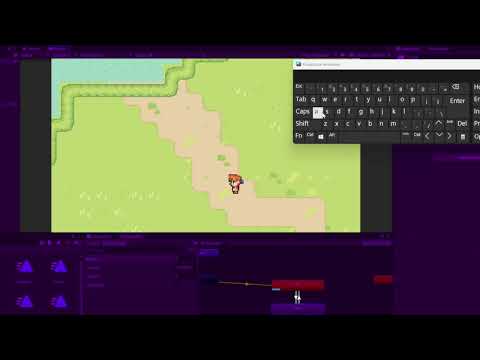
hi, i have this problem with player animations in unity. heres a video of what happens when the player should stop as i let go of all the keys( https://youtu.be/DNTlrbIxQNE) there's some sort of a delay before changing isMoving to false
also here's the HandleUpdate function
public void HandleUpdate()
`{
if (Input.GetAxis("Horizontal") != 0f || Input.GetAxis("Vertical") != 0f)
{
animator.SetBool("isMoving", true);
animator.SetFloat("moveX", Input.GetAxis("Horizontal"));
animator.SetFloat("moveY", Input.GetAxis("Vertical"));
}
else
{
animator.SetBool("isMoving", false);
}
    if (isMoving) // Sprawdź, czy ruch jest włączony
    {
        movementDirection = new Vector2(Input.GetAxis("Horizontal"), Input.GetAxis("Vertical"));
    }
    else
    {
        // Zatrzymaj animację ruchu, gdy ruch jest wyłączony
        animator.SetBool("isMoving", false);
    }
}`
 teal viper
mental spade
hi, i have this problem with player animations in unity. heres a video of what h...
teal viper
mental spade
hi, i have this problem with player animations in unity. heres a video of what h...
Input axes have an interpolation of the value from 1/-1 to 0. It's not immediate. That's the whole point of the input axes.
wintry quarry
twilit nest
How do you set the pivot of that empty object? I already have an object in which...
the empty object's pivot is just its position
like I said before you need to set your tool handle position to Pivot, not Center to see it properly
Press Z to toggle it
twilit nest
oh I got it thanks alot
 loud dragon
my project has got stuck at one point as when i am taking reference from the one script to another it is not sowing any changes in the 2nd script when something is getting changed in the 1st one
wintry quarry
loud dragon
my project has got stuck at one point as when i am taking reference from the one...
you need to share details
such as code and how things are set up in the scene
and what you are doing and expecting to happen, and what is happening instead
sharp bloom
Wanted to spawn an enemy either in pairs or four in a square. This works but I'm sure it's spaghetti.

 polar acorn
loud dragon
my project has got stuck at one point as when i am taking reference from the one...
polar acorn
loud dragon
my project has got stuck at one point as when i am taking reference from the one...
Show code
 gray arrow
Hey guys, i'm trying to add bullet spread to my 2D top down shooter. however, the bullet keeps coming out at very peculiar angles when i shoot the gun. in the code below, which is the part that needs fixing, FirePoint is the point from which the bullet appears, and also is facing in the direction that the bullet needs to be fired in. can someone tell me whats wrong?
        Vector3 BulletDirection = FirePoint.rotation.eulerAngles;

        if (Input.GetKey(KeyCode.Mouse1))
        {
            BulletDirection.z += Random.Range(-bulletSpreadADS, bulletSpreadADS);
        }
        else
        {
            BulletDirection.z += Random.Range(-bulletSpreadHipFire, bulletSpreadHipFire);
        }

        FirePoint.rotation = Quaternion.Euler(BulletDirection);

        GameObject bullet = Instantiate(bulletPrefab, FirePoint.position, FirePoint.rotation);
        Rigidbody2D rb2d = bullet.GetComponent<Rigidbody2D>();
        rb2d.AddForce(FirePoint.up * bulletForce, ForceMode2D.Impulse);
So, I think the problem here comes from the fact that each time you fire you are permanently rotating your fire point, meaning the randomness of the rotation can compound infinitely in either direction depending on how the numbers go. You get the current rotation, modify an angle, then put it back, meaning next time it'll have the new adjusted values before rolling again
gray arrow
oh damn you right
polar acorn
Add on to the fact that getting the eulerAngles does not necessarily mean you'll get back the same vector you put in, the Z is not always going to be the same. If there's a "better" way to represent that orientation with values on X and Y with a 0 Z angle, it will
It's probably better to get the up direction of the FirePoint, then multiply that by a Quaternion.AngleAxis rotation about the Z-axis by some random amount of degress, and that'll get you a resulting rotation that applies that rotation to the FirePoint's up direction. Use that for your bullet's rotation and velocity instead.
https://docs.unity3d.com/ScriptReference/Quaternion.AngleAxis.html
 swift crag
directly manipulating euler angles is rarely a good idea
gray arrow
polar acorn
It's probably better to get the `up` direction of the FirePoint, then multiply t...
could you tell me how to write this as code please? im quite new to unity and im still grappling with all the ideas of vectors
swift crag
you can multiply a quaternion with a vector to rotate the vector.
Quaternion.AngleAxis(45, Vector3.forward) is a rotation by 45 degrees around the Z axis.
 uncut dune
I asked in unity talk but I think it fits way better here now that I think about it. Is there a variable type to store a function?
swift crag
uncut dune
I asked in unity talk but I think it fits way better here now that I think about...
yes, those are what we'd call "delegate" types
System.Action can hold a function that takes no arguments and returns nothing
System.Func<T> holds a function that takes no arguments and returns T
uncut dune
swift crag
`System.Action` can hold a function that takes no arguments and returns nothing
any void function?
swift crag
Both can have extra generic type parameters added to represent functions that take arguments
swift crag
uncut dune
any void function?
With zero arguments.
System.Action<int, float> is a function that takes an int and a float and returns void
uncut dune
swift crag
With zero arguments.
only?
 hollow zephyr
use of gameObject in MonoBehaviour script leads to NullReferenceException
uncut dune
swift crag
Correct.
great to know thank you
uncut dune
swift crag
`System.Action<int, float>` is a function that takes an int and a float and retu...
also can I make it choose a function from the editor?
uncut dune
swift crag
You want `UnityEvent` for that.
I was thinking maybe a way around was making a string and writing the name of the function for each gameobject
string();
could I do that?
uncut dune
swift crag
You cannot assign delegate types in the inspector.
I was afraid of that
swift crag
uncut dune
I was thinking maybe a way around was making a string and writing the name of th...
That would work with something like Invoke, which tries to call a method on a component by name
i would suggest using UnityEvent if you can
uncut dune
swift crag
i would suggest using UnityEvent if you can
never used it before so I would need to make a little bit of research
swift crag
it's what Button uses
uncut dune
swift crag
it's what `Button` uses
ohhhhhhhhh
that makes sense
I was trynna get something close to animation events
swift crag
It lets you assign references to any unity object and pick a method to call
uncut dune
swift crag
It lets you assign references to any unity object and pick a method to call
are there any downsides to that?
compared to calling it directly in the script
swift crag
The methods you invoke with a UnityEvent can't return values. They have to return void.
polar acorn
uncut dune
are there any downsides to that?
The added complexity of having to assign it in the inspector and thus adding a "second place" you have to check to get the full grasp of what a script can do
swift crag
It can't be statically analyzed
polar acorn
But you gain in modularity being able to use the same code to do different things
swift crag
You can ask your IDE "where does this function get used?"
but it will have no clue about UnityEvents
because nowhere in your source code is that method called
uncut dune
polar acorn
But you gain in modularity being able to use the same code to do different thing...
yah thats what I was trynna do
basically I have enemies and an enemy script
and I wanted some of them
to have special effects
so I was going to do it like that
swift crag
UnityEvent is a good fit for "when X, do Y"
uncut dune
pretty simple effects so I would only need to call a void
swift crag
this sounds like such a situation
you don't "call a void"
you call a method that returns void
gray arrow
polar acorn
It's probably better to get the `up` direction of the FirePoint, then multiply t...
how is this code? it says i cannot multiply Vector3 by Quaternion but im sure that is an easy fix, so do I have the right idea you were going for or am i doing it all wrong?
void shoot()
    {

        float randomAngle;

        if (Input.GetKey(KeyCode.Mouse1))
        {
            randomAngle = Random.Range(-bulletSpreadADS, bulletSpreadADS);
        }
        else
        {
            randomAngle = Random.Range(-bulletSpreadHipFire, bulletSpreadHipFire);
        }

        Vector3 bulletOrigin = FirePoint.position;
        Vector3 bulletRotation = FirePoint.up * Quaternion.AngleAxis(randomAngle, Vector3.up);

        GameObject bullet = Instantiate(bulletPrefab, FirePoint.position, Quaternion.Euler(bulletRotation));
        Rigidbody2D rb2d = bullet.GetComponent<Rigidbody2D>();
        rb2d.AddForce(FirePoint.up * bulletForce, ForceMode2D.Impulse);
    }
}
You can pass several arguments with UnityEvent
swift crag
gray arrow
how is this code? it says i cannot multiply Vector3 by Quaternion but im sure th...
Wrong order.
uncut dune
swift crag
you call a method that returns `void`
ok thank you thats good to know
swift crag
Quaternion times Vector3
uncut dune
swift crag
You can pass several arguments with `UnityEvent`
can I pass none also?
polar acorn
gray arrow
how is this code? it says i cannot multiply Vector3 by Quaternion but im sure th...
Quaternion times vector, not vector times quaternion. When you're in four dimensions, order matters
swift crag
Yes.
uncut dune
ok that sounds amazing
swift crag
Quaterion.AngleAxis(45, Vector3.forward) will rotate whatever you multiply it with by 45 degrees around the Z axis
the Z axis points into the screen in a 2D game, generally
so, suppose you replaced 45 with a random angle...
polar acorn
gray arrow
how is this code? it says i cannot multiply Vector3 by Quaternion but im sure th...
Also you want to rotate about the Z axis, so it'd be Vector3.forward
swift crag
using Vector3.up would rotate your vector around the up-down axis, which would spin it out of the 2D plane entirely
you'd be shooting at the player :p
gray arrow
ok it works, the bullet sprite goes the correct direction, but the bullet is flying sideways, how do i make the bullet sprite change direction
 jolly igloo
Does anyone have a tutorial about monopoly in unity?
gray arrow
as in the sprite is rendered facing the wrong way
 rich adder
jolly igloo
Does anyone have a tutorial about monopoly in unity?
rich adder
jolly igloo
Does anyone have a tutorial about monopoly in unity?
youtube it
its not gonna easy as beginner though
jolly igloo
rich adder
its not gonna easy as beginner though
Ok
polar acorn
gray arrow
ok it works, the bullet sprite goes the correct direction, but the bullet is fly...
Set the bullet's transform.up to the direction it's moving in
 azure zenith
I have made a prefab as PowerCellCollectible. Shouldn't 1, 2, 3, 4 be child element?
 gray arrow
polar acorn
Set the bullet's `transform.up` to the direction it's moving in
gray arrow
polar acorn
Set the bullet's `transform.up` to the direction it's moving in
how do i do that??
polar acorn
gray arrow
how do i do that??
With =
rich adder
azure zenith
I have made a prefab as `PowerCellCollectible`. Shouldn't 1, 2, 3, 4 be child el...
why would they
polar acorn
azure zenith
I have made a prefab as `PowerCellCollectible`. Shouldn't 1, 2, 3, 4 be child el...
Why would they
gray arrow
polar acorn
With `=`
so i just do bullet.transform.up = bulletRotation?
azure zenith
I am wanting to add a box collider but I am thinking that if I add it to powerCellCollectible then I will not have to do it for the rest
azure zenith
Exactly
rich adder
azure zenith
I am wanting to add a box collider but I am thinking that if I add it to `powerC...
as long as you apply the changes to the prefab it wil propagate for all
azure zenith
I am not sure if I have made a prefab
gray arrow
swift crag
Yes.
now all the bullets are invisible, im assuming that im rotating them around the wrong axis or smth
rich adder
azure zenith
I am not sure if I have made a prefab
if its blue its a prefab, yours looks like a prefab variant
polar acorn
gray arrow
now all the bullets are invisible, im assuming that im rotating them around the ...
Possible. Try debug logging the direction when you fire
gray arrow
here is the code i changed since i last posted the whole thing here:
GameObject bullet = Instantiate(bulletPrefab, bulletOrigin, Quaternion.Euler(bulletRotation));
        bullet.transform.up = bulletRotation;
        Debug.Log(bulletRotation);
That rotation you created on line 1 is nonsense
bulletRotation is a direction
Just use Quaternion.identity to give the bullet no starting rotation
uncut dune
I dont need to add a listener if my unityevent is serializeField right?
swift crag
you add listeners through code if you want to add listeners...through code
You don't have to do anything for the ones you added in the inspector
uncut dune
ok I was just wondering that
gray arrow
i figured since im so bad at this ill just send the whole function again so people can see better what ive done wrong haha
void shoot()
    {

        float randomAngle;

        if (Input.GetKey(KeyCode.Mouse1))
        {
            randomAngle = Random.Range(-bulletSpreadADS, bulletSpreadADS);
        }
        else
        {
            randomAngle = Random.Range(-bulletSpreadHipFire, bulletSpreadHipFire);
        }

        Vector3 bulletOrigin = FirePoint.position;
        Vector3 bulletRotation = Quaternion.AngleAxis(randomAngle, Vector3.up) * Vector3.forward;

        GameObject bullet = Instantiate(bulletPrefab, bulletOrigin, Quaternion.Euler(bulletRotation));
        bullet.transform.up = bulletRotation;
        Debug.Log(bulletRotation);

        Rigidbody2D rb2d = bullet.GetComponent<Rigidbody2D>();
        rb2d.AddForce(FirePoint.up * bulletForce, ForceMode2D.Impulse);
    }
replace Quaternion.Euler(bulletRotation) with Quaternion.identity.
You are trying to interpret a direction as euler angles
gray arrow
surely that will remove the random aspect of the shooting?
swift crag
No. That's what the next line does.
swift crag
I noticed that you aren't using bulletRotation when adding force
This will make every bullet fly in the same direction.
hang on, things are mixed up here
I see why it's partially wrong.
azure zenith
rich adder
if its blue its a prefab, yours looks like a prefab variant
Is there a difference?
swift crag
okay yeah that's all wacky
Vector3 bulletRotation = Quaternion.AngleAxis(randomAngle, Vector3.up) * Vector3.forward;
This is wrong for two reasons.
One: you are using Vector3.up as the rotation axis. This is spinning around the up-down axis. That is wrong.
rich adder
azure zenith
Is there a difference?
yes I sent docs explaining the differences
swift crag
You need rotate around the Vector3.forward axis.
Two: You are multiplying this rotation by Vector3.forward
This is applying a random rotation to a vector pointing out of the screen
I don't think you wanted to do that.
I think you wanted to do this:
Vector3 bulletDir = Quaternion.AngleAxis(randomAngle, Vector3.forward) * FirePoint.up;
This will randomly rotate the fire point's up direction
The rotation will spin it around the Z axis
gray arrow
ok i have changed all of the things you said
swift crag
you can now use this direction to:
- set
transform.upon the bullet - add force to the bullet
gray arrow
i believe its working but instead of changing the directions that the bullets fly it changes the rotation of each bullet
swift crag
Yes, because you also need to use this vector when adding force
Currently, your force is not random.
you'll always fire in the direction of FirePoint.up
gray arrow
so i should do rb2d.AddForce(bulletRotation * bulletForce, ForceMode2D.Impulse); instead?
swift crag
Correct.
bulletRotation is a bad name, by the way
It sounds like it should be a rotation value
It's not. It's a direction.
bulletDirection or bulletDir would be appropriate
gray arrow
ok i changed it i see why its confusing
swift crag
It's important to make it clear how to interpret a Vector3
- as a position
- as a vector (whose length matters)
- as a direction (whose length doesn't matter)
- as euler angles
- as a velocity
- ...
gray arrow
yes i think i need to do a bit more research on them ha
im very clueless
anyways it works now thanks bro
polar acorn
swift crag
- as a position
- as a vector (whose length matters)
- as a direction (whose len...
Cursed applications for Vector3:
- Health, Mana, Stamina
- Hips, waist, bust
- Three unrelated numbers you kinda wanna group for whatever reason
- Scientific notation whole part, decimal part, power of 10
polar acorn
How about instead of null we have a Vector0
swift crag
    public float Vec1(float t)
    {
        t *= scale;

        return noise.snoise(xVec * t + xOffset);
    }

    public Vector2 Vec2(float t)
    {
        t *= scale;

        return new Vector2(
            noise.snoise(xVec * t + xOffset),
            noise.snoise(yVec * t + yOffset)
        );
    }
unit type! unit type!
a zero-tuple is indeed a valid way to represent a type that only has one value
gray arrow
i have no idea what is happening anymore but i love it
swift crag
wait until you find out about the bottom type
˔
oh my god the tack is so small in discord
it's supposed to look like this
 gray arrow
damn
swift crag
the bottom type has zero values, and is a subtype of every other type
gray arrow
so whats the point of it then
swift crag
it's the return type of a method that never returns in some languages
you can never get it, so the method must never return, by definition
never in typescript, for example
C# lacks such a type
(this is very esoteric)
confusingly, it's sometimes called the "void type", but this is different from C#'s void
void is very strange when you think about it. It's a type, but it has zero values, but it can still be returned
gray arrow
i think thats enough C# for one day
 faint sorrel
hey idk if this is the right place to ask but i put "play automatically" off on my animation but it still plays automatically, how can i fix that?
rich adder
faint sorrel
hey idk if this is the right place to ask but i put "play automatically" off on ...
its not
 faint sorrel
rich adder
its not
faint sorrel
rich adder
its not
then where do i ask?
 true pasture
polar acorn
Cursed applications for Vector3:
- Health, Mana, Stamina
- Hips, waist, bust
- T...
true pasture
polar acorn
Cursed applications for Vector3:
- Health, Mana, Stamina
- Hips, waist, bust
- T...
Vector 3 for health 
 timber tide
gonna need a vec30 when im done with my character class
rich adder
you havent declared what animator is anywhere
polar acorn
That's not what I asked, you're trying to pass in a "PushButton" true
 gaunt ice
btw what is animator
rich adder
a myth
gaunt ice
public int animator?
 eternal falconBOT
🧑🏫 Unity Learn can offer you over 750 hours of free live and on-demand learning content for all levels of experience! Make sure to check it out at https://learn.unity.com/
gaunt ice
you need to first declare a variable then use it
wintry quarry
go back to your tutorial and copy the code more closely.
if you're not using a tutorial, you should be
 ruby python
!code
eternal falconBOT

Posting code
📃 Large Code Blocks
Large code blocks should be posted as links to services like:
https://gdl.space/, https://paste.ofcode.org/, https://hatebin.com/
https://paste.myst.rs/, https://hastebin.com/
📃 Inline Code
Surround code with three backquotes. Not quotation marks.
To get C# formatting the first line should only contain cs or csharp.
Add a comment with a line number if there is an error message.
```cs
// Your code here
```
Do not share screenshots of code unless requested.
wintry quarry
you are trying to run a race. But you haven't even learned to walk yet
you need to learn the basics of programming first
ruby python
Hi again all, can someone please point me in the right direction as to what I'm doing wrong? This is really driving me nuts now.
Essentially I'm trying to make a suspension arm point at the height of the wheel. It works to an extent (the arm does rotate, but nowhere near enough). 😕
using UnityEngine;

public class SuspensionLookAt : MonoBehaviour
{
    [SerializeField] Transform wheelTarget;

    //Vector3 targetPosition;
    //float offset = 0.6523004f;

    // Update is called once per frame
    void FixedUpdate()
    {
        Vector3 targetDir = wheelTarget.position - transform.position;
        float angle = Vector3.Angle(targetDir, transform.forward);
        Debug.Log(angle);
        Vector3 newRotation = new Vector3(angle, 0, 0);
        transform.rotation = Quaternion.Euler(newRotation);

        //targetPosition = new Vector3(0, wheelTarget.position.y, 0);
        //transform.LookAt(targetPosition);
    }
}
I don't know why but I have such a weird blindspot when it comes to rotations 😕
wintry quarry
!learn
eternal falconBOT
🧑🏫 Unity Learn can offer you over 750 hours of free live and on-demand learning content for all levels of experience! Make sure to check it out at https://learn.unity.com/
wintry quarry
rich adder
also think this is a good combo
combines some c# in Unity context
https://learn.unity.com/project/beginner-gameplay-scripting
wit this one
thick goblet
I want my vehicle to move in the right direction when I click D until it reaches it's current position including +3 in the x position added on, then I want it to freeze and ofcourse only move once I click D again. However, my vehicle never stops at the position I want it to and it just keeps moving right. What is the problem? https://hatebin.com/bnqgyuhlzu
rich adder
thick goblet
I want my vehicle to move in the right direction when I click D until it reaches...
do you ever set movespeed to 0 ?
thick goblet
Oh..
rich adder
but you wont do it overnight
thick goblet
 rich adder
nah
thick goblet
It doesn't change anything
rich adder
I think is , you're constantly adding to the nextPos so you never reach it
thick goblet
Oh since its in the update?
rich adder
thick goblet
It doesn't change anything
I also said debug that function, like put a Debug.Log inside
rich adder
thick goblet
Oh since its in the update?
yeah well its not behind any if conditions so keeps adding onto it from your current pos,
your character is chasing a carrot on a stick
 rich adder
folly of human is laziness
 glossy eagle
Hi. Is there something like classes which some scripts can inherit from but that can stack up please? Like be able to set more than one thing there so one script also cointains something from another script
 rich adder
glossy eagle
Hi. Is there something like classes which some scripts can inherit from but that...
rich adder
glossy eagle
Hi. Is there something like classes which some scripts can inherit from but that...
you need interfaces
it doesn't "inherit " though
glossy eagle
that's the problem
glossy eagle
because I need to run code on a specific script. Like, it is a script that gets the marked variables of "this" script and does something with them. The problem is that all the logic is using the "this" reference
rich adder
public class Enemey : Entity , IShootable, Iinteractble, ILoad etc
 modest dust
If you want to inhert then just make a middle class inheriting from MonoBehaviour (WeaponsHolder) and inherit from that instead
Otherwise just use interfaces
rich adder
just be careful with inhertence though, it just ends up a dead end street or more mess than needs to be (sometimes)
polar acorn
glossy eagle
Hi. Is there something like classes which some scripts can inherit from but that...
Make WeaponsHolder extend MonoBehaviour and just inherit from WeaponsHolder
glossy eagle
polar acorn
Make `WeaponsHolder` extend `MonoBehaviour` and just inherit from `WeaponsHolder...
that was just an example, the thing is that I need both the WeaponsHolder and another class called VariableManipulator in the same script
polar acorn
glossy eagle
that was just an example, the thing is that I need both the WeaponsHolder and an...
Then you cannot
Unless one of them is a parent class of the other, or an interface
glossy eagle
that's why I was wondering if there was something that can inherit more than one thing
 summer stump
glossy eagle
that's why I was wondering if there was something that can inherit more than one...
summer stump
glossy eagle
that's why I was wondering if there was something that can inherit more than one...
Chained inheritance is possible. Multiple inheritance is not
glossy eagle
oh ok
summer stump
Interfaces are the only way around that
Which is not really inheritance the same way of course. More of a promise of implementation
glossy eagle
well lemme try one thing rq. Edit: nvm doesn't work haha, thanks tho, I will have to try those solutions
modest dust
glossy eagle
because I need to run code on a specific script. Like, it is a script that gets ...
Wait, so what's the issue with using interfaces anyways
Provide some more info on what you're trying to do
 amber spruce
anyone know why this isnt working its meant to let me eat objects if i am bigger then them
using UnityEngine;

public class EatObjects : MonoBehaviour
{
    void OnTriggerEnter(Collider other)
    {
        // Check if the GameObject has collided with another GameObject
        if (other.CompareTag("Car") || other.CompareTag("Obstacle"))
        {
            // Get the size of the current GameObject and the other GameObject
            float mySize = transform.localScale.magnitude;
            float otherSize = other.transform.localScale.magnitude;

            // Check if the current GameObject is bigger than the other GameObject
            if (mySize > otherSize)
            {
                Debug.Log("I ate the other GameObject!");
                // "Eat" the other GameObject (destroy it)
                Destroy(other.gameObject);

                // Increase the size of the current GameObject (optional)
                transform.localScale += Vector3.one * 0.1f; // Increase the scale by 0.1 units
            }
        }
    }
}
it also only works if they have the tag Car or Obstacle
wintry quarry
amber spruce
anyone know why this isnt working its meant to let me eat objects if i am bigger...
Add more logs and check where the code is getting up to
for example is OnTriggerEnter itself even running?
"doesn't work" is quite vague
languid spire
gpt code
rich adder
amber spruce
anyone know why this isnt working its meant to let me eat objects if i am bigger...
you put the tags to be only condition
it also only works if they have the tag Car or Obstacle
literally checking only if its car/obs
polar acorn
amber spruce
anyone know why this isnt working its meant to let me eat objects if i am bigger...
The Three Commandments of OnTriggerEnter:
- Thou Shalt have a 3D Collider on each object
- Thou Shalt tick
isTriggeron at least one of them - Thou Shalt have a 3D Rigidbody on at least one of them
amber spruce
if (mySize > otherSize)
glossy eagle
modest dust
Wait, so what's the issue with using interfaces anyways
Like, with interfaces I couldn't access the methods inside it because they were already like defined
amber spruce
wintry quarry
for example is OnTriggerEnter itself even running?
nope
polar acorn
glossy eagle
Like, with interfaces I couldn't access the methods inside it because they were ...
Actually interfaces are the opposite. You can't define them in the interface, you have to implement them on the scripts that use it
amber spruce
using UnityEngine;

public class EatObjects : MonoBehaviour
{
    void OnTriggerEnter(Collider other)
    {
        Debug.Log("I have collided with something!");
        // Check if the GameObject has collided with another GameObject
        if (other.CompareTag("Car") || other.CompareTag("Obstacle"))
        {
            Debug.Log("I have the tag");

            // Get the size of the current GameObject and the other GameObject
            float mySize = transform.localScale.magnitude;
            float otherSize = other.transform.localScale.magnitude;

            // Check if the current GameObject is bigger than the other GameObject
            if (mySize > otherSize)
            {
                Debug.Log("I ate the other GameObject!");
                // "Eat" the other GameObject (destroy it)
                Destroy(other.gameObject);

                // Increase the size of the current GameObject (optional)
                transform.localScale += Vector3.one * 0.1f; // Increase the scale by 0.1 units
            }
        }
    }
}
none of the debugs happen
polar acorn
amber spruce
nope
amber spruce
polar acorn
The Three Commandments of `OnTriggerEnter`:
1. Thou Shalt have a 3D Collider on ...
whats number 2 mean like how would i do that
polar acorn
amber spruce
whats number 2 mean like how would i do that
You would tick the box that says isTrigger
on one of them
summer stump
amber spruce
whats number 2 mean like how would i do that
To use OnTrigger you need a trigger.
Otherwise use OnCollision
glossy eagle
polar acorn
Actually interfaces are the opposite. You _can't_ define them in the interface, ...
then I don't even know what I was doing because I was doing something like
public void UpdateInspectableVariableValue(string variableName, string newValue)
    {
        Type type = GetType();
        FieldInfo field = type.GetField(variableName, BindingFlags.Public | BindingFlags.Instance);
    }
With no errors or anything
polar acorn
glossy eagle
then I don't even know what I was doing because I was doing something like
```c...
What are you even trying to do here
glossy eagle
basically set the variable value just by knowing the variable name
polar acorn
glossy eagle
basically set the variable value just by knowing the variable name
You probably shouldn't use reflection in a game, it's quite slow and very error prone. If you want to get a variable by name its probably better to store it in a dictionary
glossy eagle
Tbh, at first I was going to do that, and I indeed did start with just referencing the variables. But once the number of variables I have to modify in-game with the UI increases, the work and chaos behind every single addition to a MissionEditor increases exponentially😅
 ashen ferry
u change that variable in same class u got that method in worst case shoulda been a switch or something 
glossy eagle
ashen ferry
u change that variable in same class u got that method in worst case shoulda bee...
what?😅
ashen ferry
    private string var2;

    public void UpdateInspectableVariableValue(string variableName, string newValue)
    {
        switch (variableName)
        {
            case "var1": var1 = newValue; break;
            case "var2": var2 = newValue; break;
        }
}```as brittle as reflection but not reflection so a step forward 
ashen ferry
damn thats a lot huh
glossy eagle
for every script that can be changed
rich adder
dictionary ?
uncut dune
does unityevent.ivoke() get called every frame if on update?
glossy eagle
and every time I want to add something new I have to manually all those variables
glossy eagle
ashen ferry
damn thats a lot huh
like, the problem I was facing was the ability to add more things easily
rich adder
uncut dune
does unityevent.ivoke() get called every frame if on update?
it should
ashen ferry
how do u store ref to a variable in dict
uncut dune
rich adder
it should
ok thank you
glossy eagle
Okay new question (sorry haha), is there a way to set a static value externally?
Like I have this inside a class:
public static VariableManipulator inst;
And I want to set that inst value from another script. Is that possible?
wintry quarry
glossy eagle
Like I have this inside a class:
```c
public static VariableManipulator inst;
``...
of course
just set it
with =
It's not really good practice to have random puvlid static variables being set from all over the place though
gets very difficult to track
glossy eagle
why this then 😦
 wintry quarry
glossy eagle
why this then 😦
wintry quarry
glossy eagle
why this then 😦
vm is an instance
rich adder
doesnt make sense
wintry quarry
To set a static variable you use the class name
which is probably what your red squiggle is saying
VariableManipulator.inst = vm;```ahhhh okay mb
wintry quarry
but i don't understand why you would do it like this
glossy eagle
I'm so dumb lol
wintry quarry
why don't you do cs public static readonly VariableManipulator inst = new(); directly in the class
why have some other class initialize it?
Seems weird
glossy eagle
wintry quarry
but i don't understand why you would do it like this
because otherwise a reference to the inst is called before it is acutally set
wintry quarry
you can also just call Setup directly in the constructor
wintry quarry
glossy eagle
because otherwise a reference to the inst is called before it is acutally set
not possible the way I just showed you
glossy eagle
wintry quarry
you can also just call Setup directly in the constructor
yeah that's exactly what I was doing but that was causing said problem
like I had this: ```c
if(VariableManipulator.inst == null)
{
VariableManipulator vm = new();
        vm.Setup();
    }
and then in the VariableManipulator script :
```c
public void Setup()
    {
        inst = this;
    }
but the code just after the if was called before the setup was done aparently
 slender path
I have a problem and it is when I go to get the distance to the mesh to place objects, it happens before the mesh will load in and does not like it, I found out that i can't use while to fix this either
wintry quarry
glossy eagle
like I had this: ```c
if(VariableManipulator.inst == null)
{
...
yeah this is wrong
do it like my example
 tawdry jewel
!vscode
eternal falconBOT
Visual Studio Code guide
If your IDE is not underlining errors in red or autocompleting code,
please configure it using the link below:
 twin bolt
if (Gamecontrols.GamePlay.Crouch.WasPressedThisFrame() && isGrounded && enableCrouch)
{
Crouch();
}
public void Crouch()
{
if (isCrouched)
{
transform.localScale = new Vector3(originalScale.x, originalScale.y, originalScale.z);
playerSpeed = targetedWalkSpeed;
isCrouched = false;
}
else
{
transform.localScale = new Vector3(originalScale.x, 0.9f, originalScale.z);
playerSpeed = crouchSpeed;
isCrouched = true;
}
}
``` Why does pressing the "Crouch Key" sometimes not work, if you spam it? queen adder
Is this code in FixedUpdate?
twin bolt
Yes
queen adder
Move it to update and it should behave better
twin bolt
queen adder
Move it to update and it should behave better
Okay, thanks.
queen adder
Fixed Update is for Physics related stuff it's better to not check for Input in there
 abstract finch
Vector3 movePos = hit.transform ? hit.point - _projectileOrigin.transform.position : ray.direction;
Running into an issue where the projectile moves at extremely different speed if there is a hit. Also I would like to note that I'm not using lerp.
Yep that completely fixed it, Thanks.
queen adder
Ofc brother!
wintry quarry
abstract finch
```Vector3 movePos = hit.transform ? hit.point - _projectileOrigin.transform.pos...
how do we go from movePos to direction here ??
yo need to share more code
also why is it called movePos if it's actually a direction vector?
abstract finch
wintry quarry
yo need to share more code
sorry its a bit messy let me create a cleaner version
wintry quarry
just share the full script
abstract finch
Gun
    {
        Projectile projectile = Instantiate(_projectilePrefab);

        Ray ray = new Ray(_projectileOrigin.position, Camera.main.transform.forward + Calculations.GetSpread(_profile.Spread));
        RaycastHit hit = Calculations.Raycast(Camera.main.transform.position, Camera.main.transform.forward + Calculations.GetSpread(_profile.Spread));
        Quaternion startRot = hit.transform ? Quaternion.LookRotation(hit.point - _projectileOrigin.transform.position) : Quaternion.LookRotation(ray.direction);
        Vector3 moveDirection = hit.transform ? hit.point - _projectileOrigin.transform.position : ray.direction;
        projectile.SetUp(_profile.Damage);
        projectile.Initialize(_projectileOrigin.position, startRot, moveDirection, _projectileSpeed);
}```Projectile
    {
        transform.position = startPos;
        transform.rotation = startRot;
        StartCoroutine(Move(direction, speed));
    }
    private IEnumerator Move(Vector3 direction, float speed)
    {
        while (true)
        {
            transform.position += direction * speed * Time.deltaTime;
            yield return new WaitForEndOfFrame();
        }
}```You're not normalizing moveDirection
so the magnitude is different when you do the subtraction
Vector3 moveDirection = hit.transform ? (hit.point - _projectileOrigin.transform.position).normalized : ray.direction;```ill give it a shot
 wary sable
is there a way / how would I Instantiate an animator controller transition between two states from code?
wintry quarry
wary sable
is there a way / how would I Instantiate an animator controller transition betwe...
using animator params
swift crag
"instantiate"?
the transition is not a unity object
are you trying to modify an animator controller at runtime?
perhaps you just want to manually switch to a specific state?
explain your use case.
wary sable
swift crag
"instantiate"?
sorry I was using instantiate as a generic term not as the method name
wary sable
swift crag
explain your use case.
I was trying to make an attack system with many different / unique animations, and was trying to store the animations on their specific weapons instead of a massive state machine with 100s of transitions. to do that I need to be able to acess a blend tree in code, add motions to it and set a float param (all of which I have gotten working), I was just trying to make it a bit easier on myself and also create that blend tree from code aswell. (instead of setting one up on every single character that can use the weapon)... Though from what I understand I will also need a transition to that tree/state to get it to work fluidly with the rest of the animator
swift crag
at that point i'd just use animator.Play to manually enter states as needed
azure zenith
My OnTriggerEnter function is not working as it is supposed to collect an item on the floor
wary sable
swift crag
at that point i'd just use `animator.Play` to manually enter states as needed
I was a little hesitant to do that since I dont want to interrupt certain states IE jumping. Would I still be able to check if certain states are running?
swift crag
Sure.
swift crag
wary sable
is there a way / how would I Instantiate an animator controller transition betwe...
https://docs.unity3d.com/ScriptReference/Animations.AnimatorState-transitions.html you may be able to modify this
i dunno if this will mutate the asset
 sand star
azure zenith
My `OnTriggerEnter` function is not working as it is supposed to collect an item...
sand star
azure zenith
My `OnTriggerEnter` function is not working as it is supposed to collect an item...
you should figure out the physics setting. you have to attach at least one rigidbody component and have to set the layers to collide.
swift crag
so you may want to instantiate the animator controller before mucking with it
wary sable
thank you, as always ❤️
azure zenith
sand star
you should figure out the physics setting. you have to attach at least one rigid...
Yes, I have a rigidbody component and a box collider component on the game object
sand star
azure zenith
Yes, I have a rigidbody component and a box collider component on the game objec...
you should set the layers of two gameobjects to collide.
azure zenith
Sorry, wdym?
queen adder
Hey Sam are you making a 2D or 3D game?
azure zenith
3D
sand star
sand star
you should set the layers of two gameobjects to collide.
and then you should consider this.
 swift crag
okay, so the rigidbody is probably not falling asleep and preventing the triggers from happening
(that happens in 2D)
queen adder
Is trigger set on the box collider?
azure zenith
Yes
queen adder
Can we see the code?
Do triggers work at all? Like have u tried putting a print() or Debug.Log() in the trigger? Just to make sure triggers are at least working?
azure zenith
The trigger does seem to work
sand star
azure zenith
Yes
can you share your screen of physics setting window, and hierachy of two gameobjects including layername, rigidbody component, collider component~
azure zenith
Yes, also only my object I want to collect had a box collider


That is from the collectible item
What do you guys think?
wintry quarry
azure zenith
the blue line on the left indicates this is a prefab override
shouldn't it be set as a trigger in the prefab itself?
azure zenith
    void OnTriggerEnter(Collider other)
    {
        if (other.gameObject.CompareTag("CollectibleCell"))
        {
            Debug.Log("Trigger entered by CollectibleCell.");
            Destroy(gameObject);
        }
        else
        {
            Debug.Log("Trigger entered by something else.");
        }
    }
so what is printing?
azure zenith
Printing?
queen adder
Whats the console saying
azure zenith
Oh
 queen adder
Does ur item have the correct tag?
I try to avoid using tags i usually use interfaces for items if ur familiar with interfaces
 frank light
how do I use the Character Controller component to move in the direction the object is pointing and not straight up or down.
azure zenith
The tag is correct
queen adder
Show us the tag
wintry quarry
azure zenith
The tag is correct
clearly not
azure zenith
 rich adder
frank light
how do I use the Character Controller component to move in the direction the obj...
rich adder
frank light
how do I use the Character Controller component to move in the direction the obj...
transform.forward
cc.Move(tansform.forward * speed * Input.GetAxis("Vertical") * Time.deltaTime
(Don't copy just an example - don't do inline like this)
wintry quarry
azure zenith
yeah but this is probably not the object you are colliding with
azure zenith
The cell should destroy when the player touches it
ashen ferry
I want to instantiate cameras and set render textures for them can I assign this in code?
 queen adder
right but the trigger isnt detecting the cell
 ivory bobcat
Debug.Log($"{name} was hit by {other.name} that had a tag of {other.tag}", other);```ok well; it's going to need the proper tag for that to work
show the whole inspector for the object
with the collider and the tag etc
queen adder
Is ur cell the one with the trigger?
wintry quarry
also printing the tag you hit in the log is a good idea
azure zenith
queen adder
Is ur cell the one with the trigger?
Yes
wintry quarry
azure zenith
Yes
prove it
queen adder
Ur checking if the cell entered the cell
wintry quarry
wait is this cript on the collectible itself?
Why would it need to check its own tag?
azure zenith
Yes
 echo dove
Hi guys, my bullet is a prefab and I do not know how to give it commands from an object that isn't it just won't let me. That's why when the player stops (all stuff should be slowed down) the bullet doesn't. How can I fix this?
https://hatebin.com/hfwumdsqek (player code)
https://hatebin.com/vrfmksygyo (bullet code)
rich adder
echo dove
Hi guys, my bullet is a prefab and I do not know how to give it commands from an...
queen adder
Change CompareTag() to accept the players tag
wintry quarry
echo dove
Hi guys, my bullet is a prefab and I do not know how to give it commands from an...
gonna be honest watched your videos and read your coder and I have no idea what you're asking
echo dove
rich adder
https://unity.huh.how/programming/references/prefabs-referencing-components
Ik that but I am asking how can I change it
wintry quarry
what "command" are you trying to give?
echo dove
wintry quarry
gonna be honest watched your videos and read your coder and I have no idea what ...
My player code
wintry quarry
What object are you trying to give it from and to?
echo dove
I cant give it to my bullet prefab
echo dove
And it can't get a variable from the player code
wintry quarry
Where is the code that spawns the bullet?>
echo dove
wintry quarry
give _what_ to the bullet>
script
wintry quarry
It's not in the script you shared
wht do you mean "give script"?
Be speciific please
what information are you trying to share?
for what purpose?
echo dove
I want to give the bullet the player script so that it can access code from the player
echo dove
Because when my player has velocity.magnitude = 0 all slows down to 0.1x
ANd I want to have a bool
wintry quarry
that code isn't anywhere in the scripts you shared
echo dove
when it is true that means
wintry quarry
You need to share the code that is relevant to the problem
this isn't it
where is the slow motion stuff happening?
echo dove
player code
 wintry quarry
echo dove
player code
wintry quarry
echo dove
player code
this is not something the bullet needs to care about
echo dove
In the second video I show
frank light
rich adder
transform.forward
`cc.Move(tansform.forward * speed * Input.GetAxis("Vertical") ...
i did that and now it works, it just wont let me control it anymore and moves upward with out any input.
 Vector3 move = new Vector3(0, Input.GetAxis("Vertical"), 0);
 characterController.Move(transform.up * Time.deltaTime * Speed);
why aren't you just using Time.timeScale?
 magic stream
Hi, currently i'm trying to make sorting work but it doesn't work xd Tilemap with trees and stuff is in same layer as player sprite.
 echo dove
What is that
wintry quarry
It's the way you should be slowing the game down
echo dove
But how can I give the function to tell the bullet that the player isn't moving
rich adder
frank light
i did that and now it works, it just wont let me control it anymore and moves up...
wait is this 2D? why are you doing up..
wintry quarry
echo dove
But how can I give the function to tell the bullet that the player isn't moving
you don't need to
swift crag
frank light
i did that and now it works, it just wont let me control it anymore and moves up...
well, you don't use move anywhere in line 2, so of course it ignores your input!
echo dove
wdym
wintry quarry
Time.timeScale = 0.1f;
echo dove
okay lemme try
frank light
swift crag
well, you don't use `move` anywhere in line 2, so of course it ignores your inpu...
would i just add move * or do i have to do something else?
rich adder
frank light
i did that and now it works, it just wont let me control it anymore and moves up...
Having move there is kind of important lol thats what makees it not move because Input = 0 then everything is 0
queen adder
@magic stream
rich adder
stuff * 0 = 0
azure zenith
Alright, I changed the tag to main camera which is the player so now it should be working? Should I nowmove the script from the cell to the player?
queen adder
Look up auto sorting on youtube
magic stream
queen adder
Look up auto sorting on youtube
i've tried everything
queen adder
Have u tried what i just reccomended ?
Its a Render Feature in Unity
I dont know if thats the correct term but basically Uinty has already coded this for u
magic stream
i know
queen adder
U just have to enable it
So uve tried it then?
Im not talking about the sprite Renderers layer field
frank light
rich adder
Having `move` there is kind of important lol thats what makees it not move becau...
this doesnt work, am i putting move in wrong?
magic stream
but issue is probably that my project isn't URP, maybe it doesn't make any difference idk xd
queen adder
If ur projects not in URP....
Then idk ive tried coding a system like that myself but its a pain
echo dove
what is dis guys...
 ivory bobcat
frank light
``` characterController.Move(Speed * Time.deltaTime * move * transform.up...
ivory bobcat
frank light
``` characterController.Move(Speed * Time.deltaTime * move * transform.up...
Are you randomly doing stuff? Maybe lookup a tutorial 
echo dove
it sends me to some randoom place
rich adder
frank light
``` characterController.Move(Speed * Time.deltaTime * move * transform.up...
how come you're doing .up ?
swift crag
echo dove
what is dis guys...
have you read the error message?
ivory bobcat
Ideally, it'd simply be the direction multiple by speed and delta time.
frank light
rich adder
how come you're doing .up ?
i want it to move in the direction it is pointing upwards, and it did but it didnt take in my input.
echo dove
swift crag
have you read the error message?
Yep I don't get
wintry quarry
echo dove
what is dis guys...
the Scene object you passed into MoveGameObjectToScene was not a valid scene
echo dove
It doesn't even tell me what object
queen adder
@azure zenith the player is the camera?
wintry quarry
Wherever you got it from was wrong
azure zenith
queen adder
<@605192790866919434> the player is the camera?
Sorry no, the player is the player lol
Also, I get the correct log statement now
azure zenith
It doesn't disappear though but I'll see why
echo dove
wintry quarry
`Time.timeScale = 0.1f;`
It doesn't slow everything down
wintry quarry
echo dove
It doesn't slow everything down
what isn't slowing?
echo dove
My bullet
azure zenith
Thank you all for helping
rich adder
frank light
``` characterController.Move(Speed * Time.deltaTime * move * transform.up...
this I think gives you an error.
wintry quarry
echo dove
My bullet
Since your bullet is simply moving via rigidbody velocity, it should indeed slow
rich adder
@frank light did you check console ?
wintry quarry
maybe you never set the time scale
frank light
rich adder
this I think gives you an error.
it gives me a syntax error
rich adder
frank light
it gives me a syntax error
yes you can't multiply two vectors
swift crag
you can't just mash together random variables
wintry quarry
echo dove
lemme show you a video
show the code
echo dove
using System.Collections;
using System.Collections.Generic;
using UnityEngine;
using UnityEngine.InputSystem;

public class PlayerCode : MonoBehaviour
{
    public InputActionReference gamepadRight;
    public bool dead = false;
    public bool moving;
    public GameObject mouse;
    private float dirX = 0f;
    private float virX = 0;
    private Rigidbody2D rb;
    [SerializeField] private float moveSpeed = 15f;

    // Start is called before the first frame update
    void Start()
    {
        dead = false;
        rb = GetComponent<Rigidbody2D>();
    }

    // Update is called once per frame
    void Update()
    {
        Vector3 worldPos = new Vector3(mouse.transform.position.x,mouse.transform.position.y,0);
        move();
        slowmo();
        transform.right = (worldPos - transform.position).normalized;
    }
    void move()
    {
        dirX = Input.GetAxisRaw("Horizontal");
        virX = Input.GetAxisRaw("Vertical");
        Vector3 moveDir = new Vector3(dirX, virX).normalized;
        rb.velocity = moveDir * moveSpeed;
    }
    private void OnCollisionEnter2D(Collision2D collision)
    {
        if (collision.gameObject.CompareTag("Bullet"))
        {
            die();
        }
    }
    void die()
    {
        dead = true;
        Destroy(gameObject);
    }
    void slowmo()
    {
        Vector2 vel = rb.velocity;
        if (vel.magnitude == 0)
        {
            Debug.Log("Still");
            moving = false;
        }
        else
        {
            Debug.Log("Moving");
            moving = true;
        }
    }

}
LIke this?
swift crag
stop and think about what you are doing.
rich adder
@frank light you have to use move.y
frank light
rich adder
<@305092397891715083> you have to use `move.y`
instead of move?
rich adder
since its a float
rich adder
frank light
instead of move?
yes you can't do move * transform.up if move is vector3
so you need move.y
echo dove
wintry quarry
show the code
Ohh mb i put the code in bullet not player sr
wintry quarry
yeah it needs to go in the slowmo function
 buoyant knot
isn’t transform.up a vector 3
buoyant knot
oh i see what he’s going for
frank light
thank you it works now navarone you are helpful
buoyant knot
i also recommend you separate player movment from player life/death code
echo dove
wintry quarry
yeah it needs to go in the `slowmo` function
yep mb
buoyant knot
both player movement and life/death can get really complex as you build in more features, and the two don’t have much to do with each other, besides death asking movement to just hard stop
rich adder
me looking back at my earlier projects with classees spanning over 800 lines long xD
what the hell was single responsibility ?
buoyant knot
those are the worst
i inheritted code that used a fuckload of booleans… instead of an enum
rich adder
its like looking at an old high school photo with bad haircut and clothes and thought it was "cool"
buoyant knot
untangling that was a mess
queen adder
enums are underrated
 heady nimbus
Is there a way to serialize a field to assign a Scene to a reference?
I'm trying to use 1 script to handle zone transitions from different locations in a scene and I'm trying to work out the best way to handle the whole "door A goes here, door B goes here" without hard coding or creating a bunch of specific scripts for it
buoyant knot
not really
rich adder
heady nimbus
Is there a way to serialize a field to assign a Scene to a reference?
I'm tryi...
sounds like you need to re-think this system
buoyant knot
what I have done is make a static class with a bunch of public constants, where each constant corresponds to the specific number of a given scene
and also, you want extremely few scenes in a game
queen adder
Oh i used strings for mine^
buoyant knot
like, single digit
queen adder
Wait really?
buoyant knot
you can’t use strings. you need an int for build index
queen adder
You can load scenes by name?
buoyant knot
constants let you call those ints by using something like SceneIndices.MainMenu
heady nimbus
buoyant knot
and also, you want extremely few scenes in a game
First time I've heard that
buoyant knot
and then it spits out the scene index for main menu, which is 0
ok, you want extremely few scenes
i’m telling you now
polar acorn
buoyant knot
and also, you want extremely few scenes in a game
Actually I've found most people drastically underutilize scenes. Most people could stand to use more scenes
heady nimbus
rich adder
sounds like you need to re-think this system
Well I mean if there's no way to do that then I guess I do. I'm just starting to work on it, like today. Lol
buoyant knot
because every time you change scenes, you have to deal with everything getting destroyed, and managing references to/from things that should/shouldn’t be destroyed
queen adder
I mean....yeah
buoyant knot
and that’s a pain in the ass
queen adder
But what about stuff you dont want in a scene? It would make sense to get rid of it
buoyant knot
what stuff do you not want in a scene
rich adder
buoyant knot
because every time you change scenes, you have to deal with everything getting d...
Load Additive 😛
polar acorn
buoyant knot
and that’s a pain in the ass
Not with proper comparmentalizing of data and additive scene loading
heady nimbus
If I'm completely changing zones in a platformer, I don't want the old zone assets sitting around the entire time
queen adder
Level Based games? Neon White for example (Made in Unity) has over 200 levels
buoyant knot
heady nimbus
If I'm completely changing zones in a platformer, I don't want the old zone asse...
exactly. That’s why I load a level file into the scene, so the scene can load everything about the new level
queen adder
I highly doubt they combine levels into singular scenes
summer stump
Additive scene loading is goated.
rich adder
queen adder
I highly doubt they combine levels into singular scenes
Even Open world games are split into multiple scenes
buoyant knot
if a lot of the assets you put are manually placed, then you probably want additive scene loading
rich adder
makes it easier to collab on map
polar acorn
A scene should be thought of as a "loading point". If you have more smaller scenes you can dynamically load and unload them. For example, Metroid Prime has something analogous to "scenes" for each room in the game. When you shoot a door, it loads that room async and additively. When the door shuts behind you, it unloads the old room
ivory bobcat
heady nimbus
If I'm completely changing zones in a platformer, I don't want the old zone asse...
This has the cost of requiring some load buffer/scenes.
polar acorn
So you'd have hundreds of scenes for a game like that
rich adder
queen adder
I highly doubt they combine levels into singular scenes
take a look at how they made Firewatch, its split into multiple senes
queen adder
Yeah im familair ^^
heady nimbus
rich adder
Load Additive 😛
Load additive was the next thing I have questions about. I read recently a solution that involved creating a "base" scene that has all your don't destory stuff like player, cameras, audio, etc, then just loading additive scenes around it? Is that common?
queen adder
Ive seen there talks
Have u seen the fucking animation system for that game
Its insane
rich adder
bonzai nest
buoyant knot
it depends on how you make everything. A scene is like a giant mega prefab
queen adder
Ive never heard off additive scene loading but it sounds interesting
swift crag
you probably don't want many exclusively loaded scenes if you don't have nice distinct levels, since switching between those is, indeed, going to make everything go away
rich adder
heady nimbus
Load additive was the next thing I have questions about. I read recently a solut...
DDOL just measn they live in their own scene
swift crag
i mean, just using DontDestroyOnLoad is already doing additive scene loading
queen adder
Thats what i figured^^
heady nimbus
Ok, that makes sense actually
swift crag
it punts the object into a scene that never unloads
 arctic ridge
Hi there, i am currently trying to make a script so that when the player touches an object, it increases a varaible in the same script by one. However, i am having some trouble doing so. I have attatched an image with my code as well
 queen adder
IS ur game in 2D or 3D?
arctic ridge
3D
polar acorn
arctic ridge
Hi there, i am currently trying to make a script so that when the player touches...
The Three Commandments of OnTriggerEnter:
- Thou Shalt have a 3D Collider on each object
- Thou Shalt tick
isTriggeron at least one of them - Thou Shalt have a 3D Rigidbody on at least one of them
buoyant knot
In general, more scenes = more problems. So you want to avoid separate scenes unless you have a good reason.
arctic ridge
queen adder
Shouldnt that be a int instead of a float?
I'm not sure. I have some code later so the player speed is changed by a modifier that is 1+(speed items * 0.2)
arctic ridge
polar acorn
The Three Commandments of `OnTriggerEnter`:
1. Thou Shalt have a 3D Collider on ...
Thanks
wintry quarry
arctic ridge
Hi there, i am currently trying to make a script so that when the player touches...
i am having some trouble doing so
What kind of trouble?
arctic ridge
queen adder
why the else null?
I grabbed this code from another project, and it was set to do something else. Eventually i am going to have the triggering item dissapear as well
arctic ridge
wintry quarry
> i am having some trouble doing so
What kind of trouble?
One second
 eternal needle
arctic ridge
Hi there, i am currently trying to make a script so that when the player touches...
eternal needle
arctic ridge
Hi there, i am currently trying to make a script so that when the player touches...
There is so much wrong with this code the more I look
queen adder
Yeah like im confused
polar acorn
Show the BloonData for a green balloon
eternal needle
You've ended the method and if statement with a semicolon
 wintry quarry
arctic ridge
One second
wintry quarry
arctic ridge
One second
you have a lot of problems with your code:
- You have a semicolon after your if statement
- you have an
elseattached to nothing - you have a statement that just says
null;???
queen adder
Bro lmao
wintry quarry
arctic ridge
looks like basic compile errors
arctic ridge
Tbh im not entirely sure what im doing
wintry quarry
first step is to configure your IDE
queen adder
Its ok homie
wintry quarry
arctic ridge
Tbh im not entirely sure what im doing
!ide
eternal falconBOT
💡 IDE Configuration
If your IDE is not autocompleting code
or underlining errors, please configure it:
• Visual Studio (Installed via Unity Hub)
• Visual Studio (Installed manually)
• VS Code*
• JetBrains Rider
• Other/None
*VS Code's debugger plugin is unsupported.
We recommend using VS or Rider instead.
polar acorn
arctic ridge
Yeah you need to configure your !ide so it will stop you from making basic compile errors
eternal falconBOT
💡 IDE Configuration
If your IDE is not autocompleting code
or underlining errors, please configure it:
• Visual Studio (Installed via Unity Hub)
• Visual Studio (Installed manually)
• VS Code*
• JetBrains Rider
• Other/None
*VS Code's debugger plugin is unsupported.
We recommend using VS or Rider instead.
polar acorn
Okay, now double click that blue prefab and show me the inspector of the thing it opens
Okay, now double click that BlueBloon variable and show me the inspector of that one
buoyant knot
First, it might help to call a public method Death() instead of Destroy(gameObject). This way you aren’t worried about things not being arround when you need them
polar acorn
Okay, and you've been clicking on these objects in the variables, right? Just to make sure you don't have two things named BlueBloon for example
Just wanted to make sure
Are you actually getting an error?
If so, you should post that
Can you show what the console looks like after killing a green balloon, and then the blue balloon it makes?
arctic ridge
polar acorn
Yeah you need to configure your !ide so it will stop you from making basic compi...
Im on mac using VS Code, and im not really seeing how to configure the ide
polar acorn
arctic ridge
Im on mac using VS Code, and im not really seeing how to configure the ide
!ide
eternal falconBOT
💡 IDE Configuration
If your IDE is not autocompleting code
or underlining errors, please configure it:
• Visual Studio (Installed via Unity Hub)
• Visual Studio (Installed manually)
• VS Code*
• JetBrains Rider
• Other/None
*VS Code's debugger plugin is unsupported.
We recommend using VS or Rider instead.
arctic ridge
Im going throught the jetbrains rider, but i dont know how to install it
buoyant knot
why do you even need a last position variable?
polar acorn
arctic ridge
Im going throught the jetbrains rider, but i dont know how to install it
Why
Why are you going through Rider if you're using VSCode
Nah, I just want to see what those logs say
If you have logs that aren't in this script, maybe disable them
polar acorn
arctic ridge
Because that link is under VS Code
Did you try clicking on VS Code
heady nimbus
arctic ridge
Because that link is under VS Code
The VS Code is not a HEADER that's a link
arctic ridge
🤦♂️
heady nimbus
Lol, I mean... I can KIND of understand that one
buoyant knot
again: why do you need a last position variable
polar acorn
I'm not seeing anything ChildBalloon Position =
Are you sure there's no errors that are hidden
arctic ridge
I am also unsure how to pull up the preferences window on mac
ivory bobcat
polar acorn
I'm not seeing anything `ChildBalloon Position = `
Likely his instantiation uses a cache of position which isn't properly updated beyond the original bloon
buoyant knot
probably
polar acorn
Okay, so it is reaching that step
buoyant knot
also, you need to comment your code, dude. Move vs Move2 makes no sense
comment + better name
arctic ridge
I need to upgrade my unity version but my computer is SO slow
polar acorn
Let's level up those debug logs, replace your function with this:
public void OnDestroy()
    {
        revive += 1;
        if (BloonData.Children != null) // Check if the balloon has any children
        {
            GameObject ChildBalloon = Instantiate(BloonData.Children, lastPosition, transform.rotation);
            Bloons ChildBalloonScript = ChildBalloon.GetComponent<Bloons>();
            ChildBalloonScript.revive = revive;
            ChildBalloonScript.lastIndex = lastIndex;
            ChildBalloonScript.lastPosition = lastPosition;
            Debug.Log($"{gameObject.name} has been destroyed. Spawning in {ChildBalloon.name} at position {lastPosition}");
        }
    }
So instead of switching to small scenes for things like inside a house in town, would you suggest just additive load the scene else where in the existing scene and porting player/switching camera there?
Or just having the "interior" scenes built in the same scene space and jumping there when needed?
buoyant knot
heady nimbus
So instead of switching to small scenes for things like inside a house in town, ...
additive load
i guess it depends on how big the inner house is
ivory bobcat
heady nimbus
So instead of switching to small scenes for things like inside a house in town, ...
Or have inactive objects and enable them
polar acorn
Yes, and then do the same process, kill a green balloon, then the blue one, and look in the console for that section of logs
heady nimbus
Yea, they aren't big
ivory bobcat
If the scenes were designed separately, then you'd want to load them additively
buoyant knot
yeah, I would make a class to just log everything part of a given layer of loading
ivory bobcat
Instantiation isn't expensive (unless you're computing crazy stuff), GC collecting is.
buoyant knot
like one class that just has references to everything in the city. On load house, make them all don’t destroy on load, load house scene. Repeat
arctic ridge
My VS code was in safe ir untrusted mode, blocking soem pluggins. When i put it into trusted mode it says sign in to access VS code benefits as well and nowsome of my pluggins say preview, including Unity. Will this be an issue?
rich adder
arctic ridge
My VS code was in safe ir untrusted mode, blocking soem pluggins. When i put it ...
unity plugin is still in preview yes
its normal
arctic ridge
Ok
rich adder
up to you if want to sign in or not to save ur settings
arctic ridge
Ok, thanks
buoyant knot
I always keep an entity ledger class
heady nimbus
ivory bobcat
If the scenes were designed separately, then you'd want to load them additively
I've only just started working on these additional scenes so I only have 1 so far, just trying to work out the best way to pull it in. It was also my first time using a tile set map specifically with these interior scenes so hopefully that doesn't mess things up. I'll try bringing it into the main scene a few different ways and see how things go. Thanks everyone
buoyant knot
EntityLedger singleton. Everything that spawns has a SpawnedEntityHandler, and logs itself to the entity ledger upon being spawned, and unlogs when despawned.
wintry quarry
polar acorn
Let's level up those debug logs, replace your function with this:
```cs
public v...
instantiating in OnDestroy leads to sadness 😦
should do it in a separate Die() function instead
polar acorn
Looks like it spawned in the red one just fine.
 buoyant knot
Makes it super easy to controlled destroy/despawn everything temporary in a scene
buoyant knot
wintry quarry
should do it in a separate Die() function instead
agreed
polar acorn
wintry quarry
instantiating in OnDestroy leads to sadness 😦
Yes, that is one of the many follow-ups I'm going to suggest, along with changing all those prefabs of type GameObject to just be Bloons
Yeah, I think it's time we move into this problem sooner rather than later
You shouldn't be doing this in OnDestroy. You should make this function something like OnDeath() and manually call it before Destroying an object in code
so it doesn't get called whenever the scene changes
buoyant knot
in general, I try to do very little during OnDestroy because you don’t know how much shit has already stopped existing
polar acorn
buoyant knot
in general, I try to do very little during OnDestroy because you don’t know how ...
It's a good place to unsubscrive from things
wintry quarry
You just need to be paranoid with if (thing != null) checks in OnDestroy
buoyant knot
i mostly use OnDestroy as an emergency: “make sure we unsubscribe and let everything know we are dead if every other check failed” sort of thing
normal death/despawn is handled through methods that get called before any Destroy calls go out
no
public event Action OnDeath;
public void Death() {
do whatever you need to do when you are dying;
OnDeath?.Invoke();
Destroy(gameObject)}
polar acorn
Rename your OnDestroy method to Death
ivory bobcat
The suggestion was made to simply avoid the OnDestroy callback.
polar acorn
and then manually call it when you defeat a balloon
ivory bobcat
This isn't merely to factor code into a different function, just to be clear.
 odd shale
Can someone suggest me a way i can learn c# sharp for unity?
polar acorn
odd shale
Can someone suggest me a way i can learn c# sharp for unity?
Check the pins
buoyant knot
ivory bobcat
This isn't merely to factor code into a different function, just to be clear.
factoring the code into a different callback lets you avoid using OnDestroy
 static cedar
C##.
buoyant knot
yes
polar acorn
Correct. They still do that, but now they should also call Death() on that object
buoyant knot
it’s not the most spaghetti, but you should do better before you are too far gone
buoyant knot
polar acorn
Correct. They still do that, but now they should _also_ call `Death()` on that o...
no. they call Death(), not destroy at all. Death is responsible for calling destroy
ivory bobcat
buoyant knot
factoring the code into a different callback lets you avoid using OnDestroy
Understandable but I'm clarifying that the below isn't what we're simply trying to achieve cs void OnDestroy() => Death();🥹
polar acorn
buoyant knot
no. they call Death(), not destroy at all. Death is responsible for calling dest...
It wouldn't matter either way, as long as it dying and it being destroyed are separate things
buoyant knot
ivory bobcat
Understandable but I'm clarifying that the below isn't what we're simply trying ...
yeah that’s wrong
buoyant knot
polar acorn
It wouldn't matter either way, as long as it dying and it being destroyed are se...
Death should centralize it. It isn’t the projectile’s job to handle destroying the thing. It’s the bloon’s job to know what to do when it’s supposed to die
projectile just needs to notify bloon about this request to die
it sounds semantic, but I think it is important
 elfin eagle
Hi how do I transfer data into one scene to another? Like lets say I have 2 gold coins in one scene and I want to transfer that to a different scene
languid spire
elfin eagle
Hi how do I transfer data into one scene to another? Like lets say I have 2 gold...
DDOL or ScriptableObject
buoyant knot
GetComponent<BloonScript>().Death();
that is all projectile needs to do
ivory bobcat
Not sure, I'd just do the below in a health property cs _health = value; if (_health < 1) { Dead(); Destroy(gameObject);//or decommission to object pool }
elfin eagle
languid spire
DDOL or ScriptableObject
whats DDOL?
languid spire
Dont Destroy On Load
polar acorn
elfin eagle
whats DDOL?
odd shale
polar acorn
Check the pins
What pins
polar acorn
odd shale
What pins
in this channel
ivory bobcat
odd shale
What pins
The pinned messages of this discord channel
elfin eagle
polar acorn
https://docs.unity3d.com/ScriptReference/Object.DontDestroyOnLoad.html
thx
polar acorn
Is the BloonsScript on the object this script is on?
ivory bobcat
You'd probably still want to call destroy on the bloon
wintry quarry
it's happening in OnDeath
ivory bobcat
Ah alright
I wasn't aware of the progress that's been made
Probably whatever's being destroyed doesn't have the component
wintry quarry
should be collision.collider.GetComponent<Bloons>()
not just GetComponent<Bloons>()
ivory bobcat
And what line is 31?
polar acorn
Does this object have a Bloons script on it
ivory bobcat
It definitely isn't related to code - #💻┃unity-talk
arctic ridge
Ok, i wasnt sure if that fit. Thanks
amber spruce
how would i make it so when i collide with something a certain thing only happens if im bigger then them
polar acorn
You are currently trying to get the Bloons component from this object, and since it doesn't have one, that's your error. You probably want to get the Bloons component from the object you collided with
ivory bobcat
amber spruce
how would i make it so when i collide with something a certain thing only happen...
if bigger than target
do certain thing```no like actual code lol
polar acorn
amber spruce
how would i make it so when i collide with something a certain thing only happen...
If they have colliders, get the colliders bounds. Then, you can get bounds.size to get the width and height. From there, decide if you want to know if the area is bigger (multiply size.x and size.y before comparing) or if you want it to be bigger on at least one axis (check size.x and size.y separately)
ivory bobcat
amber spruce
no like actual code lol
Which part?
The on collision enter callback, size comparison or the do certain thing?
amber spruce
ivory bobcat
Which part?
The on collision enter callback, size comparison or the do certain t...
the size comparison
ivory bobcat
I'm assuming you've researched this are doing some sort of bounds comparison
polar acorn
polar acorn
If they have colliders, get the colliders `bounds`. Then, you can get `bounds.si...
Checking collider bounds lets you compare the size of objects even if their meshes have different scales
amber spruce
float otherSize = Mathf.Max(collision.collider.bounds.size.x, collision.collider.bounds.size.y, collision.collider.bounds.size.z);
float thisSize = Mathf.Max(transform.localScale.x, transform.localScale.y, transform.localScale.z);
 if (thisSize > otherSize * crushThreshold)
``` tried this is doesnt workIf you're using bounds, use bounds for both
Scale and size are not necessarily comparable
amber spruce
so how do i get my objects bounds
polar acorn
amber spruce
so how do i get my objects bounds
amber spruce
polar acorn
https://docs.unity3d.com/ScriptReference/Collider-bounds.html
aight thanks i gtg for a little
 keen dragon
Can someone help me with this?
I'm copying a tutorial to learn movement... I don't think I did anything wrong, and all my attempted fixes kind of just break it more?

 wintry quarry
keen dragon
Can someone help me with this?
I'm copying a tutorial to learn movement... I don...
wintry quarry
keen dragon
Can someone help me with this?
I'm copying a tutorial to learn movement... I don...
you did something wrong
azure zenith
My game starts off with having 0 grenades. When I collect a grenade, it should increase the amount of grenades I have but I get an error: NullReferenceException: Object reference not set to an instance of an object
keen dragon
wintry quarry
you did something wrong
That's what I don't know
rich adder
azure zenith
My game starts off with having 0 grenades. When I collect a grenade, it should i...
is it a list ? its probably not initialized
wintry quarry
keen dragon
Can someone help me with this?
I'm copying a tutorial to learn movement... I don...
the first thing you need to do is finish configuring your IDE

 burnt vapor
Your editor is not configured. Configure it first (see bot message below)
eternal falconBOT
💡 IDE Configuration
If your IDE is not autocompleting code
or underlining errors, please configure it:
• Visual Studio (Installed via Unity Hub)
• Visual Studio (Installed manually)
• VS Code*
• JetBrains Rider
• Other/None
*VS Code's debugger plugin is unsupported.
We recommend using VS or Rider instead.
keen dragon
wintry quarry
the first thing you need to do is finish configuring your IDE
nooooo
azure zenith
rich adder
is it a list ? its probably not initialized
It is an int variable set to 0
polar acorn
keen dragon
nooooo
yeeeees
rich adder
azure zenith
It is an int variable set to 0
show which line that error is
polar acorn
azure zenith
My game starts off with having 0 grenades. When I collect a grenade, it should i...
Show the line the error is on
burnt vapor
Try again, it saved a lot of headaches.
wintry quarry
azure zenith
My game starts off with having 0 grenades. When I collect a grenade, it should i...
you need to read the full error message which includes a filename and line number for the error
azure zenith
Okay, one sec
polar acorn
So what is powerCellCollectible.cs line 13
keen dragon
wintry quarry
the first thing you need to do is finish configuring your IDE
I trust windows with my life now, but visual studio sees no problems. only unity
polar acorn
shooterScript is null
wintry quarry
keen dragon
I trust windows with my life now, but visual studio sees no problems. only unity
btw you are making lots of typos. That's why you need to configure your IDE:

if it was configured this would be underlined in red
you would also have autocomplete
summer stump
keen dragon
I trust windows with my life now, but visual studio sees no problems. only unity
Because it is not configured 🤷♂️
azure zenith
polar acorn
`shooterScript` is null
It is set to 1 actually
polar acorn
azure zenith
It is set to 1 actually
shooterScript cannot be set to 1
Because 1 has no property named no_cell
Okay, so, the red one's invincible. Where do you destroy the balloons?
Get rid of lastPosition and use transform.position as the second parameter to Instantiate
amber spruce
polar acorn
https://docs.unity3d.com/ScriptReference/Collider-bounds.html
should i do that in my script or make a seperate script for that
polar acorn
amber spruce
should i do that in my script or make a seperate script for that
Well, you want to know this object's bounds in this script don't you
amber spruce
yeah just didnt know if it was meant to be a seperate one lol still new
eternal needle
Just wanna throw this out there since it seems you're making a btd clone. if you plan to add projectiles that do more than 1 damage, you're gonna have to add more to this method so that it checks how many layers to destroy. Having it go through each children is gonna be slow if something eventually can deal 10 damage
amber spruce
polar acorn
Well, you want to know this object's bounds in _this_ script don't you
smth like this would work
m_Collider = GetComponent<Collider>();
m_Size = m_Collider.bounds.size;
float thisSize = Mathf.Max(m_Size.x, m_Size.y, m_Size.z);
 lament kernel
eternal needle
Just wanna throw this out there since it seems you're making a btd clone. if you...
lament kernel
eternal needle
Just wanna throw this out there since it seems you're making a btd clone. if you...
do you mean skip through layers ie if the projectile is 2 damage a green balloon goes straight to a red balloon
polar acorn
amber spruce
smth like this would work
```csharp
m_Collider = GetComponent<Collider>();
m_Siz...

eternal needle
lament kernel
do you mean skip through layers ie if the projectile is 2 damage a green balloon...
Yes, in your current method this isnt possible. You could try to get the child of a child (doing this equal to the number of damage you do) but theres probably a faster alternative instead of going through what I assume is data on a prefab. Itd be better if you could have some function used to calculate which layer it should go to
amber spruce
polar acorn
<:tryitandsee:1090612861178478703>
how do i give a object a rigidbody but have it stay still
polar acorn
amber spruce
how do i give a object a rigidbody but have it stay still
What are you adding a rigidbody for? Weren't you already detecting collisions?
amber spruce
well was gonna do it so i could disable its movement
but i guess i can just do another if for if its a car
 lilac crow
hi everyone! 😄
can someone guide me please!
a week ago i start to code again and notice my IntelliSense has stopped working. 🥲
i looked around and notice unity removed the visualcode package and so on.. 🧐
i fixed it by installing the visual studio editor 2.0.22 for unity and unity extensions and c# dev and .net SDK 8 (i already had 6 and 7). 😉
BUT NOW it has stopped working again. 😖
i checked the prefrences and everything.
i thought it beacuse c# dev preview version so i installed it BUT it still not working. 😭
how should i fix it? 😟
summer stump
lilac crow
hi everyone! 😄
can someone guide me please!
a week ago i start to code again an...
!ide
Things changed drastically in August. Redo the guide
eternal falconBOT
💡 IDE Configuration
If your IDE is not autocompleting code
or underlining errors, please configure it:
• Visual Studio (Installed via Unity Hub)
• Visual Studio (Installed manually)
• VS Code*
• JetBrains Rider
• Other/None
*VS Code's debugger plugin is unsupported.
We recommend using VS or Rider instead.
amber spruce
polar acorn
What are you adding a rigidbody for? Weren't you already detecting collisions?
ok its weird this is what i get the balls size is 4.92001 and the cars size is 9.673187 how do i fix that cause rn if its super long it counts as bigger

using UnityEngine;

public class CrushObjects : MonoBehaviour
{
    public float crushThreshold = 2f; // Size threshold for crushing
    Collider m_Collider;
    Vector3 m_Center;
    Vector3 m_Size, m_Min, m_Max;


    void OnCollisionEnter(Collision collision)
    {

            // Calculate the size of the colliding object
            float otherSize = Mathf.Max(collision.collider.bounds.size.x, collision.collider.bounds.size.y, collision.collider.bounds.size.z);

            // Calculate the size of the current object
            m_Collider = GetComponent<Collider>();
            m_Size = m_Collider.bounds.size;
            float thisSize = Mathf.Max(m_Size.x, m_Size.y, m_Size.z);
            //float thisSize = Mathf.Max(transform.localScale.x, transform.localScale.y, transform.localScale.z);
            Debug.Log("This size: " + thisSize);
        Debug.Log("Other size: " + otherSize);

            // Check if the current object is bigger than the colliding object
            if (thisSize > otherSize * crushThreshold)
            {
                // Crush the object by disabling its Rigidbody and Collider components
                collision.collider.enabled = false;

                // Optionally, you can add more crush effects or actions here

                Debug.Log("Object crushed!");
            }
        }
    }
``` my codeWell, you are taking the largest axis, what do you expect would happen
summer stump
I WAS wondering why you were using Max
rich adder
nice gpt code
summer stump
Compare the size of the bounds?
languid spire
what do you consider one thing must be to be bigger than another?
amber spruce
rich adder
nice gpt code
wdym
polar acorn
amber spruce
so what should i use instead
As I said, you're going to have to decide how you want to know when something is bigger
rich adder
amber spruce
wdym
it was a joke, because of your code comments
summer stump
amber spruce
should i use Min
Why min or max or anything? Don't you want size?
bounds.size
amber spruce
rich adder
it was a joke, because of your code comments
oh yeah i put my code into chatgpt to have it write comments for me makes it easier
rich adder
eh code should be pretty self explanitory what its doing
gpt comments are as useful as a car without gas
amber spruce
summer stump
Why min or max or anything? Don't you want size?
yeah i use bounds.size
lilac crow
summer stump
!ide
Things changed drastically in August. Redo the guide
I know i followed it last time and got fixed but it's not working again!
summer stump
amber spruce
yeah i use bounds.size
You use it INSIDE max though... just don't, and compare it directly
summer stump
lilac crow
I know i followed it last time and got fixed but it's not working again!
How long ago?
Could just need to regenerate project files
lilac crow
4 or 5 days ago
summer stump
lilac crow
4 or 5 days ago
Ok yeah. Go to External tools and click regerenerat project files
amber spruce
summer stump
You use it INSIDE max though... just don't, and compare it directly
then there are errors though
 lilac crow
summer stump
Ok yeah. Go to External tools and click regerenerat project files
lilac crow
summer stump
Ok yeah. Go to External tools and click regerenerat project files
I'll try it thank you. 🌹
polar acorn
amber spruce
then there are errors though
Because otherSize is a float, and you're trying to set it to a tuple of three floats
Again, you're going to need to think about what makes something "bigger". How do you define "bigger"
summer stump
amber spruce
Why are you even trying that? What benefit would doing that have? That is breaking up the axes of the size and putting them in a tuple and trying to assign that to a float....
amber spruce
polar acorn
Again, you're going to need to think about what makes something "bigger". How do...
taller i guess
polar acorn
amber spruce
taller i guess
Okay, so that's the Y size
So check if the Y size is bigger than the other
amber spruce
basically if your bigger then you can obsorb the smaller thing
polar acorn
amber spruce
basically if your bigger then you can obsorb the smaller thing
Define "bigger"
languid spire
so a 1m tall 1cm round pole can absorb a 50cm high 400km wide cube?
amber spruce
languid spire
so a 1m tall 1cm round pole can absorb a 50cm high 400km wide cube?
thats why idk what to do for it
languid spire
so think, it's your game, you decide
polar acorn
amber spruce
thats why idk what to do for it
This isn't something we can answer. You need to decide what you want "bigger" to mean
amber spruce
alright thanks i can figure this out with this info
polar acorn
Once you know what "bigger" means, we can try to help with how to implement it, but we can't decide it for you
languid spire
so object volume
 formal escarp
Hey guys i have a question. i have some code for an enemy but not sure if it is correct or not and i have nothing to test it on. can you tell me if its okay?
polar acorn
#💻┃code-beginner message
Then the truck should not be comsumed by the ball here, which is apparently not what is wanted
formal escarp
formal escarp
Hey guys i have a question. i have some code for an enemy but not sure if it is ...
using System.Collections;
using System.Collections.Generic;
using UnityEngine;

public class Enemigo : MonoBehaviour
{
    private int hp;

    void Start()
    {
        hp = 100;
    }

    public void Recibirdaño()
    {
        hp = hp - 25;
        if (hp <= 0)
        {
            this.desaparece();
        }
    }

    private void desaparece()
    {
        Destroy(gameObject);
    }
    void Update()
    {

    }
}
What is the problem
formal escarp
polar acorn
What is the problem
I am unsure if its correct or not. but i believe it is?
formal escarp
polar acorn
<:tryitandsee:1090612861178478703>
I have nothing to try it on 💀 thats why. i did this before doing a raycasting to try and see if i can kill it.
summer stump
formal escarp
I am unsure if its correct or not. but i believe it is?
What does "correct" mean for you?
polar acorn
formal escarp
I have nothing to try it on 💀 thats why. i did this before doing a raycasting...
So then work on making something to try it on
If you don't have anything that can run it then it doesn't matter if it's correct or not
formal escarp
summer stump
What does "correct" mean for you?
as in uh. "it will work"
polar acorn
formal escarp
as in uh. "it will work"
Well, right now it won't work, because it apparently does not exist
formal escarp
polar acorn
If you don't have anything that can run it then it doesn't matter if it's correc...
fair enough. ill code a raycasting and see
summer stump
formal escarp
as in uh. "it will work"
It will work as written. As all code does.
amber spruce
polar acorn
This isn't something we can answer. _You_ need to decide what you want "bigger" ...
hey so for my cars it works fine but if i try to do it to smth like a fire hydrant it doesnt work for it only difference between the 2 is model of course and the car has a car controller and a rigidbody


using UnityEngine;

public class CrushObjects : MonoBehaviour
{
    public float crushThreshold = 2f; // Size threshold for crushing
    Collider m_Collider;
    Vector3 m_Center;
    Vector3 m_Size, m_Min, m_Max;


    void OnCollisionEnter(Collision collision)
    {

        // Calculate the size of the colliding object
        //float otherSize = Mathf.Min(collision.collider.bounds.size.x, collision.collider.bounds.size.y, collision.collider.bounds.size.z);
        float otherSize = (collision.collider.bounds.size.y);

        // Calculate the size of the current object
        m_Collider = GetComponent<Collider>();
            m_Size = m_Collider.bounds.size;
            //float thisSize = Mathf.Min(m_Size.x, m_Size.y, m_Size.z);
            float thisSize = (m_Size.y);
            //float thisSize = Mathf.Max(transform.localScale.x, transform.localScale.y, transform.localScale.z);
            Debug.Log("This size: " + thisSize);
        Debug.Log("Other size: " + otherSize);

            // Check if the current object is bigger than the colliding object
            //if (thisSize > otherSize * crushThreshold)
            if (thisSize > otherSize)
            {
                // Crush the object by disabling its Rigidbody and Collider components
                collision.collider.enabled = false;

                // Optionally, you can add more crush effects or actions here

                Debug.Log("Object crushed!");
            }
        }
    }
Does the other object have a rigidbody
amber spruce
so the object colliding with it has a character controller does that act as a rigid body
amber spruce
adding this ```csharp
if (hit.gameObject.CompareTag("Car") || hit.gameObject.CompareTag("Obstacle"))
i have a question guys. i have declared the var "hit" but its not in use. where should i uh or rather, how do i fix that? i searched on the microsoft thing and it explains how you get the error but not how to fix it. 💀
And im unsure if i should fix it "from" the rayray script or make a whole new script for "if you get hit X happens"
ashen ferry
its a warning u got variable u dont need if its like a parameter u need to include u can make it a discard "_"
polar acorn
formal escarp
i have a question guys. i have declared the var "hit" but its not in use. where ...
If it's not being used then it doesn't need to exist
formal escarp
polar acorn
If it's not being used then it doesn't need to exist
But i want it to use it so the rayray can hit stuff and eliminate it.
polar acorn
formal escarp
But i want it to use it so the rayray can hit stuff and eliminate it.
So then use it
formal escarp
polar acorn
So then use it
😲
ashen ferry

 short hazel
Assuming raycast. If you do not need to access info of what you hit, discard the out parameter.
if (Physics.Raycast(origin, direction, out _, distance, mask))
  // ...
THere's also a version of raycast that doesn't have the out param
rich adder
nuka cola?
 kind cove
Is there a best way to apply motion to a character for a 2d sidescroller? I've tried using addforce and changing the velocity of the rigid body separately and both just didn't feel like what I was looking for. Is this usually something that is done from scratch making your own system?
rich adder
kind cove
Is there a best way to apply motion to a character for a 2d sidescroller? I've t...
I guess depends what you're after.
Dynamic rb are tricky but have their benefits, what exactly are you looking for ?
I found that using AddForce is better with Acceleration/Force mode
kind cove
Hollow Knight, responsive, fast
it's hard getting that feel while battling physics is what I am finding.
I feel like I am having a hard time finding a balance between weight, friction, etc
rich adder
kind cove
it's hard getting that feel while battling physics is what I am finding.
thats usually the downsides. I think thats a custom controller
make custom controls, the hard part is learning about the essentials like coyote time and all that
I find that using Animation Curve on speeds like movement makes it feel more natural if you want accelerations, or fake slowing down/friction
kind cove
Thanks for the tips, Ill do some more research.
 sturdy lintel
Hey I needed help with a script. So I have 3 walls & a floor having "WallLayer" & i have a spherePrefab which is being instantiated on one of the walls. The spherePrefab is on PrefabLayer. Now I want to be able to drag this sphere onto any of these 4 walls. The problem I am running into is that when I attempt to click & drag this sphere another perfab is instantiated. Unity thinks I'm clicking on WallLayer when I actaully am clicking on PrefabLayer. How do I tackle this?
public class DraggableEndPoint : MonoBehaviour
{
    private bool isDragging = false;
    private Material originalMaterial;
    private Color originalColor;

    void Start()
    {
        originalMaterial = GetComponent<Renderer>().material;
        originalColor = originalMaterial.color;
    }

    void OnMouseDrag()
    {
        Ray ray = Camera.main.ScreenPointToRay(Input.mousePosition);
        RaycastHit hit;

        if (isDragging && Physics.Raycast(ray, out hit, Mathf.Infinity, LayerMask.GetMask("WallLayer")))
        {
            Vector3 hitPoint = hit.point;
            gameObject.transform.position = hitPoint;
        }
    }

    void OnMouseDown()
    {
        if (gameObject.layer == LayerMask.NameToLayer("EndPointLayer"))
        {
            isDragging = true;
            GetComponent<Renderer>().material.color = Color.black;
        }
    }

    void OnMouseUp()
    {
        if (gameObject.layer == LayerMask.NameToLayer("EndPointLayer"))
        {
            isDragging = false;
            GetComponent<Renderer>().material.color = originalColor;
        }
    }
}
public class LeftWallController : MonoBehaviour
{
    public GameObject lineEndPointPrefab;
    private GameObject currentSphere;

    void Update()
    {
        Ray ray = Camera.main.ScreenPointToRay(Input.mousePosition);
        RaycastHit hit;

        if (Input.GetMouseButtonDown(0))
        {
            if (Physics.Raycast(ray, out hit, Mathf.Infinity, LayerMask.GetMask("WallLayer")))
            {
                // Check if the hit object is on the WallLayer
                if (hit.collider.gameObject.layer == LayerMask.NameToLayer("WallLayer") && hit.collider.gameObject == gameObject)
                {
                    Vector3 hitPoint = hit.point;
                    currentSphere = Instantiate(lineEndPointPrefab, hitPoint, Quaternion.identity);
                }
            }
        }
    }
}```I gave my camera a kinematic rigidbody, and have it moveposition towards a camera target
i use lerp to get a position closer to player + an offset. And I clean up that position by getting the closest position within level bounds to that position
i set a variable for camtarget. So CamTarget can be set to follow the transform of a player. Or for autoscroll, you set cam target to some invisible gameobject that moves
it is not cameraController’s job to find out what the target is supposed to be. That’s someone else’s job
I also split CameraTarget to CamTargetX and CamTargetY. This way you can have sidescrolling in X, while tracking the player’s Y coordinate.
lilac crow
summer stump
Ok yeah. Go to External tools and click regerenerat project files
i did tis but nothing Changed .
please look at this if anything is wrong tell me please.
 summer stump
lilac crow
i did tis but nothing Changed .
please look at this if anything is wrong tell me...
summer stump
lilac crow
i did tis but nothing Changed .
please look at this if anything is wrong tell me...
I don't see visual studio in the package manager
Which is the only thing that matters in it haha
lilac crow
its in bottom
summer stump
Not in that screenshot
short hazel
Visual Studio, not Visual Scripting
summer stump
And that is a TON of extensions
short hazel
Also this screenshot is incredibly cursed, like there's 3 instances of VS code and weird extensions
 summer stump
short hazel
Also this screenshot is incredibly cursed, like there's 3 instances of VS code a...
summer stump
short hazel
Also this screenshot is incredibly cursed, like there's 3 instances of VS code a...
I think they just collaged three screenshots after scrolling
Then yeah, it all looks good.
Only three things matter. The microsoft Unity extension, that package, and the External Tools being set
lilac crow
short hazel
Also this screenshot is incredibly cursed, like there's 3 instances of VS code a...
well i didnt wanted to send multiple screenshots to i put them to gather
summer stump
Vs code just... has problems sometimes 🤷♂️
Try restarting your computer?
lilac crow
summer stump
Then yeah, it all looks good.
Only three things matter. The microsoft Unity ext...
i have them all , then why its still not working?
lilac crow
summer stump
Vs code just... has problems sometimes 🤷♂️
Try restarting your computer?
i just turn it on again
summer stump
lilac crow
i have them all , then why its still not working?
Because Unity doesn't officially support vs code and microsoft is still working of implementing their own support? No idea. Lots of people have issues with it
It all LOOKS right. It SHOULD work
lilac crow
summer stump
Because Unity doesn't officially support vs code and microsoft is still working ...
so if i change to visual studio itself it might work?
summer stump
lilac crow
so if i change to visual studio itself it might work?
Visual Studio is directly supported and should work yeah. I HAVE seen people have issues with it too though
rich adder
wdymlag? things in reallife don't lag lol
lilac crow
summer stump
Visual Studio is directly supported and should work yeah. I HAVE seen people hav...
yeah its working with visual studio!
rich adder
like a weapon sway ?
lilac crow
@summer stump thank you for your guidence!🌹🌹😘😘
rich adder
yeah my guy
thats called weapon sway
this dude has uhhh premade script from gpt (oh nvm it was a joke on gpt, the script is in the description) seems to work
https://www.youtube.com/watch?v=LIWA1Rgy42A
 noble sequoia
What's your code look like

 short hazel
You can use [field: SerializeField] on your property implementations there, to expose the field in the Inspector without needing to make one yourself
[field: SerializeField]
public float Durability { get; set; }
field: instructs the compiler to put the attribute on the backing field that's auto-generated for the property
rich adder
wait you can see values from interface in inspector?
tender stag
 tender stag
rich adder
wait you can see values from interface in inspector?
tender stag
rich adder
wait you can see values from interface in inspector?
yeah i didnt know either
rich adder
oh nvm they mean the class under it
short hazel
You can't. You put the attributes on the implementing properties in the class
rich adder
yeah misread that xD I was about to sayy..
tender stag
tender stag
whats wrong with this then?