#💻┃code-beginner
1 messages · Page 17 of 1
 mossy arrow
 rancid wave
Well it didn't i have to be doing somthing Worng.
 wary sable
this is to help answer questions that people have about code at a beginner level yes, but the assumption is that people attempt to research their questions before asking them. Nothing personal, there are just some questions that can be easily answered with one google search, others need some more boutique explanation. That is what this is for
 cosmic dagger
yes, but you should always search your question first, especially, smth as simple as this with results and immediate answers. if you trouble using or understanding it, you can always return with examples or code you have problems with . . .
 mossy arrow
wary sable
this is to help answer questions that people have about code at a beginner level...
mossy arrow
wary sable
this is to help answer questions that people have about code at a beginner level...
I don’t get it when google says what it is
wary sable
your box collider is set to a very small size, make sure to have gizmos on so you can see the hit box and make sure its big enough
cosmic dagger
mossy arrow
I don’t get it when google says what it is
what does google say that confuses you? now we're getting somewhere . . .
mossy arrow
cosmic dagger
what does google say that confuses you? now we're getting somewhere . . .
I don’t get it.
I don’t get why u can’t say what a float does
cosmic dagger
mossy arrow
I don’t get it.
okay, which part? this explains it in a nut-shell, specifically, the highlighted part . . .
 mossy arrow
Containing one or more decimal
 eternal needle
0 is a decimal
cosmic dagger
mossy arrow
Containing one or more decimal
wait, is that the confusing part? or are you saying what a float is?
mossy arrow
 cosmic dagger
mossy arrow
cosmic dagger
mossy arrow
what about this?
mossy arrow
What does it mean
cosmic dagger
they are two fields of the type float . . .
eternal needle
mossy arrow
I don’t get why u can’t say what a float does
you should really take some basics of c# course first, whether online or through some paid course/tutoring. theres many many free resources online. this is a unity server so people generally dont want to teach the very basics. Like a rocket scientist wouldnt probably enjoy teaching you how to use a bike
cosmic dagger
mossy arrow
What does it mean
do you know what a field or variable is?
cosmic dagger
mossy arrow
What does it mean
the highlighted distance field?
cosmic dagger
mossy arrow
Both
both what? that's a yes or no question. if you do not, then you should really follow a beginner c# or intro to c# video tutorial. we can't go through the entire basics of a what a type, variable, field, etc., are in the chat . . .
you have to read/watch to learn the basics of c# as a pre-requisite to coding . . .
mossy arrow
Bro what do u not get where I said what is a float
wary sable
this is the very fundamentals of coding, these things are used by basically every coding language... if you do not understand what is happening in that image you are not going to understand much beyond that until you take the time to learn the very basics. It doesnt take very long and you will be much better off in the long run.
cosmic dagger
mossy arrow
Bro what do u not get where I said what is a float
i sent a pic that literally tells you what a float is: a number with a fractional part. do you know what a fraction is? it's a decimal value. the highlighted text says, "containing one or more decimals. there is nothing simpler to say . . .
mossy arrow
cosmic dagger
i sent a pic that literally tells you what a float is: a number with a fractiona...
I did not get what it means
So it like 0.3f?
wary sable
yes that is a __float__ing point number
cosmic dagger
if you don't know what a fraction or decimal is, i would look that up to learn. i'm not sure what you mean beyond that . . .
mossy arrow
How much floats is there
cosmic dagger
also, you can google or search examples of a float in c# . . .
mossy arrow
mossy arrow
How much floats is there
.
cosmic dagger
what? a floating point number is any value with one or more decimals. that can be never-ending . . .
wary sable
are you asking if there are different types of floats?
mossy arrow
Yes
cosmic dagger
mossy arrow
Ok but how much floats is there
already answered. it's never-ending, endless . . .
wary sable
mossy arrow
Yes
there are floats, doubles and decimals (for most all purposes related to unity you should use floats)
https://learn.microsoft.com/en-us/dotnet/csharp/language-reference/builtin-types/floating-point-numeric-types

Learn about the built-in C# floating-point types: float, double, and decimal
 cosmic dagger
that's just a regular float . . .
wary sable
there is no number
cosmic dagger
if there is no number, it's given a default value . . .
wary sable
you are just telling the program that the variables distance and speed can hold numbers (that can have decimals)
cosmic dagger
this is called a declaration. you are declaring a field named distance of type float that is private . . .
mossy arrow
cosmic dagger
this is called a declaration. you are declaring a field named `distance` of type...
If u put it in this way I don’t get it
What is the different between vector and vector2?
wary sable

In this tutorial, we will learn about Unity vectors, predefined methods, and input methods.
 solar tide
Question.
I'm making a card game and I've came across two ways I can continue developing.
Either make a game object prefab for every single card and put the prefabs inside an array list in the inspector.
But two tutorials I watched said that this method is not clean and instead you should only have 1 prefab and use structures and list to store all the info for different cards and apply the data to the card prefab at awake.
Which method is better or rather, what are the upsides and downsides for each method?
Making a prefab for every card definitely feels easier to do but I can see that it may create a lot of space(although each prefab is just 200KB at most. The card images themselves actually reach 800K so if anything the png pictures are too big) but I am not sure what exactly is the problem with this method other than people saying it's "not clean."
eternal needle
solar tide
Question.
I'm making a card game and I've came across two ways I can continue d...
regardless of it not being clean, its a way bigger hassle. Whats the difference between cards? just a value and a visual (and possibly the affect associated with it, depending on the game). everything else about cards are the exact same. If you make a bunch of prefabs, then for example decide later that you want the cards to actually be slightly bigger, you gotta go through each prefab and change that
so its not even quicker or easier
 last igloo
hey does anyone know how to get intellesense to work on visual studio code?
 swift sedge
last igloo
hey does anyone know how to get intellesense to work on visual studio code?
swift sedge
last igloo
hey does anyone know how to get intellesense to work on visual studio code?
Why not just use Visual Studio?
last igloo
i think i deleted that bc i couldn’t get the debugger to work
ima just try that again
ig
eternal needle
last igloo
hey does anyone know how to get intellesense to work on visual studio code?
!vscode
 eternal falconBOT

Visual Studio Code guide
If your IDE is not underlining errors in red or autocompleting code,
please configure it using the link below:
swift sedge
Did you install the game dev with unity package?
eternal needle
tho i recommend VS cause debugger
swift sedge
I managed to get VS Code to work, but it recently stopped working for some reason
So is started using VS
last igloo
that exactly happened to me
it just started being weird
and now it officially doesn’t wanna cooperate
swift sedge
If your imports (using) are pink instead of blue, then it's not working
last igloo
i fixed all that stuff i’m just trying to get the unity thing to work, like the red underline when something is wrong
and the suggestions
swift sedge
Pink means VS Code is trying to look for the namespace
last igloo
auto suggestions things
swift sedge
Just use Visual Studio
You have a debugger aswell
VS Code is a glorified text editor
last igloo
community ?
 weak talon
When ever i export my game as WebGL there is a lot of bugs in the game and it doesnt work the same as in the unity editor
anyone know a fix?
 keen dew
You'll have to be more specific. Nobody knows a fix to just "a lot of bugs"
weak talon
keen dew
You'll have to be more specific. Nobody knows a fix to just "a lot of bugs"
there isnt actaully any bugs in the unity editor but when exported and when i play it on google as webgl the game dosnt work properly
keen dew
weak talon
there isnt actaully any bugs in the unity editor but when exported and when i pl...
Yes, you said that already. You'll still have to be more specific, we don't know what "doesn't work properly" means
weak talon
keen dew
Yes, you said that already. You'll still have to be more specific, we don't know...
in game the sword is meant to attack and dissapear after .5 seconds but it just stays there
and in the unity editor it works fine
 timber tide
Are you using coroutines
weak talon
yeah
timber tide
change them to general time scripts
weak talon
timber tide
change them to general time scripts
sorry how do i do that?
timber tide
just don't use coroutines and use basic timer functions to delay your attacks
weak talon
but why was it working every other upload except this one
timber tide
something to search the forums for cause they break in my builds too and I've no exact answer
even methods of async are screwy too but that's somethign I can understand
you should just make sure nothing else isbreaking in your build first using the dev tools
last igloo
@swift sedge IT WORKSSSSS thank you for the advice
timber tide
weak talon
but why was it working every other upload except this one
Before you change anything, just make sure you don't have errors in the web console, because if it's throwing errors on load then it could be something else.
and I don't want you go about changing your code even though I have a grudge with coroutines :)
weak talon
timber tide
Before you change anything, just make sure you don't have errors in the web cons...
thanks for help but i fixed it
i had 2 scenes and one of them looks basically the same as the other
and i think it like combinded both scenes together so it like broke everything
timber tide
Honestly, you should always build to a desktop platform or mobile before building on webgl
webgl builds are a headache to debug usually and doing it something on a desktop build is just easier
rancid wave
How do i make a UI of the speed of my player. cant find anything on Google
 fringe pollen
rancid wave
How do i make a UI of the speed of my player. cant find anything on Google
fringe pollen
rancid wave
How do i make a UI of the speed of my player. cant find anything on Google
You mean you want UI that displays the speed of the player or a game object that moves at the speed of the player or what?
 violet rose
For one thing, don't compare pig to null every frame, it's costly (assuming you're concerned about performance optimization at this stage). Just set it once in Awake or Start, or serialize it in the Inspector. In terms of cleaning the rest of the code, there's likely some kind of abstraction you could explore around these order buttons, but it's hard to tell how much could be possible without seeing the PigOrders and PigBehaviour scripts as well.
 wooden minnow
im just learning Mathf.Clamp()
can someone tell me if this does what i think it will
                Quaternion rotationAddon = rightHandRotation * Quaternion.Inverse(prevRightHandRotation);
                stick_BottomRotationAnchor.transform.Rotate(rotationAddon.eulerAngles);
                float fixedX = Mathf.Clamp(stick_BottomRotationAnchor.transform.rotation.x, stickRotation.x-30, stickRotation.x+30);
                float fixedY = Mathf.Clamp(stick_BottomRotationAnchor.transform.rotation.y, stickRotation.y-30, stickRotation.y+30);
                float fixedZ = Mathf.Clamp(stick_BottomRotationAnchor.transform.rotation.z, stickRotation.z-30, stickRotation.z+30);
stick_BottomRotationAnchor.transform.rotation = Quaternion.Euler(fixedX, fixedY, fixedZ);``` what im trying to do is limit stick_BottomRotationAnchor's rotation to 30 degrees in every direction from stickRotation"of the player" doesn't give folks a clearer picture of what you're looking to accomplish, those exact words were in both options Hanneseses inquired about
 delicate portal
violet rose
For one thing, don't compare pig to null every frame, it's costly (assuming you'...
delicate portal
violet rose
For one thing, don't compare pig to null every frame, it's costly (assuming you'...
Surely, or make an event what serializes it
 round arch
I'm Working on a Project, where I need to create geometry In-Game. I have the basic mesh creating working, but I get this weird Half shaded rendering. Anyone know, what could cause this? As far as I can tell, all the vertex- and face normals are pointing in the correct direction.

The pink and orange lines show the vertex and face normals. (Using a script I found Online)
 tiny terrace
hello, is there a way to see what the current PlayerPrefs in a machine contains using code?
like what attributes does it have and other stuff like that?
wooden minnow
how would i take an object's current rotation at 1 moment, and then stopping it from going under -30 or over 30 degrees in every direction from that saved rotation
ive been trying for 4 hours and NOTHING WORKS
 frail hawk
tiny terrace
hello, is there a way to see what the current PlayerPrefs in a machine contains ...
frail hawk
tiny terrace
hello, is there a way to see what the current PlayerPrefs in a machine contains ...
are you looking for a key in the playerprefs? if so: https://docs.unity3d.com/ScriptReference/PlayerPrefs.HasKey.html

 burnt vapor
tiny terrace
hello, is there a way to see what the current PlayerPrefs in a machine contains ...
burnt vapor
tiny terrace
hello, is there a way to see what the current PlayerPrefs in a machine contains ...
You can't get a list of all the prefs on a machine. You can only get them by a specific key
frail hawk
you can browse the registry tho : HKEY_CURRENT_USER\SOFTWARE\Unity\UnityEditor\CompanyName\ProjectName'
burnt vapor
Users are not going to appreciate you looking through the registry keys.
wooden minnow
wooden minnow
ive been trying for 4 hours and NOTHING WORKS
anyone please help nothing im doing is working
i have no idea what to do
frail hawk
you have to clamp the rotation Elmishh
wooden minnow
thats what ive been trying to do for 4 hours
frail hawk
show what you have so far
burnt vapor
wooden minnow
ive been trying for 4 hours and NOTHING WORKS
Share your !code of what you have tried so far.
eternal falconBOT
Posting code
📃 Large Code Blocks
Large code blocks should be posted as links to services like:
https://gdl.space/, https://paste.ofcode.org/, https://hatebin.com/
https://paste.myst.rs/, https://hastebin.com/
📃 Inline Code
Surround code with three backquotes. Not quotation marks.
To get C# formatting the first line should only contain cs or csharp.
Add a comment with a line number if there is an error message.
```cs
// Your code here
```
Do not share screenshots of code unless requested.
wooden minnow
every time ive tried it either used Quaternion.Identity as the center rotation or it just didnt decided to not rotate at all and just stay still
wooden minnow
burnt vapor
Share your !code of what you have tried so far.
ive already just reset my code back so currently i have nothing
anything helps
 languid spire
wooden minnow
ive already just reset my code back so currently i have nothing
languid spire
wooden minnow
ive already just reset my code back so currently i have nothing
I'm pretty sure you were told yesterday that you cannot do that because of the way Quaternions work
frail hawk
why would it not be possible tho?
languid spire
I will explain
You are trying to do
Quaternion->Vector3->Clamp->Quaternion
This will not work because the Vector3 you will get from the Quaternion is almost certainly not what you are expecting to get
 foggy magnet
wooden minnow
ive already just reset my code back so currently i have nothing
foggy magnet
wooden minnow
ive already just reset my code back so currently i have nothing
One thing you can do, that might be a simple solution, is to make an empty GameObject which saves the orientation you are interested in.
Then in code, you can parent your object to this dummy object, and then the transform.localEulerAngles will now be the deviations from the saved orientation.
So something like this
public Transform myObject;
public Transform theDummyObject;
public void SaveTheOrientation() {
Transform currentParent = theDummyObject.parent;
theDummyObject.SetParent( myObject );
theDummyObject.position = Vector3.zero;
theDummyObject.localEulerAngles = Vector3.zero;
theDummyObject.SetParent( currentParent );
}
void ClampToNumberOfDegrees( float maxDegrees ) {
Transform currentParent = myObject.parent;
myObject.SetParent( theDummyObject );
Vecror3 localEulerAngles = myobject.localEulerAngles;
localEulerAngles.x = Mathf.Clamp( localEulerAngles.x, -maxDegrees, maxDegrees );
localEulerAngles.y = Mathf.Clamp( localEulerAngles.y, -maxDegrees, maxDegrees );
localEulerAngles.z = Mathf.Clamp( localEulerAngles.z, -maxDegrees, maxDegrees );
myObject.localEulerAngles = localEulerAngles;
myObject.SetParent( currentParent );
}
Now there are some extra nuances to this, such as what if there is a 30 degree rotation around both x AND y, does that mean the overall angle is now over 30, or is that acceptable, etc..
wooden minnow
currently im subtracting a quaternion from a quaternion to create a quaternion and then im putting it in transform.Rotate
so quaternion-quaternion->quaternion->vector3
foggy magnet
( I just typed that straight into discord, so may well have errors 🙂 )
wooden minnow
foggy magnet
One thing you can do, that might be a simple solution, is to make an empty GameO...
the rotation i want at the start is already saved in a Quaternion
currently what i do is
                rotationAddon = rightHandRotation * Quaternion.Inverse(prevRightHandRotation);
stick_BottomRotationAnchor.transform.Rotate(-rotationAddon.eulerAngles.x, rotationAddon.eulerAngles.y, -rotationAddon.eulerAngles.z);``` to rotate my object, whenever i try clamp something goes wrong 100% of the timeSo, do you know how euler angles are different from quaternion representations of orientation?
Things like gimble lock, but also , having multiple sets of euler angles that will define the same orientation?
wooden minnow
                rotationAddon = rightHandRotation * Quaternion.Inverse(prevRightHandRotation);
                stick_BottomRotationAnchor.transform.Rotate(-rotationAddon.eulerAngles.x, rotationAddon.eulerAngles.y, -rotationAddon.eulerAngles.z);
                float fixedX = Mathf.Clamp(stick_BottomRotationAnchor.transform.rotation.x, -30, 30);
                float fixedY = Mathf.Clamp(stick_BottomRotationAnchor.transform.rotation.y, -30, 30);
                float fixedZ = Math.Clamp(stick_BottomRotationAnchor.transform.rotation.z, -30, 30);
stick_BottomRotationAnchor.transform.rotation = Quaternion.Euler(fixedX, fixedY, fixedZ);``` whats wrong with thisyou are trying to clamp the quaternion
foggy magnet
I don't know the Quaternion math well enough to be able to understand that at first glance.
Can you tell me a bit more about the desired clamping that you need. Is it really a maximum on each of the euler angles?
Or is really just you don't want to be more than 30degrees away from the target orientation?
wooden minnow
languid spire
you are trying to clamp the quaternion
that doesnt help
wooden minnow
foggy magnet
I don't know the Quaternion math well enough to be able to understand that at fi...
i rotate the object to a position and then i want from there for it to be rotateable but only up to 30 degrees -30 in every axis
what happens now is that it locks at quaternion.identity and doesnt rotate at all
foggy magnet
Ok, well did you see the code I posted earlier, that should what you want.
languid spire
look
float fixedX = Mathf.Clamp(stick_BottomRotationAnchor.transform.rotation.x, -30, 30);
                float fixedY = Mathf.Clamp(stick_BottomRotationAnchor.transform.rotation.y, -30, 30);
                float fixedZ = Math.Clamp(stick_BottomRotationAnchor.transform.rotation.z, -30, 30);
                stick_BottomRotationAnchor.transform.rotation = Quaternion.Euler(fixedX, fixedY, fixedZ);
transform.rotation is a Quaternion, you try to clamp the internal values as if they were euler angles which they are not so you cannot do
you then use the clamped values as if they were euler angles
wooden minnow
i have no idea whats going in the code before
 waxen aurora
Is it possbile to crate a SpeedTest method to check user speed from Unity?
I've done this simple script:
{
    private string url = "https://link.testfile.org/15MB";

    void Start()
    {
        StartCoroutine(DownloadAndMeasureSpeed(url));
    }

    IEnumerator DownloadAndMeasureSpeed(string url)
    {
        Debug.LogWarning("SpeedTest STARTED");

        UnityWebRequest request = UnityWebRequest.Get(url);

        float startTime = Time.time;
        yield return request.SendWebRequest();

        if (request.result == UnityWebRequest.Result.Success)
        {
            float downloadTime = Time.time - startTime;
            float fileSizeInBytes = request.downloadedBytes;
            float fileSizeInMB = fileSizeInBytes / (1024 * 1024);
            float downloadSpeedMBs = fileSizeInMB / downloadTime;
            float downloadSpeedMbs = downloadSpeedMBs * 8; // Convert from MB/s to Mb/s


            Debug.LogWarning("File size: " + fileSizeInMB + " MB");
            Debug.LogWarning("Download speed: " + downloadSpeedMBs + " MB/s");
            Debug.LogWarning("Download speed: " + downloadSpeedMbs + " Mb/s");
        }
        else
        {
            Debug.LogError("Error downloading file: " + request.error);
        }
    }
}```
the problem is that there is a significant discrepacy between this output (15Mb/s) and a google speedtest (50Mb/s)
does exists some better ways to do it? and could it be reliable in the first place?so what should i do?
its been like 4 or 5 hours of me failing to clamp a single object im not in mood for the most cryptic, unhelpful responses i barely know how quaternions work to rotate an object, let alone know the big difference between Quaternion() and Quaternion.Euler()
foggy magnet
waxen aurora
Is it possbile to crate a SpeedTest method to check user speed from Unity?
I've ...
is it possibl the google speedtest is opening multiple connections to download simulataneously, and therby maxing out your connection. But a sinlge download on its own might not do that?
foggy magnet
wooden minnow
its been like 4 or 5 hours of me failing to clamp a single object im not in mood...
The code I posted shoul work for you. If you want to use your already saved quaternion, then just add something like:
dummyObject.rotation = yourSavedQuaternion.
And the rest will still work as it is.
wooden minnow
i have no idea what is going on in that code
wooden minnow
foggy magnet
One thing you can do, that might be a simple solution, is to make an empty GameO...
idk what youre doing in savetheorientation and barely know what is going on ClampToNumberOfDegrees i dont know why youre parenting stuff
foggy magnet
wooden minnow
i have no idea what is going on in that code
So, the idea is. If you parent objectA under objectB. Then set the orientation of B to zero ( or quaternion identyy ) , Then objectB will now have the same orientation as objectA, even when you reparent it back to where it was before.
wooden minnow
why
foggy magnet
When you reparent an GameObject in Unity, then Unity makes all the necessary calculations to mainain the world position, and world orientation ( and world Scale ) of that object.
Just like if you were doing in the Editor.
This means, you can use this sideeffect to essentially, copy the orientation of one object to another.
And the useful part for you, is that while the object has been temporailly reparented, the localEulerAngles will NOW show the angles the object is rotated from that parent. Which I think is exactly what you need to perform your clamping.
wooden minnow
object.transform.rotation = otherobject.transform.rotation?
foggy magnet
( however there are a few caveats, to do with things like gimble lock, and multiple sets eulerAngles defiing the same orienation. Wether or not this is a problem for you, depends on what you are ultimately going to achieve with it )
wooden minnow
but overly complex
foggy magnet
wooden minnow
but overly complex
The parenting is needed, so you can see the localEulerAngles as deviations from the parent.
wooden minnow
what?
foggy magnet
Well, think about the eulerAngles. -180,0,60
Is that past your 30degree limit or not?
wooden minnow
ok listen i have 2 objects a stick object that i see and an invisible bottom object right at the bottom of the stick that i rotate, the stick is a child of the bottom object so when i rotate the bottom one the stick seems to be rotating around a center point
I want the bottom object to only rotate 30 degrees in each directions (+ and -)
foggy magnet
Just to confirm, this is in 3D right? not 2D?
foggy magnet
Yes , ok I got you. And what about the rotation of stick around itself. A flight stick can swivel around its own axis normally right?
wooden minnow
wdym
what im making is a 3d flight stick that once i press the grip button starts copying the rotation of my hand up to 30 and -30 degrees in each axis
and when i release the grip it returns to a pre saved rotation
now cs rotationAddon = rightHandRotation * Quaternion.Inverse(prevRightHandRotation); stick_BottomRotationAnchor.transform.Rotate(-rotationAddon.eulerAngles.x, rotationAddon.eulerAngles.y, -rotationAddon.eulerAngles.z); this makes it perfect besides the fact that it doesnt stop at 30 degrees in every axis
foggy magnet
Ok, so, how about making your hierarchy like
swivelNodeX ( simply clamp the eulerangles to ( -30,30) for x, and 0 for y and z
swivelNodeY. ( similar to above, but 0 for x and z, and (-30,30) for y
yourStickObject. ( nothing to clamp here )
wooden minnow
i dont understand
foggy magnet
just bear in mind, again, that this would be a square gate on your flightstick. If you really want circular gate then you'd be clamping the sqrt(x^2 + y^2) to 30 ( I think?)
wooden minnow
foggy magnet
just bear in mind, again, that this would be a square gate on your flightstick. ...
square gate is what i want
foggy magnet
Try it in the editor now. Rather than having that single bottom gameobject, have two , the first one you move only the x euler cooridnate, the next one you move only the y
 sharp oracle
is there a channel to talk about unity problem/question but are not really code related ?
foggy magnet
wooden minnow
so in total 3 objects not including the stick itself for rotating?
3 including the stick.
The hierarchy could look like this
         SwivelJointX
                SwivelJointY
                       YourStickObject
You only need two, because you are really just rotating in two dimensions, forward.back , and left/right
If you did want to swivel the stick around it center axis, then you can do that directly on the YourStickObject
wooden minnow
im also rotating on the yaw axis
for example like this?

actually no i want yaw at the bottom
foggy magnet
Ok, so put your object under the Y rotation one.
Now just play around a bit in the editor.
If you set Z rotation to. 0,0,30
Is that what you want?
Now set it back to 0,0,0
And set X rotation to 30,0,0
Is that what you want?
Try a combination of values.
If it all looks good, then your clampin scripts are going to be super easy.

 quiet ginkgo
I'm trying to control a ball using torque
but the ball is going in random directions
 foggy magnet
wooden minnow
foggy magnet
wooden minnow
Yes, the claimping should be straightforward, but first play with in the Editor, and convince yourself this will work if you can clamp those angles.
wooden minnow
assuming i clamp it corrently but i dont know if i am
quiet ginkgo
quiet ginkgo
I'm trying to control a ball using torque
but the ball is going in random direct...
plz help
foggy magnet
wooden minnow
something like this
class ClampEuler : MonoBehaviour {
public Vector3 maxAngles;
void Update() {
transform.localEulerAngles = new Vector3(
Mathf.Clamp( transform.localEulerAngles.x, -maxAgnles.x, maxAngles.x ),
Mathf.Clamp( transform.localEulerAngles.y, -maxAgnles.y, maxAngles.y ),
Mathf.Clamp( transform.localEulerAngles.z, -maxAgnles.x, maxAngles.z );
}
Now put tht on each of your Z rotation, X rotation objects
And set the public varabile to ( 30, 0, 0 ) for the X rotation object, and similarly for the y and z
wooden minnow
considering everything rotates at a max of 30 i can make MaxAngles an int or a float
foggy magnet
keep it as a float, because the Mathf.Clamp will be happier with all the paramaters being floats
foggy magnet
No need to rotate it.
 wooden minnow
foggy magnet
something like this
class ClampEuler : MonoBehaviour {
public Vector3 maxAng...
wooden minnow
foggy magnet
something like this
class ClampEuler : MonoBehaviour {
public Vector3 maxAng...
ok i just reread im confused
what is transform.localEulerAngles supposed to be?
SmoMo?
wooden minnow
foggy magnet
No need to rotate it.
nothing is working
 lapis grail
quiet ginkgo
I'm trying to control a ball using torque
but the ball is going in random direct...
lapis grail
quiet ginkgo
I'm trying to control a ball using torque
but the ball is going in random direct...
can you try fixedupdate
keen dew
That would also make it go in random directions, only at different speed
 rancid tinsel
if you type "yes" in lowercase this should skip the whileloop no?

or did I make some mistake
 north kiln
!cdisc
eternal falconBOT
Join the C# Discord server, a programming server aimed at coders discussing everything related to C# (CSharp) and .NET. https://discord.com/invite/csharp
rancid tinsel
thank you
languid spire
rancid tinsel
if you type "yes" in lowercase this should skip the whileloop no?
yes != YES so your while loop will execute
rancid tinsel
languid spire
yes != YES so your while loop will execute
its .ToUpper();
turns out its because i put || instead of &&
 final kestrel
https://hatebin.com/pqaeomgoqm can someone tell me why my groundcheck does not work?
my in game platform is marked ground too
 neon ivy
I made a little shader with a bool that I want to control from a script but it says that material.SetBool() isn't a thing, despite it being a field in the shadergraph
 fossil drum
final kestrel
https://hatebin.com/pqaeomgoqm can someone tell me why my groundcheck does not w...
fossil drum
final kestrel
https://hatebin.com/pqaeomgoqm can someone tell me why my groundcheck does not w...
Doubtful that a 0.2mm sphere would detect collisions, why not make it a bit bigger?
 fossil drum
final kestrel
fossil drum
final kestrel
Well it still doesn't hit the ground?
Anyhow, log Physics.CheckSphere(_groundCheck.position, .002f, _groundLayer); every frame, I want to see if this is the problem or your canJump bool.
final kestrel
all right. I will do it. When I start my game the character lands on the ground btw.
Wait how do i log that?
Okay its false
I did change its size. Made it bigger and it still is false.
final kestrel
This is a 3d game
Its ortographic because I wanted to show how my ground check looks
fossil drum
final kestrel
Its ortographic because I wanted to show how my ground check looks
Okay, then remove _groundLayer
final kestrel
Ah okay I did not actually assign the ground layer. Only changed tag to ground. My bad sorry.
Thanks for the help.
fossil drum

final kestrel
private void Jump()
{
    {
        _rb.AddForce(transform.up * _jumpForce, ForceMode.Impulse);
    }

}

private void Move()
{
    Vector3 forward = transform.forward;
    float currentYVel = _rb.velocity.y;
    Vector3 newVelocity = transform.forward * _moveSpeed;
    newVelocity.y = currentYVel;
    _rb.velocity = newVelocity;
    //_rb.velocity = transform.forward * _moveSpeed;
}
Am I over doing something here?
regarding jumping.
foggy magnet
final kestrel
```
private void Jump()
{
{
_rb.AddForce(transform.up * _jumpForc...
Can you try it with using AddVelocity() insitead. It will make your code. a bit smaller as well.
 queen adder
final kestrel
```
private void Jump()
{
{
_rb.AddForce(transform.up * _jumpForc...
queen adder
final kestrel
```
private void Jump()
{
{
_rb.AddForce(transform.up * _jumpForc...
jumping looks alright
foggy magnet
so something like
private void Move() {
_rb.AddVelocity( transform.forward * _moveSpeed );
}
final kestrel
My jump was working all fine till i figured the ground check.
queen adder
final kestrel
My jump was working all fine till i figured the ground check.
show us ground check
foggy magnet
What does your ground check look like?
final kestrel
https://hatebin.com/ojczyzzwrq its here
foggy magnet
(oh snap 🙂 )
keen dew
AddVelocity isn't a thing
final kestrel
My character just flies upwards
final kestrel
I thought IsGrounded's false return would do it already?
well its working now that I set it false. Why?
foggy magnet
But you are setting it to true, and it is staying true for ever
Like, the player presses jump, you set the bool to true
but then you need to set it to false once you perform the jump
otherise it will keep happening every frame
( Also, remember that for each Update() there may be many calls to FixedUpdate() that happen )
 foggy surge
What should I be learning I never coded before
queen adder
final kestrel
My character just flies upwards
did you set layers correctly?
final kestrel
Yes. I did. SmoMo's suggestion worked.
foggy magnet
foggy surge
What should I be learning I never coded before
What kind of game would you like to make?
final kestrel
foggy magnet
Like, the player presses jump, you set the bool to true
but then you need to se...
Ahh okay. Thanks a lot.
foggy surge
2d
foggy magnet
foggy surge
2d
2D is good place to start if you are new to making games. What kind of game are you thinking of, platform, RPG, something else?
final kestrel
What I thought was that. IsGrounded() would return true only if it touches the ground. When I jump it would return false so I did not have to set the canJump true again
foggy surge
foggy magnet
2D is good place to start if you are new to making games. What kind of game are ...
Something like anime pixel fighting
foggy magnet
final kestrel
What I thought was that. IsGrounded() would return true only if it touches the g...
So you could have done this:
if( Input.GetKeydown etc.... && isGrounded() ) {
canJump=true;
} else {
canJump = false;
}
And that is probably closer to what you were initially intending.
But the problem with that, is if lets say, there are 3 FixedUpdate() calls before the next Update(), you would still be applying the impulse 3 times, before the Update() is called again and sets canJump to false.
Best solution is to set it to false in FixedUpdate() right after the Jump()
foggy magnet
final kestrel
yes I tried to set it on false in update but yes It acted up
you are welcome 🙂
foggy magnet
foggy surge
Something like anime pixel fighting
Oh, so like a Stret Fighter 2 kind of game?
foggy surge
Yeah
foggy magnet
foggy surge
Yeah
There is tutorial here, but it is for a 3D Street Fighter style game in Unity : https://www.youtube.com/watch?v=cyJFySbLFVE
It might be useful to watch thouhg, even if you make it 2D in the end you might learn a lot of the same concepts.

In this video, we'll create a Street Fighter "Hadouken" style fireball projectile special attack in unity.
For this, we’ll simply need an animation, some particles, & a 3d mesh for our projectile. We've provided the animations, 3d meshes, textures, as well as the completed prefabs in the link bellow.
🕹️ Free Game Asset Download 🕹️
🆓 FREE ...
This one here, shows you how to organise animations for a 2D fighting game : https://www.youtube.com/watch?v=WYCjmVhiLaM

This is a reworking of my original video which I wasn't entirely happy with, so please enjoy this improved, concise version.
Let's look at some ways to animate a 2D fighting game!
MUSIC USED:
0:02 - Morrigan's Theme - Marvel v Capcom
0:50 - Whiling the Hours Away - Skullgirls
1:29 - A Road in Kyoto - Street Fighter III 3rd Strike
4:31 - Stran...
And finally, here is one for 2D in Unity : https://www.youtube.com/watch?v=1QfxdUpVh5I

In this unity tutorial we will take a look at how to make a simple 2D melee combat system !
By the end of the video your character will be able to slash monsters and enemies with his weapon !
SUPPORT ME : https://www.patreon.com/blacktho...
foggy surge
foggy magnet
There is tutorial here, but it is for a 3D Street Fighter style game in Unity : ...
Thanks
 tender stag
how do i call TurnOff when no items are in input cells?
https://hastebin.skyra.pw/hapawotefo.csharp
at the moment the scrapper stays on after its done processing all items
somewhere in the code i need to check if all input cells have no item inside, and that the scrapper is turnedOn
is this the best way to do it?

 gaunt ice
goto
int i=0;
for(...){work and if(some thing)goto L1;}
goto L2;
L1:
for(remaining i){work}
TurnOff();
L2:
 modest dust
mossy arrow
mossy arrow
mossy arrow
modest dust
mossy arrow
mossy arrow
mossy arrow
How do i fix this i want it where it does not do what it is doing
 violet creek
Is it possible to use Character's Slope limit to detect if the floor underneath is too steep and make the player slider along?
 swift crag
mossy arrow
How do i fix this i want it where it does not do what it is doing
swift crag
mossy arrow
How do i fix this i want it where it does not do what it is doing
this is extremely vague
explain your problem
swift crag
violet creek
Is it possible to use Character's Slope limit to detect if the floor underneath ...
The slope limit determines how steep of a slope you can climb, afaik
What you can do is look at the parameter passed with https://docs.unity3d.com/ScriptReference/CharacterController.OnControllerColliderHit.html
The normal is a vector pointing straight out of the surface you hit
violet creek
Oh, that sounds like what I need, thank you : )
swift crag
You can do Vector3.Angle(hit.normal, Vector3.up) to get the angle between the surface and the up-vector
 ashen ferry
mossy arrow
ashen ferry
mossy arrow
your gray square has same script on it or what
swift crag
you might need to be careful if you call Move more than once per frame
you could get multiple messages
violet creek
Alright
rancid wave
Hey guy's anyone know what i am doing wrong here my Character keep falling down. How would i fix this without Friezing the Z.
rancid wave
mossy arrow
Look's Like you have the same movement Code on the Gray Square.
swift crag
rancid wave
Hey guy's anyone know what i am doing wrong here my Character keep falling down....
do you mean that your Rigidbody-based character is rolling onto its side?
rancid wave
rancid wave
swift crag
do you mean that your Rigidbody-based character is rolling onto its side?
Yes heres a vid
round arch
Anyone know what could cause this half shaded effect?Its a custom Mesh. The Pink and Orange Lines show the vertex and face normals, so that shouldn't be the problem.
rancid wave
swift crag
freeze X and Z rotation
Thank you!
 zealous oxide
https://hastebin.com/share/unubigehot.csharp hey peeps, i've made a camera zoom script for a platformer. any tips to improve it? (i've got a separate camera follow script)
Hastebin is a free web-based pastebin service for storing and sharing text and code snippets with anyone. Get started now.
tender stag
why does the furnace turn on and off when i put a fuel item into the second cell? but it works great when it gets put into the first one
https://hastebin.skyra.pw/esisilikop.csharp
im so confused
its something in HandleFuel
timber tide
round arch
Anyone know what could cause this half shaded effect?Its a custom Mesh. The Pink...
Are the normals correct without the shader
probably best to post your shader code in #archived-shaders
round arch
@Mao I'm not using a custom shader, It's the standard Opaque shader that comes with the editor.
And, yes I believe the normals are right. I added a script (I found on the Internet) to show the normals. (Orange and Pink Rays)
timber tide
Oh, I see. How about any other unity shaders, same thing?
round arch
I'm not sure what you are refering to but noting special going on with the material/shader
Just the Geometry (mesh) is custom. (Computed at Runtime)
timber tide
I mean, you've got specular highlights there and reflections tick, is that not a shader?
tender stag
Mao do you think you could help me quickly?
timber tide
Usually when I did opengl stuff, that stuff was all compute shader, only geometry data/mesh data was just colors/normals/uvs
but im rusty
timber tide
tender stag
Mao do you think you could help me quickly?
what's up
tender stag
why is this happening? i cant use any other fuel cell other than the first one
look at the console when i try and turn the furnace on the the item is in the second cell
Debug.Log("Now"); is on line 146```
https://hastebin.skyra.pw/puwequgojo.csharpthe cells are correctly set up
round arch
Yes I'm sure there is a shader connected in the background. But I didn't touch that part. Its all defaults Material of the Unity Editor.
tender stag
 timber tide
I just know that if you're using reflections, that's some heavy computation
round arch
I just tried torning off the specular highlights there and reflections, and it didn't change anything.
 summer stump
tender stag
look at the console when i try and turn the furnace on the the item is in the se...
summer stump
tender stag
look at the console when i try and turn the furnace on the the item is in the se...
I don't think you want a foreach. I'm just heading out, but a quick glance looks like you're trying to process the whole list at once. I think you want:
Get fuelCells[0]
Process that
Wait till done
Remove it/clean list
Get the new fuelCells[0]
But, I didn't look thoroughly, so I'm not sure. Good luck
Also, maybe a queue would be better?
timber tide
tender stag
why is this happening? i cant use any other fuel cell other than the first one
So I'm trying to understand, your second slot isn't consuming the item?
 summer stump
Oh, I misunderstood the issue i guess lol. Ignore me then
tender stag
as soon as i turn the furnace on
and i have the item in the second cell

where the red is im checking every fuel cell if it has an item
and then the logic happens
but it doesnt return
on the second and so on cell
only on the first one
summer stump
Where do you decrement fuelTime?
Is see this:
fuelTime = Mathf.Max(fuelTime - Time.deltaTime
But that minus sign doesn't actually reduce the time
tender stag
it does
summer stump
Oh, duh, yeah, you assign the result. I gotta stop trying to help while getting ready lol
tender stag
tender stag
only works for the first slot
look what happens when i do it in second
this runs

because for some reason it doesnt return
timber tide
this is one of those things where you need to use vs debug tool
and just throw breakpoints all over
tender stag
like i grayed this out

and this is what happens now
the furnace doesnt turn off anymore and the fuelItem is not getting set to null
timber tide
I could run through the logic of how I would do it
So you've turned it on and it's actively checking both slots, right?
summer stump
This will be the easiest and best way to figure it out
#💻┃code-beginner message
timber tide
I assume you can have both slots active at once, and when a fuel added is added, you prevent checking of that particular slot until the timer zeroes out.
There is no real race conditions or anything, I guess you could create more materials in the end? But that's extra logic (need to dump the materials outside)
Could even split it into two independent functions if you want to do that to make it easier.
wary sable
is there a way to select serialized scripts from a wrapper class? I am making an inventory system, and currently I have a serialized class Item that has an instance decleared in a mono attached to a game object. Obviously I want to have different types of items all with different stats, animations etc... Would there be a way to choose which serialized class you want to wrap onto the G.O. (choosing between children of the item class), or would I have to make wrappers for each child?
Example of item class:
[Serializeable]
public class Item{
}```
Example of "wrapper"
```using unity;
public class myWrapper : monobehavior{
  public Item item;
}
Any more examples because I'm thinking generics
 rich adder
wary sable
is there a way to select serialized scripts from a wrapper class? I am making an...
rich adder
wary sable
is there a way to select serialized scripts from a wrapper class? I am making an...
what like scriptable objects?
swift crag
sounds like an application for [SerializeReference]
you want to store one of many possible plain-old C# classes
i'm using it to build boss attacks. notice how this list contains both SchemeSequenceSteps and SchemeWaitSteps

Unity does not provide an inspector GUI for [SerializeReference]
wary sable
swift crag
i'm using it to build boss attacks. notice how this list contains both `SchemeSe...
thats super cool!
swift crag
I'm using one provided by the Animancer package. You probably don't want to buy a $90 animation package for just that :p
but
I used to use a very very similar implementation
timber tide
unity really needs to up their gui tools already
wary sable
rich adder
what like scriptable objects?
sort of, but I want the variables to be dynamic and save between sessions. Since scriptable objects only save to memeory, changes to variables will be lost between sessions
swift crag
wary sable
sort of, but I want the variables to be dynamic and save between sessions. Since...
well, hang on a minute
 languid gate
does anyone know why i cannot create a pipeline asset (2d render) i have googled it and other people have had this issue but i couldnt find a solution could someone explain i have already installed universal renderer as you can see
 swift crag
wary sable
sort of, but I want the variables to be dynamic and save between sessions. Since...
swift crag
wary sable
sort of, but I want the variables to be dynamic and save between sessions. Since...
If you store an instsance of Item in an object in your scene, changes aren't going to persist from play session to play session
That data is part of the scene.
 trail heart
round arch
Anyone know what could cause this half shaded effect?Its a custom Mesh. The Pink...
trail heart
round arch
Anyone know what could cause this half shaded effect?Its a custom Mesh. The Pink...
The shading is what it looks like when you have normals of a cube merged and pointing away from two faces like this
To my eye it looks like the debug normal displays you have are not necessarily correct
wary sable
swift crag
That data is part of the scene.
oh. I should have also noted that the item instances are being put into an inventory list inside of a singleton...
swift crag
If you want to have persistent data, you will need to serialize and deserialize it yourself. Json.NET is an excellent choice for this.
it's like JsonUtility, except that it hasn't been hit with a sledgehammer
 slender nymph
swift crag
<https://github.com/TextusGames/UnitySerializedReferenceUI>
slender nymph
swift crag
<https://github.com/TextusGames/UnitySerializedReferenceUI>
https://github.com/vertxxyz/Vertx.SerializeReferenceDropdown
Here's an alternative that's at least slightly more recent
swift crag
slender nymph
<https://github.com/vertxxyz/Vertx.SerializeReferenceDropdown>
Here's an alterna...
ooh, neat
timber tide
trail heart
The shading is what it looks like when you have normals of a cube merged and poi...
That's pretty interesting. I was going to suggest opening the file and reading the normals but the debug looked so good.
swift crag
swift crag
<https://github.com/TextusGames/UnitySerializedReferenceUI>
also, looking at this again, I don't think it was actually this one
wary sable
slender nymph
<https://github.com/vertxxyz/Vertx.SerializeReferenceDropdown>
Here's an alterna...
sweet! thank you
swift crag
The general idea is that they let you pick from one of many types to display in the inspector
[SerializeReference] lets Unity correctly handle derived types. Normally, it just winds up serializing the static type of the field.
wary sable
swift crag
If you want to have persistent data, you will need to serialize and deserialize ...
ok, but just to clarify, my current system will be able to store data provided I use json tools to serialize it myself?
round arch
@trail heart Yes, that looks exactly like my Issue. So you think the (vertex) normals of the "Side Faces" of the cube are pointing up and down instead of "out"?
swift crag
wary sable
ok, but just to clarify, my current system will be able to store data provided I...
If the data lives in the scene, then it will die when the scene unloads
(and it'll definitely die when the game quits)
oh wait, I misread you -- you were asking if storing the data in JSON would work
Then yes. You'd serialize the inventory data when you save the game, and deserialize it when you load the game
trail heart
round arch
<@166982635950702592> Yes, that looks exactly like my Issue. So you think the (v...
Yes
round arch
@trail heart Sadly I have to leave now, but thanks alot for this tip👍
swift crag
[SerializeReference] just lets you serialize the (possibly polymorphic) field correctly, so that it can be shown in the inspector and stored in the scene.
wary sable
swift crag
`[SerializeReference]` just lets you serialize the (possibly polymorphic) field ...
gotcha, well thank you for the answers as always ❤️
 dawn sparrow
Hi, I've come across a really confusing issue. I'm trying to subsribe 5 objects - each having this UI scripts attached it it - to the onCharacterSlotItemChange event. For some reason even though all five are calling the subscribe (line 39), when onCharacterSlotItemChange is invoked, only 3 of the 5 are informed
Pastebin
Pastebin.com is the number one paste tool since 2002. Pastebin is a website where you can store text online for a set period of time.
I've tried testing a bunch of things, only thing I can guess is happening is somehow two of the five are unsubscribing themselves
swift crag
When does onCharacterItemSlotChange get invoked?
timber tide
Are they subscribing at all?
swift crag
I'm wondering if it's happeng in someone's Start method
timber tide
All 5
swift crag
or as a result of someone's Start method
dawn sparrow
swift crag
When does `onCharacterItemSlotChange` get invoked?
Inside my SetCharacterEquipmentSlot() function at the end
 polar acorn
Put a log in Start and OnDestroy, log the object name and which method it is. See if you get exactly five more subscribes than unsubscribes
swift crag
you should log when it's called and when the subscriptions are made
timber tide
Can use debug tool and stick them on the subscriptions too
dawn sparrow
timber tide
Are they subscribing at all?
Yeah, I've confirmed that all five scripts subscribe their functions to the event
dawn sparrow
Right above the subscribe I print something to see if it's being called
And all five print
swift crag
well, not in this code you don't. show us the code you're actually running right now.
dawn sparrow
This is the only difference here
 polar acorn
dawn sparrow
And all five print
polar acorn
dawn sparrow
And all five print
Now put a log in the unsubscribe, and in the thing that's calling the event
languid gate
why doesnt this come up for me? this is my project with all the correct packages installed any ideas on what the issue could be?

 dawn sparrow
polar acorn
Now put a log in the unsubscribe, and in the thing that's calling the event
dawn sparrow
polar acorn
Now put a log in the unsubscribe, and in the thing that's calling the event
Tried that too, doesn't get called untill I stop the application
polar acorn
dawn sparrow
Tried that too, doesn't get called untill I stop the application
Okay, and with a log where you call the event, does that happen after five subscribes?
timber tide
languid gate
why doesnt this come up for me? this is my project with all the correct packages...
2020 editor, probably need to upgrade
swift crag
languid gate
why doesnt this come up for me? this is my project with all the correct packages...
you're using an old editor.
languid gate
oh thanks
swift crag
The 2D Renderer is relatively new.
dawn sparrow
I included a log inside the subscribed event like so:

Results in 3 logs
2 are missed
swift crag
and in what order do these messages appear?
show us the console.
turn off Collapse.
dawn sparrow
Here is a new pastebin with logs at:
Line 39 -> on subscribe
Line 58 -> on subscribed func call
Line 82 -> on unsub
At line 58, I included the index of the object (each of the five objects have a unique index between 0 and 4)

Pastebin
Pastebin.com is the number one paste tool since 2002. Pastebin is a website where you can store text online for a set period of time.
swift crag
there is an exception. is that causing it?
it's definitely causing it.
fix the error
polar acorn
dawn sparrow
Here is a new pastebin with logs at:
Line 39 -> on subscribe
Line 58 -> on subs...
Oh you've been getting an error the whole time
that's the problem
Woulda been nice to know about it
dawn sparrow
The exception occurs at line 72, after the log at line 58 is called
dawn sparrow
So the log should be called before any error occurs
swift crag
your method is gone
dawn sparrow
Why would the log be innaccurate ?
final kestrel
I learned I cannot Invoke("string", delay) methods with parameters. How can I achieve that in other ways?
swift crag
dawn sparrow
Why would the log be innaccurate ?
when you add these five subscribers, C# produces a single method that winds up calling all five methods
an exception will, as it always does, interrupt this
 sacred zenith
Hey guys,
For games like farming simulator, in which the terrain texture is altered all the time, is there something I need to know about Unity's terrain system?
Or the basics of the tutorial is enough? I am worried about updating the splatmap all the time
rich adder
final kestrel
I learned I cannot Invoke("string", delay) methods with parameters. How can I ac...
coroutine
final kestrel
Thanks.
swift crag
sacred zenith
Hey guys,
For games like farming simulator, in which the terrain texture is alte...
i can't think of anything obvious
swift crag
swift crag
an exception will, as it always does, interrupt this
OnCharacterSlotChange throws the exception. onCharacterItemSlotChange throws it because nothing in it catches the exception. Whoever invoked onCharacterItemSlotChange throws the exception. So on and so forth, all the way until Unity eventually eats it.
sacred zenith
swift crag
i can't think of anything obvious
Cool, thanks!
swift crag
Oh, one thing
TerrainPaintUtility lets you paint on terrain textures with a material. This is a lot nicer than manually editing the splatmap (and is a lot faster, too)
it can also correctly affect multiple terrains at once
It took me a fair while to figure out, though
I'm still a little rough with painting on textures
sacred zenith
Damn, this might be the edge I needed! I noticed some lagging when I coded the splatmap update
swift crag
#⛰️┃terrain-3d probably has some people who know how to use it more than I do
I used it to stamp textures on the ground to make footsteps for a giant enemy
as well as to deform the terrain
polar acorn
dawn sparrow
The exception occurs at line 72, after the log at line 58 is called
Once an error happens the event utterly dies
It cannot continue to call other callbacks
sacred zenith
Aight, thank you! This will help
timber tide
dawn sparrow
Here is a new pastebin with logs at:
Line 39 -> on subscribe
Line 58 -> on subs...
c# is nice enough to catch those errors for you but rule of thumb that you've got a memory error, treat it as if your program has impoded ;)
swift crag
it's not that you've experienced a "really bad" exception or a "safe" exception
it's an uncaught exception. everything goes bye-bye.
Although, I guess it's fair to phrase it that way.
polar acorn
The exception is "caught" meaning that the runtime has basically Old Yeller'd that entire function
Unity just told that event to close its eyes and think of the rabbits
swift crag
every function going all the way back to the point where Unity called your Update method
 livid jacinth
I'm getting an issue where I can't attach a script to an object because the script class can not be found, and the inspector says no MonoBehaviour scripts are in the file and I'm not sure why? the names are matching exactly and I do have MonoBehaviour in the class, I'm not sure what else to check
swift crag
or however else this thing was originally called
swift crag
livid jacinth
I'm getting an issue where I can't attach a script to an object because the scri...
Do you have any compile errors?
polar acorn
livid jacinth
I'm getting an issue where I can't attach a script to an object because the scri...
Do you have any compile errors
swift crag
clear the console and look for any errors.
Ensure that you haven't filtered them out. Light-gray buttons are enabled. In this case, errors are hidden.
 livid jacinth
Ooooh okay, let me try that
dawn sparrow
timber tide
c# is nice enough to catch those errors for you but rule of thumb that you've go...
Ahhhhhh
dawn sparrow
polar acorn
Once an error happens the event utterly dies
Sorry for disappearing, thank you for this info
Didn't realize that's how it worked
swift crag
This is how all of your code works.
Exceptions are not to be confused with just calling Debug.LogError. That just prints a message with a red icon to the console
if you use gameObject.CompareTag with a bogus tag, you get an error in the console
but it doesn't throw an exception
dawn sparrow
I just assumed that since the error came after the log, and since they're all seperate scripts, the log was accurate
swift crag
foo.DoThing();
bar.DoThing();
baz.DoThing();
if bar.DoThing() throws an exception, baz.DoThing() will never be reached
exceptions are not confined to object instances (what you called "scripts")
dawn sparrow
Yeah see that's where I had a misconception
swift crag
the call stack is the sequence of methods that were called to reach you
an exception will unwind the call stack until it's caught
dawn sparrow
I knew that code after an error isn't called, but I thought seperate scripts wouldn't affect one another, so I could ignore the error
anyhow probably a pretty good rule of thumb to fix red things first before worrying about why your code isn't working lol
Thanks for the help
swift crag
no prob
and yes, that's a good idea: attack the first error
you'll often have hundreds of errors: one of type A, and many of type B
but the second error is just a consequence of the first error
livid jacinth
I've been working on something for a little while, I saw a comment on reddit saying I should be able to do this, but maybe they weren't correct. I'm trying to use a GameManager script as kind of like a hub to manage different things like what day it is, currency, etc. So I'm testing it out and my GameManager script looks like this: https://pastebin.com/u3BEjUQJ
My CurrencyManager script looks like this: https://pastebin.com/gkHG0wes
And the third script I'm trying to access it through looks like this: https://pastebin.com/1A1dWJRU
In the third script I'm getting an error that says "An object reference is required for the non-static field, method, or property 'GameManager.currencyManager'". I have the CurrencyManager script assigned in the inspector in Unity and I'm not entirely sure what's missing. I can put currencyManager as static, but that kind of makes having GameManager pointless. Is this even possible to do?
Pastebin
Pastebin.com is the number one paste tool since 2002. Pastebin is a website where you can store text online for a set period of time.
Pastebin
Pastebin.com is the number one paste tool since 2002. Pastebin is a website where you can store text online for a set period of time.
Pastebin
Pastebin.com is the number one paste tool since 2002. Pastebin is a website where you can store text online for a set period of time.
 river roost
livid jacinth
I've been working on something for a little while, I saw a comment on reddit say...
river roost
livid jacinth
I've been working on something for a little while, I saw a comment on reddit say...
This is where the singleton pattern comes in. You have to create a static reference to the GameManager instance:
// in GameManager
public static GameManager Instance { get; private set; }

void Awake() {
  Instance = this;
  ...
}
And use it like this:
GameManager.Instance.curencyManager.AddCurrency(30);
Many, including me, are not big fans of this pattern. This is a create article on the pros and cons of singletons https://gamedevbeginner.com/singletons-in-unity-the-right-way/

Learn the pros & cons of using singletons in Unity, and decide for yourself if they can help you to develop your game more easily.
swift crag
GameManager is a type name. You don't have a specific GameManager.
So, you can only access static members from it.
livid jacinth
Ooooh ok I haven't looked into instance a whole bunch, I was having it attached to a GameManager object that is on the main screen and I just had DontDestroyOnLoad, I'll look into this some
timber tide
singleton everything
livid jacinth
Thanks!
swift crag
also, singletons are fine. the example in that article makes no sense. the example provided (adding extra options to a 'play sound' method) happens in literally any case where you use the same type in many places.
use a singleton when there is a single instance of something that everyone can unambiguously talk to
if this is not the case, do not use a singleton
that's what's going to cause you problems
(moving from a singleton to a non-singleton can be reasonably painless, especially compared to just having a class with lots of static members)
timber tide
Any type of pooling is a good example of a singleton
swift crag
you just need to replace every instance of SingletonType.Instance with a specific reference
timber tide
audio, vfx, enemy templates, item containers
river roost
timber tide
Any type of pooling is a good example of a singleton
You're way better off with scriptable objects in my opinion
swift crag
what?
object pooling has nothing to do with scriptable objects
an object pool is a collection of instances you can hand out when needed, instead of instantiating or constructing them on-demand
river roost
Yeah
timber tide
audio is actually a little tricky, you wanna smart pool it usually
bad idea to cache too much of it
river roost
If you use singletons, you can't have different pools with the same type, unless you make a new type for every poolable object
swift crag
well, yes: you no longer have a singleton anymore
so you shouldn't use a singleton
I would put multiple pools onto a singleton instance.
If I needed to be able to assign a specific pool to each user of pooled objects, then I would not use a singleton at all
timber tide
Yeah, if you have a base enemy template, you don't really have much of a type difference if they all derive similarly.
 zenith cypress
river roost
If you use singletons, you can't have different pools with the same type, unless...
zenith cypress
river roost
If you use singletons, you can't have different pools with the same type, unless...
If you key it with an instance, or an id, sure ya can. We do this in our game and it works fine, and is still a singleton :)
swift crag
river roost
You're way better off with scriptable objects in my opinion
if we're talking about dangerous patterns that blow up in your face, then abusing scriptable objects for mutable data is a great example
you can get very interesting surprise behavior when the SOs are loaded and unloaded
(although, using SOs as keys is perfectly reasonable)
(in which case you'd be showing the key to a singleton pool manager, of course..)
river roost
timber tide
Yeah, if you have a base enemy template, you don't really have much of a type di...
So your singleton would look like this?
public class PoolManager : MonoBehaviour {
  public static PoolManager Instance { get; private set; }

  public ObjectPool<Enemy> NormalEnemyPool { get; private set; }
  public ObjectPool<Enemy> FastEnemyPool { get; private set; }
  ...
}
Single enemy type, your SO decides the composition/components
river roost
timber tide
Single enemy type, your SO decides the composition/components
So you add and remove components when you setup the enemy??
timber tide
advisiable you don't swap too many components then it becomes a question if instantiating is faster
timber tide
Depends on how you want to make your game, but swapping out a model and stats could be all you need to do.
river roost
if you have a very simple game i guess
swift crag
river roost
You're gonna have different prefabs for each enemy type
in this case, I would probably just make the object pool store a dictionary of pools
Dictionary<GameObject, ObjectPool<GameObject>>
You'd pass it a prefab reference and get back an instance.
It might instantiate a new instance, or it might grab one from the corresponding ObjectPool
(i might use a more specific type, like Enemy)
This would let you pool any prefab you want
swift crag
swift crag
`Dictionary<GameObject, ObjectPool<GameObject>>`
You'd pass it a prefab referen...
so this would neatly replace Instantiate(myPrefab) with EnemyPooler.Instance.Get(myPrefab)
livid jacinth
Thanks guys, I remember seeing that it can backfire so I'm just trying to keep it as like a hub to be able to manage things like inventory/money management, keep the time of day from one scene to another, etc
I appreciate the help
swift crag
Just make sure that the singleton really is single!
Also, think a little about whether the singleton will always be available
(or at least, always be available when it might actually be used)
if an enemy makes use of FooSingleton, and it's not reasonable for FooSingleton to always exist when an enemy exists, something is wrong
zenith cypress
Yeah ours uses Component so we can just pass in a component-typed prefab
 swift crag
oh hey, there you go
river roost
This is one of the use cases for scriptable objects, instead of a dictionary with ids and stuff held somewhere in a singleton. It's really just personal preference in this case
swift crag
I do not see a use-case here.
at best you'd just have a singleton by a different name
river roost
[CreateGenericAssetMenu]
public class CustomObjectPool<T> : ScriptableObject, IDisposable where T : Component, IPoolable<T> {
    [Header("Object Pool")]
    [SerializeField] T _prefab;
    [SerializeField] bool _collectionCheck = true;
    [SerializeField] int _defaultCapacity = 10;
    [SerializeField] int _maxSize = 10000;
    [SerializeField] bool _clearOnSceneChange = true;

...
}
```This is how my pool looks like (using GenericUnityObjects to create generic instances). There's not much of a difference in practice. I does however allow me inherit from this to create specialized pools, such as a UI pool that efficiently disables and reparents objects to avoid uneccessary dirtying. It also lets me change the settings for any individual pool, but does require slightly more setup since you have to create an instance. I did however make a simple menu item to generate one from a component on a prefabHello! How can I visualize a capsuleCast? This just doesnt seem to work, the player is colliding with the thin air sometimes when there isnt something in front of it.
float moveDistance = movementSpeed * Time.deltaTime; float playerRadius = 0.05f; float playerHeight = 2f; bool canMove = !Physics.CapsuleCast(transform.position, transform.position + Vector3.up * playerHeight, playerRadius, moveDir, moveDistance); Debug.Log(canMove);
swift crag
delicate portal
Hello! How can I visualize a capsuleCast? This just doesnt seem to work, the pla...
Newer versions of Unity have a physics debugger window.
 river roost
also use three ` to get nicer formatting on the code
swift crag
Make sure to enable the appropriate checkboxes

You will then see physics queries in the scene view. they'll only last for one frame, mind you
delicate portal
swift crag
Make sure to enable the appropriate checkboxes

Looks like this for me
swift crag
That is the wrong tab.
zenith cypress
damn they are making my visual physics package obsolete 😠
swift crag
Go to the Queries tab.
swift crag
zenith cypress
damn they are making my visual physics package obsolete 😠
you're getting Sherlocked!
 swift crag
river roost
```cs
[CreateGenericAssetMenu]
public class CustomObjectPool<T> : ScriptableObje...
swift crag
river roost
```cs
[CreateGenericAssetMenu]
public class CustomObjectPool<T> : ScriptableObje...
Hm, okay, that's pretty interesting. I guess it is, ultimately, just two ways of doing very similar things
But not having scene objects is a plus...
swift crag
delicate portal
What version of unity is this?
zenith cypress
Seems before 2022.2
river roost
swift crag
Hm, okay, that's pretty interesting. I guess it is, ultimately, just two ways of...
Have you seen this btw? It's either hell or heaven depending on who you ask https://github.com/SolidAlloy/GenericScriptableArchitecture
swift crag
If you can't use the physics debugger to visualize the cast, then the next best thing would be to use Debug.DrawRay
swift crag
river roost
Have you seen this btw? It's either hell or heaven depending on who you ask http...
I tried to grok this, but I really didn't enjoy it.
zenith cypress
swift crag
If you can't use the physics debugger to visualize the cast, then the next best ...
my time to shine https://github.com/nomnomab/RaycastVisualization
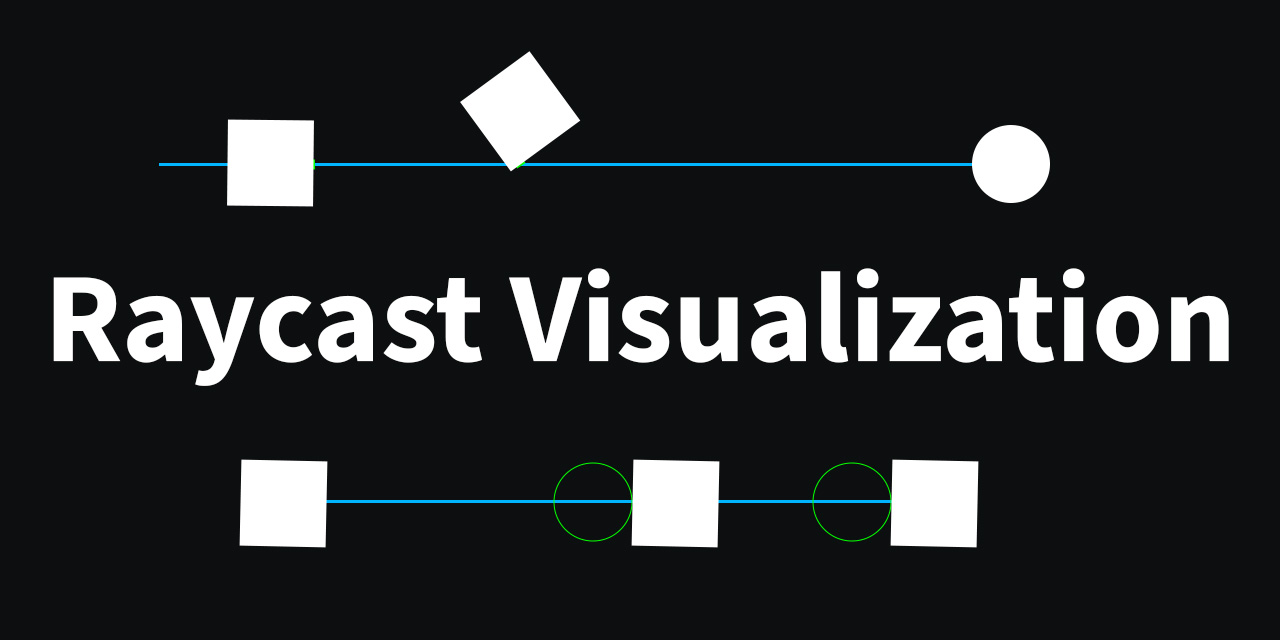
GitHub
This asset allows users to view raycasts as the user fires them. - GitHub - nomnomab/RaycastVisualization: This asset allows users to view raycasts as the user fires them.
 nimble laurel
Hey all, I’m pretty new at this still and I’m trying to follow different tutorials and the like to make my own multiplayer game using Netcode for GameObjects.
I’m wondering if anyone else has had trouble trying to understand how to implement item inventories like individual inventory, shared chests, and shop inventories.
Just at a basic level, should the inventories only be created/instantiated on the server side or should I be using things like IsOwner and instantiate the players personal inventory on the client and others on the server.
But then I have questions about sending the item data via rpcs and there’s a whole bunch of issues with serializing the stats of the item.
Has anyone seen someone’s project or tutorial that can really help me understand what I should be doing?
Again, super new so really appreciate and guidance and patience over my probably misunderstood ideas.
river roost
nimble laurel
Hey all, I’m pretty new at this still and I’m trying to follow different tutoria...
swift crag
I might give that package a crack sometime soon.
river roost
I've built my game in a similar way but I just found this couple of days ago
swift crag
I was put off of using SOs for mutable data by their unpredictable behavior in-editor vs. in-game
in short, they live until you switch scenes or exit the editor
river roost
Yeah the lifetimes are weird
but the author of the package probably figured all that out
swift crag
yeah
zenith cypress
I think the only SO in our game that is mutable atm is for our settings. We assign it to places that need it, and when the game is going, they can have direct access to the updated data.
swift crag
zenith cypress
I think the only SO in our game that is mutable atm is for our settings. We assi...
I am thinking about this.
zenith cypress
It's quite handy
delicate portal
swift crag
What version of unity is this?
This is 2021.3.23f1
swift crag
It seems kinda cool to just slot in an asset reference to provide a setting value
My current system is enum-based
 wild wolf
@everyone Somebody can help me creating this moving mechanic for my game?
I have tried differents ways without any good result.
The reference movement is this game;

Y8.Com
Gioca a Roll Sky Ball 3D, il gioco online gratuito su Y8.com! Fai clic ora per giocare a Roll Sky Ball 3D. Divertiti con i migliori giochi relativi a Roll Sky Ball 3D.
swift crag
e.g. Prefs.GetPref<Pref.CameraShake>() returns Pref.CameraShake.On or Pref.CameraShake.Limited or Pref.CameraShake.Off
it uses the dynamic keyword
evil
river roost
ew
zenith cypress

river roost
ironically i use a singleton for my settings
swift crag
        toggle.onValueChanged.AddListener(delegate
        {
            if (toggle.isOn)
            {
                dynamic en = Convert.ChangeType(value, prefType);
                Prefs.SetPref(en);
            }
        });
SetPref is generic, so I need to be able to provide it a specific type
big scary
river roost
that's a bit cursed
swift crag
wild wolf
@everyone Somebody can help me creating this moving mechanic for my game?
I have...
do you really want 100,000 people to try to help you with this?
 ember spear
Can you change the disabled sprite of a button during runtime, and if so how would that be done?
 swift crag
river roost
that's a bit cursed
swift crag
river roost
that's a bit cursed
enums always make things a bit cursed
zenith cypress
Fen over here writing python types 😔
wild wolf
swift crag
do you really want 100,000 people to try to help you with this?
Just somebody to help me in this.
swift crag
do not attempt to ping the entire server
wild wolf
swift crag
do not attempt to ping the entire server
I have tried to tg only devs
zenith cypress
solution: don't tag anyone and wait
swift crag
consider reading #📖┃code-of-conduct before continuing your pinging spree
ember spear
I mean you're trying to tag like thousands of people lol
swift crag
then read #854851968446365696 for some advice on how to ask a useful question
so far you have not
wild wolf
sorry
swift crag
explain what, exactly, you want to accomplish, and what you've tried so far
river roost
swift crag
enums always make things a bit cursed
You can do var enum = (T) (object) intValue where T : Enum
still a bit ugly
swift crag
river roost
You can do `var enum = (T) (object) intValue where T : Enum`
The enclosing class isn't generic, though. It's just handed a Type variable
wild wolf
swift crag
explain what, exactly, you want to accomplish, and what you've tried so far
I want to reach that ball moving/control like in the game reference. I have tried so far to moving ball with physics without any good result.
river roost
swift crag
The enclosing class isn't generic, though. It's just handed a `Type` variable
I'm a bit confused, SetPref is generic right?
swift crag
It is. This code is attached to a Toggle used to pick from one of several options for a specific kind of preference
river roost
Yeah, so value is int?
river roost
me too
swift crag
zenith cypress
I think the only SO in our game that is mutable atm is for our settings. We assi...
i imagine you can also attached a string key to the settings assets
for localization
I have to do some hilariously cursed things with attributes to attach that data to the enum types directly

river roost
I am proud of being able to do this though
 swift crag
I auto-generate my entire settings menu
_prefTypes ??= AppDomain.CurrentDomain.GetAssemblies().Where(a => a.GetName().Name == "Preferences").SelectMany(t => t.GetTypes()).Where(t => t.IsEnum && t.Namespace == nameof(Pref)).ToList();
AAAAAAAAAAUGH
river roost
What the
river roost
is it worth it?
zenith cypress
swift crag
i imagine you can also attached a string key to the settings assets
The settings asset is just the data. Localization is handled elsewhere via the ui layer. But yeah you could if you wanted to.
swift crag
I might scrape it out and replace it with something SO-based
river roost
if it works it works
swift crag
ember spear
Can you change the disabled sprite of a button during runtime, and if so how wou...
I don't see why not.
swift crag
yeah -- so you'd need to get the existing SpriteState, set a new disabledSprite, and then put the modified SpriteState back in
since it's a struct
river roost
public Sprite disabledSprite    { get { return m_DisabledSprite; } set { m_DisabledSprite = value; } }
```This is the stupidest property I've seenYou often see properties used when you're actaully modifying something on the native-code side
not in this case
zenith cypress
This is just a field at that point 
slender nymph
river roost
```cs
public Sprite disabledSprite { get { return m_DisabledSprite; } set { m...
how is that stupid though? it's just a normal property. auto properties are a special thing that does this but just hides it for the compiler to do the work for you
swift crag
well, it does feel a little bit unnecessary
ember spear
🙃
swift crag
turning a field access into a method call
river roost
slender nymph
how is that stupid though? it's just a normal property. auto properties are a sp...
They could have done it like this:
public Sprite disabledSprite {
  get => m_DisabledSprite;
  set => m_DisabledSprite = value;
}
```or this:
```cs
[field: SerializeField]
public Sprite disabledSprite { get; set; }
```or just this:
```cs
public Sprite disabledSprite;
this is not decompiled
delicate portal
Hello! How can I visualize a capsuleCast? This just doesnt seem to work, the player is colliding with the thin air sometimes when there isnt something in front of it.
        float playerRadius = 0.05f;
        float playerHeight = 2f;
        bool canMove = !Physics.CapsuleCast(transform.position, transform.position + Vector3.up * playerHeight, playerRadius, moveDir, moveDistance);
Debug.Log(canMove);```also see:
jinx
ember spear
Please argue more over this so I may learn
slender nymph
river roost
They could have done it like this:
```cs
public Sprite disabledSprite {
get =>...
- is literally the same thing but requires expression body syntax which wasn't introduced until c# 6
- is an auto property which i literally just described (and also wasn't introduced until .net 3)
- is a field and it's against standard conventions to expose fields directly like that
ember spear
From the top rope!
ashen ferry
what yall tryna show with m_ prefix just googled its a left over from c++ or something but things like cinemachine fields have those prefixes
river roost
slender nymph
1. is literally the same thing but requires expression body syntax which wasn't ...
True, I didn't consider that it's old
swift crag
ashen ferry
what yall tryna show with m_ prefix just googled its a left over from c++ or som...
it's a naming convention, yes
cinemachine got rid of that in Cinemachine 3.0
ashen ferry
but its useless
swift crag
i mean, names are useless
you could name every member member_####
with an incrementing number
ashen ferry
typing m_ sounds like so much extra work instead of starting lower case or upper case according to scope lol
 short hazel
C# fields should start with an underscore to differentiate them from local variables, so you're not that far from m_
slender nymph
ashen ferry
typing m_ sounds like so much extra work instead of starting lower case or upper...
i agree that the m_ prefix is unnecessary, but i will be cold in the ground before you take away my underscore prefix for fields
swift crag
In ye olden days, before we had lots of code analysis and good IDEs, it made more sense
hungarian notation shudder
swift crag
use
Cfor classes
hmmm
this also takes about using the I prefix for interfaces
i'm not a huge fan of that
i don't care if Foo is an interface or not; I just want a Foo
delicate portal
How am I getting this error? I don't even have a cabbage variable in the script
 swift crag
I do it anyway beacuse VSCode tells me to and I haven't bothered to configure it
river roost
But what if I(am)Foo
swift crag
delicate portal
How am I getting this error? I don't even have a cabbage variable in the script
well, show your code.
(make sure you've saved and reloaded the code in unity first)
slender nymph
swift crag
> use `C` for classes
isn't that bit actually about the convention used in the language specification and not actually a recommended naming convention for real code?
short hazel
If you don't want to put
Ibefore your interface name, go back to Java and send someone more appropriate for programming
swift crag
slender nymph
isn't that bit actually about the convention used in the language specification ...
Ah, this is specifically for examples.
The preceding single-letter names are allowed only in the language reference section.
Me read good
swift crag
short hazel
> If you don't want to put `I` before your interface name, go back to Java and s...
condemns you to 1000 years of Visual Basic
short hazel
Used it 1.5 years, it's enough, so 1000 would be my death
 clever jackal
Hey can someone help me out plss.
I'm Trying to make the angle adjustment on click and drag shown in video in unity.... tried so hard but were not able to do that.... could someone help me out.. I'm a beginner..
delicate portal
zenith cypress
<https://github.com/nomnomab/RaycastVisualization>
Doesnt really seem to work, If I import the package, unity still doesnt know about 'VisualPhysics'
zenith cypress
Restart your IDE
delicate portal
Wait is it your tool?
zenith cypress
Yes
(bad timing, but i have to run to an appointment so I won't be around for a bit)
 zenith cypress
Yeah looks like VS. Restart VS and it should be there. If you are using asmdefs, add the package asmdef to it, otherwise it should work fine. Otherwise add the namespace manually. 🫡 If you still have problems I will assist when I get back.
delicate portal
Thanks, will try everything
ashen ferry
clever jackal
Hey can someone help me out plss.
I'm Trying to make the angle adjustment on cli...
what part u stuck at
clever jackal
ashen ferry
what part u stuck at
I figured out how to scale on drag as shown on video but I want to fix the lines (thin cylinders) on the base and on the sphere on top so that it all moves and scales the triangle except the base when I move the sphere
slender nymph
you probably want to use line renderers for the lines and just set the first position as the position they connect to the base to and then just change the second position to the position of the sphere
clever jackal
slender nymph
you probably want to use line renderers for the lines and just set the first pos...
let me see If I can Achieve that and I'll let you know
 craggy lava
How do i change the color of the background color of a camera in C# script?
ember spear
swift crag
yeah -- so you'd need to get the existing `SpriteState`, set a new `disabledSpri...
Thanks again Fen this led to the feature working.
swift crag
👍
slender nymph
craggy lava
How do i change the color of the background color of a camera in C# script?
swift crag
You'll see this in a few different places
Newer C# has nice syntax for "updating" record classes and record structs, so that you don't have to make that local variable
I forget which version that appeared in
(and Unity doesn't use them, so w/e)
ember spear
I'll take a mental note of that, great tip.
swift crag
https://learn.microsoft.com/en-us/dotnet/csharp/language-reference/builtin-types/record
ah, record struct is C#10
dies
slender nymph
records support with expressions in c# 9 but unity doesn't have full record support anyway. c# 10 introduced support for structs
swift crag
yeah
slender nymph
with expressions are so convenient though. i've been using them in godot quite a bit
 stiff stump
GameObject item = Resources.Load<GameObject>("Assets/Resources/Weapons/Pistol");
returns null not sure why i copied path file from the resource but still null
slender nymph
stiff stump
`GameObject item = Resources.Load<GameObject>("Assets/Resources/Weapons/Pistol")...
stiff stump
silly me 🤦♂️
swift crag
no prob, it's easy to do (:
slender nymph
yeah pretty common mistake
swift crag
Unity mashes all of your Resources folders into one big folder
and you address things relative to that
swift crag
swift crag
Unity mashes all of your `Resources` folders into one big folder
(and always includes them in the build!)
 hushed hinge
uhm, now I got a problem, after I got the screen scaling fixed, and when I test it out and press on the button player 1 for only 1 player to appear, both of the players appears instead. I did got all the help from someone on dms but after the screen scaling help, this happens, I don't get why


 fickle knoll
i need some help, this is prob like the first lines of code that i have written but it does not work and i dont know why please help me.
public class FollowPlayer : MonoBehaviour
{
public GameObject player;
public float rotation = 36.0f;
private Vector3 offset = new Vector3(0, 11, -12);
void Start()
{

}


void LateUpdate()
{
    transform.position = player.transform.position + offset;
    transform.rotation = rotation;
}
}
polar acorn
fickle knoll
i need some help, this is prob like the first lines of code that i have written ...
!code
eternal falconBOT
Posting code
📃 Large Code Blocks
Large code blocks should be posted as links to services like:
https://gdl.space/, https://paste.ofcode.org/, https://hatebin.com/
https://paste.myst.rs/, https://hastebin.com/
📃 Inline Code
Surround code with three backquotes. Not quotation marks.
To get C# formatting the first line should only contain cs or csharp.
Add a comment with a line number if there is an error message.
```cs
// Your code here
```
Do not share screenshots of code unless requested.
slender nymph
fickle knoll
i need some help, this is prob like the first lines of code that i have written ...
obligatory "use cinemachine"
polar acorn
(Didn't fat finger it this time)
polar acorn
First off, share your code formatted properly according to the bot's instructions
Second what is the actual problem
slender nymph
i'm gonna go with, it's the compile error on the last line
polar acorn
slender nymph
i'm gonna go with, it's the compile error on the last line
||I know but I want them to mention that||
fickle knoll
it says "Cannot implicitly convert type 'float' to 'UnityEngine.Quaternion'"
rich adder
hushed hinge
uhm, now I got a problem, after I got the screen scaling fixed, and when I test ...
I don't understand what you need to do here. What is the end goal ?
polar acorn
fickle knoll
it says "Cannot implicitly convert type 'float' to 'UnityEngine.Quaternion'"
Rotation is a Quaternion, you can't set it to a single number
fickle knoll
then what should i do
slender nymph
fickle knoll
it says "Cannot implicitly convert type 'float' to 'UnityEngine.Quaternion'"
do you see this underlined in red in your code editor?
fickle knoll
nope
slender nymph
then configure your !IDE
eternal falconBOT
💡 IDE Configuration
If your IDE is not autocompleting code
or underlining errors, please configure it:
• Visual Studio (Installed via Unity Hub)
• Visual Studio (Installed manually)
• VS Code*
• JetBrains Rider
• Other/None
*VS Code's debugger plugin is unsupported.
We recommend using VS or Rider instead.
fickle knoll
what should i download
rich adder
fickle knoll
what should i download
follow the link for your code editor
fickle knoll
it dont work
slender nymph
what doesn't work?
fickle knoll
the red underline
slender nymph
did you go through the entire configuration guide for the correct code editor?
fickle knoll
yes
slender nymph
which one are you using?
fickle knoll
the 2022 version
slender nymph
screenshot the entire visual studio window with the solution explorer open and visible
fickle knoll
what is the solution explorer?
rich adder
fickle knoll
what is the solution explorer?
its a tab/window inside on Visual Studio.
slender nymph
fickle knoll
what is the solution explorer?
View > Solution Explorer
fickle knoll
im trying to screenshot but it aint working
slender nymph
is your snipping tool broken or something?
fickle knoll
im pressinmg print screen but nothing happening
slender nymph
oh my god
fickle knoll
the key on the keyboard
slender nymph

Learn how to take screenshots on many major platforms.
swift sedge
ctrl - v
fickle knoll
dude i already did that
 wintry quarry
fickle knoll
the key on the keyboard
wintry quarry
fickle knoll
the key on the keyboard
Learn how to use Snipping Tool to capture a screenshot, or snip, of any object on your screen, and then annotate, save, or share the image.
swift sedge
also use WinKey + Shift + S instead
its 10x better
allows you to snip certain regions of the screen
fickle knoll
 swift sedge
the IntelliSense is not working
slender nymph
go through the entire guide again because you very clearly missed something
and click the Regenerate Project Files button when you see it
polar acorn
fickle knoll
Not configured. You've missed a step somewhere. Did you get the last step where you're supposed to restart VS
slender nymph
ashen ferry
using System.Security.Cryptography
also System.Collections.Specialized 😬
swift sedge
slender nymph
also System.Collections.Specialized 😬
who tf uses that
swift sedge
fickle knoll
i didnt type it
another reason for it not working
unity only has Collections and Generic
and Unity Engine
ofc
fickle knoll
im doing the unity pathway thingy so in the scripit is was just there
slender nymph
swift sedge
unity only has Collections and Generic
unity has neither since they are namespaces in the BCL, but so is Specialized
swift sedge
slender nymph
*unity* has neither since they are namespaces in the BCL, but so is Specialized
i meant auto generated
swift crag
probably the result of aggressive auto-completion of type names
slender nymph
fickle knoll
im doing the unity pathway thingy so in the scripit is was just there
have you completed the steps in the configuration guide yet?
slender nymph
make sure you do not skip any steps. with the exception of installing Unity and Visual Studio again. you do still need to use the visual studio installer for the unity workload though
dawn sparrow
Anyone know if it's possile to use enums as paramaters in the animator?
swift crag
No. Animators can only have int, float, bool, and parameters
slender nymph
dawn sparrow
Anyone know if it's possile to use enums as paramaters in the animator?
do you see an option for an enum when you add a parameter in the animator?
dawn sparrow
That's too bad
slender nymph
you can use ints since enums are just ints with nametags anyway
swift crag
Of course, you can convert an enum value into an integer. But there will be no relationship between the int and the original enum
dawn sparrow
Yeah, just looks way neater to use enums
swift crag
you won't be able to see your enum names in the animator, and the animator won't update if you rearrange or change the values of the enum values
dawn sparrow
With ints im constantly having to go between my enum list and manually convert that to int
swift sedge
an enum is just an array of items with names
swift crag
swift sedge
an enum is just an array of items with names
eh, I wouldn't say that
an enum type is a type with zero or more values
it's not an "array", for sure
swift crag
swift crag
an enum type is a type with zero or more values
hence the name: you enumerate all of the type's values
dawn sparrow
swift crag
you won't be able to see your enum names in the animator, and the animator won't...
I created a code-generating script that automatically creates enums for all items and abilities in the game, so that won't be an issue
I guess another option is a fully code-based approach
swift sedge
slender nymph
make sure you do not skip *any* steps. with the exception of installing Unity an...
do you need the Game Development With Unity package in visual studio installer?
(thats what i have)
slender nymph
yes
swift sedge
so maybe grasshat doesnt have that installed
slender nymph
probably, hence my instructions for following all of the steps including that step
hushed hinge
hushed hinge
uhm, now I got a problem, after I got the screen scaling fixed, and when I test ...
am I beeing ignored?
slender nymph
being ignored implies that people intentionally did not reply to you. however that is clearly not the case since you ignored follow up questions #💻┃code-beginner message
fickle knoll
well i have to go i will try to figure it out tommorrow
 shadow flame
when i start game my main menu pops up and goes into main game scene
idk how to fix
slender nymph
please see #854851968446365696 for what to include when asking for help. right now, with no context we can really only guess at what the issue might be
shadow flame
this pops up for a second then it switches scene to to
 slender nymph
screenshots of your menu and scene aren't really going to tell us anything
shadow flame
what can i do
rich adder
shadow flame
this pops up for a second then it switches scene to to
start looking for any code that has SceneManager in it
slender nymph
shadow flame
what can i do
well considering this is a code channel, maybe take a look at your code?
shadow flame
 polar acorn
shadow flame
this pops up for a second then it switches scene to to
polar acorn
shadow flame
this pops up for a second then it switches scene to to
Scenes don't just switch of their own accord -- if the scene is changing it's because you've told it to somewhere
slender nymph
well there you go, you're loading the level1 scene in Start
polar acorn
shadow flame
Okay, so, when this object is created, you go to level1. Is that what you want
swift crag
why would it be?
polar acorn
shadow flame
is that not when i click start
No, that's when the object is created
shadow flame
 swift crag
I suppose it is, technically
slender nymph
damn beat me to it
 swift crag
you probably moved the file.
shadow flame
ok thatnks
 lime leaf
Does anyone how I can speed up my unity project load time?
polar acorn
And the fact that it's in Miscellaneous Files means you haven't configured your !ide
eternal falconBOT
💡 IDE Configuration
If your IDE is not autocompleting code
or underlining errors, please configure it:
• Visual Studio (Installed via Unity Hub)
• Visual Studio (Installed manually)
• VS Code*
• JetBrains Rider
• Other/None
*VS Code's debugger plugin is unsupported.
We recommend using VS or Rider instead.
swift crag
also, "Miscellaneous Files" being there implies your IDE isn't set up properly. Are you getting error highlighting and completion suggestions?
zoop
polar acorn
lime leaf
Does anyone how I can speed up my unity project load time?
Have less stuff in it
That's really your only option
lime leaf
I just made one and it is taking like 30 Minuets to load it
slender nymph
polar acorn
And the fact that it's in `Miscellaneous Files` means you haven't configured you...
they do get the "Unity Script" code lens and proper syntax highlighting so the file may just not be part of the project. actually it was probably deleted or moved based on the error they are receiving
swift crag
you will get slow loading if you're using a slow hard drive or have antivirus software trying to scan all of the tiny files unity makes
 shadow flame
1 more thing i just dont know how to explain it
polar acorn
lime leaf
I just made one and it is taking like 30 Minuets to load it
It takes exactly as long as your computer needs to load everything. No more, no less
You can either speed up the machine or make it have to do less
swift crag
Unity-5.x is..alarming to see
rich adder
lime leaf
I just made one and it is taking like 30 Minuets to load it
first time start up is normal
packages are downloading
shadow flame
is there a way to stop my charecter from spining after going off a corner of a box collider
 swift crag
freeze rotation on the rigidbody.
rich adder
shadow flame
is there a way to stop my charecter from spining after going off a corner of a b...
lock rigidbody Z - its under Constraints in Rigidbody component
lime leaf
Is this a major issue?
 shadow flame
rich adder
lock rigidbody Z - its under Constraints in Rigidbody component
shadow flame
rich adder
lock rigidbody Z - its under Constraints in Rigidbody component
tysm
polar acorn
lime leaf
Is this a major issue?
What Unity version are you using
lime leaf
2022.3.10f1
slender nymph
it's not an issue, you can just reset the layout and it should prevent that warning from happening again
rich adder
i had that too not sure wats it about
slender nymph
if it is an old project, that is to be expected opening it in a recent editor version
polar acorn
lime leaf
2022.3.10f1
Then it's no issue. Go to window -> layouts -> reset all
lime leaf
It is still there
rich adder
clear console
lime leaf
Thank you!
 bright violet
I'm having problems with the raycast hitbox of an UI Image, the hitbox is skewed and I can't get why
rich adder
bright violet
I'm having problems with the raycast hitbox of an UI Image, the hitbox is skewed...
wdym skewed?
share setup
wintry quarry
bright violet
I'm having problems with the raycast hitbox of an UI Image, the hitbox is skewed...
skewing is usually due to non uniform scaling of the object's parent(s)
bright violet
rich adder
wdym skewed?
share setup
the green hitbox box looks fine, but as you can see when i try and click it to turn it blue it often doesn't
bright violet
wintry quarry
skewing is usually due to non uniform scaling of the object's parent(s)
well it's on a canvas, no other parents
wintry quarry
bright violet
well it's on a canvas, no other parents
Check the preview window on your event system
possibly something else is blocking it
bright violet
wintry quarry
Check the preview window on your event system
nop, it just hits the background at one point
rich adder
bright violet
the green hitbox box looks fine, but as you can see when i try and click it to t...
you're using collider on UI element 🤔
bright violet
rich adder
you're using collider on UI element 🤔
hm?
wintry quarry
rich adder
you're using collider on UI element 🤔
Is this true? I don't see that
bright violet
it's not a collider
wintry quarry
bright violet
the green hitbox box looks fine, but as you can see when i try and click it to t...
can you use the rect tool btw
not the move tool
though I suspect it will show the same box...
bright violet
wintry quarry
though I suspect it will show the same box...
yep, same
bright violet
rich adder
is the green not colliders?
well it's kind of a ui trigger so it makes sense for it to be green
rich adder
btw always b sure you're working with pivot mode not center
 rich adder
bright violet
well it's kind of a ui trigger so it makes sense for it to be green
rich adder
bright violet
well it's kind of a ui trigger so it makes sense for it to be green
Oh i never used UI triggers thats new to me
bright violet
rich adder
btw always b sure you're working with pivot mode not center
oh thanks yeah
i forgot abt that
i still don't get what the problem is
rich adder
can you share script
bright violet
rich adder
can you share script
sure, even tho even the eventSystem shows the same behaviour
public void OnPointerClick(PointerEventData eventData)
{
    if (selectable) {
        if (!selected) {
            selected = true;
            Events.selected.Invoke(eventData.pointerClick.gameObject);
        }
        else
        {
            selected = false;
            Events.unselected.Invoke(eventData.pointerClick.gameObject);
        }
    }
}```maybe it's some setting messed up with the canvas?
 rich adder
you can try looking at event system inspector in playmode see whats going on there as well
bright violet
rich adder
you can try looking at event system inspector in playmode see whats going on the...
the eventSystem shows the same behaviour
ashen ferry
wtf is going on with ur scale bro fix that before u gonna need to rescale everything like I had
bright violet
ashen ferry
wtf is going on with ur scale bro fix that before u gonna need to rescale everyt...
hm?
rich adder
bright violet
the eventSystem shows the same behaviour
it just looks like its using the rect transform size for raycasting target
ashen ferry
still rescaling btw lmfao I wanted draggable rect and sensitivity was off cause of scale
bright violet
rich adder
it just looks like its using the rect transform size for raycasting target
I mean, that's the default behaviour. Then you can set to ignore the alpha of the rect with a line of code like i did
rich adder
bright violet
I mean, that's the default behaviour. Then you can set to ignore the alpha of th...
the one you sent?
bright violet
rich adder
the one you sent?
No, in another script
go.GetComponent<Image>().alphaHitTestMinimumThreshold = 1f;
rich adder
bright violet
No, in another script
`go.GetComponent<Image>().alphaHitTestMinimumThreshold = ...
and this line / correct object is referenced ?
you debug.log and made sure line is running, more details on how you tried to debug would help
ashen ferry
what do you mean eventSystem shows same behaviour, when you hover over your button is Name correct or no
bright violet
rich adder
you debug.log and made sure line is running, more details on how you tried to de...
from a google search it looks like it's a problem on unity's side
it is fixable by changing meshtype from Tight to FullRect
bright violet
bright violet
No, in another script
`go.GetComponent<Image>().alphaHitTestMinimumThreshold = ...
(it's this line giving the problem in the first place)
rich adder
idk I tried test alphaHitTestMinimumThreshold but never used it.. cs Using alphaHitTestMinimumThreshold greater than 0 on Image whose sprite texture cannot be read. Texture 'aaa' is not readable, the texture memory can not be accessed from scripts. You can make the texture readable in the Texture Import Settings. Also make sure to disable sprite packing for this sprite.
bright violet
rich adder
idk I tried test alphaHitTestMinimumThreshold but never used it.. ```cs
Using a...
this helped: https://forum.unity.com/threads/image-alphahittestminimumthreshold-not-working-correctly.465586/

Unity Forum
So I'm trying to use alphaHitTestMinimumThreshold so that players can only drag item icons where there isn't any transparency. It ignores all the...
rich adder
 languid spire
rich adder
idk I tried test alphaHitTestMinimumThreshold but never used it.. ```cs
Using a...
languid spire
rich adder
idk I tried test alphaHitTestMinimumThreshold but never used it.. ```cs
Using a...
yep, texture needs to be marked as Read/Write
rich adder
oops
polar acorn
rich adder
idk I tried test alphaHitTestMinimumThreshold but never used it.. ```cs
Using a...
Enable Read/Write in the texture's import settings
rich adder
reading skill issue 
rich adder
bright violet
this helped: https://forum.unity.com/threads/image-alphahittestminimumthreshold-...
which part? its a long ass thread xD
bright violet
rich adder
which part? its a long ass thread xD
"Hi again! Found a real solution: pixels won't be shifted IF you change the texture's import properties: MeshType = from Tight to FullRect. According to the Unity help on SpriteMeshType is:
FullRect = Rectangle mesh equal to the user specified sprite size.
Tight = Tight mesh based on pixel alpha values. As many excess pixels are cropped as possible.
That explains our problem: if we use Tight, then alpha=0 pixels on the four edges are cut off, this is why the coordinates get shifted by the alphaHitTestMinimumThreshold bug. That's it :)"
rich adder
wow this is some obscureness I just learned about UI 👍
bright violet
ikr?
 bright violet
rich adder
is working now for you?
bright violet
rich adder
is working now for you?
yes! perfectly
I'm creating a map editor and that was crucial
 rich adder
shadow flame
rich adder
shadow flame
scene index?
bright violet
shadow flame
how can i load next scene without the name
you can either use the scene index or a scene reference
shadow flame
bright violet
you can either use the scene index or a scene reference
how can i use that
