#💥┃post-processing
1 messages · Page 13 of 1
 worthy rapids
worthy rapids
worthy rapids
not just
one moment
ok found it, this is before the dude changed it from shader/post processing:
this is a good example i'm trying to achieve
worthy rapids
that is how far i was able to get as result:
 lucid otter
Hello!
Why is this happening?
My particles are disappearing when I tilt the camera more than an x angle... Why is that?
Everything is set to " Face Camera Plane "
 severe slate
Hi guys, has anyone tried Beautify on the asset store? anyone know if it's any good?
 rugged wind
@severe slate I got Beautify2, it's really neat
severe slate
@rugged wind cool, i'm using HDRP so will have to use the other one, I might ask if they are releasing a HDRP2 version, and wait for that if they are, i'm looking for something to give my game that cinematic feel, the textures are gorgeous but theres no color correction or ambience to it, and i'll probably arse it up if I do it myself lol
rugged wind
yeah it offers a great control in terms of what you can do, wait let me pick up an example from my project
without
with
it has a bunch of features but I mostly use the color tweaking bloom and sharpen
the main advantage I saw from Beautify2 compared to the base one is that it can be used as a post processing effect with the stack
severe slate
wow, thats awesome
severe slate
@worthy rapids I think that's Anti alising, if not then it's probably an effect with pixel sizes
worthy rapids
could be an anti-aliasing yes but after some search, i noticed that some old TV have this blur effect due to the lens that is not crystal clear, which it's what i will try to achieve it
unfortunately, i have no idea how to create a custom post processing since all i found is how to add the already made effect in the post processing list 😐
hence why i'm asking here
severe slate
wont screen space reflections work in HDRP?
worthy rapids
click the white box next to shutter angle for example
it will get enabled once clicked on it
severe slate
oh wow ok
worthy rapids
or you could click "on" to enable all of them
lucid otter
Hello everyone,,,does anyone here know how to work with the new particle system?
 sterile iron
@lucid otter just seen your post from yesterday. It looks like the bounds of the particle system is not as big as the area that the partciles are acualty in. This will cause the particles not to be renderd if you cant see the setuped bounding box for it
lucid otter
@sterile iron My man thank you for your knowledge.. Do you have a second to tell me how to fix it? I tried scaling it but I don't think that's the proper way to go about it?
sterile iron
If you edit the VFX asset, inside the Initialuze Particle Block you have a property called Bounds that you can expand.
There you have to set the box to the size of your particle efftect
lucid otter
Thank you for your help yet again @sterile iron
severe slate
Hey! Does anyone know how to apply post processing to a Canvas?
 novel wasp
Anyone know how to store/access previous rendered frame with HDRP, so that it would have post-processing applied. I'd imagine it would be possible to blit that to a RT, and somehow use it during next frame but haven't been able to figure it out yet.
sterile iron
@severe slate You would have to use the Screen Space Camera mode of the canvas and have the postporcessig on that camera specified in the canvas settings
 quartz kayak
Hey im pretty new at unity and i need help
when i try to add a button on the unity main camera screen it generates a canvas and the button created is too huge and dosent fit in the camera view can anyone please help me
sterile iron
🙂
severe slate
I'll make I credit you for my game for helping me
sterile iron
@quartz kayak Normaly the canvas renders the ui elements so they do not need to fit in the camera view. In the canvas one unit (1meter) is one pixel
@severe slate let my know if you finishing your game 🙂
severe slate
mhm
sterile iron
@novel wasp currently with the HDP there is no "Easy" way to get the old events like OnRenderImage. My best bett is that you would need to create a simple post effect at the end of the effects cain that blitts the final result into a rendertexture that you have created.
https://docs.unity3d.com/Packages/com.unity.render-pipelines.high-definition@7.1/manual/Custom-Post-Process.html
maybe somone out there has allredy done this but i did not find anyting in my quick search.
novel wasp
yeah well I've been doing hundreds of searches and done a few attempts myself... no luck yet. There's a function to get previous frame's color pyramid if I'm not mistaken, tried it a few days ago, but it doesn't contain post-processed image.
frustrating to just do guesswork and read the source code. Not to mention the wasted time.
I guess I'll go through the temporal filter related code in HDRP later tonight.
 woven jewel
Hi, Does anyone know why it looks good in the scene and in a game when it's so "broken"?
 marsh frigate
you have post processing disabled in the scene view
woven jewel
@marsh frigate Nope, inscene view is active post processing but ingame not ... I found it this problem... If I optimalize fps drops I turn off secondary camera (I have this camera due to gun go through walls) volumetric to nothing...
If I set volumetric to default its ok but fps drops are again, then I small optimalize in Custom render and its Okay now.
severe slate
@severe slate i just added it to my project this morning heres a vid showing the setup https://youtu.be/ULwE-k7GvxU

Setting Up Beautify 2 Post Processing On My Unity Scene
severe slate
@severe slate nice! i'll give it a watch!
looks good to be honest! plenty of options, think i'll make a purchase
Yeah I would definitely recommend it. Especially for half off
 pastel scroll
@quartz kayak to make a simple www.google.com search about unity camera canvas basic for example brings up a basic tutorial from unity: https://www.youtube.com/watch?v=OD-p1eMsyrU
quartz kayak
tyty
 viral roost
Anyone know how to make "pixelate" effect in HDRP?
I have no idea how to make any post-processing effects
 dull rampart
rugged wind
dull rampart
rugged wind
Post processing stacks, if you're not using scriptable render pipelines
quartz kayak
But isnt post processing stacks removed from the store???
 tepid rover
@quartz kayak
If i'm not mistaken, post processing stack is a component included in pp package, also pp should be builtin in Unity and you just have to install it via package manager, no need to care about asset store
But I may be completely wrong
 exotic phoenix
Check my asset https://assetstore.unity.com/packages/vfx/shaders/kuwahara-filter-162009 May be useful to you

Add depth to your next project with Kuwahara Filter from Mikhail Gorobets. Find this & more VFX Shaders on the Unity Asset Store.
severe slate
How do I make post processing work for my game?
They show up fine in Unity
but in the final game they don't show?
Help?
 tacit bay
Help please, I have some weird exposure in my scene even though I don't have exposure post processing, what's going on?
 mellow basalt
Hello, is it possible to apply a different post processing volume for each layer using URP and the 2D renderer?
tacit bay
@severe slate Yes I do
severe slate
Try turning down the intensity maybe
 rugged escarp
Hi , i just watched post processing videos and stuff , most of them use MK Glow which was free and now isnt available, so using unity Post processing, how can i select which objects are affected with post processing instead of the whole scene ?
severe slate
Not sure if this would work but try attaching the post process volume to each object you want instead of just having a huge box collider
rugged escarp
i dont really get how it works tbh xD
 dark plank
Hey does anyone know how to replicate the pre made post processing applied in ue4 with unity?
And do I need to use HDRP to recreate them?
 dry folio
@dark plank screenshot all settings in ue4 profile, and try recreate those in Unity
 cobalt wing
HDRP has PP that's closest to what Unreal uses, but it's impossible to recommend anything here as we don't know what you are looking to accomplish here
 feral ore
Can someone please, PLEASE help me understand why this isn't working:
    // Init
    private PostProcessVolume effectsPPV;
    private AmbientOcclusion ambientOcclusionLayer;

    // Start is called before the first frame update
    void Start() {
        ambientOcclusionLayer = ScriptableObject.CreateInstance<AmbientOcclusion>();
        ambientOcclusionLayer.enabled.Override(true);
        ambientOcclusionLayer.intensity.Override(1.0f);

        effectsPPV = PostProcessManager.instance.QuickVolume(gameObject.layer, 100.0f, ambientOcclusionLayer);
    }

    // Update is called once per frame
    void Update() {
        ambientOcclusionLayer.intensity.value = 1;
    }

}```I've been working on this for like 2 hours now and I'm going a little insane
I don't know what I'm doing wrong
cobalt wing
I dunno, that's pretty straight for the PP scripting docs
does your PP volume work otherwise?
feral ore
Outside of the script yes, I just haven't been able to get anything in the script to work
This is my first time using post processing in script so I'm sorry if I'm missing something crucial
This script is on my game object that's on my post processing layer, that has the volume, and my camera has the post processing layer
cobalt wing
that sample snippet on the docs it bit weird though
usually you'd try to get the ref to PP volume and then try to get settings to get the layer you need and from there you'd manipulate it
feral ore
?
cobalt wing
I've done it in past more like in the answer here: https://answers.unity.com/questions/1355103/modifying-the-new-post-processing-stack-through-co.html

Unity is the ultimate game development platform. Use Unity to build high-quality 3D and 2D games, deploy them across mobile, desktop, VR/AR, consoles or the Web, and connect with loyal and enthusiastic players and customers.
hmmm, some say that don't work on ppv2 anymore 😄
feral ore
Haha I've visited this forum already and couldn't get it to work
cobalt wing
it's been ages since I've used ppv2 myself
feral ore
I did get an error about not assigning a game object to ChromaticAbberation when I used that though, now I get no errors but it still doesn't work
cobalt wing
I dunno which one you actually want to mod
your script tries to alter ambientOcclusion but class name is ChromaticAbberationManager
feral ore
I keep mixing the damned two up
That may be my problem hold up
God damn it
That was it
Well
Thanks
cobalt wing
np
feral ore
I feel like dying a little now
cobalt wing
you had the wrong component?
feral ore
The script creates a new component for the effect it would seem, but in the game I'm making I couldn't see the ambient occlusion so it was hard to tell what was wrong
So it was applying ambient occlusion when i wanted chromatic abberation and I couldn't tell
I'm going to go program some more and cry a little, thanks again
 rustic blade
is there a free asset that adds ambient occlushion in urp?
cause i know a few good ones but none of them are free
rustic blade
You could:
Use Post Processing
Better Textures
Decorational objects
A Skybox
Better Lighting
But post processing would make the biggest difference
use this tutorial if your are using the old render pipeline https://www.youtube.com/watch?v=a0OQvWAPeuo
and those if you are using urp https://www.youtube.com/watch?v=oXNy9mszKxw&t=1s
https://www.youtube.com/watch?v=HqaQJfuK_u8&t=361s
 plain mirage
Hi guys, I'm looking for advices to create a space scene with hdrp. I tried to leverage the volumetric lights to create some god ray / light shafts like effects but I couldn't figure out how to use the height based fog in the hdrp to do that. Any idea about how to create depth in the scene or nice effects are super welcome - doesn't have to be related to volumetrics, even though it is the first thing i was looking for to create depth 🙂 cheers
 vapid citrus
@severe slate that scene only looks bad because there isn't anything IN IT yet. Large rock meshes for the cliffs, foliage, decorations, assume sort of focal point to draw attention would all help
feral ore
To be fair, the lighting is awfully low in that scene
Which in my opinion makes it look kind of bad
 mellow summit
i would add:
- Post Processing
- Better lighting settings
- Foliage,Trees,Grass,Rocks (detail meshes)
- Water (if terrain is resembling an island)
- Texture variations (more than 2 textures)
@severe slate
severe slate
Thx @vapid citrus @mellow summit
@feral ore I really don't know how to fix that , I try but nothing happened
 wicked grotto
Post- Processing... the day has come I am going to learn it
 sullen parrot
hey im doing a bit of post processing and im really new to it, so i found a script, video clip, and shader online that added a glitch effect, but i plugged it all in and when i added it to some gameobject, it just covered the whole screen, and when i attached it to the camera everything turned blue.
can someone help
severe slate
is there a asset that generates a full city island for racing
i cant find any thing
ping me for ideas
 fresh olive
2019.3 The new PP is done through a "volume". Seems a "local volume" triggers when the camera enters the volume. How can I trigger it when a different GameObject enters it?
severe slate
im making a game where you control VHS tapes should i make a VHS effect to it?
 compact sierra
Hi, I was hoping I could get some help with setting up Bloom. I'm trying to use it primarily for VFX. The idea is that it wouldn't be noticeable, but if we crank the brightness above 1 in our VFX we'll get a Bloom. Kinda in the same way Unreal behaves.
I got it all set up and working as far as the profile goes and attaching to camera. The effect is visible. In our particle shader we have an overbright value passed via a custom vertex stream that then gets multiplied over the final color. The behavior I was expecting is the bloom would get more intense as we crank this value up. But instead it just turns the particles white and doesn't affect the bloom at all
Is there some extra step that I need to do in order to get that behavior?
 shadow sedge
Can anyone tell me how to apply such great for lighting and colors effect
sterile iron
@shadow sedge its more the shading / texture / color choice , it calld flat shading in general
shadow sedge
@@sterile iron Is there any reference from where i can learn or can you tell me how to do that
I just selected some colors for scene and using UV coloring i colored my scene and then imported in unity. But mine scene is not looking classy like this.
viral roost
@prime kernel Have you put Post-Processing Volume is Global to true?
 prime kernel
Yes
viral roost
Why can I type anything now? (editted message)
So, I have a problem, the "Bloom" effect does not the tilemap, Is there a way I can fix it?
Nvm I fixed it, just changed the color of the layers
 hot stratus
which ones?
some effects like depth of field and lens distortion only show up in game view
or, at least, I'm pretty sure
@oak heath
severe slate
ohh i thought this was genrating random stuff
post processing
where can i get post processing for unity 2017.x?
hot stratus
post processing stack in the package manager
severe slate
there no package manager when i got to window/(package manager missing)
hot stratus
 okay, I have no idea how to help you then
 oak heath
@hot stratus it doesn't matter what effect is showing up, since none of em are
I'm using color grading
It's on low def and I'm using gamma colours
But I don't see why it shouldnt work
Plus bloom ain't working
pastel scroll
@severe slate i think it could be good if you watch some basic tutorials on how to create things in unity. what tools, what renderer, how lightning work etc. then you fast get nice and good graphics from the process. there are alot of good tutorials out there:
for example sykoo does man rough and basic tutorials, or unity guru, brackeys etc,
https://www.youtube.com/watch?v=pcdL0jLDH2g

How do you make terrains and landscapes with Unity 2019? Let's check it out!
Check out LVE 2019 here! ► http://bit.ly/ZenvaSykoo
♥ Support Sykoo on Patreon: https://patreon.com/SykooSam
····················································································
...
 reef fog
I can't get Post Processing to work in URP, have a volume set up (similar to how it was in HDRP which was working fine), checked it's on the same layer as the camera, camera has Post Processing enabled, is there anything else I should check?
 frigid spoke
does postprocessing not work with2d? its not effecting my game not a single bit
help pls
 limpid igloo
Does HDRP support per object motion blur, or am I being a numpty? I loved the motion blur in the old post processing stack (it was clearly per object), but it seems like the HDRP motion blur implementation is supremely lacklaster.
 torn sigil
Would anybody have a vague idea on how to create a scree distortion effect for a 2d game, a bit like the image I just sent, any ideas would be helpful, thanks!
 limpid tulip
I have an object assigned to a certain user layer where I have it not be affected by my post-processing layer, but It's getting affected by it. Anyone know how to fix this?
mellow summit
@torn sigil Lens Distortion effect in ppv2 does that
severe slate
Hey! After making an atlas texture and exporting to unity from Blender, I noticed that I couldnt use bloom. Instead, I use one material for the colors and a specific material, bloom with post processing, from Unity. Is this convention or is there a better way? So in total, most of my objects are using 2 materials
severe slate
Hey
First time using Unity here
having some issues using screen space reflections
everything seems to have these light patchy outlines when SSR is enabled. Also happens in the foreground closer to the camera.
jitters as the camera moves too
can't work out what's causing it
and the settings for SSR are greyed out in my post processing volume
little frustrating, cause I'm on a relatively tight deadline
Anyone got any ideas?
The light patches appear to be the material underneath, prior to the post-processing
mellow summit
@severe slate PPV2 SSR sucks,i would use Stochastic SSR (is available somewhere in github free) or old legacy image effects ssr (pp v1)
severe slate
hmm, is there an anti-aliasing option in post-process volumes at all? cant see it..
 potent crag
Hello there,
I've come to this discord because I have a problem with post processing I can't manage to solve. The problem is with ambient occlusion and more specificly with multi-scale volumetric obscurance.
When I move the camera it kind of glitters and blinks a little bit and there is a dark strip on the right and on the top.
I've created a new scene and bumped the intensity to make it more obvious
severe slate
When you do post-processing in a world you want to build and run, do you delete the Main Camera?
I did a test build with Post Processing Layer and Volume - it works in Unity and in testing, but when I build & test in-game I don't see any bloom?
potent crag
@severe slate depends, on the picture it is just the default camera from when you create a new scene with a post processing layer added on it, but in my game scenes there is no camera at first, I add it when the player joins
it's kinda weird, it's not just one stripe, there are multiple ones one the top and right side of the screen
And if I move the camera the ambient occlusion flashes
severe slate
Sorry I was kinda just asking in general, not in response to your problem, but I'll take your advice
potent crag
oh.. huh.. okay rip ahah
Sorry I was kinda just asking in general, not in response to your problem, but I'll take your advice
@severe slate do you see the post processing in both your game screen and scene screen ?
severe slate
@severe slate do you see the post processing in both your game screen and scene screen ?
@potent crag yes, I do
as for your AO problem, you might want to try increasing the quality of your AO a bit and do the deferred/forward rendering only option
potent crag
When you mention not seing any bloom, you mean there is only the bloom effect that you can not see or it is the only one you used ?
as for your AO problem, you might want to try increasing the quality of your AO a bit and do the deferred/forward rendering only option
@severe slate Didn't change anything unfortunatly
severe slate
Yes @potent crag
potent crag
you can't just answer yes to a "or" question lmao xD
"Would you prefer going to the cinema or on a walk"
--> "yes" x)
severe slate
????
severe slate
can you please help me out?
When you mention not seing any bloom, you mean there is only the bloom effect that you can not see or it is the only one you used ?
@potent crag
let me just english this for you
My bloom isn't fucking working in game
it works fine in unity editor, but not in-game
 bronze mural
did you set the camera in volume?
potent crag
do you have other effects ?
bronze mural
Yes, in the layer, it's the correct camera?
severe slate
Yes, it should be from what I've looked at, the Trigger is set to the Camera with the Post Process Layer on
bronze mural
And you are working with default render pipeline?
bronze mural
Not URP or HDRP
severe slate
I don't know how to tell.
bronze mural
Try moving volume to camera, as you using it as global anyway.
severe slate
Explain, please?
bronze mural
I don't remember how I used old PP stack exactly, but in global mode on camera it definitely works correctly (when placing both component Layer and Volume on camera)
There's documentation pinned in this channel there's detailed walkthrough how to make it work.
severe slate
Is there any way to just force post processing in a game world no matter what?
bronze mural
I've already described one
severe slate
Not descriptively enough, no
bronze mural
There are just two components place both on the camera. That's it. Keep the effect global as it is now.
And set Volume Blending to all layers for testing
severe slate
So this is a correct configuration?
I can add both the Layer and Volume to one gameobject? I've seen screenshots where they're separate and wasn't sure.
bronze mural
And set Volume Blending to all layers for testing
There's detailed walkthrough in the manual
severe slate
Yeah... it shows up fine in the editor but its not working in-game.
Uh, oops. I just figured it out. D'oh moment. Forget to attach the reference camera.
 sudden dune
would you say its spooky enough?
potent crag
severe slate
Update: Sigh.
Edit: Fixed it! For some reason tags don't work in VRC.
 umbral frost
hi all - any discussion about the Heretic face rig?
checking out a particular artifact I have after import - seems its either the decals or the NormalBufferBlurPass
getting this artifact
seems to be some sort of mesh that is related to the Gawain_Volumes layer
umbral frost
must be this thing - Custom pass for cross-material normal buffer blur (tearline)
umbral frost
wow it only works on player compile
interesting shader..guess thats what the warnings are about in the manual
umbral frost
cough
 mellow tundra
Anyone know of a lighter weight SSAO technique than the one unity uses? It's a big boy
 ripe vault
Guys do you know why am I getting this error?
 ripe carbon
Probably some empty rectangle slots on a game object or nulls in two scripts are empty but do not have an object to show on. A slot or two/coding is unchecked. Alternative after visual checking is to check for null references in the scripts and solve their empty meaning to be set. (Look for null/empties)
 mild basin
use Post Processing with VR / Oculus Rift?
Because the Rift Asset I use uses three cameras
ripe carbon
I think yes. Attach three of the same post process component to each camera in the case of three cameras.
severe slate
@ripe vault i get like 20 of the those at the same time everytime i press play on my game. I have no idea what theyre from... Because they don't say...
ripe carbon
For that one, it says Ambient Occlusion and below that it says Post Process Layer. They have an empty rectangle each set to null. You have to fill that in with what matches. Probably in the Project Settings or the post-process layer stack. (I have no idea if that is the right direction.)
 golden terrace
What's the difference between simply adding the 'Volume' component on a game object with URP and using the actual post-processing stack v2 provided by Unity?
 opaque crater
when i make a tile palette this happens
severe slate
hey
severe slate
hello all- i need help; my post processing stack doesnt seem to function at all. does it just not work on sprites / 2d stuff? cause my game is entirely 2d; and no matter what effects i use, they dont seem to have any affect at all
wait nvm im dumb- didnt have my camera on the right layer
severe slate
well actually i still need help with something else: why is the blue ball (the player) not blurred here, but the terrain directly below him is?! they are at exactly the same z position- yet the depth of feild effect treats the player as though it were several parsecs away from the terrain
(gif to show that they are indeed very close together)
severe slate
will this let me have good graphics instead of camera effects?
 prisma plank
Does anyone know how to add any property to make animations? I'm trying to add the vignette effect from postprocessing volume so that it closes in and out, as if it's a sleeping effect. However, when I try to add it to animations it does not display it on there.
golden terrace
@prisma plank Just changing the intensity with an animator attached doesn't work?
 frank pendant
Guys
Im using the urp but where do I add the LUT?
Ah nevermind, turns out it was the Color Lookup option I guess
severe slate
Is there any way of getting screen-space reflections to work with WebGL?
(or rather, should they work?)
everything looks great in the editor, and when I run inside unity
but when I export and run in the browser, it just.. doesn't work?
 buoyant galleon
Is there no longer a post processing forum on the official unity forums?
@nerf WebGL doesn't support deferred yet does it?
severe slate
Ahh I'm not sure - I ended up not using it in the end anyway
now I'm just trying to work out if WebGL supports realtime lighting
some people have said no
buoyant galleon
It does, you mean realtime GI?
buoyant galleon
Realtime GI != realtime lighting
severe slate
I'm used to GI being a separate thing lol
buoyant galleon
yeah it is
severe slate
ahh in that case, yes
I have something that'll only render with realtime lighting, and not baked
but I need to build for WebGL
buoyant galleon
yeah good question tbh not sure if it does support it. It's impossible to keep track of what's supported nowawadays with 3 render pipelines, 3 active separate versions, and packages in between XD
severe slate
Been trying to get this thing to work for 3 days now
severe slate
Cant seem to get any postprocess on the Camera. I've got it like this but no effect seems to work
 vivid sluice
@severe slate you're using URP?
From my understanding you need to use a Volume instead of a Post-process layer, post process stack and URP are incompatible I believe
 severe slate
Thanks
 bronze flare
hello. I think this question belongs here. I am trying to create a 3d Texture for my fog density volume and i am following this guide from the wiki. Problem is stated in the picture as well
since everything turns white I can use the 3d texture, which exists at the end of this but it just doesnt change aynthing since as far as i know, full white is equal to not using a mask in the first place
 ocean sphinx
Oh
Post processing
U can help
me
I've set the URP on my project but it doesn't work on the game tab
I see only the result on the scene tap
tab*
bronze mural
@ocean sphinx Check the manual how to set it up properly. https://docs.unity3d.com/Packages/com.unity.render-pipelines.universal@8.1/manual/Volumes.html

 inner light
To my understanding, if I want the same post-processing effect more than once simultaneously (e.g. two different vignettes), then I need another camera (which has another Post-Processing Layer). In other words, if I want to have 8 different vignettes simultaneously, I need 8 cameras?
sterile iron
@inner light or you can modify the postprocessing / rendering pipline to call the effect multible times
this is not the "standart" way of doing it
inner light
@inner light or you can modify the postprocessing / rendering pipline to call the effect multible times
@sterile iron Do you have pointers on how I could do that? or docs?
And what do you mean "standard" way of doing it, are you referring to multiple cameras or modifying the rendering pipeline?
I've resorted to 4 cameras on my scene 😦
 lethal musk
4 cameras sounds like a very slow way of accomplishing it. If you can't stack multiple of the same effects from PPv2, perhaps you can just add custom full-screen passes
inner light
@lethal musk okay I will take a look. I'll do some tutorials about these passes and rendering pipelines, as this sounds like something outside of my knowledge. I only made a couple of shaders that I applied to a camera or material.
 loud nexus
Any ideas on why motion blur is so BLURY and maybe how to fix it. In windowed mode my project runs at 400 fps and motion blur looks great but in fullscreen mode and 18 fps and its VERY blury ... its so weird.
Ill send vid if needed
 sacred dove
greets guys, quick question about post processing... I'm running 2009.1 and created project as a 3D project (no LWRP or HDRP), and i wanna use the post processing stack
can i import only the post processing package, or easily convert the project to LWRP?.
bronze mural
@sacred dove You may want to backup and take your project to the latest 2019.3, URP(LWRP) has own built-in PP, but also now it should be able to use old PPS v2 package as well. You'll have some options.
sacred dove
i suppose , I'm comming from unity 4/5 and relearning everything, set project to 3D by force of habit
tnx
severe slate
What do you think?
I will change thoose cubes when i will find a 2D artist to make them
 faint hollow
@sonic minnow same TBH. I'll do some research and get back to you. I believe you just gotta know the options
loud nexus
Any ideas on why motion blur is so BLURY and maybe how to fix it. In windowed mode my project runs at 400 fps and motion blur looks great but in fullscreen mode and 18 fps and its VERY blury ... its so weird.
Ill send vid if needed
 coral shoal
Hey guys, I'm wanting to have my material effects only visible in darker areas of a shadow for example, is that at all possible in a post processing effect or should I be looking in shaders..?
using light values as a mask I guess you could say
 open totem
I'm trying to do screen-space dithering for objects that get too close to the camera, I'm trying to find a way to do this without creating N materials for each item that's going to be dithered
In the past I did a highlight/outline effect in PP which used command buffers and monobehaviours to tag the items I wanted highlighted
I though I could re-use the same approach for my current problem
One solution would be rendering an item twice (once with the dither mask, then with its actual material) but that would then result in 3 draw calls for each item
 lean gyro
I got 2d sprite shadowcasting working, but even with my sprites planted on the ground, there's a cut out portion of the shadow. dropped bias to 0 and it helped a little, but the gap is still huge. i'm starting to think this is either a limitation of unity itself or I'm going to have to use a different custom solution...
buoyant galleon
@open totem Wouldn't be PP because by the time you get to postprocessing it there wouldn't be data for the postprocessing shader to know what's behind the object in between the dither points. Would be an object shader, something simple I'd imagine, like an if statement or lerp to transparent-ize each pixel as it gets closer to the camera
IE: GTA dithers their faraway trees to only have to calculate 50% of their surface lighting, then in PP, after the object has been dithered, they re-blur them together
buoyant galleon
In case any Unity guys read this who also work on the PostProcessing system, why even make a PostProcessing interface like this
And then have the sole variable in it not do what it says it should do? If I disable the postprocess in the volume profile, IsActive still returns true...
marsh frigate
It looks like you want active instead?
Looking at the implementations IsActive seems to be for whether or not it's valid to be Active or not
like if you look at the implementations of the components
https://github.com/Unity-Technologies/Graphics/tree/master/com.unity.render-pipelines.high-definition/Runtime/PostProcessing/Components
you can see that IsActive is implemented as "are the values set on the component such that the effect does not need to be rendered?"
The name could be nicer, definitely.
buoyant galleon
Yeah both of them don't work when you disable the actual component itself lol
truly a feat of design, creating two "active" variables that don't actually return when something's active 😆
(understanding that the interface one is one you're meant to implement yourself, which I have done also, but still)
severe slate
How do i reduce bloom on post processing layer? i cant find the option...
nvm found it
severe slate
Is there a pixelation filter add-on or something I can find that works with HDRP?
loud nexus
ok unity mac motion blur is to blurry at high res and kills frames, pls help ill send vid nobody will help, thx
severe slate
Wut
severe slate
For postprocessing, could someone explain why we need to assign the camera and the postprocessing object a new player
 timid walrus
@severe slate Do you mean profile ?
open totem
I'm working on a VR project in Unity 2019.3 and PostProcessing 2.3.0 doesn't seem to work correctly: During play mode, still inside the editor, the output is all gray; aside from keeping "Directly-To-Camera" disabled, what else I might be missing?
I have already worked on a VR project with PP 2.1.7 on Unity 2019.1.14 and it worked "flawlessly"
 primal pebble
I'm trying to use motion blur effect on a simple sphere in HDRP but it doesn't work. My project has motion vector enabled, the sphere has the Per Object Motion applied. But when the sphere moves no motion blur is happening. I've tried to tweak any Motion Blur setting, camera setting, volume setting and still no motion blur. Can someone please help me?
 onyx aurora
How can I get a glow-like effect for mobile
 scenic merlin
hello!
how can I use a transform in a custom postProcessing script? I was researching a bit, and I found out that I cant use things like vector3, float, etc but Vector3parameter, clampedFloatParameter, etc
I cant figure out how to display a transform and asign it
 dusk swan
can someone help me get a glow effect, i had it for a second using volumes but it has since dissapeared
 safe shell
Add bloom
dusk swan
how do i make one object glow more than another?
 granite cape
Setup an Emission on its Material?
dusk swan
okay
granite cape
Im not really good at explaining things, but I think this is what you are looking for. https://docs.unity3d.com/Manual/StandardShaderMaterialParameterEmission.html
 gleaming nexus
Why is texture not working correctly?
I tried the texture in blender and it works perfectly
but on unity its strectehed weirdly in some places and on the northpole its glitched
 urban lotus
When I switched to HDRP my SSR looked way too sharp, how do I fix this?
 pulsar bobcat
So
For the sake of my sanity
How the hell do I access PostProcessing-Variables in 2019.3 URP
 quaint wagon
hello! why doesn't my post processing work at all? no effect gets rendered, no matter what I add to the post process stack and what values I set in the effects
using the newest unity 2020 version
as you can see there is no post processing on the cubes, and the bloom should have burned out my eyes by now with the 1000 intensity
 limber sage
does unity ("3D" template) support per-object motion blur? and if so how do I activate it?
quaint wagon
also, my camera settings
 gritty folio
@quaint wagon URP has it's own integrated post processing solution (PPv3) that uses the script called just "Volume". Most versions don't support the PPv2 stack.
quaint wagon
ah okay, is there a set-up guide for PPv3 too somewhere?
oh wait nvm I got it
thank you!
 proud kayak
How can I set up lens flare for URP? Nothing I do works
severe slate
What's up with absolutely disgusting AO noise in HDRP? Is there a fix for this?
cobalt wing
not with that description
I mean, nobody here knows what's your issue even with the AO @severe slate
severe slate
@cobalt wing any AO intensity above 0 produces blobby black noise instead of AO and changing AO settings and turning all sliders up in advanced settings doesn't help.
buoyant galleon
Will need to post a screenshot of that
cobalt wing
hdrp version, settings, screenshot...
otherwise people will just be guessing
the versions where I tested it, it worked fine (if we take the limitations of a screen space effect into account)
severe slate
There'a a screenshot in #archived-hdrp I'm away from PC at the moment so reposting would be annoying.
All default presets produce the same noise.
cobalt wing
ah, that's pretty far from what you described here, I thought you couldn't get any results at all but blobby black noise with any AO intensity above 0
are you 100% sure thats from AO?
severe slate
Yeah. When I override intensity to 0 it goes away.
Also when moving the camera really close. I'm on 2019.3.13.
buoyant galleon
Yeah that just looks like an error, doesn't look like AO is applying at all
 mint anvil
Has anybody experienced problems with post-processing in Unity 2019.3.4f1 (URP)? I just can't get it to work. Double checked it with older projects (LWRP) and the settings are the same.
cobalt wing
@mint anvil urp has integrated pp now that uses volume setup (not pp volume) https://docs.unity3d.com/Packages/com.unity.render-pipelines.universal@7.4/manual/Volumes.html
if you still want to use the old pp package, there is an option for it on urp asset (only in URP 7, it's gone on future versions)
mint anvil
Oh ok I see. I did not know that. With your link I will get it to work I guess. Thanks for the quick reply. 🙂
buoyant galleon
Just found this gem in Unity's postprocessing HDRP monolith. I find it quite amusing how a class, hidden 3k LoC deep within the same .cs file as the main stack, has this comment attached to it
 vernal lance
At least someone tried
buoyant galleon
In case anyone can help out, pretty stuck with this issue with PostPro HDRP: https://forum.unity.com/threads/hdrp-postprocessing-not-respecting-set-textures.909464/
Unity Forum
Hi all,
Struggling quite a bit with a custom postprocessing effect, trying to get my HDRP shader to ever actually receive the texture that I'm setting...
proud kayak
How can I create lens flare for URP?
 forest elbow
I'm having an issue with this too. So on the left is with no LUT. Image on the right is a LUT that is pure original default LUT. Yet I get freaky colors? I'm expecting it to be the same as the left image?
My luts are 256x16 with sRGB disabled. My Lut size in my URP is set to 16 (low dynamic range). I have disabled HDR.
quaint wagon
heyo! I'm trying to make a custom Post process effect using URP, I already made the VolumeComponent and VolumeComponentEditor for it based on the standard Bloom effect, they work, I can add the effect to the stack, but I have no idea how I'm supposed to render the effect itself, what type of class I need to put the logic into for unity to register, can someone point me somewhere, even a directory path would be nice where I can find where unity did it for one of it's effects 🙂 thanks in advance!
proud kayak
@quaint wagon I think that as long as the effect is global and your camera is properly set up it will automatically use the effects
quaint wagon
but... there is no effect to begin with
it's just a label currently
no logic behind it
where is the "Render loop" for VolumeComponent is my question
(this basically)
I made the label for the SSGI effect
dry folio
oh you did SSGI for URP? 😄
forest elbow
So confused. So URP and LUTS don't work, so have reverted back to non URP. I look up tutorials on how to do LUTS in Unity Post Processing and they have this menu
I just get this
lethal musk
For PPv2, I thought user LUT was moved to External (or something) in Color Grading.
 last shore
quaint wagon
last shore
quaint wagon
oh you did SSGI for URP? 😄
@dry folio not yet, I had an idea I wanted to try out, but I couldn't find the thing I was looking for yet, I'll make a thingy tomorrow that searches inside unity package scripts and another thingy to automatically modify the package if it comes to that
 pulsar marlin
Apologies if this has been asked before, but using HDRP what's the recommended way to separate post processing configuration between my rendered scene and my UI?
Like, say I wanted chromatic aberration only applied to my UI, and bloom to only be applied to my rendered scene. Not sure if I should ask in here, #📲┃ui-ux, or #archived-hdrp, haha.
buoyant galleon
Ahhh the good ol' days when a postprocessing effect was 10 lines of code in a camera component and a pixel shader
HDRP: No
URP: No
Legacy: Not inbuilt into the PP stack buy likely to find an asset that has been updated to work on PPv2 legacy renderer that has this effect
cobalt wing
The custom hdrp pp passes I've made hasnt really required that much extra effort
But it must totally depend on the effect you are after
buoyant galleon
Have you made any with multiple rendertextures used in the one final pass @cobalt wing? Been struggling with that myself, shader never seems to actually get the correct textures into it
 ebon haven
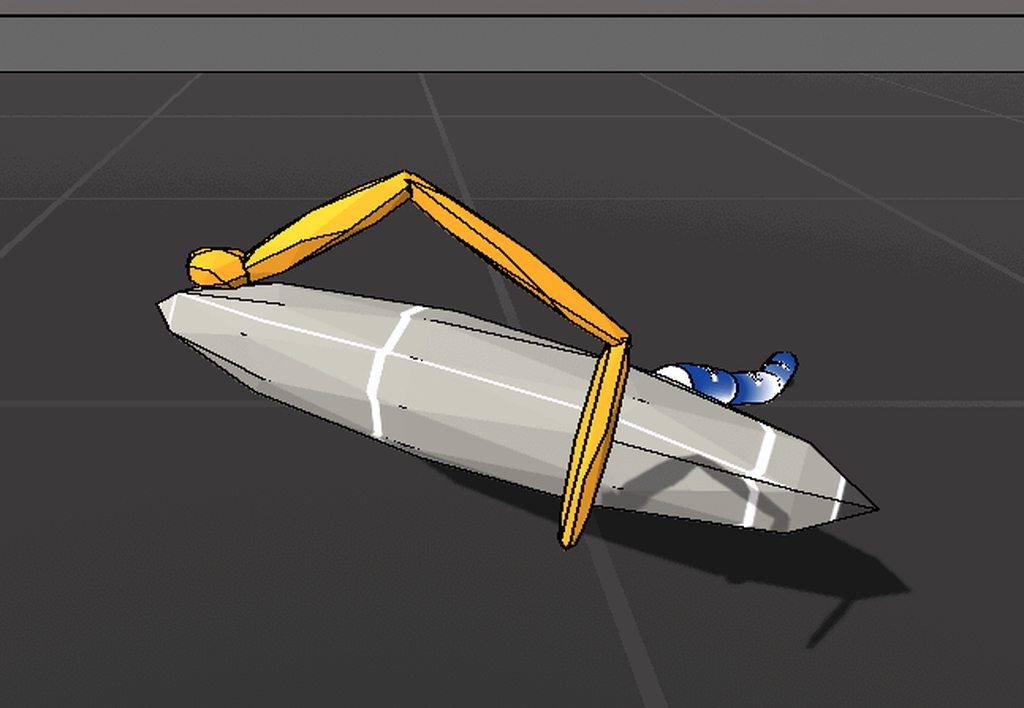
found a port of the old school image processing
has a few different edge detection variants
 lucid lagoon
nice :o URP HDRP or legacy?
ebon haven
to be honest im not sure what it would be considered

GitHub
Unity legacy Edge Detect image effect ported to Post Processing Stack v2 - jean-moreno/EdgeDetect-PostProcessingUnity
this is the repo i yoinked it from
lucid lagoon
legacy then, URP and HDRP have their own post-processing solutions
quaint wagon
I just spent the day setting up a system where I can edit packages almost seamlessly, just to realize how much is hardcoded in URP post processing... looks like a garbage pile, please kill meeeee
 jade salmon
How can we use post-processing for mobile and get best performance !
ebon haven
I second that question
 versed breach
URP depth of field has pretty strong banding / horizontal lines that I can't quite get rid of.. is that just tough shit for URP quality?
buoyant galleon
Haha yep Peter, welcome to hell trying to customise new Postpro 😄
lucid lagoon
I wish I knew how to write my own SRP with whatever I want 😭
there are some tutorials but my brain goes 💥
ebon haven
i can barely even wrap my mind around the SRP work flow
the whole render pipeline is just one big wtf lol
i never actually bothered to learn about the overall Unity data structure and process loops... probably ought to start there
 weak trench
What would be a possible explanation for post processing volumes not working?
Like I add one to a camera, set it as global and then try to add some sort of extreme color grading
Nothing happens
Nothing happens to the camera, no matter what override I add
weak trench
I use 2019.3.0f6
bronze mural
Check out quick start guide on the help page in the pinned messages.
weak trench
I did and then after searching around found people with similar issues, yet their solutions didn't solve it
I'm gonna try 2019.3.11f1
lucid lagoon
post processing volumes might not work in URP, not sure
bronze mural
second link in the pins for the URP
bronze mural
are you using URP?
weak trench
Yes
bronze mural
Did you actually read the instruction? You need to use another component
weak trench
I have a PP Layer and a PP Volume
I've made sure they are all on the same layer that isn't Default
I've made sure it's Global
I've set the camera itself as the trigger
bronze mural
weak trench
I've made sure that the camera Rendering settings have Post Processing checked
This talks about HDRP?
Not URP?
And as I said earlier, I used the PP volume and have attached it to the camera that uses it. The documentation does not state it is necessary to put it on a separate object, only that it is considered good practice.
So what else could I be missing?
gritty folio
URP uses the same volume system. There are URP specific pages here but they are basically the same : https://docs.unity3d.com/Packages/com.unity.render-pipelines.universal@8.1/manual/Volumes.html
This is using a "Volume" script, not the PP volume + PP Layer which is from the Post Processing package (ppv2).
weak trench
Yes, but then what is the point of the PP Volume?
gritty folio
PPv2 isn't compatible with most versions of URP, it's for the built-in pipeline
weak trench
I wonder then why I'm allowed to use it with URP
And get no errors anywhere
So okay, I have to use a volume then? Which isn't PP`?
weak trench
I did
gritty folio
Yeah, script called "Volume", not the Post-process one. You can uninstall the Post Processing package to remove those
weak trench
Then I am truly confused about URP and HDRP
frank pendant
Try instead creating an empty game object and add the volume there maybe
weak trench
But okay, I guess that explains why it doesn't work...
frank pendant
Wait
frank pendant
Are you using URP?
PP Stack doesnt work with URP
Only the one that comes in with the URP template
weak trench
@gritty folio Is it stated anywhere officially that URP and PPv2 does not work together?
frank pendant
Yeah
gritty folio
The URP docs mention it
frank pendant
In camera add component Volume
gritty folio
some versions do support PPv2, but others do not
frank pendant
I not sure if it says it doesnt work but it says it has to use the one that is integrated with URP
gritty folio
For 8.0, "URP is not compatible with the post-processing version 2 package."
7.2 to 7.4? might work with PPv2, as it states "Both post-processing solutions will be supported in the versions of URP that are compatible with Unity 2019.4 LTS. From Unity 2020.1, only the integrated solution will be supported".
weak trench
So I am using 7.3.1 and now I am extra confused
The Universal Render Pipeline (URP) contains its own integrated post-processing solution. This version of URP also supports the Post Processing Version 2 (PPV2) package, for backwards compatibility with existing Projects.
ALSO SUPPORTS
frank pendant
what version of unity are you using?
weak trench
2019.3.11f1
frank pendant
Ay me too
weak trench
Well, technically 2019.3.0f6
frank pendant
But I dont think it works
weak trench
I just tried to upgrade to see if it fixed the problem
frank pendant
And it doesnt have AO
weak trench
Great so, even if I had read that line it would appear that the documentation is wrong.
gritty folio
It mentions 2019.4 LTS but I don't know if that's necessary. It's possible there's another setting somewhere to properly enable it, not sure
frank pendant
I dont think it is possible
frank pendant
When I look for info about AO for URP, no one mentions the PP Stack
And the only solution would be HBAO
gritty folio
Gunna quickly install ppv2 and see if I can get it working
frank pendant
I thought this was common knowledge
gritty folio
If you ever plan on updating it would be better to use URP's integrated solution though
weak trench
It would appear so, yes. But just makes me question really hard how PPV2 and the RPs are working together, or rather are not.
frank pendant
The render pipelines have their own post processing solutions
weak trench
In the package info it should just state in big bold letters
"DOES NOT WORK WITH ALL VERSIONS OF URP"
frank pendant
If it works that would be cool, because AO doesnt work for URP unless you use HBAO
Why dont you use the normal render pipeline then?
If you want to use the PP stack
weak trench
Because I thought the URP was required to use it
And now that every material has been "upgraded" to the URP
It's a one-way ticket so
No going back now
frank pendant
Oh ok
weak trench
(which is kind of a big problem with the RPs)
But one could hope they make a method that turns all mats back to "standard" or whatever
gritty folio
Right, there's a option on the URP Asset
bronze mural
You probably need to update, you are using very low minor version, it wasn't supported then.
bronze mural
Unity
weak trench
Not much of a solution if you are using a version to make your game.
But I guess I'll consider it.
bronze mural
It will show only compatible packages at the time. You usually need to update Unity to get updated packages.
frank pendant
@gritty folio What version of unity are you using there?
gritty folio
2019.3.3f1, URP 7.3.1, (and PPv2 2.3.0 if that matters)
weak trench
I use 2019.3.0f6 and tried 2019.3.11f1
None of them had those options you had there for post processing
gritty folio
The option is also only there if the Post-processing Package is installed
weak trench
Not sure what to say. As you could see from the picture, it wasn't there ¯_(ツ)_/¯
gritty folio
Idk why it's not there then, but I'd still use the integrated solution anyway.
weak trench
Well it seems that I am forced to, so I will
gritty folio
Otherwise you could switch back to built-in if you aren't using any features that URP provides, but as you mentioned there's no easy way to un-upgrade the materials. You'd have to switch all the shaders back manually.
weak trench
Yeah and there are quite a few materials 🙃
gritty folio
In the future, it's usually a good idea to back up projects before installing packages/upgrading packages, etc.
weak trench
I mean, hindsight is always 20/20 right?
gritty folio
Indeed, but you can also learn from mistakes so it doesn't happen again.
weak trench
To be fair here, the Unity documentation on Render Pipelines and the stack does not seem especially crystal clear...
gritty folio
Agreed
weak trench
Especially because it seems like they come together
As a "you could use both together for cool stuff"
and then it turns out that PPv2 is just for the SRP and some times it works for URP but really you shouldn't use it because built-in system works, but then you have HDRP where the stack can be used?
gritty folio
I'm not too familiar with HDRP but it has it's own integrated volume system too, it doesn't use PPv2 afaik
But I understand what you are saying, since the Package Manager doesn't give any indication of whether something is compatible with URP/HDRP or not.
weak trench
The problem with the Package Manager in general is that every package is more or less self-contained
frank pendant
You guys know whats the difference between Low Dynamic Range and High Dynamic Range?
weak trench
Separate solutions with basically no harmony
gritty folio
@frank pendant LDR uses colour values between 0 and 1, while HDR can be outside that range.
weak trench
HDR is like for realism and LDR is for low yeah?
frank pendant
I just switched to LDR and the scene looks so good
Maybe it is just more appropriate for the scene i guess
weak trench
If you aren't aiming for realism then just go with LDR
frank pendant
The neon effect looks better
weak trench
Seems like right picture has more bloom
frank pendant
Its the same
gritty folio
You could probably achieve a similar effect in HDR by adjusting the Bloom threshold
frank pendant
I just switched to LDR
Yeah but everything would have bloom
I just think it looks better I guess
I dont see any performance improvement or anything
 autumn idol
when i change these settings (bottom right) nothing changes, does anyone what could be wrong?
forest elbow
For PPv2, I thought user LUT was moved to
External(or something) in Color Grading.
@lethal musk
Anyone know what this means? What is external?
 forest elbow
Thanks @lethal musk My setup seems different (URP) and I get a different menu. I mean there is a LUT input in 'Color Input' in my menu so I guess it goes there but I always get weird colors even with a default LUT texture.
lethal musk
ah, I thought you dropped URP and went back to PPv2
Not sure what causes your weird color
forest elbow
Yeah I've been jumping around but ultimately I want to figure out how to do LUTS in URP. Right now I get this error,
So I go into my URP script and change it from 32 to 16
but then I get mad colors
All I'm ultimately wanting to do is be able to adjust my shadow's colors, perhaps there is a more modern way of doing this?
autumn idol
when i change these settings (bottom right) nothing changes, does anyone what could be wrong?
@autumn idol :c
 azure grove
@forest elbow Invalid lookup texture. it must be... Well, have you applied the correct format? Can we see it? (1024x32 or 256x16, Read&Write Enable, no compression)
 frosty bluff
I am not entirely sure where to post this, but this looks close enough.
I am doing the classic "put render texture on a camera to capture its view." For demonstration purposes, I put the same render texture on a Raw Image ona canvas.
Without post-processing, it all works as expected.
But with post-processing, I seem to only get the emission.
Full post with screenshots here: https://gamedev.stackexchange.com/questions/183595/displaying-or-capturing-non-main-camera-shows-only-the-post-effects

Game Development Stack Exchange
I have a separate camera from my main camera, whose purpose is to take screenshots, or render a "live feed" of the action, at different angles. Hierarchy as such:
The game object labele...
I have now run into this several times in a year, and I would really like to find a solution. I can't avoid it forever.
 blissful narwhal
I'm currently using LWRP 7.4.1 and am I trying to get some PostProcessing going but I cant get it to work. This is attached to my main camera (the only one)
https://gyazo.com/6e6a980b2858d37af943ac70fe40fd0a
And as you can see, I'm using pretty extreme settings but they have zero effects on what the game looks like

I don't know if it matters, but I'm using virtual cameras and also tried attaching the Cinemachine Post Processing Component without any luck
gritty folio
@blissful narwhal LWRP (aka URP) has it's own integrated post processing solution using a script called just "Volume". The Post-process Layer & Post-process Volume is a part of the Post Processing package (PPv2). some versions of LWRP/URP support PPv2, but in the future it won't be compatible so if you can, use the integrated one instead.
If you still want to use PPv2 though there should be a "Feature Set" option on the pipeline settings asset to switch (If it's not there, it's probably a version of unity or lwrp/up that doesn't support ppv2).
There's also a tickbox on the camera to enable Post Processing.
blissful narwhal
Oh sorry, I didn't see that answer, I will try that out and let you know if it worked asap. Thanks
blissful narwhal
@gritty folio well, it somehow works but somehow doesn't. In scene view I can see some of the effects (depth for example doesn't work) but in game view it doesn't have any effect at all. Is there also a Post-Processing layer alternative I'm missing?
gritty folio
If you're using the integrated "Volume" system now, then it's already built-in to the camera. There's a "Post Processing" tickbox on the Camera that needs enabling in order to see it in the game view though. I think there might be a volume layer mask (under an "environment" heading on the camera if I recall correctly), but it's probably already set to all layers.
@blissful narwhal ^
It's also possible the depth of field effect might need the Depth Texture option on the pipeline asset enabled too - I think it should force the camera to have it enabled anyway though.
blissful narwhal
Damn, I really did miss that. Thanks a lot, man, it's working now 🙂
frosty bluff
Has anyone successfully captured an image (preferably in real-time) from a camera with post effects?
The right head is just a model.
The left head is another camera, with the same settings as the main camera, just pointing to a render texture, and rendered on the left side via Raw Image UI.
Notice that the left head appears to only capture brightness, an darkness is converted into alpha.
The cube just shows that the render texture is indeed semi-transparent.
 loud haven
is there a way to have temporal anti-aliasing with the URP?
nevermind, answered my own question, was just googling the wrong thing
Effects that UniversalRP does not support
- Motion Vector-based effects, including Motion Blur and Temporal Anti-aliasing.
cobalt wing
@loud haven once they get movec supported on urp, taa would be possible
It is weird that it is taking so long
severe slate
https://www.shadertoy.com/view/Ms23DR
how can i add this to my post processing volume?
 timber prism
@severe slate https://docs.unity3d.com/Packages/com.unity.postprocessing@2.1/manual/Writing-Custom-Effects.html I think that's the article you're looking for. You'll need to convert the shader you found to Unity's shader.
https://www.youtube.com/watch?v=CzORVWFvZ28 --> 0:46 he displays a cheat sheet.

Twitter: @The_ArtOfCode
Facebook: https://www.facebook.com/groups/theartofcode/
Patreon: https://www.patreon.com/TheArtOfCode
PayPal Donation: https://paypal.me/theartofcode
Ever wondered how to get a shader from ShaderToy imported into Unity? Well wonder no longer because in...
severe slate
I started watching that video but it seems to be for making a material shader, not a post processing effect ?
https://www.reddit.com/r/Unity3D/comments/bu1jhn/tried_to_recreate_the_crt_tv_effect_posted_a_day/
found this, but it looks like he never wrote the tutorial he mentions

reddit
34 votes and 11 comments so far on Reddit
timber prism
You have to convert a shader into HLSL. Then you need to follow the steps from article I sent you.
I'll be honest, I've never done this before, but I think if I have to, i'd follow what is written.
 severe sigil
You have to use the volume coponent,post proccesing stack doesent work with LWRP i think
It has its own PP stack
cobalt wing
*URP
severe sigil
I dunno why i said lightweight XD
 blissful cedar
it's own PP stack doesn't work either, what the hell
Also ticked the Post Processing option in the camera
I feel like I got scammed, everyone says it's much better than the built-in pipeline
but now every material in the project is f*cked
fantastic
granite cape
Well, first off, I wouldn't use version 2020. 2019 just went into LTS, its a great place to start. Second, you'll need to convert your shaders to URP or HDRP shaders; depending on which one you are using.
 civic bronze
hi, i made a post processing effect in my SRP project
its not working
i tried putting it on the camera as well
the camera is on the default layer, none of the processing has any effect
any ideas?
 candid spire
Is it possible to disable PostProcessing only for some objects in PPv3 (URP build-in)? I have a problem where specular highlights give a really bad flickering when bloom is applied and I would like to turn bloom off for those objects where I need a lot of smoothness and specular highlights
buoyant galleon
Hey guys, anyone know why my PostPro shader's custom textures that I pass it are 100% white? They get the correct size but all color data is fucked
just all 1's
even though previously I know they have valid data in them, in the previous blit
open totem
It's 2020 and the Post-Processing Stack v2 keeps crashing my Unity LTS, what the fuck is wrong with it
bronze mural
@open totem That attitude is not helpful. Why don't you look into log files and find what's the problem instead, so it could be fixed.
open totem
Sorry, it's just that PPv2 is the most unstable package ever and it keeps breaking every time, especially when dealing with VR
I am checking the crash logs in the meanwhile, hoping to find at least a cue
bronze mural
With errors reason could be the Library retaining wrong version cache after upgrades. You should try regenerating it.
open totem
Here's the first cue in the meanwhile: [OVRPlugin][INFO] CliD3D11CompositorClient released[XR] Failed to setup eye layer, something is happening in the XR plugin
open totem
Ok, there's actually a bug that arises when using XR Management and Post-Processing Stack v2, guess I can only switch to URP then
 hazy helm
Is there some alternative installation guide or tricks list to add this to a scene? Setup look correct but not seeing any changes 😦
open totem
@hazy helm what's the problem you're experiencing?
Define "not seeing any difference"
hazy helm
Setup looks right ... but not getting any processing effects ... I can stream?
Over on my Discord or you can call 😉
DERP 
Forgot to set the Layer on the Volume 
open totem
For better performance, set the camera on a new layer called Post-Process, and order the post-Process layer to only process the screen on that layer
sounds like a tongue-twister this way
also, set the volume to global
hazy helm
@open totem ... Didn't quite understand that last part ... order the layer to only process the screen on that layer ... I mean, I understand what you are sayin, I just don't know how to do it :S
 dense maple
why cant I modify the bloom effect?
 rocky onyx
dense maple
rocky onyx
dense maple
the on and off yes
open totem
@open totem ... Didn't quite understand that last part ... order the layer to only process the screen on that layer ... I mean, I understand what you are sayin, I just don't know how to do it :S
@hazy helm sorry for the late reply, basically there's a dropdown list on the PP Layer that tells you which layer should be affected by the PP effect; therefore, if you set the camera on a new layer called, for example, "PostProcess", you can pick that layer from the dropdown menu in the Post-process layer
 lucid falcon
Does anyone know how to make post process volume ignore world space UI?
I have damage displaying textmeshpro objects on world space canvases that are affected.
 rocky tundra
does anyone knows howw to run the post processing stack on android?
@dense maple try enabling each config
 sand garnet
Copying my question from the #archived-hdrp channel since there might be somebody who knows how to fix this
Is there any way in Unity 2019.3 to have both URP with a 2D Renderer and a way to separate camera post process between a UI canvas an the actual game? Camera stacking doesnt work on 2D Renderers, and using sorting layers to put the canvas targeting a single camera doesnt really let me exclude the UI from the camera post processing
 twin sage
is there a way to have the post processing not effect the skybox?
 wind tendon
Are there any resources to make post processing look good for stylized games(toon shaded)? Using ACES results in losing a lot of that colorfulness.
I'm using URP.
buoyant galleon
Does your toon shaded game even need HDR? If not, then you don't need a tonemapper at all
sacred dove
I'm making some tron style scenes, wireframe 3D graphics with lots of emissive particles and lines, beyond bloom, what other post processing effects would enhance the look of this aesthetic ???
mellow summit
send a screenshot
wind tendon
@buoyant galleon Well the only post processing effect I really use is bloom. But I've seen some cell shaded(anime style) games use tonemapping and they look good.
 solid eagle
Hey guys!
Anyone using custom rendering features and post processing together? If I enable postProcessing under my camera settings it disables the custom rendering feature i created..
buoyant galleon
@wind tendon Tonemapping doesn't 'improve' a games look, it's not meant to be color correction or really change how your game looks at all. All tonemapping does is push your histogram into a tighter, SDR space, so that if it's a super large (HDR) histogram (ie. if you have SUPER bright HDR objects, like reflective metal) in your scene, tonemapping will make what would've looked like pure clipped white look like actual colour.
So, if your game does not need the above (I am not aware of physically correct light preserving toon shaders, but correct me if they do exist) then you don't need tonemapping, and a colour correction LUT is a better idea.
 pliant cosmos
What could be the reason for PostProcessing V2 spamming this error whenever I try to use it in Scene view in 2019.4? This was never an issue in 2019.2:
The error goes away if I go to my camera and manually disable and enable Unity postprocessing component, which implies it fails to initialize itself correctly but manages to do so on second OnEnable triggered by that turning on and off
 idle snow
Anyone already had a NaN problem when using Volumetric fog ?
idle snow
turns out it's when i enable the "Filter" option on my volumetric fog (this option blur the light in the fog to limit on ugly effect you get without)
but i've no idea why it does that...
i even have the issue with a new empty scene where i only add a volume with volumetric fog and filter enabled :
see the black square ? it follows the screen and when using debug view is shown as a NaN zone
 tough hedge
Hello, I am having a problem. My bloom appears in the game window, but when I play the game and/or build and run the game, it doesnt appear.
granite cape
Did you turn on the correct graphics presets in game?
severe slate
how to ?
 crude haven
first change ur water fall
and use a standard one by unity
instead of using texture cutoff meterial use a model
severe slate
crude haven
i can help u get realistic results
i have worked in many companies
so i can generate real graphics
severe slate
will appreaciate it
granite cape
The rocks look too much like skin. Creeped me out at first, lol.
 quaint matrix
Does anyone know why the post processing behavior component might not be showing up for me even though I have post processing stack v2?
I can create a profile but there is no way to assign it that I can see
bronze mural
Check the pins if you are using URP
quaint matrix
https://www.youtube.com/watch?v=Ts2F2SxeRSY >> It looks like it's done differently now. I'm confused because I don't see anything written about this online.
This time we will talk about the new post processing layer that will supersede the post processing stack in the near future. I will tell you how you can use different profiles in your scene and how you can upgrade to the new post processing flawless.
I tried with a standard 3D and HDRP project and I guess it just doesn't exist in V2. You have to assign it through a processing layer.
cobalt wing
@quaint matrix HDRP doesn't use PPv2
HDRP has it's own internal PP, for HDRP you'd not use "PostProcessing Volumes" but "Volumes" to add your effects, also layering is built-in
 mossy mulch
what's PostProcessingData (in URP), and why would I want to create more than one of them?
I thought I needed one for each camera stack.
But... I see no differences.
cobalt wing
Modify existing effect to work that way?
I havent checked the code but they probably have just multiply somewhere at the end of shader to dim it. Could use this multiplier to drive lerp between white color and scene color
Could also make that white color a property instead so you could just set it to whatever you want
Oh they have color exposed already
 hot night
how would i get my game (left) to look like the right imagea
dry folio
@hot night 1 min setup of PPv2 or PP URP/HDRP
Do vinetta , then use ACES tonemaping, after that do a big contrast and you will get already nice looking result
after that try to play with gamma
 thick furnace
does anyone know why my geometry (opaque) shader is semitransparent when used with some screen space reflection postprocessing?
https://cdn.discordapp.com/attachments/497872424281440267/730210024474804264/31f55049b5b77381b817d6173077beb0_edit.mp4
what might be causing it?
 autumn geyser
Using HDRP, is it possible to apply a built-in Post Process effect (such as Depth of Field or Bloom) only on objects that are associated to a specific Layer?
 sonic torrent
@autumn geyser It is possible in Unity by applying a volume to another camera and layering the output. I cant remember if camera layering is allowed in HDRP, unfortunately
buoyant galleon
Doesn't look like an opaque shader haha @thick furnace , does it happen when not using postpro? Only thing I can think of is one postpro script accidentally setting alpha to some weird value somewhere, IIRC one of the really old AA effects used to do that
 warm parrot
 autumn geyser
@autumn geyser It is possible in Unity by applying a volume to another camera and layering the output. I cant remember if camera layering is allowed in HDRP, unfortunately
@sonic torrent Thanks, I was able to get camera layering working but not the Post Processing. You can set up Camera Layering on the Camera component's Output settings. Cameras are rendered and layered from lowest depth to highest depth. have two Cameras (Regular Camera and Post Process Camera). I tried two approaches. Neither worked unfortunately. It seems that some Post Process effects (Exposure) are correctly applied when cameras are layered, but other effects (Depth of Field) are incorrectly not applied at all if Post FX Camera is layered below, or applied to the final rendered image if Post FX Camera is layered above. I suspect it's due to implementation of the specific post effect itself (accessing Depth Buffer?). May need to find (or write) a custom render pass to handle those effects that do not work correctly.
 blazing hedge
Are you sure that's bloom? Could be atmospheric scattering or volumetric lighting.
blazing hedge
Or just Sky Exposure + Bloom.
That's most likely what that is. You can increase the sky exposure in HDRI Sky PP Volume. Then just enable bloom.
severe slate
does anyone know how i can create this dithering as a post process effect in urp? the only thing i could find was a black pixel checkerbox dither which looked awful
severe slate
i found a shadergraph one which puts dithering over the screen but i can't figure out how to reduce the strength
 rich wigeon
In the URP package if you go to project settings there is a variable that changes the strength @severe slate
severe slate
eh?
in the UniversalRenderPipelineAsset_Renderer?
o wait you said project settings
which section? i don't see it
i have the effect here, the one i tried that was an override in the global volume was ugly
and the strength didn't do anything
severe slate
it just made every second pixel black without overlaying like in photoshop or anything, looked nothing like ps1 games

this one
went into the Dithering.shader from that and theres a float for ditherstrength that doesnt have any other mentions in the code so seems like it's just a slider that does nothing
severe slate
when i build game for webgl bloom doesnt work what to do 🤔
 gaunt sinew
i can't add local post processing on my object because it already has a collider, how do i get around this?
 woeful walrus
Hi, Why does my depth of field is just pitch black ?
woeful walrus
Ok, I solved the problem by upgrading Unity
 echo yew
Unity Before: YOU DONT DESERVE NICE THINGS
Unity After: sight is a blessing
severe slate
i've been looking for like a week or more now and i haven't been able to find anything that'll give me a nice looking dither overlay with urp
please help
 sinful cedar
I'm getting an issue where URP seems to be doing some auto exposure thing so whenever I look at something primarily white the entire skybox turns black and I want to disable that. I've tried adding a fixed exposure but it doesn't seem to make any difference
Does anyone know how I can go about disabling this exposure?
severe slate
i found one that looks great, but it's not upgraded to use with urp... does anyone know if it could be converted ? https://github.com/jmickle66666666/PSX-Dither-Shader
GitHub
PSX-style dither shader for Unity. Contribute to jmickle66666666/PSX-Dither-Shader development by creating an account on GitHub.
blissful cedar
so uhh, I've installed URP on a existing project and created another URP template project
post processing doesn't work on the existing project but the template one works
I've literally checked everything, it just refuses to work
gritty folio
@blissful cedar Check that the Post Processing option on the camera is enabled. I'd also check the Volume Mask (under the Environment heading on the camera) includes the layer that your volume is on ("Player", or switch it to a different one).
blissful cedar
how can I access the post processing via script?
let's say, adding DoF while doing something
 brave meteor
I'm currently trying to set up URP in a 2.5D workflow. I cannot for the life of me get Depth of Field working. There are objects in my scene that refuse to come into focus.
brave meteor
Here is the strange behavior along with the ship's sprite settings.
brave meteor
I believe I figured it out. DoF completely relies on MeshFilters and MeshRenderers. I added a MeshFilter the same shape as my ship to the same transform as the ship's sprite and DoF could then focus on it.
buoyant galleon
Sorting layers are not the same as depth. I doubt an orthographic camera (assuming that is what you are using for 2.5D) writes to the depth buffer in the way that you need it to, which is what DoF uses to blur
I would personally look into a completely different solution to blur the different layers anyway, as a full bokeh DoF is very heavy for something like that
brave meteor
Yeah, I'm using a perspective camera to get natural parallaxes and camera zooming. Do you have any tips on making something feel far and monolithic, like capturing the true scale of a planet?
buoyant galleon
Yep custom gaussian blur based on layer order
blazing hedge
 timid magnet
Wow
 steep kestrel
How can I set up a material that glows?
Not using an emissive property, that is. The object that needs glowing is dynamic, along with everything else around it
 scarlet kindle
Hello. 🙂 I'm trying to tinker with the HDRP, and I want to change some things in the stack from script. But, I can't seem to get it to work.
and when I try to start my code with
using UnityEditor.Rendering.PostProcessing;
it doesn't work.
I've updated to the latest LTS of Unity (version 2019.4.4f1) and I'm using the most up-to-date HDRP package in the package manager (which is listed as a 'preview' package instead of a 'verified' package).
Am I doing something wrong?
 carmine vessel
anyone have a clue why these color wheels are only going to this one position for me? tried reimporting urp, no dice
blazing hedge
@steep kestrel You could increase/decrease the intensity of the emission with code.
@scarlet kindle you probably want: ```cs
using UnityEngine.Rendering;
using UnityEngine.Rendering.HighDefinition;
I'll try that, thanks. 🙂
blazing hedge
are you modifying the post processing? @scarlet kindle
scarlet kindle
My goal was to make a sort of 'abstract sky' thing that I could fiddle with, changing the colors of various gradients and such. I originally wanted to use the shader graph to procedurally make skybox textures, but I couldn't figure out how to do that.
So, I was turning to the HDRP to see what I could do with the skyboxes there.
blazing hedge
That would be more of a shader thing.
 desert thorn
Hi guys, I want to do the same as @scarlet kindle but in URP, I have made a function that blends between 2 pp profiles using marhf.lerp (day and night) and I upgraded to urp but the syntax is not the same does anyone have any clue?
    public void LerpBetweenTwoProfiles(PostProcessProfile prof1, PostProcessProfile prof2, float timeToLerp)
    {
        bloomLayer.intensity.value = Mathf.Lerp(prof1.GetSetting<Bloom>().intensity, prof2.GetSetting<Bloom>().intensity, currentLerpTime / timeToLerp);

        ambientOclusionLayer.intensity.value = Mathf.Lerp(prof1.GetSetting<AmbientOcclusion>().intensity, prof2.GetSetting<AmbientOcclusion>().intensity, currentLerpTime / timeToLerp);

        autoExposureLayer.filtering.value = new Vector2(Mathf.Lerp(prof1.GetSetting<AutoExposure>().filtering.value.x, prof2.GetSetting<AutoExposure>().filtering.value.x, currentLerpTime / timeToLerp), Mathf.Lerp(prof1.GetSetting<AutoExposure>().filtering.value.y, prof2.GetSetting<AutoExposure>().filtering.value.y, currentLerpTime / timeToLerp));
        autoExposureLayer.minLuminance.value = Mathf.Lerp(prof1.GetSetting<AutoExposure>().minLuminance.value, prof2.GetSetting<AutoExposure>().minLuminance.value,currentLerpTime/timeToLerp);
        autoExposureLayer.maxLuminance.value = Mathf.Lerp(prof1.GetSetting<AutoExposure>().maxLuminance.value, prof2.GetSetting<AutoExposure>().maxLuminance.value,currentLerpTime/timeToLerp);
        autoExposureLayer.keyValue.value = Mathf.Lerp(prof1.GetSetting<AutoExposure>().keyValue.value, prof2.GetSetting<AutoExposure>().keyValue.value, currentLerpTime / timeToLerp);

        vignetteLayer.intensity.value = Mathf.Lerp(prof1.GetSetting<Vignette>().intensity.value, prof2.GetSetting<Vignette>().intensity.value, currentLerpTime / timeToLerp);


        colorGradingLayer.temperature.value = Mathf.Lerp(prof1.GetSetting<ColorGrading>().temperature.value, prof2.GetSetting<ColorGrading>().temperature.value, currentLerpTime / timeToLerp);
        currentLerpTime += Time.deltaTime;
    }
This is the code, or if anyone knows another way to do this feel free to share it
blazing hedge
probably use an IEnumerator to do it overtime. Is it PPv2?
public PostProcessProfile postProcessing;

//Bloom
float lerpValue = 0.5f;
FloatParameter intensity1 = new FloatParameter { value = lerpValue, overrideState = false };
postProcessing.GetSetting<Bloom>().intensity = intensity1;

//Color Grading
float lerpValue2 = 0.5f;
FloatParameter temp1 = new FloatParameter { value = lerpValue2, overrideState = true };
postProcessing.GetSetting<ColorGrading>().contrast = temp1; //gamma, saturation, etc
But from what I have noticed, you can't change some of these at runtime.
 hidden scarab
does anybody know how I can resize the reflection probes resolution on HDRP?
blazing hedge
I think its in the Lighting window, or it would be in Window -> Lighting -> Settings.
The Unity Manual helps you learn and use the Unity engine. With the Unity engine you can create 2D and 3D games, apps and experiences.
hidden scarab
found it in debug mode in inspector
that link is for old unity. and new unity mentions nothing
gritty folio
@buoyant olive You may need to flip the Y axis of the texture.
 willow heath
Hello! I'm having trouble using post processing effects for the first time. I would like the model that is closer to the camera to be in focus while the background objects be blurry. For some reason I can't seem how to make the closer object clear and the further object blurry. Both of them seem to have the same level of blurriness despite being at different distances. Does anyone know how to fix this?
severe slate
can anyone help with converting this to urp? https://github.com/jmickle66666666/PSX-Dither-Shader is it possible?
GitHub
PSX-style dither shader for Unity. Contribute to jmickle66666666/PSX-Dither-Shader development by creating an account on GitHub.
 sly matrix
@severe slate Can’t help with converting that one, but found this which looks cool - https://github.com/Kodrin/URP-PSX
desert thorn
Does anyone know a link to the post processing scripting api for URP or can help me directly?
scenic merlin
@hidden scarab go to the HDRP asset, go to reflections and adjust its resolution.
 oblique prawn
@willow heath lower the aperture?
 tired bloom
severe slate
tired bloom
severe slate
@sly matrix i tried that one, but the dithering effect looks really bad, it's just a black checkerboard
 grim sandal
how come when adding effects to the camera it blacks out the camera view like this?
 solar hornet
Any post processing recommendations for this type of low poly style? Granted this is just a snippet from a game, where you can actually move around 3d
I already have bloom, color curves to make the green pop out more, depth of field, and motion blur for the gameplay
buoyant galleon
A nice wide Screen Space Ambient Occlusion (SSAO) could work, maybe godrays, perhaps even some heavier colour correction with a LUT to give it a deeper style
For lowpoly would advise against using lens effects like vignette/chromatic aberration as they're more for hyperrealistic games
 green mason
Agree with Alex, get some AO and colour grading in there. Some very subtle grain is sometimes nice on low poly too
severe slate
Can anyone help me
setting up multiple types of bloom
i have some issue setting up pink and red bloom as like glowing sources for my 2D game
Just dm me or ping me if you can help me i think i have so much trouble that a dm would help me a lot 🤣
 fallen gate
 outer citrus
Hi guys i'm making a 2d puzzle type game and It involves circles and lines. I'm not sure if this is a post-processing question but the game currently looks like this
the lines are jagged and the circles are also jagged on the edges
i don't know how to make everything look better
 hard obsidian
Looks like the game is being drawn at a lowish resolution
outer citrus
what do you mean?
hard obsidian
How are you drawing the lines and the circles?
outer citrus
lines are drawn with a line renderer
circles are a sprite
for the circles i right clicked the assets window, clicked create, sprite, circle
hard obsidian
What resolution is your game view set to?
Is "low resolution aspect ratios" checked?
outer citrus
how do i check that
hard obsidian
It's a dropdown that appears at the top of the game view
hard obsidian
Do you have a specific resolution set?
outer citrus
hard obsidian
So if it's not drawing at some lowered resolution you'll need antialiasing to make it smoother https://docs.unity3d.com/Manual/PostProcessing-Antialiasing.html
outer citrus
i did edit>project settings>quality>anti aliasing> 8x multi sampling
and nothing changed
green mason
Low resolution aspect ratio is a only available if you’re on a high-resolution display.
Looks more like it just needs anti aliasing. The built-in MSAA in quality settings is only useful when you have 3D geometry. So won’t work with sprites. You want to try a post processing AA
Or re-do your sprites so they use alpha in the sprite
For post processing AA, depends if you’re on the built-in pipeline or URP/HDRP?
outer citrus
i dont know what im using
cant i just make them slightly glow so you cant see the jagged ness
or something like that
how do normal games have lines that look good
green mason
Anti aliasing. What we just mentioned. It’s just there a few different types and the setup is different based on your rendering pipeline
outer citrus
how do i check my rendering pipeline
green mason
Theres a scriptable render pipeline option in Project Settings > Graphics
If it says None then you’re using built-in, if it has anything else then you’re on a SRP
green mason
So next you need the post processing package. Go to package manager, find Post Processing and install it
Then when it’s installed go to your main camera and add a Post Processing Layer component
Then anti aliasing is an option on there, with a few options to try out
outer citrus
thanks it worked really well
green mason
No worries! 🥳
severe slate
setting up post pocessing with multiple cameras kinda doesnt work 🤣
brave meteor
there's a checkbox in your main camera called postprocessing that you need to tick probably @brisk shadow
 brisk shadow
@brave meteor Already ticked. Post processing is still working. Only it doesnt effect GUI.
If I put the threshold over 1 and turn up the intensity a lot, everything glows like crazy.
However, the UI doesnt glow at all
granite cape
Try using Screen Space Camera for your UI?
I think you need to add a Post Processing Layer to your Canvas. Like how you would add a script in the Inspector. Then adjust your layers as needed. @brisk shadow
brisk shadow
rip
Ill try the post processing layer on canvas thing
if that doesnt work, I dont care about a little glowing health symbol thing
 quiet geyser
Hey...just need a quick help..i have a post process effect..but its globally applied to all elements...how can i remove effect from a particular object?
severe slate
I set it up like this
and put the camera on post pocessing
shouldnt it now apply bloom / glow to everything?
Because thats what happens in my other project but in this one it refuses to work
or actually it does work but
only with one object
Like only the ball is glowing
i cloned it and the clone glows as well
recreating the exact same ball does not glow
OH
its the color
lol
 viscid coral
anyone have a good tutorial for pp? i added a volume and im changing settings but nothing looks different
desert thorn
Hi I am using unity 2020.1 and URP when I try to record using the recording window or from the timeline my video gets recorded but there are no Post Processing effects applied, but I can see them in the scene, game and in the game view when I play the timeline
 tardy escarp
This might be a dumb question because of how AO / PP in general works, but is it possible to limit where it applies / the "range" of it, even if it just means putting my grass on a layer and selectively excluding it.
Basically, I don't want it to apply to my grass (or it can, but at a further distance outside of the point light range) as the point lights I have on the character cause an undesired effect with regards to the grass. and make it too dark when the directional light is darker than normal.
 tidal junco
Is there any way to make an object be not effected by a "Local" Post processing effect?
its a canvas with Screenspace - Camera
it has to be screenspace - camera
 zenith valley
hey im trying to use the lightweight render engine so i can use shader graph, how do i do that
 modest jacinth
@tidal junco the only way would be using 2 cams
cobalt wing
@zenith valley LWRP is now URP since Unity 2019.3, just install Universal Render Pipeline from Package Manager
severe slate
what setting causes this fade out in ao quality?
blazing hedge
@severe slate Probably distance.
severe slate
does depth of field help performance at all? or is it literally aesthetic?
buoyant galleon
Depth of field heavily decreases performance @severe slate - it's one of the heaviest post-processing effects when done properly
severe slate
@buoyant galleon NOPENOPENOPE
rips it out
cheers for that 🙂
severe slate
another question regarding post processing actually, I have some effects that are going to be permanent, currently a child of a DontDestroyOnLoad game manager object, it made sense to me to just use that instead of having the same stack of post processes in each scene.
assuming that all the required scenes are currently ASync loaded so you can flick between them at will, would that approach work? or will each scene take a few seconds to apply the post process (therefore nothing looks right) once you switch?
Hoping that makes sense lol
I suppose I could add some sort of effect or fade-in graphic to give the process time to kick in.
would prefer instant though 😛
buoyant galleon
Should be instant
severe slate
cool, cheers
 velvet tide
I have a Racing Game that is WIP i want to put in Post-processing but i donno where to start can someone help me i really appreciate any help, also i want the High Definition RP in so can someone plz help me TK for any help you could provide!😃
severe slate
Im pretty sure you should setup HDRP before you do anything
I can help you with post processing specifically in dms @velvet tide
Im making a racing game too so
velvet tide
Nice Thanks i will send a Demo Copy Once i am finished


 timber basin
contact shadows?
 solemn grail
I don't have contact shadows enabled in my lights/HDRP settings.
I don't see how the reflections would turn white due to that either.
dry folio
@solemn grail with settings are you use on SSR?
solemn grail
Just the default + enabled.
It is last in my volume stack tho, if that makes a difference.
I've tried playing around with the settings, but it doesn't do anything, the issues still persists.
dry folio
what is your HDRP and UNity version?
solemn grail
2020.1.0f1 and 8.2.0
dry folio
@solemn grail hmm, strange. at me SSR working fine with skinned mesh
 prime finch
hey can anyone help me? the ui isn't affected in the game render, but it is in the scene view
also aything else is affected
 dull reef
I have some projectiles in my game (2d, fixed camera) that use HDR colors for a glow effect, but whenever they're spawned occasionally there will be a bright flash of light on screen. I don't know what causes this, since it seems to happen randomly, not particularly when the HRD objects overlap or are close together. Any ideas as to why this happens? I took a recording and it looks like an HDR object with very large intensity somehow spawned somewhere onscreen, away from all the HDR objects that are supposed to be there
I'm using LWRP
This issue existed when I tried using object pooling with them (My game is a bullet hell) but it still persists when I just use Instantiate and Destroy
severe slate
can anyone help with converting this to urp? https://github.com/jmickle66666666/PSX-Dither-Shader is it possible?
GitHub
PSX-style dither shader for Unity. Contribute to jmickle66666666/PSX-Dither-Shader development by creating an account on GitHub.
i've been asking this for weeks now, i dont know where else to ask
the only psx postprocessing for urp is another thing on github and its dither is just a black checkerboard, not real dithering
i want this effect
the effect the guy in the github i posted apparently looks like this, which i think looks pretty good for what i want
 lilac sage
How to achieve blender like bloom ? all post process params are the same. The one with arrows is gamma color space in unity and the other is linear
buoyant galleon
@lilac sage what version and render pipeline of Unity are you using?